#Crimson Desert - CHECK PINS FOR ADDON
1 messages · Page 49 of 1
 dapper lake
 steel wolf
is it possible to force the old version of RR like how you could do dlss swaper or stuff like that
dapper lake
360hz cyberpunk here I come
 native drift
Now that I have the exposure at 60 and auto exposure at 3
 pure sundial
Left 11, right 14


 subtle sinew
is anyone using DLDSR? I think I'm getting bad frametime stutters with it enabled
native drift

 strong palm
pure sundial
Left 11, right 14
strong palm
pure sundial
Left 11, right 14
Brighter looks prettier but it clips shadow detail
native drift
Sexy
 mortal wolf
protip, use prefix buttons
native drift
New one
dapper lake
subtle sinew
is anyone using DLDSR? I think I'm getting bad frametime stutters with it enable...
The game hates custom resolutions i think, it changes rr preset randomly and everything
mortal wolf
the idea is that the exposure is stable and not all over the place
pure sundial
left 11 right 14

 subtle sinew
dapper lake
The game hates custom resolutions i think, it changes rr preset randomly and eve...
subtle sinew
dapper lake
The game hates custom resolutions i think, it changes rr preset randomly and eve...
hmmm I'm locking the rr preset with optiscaler to D so that can't be it
mortal wolf
and adaptation contrast works more consistently per scene (bright/neutral/dark)
 foggy dust
Midtones looking good now
 crude marsh
11/14


 golden scaffold
guys come on, that's Velia! I know it when I see it??
 dapper lake
subtle sinew
hmmm I'm locking the rr preset with optiscaler to D so that can't be it
dapper lake
subtle sinew
hmmm I'm locking the rr preset with optiscaler to D so that can't be it
Reapply on launch, I have to
 manic finch
does all the mods work with the new patch?
 forest elk
I just got up, are we using this rn?
manic finch
I am about to test that fuse build as well
dapper lake
Forgive me for snipping tool but 6x mfg, and 1440p performance just to get close to fps cap
pure sundial
forest elk
I just got up, are we using this rn?
just testing
dapper lake
 golden scaffold
manic finch
does all the mods work with the new patch?
golden scaffold
manic finch
does all the mods work with the new patch?
better knowledge cards is broken dont use it everything else i use is ok
forest elk
pure sundial
just testing
I downloaded the one in the pinned msg but didnt played it yet with new update
 worthy belfry
holy moly
 vivid iris
God bless.
worthy belfry
i just went indoors and its
strong palm
crude marsh
11/14
Is there a fix for the sky color banding? maybe some Lilium deband? idk
worthy belfry
it went insane
 worn ibex
Ngl if they have adaptive why can’t they introduce integer scaling for like frames etc
mortal wolf
i can push adaptation contrast to 60-80 and not have to mess with changing it for every scene now
 outer furnace
strong palm
Is there a fix for the sky color banding? maybe some Lilium deband? idk
outer furnace
strong palm
Is there a fix for the sky color banding? maybe some Lilium deband? idk
default reshade deband filter works best for me tbh
foggy dust
dapper lake
Now dldsr to 4k, dlaa, and 6x.  show me
dapper lake
foggy dust
Now dldsr to 4k, dlaa, and 6x. <:KEKW:1095888472381866097> show me
One second lol
Domething disabled dldsr
vivid iris
I’m gonna try to cook up some strange stuff for SDR tone mapping. Shouldn’t be any stranger than the game currently doing acesv2 fitted shit.
subtle sinew
dapper lake
Reapply on launch, I have to
yeah still looks worse when moving the camera
stutter wise
steel wolf
Yo has anyone tried rolling back the RR version using the profile inspector? Seeing some stuff on it but not much confirmation
dapper lake
Damn not sure then cytho
strong palm
dapper lake
42ms lat not bad at all god damn
crude marsh
btw shadow slider doesn't work
dapper lake
I had to do a bunch of shit as I got it native at one point
subtle sinew
I thought I was crazy but it really was dldsr making my framerate feeling wonky
 eager epoch
Wait is FG X6 available already?
dapper lake
strong palm
42ms lat not bad at all god damn
Honestly not as bad as I expected, on controller it felt good and it felt pretty playable on mouse
outer furnace
eager epoch
Wait is FG X6 available already?
i wanna know how they force it too
 leaden isle
Have yall noticed an increase or decrease in performance after 1.01 patch? (Fps wise)
mortal wolf
v14 wobbles too much with custom1, and v11 contrast is midgray based and just borks image.
strong palm
dapper lake
Honestly not as bad as I expected, on controller it felt good and it felt pretty...
Yeah latency feels very playable on controller up to 60-70ms ish
any higher than that nono
 stray grove
wait is it me or dlss 310.6 even at FGx2 is better performance?
dapper lake
Rught tryna get dldsr working again
Yes it is Pedro for sure
In the 2 mins I tested literally no artifacts
outer furnace
stray grove
wait is it me or dlss 310.6 even at FGx2 is better performance?
yeah could be, apparently it uses a new model now
dapper lake
And possibly less perf impact(?)
crude marsh
I think there are 2 FG presets now but idk how to change it
or if its just a dynamic thing
subtle sinew
I'm using the cnn FG model I think it's a little better
dapper lake
Just in case could someone post their user config w 2.25x dldsr at 1440p im case I cant get it working via nappy?
Nappy
Ffs hahahahaha
crude marsh
CNN FG performance is so bad for high res
subtle sinew
crude marsh
CNN FG performance is so bad for high res
dang really?
 analog root
How are you guys using 6x mfg?
pure sundial
CNN in the big 26
outer furnace
fgx2 was already superb for me so idk if they can even improve on it
x3 and x4 however were shit and ive absolutely seen the artifacts, curious if theyre better now
subtle sinew
guess I'll try to revert
foggy dust
analog root
How are you guys using 6x mfg?
Jensen came in and dropped lates dll.
Latest*
outer furnace
yea but how do you force it
dapper lake
analog root
How are you guys using 6x mfg?
Dlls above/in lounge
outer furnace
the x5 and x6 modes
crude marsh
subtle sinew
dang really?
relatively speaking I lose a lot of fps
 wise flax
Anyone else have weird lines flash on their screen sometimes with the shader mod enabled?
 supple summit
outer furnace
fgx2 was already superb for me so idk if they can even improve on it
x3 and x4 h...
supple summit
outer furnace
fgx2 was already superb for me so idk if they can even improve on it
x3 and x4 h...
3x is really the where i cut the line and say no , thanks, 2x is really good
 woven moat
Was he wearing his $9000 lizard scale infused crusted jacket
dapper lake
Is there an easier way to put then in than renaming the bins like I did? Swapping the sl ones did nowt
foggy dust
woven moat
Was he wearing his $9000 lizard scale infused crusted jacket
Always
 cloud cypress
eager epoch
Wait is FG X6 available already?
cloud cypress
eager epoch
Wait is FG X6 available already?
yes. check above for dlls. needs manual swap in my case. global override don't work. x6 fg appears in the menu
eager epoch
cloud cypress
yes. check above for dlls. needs manual swap in my case. global override don't w...
Tnx
subtle sinew
crude marsh
relatively speaking I lose a lot of fps
I'm at 54 base in this scene and 97 FG so about a 6 fps loss to base?
 warm scroll
https://x.com/HazVsRPG/status/2038389121610354800?s=20
thoughts on this guys reshade images?
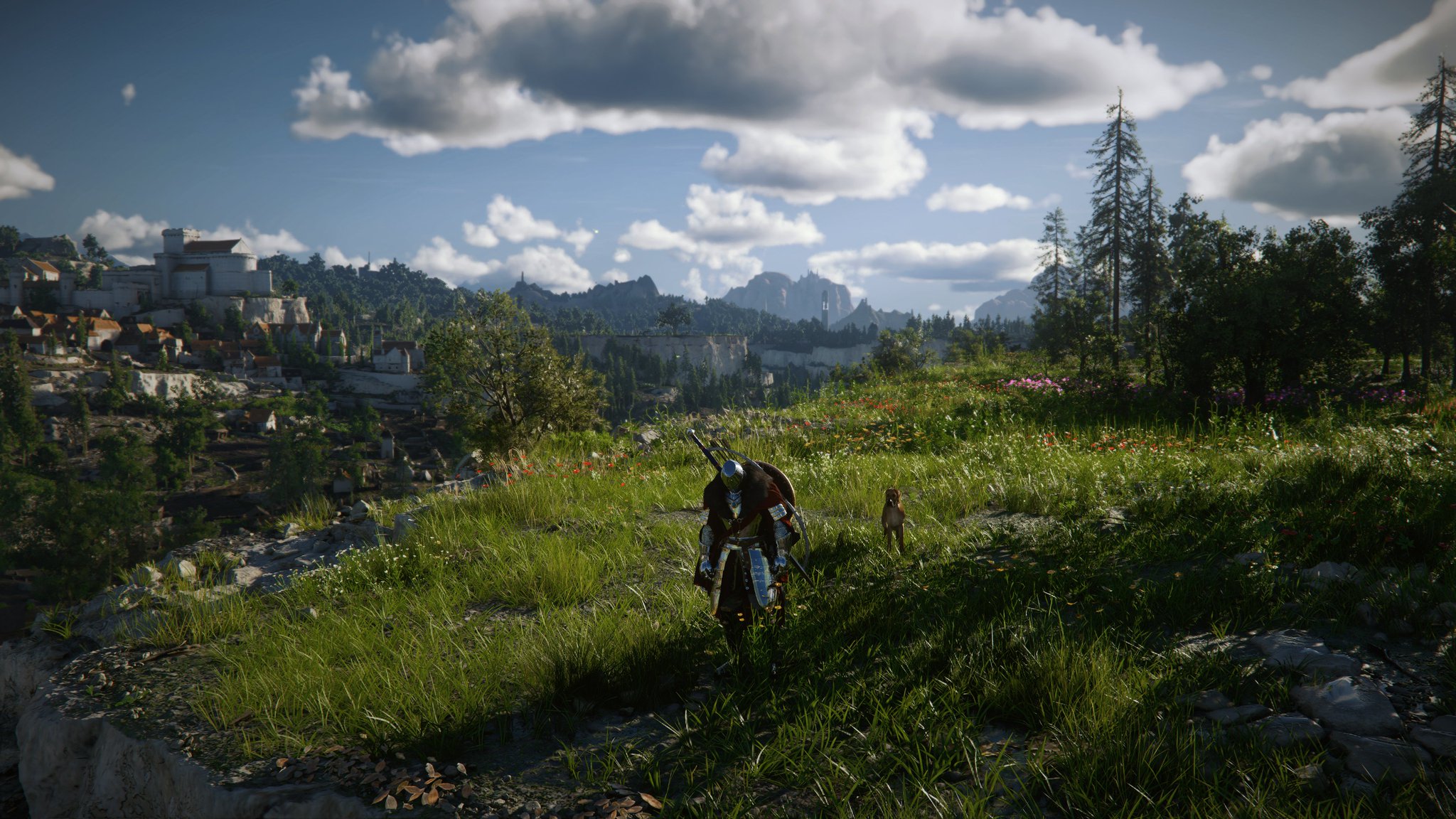
Performance mode is OFF - Fidelity mode is ON in Haz Reshade 2.1 for Crimson Desert.
 X
·
dapper lake
X
·
dapper lake
4kdlaa 6xmfg on a 5080 HAHAHA
 golden scaffold
maybe not the best shot its what i got right now


 mossy gust
14 to 89 is crazy
 solemn narwhal
dapper lake
4kdlaa 6xmfg on a 5080 HAHAHA
solemn narwhal
dapper lake
4kdlaa 6xmfg on a 5080 HAHAHA
there's some image in your artefacts
outer furnace
cloud cypress
yes. check above for dlls. needs manual swap in my case. global override don't w...
it does? I manually replaced all DLLs including the sl_ ones and I still only see x2 x3 and x4 in the menu
foggy dust
dapper lake
4kdlaa 6xmfg on a 5080 HAHAHA
14 to 89
subtle sinew
dapper lake
4kdlaa 6xmfg on a 5080 HAHAHA
why that flag look like a flying lobster
golden scaffold
11-14

 subtle sinew
What version is the new dll?
crude marsh
310.6.0
cloud cypress

 supple summit
 pure sundial
Is there any other improvements with the new dll or just FG
crude marsh
FG afaik
subtle sinew
did it ship with the new update? I can't find it anywhere
pure sundial
alright cheers
 subtle nova
rude
 sudden pulsar

dapper lake
I cant believe this but 4k balanced 6x FG from 30fps is actually close to old 4x mfg at 50/60
eager epoch
Cant find the nee DLLs link pls
pure sundial
yea where is it? tech power up doesn't have it
subtle nova
eager epoch
Cant find the nee DLLs link pls
#💬lounge message
dapper lake
pure sundial
legends
eager epoch
TNNX
mossy gust
any benefit at 2x?
dapper lake
Still crash when turning fg off though 🙁
golden scaffold
i think this is what you were looking for? i like 14 more (right)

 pure sundial
What are the SL, and DLSSD dlls?
dapper lake
mossy gust
any benefit at 2x?
Maybe placebo but hugely
 shell kiln
dapper lake
shell kiln
dapper lake
I see what were looking at here but what exactly are we looking at here?
native drift
dapper lake
When did these drop
 kindred shoal
so this new FG is good? how is the latency?
dapper lake
shell kiln
I see what were looking at here but what exactly are we looking at here?
Ill be honest, idk what youre meant to do but I dld the 3 dlss named ones, and renamed them to match the nvgnx equivelant and swapped to dll files from bin
And it just worked
Probably an easier way lol
wise flax
Anyone else using the shader toggler have flashing lights in some areas? It's little flashing lines...
 final imp
not seeing the 6x toggle in game menu
dapper lake
native drift
When did these drop
Uhhh ask dude that posted them 🤣🤣
pure sundial
I might be silly but how do you use these bin files lol
kindred shoal
i dont need more than 4 tbh cause that gets me to 167hz
which is what i have teh game capped at
dapper lake
dapper lake
Ill be honest, idk what youre meant to do but I dld the 3 dlss named ones, and r...
@pure sundial
mortal wolf
okay, time to fix the shadows sliders and stuff
pure sundial
hm
dapper lake
Just rename them to the matching nvgnx and change to .dll
pure sundial
okay
cloud cypress
pure sundial
I might be silly but how do you use these bin files lol
rename to the matching .dd file then manually replace next to game.exe
.dll*
dapper lake
So dlssd.bin becomes nvgnx_dlssd.dll or something
pure sundial
has anyone used the dlss indicator to confirm it's actually working
mossy gust
fuck yeah, 3rd person cam already updated
subtle sinew
updated rr model copium 
pure sundial
mossy gust
fuck yeah, 3rd person cam already updated
CDC or the other one?
woven moat
Is it worth updating the model if using a peasant 4080
dapper lake
Well im heading off now have fun with the new toys,
Someone @ me if you find the nvpi flag for DFG
mossy gust
not cdc, i like the other one more
cloud cypress
pure sundial
has anyone used the dlss indicator to confirm it's actually working
yeah it's working. also settings show x6 fg slider
pure sundial
awesome
worthy belfry
cloud cypress
yeah it's working. also settings show x6 fg slider
assuming this is for 50 series
 manic valve
dapper lake
Well im heading off now have fun with the new toys,
Someone @ me if you find th...
manic valve
dapper lake
Well im heading off now have fun with the new toys,
Someone @ me if you find th...
I DIDnt find it
 lime bridge
So I updated Shader toggler and it isn't removing the clutter anymore? anyone else having that issue?
woven moat
Worked for me last night post patch
kindred shoal
there was a mod to remove the clutter pop in?
lime bridge
absolutely terrible looking btw, blows my mind that a dev can see clutter popping in 2 meters in front of the player and think it's acceptable
kindred shoal
i might download tha actually if it exists lol
cloud cypress
worthy belfry
assuming this is for 50 series
i don't remember what they announced but i think so. I'm on a 5080
manic valve
lime bridge
absolutely terrible looking btw, blows my mind that a dev can see clutter poppin...
Yeah it's fucking crazy
This isnt Playstation 2
kindred shoal
out of all the issues it is the worst to me
dapper lake
manic valve
I DIDnt find it
 crude marsh
lime bridge
absolutely terrible looking btw, blows my mind that a dev can see clutter poppin...
crude marsh
lime bridge
absolutely terrible looking btw, blows my mind that a dev can see clutter poppin...
its explicitly designed to do this btw
kindred shoal
with this game and BDO
worthy belfry
cloud cypress
i don't remember what they announced but i think so. I'm on a 5080
iya i dont hgave the option :(
 quiet copper
there's microstutters all over the place in new patch when jsut standing still and rotating the camera (even without any mods)
why devs had to break things in 2 recent patch all was running fine before
lime bridge
kindred shoal
i might download tha actually if it exists lol
"No HUD" mod on Nexus (although it weirdly stopped working for me all of a sudden)
kindred shoal
wtf lol
subtle sinew
wtf is this 😭
woven moat
Use the better textures and shadows mod it was updated for the patch
 viscid wedge
quiet copper
there's microstutters all over the place in new patch when jsut standing still a...
viscid wedge
quiet copper
there's microstutters all over the place in new patch when jsut standing still a...
unless this is widely reported, likely just unique to you
manic valve
crude marsh
its explicitly designed to do this btw
This game is 2 steps forward 1 step back in terms of tech
cloud cypress
lime bridge
"No HUD" mod on Nexus (although it weirdly stopped working for me all of a sudde...
i never got the "hide minimap" shortcut to work but otherwise it's fine on my end
eager epoch
subtle sinew
wtf is this 😭
I saw it since day 1
lime bridge
crude marsh
its explicitly designed to do this btw
It is horrible
crude marsh
manic valve
This game is 2 steps forward 1 step back in terms of tech
what exactly are the steps forward
lime bridge
cloud cypress
i never got the "hide minimap" shortcut to work but otherwise it's fine on my en...
yeah same, minimap doesn't work for me either
subtle sinew
eager epoch
I saw it since day 1
these devs man
final imp
cloud cypress
yeah it's working. also settings show x6 fg slider
like the in game menu for crimson desert?
lime bridge
or never did I shoudl say
wise flax
Anyone have any ideas what would cause this with the shader toggler?

 shut python
the game just updated?
lime bridge
wise flax
Anyone have any ideas what would cause this with the shader toggler?
I've never gotten that
cloud cypress
final imp
like the in game menu for crimson desert?
yes. only works with manual swap tho.
manic valve
shut python
the game just updated?
Yes but they put Damiane on TRT and hormone blockers so she has mad facial hair
quiet copper
viscid wedge
unless this is widely reported, likely just unique to you
Patch just dropped less than an hour ago. People haven’t noticed yet
wise flax
It sucks because the shader toggler fixes the ground noise, but now it's sending squigglies across my screen...
woven moat
Didn't address anything we care for
final imp
cloud cypress
yes. only works with manual swap tho.
I dragged and dropped into bin64
 cloud cypress
final imp
I dragged and dropped into bin64
cloud cypress
final imp
I dragged and dropped into bin64
what gpu are u on ?
 faint bobcat
wise flax
Anyone have any ideas what would cause this with the shader toggler?
faint bobcat
wise flax
Anyone have any ideas what would cause this with the shader toggler?
You're undrawing a shader pass which breaks something downstream.
You cant do that 95% of the time and expect zero issues
subtle sinew
final imp
I dragged and dropped into bin64
same issue here on a 5090 I was using a cnn model before so my swapped worked for sure
manic valve
crude marsh
what exactly are the steps forward
I didn't say it was a full step forward 🤪
quiet copper
quiet copper
Patch just dropped less than an hour ago. People haven’t noticed yet
It was capping to 167 with fg on before. Now its on 175 clearly show they screwed up vrr or reflex in latest patch
wise flax
@faint bobcat Unfortunate, I'll just disable it and hope you can fix it properly.
crude marsh
game do be more stuttery I believe
faint bobcat
crude marsh
game do be more stuttery I believe
Wait what
So we are enow UE5
With zero UE5 benefits
Truly
kindred shoal
i have not encountered a single stutter in my entier time wit hteh game
crude marsh
not like, hugely, but a bit
manic valve
This is Korean Engine 5
golden scaffold
I discovered Velia 😭
 faint bobcat
Ok but in 2 months from now we will be UE5 levels of stuttering
pure sundial
does anyone know where I can download the regedit files for dlss indicator
faint bobcat
Peak
 glass quarry
i see the new hotfix didnt touch the graphical issues
shell kiln
hold on is that the dynamic frame geneartion dlls?
quiet copper
Game was buttery smooth before latest patch
subtle sinew
golden scaffold
I discovered Velia 😭
#notmyvelia
 cold tree
hotfix bricks more lights?
final imp
cloud cypress
what gpu are u on ?
5090 like cytho
woven moat
Krish just use NVIDIA overlay
pure sundial
Didn't know nvidia overlay could do that
golden scaffold
subtle sinew
#notmyvelia
close enough! just needs the flute band..
woven moat
Yep can
 spark oriole
pure sundial
does anyone know where I can download the regedit files for dlss indicator
spark oriole
pure sundial
does anyone know where I can download the regedit files for dlss indicator
you can control in dlss swapper as well if you use it
pure sundial
awesome thanks guys
woven moat
Enable the option to show dlss override
 queen helm
cold tree
hotfix bricks more lights?
queen helm
cold tree
hotfix bricks more lights?
Wondering about this too
manic valve
spark oriole
you can control in dlss swapper as well if you use it
The DLSS Swapper one works good
woven moat
Np
subtle sinew
golden scaffold
close enough! just needs the flute band..
where's my annoying kid yelling do it better 😢
cloud cypress
pure sundial
does anyone know where I can download the regedit files for dlss indicator
download this. global override with one click. can undo any time and also has toggle for the indicator. https://github.com/SimonMacer/AnWave/releases/tag/AnWave-DLSS

GitHub
NVIDIA DLSS Global Override Mode version 2.5.20.0 Standalone
Version 2.5.20.0 Release Notes
Added NVIDIA Reflex 2 Latewarp Override Mode. NVIDIA Reflex 2 Latewarp Override Mode requires future dr...
worthy belfry
cloud cypress
download this. global override with one click. can undo any time and also has to...
using this rn
its very good
pure sundial
It's not gonna cause issues with dlss swapper nvpi etc right
cause I got the whole shebang downloaded
cloud cypress
final imp
5090 like cytho
donwload every single file and do a 15 dll file manual override from every single new file. Thats what worked for me
dapper lake
Pcs off now but could someone else confirm; lights/colours seemed more vibrant or brighter with the newer dlls, not sure if maybe an indicator of some artifacting to expect lol
Could just have been slight time differences or settings resetting but cba getting back on to check lmao
manic valve
pure sundial
It's not gonna cause issues with dlss swapper nvpi etc right
no it doesn't mess with them
cold tree
no way to fix this right
dapper lake
dapper lake
Pcs off now but could someone else confirm; lights/colours seemed more vibrant o...
Particularly highlights and particles similar to the effect of 4.5
pure sundial
cold tree
no way to fix this right
Nah but it's made it to PA's known issues
so hopefully gets fixed soon
cold tree
ok great, just with RR
cloud cypress
pure sundial
It's not gonna cause issues with dlss swapper nvpi etc right
nope, you should be good. I also use it w/ nvidia profile inspector overrides for older dlss such as baldur's gate 3
pure sundial
Alright
cold tree
queen helm
Wondering about this too
it's working. Proper camera bricks though
dapper lake
cloud cypress
download this. global override with one click. can undo any time and also has to...
Damn I knew reflex 2 could be forced but didnt know there was a tool to do it lmao
How disgusting does it look w frame gen?
 dreamy field
cold tree
no way to fix this right
dreamy field
cold tree
no way to fix this right
is it the grass flickering?
just above kliff to the right though it kinda looks like part of the terrain
pure sundial
dreamy field
is it the grass flickering?
nah it's the weird warping next to the edges of the rock caused by the displacement mapping being weird with rr
wise flax
Is flashing lights on peoples faces in cutscenes caused by RR?
dreamy field
ooh ok
pure sundial
It's pretty bad since yesterdays patch I notice it everywhere particularly around stone buildings/rock
dreamy field
ive also noticed a lot of pixelation around edges, which unless ive never noticed it before, something seems slightly off with dlssd
granted the only game ive really played with RR is cyberpunk, i havent seen that level of pixelation around edges
cloud cypress
dapper lake
How disgusting does it look w frame gen?
x6 fg is looking kinda good rn not gonna lie. defo better than expected. still not gonna play like this but there's potential for sure
manic finch
V11/V14


 soft timber
does the game look better in its promo images than the release?


 dreamy field
ive been playing at 30fps before framgen and 60fps with framegen surprisingly my latency is about the same as 30fps input without much increase
manic finch
ah dunno why the camera changed on my screenshots lol oh well
manic valve
Does the new RenoDX build have Psycho14? Mine doesn't
 molten kiln
How much latency?
pure sundial
Hmm all the other DLLS worked but for some reason game is reporting FG at 310.5.2 and I only have 4x available
 paper heron
soft timber
does the game look better in its promo images than the release?
paper heron
soft timber
does the game look better in its promo images than the release?
always does
pure sundial
DLSS swapper is reporting the new dll too after manually doing it
manic valve
paper heron
always does
As long as there have been games, there have been bullshots
warm scroll
 manic valve
warm scroll
manic valve
warm scroll
Probably has a $150 monitor with mad light bleed on every corner
cloud cypress
manic valve
Does the new RenoDX build have Psycho14? Mine doesn't
it's a test build by shortfuse for now
final imp
cloud cypress
donwload every single file and do a 15 dll file manual override from every singl...
TY
manic valve
cloud cypress
it's a test build by shortfuse for now
Well I want in. The only test I ever failed was an STD test
foggy dust
manic valve
Well I want in. The only test I ever failed was an STD test
Alladeen
dreamy field
molten kiln
How much latency?
if i had to guess probably 100ms or more pcl
crude marsh
warm scroll
plays whole game in pink - I don't see a problem here
shut python
why do i have a weird blur along the bottom of my screen after the update now?
molten kiln
dreamy field
if i had to guess probably 100ms or more pcl
Yeah, that's too much for me
pure sundial
: (

 tall maple
How dark is it suppose to be with the mod ? Seems after the patch that the nights are back at bright like at 4h00AM feels like 2 in the afternoon loll
warm scroll
crude marsh
plays whole game in pink - I don't see a problem here
hahaha
tall maple
Do I need to set some option back do get the nights back ?
foggy dust
4am burger time.  then more cd
golden scaffold
warm scroll
hahaha
they don't even bother to play with the sliders. vanila contrast is just eye searing to me
dreamy field
molten kiln
Yeah, that's too much for me
honestly i think 2x framegen at 30-40fps would perform better anyway lol, i think 6x would add a lot more tho i dont have a card that supports mfg 🙁
 sudden arch
is there cheatneinge table for infinite HP?
cloud cypress
pure sundial
: (
maybe try to manually override every single dll from the newest release straight to bin folder ? Or does it still not work ?
pure sundial
dreamy field
honestly i think 2x framegen at 30-40fps would perform better anyway lol, i thin...
I feel like 6x would be acceptable if you are hitting like 80 base fps tryin to top out a really high refresh rate
dapper lake
dapper lake
@molten kiln
pure sundial
cloud cypress
maybe try to manually override every single dll from the newest release straight...
That's what I did originally
DLSS is reporting as the new version only FG isn't
molten kiln
dreamy field
honestly i think 2x framegen at 30-40fps would perform better anyway lol, i thin...
Yeah, I was thinking because max I can get with RR now, is like 50fps without FG
pure sundial
 dapper lake
I used the import feature on dlss swapper after renaming them
dreamy field
if you cap your framerate honestly 2x framegen might not be terrible for 60fps, id only cap it though to minimize latency and keep a stable frame pacing, since that also helps a lot with the latency increase
 winged jolt
rename the downloaded bin files to nvngx_[thingy] and use dlss swapper
molten kiln
dapper lake
<@310129923467771904>
Am I wrong or is it 42.5 ms ?
pure sundial
My brother that's what I have done
final imp
holy shit 6x mfg is good
dreamy field
or cap it 3fps below the max you can run it at
pure sundial
I'll just try again with a new download I guess
cloud cypress
@pure sundial i think you re missing the dlss fg.dll override file. do a quick redownload, rename, reswap and it should work
pure sundial
thanks
dreamy field
does the newer framgen dll just have better framegen all around?
dapper lake
molten kiln
Am I wrong or is it 42.5 ms ?
Ill be honest i never use nvidia overlay so I dont know what one to read but yes 24.2 and 42 Ms from 30fps with 6x on - felt really playable on controller for me but I dont use them much
dapper lake
dreamy field
does the newer framgen dll just have better framegen all around?
Seems so To my eyes
2x frame gen i couldn't tell was on ngl
 lethal dawn
Oh no. The game got updated 😭
dapper lake
Again needs more time
Might play tomorrow and immediately notice that some weird effect hates 6x
Or the new fg in general
dreamy field
i kinda wish i had a 50 series card just to see what mfg feels like lol
supple summit
dapper lake
2x frame gen i couldn't tell was on ngl
same
warm scroll
lethal dawn
Oh no. The game got updated 😭
yep hotfix
dapper lake
I cant wait to see how reshade and 6x/dfg play together in the games that already flicker
Darktide finna be giving seizures
pure sundial
dreamy field
i kinda wish i had a 50 series card just to see what mfg feels like lol
It's a pretty nice feeling when it lets you top out your monitors refresh rate on cyberpunk full path traced
dreamy field
how much of a latency increase does it incur over 2x?
 jade kettle
dreamy field
i kinda wish i had a 50 series card just to see what mfg feels like lol
jade kettle
dreamy field
i kinda wish i had a 50 series card just to see what mfg feels like lol
too much artifactings tho :S
 alpine bear
warm scroll
yep hotfix
alpine bear
warm scroll
yep hotfix
And they didn't fixed anything regarding dlss and rr 
pure sundial
I can check for you now starting the game back up
dapper lake
supple summit
same
Id say to draw comparisons, impact wise new fg feels like preset m/l right? Decent jump
pure sundial
It depends on base fps too
dreamy field
jade kettle
too much artifactings tho :S
yeah i can imagine especially with a lower base framerate
warm scroll
alpine bear
And they didn't fixed anything regarding dlss and rr <a:kwek_smoke:1081592739105...
nope
wise flax
The biggest downside of MFG in Crimson Desert that I've seen is the minimap ghosting a ton.
dreamy field
lower base framerate = more artifacting and more latency
supple summit
dapper lake
Id say to draw comparisons, impact wise new fg feels like preset m/l right? Dece...
i agree
dreamy field
wise flax
The biggest downside of MFG in Crimson Desert that I've seen is the minimap ghos...
yeah ive noticed that too on 2x, though that might be cause i can get maybe 30-40 fps
warm scroll
wheres new FG?
dapper lake
pure sundial
It's a pretty nice feeling when it lets you top out your monitors refresh rate o...
Honestly im gonna have to find where I have cyberpunk installed to try it with 6x, 4x already felt particularly good in cyberpunk for some reason. But couldn't get to 315fps for my cap
wise flax
Does it improve minimap ghosting on FG higher than 2x?
 gaunt dust
did the new patch break anything
warm scroll
gaunt dust
did the new patch break anything
LOTS
cloud cypress
lime bridge
Is forcing preset D still the move with RR?
gaunt dust
warm scroll
LOTS
no the one that just dropped
pure sundial
dapper lake
Honestly im gonna have to find where I have cyberpunk installed to try it with 6...
I'm definitely getting a higher refresh rate when I upgrade in the future
at 175 hz now
warm scroll
pure sundial
I'm definitely getting a higher refresh rate when I upgrade in the future
yes
 edgy coyote
dreamy field
i kinda wish i had a 50 series card just to see what mfg feels like lol
edgy coyote
dreamy field
i kinda wish i had a 50 series card just to see what mfg feels like lol
Like this when u take a screenshot haha


but latency is black magic
eager epoch
pure sundial
I give up
They’ll release a new driver for this like very soon maybe tommorow
dapper lake
pure sundial
yeah game is still reporting 310.5.2 for framegen
You try using dlss swapper?
subtle nova
eager epoch
They’ll release a new driver for this like very soon maybe tommorow
Forge said it releases march 31
dreamy field
edgy coyote
Like this when u take a screenshot haha
kinda looks like lossless scaling's ghosting a bit lol
lethal dawn
Did the patch break stuff again?
dapper lake
subtle nova
Forge said it releases march 31
Thats technically tomorrow for me now
subtle nova
so i guess there will be a driver update for that
subtle nova
dapper lake
Thats technically tomorrow for me now
technically same here
pure sundial
dapper lake
You try using dlss swapper?
yep
dapper lake
pure sundial
yep
It fail to import them or just not do owt?
pure sundial
2x frame gen 40 ms latency, 4x 50 ms
dreamy field
cloud cypress
wait are these versions ahead of the DLSS SDK?
dapper lake
pure sundial
2x frame gen 40 ms latency, 4x 50 ms
6x 40ms 😤😤
subtle nova
dreamy field
wait are these versions ahead of the DLSS SDK?
yes
dreamy field
ooh ok
edgy coyote
dreamy field
kinda looks like lossless scaling's ghosting a bit lol
most of the games are perfect tbh, all max with dlss quality +fg x4. but CS is lees sharpening and more artifacts that i see with mfg. this game is cursed
pure sundial
dapper lake
6x 40ms 😤😤
yo for me thats base 60 fps at dlss perf
pure sundial
pure sundial
yo for me thats base 60 fps at dlss perf
but 310.5.2 fg
310.6 seems pretty good if you have less latency at 6x haha
dreamy field
i wonder if DLSSD looks any better with 310.6
dapper lake
Honestly the main thing will be the improvements to 4x and below, but 6x is so much more playable than expected
eager epoch
dapper lake
6x 40ms 😤😤
Getting 30ms with FG X4 DLSS Q 1440p
gaunt dust
pure sundial
yo for me thats base 60 fps at dlss perf
Currently running 3x FG, Everything cinematic + RR. 130fps. 4k. 5080. Suprising very playable
pure sundial
dapper lake
It fail to import them or just not do owt?
it imports them and dlss swapper reports 310.6 for all dlss in the menu, but in game dlss indicator is showing RR 310.6 and dlssg at 310.5.2
dapper lake
dreamy field
i wonder if DLSSD looks any better with 310.6
Possibly placebo, but i felt things did look better (still ass for obvious reasons) when I went to UP1440p to test fps cap w 6x
edgy coyote
Cyberpunk + ultra mod + fg x4 was my heaven
dapper lake
Not as much smearing etc
 hollow pollen
wait new dlss is out?
dreamy field
dapper lake
Possibly placebo, but i felt things did look better (still ass for obvious reaso...
what do i do with the bin files btw not sure what to actually do with them lol
forest elk
is there any way to revert the RR preset? I just opened the game with new update and everything is MOVING
dapper lake
pure sundial
it imports them and dlss swapper reports 310.6 for all dlss in the menu, but in ...
Damn, thats so strange - you got "custom" profile set with defaults enabled? That can overwrite it even though you're telling it to use whatever is there
forest elk
looks so bad
pure sundial
let me check
dapper lake
dapper lake
Damn, thats so strange - you got "custom" profile set with defaults enabled? Tha...
In nvap or nvpi
edgy coyote
dreamy field
what do i do with the bin files btw not sure what to actually do with them lol
swap names
 pure sundial
yeah I had latest dll enabled for FG in nvpi
dapper lake
dreamy field
what do i do with the bin files btw not sure what to actually do with them lol
So in your bin64 you'll see 3 files (nvgnx) dlss, dlssd and dlssg
Mathc the bin files to those names and drop em in
dreamy field
so just gotta rename the bins to dlls
dreamy field
ok
analog root
edgy coyote
swap names
I can't seen to get it working. Do I need to update streamline too?
dapper lake
pure sundial
yeah I had latest dll enabled for FG in nvpi
Fingers crossed that was it, would make sense ig since the latest is technically older than what youre trying lmao
 naive crater
Where do I go to download the renoxd for Crimson Desert. I'm very new with this...
pure sundial
whoopsie
dreamy field
analog root
I can't seen to get it working. Do I need to update streamline too?
i think streamline also has the integrations for framgen so i think so
dreamy field
naive crater
Where do I go to download the renoxd for Crimson Desert. I'm very new with this....
latest version in the pins
 rotund raptor
naive crater
Where do I go to download the renoxd for Crimson Desert. I'm very new with this....
rotund raptor
naive crater
Where do I go to download the renoxd for Crimson Desert. I'm very new with this....
pinned
dapper lake
I refuse to touch global profiles in case I forget about them when a random fuck ass game doesnt like them
lethal dawn
Omfg this patch barely did anything
pure sundial
dreamy field
i think streamline also has the integrations for framgen so i think so
yeah streamline is with all the bin downloads
lethal dawn
And I bet broke everything
pure sundial
dapper lake
Fingers crossed that was it, would make sense ig since the latest is technically...
Yep can confirm that was it
thanks for the help bro
 novel kayak
Does any have a pic of what exactly the morelight mod changes? I installed it just now to test and don't see a huge difference in amount or brightness of light sources?
dapper lake
Now go see if you can beat the 215ms latency i got at 4kdlaa 15>90fps
edgy coyote
analog root
I can't seen to get it working. Do I need to update streamline too?
No x6 for me :(. i think it is not working, but i feel differnt clouds with previous dlss (maybe i'm crazy or drunk)


2nd previous, 1st new dll
manic valve
I'm about to frame gen 10 fps into 60
golden scaffold
nights with v14 are a lot less crushed! @mortal wolf

 pure sundial
Not sure if there's any point testing 6x since my game is being capped to 168 anyway
 brazen coyote
I'd like to use a keybind to change between RenoDX presets, but it seems like the reshade preset hotkeys don't apply to renodx
analog root
edgy coyote
No x6 for me :(. i think it is not working, but i feel differnt clouds with prev...
Tried swapping the dlls and my game just crashes on start
pure sundial
but the latency is lower
310.6 RR also looks better everything looks slightly sharper
dapper lake
For those who seem to have done things rught but the dll isnt working make sure you don't have ANY preset overrides in nvapp,nvpi etc
pure sundial
Not sure if placebo
manic valve
pure sundial
310.6 RR also looks better everything looks slightly sharper
when did 310.6 drop?
dreamy field
does 310.6 also have any new presets or is it just improved presets?
edgy coyote
analog root
Tried swapping the dlls and my game just crashes on start
reboot for me, crash and relaunch alone (sorry my english)
dapper lake
Latest is older than 6x dll so it won't work, and custom defaults didnt work for me either
pure sundial
manic valve
when did 310.6 drop?
hasn't officially dropped yet
manic valve
pure sundial
hasn't officially dropped yet
Drop it to me, dawg
pure sundial
dapper lake
BRO IT WASNT JUST ME
It has this weird sharpening that I remember noticing when first trying DLSS 4.5
dapper lake
But 1440pup looked ass but not as ridiculous
dapper lake
Ik exactly what you mean
Preset m was bad for it but I used preset l by chance anyway so was confused when folk complained
pure sundial
yea
dapper lake
I might actually play crimson desert instead of tweaking tomorrow now 🤣🤣🤣
 steel wolf
pure sundial
310.6 RR also looks better everything looks slightly sharper
steel wolf
pure sundial
310.6 RR also looks better everything looks slightly sharper
Is that what everyone is doing now? Switchign to 310.6 for RR? Is everyone just forcing the newest model? I useed profile inspector and went to preset D and noticed the artificaitng from the update to E is gone now
dapper lake
Yeah I had to tone down rcas and immerse sharpening
mortal wolf
ai summary

 dreamy field
dapper lake
Preset m was bad for it but I used preset l by chance anyway so was confused whe...
dreamy field
dapper lake
Preset m was bad for it but I used preset l by chance anyway so was confused whe...
what resolution preset?
steel wolf
sorry kinda lost
molten kiln
manic valve
I'm about to frame gen 10 fps into 60
Let's go
pure sundial
steel wolf
Is that what everyone is doing now? Switchign to 310.6 for RR? Is everyone just ...
Just testing atm
mortal wolf
i like how the ai says vanilla is weird
dapper lake
dreamy field
what resolution preset?
Hmm? I mean in general preset M from dlss 4.5 was quite oversharpened on release but preset L didnt have that issue
 hoary vector
do we know if the update broke the light fix or anything yet?
cloud cypress
cloud cypress
Fast tutorial for x6 FG in Crimson Desert. Download the files in order.
dreamy field
dapper lake
Yeah I had to tone down rcas and immerse sharpening
have u gotten immerse sharpening advanced to work? I can only get simple to work well otherwise advanced flickers between the 2 depth buffers the game has
pure sundial
No RCAS and the sharpening still looks pretty fucking bad I'm not gonna lie
 edgy coyote
dapper lake
BRO IT WASNT JUST ME
edgy coyote
dapper lake
BRO IT WASNT JUST ME
cloud are better for me tbh, idk why
 fallen knoll
Damn you guys got so many cool stuffs to tweak -AYYmd user
dapper lake
dreamy field
have u gotten immerse sharpening advanced to work? I can only get simple to work...
I tuned it low enough I couldn't see it flicker - try dlssfix
edgy coyote
edgy coyote
cloud are better for me tbh, idk why
and around my weapon like previos pic
pure sundial
pure sundial
No RCAS and the sharpening still looks pretty fucking bad I'm not gonna lie
It's not just me right this looks like ass
dapper lake
Might fix it idk
Reshade (outside of addon files iirc) cant read generated frames
Hence the flicker
And its not all games
shell kiln
cloud cypress
Fast tutorial for x6 FG in Crimson Desert. Download the files in order.
so how would you then apply 6x to this if only up to 4 is avaialbe?
shell kiln
the game supports it really?
shell kiln
ahh ok
manic finch
cloud cypress
Fast tutorial for x6 FG in Crimson Desert. Download the files in order.
that is what i did wrong, I forgot to extract the SL bin. Thanks for the video!
dreamy field
dapper lake
Hence the flicker
ah ok, i assume that reshade should just auto switch between each depth buffer correctly though right?, it seemed like it was auto switching before but i just thought it was strange that it has 2 depth buffers anyway
 lilac urchin
my RR preset still says D 🙁
hoary vector
hmm mine says 310.6 and i dont have a 6x. Dont want a 6x, but just saying it doesnt show for me
 dapper lake
dreamy field
ah ok, i assume that reshade should just auto switch between each depth buffer c...
dapper lake
dreamy field
ah ok, i assume that reshade should just auto switch between each depth buffer c...
I dont know honestly, Ive only looked into it since darktide renodx had it but it didnt fix that particular game
cloud cypress
shell kiln
so how would you then apply 6x to this if only up to 4 is avaialbe?
it unlocks x6 fg in the in-game settings
pure sundial
Okay I don't think it's DLSS fault
that particular screenshot looks terrible because of the draw distance being shit
game looks sharp and great when you're not looking off in the distance like that
foggy dust
fallen knoll
Damn you guys got so many cool stuffs to tweak -AYYmd user
(> ' .')>
pure sundial
yep once grass and trees pop in it looks fine
dapper lake
pure sundial
game looks sharp and great when you're not looking off in the distance like that
If dlss fix works for CD then maybe worth using a depth sharpening effect? I think theres one or two floating around
dreamy field
pure sundial
yep once grass and trees pop in it looks fine
yeah ive noticed a lot of pop in like that, mostly with grass and rocks and the occasional rare floating rock
subtle sinew
dapper lake
Idk if marty/immerse maybe had one?
pure sundial
Yeah the new dlss sharpening just seems to make the low draw distance worse because it makes the lines in the terrain pop way more and looks so ugly
steel wolf
Dont' thik the new dlss is wroth trying?
dapper lake
pure sundial
Yeah the new dlss sharpening just seems to make the low draw distance worse beca...
You using dldsr too? Maybe try 100 smoothness to counteract it
Otherwise fuck you ig
forest elk
any fix for RR?
steel wolf
forest elk
any fix for RR?
You can override with profile inspector to go back to preset D
 harsh prairie
So how does one disable tesselation without turning model quality to low?
pure sundial
dapper lake
You using dldsr too? Maybe try 100 smoothness to counteract it
nah not using dldsr
Frame gen + this displacement map shimmering is also causing the most annoying fucking line of warping at the bottom of my screen lol
dapper lake
I was getting the line regardless of setting earlier lmao
shut python
pure sundial
Frame gen + this displacement map shimmering is also causing the most annoying f...
ahh so that's what it is
pure sundial
dapper lake
I was getting the line regardless of setting earlier lmao
I think FG just makes it worse but yeah it's there regardless
dapper lake
But it was also notably loading shadows etc
pure sundial
dapper lake
But it was also notably loading shadows etc
yeah I've noticed this too
dapper lake
There were missing effects outside the line so idk if fg is at fault
lime bridge
Game is unplayable since my shader toggler decided to stop removing the clutter pop-in after I update it, smh
pure sundial
The game looked so much better when I was ignorant about these things 
eager epoch
dapper lake
If dlss fix works for CD then maybe worth using a depth sharpening effect? I thi...
Tried it with optiscaler but negative bias (mipmap) for me works better game changer really. I set it to -8, some calculate it, -8 gives me best result
dreamy field
faint bobcat
game is borked
wait whats wrong with the tesselation impementation?
pure sundial
everything
cold tree
cloud cypress
Fast tutorial for x6 FG in Crimson Desert. Download the files in order.
how do I use 6x after?
hoary vector
yall gonna be like 300hrs played, just exited graphics settings
dreamy field
ah
pure sundial
eager epoch
Tried it with optiscaler but negative bias (mipmap) for me works better game cha...
mines at -1.0 maybe I should try -8
faint bobcat
dreamy field
wait whats wrong with the tesselation impementation?
whole thing is fucking abysmal
2008 unc tech
with all the artefacts and shimmer to boot
dreamy field
screen space displacement mapping seems like a really weird choice tbh
faint bobcat
which wasnt a problem back with the 2008 version
dreamy field
POM would look better if they used it
dapper lake
eager epoch
Tried it with optiscaler but negative bias (mipmap) for me works better game cha...
Ive been running negative bias p much since I dld optiscaler, ive varied between calculating and just slapping at random values but without screenshotting/stopping to look im not noticing too much
faint bobcat
dreamy field
POM would look better if they used it
They temporally jittered the bloom
everything would look better than
what they are doing
at this point
dapper lake
faint bobcat
>game uses neither
Parallax tessellation mapping you mean?
dreamy field
faint bobcat
everything would look better than
i think currently besides the lighting department skyrim with community shaders' truePBR looks better than the game textures lol
faint bobcat
because Skyblim doesnt warp and shimmer
eager epoch
dapper lake
Ive been running negative bias p much since I dld optiscaler, ive varied between...
In crimson its noticeable in motion while looking on trees, on a 1440p mon DLSS was very blurry, still I use psyfo supersample output scaling 2.0 to kinda sharpen it further
pure sundial
might keep the new framegen dll and revert the rest tbh this is so ass
cloud cypress
cold tree
how do I use 6x after?
simply choose x6 fg in the in-game fg settings
faint bobcat
skyrim also doesnt have 1024 shadowmaps for the whole of Whiterun
thats constantly shimmer
pure sundial
wayyy too much sharpening
hoary vector
yeah 6x shows for me now after copying straight to game directory
paper heron
im using this build for now cus it has the normal sun
 dapper lake
eager epoch
In crimson its noticeable in motion while looking on trees, on a 1440p mon DLSS ...
dapper lake
eager epoch
In crimson its noticeable in motion while looking on trees, on a 1440p mon DLSS ...
I found most of those issues for me actually went with the reapplying e thing from earlier - but that seems to be a me thing as others its made no difference
eager epoch
Btw he said that
 lament herald
Hey guys ive been working all day. Did the hotfix fix the pixelated stone issues and the RR issues?
pure sundial
lament herald
Hey guys ive been working all day. Did the hotfix fix the pixelated stone issues...
nope
just gameplay fixes
dapper lake
By coincidence I dont have anything saved as default in opti anyway as it kept having a heart attack when fsr1 was ticked and I messed w output scaling
steel wolf
lament herald
Hey guys ive been working all day. Did the hotfix fix the pixelated stone issues...
You can force Prsset D in nvidia profile inspector if you want an immdaite fix
pure sundial
dapper lake
By coincidence I dont have anything saved as default in opti anyway as it kept h...
it shouldn't do that if you save ini with it disabled
 jade flame
steel wolf
You can force Prsset D in nvidia profile inspector if you want an immdaite fix
jade flame
steel wolf
You can force Prsset D in nvidia profile inspector if you want an immdaite fix
There any advantages to Preset E or is D just better all around?
pure sundial
what does preset D fix?
lament herald
Really..they dudnt notice their mountains look like ps1 i guess
dapper lake
pure sundial
it shouldn't do that if you save ini with it disabled
Preset d fixes face issues but thats all ive noticed so far
steel wolf
jade flame
There any advantages to Preset E or is D just better all around?
E is the new one and it has a lot of artifacting. D was the one they had bfore
 bleak ruin
harsh prairie
So how does one disable tesselation without turning model quality to low?
bleak ruin
harsh prairie
So how does one disable tesselation without turning model quality to low?
This disables tessellation https://www.nexusmods.com/crimsondesert/mods/256?tab=posts

Nexus Mods :: Crimson Desert
Color correction, saturation limiter and shader toggler for a cleaner, more realistic and more detailed look. Decreases performance only by 2-3%.
pure sundial
dapper lake
Preset d fixes face issues but thats all ive noticed so far
oh I haven't noticed any face issues with preset E
hoary vector
bleak ruin
This disables tessellation https://www.nexusmods.com/crimsondesert/mods/256?tab=...
does that still work after the update tonight?
steel wolf
pure sundial
what does preset D fix?
The flickering of all the rock sand stuff from the new patch
jade flame
steel wolf
E is the new one and it has a lot of artifacting. D was the one they had bfore
So what is the sacrifice of going back to D?
dapper lake
pure sundial
oh I haven't noticed any face issues with preset E
Particularly indoors, even more indoor cinematics
steel wolf
pure sundial
oh I haven't noticed any face issues with preset E
My friend said the same thing
subtle sinew
pure sundial
steel wolf
The flickering of all the rock sand stuff from the new patch
you mean the displacement map issues? I don't think preset D fixes that
subtle sinew
pure sundial
what does preset D fix?
it fixes this I thought it was DLDSR
steel wolf
pure sundial
you mean the displacement map issues? I don't think preset D fixes that
Not sure what the issue is called - i just know as soon as I updated to E, a lot of the cobblestone streets started having flickering
pure sundial
oh okay if I notice that I'll swap to preset D
eager epoch
dapper lake
By coincidence I dont have anything saved as default in opti anyway as it kept h...
Also setting grid supersample in inspector x4-x8 seem to improve some lods that prior resolved as pixelated tress now looks more complexed in the distance.
steel wolf
and some shadows as well
 zenith lark
hoary vector
does that still work after the update tonight?
zenith lark
hoary vector
does that still work after the update tonight?
Still work I just tested it!
dapper lake
eager epoch
Also setting grid supersample in inspector x4-x8 seem to improve some lods that ...
Already stolen that from you when i saw you post it 🤣🤣
steel wolf
ill try the whoel thing. You're saying the normal dlss looks worse tho cuz of overshapening?
dreamy field
eager epoch
Also setting grid supersample in inspector x4-x8 seem to improve some lods that ...
are these settings in nvpi-r?
pure sundial
steel wolf
ill try the whoel thing. You're saying the normal dlss looks worse tho cuz of ov...
yeah
dapper lake
pure sundial
yep new fg dlss but 310.5.3 for the rest looks much better
Silly thing... for sanity did you make sure you were on 4.0? I have a suspicion somehow the sharpening of 4.5 still gets applied regardless of RR I noticed it first couple days but could have been the SSDM making things inconsistent
pure sundial
dapper lake
Silly thing... for sanity did you make sure you were on 4.0? I have a suspicion ...
yep first thing I changed when testing the sharpening
pure sundial
4.5 won't work with RR anyway so it doesn't matter but I did check to be sure
eager epoch
dreamy field
are these settings in nvpi-r?
The supersample grid is in inspector, the mipmap bias for sharper distance is in optiscaler
shut python
so i there any fix for the smudge bar at the bottom of the screen now?
dapper lake
Aye but the sharpening is just freestyle sharpening applied after upscaling afaik
At least thats how dldsr sharpening works
Its just freestyles sharpening filter
pure sundial
Idk I don't use dldsr
dapper lake
Aye just drawing comparisons, shame it wasnt that as an easy solution
crude marsh
what are you trying to solve
dapper lake
crude marsh
what are you trying to solve
New dlls oversharpeninf on krish' end
pure sundial
yeah 310.6 looks oversharpened
crude marsh
not seen anything like that with RR
pure sundial
pure sundial
No RCAS and the sharpening still looks pretty fucking bad I'm not gonna lie
.
eager epoch
pure sundial
yeah 310.6 looks oversharpened
Maybe try positive bias
foggy dust
Eating a borgir while reading everyone's struggles. But can't wait to get home and play CD Settings Menu Simulator.
dapper lake
My screenshots from earlier were snipping tool so not worth tryna use them haha
dapper lake
eager epoch
Maybe try positive bias
Was thinking this
dreamy field
eager epoch
The supersample grid is in inspector, the mipmap bias for sharper distance is in...
would u be able to screenshot ur nvpi settings, ill try them out and see how they look
subtle nova
foggy dust
Eating a borgir while reading everyone's struggles. But can't wait to get home a...
based
dapper lake
pure sundial
why does nvidia like turning on rtx hdr for no reason
Bro rtx hdr doesnt turn on the few times I fucking want it to
foggy dust
pure sundial
why does nvidia like turning on rtx hdr for no reason
It doesn't. Pebcak.
crude marsh


 subtle sinew

dapper lake
crude marsh
<:shrug:1213216251573182525>
Im not even gonna try and look for differences on mt shitty flips screen
eager epoch
dreamy field
would u be able to screenshot ur nvpi settings, ill try them out and see how the...
Ill do when I’ll be bear pc, but they are changing cuz of testing
viscid wedge
foggy dust
It doesn't. Pebcak.
it does, on fresh driver install. You can make sure Global is Off every time but it very well may turn on on its own with the first game you play. Have to go back in and re-set Global to Off. Happened to me many times. At that point it won't happen again
pure sundial
crude marsh
<:shrug:1213216251573182525>
interesting I wonder if it's because I'm not on the latest drivers?
dreamy field
ive also found if youve enabled RTX HDR once on a game and change the settings, in nvpi the profile sticks to the game as well
dapper lake
subtle sinew
<:kek:1143585926749106196>
My phone loaded 1 frame of that... it looks like rcas 100% + immerse/any other sharpening filter of your choice at max on top of it
dreamy field
like if you change contrast from whatever number it reflects in the driver profile for the game as well
pure sundial
I'm on 595.79 are you on latest? @crude marsh
foggy dust
viscid wedge
it does, on fresh driver install. You can make sure Global is Off every time but...
Huh. Never ever had that happen. O.o
pure sundial
foggy dust
Huh. Never ever had that happen. O.o
yea this happens to me
It happens to me with smooth motion sometimes
I'll be wondering why my game is fucked it's because FG and smooth motion are on at the same time
dapper lake
dapper lake
@pure sundial not good screenshot as its the snip from earlier but that was i think 1440p quality .4 immerse sharpening on advanced and 40ish rcas
cold tree
cloud cypress
simply choose x6 fg in the in-game fg settings
working ty boss
dapper lake
Was messing with immerse to somewhat sharpen ssdm better than rcas was
subtle sinew
dapper lake
My phone loaded 1 frame of that... it looks like rcas 100% + immerse/any other s...
it looks oversharpened on a small screen yes
pure sundial
dapper lake
<@967001298375438336> not good screenshot as its the snip from earlier but that ...
ah interesting
subtle sinew
the shield texture popin is crazy
pure sundial
subtle sinew
<:kek:1143585926749106196>
is this with dlss 310.6
dapper lake
pure sundial
ah interesting
After applying preset E again tho it looked horrible before... now I think about it almost oversharpened lol
subtle sinew
pure sundial
is this with dlss 310.6
it is but I also have reno dx and depth masked sharpen on top
dapper lake
Idk what's going on with my game when I need to reapply default rr model without having any overrides for it
dapper lake
subtle sinew
it is but I also have reno dx and depth masked sharpen on top
Depth masked sharpen? Not one ive seen is it relatively new?
subtle sinew
dapper lake
Depth masked sharpen? Not one ive seen is it relatively new?
I had chatgpt cook it up with lilium's RCAS shader
 crude thunder
hotfix did nothing for RR yeah? RR still cooked?
crude marsh
just RCAS with depth curve more or less
 fresh field
man, this edge blurring they added really sucks ass
dapper lake
subtle sinew
I had chatgpt cook it up with lilium's RCAS shader
Oh god lmao
I thought maybe an advancement of delc or something
subtle sinew
it actually works
crude marsh
apply more or less sharpening depending on distance
dapper lake
Thats exactly what ive been wanting for this game lmao
crude marsh
I actually tried it with claude and it does work
shut python
fresh field
man, this edge blurring they added really sucks ass
on the bottom of your screen?
dapper lake
Im SURE ive seen a sharpening filter with that function before though
subtle sinew
dapper lake
Im SURE ive seen a sharpening filter with that function before though
nvidia's sharpen+
heavy on perf tho
dapper lake
Im convinced it was a marty mcfly one before he changed to immerse
fresh field
shut python
on the bottom of your screen?
yeah, its on the left side sometimes too
dapper lake
Nah I remember it being via reshade the one I'm thinking of
stray grove
man i jusst tested that new frame gen model in more game its pretty goated
subtle sinew
ah
fresh field
stray grove
man i jusst tested that new frame gen model in more game its pretty goated
so whats so good about it
dapper lake
dapper lake
Im convinced it was a marty mcfly one before he changed to immerse
On that didnt he help nvidia write their freestyle filter? Lmao
shut python
fresh field
yeah, its on the left side sometimes too
the bottom for me is unplayable atm
stray grove
@fresh field just feels smoother i tested in cyberpunk 2X\3X and i was getting better performance just using 2X and overall seem smoother same in CD 3x feel pretty damm good
dapper lake
 sly swift
did the new hotfix break renodx?
sly swift
did the new hotfix break renodx?
May have broken other mods you use though
I launched fine but idk if anything just didnt load lol
sly swift
nah i was just asking for someone in #🆘helpdesk
pure sundial
Lol I've barely played the game in the last 2 days at this point
constantly tweaking shit
 analog charm
subtle sinew
analog charm
subtle sinew
this is rr preset e bug btw
fresh field
stray grove
<@283674237154361349> just feels smoother i tested in cyberpunk 2X\3X and i was ...
where are teh DLs
pure sundial
cloud cypress
.
subtle sinew
analog charm
this is rr preset e bug btw
yeah I thought it was dldsr when I first came across it
should probably edit the original mesesage
pure sundial
okay no difference with updated drivers the sharpness is still bad
wtf could be causing that
steel wolf
@pure sundial - I can't tell if overshaprend or if we were just used to small detail in the distnace being blurre dout before
subtle sinew
pure sundial
okay no difference with updated drivers the sharpness is still bad
you try optiscaler's sharpness setting?
leaden isle
can somebody help me rq urgently
crude marsh
yeah idk I don't see any sharpening, but the displacement is fucking awful now
 leaden isle
i got renodx enabled irl and its 2am
i cant see shit help
steel wolf
how are you guys screenshotting stuff btw with hdr
pure sundial
subtle sinew
you try optiscaler's sharpness setting?
that' off
 minor osprey
steel wolf
how are you guys screenshotting stuff btw with hdr
minor osprey
steel wolf
how are you guys screenshotting stuff btw with hdr
Steam has an option for HDR shots to be captured in a diff format
crude marsh
steel wolf
how are you guys screenshotting stuff btw with hdr
reshade, just use reshade
dreamy field
keep in mind tho that windows photos cant view steams HDR screenshots prorperly lol
minor osprey
I haven't been keeping up, but I got my stuff to look normal again by using Nvidia Inspector and forcing RR DLSS Preset back to D
steel wolf
crude marsh
reshade, just use reshade
you can screenshot with reshade?
dreamy field
yeah
crude marsh
yeah, reshade captures hdr pngs
gaunt dust
ok i have an unclearable bounty. cant do the confession at church nor get arrested. if the guards kill me i just spawn at check point
driving me crazy
dreamy field
crude marsh
yeah, reshade captures hdr pngs
does the windows photos app make the HDR png's look awful?
eager epoch
stray grove
<@283674237154361349> just feels smoother i tested in cyberpunk 2X\3X and i was ...
Ill have to try it with STALKER
viscid wedge
steel wolf
you can screenshot with reshade?
Go to the Settings tab, you can set a hotkey and a save location. By default its PrintScreen and saves to the games directory.
viscid wedge
dreamy field
does the windows photos app make the HDR png's look awful?
Yes, use SKIV
crude marsh
dreamy field
does the windows photos app make the HDR png's look awful?
yeah
foggy dust
@crude marsh Go sleep, mayne.
crude marsh
I made a fatal mistake and was washing my sheets, washed and dried one load but forgot to turn on the wash for the second load


 pure sundial
steel wolf
<@967001298375438336> - I can't tell if overshaprend or if we were just used to ...
pure sundial
steel wolf
<@967001298375438336> - I can't tell if overshaprend or if we were just used to ...
yeah I'm starting to think it's this
dreamy field
viscid wedge
Yes, use SKIV
SKIV is beautiful ty
subtle nova
well shit, i have installed new FG 310.6.0 and it has no BLACKLINE thing at the top/bottom, also its nearly zero input lag with FG x2
cold tree
subtle nova
well shit, i have installed new FG 310.6.0 and it has no BLACKLINE thing at the ...
dlaa hdr issue? mine still got it
dreamy field
also i assume when setting up optiscaler using the games own framgen i can safely ignore the framegen settings in optiscaler?
subtle nova
cold tree
dlaa hdr issue? mine still got it
which one was it? no issues so far
dreamy field
or do i want to set fginput to dlssg?
dapper lake
cold tree
dlaa hdr issue? mine still got it
Funnily I dont think i had it on 2x dlaa earlier but probs fluke in timing
subtle nova
 pure sundial
yeah I don't think it's a sharpening issue I think this particular scene looks like ass because of the draw distance that's all it is
 steel wolf
time to see ift he black streaks are gone when making soup or playing duo
pure sundial
beautiful PS2 ground textures
stray grove
@leaden isle just toggle renodx off my dude
steel wolf
It could be because of lod maybe the lowgen trees are being accuratley represnted by dlss, but because they are shitty models in general they are more noticable>
or im coping idk
dapper lake
pure sundial
beautiful PS2 ground textures
Mh wilds with max textures bc of the poor streaming be like
foggy dust
dapper lake
Mh wilds with max textures bc of the poor streaming be like
At least those creature's LOD99999 looked sweet af

leaden isle
stray grove
<@1017041852110753852> just toggle renodx off my dude
bro i cant find the lever to turn it off its too dark
pure sundial
those textures and lods in my screenshot look exactly what it was like playing PUBG on my RX 480 on minimum settings
"Cinematic"
insane
subtle nova
well actually FG x3 also has no black bar and bearable input lag
dapper lake
foggy dust
At least those creature's LOD99999 looked sweet af
Bro the game would go between looking amazing and running and then just not based on how much capcom wanted to fuck my ass that exact moment in time
If dlss4.0 wasnt available id never have finished the story end never mind srick around for more for a bit lmao
 quasi flicker
@subtle nova how did you install dlss files?
stray grove
@leaden isle use those eyes of yours there a preset toggle at the top of renodx screen
quasi flicker
im struggling to find instructions
stray grove
@quasi flicker dm me ill send you the files
pure sundial
This shimmering is actually so bad holy I might have to finally use that shader toggle mod
dapper lake
"Sorry, this lightning costs 30fps more than the lightning you had in this exact same area last time"
dreamy field
pure sundial
This shimmering is actually so bad holy I might have to finally use that shader ...
which one is that?
subtle nova
quasi flicker
<@145840820782759936> how did you install dlss files?
download all those files linked above, rename those bin files in the order dlss - dlssg - dlssd
eager epoch
stray grove
<@224031786710073344> dm me ill send you the files
Can I dm you and get the files too?
leaden isle
@stray grove bro
 subtle nova
then put it inside game bin64 folder with replace
pure sundial
dreamy field
which one is that?
I'm about to send a clip hold on
Uhh there's multiple mods that have the option to disable the displacement maps
I forget which ones
dapper lake
pure sundial
This shimmering is actually so bad holy I might have to finally use that shader ...
Get ready to turn down sharpening lol
stray grove
@leaden isle you wasting my time
leaden isle
stray grove
<@1017041852110753852> you wasting my time
vro ur on discord
dreamy field
steel wolf
There is some streaking in teh fog
yeah ive had a bit of that for a while now
foggy dust
dapper lake
Bro the game would go between looking amazing and running and then just not base...
Should've just thrown out everything and just given us the wonky ps1 monsters. Hilarious times. :')
dapper lake
foggy dust
Should've just thrown out everything and just given us the wonky ps1 monsters. H...
Id have vibed
foggy dust
Might've ran better (prolly not lmao)
pure sundial
dapper lake
Get ready to turn down sharpening lol
It's all off lmao
dapper lake
foggy dust
Might've ran better (prolly not lmao)
The game had no right struggling to maintain 60 in that starter camp with a 9800x3d
pure sundial
subtle nova
quasi flicker
oh that easy
i'm not sure if i'm allowed to send link here but here is 310.6.0 dlls, just unpack into bin64 with replace https://gofile.io/d/QNe52Q
dreamy field
pure sundial
that shimmering though wow
pure sundial
dreamy field
that shimmering though wow
yeah it's really bad
foggy dust
dapper lake
The game had no right struggling to maintain 60 in that starter camp with a 9800...
Yeah it was bad.
eager epoch
dapper lake
Can someone please send me those dll’s in pm? Im not near pc I’ll really appreciate
dreamy field
pure sundial
yeah it's really bad
almost looks like anti aliasing shimmer tbh
eager epoch
foggy dust
Okay got new latest DLSSLAAMFGx6
Whats that?
dapper lake
Done sir dangel
 vapid atlas
Hey, i've been lurking around here for the last 2 days, a little too much info on here so i wanted some clarity on a few things. Im on a 5080 with a 9800X3D. I get fps in the range of high 60-low 70s (all cinematic, 4k, RR off, dlss 4.5 quality, driver: 595.79) in the night area which we start at the very beginning of the game. Dlss 4.0 pushes me to high 70s low 80s but the image is so much worse. I actually came about RenoDX when i was surprised at how bright it is in the starting area. The addon made that scene look so much better, amazing work. I was wondering if any of you can confirm if the performance i'm getting checks out with what you would expect? Also ive been reading that a bunch of things broke after the new patch today. Is there any other settings i should change apart from using the new patched addon?
supple summit
subtle nova
i'm not sure if i'm allowed to send link here but here is 310.6.0 dlls, just unp...
do i only copy and replace and that's it ?
subtle nova
supple summit
do i only copy and replace and that's it ?
yea
supple summit
thank you kindly sir
dreamy field
vapid atlas
Hey, i've been lurking around here for the last 2 days, a little too much info o...
interesting, i get about the same framerate on my 4070 super with RR off
dapper lake
vapid atlas
Hey, i've been lurking around here for the last 2 days, a little too much info o...
I play 1440p rr on but just guesstimating that performance sounds right
 dapper lake
dreamy field
interesting, i get about the same framerate on my 4070 super with RR off
dapper lake
dreamy field
interesting, i get about the same framerate on my 4070 super with RR off
Maybe not right then
foggy dust
Smooth like BUTTER
pure sundial
vapid atlas
Hey, i've been lurking around here for the last 2 days, a little too much info o...
Any OC's or undervolts?
subtle nova
foggy dust
Smooth like BUTTER
but input lag is real
dapper lake
foggy dust
Almost at my monitor refreshrate
Fr my reaction
pure sundial
I have OC 9800x3d and Undervolted 5070ti getting base 60 dlss perf with RR on max cinematic
foggy dust
subtle nova
but input lag is real
nope
subtle nova
foggy dust
nope
probably playing on controller then
foggy dust
dapper lake
Fr my reaction
This must be what people with Pulsar monitors feel like
Duh
Playing 3rd person with m/kb is torturing yourself.
subtle nova
foggy dust
Playing 3rd person with m/kb is torturing yourself.
see, told ya
with m/kb input lag is noticeable
 naive lotus
is the new FG heavier? somehow my base framerate from mid 50s is now genning to 70, 3x to 100ish and 4x to 130-140
subtle nova
but not on 2x and 3x
foggy dust
Tbh
vapid atlas
@pure sundial No OC/undervolt going on
pure sundial
vapid atlas
<@967001298375438336> No OC/undervolt going on
your FPS seems about right the starting area is rough
subtle nova
i have tested 310.5.2 just before trying this new one and input lag on 2x was a real thing
now itsnot
pure sundial
What resolution eagle?
foggy dust
naive lotus
is the new FG heavier? somehow my base framerate from mid 50s is now genning to ...
The higher the multiplier, the higher base framerate (FG off) you need. It eats more performance. x3 eats more frames than x2 for example.

4k DLAA
Bruh what the fuck is this magic
AyyMD
vapid atlas
@pure sundial resolution is at 4k
pure sundial
vapid atlas
<@967001298375438336> resolution is at 4k
Yeah that sounds about right
vapid atlas
Oh okay thank you
pure sundial
How does anyone play like this man
 ruby tusk
you don't
vapid atlas
dreamy field
interesting, i get about the same framerate on my 4070 super with RR off
are you playing on 4k as well?
stray grove
@ruby tusk you don't have that shimmering do you?
pure sundial
https://www.nexusmods.com/crimsondesert/mods/1?tab=description can someone confirm this still works for disabling displacement

Nexus Mods :: Crimson Desert
Utilizes ShaderToggler to make the HUD & Effects togglable.
dreamy field
yeah 4k quality with RR off everything at cinematic gives me about the same fps without FG
 sleek veldt
pure sundial
How does anyone play like this man
sleek veldt
pure sundial
How does anyone play like this man
I am waiting for them to put the preset back to D on RR
tall maple
dapper lake
why do the DLSS link download a .bin file ? Like SL2.11.0 is fine but the other 3 DLSS's are .bin files
sleek veldt
I saw the update and got happy so no preset revert
pure sundial
You can manually set it to D mine is set to D in that video
sleek veldt
Crazy
naive lotus
I want to play with RR on man but i just feel like the image looks so bad, then i turn it off and i feel like the image also looks so bad
sleek veldt
My game look slike someone put butter over my screen and smears that shit
naive lotus
temporal artifacts fucking blow
dreamy field
tall maple
why do the DLSS link download a .bin file ? Like SL2.11.0 is fine but the other ...
they just gotta be renamed from the .bin file to the corresponding .dll file so the bin file for dlss would be renamed to nvngx_dlss.dll
 visual silo
310.6 is out?
tall maple
ahh ok I see
pure sundial
naive lotus
I want to play with RR on man but i just feel like the image looks so bad, then ...
Exact predicament I'm in rn
tall maple
never seen that
pure sundial
I think I might just, not play until this gets fixed
I can deal with minor visual bugs but this is too much
tall maple
visual silo
310.6 is out?
was wondering also as they are not on techpower yet
dreamy field
pure sundial
Exact predicament I'm in rn
i wish the base denoiser was better its too noisy without RR
stray grove
@pure sundial have you tried default RR preset? i dont get that flickering you have anymore
pure sundial
dreamy field
i wish the base denoiser was better its too noisy without RR
yeah
naive lotus
it just looks like the whole image smears constantly
pure sundial
stray grove
<@967001298375438336> have you tried default RR preset? i dont get that flicker...
What do you mean default? Preset D?
dreamy field
maybe REST can expose the denoising pass and we can put denoising shaders on it lol
stray grove
@pure sundial just set dlss swaper or nvidia inspector to default if you changed preset and try it
shut python
pure sundial
https://www.nexusmods.com/crimsondesert/mods/1?tab=description can someone confi...
pretty sure it turns on and then you move and it stops working
pure sundial
that just reverts it back to preset E
pure sundial
shut python
pretty sure it turns on and then you move and it stops working
ah well I'm about to try now
dapper lake
shut python
pretty sure it turns on and then you move and it stops working
Yeah theres another one called color fix thats working
Well color fix something something
pure sundial
dapper lake
Yeah theres another one called color fix thats working
Have you got a link?
dapper lake
Not rn sorry
pure sundial
All good
shut python
pure sundial
Have you got a link?
Nexus Mods :: Crimson Desert
Color correction, saturation limiter and shader toggler for a cleaner, more realistic and more detailed look. Decreases performance only by 2-3%.
stray grove
@pure sundial well for me not forcing any RR preset with swapper or nvi fixed the flickering
wise flax
That broke my game and caused a bunch of light lines to flash across the screen
shut python
man i just wanna play the game why is the settings boss so hard
wise flax
I'm just doing my best to ignore until there are more fixes available...
pure sundial
dapper lake
Anyway have a good one all take care
cheers
dreamy field
shut python
https://www.nexusmods.com/crimsondesert/mods/256
oo that looks good
wise flax
It looks much better as it gets rid of the ground shimmering and some of the shadow shimmering. The issue is it can cause graphical glitches. I had to turn it off even because of that...
pure sundial
yeah tbh I'm not making any more compromises I'm just gonna wait
eager epoch
foggy dust
Goddamn
Gotta test my latency with this
woven moat
Muh latensee
pure sundial
They are adding new patches pretty quick hopefully the displacement maps and rr is fixed by the end of the week
woven moat
They'll fix it they have no choice
subtle sinew
pure sundial
yeah tbh I'm not making any more compromises I'm just gonna wait
game version 1.00.03 with the displacement map fix is perfectly playable
foggy dust
woven moat
They'll fix it they have no choice
Not familiar with PA, are you?

BDO had the lod shit since day 1. It still does.
Like 15 years later
subtle sinew
they definitely ain't fixing lods
pure sundial
subtle sinew
game version 1.00.03 with the displacement map fix is perfectly playable
Sure it is playable, I just don't feel like making any more compromises like having to get rid of the displacement maps and make everything look flat
eager epoch
foggy dust
This must be what people with Pulsar monitors feel like
Im on 540hz OLED, cant wait…
tall maple
pure sundial
that just reverts it back to preset E
You can force it back to D via nvidia inspector or DLSS swapper. Either one should work.
wise flax
I was about to say yeah they have a choice to ignore it. Especially considering how many copies they've already sold...
pure sundial
tall maple
You can force it back to D via nvidia inspector or DLSS swapper. Either one shou...
It's already to set to D that is the point I was making
changing the preset does not fix the displacement map shimmering
subtle sinew
pure sundial
Sure it is playable, I just don't feel like making any more compromises like hav...
they won't fix the displacement maps
woven moat
Why not
pure sundial
subtle sinew
they won't fix the displacement maps
It was added to their list of known issues today
subtle sinew
at least not to the extent that the aliased edges would go away
They might fix the flickering but that's not the only issue
foggy dust
Funnily enough, in promo shots it's all running at highest fidelity as far as the eye can see. :')
pure sundial
pure sundial
It was added to their list of known issues today
I find it hard to believe they would put it there and just ignore it
It's fine crimson desert isn't going anywhere
 solar bone
oh no another patch 
pure sundial
now I have a reason to go back to playing marathon again
tall maple
Can you show me what you mean about the shimmering ? I don't know where I should be looking for that in the game specifically
foggy dust
solar bone
oh no another patch <:LELU:1431573266631233608>
That was hours ago. You just made me check Steam again

pure sundial
pure sundial
How does anyone play like this man
@tall maple
solar bone
yeah well not all of us are in the same timezone
foggy dust
Yeah idk how you got that shimmering. I don't see that either.
wise flax
tall maple
Can you show me what you mean about the shimmering ? I don't know where I should...
If you don't see it ignore it.
subtle sinew
bro is from the past 🤔
pure sundial
foggy dust
Yeah idk how you got that shimmering. I don't see that either.
Do you play with RR off?
pure sundial
I don't believe you
tall maple
wise flax
If you don't see it ignore it.
ok loll
 sly violet
naive lotus
I want to play with RR on man but i just feel like the image looks so bad, then ...
sly violet
naive lotus
I want to play with RR on man but i just feel like the image looks so bad, then ...
yeah it feel like resolution look bad or game look dull take your poison
pure sundial
Unless you have the shader toggler turning off displacement maps
foggy dust
I ain't got shit but Reno runnin
wise flax
No need to worry about graphics issues if they don't bother you tbh. It makes things simpler.
foggy dust
And the shaderToggle for the heavy attack
I see the shitty displacement errors just fine
I deal with it

woven moat
This is thee way
tall maple
How do I get back to the night lighting...Since the update my nights are as clear as day loll
dreamy field
pure sundial
Unless you have the shader toggler turning off displacement maps
i swear almost every TAAU method has some form of shimmering
tall maple
I have the renodx installed also
sly violet
if someone had the same issues as me with textures flickering and looking weird , switch model setting to Low it fix it
pure sundial
dreamy field
i swear almost every TAAU method has some form of shimmering
yeah literally
It's so bad
stray grove
@pure sundial are you still forcing dlss RR preset with swapper or NVI?
woven moat
Low models looks shit though
wise flax
foggy dust
And the shaderToggle for the heavy attack
You don't have the flashing light lines with the shader toggler enabled?
dreamy field
if the game supported MSAA it might actually be possible to fix it but i dont think it does
foggy dust
Flashing light lines?
pure sundial
stray grove
<@967001298375438336> are you still forcing dlss RR preset with swapper or NVI?
I have it forced to D because they changed the default preset to E which causes problems with faces
foggy dust
Where should I be looking
pure sundial
D is what it was pre-patch
wise flax
It wasn't doing it in Hernand city. It happened just outside of it though.
sly violet
woven moat
Low models looks shit though
yeah but still look better than cinematic cause it doesn't have the issue
wise flax
I'll post a picture 1s
woven moat
It's most obvious in hernand on the cobble stone and bricks
winged jolt
wise flax
You don't have the flashing light lines with the shader toggler enabled?
i have these and its driving me insane rn
subtle sinew
dreamy field
if the game supported MSAA it might actually be possible to fix it but i dont th...
the game needs temporal AA for it to not look more like ass than it does
tall maple
pure sundial
I have it forced to D because they changed the default preset to E which causes ...
Yeah exactly noise in the faces with E
wise flax
 winged jolt
i have these and its driving me insane rn
winged jolt
winged jolt
i have these and its driving me insane rn
does dlssfix fix it idk im jus trying anything
pure sundial
They changed the default to E because people in the community were swearing by it so they just said fuck it here's preset E
wise flax
Those were constantly popping in and out....
pure sundial
wise flax
Those were constantly popping in and out....
wtf I haven't seen that
tall maple
pure sundial
wtf I haven't seen that
Same me neither
woven moat
Trust me bro
dreamy field
btw when using optiscaler do i have to setup the dlssg via streamline or leave that one alone?
 stray grove
@pure sundial im pretty sure thats causing your flickering the game does not like dlss swapper i had same flicker trying to force a preset
pure sundial
stray grove
<@967001298375438336> im pretty sure thats causing your flickering the game doe...
no bro this is an issue literally everyone has with RR enabled
wise flax
Go just south west of the city. It started happening The Scrapfold and Kapra Pasture.
pure sundial
changing the preset does nothing I'm telling you
woven moat
Even without RR the shadows lod are shit
pure sundial
the only way to fix it is to use a shader toggler to turn off displacement maps
woven moat
Games a mess in general
stray grove
@pure sundial dont change it in swapper thats what im telling you set it to default and let the game use preset E and see for yourself
pure sundial
Alright I'll give you the benefit of the doubt and give it a try
stray grove
worth a try
pure sundial
if I'm wrong I'll eat my shoe
foggy dust
@pure sundial
foggy dust
pure sundial
if I'm wrong I'll eat my shoe
SHOOEY
stray grove
if im wrong ill eat mine 🤣
pure sundial
foggy dust
<@967001298375438336>
what is this black magic
stray grove
just make sure you set swapper to default and nvi default if you changed in either
wise flax
foggy dust
SHOOEY
Tai?
pure sundial
foggy dust
<@967001298375438336>
that looks clean apart from the flickering on the vines lol
foggy dust

pure sundial
stray grove
just make sure you set swapper to default and nvi default if you changed in eith...
okay
that means no new dlss dll tho
foggy dust
OH THE VINES
kindred shoal
Yea i dont get the flickering or anything in my game
foggy dust
LOOOOL
stray grove
 foggy dust
omg I know how to fix that
Holy moly PA dlss implementation is actually wrong
Like legit
pure sundial
I'm on an old version of DLSS swapper I think I don't have the option to change the preset through there
hold on
foggy dust
they may actually be running it in the wrong part of the rendering pipeline as I saw others discussed a while back
 dire pilot
I reset my nvpi to default and used the new dll - rr and dlss both give me a black screen lol
 stray grove
@ruby tusk ya me neither since idefaulted RR preset
dreamy field
shut python
https://www.nexusmods.com/crimsondesert/mods/256
this makes textures look so much better wow
foggy dust
pure sundial
okay lets try
You know we want proof
ruby tusk

pure sundial
foggy dust
You know we want proof
yep give me a min
foggy dust
I mean of you eating your shoe
viscid wedge
foggy dust
that is awful. i don't see anything like that
stray grove
there is definetly some visual flicker here and there but those rock wall and ground flicker are gone
 covert ruin
guys to change RR model to D do you use NVPI?
foggy dust
smh my head
foggy dust
viscid wedge
that is awful. i don't see anything like that
It's just this vine here
 polar seal
do we have to update reshade with the patches or does it do that automatically?
pure sundial
foggy dust
You know we want proof
Whether I was lying or not depends on what the outcome will be of changing the preset 
shut python
dreamy field
this makes textures look so much better wow
yeah it's nice
viscid wedge
polar seal
do we have to update reshade with the patches or does it do that automatically?
no. reshade doesn't update this frequently anyway
polar seal
thank you
ruby tusk
stray grove
there is definetly some visual flicker here and there but those rock wall and gr...
ssdm still fucked but I don't have those like ants/black dots flickering
stray grove
I mean slightly better is still better righT? honestly i dont know walking in herrand town was driving me nuts now i have 0 ground flicker
stray grove
pure sundial
yea weird thats what i had which driver you on?
foggy dust
pure sundial
Man yo game busted. Try a 16:9 resolution and then restart game?
PS5 users be like WOW GRAPFIX
Meanwhile
woven moat
It's the same for me aswel
pure sundial
stray grove
yea weird thats what i had which driver you on?
595.97