#Crimson Desert - CHECK PINS FOR ADDON
1 messages · Page 40 of 1
 fresh smelt
 finite anvil
It seems really bad
 subtle sinew
It does when you crouch and it has black level raise 
 foggy dust
I did. I want Damiane
 crisp compass
CTD here as well
foggy dust
finite anvil
It seems really bad
Yeah. I've enabled Gsync to see if it's fine in this game, but Forge broke my game.
 kindred shoal
SHe ahs been unable for me to select her since forever lol
 mortal wolf
yep, that's perfectly enforceable in court

 dapper lake
any luck?
finite anvil
Lord save me from vignetting, CA, film grain, and lens flare
 faint bobcat
subtle sinew
It does when you crouch and it has black level raise <:despairge:140964883030736...
faint bobcat
subtle sinew
It does when you crouch and it has black level raise <:despairge:140964883030736...
You see, I would know that if I actually played the game

subtle sinew
You're doing a great service to us all 🫡
foggy dust
 crisp compass
dapper lake
any luck?
crisp compass
dapper lake
any luck?
I just started CTD from the reno update soi need to revert rq
dapper lake
crisp compass
I just started CTD from the reno update soi need to revert rq
lmao fair
kindred shoal
vignette isnt even that bad in this game
 torpid warren
I thought the vignette only happened if you were in bushes or trees to show you were hidden
 shut badge
kindred shoal
vignette isnt even that bad in this game
shut badge
kindred shoal
vignette isnt even that bad in this game
yeah
 subtle nova
does it apply to monitors or TVs too?
kindred shoal
the resident evil games are a nightmare iwth that shit on a 21:9 lol
foggy dust
torpid warren
I thought the vignette only happened if you were in bushes or trees to show you ...
You're always warmer in a bush than on a bench.
 plain fractal
@foggy dust Btw which GPU do you have?
crisp compass
Noo its unpinned
torpid warren
kindred shoal
the resident evil games are a nightmare iwth that shit on a 21:9 lol
Capcom in general ugh
foggy dust
plain fractal
<@150330603210932224> Btw which GPU do you have?
5090
 ebon parcel
torpid warren
I thought the vignette only happened if you were in bushes or trees to show you ...
ebon parcel
torpid warren
I thought the vignette only happened if you were in bushes or trees to show you ...
vignette is all over the screen
crisp compass
ty
foggy dust
renodx-crimsondesert_finalFinal_v3_reallyfinal.addon64
faint bobcat
foggy dust
Bruh I just launched
kindred shoal
with the new build?
shut badge
is this the fixed version of the latest one o
foggy dust
Is that the new one fixed or previous one?
 stray grove
@faint bobcat im confused now is that the one from earlier 😂
foggy dust
ah new one

 manic valve
Is this AI slop vibe coded one?
 true dagger
faint bobcat
if this CTDs then
true dagger
faint bobcat
if this CTDs then
it does
dapper lake
rip ye it does
crisp compass
we blame pearl
faint bobcat
can I get logs then
manic valve
Nvidia driver engineers are now writing RenoDX releases
dapper lake
faint bobcat
can I get logs then
yessir where
faint bobcat
inb4 if you have devkit it doesnt CTD
foggy dust
Mine launched
dapper lake
faint bobcat
inb4 if you have devkit it doesnt CTD
9000 series 20% performance shebacle part 2
dapper lake
true dagger
its Reshade.log lmao
for god sake obvs i was thinking of game logs like a twat
mortal wolf
i was going to take a picture of my room for you guys to see... but it's literally just black
faint bobcat
I've been modding this game at 30FPS locked in the devkit
 vivid iris
It is after tonemap 🤔
faint bobcat
60FPS is now smooth
foggy dust
 plain fractal
mortal wolf
i was going to take a picture of my room for you guys to see... but it's literal...
plain fractal
mortal wolf
i was going to take a picture of my room for you guys to see... but it's literal...
Sounds like black crush, you should fix that
subtle nova
ye, it doesn't run
dapper lake
foggy dust
No ctd
do anything other than just slap it in?
 glad vessel
But we QD Oled nerds have panel dimming, at least at 1000nits 😠
subtle nova
where is log for reshade stored? i'll share
foggy dust
dapper lake
do anything other than just slap it in?
I use RHI so I just open it and say I want to install it
 low crane
faint bobcat
low crane
faint bobcat
Crashing on start. AMD card if that matters
mortal wolf
i have to find a sticker for my xbox controller to cover up the horribly bright logo light
stray grove
@low crane na im on nvidia and crashed too
foggy dust
glad vessel
But we QD Oled nerds have panel dimming, at least at 1000nits 😠
Yeah my Samsung TV has that. It will randomly dim while in HDR and slowly ramp up again. It's so annoying I'm never buying Samsung again.
 hoary vector
first run ctd, second run launches, at compiling shaders
mortal wolf
the xbox controller is the brightest thing in my room right now
 ember tulip
yea CTD for me to on amd 9070xt
manic valve
Game crashes with no error message
faint bobcat
 ember tulip
first build ive crashed with lol
 rotund raptor
Yep, crashes after splash screen
foggy dust
Just launch again so it does shader compil again
kindred shoal
I am CTD as well, 5090 but i have an amd cpu
faint bobcat
Me zip bombing all AyyyMD builds
 lilac urchin
manic valve
Game crashes with no error message
lilac urchin
manic valve
Game crashes with no error message
same here
mortal wolf
i had crash after splash screen, and tried again, no crash
manic valve
faint bobcat
Me zip bombing all AyyyMD builds
I'm on 5090
mortal wolf
i think i know what it is
foggy dust
kindred shoal
I am CTD as well, 5090 but i have an amd cpu
Don't worry, no one with a 5090 has an intel cpu 
ember tulip
zip bombing all AMD how could forge do this 
mortal wolf
the slop is sloppening (i told it what to do)
kindred shoal
tru
 ionic parcel
mortal wolf
i have to find a sticker for my xbox controller to cover up the horribly bright ...
ionic parcel
mortal wolf
i have to find a sticker for my xbox controller to cover up the horribly bright ...
haha same struggle at night
subtle nova
kindred shoal
I am CTD as well, 5090 but i have an amd cpu
also 9800x3d + 5090 here
manic valve
mortal wolf
i have to find a sticker for my xbox controller to cover up the horribly bright ...
Duct tape
Nanomachines, son
rotund raptor
mortal wolf
i had crash after splash screen, and tried again, no crash
doesnt work for me, still crashes
stray grove
@kindred shoal dont think it has to do with amd i got intel and nvidia and ctd 3x in a row
hoary vector
shortfuse adding us to his botnet
shut badge
feeling pretty small with my 4080s 👉 👈
foggy dust
Looks good. Do you recommend default settings + AE @faint bobcat ?
manic valve
subtle nova
also 9800x3d + 5090 here
If you have an Asrock mobo with 9800 X3D + 5090, you have the ultimate CPU/GPU Russian Roulette
faint bobcat
Right I think theres some shader thats loading from some but not others
mortal wolf
manic valve
Duct tape
used to use one of these
 hoary vector
manic valve
If you have an Asrock mobo with 9800 X3D + 5090, you have the ultimate CPU/GPU R...
hoary vector
manic valve
If you have an Asrock mobo with 9800 X3D + 5090, you have the ultimate CPU/GPU R...
me 🙂
subtle nova
manic valve
If you have an Asrock mobo with 9800 X3D + 5090, you have the ultimate CPU/GPU R...
i have asus mobo
manic valve
shut badge
feeling pretty small with my 4080s 👉 👈
4080 S is a monstrous card, trust.
foggy dust
manic valve
If you have an Asrock mobo with 9800 X3D + 5090, you have the ultimate CPU/GPU R...
Yeah for the 9800x3d Gigabyte seems to be the only choice. Thankfully both my setups have that. 
faint bobcat
foggy dust
Looks good. Do you recommend default settings + AE <@377729668448780288> ?
My recommendation is all the sliders via Recommended toggle if you have RR
 foggy cove
Rank will not shill his installer so i will for him. Helps download HDR mods a whole lot easier I can't suggest it enough. Comes with awesome optional FPS limiter for games too.
ember tulip
@faint bobcat if it helps
 violet cobalt
crashed I'm on a 4080 S btw
manic valve
foggy dust
Yeah for the 9800x3d Gigabyte seems to be the only choice. Thankfully both my se...
I use MSI because it came with my Microcenter bundle
faint bobcat
bruh if its SSDM I will piss myself
glad vessel
foggy dust
Yeah my Samsung TV has that. It will randomly dim while in HDR and slowly ramp u...
panel dimming is not random, it happens when there is a big white scene. If you use the same panel with f.e. in the 400 nits mode, panel dimming is gone. Highly unfortuante but I just kept mine at 1000nits and deal with it. Usually you would use 400 nits for brighter scenes and 1000 for dark horror games, but I dont want to switch back and forth
foggy dust
faint bobcat
My recommendation is all the sliders via Recommended toggle if you have RR
Goat. Ty. Sorry for being yet another person to tag you (and doing it again here)
low crane
oh so nvaidia has the crash problem too. Not only ayyamd.
dapper lake
huh, worked after using the installer for me too
 quasi flicker
yea crashing here as well
 viscid wedge
foggy cove
viscid wedge
foggy cove
was doing this earlier this week, it kept throwing in an old build. avoiding it for now
dapper lake
but not manually lol
stray grove
crash galoree
foggy dust
glad vessel
panel dimming is not random, it happens when there is a big white scene. If you ...
My TV is a 77" Q90R. No idea how to set nits. It's just used with an Nvidia Shield.
 stone comet
holyyy thats a massive release
manic valve
stone comet
holyyy thats a massive release
Yeah it's massively crashing
glad vessel
foggy dust
My TV is a 77" Q90R. No idea how to set nits. It's just used with an Nvidia Shie...
Oh I see, maybe its different then from TVs to monitors 
viscid wedge
i'm going to wait here until this all settles down and we know it works
stray grove
@stone comet massivly crashing release 🫡
foggy dust
 crisp compass
@dapper lake sadly did not work, had the ingame res set to 2843x whatever, but still had black bar. thanks for the idea tho 🙏
foggy dust
Uhh, my sword is holy now?
shut badge
decided to wipe out the bin64 and 0011 folder when I crashed wit le broken addon, should I still download the let there be more lights mod with current version fixed?
foggy dust
stone comet
manic valve
Yeah it's massively crashing
happens
mortal wolf
i lie. i don't know why it crashes. we don't have resource upgrades here
foggy dust
stray grove
foggy dust
previous working one
low crane
hmm
stray grove
@foggy dust wait why are they different size ahaha
foggy dust
Mine is the previous testing one with adaptation contrast
viscid wedge
This was the last I used that worked well. #1469072401450012774 message
hoary vector
sus
foggy dust
It's like 3 version after the previous pinned one
faint bobcat
Removed SSDM sloppery
shut badge
fixed for real this time version
foggy dust
v3
ember tulip
faint bobcat
Removed SSDM sloppery
still crashes
stone comet
whats SSDM anyway
low crane
crashing
shut badge
bro
foggy dust
Super Smash Death Match
rotund raptor
crashes
stray grove
yepp no good
foggy dust
Oh yeah actually not working
violet cobalt
jarvis pls fix
subtle nova
crash
lilac urchin
still crashing the son of a bitch
crisp compass
crash
rotund raptor
Just run the code through Grok, it will find the error
subtle nova
faint bobcat
Removed SSDM sloppery
log in case it helps
shut badge
 stone comet
subtle nova
log in case it helps
stone comet
subtle nova
log in case it helps
@grok fix this log
 warped spear
faint bobcat
Removed SSDM sloppery
warped spear
faint bobcat
Removed SSDM sloppery
Not crashing on a 4080
hoary vector
crashed on 5090 both tries
rotund raptor
4070ti crashes
quasi flicker
fyi this is v14
 mortal wolf
quasi flicker
hey its unpinned
mortal wolf
quasi flicker
hey its unpinned
it's not meant to be pinned
shut badge
warped spear
Not crashing on a 4080
crashes on my superior 4080s
foggy dust
Damn. Fightin' words
quasi flicker
i like it more it crashes less
manic valve
shut badge
crashes on my superior 4080s
The S stands for stable
shut badge
it stands for slightly better
manic valve
Slightly more extreme profit margins
stray grove
what does the TI stand for
manic valve
Jensen gets slightly more leather jackets this month
 blazing ridge
crash on 9070xt
shut badge
tight inning
 lucid thorn
low crane
oh so nvaidia has the crash problem too. Not only ayyamd.
lucid thorn
low crane
oh so nvaidia has the crash problem too. Not only ayyamd.
Which crash
quasi flicker
Tuper Ixpensive
stray grove
@shut badge we have a winner😆
true dagger
works on intel gpu 💯
stray grove
@true dagger get out of here 😂
manic valve
true dagger
works on intel gpu 💯
All the Intel GPU owners having to refund was pretty sad
low crane
true dagger
works on intel gpu 💯
 violet cobalt
true dagger
works on intel gpu 💯
violet cobalt
true dagger
works on intel gpu 💯
 shut badge
thread turned into comedy club while forge unborks the addon
faint bobcat
lucid thorn
shut badge
thread turned into comedy club while forge unborks the addon
What I miss
stray grove
its great entertainment though
foggy dust
Forge quit and went on a pilgrimage
violet cobalt
 foggy dust
nvm
stray grove
@violet cobalt what have you done to himm
lucid thorn
violet cobalt
Nice he turned into a specter
violet cobalt
arc gaming
viscid wedge
alright where are our guinea pigs (wait is that me?)
stray grove
blame intel gpu
ember tulip
faint bobcat
no crash
low crane
working
faint bobcat
Yh so its SSDM
manic valve
faint bobcat
doesn't crash now
subtle nova
faint bobcat
this one actually works
foggy dust
faint bobcat
Yh so its SSDM
 shut badge
 faint bobcat
time to repost
shut badge
doesnt crash
violet cobalt
 lucid thorn
What was the problem?
dapper lake
subtle nova
this one actually works
+1
stone comet
didnt insta crash either
stray grove
we loading in boiii
hoary vector
it run
 stray grove
Forge W
kindred shoal
forge goat
 daring orbit
Whats up with the update?
faint bobcat
Desertering Crimsoning: Actually working non zip bomb build
- Fixed stuff
- Added stuff
- Fixed stuff for the added stuff
- Includes new Auto Exposure V3
- Non RR plebs can enjoy local light sources having hue correction now
- Alt bloom to fix shimmering/flickering due to base game temporal jitter + BLOOOMiness slider + made to work with Alt Auto Exposure
- Modified contact screenspace shadows with edge fade, micro details
- Grass/foliage stuff (WIP) probably still space for improvement
- Combined all the previous BRDF, specular AA, diffraction and so on into one "Material section"
- Can't remember the rest
Added SSDM on/off toggle (Screenspace Displacement Mapping)Removed becasue this game is a meme and hates you lot
Clear shader cache
Bricks AyyyMD users atm, use previous build here until we fix
#1469072401450012774 message
- Caused by grass/foliage shaders decomp it seems
Newest patch 1.1 changed some shaders and renderpass setup. HDR, grading and post process settings work. Everything else needs to be updated
The following is broken or non functioning
- contact shadow improvements
- grass/foliage improvements
- The whole materials toggle
- hue correction for local light sources (only the flame sprite changes colour)
stray grove
@daring orbit ADDED STUFF
subtle nova
i wish there was a mod that removes flashbang during loading
faint bobcat
faint bobcat
# **Desertering Crimsoning: Actually working non zip bomb build**
- Fixed stuff...
daring orbit
stray grove
<@661125924124622849> ADDED STUFF
Hellyea
true dagger
subtle nova
i wish there was a mod that removes flashbang during loading
i wish there was one for a dark map instead of white one
ember tulip
PA said displacement mapping is a core feature no touch 😠
hoary vector
alt bloom makes the fast travel poitns real wonky
plain fractal
faint bobcat
# **Desertering Crimsoning: Actually working non zip bomb build**
- Fixed stuff...
Should dynamic contrast still be at 60-80 when using the new auto exposure?
true dagger
subtle nova
lmao it didn't load into game
thats your pc bud, im in
kindred shoal
i reloaded shaders the old way
dapper lake
i cant unsee the off centre title screen i hate it
kindred shoal
by installing new drivers
foggy dust
Ehh my reshade just not loading and stuck on compiling shaders. Bah humbug.
ember tulip
faint bobcat
or Psycho 14
dang psycho14 looked so nice
blazing ridge
crash on loading map...
manic valve
faint bobcat
or Psycho 14
Psycho14 is really nice
kindred shoal
one day their renodx powers will combine like voltron
manic valve
The progress day by day is so good
 crude thunder
yo any Vignette haters here? how do i remove this darkness 😭
faint bobcat
you dont
manic valve
You have to go to VignetteDX for that
faint bobcat
not until we add
shut badge
fuck dont max out dynamism
mortal wolf
rt hues i think, discord is my image comparison tool


 lucid thorn
Gotta pay the forge tax
ember tulip
Hard crashed on load in had to restart pc
stray grove
IM IN
 slow pecan
where is the main download for the reshade all im seeing are the addons on here?
foggy dust
mortal wolf
rt hues i think, discord is my image comparison tool
Your gpu dying. I see lots of artifacts
||(this a joke)||
low crane
ember tulip
Hard crashed on load in had to restart pc
same. wtf
viscid wedge
something is wrong. game menus are very washed out, as is the Reshade overlay. I reset to defaults but.. yeah i dunno man.
 jade magnet
to get the update I just need to download and replace in the game folder? or install with reshade again ?
violet cobalt
foggy dust
Your gpu dying. I see lots of artifacts
thats evil man
subtle nova
I'm in after crash on load
i fixed it by clearing cache during intro
 covert ruin
do we still need lazors lettherebemorelight?
manic valve
covert ruin
do we still need lazors lettherebemorelight?
Always
stone comet
New bloom hates certain effects

 foggy dust
If using AE
subtle nova
this and this

 foggy dust
Yo gimme anamorphic
low crane
Yeah the new one hard locks my pc on load. Reboot of pc required.
foggy dust
"Buy new pc" -Jensen
subtle nova
low crane
Yeah the new one hard locks my pc on load. Reboot of pc required.
clear cache before you load any save
foggy dust
Or whatever leatherman's name is
jade magnet
@subtle nova how do I clear cache?
mortal wolf
@faint bobcat technically flame color is blackbody (kelvin) color based on brightness, but i haven't really dug into the code
subtle nova
jade magnet
<@145840820782759936> how do I clear cache?
screenshots above
stone comet
new bloom REALLY hates these effects LOL
 mortal wolf
bloom is sdr copium
 faint bobcat
stone comet
new bloom REALLY hates these effects LOL
faint bobcat
stone comet
new bloom REALLY hates these effects LOL
Never been to any area outside of starting town so
foggy dust
It doesn't have a bloom from what I can remember. Weird.
faint bobcat

kindred shoal
the grass and foliage fix
stone comet
it looked nice though otherwise
hoary vector
alt bloom on the waypoint with default 100% bloom strength vs normal
kindred shoal
plain fractal
faint bobcat
or Psycho 14
Will we get it back in a future build? Or is it not recommended anymore?
kindred shoal
can just leave vanilla bloom on right?
plain fractal
Btw the new build looks awesome
faint bobcat
kindred shoal
can just leave vanilla bloom on right?
yes and suffer shimmering

dogshit game
need to rebuild everything
stray grove
holy that grass improvement does look nice
kindred shoal
this grass fix is crazy
foggy dust
What's the grass fix?
viscid wedge
Damn, i'm now lost. ReShade and the game look horribly washed out now but if I take a screenshot, it looks like whats expected. I shouldn't have touched it!
kindred shoal
foggy dust
What's the grass fix?
its near the bottom
stray grove
that new build is pretty peak immo
kindred shoal
of the new build
 deep iris
where do i download it?i am new to discord sry
foggy dust
oh sick
ember tulip
Still crashing after clearing cache
blazing ridge
Omg, are you guys actually getting the newest build to run? lol, I've cleared my ReShade cache and it still crashes on me
 craggy violet
deep iris
where do i download it?i am new to discord sry
craggy violet
deep iris
where do i download it?i am new to discord sry
Pinned messages icon at the top
deep iris
thanks i see it
dapper lake
crisp compass
<@181374285204553728> sadly did not work, had the ingame res set to 2843x whatev...
damn. So strange it fixes it for me lmao

 crude marsh
speaking of things being misaligned, anyone else get triggered by kliff favoring the left side of the camera when on a horse and hearing him talk/horse noises primarily from the left
dapper lake
faint bobcat
bruh if its SSDM I will piss myself
Did you do it?
foggy dust
I blame forge
covert ruin
yeah new build works for me on 5080
foggy dust
stray grove
 faint bobcat
mortal wolf
<@377729668448780288> technically flame color is blackbody (kelvin) color based ...
faint bobcat
mortal wolf
<@377729668448780288> technically flame color is blackbody (kelvin) color based ...
yh, I noticed this. If you use alt auto exposure which isnt as boosted during the night, the original hues arent as blownout
plain fractal
crude marsh
speaking of things being misaligned, anyone else get triggered by kliff favoring...
Yes 
stray grove
i still have the fricking starting shield ahaha
low crane
Still hard locks pc after cache clear
foggy dust
low crane
Still hard locks pc after cache clear
clear nvidia cache
crude marsh
does anyone having a problem have RR off
low crane
foggy dust
clear nvidia cache
Im on amd
faint bobcat
inb4 my non RR hue correction is zip bombing users
crude marsh
maybe you are just bombing AMD users
faint bobcat
Shortfuse decomp be like
crude marsh
dude I have uploaded so many mods that only crash for AMD
mortal wolf
@faint bobcat vrs_native_ptr_resolved should be atomic bool/flag
blazing ridge
old version for amd users (and me)
mortal wolf
well, even more than that really
faint bobcat
oh yh, I removed VRS but then some shaders like foliage where bricked
I think its becasue of decomp
stone comet
its actually crazy what a huge change the shadow additions are

 faint bobcat
so I added it back
mortal wolf
basically ```cpp
if (vrs_native_ptr_resolved) return;
auto* native_cmd_list = reinterpret_cast<ID3D12GraphicsCommandList*>(cmd_list->get_native());
if (native_cmd_list == nullptr) return;
ID3D12GraphicsCommandList5* cmd_list5 = nullptr;
HRESULT hr = native_cmd_list->QueryInterface(__uuidof(ID3D12GraphicsCommandList5), reinterpret_cast<void**>(&cmd_list5));
if (FAILED(hr) || cmd_list5 == nullptr) return;
void** vtable = reinterpret_cast<void**>(cmd_list5);
native_rs_set_shading_rate = reinterpret_cast<PFN_RSSetShadingRate>(vtable[77]);
vrs_native_ptr_resolved = true;
this can run on two cmdlist at the same time dense raft
Should I still use lettherebemorelight with your renodx Forge?
daring orbit
Looks great 👍
crude marsh
I think at the end of the day if interiors and nights are still darkened you need more light
mortal wolf
could be the loading crash if it's setting up vrs
faint bobcat
I will check
 flint moss
foliage improvements are massive 👍
faint bobcat
maybe when I removed and readded it borked it
low crane
so now only amd users crash? Damn please dont make reno nvaidia exclusive
mortal wolf
disable_vrs, while "floating" is only modified on_present, so rare it'll get be read while the user is changing that value (and if it does crash on changing the value, we know it's that)
blazing ridge
Please drop a pin for the last working release for AMD GPUs... I cleared my ReShade and driver cache and it just keeps crashing on load...
stray grove

 low crane
stray grove
low crane
stray grove
from 106 fps to 60?
 mossy gust
looks great, foliage has so much more depth
kindred shoal
the real power of the grass fix is when you are moving past a bunch of grass
foggy dust
Probably momentary drop as he screenshotted
 modest hatch
Does HDR look good on consoles tho? Might check it out on the ps5 pro
viscid wedge
Damn, a flawless week of RenoDX and now disaster. I am sad.
stray grove
@low crane i hit my fps lock button lol
low crane
stray grove
<@216324872278769664> i hit my fps lock button lol
Whats the actual hit?
dense raft
stupid question but how do you clear shader cache?
stray grove
@low crane no hit
low crane
stray grove
<@216324872278769664> no hit
noice
blazing ridge
dense raft
stupid question but how do you clear shader cache?
yes... boths
and fsr enable or disable, same crash
stray grove
@low crane yea just double checked no hit at all 111fps before 111 after
mortal wolf
@faint bobcat also
auto* native_cmd_list = reinterpret_cast<ID3D12GraphicsCommandList*>(cmd_list->get_native());
you presume it's dx12. all nonsense may hit this, including dx11 overlays and whatever
jade magnet
this looks INSANE
lucid thorn
where are the games shaders stored?
mortal wolf
if (cmd_list->get_device()->get_api() != reshade::api::device_api::d3d12) return;
subtle nova
yeah, something wrong with the bloom this version
jade magnet
some minor bloom issues around the character but overal. Holy crap, never seen such beautiful graphics in a game
faint bobcat
blazing ridge
yes... boths
working on AMD fix
 lone inlet
Alt-bloom really hates a lot of effects. Even the smoke from fires lmao
 potent spear
lucid thorn
where are the games shaders stored?
potent spear
lucid thorn
where are the games shaders stored?
"%localappdata%\NVIDIA"
low crane
faint bobcat
working on AMD fix
You da man
lucid thorn
faint bobcat
working on AMD fix
wait should I not run it on amd? aha
faint bobcat
Theres some issue exlcusive to AyyyMD
ember tulip
you think you'll be able to redo the SSDM with an amd fix/
faint bobcat
deboooging it
 severe reef
lucid thorn
wait should I not run it on amd? aha
severe reef
lucid thorn
wait should I not run it on amd? aha
you can try but from what people have said it might not let you 
lucid thorn
im on AMD, anything I can do to help?
potent spear
amd gpus to be specific
 normal abyss
jade magnet
this looks INSANE
normal abyss
jade magnet
this looks INSANE
i have never seen them focus so hard lol it really is
 sly vigil
any mods to hide helmets yet?
low crane
amd gpus seem to crash at the end of the loading screen just when about to enter game
 grim elk
alt bloom in action


 lilac urchin
quasi flicker
wow shadows on grass actually makes grasslands pop
lilac urchin
quasi flicker
wow shadows on grass actually makes grasslands pop
draw distance looks so much better with this grass mod shit
potent spear
grim elk
alt bloom in action
pretty
sly vigil
lilac urchin
draw distance looks so much better with this grass mod shit
which mod?
lucid thorn
alright well I'll hold off for now, someone let me know when I'm needed for testing :p
lilac urchin
sly vigil
which mod?
the new one just pinned
sly vigil
ah ta
ember tulip
sly vigil
any mods to hide helmets yet?
theres this https://www.nexusmods.com/crimsondesert/mods/166

Nexus Mods :: Crimson Desert
This mod allows you to hide equipped gear visually in Crimson Desert using customizable hotkeys. Toggle visibility per category — weapons, shields, bows, tools, and lanterns. Perfect for cleaner scr
sly vigil
that doesnt include helmets afaik
subtle nova
sly vigil
that doesnt include helmets afaik

Nexus Mods :: Crimson Desert
A small mod to allow for the hiding of various armor pieces including helmet.
viscid wedge
viscid wedge
Damn, a flawless week of RenoDX and now disaster. I am sad.
Game works fine in the pause menu, but as soon as I exit the paused menu, the screen just goes black. Not a monitor issue obviously just have to hit pause again for the screen to come back and the reshade menu you works the whole time.
subtle nova
this one does
 leaden isle
yo thoughts on runnin the game in geforce now ultimate on a 500mbps ethernet connection?
cuz i got a laptop 3060 and shi not gud
plain fractal
Vanilla vs new alt bloom. The one flickering was actually the alt bloom in this scene

 true dagger
i dont have any issues on the current version, only that the bloom looks slightly off but i everything else is great
sly vigil
where is the shader cache for this game btw
grim elk
yeah, the bloom goes crazy with some of the effects, have to leave it off for now
dapper lake
plain fractal
Vanilla vs new alt bloom. The one flickering was actually the alt bloom in this ...
ive noticed flickering more with alt bloom too
sly vigil
leaden isle
nvidia directx shadercache
ta
dapper lake
Looks good otherwise - reminds me of convolution bloom from the immerse pack
 heady blade
I have a question. Should I turn on both of the Windows hdr games hdr or just one?
grim elk
windows hdr is dogshit, never on
foggy dust
Can't enable HDR without it being on in windows as well. But do not enable auto hdr
grim elk
if you mean the auto hdr of course
true dagger
heady blade
I have a question. Should I turn on both of the Windows hdr games hdr or just on...
have it on in windows, auto hdr off, ingame hdr on
grim elk
but oither than that have to have hdr on in windows to get hdr ingame
lucid thorn
Light fix is still required for the new reno version yeah?
grim elk
yes
lucid thorn
just making notes
plain fractal
Nights look pretty good with the new auto exposure
 leaden isle
rate the rtx 3060 6gb struggle setup:
- everything minimum except water quality on cinematic xD
- no dlss
- 1440p
heady blade
Aha I understand then I turn on window hdr and in-game hdr and then I turn off window hdr, right?
subtle nova
id like to request even faster Auto exposure, 100 isn't fast enough and i want it to be seamless (nearly instant) similar to how it works in RDR2
Many thanks
foggy dust
leaden isle
rate the rtx 3060 6gb struggle setup:
- everything minimum except water quality...
 sinful ravine
leaden isle
rate the rtx 3060 6gb struggle setup:
- everything minimum except water quality...
sinful ravine
leaden isle
rate the rtx 3060 6gb struggle setup:
- everything minimum except water quality...
use dlss ultra performance
foggy dust
subtle nova
id like to request even faster Auto exposure, 100 isn't fast enough and i want i...
Press tab and you can type in a number yourself
true dagger
heady blade
Aha I understand then I turn on window hdr and in-game hdr and then I turn off w...
i have my windows hdr always on, but if you dont like how it looks, turn it off while not playing games
subtle nova
foggy dust
Press tab and you can type in a number yourself
thank you
grim elk
heady blade
Aha I understand then I turn on window hdr and in-game hdr and then I turn off w...
hdr in windows - on -> calibrate with windows hdr calibration -> turn the game on -> turn games hdr on -> play the game
foggy dust
You can use about 180 in the film grain if you want a bit of that as well (no slider for grain size and grain sharpness atm)
subtle nova
i dont think grain is neccessary but ill try
leaden isle
sinful ravine
use dlss ultra performance
looks worse than minimum without dlss xD
subtle nova
nah, it adds shimmer to grass
stray grove
@leaden isle stick to your laptop monitor your criplling yourself tryna play at 1440p
subtle nova
due to it constantly moving
heady blade
grim elk
hdr in windows - on -> calibrate with windows hdr calibration -> turn the game o...
Oh, you're telling me to turn them both on? I understand now
grim elk
heady blade
Oh, you're telling me to turn them both on? I understand now
you will not be able to turn on the hdr in game if you didnt have hdr turned on in windows
sly vigil
should i delete the entire DXcache folder to clear cache
sinful ravine
having HDR on windows uses srgb piecewise when converting SDR content, afaik, but most content is designed for gamma 2.2/2.4
sly vigil
unless someone can tell me the file for CD
stray grove
@sly vigil you should not have to new renodx build will force shader recompile
sly vigil
yeah i thought it does tbh
heady blade
grim elk
you will not be able to turn on the hdr in game if you didnt have hdr turned on ...
Thank you for your answer, friend
sly vigil
ty
faint bobcat
AyyyMD users pls test
sinful ravine
i usually keep HDR disabled in windows then enable with win + alt + b before I launch a game with hdr
grim elk
heady blade
Thank you for your answer, friend
win + alt + b is an hdr toggle if you dislike having hdr always on
foggy dust
sinful ravine
i usually keep HDR disabled in windows then enable with win + alt + b before I l...
 crude marsh
lol was it really an AMD only crash
grim elk
sinful ravine
i usually keep HDR disabled in windows then enable with win + alt + b before I l...
same, though it started to piss me off ojnce i finally decided on using a 2nd monitor where i dont want hdr on
sinful ravine
amd moment
 uncut lynx
the toggle turns on hdr on my second monitor aswell and thats not a good one sadly😭
 golden scaffold
How do we clear shader cache?
subtle nova
uncut lynx
the toggle turns on hdr on my second monitor aswell and thats not a good one sad...
you can separately choose which monitor you want it enabled

 ember tulip
Still hard locks
grim elk
manually in settings, shortcut toggle toggles all monitors
crude marsh
 lucid thorn
faint bobcat
AyyyMD users pls test
lucid thorn
faint bobcat
AyyyMD users pls test
anything specific or just load game
foggy dust
Loving the latest version. I'm fighting a war, at night, and I can't see shit. Already fell into some water twice. Love it. Wish they'd add another ray bounce or something.
faint bobcat
crude marsh
Couldn't think of another name
crude marsh
I love it
 ember tulip
@faint bobcat
Device was lost with DXGI_ERROR_DEVICE_REMOVED!
17:27:24:848 [11444] | ERROR | > Device removal reason is DXGI_ERROR_DEVICE_HUNG.
lucid thorn
damn your device is hung
ember tulip
thicc
blazing ridge
ember tulip
Device was lost with DXGI_ERROR_DEVICE_REMOVED!
17:27:24:848 [11444] | ERROR | >...
same crash, both caches is cleaned
lucid thorn
blazing ridge
same crash, both caches is cleaned
when does it crash
ember tulip
just before i load into the world
lucid thorn
alright im 2 seconds away
blazing ridge
lucid thorn
when does it crash
just before i load into the world
foggy dust
It sure is bloomy in here (might be spoilerish)

Shit you can even notice through the spoiler blur
low crane
Still crashing, amd.
lucid thorn
I crash right after I load in 😄
blazing ridge
However, sometimes Kliff walks a few meters, other times he just crashes.
lucid thorn
but that also crashed my driver 😂
low crane
It hard locks my pc. Its wild.
mortal wolf
// --- VRS override via pre-draw injection ---
// The game uses Tier 2 VRS (per-primitive via SV_ShadingRate in vertex shaders),
// not per-draw RSSetShadingRate calls. To disable VRS we must inject
// RSSetShadingRate(1X1, {OVERRIDE, OVERRIDE}) before each draw, which tells
// the hardware to ignore the per-primitive and per-tile shading rates.
using PFN_RSSetShadingRate = void(STDMETHODCALLTYPE*)(
    ID3D12GraphicsCommandList5*, D3D12_SHADING_RATE, const D3D12_SHADING_RATE_COMBINER*);

std::atomic<PFN_RSSetShadingRate> native_rs_set_shading_rate = nullptr;
std::mutex vrs_native_ptr_mutex;

// Pre-draw hook: inject RSSetShadingRate(1X1, {OVERRIDE, OVERRIDE}) to disable per-primitive VRS
void OnVRSPreDraw(reshade::api::command_list* cmd_list) {
  if (cmd_list->get_device()->get_api() != reshade::api::device_api::d3d12) return;
  if (disable_vrs == 0.f) return;

  auto* native_cmd_list = reinterpret_cast<IUnknown*>(cmd_list->get_native());
  if (native_cmd_list == nullptr) return;

  ID3D12GraphicsCommandList5* cmd_list5 = nullptr;
  HRESULT hr = native_cmd_list->QueryInterface(__uuidof(ID3D12GraphicsCommandList5), reinterpret_cast<void**>(&cmd_list5));
  if (FAILED(hr) || cmd_list5 == nullptr) return;

  auto resolved = native_rs_set_shading_rate.load(std::memory_order_relaxed);
  if (resolved == nullptr) {
    const std::lock_guard lock(vrs_native_ptr_mutex);
    resolved = native_rs_set_shading_rate.load(std::memory_order_relaxed);
    if (resolved == nullptr) {
      void** vtable = *reinterpret_cast<void***>(cmd_list5);
      resolved = reinterpret_cast<PFN_RSSetShadingRate>(vtable[77]);
      if (resolved != nullptr) {
        native_rs_set_shading_rate.store(resolved, std::memory_order_relaxed);
        reshade::log::message(reshade::log::level::info, "VRS: Resolved native RSSetShadingRate function pointer for pre-draw injection");
      }
    }
  }
  if (resolved == nullptr) {
    cmd_list5->Release();
    return;
  }

  D3D12_SHADING_RATE_COMBINER combiners[2] = {
      D3D12_SHADING_RATE_COMBINER_OVERRIDE,  // overrides per-primitive (VS SV_ShadingRate)
      D3D12_SHADING_RATE_COMBINER_OVERRIDE   // overrides per-tile (shading rate image)
  };
  resolved(cmd_list5, D3D12_SHADING_RATE_1X1, combiners);
  cmd_list5->Release();
}
@faint bobcat
 worn ibex
foggy dust
It sure is bloomy in here (might be spoilerish)
worn ibex
foggy dust
It sure is bloomy in here (might be spoilerish)
Damn, the streamer? The composer (old) or The composer (new)?
blazing ridge
lucid thorn
but that also crashed my driver 😂
The driver isn't crashing. If there was a timeout, my OC profile would revert to default. The actual PC is crashing and restarting immediately... running a 9800X3D/ 9070XT and MPO OFF
 gleaming rivet
sinful ravine
i usually keep HDR disabled in windows then enable with win + alt + b before I l...
gleaming rivet
sinful ravine
i usually keep HDR disabled in windows then enable with win + alt + b before I l...
game changer ty
lucid thorn
blazing ridge
The driver isn't crashing. If there was a timeout, my OC profile would revert to...
Sorry, for me specifically my driver crashed
foggy dust
worn ibex
Damn, the streamer? The composer (old) or The composer (new)?
I wanted to make the same joke, but v != w so thought f it. 
Okay
this is my fave fight
Wtf
I should've manual saved
stray grove
the foliage fix make distant shadow flicker massively

Watch Untitled by 420thpedroski and millions of other Crimson Desert videos on Medal. #crimsondesert
has soon as i turn it off its gone
 dire pilot
I loaded in and thought "oh no, the image looks like shit" and then realized it was raining lol
quasi flicker
stray grove
https://medal.tv/games/crimson-desert/clips/moNDsgr2AQRfJ3V3B?invite=cr-MSxiZFQs...
im seeing the same
jade magnet
grass fix is cool but its extremely shimmery on dlss
stray grove
@jade magnet im on quality it aint to bad immo its just the shadow flickering introduced by it
viscid wedge
DDU time, I guess. Great 6 hours of Reno fun earlier today but this new build has left me dumbfounded. 4090 too, so not AMD.
#1469072401450012774 message
 pure sundial
An hour late to the party is everyone still CTD'ing with new reno?
true dagger
pure sundial
An hour late to the party is everyone still CTD'ing with new reno?
a few users are but mine works fine
lucid thorn
only amd folks, I think
pure sundial
lucid thorn
only amd folks, I think
ayymd, I see what you're doing forge 
covert ruin
grass looks way better now with this update
viscid wedge
AMD users. I'm the only Nvidia user with an issue but its not the same issue at all
jade magnet
stray grove
<@363114497751121922> im on quality it aint to bad immo its just the shadow fli...
yea quality is the least shimmery, im also on quality but its reeeeally annoying. gonna disable for now 😭
stray grove
@jade magnet check my clip above to it introduce a lot of shadow flickering at distance
jade magnet
stray grove
<@363114497751121922> check my clip above to it introduce a lot of shadow flick...
yeah
kindred shoal
if I could sidetrack the tech talk for a second
Yann is the fkn worst
that is all
foggy dust
kindred shoal
Yann is the fkn worst
And ||Ludvig|| is the best boss thus far.
lucid thorn
he just likes to drink
pure sundial
Yann was funny at first but he's so fucking annoying lmao
dense raft
impressive work Forge the game looks 10x better but ofc it's a wip overall just disabled the alt bloom and I also kinda prefer the vanilla lens flare on the sun but that's just my subj pref
lucid thorn
Look yann lost a lot in the opening hour to the game, he gets some freebies
foggy dust
kindred shoal
do thay have AA in Pywellfor fucks sake
For a second I thought you meant anti air
covert ruin
jade magnet
grass fix is cool but its extremely shimmery on dlss
are you using RR?
 shadow glade
fucking windows
 faint bobcat
mortal wolf
```cpp
// --- VRS override via pre-draw injection ---
// The game uses Tier 2 VR...
faint bobcat
mortal wolf
```cpp
// --- VRS override via pre-draw injection ---
// The game uses Tier 2 VR...
TY
Crash doesnt seem to be VRS related, previous commits had the code and no issues.
Probably shader side
maybe decomp
or something else
I will just remove shaders one by one
lucid thorn
Can I provide anything to look? Or got any areas for me to dig? :p
lucid thorn
I like code
 jade magnet
covert ruin
are you using RR?
jade magnet
covert ruin
are you using RR?
yep
shadow glade

Nexus Mods :: Crimson Desert
Found the graphics become noisy and grainy when you spaming heavy attack with RR on (especially with Nature's Echo)? Let me fix it. Works both for Kliff and Damiane.
can i use this with renodx?
pure sundial
You can I use it and a few others do as well
 steel wolf
This is the what Vibeshine said about QP: Some devices may not support Constant Bit Rate. For those devices, QP is used instead. Higher value means more compression, but less quality.
Asked an LLM and this was its response about QP: For most game streaming setups using Sunshine and Moonlight, you should not adjust the global Quantization Parameter (QP) because it is completely ignored by almost all modern clients. Instead of relying on a static parameter, modern setups dynamically adjust compression on the fly to match the target bitrate you select in the client application.
What is the Quantization Parameter (QP)?
The Quantization Parameter dictates how aggressively video frames are compressed by the encoder. The scale typically ranges from 0 (mathematically lossless) to 51 (lowest quality). A lower QP value means less compression, which results in better image quality but requires significantly more network bandwidth.
Didn't see a difference personally so doubt my clinet is affected
mortal wolf
shadow glade
fucking windows
 mortal wolf
faint bobcat
or something else
mortal wolf
faint bobcat
or something else

i already had chatgpt check my code and it said the vrs is flaky (which, granted, it was)
stray grove
@shadow glade use the no hud fix toggler it has the noise fix and many more option included
shadow glade
stray grove
<@1157399028112306268> use the no hud fix toggler it has the noise fix and many...
can u send link boss
stray grove

Nexus Mods :: Crimson Desert
Utilizes ShaderToggler to make the HUD & Effects togglable.
@shadow glade
this include all of them
dapper lake
We praise the lord for RenoDX updates
 dapper lake
you can do both
covert ruin
alternative bloom looks messed up
subtle nova
shadow glade
this removes effect straight up?
it removes noise effect but there is separate ShaderToggler mod, no need to install that one
Nexus Mods :: Crimson Desert
Found the graphics become noisy and grainy when you spaming heavy attack with RR on (especially with Nature's Echo)? Let me fix it. Works both for Kliff and Damiane.
kindred shoal
dapper lake
We praise the lord for RenoDX updates
what are your settings? default?
 hazy geode
faint bobcat
AyyyMD users pls test
hazy geode
faint bobcat
AyyyMD users pls test
Hmm? Was this crashing for some people? I'm on a 9800X3D and it's working great!
pure sundial
DLSS balanced looked fine to me yesterday now it's so fucking blurry
why is the DLSS implementation so ass man
dapper lake
kindred shoal
what are your settings? default?
 low crane
faint bobcat
AyyyMD users, so the addon is straight up bricking or?
low crane
faint bobcat
AyyyMD users, so the addon is straight up bricking or?
hard crash the pc.
hazy geode
faint bobcat
is the game just CTDing?
Nope
lucid thorn
faint bobcat
is the game just CTDing?
Ctd and my gpu driver crashed
foggy dust
pure sundial
DLSS balanced looked fine to me yesterday now it's so fucking blurry
Swap to DLAA and then back to balance again
hazy geode
It's working perfectly fine for me
 dapper lake
so fuck amd ig?
faint bobcat
I dont want to brick people's PC, I need to think about this
shadow glade
i installed bunch of mods time to launch game via steam
low crane
so amd users are fucked from now on? RenoDX is now NvAIdia exclusive? I never thought this day would come. Damn
faint bobcat
truly
shadow glade
low crane
so amd users are fucked from now on? RenoDX is now NvAIdia exclusive? I never th...
amd mid
faint bobcat
paid off by Jensen
mortal wolf
faint bobcat
let me enable debug mode
you can try to enable pause on exception with debugger hooked, but in my experience didn't amount to much
dapper lake
kindred shoal
what are your settings? default?
didnt take one off at the same angle but this is with reno switched over to off lmao

different game tbh
 quasi bear
is using hdr recommended?
subtle nova
amd users are fcked the moment they order an amd instead of graphics card
pure sundial
foggy dust
Swap to DLAA and then back to balance again
Cheers i'll give this a try
grim elk
quasi bear
is using hdr recommended?
you're on renodx discord friend, we probably wouldnt be here otherwise
foggy dust
grim elk
you're on renodx discord friend, we probably wouldnt be here otherwise
wdym? SDR on TN panel

pure sundial
Yea it worked cheers man
foggy dust

pure sundial
quasi bear
is using hdr recommended?
what monitor do you have
dapper lake
foggy dust
wdym? SDR on TN panel
bro my first TN panel i was happy with bc i had a £90 60hz benq before, then i got a new monitor and realised how god awfully piss yellow or orange everything was
hazy geode
Sorry. I'm dense. Issues with AMD GPU. I'm on NVIDIA
pure sundial
SDR might be better if the HDR is terrible
 vale scarab
can you tell me how remove shaders for the new update ?
faint bobcat
hazy geode
Sorry. I'm dense. Issues with AMD GPU. I'm on NVIDIA
yes, looking into it
quasi bear
pure sundial
what monitor do you have
let me check i forgot
lucid thorn
hazy geode
Sorry. I'm dense. Issues with AMD GPU. I'm on NVIDIA
Nah you good
grim elk
pure sundial
SDR might be better if the HDR is terrible
true, but then usually if hdr is lacking reno is the answer
unless poor hdr monitor performance, then by all means sdr
quasi bear
pure sundial
what monitor do you have
AOC 24G15N
pure sundial
grim elk
true, but then usually if hdr is lacking reno is the answer
Reno is mainly to fix the game's implementation no? If you monitor has dogshit HDR it won't be worth it regardless
blazing ridge
faint bobcat
I dont want to brick people's PC, I need to think about this
It's not a driver crash, just the game itself crashing. The log throws a "lost connection to the DX device" error... I looked at the Windows Event Viewer and there is zero crash history... but this all triggers right as the world is being loaded in (ignore UI on pt-br)
 pure sundial
Supposedly the HDR is not that great on your monitor @quasi bear But doesn't hurt to give it a try anyway and see how you feel
quasi bear
pure sundial
Supposedly the HDR is not that great on your monitor <@1424629194544910398> But ...
ill try it rn
dapper lake
honestly if the HDR on your monitor is shit but it looks better to you then might as well anyway
pure sundial
yeah it's personal preference at the end of the day you're the one looking at it
mortal wolf
@faint bobcat ```cpp
case DLL_PROCESS_DETACH:
reshade::unregister_eventreshade::addon_event::init_swapchain(OnInitSwapchain);
reshade::unregister_eventreshade::addon_event::draw(OnVRSDraw);
reshade::unregister_eventreshade::addon_event::draw_indexed(OnVRSDrawIndexed);
reshade::unregister_eventreshade::addon_event::draw_or_dispatch_indirect(OnVRSDrawOrDispatchIndirect);
break;
}
renodx::utils::settings::Use(fdw_reason, &settings, &OnPresetOff);
renodx::mods::shader::Use(fdw_reason, custom_shaders, &shader_injection);
renodx::utils::random::Use(fdw_reason);
if (fdw_reason == DLL_PROCESS_ATTACH) {
reshade::unregister_addon(h_module);
}
return TRUE;
}
move unregister to last action though not entirely sure it matters."lost connection and won't respond to commands" is on successful launch as well
Exception thrown at 0x00007FFBC68273FA (KernelBase.dll) in CrimsonDesert.exe: 0x887A0006: The GPU will not respond to more commands, most likely because of an invalid command passed by the calling application (parameters: 0x000000001D4BF220).
this one, happens on "good" boots
modest hatch
Without telling me where they are, are many of the crimson desert cool looking armor sets we’re seeing online in Hernand? Or are they in later areas ?
blazing ridge
mortal wolf
"lost connection and won't respond to commands" is on successful launch as well
21:28:52:775 [20156] | DEBUG | [RenoDX] utils::shader::PipelineShaderDetails(Replacing pipeline for 0xd23a0f31, pipeline: 0x0000000006e136d0, index: 4, type: pixel_shader, stage: pixel_shader) 21:29:09:039 [11748] | ERROR | Device was lost with DXGI_ERROR_DEVICE_REMOVED! 21:29:09:039 [11748] | ERROR | > Device removal reason is DXGI_ERROR_DEVICE_HUNG.
last 3 lines
mortal wolf
too far apart
quasi bear
modest hatch
Without telling me where they are, are many of the crimson desert cool looking a...
later areas
lucid thorn
these are the reshade.log logs?
foggy dust
God I hate that raytracing is only like 5m in front of you.
 mortal wolf
17 seconds apart is an eternity in gpu terms, but 🙏
 golden scaffold
Am I just visually impaired that I cannot see grass AO and material improvements? I have RR on
blazing ridge
lucid thorn
these are the reshade.log logs?
you are using DC?
lucid thorn
I don't think it'll help whatsoever but do you need anything from my reshade log :p
vale scarab
We needclear shader cache for crimson only or all in %LocalAppData%\NVIDIA\DXCache ?
lucid thorn
blazing ridge
you are using DC?
I don't know what you mean by dc
stray grove
@golden scaffold

 golden scaffold
Am I just visually impaired that I cannot see grass AO and material improvements...
golden scaffold
golden scaffold
Am I just visually impaired that I cannot see grass AO and material improvements...
Oh nvm I can see it working in the distance! Not up close tho? 🤔
Didn't find any example of material improvements yet tho
shadow glade
these aint on yet?
 ionic parcel
vale scarab
We needclear shader cache for crimson only or all in %LocalAppData%\NVIDIA\DXCac...
stray grove
ionic parcel
vale scarab
We needclear shader cache for crimson only or all in %LocalAppData%\NVIDIA\DXCac...
stray grove
@golden scaffold it introduce shadow flickering at distance though https://medal.tv/games/crimson-desert/clips/moNDsgr2AQRfJ3V3B?invite=cr-MSxvTXksNTQ1MzQzNDc3&v=13
Watch Untitled by 420thpedroski and millions of other Crimson Desert videos on Medal. #crimsondesert
blazing ridge
lucid thorn
I don't know what you mean by dc
Alright... I figured it might be an incompatibility, so we can cross that out. Plus, it crashed regardless of FSR being ON or OFF
mortal wolf
@vivid iris fired_on_init_swapchain is unused
ionic parcel
vale scarab
We needclear shader cache for crimson only or all in %LocalAppData%\NVIDIA\DXCac...
if u know which are crimson's, just them but u probably won't know 😄
lucid thorn
blazing ridge
Alright... I figured it might be an incompatibility, so we can cross that out. P...
21:30:06:260 [ 5096] | INFO  | [RenoDX] mods::shader::OnCreatePipelineLayout(will insert cbuffer 13 at root_index 3 with slot count 37 creating new size of 42, newParams: 7583817952 )
21:30:06:260 [ 5096] | INFO  | [RenoDX] mods::shader::OnInitPipelineLayout(0x000000001c9a0fe0, injection index: 3, injection layout: 0x000000001c9a0fe0, cbvIndex:13 )
21:30:21:494 [16488] | DEBUG | [RenoDX] utils::shader::BuildReplacementPipeline(Replacing 0xf425f3c7)
21:30:21:495 [16996] | DEBUG | [RenoDX] utils::shader::BuildReplacementPipeline(Replacing 0xd23a0f31)
21:30:21:495 [16488] | DEBUG | [RenoDX] utils::shader::PipelineShaderDetails(Replacing pipeline for 0xf425f3c7, pipeline: 0x00000002af436d80, index: 4, type: pixel_shader, stage: pixel_shader)
21:30:21:495 [16996] | DEBUG | [RenoDX] utils::shader::PipelineShaderDetails(Replacing pipeline for 0xd23a0f31, pipeline: 0x00000002aec1c680, index: 4, type: pixel_shader, stage: pixel_shader)
21:30:39:651 [21516] | ERROR | Device was lost with DXGI_ERROR_DEVICE_REMOVED!
21:30:39:651 [21516] | ERROR | > Device removal reason is DXGI_ERROR_DEVICE_HUNG.
21:30:39:652 [21516] | INFO  | [RenoDX] utils::resource::OnDestroyDevice(11374170232)
21:30:39:653 [21516] | INFO  | [RenoDX] utils::shader::OnDestroyDevice(11374170232)
21:30:39:653 [21516] | INFO  | [RenoDX] mods::shader::OnDestroyDevice(11374170232)
21:30:39:655 [21516] | ERROR | Device was lost with DXGI_ERROR_DEVICE_REMOVED!
21:30:39:655 [21516] | ERROR | > Device removal reason is DXGI_ERROR_DEVICE_HUNG.
21:30:39:661 [21516] | ERROR | Device was lost with DXGI_ERROR_DEVICE_REMOVED!
21:30:39:661 [21516] | ERROR | > Device removal reason is DXGI_ERROR_DEVICE_HUNG.
21:30:39:666 [21516] | ERROR | Device was lost with DXGI_ERROR_DEVICE_REMOVED!
21:30:39:666 [21516] | ERROR | > Device removal reason is DXGI_ERROR_DEVICE_HUNG.
my gpu driver did everything it could to hold on 😂
dapper lake
@faint bobcat Not sure if thats a known issue or not (black square shading round horse and other areas)
all settings maxed with RR on

 golden scaffold
stray grove
<@209700053621669889> it introduce shadow flickering at distance though https://...
golden scaffold
stray grove
<@209700053621669889> it introduce shadow flickering at distance though https://...
Ah ok. Nothing on my end so far tho
golden scaffold
ionic parcel
Why do we need to do this?
stray grove
@golden scaffold ya i only noticed in the quarry
heady blade
I'm the one who asked the hdr question earlier, and I can play it like this, right?

 hollow kiln
faint bobcat
# **Desertering Crimsoning: Actually working non zip bomb build**
- Fixed stuff...
hollow kiln
faint bobcat
# **Desertering Crimsoning: Actually working non zip bomb build**
- Fixed stuff...
"Non RR plebs can enjoy local light sources having hue correction now"
I resemble that.
true dagger
heady blade
I'm the one who asked the hdr question earlier, and I can play it like this, rig...
yes
ionic parcel
golden scaffold
Why do we need to do this?
just a script which deletes shader cache for nvidia, amd, haven't checked if intel's paths are up to date
foggy dust
stray grove
<@209700053621669889> it introduce shadow flickering at distance though https://...
I don't have that, fortunately. Shadows are clean and stable.
 hollow pollen
On nvidia i need to clear shader cache for the new update or nah?
heady blade
Okay, thank you
faint bobcat
dapper lake
<@377729668448780288> Not sure if thats a known issue or not (black square shadi...
what is this comparing?
shadow toggle on/off?
stray grove
@foggy dust i only noticed in quarry so far
dapper lake
Grass foliage improvements on and off my bad on the second one not having it up
foggy dust
Oh I got some on some huts
foggy dust
Seems RR is struggling to denoise
faint bobcat
I think
because at this rate I am never leaving the starting town
I need to be able to jump and load in
and check multiple areas
stray grove
@foggy dust ye something like that

 foggy dust
dapper lake
there my bad lmao
foggy dust
dapper lake
there my bad lmao
exposure 0x84 is crazy
covert ruin
yeah there should be some saves on nexus
foggy dust
You playing on some insane TV?
quasi bear
what is ReLimiter?
stray grove
@faint bobcat not sure if you saw this shadow flicker with folliage improvement on https://medal.tv/games/crimson-desert/clips/moNDsgr2AQRfJ3V3B?invite=cr-MSxvTXksNTQ1MzQzNDc3&v=13
Watch Untitled by 420thpedroski and millions of other Crimson Desert videos on Medal. #crimsondesert
foggy dust
1.25 otherwise midtones are disgustingly flat and lifeless
 brazen coyote
https://davekap.x02.me/i/HB78NH.png Thank you, godly modders
 faint bobcat
dapper lake
faint bobcat
dapper lake
This is how you know I havent tested other areas
shits all fucked
right I need saves
ember tulip

Nexus Mods :: Crimson Desert
Game save's at Chapter 6, 8, 12 and epilogue with strong gear.The dragon mount is only on the chapter 12+ saves.There’s still plenty left to explore and unlock—I mostly focused o
golden scaffold
Huge fan of the dynamism slider ❤️
 analog root
Which settings are recommended now?
faint bobcat
AyyMD users, remove shaders lets see what happens
dapper lake
foggy dust
1.25 otherwise midtones are disgustingly flat and lifeless
i had lowered it when tweaking stuff earlier but ill try up again
pure sundial
golden scaffold
Huge fan of the dynamism slider ❤️
What do you recommend having dynamism set to?
foggy dust
testing for myself
 dapper lake
foggy dust
1.25 otherwise midtones are disgustingly flat and lifeless
dapper lake
foggy dust
1.25 otherwise midtones are disgustingly flat and lifeless
.84 vs 1.25

 lucid thorn
launching game
pure sundial
stray grove
<@377729668448780288> not sure if you saw this shadow flicker with folliage imp...
I have the same issue
foggy dust
Well it's all about how it looks on your monitor.  I've also upped saturation as well.
Haha nah
pure sundial
I don't know if foliage improvement is causing that flicker, I have turned it off and on and no difference
dapper lake
sat at 59 myself but always weary of going to high
lucid thorn
I dunno if this is related but I swear the game would recompile shaders each new reno version but it's not anymore, was it the no more light that was triggering it or something else
dapper lake
pure sundial
I don't know if foliage improvement is causing that flicker, I have turned it of...
i started getting it again and preset E fixes it - never did before for me
ember tulip
lucid thorn
I dunno if this is related but I swear the game would recompile shaders each new...
yea i noticed that to
lucid thorn
faint bobcat
AyyMD users, remove shaders lets see what happens
No immediate crash
pure sundial
dapper lake
i started getting it again and preset E fixes it - never did before for me
I'm already playing with preset E
dapper lake
lucid thorn
I dunno if this is related but I swear the game would recompile shaders each new...
I was getting this if i didnt verify cache on first few builds
blazing ridge
faint bobcat
AyyMD users, remove shaders lets see what happens
work
dapper lake
pure sundial
I'm already playing with preset E
dang
pure sundial
It's minor I've only noticed it on this 1 section in the abyss so far
pure sundial
lucid thorn
I dunno if this is related but I swear the game would recompile shaders each new...
weird mine recompiled
jade magnet
Guys, QQ - what is the best DLSS preset to use ? playing in 2k quality, rtx 5080
pure sundial
Quality should be fine for you if you are happy with your FPS
jade magnet
I mean preset (K, L, M etc)
faint bobcat
faint bobcat
so its either Emissive shaders that are being griefted
or
grass
@mortal wolf its either one
https://github.com/OopyDoopy/renodx/tree/crimsondesert/src/games/crimsondesert/grass-foliage
https://github.com/OopyDoopy/renodx/tree/crimsondesert/src/games/crimsondesert/emissive

GitHub
Renovation Engine for DirectX Games. Contribute to OopyDoopy/renodx development by creating an account on GitHub.
GitHub
Renovation Engine for DirectX Games. Contribute to OopyDoopy/renodx development by creating an account on GitHub.
pure sundial
Well if you are using RR it will be preset K regardless of if you set it to L or M in game
 restive roost
jade magnet
I mean preset (K, L, M etc)
restive roost
jade magnet
I mean preset (K, L, M etc)
if youre using rr it doesnt matter
pure sundial
If you are not using RR use M
jade magnet
ah, ok
vale scarab
perf is nice on this game with RR and full max settings , play 4k with 5080
restive roost
pure sundial
If you are not using RR use M
RR uses its own preset , D by default
vale scarab
Yep
jade magnet
I play on 2k monitor. dont care about 4k
dapper lake
foggy dust
Well it's all about how it looks on *your* monitor. <:swag:1333511819268198471> ...
tbh i have NO CLUE what im doing and just slap it to whatever looks right without super obvious clipping/ colour changing
pure sundial
Alt tabbed to turn on my instant replay to record something and my character fucking rolled off a ledge and died
faint bobcat
AMDmemers test this
grass shaders added back
jade magnet
I dont wanna dive into 4k gaming - I would need to get 5090 and thats mental
subtle nova
jade magnet
I dont wanna dive into 4k gaming - I would need to get 5090 and thats mental
if only 5090 was sufficient for 4k gaming
lucid thorn
launching game
blazing ridge
faint bobcat
AMDmemers test this
grass shaders added back
other member pls!
low crane
on it
 jade kettle
new patch seems impressive, a bit to dark maybe though?
pure sundial
I was considering a 4k monitor with my 5070 ti but I like being able to get higher fps with path tracing, dont wanna have to compromise on graphic settings with any games I play
lucid thorn
dapper lake
I was getting this if i didnt verify cache on first few builds
How do I do that
 soft timber
What kind of grass and foliage stuff is this new version doing?
 manic finch
damn the grass/foilage improvement is amazing
jade magnet
pure sundial
I was considering a 4k monitor with my 5070 ti but I like being able to get high...
same. Im totally fine with 2k
soft timber
manic finch
damn the grass/foilage improvement is amazing
Less pop-in?
mortal wolf
blazing ridge
`21:28:52:775 [20156] | DEBUG | [RenoDX] utils::shader::PipelineShaderDetails(Re...

 jade kettle
is it supposed to be this dark at night?

 burnt dew
SSDM is doing the same thing as toggling POM right?
manic finch
soft timber
Less pop-in?
improved shadow detail
dapper lake
lucid thorn
How do I do that
via steam > crimson desert properties> installed files
faint bobcat
burnt dew
SSDM is doing the same thing as toggling POM right?
removed it
was causing CTDs
lucid thorn
faint bobcat
removed it
My game launched on latest
faint bobcat
so grass shaders work
faint bobcat
well RIPPPPPPPPP
lucid thorn
I don't know if it does anything
faint bobcat
Alt bloom is ded then
lucid thorn
Lemme go somewhere else
dapper lake
pure sundial
I was considering a 4k monitor with my 5070 ti but I like being able to get high...
i was on 4k with my 4080super and dropped to 1440p with my 5080 definitely the right choice
mortal wolf
faint bobcat
was causing CTDs
 burnt dew
I was able to test that with the devkit addon installed
soft timber
manic finch
improved shadow detail
Oh nice. I'm can't wait until pop/poor draw distance in gets fixed eventually. That's probably the biggest visual issue for me with this game.
pure sundial
dapper lake
i was on 4k with my 4080super and dropped to 1440p with my 5080 definitely the r...
Yeah I'm also on ultrawide so 1440p is already more expensive than 1440p on a 27 inch
shadow glade
tf lol
 grim elk
dapper lake
i was on 4k with my 4080super and dropped to 1440p with my 5080 definitely the r...
grim elk
dapper lake
i was on 4k with my 4080super and dropped to 1440p with my 5080 definitely the r...
am on 4k oled, considering to get 1440p oled lol
pure sundial
Maybe in a couple GPU generations I'll get a 90 card and upgrade to 4k
 fresh field
so this line about bricking AMD users, that GPU? cause... 7800X3D cpu here lol
jade magnet
grim elk
am on 4k oled, considering to get 1440p oled lol
just bought 2k oled today 😄
fresh field
also is clearing shader cache required? or just recommended?
pure sundial
jade magnet
just bought 2k oled today 😄
Which one did you get?
crude marsh
yeah just AMD gpu being meme as always
pure sundial
Oled is amazing I can never go back to an LCD
dapper lake
grim elk
am on 4k oled, considering to get 1440p oled lol
to be fair i went from 4k 240hz IPS or LED icr to 360hz1440p oled (technically 345hz with no dsc)
fresh field
oh yes, AMD gpu is pure meme, just like their drivers have been for the past 15 years
lucid thorn
The grass thing doesn't do anything on my end
jade magnet
samsung odyssey g5 - they are SO CHEAP
pure sundial
Ohhh nice
lucid thorn
fresh field
oh yes, AMD gpu is pure meme, just like their drivers have been for the past 15 ...
Their drivers aren't that bad
crude marsh
lucid thorn
The grass thing doesn't do anything on my end
needs light to work
lucid thorn
Nvidia has been trying to take that crown lately
pure sundial
I got myself a G8 on sale saved $1300 NZD on it
crude marsh
like, direct light
shadow glade
shadow glade
tf lol
grayed out cutscene with whatver his face is doing lol
manic valve
pure sundial
Oled is amazing I can never go back to an LCD
I remember when I got my PS Vita back in 2012. The OLED was so glorious, even with super early gen tech.
jade magnet
Yeah but there is no 32 inch 2k oleds...
lucid thorn
crude marsh
like, direct light
I looked down at your message then got super fog
pure sundial
PS Vita is so nostalgic hahah
fresh field
lucid thorn
Their drivers aren't that bad
i havent owned a AMD gpu since like 2012, i had one for about 6 months and i couldnt stand the driver instability at the time, sold it for the latest Nvidia equal at the time
jade magnet
I need to go from 32 LED to 27 oled
burnt dew
The grass thing only works if I'm using RR. Not working if no RR
pure sundial
jade magnet
Yeah but there is no 32 inch 2k oleds...
there are 34 inch 1440p oleds
manic valve
pure sundial
PS Vita is so nostalgic hahah
PS Vita lives on in the Steam Deck 😁
pure sundial
like the one I have
golden scaffold
pure sundial
What do you recommend having dynamism set to?
I'm still messing with it. 50 seems to be close to game default how aggressively it dims environment when facing away from the sky. 40 default can make it a little too bright for me on a 2000 nit screen sometimes so I'm playing with increasing this value around 45 ish range. Increasing this also makes darkness brighter on the other end which helps too. But the default 40 preserves most detail when youre getting flashbanged, however I'm not as concerned about that I want better dark visibility and some minor daylight dimming (so closer to vanila, somewhere in between)
lucid thorn
fresh field
i havent owned a AMD gpu since like 2012, i had one for about 6 months and i cou...
I've been running amd drivers for like 7 years and haven't had any driver problems
low crane
faint bobcat
AMDmemers test this
grass shaders added back
Crash. lol
stray grove
@pure sundial weird though in that clip i posted the flickering disapear right when i turn folliage fix off and restart when i turn it on
manic finch
Grass/foilage improvement on vs off

 jade magnet
@pure sundial what... i havent seen one, 34 inch is way to big anyway
lucid thorn
I think my rain looks worse? I'm not sure why
manic finch
the alt bloom makes this two hander glow a lot lol
pure sundial
jade magnet
<@967001298375438336> what... i havent seen one, 34 inch is way to big anyway
yeah look up the samsung G85SB that's the one I have
grim elk
pure sundial
there are 34 inch 1440p oleds
its ultrawide though, not everybody wants an uw
pure sundial
Ah true
jade magnet
pure sundial
yeah look up the samsung G85SB that's the one I have
its 4k
grim elk
i certainly dont want to get an uw again
pure sundial
Sorry G85SD
lucid thorn
Why did my rain change aha
pure sundial
yeah the PPI is a bit lower on the 32 inch with 1440p no?
crude marsh
I can't go back to non ultrawide, feels so wrong
pure sundial
crude marsh
I can't go back to non ultrawide, feels so wrong
Same
most significant upgrade I've made
vale scarab
Question , dark at night is fixed ?
manic finch
dude, right? I got my first UW in 2016 and never went back
waiting for a 5k2k with good hdr
pure sundial
I went from 27 inch IPS monitors to 21:9 Oled
manic finch
to upgrade from my alienware oled
manic finch
crude marsh
I can't go back to non ultrawide, feels so wrong
meant to be a reply to this lol
grim elk
i was gettong sick of problems in some games, with pillarboxing and whatnot, got back to 16:9 and not looked back, maybe the situation got better now
crude marsh
I just fix the cutscenes/camera myself
lucid thorn
Okay rain definitely looks wrong when there's no direct light. Shining my light, the rain looks right. Wonder what happened to it
true dagger
yea i could never go back to 16:9 from ultrawide tbh
manic finch
yeah if the game doesn't support UW someone fixes it same day
mortal wolf
faint bobcat
was causing CTDs
Congratulations! Your comment has been selected as the singular, unparalleled, and mildly bewildering catalyst behind the official introduction of the  emoji—a groundbreaking addition to the digital lexicon that perfectly encapsulates that uniquely human blend of skepticism, side-eye, and quiet existential judgment.
After an exhaustive, needlessly prolonged review process conducted by a panel of individuals who absolutely had better things to do, your remark stood out for its exceptional ability to make readers pause, squint slightly, and internally whisper, “...really?” in the exact tone immortalized by that now-iconic expression.
It is not an exaggeration—though we will indulge in one anyway—to state that your contribution has forever altered the trajectory of online communication, providing millions with a concise yet devastatingly effective means of conveying doubt without the burden of typing an actual sentence.
Please take a moment to appreciate the gravity of this achievement. Few comments ascend beyond the scroll. Fewer still transcend into symbolic representation. Yours, against all reasonable odds, has done both.
We thank you for your service to collective disbelief.
pure sundial
manic finch
yeah if the game doesn't support UW someone fixes it same day
Most games coming out these days tend to support ultrawide anyway
manic finch
yep
pure sundial
Just waiting on companies like fromsoft to get their shit together and start taking UW into account
manic finch
but some games like re9 still need to fix their fov
god that default fov was horrid for UW
in fps
pure sundial
No UW support and locking to 60 in the big 26 is crazy
manic finch
luckily the game was modded
crude marsh
man has there been a game released that doesn't require mods to be playable
in the past like 2 years
manic finch
nope lmfao
blazing ridge
faint bobcat
AMDmemers test this
grass shaders added back
CTD...
grim elk
okay guys, im gonna trust you and will consider trying uw again
pure sundial
crude marsh
in the past like 2 years
Lol nope
jade magnet
Im only worried about the size (not what she said) going from 32 LED to 27 OLED. I hope its gonna be fine
low crane
lucid thorn
Mine works fine I think?
It doesent hardlock pc anymore for me, but still doesent respond and CTD
pure sundial
jade magnet
Im only worried about the size (not what she said) going from 32 LED to 27 OLED....
The PPI will be better
lucid thorn
It definitely didn't hard crash for me, but let me try to re-do shaders
jade magnet
@pure sundial yeah but honestly i did not notice lower ppi when I went from 27 led to 32 led
grim elk
jade magnet
Im only worried about the size (not what she said) going from 32 LED to 27 OLED....
yeah, its just a bit of an adaptation period. same as going from flat to curved and the other way around
pure sundial
Ah that's interesting
shadow glade
crude marsh
man has there been a game released that doesn't require mods to be playable
ninja gaiden 4
plug and playy but u gotta have no skill issue
jade magnet
@grim elk yeah counting on that. OLED benefits are superior
 lucid widget
Question, is RenoDX for Crimson Desert supposed to output HDR swapchain without native HDR enabled, or does it require native HDR to be ON first?
faint bobcat
Lisa Su enjoyers test this
(only contains Emissive shaders this time)
pure sundial
shadow glade
ninja gaiden 4
Not true I had to download a mod to fix the cutscene resolution
lucid thorn
dapper lake
I was getting this if i didnt verify cache on first few builds
sorry, going back to this, I don't have verify cache aha
 sharp blaze
Driver timeout for me with 7800xt
pure sundial
But yeah NG4 was good all around
 summer notch
shadow glade
ninja gaiden 4
summer notch
shadow glade
ninja gaiden 4
ng4 has horrific AO and mega fake lights everywhere
manic valve
jade magnet
<@276109075991887873> yeah counting on that. OLED benefits are superior
Not all OLEDs are made equally
jade magnet
sure
shadow glade
pure sundial
Not true I had to download a mod to fix the cutscene resolution
didnt need it myself intresting
grim elk
mediocre oled is still better than lcd
blazing ridge
lucid thorn
Did I not pull the right version?
yes, with grass shader
22:23:02:364 [18408] | DEBUG | [RenoDX] mods::shader::HandlePreDraw(found shader: 0xd9d3da8b)
22:23:02:364 [18408] | DEBUG | [RenoDX] mods::shader::HandlePreDraw(found shader: 0x88b2ee8a)
22:23:02:364 [18408] | DEBUG | [RenoDX] mods::shader::HandlePreDraw(found shader: 0xc4411262)
22:23:02:364 [18408] | DEBUG | [RenoDX] mods::shader::HandlePreDraw(found shader: 0x71215b70)
22:23:12:584 [ 4728] | ERROR | Device was lost with DXGI_ERROR_DEVICE_REMOVED!
22:23:12:584 [ 4728] | ERROR | > Device removal reason is DXGI_ERROR_DEVICE_HUNG.
manic valve
faint bobcat
Lisa Su enjoyers test this
(only contains Emissive shaders this time)
Is this for the Radeon dawgs or everyone
shadow glade
summer notch
ng4 has horrific AO and mega fake lights everywhere
lazor said playyable its a goddamn best hack and slash u wanna pinpoint fake lights?
faint bobcat
crude marsh
man has there been a game released that doesn't require mods to be playable
Sex with Hitler 4
 dapper lake
lucid thorn
sorry, going back to this, I don't have verify cache aha
dapper lake
lucid thorn
sorry, going back to this, I don't have verify cache aha
sorry its "verify integrity of game files"
jade magnet
the new Bloom effect is so cool on this shield 😄 https://youtu.be/fvboX1_4lV0?si=qC-x5I3xdUDElOP4&t=14
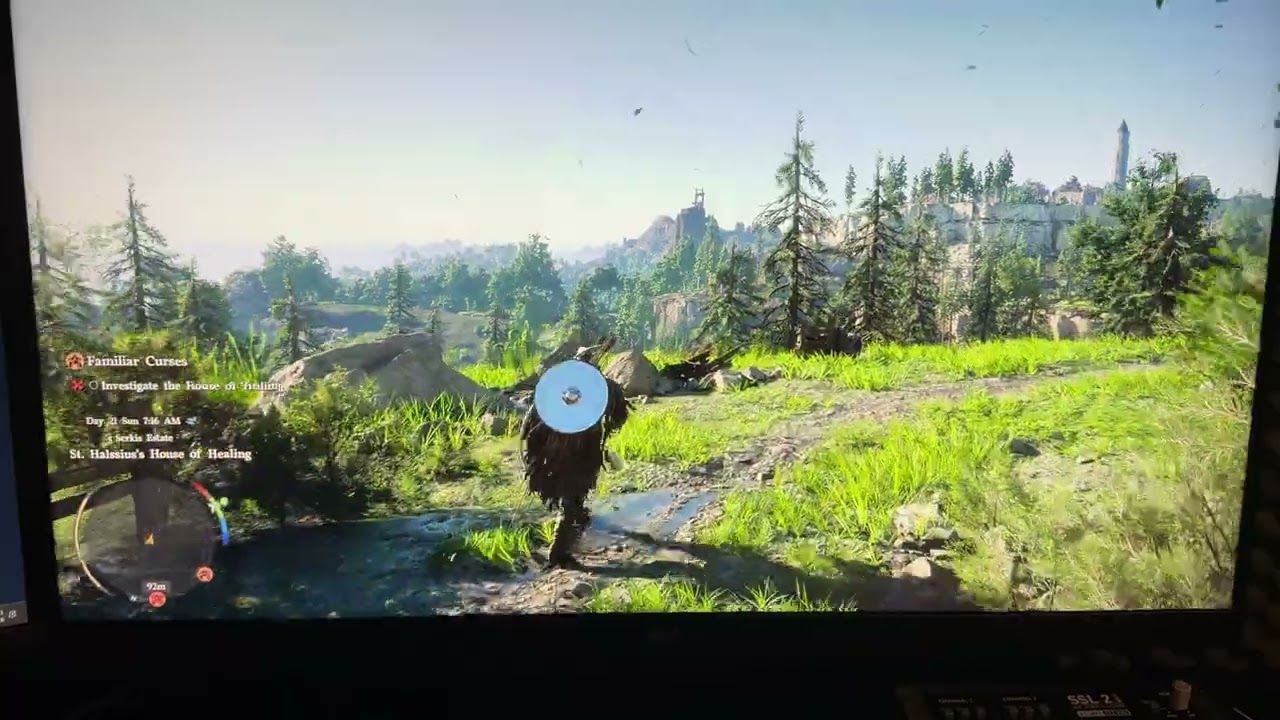 pure sundial
faint bobcat
Sex with Hitler 4
pure sundial
faint bobcat
Sex with Hitler 4
Not as good as number 3 unfortunately
dapper lake
took like 2 mins for me but was going BRRRR with 1000mb/s read
manic finch
faint bobcat
Sex with Hitler 4
theres a 4th? I'm missing out 
summer notch
shadow glade
lazor said playyable its a goddamn best hack and slash u wanna pinpoint fake lig...
playable wasn't meant literally, playable meaning no desire to mod the game i'd guess
lucid thorn
dapper lake
sorry its "verify integrity of game files"
oh okay
manic valve
dapper lake
sorry its "verify integrity of game files"
I believe if you do this, you'll need to reinstall LetThereBeMoreLight?
shadow glade
summer notch
playable wasn't meant literally, playable meaning no desire to mod the game i'd ...
platinum games gay asf they hide their shit and for some reason no one wants to mod platinum engine games for literally even character mods
pure sundial
shadow glade
lazor said playyable its a goddamn best hack and slash u wanna pinpoint fake lig...
My only gripe with NG4 is it was too short, but the DLC was pretty peak though
golden scaffold
Anyone else wishes we could interact with companions more? I really wanted to give some flowers to damiane but I can't 😔
vale scarab
With last version,, ,need instal LetThereBeMoreLight too ?
pure sundial
I wish MGRR had more people willing to mod it, game could use some love
faint bobcat
manic valve
Is this for the Radeon dawgs or everyone
radeonlets
dapper lake
manic valve
I believe if you do this, you'll need to reinstall LetThereBeMoreLight?
i think so i always just redo mods like that if i verify anyway
pure sundial
maybe I should learn how to mod games lol
shadow glade
pure sundial
My only gripe with NG4 is it was too short, but the DLC was pretty peak though
i be using fatgirl so will wait for xbox to give 50% sale but yes ng4 was short definetlyy but those trials and endgame modes are perfect
manic valve
Were Ninja Gaiden games ever long?
lucid thorn
faint bobcat
Lisa Su enjoyers test this
(only contains Emissive shaders this time)
this hard crashes on my end
lucid thorn
faint bobcat
ok
got a different error tho
pure sundial
manic valve
Were Ninja Gaiden games ever long?
Nah not really but after such a long wait for NG4 you think it would have more meat
 manic valve
pure sundial
Nah not really but after such a long wait for NG4 you think it would have more m...
manic valve
pure sundial
Nah not really but after such a long wait for NG4 you think it would have more m...
I thought the meat was in S ranking each stage
 patent bough
guys let me know when you or devs fix the game.
blazing ridge
faint bobcat
Lisa Su enjoyers test this
(only contains Emissive shaders this time)
work
lucid thorn
faint bobcat
no nothing
does this help 
22:28:16:789 [ 9872] | DEBUG | [RenoDX] mods::shader::HandlePreDraw(found shader: 0x14fef4ee)
22:28:16:789 [ 9872] | DEBUG | [RenoDX] mods::shader::HandlePreDraw(found shader: 0xd9d3da8b)
22:28:16:789 [ 9872] | DEBUG | [RenoDX] mods::shader::HandlePreDraw(found shader: 0x88b2ee8a)
22:28:16:790 [ 9872] | DEBUG | [RenoDX] mods::shader::HandlePreDraw(found shader: 0xc4411262)
22:28:16:790 [ 9872] | DEBUG | [RenoDX] mods::shader::HandlePreDraw(found shader: 0x01e31e13)
22:28:16:790 [ 9872] | DEBUG | [RenoDX] mods::shader::HandlePreDraw(found shader: 0xe937b903)
22:28:17:301 [20168] | ERROR | Device was lost with DXGI_ERROR_DEVICE_REMOVED!
22:28:17:301 [20168] | ERROR | > Device removal reason is DXGI_ERROR_DEVICE_HUNG.
22:28:17:302 [20168] | INFO  | [RenoDX] utils::resource::OnDestroyDevice(7439045912)
22:28:17:302 [20168] | INFO  | [RenoDX] utils::shader::OnDestroyDevice(7439045912)
22:28:17:303 [20168] | INFO  | [RenoDX] mods::shader::OnDestroyDevice(7439045912)
22:28:17:305 [20168] | ERROR | Device was lost with DXGI_ERROR_DEVICE_REMOVED!
22:28:17:305 [20168] | ERROR | > Device removal reason is DXGI_ERROR_DEVICE_HUNG.
22:28:17:311 [20168] | ERROR | Device was lost with DXGI_ERROR_DEVICE_REMOVED!
22:28:17:311 [20168] | ERROR | > Device removal reason is DXGI_ERROR_DEVICE_HUNG.
22:28:17:316 [20168] | ERROR | Device was lost with DXGI_ERROR_DEVICE_REMOVED!
22:28:17:316 [20168] | ERROR | > Device removal reason is DXGI_ERROR_DEVICE_HUNG.
 low crane
Im tired of NvAidia getting all the exslusives. I will by Intel gpu next. Fuck amd and nvaidia. Wait If i get a intel gpu, i cant play any games what so ever. Fuck it im quitting pc as a whole.
pure sundial
manic valve
I thought the meat was in S ranking each stage
I suppose that's true, I'm not a NG veteran I only started playing with NG2 Black remaster lol
lucid thorn
blazing ridge
work
HAHA the other one worked but this one doesn't, you have the opposite
manic valve
fresh field
https://tenor.com/view/amd-nvidia-geforce-pc-explode-explosion-gif-23625713
This should say "haha so glad I have an Nvidia card with 12hvpwr and not AMD oh shit what's that smell?"
pure sundial
Playing on master ninja is fun
blazing ridge
lucid thorn
HAHA the other one worked but this one doesn't, you have the opposite
gpu? i'm have 9070xt
sharp blaze
faint bobcat
Lisa Su enjoyers test this
(only contains Emissive shaders this time)
Holy crap it works, no crash ! 7800xt with optiscaler as well
lucid thorn
blazing ridge
gpu? i'm have 9070xt
im on a 7900xt
fresh field
manic valve
This should say "haha so glad I have an Nvidia card with 12hvpwr and not AMD oh ...
unlike other nvidia mouth breathers, i know how to firmly connect my power connectors
lucid thorn
alright verifying integrity one sec
manic valve
pure sundial
I suppose that's true, I'm not a NG veteran I only started playing with NG2 Blac...
Ninja Gaiden fanboys are all about playing the game 1000x times and suffering learning how to S rank each stage lol
 sturdy monolith
yo guys is deleting everything in %LOCALAPPDATA%/NVIDIA/DXCache enough to clear shaders? Is that the 'preferred' way?
lucid thorn
maybe
fresh field
i only acknowledge the first 3 ninja gaiden games, all others dont exist
faint bobcat
wish we could just mod assets directly
manic valve
fresh field
unlike other nvidia mouth breathers, i know how to firmly connect my power conne...
Any of these connectors can fail, it's a flawed design.
faint bobcat
Nvidiots vs AyyyMDroids
fresh field
sturdy monolith
yo guys is deleting everything in %LOCALAPPDATA%/NVIDIA/DXCache enough to clear ...
you can also download DDU and there is an option to delete the cache only
faint bobcat
shut badge
manic valve
Ninja Gaiden fanboys are all about playing the game 1000x times and suffering le...
its not about the S rank
manic valve
It's like saying "oh I know how to change the oil on my S54/S65/S85 engine, the rod bearings won't fail"
shut badge
ninja gaiden games have shit ranking systems
sturdy monolith
fresh field
you can also download DDU and there is an option to delete the cache only
oh nice, I recently used it to reinstall gpu drivers. Thanks!
shut badge
they do it for the love of the game
manic valve
shut badge
its not about the S rank
It's all about the S rank. You think a real Ninja would go A rank?
fresh field
manic valve
It's all about the S rank. You think a real Ninja would go A rank?
real ninja would play the NES games like a man
sharp blaze
Spoke too soon, got a driver timeout walking around
manic valve
fresh field
real ninja would play the NES games like a man
Real ninja commits seppuku if he plays those too much 😂
faint bobcat
That might just be becasue of debug logging
 broken dirge
manic valve
Real ninja commits seppuku if he plays those too much 😂
broken dirge
manic valve
Real ninja commits seppuku if he plays those too much 😂
u mean sudoku
golden scaffold
sturdy monolith
yo guys is deleting everything in %LOCALAPPDATA%/NVIDIA/DXCache enough to clear ...
But why do we have to do it? Game looks fine to me after updating mod?
true dagger
manic valve
It's all about the S rank. You think a real Ninja would go A rank?
i got a triple S on my first playthrough or atleast my fking screenshot says that xD i have no clue about ninja gaiden
severe reef
why must the amd overlords curse us this way
fresh field
manic valve
Real ninja commits seppuku if he plays those too much 😂
i grew up on the NES games so i know the pain all too well
shut badge
fresh field
real ninja would play the NES games like a man
there are only two ninja gaiden games, ngb and ng2
lucid thorn
I'll buy a 5080 if I trip over 2k :p
fresh field
lucid thorn
I'll buy a 5080 if I trip over 2k :p
just get a 5070 ti IMO
summer notch
shut badge
there are only two ninja gaiden games, ngb and ng2
not gonna lie, NG3:RE has terrible everything but combat, that combat feels damn good though
blazing ridge
9070xt work perfect haha
 lucid thorn
fresh field
just get a 5070 ti IMO
lucid thorn
fresh field
just get a 5070 ti IMO
I'll buy a 5070 ti if I trip over 1500
fresh field
blazing ridge
9070xt work perfect haha
 lucid thorn
but also
5070 ti isn't that far off from my current GPU
It wouldn't make sense for me 😂
low crane
blazing ridge
9070xt work perfect haha
The latest one he posted?
blazing ridge
low crane
The latest one he posted?
yes
fresh field
lucid thorn
I'll buy a 5070 ti if I trip over 1500
you can get a 5070 ti right now from Microcenter for 999 lol
low crane
blazing ridge
yes
I will test. I too have 9070xt
lucid thorn
fresh field
you can get a 5070 ti right now from Microcenter for 999 lol
im in canada
fresh field
lucid thorn
im in canada
RIP
lucid thorn
9070xt is 900 cad, 5070 ti is 1500, 5080 is 2k
pure sundial
lucid thorn
9070xt is 900 cad, 5070 ti is 1500, 5080 is 2k
Your prices are similar to over here in NZ
foggy dust
lucid thorn
9070xt is 900 cad, 5070 ti is 1500, 5080 is 2k
thanks, chatgippity
sinful ravine
subtle nova
amd users are fcked the moment they order an amd instead of graphics card <:desp...
real af
fresh field
oh not bad, an asus 5080 prime is only 1499
restive roost
only
fresh field
i thought the GPU prices would be much more whack. 5090s are dumb though
lucid thorn
When I bought my 7900xt the xtx was 1500 and the 4080 was 1600
shadow glade
summer notch
not gonna lie, NG3:RE has terrible everything but combat, that combat feels damn...
Ng games only u should care bout combat kol
Lol
pure sundial
I can't wait to spend 10k on a 7090
lucid thorn
My 7900xt was 1100 at the time
shadow glade
shut badge
there are only two ninja gaiden games, ngb and ng2
Ng4 better than both don't come to me with nostalgia love
fresh field
yeah i have a 4080 super so it doesnt make sense for me to really get something newer just yet
golden scaffold
How can I get rain back? 🙁
faint bobcat
crude marsh
yeah just AMD gpu being meme as always
but this was the real smoking gun
lucid thorn
golden scaffold
How can I get rain back? 🙁
mine also broke
but yeah latest shader doesn't work
The grass one didn't crash
 lucid thorn
for me
fresh field
rain it just a construct
lucid thorn
which you know, opposite of everybody else
faint bobcat
pure sundial
I can't wait to spend 10k on a 7090
wont exist, it will all be Geforce now sub
summer notch
shadow glade
Ng games only u should care bout combat kol
NG:B is just all around amazing (other than story ofc), so I still put that above everything, NG3:RE has the best feeling combat though IMO
 wraith sorrel
I know this is already a reported issue, but Alt Bloom looks really weird on my end.
 lucid thorn
but yeah my rain broke unless light was on it, dunno why :p
 pure sundial
Soo true gonna regress back to my 550 ti with 1 gb vram lets goooo
fresh field
oh yeah, i am worried about phsyical consumer GPUs going the way of the dodo
maybe i will buy a 5090 when they arent 4k and ride it into the sunset
lucid thorn
fresh field
oh yeah, i am worried about phsyical consumer GPUs going the way of the dodo
nvidia's in another class action over lying rn they 100% will use dlss5 to try and steer people over renting pc components
pure sundial
fresh field
maybe i will buy a 5090 when they arent 4k and ride it into the sunset
by that point they probably won't even produce them anymore
fresh field
 blazing ridge
Back when I got my 9070XT I saved money by not getting a 5070 Ti so I could buy a 2TB WD Gen5 NVMe. Today I could probably sell the NVMe and the GPU, grab an RTX 5080, and still have cash left over lol
fresh field


 golden scaffold
I don't even know what black magic Reno is even doing at this point but this is such a better atmosphere on a rainy day here (i'll leave you to guess which one is original)

 pure sundial
lucid thorn
nvidia's in another class action over lying rn they 100% will use dlss5 to try a...
pure sundial
lucid thorn
nvidia's in another class action over lying rn they 100% will use dlss5 to try a...
DLSS 5 with geforce now what a future
Cloud streaming is the future!!
manic finch
i only upgraded to the 5090 around release because I was able to sell my 4090 for more than i paid