#Crimson Desert - CHECK PINS FOR ADDON
1 messages · Page 39 of 1
 foggy dust
 brittle egret
it has a slightly custom composite shader because its on an old ass version of ue
 finite anvil
HDR that's it..that makes sense why people talking recommending DLAA never mentioned the artifacts if they never saw it
 golden scaffold
Just tried it now, it's not so hard at all, just gotta be fast, I did with controller my tips are:
- don't use framegen
- release the trigger before you aim in, there's a delay @lucid thorn @viscid wedge
brittle egret
but the native hdr works just fine with ue extended and the standard filmic extended + composite shader fix
 desert fox
golden scaffold
Just tried it now, it's not so hard at all, just gotta be fast, I did with contr...
desert fox
golden scaffold
Just tried it now, it's not so hard at all, just gotta be fast, I did with contr...
Also aim in the middle between shots, shortest distance to targets on average then
 fresh field
golden scaffold
Just tried it now, it's not so hard at all, just gotta be fast, I did with contr...
fresh field
golden scaffold
Just tried it now, it's not so hard at all, just gotta be fast, I did with contr...
just park a wagon in front of the dudes platform, cant lose if he cant shoot anything
foggy dust
finite anvil
HDR that's it..that makes sense why people talking recommending DLAA never menti...
Yeah. If you're on 1440p, just enable DLDSR for 4k and use DLSS performance. You'll have slightly higher fps (and this game hides some objects based on fps being above or below 60 btw), and a much bit better view than 1440 dlaa.
And HDR will work
fresh field
Assuming youre talking about the archery contest
 wise flax
Is the guy who was trying to force DLSS custom % in here?
I can't remember the guy's name from yesterday
golden scaffold
fresh field
just park a wagon in front of the dudes platform, cant lose if he cant shoot any...
Lmfao that works?
foggy dust
golden scaffold
Lmfao that works?
Yep
 viscid wedge
i'm doing another one of those right now, its awful. Just finished telling him everything and he goes "are you sure thats all, lets start again"
kill me
foggy dust

Now here's an awful quest.
Ffs this is taking forever to figure out.
Google it is
 dapper lake
wise flax
Is the guy who was trying to force DLSS custom % in here?
dapper lake
wise flax
Is the guy who was trying to force DLSS custom % in here?
thers been load of folk trying lol
wise flax
Has anyone tried setting custom DLSS % from the user_engine_option.xml file?
dapper lake
doesnt work
wise flax
Ah
dapper lake
but you can input custom native resolutions
wise flax
I figured someone had tried it, but wanted to check.

 hollow pollen
lets go bro I appreciate you remembering. Thanks a bunch
dapper lake
hollow pollen
lets go bro I appreciate you remembering. Thanks a bunch
do me a favour - set it to 120% (at 1440p that was 2804x1577) and see if you get dlaa black bars in game
itfixes them for me
fresh field
you can do all kinds of wild shit you wouldnt think of in this game, its pretty neat
wise flax
So is that how you got 1.78x dldsr to work?
wise flax
through the config file?
dapper lake
and it seems to fix DLAA bug at certain resolutions
120% for me so far
99 and 101 still have it
wise flax
Unless you're on a 5090 at 1440p performance must be rough.
dapper lake
yes it is
foggy dust
wise flax
Unless you're on a 5090 at 1440p performance must be rough.
It's rough on a 5090 too
dapper lake
hence tryna find other solutions
wise flax
I was getting like 30 fps on my 5090 with dlaa/RR
I can't imagine further raising the resolution lol
foggy dust
Uhh I get 55 - 65 (depends on what's on screen obv) at 1440 dlaa with everything maxed, no FG.
wise flax
Yeah that would give me a migraine...
dapper lake
im hoping i can find a resolution closer to 1440p i can use that the bug is fixed on
seems to be a scaling issue
 faint basalt
hi, i am a long time Reno user from NExusmods. first time Discord reno user. where can i download the addon? 🙂
foggy dust
Then something is broken because no way you get higher fps on a 5080 at an even higher base res for DLAA to pump with. GPU is pegged at 100%
wise flax
@faint basalt pins
 jade spruce
 faint bobcat
bro why does literally every effect shimmer? do they have an effect that doesn't shimmer?
dapper lake
foggy dust
Then something is broken because no way you get higher fps on a 5080 at an even ...
im getting lower performance than base 1440p dlaa
foggy dust
I'm dumb. Excuse me.
dapper lake
game crashes when i turn it off so its easier to leave on in testing
wise flax
The worst shimmering is when you activate something like a machine or when you're cooking. That shit looks like it has heat boiling off of it.
faint basalt
wise flax
<@178949152296665088> pins
just found that pin button lol. i am a discord boomer sorry
wise flax
And not in a good way
 rocky umbra
faint basalt
just found that pin button lol. i am a discord boomer sorry
rocky umbra
faint basalt
just found that pin button lol. i am a discord boomer sorry
welcome to the rabbit hole 😃
dapper lake
trying 110% before i try 80 and 90% wish me luck
if someone smarter than me could see this theyd maybe have something to go on for fixing the bug too lmao
wise flax
Eh just install the addon set defaults/recommended and roll with it. No need to make major adjustments it already looks really good.
faint basalt
is that DLAA + HDR buig fixed yet?
foggy dust
No
wise flax
no
 jade magnet
faint bobcat
jade magnet
faint bobcat
I dont see these options. Is this coming in the future build?
dapper lake
110% is no go
foggy dust
Again, DLDSR 2.25x to 4k with DLSS perf is the way to go for cleanest image with HDR.
 kindred shoal
foggy dust
kindred shoal
foggy dust
that shit was big time terrible lol
wise flax
Do we know why random shadows will flicker like crazy until you get close while other shadows further away don't?
foggy dust
kindred shoal
that shit was big time terrible lol
Yo gimme the answers. I can't remember the quest name. I'm still at the NPC. Been here since sunset. It's now daytime
-_-
 manic valve
Just an FYI, the way to learn Focused Force Palm is on the way to Scholastone and totally easily missed
I had no idea I missed it lol
dapper lake
foggy dust
Again, DLDSR 2.25x to 4k with DLSS perf is the way to go for cleanest image with...
oh i know but im more interested to see if its more than 1 resolution the bug dissapears
kindred shoal
foggy dust
Yo gimme the answers. I can't remember the quest name. I'm still at the NPC. Bee...
you cant just get the answers outright oyu have to do all thje listening bits
foggy dust
wise flax
Do we know why random shadows will flicker like crazy until you get close while ...
Game uses screen space shadows for things that are further than a few meters from you.
kindred shoal
but once you get the right answer a new option will open up. I can tell yo tuhat you have to lie every time
foggy dust
kindred shoal
you cant just get the answers outright oyu have to do all thje listening bits
Oh boy. I eavesdropped 2 times. There's more?! bah

I guess more than 3 options then
wise flax
@foggy dust Why do only a few random shadows flicker while others are perfectly stable? It's like it rng picks which ones will flicker.
faint bobcat
jade spruce
bro why does literally every effect shimmer? do they have an effect that doesn't...
no
its kino
foggy dust
Idk, the raytracing is weird in this game.
kindred shoal
foggy dust
I guess more than 3 options then
I think there is one more you need to do
foggy dust
This game is ugly and pretty at the same time.
kindred shoal
and it has to be on the roof of that building lol
wise flax
I think it's gorgeous, but it also very clearly has a ton of visual glitches and issues.
foggy dust
yeah okay quest updated when I backed out 
 kindred shoal
I thikn it looks great IF and only IF you have the absolute max settings with RR on and a high resolution
wise flax
Yeah I have max with RR so maybe thats why lol
kindred shoal
then it is generally consistent
otehrwise it can look amazing and then weird and noisy all te time
wise flax
I still have checkerboard shadows cast from my lantern pretty often.
foggy dust
wise flax
I think it's gorgeous, but it also very clearly has a ton of visual glitches and...
Yeah it's pretty but also ugly. Hell, at the start of the game you can see the smoothing groups on your armor is missing the first time you see that weird-ass teleport animation. Like bruh. At least during launch. And then the insane popin 2m in front of you, removing objects based on FPS (noticed when testing DLAA 1440p vs DLSS Perf 4k), the whole ray reconstruction setup they have.
And when you get to the science place and have to run around inside the place? Woof the shadows 144p
kindred shoal
foggy dust
And when you get to the science place and have to run around inside the place? W...
i dunno wtf happened but renodx actually fixed this for me
before it was like a low res shadow hellscape
foggy dust
Hah really?
kindred shoal
then i installed reno and its not like that anymore
no fkn clue what happened lol
it might actually just be a bug
wise flax
Or when it hits like 5pm and the sun immediately vanishes and the lighting becomes shit instantly. It's like oh it looks good boom sun death everything is dull and lifeless looking until the moon shows up.
foggy dust
Yeah I rebooted my damn game as I thought it got bugged. It was so ugly.
 vivid iris
maybe cause we disable VRS?
kindred shoal
its possible
but it went to like i gotta get out of here this is driving me crazy to one of the best looking areas in the game lol
foggy dust
Fun game, can look pretty, can look worse than some 1man fisher price my-first-game. I'm enjoying it. Kinda want to restart as I feel a bit overpowered for chapter 7. :(
kindred shoal
it seems like that was an issue with emissive lights cause i was getting it with the lantern as well whenever i turned it on
now im not
wise flax
@foggy dust Reset your skills or something and use different gear vs restarting
kindred shoal
VRS might be it
 rancid jackal
Auto exposure literally makes indoors a complete blackout
golden scaffold
foggy dust
And when you get to the science place and have to run around inside the place? W...
But guys this game is so insanely optimised, 100 fps with raytracing no DLSS! 
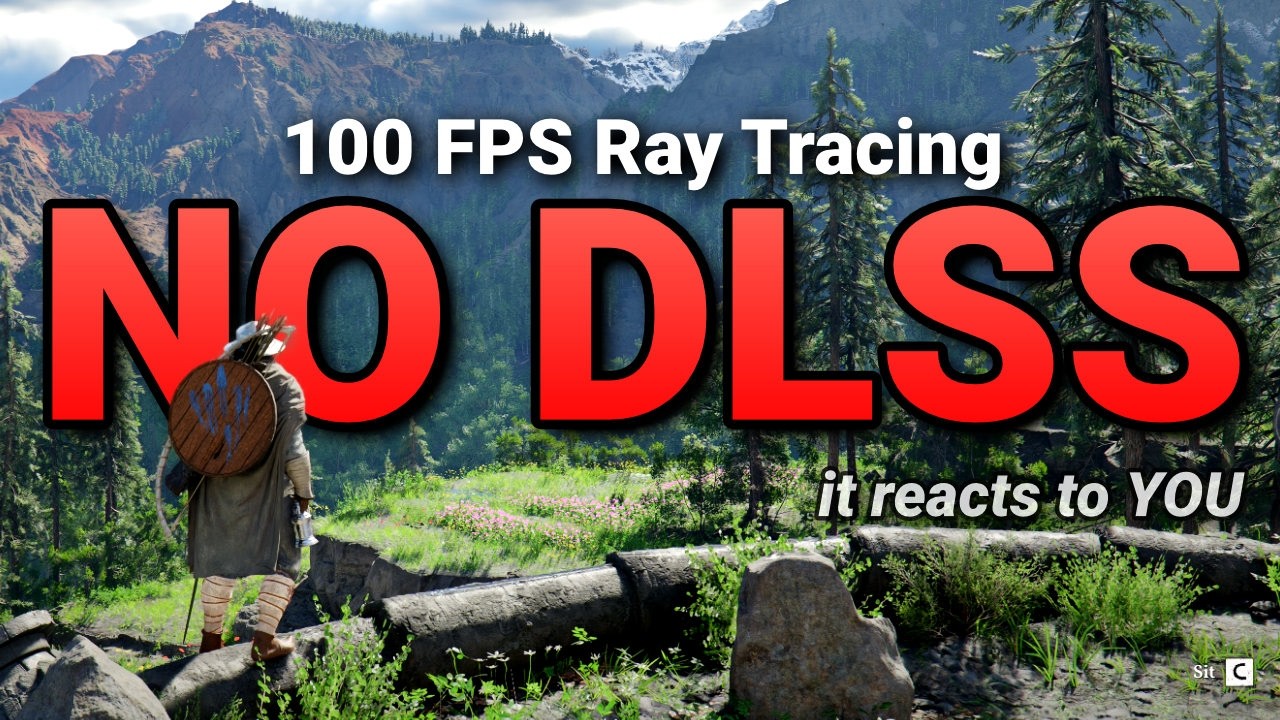
Crimson Desert released and it did something I never expected... it used Ray Tracing in a way that actually makes sense. It is not just a tech demo or a way to destroy your FPS. No, it genuinely is a great base to the game to use because it's reactive, saves the devs time and looks great. Pearl Abyss also made it run and scale SUPER well, which ...
desert fox
rancid jackal
Auto exposure literally makes indoors a complete blackout
Did you use the LetThereBeMoreLight in the pinned too? Can also adjust the multiplier
kindred shoal
i mean it is quite "optimised"
although that word gets thrown around a lot in a weird way
 karmic quest
Its optimised a bit too well
golden scaffold
(glazes the so called optimisation the entire time not mentioning the sloptrace noise you get without RR/MAX once)
kindred shoal
but thats because like stated there are some low res ass effects and shit
 mossy gust
 golden scaffold
It's not really ray tracing if it barely uses any rays and relies on tricks poorly upscaled by shitty denoiser
foggy dust
golden scaffold
It's not really ray tracing if it barely uses any rays and relies on tricks poor...
^
rancid jackal
desert fox
Did you use the LetThereBeMoreLight in the pinned too? Can also adjust the multi...
I'll try it out. is this suggested by the authors of renodx as well?
karmic quest
Once some issues regarding DLSS / FSR m / RR / RT get fixed by the devs only thing they'd still have major focus on is the LOD. Rest could wait. 
jade spruce
faint bobcat
by Kevin
Writing another slopology letter
viscid wedge
rancid jackal
I'll try it out. is this suggested by the authors of renodx as well?
its written by and pinned there by a developer here
kindred shoal
desert fox
Did you use the LetThereBeMoreLight in the pinned too? Can also adjust the multi...
which multiplier specifically? indoors are dark af for me as well
finite anvil
foggy dust
Yeah. If you're on 1440p, just enable DLDSR for 4k and use DLSS performance. You...
I tried this and you're correct it does look better while also doing slightly higher FPS (about 5% higher) but the frame delivery gets messed up for some reason. Essentially, it ends up feeling like my VRR is not working but only when I do this. If I revert back to other settings like DLAA at 1440P or DLSS at 1440P, it ends up feeling smooth again despite lower FPS.
desert fox
rancid jackal
I'll try it out. is this suggested by the authors of renodx as well?
I presume so. Lazorr is author
desert fox
kindred shoal
which multiplier specifically? indoors are dark af for me as well
I meant this.
 kindred shoal
ahh
foggy dust
Oh you may want you restart the game. I don't change my desktop resolution, only the ingame one (it downsamples, at least in borderless). I don't use Gsync though as I have an OLED. Gsync messes with black levels, and it's super noticable on oleds. And vrr flicker makes that even worse. Adaptive vsync for me. 👍
foggy dust
Ah cool
golden scaffold
I just sell unpackaged trading goods at the black market vendor or is it worth keeping them around to "repackage"?
foggy dust


 restive roost
kindred shoal
although that word gets thrown around a lot in a weird way
restive roost
kindred shoal
although that word gets thrown around a lot in a weird way
Maybe its just me, but i call a game optimized if it looks good and runs well, if it looks like shit and runs well its not optimized, it just looks like shit.
This game is Alan Wake 2 path tracing levels of performance and doest look half as nice
foggy dust
My frametimes do be fine, though.
kindred shoal
restive roost
Maybe its just me, but i call a game optimized if it looks good and runs well, i...
I mean aln wake is SIGNIFICANTLY smaller than this game lol
much much much smaller in scope and scale
restive roost
Cyberpunk 2077 then
foggy dust
Yeah this game uses so little vram I can prop up an LLM in the background to watch the game with me. That's one neat thing about it.
karmic quest
Cyberpunk 2077 is also alot smaller
kindred shoal
it is yes
they also had years of post launch work to fix it
and improve the visuals
foggy dust
Cyberpunk is super optimized.
restive roost
you guys are missing the point
those games have the same performance while path tracing
foggy dust
To the point where there's no way to fix the LOD pop in everywhere, and the 2D cars at a distance.
karmic quest
I won't say its optimized, its balanaced well to accomodate hardware accordingly to its standards.
foggy dust
Yeah because those games are tiny
karmic quest
This game hasn't done this imho
faint bobcat
restive roost
those games have the same performance while path tracing
they use SER and OOM which this POS doesnt becasue AyyyMD sponsor

kindred shoal
things are going to take a hit because of what the game is doing
you can be on one corner of the map and inspect a location 5000 meters away and it will load in 1 second and show you a real time render of that location
people that are in there, a fight if a fight is happening etc
did they need to do that? absolutely not
but they did lol
karmic quest
restive roost
those games have the same performance while path tracing
In Cyberpunk 2077 with RR and PT on with DLSS and FG I'd be maybe close to 60 if Im lucky
kindred shoal
yea i get a higher FPS in this game than CP2077 with path tracing I think
Id have to load it up to be sure
 stone comet
2077 also looks infinitely better with PT tho 😭
viscid wedge
OK Tenebrum has to be the worst designed boss in history
kindred shoal
2077 looks real good with PT lol
karmic quest
Cyberpunks implementation of this tech is alot better so lets not compare this slop to it
foggy dust
viscid wedge
OK Tenebrum has to be the worst designed boss in history
That fight takes like 30 seconds?
You mean the science area "boss"?
foggy dust
Yeah 3 times
It's like the first boss in Elden Ring if you drop into the tutorial area. Rodrick or whatever. 
kindred shoal
soldier of godrick lol
viscid wedge
sure, its over.. took two hits. but its not explained in any way. there is a tutorial describing a completely useless move
kindred shoal
hes not that easy
viscid wedge
I didn't say it was hard, I said it was terribly executed
kindred shoal
viscid wedge
sure, its over.. took two hits. but its not explained in any way. there is a tut...
yea i dunno wtf they were on with that tootip
karmic quest
viscid wedge
sure, its over.. took two hits. but its not explained in any way. there is a tut...
Have you explored the Hernand Snowy areas yet or no
foggy dust
viscid wedge
sure, its over.. took two hits. but its not explained in any way. there is a tut...
Yeah this game wants you to read. I do not. Well I do when I have to google something. But I'm not breaking my immersion to read via menus about the 348932 systems in this game.
viscid wedge
karmic quest
Have you explored the Hernand Snowy areas yet or no
beyond the little snow making its way up to this science area, no
viscid wedge
foggy dust
Yeah this game wants you to read. I do not. Well I do when I have to google some...
yeah after running around getting slammed around by seemingly unavoidable black rockets and that L1+R1 move doing nothing, I just googled it. killed him in two hits
foggy dust
viscid wedge
yeah after running around getting slammed around by seemingly unavoidable black ...
Same
karmic quest
I can heal my horse but I cannot heal myself
stone comet
golden scaffold
I can't figure it out... It says L3...?
on keyboard you just press TAB and it switches to it
foggy dust
karmic quest
Have you explored the Hernand Snowy areas yet or no
Is this the area you were going to insinuate?
 karmic quest
My palm is scamming myself
stone comet
you cant heal yourself with it
golden scaffold
Oh
viscid wedge
I didn't think you could heal yourself, yeah
foggy dust
You can heal your horse with it, though!
stone comet
yuhhh
golden scaffold
Or your companion...
karmic quest
foggy dust
Is this the area you were going to insinuate? <:KEKW:718207589988565082>
Not that one.
kindred shoal
sword of antumbra?
 mortal wolf
 why is the title screen not centered...

 lucid thorn
golden scaffold
Just tried it now, it's not so hard at all, just gotta be fast, I did with contr...
lucid thorn
golden scaffold
Just tried it now, it's not so hard at all, just gotta be fast, I did with contr...
I'll make a note
karmic quest
There is some weird boss high up in the hernand hills that spawns black shadows and you have to light up all the candles I think around but they deal so much damage. 😭 @foggy dust
stone comet
bro the fucking boss wizards are so annoying man
i guess im just not far enough to do anything about them properly
foggy dust
F everything about that. Got the Frostwarden quest, went there. Dealt with the flying fudges, decided I didn't like turning to ice, jumped out the window and landed on a boss. With flying employees. Kills me a few times then yeets when I get him low enough. Did that once more, and then couldn't find him again. 
lucid thorn
I was trying to find something unrelated but I just found out what the refinement costs are and what they do when you get them
foggy dust
stone comet
i guess im just not far enough to do anything about them properly
Flying ones?
Use your lighter
L1 + R1, L1
stone comet
My what now
foggy dust
Your sword has a lighter mode.
karmic quest
foggy dust
F everything about that. Got the Frostwarden quest, went there. Dealt with the f...
I think its the one I was like " fuck that shit Im out " 🤣
foggy dust

 subtle nova
stone comet
theyre perma fucking flying
subtle nova
stone comet
theyre perma fucking flying
how do you even ground them?
karmic quest
Cant you use your grasp or whatever to bring em down
stone comet
only thing I found so far is natures snare (the shield) and return projectiles to build up stun
lucid thorn
Has anybody found bloodstone in the Hernand region btw
stone comet
nah grasp doesnt work
foggy dust
Uhh it should be like regular flying enemies? L1+R1, then L1 to light and keep it on them?
karmic quest
lucid thorn
Has anybody found bloodstone in the Hernand region btw
Yeah
karmic quest
There's plenty
lucid thorn
karmic quest
There's plenty
D:
stone comet
thats why im going out of my way to say it's only the boss ones
subtle nova
lucid thorn
Has anybody found bloodstone in the Hernand region btw
yes, there are 2 spots at least, i'm trying not to use guides and find stuff myself
stone comet
Tower left of the P in pailune
karmic quest
lucid thorn
D:
Actually no, its slightly outside Hernand but it has good density of Bloodstone
lucid thorn
subtle nova
yes, there are 2 spots at least, i'm trying not to use guides and find stuff mys...
Same
foggy dust
stone comet
Tower left of the P in pailune
Okay leaving my quest to check this out.
stone comet
then theres another one near the sea in delesyia
karmic quest
I think I got like 8 bloodstone from that spot
lucid thorn
karmic quest
Actually no, its slightly outside Hernand but it has good density of Bloodstone
What direction haha
stone comet
that ones the issues tbh
karmic quest
North from the main hernand city I guess
lucid thorn
karmic quest
North from the main hernand city I guess
Thanks
Oh I went up a little ways but I'll do more digging
karmic quest
Snowy mountains / high up I think has the best density
So its best to look for bloodstone there
subtle nova
lucid thorn
Same
||there is one right above Asylum across the river||
foggy dust
stone comet
Tower left of the P in pailune
Going over there and dashing in the air. Think I just passed a giga cow below me... but no matter. I want to see this Harry Potter boss.
mortal wolf


 lucid thorn
subtle nova
||there is one right above Asylum across the river||
lucid thorn
subtle nova
||there is one right above Asylum across the river||
That's a place? Haha I'll try to find it thanks
 spare quartz
lets not be revisionist, even today amd drivers are ass compared to their FOSS cunterpart in linux
 modern bronze
What is the purpose of LetThereBeMoreLight? I don't think I understand what it does or why I'd want it based on the description
stone comet
foggy dust
Going over there and dashing in the air. Think I just passed a giga cow below me...
that one i managed to kill since its more of an enclosed space so should be doable without much invested
subtle nova
lucid thorn
That's a place? Haha I'll try to find it thanks
||i can't really remember how its called, its Asylum for mentally ill you ll go there for main quest early in the game||
modern bronze
What does AutoExposure do?
lucid thorn
subtle nova
||i can't really remember how its called, its Asylum for mentally ill you ll go ...
Oooooooo
I know what you're talking about
subtle nova
yea
foggy dust
stone comet
that one i managed to kill since its more of an enclosed space so should be doab...
I just want to see about grounding them with the lighter. Oh and is it this tower?
 subtle nova
just straight above it across the river
lucid thorn
Thanks I'll do some exploring
mortal wolf
mostly untested, psychov-14, recommended to set adaptation contrast 80
karmic quest
Omg
foggy dust
mortal wolf
mostly untested, psychov-14, recommended to set adaptation contrast 80
hotswappable, or do I have to restart the game? :p
mortal wolf
only devkit supports live hotswap
foggy dust
Ah sick that it's at least possible.
modern bronze
mortal wolf
mostly untested, psychov-14, recommended to set adaptation contrast 80
I feel like I'm going to be asking a bunch of dumb questions for the next 5 minutes lol. What's the difference between PsychoV11 and 14?
foggy dust
||3 more psychos||
stone comet
foggy dust
I just want to see about grounding them with the lighter. Oh and is it this towe...
ya
mortal wolf
modern bronze
I feel like I'm going to be asking a bunch of dumb questions for the next 5 minu...
custom in/out system that will bump to game's requested exposure but in a perceptual way
stone comet
if you kill him + complete abyss you unlock fire+ice
mortal wolf
idk, seems okay for the first 2 minutes of the game, let's see how it holds up
will finally move my character
rocky umbra
 mortal wolf
if there were an achievement for "First steps" i still wouldn't have gotten it
 stone comet
jesus
mortal wolf
generally, when i'm testing i'm going from save file to save file to test rough locations
 zenith plank
some of the forests south west are good for testing contrast during the day
 lucid thorn
mortal wolf
if there were an achievement for "First steps" i still wouldn't have gotten it
lucid thorn
mortal wolf
if there were an achievement for "First steps" i still wouldn't have gotten it
Thank you for your sacrifice
brittle egret
the 5 achievements are shit I got by accident loading a friend's 100% save
0 hours of actual gameplay
 foggy dust
stone comet
if you kill him + complete abyss you unlock fire+ice
foggy dust
stone comet
if you kill him + complete abyss you unlock fire+ice
Yeah, if I can figure out the tower first. Interesting.
stone comet
its ez good luck
mortal wolf
starfield was legit a month until i left the intro cave
stone comet
all that time for starfield
foggy dust
mortal wolf
starfield was legit a month until i left the intro cave
You missed nothing.
stone comet
my condolences
foggy dust
^
mortal wolf
foggy dust
You missed nothing.
i 100% it
rocky umbra
But to be fair - you didint wanna continue playing right? 😆 Its the same thing over again
foggy dust
mortal wolf
i 100% it
Do you have a gofundme link for your mental health?
jk jk, we all have different tastes. :P
mortal wolf
i used the warp to anywhere about 30 hours in
foggy dust
I'd play it with DLSS5. Don't @ me
mortal wolf
but this is how i played starfield. i embrace the dark


 rocky umbra
God damn, that looks pretty good tho
modern bronze
mortal wolf
but this is how i played starfield. i embrace the dark
That looks like a good game, are you sure it was Starfield?
foggy dust
You just screenshotting midtones or are these HDR screenshots?
mortal wolf
hdr, basically was more photorgaphy than gameplay
viscid wedge
foggy dust
You just screenshotting midtones or are these HDR screenshots? <:lul:57647528030...
are you on a phone?
rocky umbra
But those loading screens give me the ick 😅
vivid iris
@mortal wolf I pushed some new stuff into the branch btw
foggy dust
viscid wedge
are you on a phone?
Haha no but they're almost black on my discord
viscid wedge
foggy dust
Haha no but they're almost black on my discord
might have hardware accel off. discord won't play nice with HDR PNG's
modern bronze
Don't want to spam and repeat myself so I'll just ask once more before I wander off- could someone explain the utility of LetThereBeMoreLight and AutoExposure?
vivid iris
good call on using naka rushton
 true dagger
mortal wolf
but this is how i played starfield. i embrace the dark
true dagger
mortal wolf
but this is how i played starfield. i embrace the dark
sick screenshots, wow
vivid iris
though idk if I used it the way you intended but yeah lol
foggy dust
Nah I don't disable hardware accel anywhere. But restarting Discord worked.
karmic quest
Starfield confused the shit out of me, like everyime I finished I was supposed to get different ending but I never got it after maxing out that gear. 
modern bronze
Starfield confused the shit out of me, the writing was so abhorrent that I couldn't continue playing beyond the tutorial zone.
 crude marsh
modern bronze
Don't want to spam and repeat myself so I'll just ask once more before I wander ...
crude marsh
modern bronze
Don't want to spam and repeat myself so I'll just ask once more before I wander ...
game looks light daytime at night, bad autoexposure, game uses autoexposure to fake lighting, without blasted intensity lights are dim, make light brighter
mortal wolf
vivid iris
though idk if I used it the way you intended but yeah lol
 if (RENODX_TONE_MAP_TYPE != 0) {
    float3 ungraded_ap1 = _12.xyz;
    float3 ungraded_bt709 = renodx::color::bt709::from::AP1(ungraded_ap1);
    float3 graded_bt709 = ApplyDisplayCurvesAndSaturation(ungraded_bt709, true);

    float3 input_color = lerp(ungraded_bt709, graded_bt709, RENODX_COLOR_GRADE_STRENGTH);

    float histogram_mean = _exposure2.z;   // trimmed mean luminance
    float histogram_boost = _exposure0.x;  // final exposure gain
    float3 output_color = (RENODX_TONE_MAP_TYPE == 2.f)
                              ? CustomPsychoV14(input_color / _21, histogram_mean, histogram_mean * _21)
                              : CustomTonemap(input_color);

    output_color = renodx::color::bt2020::from::BT709(output_color);
    output_color = renodx::color::pq::EncodeSafe(output_color, RENODX_DIFFUSE_WHITE_NITS);
    // output_color = renodx::color::srgb::EncodeSafe(output_color);
    __3__38__0__1__g_textureUAV[int2((uint)(SV_DispatchThreadID.x), (uint)(SV_DispatchThreadID.y))] = float4(output_color, _12.w);
  } else {
right now i have this, without hijacking the uav
fresh field
modern bronze
Don't want to spam and repeat myself so I'll just ask once more before I wander ...
auto exposure turned on in reno makes nights actually dark instead of just a dim daytime like in vanilla. The more lights addon makes candles/fires emit more light to help compensate for it being darker
modern bronze
Ohhh, got it. I'll check that out thanks guys.
fresh field
if you use renos auto exposure, you should use the more light mod that lazorr made
you can also tune the auto exposure . it defaults at 50
stone comet
my pets literally got aura tho
 mossy gust
do you want clamp max or dynamic for aae?
modern bronze
I haven't been able to play for a few days so I haven't been exposed to Reno's developments and wasn't aware of the feature. I was just updating stuff before I started again so that's why I'm asking questions that maybe would be answered if I had been using it. I appreciate the info.
crude marsh
mortal wolf
mostly untested, psychov-14, recommended to set adaptation contrast 80
oh this is nice
night is dark but lively at the same time
jade magnet
hey guys its had to track updates to the mod. Will you post a message here that a new version is uploaded or how do you do this?
stone comet
do we keep light mod for that?
mortal wolf
derp
 stone comet
the new untested version that is
jade magnet
yeah
crude marsh
have an issue to report with v14, lemme take a video
 brazen coyote
is now the best time to ask if I can adjust the auto-exposure's timing so I can make it faster?
vivid iris
Soon™
brazen coyote
Is that a "you can ask soon" or a "you'll get that soon"
vivid iris
it's a "it's already in the code we just aren't ready to put out a build yet"
 deft pulsar
insane how Forge just straight up fixed the game's lighting with this mod
mossy gust
yeah, this new version looks really good
 ruby lark
Should i use performance mode after applying all the settings
dapper lake
Just went to defaults other than AE and the rendering bit and only changed contrast adaption as suggested for a quick comparison on the psychov14 build


 vivid iris
really curious to see how the tweaked auto exposure will look with the thing shortfuse added
 wispy crown
dapper lake
Just went to defaults other than AE and the rendering bit and only changed cont...
wispy crown
dapper lake
Just went to defaults other than AE and the rendering bit and only changed cont...
The black levels look insanely crushed in the second picture.
true dagger
mortal wolf
mostly untested, psychov-14, recommended to set adaptation contrast 80
this looks really nice !
 cold tree
mossy gust
cold tree
mossy gust
lights seem to kind of be pulsing a bit
dapper lake
wispy crown
The black levels look insanely crushed in the second picture.
only settings ive changed is adaption contrast to 80 like shortfuse suggested, but i agree
changing highlights has a HUGE change too
crude marsh
@mortal wolf happens with a light in the corner of the screen
 ruby tusk
mortal wolf
<a:lookaway:1468717760057184581> why is the title screen not centered...
ruby tusk
mortal wolf
<a:lookaway:1468717760057184581> why is the title screen not centered...
Bro that shit been bothering me since day one
mossy gust
yeah, noticed that with the lights
lucid thorn
Guys uh what are these flying enemies in bubbles 😭
ruby tusk
lucid thorn
Guys uh what are these flying enemies in bubbles 😭
fuckin wizards
lucid thorn
ruby tusk
fuckin wizards
Wtf do I do 😭 I'm assuming I'm not supposed to be here yet
There's like 9 of them rn
foggy dust
lucid thorn
Guys uh what are these flying enemies in bubbles 😭
L1+R1,L1
lucid thorn
They hurt
foggy dust
And hold it on them
mossy gust
i think 80 for adapt contrast is a bit high, 70 looks better and doesn't crush as much
true dagger
Psycho V11 / Psycho V14 (w adapt contrast 80)

 stone comet
try natures snare usually does well
dapper lake
50 vs 51 highlights on new build (adaptive set to 50 just to make highlights the only thing)

 viscid wedge
true dagger
Psycho V11 / Psycho V14 (w adapt contrast 80)
viscid wedge
true dagger
Psycho V11 / Psycho V14 (w adapt contrast 80)
I must have missed a new build 🙁
foggy dust
He posted it like 20 min ago
crude marsh
crude marsh
<@115289688037785602> happens with a light in the corner of the screen
was also unrelated to autoexposure
true dagger
viscid wedge
I must have missed a new build 🙁
scroll up, shortfuse posted it
true dagger
its a test version tho i guess so thats why
foggy dust
And yeah that ^
brazen coyote
it's fun testing the vanguard of fixing a game this big
mortal wolf
crude marsh
<@115289688037785602> happens with a light in the corner of the screen
i'm dependent on the logic for auto brightness. they're not smoothing over time. but i'll try to reproduce to see where it is in the code
crude marsh
I do really like the look of it though
vivid iris
mortal wolf
i'm dependent on the logic for auto brightness. they're not smoothing over time....
forge said they're jittering the exposure
deft pulsar
80 adaptive contrast is a lot though
crude marsh
feels a lot more natural/pleasing to the eye
vivid iris
they do have a smoothing over time for exposure, I guess it's just not filtered well enough
mossy gust
dawn looks better than dawn before
 steady stirrup
true dagger
Psycho V11 / Psycho V14 (w adapt contrast 80)
steady stirrup
true dagger
Psycho V11 / Psycho V14 (w adapt contrast 80)
Yea looks to crushed in new version
faint bobcat
mortal wolf
i'm dependent on the logic for auto brightness. they're not smoothing over time....
they jitter everything temporally because of how their atmosphere lighting works per frame
true dagger
tho here it looks kinda off
 faint bobcat
the bloom is temporally jittered
which is why it shiommers
and adjusting auto exposure changes bloom values
which is why I am redoing them now per material
with alt auto exposure in mind
vivid iris
any exposure adjustments kinda need to happen in the auto exposure shader for it to look right, it's kinda weird.
maybe I should apply the exposure slider there actually lol
deft pulsar
but yeah idk what it is but it does look much better even though its slightly crushed
mortal wolf
you can lower it from 80, i think psychov11 is 60
 plain fractal
Trying this now, looks promising
mortal wolf
but different exposure system
vivid iris
internally the sliders at 50 = 60/60 on contrast and sat for psychov-11
golden scaffold
Is there a way to apprehend outlaws that fight back without killing them?
dapper lake
killing the others can make them surrender i think
mossy gust
tackle them
golden scaffold
I couldn't
golden scaffold
dapper lake
killing the others can make them surrender i think
Everyone else was dead and fled away who was left
mossy gust
hmm, i've been able to tackle all mine
true dagger
here i find V14 to pop a lot nicer and look a lot better, not sure if i have my second preset with V11 set up right, i just kept Auto Exposure at dynamic, and put Adaptation Contrast to 50 and obv changed the tonemapper

 golden scaffold
I couldn't this one
subtle nova
golden scaffold
Is there a way to apprehend outlaws that fight back without killing them?
golden scaffold
It Byllix I think? Some goblin
mossy gust
oh wait, i had to kill the goblin
golden scaffold
Yeah the goblin
golden scaffold
subtle nova
This is a special skill?
subtle nova
golden scaffold
This is a special skill?
 golden scaffold
Hmm yeah but I don't think I'm gonna spend an artifact just for some small silver bonus?
subtle nova
its in grapple
true dagger
crude marsh
btw how does one slide
on controller u sprint and then u press the left stick again while sprinting
subtle nova
crude marsh
btw how does one slide
sprint fastests way then press crouch
mortal wolf
unborked contrast/saturation slider
foggy dust
yoink
crude marsh
I gave up on mouse and keyboard especially after Kal dropped the valve plug tech in here and I realized wireless works fine
too many key combinations lol
mortal wolf
i need another tweak for contrast slider
subtle nova
itsn't not like you need any of them unless you prefer some fightning style
subtle nova
crude marsh
well, idk i want to try and do "cool" combat stuff
Max armed combat to 5/5 and you ll be able to switch weapons to 2handed mid combo
dapper lake
subtle nova
Max armed combat to 5/5 and you ll be able to switch weapons to 2handed mid comb...
and unarmed if you have that as your secondary slot too
also unarmed level 4 i think lets you hit y Y and then x to do a grapple move
idk if theres other similar moves
that arent explicitly mentioned in unlock terms
lucid thorn
I got close I think
foggy dust
Just sad that dual wielding is so much stronger. Plus you get to put twice as many funky abyss thingamajigs to use.
subtle nova
i'm thinking i need to level up bow skills cause flying bosses is stupid af
dapper lake
dapper lake
also unarmed level 4 i think lets you hit y Y and then x to do a grapple move
to clarify you can do this while still using a weapon, but i never noticed it until after level 4. could be there from the start
dapper lake
foggy dust
Just sad that dual wielding is so much stronger. Plus you get to put twice as ma...
not even touched dual weilding other than a specific instance where my 2h caused graphics bugs, ive been loving the spear/halberd moveset
subtle nova
how do you even dual wield
subtle nova
how... it always swaps my right hand weapon
viscid wedge
More pleasing but a little crushed was accurate. V11 w/ 50 adaptive contrast vs. V14 w/ 80 adaptive contrast

 foggy dust
One of my swords has crows coming out of it constantly for additional damage, and the other sends a shockwave. It's so good.
subtle nova
dapper lake
either through radial or inv
ffs this game made with gamepads in mind, many thanks
 normal abyss
mortal wolf
unborked contrast/saturation slider
normal abyss
mortal wolf
unborked contrast/saturation slider
do you use any reshade shaders alongside renodx
subtle nova
that was so obvious
faint bobcat
Vanilla / New
forgor to showcase, screenspaced shadows now add more micro shadow detail

 mortal wolf
normal abyss
do you use any reshade shaders alongside renodx
mortal wolf
normal abyss
do you use any reshade shaders alongside renodx
no
well, lilium's for analysis
viscid wedge
foggy dust
<@232505783592550400> with that one?
yes
deft pulsar
@mortal wolf the R3 spell with concentration is broken with this addon

 worn ibex
omg finally got one dolby vision , tone mapping,hgig, filmmaker modes all are amazingly done. LG gave us the best display of all time as of this…

 Reddit
deft pulsar
Reddit
deft pulsar
my game is in italian idk how you call it
worn ibex
Saturation maxing
foggy dust
faint bobcat
Vanilla / New
forgor to showcase, screenspaced shadows now add more micro shad...
Btw screenspace shadows have an allocation. Look bottom right. That part which is closer to you lost details.
deft pulsar
this one
 normal abyss
mortal wolf
well, lilium's for analysis
normal abyss
mortal wolf
well, lilium's for analysis
cool what about mods?
faint bobcat
foggy dust
Btw screenspace shadows have an allocation. Look bottom right. That part which i...
I added screen edge fade
foggy dust
Oh!
faint bobcat
becasue base shadows are digusting
on the edge
theres a bunch of artefacts
we have to cope with screenspace
deft pulsar
deft pulsar
<@115289688037785602> the R3 spell with concentration is broken with this addon
works when switching back to psycho v-11
 mossy gust
yeah, i'm getting some pretty intense flashing with this
foggy dust
Alright gotcha. I thought you had mistaken some setting for pushing the resolution out. Have the same issue with other games when taking over their dx for improving shadows.
Wish RTX Remix was easier and worked on DX12. 
I regret trying to open "character" in the unpacker.
deft pulsar
WTF HAPPENED
 kindred shoal
5000 peak nits
foggy dust
Damn that a screenshot from the new Samsung?
deft pulsar
 foggy dust

mossy gust
deft pulsar
WTF HAPPENED
I'm getting the same thing at times
foggy dust
I disabled Reshade on Nexusmods, but still some Chatgippity reshade mods pop up. So annoying

plain fractal
mortal wolf
mostly untested, psychov-14, recommended to set adaptation contrast 80
Huge improvement, I love how it looks now 
 sleek jewel
Without touching anything, the RenoDX tab disappeared from one hour to the next and it’s no longer active. The game hasn’t been updated. Am I the only one this has happened to?
mortal wolf
60 seems more like psychov11
deft pulsar
sleek jewel
Without touching anything, the RenoDX tab disappeared from one hour to the next ...
antivirus
mortal wolf
sleek jewel
Without touching anything, the RenoDX tab disappeared from one hour to the next ...
antivirus ate it
deft pulsar
add game folder to exceptions
mortal wolf
nom nom
ruby lark
deft pulsar
Need that moon bigger 🎑
plain fractal
But I think 80 adaptive contrast is a bit much, maybe 70 is more suitable?
foggy dust
sleek jewel
Without touching anything, the RenoDX tab disappeared from one hour to the next ...

Oh I was late
What the others said
sleek jewel
Damn, i'll test it. Thanks guys! You're awesome. ❤️
plain fractal
But maybe my eyes need to adapt from using psychov11
viscid wedge


 mortal wolf
@vivid iris i don't know where the game thinks film grain should go, but where it is. it's wrong
lucid thorn
Guys I don't think I'm very good at this haha
mortal wolf
also, had to crank it to 250 to even see it
faint bobcat
Jon solve that issue I thought
previous you had to crank
now it appear at around 40% for me
I use 65% atm
ruby lark
I feel like most every monitor is different, won't we have all have different settings anyways
faint bobcat
mortal wolf
math ain't mathing
the game isnt gaming either


If only we could solve LODs and other shenanigans shader side
dumbass CPU and engine has to get in the way
 crude marsh
I could try moving filmgrain
mortal wolf
should be right before final output
plain fractal
How good is the history of pearl abyss fixing things in their games? 
mortal wolf
after dlss and whatever, though idk if fg will like it
crude marsh
they have a bunch of before/after upscale and FG flags too
mortal wolf
maybe it's because i'm on fg
true dagger
plain fractal
How good is the history of pearl abyss fixing things in their games? <a:pepe_hmm...
someone here said that ppl complain about the LODs in BDO for years
faint bobcat
plain fractal
How good is the history of pearl abyss fixing things in their games? <a:pepe_hmm...
Zero
crude marsh
Hey they turned off tiling on raymarch local lights
 lucid thorn
Alrigjt I give up on this area, she's cooked I got no clue what to do 😂
jade spruce
plain fractal
How good is the history of pearl abyss fixing things in their games? <a:pepe_hmm...
they added FSR1 to BDO over a year after it was released and never added DLSS.
 plain fractal
That sounds good 
kindred shoal
mortal wolf
mostly untested, psychov-14, recommended to set adaptation contrast 80
when you say adaptation contrast you mean just the contrast slider right?
viscid wedge
V14, 70 adaptive contrast, dynamic AE
 foggy dust
kindred shoal
when you say adaptation contrast you mean just the contrast slider right?
foggy dust
kindred shoal
when you say adaptation contrast you mean just the contrast slider right?
 kindred shoal
oh oh ok i see it at the bottom
mortal wolf
that's already outdated
 manic finch
what alternative auto exposure is better clamp max or dynamic
kindred shoal
we move fast in here boys
foggy dust
Brother stop making them every 5 minutes. Give me time to boot up the game.


Selfie from ShortFuse
true and real, trust
mortal wolf
fixed highlights/contrast
viscid wedge
omg (i love it)
true dagger
mortal wolf
that's already outdated
so keep at default values now?
mortal wolf
true dagger
so keep at default values now?
adaptation contrast 60 is basically pyschov11
deft pulsar
man could probably fix my academic record at this pace ngl
true dagger
oh i meant for v14
kindred shoal
gimmie the settings I should play on and I can give some feedback cause im actively playing right now
gonna be going through a lot of stuff
foggy dust
I'm still loading in after installing the new one.
viscid wedge
i'm just playing with different ones
foggy dust
The long loading is bah. But if you use Damiane it's instant? ||I don't have her available yet as I'm not in ch8 yet.||
true dagger
foggy dust
The long loading is bah. But if you use Damiane it's instant? ||I don't have her...
you should unlock her pretty early
true dagger
oh lol
lucid thorn
foggy dust
L1+R1,L1
Thanks for this btw it does work but unfortunately I'm not skilled enough for this area 😂
foggy dust
And I'm too busy mucking around with your stuffs and wondering why on earth @viscid wedge has moon disk size at 9.6x
foggy dust
lucid thorn
Thanks for this btw it does work but unfortunately I'm not skilled enough for th...
Yeah. Use it to light things on fire as well. You can even cook raw meat on the floor with it. I'm not even joking about that last one.
deft pulsar
so should we use clamp max or dynamic
lucid thorn
foggy dust
Yeah. Use it to light things on fire as well. You can even cook raw meat on the ...
I do that!
brazen coyote
dammit I messed something up, it won't load into reshade anymore but the file is still there and I have it excepted from defender... time to reinstall reshade I guess
viscid wedge
foggy dust
And I'm too busy mucking around with your stuffs and wondering why on earth <@23...
why not??
ruby lark
mortal wolf
fixed highlights/contrast
Does using this reset all the settings
lucid thorn
This area has like a billion torches and like 10 flying guys at all times
mortal wolf
screenshot test (to check for grain)
 manic valve
foggy dust
And I'm too busy mucking around with your stuffs and wondering why on earth <@23...
manic valve
foggy dust
And I'm too busy mucking around with your stuffs and wondering why on earth <@23...
I noticed the larger moon disk seems to cast more light?
lucid thorn
Honestly I'm amazed my frames are fine
foggy dust
viscid wedge
why not??
I'd tell you why if it was night time ingame atm. I'm sure 9.6x is about the easter-egg moon from Death Stranding 2 sized. Haha.
mortal wolf
yeah i don't see any grain, this is at 100
kindred shoal
brother i am trying duo for the first time and got no idea wtf is hapening lol
viscid wedge
foggy dust
I'd tell you why if it was night time ingame atm. <:lul:576475280303063096> I'm ...
#1469072401450012774 message its that big
foggy dust
mortal wolf
yeah i don't see any grain, this is at 100
Didn't he say 250? Though I can't unlock the slider to go above 100 myself.
foggy dust
Oh I like that. Fantasy styled
Oh I thought it might've been Forge.
I went too far

(i miss shooting analog tbf)
dapper lake
foggy dust
I went too far


 teal iron
Has it been reported that the newest test version PsychoV-14 seems to break when looking at fire close up? It's happening to me at night, with HDR on, if that helps
true dagger
i see the film grain even at 45
viscid wedge
ok unless things keep changing again i'm liking v14, adaptive contrast 70 and dynamic AE
 fluid prism
I've installed the reshade addon and I get this flickering with HDR turned on it gets very aggressiv does anyone know how to fix that?

 tame shale
Do I have to adjust in-game HDR settings from default when using the addon?
foggy dust
Where size slider, though? And grain sharpness? I want big chunks that make things look like it was smeared in vaseline. I want big blooms. Anamorphic too.

(jk pls dont)
dapper lake
fluid prism
I've installed the reshade addon and I get this flickering with HDR turned on it...
the black bars? are you using DLAA
viscid wedge
tame shale
Do I have to adjust in-game HDR settings from default when using the addon?
it says what to do in the pins
mortal wolf
true dagger
i see the film grain even at 45
FG On or Off?
lucid thorn
Before I leave here, anybody do anything with torches on the mountain 😂
foggy dust
fluid prism
I've installed the reshade addon and I get this flickering with HDR turned on it...
Game's HDR is broken with DLAA enabled.
true dagger
mortal wolf
FG On or Off?
FG on
mortal wolf
also, i've regressed. i'm back to standing at the first point
fluid prism
yes I use DLAA
dapper lake
foggy dust
Game's HDR is broken with DLAA enabled.
im still raging that the only time it went away was 120% resolution lol
foggy dust
mortal wolf
also, i've regressed. i'm back to standing at the first point
Don't earn any achievements now.

rancid jackal
so LetThereBeMoreLight still isn't enough for dark indoors. I guess it's just something we gotta accept at this point?
fluid prism
I turned it off it's gone now thanks
sleek jewel
Am I the only one this happens to? I see “pixelated edges” around certain objects and characters. I haven't seen anyone else complaining about this, or is it just “the price you pay” for use reshading?
ruby lark
viscid wedge
More pleasing but a little crushed was accurate. V11 w/ 50 adaptive contrast vs....
Whats your bloom strength at
foggy dust
sleek jewel
Am I the only one this happens to? I see “pixelated edges” around certain object...
Raytracing off?
I see them only with Raytracing off. Idk why.
sleek jewel
foggy dust
I see them only with Raytracing off. Idk why.
I've all cinematic and raytracing ON
viscid wedge
ruby lark
Whats your bloom strength at
default (100)
foggy dust
Could you take a screenshot?
sleek jewel
foggy dust
Could you take a screenshot?
When recording on Windows, my whole screen gets brighter than it should, but can be noticeable in the GIF
tame shale
viscid wedge
it says what to do in the pins
It doesn’t say whether or not I adjust the in-game HDR settings, though.
 smoky brook
Do we recommend film grain with FG because I've had some poor experiences with that before
 foggy dust
sleek jewel
When recording on Windows, my whole screen gets brighter than it should, but can...
foggy dust
sleek jewel
When recording on Windows, my whole screen gets brighter than it should, but can...
Yeah that's what I saw with Raytracing off. Weird. Double check that ray reconstruction is enabled maybe? :s
jade magnet
for anyone experiencing blurry moving textures (especially foliage) - go to options and swith to DLAA and then back to the preset you are playing on. This makes things clear and sharp. I do this every time I launch the game. I am playing on DLSS 4.0 quality FG2, RR
viscid wedge
tame shale
It doesn’t say whether or not I adjust the in-game HDR settings, though.
the only in game setting to touch is UI brightness
rocky umbra
Yap - the default is too low
tame shale
viscid wedge
the only in game setting to touch is UI brightness
Thanks
smoky brook
Perceptual auto-exposure will fix me
true dagger
crude marsh
<@115289688037785602> happens with a light in the corner of the screen
I notice that this only happens when the Adaptation Contrast slider is higher
sleek jewel
foggy dust
Yeah that's what I saw with Raytracing off. Weird. Double check that ray reconst...
It's fixed with Ray Reconstruction ON, lol.
Idk if it's a solution but...
Thanks for the help 😄
jade magnet
is there a way to reload shaders for reno?
foggy dust
Shortfuse too quiet. Incoming new files for me to reboot for.
teal iron
true dagger
I notice that this only happens when the Adaptation Contrast slider is higher
Happens to me with it at default 50 when using psychoV-14
true dagger
teal iron
Happens to me with it at default 50 when using psychoV-14
for me only when i start turning the slider to about 58+ on v14, the more the more intense the flicker gets
 strong palm
Behold: Crimson Desert witch supremacy.

 rich crane
Do I just add these new addon64 files to the game folder?
jade magnet
even with auto exposure ceiling on 0 this is waaaay too much difference IMO... All is perfect apart this exposure difference between dark and bright areas

 foggy dust
strong palm
Behold: Crimson Desert witch supremacy.
foggy dust
strong palm
Behold: Crimson Desert witch supremacy.
what in the bdo?
stone comet
hows the new version testing goin
 desert fox
mortal wolf
fixed highlights/contrast
desert fox
mortal wolf
fixed highlights/contrast
What's recommended settings for this. You say Adaptation Contrast 70, and what about the AE, Dynamic/Clamp Max, and Dark Power?
brazen coyote
admittedly I can't get v14 in a place I like
 static crag
foggy dust
static crag
foggy dust
oh my god it looks so good 😍
viscid wedge
uh
plain fractal
@mortal wolf Is this a known Issue? Using the latest Version
brazen coyote
AAHHH
foggy dust
Epilepsy warning^
brazen coyote
I don't even have epilepsy but that gave it to me
normal abyss
plain fractal
<@115289688037785602> Is this a known Issue? Using the latest Version
are you playing with ray reconstruction
manic finch
yeah it's the same as having a fire at the edge from what lazor posted
 safe condor
yo guys im getting trojan warning from defender when downloading the latest snapshot, is this just Windows bullshit ?
plain fractal
normal abyss
are you playing with ray reconstruction
Yes, RR + FG
 mortal wolf
plain fractal
<@115289688037785602> Is this a known Issue? Using the latest Version
mortal wolf
plain fractal
<@115289688037785602> Is this a known Issue? Using the latest Version
yes
normal abyss
plain fractal
Yes, RR + FG
how many fps do you get
brazen coyote
safe condor
yo guys im getting trojan warning from defender when downloading the latest snap...
just windows bullshit
safe condor
brazen coyote
just windows bullshit
thx
manic valve
jade magnet
for anyone experiencing blurry moving textures (especially foliage) - go to opti...
RR doesn't use DLSS 4.0, it has its own model. So you can put whatever DLSS you want and it doesn't make a difference when RR is on
plain fractal
normal abyss
how many fps do you get
About 120-130 with FG x3 on DLSS 4.5 Quality. (RTX 5070ti )
normal abyss
plain fractal
About 120-130 with FG x3 on DLSS 4.5 Quality. (RTX 5070ti <:Stronge:144228584795...
wtf im on 120 perfomance mode 4x
jade magnet
manic valve
RR doesn't use DLSS 4.0, it has its own model. So you can put whatever DLSS you ...
well i tested all options and yes it makes a difference
plain fractal
Limited via RTSS using Reflex latency markers
normal abyss
i knew there was something wrong
 ember tulip
test version looks great
normal abyss
plain fractal
About 120-130 with FG x3 on DLSS 4.5 Quality. (RTX 5070ti <:Stronge:144228584795...
and i have the same card as you
ember tulip
the dynamic exposure is awesome
plain fractal
normal abyss
and i have the same card as you
Which CPU?
mortal wolf
off / grain / grain+dlssfg


 normal abyss
r7800x3d
manic valve
jade magnet
well i tested all options and yes it makes a difference
I mean you can literally turn on DLSS overlays and see what version it's using... if it's Preset D/E, it's RR.
mortal wolf
also, grain is broken in renodx core, fixing
foggy dust
Could be CPU diff, maybe he has XMP enabled and you don't, etc etc.
plain fractal
I just upgraded to an 9850x3d a week ago, but the 7800x3d sohuld be enough (I think?)
mortal wolf
uh, probably should have recorded it. dlssfg has wobbly effect on grain
normal abyss
foggy dust
Could be CPU diff, maybe he has XMP enabled and you don't, etc etc.
got it on its only a problem for me in this game
all max settings?
foggy dust
Resolution, settings, whatever else.
normal abyss
im pissed this is unplayable with ray reconstruction
kindred shoal
uplay able? bad fps?
viscid wedge
I'm at probably 50 hours with RR on, whats the issue?
 frozen thistle
jon jon jon ty for thinking sdr w jon
foggy dust
And don't bother using FG if your base fps isn't 50+ (and I mean base WHILE fg is enabled, not disabled -- steam overlay shows you), unless you don't mind some nasty artifacts around your character.
 plain fractal
normal abyss
and i have the same card as you
plain fractal
normal abyss
and i have the same card as you
Im on 1440p btw
normal abyss
yeah could explain it i am on 4k but perfomance mode 30 fps base
safe condor
so whats the right way , win 11 hdr of and in game on or do you guys have win 11 hdr always on ?
foggy dust
That still isn't right. I get 80 without FG at 4k dldsr everything maxed. 5090, but that's almost triple yours.
viscid wedge
i'm at 4K and curretly on balanced. I just checked with ReLimiter and in this one area my base is hitting 45. with FG though on controller it still feels and looks great
mortal wolf
safe condor
so whats the right way , win 11 hdr of and in game on or do you guys have win 11...
always
foggy dust
mortal wolf
always
Win HDR off greys out HDR ingame, no?
 lime crater
got a 5090, 4k, quality dlss . 3x fg and mostly get 140-160fps depending on where I am
manic valve
safe condor
so whats the right way , win 11 hdr of and in game on or do you guys have win 11...
Win 11 HDR on, no Auto HDR, use HDR Calibration tool from Windows Store
foggy dust
^ that's the way
viscid wedge
i need mfg
though I can't imagine my experience would change much from the 90-100 post 2xfg i'm getting now
stone comet
finally HDR
 foggy dust
It's quite, QUITE a bit smoother at 4x if you stroll with quality at 1440p. At least on my 480Hz
manic valve
for those 240+hz things, MFG is nice
foggy dust
Yeah everything gets super smooth
foggy dust
stone comet
finally HDR
Damn latest 5k nit samsung
viscid wedge
Yeah i'm on a C2, 120Hz. C6 I think will be my next move at 165hz.
foggy dust
You won't notice a difference other than anything at 30 or 60fps (videos) will have a bit of a stutter when you run at 165. :P
I ran my old Asus 165 at 120 because of that.
4x at 1440p quality does eat fps down to 65 base. Which is just about enough to have no artifacting and extreme smoothness.

 gleaming marlin
wise flax
Or when it hits like 5pm and the sun immediately vanishes and the lighting becom...
gleaming marlin
wise flax
Or when it hits like 5pm and the sun immediately vanishes and the lighting becom...
Yeah at that time the game turns into kings field on PS1 lighting. It’s really bad.
foggy dust
fps at no fg for comparison
 safe condor
dude thats night and day difference with this reshade
viscid wedge
foggy dust
I ran my old Asus 165 at 120 because of that.
Hm, not sure if thats accurate in my personal experience but alright
safe condor
Thanks man
foggy dust
viscid wedge
Hm, not sure if thats accurate in my personal experience but alright
30x4 = 120. x5 = 150. x6 = 180
viscid wedge
I'm not talking about math, i'm talking about what you see or don't see with your eyes. I have a 1440p 165Hz side panel right here and its fine.
foggy dust
So throughout a second, in a video that's 30 or a multiple of that, there will be 15 frames missing randomly inserted in there.
Yeah it won't be noticable, but it'll still be there. 165 is just odd.
Any reason to increase ui brightness btw?
 shut badge
man I wish I could make use of mfg, but its useless if your screens refresh rate is 120
foggy dust
Nvidia did show off adaptive fg so you can set an fps to reach, like how Lossless Scaling app does it.
Then again, they showed off Reflex 2 a while ago and it still isn't out.
plain fractal
foggy dust
So throughout a second, in a video that's 30 or a multiple of that, there will b...
Why would they be missing? Also there is VRR
dapper lake
foggy dust
Nvidia did show off adaptive fg so you can set an fps to reach, like how Lossles...
in the demo it looked like it was still only full integers unlike lossless. I could be misremembering though
rocky umbra
Any news on the upscaling modes ? 🤞
dapper lake
but supposedly it wasnt noticeable still so
foggy dust
I'd do a quick recording with my capture card since that's a video feed to better explain (if I capture something at 50fps but set the capture card at 60hz it will hold a frame at a consistent timing compared to what you'd normally see).
But when things don't factor together, there will be random frames held for X milliseconds to fill out your screens refreshrate. But as you mentioned, VRR.
restive roost
dapper lake
in the demo it looked like it was still only full integers unlike lossless. I co...
i think youre right, wich means we will be sacrificing base framerate to keep a consistent target
foggy dust
dapper lake
in the demo it looked like it was still only full integers unlike lossless. I co...
Ah I can't remember. You may be right. Lossless is neat, though. I watch, ehh, a certain car sports with friends, and I strip HDCP. Took me a while to figure out why it was stuttery even with lossless scaling to bump it to 120 for myself. Card was at 4k60, while the show was 50Hz. But now with lossless I can enjoy cars go 350kph smoothly.
dapper lake
the issue for me would be if the reports arent true going from 2x to 3x etc could be pretty noticeable in game
foggy dust
dapper lake
foggy dust
Ah I can't remember. You may be right. Lossless is neat, though. I watch, ehh, a...
aye lossless is great, between it and smooth motion older games can be a lot more playable for me
foggy dust
restive roost
i think youre right, wich means we will be sacrificing base framerate to keep a ...
YEah enabling FG you do lose a bit of base fps. More so when you try x3 and x4. As long as you get 50+ at whatever xY you set you should be basically artifact free. At least free enough.
foggy dust
dapper lake
aye lossless is great, between it and smooth motion older games can be a lot mor...
Yeah, man. Played seamless coop Elden Ring at 120fps thanks to that. So good and smooth.
dapper lake
foggy dust
Yeah, man. Played seamless coop Elden Ring at 120fps thanks to that. So good and...
i want to play elden ring coop but its unplayable without some of the fixes that are only available in offline mode sadly
rocky umbra
lossless scaling is pretty good for what it does but the artifacts stil need refining. Its pretty good though in its current form
dapper lake
hdr and borderless fix etc
foggy dust
Unplayable? D: Whaat? I played it on release with a 3080 just fine.
dapper lake
it varies game to game a lot for lossless
foggy dust
Oh the HDR implementation in that game is
dapper lake
foggy dust
Unplayable? D: Whaat? I played it on release with a 3080 just fine.
hdr and borderless dont work lmao
i dont mean ACTUALLY unplayable my bad
 ebon parcel
@vivid iris please give me hope, are there any chances to remove VIGNETTE with your addon? it looks horrible, like blacking half of the screen.
rocky umbra
I use lossless in mpv for 100 hz viewing - absolutely better than 24 imo.
dapper lake
just a "well i cba with this"
foggy dust
rocky umbra
I use lossless in mpv for 100 hz viewing - absolutely better than 24 imo.
I did it for the lulz while rewatching some Smallville. Soap opera effect is real. Prefer it for sports tbh. :P
dapper lake
rocky umbra
lossless scaling is pretty good for what it does but the artifacts stil need ref...
it seems to benefit HUGELY from overhead too vs smooth motion or normal frame gen
plain fractal
foggy dust
I'd do a quick recording with my capture card since that's a video feed to bette...
Hmm ok but are you sure that this would apply to monitors as well? To my understanding your GPU would be outputting 60 FPS for example. And if your monitor would have a refresh rate of 165, it would refresh 165 times per second, so its higher than your output. Why would there be 15 frames missing? There are also things like VRR, Gsync etc. which do different things but also solve problems like tearing etc.
foggy dust
plain fractal
Hmm ok but are you sure that this would apply to monitors as well? To my underst...
It should. Not with VRR, though.
rocky umbra
dapper lake
it seems to benefit HUGELY from overhead too vs smooth motion or normal frame ge...
wdym by overhead? 🤔
 modest hatch
foggy dust
Oh the HDR implementation in that game is <:lul:576475280303063096>
modest hatch
foggy dust
Oh the HDR implementation in that game is <:lul:576475280303063096>
It seems like everywhere on this server people are hating on every game’s HDR implementation , is it just bad everywhere ?
dapper lake
rocky umbra
wdym by overhead? 🤔
having extra gpu headroom - artifacting and general frame time stability etc is much better below 90% GPU usage, i think lossless themselves recommend 80%
rocky umbra
dapper lake
having extra gpu headroom - artifacting and general frame time stability etc is ...
oh ok, i use a 9070xt - ive never actually checked how much gpu usage 🤔
brazen coyote
modest hatch
It seems like everywhere on this server people are hating on every game’s HDR im...
Yes! It is! (It's mostly subjective)
dapper lake
rocky umbra
oh ok, i use a 9070xt - ive never actually checked how much gpu usage 🤔
ive never bothered with it much myself, but it can have a huge impact
afaik AMD scale better w lossless than nvidia anyway but i could be wrong on that
manic valve
modest hatch
It seems like everywhere on this server people are hating on every game’s HDR im...
Yes. Most developers are tuning HDR for garbage low nits screens, consoles, and trying to find a balance for everyone. Or don't know how to do HDR.
foggy dust
plain fractal
Hmm ok but are you sure that this would apply to monitors as well? To my underst...
It has to be multiple. So your display is 165. Video is 30. That's x5.5. So half a second has to be held throughout that second. I don't think it's noticable directly in windows, I can check as I have my 165 as a second monitor so gimme a min.
It IS however super noticable with capture cards since that will just feed you the frames as they come and then just hold the last incoming frame from 50 to 60. At least the Elgato ones do. Or it might just be my HDCP stripper. But I now run it at 1080x50 as that's the only EDID I can clone at 50. Regardless, this might be better answered via some rtings or anandtech article.
dapper lake
question for some one more well versed than me - I always heard folk claim HDR 400 is "basically not hdr"
Are HDR 400 and TrueBlack HDR400 the same and is that outlook on it correct? I find i switch between peak hdr and true black for a few game personally
manic valve
dapper lake
question for some one more well versed than me - I always heard folk claim HDR 4...
400 nits is pretty dim for HDR I think is what people are talking about
dapper lake
foggy dust
It has to be multiple. So your display is 165. Video is 30. That's x5.5. So half...
is it not also recommended to cap below refresh too? ICR the value but im on 345hz (Max i can get with DSC off in 10bit colour) but it worked out at 311 as my cap
foggy dust
HDR 400 is more than enough for me. I run my monitor at 20 - 30 brightness. Only if the sun hits my face will I bump it to 50. In HDR the brightness is at 100 and some spots are near my threshold for getting a damn migraine. TV upstairs is 1200 nits. Only saving grace there is I'm far away from it.
manic valve
dapper lake
is it not also recommended to cap below refresh too? ICR the value but im on 345...
Yes
Reflex will automatically cap IIRC
foggy dust
dapper lake
is it not also recommended to cap below refresh too? ICR the value but im on 345...
Blurbusters has info for that, but if you run Gsync and Reflex+boost (and vsync?) it should cap at the correct % automagically for lowest input latency and whatnot.
dapper lake
manic valve
Reflex will automatically cap IIRC
honestly ive only recently bothered doing it so i havent checked i thought it was boost only
restive roost
ultra low latency caps as well for games without reflex
manic valve
FPS Cap formula is:
Refresh - (Refresh x Refresh / 4096) = FPS Cap
this is the formula Reflex uses
manic valve
So just plug your numbers in there and that's what you should cap at
dapper lake
foggy dust
Blurbusters has info for that, but if you run Gsync and Reflex+boost (and vsync?...
i do wonder where the value stands for high fps games - in OW i can max it at 600 or whatever the engine limit is there so is it even worth going down to refresh input lag wise?
foggy dust
Nah just run open.
dapper lake
so its really only when bordering then?
restive roost
dapper lake
i do wonder where the value stands for high fps games - in OW i can max it at 60...
you just cap below if using vsync
dapper lake
or below with spikes bringing you above occasionally?
manic valve
I would cap it to save power and heat personally, but I think CS2 guys run way above refresh
for the response
foggy dust
Mainly if your fps is incapable of consistently keeping your frames above your max refreshrate.
dapper lake
restive roost
you just cap below if using vsync
nah i mean is the input lag of gsyn and correct fps limit etc better than a steady 600
dapper lake
foggy dust
Mainly if your fps is incapable of consistently keeping your frames above your m...
gotcha thats what i wasnt sure about lmao
brazen coyote
I've never seen gsync cause input lag
foggy dust
Nah at 600 I would just keep it open unless you notice screen tearing
brazen coyote
ah
dapper lake
vsync +gsync+reflex and correct fps limit vs reflex and double the fps consistently lmao
foggy dust
And remember, you have to enable vsync together with gsync and reflex
restive roost
dapper lake
nah i mean is the input lag of gsyn and correct fps limit etc better than a stea...
you either cap and vsyng to use VRR or leave it uncapped and let it tear with vrr disabled
viscid wedge
Important Update (01/05/2026): This guide is only useful in games where you are getting less than 500 FPS. As you get to…
 Reddit
dapper lake
Reddit
dapper lake
im ngl since i got my OLED i havent been able to even tell if gsync is on or not
maybe just too used to it
viscid wedge
I turned on GSync on my old PG348Q back in 2016 and have been using it since across 3 displays. Its just normal.
foggy dust
If you don't have that one singular oled monitor that has an actual Gsync module, then with gsync you'll have vrr flicker. And lifted blacks/gamma (unsure if the module fixes this one).
dapper lake
viscid wedge
I turned on GSync on my old PG348Q back in 2016 and have been using it since acr...
yep, first was pg278q for me and i was blown away by it and the higher refresh despite the horrible colours
foggy dust
I can't remember which one has the module, but it's only that 1. Rest of us plebs have to suffer the ugliness. 
viscid wedge
VRR flicker only when FPS fluctuates highly in very dark scences. in 3 years of GSync OLED gaming I've only ever noticed it in the Stalker 2 loading screen. massively overblown "issue".
dapper lake
foggy dust
If you don't have that one singular oled monitor that has an actual Gsync module...
oo didnt know about the gamma issue knew about the vrr flicker
viscid wedge
And certainly no lifted blacks/gamma, that would be a deal breaker
foggy dust
ME
dapper lake
VRR flicker ive only had in monster hunter world
brazen coyote
:O
dapper lake
YESSIR
restive roost
ME
manic finch

faint bobcat
I need to do ninja build
dapper lake
no
faint bobcat
becaus anti birus
dapper lake
🙁
brazen coyote
that's fine I am mid-cutscene lol
restive roost
Blueballing us like this
true dagger
just name the build Red Sahara
viscid wedge
will this be based on the like 2-3 builds ShortFuse already put out tonight lmao
dapper lake
foggy dust
If you don't have that one singular oled monitor that has an actual Gsync module...
frame gen reshade flicker is my real enemy. RenoDX in darktide is cursed with it
plain fractal
faint bobcat
who is ready

foggy dust
I'll toss on gsync and see if things are fine in this game with it.
 lilac geyser
faint bobcat
who is ready
lilac geyser
faint bobcat
who is ready
what we ready fo
foggy dust
CS2 is horrible with it.
brazen coyote
Curious if the smart folks here can educate me: I have a reshade called Clarity2 that sharpens up some of DLSS's blur but it also causes a moire effect on any surface, near or far, that has any sort of consistent flatness to the texture or lighting. Is this effect called something (other than moire) and how would I fix it while keeping Clarity2 on? Feel free to tell me "take it to a reshade discord" but folks here seem pretty smart ;)
foggy dust
It's just called moire
 crisp compass
is there anything we can do about dlaa hdr bug yet
dapper lake
foggy dust
CS2 is horrible with it.
when i played cs2 again just bc high refresh oledit was 50/50 getting it to work but that was i think due to my dodgy CRU
lilac geyser
crisp compass
is there anything we can do about dlaa hdr bug yet
what bug?
dapper lake
crisp compass
is there anything we can do about dlaa hdr bug yet
i got it to go away by running 120% render res in config but thats it
restive roost
lilac geyser
what bug?
black bar flicker at the top
true dagger
crisp compass
is there anything we can do about dlaa hdr bug yet
its a 50 series only bug, no issues on my 4090 DLAA+HDR but i dont play on it anyway i just tested it
dapper lake
seemingly a complete fluke where no other res it dissapeared
lilac geyser
restive roost
black bar flicker at the top
oh my friend had that. thats weird, i dont have that issue
crisp compass
The top half of screen flickers constantly especially like the top inch
dapper lake
i tried 80-120% 120% was the only without it
foggy dust
crisp compass
is there anything we can do about dlaa hdr bug yet
Yeah play DLDSR to 4k with dlss at performance for an even better looking game and at higher performance than 1440p dlaa. Voila.
And no hdr bug
crisp compass
yep saw itwas 50 series only :(
lilac geyser
true dagger
its a 50 series only bug, no issues on my 4090 DLAA+HDR but i dont play on it an...
that makes complete sense, im on a 4080 and my friend a 5070ti
true dagger
foggy dust
Yeah play DLDSR to 4k with dlss at performance for an even better looking game a...
the performance sucks too much for me to use DLDSR on UW1440p
plain fractal
 dapper lake
crisp compass
yep saw itwas 50 series only :(
dapper lake
crisp compass
yep saw itwas 50 series only :(
some 40 series too, 4090 guy said he had it
foggy dust
true dagger
the performance sucks too much for me to use DLDSR on UW1440p
Well it's for anyone that can run 1440p DLAA but has that hdr issue. It runs better than 1440p dlaa, and cleaner image. 🙃
crisp compass
Been using RTX HDR and have reno installed which i guess defaults to sdr mode. not sure what issues that can cause, but im enjoying the game
plain fractal
true dagger
the performance sucks too much for me to use DLDSR on UW1440p
Same, I also get weird stuttering when using DLDSR
true dagger
foggy dust
Well it's for anyone that can run 1440p DLAA but has that hdr issue. It runs bet...
well DLAA for me runs at about 60-70fps after FG, so base is very low and feels pretty bad, i tried 2.25x DLDSR, looks great, just latency is not something i can accept
dapper lake
viscid wedge
https://www.reddit.com/r/nvidia/comments/1lokih2/putting_misconceptions_about_op...
You should be using a cap like this with Gsync + Vsync on even in eSports titles like CS and Valorant if you can’t hit ≥500 FPS. Valve officially recommends Gsync + Vsync + Reflex for CS2.
Brilliant thats what i was looking to find out lmao, where the limit lied as a general ish rule
 glad vessel

 lilac geyser
faint bobcat
the build failed
lilac geyser
faint bobcat
the build failed
what do it add
faint bobcat
My slop code
foggy dust
faint bobcat
the build failed
Rust rewrite
crisp compass
Yeah 4k DLAA is a no go for me on 5090 too
plain fractal
lilac geyser
what do it add
Everything
foggy dust
:4head:
faint bobcat
let me fix
mortal wolf

dapper lake
crisp compass
Been using RTX HDR and have reno installed which i guess defaults to sdr mode. n...
Turn off RTX HDR, use in game HDR on default settings and use reno
lilac geyser
we love slop code
crisp compass
dapper lake
Turn off RTX HDR, use in game HDR on default settings and use reno
The issue is DLAA + HDR on 50 series causing a bug
true dagger
do not use RTX HDR if reno is available 😭
plain fractal
I love a new slop build for my new slop game (technical not gameplay)
dapper lake
crisp compass
The issue is DLAA + HDR on 50 series causing a bug
Id just choose quality over RTX HDR tbh
true dagger
just drop down to DLSS quality or use DLDSR, thats what i'd do in ur case
foggy dust
DLAA
 crisp compass
dapper lake
Id just choose quality over RTX HDR tbh
crisp compass
dapper lake
Id just choose quality over RTX HDR tbh
I tried this but it wasnt close, its a huge difference on dlaa at 1440p
foggy dust
DLDSR 4k + dlss perf

Try to find image quality diff. But higher fps, thus more objects loaded in (yes they cull if you drop below 60 base fps)
true dagger
crisp compass
I tried this but it wasnt close, its a huge difference on dlaa at 1440p
then just use 2.25x downscaled to 1440p at like DLSS Performance
plain fractal
foggy dust
Try to find image quality diff. But higher fps, thus more objects loaded in (yes...
What????
dapper lake
crisp compass
I tried this but it wasnt close, its a huge difference on dlaa at 1440p
wait youre playing 1440p? or 4k? im lost now you said you couldnt do 4k dlaa earlier
 worldly vapor
DLAA looks alot more detailed
foggy dust
And no hdr bug this way.
foggy dust
worldly vapor
DLAA looks alot more detailed
eh?
crisp compass
dapper lake
wait youre playing 1440p? or 4k? im lost now you said you couldnt do 4k dlaa ear...
my pc is on casters and i bring it into the home theater for some games 😆
foggy dust
Yeah
And it runs at 70 base fps vs 58 in that scene for me. So I could toss in 2x fg and still have base fps at around 60 for a nice 120 fps without artifacts. And HDR + Reno with no black flickering at the top.
worldly vapor

yeah some games benefit quite alot from DLDSR + dlss
seems like CD is one of them
dapper lake
crisp compass
my pc is on casters and i bring it into the home theater for some games 😆
if youve got a 5090 try 120% render res dlaa it might not work for you but its the ONLY time i didnt have DLAA flicker just cant run it on a 5080
"C:\Users\user\AppData\Local\Pearl Abyss\CD\save\user_engine_option_save.xml"
If you switch to 4k DLDSR a line will appear referring to viewport size, change it to this
<OptionInt2Vector Name="_viewportSize" _value="2804 1577">
Honestly if anything i want to know if it fixes black bar flicker for you too
foggy dust
I just find it hilarious that little tree/bush disappeared with DLAA.
jade magnet
foggy dust
DLDSR 4k + dlss perf
@foggy dust wait... So if I have the game capped in rivatuner at 120 fps and I am using in game framegen, then even if I drop 1 fps, my objects are cut???
foggy dust
No just some weird objects nearby get removed below 60.
Unless it's a mip bias issue they have

 lilac urchin
should i turn auto exposure with psyco 14? im confused ahaha
crisp compass
dapper lake
if youve got a 5090 try 120% render res dlaa it might not work for you but its t...
with hdr on?
dapper lake
crisp compass
with hdr on?
yep
manic valve
crisp compass
my pc is on casters and i bring it into the home theater for some games 😆
mine too lmao
faint bobcat
Desertering Crimsoning: Sixth? or is it Seven
- Fixed stuff
- Added stuff
- Fixed stuff for the added stuff
- Non RR plebs can enjoy local light sources having hue correction now
- Alt bloom to fix shimmering/flickering due to base game temporal jitter + BLOOOMiness slider + made to work with Alt Auto Exposure
- Modified contact screenspace shadows with edge fade, micro details
- Grass/foliage stuff (WIP) probably still space for improvement
- Combined all the previous BRDF, specular AA, diffraction and so on into one "Material section"
- Added SSDM on/off toggle (Screenspace Displacement Mapping)
- Can't remember the rest
manic valve
Buwhoa
faint bobcat
faint bobcat
# **Desertering Crimsoning: Sixth? or is it Seven**
- Fixed stuff
- Added stuff...
manic valve
Time to start testing
foggy dust
faint bobcat
# **Desertering Crimsoning: Sixth? or is it Seven**
- Fixed stuff
- Added stuff...
Fixed stuff
Added stuff
Fixed stuff for the added stuff
Stop stalking my github
dapper lake
crisp compass
with hdr on?
no guarantee though - i dont know anything about coding games but it makes NO SENSE that its an actual fix, just worked for me
crisp compass
dapper lake
yep
I wll try it rn
foggy dust
Missing the "WHY" commit
faint bobcat
foggy dust
> Fixed stuff
> Added stuff
> Fixed stuff for the added stuff
Stop stalking my g...
 manic finch
faint bobcat
# **Desertering Crimsoning: Sixth? or is it Seven**
- Fixed stuff
- Added stuff...
manic finch
faint bobcat
# **Desertering Crimsoning: Sixth? or is it Seven**
- Fixed stuff
- Added stuff...
 crisp compass
nice tming
ruby tusk
W Forge
foggy dust
faint bobcat
And people dare tell us to squash commits and shit. Nah, they tell a story.
plain fractal
faint bobcat
Excited to see the changes after the piss cum shit commit 
manic valve
Being in this Discord channel for the newest CD Renodx drops is like being a crackhead and moving next to a meth lab
plain fractal
Stuff also sounds like it could be huge 
foggy dust
Not sure if you guys also deal in the installer app itself, but this was super confusing the first time. I now know I don't have to rename and remove stuff.
 dapper lake
damn bro it crashed
jade magnet
DO you guys also get constant light source pop in at night ?
dapper lake
ye cant launch with new version
crisp compass
dapper lake
no guarantee though - i dont know anything about coding games but it makes NO SE...
so ur playing w 4k dsr enabled? and are selecting that in-game or the custom res should be shown?
 low crane
faint bobcat
# **Desertering Crimsoning: Sixth? or is it Seven**
- Fixed stuff
- Added stuff...
low crane
faint bobcat
# **Desertering Crimsoning: Sixth? or is it Seven**
- Fixed stuff
- Added stuff...
 dapper lake
crisp compass
so ur playing w 4k dsr enabled? and are selecting that in-game or the custom res...
dapper lake
crisp compass
so ur playing w 4k dsr enabled? and are selecting that in-game or the custom res...
So turn 4k dldsr on in game and select it, thats just a prerequisite to make the line you need to edit appear
lilac urchin
dapper lake
ye cant launch with new version
me neither
lilac geyser
foggy dust
And it runs at 70 base fps vs 58 in that scene for me. So I could toss in 2x fg ...
r u using dlss 4 or 4.5
 hoary vector

 abstract hawk
New drops are live


Twitch
24/7 !DROPS WEEK 2 REWARDS LIVE - SUB = !BADGE - Time to Explore! - Follow @StreamerHouse
foggy dust
crisp compass
so ur playing w 4k dsr enabled? and are selecting that in-game or the custom res...
We're talking about 1440p monitors. We can use x2.25 DLDSR to upsample to 4k. We can then run 4k stuff at higher performance than a proper 4k monitor (but obviously we don't have the actual resolution so we still won't have as nice of a monitor).
true dagger
xD
faint bobcat
redo your shader cache
plain fractal
faint bobcat
redo your shader cache
How?
dapper lake
foggy dust
We're talking about 1440p monitors. We can use x2.25 DLDSR to upsample to 4k. We...
He just really wants to do DLAA and i really wanna see if the 120% render works for other people as it might mean something (god if i know what) for fixing it
crisp compass
foggy dust
We're talking about 1440p monitors. We can use x2.25 DLDSR to upsample to 4k. We...
context man😭
foggy dust
plain fractal
How?
mov etc,[rax+38]
dapper lake
foggy dust
mov etc,[rax+38]
you what
foggy dust
abstract hawk
# New drops are live
https://www.twitch.tv/streamerhouse
3 hours?!
Jesus christ
abstract hawk
Just leave it playing in background.
kindred shoal
game wont launch now
dapper lake
abstract hawk
Just leave it playing in background.
bro what is that server tag LMAO
low crane
foggy dust
mov etc,[rax+38]
 plain fractal
foggy dust
mov etc,[rax+38]
plain fractal
foggy dust
mov etc,[rax+38]
??
ebon parcel
@faint bobcat please give me hope, are there any chances to add removing VIGNETTE to your addon? it looks horrible, like blacking half of the screen.
mortal wolf
i'm extremely tempted to align this title screen
shut badge
kindred shoal
game wont launch now
same, how do I clear cache? might fix it
foggy dust
Holy shit stop quoting me 
I also don't know what Forge meant. I just posted some random assembly to be as obscure haha.
mortal wolf
why doesn't the flash of light go from the middle of the little circle thing? unless it's a video...
dapper lake
foggy dust
Holy shit stop quoting me <:OMEGALUL:468409880399839280>
Holy shit stop quoting me
 faint bobcat
mortal wolf
i'm extremely tempted to align this title screen
faint bobcat
mortal wolf
i'm extremely tempted to align this title screen
HDR output as well
plain fractal
foggy dust
Holy shit stop quoting me <:OMEGALUL:468409880399839280>
Ok 👍
faint bobcat
also the banding
kindred shoal
mortal wolf
why doesn't the flash of light go from the middle of the little circle thing? un...
its defa video
low crane
How do we clear the games cache?
mortal wolf
now i wonder if it's in the correct colorspace/decoding
faint bobcat
ebon parcel
<@377729668448780288> please give me hope, are there any chances to add removing...
the game has vignette?
 ionic parcel
faint bobcat
# **Desertering Crimsoning: Sixth? or is it Seven**
- Fixed stuff
- Added stuff...
ionic parcel
faint bobcat
# **Desertering Crimsoning: Sixth? or is it Seven**
- Fixed stuff
- Added stuff...
purged shader cache but it wont launch with this build 🙁
dapper lake
ionic parcel
purged shader cache but it wont launch with this build 🙁
same
faint bobcat
why are you lot CTDijng
ebon parcel
faint bobcat
the game has vignette?
of course it does, like every console port nowadays
manic finch
plain fractal
How?
delete the files in \AppData\Local\NVIDIA\DXCache
 analog parrot
faint bobcat
the game has vignette?
analog parrot
faint bobcat
the game has vignette?
When you're crouched
finite anvil
foggy dust
Oh you may want you restart the game. I don't change my desktop resolution, only...
Ya know, I was a bit confused when you said this about black levels and VRR flicker. As I never experienced it myself but then I saw this today and realised it's probably cause I've got QD OLED and my VRR use case has always been for high FPS like 80-90+
This post of mine got referenced in TFTcentral's blogpost/article on VRR flicker, yesterday I asked Nicholas @ RTINGs whether this is a thing on all WOLED monitors, apparently yes.
QD-OLED monitors don't exhibit gamma shift at lower FPS caps, imo for monitors, QD-OLED is the way
 X
·
X
·
 fresh smelt
same here
game wont open
kindred shoal
yra its not even CTD
faint bobcat
You see
mortal wolf
forge, did you build debug or release 
foggy dust
finite anvil
Ya know, I was a bit confused when you said this about black levels and VRR flic...
Ah yep that's the one detail I missed. Haha.
faint bobcat
smh
kindred shoal
it just actually doesnt launch
faint bobcat
I am sticking to clang
foggy dust
Good find, and good on you for doing more research
kindred shoal
lol
manic finch
yeah definitely doesn't launch even with deleted shader cache
true dagger
forge youre 3 days early with this troll version...
manic finch
how dare you
plain fractal
manic finch
delete the files in \AppData\Local\NVIDIA\DXCache
Oh, I tought there was some kind of shader cache in the game directory like in MH Wilds
foggy dust
finite anvil
Ya know, I was a bit confused when you said this about black levels and VRR flic...
The gamma shift is extremely annoying.
mortal wolf
clang stronk. also i need to update my local clang version. repo is always latest