#Crimson Desert - CHECK PINS FOR ADDON
1 messages · Page 37 of 1
 pure sundial
 viscid wedge
that side quest to win 3 duo rounds in a row i'll never complete. not a chance.
 wise flax
I had to set up my mouse for the archery and treat it like an fps. Set acceleration to 100 and its responsive.
 lucid thorn
they gave me a run for my money on M&K 😄
lucid thorn
wise flax
I had to set up my mouse for the archery and treat it like an fps. Set accelerat...
yeah this
 golden scaffold
And it's still bullshit?
viscid wedge
golden scaffold
And it's still bullshit?
its 100% still bullshit
 dire pilot
in Where Winds Meet, you can build walls around the archery opponent to cheat wins lol
lucid thorn
viscid wedge
that side quest to win 3 duo rounds in a row i'll never complete. not a chance.
I got super lucky and left right after
viscid wedge
though somehow I completed that one though never winning 3 rounds (archery)
 crude marsh
I overshot every single target on mouse consistently lol, idk i felt like I had a shit ton of accel
 analog root
No
lucid thorn
analog root
No
excellent
analog root
They stay with you, just tested it now
dire pilot
golden scaffold
And it's still bullshit?
I couldn't even move to the target with pad before the opponent fired
wise flax
@crude marsh Because you need mouse acceleration at 100
crude marsh
it is at 100
lucid thorn
crude marsh
I overshot every single target on mouse consistently lol, idk i felt like I had ...
If you turn camera accel or whatever it is to 100% it's super responsive, same with controller
wise flax
Also controller acceleration at 100 helps a ton too imo.
analog root
lucid thorn
excellent
 wise flax
It is much more responsive at 100 and actually feels usable. I thought it would have needed to be on 0, but nope.
crude marsh
feels fine except when doing archery
analog root
lucid thorn
nice tree
Just respec to show to you, the active ones were learned observing
lucid thorn
wise flax
It is much more responsive at 100 and actually feels usable. I thought it would ...
same 😄
lucid thorn
analog root
Just respec to show to you, the active ones were learned observing
oh I appreciate it, that makes sense
Archery messed me up when I thought you had to hold Q to shoot
wise flax
Anything below 100 and it floats for half a second after you stop inputting. It legitimately felt like turning a car without power steering trying to control Kliff before I switched accel to 100.
lucid thorn
But its Q to ready and then mouse
viscid wedge
also when I switched to mouse for archery, i was losing it with left click to actually shoot. i dunno if that was just me but it was NOT responding without smashing the damn button a couple times intermittently. everything about that activity just felt bad
analog root
Time to reload my save, I did it just to show lmao
lucid thorn
viscid wedge
also when I switched to mouse for archery, i was losing it with left click to ac...
hahahaha yeah
crude marsh
viscid wedge
also when I switched to mouse for archery, i was losing it with left click to ac...
yeah....
and then sometimes you would shoot through the target and wouldnt register
lucid thorn
and on controller I accidentally let arrows go half the time I go to focus cause I'm not paying enough attention
pure sundial
Is anyone here up to chapter 8? Fucking shadow harpies are making my life a living hell
wise flax
Is there a way to cancel shooting an arrow? I've been rolling if I accidentally pull out my bow, but that feels silly.
analog root
pure sundial
Is anyone here up to chapter 8? Fucking shadow harpies are making my life a livi...
Use the blinding attack to destroy them
lucid thorn
thats the only way I found
analog root
Pretty easy
analog root
wise flax
Is there a way to cancel shooting an arrow? I've been rolling if I accidentally ...
Just rolling
crude marsh
there is on mouse i think but I cant find a way on controller
lucid thorn
honestly it'd make the most sense to just use like, left on the d pad to cancel in that case
since that's the sheathe button
Or X/A
wise flax
Yeah A makes you run and then immediately shoot when you stop running lol
Also another tip if you want to force palm something below you crouch and it'll aim below you.
lucid thorn
and also if you're hanging on a wall you can hold the ranged button to brace on the wall so you don't fly off when you force palm
analog root
wise flax
Also another tip if you want to force palm something below you crouch and it'll ...
You can also jump and force palm in the air if crouch doesn't work
wise flax
Yeah, but that puts you into the air. I believe there are some puzzles where you need to force palm a grate to open it and drop down.
lucid thorn
oh I learned how to mine that special ore earlier. That's kinda cool
lucid thorn
wise flax
Yeah, but that puts you into the air. I believe there are some puzzles where you...
there are indeed
wise flax
I found one and couldn't figure it out so I left. I need to go back and do it now that I've figured it out. I thought it was an ability I didn't have yet.
 novel jay
analog root
wise flax
Yeah, but that puts you into the air. I believe there are some puzzles where you...
novel jay
analog root
wise flax
Yeah, but that puts you into the air. I believe there are some puzzles where you...
Yeah. There's a skill also that lets you force palm using the L3 grab
wise flax
Yeah I have that now
viscid wedge
wise flax
Yeah, but that puts you into the air. I believe there are some puzzles where you...
there is a trap door like that at St. Halssius's House of Healing for a chest
analog root
Very useful ngl. I don't even cling to walls anymore
lucid thorn
wise flax
I found one and couldn't figure it out so I left. I need to go back and do it no...
well it kinda is
but there's a second way to do it :p
wise flax
Yeah the crouch force palm thing is just something you have to find on your own.
viscid wedge
viscid wedge
there is a trap door like that at St. Halssius's House of Healing for a chest
and by trapdoor it was some sort spinning false floor
lucid thorn
wise flax
Yeah the crouch force palm thing is just something you have to find on your own.
like me earlier, I set one of those wooden archery towers on fire by aiming the glint off my sword :p
but suplexing guys through it also works
viscid wedge
i keep hearing that, what move is that?
 naive terrace
 viscid wedge
I love hitting the sploding barrels near the archery towers
wise flax
@viscid wedge grappling level 2 "Lariat"
lucid thorn
viscid wedge
i keep hearing that, what move is that?
R1+L1 to raise your sword, then let go of L1 and hold L1 while raised - you did it once in the tutorial :p
Or the suplex is yeah haha
take your pick :p
viscid wedge
Ah ok yeah the grappling
lucid thorn
ah my bad :p
I grabbed it 'cause I ended up doing a wrestling thing
and I had no wrestling moves
pure sundial
Just got an amulet that lets me change the weather to sunny when its raining
thats gonna be nice until the rain gets fixed
viscid wedge
so it has a button combo to do it? I have one thats supposed to sing some sorta song by pressing L2+R2 but that of course just pulls out my weapons. Not sure how that works
lucid thorn
I'm gonna be honest, I have no idea how the R2+L2 stuff works. If you open your equipment wheel and hover it and let go, it'll activate
that's the only way i've been able to activate
pure sundial
no idea I just got it haven't tested it yet
lucid thorn
It also lifts hoods on cloaks if applicable, or raises your helmet visor if applicable
viscid wedge
lucid thorn
that's the only way i've been able to activate
ok i didn't even get that far
lucid thorn
like same control scheme, equipment wheel, hover and close it
You can also turn on/off your torch that way
viscid wedge
Yeah I've got the torch on/off/auto figured out
lucid thorn
It's also how you equip your slot for longswords/pickaxes/etc
lucid thorn
viscid wedge
Yeah I've got the torch on/off/auto figured out
you don't even have to click into it
can just hover and let go to toggle it
viscid wedge
hmm, i gotta play with it again i guess
lucid thorn
you can do either or, just faster that way :p
viscid wedge
yeah I want faster, it was clunky the other way lol
lucid thorn
:p
viscid wedge
oh shoot, it does turn it on and off! i didn't notice I guess
lucid thorn
same mechanic to toggle your gear and amulets and stuff!
but yeah I haven't figured out the L2+R2 thing on some gear..
especially cause hovering does the same thing
analog root
God this gold bar farm is insane, 8 gold bars in a couple of minutes
 viscid wedge
details
 hoary knot
This outfit works so well with the fat orange cat 😭
 pure sundial
analog root
God this gold bar farm is insane, 8 gold bars in a couple of minutes
pure sundial
analog root
God this gold bar farm is insane, 8 gold bars in a couple of minutes
please tell us how
 lucid thorn
pretty sure he's just robbing nobles
naive terrace
 analog root
viscid wedge
*details*
analog root
viscid wedge
*details*
Get to demeniss and just pickpocket all the nobles in that location with the red mark on the map

 viscid wedge
oh, i'm no where near that, nevermind lol
analog root
viscid wedge
oh, i'm no where near that, nevermind lol
But you can do the same in the first city
Just steal from the nobles lmao
Make sure to do a save before trying if things get messy
lucid thorn
you can use your lantern on nobles to see if they have a gold bar in their pocket
some have recipes
analog root
lucid thorn
you can use your lantern on nobles to see if they have a gold bar in their pocke...
You can use the sword too, it's a little bit quicker
lucid thorn
ah yeah, either or
pure sundial
Aren't people in Demeniss hostile until a certain point in the main story?
analog root
pure sundial
Aren't people in Demeniss hostile until a certain point in the main story?
Yes. But not in that place, there are no guards there
So it's a safe spot
pure sundial
ah
hoary knot
Alright time to take from the rich
 pure sundial
Time to do a robin hood except I'm not giving to the poor
hoary knot
I am the poor!
analog root
This is what it looks like when they have the gold bar. But just a quick tip, the first try to steal it will always give you a trash item. Run outside the red area and come back. Pickpocket again and I'll get 2 gold bars most of the time
 pure sundial
70 hrs btw...
 analog root
pure sundial
70 hrs btw...
analog root
pure sundial
70 hrs btw...
100 hrs!

 worldly swan
Some of us had to configure DOS before playing games, lol
 manic valve
worldly swan
Some of us had to configure DOS before playing games, lol
manic valve
worldly swan
Some of us had to configure DOS before playing games, lol
There used to be games that would delete your whole fucking hard drive if you encountered a certain bug
 hoary vector
game what are you trying to tell me


you get some real oddly timed notifications/tutorials in this game
 rose shuttle
worldly swan
Some of us had to configure DOS before playing games, lol
rose shuttle
worldly swan
Some of us had to configure DOS before playing games, lol
yeah but configuring your OS is an unavoidable thing: developers can't test every possible configuration
testing DLSS with HDR enabled is trivial and they can't even manage that
viscid wedge
this valley is quite picturesque

 sick monolith
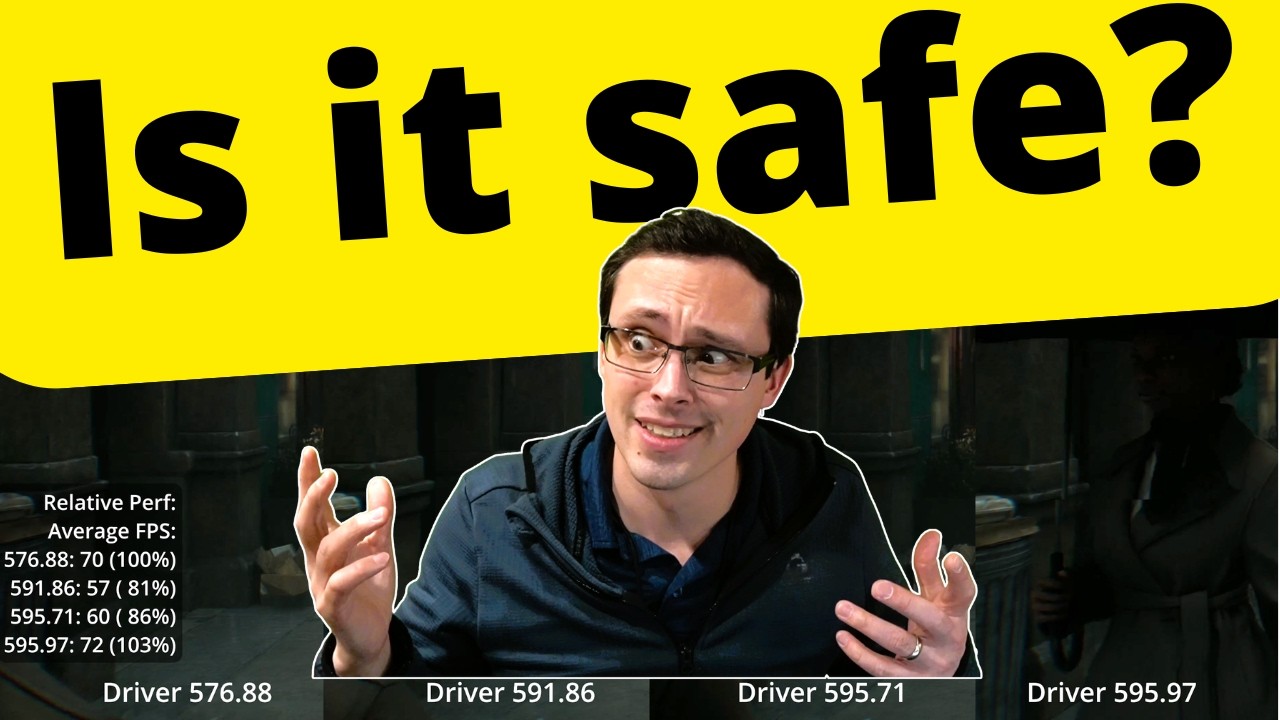
Sources:
https://www.youtube.com/watch?v=MOKUqmCwjMo
https://www.techradar.com/computing/nvidias-gpu-driver-totally-wrecked-user-overclocks-but-a-hotfix-has-just-been-released-that-puts-things-right
https://videocardz.com/pixel/nvidia-releases-geforce-596-02-hotfix-driver-second-this-month
What equipment do I use to make my videos?
Camera: Son...
what if the driver is the problem as well? 
 mortal wolf
i did the thing
psychov-14, has dynamic scaling of exposure, not camera-like. human-like
 mortal wolf
probably, need to iron out some more stuff
basically it lets you boost/balance exposure but compensates in a normal way, so you still get full hdr, even in dark spots
viscid wedge
sounds exciting, can't wait to see how it performs!
sick monolith
mortal wolf
basically it lets you boost/balance exposure but compensates in a normal way, so...
do we also need larzorr's mod for this?
 vivid iris
sick monolith
do we also need larzorr's mod for this?
vivid iris
sick monolith
do we also need larzorr's mod for this?
lazorrs mod will always be needed if we darken the game
mortal wolf
v11- v14 with clamp max: 800/100 nits


basically it boosts respecting how human vision boosts
not a flat everything scales up linearly
vivid iris
so is it like a fancy local exposure?
sick monolith
vivid iris
lazorrs mod will always be needed if we darken the game
the thing is my game doesn't want to boot when i replace the paz file but it's alright. i'll try to figure it out.
mortal wolf
vivid iris
so is it like a fancy local exposure?
more like, exposure follow naka rushton curve, not a input pre boost
because a flat boost is bad. if i wanted 4 nits to boost 5x to 20 nits, i don't want 800 nits to boost to 2000 nits
 torpid zealot


 vivid iris
I had a realization a bit ago (a simple one) but since the game both gets too bright at night and too dim during the day, I could just do mid point of 1.f on exposure and apply contrast to squeeze it down. It...works pretty well so far
sick monolith
mortal wolf
v11- v14 with clamp max: 800/100 nits
will this scene look brighter on my 3000 nit display?
mortal wolf
sick monolith
will this scene look brighter on my 3000 nit display?
it ends up boosting brights at night, like a dynamic contrast system
crude marsh
mortal wolf
sure a flat boost is what cameras do, but we're not cameras
I was getting really annoyed earlier by the flat darkness at night, just felt off
mortal wolf
because when your eyes start focusing on dark stuff, the really really bright stuff feel overwhelmingly bright, as it it should. you were focusing on 4 nits, so that 2000 nit thing should feel inversely stronger
vivid iris
vivid iris
I had a realization a bit ago (a simple one) but since the game both gets too br...
maybe this could work better in log or something idk
mortal wolf
no log. naka rushton
fishmap
we don't see in log
we see in fishmap
log is closer but not as exact
float3 NakaRushton(float3 x, float3 peak = 1.0f, float3 anchor_in = 0.18f, float3 anchor_out = 0.18f, float cone_response_exponent = 1.f) {
  float3 peak_minus_anchor_out = peak - anchor_out;
  float3 n = cone_response_exponent * peak / peak_minus_anchor_out;
  float3 a_n = pow(anchor_in, n);
  float3 x_n = pow(x, n);
  float3 x_n_anchor_out = x_n * anchor_out;
  float3 num = peak * x_n_anchor_out;
  float3 den = mad(a_n, peak_minus_anchor_out, x_n_anchor_out);
  return num / den;
}
its interesting how the idea of applying human vision principles seems/is novel
mortal wolf
in this case i say, if the averaeg was 3 nits, and the game wants 2x exposure (to boost the average). then it's not boost 0.18 to 0.36. it's boost 0.03 to 0.06, and let naka rushton take care of what happens after
desmos play thing: https://www.desmos.com/calculator/pu2vzff8t0
 sly swift
how’s the game / dev been going
vivid iris
so this will essentially make whatever exposure value we feed it look a bit more natural right? It's not about drastically changing the exposure itself?
 daring orbit
we just need a retexure, and new lods
mortal wolf
crude marsh
its interesting how the idea of applying human vision principles seems/is novel
everyone, literally everyone copies film+cameras. but film+cameras are just copying what looks right to humans, in other words. it's a replication of the human vision system. so just skip the film, go straight to human
daring orbit
and this game would be a lot better
sly swift
shortfuse how many hours do you have on this game just by developing 
 brazen portal
quick question. with RenoDX do I still use the in-game HDR or turn it off?
sick monolith
mortal wolf
it ends up boosting brights at night, like a dynamic contrast system
what's the maximum nits i can input? maybe i can use 10k nits then just activate DTM on top of HGiG in my TV
vivid iris
brazen portal
quick question. with RenoDX do I still use the in-game HDR or turn it off?
on
mortal wolf
vivid iris
so this will essentially make whatever exposure value we feed it look a bit more...
exposure is strictly a camera term. you adjust the exposure by widening the lens. in human turns that's adjusting the pupil size to then pass through to your rods and cones in yours eyeballs. similar in concept but the differences can feel "uncanny"
vivid iris
so...is it replacing the game's exposure system?
mortal wolf
sick monolith
what's the maximum nits i can input? maybe i can use 10k nits then just activate...
you shouldn't. your TV processing is mostly ass
sick monolith
mortal wolf
you shouldn't. your TV processing is mostly ass
u dont trust the bravia 9? 🥹
vivid iris
just trying to get an idea of how it interfaces with what the game is doing
mortal wolf
vivid iris
so...is it replacing the game's exposure system?
at best the histogram is giving you rolling luminance history and, uh, suggested exposure for the tonemapper as a prestep
mortal wolf
sly swift
shortfuse how many hours do you have on this game just by developing <:Kek:12962...
literally have not moved yet

but ask me (or don't) how many hours i'm spending reading science papers
sly swift
oh bet
sick monolith
mortal wolf
it ends up boosting brights at night, like a dynamic contrast system
i mean by this logic, it infers that a brighter peak nits display will result in better image at night?
sly swift
time to from:
mortal wolf
sick monolith
i mean by this logic, it infers that a brighter peak nits display will result in...
the human eye gets crisp AF at night, you see super saturated colors that you can't see in the day time. a flat exposure denies you that
and you need a display that has the power to independently show saturation to get that. it's cheap to show white. it's more expensive to show just a "third" of white as just red/green/blue. so displays capable of getting bright (showing bright white) are generally also strong at showing pure colors
so the exposure i'm designing does move the target brightness up, yes, but also forces contrast/saturation to bump as it would in real life, at night
without* crushing black as contrast normally does when you just set to target midtones
 gritty steppe
Good night, is there a new version since yesterday night?
mortal wolf
because there are no "midtones" in your eye, your eye puts whatever it's adjusted to as the "middle" (even 2 nits)
 hardy owl
gritty steppe
Good night, is there a new version since yesterday night?
hardy owl
gritty steppe
Good night, is there a new version since yesterday night?
Apparently not
gritty steppe
I noticed it says: light fix still recommended, what is this light fix?

 rocky umbra
gritty steppe
Good night, is there a new version since yesterday night?
rocky umbra
gritty steppe
Good night, is there a new version since yesterday night?
Check the pinned messages - ALWAYS check the pinned messages.
gritty steppe
rocky umbra
Check the pinned messages - ALWAYS check the pinned messages.
my bad 🙁
viscid wedge
gritty steppe
I noticed it says: light fix still recommended, what is this light fix?
its the mod directly below that one
 naive jackal


 hollow kiln
Seen mention of BRDF, Specular AA, diffraction recommended OFF when not using RR.
I can't even see the difference when any of those settings are changed so am gonna leave them as is 😛
 faint bobcat
hollow kiln
Seen mention of BRDF, Specular AA, diffraction recommended OFF when not using RR...
faint bobcat
hollow kiln
Seen mention of BRDF, Specular AA, diffraction recommended OFF when not using RR...
diffraction was borked, I fixed it now

 mossy gust
lol
faint bobcat


Vanilla Burley / EON


vanilla just looks wrong
everything is dark for no reason
rocky umbra
Looks punchy, works on most ppl 🤷♂️
Slight differences in the first/second - abit more detail because its more red? 🤔
mossy gust
you can tell on the armor, i'm just not sure which is which, one looks silver and the other is more rust colored
faint bobcat
rocky umbra
Slight differences in the first/second - abit more detail because its more red?...
woops third pic is wrong order
rocky umbra
And on the wall in the background - slightly more detail
hoary vector
odd outline with non-vanilla disffuse BRDF in this location


 hollow kiln
Yeah I'm using EON without RR and do not have that boxy problem some people are getting. Lucky me 🙂
faint bobcat
vanilla / specular AA
I know the description says AA as in stopping alaising and shimmering, however in the base game they also nuked specular a lot so you lose it in instances like these


so specular AA is restoring specular in addition
rocky umbra
faint bobcat
Vanilla Burley / EON
Id say default is better on the ground/foliage but not on the trees.
hoary vector
Oh i didnt realize my RR got turned off. With RR, no boxy outlilne
hollow kiln
Small details like that make all the difference. Those specular highlights not being there is a crime
hoary vector
Are you all preferring DLSS4 or 4.5?
faint bobcat
mossy gust
you can tell on the armor, i'm just not sure which is which, one looks silver an...
"A different approach was proposed by Clausen et al. [2023]. They acquired a multimodal dataset of aluminum samples with varying roughness, which they used to analyze diffraction phenomena on rough surfaces.
Their analysis shows that single reflections, predominately in the forward scattering, lead to a linear wavelength shift toward long wavelengths, thus to a reddish appearance.
Analogously, multiple scattering, predominately in backscattering, leads to a linear shift toward short wavelengths, hence a bluish appearance"
so basically the metal here should be bluer
not red
whats what I am going for anyways
mossy gust
interesting, yeah, i think the bluer looks more accurate
hollow kiln
it's more what you expect to see - even if not knowing the science behind it
 sudden pulsar
faint bobcat
"A different approach was proposed by Clausen et al. [2023]. They acquired a mul...
sudden pulsar
faint bobcat
"A different approach was proposed by Clausen et al. [2023]. They acquired a mul...
Plot twist, these armors have a thin layer of copper on top of the iron/steel 
hollow kiln
sticking to this one for now cause the adaptation doesn't turn to night time looking at rocks or wheat fields: #1469072401450012774 message
faint bobcat
sudden pulsar
Plot twist, these armors have a thin layer of copper on top of the iron/steel <:...
 naive jackal
@Forge Is that a universal or metal type dependant, with the sample being aluminium and medieval armour being iron and steel?
hollow kiln
I sleep. will continue providing useless feedback later ❤️ thanks for all the hard work fixing teh graphics
 smoky fog
finally worked up the ambition to try RenoDx and the mod for this game (I have not done this before) and WOWWWWW the effects on nighttime are a massive improvement. I love this!
rocky umbra
smoky fog
finally worked up the ambition to try RenoDx and the mod for this game (I have n...
 faint bobcat
hoary vector
odd outline with non-vanilla disffuse BRDF in this location
faint bobcat
hoary vector
odd outline with non-vanilla disffuse BRDF in this location
RR off?
The game spawns a new titled deferred shader that handles their diffuse code
hoary vector
Yeah, had accidentaly gotten it toggled off
faint bobcat
for cloth and hair
 rough granite
Damn was hoping to wake to new Forge release 😝
It feels like you never sleep, what’s your timezone?
 young pebble
does updating to new reno version causes shader compilation again?
sick monolith
would you mind sharing your settings? and also do you have the lights mod by lazorr installed in this clip?
 bleak niche
Adrenaliner.
sick monolith
faint bobcat
warm vs cool steel?
faint bobcat
naive jackal
@Forge Is that a universal or metal type dependant, with the sample being alumin...
https://jcgt.org/published/0013/01/01/
Different metals have different diffraction so the spectral hue shift will be different. Neutral metals do red to blue. Coloured ones like gold would do orange/red
I dont have per metal / asset tuning but in the shader we have F0 which is specular reflectance. I then modulated the diffration from that
so the metals should atleast in game all look different
they shouldnt have the same red to blue
naive jackal
Nice!
faint bobcat
sick monolith
warm vs cool steel?
As Joshua said, the steel / iron might acktually have copper alloy inside

so I might acktually be wrong
and should nuke the setting
hardy owl
@faint bobcat Forge how's the contact shadows progress going?
rocky umbra
But seriously, Forge, Lazorr, Jon - can i at least buy you guys a six pack?
Where do i send the cash? You guys deserve it and we appreciate the work (especially us oldies) 😁
 ruby tusk
rocky umbra
But seriously, Forge, Lazorr, Jon - can i at least buy you guys a six pack?
W...
ruby tusk
rocky umbra
But seriously, Forge, Lazorr, Jon - can i at least buy you guys a six pack?
W...
They have ko-fi links on the RenoDX UI
sick monolith
faint bobcat
As Joshua said, the steel / iron might acktually have copper alloy inside
a mix of both in 1 scene. u are a wizard 💯
 sudden pulsar
faint bobcat
As Joshua said, the steel / iron might acktually have copper alloy inside
sudden pulsar
faint bobcat
As Joshua said, the steel / iron might acktually have copper alloy inside
Or maybe it's made of oxidized titanium 🤡
ruby tusk
rocky umbra
But seriously, Forge, Lazorr, Jon - can i at least buy you guys a six pack?
W...
 mossy gust
the snow areas have pretty bad dimming/exposure whatever
you look at the ground and the screen darkens by 40 percent
during the day i mean
 sleek veldt
 pure sundial
wtf
ruby tusk
 rocky umbra
Any frame gen players here ? Do you see a difference with responsiveness when disabled> Ive gotta admit, jumping, gliding is just so clunky. It sucks exploring and dealing with that human truck that is kliff.
 fossil rover
rocky umbra
Any frame gen players here ? Do you see a difference with responsiveness when di...
fossil rover
rocky umbra
Any frame gen players here ? Do you see a difference with responsiveness when di...
I don't, but it's probably because playing Kliff is already like piloting a Mars Rover.
 frozen shale
I only play with frame gen on.
94 hours in Crimson Desert now! Good night lol
I'm so tired...
manic valve
daring orbit
we just need a retexure, and new lods
I think Pearl Abyss could release a high res texture pack
 stray grove
@rocky umbra cant afford not using framegen when using max setting and RR on framegen is a requirement literally
young pebble
Max lighting increase my gpu power consumption by 30w, -30fps but also improves visuals a lot
manic valve
They clearly targeted VRAM usage around 8gb cards
manic valve
rocky umbra
Any frame gen players here ? Do you see a difference with responsiveness when di...
Frame gen doesn't seem to increase latency in any noticeable way with Reflex on. I think you'd notice the latency from having low base FPS way more
stray grove
@manic valve def need minimum 45-50fps and framegen feel really smooth
rocky umbra
i prefer the 70-80 range , then its really smoth.
manic valve
I just run mine at 70 since my screen is 144 hz and Gsync takes it to 140 hz
Works perfectly
rocky umbra
Ive always struggled to understand LFC - is running at 50 (with lfc to 100) better than 60 (which just plain 60).?
manic valve
Depends on the game
I would say for a racing game for example
60 fps would feel better than 50 fps frame genned to 100
But in Crimson Desert, 50 fps frame genned to 100 would probably feel/respond better
This might sound crazy but for example, Forza Horizon 5
I can run at 140 fps no problem without frame gen. Or 70x2 with
And 140 real fps feels better, quite a bit better. 70 is still good but you notice that smidge of delay
It depends on how responsive your inputs need to be, essentially
manic valve
Check the pinned messages in this chat
 grand maple
please and thank you
manic valve
Get those files and install
 flat bear
 fossil rover
Literally on the title 💀
 brazen coyote
I got the files and installed but I don't know what to do next
Is there a guide for usage I can check?
brazen coyote
Yeah, I have reshade, I put the files in the right place
grand maple
yo lead me to the water cause i cant find it
brazen coyote
How do I make sure reshade is using the 2 files in the pins tho
manic valve
brazen coyote
How do I make sure reshade is using the 2 files in the pins tho

GitHub
Contribute to RankFTW/RenoDXChecker development by creating an account on GitHub.
I recommend using this to install and manage.
brazen coyote
oh it gets its own reshade tab, I see
Guess I fucked something up then, it ain't there
thanks for the help, I'll just reinstall and check out the checker as well
brazen coyote
neat
flat bear
brazen coyote
thanks for the help, I'll just reinstall and check out the checker as well
should see this in ur bin

along with reshade files
 flat bear
its in the pins bro
flat bear
 grand maple
omg thank you
im literally a begger npc in crimson desert and you changed my life
lol
 swift geyser
im having trouble deciding which one of these is the best
 flat bear
🫡
swift geyser
kaiser is supposed to be better with less artificing than lanczos but i see no difference between them
brazen coyote
the thing is, the way discord works on desktop, clicking the forum here puts the chat into a side view that hides the pin icon, it's hidden inside 3 dots
which is why nobody sees there are pins
Anyway goop, the reason things were broken for me was because I had regular reshade, not the full add on support version, got it workin now. Thanks again for helpin
flat bear
ye
hardy owl
brazen coyote
the thing is, the way discord works on desktop, clicking the forum here puts the...
I am not very familiar to Discord and had the same issue in the beginning as well
flat bear
brazen coyote
the thing is, the way discord works on desktop, clicking the forum here puts the...
fair but considering his acc is 10 years old i figured he would at least have an idea
brazen coyote
Forums are a fairly recent addition to discord
and severely underutilized
but no matter, I have more questions about this addon if you don't mind
flat bear
true
brazen coyote
Are the presets decent or is there a list of recommended settings to apply?
flat bear
theres a recommend button
personally i would use it and then tweak some things to ur liking
brazen coyote
Ah I see, it flipped all the settings too haha
Yeah I just wanted to start at what was considered a good baseline, thanks
gosh I'm excited to see how much this fixes
brazen coyote
Yeah I have that in as well, is there a way to know that that is working?
I mean it must, I overwrote files
Just curious if it has its own settings
flat bear
not that i know of i was able to tell because i had renodx before it came out then saw the difference after
flat bear
brazen coyote
Just curious if it has its own settings
nah it doesnt
just changes some values in the files if im not wrong
brazen coyote
Alright. One more question then: Is there a way to speed up the auto exposure timing?
None of these settings have a name that seems to indicate such a setting
brazen coyote
Mmm any place to request such a feature, or would that be right here?
flat bear
here probably
brazen coyote
Then I'll stick around :)
brazen coyote
I wish I knew about renodx in general sooner, I have an extreme hatred for auto-exposure
The only way I could play cyberpunk was with a mod that sped up the auto-exposure to near-instant
flat bear
u could just turn it off if its that bad but it makes the game a lot better imo
brazen coyote
How would I turn it off?
flat bear
 brazen coyote
I assumed that would fall-back to the game's vanilla auto-exposure
flat bear
yea
brazen coyote
Yeah it does, I'm sayin I want it dead lol
flat bear
ah
 halcyon ibex
I'm fed up with TAA. Anyone who knows about modding, will accept a request$?
flat bear
honestly not sure
brazen coyote
I will say I'm extremely happy with the results of reno's auto exposure
This makes the game so much nicer
brazen coyote
I was trying to play and do other things waiting for the game to patch with a fix

I still wonder about these corner shadows
A part of the game's built-in RT I assume
(The one the engine uses even when you turn RT off, which seems more to be a GPU-RT vs Software-RT toggle)
flat bear
the RT in this game is terrible
brazen coyote
yes
brazen coyote
more than half on my 3080
flat bear
oof
brazen coyote
Putting DLSS at Balanced fixes it but then you have upscaling problems which, barf
flat bear
im getting abt 100 with DLSS Q FG RR all cinematic
halcyon ibex
I was playing with RR until I fought the bosses, and you need to turn off the particles or set them to 10% because suddenly you suffer a massive FPS drop
flat bear
havent experienced that yet
halcyon ibex
I don't know if it's a bug or a driver issue, but something similar to this happens when I fight bosses with the particle effects above 50%.
rocky umbra
God, my eyes
brazen coyote
oh weird seems like something in the scene is thrashing
halcyon ibex
I'm experiencing something similar when facing the first boss. During the cutscene, the frame rate drops by 70% and stays that way. If I pause the game and wait a minute, it returns to normal. I don't know if this is happening to me alone or if anyone else has experienced it.
brazen coyote
Can't say I know, shame.
 quasi flicker
halcyon ibex
I'm experiencing something similar when facing the first boss. During the cutsce...
quasi flicker
halcyon ibex
I'm experiencing something similar when facing the first boss. During the cutsce...
So notice that gpu utilization goes down when that happens, almost like you cpu bottlenecked
brazen coyote
I have to assume you're on an SSD and have more than 16GB of RAM? ;) AND have the latest gpu drivers?
quasi flicker
In that scene ^
halcyon ibex
After many tests, I was only able to eliminate that frame drop by lowering the particle settings to 10-20%.
quasi flicker
Smarter people can say if particles are GPU instanced or not
But if you get that it might be not and you getting a cpu hit
halcyon ibex
brazen coyote
I have to assume you're on an SSD and have more than 16GB of RAM? ;) AND have th...
 worldly swan
torpid zealot
worldly swan
torpid zealot
Can you share your reshade color tone setting?
 plush flint
So, about brightness :
I have a OLED C4, want to increase brightness a bit, I’m at 800peak and 203 paper white for now. Should I increase exposure, or game brightness ?
ruby tusk
game brightness
halcyon ibex
quasi flicker
Smarter people can say if particles are GPU instanced or not
It only happens in that specific area of the video where the GPU usage drops, but during boss cutscenes or when there are a lot of particles, the GPU remains at 100%, yet the frame rate still drops significantly. Waiting in the pause menu fixes it, even though the particles are floating in the air. It's strange.
hardy owl
 quasi flicker
halcyon ibex
It only happens in that specific area of the video where the GPU usage drops, ...
quasi flicker
halcyon ibex
It only happens in that specific area of the video where the GPU usage drops, ...
Could be how much vram you got on 5070 ?
hardy owl
 subtle sinew
why does that look like a whacky AI pic lol
subtle sinew
why does that look like a whacky AI pic lol
Its not AI, the game has these outfits
halcyon ibex
What PC do you have?
quasi flicker
Yea nothing of sorts on my end
subtle sinew
hardy owl
Its not AI, the game has these outfits
I know it just looks like something an AI would generate
hardy owl
Lol true
flat bear
halcyon ibex
I don't know if it's a bug or a driver issue, but something similar to this happ...
honestly never experienced it in about 30 hrs of playing
quasi flicker
Try updating to 595.97
595.79 has a bug that fucks with gpu clock
halcyon ibex
quasi flicker
Could be how much vram you got on 5070 ?
It has 12GB, I thought that would be the problem, but seeing the VRAM consumption during those frame drops, it's still consuming 7-9 of the total VRAM.
stray grove
@quasi flicker that was 595.71 that had an issue
quasi flicker
halcyon ibex
It has 12GB, I thought that would be the problem, but seeing the VRAM consumptio...
Makes sense
quasi flicker
stray grove
<@224031786710073344> that was 595.71 that had an issue
Iirc watched a video where they didn’t fully fix that on 79 too
Yea quick google search says 79 had issues with performance drops and stuttering
Give it a shot
brazen coyote
halcyon ibex
Yeah you really shouldn't be having the problem you're having. If something else on your PC isn't yanking some resources, all I've got left is "reinstall drivers, reinstall game, cross fingers"
halcyon ibex
Could you please go to this part of the map and check if the same thing is happening to you?


If you position the camera pointing towards the opposite side of the image on the wall, exactly in that position, the computer will simply enter sleep mode xd
stray grove
@quasi flicker if you google search any nvidia driver they all have performance issue 😅
brazen coyote
I'll give it a shot falco
quasi flicker
stray grove
<@224031786710073344> if you google search any nvidia driver they all have perf...
Fair it just sounded kind of specific
To his issue
quasi flicker
brazen coyote
I'll give it a shot falco
I’m invested now
Just turned off my pc and getting ready to sleep, but need a closure before I shut my eyes
halcyon ibex
For that same reason, I have a save file of the first 6 bosses to test
quasi flicker
Jeez man sucks
halcyon ibex
quasi flicker
Lmao
brazen coyote
Mind you I didn't have issues at the boss
or any bosses so far
but that exact spot is in fact cursed
quasi flicker
I’m gonna save it and try tomorrow
halcyon ibex
I'll try to replicate the problem with the bosses
flat bear
now i have to go see
halcyon ibex
brazen coyote
I think there's just this specific frustum of view that is fucked
like maybe it fails to properly cull
quasi flicker
Wait
brazen coyote
or LoD
quasi flicker
What driver you got 😂
brazen coyote
oh shit there's a new driver
quasi flicker
Which one you running rn ?
halcyon ibex
Being overly anxious, I don't know why I always discover this in games, so I spend hours trying to fix that frame drop when the whole game is running fine T_T
brazen coyote
I could have SWORN I had the latest but it's saying I still have march 10ths wtf
I remember getting the crimson desert drivers
Oh, the march 10th drivers were the CD drivers, but there's new ones as of the 24th I don't have
Almost afraid to get them, I'm happy where I'm at LOL
flat bear
not getting that bug on my end
quasi flicker
halcyon ibex
Being overly anxious, I don't know why I always discover this in games, so I spe...
I have that too, I’m literally not playing until they fix DLAA + HDR
flat bear
i have the latest drivers
quasi flicker
My bet is on a driver
brazen coyote
yeah if I'm getting it on Falco's driver version but y'all are up to date and don't, that's gotta be it
quasi flicker
lol Dave you also running 595.79
brazen coyote
now I'M too invested
quasi flicker
Gg @halcyon ibex try the new driver
brazen coyote
and am gonna update to find out
halcyon ibex
I really loved the game so I don't plan to stop playing it, but from day one I dreamed of having all the post-processing effects disabled (vignette, chromatic aberration, TAA)
flat bear
 halcyon ibex
When I heard DF say the game ran at a native 60fps, I expected to see a super sharp 4k image, but what a surprise to find the fabulous TAA ruining my life


 quasi flicker
halcyon ibex
When I heard DF say the game ran at a native 60fps, I expected to see a super sh...
quasi flicker
halcyon ibex
When I heard DF say the game ran at a native 60fps, I expected to see a super sh...
So far only DLAA with chromatic aberration at 0 fixed it for me
The native TAA I mean
Horrid
 native blade
dlaa causing weird foliage for me
brazen coyote
All TAA is horrid but yeah this game's is especially awful
halcyon ibex
Using DLAA with preset L makes the game run almost like natively, but preset L consumes about 30% more resources than preset K.
swift geyser
quasi flicker
So far only DLAA with chromatic aberration at 0 fixed it for me
what fps you getting
halcyon ibex
To get the clearest image, in my opinion, using native FSR 3
native blade
brazen coyote
All TAA is horrid but yeah this game's is especially awful
some people doesnt realize how blurry taa is
quasi flicker
So with fg I run at about 140-150
swift geyser
quasi flicker
So at 4K DLAA, no RR, all cinematic 85ish
oof no rr?
brazen coyote
@native blade I know it, feels like this game's reviews failed to grasp what was actually bad about it
swift geyser
you can use optiscaler it gets me close to dlaa without the heavy fps hit
halcyon ibex
quasi flicker
So far only DLAA with chromatic aberration at 0 fixed it for me
You need to see this game without the vignette; it's simply beautiful. Some cutscenes right before they end show the full screen without letterboxing, and without the vignette enabled, the image looks so clean.
quasi flicker
swift geyser
you can use optiscaler it gets me close to dlaa without the heavy fps hit
I tried but can’t get my eyes used to it
And I find DLAA preset M being the most comfortable to play with
swift geyser
im trying to figure out the best image for me with rr
quasi flicker
Yea it’s all gonna be personal preference
swift geyser
i just cant find the sweetspot
quasi flicker
Both have that pro and con
brazen coyote
Crazy how much natural beauty is hidden underneath all this post-processing bullshit
swift geyser
feels like its a scam nowadays to buythe best gpu. you still end up with shitty visuals if you want some fps
sick monolith
halcyon ibex
I don't know if it's a bug or a driver issue, but something similar to this happ...
Driver Stability and Compatibility Testing Results First, just for reference - I'm not a NVIDIA employee, not a r/nvidia moderator and not affiliated with NVIDIA. Driver recommendations follow with a focus on general stability and compatibility. Tested across different Geforce GPU architectures and driver revisions over 3 days on multiple work A...
 Reddit
use the one suggested for your gpu
subtle sinew
halcyon ibex
Could you please go to this part of the map and check if the same thing is happe...
Can't replicate this on my end
 karmic quest
sick monolith
https://old.reddit.com/r/nvidia/comments/1rq06sx/game_ready_studio_driver_59579_...
karmic quest
sick monolith
https://old.reddit.com/r/nvidia/comments/1rq06sx/game_ready_studio_driver_59579_...
Having no issue with this driver
Runs damn well
brazen coyote
driver updated (required a restart, ew) so diving back in now
sick monolith
karmic quest
Having no issue with this driver
everyone has a different system configuration/parts. the drivers suggested in the post have been vetted by most to be stable
 quasi flicker
595.97
halcyon ibex
ok
quasi flicker
Yea, no issues on my end yet
sick monolith
halcyon ibex
So which driver should I install? This one?
TLDR
 brazen coyote
(also I wanna find the vignette setting, where is that?)
quasi flicker
brazen coyote
(also I wanna find the vignette setting, where is that?)
Likely a reshade stuff
halcyon ibex
It does not yet exist.
 plush parcel
I'm on 595.79 and it's been "great"
brazen coyote
The driver did not fix that one spot
halcyon ibex

brazen coyote
595.97
karmic quest
When I update and the driver is stable I dont update for like 1 - 2 months
brazen coyote
Interestingly, I have to be third person to get the slowdown. In first person I cannot replicate it
Now I wanna try it with someone who isn't Kliff!
Too bad Damiane is on an important mission
halcyon ibex
Those who say this doesn't happen to them, what kind of PC do they have?
karmic quest
Wdym?
quasi flicker
If it’s not a driver and component bottleneck, it’s unlikely to happen to me then
sick monolith
halcyon ibex
Those who say this doesn't happen to them, what kind of PC do they have?
might help to share your specs
karmic quest
There is a huge variance and instability of X driver can be caused by alot of things
halcyon ibex
sick monolith
might help to share your specs
 brazen coyote
Could be Ryzen, I've got a Ryzen 9900X3D
sick monolith
halcyon ibex
ah the 50 series
halcyon ibex
Another solution would be to use a fairly old driver and test it.
sick monolith
halcyon ibex
Another solution would be to use a fairly old driver and test it.
577.00 is the last known good driver
halcyon ibex
sick monolith
then u update dlss usinng AnWave
halcyon ibex
brazen coyote
Could be Ryzen, I've got a Ryzen 9900X3D
you use windows 10 - 11??
brazen coyote
10
sick monolith
here just click on download from server
halcyon ibex
brazen coyote
10
same
karmic quest
9800X3D here with 5070 Ti, 595.79 driver, no performance drops, nothin.
halcyon ibex
karmic quest
9800X3D here with 5070 Ti, 595.79 driver, no performance drops, nothin.
u use windows 10-11?
karmic quest
Windows 11
sick monolith
karmic quest
Windows 10 is obselete tho
win10 LTSC isnt
halcyon ibex
@quasi flicker bro u use windows 10 - 11?
 flat delta
I am stuck in a mission because all of my allies disappeared. Are there any cheats you know of which make me unbeatable ?
karmic quest
Sad that there is no ram with 34.5gb on each stick

@halcyon ibex also, the performance spikes can be caused by other things too.
Its not just the drivers that could be doing this.
halcyon ibex
It would make some sense for Windows 11 to have better performance due to some improvements in Direct Storage; I think something similar happened with Monster Hunter Wilds, and Crimson Desert might use that too.
There was something about Windows 11 that you couldn't use in Windows 10
Let me investigate
 quasi flicker
halcyon ibex
There was something about Windows 11 that you couldn't use in Windows 10
quasi flicker
halcyon ibex
There was something about Windows 11 that you couldn't use in Windows 10
I doubt that direct storage would help in cpu limited scenario
No way you loading particles and it’s slow because no direct storage
Sound like some kind of a scheduling issue though with your x3d and windows 10
Maybe idk spitballing here
karmic quest
Check if there is a bios update for your motherboard too
halcyon ibex
I already updated all of that
brazen coyote
ok so he's not joking
quasi flicker
brazen coyote
ok so he's not joking
You see fps drops ?
brazen coyote
I'm not referring to that lol
karmic quest
There are plenty of sources on the internet that prove Windows 11 is not what it used to be lol
quasi flicker
Ah
brazen coyote
I've never seen anyone adamantly insist that Windows 11 is better than 10
it's just kinda blowing my mind lol
karmic quest
Which scenario does make windows 10 still superior over Windows 11 tho
halcyon ibex
Hmm, I'll have to try more things because if it's too much trouble, I'll just download everything again and reinstall to get it working the same way.
brazen coyote
Every single time Windows 11 breaks a basic functionality because it's been vibe coded
karmic quest
If you know how to Optimize even professional Overclockers are on windows 11 now
halcyon ibex
I'll reply with another problem with the bosses and send a video
karmic quest
brazen coyote
Every single time Windows 11 breaks a basic functionality because it's been vibe...
Thats why you dont update every time you get a new update. 😭
Like
brazen coyote
It's about using the OS as a multi-tasking platform, not a fancy Xbox
brazen coyote
That's... you missed the point of what I'm saying
I don't use the PC as just a video game playing machine
I edit videos, I program, I do a lotta junk
halcyon ibex
halcyon ibex
Could you please go to this part of the map and check if the same thing is happe...
Sorry if this is a bother, but I just want to clear up my doubts. Could you take a video showing that the FPS doesn't drop in that area?
brazen coyote
and half of that shit is broken on 11 even if it is working for overclockers
quasi flicker
Look up Christ Titus has a very nice de bloat tool for windows 11
karmic quest
quasi flicker
Look up Christ Titus has a very nice de bloat tool for windows 11
This
Goated
Takes 10 seconds to set up
quasi flicker
I think people don’t like when software is imposed to them
Windows 11 has that tendency
To just shove it up your butt
But you can fix it
subtle sinew
quasi flicker
I think people don’t like when software is imposed to them
but who wouldn't want to use bing and onedrive?
quasi flicker
Just put a barrier between windows and your butt
karmic quest
Onedrive once bricked by pc lmao. 
brazen coyote
Yeah I wouldn't be surprised the debloaters are getting better but that still won't solve the random bugs like randomly deleted network files and task manager being unable to close. Win11 needs more time in the oven
karmic quest
I was speechless
quasi flicker
brazen coyote
Yeah I wouldn't be surprised the debloaters are getting better but that still wo...
I haven’t seen such issues yet
karmic quest
Now first thing I do is completely disable OneDrive when setting up
karmic quest
brazen coyote
Yeah I wouldn't be surprised the debloaters are getting better but that still wo...
Havent had those issues as I use task manager daily
brazen coyote
I'm not saying you're getting the variety of bugs constantly reported
quasi flicker
brazen coyote
I'm just avoiding them altogether
Windows 10 comes with its own troubleshooting
brazen coyote
I'm saying I don't wanna even bother
karmic quest
Tho I have disabled every thing that may have been buggy
quasi flicker
It’s all preference
brazen coyote
Yeah and I've got 10 exactly where I like it
subtle sinew
karmic quest
Now first thing I do is completely disable OneDrive when setting up
it's so annoying that clipchamp used to be pretty good and now they're so petty that the moment you start a new project it immediately begins uploading the files to onedrive without asking you and there's no permanent off button it always turns on with every new project
quasi flicker
It’s like people playing on proton layers in Linux
karmic quest
subtle sinew
it's so annoying that clipchamp used to be pretty good and now they're so petty ...
Yeah. And its so heavy on rendering compared to premier pro
quasi flicker
They like it too 😂
subtle sinew
karmic quest
Yeah. And its so heavy on rendering compared to premier pro
it was quick and easy for what it did at least
karmic quest
Like I couldnt even live preview in clipcham and toom ages to upload files vs premier pro just did it insta
subtle sinew
oh that didn't happen to me
brazen coyote
I mean I'm also using windows 7 taskbar tweaker with windows 10 and I have no idea if all the niceties I have with that are available in 11
I fine tune my OS to an extreme
If I don't need to do it all over again, I won't
karmic quest
There are optimization / customization tools for Windows 11
Tho they cost money last time I checked
brazen coyote
PFFT
karmic quest
Some turn it into macbook-esk looking OS
subtle sinew
I use windhawk it's really nice
quasi flicker
brazen coyote
I mean I'm also using windows 7 taskbar tweaker with windows 10 and I have no id...
Yea I’m pretty sure someone does that to windows 11 it’ll be good too
But don’t do it since you don’t want it
😂
karmic quest
Windows 11 after ages is adding the feature back that was in windows 10 from the start where you can change the taskbar locations lol
The entirery of Windows 11 only way you could do it is by buying that customization tool or whatever
 inland sparrow
guys where can i find the renodx mod for crimson desert? im fried and i cant seem to find it
 quasi flicker
Pinned ^
inland sparrow
omg ty it was the tree dots
brazen coyote
SEE GUYS
karmic quest
Alright, time to rob bunch of nobles out of their gold bars
quasi flicker
I don’t know what time where you at but it’s late for me
I’d probably do the same mistake
karmic quest
Why do some have the three dots tho?
quasi flicker
But yea you see threads always check pins
karmic quest
I see only a pin
brazen coyote
probably windows 10 :)
brazen coyote
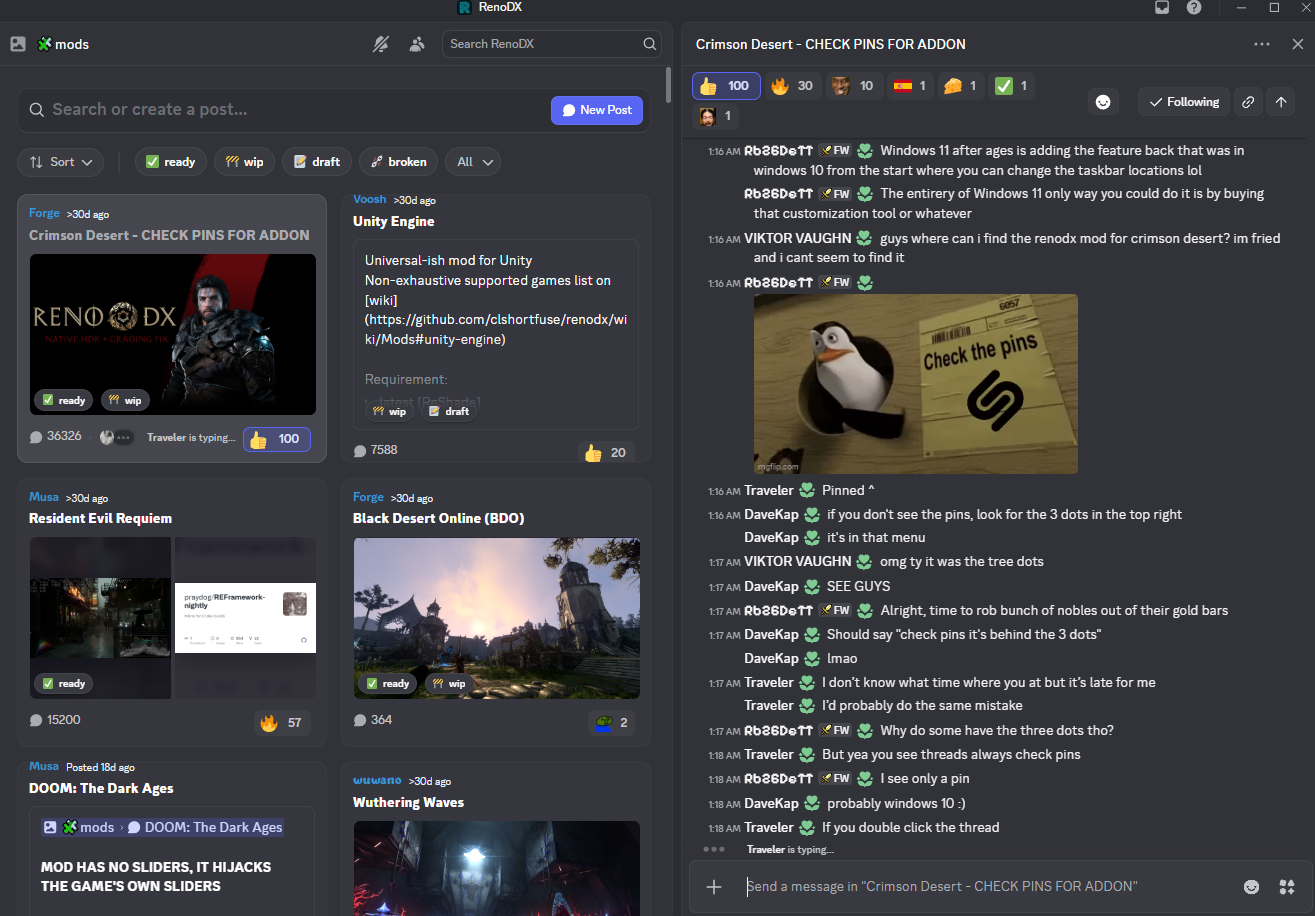
Notice how there's no pin icon here, it's hiding behind the 3 dots in the top right
quasi flicker
Yea you have not main thread
karmic quest
Oh wtf is that layout
quasi flicker
He has it opened like a main chat
subtle sinew
halcyon ibex
Could you please go to this part of the map and check if the same thing is happe...
don't know if you still need it but I took a clip of it
quasi flicker
Or the other way around
brazen coyote
forums in discord just have goofy ass implmenetation
subtle sinew
can't wait till we all go back raidcall 
quasi flicker
Discord thread should be renamed to -
CHECK THE THREE DOTS
subtle sinew
wtf birds swoop into the water and grab fish?
quasi flicker
Yea and eat them too
brazen coyote
yeah the wildlife has some interesting stuff going on, saw someone post that 2 bucks can get in an antler lock fight
subtle sinew
that's cool
 rugged sequoia
Thx for all the work, you make the game more enjoyable. But would it be possible to allow us to move the slider to values up to 250? Somewhere between 150 and 250 seems to be my sweetspot for looks vs playability. The workaround with ctrl click is nice but it doesn't save it when you change presets or restart the game.
 steady orbit
Anyone using recommended setings for renodx in this game without max settings and Ray Recinstrucion?
Is good too or custum better?
Costum
stray grove
i missed the nvidia driver talk guys which one should i be using on a 5070ti?
 neon whale
planning on starting the game. is there any mod on nexus that's worth picking up?
halcyon ibex
And this is the other problem that only happens with bosses: suddenly the FPS drops and then, after waiting, it returns to normal.


I notice it much more with RR enabled because I'm already getting 30 fps, but when playing on low graphics settings it drops to around 36-40 from almost 120 fps and the GPU is still at 100%.
steady orbit
Anyone got LG C3 here and play Crimson Desert? How you got color pictures warm 45 or lower?
subtle sinew
neon whale
planning on starting the game. is there any mod on nexus that's worth picking up...
imo modern controller remap, no hud for the parallax fix and proper 3rd person camera
plush parcel
steady orbit
Anyone using recommended setings for renodx in this game without max settings an...
I play with RR and MFGx3
tried no RR and Lighting Ultra to gain FPS but it looks bad... I tried though
steady orbit
I got 7900 xtx i dont have RR
steady orbit
plush parcel
tried no RR and Lighting Ultra to gain FPS but it looks bad... I tried though
But i stillbusing recomended settings for renodx. You think is still good?
subtle sinew
crazy how much better the parallax fix looks
Off/On

 steady orbit
Still using
subtle sinew

 steady orbit
Which settings is this?
subtle sinew
It's a shader toggle from this mod https://www.nexusmods.com/crimsondesert/mods/1?tab=description

Nexus Mods :: Crimson Desert
Utilizes ShaderToggler to make the HUD & Effects togglable.
plush flint
subtle sinew
that's the shader who flat the textures ?
subtle sinew
plush flint
that's the shader who flat the textures ?
It reduces parallax yeah
subtle sinew
It looks pretty good to me
plush parcel
steady orbit
But i stillbusing recomended settings for renodx. You think is still good?
Sorry I'm not sure what you mean, the default RenoDX settings ? Or Ingame settings ?
subtle sinew
brick walls are a little flat in comparison yeah
But the issue is also anything with parallax has a real bad blurry edge
 steady stirrup
subtle sinew
steady stirrup
subtle sinew
Picture on right looks better to me is that meant to be default ?
plush flint
ok will try this, ty man !
subtle sinew
steady stirrup
Picture on right looks better to me is that meant to be default ?
right is with the parallax lowered by the mod
steady orbit
plush parcel
Sorry I'm not sure what you mean, the default RenoDX settings ? Or Ingame settin...
Defoult renodx
steady stirrup
subtle sinew
right is with the parallax lowered by the mod
That's crazy because there's so much more detail in the stones in right
subtle sinew
steady stirrup
That's crazy because there's so much more detail in the stones in right
yep it even matches RR much better
if you look at the boulder it also removes the soft border around it
plush parcel
steady orbit
Defoult renodx
It's fine but it's meant to be tweaked to your liking 🙂
steady orbit
subtle sinew
It's a shader toggle from this mod https://www.nexusmods.com/crimsondesert/mods/...
So with this mod game looks better?
steady stirrup
subtle sinew
yep it even matches RR much better
I thought mod would be left picture lol
subtle sinew
steady orbit
So with this mod game looks better?
it's subjective but yeah
subtle sinew
steady stirrup
I thought mod would be left picture lol
lol sorry its weird cuz the mod on means it's lowering parallax or turning it off so it contradicts itself
subtle sinew
steady orbit
So with this mod game looks better?
at least so far it does
steady orbit
Guys what settings are you using with renodx for this game? Defoult, recomended or vanila?
Im using 7900 xtx gpu. Thank you
steady orbit
subtle sinew
at least so far it does
Is work with renodx?
subtle sinew
Yes
 elfin hollow
Recommended, set your monitor's nits
neon whale
subtle sinew
imo modern controller remap, no hud for the parallax fix and proper 3rd person c...
is this the camera mod?
 steady orbit
subtle sinew
Yes
steady orbit
subtle sinew
Yes
What settings you use in this mod?
steady stirrup
subtle sinew
lol sorry its weird cuz the mod on means it's lowering parallax or turning it of...
I just can't process how turning parralax off does that. Not complaining haha
karmic quest
neon whale
is this the camera mod?
ye
rugged sequoia
Could you still release your tweaks so we can have a look at them? I'm so curious about it and would love to test them myself even with the problems.
neon whale
karmic quest
ye
what of the 10 different settings do you guys recommend? monkaS
subtle sinew
steady stirrup
I just can't process how turning parralax off does that. Not complaining haha
ik it looked crazy to me too lol I think something is definitely wrong where light doesn't react the same
plush parcel
steady orbit
What settings you use in this mod?
Oh I see, I had never seen the recommended button. Yea use that, I use recommended basically, I just turned on RCAS sharpening to 90 lol
subtle sinew
neon whale
is this the camera mod?
There are others but this is the one I use
it's closer to vanilla while being more comfortable
https://www.nexusmods.com/crimsondesert/mods/112?tab=description

Nexus Mods :: Crimson Desert
A curated RDR2-inspired camera mod for Crimson Desert that delivers a lower, more grounded third-person view, preserves manual camera distance switching, softens movement zoom, improves horse camera b
subtle sinew
steady orbit
What settings you use in this mod?
I only use the parallax toggle from the mod
looks like this
@neon whale
halcyon ibex
I was waiting for a mod that disables TAA and five more ReShade presets come out🗿
subtle sinew
halcyon ibex
I was waiting for a mod that disables TAA and five more ReShade presets come out...
you do not want to play this game without TAA lol
it must look like straight fireworks with all the noise
steady stirrup
 jolly isle
Yes but the downside
jolly isle
Yes but the downside
 jolly isle
steady stirrup
https://tenor.com/view/well-waiting-caddyshack-gif-5385414
jolly isle
steady stirrup
https://tenor.com/view/well-waiting-caddyshack-gif-5385414
#1469072401450012774 message
I had to scroll for the examples
the downside is buildings and man made structures look bad
steady stirrup

halcyon ibex
Actually, I do want to XD
subtle sinew
oof maybe turning it on/off is better
karmic quest
anyone knows what this does in the no hud mod?
 halcyon ibex
karmic quest
anyone knows what this does in the no hud mod?
halcyon ibex
karmic quest
anyone knows what this does in the no hud mod?
yep
jolly isle
yeah its a shame because it makes terrain and rocks/cliffs/etc look so much better
but walls, bridges, buildings, etc look worse
subtle sinew
karmic quest
anyone knows what this does in the no hud mod?
it's the afterimage effect when you use heavy attacks iirc
jolly isle
especially the stone/cobble
karmic quest
subtle sinew
it's the afterimage effect when you use heavy attacks iirc
ah so it disables it or smth but you still end up using it or smth?
crawzy
subtle sinew
disables it (the visuals)
neon whale
subtle sinew
There are others but this is the one I use
it's closer to vanilla while being mo...
nice thank you. for the parallax thing, If I have reshade already installed I don't need to copy the dxgi.dll file right?
 strange crow
subtle sinew
I only use the parallax toggle from the mod
strange crow
subtle sinew
I only use the parallax toggle from the mod
There are sometimes glitches with the lighting when parallax isn't enabled, so I've stopped using it
subtle sinew
neon whale
nice thank you. for the parallax thing, If I have reshade already installed I do...
I'm not sure but I used it anyways
stray grove
that parallax fix kinda mixbag immo it totally flatten the wall of building and such
subtle sinew
strange crow
There are sometimes glitches with the lighting when parallax isn't enabled, so I...
oof yeah guess I'll have to test it more on my end
jolly isle
it would be so nice if it was only active on terrain but I doubt thats possible
subtle sinew
yeah
stray grove
and it does glitch with it too sometime
subtle sinew
It's hard to say what I'd prefer because with it enabled, everything has a blurred outline
steady stirrup
Yea I can't unsee that blur now
subtle sinew

 steady orbit
Anyone play on LG C3 or higher tv? Us warm 45 color still best or no?
stray grove
which nvidia driver yall using right now?
steady orbit
Im using amd 7900 xtx gpu and renodx recomended settings, is good or custom renodx better?
subtle sinew
Gonna have to try to do your own research and test things out for yourself
subtle sinew
stray grove
which nvidia driver yall using right now?
595.79 but it's a mess too
nvidia broke displayport to hdmi cables
I think since 2-3 drivers ago
stray grove
@subtle sinew i wonder if i should revert to 591.86 that one was pretty solid
subtle sinew
I probably wouldn't roll back to anything pre cd release driver
game's already busted enough as it is lol
plush parcel
steady orbit
Im using amd 7900 xtx gpu and renodx recomended settings, is good or custom reno...
use recommended. But there are sliders for a reason, just try the sliders and make it look good to YOU
stray grove
true i reverted to .79 cause .97 made fg super laggy for me
 thin kelp
when we get better LOD and higher res textures i will be happy
(indoor lighting improve would be nice too)
subtle sinew
wym you don't like your google earth lods?
sick monolith
subtle sinew
seems like DoF issue?
karmic quest
1 is with DLSS 4.0 other one is DLSS 4.0 enabled after switching to DLAA and Back. Am I tweaking or image actually becomes alot less blurry, RR is on and FG x2 at 1440P

 subtle sinew
sick monolith
seems like DoF issue?
subtle sinew
sick monolith
seems like DoF issue?
that's with the same settings and parallax toggled on/off
subtle sinew
karmic quest
1 is with DLSS 4.0 other one is DLSS 4.0 enabled after switching to DLAA and Bac...
Probably want to test somewhere with less motion
karmic quest
I mean that happens and is most noticable on foliage
subtle sinew
It does seem sharper in the screenshot but hard to say with the camera zoom being different
karmic quest
I'll try to send pic again once I notice it
Anyone know a fix to this too?

I tried to disable everything on RenoDX
Still the same
Seems like its crazy overexposed
steady orbit
Guys you using bloom effect in renodx? For me look better with value 0?
subtle sinew
It's personal preference
I like bloom and lens flares and motion blur
but this was the first game I had to turn off motion blur lol
neon whale
motion blur O.O
subtle sinew
hopefully we get a per object motion blur only option
stray grove
@subtle sinew yea i dont fully hate bloom i have mine at 25
steady orbit
What about film grain? I got 0 too
Bloom, lens flare and film grain i got all too 0. Sharpening too 90 and game looks crispy
For me of course
stray grove
@steady orbit film grain 0 sharpening immo for me above 80 is too much
subtle sinew
only good reason to add film grain is if you're getting color banding


more parallax artifacts

 stray grove
@subtle sinew i wish we could only use it on ground and all those rock walls
subtle sinew
honestly starting to like it disabled everywhere
it's only noticeable if you get up close to it
but the blur and artifacts are noticeable from far away
building edges do look worse tho sadly
 blazing ledge
subtle sinew
blazing ledge
subtle sinew
more busted parallax (on)
plush parcel
RR is so cooked sometimes
subtle sinew
off
 pliant dagger
plush parcel
RR is so cooked sometimes
pliant dagger
plush parcel
RR is so cooked sometimes
i play on cinematic without RR and have no "Laserbeams" 🙁
subtle sinew
pliant dagger
i play on cinematic without RR and have no "Laserbeams" 🙁
maybe from a low resolution/upscale?
karmic quest

 hidden ivy

 analog prism
If you log into github you can find a debug build on the official optiscaler github that's 0.9
steady orbit
Guys anyone notice ghosting on crimson desert?
Im using 7900 xtx amd
How fix this?
I got last driver
 hardy owl
I hate this. I wish it could be fixed, the shadow LOD is pathetic in this game
pliant dagger
subtle sinew
maybe from a low resolution/upscale?
i play with dlaa on 1440p
subtle sinew
pliant dagger
i play with dlaa on 1440p
weird should be more than enough
pliant dagger
subtle sinew
weird should be more than enough
i will try it with native 🙂
subtle sinew
pliant dagger
i will try it with native 🙂
I'd try redoing shaders just in case
 signal shore
Can anyone help me? I can't get Ren
odx to install, even though I followed the steps in this video: https://www.youtube.com/watch?v=sVJko2nAL2Q&t=82s
It still isn't showing up. Does anyone have any ideas on what I can do?


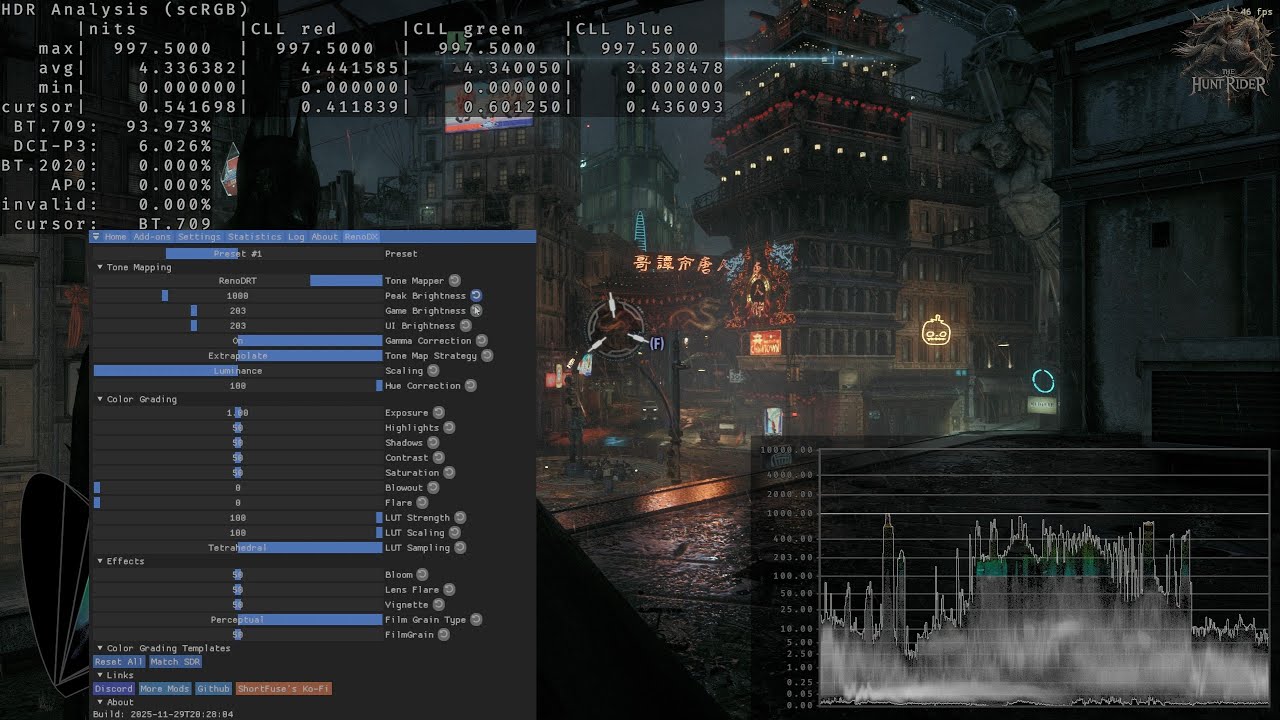
Caution: Online gaming is not recommended.
RenoDX, short for "Renovation Engine for DirectX Games", is a toolset to mod games. RenoDX works as an addon for ReShade, meaning it uses ReShade's hooks and functions to dig deep into a game in order to inject rewritten shaders and more.
00:00 Tutorial
00:06 Enable Windows HDR (Always)
00:39 Install ...
pliant dagger
subtle sinew
I'd try redoing shaders just in case
how can i do that? 😄
 hollow trellis
@subtle sinew how do you toggle more parralax in the hud mod
subtle sinew
pliant dagger
how can i do that? 😄
%localappdata% go to the nvidia folder go to dxcache (I think?) and delete the files inside
subtle sinew
hollow trellis
<@101051217450381312> how do you toggle more parralax in the hud mod

Go to the addons section of reshade and in the list of toggle groups you can edit and set a keybind for it
I changed mines to home
signal shore
thxs
pure sundial
I love what they did with the abyss, seems like they took some inspiration from the labyrinth from remnant from the ashes

 glad vessel
Has anyone managed to run the new auto exposure without RR? My card doesn't support RR 
sick monolith
glad vessel
Has anyone managed to run the new auto exposure without RR? My card doesn't supp...
it does work without rr
sick monolith
glad vessel
Has anyone managed to run the new auto exposure without RR? My card doesn't supp...

 sharp rapids
hi
plush flint
56h in, still in Hernand 😂 Guys tell me i'm not the only one
brazen coyote
37 hours and my main quest finally told me to go to demesis but I'm not convinced I'm staying there long
subtle sinew
it can be off or on doesn't really matter unless you want to use reshade effects that need the depth buffer
steady orbit
Ok i leave it off
 weary tangle
It can degrade performance in some games, so yeah, leave it off
 late marlin
Yes man, there is finally a mod to hide hats and also one to hide every kind of weapon and stuff you are wearing outside of Combat except clothes/Armor. You can enable and disable everything seperately. Love it
subtle sinew
late marlin
Yes man, there is finally a mod to hide hats and also one to hide every kind of ...
what do you have to do to unlock this?
steady orbit
Anyone notice this. How i fix this textures?
pure sundial
That's the cool part, you can't
late marlin
subtle sinew
what do you have to do to unlock this?
The hat hide mod you have to Install it python (comes with the Mod) then you can enable it. The hide weapons Mod the exe can't be downloaded because it got flagged somehow. No Idea. But in the comments someone posted a Dropbox Link and it's working. Pretty easy. The weapon mod is a small Tool where you can enable and disable every kind of thing seperately. Nexusmods
subtle sinew
pure sundial
That's the cool part, you can't
actually you can
the parallax toggle fixes this
but the edges will be less defined
steady orbit
pure sundial
That's the cool part, you can't
Really?
subtle sinew
late marlin
The hat hide mod you have to Install it python (comes with the Mod) then you can...
ah damn I thought I read you could hide helmets at the barber in your camp
steady orbit
subtle sinew
the parallax toggle fixes this
Where find this fixed and how looks after this fix?
jolly isle
Fix on
 pure sundial
late marlin
subtle sinew
ah damn I thought I read you could hide helmets at the barber in your camp
pure sundial
late marlin
subtle sinew
ah damn I thought I read you could hide helmets at the barber in your camp
No you have to enable and disable it through a File. Then restart the Game every time you Change it
jolly isle
jolly isle
Fix on
fix off
 pure sundial
It looks good with environments but that is what walls look like
jolly isle
basically anything they actually modeled looks good
buildings and walls look flat though
pure sundial
Does anyone know what's causing this weird black shimmering
 plush flint
pure sundial
Does anyone know what's causing this weird black shimmering
plush flint
pure sundial
Does anyone know what's causing this weird black shimmering
that Henry f***ing Cavill 😂
pure sundial
It moves around when you turn the camera
pure sundial
plush flint
that Henry f***ing Cavill 😂
It's kliff haha
late marlin
pure sundial
Does anyone know what's causing this weird black shimmering
Maybe Ray reconstruction
subtle sinew
jolly isle
thats the power of TAA baby
subtle sinew
pure sundial
its not rr its something with reno im pretty sure
subtle sinew
@steady orbit
pure sundial
only recently been popping up
subtle sinew
jolly isle
fix off
Check out the puddles on surfaces too

 subtle sinew
I like it but it has its tradeoffs
pure sundial
steady orbit
So you recomneded to use this fix or no? And where i find this fix?
Well it's up to you if you wanna use it, It is going to make walls look flat but it adds depth to the environment
subtle sinew
Nexus Mods :: Crimson Desert
Utilizes ShaderToggler to make the HUD & Effects togglable.
you can see the details disappear in my video but since they're aliased those details are blurry asf too
jolly isle
subtle sinew
Check out the puddles on surfaces too
looks better with fix on
subtle sinew
jolly isle
looks better with fix on
the planks look super sharp

 steady orbit
subtle sinew
https://www.nexusmods.com/crimsondesert/mods/1?tab=description
steady orbit
subtle sinew
https://www.nexusmods.com/crimsondesert/mods/1?tab=description
Ok i try this mod. Works with renodx?
And second how i install it?
subtle sinew
please read the description lol
 spare quartz
sick monolith
https://old.reddit.com/r/nvidia/comments/1rq06sx/game_ready_studio_driver_59579_...
spare quartz
sick monolith
https://old.reddit.com/r/nvidia/comments/1rq06sx/game_ready_studio_driver_59579_...
I wonder how much of these issues are due to this absolute turd of an OS. Seeing more and more frequently that driver issues(supposedly) are being fixed by w11 hotfixes. MS is already infamous for unintended side effects in their crap
steady orbit
subtle sinew
please read the description lol
Ok i read it. Just copy file.
Please give me your settings for this mod which one is off or on? Picture 🙏
subtle sinew
steady orbit
Ok i read it. Just copy file.
Please give me your settings for this mod which on...
you can see on/off in the videos I sent I was toggling the effect

set a keybind for the parallax effect in the addon section of reshade
you'll have to toggle it each time you load the game
steady orbit
Sorry but i can't find in this pictures lol.
subtle sinew
the vignette effect from crouching has black level raise 😩
steady orbit
Where is this paralax efect
subtle sinew
In the list of toggle groups
steady orbit
Sorry really and thank you for your help
crude marsh
man I guess there are still anti TAA people even though thats just how modern games work
 desert fox
better on right or worse?

 crude marsh
right is so pink
subtle sinew
rose tinted glasses on the right 🤔
desert fox
kk, I need to bring some of that off then. Does left look green/yellow?
steady orbit
subtle sinew
In the list of toggle groups
Is work with renodx with no problem, right?
subtle sinew
steady orbit
Is work with renodx with no problem, right?
yes
crude marsh
left looks like it has CA and vanilla sharpening
steady orbit
subtle sinew
yes
I notice you got ON effect runtime and generic. I hot this OFF, you recomneded to switch ON?
got
subtle sinew
I only have it on because I'm using a depth based reshade effect
spare quartz
crude marsh
man I guess there are still anti TAA people even though thats just how modern ga...
Bad TAA is kind of rare. Anti TAA people always strike off as very weird to me. These days changing your display will have bigger effect than disabling TAA for motion clarity(including fsr/dlss/xess in TAA category). Only exception is VR
subtle sinew
man someone needs to make a mod that makes you harder to detect at night
I'm getting detected in pitch dark
crude marsh
Yeah I mean its just not really an option and games look broken without TAA with deferred rendering and all that. They all rely on temporal solutions
jolly isle
TAA isnt bad its just seemingly always done poorly
viscid wedge
subtle sinew
I'm getting detected in pitch dark
The enemies don’t know its dark
jolly isle
even that rage-bait guy shows how TAA can look good
the one dude I cant remember his name
spare quartz
crude marsh
Yeah I mean its just not really an option and games look broken without TAA with...
yep, its foundational. Its why deferred rendering unreal games don't look great in VR
jolly isle
has beef with Digital Foundry
subtle sinew
viscid wedge
The enemies don’t know its dark
Yeah hopefully PA fixes that
Or at least makes you less detectable with a lamp off
I'm not sure if that's even working
elfin hollow
jolly isle
has beef with Digital Foundry
That really doesn't narrow it down anymore
crude marsh
DLSS is pretty incredible these days, this game just... eh
jolly isle
elfin hollow
That really doesn't narrow it down anymore
threat interactive
desert fox
what about these? Left looks green tinted to me and right fine. If right looks pink and left fine... only assume my monitor needs calibrating.

 subtle sinew
Right looks pink left looks warm
crude marsh
left is mostly ok, right still pink
jolly isle

 spare quartz
jolly isle
the one dude I cant remember his name
jolly isle
spare quartz
jolly isle
the one dude I cant remember his name
jolly isle
from the rocks
glad vessel
@sick monolith, @brazen coyote I know that the toggle works without RR, but I was wondering if it ruins the picture quality, because it says that it may result in overlay bright/dark scenes without RR. I gave it a try earlier and I thought that it was too dark, maybe because I can't utilize RR?
 scenic comet
i had the same issue of 1.78x DLDSR not showing in the game, it would only show 2.25x (3840x2160) on a 1440p display.
I went into "C:\Users\USERNAME\AppData\Local\Pearl Abyss\CD\save > user_engine_option_save.xml; changed line 17 from <OptionInt2Vector Name="_viewportSize" _value="3840 2160"> to 3413 1920
Also added <int2 Value="3413 1920"/> below, on line 34, after 1440p resolution, before 2160p.
saved and loaded up the game. after it started, 4k option was gone, but 1920p replaced it; it appears to work; some gain in FPS, from ~82 to 93 FPS with DLSS Ultra Perf
 desert fox
Alright good to know, my monitor calibration must be off
 patent bough


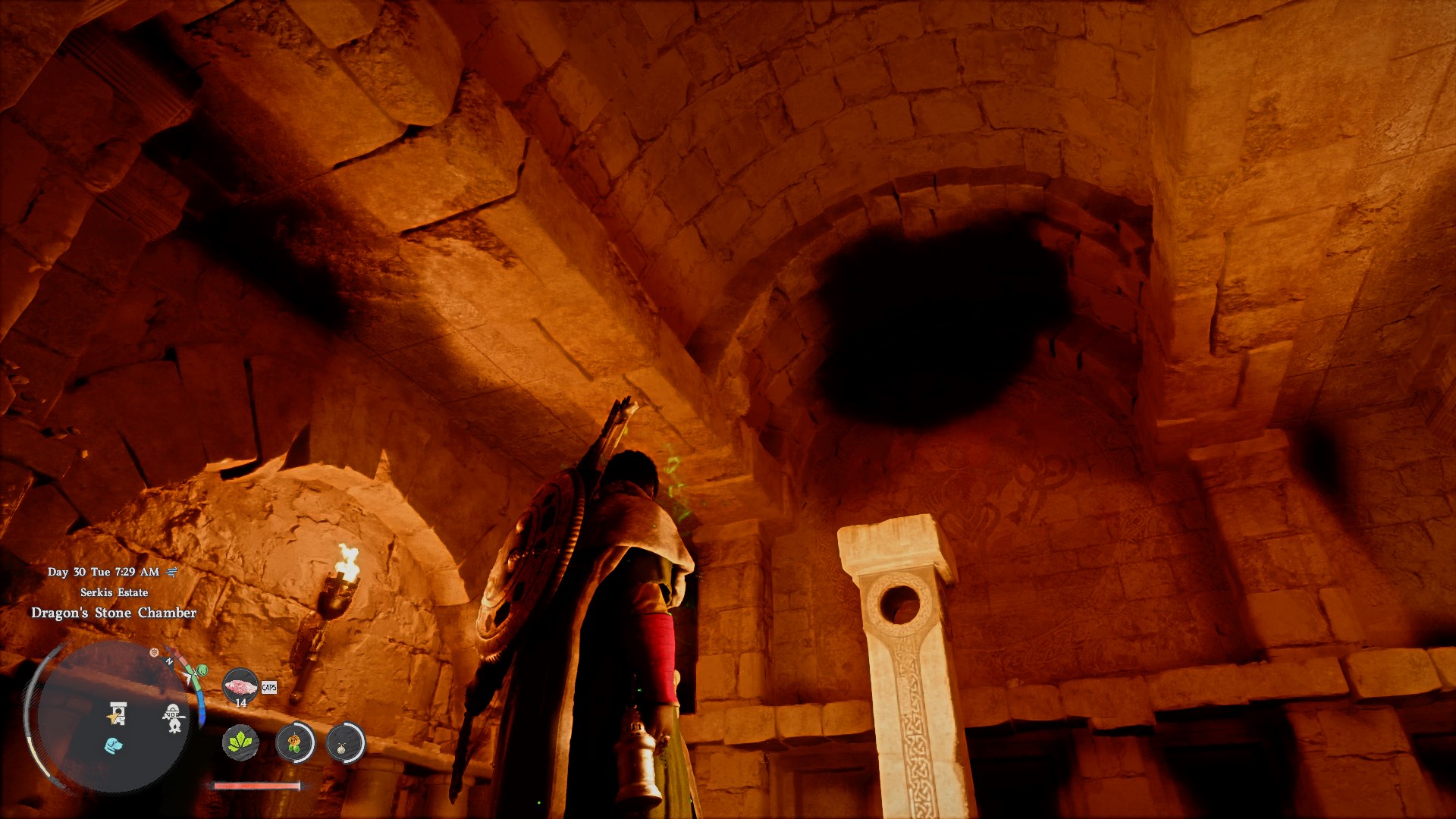
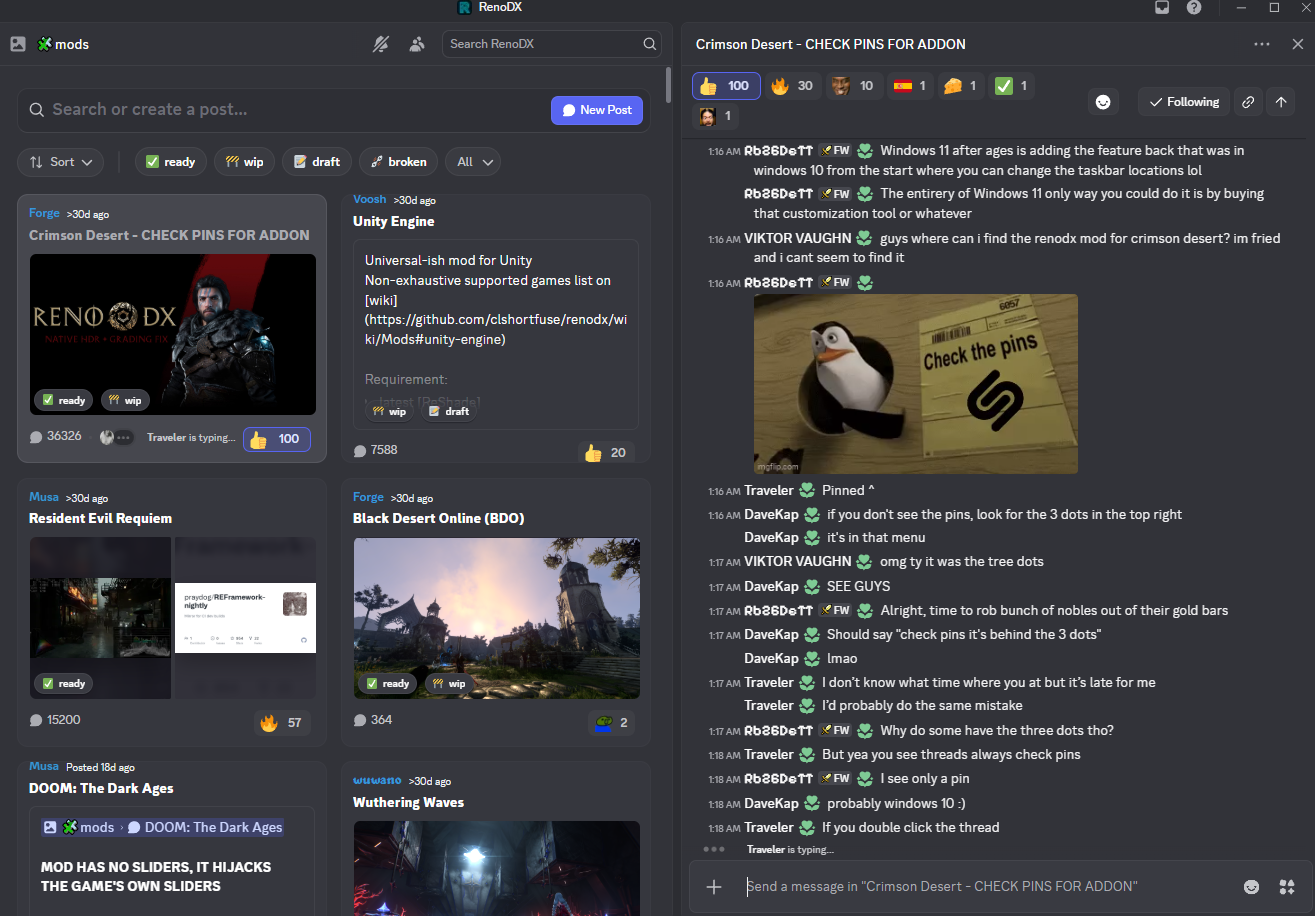 subtle sinew
it does work but it's so bad you would want it off anyway
steady stirrup
@subtle sinew@jolly islei actually think this parralax stuff is better with mod than off for walls etc too
this is without mod

with mod
 crude marsh
RR doesnt disable them, just denoises their implementation
which in turn dampens the height
subtle sinew
steady stirrup
<@101051217450381312><@225430815637504001>i actually think this parralax stuff i...
you do lose out on the corners looking like straight lines but yeah the walls look fine with the mod on
crude marsh
TLDR they have a bad pom implementation and use old stuff and screenspace stuff
steady stirrup
@subtle sinewlook at this roof this is with mod off

mod on

its much better with mod
subtle sinew
I feel like I'm having a hard time making it out on this one lol maybe if the screenshots were on one post to go back and forth
spare quartz
it's concerning that they haven't even listed the displacement mapping issue with RR in known issues. Digital Foundry even mentioned that in their early glazing video
steady stirrup
@subtle sineweach tile has shadowing with mod on
subtle sinew
I'm stupid I opened it in the browser and checked it and yeah the shadowing is muuch better
it's the same effect you get on the ground too
crude marsh
its also concerning the games lighting only works with RR lol
subtle sinew
works is a big word to be using
hardy owl
crude marsh
its also concerning the games lighting only works with RR lol
Imagine how this game is looking in series S lol
crude marsh
not completely broken
steady stirrup
crude marsh
its also concerning the games lighting only works with RR lol
@crude marshim not shocked black desert is a disaster lol
crude marsh
exists
sick monolith
glad vessel
<@677736583184777237>, <@128289679849160705> I know that the toggle works withou...
use the lazorr light mod. it will work fine.
hardy owl
steady stirrup
<@162283147277369344>im not shocked black desert is a disaster lol
And apparently they never fixed it
💀
sick monolith
steady stirrup
mod on
anyone notice a difference here? i'm blind lol
subtle sinew
sick monolith
anyone notice a difference here? i'm blind lol
open it in your browser and go from one tab to the other