#Crimson Desert - CHECK PINS FOR ADDON
1 messages · Page 33 of 1
 lament nymph
 dapper lake
weird i used one and it didnt change my inv space icr what one
 subtle sinew
most of the time it's whatever your monitor is rated for or what you have it set to
some OLED monitors have a 400 nit and 1000 nit mode
you can try the windows HDR calibration tool to see where it clips
 manic valve
Someone just released a mod that makes all the ingredients and bugs etc stackable
Maybe that will help with your hoard of treasures
subtle sinew
manic valve
Someone just released a mod that makes all the ingredients and bugs etc stackabl...
sounds like that could brick your save hard if a patch breaks it
dapper lake
subtle sinew
most of the time it's whatever your monitor is rated for or what you have it set...
Aye was just wanting to check the criteria it was using so i could match Rtings but if its based off clipping i can just leave it as standard
ive got 400, 1000, and eotf boost which supposedly helps
 viscid wedge
dapper lake
Aye was just wanting to check the criteria it was using so i could match Rtings ...
viscid wedge
dapper lake
Aye was just wanting to check the criteria it was using so i could match Rtings ...
Reno is going to read your peak brightness from Windows, which will be determined by the HDR Calibration tool. Just run the tool, answer truthfully and let it go
subtle sinew
dapper lake
Aye was just wanting to check the criteria it was using so i could match Rtings ...
yeah I would go by where it's clipping instead of actual peak nits
manic valve
subtle sinew
sounds like that could brick your save hard if a patch breaks it
I mean I have a GPU that could explode and burn my house down so I like living on the edge
dapper lake
viscid wedge
Reno is going to read your peak brightness from Windows, which will be determine...
windows is saying my peak brightness is 980 after calibrating and clipping at 460 so didnt wanna just accept that lmao seemed off for it to be nearly twice as high
 dapper lake
ah think its just not updating it after changing preset from peak 1000 to eotf all good
lament nymph
which I don't do to begin with
 naive terrace
 crude marsh
nothing new
known that it doesn't work equally everywhere as the game biases heavily in different places and conditions
 summer tapir
i get blocky shadows around characters with the setting set to recommended in advanced. Vanilla fixes it. whats that about
crude marsh
you are running an RT setting too low for BRDF
naive terrace
Alright, wellp I think I will turn off Auto Exposure, it makes nights amazing, but exposure gets too inconsistent during the day 
dapper lake
crude marsh
you are running an RT setting too low for BRDF
ohhh so thats what that was when i turned RR off lmao
crude marsh
yeah I mean that setting especially made with having RTGI in mind
summer tapir
ill try turning brdf off, but it might happen with RR on too, i forgot
everything else is max. RR kills my crappy card
summer tapir
i have a bright bright tv, i set peak to 3300 nits
i dont see clipping so i should be ok
manic valve
summer tapir
i have a bright bright tv, i set peak to 3300 nits
you should try looking up the TV on rtings etc and see where they measured it
well, the old info should be there. rtings hides everything now
summer tapir
thats what i did 👍
viscid wedge
I can look
 pure sundial
manic valve
well, the old info should be there. rtings hides everything now
pure sundial
manic valve
well, the old info should be there. rtings hides everything now
Way back machine helps with this
manic valve
A shame their old business model wasn't cutting it
 obsidian locust
You can carry both over the same fiber cable if you invest in transceivers.
Can't remember where I saw said device, it was HDMI 2.1 and USB 3.0 over the same cable, but I opted to just run separate cables without anything fancy because the idea of replacing those transceivers on the ends every time a new HDMI or USB standard comes out, really didn't appeal to me 🙂
 rose jewel
autoEX in day time is fookin insane


 lethal dawn
Is the update from 5h ago needed? Don’t even understand the patch note lol
 vivid iris
was supposed to prevent some antivirus from flagging it, some people are still having issues
 quasi gale
Does in-game HDR need to be enabled?
vivid iris
if your shit is working no need to update
vivid iris
quasi gale
Does in-game HDR need to be enabled?
yes
quasi gale
Thank you. ^.^
vivid iris
let me write some better instructions....
 lucid thorn
lament nymph
nobles can't appreciate fine art
lucid thorn
lament nymph
nobles can't appreciate fine art
You right. Also you still playing?
Oh my god
I figured it a puzzle
The hint was not at all related to what I was doing
vivid iris
okay pinned instructions updated
 tawny oracle
is there a github for downloading the mod?
 daring orbit
The last update was a noticable improvement 👍
 cold tree
it is not
vivid iris
tawny oracle
is there a github for downloading the mod?
yes but it's also available here in the pins
tawny oracle
alright, the one that fix av detection correct?
lucid thorn
I love the puzzles in this game
 hoary vector
Sometimes they impress me, sometimes the answer feels very jank and I assumed it couldnt be the right way
daring orbit
Its a fun game, definitely not the most polished
Decent boss fights, thats whats important
 glossy scarab
anybody got a lg 32gs95ue monitor for hdr settings? Sorry im new to all this lol
viscid wedge
glossy scarab
anybody got a lg 32gs95ue monitor for hdr settings? Sorry im new to all this lol

 wise flax
I don't know what changed today, but I've been having a ton of super low quality textures and distant blob trees that weren't there yesterday.
daring orbit
I promise the blob trees have been there
 languid sleet
Is it normal brightness to be changing on it's own? Seems to move between bright and saturated to dark and saturated without any obvious change in area or time of day
naive terrace

 wise flax
Maybe it's specific areas with blob trees
Because I was looking for them near the starting city and didn't see any this bad until today when I explored further away.
viscid wedge

 torpid zealot


 solar bone
Hate that when the sun or moon aren't out the entire lighting system is just turned off
they really should've made something else a light source as well
viscid wedge
if you're alone in the woods, where else would the light be coming from?
 ivory sandal
also the lantern exists
solar bone
not your pictures
wise flax
He more means the lighting system breaks without the sun or the moon to cast rays. I saw a reddit post about it earlier.
tawny oracle
is there any setting yo make the shadows/black less darker? on oled is very dark with default renodx settings
wise flax
Shadows, Contrast and Adaptation Contrast if you really want to birghten them up. Default settings should look good on oled though it's supposed to be black.
tawny oracle
alright thanks for the answer
vivid iris
depends which default settings you're talking about I guess. The current defaults should be fine, but the old build where we defaulted auto exposure changes on had problems yeah
ivory sandal
imo less is more when it comes to this renoDX mod. I run basically default with the various bonus graphics options enabled (except sun disk size is 1x) and I keep autoexposure enabled. Gives good contrast but isn't excessively dark
also on an OLED here
wise flax
I still have to turn autoexposure off in big fights just for gameplay's sake, but it does look much better with actually dark nights.
tawny oracle
maybe is my hdr settings or calibration
viscid wedge
https://youtu.be/fAhxR-gMU_U Useful. HDR video, and should be able to see down to 68 changing without issue.
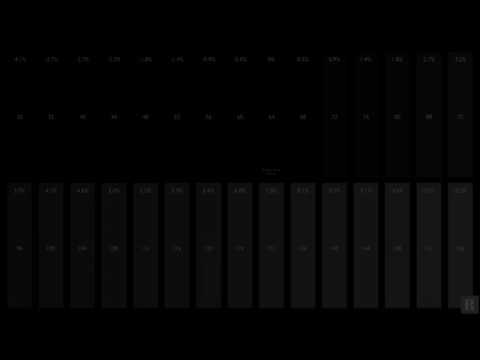
playlist: https://www.youtube.com/playlist?list=PLNtyx1Z3xGr4mfR8I_Ll2GH0mXmgHDNKG
UHD 4K HDR 10 Black Clipping from the Diversified video solutions website. A great test pattern for 4k uhd hdr 10 t.v. calibration
General
ID : 1
Complete name : C:\Users\steph\Videos\DVS_UHD_HDR10_...
solar bone
make sure to look up a good guide on how to set up your monitor model
vivid iris
tawny oracle
maybe is my hdr settings or calibration
it should be less contrasty compared to vanilla by default at the very least
 gilded plover
viscid wedge
https://youtu.be/fAhxR-gMU_U Useful. HDR video, and should be able to see down t...
gilded plover
viscid wedge
https://youtu.be/fAhxR-gMU_U Useful. HDR video, and should be able to see down t...
68 not necessarily but like 72/76 atleast, depends also on lighting conditions
 shut badge
only other time reshade helped me is reducing the vignette in wo long
reshade really is just a renodx/shadertoggler machine
 native blade
is there a fix for error 4551?
viscid wedge
gilded plover
68 not necessarily but like 72/76 atleast, depends also on lighting conditions
ok maybe for some, yeah. In a dark room I can just see 68 blinking but I've spent the last 3 years screwing with this C2 to get it right.
gilded plover
yeah with my g5 i can see 68 in dark room just about as well
shut badge
shut badge
reshade really is just a renodx/shadertoggler machine
renodx&shadertoggler or blown out reshade preset that fucks up performance for some reason (it includes a broken ray traced ambient occlusion shader that doesnt even work)
wise flax
This game still needs some work. I just found a memory thing in black forest where I could not get it to trigger with lantern until I stood in a random corner.
solar bone
lets hope next patch will be more good fixes
wise flax
Yeah it's still super addicting flaws and all
native blade
native blade
is there a fix for error 4551?
:(
 viscid wedge
exclude the game folder from your antivirus
native blade
viscid wedge
exclude the game folder from your antivirus
exe folder or whole root?
viscid wedge
native blade
exe folder or whole root?
 native blade
i tried before but id did not go well i"ll try again now
viscid wedge
not sure what to tell you then
native blade
before the update
viscid wedge
i've got a process I've been following to ensure this goes smoothly. game folder has been in exclusions for the past week. I exclude my downloads folder temporarily when getting an updated file. download the file, drag to game folder, remove exclusion from downloads. play. hasn't been an issue since that first day.
native blade
viscid wedge
i've got a process I've been following to ensure this goes smoothly. game folder...
i did not that and now im cursed
 round kettle
I had to turn off my defender, download file, try to add exclusion causing windows to auto delete the file cuz it thinks its a virus, go to protection history and pick restore, then, again, add it as an exclusion then it works
 warm magnet
how would I be able to use the noise fix mod and the no hud + effects mod together if they are both the same files
found my solution, thanks!
lucid thorn
warm magnet
found my solution, thanks!
Glad you got it working
native blade
round kettle
I had to turn off my defender, download file, try to add exclusion causing windo...
even if its delete file i cant see them at the protection history thats odd
viscid wedge
I hate how you lose rep when stealing things.. and no one knows
lucid thorn
viscid wedge
I hate how you lose rep when stealing things.. and no one knows
Especially when they're bandit camps
wise flax
Or if you're clearing a bandit camp while they're alive it's not stealing, but as soon as they die or leave it becomes theft before you can finish looting...
lucid thorn
wise flax
Or if you're clearing a bandit camp while they're alive it's not stealing, but a...
Yeah I just cleared out an area and looted a puzzle thing and it counted as stealing. Nobody was around haha
wise flax
Yeah all of the lockboxes are considered stealing. The one in the castle was a huge pita for me because there was always someone in the room and I got arrested...
lucid thorn
wise flax
Yeah all of the lockboxes are considered stealing. The one in the castle was a h...
The one on the top floor??
wise flax
yep
viscid wedge
wise flax
Yeah all of the lockboxes are considered stealing. The one in the castle was a h...
oh man, that gold bar in the fireplace of that one mansion up the hill from Hernand.. i waited in there for like 15 minutes learning the pathing patterns of the guards before grabbing it. just made it in time
lucid thorn
Man I waited so long for people to leave. There was 2 in there. Eventually one left, noble girl wouldn't leave. Looted it in front of her and had to flee the city 😂
wise flax
Yeah I honestly don't steal at this point unless it's a unique item or something.
lucid thorn
That's all I loot
viscid wedge
lucid thorn
Man I waited so long for people to leave. There was 2 in there. Eventually one l...
lioncrest manor, in the fireplace?
round kettle
native blade
even if its delete file i cant see them at the protection history thats odd
FOr me I thought that too, but it was listed further down for some reason and not right at the top
lucid thorn
Lemme retype that
viscid wedge
go poking around at the fireplace on the ground floor 😉
lucid thorn
It was in the castle, but I'm in the manor rn haha
viscid wedge
lioncrest manor, just up the hill northwest of town
lucid thorn
Hahahahaha I got arrested
Tbh I shouldn't have run out the front door so that's on me
wise flax
Btw if you guys didn't know you can use your lantern on random guards or during fights and learn skills.
viscid wedge
lol
wise flax
I thought it observed automatically, but you have to have the lantern out for quite a few
native blade
round kettle
FOr me I thought that too, but it was listed further down for some reason and no...
bad news there is nothing to see xd
lucid thorn
wise flax
I thought it observed automatically, but you have to have the lantern out for qu...
Don't need the lantern!
viscid wedge
did anyone else have a random guy bump into you and pass you a note about being taxed?
wise flax
I did earlier to learn counter from a guard with a pike over his head
lucid thorn
viscid wedge
did anyone else have a random guy bump into you and pass you a note about being ...
You do have to pay taxes
Bro that castle robbed me
They took all my money hahaha
I'm at -5 silver
viscid wedge
lucid thorn
You do have to pay taxes
i was confused because I didn't have anything in the bank. I had to go to the bank to pay it and it was 50 silver.. however they gave me a trinket that sold for 100
so pay your taxes!
lucid thorn
I'm at-5 silver I can't buy anything haha
lucid thorn
Well so I have that one bar I just stole
I kept it even tho I got arrested
Do I just deposit it into the bank?
viscid wedge
in the bank menu there is an option to convert 1 gold bar to 500 silver and vice-versa
viscid wedge
lol
viscid wedge
same ha
I did go to zero briefly when I discovered the guy in my camp to give donations too (still don't really understand that system)
I thought I was giving him a bunch of copper, but it was all of my money apparently
viscid wedge
somehow I keep finding more masks in my storage box
i learned tonight that it won't even let you attempt to steal without one
lucid thorn
Yep you need a mask to steal
I tried looting a recipe off this person when I realized they took mine
I dunno if you noticed but if you aim your lantern at people you can see what's in their pocket haha
viscid wedge
oh yeah, I did notice that. and any lootable object for that matter.
like chest, cabinents, etc..
at least if there is something inside
speaking of places I felt bad stealing, Pororin Village is idyllic. fun little side quest getting in there
warm magnet
50 exposure.....🔥
 lucid thorn
viscid wedge
speaking of places I felt bad stealing, Pororin Village is idyllic. fun little s...
lucid thorn
viscid wedge
speaking of places I felt bad stealing, Pororin Village is idyllic. fun little s...
I like it there
viscid wedge
lucid thorn
I like it there
I want that as my camp lol
lucid thorn
I'd be down, it's cozy haha
 stray grove
@warm magnet deep fried 😅 try 60
warm magnet
stray grove
<@1192610485258948711> deep fried 😅 try 60
okay
it looks better in game trust
I like 55 a bit better its a good middleground between the 2
 stray grove
would just look better if those shadow weren't so dark there those shadow are crushed

 plush kelp
yall talking about ingame exposure or reno?
warm magnet
stray grove
would just look better if those shadow weren't so dark there those shadow are cr...
55 exposure fixed those shadows and looks almost the same so I'm going with 55
for comparison this is 55 in the same spot
 stray grove
it's still crushed though you loose all the detail in those shadow
 lucid thorn

 warm magnet
stray grove
it's still crushed though you loose all the detail in those shadow
warm magnet
stray grove
it's still crushed though you loose all the detail in those shadow
but 60 is a little too washed out for me though I'll keep going up by one
65 looks fine I guess
 stray grove
@warm magnet you can adjust the shadow slider to make those darker while keeping your exposure a bit higher
warm magnet
stray grove
<@1192610485258948711> you can adjust the shadow slider to make those darker wh...
turned the shadow slider down and put the exposure to 0.85

 fresh field
is it just me or is the day/night cycles fucked? its 354 am and its light out
its like dark night at 830pm and sun coming up at like 3
or is this a consequence of reno and the dawn/dusk cycle?
warm magnet
now it feels too bright idk @stray grove
 stray grove
whats ur highlight at
warm magnet
43
warm magnet
ngl I don't know
stray grove
probably you would know if hdr
stray grove
i mean ips support hdr but mine same im sdr


 warm magnet
stray grove
ive been rocking those setting for past few hour
warm magnet
stray grove
ive been rocking those setting for past few hour
oh yeah that looks a lot better, thanks!
this damn smoke
 viscid wedge
hey at least it isn't purple
 subtle sinew
 subtle sinew
it's a gender reveal party 
warm magnet
subtle sinew
That looks good 👍

 subtle sinew
warm magnet
That looks good 👍
subtle sinew
warm magnet
That looks good 👍
thanks :)
stray grove
that parallax fix not always that good @warm magnet look at the depth and detail on the wall to the right with parallax on its absolutely flat


i just realised that look ugly immo
hoary vector
Every so often i find spots like this. Not related to Reno or anything just annoying
warm magnet
yeah
solar bone
stray grove
that parallax fix not always that good <@1192610485258948711> look at the depth...
should turn your saturation down a bit
stray grove
@solar bone yea i kinda like it colorfull right now saturation at 53 ive been adjusting
solar bone
ah okay yeah it's a preference thing
subtle sinew
hoary vector
Every so often i find spots like this. Not related to Reno or anything just anno...
there's some real weird bugs with denoising in this game
stray grove
@solar bone yea lets say in other game i would go for less saturation but it does fit this game really well
 tall maple
The lighting and detail in this game is really something.


 stray grove
i would not go higher then that though
warm magnet
stray grove
<@149560887647141888> yea i kinda like it colorfull right now saturation at 53 ...
I took yours and I just put the saturation at like 43 with everything else the same as yours and I really like it
 stray grove
53 versus 43 sat @warm magnet @solar bone you know what ur right i think i like right picture more with lower sat

 warm magnet
tall maple
The lighting and detail in this game is really something.
warm magnet
tall maple
The lighting and detail in this game is really something.
yeah the lighting in this game with RR on is something else it looks really good
 hoary vector
Hey why you talkin to my wife
stray grove
but it could be so much better the RR they using is prettymuch the lowest quality they could use
console RR
subtle sinew
really annoying bug hopefully one of the renodx wizards figures it out
 sick monolith
Just finished the OptiPatcher entry for Crimson Desert. DLSS upscaler inputs seem to be much higher quality, and seem to…
 Reddit
subtle sinew
Reddit
subtle sinew
Ignore the bad colors I had to tonemap hdr to sdr
sick monolith
sick monolith
https://www.reddit.com/r/radeon/s/GhAYJqzxfB
Thoughts anyone?
subtle sinew
sick monolith
https://www.reddit.com/r/radeon/s/GhAYJqzxfB
kinda hard to make out when the screenshots he provided are 360p
warm magnet
I genuienly don't understand how they could make dlss this blurry, I have never seen dlss look this blurry in almost any game I have played
hoary vector
I only see the blur when I use RR. Without it it was fine. Sharpening helps though
stray grove
Rcas at 80ish with dlss quality at 2k and idk it look pretty good appart from far Lod
warm magnet
turning up sharpness does help a good bit

DLSS Q on dlss 4 with RR on so its DLSS 4 either way
subtle sinew
the thing is with high sharpness it takes the already soft faraway detail and gives it specks
stray grove
@warm magnet do you use reshade or something else i dont know why ur blurrinesss is so heavy
 warm magnet
stray grove
<@1192610485258948711> do you use reshade or something else i dont know why ur b...
warm magnet
stray grove
<@1192610485258948711> do you use reshade or something else i dont know why ur b...
no only renodx and the other stuff
its literally the fact that I am using dlss q with dlaa its not blurry but it runs horribly so I have to stick with dlss q
subtle sinew
Worst place his been this boss fight so far
I had to disable RR and use dlss 4.5

the grass is just mush
this screenshot is with RR tho
stray grove
@warm magnet which RR preset you using ? just game default?
warm magnet
yeah
stray grove
do you have the grain effect turned on in renodx? it just look super grainy
warm magnet
my optiscaler settings are all off and only the mipbias and anistropic are on, also no I don't have film grain on
 subtle sinew
the grain in his screenshot is from over sharpening
stray grove
@subtle sinew your right
subtle sinew
could try a depth based sharpen though I know Sharpen+ in the nvidia overlay does it
warm magnet
 warm magnet
subtle sinew
the grain in his screenshot is from over sharpening
warm magnet
subtle sinew
the grain in his screenshot is from over sharpening
The only sharpnening I have is from renodx
warm magnet
okay
subtle sinew
warm magnet
The only sharpnening I have is from renodx
I still wouldn't go over 30-40
depends on the resolution ofc
stray grove
@subtle sinew i mean i have 80 sharpening and in no way does it look that grainy for me
maybe cause im using 2k who knows
warm magnet
Im on 1080
subtle sinew
oh yeah that's it
warm magnet
is it less blurry now
 stray grove
much better
subtle sinew
yeah
warm magnet
is that tower supposed to glow like that 
 subtle sinew
I would crank sharpness until you start seeing the grain in the distant trees or low detail objects
subtle sinew
warm magnet
is that tower supposed to glow like that <:despairge:1409648830307369061>
I think so
 hazy geode
stray grove
do like -2 to -8
hazy geode
stray grove
do like -2 to -8
I haven't messed with mip bias before. How do you know if you should increase or lower it?
warm magnet
subtle sinew
I would crank sharpness until you start seeing the grain in the distant trees or...
well dammit theres grain on the trees sharpness on or not
I couldn't tell you with or without sharpness which is which
subtle sinew
I would move it until you can see the extra sharpness is making it noticeably worse
warm magnet
Thats the thing it looks the same to me
subtle sinew
Hey if it looks good to you that's all that matters
 subtle sinew
 subtle sinew
warm magnet
I put it on 50
subtle sinew
warm magnet
I put it on 50
I think you can make out some noise in the trees but I think it blends in well enough
stray grove
@hazy geode all i found mip bias to be doing is adding some subtle extra lod in far distance like grass you wouldnt see with it at 0
warm magnet
subtle sinew
I think you can make out some noise in the trees but I think it blends in well e...
so maybe 45 then

is it only me or like my clouds are like shaking
subtle sinew
they are pretty bad in motion
subtle sinew
the game heavily relies on your upscaler to fix them
look at a cloud and let something pass in front of it and you can see it regenerating lol
warm magnet

Watch Untitled by bruh_90848 and millions of other Crimson Desert videos on Medal. #crimsondesert
look how these clouds are just vibrating
no movement 😂
subtle sinew
that's dlss tryna hold this mess of a game together lmao
warm magnet
wtf lol this game is a mess why are those textures still low quality 

like look at this

😂
stray grove
i mean you kinda have to stop looking at this cause your not gonna enjoi playing 😅
pure sundial
warm magnet
wtf lol this game is a mess why are those textures still low quality <:kekwsit:1...
have fun un seeing it mate
warm magnet
stray grove
i mean you kinda have to stop looking at this cause your not gonna enjoi playing...
I used to be able to until people started pointing out how much of a mess this game looked
warm magnet
lucid thorn
Games just fun
It is fun
stray grove
yea i dont really care about this anymore i just want to play ahah
warm magnet
And plus I can wait for some updates and graphical changes and stuff because they will have to eventually fix these things
stray grove
idk i would not set my expectation to high ahah
pure sundial
warm magnet
And plus I can wait for some updates and graphical changes and stuff because the...
 warm magnet
pure sundial
https://tenor.com/view/akakichi-no-eleven-bro-bad-news-i%27ve-got-bad-news-for-y...
warm magnet
pure sundial
https://tenor.com/view/akakichi-no-eleven-bro-bad-news-i%27ve-got-bad-news-for-y...
I still don't understand to this day why this mans jaw is so long 😂
 hardy owl
I hope the RenoDx team can fix these lighting issues
I know it's not supposed to always be a stunning landscape under a magnificent sun, but sometimes it just looks like all the…
 Reddit
 sleek veldt

just looks best raining
I turned off VRR and my screen stopped tearing if anyone is experiencing that in the game
vivid iris
2026.27.03 (Test Build)
Use the other pinned build unless you want to try this out
- auto exposure solved? (not yet, RIP)
- SDR/HDR menu mode toggle, in case auto detection fails you
Please provide feedback on the auto exposure 🙏
vivid iris
vivid iris
# 2026.27.03 (Test Build)
Use the other pinned build unless you want to try this...
tall maple
vivid iris
# 2026.27.03 (Test Build)
Use the other pinned build unless you want to try this...
Thank you

 hardy owl
vivid iris
# 2026.27.03 (Test Build)
Use the other pinned build unless you want to try this...
hardy owl
vivid iris
# 2026.27.03 (Test Build)
Use the other pinned build unless you want to try this...
What improvements did you do to auto exposure exactly?
vivid iris
it's a different system entirely
it's actually very simple, I'm just limiting the max amount of exposure the engine can apply and there's a slider to tweak that to preference
won't affect bright scenes, those will look vanilla, but it lets dark scenes get dark
hardy owl
I see. I am actually quite happy with my actual setup, but if this improves the quality even further I will download it now 😁
vivid iris
if everybody says it sucks it won't be how it's done lol
hardy owl
Btw Jon I hope you can improve a little bit the dusk and dawn lighting in this game. It looks so flat and the game becomes uglier. I think Lazorr was checking that right?
 ruby tusk
Thanks for the Update, Jon
Appreciate you and the team
vivid iris
hardy owl
Btw Jon I hope you can improve a little bit the dusk and dawn lighting in this g...
that's not really a renodx kind of issue
 onyx vortex
Do we still need the light fix with the new reno?
daring orbit
It certainly helps if you what to use the alternative exposure
stray grove
is it me or lantern super faded when pointing it now?


 earnest fox
today i woke up and renodx in crimson not work anymore because my windows security delete some file and send
message me about that. Did i miss something?
stray grove
previous renodx version lantern


@earnest fox check protection history and allow file
vivid iris
stray grove
is it me or lantern super faded when pointing it now?
hm, maybe the exposure value needs to be adjusted somewhere else
I see the same issue
stray grove
@vivid iris yea i tried to set it to 100 but still really dim
thanks for the amazing work btw
 rugged sequoia
vivid iris
# 2026.27.03 (Test Build)
Use the other pinned build unless you want to try this...
rugged sequoia
vivid iris
# 2026.27.03 (Test Build)
Use the other pinned build unless you want to try this...
Thank you for the great work. It's much better. But could you raise the max value so we have more control to up the exposure at night if we want to? I'ts close to my sweet spot but not quite there yet.
And the lantern problem has already been brought up. It's very dark when raised.
rugged sequoia
Thank you for all the hard work. I really appreciate it! Could you make a version with higher multiplier still? Maybe 50% or even a 100% higher than the current values? That would be awesome, I'd really love to test that.
 toxic horizon
if i just play with renodx but turn the auto expore off, its still better than native hdr, right? auto exposure is waaay too dark for me at night
vivid iris
yeah
vivid iris
rugged sequoia
Thank you for the great work. It's much better. But could you raise the max valu...
yeah the range isn't set in stone by any means
 mossy gust
would there be a way to add a lantern brightness slider or is that not possible, i feel if the lantern was a tiny bit brighter or you could adjust dark power a little bit higher it would be perfect for me
vivid iris
this fixes the latern brightness issue
I also double the exposure floor by default so the adjustable range should make more sense
mossy gust
nice, thank you

 tame vault
Ooh nice. Your approach sounds exactly what I was looking for. Will try it shortly
Assume we should remove the lantern brightness mod?
onyx vortex
so I'm noticing with psycho tone mapper the sun looks like it's eclipsed
 vivid iris
what settings are you using?
image looks kinda goofy like you might have set peak lower than game brightness 😅
stray grove
@vivid iris that new fix work for lantern ..exposure gotta be set pretty low to make night dark but it work i have it on 15 right now 3am ish in game
 onyx vortex
reno settings? I just clicked recommended and adjusted exposure to my preference
vivid iris
can you take a screenshot of the UI?
onyx vortex
OH, nevermind. I accidentally lowered my highlights too. Back at 50 fixed it
stray grove
@vivid iris still something off with new version lantern work when pointing but to make night dark i gotta set exposure to 1 or 2 and it make the lantern light when holstered barely visible
vivid iris
1 or 2 is so dark 😭
rugged sequoia
vivid iris
this fixes the latern brightness issue
Awesome! Thanks for the fast fix!
stray grove
@vivid iris il test again
vivid iris
this slider is a multiplier on the base exposure value. Setting it to 1 is the same as multiplying the number by 0.02
stray grove
i compared to previous and ya 3am should not be that dark ahah 15-20 exposure seem more accrate
vivid iris
would force it to be comically dark
I'll have to consult with forge when he's up but as of right now what I'm wanting to do is add this simple exposure fix as an option since it's safe, then he can keep adjusting his more complex one
tame vault
tame vault
Assume we should remove the lantern brightness mod?
Sorry @vivid iris - is the intention with the new approach for us to remove Lazorr's lantern mod?
vivid iris
tame vault
Sorry <@82555599505588224> - is the intention with the new approach for us to re...
no
stray grove
3 am with 20 exposure think 20-25 a good range
 vivid iris
25 is equal to 50 on the first one I posted
I'm liking the current value as a default tbh, any darker and it's simply not friendly to people without calibrated screens
 gritty steppe
Hello, I'm getting this error: Failed to load add-on from 'D:\SteamLibrary\steamapps\common\Crimson Desert\bin64\renodx-crimsondesert.addon64' with error code 4556!
gritty steppe
I already made an exception to the whole folder
stray grove
@gritty steppe check your protection history and allow file
and uninstall any other AV then the windows one if you have 😅
gritty steppe
stray grove
<@430558082188312596> check your protection history and allow file
I already did, I only have windows AV
stray grove
uh idk then i only had to allow file once and been switching version without an issue
vivid iris
vivid iris
I'm liking the current value as a default tbh, any darker and it's simply not fr...
I honestly might default it even higher
stray grove
@vivid iris whats the current default?
 blazing ledge
wasn't there a RenoDX AV tutorial somewhere?
gritty steppe
blazing ledge
wasn't there a RenoDX AV tutorial somewhere?
that would be extremely helpful
vivid iris
stray grove
<@82555599505588224> whats the current default?
kind of a meaningless number but 4
think I'll make it 6
blazing ledge
gritty steppe
that would be extremely helpful
 vivid iris
so the equivalent of 75 on the slider right now
blazing ledge
try adding the addon64 file itself
vivid iris
can still tune down as much as anybody would want
stray grove
@vivid iris yep just comparing between both again previous one i had 75
gonna try 4 and 6 on new one
gritty steppe
blazing ledge
the whole steamapps folder has been added as an exception
stray grove
15 did look to bright for 3am😅
gritty steppe
now I'm getting this
 vivid iris
stray grove
gonna try 4 and 6 on new one
vivid iris
stray grove
gonna try 4 and 6 on new one
sorry I meant the underlying number in the code. The slider is an abstraction
stray grove
@vivid iris 😅
gritty steppe
Even if I try to install the addon from Reshade the option to select it is grayed out
 vivid iris
that's normal, it can't be installed in the reshade installer
try reinstalling the addon
gritty steppe
vivid iris
try reinstalling the addon
I already did 🙁
3 times
I'll just play with HDR off
sleek veldt
Game really is easy as you want it to be
 junior cobalt
gritty steppe
I'll just play with HDR off
junior cobalt
gritty steppe
I'll just play with HDR off
HDR-cucked by Microslop smh
sleek veldt
none of these boss battles have been over the top
 jolly isle
ngl I just used the autoinstaller
stray grove
well just had my first crash in 30h or so CTD with no error ahah
vivid iris
gritty steppe
I already did 🙁
ah, sorry. It's gotta be an antivirus thing, just hard to say without knowing your system.
jolly isle
ReshadeHDRInstaller
vivid iris
2026.03.27
- reworked auto exposure (simpler system that just clamps the max multiplier, with a slider for user control)
- add SDR/HDR menu mode override in case autodetection fails
changed the default again and setup the slider so it can't literally turn the screen black
LIGHT FIX STILL RECOMMENDED
ANTI-VIRUS FALSE FLAGS MAY DELETE/PREVENT THE LOADING OF THIS ADDON, YOU MAY NEED TO ADD AN EXCEPTION
jolly isle
win11 marked the .addon64 as a trojan, I had to go into security center and manually approve it and then redownload it
vivid iris
last build for the night
gritty steppe
vivid iris
ah, sorry. It's gotta be an antivirus thing, just hard to say without knowing yo...
I only have Windows Defender, and I already allowed the file and added it to the exceptions, I went into the addon properties and unblocked it, I also set the crimson desert exe to run as admin
stray grove
thanks @vivid iris !!
gritty steppe
I'll come back in a couple of days, maybe someone experiencing the same as I am will find a fix
 vivid iris
# 2026.03.27
* reworked auto exposure (simpler system that just clamps the max m...
stray grove
vivid iris
vivid iris
# 2026.03.27
* reworked auto exposure (simpler system that just clamps the max m...
stray grove
@jolly isle time ? exposure ? 👀 i gotta stop tweaking the stting and just play the dam game haah
 junior cobalt
gritty steppe
I only have Windows Defender, and I already allowed the file and added it to the...
junior cobalt
gritty steppe
I only have Windows Defender, and I already allowed the file and added it to the...
exclude downloads folder and CD folder from defender temporarely
jolly isle
settings were "Recommended" with exposure at 1.25 and using the light fix
LOL
lmao
windows defender decided to re-flag the file
 solid marsh
i got a 5070ti. what are your graphics settings with a more ore less similar gpu right now for most quality and still ok frames?
 vital bay
i had a tag here  who was it?
jolly isle
went to launch the game and it slurped it up before I could even approve it again and crashed the game
stray grove
@solid marsh i got 5070ti your 1440p?
stray grove
@jolly isle i though mine did too since my game crashed first time in 30h but nope no flag ahah
 gritty cape
which one is better? Nadia dldsr’s own sharpening or RCAS sharpening
gritty steppe
junior cobalt
exclude downloads folder and CD folder from defender temporarely
this was it! it's working now
vital bay
solid marsh
i got a 5070ti. what are your graphics settings with a more ore less similar gpu...
cinematic everything + lighting max, 1440p, dlss balanced, fg x2, RR on, depth of field & motion blur off in accesibility tab, 4070 ti super which is about 5-10% lower perf than 5070 ti, i got around 100 fps, with VRR on no stutters
gritty steppe
I was missing to exclude the downloads folder
solid marsh
vital bay
cinematic everything + lighting max, 1440p, dlss balanced, fg x2, RR on, depth o...
did you avoid 4k for a reason?
not much difference?
vital bay
solid marsh
did you avoid 4k for a reason?
i can do 4K with dlss perf or ultra perf, however the upscaling destroys particle and other weapon effects. Other than that it looks similar
pure sundial
solid marsh
i got a 5070ti. what are your graphics settings with a more ore less similar gpu...
Cinematic everything + lighting max + RR, 3440x1440, dlss balanced fgx4
 errant echo
vivid iris
# 2026.03.27
* reworked auto exposure (simpler system that just clamps the max m...
errant echo
vivid iris
# 2026.03.27
* reworked auto exposure (simpler system that just clamps the max m...
Never enjoyed that mutch copy/pasting the same file again and again into a "bin"folder, tysm for your work !
solid marsh
pure sundial
Cinematic everything + lighting max + RR, 3440x1440, dlss balanced fgx4
is this the best go to right now or just all max because you can? had weird effects with rr and the tessellation - visible on the roads especially
stray grove
@pure sundial hows the latency FG x4 ? i tried X3 and could not do it
vital bay
solid marsh
is this the best go to right now or just all max because you can? had weird effe...
fgx4 probably adds huge amounts of latency and dlss fg artifacts
gritty steppe
vital bay
i can do 4K with dlss perf or ultra perf, however the upscaling destroys particl...
hmm, I noticed that when I use the Ator's orb abyss gear the whole screen becomes grainy, could it be because of this? I'm running 4k, DLSS 4.5L, quality, RR on, everything cinematic, lighting max
stray grove
@vital bay my though exactly
solid marsh
vital bay
fgx4 probably adds huge amounts of latency and dlss fg artifacts
i see! i am trying to make the game look best but i don't have too much time at hand to try all settings combinations - thats why i am curious what you guys are running
pure sundial
solid marsh
is this the best go to right now or just all max because you can? had weird effe...
Well I don't notice any increase in performance dropping settings from cinematic to ultra, below ultra missing out on the visual gains. RR is the main thing that tanks performance but the game looks terrible without it so it's a must have for me. RCAS helps a lot too for sharpening with DLSS balanced
vital bay
gritty steppe
hmm, I noticed that when I use the Ator's orb abyss gear the whole screen become...
there's a bug with some particle effects, affecting the Nature's Echo skill, if you have that you're probably seeing heavy fizzle whenever you do the RB+A or Heavy attack autocombo
someone made a mod for it on nexus mods, based on the shaderToggler
solid marsh
pure sundial
Well I don't notice any increase in performance dropping settings from cinematic...
what is rcas?
pure sundial
stray grove
<@967001298375438336> hows the latency FG x4 ? i tried X3 and could not do it
Feels fine tbh, I play on controller so that may be part of it. I also have my game locked to 168 fps (175 hz monitor) that helps with latency
vital bay
@gritty steppe https://www.nexusmods.com/crimsondesert/mods/199?tab=description this is the mod to fix it

Nexus Mods :: Crimson Desert
Found the graphics become super noisy and messy when spaming heavy attack (especially with RR on)? Let me fix it. Works both for Kliff and Damiane.
try it, maybe it fixes your problem too
pure sundial
solid marsh
what is rcas?
Robust Contrast Adaptive Sharpening, it's in RenoDX, just a much better method of sharpening than the standard DLSS sharpening
helps the game not look blurry going below dlss quality
stray grove
@pure sundial gotcha but why use fgx4 if your pushing such high frame rate allready?
gritty cape
pure sundial
Well I don't notice any increase in performance dropping settings from cinematic...
What rcas value are you using
pure sundial
stray grove
<@967001298375438336> gotcha but why use fgx4 if your pushing such high frame ra...
my base fps is around 60 lol
not a high framerate at all
stray grove
@pure sundial truee
pure sundial
if I could hit my refresh rate at 2x framegen I would be happy
stray grove
@pure sundial yea i got 144hz monitor but im not trying to hit that i got base fps 50-70 depending of area and run FGx2
pure sundial
yeah that seems solid
gritty cape
pure sundial
1.00
What’s your screen size, maybe bigger screen needs greater sharpening.
stray grove
FGx3 tbh does not feel to bad on the rtx5*** series
pure sundial
vivid iris
# 2026.03.27
* reworked auto exposure (simpler system that just clamps the max m...
Is the lantern brightness issue previously mentioned also fixed with this version?
vivid iris
Yes
pure sundial
thank you
pure sundial
stray grove
FGx3 tbh does not feel to bad on the rtx5*** series
Yeah I'd normally prefer to not use 4x but it makes the experience a lot nicer for me and the amount of artifacting feels the exact same as 2x which is weird normally it's significantly worse
I wonder if it's got something to do with me setting this in NVPI
 stray grove
is that nvidia inspector?
jolly isle
Good lord daytime rain looks so awful
its semi-bearable with no upscaler but that means no RR
even with DLAA the daytime rain looks awful, and that drops me to like 28fps with RR on
 karmic quest
jolly isle
Good lord daytime rain looks so awful
karmic quest
jolly isle
Good lord daytime rain looks so awful
Not that bad imho
 kindred shoal
Man fighting at night with the fixed darkness is wild
 faint bay
Hello im new here I have one question how long will it take to get the final version of the mod, because if I understand correctly, it's still in beta?
stray grove
@faint bay its just a work in progress
pure sundial
stray grove
is that nvidia inspector?
yah
stray grove
@pure sundial i dont even have that in mine lol
pure sundial
I use a different fork, nvpi revamped
karmic quest
jolly isle
Not what it looks like to me
faint bay
stray grove
<@232073507867983873> its just a work in progress
But will I get a good result, or is it better to wait for the final version?
pure sundial

GitHub
NVPI Revamped - A better oragnized, documented, user friendly NVPI fork - xHybred/NvidiaProfileInspectorRevamped
gritty steppe
vital bay
try it, maybe it fixes your problem too
it did fix my problem, you are a legend
kindred shoal
faint bay
But will I get a good result, or is it better to wait for the final version?
the results are already pretty damn good lol
stray grove
@faint bay its allready way better then vanilla
vivid iris
faint bay
Hello im new here I have one question how long will it take to get the final ver...
Hard to say when we’ll stop iterating. I’m personally close to done with it (if only because I don’t want more complexity to maintain with updates) but I know forge wants to keep working on it.
stray grove
@faint bay like i dont think anyoe here would go back to vanilla
jolly isle
karmic quest
Not what it looks like to me
1440p max settings, ray reconstruction on, DLSS4 set to DLAA
vivid iris
If you just want post processsing sliders and better hdr, mod is “done”
pure sundial
jolly isle
1440p max settings, ray reconstruction on, DLSS4 set to DLAA
yeah they need to fix that shit
vital bay
gritty steppe
it did fix my problem, you are a legend
happy to help! :)) I didn't make the mod though
faint bay
Ok ok thx
pure sundial
I think it's ray reconstruction destroying the rain
karmic quest
jolly isle
1440p max settings, ray reconstruction on, DLSS4 set to DLAA
I run Shadows on Ultra, rest is Max, RR on, DLSS 4.0 Quality + FG X2
I'll send a picture once I get daytime rain
jolly isle
pure sundial
I think it's ray reconstruction destroying the rain
its 100% RR causing it
disabled it and the static-y fizz sparkle on everything wet is gone
pure sundial
I hate that ray reconstruction is basically needed for the game to not look like dogshit but theres a massive perf hit and it destroys the rain
lose lose
vital bay
jolly isle
its 100% RR causing it
try the same fix posted above, it fixed pixel fizzle for some cases other than the one's addressed in the mod, maybe it fixes this for you as well
Nexus Mods :: Crimson Desert
Found the graphics become super noisy and messy when spaming heavy attack (especially with RR on)? Let me fix it. Works both for Kliff and Damiane.
rose jewel
vivid iris
# 2026.03.27
* reworked auto exposure (simpler system that just clamps the max m...
autoex off \ on that is BY FAR the best fix well done @vivid iris 👍 there is even a new slider to adjust the autoexp try it everyone

 jolly isle
vital bay
try the same fix posted above, it fixed pixel fizzle for some cases other than t...
jolly isle
vital bay
try the same fix posted above, it fixed pixel fizzle for some cases other than t...

seems like it does
karmic quest
vital bay
https://www.nexusmods.com/crimsondesert/mods/199?tab=description this one
Would this conflict with renodx?
Or not
vital bay
karmic quest
Would this conflict with renodx?
nope, its a separate tab
 plush flint
karmic quest
Would this conflict with renodx?
plush flint
karmic quest
Would this conflict with renodx?
Don’t think so
karmic quest
Alr, ty
vital bay
jolly isle
seems like it does
yey
jolly isle
vital bay
try the same fix posted above, it fixed pixel fizzle for some cases other than t...
I already have a shadertoggle file
 pure sundial
jolly isle
pure sundial
jolly isle
fuck it I'll give this a try thanks man
vital bay
jolly isle
I already have a shadertoggle file
then edit the shadertoggler.ini yourself and do a manual merge
vivid iris
Oh it’s just a shader toggler thing, that would be trivial to add to Reno as well
karmic quest
You can add it ?
vivid iris
Wonder what knock on affects it has though
karmic quest
Would be handier than having like 3 seperate tabs 
plush flint
For those who plays in 4K :
DLSS performance with Optiscaler Output scaling at 2,50 (Lancsoz3 method) looks better than my DLSS Quality, and save a lot of fps
stray grove
@vital bay pretty sure that fix was added to no hud shadder toggler in todays update
vital bay
vivid iris
Wonder what knock on affects it has though
as far as i've tested it since yesterday, nothing tbh
vivid iris
I can check tomorrow
jolly isle
the PBR/Parallax fix has a Shadertoggle
stray grove
@karmic quest update your no hud shadder toggler im 100% ssure that noise fix was added to it
vital bay
stray grove
<@379570336749846529> pretty sure that fix was added to no hud shadder toggler i...
well, it didn't have it yesterday,  whatever works for you guys, important part is just getting the problem fixed
[GTGroup16_VertexShaders]
ShaderHash0=86024513
AmountHashes=1[GTGroup16_PixelShaders]
AmountHashes=0[GTGroup16_ComputeShaders]
AmountHashes=0[GTGroup16]
Name=Noise Fix
ToggleKey=570425344
IsActiveAtStartup=True
HoldMode=False
HoldInverted=False
stray grove
@vital bay yea think he added it today there was an update and i have the option now
vital bay
err
pure sundial
plush flint
For those who plays in 4K :
DLSS performance with Optiscaler Output scaling at ...
Is there any conflicts using opti with reno?
plush flint
pure sundial
Is there any conflicts using opti with reno?
None !
stray grove
https://www.nexusmods.com/crimsondesert/mods/1?tab=files heavy attack noise fix in this too now

Nexus Mods :: Crimson Desert
Utilizes ShaderToggler to make the HUD & Effects togglable.
plush flint
pure sundial
awesome
Some guy here use it at 1440p and was happy with his results, should worth a try !
vital bay
stray grove
https://www.nexusmods.com/crimsondesert/mods/1?tab=files heavy attack noise fix ...
wait, if you're referring to this line: SWING TRAILS (HEAVY ATK) - REMOVES FIRE/SMOKE FX [UP ARROW]
this does more than just fix the problem, it also removes all fires and smoke fx
which is terrible
 plush flint
What’s the purpose of the parallax shader ?
vital bay
stray grove
<@379570336749846529>
maybe the guy just didn't update the description of the mod in nexusmods 😄
pure sundial
For optiscaler you have to rename the dxgi.dll right
plush flint
pure sundial
For optiscaler you have to rename the dxgi.dll right
Yep, d3d12 works fine for me
stray grove
@vital bay yea who knows the line your refered above was an other toggle option which i removed!
pure sundial
plush flint
Yep, d3d12 works fine for me
legend
vital bay
stray grove
i removed the other one
honestly you can just check the ini yourself and compare the shader hash to the one i just posted
if its the same then it's the same fix
 thin kelp
pure sundial
For optiscaler you have to rename the dxgi.dll right
thin kelp
pure sundial
For optiscaler you have to rename the dxgi.dll right
yup, i've gone with winmm
stray grove
@vital bay yep same fix just compared
vital bay
awesome
jolly isle
vital bay
wait, if you're referring to this line: SWING TRAILS (HEAVY ATK) - REMOVES FIRE/...

is it not this setting?
stray grove
@jolly isle i changed keybind
rose jewel
autoex ON (slider switched to 25 ) 💯 \ OFF..

 stray grove
@jolly isle ya this one you posted is the good one
vital bay
jolly isle
i think so, mate i have the other mod, the one i posted 😄 pedro is using this one
they both do the same thing though, pedro just confirmed
stray grove
@vital bay the one he posted i the noise remover and the one you posted is the one that remove fire and smoke
vital bay
so turn that on, then test with your heavy autocombo or the RB+A ability
stray grove
(not talking about the mod u using thouggh)
its getting confusing 😅
thats why i removed most of the toggle
vital bay
i just wanted to make sure you DONT use the one that removes fire and smoke, as that one has the wrong shader
XD
stray grove
@vital bay yep make sense i saw the description too and was like nopee dont want this
gritty steppe
So this addon making the night very dark is how it should be, right? the sky looks great now, but omg now I do need to use the lamp
 gentle cedar
Think this latest build is great. Able to much better fine tune how dark it is with the new slider.
 stone comet
gritty steppe
So this addon making the night very dark is how it should be, right? the sky loo...
stone comet
gritty steppe
So this addon making the night very dark is how it should be, right? the sky loo...
its not ideal no, the problem is they depend on the entire worlds lighting on autoexposure (not a good thing)
pure sundial
which diffuse brdf version should I be using?
jolly isle
gritty steppe
So this addon making the night very dark is how it should be, right? the sky loo...
#1469072401450012774 message
vital bay
jolly isle
well its not raining now
afaik the pirate area in the lower left has some rain most of the time?
stray grove
i mean night should be dark when the only light source is from flame and moon
jolly isle
Combined with this and the custom auto-exposure makes night just 
jolly isle
vital bay
afaik the pirate area in the lower left has some rain most of the time?
I have no idea what that means.
 stone comet
nights should be as dark as long as its playable, before it wasnt 😭
vital bay
ah, you've just started 😅
jolly isle
Im in chapter 4
vital bay
ah, you've mainlined the main story without going for sidequests 😅
 jolly isle
I've done a handful of sidequests
but they kind of suck
I like the little mini games though
karmic quest
stray grove
<@265156689441849344> update your no hud shadder toggler im 100% ssure that noi...
What is that even, I dont remember installing such mod unless its somewhere in renodx mod
jolly isle
archery, pistol shooting, arm wrestling, brawling, etc
pure sundial
Fuck that archery minigame
stray grove
@karmic questhttps://www.nexusmods.com/crimsondesert/mods/1?tab=files
Nexus Mods :: Crimson Desert
Utilizes ShaderToggler to make the HUD & Effects togglable.
karmic quest
Ah
jolly isle
pure sundial
Fuck that archery minigame
I just ||switch to mouse aim when I do them||

vital bay
jolly isle
but they kind of suck
some are good, some are bad, imo, none are too annoying tho, and some of them get you to some pretty cool bosses and rewards
stray grove
@karmic quest i mainly use it for hud toggler the parallax toggle and noise toggle
jolly isle
vital bay
some are good, some are bad, imo, none are too annoying tho, and some of them ge...
I did one on accident by clearing out a brewery or something, and now some purple reward to clear a stronghold with a boss but its super far away
vital bay
lower left of the map has a dock-like area with pirates, a pirate ship and a fish captain, for example
jolly isle
 vital bay
if you take the bounty posters, most of them take you to new areas where there's even more quests
jolly isle
I just dont really care about mining so I didnt do it
stray grove
are yall still using sword? ive been enjoying the martial art combat going full mma ahah
jolly isle

jolly isle
stray grove
are yall still using sword? ive been enjoying the martial art combat going full ...
I use the rapier
stray grove
jolly isle
thats where im heading now ahah
jolly isle
with upgraded stab skill
stray grove
@jolly isle been liking the longsword or dual Axe too
but wrestling move are just so funny
and the dropkick
jolly isle
two handed weapon is somehow lower damage and so slow
junior cobalt
Would it be possible to clamp auto-exposure changes or give us 2 sliders for max and lowest?
vital bay
yeah im using a longsword
jolly isle
havent found a good two handed that does more damage than my sword
vital bay
jolly isle
two handed weapon is somehow lower damage and so slow
the heavy combo string is amazing tho
onyx vortex
stray grove
are yall still using sword? ive been enjoying the martial art combat going full ...
what I mostly use. 2h weapons just hit different
 vital bay
jolly isle
havent found a good two handed that does more damage than my sword
vital bay
jolly isle
havent found a good two handed that does more damage than my sword
the hound is nice, it's a 2h you get from one of the sidequest bosses, a wolf guy
 cursive mica
what is up with the rain in this game everything looks blurry af
jolly isle
yeah but it looks cool too
 jolly isle
cursive mica
what is up with the rain in this game everything looks blurry af
jolly isle
cursive mica
what is up with the rain in this game everything looks blurry af
we just had a long convo about this 
vital bay
@jolly isle this is the hound longsword
 cursive mica
jolly isle
we just had a long convo about this <:KEK:1236821525274038394>
cursive mica
jolly isle
we just had a long convo about this <:KEK:1236821525274038394>
haha my bad
its so bad it makes me want to wait for a mod
daylight looks great though
vital bay
cursive mica
haha my bad
use either this or this to fix it: https://www.nexusmods.com/crimsondesert/mods/1?tab=description https://www.nexusmods.com/crimsondesert/mods/199?tab=description
jolly isle
cursive mica
haha my bad
RR off, or those mods
basically the only good fix for rain looking like trash
cursive mica
thank you ill try the second mod
gritty steppe
so what auto exposure number do you have guys? I like nights being darker than vanilla but not horror game dark, so I set it at 80

 stray grove
@jolly isle idk how i feel about parallax fix anymore i realised it make a lot of the wall look flat though
vital bay
jolly isle
Parallax fix
what am i look at?
jolly isle
vital bay
what am i look at? <:kekpepehands:1409649023870173377>
look at the ground textures
rocks and such
jolly isle
the textures look worse and they look less shadowed
the rocks
without the fix
same with rock walls and such

 vital bay
o wow, tesselation is gone
pure sundial
makes it look so flat
stray grove
@jolly isle like it does look good till you realise it take the depth out off every wall and such
jolly isle
it makes natural textures look much better
and makes buildings look flat and awful
jeez
thats pretty bad
jolly isle
the ground looks so smeary without it though
and the canyon walls look so good with it
stray grove
@jolly isle i knowww
jolly isle

stray grove
good thing u can toggle on\off that fast ahah

 pure sundial
Well I've tested output scaling, the image is blurrier than without it and a performance hit with it set to 1.5
like 6-7 fps hit
doesn't seem worth
 spark oriole
pure sundial
Well I've tested output scaling, the image is blurrier than without it and a per...
spark oriole
pure sundial
Well I've tested output scaling, the image is blurrier than without it and a per...
yeah i found it blurrier as well, 2x at 3440x1440, dlss qual
vivid iris
junior cobalt
Would it be possible to clamp auto-exposure changes or give us 2 sliders for max...
Test build does exactly that for darkness, and bright areas remain unmodified
Hard to gauge what the max would be unlike darkness
Part of what made the more complex system messy
stray grove
@jolly isle first one got parallax ahah

 rough granite
jolly isle
Fix on
rough granite
jolly isle
Fix on
where is this fix? is fixing meaning disabling their parrallax mapping tech?
jolly isle
rough granite
where is this fix? is fixing meaning disabling their parrallax mapping tech?
yes
 rough granite
jolly isle
yes
rough granite
jolly isle
yes
ah sad as we do lose depth on it at the same time
jolly isle
Harder to notice on terrain and rocks since they aren't flat squares like buildings
and it makes terrain and rocks look so much better
ruby tusk
Yeah I like it cause it removes that jagged aliasing on the edges of rocks that looks all blurry
karmic quest
stray grove
Bro is almost playing in 2d 🤣
@rough granite btw, the prod80 is like 6 year old with no updates, u sure it works as it should?
stray grove
@karmic quest got those 2D wall 😎
i just toggle it off when i go in town now ahah i like the 3D wall
karmic quest
I rather get some shimmering than seeing those 2d walls
Fuck that
Tho I get no shimmering at all only on shadows but that can be due to how terrible LOD is in this game..
Like I walk into a town its just a clusterfuck
stray grove
@karmic quest check the edge of the rock wall and such the edge are super jagged and if you turn parallax fix on it remove the jagged edge
gritty steppe
The inventory UI seems a little distorted, the icons on the bottom left cannot be seen now
 stray grove
but then you have 2D wall
shut badge
karmic quest
Tho I get no shimmering at all only on shadows but that can be due to how terrib...
shadows are one of the few common issues in this game that I dont have any problem with
but I think thats only because I just set it to cinematic
the transition between close and distant shadows isnt jarring on cinematic
karmic quest
I've tested all shadow quality settings and ultra has provided me least problems
stray grove
Man i haven't had a single crash with this game for 30h and now i got 2 crashes tonight 😅
game just close no error 🥲
ruby tusk
 stray grove
@ruby tusk is that rdr2 ? 😎
karmic quest
Has anyone tested the new test build jon posted?
stray grove
@karmic quest the one im using now
karmic quest
And you getting crashing due to it potentially?
ruby tusk
karmic quest
Has anyone tested the new test build jon posted?
Yeah I'm using it
I haven't crashed ever with this game
ruby tusk
pure sundial
what res/dlss preset?
3440x1440 DLSS Q
Cinematic + RR
pure sundial
you normally play quality or just for the screenshot
ruby tusk
normally play qual
plush flint
Wow latest reno build, only color grading working, everything else do nothing, any ideas ?
pure sundial
you have a 5090?
ruby tusk
4090
pure sundial
ahhhh I see
same res and settings but I average around 65 with dlss perf
5070 ti
🥹
ruby tusk
Ah okay, I mean it's just how they did RR in this game tbh, that's a great card
pure sundial
yeah I've been very happy with it until crimson desert dropped lol
ruby tusk
Haha yeah
karmic quest
onyx vortex
what I mostly use. 2h weapons just hit different
My big ahh axe in AoE is a menace
- the spirit that does the same attack I do on RT
Crazy damage
Found one hella good 1H sword by chance
Learned that exploring a house with alot of markers is a worth it try
rough granite
karmic quest
<@751111198434394162> btw, the prod80 is like 6 year old with no updates, u sure...
works very well for me, it give just the right boost of shadows during nights / interiors, and fade during day time with Luma fade
gilded plover
rugged sequoia
Thank you for all the hard work. I really appreciate it! Could you make a versio...
lol this is super random but i watch your videos


 plush flint
jolly isle
plush flint
jolly isle
Can you share your settings ? The latest build of Reno does nothing for me with the auto exposure..
stray grove
first boss fight and getting my ass kicked wtf is that guy move like i can't even move when he get ahold of me ahah
 plush flint
stray grove
first boss fight and getting my ass kicked wtf is that guy move like i can't eve...
plush flint
stray grove
first boss fight and getting my ass kicked wtf is that guy move like i can't eve...
There is a f***ing delay with the evade and the counter, it’s awful
jolly isle
plush flint
Can you share your settings ? The latest build of Reno does nothing for me with ...
I clicked Recommended and then set exposure to 1.25
 plush flint
That’s not the latest build of Reno ?

 neon whale
jolly isle
neon whale
jolly isle
quick question: why set RCAS as sharpening and then set it to 0?
jolly isle
neon whale
quick question: why set RCAS as sharpening and then set it to 0?
idk I clicked recommended and then set exposure to 1.25

plush flint
The last build was tonight
neon whale
jolly isle
idk I clicked recommended and then set exposure to 1.25
RCAS is good, increase it a bit. I thing default is 0.500 in the lilium RCAS shader
 young pebble
stray grove
first boss fight and getting my ass kicked wtf is that guy move like i can't eve...
young pebble
stray grove
first boss fight and getting my ass kicked wtf is that guy move like i can't eve...
Bosses are easy, u have infinite health basically
stray grove
not when this one grab you i cant even heal or anything when he does then he just spam attack ahah
pure sundial
If only I could run this game on DLAA

 velvet cliff
pure sundial
If only I could run this game on DLAA
velvet cliff
pure sundial
If only I could run this game on DLAA
same
game instantly looks like a oil painting filtered when just lowering down to Quality
stray grove
@pure sundial turn RR off 😅 jk
jolly isle
neon whale
RCAS is good, increase it a bit. I thing default is 0.500 in the lilium RCAS sha...

ruby tusk
jolly isle
idk I clicked recommended and then set exposure to 1.25
correct me if I'm wrong but pretty sure reno devs said it's better to just raise Game Brightness instead of exposure

 molten wind
So you guys say the newest version ruins the quality of HDR?
or "recommended" and exposure to 1.25 is enough?
 hollow barn
is Display-Commander or Ultra-Limiter better for use with renodx
stone comet
ruby tusk
correct me if I'm wrong but pretty sure reno devs said it's better to just raise...
for this game/psychov at least yeah
ruby tusk
molten wind
So you guys say the newest version ruins the quality of HDR?
No, I think people seem to be pretty happy with it
 worldly swan
So now suddenly my weather keeps recycling back to greenish cloudy / rainy, how can I fix this? Before it was mostly sunny, is this caused by renodx somehow?
vital bay
@vivid iris sorry for the ping, with the new version of the mod should i revert the light fix? 011 files i mean
 sharp moon
theres no fix for the flat lighting at times?
stone comet
vital bay
<@82555599505588224> sorry for the ping, with the new version of the mod should ...
Could be if they feel better about it now
jolly isle
sharp moon
theres no fix for the flat lighting at times?
I've heard its because of how the game actually uses the sun and moon as light sources
karmic quest
stray grove
first boss fight and getting my ass kicked wtf is that guy move like i can't eve...
Dodge find gaps
Ez
Dont even need the wind grasp or whatever
 dense raft
vital bay
<@82555599505588224> sorry for the ping, with the new version of the mod should ...
dense raft
vital bay
<@82555599505588224> sorry for the ping, with the new version of the mod should ...
If auto exposure is on then the light fix is needed
 quiet copper
Using the latest version and auto exposure finally start to work nicely! Great job! One thing maybe noticing that when shining lantern it’s intensity is lower when not shining it. And yes im using 011 light fix from Lazorr @vivid iris i saw you had separate version with fixed lantern brightness when it’s shining. Was that fix included in the last version?
stone comet
quiet copper
Using the latest version and auto exposure finally start to work nicely! Great j...
without the light fix the lantern is much brither while holding it up on the new reno
 stark arch
anyway to make this game not a blurry mess? even with dlaa i think shits blurry
neon whale
stark arch
anyway to make this game not a blurry mess? even with dlaa i think shits blurry
can't really do much. the game is made with duct tape. you can try using RCAS to add some sharpening
shut badge
stark arch
anyway to make this game not a blurry mess? even with dlaa i think shits blurry
do you use rr
dlss 4.5 doesnt look soft at all
 covert ruin
nvidia really have to update RR
 unique horizon
that new Auto Exposure with slider still no good on my HDR 600 IPS panel, but I am very happy with the experience with it just OFF
 true dagger
stark arch
anyway to make this game not a blurry mess? even with dlaa i think shits blurry
true dagger
stark arch
anyway to make this game not a blurry mess? even with dlaa i think shits blurry
i tried DLDSR and if you got the spare perfromance for it, i recommend it as it rly improves the sharpness
i tried 3440x1440 DLSS Quality -> 5160x2160 DLSS Perfromance, and the game looked waaay sharper
but i also went from 105 fps to like 75-80
so with that input lag it just felt bad, so im staying on my native res for now with dlss quality, even tho it looks kinda blurry
true dagger
covert ruin
nvidia really have to update RR
if pearl abyss would have implemented dlss correctly the game would actually look normal. I wonder if they'll fix it since its an AMD sponsored game
 rocky umbra
true dagger
if pearl abyss would have implemented dlss correctly the game would actually loo...
rocky umbra
true dagger
if pearl abyss would have implemented dlss correctly the game would actually loo...
95% of the GPU space - itd be pretty stupid not to.
true dagger
i agree, but i guess time will tell
 worthy kernel
what's with this "RR is not implemented correctly" thing going on
true dagger
worthy kernel
what's with this "RR is not implemented correctly" thing going on
people say that they put DLSS wrong into render pipeline
pure sundial
John Desert
 rocky umbra
haha those reddit experts...
true dagger
i mean the game does look like a blurry garbage going lower than dlaa
stone comet
worthy kernel
what's with this "RR is not implemented correctly" thing going on
lazorr alone has been blasting how dogshit their implementations are
true dagger
yep
worthy kernel
 hardy owl
I found something really interesting @crude marsh @faint bobcat when using opsticaler and increasing rendering scale, the misalignment of screenspace displacement maps gets much better and there is less flickering.
stone comet
worthy kernel
Sorry didnt mean RR specifically but like pmuch everything else
true dagger
i dont mind how the game looks on dlss on my machine tbh, but ive never seen a game look like this in DLSS Quality on my monitor, even cyberpunk looked better at balanced, in some cases even performance but i avoid that one
 karmic void
true dagger
i dont mind how the game looks on dlss on my machine tbh, but ive never seen a g...
karmic void
true dagger
i dont mind how the game looks on dlss on my machine tbh, but ive never seen a g...
Cyberpunk looks wonderful compared to other PT games
you can't compare it as it was bad
pure sundial
true dagger
i dont mind how the game looks on dlss on my machine tbh, but ive never seen a g...
I agree I can't play this game without RCAS
I love reno so much

high res textures would go a long way
 weary tangle
pure sundial
high res textures would go a long way
weary tangle
pure sundial
high res textures would go a long way
Yes, it is a pain to see a constant 8-9gb VRAM usage
pure sundial
more like 6 gbs for me
pure sundial
its nice until you realise all the sacrifices made for the vram usage to be so low
rocky umbra
Still waiting on that mod to crank up the vram usage.
pure sundial
I got 10 gbs to spare
rocky umbra
pure sundial
I got 10 gbs to spare
same.
true dagger
pure sundial
I got 10 gbs to spare
yea i got about 17 spare
pure sundial
sheeesh
true dagger
and the 5090 users here prob even more lmao
pure sundial
PA should just drop an official high res texture pack
ruby tusk
uses like 9 out of my 24
pure sundial
But whenever devs do it its normally like 150 gb more than a modded texture pack
I'm sure someone is out there right now AI upscaling texures
 rocky umbra
Are textures even exposed like that?
crude marsh
some textures are, meshes are fairly painful
I tried modifying all of the trees and making all of the LODs LOD0
but wouldnt render correctly
I used like 13-15GB VRAM in this game somehow
 glad vessel
It would be nice if they could increase the draw distance in a future patch for people with higher VRAM
karmic quest
pure sundial
I love reno so much
How much rcas u runnin
crude marsh
from what I have seen of the draw distance its all baked into the assets to an extent
pure sundial
karmic quest
How much rcas u runnin
100
glad vessel
Oh okay, ty! I have literally no clue when it comes to this, but it's amazing how much you guys have figured out already
crude marsh
Ive spent quite a while trying to figure out how to change various things and basically havent been able to make anything work 🙁
ruby tusk

crude marsh
I can change the lights and all the heightmaps for displacement
thats about it so far
vital bay
crude marsh
Ive spent quite a while trying to figure out how to change various things and ba...
not sure you've seen but someone did find a shader to toggle off that fixes a good amount of the pixelated fizzy stuff. https://www.nexusmods.com/crimsondesert/mods/199?tab=description This guy initially, and it also got picked up in the no hud mod. So far this fixes pixelated rain, water & screen effects.
crude marsh
shaders are one thing
rough granite
vital bay
not sure you've seen but someone did find a shader to toggle off that fixes a go...
this is just turning off a shader, not much of actual modding the game
 real stag
pure sundial
I love reno so much
real stag
pure sundial
I love reno so much
woah dude
this looks amazing
very much looking forward to playing this after DS2
hardy owl
vital bay
not sure you've seen but someone did find a shader to toggle off that fixes a go...
Does this mod in particular fix the rain being pixelated too?
pure sundial
I'm using it right now, I've noticed a slight improvement but altogether it isn't much better
i'll post a screenshot next time it rains
RR is still killing the rain
ruby tusk
 hardy owl
pure sundial
i'll post a screenshot next time it rains
hardy owl
pure sundial
i'll post a screenshot next time it rains
It doesn't rain very often in the game so its hard to check these improvements
sharp moon
what framegen works best in this game? like for 30 series card
karmic quest
pure sundial
100
Damn
pure sundial
hardy owl
It doesn't rain very often in the game so its hard to check these improvements
yeah would be cool if someone made a mod that lets you switch the weather at will
karmic quest
crude marsh
Ive spent quite a while trying to figure out how to change various things and ba...
Can we blame denuvo for this

crude marsh
partially yeah
hardy owl
Lazorr said that denuvo is a big reason yes. What a shame
crude marsh
game devs also intended to make it a pain in the ass
they did their own obfuscation and custom stuff too
karmic quest
Wish there was a way to remove denuvo fully 😭
vital bay
also effects seen through glass windows
karmic quest
These guys deserve full access
hardy owl
crude marsh
game devs also intended to make it a pain in the ass
Did you see my message about the screen space displacement being kinda fixed with opsticaler rendering? I was surprised to see this
crude marsh
wdym by optiscaler rendering
pure sundial
vital bay
yea
are you able to get a short clip next time it rains because I'm barely seeing an improvement
 naive jackal
@viscid wedge I just switched to mouse for the archery contest, the NPCs were f'ing prefiring a lot of the targets -.-
pure sundial
naive jackal
<@232505783592550400> I just switched to mouse for the archery contest, the NPCs...
They fuckin hit the target with a reaction time of like 5 ms bro its insane
hardy owl
crude marsh
wdym by optiscaler rendering
Remember that yesterday a guy found out that increasing the render thing in opsticaler gives almost DLAA look with less performance? You told me it was something similar to DLDSR
pure sundial
output scaling is what you are referring to
I tried it earlier it just made the game blurry
rocky umbra
But thats FSR1 .. is that really any good
hardy owl
Correct. Sorry I an not english native speaker and its hard to remember all these terms.
crude marsh
its pretty simply just upscaling to a higher res via DLSS
pure sundial
All good
crude marsh
and then downscaling that
using a method such as FSR1 or one of the other downscale methods
dense raft
The reworked AE version is already a HUGE improvement thank you Jon 🙏
hardy owl
So doing this makes the screen space displacement less visible. I noticed it yesterday while playing. Just wanted to let you know that
crude marsh
that method does tend to result in less noise
hardy owl
This nasty effect


 regal tundra
Sorry i asked this question yesterday but never checked the responses.... When a new version of the addon comes out do i need to redownload the file, or does the addon just follow the source destination?
pure sundial
if you compare this part of both screenshots its blurrier with output scaling

also a bit of an fps hit I don't think it's worth
 normal lion
Why are you guys using optiscaler over DLDSR in this game?
 faint bobcat
weary tangle
Yes, it is a pain to see a constant 8-9gb VRAM usage <:kekpepehands:140964902387...
faint bobcat
weary tangle
Yes, it is a pain to see a constant 8-9gb VRAM usage <:kekpepehands:140964902387...
texture pack from you when sir?

pure sundial
Why would you use DLDSR when you can just use DLAA
crude marsh
DLDSR tends to be superior to DLAA in the majority of games
better image at higher FPS
this game thoguh idk
pure sundial
Ah interesting
normal lion
Its relatively well known that dldsr + dlss is superior to dlaa
true dagger
regal tundra
Sorry i asked this question yesterday but never checked the responses.... When a...
u have to redownload manually
crude marsh
granted in most new games especially with DLSS 4.5, DLAA is pretty much just a useless performance sink
has kind of been that way for a while though
this game just special
granted I still wouldn't use DLAA over RR
pure sundial
crude marsh
granted I still wouldn't use DLAA over RR
yeah I agree with this
I tried no RR and DLAA and it isn't worth it
As for people using optiscaler idk, I heard that output scaling was good so thought I'd give it a try, don't see the hype personally
hardy owl
pure sundial
I tried no RR and DLAA and it isn't worth it
I have a 4090 and I get 20 fps with DLAA and RR at 4k lol
 vestal flicker
@weary tangle Wait. Wait wait. Are you Halk Hogan ?
crude marsh
basically just reduces noise
pure sundial
hardy owl
I have a 4090 and I get 20 fps with DLAA and RR at 4k lol
lmao
crude marsh
with RR, output scaling can reduce boiling
hardy owl
vestal flicker
<@407475261433577472> Wait. Wait wait. Are you Halk Hogan ?
The legend, I love his Witcher 3 textures
pure sundial
Is it significant enough to be worth making the image blurrier than it already is
weary tangle
faint bobcat
texture pack from you when sir?
I'm a different Hulk, but i am actually into texture modding as well. 😄
hardy owl
weary tangle
I'm a different Hulk, but i am actually into texture modding as well. 😄
For which games have you made texture mods? Out of curiosity
 tawny ravine
 normal lion
So is the light fix still required with the latest version of reno?
pure sundial
if you use the auto exposure setting
vestal flicker
Well, all texture modders are nobility in my eyes ! Some are arguably royalty though😂 🤑
weary tangle
hardy owl
For which games have you made texture mods? Out of curiosity
Cyberpunk, discord only though
karmic quest
is there a fix to my white horse looking black
 hardy owl
weary tangle
Cyberpunk, discord only though
hardy owl
weary tangle
Cyberpunk, discord only though
The rock textures in Crimson Desert definitely needs some love. Although I dont know if its possible to mod textures yet
vestal flicker
karmic quest
is there a fix to my white horse looking black
Maybe get a black horse ? It might turn white😅...
weary tangle
hardy owl
The rock textures in Crimson Desert definitely needs some love. Although I dont ...
Yeah, almost everything looks like 1k at best
karmic quest
It doesnt really bother me, fits the theme better, but my horse is like a chamaleon now, white during the day, black during the night.
Kinda cool actually
Tho the color changing happens when i shine my lantern directly
Could be the lantern changing colors or smth
daring orbit
normal lion
So is the light fix still required with the latest version of reno?
It doesn't require anything, its just changing light parameters to compensate for darker interiors
pure sundial
weary tangle
Yeah, almost everything looks like 1k at best
cinematic textures btw
vestal flicker
karmic quest
It doesnt really bother me, fits the theme better, but my horse is like a chamal...
It's not a bug. It's a feature. Magic horse.
normal lion
daring orbit
It doesn't require anything, its just changing light parameters to compensate fo...
Yeah I know I meant to ask if its still relevant since apparently we have a slider for the auto exposure now
hardy owl
pure sundial
cinematic textures btw
Hopefully we can see in the future some texture packs
daring orbit
Yea definitely still relevant
faint bobcat
weary tangle
Yeah, almost everything looks like 1k at best
512x512 to 1024 for most of the textures is what I saw in devkit SRV views
hardy owl
faint bobcat
512x512 to 1024 for most of the textures is what I saw in devkit SRV views
And 1024 shadowmaps 💀
pure sundial
hardy owl
Hopefully we can see in the future some texture packs
512 lol
yeah im hoping too
vestal flicker
faint bobcat
512x512 to 1024 for most of the textures is what I saw in devkit SRV views
What the hell😅 ? Is that even legal ?
pure sundial
im sure someone will figure ito ut
faint bobcat
vestal flicker
What the hell😅 ? Is that even legal ?
runs on 8GB vram 
daring orbit
If you use the alternative exposure, you will still have much darker nights and interiors, imo the light fix still looks really good
pure sundial
Do you think the low res textures has something to do with the game originally planned to be an mmo and they just never decided to get around to changing them
hardy owl
I have to give them credit though, even though some textures are not that great, the world is massive, literally. And with no loading screens.
daring orbit
faint bobcat
512x512 to 1024 for most of the textures is what I saw in devkit SRV views
I figured it was way less than 1k just looking at this game
normal lion
daring orbit
If you use the alternative exposure, you will still have much darker nights and ...
Alright thanks!
daring orbit
And also the size of the map, and the game is only like 100gb
Should be like 300 lol
crude marsh
their paz files dont seem to use a ton of compression either
daring orbit
I want at least 2k texures
vestal flicker
faint bobcat
runs on 8GB vram <:tired_wojak:1361921485245124710>
I mean sure, but thats a low texture setting. Medium at most. I don't see why you couldn't just scale down higher resolution texture for lower settings. This is just a slap in the face to a mainly pc based audience.
hardy owl
daring orbit
I want at least 2k texures
Same.
2k for a third person action game looks great
pure sundial
vestal flicker
I mean sure, but thats a low texture setting. Medium at most. I don't see why yo...
I heard some fucky stuff happened in development leading to some weird choices which is why the story feels so disjointed
daring orbit
The clouds look terrible
pure sundial
lol yeah they get all pixelated and morph in real time, terrible to look at
crude marsh
clouds are like
daring orbit
Or just low low resolution