#Crimson Desert - CHECK PINS FOR ADDON
1 messages · Page 27 of 1
 sick monolith
 elfin patrol
Do we have a way to fix the DLAA + HDR black bar flicker at the top of the screen? Is using FSR Native AA sufficient or comparable? Think the game ships with FSR3.1 at least. Would prefer to not use DLSS Quality.
 worn ibex
sick monolith
depends if you like bright nights..
worn ibex
sick monolith
depends if you like bright nights..
Wasn’t rhat fixed
 kindred shoal
elfin patrol
Do we have a way to fix the DLAA + HDR black bar flicker at the top of the scree...
kindred shoal
elfin patrol
Do we have a way to fix the DLAA + HDR black bar flicker at the top of the scree...
I think that was fixed in patch
 quaint cove
elfin patrol
Do we have a way to fix the DLAA + HDR black bar flicker at the top of the scree...
quaint cove
elfin patrol
Do we have a way to fix the DLAA + HDR black bar flicker at the top of the scree...
FSR 3 is bad compared to DLSS
 outer furnace
kindred shoal
I think that was fixed in patch
outer furnace
kindred shoal
I think that was fixed in patch
no it was not
elfin patrol
kindred shoal
I think that was fixed in patch
What patch? The one from a few days ago? It's still an issue
sick monolith
elfin patrol
Do we have a way to fix the DLAA + HDR black bar flicker at the top of the scree...
u can try FSR 3 input then DLSS 4 output in optiscaler
kindred shoal
oh that sucks then
elfin patrol
quaint cove
FSR 3 is bad compared to DLSS
Yes of course, but I'm talking FSR3 Native AA compared to DLAA, for 100% res scale
kindred shoal
I turned it on for a bit and it was working but I know it was sporadic
elfin patrol
sick monolith
u can try FSR 3 input then DLSS 4 output in optiscaler
Ah true, I'll give that a shot
quaint cove
elfin patrol
Yes of course, but I'm talking FSR3 Native AA compared to DLAA, for 100% res sca...
I would just go with Quality tbh
kindred shoal
DLAA is a little too much anyway
 lament nymph
I just want to play thru the game to find out if there's any tracks that's good
kindred shoal
unless i turn settings down
lament nymph
so far not a lot
kindred shoal
but who does that
lament nymph
replacing the music is for when you are sure this is gonna be garbage
 steady orbit
game
steady orbit
without virus
 stone comet
 primal estuary
steady orbit
without virus
primal estuary
steady orbit
without virus
read
 naive jackal
I think the loading animation is cool when you're using the teleport stones but when you're just trying to get into the the game first time it's annoying, it's like 3 loading screens in succession, tunnel of cubes into light, character slowly getting to feet, then slow walk to a cube shaped thing
sick monolith
stone comet
but the pin got a virus 
elfin patrol
quaint cove
I would just go with Quality tbh
Yeah I've been using Quality but then once I tried DLAA, it resolves a lot of shimmer/noise that you'd normally have resolved with RR. Don't really want to run RR unfortunately because even with a 9800X3D + 5080, running at 3440x1440 looks like ass if you use Performance/Ultra Performance, unlike 4K. Plus we're locked to a custom DLSS 4.0 preset for RR too so  I can't win
 lucid thorn
I got a few. There's one in particular where the girl is singing in the back? Chills
lament nymph
lucid thorn
I got a few. There's one in particular where the girl is singing in the back? Ch...
link pls .. I need to know which one
 hardy owl
naive jackal
I think the loading animation is cool when you're using the teleport stones but ...
hardy owl
naive jackal
I think the loading animation is cool when you're using the teleport stones but ...
The game is loading a huge ass map with no loading screens. It makes sense to have a long loading screen
kindred shoal
I think the first load is to leaod the game proper then the 2nd is to load you into your save
steady orbit
is this real virus or is safe to use renodx?
naive jackal
Sure but i'd prefer just an old black screen with loading on it instead watching the dude slow walk to portal lol
quaint cove
elfin patrol
Yeah I've been using Quality but then once I tried DLAA, it resolves a lot of sh...
I am running DLSS 4.5 Balanced RR looks fine for me. Far better compared to non RR, game looks completely different, night and day difference. on 2560x1440p
stone comet
LMAO
 worldly swan
can we have a slider for the improved auto exposure thing? or at least one with 50% less effect to reduce indoor darkening?
sick monolith
it is real and a virus at the same time
lament nymph
I just want them to fix the balloon being unsummonable
 upbeat magnet
is the virus in the room with us right now?
primal estuary
worldly swan
can we have a slider for the improved auto exposure thing? or at least one with ...
i think its not dark enough tbh
kindred shoal
a lot of the visual issues is because of the low res RT effects
 stone comet
we were the virusues all along
primal estuary
steady orbit
ok not download then
dawg ur loss
kindred shoal
need a mod or a patchthat increses the effect resolution
primal estuary
its illogical to think we all downloaded a virus
kindred shoal
similar issue in Dragons Dogma 2
 rough granite
primal estuary
its illogical to think we all downloaded a virus
rough granite
primal estuary
its illogical to think we all downloaded a virus
(ShortFuse just became a billionaire with our data wdym)
naive jackal
@quaint cove Turning RR on just puts you back to DLSS 4, RR has not been updated by nvidia to work on transformer model 2
lucid thorn
lament nymph
link pls .. I need to know which one
I'll try to find it
quaint cove
naive jackal
<@245177024258375681> Turning RR on just puts you back to DLSS 4, RR has not bee...
I know, it picks the recommended model. I still select 4.5 tho

 scenic adder
quaint cove
I know, it picks the recommended model. I still select 4.5 tho
scenic adder
quaint cove
I know, it picks the recommended model. I still select 4.5 tho
That doesn't make a difference with RR on
elfin patrol
quaint cove
I am running DLSS 4.5 Balanced RR looks fine for me. Far better compared to non ...
Using RR overrides your DLSS preset with a custom DLSS 4.0 variant, and changing your DLSS version in game doesn't make any changes. Unfortunately balanced is even too blurry for my eyes, and I'm generally not THAT picky.
quaint cove
I am on Balanced so it does not matter
lament nymph
I'll let them have my data
even my nudes my my documents
post them anywhere u like

elfin patrol
quaint cove
I am on Balanced so it does not matter
I mean yeah, but you said DLSS 4.5 and I'm letting you know that mentioning it is irrelevant since you're not on DLSS 4.5 with RR. 
quaint cove
elfin patrol
I mean yeah, but you said DLSS 4.5 and I'm letting you know that mentioning it i...
Yeah, I misspoke, that's the option I picked. I know it's using preset K
naive jackal
Anyone find it weird though that Nvidia haven't got it going on model 2 yet, hope they aren't planning to spring it as 60 series exclusive
lament nymph
model 2?
naive jackal
RR on model 2
sick monolith
naive jackal
Anyone find it weird though that Nvidia haven't got it going on model 2 yet, hop...
lol gatekeeping th 5090 already
lament nymph
you mean dlss 4.5 ?
stone comet
isnt dlss 4.5 irrelevant if youre using RR anyways?
quaint cove
naive jackal
Anyone find it weird though that Nvidia haven't got it going on model 2 yet, hop...
No, I'm sure they are working on it. 60 series wont come until 2028, because of chip shortages.
kindred shoal
yea 6000 series not coming anytime soon lol
stone comet
AI datacenters dont need 6000 series to keep printing infinite money for nvidia
lament nymph
stone comet
isnt dlss 4.5 irrelevant if youre using RR anyways?
RR just doesn't support it yet, sooner or later
stone comet

lucid thorn
lament nymph
<:patrickNotes:1410072116082118778>
I cannot find it haha I'll try periodically. Nobody's posted much of the ost
stone comet
lament nymph
RR just doesn't support it yet, sooner or later
Its genuinely cringe since realistically theres no reason to not launch it together
lament nymph
4.5 is arguably the best image jump since dlss inception
dlss 2 was blurry as hell, 3 was not so much better, 4 is a step i nthe right direction 4.5 was ... nice to look at
sick monolith
lament nymph
4.5 is arguably the best image jump since dlss inception
u mean sharpness jump?
lament nymph
dlss was not so good at fine particle details
quaint cove
lament nymph
4.5 is arguably the best image jump since dlss inception
What are you on about, it's obviously DLSS 5 😎
lament nymph
4.5 was awesome on that front
 wispy crown
naive jackal
Anyone find it weird though that Nvidia haven't got it going on model 2 yet, hop...
wispy crown
naive jackal
Anyone find it weird though that Nvidia haven't got it going on model 2 yet, hop...
What even is that mystery Transformer Model 2? It's the same architecture just a bigger transformer model with hardware FP8 isn't it? Ray Reconstruction already is quite big and native FP8 so updating doesn't make any sense unless it's general improvements.
 faint bobcat
yes, I dont think we are ready for RR trashformer v2 cost
cant wait to lost 75% perf for that one


 wraith sphinx
I would really love to use DLSS 4.5 Preset M in Performance Mode and RR. That would be so nice.
 quaint cove
Do you have the lighting tweaks?
lament nymph
yes I was just testing the auto exposure setting
 viscid wedge
wraith sphinx
I would really love to use DLSS 4.5 Preset M in Performance Mode and RR. That wo...
viscid wedge
wraith sphinx
I would really love to use DLSS 4.5 Preset M in Performance Mode and RR. That wo...
The dream. Really just an updated RR and hope its not too heavy. (since it takes over scaling duties)
quaint cove
It might need some tweaking, otherwise I guess change contrast or exposure
primal estuary
lament nymph
unless i adjust my contrast and other settings from base my nights never get this dark even with the latest version of reno
lament nymph
different between areas
wraith sphinx
viscid wedge
The dream. Really just an updated RR and hope its not too heavy. (since it takes...
Perhaps Nvidia will surprise us with something. A new, improved FG model and Dynamic MFG are supposed to be released next week.
naive jackal
@wraith sphinx Well at least it'll give techtube something else to talk about other than giga glazing PSSR non stop
 flint moss
wraith sphinx
I would really love to use DLSS 4.5 Preset M in Performance Mode and RR. That wo...
flint moss
wraith sphinx
I would really love to use DLSS 4.5 Preset M in Performance Mode and RR. That wo...
I'd even use ultra performance preset with rr on 4.5, that my gpu can manage
 jade flame
wraith sphinx
Perhaps Nvidia will surprise us with something. A new, improved FG model and Dyn...
jade flame
wraith sphinx
Perhaps Nvidia will surprise us with something. A new, improved FG model and Dyn...
They could surprise me by making a new driver that isn't vibe coded.
viscid wedge
wraith sphinx
Perhaps Nvidia will surprise us with something. A new, improved FG model and Dyn...
Oh thats right!
viscid wedge
flint moss
I'd even use ultra performance preset with rr on 4.5, that my gpu can manage
If you're using RR, you're not using 4.5 (the in game menu is lying to you)
 ionic parcel
lament nymph
immediately better
ionic parcel
lament nymph
immediately better
how did you achieve that effect? 😄
flint moss
viscid wedge
If you're using RR, you're not using 4.5 (the in game menu is lying to you)
Yeah I know its just wishful thinking that it will be possible one day
worn ibex
lament nymph
dlss 2 was blurry as hell, 3 was not so much better, 4 is a step i nthe right di...
Dlss 2 and 3 were the same, 3 was added for transformer
 dire venture
Uncle Bob is that you from the hit series clean code? http://cleancoder.com/products
lament nymph
worn ibex
Dlss 2 and 3 were the same, 3 was added for transformer
that's why I said was not so much better
4 is when they added transformer
 ivory sandal
Really not a fan of the autoexposure setting. The game was very clearly designed with it in mind
faint bobcat
Duality of man
ivory sandal
Honestly it’s not even offensive in this game to begin with. Only problem is the noise
faint bobcat
one hates it one luves it
I will default it to off
and I am hard coding the cbuffers
should stop the shifts depedning on weather
or whatver else is controlling it
 glass axle
ivory sandal
Really not a fan of the autoexposure setting. The game was very clearly designed...
glass axle
ivory sandal
Really not a fan of the autoexposure setting. The game was very clearly designed...
creative intent can go rope
ivory sandal
faint bobcat
I will default it to off
I think this is a good idea. That it’s an opt-in for those informed and you get fewer people wondering how to fix it being too dark
ivory sandal
glass axle
creative intent can go rope
I’m not even talking about creative intent. You literally need a second mod to make autoexposure off useable lol
 lavish pumice
Guys this file goes in instlal folder of game?
 golden scaffold
In gonna finally test it now. It's something that really annoyed me (since bdo as well) and can't imagine myself living without this thing finally gone. If nights are too dark lower the adaptive contrast to 45 or 40.
With the exposure defaults it even nuclear blinds me in the caves with the lamp, it's unplayable, I need a separate 1000 peak 100 game brightness 40 contrast profile just for caves until now (instead of lamp blinding you at 2000 nits full blast)
But it's not just about the nits. It clips the image even on hdr I think, no matter what
Do you guys actually enjoy clipping? Only issue from screens I can assume is nights being too dark but that's adjustable
 low crane
Can lazzors light fix still be used with default exposure, or do i have to replace the og files ?
glass axle
ivory sandal
I’m not even talking about creative intent. You literally need a second mod to m...
at this point i'm willing to install 10 more mod if it make my slop taste slightly better
flint moss
I'd do 100
steady orbit
when renodx mod coming on nexus mod site?
stone comet
it has virus forever
viscid wedge
lavish pumice
Guys this file goes in instlal folder of game?
bin64, where the games executable is
 neon whale
steady orbit
when renodx mod coming on nexus mod site?
neon whale
steady orbit
when renodx mod coming on nexus mod site?
not anytime soon
hardy owl
faint bobcat
and I am hard coding the cbuffers
So this will make it so when the weather is very bad, it wont get darker correct?
stone comet
holy shit this one guy on nexus for CD is spazzing out cause they also made a glide stamina mod
😭
dire venture
I've just been enjoying the latest Reno mod and disabling the auto exposure when night time hits depending on what I'm doing
lavish pumice
viscid wedge
bin64, where the games executable is
One more question, the windows HRD switch needs to be on or can be off and i just turn on HDR in game?
naive jackal
There were a lot of people on the steam forums crashing out last night over the bosses getting nerfed "anyone that beats it now never really beat the game reeee!"
faint bobcat
ivory sandal
I’m not even talking about creative intent. You literally need a second mod to m...
All of this started becasue me and other users hated the nuclear flashbanging + nights are just day time aspect of the game. So I went around to solving both
The problem is, you cant just do a simple auto exposure off and fix nuclear flashbangs whilst also making nights dark whilst also keeping interiors looking exactly the same with the same brightness. It doesnt work like that.
Pearl specifically authored this game (probably becasue their base RT is bad and lacks bounced lighting) to instead rely on auto exposure
Now it turns out that some nights are dark
whilst others arent for whatever reason. I am working on thsi
viscid wedge
lavish pumice
One more question, the windows HRD switch needs to be on or can be off and i jus...
Are you trying to play the game in HDR? What are you trying to fix with the mod?
lavish pumice
viscid wedge
Are you trying to play the game in HDR? What are you trying to fix with the mod?
Yes in HDR (samsung g9)
viscid wedge
lavish pumice
Yes in HDR (samsung g9)
HDR will need to be on in Windows, the game, and you really should run the HDR calibration tool beforehand.
 deft pulsar
faint bobcat
whilst others arent for whatever reason. I am working on thsi
deft pulsar
faint bobcat
whilst others arent for whatever reason. I am working on thsi
if only one could toggle the autoexposure with the mind boggling press of 2 buttons
lavish pumice
mainly to improve picture as the normal HDR the grass looks like its from chernobyl
ok I did it once but in a video people talked that with the calibration tool they dont JUST get the final image but they go a bit further, is that important?
faint bobcat
hardy owl
So this will make it so when the weather is very bad, it wont get darker correct...
in theory, every part of the game should now used a fix auto exposure setting as dicated by the addon
which might work
lavish pumice
Like here someone said they go further than the "goal" picture with the slider
 faint bobcat
or might open up other problems
viscid wedge
lavish pumice
Like here someone said they go further than the "goal" picture with the slider
are you running this while windows HDR is enabled? You should be. Which G9 is this exactly? Samsung is the worst with names.
 smoky brook
faint bobcat
All of this started becasue me and other users hated the nuclear flashbanging + ...
smoky brook
faint bobcat
All of this started becasue me and other users hated the nuclear flashbanging + ...
Although im going with auto exposure off for now I really appreciate your work (+Jon + Shortfuse). The mod as a whole is fantastic and options are good
hardy owl
faint bobcat
in theory, every part of the game should now used a fix auto exposure setting as...
Hopefully this fix works. That being said in 35 hours of gameplay I haven't seen a single dark night time or rainy night time. Which means its very rare
lavish pumice
viscid wedge
are you running this while windows HDR is enabled? You should be. Which G9 is th...
Yes windows HDR is on.
good question model code is LS49AG950NUXEN
sick monolith
lavish pumice
Like here someone said they go further than the "goal" picture with the slider
why further?
viscid wedge
lavish pumice
good question model code is LS49AG950NUXEN
Ok cool. There is the G9 (49"), G9 Neo (49" MiniLED), G9 Neo (57" MiniLED), G9 OLED (49" QD-OLED).
You have the G9 Neo, which is pretty good for HDR. Peak brightness should be ~1000nits.
 elfin patrol
First time using RenoDX, do I just install the Reshade setup from Nightly for Crimson?
 viscid wedge
elfin patrol
First time using RenoDX, do I just install the Reshade setup from Nightly for Cr...
viscid wedge
elfin patrol
First time using RenoDX, do I just install the Reshade setup from Nightly for Cr...
Reshade w/ Addon support from their website.
RenoDX build from the pinned posts here
lavish pumice
Yea 1000 nits this I looked up the other day.
elfin patrol
viscid wedge
Reshade w/ Addon support from their website.
RenoDX build from the pinned posts...
Ah yeah I saw the pinned. Is it just the updated "LetThereBeLight" file?
lavish pumice
viscid wedge
Reshade w/ Addon support from their website.
RenoDX build from the pinned posts...
I have all, and RenoDX visible in resdhade afte rpushing home button as a tab,
viscid wedge
elfin patrol
Ah yeah I saw the pinned. Is it just the updated "LetThereBeLight" file?
Nope, its the .addon64 file. Drop it in the games bin64 folder which is where ReShade gets installed after running the installer.
elfin patrol
viscid wedge
Nope, its the .addon64 file. Drop it in the games bin64 folder which is where Re...
Perfect, got it - appreciate it! The other two files were confusing me 
golden scaffold
viscid wedge
Ok cool. There is the G9 (49"), G9 Neo (49" MiniLED), G9 Neo (57" MiniLED), G9 O...
What does that curve tell us? Too dark in the midtones too bright on highlights?it's very very off
 pure fiber
Any way to fix error code 4556?
viscid wedge
your antivirus is likely interfering
sick monolith
golden scaffold
What does that curve tell us? Too dark in the midtones too bright on highlights?...
blacks are clipped. highlights are overbrightened
lavish pumice
ok its on
 daring orbit
naive jackal
There were a lot of people on the steam forums crashing out last night over the ...
daring orbit
naive jackal
There were a lot of people on the steam forums crashing out last night over the ...
They didn't need to nerf them the first day lol
viscid wedge
golden scaffold
What does that curve tell us? Too dark in the midtones too bright on highlights?...
Yeah thats actually mentioned in the initial review.
 lavish pumice
someone needs to help me as long as I have Windows HDR turned on (not auto HDR) the game seems to ahve nice colors when ingame HDR is off, as soon as I turn on HDR in game, the colors become dull and boring.
golden scaffold
viscid wedge
Yeah thats actually mentioned in the initial review.
So you basically get the vanilla CD/BDO experience out of the box
pure fiber
@viscid wedge everything is turrned off in windows defender but still getting the code
lavish pumice
lavish pumice
someone needs to help me as long as I have Windows HDR turned on (not auto HDR) ...
unless this is normal 🙂 🙂
pure fiber
weird
sick monolith
lavish pumice
someone needs to help me as long as I have Windows HDR turned on (not auto HDR) ...
it is because you dont follow the rules of th calibration process. follow the goal image
pure fiber
afaik was working fine yesterday
viscid wedge
lavish pumice
unless this is normal 🙂 🙂
do you have HDR enabled in game as well? Does the Vanilla/PsychoV-11 toggle in Reno have an effect?
sick monolith
sick monolith
it is because you dont follow the rules of th calibration process. follow the go...
do not go beyond
 quartz tendon
Left looks amazing!
lavish pumice
sick monolith
it is because you dont follow the rules of th calibration process. follow the go...
I did follow precisely.
lavish pumice
viscid wedge
do you have HDR enabled in game as well? Does the Vanilla/PsychoV-11 toggle in R...
Yes colors do change
sick monolith
lavish pumice
Yes colors do change
the colors seem to be washed out to you because your SDR image which should be in rec709.. uses the full p3 or bt2020 of your monitor
when you switch to HDR.. the colors lose saturation when they are mapped correctly via calibration
HDR is not washed out. your SDR is probably oversaturated
 lavish pumice
That would make sense, but how? Prior to this I have never changed any color settings myself?
But to be fair, if your point is right, my SDR looks significantly better than HDR, does that even make sense?
Because windows colors are much worse on SDR than in HDR, so its only ingame.
 hasty onyx
Anyone know why when I turned on hdr it adds a sharpening effect
sick monolith
lavish pumice
That would make sense, but how? Prior to this I have never changed any color set...
there is nothing wrong with your HDR.
do you want to lose the SDR saturation and be accurate? if so, try to find sRGB mode and activate it when you are in SDR.
if you want more saturation with HDR.. renodx has a saturation slider adjust it to your preference
smoky brook
crank up highlights and saturation sliders in Reno if you want
lavish pumice
ok i paly around with it thanks
viscid wedge
lavish pumice
But to be fair, if your point is right, my SDR looks significantly better than H...
its a configuration issue somewhere. thats not normal (unless you're simply used to heavily oversaturated SDR) but it sounds like what you're describing is basically grayscale
lucid thorn
hasty onyx
Anyone know why when I turned on hdr it adds a sharpening effect
Might be something with the upscaler. You should be able to reduce it thru reno or optiscaler
sick monolith
correct me if i'm wrong..
the windows SDR brightness slider should be 5 for 100 nits.
if you want sort of accurate hdr picture viewing on discord set it to 31.
 viscid wedge
sick monolith
correct me if i'm wrong..
the windows SDR brightness slider should be 5 for 10...
viscid wedge
sick monolith
correct me if i'm wrong..
the windows SDR brightness slider should be 5 for 10...
5% is 100 nits, 10% is 120 nits, 17% is 150 nits, 29% is 200 nits, 52% is 300 nits, and 100% is 500 nits
sick monolith
right then 31 is about 203 probably
lament nymph
I didn't know that ...
viscid wedge
yeah its a bit of a mess of a system but supposed to be more friendly for normies. (not that any of them know its there)
lament nymph
usually I set mine to 40% cause decently bright
viscid wedge
I think i have my LG C2 (HGiG on) set to 31 or 32
but I never turn HDR off, everything I play or watch is in HDR one way or another
lucid thorn
lament nymph
which is 99% of the time
Twinsies
sick monolith
lament nymph
alt + win + b for me if I do anything in sdr
does your monitor auto switch to sRGB in SDR?
viscid wedge
I figured once RTX HDR became a thing for video, I'd just go full in. All streaming video and even local (through MPC-HC) is in HDR, even if its not perfect. I never wanted to have to deal with the flip back and forth.
sick monolith
sick monolith
does your monitor auto switch to sRGB in SDR?
or you like bt2020 colors in SDR?
hasty onyx
lucid thorn
Might be something with the upscaler. You should be able to reduce it thru reno ...
Yeah might have to get optiscaler
 glad vessel
Just today I figured out that you can block tags on Nexusmods. You can literally block the tag ReShade and you wont see them anymore 
sick monolith
viscid wedge
I figured once RTX HDR became a thing for video, I'd just go full in. All stream...
you can set the windows slider to a maximum of 10% and watch SDR as intended in HDR mode
 dapper lake
lament nymph
nothing's going on but the snow glows blue
dapper lake
lament nymph
nothing's going on but the snow glows blue
I got this after the first patch and had to reinstall reshade + verify game cache
lament nymph
sick monolith
does your monitor auto switch to sRGB in SDR?
yes
viscid wedge
sick monolith
you can set the windows slider to a maximum of 10% and watch SDR as intended in ...
SDR, pshh
sick monolith
lament nymph
yes
if you set 5 - 10% you don't have to switch anymore
lament nymph
but since I don't care much for color accuracy I just choose the wide color gamut by default, personal preference 
viscid wedge
Its been 3 years, i'm set in my ways
lament nymph
ppl have their own way to do things
I wonder by what year is hdr the default and sdr is just legacy option for old monitors
sick monolith
lament nymph
I wonder by what year is hdr the default and sdr is just legacy option for old m...
when they become dirt cheap. but i doubt it.. hdr video bandwith is expensive. yt takes days or weeks to process hdr video
viscid wedge
Yeah i'm waiting on one right now that I uploaded Sunday night. Some have taken me 12 hours, some never worked at all.
sick monolith
viscid wedge
Yeah i'm waiting on one right now that I uploaded Sunday night. Some have taken ...
have u tried the clipping 0.1 sec trick?
viscid wedge
the who what? lol
 cobalt sorrel
Been a few days since i checked here. So the latest reno version’s defaults are meant for max settings and using RR, plus using the additional more lights mod?
lament nymph
you can literally walkthru the wall here, this is like super mario bros 1 with all the secrets
 cobalt sorrel
And if RR performance cost is too much for our rig we should just forgo the exposure setting then?
sick monolith
viscid wedge
the who what? lol
if it's taking longer than usual.. you can edit the video in yt studio. cut a really small portion like 0.000001 sec at the end and then save. yt will reprocess your video if it got lost in the HDR queue
cobalt sorrel
Even with FG, game feels horrible with RR on for me
Amd FG is such trash sometimes
viscid wedge
sick monolith
if it's taking longer than usual.. you can edit the video in yt studio. cut a re...
Oh interesting. I'll give that a shot, thanks!
outer furnace
cobalt sorrel
And if RR performance cost is too much for our rig we should just forgo the expo...
I tried and couldnt notice a difference in regards to auto exposure with RR off vs on so if you like the setting you can turn it on without RR as well i guess
viscid wedge
cobalt sorrel
And if RR performance cost is too much for our rig we should just forgo the expo...
can't hurt to try, its just a toggle
dapper lake
cobalt sorrel
Even with FG, game feels horrible with RR on for me
I had to switch to controller and up the acceleration, theres a mod that"fixes" mouse input on nexus but I haven't tried it
sick monolith
outer furnace
I tried and couldnt notice a difference in regards to auto exposure with RR off ...
you have to be indoors with many light sources to notice
sick monolith
cobalt sorrel
Even with FG, game feels horrible with RR on for me
brute force it with a 5090
 karmic quest
lament nymph
you can literally walkthru the wall here, this is like super mario bros 1 with a...
karmic quest
lament nymph
you can literally walkthru the wall here, this is like super mario bros 1 with a...
Am I tweaking or you painted that shield? The option to paint it for me was disabled..
cobalt sorrel
When i tried it at night, it was raining i think and it was so dark
lament nymph
karmic quest
Am I tweaking or you painted that shield? The option to paint it for me was disa...
I painted it yes
 sudden pulsar
@faint bobcat Finally slopped in.
Out of curiosity, what is justifying the Max Lighting setting to cut my framerate in half? (Everything else maxed out, 4K, no upscaling, just to test what is doing what) compared to Cinematic, when it looks almost identical on the sky island at the beginning?
Makes me go from 60-65fps to 30~
cobalt sorrel
I have a 9070xt and 9800x3d but RR makes me get like less than 60fps natively or somethin at max settings, but for some reason using FG doesnt feel like a smooth 120ish
cobalt sorrel
dapper lake
I had to switch to controller and up the acceleration, theres a mod that"fixes" ...
Did this im at like 85 accel
karmic quest
lament nymph
I painted it yes
Bro how? It doesnt allow me yo paint it
cobalt sorrel
sick monolith
brute force it with a 5090
Dont got $3K to blow lol
lament nymph
I can just paint it so I have no idea
karmic quest
lament nymph
I can just paint it so I have no idea
Wtf 😭
deft pulsar
sudden pulsar
<@377729668448780288> Finally slopped in.
Out of curiosity, what is justifying ...
rt reflections seem to be the culprit
dapper lake
cobalt sorrel
Did this im at like 85 accel
I had to go all the way to 100 for it to feel right
glad vessel
elfin patrol
Yes of course, but I'm talking FSR3 Native AA compared to DLAA, for 100% res sca...
You could also try FSR4 Int8 version. It does work on Nvidia, right?
deft pulsar
yeah, lighting preset controls rt reflections resolution
faint bobcat
sudden pulsar
<@377729668448780288> Finally slopped in.
Out of curiosity, what is justifying ...
with RR? refer to pin comments
without RR... I am not to sure, what the differences are between Cinematic and Max. Game is a mishmash of a bunch of techniques
 teal steeple
sudden pulsar
<@377729668448780288> Finally slopped in.
Out of curiosity, what is justifying ...
teal steeple
sudden pulsar
<@377729668448780288> Finally slopped in.
Out of curiosity, what is justifying ...
Potentially turns on Ray Reconstruction, at least turning on Ray Reconstruction forces on Lighting = Max
 true dagger
karmic quest
Wtf 😭
true dagger
karmic quest
Wtf 😭
you have dye in your inventory right?
lavish pumice
viscid wedge
can't hurt to try, its just a toggle
Let me come back to my issue, because im a beginner.
So if I have HDR on in my windows settings. and the game has HDR turned off, regardless of the windows setting the game shows in SDR? until i turn on HDR there too?
sick monolith
lavish pumice
Let me come back to my issue, because im a beginner.
So if I have HDR on in my ...
yes correct.
sudden pulsar
faint bobcat
with RR? refer to pin comments
without RR... I am not to sure, what the differe...
Nah, without RR, not even DLSS like I said
faint bobcat
I havent checked
karmic quest
true dagger
you have dye in your inventory right?
Well I had, I consumed. Do you need to have multiple?
faint bobcat
so I cant say
sudden pulsar
👍
sudden pulsar
Literal division by 2 lol
faint bobcat
and theyre all coping again one another
true dagger
karmic quest
Well I had, I consumed. Do you need to have multiple?
i have no clue because i haven’t painted anything yet but ik you can buy or craft dyes so i assume i need those to paint or
elfin patrol
glad vessel
You could also try FSR4 Int8 version. It does work on Nvidia, right?
Tried it and unfortunately it isn't even close as good as DLAA in this game, and a bit rough compared to even DLSS 4.0 Quality. Going insane because I just want to use DLAA + HDR and this game is fighting me with everything lmao
sudden pulsar
faint bobcat
https://advances.realtimerendering.com/s2021/SIGGRAPH%20Advances%202021%20-%20Su...
Which technically is fine
karmic quest
true dagger
i have no clue because i haven’t painted anything yet but ik you can buy or craf...
I think consuming unlocks that color gradient
But I could paint everything else on my armor, not my shield, weapons..
Maybe I havent progressed further
faint bobcat
sudden pulsar
Which technically is _fine_
1024 shadow map for the whole town isnt though, no wonder everything shimmers 
lavish pumice
if i make a print screen with snipping tool without the HDR correction and you guys run on HDR means you see what I see in HDR?
viscid wedge
I don't wanna know the details of what is good/bad about division 2. I love how it looks lol.
karmic quest
viscid wedge
I don't wanna know the details of what is good/bad about division 2. I love how ...
It looks amazing imho
viscid wedge
lavish pumice
if i make a print screen with snipping tool without the HDR correction and you g...
no, don't use snipping tool. https://www.hdrmods.com/HDR-Screenshot-Guide
Detailed guide on how to take and view HDR screenshots
hardy owl
faint bobcat
1024 shadow map for the whole town isnt though, no wonder everything shimmers <:...
And what happens if you increase the resolutio of the shadow map? Is the performance hit too big?
faint bobcat
RT IMPROVEMENTS MIGHT BE RIP FELLAS
viscid wedge
karmic quest
It looks amazing imho
It does, even today!
lament nymph
shit
lucid thorn
What I miss
sick monolith
lavish pumice
if i make a print screen with snipping tool without the HDR correction and you g...
install reshade.. press print screen.. the HDR or SDR image will be saved in the game folder beside the exe
faint bobcat
faint bobcat
# **RT IMPROVEMENTS MIGHT BE RIP FELLAS**
lot of boiling and noise in some interiors
glad vessel
elfin patrol
Tried it and unfortunately it isn't even close as good as DLAA in this game, and...
Well, I wouldnt know because I am Team Red lol 🇫 Im just happy my RDNA3 card gets to play with FSR4 int8
faint bobcat
depending on the day
lucid thorn
glad vessel
Well, I wouldnt know because I am Team Red lol 🇫 Im just happy my RDNA3 card g...
This is what I'm doing
lament nymph
like these shadows?
 lucid thorn
Fsr4 int8 costs like 10fps for me tho
viscid wedge
sick monolith
install reshade.. press print screen.. the HDR or SDR image will be saved in the...
@lavish pumice honestly the easiest way. If you go to the Settings tab in ReShade you can also change the hotkey and the save directory if you want
faint bobcat
hardy owl
And what happens if you increase the resolutio of the shadow map? Is the perform...
how? theres no easy config way.
Neither me or Lazorr have figured out how
that will require more debugging
lucid thorn
I can try to help you look around later
 hidden ivy
Do I need to unpack something to use Lazorrs light changes?
viscid wedge
hidden ivy
Do I need to unpack something to use Lazorrs light changes?
nope. backup the files it suggests then just drop the new ones in replacing whats there
hardy owl
faint bobcat
how? theres no easy config way.
Neither me or Lazorr have figured out how
So what's next in your list? Fixing the autoexposure being too dark and what else?
 wanton falcon
lavish pumice
if i make a print screen with snipping tool without the HDR correction and you g...
wanton falcon
lavish pumice
if i make a print screen with snipping tool without the HDR correction and you g...
make sure RTX hdr didn't enable itself. I've had that issue where it would still be on over the top of ingame hdr resulting in a washed out image
ivory sandal
faint bobcat
whilst others arent for whatever reason. I am working on thsi
Check the moon, maybe it’s the different phases. IE full moon is brighter than crescent
viscid wedge
wanton falcon
make sure RTX hdr didn't enable itself. I've had that issue where it would stil...
Alt-F3 to check real quick @lavish pumice if already in game
glad vessel
lucid thorn
Fsr4 int8 costs like 10fps for me tho
Yeah it does tank a little compared to off, but I play on quality so its fine. I dont know if the newer 4.0.2b version has any benefits for RDNA3 but I use it anyway
ivory sandal
faint bobcat
All of this started becasue me and other users hated the nuclear flashbanging + ...
And yeah this was my concern. I sympathize with the flashing frustration. In the cyberpunk community the most common solution is cranking up the speed of the autoexposure such that it almost looks like it doesn’t exist but you still get the correct look
lucid thorn
glad vessel
Yeah it does tank a little compared to off, but I play on quality so its fine. I...
I've been using AA quality 👀
I'm not sure if I even know how to change it. Do I change it in game and in optiscaler?
Maybe just in game
 karmic quest
faint bobcat
lot of boiling and noise in some interiors
karmic quest
faint bobcat
lot of boiling and noise in some interiors
😭
glad vessel
lucid thorn
I've been using AA quality 👀
Im actually a lazy donkey, I just swap the .dll files and use the option in-game. I dont even use Optiscaler 
sick monolith
karmic quest
😭
 lucid thorn
glad vessel
Im actually a lazy donkey, I just swap the .dll files and use the option in-game...
lucid thorn
glad vessel
Im actually a lazy donkey, I just swap the .dll files and use the option in-game...
Oh you can do that I didn't know
deft pulsar
glad vessel
Im actually a lazy donkey, I just swap the .dll files and use the option in-game...
it's actually the best way to do it
deft pulsar
lucid thorn
Oh you can do that I didn't know
you can do that in any game which supports FSR 3.1 or FSR4
lavish pumice
sick monolith
install reshade.. press print screen.. the HDR or SDR image will be saved in the...
i pushed print screen but it kinda did a snippping tool anyway buit here are the two outputs
glad vessel
It depends on the game. For CD I had to rename the file and Optiscaler gives you way more options, but I have always been too lazy to fiddle around with it
lucid thorn
deft pulsar
you can do that in any game which supports FSR 3.1 or FSR4
Oh I see

 lavish pumice
well i pushed print screen and it gave me a tool to sleect the area I want to make a print screen of so it wasnt the original print screen we think about
 frail wyvern
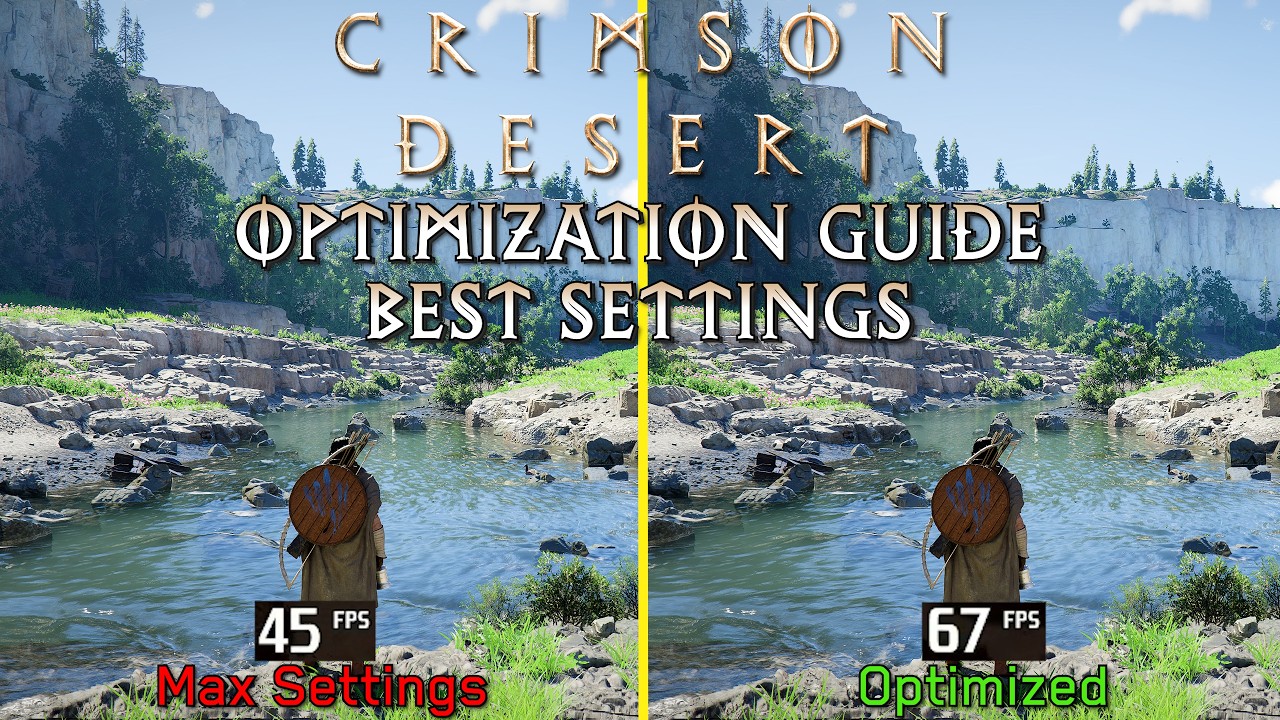
Big Thanks to Pearl Abyss For Providing a Review Copy.
⏰Timestamps:
00:00 Intro
00:48 A lot of Pop-in
01:15 Ray Tracing noise and the reason behind it
02:35 Upscale Mode (FSR3,DLSS 4,DLSS 4.5)
04:17 Native Resolution (Off,FSR3 AA and DLAA)
05:20 Settings with Mild Impact: Advanced Weather Effect
05:51 Settings with Mild Impact: Effect Qual...
sick monolith
viscid wedge
<@373581901941833728> honestly the easiest way. If you go to the Settings tab in...
@lavish pumice
 ancient island
Is it normal for clouds to have a clipped look?
sick monolith
ancient island
Is it normal for clouds to have a clipped look?
normal as pearly abyss intended yes
lament nymph
creative intent
sick monolith
with renodx no
 sly vigil
anyone recommend any OLED monitors that dont have flicker with VRR
ancient island
sick monolith
with renodx no
Even with reno, they look better but still clipped
sly vigil
no budget necessary can drop 2 grand if I need to
ancient island
Maybe it is my monitor but I don't see this in other games
lament nymph
what's your pc specs?
sick monolith
ancient island
Even with reno, they look better but still clipped
adjust your peak brightness in renodx settings. match it to your windows calibration nits
lament nymph
yea u may want to upgrade that instead for less vrr flicker
wispy crown
faint bobcat
# **RT IMPROVEMENTS MIGHT BE RIP FELLAS**
Sadge but makes sense. Seems like real improvements for the engine are hard to come by.
ancient island
lament nymph
what's your pc specs?
KTC M27T6, 4070ti, 12700KF, 32 GB DDR4-3200
viscid wedge
sly vigil
anyone recommend any OLED monitors that dont have flicker with VRR
doesn't exist. simply ensure you are getting high framerate. (OLED user for 3 years, only ever seen this occasionally in all black loading screen where the framerate fluctuates low)
sly vigil
lament nymph
yea u may want to upgrade that instead for less vrr flicker
yeah...not buying a new GPU because OLED's have crap VRR
lament nymph
it's more about not keeping your frame stable
ancient island
sick monolith
adjust your peak brightness in renodx settings. match it to your windows calibra...
I tried, it's 1400 nits as per my monitor but even putting it lower doesn't fix it
viscid wedge
sly vigil
yeah...not buying a new GPU because OLED's have crap VRR
How many have you had?
sly vigil
what consitutes a high framerate? like 100+?
 crude marsh
you can try better frame pacing
sick monolith
flicker comes from DSC. if you find a monitor or TV that does full 48gbps hdmi 2,1.. it will not flicker
lament nymph
it's not about high framerate it's about stable frame
viscid wedge
sick monolith
flicker comes from DSC. if you find a monitor or TV that does full 48gbps hdmi 2...
I don't think thats accurate
sly vigil
ok thanks for the tips, i'll just wait I guess
viscid wedge
I don't have DSC and I still see it but again only in all black/dark loading screens where the framerate dips around
sly vigil
or buy a cheap VA with enough local dimming backlights
crude marsh
frame pacing is the first thing I would try
viscid wedge
(LG C2, 4K120Hz, no DSC)
ancient island
 sick monolith
viscid wedge
I don't have DSC and I still see it but again only in all black/dark loading scr...
sick monolith
viscid wedge
I don't have DSC and I still see it but again only in all black/dark loading scr...
oh that means your gpu not powerful enough
sly vigil
bloke's blind
viscid wedge
sick monolith
oh that means your gpu not powerful enough
lol. well, there is only 1 thats more powerful that exists 🤣
Also thats not what that mean lmao
sick monolith
viscid wedge
lol. well, there is only 1 thats more powerful that exists 🤣
2 actually as per DLSS 5
it's a pair yknow
crude marsh
#1474481327691665553 has ReLimiter for reflex frame pacing, idk what the current state of display commander is, SK is good for it, or if nothing else RTSS
sick monolith
ancient island
that looks like low quality DLSS to me than clipping
viscid wedge
I still don't think I've ever seen VRR flicker in actual active gameplay. Stalker 2 loading screen would do it, and thats the only time i remember it happening
lament nymph
never got a vrr flicker
ancient island
sick monolith
that looks like low quality DLSS to me than clipping
DLAA 4.0 at 1440p
crude marsh
Stalker was the worst about it for me otherwise hasn't been much of an issue
But stalker has horrible frame times
lament nymph
but then I oc my shit aggressively for daily use and my system is as clean as can be
sick monolith
ancient island
DLAA 4.0 at 1440p
this game is an exception DLAA here is nowhere near native
lavish pumice
sick monolith
<@373581901941833728>
HDR OFF
 lament nymph
6400cl26 1:1 for daily use
lavish pumice
 viscid wedge
crude marsh
But stalker has horrible frame times
viscid wedge
crude marsh
But stalker has horrible frame times
Stalker was a mess on a few levels, but I had fun
lavish pumice
funny thing is, HDR on in reality looks like the brightness is not there like my eyes feel like im looking at a low brightness pictures
sick monolith
lavish pumice
this is correct
crude marsh
lavish pumice
funny thing is, HDR on in reality looks like the brightness is not there like my...
just on my phone, the SDR picture looks awful and HDR looks much better
ancient island
sick monolith
this game is an exception DLAA here is nowhere near native
DLAA it's the only way to make it look decent, any dlss mode, even Quality blurries everything
viscid wedge
lavish pumice
this looks good
crude marsh
SDR one is blown out and overbright
lament nymph
but dlaa is broken
lavish pumice
I cant do DLAA it drops to 50 fps and (5120x1440) 4090rtrx and the movement becomes choppy
sick monolith
ancient island
DLAA it's the only way to make it look decent, any dlss mode, even Quality blurr...
upscaling OFF try it
crude marsh
someone posted upscaling off and it looked pretty bad
ancient island
sick monolith
upscaling OFF try it
Is the TAA good? I'm gonna try
lavish pumice
DLAA:
 lament nymph
upscaling off disable rr by default
only dlaa looks quite alright, but then black bar flickers
sudden pulsar
faint bobcat
1024 shadow map for the whole town isnt though, no wonder everything shimmers <:...
This game can get so absurdly dim without the Improved Auto Exposure option. what da fook
ancient island
lament nymph
upscaling off disable rr by default
RR is too heavy for my setup
And if I use dlss quality or balanced ir looks like shit
Dlss is fucked in this game
lavish pumice
all i want is to be able to use smooth motion in nvidia app without blinking black bars (helped wonders in star citizen)
viscid wedge
Why would you want to use drive level framegen?
when you have native Nvidia FG in the game?
sly vigil
can finally make my fine fishing rod 
 regal tundra
this normal. Ive installed latest version of reshade and put add-on inb bin 64 folder
 lament nymph
I have not fished since the game taught me how to fish I find it faster to just swim in the lake and catch the fish by hand
sick monolith
regal tundra
this normal. Ive installed latest version of reshade and put add-on inb bin 64 f...
show us the reno tab
lament nymph
lucid thorn
sly vigil
yeah...not buying a new GPU because OLED's have crap VRR
I'm not sure if any do? I just turned off vrr on my display tho
regal tundra
nvm i think its cause i had hdr off before i launched

 lucid thorn
lavish pumice
lucid thorn
lavish pumice
Do you have max lighting?
regal tundra
Should i turn effecte runtime sync off?
 lucid thorn
I turned on max lighting with fsr to see and it gave me those blocks
 ruby tusk
sick monolith
right then 31 is about 203 probably
ruby tusk
sick monolith
right then 31 is about 203 probably
30-31 is what most want
sick monolith
regal tundra
Should i turn effecte runtime sync off?
yeah both generic and effect
sick monolith
ruby tusk
30-31 is what most want
i want 5 tbh
lucid thorn
sick monolith
yeah both generic and effect
Does it give any performance back
sick monolith
lucid thorn
Does it give any performance back
depends on how weak your system is
viscid wedge
lavish pumice
oh, i've seen people with this issue before. I've not experienced it myself.
I'm also on 4090 but at 4K. I've been just playing the game at DLSS4.0 Performance + RR + FG. 90-100fps and smooth. Looks pretty damn good too. 5120x1440 is a little lower resolution so you might even be comfortable on Balanced.
lucid thorn
sick monolith
depends on how weak your system is
Well you know, she's doing get best. Around most people my systems decent.. Around here I think I'm budget 😂
lavish pumice
lucid thorn
Do you have max lighting?
 lucid thorn
lavish pumice
lucid thorn
lavish pumice
Turn max lighting down to cinematic maybe haha
lucid thorn
lavish pumice
In game
sick monolith
lucid thorn
Well you know, she's doing get best. Around most people my systems decent.. Arou...
weak i mean ryzen 2000 probably
lucid thorn
sick monolith
weak i mean ryzen 2000 probably
Oo
lucid thorn
lavish pumice
Like lighting setting in game
regal tundra
can't see reshade settings menu. Am i being stupid
 lucid thorn
regal tundra
can't see reshade settings menu. Am i being stupid
lucid thorn
regal tundra
can't see reshade settings menu. Am i being stupid
Nah windows deleted it probably
Ask windows for it back
 sick monolith
regal tundra
can't see reshade settings menu. Am i being stupid
sick monolith
regal tundra
can't see reshade settings menu. Am i being stupid
download the addon in the pins
jade flame
lavish pumice
Turning in-game lighting quality from Max to Cinematic fixed that for me.
 lavish pumice
lavish pumice
lavish pumice
Does this look ok? Or this is entirely personal preference or setting?
sick monolith
regal tundra
i donn see the addon file here
lucid thorn
jade flame
Turning in-game lighting quality from Max to Cinematic fixed that for me.
Same
sick monolith
regal tundra
 lavish pumice
viscid wedge
oh, i've seen people with this issue before. I've not experienced it myself.
I'...
lavish pumice
viscid wedge
oh, i've seen people with this issue before. I've not experienced it myself.
I'...
Anything under quality looks dog poo to my eyes
 viscid wedge
regal tundra
How to get around the virus detection?
viscid wedge
regal tundra
How to get around the virus detection?
 lavish pumice
lucid thorn
Turn max lighting down to cinematic maybe haha
lavish pumice
lucid thorn
Turn max lighting down to cinematic maybe haha
So if i turn down to cinematic it turns off dlss ray restructuring
viscid wedge
lavish pumice
Anything under quality looks dog poo to my eyes
We have to make sacrifices when games run like ass, unfortunately.
ruby tusk
lavish pumice
So if i turn down to cinematic it turns off dlss ray restructuring
Yes max lighting is its own thing
regal tundra
Looks good? thanks everyone bunch of legends!
 ruby tusk
Depends if it looks good to you
lavish pumice
Man i miss the days when i ff 7 into my ps1 and clicked the start menu. Nowadays we buy a game and tinker with the setting for two weeks
What a time to be alive
ruby tusk
We can’t see your monitor
 novel kayak
Why does RDXC keep telling me its due for an update every time I open it even though I have installed the update like 5 times? lol
regal tundra
You guys on QD-OLED if so what HDR mode you using
golden scaffold
lavish pumice
Man i miss the days when i ff 7 into my ps1 and clicked the start menu. Nowadays...
You can still be that guy and enjoy the game on base ps5 at 720p blurry 45 fps like my console friends do, nobody complains 
ruby tusk
lavish pumice
Man i miss the days when i ff 7 into my ps1 and clicked the start menu. Nowadays...
This is niche stuff, most people just bought this game and played it, they don’t realize and/or care about how shitty vanilla looks
lavish pumice
True
lucid thorn
regal tundra
You guys on QD-OLED if so what HDR mode you using
I'm on true black
 tall maple
I'm surely an idiot but where is the latest version thnx 🙂
ancient island
tall maple
I'm surely an idiot but where is the latest version thnx 🙂
Check pinned messages.
ruby tusk
lavish pumice
True
I told someone about RenoDX the other day cause he was saying he had the secret sauce for graphics and I said Reshade n RenoDX is the real secret sauce and bro said “Eww Reshade”
hasty onyx
regal tundra
You guys on QD-OLED if so what HDR mode you using
Tb400
ruby tusk
 viscid wedge
novel kayak
Why does RDXC keep telling me its due for an update every time I open it even th...
viscid wedge
novel kayak
Why does RDXC keep telling me its due for an update every time I open it even th...
Because RDXC is dead. The "update" is actually renamed entirely. If you ran that "update", check your recently installed apps in Windows > Apps and organize by install date. You'll have to manually remove the old app.
lucid thorn
ruby tusk
This is niche stuff, most people just bought this game and played it, they don’t...
I'm normally someone who hates 60fps but the games fun enough I don't care, I set a 60fps cap with frame gen like a mad man and I'm just messing around on controller. Game is fun
tall maple
ancient island
Check pinned messages.
Where are the pinned messages loll
ancient island
ruby tusk
Nah the game is definitely fun
Yeah, the story is shit but the gameplay is fun
karmic quest
regal tundra
You guys on QD-OLED if so what HDR mode you using
True black 400
lucid thorn
ruby tusk
But can’t deny it looks like shit sometimes
Oh absolutely it has moments it looks insane and moments it looks like trash but this is easily one of my top games
viscid wedge
tall maple
Where are the pinned messages loll
 ancient island
tall maple
Where are the pinned messages loll
ancient island
tall maple
Where are the pinned messages loll
#1469072401450012774 message
ruby tusk
lucid thorn
Oh absolutely it has moments it looks insane and moments it looks like trash but...
Yeah I’m really enjoying it and we’re blessed to have the RenoDX guys fixing some of it
tall maple
viscid wedge
I do not have thatr icon on mine. Im on the web version
viscid wedge
tall maple
I do not have thatr icon on mine. Im on the web version
so am I
tall maple
I only have the bell and the member icon no pinned icon
viscid wedge
If you're still in the split view,
 lucid thorn
ruby tusk
Yeah I’m really enjoying it and we’re blessed to have the RenoDX guys fixing som...
lucid thorn
ruby tusk
Yeah I’m really enjoying it and we’re blessed to have the RenoDX guys fixing som...
Absolutely. I've been using the lights mod with the auto exposure changes (I don't know if I'm supposed to? I'm not using RR aha) but games a vibe and the work these guys doing are doing is crazy
tall maple
viscid wedge
If you're still in the split view,
That did it thnx! 🙂
lavish pumice
I might be an idiot but this top is DLAA and botom is Quality and I feel like its a lot of difference when looking at the big picture but then that is not playable
 novel kayak
viscid wedge
Because RDXC is dead. The "update" is actually renamed entirely. If you ran that...
novel kayak
viscid wedge
Because RDXC is dead. The "update" is actually renamed entirely. If you ran that...
gotcha, I see it now. Anyway, it seems like the new app is installing older version of RenoDX for crimson desert atleast.. so feels like this tool is kinda pointless lol
lucid thorn
lavish pumice
I might be an idiot but this top is DLAA and botom is Quality and I feel like it...
What's your question aha
lavish pumice
no queswtion just a statement
tall maple
So you need to disable deph and effects on the first run and then re-run and Im good ? thnx 🙂
viscid wedge
novel kayak
gotcha, I see it now. Anyway, it seems like the new app is installing older vers...
The app in general isn't going to work unless the RenoDX builds are in their normal places. This game hasn't even been out a week. All the dev work is pre-release and shared here. Its not "done"
regal tundra
Anyone want to share their settings ?
 viscid wedge
regal tundra
Anyone want to share their settings ?
viscid wedge
regal tundra
Anyone want to share their settings ?
many of those you don't want someone elses settings
lavish pumice
lavish pumice
mine here, but the lads here said it really is special to you
hasty onyx
regal tundra
Anyone want to share their settings ?
Bro put sharpening and CA to max lol
viscid wedge
lavish pumice
I might be an idiot but this top is DLAA and botom is Quality and I feel like it...
yeah I mean, when you do it like that. I just don't play with both settings on the screen at the same time and lean back in my chair and think it looks pretty great. Plus I get the benefit of lighting that works with RR.
 analog root
regal tundra
Anyone want to share their settings ?
analog root
regal tundra
Anyone want to share their settings ?
I would start with reset all and tweak contrast and saturation only
sick monolith
hasty onyx
Bro put sharpening and CA to max lol
im not sure if you are crazy
analog root
Depending on your game settings turning auto exposure on or off
ancient island
lavish pumice
I might be an idiot but this top is DLAA and botom is Quality and I feel like it...
I don't know at 4k, but at 1440p even DLSS Q looks bad.
viscid wedge
Just please for all our sanity, fix CA.
 lucid thorn
viscid wedge
Just please for all our sanity, fix CA.
lucid thorn
viscid wedge
Just please for all our sanity, fix CA.
I don't even see a difference with that slider am I losing it
viscid wedge
hit the reset all button, should default to 0
ancient island
viscid wedge
Just please for all our sanity, fix CA.
The fix is putting it to 0
lucid thorn
ruby tusk
Yes
🙁
ruby tusk
There is a big difference with and without Ca
ivory sandal
ancient island
I don't know at 4k, but at 1440p even DLSS Q looks bad.
DLDSR 2.25x to do 4K -> performance mode. Looks good
lucid thorn
Maybe it's not working for me
ruby tusk
Gotta know where to look
viscid wedge
lucid thorn
I don't even see a difference with that slider am I losing it
me yesterday wondering why my auto exposure wasn't working. I don't know if you saw but it turns out i just had the completely wrong Reno installed.. not sure how that happened
analog root
Anyone having this issue?
 lucid thorn
viscid wedge
me yesterday wondering why my auto exposure wasn't working. I don't know if you ...
lucid thorn
viscid wedge
me yesterday wondering why my auto exposure wasn't working. I don't know if you ...
Yeah! I said you did 😂
ruby tusk
lucid thorn
Maybe it's not working for me
Left has CA


 naive terrace
analog root
Anyone having this issue?
naive terrace
analog root
Anyone having this issue?
 viscid wedge
lucid thorn
Yeah! I said you did 😂
viscid wedge
lucid thorn
Yeah! I said you did 😂
lol. tonight when i'm home i'm just nuking it and reshade and starting from scratch with the latest stuff
lavish pumice
btw you guys think they will implement coop in the future?
viscid wedge
no
lament nymph
my game just hard crash for the 1st time
lucid thorn
ruby tusk
Left has CA
You're gonna hate me for asking but where am I looking haha
lucid thorn
viscid wedge
no
They said they might
viscid wedge
wait really? oh, news to me. thats a big change
lucid thorn
viscid wedge
wait really? oh, news to me. thats a big change
Prior to game coming out, it came up in an investors meeting
karmic quest
Makes no sense for coop in this game ngl
lavish pumice
yes i read the news just today i think
lucid thorn
viscid wedge
wait really? oh, news to me. thats a big change
CEO Heo of Pearl Abyss stated, "We are planning to roll out additional content for Crimson Desert, such as DLC and multiplayer features, depending on market demand."
viscid wedge
I just want them to focus on what we have for now, and maybe for the first year lol
ruby tusk
lucid thorn
You're gonna hate me for asking but where am I looking haha
Look at the pillars for example
karmic quest
Yeah they have to fix whats broken now before focusing on smth else
lavish pumice
i personally hated these souls like game likie elder ring and such, and after the first boss i almost quit the game for good, thank god i didnt, now im fully immersed, very good game
viscid wedge
lavish pumice
i personally hated these souls like game likie elder ring and such, and after th...
yeah i'm not into those games where the whole thing is designed around learning boss fights. I don't wanna do that, I just wanna explore
lucid thorn
ruby tusk
Look at the pillars for example
I'll have to look at this on my pc
lament nymph
good thing there's no learning in this game, all you have to make sure is to have enough food
no learning required
lucid thorn
lament nymph
no learning required
Untrue
You have to learn recipes, or improvise them, but then you're learning
viscid wedge
yep, i'm finding it very hard to die if you have enough food
surprising that there is no cooldown on that, tbh
lucid thorn
viscid wedge
yep, i'm finding it very hard to die if you have enough food
I died like 4 times to a boss last night who beat my ass 🙁
ruby tusk
lucid thorn
You're gonna hate me for asking but where am I looking haha
See how these objects have almost like a red shadow/outline, that's chromatic abb
 golden scaffold
You guys were not kidding, the nights are very dark now. But the lantern change makes it beautiful (I think that's the mod?) also sun and moon look 👌
lucid thorn
viscid wedge
surprising that there is no cooldown on that, tbh
There is I think it's just real quick
lament nymph
they designed this game to give you a moveset of a drunkard, good enough for mobs, not enough for bosses to make sure you eat your fill
 narrow frost
viscid wedge
yep, i'm finding it very hard to die if you have enough food
narrow frost
viscid wedge
yep, i'm finding it very hard to die if you have enough food
I find it hilarious that you can just eat, while getting juggled by a boss lmao.
lament nymph
it's their gamedesign
karmic quest
viscid wedge
yep, i'm finding it very hard to die if you have enough food
Tower shield does wonders for boss fights haha
lucid thorn
ruby tusk
See how these objects have almost like a red shadow/outline, that's chromatic ab...
Oh my god I might be immune
lament nymph
in a strictly boss design scheme, this is horrible but then they gave you unlimited heals in the 1st place
I kind of get it
ruby tusk
lucid thorn
Oh my god I might be immune
Haha yeah everyones eyes are different
karmic quest
I wanted to make heavy ish feeling knight with a shield and this game actually makes my character feel heavy
viscid wedge
lucid thorn
I died like 4 times to a boss last night who beat my ass 🙁
my trick is to just avoid the main story and upgrade your gear by doing other stuff so you're just overleveled. Now someone is going to tell me you can't do that but in my mind it works!
 vivid iris
the chromatic aberration isn't super strong in this, but it messes up hues kinda bad in some circumstances
ruby tusk
our eyes have their own sort of chromatic abberation but it's not like video games
lucid thorn
ruby tusk
See how these objects have almost like a red shadow/outline, that's chromatic ab...
Full disclosure but I'm red green colourblind I legit don't see a difference
viscid wedge
karmic quest
Tower shield does wonders for boss fights haha
I just really love the great swords though.
lucid thorn
I think my eye problems are a good thing 😂
lament nymph
I realized that only 0.5% ppl have beaten chapter 8
karmic quest
viscid wedge
I just really love the great swords though.
I keep greatswords for AoE and tower/shield for bosses
ruby tusk
lucid thorn
Full disclosure but I'm red green colourblind I legit don't see a difference
Hahah yeah it's all good
karmic quest
lament nymph
I'm like 1 in 200 ppl
Everyone busy making their game look good 🤣
lucid thorn
ruby tusk
Hahah yeah it's all good
When I was in elementary school I failed coloring a rainbow and my teacher just assumed I was dumb. We didn't realize I had the red green thing until I was damn near highschool. 😂
ruby tusk
Damn lol
narrow frost
lament nymph
I realized that only 0.5% ppl have beaten chapter 8
Majority is probably still in chapter 1-4 lol (I'm still in Chapter 2 after 49 hours).
lucid thorn
Well thank you for walking me thru that as best as you can
viscid wedge
narrow frost
Majority is probably still in chapter 1-4 lol (I'm still in Chapter 2 after 49 h...
damn and I thought just opening chapter 3 after 35 hours was taking it slow lol
lament nymph
... I mean I'm supposed to be doing a puzzle but I can't see shit
 narrow frost
viscid wedge
damn and I thought just opening chapter 3 after 35 hours was taking it slow lol
narrow frost
viscid wedge
damn and I thought just opening chapter 3 after 35 hours was taking it slow lol
Getting that money worth lmao 😄
lucid thorn
lament nymph
... I mean I'm supposed to be doing a puzzle but I can't see shit
Squint harder
lavish pumice
yeah okay now I set renoDX correctly and just WOW as I travle around
karmic quest
lament nymph
... I mean I'm supposed to be doing a puzzle but I can't see shit
You dont need it, go do something else
lucid thorn
karmic quest
You dont need it, go do something else
That's the spirit come back at day time
lavish pumice
thank you every one of you who was patient enough to guide me trough everything, im apreciate you all!
lucid thorn
lavish pumice
thank you every one of you who was patient enough to guide me trough everything,...
I didn't do anything but I'm glad it works for you
karmic quest
Yeah go chase ghosts or something
lucid thorn
karmic quest
Yeah go chase ghosts or something
I think that's just the raytracing
karmic quest
I know a place that spews black magic balls at you
And they are black ghosts
So you at night would never see them
lucid thorn
All fun and games until you find a plant that fucks you up
kindred shoal
the absolute state of achievement completion percentages lol
karmic quest
lucid thorn
All fun and games until you find a plant that fucks you up
Dont.. mention it.. I thought I can fight a plant until I realised I can't
kindred shoal
it appears no one has more than 3 on steam
lucid thorn
kindred shoal
the absolute state of achievement completion percentages lol
I saw on steam discussions around launch that 100% achievements are probably 200-300 hours
Because the achievements are all completion related
viscid wedge
lucid thorn
All fun and games until you find a plant that fucks you up
my first encounter with one of those was on that plateau just east of the starter town. There is an Abyss Cresset up there.
lavish pumice
wow now night is a night also
lucid thorn
viscid wedge
my first encounter with one of those was on that plateau just east of the starte...
I don't remember where I was but I also got rocked
narrow frost
lucid thorn
I saw on steam discussions around launch that 100% achievements are probably 200...
Yeah cause most of the achievements are "Do all of X" 😄
I'm still in Hernand lol.
lucid thorn
narrow frost
Yeah cause most of the achievements are "Do all of X" 😄
I'm still in Hernand lo...
Same!
viscid wedge
I just looked at a 3rd party map and man, the rest of the map is huge. Lot of this game ahead, not trying to rush it!
karmic quest
narrow frost
Yeah cause most of the achievements are "Do all of X" 😄
I'm still in Hernand lo...
Terrible achievement system
Not worth
 lament nymph
basically you guys have achieved nothing
lucid thorn
narrow frost
lmao
You have like 10 more hours than me that's impressive
karmic quest
They literally did not even try to make the achievements special
Just some bullshit slapped
lucid thorn
karmic quest
Just some bullshit slapped
Tbf completing anything in this game is special and a literal achievement
karmic quest
lucid thorn
Tbf completing anything in this game is special and a literal achievement
@lucid thorn true lol
Wish the devs tried to make the achievements more special
lucid thorn
They took the word literally that's all
viscid wedge
I haven't and probably never will look at the steam achievements
kindred shoal
Hernand is legit bigger than most games lol
golden scaffold
adapation fix with lantern mod, all tonemapping 50
adaptive contrast 40 / 50 / vanilla ACES
with the lantern mod (which makes it now necessary but it looks very good and natural)
I also adjusted flame hue to a more desaturated yellow, which for my taste is more realistic
@faint bobcat I like it a lot, just gotta use the lantern. with these additions it's incredible. But default sliders contrast 60 and adaptive contrast 50 make it too dark (why is default contrast 60 anyway?)


 lament nymph
there are only 2 countries that have all the cool stuffs
the rest are just cutscene and something
 shut badge
anyone know of a save editor that lets you edit completed quests
lucid thorn
golden scaffold
adapation fix with lantern mod, all tonemapping 50
adaptive contrast 40 / 50 /...
Is aces the cool one
lament nymph
the best thing about this game is that there's literally a zoo
flint moss
viscid wedge
I just looked at a 3rd party map and man, the rest of the map is huge. Lot of th...
Yeah patience is key, dpnt want to burn out
lament nymph
which is fun to go look at
golden scaffold
lucid thorn
Is aces the cool one
aces is the deep fried bright one
flint moss
Easier said than done tho ngl
lucid thorn
Ah
golden scaffold
Ike if you want HDR realism this is the best you can get imho. With lantern it's totally playable imho
But I really needed adaptive contrast at 40
 lofty quartz
golden scaffold
adapation fix with lantern mod, all tonemapping 50
adaptive contrast 40 / 50 /...
lofty quartz
golden scaffold
adapation fix with lantern mod, all tonemapping 50
adaptive contrast 40 / 50 /...
Where's the lantern mod at? Searching "lantern" on Nexus yields nada
lavish pumice
golden scaffold
adapation fix with lantern mod, all tonemapping 50
adaptive contrast 40 / 50 /...
i need to look into this because my night just became pitch black while the daytimes are beautiful
golden scaffold
lofty quartz
Where's the lantern mod at? Searching "lantern" on Nexus yields nada
Check pins
It's "lettherebemorelight" mod
lucid thorn
Good name too
lament nymph
if you want true realism hdr10

Nexus Mods :: Crimson Desert
The ultimate HDR10 ReShade is here. Better colour, contrast and cinematic looks. Enjoy the game with the best HDR experience ever.
golden scaffold
Specifically says for use with autoadapation 🫡
lament nymph
karmic quest
@golden scaffold which one of the settings you showed is the best tho?
viscid wedge
lavish pumice
i need to look into this because my night just became pitch black while the dayt...
Play with these.
 golden scaffold
karmic quest
<@209700053621669889> which one of the settings you showed is the best tho?
golden scaffold
karmic quest
<@209700053621669889> which one of the settings you showed is the best tho?
First let me make a screen or it
karmic quest
viscid wedge
Play with these.
Bro has em off 
lofty quartz
does the candlelight version work well or get the original
karmic quest
golden scaffold
First let me make a screen or it
Thank you very much
viscid wedge
karmic quest
Bro has em off <a:SadgeCry:784228900271292467>
not my screenshot, just scrolled up to someone elses.
lavish pumice
viscid wedge
Play with these.
if i turn the first one off my nmight becomes day 😄
crude marsh
that is the vanilla way
viscid wedge
lavish pumice
if i turn the first one off my nmight becomes day 😄
yeah, vanilla
vivid iris
golden scaffold
adapation fix with lantern mod, all tonemapping 50
adaptive contrast 40 / 50 /...
default is 50 now, if you kept it on 60 you'd deep fry it yeah
ruby tusk
lucid thorn
Is aces the cool one
ACES is the one that makes fire have pink lighting
 thorn grove
candletest or LetThereBeMoreLight the go to rn?
lavish pumice
i mean if i hold up the lantern i can see forward which is happy days, looks pretty damn how it would look in real life to be honest and i like thjat
crude marsh
I think the candle one is fine, but I will work on it some more today
I just need to figure out what all of the the keywords align to in the real game....
and test them one by one

golden scaffold
karmic quest
Thank you very much
 lavish pumice
crude marsh
I think the candle one is fine, but I will work on it some more today
lavish pumice
crude marsh
I think the candle one is fine, but I will work on it some more today
your lantern mod increases its light when its down or also when its held up?
crude marsh
rn its both
someone identified which lights were the lantern, so I can change those individually now too
karmic quest
golden scaffold
Your monitor actually has 1800 peak nit brightness or you increased the brightness to lift night colors, wouldn't days now become like a flashbang?
golden scaffold
karmic quest
Your monitor actually has 1800 peak nit brightness or you increased the brightne...
It's actually 2200 and yeah I like to keep it everything a little lower because it's a very bright TV there's no need to push it to the limits
lavish pumice
that would be awesome, because the default held up state (to me atleast) is completely fine, but the down state if where i would like some more light
this is my night
 viscid wedge
lavish pumice
this is my night
viscid wedge
lavish pumice
this is my night
looks like night time with no lights around to me!
karmic quest
Same
lavish pumice
viscid wedge
looks like night time with no lights around to me!
yeah, i said above i like it the way it is, just some tiny bit more light from lantern (when its on hip) and same light amount when i hold it up and perfect
let me walk to camp see there
 covert wave
howdy all, what did I do wrong if the "RenoDX" tab doesn't show up?
golden scaffold
One thing this eyeadaption fix will cause tho, if you were framegening on low fps (40ish) it's a lot of VRR flicker in the dark, so I had to switch framegen off
lavish pumice
Yeah honestly, I am genuinely happy with this outcome, wow
 lament nymph
covert wave
howdy all, what did I do wrong if the "RenoDX" tab doesn't show up?
lament nymph
covert wave
howdy all, what did I do wrong if the "RenoDX" tab doesn't show up?
windows defender deleted it
golden scaffold
lavish pumice
Yeah honestly, I am genuinely happy with this outcome, wow
You used my settings?
covert wave
@lament nymph weird, didn't even give me a notification
lavish pumice
lavish pumice
no mine here
viscid wedge
lavish pumice
Yeah honestly, I am genuinely happy with this outcome, wow
did you install the LetThereBeMoreLight patch? might be nice
lavish pumice
viscid wedge
did you install the LetThereBeMoreLight patch? might be nice
not yet, because i only need more light when the lantern is on hip but not when i hold it up, but lemme try
low crane
@crude marsh Does your light fix work with the vanilla game auto exposure?
flint moss
golden scaffold
It's actually 2200 and yeah I like to keep it everything a little lower because ...
Here I've been contemplating getting the G6, but does seem a bit too much
 mortal wolf
golden scaffold
adapation fix with lantern mod, all tonemapping 50
adaptive contrast 40 / 50 /...
mortal wolf
golden scaffold
adapation fix with lantern mod, all tonemapping 50
adaptive contrast 40 / 50 /...
uh, i don't recommend adaptive contrast
golden scaffold
flint moss
Here I've been contemplating getting the G6, but does seem a bit too much
It's nice to have the headroom. I hate the oled ABL so much. I got the brightest oled I could not enjoy the peak nits but to get more safe headroom for ABL
lavish pumice
Ok can you guys tell me how to install this please?
golden scaffold
mortal wolf
uh, i don't recommend `adaptive contrast`
Reducing it to 40? Why not? It's too crushed for me at 50
teal steeple
lavish pumice
overwrite the folder?
Backup first
covert wave
how do I make windows defender not delete things without telling me?
mortal wolf
golden scaffold
Reducing it to 40? Why not? It's too crushed for me at 50
use the regular contrast if anything
flint moss
golden scaffold
It's nice to have the headroom. I hate the oled ABL so much. I got the brightest...
Yeah I don't seem to notice the ABL as much on my c9 (peak 800) compared to my monitor. Probably a placebi thing
golden scaffold
golden scaffold
Reducing it to 40? Why not? It's too crushed for me at 50
40 vs 50

 true dagger
covert wave
howdy all, what did I do wrong if the "RenoDX" tab doesn't show up?
true dagger
covert wave
howdy all, what did I do wrong if the "RenoDX" tab doesn't show up?
either windows defender or maybe placed in the wrong place, addon goes next to .exe (Crimson Desert/bin64)
mortal wolf
the problem is really autoexposure, not contrast. the whole thing has to be lifted
golden scaffold
mortal wolf
use the regular contrast if anything
hmm but adaptation contrast specificaly says "primarily to shaded regions" which is exactly the problem with shadow crushing, the other slider changes overall contrast in midtones which i dont want?
mortal wolf
idk, not true, just jon guessing
 golden scaffold
it just looks like whathever this adaptation contrast is doing to shadows it's too agressive, increasing shadows sliders washes out the midtones earlier than reducing adapation.. to my eyes
lavish pumice
@crude marsh this is your mod, looks even better now !
 manic finch
where is the latern mod? included in the let there be lights one?
gonna try it out later today
covert wave
@true dagger i put RenoDX in the bin64 folder and it opened up correctly so idk what went wrong, I installed reshade but didn't touch any of the install boxes
crude marsh
low crane
<@162283147277369344> Does your light fix work with the vanilla game auto expos...
I imagine it would make vanilla more blown out
kindred shoal
golden scaffold
is this the newest version? mine doesnt have those options I guess I need to update
manic finch
oh so it is still the same mod, was making sure it wasn't different
was it updated from the other night?
 hollow kiln
god damn! I can look at a cliff in the daytime and the whole scene doesn't darken for no damn reason
manic finch
felt like lantern was still pretty dim for the new autoexposure
true dagger
covert wave
<@237270132014055425> i put RenoDX in the bin64 folder and it opened up correctl...
you did install Reshade addon version right? not the regular one
covert wave
@true dagger yes, was there a specific option during the reshad install I needed?
true dagger
no you don’t rly need any of them
try to just redownload the addon file and put it there
maybe windows defender got rid of it without showing anything
covert wave
ok, let me see ty
lavish pumice
i dont understand why game devs dont do this by default though?
is it hard?
or is there something against it? I mean the game looks better whats the point of not doing this?
covert wave
@true dagger yeah still not in there, i'll try a RenoDX reinstall too but i'm lost
 fallen knoll
add a windows security exception to the bin64 folder
 barren pasture
lavish pumice
i dont understand why game devs dont do this by default though?
barren pasture
lavish pumice
i dont understand why game devs dont do this by default though?
you mean what?
lucid thorn
I found a helmet where when you lift the face piece kliff loses his facial hair haha
lament nymph
you get a barber later
lucid thorn
lament nymph
you get a barber later
Ye but this is a helmet that removes it
For some reason
covert wave
doing that now ty
vivid iris
mortal wolf
uh, i don't recommend `adaptive contrast`
wait why? I feel like that slider works so well
golden scaffold
@crude marsh any chance you could make an alternative version where lantern is not as bright when held? Or is it tied to one setting? It looks ok when I have it on my pouch, but when held in hands it's a flashbang
mortal wolf
vivid iris
wait why? I feel like that slider works so well
it was before i did naka rushon. it's naka rushton contrast only, meant more for usage with n2
since v11 is split between n2 and nr
should mostly be the same as tuning the in/out of NR
vivid iris
hmmmm. It has an extremely pleasing look when adjusted imo.
mortal wolf
it's NR without the peak, i think
covert wave
all set, thank you everyone!
golden scaffold


 golden scaffold
<@162283147277369344> any chance you could make an alternative version where lan...
golden scaffold
golden scaffold
<@162283147277369344> any chance you could make an alternative version where lan...
It's mostly an issue when stuff gets up close. It's just how light works ig 🤷♂️
Maybe just a tiny bit too bright for a lantern (behaves more like an electric lamp)
vivid iris
I think I'll keep it in as a happy accident, though I may just remove the tooltip
 digital elbow

 hardy owl
golden scaffold
hardy owl
golden scaffold
What am I watching here?
crude marsh
golden scaffold
<@162283147277369344> any chance you could make an alternative version where lan...
you can try the version from @rough granite
search for posts from them
golden scaffold
hardy owl
What am I watching here?
Me complaining about lantern being too brigt when held in hands 😶
crude marsh
golden scaffold
It's mostly an issue when stuff gets up close. It's just how light works ig 🤷♂...
well a ton of their lights are labeled LEDs so

 severe sphinx
why is night so dark
 tame vault
I would agree that lantern needs slightly toning down if possible
crude marsh
see above and lmk if you like it
tame vault
severe sphinx
why is night so dark
Because the sun is the other side of the planet
 zenith belfry
the dark nights are like one of the coolest features
mortal wolf
vivid iris
I think I'll keep it in as a happy accident, though I may just remove the toolti...
it works because we have no real moving adaption target (we just use 0.18 and trust the input is "right"), so using it with NR numbers moves the curve around
severe sphinx
zenith belfry
the dark nights are like one of the coolest features
no but i literally cant see anything
it was fine a few days ago
crude marsh
autoexposure option in reno
hardy owl
I actually think the lanterns look great when combined with the dark night mod. If you reduce the lantern light then you don't see shit
novel kayak
My nights were kinda bright in the last Reno but on the latest one my nights are dark as hell again
golden scaffold
severe sphinx
no but i literally cant see anything
Try reducing contrast, I really like how it looks with adaptation contrast 40
crude marsh
autoexposure option in reno is the source of it, theres also a brighter lights mod i posted, TLDR is its a work in progress to fix the exposure
karmic quest
crude marsh
you can try the version from <@751111198434394162>
What did he change?
tame vault
hardy owl
I actually think the lanterns look great when combined with the dark night mod. ...
It's tricky. Outdoors yes, but when you raise it to somebody's face to speak to them it's....a lot
crude marsh
karmic quest
What did he change?
reduced player lantern
golden scaffold
golden scaffold
40 vs 50
@novel kayak @hardy owl would this work better for you? Default 50 is too dark for me too
mortal wolf
zenith belfry
the dark nights are like one of the coolest features
that's because the boss who decides how the game is going to be shipped gets an office like this. dark nights wouldn't survive that meeting
 hardy owl
tame vault
It's tricky. Outdoors yes, but when you raise it to somebody's face to speak to ...
hardy owl
tame vault
It's tricky. Outdoors yes, but when you raise it to somebody's face to speak to ...
Lol that's true
karmic quest
.
novel kayak
golden scaffold
<@234796189483008001> <@751556855720837282> would this work better for you? Def...
Is that the auto exposure setting
karmic quest
crude marsh
reduced player lantern
This one? Pinged it
 karmic void
mortal wolf
that's because the boss who decides how the game is going to be shipped gets an ...
karmic void
mortal wolf
that's because the boss who decides how the game is going to be shipped gets an ...
cold af
golden scaffold
novel kayak
Is that the auto exposure setting
I have everything on just reduced adaptation contrast to 40 and adjusted flame colors
hardy owl
golden scaffold
<@234796189483008001> <@751556855720837282> would this work better for you? Def...
I'll try tomorrow 40 and see how it looks.
mortal wolf
this is the real life bethesda office. why starfield is jacked up to hell
 karmic quest
I just simply search these in reshade I guess?
outer furnace
mortal wolf
that's because the boss who decides how the game is going to be shipped gets an ...
lmao realest rap
karmic quest
mortal wolf
this is the real life bethesda office. why starfield is jacked up to hell
How can people think in their bright ass offices
crude marsh
read the word in front of much brighter
 pliant dagger
Do i understand something wrong? I use a LG 27gx790a. The max nits should be around 1300. I don´t see a difference from 600 on. In game and in the win11 calibration software.
lavish pumice
guys if i stream with HDR on what happens?
karmic quest
Peak does not mean it will be constantly at that nit brightness 
lavish pumice
im not a big streamer, just stream to my brother he likes to watch
viscid wedge
pliant dagger
Do i understand something wrong? I use a LG 27gx790a. The max nits should be aro...
I would shoot for more like 800.
 golden scaffold
pliant dagger
Do i understand something wrong? I use a LG 27gx790a. The max nits should be aro...
golden scaffold
pliant dagger
Do i understand something wrong? I use a LG 27gx790a. The max nits should be aro...
Use liliums HDR analyzer
pliant dagger
karmic quest
Peak does not mean it will be constantly at that nit brightness <:PepoThink:8479...
yeah. I now 😄
pliant dagger
viscid wedge
I would shoot for more like 800.
Thanks! 🙂
karmic quest
viscid wedge
I would shoot for more like 800.
Can you check mine aw2725d? Rtings turned premium I think, dont see charts no more 😭
Nvm I think they only had aw2725df
viscid wedge
karmic quest
Nvm I think they only had aw2725df
ok i was going to ask if that was different
outer furnace
and LG G5 65 inch pls
golden scaffold
golden scaffold
it's perfect now, thx @rough granite @crude marsh ❤️

 golden scaffold
outer furnace
and LG G5 65 inch pls
golden scaffold
outer furnace
and LG G5 65 inch pls
you can set peaks to 2000 and leave game brightness at 203 without worry
karmic quest
viscid wedge
ok i was going to ask if that was different
Yeah, both are 3rd gen qd oleds, but mine is 280hz vs 360hz and DF model has better calibration for srgb and some other small features
viscid wedge
outer furnace
and LG G5 65 inch pls
They tested the 77". Right is Game Mode (both HDR)
 karmic quest
How does aw2725df look at those charts tho
vivid iris
pliant dagger
Do i understand something wrong? I use a LG 27gx790a. The max nits should be aro...
Calibrate to whatever your clip point is
kindred shoal
with reno installed nights still are extremly bright for me
golden scaffold
while it can technically reach 2400 it's sustained windows in game mode are 2000, it's why I always like to slightly undertune these bright oleds
kindred shoal
the moon is blazing like the sun lol
vivid iris
If you aren’t able to set peak as high as you expect then you probably need to change HDR modes on your monitor
golden scaffold
kindred shoal
the moon is blazing like the sun lol
do you have the moon fix on
viscid wedge
karmic quest
How does aw2725df look at those charts tho
 crude marsh
I had Opus review the renderpasses and well
you know it means business
The pipeline structure itself looks sound for a deferred renderer with late upscale. No smoking gun for a quality degradation from ordering alone
hasty onyx
Anyone got a example of there reno hdr settings? Mine dont look right
kindred shoal
golden scaffold
do you have the moon fix on
i have the reno file and lettherebelight from the pinned comments
outer furnace
viscid wedge
They tested the 77". Right is Game Mode (both HDR)
alright so the reddit people were right with what they told me, ty
crude marsh
No smoking gun smh
karmic quest
viscid wedge
Tysm
 karmic quest
What does sustained windows % mean
golden scaffold
longer than a few seconds
basically it's unnacurate above 2000 in game mode for anything that lasts longer than a moment
ruby tusk
viscid wedge
G85SB 
kindred shoal
golden scaffold
this is what i have in game
 golden scaffold
update the mod 📌
viscid wedge
ruby tusk
G85SB <:50Cent:1460653037919011001>
so long it doesn't even fit on my vertical screen. had to cut in two.

 ruby tusk
Lmao
karmic quest
viscid wedge
so long it doesn't even fit on my vertical screen. had to cut in two.
S85F 
kindred shoal
golden scaffold
update the mod 📌
it should be the file int he pin right? let me redownload and try again reistalling it etc
viscid wedge
karmic quest
S85F <:swagangry:1008285502056702032>
right is game mode
 viscid wedge
ruby tusk
But I game in dark room anyway
viscid wedge
ruby tusk
But I game in dark room anyway
its all relative
ruby tusk
Yeah
 eager epoch
kindred shoal
this is what i have in game
eager epoch
kindred shoal
this is what i have in game
For me specular AA just degrades the metallic armor quality outdoors
golden scaffold
mortal wolf
use the regular contrast if anything
it significantly reduces the highlights, why would I do that? adaptation contrast only reduces the shadow crush. it really is the better option?


did my msg just get deleted
karmic quest
Which one
rough granite
karmic quest
I just simply search these in reshade I guess?
you have to install prod80 shaders
karmic quest
Im gonnna try your settings tho thank you.
viscid wedge
i wouldn't stress. i'm sure a bright sun still make you squint. I remember way back in 2023 or so when I got my C2 and tried HDR for the first time (probably horribly calibrated, if at all), I walked up the stairs in Hogwarts Legacy and the sun was coming through these big windows. I had to squint exactly like I would have in real life and it was at that point it clicked for me. I was hooked.
mortal wolf
golden scaffold
it significantly reduces the highlights, why would I do that? adaptation contras...
that's how contrast is supposed to work, and why there's a highlight slider
karmic quest
viscid wedge
i wouldn't stress. i'm sure a bright sun still make you squint. I remember way b...
You made me buy a 7.5m long 8k hdmi cable so I can play crimson on my oled tv instead
rough granite
yeah try the same settings I did if you struggle with too dark at night with Reno auto exposure, the compensation is just enough
viscid wedge
karmic quest
You made me buy a 7.5m long 8k hdmi cable so I can play crimson on my oled tv in...
na, just remove it from where it is and plop it on your desk. this is the way
karmic quest
rough granite
yeah try the same settings I did if you struggle with too dark at night with Ren...
You run the fix lightning also right
golden scaffold
mortal wolf
that's how contrast is supposed to work, and why there's a highlight slider
so you're saying reduce contrast increase highlights slider don't touch adaptive is better?
karmic quest
viscid wedge
na, just remove it from where it is and plop it on your desk. this is the way
Its 65" 
mortal wolf
golden scaffold
so you're saying reduce contrast increase highlights slider don't touch adaptive...
adaptation contrast as being used, isn't really meant for that. it shouldn't even be there...
viscid wedge
karmic quest
Its 65" <:KEKW:881000511275417670>
Did I stutter 😉
 tall maple
This is a game changer, so beautiful! I play the game in Dolby Vision mode in Windows 11 as my LG G5 supports it. This combined with the mod is just a match in heaven. Here's a few pics. I play in 4K DLSS 4.5 Quality with all settings maxed out with RR. That is on a 4090/7950X/32GB


 golden scaffold
mortal wolf
adaptation contrast as being used, isn't really meant for that. it shouldn't eve...
golden scaffold
mortal wolf
adaptation contrast as being used, isn't really meant for that. it shouldn't eve...
i do notice i lose a lot more saturation when reducing adaption contrast  but i can get close messing with contrast+highlights
kindred shoal
still not getting the moon option
ruby tusk
tall maple
This is a game changer, so beautiful! I play the game in Dolby Vision mode in Wi...
4.5 and RR don’t go together
Just FYI
lofty quartz
karmic quest
You made me buy a 7.5m long 8k hdmi cable so I can play crimson on my oled tv in...
hope it's a fiber hdmi 2.1 cable
karmic quest
tall maple
This is a game changer, so beautiful! I play the game in Dolby Vision mode in Wi...
Am I tweaking or your RT and RR is working better at handling reflections than me at 1440P dlss 4.0 quality..
ruby tusk
RR uses 4.0
golden scaffold
kindred shoal
still not getting the moon option
and you just updated with the newest version from the pins? but it should be there
kindred shoal
yea
golden scaffold
what does it say on the bottom
 tall maple
ruby tusk
4.5 and RR don’t go together
tall maple
ruby tusk
4.5 and RR don’t go together
Ok well, whatever version it uses then ;P
ruby tusk
Yeah just letting you know there’s isn’t a 4.5 RR
viscid wedge
tall maple
This is a game changer, so beautiful! I play the game in Dolby Vision mode in Wi...
You're ok with the performance with DLSS Quality at 4K with a 4090? (also have one here). Also yeah RR uses 4.0, regardless of what you pick. Also the game doesn't support Dolby Vision (frankly DV and HDR10+ are pointless for games anyway).
ruby tusk
Even if the game shows it as a setting
kindred shoal
golden scaffold
what does it say on the bottom
mine says 23rd
golden scaffold
so you didn't update
dapper lake
ruby tusk
4.5 and RR don’t go together
i could swear its working in CD somehow lmao, i can usually tell the difference between 4.0 and 4.5
kindred shoal
i mena i just downloaded it lol
golden scaffold
ruby tusk
dapper lake
i could swear its working in CD somehow lmao, i can usually tell the difference ...
There’s a difference without RR on but not with
kindred shoal
im so confused lol
eager epoch
For me the most impactful fix was setting custom 99% for RR via NVPI, boiling gone, image clean and it actually runs better… Previously had to toggle DLAA and back to Quality for this but with 99% its permanent. Not a placebo btw, tested this rigorously. There is something wrong with how the devs set up the rendering pipeline and that method help alot at-least for me.
golden scaffold
did you replace the file in your game folder..?
kindred shoal
yea
tall maple
viscid wedge
You're ok with the performance with DLSS Quality at 4K with a 4090? (also have o...
It defaults to dolby vision container or maybe it's the HDR but when I put on the info tv display it shows as Dolby Vision and my performance on Quality is around 70-90 average. Never got below 60.
dapper lake
ruby tusk
There’s a difference without RR on but not with
wasnt the missing rain a 4.0 thing? i never had that and ive been using RR and 4.5 since launch
golden scaffold
but it's still loading the old one... well.. delete it and download again try again
karmic quest
eager epoch
For me the most impactful fix was setting custom 99% for RR via NVPI, boiling go...
Could you share settings please
ruby tusk
dapper lake
wasnt the missing rain a 4.0 thing? i never had that and ive been using RR and 4...
It was an RR thing afaik but not 100% sure
kindred shoal
Ok i just refreshed at he top ofreno and it prompted me to update renodx and rlimiter
mortal wolf
golden scaffold
i do notice i lose a lot more saturation when reducing adaption contrast <:despa...
it's technically one slider, that we try to split into two ```cpp
output_color = renodx::tonemap::psycho::psychotm_test11(
untonemapped_bt709, // bt709_input
calculated_peak,
RENODX_TONE_MAP_EXPOSURE,
RENODX_TONE_MAP_HIGHLIGHTS,
RENODX_TONE_MAP_SHADOWS,
RENODX_TONE_MAP_CONTRAST / RENODX_TONE_MAP_SATURATION, // Offset what Naka Rushton will do to contrast
1.0, // Macleod Boytnon-Purity (old saturation)
1.f - RENODX_TONE_MAP_BLOWOUT,
100.f,
RENODX_TONE_MAP_HUE_RESTORE, // hue_restore
RENODX_TONE_MAP_ADAPTATION_CONTRAST, // adaptation_contrast (unbounded Naka Rushton)
1, // 0 = Neutwo, 1 = Naka Rushton
RENODX_TONE_MAP_SATURATION // cone_response_exponent (bounded Naka Rushton)
);
cone contrast is what your eyes do (Naka Rushton), and adaptation contrast also Naka Rushton, but a prestep meant to be paired with Neutwo. so why i say it's not meant to be used togetherCould be and the image ingame is a bit sharper as the screenshots have a tendency to soften the image. Maybe it's compression.
dapper lake
ruby tusk
It was an RR thing afaik but not 100% sure
id heard reports sayign either RR or 4.0, but i never encountered it. Its whats got me thinking their horrible dlss implementation has somehow got them to work together
mortal wolf
Naka Rushton is the magic one shot function that does what your else do (why contrast+saturation should be equal)
golden scaffold
mortal wolf
it's technically one slider, that we try to split into two ```cpp
output_col...
unbounded Naka Rushton huh
you sure you guys aren't making these up?
kindred shoal
still updated the 23rd
ruby tusk
dapper lake
id heard reports sayign either RR or 4.0, but i never encountered it. Its whats ...
Yeah I mean who knows with this game lol
golden scaffold
kindred shoal
im gonna just go through a reinstall process lol
could have also been your antivirus stealth deleting the new one
dapper lake
ruby tusk
Yeah I mean who knows with this game lol
genuinely, atp i just need them to fix the tesselation with RR and the black bars with dlaa and ill be happy
mortal wolf
golden scaffold
you sure you guys aren't making these up?
a lot of fish died for this math
dapper lake
i switch to DLAA every chance i get before i cant bare it anymore
crude marsh
DLAA is usually so pointless and then there is CD
kindred shoal
golden scaffold
could have also been your antivirus stealth deleting the new one
yea let me wrok through it
kindred shoal
thanks though at least I know what to troubleshoot now
ruby tusk
crude marsh
DLAA is usually so pointless and then there is CD
I hate it
dapper lake
DLAA solved boiling completely for me
hollow kiln
Ah yes. Implement RT but then don't use its primary feature at all. Makes perfect sense.
eager epoch
karmic quest
Could you share settings please
I play maxed out on a 1440p, those settings are for crimson profile only as setting it in global wont work for some reason.. so keep global at default

 lyric aurora
golden scaffold
could have also been your antivirus stealth deleting the new one
lyric aurora
golden scaffold
could have also been your antivirus stealth deleting the new one
Hi dude can you tell me the settings you put in reno ? i find the night quite dark with 60 contrast also do you dl the more candle light + same lantern intensity mod ?
ruby tusk
Why these devs did upscaling the way they did I will never know
 lavish pumice
they added the I J K M shortcuts, I wonder if they ever do it so that when we are in K menu and we push M it changed to map without having to close the first
crude marsh
DLAA didnt do anything to the boiling iirc not that I can run it at this res, but you can just turn off ibl sampling to fix textures and interior boiling in RC or increase output scaling for dlss via optiscaler or both
lavish pumice
pliant dagger
how do you get this analyser?
karmic quest
eager epoch
I play maxed out on a 1440p, those settings are for crimson profile only as sett...
Thanks alot, read that CD devs locked dlss q to 69%
 forest elk
am I blind or is there no pinned comments in here? can someone tell the optimal settings right now? I put exposure to 1.25 from what I saw from the net but I dont remember where, I have G80SD if it matters
golden scaffold
lyric aurora
Hi dude can you tell me the settings you put in reno ? i find the night quite da...
ok so you can just try leaving sliders at 50 (should be the new defaults)
but instead of messing with adaptive contrast try reducing contrast + increasing highlights to offset the loss, something like 40/55 should be close (use hdr analyzer during day to fine tune)
eager epoch
dapper lake
DLAA solved boiling completely for me
Than when I switch back to DLSS Q it doesn’t boil anymore till next restart
pliant dagger
lavish pumice
how do you get this analyser?
liliums HDR analyze
eager epoch
karmic quest
Thanks alot, read that CD devs locked dlss q to 69%
Ignore the 75% there I’m just testing
dapper lake
eager epoch
Than when I switch back to DLSS Q it doesn’t boil anymore till next restart
Sadly wasnt the case for me - unless i ran DLAA it was there every time
crude marsh
forest elk
am I blind or is there no pinned comments in here? can someone tell the optimal...
just defaults with latest pinned and you might want to turn off autoexposure fix cause its quite dark, but up to you, some folks turn it on and off rn
karmic quest
eager epoch
Ignore the 75% there I’m just testing
Yeah but I actually want the sharper cleaner image
dapper lake
which was an issue for my VRAM in racoon city ngl
karmic quest
For some reason with rr on the game feels washed
dapper lake
i dropped to 1080p.. it didnt look as bad as usual for a 1440p monitor
forest elk
crude marsh
just defaults with latest pinned and you might want to turn off autoexposure fix...
I cant see the pinned comment, can you please reply it for me so I can see?
mortal wolf
golden scaffold
you sure you guys aren't making these up?
The generation and spread of S-potentials in fish (Cyprinidae)
K I Naka, W A H Rushton
https://pmc.ncbi.nlm.nih.gov/articles/PMC1365565/
We used to call it fishmap
ruby tusk
Everyone is diff, but personally I'd rather have game be too dark and I adjust a few things than to be flashbanged after I exit every single interior
 plain fractal
eager epoch
I play maxed out on a 1440p, those settings are for crimson profile only as sett...
plain fractal
eager epoch
I play maxed out on a 1440p, those settings are for crimson profile only as sett...
I got a black image the last time I tried to set a custom scaling ratio, is this fixed now? Or maybe it was caused by also overriding the preset letter
eager epoch
karmic quest
Yeah but I actually want the sharper cleaner image <:KEKW:881000511275417670>
It might be a placebo but I think the 75% there gave me the best image quality (im on 1440p)
crude marsh
forest elk
I cant see the pinned comment, can you please reply it for me so I can see?
 tall maple
eager epoch
I play maxed out on a 1440p, those settings are for crimson profile only as sett...
tall maple
eager epoch
I play maxed out on a 1440p, those settings are for crimson profile only as sett...
I will try these settings in 4K see how that goes 🙂
forest elk
crude marsh
thank you so much, turns out I had to click the forum title once more haha, sorry for my stupidness, I got it now
eager epoch
plain fractal
I got a black image the last time I tried to set a custom scaling ratio, is this...
If you set RR to 100% (DLAA) it will result in black screen, thats why its 99%
karmic quest
So 99% sets to dlss?
Interesting
There was a reddit post where someone talked that the dlss implementation is broken
crude marsh
I tried finding any particular major issue in the render passes in the files with where dlss is placed but didn't see anything
kindred shoal
@golden scaffold i got it. I was hitting install renodx from the reno app
and it was overwriting it
just had to striaght up drag and drop
 fresh smelt
are there any mods worth having other than reno and lazorrs?
golden scaffold
kindred shoal
<@209700053621669889> i got it. I was hitting install renodx from the reno app
yeah can't beat good old do it by hand
eager epoch
karmic quest
Interesting
Yes there is an explanation to this but its too long to post here 😄
kindred shoal
lol yea
golden scaffold
fresh smelt
are there any mods worth having other than reno and lazorrs?
camera mod
rough granite
karmic quest
You run the fix lightning also right
yes
karmic quest
golden scaffold
camera mod
Which one? They're multiplying by the day
crude marsh
kindred shoal
<@209700053621669889> i got it. I was hitting install renodx from the reno app
for wip mods just use what is available in discord
 lyric acorn
is it normal that my player shadows have black boxes flickering ?
golden scaffold
karmic quest
Which one? They're multiplying by the day
CDCamera v1.52 - Camera & FoV Mod for Crimson Desert
crude marsh
IIRC that happens with a particular reno setting if your graphics settings are too low, but I forget
forest elk
golden scaffold
CDCamera v1.52 - Camera & FoV Mod for Crimson Desert
is it really worth it?
golden scaffold
it has many options. why not give it a try?
you can also only disable the camera jank during combat but i wanted closer camera
forest elk
I also downloaded Disable HUD mod for OLED safety but it turns out it is not worth it because I really need the map lol
plain fractal
eager epoch
If you set RR to 100% (DLAA) it will result in black screen, thats why its 99%
Oh ok thanks!!!
hasty onyx
anyone else hdr look so dark compare to sdr?
 forest elk
wish we could lower the brightness more
crude marsh
@vivid iris yall should probably pin a version with "safe" defaults
golden scaffold
forest elk
I also downloaded Disable HUD mod for OLED safety but it turns out it is not wor...
actually I would like something like making hud even darker or an autodimmer, with new darker nights the hud is still too bright. does the mod have a keybind toggle or something? probably not
hasty onyx
crude marsh
<@82555599505588224> yall should probably pin a version with "safe" defaults
the defult looks blurry and dark no?
crude marsh
hasty onyx
anyone else hdr look so dark compare to sdr?
if you are trying to capture HDR screenshots then you need to use reshade
karmic quest
Bruh I've taken so many screenshots of things I need to put in my game and I bet by tomorrow I'll be going through the discord trying to find it again. 😭
crude marsh
hasty onyx
the defult looks blurry and dark no?
its darker cause autoexposure
 tawny ravine
forest elk
I also downloaded Disable HUD mod for OLED safety but it turns out it is not wor...
tawny ravine
forest elk
I also downloaded Disable HUD mod for OLED safety but it turns out it is not wor...
I mean if you have a newish oled panel you don't really have to worry much if at all about burn in. That is if you have a pixel refresh running daily and all of that oled care stuff
forest elk
golden scaffold
actually I would like something like making hud even darker or an autodimmer, wi...
yes it just toggles it, I set it to F10, just on and off
vivid iris
crude marsh
<@82555599505588224> yall should probably pin a version with "safe" defaults
We’re gonna change that yeah. I haven’t pushed the latest build to snapshots for that reason
shut badge
wraith sphinx
I would really love to use DLSS 4.5 Preset M in Performance Mode and RR. That wo...
I wish nvidia could merge ray reconstruction with normal dlss 😭
plain fractal
Is this lighting correct? Or is there something wrong with my config? First one is with Fixed auto exposure, second one is with default auto exposure.

 crude marsh
shut badge
I wish nvidia could merge ray reconstruction with normal dlss 😭
crude marsh
shut badge
I wish nvidia could merge ray reconstruction with normal dlss 😭
well, RR does run its own SR pass
golden scaffold
forest elk
yes it just toggles it, I set it to F10, just on and off
thats good enough i'll get it
viscid wedge
tall maple
It defaults to dolby vision container or maybe it's the HDR but when I put on th...
i'll give it a shot. I'm only getting 90-100 on Performance
shut badge
ray reconstruction has its own upscaling that is vastly inferior, I wish they could teach the normal dlss ai how to fix noisy ray tracing
which it somewhat does but not enough
karmic quest
forest elk
I also downloaded Disable HUD mod for OLED safety but it turns out it is not wor...
Doesnt your monitor have automatic panel care and pixel shift?
crude marsh
its.... not that simple
golden scaffold
https://www.nexusmods.com/crimsondesert/mods/154 oh god I needed this. fuck that vanilla font

Nexus Mods :: Crimson Desert
Replaces vanilla english font with Merryweather - font with bigger height and better readability.
 dire pilot
forest elk
I also downloaded Disable HUD mod for OLED safety but it turns out it is not wor...
dire pilot
forest elk
I also downloaded Disable HUD mod for OLED safety but it turns out it is not wor...
I second neocodex - you don't have to worry about burn in if you have pixel refresh running every night
shut badge
crude marsh
its.... not that simple
ik im talking straight out my ass
forest elk
karmic quest
Doesnt your monitor have automatic panel care and pixel shift?
yes, but I'm kinda babying it since it is so expensive in my country unfortunately
golden scaffold
karmic quest
Doesnt your monitor have automatic panel care and pixel shift?
i'm not so much concerned about oled safty because hud is not that bright but it's still a little too bright for our new darker nights
karmic quest
forest elk
yes, but I'm kinda babying it since it is so expensive in my country unfortunate...
Dw, its not as bad as it was.
Optimum tech made a video on his oled
dire pilot
I play JRPGs with static UI and have had for the last year - my mini -led has burn in and my OLED is fine lol
fresh smelt
camera may be too zoomed out now
 shut badge
karmic quest
Dw, its not as bad as it was.
shut badge
karmic quest
Dw, its not as bad as it was.
I've been using my lg c1 daily for like 4 years and I left it on for hours on a static screen many times and still no issues
golden scaffold
dire pilot
I play JRPGs with static UI and have had for the last year - my mini -led has bu...
a guy burned in his overwatch portrait and hp bar on a year of playing it daily (overwatch has super deep fried ITM with bright hud)
viscid wedge
I've been gaming on my C2 on 100pixel brightness and HDR on in Windows fulltime. I run through a few burn in test videos every 1000 hours so. 13k hours on the clock right now and still can't see any hint of retention or burn in.
hasty onyx
pliant dagger
can i see your hdr mod settings rq?
dapper lake
eager epoch
I play maxed out on a 1440p, those settings are for crimson profile only as sett...
how i never thought nvidia profile inspector would work when the nvidia app didnt idk bc its obvious but my god thank you
shut badge
viscid wedge
I've been gaming on my C2 on 100pixel brightness and HDR on in Windows fulltime....
I also used 100 pixel brightness all this time
do use warm 50 on your tv
viscid wedge
shut badge
do use warm 50 on your tv
of course, do you think i'm a savage?🤣
shut badge
my man
shut badge
I've been slowly changing my brothers lg tv settings to be slightly warmer every few weeks and he still hasnt realised it
viscid wedge
shut badge
I've been slowly changing my brothers lg tv settings to be slightly warmer every...
hahaha i love this idea
lavish pumice
why is it by the way that i try to record a video with my niphone of how my game looks like, and its not even close 😄
shut badge
I did this to myself when I first knew about warm 50 being more accurate but I thought it was wayyyyyyyy too orange because I got so used to cook lighting
wraith sphinx
shut badge
I wish nvidia could merge ray reconstruction with normal dlss 😭
At least a second Transformer model that incorporates the improvements of DLSS 4.5, resulting in less or no ghosting and smearing, and especially a super performance mode. Perhaps it will just take some time and they'll release something like that soon.
viscid wedge
lavish pumice
why is it by the way that i try to record a video with my niphone of how my game...
i would use OBS (once configured for HDR recording)
shut badge
played a few weeks on warm 20, then 30, finally 50