#Crimson Desert - CHECK PINS FOR ADDON
1 messages · Page 16 of 1
 stone comet
 deft pulsar
yeah the lighting is totally bonked
 quartz tendon
Happens in some scenes, I think depends on camera if RR is working correctly
 lament nymph
for the not technically minded ppl, that's more graphics than a nintendo 64, that's like 128 graphics

 vivid iris
@mortal wolf did you already try skipping that tone map block to see the output?
 distant prairie
It's honestly impressive how low the ray count is without RR
 mortal wolf
vivid iris
<@115289688037785602> did you already try skipping that tone map block to see th...
mortal wolf
vivid iris
<@115289688037785602> did you already try skipping that tone map block to see th...
I didn't, but the input texture is untonemapped from what I saw
 crude marsh
distant prairie
It's honestly impressive how low the ray count is without RR
crude marsh
distant prairie
It's honestly impressive how low the ray count is without RR
1/16th per pixel 
distant prairie
crude marsh
1/16th per pixel <a:NODDERS:1073320123227713608>
PS5 baseline I'm guessing
vivid iris
oh, I guess I should make sure any changes in this shader are taking
is that what you meant by bad decomp?
mortal wolf
yeah, that's what I meant by bad decompile
deft pulsar
distant prairie
PS5 baseline I'm guessing
yeah most likely though PS5 has RT low and high
vivid iris
I thought I remembered doing a 5x multiplier on the output but maybe that was only a test I did on the other post shader
deft pulsar
which means it's probably lower in PS5 performance mode
vivid iris
I'm gonna be so upset if that's the issue...
distant prairie
When people say it has good optimization it's because the RT is targeting first generation RT cores 😂
vivid iris
I should have caught that
 autumn root
Holy.. Just restart my game and Renodx don't work anymore 🙁
crude marsh
people have used my tool to change the camera already 🙂
distant prairie
Living proof as to why console rt is almost always some wack shit like AO or sum
distant prairie
lament nymph
when will this game has more graphics
50/50 they patch in better RR
 jade flame
Noticed that CD uses DLSS 310.5.2
Has anyone tried 310.5.3? Wondering if that would improve anything.
vivid iris
@mortal wolf yeah if I multiply the output by 5 it definitely works
 viscid wedge
autumn root
Holy.. Just restart my game and Renodx don't work anymore 🙁
viscid wedge
autumn root
Holy.. Just restart my game and Renodx don't work anymore 🙁
see the pins, your av caught it. happened to everyone today
deft pulsar
lament nymph
when will this game has more graphics
either modder fix it or we wait 6 months for Pearl Abyss to actually do something
vivid iris
omg....
autumn root
viscid wedge
see the pins, your av caught it. happened to everyone today
Damn. I will destroy this shitty AV.
😂
 subtle sinew
Are forge's fixes available yet for DL?
lament nymph
digital foundry lied to us all for views and sponsorships, they have always been bad but this is blatant
vivid iris
gonna kms, I'm just a fucking idiot
@mortal wolf this was how I tested, see the problem?
 deft pulsar
lament nymph
digital foundry lied to us all for views and sponsorships, they have always been...
deft pulsar
lament nymph
digital foundry lied to us all for views and sponsorships, they have always been...
yeah that's actually true, I mean either they tested it for like 2 hours at most
 cloud sonnet
should I use the renodx file from the pinned message here or the snapshot on GH?
distant prairie
deft pulsar
yeah that's actually true, I mean either they tested it for like 2 hours at most
Lost their IGN money, gained direct payment from developers. Zero conflict of interest there
lament nymph
hardware unboxed is like " we have no baseline so if other ppl say it's good, it must be so here's some broken chart"
mortal wolf
vivid iris
<@115289688037785602> this was how I tested, see the problem?
You use slop one day and already it has siphoned brain cells
vivid iris
it's always the stupid shit that I spend the most time on
fucking "forgot a semicolon" ass mistake
deft pulsar
distant prairie
Lost their IGN money, gained direct payment from developers. Zero conflict of in...
yeah absolutely cannot be trusted anymore, used to be the reference for tech analysis
jade flame
Replaced the DLSS.dll and DLAA is still broke, Fuck.
 lament nymph
you have to replace where the dlss is at in the pipeline
the game has it at the wrong place
vivid iris
wait so this means these post effects are being processed in pq for hdr and srgb for sdr
why the fuck
distant prairie
deft pulsar
yeah absolutely cannot be trusted anymore, used to be the reference for tech ana...
I had my doubts. Longtime viewer since like 2016. But once they went """independent""" and started doing damage control for Nvidia I was like ok here we go
 remote mountain
So everything on low with RR on is still 90 fps with 9070xt and 9800x3d. Nice. So if we want RR we are just better off enabling FG and putting everything to max and bear with using FG?

 jade flame
lament nymph
the game has it at the wrong place
jade flame
lament nymph
the game has it at the wrong place
That doesn't sound like something I can just do in NVPI. ^^;
lament nymph
 narrow frost
lament nymph
hardware unboxed is like " we have no baseline so if other ppl say it's good, it...
narrow frost
lament nymph
hardware unboxed is like " we have no baseline so if other ppl say it's good, it...
The 40 GPU Benchmark by them was annoying to watch, so many GPUs either were flipped or was showing way lower performance than they should.
 karmic void
U are him
 ruby tusk
crude marsh
people have used my tool to change the camera already 🙂
ruby tusk
crude marsh
people have used my tool to change the camera already 🙂
I must've missed that, could you show?
deft pulsar
no wonder my screen dims to like 100 nits when there's rocks close up
karmic void
crude marsh
people have used my tool to change the camera already 🙂
blurry closed by image is because of RR only?
lament nymph
must I remind you they said the game went gold 3 months ago, tech outlets and their positive reviews out, they all out to scam us
and successfully too
crude marsh
ruby tusk
I must've missed that, could you show?
https://www.nexusmods.com/crimsondesert/mods/62 see comments

Nexus Mods :: Crimson Desert
C# GUI to read, unpack, and extract the games paz files. Python scripts with samples for decrypting, decompressing, and repacking.
distant prairie
lament nymph
and successfully too
The game is still good tho 😂
lament nymph
crude marsh
https://www.nexusmods.com/crimsondesert/mods/62 see comments
have u been able to fix the drawing distance
deft pulsar
distant prairie
The game is still good tho 😂
yeah that's why this shit is annoyinh
mortal wolf
vivid iris
wait so this means these post effects are being processed in pq for hdr and srgb...
SwapChain upgrade starts feeling more attractive now, doesn't it?
crude marsh
I have not
distant prairie
I miss when pushing out draw distance meant changing lines in an INI file 😭 take me back
deft pulsar
distant prairie
I miss when pushing out draw distance meant changing lines in an INI file 😭 tak...
the good and bad of proprietary engines ig
crude marsh
I spent a while trying to find the properties in memory for textures, shadows, and LODs but denuvo obfuscates the fuck out of it
distant prairie
Praying they remove Denuvo after a few months 🙏
vivid iris
alright well I'll get to work on SDR support then
lament nymph
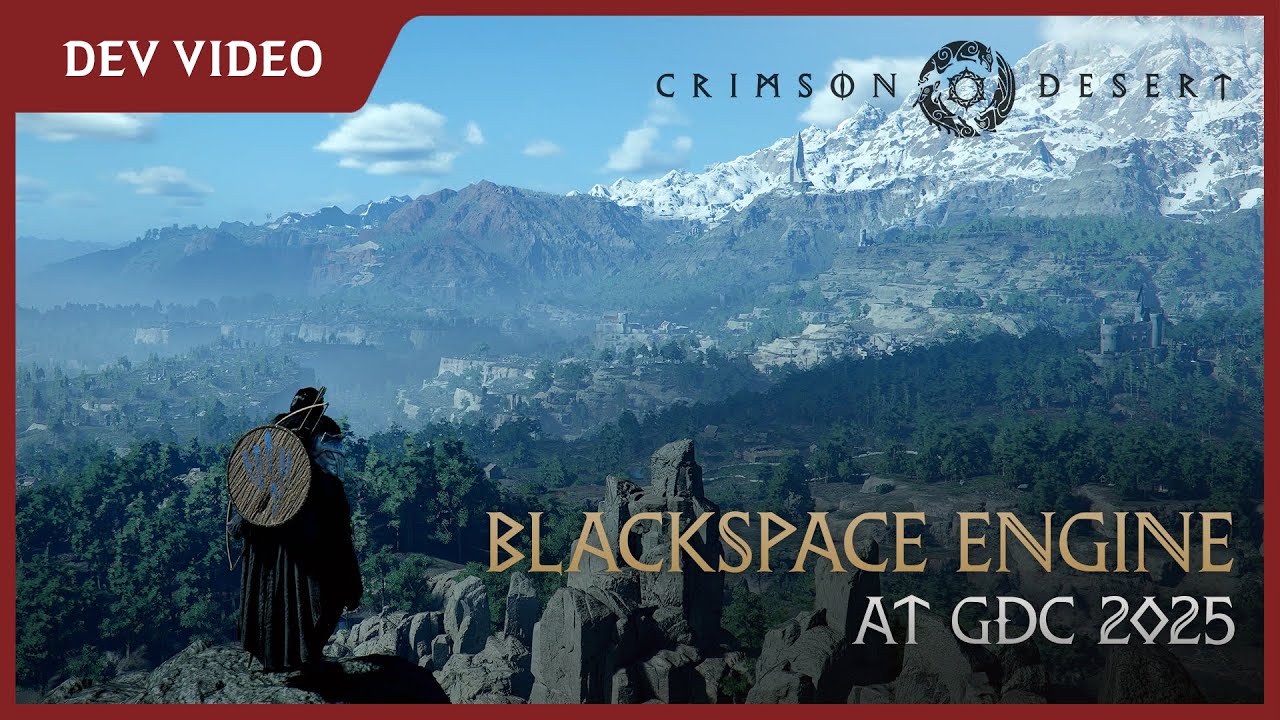
Pearl Abyss showed its in-house BlackSpace Engine behind closed doors at the 2025 Game Developers Conference, offering a closer look at a selection of the engine's features as demonstrated within Crimson Desert.
Here are just a few of the details - both big and small - that the engine makes possible in Crimson Desert to increase the realism and...
proudly present
crude marsh
and they seem to be coded into the game binary unless its in files I havent found
jade flame
2nd worse thing about this game atm is how I have to babysit the camera when riding horse. Holy fuck man...
deft pulsar
even in combat thats no joke
 faint bobcat

 lament nymph
somehow my horse now when starting and I double tap
faint bobcat

 lament nymph
he zips so fast
can't there just be a better way to control a horse like idk ... hold X ?
faint bobcat
faint bobcat
makes interior lighting more 'realistic' but its darker now sooooo
use ya laterns
distant prairie
faint bobcat
Dam give this man some l i g h t b o u n c e
jade flame
faint bobcat
use ya laterns
Looks the same as when I use DLAA....
lament nymph
I use my lantern and it's darker all around me so
ruby tusk
faint bobcat
use ya laterns
at least we have a reason to use them now
faint bobcat
A small candle doesnt have the power of a billion torch lights
well it does in this game
fusion reactors
ruby tusk
nuclear candles
lament nymph
I thought ray tracing is supposed to make shadows and GI realistic, this game is not realistic at all
rock reflects like glass
especially light sources
jade flame
lament nymph
I thought ray tracing is supposed to make shadows and GI realistic, this game is...
RT in this game is only running at 1/16 so....
faint bobcat

 lament nymph
and the water has never been uglier
faint bobcat
this will be a toggle
 woven ice
so do I use HDR with the addon version from yesterday or hold onto SDR for now until a future release?
lament nymph
you know when senua 2 intro starts and I was like ... is this pre rendered or real time, I was blown away when it was just rendering
faint bobcat
anyways flashbangs ahh lights are gone
lament nymph
this game is not it
 golden scaffold
faint bobcat
anyways flashbangs ahh lights are gone
golden scaffold
faint bobcat
anyways flashbangs ahh lights are gone
This has anything to do with the autoexposure?
vivid iris
woven ice
so do I use HDR with the addon version from yesterday or hold onto SDR for now u...
use hdr
lament nymph
it just makes the light sources not electric powered
faint bobcat
lament nymph
how many more ppl are gonna come in and say renodx stopped working for them and it was fine yesterday
woven ice
btw , for some reason, DLSS quality looks worse than DLSS balanced/performance for me (with RR on) - the grass is super blurry and it makes me dizzy
jade flame
lament nymph
how many more ppl are gonna come in and say renodx stopped working for them and ...
yes
 rotund raptor
faint bobcat
rotund raptor
faint bobcat
NEED THIS
lament nymph
 deft pulsar
lets gooo
 silent pike
@lament nymph you mentioned DLSS files in wrong place in game folder, could you explain please from where to where I should move?

 naive jackal
It's at times like that qd-oleds crappy panel dimming is a blessing, if my coolmaster IPS mini led still worked this game would have left me with two empty eye sockets
 analog parrot
crude marsh
people have used my tool to change the camera already 🙂
analog parrot
crude marsh
people have used my tool to change the camera already 🙂
nice, is it a mod available somewhere?
 lament orchid
guys am I crazy or does changing dlss down from DLAA also affect LODS ? I tried using the custom value in the NVIDIA APP but the game just ignores it
naive jackal
It really is like back in the 360/PS3 gen where games like assassins creed tried to burn your eyes to toast anytime white material was on screen
lament nymph
back then video games are more visually stable than rn
 drowsy iron
I saw a video showing foliage quality affected LODs of random ground clutter in the abyss
lament nymph
then we have shits like mgs 5 that ran beautifully on the ps3
distant prairie
drowsy iron
I saw a video showing foliage quality affected LODs of random ground clutter in ...
ts built like a Skyrim modlist lmao
 rotund raptor
crude marsh
people have used my tool to change the camera already 🙂
rotund raptor
crude marsh
people have used my tool to change the camera already 🙂
Where can i find this?
naive jackal
MGS 5 was just a dope game with a lot of undeserved hate, the online part and not being able to ng+ for fresh playthroughs sucks though
crude marsh
rotund raptor
Where can i find this?
currently only see talk of it in the comments on my upload
lament nymph
hate is always deserved, because they piss off a wrong part of the fanbase or because gamers are stupid in general, no hate is undeserved
but it was a good game
till you get to the mission where you go to africa and u can't kill the child soldiers
then I left a bad review cause not being able to kill those kids are annoying
naive jackal
lol
I see a modder has managed to integrate Ground Zeroes into the main game
As a flashback when you're on the chopper back with miller after rescuing him
stone comet
naive jackal
It's at times like that qd-oleds crappy panel dimming is a blessing, if my coolm...
i got a qdoled but it doesnt feel dim at all 😭
naive jackal
Gen 4? Mine's an MSI 271QPX gen 3 so peak 1000 has that crappy abl, the eotf boost added in firmware updates is nice for brightness though but does have issues is some scenes
stone comet
fo27q3 3rd gen i think as well
 distant prairie
Opinions on the 2024 LG B4? Is this a good OLED, I bought in early.
 pearl goblet
If you’re using it and you like it it’s a good OLED.
naive jackal
Here's the mod btw https://www.nexusmods.com/metalgearsolidvtpp/mods/2402

Nexus Mods :: Metal Gear Solid V: The Phantom Pain
From 'FOX,' two phantoms were born.
stone comet
saw that a bit ago super sick
distant prairie
pearl goblet
If you’re using it and you like it it’s a good OLED.
I ask because afaik all OLED's are good (7/10 at least)
 neat tree
Does anyone else have really bright nights? I was lead to believe the night time would be realistically dark but it seems like something has changed. The sky looks actually bright often in the middle of the night.
viscid wedge
neat tree
Does anyone else have really bright nights? I was lead to believe the night time...
1:30AM

 true dagger
neat tree
Does anyone else have really bright nights? I was lead to believe the night time...
true dagger
neat tree
Does anyone else have really bright nights? I was lead to believe the night time...
yea i noticed my nights being bright too tbh
true dagger
i dont mind it at all, looks nice, i just remember seeing in the vids that they looked dark af
 lapis smelt
neat tree
Does anyone else have really bright nights? I was lead to believe the night time...
lapis smelt
neat tree
Does anyone else have really bright nights? I was lead to believe the night time...
Wonder if this was changed in the day 0 patch, was also led to believe nights should be darker
 zenith plank
When you use the lantern it is darker around you.
stone comet
yeah the videos showed kinda pitch black
faint bobcat
neat tree
Does anyone else have really bright nights? I was lead to believe the night time...
"soo that was a lie..."
Yh nights outside of that one raining storm weather type is pretty much blue day
Kek
distant prairie
The moon is actually cyan in Korea
neat tree
It even looks like dusk perpetually if I am at a high elevation. Actually redish yellow hue on the horizon at 2 am
woven ice
neat tree
It even looks like dusk perpetually if I am at a high elevation. Actually redish...
https://en.wikipedia.org/wiki/Midnight_sun#White_nights White nights specifically
 fresh field
stop looking up at things when youre supposed to be looking ahead
faint bobcat
"it will get clamped away in SDR anyways so why bother"
naive jackal
Hilarious that you get these games that make night basically day with a blue filter but pointlessly give you a torch, then you have Cyberpunk that makes some areas really dark but in their cyberpunk world nobody seems to have access to nightvision
 plain fractal
Does someone know what exactly is affected by the DLSS Setting? I think I read something about it affecting texutre res and maybe other things?
distant prairie
Yet another casualty of mipmap bias being automatically scaled to render resolution. ESO does this too
karmic void
imma be honest
plain fractal
Because when forcing the DLSS percantage to 90% via Nvidia App, I still notice a big FPS difference when switching the ingame DLSS Mode, but Resolution doesnt change
lament nymph
6/10 game, enjoyable if you have time
it's like playing an mmo
which it is
without the multiplayer part
golden scaffold
Isn't this what we wanted? 
karmic void
I don't agree, the game is genuinely fun and challenging
lament nymph
I liked black desert cause I got to p2w my way into bullying ppl
karmic void
exploration is top tier
lament nymph
this game doesn't give me the same highs as being a horrible person
naive jackal
If you're enjoying this then i recommend also checking out Gothic, Risen, Elex, and Of Ash and Steel if you haven't played those games already
faint bobcat
Mid: the game
naive jackal
That Tainted Grail Fall of Avalon is really nice too if you don't mind an Elder Scrolls meets Souls type of mashup
lament nymph
I got to write my review for my group so I gotta finish it
plain fractal
@faint bobcat Is the Black flickering bar that appears on top of the screen when turning on DLAA + HDR a known problem? And will RenoDx be able to fix this? turning on RR also doesnt seem to fix it
lament nymph
however painful it may be
I figured this game would be like a week at most to 100%
we'll see
distant prairie
AA RPG's take creative risks that aren't economically possible otherwise
naive jackal
tbh i find a lot of todays highly rated games to be mid as well, especially the Sony ones, Death Stranding was peak though, expected to really dislike that agme but ended up really enjoying it
mortal wolf
@vivid iris #1469072401450012774 message Reinhard scalable extended numbers are here
distant prairie
naive jackal
tbh i find a lot of todays highly rated games to be mid as well, especially the ...
new AAA game drops "overwhelmingly positive"
looks inside: paint by numbers trope ridden frictionless interactive cutscene
👶 🧸
naive jackal
lol
lament nymph
I like the last of us 2 gameplay loop
killing ppl brutally creatively has always been fun
and that game has a gazillion way to brutally murder ppl
distant prairie
lament nymph
<:despairge:1409648830307369061> I like the last of us 2 gameplay loop
bait used to be believable
lament nymph
I mean, shooting them in the head is one thing, shooting them in the legs for them to bleed out is another thing
naive jackal
Haha you should try Soldier of Fortune and Soldier of Fortune 2 Double Helix, we don't speak about the third game though
lament nymph
shooting them in the groin and let them beg for their lives and u kill them anyways is another thing
u can tear from to shreds with a nail bomb
or light them on fire
u can throw glass bottles to their heads till they die
distant prairie
 lament nymph
if there's any games specialized in brutality last of us 2 is it
besides mortal kumback
 paper oriole
naive jackal
Haha you should try Soldier of Fortune and Soldier of Fortune 2 Double Helix, we...
paper oriole
naive jackal
Haha you should try Soldier of Fortune and Soldier of Fortune 2 Double Helix, we...
third game is almost "so bad it's good" territory. great fun with a friend, ripping the game.
distant prairie
naive jackal
Haha you should try Soldier of Fortune and Soldier of Fortune 2 Double Helix, we...
SoF SPAS my beloved
naive jackal
Soldier of Fortune had peoples intestines falling out from shotgun blasts, headshots having exit wounds with the bits of bone sticking out, full limb dismemberment, that was i wanna say 2000 or 2001
distant prairie
SoF VS FEAR SPAS idk if I can chose
lament nymph
video games used to be hella creative
naive jackal
Made by Raven Software, who unfortanely ended up a CoD slave studio
distant prairie
Banished to the Call of Duty mines RIP
distant prairie
Not even that, as a support studio to make Black Ops DLC
lament nymph
battlefield was also a nothingburger, sold well even tho it was mid as hell
just the gaming landscape we are in rn
naive jackal
BF6 had the worst BF SP campaign as well imho, my favourite BF is still 2142 in titan mode
distant prairie
I'm split between BC2 and Battlefield 2 on PS2 for most hours played. I liked 3 but completely lost interest after that
I bought 6 to play with my brother and it was fun in that regard but it's clear they pivoted the design half way through to be more like 6 vs an infantry focused game like 2042
6 is piecemeal and half baked
lament nymph
6 is made for COD kids
small maps, forced engagements from all sides
get in, get shot at, get out, get in
naive jackal
2142 was between 2 and 3, it was dope, anti grav tanks, mechs, apcs that lauched players out in pods, and the titans big flying aircraft carriers that were piloted by players, you coulld board them and fight your way to the engine and blow it up to win the match
lament nymph
6 I finally got an available jet, I just took off and I was dead
it was like 5s
also takes like 2s till it's out of bounds
not a fun game for vehicles
nor is it fun for the infantry that actually want to play stragetically
half assed on all fronts
true dagger
lament nymph
6 is made for COD kids
ive been saying since the open beta that BF6 is literally cod MW19 just battlefield style, all of my friends said nah im wrong, now i dont see any of them even launch the game anymore
lament nymph
it always take time for the right ppl to be proven right
true dagger
i played the beta, literally ran around like i did in mw19 cuz im good at it lmao and i was top fragging almost all of my games, that made me not want to buy the game anymore and i didnt xD
faint bobcat
plain fractal
<@377729668448780288> Is the Black flickering bar that appears on top of the sc...
apparently yes, what causes it I dunno
Can I check, umm maybe
 worn ibex
distant prairie
bait used to be believable
worn ibex
distant prairie
bait used to be believable
I like the story of tlou 2 and even if that is decisive, the gameplay loop of that game is anything but decisive, its top tier
lament nymph
^ same opi
distant prairie
why your pfp jeffery epstein big dog
 quartz flame
wonder if i can install and use some reshade effects to with this renoDX addon?
want to install clarity first
true dagger
ofc u can install other shaders and use them
distant prairie
Any word on removing chromatic aberration from rendering?
true dagger
its part of reno, there is a slider
 spare dirge
So I dont use HDR. I heard rumor that this also fixes SDR tonemapper, would using Renodx with the WIP CD addon be of use to me?
distant prairie
true dagger
its part of reno, there is a slider
I didn't realize the snapshot was already usable
I came here for info 😭
spare dirge
simple y/n instead of a laugh emoji would help:(
 brittle egret
worn ibex
I like the story of tlou 2 and even if that is decisive, the gameplay loop of th...
brittle egret
worn ibex
I like the story of tlou 2 and even if that is decisive, the gameplay loop of th...
nothing wrong with enjoying a story in a game (I never played sony movie games, because I dont vibe with them)
but isnt the gameplay in the TLOU games more or less just follow a script with minimum gameplay, its mostly focused on the story?
 low crane
Did windows defender detect that so many people downloaded this reno, and thus blocked it suddenly?
viscid wedge
seemingly
low crane
it didnt block it when it first came out
viscid wedge
sure, but when it started seeing it in a lot of peoples systems quickly.. well, here we are. nbd, just allow it
distant prairie
Obfuscating the game data putting everything in numbered folders is a new level of tomfoolery I haven't seen before
Like that will stop pirates 😭
golden scaffold
Yeah and it's already been breached anyway 
worn ibex
brittle egret
nothing wrong with enjoying a story in a game (I never played sony movie games, ...
the second one is one of the best stealth action games
the enemy AI is great
the level design is great
the feelings of different guns and how the environment reacts with you is also great
 midnight elk
brittle egret
nothing wrong with enjoying a story in a game (I never played sony movie games, ...
midnight elk
brittle egret
nothing wrong with enjoying a story in a game (I never played sony movie games, ...
tlou 2's gameplay is actually great
brittle egret
midnight elk
tlou 2's gameplay is actually great
for some reason I thought it was "bare minimum gameplay"
midnight elk
1 was decent too
brittle egret
just to carry the story
midnight elk
nah
crude marsh
distant prairie
Obfuscating the game data putting everything in numbered folders is a new level ...
the individual xml files in their packages are encrypted with a seed generated off of filename
 stray grove
TLOU 1\2 absolutely peak 2 even better
mortal wolf
I was forced to play on PS5 controls. First game I handed back (library rental) and just watched the story on YouTube
distant prairie
crude marsh
the individual xml files in their packages are encrypted with a seed generated o...
IDK why I waited to try the snapshot. Mad props getting around all the Denuvo foolishness. DLSS4.5 is actually usable now without the double dipped sharpening. Removing chromatic abberation alone is worth the process lol
Adding color back into the highlights adds so much to the presentation
When I first played this on my desktop monitor at 1440p I thought I was going blind with how egregious the post processing was
crude marsh
yeah is legitimately painful to look at
the CA is sooooo weird
and the sharpening algorithm does not selectively sharpen any correct things
mortal wolf
I have gta5e on the repo. The CA there seems very optimal
 worldly vapor
chat, how long till CD is good
distant prairie
crude marsh
the CA is sooooo weird
Is it scaled to the internal resolution and then being rounded up to the monitor res? I noticed there is a ton more artifacting at 1440p than on my TV at 4k even with ultra performance DLSS4.5. From my perspective it seems the effects are expecting a 4k resolution end point regardless of input res
worldly vapor
how long till forge fixes it? 
crude marsh
distant prairie
Is it scaled to the internal resolution and then being rounded up to the monitor...
I am not sure, Forge might know but the resolution scaling and upscaling are all kinds of wonky
I know that a lot of stuff is low resolution to start with
and they have aggressively low VRS
distant prairie
crude marsh
and they have aggressively low VRS
I can see that 😂
crude marsh
probably a matter of not having much data to go off of the lower the res
distant prairie
looking at pumpkins on the ground and the edges are rendered at 1/4 res regardless of resolution
faint bobcat
OK, reworked auto exposure again
faint bobcat
crude marsh
the individual xml files in their packages are encrypted with a seed generated o...

kino
I would do the same with Reno If I could
karmic void
faint bobcat
OK, reworked auto exposure again
u being goated lately ngl 
worldly vapor
karmic void
only 5mt pop in left to unslop
 whole shell
faint bobcat
OK, reworked auto exposure again
whole shell
faint bobcat
OK, reworked auto exposure again
PRAISE BE!!!!
faint bobcat
faint bobcat
OK, reworked auto exposure again
BTW, with these adjustments, nights are actually dark now

their auto exposure was making nights into day
ruby tusk
Thank god
faint bobcat
kino
true dagger
amazing
faint bobcat

 mortal wolf
faint bobcat
their auto exposure was making nights into day
mortal wolf
faint bobcat
their auto exposure was making nights into day
SDR copium slider
rotund raptor
faint bobcat
OK, reworked auto exposure again
When release for this?
mortal wolf
There's math for cortical gain, maybe I'll use this game to test that stuff
Like at night adaptation (pre exposure) drops like crazy, and contrast ramps up and then cortical gain picks it up
faint bobcat
mortal wolf
There's math for cortical gain, maybe I'll use this game to test that stuff
I wanted to ask about any adaptation papers
since I dont have any materials for it
quartz flame
Whoever said Crimson Desert was a terrible need to be outcast out of the gaming community.

 X
·
X
·

 karmic void
by the way Mr @mortal wolf psychoV on Cyberpunk looks so good I don't use any LUT anymore
thx
quartz flame
faint bobcat
this looks good u did any other custom tuning compared to the renoDX addon?
viscid wedge
quartz flame
this looks good u did any other custom tuning compared to the renoDX addon?
dude look at the video and all the sliders we don't have 😆. Let em cook lol
 daring orbit
Lol what?
ruby tusk
faint bobcat
its not just a white blob
No fucking way lmfao
daring orbit
How could you pull that off
ruby tusk
I thought it was just a white blob this whole time
faint bobcat
markets the nights as being super dark and real
proceeds to slop up their signature auto exposure
makes nights into day and turbo charges interiors into nukes

TY Pearl
ruby tusk
Literally
stone comet
the interiors turns my white pets completely pitch black 😭
faint bobcat
Well I am currently tuning all of this to RR
so if everyone else gets griefed

tough luck
stone comet
Im on RR too im chillin

 dapper slate
ah yes, RR is so good

 sudden pulsar
That's the misaligned shadow maps, nothing to do with RR
viscid wedge
minor inconvenience, i pretend like I don't see it when it happens
stone comet
abyss gets mega cooked with misaligned shadows
dapper slate
It only happens with RR on though
faint bobcat
sudden pulsar
That's the misaligned shadow maps, nothing to do with RR
hmm, this seemed to be coming from their local light raymarcher though
unless this is another error
sudden pulsar
What are you waiting for?
crude marsh
FOV maxing
 sudden pulsar
faint bobcat
sudden pulsar
What are you waiting for?
 crude marsh
faint bobcat
hmm, this seemed to be coming from their local light raymarcher though
crude marsh
faint bobcat
hmm, this seemed to be coming from their local light raymarcher though
looks like same error
golden scaffold
I know it's been said a hundred times but RR performance drop is just too much for me, while playing in ultra perf is also a noticeable drop in quality on the outside.
So I tend to swap between perf and no RR outside and turn on RR on the interiors only
Even with framegen the 60 fps average I get doesn't feel good, probably because base is too low. I wish I could see frame times
crude marsh
if only the setting was labeled correctly or split into two
naive jackal

Eurogamer.net
Two Pearl Abyss developers have claimed Crimson Desert was developed in a troubled environment, characterised by an inv…
crude marsh
one for RR and one for RTGI
golden scaffold
Yeah it must be RTGI that hits the perf? I know it does some things outside but it's really not a game changer
viscid wedge
naive jackal
https://www.eurogamer.net/new-report-claims-crimson-deserts-development-was-plag...
 naive jackal
🤣
crude marsh
RR is basically the only way to get functional GI
and it drastically changes outdoors as well
dapper slate
golden scaffold
Yeah it must be RTGI that hits the perf? I know it does some things outside but ...
Yeah, they are basically cranking lighting to max, which to be fair.. they do state that in the description
I wish they'd just de couple it though
golden scaffold
All I want is my shadows not to be a morphing liquid mess, don't care how accurate they are (GI)
stone comet
poggers
 crude marsh
somehow they also dont have AO on much at all without enabling RR too
really weird choice given RR is supposed to be able to fill in a lot of samples itself
granted they dont have any samples to start with
plain fractal
faint bobcat
apparently yes, what causes it I dunno
Can I check, umm maybe
Alright, thanks! 🙏
faint bobcat
ripperoni
sun is complete sloppery
no limb darkening, no soft falloff
hard edge
so looks like a flat pancake
crude marsh
faint bobcat
so looks like a flat pancake
 crude marsh
so I noticed the moon was always at max nits
faint bobcat
this + their auto exposure
brickwall moon
not even a moon
just a white disk
neutron star
 wispy crown
So the previews probably had a different auto exposure algorithm or just different brightness value for the moon? Or maybe both?
faint bobcat
nah
BDO is the same
brickwall moon
Sun well
sky is all giga clamped
so who cares
wispy crown
Okay because weirdly the previews had completely black nights
faint bobcat

wispy crown
But maybe different region or something like that? Who knows
faint bobcat
I dunno, my adjustments might giga grief some areas
I have no idea
I have only tested starting area
wispy crown
Honestly not a problem since you can just change all settings in realtime right?
 dusky echo
Black bar bug fixed yet ?
faint bobcat
I havent added any debug for auto exposure
Its just a toggle rn
I dont want to bloat up too many cboooofers
wispy crown
Still if an area is completely bugged you can revert to vanilla behavior
faint bobcat
yes
wispy crown
Then all fine. Doubt you can do QA testing if not even Pearl Abyss can 
analog parrot
faint bobcat
BTW, with these adjustments, nights are actually dark now
Niiiiice
 dire pilot
I had some overhead so I changed the RR scale to 88% which NVPI calls DLAA Lite and it has cleaned up a lot of the image for me, but woof, it's still rough lol
ruby tusk
Vanilla + RenoDX vs my reshade + RELOOK + RenoDX

 wispy crown
dire pilot
I had some overhead so I changed the RR scale to 88% which NVPI calls DLAA Lite ...
wispy crown
dire pilot
I had some overhead so I changed the RR scale to 88% which NVPI calls DLAA Lite ...
You on a 5090? I wish I had some overhead
dire pilot
wispy crown
You on a 5090? I wish I had some overhead
4080S
crude marsh
faint bobcat
yes
I can modify the render passes now I think
 spark oriole
ruby tusk
Vanilla + RenoDX vs my reshade + RELOOK + RenoDX
spark oriole
ruby tusk
Vanilla + RenoDX vs my reshade + RELOOK + RenoDX
where did all your color go
wispy crown
ruby tusk
Vanilla + RenoDX vs my reshade + RELOOK + RenoDX
Nice if you like it but jesus christ completely butchered the intended artstyle
Saturation -100
ruby tusk
fuck the intended art style
crude marsh
nuclear fantasy
viscid wedge
ruby tusk
Vanilla + RenoDX vs my reshade + RELOOK + RenoDX
thats neat conceptually, but I much prefer the left
wispy crown
Crimson Fallout
dapper slate
ruby tusk
Vanilla + RenoDX vs my reshade + RELOOK + RenoDX
Crimson Depression more like it
ruby tusk
I'm sorry I don't like 200% Saturated Green
wispy crown
ruby tusk
I'm sorry I don't like 200% Saturated Green
Nah bro game is not oversaturated at all. Default game even is slightly desaturated. It's just very bright.
dapper slate
Idk, I see color when I go outside irl, so I like my games with color lmfao
deft pulsar
this game sometimes has beautiful colours and other times has the dullest colours ever
wispy crown
This reminds me. I need to make fun of some reshade presets on NexusMods
deft pulsar
wispy crown
This reminds me. I need to make fun of some reshade presets on NexusMods
lmao
"first mods for crimson desert are out"
looks closely
4 Reshade presets
ruby tusk
wispy crown
Nah bro game is not oversaturated at all. Default game even is slightly desatura...
Vanilla looks like Fortnite
wispy crown
First Reshade I've seen. What is this?
 viscid wedge
wispy crown
First Reshade I've seen. What is this?
viscid wedge
wispy crown
First Reshade I've seen. What is this?
depression
daring orbit
Cinematic
golden scaffold
Has anyone figured out fishing?
daring orbit
I caught a bunch of different fish
true dagger
golden scaffold
Has anyone figured out fishing?
i just throw the line ultra close to me and hope it catches, no clue how to fish
neat tree
don't reel in until bubbles go away. When bubbles are there pull the rod in the opposite direction as the fish is moving to tire it out
wispy crown
Found the winner reshade boys. The best "I have a GTX 1660 and I've made a realism Reshade Preset"
 naive jackal
wispy crown
First Reshade I've seen. What is this?
naive jackal
wispy crown
First Reshade I've seen. What is this?
Looks like it's trying to make it look like Witcher 2
golden scaffold
Oooooh I figured it out
viscid wedge
somewhat. I learned that only reel when it stops moving left and right, but it isn't perfect. I just cheat and only throw the line a few feet in front of me. I also get down in the water
dire pilot
jesus, it's so oversaturated and bright lol
 golden scaffold
You have to tilt the joystick forward when reeling in
ruby tusk
dire pilot
jesus, it's so oversaturated and bright lol
No it's not they said
daring orbit
golden scaffold
You have to tilt the joystick forward when reeling in
No you dont!
true dagger
daring orbit
Pull against the run, dont reel until the fish stops running
oh it actually stops running? i was pulling against it and it just kept running and running and snapped, i gave up and moved onto some quest
golden scaffold
neat tree
don't reel in until bubbles go away. When bubbles are there pull the rod in the ...
Yeah this much makes sense, it was the reeling in part that was missing - you have to tilt forward
faint bobcat
Loaded in game
WTF why isn't my auto exposure code now working
Did I fuck up pls don't tell me it's some PSO or CPU loading code bs
Checks and sees he forgot to update addon in the game directory
daring orbit
You absolutely do not have to tilt foward
faint bobcat
(I don't syslink)
golden scaffold
daring orbit
You absolutely do not have to tilt foward
It was the only way I caught something after multiple attempts 🤷♂️ reeling in otherwise made no progress
daring orbit
Thats a skill issue
neat tree
can confirm you dont have to tilt forward
golden scaffold
Or are just the quest Tenches that are harder to catch?
daring orbit
Dont reel if you see any effects on the water
faint bobcat
I am about to upgrade RTVs to solve this banding

 jade spruce
faint bobcat
>Loaded in game
>WTF why isn't my auto exposure code now working
>Did I fuck up ...
jade spruce
faint bobcat
>Loaded in game
>WTF why isn't my auto exposure code now working
>Did I fuck up ...
dumbass, even I have build scripts to deploy CS to my mo2 install
neat tree
some fish are just harder to catch
faint bobcat
I have seen this screen far to long
 crude marsh
golden scaffold
Has anyone figured out fishing?
crude marsh
golden scaffold
Has anyone figured out fishing?
walk into the water and grab them
jade spruce
faint bobcat
<:soyjakGrin:1309186302058692638>
ask the clanker to make you one
faint bobcat
thats not the point
mortal wolf
mmm mcp dumps
 jade spruce
lmao
faint bobcat
something something
jade spruce

 tame igloo
crude marsh
https://tenor.com/view/drawing-a-circle-master-chief-pablo-schreiber-halo-drawin...
tame igloo
crude marsh
https://tenor.com/view/drawing-a-circle-master-chief-pablo-schreiber-halo-drawin...
Master Cheeks
neat tree
dire pilot
I had some overhead so I changed the RR scale to 88% which NVPI calls DLAA Lite ...
I just tried this myself and it did indeed help. Same gpu as you, 1440p though
faint bobcat
ruby tusk
Vanilla + RenoDX vs my reshade + RELOOK + RenoDX
we can adjust the colours directly for grass
thats the booootiful thing
per area adjustments
per shader adjustements
You could fix pink flame hues in post using reshade
but other areas would get griefed
here its targeted
golden scaffold
neat tree
can confirm you dont have to tilt forward
Omg reeling with mouse is 10x more efficient than spinning the joystick, poor controllers players are completely gimped here. Using mousewheel is like turbohacking it
dire pilot
neat tree
I just tried this myself and it did indeed help. Same gpu as you, 1440p though
yeah, I'm 1440p
ruby tusk
faint bobcat
we can adjust the colours directly for grass
That's good to know, looking forward to it
neat tree
the game is actually significantly less blurry for me setting RR scaling to just 77%
 covert ruin
so is the pop in on the ground actually fixable or is it always going to be there?
faint bobcat
its fixable by nuking the shaders responisble for proc gen twigs, pebbles and grass
actual fix is engine side
just like all the other LOD and draw distance settings
mortal wolf
fixing devkit srvs now
 fresh sparrow
So yes but no? 👀
dapper slate
Guessing negative lod bias wouldn't work?
 gilded plover
 fresh sparrow
As someone who doesn't understand much of what is going on here, how far off are we from an update to download and play with? Not trying to push, just don't really understand all of the tech talk here
viscid wedge
fresh sparrow
As someone who doesn't understand much of what is going on here, how far off are...
was available friday, check pinned messages
fresh sparrow
Oh yeah, I have that one
I mean like an update based on all of the cool stuff the team have been doing since then
true dagger
neat tree
the game is actually significantly less blurry for me setting RR scaling to just...
why tf is the game not taking my NVPI custom res settings for this, did u check something specific in NVPI? i just set custom RR res but it doesnt work
viscid wedge
fresh sparrow
I mean like an update based on all of the cool stuff the team have been doing si...
they keep getting asked that. better to just wait and enjoy what we have.
neat tree
true dagger
why tf is the game not taking my NVPI custom res settings for this, did u check ...
did you also set "forced quality level" to custom?
true dagger
neat tree
did you also set "forced quality level" to custom?
yep
covert ruin
faint bobcat
this looks great, is this just renodx or is there extra stuff involved?
daring orbit
Dont fish with the bullshit mouse
true dagger
@neat tree
 neat tree
true dagger
<@142442285701922816>
neat tree
true dagger
<@142442285701922816>
Im going to double check to see if im placeboing myself, hold on
true dagger
im using SK to check the internal res
neat tree
yeah that's what im trying to do but I can't seem to launch with SK while i have reshade/renodx installed?
jade flame
No external means of changing resolution scaling of DLSS has worked for me.
true dagger
do u have the latest SK dll?
neat tree
maybe not
stone comet
Did kal just push an update recently
true dagger
i used to not be able to launch most games with SK that had reno installed, Kal updated it this month and its been working in most games for me
ye march he started pushing updates again, check nightly builds
stone comet
Will have to check again forgor which build im on but keep getting cucked
true dagger
26.3.22 is what im on, in CD it works all the time
neat tree
im updating

 true dagger
faint bobcat
Vanilla / Reno Dee Eggs
true dagger
faint bobcat
Vanilla / Reno Dee Eggs
looks so much better lmao
how are interiors now, big difference too?
jade flame
faint bobcat
Vanilla / Reno Dee Eggs
So dark.
But at least the pink is gone
faint bobcat
true dagger
how are interiors now, big difference too?
they arent giga boosted anymore
 feral bluff
@ruby tusk Based on the comments from these internet "ARTISTS" about your take and interpretation of how You like the desaturated look which in my opinion is looking great as starting baseline for future adjustments - then it seems that all of us should stop modding and deal with games + leave them as devs intended 😅
I actually made also adjustments with DS2 as I don't like the yellow sandy look and for me its just too much so I went more natural way. HOW I LIKE !
In regards to CD I would take out that over saturated look immediately as I don't like it either. We don't argue one or another taste, pointless. We enjoy what we play and if we want we make our own looks and adjustments how we like with tools what we have.

 faint bobcat
however that might mean they are dark
faint bobcat
faint bobcat
however that might mean they are dark
and it was authored around their auto exposure
we either need more bounces
or better lighting
to make it "better"
faint bobcat
true dagger
how are interiors now, big difference too?


Dont look like reactors anymore
jade spruce
faint bobcat
Vanilla / Reno Dee Eggs
Maybe better off seeing why the light carries so far? Doesn't look like the bulbs actually follow inverse square falloff.
ruby tusk
faint bobcat
I like that, nice work Forge
faint bobcat
jade spruce
Maybe better off seeing why the light carries so far? Doesn't look like the bulb...
I will do, the point was that their auto exposure was the reason why night wasnt night
if they dont use inverse square I will shit bricks
becasue the local light sources all look off
daring orbit
Ngl textures look way better for me when i just play cinematic, 4.5 quality
And it feel way smoother
vivid iris
faint bobcat
>Loaded in game
>WTF why isn't my auto exposure code now working
>Did I fuck up ...
You aren’t symlinking your addon?
mortal wolf
faint bobcat
exposure isn't human vision anyway. more camera jank. the actual light that hit your eyes didn't increase (linear exposure). what increased was the boost your eyes did to make it perceptiple
stone comet
Honestly prefer saturation/color filters in games since they're not really meant to have fully realistic colours anyway
crude marsh
I am fine with artistic choices if they aren't bad artistic choices
mortal wolf
once i finish the devkit stuff, i'll see how i can play adaption because there's a bunch of science on that
faint bobcat
vivid iris
You aren’t symlinking your addon?

stone comet
Yeah for sure like re9 i couldnt play without its filter it looks jarring
faint bobcat
I am special
neat tree
@true dagger it looks like my internal res did not increase as well. I'm going to try a bit of A/B testing to see if it actually changed anything
jade spruce
faint bobcat
if they dont use inverse square I will shit bricks
Yeah like, this feels like fucking vanilla skyrim bulbs all over, they don't have a very intense center and reach gigafar.
 rose jewel
daring orbit
Ngl textures look way better for me when i just play cinematic, 4.5 quality
rose jewel
daring orbit
Ngl textures look way better for me when i just play cinematic, 4.5 quality

@faint bobcat @vivid iris @mortal wolf cant think you enough for this mod


 jade spruce
Fadeout of the bulb is also very abrupt
Could be that they fucked with the curve to adjust for the cursed auto-exposure
faint bobcat
that or they just 'artistically driven' code to cover up for their bad lighting
crude marsh
faint bobcat
I am special
ok its unclear but, it seems like removing tiling from raymarch local lights shader might fix that issue
faint bobcat
removing as in modifing the code
or just the tiling shader
if so that atleast helps me pin point where the issue is stemming from
true dagger
neat tree
<@237270132014055425> it looks like my internal res did not increase as well. I'...
yea idk i just couldnt get it to work so thats why i was confused
jade spruce
faint bobcat
that or they just 'artistically driven' code to cover up for their bad lighting
crude marsh
faint bobcat
removing as in modifing the code
        <Permutation>
            <Element Name="IsTiled" EnableMacroName="IS_TILED" EnumType="Bool" Default="True" CacheSuffix="tile" TargetShaders="cs" Condition="Windows|Metal" />
            <!--<Element Name="CalcCharacterOcclusions" EnableMacroName="CALC_CHARACTER_OCCLUSIONS" EnumType="Bool" Default="False" CacheSuffix="cco" TargetShaders="cs" />-->
            <Element Name="TraceManyLightsDownsampled" EnableMacroName="TRACE_MANY_LIGHTS_DOWNSAMPLED" EnumType="Bool" Default="True" CacheSuffix="mld" TargetShaders="cs" Condition="Windows|Metal"/>
            <Element Name="UseReservoirSampling" EnableMacroName="USZ_RESERVOIR_SAMPLING" EnumType="Bool" Default="False" CacheSuffix="urs" TargetShaders="cs" />
            <Element Name="UseRaytracingHitResult" EnableMacroName="USE_RAYTRACING_HIT_RESULT" EnumType="Bool" Default="False" CacheSuffix="rhr" TargetShaders="cs"/>
            <Element Name="UseSeparateSamplingPass" EnableMacroName="USE_SEPARATE_SAMPLING_PASS" EnumType="Bool" Default="False" CacheSuffix="ussp" TargetShaders="cs" />
        </Permutation>
        <Define Name="IS_DOWNSAMPLED" Value="1" CacheSuffix="ds" TargetShaders="cs" />
        <Define Name="CALC_CHARACTER_OCCLUSIONS" Value="1" CacheSuffix="cco" TargetShaders="cs" />
        <ComputeShader Filename="VoxelGlobalIlluminationManyLights.hlsl" EntryPoint="RaymarchLocalLightsCS"/>
    </Pipeline>```

to this

```    <Pipeline Pass="RaymarchLocalLightsCS" Condition="ConditionalTextureMSArray">
        <Permutation>
            <!--<Element Name="CalcCharacterOcclusions" EnableMacroName="CALC_CHARACTER_OCCLUSIONS" EnumType="Bool" Default="False" CacheSuffix="cco" TargetShaders="cs" />-->
            <Element Name="TraceManyLightsDownsampled" EnableMacroName="TRACE_MANY_LIGHTS_DOWNSAMPLED" EnumType="Bool" Default="True" CacheSuffix="mld" TargetShaders="cs" Condition="Windows|Metal"/>
            <Element Name="UseReservoirSampling" EnableMacroName="USZ_RESERVOIR_SAMPLING" EnumType="Bool" Default="False" CacheSuffix="urs" TargetShaders="cs" />
            <Element Name="UseRaytracingHitResult" EnableMacroName="USE_RAYTRACING_HIT_RESULT" EnumType="Bool" Default="False" CacheSuffix="rhr" TargetShaders="cs"/>
            <Element Name="UseSeparateSamplingPass" EnableMacroName="USE_SEPARATE_SAMPLING_PASS" EnumType="Bool" Default="False" CacheSuffix="ussp" TargetShaders="cs" />
        </Permutation>
        <Define Name="IS_DOWNSAMPLED" Value="1" CacheSuffix="ds" TargetShaders="cs" />
        <Define Name="CALC_CHARACTER_OCCLUSIONS" Value="1" CacheSuffix="cco" TargetShaders="cs" />
        <ComputeShader Filename="VoxelGlobalIlluminationManyLights.hlsl" EntryPoint="RaymarchLocalLightsCS"/>
</Pipeline>```OK, let me check now
crude marsh
let me try removing all the dof and post processing effects too for shiggles
tame igloo
camera mod up on nexus, btw
tame igloo
yee
fresh sparrow
Yep, your mod has given people the foundation they need to mod, thanks for that
 warm idol
Is all this going to crash and burn when they release a patch slightly adjusting brightness/exposure etc?
faint bobcat
probably
oh adjust
lmao
no
Pearl wont do shit on that front
they wont fix this
they will however break our code with new shader hashes
so dont update your game
mortal wolf
warm idol
Is all this going to crash and burn when they release a patch slightly adjusting...
they have user grading and they're both post-SDR tonemap. acesv2 didn't give them to work with for HDR grading, though i guess what's stopping them from just treaing 0 to peak as a big 0 to 1 range in HDR. that's literally what ACES did
warm idol
I feel like the night thing is unintended, previews days before launch were saying how dark the nights were
faint bobcat
previews were also glazing the graphics as being the best thing since sliced cheese
worldly vapor
nights look like trailers
though one of the older trailers had way better nights imo
warm idol
Maybe one thing to try check, rain at night is still pretty dark in the current build -
 faint bobcat
The actual night lighting itself is good
its just the auto exposure that turbo charged
warm idol
SO with the changes, it might be black black
worn ibex
faint bobcat
might as wel be the dark ages without them
CDPR save us, save us CDPR
worn ibex
genuine question, how much of the state of the industry rn is because companies keep laying people off so people don’t care as much about the end product anymore and want to get the game out so they are not in the chopping block
worn ibex
Because at the end of the day, if you’re working on making games all day, you prolly have some other hobby because you’re sick of them so you don’t play them as much
warm idol
Whatever changes were made to show night examples you posted above. Could they make it TOOO dark on rainy nights, as they are currently reasonable dark in the current build.
worn ibex
faint bobcat
had modders
Dw once I get my permanent residence in Canada and am not afraid of being shipped back to the Indian sweatshop tech factories I will join the Reno gooner gang
crude marsh
faint bobcat
RR has bad coordinate mismatch
I have seen this in other games like hogwarts
exact same behavior
with RR
worn ibex
I was looking at Ubisoft jobs because I’d be interested in making games and it paid 40k less than my current typescript job…
faint bobcat
faint bobcat
RR has bad coordinate mismatch
@sudden pulsar
 manic finch
so wait are we back now?
still a chance for U+ too
also @faint bobcat comparisons look awesome. Keep cooking
 cosmic zenith
Sorry, been playing the game, is there a newer version of Reno outside the pin? Or is it still in-progress. I really hate the auto exposure
crude marsh
manic finch
still a chance for U+ too
have at least publish modding tools for the game, now looking at modifying render pass stuff but forge is kind of doing that already
did game just get an update
I have a 632MB download
naive jackal
Same
drowsy iron
Same here
neat tree
crude marsh
I have a 632MB download
same
 neat tree
it happened right after a crash i thought i messed something up

 true dagger
faint bobcat
true dagger
faint bobcat
wait so youll fix the stupid shadows through the walls?
faint bobcat
yes
true dagger
ily
faint bobcat
It has a slightly higher GPU cost
faint bobcat
but I cba to look into RR stuff to fix the tiled
true dagger
it wasnt a huge deal tbh but having to keep ignoring when it just shouldnt be there is just annoying over longer periods
 shy brook
yeah downloading update rn 622mb
manic finch

Crimson Desert
Fellow Greymanes,Check out the fixes and improvements that have been added this patch below. Major UpdatesIn this patch, we've adjusted some gamepad and keyboard/mouse controls, increased Health restored from food and items, and added new item storage in the Howling Hill Camp. Fellow Greymanes Th...
patch notes
 tropic sonnet
Hey! Where can I find the download link for the HDR mod :) I'm aware that it is WIP
tropic sonnet
Thank you :)
manic finch
damn patch notes are pretty long
"Improved the appearance of the waterfall in the Abyss tutorial."
lol just the tutorial one?
 heavy cargo
"Fixed an issue where screen quality appeared abnormal when activating FSR Ray Regeneration or DLSS Ray Reconstruction."
cosmic zenith
Yo, these are some good patches
manic finch
yeah was just gonna post that
cosmic zenith
unless it's all busted
manic finch
about to get on and see if DLAA+HDR works now
faint bobcat
cosmic zenith
Yo, these are some good patches
fixed two issues, introdcued a trillion other problems
manic finch
it better lol
manic finch
yeah I figured that was gonna happen 
dire pilot
yeah, it just crashes if you have reno installed now lol
covert ruin
is the patch out right now?
true dagger
dire pilot
yeah, it just crashes if you have reno installed now lol
works for me lol
and reno works
 lilac urchin
so reno not broken?
lilac urchin
jesus
dire pilot
hmmm... I'll try something else then
true dagger
nope game works for me fine and reno does too
lilac urchin
i literally just bought the game
 jade kettle
happy to see them apply a patch quickly , although its weird they still dont give a rebind for controller
true dagger
they also added an Exit button
manic finch
they added a normal storage finally lol
dire pilot
okay, it seems that the update didn't like the camera mod - I reset it via the bat but that wasn't good enough - I had to verify file integrity lol
shy brook
seems like a solid first patch only 3 days after launch, hopefully they keep at it. Controller rebind will probably happen sooner or later
true dagger
do you guys feel a difference in the controller feel? they say they improved the UI responsivness in the menu, feel a little bit faster
dire pilot
yeah the ridiculous input lag with pad in menus is gone
 rare vault
Fixed an issue where screen quality appeared abnormal when activating FSR Ray Regeneration or DLSS Ray Reconstruction. Anyone notice any differences
 eager epoch
Well, they've introduced an exit button in menu, will save some time getting out of the game
crude marsh
faint bobcat
that would be nice
what is this?
    <Pipeline Pass="PostProcessSceneBlur" InputLayout="FullScreenVertex" BuildTriggerType="Required">
        <Permutation>
            <Element Name="ENABLE_ALPHA_BLEND" EnableMacroName="ENABLE_ALPHA_BLEND" EnumType="Bool" Default="False" CacheSuffix="at" TargetShaders="vs|ps" >
                <PipelineState Type="Blank"></PipelineState>
                <PipelineState Type="Attach">
                    <BlendState AlphaBlend="PremultipliedAlpha" ColorWrite="RGB" />
                </PipelineState>
            </Element>
            <Element Name="IsSinglePass" EnableMacroName="IS_SINGLE_PASS" EnumType="Bool" Default="False" CacheSuffix="sp" TargetShaders="vs|ps" />
        </Permutation>
        <VertexShader Filename="ScreenSpaceCommon.hlsl" EntryPoint="FullScreenVS" />
        <PixelShader Filename="PostProcessPingPong.hlsl" EntryPoint="PostProcessSceneBlurPS" />
        <DepthState DepthEnable="False" />
        <StencilState StencilEnable="False" />
    </Pipeline>

    <Pipeline Pass="PostProcessRadialBlur" InputLayout="FullScreenVertex">
        <VertexShader Filename="ScreenSpaceCommon.hlsl" EntryPoint="FullScreenVS" />
        <PixelShader Filename="PostProcessPingPong.hlsl" EntryPoint="PostProcessRadialBlurPS" />
    </Pipeline>

    <Pipeline Pass="PostProcessOnePassBlur" InputLayout="FullScreenVertex">
        <VertexShader Filename="ScreenSpaceCommon.hlsl" EntryPoint="FullScreenVS" />
        <PixelShader Filename="PostProcessPingPong.hlsl" EntryPoint="PostProcessOnePassBlurPS" />
    </Pipeline>

    <Pipeline Pass="GaussianBlur9Tab" InputLayout="FullScreenVertex" BuildTriggerType="Required">
        <VertexShader Filename="ScreenSpaceCommon.hlsl" EntryPoint="FullScreenVS" />
        <PixelShader Filename="PostProcessPingPong.hlsl" EntryPoint="GaussianBlur9TabPS" />
    </Pipeline>

    <Pipeline Pass="GaussianBlur9TabSimple" InputLayout="FullScreenVertex" FrameBufferBindingName="TrailDeformedBlur">
        <VertexShader Filename="ScreenSpaceCommon.hlsl" EntryPoint="FullScreenVS" />
        <PixelShader Filename="PostProcessPingPong.hlsl" EntryPoint="GaussianBlur9TabSimplePS" />
    </Pipeline>

    <Pipeline Pass="GaussianBlur9TabSimpleR8" InputLayout="FullScreenVertex" FrameBufferBindingName="DeformedLightAttenuation">
        <VertexShader Filename="ScreenSpaceCommon.hlsl" EntryPoint="FullScreenVS" />
        <PixelShader Filename="PostProcessPingPong.hlsl" EntryPoint="GaussianBlur9TabSimpleR8PS" />
</Pipeline>```seems like a solid patch, hopefully we there wont be too many issues introduced with it lol
plain fractal
true dagger
<@142442285701922816>
Can the performance be improved by setting a custom render scale for RR? Sorry if this is a dumb question. This is the first game where I use RR
viscid wedge
plain fractal
Can the performance be improved by setting a custom render scale for RR? Sorry i...
performance can be improved by using scaling period
true dagger
plain fractal
Can the performance be improved by setting a custom render scale for RR? Sorry i...
i mean technically yea, if for example on DLSS Quality you get bad performance, but DLSS Balanced doesnt look right to you, you could just make a custom one inbetween that runs better than quality and looks better than balanced
lament orchid
plain fractal
Can the performance be improved by setting a custom render scale for RR? Sorry i...
Doesn't work the game ignores it
true dagger
but i couldnt get them to work in CD
viscid wedge
how are you setting them?
eager epoch
plain fractal
Can the performance be improved by setting a custom render scale for RR? Sorry i...
It seems game ignores every attempt to set custom res for me not for DLSS nor RR
lament orchid
true dagger
i mean technically yea, if for example on DLSS Quality you get bad performance, ...
game ignores them for some reason
true dagger
viscid wedge
how are you setting them?
NVPI
lament orchid
true dagger
NVPI
same
faint bobcat
faint bobcat
and breaks Reno
based they changed the following
Raymarcher = maybe they fixed the issue the minute I fixed it
true dagger
doesnt SK have like a slider for it?
viscid wedge
have you guys tried.. the normal ways? lol
lament orchid
doesn't work
faint bobcat
crude marsh
what is this?
``` <!-- PostProcessPingPong -->
<Pipeline Pass="PostProce...
this is for their lens flare
crude marsh
ah
true dagger
viscid wedge
have you guys tried.. the normal ways? lol
i havent tried nvidia app tbh but im not bothered xd
faint bobcat
RadialBlur is the circlular lens flare
viscid wedge
viscid wedge
have you guys tried.. the normal ways? lol
 plain fractal
true dagger
i mean technically yea, if for example on DLSS Quality you get bad performance, ...
plain fractal
true dagger
i mean technically yea, if for example on DLSS Quality you get bad performance, ...
I often use custom res scaling values for DLSS but I didnt know you could set a custom scaling value for RR. I hope that the RR override will work some day, because the performance impact is huge
crude marsh
man this is truly next gen
 true dagger
viscid wedge
true dagger
viscid wedge
try it out and check if its actually using it ingame, wonder if it just ignores NVPI
lament orchid
viscid wedge
doesn't work the game ignores it
jade kettle
crude marsh
man this is truly next gen
that draw distance 🤮
 ember tulip
wonder what this all entails
 eager epoch
viscid wedge
eager epoch
viscid wedge
Trierd DlssTweaks, conf file, notghing....
 smoky brook
ember tulip
wonder what this all entails
smoky brook
ember tulip
wonder what this all entails
was about to post that, hopefully blurry textures when upscaling is fixed
plain fractal
I have to say FG feels rather good in this game. Latency is not too bad
jade kettle
plain fractal
I have to say FG feels rather good in this game. Latency is not too bad
latency is fine. problem the game is already so blurry that FG just adds another layer of shit on top
 worldly swan
Renodx hdr still works after the latest patch?
eager epoch
plain fractal
I have to say FG feels rather good in this game. Latency is not too bad
Getting 27-30ms avg in frameview all maxed out on 1440p, 340fps and 270fps on 1% lows dlss q fg x3
faint bobcat
faint bobcat
based they changed the following
Raymarcher = maybe they fixed the issue the m...
yep raymarcher tiled shader is gone now
lament orchid
i don't get why few games offer the ultra quality with dlss 65% for qulity is just too much for people who use 1080p or even 1440p imo
viscid wedge
eager epoch
Getting 27-30ms avg in frameview all maxed out on 1440p, 340fps and 270fps on 1%...
lmao, i can't imagine 340fps in this game
sitting here with a 4090 @ 4K
eager epoch
5090 Astral OC to 3100, DDR5 6600 CL26 fclk 2200 on a 9950X3D CCD0
faint bobcat
OK so they didnt brick reno
and they fixed their slop tiled raymarcher leaking through meshes
ember tulip
pog
crude marsh
faint bobcat
and they fixed their slop tiled raymarcher leaking through meshes
did they fix it or turn off tiling
cosmic zenith
Yeahm Reno seems to be working still
plain fractal
eager epoch
5090 Astral OC to 3100, DDR5 6600 CL26 fclk 2200 on a 9950X3D CCD0
Profile pic checks out 
vivid iris
Actually wild to see any technical fixes in post launch patches. Feels like it rarely happens.
faint bobcat
crude marsh
did they fix it or turn off tiling
turned off tiling so a new shader spawned
dire pilot
well that's a nice change - you just automatically put on the funny vision helmet instead of having to press start when seeing a memory
cosmic zenith
The camp storage is nice too
eager epoch
plain fractal
Profile pic checks out <a:kekw:1309186257238360135>
yeah, perf OC'd as well
 tame vault
"Fixed an issue where screen quality appeared abnormal when activating FSR Ray Regeneration or DLSS Ray Reconstruction."
vivid iris
vivid iris
Actually wild to see any technical fixes in post launch patches. Feels like it r...
Or rather it’s never the stuff people want
dire pilot
the boiling indoors isn't as aggressive as it was
jade kettle
Ray reconstruction looks like a blurry mess to me. and boiling seems the exact same as well
cosmic zenith
DLSS seems to be much cleaner for me
 burnt berry
is DLAA and HDR still bugged?
tame vault
Patch sounds very good on the face of of
worldly vapor
did they finally put DLSS in the right order?
cosmic zenith
Autoexposure still sucks dick
worldly vapor

mortal wolf
hmm


 final imp
I dont think they fix dlss
worldly vapor

eager epoch
devs are busy with the million+ gamers who play on console or simply dont give half of a f***, they'll secure them first.. us later (low priority), imo this community is the best hope atm to correct the visuals of this game
crude marsh
faint bobcat
turned off tiling so a new shader spawned
I can reorder the shaders now, lmk if there is anything that should be reordered
like we could perhaps move DLSS maybe
 blazing ledge
eager epoch
devs are busy with the million+ gamers who play on console or simply dont give h...
blazing ledge
eager epoch
devs are busy with the million+ gamers who play on console or simply dont give h...
imagine if there wasn't RenoDX or Luma lol we get borked HDR experience instead
 mystic pumice
worldly swan
Renodx hdr still works after the latest patch?
mystic pumice
worldly swan
Renodx hdr still works after the latest patch?
It does.
faint bobcat
crude marsh
I can reorder the shaders now, lmk if there is anything that should be reordered
let me find the exact shader name


white balancing is crazy
 plain fractal
Wtf is the auto exposure doing btw. The game lowers the whole screen brightness by like 50% when I look at the ground (Bright daytime). This is like the opposite of simulated eye adaption
ember tulip
faint bobcat
let me find the exact shader name
that right screen shot looks crazy improved wtf
mortal wolf
btw, title screen is underwater
 plain fractal
faint bobcat
white balancing is crazy
plain fractal
faint bobcat
white balancing is crazy
You cant even call that balance anymore
faint bobcat
crude marsh
I can reorder the shaders now, lmk if there is anything that should be reordered
BilateralReconstructionDiffuseGITiled
this is their voxelGI
it runs after RR
so gets no denoising
and has noise out the ass
crude marsh
ok let me see if i can figure out moving it....
is there any way to prevent RR from fucking with displacement maps
dire pilot
holy noise lol
 crude marsh
yeah I got hit by that earlier
 mortal wolf
it appears in the middle of the screen
 jade flame
burnt berry
DLAA actually works now <:beansp5Wicked:1226608702727913522>
jade flame
burnt berry
DLAA actually works now <:beansp5Wicked:1226608702727913522>
?? What was the problem before?
OH SHIT! An update!!
crude marsh
faint bobcat
BilateralReconstructionDiffuseGITiled
        <Permutation>
            <Element Name="IsDownsampled" EnableMacroName="IS_DOWNSAMPLED" EnumType="Bool" Default="True" CacheSuffix="ds" TargetShaders="cs" Condition="(Windows|Metal) & Native16bitShaderOps" />
            <Element Name="InterleavedMode" EnableMacroName="INTERLEAVED_MODE" EnumType="Integer" Default="2" Count="3" CacheSuffix="intm" TargetShaders="cs" Condition="(Windows|Metal) & Native16bitShaderOps" />
            <Element Name="UseTiledRadianceCache" EnableMacroName="USE_TILED_RADIANCE_CACHE" EnumType="Bool" Default="True" CacheSuffix="utrc" TargetShaders="cs" Condition="Windows|Metal" />
            <Element Name="UseClusteredRadianceCache" EnableMacroName="USE_CLUSTERED_RADIANCE_CACHE" EnumType="Bool" Default="True" CacheSuffix="ucrc" TargetShaders="cs" Condition="Windows|Metal" />
            <!--<Element Name="UseBentCone" EnableMacroName="USE_BENT_CONE" EnumType="Bool" Default="False" CacheSuffix="bc" TargetShaders="cs" />-->
            <Element Name="ReprojectDiffuseGIDownsampled" EnableMacroName="REPROJECT_DIFFUSE_GI" EnumType="Bool" Default="False" CacheSuffix="rdgi" TargetShaders="cs" Condition="Windows|Metal" />
            <Element Name="GenerateDiffuseGIForRadianceCache" EnableMacroName="GENERATE_DIFFUSE_GI_FOR_RADIANCE_CACHE" EnumType="Bool" Default="False" CacheSuffix="gdrc" TargetShaders="cs" />
            <Element Name="IsHighQualityGI" EnableMacroName="IS_HIGH_QUALITY_GI" EnumType="Bool" Default="False" CacheSuffix="hqgi" TargetShaders="cs" />
            <Element Name="UseRayReconstruction" EnableMacroName="USE_RAY_RECONSTRUCTION" EnumType="Bool" Default="False" CacheSuffix="urr" TargetShaders="cs" />
        </Permutation>
        <Define Name="IS_DOWNSAMPLED" Value="1" CacheSuffix="ds" TargetShaders="cs" Condition="!Native16bitShaderOps"/>
        <Define Name="INTERLEAVED_MODE" Value="2" CacheSuffix="intm" TargetShaders="cs" Condition="!Native16bitShaderOps"/>
        <Define Name="USE_COLOR_ENCODING" Value="0" CacheSuffix="uce" TargetShaders="cs" />
        <Define Name="USE_HIGH_ORDER_TILED_RADIANCE_CACHE" Value="1" CacheSuffix="uhotrc" TargetShaders="cs" />
        <Define Name="USE_HIT_DISTANCE_WEIGHTS_FOR_TILED_RADIANCE_CACHE" Value="0" CacheSuffix="hdwtrc" TargetShaders="cs" />
        <Define Name="USE_LRU_BINNING_FOR_CLUSTERED_RADIANCE_CACHE" Value="1" CacheSuffix="lrucrc" TargetShaders="cs" />
        <Define Name="USE_DEPTH_RANGE_FOR_CLUSTERED_RADIANCE_CACHE" Value="0" CacheSuffix="udr" TargetShaders="cs" />
        <Define Name="USE_BENT_CONE" Value="1" CacheSuffix="bc" TargetShaders="cs" />
        <Define Name="MAXIMIZE_OCCUPANCY" Value="1" CacheSuffix="maxocc" TargetShaders="cs" />
        <ComputeShader Filename="Filtering.hlsl" EntryPoint="BilateralReconstructDiffuseGITiled_CS" />
    </Pipeline>

    <Pipeline Pass="BilateralReprojectDiffuseGI">
        <ComputeShader Filename="Filtering.hlsl" EntryPoint="BilateralReprojectDiffuseGI_CS" />
    </Pipeline>

    <Pipeline Pass="BilateralReprojectDiffuseGIUpsample">
        <ComputeShader Filename="Filtering.hlsl" EntryPoint="BilateralReprojectDiffuseGIUpsample_CS" />
    </Pipeline>

    <Pipeline Pass="BilateralReprojectDiffuseGITiled">
        <ComputeShader Filename="Filtering.hlsl" EntryPoint="BilateralReprojectDiffuseGITiled_CS" />
    </Pipeline>

    <Pipeline Pass="BilateralReprojectDiffuseGIUpsampleTiled">
        <ComputeShader Filename="Filtering.hlsl" EntryPoint="BilateralReprojectDiffuseGIUpsampleTiled_CS" />
</Pipeline>```Bro. I'm trying to talk here. XD
crude marsh
thats nice
jade flame
I make funny
mortal wolf
 worldly vapor
i rather have them fix the game then read ur funny
drowsy iron
Dlaa working for me now actually
faint bobcat
mortal wolf
https://tenor.com/view/adults-tony-stark-avengers-infinity-war-talking-robert-do...
 distant prairie
What if instead of RTGI from 2018 the game worked right
faint bobcat
 cosmic zenith
"Fixed awkward animations that occurred when a character collided with a wagon."
The devs are definitely trolling through social media for things to fix
jade flame
burnt berry
DLAA actually works now <:beansp5Wicked:1226608702727913522>
Nothing in the patch notes about fixing DLAA 🤔
burnt berry
drowsy iron
Dlaa working for me now actually
man it looks so much better now, ive been dying out here playing in native
blazing ledge
jade flame
Nothing in the patch notes about fixing DLAA 🤔
wasn't DLAA issue about the black flickering bar above when it's enabled?
crude marsh
wait can we enable RT shadows
        <Define Name="USE_DYNAMIC_SHADOWS" Value="1" CacheSuffix="uds" TargetShaders="cs" />
        <Define Name="USE_INLINE_RAYTRACING" Value="0" CacheSuffix="uir" TargetShaders="cs" />
        <Define Name="USE_SHADOW_COLOR" Value="1" CacheSuffix="sc" TargetShaders="cs" />
        <Define Name="USE_NEIGHBOR_SAMPLES" Value="0" CacheSuffix="nr" TargetShaders="cs" />
        <Permutation>
            <Element Name="UseRaytracedShadows" EnableMacroName="USE_RAYTRACED_SHADOWS" EnumType="Bool" Default="False" CacheSuffix="rtshd" TargetShaders="cs" Condition="Windows"/>
            <!--<Element Name="UseShadowColor" EnableMacroName="USE_SHADOW_COLOR" EnumType="Bool" Default="False" CacheSuffix="sc" TargetShaders="cs" />-->
            <Element Name="UseContactShadow" EnableMacroName="USE_CONTACT_SHADOW" EnumType="Bool" Default="False" CacheSuffix="cs" TargetShaders="cs" />
            <Element Name="UseNearFieldShadow" EnableMacroName="USE_NEAR_FIELD_SHADOW" EnumType="Bool" Default="False" CacheSuffix="nfs" TargetShaders="cs" />
            <!--<Element Name="UseNeighborSamples" EnableMacroName="USE_NEIGHBOR_SAMPLES" EnumType="Bool" Default="False" CacheSuffix="nr" TargetShaders="cs" />-->
            <Element Name="IsInterleaved" EnableMacroName="RENDER_SHADOW_INTERLEAVED" EnumType="Bool" Default="False" CacheSuffix="il" TargetShaders="cs" />
            <Element Name="IsHighQuality" EnableMacroName="IS_HIGH_QUALITY" EnumType="Bool" Default="False" CacheSuffix="hq" TargetShaders="cs" Condition="Windows" />
            <Element Name="IsComplexMaterial" EnableMacroName="IS_COMPLEX_MATERIAL" EnumType="Bool" Default="False" CacheSuffix="cm" TargetShaders="cs" />
        </Permutation>
        <ComputeShader Filename="ShadowAO.hlsl" EntryPoint="SceneShadowTiledCS" />
</Pipeline>```yes
drowsy iron
Can put the 5080 to use now
eager epoch
blazing ledge
wasn't DLAA issue about the black flickering bar above when it's enabled?
Still happen
jade flame
eager epoch
Still happen
Fuuuuuuuuuuuuuuuuuuuuu
faint bobcat
crude marsh
wait can we enable RT shadows
```<Pipeline Pass="SceneShadowTiled" Condition="C...
question is does it work and are they borked or not
they said they will do it themselves
burnt berry
its fixed for me
eager epoch
burnt berry
its fixed for me
let me check again
burnt berry
i had it when i first loaded flicked through the models and fixed, maybe try giving it a toggle
crude marsh
faint bobcat
question is does it work and are they borked or not
did you see the bilateralreconstruct... above, there is a UseRayReconstruction flag, not sure if it is all happening in one pass or what
faint bobcat
yes, but in my shader there is no RayRec flag
shit isnt running and shimmers as a result
jade flame
burnt berry
i had it when i first loaded flicked through the models and fixed, maybe try giv...
It goes away but comes back when certain effects happen.
Easy way to check is to do the L1+R1 blade flash
drowsy iron
And the black bar is back...
crude marsh
I could try setting it to true
distant prairie
crude marsh
wait can we enable RT shadows
```<Pipeline Pass="SceneShadowTiled" Condition="C...
burnt berry
jade flame
It goes away but comes back when certain effects happen.
Easy way to check is to...
it did it the first time, but then stopped doing it again
tame vault
Apparently jumping feels a lot better now?
faint bobcat
crude marsh
did you see the bilateralreconstruct... above, there is a UseRayReconstruction f...
yh so my permutation doesnt use the flag
if you can set it to true then kino
assuming it doesnt break
distant prairie
So what's the deal with DLSS 4.5 using a different color space
jade flame
Weird. Black bar is still there. But it doesn't do the black screen thing.
So kind of fixed??
 distant prairie
Is it actually more dynamic or just clipped
worn ibex
Fixed an issue where screen quality appeared abnormal when activating FSR Ray Regeneration or DLSS Ray Reconstruction.
Fixed an issue where monitor size was incorrectly detected at certain resolutionsm causing abnormal display output.
Did this change anything?
crude marsh
faint bobcat
yh so my permutation doesnt use the flag
I don't have a great way to validate, can I send you the file and see if anything changed
 eager epoch
burnt berry
i had it when i first loaded flicked through the models and fixed, maybe try giv...
cosmic zenith
eager epoch
burnt berry
i had it when i first loaded flicked through the models and fixed, maybe try giv...
cosmic zenith
Oh sheesh, is this what yall meant with teh black bar thing?
I never had that happen with DLAA
faint bobcat
crude marsh
I don't have a great way to validate, can I send you the file and see if anythin...
yh, the game will spawn a new shader with RR inputs
thats how you know its working
jade flame
cosmic zenith
I never had that happen with DLAA
If it flashes at the top. When you do certain effects like the blade blind 1/2 the screen goes black
 placid snow
cosmic zenith
Oh sheesh, is this what yall meant with teh black bar thing?
placid snow
cosmic zenith
Oh sheesh, is this what yall meant with teh black bar thing?
you haven't had that? i've had it cover the entire screen for near 1 full second at times
crude marsh
faint bobcat
yh, the game will spawn a new shader with RR inputs
goes in 0003 folder
cosmic zenith
Hm... have you tried forcing a different model? I was forcing model L
And I legit never had that happen... yet
jade flame
cosmic zenith
Hm... have you tried forcing a different model? I was forcing model L
Does it in ALL models
blazing ledge
eager epoch
is this iphone recording HDR? or android, if android what model?
 analog charm
jade flame
Weird. Black bar is still there. But it doesn't do the black screen thing.
So ki...
analog charm
jade flame
Weird. Black bar is still there. But it doesn't do the black screen thing.
So ki...
thats how it used to look like for me before
faint bobcat
crude marsh
goes in 0003 folder
 eager epoch
blazing ledge
is this iphone recording HDR? or android, if android what model?
eager epoch
blazing ledge
is this iphone recording HDR? or android, if android what model?
Iphone 15 pro
cosmic zenith
jade flame
Does it in ALL models
Weird, I wonder why I haven't had that happen
crude marsh
faint bobcat
https://tenor.com/view/sonic-rizz-gif-7498825386517350902
I set UseRayReconstruction to true, and also rt shadows default true
cosmic zenith
I'm using framegen at 4k
jade flame
cosmic zenith
Weird, I wonder why I haven't had that happen
40 series card?
faint bobcat
time to test special sauce
cosmic zenith
yeah 4090
burnt berry
It comes and goes its weird, sometimes it'll work fine for a few minutes then it'll popup again
eager epoch
Unplayable during combat
jade flame
cosmic zenith
yeah 4090
I think it's a 50 series thing.
Though I did see one person on Steam board with a 4090 who also had it.
But it seems mostly 50 series users.
placid snow
yup im on 50 series
cosmic zenith
Well that sucks, I've heard of other weird issues only on 50 series cards
faint bobcat
crude marsh
I set UseRayReconstruction to true, and also rt shadows default true
Game's just stuck on splash screen
crude marsh
ah
cosmic zenith
Real
distant prairie
Update made the game more stable without RR on ultra performance. DLSS4.5 doesn't have as bad of ghosting. Textures seem to be using less aggressive mip mapping to account for upscaling I am using the RenoDX snapshot. Rain is still broken however 🙁
crude marsh
I literally copied the one from my game folder while the game was running
jade flame
distant prairie
Update made the game more stable without RR on ultra performance. DLSS4.5 doesn'...
Yeah. Even DLSS Q looks less ass now.
 gleaming marlin
is 4.5 working with RR? i want to say no because it looks exaclty the same
crude marsh
gleaming marlin
is 4.5 working with RR? i want to say no because it looks exaclty the same
no such thing as DLSS 4.5 RR
RR wasn't updated
jade flame
gleaming marlin
is 4.5 working with RR? i want to say no because it looks exaclty the same
RR uses it's own model that is based on 4.0.
faint bobcat
crude marsh
just to double check

game crashes during splash screen
doesnt even enter
crude marsh
it might be the timestamp
faint bobcat

daring orbit
can you use the m preset for upscaling, when using RR?
cosmic zenith
May want to try moving that copy to a different folder. Dunno about CD but some games throw a fit if there are extra files
crude marsh
it shouldn't launch at all if its the timestamp issue
 naive terrace
still no 1.00.03?
 viscid wedge
its out now on steam
crude marsh
but also use the last version I posted cause I forgot a true in one place
burnt berry
worth going back to RR + Perf now 🤔
crude marsh
or I guess I could set up the dev kit
and fuck around with the shaders to see if my changes are doing anything
that way I don't have to bother you
viscid wedge
burnt berry
worth going back to RR + Perf now 🤔
been on that for 25+ hours now at 4K
dire pilot
naive terrace
still no 1.00.03?
Steam can just push updates - every other storefront has to go through quality assurance with patches so there's always a few days delay
 hasty onyx
How bigs the update on steam btw?
burnt berry
viscid wedge
been on that for 25+ hours now at 4K
it looked kinda rough on 1440p but patch seems to have helped a bit?
naive terrace
dire pilot
Steam can just push updates - every other storefront has to go through quality a...
ahhh
dire pilot
hasty onyx
How bigs the update on steam btw?
around 693MB
 static crag
burnt berry
it looked kinda rough on 1440p but patch seems to have helped a bit?
static crag
burnt berry
it looked kinda rough on 1440p but patch seems to have helped a bit?
Game looks hella blurry at 1440p... Had to use DSR
Is there a way to remove sharpness
crude marsh
reno
static crag
Game is soooo sharpened even at 0
lament nymph
so what is the greymane, are they a gang or an ethnic tribe?
static crag
crude marsh
reno
Yeah I'm using it it's at 0
faint bobcat
crude marsh
or I guess I could set up the dev kit
I am getting filtered by a simple drag and drop
so yes

 faint bobcat
welcome to no RR and ReSTIR
lament nymph
I just did the mission that tells arthur morgan where to sell wagons
this is just fantasy rdr2 is it
static crag
faint bobcat
welcome to no RR and ReSTIR
ReSTIR???
static crag
lament nymph
<:despairge:1409648830307369061> this is just fantasy rdr2 is it
this is literally smilling friends
faint bobcat
static crag
ReSTIR???
refer to the pin comment
static crag
bunch of quests to make random npcs happy
crude marsh
faint bobcat
I am getting filtered by a simple drag and drop
is there any extra setup for dev kit shader fuckery
crude marsh
lament nymph
the npcsi n this game are more insufferable
ok you know what is insufferable
lament nymph
just ppl that whine and moan and they never ask to think " did this guy just slain a 500 men camp by himself while we sit here moaning "
burnt berry
lament nymph
than forspoken mc
dont u love getting stunlocked by a beggar and u cant do anything but give him money
crude marsh
generic medieval fantasy soundtrack A B and C are SO GOD DAMN ANNOYING
fresh field
welcome to every major city
faint bobcat
crude marsh
is there any extra setup for dev kit shader fuckery
for DX12 yes,
use this
might as well use the ini and all
points to the tools needed for snapshot to work
static crag
i just turned on rr and changed it to dlss quality because of performance and now the game still looks like a painting but with shadows
crude marsh

whole shell
faint bobcat
>Loaded in game
>WTF why isn't my auto exposure code now working
>Did I fuck up ...
no symlink?

 crude marsh
there is a certain time of day with clouds and what not where the game looks notably worse
like this
 lament nymph
the bandits in this game has more ppl than a country ... may as well be their own country
cosmic zenith
I had a moment earlier where it was raining and looked good, then suddenly the lighting broke and became nothing but noise for like 15min, then back to normal rain
 mossy gust
hmm, when i load the game it auto deletes reno from the game folder
crude marsh
antivirus
static crag
crude marsh
like this
AHHHHHHHHHHHHHHH
 mossy gust
oh, i didn't think of that, thanks
crude marsh
static crag
AHHHHHHHHHHHHHHH
"next gen"
lament nymph
what gen is next gen
static crag
ps3
gleaming marlin
i thought that tree looked great in Everquest 1999
lament nymph
they been saying next gen since demon's souls in 2020
and demon's souls actually look good
cosmic zenith
lament nymph
the bandits in this game has more ppl than a country ... may as well be their ow...
You have to kill like 200 bandits in the quarry, that's easily more people than the capital lol
lament nymph
I assume these missions that need you to kill 300 ppl require you to recruit more ppl and pitch them against the mobs
I just do these too early
cosmic zenith
I think they expect you to summon the other playable character to help
lament nymph
cause there's no way I had to go to this fort and killed 500 ppl myself
burnt berry
but the problem is, the companions are utter shit
so u end up doing it yourself anyway
static crag
are there any tips to make the game perform good and look good
viscid wedge
lament nymph
I just do these too early
that bandit one... don't do that early. I spent an hour and all my food gettin the progress bar to 0, then realized I had to face a boss. And seemingly if you don't get to the boss quickly, the enemies respawn and the progress bar goes backwards. Its hell if you can't clear them quickly
cosmic zenith
Maybe spears are busted, because I cleared thos places very quickly. The counter is really really good
viscid wedge
yeah I didn't know where theboss was, and the progress bar was refilling. I gave up and figured i'd come back later
crude marsh
static crag
are there any tips to make the game perform good and look good
get some gamer glasses and squint your eyes

or wait for Forge to work on his stuff more
lilac urchin
guys does the peak brightness on reno under tracks? i'm set to 2300 and does not go above 1900
mossy gust
lol
lament nymph
just wait for dlss 5
viscid wedge
hey so this devil of the reeds i'm tracking through this field right now, he's real easy right? right??
lament nymph
at least it will be competently looking instagram ish
lament nymph
don't need to explain, just say game looks bad
cosmic zenith
viscid wedge
hey so this devil of the reeds i'm tracking through this field right now, he's r...
I'm telling ya, spear counter put his ass in a sling. Dude couldn't do anything to me
cosmic zenith
Yeah, it's very inconsistent visually. Sometimes it looks good, other times it falls apart
worldly vapor
everything that is close to you = good
lament nymph
at least naira is nice looking, except in this game we don't get to bang women
and kliff is secretly gay
viscid wedge
cosmic zenith
I'm telling ya, spear counter put his ass in a sling. Dude couldn't do anything ...
well i don't have a spear leveled and i hate soulslike style fights so this should be fun..
static crag
also am I the only one using like 70 saturation
crude marsh
that might be why your game looks like a painting
cosmic zenith
Real advice, don't spam dodge, just hit it once for the longer roll
He doesn't have a lot of HP, so focus on not getting overhwelmed over DPS
cosmic zenith
viscid wedge
well i don't have a spear leveled and i hate soulslike style fights so this shou...
If you stagger him, you get enough time to take out like 1/3rd of his HP too
lament nymph
if by the end of this game, kliff wants to go to tahiti, it will be my GOTY, otherwise