#Unity Engine
1 messages · Page 6 of 1
 main wharf
 void hollow
ok yeah tried like 10 combos of upgrades with no success so lemme try devkit
black screen with upgrades to any size
main wharf
void hollow
Nah upgrades won't help. Brb in a few mins
main wharf
void hollow
ok yeah tried like 10 combos of upgrades with no success so lemme try devkit
Here you go. Hopefully I didn't bork anything
void hollow
bit of texture wonk but cant remember if that's in the game without mod
 main wharf
void hollow
bit of texture wonk but cant remember if that's in the game without mod
main wharf
void hollow
bit of texture wonk but cant remember if that's in the game without mod
Make sure you didn't leave some upgrades accidentally on.
Reset buttons for all sliders should only leave RGBA8_typeless to Output Size
void hollow
ok yeah it is
void hollow
main wharf
Make sure you didn't leave some upgrades accidentally on.
Reset buttons for all ...
yeah did that
game weirdness i guess
 void hollow
seems to work fine, thanks
main wharf
void hollow
bit of texture wonk but cant remember if that's in the game without mod
Maybe increase Clipping a bit? Highlights seem stronk.
Default value can be a bit low in games that get decently bright.
10 or 20 should have smoother highlights
Is up to you tho, hf
void hollow
yeah seems like 20 does the job
 ornate wave
Sup guys , this game is telling me that output shader is missing but unlike reno UE i cannot find the option to dump the shaders and post it here so if anyone can help me pls?


if i put lut shaper to PQ it looks like this


on vanilla is clamped
 still flare
ornate wave
Sup guys , this game is telling me that output shader is missing but unlike reno...
still flare
ornate wave
Sup guys , this game is telling me that output shader is missing but unlike reno...
#1413695723404398674 message
ornate wave
still flare
https://discord.com/channels/1408098019194310818/1413695723404398674/14524484093...
thanks sir
here, the dumped shaders for winter burrow
 kind kernel
dump for bratz rhythm and style (on game pass); missing output shader
main wharf
kind kernel
dump for bratz rhythm and style (on game pass); missing output shader
Here.
Also added one shader from Winter Burrow dump @ornate wave
 lapis schooner
@main wharf here's the complete dump, played whole game, dont think i missed anything afaik
main wharf
lapis schooner
<@328585230657257473> here's the complete dump, played whole game, dont think i ...
Thanks, tho is game ever clamped to SDR..?
I guess I'll check dump when I get home
lapis schooner
main wharf
Thanks, tho is game ever clamped to SDR..?
not really tried it with the unity engine addon
ornate wave
main wharf
Here.
Also added one shader from Winter Burrow dump <@1212603682865160265>
ty boss 😄
lapis schooner
main wharf
I guess I'll check dump when I get home
btw the game doesn't really have a good black floor cause they seem to have chosen blue rather than black for the black bars, so i assume HDR is making it look far worse but i'm sure something can be done to make it look more normal (closer to sdr reference)
 cursive plaza
Is the standalone mod for Shinobi still recommended or should I be using Unity mod?
Shinobi mod is very crashy for me.
It looks good though, just unsure how much dynamic range is really added since game is so bright with the mod. Not taking Paper White over 100 seems like a must.
 haughty dock
cursive plaza
It looks good though, just unsure how much dynamic range is really added since g...
haughty dock
cursive plaza
It looks good though, just unsure how much dynamic range is really added since g...
It’s a bit of a weird mod. Some things unclamp, other things don’t, so it’s kind of balanced out by using some ITM on the SDR parts. Unity mod won’t work the same with it.
main wharf
haughty dock
It’s a bit of a weird mod. Some things unclamp, other things don’t, so it’s kind...
Has fake HDR boost now, but yea would need REST + ReShade FX to replicate standalone mod with selective ITM
 rustic wharf
yea my shinobi mod has a weird blend between itm and real hdr, to specifically boost sprites that are stuck at sdr level brightness
@main wharf you could copy it if you want for 2d sprite games (even though it's really expensive and weird code lol)
rustic wharf
cursive plaza
Is the standalone mod for Shinobi still recommended or should I be using Unity m...
maybe try reshade 6.5.1 instead of latest
and it should only be overbright in the opening level (you can also decrease or disable sprite boost)
main wharf
I'm pretty sure I mentionned back then that imo this could be beneficial to have as ReShade.fx to use "universally" with REST
rustic wharf
wouldn't that mean that you need to select all shaders with sprites in rest? and then boost them with reshade fx
I doubt that would be really stable
main wharf
rustic wharf
wouldn't that mean that you need to select all shaders with sprites in rest? and...
Pretty much yea, something like that
main wharf
rustic wharf
I doubt that would be really stable
Why's that? Apart from dx12, REST's pretty stable
main wharf
Yea that is likely.
It is pretty solid in most dx11 games. Comes with slight perf impact but shouldn't be an issue in 2d sprites games
Even in dx12 it can work well. Afaik most crashes there happen when cycling through shaders, and I know a trick to avoid these.
Been a while but it's basically to use third tab instead of first one...
Bindings or something... Will check when home
 dense thorn
the few times ive tried REST i had issues as well with crashing
main wharf
-# skill issue
dense thorn

cursive plaza
Shinobi is DX11
cursive plaza
rustic wharf
and it should only be overbright in the opening level (you can also decrease or ...
The first level was crazy bright but even in other levels 100 paper nits looks correct to me. Dark room.
UI looks better a little brighter, maybe 130 or something. The character portraits are too dim at 100.
cursive plaza
rustic wharf
maybe try reshade 6.5.1 instead of latest
This works but then no more display commander... 
 woven parrot
Hey, I'm hoping this is the right place to come to regarding unity issues/lut dumps
I'm trying to get Thief Simulator 1 working but it's looking like this, I already tried pretty much all the options in the upgrades section
I would also upload a lut dump but I'm not sure how as I haven't seen any option regarding that
 kind kernel
woven parrot
Hey, I'm hoping this is the right place to come to regarding unity issues/lut du...
kind kernel
woven parrot
Hey, I'm hoping this is the right place to come to regarding unity issues/lut du...
#1413695723404398674 message
woven parrot
dump for Thief Simulator
main wharf
woven parrot
Hey, I'm hoping this is the right place to come to regarding unity issues/lut du...
Any warning in addon?
woven parrot
main wharf
Any warning in addon?
nope
main wharf
woven parrot
dump for Thief Simulator
Aw yea, addon wouldn't find this out.
Basically Unity's post-processing shaders (lutbuilder, uber) are already in addon, but game seems to also use some SDR LUT plugin, I think. Sampling input isn't clamped, which would explain the artifacting on highlights.
Try this, maybe.
woven parrot
main wharf
Aw yea, addon wouldn't find this out.
Basically Unity's post-processing shaders ...
It's definitely better now but bloom is broken (way too strong and flickers) and it's still artifacting blue in menus and the artifacts are way less in actual 3d environments but still there and now black

 main wharf
woven parrot
It's definitely better now but bloom is broken (way too strong and flickers) and...
main wharf
woven parrot
It's definitely better now but bloom is broken (way too strong and flickers) and...
I'll have another look tonight, without ReShade.log or eyes on the game I'm pretty much only guessing.
Bloom probably just need input clamping, this I should be able to check.
Remaining artifacts I'm not sure, hopefully is also bloom.
woven parrot
I've disabled bloom because I couldn't see anything with it on and here's the log
 desert herald
your link should be https://
desert herald
Wobbly Life = rgab16f => rgba8u Custom/SimpleLUT. not really doing very Unity like, but it is Unity, so might as well drop it in
 sour drum
Hi, Pummel Party is missing output shader (screenshot with PQ LUT shaper).

 fiery vapor
hey Signalis almost works with renoDX unity but it uses a more complicated setup for shaders, so the game is still capped at 203 nits
I might dump the shaders here if you want to take a look at them
fiery vapor
fiery vapor
main wharf
fiery vapor
hey Signalis almost works with renoDX unity but it uses a more complicated setup...
Yeaaa, post-processing shaders aren't even an issue here.
Afaik resources upgrades break some reflections and such in a few places, and game using only a very few resources makes it hard to only upgrade what's needed.
fiery vapor
main wharf
Yeaaa, post-processing shaders aren't even an issue here.
Afaik resources upgrad...
the noise and grain shader has a saturate, and removing those saturates did do something
main wharf
fiery vapor
the noise and grain shader has a saturate, and removing those saturates did do s...
Yea not saying it wouldn't.
Game would still be clamped unless resources are upgraded, and resources upgrades break some other parts of the game.
main wharf
A dedicated mod was being worked on at some point, I even tried to help a bit but things seemed very tricky
 crude flower
Here are shaders for Once Upon A Katamari. Not sure how much HDR can be gotten out of this game but I saw some clipped highlights at least
 twin wharf
Wish they'd release that game on PC 😕 It's Steam exclusive for now.
main wharf
sour drum
Hi, Pummel Party is missing output shader (screenshot with PQ LUT shaper).
Try this maybe.
Also added one shader from OnceUponAKatamari @crude flower
crude flower
main wharf
Try this maybe.
Also added one shader from OnceUponAKatamari <@57500174942994434...
Very nice thanks, works in the levels now when DoF is disabled. The level select sections are still limited to SDR, I wonder if it's cause of the bloom shader applied there?
 desert herald
Wobbly Life has a very custom using lut on render and lut on final draw with the same shader, needs something custom
it's like hades2, essentially
i started a custom mod for it anyway
 main wharf
crude flower
Very nice thanks, works in the levels now when DoF is disabled. The level select...
main wharf
crude flower
Very nice thanks, works in the levels now when DoF is disabled. The level select...
Uhm yea could be a couple things.
Basically if the "missing output shader" warning shows up when limited to SDR, you'll want to run devkit's autodump again while triggering the warning so the right shader is dumped.
I only found one in previous dump, most likely is that there are a couple others.
main wharf
desert herald
Wobbly Life has a very custom using lut on render and lut on final draw with the...
I have what's needed to handle this I think, but yea shader looked unusual so I left it for later.
I would use draw count (based on previous frame) to do TonemapPass and RenderIntermediatePass in first draw, then InvertIntermediatePass at beginning and RenderIntermediatePass again at end of second draw.
I guess you don't need previous frame if game is fixed to 2 draws for that shader
desert herald
main wharf
I have what's needed to handle this I think, but yea shader looked unusual so I ...
it's variable, sometimes 1 and sometimes 2

also does fxaa, i think
or some sharpening
main wharf
Ooooh that's what t0 multi sampling is, I got confused 😄
desert herald
i just need to remember how inverseinterrmeditepass words. i think it returns linear
main wharf
Yea afaik input is variable, output is linear
That's how mine works and I copy pasta'd from draw.hlsl
desert herald
game is completely clipped, so makes things weirder
i'll share when i'm done so you can see the nonsense i had to do
for now trying to get ui scaling working with SDR, then figure out a hdr lut sampling that doesn't creating banding (max-channel isn't enough and this game is so bright you'll notice it)
hades2 was max channel but a pretty dark game
before / after


now for cleanup
gamut compression is to preserve any custom saturation from the first pass
crude flower
main wharf
Uhm yea could be a couple things.
Basically if the "missing output shader" warni...
Yeah, I've been looking out for that. Sadly no warning appears again even when limited to SDR.

In-game it's HDR
 void hollow
skate story, i hope it dumped correctly but yeah lotta effects and shaders
main wharf
void hollow
skate story, i hope it dumped correctly but yeah lotta effects and shaders
I thought I added this game's shaders already. Maybe gotta update addon?
main wharf
main wharf
Try this maybe.
Also added one shader from OnceUponAKatamari <@57500174942994434...
Aw, been quite a bit since I pushed to github/snapshot, so maybe try this
void hollow
main wharf
I thought I added this game's shaders already. Maybe gotta update addon?
ah yeah was using snapshot addon
main wharf
Sorry for that, I'll try to update snapshot within next days
 cobalt wolf
@manic gale In the new version of Zenless Zone Zero, the brightness setting doesn't seem to take effect; only the UI brightness can be adjusted.
 manic gale
you didn't have to tag me twice, you know.
but i'm sorry to tell you, i no longer play ZZZ, and no longer work on the mod, so it's up to the community now to fix it.
@full palm was doing it for the previous patches but i think he also quit recently so...
I don't know who is interested on maintaining this mod currently, sorry, the only thing i can tell you, is that I'm probably not going to fix it myself.
kind kernel
manic gale
I don't know who is interested on maintaining this mod currently, sorry, the onl...
i'm giving it a go 👍🏻
 full palm
🫡
kind kernel
cobalt wolf
<@176171156213071872> In the new version of Zenless Zone Zero, the brightness s...
#1330764788711555166 message
cobalt wolf
kind kernel
https://ptb.discord.com/channels/1161035767917850784/1330764788711555166/1455519...
@kind kernel thanks
sour drum
main wharf
Try this maybe.
Also added one shader from OnceUponAKatamari <@57500174942994434...
Thanks, this works partially. Some minigames/maps are missing shaders still, guess there's a lot of them. Maybe I'll dump them when I have the time


Now the textures don't turn black when shaders are missing, the game just goes into acid trip mode
But when it works, it looks great. The game is using a lot of p3/2020, like 20-60%
 faint loom
faint loom
faint loom
 lime geyser
dump from Hell Clock
desert herald
links have to be https...
you can't open the links on web
also can't copy links in discord either
desert herald
Peglin is all on UI slider, but probably nothing really to separate

 graceful wasp
how can i test whether this mod works with peak, lilium shaders right
 rocky dawn
ive had good success with lilium__hdr_and_sdr_analysis.fx
graceful wasp
I think everything works fine in dx11 peak
with this mod
let me send a ss with lilium analysis open
main wharf
graceful wasp
I think everything works fine in dx11 peak
Not surprising at all. Someone sent a shaders dump back then and all required ones were already in addon.
The only issue was crash on launch, which is specific to dx12 (or d3d11on12) for this game.
Iirc crash was briefly investigated by @crimson spear, without any luck.
 jolly dagger
Has anyone else tried New Super Lucky's Tale with this mod? I did what the github wiki says but everything looks weirdly blown-out and desaturated
main wharf
jolly dagger
Has anyone else tried New Super Lucky's Tale with this mod? I did what the githu...
Any warning in addon?
Note that Swapchain Proxy and other Resources Upgrades sliders need a game restart to take effect.
jolly dagger
main wharf
Any warning in addon?
Note that Swapchain Proxy and other Resources Upgrades sli...
No warning but what’s even weirder that it looks fine in cutscenes and menus but when I go to the actual gameplay, it does what I described
Huh, it fixed itself after the first proper level lol
Nope, it broke again when you load into a level 💀
How bizarre
fiery vapor
https://store.steampowered.com/app/3420190/ODDCORE_DEMO/
new game to try
This is the ODDCORE DEMO — just the starting point of what the full game will deliver.
The foundation is here: punchy combat, crunchy gameplay, and that unmistakable liminal aesthetic. Early Access release builds on this and pushes upgrades, progression, and weapon systems even further. :)…

backrooms arena shooter
think serious sam
mix turbo overkill?
 last nexus
@crimson spear @main wharf hmm which mod is the best for outer wilds ? idk if you updated it since then ritsu or if the unity universal takes precedence
or can I remove your mod from the list ritsu ?
 crimson spear
If unity universal works, then remove mine
 vapid pulsar
I do not remember the process of providing the files for a game of what is required. I was going to play a game called Stasis: Bone Totem. All the settings are default. The nit is stuck on 1000 and if I mess with the UI brightness or stuff like exposure it will mess up like crazy.
Wiki says it is a Unity 2019 / DX11 64bit. HDR is listed as unknown but the wording in game says "HDR effects OFF/ON"


Forgot to put a vanilla screenshot
 kind kernel
vapid pulsar
I do not remember the process of providing the files for a game of what is requi...
kind kernel
vapid pulsar
I do not remember the process of providing the files for a game of what is requi...
#1413695723404398674 message
vapid pulsar
I think I did it right (hopefully)
I suppose that message could get pinned for future references.
vapid pulsar
Random in-game screenshot at the start too. I forgot to include as well. The lighting just seems really dim.

 woven crag
it's a dim scene but that highlight looks good. have you tried fake hdr boost?
though I really don't see the issue. that first screenshot with the halogen lights looks perfect, and this last one looks completely ok to me too

 main wharf
fiery vapor
https://store.steampowered.com/app/3420190/ODDCORE_DEMO/
new game to try
main wharf
fiery vapor
https://store.steampowered.com/app/3420190/ODDCORE_DEMO/
new game to try
Seems to work out of the box
main wharf
faint loom
What's the issue here? The only interesting shader I find at a glance is already in addon.
Uhm, I see ReShade2.ini in log, could game be using exclusive fullscreen mode? If so please switch to borderless, or windowed (with RenoDX's force borderless option). Delete ReShade2.ini then.
last nexus
anyone knows if blasphemous works ?
haughty dock
does it have any lighting?
last nexus
idk man i can reno 3000 nits bread & fred from that point I'll think anything can be native hdr with voosh magic
haughty dock
from playing it it seemed like straight up sprites
last nexus
haughty dock
from playing it it seemed like straight up sprites
idk man i can play nine sols with native 3000 nits hdr from that point i'll think anything can be native hdr with voosh magic
 torn rose
Gunner, HEAT, PC!
The tank game you've been waiting for
It's a weird time for fans of modern tank combat games. The straight-shooting simulator titles from the turn of the millennium are no more. As tank nerds, we need a game that gets right to the good stuff - modern tanks, realistic system and damage models, and a focus on fun over all.…
Price
$29.99
Recommendations
6437

Similar bug to Hellish Quart with broken terrain 🙁
 inland dew
have you been able to revisit this Mr voosh?
main wharf
inland dew
have you been able to revisit this Mr voosh?
Not yet, been and still am really busy with other stuff
inland dew
np. ty!
fiery vapor
last nexus
idk man i can play nine sols with native 3000 nits hdr from that point i'll thi...
Signalis & CloverPit:
vapid pulsar
woven crag
though I really don't see the issue. that first screenshot with the halogen ligh...
I tried and it seems to widen lines like beams out instead of just making them brighter. I was asking because messing with some of the settings made the lighting go haywire. The slightest adjustment messed up the lights.
I don't know if that is a normal effect but this is what 0 / 50 / 100 fakeHDR boost looks like. I suppose bloom is messing it up since the game seems to handle bloom poorly. If I turn it off completely it works nice.


However, this is what fakehdr boost does to the menu. 50 / 100 


 sullen galleon
peak has launch options for backend renderer now, works without any config needed in dx11 mode 🐐

 dense thorn
vapid pulsar
However, this is what fakehdr boost does to the menu. 50 / 100 <:KEKW:7550976320...
dense thorn
vapid pulsar
However, this is what fakehdr boost does to the menu. 50 / 100 <:KEKW:7550976320...

 remote edge
did anyone tested the game sworn with renodx ?
kind kernel
remote edge
did anyone tested the game sworn with renodx ?
Works out of the box if I remember correctly
upgrade rg11b10 float for wcg
remote edge
thx i'll try
 vivid jacinth
Hello ! just FYI, Sektori (32 bits) needs Upgrade R11G11B10_FLOAT, but it's not set automatically :)

 hoary sluice
Hello. Pathologic 3 seems to be capped at 203 nits in gameplay even with all upgrades and proxy. Main menu seems to be slightly uncapped (goes to 209), but in renodx-dev in preview window (before applying postprocessing) it still seems to be brighter. Here are the shaders (just played for 10 minutes in the beginning of the game with Auto Dump)
 cyan shadow
Tried to play 7th Sector in HDR: a DirectX 9 32-bit Unity game, but it doesn't work. No peak brightness setting is available and not one setting or upgrade seems to do anything. Guess it's a tricky one considering it's DX9 roots?
Welcome to the 7th Sector , set in a mysterious cyberpunk world. Immerse yourself on this intricate path, solving different puzzles, facing its dangers and collecting scattered information to discover the story of this world. Gain control over several different characters, each with its own abilities which can help you navigate world’s devices…
Price
$10.99
Recommendations
599

Made a dump + log. 🙂
lapis schooner
@main wharf Firewatch (Game Pass) dump (45mins played ish), this game acts weird, doesn't seem very HDR, and turning UI brightness up makes the whole image dimmer, turning it down makes it brighter
haughty dock
cyan shadow
Tried to play 7th Sector in HDR: a DirectX 9 32-bit Unity game, but it doesn't w...
dx9 isn't going to work probably ever with the generic addon
crimson spear
@main wharf Pathologic has a new type of lutbuilder. It's ACES but with two paths
crimson spear
Adjusted, please check
crimson spear
hoary sluice
Hello. Pathologic 3 seems to be capped at 203 nits in gameplay even with all upg...
Pathologic 3 lutbuilder added, only tested menu
Not sure if it's latest codebase
main wharf
crimson spear
<@328585230657257473> Pathologic has a new type of lutbuilder. It's ACES but wit...
Noice will check when I get home.
remote edge
@kind kernel hello i've played a bit with reno and i don't understand why but with certain UI the game oversaturate the image like here

@main wharf Hello Dio said to message you about this problem
hoary sluice
crimson spear
Pathologic 3 lutbuilder added, only tested menu
Seems to work during gameplay. Thank you very much!
But seems to be limited to bt.709 even with needed upgrade. But idk if its a problem
hoary sluice
Also menus atop of highlights seem to cause dithering-like noise
main wharf
crimson spear
Adjusted, please check
Funky one. I think the first tonemapper with a bunch of if/else is the "full version" of ACES, seems same as Tainted Grail.
The end though is unusual, there's a path with RRT followed by... something that is not Unity's ODT approximation stuff
crimson spear
hoary sluice
Also menus atop of highlights seem to cause dithering-like noise
Fixed
@main wharf Could you push latest changes to git so I can PR?
hoary sluice
crimson spear
Fixed
Yep, noise is gone, thanks! Still limited to bt.709, but it isnt really an issue
main wharf
crimson spear
<@328585230657257473> Could you push latest changes to git so I can PR?
Yea I'll try, if not tonight then tomorrow.
Just gotta finish going through latest dumps in thread
main wharf
jolly dagger
Has anyone else tried New Super Lucky's Tale with this mod? I did what the githu...
Oooooh yea, Swapchain Encoding should be set to Gamma. Will update wiki
 random berry
Hello @main wharf your github url is getting flagged by antivirus and malware addons (through renodx github mods page) Can this be addressed?. Thank you in advance.
main wharf
random berry
Hello <@328585230657257473> your github url is getting flagged by antivirus and ...
Unity's addon? Apart from a few exceptions like this one and Guild Wars 2 addon, all other links should be main repo (Shortfuse's).
Tho I don't know if I can do anything. Nexus Mods also flags some builds and not others when code is the same, not sure what triggers this, seems random like some weird AI stuff (Nexus uses VirusTotal website).
100% false positive anyway, code is available and you can build addons yourself.
What's your AV?
random berry
Bitdefender
and yes Unity's Addons...for Unreal Engine I do not see the antivirus flagging them
main wharf
crimson spear
<@328585230657257473> Could you push latest changes to git so I can PR?
Just pushed
main wharf
lime geyser
dump from Hell Clock
Added a couple shaders from this! Give Github an hour or so to build updated snapshot.
main wharf
vapid pulsar
However, this is what fakehdr boost does to the menu. 50 / 100 <:KEKW:7550976320...
Same here, try new snapshot in an hour or so. Hopefully Bloom should behave 🙏
jolly dagger
main wharf
Oooooh yea, Swapchain Encoding should be set to Gamma. Will update wiki
I'll give this another go! cheers m8
jolly dagger
jolly dagger
I'll give this another go! cheers m8
Nope, still blown out/desaturated for me 😭
main wharf
jolly dagger
Nope, still blown out/desaturated for me 😭
Mmmh.
Try to update snapshot please
crimson spear
main wharf
Just pushed
vapid pulsar
main wharf
Same here, try new snapshot in an hour or so. Hopefully Bloom should behave 🙏
I just downloaded it and this is the menu with fake boost at 50 / 100. It seems less but now has this chromatic effect. In-game looked about the same with or without bloom on with lasers (blue laser picture above).


Don't worry about the game, I might be dropping it
But if you need to fix for future people then I can keep checking the game changes.
I think this game just handles bloom poorly but everything else looks good though.
jolly dagger
main wharf
Mmmh.
Try to update snapshot please
Will try the new one
jolly dagger
main wharf
Mmmh.
Try to update snapshot please
New one works perfectly now, thanks!
jolly dagger
Actually, works fine once you load into a level but when you finish the level it immediately goes back to linear encoding lol :/
main wharf
jolly dagger
Actually, works fine once you load into a level but when you finish the level it...
Woops
Yea I need to fix some of that stuff
main wharf
random berry
and yes Unity's Addons...for Unreal Engine I do not see the antivirus flagging t...
Checked current snapshot on VT just out of curiosity, doesn't seem to raise any flag.
https://www.virustotal.com/gui/file/4bf3db2c7f3ac94071db0e99e201003aba3e97efdc419f9e8a9f3e7ea4971482
Hopefully it was an isolated case with previous snapshot, had been a while since I updated it
main wharf
jolly dagger
Actually, works fine once you load into a level but when you finish the level it...
Yea I missed a shader, sorry for that. This should be good (I couldn't test it myself) 🙏
lapis schooner
lapis schooner
<@328585230657257473> Firewatch (Game Pass) dump (45mins played ish), this game ...
will provide a larger dump in next few days
main wharf
faint loom
Can't find much in this either. Blit Copy shader is there, so Hack may work to separate UI. 🤷
jolly dagger
main wharf
Yea I missed a shader, sorry for that. This should be good (I couldn't test it m...
Works great now, cheers
 quick robin
does it?
over no rest for the wicked it looks like shit
the unity engine reno is like washed out
woven crag
"Nice day for fishing" works fine with RGBA8 typeless set to any size if you wanna add to the list
(btw why do some games need the any size setting while most work fine with output default?)
main wharf
quick robin
the unity engine reno is like washed out
Game's native HDR should be disabled with this addon. That said I don't think I was ever provided a dump for this, and iirc there was at least one missing shader.
woven crag
quick robin
over no rest for the wicked it looks like shit
what's wrong with native hdr?
 proven flicker
I'm using this mod in Tainted Grail, but because the lighting in the game is so bad it just looks a bit too dark in caves etc
Perhaps a dumb question but what are the best settings to adjust? Just bump up Shadows slightly? Or play with contrast?
Turning off gamma correction pushes it too far the other way and everything is grey, so it only needs a minor tweak
woven crag
yeah tainted grail lighting is quite... undercooked? keep gamma correction and play with the shadow slider sounds like a good idea to me too
proven flicker
Thanks
Yeah I'm having a blast with the game but the lighting is generally like a throwback to the 90s
woven crag
and not in a good way 
proven flicker
Hah. Bloody loved the 90s
woven crag
weren't 90s games more stuck in 2D shouldn't we say 00s?
proven flicker
Ah yeah I've over exaggerated
My sleep deprived mind (1 year old daughter...) struggles to distinguish between those two decades!
Jokes aside, the lighting reminds me of the first Deus Ex
woven crag
the game mostly reminded me of Oblivion
main wharf
woven crag
(btw why do some games need the any size setting while most work fine with outpu...
I can think of a couple things. Mainly unusual internal LUT size, so baseline resource upgrade (hardcoded 1024x32 size, can't be disabled) doesn't work. For example 256x16 LUT, in which case Any Size upgrade would catch it.
Else could be that game renders at a fixed ratio that is different from window's/monitor's, for example letter or pillar-boxing. So unlike resolution scaling where ratio is preserved so Output Ratio upgrade works, this needs Any Size due to ratio being different.
main wharf
proven flicker
Perhaps a dumb question but what are the best settings to adjust? Just bump up S...
Use a torch..? 😅
quick robin
woven crag
what's wrong with native hdr?
Is like greyish
Or washed colors
Hdr in game was disable
Dxgi needs to be renamed to d3d11. Dll to avoid the game form crashing
quick robin
woven crag
what's wrong with native hdr?
I just like reno more than any in game hdr
main wharf
quick robin
meh
quick robin
Anyway the dude above was right the hdr in this game seems ok
 covert zephyr
7 days to die shows a green check on games list but when I tested it there is a bug when you get hit/damaged with on screen blood fx that causes some weird mismatched brithness issue on parts of the screen. Anyone know how I could go about fixing that? Wish I could just turn off or remove the blood fx but not sure how to mod that game
Image showing what I mean, sorry if this isn't the place to ask for help with this
 kind kernel
dump of the blood shader for the above post @main wharf it’s from when I made my own 7dtd mod but I doubt that shader has changed at all over the last 6 months
fiery vapor
actually gonna try this

was gonna say "hey I guess saturate works" but then I saw this
fiery vapor
idk what wacky shit swifter does in their maps but their shaders definitely don't like having the swapchain upgraded
 vocal kayak
Hey there! Anyone playing Tainted Grail: Fall of Avalon here?
Do you have some good settings to start with?
 ebon stream
vocal kayak
Hey there! Anyone playing Tainted Grail: Fall of Avalon here?
Do you have some ...
ebon stream
vocal kayak
Hey there! Anyone playing Tainted Grail: Fall of Avalon here?
Do you have some ...
played it couple months back, defaults were good. adjust to your own liking
fiery vapor
in Beat Saber, it seems when removing the saturate from this shader, the bloom is able to go a lot brighter
might be a 1.40.8 only thing tho
 pale bloom
@main wharf in LIS BTS I encounter something strange, at first some chapters were locked at 202 nits, but loading different chapters and going back again , unlock it,
Strange can't reproduce it after restart
I think I figure it out
Playing chapter which already has nits unlocked, trigger the others to unlock it too.
Main menu was also locked to 202 nits before
main wharf
Ooooh. I'll try to figure that out, thanks this should be helpful.
Resources upgrades shenanigans
main wharf
covert zephyr
Image showing what I mean, sorry if this isn't the place to ask for help with th...
It is the place, thanks for report.
Will look into it when I get the chance
main wharf
kind kernel
dump of the blood shader for the above post <@328585230657257473> it’s from when...
Ooooh, did you share dedicated mod already?
Maybe I can add it to wiki and remove game from Unity addon list
pale bloom
Life is Strange: Before the Storm is a new three part standalone story adventure set three years before the events of the first game. This time play as Chloe Price, a rebel who forms an unlikely friendship with Rachel Amber in a dramatic new story.
Main Menu: 00:00:00
Old Mill - Exterior: 00:00:29
(Graffiti) Lame Ride: 00:03:15
Old Mill - Inter...
kind kernel
main wharf
Ooooh, did you share dedicated mod already?
Maybe I can add it to wiki and remov...
It was my first mod so pretty scuffed; probably better to keep as part of the universal addon. I believe just that blood shader just needs patching to prevent clamping to SDR when taking damage
woven crag
has anyone tested arknights endfield?
kind kernel
woven crag
has anyone tested arknights endfield?
main wharf
Yea just use dedicated mod I think
No idea if unity addon works, but if it does it would also be dx11 and not vulkan
woven crag
oh damn i didn't know we were so ahead of the curve on this one, nice
main wharf
Tried it on mobile and got bored pretty fast 🤷
woven crag
main wharf
Tried it on mobile and got bored pretty fast 🤷
I get you. Getting trough these games can really be a slog. They all do main story the same way and if you did one it's like doing it all over again.
Bunch of yapping and time wasting for 2 minutes, walk around the corner, kill 5 mobs, yap again, repeat, then back to the factory stuff, the constant tutorial popups, mind numbing combat of just holding a button and qtes while grinding trough the linear story rinse and repeating the yapping/walking/fighting/tutorials over and over again.
It's like you're not even playing the game. The game is playing you.
The modded HDR is really beautiful and I really like the idea of copying over some of the death stranding mechanics and reinventing the gear grind (not a fan of the factorio stuff but it's a welcome novelty), but these games have a fundamental problem of being a mobile slop the way they dont really let you play the game but it actually plays you. You can't really go explore on your own even tho it's open world and such, you must do this mind numbing story and events first or you'll fall behind event rewards and such. It's really tiring. And if you played any gacha like this before, this gets to you pretty quickly.
fiery vapor
decided to see what ultrakill in HDR is like
it uses gamma swapchain encoding but currently brightness is affected by UI brightness
fiery vapor
should I dump all or selectively dump?
actually I might do both
and here's a shader that I think would be interesting to take a look at
it handles game rendering
ULTRAKILL/PostProcessV2
oh yeah I should actually redo the dump but with Reflections
fiery vapor
okay there's more shaders that appear when playing the game, but I want to wait until #🧪lab message
fiery vapor
this is a sorted version of the shaders that I dumped while I was in sandbox
and yes believe it or not there is HDR information to extract from ULTRAKILL

oops I forgot to turn off dithering
health and dash bars seem to break

yeah it seems that the hud tends to break a little bit the more you kill
the blood is also black instead of red... 🤔
I forgot to test swapchain proxy
ok nvm swapchain proxy made no difference
fiery vapor
fiery vapor
health and dash bars seem to break
ah, they break once you take damage
fiery vapor
what's strange is that in T0 for 0x20133A8B, the hud and blood look normal
 main wharf
fiery vapor
what's strange is that in T0 for 0x20133A8B, the hud and blood look normal
main wharf
fiery vapor
what's strange is that in T0 for 0x20133A8B, the hud and blood look normal
Devkit previews sometimes confuse me aswell. Not 100% sure how it works on paper, but if one resource is used multiple times it can't show its every draw like RenderDoc/Pix would. I guess it either displays resource's earliest draw or latest. 🤷
After a thought it's probably latest draw since it's live preview (?). Dunno
fiery vapor
fiery vapor
health and dash bars seem to break
ok so it has something to do with transparency
at least for the UI
but honestly it could just be the render
okay, I'm looking through renodx source
started off with doing this

and it fixes the HUD and blood issue
but now the image is darker
okay, I guess I can use Linear now instead of gamma
fiery vapor
fiery vapor
and yes believe it or not there is HDR information to extract from ULTRAKILL
comparison

these might actually just be flat textures lol

 storm vapor
just wanted to say using symlink for reno is such a genius idea. thank you!
you can probably also make a GUI using python or autohotkey to make it more accessible
storm vapor
on another note, here is the dump for No Rest for the Wicked
main wharf
fiery vapor
  r0.xyz = r0.xyz / r0.www;
+ float3 signs = sign(r0.xyz);
+ r0.xyz = abs(r0.xyz);
  r0.xyz = log2(r0.xyz);
  r0.w = -cb0[6].w * 0.5 + 1;
  r0.w = r0.w + r0.w;
  r0.w = max(0.00999999978, r0.w);
  r0.xyz = r0.www * r0.xyz;
  o0.xyz = exp2(r0.xyz);
+ o0.xyz *= signs;
Though I'm unsure where negative values come from in the first place 😒
fiery vapor
main wharf
```diff
r0.xyz = r0.xyz / r0.www;
+ float3 signs = sign(r0.xyz);
+ r0.xyz = ab...

meanwhile I just changed o0.xyz = exp2(r0.xyz) to o0.rgb = r3.xyz
fiery vapor
main wharf
```diff
r0.xyz = r0.xyz / r0.www;
+ float3 signs = sign(r0.xyz);
+ r0.xyz = ab...
oh yeah I don't think I'm able to do this with live shader loading
I think for now I'll just use the modification to the shader I did until it's added to renodx unity
fiery vapor
ULTRAKILL does actually benefit pretty well from HDR

oh yeah turns out the fake sky in Limbo caps itself at 203 nits 😎
which is perfect because it adds to the fakeness of it
main wharf
fiery vapor
oh yeah I don't think I'm able to do this with live shader loading
It should ? I made sure not to use any function from renodx library so you can live load without any hassle
fiery vapor
main wharf
It should ? I made sure not to use any function from `renodx` library so you can...
lemme try again
I might've added the new code incorrectly
oh yeah that works
only thing left to do is make the brightness get handled by game brightness instead of UI brightness
fiery vapor
blue hookpoints will need to have their hue corrected as they have a tint of green in HDR
I think there was a guide on the renodx git about this somewhere


GitHub
Renovation Engine for DirectX Games. Contribute to clshortfuse/renodx development by creating an account on GitHub.
this is the shader for the hookshot inside
green, blue and yellow hookshot both use the same shader so...
main wharf
main wharf
```diff
r0.xyz = r0.xyz / r0.www;
+ float3 signs = sign(r0.xyz);
+ r0.xyz = ab...
Could it come from this?
The black artifacts can also be removed by clipping negative values, for example:
  r0.xyz = r0.xyz / r0.www;
+ r0.xyz = max(0.f, r0.xyz);
  r0.xyz = log2(r0.xyz);
  r0.w = -cb0[6].w * 0.5 + 1;
  r0.w = r0.w + r0.w;
  r0.w = max(0.00999999978, r0.w);
  r0.xyz = r0.www * r0.xyz;
  o0.xyz = exp2(r0.xyz);
well, the code you sent me did end up working
main wharf
fiery vapor
well, the code you sent me did end up working
Yea but does it make sense. It may be overkill to preserve negative values (WCG) if these values are just non-sense
fiery vapor
I'll give it a shot
main wharf
fiery vapor
blue hookpoints will need to have their hue corrected as they have a tint of gre...
I'm not sure it would be able to do stuff like this to be honest. Maybe... Better to check just in case before you keep modifying stuff, weird colors could be side effect of preserving non-sensical negative values
fiery vapor
also what do you do about effects that are "bright" in SDR but are paper white in HDR?
(like the muzzle flash sprite)


like, the muzzle flash light translates perfectly to HDR, but the muzzle flash sprite looks like it's paper white brightness
crimson spear
Find the shader and hit it with that intermediate scaling
fiery vapor
crimson spear
Find the shader and hit it with that intermediate scaling
interesting...
can this be done with live shader loading?
crimson spear
Or ig it's safer to autoHDR it
crimson spear
fiery vapor
interesting...
can this be done with live shader loading?
Yeah of course. Just keep in mind you'll need to add it to the mod if you want to use shared.h cbuffers
If you just load a shader through devkit and attempt to use cbuffers on it you'll get undefined results (NaN colors or something)
 glacial plank
fiery vapor
(like the muzzle flash sprite)
glacial plank
fiery vapor
(like the muzzle flash sprite)
I just use highlights() on it
that's what I did for the sky in dying light
and made a toggle for it
I like to keep all the extra enhancements as toggles under an advanced section
but I guess with a universal mod you might not wanna do that
fiery vapor
crimson spear
Yeah of course. Just keep in mind you'll need to add it to the mod if you want t...
ah if only there was a version of the compiled mod that would exposure said cbuffers for testing 😔
fiery vapor
crimson spear
Find the shader and hit it with that intermediate scaling
actually, can intermediate scaling be combined with saturate? a while ago I was trying to fix the rocket flames on Audiosurf 2 but using saturate would make said flames capped to SDR, even if it fixed the colours
crimson spear
You mean capped to SDR?
fiery vapor
oops my bad
crimson spear
It's just code, you can combine anything
But saturate clamps everything to 0 - 1 so it'll be just SDR
I think Musa's Highlights() is the best solution
fiery vapor
ah, can highlights be used with live hlsl shaders?
fiery vapor
here's the muzzle flash shader btw
fiery vapor
crimson spear
Yes
lets goo
crimson spear
Just to clarify, you can use cbuffers in any shader
Just make sure to add it to the addon first. Renodx only injects cbuffers to shaders it modifies
After you add it to the addon, you can use it in devkit's live reload
crimson spear
Why would you?
fiery vapor
to give to voosh?
crimson spear
I don't think he needs UI shaders. RenderIntermediatePass - SwapchainPass already handle them
fiery vapor
ah
fiery vapor
main wharf
Could it come from this?
The black artifacts can also be removed by clipping neg...
yeah that one works too
 fiery vapor
it can be solved with the same method as the other shader
(this one has the fixed negative values)
fiery vapor
@mighty falcon oh yeah turns out that the effect might be easier to create than we thought
fiery vapor
ok so the muzzle flash uses the Sprites/Default shader
desert herald
Road 96 has its main menu clipped, but I'll probably make a custom mod for it.
(The OST has a bunch of synthwave big hitters, so I bought it.)
fiery vapor
glacial plank
I just use highlights() on it
so how do I use highlights()?
glacial plank
  color.r = renodx::color::grade::Highlights(color.r, highlight_value);
  color.g = renodx::color::grade::Highlights(color.g, highlight_value);
  color.b = renodx::color::grade::Highlights(color.b, highlight_value);
probably better to do it by luminance
glacial plank
  float y_in = renodx::color::y::from::BT709(color);
  float y_out = renodx::color::grade::Highlights(y_in, highlight_value);
  color = renodx::color::correct::Luminance(color, y_in, y_out);
wait, where do I put this in the hlsl?
glacial plank
just on the final color in the shader that draws that sprite
 main wharf
desert herald
`Road 96` has its main menu clipped, but I'll probably make a custom mod for it....
main wharf
desert herald
`Road 96` has its main menu clipped, but I'll probably make a custom mod for it....
Aye, either way! Might not be too much work to add support here
sour drum
Another dump for Pummel Party, should be complete now (~500 extra shaders, was a nightmare to dump tbh)
storm vapor
storm vapor
on another note, here is the dump for No Rest for the Wicked
Hi @/Voosh, were you able to add No Rest for the Wicked's dump?
main wharf
storm vapor
Hi @/Voosh, were you able to add No Rest for the Wicked's dump?
Not yet, will keep you posted. Latest on Monday/Tuesday when I'm off work, maybe earlier if I get the chance.
fiery vapor
crimson spear
Just make sure to add it to the addon first. Renodx only injects cbuffers to sha...
wait now I gotta figure out how to do this
crimson spear
renodx::mods::shader::CustomShaders custom_shaders = {__ALL_CUSTOM_SHADERS};
fiery vapor
crimson spear
`renodx::mods::shader::CustomShaders custom_shaders = {__ALL_CUSTOM_SHADERS};`
ah
yeah I guess unity addon already does that
fiery vapor
fiery vapor
I still have no idea where to put the code that musa sent tho
fiery vapor
fiery vapor
@glacial plank I don't see a final colour?
I don't think this is right

oh god it's only for hlsli isn't it
crimson spear
hlsli is hlsl. i indicates it's meant to be imported and not used directly
glacial plank
fiery vapor
<@251818887526612992> I don't see a final colour?
o0.rgb is the color
fiery vapor
uhhh
so while trying to figure out how that worked
turns out removing the o0.w made the muzzle flash bright again
wait it only makes it as bright as the rest of the screen

...
oops
fiery vapor
 fiery vapor
glacial plank
```cpp
float y_in = renodx::color::y::from::BT709(color);
float y_out = reno...
fiery vapor
glacial plank
```cpp
float y_in = renodx::color::y::from::BT709(color);
float y_out = reno...
oh also, do I need to add an #include to the shader?
oh wait, #include "../common.hlsl" right?
fiery vapor
sigh
if I have to
fiery vapor
wow... this kinda just works huh
lmao

anyways, I guess I could also use this to increase the brightness of the plasma gun muzzle flash and projectiles in turbo overkill
fiery vapor
huh, alright it does work
I guess all that's needed now is to figure out how to give it extra brightness by default
(I'm presuming I just need to slap a multiplier onto it)
probably just a 1.2 multiplier
fiery vapor
so based on an SDR pic, the muzzle flash in ultrakill is 83% bright (going from 0-1)
so now I just have to do some sort of math to convert that into a multiplier
(maybe just 0.83 + 0.5?)
so I'm probably gonna r0.xyz = color * 1.33;
fiery vapor
 lapis schooner
void hollow
lapis schooner
lapis schooner
void hollow
lapis schooner
was just testing, does seem to mostly work ootb but grading andn some shaders don't seem to be working 100%, dumped all of mine aswell just in case
lapis schooner
mine is from kinda the middle of the game, not the start, didnt try unity engine
glacial plank
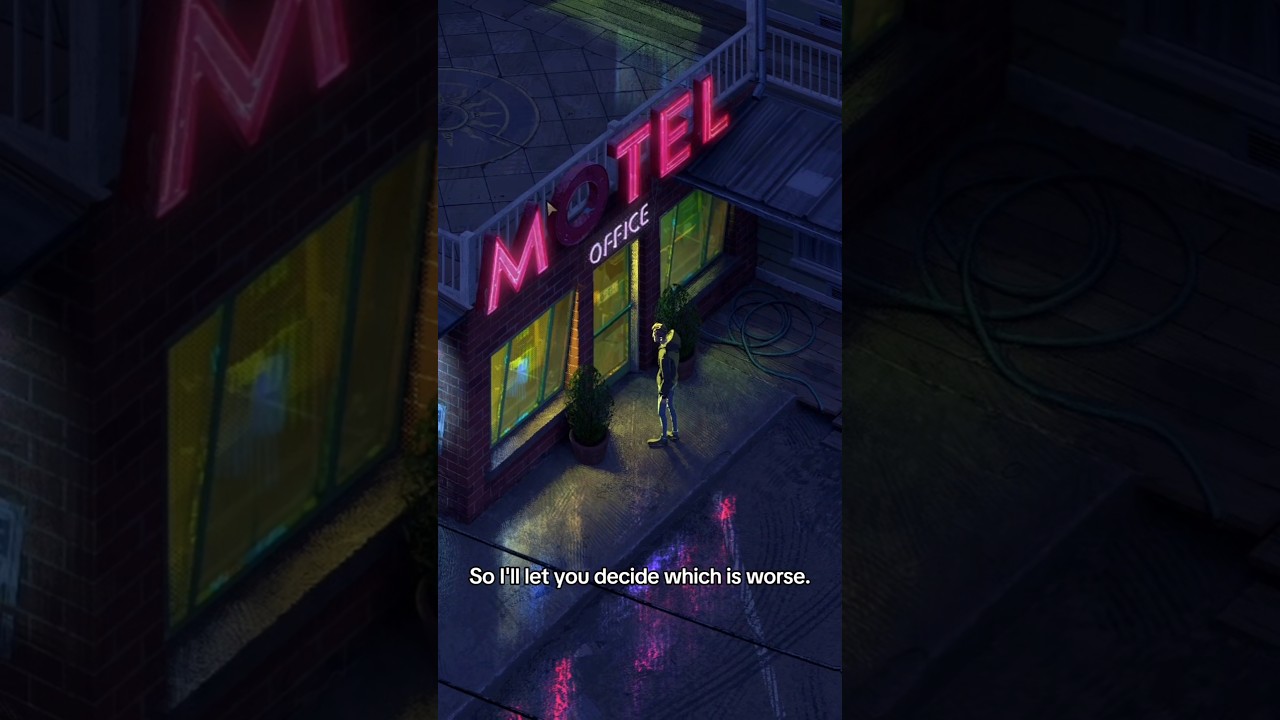
Break free from a mysterious time loop! Embark on a journey of self-discovery and resilience. Delve into the enigmatic depths of the small godforsaken town: Rue Valley.
Each day feels like an uphill battle against the shadows of your own mind. Along the way, you will encounter a captivating ensemble of characters, each wrestling with the…
Price
$29.99
Recommendations
1251
 fiery vapor
ok so 0x1F0578FF & 18F34244 seem somewhat similar to 0xECED3960
dense thorn
glacial plank
https://www.youtube.com/watch?v=L4NB8cp6SqU
This looks promising
Damn, steam reviews tho
main wharf
sour drum
Another dump for Pummel Party, should be complete now (~500 extra shaders, was a...
Aw, sorry to hear that. Here, this includes 3 more missing shaders. Hopefully should cover the game.
@lapis schooner @void hollow also added a couple shaders for Cairn, tho most were already in addon indeed.
main wharf
storm vapor
Hi @/Voosh, were you able to add No Rest for the Wicked's dump?
Took a quick look at that and... it's pretty massive, about 70 uber shaders. Some might already be in addon I haven't checked, but mostly I wonder if game is compiling every possible shader including unused ones.
I know the few Frostbite engine games I had a look at do that. Way less common in Unity games, but given many things are customizable there I dunno...
Will see how I handle this later, I've read game's native HDR is usable anyway (?).
Maybe a dedicated mod fixing native HDR would be more suited 🤷
fiery vapor
main wharf
Could it come from this?
The black artifacts can also be removed by clipping neg...
found another shader that needs the fix lol
fiery vapor
I think the enemy projectiles need to be ITM'd too
lemme play Ultrakill in SDR to get a reference pic
fiery vapor
anyways these are the 4 shaders in ultrakill that are the render shaders
and once I make sure that the itm'd shaders look good I'll send those too
fiery vapor
fiery vapor
I think the enemy projectiles need to be ITM'd too
lemme play Ultrakill in SDR t...
I can't ITM the projectiles themselves but I can itm the sprites that surround them
oh yeah, now it's all coming together
 fiery vapor
oh yeah, now it's all coming together
fiery vapor
fiery vapor
oh yeah, now it's all coming together
here are the projectile and muzzle flash shaders
main wharf
fiery vapor
here are the projectile and muzzle flash shaders
Is it that different from running ITM on the whole screen? FakeHDR boost or whatever I called the effect.
Also I already mentionned I think a more universal solution would be to use REST + ReShade fx ITM, though I still gotta try it.
fiery vapor
main wharf
Is it that different from running ITM on the whole screen? FakeHDR boost or what...
it's very different to running ITM on the whole screen (imo)
I can't test for sure since fake HDR boost does nothing in ULTRAKILL
main wharf
fiery vapor
I can't test for sure since fake HDR boost does nothing in ULTRAKILL
Aw right, probably not using Unity's post-processing stuff.
I'd have to make sure shaders are unique before I include them in universal addon. Maybe dedicated addon would be more fitted here, tho again, I'd be curious to try selective ITM with REST.
fiery vapor
main wharf
Aw right, probably not using Unity's post-processing stuff.
I'd have to make sur...
well, I did dump them while renodx unity was enabled
main wharf
main wharf
Aw right, probably not using Unity's post-processing stuff.
I'd have to make sur...
Can have multiple techniques in same ReShade.fx, so it should be possible to apply different ITM strength to different parts of game...
storm vapor
main wharf
Took a quick look at that and... it's pretty massive, about 70 uber shaders. Som...
yes the game does that I think, while using ShaderToggler I saw lots more shaders than usual. about if the native HDR is usable, I'm not defiantly sure about that tbh but yes it could be
 fiery vapor
dense thorn
why that look like gmod
fiery vapor
dense thorn
why that look like gmod
It's ultrakill's sandbox mode, the sandbox map is a homage to gmod
dense thorn
Ah oge
 fading cradle
main wharf
Aw, sorry to hear that. Here, this includes 3 more missing shaders. Hopefully sh...
fading cradle
main wharf
Aw, sorry to hear that. Here, this includes 3 more missing shaders. Hopefully sh...
Can you tell me if this file makes sense to use for the game Until the End?
main wharf
fading cradle
Can you tell me if this file makes sense to use for the game Until the End?
I can find two games with that name on Steam. None of them seems to be using Unity Engine, so I doubt addon works entirely.
Best case is that resources upgrades are enough to unclamp the game, in which case SpecialK HDR retrofit or even Generic RenoDX addon should be as effective.
fading cradle
main wharf
I can find two games with that name on Steam. None of them seems to be using Uni...
I'm sorry I misspelled the title.
Unto the End
You play an average warrior trying to get home to their family. Kill everything you see or look for ways to avoid bloodshed. Sword fighting is challenging and unforgiving. It demands practice and recognition of subtle tells. Likewise, finding peaceful resolutions requires keen observation of your opponents and their surroundings. The choice i…
Price
$14.99
Recommendations
377

I'm looking to adjust the SDR settings in the game because I use an SDR TV. I've noticed that while moving forward in the game, some objects, like stones, appear slightly doubled. When running to the right, the left side of the stone duplicates; when running to the left, the same thing happens. The doubling is subtle but noticeable.
 fiery sail
Anyone tried this with Lethal Company?
 raw crow
Missing some ui (main menu, some context button text in-game) from the addon above for Cairn, have upgraded r11g11b10_float as well as enabling swapchain proxt, is there maybe something i'm missing?
storm vapor
main wharf
Aw, sorry to hear that. Here, this includes 3 more missing shaders. Hopefully sh...
some shaders are still missing for Cairn like thunder, it just a purple effect. will the devkit be able to catch that?
raw crow
hrm the ui works if I don't force dx12 when launching
crimson spear
@main wharf Cairn new output
crimson spear
LUT 0 / 100
They have some ugly ass colorgrading luts

 crimson spear
<@328585230657257473> Cairn new output
crimson spear
crimson spear
<@328585230657257473> Cairn new output
original cso
main wharf
crimson spear
<@328585230657257473> Cairn new output
Uuuuh, no, this is already in addon
main wharf
main wharf
Aw, sorry to hear that. Here, this includes 3 more missing shaders. Hopefully sh...
Is one of the three I added in this ^
or was it 2 ? yea 3 was the other game
I haven't pushed tho mb
done*
main wharf
fading cradle
I'm looking to adjust the SDR settings in the game because I use an SDR TV. I've...
I'm confused, are you asking if addon would allow to control whatever graphical effect you're describing, the duplicating/doubling thing?
In which case I don't think so, addon only has Color Grading, Bloom, Lens Flare/Dirt, CA, Vignette, Dithering and Film Grain sliders.
main wharf
fading cradle
https://store.steampowered.com/app/600080/Unto_The_End
This one game is made on Unity Engine, so addon might be compatible, though I dunno if there'd be any improvement on SDR monitor. Depends on game's original behavior I guess 🤷
fiery sail
Tried installing this for lethal company and the addon didnt show in the overlay menu? Been a couple months since I used reshade so im not sure if i messed something up
main wharf
fiery sail
Tried installing this for lethal company and the addon didnt show in the overlay...
Uhm, make sure to install ReShade with addon support
fading cradle
main wharf
This one game is made on Unity Engine, so addon might be compatible, though I du...
I liked how the renodx addon mod is implemented in Silksong, I was just wondering what could be interpreted here 🙂 I tried the addon common to Until the End, it works with the game, but adjustments are needed.
fiery sail
main wharf
Uhm, make sure to install ReShade with addon support
I actually completely uninstalled it all and reinstalled, and it worked fine. No idea what happened the first time
main wharf
fading cradle
I liked how the renodx addon mod is implemented in Silksong, I was just wonderin...
Yea I don't have proper SDR mode, detection and stuff yet.
Gotta set Game, Peak and UI Brightness to 80
 surreal haven
@main wharf is the build from yesterday on github the best one for cairn or the one you posted a couple of days ago on discord #1413695723404398674 message
main wharf
surreal haven
<@328585230657257473> is the build from yesterday on github the best one for cai...
They're the same
surreal haven
main wharf
They're the same
cool, thanks man
 hearty bronze
not sure if i did this right but heres the lut shader from neon white
woven crag
Do you guys remember Starsand Island you worked on, that cozy anime genshin-like farming sim. It's finally coming out and they just dropped the news the game is gonna ship with an anticheat system
Reddit
Explore this post and more from the Starsandisland community
This is a load of bullshit excuses and not something that was mentioned on Kickstarter or until now. I hope it doesnt break Reno
I now have reservations of buying a game that's supposed to be a cozy singleplayer farming game with anticheat... Wtf. Let people do with their purchased software what the heck they want. I bet they're gonna be adding loads of mtx
And they kept this hush hush right until the release
"we're a small team with a small budget so we can't really afford expensive anticheats systems, but we will still implement one in our singleplayer game anyway"
(yes they will add some form of MP functionality on release but nobody really cares about that, it's just an excuse at this point and it's killing the hype for me)
 proper vine
woven crag
Do you guys remember Starsand Island you worked on, that cozy anime genshin-like...
proper vine
woven crag
Do you guys remember Starsand Island you worked on, that cozy anime genshin-like...

Well im glad i didn't end up making a whole ass mod for it
woven crag
Well iirc it all workedout out fine with the universal in the end?
proper vine
yeah good enough
probably could've squeezed out a bit more detail in the highlights if I remember right but it looked good still
 kindred nacelle
Any way to fix ''Overcooked: All you can eat''?
most scenes are clamped to 203 nits, only some work correctly
oc 1 and 2 work without a problem
main wharf
kindred nacelle
Any way to fix ''Overcooked: All you can eat''?
I'll have a look when I get the chance.
OG games are fairly simple iirc, might just be one missing shader.
kindred nacelle
main wharf
I'll have a look when I get the chance.
OG games are fairly simple iirc, might j...
Ok!
kindred nacelle
main wharf
I'll have a look when I get the chance.
OG games are fairly simple iirc, might j...
I found this on the github page
64-bit. Enable Swapchain Proxy, Encoding: Gamma.
Color grading affected
General: Hideout, World Map Navigation
OC1: Intro Apocalypse/The Peckening, Ravenous Roads, Cosmic Canteen and Lost Morsel
OC2: Tutorial, Sushi City, Buffet Balloons, Moreish Mines, Christmas Cooking, Peachy Paradise, Dessert Island and Infusing Gardens
Already enabled swapchain
fading cradle
main wharf
Yea I don't have *proper* SDR mode, detection and stuff yet.
Gotta set Game, Pea...
I gave your advice a try, but it didn’t make much of a difference, as this mod tends to produce various image artifacts. It seems manual adjustments tailored to this project’s requirements might be necessary.
 slender terrace
Are these better left alone or cranking everything to the right wont hurt either way? Trying in Cairn.
 crimson spear
Leave it alone
fiery vapor
hey I'm currently adjusting settings for Turbo Overkill because the highlights in most of the objects go white instead of keeping the highlight colour, and I found that when you set Highlights Saturation to 60, the Highlights change colour when changing the LUT Shaper
so...
what do you think is more "physically accurate", Lut Shaper set to Vanilla or LUT Shaper set to PQ?


personally, I like LUT Shaper set to Vanilla
I guess I'll also use hue correction
hue correction set to 100 
with the hue processor being ICtCp
 rotund steppe
slender terrace
Are these better left alone or cranking everything to the right wont hurt either...
rotund steppe
slender terrace
Are these better left alone or cranking everything to the right wont hurt either...
How is it working in Cairn? I’m about to start playing too but I read some lutbuilders were missing. Dunno if all are there and it’s 100% now
slender terrace
I haven't gotten far yet, looks better than without, haven't noticed any problems, not sure i would if there were any though.
main wharf
fiery vapor
hey I'm currently adjusting settings for Turbo Overkill because the highlights i...
Sure about color changing? Looks the same to me. Highlights seem stronger with PQ for some reason, rest is just naturally occuring I think. As in stronger highlights > stronger blowout (could be tonemapping or game's color grading, remember the green orb in RoR2).
Be mindful, reference is Vanilla with Vanilla Shaper, not RenoDRT.
fiery vapor
main wharf
Sure about color changing? Looks the same to me. Highlights seem stronger with P...
I don't really like the blowout that PQ makes
fiery vapor
main wharf
Sure about color changing? Looks the same to me. Highlights seem stronger with P...
if there was a way to fix the blowout without having to switch to the vanilla shaper, I'd like to know
I do also notice that Hue Correction slider works quite well with this game
main wharf
fiery vapor
if there was a way to fix the blowout without having to switch to the vanilla sh...
Isn't Highlights Saturation pretty much that? Tho I don't understand what there is to "fix". Again reference is vanilla SDR, not RenoDRT with vanilla Shaper
fiery vapor
I guess it's more of a personal preference thing 
main wharf
fiery vapor
I do also notice that Hue Correction slider works quite well with this game
IIRC game itself has at least an "alternative" grading option.
main wharf
fiery vapor
I guess it's more of a personal preference thing <:ThinkShrug:607019444753006595...
Sounds like it to me
fiery vapor
main wharf
IIRC game itself has at least an "alternative" grading option.
actually speaking of that option
I need to check if it works with renodx
main wharf
It should. Basically gets rid of ACES
fiery vapor
oh damn
main wharf
Maybe they noticed weird blurple shit when they added SSR, I'm fairly sure Alt Grading was added in same update
fiery vapor
oh yeah
I thought alt grading was broken with RenoDX 😭
alt grading looks like the perfect base for RenoDX
main wharf
What's accurate I don't even know anymore. Quite confused since I saw blurple irl around a blue bulb
main wharf
Fire can be quite different depending what burns and how...
fiery vapor
(or I guess more specifically, how other games have done it?)
unfortunately I have lost a reference image
actually nvm here's a reference image from Helldivers 2
the fire is kinda orange-y
yeah alt grading seems pretty nice, even if it's a little more "washed out" compared to the contrastiness of ACES

I guess ACES is commonly used because it looks "punchy", which then makes non ACES tonemapped images look "washed out"
ah perfect time to realise that I need to upgrade a resource
oh nvm I don't?
main wharf
fiery vapor
~~ah perfect time to realise that I need to upgrade a resource~~
oh nvm I don't?
Can't remember, should be written on wiki if needed.
rotund steppe
slender terrace
I haven't gotten far yet, looks better than without, haven't noticed any problem...
Awesome! Thanks
This is great! Just download, put into the desired games folder and execute?
haughty dock
No need to copy paste it around, it prompts for the game folder
rotund steppe
Ohhhh gotcha, awesome
Is there a similar one for unreal? Never seen this and it’s so useful
 velvet moth
There is Reno and Luma for Unreal.
main wharf
rotund steppe
How is it working in Cairn? I’m about to start playing too but I read some lutbu...
I was sent these missing shaders and they were added to addon.
There may be more I dunno, feel free to report any oddity in this thread.
rotund steppe
velvet moth
There is Reno and Luma for Unreal.
I meant a script to auto install
rotund steppe
main wharf
I was sent these missing shaders and they were added to addon.
There may be more...
Will do! Thanks for updating it ^^
haughty dock
rotund steppe
Is there a similar one for unreal? Never seen this and it’s so useful
yes
fiery vapor
fiery vapor
yeah alt grading seems pretty nice, even if it's a little more "washed out" comp...
ok disregard this, turns out that the reference pic I was using is incorrect
 main wharf
fiery vapor
main wharf
fiery vapor
Oooooh
Most of the shaders in addon are URP's I think. Maybe it works ootb, or at least shouldn't be as hard to add compatibility if there are a few missing uber shaders.
fiery vapor
yeah
probably means that once this update releases I'll have to record my lightshows YET AGAIN
well, this also means new shaders to dump
main wharf
Not necessarily, they may already be in addon..! 🙏
Well, assuming they go with Unity's built-in post-processing anyway. Reason shaders were previously missing is that they were using old pipeline/custom stuff
fiery vapor
there is one shader that has to be dumped
and I think that shader is the tonemapper shader
wait
"I think?"
bruh, I literally just figured out that shader, why am I sprinkling a sense of doubt in my sentences
wait this is the bloom shader god damnit
wait
THIS IS THE BLOOM SHADER
it's a new bloom shader
main wharf
😄
URP's tonemapping is usually either in LutBuilderHdr, or in Uber if game uses LutBuilderLdr
fiery vapor
remove the saturate from line 48
main wharf
Then again, that is only if they use URP's built-in post-processing.
fiery vapor
for a cheap and dirty fix, needs to be tied to the bloom slider though
main wharf
Unity's very customizable so that's not guaranteed
fiery vapor
fiery vapor
you'll want to put a tonemapper in this imo
remember that Beat Saber's bloom is tonemapped differently to the render

yeah it's ACES, but at least the blowout is stored in the post processing instead of the game objects
main wharf
Yea, Narkowicz's approximation iirc, wasn't it in like hundreds shaders..?
Not sure what the forward rendering sentence means, sounds like modding this game is a bit special. Maybe dedicated addon is better? 🤷
aw yea, 178 shaders, back then anyway...
Oooh, REPLACED demo dropped. Also Planet of Lana 2
-# and I still don't have an HDR screen lmao
fiery vapor
main wharf
Yea, Narkowicz's approximation iirc, wasn't it in like hundreds shaders..?
Not s...
uhhh so about that...
they're in the mirror shaders

so the reflections are Narkowicz's approximation tonemapped
main wharf
Huh? Ooooh. But uhm, is that what "objects in forward rendering" means..? Or maybe they use a different approximation somewhere else..?
Doesn't seem to make any sense to me, but I don't know shit 🤷
fiery vapor
so before this update Beat Saber was using BIRP
 bronze galleon
main wharf
Oooh, [REPLACED](https://store.steampowered.com/app/1663850/REPLACED/) demo drop...
bronze galleon
main wharf
Oooh, [REPLACED](https://store.steampowered.com/app/1663850/REPLACED/) demo drop...
Ooh, sweet, gonna try to remote install it 😊
Replaced has a super nice vibe graphically
fiery vapor
main wharf
Huh? Ooooh. But uhm, is that what "objects in forward rendering" means..? Or may...
I'm not really sure either, but I do know that the lasers no longer have the blowout defined in their shaders
main wharf
bronze galleon
Replaced has a super nice vibe graphically
Ikr. Doesn't work ootb sadly, will add shaders some time later today.
fiery vapor
fiery vapor
I'm not really sure either, but I do know that the lasers no longer have the blo...
versions before this would multiply the laser colour by white for the centre of the lasers
main wharf
fiery vapor
versions before this would multiply the laser colour by white for the centre of ...
Mmh, so maybe they added even more ACES in other shaders..? Feel free to send a complete shaders dump of this beta, I can have a quick look today
fiery vapor
fiery vapor
this is the only shader you need to modify lol
so anyways here's what the new version's lasers look like with the bloom shader disabled
 main wharf
fiery vapor
this is the only shader you need to modify lol
main wharf
fiery vapor
this is the only shader you need to modify lol
Doesn't sound right, tonemapping isn't here. I dunno.
Narkowicz's approx tonemaps beyond 1 iirc, so if not clipped in shader code or by resource format, there may be some small highlights.
Would still be capped tho
 fiery vapor
yeah I guess this one is the one...
I wonder if adding the tonemapper to it will actually affect the lasers this time?
fiery vapor
fiery vapor
okay this isn't actually the bloom shader
this is Hidden/MainEffect
the 2 shaders that are disabled in this image are the bloom shaders

disabling them leaves an afterimage lol
you'll probably want these just to add them to the bloom slider
fiery vapor
fiery vapor
the 2 shaders that are disabled in this image are the bloom shaders
now I'm starting to understand what Jan might be talking about with forward rendering
the blowout is added in the shader that draws after the bloom shaders
disable the maineffect shader and both the blowout and bloom disappear
 main wharf
fiery vapor
you'll probably want these just to add them to the bloom slider
main wharf
fiery vapor
you'll probably want these just to add them to the bloom slider
Not necessarily. Bloom is commonly multiple shaders, one or a few that "build" the Bloom texture and one last shader that samples bloom texture (possibly multiple times) and adds it (or blends it) to main render texture. Usually only that latest shader is needed for slider.
It is quite possible that is Hidden/MainEffect, code very much looks like it.
fading cradle
The REPLACED demo is awesome! The visuals, the atmosphere in general, and the music are top-notch. But could someone explain the difference between Fullscreen mode and Borderless Window mode? Does it impact performance, or what’s the difference? I’ve heard that Borderless Window mode is often recommended when using a program like RenoDx.
bronze galleon
Yeah it's so beautiful, plays great (combat is super dynamic yet simple and accessible), is smooth af (a tad heavy but it's fine, only some drops in the 120s on a 3080 at 3440x1440) and the lore is captivating
Fullscreen mode is borderless fullscreen is Borderless window is Windowed mode without borders
iirc Unity doesn't have Exclusive ullscreen
fading cradle
bronze galleon
Yeah it's so beautiful, plays great (combat is super dynamic yet simple and acce...
I didn’t understand the answer at all :)) Does that mean there’s no difference after all? Visually, I don’t see any changes—whether in fullscreen mode or borderless windowed mode. The only advice given on Steam to the user was to enable fullscreen mode because they experienced some minor stutters at certain points. My TV has a 16:9 aspect ratio and 1080p resolution; I set the DSR to 2.25x, which results in a higher resolution. Maybe the borderless window mode is more common for those with ultra-wide monitors?
bronze galleon
Game has Windowed, Borderless and Fullscreen modes, the first two can be whatever res and will be in a window with or without borders
The last one is basically the same as Borderless at native resolution but has a Vsync option but it's the same as the second one at native res
bronze galleon
bronze galleon
iirc Unity doesn't have Exclusive ullscreen
I take that back
bronze galleon
bronze galleon
The last one is basically the same as Borderless at native resolution but has a ...
This too, it's actually an exclusive fullscreen mode indeed
I was using SK so it stayed in Borderless Fullscreen, my bad
main wharf
fading cradle
I didn’t understand the answer at all :)) Does that mean there’s no difference a...
TLDR: Exclusive Full Screen = bad
Less performance, more latency due to... How Windows OS works I think (?)
Also quite annoying when multitasking, alt+tab is way slower with EFS. I can't think of a single reason to use it nowadays.
In fact I'm fairly sure it's been deprecated with dx12.
A remnant from old days I guess.
Weirdest part is that a small amount of (Unity) games still ship with it being default setting nowadays, dunno if it's a matter of compatibility with old hardware or something..?
bronze galleon
Ah crap, yet another Unity game tying Fixed Delta Time to its Physics
So don't touch it in SK lol
bronze galleon
main wharf
A remnant from old days I guess.
Weirdest part is that a small amount of (Unity)...
I thought modern Unity got rid of it but this game would tend to disprove that assumption
@twin wharf would know best
main wharf
bronze galleon
I *thought* modern Unity got rid of it but this game would tend to disprove that...
Do you ever launch games without SK..? 😅
I had to warn about Exclusive Fullscreen causing a crash on launch with Reno for like 90℅ of Unity mods I did
Sadly RenoDX's "Prevent Fullscreen" option doesn't work with this engine, no idea why
bronze galleon
Tbh, I only ever launch those I can't use SK in when using other mods + RenoDX like SK+OptiScaler+RenoDX is almost a guaranteed fail so I sacrifice SK for the other 2 but I'm an SK addict, no doubt about that lol
main wharf
Aye. Assuming OptiScaler can't do much in dx11 games most of which have no advanced upscaling method, I guess that means "I always use SK" 
 main wharf
How many of them are Unity..?
bronze galleon
And Izueh is gonna work with Nitec so Luma DLSS can also do FG with OptiScaler using an interop
bronze galleon
main wharf
How many of them are Unity..?
A small handful I think
Most of them don't need anything upscaling or FG anyway
I think that's why I love Unity games so much, most of those I know are light ones
Egging On might be the exception, that's heavy heavy boi
Oh Replaced is gonna be on GOG !

🤞 day one
Yep it says coming soon but store page says release date march 12th 2026 so there's a chance
main wharf
bronze galleon
Yep it says coming soon but store page says release date march 12th 2026 so ther...
More than a chance, just read FAQ
bronze galleon
Awesome ! That's a day one buy then !
Love devs who don't treat GOGers as second class citizens
main wharf
kindred nacelle
64-bit. Enable Swapchain Proxy, Encoding: Gamma.
Color grading affected
General:...
Aye, try this one please.
^ also added 2 shaders for REPLACED demo, tho I haven't played through to confirm that's all there is yet. Needs RG11B10_float upgrade to Any Size (to unclamp WCG)!!!
(Planet of Lana 2 demo seems to work OOTB, though it looks a bit flat like first game)
main wharf
Mmmh, Internal Lut Scaling seems weird in PoL2.
Dunno if I broke something recently, will check other games when I get the chance.
Likely code has to be improved, I was expecting to find a case that challenges it.
velvet moth
Has anyone checked Synthetik 2 by chance? I installed it but got these flashbangs on killing enemies.
 analog mauve
What could be the cause of this?
Only the terrain is missing even without any resource upgrades
Game: Starsand Island
 main wharf
analog mauve
What could be the cause of this?
Only the terrain is missing even without any re...
main wharf
analog mauve
What could be the cause of this?
Only the terrain is missing even without any re...
Ugh, dunno. Same issue was reported in a couple games I believe.
It triggered once in some other game I got, in which it randomly stopped occurring after I updated addon with seemingly unrelated changes.
Please share corresponding ReShade.log after issue happens, hopefully there is a warning of some kind.
Else... Maybe you can try a different addon build (https://github.com/NotVoosh/renodx-unity/releases)
glacial plank
Needs revert state maybe
main wharf
glacial plank
Needs revert state maybe
Mmmh, are there several of these? Only one I've used is swapchain proxy's but it's disabled on screenshot so not in use there
glacial plank
Just the swapchain proxy one
main wharf
main wharf
Mmmh, Internal Lut Scaling seems weird in PoL2.
Dunno if I broke something recen...
Lut Scaling seems fine here, so yea it's just something odd with Planet of Lana, will have a look later


 glacial plank
Though in dx10 it ended up being incomplete and not reverting everything
main wharf
Maybe it's this again, will share a build with it commented out later.
Though it is possible ReShade.log warns about something OnCopy mismatch
main wharf
analog mauve
What could be the cause of this?
Only the terrain is missing even without any re...
Can give this a try (has on_copy_texture thingie disabled)
main wharf
glacial plank
Needs revert state maybe
When I tried to isolate where issue came from back then, it seemed linked to cbuffers somehow as only removing their injection would bring back missing textures.
But game wasn't using cb13, and using another slot for injection wouldn't solve the issue so I dunno really.
then there was this, missing textures aswell I believe
Which ended up being this, @desert herald solved it with a simple commit
glacial plank
main wharf
When I tried to isolate where issue came from back then, it seemed linked to cbu...
renodx::mods::shader::revert_constant_buffer_ranges = true;```maybe that
shortfuse made it for metro
analog mauve
main wharf
Ugh, dunno. Same issue was reported in a couple games I believe.
It triggered o...
I have tried different addon builds randomly till the oldest nightly-20251103
Still the same 💀
Below are log from nightly-20260212
main wharf
analog mauve
I have tried different addon builds randomly till the oldest `nightly-20251103`
...
Sadly can't see anything off at first glance.
Thank you though, that makes a third game I (or someone else) can investigate.
Will have another look when I get some time, try some more random flags or maybe I can find what links these games.
woven crag
analog mauve
What could be the cause of this?
Only the terrain is missing even without any re...
We had a well working version for the demo, what changed with release I wonder? Except that they added anticheat
I wonder if this old build still works?
fiery vapor
@main wharf oh yeah I need to send you a shader for the 1.40.8 (modded?) version of beatsaber
all I did was remove the saturate
I'll go and fetch the name of the reflection
oh, this one is Hidden/MainEffect
lemme check if it's the same ID as the URP one
ok it's a different ID
fiery vapor
fiery vapor
and yeah you could probably put the tonemapper in here
bronze galleon
Ooh nice, Neva prologue DLC in 6 days
Follow Alba as she chases chases a trail of white butterflies deep into the corrupted swamps, only to discover a frightened wolf cub, lost and alone. Determined to save her, Alba must earn the young wolf's trust and guide her through the blighted wilderness. Together, they will face new enemies, endure perilous trials, and confront a monstrous fo…
Release Date
Feb 19, 2026
 fiery vapor
You are the only one stopping an alien invasion... and loving every second of it! In this remake of 2014's Wrack, play as Kain as you shoot, slash, and hyperblast your way through a horde of invading aliens and robots to keep your planet safe.…
Price
$14.99

unfortunately no demo so I cannot test
analog mauve
woven crag
We had a well working version for the demo, what changed with release I wonder? ...
I did tried that build on Alpha, Demo and Release
But all have issue with invisible terrain
As for Anti-Cheat they haven't added it yet (for now)
This is from their recent response
"All unreasonable or overly restrictive clauses in the user agreement have been removed. We will never restrict players from using mods or other custom content, and there is no anti-cheat system implemented in the game. After the full release, Steam Workshop will also be opened to allow everyone to freely create and share their ideas."
bronze galleon
Much prefer Reinhard over Daniele in REPLACED, those highlights man... 
rotund steppe
Does Cairn need any resource upgrades?
I think by default is still limited at a sdr range
Yeah around 150 if I move peak brightness slider. Im guessing it needs upgrades
Tonemapper change also seems to have no effect
rotund steppe
rotund steppe
Tonemapper change also seems to have no effect
Oh ok it does but its minimal, only a small portion of the clouds changes
(I´m testing in the main menu since its real time)
Is this the expected output?

 fiery vapor
will the Neutwo tonemapper ever get added to this addon?
main wharf
Can try FakeHDR Boost in Effects. 🤷
Fwiw I think game is only clamped by resource..? Not sure, maybe I'm confused.
Anyway point is that in that case SpecialK remasters should work, while offering Perceptual Boost and stuff.
Uhm, RenoDX generic/Unity addon along ReShade shader is an option too I guess. Using REST to skip UI or maybe even ITM only certain parts of the game...
rotund steppe
main wharf
I guess so? Game seems to look a bit flat, at least per moment
Yeah it doesn´t seem to do much the mod. I tried turning it on and off and its almost the same
 rotund steppe
But maybe its just the artstyle as you mention. Not a lot of room to pop
I probably add a lil hdr boost and call it a day. I just wanted to be sure I was not intentionally gimping it by not upgrading resources or something (I´m using defaults)
rotund steppe
main wharf
Can try FakeHDR Boost in Effects. 🤷
Fwiw I think game is only clamped by resou...
Not sure about SpecialK tho, I guess it could be an option. It doesn´t behave too well in my TV usually tho (I´m missing MPOs cause Nvidia is weird)
main wharf
fiery vapor
will the Neutwo tonemapper ever get added to this addon?
I wanna experiment with this and other stuff but not only am I quite busy with work, also not having any HDR screen atm except phone...
The latter should hopefully change by next month so I'll try to keep you posted when I start messing with that stuff.
rotund steppe
main wharf
Can try FakeHDR Boost in Effects. 🤷
Fwiw I think game is only clamped by resou...
Im confused about what you mean by " I think game is only clamped by resource." You mean resource upgrade within the mod?
main wharf
rotund steppe
I probably add a lil hdr boost and call it a day. I just wanted to be sure I was...
Screenshot isn't HDR file, is it?
Graph seems ok, flat but unclamped.
rotund steppe
main wharf
Screenshot isn't HDR file, is it?
Graph seems ok, flat but unclamped.
Yeah screenshot is not HDR my bad. I can get you one in HDR
main wharf
rotund steppe
Yeah screenshot is not HDR my bad. I can get you one in HDR
It's fine dw
rotund steppe
Oh ok if it seems unclamped that´s all I wanted to know. I guess it is what is is then
Thanks for taking a look at it!
main wharf
rotund steppe
Im confused about what you mean by " I think game is only clamped by resource." ...
It's only relevant as this means other tools that upgrade resources (+ swapchain) would also unclamp the game, whether it is SpecialK or RenoDX generic addon.
Game may also be clamped in shader code, by an SDR effect, tonemapper, grading... In which case only a mod that also edits shaders can help.
rotund steppe
Ohhhhhhh ok I understand
fiery vapor

🗨️ 7 ♻️ 27 💙 91
it's happening, IT'S HAPPENING!
demo drops on Steam 19th of Feb!

WE ARE IN THE FLOWING SANDS OF TIME 🗣️
WE ARE CAUGHT INTO THE STORM INTO THE EYE! 🗣️
rotund steppe
Also I tried this addon in Replaced demo and it seemed to work but I had no peak brightness setting available. Does it need resource upgrade? Couldn´t find anything in the wiki or in this thread
fiery vapor
fiery vapor
WE ARE IN THE FLOWING SANDS OF TIME 🗣️
WE ARE CAUGHT INTO THE STORM INTO THE E...
@proper vine context is that this is lyrics to a eurobeat song that's in the Densha De D fangame
where you race trains
fiery vapor
deshattack is on unity so hopefully there should be plenty to upgrade

Hop aboard your custom gravity-defying train and embark on a hectic quest to defeat the sinister Miraidō corporation, alongside a vibrant pack of outcasts. Ollie, kickflip, and grind your way through Japan's biggest cities, as well as a world of meadows, volcanoes and oceans. Rack up points and chase that sweet high score as you flip, trick and...
wait this vid kinda low quality

Welcome to Denshattack!
The adrenaline-pumping, trick-infused ride that catapults you through 50+ levels of pure, exciting chaos. Drift around hairpin turns, leap over gaping chasms, and prepare for a heart-stopping showdown with a towering train battle mech boss!
Inspired by the beauty of Japan’s scenic rail lines, Denshattack! propels you...
oh yeah this game is gonna look amazing with HDR
so much bloom that can be upgraded
main wharf
rotund steppe
Also I tried this addon in Replaced demo and it seemed to work but I had no peak...
RG11B10_float to Any Size for WCG.
Make sure to use updated addon, only latest version works in this demo. Every setting, peak brightness included, should be available by title menu.
rotund steppe
main wharf
RG11B10_float to Any Size for WCG.
Make sure to use updated addon, only latest v...
I tried this but didn’t work. Still no peak slider
 pallid wagon
@main wharf found a missing shader in cairnes main menu when hovering over the free solo difficulty
rotund steppe
main wharf
RG11B10_float to Any Size for WCG.
Make sure to use updated addon, only latest v...
Oh ok apparently I didnt have the latest version for some reason. Now it works, sorry!
rotund steppe
bronze galleon
Much prefer Reinhard over Daniele in REPLACED, those highlights man... <:pepe_aw...
YEAH, Reinhard looks insane
woven crag
I managed to catch a couple of more shaders playing for about half an hour, which should hopefully cover most of them. the game is pretty much to where it was with the early demo:
- UI is in HDR but the game itself is nott
- character creator is in HDR but you get a warning for missing shaders
- I don't have an issue with transparent floors using "older" builds from 2 weeks ago and there's no difference with demo build too, it's just like how it was at the start
pallid wagon
some more
rotund steppe
Could this mod be causing cairn photo mode not to capture anything? It says it’s taking screenshots but the folder is empty
rotund steppe
There’s missing shaders in cairn when looking through binoculars
rotund steppe
Also lightning shaders seem missing. Entire sky goes purple, same as binoculars
 errant swallow
Sable seems to work fine out of the box
main wharf
Aye thanks for the dumps @pallid wagon and @woven crag!
Added few missing shaders for both Cairn and Starsand Island in this, lemme know how it goes. 🙏
 sweet mural
Uncover the sinister secrets of Phoenix Corporation, through the eyes of its own creation, R.E.A.C.H. - an AI trapped in a human body against its will. In an alternate 1980s America reshaped by nuclear catastrophe, Phoenix-City has become one of the Corporation’s strongholds - a haven for corruption where outlaws thrive and human life…
Release Date
Mar 12, 2026

?
main wharf
sweet mural
https://store.steampowered.com/app/1663850/REPLACED/
Assuming question is about support, answer is YES
Had game in Steam wishlist for months, added demo's shaders on the day it launched
Still haven't played through tho ):
So uuuh, demo should work as long as you use updated addon!
main wharf
main wharf
^ also added 2 shaders for REPLACED demo, tho I haven't played through to confir...
^
Needs RG11B10_float upgrade to Any Size (to unclamp WCG)!!!
sweet mural
Thanks. Great visuals to make them work in HDR
rotund steppe
main wharf
Aye thanks for the dumps <@194190992109207552> and <@209700053621669889>!
Added ...
Awesome! Will test cairn today. Much appreciated
main wharf
Woops I should've scrolled up more, missed this sorry. Adding it later today, I need to push today's changes anyway.
Just hoping I didn't do any mistake when adding recent shaders
haughty dock
It requests elevation if the path is used for symlinks
woven crag
main wharf
Aye thanks for the dumps <@194190992109207552> and <@209700053621669889>!
Added ...
Thank you so much, I can't wait to test it out ❤️
bronze galleon
main wharf
Still haven't played through tho ):
WHAT ?!?!
It'll take you like 10 minutes max (so small but so good)
Curious whether you prefer Reinhard or Danielle in it btw
main wharf
bronze galleon
Curious whether you prefer Reinhard or Danielle in it btw
I'd usually stick to defaut tonemapper and either increase Highlights or Contrast if needed, but will try Reinhard and see.
main wharf
bronze galleon
WHAT ?!?!
I'm super busy these days, and also not having any HDR screen except phone since I moved in November leaving both TV and monitor behind.
Relocating again very soon, likely this week, will see then to either have my stuff sent over or pickup some new gear.
woven crag
main wharf
Aye thanks for the dumps <@194190992109207552> and <@209700053621669889>!
Added ...
unfortunately doesn't seem to be working, nothing changed 🤔

i'll play some more with the upgrades and stuff but idk 💀
main wharf
woven crag
unfortunately doesn't seem to be working, nothing changed 🤔
Oh. Wait, I can't find the FSR shader I had to unclamp for demo in latest dump. Lemme see, might have changed hash
main wharf
main wharf
Oh. Wait, I can't find the FSR shader I had to unclamp for demo in latest dump. ...
Can't find any similar shader, which may be for the best, it was a headache to get working (and I had hands on demo back then lol).
I can find what appears to be Unity's EASU/RCAS combo, will send a build with these two shaders added in like 10 mins.
woven crag
not sure if this information helps but game CTDs on launch when trying to upgrade R8G8B8A8_UNORM (altho that one wasn't required in the demo iirc just the standard one)
bronze galleon
main wharf
I'd usually stick to defaut tonemapper and either increase Highlights or Contras...
Tried the former at first and Reinhard with defaults won me over
woven crag
woven crag
not sure if this information helps but game CTDs on launch when trying to upgrad...
oops it was the unorm one, not the typeless. i was looking at the .ini got confused
main wharf
woven crag
oops it was the unorm one, not the typeless. i was looking at the .ini got conf...
No worries, but yea it sounded odd since rgba8_typeless is the default one 😅
Aw, another thing, Unity's FSR commonly uses RGB10A2_typeless resource. You may need to upgrade this with Output Ratio if incoming build is still clamped
woven crag
anything wrong if I rawdog test them with any size?
main wharf
🤷
main wharf
Some upgrades may not do anything, I doubt there's a game that uses every available resource format.
woven crag
I've seen complaints about the bright UI in the steam comments, and replied about using reno but no feedback so far 😔
the UI is annoying even in SDR that's telling
main wharf
main wharf
Some upgrades may not do anything, I doubt there's a game that uses every availa...
When it comes to Unity afaik the most common are RGBA8_typeless, RGB10A2_typeless, RG11B10_float (this one is HDR range, just lacks negatives which are WCG in bt709 space). Then eventually some rare RGBA16_typeless that is unorm in a few games.
main wharf
woven crag
anything wrong if I rawdog test them with any size?
Aw actually I forgot, Unity's FSR only clips WCG, not highlights, so you can already try the upgrade (RGB10A2_typeless). Hopefully should already unclamp the game
main wharf
main wharf
Aw actually I forgot, Unity's FSR only clips WCG, not highlights, so you can alr...
Might have to be Output Size if FSR's resolution scaling is enabled
main wharf
fiery vapor
<@328585230657257473> oh yeah I need to send you a shader for the 1.40.8 (modded...
Here you go, I hope!
main wharf
main wharf
Oh. Wait, I can't find the FSR shader I had to unclamp for demo in latest dump. ...
^ @woven crag Also added those couple EASU/RCAS shaders, but again they are only clipping bt2020 colors, not highlights, so there's either another shader or some missing resource upgrade (I'd bet on RGB10A2_typeless).
woven crag
main wharf
Aw actually I forgot, Unity's FSR only clips WCG, not highlights, so you can alr...
uhm... FSR? I'm actually using DLSS now could this be the issue?
main wharf
Ooooooh, I don't remember game demo having this
woven crag
main wharf
Aw actually I forgot, Unity's FSR only clips WCG, not highlights, so you can alr...
it does unclamp somehow, this reminds me on the demo, i can curse it if I mess around with the sliders and set encoding to gamma

let me try new build now
woven crag
main wharf
Ooooooh, I don't remember ~~game~~ demo having this
yeah it seems they added it and I defaulted to it
 woven crag
🤷♂️
velvet moth
But, it's Super Super.
 junior river
Inb4 FSR 1
woven crag
woven crag
it does unclamp somehow, this reminds me on the demo, i can curse it if I mess a...
oh it seems i also somehow managed to break the textures 💀
junior river

main wharf
junior river
Inb4 FSR 1
ofc it is (:
woven crag
I really don't mind what upscaler they're using at this point I just want it to work
main wharf
woven crag
oh it seems i also somehow managed to break the textures 💀
Oh ? lmao
woven crag
yeah look at sky in the screen
main wharf
Demo was doing some weird stuff iirc, I guess I might have to take a look at the game.
main wharf
analog mauve
What could be the cause of this?
Only the terrain is missing even without any re...
Missing textures have been reported in this already. I guess that makes one more reason to take a look at game, ugh
woven crag
interesting now it's telling me missing shaders with the new build. well ok then
oh and let me try fsr
jesus that looks bad 😂
and it actually clamps it back 👀
we're making some progress, game looks correct now, but
- game brightness slider not working
- UI slider affects everything
this seems like a familiar issue

(this is on dlss default sliders)
(same behavior for no upscaling)
main wharf
woven crag
interesting now it's telling me missing shaders with the new build. well ok then
Wuuuut. Yea so changing game settings can change shaders, but this would usually mainly be post-processing effects (Bloom, Vignette, CA, Lens on/off).
I guess upscaling could do that aswell, again it depends how it's implemented.
I believe that ideally upscaling occurs before post-processing so that effects are done at full resolution.
Sadly Unity's often seems to do the other way around, FSR1 almost always runs after all effects are done. This is better for performance, but quite annoying when modding.
I've seen both for DLSS, which is way more rare in dx11 games.
woven crag
and uhm still missing output shader. i guess i'll do another dump
main wharf
woven crag
and uhm still missing output shader. i guess i'll do another dump
That one is weird, things would look wrong when missing output shader, unless LUT Shaper is set to Vanilla.
I might have done an oopsie, lemme check
main wharf
woven crag
and uhm still missing output shader. i guess i'll do another dump
No need to dump!!!
Is my bad
woven crag
HOLD UP
it was resolution modifier!!!
setting it back to 100% and turning off upscaling now it all works!
oh but UI is still affecting game 🙁
increasing game brightness now reduces highlights? 🤔
main wharf
woven crag
it was resolution modifier!!!
Ok so to me this hints a bit more towards missing resource upgrade
Again RGB10A2_typeless to Output Ratio, or maybe RGBA8_typeless to Output Ratio (the one that's enabled to Output Size by default)
main wharf
woven crag
oh but UI is still affecting game 🙁
Yea this might be my bad aswell, sorry. Incoming build in a sec
woven crag
i mean, it kinda works. excited for the new build 🙂
 main wharf
woven crag
oh but UI is still affecting game 🙁
main wharf
woven crag
oh but UI is still affecting game 🙁
Try this please
woven crag
omw
main wharf
main wharf
Again RGB10A2_typeless to Output Ratio, or maybe RGBA8_typeless to Output Ratio ...
OUTPUT RATIO, not size*
When using resolution scaling that is (other than 100% scale).
woven crag
 woven crag
main wharf
Try this please
woven crag
main wharf
Try this please
my man! 🙏 works now ❤️
woven crag
main wharf
OUTPUT RATIO, not size*
right now i have both of them output ratio with dlss 50% resolution
main wharf
Noice, thanks for bearing with me, this took longer than it should have
-# my brain somehow 
woven crag
you deserve way more credit don't treat yourself like that 😄
RGB102A_typeless doesn't seem to be needed
main wharf
Aye!
woven crag
but let me try one more thing I think it messes with some of the UI elements
ok so I think this was eventually fixed in the demo version we had, some of the UI elements are shaded as game particle FX (the white dots in loading bar, the quest guiding stars and pretty much any 2D sparkly effect) which is actually something I kinda like


if this is something that should be "fixed" or not might be somewhat subjective i guess
main wharf
woven crag
if this is something that should be "fixed" or not might be somewhat subjective ...
Yes it should be
main wharf
woven crag
ok so I think this was eventually fixed in the demo version we had, some of the ...
Can try to change UI behavior in Compatibility settings, iirc slider to far right is clamp (SDR). Might work, might not, in the latter case I'll have to see if I can add corresponding shader to addon.
woven crag
hm yeah does nothing
but i actually kinda want it to stay, it feels nice when you get bright FX pop when you craft something
main wharf
Dopamine goes brrrrrr
main wharf
Sounds like something that would require actual coding skills lmao, why ask me
I looked into BepInEx back then and as much as it does a lot to make modding easy, shit's confusing af
junior river
We managed to turn Midfield's Reno into RenoDX Luma 2.0
vanilla by comparison looks like slop
too many rendering issues
main wharf
junior river
Wuuuuuuuuut. Difference is crazy, is that just Reno? Dang
junior river
Vanilla probes are fukked
they cranked them to run 100%
so even when you go into a dark area
metallic objetcs are still bright and glow

All the fx run at half res UAVs + upscaling
so at 4K you get 720p UAVs for SSR,GTAO, DOF ect
looks abysmal
we managed to get GTAO to run at full res UAV
then added vis bitmask
and redid GTAO
main wharf
-# Yo this is already getting too technical for me
junior river
main wharf
Yea I dunno really
I use this in most Unity games https://github.com/originalnicodr/CinematicUnityExplorer
junior river
(I dont know what I am doing either dont worry)
main wharf
main wharf
I use this in most Unity games https://github.com/originalnicodr/CinematicUnityE...
It's pretty universal, has a few toggles that may or may not work.
Force high LODs toggle. This means that the highest models possible will be forced on all meshes.
Toggle to make all meshes cast and receive shadows.
Toggle to make all game lights emit shadows.
junior river
main wharf
I use this in most Unity games https://github.com/originalnicodr/CinematicUnityE...
oh wow, found this just now https://github.com/DeftSolutions-dev/IL2CPP-Dumper
GitHub
Unity IL2CPP dumper (27–29). Classes, fields, methods dump to C# and LLM-friendly text. Created for Arknights: Endfield. - DeftSolutions-dev/IL2CPP-Dumper
specifically for Midfield
main wharf
Toggle to change the resolution of shadows generated by the game's vanilla lights. Beware using this one with the two options from above. Also, take in mind that lights created with the Light Manager already generate high-resolution shadows.
Maybe I should ask AI to make BepInEx mods for me
junior river
main wharf
> Toggle to make all meshes cast and receive shadows.
sooo the game doesnt modulate AO under fake or spotlights.... so in vanilla you have entire areas that dont apply AO including grass
We fixed that
by forcing the deferred shaders to apply AO regardless
Reno Dee Eggs
saving not only HDR but rendering as well
main wharf
junior river
Crazy stuff, looks amazing already
junior river
RTX off/RTX on
Same grading, tonemapper ect
just comparing vanilla rendering vs modded
oh and cum glass fix
(glass is a forward object in-game so its consistently cloudy and doesnt look like glass at all. Applies linear fog onto itself even in areas with no fog)
main wharf
This is kind of stuff one can see in UnityExplorer. I don't get most of it, but it looks like it may be useful to someone who knows stuff I dunno.
Use the Object Search tab to search for Unity objects (including GameObjects, Components, etc), C# Singletons or Static Classes.
The inspector is used to see detailed information on objects of any type and manipulate their values, as well as to inspect C# Classes with static reflection.
 woven crag
junior river
woven crag
junior river
what a shame about that game it's so much factory slop, because it's so beatiful with the mod
junior river
We added the new mcdonalds bottom hue code
BRUH
INZZZZANE COLORS
It keeps highlight saturation looking good without deepfrying
or weird hue shifting
woven crag
I get this so much whenever I use any form of autohdr on my C2, it's so bad. and I wasn't sure if it's a woled's fault or autohdr slop (it just turns out most games i use this display for are not reno compatible)

lmao they just use the same texture for the sun and moon
you just can't see it in sdr clamp city
junior river
In Midfield, you can see seems in distant terrain because SDR clamping + hue shifting blends the holes
So the artists didnt pick up on it
meanwhile HDR now exposes gaps and holes in meshes
bronze galleon
main wharf
Maybe I should ask AI to make BepInEx mods for me
Like RenoDX Unity via BepInEx ? Yes please ❤️
main wharf
bronze galleon
Like RenoDX Unity via BepInEx ? Yes please ❤️
I wanted to give that a try, but just setting up Visual Studio is pain lmao so I gave up
I don't even know how/if it would work tbh, I was randomly exploring some game with CinematicUnityExplorer and found all the tonemapping stuff. Unity's native HDR tonemap (ACES 1000 nits, 2000 nits profiles) was available, but then forcing it wouldn't be any useful without also changing resources format, which I guess can also be done with BepInEx modding (?), I just don't know how.
bronze galleon
Damn, Unity truly has a massive untapped potential
 bronze galleon
Been having a blast the last few days in Make Way with Reno
rotund steppe
main wharf
Aye thanks for the dumps <@194190992109207552> and <@209700053621669889>!
Added ...
Still missing binoculars shader (still purple). Need to check lightning one when I get a storm
main wharf
rotund steppe
Still missing binoculars shader (still purple). Need to check lightning one when...
Aye thanks for feedback.
I guess if things look wrong then it's defo missing a shader, but I'm fairly sure I added all those from dump.
Just to make sure did you look through binoculars with devkit's auto-dump enabled or dump all after looking through them?
pallid wagon
main wharf
Aye thanks for feedback.
I guess if things look wrong then it's defo missing a s...
I think it was me who dumped and he said that the shader’s missing after.
rotund steppe
Yup lightning is also missing
rotund steppe
main wharf
Aye thanks for feedback.
I guess if things look wrong then it's defo missing a s...
It looks purple. Same as lightning. Not sure if it’s intended but definetly doesn’t seem like it
pallid wagon
I’m not far into the game but I’ll keep dumping shaders if I see anything. I’ll check the binoculars once I get them
Btw is auto dump better or should I just dump once I see something missing
main wharf
rotund steppe
It looks purple. Same as lightning. Not sure if it’s intended but definetly does...
Addon's UI displays a written warning when output shader is missing, also you can try to change LUT Shaper setting. Vanilla or PQ shouldn't look much different, except deeper blacks and eventually unclamped highlights in some games, though not Cairn as LUT is already HDR.
main wharf
pallid wagon
Btw is auto dump better or should I just dump once I see something missing
Up to you really. I'm not used to auto-dump as relatively new so I always dump manually, but unless there's a noticeable perf hit auto-dump sounds nice. Enable and forget about it
I wouldn't do long sessions with devkit loaded for performance/stability reasons, but my laptop is relatively weak so I dunno.
Maybe ideally you don't play with devkit, and only add it to reproduce a gameplay situation that misses a shader.
Even more ideally Unity addon would be able to dump shaders, but that'll be in the future some day maybe 😅
woven crag
I am wondering like... Starsand Island sold over 100k copies in the first few days, has a big community and had a playable demo for months. A few complained about the bright UI but I haven't seen any discussions about HDR, or let alone, the mod.
Am I the only one that cares about it being in HDR, the only one that's actually using the reno mod right now? Because nobody else came around reporting the current builds weren't working, except @analog mauve I guess, who had texture problems (try again, it also broke for me when toggling sliders, it should not happen with defaults, just mess around or reinstall if needed)
We got a new build that fixes HDR in the live version btw, scroll up
woven crag


another minor issue with the mod but I'm not sure if this is easily fixable, adjusting UI brightness also adjusts your character brightness into this, uhm... cursed, burned mess in the character screen
here's comparison with UI 203 default (burns my eyes) vs 90 what I like to use but my character is cooked
basically it seems like it's toning down the entire screen when you open the menu, including the character on it
analog mauve
woven crag
I am wondering like... Starsand Island sold over 100k copies in the first few da...
I accidentally got rid of the terrain transparency issue while troubleshooting another game. For some reason, it was fixed by using the GPU's Integer Scaling instead of Display Scaling. I don't know why. AMD is weird.
The UI Brightness Slider also seems to affect game brightness for me as well.
The majority of the player base for games like this is pretty casual, so I don't think they even know what HDR is, and no one is even mentioning it.
I'll try the new build later.
fiery vapor
main wharf
Here you go, I hope!
oh didn't see this
will try soon
oh damn the lasers actually tonemap now
I bet it's gonna look even better in the URP version
fiery vapor
alright so I guess all that's left is the URP version
main wharf
fiery vapor
alright so I guess all that's left is the URP version
Meeeeeeeh, I thought the shader I just added was from latest beta
main wharf
 fiery vapor
I'll juuussttt double triple quadrouple check
but yeah at least the 1.40.8 shader got added
main wharf
fiery vapor
I'll juuussttt double triple quadrouple check
All gud dw, I'm just super confused with the amount of versions and mods and whatnot in this game lol
fiery vapor
 main wharf
fiery vapor
but yeah at least the 1.40.8 shader got added
main wharf
fiery vapor
but yeah at least the 1.40.8 shader got added
Should I keep previous shaders ?
fiery vapor
yes
main wharf
Aye, so I believe we've got 3 total now
fiery vapor
people will still be using 1.40.8 for a while
main wharf
fiery vapor
people will still be using 1.40.8 for a while
Oh, I meant the ones from before, not latest one.
fiery vapor
hmm
possibly
oh
yeah you should, since they're in between 1.40.8 and the new URP pipeline
that's a particle shader
Hidden/MainEffect (1.42.100 URP)
oh yeah the rest of the ones must've been false alarms
ok mb I forgot that 30d0 is the 1.40.8 output shader
also, could you add the ACES tonemapper as an option in the tonemapper slider?
just because game originally uses ACES
or ACES filmic
main wharf
Yea but I'm not replacing any ACES code here
fiery vapor
👍
main wharf
ACES is probably already running somewhere earlier
main wharf
I'm surprised you get that bright highlights btw, but I dunno how game renders stuff. What I've seen seems very bright for something that's supposedly tonemapped to SDR, even if tonemapping is before post-processing