#Unreal Engine
1 messages · Page 7 of 1
 dusty girder
 ebon dome
The latter - it worked out of the box before
dusty girder
with ue-extended? on what version?
you're doing ini hdr right
so if you're doing ini hdr
disable Upgrade Path and restart the game
always turn off "Upgrade Path" (and restart the game) if you're using extended with ini tweaks or the game's native hdr

if you're not doing ini tweaks or native hdr, that means the lutbuilders arnt added; and you need to enable dump lutbuilders and share them
nothing changed that would break the UI, so if the game is busted its a setting issue
dusty girder
ebon dome
The latter - it worked out of the box before
old versions didnt have the sdr path, so whats happening now is you're probably running the sdr path on ini hdr or native hdr (or the opposite)
 hybrid ingot
UE-Extended lutbuilders for Finnish Cottage Simulator
ebon dome
dusty girder
always turn off "Upgrade Path" (and restart the game) if you're using extended w...
that worked! cheers! I think I was an older version where that was default to off or not there. I didn't even notice it when I was looking through options.
 dusty girder
ebon dome
that worked! cheers! I think I was an older version where that was default to of...
dusty girder
ebon dome
that worked! cheers! I think I was an older version where that was default to of...
old versions didnt have it
does this game only have xess
but the whole streamline plugin
ebon dome
you have to use ultra+ to enable it atm
dusty girder
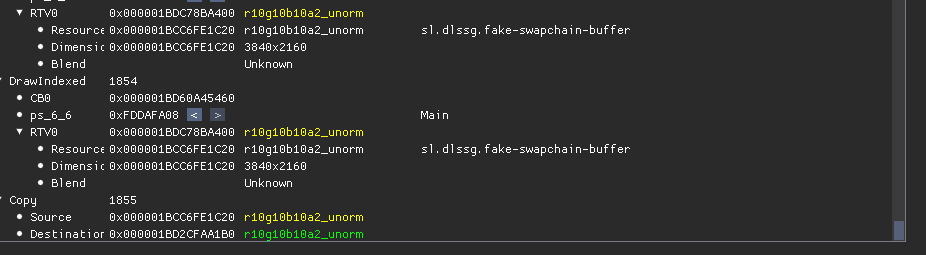 ebon dome
their statement on dlss and fg was implying they had to ask Nvidia if they could use it lol
but that it was coming soon
 slim fractal
Hello !
dusty girder
slim fractal
Why it says snapshot invalide on github ?
ebon dome
ah yeah, now that's the good stuff
 dusty girder
depending on background the pause menu exploads, I think I know whats ausing this
I'll look into fixing it later
ebon dome
yeah, I noticed that in the opening prologue, but it hasn't happened beyond that
dusty girder
I might look into it in the future
its the blending
doesnt matter if reno is installed or not
just ini tweaks causes it to grief
the new ue5 games might need a new ini tweak
we'll look inot that later
ebon dome
no worries - thanks for all your work
dusty girder
alone in the dark 2024 is cursed
ebon dome
it's one of my favorite games from that year but they clearly spent their budget on the actors and not the game lol
 tepid ridge
Question: is extended compatible with all games that already are with generic?
tepid ridge
Oh ok, just wanted to know if I should default to use extended from now on. I´m guessing that will be the move in the future
tepid ridge
dusty girder
but I can always add a game
My only request rn would be DQ VII Reimagined. But I think that´s a tricky one
dusty girder
got Alone in the Dark (ingame native hdr on) working
sdr -- filmic extended

 dusty girder
tepid ridge
My only request rn would be DQ VII Reimagined. But I think that´s a tricky one
dusty girder
tepid ridge
My only request rn would be DQ VII Reimagined. But I think that´s a tricky one
that game has its own custom pipeline, nothing to do with these generic ue mods
tepid ridge
Gotcha
slim fractal
Does the fire looks all right to you ?

 dusty girder
stellar blade is a weird one
you gotta fuck around with colorgrading
doesnt made if its ue-generic or ue-extended
that game just isnt having it
thing is those fires arnt exactly common, only in the first area I think
so you can just play the game
 rustic lichen
I did some custom color grading on top of Stellar Blade to get it to look right in my eyes. The colors in that game are just odd
 fresh wind
They are, still easier to color grade than nioh 3😭
 tame raft
dusty girder
does this game only have xess
tame raft
dusty girder
does this game only have xess
you can enable DLSS in Crisol with this mod: https://www.nexusmods.com/crisoltheaterofidols/mods/4
then you can use DLSS Swapper to add DLSS 4.5
dusty girder
tame raft
you can enable DLSS in Crisol with this mod: https://www.nexusmods.com/crisolthe...
yea lazzor sent me
u+
the game looks really cool
got a friend to buy it
tame raft
dusty girder
I mean I got the game too after this image lol (also saw some gameplay clips)
tame raft
dusty girder
u+
u+ vs DLSS enabler

 dusty girder
u+ also does other stuff
I'm a fan of u+, like it makes code vein 2 500x better for example
Added Nightingale and Finnish Cottage Simulator lutbuilders to UE-Extended
-> Alone in the Dark native HDR is also added, for that game enable native hdr and enjoy with ue-extended installed
Github should build an addon with the new lutbuilders about an hour after I posted this
Latest UE-Extened can be found in pins
btw if you guys share lutbuilders for ue-extended, please include both the existing and new lutbuilders (if existing lutbuilders end up getting dumped)
the existing lutbuilders help me fix the new lutbuilders faster
existing lutbuilders dump as lutbuilder_0x12345678
-> this means the lutbuilder is already in the mod
new lutbuilders dump as lutbuilder_new_0x12345678
-> this means they're not in the mod, and I need to fix them up!
 sturdy lagoon
slim fractal
Does the fire looks all right to you ?
sturdy lagoon
slim fractal
Does the fire looks all right to you ?
that looks awful imma be real
dusty girder
sturdy lagoon
that looks awful imma be real
yea stellar blade is stellar grief
just like the old UE Generic, it needs a colorgrading setup
sturdy lagoon
dedicated mod needed
dusty girder
if its just colorgrading sliders like ue-generic
I can just have the mod default to them if it sees stellar blade
sturdy lagoon
are the textures just actually all pink
dusty girder
I just have no interest in tuning
dusty girder
sturdy lagoon
are the textures just actually all pink
yea
on the bright side, iirc fire like that is only in the tutorial area
sturdy lagoon
dusty girder
if I map the hue and chroma from the vanilla (sdr filmic) color
it looks correct
but it basically ends up being "itm" kind of
sturdy lagoon
rip

 dusty girder
slim fractal
Does the fire looks all right to you ?
dusty girder
slim fractal
Does the fire looks all right to you ?
I think this is an old version
sturdy lagoon
certainly better
dusty girder
dusty girder
sdr -- defaults
thats just how the mod is stock, its not perfect, needs tuning
I think he's on an old version with grief code or doing ini tweaks which is also grief
these are meme settings
sdr -- per ch peak 1, 55 highlight saturation


highlight saturation can help with griefed textures
even like 3 ticks
per ch peak controls where we get the hue and chroma from
the function is reinhardpiecewise(hdr_color, PEAK, 0.18f)
defaults to 5.f = 500 nits
and 500 nit per-ch hdr has just the right ammount of blowout and color that its good to make for hue and chroma
if you set it to 1, you're kind of getting "100 nit sdr" -- but if you really want the sdr look with hgihlights, it works
also photomode clamps the game to bt709; idk why; probably runs another shader with a max(0
dusty girder
slim fractal
Does the fire looks all right to you ?
@slim fractal you're on an old version, get the latest version from the pins, and use the SDR path (not ini tweaks)
stellar blade does too much shit when its in native hdr or ini tweaks, that its just not worth using; the game runs well enough so you dont need MFG
 charred solstice
there are different luts for extended and generic? or they are the same lut, but different sample points?
 thick belfry
slim fractal
Does the fire looks all right to you ?
thick belfry
slim fractal
Does the fire looks all right to you ?
Per channel peak one, hue shift 100, blowout 65
That will match SDR
dusty girder
thick belfry
Per channel peak one, hue shift 100, blowout 65
what about highlight saturation
makes sense why peak 1 matches sdr
thats the hue and chroma from a 100 nit color
well 100 nit displaymapped, not clipped
dusty girder
thick belfry
Per channel peak one, hue shift 100, blowout 65
@thick belfry share pics; also try out psycho
dusty girder
yea ik
that game is special
I've tested dozens of games since starting ue-extended, and pretty mch all of them "just work" with the stock settings
play around a bit more, and I'll have SB default to those settings on launch
or whatever better settings you find
 eager lynx
Hey Marat, have you got any ideas as to why Opti (loading reshade for reno and) using XeFG will cause flickers ?
It's not just the UE one but it's easily the most large spectrum one to test in various games
As you can see, toggling FG gets rid of the flicker but this doesn't happen without reno so I'm not sure how to help Nitec figure it out if I even can
dusty girder
eager lynx
Hey Marat, have you got any ideas as to why Opti (loading reshade for reno and) ...
are you using ini tweaks/games native hdr
or using the sdr path with resource upgrades
if you're using the sdr path it will flicker
just like ue-generic
the mod defaults to the sdr path
if you want to try ini tweaks, disable processing path in the ue-extended settings (and restart the game) and add the paramaters in the pins to engine.ini (you might have to make it read only)
eager lynx
dusty girder
if you're using the sdr path it will flicker
It used to not flicker though
Can't tell what nor when it changed
dusty girder
XeFG always flickered taking the sdr path
eager lynx
But it seems to be a somewhat recent thing
dusty girder
you need to take the ini path/native hdr path
just like transformer fg and nvidia, intel might've changed something
all I know is:
-> sdr path = DLSS FG/MFG (transformer models) flickers
-> sdr path = XeSSFG flickers
-> hdr path = all good
try the hdr path out
eager lynx
I've yet to check ue extended but I'll give this all a try 🤞thx
dusty girder
set Upgrade Path to Off in RenoDX UE Extended
Add this to the game's Engine.ini
[SystemSettings]
r.AllowHDR=1
r.HDR.EnableHDROutput=1
r.HDR.Display.OutputDevice=3
r.HDR.Display.ColorGamut=2
r.HDR.UI.CompositeMode=1

[/Script/Engine.RendererSettings]
r.LUT.UpdateEveryFrame=1
- Note, sometimes a game deletes Engine.ini on every launch; so set it to read-only
dusty girder
eager lynx
I've yet to check ue extended but I'll give this all a try 🤞thx
oh if its ue-generic yea
thats a rip
I'm using XeSS FG with opti
life gud
slim fractal
dusty girder
<@816263903268306974> you're on an old version, get the latest version from the ...
Ok thanks @dusty girder,@thick belfry I wanted to get the latest version on github but it said "snapshot invalide" so I didn't know what to do and I forgot I could get it here 😅
dusty girder
slim fractal
Ok thanks <@664732951724032001>,<@292977505789280257> I wanted to get the latest...
what do you mean?
the only link for ue-extended is in the pins
slim fractal
dusty girder
the only link for ue-extended is in the pins
Oh I thought you meant the latest snapshot on github
dusty girder
different mod
slim fractal
I didn't know there were two versions of the UE mod, now I know 😅
thick belfry
slim fractal
I didn't know there were two versions of the UE mod, now I know 😅
This one is supposed to replace the other one, but it's still WIP
slim fractal
thick belfry
This one is supposed to replace the other one, but it's still WIP
I still have to follow the notes from the one of the github page ?
eager lynx
dusty girder
set `Upgrade Path` to `Off` in RenoDX UE Extended
Add this to the game's Engine...
What kind of abomination is this ? lol It looks like selecting the wrong HDR mode in SK Oversaturated, overcontrast, overbright, it's wrong on everything 
Testing Chorus
It's unusable doing this
lol
thick belfry
slim fractal
I still have to follow the notes from the one of the github page ?
I don't think so
The stuff like swap chain upgrades should be hard coded
But not everything is ported yet
slim fractal
thick belfry
I don't think so
The stuff like swap chain upgrades should be hard coded
But not...
Is there a list to know wich games are ported yet ?
dusty girder
eager lynx
What kind of abomination is this ? lol It looks like selecting the wrong HDR mod...
did you set path to off
eager lynx
Yes
eager lynx
Kinda
eager lynx
No, dx12 (has RT) but UE4
eager lynx
Nope 🙂
eager lynx
I only have like two games doing this
dusty girder
its the same thing
eager lynx
Then native HDR is broken
thick belfry
slim fractal
Is there a list to know wich games are ported yet ?
Not to my knowledge
dusty girder
slim fractal
Is there a list to know wich games are ported yet ?
since 1 lutbuilder can be 50 games
its all trial and error
what game?
also do contrast sliders and stuff work?
if they dont that means the game isnt added or something has gone wrong
the ini tweaks is for power users, a bonus feature for people who want to tweak stuff and potentially fix DLSS FG or XeSS FG (or game stability in general)
dusty girder
eager lynx
Then native HDR is broken
and then it should get fixed by the plugin, if it looks fucked that means the game isnt supported yet
what game is it?
eager lynx
Chorus
dusty girder
does the ui slider work?
oh I see the issue
chorus needs a game specific fix
also did the game update?
The fix @digital raptor added is shader model 5_0, which is dx11 only
eager lynx
dusty girder
does the ui slider work?
Nope, doesn't work, but generic totally does
dusty girder
eager lynx
Nope, doesn't work, but generic totally does
get me the lutbuilders
enable dump lutbuilders, enable path back on (it will look fucked up), restart game
and send me the lutbuilders
eager lynx
So nothing will change lol
dusty girder
?
eager lynx
It's already fucked up I mean
dusty girder
oh sure
eager lynx
Like headhache inducing bad
dusty girder
yea ik, its broken
but yea send me the shaders I might be able to get it going
the lutbuilders
I can also buy it for 5$
@eager lynx is it this? https://store.steampowered.com/app/1153640/Chorus/
oh theres a demo, hopefully thats good enough
eager lynx
dusty girder
<@288812329423077386> is it this? <https://store.steampowered.com/app/1153640/Ch...
Yes
eager lynx
dusty girder
enable dump lutbuilders, enable path back on (it will look fucked up), restart g...
Do I need to undo the engine ini change ?
eager lynx
Ok
Unironically looked less fucked but where are the shaders dumped ?
Damn Explorer not updating the folder contents
 eager lynx
Sorry it took a while, I'm rusty 😅
eager lynx
Take your time
eager lynx
4.26.1
dusty girder
if it doesnt ima need to find composite
eager lynx
dusty girder
also does the ui slider work?
In generic ue yes
dusty girder
in extended
eager lynx
Ok then no
Imma check The Ascent and Nobody Wants to Die then, both of which need XeFG to not flicker and benefit tons from HDR
dusty girder
hopefully the demo has the same shaders
ok I see the issue
the output device param si griefed
delete the ini tweaks
unfortuinate
eager lynx
The Ascent suffers from the same issues but there's no dump slider available (same engine version) and even setting DumpLUTShaders=1 in ini won't make it dump anything
eager lynx
dusty girder
unfortuinate
As in unfixable ?
dusty girder
maybe
if ue4ss doesnt work
its cooked
these old ue versions are kinda griefed
you can us the sdr path
but thats well grief
eager lynx
dusty girder
if ue4ss doesnt work
No idea, no U+ for Chorus and I don't use it otherwise
But in The Ascent ue4ss does 🙂
eager lynx
dusty girder
but thats well grief
Still doesn't make sense to me this shit flickers tho
Like what's the reason if the FG is fed HDR, it should just interpolate HDR
dusty girder
idk, nviida broke it
if ue4ss worked
this would've been solved
tl;dr chrous hdr path is a rip
you can use the sdr path but
flicker fg
dusty girder
use ue-extended, it looks a bit nicer
here is a build ith
chorus fixed up
but only sdr path
eager lynx
Thank you
dusty girder
I tried like 3 ue4ss versions
1 crashed, 2 did nothing

ue extended sdr path will work the same as ue-generic sdr path
needs upgrades and stuff
but
tonemaps differently
should look better
dusty girder
yea idk any fg that works with the sdr path
that goes for any game, not just unreal
well OLD dlss fg works
hybrid ingot
I tried changing tonemappers in Finnish Cottage Simulator which you included, there was no change in image even after changing scene, should it affect SDR upgrade at all?
dusty girder
hybrid ingot
I tried changing tonemappers in Finnish Cottage Simulator which you included, th...
if its ue5 sliders arnt real time
 dusty girder
add this to engine.ini
[/Script/Engine.RendererSettings]
r.LUT.UpdateEveryFrame=1
or load a save
hybrid ingot
dusty girder
if its ue5 sliders arnt real time
yeah, I tried forcing scene change, no dice, I even have that command line in Engine.ini you suggested
hybrid ingot
dusty girder
add this to engine.ini
```ini
[/Script/Engine.RendererSettings]
r.LUT.UpdateEve...
yeah that one
dusty girder
dusty girder
this is the latest build
if you set dechroma to 100 and load a save, does the game turn black and white?
eager lynx
dusty girder
that goes for any game, not just unreal
Hopefully The Ascent hdr path is fixable
hybrid ingot
yeah all those work fine, tried Flare 100 and it went black and white, just tonemapper
dusty girder
eager lynx
Hopefully The Ascent hdr path is fixable
if its ue5 the hdr path almost always works
eager lynx
eager lynx
Hopefully The Ascent hdr path is fixable
as ue4ss works 🙂
dusty girder
hybrid ingot
yeah all those work fine, tried Flare 100 and it went black and white, just tone...
ok taht means everything is good
eager lynx
No it's 4.26.1
dusty girder
what do you mean by tonemapper
filmic sdr vs. filmic hdr
or N2, Psycho, etc? (the tests)
hybrid ingot
N2, Psycho etc had no change, that is the thing I was asking for clarification, should it?
hybrid ingot
got it
dusty girder
and will probably only be visible in highlights
hybrid ingot
right, was a bit confused because of that, thanks
dusty girder
if you look at blues
psycho should be a bit more vivid
like bright blues
but your farm house simulator is hdr and life good?
never thought I'd be here fixing and providing support for ... finish farm house sim
hybrid ingot
cottage sim, excuse you
yeah it looks better than generic for sure
it does have in-game HDR option as well but it looks very cooked without proper in-game sliders, I could try upgrading it
you just know it's gonna be good when the only slider enabled in HDR is labeled "Gamma"
eager lynx
Good news for Nobody Wants to Die : it just works ™
engine ini tweaks + hdr path with that last build you sent me 🙂
HUDfix set to 1, no XeFG flicker

dusty girder
dont touch gamma
dusty girder
eager lynx
Good news for Nobody Wants to Die : it just works ™
yea ue5 will almost always work
there might be the odd minor issue
like there are artifacts in Crisol Theater of Idols when you pause (sometimes)
but since its only when you pause, and the gameplay is fine; nobody cares
dusty girder
eager lynx
Good news for Nobody Wants to Die : it just works ™
does the ui slider work?
hdr path requires not only lutbuilders, but something called a composite shader; that I dig for myself
eager lynx
UI Slider works yeah
eager lynx
Dunno about all but most I've touched do 🙂
I'm back on The Ascent trying to dump but it just won't
dusty girder
dump lutbuilders dont work if path is off
dusty girder
when path is off, renodx acts as only a shader replacer for maximum compatability
nah thats mb, I need to document stuff more
eager lynx
I mean you just instructed me on how to do it like 10 minutes ago so it's mb really 
The Ascent
dusty girder
I thinkthat 0x744666 can be ignored
let me double check
yea
thats an "aces only" lutbuilder that gets dumped, but doesnt actually do anything
hdr should be working for you no?
eager lynx
With the engine ini tweaks ? Not really it's f'd up
eager lynx
But ue4ss works in it
eager lynx
Yeah it's on dx12, RT as well and Ultra+ has a mod so ue4ss defo works 🙂
eager lynx
dusty girder
ok put this in the root folder
root ?
eager lynx
Or win64 ?
dusty girder
win64
eager lynx
But it already has Ultra+'s ue4ss
dusty girder
ok go in the mods folder
get hdr-dx12
put it in the current mods folder from U+'s ue4ss
and in mods.txt enable it
you just type modname : 1
 eager lynx
yep
eager lynx
Indeed
eager lynx
Oh, get some sleep buddy
eager lynx
Idk but since Luma has no dx12 support, must have been dx11
dusty girder
we're testing the ascent rn right
eager lynx
Yes
dusty girder
just so I know what we're doing
ok
setting ini tweaks as a power user setting was the right call
the current prio for ue-extended is
-> use the games native hdr if avaliable
-> sdr path
-> ini hdr for power users
ue5 works for the most part
its ue4 thats a meme
but I left that alone since most people dont need the ini path in ue4
 pastel sand
dusty girder
we're testing the ascent rn right
pastel sand
dusty girder
we're testing the ascent rn right
Awesome! What you up to? I love that game.
Well, nvm, mostly what you stated the lines above I guess haha. 😅
eager lynx
Maybe combining the ue4ss hdr with engine ini tweaks could work ? I'll try
Nope, opposite end of fucked : was washed out, now is oversaturated overbright and all

dusty girder
bro I'm a potato
I've been here like
"why is everything fucked, what I do wrong"
forgot to set path to off in my own mod
I mean is this gud
 eager lynx
sleep depraved Marat be like
Idk if it's correct but it looks good to me 🙂
Idr whether this is rendered or fmv tho
eager lynx
dusty girder
I mean is this gud
That's without U+ right ?
dusty girder
eager lynx
That's without U+ right ?
just ue4ss
eager lynx
Maybe U+ does prevent it from working here...
I do have path 0 and modname : 1
 dusty girder
hdr-dx12 : 1
eager lynx
lol
eager lynx
Ok but yeah now it works
Colors look a tad weird compared to what I'm used to
But it does work
dusty girder
theres this weirdge bug

with the top part glitching out
nvm
I enabled RT and it fixed itself
dusty girder
 eager lynx
Yeah the colors are really off compared to vanilla or generic ue
But not for you
Even weirder
eager lynx
Although XeFG does flicker regardless, hopefully your build will fix that too 🙂
Will you implement BT 1886 for gamma correction ?
It's my fav tbh
dusty girder
eager lynx
Will you implement BT 1886 for gamma correction ?
didnt plan on it
but increasing contrast is the same thing
dusty girder
yea
the only difference between
2.2 and 1886 is
pow2.2 vs pow 2.4
and the only difference between that is a bit of contrast
dusty girder
the circle around the character overshoots peak, its sadly an issue in some games with ini tweaks; but outside of that looks more or less good

 eager lynx
It's affected by UI slider which I always lower anyway so all good for that 🙂
dusty girder
here you go
eager lynx
I wish we could disable that fucker of a circle tho lol
dusty girder
eager lynx
It's affected by UI slider which I always lower anyway so all good for that 🙂
so sometimes those are like seperate pipelines
eager lynx
Useless when doing singleplayer
dusty girder
its weird stuff
eager lynx
dusty girder
here you go
Thanks !
dusty girder
let me know if that works
eager lynx
In a minute 🙂
dusty girder
with ue4ss from u+ and the hdr10 mod set to true
man ue4 ini tweaks is straight ass
ue5 "just works"
eager lynx
fullscreen splash is fucked up (oversaturated and all) but otherwise it's fine with UI tint again
In game looks weird tho
Like before
dusty girder
is path set to off?
eager lynx
Yes
eager lynx
Do I need to not use any of the upgrades ?
dusty girder
eager lynx
Besides disabling dilated motion vectors for OptiFG, no
that wont do anything bad
eager lynx
Without U+ but your ue4ss looks identical
eager lynx
I don't have Lilium's, never used it tbh
dusty girder
just send a pic without it
eager lynx
Yes, based on Steam version
dusty girder
also go to settings
and make sure dx12 is selected
and rt on
borderless
only thing I can think thats washing it out is its not in dx12/hdr10
eager lynx
dusty girder
just send a pic without it

It's for sure dx12 and with RT
And HDR10
Otherwise couldn't have XeFG working
dusty girder
eager lynx
am I blind? that looks good
dusty girder
oh
yea
this does tonemapping differently
this whole time I thought the issue was an encoding issue
eager lynx
Sorry
dusty girder
the mod is working as intended 
eager lynx
Ah, glad it is 🙂 Wonder how to match generic's look tho
dusty girder
except the circle
well vanilla is what the game's sdr looks like
generic isnt exactly a target
generic is made to be easy to contribute to
if you want under beta tonemappers, enable psycho
and reduce hueshift/blowout
to 0/0
and then bring them up little by little
tonemap test, default is n2 max ch
set it to psycho
anyway its bedge time,
eager lynx
Oh yeah vanilla looks tons better to me 🙂 Although it loses highlights so errr
Thanks a lot and gn8 ! 
pastel sand
eager lynx
But weirdly very different from generic
What was wrong with Generic? Or you just wanted to test extended?
dusty girder
eager lynx
Oh yeah vanilla looks tons better to me 🙂 Although it loses highlights so errr
vanilla is sdr
eager lynx
Damn not having access to Smooth Motion sucks lmao
 rocky mortar
Wait but the ascent doesn’t have HDR right? Last time I tried XeFG it didn’t work with generic-ue
dusty girder
thats why the highlights look off, its clipped sdr
extended is a proper well extended tonemapper
eager lynx
dusty girder
and reduce hueshift/blowout
Yeah both at 0 is best
To me that is
My bad, only blowout at 0, hue shift maxed (default) is richer in colors 🙂
pastel sand
eager lynx
Game is heavy af so need FG
Oh true. I asked in PureDark's wildly for any chance this getting FG haha. I'd love to run it with U+, but it can tax a 5090 hard even without it.
eager lynx
Might have better luck waiting for Opti to implement dlssg output
But no idea when the bois will manage it
eager lynx
dusty girder
also set it to psycho, you might like that
Yeah I did 🙂
Unfortunate side effect is now HUDfix doesn't work anymore
But thankfully that game is basically glitch free without it
Only with XeFG tho, with FSR FG HUDfix is fine
Go figure lol
Anyway thanks again ! It's super nice now 🙂
dusty girder
eager lynx
Only with XeFG tho, with FSR FG HUDfix is fine
idka nything about optiscaler
I use optiscaler xessfg with hudfix in code vein 2, ue 5.4
life good
my job ends at getting the mod to work
eager lynx
dusty girder
life good

dusty girder
how it works with other mods idk
 last crypt
Did anyone ever figure out how to actually fix the annoying flickering? trying to play DRG with renodx and it flickers, no matter what fix i try or UE EXtended etc
eager lynx
I'll let Nitec know about it as this is all new scenarios we hadn't tested yet
last crypt
Tried UE Extended, DLSS Fix, changing settings, using DLSSG path, downgrading dlss
dusty girder
DRG?
dusty girder
thats not implemented
might look into it tomorrow
should be very easy
since the game has native hdr
last crypt
Its on the list
 dusty girder
its 7am though, marat lseep
last crypt
Under generic UE
dusty girder
yea but thats the sdr path, which flickers with fg
last crypt
Or does that mean not implemented so flickering is normal
So basically info for a noob like me, nothing can be done?
dusty girder
we want the gud native hdr path, that works with fg
just wait until I wake up
and maybe ping me at like 5pm so I dont forget
5pm est/nyc time
last crypt
Sure will do
rocky mortar
dusty girder
thats why the highlights look off, its clipped sdr
I know but tried enabling HDR via cvars didn't work
I'll try your mod
dusty girder
rocky mortar
I know but tried enabling HDR via cvars didn't work
what game?
rocky mortar
I have U+ installed
rocky mortar
dusty girder
what game?
The Ascent
dusty girder
you need ue4ss and the hdr10 hdr mod for it
ask gn3xus for help
I need to go to bed
ini tweaks arnt officialy supported, its just a bonus feature for power users
rocky mortar
ok good night!
eager lynx
dusty girder
just put this in the win64 folder
For the Ascent, do this or just put its hdr-dx12 folder in if already having U+ installed
dusty girder
eager lynx
For the Ascent, do this or just put its hdr-dx12 folder in if already having U+ ...
you also need to enable it in the text file
eager lynx
indeed, was gonna type about it
hdr-dx12 : 1
in mods.txt
And disable sdr path in ue extended
Apart from the fullscreen splash being oversaturated for whatever reason, it works fine 🙂
eager lynx
FSR FG will work best it seems (HUDfix working with it for one and higher fps since it's lighter than XeFG for two)
But I'm GPU limited so that would explain the little framerate boost
U+'s denoiser none with preset M is just mwah here
rocky mortar
I think FSR FG will do the job there isn't much camera movement
Smooth Motion works but it has insane latency

will test this area again after reintalling
eager lynx

slim fractal
dusty girder
<@816263903268306974> you're on an old version, get the latest version from the ...
looks better
 slim fractal
thick belfry
Per channel peak one, hue shift 100, blowout 65
slim fractal
thick belfry
Per channel peak one, hue shift 100, blowout 65
even better with your settings

Thanks your are the best ! 💪
thick belfry
I'm trying 
pastel sand
eager lynx
U+'s denoiser none with preset M is just mwah here
I'm trying profile M now and it's shimmering like a lot. Is this why denoiser should be turned off? Wonder why profile M causes this though.
eager lynx
Idk if it's because of M but I think it's rather a combination
Denoiser none lets M do the denoising way better (it's one of those games benefitting from that)
And even with older presets highlights look better without denoiser imo
pastel sand
Highlights are strange with no denoising I'd say. Like super bright.

 pastel sand
SDR/Generic/Extended N2 Max Ch/Psyco 0-0


 thick belfry
@dusty girder SDR native @ 203 nits / HDR custom


SDR Native @ 203 nits / HDR cursed but the most accurate color wise

 eager lynx
Native HDR be like wtf
sturdy lagoon
what de
thick belfry
eager lynx
Native HDR be like wtf
I've played this game with the HDR tweaks when it came out, and I don't remember anything like this
eager lynx
Got U+ installed and using Opti's XeFG so idk what it could be but with generic ue from SDR path, never did that
eager lynx
thick belfry
I've played this game with the HDR tweaks when it came out, and I don't remember...
Good news is this game never got a patch or anything so it's a good reference point 😉
thick belfry
dunno if sarcasm
eager lynx
No it's serious 🙂
eager lynx
You said when it came out
So considering it hasn't been updated it's one less variable to worry about 😉
thick belfry
kinda wild it never got patched
eager lynx
Never really needed to be
It's not perfect by any means but besides extra features devs could have put in like FG, it just works as is imo 🙂
Also it has native FSR-FG if forced via engine.ini
(FSR3.0 so Opti could use FSR inputs and use DLSS instead, I shall try)
eager lynx
eager lynx
Native HDR be like wtf
@mild hazel Something in U+ is causing this with native HDR path
I uninstalled U+ and no more weird hair colors
eager lynx
Never used ue extended before today so I'm noob about that
And it recompiles shaders at each launch
 mild hazel
it doesnt
eager lynx
But I'll delete them just to be safe
mild hazel
no game recompiles all the shaders every launch, they all do validate and warm up
which never fixes weird issues
eager lynx
Got it
mild hazel
but yeah if you ever get weird RBG in a cutscene its probably advanced lighting, though I think I have potentially resolved that in future versions
eager lynx
Wait what setting is that for NWtD ? (advanced)
mild hazel
lighting mode
eager lynx
It was on standard
eager lynx
Yeah didn't happen with SDR path of ue generic reno
mild hazel
would try clearing shaders though, every time you install any reno all the shaders are invalid
eager lynx

It recompiled them super quickly compared to post driver updates
But what I've deleted is usharderprecache in local appdata, is there anywhere else some of these are stored ?
mild hazel
nvidia dxcache
just delete all the most recent ones
as those are going to be specifically for this game
mild hazel
I do this all the time especially for some games
like Obsidian games have issues where geometry will become invalid and you have to clear shaders to fix
eager lynx
Well, her hair is still messed up 😢
mild hazel
are you sure
eager lynx
Yeah, weird colors in hair is not doubtable 😉
mild hazel
idk, no issues I am aware of, especially if you aren't running advanced lighting mode
I guess I can try loading the game with ue extended
eager lynx
I mean it's happening with native HDR path for ue extended
Doesn't with SDR path of ue generic
mild hazel
eager lynx
I mean it's happening with native HDR path for ue extended
will post in a sec
but if you increase lighting quality to very high+ it won't happen regardless
eager lynx
You already figured it out ? 😮
Good to know for my future rig
Current one can't handle that game cranked up too much
mild hazel
rip
eager lynx
Ampere peasantry be like
mild hazel
one of the best looking games easily with HW lumen and what not
eager lynx
IKR 😭
HW RT enabled is already the biggest upgrade, FG for coping with it all
But it's still around 70fps 
mild hazel
ok you can update to 1.0.2
mild hazel
no
eager lynx
Awesome, thanks again, I'll let you know as soon as I'm back in the intro car
 last crypt
Did u ever get DRG to look good and not flicker?
 regal kayak
returnal at home looks kinda cool https://store.steampowered.com/app/3660710/Armatus/
ARMATUS is a third-person roguelite shooter set in the demon-infested ruins of Paris. As the last supernatural warrior of an ancient order, armed with powerful firearms and incredible celestial powers, scour the city in search of a lost gateway to heaven - the Sunless Gate.
HUMANITY’S TIME IS OVER
The world has ended. Demons overrun once…
Release Date
2026

from the developers of godfall however
 calm slate
last crypt
Did u ever get DRG to look good and not flicker?
calm slate
last crypt
Did u ever get DRG to look good and not flicker?
I some what just moved the blow out slider to around 60 I think. The blow out restoration to 35. I'll have to double check when ever I'm at my pc. That got rid of most of the pink. The flicker is in relation to me using frame gen with a 30 series. A friend in 50 series had no flickering. It only flickers when loading into the lobby. There are minor UI transparent stuff but nothing noticeable in game. I guess modding frame gen on this specific game doesn't like it.
pastel sand
Does anybody know about this? #1411800884303626311 message

It looks like this haha.
But maybe there was something about Engine.ini not working and you had to use ingame CVar for the right one?
last crypt
calm slate
I some what just moved the blow out slider to around 60 I think. The blow out re...
sadly i have a 5090 and massive flickering
ebon dome
regal kayak
from the developers of godfall however
It looks like Remnant so a better inspiration this time.
regal kayak
pastel sand
looks like what happens when it's HDR10 but fails to set the color space
you have SK or anything like that going?
pastel sand
regal kayak
you have SK or anything like that going?
Used the DX12 file from here #1411800884303626311 message and now it'd fine. Guess Marat has it config so UE4SS automatically inputs r.HDR.Display.OutputDevice=3, because if you do it through the Engine.ini it defaults to r.HDR.Display.OutputDevice=5 which is ACES 1000-nit scRGB.
I think it an old bug or something and you had to set it up manually all the time.
Now my question would be... Using the Engine.ini for UE HDR would be skipping LUTs and color grading as it happen in other games if you use this method like Silent Hill f or COE33?
dusty girder
pastel sand
Now my question would be... Using the Engine.ini for UE HDR would be skipping LU...
silent hill f has a native hdr slider
but I still didnt add all the luts from it
the reason something skips luts is because of how the code runs, since we're replacing "bad code with code code" we get the sdr luts even with native hdr on
pastel sand
Good morning Marat. Haha.
thick belfry
BTW, what are the benefits of using the ini path over the SDR path? Frame gen?
dusty girder
thick belfry
BTW, what are the benefits of using the ini path over the SDR path? Frame gen?
stability and framegen and all that
so the big oneis obv framegen
the sdr path has a perf cost sometimes, which is also sometimes not negligible when you're already struggling to get 60 fps on a 5090
pastel sand
Was about to ask that. Why the Engine.ini is used in some games and not others. In this case I'm using it for OptiFG.
dusty girder
and also visual and regular stability
dusty girder
pastel sand
Was about to ask that. Why the Engine.ini is used in some games and not others. ...
like code vein 2 I didnt even setup an sdr path
that game runs ike shit, if I upgrade resources its just going to run worse
also its ue5, and in ue5 ini tweaks work a lot better
they're only grief in ue4
pastel sand
You said you were using XeSS in Code Vein 2? I've only managed to use OptiFG in The Ascent. What would be the difference?
 indigo plank
some games also explode with sdr path but work with ini
thick belfry
BTW anyone remembers what was the cvar for the gamut expansion thingy?
pastel sand
dusty girder
also its ue5, and in ue5 ini tweaks work a lot better
But only if you use RenoDX so LUTs are not slipped right? Is one of my latest unlocked fear, skipping color grading. I'm probably under many misconceptions though.
dusty girder
pastel sand
But only if you use RenoDX so LUTs are not slipped right? Is one of my latest un...
this doesnt skip sdr luts, it processes them correctly
indigo plank
recent experience is mightreya demo doesn't work with sdr path but ini hdr works
dusty girder
indigo plank
recent experience is mightreya demo doesn't work with sdr path but ini hdr works
yea both paths will almost always worth
its just ue4 gets griefed sometimes on the ini path and needs ue4ss to force the corrent output device
ue5 respects ini tweaks
but yea if you where to run this mod in silent hill f (after I add the) it would look as good (if not better after some changes to sdr lut handling) than the standalone mod
with ingame native hdr on
[hell this started off based on silent hill 2+f, and then I started re-writing stuff]
dont worry about sdr luts or sdr grading, I'm autistic about it too
dusty girder
indigo plank
recent experience is mightreya demo doesn't work with sdr path but ini hdr works
@indigo plank whats wrong with the sdr path? upgrades grief?
indigo plank
sdr path even with no upgrades causes the to game violently flicker black
lots of log spam too iirc
dusty girder
indigo plank
sdr path even with no upgrades causes the to game violently flicker black
yea
sometimes upgrades destroy a game
calm slate
last crypt
sadly i have a 5090 and massive flickering
That is strange then. My friend ran framegen with DLAA and reno on a 5090. His game seemed fine with no issues. I tried the DLSS Fix (Beta) but the game kept crashing immediately.
 tranquil lava
thick belfry
BTW anyone remembers what was the cvar for the gamut expansion thingy?
tranquil lava
thick belfry
BTW anyone remembers what was the cvar for the gamut expansion thingy?
r.HDR.Display.ColorGamut
dusty girder
thick belfry
BTW anyone remembers what was the cvar for the gamut expansion thingy?
gamut expansion is killed off in ue-extended
like dead
  // float _102 = (1.0f - exp2(((_84 * _84) * -4.0f) * ExpandGamut)) * (1.0f - exp2(dot(float3(_88, _89, _90), float3(_88, _89, _90)) * -4.0f));
  float _102 = (1.0f - exp2(((_84 * _84) * -4.0f) * 0.f)) * (1.0f - exp2(dot(float3(_88, _89, _90), float3(_88, _89, _90)) * -4.0f));
forever 0
(atleast in SM6/UE5 and Stellar Blade (only UE4 SM6 game) -- didnt find a reliable search to kill it off in SM5)
when doing what ue-extended aims to do, ue expandgamut just causes grief
ebon dome
I checked out what would happen in a UE game built with pixels when you use ue-extended - it uhhh... kind of works? the UI slider works on the UI only but everything else isn't affected by anything

if you crank UI all the way up, the weapon wheel permanently appears lol
it's a nice looking game tho

 dusty girder
ebon dome
I checked out what would happen in a UE game built with pixels when you use ue-e...
dusty girder
ebon dome
I checked out what would happen in a UE game built with pixels when you use ue-e...
if only the ui slider works
that means the shaders are missing
enable dump lutbuilders, restart the game, and send what gets dumped here
if its a UE5 game, do
[/Script/Engine.RendererSettings]
r.LUT.UpdateEveryFrame=1
@thick belfry when you find something you're happy with; lmk and I'll add it as defaults to the addon
also test diffrent areas
 dusk orchid
dusty girder
<@292977505789280257> when you find something you're happy with; lmk and I'll ad...
dusk orchid
dusty girder
<@292977505789280257> when you find something you're happy with; lmk and I'll ad...
ohh yes pls. im just getting back into this game rn
tranquil lava
would you mind adding these to ue universal ? these seem to be missing in lost soul aside
dusty girder
tranquil lava
would you mind adding these to ue universal ? these seem to be missing in lost s...
get ue-extended
and enable native hdr in game
lost soul aside works with that
dont need to mess with any settings, I already pre-configured it for lost souls aside
actually missing 2, let me add them really fast
let me add that one missing shader
well 1, one of those is useless
tranquil lava
dusty girder
get ue-extended
i did but there's that 1 UI marker which is crazy bright for some reason, ui slider doesnt affect it sadly 🙁
dusty girder
tranquil lava
i did but there's that 1 UI marker which is crazy bright for some reason, ui sli...
yea,
its the same like that in regular native hdr
imo its worth using
tranquil lava
it works almost flawlessly in high on life 2 though 😄
dusty girder
ue5 plays better
with native hdr
the lost souls aside sdr path is kinda cooked imo
so I suggest just using native hdr, let me finish building though
native hdr on (make sure path is set to off; should default to that for lost soul aside)
tranquil lava
thanks! some weird stuff is happening - just rotating the camera makes everything green in the area im in rn

 dusty girder
send me the save file
also is native hdr on?
and is only ue-extended installed, not ue-generic
tranquil lava
ue universal addon makes hdr go off in this area - so far it was all good (that marker goes with ui brightness so id rather stick to that if thats possible though!
yeah that's right 😄
dusty girder
where is the save file location again
dusty girder
ty
they put it in a weird one
keep forgetting where it is
normally ue is localappdata
tranquil lava
haha yeah no idea why they wouldn't utilize userprofile/saved games path so everything would be in one place
even microsoft's games lawl
dusty girder
I dont mind %localappdata%\gamename
wake of despair is the right save right
I have a strong feeling this might be a game bug
ue extended supports an sdr path
you can turn off native hdr
and then turn path to on
and then do all the regular upgrades
and that will make the marker work like normal
but you cant use FG
tranquil lava
dusty girder
wake of despair is the right save right
in the wake of disaster 😄
dusty girder
its not a game bug,good find
gotta fix
found the bug
when you go outside
there is a NEW shader!
tranquil lava
thanks! that's just this place, i kept going and seems to be okay later on
tranquil lava
sure 😄
dusty girder
for that little balcony
5head developers
you can use lilium's tonemap shader to atleast get the marker to peak nits
using bt2390
the reason I suggest the native hdr path for this game is
resouce upgrades cause visual artifacts
in the sdr path
also no FG/MFG
tranquil lava
tbh i haven't noticed any but i have no idea what to look for ;(( thanks for the info though!
just couldnt stand that marker
actually dlssg to fsr3 fg makes fgx2 possible!
dusty girder
ok I think I fixed it
3dm bad decompile
@indigo plank if you're going to be fixing SM5 lutbuilders, it seems the regex is mandatory
atleast the second one that casts a few checks asuint()
3dm has all the cbuffers as float
which breaks certain bools/if checks
I've been skimping out on it because part of it is just [branch] in code that we dont run
indigo plank
Yeah I’ve been doing it just to be safe
dusty girder
dusty girder
@tranquil lava lmk if its still busted
tbh you dont need to do the first one
only the second one
but might aswell
https://github.com/marat569/renodx/commit/f4b4e206ad1fc64fa3774a12c9ed3a2e4de6dd73
the change is small, but its enough to break some games

ima have to go through all my sm5 shaders later and see if any are missing it
let me try to fix the objective marker
if its not effected by any slider, that means its drawing to a seperate pipeline/swapchain
should be easy enough to deal with it
tranquil lava
dusty girder
<@789869897362178058> lmk if its still busted
thank you, now it is perfectly fine!
dusty girder
@tranquil lava gud? (flashbang warning)
seems to respect ui nits


here's the addon with the ui fix
 sullen spoke
Code Vein 2
Crisis Core
High On Life 2
Lies of P
Like a Dragon: Ishin!
Lost Soul Aside
Mafia: The Old Country
Returnal
Romeo is a Dead Man
what am i missing?
want to curate a list for RDXC so it's easier to know what ue-e can be used in
dusty girder
a lot
what you have to understand is
1 lutbuilder can cover 50 games
we just dont know until somebody tries it out
Crisol Theater of Idols works with ini tweaks or sdr path (ini suggested)
I have a list of known native hdr on games in addon.cpp
ohh wuchang ini or sdr
Avowed
Lies of P
Lost Soul Aside
Hell is Us
Mafia: The Old Country
Returnal
Marvel's Midnight Suns
Mortal Kombat 1
Alone in the Dark
--
These are games with a Native HDR that I've coded the addon to automatically detect; and UE-Extended fixs the native hdr
sullen spoke
dusty girder
Avowed
Lies of P
Lost Soul Aside
Hell is Us
Mafia: The Old Country
Returnal
Marv...
that's perfect man, thanks for the list to start with
can flag these differently on game cards with extra info if anything additional needs done
dusty girder
those just work out of the box
the user just has to turn native hdr on and thats it
sullen spoke
even better
dusty girder
Avowed has a native hdr mod, but its old meh code; @untold wadi said I can replace it with this; he has no plans on maintaining it; so you can replace avowed with ue-extended
idk how @regal kayak feels about this replacing his Wu Chang mod; since extended is on a newer codebase
his call, I dont mind either day
sullen spoke
it'll be optional anyway through the launcher
it'll default to wiki list unless told otherwise
regal kayak
I can’t even maintain it anymore since I don’t have game pass so yeah it can
sullen spoke
ok i can set games to auto default to ue-e
dusty girder
stellar blade via sdr path will work once @thick belfry finishes testing grading settings
in different areas
and gives me a list of settings
The wiki will prolly be changed too, atleast for avowed
I just dont feel like messing around with it rn
pastel sand
Now before you go to bed... Haha. What do you mean when you say "HDR slider"? #1474481327691665553 message
Could be a slider, a toggle, kind of native HDR implementation?
 mystic sinew
Can we get these added from Hi-Fi Rush to UE-Extended? Found that only the UI slider was working and it affected the entire image brightness
dusty girder
mystic sinew
Can we get these added from Hi-Fi Rush to UE-Extended? Found that only the UI sl...
sure, ping me in 12 hours
marat sleep soon
thick belfry
@dusty girder stop putting pressure on me
Or I'm gonna cry
thick belfry
mystic sinew
Can we get these added from Hi-Fi Rush to UE-Extended? Found that only the UI sl...
Hifi rush is entierly custom UE, doubt it will work
sullen spoke
@dusty girder

 dusty lava
In Remnant 2 character and vendor screens look washed out and scale with ui brightness. Looks same with ini hdr and upgrade.
 thick belfry
@dusty girder Biblically accurate preset (yes I've checked all the biodomes)


 west canopy
What exactly was wrong with stellar blade HDR? I played trough it on console 2 times and seemed "ok" but what was i missing out on I wonder? Or are you just testing the new tonemapper it makes it even better even more?
 shell igloo
 polar crest
thick belfry
<@664732951724032001> Biblically accurate preset (yes I've checked all the biodo...
polar crest
thick belfry
<@664732951724032001> Biblically accurate preset (yes I've checked all the biodo...
so unreal extended is fixed ?
thick belfry
I fumbled with the sliders until I got it right
 bold hawk
Here a are lutbilders from Still wakes the deep. Native, even with tweaks, didnt work
@dusty girder
dusty girder
thick belfry
<@664732951724032001> Biblically accurate preset (yes I've checked all the biodo...
@thick belfry what are the sliders?
thick belfry
It's on the screenshot
dusty girder
oh its in the second one

sounds about right
1 per ch peak is a 100 nit color, so you're basically taking hue/chroma from an sdr color
and since the game is super reliant on per-ch clip
there is no way around it
dusty girder
dusty lava
In Remnant 2 character and vendor screens look washed out and scale with ui brig...
@dusty lava just take the sdr path
remnant 2 doesnt respect ini tweaks though, you need UE4SS; and even then I think the char and vendor screens are busted because of UE memes
I think they did it because of anticheat memes
btw are you sure about exposure?
thats a slider that should almost never be touched?
thick belfry
Probably need to be encrypted in the .pak file like for the Jedi games
thick belfry
dusty girder
thats a slider that should almost never be touched?
I love to touch it
And in case of SB, yes
because it saturates/desaturates per channel
The higher the exposure, the more pale the game looks
0.80 is the closest to the correct hues
dusty girder
does it have to be psycho4
thick belfry
yes, mew2 has banding around the sun
probably other highlights too
It's slight but it's there
dusty girder
psycho is n2 too!
thick belfry
🤷♂️
dusty girder
one is just max channel, the other is luminosity
thick belfry


Anyway exposure 0.80 + 280 PW + contrast 48 looks identical to 203 nits PW expo 1 con 1 brightness-wise
I know those are dank, but it's as close you gonna get
Unless you're gonna figure out what's wrong with the HDR path and fix it
dusty girder
bold hawk
Here a are lutbilders from Still wakes the deep. Native, even with tweaks, didnt...
@bold hawk mind sending me reshade.log from that game's native hdr (I assume you said the game has native hdr)
the shaders are missing thats why it didnt work, I'm just curious if the composite shader is there or not
you can also tell if the composite shader is there if you move the ui slider with native hdr on (or ini tweaks)
dusty girder
thick belfry
Anyway exposure 0.80 + 280 PW + contrast 48 looks identical to 203 nits PW expo ...
problem is
cant be shipping different paper whites
it has to look good at more or less any paper white
thick belfry
Well it won't
dusty girder
google says still wakes the deep has native hdr, which means you dont need ini tweaks; I just have to fix these shaders; let me get breakfast and I'll fix it
also even though hi-fi rush is custom
its post processing is all generic ue
thick belfry
thick belfry
<@664732951724032001> SDR native @ 203 nits / HDR custom
u can use those but then the brightener part will be too red
dusty girder
well not any, just default 203
thick belfry
But it's close enough I guess
thick belfry
dusty girder
thats a slider that should almost never be touched?
Exposure up + gamma up is pog
brighter midtones without fucking up shadows
It's why I keep asking for the per-luminance gamma slider like in the Musa mods
dusty girder
idk what that even is
are you talking about the hue preserving or y based 2.2 emulation?
musa mods games I dont play, so
idk what sliders do what
thick belfry
hue preserving ye
dusty girder
hue preserving is a meme
this had it
but i removed it
assuming its the same version
and not the new mcdonalds version which I didnt test
the "og version" is just
pow2.2
hue::correct(linear_color, 2.2_color)
thick belfry
Dunno, look at the RE4 mod
dusty girder
thick belfry
Exposure up + gamma up is pog
brighter midtones without fucking up shadows
It's ...
@swift plover what slider is he even talking about
 swift plover
dusty girder
<@251818887526612992> what slider is he even talking about
swift plover
dusty girder
<@251818887526612992> what slider is he even talking about
Just gamma by luminance piecewise so it doesn’t affect values above 1
I put it right after exposure
thick belfry
dusty girder
hue preserving is a meme
Why is hue preserving a meme?
dusty girder
swift plover
Just gamma by luminance piecewise so it doesn’t affect values above 1
send source
swift plover
dusty girder
send source
Driving rn. Check Re4 remake in my neutwo branch
dusty girder
alright
swift plover
It’s a single line
dusty girder
thick belfry
Why is hue preserving a meme?
all it does is create fake wcg, and the oklab version shits itself in the lows
dusty girder
swift plover
It’s a single line
yea idk what game has it though
dusty girder
swift plover
McDonald’s bottom is the way
yea ik, didnt try it yet
swift plover
In neutwo branch
dusty girder
but idk if koklutz tried mcdonalds yet, I assume those are still in PR hell
I assume he's talking about the oklab hue preserving one
which is ass
swift plover
I just added it individually to several mods
thick belfry
dusty girder
yea idk what game has it though
Resident Evil 4 and FFXVI
swift plover
Re4 remake has all of it
dusty girder
I'll look into it later
dusty girder
swift plover
Just gamma by luminance piecewise so it doesn’t affect values above 1
oh thats the pumbo or lilium one
where they dont do gamma correct above 1 because thats not the spec
bold hawk
dusty girder
google says still wakes the deep has native hdr, which means you dont need ini t...
Idk if it's still needed, but with ingame hdr on ui slider did work
swift plover
dusty girder
oh thats the pumbo or lilium one
Common sense tbh
dusty girder
ok
well I fixed them up
@bold hawk @mystic sinew
here is a build with hi-fi rush and still wakes the deep
for still wakes the deep make sure the game is on native hdr (no ini tweaks) -- if you want real time sliders you can use only this ini tweak
Also make sure Processing Path is set to off in the addon when using native hdr (and restart the game)
[/Script/Engine.RendererSettings]
r.LUT.UpdateEveryFrame=1
Please let me know
If you test it real fast, I can add it to the list of known working native hdr games
dusty girder
polar crest
so unreal extended is fixed ?
@polar crest it was stellar blade that was broken, the math the mod does is all gud
remember even ue-generic needed colorgrading presets to match vanilla in that game
bold hawk
Well, I've fucked up and sent shaders with ini tweaks on. And version above doesnt work with native hdr and no ini. I'll dump shaders again and send them
dusty girder
bold hawk
Well, I've fucked up and sent shaders with ini tweaks on. And version above does...
that should be fine
shaders dont really change
btw when you have native hdr on, make sure this is off (unless dumping lutbuilders)

if you have that on with native hdr, it will look broken
dusty girder
whats the issue
with native hdr? (with the latest addon)
ima just buy the game for 5$
downloading
bold hawk
dusty girder
with native hdr? (with the latest addon)
Game looks sdr, none of the sliders work (even with the above ini tweak), and ingame hdr game brightness sliders does change highlight brigtness, but it looks as if they are then "compressed" back down to sdr
bold hawk
okay, thx
dusty girder
btw where did you put in
[/Script/Engine.RendererSettings]
r.LUT.UpdateEveryFrame=1
you know you have to create Engine.ini
and then set it to read only
if you put it in GameUserSettings.ini it wont do anything
bold hawk
Yeah, I know. And checked that it wass set to "Read only"
dusty girder
ok well starting it up
we'll c whats wrong
ok yea
I need the lutbuilders dumped with native hdr on
ima go do that
if you're furhter on in the game, you can help me out with that
you have to set processing path to on when dumping lutbuilders
and upgrade r10g10b10a2_unorm outputsize
the game will look fucked up, but its only for grabbing shaders
bold hawk
okay, will do
dusty girder
well the game doesnt want to dump more lutbuilders
unless it actually uses the aces only lutbuilder
we're cooked on the hdr path
bold hawk
But I could simple load into the game and exit because it was just a lot of bright mishmash of artifacts