
#The Witcher 3
1 messages · Page 2 of 1
 cold basin
 rare scroll
you are going to experience the peak 3 with great hdr 
 stark anvil
the framepacing in general is bad
with RT
input lag also skyrockets if you don't use a framerate cap
cold basin
i am capping with rtss
stark anvil
I don't think reflex works correctly in this game
stark anvil
I use the pace native frames thing in SK
cold basin
i will not use sk
stark anvil

cold basin

display commander reflex cap works
framepacing fine now
also 35ms lag now at 60 to 120 FG capped
poggies

 abstract tulip
cold basin
also 35ms lag now at 60 to 120 FG capped
abstract tulip
cold basin
also 35ms lag now at 60 to 120 FG capped
Gotta try this out too
 night yarrow
cold basin
i am capping with rtss
night yarrow
cold basin
i am capping with rtss
dont cap fps with rtss with fg
cold basin
Yeah doesn’t work I assume it’s some fuckery with the ancient Streamline
night yarrow
uh actually you can, just switch to the reflex cap
cold basin
Or well it works but it’s pacing is fucked
night yarrow
uh
cold basin
I use display commander now but yeah didn’t think of that
cold basin
My 4090 struggling to keep 156 or 144 even with Fg
night yarrow
need 5090
cold basin
So I’m just capping 120
night yarrow
im using 77% scaling
cold basin
I use 66💀
night yarrow
67% is way too easy for 5090
night yarrow
same
cold basin
Nvm then
cold basin
4090 just too weak
cold basin
night yarrow
i have a mod that improves rt
Which?
night yarrow
cost like 10%
i actually dont remember the name
but the perf cost is 10%
I play the modded cod games with 4xSSAA with filmic smaa t2x btw, need 8k for 5090 to unleash its full power

 regal hamlet
night yarrow
i have a mod that improves rt
regal hamlet
night yarrow
i have a mod that improves rt
How does improve RT man? I was playing it today with HD Reworked Project Mod and looked stunning
But with DLAA performances are not stable, I think it's kinda broken
regal hamlet
night yarrow
improves the bvh quality
I want to play again the game, but I'm getting frustrated by the combat system which aged so bad
regal hamlet
night yarrow
It improves rt shadows and reflections
Is it stable?
night yarrow
there are mods for it
ya
its probably just called better rt or something
Well if mean performance
regal hamlet
Visually, it has only one major issue for me: pop-ups
regal hamlet
night yarrow
traversal stutters everywhere
It runs better than today's UE5 games, just some traversal stutter
regal hamlet
Also I don't understand why DLSS Balanced looks bad
night yarrow
the rt perf in this game is just borked
regal hamlet
I think is because of how the game LOD is designed
If you stay on quality is still good
After you go down to balanced the DLSS gets a bad hit
night yarrow
nah its because the next gen version is just unfinished
stark anvil
transparencies looks like ass with upscaling
but you can't (reasonably) use RT without it so
regal hamlet
stark anvil
but you can't (reasonably) use RT without it so
Yep, DLAA is broken also, very unstable
night yarrow
it was handled by saber russia
stark anvil
I wonder if it's fixable in the shaders
night yarrow
stark anvil
transparencies looks like ass with upscaling
Particularly bad with transformer sr
regal hamlet
night yarrow
Particularly bad with transformer sr
Yes and I don't understand why
night yarrow
because transformer model just doesnt handle disocclusion and transparencies effectively
regal hamlet
In Alan Wake it does
regal hamlet
I wanted to play again TW3 so bad, but this combat system put me off
night yarrow
Transformer sr alone is broken in almost all ue games
regal hamlet
I think I will just try to play KCD2
night yarrow
You get some serious shimmering on foliage
and fog is broken most of the time
Also on things like waterfall
stark anvil
I don't hate the combat in tw3, but it's not great by any means lol
regal hamlet
You know, I think Transformer implementation has some issues just with Unreal
night yarrow
its not the implementation
stark anvil
slowly working through a death march playthrough for the first time and I'm enjoying it more than previously
regal hamlet
If you check it on Avatar it's perfect
regal hamlet
night yarrow
its the tech itself is flawed
Sure it is, but check games with different Engine
stark anvil
night yarrow
its the tech itself is flawed
I think it's a combo in tw3's case tbh
night yarrow
ya it can be particularly bad in some games
night yarrow
all have issues
stark anvil
like preset D looks ass in tw3 in ways that aren't true in most other games too
night yarrow
and 3 of them has rr
regal hamlet
night yarrow
all have issues
Much better than CNN
regal hamlet
stark anvil
like preset D looks ass in tw3 in ways that aren't true in most other games too
Some preset K look bad
stark anvil
yeah in some games it's unuseable
regal hamlet
I mean, worst than the previous
night yarrow
stark anvil
like preset D looks ass in tw3 in ways that aren't true in most other games too
d looks ass in a lot of games
like insane ghosting
stark anvil
night yarrow
d looks ass in a lot of games
what I mean is that every texture in the game suffers from massive ghosting issues
that's not as bad as it normally is lol
the implementation of DLSS and other upscalers is just bad here
night yarrow
ghosting is an issue from preset d in general
regal hamlet
Have you guys tried Reworked Project Textures?
night yarrow
Just like preset k suffers from volumetric fogs
regal hamlet
It is mind blowing
regal hamlet
night yarrow
Just like preset k suffers from volumetric fogs
Too much, and all UE5 have this shitty fog
night yarrow
stark anvil
the implementation of DLSS and other upscalers is just bad here
probably the model itself just doesnt work with the rendering well
regal hamlet
Overall J preset still better IMO
stark anvil
they have some transparent layers over most textures in the game, and that causes blurring
night yarrow
not really
stark anvil
preset J was really bad imo
regal hamlet
stark anvil
preset J was really bad imo
In motion for me it's the best
I don't agree
night yarrow
need a mod like ultra plus
stark anvil
foliage looks worse than fsr2 with preset J in most games I tested
night yarrow
stark anvil
foliage looks worse than fsr2 with preset J in most games I tested
in all ue games
stark anvil
I think there are people that will prefer that raw look that preset j has sometimes, I'm not one of them lol
regal hamlet
Like Monster Hunter
night yarrow
Transformer in ue is only fixable with rr
regal hamlet
Resident Evil 4
night yarrow
stark anvil
I think there are people that will prefer that raw look that preset j has someti...
im not going back to shimmery mess era lol
you sure
moster hunter wilds
regal hamlet
Boys have you played KCD2?
night yarrow
insanely bad with transformer sr
night yarrow
game is just ass
stark anvil
never finished the first game so yeah lol
stark anvil
but yeah, mh wilds preset E was soft and bad, preset k was sharper but had regular fog issues
regal hamlet
I don't know what to play, I'm spending my time just looking at RENODX presets FFS
night yarrow
without it i dont even want to open it
night yarrow
stark anvil
but yeah, mh wilds preset E was soft and bad, preset k was sharper but had regul...
dlaa brute force it
stark anvil
5070 TI, not a good option lol
regal hamlet
night yarrow
1080p
eSports go 1440p nowadays
night yarrow
tlou2
Cs2 players still use 1080
preset e in tlou2 looks super soft
and k has shimmering on grass
regal hamlet
night yarrow
preset e in tlou2 looks super soft
Imif you try PSSR looks super sharp
night yarrow
i brute force it with preset f dlaa with liliums hdr cas
regal hamlet
I don't like it on TLOU2
regal hamlet
night yarrow
i brute force it with preset f dlaa with liliums hdr cas
Is it possible?
night yarrow
i think the issue is that the game is built with a strong sharpening filter
so when you turn it off it just looks soft
and the sharpening is bad
regal hamlet
I'd rather play soft than super sharp
night yarrow
on console they kept it on even with pssr i guess
regal hamlet
It must be then cause it's insanely sharp
night yarrow
while in spideman 2 the sharpening is gone when using pssr
basically almost all those sony games have a strong sharpening filter thats not exposed to the users on console
regal hamlet
night yarrow
basically almost all those sony games have a strong sharpening filter thats not ...
Last Sony exclusive I played on PC was Ragnarok but I don't remember it being so sharp
night yarrow
it also has a forced sharpening but its not as strong as both tlou
 rugged nest
cold basin
display commander reflex cap works
rugged nest
cold basin
display commander reflex cap works
Wait up what’s this? You can’t just enable FG in this game and that’s it?
Gotta try FG now that I’m no longer capped to 60hz (upgraded to a G5 this week)
I was barely hitting 60fps with dlss perf before. Should be well above 100 with FG now 
cold basin
rugged nest
Wait up what’s this? You can’t just enable FG in this game and that’s it?
Witcher has like a century old NVIDIA Streamline files
 plush ember
Witcher 3 next gen, is an unoptimised product. When witcher 3 released devs actually released lots of updates and listened to the community. Even the expansion dlcs were fairly priced. Now it's left in a ignored state.
 chilly crest
cold basin
Witcher has like a century old NVIDIA Streamline files
chilly crest
cold basin
Witcher has like a century old NVIDIA Streamline files
Literally. I wanted to replace them with newer ones to try out x3 FG, the shit didn't even start up. If I remember correctly streamline files with < v2.0 cannot get upgraded. Sadge
chilly crest
plush ember
Witcher 3 next gen, is an unoptimised product. When witcher 3 released devs actu...
I don't know if people still remember the launch day. It wasn't horrible as Cyberpunk but it was really buggy
cold basin
Yeah you’re stuck with the old shit sadly
regal hamlet
plush ember
Witcher 3 next gen, is an unoptimised product. When witcher 3 released devs actu...
Yeah I figured that
night yarrow
chilly crest
I don't know if people still remember the launch day. It wasn't horrible as Cybe...
its was and still is worse than cyberpunk at launch
cyberpunk did not have any framepacing issue even at launch
regal hamlet
night yarrow
cyberpunk did not have any framepacing issue even at launch
You didn't try it on PS4 though
I was driving with buildings and bridges loading and zero crowd
regal hamlet
night yarrow
its was and still is worse than cyberpunk at launch
If you only consider the PC segment you might be right, but you gotta put consoles into the equation
On the other hand TW3 on Xbox was playing extremely well
stark anvil
Cyberpunk wasn’t only technically bad either
night yarrow
i dont play games on conslop
night yarrow
stark anvil
Cyberpunk wasn’t only technically bad either
hdr is insanely bad technically
regal hamlet
night yarrow
i dont play games on conslop
Now I agree with you, up to 5/7 years back you could play some games on console only
chilly crest
stark anvil
Cyberpunk wasn’t only technically bad either
I was actually talking about gameplay bugs in launch Witcher 3 and that these kind of bugs were still not THAT bad as launch of Cyberpunk xd. I hope Witcher 1 Remake and Witcher 4 just work at launch. I don't want to wait a year or so for them to fix it.
chilly crest
cold basin
you know damn well youll wait a year
Btw. do you know any way to force Reflex On+Boost when using FG?
rugged nest
I know damn well I’ll play at launch with bugs and again in 1/2y without bugs and mods
cold basin
chilly crest
Btw. do you know any way to force Reflex On+Boost when using FG?
is it not an option ingame?
chilly crest
cold basin
is it not an option ingame?
Nah. It forces "on" and you cannot change it back to on+boost
Normally I feel a bit lower latency when I use reflex = on+boost in games or force Low latency mode = ultra through Nvidia control panel. That is why, I am searching for a way to force it :/
chilly crest
Really? Sometimes you get a bit less fps but the game feels much more smooth. For example FF15, it is really "laggy" when you turn your mouse. It feels like FG with base fps 30. But when I force LLM = ultra for that game, it feels smooth 😄
There was a game though that was crashing for me with that option on.
I don't remember what though
cold basin
i can toggle it here not sure if it works tho

latency reading in nvidia overlay is pretty much same
33-40ms at 120fps cap
with fg
chilly crest
cold basin
i can toggle it here not sure if it works tho
Is this the commando thing you said?
cold basin
yuh
chilly crest
Wait, what is the name of this software? (I couldn't find it by that name xd) Edit: wait, I just say it on top next to renodx. Do I download it when installing/upgrading Reshade?
rugged nest
cold basin
i can toggle it here not sure if it works tho
Oh wow what’s this?
It’s a reshade add on ?
chilly crest
GitHub
Advanced ReShade addon for professional window management, display control, and NVIDIA Reflex integration. Features borderless mode, aspect ratio preservation, full-screen prevention, and comprehen...
I found iot
rugged nest
Seems useful! Will be a new must have from now on probably
 ashen spruce
FYI, I tried this TW3 RenoDX mod and after the usual installation, it didn't work properly, tone mapping sliders and profiles were missing
 cold basin
tf
ashen spruce
switching the game between exclusive fullscreen and borderless window (and back) was suggested in Nexus Mods, in the bugs section, and it helped
cold basin
You shouldn’t play exclusive anyways.
ashen spruce
I always play borderless window, because in the exclusive fullscreen it takes like half a minute for my OLED monitor to switch while alt-tabbing
cold basin
ah it sounded like you switched from exclusive to borderless and back to exclusive
rugged nest
Happens with TVs too
night yarrow
take 2sec on lg tv
stark anvil
ashen spruce
FYI, I tried this TW3 RenoDX mod and after the usual installation, it didn't wor...
It’s a bug with the hdr swap chain detection. Not sure why it happens sometimes.
 fleet flume
stark anvil
It’s a bug with the hdr swap chain detection. Not sure why it happens sometimes.
fleet flume
stark anvil
It’s a bug with the hdr swap chain detection. Not sure why it happens sometimes.
Nvapi trash
regal hamlet

 split wigeon
Dude always pushing further, awesome ! 🙂
regal hamlet
I love this guy
cold basin
No way 😭
split wigeon
The year is 2030, TW3 has received its 10th HDRP update, running the game now requires 48GB of VRAM for maximum quality visuals 
split wigeon
If only 
cold basin
Not sure how much that would do in that game tbh, but in cyberpunk due to all the crazy lighting n stuff it’s truly a step up from normal RT
split wigeon
Fair
Should Nvidia come up with a truly breakthrough algo to improve PT massively both in perf and quality, this should get backported
cold basin
For sure
regal hamlet
split wigeon
Should Nvidia come up with a truly breakthrough algo to improve PT massively bot...
Well the Megalight in UE Engine seems to go in that direction
split wigeon
UE though... :/
RTX Mega Geo is nice otherwise but it's heavy af
Tried the bonsai demo ?
regal hamlet
split wigeon
UE though... :/
If the Coalition will fail to optimize UE then there is no hope.
It's the last test
split wigeon
Spoiler alert, there is no hope lol
regal hamlet
I'll wait for Gears to declear it hopeless
night yarrow
cold basin
Not sure how much that would do in that game tbh, but in cyberpunk due to all th...
because the normal rt in cyberpunk basically doesnt include rtgi
cold basin
makes sense
night yarrow
in game already has good rtgi adding pt doesnt not make that big a difference
(doom the dark ages
night yarrow
cold basin
makes sense
in normal rt only with it set to insane you get one bounce gi from the sun and thats it, every other indirect lighting is done by rasterization

there was no feasable rtgi solution in 2020
for triple a games
cold basin
does witcher have good gi tho
cold basin
kk
cold basin
so might not be such a game changer to have PT in that
night yarrow
its probably big
since its probe based and its a open world game with dynamic time of day
by good rtgi i mean a per pixel solution
which w3 doesnt have
cold basin
right
rugged nest
regal hamlet
https://youtu.be/JOLUthOwPRw?si=sJz3e2WfYtYjxKtr
Holy shit a new version?
I’ll be waiting for this to drop to play the DLCs then lol
regal hamlet
I hope so, let's see
I'm waiting to do a new run too
Honestly I would ask 1 thing only: Reworked of human characters cause now is the only bad thing
But I don't think it would be possible
rugged nest
cold basin
hope the video wont say release in april or sumn
I’m afraid it’s probably going to be that lol
2026 I doubt it’s January
 regal hamlet
rugged nest
2026 I doubt it’s January
regal hamlet
rugged nest
2026 I doubt it’s January
Usually 6/8 months between announcements and releases for HulkHogan
rugged nest
regal hamlet
Usually 6/8 months between announcements and releases for HulkHogan
Ooff that´s tough
Might not wait for it then lol
regal hamlet
Let's see, maybe this time would be less, who knows
I don't understand what else he could be adding to the Reworked Project...I hope it's not some slop console announcement in conjunction with CD Project
abstract tulip
cold basin
i can toggle it here not sure if it works tho
cheers, the game's much smoother now 
 rose whale
The bug where the music just starts and end depending on where the camera stands in cutscenes is so annoying
Is there a mod which fixes that?
 proper valve
cold basin
the framepacing with FG is awful
proper valve
cold basin
the framepacing with FG is awful
I'm literally playing with RT off even on a 5090 lol. Cause the implementation is so bad on this game I think the OG probelighting with a few mods looks far better than the very SELECT occasions RT looks better
regal hamlet
night yarrow
lightnings just leak everywhere
That's the main issue and impossible not to notice it
That's why even though RT implementation is not amazing (far from it), it's way more immersive than raster
In buildings and closed areas also, with baked lights, it looks like a 10 years set back for the game presentation
The Witcher 3 lighting tech has improved in Blood & Wines only IMO
But still, I prefer the look of RT
stark anvil
Does the game even have GI without RT?
night yarrow
stark anvil
Does the game even have GI without RT?
lightmap + ambient colors i guess
or very bad probe based gi
stark anvil
Googled, sounds like maybe IBL?
night yarrow
ibl is just probe based gi that everyone was using last gen
but apparently it was done very poorly in w3
we had quantum break in 2015, which also has some dynamic of day and the gi was far more superior there
stark anvil
Open world games without RT always suffer
regal hamlet
night yarrow
we had quantum break in 2015, which also has some dynamic of day and the gi was ...
Quantum Break was wonderful actually, one of the most technically achieving game of that generation. Unfortunately performance were terrible!
I don't remember a game that ran so poorly that Gen
regal hamlet
stark anvil
Open world games without RT always suffer
I believe CD Project didn't wanna invest time and resources to optimize The Witcher 3 Next Gen
They could have easily introduce PT
But without a good work optimization they realized it was not Doable imo
night yarrow
stark anvil
Open world games without RT always suffer
quantum break has dynamic time of day
its just done poorly in w3
night yarrow
regal hamlet
I don't remember a game that ran so poorly that Gen
my guess is that remedy was not familiar with dx12 back then, the steam version runs better with dx11
regal hamlet
night yarrow
my guess is that remedy was not familiar with dx12 back then, the steam version ...
Oh I didn't know that
rare scroll
wtf why would quantum break need dynamic time of day isn't a linear game
night yarrow
rare scroll
wtf why would quantum break need dynamic time of day isn't a linear game
it has a section that features dynamic time of day
remedy posted a doc about how they did it
regal hamlet
I hope Remedy will succeed with Max Payne Remake and Control 2 cause I love their games
And I will never understand the reason of making Firebreak ffs
 rare scroll
making dynamic time of day gi in 2016 just for one section
stark anvil
night yarrow
quantum break has dynamic time of day
Small scale environments help a lot of memory costs
regal hamlet
@stark anvil what will HalkHogan announce if few hours? Any bet? 🤣
stark anvil
No clue beyond the obvious guess of an updated texture pack lol
cold basin
proper valve
I'm literally playing with RT off even on a 5090 lol. Cause the implementation i...
I don’t think so, with reflex fps cap it’s runs good now and I think it looks quite a bit better, just feels a little contrasty at times
night yarrow
rare scroll
making dynamic time of day gi in 2016 just for one section <:gigachad:1409720491...
it already existed by in 2012 far cry 3
ubisoft is just ahead of everyone since 20 years ago
games like death stranding 2 still uses similar gi solution to far cry 3
night yarrow
stark anvil
Small scale environments help a lot of memory costs
sure but the thing is w3 gi was mid even in 2015
far cry 4 was released in 2014
the gi there is just far better
night yarrow
cold basin
I don’t think so, with reflex fps cap it’s runs good now and I think it looks qu...
ya you just need to cap the fps, running unlocked = ass frame pacing
cold basin
night yarrow
ya you just need to cap the fps, running unlocked = ass frame pacing
No you can’t just cap normally
Rtss cap will have shit pacing as well in that game
I specifically need to cap with reflex in display commander
Or I suppose pace native frames in sk but I don’t use that shit
Reflex cap in rtss might work too haven’t tried that
night yarrow
cold basin
Rtss cap will have shit pacing as well in that game
the rtss reflex cap works properly
are you using the default async mode (well yes)
async mode is not meant to be used with the old fg
and even for new fg with flip metering the input lag is still not good without pace native frames
theres no reason to use non-reflex mode in rtss because if it doesnt work it will fallback to async mode, zero reason no to use it
cold basin
night yarrow
are you using the default async mode (well yes)
No in Rtss I always have front edge sync
night yarrow
cold basin
No in Rtss I always have front edge sync
lol front edge sync always has higher latency
its the same as sk normal limiter
cold basin
thats fine
cold basin
yeh
i use front edge because best frametime consistency/pacing for me
dont care about a small latency penalty
night yarrow
cold basin
i use front edge because best frametime consistency/pacing for me
best frametime graph
but not really better frametime consistency
frametime consistency is based on the game
it offers best frametime consistency when you measuring it with something like capframex
cold basin
well maybe i meant the wrong thing anyways its best cap in my experience, also the least erratic in the vrr info n stuff
night yarrow
because capframex uses an ancient metric to measure frametime
night yarrow
cold basin
well maybe i meant the wrong thing anyways its best cap in my experience, also ...
its not really how a frame is rendered though
the way vrr works is not really it syncs to your frame
cold basin
night yarrow

its complicated to explain but
no software can really tell you which one is smoother unless there are some noticeable spikes
basically a completely flat frametime graph is a lie
rare scroll
what frame limiter do you usually use polly
rare scroll
even for non fg
cold basin
yeah nah im not doing that
night yarrow
we both agree with that

 night yarrow
rare scroll
even for non fg
night yarrow
rare scroll
even for non fg
well if you want the smoothest then traditional vsync is the way to go
nothing beats that
stark anvil
Reflex cap is ass
stark anvil
Perceptually unsmooth
fleet flume
Why was i pinged
night yarrow
fleet flume
Why was i pinged
they are shitting on reflex limiter
 night yarrow
idk
stark anvil
Depending on the game, it can be perceptually smoother to run uncapped than use reflex cap lol
night yarrow
they want a flat frametime graph maybe
rare scroll
are all the reflex limiters the same like rtss, sk, display commander
night yarrow
buts its just a lie
regal hamlet
What's the MOD to improve RT in TW3? Anyone knows it?
night yarrow
rare scroll
are all the reflex limiters the same like rtss, sk, display commander
same
but only sk supports that in vulkan
cold basin
night yarrow
they want a flat frametime graph maybe
its not about the frametime graph cuh
rare scroll
ig ill be using reflex then, i have been using rtss async for the longest time 
night yarrow
if it doesnt work it will fallback to async
night yarrow
rare scroll
are all the reflex limiters the same like rtss, sk, display commander
well not just the reflex one, almost all their limiters are the same
no special sauce here
rtss front edge sync = sk normal = DC normal
rtss back edge sync = sk low latency = nvcp
cold basin
dc has no normal
night yarrow
async is very similar to back edge sync
cold basin
 night yarrow
it has
night yarrow
cold basin
the second one is normal
 rare scroll
regal hamlet
What's the MOD to improve RT in TW3? Anyone knows it?
rare scroll
regal hamlet
What's the MOD to improve RT in TW3? Anyone knows it?
this i think
https://www.nexusmods.com/witcher3/mods/8865

Nexus Mods :: The Witcher 3
Improves Ray-Traced Reflections and Shadows
regal hamlet
rare scroll
this i think
https://www.nexusmods.com/witcher3/mods/8865
Does it tank performance? Is it compatible with HD Reworked and Brothers in Arms?
night yarrow
but sk's reflex limiter in vulkan is quite useful, its the only way to play doom tda with fg
rare scroll
regal hamlet
Does it tank performance? Is it compatible with HD Reworked and Brothers in Arms...
yeah there is some performance, depends on your hardware i think, the author says 7-14 fps, and no it should be compatible with most mods that dont change RT
but worth it tbh specially if you want to use RT shadows
regal hamlet
rare scroll
but worth it tbh specially if you want to use RT shadows
Great, thanks
@rare scroll do you know any mod for NPC faces? Something reliable?
rare scroll
regal hamlet
<@710988490719887461> do you know any mod for NPC faces? Something reliable?
you mean for LODs?
regal hamlet
Yes
cold basin
night yarrow
they are shitting on reflex limiter
My issue with reflex is that it is a lot more erratic, will often hit the max 164.9hz on my screen even with a 144fps cap. With front edge i can go higher fps technically because its a lot less likely to hit the max hz which i dont want to happen because I use Gsync+Vsync so hitting max hz has big latency penalty
night yarrow
cold basin
My issue with reflex is that it is a lot more erratic, will often hit the max 16...
do you have vysnc off
cold basin
Read again
night yarrow
when combined with a limiter
Vsync does not have noticeable latency
its hard to explain with some graphs
cold basin
night yarrow
Vsync does not have noticeable latency
If you stay in the vrr window yeah
night yarrow
no
cold basin
If you don’t aka hitting max hz you do afaik
night yarrow
you will always exceed that window
cold basin

night yarrow
vsync is the only way to keep your fps under refresh rate
its the same as what said earlier
the frame limiter does not actually limit the frame itself
in horizon forbidden west a limiter without vysnc near your refresh rate will give you tearing and judder all the time
even with something like 110fps on a 120hz screen
night yarrow
cold basin
Also what about the worse 1% and 0.1 lows with reflex
thats true
because of the way it works
like i said before
traditional vsync is unbeatable
in terms of frame pacing
theres definitely a price you need to pay
night yarrow
cold basin
Also what about the worse 1% and 0.1 lows with reflex
but again those measurement are not really measing the frame itself
eg. limiting the frame with back edge sync
then you measure it will capframex
judders everywhere
cold basin
But I personally just prefer front edge, iunno feels best to me except slightly higher latency which is small enough for me to not care
cold basin
I don’t care too much about the graph like I said
night yarrow
cold basin
But I personally just prefer front edge, iunno feels best to me except slightly ...
you can measure that if the game support reflex
with frameviewer
cold basin
Can measure what sorry?
cold basin
NVIDIA overlay does that too no
night yarrow
compared to back edge sync
cold basin
With reflex games
night yarrow
compared to reflex limiter its probably 15-20ms at 60 fps
night yarrow
but you dont really get more benefit with front edge sync imo
cold basin
40ms reflex 80ms normal cap
night yarrow
ya
cold basin
night yarrow
old fg
cold basin
Yeh
night yarrow
they all like that
normal cap just doesnt work
with flip metering its better but still like double
night yarrow
cold basin
My issue with reflex is that it is a lot more erratic, will often hit the max 16...
this is totally fine though
rare scroll
regal hamlet
Yes
i remember it being an .ini tweak that fixes it but i forgot what it was, you could try this and see if one of the options do something about it
 night yarrow
its not a reliable way to measure framepacing with gysnc monitoring
night yarrow
cold basin
Yeh
G-SYNC + V-SYNC “Off”: The tearing inside the G-SYNC range with V-SYNC “Off” is caused by sudden frametime variances output by the system, which will vary in severity and frequency depending on both the efficiency of the given game engine, and the system’s ability (or inability) to deliver consistent frametimes.
this 165hz happened because of this, it can still happen with the normal limiter
`This is how G-SYNC was originally intended to function. Unlike G-SYNC + V-SYNC “Off,” G-SYNC + V-SYNC “On” allows the G-SYNC module to compensate for sudden frametime variances by adhering to the scanout, which ensures the affected frame scan will complete in the current scanout before the next frame scan and scanout begin. This eliminates tearing within the G-SYNC range, in spite of the frametime variances encountered.
Frametime compensation with V-SYNC “On” is performed during the vertical blanking interval (the span between the previous and next frame scan), and, as such, does not delay single frame delivery within the G-SYNC range and is recommended for a tear-free experience (see G-SYNC 101: Optimal Settings & Conclusion).`
cold basin
"G-SYNC + V-SYNC “On” allows the G-SYNC module to compensate for sudden frametime variances"
what gsync module bro

night yarrow
it was an old article when only hardware gsync existed
cold basin

night yarrow
but everything in that except the fullscreen part is still legit
the fullscreen part is nonsense now lol

G-SYNC Module The G-SYNC module is a small chip that replaces the display's standard internal scaler, and contains enough onboard memory to hold and process a single frame at a time. The module exploits the vertical blanking interval (the span between the previous and next frame scan) to manipulate the display’s internal timings; performing G2G
well theres another part thats outdated
the in game limiters in most games are ass
dont use them
cold basin
Im happy with what I’m doing, Gsync + Vsync and then Rtss front edge globally, then some edge cases like Witcher I’ll use reflex if needed

night yarrow
front edge in fg games is really bad
stark anvil
Yeah always use reflex limiter with framegen lol.
rugged nest
Just got back in the game and since there´s been a lot of updates. I assume purist preset is matching sdr and recommended is Jon´s preferred settings, right?
Also I just enabled framegen without reflex shenanigans and latency was really good at 120fps
night yarrow
rugged nest
Also I just enabled framegen without reflex shenanigans and latency was really g...
you can not enable fg without reflex
if you dont cap the fps the latency is good but the frame pacing isnt (in this game because it uses an ancient streamline)
rugged nest
Mmmm I only tried for like 5 mins but seemed smooth
Im going to limit to 120/115fps with reflex in RTSS anyway tho
night yarrow
i just remember that you can limit the fps with opticaler as well
it even supports vysnc for fg games
rugged nest
Nah I dont use optiscaler
rugged nest
I just have GSYNC + Vsync and then I limit a bit under what I reach in RTSS. That should be good
In Witcher 3 is around 105-120 So I´ll framecap around there
rugged nest
night yarrow
i use it in almost every game
I prefer to install as few addons as possible in each game
Less friction/config when starting a game
Reno if there is one cause its a must, framecap if needed and play time
night yarrow
i pack opticaler + reshade + display command in the same folder
everytime i start a new game i just drop them
rugged nest
But optiscaler sometimes has compatibility issues in some games for example afaik
And for presets I use DLSS swapper since I always update dlls anyway, it can also control presets
night yarrow
opticaler can do it realtime
so you can see the difference
probably doesnt really matter though
i think you can just force preset e globally though
transformer sr is just dogshit
 cold basin
night yarrow
game brightness 500
cold basin
night yarrow
game brightness 500
plasma settings
@stark anvil why do you run 100% blowout restoration in all presets? looks quite oof in some cases
these candles for example at 100% are super orange
 night yarrow
cold basin
<@82555599505588224> why do you run 100% blowout restoration in all presets? loo...
night yarrow
cold basin
<@82555599505588224> why do you run 100% blowout restoration in all presets? loo...
because he is using a per channel tonemapper that blows out highlights
cold basin
ok but these clearly arent blown out with termite spleen
stark anvil
It’s not the same blowout restoration as UE for instance.
cold basin
at 50% these look more like candles
 night yarrow
cold basin
ok but these clearly arent blown out with termite spleen
night yarrow
cold basin
ok but these clearly arent blown out with termite spleen
hermite spline is just bt2390 eetf in liliums shader
night yarrow
cold basin
these candles for example at 100% are super orange
hdr boost slider also adds more saturation to highlights
idk i think both presets have their own drawbacks
night yarrow
increase hue correction
stark anvil
Dropping blowout restoration can result in more of a white tone than plain SDR as well.
night yarrow
you get pinkish clouds
night yarrow
stark anvil
Dropping blowout restoration can result in more of a white tone than plain SDR a...
can you try blowout + max channel as musa suggested
cold basin
stark anvil
Dropping blowout restoration can result in more of a white tone than plain SDR a...
hm i dont know how else to fix those candles then, they look quite bad
stark anvil
When I’ve got time to mod again, sure
night yarrow
cold basin
hm i dont know how else to fix those candles then, they look quite bad
purist preset time
stark anvil
I think those candles looks fine tbh
cold basin
night yarrow
purist preset time
bro
night yarrow
he has a g5
night yarrow
it probably looks quite different on his display
stark anvil
Ah maybe yeah
cold basin
it does yeah.. even just looking at the screenshots on my phone isnt quite the same
night yarrow
the image you see is probably clipped to shit
cold basin
maybe i can try to take a pic with phone
cold basin
night yarrow
try increasing blowout maybe
sadly doesnt work until blowout is so high that the entire image gets affected
night yarrow
increase saturation to compensate
musa suggested me doing so in jedi survivor
(but it still looks bad
stark anvil
Just to figure that out, see how it looks with 1000 peak
cold basin
It’s not a good image but I think you can tell
 night yarrow
we should fund jon an hx3110
cold basin
thats at 100% restoration
night yarrow
hdr screenshot
cold basin
i have put those above

I think this screenshot shows it a bit better even on my phone
cold basin
 night yarrow
looks too yellow
cold basin
its completely whack
night yarrow
cold basin
at 50% these look more like candles
this doesnt look right either though
cold basin
its basically full yellow and red
night yarrow
too much blowout there
cold basin
yeah have to go quite low for it to look good
bro i fucking hate nvidia

just let me record
stark anvil
Try lowering highlight sat instead maybe?
cold basin
stark anvil
Try lowering highlight sat instead maybe?
similar to lessening blowout restoration but worse
stark anvil
Alright. Lower blowout restoration will turn the sun pure white all the time iirc
cold basin
sooo we're cooked
stark anvil
Probably just needs a new texture for HDR being real.
In SDR they were content with something that barely looked like fire at all.
night yarrow
its worse than old games with dxvk for some reason
filmic tonemapper ruined the game maybe
everything was built with broken colors in mind
stark anvil
I could try adding a luminance tonemapper and maybe playing with blowout restoration would make more sense.
But I just got a new puppy and basically all my free time is going to that lmao
cold basin
Uhh 100 restoration here looks atrocious with the sun actually


hdr screenshot but 2440 nit
 stark anvil
This has to be a high peak brightness issue
cold basin
hmm nah at 800 its whack too
 stark anvil
Might be hue correction here

 cold basin
stark anvil
Might be hue correction here
cold basin
stark anvil
Might be hue correction here
oh yeah for the sun it seems to be yeah
at 100 hue correction it fully yellow disk
 stark anvil
Ictcp may not have the issue
cold basin
0 hue correction still has the issue though
 stark anvil
Oh
regal hamlet
@stark anvil does RENODX conflict with a MOD that improves RT shadows and reflections?
cold basin
shouldnt?
stark anvil
No
stark anvil
cold basin
0 hue correction still has the issue though
Does saturation correction change anything here?
I didn’t do a ton of testing with hermite spline, now I’m wondering if that could be an issue.
cold basin
i get what youre saying witht he white blob though

 cold basin
might depend on time of day or sumn
this is a bit later now
and the candles look still cooked tho so yeah
xd
stark anvil
The game being super saturated in general doesn’t do a lot of favors.
stark anvil
Oh also this is the last build I posted, though idk if it’s worth using over the one I have linked as the latest release. Highlights and shadows v3 are a bit weird imo.
rugged nest
cold basin
im having a hard time tweaking it as you can tell
Im also using a G5 so lemme know your conclusions. I also felt something was off when I tried the latest version earlier
I was using the latest version that Jon just quoted above
cold basin
rugged nest
Im also using a G5 so lemme know your conclusions. I also felt something was off...
this is what ive come up with so far... im using a bit more hue correction and dropped blowout restoration to 40

lemme know what you think
-# if you have time to test rn
the sun isnt as nicely saturated ofc but i think its ok
recommend preset / mine


 clever cape
cold basin
clever cape
cold basin
Hi, pretty late to the party here, but when using display commander, my reflex option specifies "non-VRR". You're screenshot shows the opposite. I am confused. Would someone know why it does that ?
cold basin
clever cape
Hi, pretty late to the party here, but when using display commander, my reflex o...
well do you use gsync?
or freesync
cold basin
do you use an older build maybe?
clever cape
let me check😂
 clever cape
lets check that out !
cold basin
cold basin
recommend preset / mine
few mins later rec/mine


(Might look kinda bad for anyone looking on sub 2000nit screen)
rugged nest
cold basin
-# if you have time to test rn
I do, imma see
 rugged nest
Oh hell yeah
The sun at least looks like a sun
Not an orange
Fire looks much much better too
Like actual fire basically
Im not using the exposure increase tho since its already blinding at 1.00
cold basin
That’s fair yeah, it was my attempt at helping with the sometime a bit too contrasty look
I was also considering messing with the shadows setting instead
rugged nest
Purist vs your preset (tonemapped to sdr but you can still see)


Dunno if the sun being so white fits with the orangeish sky too much tho
Fire looks perfect tho look at that small brassier on the right of geralt in the bg
First one does not look like fire at all
cold basin
glad you like it

i lowered hdr boost just slightly to 23, thats the only other change ive done so far
rugged nest
Will try it
rugged nest
Cant Watch now. Is it a substantial upgrade?

 earnest rain
regal hamlet
https://youtu.be/JOLUthOwPRw?si=pilFKJefm1Fm0pu_
earnest rain
regal hamlet
https://youtu.be/JOLUthOwPRw?si=pilFKJefm1Fm0pu_
again? this guy can't be stopped
get him on monster hunter wilds asap
cold basin
regal hamlet
https://youtu.be/JOLUthOwPRw?si=pilFKJefm1Fm0pu_
Hmm wouldve been nice to see comparison with his previous textures instead of basegame
rugged nest
cold basin
Hmm wouldve been nice to see comparison with his previous textures instead of ba...
Yeah I thought the same
Gotta decide if I’m waiting months to play the expansions or not xD
stark anvil
cold basin
Hmm wouldve been nice to see comparison with his previous textures instead of ba...
I mean, technically…
Assuming it was the next gen patch
earnest rain
yeah does the base game have his patch included
cold basin
@rugged nest
Vanilla | My Setup | Recommended | Purist
I did some slight further tweaking, the 66 shadows might seem much but you'll see it barely changes the image.


i think im happy with this for now, hopefully wont run into issues in other areas
(Testing in some interiors i think shadows 60 is better) xd
Rec | Mine

 stark anvil
I’m still confused why the sun is doing that
“Works on my machine” etc etc
I had weird issues like that when blowout was applying a little bit when set to 0
But that never made it into a build I posted with 2.0+ I don’t think.
cold basin

night yarrow
cold basin
Rec | Mine
so you have default black level on your g5
cold basin
night yarrow
so you have default black level on your g5
hm?
rugged nest
cold basin
hm?
He’s probably asking if you touched the black level in the G5. Cause at 165hz it has black crush
cold basin
yeah i fixed that
rugged nest
And you need to boost shadows to 52 and near black detail to +1
rugged nest
cold basin
<@306848037290901506>
Vanilla | My Setup | Recommended | Purist
I did some s...
I’ll check it when I’m on the PC. Looks promising!
cold basin
rugged nest
And you need to boost shadows to 52 and near black detail to +1
shadows 52 in witcher or ?
rugged nest
cold basin
shadows 52 in witcher or ?
Nono in the G5
cold basin
ah yeah i do it diff
rugged nest
Oh? How if I may ask?
cold basin
 rugged nest
Ohhhh gotcha
cold basin
and near black detail +1 now
i had it 0 before
with 1 i dont need to touch shadows in witcher i think
have it back to 50 now and seems good
rugged nest
You use game optimizer then I assume (the picture mode)
cold basin
filmmaker i use
rugged nest
cold basin
have it back to 50 now and seems good
Nice! Then you probably had the wrong settings there
rugged nest
cold basin
filmmaker i use
Oh I thought that was greyed out in FMM, my bad
 rugged nest
I trust you hahahahahsh
cold basin

 rugged nest
Then yeah black level 52 and near black 1 is perfect if u wanna try it
cold basin
rugged nest
Nice! Then you probably had the wrong settings there
well near black at 0 wasnt wrong in my eyes but helps ofc
rugged nest
cold basin
well near black at 0 wasnt wrong in my eyes but helps ofc
It’s helpful to use a pattern to calibrate
A good one too. I was using one that was poorly made and Polly sent me one that was properly made
cold basin
i used a youtube vid

playlist: https://www.youtube.com/playlist?list=PLNtyx1Z3xGr4mfR8I_Ll2GH0mXmgHDNKG
UHD 4K HDR 10 Black Clipping from the Diversified video solutions website. A great test pattern for 4k uhd hdr 10 t.v. calibration
General
ID : 1
Complete name : C:\Users\steph\Videos\DVS_UHD_HDR10_...
the one that gets sent here all the time
cold basin
i think im done tweaking now  @rugged nest


Rec | My version
Hope you like what i cooked up, been testing in a few location and different fire types etc
only thing im a bit unsure about is bloom, outside i liked somewhere around 60 more, but inside darker buildings with a bunch of candles n stuff i like it better at about 33 .. hard to say
abstract tulip


 cold basin
dont think thats fixable xd
night yarrow
default bloom
rugged nest
cold basin
dont think thats fixable xd
Yeah at least with sliders
Dunno if Jon could change some inner workings to fix it completely but probably no since I already reported this to him months ago
 unreal badge
cold basin
Hope you like what i cooked up, been testing in a few location and different fir...
unreal badge
cold basin
Hope you like what i cooked up, been testing in a few location and different fir...
been playing a bit, like the settings (bloom 33), appreciate sharing.
stark anvil
Lower bloom higher sunshafts works pretty well.
stark anvil
abstract tulip
<:hmm:1247486929235087361>
But yeah this is a vanilla bug
I feel like it should be fixable in the shader, just haven’t tried yet
cold basin
this looks so good
 cold basin
stark anvil
Lower bloom higher sunshafts works pretty well.
cold basin
stark anvil
Lower bloom higher sunshafts works pretty well.
im actually considering turning sunshafts off completely with bloom at 33 but im afraid that i might ruin other areas that benefit from it
stark anvil
@cold basin completely untested but here's a build with a by luminance tonemapping option if you'd like to experiment with it and blowout restoration
cold basin
stark anvil
<@380859926680961024> completely untested but here's a build with a by luminance...
oh cool, ill test in a bit
cold basin
dont mind me just backing up my current settings here in case they get lost from using the experimental addon


cold basin
stark anvil
<@380859926680961024> completely untested but here's a build with a by luminance...
Hm noo, looks worse than by channel, with rec and purist presets candles look even more fucked, with mine i have to lower blowout restoration from 35 to 15-20 for candles to look correct, sun looks worse in that case tho so i prefer by channel
stark anvil
Yeah defaults will be horrible with it
Would need lower blowout restoration like you say
Maybe some regular blowout too. Maybe try something like 70 blowout restoration, 40 blowout
cold basin

cold basin
@stark anvil couldnt really get anything better with by luminance
still prefer per channel
ended up refining my preset further tho xd, maybe you can also try that Jon, lemme know what you think.

using ictcp now for hue
i think i like that more, even though the diff is slight
i tuned this so it would look closer too vanilla/off and the purist preset. To me the recommended settings look very bad, way too pink, fire looks very wrong
i have not been in toussaint though, i dont have a save game for that
i cannot say whether this looks good there
stark anvil
Recommended looks correct to me for the most part (not vanilla though).
cold basin

stark anvil
maybe a screen thing, idk
but I've also looked at this on like 5 different HDR screens lol
fire on recommended looks close to just like...sitting in front of a fire
stark anvil
not yet nno
in the screenshots I think there's too much blowout. It looks good, just not necessarily more like fire
cold basin
Yeah doesn’t help that many of my screenshots are 2440 nits
On my tv switching between my settings, recommended and purist is quite a big diff especially with fire/candles/torches n stuff
Sadly NVIDIA can’t fucking record my game properly
Always washed out for some reason
either that or nvidia says game not supported
stark anvil
I really want to experiment with different blowout code, see if I can figure out something that I think can actually replace per channel tonemapping, cause it's not ideal.
cold basin
stark anvil
I really want to experiment with different blowout code, see if I can figure out...
bro looks like a tomato on the right

 stark anvil
fire doesn't give off pure white light...
cold basin
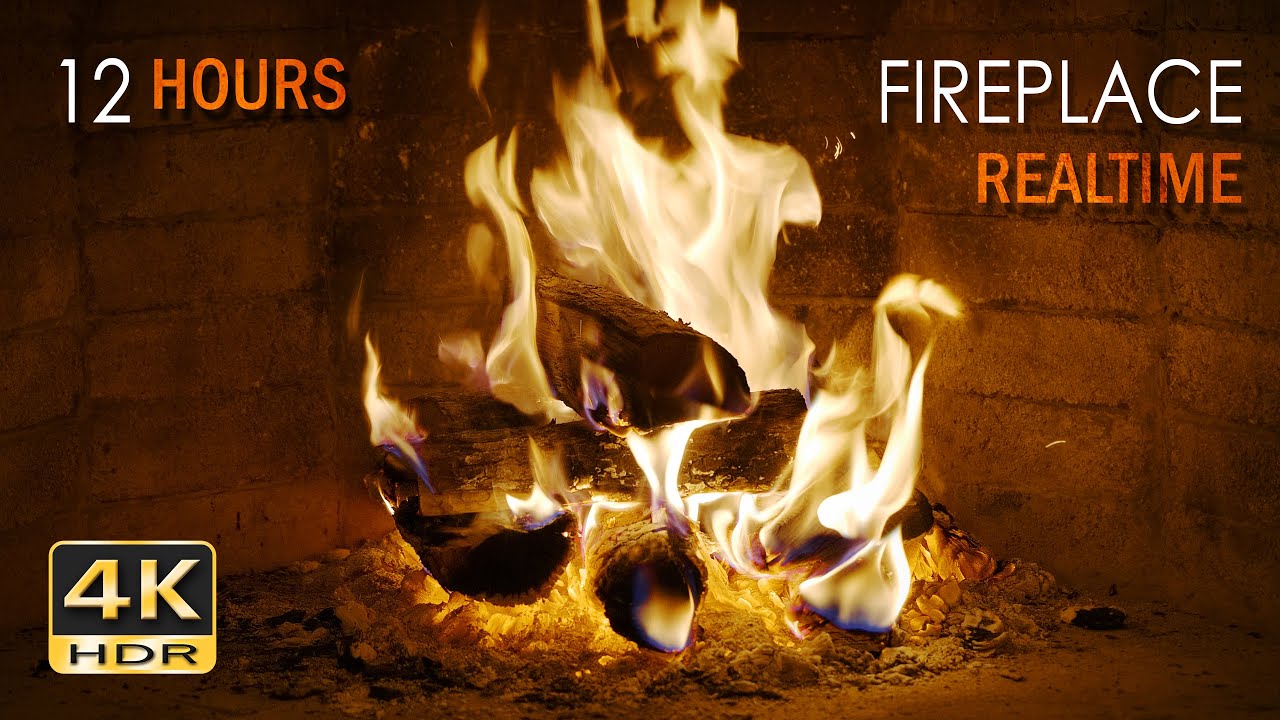
Create a cozy, warm and relaxing atmosphere with 12 hours of real logs burning in an open fireplace and the popping and crackling sounds the blazing flames create. This Ultra High Definition (UHD/ 2160p) HDR* video and high quality sounds can be used to create a feeling of peace and tranquility, warmth, coziness or winter festiveness in your hom...
looking at this i feel mine is much closer to that
stark anvil
It kinda depends and recordings aren't always super accurate. I coincidentally was staring at a fire last night though lol
cold basin
hehe
boutta put a candle on my desk and tweak that way
but yeah i look at fire regularly too in the colder times, we have a fireplace in the house

stark anvil
btw, I also think this lighting mod is worth trying out https://www.nexusmods.com/witcher3/mods/7821

Nexus Mods :: The Witcher 3
This mod preserves the vanilla lighting base and applies new changes and fixes, balances to make the regions better.
cold basin
I think with ictcp 40 hue correction the recommended preset looks alot better
or 40 darktable
cold basin
stark anvil
btw, I also think this lighting mod is worth trying out https://www.nexusmods.co...
i see, im playing fully vanilla rn
do you use any other mods?
stark anvil
a few but with vanilla art direction. Not entirely sure if I'm sold on that weather mod, but it's at least mostly faithful to its name.
it actually fixes some things through art changes that my tonemapping changes already kinda fix
stark anvil
I'm a sicko that just uses vortex
pretty sure most will say not to and to use witcher mod manager
cold basin
as im a passionate skyrim modder, i despise vortex
i think MO2 might work for the witcher
gotta check
 quiet sandal
Terrible

ABYSMAL
ASS
Manualcels scare me though
Every time in cyberbunk
'This mod messed up my load order and broke my game and ruined my marriage'
Are you using MO2? no, manual
Like clockwork
rose whale
cold basin
my personal settings so far for witcher
You are missing a few nits
stark anvil
vortex has always just worked for me. Usually has all the tools needed, just maybe a bit of a pain to use if you don't know about them
I have no doubt that bespoke mod managers are better, but I just don't want a bunch of mod managers installed if vortex can do the job
cold basin
rose whale
You are missing a few nits <:heihachiPlasma:1413691312984559698>
wym xd
rose whale
cold basin
wym xd
500 nits game brightness
rose whale
cold basin
bro looks like a tomato on the right
I noticed this too on my G5
stark anvil
referencing SDR will show you that they definitely did not achieve it there either lol
cold basin
its giga annoying as well because all fire sources look diff and even change the look depending on time of day or what color grade the region/current weather seems to have

dunno man i give up

 stark anvil
logs better on right, flames better on left 
cold basin
flames too yellow on the right or
stark anvil
yeah
maybe I should make hue correction more of a hue shift instead
I posted a build before with a hue shift slider if you want to try it
I got rid of it cause it was basically the same as hue correction
but maybe for this instance it works
cold basin
but yeah id say the logs on the left there look super pink, and it gets kinda amplified at 2400 nits ngl
thats my issue that i have the entire time with the rec preset
stark anvil
there's also a lot of stuff that shifts that doesn't look good shifted 🤷
stark anvil
I'll see what I can do. Maybe if I don't try to emulate SDR I can figure something out
RTGI is also a mess with hues in this btw
cold basin
 stark anvil
sat correction helps a lot there but yeah
cold basin
any better
stark anvil
sure does look like uncharted2 tonemapping
cold basin
is termite spleen close to that?
stark anvil
no it's just a display mapper. I blend their tonemapping (uncharted2) with the untonemapped color and display map it later
termite spleen is just highlight rolloff
sat correction 0 will give you just the raw vanilla tonemap colors for SDR range
raising sat correction uses a luminance/per channel blend
cold basin
ah oge
lemme show some more pics
what looks best, i personally think 2nd pic too pink in the face, first one too white


 tribal sable
2 or 3
overall 2 i think
2 might be too saturated to the point of losing detail in his shirt
the shoulder seam
cold basin
Trying to make something in between 2 and 3 right now
much more subtle change


pretty much just hue
rugged nest
cold basin
much more subtle change
Cant see any differences here
cold basin
rugged nest
Cant see any differences here
look at his skin tone on his forehead and face
rugged nest
It looks almost identical, cant really tell a difference
cold basin
yuh
cold basin
yeah i dont know anymore, i cant get something that looks good across the board
shits driving me nuts
tribal sable
On my phone I can see the difference in the shoulder seam
stark anvil
@cold basin another test build
added another hue shift slider and hardcoded blowout restoration to use ictcp since it seems like a clear winner for that slider. Maybe this will help you get what you're looking for.
 heady dune
I'm still using 2 or 3 versions older.


 cold basin
stark anvil
<@380859926680961024> another test build
added another hue shift slider and hard...
cold basin
stark anvil
<@380859926680961024> another test build
added another hue shift slider and hard...

rose whale
I am using the one on nexus because of that
Also shadows looked off to me with the latest
rose whale
cold basin
<@306848037290901506>
Vanilla | My Setup | Recommended | Purist
I did some s...
Why does vanilla looks so different here? Did you disable the volumetric effect in the others or something? Is that the flare effect?
cold basin
rose whale
Why does vanilla looks so different here? Did you disable the volumetric effect ...
No, vanilla has onbnoxius bloom / Glare that Jon tried to tame as far as I understand
stark anvil
any comparisons with vanilla (for the purposes of finding tonemapping settings) should be done with bloom off/set to 0
you will go in circles trying to fine tune things around bloom/sunrays
all you need to know is that bloom since adding HDR bloom or removing the option will take on the color of the light instead of a clipped color like it used to. It will be directly influenced by scene grading sliders, but will only be adjusted in post by color grading sliders.
cold basin
@stark anvil would you say its counter productive to do a mix of hue correction and shift in the test build?
stark anvil
yes
cold basin
because it looks like the affect the image diff
hue correction seems like it effect more of the entire image
stark anvil
hue shift should be basically the same as correction except only applying to above SDR range
cold basin
while shift i mainly see diff in highlights
ok so yeah that tracks with my observations then
stark anvil
you could combine the two without an issue, but I doubt you see much difference unless shift is higher than correction
and being real I don't want to have both sliders in an actual release, it's confusing and unnecessary I feel
cold basin
yeah for sure
cold basin
heady dune
I'm still using 2 or 3 versions older.
in these the candles look atleast correct

stark anvil
maybe termite spleen is messing things up 🤷
cold basin
my candles are like pink red orange ish
stark anvil
wouldn't hurt to check one of the builds with reinhard piecewise
stark anvil
I can just throw in an option
 stark anvil
cold basin
stark anvil
cold basin
thankyouuu
At this point I think the candle flame texture itself is just cooked

Like is it supposed to be just this yellow in the middle and red around it
its so hard to capture
stark anvil
pretty sure yeah
the luminance tonemap will be the true color
reinhard manipulates the image sooner (and is more dim), so I thought there was a chance it might help with the flames
bit of a stretch though, I think you're just far more bothered by this than me at this point and it's not a display thing so much


 stark anvil
yeah candles don't look quite right
need to see a heatmap view to see if the brightness is even capable of being blown out to look right
cold basin
stark anvil
need to see a heatmap view to see if the brightness is even capable of being blo...
like this?
 stark anvil
set it to 10k peak
cold basin
at 2400 nits
 stark anvil
oh, cutoff point as well
stark anvil
cold basin
slider only goes to 4
ctrl click and type
cold basin
 stark anvil
okay so something can be done about it
does applying a little bit of blowout fix it?
oh, can you also see what it looks like with LUT grade set to 0?
cold basin
lut grade has like no impact on the candle flame
stark anvil
okay so it shouldn't be getting griefed by tonemapmaxcll then
cold basin
blowout doesnt really help under like 20+
looks pretty much the same as just lowering blowout restoration
stark anvil
how does blowout restoration at like 75 with hue shift at something like 10 look?
cold basin
left is normal rec preset with termite, right is recommended reinhard with blowoutres 75 and 10 shift

 stark anvil
honestly confused why those candles don't blowout more
cold basin
any settings that make the candles bearable makes the rest look weird
thats when the torchlight on your face becomes white n shid like we talked about yesterday
stark anvil
I could just boost the candles if I find the shader
cold basin
cant seem to find a mod that edits the candle flames either
only mods for the candle texture itself kek
stark anvil
I also should try to find the skybox so I can boost that, since the rest of the scene doesn't need it as much
cold basin
I find that the hdr boost thing makes the candles a bit worse too
I assume because it seems to increase highlight saturation
stark anvil
makes sense, it's a per channel adjustment
cold basin
night yarrow
i just use highlights slider instead
can you share a pic of what settings you are currently using?
im losing my mind over here, im not even sure what looks right at this point
night yarrow
cold basin
can you share a pic of what settings you are currently using?
defaults until jon updates
i had also been messing with it
pinky clouds drove me crazy
cold basin
night yarrow
pinky clouds drove me crazy


