#archived-modded-support
1 messages · Page 644 of 1
 outer turret
 naive drum

Nexus Mods :: Stardew Valley
Sure, you can grow-up your cows and slaughter them but what about a plant alternative?
 tulip steeple
A. Oooo, very nice! and B. Yeah that's... that's the same place I'm at
naive drum
there's main file Fresh Meat that says "portugeuse translation" under it because that's what got added in the last update, and under that Optional Files with Fresh Meat Beta
tulip steeple
Yes I'm aware of that
naive drum
if you currently have 2.1.4 Fresh Meat that's the latest stable version and you can keep that
tulip steeple
The last time I updated Fresh Meat was on July 5th
naive drum
[checks your log] you have 2.1.4 which is the Main File for Fresh Meat on nexus and is the most recent stable version
so you can ignore the update there
naive drum
i shouldve checked earlier haha i thought you were trying to find the non-beta version or confused by the 'portugeuse translation' or something
tulip steeple
Yeah I didn't know if there was a non-beta for 3.0.0
naive drum
there isnt
tulip steeple
Well good to know
naive drum
its a big change so it has a lot of beta versions so people can do stuff with it and try to find bugs
tulip steeple
Oooooooh okay
tulip steeple
So like, do I have to actually run the game first so that the Artisan Valley machines can be converted over?
naive drum
yeah
with the conversion mod installed and the CFR mod uninstalled, run the game, make sure to save
it converts all machines it finds on day start
 dire fractal
I'm downloading poitrature, what does the seedbag zipfile do?
 deep totem
@dire fractal , what does the mod description say?
log! can you share your log? @dire fractal
!log
 native dragonBOT
Can you upload your SMAPI log to https://smapi.io/log (see instructions on that page) and share the link here?
dire fractal
deep totem
You don't have the required dependency (content patcher),
If u re interested to understand the log you can check
.quote 5031
 devout pumiceBOT
[#5031] "If you're looking to learn more about how to read your error log, there's an annotated one here  https://m.imgur.com/SRfOvKB" - LenneDalben (30 Aug 2020 @ 11:43:35 PM UTC)
dire fractal
what ?_? what do i do then
deep totem
Install content patcher
For SVE to work u need that mod, it's on the SVE mod description
dire fractal
but i did ;-;
deep totem
Your log shows that it is not loaded, can you double check your mod folder?
deep totem
Content patcher should be on its own folder like other mods, also it's missing the manifest.json
Might be a good idea to delete the content patcher files on the mods fodler and extract from the downloaded zip again,,
dire fractal
ok
but
i still have the same problem now ;-;
nvm
my brain is a bit smol
thank you sir
you're so nice
😎
deep totem
Glad that it's working,,
 keen portal
Trent's animal mod can add on android?
 tired apex
Maybe? If its not explicitly said on the page it should be able to if you can run the dependencies
 tepid blade
!log
native dragonBOT
Can you upload your SMAPI log to https://smapi.io/log (see instructions on that page) and share the link here?
tired apex
I can tell you that you need to install pytk but thats about it
Customnpc arent my forté
tepid blade
Well im trying to figure out 1 by 1 why my mods arent working so thats why pytk isnt there
tired apex
That would fix Seedbag other than a manifest version
 keen moss
You're gonna have to explain "game crashes" more. Does it happen whenever you do something specific? It could also be just due to being on Android.
tired apex
Yes!
tired apex
I do know how to convert them to CP mods but idk if its legal to do it for other people 
 silver ibex
dam
tired apex
Is there a specific one you're looking for?
tired apex
Let me ask the senior modders about the rules, then I'll get back to you :)
silver ibex
alr just ping me <3
 fickle siren
Hope it's okay to repost this from earlier as I'm still stuck with the issue.
Could anyone help me get to the bottom of an issue I'm having? I have Eemie's recoloured maps, SVE (up to date so no karmylla mod in there) and some other overlay mods but for some reason my game won't load the summer outdoor tilesheets. Every other season is fine though? It doesn't crash as some other people posted, it just seems to load the vanilla colours when I try debug season summer. Haven't tried loading into summer naturally though so maybe it would crash.
I'm not sure what 'patch update' command does (Mouse suggested it) but it did apply the right tilesheet temporarily i.e. until the game window is closed. Does that tell me anything about the cause? Can I at least use it as a temporary fix?
 rare quest
try fully removing the SVE TMX folder and reinstalling it.
tired apex
@silver ibex I can do it for personal use, however it cannot be published to nexus, can you dm me the file?
tired apex
I'll have it done soon!
tepid blade
Nvm i found it was in fact farm type manager
When i changed the monster spawn limit the save file got corrupted
fickle siren
@rare quest didn't seem to change anything
tepid blade
So all I had to do was delete the save file from farm type manager
Also lonley tears what didnt chnage
rare quest
in that case remove all SVE files from your mods directory and reinstall.
if the error still persists we'll need to pinpoint which mod is causing the issue.
tepid blade
Wait flash shifter what's wrong
rare quest
summer tile sheet isn't being loaded 
fickle siren
Still the same. Should I do a process of elimination with the whole mod folder?
 toxic notch
Ah my question got buried under all the convo so I will post again. My friend is playing on Mac laptop, and when they talk to an NPC they can't exit the chat without clicking. I was told in support there wasn't a way to in game to change that and to ask here if there is a mod for that? ^^
rare quest
@fickle siren Yeah. Seems like the best bet.
deep totem
Test, is there any error in smapi console?
in any case it'll be helpful to provide the log as it also shows the mods u have
!log
native dragonBOT
Can you upload your SMAPI log to https://smapi.io/log (see instructions on that page) and share the link here?
deep totem
wait is that was asking for feature?
 royal arrow
If I understood correctly, Test1234's friend isn't using mods currently, but wants to modify the game so they can press a key instead of clicking to close dialog
toxic notch
@royal arrow Aye, this ^
toxic notch
I know a few with Carpal Tunnel and RSI so clicking hurts more, so was wondering about this kind of mod to make it easier on them.
royal arrow
I'm not sure if there's already a mod for that o:
I know of a mod that reduces the clicking needed to attack, Combat Controls on nexus, but I'm not sure of a way to assign a keybind to clicking for closing dialog 
If nothing else, you could leave it as a suggestion on the mod ideas list! https://github.com/StardewModders/mod-ideas
toxic notch
Much appreciated! I'll go there later today and request then when I can. Thank you ^^
royal arrow
You're welcome!
 feral flame
Could someone take a look at my log and tell me how I can fix the error with Fish Info? https://smapi.io/log/df4f1658b5ef4eb1a61b460590c56b07
 jovial prawn
is there any mod to prevent weapon lost in mines? im sick of losing my weapons..
 fair vessel
Customizable Death Penalty mod
jovial prawn
thanks
 oak solar
do you guys know any armor mods?
it just seems a bit wierd that the only defense is shoes
deep totem
@oak solar
not that I know of, feel free to post ideas in https://github.com/StardewModders/mod-ideas/issues... Also unless it has been fixed, it seems defense is not functional atm
https://stardewvalleywiki.com/Defense#Bugs
Defense is a statistic that affects how much damage the player takes. Defense can be increased by food and equipment, or decreased by debuffs.
oak solar
oki
royal arrow
ok ok so, even defense stats on boots are irrelevant  ?
?
What's the best shoe to wear then, based on immunity? Or just style o: ?
deep totem
I'd like to think it will be fixed in 1.5. Though defense itself not really a great stat to begin with.
At least in later part of the game
fair vessel
I think it's just weapons that are affected?
feral flame
☹️
fair vessel
Immunity stat is nearly as useless as a non-functioning defense stat would be 
deep totem
Haha,,
deep totem
take a look at the effect. Well, this game not really geared toward combat
 hollow moat
hey, is there a pinned thread here on how to download mods?
deep totem
If u re on nexus downloading the file is just going to the files tab. Do try to always read the mod description. Esp if there's multiple files option. I imagine it be similar like that for other websites.
If it's about getting started into modding this link is on the pin https://stardewvalleywiki.com/Modding:Player_Guide/Getting_Started
Do you want to play Stardew Valley with mods? This guide is for you!
royal arrow
yup the guide to using mods is in the pins of this channel, and itsbenter also just copied it and shared it
deep totem
Yep it's there 😉
 gleaming sphinx
This little POS apples
Is just mia half the time :|
I remember the first time i played stardew. I was so captivated. Put like over 100 hrs into 2 files just farming away... then like with all games it slowly faded away.
Recently realizing i could mod the game so much got me that captivated again. But now here i am again slowly losing interest :(
But... another 80 hrs in haha so id say you modders have really done some stuff here
royal arrow
apples, is that an SVE thing? lol
tired apex
Uh
gleaming sphinx
Yeah, the junimo npc
royal arrow
yea and one thing you can also do is, getting into making mods yourself, then you'll spend hundreds of hours on that like the rest of the cheeto gang 🤣
tired apex
 help us please
gleaming sphinx
I sadly dont even own a PC anymore.
royal arrow
alexis, you just have to commit yourself to playing every once in a while 😆
I know Wing and kdau said the fact they stream helps with that
I didn't go the streaming route, but try to play at least 1 in-game day every couple days
gleaming sphinx
Tho ive been looking at getting a new one so ill hang around in this discord and i can at least pass along my experience! At this point ive played around with mods a good amount on android so i can maybe be helpful to people in that regard.
royal arrow
ahhh, yes, that would be extremely helpful! some people come here with odd Android "quirks" and sometimes we're just at a loss I personally play on Windows
gleaming sphinx
There's a bunch ive seen
Most of the stuff ive tried works just fine.. the only hangups ive found generally revolve around the weird way the game saves and minimizes on android
I dont wanna venture too far off topic here but i installed dreams on my ps4 over the weekend and that's completely stolen my attention
 heavy sail
Yay, an error! What have I done this time- https://smapi.io/log/1faf06d0b8c64d559b027a9723fc5807
royal arrow
was anything weird in-game or you just saw the error and went  ?
?
heavy sail
It couldn't even load the game because of this
royal arrow
seems to be from Town School and Stardew Valley Reimagined
heavy sail
This is what I get for trying to experiment with Tiled... might just do a clean reinstall of the mod.
fair vessel
though I notice your town school mod is still inside a weird Town School-6317-1-1-0-1592927464 folder instead of just Mods/TownSchoolPack - should fix that. Dunno that it will solve this problem though
Oh?
Lol yeah that's probably what did it then
Gotta follow very specific steps when editing maps
heavy sail
The door warp wouldn't work, so I experimented and broke... something.
royal arrow
the go-to is: did you have your tilesheets in the same folder as the map file (tbin / tmx) when editing?
if you had to change the folder path or otherwise tell Tiled how to "find" the tilesheets, that may have been the source of your issue o:
heavy sail
I didn't... uh
I'll try it again with the tilesheets.
hollow moat
@deep totem Late answer, thanks.
is it normal to get this screen while opening the game with the SMAPI?
fair vessel
That's normal, it's the smapi console. It's how you know smapi is working
It displays useful info (that is also stored in the log file) and there are commands you can type into it for debugging stuff when needed.
 polar umbra
heyy, if i install smapi will i not be able to get steam achievements anymore?
royal arrow
you can follow the getting started guide to set it up properly, see link below
.quote 5049
devout pumiceBOT
[#5049] "If you're new to modding Stardew Valley, and/or would like a guide to setting up mods for Stardew Valley, check out the getting started guide! https://stardewvalleywiki.com/Modding:Player_Guide" - LenneDalben (07 Sep 2020 @ 02:24:23 AM UTC)
royal arrow
you're welcome!
oh @sharp belfry 
When you have time, could you send me your log? I wanna see what combination of child to NPC and content packs you have related to children and spouses~ 
royal arrow
Teaslo, did anything odd happen in-game, or did you see the error, go , and come on by? I ask because it's helpful to have context around what happened, along with the error log, to troubleshoot
 balmy oak
nothing happened in game, I wasn't actually doing anything other than walking around as I had just installed a recolour mod and was looking around at stuff
I just saw a lot of red as I closed the game
royal arrow
ah, so you didn't like, do any pickaxing on a rock? seems the error says something about breaking stones o:
balmy oak
no, the only thing at all related to rocks was one mod adds in an animal product called a "rock plort" which drops from special slimes the mod adds that spawn around the map, I picked one up as I entered an area
but I doubt that was what it was referring to
royal arrow
honestly it might have been o.o
balmy oak
hmm
royal arrow
you can test temporarily removing that mod to see if that's what caused the error
balmy oak
yeah
 tired brook
SMAPI 3.7 is now available!
For players, SMAPI 3.7 mainly adds heuristic compatibility rewrites (which improve mod compatibility with Android and game updates), improves crossplatform mod compatibility, removes the experimental RewriteInParallel option, and fixes various bugs (notably map tile rotation after returning to the title screen).
For more info:
- download: https://smapi.io/
- release highlights: https://www.patreon.com/posts/41341767
- release notes: https://github.com/Pathoschild/SMAPI/blob/develop/docs/release-notes.md#37
tired brook
tired brook
**SMAPI 3.7 is now available!**
For players, SMAPI 3.7 mainly adds heuristic co...
royal arrow
as a side note, I see you're using Quality Products, that's been superseded by another mod, you can search for it here https://smapi.io/mods
balmy oak
I am pretty sure I switched over to quality artisan products
but anyways I will deal with that later, I am going to remove the mod
royal arrow
from your log, it looks like you still have the other version, but you can confirm
balmy oak
I don't think I can remove the mod as I have crops growing that the mod added, wouldn't that mess something up if I remove the mod?
royal arrow
I switched over from the older mod to the newer one a while back and didn't notice any issues
balmy oak
I am talking about the rock plort one
balmy oak
huh?
royal arrow
load the game without the mod, walk around like you did before, then quit the game, and check your log
your save won't be affected unless you actually go to bed and sleep
balmy oak
okay
royal arrow
you can also back up your saves to be extra sure
balmy oak
I will do that
royal arrow
!saves
native dragonBOT
Use this guide to find your save files: https://stardewvalleywiki.com/Saves.
royal arrow
it's just making a copy of the folder. you can put it anywhere like your Desktop or Downloads folder.
 lone ingot
Ctrl+C Ctrl+V
royal arrow
I mean...it's like updating any other software. If you want the latest bug fixes and features, yes. Especially since mods may require the latest version to use the latest features.
balmy oak
the error is still happening
 robust bison
which error?
balmy oak
!log
native dragonBOT
Can you upload your SMAPI log to https://smapi.io/log (see instructions on that page) and share the link here?
 ashen elbow
you need this mod KAYA.JA.SlimeRancherProducts
balmy oak
I removed that mod to see if it fixed the error
but it did not so I am putting the mod back in
ashen elbow
try updating your smapi
oak solar
heya im playing multiplayer with a friend and he is having some issues with stardew valley expanded npcs
They arent showing up at the flower dance and he can walk right through them
ashen elbow
that;s normal
heavy sail
@oak solar Known bug. Nothing can be done about it at the moment.
balmy oak
I will update smapi
balmy oak
the error is still happening
ashen elbow
did you update all of the mods?
balmy oak
no mods had updates available
well, there were some that said they had updates but they were betas
and also one that I think has the update key wrong
 safe spade
i need some help json assest is trowing erroes (ingore the update mod secon those are just mods with an oudated manifest)
royal arrow
I recommend taking a close look at the Skipped mods section, that should help sort out further errors. For some deets check the link below
.quote 5031
devout pumiceBOT
[#5031] "If you're looking to learn more about how to read your error log, there's an annotated one here https://m.imgur.com/SRfOvKB" - LenneDalben (30 Aug 2020 @ 11:43:35 PM UTC)
safe spade
i dont really understand it sadly can jason assests go crazy if you remove jasoon assets mods and try loead a file? also it show me an item with the same key was added but dose not tell me what mod is cousing that
royal arrow
The Skipped mods section is before the errors later, and often issues there are what cause the later errors, that's why I recommend looking at the Skipped mods first
safe spade
yeaaa i know i am confued what im suporrt do do on the item withe same key issue
 shrewd gate
Did I just spend the entirety of my online grad school course today downloading new mods? Yes. Do I have a problem? Maybe 
safe spade
anddd it not fixed https://smapi.io/log/928dea55dbda43eea8159d00beb32f5e still the item added with same key issue
royal arrow
Bad SpaceyCrcker! Gotta be responsible  even if mods are very enticing ☺️
safe spade
well i downleaded over 300 mods at one day when i starded XD but i cant play rn becose of json assets XD
shrewd gate
Yay 300 club! Lemme check out log
fair vessel
It's generally a good idea to test mods as you add them a few at a time rather than add 300 in one go
 safe spade
i told you json assets rn dose not like me and i think it becose of that same key issue but i cant tell what items it are
tired apex
does* sorry for being the grammar police however that one bugs me a lot
safe spade
im german sorry
shrewd gate
Some of it is duplicates, Json hates duplicates, and some mods even if they're different add the same type of things
tired apex
Ah! Its alright! You have a grammar pass then
safe spade
i try do added that
fair vessel
for the item with same key errors:
- disable all mods that are packs for Json Assets
- on a new save (so you don't mess your real one), re-enable the JA packs a few at a time
- pay attention to when the error appears and which pack(s) you just added that caused it
- once you narrow down which pack, you have a choice:
- stop using that pack OR
- restart testing with just that pack to start, and add a few more packs at a time to find the other pack it conflicts with
- verify that you have the correct two packs by checking that the error appears with ONLY those two packs
- choose which one of the two conflicting packs to keep
- repeat this process with all remaining JA packs if you still have errors.
(and yes, this process is a huge pain)
royal arrow
Can I quote you on that Jonqora? 📝
fair vessel
(it's why you shouldn't install a ton of mods at once, hard to track down where the incompatibilities are)
sure 
safe spade
okay means i luckly only need to check my new mods i added totay as i only stared getting the error totay
royal arrow
Could also mention notifying mod authors of the incompatibility, so they can rename items accordingly
tired apex
I downloaded a crap ton of mods and put them in modjail to do just that
fair vessel
that helps!
tepid blade
Ok it went back to crashing and this is annoying
fair vessel
(renaming JA items can mess up existing save files, so mod authors will probably be reluctant to do that unless one mod is really new)
(so unique item names from the start is pretty important, and I kinda regret not namespacing my own items in Sunscreen Mod)
royal arrow
Uber bot has not added the quote o.o unless my Discord is being extra slow
tired apex
He doesn't like doing it >->
ashen elbow
please uber
fair vessel
lol 3 💬 and none are UB3R 🤦
tired apex
Why are you angry at me?! D:
royal arrow
not at you, at uber o:
tired apex
Fair
royal arrow
because it doesn't like doing it
fair vessel
Is UB3R allowed to grab quotes from this channel? Is it a perms issue?
devout pumiceBOT
New quote added by Jonqora as #5052
royal arrow
it can quote wherevers. I'll take this to the governor's mansion
tired apex
:o
fair vessel

devout pumiceBOT
New quote added by Forsythia 🌸🐝🌼 as #5053
ashen elbow
huh.
royal arrow
it's just not happy with me today 
tired apex
Do we have a sentient bot
safe spade
gonna try the game again wish me luck
royal arrow
alright, how to troubleshoot duplicate keys for JA is .quote 5054, and the quote of quotes, .quote 5033 has been updated to include it
safe spade
AHAHA I GOT IT there was a recipe conflict! gonna look what recepy it was exactly recipe
wut i am confuesed (sorry i am an idiot somtimes)
 amber jungle
Hi, I just wanted to start putting mods in my game but it says SMAPI is a virus??? Anyone know how to bypass this? I tried doing something with my registry editor but that didnt work. thanks in advance
ashen elbow
tired brook
No checked antivirus flags the download as a virus: https://www.virustotal.com/gui/file/c31e4003c3c19855c5554a7623efc388859cf6ffa3c9d86159e10675cf940f01/detection. It's common for a local antivirus app to warn for new executables they haven't seen before, which happens with every update to SMAPI (and many other apps). If you're affected, you can add an exception to your antivirus or just wait a few days until enough players have installed it to update the antivirus company's databases.
amber jungle
ok thank uu.ill see what i can do for now
tired apex
Should we pin or quote that incase it pops up again?
tired brook
You can just link to https://stardewvalleywiki.com/Modding:Player_Guide/Troubleshooting#SMAPI_files_disappear_or_antivirus_complains.; I'll expand that section a bit to clarify.
tired apex
Ah alright! Tysm pathos!
shrewd gate
Hey y'all. Forever ago I posted about a weird glitch where my signs kept changing every time I logged in again, signs that I specifically used for Artisan valley products. I am also getting weird products that aren't what I put in sometimes. Like I made some vegetables in preserves and got the normal looking pickle jar, but it said something like pickled blue rose mayonnaise, and I don't even have blue roses in my game. Should I mention it to the modders? I don't want to bother them because I don't mind (and that pickled mayonnaise was worth a ton!) but others might, and I do want to help them, if that would be helpful, you know? But I don't want to be whiny. What do y'all think?
Smapi has no errors, just stuff switches around sometimes
Oh I'm using the beta versions of most the PPJA mods, so I want to be helpful if that would be helpful
royal arrow
Idk about your signs changing, but as far as the artisan goods getting new names, that's likely due to ID scrambling and it's harmless. The prices should be the same as they would have been before they get a new name, in my experience
but in your case, pickle jar becoming mayo is a new level
I've gotten pickled asparagus when it should have been some fruit jelly, but not a straight up new artisan good like mayo o.o
shrewd gate
Oh yeah it doesn't bother me at all, I just didn't know if it would be helpful to mention. It was so weird! It still said pickled at the beginning and looked like pickles, so it was weird that it was called pickled mayonnaise
Man I should have taken a picture. I'll do it next time it happens
royal arrow
Ah ok, it sounds like it's just the ID scrambling. It's a known issue and like I said, harmless
usually happens if you added an additional JA mod to an existing save that had JA mods
tired brook
Does this seem clear / non-confusing for the SMAPI antivirus issue?
royal arrow
Pathos, are you committed to the header saying "SMAPI files disappears" first? I think it might be helpful if the order was switched to "Antivirus complains about SMAPI, or SMAPI files disappear."
It's more repetitive, but from what I've seen in the chat in my few months here, the antivirus complaining seems to happen more often and is what people notice most
tired brook
I've seen a lot of cases where the antivirus just silently deletes the file without telling the user. That seemed to be the most common case when the section was added; not sure if antivirus visibly complaining is more common now, or it's just that people find the section themselves more often when the file disappears. 🤔
amber jungle
oh btw i think i was able to download it rn by going to windows security and allowing it when i tried to download it. Hope it works!
royal arrow
ah, gotcha. I've definitely had instances of other executable files (not SMAPI) silently not working properly and after grumbling for a while, noticed what was causing it lol
Sounds like either way will work then, though
ashen elbow
i have no idea, but ive gotten it a few times
tired apex
I think its just a regular error for that mod tbh
shrewd gate
Like this, for some reason I have cream soda wine for a fruit I don't have. Again, I am absolutely not bothered, I just want to illustrate what happens. It sounds like it's a common thing, so I won't report it to the modders or anything as a bug, I'll just enjoy my weird creations!
royal arrow
yea the only way I've managed to avoid it is to install JA mods I want before starting the save, and then not adding any others 😆
tired apex
Hmmmm funky
shrewd gate
Not add other mods?!? That’s a thing?!?  lol
lol
royal arrow
I mean, you can add other mods, just not additional JA mods 
shrewd gate
Good point. I’m just gonna live with it, I’m having way too much fun with everything to care about what my wine is called
tired apex
 I wonder if I can finally fix my cake mod
dire fractal
Durian cream soda wine I'd drink that 100% 😋😋
tired apex
Hope its hearty
dire fractal
Can anyone recommend me a visual reshader mod? Not sure which to pick tbh. Hope this is the right place to ask.
dire fractal
I like Daisyniko's earthy recolour, it's a mix between a wittily named recolour and eemie's
royal arrow
this is the right place to ask, Zairii!
To add to the list, Stardew Foliage Redone is also very nice, although my personal favorite is A Less Yellow Stardew
 torn mason
and Natural Reshade goes well on top of any other conventional recolour
dire fractal
Thanks!
I'm stuck between starblue and a less yellow stardew valley, but I've never heard of the flower one or the foliage redone one.
If you have the time you could look at them all n decide which one you prefer since recolours are really just preference
ashen elbow
i use flower valley, earthy recolour, reshade, and foliage redone
royal arrow
I prefer A Less Yellow Stardew because it's still quite colorful (Starblue is too desaturated for me personally), and I really like the darker dirt color
safe spade
Can anyone recommend me a visual reshader mod? Not sure which to pick tbh. Hope this is the right place to ask.
@dire fractal i use starblue personally
dire fractal
Omg yes I feel like I'm weird when my favourite part of earthy recolour is the DIRT colour lmao
royal arrow
I actually forced A Less Yellow Stardew to work with Flower Valley and Stardew Foliage Redone - Foliage Only because I wanted all the variety and flowers 
safe spade
i kinda has to edit starblue valley confic so that my cosmetic mods for the chests and stuff show up
royal arrow
Took a while, playing with dependencies and configs, but so worth it  (biggest difference is the different trees and bushes all working together to make beautiful harmony)
(also pictured is Customize Exterior letting me use different building mods all at once)
ashen elbow
ooh, what map is that?
royal arrow
Farm Extended on nexus
ashen elbow
owo
jovial prawn
I think I added too many npcs xD
deep totem
Good luck! :3
ashen elbow
better than like,, 70 or so npcs
 boreal cradle
Hey, I was hoping to pick someone's brain about Automate.
royal arrow
!ask
native dragonBOT
Feel free to ask your question or describe your issue here, and someone will help if they can :)
boreal cradle
xD ❤️
balmy oak
is there a way to only use certain mods instead of all or none of them?
dire fractal
!modgroups
native dragonBOT
See this link for how to load different mod groups: https://stardewvalleywiki.com/Modding:Player_Guide/Getting_Started#Can_I_have_different_mod_groups.3F.
Do you want to play Stardew Valley with mods? This guide is for you!
balmy oak
thanks
dire fractal
I am more surprised than anyone else that that was the right bang command.
ashen elbow
lol
boreal cradle
I have Automate and it seems to run fine (No lag or anything like that) but when I try to add in the config.json file for the path connectors, it starts to lag my game, even outside of mp. Maybe I'm not downloading it correctly?
royal arrow
any errors, or just lag?
boreal cradle
Just lag, I don't mind pulling up the log tho if you wanna peek at that
royal arrow
I personally tweaked the config for AutomationInterval and that helped with some of the lag spikes I'd have, but I've not had issues by adding connectors
on the Automate nexus mod page, there's a link to the readme, which provides details on the config options
boreal cradle
Yeah, with just the normal Automate file, I have no lag, but as soon as I add in the connector config, it starts to lag. Not terribly bad but noticable/continual.
royal arrow
huh, it might still tied to the AutomationInterval though, so you can try adjusting that o:
boreal cradle
Hmm, okay, I'll see if I can tweak that a little and see if it changes
fair vessel
What did you add as connectors?
boreal cradle
And just to make sure I'm doing it right, download, place the connectors conjig in the file and let it overwrite the original one there?
fair vessel
And do you use them a lot outside of your machine setups?
Also, about how many automated mahcines do you have in your file?
boreal cradle
Jonqora, I did the path connectors file from the Automate file page.
Hm, give me one sec
 tall wagon
So renaming the smapi shortcut on my desktop likes to restart my laptop lol
boreal cradle
Hm, well, I can't get the summary command to run, I was looking at the readme for Automate
And yeah, just having normal Automate now is lagging my game but I'll try to change the intervals. Any reccomendations on lowering it?
royal arrow
I set mine to 120
 cedar narwhal
SOOOOOO i've been using over 100+ mods in SDV i love it ^.^ but i've come to a point where id like to figure out how to automatically harvest crops from my greenhouse. the only thing i've seen that might help is the GreenHut mod that adds junimos to the greenhouse, but its not opensource and was abandoned after 1.3 anyone have any advice for me in this endeavor?
royal arrow
I know there's a mod in the works for that, but idk if there's something already released o:
cedar narwhal
@fair vessel i'm a fan of adding connectors along with automate, it allowed me to automatically harvest from my tree tap farm, i needed alot of oak resin to make kegs and after plantng a bunch of properly spaced trees and setting some wood paths down it pulls the resin for me! so nice.
 lapis void
hey lenne where's that annotated SMAPI log again? i can add it to the wiki real fast
royal arrow
.quote 5031
devout pumiceBOT
[#5031] "If you're looking to learn more about how to read your error log, there's an annotated one here https://m.imgur.com/SRfOvKB" - LenneDalben (30 Aug 2020 @ 11:43:35 PM UTC)
lapis void
ty!
balmy oak
I am trying to make a seperate mod group but this popped up, I just copy pasted what the wiki said to put in
royal arrow
ahhh, thank you!!!
lapis void
Done correctly, it should look something like "your-path-here\Steam\steam.exe" -applaunch 413150 --mods-path "Mods (multiplayer)". do you have the path before it Teaslo?
royal arrow
I initially wanted to add it to the wiki but it's difficult when you're new and it won't let you add external links and, you're new to how to format it in general
lapis void
i wrote that basics section ages ago and kept meaning to do a how-to-read-a-log type thing so i stuck a TBA in there, but now it has yours :D
oh yeah i was originally gonna do it as a page on the wiki but also got overwhelmed by formatting lmao
balmy oak
what path
tired apex
Oh jeez that desktop
royal arrow
yea I know Lumina was also working on some basic troubleshooting stuff for mods, I'd love to share my knowledge, but uh, yea it's tough with the formatting 😆
lapis void
Teaslo, mine looks like this: "C:\Program Files (x86)\Steam\steamapps\common\Stardew Valley\StardewModdingAPI.exe" --mods-path "Lunarium"
i don't use the -applaunch 413150 part even though i do use steam, but that first part does need to be in there
balmy oak
so I need to put in the file path to where the mod group is?
lapis void
that part should already be in there when you create the shortcut
can you copy-paste the full path to the mod group you have right now?
balmy oak
the part that says start in?
lapis void
nope, the part that says target
balmy oak
-applaunch 413150 --mods-path "Mods (multiplayer)"
lapis void
yeah, you're missing the link to where the steam exe is
it should be there when you create the shortcut, so you must have deleted it?
balmy oak
if I hit cancel it should be back, right?
lapis void
Done correctly, it should look something like "your-path-here\Steam\steam.exe" -applaunch 413150 --mods-path "Mods (multiplayer)". so it should be that part where it says start in, then the applaunch blah blah part
lapis void
np!
balmy oak
:)
cedar narwhal
SOOOOOO i've been using over 100+ mods in SDV i love it ^.^ but i've come to a point where id like to figure out how to automatically harvest crops from my greenhouse. the only thing i've seen that might help is the GreenHut mod that adds junimos to the greenhouse, but its not opensource and was abandoned after 1.3 anyone have any advice for me in this endeavor?
@royal arrow what mod is in the works for this??
royal arrow
idr the exact name, Better Greenhouses or Greenhouse Upgrades, Chronicler Cherry (CherryChain) is working on it
it's not released yet
lapis void
Teaslo, was the wording on that wiki page confusing? i know the path stuff often gets confusing for people because we can't put an example path on the page or people will copy it and have it not work for their install location haha
deep totem
Great thing about the mod is that it will feel immersive as player have to purchase the upgrade to have the features. Though knowing cherry, she's likely going to make it configurable,,
balmy oak
it was confusing
royal arrow
Yea Cherry prefers to throw as much as they can into the config, which, as someone who makes lots of tweaks to mods, I really appreciate
deep totem
Totally :3
balmy oak
something went wrong
royal arrow
and if my game is unbalanced I have only myself to blame LOL
lapis void
yeah, it might help to have a note in there that you shouldn't delete the existing text in that box?
balmy oak
yep
lapis void
that path should be in there when you create a shortcut, it's definitely a bit unclear that you're supposed to add the other text onto it
i'll make a quick edit
balmy oak
I changed the icon and name but for some reason it changed the name of the regular steam app and the name of the steam app instead of the mods one
and the steam one does not open
I checked the properties and it also doesn't use any space
lapis void
hmm, sounds like you somehow overwrote your existing steam shortcut
balmy oak
it isn't a big issue since I never use the desktop shortcut, I have it on my toolbar thing
but I would like to fix it
cedar narwhal
id love to be notified when that greenhouse mod is completed, do ya'll have a place where you showcase mods that are releasing? or do i just need to keep my eyes on nexus?
balmy oak
okay something weird is going on
native dragonBOT
@balmy oak You leveled up to Cowpoke. You can now speak in our voice channels!
balmy oak
I moved the steam icon around on the desktop and it created a new steam with the steam icon
and it is functional
ashen elbow
wa
balmy oak
and whenever I move the messed up steam it moves the regular steam with it
lapis void
oh huh that is... something
balmy oak
yeah
lapis void
try deleting the messed up one and making a new shortcut
ashen elbow
balmy oak
middle one is the messed up one
I tried putting it in the recycle bin but it didn't go in
fair vessel
@cedar narwhal you can track mod authors on Nexus, and get alerts when they upload new files and stuff.
royal arrow
on nexus, Cherry is CherryChain (they're Chronicler Cherry on Discord)
lapis void
cedar narwhal
thanks so much!
balmy oak
yeah
royal arrow
thank you corrin! yes I think that's clearer
balmy oak
when I try to delete the messed up steam it says item not found
I think restarting my pc would fix it as it seems to not really exist
lapis void
yeah it sounds like some kind of phantom shortcut lol
balmy oak
yeah
lapis void
i feel like i've had this happen to me with something else but i don't know what made it go away
balmy oak
brb gonna restart
boreal cradle
Hm. So I've tried tweaking the interval to different times (120, 180, then 200) and still have very kind of minor hiccups in lag. I don't think I've had key input lag for anything.
https://smapi.io/log/e8aeb73ca65c4bc295be527ab8ddf780 - if you're wanting to peek at that
royal arrow
Wolfdra, idr if you shared your log earlier, but do you use big texture mods, for example Seasonal Villager Outfits (SVO)? That has lots of assets
Aha, you shared it
boreal cradle
Oh yeah, I do have that, it's just weird that it's lagging right atm, I wasn't having issues with it until I started to try downloading the automate config.json file
royal arrow
idk why that was the last straw, I remember Jonqora had asked earlier about the number of automated machines you were using, and how many connectors you were trying to use
dire fractal
Do you have an enormous number of paths of the types specified in that config.json or some such all connected to machines?
boreal cradle
Yeah, I had tried doing the automate summary in smapi and it wouldn't load it
dire fractal
Lazy programmers.
boreal cradle
I do have crystal paths but that was for aethestics, I didn't have those connected (or with the intention of connecting) to anything. I could try removing all of those and see if that helps?
dire fractal
You could also remove crystal paths from the config if you aren't using them for automation if that's easier.
naive drum
note that bushes and trash cans are automateable
boreal cradle
At the moment, I don't have the config in the mods folder. Just Automate. The only changes I've done was change the intervals from 60 to 200 to see if that'd help but it hasn't seemed to.
When I've added the config, it really lags my game down, same with PFM
balmy oak
is there a way to make wooden paths invisible? I have automate with paths all over but I want stuff to look nice
dire fractal
I believe only the types listed in ConnectorNames for the config will be used as connectors, so if Crystal Path isn't in there, for example, it's not going to be a source of processing latency.
fair vessel
@boreal cradle automate always creates a config file the first time you run it. The downloaded config just replaces that one. But you can also edit the config yourself to add or remove different connectors
boreal cradle
Hm, I can try that yeah.
@fair vessel Oh, see, I was a little nervous about doing that as I didn't want to mess up the coding at all since I wasn't entirely sure how to do it myself. I guess if I do mess it up, I can just delete the Automate file and copy it back fresh.
royal arrow
in this case, just the config file is fine o.o like, delete it, let the game make a new one
dire fractal
Or you can delete the config.json file and it'll regenerate with the defaults on the next game launch. 🙂
boreal cradle
That too lol, yeah.
boreal cradle
So, I was able to do that and get it in the right spot, but still experiencing the lag. Just went into the quarry mine and tried to see if the lag would be horrible for fighting and it kind of is. But....I tried it with the wood paths, they worked, and the lag fixed itself somehow?
Maybe I wasn't giving it enough time to load up??
dire fractal
Was this still the first 'day' after adding in the config that enables path connections?
dire fractal
I imagine somehow it could be wrapped around some processing axle until a path was laid down and it updated the connections.
(Totally conjecture)
boreal cradle
Hm yeah, I wondered about that too. Interesting. I feel like I've learned a lot within the last two weeks or so of using mods about coding xD Or at least having a better idea of how it all starts to interconnect on a base level at leas
least*
dire fractal
Suppose one way to test is after your next save relaunch the game and see if it has issues again. I'd be kind of surprised if it was an issue with 'slow startup' though, for what automate does. o_o
naive drum
if you have a lot of pathing and a lot of machines laid down over a lot of maps maybe it was lagging following all those connections? iirc that's more performance-heavy than keeping existing machines going
balmy oak
anyone know of a good hud colour mod?
boreal cradle
yeah, that's also true Wing. And I do, four sheds, two cellars, and with SVE, that 'patch of land' to the east of town full of casks 
balmy oak
like this one I saw a screenshot of one that made it white instead of the default yellowy one
lapis void
that'd be vintage interface!
balmy oak
ooh thank you
dire fractal
You're a vintage interface!
I have no idea what I mean by that, so take it as you will.
balmy oak
that sounds like a weird way of calling someone old
balmy oak
yeah
boreal cradle
I mean I like it 
balmy oak
I will use that from now on if I want to insult any old people
boreal cradle
Same
deep totem
If u re playing with toned down or pastel recolor vintage interface might be nice
https://www.nexusmods.com/stardewvalley/mods/6654
If you are into flashy one
https://www.nexusmods.com/stardewvalley/mods/6587
Slightly darker night themed one
https://www.nexusmods.com/stardewvalley/mods/6702
royal arrow
Garden Variety UI on nexus ModDrop (apologies, forgot it moved) provides a lot of different color options
deep totem
Ah and it has the vanilla feels to it
balmy oak
thank you
ashen elbow
i use that one interface mod i found on naver XD
royal arrow
that is so specific, Forsythia 
deep totem
Oh I haven't venture to naver,
balmy oak
these all look really nice itsbenter
deep totem
Is it like fully korean?
ashen elbow
yeah haha
deep totem
Just wondering why is it some mod author moved their mod from one site to the other?
royal arrow
minerva had some issues with nexus, so she moved her mods to ModDrop
dire fractal
As in the ones who have it hidden on nexus and moved to moddrop?
deep totem
Nothing particular comes in mind, but I noticed it happens... So just got curious,
royal arrow
(minerva maintains Garden Variety UI, and I use a lot of her other mods, which are fairly popular, so that's why I mention it )
deep totem
I think I should check moddrop for what the mod there then :3
dire fractal
I think a few folks ran into technical or ideological issues with nexus or the nexus community.
fair vessel
ModDrop doesn't even require creating an account to download mods there, which is convenient
royal arrow
Apparently nexus lets you download mods below a certain size without an account? I've never tried it, so I'm not sure o:
fair vessel
Though if you do make a ModDrop account, you can use features like ModPacks where you can curate lists of your mods (including Nexus mods)
 restive zodiac
Nexus used to let you do that until it added DP.
dire fractal
Before it becomes too late, I don't actually consider @lapis void vintage or an interface, it just struck me as too funny to pass up.
deep totem
Ah that seems handy...
restive zodiac
That's also how ModDrop works though AFAIK
(Not sure what the size limit is for unregistered downloads, but fortunately most Stardew mods are small.)
 steel lava
So when I using custome cask mod, when the flower is raise to iridium quality, it did not show any purpule star but instead of showing this weird things, does it mean flower have no iridium quality code?
royal arrow
I see your sashimi has quality, are you using Quality Products?
That mod is outdated and has been superseded by Quality Artisan Products, not sure which one you have o:
steel lava
Nope, just custom cask mod
royal arrow
How do you have iridium quality sashimi then?
Unless this was added to vanilla in the last game update and I missed it 
 fast river
Cooking Skill maybe?
royal arrow
Ah, cool cool
Either way, sharing your log will help with the troubleshooting process
!log
native dragonBOT
Can you upload your SMAPI log to https://smapi.io/log (see instructions on that page) and share the link here?
fast river
Iridium quality is actually quality 4. Maybe custom cask set it to 3 or 5 instead?
(For some reason 3 is skipped normally)
steel lava
Hmmmm so the custom cask mod can increase the quality of any item.
It's not cooking skill
So for the logs I believe there's nothing related to this at the moment, it just shows up normal data. I think it's related to what kind of item it is, I try to increase potato to iridium quality and the star has no problem.
Like this
royal arrow
Even if there aren't errors in the log, we can see what mods you have, it gives us extra info other than "do you have X? Whay about Y?" etc.
fair vessel
That funny icon is caused by the mod assuming that quality star icon locations on the Cursors tilesheet are calculated using an offset (spoiler: they are not)
restive zodiac
(It looks like the ModDrop download-with-no-account limit is somewhere above 6mb and below 28mb, which I realize is not very precise :P )
steel lava
That funny icon is caused by the mod assuming that quality star icon locations on the Cursors tilesheet are calculated using an offset (spoiler: they are not)
@fair vessel Hmmm I think it may be something relate to this, is there any way I could fix this problem?
royal arrow
OHOHO
fair vessel
Probably not fixable except by the mod author (or someone else able and willing to dig into the code)
(It's very strange to me that a mod would presumably display the quality stars on its own though instead of just... calling normal game functions to do that?)
Are you able to spawn in a normal-looking iridium blue jazz flower using CJB Cheats?
steel lava
I don't think so, on wiki it have no iridium quality listed hmmm
fair vessel
CBJ cheats can spawn in iridium of any item
So I'm wondering if the stars show up correctly for you if you do
steel lava
Oh ok let me try it now
fair vessel
If they do, then Custom Cask mod is doing some funny stuff for sure.
If they also show the weird icon, then something else might be messing with like... flower items specifically or something
steel lava
I do find something new.
these aged fish will show these weird icon.
For the blue jazz what I spawn from CJB is normal icon
fair vessel
Oho!
This is very interesting.
It might be another mod, or it might be a game bug with the ColoredObject class.
Lemme just check on mine...
steel lava
I do have a guess about the flower...let me quickly check mine as well.
fair vessel
yo
I see it too.
Checking now with a very minimal mod setup of CJB Cheats, Console Commands and Console Code
ashen elbow
wha
fair vessel
Notice the only correct one - that's generic Aged Roe (uncolored version of the object)
every other one is a ColoredObject in the game code using a tinted overlay. I betcha the draw logic for that class is using old code for showing quality stars (since it used to be a simple offset before iridium anything was introduced) and it was never updated or noticed because none of these items can be obtained iridium in the vanilla game.
steel lava
Hmmm I agree with you
The original one will show the correct star.
but other colored one won't
So the current conclusion is that this has nothing to do with custom cask mod right?
keen moss
ffs
fair vessel
Found it. It's a vanilla game bug inside StardewValley.Objects::ColoredObject
fair vessel
Funnily enough, it's been patched in the mobile code but not elsewhere
sigh i should probably report this bug lol
 glass pendant
Its not letting me download SMAPI and is just saying Virus detected, what do i do?
keen moss
I had to disable Windows Defender because even whitelisting it wasn't good enough for it
glass pendant
i still cant manage to disable my windows defender its still saying virus detected
I managed to do it thank you!
royal arrow
Pathos said earlier that it might just be because it's a brand new update and worse comes to worst, you can just wait a few days before updating your SMAPI--oh, cool! Lol
 olive sequoia
i am honestly at my wits end
 balmy raven
69 mods
nice
naive drum
3yg2ew trying to get lumisteria buildings to work with customize exterior
so. much. renaming.
cant even use bulk rename utility
olive sequoia
im having trouble againn with SVE xD
fair vessel
@steel lava just to let you know, I've reported the iridium ColoredObject bug on the official forums.
steel lava
@steel lava just to let you know, I've reported the iridium ColoredObject bug on the official forums.
@fair vessel Cool thanks a lot
Can I see where do you report bug? I have no idea where to find that section lol.
fair vessel
what is not working exactly?
olive sequoia
i have no clue. i have resolvedc this problem a few times but it keeps coming back. Essentially. I have SVE. It doenst work. but there are no incompatible mods or anything. My computer does not lack the power for this mod, but every time i try to load up a save or start a new one, it says SAMPI isnt responding.
😦
and then the game freezes on the loading page
 prisma canyon
Wait maybe this is the right spot.. I tried to backup a save file because I wanted to reskin my cows, and now whenever I try to launch that save file a new folder is added and I get an error message on smapi
How do I resolve this..
fair vessel
Ok this is... a total crapshoot, but try downgrading TMXL Map Toolkit way back to version 1.13
(it has sometimes caused issues with music tracks there's perhaps a slim chance this might be related)
ashen elbow
!log @prisma canyon
native dragonBOT
@prisma canyon Can you upload your SMAPI log to https://smapi.io/log (see instructions on that page) and share the link here?
olive sequoia
ill give it a go
fair vessel
Hm. What do you mean by reskin your cows? There should be no need to back up your save when using reskin mods
olive sequoia
1.13.01 right?
fair vessel
(if you're using XNB reskins, it's the game content files you should make back ups for, not your save files... but you shouldn't be using XNB mods anyway)
fair vessel
@prisma canyon what's inside this folder? C:\Users\solar\AppData\Roaming\StardewValley\Saves\New folder
prisma canyon
I don't know
fair vessel
well, can you go look and share a screenshot?
olive sequoia
@fair vessel i dont think that did it
fair vessel
darn.
@prisma canyon all of those XNB files in there should definitely not be anywhere in your Saves/ directory at all
ashen elbow
yeah
prisma canyon
I know and I don't know how they got there
ashen elbow
that's an even bigger problem 
olive sequoia
@prisma canyon do you use vortex? or another mod manager aside from SMAPI
prisma canyon
No
fair vessel
okay, cut and paste the Sorin_256589295 folder out of there and put it directly into C:\Users\solar\AppData\Roaming\StardewValley\Saves\
(unless you already have a save folder by the same name in that location, in which case don't, put it somewhere else on your computer like Desktop instead)
And then remove the entire New Folder folder with all the XNBs inside it
prisma canyon
Okay, I did that
fair vessel
now what happens when you run the game?
olive sequoia
it always stops loading right here.
prisma canyon
Do you want me to permanently delete the new folder?
I do need to update smapi, would that help?
fair vessel
updating smapi shouldn't matter
and yes - delete that New Folder - nothing in it ought to be there
(after you've moved the save folder out of it like I mentioned)
olive sequoia
would it matter for me? could 3.7 be messing wiht SVE
.
fair vessel
no idea. If it was working before with 3.6, it's worth a try
(and if it does fix it, that's definitely something Pathoschild will want to know about to fix smapi)
olive sequoia
lets see lol
prisma canyon
Same thing happens..
fair vessel
Do you mean it creates the new folder again with the stuff inside?
prisma canyon
Yeah
fair vessel
That's seriously bizarre. We gotta figure out where it's coming from 🤔
Delete the New Folder again, and then look inside every other folder in C:\Users\solar\AppData\Roaming\StardewValley\Saves\ to see if any of them contain XNB files too
olive sequoia
This is when i punch a hole through everything
prisma canyon
Everyone else is fine. Should I remove the XNB files from the regular save as well?
fair vessel
Yes, uh - do you mean the regular save is not a folder in C:\Users\solar\AppData\Roaming\StardewValley\Saves\? 🤔
prisma canyon
It is, but somehow the XNB files made their way into the real save file
Or.. not sure what to call it
fair vessel
In any case, there should not be any XNB files anywhere in any Save folder.
so yes, remove them
royal arrow
from looking at my log, it looks like Life Cycle for Marnie and Lewis loaded properly; however, I just had the event ||by the mayor's house|| and it was unchanged, even though I know that's one that Life Cycle edits. What's also weird is, I'd already seen that event in my current save, and it was changed that first time. So I'm not sure why the event played again, and this time, without the changes
Here's my log https://smapi.io/log/1cf1406c3ee541608d333280c6d1b2de
prisma canyon
Okay, deleting shouldn't remove the actual XNB files, right?
fair vessel
?
fair vessel
The only place that XNB files belong is inside your game Content folder
(for me, that's C:\Program Files (x86)\Steam\steamapps\common\Stardew Valley\Content\)
If you want to make a back up of any of those, you should put the backup somewhere else on your computer entirely - not in the game folder, and not in the saves folder. Desktop works in a pinch.
prisma canyon
Okay, let me see
fair vessel
(and looking at your log - if the only reskin mod you're using currently is "Angry Chickens", you don't need to bother with any backups at all)
prisma canyon
I don't think angry chickens did it
It just gave them eyebrows with the content patcher
fair vessel
What mod were you trying to use that involved XNB files?
prisma canyon
Do you want the link?
These two, didn't see the content patcher version until now https://www.nexusmods.com/stardewvalley/mods/45?tab=description
https://www.nexusmods.com/stardewvalley/mods/47?tab=files&file_id=328

Nexus Mods :: Stardew Valley
Replaces the vanilla white cows with Holsteins (adult & baby)

Nexus Mods :: Stardew Valley
Replaces the vanilla brown cows with red Holsteins (adult & baby)
fair vessel
ah - yeah - definitely use the content patcher version @prisma canyon. Then you can hopefully avoid all XNB problems.
(Is stuff still being weird after removing all XNBs from your Saves folders? Let me know if so)
royal arrow
from looking at my log, it looks like Life Cycle for Marnie and Lewis loaded properly; however, I just had the event ||by the mayor's house|| and it was unchanged, even though I know that's one that Life Cycle edits. What's also weird is, I'd already seen that event in my current save, and it was changed that first time. So I'm not sure why the event played again, and this time, without the changes
Update: I did a patch export for Data/Events/Town, and it looks like the original vanilla event is there, while the event from Life Cycle is a new event in there, and they have different trigger conditions
Patch export here: https://pastebin.com/PuR3dfs4
New log with patch summary here: https://smapi.io/log/0682e509ba3446479c9c446121a3f022
fair vessel
It might have been a new event ID on purpose, so that people who already saw the original one don't miss out on the new variant
royal arrow
what's weird is, I saw the Life Cycle version first, because it has a lower friendship requirement, but then still saw the vanilla event later o.o (which has a higher friendship requirement)
fair vessel
Perhaps they didn't null the original event, or maybe they did but incorrectly or it's not applying for some reason.
royal arrow
hmm, ok, so at least it'd be a question, to be like "was this intentional o: ?"
olive sequoia
i dont need to leave the zip files inthe mods folder right?
like im graspong at straws now
dire fractal
Nope!
fair vessel
@royal arrow yeah, it looks like they have conditional dialogues and stuff in place both for people playing on old saves (saw the original event) and for people on new saves (who see the modified event). Looks like there's a config setting to choose which you have?
They change the original event only when config is set to new, and add the new event only when config is set to old.
olive sequoia
ok i feel like ive tried everything and its stil not working
fair vessel
Were you playing on a new save with config set to old by accident?
prisma canyon
I will replace the new XNB with original and see if it resolves
fair vessel
(I use fancy invisible event trickery in Don't Enable Pam mod to avoid this hassle and eliminate any need for config settings, but it's not straightforward to do)
I will replace the new XNB with original and see if it resolves
@prisma canyon where are you replacing XNB files? If you need to restore your game files to the original version, just do this
!reset
native dragonBOT
See https://stardewvalleywiki.com/Modding:Player_Guide/Troubleshooting#Reset_your_content_files for instructions on resetting your game files! You may also want to check this list of XNB > Content Patcher conversions (https://stardewvalleywiki.com/Modding:Using_XNB_mods#Alternatives_using_Content_Patcher) to see if there are already replacements for any XNB mods you may have been using :)
prisma canyon
I'll see if that helps
royal arrow
yeah, it looks like they have conditional dialogues and stuff in place both for people playing on old saves (saw the original event) and for people on new saves (who see the modified event). Looks like there's a config setting to choose which you have?
They change the original event only when config is set to new, and add the new event only when config is set to old.
AhahaHAhaha. I had selected "old" by mistake (I hadn't actually seen the event yet, I thought it meant "not a brand new save")#usererror
olive sequoia
Im hoping this is like balatantly obvious problem becasue i have no idea what is wrong?
naive drum
@tired brook Weird thing: I updated SMAPI to 3.7 and now Harvest With Scythe causes my farmer to slide slightly forwards if moving and harvesting a crop via scythe
it's harmless but weird
olive sequoia
Does ANY of this look like it doesnt belong
naive drum
did you use the steam file validation thingy?
olive sequoia
i can try again but it hasnt worked the last few times
nope
nothing is wrong with the log, nothing is wrong with the installation, nothing is wrong anywhereeee
tired brook
@naive drum How slightly? I think sliding forward slightly when you use a scythe has always been a thing, that's why it's used in the warp bypass bug.
naive drum
Slightly more than that.
olive sequoia
AHA?HAHAASHAhdahdashdashdahdASMNDBFHs;kdfsSlandhjla;ad
aai ran it as admin and it WORKKKEDDD
naive drum
it's like...it does the move-slightly-forward-bc-scythe twice or something.
olive sequoia
@naive drum im getting that too lol
ill need to try again when i want to play next time but i ran the SDAMPI.exe as admin and it worked
naive drum
oh no @tired brook the double menu click event bug is back
tired brook
Which one?
prisma canyon
It's still happening (,:
naive drum
gif is processing now but it processed my clicks twice
Basri you need to entirely delete the folder named New Folder from your Saves area
prisma canyon
I do that every time
tired brook
(Do it while the game is open, otherwise Steam will resync the folder when you launch the game.)
prisma canyon
Ooh
fickle siren
@rare quest So I ended up removing all but the recolour mod and content patcher. Still loaded the vanilla summer sheet. Even reinstalling the game didn't help. So the problem must lie within Eemies Map Recolours itself? I can't see anything wrong with it though I'm not a modder of course. I'm just stumped on where to go from here. Is it safe to replace to XNB in the content folder? maybe I could just do that?
tired brook
@naive drum I can't reproduce the double-click issue. Does it still happen if you remove all mods temporarily?
naive drum
I'll check on the test save
can't check on that save because it is very modded and will just crash haha
i forgot how long these intro animations are...
prisma canyon
@tired brook Thank you so much I didn't even think to do that when it was running
naive drum
okay so it isn't happening with 0 mods - which means it's...something that changes input presumably???
tired brook
Yep. Try putting a few mods back at a time, to see if you can narrow down which mod is doing it.
(Does the scythe slide issue happen with no mods too?)
tired brook
(SMAPI 3.7 has some pretty big changes under the hood to prepare for upcoming game updates, so it might still be an issue with SMAPI; but identifying the mod causing it will help narrow it down either way.)
tired brook
(And here I am with my measly 35 mods.)
naive drum
and many of those have dependencies and a lot of the framework mods have custom-item-adding mods depending on them
royal arrow
 Wingheart, do you use Combat Controls by any chance?
naive drum
no i don't consider that a major issue right now i'm trying to troubleshoot a bug preventing me from buying anything
royal arrow
Oh nvm lol I thought you were still on the scythe thingie, carry on
naive drum
update: it was better shop menu
tired brook
Did that only start happening with SMAPI 3.7? If you temporarily downgrade to SMAPI 3.6 and keep Better Shop Menu, does the issue go away?
naive drum
it did not happen in smapi 3.6
so it only started happening in smapi 3.7
also as you could see from the gif i PMed you I went to purchase broccoli and got melons instead
tired brook
You have Better Shop Menu 1.1.3 from spacechase's website?
tired brook
Hmm, I can reproduce that with Better Shop Menu. I'll take a look.
naive drum
bug presents as, when you go to buy a thing, it purchases the wrong thing and then instasells it (like the "mouse input suppression not working" bug from smapi 3.4)
should we tell spacechase too?
tired brook
It sounds like an issue with SMAPI, since it changes input handling and you said it doesn't happen in SMAPI 3.6. So not something spacechase would need to look into at this point.
Yep, reverted the input changes in a test build and issue doesn't happen. Just need to narrow down which specific changes caused it now.
@naive drum Are you playing on Windows or Linux/Mac?
naive drum
Windows
tired brook
Does this build fix it?
naive drum
launching now to check
it just occurred to me that this whole "why is it broken" adventure has happened (on my end) with crypt of the necrodancer boss fight music for a soundtrack
fixed!!!
tired brook
Does it fix the scythe issue too?
naive drum
uhhh no clue
what changed to cause the breakage?
(i really mostly just found the scythe thing a funny minor quirk, its main thing was that if i changed direction without paying attention while sprinting around spamming the scythe in my fields the farmer would appear to 'skid')
 slender marsh
anyone else reporting issues with npc location mod with multiplayer?
royal arrow
That really sounds like a feature from Combat Controls, Wingheart, but I'm not sure
Shineymoosen, outside of "everyone must have it installed for it to work", not to my knowledge o.o
naive drum
farmer no longer skids when sprinting madly through fields spamming scythe
slender marsh
it created a crap ton of errors when i ran it in multiplayer, but i exited the log. i forget, is there a way i can pull it up again?
native dragonBOT
Can you upload your SMAPI log to https://smapi.io/log (see instructions on that page) and share the link here?
naive drum
shiney, it made a file on your computer!
and the link the bot just posted has instructions on how to find the file
fair vessel
@slender marsh is anyone in your multiplayer game running without SMAPI/mods? That creates really annoying strings of error messages for other players using NPC Map Locations
slender marsh
the log seems to be different from what i saw, and i think it was earlier.
ahh.... that must be it
no idea it did that
is that new? i feel like when i last ran multiplayer like earlier this year it didnt have that problem
fair vessel
If you get them to install and run SMAPI (but no mods) they can play without mods but the issue should be fixed
I dunno. Some quirk of how that mod is coded I suppose
slender marsh
that'd be a whole thing in of itself, but i can try to coach her through it.
fair vessel
Might have been introduced in a recent update
slender marsh
thanks, weird how it does that. it got very angry and scared me
fair vessel
The errors don't do anything as far as I remember, they just clog up your console and log
So if you can ignore it, that's an option too
tired brook
@naive drum Previously SMAPI completely took over input handling from the game, which is fragile since any change to the game's input handling would be lost. SMAPI 3.7 reworks input-handling so it extends the game's normal input-handling instead, but part of the change broke how input suppression works.
Basically this is the fix in 3.7.1: https://github.com/Pathoschild/SMAPI/commit/398c7d6.
slender marsh
oh okay, we were having other issues that crashed the game so i had to remove a bunch of mods and i thought npc locations may have been one of the culprits
turns out it was the glam mod or whatever
naive drum
oh yah get glam needs to be installed by all players iirc if you're doing mp
fair vessel
Ah yeah. There are a lot of mods that you can't use in multiplayer unless everyone has them installed
!mpmods
native dragonBOT
See https://stardewvalleywiki.com/Modding:Player_Guide#Do_mods_work_in_multiplayer.3F for details on how mods work in multiplayer. :)
naive drum
if you have shirt 200 and someone else only have the files for shirts up to 198 their game will crash on seeing you or render you as wearing an error item
slender marsh
that makes sense. i hadnt run into any issues yet, this was the only one that would quit whenever she left the house
naive drum
same thing for if you have like
accessory 500, or hair 300...
slender marsh
noted. playing with appearance in general hasnt gone well. im wondering what would happen if i tried the crop transplant in multiplayer
naive drum
i think that may actually be less crashy than having mismatched number of appearance items
slender marsh
only one way to find out!
fair vessel
Crop transplant is maybe one of the ones that will work for just the people who have it installed - if it does cause problems, it would happen when a player without the mod was watching someone carry a transplanted plant in a pot
tired brook
SMAPI 3.7.1 is now available!
For players, SMAPI 3.7 mainly adds heuristic compatibility rewrites (which improve mod compatibility with Android and game updates), improves crossplatform mod compatibility, removes the experimental RewriteInParallel option, and fixes various bugs (notably map tile rotation after returning to the title screen).
3.7.1 fixes input-handling bugs in 3.7.
For more info:
- download: https://smapi.io/
- release highlights: https://www.patreon.com/posts/41341767
- release notes: https://github.com/Pathoschild/SMAPI/blob/develop/docs/release-notes.md#371
tired brook
tired brook
**SMAPI 3.7.1 is now available!**
For players, SMAPI 3.7 mainly adds heuristic ...
 inland pasture
Been awhile since I modded stardew, do you use a organizer of some sort or just SMAPI?
naive drum
smapi
 pulsar fossil
Is there any mods for the switch version yet?
naive drum
nope, nintendo doesn't allow modding switch stardew
ashen elbow
I dont think you can mod any console versions
 late nebula
You can if you want to risk bricking your Switch.
Not something I feel comfortable really giving advice about though 😛
pulsar fossil
You can mod games on CFW, like BoTW on switch. The mod files have to be in a very specific format though. it loads the game from game cart, and then overwrites the files with the ones on SD before running it
I'm decent at running homebrew and CFW on switch, i was just wondering if anyone's put in the effort to port and PC mods over
tired apex
I doubt it, I haven't seen anything
pulsar fossil
ok fair enough
robust bison
also pretty sure we aren't allowed to talk about things like cracking consoles here
restive zodiac
You can use XNB mods on switch, but most of those will be very outdated, so for more modern Content Patcher type mods, you'd need to merge and repack files yourself. (If you have access to a PC version at all, the patch export command would be really useful.)
There have been a few people that have gotten them up (even someone venturing into making map edits for their own use on Switch), but since a) it requires jailbreaking to get at the files in the first place, and b) most Stardew mods are more complex than simple file replacers, it's not very common.
(@pulsar fossil )
naive drum
ahahha i just got a climates of ferngill fog so thick it affected some mod-added UI
please never fix it's funny
tired apex
Jdbcj well done
dire fractal
I always have lighter fog for cof otherwise my blind self can't see anything lol
restive zodiac
also pretty sure we aren't allowed to talk about things like cracking consoles here
@robust bison It's okay to talk about console modding. We should probably avoid giving specific instruction or links on how to jailbreak consoles or otherwise violate their terms of service; if someone does not already have a modded Switch and is wondering about it, I would definitely not encourage them to try it because of all the risks involved, and that no one here will be able to help. If someone already has one though, or is handling that part themselves, it's fine to talk about modding itself.
inland pasture
Anyone have any experience with the 'Toddler Like Parents' mod? I'm generally unsatisfied with the child sprites and the fact that they can't grow up but I'd love to be able to marry Penny, and have the 'Sheila' option as displayed below. Is that possible? Kinda getting the vibe that 1) you're locked into only the child your spouse produces and 2) that the Sheila option is only avaliable if you download this 'Boarding House' mod.
https://www.nexusmods.com/stardewvalley/mods/405?tab=description
https://staticdelivery.nexusmods.com/mods/1303/images/405/405-1582468752-903750832.png
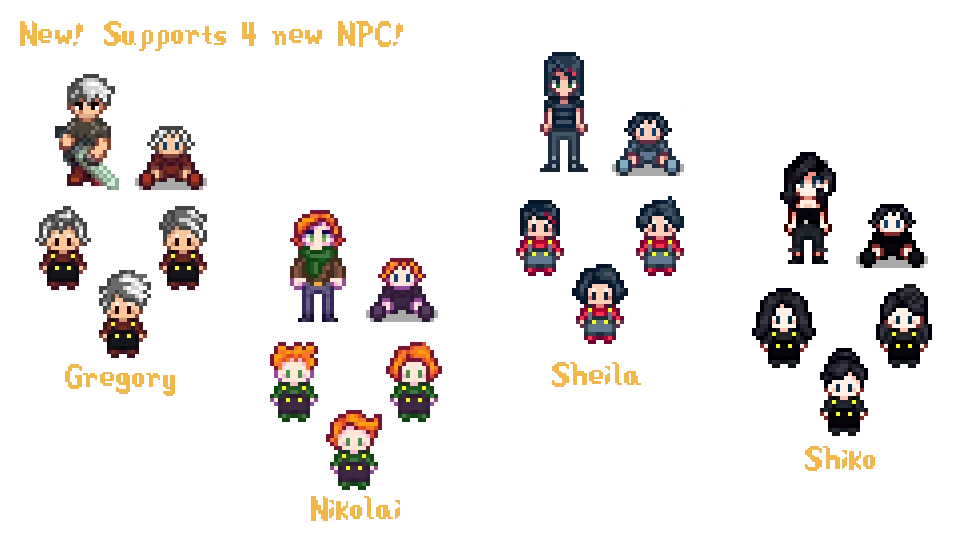

Nexus Mods :: Stardew Valley
Graphical replacement for toddlers. They could look like one of the 12 bachelor of the game, and multiple other characters. 38 differents skintones, 12 outfits, 63 haircuts, 29 eyes colors. Now with b
 dire fractal
You can configure that
restive zodiac
It's pretty configurable, so in addition to the automatic option that just matches your spouse, you can pick specific ones, too.
There's a config guide in the download.
dire fractal
You don't have to download boarding house for the child sprites
fair vessel
@inland pasture just checked the file, there's nothing that restricts the "sheila" child feature variants to having the sheila NPC installed
(you can mix and match different skin, clothes, hair etc. too)
inland pasture
4 different responses from 4 different people, appreciate the info, you guys are cool af ❤️
 supple echo
I've stuck with the default settings for that mod myself but can confirm the it's pretty adorable :)
 visual heron
Guys how do I add mods on android
I have sampi and already downloaded a mod I want to use.
dire fractal
Once you installed smapi on Android there should be a mod folder in your files
olive sequoia
there should be a folder tilted mods
dire fractal
In the smapi folder or Stardew folder I can't remember
olive sequoia
i believe its the stardew folder
This page explains how to install SMAPI (the tool which lets you use mods) on Android. See also:
the wiki has a pretty good guide 🙂
olive sequoia
yes youll unzip your mods into that folder and that should be all you need to do SMAPI will do the rest
visual heron
I can't somehow. Keeps showing me operation failed.
olive sequoia
can you take ascreen shot of that so i can see
visual heron
Pls ignore the lewd shit
visual heron
When u try to unzip it into the mod file
native dragonBOT
@visual heron You leveled up to Cowpoke. You can now speak in our voice channels!
olive sequoia
its probably flagging it as unafe. have you ever downlaoded something like that before?
visual heron
No
olive sequoia
you may have to go into your security options on your phone and change your setting to allow apks to be installed from outside sources
 real sage
hello, im having a problem where a custom farm map i added is not working and i'm just getting default
olive sequoia
@visual heron sherry doyou have an APK installer?
dire fractal
Maybe you need an archiver app to unzip?
restive zodiac
@visual heron Please don't post NSFW content here, even if it's aside from what you're actually trying to show. I've removed the message in question. (Check out #old-rules if you haven't already.)
robust bison
@real sage are you on the correct farm type?
olive sequoia
youll need that more than likely
restive zodiac
!patchsummary toxicToxophilite#6380
native dragonBOT
@real sage Can you do these steps to provide more info?
- Load your save and view the content that should be patched.
- Type
patch summarydirectly into the SMAPI window and press enter. - Upload your SMAPI log to https://smapi.io/log (see instructions on that page).
- Post the log link here.
real sage
nevermind, i updated smapi and now its suddenly working ksldjhfsgf
visual heron
Do u mean the mods apk?
olive sequoia
did you just install SMAPI or did you install a port?
SAMPI isnt compatible with android at the moment
dire fractal
Mods aren't in apk format
olive sequoia
or the offical one isnt
dire fractal
They're just folders
naive drum
There's 2 smapis, regular by pathos and android by uhh Marty I thing
olive sequoia
zaneyorks is more up to date
naive drum
oh zane thats who it was
visual heron
And I can install stardew from here
naive drum
anyways you need to unzip mods to install them - there's a lot of unzipper apps on the playstore pick...whichever
olive sequoia
ok and when you click install it doesnt allow it?
dire fractal
Yeah you need an archiver app to unzip if it isn't letting you unzip @visual heron
fair vessel
It looks like the smapi install already worked y'all
fair vessel
Otherwise the folders like VirtualKeyboard and SaveBackup wouldn't be there
naive drum
the keyboard thing is added by smapi
fair vessel
So it's just putting the folder for the new mod into Mods folder that isn't working?
naive drum
so thats smapi that's launching
visual heron
Yea it fails when I try to upzip the mod into stardew mod folder
fair vessel
Can you try extracting the downloaded folder first and then copying the folder inside it into Mods?
fair vessel
That .rar is an archive file. It still needs to be unzipped/unpacked
ashen elbow
the 'anime mod' folder has nothing in it, and what jonqora said ^
fair vessel
You may or may not already have an app on your phone that can handle .rar files
(we encourage mod authors to use .zip instead as it's more user friendly)
dire fractal
You need an archiver to extract .rar/.zip, if you search up on Google play you'll get a bunch of options
I used zarchiver when I used Android smapi
restive zodiac
(They said earlier that they were having errors trying to extract, so probably not.)
olive sequoia
the anime mod folder dissapeared?
visual heron
That was a mistake
dire fractal
Yes you need an archiver app not your default device file manager
visual heron
Didn't mean to create that one.
dire fractal
It's failing because the device file manager cannot extract rar files
olive sequoia
youll need a program like winrar or 7zip
visual heron
But if I download a zip file this will work
olive sequoia
either way you need a file extractor
fair vessel
(also P.S. I don't think you downloaded the right version of the portraits mod anyway - you'll want the CP version, it looks like you grabbed the XNBs file)
olive sequoia

This app help you to browse
(It is archiver/extractor and
It is useful tools for file management, and it require some permissions.)
Features:
List of supported compression formats.
7z jar
List of supported decompression formats.
zip, alz, egg, tar, tar.gz, tar.bz2, gz, bz2, ...
fair vessel
The files available from the mod author are all .rar, so unfortunately .zip isn't an option here
ashen elbow
whoops
fair vessel
(also P.S. I don't think you downloaded the right version of the portraits mod anyway - you'll want the CP version, it looks like you grabbed the XNBs file)
^ see what I said
ashen elbow
i think there's a CP verision od that mod
visual heron

olive sequoia
was about to quote that xD
ashen elbow
but u have to like,, scroll down alot
robust bison
it's at the bottom
fair vessel
🇫 for mod authors who put the complete CP versions of their mod at the bottom of the file pile
robust bison
ohodavi has a pretty messy file management on his page
fair vessel
To be fair to mod authors, Nexus' interface for uploading and managing files is nooot the greatest
olive sequoia
this is true.
fair vessel
I for one keep forgetting to check the box that says "yes, even though I am completely replacing the old main file with this new main file that specifically has a higher version number, and marking the new one as my main download, I do still want to confirm that I'd like to change the current version number on my mod's page, not leave it matching the old replaced file for no reason"
visual heron
I download the cp file.
restive zodiac
The ordering of old files is unfortunate as well.
visual heron
Did everything the same
olive sequoia
did you get the file extractor
olive sequoia
content patcher is a mod
visual heron
Bruh this is hard.
robust bison
yeah
olive sequoia
it is required by a lot of mods
robust bison
you're doing it on mobile that's basically the hardest it'll be
visual heron
It is on nexusmod?
robust bison
if you use even a handful of mods you will probably need content patcher
olive sequoia
xD exactly, PC is WAAAYYY harder. I have been working my butt off trying to get my mods to work
robust bison
!cp
native dragonBOT
Content Patcher (https://www.nexusmods.com/stardewvalley/mods/1915) is a mod which loads content packs to change the game's images and data without replacing XNB files. If you want to make mods using Content Patcher, start at https://stardewvalleywiki.com/Modding:Content_Patcher.
robust bison
modding gets much easier the more and longer you do it
dire fractal
There are framework mods that other mods need to work (always check requirements tab on nexus page of each mod)
PC is easiest no? Windows I mean cause smapi was built for it first
olive sequoia
most of the time nexus will ell you if you are downloading a mod that has requirements too :}
fair vessel
Yeah. You're in luck that the portrait mod you chose only needs one other mod to work haha
olive sequoia
PC is easiest no? Windows I mean cause smapi was built for it first
@dire fractal i guess youre right ive just had bad luck with SVE