#archived-modded-support
1 messages · Page 639 of 1
 dire fractal
that mod is mainly for portraits right? @sharp belfry
im trying to work on portraits right now, what file would i get? big confused sorry
 sharp belfry
oh dear, that file page is a mess
sharp belfry
okay I checked file contents and the one you want is the very bottom one named "Oho Davi Portrait CP"
dire fractal
omg thank you so much jani !
sharp belfry
np
 deep totem
The download counts on the files makes me wonder how things actually are
dire fractal
am i suppose to replace the original file for portraits with this one?
deep totem
nope
sharp belfry
no
deep totem
only need to put unzipped folder in /Mods folder
sharp belfry
okay, I see you're very much new at this, gimme a sec, I'll link you to the modding guide
Do you want to play Stardew Valley with mods? This guide is for you!
dire fractal
I'm running expanded right now, the file i downloaded is not zippable
lol
that's why I asked
sharp belfry
rar can be treated the same as zip in most cases and both are used just as often on nexus
just unpack it
dire fractal
can't.
deep totem
The mod author need to change the files... The posts are mostly confusion
What did u use to extract the rar?
dire fractal
winzip
 ashen elbow
winzip,,
deep totem
Just noticed the CP is using 1.3 format...  Thankfully Pathos made all Content packs backwards compatible,,
 heavy sail
Hi everyone, so I want to use Refugee NPCs + the unofficial TMX conversion. My question is, if I wanted to remove an NPC I don't want, I would simply edit the content.json and remove any traces of said NPC, correct?
deep totem
I think it should work. Might as well check the events and delete if the NPC meant to appear in any of them
 restive zodiac
Hopefully that's included in the "any trace" part, since you will definitely have issues if there are events triggered with NPCs that don't exist.
 gleaming sphinx
!log
 native dragonBOT
Can you upload your SMAPI log to https://smapi.io/log (see instructions on that page) and share the link here?
dire fractal
Is there a grass mod computable with Expanded? I’m running out of grass for wheat 🌾
heavy sail
Darn, I was looking through the content.json and noticed that the map edits use:
"Action": "Load"
I already see conflicts ahead... 
Well, I might as well remove Refugee NPCs, I'm not skilled with Tiled or map edits...
 gray remnant
@gray remnant
I don't know if there's a guide yet, but basically, you'd want to go through all the dialog mods you're trying to merge, and check that they don't have dialog for the same condition for the same NPC. For example, both mods don't give Shane dialog on summer_4. If they do, you can:
- change the condition for one of them, referring to this site, so you can see both lines https://stardewvalleywiki.com/Modding:Dialogue
- pick which line you like best, and comment out the dialog line you don't like by adding
//at the beginning- accept that 1 will load and the other one won't. Which mod "wins" depends on load order, which is alphabetical. Whichever mod loads last (Z will load after A, for example), "wins", and that's the dialog you'll see.
-you could also get fancy with it and add a dependency, to change the load order so it doesn't strictly follow the alphabetical order.
If you have further questions, you can ask in #making-mods-general
@royal arrow aah thanks! I googled a bit and i'm now trying to merge them using n++

or more like, i'm just adding #$e# to every duplicate and adding the lines from the other mod
hopefully it runs fine
🤞
dire fractal
does snap 2.0 mods still work with 3.0
?
it's because im looking at this https://www.nexusmods.com/stardewvalley/mods/1772

 lapis void
!compat
native dragonBOT
See https://smapi.io/mods for a list of mods updated for the latest versions of SMAPI and Stardew Valley. :)
 royal arrow
Welll, that's one approach, @gray remnant! 😄
Before you run the game, copy-paste the contents of the file you tweaked to json.smapi.io. That's the json validator, it will check for errors
gray remnant
Ohhh
Thank you!

Ooh no errors found

Yayy
i was merging all the sebastian dialogue expansion mods
But putting all three into the yandere expansion
royal arrow
I hear you, I merged Mal's Sebastian Expansion with Doki Doki dialog, and the Canon-Friendly Dialogue Expansion
ashen elbow
mood
gray remnant
Yep!
ashen elbow
uses 3 dialogue mods but didnt merge them
gray remnant
i got kicked out of the pc tho
ashen elbow
uh oh
 royal arrow
You don't have to merge them, Forsythia o: only if you want to finagle rather than let the mods just 
 over who wins (it's the mildest of conflicts lol)
ashen elbow
lol
 soft swift
Hi guys, I have a question for anyone that uses Artisan Valley: some machines (Alembic, Butter Churn, Infuser, and Still) are all not appearing in the crafting menu. Are these recipes unlocked in other ways or is this a bug?
royal arrow
Do you meet the requirements, whatever they may be? This database has most of the info
https://mouseypounds.github.io/ppja-ref/index.html
Reference docs for PPJA (and other) mods for Stardew Valley.
soft swift
I will reference and let you know
royal arrow
Ok cool no need to ping because I live in this channel hehe
 tired apex
I found another chonkins mod!!
https://www.nexusmods.com/stardewvalley/mods/3851

Nexus Mods :: Stardew Valley
replace or add chubby fat chickens to your livestockFor CP and for BFAV
Round!! :D
restive zodiac
This one is just the cutest though https://www.nexusmods.com/stardewvalley/mods/3640

Nexus Mods :: Stardew Valley
2 versions + void and blue chonkins and now includes cute produce re-skins~! Replaces your chickens with chunky chonkins.
tired apex
I have that one!!
restive zodiac
https://staticdelivery.nexusmods.com/mods/1303/images/3640/3640-1552789899-1112582720.png I love this shot
 restive zodiac
Didn't someone do a merge of all the cuter fatter animals? I feel like it was on one of their pages, maybe dino's 
Yeah, dinos. Convenient.
tired apex
Ye!
I think so though
I think the one mod I didn't expect to find was made by the Christian Gaming Association
 shut violet
oh this cute chicken is cute
soft swift
Hi there, so I'm finding this list a little confusing but I think I got it! It looks like I just don't meet the friendship reequirements with Marnie yet! Thanks! I was converting a multiplayer save file form a few years back from CFR to PFM, and I was worried there had been some complications that corrupted the save. If I remember right, back when we made this farm, you couldn't yet gate recipes by friendship level or farming skill! This is really cool and exciting. Thanks for the refernce sheet!
shut violet
they would be a good base for another animal, like maybe fowl ?
 supple echo
Yes, there is a combined Cuter Fatter Animals mod that includes dinos and chonkins, and that is what I have installed. I think I got it from the dino page but it may be elsewhere as well
royal arrow
You're welcome, mindcrank!
royal arrow
There's a mod ideas list o: https://github.com/StardewModders/mod-ideas

GitHub
Submit ideas for mods to create, or find your next mod project! - StardewModders/mod-ideas
 plush moat
I want more progression
royal arrow
Assuming it isn't a mod already 😆
plush moat
Oh I assume it is but curating a good one, that's what I rely on you guys for
You're like... a living Gems page for skyrim, but for sdv and also not defunct
royal arrow
Yea I got confused by "mod request", took it too literally hehe
 fair vessel
There's Skill Prestige mod
Lets you level from 0-10 multiple times and earn more professions
But I don't know of one that adds actual new levels beyond 10 that is still functional
gray remnant
Wonder what's a nice mod that hasn't been thought of before
restive zodiac
Thoughts are cheap, it's probably crossed somebody's mind before, but is it out in the world... hehe
gray remnant
Maybe a full retexture mod for characters so they're less pixelated
restive zodiac
royal arrow
Haaaave you heard about--dang it, mouse is quick lol
gray remnant
Woah
restive zodiac
It's an interesting look for sure, not for everyone
gray remnant
How aboooout hmmmm
royal arrow
Is Level Extender still functional?
gray remnant
I know!
royal arrow
Also yea SpriteMaster is one I've installed twice now, but ended up not loving, so I removed it
gray remnant
A mod that lets you earn extra money on your home pc by doing freelance stuff for two hours before 2am
HAH
There

Legit tho i already love just sve, map recolors and dialogue mods
I don't think there's much more
restive zodiac
There's so much more :P
gray remnant
That i could really want, i mean
sharp belfry
more npc mods
restive zodiac
Surfing festival...
gray remnant
Hmm i'm trying two out
plush moat
ok I looked away lets see what we got
gray remnant
They don't match the dcburger portraits so it feels off
fair vessel
There's also https://www.nexusmods.com/stardewvalley/mods/999 for allowing high res portraits
sharp belfry
ah, you're using dcburger portraits... yeah that would put a damper on matching everything up
restive zodiac
You don't have to use it for that though, it's just simplest if all you want to do is drop a png in and you don't care about stuff like seasonal and all that (or having to pick a set). PyTK lets you use high res anything via CP, so it's the better option in lots of cases.
fair vessel
Someone could make a full overhaul of the entire game using ScaleUp, couldn't they... but the work would be insane
royal arrow
I feel that with Seasonal Villager Outfits (SVO) as well, can't have new portraits because seasonal outfits o.o
deep totem
Yep I can't let go SVO
restive zodiac
(ScaleUp is just a feature of PyTK now, just to clarify. The actual separate mod is obsolete.)
gray remnant
Dcburger-esque portraits for sve npc hey that's an idea
Mimicking the art style for a different character is fine right
restive zodiac
I don't feel like that has a simple answer. It's best to ask and credit either way.
 restive zodiac
(This is one of those areas where you are probably fine in the technical sense, but once a conversation has devolved to "my lawyer says" things have already fallen apart.)
gray remnant
Ohhh
shut violet
depend also of the level of mimicking
restive zodiac
(So keeping friendly and respecting wishes is important in small communities.)
gray remnant
Well, in the end there's always the personal art style option
shut violet
if you want something that is being able to be used with, then it's better to ask because the link between both is obvious
restive zodiac
If you feel confident enough to mimic the style of someone's art, maybe you could also consider just doing your own portrait sets for everyone, they're a lot of work :D
gray remnant
they are
royal arrow
Yea I've seen building mods made to match the style of someone else's building mods. Definitely still ask first, definitely still credit 
shut violet
yeah there is matching and there is inspiration
inspiration if not too heavy (like "oh, a flower mod, i'll do something with flower") is fine
and then there is everything that is between, like "i really like this idea of soft colors with lot of flowers"
restive zodiac
I would hope that one could not prevent anyone from working with flowers ever again after publishing a flower mod ;)
 shut violet
mouse : it's just very very vague examples
ashen elbow
ooh flowers 
shut violet
i know that i was inspired by mod doing hat with flower, i did everything myself on mine but credited the inspiration (because, it's the kind of mod when you can use both, so no "competition", if this makes sense, so credit is good, but permission wasn't really needed (because everything was made by me in my version)
gray remnant

credit before everything else
Alright
I wonder if it'll take a complete overhaul if they extend it to say, 20 hearts instead of 10 before you get married
Or slower heart progression + more events
shut violet
(about level progression, i really wish a mod adding more perks to level)
gray remnant
Oooh
I already like the npc companions mod
And it has a minimum level requirement
Maybe they can add ranged attacks eventually
By the way, how many mods can your phone run before it starts lagging?
fair vessel
Depends on the phone, depends on the mods, depends on how much lag you'll tolerate and when
fair vessel
Try it and see? Lol
 fair vessel
Yeah probably nothing like that
supple echo
It's unlikely you're gonna seriously screw up your phone by modding SDV. You'd have to be screwing around with firmware or system files, I think.
restive zodiac
You can type !list in #governors-mansion , but what are you trying to find?
restive zodiac
There are lots of commands, so you can use the !list one to see them all in the bot commands channel :)
 oak solar
oki
 pastel nacelle
Can anyone tell me how to get more information on this item to know where it came from or what it is supposed to be ?
It showed up in my inventory when I think I was harvesting Lingonberries
heavy sail
You might want to get rid of that. Error Items are items with either broken IDs or no IDs at all, it may have just been a little bug however.
pastel nacelle
Should i check anything before deleting it ?
heavy sail
No need, you can just throw it away. I've experienced error items in the past, too.
pastel nacelle
Here is my can-update log by the way. Perhaps something catches your eye.
tired apex
-> def the frameworks
pastel nacelle
So, update all and then look at the item, or throw away the item and then update all ?
tired apex
Throw then update
Its good to update frameworks, IE, CP, PyTK, STF, etc, when you can
pastel nacelle
Well, everything was as up to date as it could have been 10 days ago 😄
tired apex
Ive neglected to update as I'm waiting for new computer parts to come in haha
pastel nacelle
Thanks for the advice. I will make a full proper backup of my mods folder, toss the item, save a new day, update all mods, pray to Yoba nothing went wrong... Somewhere tomorrow... I really must go to bed I just figured out :o
May glory and happyness find you 2, well, everyone really but you 2 helped me so I am biased 😄
tired apex
^-^ may the force be with you my friend
 boreal cradle
Hey, I had a quick question. Is it better to fully uninstall mods and reinstall when updating them?
 covert glade
So this isn't a 'it broke help' more of a... why isn't it doing what it should be?
I have 'seasonal paths' installed and while it shows up as a properly colored thumbnail in the crafting tab when I put it down it is the default. I do have a shader on but it should only be affecting the ground tilesheet and not the actual items. I also have seasonal fences which works fine! It might be a load order issue or something idk but it's kinda annoying
https://smapi.io/log/862710cce8d14677ac6d038fd7ceea1c
@boreal cradle most mod makers suggest/tell you to do that. In the case of big mods (SDVE, Mermaid Island, CP, TXML etc) I do because changes might need to actually be made fresh. But for smaller ones I don't always. Like if my pretty grass mod gets an update I just overwrite it
fair vessel
I wouldn't say most mod makers suggest it - quite the opposite.
Very few mod makers will suggest it, because it's almost never necessary. If it is necessary, the mod page should tell you.
You also need to worry about transferring over any config settings you edited if you do a complete uninstall and replace
Frameworks like CP or TMXL will almost never require it btw
It's most commonly seen with mods that use a collection of content packs for different frameworks.
boreal cradle
Hm. Yeah I’m updating Aquarium and some of the other dependencies
Hmmm, okay. So mostly for bigger mods like that then?
fair vessel
Hmm, @covert glade for your issue can you open your game and use a floor tile on the ground, then type patch summary in the smapi console and share the new log from it? That will help track it down
Yeah. It happens when mod makers restructure things in such a way that having old copies of unused/renamed files could cause the new ones not to load for example. The only major case I'm aware of is SVE, and even then you only need to uninstall if you're updating from an old (v.1.9.6 or earlier) version to a newer version.
Once you have any newer version, updates after that can just overwrite without issue.
 karmic crown
What does it mean "because it's DLL couldn't be downloaded"?
boreal cradle
Ah, okay. Good to know. Thank you!
fair vessel
The DLL is the code file for mods written using C#
So it might be incompatible or out of date
karmic crown
Ah I see, I just updated the mod... hmmm
fair vessel
If your smapi and Better Quarry are both fully updated already, try looking it up on https://smapi.io/mods compatibility list
There might be an unofficial release available that fixes it
karmic crown
Found it! Thanks lol
covert glade
@fair vessel did the patch summary. Do I need to complete the day to save that log or will it be there even if I quit out?
fair vessel
You can grab the log even in the middle of playing
It will be also there if you close the game either way
covert glade
okay bc I didn't wanna save that day and waste the first day of the month >3>
https://smapi.io/log/fd7661af0330435083031a22013ce2ad
here's the new one with the patch summary
fair vessel
Allright,
looks like Seasonal Flooring and Starblue Valley mods both edit it
fair vessel
Seasonal Floorings is Loading the asset, which means that Starblue Valley's edits will always apply afterwards regardless of mod load order - unless you go in and edit the patch in the Seasonal Floorings content.json
covert glade
if I just took the flooring out of the starblue folder would that work?
fair vessel
um, maybe, maybe not. Depending on how the Starblue Valley patches are set up it might cause errors instead
covert glade
well I have another shader idk why starblue ended up in there...
I think while copying mods it snuck in
but that's literally been driving me crazy across 2 saves and like 20 hours
shut violet
look if starblue has a config option to disable
some mods allows you to disable a lot of stuff for such cases
covert glade
Thanks @fair vessel
And yes it doessssss
Hopefully now I can have my pretty paths of my dreammmmms
covert glade
even with the config set to false it was still overwriting the paths. So I had to throw starblue out. Not a huge loss tbh
royal arrow
Seasonal Floorings is
Loading the asset, which means that Starblue Valley's edits will always apply afterwards regardless of mod load order - unless you go in and edit the patch in the Seasonal Floorings content.json
@fair vessel interesting, so even if you add a dependency,Loadwill happen first, andEditafter?
fair vessel
Yep. First Loads happen if any (and if there's more than one for an asset they will fail), then all Edits are applied on top of that as a base.
royal arrow
Good to know 📝
restive zodiac
Load is the foundation of your house, Lenne... choose it wisely and pufferchick will continue building on top of it...
royal arrow
I haven't started really digging into the CP mods I have, perhaps one day I'll take a closer look at how they do what they do  especially the older ones
dire fractal
A friend of mine kept crashing today when we were trying to start up today on our world/farm.. https://smapi.io/log/53bd4e479c884a99a1bff10520989585
 prime iron
I take it that the mobile mod doesnt work on android yet?
 glacial mist
so dose anyone know or what i can do to get rid of this line https://i.imgur.com/1gjt5g6.png
 prime iron
Hmmm
 warped cedar
hello does anyone know how to install mods using smapi
supple echo
https://stardewvalleywiki.com/Modding:Player_Guide/Getting_Started should cover the basics. We'll be here if you get stuck 🙂
Do you want to play Stardew Valley with mods? This guide is for you!
 analog bone
heyo for some reason it is saying i am having duplicate mods in my mod folder when starting up but when looking in my folder i have no copy's can anyone help?
i have screenshots of my mods folder if need be
fair vessel
share your log?
fair vessel
The error message for this usually includes full filepaths to the duplicates
so for example
Mods\[JA] Fruits and Veggies (2.0.13)
Mods\PPJA Mega Pack\[PPJA] Fruits and Veggies\[JA] Fruits and Veggies (2.0.11)
That is the location of one pair of duplicates.
It looks like you installed the PPJA MegaPack (which contains several different mods) but then also installed individual copies of the same mods.
analog bone
ah
fair vessel
I bet if you delete the megapack folder all the dupes will clear up lol
dire fractal
He's the one I'm trying to play it with. Odd though it never gave me those
The errors I mean.
🤔
fair vessel
all good then?
dire fractal
Welcome to modding in general xD
fair vessel
If you want an easy way to verify that you have the same mods/versions of mods for the ones that matter in multiplayer, this is a good tool for the host to use https://www.nexusmods.com/stardewvalley/mods/6609

Nexus Mods :: Stardew Valley
Logs a message and generates a report when a farmhand connects in Multiplayer with mods that don't match with the Host
fair vessel
You can put like, cosmetic mods and others that don't matter in the config's IgnoredMods list.
But this way you can check the important ones like JA packs and others without needing to eyeball-compare your folders or smapi logs lol
covert glade
So weird thing happened after I deleted starblue valley from my mods. The graphic for my workbench just... Disappeared. Like it's invisible. Any ideas????
restive zodiac
Since the workbench was added in 1.4, the simplest explanation is that you have some mod installed (either in the Mods folder or replacing XNB files) that replaces the craftables sheet with one that isn't updated to include that sprite. When you had Starblue installed, it edited that sheet itself, probably for the purpose of recoloring same sprite, and made it show up in the process :D
!patchsummary
native dragonBOT
Can you do these steps to provide more info?
- Load your save and view the content that should be patched.
- Type
patch summarydirectly into the SMAPI window and press enter. - Upload your SMAPI log to https://smapi.io/log (see instructions on that page).
- Post the log link here.
covert glade
https://smapi.io/log/fd7661af0330435083031a22013ce2ad
Here's my last one from a few hours ago. The only difference is no starblue idk if you need a super fresh one
restive zodiac
!reset xazz#0134 Can you make sure your content files are vanilla before checking further?
native dragonBOT
@covert glade See https://stardewvalleywiki.com/Modding:Player_Guide/Troubleshooting#Reset_your_content_files for instructions on resetting your game files! You may also want to check this list of XNB > Content Patcher conversions (https://stardewvalleywiki.com/Modding:Using_XNB_mods#Alternatives_using_Content_Patcher) to see if there are already replacements for any XNB mods you may have been using :)
covert glade
Well I don't really wanna do that bc it looks like a pain in the ass. I'd rather deal with an invisible texture
restive zodiac
Resetting doesn't touch your Mods folder in any way.
All it does is check your vanilla game files in the Content folder and look for ones that don't match the originals, then redownload those if they have changed. You don't have to do anything except click the button to do it.
fair vessel
Yup, the first thing to check is a game file reset. If that doesn't fix it, it sounds like you have an outdated content patcher mod that's using image assets from before v1.4
 narrow wigeon
this is gonna be a long shot, but is a mod causing my barn animals to get a lil stuck coming out of the building? not indefinitely, they just take an in-game hour or two to all come out, while my coop animals walk out in a beeline just fine
one animal stops right in front of the door and blocks all the others, so for like 2 mins or so there's a constant "woopwoopwoop" of animals walking in and out and being blocked by each other
all my mods work fine but here's a log anyway https://smapi.io/log/42abaa4af1ed4626b4331e9c2896fd31
 shy orbit
i don't know if a mod is causing it, but having grass that the animals can access might help with them staying close to the exit when they come out (as long as the grass isn't in front of the exit of course)
narrow wigeon
ah that's a good idea, ty 
i've been too lazy to set down feeding posts but i guess now is a good a time as ever
shy orbit
i started setting them up when i used trent's animals that dig up geodes, they would constantly block the exit otherwise with them
fair vessel
@narrow wigeon any chance you have machines placed inside the barn near the wall where the warp tiles are? If one or more warp tiles is blocked or covered, that might explain why they're on the fritz
narrow wigeon
hmm i have an autograbber that's like 1 tile away from the wall, i'll see if moving that fixes things
ayy it was the grass! once i put down some closer patches they were fine. ty both for the suggestions 
shy orbit
glad it worked, but it's still probably good to keep their warp points open in case it has some effect on it
narrow wigeon
will do
 mild urchin
How should I check if certain mods are supported for android?
 late nebula
You can check in the comments if nothing is said in the description about it
ashen elbow
unless there's a warning stating that it's incompatible, im not sure if there is tbh
late nebula
Otherwise, just gotta try things
mild urchin
Ohh
late nebula
What mods were you considering?
mild urchin
Not sure, asking in general before I buy the mobile version. Haven't used mods on PC when I played some years back
late nebula
Most content patcher will work
Most of the issues right now have to do with the mobile UI
Not having a real keyboard and all
mild urchin
Ahh I see
late nebula
And any kind of c# or harmony mod may have issues.
mild urchin
Thanks for the heads up
late nebula
I had most of the ppja stuff downloaded too but my phone kept overheating
 dawn mantle
does anyone use haywrites narrative overhaul mods with 1.4? I vaguely remember seeing a forum post with unofficial updates a while back but I can't seem to find it now
shy orbit
hmm, i can't find the cp conversions that use editdata for compatibility with other dialogue mods either. i guess i could send them to you in DM if you want
dawn mantle
@shy orbit yes please ❤️
 daring light
Who is this?
supple echo
that looks like Sophia from SVE!
supple echo
She lives at the vineyard 🍇 The easiest way to get there if you're still getting used to the SVE maps is from the far-left side of the beach!
She's a cutie and anime nerd
Enjoy 🙂
daring light
that's how I found her and omg she sounds like marriage material
supple echo
You can also buy sprinklers from a catalog in her house!
daring light
is there any documentation on what gifts the new NPCs like?
or the (updated) NPC schedules?
supple echo
Sophia loves fairy stones and likes most flowers (except I think daffodils are neutral?). That's the only one I know offhand. Somebody else might know where to find an actual reference, I'm sure one must exist. The Gift Taste Helper mod will show preferences for SVE NPCs, I do know that. 🙂
daring light
oh nooooooo
I had a really productive day in the mines, on my way back decided to stop in the community centre to activate that quest and my screen just went black, I could still access settings but that's it
I'm guessing my bundles mod doesn't work well with extendeD?
 outer turret
daring light
outer turret
daring light
I'm a bit confused by Get Glam
it's supposed to replace the Get Dressed mod, but it doesn't change T-shirt / pants?
heavy sail
Shirts, pants, and boots/shoes can be added to the game with Json Assets, Get Glam is for everything else.
daring light
yes but the actual changing
do I need json assets for that?
I don't want custom clothes or anything, I just want to be able to change into other vanilla clothes
I guess I'm looking at customise anywhere?
 ruby fossil
Question,does BFAV(Better Farm Animal Variety) mod compatible with android?
shy orbit
@daring light yeah, and get glam i believe has integration for that mod so that it appears at the get glam dresser
 heavy sky
question, is there a hard cap on the maximum luck bonus?
i've been chaining storm days and using luck boosting items to get the most out of them, but i'm wondering if there's a point at which they stop being useful
in SVE you can get aged blue moon wine which gives you +7 luck, combine that with lucky lunch for a +10 or a rock candy for +12, and you can get a lot of luck, but it would be a bit pointless going that far if the game caps it at some point
 glass echo
hi!! ive just updated smapi & reset all my mods, i only have SVE installed. it crashes every time i save the game and i cant find out why, can anyone help me w this?
this is my crash log
https://smapi.io/log/ab5943668d95420f9671e951f5a447c7
fair vessel
@heavy sky I don't believe there is a cap no
@glass echo Hm, that's a confusing one, especially since you have so few mods installed. Did you remove any mods recently from that save? If so, which ones?
glass echo
hm i had inmersive farm before, but i wasnt using it on this save. sorry, i wasnt clear: id been using a few mods no prob for months, today it crashed on saving, so i erased everything i wasnt using, updated SVE, smapi and a couple more... and it still crashes
 tight tusk
@ruby fossil bfav isn't compatible on android
shy orbit
@heavy sky don't the new food buffs override the previous ones though?
or rather, doesn't consuming something with buffs erase the old buffs that you had
fair vessel
One is a drink and one is a food, so you can have both at once.
shy orbit
i see
 shrewd gate
I’ve been playing Stardew valley for literal years, hundreds and hundreds of hours, and just learned you can have a drink buff and a food buff
heavy sky
lmao
yeah man, it's pretty helpful :p
coffee is a staple to help you get stuff done tbh
also, thanks for the heads up folks
i figured there probably wasn't but just making sure
heavy sail
https://smapi.io/log/a50f75c8690548d9b0ad5531dd43b92d
Uh, that happened...
shrewd gate
That...is so many updates, holy moly. I didn’t like it when I had 10 one day
lapis void
whoa looks like toshi is missing a file? or a file is misnamed somewhere?
restive zodiac
@daring light Just to clarify, you don't need any mod to change vanilla clothes anymore. 1.4 made clothing equippable items, so you just buy/craft shirts and pants and such and put them on instead of what you're wearing.
(Sometimes that is still news to people that played with Get Dressed/Kisekae for a long time, so just making sure!)
 toxic light
when my friend tries to join my farm he's an hour behind
does anyone have any idea what's wrong and/or how to fix
fair vessel
Like, his game clock shows a different time than yours? 🤔
fair vessel
Lol weiiiird
(I didn't know Stardew has introduced Daylight Savings Time 😛)
Can you have him share his smapi log?
fair vessel
!log
native dragonBOT
Can you upload your SMAPI log to https://smapi.io/log (see instructions on that page) and share the link here?
fair vessel
Hmm, I don't see anything there that should mess with it. Do you have all the same mods as him?
fair vessel
I wonder if it may just be an issue with 🐌-slow internet if he's also having really slow loading times
toxic light
that could be
wait i'm looking at my own SMAPI log and i see a lot of red
let me send you mine
fair vessel
That red text from SpaceCore is normal in multiplayer, nothing to worry about
toxic light
so our only guess is bad internet?
fair vessel
You said he was trying to join your farm though? In these logs it's the opposite, you're joining his
toxic light
we were trying to have me join his farm to see if it's a savefile issue
because we were scared for our savefile
fair vessel
Oh, well
If the issue is in the other file then it won't show anything in these logs 😅
 normal shadow
i need help!!
🥺
so i'm trying to install smapi rn bc i want to get these new skins for other characters
like this
i was following these instructions, but every time i follow the smapi instructions and press a key for it to run, the window just closes
idk what to do
fair vessel
Hmm. When you downloaded the smapi folder, did you make sure to put it somewhere not in your game folder? (Desktop is fine)
normal shadow
Downloads
fair vessel
That works
normal shadow
I extracted it but it didn't extract or smth
fair vessel
And you ran the installer for your OS?
fair vessel
Ah ok. Yeah you need to extract first to be able to run the installer
normal shadow
Ok let me try again
Is this right @fair vessel
Oh wait it worked
Ok, I got SMAPI! Now I just have to figure out how to install these skins... anyone know? 🥺
fair vessel
Yay!
Depends, are the skins a smapi mod? If so, it's as easy as just dropping the skins folder into your Mods folder
(and installing Content Patcher, probably)
You can tell if something is a smapi mod by if it usually has a file inside the folder called manifest.json
normal shadow
I'll check rn, tysm :D
This is what's in each one  @fair vessel
Not sure what that means
native dragonBOT
XNB mods often break the game and are not recommended. See https://stardewvalleywiki.com/Modding:Using_XNB_mods for more info (and a list of Content Patcher alternatives), and https://stardewvalleywiki.com/Modding:Player_Guide/Troubleshooting#Reset_your_content_files to fix problems caused by XNB mods. For mod creators, see https://stardewvalleywiki.com/Modding:Editing_XNB_files for help unpacking & editing them (including for use with Content Patcher).
fair vessel
You can use them still if you want, but it's a pain. You need to replace the game files inside you Content folder with the new ones
And they're notoriously hard to troubleshoot
restive zodiac
Hm, I was going to say I have a template pack you could drop the xnbs in, but I noticed the date on that is 2018, and Penny has new frames since that date.
normal shadow
Ah shoot
fair vessel
Yeah. If they're outdated they can cause bugs like that
restive zodiac
It will need actual updating to avoid some weird side effects when those sprites are used.
normal shadow
That sounds like a mess, but it might be worth a try I'm used to having like 400 mods on the Sims and I'm used to having to dig for which one's causing the problem
fair vessel
You can look around to see if someone's made an update or a conversion of the mod
Or if you're feeling ambitious and up to learning some stuff, you can convert and update it yourself
normal shadow

fair vessel
!unpack
native dragonBOT
See https://stardewvalleywiki.com/Modding:Editing_XNB_files#Unpack_game_files for instructions on how to unpack XNB files in order to edit the assets inside!
normal shadow
Kk
fair vessel
Lol
normal shadow
How do I find that out
Here's the FB page, btw
Yeah, this one I'm trying to do first was posted on June 1 2018
fair vessel
often here https://stardewvalleywiki.com/Modding:Using_XNB_mods#Alternatives_using_Content_Patcher but the list is far from complete
I don't see it though
 normal shadow
Kk
fair vessel
And also the original game files for reference
(You can make a copy of your entire game Contents folder and unpack it all at once, which takes a bit but means you never have to do it again)
fair vessel
idk, one of the windows ones I guess 🤣
fair vessel
probably there's one that works for your system and one that doesn't
fair vessel
Stick a copy of the stuff you wanna unpack inside "packed" folder, then run "unpack.bat"
normal shadow
So do I copy the file I'm trying to download
fair vessel
You can put the entire mod folder inside packed and then run it
normal shadow
Or one of the folders in it
fair vessel
yes, extract the zip first
normal shadow
Ok and then there's 2 files, character and portait
fair vessel
but then put everything in it inside
normal shadow
Oh perfect
Ok let me do that
You can put the entire mod folder inside
packedand then run it
@fair vessel How do I run it
fair vessel
run the unpack.bat file
normal shadow
Kk
fair vessel
it will take everything in the packed folder and unpack it to unpacked
normal shadow
Ok done
And I put the key to run it
Hoping that did something, it kinda just closed the window?
ashen elbow
hm
fair vessel
what's in that .. folder anyway?
normal shadow
I'll open
ashen elbow
i think it's,, ..?
normal shadow
ashen elbow
oh
normal shadow
Kk
fair vessel
Could you have gotten the wrong windows version for you?
fair vessel
google how to find out if your computer is 32bit or 64bit
 jovial prawn
is this normal?
fair vessel
Yes, depending
normal shadow
64
fair vessel
Ok then the 64 one should be right for you
normal shadow
Ok I'll do it again then
Do i copy and paste all three of these
Or only the bottom 2
fair vessel
character and portrait
ashen elbow
uh
fair vessel
👀
normal shadow

fair vessel
I... have no idea
normal shadow
Lovely 😭
fair vessel
You extracted your xnbcli folder before using?
normal shadow
Oh shit no
Bc i reinstalled i forgot to
Ok let me do that
Ok I extracted
So do i do this thing again
 Same thing
ashen elbow

normal shadow
Should I just delete it all and start over 😭
fair vessel
maybe yeah
normal shadow
Kk
restive zodiac
@normal shadow Is this the one that you downloaded? https://github.com/LeonBlade/xnbcli/releases/download/v1.0.6/xnbcli-windows-x64.zip If not, try that one.
normal shadow
ashen elbow
AAAAAAAAAAAAAAAAA
normal shadow
@normal shadow Is this the one that you downloaded? https://github.com/LeonBlade/xnbcli/releases/download/v1.0.6/xnbcli-windows-x64.zip If not, try that one.
@restive zodiac Yes i did it twice and it didnt work so now im trying the 84

restive zodiac
Can you show a screenshot of the whole folder with the path visible that you're trying to run it from?
normal shadow
Do u wanna vc and I can screenshare?
restive zodiac
A screenshot is fine!
restive zodiac
The xnbcli folder that you're trying to run from. You're double clicking a file called unpack.bat, right? I wanted to see the whole folder that file is in, including the top parts that show the file path.
restive zodiac
Can you share one that doesn't crop the folder? I wanted it to show the file path to that folder in the shot.
The stuff "around" the files
normal shadow
restive zodiac
There we go
normal shadow
Kk
restive zodiac
Can you drag all those files out somewhere like your desktop, or into a folder in your downloads folder or somewhere you want to keep it?
normal shadow
I'll drag to my desktop
restive zodiac
Once they're all on your desktop, try double clicking the unpack.bat file again and see if you get the same error. It should be able to find the exe now.
restive zodiac
Yeah, you need need take things out of the zip files before running them 😄
ashen elbow
(7zip is also a good alternative to winrar, if you decide to not use it)
restive zodiac
Your unpacked pngs will be un the unpacked folder - you can edit them in any image editor.
normal shadow
(7zip is also a good alternative to winrar, if you decide to not use it)
@ashen elbow tysm, i will get it
Your unpacked pngs will be un the
unpackedfolder - you can edit them in any image editor.
@restive zodiac i'm good w how they are, thankfully
fair vessel
Yeah now you have the two Penny.png files
One is the new character sprites, one is the new portraits
restive zodiac
Well, if they're the ones you showed before, they'll be outdated with the current game version.
fair vessel
Now you'll need to unpack the game files to get the vanilla penny sprites and portraits to compare
ashen elbow
oh
normal shadow
and not the xnb one
fair vessel
you can ignore the json
restive zodiac
That's just metadata for repacking.
ashen elbow
yeah
normal shadow
Kk
ashen elbow
if you ever need to repack a file, you need the .json
restive zodiac
(Which you don't need to do for Content Patcher )
normal shadow
Yeah now you have the two Penny.png files
One is the new character sprites, one is the new portraits
@fair vessel yeep
fair vessel
So do the same thing you just did to unpack, but now with a copy of your game Contents folder
so you can get the vanilla png files for Penny to look at
normal shadow
just copy the file itself, put in in the
packedfolder, and run unpack.bat
@ashen elbow i do this thing?
ashen elbow
yeah same thing you did, just with the vanilla ones
normal shadow
Ok cool, so in unpacked do i go to character or portait or
fair vessel
you need the png from each - save the unpacked stuff somewhere else for now
ashen elbow
hm one moment
normal shadow
Kk
ashen elbow
it seems fine
fair vessel
No, they need to be updated to match
fair vessel
You'll need to look at the vanilla penny pngs to check for any portraits or sprites that are missing from the modded ones
And then add new parts to the modded images in an image editor for the ones that are missing
restive zodiac
Jonqora told you how to unpack the vanilla files just like you did the modded ones, so you can compare them
normal shadow
You'll need to look at the vanilla penny pngs to check for any portraits or sprites that are missing from the modded ones
@fair vessel Ok cool, where can i find the vanilla penny pngs
just copy the file itself, put in in the
packedfolder, and run unpack.bat
@ashen elbow this thing
restive zodiac
normal shadow
The unpack.bat thing?
ashen elbow
yeah
fair vessel
You need to get your game Contents folder and copy it to packed, then run the unpack.bat again yeah
normal shadow
Perfect, I'll do that
How do i get the game contents
folder
is it in steam or somethign
fair vessel
(And it doesn't look like there's too many missing images in the mod pngs. Just one sideways sleeping sprite, and one front-facing portrait)
restive zodiac
I sent a link that tells you all the default file paths https://stardewvalleywiki.com/Modding:Player_Guide/Getting_Started#Find_your_game_folder (along with how to find it otherwise)
normal shadow
(And it doesn't look like there's too many missing images in the mod pngs. Just one sideways sleeping sprite, and one front-facing portrait)
@fair vessel Ok cool so it wont be too much work
(And it doesn't look like there's too many missing images in the mod pngs. Just one sideways sleeping sprite, and one front-facing portrait)
@fair vessel how am i gonna make those 👁️ 👄 👁️
fair vessel
With a bit of copy-paste hackery and a bit of art skills 🤷
restive zodiac
Yep, you'll have to edit them in an image editor.
fair vessel
They only have to look as good as you want them to look
normal shadow
I sent a link that tells you all the default file paths https://stardewvalleywiki.com/Modding:Player_Guide/Getting_Started#Find_your_game_folder (along with how to find it otherwise)
@restive zodiac
restive zodiac
You can even just copy paste the vanilla ones so at least they are there, even. It will only revert when using those sprites/portraits.
normal shadow
With a bit of copy-paste hackery and a bit of art skills 🤷
@fair vessel Ok cool i think i can make it work
You can even just copy paste the vanilla ones so at least they are there, even. It will only revert when using those sprites/portraits.
@restive zodiac I might just duplicate an existing image, tbh
That's a good idea
Just re-use one of the portaits -- can i do that?
restive zodiac
Sure, they're all the same size.
Just be careful to stay in the frame. Grids are helpful when editing sprites. (A 16x16 pixel grid shows how they're made of same size boxes)
normal shadow
Alright
So what do i do now?
You need to get your game Contents folder and copy it to
packed, then run theunpack.batagain yeah
@fair vessel What do i copy
restive zodiac
Copy your content folder into the packed folder and unpack it.
restive zodiac
Whatever you want. It can do your entire game folder, or you can do the characters and portraits folder, or you can open the folder and find the specific Penny files you want, it doesn't matter.
Just do the whole Content folder in case you want any of the other files.
restive zodiac
Paste the folder you want to unpack into the packed folder, yes.
restive zodiac
You can do the whole Content folder if you want, I said that because it's simpler to have the whole thing unpacked for future reference. If you want to go in and look for the specific files and cherry pick them you can do that too, whatever.
normal shadow
I'll just do penny for now
I'll cherry pick for now
So i copy her file into the packed folder?
restive zodiac
Okay, but you need the one from Characters and Portraits.
normal shadow
Ohhhh ok
restive zodiac
So you'll have to rename one so they can live in the same folder.
normal shadow
Bc they have the same name?
restive zodiac
Yes.
restive zodiac
The unpacker does not care what they are named.
normal shadow
Ok done!
restive zodiac
Make sure you don't rename the actual file in your Content folder, though.
normal shadow
So i move each one
Make sure you don't rename the actual file in your Content folder, though.
@restive zodiac oh shit, better undo that
restive zodiac
The game needs all those files to stay the same. You just need to rename one in the packed folder.
normal shadow
so i rename once it's in the unpacker correct
restive zodiac
You can see why it's easier to just unpack a whole folder at once, heh
normal shadow
Ok, ill unpack the whole thing to make it easier for later then. one sec
so i paste it in packed
restive zodiac
Yep.
restive zodiac
Double click unpack.bat.
(There's a wiki page for unpacking files if you ever forget: https://stardewvalleywiki.com/Modding:Editing_XNB_files#Unpack_game_files)
normal shadow
restive zodiac
Are you asking something about that image or just showing what is happening?
ashen elbow
it's unpacking
restive zodiac
Wait for it to be done, then get the unpacked Penny portrait and sprite out of the unpacked folder, the same way you did the modded version.
normal shadow
What's sprite
restive zodiac
The overworld walking around picture vs the big one you see when you talk to her.
restive zodiac
Yep. You should have both unpacked/Content/Characters/Penny.png and unpacked/Content/Portraits/Penny.png, and you'll need both as reference to edit your modded versions, to make sure they're the right size and such. You can open them in any image editor that supports transparency, such as paint dot net https://www.getpaint.net/ or GIMP https://www.gimp.org/.
restive zodiac
Yeah, there are a lot assets to go through.
All the assets in the game :D Now you will have every characters portraits, sprites, dialogue, even the maps they walk around in...
normal shadow
woah, it's going super fast now!
restive zodiac
(It will be there, tempting you... "what if I modded these...?")
normal shadow
SGHJSKGH
In the meantime do I edit the modded version so it matches the size
Oh it's done
restive zodiac
Yeah, you'll want it to match the vanilla dimensions.
restive zodiac
(You need to make sure it's a canvas resize and not an image rescale though, so it just gives you more room downward, vs changing how all the sprites look to fit)
(how to do that depends on the image editor you use)
normal shadow
do u prefer gimp or getpaint
restive zodiac
I use GIMP personally, but that's only because I'm used to it. More people around here use paint.net, so there are probably more people to help with it. If you have any experience with any editing software at all, that one (the one you've used before) is probably easiest as long as it supports pngs, hehe.
restive zodiac
Nope, it's free.
(There are just other options for acquiring it to show $$ support, like donations or buying through store.)
normal shadow
Ok awesome tysm! I got it
39 files faled
failed
as seen in the pic i sent
does that matter
deep totem
I remember some files are not meant to be unpacked. As long you got the files u need it should be ok
normal shadow
Kk tysm
Yep. You should have both
unpacked/Content/Characters/Penny.pngandunpacked/Content/Portraits/Penny.png, and you'll need both as reference to edit your modded versions, to make sure they're the right size and such. You can open them in any image editor that supports transparency, such as paint dot net https://www.getpaint.net/ or GIMP https://www.gimp.org/.
@restive zodiac let me send them now
restive zodiac
You don't need to send them, you're going to be the one editing them :P
normal shadow
Ik
restive zodiac
(On a side note, when will Gwen's building mod be released, I need it https://www.nexusmods.com/stardewvalley/images/588  )
)

Nexus Mods :: Stardew Valley
My current project ( still work in progress, name is still tbd ). The mod will retexture Pelican Town buildings. I plan to make it compatible with some recolors ( mostly color-matching vines/rocks ). Most locations are pretty much done ( bus stop, desert, beach, mountains, tra...
restive zodiac
I am so pained that Gwen's progress shots start with the first building done, like it will be so long until I can have this mod 
normal shadow
So i'm missing one image from that first one
the portraits
and one running one
or whatever penny's doing in that last one
opening paint.net
done with the portait one @restive zodiac
bruh i hate when it saves like tha
how can i save it without saving all the white
restive zodiac
You need to save with the right dimensions and format to preserve transparency. At this point since you are editing sprites portraits, you might find people more familiar with that specific image editor in #making-mods-general .
normal shadow
Ok TYSM MOUSE
jovial prawn
21:55:16 ERROR SMAPI - [JA] Boarding House Nut Butters 1.0.0 because it requires mods which aren't installed (BHForageables).
21:55:16 ERROR SMAPI - [PFM] Boarding House Nut Butters 1.0.0 because it requires mods which aren't installed (BHForageables).
where can I find BHForageables?
https://smapi.io/log/78a2ec5a312f4debbdc46bfd9bd60f7e
fair vessel
BHForageables sounds like it stands for Boarding House Forageables. I would guess it is part of the Boarding House mod or maybe available as a separate download on that page.
jovial prawn
it worked thnx
 rain lava
@restive zodiac Will take me a while but it's not that far away -> It's the first building i've done on the Town Tilesheet. I have whole season_Outdoors, desert and beach done 
 shadow mauve
hi i need some advice i have installed all the required mods and main mod for stardew valley expanded i extracted all files and moved them to the mods folder and when i load the game there is no red or yellow writing in the smapi loader but it keeps loading the original map not the expanded map and im not sure what to do i just did all this today from nexus so i know everything is up to date i also have some other mods installed and they are working but SVE is not any assistance would be greatly appreciated
rain lava
!log
native dragonBOT
Can you upload your SMAPI log to https://smapi.io/log (see instructions on that page) and share the link here?
shadow mauve
i can definitly try lol im new to pc gaming ive been playing Stardew valley on xbox lol how do i upload the log
 sturdy locust
Hi everyone! I have a bit of a conflict. I use Starblue for tree reskins and also use Stardew Expanded. SDE adds decorative trees on boarders, in town, etc that can't be interacted with. These decorative trees use the default skin and not the Starblue skin that all other trees in the game use.
Interactable trees (Eg, Forest West) are all properly skinned. Any advise on where to look first?
ETA it's not only SDE's trees. Lunna: Adrift adds a small map for Lunna's house, and the decorative trees there have the same issue.
restive zodiac
@shadow mauve The page here https://smapi.io/log has instructions for how to find it!
restive zodiac
@sturdy locust Hm, those are part of the outdoors tilesheet, so Starblue should definitely be covering those. Are you only using Starblue for trees? A patch summary would be helpful if you haven't modified Starblue at all.
!patchsummary ExieTheBestie#7773
native dragonBOT
@sturdy locust Can you do these steps to provide more info?
- Load your save and view the content that should be patched.
- Type
patch summarydirectly into the SMAPI window and press enter. - Upload your SMAPI log to https://smapi.io/log (see instructions on that page).
- Post the log link here.
restive zodiac
@shadow mauve When you say "keeps loading the original map not the expanded map", what map are you talking about specifically?
A location you walk around in (if so, which one)? The world map when you press M ?
shadow mauve
when i load the game brand new save file i press the map button to see the new map but it shows me the old map not the expanded version
restive zodiac
Oh, I see. It looks like you're using the default version of NPC Map Locations, instead of the one specifically for SVE.
There's another download on that page, you want the one called NPC Map Locations for Stardew Valley Expanded
sturdy locust
@sturdy locust Hm, those are part of the outdoors tilesheet, so Starblue should definitely be covering those. Are you only using Starblue for trees? A patch summary would be helpful if you haven't modified Starblue at all.
@restive zodiac 😅 I'll be honest, I've been a bit haphazard with my mod installations. I know some other mods do have tree reskins in them, like Elle's Seasonal
shadow mauve
i also have the immersive farm mod downloaded and it still shows me the original farm
restive zodiac
@shadow mauve When you created your farm, did you make a standard farm, the first option? It only replaces that one, not the others like forest, hilltop, etc.
shadow mauve
yes i did\
sturdy locust
"a little haphazard" compared to, say, a 200 gig modded skyrim install. :p
restive zodiac
Skyrim is a nightmare and I don't want to talk about it 
sturdy locust
I have failed to install Lexy's LotDB mod compilation 4 times.
So, yeah. Hard agree.
restive zodiac
It looks like you're using both eemie's and Starblue
sturdy locust
Oh. Oops. I suppose disabling one of those would probably fix it?
restive zodiac
Probably. If it doesn't, try doing a patch summary and sharing that log so we can what all is winning in terms of overwrites
sturdy locust
Thanks! I'll give that a shot 🙂
restive zodiac
!patchsummary B4R3BON3Z#0965 Can you load your save and walk out into your farm for this
native dragonBOT
@shadow mauve Can you do these steps to provide more info?
- Load your save and view the content that should be patched.
- Type
patch summarydirectly into the SMAPI window and press enter. - Upload your SMAPI log to https://smapi.io/log (see instructions on that page).
- Post the log link here.
shadow mauve
ok i will 1 sec
 bronze merlin
hey quick question has anyone used the magic mod and sve at the same time?
shadow mauve
i got it figured out thank you so much for the help i love this game and cant wait to see what adventures await in SVE
bronze merlin
i am trying to get to the wizards alter but i am not sure where it is at since its changed by sve
is there like a mod where you can go into the old version of the house but keep sve
bronze merlin
ya but i dont see a alter there
fair vessel
It's the big gold thing down the first hallway, hard to miss
(you do mean the shrine of illusions right? Or something else?)
bronze merlin
it jsut asks if i want to change my aperiance
fair vessel
What's it supposed to do?
bronze merlin
i am trying to get the magic mod to work
lapis void
that's the shrine in pierre's shop!
fair vessel
Yeah Yoba's altar isn't at the wizard's
bronze merlin
i thought there where multiple shrines
fair vessel
it's in the chapel area in Pierre's house
lapis void
^ yeah that's the only one you can use for magic
bronze merlin
i tried to atune to it and all it said was it is a shrine of yoba nothing else
fair vessel
Do you have 3 hearts with the wizard yet
bronze merlin
ya i did the hey drink this mana elixer
then i went to bed { becouse it was wensday.} and went the next day
fair vessel
I dunno then. You might have to ask in the comments for the mod page
supple echo
Does anyone remember suggesting I let the author of Better Windows know about CP updates that would allow seasonal windows in the content pack version (i.e. without making important 1.4 buttons invisible)?
https://www.nexusmods.com/stardewvalley/mods/4203?tab=description

Nexus Mods :: Stardew Valley
This content pack improves the look of windows in Stardew Valley!
THEY UPDATED IT
and I haven't actually tried it out yet but I'm downloading and I'm so excited
…in short, sometimes leaving friendly comments for the author is a fantastic idea 😄
 balmy oak
is there a mod to make grass grow faster? the animals keep eating all of my grass in my fenced area
sturdy locust
I use Gwen's Medieval Craftables but don't like the way chests look. How would I go about replacing those chests with ones from another mod?
royal arrow
ExieTheBestie, Medieval Craftables has an extensive config.json, you'd have to look in there to toggle off the changes to the chests so that another mod can make changes, one sec
Ok, in the "NotReplaced" option, add Chest (singular, not plural) and that should stop Medieval Craftables form changing the look of the chests
 gentle glen
i have a Question
sturdy locust
Thanks, Lenne! I had tried putting "chests" in there, but not "chest"
shadow mauve
hey everyone can you played SVE with mods offline i have a train to catch in the next few days no wifi on train
ashen elbow
you should be able to??
gentle glen
what mod is the bakers oven and bakers mixers
shadow mauve
also just changed my name had the old one for too long
fair vessel
Nothing in SDV whether modded or not (except maybe steam achievements? Not sure?) requires an online connection to work
(oh and Multiplayer. Duh Jonqora)
shadow mauve
awsome  thanks
lapis void
@gentle glen i believe that's stardew bakery? you can try searching a keyword like "oven" in file explorer or finder and seeing what subfolder the object is in
gentle glen
@lapis void thank you
 zinc smelt
Question. I have a ton of mods downloaded, my friend does not have a single mod downloaded. Can I remove the mod folder temporarily while I play the get with her?
royal arrow
You can launch the game directly from StardewValley.exe to launch vanilla with no mods, you don't have to move your mods folder
fair vessel
yeah or just rename it to start with a period. .Mods
(if you want Steam achievements to register though, you need to launch from Steam still)
zinc smelt
Thanks so much.
royal arrow
Is today the day I update Content Patcher (CP), Content Patcher Animations (CP-A), PyTK, and TMXL? 
I'm...I'm just so worried something's going to break but it's been a while since I've updated those
gentle glen
i have a small issue i can't use my shaved ice maker
 vital spade
Always update your mods lenne! smh 
tired apex
I'm gonna have to find a way to merge my two tracking lists
 rigid hatch
Yo if I add Deep Woods to a game will it fuck up my save?
royal arrow
listen, Gervig...there were issues with those  and they all played fine on the old versions I have
rigid hatch
Is today the day I update Content Patcher (CP), Content Patcher Animations (CP-A), PyTK, and TMXL?
I'm...I'm just so worried something's going to break but it's been a while since I've updated those
Nothing's broken with mine
Dk if I have CP-A
But I know CP PyTK and TMXL work just fine
royal arrow
also Jack, there's no issue with adding Deep Woods to a save o.o did you have a specific concern? I think almost every mod can be added to an existing save, at most you might have to do some tweaks (like if you were adding Stardew Valley Expanded, SVE, which has specific install instructions for preparing an existing save)
royal arrow
you're welcome! Also, I believe on the mod description there's some compatibility notes for mods that affect the Secret Woods, so that should help o:
rigid hatch
Also see above for my reassurance on CP PyTK and TMXL
royal arrow
I did, thank you
I guess it was more around CP-A getting funky with the latest CP updated, I'll have to just test it and see 
rigid hatch
Good luck!!
restive zodiac
(like if you were adding Stardew Valley Expanded, SVE, which has specific install instructions for preparing an existing save)
This is mainly about changing any maps mid-save, since the debris is spawned at the game start. So if the layout of any vanilla map drastically changes, you need to use RTF or some other means of resetting to avoid stuff like trees in water and such.
Deep Woods just makes a tiny edit, though.
sturdy locust
Is there a mod that allows me to put furniture outside?
I have too many statues in my bedroom 😦
royal arrow
hurray, updating was a success, nothing seemed to break! 
now to update Seasonal Villager Outfits (SVO)~
#old-rules #7, jello53_
 stoic lion
Has anyone figured it how to get sdv expanded to work with farmhouse redone yet? (& what is it exactly that doesn't work? I haven't actually gotten far enough in the game to get married yet. Is it heart events that are broken?)
 steel lava
Has the tree limit been increase or not? I found out in "Populate Project JsonAssets Guide" it said we're currently at our tree limit, and all of the trees I see are from PPJA more trees mod, so if I download other mod relate to trees it will still have conflict?
 keen moss
That's an old guide that isn't updated anymore (how are people still finding links to it). But the tree limit is long increased.
royal arrow
Is that the spreadsheet?
 keen moss
Local copies are fine but it's just outdated is all
I got too lazy to keep updating it after Mousey's guide came out
royal arrow
I actually found the spreadsheet easier to navigate, but then again, I love Excel
steel lava
That's an old guide that isn't updated anymore (how are people still finding links to it). But the tree limit is long increased.
@keen moss Oh nice, so I can have more mods with trees now?
I saved it a long time ago lol
keen moss
Yes and I recommend https://mouseypounds.github.io/ppja-ref/index.html instead
steel lava
Thanks a lot 🙂
For the Campari and Pistachio Ice Cream I believe these two are not finshed yet? I found out their recpies are all null.
 naive drum
Yeah, spacechase did modding black magic and now there's no tree or crop limit aside from "how many mods can your computer handle loading"
keen moss
Basically he made multiple tilesheets under the hood
 real sage
is this where i come if i'm having mod trouble? ;w;
 tell us what your issue is and provide a log, and we can try to help
native dragonBOT
tell us what your issue is and provide a log, and we can try to help
native dragonBOT
Can you upload your SMAPI log to https://smapi.io/log (see instructions on that page) and share the link here?
supple echo
!ask sure is 😄
native dragonBOT
Feel free to ask your question or describe your issue here, and someone will help if they can :)
royal arrow
I think Paradigm was more wondering if they'd left a link to the sheet somewhere
keen moss
^
I don't really want it floating around/up anymore because of how outdated it is. I have it still since it's on my drive.
steel lava
Cool 🙂 I post it here just incase you want to delete it but forgot where this is XD
keen moss
So I'd appreciate that link being removed in case somebody happens to come across it. It's fine if you have it saved just don't want it posted.
real sage
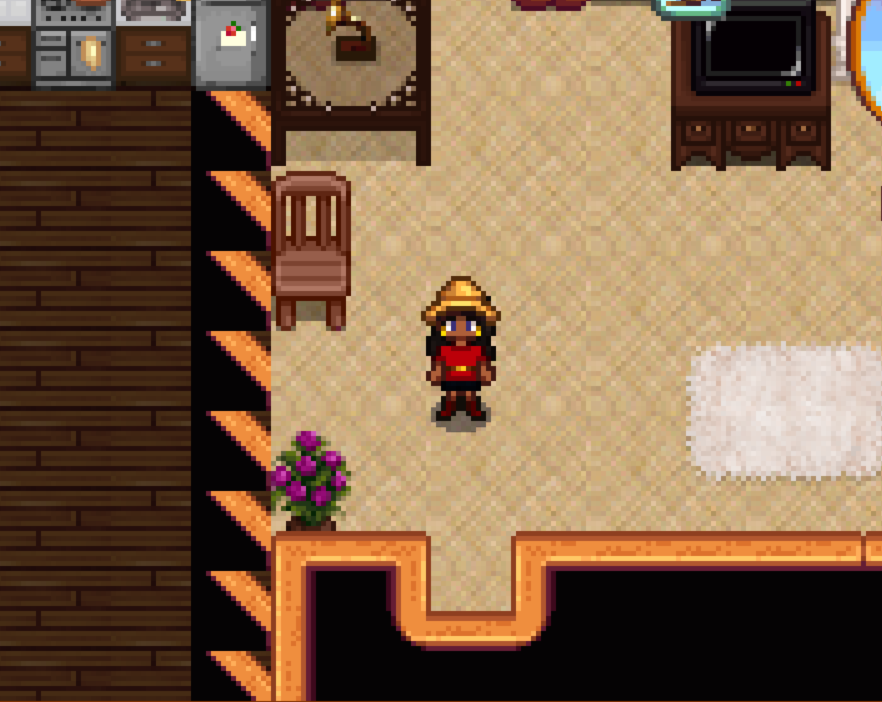
So basically, my farmhouse furniture scrambles itself every single time I enter the house, including after restarting the game, and also some of my textures inexplicably broke when they were working before.
Additionally, my farmhand spawns inside my house every morning/when he joins the game, but his camera is still inside his own house so I have to guide him outside, and his mail notifier appears over my mailbox instead of his (And these are new problems)
keen moss
I do lose a lot of things but not big things like that 😛
steel lava
Ok I delete it
royal arrow
!log can you and your farmhand provide a log? @real sage
native dragonBOT
@real sage Can you upload your SMAPI log to https://smapi.io/log (see instructions on that page) and share the link here?
ashen elbow
they already did i think
ashen elbow

supple echo
@keen moss is the outdated spreadsheet we're talking about here… the one linked to as "the official documentation that this is the easier-to-read version of" on the MouseyPounds page… by any chance 😮
royal arrow
So basically, my farmhouse furniture scrambles itself every single time I enter the house, including after restarting the game, and also some of my textures inexplicably broke when they were working before.
@real sage do you exit to title, or exit the game entirely, when you restart the game?
keen moss
Not my fault at least 😛 Though I don't know why players would be clicking on that mess compared to the nice, neat, and organized reference index
real sage
exit the game entirely
i dont have a screenshot of the textures but i can hop on the game and get one
royal arrow
oooh, yes that would help
real sage
farmhand is slow but he's working on getting his log
supple echo
haha yeah, but the link is right up there at the top, so I could see where somebody might think it was a good plan to just save a copy
anyway, that's probably your culprit 😄
real sage
while I'm waiting for stardew to start up, i wanted to mention a couple other issues i'm having that are less game breaking
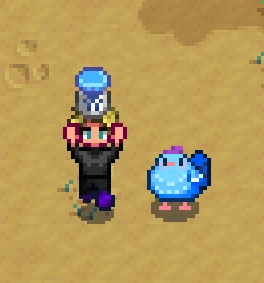
with adopt n skin, my horse duplicated itself seven times
same horse, same id, same hat, usually pooped out by my farm hand in weird places, like in my bed in my house
i caught most of the duplications on video lmao
supple echo
adds "my farmhand is pooping out horses" to personal list of most amusing-sounding SDV mod glitches
royal arrow
Adopt n' Skin I know was not tested for multiplayer, the mod author has a forum tab in the mod page specifically for people to report issues with multiplayer, so provide these strange details, definitely the video lol, and logs
real sage
texture issues are my bed and the entire kitchen
furniture is in a new place every time i enter the house
real sage
also it keeps spawning the hanging flowers, which are a mod furniture that i havent bought any of,but since i like the flowers that's more of a note than a complaint
ashen elbow
lol
lapis void
oh yeah the horse bug
royal arrow
I think we can file that under "fun with Custom Furniture"
lapis void
that's because you're whistling for the horses most likely
try setting the horse whistle key to null, which... will not fully solve your farm full of horses but will at least make it so you don't get wildly pinged across the map
lapis void
it happens if you don't whistle too but whistling makes it waaay worse
royal arrow
the kitchen textures might be 2 or more mods trying to change the kitchen (one may be by accident, especially if it's older than Nov 2019)
lapis void
the author's looking into it but it's uh. a lot to figure out why it's even happening
ashen elbow
this is just a test, to see if it's farmhouse redone being funky, so try removing it, and loading the game again
(for the weird bed and kitchen thing, since it stopped when i uninstalled it  )
)
real sage
the textures were fine before, they just started to explode yesterday
i think removing farmhouse redone would destroy my house lol
lapis void
https://gyazo.com/40fa427a28c774a8d9ef0967243cb37b was the horse bug something like... this
 supple echo
isn't your house already kind of destroyed though 😉
real sage
ashen elbow
oh
real sage
a couple of them are still at the mine, too
ashen elbow
i dont know how to say this but,,
royal arrow
You can try temporarily toggling off FHR by adding a . at the beginning of the mod folder name, and see if that fixes your kitchen.
If not, you'll have to go through your Content Patcher (CP) mods to see which are editing the kitchen or farmhouse, to determine if there's a possible conflict
tired apex
I had to completely destroy the stable and sell both horses to fix my duping horse bug
ashen elbow
i think you have too many horses
real sage
jhfykuhgd
royal arrow
Also, just to confirm, do you have any XNB mods? They would have gone into your Stardew Valley > Content folder rather than the Mods folder
real sage
I do have a kitchen mod, but it was a recommended mod on the farmhouse page

 real sage
I dont, i avoid those like the plague
lapis void
(this was a while back when we were actively trying to debug adopt and skin)
ashen elbow
lapis void
(it didn't get very far because we just kept making it WORSE)
tired apex
Oh dear
ashen elbow
ooh
real sage
the thing that's getting me is that everything was fine
royal arrow
I'm glad you are in the know about XNB mods! 
real sage
all the textures worked, everything
tired apex
Speaking of adopt n skin, I do have a question about it
royal arrow
did you update mods, change anything at all?
real sage
inexplicably stopped
I did add a few mods, but absolutely nothing that touched textures
mostly interface, and i got critters working
tired apex
@lapis void can you have multiple adult skins yet only a few baby skin options? Ie: 1 baby void chicken and 2 adult? Will it randomly choose?
royal arrow
Hmm, ok. Well, try these, and also, test it on a new save and see if it happens o:
You can try temporarily toggling off FHR by adding a
.at the beginning of the mod folder name, and see if that fixes your kitchen.
If not, you'll have to go through your Content Patcher (CP) mods to see which are editing the kitchen or farmhouse, to determine if there's a possible conflict