#archived-modded-support
1 messages · Page 601 of 1
 robust bison
 open knot
Yeah I couldn't find a mod folder anywhere within stardew valley, or either smapi folder in my storage, I am quite a dork when it comes to this
I truly have no idea, it's taken me months of trying this. I install, try, ask for help, couldn't get any. Uninstalled, waited a week, tried again. My best bet? Delete it all start over?
open knot
Ok, should I delete the content patcher, json , and all those files that are in my storage? I can see them but can't remember what file they r in
 trail spade
so yeah I loaded up the mod with the right things installed, and my game has no sound
robust bison
@open knot yes, those shouldn't be there
you might have to do a full reinstall of the game since it sounds like you messed with the files
open knot
K I'll get back to you. And thank you
trail spade
yes it does, the sound is there
trail spade
robust bison
try doing it without any mods just smapi
trail spade
how do I do that?
robust bison
just temporarily remove all the mofs
trail spade
it works just fine there
robust bison
so it's a problem with one of the individual mods then
first guess is custom music
and are there any log errors?
trail spade
there a way I could just play without the custom music?
robust bison
you would have to edit the mod files
trail spade
I was afraid of that
open knot
I DID IT!! I GOT A TRACTOR!! THANK YOU THANK YOU! A MILLION TIMES!
 rose wind
@fair vessel Thanks for the heads up!
 dire fractal
so i downloaded SVE and the first time i played it i could see the sve map but then when i relaunched the game i got the default svd map
how to fix?
 royal arrow
Do you have NPC Map Locations installed? There's a special version for SVE. Also, could you provide your log?
!log bella#9641
 native dragonBOT
@dire fractal Can you upload your SMAPI log to https://smapi.io/log (see instructions on that page) and share the link here?
royal arrow
I see you have Starblue Valley. That provides its own recolor of the map, and I think that's what's causing the conflict. Can you go to your Starblue Valley folder, and see if there's a config.json file? If so, can you open it in a text editor (Notepad or Notepad++), copy the contents, paste them to json.smapi.io, and share the link here?
I'm wondering if the config options allow for turning off the edits to the map
dire fractal
alright
https://smapi.io/json/manifest/a3cc6593b1d64859bb7f8522d9e6b86a i havent done this before so i think this is it?
whoops wrong option
https://smapi.io/json/content-patcher/a3cc6593b1d64859bb7f8522d9e6b86a this should be it right?
royal arrow
It's ok! The important parts are still there. There is a setting for WorldMap, it's currently true, try setting that to false and run the game again
dire fractal
alright
nope still the default map
let me try setting it back to true and see if it does anything
royal arrow
The other alternative is from the NPC Map Locations article here https://www.nexusmods.com/stardewvalley/articles/102
Nexus Mods :: Stardew Valley
[size=3][b]You do not have to make any changes using any of the recolor mods (including SVE) provided in optional files. I've worked with the developers of those mods so that SMAPI takes care of it au
dire fractal
oh thank you!
royal arrow
Note that in your case, because you're using SVE with Starblue Valley, the optional file provided for Starblue Valley won't work (that's for vanilla, not SVE). So hopefully the article instructions help 
dire fractal
alright ^^ thank you for your help
 worldly kiln
Found a compatibility issue between Json Assets and Content Patcher after the latest Content Patcher update. I reported as bugs for both mods on nexus, do mod authors generally read there or should i communicate it somewhere else? 🙂
royal arrow
That should probably be good
 broken reef
Ok so... Im using capitalist dream farm 2, and even though use vanilla cave is set to false, all I'm getting is the vanilla cave?
native dragonBOT
@broken reef Can you upload your SMAPI log to https://smapi.io/log (see instructions on that page) and share the link here?
broken reef
Ah yes! I see it now. I forgot to remove another cave mod. Thank you.
royal arrow
yea if 2 or more mods are trying to edit the same thing, SMAPI's often like "nope vanilla it is"
broken reef
Also, does anyone know why SVE would crash at start of game, even when there are no errors on log? I've been trying several times to get it to work, but I keep having to remove it.
royal arrow
we'd have to see the log, there may be something in Trace even though there's no errors
broken reef
Ok. Thanks.
broken reef
So... I got the cave to show up, but it won't let me use the ladder.
https://smapi.io/log/e3fe00afef3b424d943f660eaccf4056
 tough hazel
lads i require a little help with some mods i installed most of thenm are from the ppja series of improved crops if that rings a bell
a majority of the mods that are skipped require the mod fruits and veggies for jsonasstes problem is that that mod is already installed
 daring wagon
Hey @tough hazel ! It looks like the main troubleshooters are busy atm, but they will ask for your !log so it might be faster to get that out of the way now.
!log @tough hazel
native dragonBOT
@tough hazel Can you upload your SMAPI log to https://smapi.io/log (see instructions on that page) and share the link here?
tough hazel
will do
note the game does not crash but theres just some mods wich get skipped but i guess the .txt file is usefull still
alright transferred it on smapi do i send it here or somwhere else
daring wagon
Hope someone who knows more comes along soon! In the meantime, one thing to try might be to check through your mod folders for the things the log says you have multiple copies of. It might work to just make a copy of your mod folder, then delete everything in your mod folder and redownload it all.
The way that smapi log looks to me, it seems like you maybe didn't delete your old copies of mods when you were updating them? Could be wrong.
tough hazel
im am about to read through the log more carefully i just skimmed over it at the start
 restive zodiac
Yeah, looks like it. PPJA changed folder structure at one point (or you could even take the subfolders out yourself), so you can't just throw in the single folder containing all the packs alongside the individual folders without deleting them all first.
tough hazel
will do
i believe i found the problem in some of the files there were more files and no other file types only directories if this makes sense
royal arrow
@broken reef I notice you have both capitalist dream farm 2 and overgrown garden farm installed. Which farm are you using in your current save, Capitalist Dream Farm 2?
tough hazel
it looks as if that solved a few of the errors but not all of them heres the new error log https://smapi.io/log/ff2b9c6a29494e4098107b143a9a9ff7
 pulsar skiff
is there an option in moddrop to download the zip files or do I just need to goto nexus for those?
broken reef
@royal arrow I'm currently using Capitalist Dream Farm 2, which rreplaces the standard map. Overgrown replaces forest map.
restive zodiac
I think you can download archives from the ModDrop site, but if you're in the client I imagine it just installs the mods for you, like Vortex. Presumably they're saved somewhere, but I don't know where.
@tough hazel You still have multiple copies of PPJA mods - I would remove all of them and just reinstall fresh.
tough hazel
will try
found the reson for the duplicates deleted the problems and now there are only a few errors left
royal arrow
@broken reef ok gotcha. Have you checked in the mod comments for capitalist dream farm 2 to see if anyone else had issues with the ladder in the farm? 
tough hazel
https://smapi.io/log/65edfb8d9bec490294a8dcf064fe339d these are the only remaining
errors
daring wagon
@tough hazel have you deleted and redownloaded each of the ones with errors? Looks like that's Artisan Valley, Starbrew Valley, Champagne Wishes, and Shaved Ice and Frozen Treats.
And Even More Recipes
tough hazel
no i did not try that but i will try it now
i get the same errors as before i reinstalled the mods
daring wagon
Do you have Mizu's Flowers installed?
@tough hazel Mizu's Flowers and More Recipes are dependencies for Artisan Valley, so you may need to get those. That is what the second error for Artisan Valley in the log is saying, and that error looks like it's cascading into several others.
tough hazel
Alright ill get on it as soon as i am done with dinner
thanks a million times that solved the problem
broken reef
Hello. Here is my log. There appear to be no errors, but whenever I try to play SVE the game crashes pretty immediately.
https://smapi.io/log/a950334d6aed4edb83a46325ddfb869d
royal arrow
Is that log from after loading your save?
 unborn agate
hi
i cant seem to install the new version of smapi
i used to have smapi 3.4, i uninstalled that but when i open stardew it keeps showing smapi 3.4
restive zodiac
Are you using a mod manager?
royal arrow
hiya, does anyone know if you can start a solo save, and then later add farmhands to it? 
restive zodiac
You can, just build a cabin in solo and then save and go co-op
@unborn agate If you're using a mod manager, make sure you aren't trying to add the SMAPI installer as a mod. Both Vortex (latest version) and ModDrop have ways to install SMAPI, though I'm not sure of the details.
If you're not using a mod manager (or even if you are), downloading and running the installer will clean up the old version and install the new. (This link https://stardewvalleywiki.com/Modding:Installing_SMAPI_on_Windows#Option_A:_use_SMAPI.27s_installer has instructions for Windows, see the links at the top for other platforms.)
@broken reef Nothing jumps out at me in the log, does it happen on a new save and different farm type? I know some Android people use it, maybe they can comment when they see it.
 unreal ocean
does anyone know of a mod where your farm is IN a cave?
 fair vessel
Lol, someone was working on one
Where you had to add light to make plants grow and stuff, the idea was pretty cool but they were going REALLY immersive with everything, it might be a while before getting released if ever.
 fast river
Someone was working on just a farm map too
unreal ocean
oof man
if the map gets released i'll settle for that, i could do the immersion myself
 unreal urchin
Any mods for better tiers of scythe?
royal arrow
That's a good question! I know obviously vanilla game has golden scythe as of version 1.4, I dunno of mods to make it even better than the golden scythe
 winter flume
which mod is currently being developed to be a sort of tax/longevity mod that works with PPJA mods? I remember hearing about it but I dont think I asked for details.
broken reef
@restive zodiac yes. I've tried on new saves and different maps. Same issue
unreal urchin
I just want an iridium scythe :(
royal arrow
I think there is a mod that recolors it!
unreal urchin
But I will know, deep down, that it is just a normal scythe. 😔
royal arrow

Nexus Mods :: Stardew Valley
Reskins and renames the Golden Scythe to an Iridium Scythe
That mod does it to the golden scythe ⬆️
 hard python
hey y'all, Im getting a tilesheet error like Andrew did a few days ago (checking the history). Here's the log url: https://smapi.io/log/0de3d7cc71fb44568f708a8cee3abf9d
It seems like it might be a Multiple Spouses issue adding too many spouses / a roommate to my farmhouse
daring wagon
Any ideas what might be causing my guava tree to offset itself? I'm using BennyB's Divine Greenhouse-the edit in the comments that turns the cosmetic water sources into real water sources. And, like, hundreds of other mods.
hard python
I invited Krobus to be my roommate, and the day he moves in is the day that causes it to hang on loading. I can load other saves, and earlier saves for that farm, but it's like three weeks ago, oops.
daring wagon
Doesn't really bother me gameplay wise, but I thought it was interesting and want to play with it but am not sure where to start.
hard python
But, if i turn Multiple Spouses "EnableMod" = false, I can load the day before from the %name%_old file data--but then it crashes the next day, when he'd be moving in
As an alternate solution, I could maybe edit my save to break off the roommating?
royal arrow
@daring wagon can you provide your log?
Also is it only that spot in the greenhouse, or only the guava tree?
daring wagon
Only that spot and only the guava tree, as far as I can tell. Haven't put anything else there, and don't have the guava tree anywhere else. The .png in the guava tree folder doesn't look like that
royal arrow
If you don't mind doing some tinkering, you could back up your saves (so you can revert back), then get CJB Cheats Menu, and:
Try planting another guava tree elsewhere (like outside the greenhouse on your farm) and use CJB Cheats Menu to speed up the growth, to see if it works ok.
You could also try tearing down the guava tree in that spot in the greenhouse, plant another one, and again speed up the growth with CJB Cheats Menu, and see if it works ok.
That way we'll be able to rule out if it's the guava trees, or that spot in the greenhouse.
daring wagon
Thanks! Off to download CJB and play around 🙂
pulsar skiff
what does it mean when a mod listing has (unofficial update)?
royal arrow
it means if you want to use the mod, you should download the unofficial update, because the latest official one is not stable to use
pulsar skiff
kk, ty 😄
daring wagon
Looks like the tree is the issue
fair vessel
Yep. unofficial means not published by the mod author - someone else made a fixed version
royal arrow
interesting, ok. and the guava tree is from PPJA More Trees, right?
daring wagon
Nope, it's a standalone
royal arrow
ohhhh ok. I would provide that screenshot and your log to the mod author of that mod then
they may be able to fix what's wrong
daring wagon
Will do, but I don't think he's active anymore 🙂 I'll compare it to some of the other trees I've got downloaded and see if there is anything in the folders I can mess with.
royal arrow
Gotcha. When was the last update to the mod?
hard python
definitely seems to be a problem with drawing spouse rooms. Im going to see if the nexus page has anything about that
daring wagon
Someone kindly translated it to Korean in May, but that wasn't added to the files. There's nothing on this or hung2563hn's other mods since December, and the latest in "recent activity" is January
royal arrow
Oh ok, so it's not like it's an old mod
daring wagon
Nah, first and only version in December.
broken reef
@royal arrow no. It crashes before I can save
royal arrow
ok, so it crashes on trying to save, on loading, or somewhere in between?
broken reef
On loading usually before or during intro
royal arrow
ok. Since the log you shared didn't have any errors, I recommend trying to load a save, letting it crash, and then getting the log
broken reef
Ok. Thanks
 distant plover
@vital spade just letting you know I love ur animations I was up till 3 last night playing and I didn't even notice they make everything so pretty!
restive zodiac
I suddenly want a swimming skill
fast river
advertises SpaceCore's skill API
restive zodiac
Like you start with a tiny breath meter or lose energy while swimming, and getting better at swimming means you can go farther and dive longer... and you could add things that depended on swim skill like "you're not a strong enough swimmer to go there, yet!"
But once you have x or higher you can swim to new place taps fingers together hopefully
distant plover
There's a swim mod 👀
Maybe that could be a cool update
There could be new maps only accessible underwater
restive zodiac
Yeah, it's the Swim mod I was thinking of.
(Since it has the breath meter and diving and everything :) )
fast river
The mod that replaced Jump Over in mouse's heart 😢
 ripe plover
Is there a way to use the multitool mod while on the tractor?
restive zodiac
It replaced Swim (Almost) Anywhere in my heart :P
Maybe. I'm not very familiar with Multitool, but Tractor Mod is pretty configurable and lets you specify custom attachments or behaviors for a tool. https://github.com/Pathoschild/StardewMods/tree/stable/TractorMod#configure
fair vessel
Yeah - you could probably customize the Tractor tool behavior in a way that the multitool mod isn't necessary to get the functions you want
ripe plover
yea i dont know how to do that Lol
broken reef
@royal arrow I tried loading a saved game, and it crashed while loading.
https://smapi.io/log/368e84c113944f2bb9c82e2b7cda7b75
royal arrow
Ah I see, so there's nothing in the log about it. Well I think mouse had said earlier there are other people who use SVE on Android in the Discord, they may be able to help. I'm on PC and I don't use SVE, so I don't know what's going on with it :/
broken reef
Thanks anyway. It's very frustrating. If there is anyone playing SVE on Android that can help, I would appreciate it. Here is the log again. Shows no errors, but keeps crashing at start of game. https://smapi.io/log/368e84c113944f2bb9c82e2b7cda7b75
 pale cradle
What are the Fern Islands?
fair vessel
If you haven't tried yet, go into your FarmTypeManager mod folder and open the config.json file there. Change the MonsterLimitPerLocation from null to 200. See if that helps any. If not, change it again to 50 and finally to 10. (If still no change, this is not the issue, and you can put it back to 200 or null)
@broken reef ^
@pale cradle the Fern Islands are flavor text - a location mentioned in Spring 2 Year 2 mail.
restive zodiac
That's where Willy is supposed to be from! https://stardewvalleywiki.com/Setting#Fern_Islands We don't know a lot about them yet, but some mods expand on it with their own headcanon.
broken reef
@fair vessel Changed to 10. Did not fix
dire fractal
im curious to see if 1.5 will expand on that more....since willy is getting some updates
restive zodiac
Have you tried removing the SVE part and leaving just the frameworks it requires? (PyTK, Content Patcher, TMXL, JA, etc)
pale cradle
That would be rly cool
broken reef
Some people were saying to delete pytk, space core, etc but doesn't it require those?
dire fractal
either that or SVE since they also mention it there too
restive zodiac
It absolutely does, yes.
 stray star
Does anyone have premium for nexus, and do they think it's worth it 
 pulsar scroll
hey im curious so i downloaded some mods and they dont have a config file in them but have a bunch of things u can configure where would one edit the features?
dire fractal
ive only heard of premium nexus being worth it if u live somewhere where the internet connection isnt good and the dl speeds are actually super slow
broken reef
So are there any files in the eve mod I can delete and still play SVE?
dire fractal
but most mods take like 2 secs to dl for me and i cant imagine it being any faster on premium
stray star
I only want it so I don't have to wait 5 seconds to click download lol
restive zodiac
Does anyone have premium for nexus, and do they think it's worth it :think3D:
I do, and that mostly depends. For me it was, because I got lifetime many many years ago, so even though I use an adblocker, I've never had to see them and I don't have to deal with all the recent nagging they added. At the same time, if I didn't have it now, I would probably not get it just because I don't want to support the way they're trying to get more. I get shit's expensive (and they pay out stuff to modders with DP) so I don't begrudge them money at all, but even before this with making the free registration really hard to see, etc felt icky.
The only thing that would make it tempting for me if I didn't already have is that you need premium to make use of auto-downloading features (eg wabbajack), though you could just grab it for a month or something to download all the stuff for your modlists you need. Or just go through the manual installs... But yeah, I'm sure it is much nicer to not have to deal with all the stuff they put in the way of non-premium, I just don't like it.
stray star
yeah I was thinking of just throwing the one month to get all my updates caught up as I run 470+ mods 😛
restive zodiac
ModDrop lets you download from their site, but they don't have as much as Nexus, yet. And the forums haven't caught on much at all, but forum mods are rarely as noticeable as dedicated sites 😄
dire fractal
on a similar topic, is the modder donation thing on nexus actually beneficial for modders or does nexus take a huge chunk of it? am wondering whether that’s a better option or if i should just find their individual kofi/patreon if they have it
fair vessel
The voluntary donations are PayPal, they go straight to modders
stray star
before I go crazy, are there any issues with SVE and Life Cycle? I can't think of any there would be except conflicting dialogue from time to time (maybe) but I'm sure someone else has already tried
dire fractal
oh nice
fair vessel
So it would actually be better than Kofi or Patreon (I think those take a cut?)
But then again the tracking and supporter numbers visibility on those sites is valuable too
fast river
Yeah, I get donations a few times a month. Usually just a few dollars, but its still nice
restive zodiac
You can also contribute to their DP fund for more general "all modder" support vs single, it just spreads it out
fast river
Except that guy that donated $0.01 and Paypal took it all because fees
fair vessel
@stray star might be problems if life cycle changes schedules
 fair vessel
groan
dire fractal
on the life cycle page it says its compatible w/ sve
at least for now
bc i dont think it changes schedules it only adds events? could be wrong tho
stray star
Yeah I noticed schedules acting a bit funky between social hailey and SVE (i can only guess)
hailey just straight disappears sometimes
dire fractal
i think for life cycles if you start adding the living together stuff it might cause issues w/ sve
stray star
I might just watch the life cycle stuff :E
dire fractal
social haley might be bc its set up to work in the vanilla locations but since sve changes the map so much it messes with where she goes
stray star
yeah I'm gonna remove that one for now
yeah Life Events doesn't fit with my current mod list because I have Town Gossip and Ranch Expanded or w/e
I love the idea and I'll have to check it out on my next modlist
(if I ever finish this one, Curse this PPJA bundle)
royal arrow
Ranch Expanded was updated to toggle off a certain event if you have Lifecycle installed though
stray star
Yeah, I just want to experience the Ranch Expanded events before disabling any of the content 🙂
I'm somewhere between super picky and super haphazard when it comes to throwing together a modlist lol
sometimes I'm like "lets drop 30 CP mods in and hope they work well together, and other times I turn down one mod if it makes a tiny change to an existing one
dire fractal
i prefer adding 275736 JA crop mods and not end up planting any of the new crops
if your making a big mod list do it like 5-10 at a time and check if they work
alot less troubleshooting that way
also read the mod page
or adding 50 new shirts and still wearing the same outfit since day 1
royal arrow
Yea I downsized my list for a new playthrough, got rid of several PPJA things, and I still somehow have more mods than before I downsized 
stray star
Yeah I have my modlist carefully organized in folders and I usually will go one at a time and test it
dire fractal
tldr: make sure everything is compatible and dont install like 30 at once
royal arrow
For the clothing mods I use, I sat there and over the course of several days, deleted a bunch of the shirts that I was like "I'll never use this" because I go rogue 
dire fractal
i think i have like 6 different mod folders now for different save files
stray star
Sometimes I end up hitting stardrop saloon irl and then coming home and messing up my modlist like shane messes up his room and then I have to deal with it the next day
ripe plover
so is there a way to make one tool do everything while on the tractor?
dire fractal
my horror story w/ clothing mods is that when i first started out i accidentally deleted some without removing them from the dresser and it broke my end game year 5 save file
royal arrow
Different mod folders for different saves is definitely the way to go. I should have done it sooner lol
stray star
I've never gotten a clothing mod to work properly
royal arrow
Oh in my case I hadn't bought any yet
dire fractal
i like customize anything, its def a bit cheat-y in terms of getting clothes but its the easiest way if u have a lot of mods
or the tailor mouse one
stray star
my favorite thing is once you've finished updating all 30 mods that have updates today 20 more will have updates when you start SMAPI again 😄
royal arrow
Oh I have JA clothing that's what I use with Tailor Mouse yea
@ripe plover did you check the Tractor mod readme? There's a whole section on the config. Pathos linked to it in the mod description on nexus
stray star
so when it comes to updating mods, the best way to go about it, is removing all the mods that you downloaded updates for and dragging the new files over right? I shouldn't drag and drop?
dire fractal
yeah drag and drop doesnt always work
royal arrow
Yea that's definitely the safest method, in case the folder structure changed
ripe plover
@royal arrow yea but maybe im a bit slow but it doesnt exactly go into detail about it
royal arrow
The closest thing I could find is the section on custom tools. Idk if Pathos set it up to be easily compatible with Multitool. You could also try checking the Tractor mod comments page to see if someone else tried it
stray star
alright, fully updated, wish me luck on no new conflicts 
0 Error Messages, it's a july miracle
 vital spade
I spammed my buttons so fast I actually managed to create a new error
royal arrow
Do you use a fancy keyboard that lets you press like 10 keys at the same time and registers them all? Lol
 eager harness
Hello everyone, I have some sort of problem with using SMAPI. The console with all the messages about what's going on used to stay opened during the game, so I could see what's happening, but after updating SMAPI it just closes immidiately after the game loads.
When the save is loaded I keep getting a message that something had been deleted to avoid the conflict, but the console is closed and I can't check what is causing the problem!
Maybe there is a way to open the console, or what I have to do at all?
royal arrow
!log smarthur#1805
native dragonBOT
@eager harness Can you upload your SMAPI log to https://smapi.io/log (see instructions on that page) and share the link here?
vital spade
@royal arrow yes but I didn't use it for that 😛
royal arrow
The log should still be created even if the SMAPI console goes away
fair vessel
The problem with combining all the tools on tractor is that sometimes they do opposite things. Like if you have both a pickaxe and a hoe, should you till the ground or un-till it? That's why you'd need to specify in the config which tools you want to do which things
stray star
ahhh I spoke too soon lolol
fair vessel
'Cause tractor applies a tool to the surrounding area immediately and continuously. Tilling and untilling (if possible) could get it stuck in an infinite loop
stray star
I loaded into my file with no clothes or HUD
fair vessel

stray star
I think it's cuz I alt tabbed when I loaded my file
eager harness
Oh, thank you, but still, is there a way to keep the console opened during the game?
royal arrow
I alt+tab to it (I'm on Windows), I've heard of other people having this issue but idr how they fixed it, sorry :c
Someone else here might know though o:
eager harness
I'm on Windows too, so I will try to use your method. Thanks again!
stray star
It usually stays open for me the whole time
if I x out of the console it closes stardew for me
[Json Assets] Bad gift taste data for Charlie!
[Json Assets] Bad gift taste data for Randy!
is this something I have to worry about?
fair vessel
It spits out that error if they don't have 11 fields in their gift taste data. But the last one is usually supposed to be empty. Mention it to the NPC creators, they might want to add the missing field so that JA parses it
stray star
I think it's the same modder I'll shoot it over on github or nexus tonight
fair vessel
If none of their gift tastes use Json Asset items, I don't think it will affect anything when playing
eager harness
[01:53:13 TRACE SMAPI] Content Patcher edited Data\NPCDispositions.
[01:53:13 TRACE SMAPI] Invalidated 1 asset names (Data\NPCDispositions); propagated 1 core assets.
Well, I think that's it? I'm not sure, but everything else seems fine. And I still don't know what to do with this, so pwease help,,,,
royal arrow
Could you post your full log, using the link in the governor message that pinged you? That will help us to help you
eager harness
Sorry, okay
https://smapi.io/log/936ba28316c4470da804071faee72cf3
Like that? sorry, I'm doing such a thing for the first time, so I'm a bit confused.
royal arrow
Yup! 
I think this is what you were seeing about something being removed. Did you get rid of a mod that added a custom NPC named Mike? SMAPI is just letting you know it removed some references to him in order to prevent errors, so that's ok
Removed invalid villager 'Mike' in BusStop ({X:0 Y:0}) to avoid a crash when loading save 'Dorothy_253741691'. (Did you remove a custom NPC mod?)
I see you also have several mods that could be updated, there's convenient links right at the top of the log
The Producer Framework Mod warnings you have I believe are all for the artisanal soda maker mod(s) and the shaved ice mod*, those are common, and I think for the fix, you'd have to check the mod comments to see if the mod authors fixed those. They're harmless though
eager harness
About Mike: Yes I have, but I'll check if some of his files may be left
About updates: some of my mods just have this thing that will trigger SMAPI to say that they needed to be updated, so that's all ok with it.
About Soda maker: well, I'll check it too, but it was completely fine
I'll check Mike 'cause I have recently deleted him and maybe it's the problem with some files left, thank you!
royal arrow
Nono, the warning SMAPI has for Mike is that it removed the references, so you're all set there!
And yea, some mod's manifest.json files have the wrong version number, so SMAPI thinks an update is required. All good there then!
eager harness
Thanks again, sometimes I'm a dummy :p
royal arrow
No worries! I was initially confused with that warning the first time I saw it, too, thinking it meant I needed to do something lol
pale cradle
Wich one was the key to spawn the tractor?
 wide fox
hi, need a little help here, so i read the wiki that u can use moddrop but im stuck at step 2. In the top-right corner, click Install SMAPI or Update Available. i cant find it to click
royal arrow
@pale cradle I don't remember off the top of my head, but it should be in the mod description
pale cradle
It was the Back
royal arrow
@wide fox are you on Windows?
wide fox
yes
royal arrow
Can you link which guide you're using? I'm having some difficulties finding the instructions on installing SMAPI using ModDrop
wide fox
This page explains how to install SMAPI (the tool which lets you use mods) on Windows. See also:
hmm i just install the moddrop and there is nothing at the top right corner to click for installation, kinda confuse 😢
royal arrow
seems like you'd need to drop something into ModDrop for it to know, but I don't use ModDrop. Can you take a screenshot of what your ModDrop window looks like?
wide fox
restive zodiac
Hmm, ModDrop FAQ hasn't changed on that, so screenshot would be good yeah. (Though manual install is always an option)
wide fox
:rooThink1: seems like you'd need to drop something into ModDrop for it to know, but I don't use ModDrop. Can you take a screenshot of what your ModDrop window looks like?
@royal arrow its ok no worries 😄
restive zodiac
Not in the hamburger menu on the right, I assume ?
royal arrow
I forget that's the technical term for the 3 dashes menu icon xD
wide fox
nope haha

 restive zodiac
I would just follow the instructions to install it manually, yeah. You don't put the installer in the game folder, but running it will install SMAPI there.
royal arrow
!fixanything LenneDalben#5763
native dragonBOT
@royal arrow Have you tried turning it off and on again?
royal arrow
It truly is the way, sometimes 😆
restive zodiac
Hmm. Weird. Although it looks like a slightly different page of the client to now be able to play
wide fox
yeah, thx u guys for the helps! 😆
broken reef
Ok so I finally got through part of one day before SVE crashed. Still shows no errors in log. I tried FTM fix. Could this be a fps issue? Is there anyway to optimize settings for Android?
https://smapi.io/log/46b8d3071745497cb9bcda7fde44b134
wide fox
Like maybe Library instead of Browse...
@restive zodiac i think u are rights.... haha
read abt Content Patcher, does it recommend to have it?
royal arrow
It's a framework mod required by other mods, so if you have mods that require it, you should have it
!cp
native dragonBOT
Content Patcher (https://www.nexusmods.com/stardewvalley/mods/1915) is a mod which loads content packs to change the game's images and data without replacing XNB files. If you want to make mods using Content Patcher, start at https://stardewvalleywiki.com/Modding:Content_Patcher.
wide fox
ah alright, thx @royal arrow
dire fractal
hi u guys! is it possible to replace the path pngs in a mod and have it show up? what does the thumb.png do?
robust bison
@dire fractal if you mean what file is loaded, then yes
 leaden crow
Anyone remember the like command you can type into the smapi thing, to like reset bushes ?
and what mod i would need to reset them?
restive zodiac
!rtf
native dragonBOT
Reset Terrain Features (https://www.nexusmods.com/stardewvalley/mods/4715) is a mod that allows you to reset, clear, or generate everything that spawns on a map via an in-game menu. This is especially useful when changing maps mid-save, as the debris will still use the old layout (causing things like trees in the water or bushes blocking exits) until reset.
 naive drum
there used to be a world_bushreset command in some framework mod or other but reset terrain features handles it now
 coarse finch
hi guys i’m new to stardew and modding
i’m trying to mod on my mac
trying to install smapi
and i’m stuck
i’m following the directions but i can’t seem to get pass this off
part*
mine isn’t coming up like the one in the video
naive drum
i recommend following the guide on the wiki, not a random video guide
 tight tusk
and the problem with yt video guides is that they get outdated fast. i recommend following the wiki: https://stardewvalleywiki.com/Modding:Installing_SMAPI_on_Mac
This page explains how to install SMAPI (the tool which lets you use mods) on MacOS. See also:
coarse finch
i use the wiki first
but i got stuck
so i went to a video haha
i’m stuck in the terminal part
i’m not sure what to do
i’m following what it says but i can’t get it
tight tusk
what does it show when you open the installer?
coarse finch
when open it
it opens up my terminal which then i should just press 1 and it will install
however that downs come up for me
tight tusk
coarse finch
yeah i don’t see that 😦
i see this
how did u get there????
i already have mono installed too
 pastel arch
Okay so you need to open up a terminal inside the SMAPI installer folder and run chmod +x internal/*
And then run install on mac
tight tusk
yay cat is here!
coarse finch
uhhh how do i do that
sorry this is my first time i’m so confused haha
so here is my installer folder what do i do from there?
pastel arch
Okay cool
In the top bar, there should be a Services section. Under that, do you see New terminal at folder?
Finder > Services
pastel arch
Alright, the guide I found on mac must be super outdated
pastel arch
You need to open a terminal window inside that folder, but one you can type into. Pretty sure that one will close as soon as you do anything
Okay, lets try this
Can you search for the Terminal application and open that?
coarse finch
sure
pastel arch
Paste this text into it and press enter: cd ~/Downloads/SMAPI\ 3.6.1\ installer
pastel arch
Nice, paste that text from my last message; you shouldn't get any errors
After that, paste this text into it and press enter: chmod +x internal/*
Then, run the install on mac.command again. It should work now
 outer hamlet
could I also get a hand once Ahxri is fixed?
coarse finch
pastel arch
Oh, looks like your SMAPI installer download is missing files
You need to re-download it
coarse finch
ok
coarse finch
do i download it from nexus?
outer hamlet
I'm trying to update my SVE and need to uninstall my old one but im not sure how to do that
 vivid storm
Does Nexus require a account to download
pastel arch
@coarse finch There's no difference between the Nexus/direct download option, you just need to make a Nexus account/etc to do it through Nexus, so direct is easier
outer hamlet
yes but the account is free
pastel arch
@vivid storm Yes, but accounts are free
vivid storm
Alright. Cool
pastel arch
@outer hamlet Just delete all the old SVE folders, and then install the new ones
You can download SMAPI here: https://smapi.io
pastel arch
Right, re-downloading fixed the missing file issue but there's still the permissions issue
Which is what the commands I sent should fix, so you'll need to enter those again
coarse finch
okay let me try
am i missing something?
i typed exactly what you told me to typed?
i copy and pasted to be exact
pastel arch
Can you post a screenshot of the internal folder?
coarse finch
pastel arch
Alright, I'm confused. The error is saying those files don't exist, but you just posted a screenshot of them
Oh
Okay this should work for real this time
chmod +x ~/Downloads/SMAPI\ 3.6.1\ installer/internal/unix-install.exe
coarse finch
pastel arch
Okay, new problem!
This probably won't work but try this: chmod u+x ~/Downloads/SMAPI\ 3.6.1\ installer/internal/unix-install.exe
coarse finch
pastel arch
Wow, looks like it worked!
Try running install on mac.command now like you did originally
coarse finch
which one is that???
pastel arch
Right-click install on Mac.command and select open.
It's inside the SMAPI installer download folder
coarse finch
pastel arch
😦
coarse finch
i tried reading this too
since i guess i wasn’t the only one
but i can’t seem to get it
pastel arch
Hmm, yeah, but I also don't fully understand that comment, I'm not very familiar with Mac
coarse finch
OMG
pastel arch
So I thought that would fix it, but it didn't, so I'm not sure what to do.
I'd suggest asking again here later and hopefully someone else knows what to do.
Sorry 😅
coarse finch
i got it
pastel arch
Oh, sweet!
pastel arch
Yeah, awesome! Press 2 and then press 1 to install 🙂
coarse finch
i can quit out of terminal now right?
thank you so much Cat 😭🙏
i been here for an hour haha
pastel arch
Yep, you can quit out of all of those terminal windows, and you can also delete the installer folder you downloaded if you want.
You'll need it to uninstall SMAPI if you want (but then you can just download it again)
Happy to help! 🙂
coarse finch
i literally just bought stardew valley today haha
dire fractal
how do i do a clean install?
pastel arch
Of SMAPI? Just running the installer again should be sufficient
dire fractal
no, a clean install of everything, aka getting rid of all non vanilla stuff
pastel arch
The easiest thing would be to:
- uninstall SMAPI
- Verify your game files to get rid of XNB mods (or delete the entire game and re-download)
- Delete your modded saves
dire fractal
what game folders would i delete, thats all i really need to know
 dusty mauve
How can I fix a [Jason assets] no idea what 'sesame seeds' is!
Sorry for interrupting.
pastel arch
Your game folder is here: https://stardewvalleywiki.com/Modding:Player_Guide/Getting_Started#Find_your_game_folder. You could delete all that
Do you want to play Stardew Valley with mods? This guide is for you!
Your save folder is here: https://stardewvalleywiki.com/Saves. You could delete all those
(But again, the SMAPI uninstaller will uninstall SMAPI, and Steam/Gog can handle deleting the rest of the modded stuff, or deleting the game folder, etc)
If you just want to remove mods without uninstalling SMAPI you just want to delete the Mods folder in your game folder
coarse finch
sorry again haha but i also need content patcher right?
pastel arch
Content Patcher is a super popular mod: probably 🙂
If a mod tells you you also need it, then yes
outer hamlet
cat if i can borrow you again, im getting this error now and cant enter any sve locations https://prnt.sc/tg7o76

thats a lot of red text and i dont like it
pastel arch

outer hamlet
my feelings exactly ;-;
pastel arch
Looks like some files are missing, which would make me think either:
- the old version wasn't fully uninstalled: i.e. only half of it and now it's breaking
- the new version wasn't fully installed: i.e. only half of it and now it's breaking
So I'd suggest uninstalling fully again and going through the install step by step again
(Also make sure you remove everything SVE related before doing the new install)
dire fractal
id also suggest just nuking everything, with that amount of errors your better off just, just doing a clean install
dire fractal
well it seems like the mod cant find the files it needs, or smapi cant
either way your probs better redoing your whole mod list/doing a clean install
dusty mauve
Oof.
fair vessel
Actually nah
It looks like it's trying to add the same items twice
Do you have duplicate copies of SVE installed?
(Especially common to happen if you had an older version of SVE and didn't delete all its folders before installing the newest version)
Oh nvm, I misread. I was looking at the red and not the yellow >.>
...Though it's still strange that it outputs each one twice, makes me think duplicate folders again
dire fractal
still, that seems like a problem OP is hapening
either way a clean install for OP is probs the best bet
dusty mauve
It's weird it was working a bit ago when I was playing with my friends then i closed it down and came back and then it was giving me that error
dire fractal
well somethings not right, if it took a bit to throw up the error well perhaps you and your friend have diff mods? if not i honestly have no clue, but seeing the amount of errors id just do a clean install
outer hamlet
I did a fresh loadout with moddrop
dire fractal
also, if that seems over the top is due to me modding skyrim a bunch and thus you clean install alot to prevent errors,crashes, other stuff
dusty mauve
I fixed it. I purged all my mods deleted the manual mods and re downloaded them them enabled all my mods again.
But thanks for the help guys
 wheat meadow
Hi guys i'm new to the game and in my first year in spring i played the game as vanilla in summer i downloaded SMAPI and some mods with vortex and it was all fine in both summer and fall. Now its winter and game is crashing randomly idk why. I checked smapi logs and found something like "ERROR SMAPI An error occured in the overridden draw loop: System.NullReferenceException: Object reference not set to an instance of an object. " What should i do?
 fallen orbit
wheat meadow
fallen orbit
wheat meadow
its in my own language but the first line is "ERROR SMAPI An error occured in the overridden draw loop: System.NullReferenceException: Object reference not set to an instance of an object. "
naive drum
!reset
native dragonBOT
See https://stardewvalleywiki.com/Modding:Player_Guide/Troubleshooting#Reset_your_content_files for instructions on resetting your game files! You may also want to check this list of XNB > Content Patcher conversions (https://stardewvalleywiki.com/Modding:Using_XNB_mods#Alternatives_using_Content_Patcher) to see if there are already replacements for any XNB mods you may have been using :)
naive drum
it looks like some important winter graphics file got corrupted somehow
luckily you can get Steam to fix it for you by following the instructions in the first link that the bot posted!
wheat meadow
Thank you!
dire fractal
Hey still struggling with a previous issue
Whenever we sleep the game crashes
oh right before the next season too
naive drum
Health Bars has an update and appears to be dying
while you're updating mods you have some other mod updates to do too
 urban pawn
is there a mod where i can see what items am I missing on my list?
I have 2 fishes left to get the master angler quest but idk what are those
royal arrow
Not a mod, but I know there's a site https://mouseypounds.github.io/stardew-checkup/
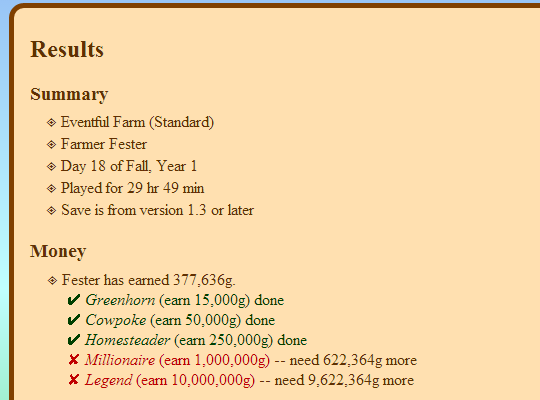
An app to read a Stardew Valley save file, check the progress of various achievements and milestones, and list what's missing.
dire fractal
Can anyone help me with this UIInfoSuite error/s please?I've never encountered this and I have tried reinstalling the mod but it still appears 😦 https://smapi.io/log/b233721dcef443638988a1f9f55f721b
urban pawn
this is helpful thanks
 old imp
Im trying to figure out how to install the expanded mod on android. I found this post https://www.reddit.com/r/StardewValley/comments/ddi0wq/running_stardew_valley_expanded_on_android_but/ stating that I need to put town.xmb from the mod into the stardew apk, the problem is I don't see a "town.xmb" withen the mod, it has townEast.xmb. which I copied into the apk with mt manager. Rebuilt apk. Deleted stardew. Installed normal stardew again. Then installed martyphyra smapi, game loads up, start a new game and the map has not changed? Probably because I didnt copy over "town.xmb" but couldn't find it. Is it not in the latest version of expanded? Or am I missing a step?
reddit
2 votes and 5 comments so far on Reddit
tight tusk
follow this guide: https://stardewvalleywiki.com/Modding:Installing_SMAPI_on_Android
This page explains how to install SMAPI (the tool which lets you use mods) on Android. See also:
it has the link to the latest android smapi
old imp
Ive already done all that. Ive got android smapi
tight tusk
the latest android smapi is at 3.6.1
ok good. if you have the latest android smapi, there is no need to change the game files, just drag and drop the mods to your mod folder
old imp
I run the game and it looks like its booting mods, it comes up with the mods its loading, but upon a new game nothing has changed
The other mods seem to work just not stardew expanded
tight tusk
check to make sure you installed all the required framework mods by sve. if you want, post your log so we can see where it's going wrong
tight tusk
!log
native dragonBOT
Can you upload your SMAPI log to https://smapi.io/log (see instructions on that page) and share the link here?
old imp
Basically states im not running a high enough version on SMAPI. But I downloaded the latest ZaneYorks smapi from github
tight tusk
open the smapi android app, on the install tab, there should be an option there at the bottom of the page to update your smapi
old imp
I was incorrect , here is my log when i use ZaneYorks. The other was the martyphers. My mistake. The zaneyorks version just crashes the and I cannot load into the gane
 grizzled nymph
does anyone know why when you launch SMAPI through GOG Galaxy that you don't get the cmd window that opens? (like when you launch SMAPI through Steam)
It's not a problem for me since I have a stable mod loadout that I'm not going to be changing any time soon, I am just curious
tight tusk
@old imp from your log, seems to be fine. however sve is a resource heavy mod. it's the type of mod that i wouldn't run on my older phones. can i ask what's your phone's ram?
old imp
That may be where the issue lies, 2 GB
tight tusk
yeah unfortunately i don't think sve can run properly on anything less than 4gb ram imo
old imp
Makes sense, thanks for the help. I appreciate it!
tight tusk
np! there is still a lot of less-resource intensive mods that you can enjoy, just look around nexus
 torpid jay
I think I'm getting errors with my mods, according to SMAPI. Also it says Rustic Country Walls and Floors needs to be updated but I have the latest version
royal arrow
!log Nyla Smokeyface#6477
native dragonBOT
@torpid jay Can you upload your SMAPI log to https://smapi.io/log (see instructions on that page) and share the link here?
royal arrow
All good! As for SMAPI saying you need to update a mod even though you're sure you have the latest update, sometimes the manifest.json doesn't have an updated version #
torpid jay
Ah. I'm assuming there's no way to fix it?
I mean it annoys me to see it but other than that it's not that big of a deal
royal arrow
You can edit the manifest.json file yourself for Rustic Country Walls and Floors, but yea it's harmless
You'd have to open the files using a text editor like Notepad or Notepad++
For your other errors: the latest version of Content Patcher isn't loading because your SMAPI isn't the latest version. Update SMAPI, then Content Patcher will load, as will the other mods that require the latest version of SMAPI
royal arrow
It says your SMAPI is version 3.5.0 and not 3.6.1. Did you download version 3.6.1 from Nexus?
torpid jay
ohhh i gave you the log I uploaded before I updated SMAPI
my bad
sorry im tired right now lol
https://smapi.io/log/76384b8419f14bb89febedac733bdc7c
royal arrow
Ok so now you have an error Children's Beds Removal 1.2.0 because it's no longer compatible. Please check for a new version at https://smapi.io/mods
You should remove the mod, and check that link to see if there's an update or an alternative.
For your other error, it looks like you have a typo in the config.json file for Billboard Anywhere on line 2. Can you copy-paste the contents of your config.json file for Billboard Anywhere to json.smapi.io, and post the link here?
torpid jay
just for that mod?
royal arrow
For Billboard Anywhere, yes, since that's where the error is
royal arrow
Yup! Ok so the error is because what you write to mean "the bracket" isn't the bracket, it's one of the weird ones, see details here https://stardewvalleywiki.com/Modding:Player_Guide/Key_Bindings#Available_bindings
Some mods let you edit key bindings, which are controller/keyboard/mouse buttons which do something in-game. This page explains how to configure them. (This works for any mod using SMAPI's standard APIs.)
for the [ key, you'd write "OemOpenBrackets", for example
royal arrow
yup that should work!
torpid jay
tysm!
 shell jackal
Does anyone use CCS Kitchen Station Set? Have a question about compatibility
royal arrow
I don't use it, but you could ask your question and someone here might be able to answer
 grim swift
hello guys, i want to ask about the ui info suite mod. Is it possible to deactivate one of its feature outside the mod option menu?
also, is it possible to change the icon position?
royal arrow
For your first question: technically yes, but I'm wondering why you want to do that o: Are you having issues using the options menu in-game?
For your second question: I'm not sure, I think that would require decompiling the mod to change it, and would require C# knowledge
unborn agate
@restive zodiac hi, im not using a mod manager. Im on mac, I downloaded the new smapi file and followed instructions on terminal to install it. It said "smapi is now running" but when I open stardew it still says the old version is running
grim swift
i just curious.. Because everytime i create new character, i need to set it again and again .-.
it wont save my previous setting
royal arrow
Ah! Yea the settings are stored per save file, so each character/save gets their own settings, they're not global.
shell jackal
I use Minerva's Bigger Farmhouse. It removes some of the vanilla bits in the kitchen. Would I still be able to use the mod?
grim swift
so, do you know how to set it outside the mod option menu? i check the config.json, but i dont understand every single thing in there xD
royal arrow
Since the settings are stored per save file, a new file is created with the settings for each save. You can edit those files outside of the options menu, but you'd still have to wait for the mod to create the file after you create the new character. At that point, it would make more sense to just edit the settings in game.
If you're determined to edit the settings outside of the menu in-game, again, note that you wouldn't be able to edit them until after you create the new save. There's no way to have the settings established ahead of time for all your saves, because they're not global.
You should have files called Farmer_modData.xml. You can open those in a text editor, I recommend Notepad++, and change the settings there.
restive zodiac
!log Circe#3184
native dragonBOT
@unborn agate Can you upload your SMAPI log to https://smapi.io/log (see instructions on that page) and share the link here?
grim swift
hmm, i think there is no point to disable it outside the in game menu if i need to create the save file first... anyway, thank you for your help. Appreciate it xD
royal arrow
you're welcome!
@shell jackal I couldn't find anything about this in the mod comments for CCS Kitchen Station Set or Minerva's Bigger Farmhouses.
You can always test it out and see if they work together, and if they don't, remove CCS Kitchen Station Set, and make a comment on both mod comment pages to let the authors know their mods aren't compatible. Idk if they'd be able to fix it, but at least if someone else has the question, they'll know too
shell jackal
Okay, thanks
 spare elbow
in stardew valley expanded
when can you enter the secret woods with the ||junimo shops||?
dire fractal
after finishing the community center, you just walk towards the entrance of that area and it triggers a cutscene
spare elbow
thanks
pale cradle
Is there any More Monsters Mod?
Like they depend on the skull cavern level and they increase difficulty
every 10 floors or so
 alpine nest
I just went through stardew valley like I normally do, and I suddenly got all my skills upped to level 10 except mining on the 10th day of my new farm? I'm using the mod that allows for the host to be present always so that other people can play. The mod is called "Always on server for multiplayer"
Anybody know what happened? I gifted a foraged item to a villager and started mining. Mining also showed up to be level 10 in the level up screen at the end of the day, but it's back at 1 now with all other skills at level 10
I can't find anything about it online either. Could this be a glitch with the mod or did I discover a new one?
native dragonBOT
@alpine nest Can you upload your SMAPI log to https://smapi.io/log (see instructions on that page) and share the link here?
royal arrow
That will give us more information
alpine nest
Will try doing that
Is this good? https://smapi.io/log/2fe8bd6d6e3c4e20894bd9c1c13b3e79
The problems arised after 18:56
19:11 Is where I leveled up I believe
royal arrow
Is Daniel the name of your farmer or the host farmer?
alpine nest
Daniel is my name, and I'm also the host farmer
royal arrow
OH sorry I thought you were a farmhand, gotcha
alpine nest
The other name (if present) is the farmhand
royal arrow
I ask because the red errors at the bottom say there was an issue accessing the Save file for Daniel
Can you try the steps here? https://stardewvalleywiki.com/Saves#Troubleshooting
The game saves progress when the in-game day ends, i.e., when the farmer goes to bed, collapses from exhaustion, or collapses at 2am. All progress during a day is lost if the player quits the game without ending the day. In multiplayer, the game saves after all players click t...
alpine nest
Yeah, after 19:11 I tried going back to an old save, so it might've had trouble since I tried removing the last save file
Though it didn't work and I put it back
Will try that one
Oh dang, I did exactly that already
"Undo the last save" Did all those steps before I came here
royal arrow
One thing people have also mentioned is, don't use Quit to Title and load a new save. There are issues with lots of mods when people do that. You'd want to Quit to Desktop and then boot up the game again. I don't know the specifics, but there are mods that have issues with it
alpine nest
So no quitting to title, and then loading up the same farm after an hour or so?
royal arrow
do you mean IRL hour o.o? You don't have to wait a specific time to load up again, just making sure you quit to desktop and load the game again should be good
out of curiosity though, did you see your save files in their folders? I think you did
alpine nest
Ah alright, yeah I meant IRL hour. Both my friend and I wanted to wait until we were both back to do a festival
So we quit the farm for a bit
And after that rejoined, and I noticed the mine was a lot richer in copper and Amethyst than usual, but I thought it was from spirit luck or smth
Skills must've been broken in the background bv that point aswell
 dreamy merlin
Just looking for information, but anyone who uses PPJA can you @ me and tell me which ones would be neat or what the mods do exactly before i download? I was considering getting a few of them and maybe one of the expanded farms if anyone has recommendations for that one, too.
alpine nest
I haven't taken a look in their save folders yet
royal arrow
@dreamy merlin hey hey! I actually have several, for PPJA I have Farmer to Florist (adds lots of flowers, soap and perfume machines, and a dryer machine so you can dry plants to make tea, veggie chips, or poison hehe), Mizu's Flowers (adds flowers), Fruits and Veggies (adds more fruit and veggie crops), and More Trees (adds more tree saplings). I also got More Recipes to use those items in cooking. I've recently downsized to just the flowers though, since I'm going for a florist playthrough
For bigger farms, depends on how much bigger you'd like. You may recall I use Farm Extended (you gave me some helpful tips in #farms-and-outfits!), but there's also Capitalist Dream Farm, which is huge. I recommend checking out DaisyNiko's mods, they have lots of different farm maps, big, medium, and small.
 if you're looking for even more mod recommendations, I have a list of mine here~ https://docs.google.com/document/d/1_qmtiO74ENg99aDL97xhLjVawV5pQLQtmHCidLTnbRc/edit?usp=sharing

Google Docs
LenneDalben’s Stardew Valley Mod List These are all the mods I use, so you can take a look for recommendations! I’ll update this list periodically, to add new mods, or revise some notes, or potentially remove mods if they break. I tried to use a Dropbox paper like Gender Drag...
 modern cape
when i verify integrity of the game files on steam does it automatically reverse all the XNBs that i have replaced?
royal arrow
@alpine nest ok, can you check if your save files are where they should be? The error message about them in your log tells you the full file/folder path
alpine nest
They are, those errors are from what I believe from me deleting the newest saves and going back to the older ones, forgetting to take away the _old
Though that was no success sadly
 fresh gazelle
@prisma dove just trying out your NPC creator, for the sake of simplicity, is there any documentation out for it?
alpine nest
Starting a new farm is absolutely no problem, but I don't know if this problem will occur more times
royal arrow
When you say it was no success, do you mean the issue still occurred, the error still showed up in your log, or both o.o?
 prisma dove
it should have a readme on the modpage and in the folder
if not there is a video that's only slightly off
alpine nest
The errors were gone, but I still had the stats upped to 10
So I was back at where I started
royal arrow
Gotcha. I'm not sure what's causing the issue then. You said you checked online, did you look at the mod comments for the Always On Server mod, to see if anyone else mentioned this issue?
fresh gazelle
@prisma dove nothing in the folder and didnt see anything on the page unless I am missing it? I guess the big thing initially is NPC System name... is that the name of the NPC or something else?
unreal urchin
how do I find the steam launch options again short of reinstalling smapi?
fresh gazelle
go to steam, click on the game and go to properties @unreal urchin
*right click the game in steam
alpine nest
I see that this problem IS mentioned there, having to do with the saving of the stats when logging off
fresh gazelle
in the popup there is "Set launch options"
alpine nest
So I think you were spot-on with the logging off to title thingy
royal arrow
@unreal urchin then yea I think you'll have to reinstall SMAPI. it will only take a few seconds though
fresh gazelle
unreal urchin
that shouldn't damage my save files, right?
royal arrow
nope! won't affect your saves or your mods
unreal urchin
ok
prisma dove
sorry i was doing some work.. The system name is what your mod is named
unreal urchin
aight thanks
royal arrow
@alpine nest ok, well at least you may have found what caused it. If you need to go further back in your saves than just 1 day, SMAPI makes copies. You're on Windows so they are in Stardew Valley > save-backups
prisma dove
so if you name it Stennis when you make the folder it will make a folder called [CP] Stennis and use Stennis as your system name
alpine nest
Ouch, no backups were made of the new farm
Only old ones I loaded or smth
Anyways, I'll try plain Alt+F4 instead of leaving to title lol
To see if that doesn't cause problems
royal arrow
that's tough. Hope it works out!
fresh gazelle
Cool ty
 zinc canopy
Hi if I want to use a mod like unlimited players everyone in the server has to have the mod installed? or just me
 winged birch
From what I know about other games they're usually prompted to install
But I'm not sure
unreal urchin
should I go with mushrooms or fruit bats in sve?
stray star
I almost always go with fruitbats with the craftable mushroom box mod 
royal arrow
I like the "porque no los dos" approach there! I don't use SVE but I always go with mushrooms, I've never gotten fruit bats
stray star
I do mushrooms if I don't have the craftable mushroom box mod but I do love having both
Anyone know if theres ever going to be a Tehs fishing mod like mod rereleased
oh wow, it was finally open sourced
I stand corrected
royal arrow
I think someone was working on it, but I found an unofficial update! I was super pumped
I'd been using Fishing Made Easy Suite instead, discovered the Teh's Fishing Overhaul, saw the unofficial update, was like 
 fervent smelt
Hello
stardew valley NPC child for SVE
how will i install
enough if I put the mod in the folder?
 pine fjord
So we're trying to delete a custom npc from our save file, and it was all easy enough according to the guide-- but the final place where he is mentioned in our safe file is in this giant wall of text and we have no idea what to delete from here-
Any chance someone might know what's up?
royal arrow
Hi there, I once also removed a custom NPC manually, but it turned out it's actually not needed! When you remove the mod, SMAPI removes all the stuff required
But if you're determined to remove it manually, you can refer to the Shiko mod description, which has instructions on how to do it
pine fjord
Really? is that a new feature?
And yes I'm following the shiko mod description as it was instructed in the denver mod but it doesn't account for that one last mention 🤔
royal arrow
yea I was surprised as well, idk when it was added. You'll see a warning message from SMAPI in the log saying it removed stuff
royal arrow
you're welcome!
 mystic gyro
where do i suggest stuffums
fair vessel
Suggestions board here https://github.com/StardewModders/mod-ideas/issues
mystic gyro
no for the base game
fair vessel
Ummm, twitter I guess? Or the Stardew forums. Just don't expect a direct response, CApe gets a lot of messages.
coarse finch
hey guys does anyone know how to install content patcher on mac? I have mono and smapi installed already
royal arrow
@mystic gyro there's also this in the forums https://forums.stardewvalley.net/index.php?forums/game-suggestions.22/
Stardew Valley Forums
 strange river
Dang, Lenne beat me to it :P
royal arrow
@coarse finch You install it like other mods, unzip into the Mods folder https://stardewvalleywiki.com/Modding:Player_Guide/Getting_Started#Install_mods
Do you want to play Stardew Valley with mods? This guide is for you!
 merry nacelle
yo having some problems with mods not loading
native dragonBOT
Can you upload your SMAPI log to https://smapi.io/log (see instructions on that page) and share the link here?
merry nacelle
ah i was just going to send a image but ok
coarse finch
sorry im new to modding i started yesterday haha so everything is confusing to me haha
royal arrow
no worries, welcome! feel free to ask any other questions you have here
coarse finch
this is my first pc game LOL
it was like the only thing my macbook could handle haha
merry nacelle
it says no errors despite the tractor not showing up when i go to robin
royal arrow
ok, can you share your log here? It'll give us more info to help you
fair vessel
Is that log from when you loaded a save and went to visit Robin? It seems kinda short
royal arrow
that's weird unrelated to your issue but it looks like you have NPC Map Locations for SVE, but not SVE. Did you mean to get that?
are you using a mod manager by any chance?
royal arrow
Oh that's fine then
but like Jonqora said, it would help if you go to Robin's then get the log. there may be errors that only show up when you try to talk to Robin and buy the building
merry nacelle
i went to robin but the log hasn't changed https://smapi.io/log/643e5ebff2f94a2ba7d3b597ca84cc55
and i deleted and changed the npc map thing nor has that changed either
on the log
fair vessel
Hmm. That's the same log. Same timestamps and everything.
Looks like smapi hasn't created a new log?
Are you sure you're running the game through smapi?
merry nacelle
when i clicked on the names they went to a menu so i think so
fair vessel
which names sorry?
merry nacelle
npc names with the gift helper
fair vessel
There is a vanilla feature that shows an expanded menu when you click on NPC names in the social menu
That log you linked was created yesterday
merry nacelle
ohh though i linked it right
fair vessel
No like - you uploaded it to smapi.io today, but the log entries from running the game are saying it's from running the game yesterday July 11
merry nacelle
yeah, and i didnt have my steam stardew linked to modded stardew
fair vessel
Are you running the game through steam?
merry nacelle
i was but i thought i changed the launch option
fair vessel
Hmm. Can you paste here what you put in the launch options?
merry nacelle
i think i forgot to or it reset since its blank
fair vessel
ooh okay. We can figure this out
fair vessel
yes they do, if you do this step
"D:\SteamLibrary\steamapps\common\Stardew Valley\StardewModdingAPI.exe" %command%
there - I think that should be right for your computer
copy and paste that whole thing into launch options
make sure you include the " at the front and the %command% stuff
then try launching with Steam and see if a smapi window appears while the game is starting up 🙂
merry nacelle
yeah its working though it says there are two mods to update should i worry about that?
fair vessel
it's a good idea to update those yeah, but probably not an immediate issue!
check and see if your tractor and stuff are working now
and you can post a new log if you're still having any problems 🙂
merry nacelle
its working thanks!
 slim jay
to update mods, should i just delete the folder in my mods folder, then drag the new one in?
royal arrow
that's the best way, yes, in case the file/folder structure has changed
merry nacelle
say, how much does expanded change the game?
dire fractal
almost everything
slim jay
how do i update SVE?
@merry nacelle I highly recommend SVE
It's a good ass mod and is consistently updated
one day @rare quest will let me pipe ||camilla||
dire fractal
but if you don't have a good pc
it will be some laggy
how do i update SVE?
@slim jay well just drop the new files and override the old ones
slim jay
gotcha
royal arrow
SVE is one of those were the file/folder structure changes a lot with every update, so you'll have issues if you just overwrite files/folders
 hazy leaf
I never overwrite mods tbh it's a bad habit because it can cause bugs
slim jay
My console is spamming with red text (which i'm assuming is an error)
can't figure out what tho 
dire fractal
i never overwrite mods unless the mod page tells you to
royal arrow
you have to update SMAPI, looks like some mods aren't loading because of it
royal arrow
You also have multiple copies of one folder:
[MFM] Artisan Valley Letters 1.0.5 because you have multiple copies of this mod installed. Found in folders: Mods\[MFM] Artisan Valley Letters (1.0.5), Mods\[PPJA] Artisan Valley\[MFM] Artisan Valley Letters (3.0.15).
If you delete one of those, you'll be set
Nothing specific for SMAPI, just download the latest version from Nexus and follow the install instructions
royal arrow
yea the older version is a good call sorry I didn't read fully to notice that 1 is older than the other lol
zinc canopy
hey
can I put the mods into the server so only I need to download them or someting like that?
Like plugins in minecraft servers, bcs my friends don't know how to download things and yes it's very dumb
royal arrow
If there's no way you could give them a list of what to download, I know some people share their mods folder with close friends, I know that's technically still redistributing mods, so if you do it via private message / direct message you'll probably be better off.
I've also heard of people sharing a OneDrive folder for their mods for multiplayer, and they stay synced that way. Idk how they set it up though
mystic gyro
all most are in 3 categories for mp, those that dont work, those taht do, and those that work partially
zinc canopy
I wan to use speechbubbles mod and unlimited players
just so we can have a better experience
I'm using a unofficial version of speech tho
zinc canopy
and only you installed them?
or you friends have a folder like that
If there's no way you could give them a list of what to download, I know some people share their mods folder with close friends, I know that's technically still redistributing mods, so if you do it via private message / direct message you'll probably be better off.
I've also heard of people sharing a OneDrive folder for their mods for multiplayer, and they stay synced that way. Idk how they set it up though
@royal arrow so if I give my friends a folder already set up isn't a problem?
royal arrow
make sure you give it to them via private message / direct message, like I mentioned. and of course, let them know not to share that as well. Ideally they'd download the mods themselves, but if they can't/won't, as long as you send it to them directly, that should help avoid issues
mystic gyro
or u could just put it on a flash and copy it over to every friends pc
if theyre in range
IF
zinc canopy
we can't contact I have covid lmao
mystic gyro
and yes i downloaded myself but Im the only one of my friends that uses mods on this
ok then cant u send the files over in priv msg/ dm
zinc canopy
when you use the mods they work even if they don't have it?
ok then cant u send the files over in priv msg/ dm
ok thanks, and yes
royal arrow
!mpmods
native dragonBOT
See https://stardewvalleywiki.com/Modding:Player_Guide#Do_mods_work_in_multiplayer.3F for details on how mods work in multiplayer. :)
royal arrow
depends on the mod, see the link above for more info
mystic gyro
yes u may also want to see the mod description itself to see its compatability for multiplayer
the ones im using have partial support
zinc canopy
well these mod are particularly for multiplayer so I think they will work
hmm thanks for helping me I appreciate it haha
I was confused of what I needed to do
mystic gyro
yea I had to play with my files since i have two different compartments for me stif
stuf
slim jay
With CropTransplantMod, can I place things like pine trees and stuff on areas I couldn't normally place them?
mystic gyro
maybe, but im guessing its just gunna be more moving the pine tree, and maybe not even trees maybe jsut crops
royal arrow
you'll have to edit the config.json file for CropTransplantMod for it to let you move full grown trees, the mod description explains how to do that.
There is also a setting for letting you place fruit trees on other tile types, and placing crops outside the farm, but idk about it letting you place non-fruit-trees on other tiles
mystic gyro
i modded @summer inlet
 inner geyser
@tired brook i know this is a very very late response but thank you for the content patcher ... i am trying to get back time to this game as i am dealing with personal stuff .. 😄 i have little to no free time anymore 😦
fair vessel
So I'm trying to find a mod I've seen before, but I don't know the name.
It allows the player to see the stats screen (from the casino) anywhere using a hotkey.
Anyone know it?
coarse finch
is it safe to mod my game during a playthrough?
like if its just like replacement for animals and pet?
 lapis void
yes, that's perfectly fine as long as you're using content patcher and SMAPI!
coarse finch
ok thank you haha
also does anyone use "look up anything mac" how do I press f1 to look up stuff because f1 and f2 for me changes my display brightness only
fair vessel
You might have your computer set to need an extra key to trigger F1, F2 etc
Mine has an "Fn" key near the bottom, I press that and F1 at the same time to get F1
Otherwise it changes volume instead
 torn mason
No idea but you can install it from the GitHub https://github.com/ZaneYork/SMAPI-Android-Installer/releases

GitHub
SMAPI Installer for Android. Contribute to ZaneYork/SMAPI-Android-Installer development by creating an account on GitHub.
 leaden ice
@torn mason thanks!! Gonna save that link
 inland fable
Hey everyone. I haven't played SDV in ages and I am finally getting back into it. I've run the game once, I installed the latest version of SMAPI and I am ready to install some mods.
Could someone let me know if I am going to run into any compatibility issues with this mod list I want to install or if a mod is redundant? Thanks in advance. Here is the list:
SMAPI
UI Info Suite
NPC map locations
Lookup anything
Tractor mod
bigger backpack
chests anywhere
Friends forever
-StardewHack (Required for for Friends forever)
stardew valley expanded
(and its required mods:)
-Content Patcher
-Farm Type Manager
-Json Assets
-PyTK Toolkit
-SpaceCore
-TMXLoader
-Winter Grass
royal arrow
you may see some clipping issues with UI Info Suite and Bigger Backpack. UI Info Suite places the billboard in the inventory menu in a spot that overlaps with the additional row of space added by Bigger Backpack. You can toggle off the billboard from UI Info Suite and still get the functionality with Billboard Anywhere, but that mod adds it via keypress (you have to press a hotkey to see the billboard)
fair vessel
UI Info Suite and NPC Map Locations together will show double villager icons. There's an easy solution, just disable "show villager locations" in the UI Info Suite settings menu.
(NPC Map Locations does it better in my opinion, and UI Info Suite is still worth it for many other features)
Besides, only NPC Map Locations has SVE support. (Make sure you download the version of it for SVE)
inland fable
you may see some clipping issues with UI Info Suite and Bigger Backpack. UI Info Suite places the billboard in the inventory menu in a spot that overlaps with the additional row of space added by Bigger Backpack. You can toggle off the billboard from UI Info Suite and still get the functionality with Billboard Anywhere, but that mod adds it via keypress (you have to press a hotkey to see the billboard)
@royal arrow
I can sacrifice bigger backpack I think. I want to try to make things as clean as possible. Thank you for pointing this out!
@fair vessel @royal arrow Thank you so much! I love SDV discord, y'all are so friendly!
Do you guys have any other recommended mods? You can probably tell from the list I am looking for "quality of life" mods more so than cheating.
fair vessel
I've made a couple Quality of Life mods myself - one shows item quality stars in the HUD pop-up, and the other one shows a preview of fish you're currently catching (by default only for fish species you've already caught)
"Show Item Quality" and "Fish Preview" both on nexus
Are you looking for mods that add immersive content or features at all? Because I'd highly recommend Seasonal Villager Outfits (or Diverse Seasonal Villager Outfits) as well as Canon-Friendly Dialogue Expansion for those aspects.
Other important Quality of Life mods I'd consider:
- Fast Animations
- Hold to Break Geodes
- Don't Eat That
- Better Hay
- Better Artisan Good Icons
- Combat Controls - Fixed Mouse Click
inland fable
side question: SMAPI = Modding API?
fair vessel
Yup. Stardew Modding A P I
Oh! And Better Sort mod. That one's great if you have preferred inventory slots for certain tools to go in
inland fable
Content patcher, that is recommended or necessary?
inland fable
Understood.
@fair vessel This is exactly the stuff I am looking for! Thanks!
In a few minutes, I will see if things go the way they are supposed to work. I am doing a heavy mod batch install and Im crossing my fingers 😄
fair vessel
Testing is a tedious but important part of game preparation!! lol
 hazy hollow
Is the omni farm mod on nexus?
royal arrow
!modrecs AJMetal87#2589
native dragonBOT
@inland fable Check out https://gist.github.com/Pathoschild/b608892d3e60bd25d0eea71ca7584649 for a list of mods recommended by Pathoschild! They're all compatible with the latest versions of SMAPI and Stardew Valley on Linux/Mac/Windows.
fair vessel
I should really organize and compile my own modreccs in a document sometime... but that's so much effort lol
royal arrow
Which should include some of the ones Jonqora mentioned
Yea mine took forever lol and I recently cleaned it up a bit too
fair vessel
Ooh now I'm imagining a moc recc list in quiz format lol
royal arrow
Also took a while to clean up (in case someone's wondering, here's the link https://docs.google.com/document/d/1_qmtiO74ENg99aDL97xhLjVawV5pQLQtmHCidLTnbRc/edit?usp=drivesdk)
Google Docs
LenneDalben’s Stardew Valley Mod List These are all the mods I use, so you can take a look for recommendations! I’ll update this list periodically, to add new mods, or revise some notes, or potentially remove mods if they break. I tried to use a Dropbox paper like Gender Drag...
Quiz format?
fair vessel
Yeah!
Like you answer a bunch of questions about your playstyle, interest in different mod types, pet peeves about the game, and it answers with a condensed recommendation list suited to your interests 😮
inland fable
@fair vessel any other cosmetic mods you enjoy?
royal arrow
Aha, like a web app situation? I recently came across something like that for board game recommendations
fair vessel
Now that would be quite a project to maintain lol
Cosmetic? I really like Stardew Foliage Redone
As well as most of Elle's animal sprite replacements - and either Elle's Buildings or Medieval Buildings for building replacements
inland fable
@fair vessel sorry to disturb again, I will leave you be after this , heh - Are there any map mods you recommend? I see a few.
fair vessel
Map mods? Like ones that add new maps or...?
farm maps?
I really like IF2R, the one that comes with SVE
I haven't tried a proper playthrough on any other modded maps, though.
fair vessel
I've started a playthrough on Small Beach Farm map, but only just barely started 😅
ᵗᵒᵒ ᵇᵘˢʸ ᵐᵃᵏᶦⁿᵍ ᵐᵒᵈˢ
nah they are standalone. Get the original unless you're using Natural Reshade (it will look weird otherwise)
zinc canopy
anyone knows a mod for advance days?
fair vessel
BJS Time Skipper?
zinc canopy
thanks
inland fable
@fair vessel Oh i just saw one called chest label system! Check that out 🙂
fair vessel
Oh neat! Personally I do a lot of color coding for my chest use 😅
I think Chests Anywhere already has labelling though, if you're using that!
inland fable
oh nice. Ok, I will leave out the labeling one then.
Hey, whats up with TMXLoader? I dont see that on nexus. Says its required for SDVE
fair vessel
Here's the one https://www.nexusmods.com/stardewvalley/mods/1820
It loads maps and stuff
fair vessel
hooo boy lol 
inland fable
ikr?! I went all out. I can't wait. I remember with the modding options, its EXTREMELY difficult to play this on my nintendo switch without the QoL mods. I just broke me switch a little bit ago today, dont mess around with Homebrew/CFW. lol. I couldn't get it on my broken switch so back to PC for me 🙂
fair vessel
oof
Yeah, I started out on Android and was overjoyed when I learned I could use mods on that platform
I was trapped in the myth of "mods don't work on mobile" for the first while 😅
dire fractal
Where do I get mods? I just want mods because I dont have enough stone XD
strange river
Many mods can be found on Nexus: https://www.nexusmods.com/stardewvalley/
You'll need to create an account there, it's free to do so despite the site making it look otherwise
fair vessel
You can buy stone from Robin's shop in the vanilla game!
But yeah, Nexus is your best bet for finding mods
You will probably want to look at this guide if you are new to modding: https://stardewvalleywiki.com/Modding:Player_Guide/Getting_Started
grim swift
hello guys, i wanna ask. Is there any way to disable the level up sound in ui info suite?
should i just delete it directly?
fair vessel
🤔 good question
If you can find an option to turn it off, it would probably be in the mod's settings tab
If it falls into one of the game's sound categories (SFX maybe?) then you might be able to adjust the sound level for that category to make it silent or just quieter - but that would probably affect a few other sounds in the game as well
dire fractal
I read the guide and I'm not very understanding, so I got confused and I will just earn stone. Thanks though.'
hazy hollow
I’m having some trouble with modded stuff. When I tried to start up the game for the first time with SMAPI it kept giving me some sort of error
hazy hollow
It keeps saying this Unhandled Exception: System.IO.FileNotFoundException: Could not load file or assembly 'System.IO.Compression.FileSystem, Version=4.0.0.0, Culture=neutral, PublicKeyToken=b77a5c561934e089' or one of its dependencies. The system cannot find the file specified.
inland fable
@hazy hollow https://stardewvalleywiki.com/Modding:Player_Guide/Troubleshooting check here.
Did something go wrong with your game? This is the page for you. (This page isn't only for players who use mods!)
@hazy hollow I think this is it for you : https://stardewvalleywiki.com/Modding:Player_Guide/Troubleshooting#Could_not_load_file_or_assembly
Did something go wrong with your game? This is the page for you. (This page isn't only for players who use mods!)
hazy hollow
thanks for the help but neither of them seem to be working
 marsh aurora
Hey! I just installed expanded and it's the only mod I have installed. Every time I start the game the music is warped. The rest of the sounds are fine, just the music.
I have all necessary mods installed so I'm not sure what could be causing it.
hazy hollow
wait soo what version are you playing on?
cause i wanna try and find out whats wrong with mine
hazy hollow
did you use a tutorial video?
marsh aurora
No a step by step
hazy hollow
can you dm me it?
dire fractal
Does anyone want to play with me with mods?
fair vessel
@marsh aurora even if you didn't get any errors, posting your smapi log might still help! https://smapi.io/log
hazy hollow
SMAPI failed to initialize: System.IO.FileNotFoundException: Could not load file or assembly 'System.Runtime.Serialization, Version=4.0.0.0, Culture=neutral, PublicKeyToken=b77a5c561934e089' or one of its dependencies. The system cannot find the file specified.
File name: 'System.Runtime.Serialization, Version=4.0.0.0, Culture=neutral, PublicKeyToken=b77a5c561934e089'
i reinstalled the whole shabang and did a step by step tutorial perfectly and this happens instantly
lapis void
are you using windows?
hazy hollow
Yes
lapis void
and are you trying to launch SMAPI through steam?
hazy hollow
Yes
lapis void
did you set your launch options correctly?
hazy hollow
Where I paste the long strand of stuff in the thingy?
lapis void
yes, double check that's correct
lapis void
can you paste what your launch option says?
hazy hollow
Yes give me just a sec
"C:\Program Files (x86)\Steam\steamapps\common\Stardew Valley\StardewModdingAPI.exe" %command%
@lapis void
hazy hollow
ok so how do reinstall XNA cause it says its already installed
im probably just being dumb and missing something
lapis void
https://www.microsoft.com/en-us/download/details.aspx?id=20914 i believe you have to let it overwrite/delete the old XNA installation?

Microsoft Download Center
The XNA Framework Redistributable download provides game developers with the XNA Framework run-time libraries they can include with their product for redistribution on the Windows platform.
hazy hollow
so download that?
lapis void
yes, that exact version, the link is in the wiki page someone linked you earlier
if you have visual studio installed that may be the issue
hazy hollow
so i should click "repair"?
lapis void
yes
hazy hollow
ok thats done
lapis void
did you also download the version of .NET framework on that wiki page?
hazy hollow
is it on the link you gave me?
also thanks for helping me and dealing with my dumbness
lapis void
it's right here: https://stardewvalleywiki.com/Modding:Player_Guide/Troubleshooting#Could_not_load_file_or_assembly where it says "reinstall .NET framework 4.5.2"
Did something go wrong with your game? This is the page for you. (This page isn't only for players who use mods!)
nw, i've had this issue before and it's a pain to fix
inland fable
Do I need NPC map mod if I use UI Info suite?
lapis void
no, those two mods conflict with each other so you'll have two copies of every NPC
hazy hollow
yes its already installed
lapis void
will it let you repair it?
inland fable
thanks
hazy hollow
no it will not
fair vessel
@inland fable if you're using SVE, you'll want the NPC Map Locations for SVE mod.
Disable the option to show villager locations inside UI Info Suite options menu, that way they will not conflict.
lapis void
if you've repaired your XNA installation, that may be enough--try running the game again and see if it works
hazy hollow
through steam?
lapis void
yes, you can also try this: https://knowledge.autodesk.com/support/autocad/learn-explore/caas/sfdcarticles/sfdcarticles/How-to-remove-and-reinstall-the-Microsoft-NET-Framework.html

How to remove and reinstall the Microsoft .NET Framework in Windows operating systems.
hazy hollow
i did and it hasnt worked
lapis void
do you have anything like MSI AfterBurner or RivaTuner installed? any antivirus? and do you have a working sound device plugged in?
also if you haven't in a while you may want to try just restarting your computer
lapis void
yes, or headphones plugged in or connected through bluetooth
hazy hollow
i have a speaker
lapis void
if your laptop has a working speaker, should be fine
hazy hollow
im not in laptop
lapis void
so you tried using the repair tool for .NET?
hazy hollow
im gonna right now
lapis void
that will hopefully fix it, i'm guessing the problem is with .NET
lapis void
same error as before?
hazy hollow
yes
lapis void
can you try going into your stardew valley folder and launching through the SMAPI icon there instead of through steam?