#archived-modded-support
1 messages · Page 587 of 1
 wise sleet
 royal arrow
!sve @wise sleet
 native dragonBOT
@wise sleet Stardew Valley Expanded (https://www.nexusmods.com/stardewvalley/mods/3753) is a mod which adds a lot of new content and areas to the game. It has many dependencies, so be sure to follow the install guide which is on the github wiki along with FAQs and troubleshooting steps for common issues: https://github.com/FlashShifter/StardewValleyExpanded/wiki
royal arrow
follow the guide, and if you have questions, you can ask here
 wicked quail
Managed to figure it out! Thank you for reminding me to check the smapi logs 
 dire fractal
hey dudes just a quick question
i noticed there are a lot of PPJA mods
Does PPJA mean something in particular?
native dragonBOT
Json Assets (https://www.nexusmods.com/stardewvalley/mods/1720) is a mod which loads content packs to add custom content including crops, trees, weapons, etc. See the readme for help creating content packs: https://github.com/spacechase0/JsonAssets#readme.
dire fractal
wow
u guessed my next words
im impressed
Pathoschild, youve been writing for a long time and that scares me
 tired brook
@fair vessel It's much harder to check for Android compatibility. For example, we can assume that updates to a compatible mod on PC are still compatible, but every mod update would need to be fully retested for Android compatibility. I suggest adding a warning on the compatibility list if a mod is known not to be compatible (it already has a special warning field for that), rather than trying to maintain a comprehensive list (unless you really want to spend a large part of your free time indefinitely maintaining that).
 fair vessel
That's fair - frame it as more of a warning column than a "guaranteed to be compatible" column?
Or maybe something like "assumed compatible - last confirmed as of version 2.1.0" or something after an update  Just brainstorming here...
Just that being able to, for example, sort the list by known (or presumed) android (in)compatibility would be really nice
tired brook
With a dedicated column, we'd need to fill it in for all mods and keep it up-to-date. Another option is to just do this:
|warnings = not compatible with Android.
Which looks like this:
You can put any text, so you can have extra instructions to make it compatible, links to alternative mods that work on Android, etc.
fair vessel
I'd suggested somewhere in the convo a default "unknown" or "unverified" value for use in the Android column
That would fill it in for all mods easy enough
tired brook
The problem is that whenever a mod updates we'd need to switch it to 'unknown'; so unless someone is dedicated to retesting mods long-term, the data would be almost entirely 'unknown' or inaccurate.
The list is only useful if it's accurate, so we shouldn't have info that's half-outdated in case someone wants to update it later.
fair vessel
That's why I'd suggest having default behaviour flip from "compatible" to something like "assumed compatible" after updates. Most mods not under heavy development won't break for android with routine updates, and knowing that a recent version of a certain mod was compatible is still more useful to me, as an android user, than not knowing anything about its compatibility at all.
tired brook
I think we can generally assume that most mods are compatible; the Android port of SMAPI does a lot of rewriting. It'd be easier and more reliable to indicate which mods are known not to be, than to try to track the compatibility of every mod.
fair vessel
Okay. Is it possible to still consider putting that info for incompatible mods (or partially incompatible mods) in its own column (or filter, perhaps), just for the ease of use when someone wants to browse for mods that they might want to use?
(Or am I the only one who uses smapi.io/mods as a suggestions list, lmao...)
royal arrow
(any time there's a major game update, I check it. I also used to check it for suggestions, but now I try not to get more mods considering I'm up to 289 mods >_>)
tired brook
I'd suggest tracking it as normal warnings for now. We have exactly one mod that mentions Android compatibility; if we start tracking more Android info so it'd actually be useful, we could move it into its own field then?
dire fractal
whats an good amount of mods that a good pc can run?
mine is really good cause its new but i dont want the game to freeze
tired brook
There isn't really a limit, it depends what the mods do. I've run the game with up to around 600 mods without issue, or a single mod might slow down the game.
fair vessel
Sounds good to me.  I'll start adding that info for the ones I've tried then.
Thanks for listening!
royal arrow
Depends on the types of mods you have. I'm up to 289 and I have a mix of recolors, new objects, new areas, game mechanics changes, etc. and it occasionally lags / stutters, but I live with it (and I have a decent gaming laptop)
 naive drum
Limit currently seems to be over 800 mods but less than 900, and is caused by stardew being a 32 bit game
dire fractal
soo, you think i could measure that by the space that the mods folder holds and not the quantity of mods?
tired brook
There's nothing preventing over 900 mods; it's just that the more mods you have, the more resources they use together so the more likely they are to hit limits. I've seen players hitting limits with <200 mods when they had very resource intensive mods, for example.
There's no objective metric you can use to know whether your mods are near any limits. I could create a single mod <15KB that hits memory limits, for example.
dire fractal
hmm i get it
 maiden thicket
I just wish there was a way to isolate mod resource use to pick off mods that might be 'overspending', so to speak.
I'm actually trying to figure out what's preventing smooth fps outside FS mode rn
dire fractal
so no good way to figure out what mods are very intensive?
royal arrow
But like Pathos said, it could be a combination of mods that are causing the issue, rather than 1 single mod
tired brook
The only hard limit is memory usage. The game is 32-bit, so even with the large-address-aware flag set there's a hard limit of 3GB memory usage for the game, SMAPI, and all mods combined.
naive drum
Mods that have a lot of image assets and change them out a lot are more resource intensive than onee that just load a little code
dire fractal
The only hard limit is memory usage. The game is 32-bit, so even with the large-address-aware flag set there's a hard limit of 3GB memory usage for the game, SMAPI, and all mods combined.
@tired brook any way to see that?
tired brook
To see memory usage? The most reliable way would probably to attach a memory profiler like dotMemory to the game while it's running.
royal arrow
Would the Task Manager be of any help? (assuming you're on Windows)
tired brook
It'll show memory usage, but not sure how reliable it is for that. It might show reserved memory that's not actually in use, for example.
maiden thicket
Surprising, didn't think any third party would actually be able to break down mem usage. I know WoW used to have a sub-mod for Titan panel that did it, wasn't sure if SDV had anything similar
tired brook
I used dotMemory for memory-profiling the game, it worked pretty well.
Not sure whether an in-game mod could track memory usage very accurately (especially since the act of tracking the game's memory usage from in-game would increase the game's memory usage).
maiden thicket
I believe ya. I'll have to check it out then. Typically the mod tracked resources each individual mod was using, as well as base game. I can't speak for accuracy since I didn't have a way to cross check it at the time
tired brook
Not for memory, but SMAPI does have built-in performance monitoring to help identify mods which are slowing down the game. It's pretty experimental and hard to use currently though.
maiden thicket
I love learning ^^ just wasn't aware it had that functionality. If it's accurate, that's all that matters.
tired brook
You can enter help performance in the SMAPI console for more info if you're interested.
 kind ore
iiuc you can do that by looking at the smapi console or if that's not useful with patch summary
fair vessel
@ivory star special instructions for custom greenhouse maps here https://github.com/FlashShifter/StardewValleyExpanded/wiki/Troubleshooting#custom-greenhouse-interiorsexteriors-if2r
 earnest needle
Does anyone know of there are any building texture mods comparable with SVE?
fair vessel
Most texture mods are compatible with SVE
kind ore
oh compatible, I was confused
earnest needle
*compatible, yes
I’m special
kind ore
we all are
earnest needle
But in general most work with SVE?
fair vessel
Yeah
Like, most won't have a texture for the prebuilt shed on the right side of the IF2R map, but then it will just show the default one
kind ore
and even then, quite a few do support the shed
 narrow egret
Hey fellas, artisan valley machines adds this thing called an alembic, right? But idk how to get the recipe.
if anyone has an answer feel free to @ me
royal arrow
Check the mouseypounds database linked on the Artisan Valley nexus page. It has info on all the machines, recipes, and more
narrow egret
many thanks
dire fractal
hey dudes
is it possible to play multiplayer correctly with mods?( i mean with everything workinh)
royal arrow
!mpmods
native dragonBOT
See https://stardewvalleywiki.com/Modding:Player_Guide#Do_mods_work_in_multiplayer.3F for details on how mods work in multiplayer. :)
dire fractal
thanks
narrow egret
Hey I got an error for one of the mods im using - can someone help me decipher what it means?
 robust bison
!log
native dragonBOT
Can you upload your SMAPI log to https://smapi.io/log (see instructions on that page) and share the link here?
narrow egret
it just needs the red bit right?
fair vessel
The whole thing
royal arrow
There's instructions on how to do it on that link
fair vessel
Hmmmm.
Does this file path exist on your computer? D:\SteamLibrary\steamapps\common\Stardew Valley\Mods\MoreGiantCrops\assets
 hollow comet
anyone know of a mod that adds morris as a giftable NPC?
royal arrow
It includes lots more stuff (and is not recommended for new players), but Stardew Valley Expanded does
!sve
native dragonBOT
Stardew Valley Expanded (https://www.nexusmods.com/stardewvalley/mods/3753) is a mod which adds a lot of new content and areas to the game. It has many dependencies, so be sure to follow the install guide which is on the github wiki along with FAQs and troubleshooting steps for common issues: https://github.com/FlashShifter/StardewValleyExpanded/wiki
dire fractal
Some of those are from spoopy valley though
robust bison
well, I can't see anything else wrong with your log
 keen moss
Defining ‘doesn’t work’ also helps. In what way aren’t they working. As Arcane said, you have a few to update. One is 2.0 -> 2.1 which usually indicates there was an important change rather than a minor bug fix.
dire fractal
Sorry
 ancient gorge
Is the Automate mod available on Android?
royal arrow
Did you check the mod description on nexus?
fair vessel
Yes, it works just fine
ancient gorge
Ok thanks!
ancient gorge
When I extract the folders on my phone, they come out separately
Do I just leave it like that
fair vessel
For automate mod?
It should consist of 1 folder called "Automate" with 4 files inside. You put the whole folder into your mods folder.
ancient gorge
But I need to unzip it first
But when I unzip it, the four folders end up individually not in an Automate folder
dire fractal
My crops are planted ther but they are not showing is that a problem of jsonassets
All of those are fertilizers
ancient gorge
Nvm I figured it out
fair vessel
Likely a JA problem, yes. Log?
dire fractal
fair vessel
Hmm okay. No errors 🤔 What kind of crop is the invisible one?
dire fractal
From spoopy valley
Soda vine crops
Even mizus flowers and farmer to florist
And stardew vineyard
@keen moss have you seen an error like this
keen moss
Invisible as is they are completely gone (you can walk through them) or you can bump into them (like a trellis crop)
dire fractal
I can bump
They can grow
But they have no sprites
Even if the png is in the file
keen moss
I also just noticed you're on Android. JA wasn't developed with Android in mind and there may be bugs that aren't on PC.
The invisible crop bug is a very old bug. If you destroy the crop and replant it is it still invisible? If you save and go to the next day is it still invisible?
Additionally, is it all crops in the pack or just a select few? It should be all of them if it's the same invisible crop issue.
narrow egret
is there a mod that makes it so you can pause while fishing?
dire fractal
I also just noticed you're on Android. JA wasn't developed with Android in mind and there may be bugs that aren't on PC.
The invisible crop bug is a very old bug. If you destroy the crop and replant it is it still invisible? If you save and go to the next day is it still invisible?
@keen moss yes
- Yes
- Some
fair vessel
I wonder if JA file paths aren't parsing correctly on Android
Folders and subfolders may be an unexpected issue?
 tight tusk
out of the PPJA mods, the only crops that turns temporarily invisible for me in my android save file is the minerals and gems one. some plants like the opal, ghost crystal and celenite turn invisible when they are ready to harvest but i can still interact with them.
also i tried that mod in my mac save file too and the plants i mentioned also turns out temporarily invisible so it might not be a strictly android thing
keen moss
Those aren't PPJA heads up. The only mineral/gems ones we have is fantasy crops.
But it for sure sounds like an Android issue
dire fractal
Your spring roses and wisteria are invisible to me
keen moss
I was commenting on the opal, ghost crystal, and celenite.
As I said, it most likely is an Android issue. It could be an issue with Android SMAPI or JA on Android. I don't support Android for my mods because I have no way of testing them.
tight tusk
@paradigm woops haha i have so many ja mods i kinda mixed them up
@smugbuster i have wisteria in my greenhouse now in my android save file and it's working fine
dire fractal
Maybe i have too much json asset mods
keen moss
All good. I just like to clarify when I see it because I get bug reports sometimes about items in completely different packs.
dire fractal
!log
native dragonBOT
Can you upload your SMAPI log to https://smapi.io/log (see instructions on that page) and share the link here?
keen moss
The data is the same but we use JA for them so if you look at a modded crop's json it'll look very different from an extracted crops.xnb
 gloomy hamlet
Does that mean extra harvesting crops work the same
ie, only affectd by minharvest
dire fractal
hi, looking for a command to quickly clear my farm of all buildings (except farmhouse and greenhouse obviously)
ive tried world_clear current everything
it works for everything except buildings
i got it
debug removebuildings
 trim depot
I have this error going on with my modded stardew valley that says " [game] The game failed to launch: System.BadImageFormatException: Could not resolve field token 0x04002114
File name: 'StardewValley' ", What do i do?
 ashen elbow
!log
native dragonBOT
Can you upload your SMAPI log to https://smapi.io/log (see instructions on that page) and share the link here?
ashen elbow
there have been several instances of bad image format exception errors
so maybe wait until someone who knows what this means can help?
 shy orbit
@trim depot https://stardewvalleywiki.com/Modding:Player_Guide/Troubleshooting#Game_doesn.27t_launch i suggest trying the step 3 here
Did something go wrong with your game? This is the page for you. (This page isn't only for players who use mods!)
if you're on windows that is
trim depot
I'm on mac.
shy orbit
did you install mono from here: https://www.mono-project.com/download/stable/
trim depot
yes
shy orbit
do you have an smapi log?
(the governor bot posted the site where you can upload it a few messages ago)
trim depot
i dont know.
shy orbit
if you look at the site it gives instructions how to find the log
ashen elbow
!log
native dragonBOT
Can you upload your SMAPI log to https://smapi.io/log (see instructions on that page) and share the link here?
ashen elbow
this site^^
 regal swift
Hello good morning everyone, I wanted some help on Slime Hutch that when I put this error (LOG BELOW)
I just want help on the slime the empty folders already deleted
hollow comet
Hey all. Anyone know of a mod to get krobus and a spouse at the same time?
regal swift
a house for krobus?
hollow comet
you can get him as a roommate, but he normally moves out once you get married, right?
regal swift
do you know the name of this chicken coop mod?
you can get him as a roommate, but he normally moves out once you get married, right?
@hollow comet wait I have a sets mod

Nexus Mods :: Stardew Valley
Allows you to have multiple spouses, kisses, pregnancies, spouse rooms, etc.
sorry the delay had this mod adds more time to find
hollow comet
ok thanks!
regal swift
you are welcome
ashen elbow
i took a look at your log sunflower
did you download the content patcher version of the 3d slime hutch mod?
ashen elbow
please elaborate
dire fractal
i will calm down lol
 urban briar
@rancid smelt stardew valley should always be up to date
dire fractal
im trying to run some mods and this is the only thing that appears in the errors
Then download even more recipes mod
ashen elbow
download the even more recipies for json assets mod
dire fractal
but... the mod that is called even more recipes wont run cause... it need even more recipes?
i dont get it
shy orbit
it needs the JA portion of the mod
 rancid smelt
@urban briar thanks. Even though this is a modded apk, itll always update automatically?
shy orbit
you have the MFM portion only
ashen elbow
^
urban briar
Oh, i don't know anything about Android SV but it should still always be up to date whenever an update is available.
shy orbit
when you download the mod it has two or three subfolders inside one folder
dire fractal
Also even more recipes has another requirement called more recipes which is different
rancid smelt
Orytie. Thanks :)
ashen elbow
if you have it hooked up to steam/ android, you either get automatic updates, or can update it via app store
ashen elbow
you only need the 2nd one
rancid smelt
Shud i delete the first and 3rd then rerun?
ashen elbow
hmm i dont know much about android smapi, but it'
s worht a shot
fuck i can't spell
ashen elbow
hmm what version of sdv do you have?
rancid smelt
I dnt knw, icant even find it.
fair vessel
^ check Stardew Valley on the Play store and see if it has an update option
dire fractal
hey this happened
rancid smelt
@ashen elbow where shud i check it?
dire fractal
ashen elbow
!log @dire fractal
native dragonBOT
@dire fractal Can you upload your SMAPI log to https://smapi.io/log (see instructions on that page) and share the link here?
fair vessel
And you downloaded smapi from here @rancid smelt?
https://play.google.com/store/apps/details?id=com.zane.smapiinstaller
rancid smelt
@fair vessel yup
fair vessel
When you ran the smapi installer app, what happened?
ashen elbow
logfoe tech support is here :D
dire fractal
rancid smelt
It shows this error
dire fractal
i sent my log
fair vessel
Oh that's strange.
shy orbit
@dire fractal you'll need producer framework mod first
ashen elbow
@dire fractal you need the producer framework mod, artisan valley machine goods, even more recipies, and more artisan valley machined 🤔
shy orbit
the JA portion of even more recipes is still missing also
dire fractal
ye i know that
the JA portion of even more recipes is still missing also
@shy orbit this
i mean
shy orbit
oh right, it might be present but prevented from being loaded because you don't have artisan valley
dire fractal
@dire fractal you need the producer framework mod, artisan valley machine goods, even more recipies, and more artisan valley machined 🤔
@ashen elbow i forgot artisan valley machine goods, will install it now
ashen elbow
ok
dire fractal
oh right, it might be present but prevented from being loaded because you don't have artisan valley
@shy orbit probably
ashen elbow
you might want to download artisan valley
fair vessel
@rancid smelt I would try uninstalling and reinstalling the Stardew Valley app. I don't know if that will affect your save files, so you may want to create a backup first
Oh wait also check this
Do you have auto update enabled
shy orbit
@dire fractal that machines only pack is not meant for general use and you can just remove it
shy orbit
yeah, otherwise everything seems to be fine
shy orbit
no problem
 limber fjord
So... Q uestion... @fair vessel is there actual music in this game? I could of sworn there was but it's been a year since I played pretty much..
ashen elbow
tere is music
limber fjord
All I ever hear is birds chirping
ashen elbow
did you turn the music off or something?
fair vessel
This is a bug. I remember someone else having it before
limber fjord
It's been this way even before mods, I think
Any idea around it?
I haven't heard STV music in over 6 months

 bleak smelt
@rancid smelt press DOWNLOAD to fix it.
fair vessel
@limber fjord try this for a possible fix https://www.reddit.com/r/StardewValley/comments/b0syp7/stardew_valley_now_available_on_android/ekdq7xy
fair vessel
Hmm. We might be able to find the file somewhere and have you download it, then
limber fjord
I know part of using STVE it required a music mod
Could that have messed it up?
Just files not existing and the game being directed to where files don't exist?
fair vessel
i doubt that SVE would have done it
Here, see if my obb file works for you. Unzip this and stick it in your obb folder @limber fjord
(it was past discord limit so I had to upload)
!log tkenvy#5273
native dragonBOT
@pine elbow Can you upload your SMAPI log to https://smapi.io/log (see instructions on that page) and share the link here?
 pine elbow
does anyone know what mod could be breaking my tea leave plants?
fair vessel
Are they not able to plant in the pots is the problem?
pine elbow
the gray bar is the plant, its not showing the plant at all
fair vessel
Ohhhh
pine elbow
they go in the pot fine, but they dont have an image/sprite
fair vessel
Then I know what's up. Two possibilities
pine elbow
had the same problem in the cutscene as well
fair vessel
Tea bushes are from the 1.4 update, and some mods that aren't updated for 1.4 overwrite the spritesheets where they are located.
Do you use any xnb mods?
fair vessel
Ok that's good
The problem is probably an outdated content patcher mod then, one that hasn't been updated in a while. Can you share your log?
keen moss
Looking at the log it looks like there might be an old XNB floating around even though you say you don't. You can also remove Seasonal Immersion since it has been replaced with CP.
Resetting files is easy and always a good step
!reset
native dragonBOT
See https://stardewvalleywiki.com/Modding:Player_Guide/Troubleshooting#Reset_your_content_files for instructions on resetting your game files! You may also want to check this list of XNB > Content Patcher conversions (https://stardewvalleywiki.com/Modding:Using_XNB_mods#Alternatives_using_Content_Patcher) to see if there are already replacements for any XNB mods you may have been using :)
 empty snow
@keen moss re:Artisan Valley; is the Smoker out of commission or did I break something?
keen moss
Define out of commission
It's still there. I haven't put out the update that removes cheese from the description because I'm tired of the reports about it.
empty snow
Per LookupAnything doesn't appear to accept any inputs; I've also got some PFM errors stating things like 'Smoked {inputName}' is already in use for the object with index... that happen upon loading a farm
keen moss
!log
native dragonBOT
Can you upload your SMAPI log to https://smapi.io/log (see instructions on that page) and share the link here?
empty snow
haha yeah, of course
keen moss
The Smoked Input name is harmless. Just means there's something else using the same name. It also only takes fish right now. There was an issue with LA not working with PFM machines but I thought that had been resolved. (I can't fix anything with PFM and LA not working with it)
empty snow
I've definitely got an array of things in here that are extremely likely to conflict and overlap; generally I just try to make personal edits to fix things but I wasn't sure if this was a known issue or just me:
https://smapi.io/log/eb64e95c523c4b75bf0246472042dbee
keen moss
Yeah it's a harmless error. Just two packs want to be named Smoked ____
Same issue with Ground _____
empty snow
And given your comment about the cheese thing I'm assuming that fish is the current intended functionality?
fair vessel
@pine elbow I found the problem. You're using an outdated version of Starblue Valley. Remove the StarblueValley and StardewValleyGrass folders, then download the newest version. You will be able to select your tree preferences and other options in the new version's config file.
pine elbow
okay let me try that!
alright i updated Starblue and took out those folders but i still have the same issue
fair vessel
Hmm okay. Can you share a new log? I'll keep looking.
And did you follow the reset files step that ParadigmNomad#4146 suggested?
pine elbow
oh i didnt see that, do i just verify integrity of game files through steam?
fair vessel
Yup
pine elbow
ok let me do that and then ill send new log
@fair vessel
just checked, and still have the same issue.
fair vessel
That log is still showing the old Starblue version. Are you sure you removed those folders?
pine elbow
weird, i took them out again, let me open the game
fair vessel
Gotta go into the Mods folder and delete StarblueValley and StarblueValleyGrass completely.
& where are you getting the newest version from - it should be from here https://www.nexusmods.com/stardewvalley/mods/1869?tab=files&file_id=24739
pine elbow
ok ya that worked, now i just gotta fix this new starblue
thank you guys for your help! im all good now! ❤️ @fair vessel @keen moss
 fast grove
Hi, I was wondering is there a mod I could use for stardew valley expanded to get my farm animals to have the full hearts without petting them everyday. I keep forgetting and can never get L.eggs or large anything
And maybe as well as a cheat for 10 hearts for NPC lol. Using mobile btw
royal arrow
You have a couple of options, but idk if they're mobile-compatible, so you'll have to check the mod description and comments (unless someone here knows). One you can use is Animal Sitter (I use it on PC).
Animal sitter original mod: https://www.nexusmods.com/stardewvalley/mods/581
Animal Sitter unofficial update: https://community.playstarbound.com/threads/updating-mods-for-stardew-valley-1-4.156000/page-3#post-3352649
Also Huggable Scarecrows: https://www.nexusmods.com/stardewvalley/mods/3190

Nexus Mods :: Stardew Valley
Pay someone else to take care of your farm animals. Or better yet, make your kids do it and call it a "chore".
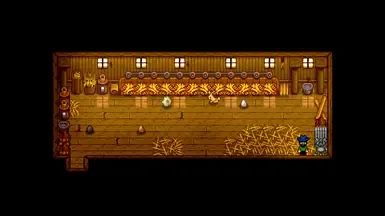
Nexus Mods :: Stardew Valley
Makes scarecrows pet your animals, so you don't have to.
Chucklefish Forums
 visual wyvern
hello, i think this is where i should be asking. im running sdv expanded and im thinking i messed up by loading a save file that i was playing without the expansion. is this okay? i was playing and it was working, then when i tried to go to sleep the screen went black and game crashed. now i tried to load again and it got stuck on the loading screen twice, third time it worked though.
royal arrow
!log @visual wyvern
native dragonBOT
@visual wyvern Can you upload your SMAPI log to https://smapi.io/log (see instructions on that page) and share the link here?
royal arrow
That way we can see if there are errors
 grizzled oracle
My game turns black after i sleep, it only happened recently when i added launch options for achievements and fix on this?
fast grove
@royal arrow thank you so much. Tried animal sitter but didn't work. Ill try the huggable scarecrow. Thank you
visual wyvern
royal arrow
@visual wyvern was that log from after you loaded a save? So far it looks ok
visual wyvern
okay here, the game is running right now and i just loaded the save. it took a little bit longer, looked like it might freeze but after about 10 seconds it started. https://smapi.io/log/fca7c08125344fdcb4b270013fce16cf
fast grove
@royal arrow quick question should I put the scarecrows anywhere or close to the barns. And when I click them are they going to say how many animals they pet?
royal arrow
@fast grove I don't use the mod, but to be on the safe side, I recommend placing them inside the coop / barn similar to the mod picture on the nexus (although I think anywhere inside the coop / barn is probably fine).
I don't know if the mod author added a feature for the scarecrows to say how many animals they pet, but since that's not listed in the mod description, it's probably not a feature.
fast grove
@royal arrow ok thank you
grizzled oracle
does anyone know how i fix my game turning black after i sleep? it happened when i changed launch options to allow achievements
fast grove
Its just so hard to keep up with all of them lol
royal arrow
!log @grizzled oracle
native dragonBOT
@grizzled oracle Can you upload your SMAPI log to https://smapi.io/log (see instructions on that page) and share the link here?
royal arrow
I hear you mamabear, that's why I personally use Animal Sitter lol
grizzled oracle
royal arrow
Also Kookiey, could you specify exactly what you put into the launch options? So we're all on the same page
grizzled oracle
What it said when i downloaded smapio but hold on ill get it
"D:\Ny mapp\SteamLibrary\steamapps\common\Stardew Valley\StardewModdingAPI.exe" %command%
royal arrow
Ok, thanks for copying it. Was the log you posted from after loading a save and sleeping?
grizzled oracle
Yes but since the game crashed while sleeping im not sure if it saved
or it didn't crash it just became black and i couldn't do anything so i had to force shutdown
royal arrow
That's fine, SMAPI keeps writing the log even after the game crashes, to try and let you know what caused the crash. Could you try loading the save again and test sleeping? We can revert to your previous save fairly easily
visual wyvern
here we go. i just played until night, went to sleep and boom, straight to desktop. here is my crash log. https://smapi.io/log/cdc7a6cca581481caec8852797d9e91d
fair vessel
@fast grove cheat command for NPCs. Use in the console (on Android use the virtual keyboard buttons to access console)
debug friend Penny 2500
royal arrow
@grizzled oracle you still don't have errors, which is interesting. However you do have lots of mods that you can update, listed at the top with convenient links. Can you try updating the mods and see if that helps?
@visual wyvern did you recently install SVE or have you had it so far with no issues? I see something in the error about a warp issue, and while I don't use SVE, I know it changes maps, and I think it also changes the farm map?
fair vessel
To clarify @visual wyvern, did you accidentally open a non-SVE save while running SVE?
Or did you accidentally open an SVE save while not running SVE?
visual wyvern
just installed today. i played the game for a few hours yesterday for the first time (around 4 hours) and then today heard about the expansion from a friend, so i installed the required mods and the expansion, then ran the game with my save from yesterday.
i ran a non-sve save.
that was my original question, does that cause issues
fair vessel
Ah. Well, it can yes.
I would try going into your save backups folder and finding a copy of the save from before (or from the same day) that you accidentally opened it with SVE. Try replacing your save file with that backup one, open that instead. Hopefully that should undo and go back to before anything was messed up.
royal arrow
Also, sorry DylanTaneBrain, I forgot to re-read your original message, which did include that question. 😅 Thanks for writing it again!
visual wyvern
if i wanted to play the new expansion though should i just restart everything?
 muted hinge
What mod makes Jasmine and Vincent become childhood friends who play together and maybe heart events together?
fair vessel
Ooh.
Okay yes you can convert a non-SVE save to use SVE, it requires some extra steps though. (And you should probably revert to the save backup first, still, if you want to try this)
Best experience of SVE though is to use it on a completely fresh save. Otherwise you could miss out on some of the new content.
visual wyvern
it sucks cause ill lose everything i did for four hours but i guess its better than it happening 100 hours in or something lol.
fair vessel
Actually...
I'm taking another look at your log
The issue may be caused by SaveAnywhere and not SVE at all
You could even first just try disabling that mod and opening the buggy save and see if that fixes it
visual wyvern
i used save anywhere right before i went to sleep to test if it would work
fair vessel
Ah. Well it's known to be buggy, and doesn't always play nice with other mods that add new stuff
muted hinge
Actually maybe I should ask what SVE mod doesn’t majorly change Pelican Town except for the new roads?
visual wyvern
okay, ill give disabling that mod a shot. hold on
fair vessel
@muted hinge are you looking for a mod like SVE, or a mod that changes SVE?
muted hinge
Changes
fair vessel
I don't think there are any. SVE is a very large and complex mod, and the smapi part of it is closed-source. Other modders can't easily make changes to it.
You could use or make a mod that replaced the Pelican Town SVE map, but then a lot of the SVE things might not work
dire fractal
anyone made a mod utilising the undeveloped mountain house thing you can get to using the escape the map glitch?
fair vessel
@dire fractal do you mean the Summit map?
Summit Reborn adds it back in. So does SVE, but it also adds lots of other things.
i just went to sleep and it worked??
@visual wyvern
Glad to hear it!
One more thing in case you didn't do it already - make sure you use Reset Terrain Features mod to fix map stuff after changing a non-SVE save to use SVE. Otherwise a bush will block the Adventurer's Guild and some heart events will get you stuck.
visual wyvern
you the real mvp! thanks so much for your help. ill get the mod right now.
grizzled oracle
The black screen problem could it be because im its the last day of the year?
fair vessel
Sometimes mod creators forget to update their manifests and that happens. If you're sure you downloaded the latest one on Nexus, it should probably be fine
Then you're all good. You can just ignore it for now.
regal swift
does anyone know a re-texture mod for the chicken coop and barn?
dire fractal
Find a what
grizzled oracle
i removed launch option thing and its still black screen ill try once again and send log if anyone can help me
fair vessel
@grizzled oracle you said it's the last day of the year hm? What year?
grizzled oracle
last day of the first year when i sleep the game turns black and i can't do anything
fair vessel
Have you tried reverting to a previous save?
(and if so, does the same thing happen when you reach the last day?)
grizzled oracle
i don't have a previous save i only saved it today when i noticed it was messing up
fair vessel
The game always makes one save backup by default. Try the instructions here under Troubleshooting > Undo your last save https://stardewvalleywiki.com/Saves
(make sure you follow the step to make a copy of the whole save folder somewhere safe before changing anything)
@dire fractal it's hard to know from that why your smapi isn't launching. The best resource is probably working through all the steps in the troubleshooting guide https://stardewvalleywiki.com/Modding:Player_Guide/Troubleshooting
And if a file might be missing one of the troubleshooting steps includes how to reset your game files. I don't know anything about that specific file, so general troubleshooting steps is the best I can suggest.
Did you verify your game files through Steam?
Hmm. can you upload full contents of your log please?
!log
native dragonBOT
Can you upload your SMAPI log to https://smapi.io/log (see instructions on that page) and share the link here?
dire fractal
Hmmmmm
grizzled oracle
Yes the same thing happened even with old save once i got to the end of the year
 warm elbow
Does Android version support tractor mod?
fair vessel
Yes I'm reading it
fair vessel
Okay, before the last error (that crashes the game) there are more errors before it related to other things.
Can you update your SpaceCore and TMXLoader mods to their latest version, run it again, and upload the new log? @dire fractal
grizzled oracle
i really want to play but i cant find any error to why this is happening... and no solution when i searched either
fair vessel
Ooooh @grizzled oracle this is a long shot maybe, but one possibility
Did you ever leave your tractor somewhere overnight inside the extra map added by farm expansion?
(Or build a tractor there?)
grizzled oracle
no i have no tractor yet
fair vessel
Shoot.
grizzled oracle
the last thing it says is add quest so im trying without that mod now
fair vessel
At this point, I'm out of ideas. Your best bet may be to test different groups of mods at a time to narrow down which one is causing the issue. You can disable mods temporarily by renaming their folders to have a . at the beginning. Avoid trying to disable any JA mods, big framework mods, or mods that add extra maps - save testing those ones for last.
warm elbow
I want to be able to speed farming up on Android
It doesn't have to be the tractor mod
fair vessel
(was talking to Kookiey. I'm looking at your new log now)
fair vessel
Okay @dire fractal, sorry to add more, but please update your PyTK mod also (the newer TMXLoader depends on it)
Also Content Patcher and JSON Assets, same thing. I know you said you updated Content Patcher already, but please try one more time by deleting the whole content patcher folder and re-installing the newest one.
royal arrow
Jeff, did you add the line to the steam launch options?
royal arrow

fair vessel
In the install guide@dire fractal, it's under "Part 2: configure Steam"
https://stardewvalleywiki.com/Modding:Player_Guide/Getting_Started
grizzled oracle
i have no idea what to do how is nothing comming up when i search for it :((((((
fair vessel
^ what Raik said, but it will only work if you have a standard install location. If you have a different location you'll need to find the string to paste in by following the install guide that I linked
fair vessel
The smapi icon? Yes
 fair vessel
No
Actually
You run (or rerun) the smapi installer in order to get the text to paste into steam
Please look at the install guide where it explains
dire fractal
StardewVallyModdingAPI.exe
fair vessel
When you first installed smapi, you did it by downloading a folder and running a .bat file inside it. Find the folder and rerun it again
fair vessel
dire fractal
Alr
grizzled oracle
There is some mod that can skip days without sleeping right? maybe that could work and if so does it give me the year bonus like new seeds for first year?
royal arrow
there are debug commands, but those are meant for testing
fair vessel
@grizzled oracle BJS Time Skipper automates the sleeping for you.
But I don't think it would work for your problem
grizzled oracle
i can't think of anything then
fair vessel
Sigh.@dire fractal I have no idea why, but JA and CP are still failing to load saying they aren't compatible >.>
In this case, the chances to corrupt would be pretty high actually
Since it already isn't working
I still suggest process of elimination with groups of mods @grizzled oracle
grizzled oracle
i can't do that :(
 restive zodiac
@dire fractal Are you using a mod manager or anything?
grizzled oracle
If anyone gets any ideas PLEASE ping me it would mean alot, thanks for the help
dire fractal
Oh
 plucky olive
OKAY, I'm about to make a loong inquiry so sorry in advance lol.
fair vessel
@dire fractal like the whole game folder, instead of installing it fresh? Not just the mods folder? (Cause yeah that could mess with stuff)
plucky olive
I was trying to use the "More Gems" mod (https://bit.ly/3fcPeBE), but it keeps saying that the launcher can't run it because it's not a SMAPI mod, despite having the other requisite mods. I have the JA, PFM, and the Content Patcher mods in the SDV mods folder. I'm using Windows 10, I am on version 1.4.5 for SDV, I have SMAPI 3.5.0, and here's the link to the SMAPI log: https://bit.ly/3dTmOMB. Here is a image of what the loader says when I run my game: https://pasteboard.co/Jcuxtzd.png.

Also I don't know how to help you out Kookiey, sorry 😦
dire fractal
Ok so I set the launch options to the thing on the installer
The whole thing
Even the command
And the quotation marks
All of this for cheat menu :>
Where do you paste the mods
I see the mid folder
Mod*
 grizzled nymph
@plucky olive This may sound silly, but did you try to make sure the mod wasn't working? If Smapi is saying it can't load a non smapi mod I'm not entirely sure it isn't working. I assume you followed the manual install instructions on the nexus mod page correct?
plucky olive
Yep, but I went over the instructions again. it have folders with the same name as the other mods needed, so now I think I misunderstood the directions a little?
Brb
dire fractal
Do you copy the (mod).dII into the mods folder directly and not into the console commands or save backup folder
fair vessel
Oof
grizzled nymph
@plucky olive No problem! Glad you were able to get it working. Sometimes all it needs is a second set of "eyes"
plucky olive
So I had to move the folders into the /mod folder (I have my mods organzied into folders that contain the mod folders), move the .json into one of the other mods folders, and then delete the old files
Outside help really does help. You bringing up the instructions prompted me to go over them again and help me realized I misunderstood 😄
dire fractal
ohhh
So you do move the entire mod folder into the stardew valley>mids
Mods
So it would look like that
?
:3
grizzled nymph
yeah, that looks correct
those mod folders only have the sub folders that come with those mods right?
dire fractal
inside of the folder is the the assests folder and stuff
regal swift
does anyone know how I move the calendar and task table in the inventory?
dire fractal
regal swift
OK thank you
grizzled nymph
@dire fractal you should be good with that
regal swift
Is that Billboard Anywhere mod?
@fair vessel yes
dire fractal
Okie dokes
fair vessel
Change the X and Y values to move the icons. These are the values that worked for me, you might have to play around to get ones that fit your phone.
regal swift
Change the X and Y values to move the icons. These are the values that worked for me, you might have to play around to get ones that fit your phone.
@fair vessel haha ok thanks i play on the pc it should be easier i want to leave them next to my name
ashen elbow
Is the farm cave working for you @regal swift
fair vessel
Oops haha. Phone or PC 😂 my values probably won't be good for you heh. I assumed, my bad.
regal swift
Oops haha. Phone or PC 😂 my values probably won't be good for you heh. I assumed, my bad.
@fair vessel haha i will try other values more thanks anyway
fair vessel
On PC I use UI Info Suite instead, because it adds the billboard icons but also adds other useful things
dire fractal
Happy happy times times
regal swift
I will download it and test
royal arrow
It allows you to use console commands in the SMAPI window (assuming you're talking about the Console Command folder)
dire fractal
How does one get to that
I mean
How do you use the mods in game
I've installed them and put them in the foldwr
And loaded the game up with the modding thingu
royal arrow
I recommend checking the mod descriptions for the mods you installed. Those should tell you how to use the mods
royal arrow
For Console Commands though, that you use with you run the game through SMAPI, there'll be a pop up command window (black) and you can type commands in there. Start with typing "help" to see the options
fair vessel
@grizzled oracle I've got something for you to try.
I'm not sure which mod might be responsible, but can you use your file explorer to search your entire Mods folder for any file named spring_outdoorsTileSheet.png?
If you find any, let me know what mod folder it was in.
grizzled oracle
How do you search now again?
fair vessel
Like, if you're on Windows, using the search bar at the top right of the file window
 small cargo
hey fancy modders, im having some issues and its been a hot minute since ive done this so i need your help
ashen elbow
What's up?
small cargo
i've got a bunch of mods but they've all worked fine together in the past. I have SVE installed and i was screwing around when i realized the town is still the vanilla town
its not the SVE town
so i went through the fancy uhhhh
log thing
and theres a crud ton of errors and saying i have multiple duplicates which ive tried to weed out of different mods, but nothing about the town
 silk plinth
can u
ashen elbow
!log
native dragonBOT
Can you upload your SMAPI log to https://smapi.io/log (see instructions on that page) and share the link here?
silk plinth
share the log?
small cargo
ye give me a sec
silk plinth
oki
ashen elbow
Oof ill brbr
small cargo
its takin a minute to load
fair vessel
If you accidentally have a duplicate of SVE (like an old and a new version of that mod) that could stop the town from loading
small cargo
its my computer
plus the default browser that im too lazy to change
i will take a look for that
but i was almost certain id deleted all of the old versions
silk plinth
79 errors???
fair vessel
The big one with the town map is Karmylla's maps. Remove those
naive drum
you have two NPC map locations and both are outdated
small cargo
ok
fair vessel
SVE used to require Karmylla, but now they are incompatible
silk plinth
yea
small cargo
oof. ill remove that then
naive drum
you have three Stardew Foliage Redone and one...shouldn't be loading it starts with a .
silk plinth
on my tea
naive drum
you ok?
small cargo
dont die
silk plinth
scary
small cargo
yeah i just tried deleting those, and idk why they arent deleted yet
silk plinth
i choked like 8years ago and then i couldnt eat for ages because i was literally that scared of choking and everytime i ate it felt like i was jxhoking now i have a fear of vomiting too <33
holy shit how did i spell choking wrong so many times
fair vessel
Second big issue I see - if you want to use a special greenhouse mod with SVE/IF2R, you need to install it a different way.
Instructions here https://github.com/FlashShifter/StardewValleyExpanded/wiki/Troubleshooting#custom-greenhouse-interiorsexteriors-if2r
silk plinth
whatever
silk plinth
also farmhouse redone doesn't work with SVE and really in general which is sad
silk plinth
but i know 'Seasonal Garden Farmhouse V2' doesn't need farmhouse redone
if you insist on having one
small cargo
thank you guys so much btw
fair vessel
All the other errors look relatively minor OR caused by the bigger ones. Can you upload a new log after doing these fixes?
silk plinth
yea
i dont think many of the other errors will actually change anything significant like the town map or stuff
good to check though
small cargo
yeah, i'll do it in a minute when im certain ive caught all the wayward files
silk plinth
also apparently seasonal fences doesnt work with sve which sounds dumb and pointless but i am sure there is a special fix for that somewhere that will be quick and easy and u can use both
fair vessel
Yeah, your duplicate NPCMapLocations mod is an easy fix. Delete the folder called SVE (the update changed the folder to look the same whether you have SVE version or not)
Seasonal fences issue should be fixable with a config change in IF2R
silk plinth
yes
IF2R changes the fences so you can change the config to the 'no fences' option which will make the fences there redundant and let u be able to use the seasonal fences
you will have to manually place them but its worh ti
fair vessel
I think it's the Replace Default Hardwood Fences config, just set to false
silk plinth
yep
 pseudo storm
Is there a mod that adds a notebook? I curently write everything I need down on real paper, but it get's inconvenient at times.
royal arrow
@pseudo storm https://www.nexusmods.com/stardewvalley/mods/4451

Nexus Mods :: Stardew Valley
Allows you to write about your day and keep notes about important events.
silk plinth
or this
dear diary or custom reminders do veyr similar things i guess it just depends on you
pseudo storm
Thank you!
royal arrow
Yeah, your duplicate NPCMapLocations mod is an easy fix. Delete the folder called SVE (the update changed the folder to look the same whether you have SVE version or not)
You're referring to this right?
small cargo
yes
royal arrow
Then yes
narrow egret
Hey does anyone know why on the "Look up anything" mod when you press f1 on a monster some of their drops always seem to be crossed out and at 0%?
like on level 10 in the mines it says that a green slime can't drop dwarf scroll one, but from my experience, and from what it says on the wiki, they should be able to.
naive drum
i think it means that that specific slime can't drop dwarf scroll 1?
narrow egret
it varies from slime to slime?
naive drum
i think so?
narrow egret
like, slimes of the same type
naive drum
i've lookup anythinged a lot of slimes and sometimes identical slimes will have different things crossed out
narrow egret
hm. Thank you.
next time I see pathoschild in chat ill have to ask them about the specifics.
fair vessel
Could it possibly refer to new drops that become possible with the burglar's ring?
 tawny kindle
some monsters also change stats/drops/etc when the bottom level of the mine has been reached
(also, monsters spawned by SVE might look like that too, since they replace the original drops with custom ones)
limber fjord
@fair vessel where is your storage located? External SD or onboard?
Internal.
Sorry for the late reply by the way. Didn't know you replied
fair vessel
mine is onboard
limber fjord
.....
.... @fair vessel
You..are a....madman....
It freaking worked!!!
But I don't understand
fair vessel
Wooohoooo! 
fair vessel
Nah just for the music
I have no idea how yours went missing, but eh. Maybe a glitched update somewhere along the line? Now you have it again!
limber fjord
And also, I could only surmise that installing smapi and having it rebuild things removed the file
Because when I originally installed the game after the latest patch that file was downloaded
fair vessel
I dunno, could be possible. But I haven't heard about the no music issue being associated with smapi before yours
limber fjord
I did move stardew to external
fair vessel
Oh maybe that was it?
limber fjord
But I don't see that deleting the file and again if the game noticed if I was missing it would Auto redownload it
fair vessel
You would assume so, but maybe it got confused
limber fjord
I wonder if somehow the file was actually hidden and it's still on my phone
fair vessel
Ha! maybe it's still in the original location, wherever that is!
limber fjord
Considering my phone is not rooted I don't have any way to actually view deeper files
So far those folders show is zero data in terms of size and I have my phone set to show me hidden files
fair vessel
Curious, did you install smapi before or after moving the game to external storage?
limber fjord
So I can only imagine somehow it's considered a system file in by nature is hidden and I can only do it if I root my phone
Before
Wait, actually, I'm not sure
But I am pretty certain that I only modded before because I was so excited and then I optimize my phone storage and moved files to external
I don't have any logs that write that type of stuff so there's no way for me to actually tell so we can only guess
And to be honest there really isn't any motivation for me to go so far and test this but I do have two extra phones to do that if we wanted to
fair vessel
Maybe what happened is that the game's system for redownloading missing files still knew it existed (in the old location) but the game's system for actually using files was now looking for it somewhere else
limber fjord
That's also possible
I don't know the hierarchy of the game and how it looks for things but wouldn't that be something catalogued in a log file?
Smapi based?
fair vessel
I have not a clue lol
limber fjord
Doesn't it show loading the obb file
Hmm
To be honest I don't even think this is because of the mod
A long time ago I started hopping games files between systems between one phone, a 3-year older phone, A Fire tablet and then a newer phone
All of them run the Android so it was possible but I do also remember while I was doing that the music went away to so I do think it's a matter of the file missing and not being read unloaded by the system. I think it might be android-based. Play Store even
For the type of phones in the money we spend the Play Store is completely and ridiculously outdated considering the bugs that causes
Also sorry for my inaccurate typing. I'm using voice to text
But either way, after placing the file that you gave me I noticed the music immediately its title screen
Is there any custom music that sve has?
fair vessel
Yes there is
limber fjord
Oh Wicked. I guess I should reinstall a fresh version of that then
That custom music was a secondary mod right
Actually, can you tell me what music file name you have in your version? I can just look and see if it's still in mine
fair vessel
No, CM comes packages with SVE
You probably still have it
CrimsonSands.wav and LavaDwellers.wav
limber fjord
I did back it up because I did remove at the test but even still do you have a soundtrack tidal I can look
Okay give me a moment
Yup
And I know that's logged into as loaded or not so next time I'll check console
Haha wicked. Thank you so much for offering your file!!!!!
fair vessel
no problem. glad it worked!
limber fjord
Dude you've been so wicked in here!!!!!
Thank you a lot haha


I haven't been able to enjoy SV for months but I've had so much these past 2 weeks haha
And ever since I got my mouse working with my phone
It's as if I was playing on PC
fair vessel
Oh sweet, that worked?
limber fjord
Now the only thing is to either get a splitter cable or to get a more reliable way of
Oh yeah. Actually hold on and I'll send you a
fair vessel
That's really good to know - if i come across anyone in future who is having trouble setting that up, can i refer them to you? lol
fair vessel
Oh niiiice
I'm curious, are you able to configure the mouse buttons as keys for certain mods' config settings?
The ones on the side i mean
limber fjord
The only downside is my mouse lights up so it srains the phone battery
Yes
well
1 through 9 work. 11 is 10
And I can't remember what 10 and 12 do
As far as config, I haven't used num configs. Just letters
However by default the number keys actually attribute to the sidebar
1 choose the first item
5 chooses the 5th
So on, so on
Scroll works
Left click is action. Right click is Back/cancel
One downside in this is probably only do the my phone is that when I either connect or disconnect the USB it will exit the game and restart
I can test it later on. Because the long loading times it's kind of hassle so I have to be ready to sit down and actually play and not disconnect
In fact I never thought about that so I may actually make that
Instead of having a virtual keyboard I'll use number config so that I will know what the invisible menu is and this actually might help overall
Because of all the UI to causes issues and sometimes one button makes three things happen
I may actually just end up disabling the virtual keyboard
The only the only thing is I won't be able to configure letters. There's no way for me to config in my phone the numbers to letter keys
I don't want to have to run an app, connect a mouse, and also run stardew. Three processes would probably kill the battery
Again I'm sorry for all the inaccurate lettering, typing I know I probably sound a little bit gibberish
fair vessel
It's cool 🙂
limber fjord

One of my favorite things is having the rain in the game and that's honestly what I'm really looking forward to. I love it. Thanks
What's some of your favorite mods, @fair vessel
I'm still going through that log of mods you sent me lol
fair vessel
Hmm, some favourites?
DeepWoods, Stardew Foliage Redone, Automate, Public Access TV, Bathhouse Hot Spring, Seasonal Villager Outfits, Canon Friendly Dialogue Expansion
narrow egret
is deepwoods compatable with sve?
limber fjord
Hmm just realized @fair vessel
fair vessel
Yes it is, out of the box. No need for anything fancy
narrow egret
awe yea
fair vessel
(there are instructions out there that say DeepWoods needs a patch to be compatible with immersive farm, but that's for a different immersive farm than the one SVE uses)
fair vessel
Sprite Spring and Secret Forest are different maps, in SVE
regal swift
does anyone know how I create or specify the Entry Dll or ContentPackFor files in the BusInteriorRestored mod ?? can someone help me
look at the Bus Interior Restored mod this is the error you're giving
limber fjord
This is beautiful

Nexus Mods :: Stardew Valley
Replaces the worms with the Animal Crossing digspot marker.
fair vessel
I don't think Bus Interior Restored mod is up to date...
Ooh I use that one! I don't like the worms
limber fjord
They're so hard to spot sometimes lol
Where did you get the fixed basement mod @fair vessel
Can't find it
fair vessel
It's this one https://www.nexusmods.com/stardewvalley/mods/3890
Some mods use a different folder name from their mod page name, makes it hard. Searching with the author name as well can help find em
limber fjord
Oh, so does that mean I need to create specific mod file dir
?
Ohwait
You mean they just name them inaccurately
fair vessel
Yeah
tawny kindle
@regal swift Just to confirm what logofe said, Bus Interior Restored is out of date. See the title and comments: https://www.nexusmods.com/stardewvalley/mods/1032?tab=posts
You can't fix it by changing the manifest*, it would need to be totally remade.

Nexus Mods :: Stardew Valley
Restored an unfinished
royal arrow
Honestly sometimes you name a mod, then you're like "nah I got a better name" and you have to put it in so many places, that you might forget to update them all lol
regal swift
hahaha worse it is like that bro
limber fjord
Hey @fair vessel what is Le
Lumistera? Trying to find those mods
What do those 2 mods do?
Lumisteria*
fair vessel
The toddlers one makes your kids look like your spouse
limber fjord
ohhhhh okay
fair vessel
Interior Recolor gives some nice options for bedsheets and kitchen cabinets and stuff that I like the looks of
restive zodiac
(All of Lumi's mods are here! https://www.nexusmods.com/stardewvalley/users/5575844?tab=user+files)
dire fractal
ooh weird i just got alex’s heart scene with dusty and it repeated..like right when i ended the cutscene the first time it started over again but i was able to skip it
dire fractal
fuck i hit 278 mods
silk plinth
op
ashen elbow
uh oh
so, grapefruit, did you ever get the farm cave fixed?
i ended up sending sunflower my personal one, and it seems like it worked, since i havent heard anything about it
naive drum
"hmm season changing to winter appears to have broken spritemaster, what are spritemaster's console commands?"
"spritemaster_stats and spritemaster_memory? i will try memory"
rip log
 outer turret
Birthday mod never asked me for my birthday
@limber fjord Did it load? Doublecheck because I was missing the dependency for mine first time. Stardust Core I think? I get confused between it and Spacecore (which is used in a lot of JA mods) and thought I had it installed but I didn't.
dire fractal
whats this hut mod i cant find it
grizzled oracle
So im still looking for help with the Black screen at the end of the year. someone said something about save editing?
regal swift
hello good morning everyone, installed or mod Kamylla farm wives edit and download this bug in the window lighting
does anyone know how to solve?
royal arrow
Can you provide a link to the mod?
There might be an edit to a sprite sheet that may or may not be intentional
 vital spade
Does anyone know if android supports CP-A mods?
I keep getting asked and I don't know anything about android 
royal arrow
Did anyone test it, or are they asking before testing? They could always test it o.o
vital spade
I assume they ask before testing, and they never reply. So I don't know if it actually works.
royal arrow
Maybe you could encourage them to try it, and they can exit out of the game instead of saving, so if it doesn't work, they can just remove it, no harm done
vital spade
My CP-A mods are always safe to remove, so there couldn't be any harm in any case 😛
native dragonBOT
@dire fractal Can you upload your SMAPI log to https://smapi.io/log (see instructions on that page) and share the link here?
vital spade
True maybe I should let them know there is no risk in testing
royal arrow
You can grab the log while the game is running and even after the game is closed
@dire fractal you have 20 mods that need updates, including framework mods. I recommend updating them and then trying again. One of those may be contributing to the errors, without it being obvious
Also just realized you're using one of my mods and you have a warning for it  I think because of an issue with your config file o:
vital spade
these
royal arrow
Mine? You have Easier Bee House, Oil Maker, Preserves Jar, and Lightning Rod
vital spade
I just found out that android does support CP-A mods for anyone wondering
 still meadow
how do I make the mod groups per game file like the wiki says I can?
https://stardewvalleywiki.com/Modding:Player_Guide/Getting_Started#Can_I_have_different_mod_groups.3F
would I make a shortcut of the StardewModdingAPI.exe file, and change its Starting place to be inside a specific mod group folder?
restive zodiac
@still meadow There are instructions for each supported OS after the section you linked, saying what you need to do with the shortcut 😄
royal arrow
Raik, I thought you were asking which mod of mine you had, and I saw you had a warning for it in your log, which is I said maybe it's a config issue. That's not related to your error though, so I apologize for the confusion!
restive zodiac
eg for Windows
Right-click the shortcut, choose Properties, and add this to the end of the Target field:
--mods-path "Mods (multiplayer)"(changing folder name as needed). Done correctly, it should look something like"your-path-here\SteamLibrary\steamapps\common\Stardew Valley\StardewModdingAPI.exe --mods-path "Mods (multiplayer)"
You can put the shortcut itself wherever you like, though!
still meadow
@still meadow There are instructions for each supported OS after the section you linked, saying what you need to do with the shortcut 😄
@restive zodiac yes, I read those instructions, My questions were asking if StardewModdingAPI.exe is the correct file, as well as trying to clarify the part where I'm supposed to edit the shortcut of a file
restive zodiac
StardewModdingAPI.exe is the right file, unless you want it to launch from Steam, in which case you'd follow the Windows (Steam) version and make a shortcut of your steam.exe in your Steam folder!
royal arrow
@dire fractal gotcha. Can you send a new log? I want to see if any of the previous errors went away, and I noted there's something for Shop Tile Framework, which may be closer to your issue
still meadow
StardewModdingAPI.exe is the right file, unless you want it to launch from Steam, in which case you'd follow the
Windows (Steam)version and make a shortcut of your steam.exe in your Steam folder!
ahh, I see, thank you v much! 😄
royal arrow
Raik, can you try removing all the other mods except all the dependencies for the Expanded lost woods mod (and the woods mod itself) and see if the error still occurs?
It's to quickly test to see if there's another mod conflicting. You can leave things like modded crops / machines if needed, and remove as many unrelated mods as you can
You can also make a backup of your save, remove all the other mods anyway, load the save to test the issue, quit before saving, and then put your backup into your saves folder, so you can be sure you didn't mess anything up
!saves
native dragonBOT
Use this guide to find your save files: https://stardewvalleywiki.com/Saves.
royal arrow
Ok, thanks for checking. I don't know how to fix it, but if it's happening even with other mods removed, that sounds like a bug you should report to the mod author. Include a description of the issue, and the latest log you have, not just the error. Idk if you're able to upload that short video you made to a site somewhere they can view, but if you can, that would also help them
You can leave it as a comment then. Is there a Posts tab?
 rare quest
Whoa. Those fishing ponds look beautiful.
warm elbow
Ok guys, I downloaded smapi for Android
Got it setup, and all my mods downloaded. How do I add them to the game?
still meadow
did you extract your downloaded mods to the Mod file in the game?
that should be all you need to do
still meadow
you right-click on your downloaded mod files--they should be .zip files at that point--and choose 'Extract All'
then you go into your Stardew Valley game file, and inside that file should be another file called 'Mods'
you select the 'Mods' file as your extraction destination and click 'OK'
still meadow
🤔 idk how the process goes for android
there should be a guide for modding svd on android tho somewhere
warm elbow
Me either lol
There is, it basically said extract or something. Idk how to do that, Android doesn't have a file browser
still meadow
is there not some Files app somewhere? it should
warm elbow
still meadow
idk man, i dont see anything going wrong in that screenshot
warm elbow
I don't either.
still meadow
from what the msgs say, it seems like some mods have been added to the game already? but i think you said the mods aren't showing up in-game
😬 hopefully someone who knows android modding helps you out soon
 wanton wharf
I can't see any problems with that, if there was an error of some sort it was probably somewhere else in the log
keen moss
Those are the two that come with SMAPI. Those messages are just telling you hey these mods do this thing and are harmless. A full log if you’re having errors is better. Note: I can’t help with Android since I don’t use it
!log
native dragonBOT
Can you upload your SMAPI log to https://smapi.io/log (see instructions on that page) and share the link here?
keen moss
Shoot, I forget the command https://stardewvalleywiki.com/Modding:Installing_SMAPI_on_Android may have information on how to add other mods since it seems that you maybe were having issues with that step.
warm elbow
I haven't added any mods I think?
I downloaded them though idk how to add
I don't have any errors
Because I haven't installed anything
Nobody here? I know it's a simple problem but the solution eludes me
fair vessel
@warm elbow if you're having trouble with extracting or moving folders on Android, get yourself a better file manager app to use
I use ES File Explorer (free version)
That lets you navigate between /Download and /StardewValley/Mods easily. Press and hold stuff (instead of right-click) to access options like copy files or extract them. On my phone I don't even have to extract folders, ES lets me open zipped folders directly and copy the folders inside
warm elbow
Okay, let me explain
I'm not having trouble extracting, I don't know how to extract
Okay, so I use a specific app you say?
Because I know for Windows you need to download 7-Zip or winrar
Okay, so I open the file explorer and extract from there to which folder?
fair vessel
StardewValley/Mods
Or you can extract anywhere and then just cut + paste to where it needs to be after
urban briar
@peak wharf did you test the mod since last time
trim depot
How do i use modded maps?
restive zodiac
Most of them will be for Content Patcher - check the instructions that are usually on the mod description page. What mod are you trying to use?
trim depot
i'm trying to use....wait- i didnt download the mod
wait, nvm.
IF2 unofficial update ( immersive farm 2 fix from Jessebot. )
restive zodiac
It comes with three folders that go in your Mods folder, and requires at minimum Content Patcher to be installed. The FTM and TMX folders are technically optional if you don't want stuff like forage/ore and some stuff with buildable red shed (which has a bug in it right now anyway), but those also require Farm Type Manager and TMXL.
(If you don't have a Mods folder, you might still need to install SMAPI!)
 uncut fjord
hello, I got a problem that my game crashes everytime I'm trying to go to sleep, these are my mods: stardew valley expanded, cjb cheats menu and cjb item spawner, console commands, content patcher, custom music, custom npc fixesx, farm type manager, gift taste helper, json assets, PyTK, save anywhere, save backup, skull cavern elevator, space core, TMXloader, winter grass
every mod is updated
restive zodiac
!log Boogie-Hoodie#6761
native dragonBOT
@uncut fjord Can you upload your SMAPI log to https://smapi.io/log (see instructions on that page) and share the link here?
restive zodiac
If you don't have a SMAPI-crash.txt in that folder, could you start the game, press the game to continue past the game crashed message, then make the game crash again and give us the log from that?
uncut fjord
sure gimme a sec
fair vessel
@uncut fjord it's probably Save Anywhere, that mod can be buggy when combined with other mods. Remove it and that should fix the issue.
visual wyvern
hello, im having an issue with reset terrain features. my gf used it last night after we got expanded installed for her, and all the bushes are flashing looking weird still even after shutting down the game and bringing it back up
fair vessel
Did you use Reset Terrain Features on all locations?
visual wyvern
i dont think so
fair vessel
Also is this singleplayer or multiplayer just checking
visual wyvern
single player
fair vessel
Ah then do that then for all locations
If you try that and it still doesn't work, post a log
!log
native dragonBOT
Can you upload your SMAPI log to https://smapi.io/log (see instructions on that page) and share the link here?
outer turret
Is there a way to fix JA assets not aligning in co op? Someone is asking on the FB page and I'm trying to help them but I dont actually know if my plan will work.
 torn mason
@visual wyvern not sure if you fixed that issue yet, but if not, what I think happened is that you clicked the button to generate new bushes when there were already bushes, so the flashing is because there's double the bushes on the same layer in the same spot. Hitting a reset instead of just generate should fix it
 thorn gull
I was wondering if anyone has a Mac and could explain why I get this message in my terminal? Cannot open assembly 'internal/unix-install.exe': Operation not permitted. I tried Googling the issue and even using the SD Wiki, nothing. Except Reddit, but no one could answer their issue too.
regal swift
Can you provide a link to the mod?
There might be an edit to a sprite sheet that may or may not be intentional
@royal arrow https://www.nexusmods.com/stardewvalley/mods/1356?tab=files&file_id=5031 oops sorry for the delay and this mod I think
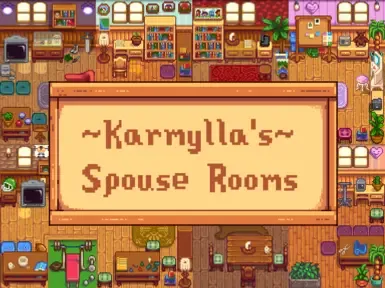
Nexus Mods :: Stardew Valley
Four variants for the Spouse Rooms, with and without floor light.Includes Requests!
trim depot
Does anyone have a modpack i can use to expand the farm, add more enemies, and some new blocks into the game?
 sonic bison
u mean items right? i think u are playing minecraft
btw i got a problem can someone help me i installed a bunch of mods yesterday was everything fine but today i found that it doesnt display the ammount of items i got and cant see the trash bin i added some today found this deleted them but i still got the problem
those are the mods i got rn
and if u see i can craft chests but in inventory it displays i got only 1 wood
fair vessel
@outer turret I would think that if all players have downloaded the same JA mods, with the same load order (watch out for renaming folders or hierarchical folder structures), then it should align 🤔
and if u see i can craft chests but in inventory it displays i got only 1 wood
@sonic bison are you crafting at a workbench? If you have any chests containing wood next to the workbench, it will count those and craft from them also
sonic bison
no no just inventory
fair vessel
Hmmm. With that and the missing trash bin, I think it's either XNB mods or an outdated CP mod maybe
!xnb
native dragonBOT
XNB mods often break the game and are not recommended. See https://stardewvalleywiki.com/Modding:Using_XNB_mods for more info (and a list of Content Patcher alternatives), and https://stardewvalleywiki.com/Modding:Player_Guide/Troubleshooting#Reset_your_content_files to fix problems caused by XNB mods. For mod creators, see https://stardewvalleywiki.com/Modding:Editing_XNB_files for help unpacking & editing them (including for use with Content Patcher).
fair vessel
Did you install any xnbs?
Also I can't read the screenshot that shows the mods you have - please upload a log instead
!log
native dragonBOT
Can you upload your SMAPI log to https://smapi.io/log (see instructions on that page) and share the link here?
 zinc adder
having trouble and me and my gf r very confused, we modded it together, got the exact some mods and number of mods, when i make a co op world it works fine, when she does it is crashes. The funny thing is, when she deletes SVE and puts it back in, she can create a world, but cant rejoin that world till she deletes SVE and puts it back in
this comes up when she uses cloud save and tries making a new save
and if shes turns cloud off, it doesnt come with an error, the log goes fine and ends at SVE anti social NPC's added blah blah blah, right before the gamemode/gamestate changes from menu to loading
fair vessel
@sonic bison no obvious hints in your list of mods I could see. Can you try resetting your game files through steam?
!reset
native dragonBOT
See https://stardewvalleywiki.com/Modding:Player_Guide/Troubleshooting#Reset_your_content_files for instructions on resetting your game files! You may also want to check this list of XNB > Content Patcher conversions (https://stardewvalleywiki.com/Modding:Using_XNB_mods#Alternatives_using_Content_Patcher) to see if there are already replacements for any XNB mods you may have been using :)
sonic bison
im deleting mod by mod moving them to another folder to see if it works
zinc adder
no XNB mods
fair vessel
Deleting mod folders one by one won't do anything if the problem is an xnb mod
fair vessel
It's mod that directly replaces the game files. You don't put it in your Mods folder to work, you put it in the game Content folder and overwrite game stuff.
zinc adder
ohh ye no all of our mods r to be put in mods folder
the only thing touching outside that is smapi
fair vessel
Ok looking at your issue now Karol
sonic bison
ok then i the list is way smaller than i thought let me see all the zip files i got and sort the xnb ones
fair vessel
!log Karol#2480
native dragonBOT
@zinc adder Can you upload your SMAPI log to https://smapi.io/log (see instructions on that page) and share the link here?
fair vessel
(log from your gf when it crashes please)
zinc adder
oki doke
fair vessel
@sonic bison Please follow the suggestion to reset your game files
fair vessel
Strange. The game can't find one of the save file parts. It might have something to do with cloudsync. Are you syncing the entire save folder?