#vanilla-tech-support
49 messages · Page 38 of 1
 tribal nacelle
 opal coyote
holis, te ayudo si queres, pero yo tambien tengo que leer la guia lols
tribal nacelle
Ria aquí habla español, ¡ella te ayudará con la guía!
 nocturne needle
does the 1.4 update also work in multiplayer?
tribal nacelle
Yep
opal coyote
👀
tribal nacelle

 queen gale
Yo tengo la versión 1.4.361914464
Pero creo que acabo de ver que en GOG no es igual
que raro....
tribal nacelle
Aha
queen gale
Ohhh salió una 1.4.362073756 después que descargué el update hoy
tribal nacelle
GoG might not be updated yet Ria. Is the other player on Linux?
queen gale
Mac
opal coyote
mkco me vas a traducir la guia entera? x)
queen gale
@tribal nacelle el juega en Mac y yo en Windows
tribal nacelle
Yeah, that must be the issue then
 quartz needle
1- asegúrate que tu juego esté actualizado y tu partida esta en modo cooperativo
2- asegúrate que tu partida tiene suficiente cabañas para otros jugadores
3- asegúrate que tu partida esta en modo en línea en las opciones del juego
4- apaga todos los antivirus y cortafuegos
5- asegúrate de que todos están conectados a Steam/GoG
6- haz una revisión de integridad de los archivos del juego
7- reinicia la computadora de todos los jugadores
8- reinicia el enrutador de todos los jugadores
9- reinstala .NET Framework 4.5.2 and XNA Framework 4.0
Yeah was translating haha
opal coyote
NICE
tribal nacelle
Aaaa, thank you Makco!
queen gale
Thanks @quartz needle

 median shoal
Is it just me or we are not getting the tree's seeds? eg maple seed
 hexed apex
Did you install any mods?
hexed apex
If this were a wide-spread bug, it would have been fixed by CA already. Are you sure you tried enough trees before coming to this conclusion?
 peak isle
early in the game it's harder to get seeds! i'd play a few days in the game (i think luck might affect it too), but it's certainly a significant issue if none are spawning at all
tribal nacelle
#stardew-spoilers please
median shoal
yup but usually i get it for sure if i pickax the seed. probably its the cheat the other guy is using. i will try in singleplayer mode. thanks!
 old oriole
oh srry
tribal nacelle
All good 🙂
 raw latch
hahhhhhhhhh
peak isle
good luck matcha i hope it works out!
raw latch
pls help
hexed apex
#making-mods-general please
 median crypt
!reset Mia69420#1144
 tulip islandBOT
@raw latch See https://stardewvalleywiki.com/Modding:Player_Guide/Troubleshooting#Reset_your_content_files for instructions on resetting your game files! You may also want to check this list of XNB > Content Patcher conversions (https://stardewvalleywiki.com/Modding:Using_XNB_mods#Alternatives_using_Content_Patcher) to see if there are already replacements for any XNB mods you may have been using :)
raw latch
aight
 brittle ravine
Attempting to trade while the other person is fishing crashes games
raw latch
Idek what i'm looking for on the websites ;-;
median crypt
@brittle ravine Any mods? I'll try that one out when I enter back to PC!
@raw latch Did you click the first link? It's just instructions for Steam or GOG, whichever you got the game from! (Verify file integrity for Steam, for example)
raw latch
uh yeah
heck my steam page loaded in German for a second there
Okayokayokay
Alright it seems fine, I just need to fix the manifest.json
Thx admin <3
median crypt
@raw latch Welcome! If you still have mod errors, you can upload your SMAPI log to https://log.smapi.io (see instructions at that page) and share the link in #making-mods-general !
 safe dirge
Hey! Does Smapi affect multiplayer connection? My friend and I can't connect and that's the only thing I have installed.
median crypt
It shouldn't, but you can always try without it ! (Let us know if that fixes it, so we can report it.)
You can check through this list if you still have issues https://stardewvalleywiki.com/Modding:Player_Guide/Troubleshooting#Can.27t_connect_to_another_player_in_multiplayer
hexed apex
did you completely delete and uninstal the previous version?
 latent hedge
i think so?
the old one is gone
but i dont remember deleting it
It just said
"Windows cant find "the path in the smapi console" "
median crypt
@latent hedge Can you follow this guide https://stardewvalleywiki.com/Modding:Installing_SMAPI_on_Windows#Option_A:_use_SMAPI.27s_installer and take a screenshot of the installer if you get an error? You can post it in #making-mods-general ! :)
latent hedge
il try
 open raven
new update disables a lot of mods including kisekae
 jovial wing
but i dont have kisekae installed
 ashen crystal
What platform, what version, do you have mods?
jovial wing
just figured out what it was nvm
it was a mod that adds shirts to the game
but now I have a really ugly shirt which sucks
hexed apex
There's now an in-built way to change appearances
jovial wing
yeah but I dont think I have it unlocked yet 😦
 real fossil
I was unable ||to trigger Emily Sewing Machine event, what I know about the event are it has to be sunny for Emily to visit and the farmer have to obtained cloth, which I have as I played on an old save. and went to her house to interact with the sewing machine and that came out||
||https://media.discordapp.net/attachments/568657492079280128/649092107008475141/6ac530ed8394b737872dbba04e562797.png?width=895&height=500||
I'm not sure which mod causes that even after removing outdated mod and mod with patches warning. Here's the log https://log.smapi.io/z1jr9WJy
hexed apex
@jovial wing I think you'll see new mods to replace clothes soon I assure you
jovial wing
yeah probably
hexed apex
@real fossil post on #making-mods-general
ashen crystal
ash, it's possible you may need to get new cloth (from loom or recycling machine) to trigger the scene. As for the error, do the following:
!patchsummary
tulip islandBOT
Can you do these steps to provide more info?
- Load your save and view the content that should be patched.
- Type
patch summarydirectly into the SMAPI window and press enter. - Upload your SMAPI log to https://log.smapi.io (see instructions on that page).
- Post the log link here.
hexed apex
patch summary logs look different
ashen crystal
Look at step 2
that gives us extra information about what mods are changing which content files
real fossil
Ah But I already trigger the event by removing all mods 😅
hexed apex
it can still give a clue as to what the error is
ashen crystal
the log is for that error.
real fossil
Give me a moment
Should I load all the mod back that causes the error or w/o mod inside the folder?
ashen crystal
With the mods
ashen crystal
OK, "Mermaids Replace Old Mariner" is probably the reason you didn't get the correct text when interacting with the sewing machine. It overrides all the location dialogue (instead of just editing) and if it hasn't been updated for 1.4, none of the newly added text will be there
The actual error you got in the first log is still a mystery to me though
 rare ore
is this where i ask for save transfer tutorials
real fossil
How so? 😅
I can remove the necassary mod if that's help
This the log with the the mods remove as per first log I send over
https://log.smapi.io/sBvdMRcm
ashen crystal
freshobi, See https://stardewvalleywiki.com/Saves#Transfer_a_save
The game saves progress when the in-game day ends, i.e., when the farmer goes to bed, collapses from exhaustion, or collapses at 2am. All progress during a day is lost if the player quits the game without ending the day.
rare ore
thanks a lot!
 grim pine
I'm not sure if this is the right channel, I tried search function first but.. wanted to ask if anyone here knows why the update isn't out for Linux on GoG? does it normally just take much longer to show up? I was supposed to play multiplayer with my little brother today but I don't think I can bc he's got the update and I can't. 
ashen crystal
It's a problem on GoG's end. We've asked the developers and they said all the builds were sent to GoG.
grim pine
ah, well thank you for the info! I'm sad but I guess they will get around to it eventually.. maybe I'll write to customer support
 quartz nymph
Cross posting because I'm not sure what this counts as:
Hello all, I've previously modded my save with SVE then removed it as cleanly as I could. I have recently finished the community centre (after editing my save previously to remove the fact I've joined joja)
Now I'm not getting the community centre cut scene or the ability to build a house for Pam. Am I completely screwed or can I edit a Json file to enable the ability to build a house for Pam?
I haven't updated to 1.4 yet
 hidden cairn
(issues with modding goes indeed in #making-mods-general , you may need to ask again later since we have a lot of activity recently)
quartz nymph
Say my game is vanilla, is there a save Json/other file to edit to enable the ability to build Pam a house? Or is this question still modding related?
hidden cairn
in the case of a vanilla save, i would check that you have all the prerequites to build community achievement on the wiki, but in your case, going on #making-mods-general with a log (after verifying that you have all the prerequites) would be a best thing to do
 blissful harbor
I'm having a fairly similar problem as Megorang.. except I can get the cut scene for the upgrade being finished, but it is still a trailer.
ashen crystal
do you use any mods inkfae?
blissful harbor
I do, and I've tried running it without mods, and it still doesn't show... i even reinstalled
hexed apex
I have installed the new version of Smapi and my game still crashes when i open it on my main file.
any solutions?
ashen crystal
We'd need to see the log Ora
hexed apex
how do i see the log?
ashen crystal
!log
tulip islandBOT
Can you upload your SMAPI log to https://log.smapi.io (see instructions on that page) and share the link here?
ashen crystal
instructions are there, although the upload may not work
ashen crystal
You'd need to have SMAPI to get the log. But I am confused because your first statement was that you installed the new version of SMAPI.
hexed apex
i did but i've launched the game from steam, not with this version of it.
ashen crystal
Are you on windows?
hexed apex
i am.
ashen crystal
See part 2 here for how to get steam to launch SMAPI. https://stardewvalleywiki.com/Modding:Installing_SMAPI_on_Windows
This page explains how to install SMAPI (the tool which lets you use mods) on Windows. See also:
hexed apex
gives me this error when i try to save the log.
ashen crystal
Yeah, the site got overloaded today. Try uploading to pastebin.com and sharing that URL

 ashen crystal
Hmm, it didn't log the crash. When does the crash happen?
hexed apex
when i load in to the actual file. It loads for a bit, then crashes.
it works fine on every other file, it's just my 80 hour one that causes it to crash.
ashen crystal
Was that file played with vanilla or mods on the old version of stardew?
hexed apex
it had mods installed on it before, i have uninstalled them since but it still crashes.
but then again, i don't know how to properly uninstall them. I've just deleted them from my pc, so this could be the issue.
ashen crystal
Can you zip that save and post it here (or DM it)?
hexed apex
can do if you tell me how do i zip that save file.
ashen crystal
The following link will help you locate your save folder. In there, there are folders like Bob_123456789 which are the save files. You should be able to right-click that folder and choose something like "send to compressed folder" to zip it. https://stardewvalleywiki.com/Saves
The game saves progress when the in-game day ends, i.e., when the farmer goes to bed, collapses from exhaustion, or collapses at 2am. All progress during a day is lost if the player quits the game without ending the day.
ashen crystal
The second one is fine
hexed apex
check your private messages.
ashen crystal
Got it. I'll take a look and let you know what I find
hexed apex
okay, thank you :D.
ashen crystal
Ok Ora, it looks like the game is trying to still load one of the locations from the SVE Mod (BlueMoonVineyard). We're still checking to see if there is anything else going on or if that can be worked around
hexed apex
seems like i haven't uninstalled the mods properly. Thank you, and yeah, keep me updated if i need to do anything else. :D
ashen crystal
Ok @hexed apex looks like we have two options. You can try reinstalling SVE, or we can try deleting those locations from your save to see if that fixes it. I'm not 100% certain what the consequences of removing the locations from your save are though.
hexed apex
i did re-install SVE last night after i uninstalled the mods but still the same problem. Looks like the 2nd option it is.
I can try to reinstall again.
to see if that helps.
ashen crystal
yeah, give that a shot
hexed apex
@ashen crystal sorry to @ you like this but reinstalling did not work. :(
i guess we can try to delete those locations now.
ashen crystal
alright, it's worth a try at least.
hexed apex
i'm willing to give it a go, if anything i can always just continue playing on another save file :D.
hexed apex
do i do it myself through finding the info on the wiki or do i wait for your reply?
The game saves progress when the in-game day ends, i.e., when the farmer goes to bed, collapses from exhaustion, or collapses at 2am. All progress during a day is lost if the player quits the game without ending the day.
oh wait you need to remove a location, no idea about that. But that wiki has all the info you need
yeah, i want to remove a location.
ashen crystal
(we were able to wipe the mod locations and get the save loading for them)
median crypt
(Do you still have a copy of pre-edit? I wonder if Pathos would like it with the crash log since SMAPI didn't remove the content.)
 remote ferry
hey there o/ i hope this is the right place to write.
so, i started a new game yesterday with the update and today the game crashes when i'm trying to load the file.
i don't use any mods, i tried to re-install the game, i tried the backup file.
the error log says something like there's already an element with the same key (?) added? not sure about the translation, as it is german for me^^;
can someone help me pls? 
tribal nacelle
Can you share the log please?
remote ferry
Shure^^ wasn't shure if i'm allowed to 😅
remote ferry
i used some a year ago or so? but i didn't use smapi to launch the game, thought then it's like the mods are not really there? 😅 i deleted everything mod related today, but nothing changed (sorry, struggling a bit with the words)
tribal nacelle
It is having trouble because it sees two things with the same name. Can you try a new save and see if the same thing happens? @remote ferry
tribal nacelle
They tried to reinstall already
 plain shadow
i feel like the game is kinda lagging? it wasnt like this before
 slender fulcrum
Ah kk
plain shadow
did that happen to anyone
tribal nacelle
Ferret, ping me when you get back, I'm at work and can't check often!
remote ferry
@tribal nacelle new game loads fine.. :/ also older save files from before the update.
tribal nacelle
Okay, can you share your save file? One of us can try to fix it for you
hexed apex
I appear to be having some frame rate/lag/slow game issues whenever I use SDV and youtube at the same time. any idea why? It just started today.
tribal nacelle
@remote ferry
Whoops
I sent your save onto some of the others, if they don't get to it I will look tonight!
remote ferry
thanks a lot 🙂
hexed apex
i'll try updating my graphics driver, see if that fixes it.
 prime mango
With the latest update for Stardew, is it still possible to use Smapi and play with mods?
tribal nacelle
Yep, see the pins in #making-mods-general :)
plain shadow
@hexed apex having the same problem
prime mango
thanks
 sterile vortex
Dunno if check here but the fish mechanics was changed? Don't get why only no quality fish is caught, even testing with different rods, timings, etc
plain shadow
i didnt notice anything different
you need to throw your line far to get the good fish
 static glacier
||theres new iridium quality fish, ive heard||
plain shadow
||that's new?||
sterile vortex
Ok found the issue, ty
Something i had was non compatible with the game and was forcing that
static glacier
yeah its new there used to be a mod for that but it got added i guess
 white gyro
The guide says this but when I download there is no 2 separate folders with content and mods - Please help!!! What needs to go into Content to make it work? ""Open the downloaded folder before moving it to Mods. The download contains two folders: Content and Mods. Copy everything inside those into the equivalent ones in your game folder, overwriting any existing files. ""
plain shadow
does anyone know how to fix the lags
tribal nacelle
@white gyro #making-mods-general for mod issues
 ancient sand
not sure where to send this, this should be updated (it's on the FAQ page) among some other things to reflect changes in the 1.4 update
hexed apex
Ah, we don't manage the blog/website
 quick lily
Is there a way, on a multiplayer save with separate money per player, to give money to another player via command or similar? If not, what is the proper place to make such a suggestion?
median crypt
You can send send money! I believe it's in the mayor's house the same place you split/merge wallets. #stardew-spoilers is probably keeping up on all the gameplay information
 opaque quail
Hey question, can you play with more than 4 ppl on multiplayer on patch 1.4? There's a mod for it but I'm not sure if it's 1.4 compatible
median crypt
Number of supported players did not change in vanilla. For mod compatibility questions you can check the compat page, which is manually but frequently updated as things get updated. It isn't flagged as broken, at least! https://mods.smapi.io/#Unlimited_Players @opaque quail
opaque quail
this is an awesome list, thank you!
thanks to everyone for making this game and community so nice and helpful
and ty @median crypt ❤️
median crypt
@opaque quail Oh, and that page "only" covers SMAPI mods, by the way! Content packs will depend mostly on the status of their parent frameworks (like Content Patcher, or JSON Assets), but also what they add/edit that might be affected by the game, content-wise. You can check https://stardewvalleywiki.com/Modding:Migrate_to_Stardew_Valley_1.4#Update_impact for a list of affected files and how broken a CP pack would be for editing/replacing it without an update. (A CP pack that uses Load for the patch in question would be considered an XNB mod for the purposes of that table.)
opaque quail
oh cool, thank you. this is so organized, it's awesome.
median crypt
(Bless the SMAPI dev for that, he's had it prepared for months - just redacted for spoilers until yesterday  )
)
 alpine cloak
Anybody on Mac having trouble using controllers? Steam is recognizing the controller, but I can't use it in-game.
alpine cloak
Vanilla. I have the Steam drivers, but I thought you could just pair the controller and it would work?
Not super familiar with all of this, though (Own Steam / Xbox copies, but my first Mac copy)
Err Switch / Xbox copies
median crypt
I don't have a Mac to test with, but I know people use controllers with it okay usually. I was asking about SMAPI because there's a known issue that crops up sometime with the console intercepting input. I'll have to poke around and see if someone that uses both can weigh in! Maybe @sinful sparrow or @hexed apex if either uses controller :)
alpine cloak
I saw a thread on reddit where people had a similar problem (https://www.reddit.com/r/StardewValley/comments/dwjsge/using_xbox_controller_on_mac/) but wasn't sure if there was a solution
Worst case scenario, I can go back to Switch Stardew for a while. Absolutely love this game and wanted to keep supporting on another platform haha
 tawny chasm
i'm having trouble with the window size when using smapi... the game screen is cut off, even when zoomed out.
can't find any config file?
my house is a mess as i just upgraded it :' )
median crypt
@alpine cloak  Maybe the people I knew using controllers were doing it before the ios update then 😦
alpine cloak
Catalina messed up a bunch of stuff, and I'm worried it might have broken controller support too. Half of my Steam library is busted due to discontinuation of 32 bit support. Pretty annoying 😦
Trackpad will be fine for the time being. Was just wondering if there was an ETA on a fix or if there was a known fix method already!
tawny chasm
tried changing to borderless windowed, then back to normal windowed, and the game crashed 😭
https://log.smapi.io/33Yi69zf this is log...
hexed apex
@median crypt what do you want me to test?
median crypt
I was asking if you use controllers.
"do they work, is this known" ? I don't use a mac so if someone's controller doesn't work I didn't know if it was new or fixable besides an occasional comment thread.
median crypt
@tawny chasm Whew, that's a lot of errors. A lot of window resizing too, were you manually dragging the window to different sizes a lot by chance? Mine doesn't look cut off when zoomed out 😦 I assume it doesn't happen in vanilla? (You can test by starting the chicken icon Stardew Valley.exe in your game folder instead of the pufferchick icon StardewModdingAPI.exe.)
 crystal aspen
I’m getting some strange performance dips after updating
median crypt
Are you using mods?
crystal aspen
Yeah but up until 1.4, I’ve been fine
tawny chasm
i know, right? so much red. nope, never manually resized the window! i only used the upper-right icons and the in-game settings. vanilla works fine, switches between all window modes seamlessly too :/
it's cut off when zoomed in, too - it's just cut off by the windows taskbar as opposed to a black stripe.
 warm hedge
I'm working on a similar problem Guro. Frame hitching every few steps that wasn't there before.
A suggestion I haven't tried yet (I'm at work) is closing Discord and anything else resource hungry that touches the GPU.
median crypt
@tawny chasm Does this help at all? https://stardewvalleywiki.com/Modding:Player_Guide/Troubleshooting#Game_resolution_changes_when_launched_with_SMAPI_.28Windows_only.29
tawny chasm
ooh, looks like that might be it. i will give it a try. thanks for the link, i'll keep the page in mind for future issues
both boxes were unchecked in the smapi app settings, but in the stardew app, the second one was checked. so i changed the setting in smapi to be the same as the instructions said, and it works perfectly now! thank you so much, you are an angel
median crypt
Glad that sorted it! I hadn't seen that issue in awhile and totally forgot about it 😄
 twilit arch
Hey, I've had this issue before and a friend of mine posted about it sometime around the 30th of June this year, and I got a really successful reply so I i tried scrolling back to it but found it basically impossible, so I'm hoping the solution can be replicated. So, the problem arises usually upon copying or pasting stuff to/from my clipboard in game (includes invite codes) and what happens is my screen will minimize massively (whilst still in full screen, so now windows, then I'll switch the settings from the fullscreen mode to windowed and back to fullscreen, which will fullscreen the game, but it will be incredibly zoomed out, and the UI will be so small that the game is quite unplayable. The first time this issue arose this reddit thread https://www.reddit.com/r/StardewValley/comments/8w52ky/game_is_zoomed_out_too_much/ solved the problem but now it does nothing, as the box is still unchecked when I go in there.
Again, I have found answers on this channel before and I really hope you can help, thanks

reddit
I was running Stardew Valley and changed my Graphics Settings(Screen Mode). Now my game is changing resolution when I change my game to full...
 twilit vortex
I have a question though. I'm not sure if I'm suppose to be asking it here but I was wondering how do you separate everyones money in stardew?
tribal nacelle
That one is a gameplay question, try #stardew-spoilers !
twilit vortex
thank you and sorry!
 river sonnet
is the new building in the desert supposed to be invisible? 
 gentle vine
Hi , does anyone know when the GOG version will be 1.4 ?
ashen crystal
GOG version should already be 1.4 although I have heard that there was an issue with the Linux version not being available yet
gentle vine
thats what im on Linux
hexed apex
I'm still kinda having trouble watching youtube and playing stardew valley at the same time. if I'm watching youtube videos, SDV will run... not like... SLOW slow. But like, a little stuttery. Just enough to notice.
ashen crystal
Yeah, we don't know what's up with that; something on GOG's end.
gentle vine
Do you think contacting them may help ?
ashen crystal
Worth a shot
hexed apex
If anyone knows how I might fix this so I could watch youtube and play SDV at the same time, that'd be a big help. is hopeless at computery things
I'm also having problems with the cursor jumping around. Like if I try to deposit multiple things? After each item, the cursor will jump to the first slot of the chest.
ashen crystal
Yeah, it's strange. We asked the devs and GOG should have 1.4 builds for all the platforms.
hexed apex
I also can't seem to buy in bulk. When I shiftclick, it just grabs me 5 of the thing, instead of being able to hold shift and click to grab 5 of a thing several times.
ashen crystal
The cursor thing might be due to having controller-style menus enabled. Try unchecking that option
hexed apex
Well yeah I've got controller style menus enabled. like always, I use a combination of controller and keyboard. never had an issue before
 real bane
I’ve noticed a bug (pun intended) where there are butterflies in my house.
Not complaining, it’s pretty cute. 🙂
ashen crystal
Did you place a Butterfly Hutch?
tribal nacelle
@river sonnet no, there might be something wrong with your files. Try the below option
!reset
tulip islandBOT
See https://stardewvalleywiki.com/Modding:Player_Guide/Troubleshooting#Reset_your_content_files for instructions on resetting your game files! You may also want to check this list of XNB > Content Patcher conversions (https://stardewvalleywiki.com/Modding:Using_XNB_mods#Alternatives_using_Content_Patcher) to see if there are already replacements for any XNB mods you may have been using :)
 junior fable
Just wondering are the pickaxe upgrades actually good?
ashen crystal
The pickaxe upgrades will break rocks in less hits and allow you to destroy the large boulders that initially spawn on the farm. That is a better question for #stardew-spoilers though as this one is mainly for troubleshooting bugs/crashes.
 rare tendon
So my "main" save was initially a multiplayer save that i had with a friend. My friend has gotten tired of the game so it's just me on this multiplayer save. I had previously put mods on it but uninstalled them because i didn't like them. So now that the 1.4 update came out. Every time i try to go to bed (On Saturday) it immediately exits my game entirely. When i reboot it again, its starts on the same day (Saturday). What do i do?
tribal nacelle
Can you come over to #making-mods-general please?
ashen crystal
Do you still have SMAPI? if so, a log file will help troubleshoot
river sonnet
@tribal nacelle Thank you!
 swift fox
hey all! im having an issue loading my save file. When i load file i get the little loading icon then the game crashes. Ive tried downloading and renaming the file from steam cloud, changing full screen settings ect. i have another farm save that works fine. Very few mods, only one i remember is fishing mod. help please!
 raw ember
Is anyone else having problems with there character freezing in the mines?
median crypt
@swift fox Can you upload a log of you trying to load the save to https://log.smapi.io (see instructions at that page) and share the link here?
@raw ember Are you using any mods? Has it happened more than once, and do you know what you were doing? I'm trying to get the screenshot to embiggen.
median crypt
@swift fox Could you zip the offending save folder and upload it here to Discord? See https://stardewvalleywiki.com/Saves#Find_your_save_files for how to find it! I'll try to see what's up before I have to disappear again.
swift fox
okies np, got it ready for ya lmao
raw ember
@median crypt 0 mods. Never used them b4. It is on Co-op. Its the 3rd time that has happened.
median crypt
@raw ember Are you the client or the host? Do you know if it ever happens to your friend?
It looks like those might be in mid/post-swing of a tool or weapon, do you think that's the case?
swift fox
@median crypt
raw ember
@median crypt i am host. Hasnt happened to my wife yet. But it happens when i switch from weapon to pickaxe
median crypt
That's great to know, thanks!
raw ember
@median crypt Mainly happens after i use the power smash. My wife never uses it cause she hates clubs
ashen crystal
oh, that's good info. the more details the better for us to pass on to the devs
hexed apex
help
median crypt
@raw ember It looks like that's a known issue right now, so hopefully it will be fixed soon!
@hexed apex What do you need help with?
hexed apex
I joined my friends farm when making a farmer, I closed the game, and now it's says "Connection failed" whenever I try joining
I joined on their end tho
raw ember
@median crypt thanks
median crypt
Do you mean you closed the game while you were still customizing, and before you were "officially" in the game? Are you either of you using any mods? @hexed apex
hexed apex
I am
 fluid field
Hi, does anyone here know why GOG still only has 1.3 for Linux? I hope this is the proper place to ask, people have of course been asking on GOG forums but there has been no answer at all
median crypt
@fluid field We're basically wondering the same thing 😦 From our understanding, GOG should have the 1.4 builds for all platforms, so it seems like something on their end.
hexed apex
do i have to start a new farm to enjoy the update or will any work
fluid field
@median crypt sucks to hear but thank you for the quick answer
median crypt
@hexed apex Either is fine, though you will need a new save to use the new farm (or edit your save) - see https://redd.it/e21pft for information and #stardew-spoilers for general gameplay questions !
@fluid field I'm on Linux too and feel your pain, I hope it is sorted soon!
hexed apex
wdym new save to use the new farm
median crypt
@hexed apex There's a new farm type option to use that you can pick when you make a new farm.
hexed apex
ohhhh yeah i read that thank you ❤️
median crypt
Welcome! Check out the thread I linked and see #stardew-spoilers for general gameplay questions :)
 obsidian monolith
Hey guys, where do I report mistranslation stuff? Like... Words shown with wrong ortography?
median crypt
I believe bugs are being collected in the release thread https://redd.it/e21pft !
hexed apex
Yeah it's still not letting me connect
obsidian monolith
Only on Reddit?
It's not exactly a bug
It's just a mispronunciation, I guess
alpine cloak
@median crypt @hexed apex FYI, I actually got the controller to work! The Steam driver was saying it installed correctly, but the install was being blocked by OS X under System Preferences --> Security & Privacy. I had to approve it and then it worked! Just in case anyone reaches out about this issue and OS X Catalina.
median crypt
That's great, thanks for the heads up! I'll note that down for next time, and maybe we can add it on the wiki since it'll probably get more common with more people moving to Catalina.
alpine cloak
Yep! I just went into Steam Big Picture which triggered the driver update, went through the process, it said it installed, but nothing changed so I tried it again and noticed it was being blocked by the OS, even though Steam thought it wasn't.
So not an issue with the game itself!
hexed apex
Should I turn my mods off?
median crypt
@hexed apex Can you upload your SMAPI log to https://log.smapi.io and share the link here?
hexed apex
Yeah gimme a sec
I got a pretty severe error message when I tried to pet my new cat. Don't suppose anyone can help me figure out what went wrong? https://log.smapi.io/UYpyaLJV
median crypt
(this was crossposted to modding)
swift fox
we appreciate you mouse
ashen crystal
@swift fox : DId you use any mods that alter the community center bundles?
swift fox
yes years ago, but not on that save, i went with the joja path and didnt do bundles, the file that works actually uses that mod
ashen crystal
Hmm. The error is related to the bundle info. I'll poke around a bit
swift fox
i remember adding in the mod, easy bundles, copying into data folder but dont think i have the original file
minus the mod
ashen crystal
Give this a try. I copied over the bundle info from my 1.4 save and it seems to load ok for me now.
real fossil
Hi, me again
I think my wood chipper may be bug? I put hardwood in the night b4. The next day, there's no animation on the wood chipper means the process is done but there's no pop up for item after the process. Try to put in another wood, but I can't seem to interact with it. So I remove it, and put it back, this time with drift wood. But the same thing happened. The process is done but no pop up for item and cannot put wood in.
ashen crystal
hmm. Anything in the log?
real fossil
I got this ready just incase 😛
https://log.smapi.io/xRrZPNVF
I removed the mariner mod u mentioned yesterday mousey
swift fox
@ashen crystal Thank you so so much. my gf will now let me get back to my game, been buggin since update came out and now shes dancing with our cat
ashen crystal
Hmm. Something is giving reflection errors when the day starts, but it's hard to say what it is or whether that is related to this. If you do a Lookup Anything check on the wood chipper with F1, does it show the info properly?
ashen crystal
Did you put something into the chipper on the session the log is from?
real fossil
Yeah, driftwood
ashen crystal
can you send me a copy of the save?
real fossil
Do I need to finish up the day first?
ashen crystal
No, the old save should be just as good
ashen crystal
just zip the whole diredtory
real fossil
ashen crystal
Hmm, I wonder if the issue is automate. I have something to try: pickup the machine and move it somewhere that is not next to a chest, and try inserting some driftwood or hardwood then
real fossil
If it's with automate, collecting the item, the machine should be available with the next process right?
ashen crystal
yeah, if automate is handling the new machine properly
real fossil
It pop up
I remove it away from the chest and put in driftwood
The item it produced pop up
ashen crystal
and you can collect it and put in another item ok?
real fossil
Yup, collected it and put hardwood next no problem
ashen crystal
OK, so there might be an issue with automate and the chipper then. I'll try running some tests.
real fossil
Thank you
 thick scroll
Hi !
We have some stability concerns with Coop mode, with my friend. Is it normal ? Is this a known problem ?
 brittle tapir
Hello, how i know if the 1.4 update is already installed?, i think that the update its not showing up on steam
ashen crystal
@brittle tapir : Yes, steam is updated to 1.4
@thick scroll : Can you describe what troubles you are having?
hexed apex
so a friend and I plan on buying stardew valley to play together. I was wondering if there was a way we can play other than at the same time since we have different work schedules?
real fossil
I don't think there is Heyseeoh. Both hv to be online if you want to play together. Unless solo.
ashen crystal
@real fossil : Just letting you know, I confirmed automate can cause chippers to become uninteractable and reported it to Pathos. He'll take a look at what's happening when he does his next round of mod updates.
hexed apex
Does anyone have an idea when the new Linux version will become downloadable from GOG? Somehow I'm not seeing it, even though the Windows and Mac versions are indeed there.
median crypt
We're not sure 😦 From what we understand, GOG should already have the 1.4 builds for all platforms, so we don't know why it isn't available yet on Linux. It sounds like something on GOG's end, but I don't think we've heard more, yet.
(The Linux version for Steam launched along with the other platforms.)
hexed apex
Oh that's unfortunate.. There's probably nobody from GOG here, right? 😄
median crypt
Not unless they're incognito :\
hexed apex
I've sent a tweet, not sure if they actively read/reply to these kinds of questions on Twitter, but you never know I suppose. Thanks Mouse!
All platform ?
For android ?
median crypt
I hope it gets resolved, soon! I have it in both places at least, but GOG is my preference, too.
@hexed apex Hi, are you asking about the game in general, or the 1.4 update?
hexed apex
1.4 update
 viral tendon
No the 1.4 for consoles wont be till later
I imagine the phone will get it around the same time as the consoles
median crypt
CA has said he hopes it will be soon in the blog post about it, but we don't have dates yet :)
hexed apex
Owh... Okay... Thx
 sinful sparrow
And welcome to the server Nii!
hexed apex
Thank You @sinful sparrow
 rotund nova
Played SV on Android last year. Been excited about 1.4 and got it today for PC. VERY disapointed that you can not move items around inside a chest and organize it freely on PC
sinful sparrow
I remember running up against that when I started the game. But in the long run, it hasn't been an issue for me, just something I needed to get used to.
- Unlike something like Minecraft, you're not going to end up with tons and tons of chests full of materials. That's because you need to sell stuff to progress through the game, so while there are plenty of things you'll want to hold on to, most will be sold. I'm on year 6 and have six or seven chests that store 90% of my materials, with a bunch more around the farm just holding a couple items that are needed in those areas.
- Because you end up selling a lot of stuff, very rarely are you going to have many materials that you have more than one stack of.
- I recommend splitting material types by chest and use the color labelling feature to help out
Basically, just stick with it for a bit, you may find that you don't end up needing it as much as you think
All of that said, if it is still bothering you after a bit, Android and PC both support mods, there's probably one that adds that feature to the game :)
rotund nova
@sinful sparrow Nah, you can arrange them how you want on android have the items in your chest spaced out, set up pretty. Seems like PC is just a clusterfuck. Can only have then lined up linear... bleh...
ashen crystal
@remote ferry : Give this a try.
tribal nacelle
(thank you again Mousey~)
tribal nacelle
Mods or vanilla?
 icy palm
mine is invisible (you can still use it)
vanilla. i use mods but tried removing the mod folder and it is still invisible
tulip islandBOT
See https://stardewvalleywiki.com/Modding:Player_Guide/Troubleshooting#Reset_your_content_files for instructions on resetting your game files! You may also want to check this list of XNB > Content Patcher conversions (https://stardewvalleywiki.com/Modding:Using_XNB_mods#Alternatives_using_Content_Patcher) to see if there are already replacements for any XNB mods you may have been using :)
icy palm
thanks going to try this
tribal nacelle
Let me know if it fixes it!
icy palm
@tribal nacelle you are a lifesaver! it fixed it. Thanks so much.
now i dont have to guess where the darned thing is
tulip islandBOT
An XNB mod replaces some of your game's .xnb files to change the game (unlike newer mods that go in your Mods folder). This is an older type of mod that's no longer recommended, and can cause a number of issues. See https://stardewvalleywiki.com/Modding:Using_XNB_mods for help using them (and a list of alternatives using Content Patcher), and https://stardewvalleywiki.com/Modding:Editing_XNB_files for help unpacking & editing them (including for use with Content Patcher).
 kindred onyx
I started a new save on PC (unmodded) for 1.4 and I'm getting a crash to desktop during the first community center cut scene with the mayor. Is anyone else having this issue?
tribal nacelle
Any error log generated?
kindred onyx
No error log
tulip islandBOT
Try this:
- Install SMAPI: https://smapi.io/.
- Run the game through SMAPI.
- Upload your SMAPI log to https://log.smapi.io/.
- Share the log link here.
(You can remove SMAPI later, we're just using it to see what the problem is.)
tribal nacelle
Play until it crashes before uploading
 heady jacinth
Okay so I have the Xbox One S and my husband and I have a multiplayer farm we share. It uses the basic map, no monsters at night specifically. I put to bright green chests down on the right side of the farm, one against the wall and the other two the left of it. The 10th of our first spring (sunny day with petals falling), I put crops in the chest and took out things for the community center. I donated those and also some things to the museum. I came back and planted seeds, night fell and I went to get things from the chest but both chests are gone and all the items in them, and a green slime was there instead, in the same place the chests were. What's going on here? I couldn't find anything online about it.
tribal nacelle
Possibly the monsters destroyed the chests like other NPCs do
I would report that 🙂
!officialbug
tulip islandBOT
If you've checked that it's not a mod bug, you can report bugs to the Stardew Valley developers here:
- PS4: https://www.reddit.com/r/StardewValley/comments/d8w5tn;
- Xbox: https://www.reddit.com/r/StardewValley/comments/dtk2d1;
- Other platforms: https://community.playstarbound.com/forums/stardew-support (do a quick search first so you don't report something they're already looking into).
tribal nacelle
No slime incubators?
heady jacinth
No it's the 10th day of our first spring
kindred onyx
Well it didn't do it that time
Did it twice in a row, and worked as expected this time. Huh...
tribal nacelle
@Keen#052 hmmm, I'm not sure. I would reach out to the team!
@kindred onyx you can safely leave smapi installed and play as normal, that way if something crashes it again we can try and catch the error
kindred onyx
Right on, thanks
 hearty glen
Hello, Im currently having trouble inviting my friend to my farm, on steam it wont let him join, and my farm wont come up on the server list!
tribal nacelle
PC, vanilla? What OS for you two? @hearty glen
hearty glen
PC, we really want to play the new update!
hearty glen
windows, sorry
tribal nacelle
Vanilla?
hearty glen
yes
tribal nacelle
!mphelp
Booooooot no
Shoot
One sec
https://stardewvalleywiki.com/Modding:Player_Guide/Troubleshooting
Can you both try everything listed here under can't connect to another player? Try each one and test in between and you both need to do them all
Did something go wrong with your game? This is the page for you. (This page isn't only for players who use mods!)
hearty glen
Ok
tribal nacelle
Let us know how it goes!
hearty glen
nothing helped, he is going to host and we can see if that works!
 cloud root
I encountered a minor bug that kind of corrects itself. During the Night Market festival, winter of year 1, the repairable bridge to the east of the beach does not appear fixed and is not crossable by farmhands. It's only a 3 day festival and it goes back to normal afterwards, the host sees it as repaired and can still cross during the festival. Not game-breaking but just noting it.
tribal nacelle
Vanilla or modded?
cloud root
vanilla
cloud root
of course
tribal nacelle
Thank you!
hexed apex
Hello, I need help launching my game. Whenever I try, I get a message saying "An error occured while updating Stardew Valley (missing executable)"
median crypt
Check your launch options in Steam?
viral tendon
Were you using Mods before?
hexed apex
I was
viral tendon
Then yeah, I would do as mouse suggested. Check your launch options.
Right click Stardew -> Propertie -> Set Launch Options
hexed apex
What am I checking for, exactly? I mean, what is it supposed to say
tribal nacelle
It should be blank for vanilla
hexed apex
Yes! Thank you! Bless you and have a Happy Thanksgiving
viral tendon
Same to you 🙂 and if you do decide to play modded again, just install the new SMAPI, it will give you the text to change for your launch option 🙂
hexed apex
Thanks
viral tendon
You're welcome 🙂
 limpid flint
Hi, new here, but where can I report a bug?
tribal nacelle
What's the issue Jeni?
limpid flint
Well, I'm trying to place this item ...
But when I adjust it ...
It turns into ... not a chair xD
tribal nacelle
Any mods?
limpid flint
CJB
Also, it only looks like that Head on. Any other angel it has normal chair sprites
I haven't had this run in with any other items yet, so I thought I'd check to see if this was something just happening to me, or whatnot :3
tribal nacelle
Can you try with vanilla please?
tribal nacelle
😛
tribal nacelle
Okay, go ahead and report it then, over here: https://www.reddit.com/r/StardewValley/comments/e21pft/stardew_valley_14_released_on_pc/
median crypt
@limpid flint That looks like a spawned chair, did you get that normally or from CJB?
limpid flint
I don't remember now, tbh. It wasn sitting in one chest since before the patch. I was just trying to see how it looked with the winter table.
And when I went to rotate it, I noticed it.
median crypt
Does it actually rotate? Can you pick it up normally, or do you have to break it with a pick?
limpid flint
I can pick it up normally, and it rotates around just fine. The only issue is when it rotates so that the cushion faces forward, instead of to the left or right
Even the back of the chair sprite is fine.
median crypt
(Oops, I just noticed at the top that you had a screenshot of the chair name, and here I was trying to establish it was definitely the chair I was thinking of. :P )
limpid flint
Oooh lol!
median crypt
I don't think that one is normally available without spawning it, is why I was wondering, but it's still a weird issue, hehe.
limpid flint
Ooooh. Then maybe I did, lol. But yeah, it's still weird it would do that xD
I just know I was looking through stuff in my chest and thought it might look neat lol
 winged orbit
Hey everyone, have been googling this issue for what feels like forever, but a friend of mine continuously gets "connection failed" no matter what, she hosts, we host, no matter what, connection failed. We've tried verifying files, disabling/letting sdv through firewall, no anti-virus, restarting modem/router, restarting computer and downloading the 2013 c++ distributable stuff, we feel like we've exhausted everything we can so hoping someone here could help!
tribal nacelle
Can you double check to make sure you've done everything here? https://stardewvalleywiki.com/Modding:Player_Guide/Troubleshooting#Can.27t_connect_to_another_player_in_multiplayer
I see most of them, but there's a few you might have missed
 tawny brook
anyone haveing problems with connection in multiplayer?
friend keeps disconnecting even tho everything is good
tawny brook
i have no idea where that is tbh
tribal nacelle
Hmm. Can you try the steps in the link here (https://stardewvalleywiki.com/Modding:Player_Guide/Troubleshooting#Can.27t_connect_to_another_player_in_multiplayer) to make sure? It should be logging disconnects now, I'm not sure why it isn't
tawny brook
if im hosting would i get those dissconect logs?
 silent cosmos
im freaking out that my computer keeps shutting down maybe because of stardew valley but also maybe because my power supply is failing since my brother mentioned that could be a problem but the power supply isnt even 2 years old and the entire computer isnt even 2 years old and the problem only started happening when i started playing the new update
tribal nacelle
You should
tawny brook
hmm they have them but i dont have any
tribal nacelle
Can you have them upload them here (or send to you for you to upload)
tawny brook

 tribal nacelle
I forwarded a message, I'll see if I get any ideas from them Silent
Otter, are you doing anything specific when it crashes?
 onyx stream
did u hide a mod minerva?
tribal nacelle
onyx stream
oops
silent cosmos
does anyone know if there is a setting or something for windows 10 that tells you how hot your computer is running? as i feel that might be my problem when running stardew valley but i need to check
tribal nacelle
A program like Core Temp can help monitor that
It will display memory/RAM usage and each core's temperature separately
silent cosmos
ive only been playing stardew valley when my computer decides to turn off it happened yesterday and then again tonight i didnt think much of it till it happen 10 minutes later
ok
silent cosmos
its random mostly happens when ive been playing a while
but i think this time it happened 10 minutes later because i hopped right back on after my computer shut down on me
tribal nacelle
I would monitor with core temp and maybe take a break if the temperature starts to creep up. If there are any crash logs from SDV, upload them here and explain the issue again 🙂
silent cosmos
where do i find the crash logs?
tribal nacelle
In the same folder as your Saves folder (there may not always be a log). The folder is ErrorLogs
silent cosmos
ok thanks
tribal nacelle
Welcome!
silent cosmos
it just shut down on me again and it looks like my computer is reading everything to be around 27-30c
my brother thought it might be the power supply
tribal nacelle
Laptop or desktop?
silent cosmos
desktop
tribal nacelle
Ah
silent cosmos
the computer is one my moms cousin and i built since he knows alot about computers but i dont want to call him up just yet
tribal nacelle
Yeah >_>
silent cosmos
last time i called him up the computer fixed itself lol
tribal nacelle
If the temp is okay and no error logs, I would have to suspect that next, yeah. So most likely not a game issue, but a tech issue. Nothing much more I can do to help you, sadly
silent cosmos
ya i was wishing it wasnt the power supply
tribal nacelle
Good luck getting it fixed!
silent cosmos
thanks for the help
tribal nacelle
Welcome!
 glossy flax
Hey so I'm having an issue? I play on the Four Corners map with two friends, neither of them can build things but I can? I'm not the host, one of them hosts.
thick scroll
For my Troubles : When we play, the connection to the server jumps regularly when the person does not host the game. It looks like the game is not very stable. 🙂 thx
viral tendon
Cant really blame the game, it's a peer 2 peer server
So it would be one of the connections
thick scroll
Ok thanks for the answer, it's really weird... So if everyone does not have the same connection, does it crash?
viral tendon
It all depends. Each person sends info to the host, then the host sends back a reply. But if something interrupts it, then issues happen.
It's one of the downfalls to P2P
thick scroll
OK, thanks ! I'll see what I can do. 😄
viral tendon
You're welcome, sorry about the issues tho
remote ferry
@ashen crystal It works! Thank you so much!
 full gazelle
Hi everyone ! I have 2 saved farm on an ipad. Can i tranfer the farms separately to pc ?
Like farm 1, will have a separate steam account and pc and farm 2 ,in another steam account and pc ? Plan to tranfer when ios gets the 1.4
hexed apex
You can transfer the saves https://stardewvalleywiki.com/Saves#Mobile_.28iOS_v1.30.2B_via_Files_app.29
The game saves progress when the in-game day ends, i.e., when the farmer goes to bed, collapses from exhaustion, or collapses at 2am. All progress during a day is lost if the player quits the game without ending the day.
gentle vine
I contacted GOG about the Linux version and they said "We waiting for some fixes to Linux version" So at a guess, there is a problem with the version they received. Either way doesn't sound like they forgot to put the link up.
@hexed apex did the tweet get any info?
hexed apex
@gentle vine unfortunately not (yet), no, but it's around Thanksgiving so I'm sure they're running with a lighter support staff now. I also sent an email via GOG's support. I'll be sure to share any update I might get here 🙂
gentle vine
Thanks ! always good to keep on top of these things or they get swept under carpet
hexed apex
no I'm sure it won't get swept under the carpet
gentle vine
Are you waiting for Linux GOG version as well Strobe ?
 barren turret
my game closes instantly after it opens, I've searched several discussions on steam and stardew valley wiki and found nothing that could help me, someone who has had this problem and managed to solve, can you help me? (win 10 btw)
hexed apex
it's been a week? did you update to the new version?
barren turret
@hexed apex yes i updated
hexed apex
@real fossil I don't know if UI Info suite was updated since last time I installed (yesterday) -- it had some serious issues
!installforlog
tulip islandBOT
Try this:
- Install SMAPI: https://smapi.io/.
- Run the game through SMAPI.
- Upload your SMAPI log to https://log.smapi.io/.
- Share the log link here.
(You can remove SMAPI later, we're just using it to see what the problem is.)
hexed apex
@barren turret
real fossil
Oh, I just checked the mod compatiblity on smapi and it says it's updated
hexed apex
it's updated but there are still bugs like the overlap thing and it spamming error messages
hexed apex
installforlog is for Guaxi
real fossil
It doesnt spam error tho
barren turret
ok i'll try
hexed apex
Word back from GOG regarding the linux installer:
We are aware of the delay. We are currently waiting for some fixes to Linux version and will make it live as soon as possible.
Apologies in case of inconvenience.
Cc @gentle vine
@real fossil can you post that in #making-mods-general
real fossil
my log?
hexed apex
since it's a modding error and more people can help. The screenshot
real fossil
Okie
hexed apex
@barren turret I am assuming your game was running before
barren turret
Yes, definitely
real fossil
Just turn off the show item hover information and it stop overlapping
hexed apex
yep I saw #making-mods-general
and UI IS was updated more recently to stop the error messages
hexed apex
so the game is running?
hexed apex
!reinstalldeps
tulip islandBOT
Try reinstalling .NET Framework 4.5.2 and XNA Framework 4.0 (see https://stardewvalleywiki.com/Modding:Player_Guide/Troubleshooting#Nothing_happens_when_you_launch_the_game for links).
onyx stream
did u update smapi to 3.0?
hexed apex
he just installed to check errors
onyx stream
alright
onyx stream
try opening steam then go to libary right click stardew in left menu and click properties and click local files then check game integrity
and see if u can launch after that
might be corrupt file
 atomic coral
I got an problem with my game being zoomed out really far and it isnt a issue with the zoom function cause it is zoomed out way further then it is supposed to be.
I tried every solution I could find but maybe you guys know another fix
Please i am running out of ideas
hexed apex
barren turret
@hexed apex i don't have this MSI afterburner
hexed apex
@atomic coral what platform and do you use mods?
barren turret
my anti virus is on
onyx stream
yeah that doesnt always help sometimes u gotta check game integrity for a corrupt file which normally fixes the issue if thats the problem
turn av off and try
barren turret
@onyx stream I've tried this several times, I've lost count of how many
atomic coral
No mods and a windows pc @hexed apex
onyx stream
tried steam fix i said above?
barren turret
yes, that's what I'm talking about
onyx stream
alright try turning off or closing anti virus fully
barren turret
ok
onyx stream
then launch smapi 3.0
onyx stream
if it doesnt work try launching stardew from steam instead of smapi
hexed apex
wait, give them time to reply :P
onyx stream
lol
atomic coral
had some problems before the update aswell. But managed to fix it then now I cant. Dont know resolution but I am guessing normal HD @hexed apex
hexed apex
let me search if anyone else had the same problem
barren turret
nothing yet
onyx stream
did u try going from full screen to non full screen then back?
hexed apex
reddit
I was running Stardew Valley and changed my Graphics Settings(Screen Mode). Now my game is changing resolution when I change my game to full...
 low crest
Ah, ty for the info!
barren turret
@onyx stream so ... I can't, it starts in window mode and closes instantly, I can't even change the resolution
onyx stream
oh that just right click shortcut and press properties and change settings
might need to reinstall smapi and stardew
it shouldnt be doing that
atomic coral
Tried that already @hexed apex didnt work
Also my screen resolution is a bit weird its 3000 by 2000
hexed apex
open the game, go settings
low crest
@hexed apex what is the problem to be fixed?
onyx stream
might take another look see if someone else has issue
hexed apex
I don't know, a few others were waiting for it as well a few pages up
(i found it weird because steam has the correct version)
onyx stream
hexed apex
I guess youi've tried reinstalling the game? @barren turret
onyx stream
try that . if it doesnt work will look for another fix
theres 3 fixes listed in there
hexed apex
did you have a chance to see the blue screenshot I posted above btw
onyx stream
yeah i did look at that
hexed apex
@atomic coral seems like your game is using your monitor's resolution
onyx stream
but in the past the issue was caused by your headset
atomic coral
But that isnt the problem it has looked normal for a long time and it just decided to break again
onyx stream
restarted computer after that?
atomic coral
By using ctrl+v to copy an invite code
hexed apex
clipboard you say?
atomic coral
yes
onyx stream
that could be causing issue
atomic coral
Perhaps, but it broke using clipboard aswell before this update
hexed apex
but wait you're on windows right?
atomic coral
yes
hexed apex
that should affect mac/linux
onyx stream
i normally restart computer if get a clipboard error on other stuff incase it is still in memory
atomic coral
I have tried that
onyx stream
alright
atomic coral
and it didnt work sadly
hexed apex
@atomic coral try this https://stardewvalleywiki.com/Modding:Player_Guide/Troubleshooting#Game_resolution_changes_when_launched_with_SMAPI_.28Windows_only.29
Did something go wrong with your game? This is the page for you. (This page isn't only for players who use mods!)
barren turret
@onyx stream well ... I was looking for the folders and did not find this /_CommonReddist/XNA/4.0, but I already installed Microsoft XNA Framework Redistributable 4.0, how is this possible?
barren turret
how?
onyx stream
u did run it right?
barren turret
yep
hexed apex
still not working?
onyx stream
is the game only crashing when u loading through smapi or when u open through steam?
barren turret
both
hexed apex
it wasn't working through steam, so I made them install SMAPI to check errors
but their log doesn't even mention it crashing
onyx stream
https://steamcommunity.com/app/413150/discussions/0/1742232339927203938/
some ppl fixed it by simply updating graphics driver @barren turret
barren turret
looks like i'm the first to be having this error
onyx stream
try updating/reinstalling gpu driver and see if it works?
barren turret
haven't tried it yet
hexed apex
Let me just recall everything you've tried:
checked game integrity
reinstallled game
reinstalled dependencies
turned off your AV
don't have any MSI Afterburner or RivaTuner
hexed apex
@atomic coral any luck?
 molten seal
Have you tried running the game without smapi?
onyx stream
u know download your gpu driver if its nvidia for example
and just uninstall and reinstall it
barren turret
oh ok
barren turret
nvidia
hexed apex
@molten seal game wouldn't run without smapi. asked them to install SMAPI to see errors
molten seal
Hmm
onyx stream
https://www.geforce.com/drivers or this if its easier to update gpu driver
dont know how to fix zoom issue for the other person
but yeah old gpu driver can crash games on launch so might be issue with guaxi
barren turret
ok i'll see this rn
hexed apex
he disappeared
hexed apex
I just want to know if it's fixed
twilit arch
Sorry, sausage's problem was mine and I asked last night but no one answered, so he stepped in to try to help
Idk where he's gone now tho
onyx stream
oh so its your zoom problem
twilit arch
Yeah
hexed apex
Did something go wrong with your game? This is the page for you. (This page isn't only for players who use mods!)
twilit arch
I tried the fix, and I've done it before but both boxes are always unchecked
And I don't use mods
onyx stream
can u tick them and run it then untick them?
twilit arch
I tried that last time it broke
onyx stream
alright
twilit arch
it's weird because last time I came on here you guys had an answer, but that was at the end of June so it's basically impossible to scroll back up to
hexed apex
do you have time to troubleshoot?
twilit arch
what do you mean?
hexed apex
I want to ask you to install SMAPI to see if there are any errors.
It might be time consuming
twilit arch
What is it?
hexed apex
!installforlog
tulip islandBOT
Try this:
- Install SMAPI: https://smapi.io/.
- Run the game through SMAPI.
- Upload your SMAPI log to https://log.smapi.io/.
- Share the log link here.
(You can remove SMAPI later, we're just using it to see what the problem is.)
onyx stream
@barren turret did that work?
hexed apex
are you Chrissy @twilit arch
twilit arch
Yes!
hexed apex
https://discordapp.com/channels/137344473976799233/337774601696313347/594924886317596727 this was your last message
onyx stream
try going into %appdata%\StardewValley and delete startup_preferences file
was fix from last time
onyx stream
open task manager and kill stardew
hexed apex
anyone knows if CJB cheats menu and CJB item spawner have been updated to SDV's 1.4 version?
they have been updated, yes
thank you. Is it safe to install them back then?
onyx stream
https://mods.smapi.io/ @hexed apex should have link for them
twilit arch
yeah, have
hexed apex
It is safe, Ora
thanks, Minami.
thank you guys.
Garden, that didn't fix? deleting startup_preferences in %appdata%/StardewValley
barren turret
@onyx stream I'm working on it yet, sorry
twilit arch
I'm not quite sure? Will I have a modding.exe if I don't have mods?
onyx stream
alright
hexed apex
wait, let me re-write that
basically what I had asked earlier Properties > Compatibility > Change high DPI
for Stardew Valley.exe
twilit arch
what am I doing to the high DPI settings?
onyx stream
modding is smapi which said to install above
twilit arch
just change them?
hexed apex
I don't have Windows so it's hard for me help specifically
minami what does that tab look like?
onyx stream
sec
twilit arch
Well I unchecked something and that's fixed it!
thanks so much for the time, I'll try to avoid clip boarding again
hexed apex
clip board shouldn't be a problem, try the clipboard again
twilit arch
Ngl I really don't want to
onyx stream
hexed apex
I mean now you know how to fix it :P
twilit arch
yeah, but it always seems to break different parts everytime it happens
like this is 3 different fixes I've had to do
twilit arch
thank you! Sorry to be a confusing multi-personality bother, haha
hexed apex
just amusing. ^_^
 silver summit
Probably a stupid question, but how do I know my game is updated?
tribal nacelle
You can check in the main menu, the little ? in the corner I believe!
silver summit
Oh okay thank you
It’s only showing the stardew Valley team
With parenthesis around update 1.4
tribal nacelle
1.4 is the correct one!
tribal nacelle
Are you running on Steam?
fluid field
I too contacted GOG and also got "We are currently waiting for some fixes to Linux version and will make it live as soon as possible.", make what you will of that
tribal nacelle
Yes, apparently the Linux version has to be manually pushed by the GoG team and cannot be auto-uploaded by CA and his team like the Windows/Mac versions can. They confirmed that they sent over the Linux updates and it's out of their hands now :/
median crypt
(Update, we heard the same last night @ ConcernedLinuxer , hopefully it will be fixed soon!)
tribal nacelle
#making-mods-general please
hexed apex
median crypt
It doesn't. You can close the game if you don't mind losing progress, but since we don't know what's causing the issue, the usual best assumption when using mods is that it is caused by the mods :) And people can get your log and try to figure out what caused it.
hexed apex
crash logs are better there. This is for purely vanilla issues
mouse said it better, like always
median crypt
Does the number tick down as you eat them?
I just wondered if you would eventually run out :) Closing the game and not doing that again seems simplest. Since you're using cheats you can easily gain back lost progress.
Yep, because you're eating 18 stacks of 999. That's not a vanilla issue though, so now you know how you can make it stop and not do that again 😄 Feel free to ask in #making-mods-general about any other weird mod issues.
 austere bough
Hi, I found a way to play SDV 1.4 on Linux as a GOG user. Unfortunately I can't create a topic in the GOG forum (it just doesn't work...) so I post it here:
Hi there,
I was too impatient to wait for an installation package and found a way to play SDV 1.4 on Linux that works for me.
If you want to try it you need the OSX installation package, mono and some shell commands.
For details on unpacking OSX archives see https://stackoverflow.com/questions/11298855/how-to-unpack-and-pack-pkg-file .
Prerequisites:
- An existing SDV 1.3 installation
- Mono
- The archiver xar
- The installation package for MacOSX
First unpack the package using xar:
xar -xvf stardew_valley_enUS_1_4_362073756_34221.pkg
This creates two directories and a file in the current directory.
We are only interested in the directory 'package.pkg'.
change to that directory.
Unpack the Scripts file.
gzip -dc Scripts | cpio -i
Now you have a directory 'payload'.
We need the two directories
payload/Contents/MacOS
payload/Contents/Resources/Content
Create a new directory for SDV 1.4 and copy the content of 'MacOS' there. Copy 'Content' into that directory, too.
Your directory should now look similar to your existing SDV 1.3 installation.
Copy the directories 'lib' and 'lib64' from your SDV 1.3 installation. I also copied the files mcs.bin.x86 and mcs.bin.x86_64 .
MonoGame expects different lib directories by default so you need some symlinks:
ln -s lib x86
ln -s lib64 x64
OK, now it's time to see whether the work paid off. Cross your fingers and run
mono StardewValley.exe
Good luck!
PS: I tried to create a native launcher but was not successful yet. I'm pretty sure that can be done using mono --aot and some more parameters.
PPS: Don't try that with SDV 1.4 for Windows. SDV 1.4 for Windows needs XNA 4.0 and doesn't accept MonoGame as a replacement (invalid public key token).
median crypt
Oof, going the distance, Penguins make it work 😄
Thanks for that! Hopefully it will be fixed soon, but a couple days is an eternity after a major update so I'm sure someone else may want to give it a try!
austere bough
I like to play 🙂
austere bough
The real shame is that there aren't technical issues that prevent it from running so GOG could release a package quite easily...
hexed apex
what's weird is that it's been nearly 2 days
Were all packages updated simultaneously on Steam?
austere bough
I will try to post it again on GOG, maybe I'll hijack my wife's Windows Laptop 🙂
median crypt
They were, yes. Hopefully it's fixed soon!
(Thanks again for info share, I saved it in case it doesn't go out today and people want to try it :) )
median crypt
I was planning on seeing if the build would go out today, personally, but feel free.
austere bough
Now posted on GOG, for unknown reasons I had to remove the stackoverflow link..
prime mango
does anyone know how to install an older version through the steam console? I've been following a guide on how to do it but i'm always getting the most up to date version, I'm using the command:
download_depot 413150 413151 [7951557878765234474]
The Depot ID and App ID remain the same but when i change the manifest version to the 1.3.36 version that was released on March 1st 19, it keeps downloading the current 1.4 patch.
Does anyone know what I'm doing wrong or if you're unable to download previous versions of SDV?
Also, even though i've typed in the manifest of the version i want, in the console log the current 1.4 patch shows
hexed apex
there's no official way to do it honestly
and getting it any other way can be illegal
prime mango
ah, so SDV doesn't support any backwards compatibility?
prime mango
That's a shame, game auto updated for me so 70% of my mods are broken are causing problems beyond solvable without lots of updates, i was hoping to go back to that version where they were all working fine with Smapi 2.11.3
median crypt
Shouldn't that have been download_depot 413150 413151 3080804457574934302 ?
hexed apex
😄
prime mango
When i checked the SDV wikia, it said 1.3.36 came out on the 1st march 2019, when i checked the steam database the manifest for march 1st was '7951557878765234474'
i'll try that though
hexed apex
the one mouse shared the most updated one
gentle vine
Thanks for heads up!
hexed apex
you didn't need to look for when 1.3.36 released as that was the initial release
3080804457574934302 is 1.3.36 with all the updates/fixes
prime mango
i see where i went wrong, thanks for the help @median crypt and @hexed apex
 desert escarp
@finite delta are bushes suppose to or will the never give xp?
desert escarp
oh sorry figured he was the only dev for it so id ask the only one who would know.. but im jw why tho.. its tech foraging.?
hexed apex
Others can help as well :)
tribal nacelle
Yeah, this is a community run discord, with community support
hexed apex
And, you may wanna ask in #stardew-spoilers
tribal nacelle
^ Gameplay questions belong there. The bushes not giving exp isn't a bug 🙂
desert escarp
isnt this support??
 untold sand
Yesterday SDV 1.37 appeared on IOS devices. Is there a roadmap somewhere for 1.4 on IOS?
tribal nacelle
Per the latest updates from the blog, 1.4 should hit consoles and mobile within a few weeks if everything goes well and there are no certification issues/etc
untold sand
Thanks. Did read blog, but must have overseen mobiles
viral tendon
Im sure CA will try to get the update out as soon as he can 🙂
 civic rock
In the artifacts in collection it has the rare disc grayed out, but I already donated it to the museum, so I don’t know if it’s grey because I haven’t sold it or if I just can’t finish the museum now.
hexed apex
i read in patch notes there should be a jumping junimo when i need somethhing for cc but it doesnt for me do i need to start a new save for that?
tribal nacelle
It's not a jumping junimo, it's much more subtle
Captain, it should have filled in when you found the item iirc. Any mods?
hexed apex
what shhould i look for then?
civic rock
No
This is my first save and I have almost 5 years, but never had any mods at any point even for any other saves
tribal nacelle
Gameplay questions can be asked in #stardew-spoilers or the full patch notes tell you what to look for @hexed apex They can be found on the official site or the wiki
Hmm, you could probably try to save edit it? It might have just been a glitch
civic rock
What exactly? Something I do in the game files?
tribal nacelle
One moment!
https://stardewvalleywiki.com/Saves#Edit_a_save Info on how to edit a save. I would have to check and see where the museum/collection data is stored
Aha, there might still be a bug about that too: https://stardewvalleywiki.com/Artifacts
ashen crystal
The item not being in collections will not affect your museum progress; it's mainly just a visual annoyance. As min said, you can save edit it, or wait until you find another one
tribal nacelle
Mousey, any insight? I'm not having luck in the save file
It might be an achievement issue though? Does it count that tab for one or just the museum
ashen crystal
Nope, there's no achievement to collect artifacts, just to donate them
civic rock
I discovered two artifacts are “broken”, but there is only one left I need to finish the collection. I came up with a possible idea to maybe fix at least the visual part where I’ll just reposition the broken ones
ashen crystal
Save-editing it is a little tricky. It's in the farmer's archaeologyFound section.
ashen crystal
You can run your save through https://mouseypounds.github.io/stardew-checkup/ to make sure museum progress looks correct
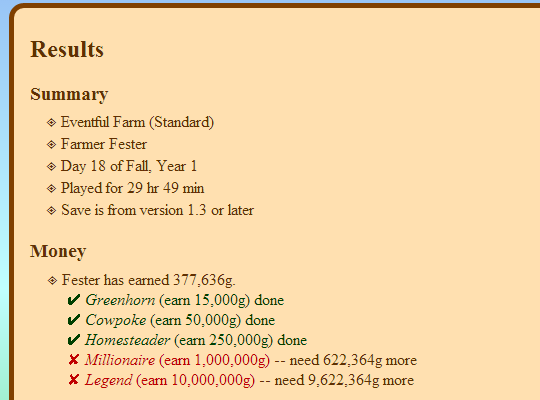
An app to read a Stardew Valley save file, check the progress of various achievements and milestones, and list what's missing.
tribal nacelle
And can get the ID you need to fix the Disc from here: https://docs.google.com/spreadsheets/d/1CpDrw23peQiq-C7F2FjYOMePaYe0Rc9BwQsj3h6sjyo/edit#gid=1082266757
river sonnet
@tribal nacelle Thank you for helping me yesterday, everything is working fine now 
tribal nacelle
Awesome, glad I could help!
 stiff tiger
so this is my issue both cursors move as 1, but at that same distance so whenever my main cursor reaches the border the game cursor gets stuck also I can't click anything past a certain point because it will think I'm tabbing out
does anyone have a fix
hexed apex
Hi i fixed my problem from last night, lol
Also is anyone having a weird glitch happen when they talk to the joja employees?
 slender shell
Haven't tried yet
median crypt
@hexed apex What kind of weird glitch? (And are you using any mods?)
hexed apex
post on #making-mods-general
slender shell
oh ok
 indigo wyvern
does anyone else play with a controller and is having trouble placing items like torches or bombs?
 tropic wadi
did the requeriments for the pet change or is my game just bugged? i gained almost 10k already and marnie didn't appear at my door to give me a cat
ashen crystal
as far as I know they haven't changed
median crypt
Don't forget the day part, too! (Wednesday/Friday)
tribal nacelle
It's a sunny day after....is it only Wed/Fri? I thought it was just sunny
ashen crystal
Yeah, Wed or Friday morning, sunny
tropic wadi
it's day 16, it's been a few wednesdays and fridays
the minimum is 1k, i have 9k now, so she should've appeared already
median crypt
She should have yeah, as long as you walked out between 6 and 930 on a sunny wednesday/Friday. Maybe it was one of those sad missing perfect combinations where that happened to be the day you lingered long over picking out the perfect rug in your house? 😄
tropic wadi
not like i have many rugs to choose at the start of the game :P
ashen crystal
well if it is sunny tomorrow, you can check again since the 17th is a wed. if it doesn't trigger, post your save and we can take a look
tropic wadi
ok
 rare linden
what does it mean if the co-op menu is blank? friend is trying to join me
tribal nacelle
!mphelp
tulip islandBOT
If you can't create or use invite codes, try the steps listed here: https://stardewvalleywiki.com/Modding:Player_Guide/Troubleshooting#Can.27t_connect_to_another_player_in_multiplayer
tribal nacelle
Uh, Jesse
 young robin
uhhh
tribal nacelle
Wrong channel XD
hexed apex
So I upgraded my house for the first time. But the Steam achievement didn't unlock the next day. What's up with that?
tribal nacelle
Sometimes it's delayed
ashen crystal
Punsie, if you hit shift-tab in the game, is the Steam overlay active?
hexed apex
It is not.
ashen crystal
Do you use SMAPI or vanilla?
hexed apex
I use SMAPI
ashen crystal
Hmm, might not be loading Steam stuff then. Do you launch from the SMAPI exe or from Steam?
hexed apex
From Steam.
ashen crystal
weird
hexed apex
Very
viral tendon
Did you set up the launch options?
That's the only way to get the Steam Achievements. You can check by Right click Stardew -> Properties -> Set Launch Options see what's in the box
hexed apex
"D:\steam\steamapps\common\Stardew Valley\StardewModdingAPI.exe" %command%
viral tendon
Looks like to me. and when you start SMAPI, there's no red text at the top talking about Steam Achievements?
That's the only time Ive had them bug out
hexed apex
Nope. No issues with SMAPI.
ashen crystal
It sounds like you have everything properly setup for achievements, and could have just been the victim of a badly timed connection issue.
viral tendon
Sorry we couldnt help further 😦
hexed apex
All good
 indigo lynx
Anyone else running into issues with money resetting to $500 on join with multiplayer 1.4? Host's money is saved but others are not.
hexed apex
My husband helped me manage to fix it! Thanks everyone. 🙂
 wet cosmos
Thanks for trying to help her out, guys.
viral tendon
It's what we do 🙂 when we can
I don't play MP, sorry mabtheseer 😦 maybe one of the others who frequent this channel can help
ashen crystal
We've seen a couple reports of that mabtheseer. Are the farmhands staying the entire day or disconnecting and reconnecting before save?
indigo lynx
After a save
they are on the entire day
We've been transferring money via the mayors house to get around the issue. When a non host joins back it also resets their $0 to $500.
ashen crystal
Is this purely vanilla or are some players using mods?
indigo lynx
Pure vanilla via Steam running on Linux
ashen crystal
ALright, we'll make sure the devs hear about it. If you have any other details that might help narrow it down, that'd be good too
indigo lynx
Unless there would be any logs on the host when a farmer joins? Sadly no error messages appear on the host or the clients.
ashen crystal
yeah, in vanilla you only get logs on crashes and disconnects
indigo lynx
Game play is completely normal outside of the money issue.
Aside from that we started a new farm with the new 4 corners map with separate money. I can't think of any other useful data as everything else work fine.
ashen crystal
Alright, thanks
indigo lynx
Thanks for looking at it for me.
 gritty juniper
v1.4. No mods. Other save files work but this particular file crash when trying to load the save file. Help please. ty
tribal nacelle
Any crash logs?
gritty juniper
do i post it here?
gritty juniper
tribal nacelle
Have you ever had mods?
gritty juniper
yes
tribal nacelle
Looks like you had some items leftover. Can you reinstall SMAPI and get a log from that?
!installforlog
tulip islandBOT
Try this:
- Install SMAPI: https://smapi.io/.
- Run the game through SMAPI.
- Upload your SMAPI log to https://log.smapi.io/.
- Share the log link here.
(You can remove SMAPI later, we're just using it to see what the problem is.)
tribal nacelle
(mousey, think JA would fix the issue?)
ashen crystal
@gritty juniper This looks like an error we've seen a couple times. Can you send the save file?
If this is the same thing I just fixed, JA has nothign to do with it
tribal nacelle
I was wondering 
gritty juniper
post save file here?
ashen crystal
here or via DM
tribal nacelle
(back to updating my mods, mind sending me what the fix is later mousey so I have it for reference?)
ashen crystal
If this is the same as the others, what is happening is that the game is saving without properly setting the "updated for 1.4" flag, so the next time they load in it tries to readd the tree fertilizer recipe even though they arelady have it, and 