
#MelanieMelicious Mods 😱 (2 sToRy ShIp, Utility Furniture, Pocket Rooms, Farming and Cooking, etc.)
1 messages · Page 2 of 1
 rough berry
 hazy solstice
On a semi-related note, I'm wondering if a mod to fix the Cozy Lights to be more flexible could be created, proposal here: https://discord.com/channels/1168655651455639582/1289859937547321354
 tall obsidian
On a related-to-the-semi-related note, I propose a fullblown Christmas style Cozy Lights mod to coincide 2-story and wider ship
 naive widget
Config unchanged, was on offense
 agile zenith
It would seem that having the Left Window unlocked causes the posters to reappear and float where the vanilla wall would be, even with the default settings for Ship Windows enabled
While not game breaking, just abit of an annoyance when trying to have all the windows enabled
 bleak sky
agile zenith
It would seem that having the Left Window unlocked causes the posters to reappea...
bleak sky
agile zenith
It would seem that having the Left Window unlocked causes the posters to reappea...
Try turning on "Don't move posters" in ShipWindow's config
agile zenith
bleak sky
Try turning on "Don't move posters" in ShipWindow's config
Yeup, that fixed it strangely enough lol
 native cape
Is this part not supposed to have collisions? 

 brisk widget
native cape
Is this part not supposed to have collisions? <:SCaraara:750443320236441671>
brisk widget
native cape
Is this part not supposed to have collisions? <:SCaraara:750443320236441671>
Pipes or door frame?
native cape
The door frame
The arch in front of the door basically

Oh... And the issues I had with the ship inside the ship was MoreCompany
brisk widget
native cape
Oh... And the issues I had with the ship inside the ship was MoreCompany
very similar to what happened with model replacement api
 rich ice
hmm, idk much about what happened with model replacement api, but it's weird this happened with More Company but also only for some people. And was the problem faced by the host? And did the model replacement api find a fix for it so I don't have to figure one out myself? 😀
rich ice
native cape
Is this part not supposed to have collisions? <:SCaraara:750443320236441671>
ooh, yeah yeah, the doorframe is part of the "Detail" mesh and doesn't use its own collision. It's probably not an issue and only really noticeable when the doors are open, but I could always change the "Clip" mesh collider it's using for stuff like stairs to add something to the doorways, if it's problematic in some way
native cape
rich ice
ooh, yeah yeah, the doorframe is part of the "Detail" mesh and doesn't use its o...
I personally don't like being able to clip into that
Maybe at least add a Box Collider on the two sides?
 ivory sedge
native cape
I personally don't like being able to clip into that <:SCaraara:7504433202364416...
ivory sedge
native cape
I personally don't like being able to clip into that <:SCaraara:7504433202364416...
a door where you can clip through 
 rancid thicket
Is anybody else having an issue with lethalthings' fatalities sign and ship windows' shutters switch resetting location after save reload?
or the disco ball
 carmine topaz
rancid thicket
Is anybody else having an issue with lethalthings' fatalities sign and ship wind...
carmine topaz
rancid thicket
Is anybody else having an issue with lethalthings' fatalities sign and ship wind...
Lethal Things is likely responsible for all of your issues honestly, it's outdated and abandoned and has a slew of issues
 modest mica
carmine topaz
Lethal Things is likely responsible for all of your issues honestly, it's outdat...
modest mica
carmine topaz
Lethal Things is likely responsible for all of your issues honestly, it's outdat...
while L things has issues what he has said is a pretty common issue with modded furniture
carmine topaz
modest mica
while L things has issues what he has said is a pretty common issue with modded ...
Yeah but the Disco Ball being affected is likely cus of LT
Is what I meant
It's a vanilla furniture
modest mica
carmine topaz
Yeah but the Disco Ball being affected is likely cus of LT
I just think all modded furniture is buggy
not suprising id effect vanilla
Yall know how to get rid of this POS

pipe removal didnt seem to do it
 lilac hamlet
modest mica
pipe removal didnt seem to do it
lilac hamlet
modest mica
pipe removal didnt seem to do it
it does but itll take your front left thruster for it (rear right in config)
carmine topaz
modest mica
Yall know how to get rid of this POS
Pairing it with ShipWindows fixed it for me
modest mica
lilac hamlet
it does but itll take your front left thruster for it (rear right in config)
thx
modest mica
carmine topaz
Pairing it with ShipWindows fixed it for me
tried that
modest mica
lilac hamlet
it does but itll take your front left thruster for it (rear right in config)
sadly that didnt work
lilac hamlet
modest mica
sadly that didnt work
try changing the removal method? i had it work just now but i didnt like how it yoinked my front left thruster to do it
modest mica
lilac hamlet
try changing the removal method? i had it work just now but i didnt like how it ...
inactive or deletion
carmine topaz
modest mica
inactive or deletion
reset the removal mode to the default
Cus it should be Inactive
the other ones have too many issues
Anyways you could do what I did
Hide it with the Terminal

You can barely tell it's there
XD
modest mica
carmine topaz
reset the removal mode to the default
sadly didnt work
ill test more tm and report it to whoever I need too
carmine topaz
modest mica
sadly didnt work
You'd need to reload the lobby or reboot the game probably
modest mica
carmine topaz
You'd need to reload the lobby or reboot the game probably
happens on fresh
modest mica
carmine topaz
Idk then
nahhhh
thx for tryin to help tho
with just this mod when trying to land this pops up

 modest mica
 quaint oxide
didnt work sadly
quaint oxide
it works for me
modest mica
quaint oxide
it works for me
also imo it should be fixed in the base mod
quaint oxide
so there may be tomething else
quaint oxide
modest mica
Only 2 mods on
what mods?
modest mica
quaint oxide
what mods?
I tested with only pipe and 2 story
quaint oxide
modest mica
I tested with only pipe and 2 story
try adding widership
modest mica
quaint oxide
try adding widership
did
quaint oxide
ok, idk :,]
modest mica
quaint oxide
ok, idk :,]
it really just should be adressed rather than trying to find a work around
modest mica
quaint oxide
ok, idk :,]
ok it stopped happening
I had to delete the pipe config
and redo it
carmine topaz
@rich ice For what it's worth, seems to happen when ShipWindows is paired with it, doesn't happen when ShipWindows is on it's own, also seems to happen when backing out of the lobby at least so I would guess it's fairly harmless?
I guess @native cape would need to confirm
 frozen flint
carmine topaz
Hide it with the Terminal
frozen flint
carmine topaz
Hide it with the Terminal
yo whats the mod ur using for the hud color?

 carmine topaz
@rich ice I really adore the mod a lot, I just hope to see the top floor be fixed soon to hopefully not count as out of bounds :3 I imagine the collider just needs to be extended
brisk widget
carmine topaz
<@337421106430607372> I really adore the mod a lot, I just hope to see the top f...
do you mean that you are teleported from the second floor when you are in orbit?
carmine topaz
brisk widget
do you mean that you are teleported from the second floor when you are in orbit?
Yes, and if reloading a lobby any scrap placed on the second floor is teleported onto the first floor
Which is unfortunate cus I like placing items up there
lol
quaint oxide
carmine topaz
Which is unfortunate cus I like placing items up there
hmm.
I always see one of @patent vector friends doing some sort of sanctuary on the 2nd floor, does it resets after loading?
brisk widget
quaint oxide
hmm.
I always see one of <@300819890934382594> friends doing some sort of sanctu...
all things fly into the ship inventory chute on save load
but because of #1289581619107332197 items just stay in the air in the old chute location
carmine topaz
brisk widget
all things fly into the ship inventory chute on save load
So the fix would be removing ShipInventory?
 patent vector
quaint oxide
hmm.
I always see one of <@300819890934382594> friends doing some sort of sanctu...
patent vector
quaint oxide
hmm.
I always see one of <@300819890934382594> friends doing some sort of sanctu...
yes anything in the second level teleports to main level on restart
AH SHoot not the CHute!
patent vector
carmine topaz
Well there's a reason a 2nd floor exists now
Wait until the 3rd floor! I hear it will release before the 4th floor
carmine topaz
patent vector
Wait until the 3rd floor! I hear it will release before the 4th floor
I think 2 stories is enough
XD
patent vector
carmine topaz
I think 2 stories is enough
No I need a skyscrapper
brisk widget
carmine topaz
So the fix would be removing ShipInventory?
fix just moves the chute a little
patent vector
trust me the way @limber cliff collects I need all the space lol.
carmine topaz
brisk widget
fix just moves the chute a little
I mean the chute shouldn't be teleporting scraps into it
I was guessing if ShipInventory isn't present
Items should stay on the 2nd floor yeah?
brisk widget
oh, no, it will still teleport but getting items will be much easier
carmine topaz
Ah
I hope a fix comes out then, I really want my items to not be teleported from the 2nd floor lol
 limber cliff
patent vector
trust me the way <@250032260886036480> collects I need all the space lol.
limber cliff
patent vector
trust me the way <@250032260886036480> collects I need all the space lol.
I mean you're not wrong.....
I want a floor that can be for just me 🤣
rich ice
modest mica
with just this mod when trying to land this pops up
okay, I fixed this for vanilla landing and Celestial Tint version with outside ship objects in orbit enabled in private files, but not updated publicly yet
modest mica
rich ice
okay, I fixed this for vanilla landing and Celestial Tint version with outside s...
nice
carmine topaz
rich ice
okay, I fixed this for vanilla landing and Celestial Tint version with outside s...
Yay, no more seeing the pipe peeking out of my terminal
XD
rich ice
carmine topaz
<@337421106430607372> For what it's worth, seems to happen when ShipWindows is p...
not sure if it's causing any actual issues, but I still don't like errors and will probably really quickly check what's causing it at some point
carmine topaz
rich ice
not sure if it's causing any actual issues, but I still don't like errors and wi...
Ye the main thing I wanna see is scraps not be teleported from the 2nd floor cus I like having the Cubpoard up there
and I like putting some larger ones up there too
rich ice
carmine topaz
Yes, and if reloading a lobby any scrap placed on the second floor is teleported...
you should be able to reach it into the second floor while in orbit unless another mod is changing the bounds after mine, or is causing an incompatibility that's stopping mine from continuing executing its scripts
The item thing on the other hand, it's weird. I'd have to look for what other boundaries the ship would have IF it's that, bc for some reason the ship has like 50 different boundaries for what's considered in the ship, which is why teleporting could be stopped but building cancelling would be different, etc. I still have to figure out what's happening, but I do want to fix this
carmine topaz

brisk widget
rich ice
you should be able to reach it into the second floor while in orbit unless anoth...
build mode cancellation occurs if you touch the ship's leaving triggers and (i think) when you go beyond the "inner boundary of the ship"(interior space of a ship). as for the items... magic
native cape
patent vector
Wait until the 3rd floor! I hear it will release before the 4th floor
Nah, 4th floor should be released before the 3rd floor :3
bleak sky
Only logical to start with the basement
 umbral bluff
basement would at least fix the issue of items falling through the floor sometimes and being under the ship KEKW
brisk widget
umbral bluff
basement would at least fix the issue of items falling through the floor sometim...
and will make them inaccessible upon landing
umbral bluff
perfect
rich ice
I think I found a fix for the items despawning/teleporting when on the new parts of the ship
wait, I say that, but then I test the old .dll where I didn't fix try a fix, the items are still not teleporting when on the far parts of the ship or on the second story
yeah nvm it was because Matty's Fixes was still enabled oopsies
brisk widget
I tried to fix the item clipping in WS(before mattys fixes), but it was not successful. However, now I think I will try a slightly different approach and I can share the results if everything goes well.
rich ice
but so far I've been looking into it, and according to the game's code and what the reference was set to in Unity, what tracks if items teleport is actually supposed to be the ShipBoundsTrigger, which was already modified, and shouldn't be teleporting the items anymore since they're considered in the bounds. Especially if using a prefix on Start, and even moreso on Awake
idk, it's weird, it's like the item setup part is ignoring the new changes to the ship bounds. Even just testing making the scale huge to make sure it's not just too small somehow, and it's still ignoring the new size when checking for items
modest mica
rich ice
but so far I've been looking into it, and according to the game's code and what ...
small issue, when having wider + 2 story on the cams the floor doesnt exist
brisk widget
Melanie, you do the start prefix, right?
rich ice
I guess for now, I'll have Matty's Fixes as a dependency just like Wider Ship so people don't have the trouble with the items as much
the public version is still using postfix, my private files changed it to prefix for Start, and then I also tested prefix for Awake, and none of them had any success
rich ice
modest mica
small issue, when having wider + 2 story on the cams the floor doesnt exist
oh yeah, that thing, I just haven't gone about looking into it yet
modest mica
rich ice
oh yeah, that thing, I just haven't gone about looking into it yet
nothing major
so no problem
it doesnt effect gameplay
 barren vine
if the issue you're debugging is the items teleporting back to the center of the ship on rehost. this is the code responsible for that:

in StartOfRound.LoadShipGrabbableItems()
and the actual bounds will not update until the end of the frame when you modify the object
unity has a function to forcefully update it, but i'm not sure i would recommend using it
brisk widget
barren vine
unity has a [function](<https://docs.unity3d.com/ScriptReference/Physics.SyncTra...
can't we just use WaitForEndOfFrame then?
rich ice
barren vine
unity has a [function](<https://docs.unity3d.com/ScriptReference/Physics.SyncTra...
yeah, that's the part I was looking at, and found that the shipBounds variable was a public collider that, in the ship scene, is set to the ShipBoundsTrigger which is the part that's changed. I try prefix to attempt changing it before Start is supposed to take place, and then I try the harmony patch on Awake which is supposed to happen right before Start
That's why it seems kind of weird to me, because it should be updating before the item spawning and detection, but then it's almost like it's ignoring the update
barren vine
🤔 . i havent checked how your mod is done, but if your ship is a prefab. you are probably better off creating a new collider in the prefab and change the field in a prefix of StartOfRound
pretty sure all Zeekers code refers to the field in StartOfRound
carmine topaz
barren vine
🤔 . i havent checked how your mod is done, but if your ship is a prefab. you ar...
@rich ice
barren vine
i feel the ping was unneeded 😅 this is their channel so they will eventually see my reply
carmine topaz
barren vine
i feel the ping was unneeded 😅 this is their channel so they will eventually se...
I just wanted them to see it quicker but I get what you mean
rich ice
barren vine
🤔 . i havent checked how your mod is done, but if your ship is a prefab. you ar...
oooh, yeah, my ship spawns from a set prefab. I'll try that; hopefully the game acknowledges the change
rich ice
barren vine
🤔 . i havent checked how your mod is done, but if your ship is a prefab. you ar...
this might have actually fixed it; none of the items in the corners seem to be teleporting anymore. Thank you for the suggestion!
carmine topaz
rich ice
oooh, yeah, my ship spawns from a set prefab. I'll try that; hopefully the game ...
Btw it seems like the mod has a hard time with Bozoros and Oldred atm
Huge lag when loading into those
carmine topaz
rich ice
this might have actually fixed it; none of the items in the corners seem to be t...
Yay
Glad to see you'll be updating it soon 
I'm excited for the fix
rich ice
yeahhh certain moons will have that trouble, and I'm pretty sure it's mostly to do with regenerating navmesh. There's a config option to use a buggier navmesh loading method that could be faster, but again, will be way more likely to have issues pop up
Also, unless Wider Ship Mod added a config for navmesh loading method too, then using the buggier navmesh loading on mine will probably also cause both ship's navmeshes to be loaded
oh yeah, for others who want to know which part in the ship scene is holding the StartOfRound script to change certain public variables, like the shipBounds variable, the GameObject holding the component is PlayersManager / HUDManager
So from the scene:
Systems/GameSystems/PlayersManager / HUDManager
the bolded part is the full name of the object, not 2
barren vine
why not just use StartOfRound.Instance 😅
rich ice
uhhh
barren vine
and HUDManager.Instance
ivory sedge
"uhhh", thats the sound of dissapointment
barren vine
or better if you're uisng Harmony to prefix the Start of StartOfRound just put (StartOfRound __instance, ...) as a parameter of the prefix
native cape
barren vine
or better if you're uisng Harmony to prefix the Start of StartOfRound just put `...
Why's that better than direct access?
Wait, nvm. I didn't read the message correctly
barren vine
rofl
 limber kernel
barren vine
why not just use `StartOfRound.Instance` 😅
limber kernel
barren vine
why not just use `StartOfRound.Instance` 😅
The best part is that they use this.
carmine topaz
rich ice
uhhh
Lmk when the update goes live Melanie, thank you for your hard work you do and making this amazing mod my group was all super happy when I told them you fixed the items teleporting to the first floor lol
Also lmk how Matty's suggestions go
:3
rich ice
okay, I updated the thingy, the ship mod, so if ANYBODY COMES ACROSS ISSUES FROM THE UPDATE, feel free to report them here.
also I did the furniture thingy in a new mod, but still needs to register in the store. Feel free to leave suggestions for it in here too for now: https://thunderstore.io/c/lethal-company/p/MelanieMelicious/MelanieMelicious_Utility_Furniture_Pack/

Thunderstore
Wow, I made it a new mod for this title. Adds furniture items, many with intended functions such as storage or usable doors. You can find me in the Lethal Company Modding Discord.
quaint oxide
Yay
modest mica
rich ice
okay, I updated the thingy, the ship mod, so if ANYBODY COMES ACROSS ISSUES FROM...
congrats on the new mod, its sick, just a small request for the main mod, when using with wider ship maybe have the default furn possitions changed so they are against the walls and not covering stuff
quaint oxide
modest mica
congrats on the new mod, its sick, just a small request for the main mod, when u...
You can assign the possition using FurnitureLock
modest mica
quaint oxide
You can assign the possition using FurnitureLock
that mod seems really buggy with the teleporters
unless that was fixed
rich ice
modest mica
congrats on the new mod, its sick, just a small request for the main mod, when u...
yeahh, that should be easy; I can move those including the sticky note
quaint oxide
modest mica
that mod seems really buggy with the teleporters
You can fix it assigning a manual spot
Use the config from my modpack Megalophobia
modest mica
quaint oxide
You can fix it assigning a manual spot
thanks
so default placement for tele is whats busted
quaint oxide
Yup
modest mica
so just have it off for that?
modest mica
quaint oxide
Yup
tbh id rather not have to fix it every time I buy them
unless Im not understanding what you mean by assigning manual spot
quaint oxide
Yes
modest mica
quaint oxide
Yes
alr thank you
carmine topaz
modest mica
that mod seems really buggy with the teleporters
That's been fixed I've never had issues with it
modest mica
carmine topaz
That's been fixed I've never had issues with it
alr thx, was unsure
had seen it a BUNCH
carmine topaz
If you run into issues just temp disable the ship mod and place them somewhere cus the custom position will be remembered
Yeah that was a bug very early on
But I know Jacu said there might be bugs with it with the ship mods so temp disabling the ship mod and setting them in the middle of the ship and copying their positions and locking them should fix that
But I've personally had no issues
I know one thing that's preventing me from using Wider Ship is I'm really not a fan of the door buttons being moved
and that the cruiser when using it clips through terrain on some moons
I do really hope that stuff gets resolved soon, I know just being able to turn off that side of the extended ship should fix everything
modest mica
carmine topaz
But I've personally had no issues
I just moved the door buttons with pipe removal
carmine topaz
modest mica
I just moved the door buttons with pipe removal
I recommend against moving anything with LethalPipeRemoval
As when you move stuff with it
it allocates every frame
Which causes lag
carmine topaz
Yeah
Matty discovered it
lol
I was kind of sad
It's only moving the positions of things with LPR though
so hiding things is fine
modest mica
carmine topaz
Yeah
maybe I SHOULD commission that pipe removal replacement, didnt do it when I saw it was updated
was going to a while ago
(ik the modder they are very skilled)
they are part of project SCP
carmine topaz
Tbh the dev of LPR could probably fix it if a pr were pushed
Maybe just ask them to push a pr
Since LPR does already exist
modest mica
carmine topaz
Tbh the dev of LPR could probably fix it if a pr were pushed
(other feature were planned such as, proper furniture saving after firing, and other stuff)
rich ice
carmine topaz
it allocates every frame
YEAH I NOTICED THAT when I was looking into Lethal Pipe Remover, is it was using the update function, and I was like jeez
carmine topaz
rich ice
YEAH I NOTICED THAT when I was looking into Lethal Pipe Remover, is it was using...
Yeah, it does it only when moving stuff in the ship though at least
Thankfully
carmine topaz
modest mica
(other feature were planned such as, proper furniture saving after firing, and o...
Also another thing you can do if custom furnitures are spawning outside is use BetterDecorPlacement to move them back into the ship
quaint oxide
for anyone asking:
- Wide Cabinet

- Work Table

- Workshop Table

- Metal Gate (can be opened and closed)

 waxen comet
quick question does fancy ship also work with wider ship?
quaint oxide
waxen comet
quick question does fancy ship also work with wider ship?
yes!
quaint oxide
quaint oxide
4. Metal Gate (can be opened and closed)
althought, testing the metal gate, You have to bend down to get through
waxen comet
quaint oxide
yes!
any way i could fix this?

the normal 2 story ship works with it but not the fancy ship
carmine topaz
waxen comet
the normal 2 story ship works with it but not the fancy ship
Fancy ship has not been updated
waxen comet
what mod is the furniture from?
quaint oxide
waxen comet
what mod is the furniture from?
SmoothReserves Furnitures
carmine topaz
@rich ice what is this? Lol
 waxen comet
how do i fix the floating posters
 rich ice
waxen comet
quick question does fancy ship also work with wider ship?
rich ice
waxen comet
quick question does fancy ship also work with wider ship?
wait not fancy ship, just 2-story ship; I never updated fancy ship in a while, so I'm pretty sure it's still using a version from before I added compatibility with 2-story and wider
rich ice
quaint oxide
althought, testing the metal gate, You have to bend down to get through
yeahh, I rushed that one with less testing bc I wanted to get it done to play fAsT, but I'll make it a little higher to match the ceiling height
rich ice
carmine topaz
<@337421106430607372> what is this? Lol
oh yeah that thing, I never fixed it, oops. It's just the meterbox, I didn't move the copied version from Celestial Tiny with outside objects config enabled it seems, so I can do that eventually
rich ice
waxen comet
how do i fix the floating posters
assuming you're using ShipWindows, you'll need to go into ShipWindows' config and enable the like, Don't Move Posters option
carmine topaz
rich ice
oh yeah that thing, I never fixed it, oops. It's just the meterbox, I didn't mov...
I hope to see you come out with a furniture that just allows putting tools on the wall  but I like the larger cupboard lmao if only there was a way to auto unlock that so it feels more immersive hehe
rich ice
ooh do you mean like, adding a config to like, make it already unlocked on the ship? Or
carmine topaz
Yeah, I think it should start already unlocked like the regular cupboard
rich ice
also yeah, I wanted to try something that lets you put furniture directly on the wall. The workshop station, you sort of can, but the items don't rotate. I tried a test earlier to make it rotate, but it didn't work, but it was just to try get it out fast. I can look for a proper solution soon
I guess I can see about a config that could auto-unlock the stuff and have it already placed somewhere on the ship
2 sToRy ShIp Mod (and I guess other MelanieMelicious Mods)
carmine topaz
@rich ice You know I think a good idea for the moons that have issues with the navmesh regeneration thing would maybe to be to add a config option that allows you to just blacklist those moons from it, rather than disabling the feature entirely ❤️
 delicate agate
quaint oxide
for anyone asking:
1. Wide Cabinet
delicate agate
quaint oxide
for anyone asking:
1. Wide Cabinet
What are these from?
quaint oxide
delicate agate
What are these from?
the new Melanie's Furniture mod
delicate agate
That is awesome. Can it be used without two story? Although it seems two story is stabilizing so I want to try that soon too
quaint oxide
delicate agate
That is awesome. Can it be used without two story? Although it seems two story i...
yes, both are different mods
 long shuttle
rich ice
okay, I updated the thingy, the ship mod, so if ANYBODY COMES ACROSS ISSUES FROM...
long shuttle
rich ice
okay, I updated the thingy, the ship mod, so if ANYBODY COMES ACROSS ISSUES FROM...
Could there be a config for auto unlocking them without purchasing them pleeease?
 ivory sedge
rich ice
okay, I updated the thingy, the ship mod, so if ANYBODY COMES ACROSS ISSUES FROM...
ivory sedge
rich ice
okay, I updated the thingy, the ship mod, so if ANYBODY COMES ACROSS ISSUES FROM...
v0.0.0 
native cape
Explosions enable Wallhack
 quaint oxide
native cape
Explosions enable Wallhack <:SCaraara:750443320236441671>
quaint oxide
native cape
Explosions enable Wallhack <:SCaraara:750443320236441671>
and mud
and sprays
carmine topaz
native cape
Explosions enable Wallhack <:SCaraara:750443320236441671>
It's a known thing, Melanie has been looking into a way to fix it
Also I imagine you also see why I have the floor window disabled with the 2 mods paired together
Cus the floor window has the railings covering it? If that's what they're called idk
@rich ice @barren vine Maybe you 2 could work into getting the item clipping fixes from Matty's mod working with the new furnitures you made
rich ice
oh, yeah, I can fix that glass thing; it shouldn't be too hard, I simply haven't gotten to it oops. Same finding diamonds hack
rich ice
long shuttle
Could there be a config for auto unlocking them without purchasing them pleeease...
yeah, I'll look into adding configs for adjusting prices and options to make things auto-unlocked
carmine topaz
rich ice
oh, yeah, I can fix that glass thing; it shouldn't be too hard, I simply haven't...
Oh the railings covering the window can be fixed? ;o
hoorah I miss my floor window
I imagine it's making them be hidden over the window, or however ShipWindows usually handles it
rich ice
carmine topaz
Looks like pacoito got Bozoros to work hapilly with your mod
oooh, that's great! That entire navmesh simplification thingy is also probably good even without navmesh regen, so overall a great improvement. I'll be sure to thank them for sure
carmine topaz
Yeah the only moons I have now that have a difficult time are Infernis, Etern, and Oldred so a blacklist config where I could just simply blacklist those moons would be perfect, since regen is fine on everything else
rich ice
carmine topaz
Oh the railings covering the window can be fixed? ;o
oh yeah yeah, how ShipWindows did it was just a custom model where the thing in the middle wasn't there. For me, I'll just cut the mesh and set that to invisible or inactive whenever the floor window is tracked when starting a round or when buying something
carmine topaz
Noice
rich ice
carmine topaz
<@337421106430607372> You know I think a good idea for the moons that have issue...
oh yesss and this thing, I think that's a great idea to be able to choose certain moon to have the other navmesh. Thank you for the suggestion! I'll see about trying to add this whenever
carmine topaz
rich ice
oh yesss and this thing, I think that's a great idea to be able to choose certai...
As long as it's before my Affiliate Anniversary stream on Thursday I'm happy :3
rich ice
oh no, a deadline
carmine topaz
rich ice
oh no, a deadline
Haha need it for that day cus it's gonna be a long stream
:3
I believe in you

rough berry
I got one question about the metal gate. Where the hell do I put this thing!?!?! Everytime I try to place it somewhere it just doesn't feel right or something is missing.
 carmine topaz
rich ice
oh no, a deadline
carmine topaz
rich ice
oh no, a deadline
Lol it seems like the ship breaks on Etern with navmesh regen on, it doesn't count scrap being collected and the chute doesn't work til going in orbit. Blacklist is gonna be so useful lol
carmine topaz
I find that surprising since even though Bozoros took a long time to load it worked okay on there
Etern is truly built different
I think it was also okay on Oldred but idk
rich ice
rough berry
I got one question about the metal gate. Where the hell do I put this thing!?!?!...
oh, yeah, it was still a lot made for personal niche use, though I had rushed that since I wanted to get it out a specific time to be able to play with it. But besides its off-size that'd be changed, yeah, it was a more personal-use of an origin, like how I started with the ship stuff
I am putting like walls and other doorways and stuff, which would probably make it more flexible for other use though, but yeah
rich ice
carmine topaz
Lol it seems like the ship breaks on Etern with navmesh regen on, it doesn't cou...
that's really weird to why that's happening; not sure how different the moon is made that that would be happening of all things, but yeah, I guess more reason to figure out making an exception-list
carmine topaz
rich ice
that's really weird to why *that's* happening; not sure how different the moon i...
I would guess the reverb trigger for the ship is dying when it comes to Etern, since that kind of behavior feels like the reverb triggers don't register properly, just dunno why regenerating navmesh is causing it to die lol
carmine topaz
rich ice
that's really weird to why *that's* happening; not sure how different the moon i...
Interesting so I seem to have fixed it by replacing Loadstone with Nightly cus the change I had from yesterday was swapping it for stable, weirddd
I'm gonna guess the issue is just rng hopefully lol
 pulsar totem
hello, are all item issues fixed rn or just some?
also if I updated a mod on a previous save will the issue still exist? I am not sure if I'm ready to restart all over again
rich ice
pulsar totem
also if I updated a mod on a previous save will the issue still exist? I am not ...
the context implies you seem to still be facing an issue with items at the moment. If that's the case, what issue with items are you currently facing? The update should apply to existing saves, but not everything is fixed entirely for items.
Whereas they should stop teleporting to the center of the ship when reloading a save, they can still fall through some furniture when reloading (Matty's Fixes was added as a dependency to try keep items in somewhat the same spot on top of furniture). If updating didn't automatically download it (and if this is happening), you can always manually add it to your modpack
 rich ice
long shuttle
Why is oldred having these issues?
rich ice
long shuttle
Why is oldred having these issues?
Some moons have complex navmeshing. When the ship regenerated the navmeshing for the custom ship, it ends up regenerating every navmesh at the moment. There's a config to use a different method, with much faster loading, but also much buggier sometimes
I'm actually just about getting into making a config for exception list moons, where listed moons will be told to use a specific navmesh loading method over the default
long shuttle
rich ice
Some moons have complex navmeshing. When the ship regenerated the navmeshing for...
I see
long shuttle
rich ice
Some moons have complex navmeshing. When the ship regenerated the navmeshing for...
Wait so I should disable it if I want them to load faster?

What do i lose if I do tho?
rich ice
long shuttle
Wait so I should disable it if I want them to load faster?
if you want to load faster, yeah, you disable it. Downsides are there's a chance on some moons, the new navmesh won't load for some reason, and if you're using 2-story in combination with wider ship, then setting this config will also have wider ship's navmesh, and enemies will find it hard to path upstairs
long shuttle
rich ice
if you want to load faster, yeah, you disable it. Downsides are there's a *chanc...
Im only using this mod, Im not using Wider ship
 modest vale
how do i get the windows to appear with this mod combined with shipwindows/celestialtint
 long shuttle
modest vale
how do i get the windows to appear with this mod combined with shipwindows/celes...
long shuttle
modest vale
how do i get the windows to appear with this mod combined with shipwindows/celes...
Did you delete the old ship windows config?
 long shuttle
modest vale
long shuttle
modest vale
Now relaunch the game to regenerate the configs
modest vale
now that the config is back do i need to edit it or just relaunch
long shuttle
modest vale
now that the config is back do i need to edit it or just relaunch
I mean just configure it then try it out
pulsar totem
rich ice
the context implies you seem to still be facing an issue with items at the momen...
it worked fine after updating, I was just wondering since if previous save clipped the items through but since I forgot that we didnt buy that much last time, it didnt matter anyways, although this time around we can freely buy stuff without worrying that they will disappear after reloading
modest vale
long shuttle
I mean just configure it then try it out


the config stayed the same as before if it wasnt meant to
long shuttle
modest vale
the config stayed the same as before if it wasnt meant to
You sure you deleted it then?
modest vale
well i deleted it from r2modman, so maybe i need to actually go into the folder and delete it
long shuttle
modest vale
well i deleted it from r2modman, so maybe i need to actually go into the folder ...
Do you want me to send you my config file so you can replace it then try instead?
modest vale
we can see if that works
modest vale
well i had thought it would be in the lethal company steam folder
it turns out it is not
alright i found it
i had to go through several hoops to get to it
 copper sage
so 2 questions:
- What does MattyFixes do that this mod needs?
- Does anyone else experience an exorbitant amount of lag in the right side of the lower level when in orbit after visiting a moon? (this is with wider ship installed so it's past the initial boundary)
quaint oxide
copper sage
so 2 questions:
1. What does MattyFixes do that this mod needs?
2. Does anyone e...
1 .Fixes the items on the second floor stay on that floor
when you leave and join again
copper sage
items as in scrap or ship decor?
brisk widget
copper sage
items as in scrap or ship decor?
scrap
copper sage
fuck
carmine topaz
copper sage
so 2 questions:
1. What does MattyFixes do that this mod needs?
2. Does anyone e...
Wider Ship is known to have more compat issues with moons than 2 story ship on it's own atm, fumo is gonna be updating it eventually
copper sage
copper sage
fuck
reloading causes certain scraps on the bottom floor to sink partially into it
carmine topaz
copper sage
reloading causes certain scraps on the bottom floor to sink partially into it
With Matty's mod?
copper sage
i would assume so. couldnt fully test so no solid answer (yet)
carmine topaz
Cus that's happened with just ShipWindows for us and you know that
So I think it's still a Matty issue
copper sage
i dont have ship winders
carmine topaz
Did I say you did?
brisk widget
MattyFixes are needed so that scrap does not fall through the floor on any floors, but in theory any mod that makes saving/loading things more accurate than in vanilla will do
copper sage
hmm
carmine topaz
brisk widget
MattyFixes are needed so that scrap does not fall through the floor on any floor...
Yeah I noticed SaveItemRotations was a bit brokey yesterday, I'll try just using GI's rotation fix instead
ivory sedge
@rich ice Late response lol but when you made the update that moves the ships magnet lever, if wider ship isnt installed it goes to the default mod position. So unless yours is where i located mine by default then it still moves it to a good spot
 barren vine
copper sage
reloading causes certain scraps on the bottom floor to sink partially into it
barren vine
copper sage
reloading causes certain scraps on the bottom floor to sink partially into it
remember that the a lot of the item fixes in MattyFixes are not compatible with other mods that do the same
GI, SMI and others have options to prevent items from falling through the floor that simply entirely disable the ability for items to fall
and that would conflict with MattyFixes approach that is instead to mkve the item into a position that will allow it to fall onto the correct one
carmine topaz
barren vine
and that would conflict with MattyFixes approach that is instead to mkve the ite...
For me I know the furniture mod melanie dropped breaks your cupboard fixing stuff it seems on lobby reload, even for the vanilla cupboard
I don't think 2 story ship is breaking it I think just the furniture mod
but you should test
What is SMI btw?
barren vine
wrong acronym , i meant SIS ( smart item saving )
barren vine
carmine topaz
For me I know the furniture mod melanie dropped breaks your cupboard fixing stuf...
that's really weird and should not be even possible unless they're trying to implement the same fixes i did 🤔
do you have logs about it?
carmine topaz
barren vine
do you have logs about it?
No that's why I asked you to test it lol
barren vine
as always during weekends i'm not home, soo w/o logs all i can do is throw hypothesis based on what you report
carmine topaz
@rich ice So I think sometimes 2 story ship is just bugging out in general and not allowing items to count as collected and stuff unless that's a navmesh regen issue probably, it's been fine until now but the bug seems to happen on USC Vortex too even though it loads quickly I just wonder why
I would say a navmesh regen issue on that moon probably cus it's been fine everywhere else today so far
I also wonder if it could be some compat issue with ReverbTriggerFix cus I know when it happens the body camera screen doesn't work almost as if a Reverb Trigger doesn't fire off so I'll have to test it without that
@barren vine log btw
See if Matty Fixes logged anything useful
I know it usually doesn't
carmine topaz
carmine topaz
I also wonder if it could be some compat issue with ReverbTriggerFix cus I know ...
Yeah it's definitely this cus it suddenly started working
I'll test without ReverbTriggerFix later :3
 vestal elk
long shuttle
Why is oldred having these issues?
vestal elk
long shuttle
Why is oldred having these issues?
My pack has it when loading altogether i wait
 low locust
So my friend was trying to draw with the better spray paint mod on the 2 story ship and some weird things happened. So the friend could not see the spray paint and anyone who could see it it made them able to see through the ship walls. Here it is on the company building
 umbral bluff
pog
copper sage
alrighty, so after a quick test. looks like mattyfixes is indeed not the only fix. only tried it with GI, but that version of rotation fix also keeps things from sinking thru the floor.
didnt fix the severe lag in that one spot in orbit after leaving a moon sadly, but that i can deal with. maybe a LethalPipeRemoval deal? idk. not pointing finger all the way yet
carmine topaz
copper sage
alrighty, so after a quick test. looks like mattyfixes is indeed __not__ the onl...
LethalPipeRemoval could be it
copper sage
ill test another time. for now, innocent til proven guilty
brisk widget
vestal elk
I got mithzan to use thie
cool, now this mod will also skyrocket in downloads in a couple of days
ivory sedge
brisk widget
cool, now this mod will also skyrocket in downloads in a couple of days
Happened to me and shotgun safety, 2k to I think it’s 13.9k now in 2 weeks
rich ice
carmine topaz
<@337421106430607372> So I think sometimes 2 story ship is just bugging out in g...
There's a chance this could be something to do with replacing the inside ship bounds collision. Does this happens for items no matter where they are on the ship?
oh I just read the ReverbTriggerFix thing, hmm
rich ice
ivory sedge
<@337421106430607372> Late response lol but when you made the update that moves ...
oops
rich ice
vestal elk
I got mithzan to use thie
😀
ivory sedge
rich ice
oops
What do you mean by that 
rich ice
I might have made mistake if it's still putting it in a new spot for the normal 2-story, but since I have an in-progress update coming out soon, I'll include correcting that
ivory sedge
Nono I meant if you got my mod on that moves it
If I take the mod off it’ll go to wherever you put it
Just saying so you don’t feels as bad because if people want it where you put it the take mine off, if they want it where I put it they can just put mine on
rich ice
ooohhh, alrighty
 carmine topaz
rich ice
There's a chance this *could* be something to do with replacing the inside ship ...
carmine topaz
rich ice
There's a chance this *could* be something to do with replacing the inside ship ...
Yeah it does, it could be that but since it's only on some moons I wonder if it could be ReverbTriggers behaving weirdly with it
You'll have to check I suppose
rich ice
oooh so quick little request time. If people can list all the moons they find themselves taking exceptionally longer to load on when using the 2-story ship (and the mods they're from), I can add them to defaulting being in the list of moons that use the faster loading method
carmine topaz
rich ice
oooh so quick little request time. If people can list all the moons they find th...
Infernis, Etern, and Oldred in my pack from Wesley's moons
 cloud panther
Btw, this mod works fine with Problematic Pilotry in case you hadnt tested it yet
Only issue we ran into is that (even without problematic piloty, on a default landing spot) on Derelict it has this weird reflection effect
Everyone in the lobby could see it
its like....a weird reflection that shows the outside kinda
Unsure if thats where the window is supposed to be and thats why its doing it, but this is prior to us buying the upgrade and it only occured on derelict

but yeah that junk in the reflection is the junk outside of the ship
And again, you can make out the stranded ship in the junkyard

And looking at it, yeah thats goes across the whole surface
not even where the window is
It also happens on any moon if a meteor from CodeRebirth strikes the ship or very close to it
Its trippy but doesn't really affect gameplay or performance from what i can tell
vestal elk
My focus is on the kitty
cloud panther
vestal elk
My focus is on the kitty
Well we required an expert's opinion you see
And that was his conclusion
vestal elk
cloud panther
Well we required an expert's opinion you see
And that was his conclusion
Not even as the problem i just love kitty
Jokes aside i got no clue on the matter
rich ice
cloud panther
Btw, this mod works fine with Problematic Pilotry in case you hadnt tested it ye...
oh yeah yeah, this is the material transparency issue that's been going on for some time. I'm hoping to try get this fixed in the coming update
cloud panther
oh nice, its a known issue
carmine topaz
rich ice
There's a chance this *could* be something to do with replacing the inside ship ...
Definitely sounds like this could still be the more likely scenario btw so I hope you can find out when you look more into it ^^ I just don't understand why it's only on some moons and why sometimes it suddenly fixes itself and stuff starts working again, that's why I felt like a reverb trigger might sometimes be failing, especially since when this happens I couldn't swap to an active alive player and see their body cam with OpenBodyCams but clients were fine and could use the screens lol I also dunno why the ShipInventory chute breaks in weird ways when this happens
@full harbor you think you could test and see if maybe it's ReverbTriggerFix that needs some compat changes to work properly with 2 story ship?
 maiden basin
hallo i like this mod ! i have a request can we have more lights ? some areas of the ship are dark. specifically here


 carmine topaz
maiden basin
hallo i like this mod ! i have a request can we have more lights ? some areas of...
carmine topaz
maiden basin
hallo i like this mod ! i have a request can we have more lights ? some areas of...
It's only like that when in orbit, not even the fault of this mod really
maiden basin
is the cozyimprovement mod works with the melanie furnitures?
carmine topaz
It's just the way lighting is in orbit, if you use Celestial Tint it's better
maiden basin
the lights feature
carmine topaz
maiden basin
is the cozyimprovement mod works with the melanie furnitures?
I recommend against this mod, and I don't think it does
It's outdated and causes ship fps problems
maiden basin
carmine topaz
It's only like that when in orbit, not even the fault of this mod really
oh i see ! dont mind my request then thx
carmine topaz
maiden basin
oh i see ! dont mind my request then thx
Yeah the lighting is fine when you're landed on moons
It's just the way the game is when in Orbit
maiden basin
carmine topaz
I recommend against this mod, and I don't think it does
recommend mod that can replace it?
carmine topaz
There are none really
maiden basin
that's unfortunate
carmine topaz
Well if you use SmoothReserves Decor it has lights you can get
maiden basin
i'll try and test it thx !
rich ice
carmine topaz
Definitely sounds like this could still be the more likely scenario btw so I hop...
question; did you try this on a previous version of the mod, before I updated how I handled ship boundaries? That will definitely be a sign if it really was that change causing it
carmine topaz
rich ice
question; did you try this on a previous version of the mod, before I updated ho...
I know I never had the issue with the previous version, but it may not necessarily be the ship boundaries change itself doing it more so mods caching reverbtriggers having an odd interaction sometimes since the issue is inconsistent
rich ice
hmm, though not serious, I could look into slighty brightening the existing lights a tiny bit more
Also, light furniture; I guess something that would be cool to also add in my furniture mod, too
carmine topaz
Also could have been something with darmuh's mods cus he updated those and I can't repro it all landing on Etern now
rich ice
the worst kinds of issues are the inconsistent ones 😢
hmmm, if it's something hard to reproduce intentionally, and just randomly happens, maybe I could have woohoo another config to choose ship boundary method, and just switch after experiencing the issue while playing normally? Then see if all of them result in the same or not. Kind of a crude way, but if it's random, it works
carmine topaz
In what way was the Ship Boundaries change implemented? I know Matty suggested a method that he said should have caused the least issues before
This one I believe

Assuming it was relating to that
rich ice
I think it's more optimization or easiest way to reference
the thing I did was the suggestion before, where I just replace the StartOfRound ship boundary collider variable to reference mine instead of the normal. Previously I was resizing vanilla, which weirdly items ignored on reload
carmine topaz
rich ice
I think it's more optimization or easiest way to reference
the thing I did was ...
Yeah maybe you could try the suggestion he had posted for you to try when you went "uhhh" and see if it fixes it cus it could just be an issue of when the patch is running when landing on some moons
That would explain the inconsistencies
This was that whole convo section lol

But yeah you could try his suggestions
:3
rich ice
I'm using the .Instance one atm
carmine topaz
Ah oki
Well you could try the harmony method and see how it works if needed, I still think if you're using his suggested methods it's probably just something like ReverbTriggerFix being unhappy sometimes with the new boundaries and it's nothing to worry about since it doesn't break anything in the end
Cus I've not seen errors or anything it just makes things act weird on some moons sometimes
I also noted when the issue happened on USC Vortex for example
the body camera came back on when leaving the moon
So that felt like a Reverb Trigger thing
Cus enemies and everything could stil pathfind onto it properly
rich ice
it's weird, since if the ship boundaries themselves are inconsistent too; items ignoring the new boundaries even though they're changed before they spawn and check, but working fine if it's a new boundary already at the chosen size. I hope it's the reverb thing for some reason affecting other things it shouldn't so I have less to try fix, but I also can't assume that
pathfinding is navmeshing, which is separate from the ship boundaries thing
carmine topaz
I mean I've not had an issue with items moving down from the 2nd floor or anything
rich ice
ship boundaries is basically like a "bubble" that describes if you're inside the area, and in this case, it's just one box collider
carmine topaz
Ahhhh
Well most likely if the issue is that then the Harmony prefix will likely fix it, since Matty seemed to say that was the best option
But considering I haven't been able to repro it the issue could have been darmuh's mod since TerminalStuff was having some issues before
rich ice
I think Matty meant more of best option as in optimizing how things are referenced for the least complication, but the same result. I don't think moving to that actually affects the end outcome in this case
hmm, this sounds very uh, makeshift, but I could always try, after items have loaded, then telling the plugin to change the ship boundaries back to referring to the old one, if that one is different like it already seems to have shown, for some reason?
carmine topaz
rich ice
I think Matty meant more of best option as in optimizing how things are referenc...
That would make sense if he meant it that way yeah, most likely I still think one of the mods caching reverb triggers is just sometimes being funky with the extended ship boundaries but Matty would know more than me
rich ice
it still doesn't hurt to switch to the other thing obv, it's just I don't think I should rely on thinking it will fix it
rich ice
I hear a lot about these reverb triggers and that they seemed to have caused a handful of other issues, including non-audio related? That's kind of crazy if they have that effect sometimes
carmine topaz
They definitely can
rich ice
what have they done before? (I need to hear reverb trigger horror stories)
carmine topaz
I remember having issues on Pinnacle that Jacob had to fix where reverb triggers didn't work right, and half the ship didn't work
Like the terminal, monitors etc
lol
rich ice
that's crazyyy
carmine topaz
That's why I felt it was more reverb trigger related when the body cam wasn't working
rich ice
hmmm
the more I think about it
so wait, it wouldn't track loot sometimes, even if you put it in the center "original" area of the ship when it happened on some moons?
carmine topaz
Yeah
Which usually indicates reverb trigger stuff
That was why I pinged Jacob earlier asking if he could look into if he needs to add compat with your mod for ReverbTriggerFix
rich ice
I had a thought for a second that it could be something making the script stop executing, but then there would have to be an error, and items would be tracking in the original area. So I guess it's not that
something wacky's afoot
carmine topaz
Yeah I'll have to test if I can repro the issue again later cus if not one of the mods I took out due to them causing issues or one of the mods that updated would have been the culprit, it wouldn't surprise me if it was a chain reaction from one of the mods I took out I took out a few mods cus I started getting 2 foxes spawning instead of 1 lol and I could only really pin that down to TelepathicObject and BigMouth
As funny as it was having 2 lol
rich ice
well, I guess while temporarily reaching a potential dead-end, I can share the happy news instead
I didn't actually test if the navmeshing was loading differently on specified moons yet, but I did get the system config down where it tracks the moon, and if it's on the list, executes function. Then I just switched the function to be setting a bool on what nav loading method to use, and began working on another part of the coming update
I'll test to double-check it actually does the different method once I'm done this other thing
carmine topaz

 ripe lotus
2 story ship + ship windows = posters floating in the ship (because the wall boundaries change i assume), is there a way to resolve this? i was trying to use lethalpiperemoval, but it doesnt seem to remove them 😄 sorry if someone already asked..
 ashen wing
In Ship Windows config files, you have to set true to DontMovePosters setting and they disappear @ripe lotus
ripe lotus
ashen wing
In Ship Windows config files, you have to set true to DontMovePosters setting an...
oh there is a setting there for that? x.x fk, must have missed it, ty
ashen wing
No problem ^^
carmine topaz
@rich ice Since I reprod the issue I'll post my log in here but I think @full harbor may need to look into adding compat with your mod for ReverbTriggerFix
 full harbor
This log says nothing about any error happening with ReverbTriggerFix, it even patched the ship triggers with no issue. It doesn't seem like there's anything wrong with my mod here.
carmine topaz
full harbor
This log says nothing about any error happening with ReverbTriggerFix, it even p...
Yeah I just wonder what else could be causing scrap collections to fail and the body cam to not work only when the ship is landed on some moons
That feels reverb trigger related
full harbor
did you test any mods to try to diagnose the issue?
carmine topaz
@rich ice If you wanna try and repro it it seems to happen on all of Generic's moons but it may just be a bug with his moons I've had similar issues with just ShipWindows on it's own on his moons in the past
carmine topaz
Can confirm it's just an issue with Generic's moons
I've been having no issues with Danielus' new moon so it's definitely Reverb trigger issues on some moons most likely :3
modest mica
rich ice
I didn't actually test if the navmeshing was loading differently on specified mo...
hey ik this is on their end but I wonder if there would be a way for you to delete/move the oxy tank that oxygen mod creates, it doesnt get deleted by pipe removal

that dev hasnt responded
nvm ill talk to atomic about it
rich ice
modest mica
hey ik this is on their end but I wonder if there would be a way for you to dele...
does this add actual functionality? If it does, I can always just move it, too
modest mica
rich ice
does this add actual functionality? If it does, I can always just move it, too
yes, on one the cf settings it makes you have to hold e there to refill oxy
 karmic surge
Any way to make this mod a ship upgrade instead of an instant ship replacement?
vestal elk
carmine topaz
@rich ice figured I should let you know the Affiliate Anniversary stream is on Friday not Thursday  I got my days mixed up apparently and thought Thursday was the 25th
brisk widget

Wishlist Forsaken Frontiers on Steam, out on October 21st!
Forsaken Frontiers - https://store.steampowered.com/app/2810780/Forsaken_Frontiers/
Stream - https://www.twitch.tv/sheffaustin
Discord - https://discord.gg/sjJPZAgUXU
Books - https://www.amazon.com/shop/sheffaustin
As an Amazon Associate I earn from qualifying purchases.
rich ice
vestal elk
I'd have to look into this mod to see what's happening here, though that might be saved for next update since I'm pretty much ready to release this coming one
rich ice
karmic surge
Any way to make this mod a ship upgrade instead of an instant ship replacement?
this is planned, but I just haven't gotten to it yet since I've had other things on my mind
pulsar totem
rich ice
this is planned, but I just haven't gotten to it yet since I've had other things...
if this under works, wouldn't the upgrade be "in-orbit" only? I have a feeling that once the ship lands and having the option to suddenly expand the ship would lead to some issues
ivory sedge
This would cause so many bugs lol
brisk widget
rebuild navmesh due to purchase causing freeze for everyone 
ivory sedge
Also mods that made compatibility for the mod, if it adds parts at certain times mods wont work until purchased
cloud panther
I dont think its a good idea either
I dont think having a second story is really much of a "buff" in the same way as a window or bodycam, its mostly used for furniture and stuff
And yeah it sounds like it could be buggy
carmine topaz
@rich ice Looks like Matty's mod will finally work with your furnitures 😍

 dull aurora
i agree, 2nd story isn't a buff
every item in the game can be dropped on the same xyz coordinate and the only furniture you need is terminal and teleporter
it's arguably a buff to have zero furniture for a clean sightline inside the ship (masked, item selection)
you also cant do a jump on the side to get to the roof, it's too tall (though you can do it with widership too)
in no lethal company run would dropping credits on wide or tall be worth it, if there priced anything reasonable for what they are
and adds a lot of complexity to both the mod and compatible mods to work correctly when bought in certain orders, on the ground or in orbit, configuration for each, etc
and the workload on the author to make and test it throughly
i still run with both this and widership though because i love decorating and running around
rich ice
remember, if it were made, it would be a config defaulted to false. So if people did want it buyable, they would have to manually enable it. It's just an ability to give people more options for how they want to play basically. Though it's still not high in my priorities to make
when bought, the intended thing to happen is calling the same method that's called when loading the save. No navmesh regeneration would be called until next landing. The most likely issues I see is what Atomic mentioned, where if other mods added their own compatibility based on if the mod is present, which complicates things a lot
rich ice
carmine topaz
<@337421106430607372> Looks like Matty's mod will finally work with your furnitu...
ohhh that's so good, and for every other furniture mod that uses placeable surfaces too
carmine topaz
rich ice
ohhh that's so good, and for every other furniture mod that uses placeable surfa...
Mhm 😄
barren vine
carmine topaz
<@337421106430607372> Looks like Matty's mod will finally work with your furnitu...
ehh... it's not specifically for your stuff
this is some code i had cooking for a while
not sure how will interact with modded furntiture but def fixed clipping on the cruiser shelves
rich ice
barren vine
ehh... it's not specifically for your stuff
yeah I figured, because that's a general addition that's to come eventually
She's just telling me the effect that it will mean it could start working for my stuff too
carmine topaz
rich ice
yeah I figured, because that's a general addition that's to come eventually
She'...
It seems like the new update for 2 story ship might be breaking enemies from pathfinding outside
Well it might not necessarily be this
Gonna try removing SCP999 since it touches enemy navmesh stuff
and report back if it repros
I'm thinking it more likely to be that cus it changed navmesh related stuff

carmine topaz
rich ice
yeah I figured, because that's a general addition that's to come eventually
She'...
With the default settings, will it only regen navmesh for the Whitelisted moons?
Seems like the issue was indeed SCP-999
rich ice
carmine topaz
With the default settings, will it only regen navmesh for the Whitelisted moons?
the old config for default navmesh loading still exists for unspecified moons (defaults to regen due to less bugs). Whitelist forces regen for listed moons even if default navmesh loading is set to no regen, and blacklist is to force no regen if the global default loading is set to regen
also a note for some people; glitch reported the movable magnet has some issues. Doesn't currently sync with multiple players, and I need to make a change to make it more compatible with some crusier mods
carmine topaz
rich ice
also a note for some people; glitch reported the movable magnet has some issues....
Oki, the magnet is cool though ^^
I like the feature
cloud panther
i dont wanna jinx it, but i have a feeling your mod coincidentally fixes the issue ProblematicPilotry (Mod that allows for random ship landing locations) has following the cruiser update, where landing in a non-default location causes the truck position to glitch out and also meshes up the navmesh where enemies can walk through the ship and stuff
I'll need to test it properly, but if thats the case thats really neat
modest mica
cloud panther
i dont wanna jinx it, but i have a feeling your mod coincidentally fixes the iss...
Id imagine that would fuck with it
That mod has cause nav mesh issues for me before
Evem without ship mods
cloud panther
i mean the random ship landing locations do work with this mod tho
My point being that, this mod might fix the issue that mod has by basically replacing the navmesh or whatever
all i gotta do sometime is set the chance to 100% and land on embrion and see if the robots start pathing into the ship or not

modest mica
cloud panther
i mean the random ship landing locations *do* work with this mod tho
My point be...
Pilotry has cause so much log spam on my end
cloud panther
oh really? i have never had that
modest mica
cloud panther
oh really? i have never had that
And after a while I found the mechanic annoying
cloud panther
We've enjoyed it quite a lot, makes things quite interesting
Random item dropship tho is annoying, we disabled that
modest mica
cloud panther
We've enjoyed it quite a lot, makes things quite interesting
Random item dropshi...
May try it again later but tbh already got enough variaty
cloud panther
You do have alot of moons yeah
carmine topaz
@rich ice I think the blacklist didn't work lol Etern was still pain to load into
Just a fyi
brisk widget
carmine topaz
<@337421106430607372> I think the blacklist didn't work lol Etern was still pain...
have you tried with or without wider ship? I doubt Melanie will interrupt my script for rebuild navmesh
carmine topaz
brisk widget
have you tried with or without wider ship? I doubt Melanie will interrupt my scr...
I'm not using wider ship
That's why I bug reported it
naive widget

 cloud panther
 clear stump
umm i am unable to move the fridge
clear stump
umm i am unable to move the fridge
i had this with the larger television mod
I think its due to how it clips into the floor, you might need to use a mod like BetterDecorPlacement to bypass the restrictions
vestal elk
clear stump
umm i am unable to move the fridge
What mod adds these more furnatures
delicate agate
So I had an issue where the wider Cabinet was placed outside the ship when purchased so now I can’t move it. Any advice?
rich ice
carmine topaz
<@337421106430607372> I think the blacklist didn't work lol Etern was still pain...
THANKS FOR RESPORTING because uh, so funny story; turns out I did the list check backwards, and it's actually doing the opposite 😭. So whitelist moons is actually doing the blacklist result, blacklist moons are actually doing the whitelist result. I'LL FIX THIS
carmine topaz
rich ice
THANKS FOR RESPORTING because uh, so funny story; turns out I did the list check...
That makes sense
Lmao
clear stump
vestal elk
What mod adds these more furnatures
Item Furniture MelanieMelicious
vestal elk
clear stump
Item Furniture MelanieMelicious
Kk
rich ice
oh oops sorry, I was supposed to answer
rich ice
delicate agate
So I had an issue where the wider Cabinet was placed outside the ship when purch...
uhhh, that's weird; where is it spawning? If you have a thinner ship, there's always a very crude way of activating Wider ship and moving it back in. I don't think the cabinet should be spawning outside by default, though I can double-check. Do you have any mods that change furniture position for some reason?
okay I updated to hopefully have fixed the blacklist and whitelist being backwards. Here's the update logs for the past 2 updates:
0.3.1
- Fixed navmesh regeneration whitelist and blacklist having opposite results. (THANKS Lunxara)
0.3.0
- Added config to add a third floor (crazy), alongside window configs for the floor.
- Added moon blacklist and whitelist for navmesh regen. Specific moons can now be given exceptions from global navmesh method settings. Defaulted Assurance and Embrion to nav regen whitelist, and Wesley's Atlantica, Infernis, Oldred, and Etern to nav regen blacklist.
- Added magnet position control switch for moon compatibility options; only original position and front position options. Vehicle only repositions when activating magnet after moving it.
- Fixed ship material transparency when applying decals (spray paint, explosion marks, so on).
- Fixed floor details appearing over Ship Windows' floor window.
- Untested potential fix for items not registering in ship bounds on certain moons.
- Moved vanilla and modded oxygen tank from the Oxygen mod to the walls of the ship(s).
- Moved changelog to CHANGELOG.md file, and re-ordered to show newer version changes at the top.
- Made a cheese-spot less cheesy (WHAT, but wHy?!) (Might make anti-cheese a config if you wAnT, play how you wAnT)
carmine topaz
@rich ice Hole in the floor here
 pulsar totem
rich ice
remember, if it were made, it would be a config defaulted to false. So if people...
pulsar totem
rich ice
remember, if it were made, it would be a config defaulted to false. So if people...
wait what if I was on top of the ship when the upgrade is bought? will I suddenly get teleported somewhere? fly off? or the ship builds around me?
carmine topaz
carmine topaz
<@337421106430607372> Hole in the floor here
This is where the Widership Fix for ShipInventory puts the chute at, I disabled it to test if it was a bug with that mod lol
rich ice
carmine topaz
<@337421106430607372> Hole in the floor here
yeah, there are a few little spots like that that I have to fix. Have to kind of redo the floor and wall models
rich ice
pulsar totem
wait what if I was on top of the ship when the upgrade is bought? will I suddenl...
it would just build it on you, so if you're in a wall spot, you're suddenly in a wall. If you're not, then you're just inside the room
pulsar totem
rich ice
it would just build it on you, so if you're in a wall spot, you're suddenly in a...
that would be sick NGL
imagine Old Bird about to shoot rockets then you suddenly wall it off


 carmine topaz
 slow torrent
You have to make sure they're unlockable and you toggle the options to unlock them all
slow torrent
carmine topaz
You have to make sure they're unlockable and you toggle the options to unlock th...
make sure they're unlockable?
the options are toggled, everything is enabled
 slow torrent
where is that?
carmine topaz
In your ShipWindows config...
slow torrent
shipwindows wasn't being used with the mod though
as shipwindows isn't compatible with the wide ship mod
carmine topaz
If you're using 2 story ship + wider ship yes it is
slow torrent
has this always been the case? because I had windows on the 2 story yesterday without said mod
carmine topaz
Yeah they've always been compatible
slow torrent
I mean, required.
I had windows on the ship without that mod
purely from this mod
carmine topaz
I mean idk why the default windows aren't working for you, you might need to possibly regen your config
But I prefer the ShipWindows compat
 abstract heart
can you maybe add a elevator in the ship for two and three story?
carmine topaz
abstract heart
can you maybe add a elevator in the ship for two and three story?
I honestly feel like this might clutter the ship a bit too much
Especially if using the mod without Wider Ship
I suppose it could be a feature when pairing it with wider though
It's not so bad in that environment cus there's extra space
But in reality this should probably be added as a furniture of some sort for that
rich ice
slow torrent
I had windows on the ship without that mod
weird that this is happening, though you probably need to - like Lunxara said - regen the config. You do that by deleting the config and relaunching the game after, and it should automatically make a new one. See if that works, and if it doesn't, I'll try to see what's happening
abstract heart
carmine topaz
But in reality this should probably be added as a furniture of some sort for tha...
maybe you guys can do it in MelanieMelicious furniture pack
slow torrent
rich ice
weird that this is happening, though you probably need to - like Lunxara said - ...
I did do that and it didnt work
carmine topaz
Gonna test and see if they're broken for me too, could be a situation like the Whitelist and Blacklist being reversed
Meaning if you toggle them off they're actually on and vice versa
Okay yeah I can confirm
With ShipWindows off only the 3rd floor floor window is there
rich ice
abstract heart
can you maybe add a elevator in the ship for two and three story?
funny thing is I thought of this before and was like, even if it isn't too helpful, it IS kind of cool. My idea was the elevator is just inside the wall somewhere so it doesn't intrude on the inside of the ship, but extrudes out. But I'd have to figure out the dynamic of making it change depending on if you have the third floor enabled and all that, and also not high on priority either
rich ice
though furniture item version - though less flexible - would be way faster anyways. But in ideal scenario, I end up adding options for both
rich ice
carmine topaz
the 3rd floor windows are there
okay, I'll have to check what I did, because I did change a lot of the material switching and window stuff, so I might have changed something that's causing this now
carmine topaz
rich ice
funny thing is I thought of this before and was like, even if it isn't too helpf...
Yeah cus currently I only see it working if it's paired with Wider
So figuring out a way to have it work without would definitely be interesting, maybe you could put it in that one room under the first staircase somehow?
carmine topaz
rich ice
okay, I'll have to check what I did, because I did change a lot of the material ...
I just hope it's not a scenario of toggling the other floor windows off is actually turning them on
XD
But on the plus side if it's that that's easy to fix
rich ice
I found the issue
carmine topaz
Noice 😄
I am looking forward to your utility pack being updated though so I can unlock the furnitures by default
rich ice
so it's from when I did the material transparency fix, and at first I relied on the prefab having the glass windows already set, and then just changing it to the ship material if it's set to false. But now since I'm changing the materials to the vanilla materials, I should be changing the checks to if it's true, then change it to glass, instead
carmine topaz
Tbf an addon mod for SmoothReserves decor to allow auto unlocking the furnitures you want could be nice too, since that mod is painful to use the store with
rich ice
just a tiny little silly thing I did, easy fix, I can update it very quickly
carmine topaz
rich ice
just a tiny little silly thing I did, easy fix, I can update it very quickly
Ooh cool, maybe you can also get the glass window on the 3rd floor to also use the ShipWindows glass?
I'm not too worried if it has a shutter on it tbh, I just want it to use the glass material when the mods are paired together for consistency :3
rich ice
also also, the current latest update, turns out I didn't just fix switching the blacklist and whitelist, I also included a change to the asset bundle, so whenever possible, can anybody check if moving the magnet syncs between clients? (like if somebody moves it, does it move it for the other player, too)
yeahhh when I was playing earlier, I was noticing the difference in glass texture, and I was like, wow, I want to change this
carmine topaz
rich ice
also also, the current latest update, turns out I didn't *just* fix switching th...
I can test later when I play ^^
The 3rd floor is actually nice though, when my friend found out you added a 3rd floor he immediately went "I call dibs on the attic"
Actually that was Matty that said that
LOL
Although we didn't try the 3rd floor today and decided to wait lol, I had a few problems at the start with LGU's update exploding then SCP-999 breaking outdoor enemy navmeshes
waxen comet
4th floor when /j
ivory sedge
8th floor when?
waxen comet
now i can fit 2 more families in my ship!
ivory sedge
we need an elevator
waxen comet
we need a basement!
ivory sedge
Giants break through windows when
waxen comet
4th floor with a indoor swimming pool
 carmine topaz
ivory sedge
~~<@337421106430607372> is the 3rd story configable?~~
carmine topaz
ivory sedge
~~<@337421106430607372> is the 3rd story configable?~~
Why did you not look at the changelog?
It's disabled by default and has a config option to be enabled
lol
carmine topaz
waxen comet
0 floors config
carmine topaz
waxen comet
4th floor when /j
I think if any extra floors beyond 3 are added that's gonna lead to an issue with enemy pathfinding and causing lag and other issues, I think 3 floors is plenty
waxen comet
3 floors is enough for me tbh
ivory sedge
Nah you can always add more 🗣️
waxen comet
true
carmine topaz
I could be wrong though only Melanie would know this, but yeah I can't see the ship having more than 3
waxen comet
add a ship on top of the ship
ivory sedge
but the skycraper 
carmine topaz
ivory sedge
but the skycraper <a:catcry:755084697888882848>
It's already a skyscraper when you enabled the 3rd floor tbh
lol
ivory sedge
but the elevator
carmine topaz
I think that's why it's labeled as (crazy) in brackets
 warped otter
make it configurable to add as many floors as you want, and it just pops another floor on top like jenga
delicate agate
rich ice
uhhh, that's weird; where is it spawning? If you have a thinner ship, there's al...
So I did just have the regular size ship. Is it supposed to only be used with wider ship?
rich ice
delicate agate
So I did just have the regular size ship. Is it supposed to only be used with wi...
no, the furniture items should still be spawning in the center in bounds of the normal ship. Do you happen to have any mods that modify furniture spawn positions, or you think may do that?
carmine topaz
rich ice
uhhh, that's weird; where is it spawning? If you have a thinner ship, there's al...
I will also say I had this happen and I just used this mod to move it back into the ship and fix it https://thunderstore.io/c/lethal-company/p/ViViKo/BetterDecorPlacement/ it was the only furniture that spawned outside for me lol
 carmine topaz
rich ice
no, the furniture items should still be spawning in the center in bounds of the ...
carmine topaz
rich ice
no, the furniture items should still be spawning in the center in bounds of the ...
I remember some people saying FurnitureLock does it sometimes so it could just have been FurnitureLock registering the wrong default position for it
It's pretty rare though
delicate agate
rich ice
no, the furniture items should still be spawning in the center in bounds of the ...
I think the only mod I have that messes with furniture is like general improvements and that’s only in the way of saving positions. I think I actually have the feature turned off too
delicate agate
carmine topaz
I will also say I had this happen and I just used this mod to move it back into ...
I will try this
rich ice
ohhh, okay, so I was about to test something else and decided to check, and yeah, where all the other furniture was fine which is what I was basing off of, yeah, specifically the wider cabinet goes out of bounds. Oops. Okay, well since next thing I'm doing is this furniture mod again, I'll fix that
patent vector
@rich ice how about floor only edition? Just vanilla size ship with no walls or roof and just a floor lol 😆 joke obviously
rich ice
okay so I was delaying the fix update bc I was hoping to fix some stuff with movable magnets rq. I was running into an issue where a left-side magnet wouldn't put the cruiser in the intended spot, just like a couple units in the direction of it, from the original spot. I dug into the code after some trouble and TURNS OUT, for some reason, there's a forced minimum z coordinate, meaning it just won't let you have the magnet move a vehicle past a certain point in one direction, but in the opposite direction, you can go as far as you want
it's really weirdly specific, like, idk, almost feels useless in the vanilla game since the spot will always be there, and only really affects modded by limiting what it can do, which is so weird
so we can only really move the cruiser magnet point from the original position, away from the ship, up, forwards, and backwards as much as we want. Downwards and towards the ship is limited
delicate agate
Woah that is weird
rich ice
can probably still force change the cruiser position after it's been attached at least
rich ice
well, I guess not. I can make the cruiser to move to a specific position until it's on the magnet, and then it stops listening. So that kinda sucks. For now, I guess we'll have to stick to that front magnet, though it doesn't work as well if a mod tinkers with the cruiser rotation
naive widget
Few issues I spotted while trying to turn the third floor into a nightclub:
Lights on 3rd floor ignore light switch, disco ball lights don't pass through window between 2nd and 3rd floor, said window also isn't visible from underneath but might be intentional
rich ice
as far as any lights I've added for the new floors, whereas previously I've added syncing to the vanilla light switch, it ended up causing some pretty bad issues. So for now, they just stay on, but I've since decided it'd probably be cool if the floors had their own light switches per level
the disco lights not shining through I'd probably have to play around with at some point
naive widget
rich ice
the disco lights not shining through I'd probably have to play around with at *s...
And about this part?:
said window also isn't visible from underneath but might be intentional
native cape
Windows gone?
 carmine topaz
native cape
Windows gone? <:SCaraara:750443320236441671>
carmine topaz
native cape
Windows gone? <:SCaraara:750443320236441671>
Update 2 story ship it was fixed
Also they're there for me
cloud panther
cloud panther
i dont wanna jinx it, but i have a feeling your mod coincidentally fixes the iss...
From what i just tested, yes, with this mod on, enemies cant bug out and path through the ship really as much with ProblematicPilotry, so just having it kinda fixes it
at least for the robots
native cape
No... Seems to be some incompatibility with another mod...
Just Wider + 2 Story + Ship Windows works just fine
For consistency, maybe add the "Wood" tag to this window?
That way, it will be consistent with the floor window from ShipWindows

-# (Metal step sounds feel weird while walking on glass)
The ship isn't airtight 💀
 brisk widget
native cape
The ship isn't airtight 💀
brisk widget
native cape
The ship isn't airtight 💀
I also noticed this a long time ago
most likely it's because the ship is divided into several assets
native cape
brisk widget
most likely it's because the ship is divided into several assets
I mean... You can divide an object into several assets and still have them be seamless
 hallow rapids
native cape
I mean... You can divide an object into several assets and still have them be se...
hallow rapids
native cape
I mean... You can divide an object into several assets and still have them be se...
nothing wrong with some fresh air.
native cape
hallow rapids
nothing wrong with some fresh air.
I'm a gamer and developer. I'm highly allergic to that.
brisk widget
hallow rapids
nothing wrong with some fresh air.
there is no air in space 
native cape
Okay, there's no way this crack was there before though
 hallow rapids
brisk widget
there is no air in space <:perceive:1208563314842533918>
hallow rapids
brisk widget
there is no air in space <:perceive:1208563314842533918>
i cant hear you with all the cosmic background radiation.
brisk widget
hallow rapids
i cant hear you with all the cosmic background radiation.
even without this you still wouldn't be able to hear me 😆
ivory sedge

brisk widget
native cape
Okay, there's no way this crack was there before though <:SCaraara:7504433202364...
literally unplayable 😔
native cape
brisk widget
literally unplayable 😔
For real. That's gotta be some kind of OSHA violation or something. 
ivory sedge
Even more spiders gonna crawl through 
hallow rapids
New feature: keys now fall through the crack.
ivory sedge
The ship going to explode in space now
native cape
hallow rapids
New feature: keys now fall through the crack.
Please don't add too much realism to the game ;-;
brisk widget
native cape
For real. That's gotta be some kind of OSHA violation or something. <a:suspensiv...
what is this emoji 😭
 ivory sedge

hallow rapids
native cape
brisk widget
what is this emoji 😭
The best emoji after "  " 🙂
" 🙂
brisk widget
native cape
The best emoji after " <:haf:1261737488024866898> " 🙂
lucky you, I can't even afford to buy nitro 😔
 ivory sedge
brisk widget
lucky you, I can't even afford to buy nitro 😔
ivory sedge
brisk widget
lucky you, I can't even afford to buy nitro 😔
I got a month for free 
native cape
brisk widget
lucky you, I can't even afford to buy nitro 😔
Jokes on you, my nitro is being payed by someone else
ivory sedge
native cape
Jokes on you, my nitro is being payed by someone else
Get me on that 
brisk widget
I got discord blocked in my country, so I'm cooler 😎
ivory sedge
Russia ?
brisk widget
yeah
ivory sedge
Rip
native cape
brisk widget
I got discord blocked in my country, so I'm cooler 😎
Time to get TS3 out of the attic
ivory sedge
Time to use Skype
brisk widget
native cape
Time to get TS3 out of the attic
On the first day we even thought about reviving Skype
ivory sedge
I’m insane
brisk widget
Team speak... is cool, but I don't like its interface
native cape
ivory sedge
I’m insane
You mentioned Skype. Of course you are
ivory sedge
So use just use a vpn or what
hallow rapids
brisk widget
Team speak... is cool, but I don't like its interface
can I dm you to gift you nitro?
native cape
Sussy Nitro 
ivory sedge
hallow rapids
can I dm you to gift you nitro?
3 years of nitro 
Bros nitro is older than my server
brisk widget
hallow rapids
can I dm you to gift you nitro?
that would be really awkward so no
hallow rapids
native cape
He sent it here for anyone to claim 💀
hallow rapids
free moolah
ivory sedge
Hmm, it seems someone already claimed this gift.
hallow rapids
that was quick
native cape
hallow rapids
that was quick
People literally have bots to snatch those links, so it's not surprising to me
ivory sedge
How are u lot having nitro for longer than a year I literally have the free promotions im broke as
native cape
ivory sedge
How are u lot having nitro for longer than a year I literally have the free prom...
Well, as I said... Someone else pays Nitro for me
ivory sedge
Lucky 
ivory sedge
hallow rapids
that was quick
You should press my dms -> gift button -> 1 year -> Gift 💯
Do you not accept 
hallow rapids
I really hope it wasnt a bot that claimed it. im face palming so hard
hallow rapids
hallow rapids
ivory sedge
I did NOT see a green button ever
im on a 50c/month allowance. will purchase in 2-5 business years.
brisk widget
hallow rapids
I really hope it wasnt a bot that claimed it. im face palming so hard
For some reason I just thought that you sent a link from a gift that had already been taken
hallow rapids
brisk widget
For some reason I just thought that you sent a link from a gift that had already...
im a villain, not a monster.
ivory sedge
And the server doesn’t have verification adding more to the bots
ivory sedge
brisk widget
For some reason I just thought that you sent a link from a gift that had already...
Honestly I thought that because my phone doesn’t have enough hz to see the green
karmic surge
Dogs, masked and some other modded mobs can't seem to make their way into my ship when using this mod. Is it happening for anyone else?
tall obsidian

Just taking a quick tour through the latest update in MelanieMelicious' 2-Story Ship Mod (which also includes mborsh's Wider Ship Mod). The latest update allows you to add a third floor through the config, so I decided to give it a quick look for others to see before they decide they want to add it themselves (for now or later).
You can check o...
Decided to record a bit of what the whole ship looks like with the 3-story option included, just to give people an idea
naive widget
tall obsidian
https://www.youtube.com/watch?v=reA07LHj4rI
does the third floor have any real benefits?
modest mica
naive widget
does the third floor have any real benefits?
nothing more compared to the 2nd
both are just mostly for decor
ivory sedge
modest mica
both are just mostly for decor
Nuh uh I added a chain mod that I can put my friends on, put them on 2nd floor so they not in the way 
modest mica
ivory sedge
Nuh uh I added a chain mod that I can put my friends on, put them on 2nd floor s...
peak
tall obsidian
naive widget
does the third floor have any real benefits?
I just think it's neat, personally. Could be turned into a lounge area with the right furniture setup
naive widget
tall obsidian
I just think it's neat, personally. Could be turned into a lounge area with the ...
I havent even decided what I want the first floor to be yet
ivory sedge
naive widget
I havent even decided what I want the first floor to be yet
Control center
naive widget
ivory sedge
Control center
They have technology furniture?
ivory sedge
No
Just cus where you launch it
Put terminal in there
2nd floor could be furniture
3rd floor view platform
modest mica
ivory sedge
No
Yeah, floor 1 is def best for fuctional furniture/storage
naive widget
ivory sedge
Just cus where you launch it
You cant move the ship monitors tho
ivory sedge
Yes it can still be a control room no?
naive widget
ivory sedge
Yes it can still be a control room no?
no
tall obsidian
My crew and I keep our inventory stashed in the small room where the stairs begin
 crude vine
tall obsidian
My crew and I keep our inventory stashed in the small room where the stairs begi...
crude vine
tall obsidian
My crew and I keep our inventory stashed in the small room where the stairs begi...
Same! xD
slow torrent
Anyone know if the windows in this mod are compatible with the skybox?
naive widget
slow torrent
Anyone know if the windows in this mod are compatible with the skybox?
Wym?
brisk widget
slow torrent
Anyone know if the windows in this mod are compatible with the skybox?
should be
slow torrent

Thunderstore
[See readme] Bundles a high definition (4K) outer space skybox for Ship Windows.
brisk widget
oh this one
probably no
as far as i remember it changes the standard skybox of ship windows, so by itself no, BUT if you install a ship windows then in theory everything will be ok
rich ice
yeah, the ship being like this was bc when I imported the original ship models to edit in blender, it did that annoying thing of defaulting one of the rotations to like 0.00047. I changed all of them to 0 except missed one, so I have to remake the floor parts
brisk widget
rich ice
yeah, the ship being like this was bc when I imported the original ship models t...
uhh why did you change rotations
rich ice
naive widget
And about this part?:
``said window also isn't visible from underneath but migh...
it's not actually invisible, it's just the lighting, though if you get a proper angle and lighting, you'll be able to see the glass from underneath
rich ice
brisk widget
uhh why did you change rotations
I mean when importing, the actual model part automatically changes the object to that
so it's be default unaligned until set back to 0, whe importing
brisk widget
rich ice
I mean when importing, the actual model part automatically changes the object to...
oh, you mean from blender to unity
rich ice
no no, from Unity to Blender
brisk widget
🤔
rich ice
yeah, it's a weird little thing, kind of similar to moving Unity parts and it does 2.4999999
carmine topaz
rich ice
yeah, it's a weird little thing, kind of similar to moving Unity parts and it do...
Do you think he saw the mods being made and added this for you guys?

XD
Cus without the larger ship mods this feature wouldn't be as good
rich ice
it really is such a cool addition to add like, even a tiny bit of functionality to furniture
carmine topaz
Yeah it is
I almost never bought furniture with the default tiny ship
They clutter it too much
brisk widget
carmine topaz
Do you think he saw the mods being made and added this for you guys?
I don't think he checks mods much
carmine topaz
brisk widget
I don't think he checks mods much
I think he actively pays attention without commenting on it much tbh
he is in this server lol
brisk widget
carmine topaz
he is in this server lol
ik
brisk widget
brisk widget
I don't think he checks mods much
especially when our mods aren't that popular in reality
rich ice
nah, tiny mod creators starting out with new, small, humble mods, cape fear for you are being judged no matter who you are
 oak chasm
carmine topaz
I think he actively pays attention without commenting on it much tbh
oak chasm
carmine topaz
I think he actively pays attention without commenting on it much tbh
Agreed
Belt bag was a clear response to dedicated inventory slots for example
ripe lotus
Modders of games historically have led to great ideas for games features. So it makes sense from my pov.
 radiant eagle
carmine topaz
Do you think he saw the mods being made and added this for you guys?
radiant eagle
carmine topaz
Do you think he saw the mods being made and added this for you guys?
You know that smooth decor mod will go ham with this
native cape
At least for me, this mod breaks when hosting an existing save :/
I get this error:
[16:16:37.2062417] [Error  : Unity Log] Error attempting to load ship unlockables on the host: System.ArgumentOutOfRangeException: Index was out of range. Must be non-negative and less than the size of the collection.
Parameter name: index
  at System.Collections.Generic.List`1[T].get_Item (System.Int32 index) [0x00009] in <787acc3c9a4c471ba7d971300105af24>:IL_0009
  at (wrapper dynamic-method) StartOfRound.DMD<StartOfRound::LoadUnlockables>(StartOfRound)
And no Windows or custom Suits...
limber kernel
If the save has invalid indexes after update, it could be an issue. 
quaint oxide
native cape
At least for me, this mod breaks when hosting an existing save :/
I get this er...
hmm, custom suits and windows
 limber kernel
Because I would assume the issue is that there's lower amount of unlockables than what the save has.
native cape
limber kernel
If the save has invalid indexes after update, it could be an issue. <:Hmm:803387...
That makes sense
I'd need to figure out which unlockable it is then
carmine topaz
@brisk widget Had a cool idea for when Wider and 2 story ship are paired together, maybe make the right side of the ship extend the same amount as the 2nd and 3rd floors do :3
So that way the bottom right side doesn't look so weird with how it potrudes out
brisk widget
carmine topaz
<@300668003874242561> Had a cool idea for when Wider and 2 story ship are paired...
you better ask about it Melanie, i have nothing to do with the models when the mods are combined
carmine topaz
Ah got ya
native cape
carmine topaz
So that way the bottom right side doesn't look so weird with how it potrudes out
I kinda like that though
carmine topaz
@rich ice maybe a config option for this could be added? ;o to reduce the right side to extend out the same as the 2nd and 3rd floors
carmine topaz
native cape
I kinda like that though <:SCaraara:750443320236441671>
It's sort of a OCD thing for me
and also being able to reduce the right side will be useful on some moons such as Gratar
ivory sedge

carmine topaz
Cus the right side clips into the wall on Gratar and a couple of Generic's Moons
vestal elk
native cape
I kinda like that though <:SCaraara:750443320236441671>
Ye it looks like an amongus
 fossil remnant
maiden basin
hallo i like this mod ! i have a request can we have more lights ? some areas of...
fossil remnant
maiden basin
hallo i like this mod ! i have a request can we have more lights ? some areas of...
how did you reduced this area in the second picture ??
carmine topaz
@brisk widget I have some great news
It seems like Mel's blacklist works with your mod
I just tested Infernis
Testing Oldred and Etern too
@rich ice You are literally goated if it works on all of them
brisk widget
carmine topaz
It seems like Mel's blacklist works with your mod
i think i tested infernis once and it loaded fine?? anyway i suspect it sped up loading by 1.5 times compared to without blacklist
carmine topaz
brisk widget
i think i tested infernis once and it loaded fine?? anyway i suspect it sped up ...
Yeah it seems to be working on all of them
Which is good
Means we get an even larger ship
I saw @barren vine typing
I suspect he's excited about big ship
barren vine
or i just pressed a key while looking at the channel 😅
carmine topaz
XD
barren vine
but yeah. i really like the extra ship space 😄
brisk widget
I wonder why no one has done ships before
I've seen posts that are several months old on different sites asking about mods to increase the size of the ship, but I still haven't found a single one (unless I searched poorly)
carmine topaz
brisk widget
I wonder why no one has done ships before
Man we need a mod now to auto unlock some furnitures especially if you wanna use something like SmoothReserves Decor cus it is so bloated
barren vine
quite sure there already exist plenty of mods to tweak what's unlocked at the start of a save
carmine topaz
barren vine
quite sure there already exist plenty of mods to tweak what's unlocked at the st...
I believe there is only Mrov's mod and it's outdated with a lot of bugs
barren vine
6months is quite old but i never heard of it beeing buggy 🤔
carmine topaz
barren vine
6months is quite old but i never heard of it beeing buggy 🤔
There's been a lot of reports of it causing things to duplicate
maiden basin
fossil remnant
how did you reduced this area in the second picture ??
i dont have wider ship mod
carmine topaz
Also reports that it breaks when reloading a save
fossil remnant
hoooooooooo
sound interesting
so you no longer have two room but just one other floor
carmine topaz
@orchid girder you should totally update UnlockOnStart and fix it's issues
maiden basin
fossil remnant
so you no longer have two room but just one other floor
yep the floors are nice
 orchid girder
carmine topaz
<@231002429406183424> you should totally update UnlockOnStart and fix it's issue...
orchid girder
carmine topaz
<@231002429406183424> you should totally update UnlockOnStart and fix it's issue...
what's not working?
also let's jump to the relevant channel: https://discord.com/channels/1168655651455639582/1192426488528642069
rich ice
so next furniture mod update, yes, will add a couple new things, but I'm also working on duplicate furniture that you can set how many will exist in the config (for example, if there's a wall, and you set the amount to 6, there will be 6 walls in the shop, labelled with numbers). I haven't tested issues of changing the amount mid-save, and duplicates seem to reset position on reload (besides the newest placement). Furniture lock detects the duplicates, though I haven't tested if it moves them properly
brisk widget
rich ice
so next furniture mod update, yes, will add a couple new things, but I'm also wo...
walls? we will need galvanized steel soon in that case
rich ice
wait
I can also make it so duplicate vanilla and other modded furniture is possible
I just need to be able to reference their unlockables lists
barren vine
i feel that's going to break so many things durig save/load tbh
and if they all have the same name it's definitely going to break mods like FurnitureLock
rich ice
it's basically just creating new unlockables in a new list, just with the same component settings and shared prefab
I change the name
is just adds a number at the end
barren vine
i haven't seen the update yet. so for now this are just my worries/speculations
if you have accounted for all edge cases you're a-ok
rich ice
it's already working, except that duplicates don't save their position unless they're the last placed. Other than that and not testing the changing config mid-save, works perfectly fine
and yeah, Furniture Lock detects the duplicates and adds them to its config
which honestly, if it weren't for the chance of people not using it, the position thing wouldn't be an issue. I can make it a dependency, but I don't want to force people to add it if they don't want to
brisk widget
Mel, you still haven't figured out github or..?
rich ice
oh, yeah, I just never got to it because I like doing other things
I'll probably get to it at some point
brisk widget
rich ice
I'll probably get to it at some point
for good you need the license that I use, OR change the assembly info already because I can see it through thunderstore (not that I'm against it lol)
 rich ice
hahah oops
that actually brings me back a bit, since it was intended to be a private mod
imagine what would have happened if I had that option
brisk widget
rich ice
that actually brings me back a bit, since it was intended to be a private mod
I know, I saw it there too 😅
 gilded stone
I have a hilarious future idea. A purchasable fire door on the third floor that can take you into the interior
rich ice
gilded stone
I have a hilarious future idea. A purchasable fire door on the third floor that ...
haha funny story
I already secretly made that for next update, but also included config option to disable it in case people don't want it
barren vine
that seems a bit too OP
unless it works like a InverseTeleporter and is One-way only
rich ice
yeah that's why I made it a config option for people to disable, regardless of price
barren vine
at this point i'd like to ask for some kind of hatch on whatever the top floor is to get on the roof
with all the new space we cannot use the magnet jump anymore :/
rich ice
rich ice
I change the name
also nvm I see what you meant. I was just changing the name of the unlockable name. But since they share the same prefab, they all instantiate the same with name, which yeah, also makes it work differently with FurnitureLock.
Like it still works sort of, you can't copy the positions, but if you input your own and save them, it works. But yeah, really janky, and without that mod, then you just have to manually put everything into place each time. Changing the name of the prefab per loop just affects all of them to still have the same names, changing it after it spawns, well, it's already too late by the time it happens
idk so far, just seems like it has to be different prefabs to save the transforms, which kinda sucks if it's the case
barren vine
rich ice
also nvm I see what you meant. I was just changing the name of the unlockable na...
you have to multiply the prefabs too, and change the unlockableId inside the prefabs
what's important is the unlockableID inside the PlaceableShipObject of the prefab
and it needs to be the correct one already in Awake()
brisk widget
isn't it enough to just rename the GO after spawning?
barren vine
so you either edit the prefab or :
- spawn them parented to a inactive Object
- edit the unlockableID
- reparent them to the right object
beware that they have to be Instantiated directly to the inactive object as .Awake() is called inside .Instantiate unless they are inactive
for other mod compatibility, please duplicate the prefabs
rich ice
alrighty, though I'll probably try this in a bit since I was at this for a while and kind of want break time. But yeah, thank you for the advice since I would like to have this figured out, so I'll try this out once I'm back to working on this 🙂

 carmine topaz
radiant eagle
Windows are gone..
carmine topaz
radiant eagle
Windows are gone..
Some issue with a mod in your pack, not happening for me
radiant eagle
restarting fixes it but idk
@carmine topaz
can you check my pack sometime?
see what to take out or not
 lusty bramble
hihi, so for whatever reason my ship has really bad lighting issues and misplaced objects (i.e the vent on the ship), and im not sure why this could be, ive tried tinkering with my pack alot and just couldnt find the issue, it mostly happens with wide ship + 2 story ship but sometimes it happens on just the 2 story ship too

0192c10a-b962-0fd4-73df-4dcfdb9d9ead heres the code in case maybe i have a mod that has known issues with it
carmine topaz
lusty bramble
hihi, so for whatever reason my ship has really bad lighting issues and misplace...
the floating meter box is normal cus of ship orbit parts in CT, not sure why you're having lighting issues though it's possible you just don't like the changes that Celestial Tint does to it
Cus nothing looks off to me
lusty bramble
ohh maybe, ill take a screenshot next time i mess with it, it just makes it exremely dark for half of the ship and misplaces objects
im not sure if this darkness in the stairs is normal or not either but that might just be me-
 rich ice
something is definitely off here
I'll probably look into it in a bit; but do you have any mods you know of that change or get rid of any ship object positions by chance?
carmine topaz
lusty bramble
im not sure if this darkness in the stairs is normal or not either but that migh...
That has never happened for me
Odd
lusty bramble
rich ice
I'll probably look into it in a bit; but do you have any mods you know of that c...
from what i know i dont, aside from maybe ship windows, although i followed the instructions on the mod page about the dont move posters option or whatever it was called-
ive been also meaning to clean out this pack as well, though alot of it consists of suits and such
rich ice
lusty bramble
from what i know i dont, aside from maybe ship windows, although i followed the ...
is it possible to send a modpack code so I can try looking into what's happening here?
ripe lotus
Melanie, might have an issue.
i didnt write this code, but its always worked in vanilla.
this code makes masked stand in front of the terminal and face it, and then more code makes them use an animation to use the keyboard while on it.
WiderShip, ProblematicPilotry, and 2Story ship all seem to break this.. and I have no clue why.
in the case of 2story ship, if the terminal is within the normal ship bounds.. it works fine... but when you place the terminal upstairs.. the masked is hovering, facing the wrong way.. and im not sure they are actually using the terminal as nothing seemed to happen.
I am just wondering if you know why they might be misunderstanding the position of the terminal when its in the upper story? I have also attached how it normally is. I have seen similar issues with weirdly placed terminals... but never levitation.. making me think something is off with when the terminal is placed upstairs..(like it sets the wrong location.. i d k)
"this" = the MaskedPlayerEnemy btw.
((Component)this).transform.LookAt(new Vector3(((Component)terminal).transform.position.x, ((Component)this).transform.position.y, ((Component)terminal).transform.position.z));

((Component)this).transform.localPosition = new Vector3(((Component)terminal).transform.localPosition.x + 7f, ((Component)terminal).transform.localPosition.y + 0.25f, ((Component)terminal).transform.localPosition.z + -14.8f);

 barren vine
should't you first move and then rotate?
ripe lotus
barren vine
should't you first move and then rotate?
not my code. i inherited it.. its always worked shrug i can swap them around xD
barren vine
also the offsets seem hardocded assuming a specific rotation for the terminal
ripe lotus
the problem as i say though, is, anywhere outside of "vanilla ship area", it bugs out.. and problematic pilotry.. i assume because it moves the vanilla ship, also bugs out the vanilla ship area.. i just figured as 2story ship regens the navmesh, maybe there is an explanation for 2 story ship.
barren vine
if you rotate the terminal the positions will be wrong
ripe lotus
barren vine
if you rotate the terminal the positions will be wrong
if that was the case, the masked wouldent be facing me in the picture. it would be facing to the right of the ship.
for some reason, the masked walked behind the terminal, came back, and through the terminal.. and then started using it like that.
ripe lotus
there maybe a point to that.. but, the masked doesnt face the same way every time, either way, the issue is the fact is levitating which is why im bringing this up.
ripe lotus
barren vine
do you have a thread for this?
rich ice
it's clearly learning to ascend beyond what it was originally made to do
but uh, yeah, I probably just made the second floor's navmesh a little too high or thick, bc when making the third floor and testing dogs, I noticed they were slightly floating above, too. Though about the rotation in facing away from the terminal, uh, idk
so yeah the floating is just an issue with my navmesh, but the terminal thing I don't know atm if it's anything with mine or not
cloud panther
From my testing, anytime i get an JLL-dependant interior on a modded moon, the outside navmesh breaks for enemies unless the moon is blacklisted in this mod. Blacklisting the moon in this mod's config or disabling this mod/navmesh also fixes it
Its odd thats its JLL-interiors specifically but vanilla interiors and ones that dont depend on it like poolrooms are fine and dont break the outside with 2-story, and it always works fine on vanilla moons
What are the effects of blacklisting a moon? Is that going to stop enemies from pathfinding upstairs in the ship?
rich ice
So how the blacklisting/disabling nav regen works is well, instead of spawning the navigation and regenerating it after vanilla (resulting in vanilla generation, then redoing the generation after), it spawns the navigation before vanilla, and then vanilla should be doing its own nav regen. I would have preferred this if it didn't turn out to be buggy in a lot of cases.
At times, it might not recognize the new nav and just act like vanilla (enemies will not like the upstairs), other times if combined, it can keep Wider Ship's original navmesh alongside the new one. Even issues on certain vanilla moons that fumo found out way before, and told me about (which is why Assurance and Embrion are defaulted on whitelist)
I read some of the extra context, and weird that this is happening with you specifically - chance it could be a chain-reaction. But either way, good things the blacklist exists to cater to cases like this, too
overall though, compared to outside enemies being completely unable to move, I think the chances of enemies say, only being able to mostly enter old ship areas in one case, is definitely the better of the two
cloud panther
Yeah
rich ice
I have a few codes I need to test for other bugs too, but you can always drop your mod profile code that's facing the issue so I could eventually decide to look into what might be happening, and if there's anything I can reasonably do on my end
cloud panther
Its also weird what breaks outside. Its Tulip Snakes, Spore Lizards (Solace), and any modded enemies
Dogs and bb hawks seem fine, as do enemies that come outside via starlancer escape
giants and robots also seem fine etc.
rich ice
hmmm, interesting
 paper compass
what's JLL?
cloud panther
So i would have said its only modded enemies or things not intended for outside
but then tulip snakes couldnt move on maritopia....
so i have no clue
cloud panther
paper compass
what's JLL?
Library for WesleysInteriors, OneshotInteriors, Storehouse etc.
paper compass
ah, I thought it was a fork of LLL or something
ripe lotus
rich ice
but uh, yeah, I probably just made the second floor's navmesh a little too high ...
yeah the rotation seems to be an issue for me, but the masked did walk past the terminal and come back through it, not sure why xD
rich ice
have you ever seen any "SetDestination" errors in the logs or anything?
barren vine
your rotation issue was most likely the order of operations
what you were doing before is:
rich ice
rich ice
have you ever seen any "SetDestination" errors in the logs or anything?
(to Zeta)
barren vine
- wherever the masked was, turn to face the terminal
- then move in front of it
so if the masked was behind the terminal it would be facing the wrong way
ripe lotus
barren vine
your rotation issue was most likely the order of operations
no i understand, but, the destination is set before the rotation.. so the mask walking past the terminal is.. interesting either way, after i test the changed code, ill re-have a look at that.
cloud panther
rich ice
have you ever seen any "SetDestination" errors in the logs or anything?
Nop, no errors from what i could see
rich ice
no errors is a worse issue than errors 😢
cloud panther
truly
rich ice
okay, well update on furniture mod; I would have added more furniture in this change, but I was pre-occupied with trying to figure out a certain system of duplicate furniture. I'm assuming I'll have more control over the events that play for unlockables if I manually did it instead of using LethalLib's pre-set stuff, which would let me try something to make it less buggy, but I don't feel like doing that yet, so I'll save that for later, to try out Matty's advice. For now I stuck with the current one as an optional thing in config. Anyways, here's the update log:
0.1.0
- Added working fire exit as a furniture item (only works on next landing after buying, not during. Can be disabled in config)
- Added twin bed with side cabinets.
- Added sectionable walls as furniture items.
- Added 3 sectionable door variants as furniture items.
- Added experimental and currently buggy duplicate furniture item registry, including for vanilla items. Can be set in config. (Positions and rotations do not save on reload, partially works with FurnitureLock, do NOT change on an existing saves!)
- Added config options to customize prices for furniture items in this mod.
- Added v65+ luck values to furniture items.
- Moved changelog to its own section.
copper sage
🔥👀🔥👀🔥
looks like i'll have some remodeling to do when i get home
also
https://i.gyazo.com/ccf1291290a06e43a8a4601fac3e4eef.jpg took me forever to figure out a position i like for the metal gate XD
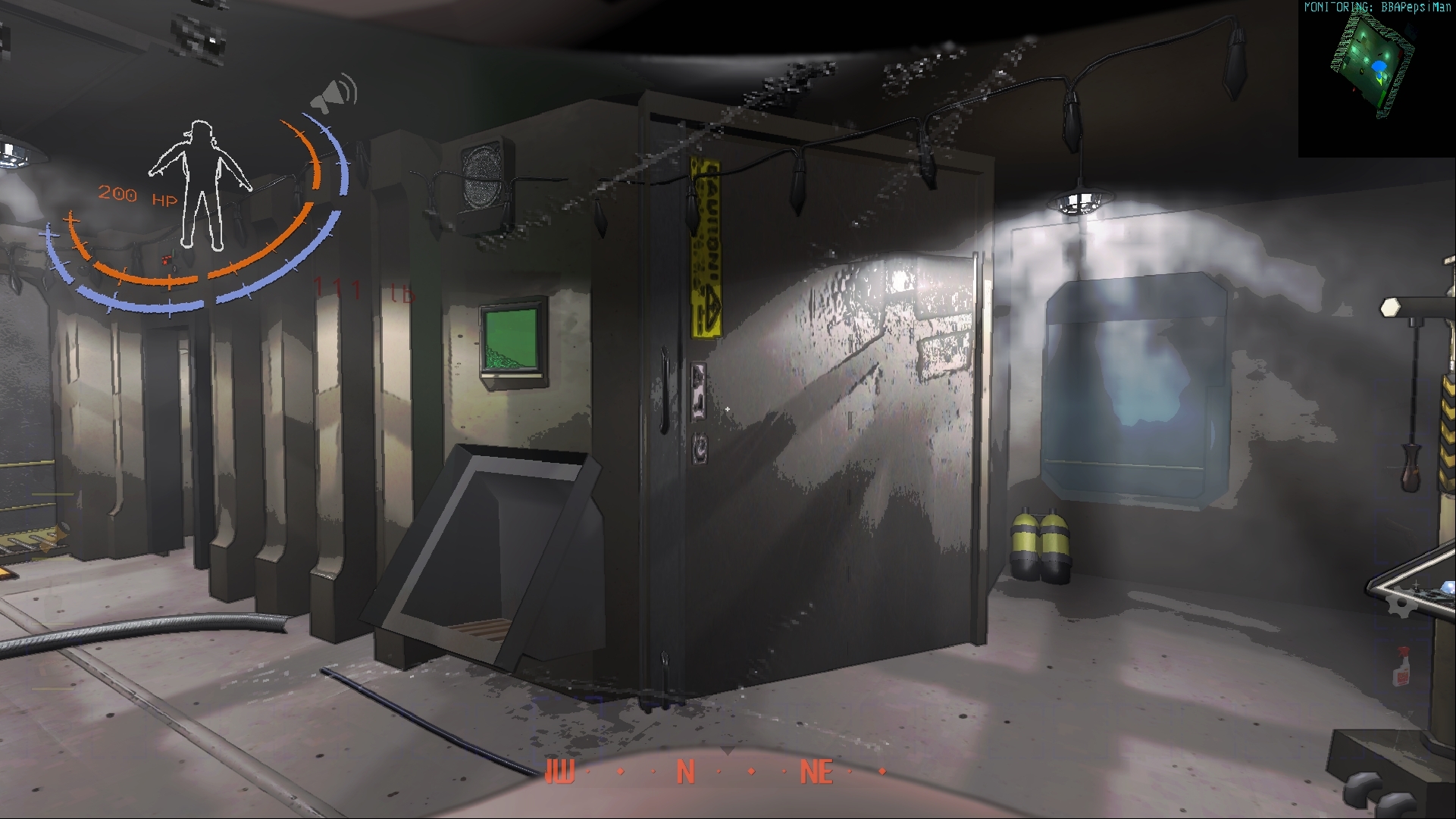
 willow nexus
rich ice
okay, well update on furniture mod; I would have added more furniture in this ch...
willow nexus
rich ice
okay, well update on furniture mod; I would have added more furniture in this ch...
You added WHAT
 slate sphinx

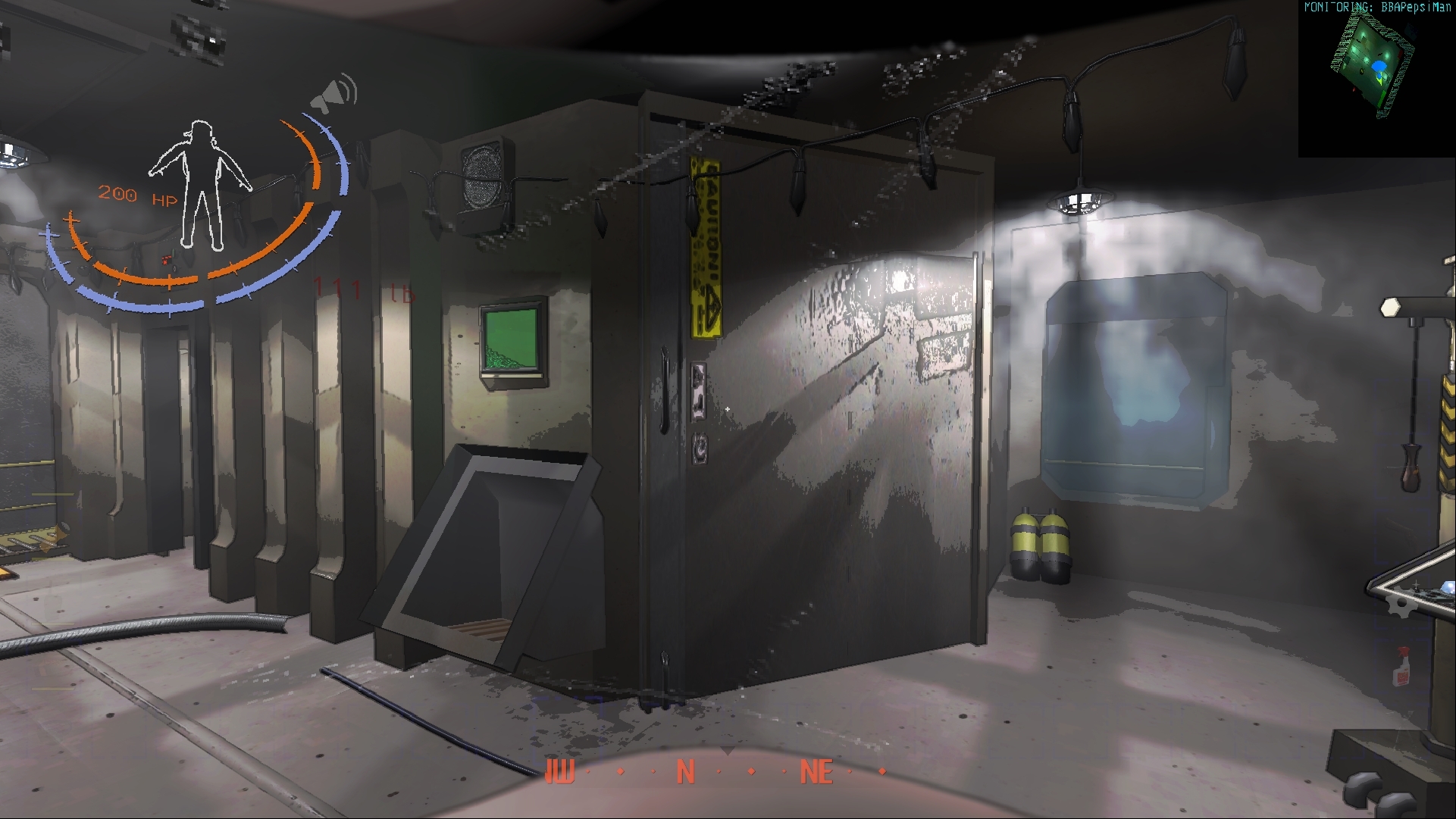 willow nexus
I love it ngl
copper sage
can masked find their way in thru it? .3.
 sand hull
That’d be hilarious
copper sage
regardless, i know where im putting it
looks at 3rd floor window
vestal elk
rich ice
okay, well update on furniture mod; I would have added more furniture in this ch...
YO LETS GO JUST AS I GET THE MOD IT UPDATES
WE BE TURNING THE SHIP INTO A 3 STORY APARTMENT COMPLEX WITH THIS ONE
vestal elk
can we get the ability to move the lever (and monitors with it) in this mod due to how much space there is (i wanna set it to the second/third story)
Also what was the mod that adds the carpets?
rich ice
vestal elk
Also what was the mod that adds the carpets?

Thunderstore
[v56] Adds 47 unique pieces of unlockable decor for your ship, with more planned!