#Cull Factory: Stops rendering faraway rooms
1 messages · Page 2 of 1
 fair oyster
I understand that the assembly is massive, 170 mods
But this was not the case before, as if something was being ignored
 austere stirrup

👀
this was way easier than I expected
didn't even have to do any cross products myself
austere stirrup
it's wooorking
it does cull lights quite aggressively but I think that may be fixable by attaching bounds to the lights in the dungeon based on their range
(video is with it updating culling only when I press E to demo it)
 lament mason
I could imagine if the enemies just standing in front of you but you won't notice it till you get close 😭 unless they exclude enemies from this
I never tried it enough
austere stirrup
nah, enemies aren't included (yet)
it's possible they could be culled too, but the benefit would probably be negligible (except maybe with some scary mods)
 inland plover
I might be wrong but when using Control Company I never had my monster/other players get culled, even when exiting the culling area
Yeah what Zaggy said
Eh, I feel like having them be culled could lead to some unfavorable/unfair scenarios
austere stirrup
culling them would be purely visual, as it is for the dungeon itself
inland plover
Like turning your back to a coil head that's being culled and getting your head discombobulated a second later
Kinda a skill issue, but still
austere stirrup
and if I'm correct, it wouldn't result in the enemy being invisible on your screen, unless the update rate is very low
inland plover
As long as audio isn't culled then it should be fine (still can be unfair at times, but was less unfair for most situations)
austere stirrup
audio would still be there
it's just the models that stop rendering
not sure what would be unfair 
inland plover
inland plover
Like turning your back to a coil head that's being culled and getting your head ...
^^^
austere stirrup
I didn't understand that sentence tbh
lament mason
I don't know the context to this video, but is it you modified the config that it will render even less, or this is the default?
inland plover
Idk about you but if I died because a coil-head that wasn't rendering snapped my neck I'm logging off
For 5 minutes before getting back on
austere stirrup
lament mason
I don't know the context to this video, but is it you modified the config that i...
it's a proof of concept of portal occlusion culling, which means that only what is visible through the doors/room boundaries is rendered, in simple terms
inland plover
inland plover
Like turning your back to a coil head that's being culled and getting your head ...
Unless someone has hearing problems, then not a skill issue ofc
austere stirrup
inland plover
Idk about you but if I died because a coil-head that wasn't rendering snapped my...
but it wouldn't not be rendering
if its bounding box is in the view frustum, it renders
inland plover
Oh you mean view based culling?
inland plover
I thought u meant nearby culling lol that's my bad
(didn't watch the video cuz mobile data sucks)
austere stirrup
before and after portal occlusion culling:


(check the top left)
battery consumption unrelated
(forgot to mention, that's on Titan, so worst case planet interior obviously)
 valid sinew
ooooh, that's nice
 remote gorge
Would it be possible to create an API for adding quick LODs so the culling isn't that obvious?
fair oyster
austere stirrup
before and after portal occlusion culling:
WHAT THE FUCK
I WANT TO TEST THIS!
austere stirrup
remote gorge
Would it be possible to create an API for adding quick LODs so the culling isn't...
do you mean in the mod as it exists now?
austere stirrup
fair oyster
I WANT TO TEST THIS!
it's definitely not ready for prime time yet, if you stand in the right spot in the mansion the whole world pops out of existence lol
remote gorge
austere stirrup
do you mean in the mod as it exists now?
No in general. I would want to try to do this, but I'm fresh at modding in C# and C++ and I'd want to make a mod complimenting this one
fair oyster
austere stirrup
it's definitely not ready for prime time yet, if you stand in the right spot in ...
Well it's commonplace
Can I somehow make a config so that for generating a mansion there is a different setting that is more stable?
And the setting in the config file was ignored
As a temporary solution
remote gorge
But I don't know if there is a way to make the engine draw LODs since I thin that culling overrides them
austere stirrup
I just tossed this together from my little testing mod to make a proof of concept, so there are no stable options
austere stirrup
remote gorge
But I don't know if there is a way to make the engine draw LODs since I thin tha...
no there are distance based LODs, the player models use them
I don't think anything else does though
remote gorge
Hmmm, so I'd have to get into algorithmically decreasing the amount of polygons on many models then
fair oyster
remote gorge
Hmmm, so I'd have to get into algorithmically decreasing the amount of polygons ...
This is a good decision
austere stirrup
oh yeah, if you want to do it automatically
fair oyster
Because it seems to me that Unity doesn't want to limit textures
austere stirrup
but I mean, the models are pretty low poly already, I think there's a lot lower hanging fruit than that
fair oyster
And it loads them with reserve, even if the player doesn’t see them
Although, maybe I just don't understand it
And I always think about the bad
 ripe crane
remote gorge
Hmmm, so I'd have to get into algorithmically decreasing the amount of polygons ...
ripe crane
remote gorge
Hmmm, so I'd have to get into algorithmically decreasing the amount of polygons ...
Dont think thats a thing
austere stirrup
I mean it is a thing, but an incredibly difficult (or if you want to get a plugin, expensive probably) thing
ripe crane
The offscreen monsters probably aren’t even that big of a toll on performance tbh
fair oyster
ripe crane
The offscreen monsters probably aren’t even that big of a toll on performance tb...
I agree
austere stirrup
yeah I doubt it
their AI is much worse for performance than their models could possibly be
fair oyster
Now I'm more interested in how much different mods interact with each other that load FPS so much
austere stirrup
otherwise I wouldn't have to make a mod that fixes lag spikes lol
remote gorge
But I also kinda think about decreasing the load on the CPU since most of the time I'm cpu bound anyway. But I don't know what's there that could be optimized
ripe crane
The #1 first step to optimisation is figuring out what you need to optimise
austere stirrup
^
I think they're getting close to having an easy way to get it running in Unity editor so that it can be profiled easily
and effectively
I've tried profiling it before and my results were.... nearly meaningless from what I could tell
although maybe I fucked it up
remote gorge
Hmmm
 fair oyster
austere stirrup
fair oyster
austere stirrup
infuriates
austere stirrup
oh I see, there's rooms that connect with no doors, makes sense
fair oyster
Can you imagine what will happen if suddenly a game patch comes out with performance and everything changing?
All mods will fall
Our work will be down the drain
And I’ll go into the corner to cry, because everything will have to be tested again
To make the mod build work
valid sinew
austere stirrup
I think they're getting close to having an easy way to get it running in Unity e...
wouldn't be easier to profile with something like nvidia nsight?
fair oyster
valid sinew
wouldn't be easier to profile with something like nvidia nsight?
What it is? 0_0
valid sinew

NVIDIA Developer
Profile, optimize, and debug graphics applications such as Direct3D, Vulkan, and more.
fair oyster
valid sinew
https://developer.nvidia.com/nsight-graphics
It looks big, but I don't understand much...
valid sinew
you can basically recreate every gpu draw call in order
austere stirrup
that profiles the GPU, which isn't really the bottleneck here
except on very large maps like Titan
it's definitely useful though
might be worth a look either way I suppose, but I just decided to hack something together for fun :-)
valid sinew
i did not notice you were talking about cpu usage 🫣
ripe crane
valid sinew
wouldn't be easier to profile with something like nvidia nsight?
no
In editor gives us more
austere stirrup
looks like lights are gonna be a little tricky though

this isn't supposed to be lit up, not sure why the lights are there with the culling enabled
fair oyster
I have some strange behavior with my RAM. This is always stable, with heavy loads of 3-4 GB. Then in the same situations 6-7 GB
Probably the 170 mod assembly is to blame xD
I'm trying to understand, the birds are outside, are they somehow straining the system?

They don't have their own AI, do they?
The fewer monsters, the better the console and the game feel
The fog effect is simply killing the game; nothing will help on maps with such weather. Neither disabling HD or enabling CullFactory for minimal rendering
 fair oyster
On the Aquatis map
The premises are darker than usual...
https://thunderstore.io/c/lethal-company/p/sfDesat/Aquatis/


Or maybe it's because I turned it on


Thunderstore
Fixes RPC lag. This should fix the several second slowdown that occurs when some mods throw exceptions in the console.
 dusky condor
fair oyster
And this
https://thunderstore.io/c/lethal-company/p/Bobbie/FixRPCLag/
dusky condor
fair oyster
And this
https://thunderstore.io/c/lethal-company/p/Bobbie/FixRPCLag/
(This mod isnt needed as you can do the same stuff in the bepinex config)
fair oyster
dusky condor
(This mod isnt needed as you can do the same stuff in the bepinex config)
Yes, I know, but why not take a ready-made option)
Spooky :3


It seems like the fixes are turning off the lighting in CullFactory, or it just seems to me xD
dusky condor
If you have the diversity mod there is a truedarkness config (if you have that)
fair oyster
dusky condor
If you have the diversity mod there is a truedarkness config (if you have that)
It's disabled)
I'm waiting for updates from him

It's like the old version of CullFactory when the lighting was automatically turned off
But at the moment I have the latest version and default settings
For some reason, some of my monsters have stopped knocking down doors...
Like Thumper or Jester
https://thunderstore.io/c/lethal-company/p/itsmeowdev/DoorFix
At first I thought it was because of him

Thunderstore
Fixes the hitbox of doors so items can be picked up through open doors more easily.
Or due to some other mods
Or maybe because of CullFactory...
No, it's some kind of nonsense
fair oyster
I don’t know, please recommend a config so that this doesn’t happen. Or do I need to wait for an update? @glass juniper @alpine berry
 alpine berry
fair oyster
I don’t know, please recommend a config so that this doesn’t happen. Or do I nee...
alpine berry
fair oyster
I don’t know, please recommend a config so that this doesn’t happen. Or do I nee...
Looks like either player you spectating is "out of bounds"
Or marked as not being inside the facility
Everything should work fine with default config otherwise
fair oyster
alpine berry
Looks like either player you spectating is "out of bounds"
Or marked as not bein...
Every other time, depending on your luck
austere stirrup
portal culling is working with zero artifacts that I can see 👀
no more light pop-in and it still culls in .15ms
 trail tundra
Are there any known compatibility issues with this mod and others?
dusky condor
I’ve had no issues aside from some custom areas being invisible right at after entering, but its fixed by moving forward a little, and isn’t much of a compatibility issue
fair oyster
trail tundra
Are there any known compatibility issues with this mod and others?
BodyCam + Minimap on the ship
austere stirrup
minimap is a rough one, it circumvents the vanilla radar map rendering so everything kinda breaks
once I get my occlusion culling ported over it should probably be fine
 cerulean gate
Is lc office fixed yet?
trail tundra
fair oyster
BodyCam + Minimap on the ship
Nice. I don’t use either in my mod pack so this mod will be very helpful :)
 upbeat trail
second the bodycam stuff is made compatible i'm nabbing it instantly, my whole group has weak computers
austere stirrup
to my knowledge body cams should work as is, do they not?
well, they should work as well as being in the facility in person I suppose
I think that occlusion culling per-camera should make things a lot more consistent as far as mod support in general
with regard to custom interiors and mods that add more cameras
 glass juniper
at the moment cullfactory does a pass on every camera to identify what rooms are visible to that camera, and the results are aggregated to form a list of all the rooms that should be rendered that frame
then we go through all the rooms and turn their renderers and lights on and off accordingly
as for why the monitor doesn't work right now, it's probably that the player's transform is different from their cameras' transform
I've pushed an update to github a day ago and it probably fixes it
I'll do some testing and upload it on thunderstore
I also discussed with zaggy1024 about deprecating the current testing methods and using portal occlusion culling in the future, so everyone using cullfactory will automatically be able to get a better experience after an update
austere stirrup
I think the first update with portal occlusion culling will stillhave a few issues to be aware of, the main one being that dynamic lights aren't taken into account, so if a room that a flashlight or lamp is in gets culled, it will shine straight through the wall
should be fixable, but that may be at the cost of some performance, it remains to be seen
(I gotta resist the urge to try to fix that now because I will definitely end up delaying the release lol)
glass juniper
yeah, that issue is present with the current version as well so we can always fix that on a later version
I'll also do some testing with my friends so we can gather more statistics on what performance gains we can get on lower end devices
austere stirrup
do you want to test with my WIP?
it seems fairly stable at the moment, but obviously may still be risky since I've only been able to test it a bit before having to make changes
glass juniper
ah gotcha
do you have a fork or a repo on github? that way I'll be able to suggest changes if i stumble into issues
(also learn a thing or two ofc)
austere stirrup
not currently, since I've been tossing it together in my project that I just use to make proofs of concept
I could just send you the source though :-)
austere stirrup
oh wait lemme clean out the build dir first
had all the referenced assemblies crammed in there lol
this has the source and you can pull the build from bin/Release
very sparsely commented so far, but hopefully legible
the KeepPreviousFrustums option is currently ineffective, it just does that by default currently (and probably will when I merge it into CullFactory)
ShowFrustum activates when you press E and there's no way to remove the quads from the world without UnityExplorer so be careful with that one outside testing
glass juniper
that's the most amount of 3d maths i've seen in a long while 😭
love it
austere stirrup
could've been way worse tbh lol
I discovered that Unity has helpers for everything I needed to do thankfully
glass juniper
yeah, can't imagine working with quaternions without them
austere stirrup
I thought I was gonna be doing normalizations of cross products of cross products
glass juniper
hm.. we could probably work on some sort of virtualization if we want to go a bit further with optimizations
so instead of making actual gameobjects for portals we use a struct that encapsulates the dimensions of it instead
austere stirrup
oh yeah, that was just for convenience to visualize them for debugging
glass juniper
ah i see
austere stirrup
I think that would mainly be a memory footprint optimization though
unless we can make it use an array lookup instead of a hashtable
then that might be pretty good
glass juniper
yeah
austere stirrup
doesn't seem like there's any sort of unique ID for doors, though, so I'm not sure that's possible
glass juniper
there is Object.GetHashCode which could be helpful
austere stirrup
hashcodes can have collisions though, so we're back to square one
it would have to be sequential IDs
glass juniper
it's less likely in lethal company where we have only a few doors (rough guess, less than 1024)
ah yeah, GetHashCode uses reflection by default
even microsoft suggests overriding it
austere stirrup
right, but hashcodes are designed to distribute evenly, so we would need a ridiculously big array
wait why reflection? why isn't it reference equality?
does it need reflection to do reference equality checks?
glass juniper
ah sorry mb reflection is only for value types
it does something else for reference types
austere stirrup
ohh ok
that's good
I was worried we were tanking a big performance hit just for using defaulted hash codes
austere stirrup
oh, I forgot to mention, that current version is still hardcoded to the local player, so spectating and the radar map probably doesn't work at all
glass juniper
that's alr
I'll make some changes to it and make a branch 👍
austere stirrup
oh that's gonna be tricky with no repo just yet
I guess in that case we'll have to use my current version as a base if I make any changes before you're done
 remote crystal
lookin forward to havin radar fixed. was really problematic today. 🙏
fair oyster
I have a question
QtheConqueror-LoggingApi-1.0.1
What is he doing? (link does not work)
Is it needed for developers?
austere stirrup
if it has API in the name, it usually is
@glass juniper it looks like maybe on the mansion interior there are some lights that are being enabled every frame so they shine through walls, have you encountered this?
in the factory interior it seemed like it didn't override me setting them disabled, but I'm not sure if this is a bug in my code or something is fighting me
glass juniper
hmm yeah i've definitely seen lights shining through mansion walls
austere stirrup
it might not matter though in the end
I think I need to refactor how I cull stuff a bit
I've gotta move things to the camera callbacks, and since maps need the whole map to render, I'll have to hide everything except certain tiles for perspective cameras
glass juniper
did some branch cutting on GetTileAtPosition
 austere stirrup
whereas currently I avoid that work and only change what needs changing to maintain the player perspective
hmm
I had that array of tiles specifically to avoid all of those field reads
and the overhead of a ReadOnlyCollection interface
reformatting to use continue is good though
also is it a style choice to make const variables use member naming convention?
or did you change the declaration?
and are you integrating the code into CullFactory, or do you want me to do that?
would be good to get it in a branch so we don't end up in merge conflict city
glass juniper
ah yeah, i'm integrating it into cullfactory rn
austere stirrup
ahh ok
glass juniper
my coding conventions are basically the same as the default in rider so
it might look a bit weird
austere stirrup
hmm I guess I'll have to see
I'm fine with adapting
might be a little getting used to though
I'll try to hold off on rewriting the culling implementation until you finish that then
(it will be difficult though, I hate bugs lol)
glass juniper
yeaah i'll try to finish as soon as i can
i'll probably fix some if i run into one though
austere stirrup
let me know if you will, I can hopefully tell you if it's going to be invalidated by some refactor
for now I'll save this seed where I'm noticing lighting artifacts so we can repro later
I think it might be good to put a simple option to override map seed from LethalConfig, there's a mod to do it but the UI conflicts with a lot that I use for testing
plus if it's saved in config we can easily iterate without having to set up the seed every time
one thing I'm very suspicious about is whether TestPlanesAABB actually checks all the planes I pass it, because I'm seeing a lot of situations where the camera frustum is occluding a whole portal visible through another door and it doesn't cull it
I think I'll try writing that in C# and see if I get better results, because I think it should be working
or actually, even better, I can run through all the frustums in the stack
glass juniper
no way?
austere stirrup
hm?
glass juniper
oh i'm just excited about fitting all the frustum info in the stack, that might've came out a bit wrong sorry
austere stirrup
by stack I mean the array of frustums in CallForEachLineOfSight
I can just run through it up to the current position in the stack and test them individually, so we don't lose any planes
downside is perhaps more overhead calling through to C++, but I think it may be worth it to cull more
hopefully
we can test it with an option
glass juniper
ah gotcha
i haven't looked through the entire code yet, but an optimization method is to store all the planes used inside a cache, and for each step we can reuse the same planes with an index
much like how triangles are specified on meshes
austere stirrup
yeah, we should be able to reuse the planes arrays for sure now
glass juniper
i suspect its perf gains will be pretty small though, but that's on the shelf just in case
austere stirrup
it is memory allocation, it may be something decent
austere stirrup
huh, that bug I saw earlier with light going through the wall seems to not be happening anymore unless I turn off culling, I wonder if I had the setting backwards lol
sleep deprivation moment perhaps
turning off culling is definitely bugged out though, there are portions of the map missing when I switch that
glass juniper
hmm

GitHub
Contribute to 2394425147/LC_CullFactory development by creating an account on GitHub.
in the meantime i'll just make a branch here
austere stirrup
is it building and running yet?
oh jeez, the formatter lines up field assignments, that's gonna be a pain in VS probably
wuh oh
haven't messed with the formatter there
glass juniper
ah, that's my personal coding style so i'd be glad to use a more compatible alternative
austere stirrup
ah, gotcha
normally I just format my code myself, so I don't usually bother with that
I don't feel like it improves readability for me, but that's just my opinion man
so up to you really, I could try to figure out if VS can do that
I can grab this branch and start adding my changes on top of it if you feel it's ready
wait, did you mean to commit Assembly-CSharp? is it stripped?
glass juniper
i put it through bepinex publicizer so things like nameof(RoundManager.waitForMainEntranceTeleportToSpawn) is possible
austere stirrup
as long as you're not still adding code from my source dump it's fine, I can rebase and get my commits building
could we add a nuget.config for the bepinex repo?
or is it accepted practice to put that somewhere global?
also I wonder if we should trim down the number of assemblies we're pulling in, including everything from _Data/Managed seems excessive
if we don't do that we can have a .gitignore'd folder for assemblies that we copy from the game folder so that we don't have different paths on different machines trying to push to the project file
glass juniper
ah yeah for sure
i haven't been too deep in package management myself so i make dumb stuff sometimes
austere stirrup
all good
my projects aren't contributor-friendly yet either, I don't even have them on the .NET SDK
lemme see if I can cut this down and make them relative paths
also I'm wondering, do you know how to rebase? I tend to prefer rebasing over merge commits if we can do that
makes the history look a lot less ugly on GitHub
hmm, looks like publicizer doesn't didn't strip out method contents, I wonder if it's safe to have that in repo
glass juniper
austere stirrup
also I'm wondering, do you know how to rebase? I tend to prefer rebasing over me...
ah yeah, although i perfer merging since you can use pull request merging and have automated release notes
austere stirrup
pull requests can rebase as well
automated release notes though?
why wouldn't it be possible with rebased branches too?
although I haven't used that feature
glass juniper
come to think of it i haven't tried rebasing on an actual repo before yeah
austere stirrup
I think there's a setting to change the default action for pull requests
when it's set up to rebase and pull, the pull requests will be marked on the commits still
imo it's very clean
if you want a good example, SerenityOS is the project I contributed to
@glass juniper do you think you could amend your commit to that branch and remove Assembly-CSharp? I'm thinking we should have contributors copy the assemblies from Managed and then have AssemblyPublicizer publicize the copied assembly in the csproj
not sure about the legality of keeping the game's code there, and stripping the meat of the assembly makes it harder to work with because we don't get the disassembly for free
glass juniper
ah, for sure
 lethal barn
does this increase fps on low performance computers?
fair oyster
I have a question. when should I wait for the next CullFactor update?
austere stirrup
are you asking when it'll be done? that's not really a question I can answer for you lol
it's done when it's done
it's new territory adapting this for another repository's style and everything
dusky condor
lethal barn
does this increase fps on low performance computers?
try it and find out
fair oyster
I look forward to it
lethal barn
dusky condor
try it and find out
well i have a good computer
dusky condor
lethal barn
well i have a good computer
it should
 oak plover
whats a good way to run this mod? default config settings are a good balance?
glass juniper
Just uploaded a new version! This includes the portal occlusion culling (implemented by @austere stirrup), which cuts down the number of rooms rendered to only what's visible, so there should be some more performance improvements
https://thunderstore.io/c/lethal-company/p/fumiko/CullFactory/

(it should be 0.7.0 so in a minute when it updates actually)
fair oyster
glass juniper
Just uploaded a new version! This includes the portal occlusion culling (impleme...
Is there any other information?
glass juniper
yeah the radar rendering should be fixed
 orchid jetty
ah, nice
congrats to you and zaggy
for maintaining probably the best mod on thunderstore at this point
austere stirrup
for a little extra information: Portal occlusion culling should be an improvement in performance especially in very large interiors, but I'd like to hear what people's experiences are on those and smaller moons. The idea is for this mode of culling to be the zero compromises mode that can still gain you performance, so you shouldn't notice any holes in the world, or static lights popping in and out
one very tough benchmark that portal occlusion culling excels in is the interiors from https://discord.com/channels/1168655651455639582/1196943144009351258
Office has extremely large interiors a lot of shadow-casting spot lights, so culling those helps to gain a lot of performance back, as well has stopping the dreaded shadow budget exceeded spam
 jade vapor
uhh....
 austere stirrup
is this with portal occlusion culling?
alpine berry
glass juniper
yeah the radar rendering should be fixed
Portal culling doesn't seem render around monitor target(Radar booster)..

But aside from that portal culling works really good
jade vapor
austere stirrup
is this with portal occlusion culling?
yes
alpine berry
 austere stirrup
could you both send profile codes that I can look at?
jade vapor
i'm not using R2mod e.e manual
austere stirrup
hmm, hold on a sec
might've been some missing commits in the build that got uploaded
fair oyster
I just tested it on a large generation, it looks amazing
I can’t say for sure about monitors, but I think it’s a small price to pay for getting a large number of FPS
Great job
 glad condor
portal occlusion working weird if you stand in the doorway of castle dungeon
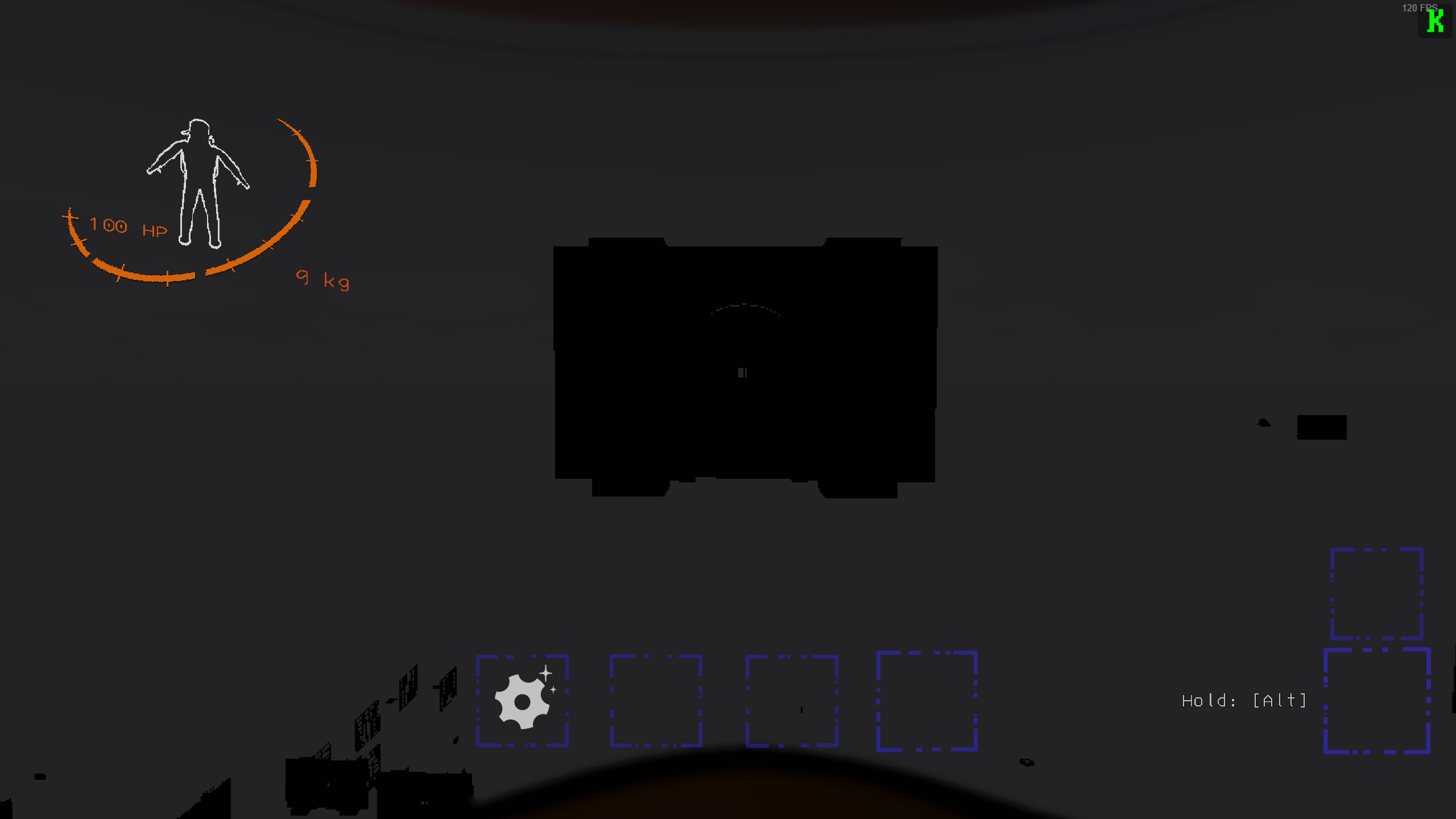
only when you stand exactly in the doorway
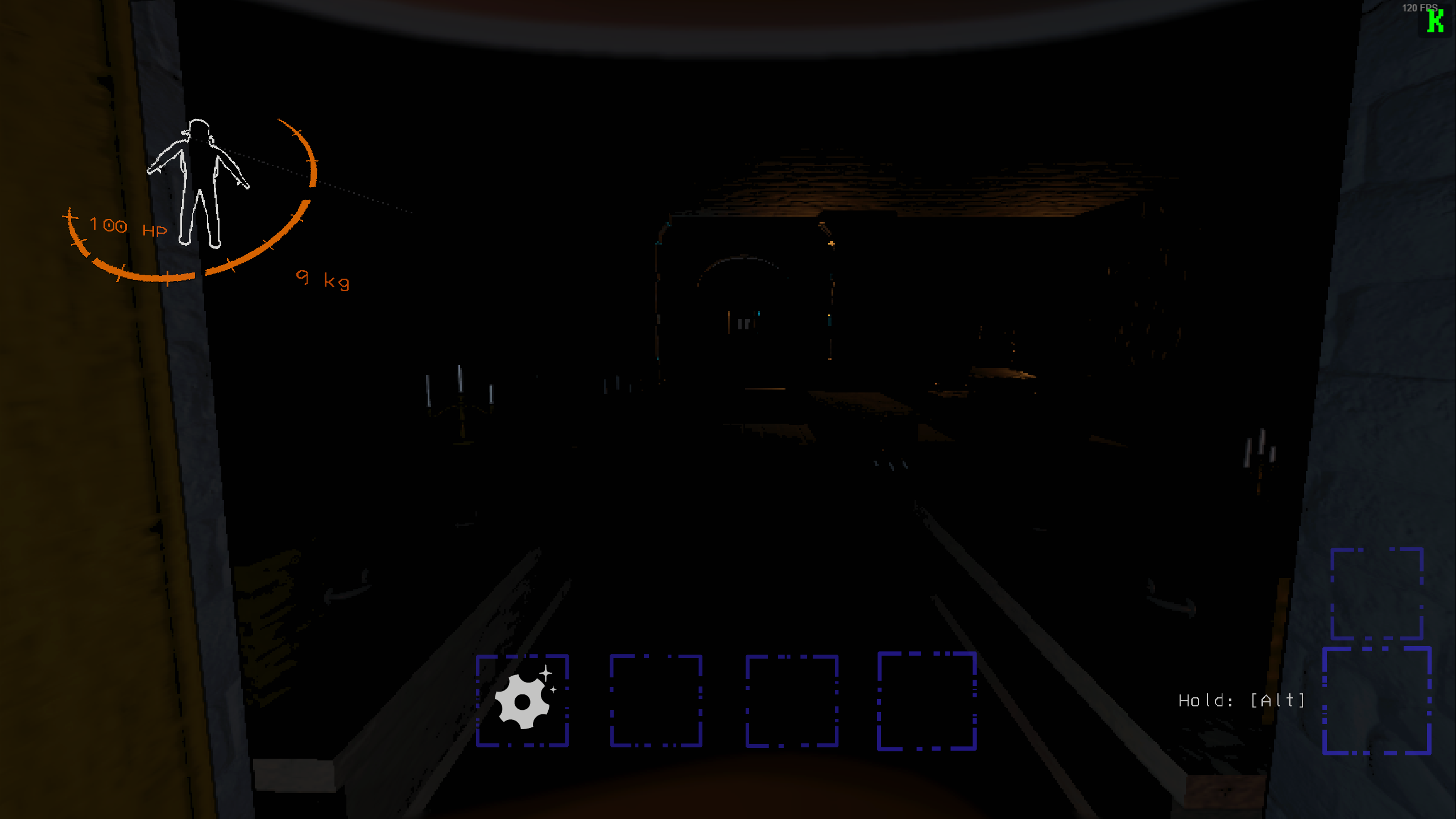
but okay if you step out of doorway
austere stirrup
ah interesting, might be something funky about the tile bounds there
I'll take a look later
that's an interior I haven't tested with it, so let me know if you see any artifacts like light pop-in
or door frames may pop too
glad condor
sure
austere stirrup
jade vapor
i'm not using R2mod e.e manual
might be worth testing again on this version, but I'm curious what interior you're in that did that
jade vapor
austere stirrup
might be worth testing again on this version, but I'm curious what interior you'...
i using MoreInteriors
 trail vault
question, what difference does portal culling do from the normal technique?
and will openbodycams be fixed?
glass juniper
portal culling culls more unnecessary rooms than depth-based culling, so basically more performance usually
openbodycams compatibility should work out of the box in the latest version
trail vault
i love you op
austere stirrup
yeah, portal occlusion culling will apply to any camera in the game, so the body cam itself will be culled as will your camera
austere stirrup
also, portal occlusion culling has the potential to run slower than depth based culling depending on the depth setting, but in general it should be able to perform better when not looking down long hallways or through several doors at once
which essentially comes down to the fact that portal occlusion culling should never cull anything that is visible to the camera
trail vault
austere stirrup
which essentially comes down to the fact that portal occlusion culling should ne...
so basically depth culling just culled anything that was far away no exceptions cameras included, and portal culling is basically the same but more efficient and fixes cameras am i right?
austere stirrup
well, it's possible for depth culling to apply correctly to all cameras as well, but culling anything far away yes
essentially the interior is divided up into rooms, some of which are obvious through the visible doorways, and depth culling counts out a number of those in your surroundings to allow to be visible
portal occlusion culling instead checks what is visible through those doorways, until nothing is and then it stops
trail vault
well i dont want to get too deep in the technicality so ill just thank u all for the hard work
austere stirrup
fair enough and thank you
jade vapor
glad condor
https://i.imgur.com/QAdl5Bk.png
this is happend Scoopy. same like Hardy

v0.7.1 btw
 rich sky
jade vapor
this is happend Scoopy. same like Hardy
rich sky
jade vapor
this is happend Scoopy. same like Hardy
what event mod is that?
jade vapor
rich sky
what event mod is that?
HullBreaker Company. i custom event made self
rich sky
ty
cerulean gate
why did it become unplayable with custom interiors with the recent update
 winter light
I'm also experiencing issues with custom interiors on the latest version
austere stirrup
if you're having issues, you can switch it back to depth culling until the issues are resolved, but could you explain more about the issues you're seeing?
 silver escarp
what is the difference between these?
 austere stirrup
the first one only activates when the player is inside the interior
 still pond
austere stirrup
if you're having issues, you can switch it back to depth culling until the issue...
still pond
austere stirrup
if you're having issues, you can switch it back to depth culling until the issue...
Interiors freaking out basically I;d say if anyone had same issue as me. Blocks not loading that directly in front of player, even after adjusting culling distance - created square patches around interiors etc BUT only noticed this is custom interiors.
austere stirrup
hmm, I'll need to know which interiors specifically, it can change from one to the other
I found no issues with LC_Office for example
it's possible that they're not setting the doorway sizes accurately for DunGen, which will make portal occlusion culling utterly useless
still pond
austere stirrup
hmm, I'll need to know which interiors specifically, it can change from one to t...
MoreInteriors, Scarlet & Scoopy (both Sewer & Dungeon)
austere stirrup
all interiors in MoreInteriors? or is it just one?
I'll test those in a bit, have to patch something for OpenBodyCams quick
still pond
MoreInteriors only got one Interior atm still Ithink
austere stirrup
gotcha ty
still pond
on TS anyway 😛
austere stirrup
ts?
still pond
austere stirrup
ts?
ThunderStore*
austere stirrup
ah right
austere stirrup
for the bunker interior, I think I'm going to need to see examples of these issues, I just loaded it up and I'm not seeing anything going wrong so far
or at least not obviously so
austere stirrup
looks like I can reproduce an issue on Scarlet Devil Mansion though
austere stirrup
well, I see the issue with Scarlet

that white square is supposed to cover the whole doorway
just notified the dev of Scarlet, should be fixed in the next version of that interior
it may not necessarily resolve all issues, since I did notice something odd going on even if I crouched in the doors, but I'll have to take another look when that patch is out
 rancid barn
Just jumping in to ask if anyone's tested SCP and if there's any problems like SDM
austere stirrup
I haven't heard anything about that yet, which mod adds that so I can add it to my testing list?
I know there's a couple or more SCP mods and one adds an exterior and one adds an interior, but I don't know the names
 winter folio
austere stirrup
I haven't heard anything about that yet, which mod adds that so I can add it to ...
winter folio
austere stirrup
I haven't heard anything about that yet, which mod adds that so I can add it to ...
SCPFoundationDungeon I believe
austere stirrup
nice, thanks
austere stirrup
Scoopy's is also affected by the incorrect doorway sizes, just posted in their thread about it
hopefully they can patch that so culling will work in the castle and sewer interiors
austere stirrup
looks like SCPFoundationDungeon has good doorway sizes and I couldn't see any artifacts @rancid barn
rancid barn
Coolio, good thing I did that by default
austere stirrup
oh, is it your mod? cool
@last venture in reply to #1195583267546595389 message, is that with CullFactory 1.7.1? I've been testing with LC_Office a lot and I've noticed zero issues with it running portal occlusion culling
any issues I've seen with custom interiors so far has been due to not setting the door sizes correctly, but LC_Office did have those set
 last venture
In my defense
I have not actually tried CullFactory yet!

Just what I've heard from other individuals
dusky condor
It works very well for me
dusky condor
Never had an issue with office
last venture
Good to know
Will likely give it a shot after LLL is a tad more stable and ScarletDevilMansion updates for compat
adds it to my future list
Also @austere stirrup should probably get the top message pinned

rancid barn
Also is there any plan for how this is gonna handle stuff like Hadal?
austere stirrup
last venture
I heard that it caused apparatus issues to pop up again or something
seems doubtful, it only changes the visibility of objects, so unless the issue was something being invisible it shouldn't be an issue
austere stirrup
last venture
Also <@193574164639121409> should probably get the top message pinned
it's not my thread!
I'm just contributing the portal occlusion culling feature and related stuff to the mod
austere stirrup
rancid barn
Also is there any plan for how this is gonna handle stuff like Hadal?
what does it do? I haven't heard of it
rancid barn
austere stirrup
what does it do? I haven't heard of it
Not out yet, but it's a dungeon with an underwater theme and glass corridors letting you see other rooms around you
austere stirrup
I guess the plan would be to add a blacklist that includes that by default
unfortunately, I think all you can rely on for that is frustum culling, so if it has problems with density causing low framerates it might just be that way
looks very cool though!
rancid barn
Maybe collaborating with Batby when he's back to add a flag to a dungeon saying whether to use culling or not might be worth doing
Would mean adding LLL as a dependency though if you care about that
austere stirrup
ah right, that could be nice
it can be a soft dependency
I haven't even looked at LLL code at all though, not sure what that would entail
I also probably need to look into the Backrooms mod, I'm guessing it doesn't work correctly with either culling method at the moment if it uses DunGen
rancid barn
For LLL dungeons it should be as simple as adding a flag to the extended dungeon flow, then using one of the callbacks on flow selection
glass juniper
austere stirrup
it's not my thread!
i can't seem to find the pin button yesterday when you posted either but I'll try adding it to the readme so more people can read about it there hopefully
austere stirrup
I think maybe the mods have to do it
don't know if that's changed, but I believe that was the case in the past
just sayin it's your choice what gets pinned in here
rancid barn
Yeah only mods can pin stuff including in threads
glass juniper
ah i see
 old bison
Might have been already reported but rooms also stop rendering when standing in doorways on scoopy's sewer interior
austere stirrup
it was mentioned yeah
they're aware of the issue and should be able to fix it, perhaps and hopefully in their next update
 formal spruce
I have a vague memory of this mod having issues with LC_Office, was that fixed?
austere stirrup
should work perfectly with portal occlusion culling, not sure about depth culling
I wouldn't have expected either to have issues
austere stirrup
currently has issues with portal culling, but the dev is aware of the issue and the solution to it
should work fine with depth culling afaik
but unfortunately you'll have to use LethalConfig to switch it in-game if you want to use portal occlusion culling with other interiors
no restart needed though
formal spruce
alright
 tulip skiff
control company support?
 craggy dove
austere stirrup
currently has issues with portal culling, but the dev is aware of the issue and ...
craggy dove
austere stirrup
currently has issues with portal culling, but the dev is aware of the issue and ...
they put out an update earlier to fix it
craggy dove
i mean i havent tested it myself. but i saw on thunderstore that there was a new update and the changelog mentioned cullfactory
austere stirrup
yeah, I guess it got released not long after I had checked it last
I'm sure it should resolve any issues, but I'll have to test it later
silver escarp
@austere stirrup so im using depth culling and had the issues of entering the sewer interior and there just wasn’t anything I could see the whole map underground. and also the door was white
glass juniper
the bounding box in the entrance room doesn't cover all grounds so that happens sometimes
walk forward a bit and you should be fine
I'll try to fix this in the update though
 sturdy spear
austere stirrup
I'm sure it should resolve any issues, but I'll have to test it later
sturdy spear
austere stirrup
I'm sure it should resolve any issues, but I'll have to test it later
oh i did the doorway size fix a few hours ago. i knocked immeditealy last night so forgot to mention :)
silver escarp
glass juniper
the bounding box in the entrance room doesn't cover all grounds so that happens ...
shit I meant to @ you and not zaggy but atleast you saw it lol
sorry zaggy
austere stirrup
all good
if we just make depth culling use the same method of finding the tile that the player is in, it should work fine
silver escarp
so what’s more stable rn? Depth or portal
glass juniper
depends on if the interiors have proper doors set up, but usually you should stick with portal
use depth if you experience issues, basically
austere stirrup
curious, it looks like the sewer entrance culls out even with portal occlusion culling
I wonder if some other room is colliding with the entrance consistently or something
glass juniper
interesting 🤔
austere stirrup
gonna work on visualizing the tile bounds tomorrow to allow diagnosing issues like this more easily, but I didn't realize how close the camera has to be to the bounding box
I think the new tile selection method fixes the culling near the door, but if you go to the right it doesn't think you're inside for either of them, so I think that room's bounds are just way off
will investigate more tomorrow
fair oyster
What takes up the most RAM from a mod build? Cosmetics for MoreCompany? Custom moons and loot? Skinwalkers?
cerulean gate
custom moons most likely
 dim citrus
So this mod edits the main camera's far plane correct?
fair oyster
cerulean gate
custom moons most likely
and the different loot?
cerulean gate
fair oyster
and the different loot?
Idk. I used to use LECore with a lot of custom moons before and the game used a lot of ram. Now I don’t use LE but use a lot of mods and the game still doesn’t use anywhere close to what it used to use. But i never used a mod that specifically only adds scrap.
fair oyster
cerulean gate
Idk. I used to use LECore with a lot of custom moons before and the game used a ...
I have a lot of different loot from LE, there are beautiful moons, I sometimes want to go with them. but the question is, does it have a strong effect on productivity and only on RAM?
cerulean gate
Didn’t understand
austere stirrup
dim citrus
So this mod edits the main camera's far plane correct?
it does by default, I'm thinking that it might be worth changing that as it doesn't usually matter for the amount of objects rendered with occlusion culling
dim citrus
austere stirrup
it does by default, I'm thinking that it might be worth changing that as it does...
Just trying to think how to get that to not affect what i'm doing
austere stirrup
how does it affect seamless dungeon exactly?
can't you duplicate camera parameters to your inside perspective?
dim citrus
I copy the values of the main camera's details, IE far plane and what not, cache that and use it for projection matrix calculations
austere stirrup
ah, does it not get changed soon enough?
dim citrus
I believe that changes the projection matrix, and the more important thing if the player is inside the factory it would cause the outside to get cut off at what the far plane is set to
austere stirrup
ahh true
dim citrus
austere stirrup
ah, does it not get changed soon enough?
I try not to update my cache often because inverse of a 4x4 is computationally expensive if i do it often
dim citrus
I do want to support this because, man it would raise performance alot for using extra cameras
austere stirrup
out of curiosity, I've been wondering why it can't just transform a camera and let the unity engine take care of things? do you have to skew the near plane to avoid clipping?
yeah
it's tricky because it does really on getting the frustum from a camera
dim citrus
austere stirrup
out of curiosity, I've been wondering why it can't just transform a camera and l...
Yeah so if there is a dungeon hallway right behind the startroom it looks really weird and bad
dim citrus
I can probably just update the cache when the player teleports
Because that's what this is doing right? updating values when that happens
austere stirrup
do you set the perspective matrix on the camera in such a way that the culling will be aware of it?
austere stirrup
dim citrus
Because that's what this is doing right? updating values when that happens
I'm not sure actually, but it must
it's in GitHub, I haven't looked at that code though
dim citrus
The only values i change of the camera of 20, 21, 22 and ,23 of the projection matrix which is the near clipping plane
        public static void SetObliqueProjectionMatrix(this Camera camera, ref Vector4 clipPlane, Matrix4x4 sourceProjection, ref Matrix4x4 inverseProjection)
        {
            //credit tsunderella if you use this :p it was a pain in the ass

            float sX = Mathf.Sign(clipPlane.x);
            float sY = Mathf.Sign(clipPlane.y);
            float qX = inverseProjection.m00 * sX + inverseProjection.m01 * sY + inverseProjection.m02 + inverseProjection.m03;
            float qY = inverseProjection.m10 * sX + inverseProjection.m11 * sY + inverseProjection.m12 + inverseProjection.m13;
            float qZ = inverseProjection.m20 * sX + inverseProjection.m21 * sY + inverseProjection.m22 + inverseProjection.m23;
            float qW = inverseProjection.m30 * sX + inverseProjection.m31 * sY + inverseProjection.m32 + inverseProjection.m33;
            float cMult =
            (2.0f *
            (sourceProjection.m30 * qX + sourceProjection.m31 * qY + sourceProjection.m32 * qZ + sourceProjection.m33 * qW)) /
             (clipPlane.x * qX + clipPlane.y * qY + clipPlane.z * qZ + clipPlane.w * qW);

            sourceProjection.m20 = clipPlane.x * cMult - sourceProjection.m30;
            sourceProjection.m21 = clipPlane.y * cMult - sourceProjection.m31;
            sourceProjection.m22 = clipPlane.z * cMult - sourceProjection.m32;
            sourceProjection.m23 = clipPlane.w * cMult - sourceProjection.m33;

            camera.projectionMatrix = sourceProjection;
}```the main camera isn't changed though
austere stirrup
right yeah
CullFactory works per camera for occlusion culling though so that should work
dim citrus
I'll test it out see what comes up im still doing a bit of a rewrite just wanted to see what i should take into consideration for this to work in specific
austere stirrup
I should look into the far plane situation though, I don't know if it makes a bright void visible
dim citrus
I've messed with the far plane it, creates the unity gray background i think
austere stirrup
OpenBodyCams can see a light outside the world when it's on too close a far plane, but that's down to like 25
dim citrus
Could use the above code, think you would only need to do it once
having it in the player
austere stirrup
I think it may not affect performance much with occlusion culling since most of the time you can see the farthest visible point
austere stirrup
dim citrus
Could use the above code, think you would only need to do it once
wait, what would that do for me?
this is for the near plane I thought
dim citrus
austere stirrup
wait, what would that do for me?
Sorry my mind skips places, was kind of unrelated, but i know you put it on the player didn't know if you had any issues with seeing the players insides or anything
Actually nvm that's uneeded
austere stirrup
oh nah, I switch the models' visibility to change perspective
any models that are visible are due to bugs though that does happen occasionally somehow
anyway, yeah, I'm very interested in getting this working with seamless dungeon so let me know what you might need
hopefully occlusion culling will also keep the door from rendering when facing towards it from far enough
although since it gets culled in beginCameraRendering, I'm not sure if isVisible updates before LateUpdate
dim citrus
my current "optimization" is bad its the generic testplanesaabb method for camera
does this just turn off meshrenders? when occlusion happens
austere stirrup
it specifically uses forceRenderingOff to avoid affecting the enabled flag which is more likely to be used
austere stirrup
dim citrus
my current "optimization" is bad its the generic testplanesaabb method for camer...
I think that's fine, that's what I use for culling as well
since I run that over multiple frustums in an array, though, it might be worth writing my own to avoid the native call overhead
assuming it's bad enough
obviously testing the frustum won't allow occlusion culling to turn it off though, so it might be worth investigating the order of operations and seeing if checking the renderers visibility causes the door texture to flicker when you look at it quickly
dim citrus
austere stirrup
it specifically uses forceRenderingOff to avoid affecting the enabled flag which...
If this is the case i can probably just do something simple like this if that plugin is loaded
if (currentRenderer.forceRenderingOff)
portal.OnBecameInvisible();
else
portal.OnBecameVisible();
dim citrus
austere stirrup
since I run that over multiple frustums in an array, though, it might be worth w...
I was just meaning it doesn't check if the object is actually visible it's only checking if its in the frustrum so if it so happens 3 fire exits generate and you look in there general direction your performance would tank for seamless
austere stirrup
right yeah
it can stop rendering if doors are closed though right? maybe they should close on their own after a certain time
dim citrus
I think calculatingaabb isn't too performance intensive atleast it doesn't come up in my profiler as being an issue
austere stirrup
yeah, for me it wasn't even registering as a sample I don't think
dim citrus
austere stirrup
it can stop rendering if doors are closed though right? maybe they should close ...
I have all that stuff configurable
            "doorContainer": "SteelDoor\\s\\(\\d+\\)",
            "alwaysRender": true,
            "closeAfter": -1,
"regex": true,```but I'm not sure how much I trust profiler yet
ah nice
wait, does the game not keep references to the fire exits?
dim citrus
Kind of
austere stirrup
huh okay
dim citrus
Like theres alot of inconsistencies in how things are placed searching by names in a 1unit radius from a teleporter is kind of the best solution i've found for always getting them on any map
Inside or out
austere stirrup
ah, I suppose the door model just has some interactable component that references the teleporter that actually tells where the player ends up?
dim citrus
austere stirrup
ah, I suppose the door model just has some interactable component that reference...
Nah they are completely seperate prefabs
dim citrus
Actually the entrance teleporter doesn't even spawn in till almost before landing
austere stirrup
weird
dim citrus
I believe it's for networking reasons it seems he waits till all clients are ready
austere stirrup
is it another SpawnSyncedObject thing? or separate?
dim citrus
Yeah it's a syncedobject
austere stirrup
dim citrus
If this is the case i can probably just do something simple like this if that pl...
almost forgot to mention, but I believe forceRenderingOff affects isVisible, so it should be okay to just check that if you aren't already
worth checking if it works though
austere stirrup
dim citrus
Yeah it's a syncedobject
I see yeah I had to hook into that in RoundManager to track the doors and lights spawning
kinda annoying they don't get attached to their parent in the tile
dim citrus
austere stirrup
almost forgot to mention, but I believe forceRenderingOff affects isVisible, so ...
I tried to use isvisible but that doesn't work really, because it fires if any camera can see said object and i think the ship cameras where making that fire even when the ship was like no where near
austere stirrup
huh I thought their far planes would stop that
it could also be shadow casting though
oh wait and also the ship cameras (without mods at least) disable explicitly when you're outside the ship
so it must've been the main camera
dim citrus
That's very possible
I just disabled it quickly and didn't look into it because i was getting 20 fps from rendering the game 5 times lol
austere stirrup
I think isVisible plus the explicit frustum visibility check should be sufficient
lmao fair
dim citrus
OH ALSO THE EDITOR CAMERA FIRES THAT CALL
austere stirrup
oh that makes sense
dim citrus
I completely forgot that was making me really mad
austere stirrup
I'm sure your inside cameras were also making things visible too
assuming they were on at the start
dim citrus
Yeah, i am adding 4 extra cameras and im sure there frustrums would overlap
austere stirrup
things can be in frustum from the surface occasionally
yeah
so yeah basically I think the combination should take care of it
oh shit wait
occlusion culling might not work for visibility checks because it doesn't necessarily keep visibility set for the camera you're interested in
I'll have to see if just doing culling in LateUpdate collecting all visible tiles for all cameras is better
because otherwise you might have isVisible set to false because some camera other than the main camera rendered last and culled everything
dim citrus
Hmm all i really need to do is disable my camera if the player can't see the mesh, doesn't need to be in lateupdate. The camera object itself does all the major calculations
There is some inverse position calculations for objects near a portal but that's not super intensive
austere stirrup
the rendering is also quite expensive I believe
so I would assume setting visibility before your LateUpdate would be best
dim citrus
Ohh i see, i was actually doing it in a fixed update :p
I'm sure it would flicker if someone turned really fast
austere stirrup
you were doing the camera render there?
austere stirrup
ah I see
dim citrus
using System.Collections;
using System.Collections.Generic;
using UnityEngine;
namespace SeamlessDungeon
{
    public class PortalMesh : MonoBehaviour
    {
        Portal portal;
        MeshRenderer portalRenderer;
        Renderer currentRenderer;
        void Start()
        {
            portal = GetComponentInParent<Portal>();
            portalRenderer = GetComponent<MeshRenderer>();
            currentRenderer = GetComponent<Renderer>();

        }
        void FixedUpdate()
        {
            if (portal.TrackedCamera != null)
                if (portal.TrackedCamera.VisibleFromCamera(portalRenderer))
                    portal.OnBecameVisible();
                else
                    portal.OnBecameInvisible();


        }

    }
}
yeah I would assume that could cause flickering
dim citrus
I tried to get it to flicker but i didn't see any i'm running at 144hz and i'm assuming fixed is running at 30 tps?
austere stirrup
not sure really
and yeah it might be very difficult to see
visibility check is incredibly cheap though I think
dim citrus
Yeah i might swap it to update/lateupdate as long as it doesn't impact performance :p
austere stirrup
yee
I'll look into performance differences when I move to LateUpdate as well
if it's not great I might try some hybrid but really the only difference would probably be in the ship
austere stirrup
this sewers situation is tricky, the entrance bounds don't cover the door properly but it's actually intentional afaict

bounds to my left are the entrance, which is a tall prefab that includes the tunnel below, right one is a normal tunnel
problem is, if I raise the radius around the player that it checks for tiles, it may consider the player to be inside the right tile depending on how far away the entrance is
but also, I think this is kind of an issue on the sewer interior side, because I did have one seed where there was a room clipping into this side of the entrance and got me trapped
that happens because the bounds don't actually encompass the playable area, so a room is able to spawn inside the entrance room
if they're aware of that, the fix for that will probably also resolve the culling issue, but in the meantime maybe I'll just have to bump up the radius pretty high
austere stirrup
@dim citrus actually, I just took a look at how we're setting the far plane, and it actually only activates that if depth culling is used
so I would really just not worry about the far plane for now
depth culling currently won't be compatible with your mod anyway
since it doesn't take into account all active cameras in the world
ah wait just kidding, that's only the surface far plane
gonna have to rework this so that it's consistent
cerulean gate
does anyone have a workaround config for custom interiors?
austere stirrup
what I would do is use portal occlusion culling until I see an artifact, then use LethalConfig to either turn off culling or switch to depth culling
the culling mode can change at runtime
unfortunately, a proper fix will just take time for the developers of the interiors
glass juniper
dim citrus
I tried to get it to flicker but i didn't see any i'm running at 144hz and i'm a...
fixedupdate runs at the game's physics update timestep so it's in the physics settings (iirc it's 0.02 seconds in-game time / runs at 50fps by default)
cerulean gate
austere stirrup
what I would do is use portal occlusion culling until I see an artifact, then us...
do i need to change cull distance too? if i remember correctly, before i had to put it at 100 or smth because sometimes the whole room disappears
cerulean gate
austere stirrup
what I would do is use portal occlusion culling until I see an artifact, then us...
also, do i write "depthculling" here?
 austere stirrup
I would leave that as-is and use an in-game config editor to change it when you have issues
portal occlusion culling should give you the best experience on interiors that it works with
austere stirrup
cerulean gate
do i need to change cull distance too? if i remember correctly, before i had to ...
that shouldn't cause whole rooms to disappear as far as I know, it should only slice off the view at that distance
with portal occlusion culling, bumping up the far plane distance isn't a bad idea
I'll add a list of known incompatibilities to the readme in the next update
(with the caveat that they may become outdated soon)
austere stirrup
next version will have a "fix" for the sewer entrance room and also allow depth culling to work consistently in the same tiles that portal occlusion culling works in
craggy dove
is there any way to blacklist certain dungeon flows from using occlusion culling? for example scoopy's interiors
austere stirrup
not currently, perhaps I should add that
I'm a little concerned that if I do, people will forget to test removing those blacklists when the interiors update, but I understand it's a bit of a hassle to modify the config even in-game
craggy dove
ideally it won't be necessary soon but just in the meantime it could be nice to have instead of manually toggling it off
austere stirrup
right
craggy dove
austere stirrup
I'm a little concerned that if I do, people will forget to test removing those b...
yeah i get that
austere stirrup
it's unfortunate that it couldn't work immediately out of the box with some of these interiors, but I suppose I'll have to bite the bullet and do that, we can hope that people will test it out without the blacklist later
I'll have to look into how I can check which modded interior is being loaded
austere stirrup
actually, come to think of it, there's an alternative where I just make it occlusion cull based on the tile bounds instead of the doorway bounds
 vestal vale
gonna give this a try, see how well it works with modded interiors
austere stirrup
vestal vale
gonna give this a try, see how well it works with modded interiors
there are known issues with default settings for CullFactory in Scoopy's interiors and the Scarlet Devil Mansion (partially fixed but some things still visibly pop in and out)
vestal vale
austere stirrup
there are known issues with default settings for CullFactory in Scoopy's interio...
eh popping in and out idm, never use scarlet mansion since its kinda....well very fps intensive lmao
austere stirrup
for Scoopy's, it's unfortunately quite problematic on the sewer interior
vestal vale
hmmm, ill haveta see how bad it is, since ik the start of that interior as a lot of props just surrounding it
austere stirrup
the issue is with the walls of the sewer disappearing as well as the props
depth culling should work fine though once you leave the entrance room
the entrance room has an issue that can cause it to disappear until you move to the left
vestal vale
lmfao, specifically to the left
austere stirrup
yep lol
vestal vale
cant move right, straight or back
austere stirrup
the bounding box for that room is shifted to the left
vestal vale
just L E F T
will check to see how bad the whole walls noclipping away lol. what bout his other interior? any issues on that end
austere stirrup
it's not as bad but still not good
if you want to see a visualization of what I'm talking about check out this message #1189848033110798346 message
basically if those white rectangles don't overlap on your screen, the next tile will be invisible including walls
vestal vale
ah, i couldnt helpt but chuckle at the floating void boxes imma be honest
is the issue on scoopys end or this mods end? im assuming scoopys since the interior is completely different from most (especially sewer)
austere stirrup
it's all fixes that scoopy needs to make yeah
those rectangles come from things that their interior defines
austere stirrup
austere stirrup
as well as these ones
vestal vale
has scoopy said anythin bout fixin it? or making it at least compatible
vestal vale
now im curious, what bout moreinteriors?
austere stirrup
that one seemed to be perfectly fine from my testing
as was LC_Office
Scarlet is very close to working correctly as well, and it should work as expected with depth culling currently
vestal vale
so far this mod is helpin a lot with fps so fair play on that end
austere stirrup
glad to hear it! which mode have you used to test mostly and on which maps?
vestal vale
so far experimental, im runnin a pretty heavy modpack
lots of ai, custom moons custom interiors etc
austere stirrup
gotcha, hmm
experimentation always ran perfectly without culling for me given how small it is, but maybe with your pack it's less smooth
vestal vale
gonna try asteroid 13, since that has a big boost in spawning enemies, to see if the fps drops a lot
austere stirrup
since AI is a CPU load it's probably going to still drop it quite a lot
it might gain you back a little though
vestal vale
austere stirrup
experimentation always ran perfectly without culling for me given how small it i...
experimentation is a anigma for me lmao, it can work fine one second, then the next completely murders the frames
austere stirrup
could be due to enemy spawns, I often find my framerate changing drastically based on that
vestal vale
well most enemy spawns arent that big of an issue, only ones that spike my fps is rollinggiant and demogorgan
austere stirrup
oh interesting
vestal vale
even then, rolling does it for a lil bit then goes back to normal
austere stirrup
rolling kinda emulates the coilhead right?
austere stirrup
oh I see
vestal vale
so it can be semi coilhead, reverse coilhead (moves when u look), randomly moves, fuckin non stop chases
austere stirrup
it's possible that some targeting pathfinding is running too long, that's an issue in the base game without PathfindingLagFix
vestal vale
ye i got lagfix lmao, bracken outside without it kills my frames
austere stirrup
yep lol that was one of the things I tested in particular
but each fix is targeted at a specific AI, I might be able to generalize it but it would take a huge amount of work
I've got some utility functions that might enable me to do it now though
vestal vale
got mansion on asteroid, so far its runnin smooth
god this moon fuckin scares me lmao
austere stirrup
 vanilla interiors should have no issues except with dynamic lights
vestal vale
never tried dynamic lights
austere stirrup
you might see your friends' flashlights through walls occasionally
by dynamic lights I just mean ones that aren't fixed in the world
vestal vale
ah
austere stirrup
lamps, flashlights, etc
vestal vale
what the fuck, nah fuck this moon, i aint testin on it, works enough as is LMFAO
austere stirrup
since they're dynamic it'll take a bit more work to calculate their influence and cull them, perhaps with a little performance hit
lol if you're doing testing you should get LethalDevMode (if you don't have AC), makes it a lot easier
vestal vale
its not that, the moon has a lot of unique sounds outside, like coilheads running around you
and istg i saw a shadow of a coilhead behind me
austere stirrup
I see
vestal vale
i turn around, and nothings there
austere stirrup
I get used to stuff like that running around with invulnerability
vestal vale
lmao
austere stirrup
only annoying thing is when a bracken snaps your neck you get locked in the animation, I have to use UnityExplorer to delete them from existence
vestal vale

i just use diversity, since the bracken doesnt kill you first time it grabs you lmao
annoying havin to run through that obstacle course each time tho
austere stirrup
interesting, I only knew about the one that makes it grab you alive and take you to its favorite spot
vestal vale
thats snatchin bracken, they work really well together
vestal vale
diversity adds a lot of stuff that makes the game feel more alive
austere stirrup
I might take a look at that then, wouldn't hurt to change things up a bit
vestal vale
their next update plans to make a new enemy i believe
so far its been running well
actually helped with the icebound moon
since that one stutters a fair bit
setting the sewers to guarantee spawn, see how bad it is
 spring pawn
Anyone had flickering / popping with dungeon and sewer interiors while using this / know of settings to resolve that?
vestal vale
spring pawn
Anyone had flickering / popping with dungeon and sewer interiors while using thi...
its a bug that needs to be fixed on scoopys end
@austere stirrup you werent kidding when you said its bad lmfao


 austere stirrup
spring pawn
Anyone had flickering / popping with dungeon and sewer interiors while using thi...
austere stirrup
spring pawn
Anyone had flickering / popping with dungeon and sewer interiors while using thi...
working on a hack that will fix it until scoopy can update the interiors to support culling properly, but that update will probably take a bit to go out
using depth culling should allow you to have some form of performance improvement while avoiding the disappearing tiles, but it's certainly not ideal
LethalConfig allows you to switch modes at runtime
vestal vale
how do you set up the depth culling? at least till its fixed
not entirely sure how the config works lmfao
@austere stirrup i got no fuckin clue how the config works imma be honest LMAO.

 austere stirrup
specifically "DepthCulling"
next update will change the description to specifically refer to the option values since I know some config editors don't have the enum values to look at
although I might be able to give it a selection if I add more information to the config field actually
vestal vale
so were gonna have to use that culling type until either scoopy fixes the interiors, or until you somehow find a work around
austere stirrup
I'm working on a workaround right now actually, but it'll be a couple days before it goes out
vestal vale
ight, imma keep a close eye on the forum so i dont miss the changelogs for the work around lmao
cuz knowing my ass id miss it
 river tundra
vestal vale
its not that, the moon has a lot of unique sounds outside, like coilheads runnin...
river tundra
vestal vale
its not that, the moon has a lot of unique sounds outside, like coilheads runnin...
That sounds terrifying
vestal vale
river tundra
That sounds terrifying
Wesleys moons aint no joke lmao
 valid spoke
Does this work with solosbodycam?
 spice jackal
valid spoke
Does this work with solosbodycam?
spice jackal
valid spoke
Does this work with solosbodycam?
idk probably
but you should use openbodycams instead
valid spoke
k thanks
last venture
So just so I understand: DepthCulling isn't gonna give as much performance gain as PortalOcclusionCulling, but will work better on some modded interiors for the time being until they receive updates or CullFactory receives workarounds?
glad condor
last venture
So just so I understand: DepthCulling isn't gonna give as much performance gain ...
yes
last venture
Kk
austere stirrup
the performance for one more or the other does vary a little, but for interiors that aren't really small, portal occlusion culling should do better, yeah
 dark elm
Can the mod make it so that the monitor still shows the farther rooms?
last venture
austere stirrup
the performance for one more or the other does vary a little, but for interiors ...
Mostly asking cuz I have basically every modded interior, so if DepthCulling works then I'll just keep it on that for now, some performance gain is better than none
austere stirrup
yeah, that sounds fine, if you keep an eye out here I should have something coming next update to allow you to configure a compatibility mode for specific interiors that have issues with portal sizes
dark elm
austere stirrup
is there a monitor that's not showing what it should be?
Like you’ll be on a side that has a exit room that’s on the other side of the wall, but it’s been culled due to being more than the rooms number till culling, and the monitor person won’t know if its connected to your room or if it needs you to go all the way around.
silver escarp
Okay so this thing happens all the time in the normal facility dungeon where from a far looking through a door the area has no stairs but they appear when you get closer. The thing is im nit even really that far and its still disappearing. What setting in the config affects that?
austere stirrup
dark elm
Like you’ll be on a side that has a exit room that’s on the other side of the wa...
oh, you should try 1.7.2, I'm not sure why that would be happening since 1.7.1 is supposed to check for radar map cameras, but the new one should just make everything on the map visible
I'm assuming you're referring to the map
last venture
Just tried it out on newest version I believe, DepthCulling caused Sewer to completely vanish
silver escarp
last venture
Just tried it out on newest version I believe, DepthCulling caused Sewer to comp...
If you walk around for a little and scan with right click it fixed for me
austere stirrup
huh..
austere stirrup
config would be more useful most likely, but perhaps there's an error, lemme look
last venture
Only difference is it's currently none but it was DepthCulling
Changed via LethalConfig
austere stirrup
could you switch the "show culling logs" to true and try again?
it might be a conflict, though, so it might be worth sending your profile code
last venture
Will do, though fair warning my profile code is beeeg
austere stirrup
oh don't worry I noticed lol
last venture
Can you enable culling logs in-game or do you have to restart?
austere stirrup
it should work in-game
silver escarp
Wait you don’t have to restart when changing culling type and stuff
austere stirrup
yeah, almost all the options change at runtime
silver escarp
I wish every mod was like that
austere stirrup
I should probably make a soft dependency to LethalConfig to make it visible which ones need a restart but it's not really a priority atm
austere stirrup
sure if you think it might be that
last venture
Even though the bug happened on March too
last venture
It first happened on Callisto and then continued after that
austere stirrup
hmm, I would've hoped/expected it to resolve any issues when you leave and go to a vanilla moon for sure, but it might be worth checking
last venture
I'll retest later
I've got a feeling it might be related to the sewer interior as well
Cuz its also got weather desyncs rn
austere stirrup
hmm, sewer interior was what I was testing the depth culling changes on, it should be okay
last venture
With newest LLL?
austere stirrup
1.1.4, looks like it's up to date
last venture
Gotcha
Apparently non-hosts also have an "always flooded" bug with the sewer interior
austere stirrup
I assume that's unrelated to CullFactory
last venture
Alright, friends went to sleep, gonna launch a fresh game and test
Yeah it is
Gonna land with DepthCulling set and try a moon with a modded interior, then one with sewer, then Callisto if it doesn't break
austere stirrup
sounds good
logging on?
although it doesn't really print all that much at the moment
last venture
Yep, logging turned on
austere stirrup
I'll be back in a while, if you can't narrow it down feel free to send a code
last venture
Nope, wasn't able to reproduce
Still uninstalling Callisto cuz it has a couple other bugs
018d96f0-488e-d08c-4afc-1ea427200fb0
There's code if you wanna mess around
If you don't want to download 110 mods, don't worry about it, could have been a one-off
😛
austere stirrup
curious, lemme know if you see it again
vestal vale
@austere stirrup any word from scoopy bout the issues?
austere stirrup
I haven't heard anything, no
if anything happens on that front it'll probably be in scoopy's mod thread here
austere stirrup
compatibility hack is almost ready though
it won't result in as much performance as is possible with proper information, but it'll still do something and also not cause missing tiles
fair oyster
@austere stirrup Hi, I noticed improvements, it's much better :3
But now, because of my build, I suffer from the behavior of RAM, sometimes there is a lot of it, sometimes there is not enough
It's as if the game doesn't understand what to store in it and what not
After Titan I load into Exp. And the Fps is as much as on titanium when fully loaded and other crap 😂
austere stirrup
if it's a RAM issue there's not much one mod can do most likely
if you can narrow it down to one or a few culprits that would be the only way to fix it
as far as I know, that shouldn't be a CullFactory issue
fair oyster
I think the problem is in LE and LLL
They mess up my memory in some strange way
- mods for custom loot and moons
cerulean gate
austere stirrup
that shouldn't cause whole rooms to disappear as far as I know, it should only s...
depth culling is looking worse than portal occlusion culling on scoopy's sewers 💀
austere stirrup
how so?
cerulean gate
maybe i should've exited the facility and entered again but forgot to do that but here i'll send screenshots
it don't think it happens always tho
this was this depth culling

this with portal occlusion

it was the same when i went down the ladder
cerulean gate
cerulean gate
this was this depth culling
sometimes depth culling looks fine in the whole dungeon and sometimes this happens
austere stirrup
if that's in the starting room, it wouldn't surprise me if you notice issues there
cerulean gate
cerulean gate
it was the same when i went down the ladder
.
the whole dungeon was like that
austere stirrup
is there any angle where you can actually see the room? without knowing where you are and what the seed is there's not much I can do
the seed should show up on the log, but generation also depends on the map
if it only happens in a particular room though, it's possible it's just another messed up bounding box
cerulean gate
idk i didn't do much testing and i closed the game 😅
austere stirrup
well that's kinda unfortunate
cerulean gate
i can send the log but hopefully no mod deletes important logs
the moon was vow and dungeon was sewers
austere stirrup
👍 I'll take a look later
hopefully I can find the spot
how far in were you when you encountered this?
cerulean gate
i entered the facility, switched back and forth between culling types, went down the stairs and ran a little bit down the sewers, switched back and forth between culling types, stepped on teleporter trap and it teleported me somewhere deep into the sewers, switched back and forth between culling types. depth culling was like that always
austere stirrup
wait, you mean to say that none of the rooms were ever visible with depth culling?
glass juniper
if you walk further in you should see the rooms just fine
but yes all the rooms should be invisible when you enter since depth culling can't find any tiles that you're in
this should be fixed in the next update
 uneven tiger
last venture
Apparently non-hosts also have an "always flooded" bug with the sewer interior
uneven tiger
last venture
Apparently non-hosts also have an "always flooded" bug with the sewer interior
Me and my friends were facing the flooded weather desync and every time it was the sewer interior
018d9964-747d-46e1-7033-0657df82c3b5
this is our modlist
also i dont think its cull factory, we dont have it
last venture
uneven tiger
Me and my friends were facing the flooded weather desync and every time it was t...
Yeah I wasn't blaming CullFactory
uneven tiger
I also was just searching for stuff and wanted to make sure i wasnt blaming cull, basically i disabled the sewer tileset in the config and going to hope that fixes allt he issues
silver escarp
Okay so this thing happens all the time in the normal facility dungeon where from a far looking through a door the area has no stairs but they appear when you get closer. The thing is im nit even really that far and its still disappearing. What setting in the config affects that?
vestal vale
@austere stirrup found a pretty big bug
mansion interior doesnt work with depth culling

with depth culling
without
 austere stirrup
is that the main entrance?
vestal vale
yep
austere stirrup
ah ok
curious, hold on, lemme see if i can repro
fumiko said he found an issue with depth culling before, but I'm not sure what it was, could be related
do you happen to have a seed for that map?
vestal vale
austere stirrup
ah ok
if it helps in anyway, i was on the icebound moon from generic moons
vestal vale
the logs (i think, never done this before lmao)
018d9a07-aaf2-14db-5d95-c84cf31c3b69 the code (thunderstore)
austere stirrup
ah damn, no mention of the seed in the logs
I'll see if it just happens if I go to that map
I gotta add a non-optional log message that prints the seed with CullFactory installed
vestal vale
sorry i couldnt be much help
mansion worked fine on acidir from wesleys moons i believe? so it might just be an icebound thing
austere stirrup
hmm, I might have reproduced the error, but I'm not sure if it's the same one
I had exception spam that doesn't show up in your logs
I'll have to look into it in a bit though, todo list is growing
cerulean gate
austere stirrup
wait, you mean to say that none of the rooms were ever visible with depth cullin...
yes
it only happened that time
it appears sometimes depth culling doesn't work randomly
austere stirrup
silver escarp
Okay so this thing happens all the time in the normal facility dungeon where fr...
just checked this, it's a vanilla issue
the stairs have a LOD group that causes them not to render if they're more than a certain distance away
austere stirrup
it looks like HDLethalCompany removes that LOD group if you care to use that
you can disable the resolution change
austere stirrup
@vestal vale found the issue, it would only happen after going inside one interior with depth culling on and then going to another moon after
should have a fix in the next version
vestal vale
austere stirrup
<@784459536135356456> found the issue, it would only happen after going inside o...
Gotcha. So for now dont switch depth versions for different interiors?,
austere stirrup
worth noting that the next version will also have the compatibility hack for occlusion culling, with a default to use the dumb mode on Scoopy's, so it shouldn't be necessary to switch to depth
austere stirrup
vestal vale
Gotcha. So for now dont switch depth versions for different interiors?,
nono, the issue is just if you've been to a moon once with depth culling on and then go to another and have depth culling on at all, it'll error spam
well actually, I think it should only happen if you quit out while inside an interior with depth culling on
vestal vale
austere stirrup
worth noting that the next version will also have the compatibility hack for occ...
gotcha, still strange he completely blanks ur question in his forum lmao
austere stirrup
yeah not sure why, but it's fine
it'll work now
just performance won't be as good as it could be
vestal vale
as long as it boosts performance, im happy lol
silver escarp
austere stirrup
you can disable the resolution change
So have to get rid of HD lethal completely or just disable res change
austere stirrup
I was saying you would want to have HDLethalCompany if you don't want to see the stairways disappearing
do you have it already and they still disappear?
silver escarp
Yes
austere stirrup
vestal vale
as long as it boosts performance, im happy lol
I think it should at least a little, the conservative portals are still going to restrict the frustums decently
austere stirrup
silver escarp
Yes
okay that's odd
if you can get a recording from start of game to that happening I can look at it
that way I can see the seed of the interior and try to reproduce
silver escarp
alr I’ll do that rn
vestal vale
i use hdcompany, havent noticed any big issues, tried it without it too
austere stirrup
oh wait
@silver escarp it only removes the LOD group at the lowest LOD setting in the HDLethalCompany config, so yeah, it would happen with default settings
silver escarp
austere stirrup
<@586843678430199811> it only removes the LOD group at the lowest LOD setting in...
so LOD has to be on 2 instead of 1
austere stirrup
yeah, but that will lower your framerate a tiny bit potentially
silver escarp
you would think you woukld only get this issue with LOD 0 not LOD 1
since default is LOD 1 which is vanilla
austere stirrup
@vestal vale in case you want to test it out, this should fix the invisible tiles on depth culling, otherwise this will go out in the next update which might be tonight sometime
that also includes the portal size fallback for Scoopy's interiors
austere stirrup
silver escarp
you would think you woukld only get this issue with LOD 0 not LOD 1
HDLethalCompany disables the LODGroup specifically because lowering the LOD scaling means that the stairs visibly pop out of existence at a closer range
vestal vale
austere stirrup
<@784459536135356456> in case you want to test it out, this should fix the invis...
thank ye, will try and set it up since it needs to manually be set up. and if i have free time lmfao
austere stirrup
so when that value is 0, it happens quite close and visibly
on 2 it should usually not be very visible
austere stirrup
vestal vale
thank ye, will try and set it up since it needs to manually be set up. and if i ...
yeah, no worries if not, I'm fairly confident that was the issue you encountered
vestal vale
austere stirrup
yeah, no worries if not, I'm fairly confident that was the issue you encountered
will try to set it up, doin it manually is a pain in my ass lol,
austere stirrup
do you know about the import local mod option in Settings -> Profile?
it shouldn't be difficult to do that way
and if you don't want to mess up your mod list's order, you can enter the author's name (fumiko in this case) and it'll just replace the existing one in your list
vestal vale
hmm could try it, if i dont have free time, ill test out the update when its out on thunderstore, and report back, since you said it might come out tonight sometime lmao
austere stirrup
vestal vale
next update just completely makes the entire game invisible LMAO
austere stirrup
I hope not lol
if you hit me with that after it goes out you'll genuinely jumpscare me
vestal vale
lol, i just send a screenshot of the ship being unloaded
oak plover
austere stirrup
HDLethalCompany disables the LODGroup specifically because lowering the LOD scal...
Ooooh can you elaborate on this a bit more? I use HDLethalCompany for a res bump to 720p, does it cause pop in or things disappearing? I use CullFactory with portal occlusion culling also
austere stirrup
no, it won't cause anything new vs vanilla
when the LOD setting in HDLethalCompany is set to 0, it modifies the LOD of the two-story stairs prefab in the factory interior to prevent it from popping in at a distance
oak plover
Oh I don't change the LOD setting actually, I leave it vanilla, thanks I forgot about that setting and thought it was just related to the resolution
austere stirrup
yeah, I wouldn't really bother changing it either, I don't think it's likely to yield much of a performance improvement
unless you have an interior with an absolutely ridiculous amount of spawned items perhaps
perhaps outdoors it'll help with reducing the frame drops from late-run item counts on the ship, but I think that requires more drastic measures
I'm thinking of making a mod that merges similar items Minecraft-style, but that would be very tricky to achieve
oak plover
You've given me something to test with LOD actually, I notice with any mod that adjusts the level of zoom with the terminal map camera, things like the stairs on the interior disappear, I assume its when the zoom level reaches a certain height, the silo just to the left when leaving the ship on Experimentation does the same and is an easy spot to test, wonder if a higher LOD fixes that
I noticed you've got a zoom feature in your two radar maps mod, could test with that too
austere stirrup
huh, I think I've always seen the stairs be invisible on the map actually
unless I've got a default zoom higher than vanilla, which is possible
maybe I forgor to reset it
preview of my upcoming changes:
Added
- A compatibility mode for interiors that have incorrect portal sizes
Fixed
- Scoopys Variety Mod's interiors would appear invisible at certain distances or angles with portal occlusion culling, this is fixed by using the compatibility mode mentioned above by default
- Shadows would flicker on Scarlet Devil Mansion with portal occlusion culling
- Using depth culling could cause error spam that would leave the interior entirely invisible
not sure if fumiko has some more cooking, but hopefully these should resolve all the issues I've heard about so far (except if I forgot some)
last venture

old bison
austere stirrup
I'm thinking of making a mod that merges similar items Minecraft-style, but that...
 austere stirrup
perhaps, that mod's description isn't very...descriptive lol
it's not really clear on what it actually does, so I'm not sure if it would help with performance at all
old bison
I think it turns multiple of the same item into one with the value added up
austere stirrup
hmm, if there's no way to split them up again, then that's not what I was thinking of
I want it to not affect gameplay at all if possible


