#General Improvements
1 messages · Page 5 of 1
 scarlet roost
oh that does desync too
 weary barn
Guess I'll toss it tomorrow

I don't care for cosmetics because it increases load times if you have a lot or rare cases breaks mods
I don't do emotes because they break shit too often
Just better to do without them
I'm debating on tossing arachnophilia
Amazing mod but with latest release spamming log, we will see
It doesn't seem to be SO bad that it destroys performance but I don't like log spam period
Interesting, I think I was being affected by GI causing performance issues, since updating, my performance has doubled
I thought it was just due to the typical navmesh spam
God i can't wait for zeekers to update his game already
scarlet roost
i normally disable the logs on bepinex when playing with people
it tends not to lag
 edgy tartan
https://thunderstore.io/c/lethal-company/p/paradox75831004/ParadoxCosmeticsPack/
I once collected 370 popular cosmetics and was simply shocked, you can check it out xD
 weary barn
Eh, I monitor the logs like a hawk
edgy tartan
but cosmetics are evil
She breaks the vibe, the fear, everyone laughs and it’s not so scary anymore
weary barn
One thing I fear about this game is its popularity or saturation degrading
edgy tartan
weary barn
One thing I fear about this game is its popularity or saturation degrading
Saturation?
I don't understand 🥺
weary barn
Like, more people wanting to host lobbies than there are people looking for lobbies
I exclusively host and it seems as of late, finding serious players is becoming more difficult
I host because I want to create a balanced environment vs a throw shit at the wall modpack that is unoptimized (my first experience in modded lobbies)
 spark light
i waited 30 minutes for someone to join my lobby on vanilla once, one person joined then immediately left
weary barn
spark light
i waited 30 minutes for someone to join my lobby on vanilla once, one person joi...
This game is filled with an abundance of casuals
Like hyper casual
joins lobby
dies
quits
Finding the good players is a needle in a haystack if they aren't already with their own friends
I've got a small server going but not everyone plays as often as others
 cerulean thunder
I’ve only played with friends
Outside of one time where it was a friends friend that I didn’t know
weary barn
cerulean thunder
I’ve only played with friends
Then You need to join me sometime
I'm a nice guy who enjoys fun

This is me
cerulean thunder
weary barn
Then ***You*** need to join me sometime
Shoot me a server invite in dms! c:
weary barn
Sure thing
 narrow oriole
I'm curious what issues you've had, I know it used to have compatibility issues with GI, but that should work perfectly now
maybe it's something I can look into
mod compatibility is still probably kinda rough for it, especially for mods that add commands to activate the teleporter
any others should be able to use the method I outline in the description to use the terminal radar instead
weary barn
narrow oriole
I'm curious what issues you've had, I know it used to have compatibility issues ...
I mean, a lot has changed over the last few weeks
But it was mostly desync being the biggest issue
The second was not being able to use the screen at all
narrow oriole
oh interesting, like desync of one or both of the targets?
weary barn
But I haven't tested since
It's been over 2-3 weeks so I can't say honestly
The desync that occurred was showing someone else's name when teleporting someone else
But I think it may been an issue with AC
Because the name desync in general has finally ended
At some point in 14X of AC
I'm willing to give it another shot
narrow oriole
gotcha, that's something I've encountered too but I'm sure with a very different mod set
I do wonder if there's a desync issue I need to nail down
let me know if you do try it again and see that still
weary barn
Well, I can throw it in and let you know if any new issues occur
I have a terminal guy who has made an inside joke of calling people who touch the monitor cams "cheeto finger" users
Touching all over everything while he's trying to be ship guy
So if it works out I'm sure he will be happy
And the same in terms of reporting
I'm always watching the log like a hawk to keep track of issues, ill toss it in later today and report any issues
I appreciate your active support
But is there any known Incompatibility with
Touch screen / monitor labels?
narrow oriole
touch screen is something I use regularly, so for that no
weary barn
Sweet
narrow oriole
I did test monitor labels and iirc they worked, but I can't confirm that they show up entirely correctly on the terminal
I believe they should, though
iirc it was all fine
that was probably a month ago
weary barn
This is likely a vanilla issue
The only "issue" I really experience rn is sometimes mines or turrets don't have names assigned to them, as in it's blank - This is where touch screen is a godsend
But that could be because too many have spawned (savage company), though, interestly, yesterday, I saw 2 powered doors both labeled R2, one would open and the other would close (if doing from terminal)
narrow oriole
the latter is normal in vanilla, but I don't think I've ever once encountered a blank interactable
weary barn
It could be an outside thing actually, like the ground foliage covering the name
I should've mentioned that
No no
Sometimes, inside turrets don't have a green square either
narrow oriole
vertical position differences also can hide those very easily
weary barn
Ah
That could be it
These are minor oddities that aren't such an issue that the touch screen doesn't easily remedy
narrow oriole
if you're looking at one at a slightly higher elevation then it'll be inside the near clip plane of the map camera
weary barn
That makes sense based off what I've seen
narrow oriole
so if that happens, often a player jumping can be enough to make it visible
weary barn
Yeah, cool
narrow oriole
also, for the desync of map targets' names, I've had a hypothesis that that's caused by a player leaving and then another joining
might be worth keeping in mind to see if that causes any oddities for you
weary barn
I have seen that issue before with the after action report in AC <145
But not in AC 149
I skipped 146-148 due to a bug I found that guaranteed corrupted saves
But that is a good hypothesis, because I can say with AC <145, If people joined at the same time, there was desync with perks that would give other people perks to another person that joined with them, I wonder if this could be the same bug that could be happening with name mismatches - Course the name mismatches isn't at the beginning of the lobby but when people would have to leave and rejoin, that could have been the culprit there
It could also be the other mods that touch the terminal or monitors were purely byproducts
I've got about 200hours in playing with AC, I've seen A LOT lmao
narrow oriole
that could definitely make sense, it's good if AC fixed that for you
perhaps it'll resolve the issue with the radar map as well
weary barn
We can hope my friend
I keep my modlist as compact and bug free as I can get it
I'm very frugal on if a mod causes issues, I toss it
I've gotten better on reporting issues now though
OH RIGHT now I remember for sure
I chose your mod before because it specifically mentioned the touch screen mod which made me want to use it over the other on the thunderstore
One issue that happened before was when landed, the screen would be frozen until you changed it
narrow oriole
that's fair enough, not everyone has time to write bug reports
the main monitor you mean? or the terminal?
weary barn
But this issue could be gone now, I don't know if it still exists, the main monitor
After reading the mod desc. It reminded me
narrow oriole
ah yeah, I think that's a bug I fixed a while back
it was an odd one
the vanilla radar map honestly just works by accident
it gets forced to render in the terminal by the internal camera pointing at the main monitor for example
weary barn
Interesting
narrow oriole
if that gets disabled, the terminal's vanilla radar map view will just freeze
weary barn
Interesting
scarlet roost
btw @narrow oriole does TwoRadarMaps get affected by this mod?https://thunderstore.io/c/lethal-company/p/Mellowdy/HandheldMap/

Thunderstore
Adds a new map item to the shop that will display your current location in briliant 144p like the monitor! Please check out the config setting to balance it according to your group's needs! (Incompatible with mods that change the ship monitor)
or the other way around
narrow oriole
hmm, it doesn't look like that mod should affect mine, but mine will probably affect it in some hopefully minor ways
weary barn
That makes me wonder if your mod would affect the portable radar from [Lethalthings]¿
narrow oriole
like for example making the night vision light visible while outdoors, that is something it does for all radar maps
assuming they use the vanilla renderer setup
definitely is an interesting mod, I'll give it a try
 narrow oriole
ah yeah, that one should be fine probably if it's just grabbing the vanilla map texture
scarlet roost
i dont want to mess around with the one back at the ship
since we have two people monitoring there
scarlet roost
one is on the monitor and one on the terminal
narrow oriole
that's also why the minimap mod is a little awkward to me
narrow oriole
yeah, just useful for testing
but I wish there was a more polished alternative
not that I'm willing to make one just so I can test my mods lol
weary barn
Yeah
I like the minimap mod but unfortunately OP af
scarlet roost
narrow oriole
not that I'm willing to make one just so I can test my mods lol
do it
 weary barn
Don't tell anyone but I like it for vanilla lobbies with randoms
scarlet roost
jokes aside
weary barn
Because God knows what type of teammates you'll get
scarlet roost
i really want to know who was going to make the door buttons on the monitor
i dont think it was piggy and definitely not zaggy
narrow oriole
yeah not me
scarlet roost
nor GI will have it
AC i dont think potatoe will make something that isnt part of AC
weary barn
There is a mod that puts buttons by the monitor
But it gets overshadowed by GI better monitors
scarlet roost
yeah that one is something i used before
the carbon copy floating door buttons
but better monitors blocks it
weary barn
People asked me for it but I'm like, terminal 🤓
scarlet roost
cant move it either like the Light switch
weary barn
Yeah
scarlet roost
imagine you can move that door buttons lol
i can finally block the door with the bed
weary barn
Lmao
 queen summit
I just have a good PC 🙂
||Jokes aside, the loading time isn't that bad, since you usually don't restart every few minutes...||
scarlet roost
like someone said. the game mainly uses Cores of the CPU than GPU.
maybe that is why i dont feel lag
weary barn
scarlet roost
like someone said. the game mainly uses Cores of the CPU than GPU.
I just feel the FPS drops when console goes berserk
scarlet roost
weary barn
I just feel the FPS drops when console goes berserk
it wants to go out
weary barn
Yes, the navmash just wants to be free of those pesky polygons
scarlet roost
for an entry laptop. im fine with mine
Ryzen 7 4800H is entry still right? i think newer Entry laptops use better ones now.
kinda saving for the newer laptops with 2 extra monitor support
narrow oriole
4800H doesn't sound entry level to me based on what I know of more recent laptops, but maybe AMD naming changed since that generation
and to be fair AMD has improved a lot in the mobile CPU market so I'm sure a newer one would be a big improvement
edgy tartan
narrow oriole
and to be fair AMD has improved a lot in the mobile CPU market so I'm sure a new...
Is Ryzen 7 5800x3D ok?
edgy tartan
I like big cache 😅
narrow oriole
edgy tartan
Is Ryzen 7 5800x3D ok?
that's a desktop CPU, and it's one of the better gaming CPUs out there, probably best bang for the buck
narrow oriole
unless they're in the price range of an x3D I would consider those first
unless you're doing threaded workloads with your PC
scarlet roost
to be honest. i only got my laptop due to it being covid
none of the decent ones were around.
narrow oriole
yeah, I had to get one because of that too
spark light
i remember someone mentioning in this thread a mod that let the ship have two radars on the screens, does anyone know what mod it is and if it is compatible with this?
scarlet roost
TwoRadarMaps
scarlet roost
spark light
i remember someone mentioning in this thread a mod that let the ship have two ra...
yeah it works
even the zoom button by piggy works along with it
spark light
epic
spark light
scarlet roost
TwoRadarMaps
this seems to affect the main monitor and terminal though, not the big monitors
scarlet roost
wait. you want two radar maps on the screen?
spark light
yes
scarlet roost
as in the two big screens?
spark light
i swear i heard someone mention a mod like that but i don't remember
spark light
scarlet roost
as in the two big screens?
yeah
maybe three if it's compatible with GI
scarlet roost
im not sure which mod is that
spark light
dang
scarlet roost
two radar maps is for the monitor and the terminal not being bound
so they can view separately
not sure which one can have two. but i don't think u can navigate that anyway
there's only one button on the screen monitors
unless there's another monitor mod
spark light
scarlet roost
not sure which one can have two. but i don't think u can navigate that anyway
i think it was just scrolling, only one button but it scrolled through the players on both radars
spark light
no, i saw the mention of it a while ago i think
weary barn
Gonna start here first, does anyone got any fixes for this?

Not that it's exactly "broken"
But
Type View monitor
Leave term
open term
messy text all in the way
 sour rain
switching the view back and forth
ought to fix it
whenever new text gets printed to the terminal with the radar screen open, it adds a bunch of newlines
weary barn
oh
sour rain
to push it down the screen
sour rain
or that yeah
weary barn
That works for me
Next question is: This a vanilla bug?

When you quit a lobby and go to menu, this spams log
sour rain
that doesn't happen for me so i would assume it is some mod
weary barn
That's odd
sour rain
as for which one, no clue
weary barn
I genuinely thought it was a vanilla bug ngl
sour rain
occludeaudio is used to generate certain audio effects in different areas of the map
weary barn
Wonder if it may be Skinwalkers
sour rain
reverb in the factory, muffle sounds out of line-of-sight, etc.
that probably shouldnt be happening in the menu so my guess is some sort of audiosource is persisting that shouldnt be
weary barn
Time to test
oh wow
It might actually be skin walkers
Take 2 with it re-enabled
Ok, I guess disabling that mod and re-enabling it fixed it?
 tawny sapphire
weary barn
Ok, I guess disabling that mod and re-enabling it fixed it?
tawny sapphire
weary barn
Ok, I guess disabling that mod and re-enabling it fixed it?
fyi I remember getting that error. Just looked at my Player.log from yesterday and it was spammed at the end of the log. That session was with skinwalkers disabled in favor of Mirage.
I think in the past - before Mirage was around i.e. using Skinwalkeres - I got this error occasionally in menu. Dropped menu fps as well iirc. So it might be something with voice mods in general or it's something else entirely.
weary barn
Interesting
tawny sapphire
See my mod list here
 iron socket
weary barn
Next question is: This a vanilla bug?
iron socket
weary barn
Next question is: This a vanilla bug?
It happens to me whenever my HUD breaks, so it's probably to do with that. I think OccludeAudio is a Unity variable or something like that though so could well be a vanilla bug
 cobalt estuary
Don't know if it is on the agenda, but an option to automatically re-route to the Company building on day 0 would fit great
cerulean thunder
cobalt estuary
Don't know if it is on the agenda, but an option to automatically re-route to th...
This! Other mods just like auto land you there
I’d love for it to auto-route to it but you need to manually land it
 harsh delta
@broken crescent i have a question
so im a little confused with these options here, for starting money per player is that like every new player a certain amount gets added?

 broken crescent
Right so with StartingMoneyPerPlayer, when you host you will start with that, and each time someone joins/leaves, it will also adjust by that amount.
When MinimumStartingMoney is set, you will always have at least that amount.
So let's say StartingMoneyPerPlayer = 30 and MinimumStartingMoney = 90.
You'll start with 90, until a 4th player joins, at which point you'll have 120
harsh delta
broken crescent
Right so with StartingMoneyPerPlayer, when you host you will start with that, an...
okay so in my case, i want it to add 15 credits every time theres more than 4 players. so like 4 players would be 60 credits, 5 would be 75, and so on, how would i do that?
broken crescent
StartingMoneyPerPlayer = 15 would be all you need
Unless you always want at least 60 credits, then set MinimumStartingMoney = 60 as well
 devout remnant
Keep in mind, minimum at 60 with moneyperplayer at 15 will give you 105 with 4 players
iron socket
Nope
devout remnant
Can't really tweak it to start only at a set player count like you want.
broken crescent
No that would keep the 15 per player, it only ensures a minimum of 60
iron socket
1 player: 60
2 player: 60
3 player: 60
4 player: 60
5 player: 75
etc
devout remnant
Wait weird because last I tested I got my additional amount at just 1 extra player
iron socket
Was your minimum 0?
devout remnant
I'll try again because it was ages ago and probably tied to a mod conflict or an old bug
Minimum was 60
broken crescent
There was one update some time ago where it was broke
devout remnant
I recall the bug where it didn't work at all but that was different from what happened
I'll let you know if it still occurs, could be fine now
broken crescent
cool yeah let me know if it doesn't, I've only briefly tested it
devout remnant
Group is too busy to play lately unfortunately but I'll get on with 1 other person at some point just to make sure.
sour rain
minimum price works fine for me
i have this one group that's 7-9 players
i use 60 min and 15 per with them and it's correctly been 60, 75, 90, etc.
i haven't played with them since 1.1.8+ but unless anything's changed it is probably fine
scarlet roost
question
which are Considered Held items on the teleporters
does it include Reserved slots?
or just the one im holding as of that moment
trying to sweep mods after the update
broken crescent
scarlet roost
or just the one im holding as of that moment
Just a single item you are holding
scarlet roost
means that includes invert?
broken crescent
Inverse has a separate setting but yeah "Held" just means what you're holding in your hands, for now
scarlet roost
what happens to the reserved slots items if i have that mod
broken crescent
Unless they have a specific override, those items will probably be dropped
Unless you set it to "All"
scarlet roost
kinda dont want to set all but just lose scraps
scarlet roost
seems OP if all is set
yeah NonScrap would be nice
im mean FacilityMeltdown would be useless if i just teleport to the ship with the apparatus kinda
the lookdown and the keys thing removed some mods for me
removed more mods cuz of the teleporter
but i need to set inverse to All for now
 novel sequoia
broken crescent
Like NonScrap
novel sequoia
broken crescent
Like NonScrap
NonScrap would be REALLY nice, All right now is way too strong I've sett cooldowns on TP much higher but not inverse because who gonna inverse in with scrap xD
tawny sapphire
Since this is GeneralImprovements I figure I'm just gonna try my luck and ask this here. I asked in several places before but so far didn't get an answer.
- Why does the first person camera have some type of static floating visor object that's not rendered but casts a shadow?
- Is there any way (maybe existing mod) to get rid of it?
sour rain
pretty sure that's the helmet that actually shows up on screen
like at the boundaries of the screen
it's a physical object
narrow oriole
yeah, it's just a first-person representation of the helmet
I'm pretty sure that it doesn't cast shadows, nor receive them
tawny sapphire
tawny sapphire
sour rain
pretty sure that's the helmet that actually shows up on screen
you're right. Removing the visor removes the shadow (using fov_adjust)
sour rain
if the shadow is what bothers you
it should be possible to just disable the helmet renderer casting shadows
unless HDRP works differently than SRP in terms of renderers, but i dont believe that's the case
sour rain
narrow oriole
I'm pretty sure that it doesn't cast shadows, nor receive them
oh nvm maybe
weird
narrow oriole
it does work that way, yeah
I've never noticed it casting shadows, but I may be wrong, I forget if I looked at it in UnityExplorer
broken crescent
A couple suggestions I like that will probably make it into the next update:
-
Hiding player names still show them in orbit
-
Add a scan node to the drop ship
 slate lynx
wait that mod still works?
scarlet roost
i use Movement Comapny for removing the delay
and enabling bhops
since there are 1st and 2nd delays in the jump which is kinda weird for me
i had to use Moment Company to move
 oblique sequoia
is quality company good with GI?
novel sequoia
JumpDelayPatch still works yeah 🙂 and has best compat with most mods
 proud anvil
Not sure if it has been mentioned but using the skip to online option prevents the game from launching with the new v of LLL
 light girder
proud anvil
Not sure if it has been mentioned but using the skip to online option prevents t...
light girder
proud anvil
Not sure if it has been mentioned but using the skip to online option prevents t...
That's likely an issue with LLL then
I feel like I constantly see reports of issues with LLL, kind of glad I don't use mods that require it
broken crescent
Just a heads up for everyone updates will be a little slow because I'm currently rewriting FlashlightFix (my other mod) to be more stable.
Once that's released for a while and I don't see any bug reports with it, I'll eventually merge it into GI and deprecate it
edgy tartan
broken crescent
Just a heads up for everyone updates will be a little slow because I'm currently...
Oh thats cool
Will it remain as a separate mod for the client version?
sour rain
broken crescent
Just a heads up for everyone updates will be a little slow because I'm currently...
i believe this is a flashlightfix issue
so i will mention it here, just in case
if you turn on a laser pointer
then scroll off and scroll on
it duplicates the laser and shows 2
the one from the item and the one from your "helmet" as if it was pocketed
turning off the laser pointer then continues to show the helmet laser
broken crescent
Yeah that's fixed as part of the rewrite
 opal mica
i got a tiny unharmfull bug over here idk if it has been brought up already :
when hitting ESC to cancel "building" the mouse cursor visibility is toggled on, but no UI, and we can not move.
just need to hit ESC again to fix but here ya go
light girder
broken crescent
Yeah that's fixed as part of the rewrite
I look forward to the rewrite tbh, and look forward to it being integrated into GI for one less mod ^^
sour rain
how feasibly could we get an option to display fire exits on the scanner?
like the main entrance
on one hand, i get the feeling they are meant to be in little pockets of the world you explore
but once you know where they are generally, it kinda just gets annoying to find them in snowstorms/fog
lol
 inner furnace
Y'all should add this
Screenshot by paradox75831004
Mixed with AC Slots (So it might be very compatible)

It would be neat
And a small thing to add
And it was made by a mod named "QualityCompany"
First uploaded 6 days ago
 sudden ice
"hello, can you devour this mod? thanks :D"
inner furnace
lol
inner furnace
I mean they kinda did a similar thing with BetterMonitors they probably asked for permission
Or create it from scratch
Mostly likely Scratch
sour rain
most of the stuff that gets taken over from other mods
happens because of incompatibilities or bugs in the original mod
like general improvements has quota rollover because shaosil didnt like how it was handled by an existing mod (there was some sort of bug with it)
i don't think there's much issue with mods existing on their own though
inner furnace
Now we got 2 mods that fixed quota rollover lol
sour rain
it's one thing to reduce bloat by removing stuff from your mod list
that's definitely a nice feeling
sour rain
but unless there's some sort of reason the mods can't work together it also isn't a necessity for them to be merged into one
narrow oriole
inner furnace
Now we got 2 mods that fixed quota rollover lol
insert xkcd comic on standards
sour rain
everything that gets added to generalimprovements just increases the scope of generalimprovements and makes it more of a headache to maintain + increases the likelihood of everything breaking at once
sudden ice
GI has added so many things and I can't even keep track of everything like
narrow oriole
I feel like the tricky part for end users is that when a mod keeps adding things they have to keep a vigilant eye on changelogs to make sure that new features aren't going to clash suddenly
sour rain
i.e. if generalimprovements did everything you wanted and was the only mod you had installed, you couldnt play modded at all if there was some reason you'd have to disable it
unlikely scenario obviously but just an extreme example
narrow oriole
not everyone is as involved in modding as people here
sour rain
yeah
narrow oriole
it is nice to have stable alternatives though
sour rain
i love generalimprovements and i use it with everything but there's a lot of stuff bundled up in it that makes it sort of hard to suggest to others
narrow oriole
yeah
sour rain
i dont mind digging through giant configs and making everything work exactly how i want it
narrow oriole
when it has options to disable things to bring it closer to vanilla I'm a lot happier, GI has a lot of options which is good
but too many knobs is also overwhelming
sour rain
but general improvements makes some changes by default that i'm not a huge fan of, and i feel like i annoy my friends telling them "download this mod and then sift through the config to change all this stuff back"
lol
narrow oriole
yeah
sour rain
also i play with a couple of different groups and we all have different standards
narrow oriole
at least we have profile codes to transfer configs though
sour rain
one uses tons of non-standard mods (emotes, suits, body cams, etc.) the other we just play vanilla + qol and fixes
i think my first message didnt send
narrow oriole
making any possible options switchable with LethalConfig from the menu helps a ton with getting set up
sour rain
i use different GI configs for both
inner furnace
sour rain
but general improvements makes some changes by default that i'm not a huge fan o...
See this is why I always keep a copy of the cfg file
sour rain
sure
like zaggy said, profile codes let you share configs easy
and that's very nice
though i do have like 4 different r2modman profiles and i have to update all of them with my preferred settings every time it updates
it is a hassle i have 100% generated for myself
to be clear
but it is a hassle nonetheless
inner furnace
sour rain
like zaggy said, profile codes let you share configs easy
I don't do it that way
I do it my own way
broken crescent
sour rain
how feasibly could we get an option to display fire exits on the scanner?
That's on my backlog actually lol
broken crescent
inner furnace
Y'all should add this
Screenshot by paradox75831004
Mixed with AC Slots **(So i...
This too
And yeah I know a giant messy config/combined mod isn't for everyone and has its own cons 😄
scarlet roost
btw Keys disappear with pairing it to the mod that locks door
 viscid spear
https://thunderstore.io/c/lethal-company/p/vasanex/ItemQuickSwitch/ This would be a cool addition to the mod, I personally prefeer to go through my inventory with 1, 2, 3 and 4 rather than mouse wheel, I'm suggesting it because this mod hasn't been updated for a while and I believe it has a weird bug with 2 handed items, not sure.

 regal elk
HotbarPlus has that functionality as well iirc
Assuming that it will be in the works, I hope it won't have weird conflicts with mods that does the same thing (like HotbarPlus and AC)
sour rain
hotbarplus allows for this and works fine with generalimprovements
i would just use both
viscid spear
Oh thanks, I didn't know that
 elfin orbit
for those who wish to align the screen background color with vanilla monitor, u may try 222923
 sudden ice
oh, thank you! I'll definitely use that!
elfin orbit
what does ScrapLeft actually show?
 sturdy roost
what text colour do you use?
elfin orbit
sturdy roost
what text colour do you use?
default
elfin orbit
sturdy roost
what text colour do you use?
if you want it more closer to the text color in terminal, u may try 01fc01
sturdy roost
elfin orbit
if you want it more closer to the text color in terminal, u may try 01fc01
nice ty
elfin orbit

 sturdy roost
looks good
novel sequoia
I just remove the backgrounds altogether and just have text :3
elfin orbit
novel sequoia
I just remove the backgrounds altogether and just have text :3
because the color of without background was a power-off monitor color, i wish to align the monitor color looks like power-on therefore i make some adjustment
broken crescent
I might add an option to sync the monitor displays with the host when joining a game (which would only work if the host had the mod)
scarlet roost
how you guys managed to remove the green tint?

 azure nexus
scarlet roost
how you guys managed to remove the green tint?
azure nexus
scarlet roost
how you guys managed to remove the green tint?
you mean the background?
 scarlet roost
i mean which values makes it clear
when i tried that 050505 it still looked greenish to me
broken crescent
scarlet roost
how you guys managed to remove the green tint?
If you turn off PostProcessing in the extra monitors it removes the green color from the internal cam. The external cam still has it though
scarlet roost
internal cam will have it removed too?
broken crescent
It only removes the color from the internal cam
narrow oriole
I'm wondering, does that also affect the fog? I wonder if it makes things more visible on rend/dine/titan than they should be
devout remnant
narrow oriole
I'm wondering, does that also affect the fog? I wonder if it makes things more v...
It removes fog from displaying on the cams if you disable post processing, yes
On foggy moons the cam is clear as day
broken crescent
Yeah originally I tried it to improve performance but it didn't help much. I left it in there as an option just in case
narrow oriole
I think maybe it would be worth instead giving an option to adjust the color correction so that everything else can be closer to vanilla, but that's obviously much more work
narrow oriole
devout remnant
On foggy moons the cam is clear as day
right, that's what I kinda figured
I had someone ask for the internal and external ship cameras to use the OpenBodyCams cameras instead, but that's kinda out of scope of that mod if you want to yoink that idea and make a soft dependency
I think it should be possible to parent a new body cam to the same object that the vanilla camera is attached to and it should Just Work ™️
scarlet roost
broken crescent
Yeah originally I tried it to improve performance but it didn't help much. I lef...
where can i find that post processing thing on GI?

this?
novel sequoia
Yes @scarlet roost
Also to anyone that wanted to disable the backgrounds altogether on the top monitors, this is how.

 molten basalt
Just a quick note, idk if it's a vanilla thing or from this mod.
When setting free rotate to Y I have to click Z on my keyboard since it's not an english keyboard but a german one where y and z are changed.
So I gotta put Z down in the setting to use Y ingame and the tooltip shows it wrong then.
But might be a vanilla thing, happening in a lot of games actually lol
 grave heron
wondering if there will be a mod that allows the game to use the gpu instead of the cpu
regal elk
the game uses my gpu though 👀
grave heron
i don't want to fidget with the nvidia control panel to set it up
regal elk
more so than the cpu (i see it at like 60-90% at times)
grave heron
i'm already off my pc
 placid scroll
@broken crescent hey bud, there still seems to be an issue with FlashlightFix where if a client player picks up a laser pointer, turns it on, drops it on the ground, the laser pointer effect is still be emitted from his body, I know you worked on the double laser bug and fixed in 1.1.0 so this might be something new I'm not sure, it also seems to show a flashlight effect on their body if they drop a laser pointer after dropping a flashlight
broken crescent
😱 that's happening with 1.1.0?
broken crescent
Well I found something else that might be related - thanks for the heads up, I'll fiddle with it a bit
placid scroll
broken crescent
Well I found something else that might be related - thanks for the heads up, I'l...
yeah it was someone dropping a laser pointer and the effect would still show that they are using one, not in their hand but emitting from their body
light girder
I remember FlashlightToggle having this bug, someone could still use a flashlight when not holding it even turn it off and on it would just emit from them ☠️
 bold edge
@broken crescent Did you encounter a bug when your shotguns that you hold drop and nobody can pick them up? Mostly happens when you reload them
bold edge
 bold edge
Also is seems like flashlight do not toggle on F every time
I'm using reserved slot too
light girder
I have AdvancedCompany control the Flashlight Toggle button
It has the best implementation by far
bold edge
Eh, I won't play with it anyway because not everybody use it
 long cradle
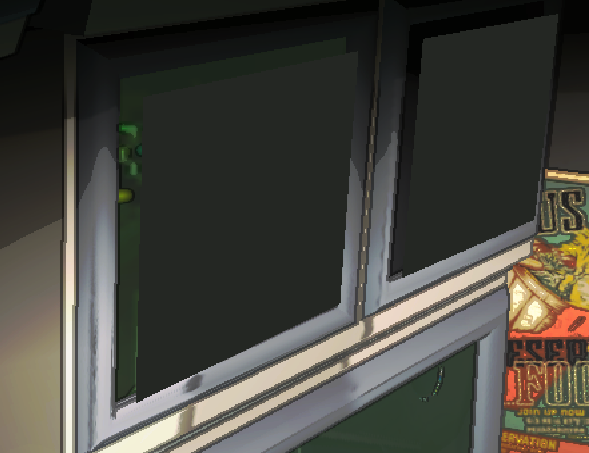 scarlet roost
did you put something in that slot
like another mod?
and do you have BetterMonitors on?
grave heron
i think he put the colors in and that option that allows that color to manifest even on acrive monitors
just leave the internalcam be, it's hardcoded into that position
bold edge
 scarlet roost
dual wield
bold edge
@broken crescent
I forgot to mention that when you're not host of the server it can bug the shotgun the way so nobody can pick it up anymore
bold edge
bold edge
I forgot to mention that when you're not host of the server it can bug the shotg...
It's impossible to interact with it
weary barn
But I'm curious about what is making my shovel invisible now
I don't use any tweaks to inv from GI that move items but I've noticed an ongoing issue where shovel just goes invisible
Could be unrelated
 fiery pumice
so, do you guys use what config for the monitors? want to get rid of "corporate restructure" to have less thing loading
weary barn
fiery pumice
so, do you guys use what config for the monitors? want to get rid of "corporate ...
Customize it to your liking
Plus that mod is deprecated and bugged anyways if you use GI
bold edge
fiery pumice
so, do you guys use what config for the monitors? want to get rid of "corporate ...


 fiery pumice
thx, wanted a example to customize for myself( really great config)
opal mica
fiery pumice
so, do you guys use what config for the monitors? want to get rid of "corporate ...

pixels :V
fiery pumice
thx again
opal mica
putting stuff along the other that are linked somewhat
 limber depot
This is mine
 cobalt estuary
damn i really be the only person not using the 3 monitor setup 👀
molten basalt
Really recommending OpenBodyCams with that mod
It has an extra compat config where you can select one of the 14 monitors for the bodycam
cobalt estuary
I run OpenBodyCam anyways since its apparently a lil more light-weight and one of my friends runs the game on a literal toaster
grave heron
limber depot
This is mine
this is mine

 jolly geyser
NO SALES TODAY
placid scroll
grave heron
this is mine
I did the same, wanted to match the text colour and background colour of the radar map screen, used an eye dropper tool
 elfin orbit
this is mine, important things need to be mentioned several times
 azure nexus
placid scroll
I did the same, wanted to match the text colour and background colour of the rad...
azure nexus
placid scroll
I did the same, wanted to match the text colour and background colour of the rad...
oooh, can I get the value please?
placid scroll
azure nexus
oooh, can I get the value please?
sure thing!
MonitorBackgroundColor = 2B312D
MonitorTextColor = 0BDFDF
azure nexus
placid scroll
sure thing!
MonitorBackgroundColor = 2B312D
MonitorTextColor = 0BDFDF
Thanks!
grave heron
placid scroll
sure thing!
MonitorBackgroundColor = 2B312D
MonitorTextColor = 0BDFDF
lil too bright

ima sleep, gn
harsh delta
I’m using general improvements and advanced company and now the GI feature of being able to drop items quickly left to right isn’t working anymore
 clever pawn
Inventory related features of GI get disabled when used with AC.
placid scroll
grave heron
lil too bright
Can't change the alpha, and picked the brightest part of the text, will try and tweak a bit more
sour rain
i use 222923 for background and 01FBF8
it is virtually indistinguishable from the main monitor
very pleasant symmetry
placid scroll
sour rain
i use `222923` for background and `01FBF8`
Thanks I'll give that a go!
 quiet sable
Hey, is there a config setting for the volume of the health station?
cuz if not, can you add one? or just lower the volume in general?
its so loud x.x
proud anvil
Not sure if it has been mentioned but can now confirm that setting to skip the Online/LAN option now works again with the latest LLL release
placid scroll
I think dead bodies are counting towards the scrap in ship total but isn't being removed when the person respawns and the body is gone until you go into orbit, I think we had someone die on the final day before you are forced to sell at the company building, we sold everything but our scrap in the ship was still 5, we couldn't find anything on the ship, when we took off into orbit it went to 0. it must have been a dead body since they're worth 5?
sour rain
ohh
that would explain why there's always residue scrap in the ship
that isnt actually there
ive always just assumed it was some weird networking desync when multiple people unload the ship
 solemn granite
scarlet roost
and we dont have scraps lower than 10 except tools i think
solemn granite
scarlet roost
and we dont have scraps lower than 10 except tools i think
Aren’t keys supposed to be worth 3?
sour rain
keys arent scrap items and sell for $0 as a result
solemn granite
sour rain
keys arent scrap items and sell for $0 as a result
Weren’t they 3 in the base game though?
sour rain
no, the base game lies to you
keys are shown to have a value of 3
but the company only pays you for items that are considered "scrap" items
 vapid shell
sour rain
vapid shell
sour rain
i.e. items that are removed from your ship when you die
if you get an F rank and lose all your scrap, you still keep keys because they aren't considered scrap
which means selling them gives you $0
regardless of what the scan node says
general improvements hides the key value for this reason
because they sell for $0
it's actually even more annoying because the paycheck screen will show like
keys (x5): $15

total: $0
and you dont actually get paid
lol
solemn granite
I see how that would work in code, dang m, I could have sworn we were able to complete a quota through uh topping up with a key
iron socket
You can top up with bodies, or the sticky note and clipboard
sour rain
the sticky note and clipboard work the same as keys actually
if you sell them it'll show like
clipboard (x1): $5
sticky note (x1): $1

total: $0
as far as i know these are the only 3 items that work this way
iron socket
I coulda sworn those actually worked
sour rain
player bodies 100% do
iron socket
I'm being Mandella Effected rn
sour rain
murdering each other for quota is a viable strategy
🙂
shotguns also work
shotguns have sell value
and despite being "equipment", they are lost from the ship if your entire team wipes
meaning they are scrap and the company does pay you for them
iron socket
Are they not scrap? You obtain them only from killing Nutcrackers
iron socket
Just useful scrap
sour rain
they are just sort of a special case
yeah
they are kind of parallel to traffic signs i suppose
personally i'd love it if keys were considered scrap
losing keys on team wipe means nothing and i hate having them on my ship
especially because any sort of "ship total" mod lies about keys except for general improvements
i'd totally just dump them off the ship first if i actually got paid $3 for each
sour rain
sour rain
especially because any sort of "ship total" mod lies about keys except for gener...
general improvements is by far the best mod for this and it's probably the main reason i use it TBH
although the thing about bodies being bugged does suck if true
cerulean thunder
That’d be a good addition for the mod tbh— fixing the price issues with keys/the clipboard/the stickynote
sour rain
that body bug being the entire reason this conversation started
iirc
hopefully we can get a fix in 1.1.10
i'd like to confirm it and make a formal github issue for it if it's not there already
sour rain
cerulean thunder
That’d be a good addition for the mod tbh— fixing the price issues with keys/the...
general improvements just fixes this by setting any non-scrap items to $0 value (and also lets you disable the "value: $0" tooltip on keys to reduce screen clutter when you scan)
both are nice QoL
cerulean thunder
Ahhh, that’s why I stopped noticing it when I don’t play vanilla lol
I really need to add GI to my vanilla compatible profile
placid scroll
General improvements is a staple for me, and it let me remove 12 mods or so that were all doing 1 little thing each, it's very nice
cerulean thunder
Yeah GI is great
only mods I’m using instead are IntroTweaks (for the custom version number and main menu adjustments) and OrbitRecharge as it goes more in depth
 signal echo
Does this mod have the functionality of AlwaysHearActiveWalkies?
Seems like a perfect addition if not
vapid shell
signal echo
Does this mod have the functionality of AlwaysHearActiveWalkies?
not yet.
signal echo
Yes, but so were letmelookdown and all the other mods that have been absorbed
vapid shell
They were weak...
And GI, was hungry

GI, and AC will consume more and more mods until they will be the last 2 mods you'll ever need
And then a new mod will consume them both
scarlet roost
vapid shell
And then a new mod will consume them both
imagine Lethal Company Update has all lol
vapid shell
And then lmao
Zeekers comes in
Destoys the modding community in one sweep adding everything possible to the game
scarlet roost
Hahahaha
sour rain
im kind of against the idea of generalimprovements just devouring other mods into itself
there are cases where it certainly makes sense (such as the original mod being buggy, unstable, just unmaintained, or expanded upon in generalimprovements)
scarlet roost
Isolation Jar
sour rain
but general improvements is a behemoth to configure already and if you ever have an issue that forces you to disable the mod, you lose everything at once
if a mod is already perfectly compatible with general improvements out of the box then i feel like it makes more sense to remain separate
rather than just trying to push everything into general improvements for the sake of shrinking a number
that being mod count
scarlet roost
well if it aint broke. we dont really need to push them all in GI
like OBC is compatible with GI. so it doesnt need to devour it either
tho it really depends on what GI will have in the future that is considers General
scarlet roost
sour rain
but general improvements is a behemoth to configure already and if you ever have...
yeah this is true. mod conflicts
then you will have to find similar mods that works the same and has multiple of them
signal echo
sour rain
there are cases where it certainly makes sense (such as the original mod being b...
I mean the walkie mods last update is over a month old
It works for now so I agree that it's unnecessary
But I think having the option could be good
scarlet roost
walkie? as in the always talking?
signal echo
Always hear active walkies
sour rain
if the mod works fine why would it need updating?
it's only "unmaintained" if there are issues that need addressing and no dev is actually addressing them
for the time being it should be ok
signal echo
Right, that's what I'm saying
Definitely fine for now
And I'm not sure the dev is even inactive
scarlet roost
kinda like how InsanityRemastered can be devoured by Diversity since its no longer maintained
that kind right?
also kinda nice the always active walkie never broke even with all the updates we had on a ton of stuff even mods
clever pawn
AlwaysHearActiveWalkies needs an update that makes it only affect default walkies.
scarlet roost
wait. it affects things like the ghost girl dealing with the walkie talkie?
scarlet roost
clever pawn
AlwaysHearActiveWalkies needs an update that makes it only affect default walkie...
which mods does it affect btw?
didn't realize this one since my crew goes in groups n not really use walkie talkie. the operator only use the transceiver
clever pawn
scarlet roost
which mods does it affect btw?
All AC headsets.
placid scroll
sour rain
there are cases where it certainly makes sense (such as the original mod being b...
this happened with Valheim with ValheimPlus, the devs were so slow at maintaining one big mod that did all the QoL stuff, i found other devs that were doing the same QoL changes but in smaller mods and were more active in development, and like you said its better if just 1 small mod breaks, you dont lose the rest
inner furnace
clever pawn
All AC headsets.
But I thought that mod still allows you to hear your crewmates even without the walkie in your inventory?
clever pawn
AC? No.
regal elk
Will it still cause performance decrease if I set the Ship External Cam FPS to anything other than Unrestricted?
narrow oriole
bar a unity update, that will never change
unless we find out about a different method to limit fps
clever pawn
Unfortunate as lower FPS feed looks more authentic.
narrow oriole
indeed
clever pawn
Is it lower FPS?
regal elk
this option right here
 clever pawn
How is that related to "Yeah I actually like the lower FPS external cam"?
Aren't all default cams unrestricted?
regal elk
the way the external cam is moving frame by frame is kinda good imo
clever pawn
That's just its rotation. The feed is unrestricted I think.
narrow oriole
well the fps can get better if you set the limit very low
regal elk
Hmm
narrow oriole
what I would recommend is something at or below 30fps
which I guess the config here limits you to, I didn't realize that actually lol
clever pawn
Not worth it if it still has the hit over unrestricted.
narrow oriole
it's worth testing the difference on your own machine, it most likely depends on hardware quite a lot
my machine is quite high end and that's the only reference point I have
I haven't heard anyone else benchmark it
clever pawn
Yes, but I have to consider everyone who plays with my profile.
narrow oriole
sure, I was talking to Minzhire if they prefer the aesthetic enough to test it
clever pawn
Speaking of GI, this does not behave as I expect for some reason. I don't get external camera on monitor 8 for some reason.
 regal elk
I did test it prior but haven't tried it with the latest version
clever pawn
I have extra monitors off.
regal elk
since it tanked my performance before
Does ExternalCam even work on smaller monitors?
(I never tested it since I prefer to just keep the ExternalCam to be on its original spot)
clever pawn
Well, its original spot is occupied by a body cam in my case.
narrow oriole
clever pawn
Speaking of GI, this does not behave as I expect for some reason. I don't get ex...
I wonder if this could be an interaction with OpenBodyCams, are you running that as well?
clever pawn
Yeah.
narrow oriole
might be worth disabling it to see if that fixes it, since the external camera material gets replaced by the body cam
if so, let me know so I can look into it
clever pawn
Wonder if DisableCameraWhileTargetIsOnShip maybe affects that?
narrow oriole
no it shouldn't
that only modifies the material after it's already replaced
@broken crescent funny thing I just tested, apparently setting Camera.enabled every frame nets me about 25% more fps than manually calling Camera.Render() when my fps limit is set to 100
maybe it's worth transpiling ManualCameraRenderer in your mod to make it do that
clever pawn
narrow oriole
I wonder if this could be an interaction with OpenBodyCams, are you running that...
Doesn't seem to be the case.
narrow oriole
narrow oriole
<@392127164570664962> funny thing I just tested, apparently setting `Camera.enab...
god I can't believe it took me this long to check this lol
broken crescent
clever pawn
Speaking of GI, this does not behave as I expect for some reason. I don't get ex...
InternalCam and ExternalCam can only be used if UseBetterMonitors=True, since they rely on materials being UV mapped to the screens.
Vanilla monitors only have the uvs mapped at the existing cam locations so I didn't want to complicate it.
broken crescent
narrow oriole
<@392127164570664962> funny thing I just tested, apparently setting `Camera.enab...
Huh that's interesting, good to know
narrow oriole
I have to take a look again, but I think maybe this actually nullifies the downside of setting an fps limit
I had been meaning to test it for a while now but never got around to it with my todo list for OpenBodyCams and CullFactory both being large
broken crescent
Lol right? I've been stagnated on GI for a few days because 1) work has been busy and 2) I'm trying to perfect the flashlight fix code first
Well also I haven't been playing LC as much these days
narrow oriole
yeah that makes sense, I haven't been playing as much either, mostly modding
gotta get my friends together this weekend finally now that the superbowl isn't going on
and see just how broken my mods are after the terminal bodycam update
broken crescent
🏈 funny, we usually turn it on but I'm not sure why. None of us follow football at all
narrow oriole
sounds like me with the olympics, although I think that's easier to get into perhaps
broken crescent
Yeah probably, lots to see there
narrow oriole
unfortunately it looks like at least for my bodycam setup, there's a strobing effect when I enable and disable the camera based on frame time instead of calling Camera.Render()
I wonder if that would happen for the other cameras
seems like it might be tied to one of the volumes that affects the main camera, but I'm not sure yet
grave heron
sour rain
i use `222923` for background and `01FBF8`
next time write which is which

stuff still to damn bright
 clever pawn
grave heron
next time write which is which
clever pawn
grave heron
next time write which is which
They did.
sour rain
worth mentioning that the main monitor has a background and you have the monitor backgrounds turned off
but also the codes i gave are for use with UseBetterMonitors which looks a bit different
on my profiles without UseBetterMonitors, i just use the default colors
grave heron
FOUND THE PERFECT COLOR
 sour rain
you can easily darken the hex code if you want
grave heron
here you go
 grave heron
sour rain
you can easily darken the hex code if you want
grave heron
sour rain
you can easily darken the hex code if you want
yeah, but it finally matches the brightness of the screen and not be overly fucking bright
grave heron
grave heron
stuff still to damn bright
like seen here
sour rain
forgive the awkward angle since this is cropped from another screenshot

the hexes i posted look just fine with UseBetterMonitors
because i think they are applied as a texture whereas normally it's just a canvas in world space
at least i think that's what's happening
inner furnace
sour rain
forgive the awkward angle since this is cropped from another screenshot
3 days god
 torn pike
i'm not sure if somebody need it, but here's my config 🙂
 cerulean thunder
torn pike
i'm not sure if somebody need it, but here's my config 🙂
cerulean thunder
torn pike
i'm not sure if somebody need it, but here's my config 🙂
mf playing on a crt
 upbeat bane
cerulean thunder
mf playing on a crt
upbeat bane
cerulean thunder
mf playing on a crt
and he is not the only one :p
 cerulean thunder
upbeat bane
and he is not the only one :p
cerulean thunder
upbeat bane
and he is not the only one :p
Okay that’s genuinely freaking sick
Also, try downloading LCUltrawide. It might let you move the UI elements properly.
Let me know if it does!
cobalt estuary
torn pike
i'm not sure if somebody need it, but here's my config 🙂
what mod is that at the bottom for the nav directions 👀
upbeat bane
cobalt estuary
what mod is that at the bottom for the nav directions 👀
Should be this one
https://thunderstore.io/c/lethal-company/p/alekso56/ACompass/
But there are a few other compass mods you might like
upbeat bane
cerulean thunder
Let me know if it does!
It does fix the ui, but game looks more stretched to me
Maybe i'm just not used to
Or fov is too low

It looks less pixelated on crt which i like
doing 800x600 in-game
to 1600x1200 120hz interlaced on crt
clever pawn
upbeat bane
It does fix the ui, but game looks more stretched to me
Maybe i'm just not used ...
defo stretched
Guess it doesnt work that well with aspect ratios below 16:9
cobalt estuary
upbeat bane
Should be this one
<https://thunderstore.io/c/lethal-company/p/alekso56/ACompass...
Cheers, but none of those other ones have ever sat quite right for me - I've always thought the compass should be below the hotbar if anywhere, even did a lil mockup in other channel at some point
shame this one uses LC_API - that dependency has been kinda inactive for a while and most mods have shifted away :/
clever pawn
upbeat bane
It does fix the ui, but game looks more stretched to me
Maybe i'm just not used ...
oh actually, try leaving width at default 0
change only height
and disable whatever else you used to change the resolution before LCUW
upbeat bane
default 540p res with 4:3 aspect ration
Seems normal to me
 torn pike
@cerulean thunder there's my 32 inches curved 2k "CRT" 😁
 cerulean thunder
oh I know it wasn’t a real crt lol
 cerulean thunder
What mod gives the defect though?
cerulean thunder
upbeat bane
[frogcute](https://cdn.discordapp.com/emojis/1106203026416476170.webp?size=32&qu...
venncord user spotted
upbeat bane
Reshade probably
torn pike
Wait a sec
upbeat bane
yep
cerulean thunder
yesssss
upbeat bane
have a cookie 🍪
torn pike

Thunderstore
The Retro Bodycam Reshade preset transforms the game's visuals into vintage surveillance footage, reminiscent of old body cameras and classic VHS recordings, evoking the charm of worn-out film reels and a nostalgic atmosphere.
Here you go)
cerulean thunder
upbeat bane
default 540p res with 4:3 aspect ration
Seems normal to me
Oooh this looks sick
torn pike
Made it for myself, but then decided to share with community)
upbeat bane
What gpu you have? :v
cerulean thunder
upbeat bane
What gpu you have? :v
Me or Segich?
torn pike
It's better not to tell 😄
upbeat bane
:v
cerulean thunder
Also apparently the average GPU is a freaking 3060 now according to January’s steam hardware survey
upbeat bane
It's just i play on 1024x576 to have more or less stable 120fps
Need to feed that crt stable 120 fps cause no vrr :p
cerulean thunder
I play 2560x1080 @ 97fps
edgy tartan
torn pike
i'm not sure if somebody need it, but here's my config 🙂
Is this a reshade mod?
cerulean thunder
edgy tartan
Is this a reshade mod?
Yep
edgy tartan
cerulean thunder
Yep
Does it eat up productivity a lot?
cerulean thunder
torn pike
https://thunderstore.io/c/lethal-company/p/Segich/BodyCam_Reshade
^
No clue, I don’t use reshade myself
torn pike
edgy tartan
Is this a reshade mod?
Yep
cerulean thunder
Actually wait I think I might’ve used it for a game at some point
upbeat bane
edgy tartan
Does it eat up productivity a lot?
Depends on the shaders you use
cerulean thunder
I might’ve used it for breath of the wild
slate lynx
upbeat bane
and he is not the only one :p
no buy the tv and watch a crt tv on a crt.
 cerulean thunder
still salty that I had to leave my childhood crt behind in a move back in 2014
N64 looks so bad on an HD TV
:c
torn pike
upbeat bane
What gpu you have? :v
upbeat bane
4090 :v
cerulean thunder
Good lord
Oh that’s up to
So doesn’t necessarily have one
I went from
CPU — Intel Core i5-6400 @ 2.70GHz
Memory — 8GB DDR3 RAM @ 1600MHz
Graphics — Intel HD Graphics 530
Storage — 1TB 2.5” SATA SSD
to
CPU — AMD Ryzen 7 5700G @ 3.80GHz
Memory — 32GB DDR4 RAM @ 3200MHz
Graphics — NVIDIA GeForce RTX 3070 (8GB)
Storage — 1TB & 512GB M.2 NVMe SSDs
I upgraded back in September 2022, and it still blows me away
Unfortunately Lethal Company is one of the like three games I’ve struggled to run at the quality I’d prefer 💀
signal echo
try CullFactory
clever pawn
Are you playing with increased resolution?
cerulean thunder
clever pawn
With those specs?
Running on an ultrawide monitor at 2560 x 1080 @ 97Hz (G-Sync), with a second monitor (a TV) active that’s 1920 x 1080 @ 60Hz that runs Discord
clever pawn
I'm on a 3440x1440 @ 144Hz
cerulean thunder
TMLC runs horribly for me lol
clever pawn
5600X/5800X3D, 3070
cerulean thunder
These numbers are from a month ago but: when I play normally hit a consistent 97fps with occasional drops into the 80s, but with TMLC I seem to average around 60 with dips into the 40s (and even 30s) being pretty common.
torn pike
what's TMLC?
cerulean thunder
TheMostLethalCompany
cerulean thunder
clever pawn
5600X/5800X3D, 3070
Okay yeah something is definitely wrong then
Assuming you play at that resolution at 144fps
clever pawn
TMLC has PintoBoy, which kills performance. I'm not joking.
I tested with PintoBoy only, and it constantly does something. You can see the hit to performance when you land, even without entering the facility.
cerulean thunder
Ah, so maybe that has something to do with it
cerulean thunder
signal echo
try CullFactory
Yeah I’ve been meaning to try it now that there’s no downside
it works fine for all custom interiors now, right?
signal echo
From what I've heard yes
Only mod I haven't seen specifically update to support it is Office, but I've heard that works as well
clever pawn
cerulean thunder
Assuming you play at that resolution at 144fps
I play default LC res.
cerulean thunder
clever pawn
I play default LC res.
Oh yeah right wasn’t thinking
I do too (on the ultrawide equivalent) unless LCUltrawide changes it on me
clever pawn
Height is the same.
Width just gets adjusted to fill the screen, but shouldn't be much of a hit.
cerulean thunder
I’ll try to do some more proper benchmarking tonight
I just thought the game was really badly optimized lmfao
clever pawn
Can't really say more as I don't use TMLC. But Pinto is like the one I'm certain of being part of an issue.
cerulean thunder
clever pawn
Can't really say more as I don't use TMLC. But Pinto is like the one I'm certain...
Oh I still take hits even without TMLC
Just TMLC in particular does it moreso
torn pike
You can try disable post processing via hd lethal company, probably you'll get some fps
clever pawn
They shouldn't need to. 5700G/3070 is more than enough.
cerulean thunder
torn pike
You can try disable post processing via hd lethal company, probably you'll get s...
I’d rather deal with some frame drops than compromise the look of the game
cerulean thunder
clever pawn
They shouldn't need to. 5700G/3070 is more than enough.
Yeah I can run pretty much anything I throw at it on max settings
The only other things I can think of that struggled were Portal with RTX (which everyone struggles lol), Project Playtime around the launch (was really badly optimized and had known performance issues), and GTA V pushed really high
It’s awesome coming from something that had issues running Minecraft bedrock lol
clever pawn
Portal is really heavy and GTAV is just stupid.
cerulean thunder
Yeah GTAV just lets you push everything to a needless amount
I just wanted to see what I could push it to lol
I’m not a big graphics guy or anything
My fav game is Super Mario 64 and those graphics…certainly haven’t aged well
signal echo
cerulean thunder
My fav game is Super Mario 64 and those graphics…certainly haven’t aged well
simply play SM64 raytracing
cerulean thunder
signal echo
simply play SM64 raytracing
Render96 looks really cool if you haven’t seen it
slate lynx
I'm surprised to hear GTAV was that before the modder improved loading by 70%?
cerulean thunder
signal echo
simply play SM64 raytracing
@signal echo https://youtu.be/uJiKlXhPbRI?si=4cs0X6__OV7CKDtF

Render96 is a free-to-play fan modification for Super Mario 64. The goal of this project is to match the promotional artwork used for the game during the late 1990's. Every model and asset was 100% recreated using images found online from the Nintendo 64 era. The Render96 team does not condone the use of piracy or any other illegal action that m...
cerulean thunder
slate lynx
I'm surprised to hear GTAV was that before the modder improved loading by 70%?
This was within the last year I think
signal echo
cerulean thunder
<@396221837563920385> https://youtu.be/uJiKlXhPbRI?si=4cs0X6__OV7CKDtF
Thats super cool
cerulean thunder
I haven’t even seen this trailer it’s so sick
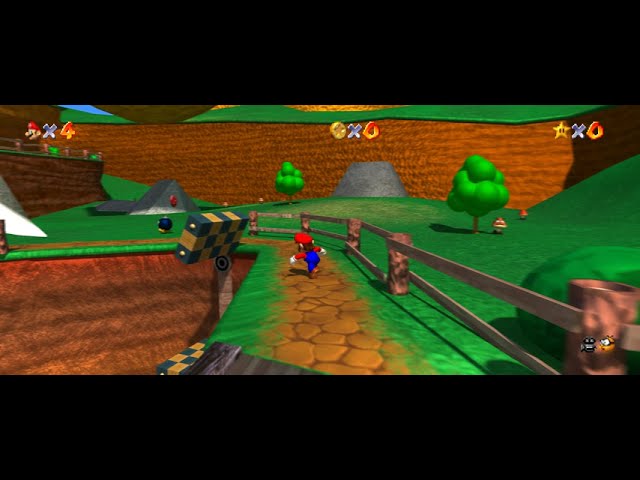
Follow the mod progress through any of the links below!:
https://linktr.ee/Render96
Raytracing done by the legendary Dario! https://twitter.com/dariosamo
Everything shown is subject to change and are possibly outdated.
This looks awesome but something feels off about it
signal echo
llooks like a sonic game
clever pawn
high res textures on low poly meshes will always look odd
cerulean thunder
clever pawn
high res textures on low poly meshes will always look odd
I mean these are new models
Also I know of one example that really works with that
clever pawn
Mean the level itself.
cerulean thunder


 iron socket
cerulean thunder
This looks awesome but something feels off about it
iron socket
cerulean thunder
This looks awesome but something feels off about it
Motion blur
cerulean thunder
clever pawn
Mean the level itself.
I know some of the level is remodeled but yeah I think that’s it
cerulean thunder
iron socket
Motion blur
Oh is there?
clever pawn
cerulean thunder
The goal of this project is to match the promotional artwork used for the game during the late 1990's. Every model and asset was 100% recreated using images found online from the Nintendo 64 era.
Yeah, not sure they succeeded.
Not to mention that that Mario model looks like a rip from another game.
cerulean thunder
clever pawn
> The goal of this project is to match the promotional artwork used for the game...
That’s for the non-level stuff mainly
cerulean thunder
clever pawn
Not to mention that that Mario model looks like a rip from another game.
Nope, it’s original and made to look like the render for mario 64
I followed the project when it started
The models for enemies and characters look exactly like the renders used for promotional artwork and in the manuals and stuff
grave heron
upbeat bane
and he is not the only one :p
holy shit, impressive stuff sir
grave heron
cerulean thunder
venncord user spotted
who tf cares these days
grave heron
cerulean thunder
Also apparently the average GPU is a freaking 3060 now according to January’s st...
pretty stupid if you ask me, shoulda stayed at 1660 super
grave heron
torn pike
https://psref.lenovo.com/Product/Legion/Legion_Pro_7_16IRX8H
here you go)
why do you need the best card, wait 4 years and it'll be considered retro
grave heron
slate lynx
I'm surprised to hear GTAV was that before the modder improved loading by 70%?
and he got paid 10kusd by rockstar i think
pretty crazy that alan wake 2 runs good on my 3060 6 gb and portal prelude rtx won't even go past the valve logo 💀
inner furnace
torn pike
i'm not sure if somebody need it, but here's my config 🙂
How do people actually get that mod to work
Even though I did everything it told me
Reshade etc
Now I got a random loading bar on top of my screen that has no use
azure nexus
placid scroll
sure thing!
MonitorBackgroundColor = 2B312D
MonitorTextColor = 0BDFDF
Hey, just wanted to let you know that this is the setting I've been using since and I'm loving it. Thanks for sharing.
cerulean thunder
grave heron
who tf cares these days
I didn’t care was just doing a goof lol
cerulean thunder
grave heron
pretty stupid if you ask me, shoulda stayed at 1660 super
I mean it’s not chosen by Valve or anything, it’s literally the graphics card that the most steam users have
queen summit
cerulean thunder
venncord user spotted
Could also be BetterDiscord or just a user that enabled the Developer Console 🤔
grave heron
cerulean thunder
I mean it’s not chosen by Valve or anything, it’s literally the graphics card th...
yeah, buy 4 years after release?
i got my on day one
 quartz quartz
question. does AutoSelectLaunchMode work well with LLL? or does it skip LLL's AssetBundles?
grave heron
serves good
torn pike
inner furnace
Even though I did everything it told me
Did you check my installation guide?
inner furnace
Yes
And they had a whole video
I downloaded the folders etc
And browse the shaders
torn pike
inner furnace
And they had a whole video
What video?
inner furnace
Let me find it
inner furnace
torn pike
What video?
Nvm not theirs but after failing to get it though installation guide I searched a video for it
I use r2mm for mod loader
Weird I can't find any videos
I swear there was installation guide for reshade for VHS mod for lethal company
A video at least
torn pike
All you need to do is
Download mod from site
Download reshade
Initialize reshade installation process
Select dx10-12
Deselect all shaders
At the bottom select downloaded preset file
Click install
torn pike
inner furnace
I swear there was installation guide for reshade for VHS mod for lethal company
There can't be, at least from me
 left dirge
hi is there a list for the kinds of things you can display on the monitors
molten basalt
in the config
 molten basalt
happens to all of us 🤷♂️
 blazing violet
Is it okay to post about FlashlightFix in here as well?
iron socket
left dirge
i may be blind or stupid
If you were using LethalConfig to edit it, for some reason the acceptable values don't show up there
left dirge
ah that would be exactly why
molten basalt
There's some examples further up btw: #1199836228858675330 message
showing how each one looks. Also highly recommending OpenBodyCams with that since it can be used with the monitors (OpenBodyCams has a special config made for GI), preferably the big one obviously
light girder
@broken crescent Any chance you can make it so the ShowHitPoints feature is compatible with ShyHud? I like the features ShyHud adds but definitely want the HitPoints to show when you're hurt lol
 native reef
light girder
<@392127164570664962> Any chance you can make it so the ShowHitPoints feature is...
native reef
light girder
<@392127164570664962> Any chance you can make it so the ShowHitPoints feature is...
I second this, love ShyHud but the hitpoints disappear entirely when using both things together
broken crescent
Good question, I'll try to remember to check that out
blazing violet
Hey Shao, I see some people have talked about issues in here. Do you prefer that, or threads in #1174678494417010718 ?
 cold minnow
Hello, I seem to have noticed an issue. Whenever I close the ship doors they drop the fps.
light girder
cold minnow
Hello, I seem to have noticed an issue. Whenever I close the ship doors they dro...
I noticed that too but I don't think it's a GI issue, I believe it was caused by HDLethalCompany cus it stopped after I replaced HDLethalCompany with LCUltraWide
HDLethalCompany touches a lot of stuff it shouldn't, it even causes the natural fog on Rend and Dine to flicker constantly
Not like the foggy weather fog, but the light fog effect the maps have lol
cold minnow
light girder
I noticed that too but I don't think it's a GI issue, I believe it was caused by...
I must say that I have tested and for me that is not the case, its very inconsistent.
Let me explain.
The issue I have found is that within my modpack it drops fps whenever I close the door, then I proceeded to disable all of the mods and test it again only GeneralImrpovements, still had an fps drop.
But here is the weird part
I make a new profile only General Improvements, Bepinex and AdvanceCompany. I test it with those mods, and no fps drop whenever I closed the door.
light girder
Maybe cus the new profile had it freshly downloaded?
Idk
Maybe try uninstalling it and reinstalling it
Lol
cold minnow
Yeah, I would do that.... Only issue is that then I would have to re-do my entire settings and mods, I tried importing a new profile and sadly it did not work....
light girder
cold minnow
Yeah, I would do that.... Only issue is that then I would have to re-do my entir...
No the config stays
cold minnow
light girder
No the config stays
When I import? Yeah I know.
Unless you are talking about something else
light girder
When you uninstall GI, it won't delete the config automatically from your mod manager
light girder
Yeah so your config would be fine
cold minnow
Yeah, well, when I was talking about configs I meant all if my mod configs not just GI configs. Re-doing GI configs is not that bad, I just thought you meant unistall everything.
But yeah, u right
cold minnow
light girder
Maybe try uninstalling it and reinstalling it
It acrtually fixed it
dang thx
light girder
Yeah probably was a residual file
placid scroll
cold minnow
It acrtually fixed it
Fresh config fixed it?
harsh delta
I think there should be a feature in this mod where the loot drop ship lands quicker
novel sequoia
harsh delta
I think there should be a feature in this mod where the loot drop ship lands qui...
How's that QoL? o.o
novel sequoia
harsh delta
I think there should be a feature in this mod where the loot drop ship lands qui...
Wait aint you using AC? There's literally an option in AC for that >.<
harsh delta
novel sequoia
Wait aint you using AC? There's literally an option in AC for that >.<
ye i found that out
weary barn
Perks
novel sequoia
Yeah on the perks page, ship perks down bottom
I will add though making the number bigger makes it slower!
so 120% would be slower than 100%
80% will be faster than 100%
 hoary burrow
Requesting compat with WeatherTweaks' uncertain weather mechanic for the weather monitors? 👉 👈
proud anvil
anyone know what's causing this?

The lethalconfig and advanced company menus also get jumbled up
cobalt estuary
proud anvil
anyone know what's causing this?
 proud anvil
I'm culling a few things from my pack and doing housecleaning on the configs, might help
cobalt estuary
idk dog, that looks sick tbh
cobalt estuary
proud anvil
anyone know what's causing this?
@neon basin this would be a sick malfunction to intentionally make 👀
narrow oriole
it should be integrated into ghost codes
cerulean thunder
proud anvil
anyone know what's causing this?
That looks so spooky haha
placid scroll
proud anvil
anyone know what's causing this?
Someone has to mod how the screens look in the Matrix when there is no relevant information to show 👍
cobalt estuary

 steel lintel
@broken crescent
Heyo! Anyway to add compatibility for Weather Tweaks?
It has an unpredictable weather feature. When enabled the screen will show an unknown/obfuscated weather.
However, the Weather and Fancy Weather screens currently will show the correct weather which unveils the secrets.
Thank you for your hard work. Your mod is greatly appreciated. 😄
https://thunderstore.io/c/lethal-company/p/mrov/WeatherTweaks/
 sour rain
"compatibility" would be simple as configuring your personal settings to not include either of the weather monitors
really
eventually i believe there will be more options for monitors than there are total screens, so you can pick & choose what you'd like to say
you can also double up on monitors if you're just trying to fill the space
for symmetry
light girder
@broken crescent any chance you could implement HideChat and VoiceHud into GI? Kind of tired of them being in my list XD
You implemented HidePlayerNames after all
I just feel like they're such small mods that they don't warrant needing to be seperate
steel lintel
sour rain
"compatibility" would be simple as configuring your personal settings to not inc...
While true. I would love to have my cake and eat it too.
 dark belfry
Is this compatible with VR?
 frigid bramble
yes
grave heron
the externalcam doesnt seem to work when you dont have better monitors on
wait I might just be stupid
nope
it just doesnt work
neither does internalcam
internalcam is forever there
and externalcam is forever gone
unless you use bettermonitors
sour rain
the cameras are uv-mapped to the display
so they can't be moved with default display setting
UseBetterMonitors changes how the monitors are set up to allow for more flexibility, which lets you also move those two cameras
grave heron
ok but
nvm
the external cam is just nothing for me when I have better monitors off
 dire ember
could there be somewhere that puts numbers atop of monitors in the mod page? Under the wiki perhaps?
So I can get a visual reference as to where and how it's placed.
Or a pinned image that shows all monitors 'n which one is what number .- .
 glacial ridge
light girder
You implemented HidePlayerNames after all
glacial ridge
light girder
You implemented HidePlayerNames after all
Oh? I didn’t know about this
dire ember
Does this mod have a specific order it tries to do fixes/loads in since there doesn't seem to be the option to disable certain features? There seems to be numerous things it can conflict with and I want to know whether it sets in stone certain things, or disables itself in certain regards if another mod touches it .,.
and I suppose I gotta ask: does this mod cause equal issues if set to skip the beginning? Or does this one somehow flawlessly do it? .- .
hoary burrow
sour rain
"compatibility" would be simple as configuring your personal settings to not inc...
That's what I've done as well for now, although having proper support for it it would still be nice somewhere down the line 👀
edgy tartan
I love the cutscene skip in GI's LC
But is it possible to leave the CPU loading animation after the Zeek and Unity logos?
Would you add this setting to GI, like IntroTweaks?
inner furnace
torn pike
There can't be, at least from me
Anyways I checked I love the Reshade
 shut cloud
whats the shipmonitors tags? i can't find anything about it
iron socket
shut cloud
whats the shipmonitors tags? i can't find anything about it
What do you mean by tags
shut cloud
iron socket
What do you mean by tags
like InternalCam etc
i can't find a list of tags for them
or strings
iron socket
shut cloud
like InternalCam etc
They're in the actual config file. They don't show up on LethalConfig for some reason
slate lynx
open the config file in the config editor of the mod manager.
shut cloud
iron socket
They're in the actual config file. They don't show up on LethalConfig for some r...
ok
is there any guide to tell me which monitor is which?
like i assume like the first 2 being top and bottom (of the small monitors)
from left to right
iron socket
1 to 6 is the top row, 7 to 12 is the middle row, 13 is the left big monitor, 14 is the right big monitor
shut cloud
ok
dire ember
LethalUtilities seem to not go hand-in-hand with this mod
Inventory glitches, can't scroll, can't drop, DO NOT USE KEY FUNCTIONALITIES 😅
shut cloud
dire ember
Inventory glitches, can't scroll, can't drop, ***DO NOT USE KEY FUNCTIONALITIES*...
well that why you are able to disable stuff, also i heard position of the mods can do something (since they load first or something?)
 dire ember
I literally asked this like 12-ish hours ago or less =w=...
dire ember
slate lynx
Pin this pls.
light girder
slate lynx
Is that one of my old screenshots? XD nice
slate lynx
light girder
Is that one of my old screenshots? XD nice
Yes
light girder
👍
dire ember
Also.. just gonna report this:
LethalUtilities, LethalUtilities\GearSettings.cfg > Key Settings > KeysCanLockDoors=True
Conflicts with
GeneralImprovements.cfg > Mechanics > UnlockDoorsFromInventory=True.
do not do this lol
light girder
I've adjusted it a little bit since that ss but yeah I love the BetterMonitors
I don't see a reason to use LethalUtilities anymore
Even though it is a good mod
dire ember
if GI gives locking functionality, I may kill off utilities -u-


 shut cloud
dire ember
if GI gives locking functionality, I may kill off utilities -u-
shut cloud
dire ember
if GI gives locking functionality, I may kill off utilities -u-
i didn't get it in the first place, and yea ^
dire ember
light girder
https://thunderstore.io/c/lethal-company/p/ENZ/Lock_Doors_Mod/
I had this
removed it due to redundancy
just like GI made me remove like 5 mods <-<'
shut cloud
also for the inf key use, theres a lockpick so i don't use it
dire ember
In a world where a damn mod that adds monitors can conflict with your player camera perspective, I have to remove redundancies for the fear of a conflict.
nothing in this darn game of modding makes sense for conflicting half the time
shut cloud
dire ember
In a world where a damn mod that adds monitors can conflict with your player cam...
it doesn't really, just make it blank
if you make it blank, it will use the default
aka player cam
shut cloud
dire ember
The heckin' Corporate restructure
damn
light girder
He was talking about Corporate Restructure causing issues