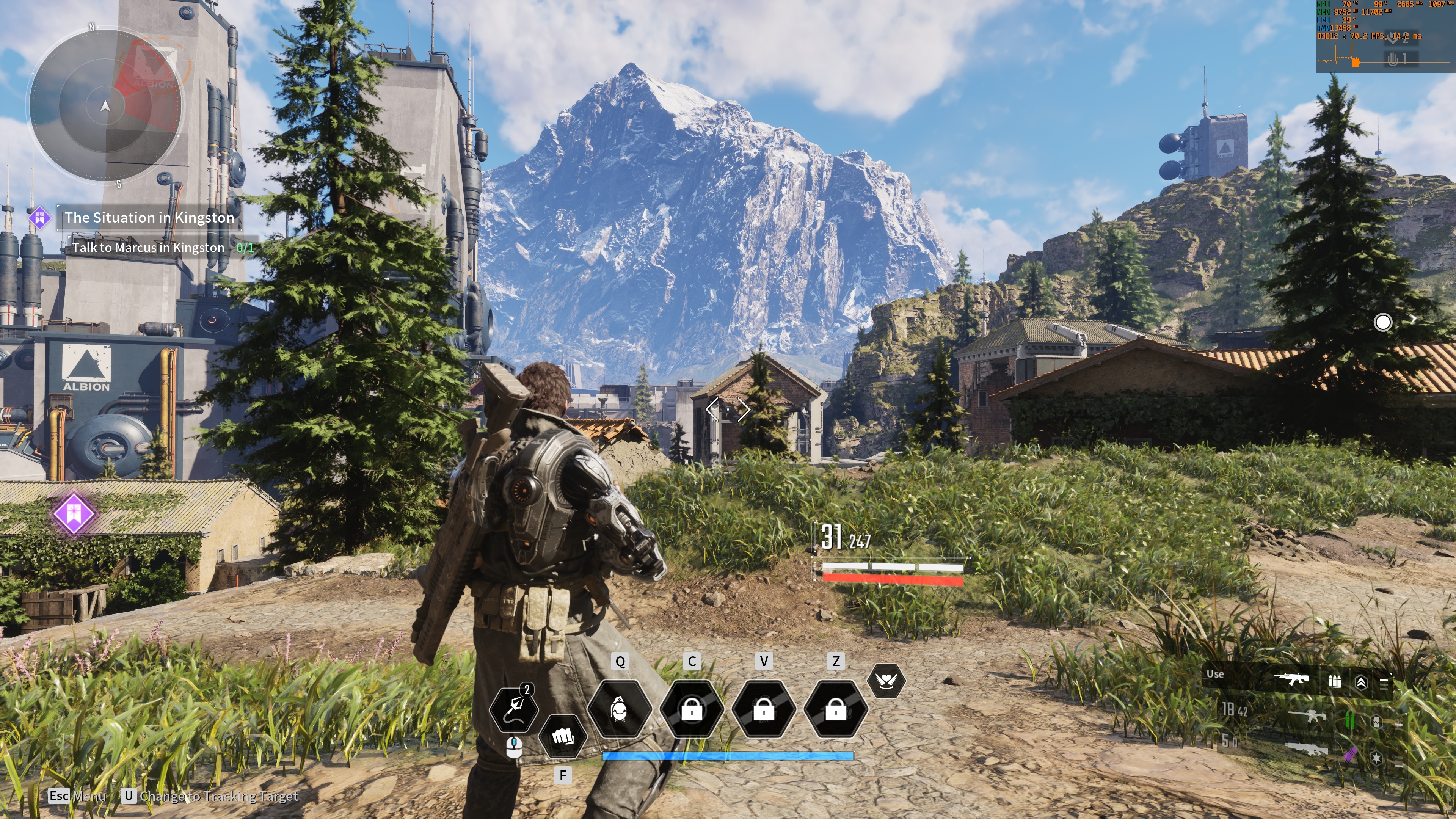
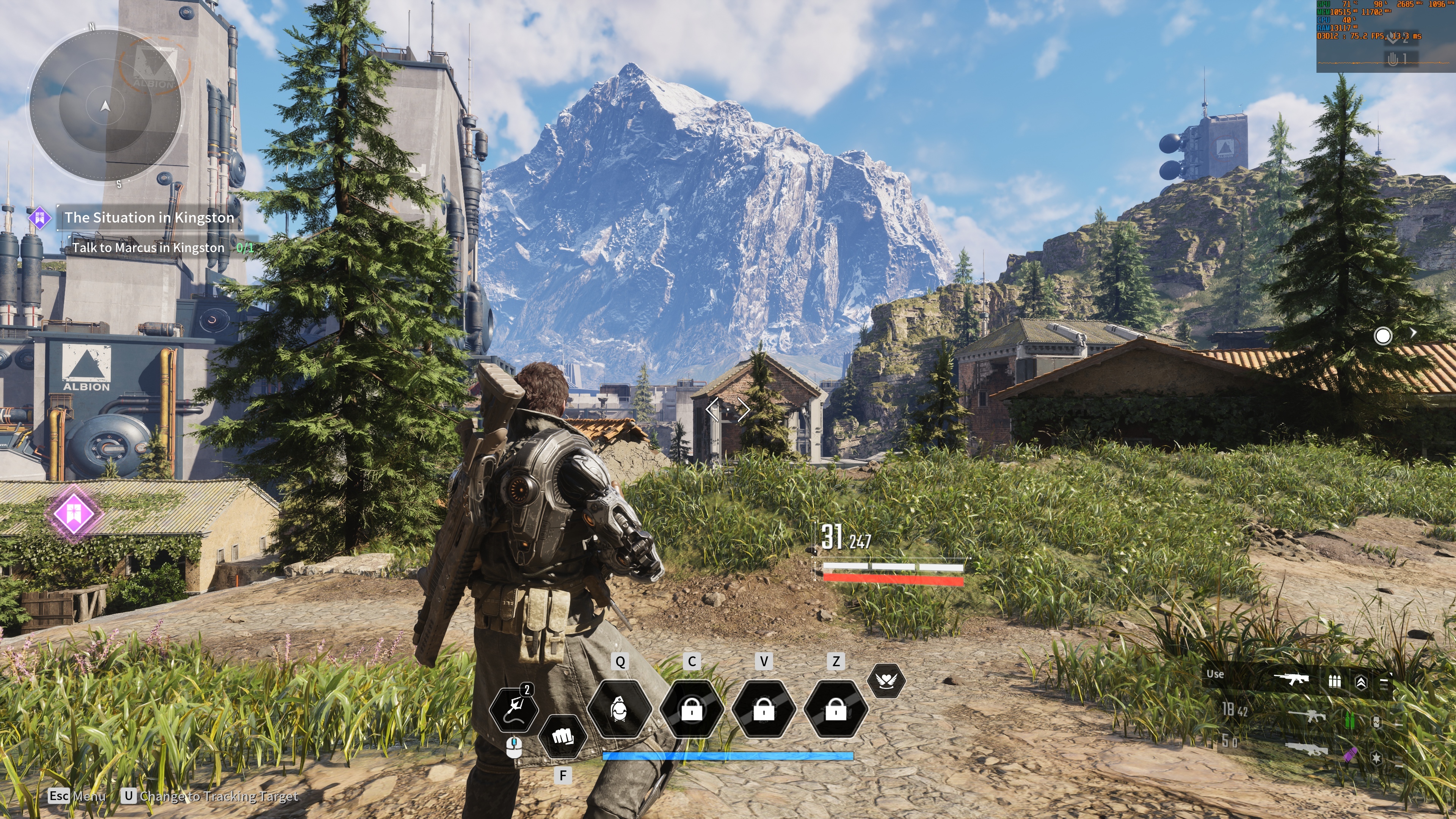
#▫️Jedi Ultra+ and Emotional Support Group
1 messages · Page 3 of 1
 gentle forge
 red moth
I did 50 50 and it looked fine
Some areas of the game have raised blacks but that seems to be from the LUTs
So that’s just how it looks
gentle forge
awesome
onto Performance then, I was hovering over 55-57 FPS and GPU at 70% 😅 but no stutters or freezes of any kind
decided to try the Ultra mod, the 3rd PAK landed me at 100% GPU and around 45-47FPS
I will try the 2nd PAK tonight, in hopes of a bit more FPS, otherwise no complaints at all and ya them vanilla lightsabers look bad, need that movie lightsaber mod
red moth
Ultra plus does also move the settings so what was epic before is now one step lower
gentle forge
oh didnt realize that... then I wonder why the performance would be lower?
and GPU utilization higher
I might get rid of the mod then, as Its really not needed for me in the beginning stages of the game at least
red moth
You can just move the settings a step lower
Applying the mod is using higher settings
On top of the fixes it has
gentle forge
OH I misread, Ultra Plus is higher tier than Epic
If I lowered from Epic, It would still be Epic
I didnt have much time to test it fully last night, only that FPS was lower and GPU utilization higher - but to be expected per using the 3rd PaK - I will try 2nd Pak and see if that gets me back to mid 50s and I'll be happy with that
 solemn gorge
What settings can i change to improve motion blur when panning around? I need a slight bump to clarity.
gentle forge
- So far the most annoying thing is the game keeps crashing on startup with MSI Afterburner/Rivia Tuner and Special K
gentle forge
no character shadows 😢

 lusty dock
gentle forge
- So far the most annoying thing is the game keeps crashing on startup with MSI ...
lusty dock
gentle forge
- So far the most annoying thing is the game keeps crashing on startup with MSI ...
weird I use SK and no crashes :/
gentle forge
do you use MSI afterburner with SK?
 jovial patio
check the game is not launching twice, i have that
gentle forge
jovial patio
check the game is not launching twice, i have that
how to check that
lusty dock
oh you want to use both at the same time?
jovial patio
gentle forge
how to check that
alt tab and look for a 2nd game lol
gentle forge
lusty dock
nah
Thats my issue, I need MSI for fan support and when I turn it off game launches fine and then I turn it on after its started
gentle forge
jovial patio
alt tab and look for a 2nd game lol
haha no nothing like that in task mgr
lusty dock
gentle forge
Thats my issue, I need MSI for fan support and when I turn it off game launches ...
Just disable rivatuners
aka the server
lusty dock
I use MSI Afterburners but with riva tuners disabled
gentle forge
that might be the way to go with this one, i'll test if riva off is doing the trick
I need a better software showing FrameTime
lusty dock
use SK
gentle forge
shoot didnt realize it has that stuff, ofc it does
I guess I need to find it
somewhere in settings... im still an SK noob
lusty dock
its under widgets if I remember correctly
gentle forge
I will check tonight, need to explore more with SK, there's a lot going on there - might tweak DLSS to 3.7.2, preset E while im there
gentle forge
I've been mucking with SK to update DLSS, its fine
gentle forge
or DLSS Tweak
gentle forge
lusty dock
I meant optiscaler
Does it require a lot of manual folder copying/pasting?
lusty dock
gentle forge
Does it require a lot of manual folder copying/pasting?
no its just a dll
it has a nice in-game UI too
You can pretty much tweak dlss to your liking
even the sharpness
gentle forge
I will add it to the list 😅
lusty dock

GitHub
OptiScaler is middleware that enables various upscaling technologies in DLSS2-only games. It allows non-Nvidia users to use upscaling by applying DLSS2 inputs to XeSS, FSR2, or FSR3. - GitHub - cd...
gentle forge
does it download and apply the latest DLSS FWs too?
How about Ray Reconstruction and FG
im using DLSS Updater for that but that can also be a pain
gentle forge
10-4
right
Game looks great already, rest is icing on the cake

HDR is very Cyberpunk like but better
red moth
both use ACES
 sturdy fractal
once i get my GPU, i can work on finishing RenoDX for it. don't remember what i was missing
gentle forge
That'd be awesome
cant believe im saying this but no rush honestly, this already looks good
sturdy fractal
the game runs like ass because it has 19,000 shaders.
by comparison, cyberpunk has 2125
the only other game i've seen with over 10K shaders is Batman: Arkham Knight. and we know how that game runs
red moth
I loaded up horizon forbidden west and it just kept loading shaders without stopping
Performance was getting destroyed so I stopped using the addon
sturdy fractal
the thaumaturge, a SM 6.6 game has 500. so it's not Unreal's fault
i don't even know how you get to 19K shaders. like, do they have a shader for every asset?
gentle forge
thats wild, knock on wood no stutters on my newly installed game just yet
gentle forge
sturdy fractal
once i get my GPU, i can work on finishing RenoDX for it. don't remember what i ...
I dont know how easy or time consuming it is to making a RenoDX on a game but one that really needs it is The Casting of Frank Stone, what an utter HDR mess. It has native HDR10 at least.
jovial patio
sturdy fractal
the game runs like ass because it has 19,000 shaders.
did you see my RT judder videos earlier? so bad and i'm not even moving
#1236636890543689759 message
rtx stutter on
sturdy fractal
gentle forge
I dont know how easy or time consuming it is to making a RenoDX on a game but on...
it's unreal, so probably needs a new LUT Builder. if you can dump it in #1282729343721803837 we might be able to fix it up
 ocean hollow
- fixed eyes (again)
- i forget 🤔
gentle forge
ocean hollow
- fixed eyes (again)
- i forget 🤔
Latest for anyone to use? Im planning on switching from 3RT to 2RT tonight in hopes of a few more Frames
red moth
gentle forge
thats wild, knock on wood no stutters on my newly installed game just yet
Have you made it to Koboh yet
gentle forge
red moth
Have you made it to Koboh yet
no just started playing, only 30 mins in
gentle forge
gotcha it would make sense, right now its very confined and barely any NPCs/Enemies
jovial patio
ocean hollow
- fixed eyes (again)
- i forget 🤔
yep seem fixed 🙂
ocean hollow
gentle forge
Latest for anyone to use? Im planning on switching from 3RT to 2RT tonight in ho...
yep! this is the latest
ocean hollow
jovial patio
yep seem fixed 🙂
ty
jovial patio
Cheers
lusty dock
red moth
I did 50 50 and it looked fine
@KokLusz's recommendation was 0/50 or 18/30
red moth
first slider is just paper white I think so its just personal preference / viewing environment
i think 50 was ~200
gentle forge
lusty dock
@KokLusz's recommendation was 0/50 or 18/30
Wait 0 for HDR brightness? that doesnt seem right
 deep sonnet
Did they fix FG being broken?
red moth
gentle forge
Wait 0 for HDR brightness? that doesnt seem right
maybe in a pitch black room its fine
its prob 100 nits paper white at 0
gentle forge
I think the settings may be switched here
0 for black point and 50 for HDR brightness
but that also will not look good, IDK
lusty dock
no it was 0 HDR brightness and 50 black point
gentle forge
gotcha
lusty dock
it looks good but yea, only in a pitch black room
gentle forge
I play in a pitch black room 😁
lusty dock
same 😄
red moth
dolby recommend 140 paper white in dark room
gentle forge
this is 50 / 25
 jovial patio
the hair is still pretty broken in that opening cutscene
 gentle forge
Bruh
 jovial patio
thats weird, are you using ~UltraPlus_v4.2.0_1RTSample_P.pak
gentle forge
Not when I took the screenshot above
gentle forge
lusty dock
https://discord.com/channels/1161035767917850784/1212434739500154921/12331232279...
0-50 looks way too crushed
lusty dock
crushed?
gentle forge
ya blacks look crushed
lusty dock
lowering hdr brightness should not crush blacks though
red moth
its just a low paper white so its gonna be super dark
well the game's hdr is broken in other ways too
gentle forge
Raised black floor to boot
lusty dock
jovial patio
the hair is still pretty broken in that opening cutscene
do you have ray tracing disabled ?
gentle forge
not that I could tell at 25 black point
red moth
ill probably take a look at it once shortfuse fixes it
lusty dock
at 0/50 the beginning sequence looks a lot more realistic imo, it is supposed to be dark, and it's super bright at 50/50
gentle forge
lusty dock
at 0/50 the beginning sequence looks a lot more realistic imo, it is supposed to...
I also thought 50/50 was too bright so lowered it to 50/25
I never think to decrease HDR brightness, thats what we are all here for lol but it did wonders in The Callisto Protocol so Im a believer
jovial patio
lusty dock
do you have ray tracing disabled ?
Yes
lusty dock
jovial patio
Yes
yea, It looks like that If I disable ray tracing in-game too
ocean hollow
jovial patio
did you see my RT judder videos earlier? so bad and i'm not even moving
there's no point basing anything off the distant moving ships... they're not animated the same way close things are in Unreal
the farther away the fewer updates they get
ocean hollow
sturdy fractal
i don't even know how you get to 19K shaders. like, do they have a shader for ev...
Respawn do some weird decal thing where they say they're doing seven layers of decals. it's the only thing I can think of. UE doesn't have that many shaders
jovial patio
ocean hollow
the farther away the fewer updates they get
Except for the fact that they move far smoother with RT off
sturdy fractal
efficient shader usage would be the use the same code for multiple textures. but this almost feels like they dump all the textures on the GPU and then have a shader for each texture slot. you should reassign the texture addresses, so the shaders look in the same "location" (not really, most like changing a pointer), and you don't have to have a different shader per texture. i've seen games do that, where it's the same shader, but it's t50 in one and t51 in another, or t52, so on and so forth.
ocean hollow
jovial patio
the hair is still pretty broken in that opening cutscene
is it? 😊 #1236636890543689759 message
jovial patio
ocean hollow
is it? 😊 https://discord.com/channels/1161035767917850784/1236636890543689759/1...
It is with RT off
jovial patio
lusty dock
yea, It looks like that If I disable ray tracing in-game too
See this comment
ocean hollow
jovial patio
Except for the fact that they move far smoother with RT off
it's still not going to tell you anything about the gameplay
jovial patio
ocean hollow
it's still not going to tell you anything about the gameplay
No but it is very curious why it happens
sturdy fractal
i sorted shaders textures by size and picked two... they're identical in decompilation. why aren't they treated as identical in code...
ocean hollow
jovial patio
It is with RT off
okay I'll take a look
jovial patio
You don't need to honestly, I appreciate the work you're doing regardless
ocean hollow
sturdy fractal
i sorted shaders textures by size and picked two... they're identical in decompi...
wtf
sturdy fractal
oh my god

that's it. they're different in binary because they left pdb references
jovial patio
Wait, does this mean it's fixable 👀
ocean hollow
yes
sturdy fractal
dx12 won't let you dupe a shader iirc
jovial patio
👀🫦
ocean hollow
if you can strip the pdb in flight
sturdy fractal
but it doesn't go much further than binary diffing, i'm sure
ocean hollow
I've turned off all the debugging I could find, but I might have missed one
I don't think I missed any 🤔
sturdy fractal
it's built in to the compiled shader
if there's a dxc command i can use to strip it and then pass it back, that could be a thing
jovial patio
Shortfuse x Sammi collab? 🫡
ocean hollow
sturdy fractal
it's built in to the compiled shader
where are they stored on disk? or drop a pdb and I'll find them
I can write a thing to strip them all and... hopefully... repack
 ocean hollow
looking
so that's why they set the shader batch size to 520 
still looking
here's some, but the game built them
 sturdy fractal
manually modifying would mess up the signature i would think

 ocean hollow
sturdy fractal
manually modifying would mess up the signature i would think
ocean hollow
sturdy fractal
manually modifying would mess up the signature i would think
unless it's a reversible hash
sturdy fractal
yeah. there's ways
ocean hollow
bingo. shipped shaders

now whether i can deserialize it..
umm

😂

hmm there might be another way to not pass the pdb to the game
sturdy fractal
i don't think the pdb is in there. just the reference and it's probably enough for it to exist twice on the GPU
or DX12's management
ocean hollow
sturdy fractal
i don't think the pdb is in there. just the reference and it's probably enough f...
yes i agree
hmm i'm not finding a while bunch of shaders..
 sturdy fractal
they're real hlsl in there?
sturdy fractal
this is how signatures are remade https://www.wihlidal.com/blog/pipeline/2018-09-16-dxil-signing-post-compile/ just more work 😕
ocean hollow
ahh
Extraction: You cannot directly access individual shader files like *.cso from the .pak files without extracting them using tools like UnrealPak.
fine then i'll extract the whole game
sturdy fractal
yeah, unpack, modify cso, repack. the modifying is the tedious. basically strip the ILDN and HASH segments and resign the cso. you'll end up with identical shaders (hopefully)
ocean hollow
sounds like a good job for gpt 😂
sturdy fractal
// Also compatible with DXBC
struct DxilContainerHeader {
  uint32_t four_cc;
  uint8_t digest[16];
  uint16_t major_version;
  uint16_t minor_version;
  uint32_t container_size;
  uint32_t part_count;
};
struct DxilPartHeader {
  uint32_t four_cc;
  uint32_t part_size;
};

struct DxilProgramVersion {
  uint32_t value = 0xffff0000;
  [[nodiscard]] unsigned int GetMajor() const { return (value & 0xf0) >> 4; }
  [[nodiscard]] unsigned int GetMinor() const { return (value & 0xf); }
  [[nodiscard]] unsigned int GetKind() const { return (value & 0xffff0000) >> 16; }
  [[nodiscard]] const char* GetKindAbbr() const {
    switch (this->GetKind()) {
      case D3D11_SHVER_PIXEL_SHADER:    return "ps";
      case D3D11_SHVER_VERTEX_SHADER:   return "vs";
      case D3D11_SHVER_GEOMETRY_SHADER: return "gs";
      case D3D11_SHVER_HULL_SHADER:     return "hs";
      case D3D11_SHVER_DOMAIN_SHADER:   return "ds";
      case D3D11_SHVER_COMPUTE_SHADER:  return "cs";
      default:                          return "??";
    }
  }
};

constexpr uint32_t FourCC(char char0, char char1, char char2, char char3) {
  return static_cast<uint32_t>(static_cast<uint8_t>(char0))
         | (static_cast<uint32_t>(static_cast<uint8_t>(char1)) << 8)
         | (static_cast<uint32_t>(static_cast<uint8_t>(char2)) << 16)
         | (static_cast<uint32_t>(static_cast<uint8_t>(char3)) << 24);
}

inline DxilProgramVersion DecodeShaderVersion(std::span<uint8_t> blob) {
  if (blob.size() < sizeof(DxilContainerHeader)) throw std::exception("Invalid shader size.");
  auto* header = reinterpret_cast<DxilContainerHeader*>(blob.data());

  switch (header->four_cc) {
    case FourCC('D', 'X', 'B', 'C'):
    case FourCC('D', 'X', 'I', 'L'):
      break;
    default:
      throw std::exception("Unrecognized header.");
  }

  auto part_offsets = std::span<uint32_t>(
      reinterpret_cast<uint32_t*>(blob.data() + sizeof(DxilContainerHeader)),
      header->part_count);

  for (auto offset : part_offsets) {
    auto* part_header = reinterpret_cast<DxilPartHeader*>(blob.data() + offset);

    switch (part_header->four_cc) {
      case FourCC('S', 'H', 'D', 'R'):
      case FourCC('S', 'H', 'E', 'X'):
      case FourCC('D', 'X', 'I', 'L'):
        break;
      default:
        continue;
    }
    auto part_data = blob.subspan(
        offset + sizeof(DxilPartHeader),
        part_header->part_size);
    auto* program_version = reinterpret_cast<DxilProgramVersion*>(part_data.data());
    return *program_version;
  }
  return DxilProgramVersion{};  // No shader (shader layout perhaps)
}
this is in renodx. lets you iterate through a cso section. in my use case it was for the SHDR. in this case it be: iterate until you find ILDN and/or HASH. if found, create new cso without them
ocean hollow
compiling unrealpak for Jedi
ocean hollow
sturdy fractal
```cpp
// Also compatible with DXBC
struct DxilContainerHeader {
uint32_t four...
oh nice! ty
gentle forge
 sturdy fractal
dxa (SM5) allowed you to break apart a cso into parts. not seeing how to do with with dxc
i guess it works:
 sturdy fractal
CROSS_PLATFORM_UUIDOF(IDxcContainerBuilder,
                      "334b1f50-2292-4b35-99a1-25588d8c17fe")
/// \brief Interface to DXC container builder.
///
/// Use DxcCreateInstance with CLSID_DxcContainerBuilder to obtain an instance
/// of this.
struct IDxcContainerBuilder : public IUnknown {
  /// \brief Load a DxilContainer to the builder.
  virtual HRESULT STDMETHODCALLTYPE
  Load(_In_ IDxcBlob *pDxilContainerHeader) = 0;

  /// \brief Add a part to the container.
  ///
  /// \param fourCC The part identifier (eg DXC_PART_PDB).
  ///
  /// \param pSource The source blob.
  virtual HRESULT STDMETHODCALLTYPE AddPart(_In_ UINT32 fourCC,
                                            _In_ IDxcBlob *pSource) = 0;

  /// \brief Remove a part from the container.
  ///
  /// \param fourCC The part identifier (eg DXC_PART_PDB).
  ///
  /// \return S_OK on success, DXC_E_MISSING_PART if the part was not found, or
  /// other standard HRESULT error code.
  virtual HRESULT STDMETHODCALLTYPE RemovePart(_In_ UINT32 fourCC) = 0;

  /// \brief Build the container.
  ///
  /// \param ppResult Pointer to variable to receive the result.
  virtual HRESULT STDMETHODCALLTYPE
  SerializeContainer(_Out_ IDxcOperationResult **ppResult) = 0;
};
https://github.com/microsoft/DirectXShaderCompiler/blob/4e799936fb45b149d8cbf33805ad0be6456efb91/include/dxc/dxcapi.h#L921 probably the proper way
ocean hollow
ocean hollow
hmm unrealpak is built but broken
ah there we go. user error
ocean hollow
sturdy fractal
```cpp
CROSS_PLATFORM_UUIDOF(IDxcContainerBuilder,
"334b1f...
this looks promising
 ocean hollow
this old chestnut 😦
C:\Program Files (x86)\Steam\steamapps\common\Jedi Survivor\SwGame\Content\Paks>C:\git\UnrealEngine-Respawn\Engine\Binaries\Win64\UnrealPak-Win64-Debug.exe .\pakchunk20-WindowsNoEditor.ucas -extract c:\tmp\
LogPakFile: Display: Using command line for crypto configuration
LogPakFile: Error: Unable to open pak file "C:\Program Files (x86)\Steam\steamapps\common\Jedi Survivor\SwGame\Content\Paks/.\pakchunk20-WindowsNoEditor.ucas".
LogPakFile: Display: Unreal pak executed in 0.001272 seconds
 ocean hollow
idk if it's going to be possible to deserialize the IOStore format... afaik no one ever has
sturdy fractal
i might be able to do this in renodx
ocean hollow
that might be easier than unrolling IOStore
re-serializing it is not a problem. or shouldn't be... i have Respawn's UE installed
or as a last resort i can try and save the cso's out of live memory, but i'm sure they won't be all there at once
sturdy fractal
DFCC_ShaderDebugName = DXIL_FOURCC('I', 'L', 'D', 'N'),

just needs an enum replacement and the exe would work
this could be considered microsoft's fault for not having an easy way to strip the debug name
Qstrip_debug should strip that
straight up step by step:
In brief, you:
- use DxcCreateInstance to create the interface
- call Load() method to load the container
- call RemovePart() for each part you wish to remove, use FourCC code to identify part (see below)
- call SerializeContainer to reconstruct container without these parts.
https://github.com/microsoft/DirectXShaderCompiler/issues/2374#issuecomment-522191254
ocean hollow
sturdy fractal
`Qstrip_debug` should strip that
yes that's fair. they did leave a lot of debug enabled when baking for shipping through
most likely this one is the culprit

you know what was causing the dilated irises?
a null character in an ini file 😭
the diff tool didn't pick it up
i can't find any commands to combine shaders any more intelligently..
hmm
 quiet oriole
ocean hollow
a null character in an ini file 😭
quiet oriole
ocean hollow
a null character in an ini file 😭
Have a screenshot of that? 😂 Respawn just changed it by mistake?
Would be nice to document how people can fix the pupils themselves
ocean hollow
quiet oriole
Have a screenshot of that? 😂 Respawn just changed it by mistake?
nope, I'm just assuming that's what happened, because diffing the two sets of files (my mod source files) they look the same, but one of them has the eye problems abd the other doesn't!? I'm assuming I've accidentally inserted a null character somewhere or somehow changed the encoding, I haven't found the flaming gun yet... they're just text files!
quiet oriole
ocean hollow
nope, I'm just assuming that's what happened, because diffing the two sets of fi...
Huh, but you mean it was a mod-only issue or was the issue in Patch 9 itself?
ocean hollow
quiet oriole
Huh, but you mean it was a mod-only issue or was the issue in Patch 9 itself?
no it's a mod issue! I caused it somehow lol
I just can't see how!
flummoxed
like I've literally downloaded the source for 3.2.3 from Nexus, made the same changes as are in my 4.x source, and it compiled without the problem. yet the (apparently identical) 4.x source has the problem still?
in a diff they look identical 😭
the ghost in the machine lol
quiet oriole
ocean hollow
no it's a mod issue! I caused it somehow lol
Ahhhh, shit happens, no worries
ocean hollow
huh
1, 2, 2, 4, 2, 4, 2, 4, 6, 2,
6, 4, 2, 4, 6, 6, 2, 6, 4, 2,
6, 4, 6, 8, 4, 2, 4, 2, 4, 14,
4, 6, 2, 10, 2, 6, 6, 4, 6, 6,
2, 10, 2, 4, 2, 12, 12, 4, 2, 4,
6, 2, 10, 6, 6, 6, 2, 6, 4, 2,
10, 14, 4, 2, 4, 14, 6, 10, 2, 4,
6, 8, 6, 6, 4, 6, 8, 4, 8, 10,
2, 10, 2, 6, 4, 6, 8, 4, 2, 4,
12, 8, 4, 8, 4, 6, 12, 2, 18
the difference between the first 100 prime numbers
there's not a strict pattern, yet I can sense something is going on
plotted
 quiet oriole
ocean hollow
there's not a strict pattern, yet I can sense something is going on
quiet oriole
ocean hollow
there's not a strict pattern, yet I can sense something is going on
Spidey-sense


 rough moss
I have no idea what this decompiling is going to achieve but it’s interesting to see for sure.
ocean hollow
rough moss
I have no idea what this decompiling is going to achieve but it’s interesting to...
if it works it will turn 19,000 shaders into a few hundred, most likely
I'm spending a lot of time trying to get the 19,000 shaders to build in time without causing hitches. idk that it's really possible...
you only have a few milliseconds per frame to instantiate them, and then from the time they're called to the time they're actually needed can be "a few seconds" to "right now! we need them right now"
so when you have 20k of them it's a lot more difficult than say 500
jovial patio
rough moss
I have no idea what this decompiling is going to achieve but it’s interesting to...
TLDR: respawn shit the bed
ocean hollow
I guess to give you an idea, at 60 fps the game seems to be able to initialize about 60 shaders per frame (on my 4090 / 7945HX) through a few pathways (precompilation, background, and foreground). that's ~300 frames or 5 seconds to all of them
yes basically. I can improve it but it's unsolvable
no matter what you do you will always have edge cases where they don't init in time
and then there's Koboh where the UE streamer is doing its proper thing as you run around, and you hit a specific point on the map and a script in the game says "display these assets now", and the mesh hasn't loaded, textures aren't loaded, lighting isn't calculated, and the streamer has zero chance to prepare for it (pre-streaming) this is what causes the huge hitches in the tunnel and at various points on the map
combining shaders will help a lot. removing these scripts will help a lot
hopefully I can find the scripts and replace them with an empty script
ocean hollow
@sturdy fractal it might be possible to deserialize the .ucas IOStore files if it's not possible/easy to modify the shader stream
I'm travelling the next few days so will have to pause but lmk if you want me to pick it back up
sturdy fractal
ocean hollow
I'm travelling the next few days so will have to pause but lmk if you want me to...
Same here. Out for about a week, but can do some proof of concepts
gentle forge

Someone cancel these two's vacations / JK!
@ocean hollow btw, short story, on my newly installed game, I had no stutters, I then installed 3RT file from nexus, had no stutter but when I installed 2RT from the latest file in here, I had stutter.
So I just installed 2RT from nexus site, went back to no stutter, so you might want to check your file(s) shared here
Also, the 0/50 setting turned out to be very good, no blacks or shadow crush at all

 rocky hemlock
gentle forge
Also, the 0/50 setting turned out to be very good, no blacks or shadow crush at ...
rocky hemlock
gentle forge
Also, the 0/50 setting turned out to be very good, no blacks or shadow crush at ...
Well, I'm glad someone liked my setting recommendation
Those are rather acquired taste for most people I imagine
gentle forge
I always lean toward accuracy and play in pitch black room, I havent run into a bad recommendation in HDR channel yet
red moth
gentle forge
I always lean toward accuracy and play in pitch black room, I havent run into a ...
If you’re looking for bad recommendations
https://youtube.com/@plasmatvforgaming9648?si=uupVn_bNJj8mKJv9

YouTube
I was not happy at all with my new LG OLED coming from a used $25 Plasma TV. Instead of returning the TV, I decided to learn how to get the best out of it and share that with everyone. I'm particularly interested in motion clarity and display technologies for gaming waiting for 8k 1000Hz 10000 nits
gentle forge
red moth
If you’re looking for bad recommendations
https://youtube.com/@plasmatvforgamin...
haha Plasma video, no I dont want to ruin my morning
lusty dock
rocky hemlock
Well, I'm glad someone liked my setting recommendation
Those are rather acquired...
I use 0/50 too 😄
rocky hemlock
I haven't checked before and now FFXVI has devoured my drive, but did the patch fixed massive hitches when going in and out of the cutscenes?
gentle forge
rocky hemlock
I haven't checked before and now FFXVI has devoured my drive, but did the patch ...
I did not notice any on a new game but others said there's still stutter in later portions of the game - its still horrible optimized, GPU never went even 90% on mid 50s FPS
lusty dock
Weird, I can notice the traversal stutter even on the first tutorial map
But Sammi's mod fixes most of the weirdness
gentle forge
lusty dock
But Sammi's mod fixes most of the weirdness
Was it the latest file Sammi shared here? That in fact casued stutter for me
 copper lynx
The one on the nexus does not have the dilated eye fix
This is the latest
#1236636890543689759 message
gentle forge
lusty dock
RT2 samples
Thats what Im using as well, but only had a short time testing it. I may just go back to no mod (no stutter there) but the modded visuals upgrade looks too good.
lusty dock
gentle forge
Thats what Im using as well, but only had a short time testing it. I may just go...
yea same, exept the game withut the mod stutters a lot more lol
I mean on my PC
gentle forge
I know there's slow mo when entering combat, that can look like stutter when kicking in? IDK, will have to test more
ocean hollow
gentle forge
Someone cancel these two's vacations / JK!
it's not a vacation we rescued a dog a few weeks ago and have to drop him off to go to his new home with friends in Idaho 😊
rough moss
Just ran the latest pak. Can confirm that it runs better for me than the pak before Patch 9 in Koboh. Game looks great, the way that you made the lower DLSS levels look even better allowed me to put it on Balanced and be really happy with the IQ on a 75” TV. I’m still sticking with raster and no RT until I get my next card.
Just noticed the lack of physics for Toa’s hair tentacles in the bar though.
ocean hollow
oh yay! I think I turned GTAO back on too which I think looks much better than SSAO
I think I mostly redid the audio streaming, which can absolutely cause hitches because it tries to sync with events... enabled GTAO, and fixed (another) problem with shader precompilation
@sturdy fractal do you have a frame times screenshot handy?
sturdy fractal
I do not.
red moth
sturdy fractal
the only other game i've seen with over 10K shaders is Batman: Arkham Knight. an...
14k in mirrors edge catalyst
rough moss
Any idea why the physics on the hair tentacles would stop. I noticed that but before. Maybe something with the blueprint tweaks? 🤷🏽♂️
red moth
ya
i searched and there's only one shader in catalyst that uses the tonemapping parameters
gentle forge
ocean hollow
oh yay! I think I turned GTAO back on too which I think looks much better than S...
I had to revert back to nexus version as i was getting alot of stutter.
ocean hollow
mm I think it's faster
I think r.ShaderPipelineCache.PreloadBatchTime is not actually per frame and shouldn't be limited. I'd assumed it was running on the RHI but I don't think it is
which, hopefully means the next one will be the best yet, but I'm on the road atm
ocean hollow
@sturdy fractal here come the extracted shaders


yep, that's them
they are in pakchunk0-WindowsNoEditor.pak -> SwGame/Content/
which hopefully means since they are not in one of the utoc / ucas files, they will not be IOStore serialized........ which means we can mess with them and repack them without worrying about serialization order.
i'm uploading them to GDrive. it looks like they're just all stuffed into the ushaderbytecode files one after the other
so if you have code to modify them, we can modify those files and i can repack and override the game source files
i've also enabled PSO logging, which will dump ushaderprecache files listing all shaders. if you think some shaders might have not been compiled in the shipping build, i can try and import these into UEditor to build them and create a mod with more complete shaders. if a few of us play the game with these settings on, we might be bale to combine the ushaderprecache files and build a complete PSO mod
ocean hollow
i'm trying to compile the missed PSOs. it's 10 minutes and still compiling on 32 cores
sturdy fractal
https://github.com/microsoft/DirectX-Specs/blob/master/d3d/ShaderCache.md
Another idea is to not use Microsoft shader cache and instead use the GPU (eg: nvidia). Microsoft might cache by blob, and GPUs might do it by bytecode
The fact dx12 favors signed really has me leaning on the fact MS doesn't analyze the internals (strip debug) for hashing
Wait, it says SM5? Really? Hmm. I thought they were SM6. Maybe it's mislabeled
ocean hollow
sturdy fractal
<https://github.com/microsoft/DirectX-Specs/blob/master/d3d/ShaderCache.md>
Ano...
yup

no i'm pretty sure UE4.27 is SM5
sturdy fractal
All my decompilations have been SM6.1
ocean hollow
umm. hmm. yeah
sturdy fractal
And I think, unless they shipped dxil.dll, they're not upconverting on the fly
I've dumped SM5 in DX12, but it didn't happen here
ocean hollow
sturdy fractal
<https://github.com/microsoft/DirectX-Specs/blob/master/d3d/ShaderCache.md>
Ano...
also, yes, i remember seeing something about how D3D12 shader caches are broken down into (from memory) 128 KiB file chunks. there was an odd article i found where someone injected or hex edited a DLL so they could be much bigger, and it hugely improved performance
sturdy fractal
I'm still trying to find how exactly the default caching works, but not finding much. I'd imagine MS is caching two separate compilations with identical values (different keys).
I don't know what Nvidia uses as an input for their internal cache. And I'd imagine DX12/Unreal is telling Nvidia not to cache or it'd be double work.
ocean hollow
found it! 128 MiB https://forums.warframe.com/topic/1281854-dx12-d3dscache-limit-too-small-repeated-fps-drops-and-stutters/
Warframe Forums
Looks like default DX12 shader cache limit is just 128 MiB (Mebibyte), causes very annoying repeated DX12 FPS drops stutter. Happens by doing the following: 1. Change display setting to to classic render 2, Go to Plains of Eidolon. (Navigation or Captura, doesn't matter) 3. Go to Orb vallis, 4. G...
i just thought it was an interesting choice
ocean hollow
sturdy fractal
I'm still trying to find how exactly the default caching works, but not finding ...
the shaders are all handled by UE, afaik
sturdy fractal
Random reddit post for unrelated game:
Recently i went into the AMD shader cache folder and noticed that games which i run on DX11 have shader in the folder but games which run on DX12 do not have a shader file. If i switch the game API from DX12 to DX11 the game generates shader cache instantly.
Is there any reason why it is not generating it or is it just a bug?
It's in the .MD link I sent: MaximumInMemoryCacheEntries default 128mb. 🫣
ocean hollow
sturdy fractal
Random reddit post for unrelated game:
> Recently i went into the AMD shader ca...
hmm
ocean hollow
sturdy fractal
It's in the .MD link I sent: `MaximumInMemoryCacheEntries` default 128mb. 🫣
oh, so it is!
sturdy fractal
Maybe Nvidia does a better job of hashing shaders than MS
ocean hollow
this is STILL going!
 sturdy fractal
Another random post says Starfield uses Nvidia cache, but Starfield is also dx12. So maybe there's double caching or no DX cache there.
ocean hollow
1 KiB
 ocean hollow
sturdy fractal
Another random post says Starfield uses Nvidia cache, but Starfield is also dx12...
ocean hollow
sturdy fractal
Another random post says Starfield uses Nvidia cache, but Starfield is also dx12...
yes, and all UE games i've worked with do generate (very small) D3DSCache files and DXCache... but i don't know why. afaik, UE handles all the shader caching
ah ...

thanks gpt
sturdy fractal
Can UE Caching be disabled? I don't trust UE 4 at all.
ocean hollow
yes i think so
sturdy fractal
As long as it's doing a precompile step, it should be fine. D3DSCache or Nvidia should be able to handle it
ocean hollow
r.ShaderPipelines | Int32 | 1 | 0x0 (SetByConstructor)
        Enable using Shader pipelines.
r.Shaders.Optimize | Int32 | 1 | 0x0 (SetByConstructor)
        Whether to optimize shaders.  When using graphical debuggers like Nsight it can be useful to disable this on startup.
and probably several other options
ocean hollow
sturdy fractal
As long as it's doing a precompile step, it should be fine. D3DSCache or Nvidia ...
that's not the problm
the problem is, before shipping a UE game, you're supposed to turn on shader logging and play every corner of the game, then give the log file to UE to compile all the shaders
in a lot of games, the devs don't do this
they rely on on-the-fly shader discovery / compilation, which is what causes hitches
this is what i mean... you can turn on user logging of PSOs and shaders, which i've had enabled for a few days now while playing. that's these files

now i'm forcing the game to precompile them, and then will use r.ShaderPipelineCache.Save to dump them to disk, which can be packaged for other users
sturdy fractal
If the hitching is caused by too many shaders in VRAM, then on the fly compilation could be better if DX12 caching results in less shaders being used at a type (better detection of repeated shaders)
ocean hollow
oh yes absolutely
the 19k shaders is also a problem 'cause of the debug pdbs
it's 2 distinct problems
sturdy fractal
Sure, it'll hitch first time by driver, but the same shader won't be bounced around perhaps even in the same frame
ocean hollow
i don't know why consoles don't seem to have in-flight shader compilation problems like PCs do
jovial patio
yall sound like you're going to crack it, impressive 🤝
sturdy fractal
Consoles ship with GPU shaders. No analysis at all.
Shader compilation is a bit of misnormer. HLSL is compiled to bytecode. Bytecode is then transcompiled for each specific hardware as instructed by driver (DLL). Change the driver, change the transcompilation. SM6 is LLVM which the GPU has to reinterpret to native.
Essentially consoles ship what PCs consider GPU cache
I'd imagine the PlayStation SDK has the equivalent of a "GPU driver".
jovial patio
Yeah shader compilation is very much a pc only issue.
ocean hollow
sturdy fractal
Shader compilation is a bit of misnormer. HLSL is compiled to bytecode. Bytecode...
that's how I thought it should happen. so why don't NVidia and AMD ship GPU shaders with their drivers?
jovial patio
hardware permutations I believe make it so that shaders compiled on different machines aren't exactly the same, could be wrong but I think that's it
although i'm flummoxed on why the industry does not seem intent on making a hw agnostic solution so that shader precompilation isn't a thing at all
sturdy fractal
Each driver can rework how the bytecode is converted. Instead of it being in the hardware, it's on the software, I think. So each driver version can decide that float * float + float is better as a mad( instruction. Or whatever optimization works best for what purpose. Some things are better in float32 or float16. The driver would decide.
I think GeForce Experience does that level of microoptimization per game.
But at the same time, Nvidia doesn't have the copyright to be shipping other game dev's code. Even if compiled.
ocean hollow
this seems like a fixable problem tho
sturdy fractal
jovial patio
hardware permutations I believe make it so that shaders compiled on different ma...
They did with SM5. And the optimizations were too specific. It would work in 4xfloat32 constraints with optimizations pre built. But GPUs work better than others. So SM6 is LLVM, which is more agnostic and less optimized and opinionated about what optimizations. But at the same time, it means you need to pass that bytecode for the driver to do its translation
Usually not too much of a problem except when the game wants to load 19000 shaders.
You could also spread out your shader compilation by section. And not all games properly split their shaders. I find unused shaders all the time in games. Cyberpunk loads SDR shaders when in HDR that will never hit
jovial patio
yeah but why isnt directx or vulkan or someone attempting to make a universal solution, it makes sense to package shaders precompiled with a game download
sturdy fractal
The moment a driver comes out those shaders are useless.
jovial patio
see that doesnt make sense to me because xbox / ps gets software updates too
so why arent their shaders now invalid
sturdy fractal
And software updates don't mean it's a new way of compiling GPU native code. That is likely in the SDK. And games rarely update their SDK base
sturdy fractal
jovial patio
so is there a real solution for pc rather than just bandaid fixes?
Just hide it better like I was alluding to before. You should know what shaders are used in what level and every game has a loading screen.
It's because you know it's shader compilation that you care, but games buffer textures as well.
That's more a user experience issue than a technical one.
Masking texture loads is not unlike masking shader compilation.
jovial patio
but the only reason they have 19000 shaders is because they included debug shaders to compile as well which is a dev mistake right?
sturdy fractal
I haven't counted the duplicates, but there are definitely some, which shouldn't happen.
19000 is just bad altogether
The lack of care is on full display. Nobody checked?
They clearly messed with other stuff though. I'm not entirely sure that on PS5 that issue would exist. But then again, it's Unreal on PS5, so it's possibly not using the native (Sony SDK) way of doing things
ocean hollow
I don't think they looked at frame times
their optimisations in patch 9 seem pretty arbitrary
increase PhysX, shader batch size, and something else I can't remember... with 19,000 shaders and missed PSOs?
jovial patio
astounding incompetence for a company that size tbh
ocean hollow
there is also unbalanced time on GPU/draws/RHI/game thread
jovial patio
the only other game they have to support is apex legends, you'd think they'd do better
ocean hollow
for some reason games studios just don't seem to know this stuff
and then they test it on really high end dev rigs and it all looks fine
it's bad engineering. you need to test on low end PCs too
sturdy fractal
I was reading a thread about blueprints vs C++ code and one of the points said is that Unreal is geared towards people who don't write code. That's kinda true. I mean, you shouldn't have to be a guru to make a game, but people could easily be fiddling with dials not knowing the consequence. A single checkbox click feels innocuous, but you don't see the code you're affecting by that choice
ocean hollow
sturdy fractal
I was reading a thread about blueprints vs C++ code and one of the points said i...
oh, that absolutely happens
sturdy fractal
Make it look a certain way, or do a certain thing was put as top priority with no regard for a "right" way of doing things. Too much power given by Unreal
ocean hollow
a good example is Hogwarts Legacy where every building in Hogsmead has different textures. almost no shared materials, meshes, or instances
they got very carried away artistically and paid for it
then you look at Jedi and the buildings are HLODs built from shared materials and meshes. very clever... but they haven't set up their pipelines properly and encountered streaming problems. rather than understanding why, they manually created low quality meshes for cliffs and buildings, and swap them out using Blueprints
it's usually something in games because they're not devs or engineers
one thought I had was starting a company to advise on game construction and help games companies optimize and pack for shipping
sturdy fractal
That's the job of the lead to address. You don't need coders who know how to do everything. But you do need competent oversight
ocean hollow
100%
there's so many instances of it not happening though
though if you did have a company they could hire for this stuff, would they pay for it?
when a lot of these companies seem to hire the testers that aren't trained and fire their dev team when the game is finished ?
idk. I'm thinking something like Designers Republic but for technical game optimization
call the company Hit Squad or The Wolf (from Pulp Fiction)
sturdy fractal
Looking at the credits list there's probably so many people involved they were just happy to get it "playable". They kept kicking the optimization can down the road in dailies.
jovial patio
its still jon carr's fault, dropped the ball jon!
ocean hollow
sturdy fractal
Looking at the [credits list](<https://www.mobygames.com/game/201867/star-wars-j...
yeah
this could be fixed by having regular reviews by the optimization company written into the contract. they have to implement the recommendations or they are in breach of contract
i did this in my IT company
if they didn't maintain their infrastructure everything became billable
so it's in everyone's interest to follow advice and then the final optimizations are straightforward
jovial patio
yeah, especially as it doesn't even run that great on high end hw
ocean hollow
yes. and one of the recommendations would be to test on low end hardware. not just limit vram on high end, but actually test on a few low and mid endpoints
you could have games shipping with very few problems
which means better reputations, loyalty, and profits
anyway, that's just an idea. let me know if anyone wants to start a company with me 😂
jovial patio
Would love to do something that makes pc gaming better. Unfortunately I know jack shit about game development. 😅
 narrow spruce
I hope you crack the code! That'd be amazing if even some of the stutters present in Jedi were alleviated. Good luck!
jovial patio
video for those interested: https://www.youtube.com/watch?v=smD4okK5-Hw
ocean hollow
thanks. i'd love to contact Alex but hate using twitter
ocean hollow
i now have 2 paks, which are both very similar, one gets 40 fps and smooth as butter, the other gets 60 fps and choppy
hopefully bifurcating these two should tell me something!
it's crazy to me that there's this much difference i don't really understand it
found it
ocean hollow
@sturdy fractal the biggest issue i have now is RHI and GT are stable, but draws fluctuate between 14ms and ~28ms per frame
i can't see an obvious cause, i've tried to keep per frame tasks consistent on the RHI thread, but still can't see what's spiking draws
 odd gulch
I'm okay just getting it through steam for the extra $7
haha
no ethical reason, just lazy
red moth
ya cdkeys is origin anyway
its an ok deal for $28
i'd say its worth
def not worth playing until renodx is out for it though
odd gulch
yea i'll wait
just figured it's rarely on sale that low
so might as well scoop it for later
aight i bought it. Will wait for renodx 🙂
gentle forge
red moth
def not worth playing until renodx is out for it though
Odd statement... its probably the best hdr game ive ever seen
lusty dock
yes it looks good
the performance was/is the issue with the game
but it runs well enough now
red moth
ya i thought it looked pretty solid back when i played it
but i also knew absolutely nothing about hdr then
it still looks good from screenshots I've seen
odd gulch
the HDR is good?
red moth
but then there's also the fact that there's a contrast slider
which means they have 0 faith in their hdr
#1282729343721803837 message
and this clusterfuck
they use LUTs created in OCIO which means they might have actual movie luts provided by disney
but their math makes no sense
so they might just be applying the LUTs wrong
and theres the whole 1.5x exposure thing unreal does in HDR
ocean hollow
odd gulch
should i scoop it up for later?
it's a great game, i really love it. if you liked Fallen Order, then yes i think so
ocean hollow
@sturdy fractal the draw ms blowouts happen even with everything at "Low"
*and even with RT disabled
odd gulch
in the library for after my satisfactory addiction ends
red moth
red moth
https://discord.com/channels/1161035767917850784/1282729343721803837/12856767925...
also custom gamma sounds a lot like the same bs that death stranding and god of war had
gentle forge
odd gulch
the HDR is good?
HDR is fantastic - Try 0/50 setting recommended here
ocean hollow
idk if you guys know this but you can override the tonemapper entirely with e.g.
r.TonemapperGamma=1.8
r.Color.Min=-0.005
r.Color.Mid=0.7
r.Color.Max=1.0

 odd gulch
color.min i'd probably change to 0.000 right?
is mid exposure?
and max is how much it'll blow over peak?
red moth
that might be for SDR
ocean hollow
you can do whatever you want
red moth
.005 is the recommended minimum for SDR i'm pretty sure
ocean hollow
milky blacks ?
 red moth
better to let shortfuse figure out what they were even doing in the first place
ocean hollow
full range

yes of course. but just saying if something bothers you with HDR it can be tweaked
also Respawn are applying different tonemaps depending on which map (planet), and where in the map you are
gentle forge
odd gulch
color.min i'd probably change to 0.000 right?
Try 0/50 setting recommended here
ocean hollow
if you prefer a consistent tonemap, you can have it
gentle forge
 ocean hollow
gentle forge
Try 0/50 setting recommended here
ocean hollow
gentle forge
Try 0/50 setting recommended here
usually unreal games Color.Min=0.00 is slightly brighter than black, depending on your black setting, so a small bias to say -0.002 can be helpful
gentle forge
 ocean hollow
gentle forge
ocean hollow
gentle forge
this looks pretty good to me, i have a calibrated screen and i don't see any cramping
red moth
gentle forge
try to just link images posted in other channels rather than reuploading. idk what the limits are on uploads but we put an ass load of files on this server
ya the end result is good
gentle forge
ocean hollow
this looks pretty good to me, i have a calibrated screen and i don't see any cra...
there's really isnt honestly, no crushed blacks or raised blacks contrary to what reshade HDR analysis says
ocean hollow
gentle forge
there's really isnt honestly, no crushed blacks or raised blacks contrary to wha...
i'm not seeing it. i trust this screen
gentle forge
red moth
try to just link images posted in other channels rather than reuploading. idk wh...
10-4, Previous screenshots were with diff. settings, these I took last night with 0/50
ocean hollow
it's oversaturated, but that's your choice obviously 😂
gentle forge
ocean hollow
it's oversaturated, but that's your choice obviously 😂
lol thats just how the game looks
red moth
they lean on ACES sweeteners heavily
odd gulch
gentle forge
Try 0/50 setting recommended here
0/50?
gentle forge
we can always desaturate it and try to go for that realistic cyberpunk look LOL
red moth
odd gulch
0/50?
2 sliders
first one is brightness, second is contrast
gentle forge
odd gulch
0/50?
Yee 0 for HDR brightness, 50 for Shadow details
red moth
0 brightness is either 80 or 100 paper white idk
odd gulch
so you wouldn't mess with the tonemapper lines?
odd gulch
red moth
0 brightness is either 80 or 100 paper white idk
interesting. That's dim on the paperwhite scale but i'm down with it
gentle forge
odd gulch
interesting. That's dim on the paperwhite scale but i'm down with it
I was skeptical myself, it looks great
odd gulch
idk whatever. i'm not gonna play the game yet so i'll bother you guys later
🙂
once ya'll figure it out
I gotta finish my satisfactory addiction and then finish armored core
then i can decide what to do next
gentle forge
you know where to find us hehe
lusty dock
odd gulch
then i can decide what to do next
you can't, we will decide for your
ocean hollow
gentle forge
lol thats just how the game looks
it does? doesn't it depend on the saturation you chose for Windows HDR tuning?
lusty dock
ocean hollow
it does? doesn't it depend on the saturation you chose for Windows HDR tuning?
noooo we don't use that 😄
odd gulch
Using the saturation slider might be a banable offense here...
ocean hollow
oh yeah 🤔
 gentle forge
ocean hollow
it does? doesn't it depend on the saturation you chose for Windows HDR tuning?
gentle forge
ocean hollow
it does? doesn't it depend on the saturation you chose for Windows HDR tuning?
Correct that saturation slider is always zero on any semi smart person's machine lol

 rocky hemlock
ocean hollow
rocky hemlock
ocean hollow
Something weird is going on with his hairs on the second picture
gentle forge
ocean hollow
Shadow? One is def. sharper than the other
ocean hollow
let's do this a little more scientifically
gentle forge
oh and a cat? lol


 gentle forge
sorry look the same
red moth
Massive drop in framerate
rocky hemlock
red moth
Massive drop in framerate
Shhhh
rocky hemlock
ocean hollow
Textures on the building look a bit funky on the first picture
gentle forge
ocean hollow
the HIGHER framerate pic def. is more blurry
rocky hemlock
Def worth it
ocean hollow
i'll show you what i'm playing with


you can see the command bottom left
so here's the thing... unreal has a second method of upscaling ... TAA upscaling, which is really the same tech as DLSS or FSR ... they are all temporal upscalers
but what's unique about unreal's TAA upsampling, is it happens before post processing and several other things
so, why is this interesting... well, because of Respawn's raytracing
gentle forge
why arent you at NASA
ocean hollow
hahah
gentle forge
serious question
narrow spruce
gentle forge
Odd statement... its probably the best hdr game ive ever seen
I agree with both of you, haha. Imo Jedi Survivor's HDR presentation is incredible, but the idea of Renodx is simply too enticing for me. So I'm gonna hold off on playing more of the game until rendodx comes out.
ocean hollow
my suspicion is, Respawn's raytracing does NOT use checkerboard... which is a method used to render at say 1/2 or 1/4 resolution to improve performance
so what can we do about that? ... well, what if we trick it?
we run unreal at say 75% resolution, which yields almost 50% fewer pixels (e.g. 2000x2000 = 4,000,000 ... 1500x1500 = 2,250,000 (i think?))
gentle forge
ocean hollow
so what can we do about that? ... well, what if we trick it?
we can start a job application at NASA/HR.com
ocean hollow
we could then increase the quality of some of the post-process effects and filters to increase the visual quality back to what it was
narrow spruce
ocean hollow
also Respawn are applying different tonemaps depending on which map (planet), an...
I noticed how certain areas max out at 981 nits and others at like over 1500, and the HDR looks a bit different with the exposure and contrast I'd say depending on the level. It's interesting. Still looks really good pretty much all the time to me though!
ocean hollow
voilà we have basically checkerboard rendering
ocean hollow
gentle forge
we can start a job application at NASA/HR.com
hahaha
i've actually been playing chess with a NASA physicist lol
gentle forge
you mean kicking his ass in chess
ocean hollow
we've only had one game so far
gentle forge
What was the frame rate, ok i will stop now
red moth
so they did basically nothing at all to optimize ray tracing
is their ray tracing entirely custom or is it built on UE4's ray tracing
ocean hollow
all i'm trying to do is stabilize the draw call frametime
which i suspect is being caused by some delay on the RHI thread
ocean hollow
gentle forge
we can start a job application at NASA/HR.com
i would totes work at NASA lol
when i was a girl i wanted to be CIA 😂
ocean hollow
red moth
so they did basically nothing at all to optimize ray tracing
idk, they did optimize it, it's actually pretty clever ray tracing, unlike anything i've seen before... it's most like Cyberpunk's path tracing (or rather Nvidia's path tracing...)
it seems to use a spatiotemporal reservoir ... in English, it caches rays over space and time into a reservoir, so it doesn't need to keep calculating them
by comparison, UE's default ray tracing is dumb as mud
(it calculates everything live)
BUT, there is always moar optimization 😂
ocean hollow
now there's another question ... initial upscaling using TAA causes dithering. i wonder if i can force the engine to use FSR for initial upscaling, which has a dedither routine
ocean hollow
red moth
so its just super intensive
yup
but it's very close to path tracing on a technical level
even though they never advertised it as that
red moth
i still dont know the difference between pt and rt
i thought pt was just rt but more of it
ocean hollow
DLSS is pretty messed up in this game
ocean hollow
red moth
i still dont know the difference between pt and rt
the real answer is there isn't one....
- ray tracing "traces" a "path" from the camera to an object, hopefully to a light, and then hopefully back to the camera so you can see it
- path tracing "traces" a "path" from the camera to an object, hopefully to a light, and then hopefully back to the camera so you can see it
😊
so, what is the difference?
narrow spruce
doesn't PT use a lot more rays than RT? I remember Digital Foundry covering this before, but can't remember exactly what makes PT better than RT. Maybe it's the denoisers. Something makes it more accurate they said.
ocean hollow
okay WTF. the higher FPS is with DLSS disabled. lower FPS is DLSS quality 😂


how can i work under these conditions 😂
ocean hollow
narrow spruce
doesn't PT use a lot more rays than RT? I remember Digital Foundry covering this...
nope
i'd be interested to hear their analysis. i would be impressed if it's 100% correct
the difference is marketing, really
on a surface technical level, they are the same thing
both "ray tracing" and "path tracing" use what's called the "raytracing equation"
hmm how to explain
i think the confusion comes from what we think of as "ray tracing" ... usually you're referring to Nvidia RTX, which separates raytracing into shadows, reflections, global illumination or ambient occlusion, skylight, etc.
i think the original idea was, this way you can choose to just do "some" raytracing on top of a raster image, because we didn't have the GPU grunt - or the methods - to do it all at once
quiet oriole
ocean hollow
okay WTF. the higher FPS is with DLSS disabled. lower FPS is DLSS quality 😂
Yeah, DF also found this to be the case... but that video is not public yet; not all settings always engage. But they do after a restart of the game.
narrow spruce
that's really interesting
quiet oriole

One of the most disappointing triple-A PC releases ever made returns with yet another patch, promising performance improvements. Does Jedi: Survivor patch 9 actually deliver frame-rate upgrades? The answer is yes, to a certain extent. However, with so many issues still outstanding, we still can't recommend the PC version of this game.
Want some...
ocean hollow
so i guess you could say "what we call ray tracing" is usually
- make reflections nicer (RT)
- make some shadows nicer, too (RT)
- make global illumination nicer (RT)
- make skylight nicer... oops, ran out of GPU ... let's leave that raster
- etc...
quiet oriole
Oh, it went life 4 hours back
narrow spruce
wait, skylight is part of RT? I never knew that!
is it possible to have like volumetrics be ray traced?
quiet oriole
narrow spruce
is it possible to have like volumetrics be ray traced?
Aren't volumetrics often more an artistic choice and not happening that often in real life?
RT relies on real light rays, so if it isn't how things behave in real life, volumetrics likely won't show
narrow spruce
Yeah, I look at volumetrics almost more like a post processing effect, but I have no idea how they actually work. Volumetrics seem to be baked in. It's an effect like fog or dust particles maybe. I could be wrong though. Maybe RT skylight is just sun shadows or something.
quiet oriole
narrow spruce
Yeah, I look at volumetrics almost more like a post processing effect, but I hav...
Not post-processing, volumetrics can be done in various ways, DF has a good video on it, let me look it up
ocean hollow
whereas "what we call path tracing is"
- send some low-cost rays "samples" out into the scene (instead of using the full RT equation, maybe use a modified Phong equation)
- what samples come back with something (color, luminance)? let's send more rays there (and ignore the ones that came back black) <-- this is called "importance sampling", or IS
- maybe we send more Phong rays to where we got some details back <-- this is called "resampled importance sampling" or RIS
- okay, now we have a good idea of where rays are meaningful... let's do the full RT equation to those places ("spatial")
- okay we have those rays back, now we have a good picture, but it's noisy, let's denoise it
- great... now, why don't we remember where there was data returned from rays from previous frames ("temporal"), so we don't have to send rays there as often
- cool, let's stick all those rays into a big reservoir, so we can remember what things looked like over space and time (spatiotemporal)
... that's what spatiotemporal resampled importance sampling is. also known as ReSTIR
quiet oriole
narrow spruce
Yeah, I look at volumetrics almost more like a post processing effect, but I hav...
One of the defining highlights of the Xbox One/PS4 console generation has been the move to much more realistic volumetric lighting. From Red Dead Redemption 2's beautiful skyboxes to other increasingly commonplace voxel-based solutions, games are looking more realistic than ever. But what actually is volumetric lighting and what sets it apart fr...
ocean hollow
ReSTIR = Spatiotemporal Reservoir Importance Resampling
(or something like that)
oh, also "RTX ray tracing" usually has a denoiser for shadows, one for AO, one for reflections etc... whereas "path tracing" usually has one or two denoisers that do everything
but in reality, saying RT and PT aren't the same isn't quite true. they're both Alabama cousins 😂
ocean hollow
narrow spruce
wait, skylight is part of RT? I never knew that!
yes. check out Hogwarts Legacy Ultra+ ... i turned on RT skylight 😊
it looks so good
narrow spruce
For some reason I thought only Path Tracing had denoisers. THat's pretty cool to learn all this!
ocean hollow
in fact we forced Unreal into full PT mode, because it supports it (only at about 1 frame every 2 seconds) ... and RTX Skylight + GI + shadows + reflections looks extremely similar to full path tracing
quiet oriole
narrow spruce
For some reason I thought only Path Tracing had denoisers. THat's pretty cool to...
God no, without denoisers, any RT would look grainy now or would result in very very awful performance
ocean hollow
...kind of as you'd expect 😊
narrow spruce
I played a lot of Hogwarts on Xbox, and I only just got into PC gaming earlier this year, so now I want to revisit that game but on PC. I'm sure it'd look amazing with RT and your mods. That'd be such a treat to see that game in all its glory!
quiet oriole
narrow spruce
I played a lot of Hogwarts on Xbox, and I only just got into PC gaming earlier t...
What hardware specs do you have?
ocean hollow
yep! RTX denoisers tend to be very specialised. but they're also costly in terms of FPS
narrow spruce
quiet oriole
https://www.youtube.com/watch?v=G0sYTrX3VHI
I'll check this out, thanks. Always good to learn new things and how these graphical settings work!
ocean hollow
and how can disabling DLSS give me an extra 25 FPS Survivor????
quiet oriole
narrow spruce
I'll check this out, thanks. Always good to learn new things and how these graph...
It shows how volumentrics are done have changed approaches over time
narrow spruce
quiet oriole
What hardware specs do you have?
RTX 4080 and i7 13700KF. I would like to get the 5090 next year though, but we'll see.
narrow spruce
ocean hollow
and how can disabling DLSS give me an extra 25 FPS Survivor????
Maybe because the game is GPU limited with DLSS on?
That's my only guess
quiet oriole
ocean hollow
and how can disabling DLSS give me an extra 25 FPS Survivor????
#1236636890543689759 message #1236636890543689759 message
quiet oriole
narrow spruce
RTX 4080 and i7 13700KF. I would like to get the 5090 next year though, but we'l...
Good specs, enjoy
quiet oriole
narrow spruce
Maybe because the game is GPU limited with DLSS on?
#1236636890543689759 message
ocean hollow
OHHHH
DLSS isn't actually downsampling!
when i enable it, it's using DLSS, just at 100% screen res
🤦♀️
sturdy fractal
There's actually a lot of color that gets deleted by ACES. You guys just haven't seen untonemapped.
narrow spruce
so DLAA sorta?
ocean hollow
narrow spruce
so DLAA sorta?
nope, not even
sturdy fractal
See #1258518848064454708 message
quiet oriole
ocean hollow
DLSS isn't actually downsampling!
Yeah haha, it only upsamples haha
sturdy fractal
ACES says red orange yellow and pink are the same color
ocean hollow
quiet oriole
Yeah haha, it only upsamples haha
that's what i mean 😂
sturdy fractal
I noticed my Pixel 8 camera does the same in real life. I tried to take a picture of a red/pink streak during 5AM sunrise and it completely removed the red/pink into one flat yellow
quiet oriole
ocean hollow
that's what i mean 😂
Sorry for stating the obvious haha
ocean hollow
sturdy fractal
ACES says red orange yellow and pink are the same color
The problem with the valley was this. The Monk currently believed that the valley and everything in the valley and around it, including the Monk itself and the Monk’s horse, was a uniform shade of pale pink. This made for a certain difficulty in distinguishing any one thing from any other thing, and therefore made doing anything or going anywhere impossible, or at least difficult and dangerous. Hence the immobility of the Monk and the boredom of the horse, which had had to put up with a lot of silly things in its time but was secretly of the opinion that this was one of the silliest.
— Douglas Adams, Dirk Gently's Holistic Detective Agency
one of my favourite books lol
my phone battery is currently exploding, just really slowly
sturdy fractal
That horse has a more laissez-faire attitude than I could ever. My response is more
(insert horse scoffing animation)
rocky hemlock
ocean hollow
but what's unique about unreal's TAA upsampling, is it happens before post proce...
I mean, Nvidia recommends for DLSS to do that too, but no one fucking listens inducing both Epic AND Nvidia
UE DLSS plugin is kinda bad
Here's FSR2 4K quality (PostFX done preupscale) vs 4K DLSS perf RR (PostFX done postupscale)
https://s20.directupload.net/images/240907/pq2by9qp.jpg
https://s20.directupload.net/images/240907/qsf54wwl.jpg


(not my screenshots)
Also AW2 can let you set PostFX either pre or post upscale, but FFXVI ate my drive so I'm not DL anything until I'm done with it.
 red moth
rocky hemlock
Also AW2 can let you set PostFX either pre or post upscale, but FFXVI ate my dri...
red moth
rocky hemlock
Also AW2 can let you set PostFX either pre or post upscale, but FFXVI ate my dri...
Ya it has a huge effect on framerate
ocean hollow
rocky hemlock
Here's FSR2 4K quality (PostFX done preupscale) vs 4K DLSS perf RR (PostFX done ...
qsf54wwl.jpg is undoubtably better
ocean hollow
sturdy fractal
That horse has a more laissez-faire attitude than I could ever. My response is m...
So the Monks were built with an eye for originality of design and also for practical horse-riding ability. This was important. People, and indeed things, looked more sincere on a horse. So two legs were held to be both more suitable and cheaper than the more normal primes of seventeen, nineteen or twenty-three; the skin the Monks were given was pinkish-looking instead of purple, smooth and soft instead of crenellated. They were also restricted to just the one mouth and nose, but were given instead an additional eye, making for a grand total of two. A strange-looking creature indeed. But truly excellent at believing the most preposterous things.
i love Adams ❤️ 😂
ocean hollow
rocky hemlock
Also AW2 can let you set PostFX either pre or post upscale, but FFXVI ate my dri...
i think UE has a command for this too
crenellated lmao
ocean hollow
draft article i'm writing on specifically how AI will kill us https://www.linkedin.com/pulse/draft/preview/7242671479815897088/
LinkedIn
Login to LinkedIn to keep in touch with people you know, share ideas, and build your career.
odd gulch
ocean hollow
draft article i'm writing on specifically how AI will kill us https://www.linked...
speaking of linkedin....

LinkedIn appears to have begun scraping user data to train generative AI models before updating its privacy policy.
if you have a linkedin, might wanna opt out of the AI collection even though they probably already scraped our data
ocean hollow
odd gulch
speaking of linkedin....
i'm really starting to hate all of these companies
i'm sorry, but i own an AI company and some, probably important, patents in AI. i would never do this bullshit
 dense thunder
that’s sort of the problem, right? users are customers. customers mean revenue. milk it for all you can - ads. Subscriptions. information on the individual. now it’s just raw data itself to feed into training data since that itself is worth money
it’s gross
 narrow wren
ocean hollow
thanks. i'd love to contact Alex but hate using twitter
narrow wren
ocean hollow
thanks. i'd love to contact Alex but hate using twitter
He is in this discord
ocean hollow
dense thunder
it’s gross
it is!
oh he actually is
@barren coral hi! we're pulling Jedi Survivor apart. you're probably sick to death of it by now, but we know a lot about why it's broken (19,000 shaders, audio hitches, garbage collection hitches, shadow hitches, and manually sideloading assets). it's mostly fixable, I think
 barren coral
Oh yeah? How exactly can you fix the shaders issue or the other hitches?
Would love to know how
barren coral
@ocean hollow
ocean hollow
barren coral
Oh yeah? How exactly can you fix the shaders issue or the other hitches?
for the shaders the problem is there are unique debug IDs in every single shader (in the cooked game), so Unreal is treating them all as separate shaders even though they're identical. ShortFuse and i are talking about either him stripping them out in flight using RenoDX, or i'll modify the packed files. either way, the shaders need to be re-signed after the debug IDs are removed, but i think ShortFuse has worked out how to do that. i think the ideal will be repacking the into a mod (i suspect there are only actually around 400 shaders)...
the issue is for them to be batch initialized in-game, with 19,000 shaders it takes about 5 seconds at 60 fps to initialize them all
the shadows and audio are fixed in this WIP mod (i'm still testing)... the issues were two: 1) unbuilt shadows were being drawn (they're really expensive), and 2) preshadows weren't being used. preshadows draw shadows at very low-res for a few frames while the actual shadows render, and help prevent pop-ins and stutters.

(vanilla values are in brackets)
audio seems to be working better... audio is a blocking asset when streaming because it needs to sync with video, SFX, speech, etc. most of the settings were set to UE 4's defaults, many of which were probably decided around 2015 when UE4 was released. i don't think these issues are necessarily the faults of game devs — UE has a lot of legacy defaults that cause problems like this, not just in Survivor.

shall i continue? 😊 i don't want to bore you...
ocean hollow
ocean hollow
the shadows and audio are fixed in this WIP mod (i'm still testing)... the issue...
keep in mind with the mod, "Epic" actually extends draw distances a little. if you want to compare to vanilla, use "High" graphics settings in-game. if you want better visuals (especially shadows and vegetation), try Epic.
also it's nice to meet you 😊
ocean hollow
ocean hollow
for the benefit of others, v4.2.2
- Fixed low FPS problem of previous test version
- With DLSS disabled the mod will use TAA upsampling, which we saw screenshot comparisons of here #1236636890543689759 message
- If you want to force DLAA you can use the command
r.ngx.dlaa.enable 1in console... some of the assets look significantly better with DLAA than any other mode - I still recommend upgrading DLSS itself, and Oodle (here https://drive.google.com/drive/folders/18KXSFi5EJXK7xp_P7tX4jTtBodMVJqoY?usp=drive_link)
jovial patio
ocean hollow
for the benefit of others, v4.2.2
- Fixed low FPS problem of previous test versi...
what about these? should we use these and where do we put them if so?
 ocean hollow
jovial patio
what about these? should we use these and where do we put them if so?
ocean hollow
jovial patio
what about these? should we use these and where do we put them if so?
no, sorry they're for ShortFuse 😊
jovial patio
ok cool thanks
sturdy fractal
11214 shaders out of 18787 are unique. the rest are duplicated just from the debug name.
that doesn't include some shaders that are 500kb in llvm, and the only difference is one number
that's just raw comparison of the llvm without the comments
jovial patio
sturdy fractal
11214 shaders out of 18787 are unique. the rest are duplicated just from the deb...
so ~7573 duplicates
sturdy fractal
here's an example of one of the Niagara shaders (particle fx) being basically identical, but differs by one value. it's 500KB diassembled. https://www.diffchecker.com/U5zdS46X/ (line 9410)
sturdy fractal
total 18786
unique 11213
duplicated 1063
duplicates 7573
1063 shaders that should be unique, but has over 7x duplicates due to the debug name
0x02D42BF8.vs_6_0.cso.llvm 103
0x04BC6CCF.vs_6_0.cso.llvm 108
0x0084C71A.vs_6_0.cso.llvm 109
0x03349E91.vs_6_0.cso.llvm 110
0x00972692.vs_6_0.cso.llvm 112
0x0676B2FD.vs_6_0.cso.llvm 117
0x03937C98.cso.llvm 136
0x0CF54B25.vs_6_0.cso.llvm 140
0x019FA0FB.vs_6_0.cso.llvm 162
0x002CC104.vs_6_0.cso.llvm 254
0x009160F7.cso.llvm 289
0x00B6F5A0.vs_6_0.cso.llvm 355
0x004C1A2E.vs_6_0.cso.llvm 479
0x0037312A.vs_6_0.cso.llvm 718
total 18786
unique 11213
duplicated 1063
duplicates 7573
avg 7.12
max 718
vertex shader thrashing. hmm
didn't consider that
fresh run:```cpp
0x02D42BF8.vs_6_0.cso.llvm 103
0x00731098.vs_6_0.cso.llvm 104
0x04BC6CCF.vs_6_0.cso.llvm 109
0x0084C71A.vs_6_0.cso.llvm 112
0x03349E91.vs_6_0.cso.llvm 114
0x00972692.vs_6_0.cso.llvm 115
0x0676B2FD.vs_6_0.cso.llvm 123
0x03937C98.ps_6_1.cso.llvm 136
0x0CF54B25.vs_6_0.cso.llvm 145
0x019FA0FB.vs_6_0.cso.llvm 166
0x002CC104.vs_6_0.cso.llvm 262
0x009160F7.ps_6_1.cso.llvm 289
0x00B6F5A0.vs_6_0.cso.llvm 373
0x004C1A2E.vs_6_0.cso.llvm 493
0x0037312A.vs_6_0.cso.llvm 740
total 19109
unique 11343
duplicated 1100
duplicates 7766
avg 7.06
max 740
40.64% of shaders are duplicates
jovial patio
nuke em from orbit shortfuse, it's the only way to be sure!
sturdy fractal
i'm not even doing hull or domain shaders either. the renodx devkit is geared towards replacement
sturdy fractal
@jovial patio wanna test something?
jovial patio
sturdy fractal
<@223848244210434048> wanna test something?
sure
sturdy fractal
dump this in C:\Program Files\EA Games\Jedi Survivor\SwGame\Binaries\Win64 (with reshade with addons)
not sure it'll do anything, but it essentially makes all the duplicates the same as the original. hopefully DX12 is smart enough to notice
you might have to force shader recompilation (not how to trigger than in UE)
jovial patio
sturdy fractal
you might have to force shader recompilation (not how to trigger than in UE)
i dont know how to trigger that either
i will try without sammifix?
sturdy fractal
sure. just want to know if anything is measurably different
it replaced 3000 shaders for me at least
3815
(reshade.log will obnoxiously bloat up)
jovial patio
for reference, getting 90ish fps sammi fix, epic settings, rt off, 3840x2160
now to try
sturdy fractal
this is more to fix stutter from shader cache trashing than a flat fps boost
honestly, there should be no real negative here afaik. i'm just forcing all the duplicates to be identical. maybe DX cache will avoid making dupes in memory
jovial patio
Hmm I can't seem to get the addon to load
sturdy fractal
are you using reshade with addons?
jovial patio
Yeah
sturdy fractal
send the log?
jovial patio
sturdy fractal
send the log?
dm'ing
sturdy fractal
weird. i have this old one and it loads
jovial patio
sturdy fractal
dump this in `C:\Program Files\EA Games\Jedi Survivor\SwGame\Binaries\Win64` (wi...
seems like i get 95-100fps with dlss quality, epic, rt off, reshade + your addon, no sk
was getting 90fps with sammifix + sk so i'd say like a 5fps improvement overall
lusty dock
jovial patio
i dont know how to trigger that either
reinstalling the driver is the fastest if you can't find the shader files
ocean hollow
sturdy fractal
vertex shader thrashing. hmm
how do you mean thrashing?
ocean hollow
sturdy fractal
here's an example of one of the Niagara shaders (particle fx) being basically id...
what are they multiplying here? (on my phone)
wouldn't you ideally separate those small changes into a separate shader 🤔
ocean hollow
sturdy fractal
dump this in `C:\Program Files\EA Games\Jedi Survivor\SwGame\Binaries\Win64` (wi...
you're a magician 😂❤️
ocean hollow
sturdy fractal
this is more to fix stutter from shader cache trashing than a flat fps boost
well the timing changes I made in 4.2.2 are still trying to compensate for shader thrashing, so I can now try and tune for caching. hopefully this gives a few more gains
the main limitation I'm having arm @sturdy fractal is RHI and GT are really stable, but draw calls are going from 14ms to 28ms. I've been able to improve this to 14ms ~ 22ms by optimizing assets and LODs, but my feeling is the remaining fluctuation is due to some problem on the RHI (parallelism going wide or something) causing draws to explode
lmk if you have any ideas. I need to do some frame analyses
oh! can I run this on the flat shader ucache files? it would be ideal if we can just pack the fixes into a mod
sturdy fractal
import { open, readdir, stat } from 'node:fs/promises';

const files = await readdir('.');
const hashmap = new Map();
const scriptLines = [];

let total = 0;
for (const filename of files) {
  if (!filename.endsWith('llvm')) continue;
  total++;
  const file = await open(filename);
  const dataLines = [];
  for await (const line of file.readLines()) {
    if (line.startsWith(';')) continue;
    dataLines.push(line);
  }
  const data = dataLines.join('\n');
  // console.log(filename, dataLines.length, ' lines');
  if (hashmap.has(data)) {
    const info = hashmap.get(data);
    info.duplicates.push(filename);
    const scriptLine = `copy dump\\${info.filename.slice(0, -5)} load\\${filename.slice(0, 10)}.cso`;
    console.log(scriptLine);
    scriptLines.push(scriptLine);
    // console.warn(filename, 'is a duplicate of', info.filename);
  } else {
    hashmap.set(data, {
      filename,
      duplicates: [],
      size: (await stat(filename)).size,
    });
  }
}

let duplicated = 0;
let duplicates = 0;
const infos = [...hashmap.values()];
infos.sort((a, b) => a.duplicates.length - b.duplicates.length);
for (const info of infos) {
  if (info.duplicates.length === 0) continue;
  duplicated++;
  duplicates += info.duplicates.length;
}

for (const line of scriptLines) {
  console.log(line);
}

console.log('total', total);
console.log('unique', hashmap.size);
console.log('duplicated', duplicated);
console.log('duplicates', duplicates);
console.log('avg', (duplicates / duplicated).toFixed(2));
console.log('max', infos.at(-1).duplicates.length);
this is what i was running. a script generator to copy the .cso files to \load and then use shader_replace.addon64 to load them. it hashes then by llvm data (stripping the comments) and then compares. if first, add to hash map. if not first, add to copy script.
copy dump\0x08BE3B7B.vs_6_0.cso load\0x878D0744.cso
copy dump\0x10856735.vs_6_0.cso load\0x879B6CFD.cso
copy dump\0x5F2D8A03.vs_6_0.cso load\0x87A06935.cso
copy dump\0x00972692.vs_6_0.cso load\0x87A56107.cso
copy dump\0x004C1A2E.vs_6_0.cso load\0x87B36D6A.cso
thrashing is likely how you understand it already. basically, the shader cache is likely getting full and it's unloading and loading others (hitching). if 40% of shaders are a waste, that's going to be hit. in theory of course. i'm not able to test if actually removing all duplicates this way is helping
rough moss
ocean hollow
but in reality, saying RT and PT aren't the same isn't quite true. they're both ...
As someone from Alabama I woud’ve preferred a Mississippi joke. 😂
ocean hollow
sturdy fractal
```js
import { open, readdir, stat } from 'node:fs/promises';
const files = awa...
ty
sturdy fractal
i also am working off my already-designed dump process ```cmd
SET $folder=C:\Program Files\EA Games\Jedi Survivor\SwGame\Binaries\Win64\renodx-dev\dump
@echo off
FOR /f %%G IN ('dir /b /o:n "%$folder%*.cso" ') DO (call :decompile %%G)
GOTO :eof
:decompile
SETLOCAL
SET $file=%1
.\bin\dxc.exe -dumpbin "%$folder%%$file%" > "%$folder%%$file%.llvm"
okay, as i thought. well increasing the PSO Cache size from 50 to 100 was one of the biggest improvements to PSO thrashing, so that's consistent
sturdy fractal
ocean hollow
oh! can I run this on the flat shader ucache files? it would be ideal if we can ...
the csos i dump are likely the same as the ones in archive, just not sure how to unpack and repack them. i'm just using the llvm to find duplicates (text is easier). then all the duplicates are then remaped to the first matching llvm (debug name and all)
ocean hollow
unfortunately increasing to 150, Survivor seems to start to have memory management problems. it can possibly be pushed to 120, but it's diminishing returns (the latest v4.2.2 uses 100 PSOs)
i can also change PSO eviction
ocean hollow
sturdy fractal
the csos i dump are likely the same as the ones in archive, just not sure how to...
i can work this out. i just have to set up a Node.js environment, i've been putting it off 😄
or convert the code to C
... i wonder what would happen if you changed those multiplications to all be the same? 😄
$5 says we won't notice any difference lol
sturdy fractal
https://nvm.sh/ if you're on linux. windows is rough. just use the official installer
i do a lot of scrap code on chrome itself. then dump it into a js file
ocean hollow
sturdy fractal
<https://nvm.sh/> if you're on linux. windows is rough. just use the official in...
yes that's what i've been putting off. i've been herming and hawing about which distro i go back to (cachyOS, nobara, Fedora..........)
what distro are you on?
sturdy fractal
i do nodejs+web so 99% of code i write is JS, and usually front and backend is shared structure. only recently (re)picked up C++ for RenoDX.
ocean hollow
sturdy fractal
<https://nvm.sh/> if you're on linux. windows is rough. just use the official in...
ty. i have to set up the dev environ for work too, which is all Node, NVM, etc.
ocean hollow
sturdy fractal
i do nodejs+web so 99% of code i write is JS, and usually front and backend is s...
nice! that's our stack too, React on front end
what do you do for work?
this is me https://licorice.ai

licorice.ai
Complete Business Automation Operational automation with task auto-routing and error prevention, integrating with existing business software. Learn More

also not helping is the PSO disk cache (D3D12.PSO.DiskCache) is broken in this UE build
jovial patio
i hope they have switched to ue5 for the next game purely due the fact the defaults ootb are probably better lol
ocean hollow
jovial patio
i hope they have switched to ue5 for the next game purely due the fact the defau...
from what i saw in robocop they absolutely are
sturdy fractal
ocean hollow
what do you do for work?
custom solutions for small business. most of it is coding, but not everything . this is the current framework i'm using for frontend: https://clshortfuse.github.io/materialdesignweb/
ocean hollow
sturdy fractal
custom solutions for small business. most of it is coding, but not everything . ...
well that's super cool
almost all of our UI is bespoke https://www.youtube.com/watch?v=zDoJAuRVh-k (still material, but we will likely get rid of it)

Thank you to everyone who participated in the Founding Partner Program in 2023. We've integrated requested functionality and will be releasing in stages to a limited number of MSPs, starting from December.
Please join our Discord and sign up for email notices at https://licorice.io to ensure you're first to know.
rocky hemlock
sturdy fractal
dump this in `C:\Program Files\EA Games\Jedi Survivor\SwGame\Binaries\Win64` (wi...
I can't get this to load either, getting error 126
IIRC this is because addon is build as debug and not release
sturdy fractal
rocky hemlock
I can't get this to load either, getting error 126
IIRC this is because addon is...
#1204850050530807838 message
rocky hemlock
sturdy fractal
https://discord.com/channels/1161035767917850784/1204850050530807838/12048500568...
That did the trick
dense thunder
have we gauged how much the shader rework helps in terms of putting the game towards further stability?
i should probably tryi t
reshade and then the download + the link from cp2077?
sturdy fractal
with working addon
sturdy fractal
dense thunder
have we gauged how much the shader rework helps in terms of putting the game tow...
all i've seen is @jovial patio say a ~4-5% fps boost
dense thunder
thanks!
sturdy fractal
that rar should be smaller. literally has duplicates and rar paginates them to be larger than the actually source for some files
reminds me http://vanilla-js.com/

yep
7zip of rar comes out to < 7MB. 7zip manually is 9.21mb. weird
7zip ultra
sturdy fractal
@rocky hemlock @dense thunder any noticeable difference?
rocky hemlock
Koboh run might be a smoother, but I haven't done direct comparison so it might be placebo
So I guess nothing noticeable on my end
sturdy fractal
rocky hemlock
Koboh run might be a smoother, but I haven't done direct comparison so it might ...
Thanks. it's hard to gauge. In the least, nothing should be worse. This replacement method isn't as aggressive as RenoDX which really prioritizes failproof replacement.
In theory, there's less hitching and per frame it'll "cache miss" less if it ever gets to the point that in one frame there are not enough shaders in cache to keep up.
jovial patio
i wonder if there will be any future patches or if this "is it"
ocean hollow
i think it will be 'it' unless people complain a lot
i'll try and tune shader build frame timing with the replaced shaders, i have to get some work done
rough moss
I agree. Doubt there will be anymore patches, maybe if they have to patch the last gen console games.
ocean hollow
 dense thunder
haven’t yet. Been sick in bed unfortunately. that said I want to do a before and after with cap frameX and see the frame time graph
Which I’ll do when I get time at the desk
ocean hollow
dense thunder
haven’t yet. Been sick in bed unfortunately. that said I want to do a before and...
hugs feel better
hands you ginger honey lemon tea
 magic harbor
What are the recommended HDR settings? Cant seem to find it
rocky hemlock
Most people here seem to like 0/50
18/30 will look similar but with a bit brighter in the midtones
gentle forge
 jovial patio
bad peformance gets worse 💀 https://www.youtube.com/watch?v=-amecmg_O_U

Ported back to the last generation of machines, it's clear base PS4 and Xbox One systems are frequently out of their depth in running Jedi Survivor at a locked 30fps. Still, the One X and PS4 Pro editions acquit themselves better than expected - and while not ideal there is a passable experience on those mid-gen refresh machines. Tom goes in-dep...
ocean hollow
jovial patio
bad peformance gets worse 💀 https://www.youtube.com/watch?v=-amecmg_O_U
how do these people not know about expanded occlusion boxes!?
the white flashes is a single command to fix
 indigo timber
ocean hollow
how do these people not know about expanded occlusion boxes!?
indigo timber
ocean hollow
how do these people not know about expanded occlusion boxes!?
17 months to patch even some of the more egregious issues - and I agree, probably no further patches coming. The team working on this game knows how to make things function, but they don’t seem to know how to do much in an optimal way.
ocean hollow
ocean hollow
indigo timber
17 months to patch even some of the more egregious issues - and I agree, probabl...
yeah...
Fallen Order was fixable... but because of how they've built assets in Survivor it's much much harder. if i had the source code and several weeks i could do it
it's the same sequence many games follow:
- leave UE's default settings
- build game with some bad decisions
- have performance problems
- try to fix the symptoms
what needs to happen is to go back and undo the root causes of the performance problems. this is called "technical debt". the studios don't want to spend the time to address technical debt
jovial patio
Well they should. It's got the name star wars attached to it. Amazing Disney isn't getting pissed at them although I guess they don't really care.
ocean hollow
yet they spend chronic time patching and re-patching, and managing public perception (or damage control). it's a false economy. it's far more productive to even launch the game, then remove technical debt and just do a few great patches
none of those people will get pissed as long as there's profit..
gentle forge
its basically the evil star wars corpo's shitting on the ppl and we few are the resistance trying to perfect HDR lol
jovial patio
Peformance* but yes
The fact they didn't fix the animation stutter in the last patch says it all really
indigo timber
I wonder if to your thought Disney doesn't put any pressure on EA/Respawn because the consoles are handling it better than the PC version. If you consider only the PC audience doing most of the screaming that Survivor is junk, then EA can assure Disney "PC players don't make or break the numbers on Jedi games, as long as we don't get a revolt from the PS5/XBX crowd, we're good".
quiet oriole
indigo timber
I wonder if to your thought Disney doesn't put any pressure on EA/Respawn becaus...
Don't know that to be true though... remember, EA initially had exclusive Star Wars game license and Disney took that exclusivity deal away after the Battlefield debacle
quiet oriole
indigo timber
I wonder if to your thought Disney doesn't put any pressure on EA/Respawn becaus...
But yeah, this could be true, but who knows...
sturdy fractal
i don't PC performance is of any importance to publishers
i think it's just free/extra money
indigo timber
Agreed, guessing without numbers or other factors that influence it.
But that always does seem to be the presumption…PC as an afterthought if the game is multiplatform
sturdy fractal
"performance is bad on pc" "it do be that way" and that's it. they move along
indigo timber
Space Marine 2 had noticeable oversights for PC players at launch, if we compare the game’s Steam peak player count against their recent celebrating of 2 million copies sold, PC would seem to only represent 1/10th of the game’s audience.
quiet oriole
indigo timber
Space Marine 2 had noticeable oversights for PC players at launch, if we compare...
Noticeable oversights? To my knowledge it looks good, only being a bit CPU-limited...
No major problems to my knowledge
indigo timber
No ultrawide support, no FOV adjustment (which the devs have said they don’t want to implement already), it’s got some parts that aren’t great for optimization, even though it’s not the most demanding game out there.
Not issues so much, but these are things that are known quantities to a PC game. Leaving them out is overlooking that those matter to that audience.
sturdy fractal
games make most of the their money in the initial sales period. the rest is extra income. for small devs, it more important to try to retain good will and make money to finance their next projects. AAA companies don't. they usually get a pretty good profit in the first wave and that has little bearing whether they'll stay in business or make another one. companies like EA know that some IPs just sell, period. Star Wars is one of them.
indigo timber
Definitely. BF2042 might be bringing about major changes, and it might not have sold like EA wanted, doesn’t mean the devout fans of BF rejected it.
Business influences aside though, I feel like Jedi’s issues are experience destroying to the core because it’s an action melee game. You don’t want animation jank or CPU stalls or HLOD pop-ins hosing you when you’re trying to be precise with parries and Force throws and such.
sturdy fractal
the shader hitch that i tried to fix might not be a thing because of the way consoles optimize shaders. at the same time, PC probably has more options that console gamers don't get to enable (and thus break their gameplay).
thinking aloud, a lot of complaints about Unreal performance are usually geared towards their PC implementation
indigo timber
I think we’ve seen that pattern quite a bit. Some games louder than others. But it’s hard to come across a UE4+ game that hasn’t had at least a guide or if not a mod intended to make for better performance.
jovial patio
indigo timber
I wonder if to your thought Disney doesn't put any pressure on EA/Respawn becaus...
have you seen the xbox one version? it's worse, disney clearly just don't care
indigo timber
Xbox One like prior gen or did you mean Also series S/X?
jovial patio
prior gen
indigo timber
Oh yeah, I’d expect that almost. Fallen Order on the PS5 kinda made me envious after the patch they put out for it some time after release. It seems to handle the game very well, excluding the downgrade in fidelity you’ll get there. PC version doesn’t play like that out of the box for sure.
sturdy fractal
xbox is directx after all. i'd imagine simliar bugs
rough moss
I don’t think Disney has as much influence on the release as EA does, especially after the director went on IGN and said he was allowed another month or so to work on the game and turned it down. I’m sure they had like a Q2 window or something to adhere to but I’d bet EA board is making the final call on wrapping up for release.
I just feel bad for the people that work on these games and put so much time in that their work won’t be enjoyed or seen in the best light. The amount of people that work on AAA games these days and the time put in is crazy. I’m bouncing between Gotham Knights and Suicide Squad now and just looking at the assets used I think, I bet the people working on this wish that a better game was being used for this stuff.
indigo timber
I feel that way about the Jedi games, they are a great showcase of handcrafted world building. Maybe not the greatest ever, but definitely good.
sturdy fractal
i think to work in this industry and keep your sanity you desensitize to rushed stuff. a good studio progressively gets better and carries their toolchain (iteration). others are just doing it as a stepping stone to end up working for a studio that knows that they're doing.
it doesn't help that graphics pipelines have basically reinvented themselves over and over
I'm sure some studios' mindset is: "We don't make games. We make money."
indigo timber
I believe Bobby Kotick almost said that word for word once.
jovial patio
Should be a crime to make a game look this good and then have it perform like garbage
sturdy fractal
aka: web designers vs web developers
jovial patio
Ruins the artistry tbh
sturdy fractal
with all our visual mods we try to get to the "artistic vision". most problems we reason are bad/poor implementation of the artistic vision. staying strictly vanilla isn't the point. it's trying to understand what the intent once and reproduce it better.
or, in most of my mods, what an HDR representation/transfer of the the artistic vision would look like
jovial patio
Sure but I was talking about poor performance ruining artistry.
sturdy fractal
in my case i've engrained into myself "i'm not here to make artistic decisions. it just need to deliver what is asked." it's better to be a specialist in that regard. maybe that mindset isn't as common. or maybe they just hired way too many junior devs that don't know what they're doing.
ocean hollow
sturdy fractal
unless you're trying to make money off DLC
unless you have honour
ocean hollow
sturdy fractal
i think to work in this industry and keep your sanity you desensitize to rushed ...
yes this is true also. with sensitivity to devs, it can be a very harsh industry
ocean hollow
sturdy fractal
in my case i've engrained into myself "i'm not here to make artistic decisions. ...
yes this... we had a dev who just did tickets without asking questions, which in a team of 3 is not okay. he didn't last more than a few months
but i can see why people get that way
ocean hollow
let's see how badly we can crash Survivor today
LowLevelFatalError [File:Unknown] [Line: 686] hr failed at D:/depot/r8branches/r8release/Engine/Source/Runtime/D3D12RHI/Private/Windows/WindowsD3D12Viewport.cpp:262 with error DXGI_ERROR_UNSUPPORTED could be worse lol
stupid things try # 2
hmm okay that's an improvement

trying to start the game with different RHIs lol
umm hello did we just start with SM6
lol wtf is this frame spike every second

- May have enabled shader model 6 ¯_(ツ)_/¯
rough moss
@ocean hollow getting those frametime spikes with that pak? Can test in a few
ocean hollow
rough moss
<@184939081585786880> getting those frametime spikes with that pak? Can test in ...
no that was me doing something stupid lol. though it is weird that it happens. I set the foreground shader batch size to 10000 😂
but it was set to run with 1.0 Ms per frame. at least I thought he batch time was in ms. and those spikes happened every second and now idk what to think
that pak is configured to use SM6 though. whether it's working or not idk. and also the stupid eye bug is back. idk how!! I'll fix it tomorrow 😭
lmao. just make any shit up

🤦♀️

O M G

r.ShaderPipelineCache.BatchTime | Float | 4.000000 | 0x4000020 (RenderThreadSafe, SetBySystemSettingsIni)
        The target time (in ms) to spend precompiling each frame when compiling takes priority or 0.0 to disable. When precompiling is faster the batch size will grow and when slower will shrink to attempt to occupy the full amount. Defaults to 16.0 (max. ms per-frame of precompilation).
I knew I was right. I'm going to punch Sam Altman when I see him 😂
rough moss
chatgpt for UE cvars is smart. I should use that.
ocean hollow
rough moss
chatgpt for UE cvars is smart. I should use that.
just be aware it will make up some of it 😂
there is no way to prevent errors in neural networks
quiet oriole
ChatGPT hallucinates half of its answers... it's basically always unrealiable
rocky hemlock
quiet oriole
ChatGPT hallucinates half of its answers... it's basically always unrealiable
Literally

52% accuracy
Kagi Search Help
quiet oriole
rocky hemlock
52% accuracy
literally half of the time... but people actively pop a stiffy for it everywhere and think it is the future
 indigo timber
You could argue AI models are a good representation of how full of shit people are - half the time they aren't saying anything that makes sense or is correct. At least. 🙂
quiet oriole
indigo timber
You could argue AI models are a good representation of how full of shit people a...
While pessimistic, technically true haha
People are bastard-coated bastards with bastard filling 😛
indigo timber
Gotta remember that one, I like it
quiet oriole
indigo timber
Gotta remember that one, I like it
Nicked it from Scrubs
jovial patio
As a fellow human, I concur
ocean hollow
rocky hemlock
Literally
this is fantastic, ty, I actually need this for a dissertation I'm writing on neural network. I wrote a provisional patent in 2019 for a method to sidestep the neural network error rate ("top-5" or "top-1 error rate") and many people seem surprised when I describe LLMs as 1) grossly inaccurate and 2) grossly inefficient (power/cost vs. output). my model sidesteps both of these problems, and I'm trying to raise investment to finish building it
rocky hemlock
Glad to be of service
ocean hollow
quiet oriole
literally half of the time... but people actively pop a stiffy for it everywhere...
I know it's so tiring. also they're debating whether it's conscious. no, it's not at all conscious. biological organisms (even plants) have quantum microtubules. I agree 100% with Roger Penrose et al's orchestrated objective reduction theory that consciousness is a quantum effect. LLMs having zero (intentional) quantum component therefore have zero consciousness.
ty KoKlutz really, huge help rn. getting all the data to swim against the stupid river of LLMs has been hard work! 😂
quiet oriole
ocean hollow
I know it's so tiring. also they're debating whether it's conscious. no, it's no...
Agree
indigo timber
Social media was supposed to be the next great evolution in human communication and interaction, now it’s just an electronic version of being at the bar drunk and yelling. It does have positives, but the hurricanes of shit it brings overshadow that.
ocean hollow
with all evolution/growth/development there is adversity. they are two sides of the same thing
we will reach a point where our minds connect and we can share our very ideas, dreams, emotions, and memories directly
however this will come with its own adversity that we will need to learn to address
if you think about it, every time you have developed or grown as a person, it has been accompanied by depression, frustration, or confusion. they are two sides to the same thing and inseparable
 ocean hollow
does anyone know how to launch the game without stupid EA? i'm trying to force it to run on Vulkan/Proton
right! sammi mad!
indigo timber
Offline mode on the launcher won’t do it?
ocean hollow
i couldn't find an offline mode
indigo timber
The menu on the top left, should have a go offline option
ocean hollow
hmm looking
indigo timber
Is having it use Vulkan an option they left in the game? Only way I knew how to do that was a mess of DXVK and NVAPI to convert D3D12 to VK
ocean hollow
indigo timber
Is having it use Vulkan an option they left in the game? Only way I knew how to...
no im adding it back into the game
you can change the config files to configure UE for Vulkan, but it will depend if plugins etc. have everything they need to work with Vulkan/Proton translation layers
"I think"
I can ask GloriousEggroll
dammit I tried to disable all the EA plugins (launcher and networking) but it's still launching somehow
indigo timber
That would be interesting. DXVK-ASYNC was the next best thing to your mod on Fallen Order. Stopped most of the stalls that disrupted the frametimes.
ocean hollow
yes and there's newer versions of dxvk now
i think they're all async 🤔
😠 this is what i was worried about

muahahaha
 sturdy fractal
i got a 4060 laptop, so might be able to mod this game now (for the HDR)
ocean hollow
ocean hollow
sturdy fractal
i got a 4060 laptop, so might be able to mod this game now (for the HDR)
oh yay!!
i just got it running under Vulkan lol
indigo timber
ocean hollow
i think they're all async 🤔
There’s still separate repos. DXVK continues to be updated and the person originally doing ASYNC stopped. Someone else took it over and it’s now called gpla-async
ocean hollow
it will take a while to launch and look like it's doing nothing
ocean hollow
indigo timber
There’s still separate repos. DXVK continues to be updated and the person origi...
are you sure? from what i read async was tentatively planned for DXVK but then was mainlined into it
ocean hollow
ocean hollow
i've instructed this to run under shader model 6, but no idea what it's actually running as
indigo timber
The async might be part of DXVK now but there are at least some things different in gpla
ocean hollow
1500 fps while loading lmao
ocean hollow
indigo timber
The async might be part of DXVK now but there are at least some things different...
ah okay 🤔
interesting lol
 indigo timber
ocean hollow
indigo timber
https://gitlab.com/Ph42oN/dxvk-gplasync
indigo timber
ocean hollow
indigo timber
https://gitlab.com/Ph42oN/dxvk-gplasync
oh nice ty
that looks slightly newer too!
Unhandled Exception: EXCEPTION_ACCESS_VIOLATION reading address 0x0000000000000000 oopsies lol
i did disable a bunch of Epic and EA plugins in v4.2.4 but it shouldn't be important
darn i can't inject UUU
you may want this @indigo timber in case you haven't seen
indigo timber
Thank you so much.
ocean hollow
trying to get DLSS working
yw 😊
hmm might have to hack this in too
@sturdy fractal should i rename the dxgi.dll for DXVK or reshade? do you know off hand what i can rename it to?
sturdy fractal
i think reshade works as d3d12.dll i don't have the information on hand, but there's some naming scheme you can do to make SpecialK and Reshade work together. i'd imagine it's similar here as well
ocean hollow
v4.2.5
- Disabled background shader processing to let DXVK handle it all
ocean hollow
sturdy fractal
i think reshade works as d3d12.dll i don't have the information on hand, but the...
mm i need d3d12.dll as well. i have a feeling nvngx.dll will work. i'll try some things 😊
indigo timber
If you’re using DXVK and you setup ReShade to install on Vulkan, I don’t think it bothers with DXGI.
At least, I recall that when using it on DX11. I am not sure if you’re needing to do anything special for D3D12. DXVK wasn’t intended for that.
ocean hollow
okay let's see if JediSurvivor.exe is trying to open nvngx*.dll files
interesting

DXVK-NVAPI: This implementation provides entry points for supporting NVIDIA-related technologies, including adapter information querying from Vulkan. However, it does not include DLSS support.

lmao this game
 rough moss
so you’re attempting to natively implement Vulkan or trying to get the game to function better with DXVK?
ocean hollow
yes just trying it! who knows, it can't be any worse 😂
jovial patio
i believe it can lol
 bold geyser
Yes DXVK Async works differently to mainline DXVK and I believe you need to enable the correct things in dxvk.conf for it to async. But documentation is terrible

Unreal Engine 4 games such as "Star Wars Jedi: Fallen Order" only compile their shaders at draw time. Will DXVK be able to avoid the subsequent stuttering? And if so, which flavour in particular?
Please consider supporting my channel, in three ways:
- Tip me what you want on Ko-Fi: https://ko-fi.com/oakenglass
- Tip me what you want on PayPal...
Great vid testing the differences
rocky hemlock
I've been told that DXVK Async is broken on NV
bold geyser
I don't think so
Or not completely broken anyway
See video above, there are measurable differences between each
indigo timber
I wonder if Oakenglass’ results had been more dramatic if he had tested on Kashyyyk instead of Bracca. While you can clearly still see a difference here, Bracca always felt like it was optimized better because it’s the opening level. The early part of Kashyyyk stutters and stalls terribly.
bold geyser
narrow wren
On windows yes
Can I read about that anywhere?
narrow wren
I mean
There isn't anything to read about
I've tried it before on two nv machines
It causes massive stutter and pop in for some reason
bold geyser
The video above shows DXVK 2.3 vanilla = 87 stutters. GPL Async = 26 stutters.
narrow wren
Regular gpl is the move here if you want to use dxvk
bold geyser
That looks it's working to me
narrow wren
bold geyser
The video above shows DXVK 2.3 vanilla = 87 stutters. GPL Async = 26 stutters.
Welp idk
Maybe it's only broken on dx9
But whatever most of the time regular gpl will be fine
Shader comp stutter is mainly an issue with dx12 games anyway
bold geyser
Most of the time yeah, GPL Async can be good to try with the DX11 games that do have shader compilation stutter like fallen order
ocean hollow
bold geyser
Yes DXVK Async works differently to mainline DXVK and I believe you need to enab...
it seems to run a lot worse than the mainline 2.4 dxvk for me
I think there's still audio hitches in the game but trying to work out why
ocean hollow
bold geyser
The video above shows DXVK 2.3 vanilla = 87 stutters. GPL Async = 26 stutters.
idk if I'd be so sure... usually changes from one dxvk point release to the next are pretty major or even architectural. it's pretty actively developed not at all small incremental updates form what I've seen
indigo timber
It was (and is) a wonderful thing in the DX11 or less world. AC Origins/Odyssey were much smoother with it, that was when I first came across it.
bold geyser
ocean hollow
idk if I'd be so sure... usually changes from one dxvk point release to the next...
You can look at the change logs, I don't think there were major changes in 2.4
ocean hollow
mostly bugs by the looks
though i'm not clear what was changed under Linux upstream
ocean hollow

SUPPORT US ON PATREON - https://bit.ly/36Hg7ZY
ALL SOCIALS - https://linktr.ee/vldl
TWITCH - https://www.twitch.tv/team/vldl
MERCH - https://vldl.shop
SONGS - https://bit.ly/2OBeB4O
SERIES PLAYLISTS
Epic NPC Man: http://bit.ly/NPCman
Bored: http://bit.ly/VLDLbored
PUBG Logic: http://bit.ly/PUBGlogic
FPS Logic: http://bit.ly/...
indigo timber
What I find amazing anymore is often the PC release of a given game will boast "unlocked framerates" and then because of whatever state its optimization is in you often have to lock the framerate anyway to keep the experience stable. 🤣
ocean hollow
bugger i just lost 2 hours of play lol
indigo timber
Had that happen when I first got to Koboh. If you don’t go straight towards town and hit the other meditation point and then you die, you start back at the meditation point you stopped at right before the big vista reveal. I lost a good hour of roaming progress due to that.
ocean hollow
that's where I was! I was there OCD 100%ing stuff 😭
rocky hemlock
This is one of the reasons I dislike games weaponising OCD / fomo
ocean hollow
yes I can see that. but with this game I am actually enjoying myself. until device driver hung lol
actually even with the Witcher games which I love, I feel like there's a lot of wasted map traversal and fetch quests. I don't feel that with Jedi. I'm just relaxing wandering 'round the maps. whereas Skellige made me actually mad
deep sonnet
Hey Sam. Did you play Outlaws? I think you'll like it.
narrow spruce
I still usually OCD whenever I am exploring in Jedi Survivor, I feel like I need to see everything and really search for any secrets. I feel like the discovery factor is really strong in Jedi, and it's actually pretty fun and relaxing like you said to just explore. It helps that the world and characters are interesting, too!