#pc-gaming
1 messages · Page 65 of 1
 tribal pilot
tribal pilot
tribal pilot
Nevermind Ill just buy it
 full flint
Hello
I have a problem
With Roblox (Windows 10 Store)
Every time I open it it closes 2 seconds later (while it is about to start)
Do you know why it happens?
Please
full flint

Explore a vibrant world inhabited by awe-inspiring machines in Horizon Zero Dawn Complete Edition for PC, coming to Steam and Epic Games Store on August 7th.
▶️ Watch our PC Features trailer here: https://t.co/BLYWML2J8h
#HorizonZeroDawnPC #BeyondTheHorizon
 Twitter
£33
wait 100GB?
oof
 autumn sluice
wow
so this may sound weird but does it seem pc only games are somewhat smaller than their console counterparts? adn what i mean is it seems like pc exclusives are much smaller than console games close to them
 smoky flame
that £33 will be less with the steam sale just now. £5 off purchases over £30. I don't pre order (would one consider HZD a pre order) often these days but I may make an exception to this game
full flint

Horizon Zero Dawn Complete Edition for PC will be released on Steam and Epic Games Store on August 7, 2020.
Pre-order now!
Steam: https://store.steampowered.com/app/1151640/Horizon_Zero_Dawn_Complete_Edition/
Epic Games Store: https://www.epicgames.com/store/en-US/product/hor...
@smoky flame it's not on sale
new titles don't go on sale during steam sales if they haven't released
 civic vault
can anyone tell me how to play warzone on my pc without having to buy it ?
smoky flame
I know that but there is £5 off first purchase during the sale (applied at checkout) and it can be used on HZD since it is £32.99
smoky flame
lol ikr, that game is full price
Though had I kept the £10 coupon Epic gave during their last sale I could have brought it down a fair bit. Might just wait for Epic's next... epic sale 😄
full flint
full list of pricing here
https://steamdb.info/app/1151640/

SteamDB
Experience Aloy’s legendary quest to unravel the mysteries of a future Earth ruled by Machines. Use devastating tactical attacks against your prey and explore a majestic open world in this award-winning action RPG!
Horizon Zero Dawn Steam charts, data, update history.
death stranding is also more or less brand new
smoky flame
there, bought HZD. Now just to wait for August 7th. Actually glad I never bought it when I owned a PS4. Was going to but it never happened. Now that it is on PC I have no reason to (though now I don't even have a PS4)
 lusty oak
Ironically, I just bought it for PS4. 😁
lusty oak
Huh?
full flint
they're both using Decima
lusty oak
What's DS? Dark Souls?
full flint
Death Stranding
lusty oak
Oh. Who has concerns with it? Sub?
full flint
Yeah.
smoky flame
I don't have concerns with the Decima engine
full flint
were you not tentative with how DS would run on PC...not even 3 days ago?
smoky flame
Yeah, Death Stranding was my concern if anything
smoky flame
now that I didn't know, lol. Seems devs have fixed that for the PC release though. Mention of an unlocked framerate (which I hope means 60+ FPS)
smoky flame
who?
full flint
KojiPro
Sony/Guerrilla gave KojiPro the engine for all he's done in the industry
they make DS, and go to develop it for PC, so they rework the issues in the engine to allow the engine to work on PC at 60+
and then gave it back to Guerrilla
and then Guerrilla announced HZD for PC
smoky flame
That's pretty cool. May still get Death Stranding but now it will be a later purchase. Never said it was off the table
full flint
I'm holding off on HZD since there's no preorder offer
that, and I already bought DS for PC
I'll have a month to complete that and wait until HZD releases
something to bide time

time to 100% for the 3rd time
smoky flame
can't wait to see how HZD looks on my new monitor. As hyped for the new monitor as I've been hyped for the launch of HZD on PC 
tbh, if I didn't go and buy a new monitor I probably would have bought Death Stranding. If the game turns out really good on PC I may still get it before this month is done. Failing that, HZD will keep me amused for long enough I'm sure until Epic's next sale with coupons comes about. Any reduction on it + the usual £10 coupon and it will be bought with zero hesitation
 smoky flame
I'm not too bothered about some in game items. I'd rather wait and have the price drop a little then go for it
even if it was to drop by say 20% in Epic's next sale that would bring the price down to £44, throw in one of those coupons and I could get it for £34
autumn sluice
ah yes the curse of my name
full flint
@smoky flame
this monitor?
https://youtu.be/d7ai4u8KrQs

Thanks to Samsung for sponsoring today's video! Check out the Samsung G7 Odyssey at https://lmg.gg/Yt6kx
A big crate arrives at the office and it's marked FROM SAMSUNG! Let's take a look to see what they've been cooking up this year.
Buy NVIDIA RTX Titan
On Amazon (PAID LIN...
I'm probably going to get an EVE Spectrum
they are the same people that did the eve v right?
yes
the 4k@144hz one. thanks Solenoid for telling me about it
 sacred iron
wow
full flint
still only Vesa DisplayHDR 600 which sucks
but the other features make up for it
and it's IPS (Oxide)
did anyone actually get the eve v
other than reviewers
the people who crowdfunded it?
 surreal moss
Acer just entered the 360hz scene apparently
That’s three 360hz monitors that are coming out
full flint
TN?
full flint
I mean really idk I got the chance of trying 144 and 240hz monitors and well I don't want more than 144 tbh. Idk 360 sounds extreme
smoky flame
that video from Linus confused me. "G7" in the title yet on the box he unboxed it was a G9, that is 1440p DQHD and HDR1000 with QLED and VA
smoky flame
oh, that explains it 😄
full flint
they sent him both
smoky flame
going to watch the review with sound this time to hear Linus' thoughts on my soon-to-be monitor, brb
full flint
shortcircuit is their unboxing channel
not really reviews
those usually go on the main channel
yes, the review video will come later, as he states in the video
smoky flame
ahh, well so far I really like what I see of it. Got to love how Linus uses a Titan RTX with the monitor though 😄
smoky flame
I went with the 27 inch model of the monitor so I guess I'll get to see higher pixel density than what I'm used to currently with my 24 inch 1080p monitor?
also, 1440p, 240Hz I'm about to make my 1080 Ti FE cry in some of the games I play 😄
full flint
you're most likely not going to hit that in a lot of games
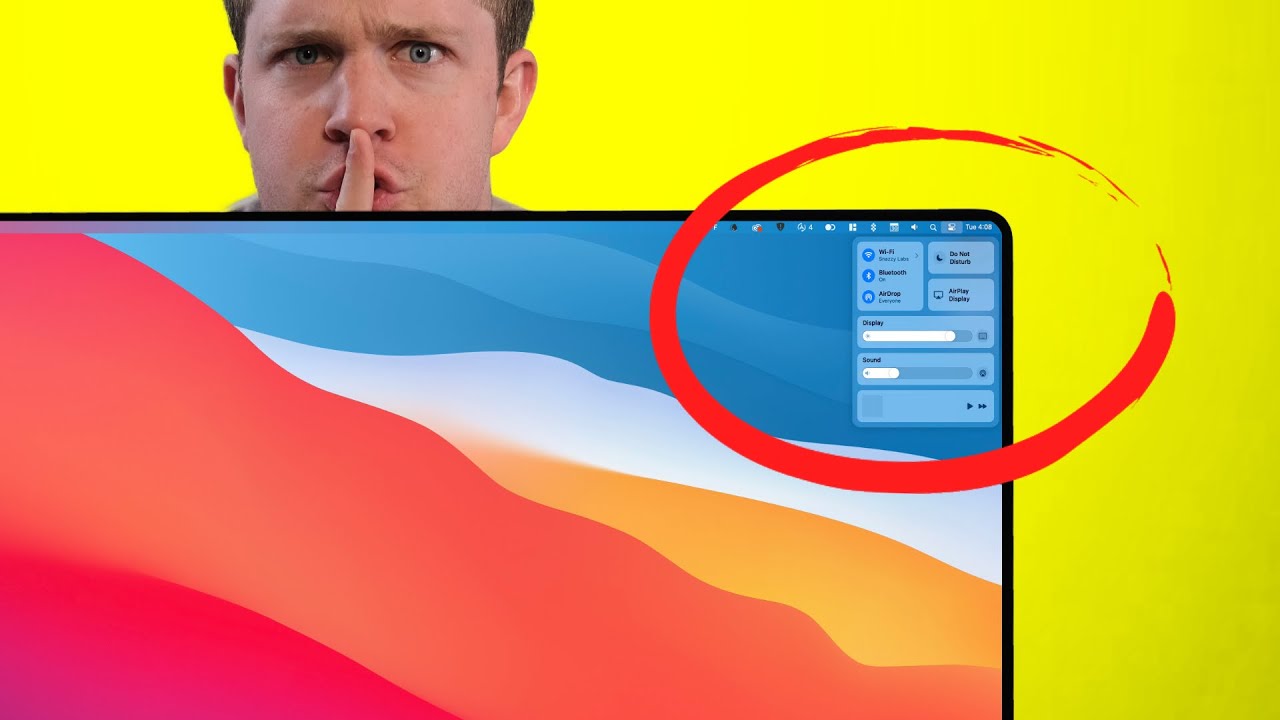
The visual changes to macOS Big Sur are actually the small part. Snazzy Labs explains why the Mac will soon gain a touchscreen.
Purchase an iPhone 11 Pro - https://amzn.to/3i0DxzW
Purchase an iPad Pro - https://amzn.to/31cp4Lt
Purchase a MacBook Pro - https://amzn.to/2B93ahB
...
smoky flame
I know that but it is there for the future. Had that in mind with this monitor. Expecting this monitor to last me quite a while.
Resolution higher than 1080p? Check
High refresh rate? Check - already had 144Hz so 240Hz will be considered an upgrade.
HDR support? Check - There for if I want to use it, heard HDR support on Windows 10 isn't too great at the moment though
oh and can't forget this will be my first monitor that isn't a TN + LED panel, rather VA + QLED
By the time I'm looking for a new monitor I'll probably be looking at 4K, 240+ Hz, HDR and perhaps IPS and by that point those sorts of monitors should have got cheaper. Less than £1000 "cheap" anyway and again, such a monitor I'd expect to last me some time
sacred iron
https://youtu.be/NXG5REBi2fo
what the
full flint
Higher resolution than 1080p but going to be passed by as the jump from FHD to UHD skips QHD entirely? Check
I'm sure it'll last you a few years though
QHD's really just for competitive players who want higher refresh rates but nicer pixel count so they can be more precise more quickly
basically, as it stands now
4k@120 for single player
1080/1440p@240+ for comp
the reason I say 120, is because really.....144hz just breaks too much
full flint
pretty sure the V is sold out
smoky flame
I've not noticed many games break at 144Hz. Most notable ones that come to mind are Skyrim and Fallout games but they run on an old engine so it doesn't surprise me really
full flint
I'm not talking about physics
I'm talking about the actual container itself
a lot of games have screen tearing where they shouldn't at 144hz
but not at 240hz
or 120
it's the incremental
24/50/75/144 is just a really obscure standard
144hz got big because it was the fastest for its time
sacred iron
eve
full flint
144hz is a part of the filmic standard
120 is a part of the gaming/production standard
that's why it skipped 190hz entirely
it's unnecessary
smoky flame
I always thought there was some meaning behind 144Hz. Sometimes I wondered why isn't it 120Hz or 180Hz instead? (Increments of 60 at play)
full flint
it was literally because it was the fastest for a while
and became synonymous with being "bleeding edge"
and then ofc, because competitive play needs the highest framerate possible for response times
it became synonymous with better performance
thus leading to our favorite catchphrase
"Frames win games"
even though it's not even remotely true
because let's be real
if u bad, then u bad
those shoes won't make you run faster or jump higher
smoky flame
well yeah and no. Bad can still improve but needs the equipment to help improve. Give bad a 60Hz monitor when their friends all have lets say 240hz monitors and how on earth is bad going to compete?
full flint
give bad a 240hz monitor and they'll compete badly still
give a good a 60 and they'll still be good
I never said it wouldn't impact performance
just that it's not going to "win your game"
whether you win or lose is not decided by if you have RGB and a yellow racing stripe down the side
smoky flame
yeah, there is a lot more to winning. That I do know
sacred iron
i like eve-v
 sacred iron
what is your point?
full flint
referring to my earlier statement
smoky flame
refresh rate can play some part though, I think anyway. I've seen the comparisons between 60, 120 and 240Hz. Marketing or not the higher the refresh rate, the better one's timings may become and of course, the less latency one experiences too.
You shoot a moving target at each of the refresh rates I mentioned previous then slow it down and those gaming at 120Hz and 240Hz will be able to react a lot quicker than someone at 60Hz will. That 60Hz user may end up missing the target altogether or find themselves having to lead in early with shots to get a kill as opposed to 120Hz and 240Hz users
Wasn't there some experiment featuring Linus and some esports/competitive guy a while back with 240Hz? I don't follow esports like I used to but I think the guy went by the name Shroud?
full flint
Linus already did the video
the person that remained on 60 did consistently better at 60 than the other two
not saying he outperformed them
but he was consistent
full flint
Interesting thing is, should you not limit FPS in CS GO, game becomes smoother even on a 60hz monitor
Can swear I don't remember any other game like that
surreal moss
Those “tests/experiments” will never yield the true results of the same person playing consistently on 60 vs consistently on 240. It takes time to adjust to things like not having to compensate for 60, or to take advantage of 240
full flint
yep
but they were time limited admittedly, so the test wasn't all too bad for what data they did pull
I'd like to see a fully fleshed out study happen though
surreal moss
All you need to know, is your time between frames goes from 16.67 to 4.17. Everything you do, feel, and experience gets faster.
The only time you won’t benefit from it, is if your gaming skills are too underdeveloped to take advantage of it
autumn sluice
tbf im reacting better at 60 than 30
surreal moss
A good monitor will not make you good, but it is a crucial part to building a competitive ecosystem. No single product will drastically improve your play, but building a good setup will.
My 240hz monitor didn’t make me good. My 240hz monitor combined with me running my GPU in ultra low latency mode, buying a <60g mouse, bypassing the in-game FPS limit, spending hours aim training my entire arm, and learning to play on super low sensitivities did.
But the single greatest piece is your mentality. There’s always a bullet you shouldn’t have missed. Always a decision you could have made better.
full flint
I hate super low sensitivities it's just tooooo fast.
surreal moss
If you play with a passionate yet hypercritical mindset, you’ll improve regardless of your peripherals
Too fast?
You mean too slow?
surreal moss
Move your arm faster
 torpid dune
smoky flame
torpid dune
smoky flame
currently I don't game on PC with a keyboard and mouse. Still using controller but how's 800 DPI on the mouse sound? Also have a 400 "sniper" DPI toggle that I rarely ever touch. Oh and on the subject of DPI, will I have to increase it any when I move up to 1440p?
autumn sluice
defo upgrading my mobo and case. didnt realize i bought a microcase. looking for a mid sized tower
recommendations?
surreal moss
Cougar mx330
There’s also an mx330-g if you want glass, and a mx330-X if you want to be able to put up to a 200mm fan on the front side panel
autumn sluice
Perfect thanks. Thoughts about a Mobo?
surreal moss
What cpu
autumn sluice
R5 2600
surreal moss
What form factor do you need
autumn sluice
Uh mid tower?
surreal moss
Your motherboard form factor
autumn sluice
Oh uh idk? Don't really know much about that tbh
surreal moss
In that case just get a asus b450-f
Better to buy a full ATX than buy something smaller and regret it
autumn sluice
So what do u mean by form factor? Like how big the Mobo itself is?
surreal moss
Yeah. But you should be fine with a full atx in there
Motherboards come in all sorts of sizes
ATX, EATX, Micro ATX (MATX) and Mini ITX (ITX) are the 4 most common
EATX is the biggest board you’ll find in normal gaming CPUs. XL ATX is the only for the Xeon/threadripper processors
autumn sluice
Ok thanks
full flint
Can anyone recommend me a budget pc to run most Game pass games and maybe some CoD?
surreal moss
What’s your budget
full flint
£800
surreal moss
Thousand buckaroos cool
 open belfry
This site is a good guide, keep in mind this is the price of the tower, you still have to factor in mouse, keyboard, monitor and W10 (if you don't have them)
Alternatively, if you want real budget pc, it's not a bad idea to find a buisness selling old computer, stick a solid state and a graphics card in it and badabang badaboom
smoky flame
I'm surprised that site wasn't recommending 3990X, 128GB ram and 2x Titan RTX at the "monstrous" tier
full flint
Titan RTX don't have NVLINK capabilities for normal users
it's like...really obnoxious to set up
smoky flame
with that sort of build I mentioned I doubt a normal user would be making use of it. Would be a £10,000+ build. CPU and GPUs coming to something like 9K themselves
tribal pilot
Bought a sound bar for my pc works great only problem is I have to mount it to the wall behind the screen.
full flint
i need help on which game to get should i get Rust which is $20, Raft which is $14 or Arma 3 which is $9
have you ever played an ARMA game?
nope
I'd go with rust first then
Ok thanks
ARMA is a sim-style game
so you'll be learning quite a few commands and button assignments to play effectively
that being said, it's something you can learn. so up to you
Yea
I’m trying to rake advantage of steams summer sale
Ultimately if you can swing multiple then go for Rust and ARMA
ok
full flint
surreal moss
2 years and so much money I just stopped keeping track
 worldly ravine
With that amount of RGB it's so asthetically pleasing
autumn sluice
This man affording multiple PC's
surreal moss
More like this man could have replaced his car from 2007 instead but no ragrets
full flint
You can't hide this pain harold
surreal moss
Pain
full flint
you finally got some diffusers for the RGB strips though?
full flint
lol
full flint
@smoky flame oh, nvm. Looks like they amended the Death Stranding page to refer to the Extended Soundtrack, Artbook Sections, and Chiral gold & Silver to be a part of the "Day One" copies. instead of just general purchase down the line
tribal pilot
late post but cool looking pcs XLR.
Tried to do a 1000 person battle on mount and blade bannerlord 2 and Got about 10 fps.
 plucky marsh
Looks good, but I am disappointed his hat isn't RGB 😔
full flint
LOL
tribal pilot
They sell those actually
full flint
good ol' Bannerlord.
tribal pilot
Ill stick with 500 people for now. I was dreaming when I set it to a 1k.
tribal pilot
Pretty sure my pc would explode.
full flint
nah, it'll be easier to run since they're engineering it around that
tribal pilot
Trying to play Bannerlord with a controller and its not going so good going to have to stop being lazy and use the mouse and keyboard.
full flint

It’s almost time for Ubisoft’s summer games showcase! Join the celebration and get all the details here.
Don't forget to log in with your Uplay account anytime after Trackmania and before the end of the main show to claim a free copy of Watch Dogs 2 on PC, and to get a chance to answer trivia questions and win some rewards for a variety of Ubisoft titles.
smoky flame
that looks huge. Do NVMe really need a heatsink?
 lament cipher
not all of them, but I get the impression it's getting close
 latent yarrow
Some faster ssd’s produce a lot of heat
lament cipher
my office PC has a riser card for holding 4 NVMe SSDs and it has a fan on it etc... maybe with that many together there's a problem with it
surreal moss
When under sustained write they can generate some real heat and throttle
SSDs will throttle much earlier than your other components. 60°C is considered too hot.
Makes a difference too
This is 1 hour idle. Even at low temps it makes a difference (doesn’t matter at low temps of course)
smoky flame
I'll keep that in mind when I get an NVMe. How are they as boot + program + game drive? Thinking of going NVMe (pcie 4.0) only when I get a chance. 2TB, if it isn't too pricey
surreal moss
They’re great for everything
Just don’t fill it up the whole way
Leave like 10-20% empty to maintain good performance
smoky flame
I've yet to fill up the storage I have just now. 250GB Crucial MX200 SSD I use for OS and programs and a 2TB Western Digital Black I use for games
full flint
is an amd ryzen 3 good for gaming
surreal moss
Well considering there are 8 different ryzen 3 processors I don’t know
3300x? Sure. 1200? It’ll work but you’re gonna suffer
lament cipher
2 TB PCIe 3.0 drives are pretty reasonable. 4.0, probably going to cost a fair bit more, but it depends on your budget
I recently got a 3.0 card for a little over $200
autumn sluice
horizon zero dawn price went up to match epic on steam
surreal moss
Look at that difference in write speed. That’s the plus version + the heatsink keeping the speeds higher due to low temp
 thorny cypress
Interesting, my 970 EVO 2TB has 2342 for the write speed with just the mobo heat sink
surreal moss
Top one is completely unshielded
Combined with the fact that the case also has just ok airflow because of the front mounted radiator, which keeps the cpu down a couple more degrees than if I mounted it on the top like everyone else
That’s why the speeds are so different
This is the result right after running a benchmark. 1 TB was at 46°
surreal moss
Nice! Got it down to 58 once I actually turned my fans up
I’m only concerned about heat on the 1TB because that will be my OBS drive (or is now I guess)
Gonna make sure it stays cool under hours of sustained use
full flint
Hey so I recently got a pc after playing console my whole life, other than grinding any tips on how to get use yo mouse and keyboard
lusty oak
Typically not a good idea to grind your mouse or your keyboard. 😛
Sorry, I couldn't resist.
surreal moss
Get those thin little foam pieces you can stick to your key caps. Helped me tremendously with learning to properly return my fingers to the proper WASD keys
I still use them to this day
Biggest piece of advice honestly, never take your middle finger off of the W key. Learn to just move your hand and rotate it around that key.
Will yield very consistent results and that’s how most pros train now
full flint
Thank you
smoky flame
that's pretty awesome advice, XLR8. I might even follow it. Now that I have a desk and feel 10 times more comfortable than I ever have done I could see myself getting used to keyboard and mouse more often. So much so my days using a controller may be numbered
plucky marsh
I naturally do that anyway I think just by playing mostly keyboard. I'd like to continue with keyboard and mouse if next gen support it. It's so much better than using a controller in my opinion
 main pasture
I prefer controllers for single player games
plucky marsh
Pretty much most of the games I play are shooters so I always have preferred keyboard and mouse. I don't mind using controllers for other stuff though
 hot seal
Halo 3 confirmed for July 14th
main pasture
I always use KBM for competitive online games
But i like to kick back and relax with my controller when i play games like Batman Arkham
smoky flame
I've been used to controllers since I was 6 years old. Keyboard and mouse seems pretty complicated with all the keys and stuff but much like learning how a controller worked back when I was younger I think I can pick up keyboard and mouse gaming pretty quick. Only thing I need to make sure I keep in mind is some games need quite a bit more finer tuning to get sensitivity values to what I may like and it may take some time finding these values and getting used to them vs what I was used to with a controller
plucky marsh
Depending on how you like it, I have my thumb work for c (crouch) and space (jump), my pinkie for shift (sprint) ctrl (crouch/prone) caps lock (map)
Then ring finger for stuff like a, q, pointer for e, r, T if necessary. Middle finger is glued to W lol
main pasture
I've been used to controllers since I was 6 years old. Keyboard and mouse seems pretty complicated with all the keys and stuff but much like learning how a controller worked back when I was younger I think I can pick up keyboard and mouse gaming pretty quick. Only thing I need to make sure I keep in mind is some games need quite a bit more finer tuning to get sensitivity values to what I may like and it may take some time finding these values and getting used to them vs what I was used to with a controller
@smoky flame KBM is pretty easy to get used to imo
You never use even half the buttons on your keyboard for most games
smoky flame
yeah, Albzi. That's sort of how I have my fingers positioned on the keyboard already. Just getting used to it all will take me a while. Think I need to find a way to get used to it and resist the urge to use a controller so often.
Wonder if going keyboard and mouse is similar to 60hz vs 144hz. People often say once you go 144hz you never go back sort of thing
main pasture
It's always WASD, C, Space, LShift, and LCtrl
Also Tab
yeah, Albzi. That's sort of how I have my fingers positioned on the keyboard already. Just getting used to it all will take me a while. Think I need to find a way to get used to it and resist the urge to use a controller so often.
Wonder if going keyboard and mouse is similar to 60hz vs 144hz. People often say once you go 144hz you never go back sort of thing
@smoky flame 144hz is leagues above 60hz
When i first got my 144hz monitor i was like "wow 144hz is amazing" and spent a good few minutes just dragging my cursor over the screen and running back and forth in minecraft
But at first i thought "60 is still fine though"
But eventually 60 started to feel laggy
smoky flame
I'll be on 240Hz 
main pasture
As i got more used to 144hz
Now i have all my settings lowered to get a stable 144 fps and if it drops to even 90 it feels laggy and is instantly noticeable
smoky flame
I don't target 144 FPS. Though with the hardware I have I could likely achieve that with my current monitor pretty easily. Though 1440p 240Hz on my new monitor will be a whole different kettle of fish but I had future upgrades in mind with such a monitor
main pasture
The only affordable 1440p 240hz monitor i know of is the Omen X 27
And the Omen X 27 has a TN panel
smoky flame
Got the new Samsung Odyssey G7 ordered about two weeks ago. Just waiting for it to arrive
main pasture
That monitor is $800
smoky flame
I got it for 450 (the 27 inch model)
smoky flame
meant to put British pounds sign in but for some reason my keyboard isn't letting me do it
main pasture
wow, 1440p 240hz, QLED, 1ms, RGB, HDR, G Sync Premium Pro and a curved screen
for only 700 dollars
that is a major steal
there has to be a catch
smoky flame
VA is the catch. Heard quite a few people grumble on about VA panels. Chance of dead pixels etc. Fingers crossed my monitor has none. I trust Samsung can deliver a working product
main pasture
VA is still better than TN
this is making me want to return my monitor and get the G7
smoky flame
yeah, will be only my third monitor I've owned since getting into PC gaming. Started off with some console 60Hz TN monitor (BenQ RL2455HM), now I have a 144Hz TN (Asus PG248Q) in all honesty if it wasn't for my brother's monitor (my old BenQ) looking like it is on its way out I probably wouldn't have bothered buying a new monitor but I'm glad I have done
plucky marsh
I want a new monitor for next gen but am going to stick with my 4k60 BenQ for now as not long had that
Not too fussed about framerates atm as never had anything above 60 anyway
main pasture
thats my monitor ^
@smoky flame what are your specs? surely you know you wont be getting 240 fps at 1440p in most modern AAA games
smoky flame
i7-6700K, 16GB ram and a 1080 Ti FE. That is all subject to change in the year(s) ahead. Months even
main pasture
why are you getting 240hz if you only have a 1080 Ti
smoky flame
as I said, I'm planning ahead. This new monitor should last me multiple upgrades. Skipping the 20 series as I don't think it is worth the money. May consider 30 series or give AMD a go. If I give AMD a go I get some extra features with freesync premium pro over gsync compatible with an nvidia GPU
main pasture
nah, get a nvidia GPU
i hear AMD GPUs have bad drivers
plus Nvidia has that DLSS raytracing stuff
smoky flame
ray tracing won't be exclusive to Nvidia for too much longer
main pasture
IIRC AMD does have hardware accelerated ray tracing
but its not as good as Nvidia's
although ray tracing isnt worth it in competitive games like CoD where you should be focusing more on FPS
smoky flame
I don't think I'll be touching ray tracing until the performance impact it brings can be reduced. That's likely not happening for some time. Progress will be made generation by generation with both AMD and Nvidia no doubt but with progress comes new features that will probably turn out more demanding than previous implementations
main pasture
i dont think i even use ray tracing for anything
i use it for minecraft but thats it
smoky flame
I can't be too bad with keyboard and mouse. Just cleared a heroic control point in The Division 2 solo
main pasture
i play better with KBM than i do on controller when it comes to FPS
 misty verge
I think kbm are The best devices for fps
misty verge
It's true, I agree
main pasture
@misty verge i personally prefer controllers for single player games but for competitive online games i use KBM
misty verge
There até games that use controllers very Nice, but in general I think kbm are most accurate
On Xbox I use only controllers but in PC always kbm
tribal pilot
I use controller for everything on PC. I just cant get into keyboard mouse unless its a top down view strategy game.
main pasture
There até games that use controllers very Nice, but in general I think kbm are most accurate
@misty verge its not always about whats most accurate
with a controller i can kick back and relax without slouching over my PC
plus a controller is more comfortable to use in general
thats why for casual games where the most possible precision doesnt really matter, i prefer controller
and for competitive games like CoD and DbD, i use KBM
misty verge
You're right
plucky marsh
Looking at a new monitor for next gen, I'm pretty sure this one is fine, but I don't know if anyone is aware of other or better alternatives? Looking at the 4k option

Eve
 ruby spear
I've been keeping my eye on these as well. Shame they're not out yet.
I can't find any other monitors that support the necessary HDMI for 120fps, 4K and HDR.
I just don't want to put down a deposit on something not yet available with no reviews, but they're also saying the price goes up later on.
Hmm, they're claiming HDR10 on those monitors, but then the specs show they're using 8-bit + FRC
plucky marsh
Yeah I'm iffy about putting a deposit down now too.
Ah I read up on the difference between 8-bit + FRC and 10, and most people said you can't tell a difference. So I wasn't too worried. But thanks for pointing that out in case that information is true!
ruby spear
Looking up info on it and this has put me off putting down a deposit completely -
"Now, we would always caution against pre-ordering either games or hardware, until you know exactly what you're getting. But the deposit is stated as fully refundable… which would be 100% if Eve didn't have a troubled history on its last crowd-designed product, the Eve V.
That was billed as the Microsoft Surface killer, had a great specs list, but was seemingly delayed to the point where it started shipping once the next-gen Surface had arrived making it seem a little last-gen. To compound that one of the companies licensed to sell the tablet, Fortress Tech Distribution Ltd, which operated the direct web store ran into major problems, didn't deliver devices and refused refunds. That's lead to a lot of ill-feeling across certain parts of the community.
But Eve has again promised those issues are a thing of the past."

pcgamer
As one of the first to sport HDMI 2.1 connectivity, the Spectrum enables "Adaptive Sync on next-gen Nvidia over HDMI"
plucky marsh
Hmm, I think I'll give that one a miss then and look for an alternative. Thanks for finding that bit of info, didn't realise about their other stuff
My friend got an email to say it's been pushed back to April next year anyway it turns out
smoky flame
I thought 8bit + FRC was one of the only ways to get high frame rates with stability? True 10 bit likely only to be found on TVs and 60Hz monitors (where FRC probably doesn't matter). Even my new Samsung monitor is 8 bit + FRC I believe
ruby spear
I just hate how mixed up the HDR terminology is. It's really misleading for people who don't put in loads of research to learn the different terminology, the specific names that certain brands use instead of a standard name. It's a real mess.
smoky flame
better than it likely was before DisplayHDR came along. Unless you happen to be buying one of those pre-DisplayHDR TVs or monitors
Speaking of HDR. When it says peak brightness can reach up to 600 cd/m2 does that mean if I want to use HDR I have to subject my eyes to that sort of brightness for the optimal HDR viewing experience?
main pasture
Looking at a new monitor for next gen, I'm pretty sure this one is fine, but I don't know if anyone is aware of other or better alternatives? Looking at the 4k option
https://evedevices.com/pages/spectrum
@plucky marsh that monitor looks sketchy af, and even if it was completely real, 4k 144hz is absolute major overkill if it's just for a XSX
Plus 27" is not good pixel density for 4k
And in case it nedds to be said again, don't place a deposit on that scam
All of the reputable 4k 144hz monitors on the market are over a thousand dollars
 smoky flame
unbeatable value if one loves Ubisoft games. Somewhat on the fence about getting uplay+ since I already have so much of the games and content though it will come in useful when AC Valhalla and Watch Dogs Legion launches
full flint
@main pasture it's only slightly higher than optimal pixel density for 4k
you aren't going to find many 37" computer monitors for 4k
the Eve V ended up actually being a decently alright product though

CNET
Crowdsourced ideas can sometimes work out really well.

TechSpot
Eve V reviews, pros and cons. Liked: Blistering performance Clean, aluminum design Disliked: No GPS, NFC or LTE
they had distribution issues which is ultimately common with Crowdfunded tech nowadays sadly
it's stronger than surface pro, but a bit weaker than some competition
a good example
F(x)tec pro
it got delayed 3 times due to missing their standards and distribution
so I wouldn't call it a scam by any means, and it's an LG display, so it's not going to end up being processor-based performance issues,
All of the reputable 4k 144hz monitors on the market are over a thousand dollars
@main pasture all of the first 4k@144hz are over $1000, they also are designed for "Gamers" including pointless bullcrap like RGB or 'game modes' , with rather...ugly aesthetics
this display's VesaDisplayHDR600 HDR10 so it's better than some of those, but not better than others
sacred iron
Which is better serface or eve?
sacred iron
need to  a bit before I get it
full flint
I'll probably pick a couple up
plucky marsh
So are you saying Dark that it may end up being a decent monitor?
For that price point and an April release, is it worth it? Or would you suggest waiting still?
full flint
the price-change is the biggest issue I see. cause it'll likely be decent quality at, if not close, to spec
their hardware's quality is fairly solid though
and they're using LG panels
with a MME design
lusty oak
I have more gaming keyboards than I know what to do with.
surreal moss
Also put some pudding keycaps on it
surreal moss
60% gang
lusty oak
I have a Razer Black Widow Tournament Edition that's the same size.
surreal moss
plucky marsh
So you not find RGB distracting when you're playing games?
 fleet orbit
I need to use my Ducky keyboard more often, thanks for the passive reminder!
full flint
Death Stranding is 4k@60 capable with an RTX 2060
figured I'd let you all know
likely utilizing DLSS
surreal moss
I don’t run it that fast. I run the rainbow effect on the slowest speed possible
It’s very easy for my eyes to just ignore it when it’s moving slowly
 tiny elm
pc gaming seems too expensive
smoky flame
it isn't all that bad.
Short term people may spend a lot on new hardware but depending on how good that hardware is it can last quite some time. Long enough to save up and upgrade and that leads into long term thinking.
No one needs to go out and buy every new CPU or GPU that launches year by year. They would be silly to do so and wasting their money for small, incremental increases that over a longer period of time (every 3-4 years) look far more significant
open belfry
Hobbyest makes it seem more expensive than it really is imo
If you already have a W10 License, Keyboard, Mouse and Monitor, you can build a decent tower for around $700-800, More expensive than a console but not drastically if you subtract the cost of paying online every year. If you assume you build it at the beginning of the generation, most of your parts will be fine with the only exception being a graphics card which you may want to upgrade mid generation.
tribal pilot
Back to playing Assassins creed odyssey. Only played the game for 20 hours and got side tracked. Forgot how good looking the game looks on pc.
main pasture
pc gaming seems too expensive
@tiny elm not really. you can build a decent PC for $500 and you can build a low end but still useable one for $350. You dont need to upgrade every year either, you can just upgrade once every 3-5 years if you want, same as consoles do. Plus with PC you dont have to pay for an online subscription
 dawn pawn
Hello, I'm looking for a PC game with: good graphics ( i have rtx 2060), long playtime ( about 500-800 hour),
full flint
None of single player PC games can provide you such amount of playtime unless it's sandbox and/or strategy
Look MMORPG'S
I'd say Skyrim though, I've heard it has many mods
-insert comment about aged engine here-
main pasture
Hello, I'm looking for a PC game with: good graphics ( i have rtx 2060), long playtime ( about 500-800 hour),
@dawn pawn try a FPS like Modern warfare or R6S
 mystic crypt
Or warframe
smoky flame
that's me built my new monitor. Curve is a bit odd to my eyes just now but omg it is nice!
worldly ravine
#233805809346150400 @hasty osprey
tribal pilot
Should I try fallout 76 on pc? Tried it on ps4 and it crashed my ps4 so hard it took a day for it to come back on.
 worn geyser
I actually prefer it on PC, it looks better too. @tribal pilot
main pasture
Should I try fallout 76 on pc? Tried it on ps4 and it crashed my ps4 so hard it took a day for it to come back on.
@tribal pilot why would you want to try one of the most hated games in videogame history?
full flint
it's far from the most hated
not even top-10
and most entry level PC are $700-$800 now
PC gaming now is not what it was 7 years ago
full flint
@smoky flame https://youtu.be/burNkdZG0Bs

Thanks to Samsung for sponsoring today's video! Check out the Odyssey G9 Monitor at https://bit.ly/3f6zvV3 or the rest of the Odyssey Line Up at https://bit.ly/38ym11E
The Samsung G9 Odyssey is something exciting, and currently, nothing comes anywhere close to the performance...
he got around to the G9
smoky flame
ooh nice. Will watch it later
full flint
d
autumn sluice
https://wccftech.com/nvidia-geforce-rtx-3060-rtx-3050-ga106-ga107-ampere-gaming-gpu-specs-rumor/amp/

Wccftech
Alleged specifications of NVIDIA's next-gen GeForce RTX 3060 & RTX 3050 graphics cards with Ampere Gaming GA106/GA107 GPUs have been detailed.
full flint
Interesting isn't it.
A continious image appear when you put these together
it also gets larger the stronger the series is
 heavy marsh
intel big levels here
tribal pilot
Gotta collect them all! Wait I can’t afford that never mind. But I would if I could.
full flint
Like, if I were billionarie
I'd buy myself a house with a big depot
And mess with all technological stuff
tribal pilot
It would be pc simulator in real life!!!
full flint
Lol
 uncut trail
can i have one
full flint
yes, thank you nvidia, very cool.
heavy marsh
well thats a tough decision
full flint
Where do I apply 😛
 cedar smelt
Looking at the part where someone said an 'entry level' PC is $800 and they aren't wrong but that feel when you realise you've never had anything beyond an entry level PC.
I'm hoping to build a new PC soon, but sigh it will just be entry level all over again.
heavy marsh
i wouldnt say an entry is 800
You can play almost all modern games for around 400-500 on low settings.
(USD, pre-covid)
surreal moss
I’d say $800 is entry level for an enthusiast
$400-600 is like you just want the cheapest ugliest thing that can run games
cedar smelt
You folks feel like offering build advice?
I've got a rough idea what I should buy, would love to hear if you know whether it will be OK.
surreal moss
Sure
cedar smelt
I'm looking at something similar to this?
I'm not even hoping to run the cutting edge, I'm hoping to run games from maybe a year ago with medium or better - my current rig runs them badly on low.
1200P resolution is desired.
smoky flame
I think you could probably get away with dropping the CPU down to a 3300X. Saves a little bit of money that you can put into the GPU to go for something a little nicer
cedar smelt
It's an interesting point. I personally have no idea whether CPU or GPU is the bigger bottleneck in games I wanna play, right now it's both cause my system is old 😛
cedar smelt
And I realise that PSU may be overspecified.
Because I have a really nice 1200p monitor.
smoky flame
seems the 3300X is out of stock. Normal price is around £120 but pcpartpicker is showing one from overclockersUK for £160
cedar smelt
I just threw in a PSU at a glance, didn't realise maybe it's a bit overkill.
surreal moss
When are you buying all these
cedar smelt
TBH it might not be for another couple of months, but... no more than that?
smoky flame
might be worth putting those plans on hold
cedar smelt
Oh right? What happens soon?
surreal moss
Zen 3
cedar smelt
I can probably get by on this old box for a while. It was specced nicely when I got it, and I'm lucky enough that it still kinda runs every single game I tried.
(At 30 FPS. On Low. D:)
My current box is a Haswell i5 4670K (@3.8GHz) and a GTX 770.
smoky flame
I was going to suggest a system with a 3300X and a 5600 XT. Should perform better than the system you posted for a similar sort of price
cedar smelt
I'll make a note to consider those. I've never had a Radeon GPU before. Always been a nVidia fanboy. 😛
Help I need to learn a whole new settings menu this is the worst thing ever.
surreal moss
The reality is you’ll probably snag a zen 3 cpu that’s more powerful at the same price
Also for $80 you could have a 2060
cedar smelt
Huh. See, I can't claim that I understand these things but I would have assumed the new architecture would be super-expensive at first.
surreal moss
Not really.
smoky flame
most of the 2060 SUPER cost a fair bit more than the 5600 XT. Looking at over £100 more and that is 5700 XT territory
surreal moss
Most part manufacturers have figured out that that due to competition they can’t just keep increasing prices
smoky flame
cedar smelt
TBH I kinda think of the 2060 and above as for gamers looking for 4k, RTX, HDR, fancy things that... I just don't really want. Is that wrong?
surreal moss
You’re right and wrong
2060= 1440p60
2070=1440p120+
2080= 4k60
2080ti=4k120+
This is a general rule of thumb
cedar smelt
Mhmm.
surreal moss
If you try 4k60 high on a 2060 it’s not gonna work
cedar smelt
I'm gonna be pretty satisfied with modest performance, because I play a lot of games which aren't too new.
The newest thing I'm even considering playing is AC Odyssey at the moment.
I've been playing Origins on my existing machine, and it's really no good.
smoky flame
AC Odyssey is a mess in terms of performance. Be sure not to put all the settings to max
surreal moss
I really only recommend 1650/1660 models for people on a very tight budget
cedar smelt
Worth considering.
surreal moss
They’re designed for 1080p gaming
cedar smelt
A 2060 that isn't the Super doesn't push the price too far.
full flint
not worth extra cost this late in the game
surreal moss
You’re gonna see anywhere from 10-30% better performance depending on the game.
New cards are coming out in the fall, but they won’t release the 3060 till months after
cedar smelt
Looking at the IO plate on these cards, what is that, 1 HDMI and 3 display port?
Can I hook display port to a HDMI / DVI monitor, or is that gonna be an issue?
surreal moss
There are adapter cables for DP to HDMI
smoky flame
https://www.youtube.com/watch?v=R_FLPncFdvA Here's some idea of how a system with the 3300X and 5600 XT performs. Only difference is you mentioned you have a 1200p monitor and this is all 1080p I believe so have to take into account some FPS loss for that higher resolution
RYZEN 3 3300X RX 5600 XT - TEST IN 32 GAMES
00:00 FORZA HORIZON 4
01:21 AC ORIGINS
03:00 AC ODYSSEY
04:30 APEX LEGENDS
06:00 BATTLEFIELD 1
07:30 BATTLEFIELD 5
09:00 BORDERLANDS 3
10:30 GHOST RECON BREAKPOINT
12:00 CONTROL
13:30 CSGO
15:00 THE DIVISION
16:30 THE DI...
cedar smelt
Cause at the moment I have two monitors, both have HDMI
surreal moss
Again, adapter cables
cedar smelt
Yeah, but at the same time I really don't object to dropping the quality settings to compensate.
Looking at the first test there, he's getting 100 FPS in FH4 on ULTRA, I think I can probably squeeze 60 out of it without dropping settings much if at all.
Yeah, this looks like a good enough spec for my tastes.
Though I notice that (you said it's a mess) AC still gets a sub-60 min-FPS, which is no problem if the average is nice.
Yeah, there are a few things tested here I'm interested in, and it looks fine.
smoky flame
its a mess in the sense that it is a pretty poorly optimised game. I have run it in the past at 1080p, maxed settings on a system that has a 6700K and a 1080 Ti and FPS was pretty poor for my expectations. Been a while since I touched AC Odyssey and in that time I've upgraded to a 1440p monitor so I can only imagine performance will be quite a bit worse than it was previously
cedar smelt
TBH I was surprised to find that Origins is playable on my old machine.
It's bad enough to make me want more power, but it's good enough to be tempting.
smoky flame
https://www.youtube.com/watch?v=Gbi_-08CMN0 If you go for the 2060 SUPER however, keep in mind to consider the 5700 XT since they are priced similarly. Based off this 1440p benchmark video it is really close and since you game at 1200p this time you would gain some performance over the results shown in this video

GeForce RTX 2060 SUPER 8GB vs RADEON RX 5700 XT 8GB l 1440p l
Motospeed Gaming Mechanical Keyboard - https://www.gearbest.com/keyboards/pp_298472.html?wid=1433363&lkid=58841345
Games :
Control
Forza Horizon 4 - 01:18
Assassin's Creed Odyssey - 02:23
Metro Exodus - 03:25
Bat...
cedar smelt
My monitor is just so nice, someone gave it to me - it's far too good for me. 😛
cedar smelt
Oh yeah, another question. I think I know the answer to this one.
SATA SSD or M.2 SSD?
full flint
M.2
cedar smelt
I thought so, but I wasn't sure if it's something where you might say it's a tiny improvement.
full flint
no, it's significant
use SATA for bulk storage for sure though since it'll have ports
cedar smelt
Yeah, my plan is to just keep using my USB3 external for bulk storage.
plucky marsh
For those unaware final hours of HL:Alyx is out. I'm planning on giving it a watch later
cedar smelt
That game is VR only, right?
plucky marsh
Yeah, the final hours is looking at the last 10 years at valve and the lead up to its release
cedar smelt
Ohh I see. I don't think I understood what you meant before, sorry.
tribal pilot
Install fallout 76 on your drive that has your operating system or it wont work. Finally got it working.
full flint

Windows Central
Intel has introduced the Thunderbolt 4 spec, and the standard introduces a few new features that make it stand out from USB4. Here's everything you need to know about Thunderbolt 4.
cedar smelt
It's not the only port I need until all my legacy devices vanish.
 runic gorge
Hi
full flint
hubs
a single TB can power all of your externals
it's now being used as a standard for certification instead of its own cable
cedar smelt
It does seem like a nice advancement, NGL.
full flint
so USB that meet requirements will be Thunderbolt
they also made the requirements a bit stricter, to save internal space for computers, as well as a few other things
cedar smelt
Faster and more power for charging are both great things.
full flint
well, not faster
it's as fast as TB3 Active
they just set other requirements
it's faster than TB3 Passive though
provided the TB4 Passive is 40GB/s
runic gorge
Hi
full flint
Hello
cedar smelt
I skimmed the article and it looks like it will be faster than USB3 though, which honestly is what most of my gadgets are using at the moment. Or did I misread there?
...and that's one of the reasons USB4 has 40Gb/s bandwidth — double that of USB 3.2.
cedar smelt
So yeah it's faster than USB3
And I'm not cutting edge enough to have devices that go newer than that.
full flint
the point is comparing it to TB3 though
not USB, cause prior to this Thunderbolt and USB were independent formats
cedar smelt
I can see that's your point, but all I care about is how it will compare to literally what I'm already using. That's still valid.
full flint
if you aren't using Thunderbolt 3 then it's automatically an upgrade
cedar smelt
And I'm good with that. I wonder how long before cases and motherboards start to feature this.
full flint
2-3 years earliest
surreal moss
runic gorge
Cool
runic gorge
I don't use a mouse
full flint
@surreal moss I expect a LTT level breakdown because that actually looks interesting. what's its shtick?
full flint
what's its weight
full flint
ok, so 74g. I've never heard someone say it's a weight faster than wired lol
plucky marsh
Ok that looks pretty sweet. I'm looking for new wireless mouses atm
 rough frost
i stick with the original mouse. i’m pretty good at minecraft pvp i can still get 13cps somehow lol
smoky flame
just by playing a plague tale: innocence and it really is a beautiful game. Running it on my new monitor at maxed settings
surreal moss
@full flint hey so
I decided to run battlefront 2 in DX12 and it crashed my GPU
Now my desktop looks like this
full flint
GPU crash rip
surreal moss
How do you fix this lmao
full flint
restart the display from the device manager, restart system, try unplugging and plugging the cable
 full flint
forget the device entirely, disable, unplug, restart, then after powered on
plug it in
surreal moss
Battlefront 2 is the most unstable game I’ve ever played
It’s fixed now
Just saying a simple power on/off didn’t work which scared me lol
They have the DX12 option, yet it’s unstable, and they have a 240hz option, yet the game is capped engine side at 200
If you try to enable their fake version of raytracing it just crashes the game
smoky flame
there's a number of other games that have a DirectX 12 option that suffer much the same
unstable, very crash prone 😦
full flint
it's not exclusive to DX12 Sub
it's literally the container
it's why unreal engine crashes so much
surreal moss
That’s what happens when you take a game designed natively for DX11 and develop dx12 capabilities later
full flint
yep
it's just incompatibilities
games built around DX12 and only DX12 run phenomenally
surreal moss
^
smoky flame
yup
full flint
Death Stranding and HZD are DX12-Only
and are the first major games to be exclusive to it
smoky flame
I hope more DirectX 12 native games come out soon. Put DirectX 11 to bed
smoky flame
is DirectX 12 Ultimate different to DirectX 12? If so that's just going to be awkward. Hope it turns out not to be a whole other API that devs land up including DirectX 12 and ultimate and much like games with support for DirectX 11 that have DirectX 12 they land up crashing
smoky flame
btw, I've had a chance to try HDR on my monitor with a bunch of games and honestly, I'm not all that impressed with Windows 10 HDR. I don't get what all the hype around HDR is
full flint
windows has garbage HDR
this is a well-known fact
it's noticeable, but it's not that great in the sense of true HDR
smoky flame
Hope that can be fixed some day because if it doesn't reflect the true qualities of HDR then it is clouding my views on it big time
full flint
not really lol
you can look at any other HDR-capable device and notice a huge difference
especially in film-media
smoky flame
so its just windows that sucks for HDR?
full flint
yerp
smoky flame
😦
full flint
iirc even linux's use (on the rare occaisons) is better
Macs, Phones, Consoles, TVs
all have really good implementations
...except windows
smoky flame
at least now I know it is not my monitor
full flint
you got the G7, right?
full flint
ah
well...
it only has VesaDisplay HDR600 rating
so that's not too high to begin with
wait, have you enabled HDR in windows settings for the display?
smoky flame
better than HDR400. I looked at the specs and I don't get how that can even be called HDR. At least HDR600 displays have some local dimming, its a start
full flint
HDR400 isn't even real HDR
it just barely meets some luminance requirements
a lot of people have called for its removal as a cert
smoky flame
yeah, I enabled the HDR settings in Windows
full flint
you have an X, don't you? I can't remember what systems you have
smoky flame
just a PC
smoky flame
S20 Ultra
full flint
that has really good HDR support
all samsung and apple flagships have some of the best HDR
coupled with OLED too
do you have netflix?
smoky flame
just a shame not every streaming app supports HDR. Disney+ for example
full flint
Disney+ supports HDR
smoky flame
yeah, I have netflix
full flint
there's an entire category for HDR
smoky flame
on TVs it does. I don't seem to notice any support of HDR on my phone when I use Disney+
full flint
ah, idk about phones.
disney+ phone app is alien to me

This is a collection of video test patterns organized by source resolution and native frame rate. The resolution indicated in the pattern's title identifies the title's source resolution, and therefore, the stream set's maximum encoded resolution. The frame rate indicated in t...
here's netflix's test patterns
iirc the last 2 are for HDR
ah, nvm
they moved the HDR ones

Series of sRGB graphics graded to 400 nits in a Dolby Vision container.
here
these are 400 nits only though
smoky flame
was this for my PC or phone?
full flint
both
compare across both
suggested when doing tests like this on a phone
make sure it's at max brightness
smoky flame
funny thing is I can't seem to get Netflix HDR to work on my PC. Just so awkward. Think I'll avoid HDR on PC for the foreseeable future
full flint
compare it to SDR on PC then lol
smoky flame
that would be an unfair comparison would it not?
full flint
nop
since you're still able to compare HDR to SDR
instead of higher HDR to lower HDR
you'll still visualize the benefits
smoky flame
guess I'll give it a go. Actually wonder how a VA-QLED monitor would do against the S20 Ultra's dynamic AMOLED 2x
I can't even find that video you linked earlier on my phone through search
out of the two what would you pick? 240Hz 8 bit color or 144Hz 10 bit color. Could do 240Hz 10 bit but even with DP 1.4 I'd need to use 4:2:2 where at 144Hz it works with RGB fine
full flint

The third instalment takes us to a futuristic London - serving up a great playground to show off ray traced reflections. We take a look at the PC build running maxed out on an RTX 2080 Ti, giving an early sign of how next-gen releases for PS5 and Xbox Series X could manifest.
...
smoky flame
Watch Dogs Legion looks awesome! Just hope it doesn't turn out like Watch Dogs 2 did in terms of performance. That was a mess
smoky flame
by the time it launches we'll probably have 30 series and RDNA2 to look forward to so increased performance
full flint
unfortunately it seems to have an air of quite a repetitiveness in some cases
and Valhalla's got quite a few issues with its current early build
mechanically
smoky flame
Repetitive or not. I can't wait to explore London in Watch Dogs Legion. Can't believe I missed the whole Ubisoft show a couple of days ago. Think I'm too fixated to my new monitor at the moment 😄
full flint
valhalla combat looks fantastic, the dual wield system is brilliant
im gonna dual wield shields like a boss
smoky flame
btw, where was it Far Cry 6's location is?
smoky flame
ahh, thanks. Look forward to seeing more on that later
full flint
yeah, the exploration is pretty much the better part of the game. story seems......generic and repetitive in some cases
but I gave up on WD having good story after 1's DLC started the trend of straying into what we now have with 2
full flint
 smoky flame
I'm still very tempted to get Death Stranding this week
full flint
the bonus offers are Day-1 items, no clue how long they plan to allow that before they retire the promo
smoky flame
went and got it
full flint
So uhh they decided to get info about DirectX 12 and went to Nvidia and AMD, instead of Microsoft. Y'now, developer of DirectX.
What? Am I missing something? I'm literally spamming  in my brain now
full flint
haaah xbox nerds with 60 fps get outta here PC ON FLEEK
 torpid summit
lmao
full flint
Sadly people don't know Windows and Xbox owned by same company
full flint
@full flint that's not how it works
GPU manufacturers are the ones that write drivers based around API, and have knowledge on how their GPUs integrate with the frameworks
if you don't know how to get something to run on something that uses their devices, you would go to them
microsoft doesn't manufacture NVIDIA and AMD's Discrete GPU, so they wouldn't be helpful creating software that has to have sweeping compatibility
Ah, okay. Thank you for these info
 sterile thunder
What happens if i enable the "Cut" skulls on the MCC?
There's a ton of comments left by the developers in the scripts that are really cool to see, including ones of skulls that arent fully implemented
one blaming Marty for IWHBYD not working on HaloCE. lol
full flint
@smoky flame did you buy it on Steam or EGS
tribal pilot
what do I press to get my game bar up on Pc trying to party up with a friend on Xbox and its being difficult.
full flint
Win+G
full flint
tribal pilot
Is It worth it? I played a bit on ps4 and it seemed cool but kinda like a running delivery simulator.
full flint
if you enjoy learning about worlds, yeah
honestly after a while the gameplay gets addicting for me
but it's not for everyone
tribal pilot
Yeah I checked it out when redbox used to allow you to rent games from them.
tribal pilot
Don't have ultrawide but I'm sure my gtx 1080 should look better then a ps4 pro.
I really liked when he downed the monster in 2 seconds I was like I would have heart attack.
full flint
I've had some pretty rough moments in that game
but can't say anything without spoiling portions
and that's never good
tribal pilot
I only played for 4 hours I still have no Idea what the game is really about.
full flint
4 hours is really just the beginning
it starts getting into it around 12h onward
and then is in full tilt around 17
depending on how long it takes
tribal pilot
when I meant monster I meant monster energy drink.
tribal pilot
No he drank a energy drink in 2 seconds a whole one. I thought he was going to die.
full flint
I drank an energy drink before. Never again lol
smoky flame
was Steam I got it on, Dark. Not long awake, sorry for not replying sooner 😄
full flint
you're fine. I found someone who got it on EGS
smoky flame
Been playing it a little and looking at RTSS there appears to be a strange sort of cap around 60-70 FPS. I looked at some benchmarks and they claimed I should be getting a lot more FPS than that. As much as 109 FPS
smoky flame
what GPU you got?
smoky flame
Found out the issue on my end and it is a really odd one... I had a controller connected. Removing it sorted FPS issues I was having. Now getting way higher than 70 FPS
also, may want to force x16 anisotropic filtering through the driver since the in game implementation is pretty poor
full flint
@smoky flame yeah. Don’t use TAA either, use in-game FXAA then override with Driver MXAA
I’ve told the people who file it. Also if your cutscenes look choppy try pausing and unpausing
It’ll fix it.
There’s som early issues with mass-market cards not in the initial testing range having problems. Vsync should remain enabled as well
Or limit it to your monitors framerate
ruby spear

Kotaku
The PC version of Death Stranding is out, and as our own Mike Fahey reported, it runs like a dream. This is true, provided you’re not a dumbass like me and forget to install the latest Game Ready Drivers for your Nvidia card. I didn’t do that, and the above video shows the fre...
smoky flame
Now I fear Horizon Zero Dawn may have the same issue with the controller. Never seen something like this before. If every game on PC improved performance when removing the controller that would be pretty epic and one way I would have to get used to keyboard and mouse 😄
full flint
LOL
But yeah. These issues might be denuvo related
It’d be nice if it ran at launch-time and not run-time
smoky flame
well I sure hope it isn't intentional. Just makes things a little awkward that any time I plan to play Death Stranding I need to remember to disconnect my controller or put up with nearly half the FPS
full flint
You can’t really play it without one
It just controls horribly otherwise
Pretty much standard for J-games
smoky flame
might be an issue with steam input that is causing FPS to nearly halve. I'll link the post I made on Death Stranding's Steam discussion page. Just getting stranger and stranger, lol
full flint
That sums up every aspect of the game lol
Are you using a DualShock or steam controller or something?
smoky flame

My system has struggled so far to get higher FPS. Almost like there is some sort of cap as it seems to range about 60-70 FPS in game. Strange thing is I've seen lower end cards (1060 and 580) get higher FPS at 1080p than my 1080 Ti is getting at 1440p. If that doesn't tell me ...
Xbox controller
full flint
Odd.
Steam doesn’t manage Xbox controllers
Did you restart your game when you changed initial settings?
smoky flame
there may have been a setting I had enabled through Steam big picture that adds support or something for Xbox controllers. I disabled that and going to try the game again
full flint
Other than the cutscene issue currently you shouldn’t have any issues.
But yeah. Leave Vsync on.
Or cap fps to a specific number your monitor supports
You will get some crazy bugs otherwise
Sam’s missing hair was hilarious though
smoky flame
I force vsync through the driver and disable any in game vsync option
going to try this again. Maybe this time the controller won't kill performance 😦
full flint
Cause I’m using my Xbox controller and it’s running fine apart from those aforementioned things I stated
smoky flame
ok, disabling that option that I had enabled fixed it. Now has me wondering if any other Steam games I played previously were affected by this
getting around 100 FPS now, maxed settings at 1440p
 silent lynx
smoky flame
silent lynx
smoky flame
nice, what specs?
 digital gale
Should I get the HP 25x gaming monitor or the benq zowie RL2755 gaming monitor? Planning on using my xbox one x on it for awhile until I get a pc
smoky flame
I'd recommend you look for a 1440p, VA or IPS monitor. Especially if you plan to later use this monitor on your PC. You want something that will last you some time and depending on specs 1080p 144Hz may be pretty easy to achieve. 1440p is a pretty nice sweet spot
digital gale
What's wrong with a TN panel? ;-;
smoky flame
TN monitors have poor colour, contrast and viewing angles. Issues that VA and IPS don't suffer so badly from
VA has the best contrast but tend to have the slowest response times while IPS has the best colour but tend to suffer from backlight bleed that can skew dark colours
smoky flame
why specifically these two monitors?
digital gale
Both are the ones that I can afford @smoky flame
If any others are available I'll try n get em but those 2 are what's on stock rn
THAT I can afford
smoky flame
I see. If you can I'd recommend you try and save up a bit more to go for something nicer. I'm not sure I can pick between either of those monitors. Sorry 😦
full flint
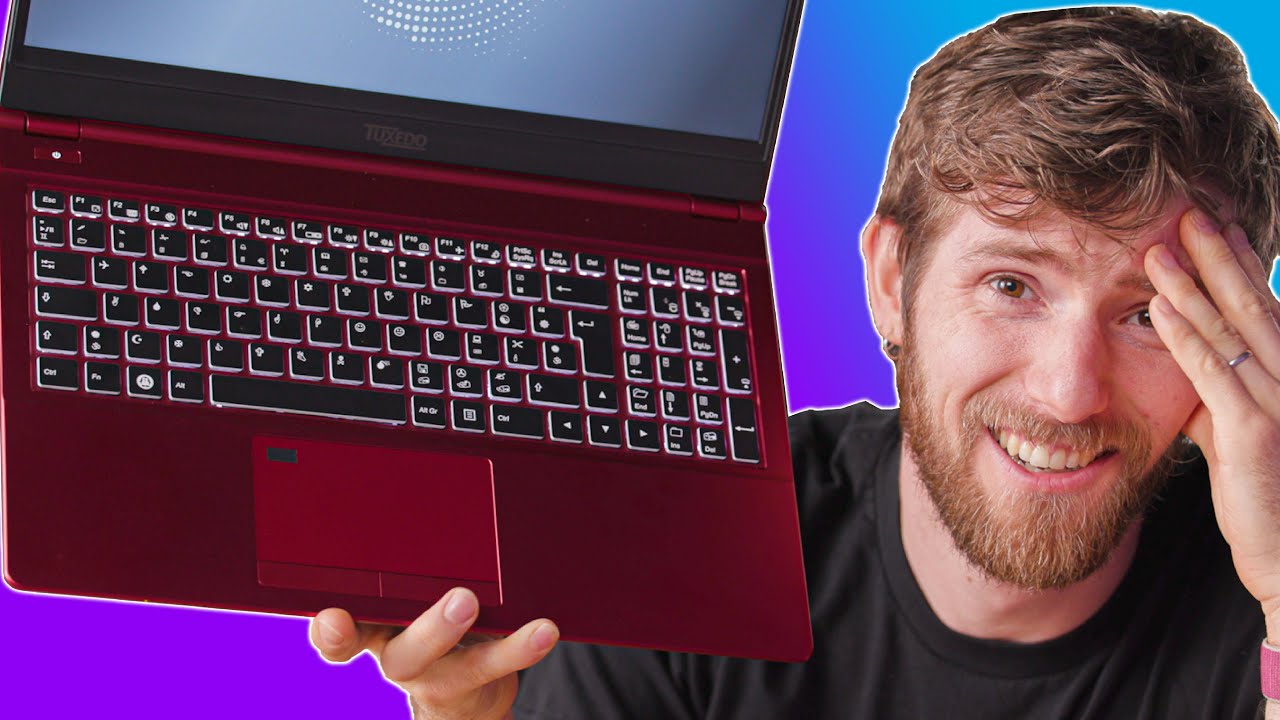
Get 20% OFF + Free Shipping at Manscaped.com with code CIRCUIT at https://mnscpd.com/TECH
I can't believe I spent over an hour trying to use this laptop, but hey at least it has Linux!
Check out the Tuxedo Laptop at https://lmg.gg/uH6xY
Check out the Wikipedia Page on Wingdi...
only for the professional wingdings users
I feel like the type of person that would use this would be the same type of person that codes in Whitespace
lusty oak
I just watched a video of Henry Cavill building a PC and it was the most glorious thing ever!
full flint
So the advertisement of the Surface Laptop 3 says I can run Forza Horizon 4 but when I try to it struggles even on 720p lowest settings. Is my unit faulty then?
thorny cypress
which version did you get? There's multiple SKUs, and if you got the lowest end one with intel integrated graphics, then what you're seeing I believe would be fairly expected
smoky flame
I really like gaming at 1440p now. Seems I don't really have to worry about upgrading my CPU either, at least for a little while longer. Benchmarks are showing Intel's advantage falls at 1440p and creates a much more level playing field. Which favours AMD and the lower price of their CPUs.
Only complaint I have for 1440p gaming is that now my 1080 Ti seems a bit lacking in performance and that is something I thought I'd never say. At least not for a couple more years anyway.
full flint
1080Ti's been lacking for a while now
honestly, if it wasn't for DLSS, the 2080Ti would be as well
surreal moss
Need that GA102
smoky flame
I only just notice it is lacking when playing at 1440p maxed settings. 1080p performance was pretty nice and yeah, GA102 or RDNA2 (big Navi)
Very tempted to go AMD regardless of what Nvidia do with their Ampere GPUs. So far all I know is Intel and Nvidia but that could all change in the next year or so. GPU upgrade is a definite must. CPU, as mentioned earlier not so much now. Might just wait for DDR5 to go mainstream before upgrading my CPU. Hopefully there are more significant gains in CPU performance to be had by then at 1440p. Just hope it doesn't favour Intel like 1080p did
tribal pilot
So I am waitng for new graphics cards new consoles and new monitors to come out. Its going to be expensive at the end of the year.
 devout remnant
@full flint big changes in monitors soon
240Hz IPS & 360Hz IPS
@smoky flame next gen RTX 3000 is expected to be 60-90% faster than a 2080 Ti.
AMD won’t come close that, they excel low to mid range at great price points.
They don’t challenge at the absolute top.
smoky flame
RDNA2's top GPU is also said to be faster than a 2080 Ti by up to 50%. Its all just rumours until we see the products and specs confirmed but if that is true and AMD offer it up at their usual sort of prices that would be pretty epic. Even £699 on a GPU that's up to 50% faster than a 2080 Ti that costs at least £999 would do quite a bit of damage. Though RTX 3000 is still going to come out on top with performance and a price tag to match most likely
full flint
360's new on TN/VA, don't expect it to be polished on IPS for a while
surreal moss
We’re seeing clock speeds about 10% higher, rtx about 400%, but all in all estimated raw performance of about 15-40% based on model
The only real deal jump is the 24gb non-Titan card
Others are just your usual 15% improvement
smoky flame
GDDR6X memory I think I saw too
surreal moss
Well yeah
But that’s not a huge improvement
It’s the bus improvements more than anything
smoky flame
could break 1TB/s (or is it Tb/s?) first non HBM memory to do that I think
surreal moss
Like the 3080 will have a 320 bit bus
It’s really all in the 3090 for this gen
That seems to be what nvidia is spending the most rnd on. 24gb, 384 bit bus, 5000+ cores, and supposedly FE will have a brand new 12 pin ATX connector to supply the 350w and more under peak
Which means new psu time as well
smoky flame
that new connector sounds all kinds of awkward. Hope it turns out not so if and when it surfaces for real
full flint
the real question is if they do a dual-die gpu again
or if they do accelerated silicon instead
I hope the rumored 3090 is accelerated silicon, since dual-die GPU are more or less just single-card SLI
smoky flame
if I have to go and buy a whole new PSU just for an Nvidia GPU forget it. Nvidia will have that stuff marketed and taxed up to the hills
surreal moss
Cards are pushing the 8 pin way beyond its limits. That’s why we have cards with 3 connectors and psus that can’t supply that much power
Even if they’re rated for it
full flint
@smoky flame what's your PSU's Wattage now?
smoky flame
650w
smoky flame
Corsair RM650i
surreal moss
He might squeeze a 3060 out
surreal moss
They’re looking like pretty normal cards
full flint
PSU is the single one component to never skimp on
smoky flame
Thought Nvidia were about power efficiency? If I can't throw a 3080 TI/3090 on this PSU that's not very efficient
surreal moss
It is efficient
smoky flame
Apparently even the 2080 Ti would be no problem
surreal moss
The 7nm diode is 40% more power efficient than the previous 12nm used in turing
However it’s also 40% smaller
Which means you can fit 40% more of them
smoky flame
so I should be fine with whatever Nvidia throw with RTX 3000
surreal moss
Basically negating power efficiency increases for more performance
I’m sure the 3060 will be an efficient card but that’s it
smoky flame
any idea how that 12 pin connector is going to work? will that actually require a whole new Nvidia taxed PSU or will most operate just fine? When I heard about this new connector I got a bit annoyed. First thought in my head. "Oh no, here we go. Nvidia proprietary connector, new PSU required"
full flint
you're not factoring CPU/Memory and Storage Sub
if you ONLY plan to upgrade your GPU, then you can sneak off with likely a 3060 or 3070
if you plan to get a higher end, you'll have to upgrade your PSU though for the times it overclocks itself
smoky flame
if a new PSU is required and I dare see even so much as one 80 Plus Gold + 12 pin NV connector or whatever they want to call it priced at 80 Plus Titanium PSU prices or worse yet as I said, Nvidia can forget it. Especially if prices from RTX 2000 remain on top of that. I will most definitely be going AMD with no care how much better RTX 3000 is. If I didn't have my 1080 Ti I may have already been on AMD with a 5700 XT
full flint
AMD's not one for better TDP, so if you go AMD you're almost certainly need a new PSU
650 is a budget PSU
plain and simple
500 is economy
750 is a good start with a bit of leeway
750-900W are pretty much the sweet spot
1000+ are for enthusiasts with specced out rigs
smoky flame
should still be enough though. Performance improves but so too does efficiency. AMD, even with the 5700 XT still recommend a 650w PSU
full flint
yes, but look at the recommended CPU pairing
generational curves come with a new baseline TDP
look at the 7 series back in 2013 vs the 6 series prior
full flint
like, even now you'd be a fool to buy a 650w for anything other than getting your foot wet
smoky flame
actually, AMD recommend 600w even. Where as Nvidia with the 1080 Ti recommended 650w
surreal moss
Yep. I have an 850w because my 2080ti can peak at over 300 under OC
I think like 380
full flint
AMD's OC TDP is usually an additive 40-50% TDP
like, at this point you're arguing ways to skimp on the single most important component
as well as one of the most inexpensive components
because what, 850w Gold ratings are what, $80 XLR8?
smoky flame
I'm just going to see how things all pan out once these products actually release. No point in me getting frustrated over things that don't yet physically exist. Worst case scenario I have to buy myself a new PSU before I buy a new GPU. No real biggie but I'd rather not spend if not absolutely necessary
full flint
90?
smoky flame
I won't be overclocking my GPU anyway and if I buy a GPU that is overclocked I'll be sure to set it up in a way it goes to factory stock rather than OC
full flint
GPUs automatically overclock
you can then manually OC further
but we're talking standard boost clocks
smoky flame
Nvidia has a debug option that can set factory OC cards to stock speeds. Strips away that factory OC. Since not every game plays nice with overclocks I don't mind playing stock. Might lose a little performance but shouldn't be too significant a loss if I gain better stability in those games
full flint
You can't remove NVIDIA's Boost 3.0 or w/e they call it now
nor AMD's....I forgot what AMD calls theirs
if you try to remove those it can completely brick the card
you're trying to cut corners on the most important component, yet complain that your 1080Ti is showing its age'
smoky flame
wouldn't be removing it. Just resetting any factory OCs from 3rd party beyond what Nvidia set on their GPUs as stock
smoky flame
all this is too confusing now. I thought debug mode worked in bringing down 3rd part OC cards (ASUS Strix OC for example) down to Nvidia stock which should mean TDP goes down with it
full flint
don't forget PSU's capable output diminish over time
Boost 3.0 is not 3rd party afterclocking

Tested
Hardware rules of thumb dictate that more power is better. But is it possible for a power supply to be too powerful?
2010 info is still tried and true
"sweet spot" of power consumption is between 60 and 85 percent of your power supply's maximum rating; if your system's maximum power consumption is 450 watts, you should get at least a 550W power supply. If your system's maximum power consumption is 600 watts, you should get at least a 750W power supply. Calculating your system's potential max load isn't difficult--most component websites show you how many watts their parts will need on a full load (eg. max TDP for CPUs and GPUs).
because PSU degrade over time
just like a phone's battery loses it's total charge capacity over time
"eventually your 600W will only output 500W" more or less how it works
smoky flame
yeah, I get that part and tbh I've had this PSU since 2016 so sooner or later I know I will have to get a new one
full flint
you never want to buy a PSU within 50W of your calculated Maximum
NEVER. That's a good way to have a system failure
But I have to run. No point in trying to force a horse to drink after leading it to water
Probably why XLR8 gave up
smoky flame
I have no idea how much power my system actually consumes. That requires some additional equipment that I don't have. I just go by what NVIDIA, AMD etc recommend and was told way back when I built my PC that 650w was enough
full flint
I remember what you need+%20 is a rule of thumb on PSU's right?
smoky flame
one other tip I got was similar to both what you said, G-Man and what Dark quoted but I use pcpartpicker, create my build then add 50% to whatever pcpartpciker shows as max power estimated. I could go and do that right now
smoky flame
if that was the case I made a major mistake that I have not been fully aware of for the past 4 years and I trusted the guy who told me this stuff that led me to build the PC at the time
https://pcpartpicker.com/list/9tFNMc Here's my current system specs in full. Fans and all
full flint
Like. If you’re just getting into it you’re fine. But never get one as an upgrader
Or an upgrade
750-850 is also the sweet spot for literally never having to upgrade, only replace
Unless you plan to go enthusiast and full-tilt with the rig
In which case obv you’d need 1000+
smoky flame
well I'll definitely take that on board. Honestly feel like I made a number of errors with my first build. Something I do plan to correct but with how quick tech advances I've never been able to truly keep up. Need to get back to my 2016 self somehow where I was keeping up pretty well and learning along the way
Have big plans to go SSD only. Not sure if I should go NVMe or SATA.
Maybe move to 32GB ram though even at 1440p I don't find any games getting close enough to using all 16GB I have right now.
CPU not sure I need to upgrade.
GPU I feel I need to upgrade if I want more performance at 1440p
full flint
CPU is still a large factor in fps.
Both GPU and CPU are required at higher than 1080p
Due to resolution as well as increase in frame data
smoky flame
doesn't seem that big a deal at 1440p. Intel's advantage falls and most CPUs level out. You have 3100 competing with 9900K and stuff or within very few FPS compared to Intel's clear 1080p advantage
devout remnant
@surreal moss 1440p 240Hz IPS I meant.
@full flint 360Hz is actually debuting on IPS and looks pretty polished tbh.
PSU is the single one component to never skimp on
@full flint facts. Went overkill on a 1200W Corsair Platinum PSU for this reason.
devout remnant
Really? I thought it was IPS.
Ah well, Acer got a IPS coming.
“Update 18/5/20 – based on what we know about the forthcoming Dell Alienware alternative, this screen is expected to be an IPS panel” - ASUS 360Hz
@full flint
Not sure where you saw it was TN, I did remember that all 3 (ASUS, AlienWare, Acer) were IPS.