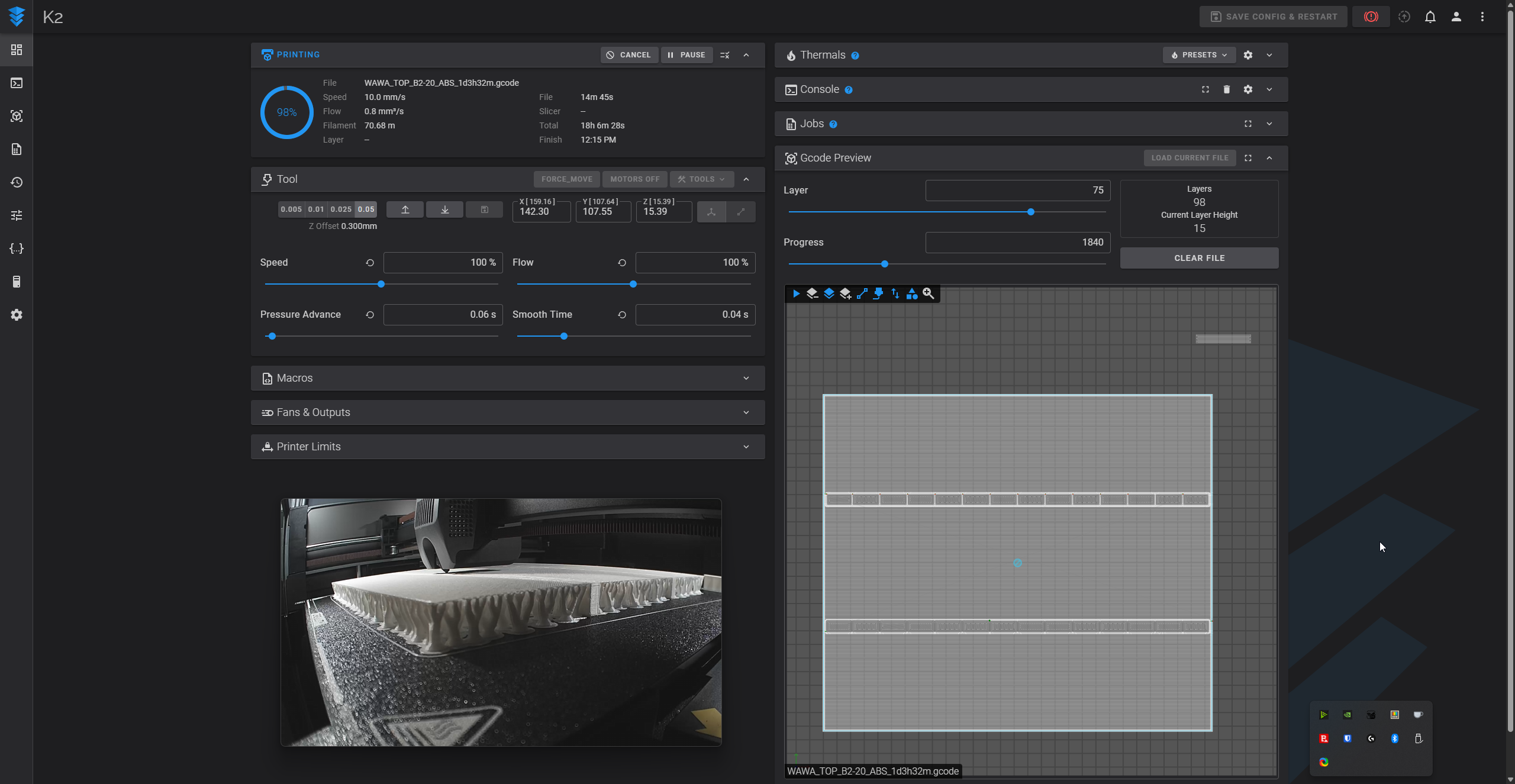
So I am printing some stuff for work that has large flat support interfaces. I've had some ruined prints because after it does the slow layer for the bottom surface, the next layer goes back to full speed and the loose threads of filament get dragged off. Right now I am manually intervening and setting the speed to 50% in fluidd for the next 2 layers to get successful prints, but that requires me to time being at work at weird hours. Am I missing a setting that can accomplish this without manual intervention?
#Looking for a way to set a number of slow layers above large flat supports
1 messages · Page 1 of 1 (latest)

 floral rover
Putting an M220 S[speed_factor] at the layer you want canno't do the job when you slice your object ? Or it will reset the speed factor after the layer ?
 charred raptor
When the layer finishes, it does seem to reset the speed factor, which is why I have to intervene 2x. But are you suggesting like in the preview window where you would add a pause at the start of the layer?
ok, yeah, I can add custom gcode on the layers... But there is no regular setting way to do it?
floral rover
I don't think so, but maybe I missed an option in Orca 🤷♂️
 sturdy grove
You can try height range modifiers, but they will affect the entire layer at that level. You might also try the "extra bridge layers" setting to see if it will slow down those areas to your bridge speed (never tried this myself, probably only works if those areas are seen as bridges).