#Polychrome Iterations
1 messages · Page 1 of 1 (latest)

 ashen ermine
this joker looks very gay, I approve
 covert moth
very close
 radiant cliff
just lower the opacity and its perfection
 snow hill

I'm switching to this function
Where ```py
v = 0.28
p = 0.32
w = 3.4
n = 5.39
d = 1.04
Here's the desmos page if you want to play around: https://www.desmos.com/calculator/4bc4tl2eyj
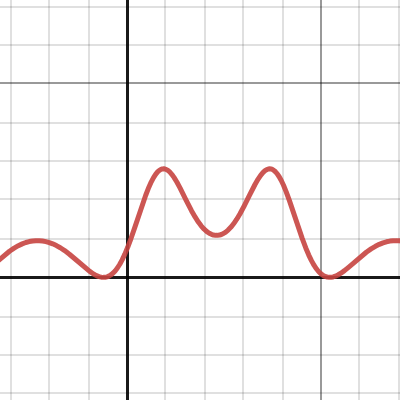
Desmos
Slightly different from what I had in mind

HMM
The function sin(x)sin(x)sin(sin(x)) seems promising as well

It's determined
I'm using f(x) = fract(sin(x)*sin(x)*sin(pi*sin(x)))
covert moth
what does it look like
snow hill
covert moth
what does it look like
 covert moth
oooooooh
i think sin(x)sin(x)sin(sin(x)) looks closer to ingame but that looks cool too
snow hill
 covert moth
beautiful
radiant cliff
my eyes are not in sevre amounts of pain
 radiant cliff
pwetty pwease change the opacity if possible, pwetty pwease
covert moth
when local appears you can ask him
radiant cliff
@.localthunk tell us polychromatic formula
snow hill
@covert moth@radiant cliff
 snow hill
covert moth
oooooooooooh
snow hill
covert moth
oooooooooooh
I actually have the game's source code
It's just too hard to read
and it uses a different system than the one I use
after a lot of hard work porting it here now we have it
covert moth
this is why you comment your code
snow hill
covert moth
this is why you comment your code
It's not the logic
I can copy paste the logic
It's the system
Love2D uses different things
than raw OpenGL
covert moth
i see
snow hill

I slightly scaled the effect to look closer to the original

Also I realized the effect doesn't apply to the card back
covert moth
this looks better def

 shut lichen
damn pretty nice
radiant cliff
covert moth
this looks better def
Balatro battle advanced