#ad_discordbot (Fork of Fork of xNul's bot)
1 messages · Page 22 of 1
 valid crypt
dim the lights 🤣
 halcyon quarry
Lady chatbot, set the mood 🕯️
valid crypt
but can it be triggered by the bot it self?
halcyon quarry
Like all tags, yes
valid crypt
i meant if bot says dim the lights isntead of me
halcyon quarry
valid crypt
i meant if bot says dim the lights isntead of me
'search_mode: llm'
valid crypt
you made all tags work with search_mode: llm?
last time when i logged into the bot's account the tts tag didnt work
halcyon quarry
It should work
valid crypt
search_mode: userllm works?
halcyon quarry
Of course
valid crypt
if those works too i think i have a very easy plan for stt if im correct
 halcyon quarry
But that would trigger for user and llm
As far as I’m aware all bot features work as documented 🤓
valid crypt
last time i messed around with tags you told me that most of them only work with user
halcyon quarry
I had moved the TTS tag handling to a “process_generic_tags()” method
valid crypt
and you were thinking about using the censor related code to make tag work for llm or something
¯_(ツ)_/¯
halcyon quarry
I think I did do that
valid crypt
it it works ill try everything later
halcyon quarry
It reviews TTS replies to check for censoring before sending
halcyon quarry
I’m not 100% sure if API response_handling / workflows are injecting saved variables correctly - I need to take another look there.
halcyon quarry
Actually I’m pretty sure it is but I just need to make it very clear you need to include an “evaluate” step to convert the string to list/dict/int/float/etc
idk I just need to look again
Can definitely see the light at the end of this tunnel I’ve been in the past 6 weeks though
halcyon quarry
valid crypt
if those works too i think i have a very easy plan for stt if im correct
I see that both match_tags() and apply_generic_tag_matches() are applied one time if no LLM gen, and twice if yes LLM gen
valid crypt
Traceback (most recent call last):
  File "D:\text-generation-webui\ad_discordbot\bot.py", line 2089, in llm_gen
    async for resp_chunk in process_responses():
  File "D:\text-generation-webui\ad_discordbot\bot.py", line 2050, in process_responses
    chunk = await stream_replies.try_chunking(base_resp)
            ^^^^^^^^^^^^^^^^^^^^^^^^^^^^^^^^^^^^^^^^^^^^
  File "D:\text-generation-webui\ad_discordbot\bot.py", line 1983, in try_chunking
    await apply_tts_and_extensions(chunk) # trigger TTS response / possibly other extension behavior
    ^^^^^^^^^^^^^^^^^^^^^^^^^^^^^^^^^^^^^
  File "D:\text-generation-webui\ad_discordbot\bot.py", line 2000, in apply_tts_and_extensions
    audio_fp = await api.ttsgen.post_generate.call(input_data=tts_payload, extract_keys='output_file_path_key')
               ^^^^^^^^^^^^^^^^^^^^^^^^^^^^^^^^^^^^^^^^^^^^^^^^^^^^^^^^^^^^^^^^^^^^^^^^^^^^^^^^^^^^^^^^^^^^^^^^
  File "D:\text-generation-webui\ad_discordbot\modules\apis.py", line 1413, in call
    results = await handler.run()
              ^^^^^^^^^^^^^^^^^^^
  File "D:\text-generation-webui\ad_discordbot\modules\apis.py", line 1712, in run
    step_result = await method(result, config) if asyncio.iscoroutinefunction(method) else method(result, config)
                  ^^^^^^^^^^^^^^^^^^^^^^^^^^^^
  File "D:\text-generation-webui\ad_discordbot\modules\apis.py", line 1765, in async_wrapper
    raw_result = await func(self, data, config)
                 ^^^^^^^^^^^^^^^^^^^^^^^^^^^^^^
  File "D:\text-generation-webui\ad_discordbot\modules\apis.py", line 1880, in _step_call_api
    client_name, endpoint_name = self.resolve_api_names(config, 'call_api')```
i just updated the bot🙉
Seems like the response handling returned wrong format data
I debug this tonight
valid crypt
ive noticed that all talk extension alltalk stopped working, idk if i touched anything, and with the extension does not join the voice chat
halcyon quarry
Actually I think it’s something else, but in any case, I need to improve the error logging here
If the TTS Api client is enabled, it will override the TTS extension
So if you go into the api setting dict and change the alltalk API to disabled, the extension will work
valid crypt
i turned api off as it is failing
halcyon quarry
I’ll add a log statement for that behavior
halcyon quarry
It’s mainly so you can manually kick the bot from voice channel and still have it TTS but not play it in VC
Then rejoin it
The only other alternative is the /toggle_tts command which will make the bot leave/join VC but also enables/disables TTS
valid crypt
halcyon quarry
The only other alternative is the /toggle_tts command which will make the bot le...

idk why i dont have that command
but i do have speak
halcyon quarry
Try closing / opening your discord
valid crypt
i did that, but anyways the search mode:llm is from llm and not discord?
halcyon quarry
userllm means it can trigger from either user text or LLM reply
user means from user text only
llm from llm only
valid crypt
so discord message from bot doesnt count?
halcyon quarry
From another bot?
valid crypt
from the same bot
i was thinking haha i have the stt done, i just make the bot itself send the message and add the tag and whoalla stt done :v
halcyon quarry
The bot does not analyze its sent messages to trigger tags - it analyzes the text it generated, and will trigger the tag match before sending the reply
valid crypt
that made my life tougher
but it doesnt work either
so these are my tags

and i didnt say the word but made the bot say it

and it was my fault
😅
it didnt work either for me
 halcyon quarry
Of course the tag triggers its just that TTS was already processed by then
As you said, I do need to slip in some special handling specifically for this scenario, in the same place that censoring can be applied
valid crypt
valid crypt
so these are my tags
i think that the silence doesnt work becuase my bot with the extension is a little bit bugged
valid crypt
id like a tag that make bot it self generate a text i think that "should_gen_text: is not the thing that i was looking for ;-;
halcyon quarry
valid crypt
```20:48:33.875 #2098 ERROR [bot.__main__]: An error occurred in llm_gen(): can...
Check that the names here actually match the names in your enabled TTS client

the main issue here though is just bad error logging on my end
The actual error is a bit ambiguous from your error log
valid crypt
a little busy right now, ill try later
halcyon quarry
@valid crypt I found the issue
it was bad code on my end
I just pushed the fix
really dumb mistake
amateur level 😛
resolve_api_names() was async (and I was not awaiting it) but was not supposed to be async
halcyon quarry
Not possible really beyond should_gen_text / should_send_text
It makes sense to honor “should_tts” from bot reply - I will add this
valid crypt
but should gen text does not make bot generate text, and is there any reason to not look for tags from bot's discord message?
valid crypt
a tag that sets chance to reply to itself to 100% once?
but it must detect the tag from the discord message and not from llm :(
valid crypt
i accidentally updated the tgwui and i got error launching the bot, later i did git reset --hard and updated the bot and i got 23:14:11.696 #2098 ERROR [bot.__main__]: An error occurred in llm_gen(): attribute name must be string, not 'NoneType' Traceback (most recent call last): File "D:\text-generation-webui\ad_discordbot\bot.py", line 2089, in llm_gen async for resp_chunk in process_responses(): File "D:\text-generation-webui\ad_discordbot\bot.py", line 2076, in process_responses await apply_tts_and_extensions(full_llm_resp, was_streamed=False) File "D:\text-generation-webui\ad_discordbot\bot.py", line 2000, in apply_tts_and_extensions audio_fp = await api.ttsgen.post_generate.call(input_data=tts_payload, extract_keys='output_file_path_key') ^^^^^^^^^^^^^^^^^^^^^^^^^^^^^^^^^^^^^^^^^^^^^^^^^^^^^^^^^^^^^^^^^^^^^^^^^^^^^^^^^^^^^^^^^^^^^^^^ File "D:\text-generation-webui\ad_discordbot\modules\apis.py", line 1413, in call results = await handler.run() ^^^^^^^^^^^^^^^^^^^ File "D:\text-generation-webui\ad_discordbot\modules\apis.py", line 1712, in run step_result = await method(result, config) if asyncio.iscoroutinefunction(method) else method(result, config) ^^^^^^^^^^^^^^^^^^^^^^^^^^^^ File "D:\text-generation-webui\ad_discordbot\modules\apis.py", line 1765, in async_wrapper raw_result = await func(self, data, config) ^^^^^^^^^^^^^^^^^^^^^^^^^^^^^^ File "D:\text-generation-webui\ad_discordbot\modules\apis.py", line 1881, in _step_call_api api_client:APIClient = api.get_client(client_name=client_name, strict=True) ^^^^^^^^^^^^^^^^^^^^^^^^^^^^^^^^^^^^^^^^^^^^^^^^^^^^ File "D:\text-generation-webui\ad_discordbot\modules\apis.py", line 206, in get_client main_client = getattr(self, client_type) ^^^^^^^^^^^^^^^^^^^^^^^^^^ TypeError: attribute name must be string, not 'NoneType'
valid crypt
halcyon quarry
Check that the names here actually match the names in your enabled TTS client
also i didnt touch that, i have it too
valid crypt
valid crypt
but should gen text does not make bot generate text, and is there any reason to ...
also, like in my asr bot, i could send those tts tags, but if one day i managed to add stt, how could i do it then?
halcyon quarry
Sorry that you’re having bugs - it’s helping me though 😆
Updating TGWUI shouldn’t be an issue with my bot
Unless he like, just made some big change yesterday
halcyon quarry
valid crypt
i accidentally updated the tgwui and i got error launching the bot, later i did ...
Again, this bug is probably my fault here
Will solve this soon
What other issues were you having with TGWUI?
valid crypt
before doing the git reset --hard i got syntax error, but it disappeared 🤷♂️
so no more
halcyon quarry
valid crypt
before doing the ``git reset --hard`` i got syntax error, but it disappeared 🤷...
TGWUI used to expect a few params to be a comma separated string. dry_multiplier something, and custom_stopping_strings / stopping_strings
If you check dict_basesettings from settings templates, the values are good for new TGWUI
valid crypt
valid crypt
i've notived that the tts dont work if not written here

and i think it was buggy because i had 2 at the same time or something
¯_(ツ)_/¯
halcyon quarry
In latest bot version it’s nested under ttsgen
valid crypt
right, i cloned main
halcyon quarry
On main, the ttsgen dict is ignored
valid crypt
i cloned to debug ^_^
halcyon quarry
valid crypt
i've notived that the tts dont work if not written here
On main, there is no TTS api so that makes sense
valid crypt
but i should clone the api branch :V
halcyon quarry
Er I think I did have some rough hack thing
Yeah, I’ll see if I can fix that Nonetype bug
valid crypt
you got an extra } in the template
 valid crypt
i have to sleep as soon as i can and i spoted this new thing that ive never seen before i think, from TGWUI maybe?


 halcyon quarry
valid crypt
halcyon quarry
valid crypt
Do you use --extensions flag with TGWUI CMD flags?
Or have it enabled by default in TGWUI settings_tamplate.yaml?
valid crypt
i noticed that i had alltalk_remote in setting.yaml as extension
so no idea why alltalk_tts
halcyon quarry
I fixed the bug with Nonetype
valid crypt
valid crypt
i removed the setting.yaml only left that and same issue
halcyon quarry
again, my bad
ok I see the issue with alltalk
extension method just isn't going to work with alltalk_v2 on my bot moving forward - will have to be API method
valid crypt
also im 99.99% sure that should tts tag is not working after doing a fresh install, by changing should_gen_text i proved that the tag was detected (the error is just because the server is not on :v)

 halcyon quarry
should_tts tag works if it's the user's text
But it does not work if its the bot's text
valid crypt
valid crypt
also im 99.99% sure that should tts tag is not working after doing a fresh insta...
i did that
halcyon quarry
until I add that modification I said I need to add
valid crypt
i triggered that tag :)
halcyon quarry
hmmm
valid crypt
i even thought that i mistyped silence or something, but changing should gen text to false, i was sure that the tag is triggered
halcyon quarry
Yeah, I see. I actually didn't move it to "generic" tag processing because it wouldn't matter, currently
I could move it right now and it would trigger after LLM response, but TTS would already be handled
I'll see about sneaking it in like the llm censoring...
as in, I'll see right now
valid crypt
also just asking, why look for tags in the llm response instead of the message sent by itself in discord? the result wouldnt be too different but makes me happier :v
halcyon quarry
hmmmmmmmmmmmmm
halcyon quarry
valid crypt
also just asking, why look for tags in the llm response instead of the message s...
This is for your super niche use case here
The point of even checking for tags on the response, before sending it, is to further manipulate the result before sending it
Maybe you could do something with 'Flows' or 'persist'
I looked into it, and having the LLM reply triggering should_tts: false is way too much trouble than it's worth
valid crypt
halcyon quarry
I looked into it, and having the LLM reply triggering `should_tts: false` is way...
for the result of not tts throught voice chat, i think that it works with pause tag
halcyon quarry
Well it would still generate the TTS
valid crypt
with streaming actually does not take too much time, if energy is not the concern
halcyon quarry
The censoring really makes sense to me, so I did come up with some creative way to check that. Specifically checking if LLM reply text should trigger should_tts seems exhaustive to me
valid crypt
halcyon quarry
The point of even checking for tags on the response, before sending it, is to fu...
that make sense, but a lot of things can be done easily if it checks messages too, maybe only check if not from llm?
halcyon quarry
Final answer, not adding that
I have in my pinned messages make bot able to read recent discord messages (ones not in bot history).
valid crypt
valid crypt
that make sense, but a lot of things can be done easily if it checks messages to...
the pause tag is very useful, maybe in the future literally bot creating event based on time, like turn off the light in 2h
or a separated script of sending dim the light tag it self in a programmed time
halcyon quarry
When I get around to it, it's possible I could have some sort of 'tags' handling for this
halcyon quarry
valid crypt
the pause tag is very useful, maybe in the future literally bot creating event b...
I've had a thought for a "create_task" tag - asyncio tasks can be scheduled like that
Well actully....
halcyon quarry
Scheduling stuff sounds interesting to me, just need an idea how to streamline it in a sensible way
The only scheduling stuff I have atm is auto-change imgmodels, and spontaneous messaging features
valid crypt
i was thinking of checking a folder with yamls or jsons that contains the tag that should send and when, one time or schedule, if one time delete afterwards -if bot checks its own message
halcyon quarry
Now, I could add something like another parameter for tags like the call_api tag or run_workflow tag - param like send_in_x_minutes - which would not be practical to use directly.
HOWEVER
If you used a Flows tag that secretly asks a specialized character context to decide the timeframe
It can see some recent history and then reply with the minutes value
flow tag
🤷♂️ neat things but not quite practical lol
Maybe, maybe. idk. There could be some neat ideas there, with using the flow tag to have a character decide when to run a workflow/api call
The flow tag is super cool though, you should look into it sometime
valid crypt
halcyon quarry
This is for your super niche use case here
why couldnt it check both, i dont think that they have conflict, as from your words, check before is to manipulate before sending the result, so the result is impossible to have tags to manipulate the result before sending
halcyon quarry
In bot.py search for “process_generic_tag” and also search for “process_img_tag”
Can also look at “match_tags”
the LLM’s reply is checked in same way as user text
Generic tags are applied, and img tags if applicable
valid crypt
halcyon quarry
Can also look at “match_tags”
only found this
halcyon quarry
Maybe I forget the exact names heh
valid crypt
if you allow me, my approach to stt would be match tags from bot's discord message and make should_gen_text: true actually generates text(if sent by bot)
valid crypt
valid crypt
if you allow me, my approach to stt would be match tags from bot's discord messa...
although i dont know if i can do the second part ._ .
halcyon quarry
valid crypt
if you allow me, my approach to stt would be match tags from bot's discord messa...
Try flow tag
The generated text can be the “user prompt” for the next flow step
valid crypt
but for the case of stt, there is not generated text
what im looking for is to trigger llm with the result from the stt
i was reading on_message, queue_message_task, ............................................................................................................................................................................................................................................................................................................................................................................................................................................................
and im 😵💫
erm i got an idea
halcyon quarry
message_manager just factors any of the "human-like" behaviors (delayed responses, etc), before queueing it to the message_queue in task_manager
message_manager also stores and sends the final messages if they are supposed to be delayed
valid crypt
i just checked that if reply_to_itself: 1 it actually matches tags
halcyon quarry
yes, it's own message would be read in as a "user" message
valid crypt
my brain stopped working

ah, always including the should_gen_text:false before sending, then we got a tags matching in bots message without doing a chain
uhhh, smells like sh, id better sleep first
valid crypt
valid crypt
i was reading on_message, queue_message_task, .....................................
i was trying to understand and add stt result as input
well 😴
halcyon quarry
I would need to start messing with STT to understand, I don't quite get how that works / factors in
valid crypt
i mean, i already done with the job, my code gives the transcription for the voice channel the bot is in, grouping messages if multiple users speak at same time,
something like this
Jonh: yes
Marcos: bruh```
based on display name, although i think that it only works for 1 guild...and i think ill remove the grouping mechanic, as it is more useful just grouping them'
this is how i did it, i think it was under STT PROCESSING or something
the bot already does the stt but i just dont know how to process it so i made another bot to read the .txt :v
valid crypt
valid crypt
here is what you have to plug to the bot to get stt
works


so that is the progress ive done
halcyon quarry
Looks like a good place to manage that attribute
halcyon quarry
been spinning my wheels all day trying to generalize the image model management
valid crypt
(●'◡'●)
halcyon quarry
Hoping to wrap it up tomorrow in 15 mins or so
valid crypt
buddy! how well is it? 😃


it should match tags from bot's message and at least it worked with tts pause tag
halcyon quarry
You've stripped out a lot of important lines from Ok I understand the existing code is below / cropped out from screenshoton_message()
Alright I see what you've got going on...
the thing I don't like about that is that it's not configurable, and can bypass current configuration
valid crypt
:(
halcyon quarry
I applaud your effort though 🙂 I'll mull that over
valid crypt
halcyon quarry
I fixed the bug with Nonetype
erm ive just updated and
 halcyon quarry
valid crypt
erm ive just updated and
halcyon quarry
valid crypt
erm ive just updated and
Did you null / remove the output_file_path_key: in the ttsgen settings?
valid crypt
i removed
halcyon quarry
valid crypt
erm ive just updated and
Is that AllTalk printout?
valid crypt
🤷♂️
valid crypt
halcyon quarry
Did you null / remove the `output_file_path_key:` in the ttsgen settings?
this happens when i remove or null that
halcyon quarry
I might just have a debug print statement in there somewhere that is printing the "bytes" response from alltalk
Is it otherwise working correctly?
valid crypt
valid crypt
erm ive just updated and
local all talk works, and that one does not work
halcyon quarry
Default - this is what yours looks like? (aside from URL)
 valid crypt
yes
valid crypt
halcyon quarry
Is that AllTalk printout?
and i dont think so, the remote alltalk console didnt print any requests
halcyon quarry
Well then I think maybe something is borked in the TGWUI settings
If alltalk is not generating anything, then that is a pretty strange printout....
hmm.
valid crypt
the thing is too fast
i can send more messages but that is all, the bot is not replying and etc
another one, although i dont think that this info is useful :v
halcyon quarry
That's very odd...
In modules/apis.py
Go way down to line 1721 and uncomment this one

And if you don't mind,
try just doing the first step
        response_handling:
          - extract_key: output_file_url
            save_as: output_url
(remove the last 2 steps)

 halcyon quarry
Yeah - I'm working on updates so my lines shifted a little
 halcyon quarry
Could uncomment both of those
Ya know what,
The thing that gets me is, why is alltalk not printing anything....
in its cmd window
Alright - I'm going to go out on a limb that you're trying to feed text into this from the other bot or something?
Maybe something you're messing with is the cause?
halcyon quarry
Anyway -
I can see in your video that it is indeed triggering the response_handling
which is what it should be doing
 valid crypt
i think you can do it too, nulling with local all talk it also cause that
halcyon quarry
yes - alright lemme see if I can reproduce
valid crypt
it does do the request 😅 but everything is not working
halcyon quarry
Alright - that's good to know
yeah... bug... hmm
Does not seem to be saving the file
Looking into it more...
Ok I think I must have screwed something up in the call_api step
yes something very strange happening...
Yeah, I'm a dummy
think I got it, lemme test real quick...
halcyon quarry
valid crypt
it does do the request 😅 but everything is not working

change return step_result to result = step_result
I had tweaked something else in this run() code and I screwed this up somehow
Big thanks for helping me bug test this branch
halcyon quarry
My settings management can be a nightmare to upgrade
As I'm finding with this image models crap
halcyon quarry
I'm in the process of generalizing the Progress bar that appears when generating images
In a way that users can easily apply to any other task
Well, so long as there is an endpoint to fetch progress
How this will work is via a "group" step - which is defined by sub-lists of steps
The step groups are collected and executed with asyncio.gather() - like the image gen / get progress tasks are already handled
I'm excited about this 
halcyon quarry
It's going to be something like this (there will be changes)
 halcyon quarry
I just made a huge overhaul for the progress fetching... lots of complicated things... seems to be working 100% on the first test
My mind is blown
I was thinking to myself: There's probably some other reason besides "checking progress" for "polling" an API (repeatedly sending a request)
I was able to generalize the .poll() method so it can be sensibly used for other reasons.
I brought all the "check progress" logic from that outside to a .check_progress() which will in turn use the correct arguments/etc to run a .poll()
Also had a lot of duplicate code in the StepsExecutor (response handling) and in the ImgGenClient (the API that is the "main" imggen client)
Now very clean
halcyon quarry
At this point, I mainly just need to dial in the websocket support, then make sure I can run ComfyUI workflows
Textgen API for main functions, will come further down the road
halcyon quarry
/imgmodels command - ComfyUI 🥹
 halcyon quarry
Need to make some logic to actually apply this to main txt2img / img2img workflows
Will have to be some comfyui specific code
(basically just find the node in the payload and create/retain an override)
halcyon quarry
Naturally I got sidetracked
As I'm trying to get Comfy in, I find myself writing if api.imggen.is_comfy() / if api.imggen.is_sdwebui_variant() / etc all over the place.
I had a moment of clarity, realizing that a few months ago when I restructured the Settings management, I wisely made an ImgModel() class that since hasn'y been doing much - I can just dump all the model management code in there (where it belonged all this time) and now subclass ImgModel() for those variants to do specific stuff
halcyon quarry
Bonus side effect - the "auto-change imgmodels" feature can now work with "per guild" settings
halcyon quarry
I had an idea to allow “Dummy endpoints” to be set up which would just return preconfigured data. For example in the “/image” command I had meticulously made ControlNet option that reads a uniquely structured response from A1111-like clients only. The response is essentially a schema for what options are valid for each controlnet model. Comfy unfortunately doesn’t have this, but I could put an example response in “examples” for Comfy users to manually populate - they could have a Dummy “get_cnet_control_types” endpoint that simply returns it. They could use the {cnet_model} {cnet_module} etc in their workflow json and the bot would format the selected values in
Seems like I’ll need to make a Comfy workflow that can optionally use some of the extra features depending on bot config without having to hotswap workflows
… might need to reach out for a comfy expert on that one
If / else / eval nodes are so clunky in comfy I haven’t figured out how to use it
halcyon quarry
Ok so I think it makes sense that a “dummy endpoint” would be one where the method is explicitly “null” (opposed to GET/POST/PUT) - and the input would just be returned
valid crypt
0 understanding pure believe 👍
valid crypt
the thinking mode for qwen3 is disabled by adding /no_think to the prompt i think :v
halcyon quarry
Basically, if an API does not have an endpoint to return certain data for main bot functions, that data could be prepared by the user and put in “user/payloads/“ (ei: cnet_data.yaml) then use that as the “payload” for an endpoint, with method: null
When the bot tries to use that “main endpoint” it won’t actually make an API call, just receive that data
valid crypt
i accidentally uninstalled the nvidia gpu of my laptop and it is gone 🙁 as it is a laptop, i can plug and unplug so...
im cooked, although i know that reinstalling windows will fix the problem
valid crypt
it is time to do the idk what time of trying to add stt! muahahahaha
halcyon quarry
valid crypt
i accidentally uninstalled the nvidia gpu of my laptop and it is gone 🙁 as it ...
the driver? just reinstall the driver?
valid crypt
no, the device ;-;
that thing ;-;

dont try it on a laptop ;-;
at least the system is fine i just cant use the dedicated gpu
halcyon quarry
The device is the driver 🤓
halcyon quarry
If you lick Uninstall device you are only uninstalling the driver
valid crypt
cant*
halcyon quarry
I assure you, maybe you are just downloading the wrong driver package or something
valid crypt
so as you see there is just an igpu,
 halcyon quarry
Go to the website for your laptop model and get the latest recommended driver package from there
valid crypt
and this is what happens
 halcyon quarry
Get it from your laptop site
valid crypt
a fresh windows without driver still have the gpu in other devices but i only have a useless usb4 thing
 valid crypt
halcyon quarry
Get it from your laptop site
valid crypt
halcyon quarry
Get it from your laptop site
from the laptop site, it gives me these little things

and after checking it is the same driver from nvdia but extracted
although it gives me this
 halcyon quarry
Maybe try an intermediate driver version between that one and the latest
If the error changes try higher or lowr
valid crypt
i solved it somehow, as laptops have a switch that can turn off (physically?) a gpu, and as i messed up with the device so yeah a lot of weird stuffs, definitely window's fault
not doing that again

:P
idk how the hell it went to npu 5 and gpu7, nice experience

 fickle ember
valid crypt
idk how the hell it went to npu 5 and gpu7, nice experience
fickle ember
valid crypt
idk how the hell it went to npu 5 and gpu7, nice experience
Npu?
Is this one of those ai enabled laptops?
valid crypt
yes, but it is nearly useless
too weak to run big stuff, too few users to add support for it
i think that the only features that have support are some camera effect and noise suppression that does not work with the laptop's mic 😅
valid crypt
fickle ember
Is this one of those ai enabled laptops?
not future proof at all, so pure marketing!
halcyon quarry
So here's the system that is going to get bot variables into ComfyUI workflows (and any other API) for "main functions".
The default payload will need this block copy/pasted into it (with more/less details), populated with whatever default values the user wants.
  "__overrides__": {
    "pos_prompt": "beautiful scenery nature glass bottle landscape, purple galaxy bottle,",
    "neg_prompt": "text, watermark",
    "width": 1024,
    "height": 1024,
    "ckpt_name": "sdxl\\artistic\\leosamsHelloworldXL_helloworldXL70.safetensors",
    "seed": "156680208700286",
    "character": "M1nty",
    "cnet_image": "input.png",
    "cnet_mask": "input_mask.png",
    "cnet_model": "diffusers_xl_depth_full",
    "cnet_module": "depth_midas",
    "cnet_weight": 1.0,
    "cnet_processor_res": 64,
    "cnet_guidance_start": 0.0,
    "cnet_guidance_end": 1.0,
    "cnet_threshold_a": 64,
    "cnet_threshold_b": 64,
  },
Then wherever the dynamic content should actually go in the payload will be mapped like this:
  "6": {
    "inputs": {
      "text": "{pos_prompt}",
      "clip": [
        "4",
        1
      ]
    },
If the prompt the bot will use is something like Jerry Garcia playing guitar it would update the value in __overrides__ before the injection
  "6": {
    "inputs": {
      "text": "Jerry Garcia playing guitar",
      "clip": [
        "4",
        1
      ]
    },
I'm also going to also make it so that model specific values can be defined by the user (via dict_imgmodels.yaml)
As in, for Flux models they could define variables for the extra modules (vae, clip, text encoders, etc)
hmm
Of course it doesn't work that simple for Comfy to switch between model types, because the nodes would have to be bypassed because they don't accept "None"
welp, Comfy users won't be swapping model types that need more or less models so easily... I don't have a good solution for this.
They'd need some conditional node to ignore the extra modules
halcyon quarry
Actually I have the solution
halcyon quarry
Been wondering why my trial comfy API requests keep failing, it’s because the whole payload needs to be the value for a “prompt” key
Pretty unintuitive structure
 vestal python
I need to get back into discord bot. I've got a decent 40t/s Qwen3 30BA3 on some llama.CPP server and just need to test the difference.
How's some tool calling with the discord bot? I've got a few automated research Python tools I might look to add and such :/ maybe just adding to the application command list instead of asking directly..
vestal python
I guess look into think/no_think application command settings for qwen3, and how it handles showing it or not.
I'll branch and take a look. I've been dealing with some discord bot designs recently for auto-posting reddit/YouTube/news and summarizations. Usually just with Gemini flash
halcyon quarry
vestal python
I guess look into think/no_think application command settings for qwen3, and how...
For the past ~2 months I've been working on a "universal API system" for the bot and it's really starting to come together
I wrote a step-based system to handle data, which is pretty versatile... this right here is actually working to get ComfyUI result image using generalized logic (Not some comfy-specific hardcoded methods - a user could potentially navigate the response and manipulate the data like this for any API)
 halcyon quarry
So the response handling for this txt2img API call triggers a subsequent API call, and yet another API call
halcyon quarry
Each comfy workflow will not require this big code block. This can just be a “preset” and each one could just have a
“preset: Save Comfy Image”
And now I need to check if nested presetting works… because for video output I think the ending steps will be slightly different
halcyon quarry
Although I haven’t tested it at this point, it should be capable of generating videos and sending those results to discord chat via Tags
fickle ember
Comfy ui is supposed to enable multimodality yes?
halcyon quarry
fickle ember
Comfy ui is supposed to enable multimodality yes?
Yep! The multimodality wont be practical until I do the commands thing though… although before I do that, maybe I should see about the bot being able to process image attachments on normal messages
halcyon quarry
Things are still going great
I have the progress tracking for ComfyUI working - which is via websocket
halcyon quarry
Still going good...
I've been structuring the system in a way that makes it very easy to define how to handle things from "known APIs" (A1111 / Forge / ReForge / Comfy / Alltalk / TGWUI / etc).
So the user configuration will be very simplified when using these for "main bot functions".
I had to come up with a very creative solution to do the progress tracking via web socket due to the way web socket messages are received
That’s working flawlessly now
halcyon quarry
The tricky part about it is that when you use websocket.receive() and filter for the data type, and get the data based on the queued 'prompt_id' it returns each result sequentially. So if you use something like asyncio.sleep(5) (wait 5 seconds) the next message received is still the next progress message and not “the latest progress”
If the bot edits the discord Embed for each update, the whole script gets throttled
The strat is to get all messages but ignore most of them. But then the “last message” is almost always ignored, and then it stalls waiting for another message that never comes
Solution was to buffer the last response while otherwise ignoring messages based on a time interval. Then intentionally setting a low “timeout” value for ws.receive() so it doesn’t get stuck waiting for that last msg that’s never coming
halcyon quarry
I'm very, very close to pushing this to Main
valid crypt
new tgwui 3.4, after seeing this i smelled that vision support is not very far away

and with these, im ready to throw ollama and lm studio to the trashcan :v

 halcyon quarry
Going to add one more “step type” - an “ask_for_file” step which will have the bot send an ephemeral message asking for input
This will be a crutch to enable complex workflows like a Comfy workflow that uses multiple image/video inputs, while I work on the user commands feature (that will possibly obsolete needing that “step”)
halcyon quarry
step is prompt_user Pretty simple and effective
halcyon quarry
Got image2image working for comfy as well. File uploads are really tricky
halcyon quarry
I lied when I said I had websocket progress tracking working flawlessly. A last detail of it is driving me nuts
I need to add logic to optionally check for a "completion flag".
halcyon quarry
Quick report - I updated TGWUI to latest and bot is working fine
halcyon quarry
Well, chatgpt kind of solved my problem. It created a generalized "completion condition" checker thing, and when I test it with certain values it works.
The problem is that Comfy documentation seems to be lying about the websocket output messages? I'm printing the raw outputs and the condition they say you need to check for never actually appears
nvm I think I found the issue...
halcyon quarry
Ok. The whole issue is mainly because Comfy documentation totally blows
the payload needs to be sent with a client_id variable bundled in otherwise the websocket doesn't sent all messages
halcyon quarry
Going to start working on the Wiki for this
halcyon quarry
@valid crypt please let me know if I’m remembering this correct…
- since you were using alltalk remotely it gave a file not found error when trying to access the file locally?
- when using the URL from output instead to get the audio, it returned it in bytes?
For user convenience I’m trying to ensure certain things just work for known clients even with faulty configuration
valid crypt
the first statement im sure that's true
the second one not very sure but should be true
halcyon quarry
ahh crud
it sure looks like comfyui API does not have a route to upload a video
image inputs only
halcyon quarry
erm, looks like the bot could just be configured to allow directly downloading content to specific locations outside the bot's local environment... hmm.
ei: the comfyui input directory where the /upload/image route receives images to
yeah, perhaps I could allow a configuration for each API client
this is the obviously best solution
halcyon quarry
There’s now quite a number of “context variables” that can be formatted during response handling steps, Workflow steps, etc. Can be from the running Task (prompt, neg prompt, etc), websocket variables (client_id, session_id, etc), and saved data during Steps.
I added logging that will indicate what and why formatting happened so unexpected formatting can be noticed and fixed
Also! strings with placeholders that would take a 2-step process to convert to a python value, now happens automatically.
“‘prompt_id’: {prompt_id}”
This will sub in the value then convert it to a dict. And logs it.
halcyon quarry
In regards to file saving - I’m going to add a config setting for “allowed save locations”, by default the bot is only allowed to save in working directory. It can check config when saving. That solves the “non-image inputs” problem for comfyui
halcyon quarry
Also almost done with making all settings go to /user/settings/
bot_token.yaml will be a separate file there. This will prevent all the comments from getting wiped from config.yaml when first time users input their token via the CMD window
halcyon quarry
Pushed that
this user_apis branch is a bit mislabeled it's more like a major version upgrade
It will automatically move old settings to that dir and log it.
It will also automatically snag the existing bot token from config.yaml if its there and save it to the new bot_token.yaml
halcyon quarry
Just added the allowed save path logic
valid crypt
claims to be better than xtts? https://github.com/index-tts/index-tts
halcyon quarry
The first thing they emphasize in each section is superior handling of chinese language, so that’s the main focus among other things
Lemme know if you try it!
valid crypt
actually im more interested with gptsovits, its devs are cooking and very much lately
although ill try it :P
halcyon quarry
Any new TTS clients you’re interested in with an API, and you want to try making it work with the bot, let me know
valid crypt
the fair one to judge with is with 5, but the quality is more like 4, and the speed is not great

absolutely gonna try how good is it at chinese
ahhh, it actually is pretty impressive at both languages, good quality speech but low quality audio
i think that under 32khz, the audio matters more than the emotion for me :v
¯_(ツ)_/¯
valid crypt
bro is leaking 😱

btw the 5 is gptsovits v2, and the latest gptsovits v2 pro plus is around x3 speed, i think you definitely should add gpt sovits to the template
its a zero shot that can be finetuned easily and it provides a portable 7z, just the webui bat comes with chinese argument
 halcyon quarry
I've said this before but now I'm very very close to merging API branch to main
probably 1-2 more days
 burnt patrol
Yay
halcyon quarry
Created a new thing in/utils where a payload file can be drag/dropped onto the bat file, and automatically inject most of the bot's dynamic variables into it.

Will make it very quick and easy to convert exported ComfyUI workflows (potentially others) into the correct format for the bot to use with the injection system I dreamed up
halcyon quarry
Figured out how to dynamically set Loras for ComfyUI payloads via the tags system - using same syntax expected for SD WebUIs (A1111 / Forge / ReForge)
Which is working
valid crypt
valid crypt
btw the 5 is gptsovits v2, and the latest gptsovits v2 pro plus is around x3 spe...
actually this can be really interesting, as from the sample audio it can change the emotion, and i remember that you had a tag to change some values of the api call or something
halcyon quarry
I'm merging this to Main tomorrow. I have most of the documentation available in the Wiki now
Need to detail StepExecutor (what runs response_handling / workflows)
halcyon quarry
valid crypt
actually this can be really interesting, as from the sample audio it can change ...
Ideally I think a Flow tag would be used, and the character’s reply would be shown to a specialized character that would revise it to include emotion syntax
The initial response could be sent to channel as is, while the second response is for TTS purpose only
Although I’m not sure if that behavior actually works sending the TTS response without sending the text
halcyon quarry

GitHub
Discord bot which transforms your servers into hubs for limitless local AI-driven interaction and content creation. Features cutting-edge tools for professionals, and unlocks creative fun for casua...
Going to see if I can successfully run an image to video generation workflow for ComfyUI via this system, using prompt_user for the input image. Will also try one with video input.
Once I have this example working, I'm merging
This is an important read about injecting bot variables / StepExecutor syntax into payload / response handling values
https://github.com/altoiddealer/ad_discordbot/wiki/APIs-‐-Payload-Injection
GitHub
Discord bot which transforms your servers into hubs for limitless local AI-driven interaction and content creation. Features cutting-edge tools for professionals, and unlocks creative fun for casua...
halcyon quarry
Oof. Yeah I'm glad I tried testing this prompt user step
halcyon quarry
Yeah this is a bummer. I think I have to axe this step for now.
hmm... have an idea to handle it
halcyon quarry
yes I've added a mechanism to temporarily ignore a user via on_message() while the client is "waiting" for their input on something else.
They won't trigger message responses, etc, while providing expected input to the bot
Merged user_apis branch to Main 🎉
 halcyon quarry
Should be a smooth upgrade:
- on first run, settings files will move automatically where they need to be now.
- the config.yaml file was reorganized a bit. Just back up your current one, use the new one. Update the few values you need to.
- Beyond that, have fun with the new api settings
The only logic I still need to figure out in terms of “main image gen functions” for ComfyUI, is changing model types via /imgmodels. If only the VAE / Text Encoder nodes were designed to accept “None”, life would be easy
halcyon quarry
Guess I’ll just stick a ComfyUI specific setting in dict_imgmodels called delete_nodes: [“list of nodes”, “that should”, “be deleted”]
halcyon quarry
I've finally successfully used run_workflow tag to execute a ComfyUI task where it prompts the user for the text as well as the input image, and executes an Img2img call, with progress tracking, saves the image and sends it to channel
with the generalized system logic - Good stuff
Should work all the same for running an image to video workflow
halcyon quarry

New preset logic - response handling and workflow steps can now be bundled up into presets, which get inserted in-line on script init
fickle ember
cant wait to get vision models working
halcyon quarry
Should work already via Tags
fickle ember
i need to figure out how all that works
halcyon quarry
just not as the "main textgen" functions
I'm running out of bugs to squish, things are looking pretty damn good
fickle ember
halcyon quarry
just not as the "main textgen" functions
is there documentation for setting this up?
as far as i know im going to need a vision model for this
i went and downloaded Meta-Llama-3.1-8B-Instruct-IQ4_XS.gguf to use for testing
halcyon quarry
If TGWUI can run one via API, then the TGWUI API should be able to be set up, and triggered via Tags (call_api / run_workflow tags)

GitHub
Discord bot which transforms your servers into hubs for limitless local AI-driven interaction and content creation. Features cutting-edge tools for professionals, and unlocks creative fun for casua...
fickle ember
alr
halcyon quarry
Otherwise you can run vision models via ComfyUI
This workflow here is executing perfectly but it is like a mile long.
I'm planning to try making a ComfyUI specific "Step" that handles most of this automatically
I'm calling this with this tag:
  - trigger: image from prompt
    should_gen_text: false
    run_workflow:
      name: Comfy Prompt for Img2img
i will def check this out asap
halcyon quarry
Really, the last big chunk of steps I could just move to 'response_handling' for the endpoint
My goal at this point is to try to simplify it as much as possible.
Allowing the steps to be grouped into "presets" was a big win for this - most of the steps in what I shared could be slapped into a preset
What I need to add to the wiki is what each main endpoint response should be returning back to the bot script
valid crypt
fickle ember
cant wait to get vision models working
actually if you mess a little with unreleased versions of tgwui you might get it working right now, theoretically if you get this guy's llama.cpp https://github.com/ggml-org/llama.cpp/pull/14016 then this branch of tgwui https://github.com/oobabooga/text-generation-webui/pull/7027 it should work
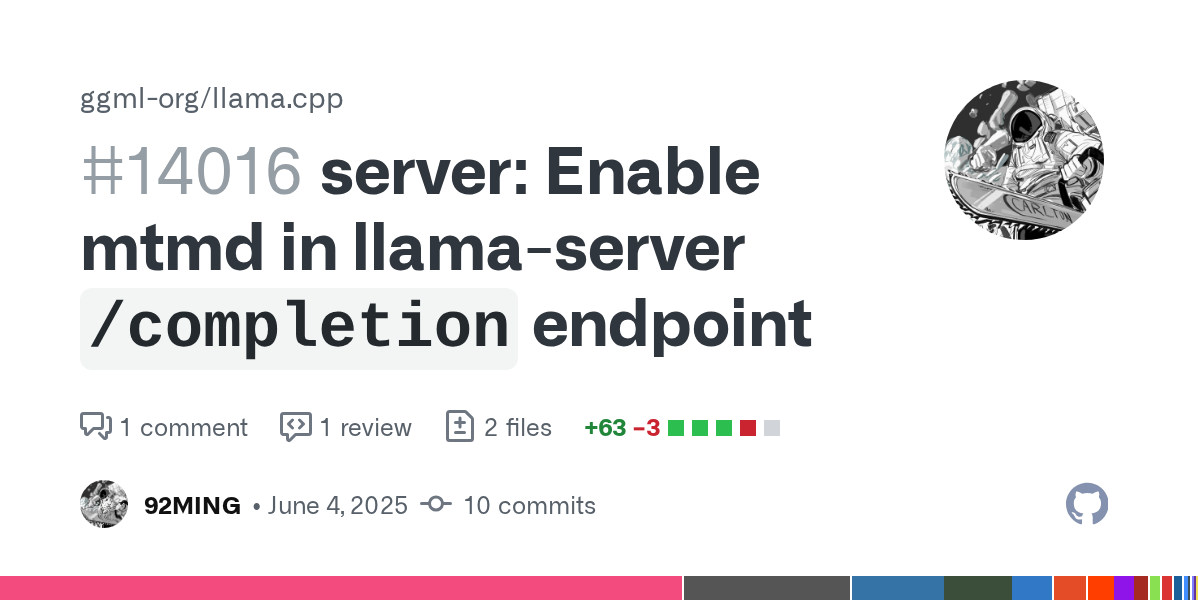
GitHub
ref: #13872
Currently passing media(image/audio) to mtmd is only supported under chat/completion in llama-server.
It is still necessary for allowing mtmd in /completion endpoint, since /completion ...
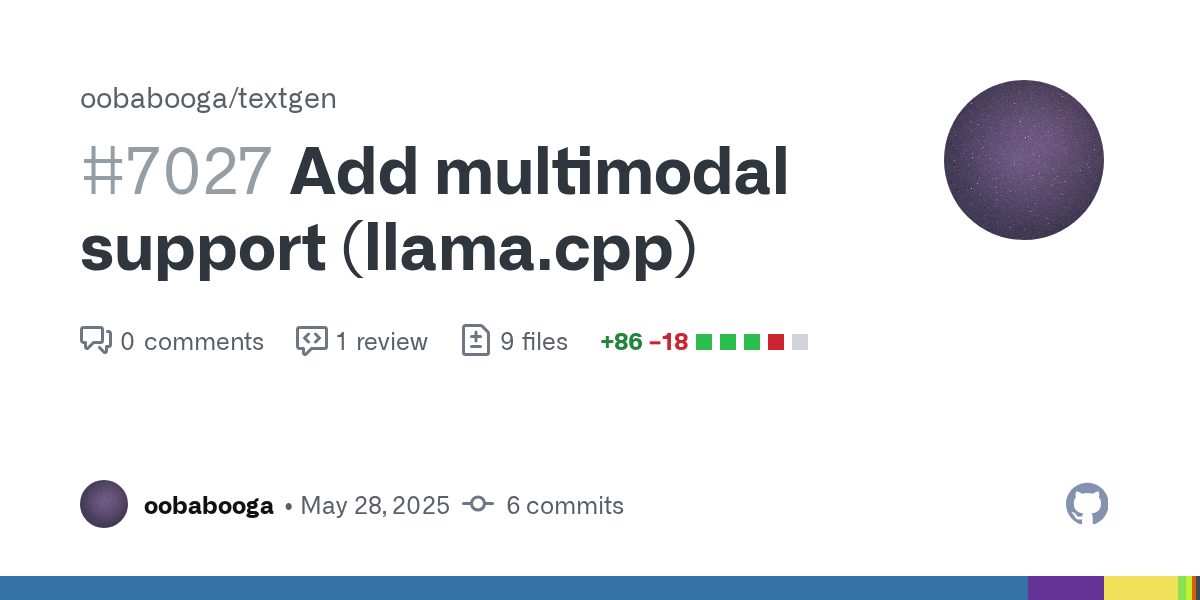
GitHub
It was only after I was done implementing this that I realized /completion doesn't actually support multimodal in llama.cpp at the moment.
I'll be able to merge this when/if ggml-or...
halcyon quarry
@valid crypt I just pushed an update that should make the TTS post_generate endpoint handle a remote computer response by default (for Alltalk), without user having to fiddle around with response handling.
If you ever get a chance to try it out, let me know
fickle ember
valid crypt
actually if you mess a little with unreleased versions of tgwui you might get it...
ill probably wait for a stable release
in the mean time i want to try figuring out how to get the bot talking in voice chat
i think that might be a little more attainable
halcyon quarry
That's very attainable
To work:
-
your chat character has this value in their character card
use_voice_channel: true -
ttsgen / enabled: truein config.yaml -
ttsgenAPI needs to be configured in dict_api_settings.yaml
valid crypt
fickle ember
in the mean time i want to try figuring out how to get the bot talking in voice ...
talking is already super easy, but if you want it to listen 😅 either you wait for my good news or his good news :V
valid crypt
halcyon quarry
<@323088470241312774> I just pushed an update that should make the TTS `post_gen...
ok
valid crypt
@halcyon quarry ╭───────────────────────────────────────── Traceback (most recent call last) ──────────────────────────────────────────╮ │ D:\text-generation-webui\ad_discordbot\bot.py:7497 in <module> │ │ │ │ 7496 │ │ ❱ 7497 bot_history = CustomHistoryManager(class_builder_history=CustomHistory, **config.textgen │ │ 7498 │ ╰──────────────────────────────────────────────────────────────────────────────────────────────────────────────────────╯ TypeError: CustomHistoryManager.__init__() got an unexpected keyword argument 'greeting_or_history'
idk if i did something
halcyon quarry
valid crypt
idk if i did something
I removed that from config 🤗
Guess I should just pop it on script init
valid crypt
ah
halcyon quarry
It wasn’t working and I didn’t feel like spending time on trying to figure it out
valid crypt
Traceback (most recent call last):
  File "D:\text-generation-webui\ad_discordbot\bot.py", line 2066, in llm_gen
    async for resp_chunk in process_responses():
  File "D:\text-generation-webui\ad_discordbot\bot.py", line 2027, in process_responses
    chunk = await stream_replies.try_chunking(base_resp)
            ^^^^^^^^^^^^^^^^^^^^^^^^^^^^^^^^^^^^^^^^^^^^
  File "D:\text-generation-webui\ad_discordbot\bot.py", line 1960, in try_chunking
    await apply_tts_and_extensions(chunk) # trigger TTS response / possibly other extension behavior
    ^^^^^^^^^^^^^^^^^^^^^^^^^^^^^^^^^^^^^
  File "D:\text-generation-webui\ad_discordbot\bot.py", line 1977, in apply_tts_and_extensions
    audio_fp = await api.ttsgen.post_generate.call(input_data=tts_payload, main=True)
               ^^^^^^^^^^^^^^^^^^^^^^^^^^^^^^^^^^^^^^^^^^^^^^^^^^^^^^^^^^^^^^^^^^^^^^
  File "D:\text-generation-webui\ad_discordbot\modules\apis.py", line 1913, in call
    expected_response_data = await self.get_expected_response_data(response)
                             ^^^^^^^^^^^^^^^^^^^^^^^^^^^^^^^^^^^^^^^^^^^^^^^
  File "D:\text-generation-webui\ad_discordbot\modules\apis.py", line 2100, in get_expected_response_data
    if isinstance(response.body, bytes):
                  ^^^^^^^^^^^^^
AttributeError: 'bytes' object has no attribute 'body'
@halcyon quarry
halcyon quarry
valid crypt
```14:14:39.884 #2075 ERROR [bot.__main__]: An error occurred in llm_gen(): 'by...
The endpoint does not have the correct response typed sent, and probably also does not have the correct headers
Speech to text
Oh never mind I’m just an idiot
Thank you for checking that. I’m going to fix it in about 20 minutes.
halcyon quarry
Really, this is strange... sure looks correct in the code...
halcyon quarry
valid crypt
```14:14:39.884 #2075 ERROR [bot.__main__]: An error occurred in llm_gen(): 'by...
Before the error, did it print something like this?
<endpoint name> has 'null' method. The input data will be returned as response data.
eh, even that scenario doesn't make sense...
This is the code that leads into get_expected_response_data()
        results = response.body

        if main:
            # Automatically handle responses from known APIs
            expected_response_data = await self.get_expected_response_data(response)
            if expected_response_data:
                return expected_response_data
It doesn't make sense that the error isn't already raised on this line:
results = response.body
valid crypt
ah alr
halcyon quarry
yes, I understand the issue now. Thanks a lot of testing
What I'm aiming for is to automatically handle the second API call, but it's supposed to be in a safe way that verifies the end result is indeed .mp3 or .wav format
Just didn't analyze that second response correctly
@valid crypt I just pushed a fix that should work
valid crypt
oki
halcyon quarry
wait
valid crypt
i wait
halcyon quarry
messed up something 😛
Ok now its good
err
🤯 idk how I keep overlooking details over and over
now it is 100% good to go
halcyon quarry
Let me know if it does indeed work - this attempts to bypass response_handling when this known scenario is detected
halcyon quarry
As an extra safety layer, I'm just wrapping this "expected response handling" logic in a try/except block, so if it fails it will still default back to response_handling
halcyon quarry
I’ve had a lot of bad commits today
halcyon quarry
fixed the last bug of the day - working from dev branch now and double checking everything
vestal python
Going through the steps with a fresh install with my gtx 1080ti 11gb GPU and see what I can run, and hook it up to the discord bot.
vestal python
That's good, Q4 Qwen 3 14B UD XL with 16k context fits with 16~12 t/s between 0~5k context filled. I need to hook it up and test it out with personas.
I see your notes for edge_tts I'll see about. Really anything simplified is great ty
valid crypt
vestal python
I see your notes for edge_tts I'll see about. Really anything simplified is grea...
if you mean this edge_tts in readme... 😅

the project died
halcyon quarry
There’s a lot of options now because any TTS with an API should work - no longer limited to TGWUI extensions
valid crypt
actually, the edge_tts was special since it has rvc :O 👏
but i remember that you broke it or something
valid crypt
vestal python
I see your notes for edge_tts I'll see about. Really anything simplified is grea...
i literally copied his repo https://github.com/marcos33998/edge_tts 👍

GitHub
A very simple implementation of edge_tts w/ RVC for oobabooga text-generation-webui. - marcos33998/edge_tts
halcyon quarry
If I remember correctly the edge tts extension would generate one format but save it to the wrong format - may have been vits tts
halcyon quarry
valid crypt
but i remember that you broke it or something
Don’t think I broke anything
valid crypt
i dont remember already
halcyon quarry
The only thing that stopped working really was alltalk extension - the v2 version
valid crypt
.
halcyon quarry
The original alltalk still works
valid crypt
valid crypt
.
was that?
halcyon quarry
Ahhhhhh yeah
So edge does work, just can’t use the streaming tts option
Chatgpt is a bit smarter now maybe I can look into that again, thanks for referencing the message
May not be solvable though
Marcos the fix is likely on your end
valid crypt
i have no idea i just uploaded the copy i had in my drive
halcyon quarry
Asyncio.run() is mainly to run async code during script init when the event loop isn’t ready
If it was just an await - no error on my end
vestal python

So after some simplifying character card I had and setting max new tokens to 150 I don't see any hallucinations so far?
I might need to set the max tokens more
halcyon quarry
Yeah looks good.
vestal python
I upped it to 2000 max tokens and 5000 truncation length just to ignore that to test with. I haven't noticed any hallucinations or character breaks yet.
I have a second bot to implement later a new one that will have Qwen 3 30Ba3 32k context with 40t/s @ 0 context. Then add in edge_tts and the basic forge server I have
That one is llama-server based api
halcyon quarry
Comfy is also working now
Sorry mcmonkey if you’re reading this but I haven’t tested Swarm yet
vestal python
Also, is your main machine Windows?
halcyon quarry
Yeah, and my only OS 😛
I don’t know for sure if my installer / updater scripts work for the other OS
vestal python
I was using Ubuntu on this server with my GTX 1080TI. There's some errors for start_linux.sh
I just had flash 2.5 in vscode do some changes to make it work.
halcyon quarry
Does the update_linux script work?
Also, is this on a relatively new-ish bot install? (Within last 3 months)
vestal python
Yeah it's brand new everything. Nvidia gtx 1080ti w/ 570 drivers and cuda toolkit 12.8:
(venv) dundellsdxl@dundellsdxl-box:~/text-generation-webui/ad_discordbot$ chmod +x update_wizard_linux.sh
(venv) dundellsdxl@dundellsdxl-box:~/text-generation-webui/ad_discordbot$ ./update_wizard_linux.sh
usage: bot.py [-h] [--multi-user] [--model MODEL] [--lora LORA [LORA ...]] [--model-dir MODEL_DIR] [--lora-dir LORA_DIR] [--model-menu] [--settings SETTINGS] [--extensions EXTENSIONS [EXTENSIONS ...]]
              [--verbose] [--idle-timeout IDLE_TIMEOUT] [--loader LOADER] [--cpu] [--cpu-memory CPU_MEMORY] [--disk] [--disk-cache-dir DISK_CACHE_DIR] [--load-in-8bit] [--bf16] [--no-cache]
If you’re able to tell me what the issue was with the start_linux that’d be nice 🤗 Did you modify it to work? Just share it if so
vestal python
one min it'd be easier to show as a git compare
halcyon quarry
I added a lot of complexity with the new logic - to install it as a standalone or using TGWUI venv
vestal python
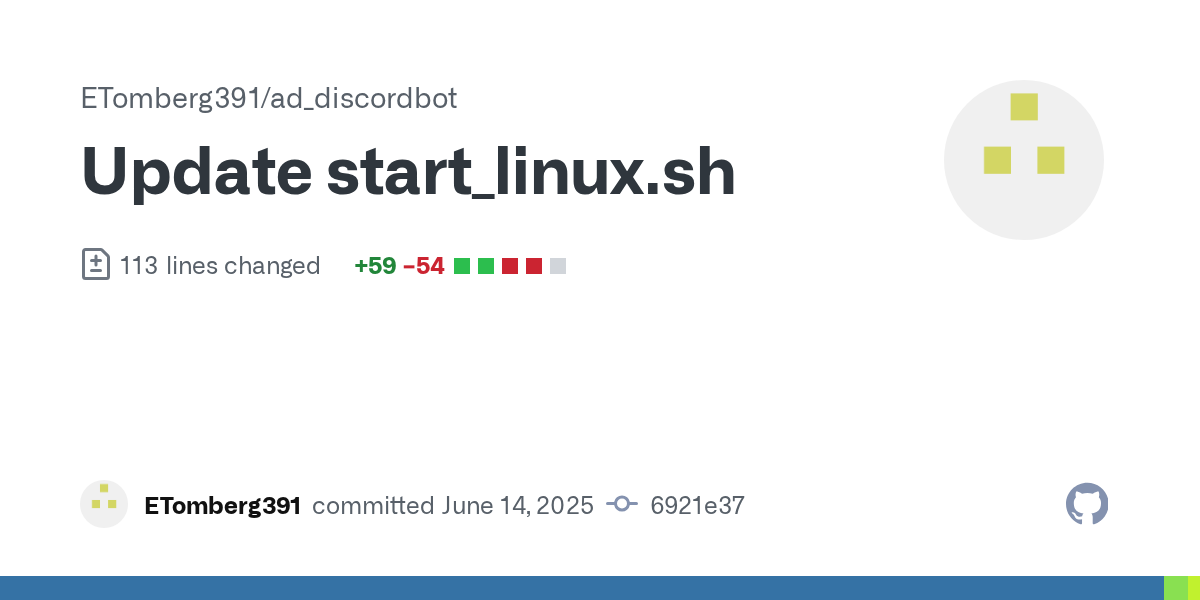
escaping regex special characters, "The script is using goto commands (lines 44, 49, 67, 70, 87) which don't exist in bash.", let me check additional notes
halcyon quarry
I basically shared the windows bat with chatgpt and asked to make the same thing for linux 😛
vestal python
Oh yeah kind of makes sense. I'm not too fond of chatgpt beyond asking for phone help and registry edits for vague works issues.
I really enjoy Flash 2.5 for most simple lookup and debug. Sonnet 4 has been interesting but it's an intense "Yes" man.
halcyon quarry
It’s been a bit hit or miss but there’s usually a correlation with how lazy I was with the prompting
I’ve had some very, very impressive results for certain requests
I had a complex set of requirements for what I wanted to do with my new task management system. I shared the entirety of what was my current version. The new code it provided was the ideal solution and worked absolutely perfect first run, and included all my script specific logic for certain things
The new task system is beautiful
halcyon quarry
Yummy spaghetti

This is going to allow switching between SD 1.5 / SDXL / Flux / Flux GGUF models with the bot
vestal python
I have a constant process I've used in 4 projects now just to do some simple research from a request given and seeing if I can just implement something like trigger words "Please research how this game uses this item", put up a buffering while it does the research in the background similar to how you handle image generations, and once formulated the results, have it provide the answer or report depending on the requests wording. See how it goes.
It'd be interesting to see if it works later on tonight
halcyon quarry
The bot now supports multiple queues, so it can handle that while processing additional tasks
Another food for thought, you can configure wildcard values and use the dynamic prompting syntax in a list of prompts for “spontaneous messaging” feature, and set max concurrent replies to -1 (infinite) or some high number
Can even include a trigger phrase for a tag to modify history, replace the trigger with “”
Spontaneous messaging is a configurable character behavior. It’s basically an auto-prompt feature
fickle ember
valid crypt
talking is already super easy, but if you want it to listen 😅 either you wait ...
good news?
valid crypt
not yet
vestal python
Going through this process ass backwards. Just going to try implementing directly my project https://github.com/ETomberg391/Ecne-AI-Report-Builder and restrict the single-command down to only 3 results, and keyword is the topic unless specified in the /research discord command.
vestal python
Liking that idea alot more .. Just have /research push a request to report_builder.py with proper arguments to limit search to a single brave api search, 3~5 urls from that search, plus some subreddit searches, let it build the report and wait for the raw final report txt. Then take that and feed it to the discord bot's backend LLM with some prompt "This is a report from the user's request The Request Text, please formulate a response to the user's request with the information provided in this report". That way it can probably stay within the discord's text limit...
fickle ember
halcyon quarry
The bot can process messages in discord of any length 🤓
could it not before?
i assumed discords messages were within the context window
halcyon quarry
It’s been able to send messages of any length since day one
The method existed when I forked the bot but it would just split randomly at 2000 characters, I added logic to fall back to last sentence completion, and also to maintain discord markdown syntax across breaks
It never reaches 2000 chars now that it has streaming responses anyway
halcyon quarry
I managed to get this complex Comfy workflow and logic all working
dict_imgmodels.yaml now supports a delete_comfy_nodes list, so each imgmodel type can delete the conflicting nodes from the workflow
The "Any Switch" nodes make the workflow run correctly

So, it's possible to switch between SD 1.5 / XL / Flux / Flux GGUF from the same workflow. Could "easily" be expanded for other model types like Chroma, SD3 etc
When I find a moment tomorrow I need to update the img2img workflow then will push this to main - I know you guys aren't using Comfy anyway 😛
halcyon quarry
Update
Bot can now switch between different model types for ComfyUI (Sd 1.5 / XL / Flux / FluxGGUF / and more)

- Example ComfyUI workflow payloads that use Any Switch nodes
- New logic in dict_imgmodels.yaml to delete comfy nodes from payload, per model preset.
- Users can follow the same logic to add more loaders / utilize even more model types.

Added a new "util" to resolve placeholder values back into payloads which have the {placeholder_syntax} within them - basically, to "undo the changes". Motivating use case is to restore a ComfyUI payload to its original state after applying all the syntax to it, to update it within the UI.

Automatically resolves sampler names and schedulers from user's settings that may be formatted for different software (A1111>Comfy and vice versa).
I pulled the update thanks. I'm taking a look at some things for it today. For Ubuntu there's an issue with utils_twgui.py line: from modules.chat import chatbot_wrapper, load_character, save_history, get_stopping_strings, generate_chat_prompt, generate_reply
something about circular imports, and having to set them up dynamically within the utils_twgui.py to make it work correctly. This is the second/fresh test I'm doing before Attempting testing around, adding the /research extra addition I wanted.
halcyon quarry
I noticed you had added something about that on the bot fork you messaged with. Does your update resolve it?
vestal python
Yeah, but I don't know if it would affect your Windows version. It would need to be tested.
I should just setup an RDP to my Windows box and test them both at the same time with the 2 different Discord Bots.
I'm also trying to fix this stupid vscode issues with commits.
halcyon quarry
Well I can definitely test that solution for Windows... will check it out at some point today
vestal python
Trying something, but not too sure if it will pan out..
halcyon quarry
Your changes seem to be working fine on Windows
For some reason it won't let me create a pull request - clicking the button is doing nothing
I might have to just update the file locally and push it
Oh there it goes
vestal python
I'm like... 60% sure it works. Trying to see what else it needs.
 halcyon quarry
What are you up to 🧐
That failed because TGWUI load_model just wants a string but you passed a different type
Dynamic prompting - you might be using the wrong syntax - it’s slightly different from SD
see the wiki
Wildcard syntax is ##wildcard
halcyon quarry
If you're restructuring the bot, that would be pretty awesome
Something I'd love to do but just thinking about it is painful
I started working on the User Commands feature
It can already dynamically build the commands from yaml - including all different option types.
The tricky part is how to make the resulting processing steps useful and configurable
vestal python
I'm trying, bring it down from 7,500 line single script into sub modules in modules/bot_modules with commands, core, events, processing, utils folders. It's just making sure everything is still in place and working....
halcyon quarry
🫡
halcyon quarry
Started adding support for SwarmUI
halcyon quarry
@calm rain could you share a detailed (or any) txt2img / img2img payload example?
I fetched the prompt schema but it's just a giant wall of text to me XD
valid crypt
vestal python
I'm trying, bring it down from 7,500 line single script into sub modules in modu...
hero 🫡
halcyon quarry
Hopefully I don't have a ginormous merge conflict to deal with when he's done
but of course I'll deal with it 🤗
halcyon quarry
Have a lot of swarm logic worked out, just need to figure out the image payload 😛
halcyon quarry
ok ChatGpt gave me a method to dump a payload from that monsterous api response with the default values
 calm rain
halcyon quarry
<@105458332365504512> could you share a detailed (or any) txt2img / img2img payl...
calm rain
halcyon quarry
<@105458332365504512> could you share a detailed (or any) txt2img / img2img payl...
there are examples in the API docs https://github.com/mcmonkeyprojects/SwarmUI/blob/master/docs/API.md
img2img is just feed "initimage": "data:image/png,base64;whateverthefuck" data image in the json
it's ultra straightforward, just, whatever the parameters are in the normal UI? Those are the API keys, the structure is a json, and data is put in whatever the most obvious way to encode that data as a string in json is
halcyon quarry
@vestal python let me know if you abandon the idea, hit a snag, etc 🙂
vestal python
I have actually, but I have something of a different design I've used for a project for work that did wonders before. Trying to remember how it worked.
It might also be good to take a look and pull your current updates and try again
halcyon quarry
I personally never happen to have any trouble navigating my code structure, but it's bacause I know where everything is, what its called, etc
But yeah, it's not particularly friendly for any potential collaborators to easily just jump in and get their hands dirty with me
What's in bot.py is mainly these massive objects that are interconnected and need values to initialize which are not easy to modulize
For awhile now, at every opportunity I could find I've been moving code to modules - ChatGPT had helped me with an issue I was facing with the main API() class
_api = None
async def get_api():
    global _api
    if _api is None:
        from modules.apis import API
        _api = API()
        await _api.init()
    return _api
It's in the back of my head to try applying a strategy like this for some other things, but I've been too focused adding new features
fickle ember
halcyon quarry
It's in the back of my head to try applying a strategy like this for some other ...
what do you think the next big update is gonna look like?
halcyon quarry
Well Dundell2 and I are talking about back end cleanup
The next major feature (aside from SwarmUI support - almost done) will be the User Commands feature, which I have a good start on already
halcyon quarry
With this new API system, and internal settings management rewrite for Image Gen - It's very easy to add dedicated support for new Img Gen clients
fickle ember
noted
halcyon quarry
I need to do the same sort of settings rewrite for Text Gen but it's going to be painful
fickle ember
once you do for textgen thats when we start getting the big new features yes?
in the database.yaml file i noticed this
take_notes_about_users: null
what does it do?
i assume null has it disabled
halcyon quarry
There's a few random lines here and there from the original project - this is actually a fork
The original author had some WIP ideas drafted and I had left those variables
fickle ember
do you plan to see if that wip is doable? i think notes on users in chat is a cool idea
fickle ember
noted
halcyon quarry
There are a lot of interesting params for Swarm payload...
halcyon quarry
@calm rain Any chance you could skim this and let me know if I misunderstand any applicable settings?
calm rain
you should not be setting any paramters you don't need to set
eg clipstopatlayer: -1 is going to wonk out any model that isn't SD1
or gridgenpromptreplace: '' is utterly chaotic to have at all
initimage: null no
halcyon quarry
initimage: null is OK for normal txt2img or needs to just be omitted entirely without an input image?
calm rain
omit params that aren't in use
halcyon quarry
it's parsed as None in python btw
calm rain
if you sent everything in this file as an API request it would be the worst mess of a gen ever with 10 different errors due to conflicting impossible feature combos
halcyon quarry
lmao
calm rain
Also I see you wrote # group labels but like
halcyon quarry
yaml comments
calm rain
they come in groups, and those groups are covered in docs?

you don't have to make up your own
halcyon quarry
Seems like it could be much easier to support Controlnet features for Swarm versus Comfy
@calm rain sorry for the pings over and over - last one....!
websocket
I don't see much info on it in the Wiki
Can the websocket be connected to by default? Or does this have to be created as a separate "backend" config?
calm rain
the most important thing to remember re swarm api is. it is not complicated. do not overthink
go open the UI in your browser, hit f12 for browser tools, click network, type a prompt hit generate, look at the request it makes
the UI uses a websocket request by default
the websocket and non-websocket gen request are identical, difference is just the websocket version gives live preview updates as it goes and the non-websocket doesn't
halcyon quarry
calm rain
the websocket and non-websocket gen request are identical, difference is just th...
Seems like the progress is just returned from the http request?
When I see websocket I think it's like Comfy where you need to explicitly connect to the websocket and listen
calm rain
nope, comfy's setup is way overcomplicated
halcyon quarry
seriously
Thanks for confirming that
If you're still lingering - is there payload-driven model changes at all? Or explicitly from API call?
calm rain
it selects model based your gen request, you can hit SelectModel if you want to force load in advance https://github.com/mcmonkeyprojects/SwarmUI/blob/master/docs/APIRoutes/ModelsAPI.md#http-route-apiselectmodel
halcyon quarry
When I dumped the payload from t2i params endpoint, I did not see any model related key in there
I do understand the API usage though, which I have working
halcyon quarry
Alright so working with Swarm compared to ComfyUI is making me realize I have no idea how websockets work
I was under the impression that a websocket connection did not have "endpoints" per se
calm rain
a lot of apps for some reason just do a /ws endpoint and then blindly shove everything over one socket
that's a ... valid design choice
but broadly, a websocket is just: a post request, but you can keep sending data back and forth for a while
this can be anything from what Swarm does (literally, a post request, but it sends multiple stages of data back) up to just being a network tunnel for a video game or something
the entire concept is predicated on abusing http connections to form temporary persistence, which isn't in official specs but you can cheese it into any engine
halcyon quarry
Thanks for the explanation! I had an error when posting I need to look into it maybe I just had the wrong response type or something
Or I need to send a bona fide web socket message
I’m using aiohttp Which has dedicated methods for HTTP requests and web socket messages
halcyon quarry
I had a bit of trouble in regards to model loading... if I go into the UI and click "load now" for any model, when I send an API payload without a 'model' parameter, it errors
Resolved it by always including a 'model' parameter in the payload.
halcyon quarry
Ok finally got this working
The only annoying thing is that post model change doesn't seem to actually do anything.
halcyon quarry
Suddenly, it's all turned to shit
My system was designed around a websocket that doesn't want to close itself at every possible moment
I send the payload on the websocket, and miliseconds later it's closed
    async def post_for_images(self, img_payload:dict, ictx=None) -> list[str]:
        if not self.ws or self.ws.closed:
            await self.connect_websocket()
        img_payload['session_id'] = self.session_id
        await self.ws.send_json(img_payload)
        msg = await self.ws.receive()
        print("Message type:", msg.type)
        print("Message:", msg.data)
        print("Is closed?", self.ws.closed)
        print("Exception?", self.ws.exception())
        results_list = await self.call_track_progress(ictx=ictx)
        final_result = results_list[-1]
        return final_result
12:57:55.764 #1522   INFO [bot.modules.apis]: [SwarmUI] WebSocket connection established (ws://localhost:7801/API/GenerateText2ImageWS)
Message type: 8
Message: 1000
Is closed? True
Exception? None
sendpayloadclose
halcyon quarry
🤷
I've undid every line of code I added one by one and I simply cannot get back into any form of progress I was on
Goddammit
@calm rain Your whole thing just silently errors if the key 'images' is missing from the payload. I want my 2 hours back
This finally appears after like 60 seconds of sending the payload missing images

Most painful line of code I've written

SwarmUI is now working with the bot
calm rain
halcyon quarry
<@105458332365504512> Your whole thing just silently errors if the key 'images' ...
Oop. The http route handled that properly but the WS route was accidentally eating the error message and just closing the socket. Can't give your 2h back, but I fixed it to properly render the error for the next person
halcyon quarry
I have another complaint lol
The logic of the progress values is a bit odd to me.
The progress within each node does not seem to have any effect on the "overall percent" until that node is done
So when the bot is checking progress it quickly gets to like 60 % and when it hits the KSampler it basically just stalls until 100%
calm rain
oh yeah i meant to fix that before but forgot
halcyon quarry
eh I guess there's probably a logical way to factor the per node progress with the overall. I'll consult mr Chat GPT
calm rain
generally I just render both current and overall
wherein current is the one people usually care about
overall is useful info but a bit misleading - it's the progress through the comfy workflow, and most nodes are instantly, then there's the fat ksampler in the middle, then some more instant nodes
halcyon quarry
indeed... I didn't look too hard into it but out of the box the image gen tasks with Comfy yield a current step / max steps
So it increments smoothly. Seems to just completely ignore those instant nodes I guess
calm rain
alright, combined the current into overall now.
calm rain
halcyon quarry
indeed... I didn't look too hard into it but out of the box the image gen tasks ...
comfy API returns current_percent for some nodes, nothing for others, and a node ID progress report
in other words: if you want to copy comfy api percent reads, just use current_percent
the overall is node progress which doesn't particularly matter much unless you're doing several samplers or something
halcyon quarry
Another question... again I'm being kind of lazy asking this than printing results again.
After sending the ws payload, does it return a specific ID associated with the request?
With comfy, you post the request to /prompt and it returns an ID - which you can then filter the websocket data with to ensure you are tracking the correct task
I'm just wondering how to ensure the bot is tracking the correct progress if there's multiple simultaneous gens (assuming that's possible with Swarm)
calm rain
halcyon quarry
I'm just wondering how to ensure the bot is tracking the correct progress if the...
I direct you once again to the "don't overthink it" thing
the websocket only tracks progress on generation(s) requested by the websocket
there's a batch_index to differentiate gens within a group
also a request_id as a globally unique id for each gen
halcyon quarry
My brain is maybe half the size of yours so overthinking required XD
Nice update btw - the progress tracking does not stall now
Jumps to 75 then does count up instead of freezing 😄
halcyon quarry
I tried tinkering for a few minutes with how to handle a request with images > 1
I had set a condition that if “image” is in the response, progress tracking is complete - triggering it to use View to get the bytes
calm rain
halcyon quarry
I had set a condition that if “image” is in the response, progress tracking is c...
ye
btw if you use "donotsave": true it will give you direct data-image there in the json instead of the link, if you want that
halcyon quarry
That's ideal, thanks for the tip there
So for images > 1 does it basically loop with the progress? Counts to completion and yields a dict with image result after each one?
calm rain
for more than 1 image, use batch_index or request_id to separate em
it will be sequential if you only have 1 gpu, not if you have more
halcyon quarry
Maybe you’ll give the bot a try sometime?
 smoky cedar
@halcyon quarry just wanna say thanks for the bot. Finally some remote way to use my SD, with a stable connection lol still trying to figure out all the settings and aspects, but it is a great work done!
halcyon quarry
smoky cedar
<@670018869418786816> just wanna say thanks for the bot. Finally some remote way...
Thanks! I'm very passionate about this project, am mostly on my own in terms of development, very few beta testers - any feedback is always appreciated. Also promoting it would be appreciated haha
The latest developments with it is that it now supports a variety of API softwares out of the box, and can theoretically be configured to use other software I don't even know about
A1111 / Reforge / Forge / Comfy / Swarm
smoky cedar
halcyon quarry
Thanks! I'm very passionate about this project, am mostly on my own in terms of...
Sure thing, let me get my bearings and I will get back to you if anything 🙂 btw, have the text integration changed somehow? could only install it as a standalone, did not want to find the TGWUI
halcyon quarry
I've been too busywith development but theoretically it can also run advanced Comfy workflows such as image to video, and return the video result
smoky cedar
halcyon quarry
I've been too busywith development but theoretically it can also run advanced Co...
Holy... Maybe it will be the reason to get back to comfy lol
halcyon quarry
smoky cedar
Sure thing, let me get my bearings and I will get back to you if anything 🙂 btw...
I need to take a look at my installer logic - I believe it checks the parent directory to see if it is a git repository. If so, it checks if it is TGWUI or a fork of TGWUI
In either case it would present the option
smoky cedar
halcyon quarry
In either case it would present the option
Aha, so it wont work with a portable one-click installer?
lemme see
halcyon quarry
When I get an idea I sometimes have a bit of tunnel vision and overlook some scenarios - like that one
smoky cedar
Ahhahahah gotcha. no problem at all. Keep doing a god-like work lol
halcyon quarry
u using the default dir name for TGWUI portable?
I'll add another condition for if the parent dirname starts with text-generation-webui
smoky cedar
I have renamed it to text-generation-webui afterwards, did not catch that too. Reinstalling via the git clone to see if that will work
halcyon quarry
Will be making this update shortly, trying to work out some other little thing first...
smoky cedar
yeah, so with clone method installation works perfectly
halcyon quarry
Nice - I'm going to go add that logic now anyway 😛 Finished what I was tinkering with
smoky cedar
Ahahahah nice. Encountered another issue. Not sure how to change ports of what apps are using. Basically forge and text are on the same pot 7860. If I change forge to 7861 - bot cannot find imgmodels at all
11:12:45.611 #961 ERROR [bot.modules.apis]: HTTP 404 Error: {"detail":"Not Found"}
11:12:45.611 #968 ERROR [bot.modules.apis]: [SD Forge] HTTP Error 404 on http://127.0.0.1:7860/sdapi/v1/sd-models: Not Found
11:12:45.611 #6586 ERROR [bot.main]: Error fetching image models: 404, message='Not Found', url='http://127.0.0.1:7860/sdapi/v1/sd-models'
Or it happens because of something else?
halcyon quarry
Well you can manage the ports in the CMD flags for each software
You may not have the required flags set for Forge, --api --listen ?
I recommend copying your webui-user.bat and calling it something like webui-user-api.bat and include the flags there - so you can launch it either way
It can be annoying to always launch with API enabled, because the UI will not allow you to modify settings
smoky cedar
It worked before without integration with text thing. So i dont think that annything is wrong with forge. let me try to change the port of a text thing. Your bot has specific port it needs the text bot to be on?
smoky cedar
lol ok
halcyon quarry
It directly imports modules from TGWUI and runs them
For API configurations you only need to focus on Imggen and TTSgen
I need to rewrite a lot of code in order to get the textgen flexible for APIs
I'm not interested in converting it rigidly to TGWUI API - when I update this code I'll be scratching my head constantly on how to generalize the logic for handling everything
halcyon quarry
smoky cedar
yeah, so with clone method installation works perfectly
I did just now add a check for if the parent directory name starts with "text-generation-webui" - bypasses checking git status
smoky cedar
Yeah, so culprit was a port conflict. Changing only text ui resolved it
Now off to check your wiki and api docs lol
halcyon quarry
Things you'll probably be most interested in:
- Understanding how the Tags system works
- Managing "presets" in
dict_imgmodels.yaml- including Tags management
Also, I need to add this to the Wiki... it's strongly recommended to use a good code editor for managing settings, like Visual Studio Code
Once you select a bunch of lines and press Ctrl + [ or Ctrl + ] it will be life altering
(this changes the indentation level for everything selected)
smoky cedar
Indentation is something thats been bugging me forever lol
listen any good llm models you can advise? Im getting a nuch of gibberish using the deepseek somehow
halcyon quarry
Also Ctrl + / will toggle whether things are # Commented or not
It's likely just faulty parameters for that model. You might want to play around with settings in the UI then write them back to your character file
smoky cedar
oh, ok
halcyon quarry
See example character M1nty for some extra settings that the bot can manage
If you go into dict_base_settings.yaml that's all the defaults.
You can update those. If any of those settings are in the character file, they will have priority
A lot of these settings have no effect though
When you toggle between model loaders in TGWUI you'll see settings get hidden and appear
Basically, you should focus on the settings that are relavent to your model loader
smoky cedar
cant figure out how to set up the bot llm settings. It gives infinite amount of response with gibberish, and generate very mad pictures lol
calm rain
halcyon quarry
I've been too busywith development but theoretically it can also run advanced Co...
if you support that re comfy you presumably support that by default re swarm too ,yeh?
turning an image to a video in swarm is just set a few params and go

GitHub
So, you want to generate AI videos with SwarmUI? Don't worry, it's easy! (Forenote: this guide was written in April 2025. Things are likely to change in the future, and this guide will even...
halcyon quarry
calm rain
https://github.com/mcmonkeyprojects/SwarmUI/discussions/716
With effort, yeah 😛 Got so many balls in the air
halcyon quarry
smoky cedar
cant figure out how to set up the bot llm settings. It gives infinite amount of ...
For starters you can lowe the max_new_tokens while you debug
Are you having the same issue in TGWUI? Or just in the bot?
smoky cedar
Only in the bot. I hadn't figured out which settings to migrate i guess
halcyon quarry
calm rain
if you support that re comfy you presumably support that by default re swarm too...
One goal of my bot is for users to be able to switch between main APIs without having to modify all sorts of client specific settings - been spending most of my efforts trying to solve these issues
A1111 - like UIs have the easiest and most basic syntax for the Lora triggers, they don't require the subdirectory names.
So for each relavent API subclass (Comfy / Swarm / possibly more to come) I have a method ton fetch a list of the valid Lora values.
The bot uses regex to capture the Lora syntax, check if the name is a substring of a "valid value" and automatically update it.
For Comfy, I actually pop the whole lora syntax so that it can inject the name(s) and strength(s) into the Lora stack loader node
Spend way too much time with these details to get meaningful work done
Similarly I added autocorrecting for sampler names and schedulers
And autocorrecting for various other things - example for Swarm
        key_map = {'cfg_scale': 'cfgscale',
                   'negative_prompt': 'negativeprompt',
                   'CLIP_stop_at_last_layers': 'clipstopatlayer',
                   'sd_vae': 'vae',
                   'distilled_cfg_scale': 'fluxguidancescale',
                   'denoising_strength': 'initimagecreativity',
                   'sampler_name': 'sampler'}
Ok, so rolled back to default user settings. From scratch based on the git info it should work with "draw something" for me it tries, gives me huge test where it answers instead of me, then botches the image (worse than what SD1.5 did lol)
generation via /image works great, as intended, however that llm integration drives me nuts lol
halcyon quarry
smoky cedar
Ok, so rolled back to default user settings. From scratch based on the git info ...
The one thing the instructions do not say, is to actually copy the example character Prompt_Enhancer_XL.yaml into your characters directory
The tag which has the "draw" trigger, has swap_character: Prompt_Enhancer_XL.yaml - It swaps the character (context / params) before prompting
smoky cedar
I did not think of that.... wow... Ok, ill finish setting up a preset for illustrious and try that
and yeah visual code is blessing lol
halcyon quarry
That tag also has some other stuff that improves the quality - hides history, does not save the interaction to history
If you are able to use Flux models / ones that like long-winded natural language prompting, you should try out the /image command option use_llm (with the "prefix my prompt" setting)
smoky cedar
halcyon quarry
The one thing the instructions do not say, is to actually copy the example chara...
Yup, that was it lol
smoky cedar
halcyon quarry
If you are able to use Flux models / ones that like long-winded natural language...
For flux I use gguf, and I havent figured out yet how to set clip, vae and t5
halcyon quarry
You can also move either of the sd payloads from examples, into user/payloads
The advanced one is recommended
halcyon quarry
smoky cedar
For flux I use gguf, and I havent figured out yet how to set clip, vae and t5
There's an example of this in the dict_imgmodels.yaml - since you are using Forge this is handled with the forge_additional_modules setting
So long as you have things configured correctly in there, the bot can easily change between model types, even with the "auto-change imgmodels" feature
smoky cedar
halcyon quarry
So long as you have things configured correctly in there, the bot can easily cha...
ok got it, will take a look, thanks!
halcyon quarry
It will work more consistently / predictably if you organize your models into subdirectories (the subdir name becomes part of the value that is checked)
smoky cedar
thats for later I guess. Tried nsfw - llm flagged inappropriate. need to fix that lol PRIORITY #1 lol
halcyon quarry
For image generation, I am a huge fan of this model... https://huggingface.co/LoneStriker/NeuralBeagle14-7B-8.0bpw-h8-exl2
Here's the idea for a NSFW prompting character
smoky cedar
Nice, thanks! Yeah tried uncensored qwen - good but boring. Will try that beagle on!
smoky cedar
Yeah, there was a line in config that was blocking the nsfw content in bot. all good now lol beagle actually not bad
halcyon quarry
Damn, I'm going to update that to false by default
smoky cedar
lol
smoky cedar
halcyon quarry
We just found the reason my project has 40 stars
Ahhahaha that it blocks nsfw? Lol
You'll get there man!
halcyon quarry
🤓
I need to finish the next planned feature, 'user commands'
Then I'm making some youtube vids on the bot
halcyon quarry
There will be yet another configuration file, where the bot owner (you) will be able to create your own bot commands that will do custom things
smoky cedar
oh yes...
halcyon quarry
I've got this feaure about 1/3 done
smoky cedar
the possibilities...
Im not a coder by any means, but if you need help in some capacity - let me know lol
halcyon quarry
There's already tons of possibilities with the Tags system
valid crypt
halcyon quarry
Then I'm making some youtube vids on the bot
👏
smoky cedar
halcyon quarry
There's already tons of possibilities with the Tags system
Tags are still confusing as hell for me..
valid crypt
from my understanding they are just some keywords to activate certain mechanics
buy they can stack in a insane way :v
halcyon quarry
Each "tag" is a dictionary (key values)
If there are no "conditional" tags (such as trigger, etc) then that tag is considered "matched"
Otherwise, it needs to meet the conditions
When you add parameters to the tag definition, they go into effect.
valid crypt
smoky cedar
Tags are still confusing as hell for me..
the best example,
we have words, then we have what it does,
in this case when these are matched the llm is blocked 👍
 halcyon quarry
Right well I just fixed that default minutes ago haha
If there's no trigger, it just blocks every generation
Certain tag params are only applicable to the text generation, and others only for the image generation
valid crypt
:c
smoky cedar
Thx)
halcyon quarry
If you want to get into the really advanced stuff the bot can do, play around with the "flow" tag
A typical message request looks like:
User prompts ---> Match Tags > LLM > Match Tags > Img Gen
If a Flow is triggered, it loops through this, except you are basically defining "pre-matched tags" for each iteration.
For instance you could make the LLM response get fed back to another chat character (or even trigger an LLM model change first)
smoky cedar
Yeah checked that file you sent, interesting stuff
halcyon quarry
There's very interesting use cases for it that people with big brains could think up
smoky cedar
hopefully I can apprehend all this one day lol cause for now thats the best way i can use my sd while remote
halcyon quarry
smoky cedar
Im not a coder by any means, but if you need help in some capacity - let me know...
appreciated!
smoky cedar
Interesting. For some time llm gave me prompts in illustrious style, with 1girl and all. Then it began to just do nat language, than mix lol
halcyon quarry
If the history isn't being manipulated, that will happen
smoky cedar
Yeah, figured
halcyon quarry
By default for the 'draw' tag, it should be, though
smoky cedar
Got it
halcyon quarry
I'm going on vaca so, no development for a week or so
smoky cedar
Lucky you! Gives us time to root into existing stuff lol
halcyon quarry
I do have one last tip for something you’d probably be interested in
You can use a combination of the dynamic prompting feature, and the spontaneous messaging behavior feature
To make a automatic image, prompting generation character thing
Just change the maximum replies to negative one, and it will just continuously re-prompt the LLM
With dynamic, prompting syntax, those can all be unique prompts
You can pretty much just make an automatic image, generating character that you can switch to and from
smoky cedar
Oh interesting
smoky cedar
halcyon quarry
Just change the maximum replies to negative one, and it will just continuously r...
Sorry, which file is that in? My brain melts by the end of workday lol
smoky cedar
ok got it
halcyon quarry
@calm rain quick feedback... after sending a swarm payload, this is an example of the first message emitted:
DATA: {'status': {'waiting_gens': 2, 'loading_models': 0, 'waiting_backends': 1, 'live_gens': 0}, 'backend_status': {'status': 'running', 'class': '', 'message': '', 'any_loading': False}, 'supported_features': ['comfyui', 'refiners', 'controlnet', 'endstepsearly', 'seamless', 'video', 'variation_seed', 'freeu', 'yolov8', 'comfy_latent_blend_masked', 'comfy_just_load_model', 'comfy_loadimage_b64', 'comfy_saveimage_ws', 'folderbackslash']}
Feel like the request ID should be part of this
I know, thinking too much into it 😄
calm rain
halcyon quarry
One goal of my bot is for users to be able to switch between main APIs without h...
i was originally going to do that in Swarm - in fact, you can still technically use the auto webui backend on swarm. The problem is... who gives a shit about auto-based UIs anymore? The only reason to use it over comfy is the interface, and, well, when you're not using the interface... comfy is far and away better to the point of not making any sense to bother with anything else.
calm rain
halcyon quarry
<@105458332365504512> quick feedback... after sending a swarm payload, this is a...
that message isn't related to a specific request, that's just a general status dump, you can ignore it for the bot, it's mainly intended for the UI to keep state updated
halcyon quarry
Just saying it takes too long to get a prompt ID
calm rain
eh? I could have it emit one earlier with no data, if you need that?
not sure why you would though
halcyon quarry
The logic of it makes sense in Comfy, to me. You post and get the ID and you’re sure all data you get afterwards is associated with that ID
 late pivot
how do i actually set it up? since i tried using the discordbot outside text-generation-webui folder it doesnt work, tried putting it inside it doesnt work, can anyone help me with it? i use arch btw
late pivot
btw i tried to use it with the text-generation-webui and wanna set up the image generation aswell
halcyon quarry
Vloth here posted an Issue on the repo but I couldn’t help, seems to be an OS specific problem
late pivot
so can anyone tell me how to set it up from scratch?
late pivot
halcyon quarry
Vloth here posted an Issue on the repo but I couldn’t help, seems to be an OS sp...
could you tell me on how to set it up from scratch? like where to put it? might be because of that
halcyon quarry
There are install instructions on the repo that are straightforward. First you install TGWUI.
Then while in the root TGWUI folder you git clone the bot. So the dir is ‘../text-generation-webui/ad_discordbot/<bot files>
Then just run the launcher file for your OS
late pivot
halcyon quarry
Then just run the launcher file for your OS
do i launch the text-generation-webui first or the ad discordbot first?
halcyon quarry
You just launch the bot only - the bot does not use TGWUI API - it directly imports modules and runs it
When you run the bot it basically runs TGWUI backend code without the UI
I’m planning to rewrite the code at some point, make it API
For image generation - copy the ‘Prompt Enhancer.yaml’ character from the ‘examples’ dir, into user/characters
Also copy the sdwebui payload (or Comfy, or swarm) from examples/payloads - put in user/payloads. (I definitely need to update the Wiki with this…)
late pivot
halcyon quarry
Then while in the root TGWUI folder you git clone the bot. So the dir is ‘../te...
wait it did work, it just didnt launch because it was the wrong directory
now how do i add image generation?
btw is this normal?
 halcyon quarry
What r u using? Forge? Comfy?
late pivot
halcyon quarry
What r u using? Forge? Comfy?
i havent set it up yet
late pivot
late pivot
btw is this normal?
btw this is the error output
halcyon quarry
I’m on vacation btw, working overtime here 😛 I don’t know what that’s about…
Maybe try copy/paste that to chatgpt
halcyon quarry
late pivot
i havent set it up yet
Forge is probably the easiest to get into… has the most supported features with the bot
late pivot
halcyon quarry
Forge is probably the easiest to get into… has the most supported features with ...
could you help me set it up?
halcyon quarry
Download and install it. Download some SDXL models from civitai and put them in models/Stable-Diffusion/
That’s it - you can generate images. To work with the bot you need to launch Forge with command flags —api —listen
You need to check bots config.yaml ensure imggen is enabled. Need to check dict_apisettings.yaml and ensure the URL:port are correct for Forge. Ensure the Imggen client is Forge - must be “enabled: true”
When you launch the bot, on startup it will either say the imggen API is working or will give an errorr
If it’s working you can use “/image” command, or by default if you start your message to the LLM with “draw” it will trigger image generation
late pivot
halcyon quarry
Download and install it. Download some SDXL models from civitai and put them in...
What model are currently supported? Like gguf? Safetensor? Bin?
halcyon quarry
Forge, Comfy and Swarm can use run Flux models including gguf
Most flux models do not have the text encoder, clip, and vae baked in - they need to be downloaded separately and loaded in tandem
For most SDXL models you just load the model and that’s it, all baked in
calm rain
in the case of Swarm you don't need to worry about the secondary files, it's all auto-managed
huge list of image model classes supported here https://github.com/mcmonkeyprojects/SwarmUI/blob/master/docs/Model Support.md, use civitai to find your favorite finetune, they basically all work in swarm
(in forge god help you if it a recent model class)
late pivot
@halcyon quarry are you open for suggestions btw?
Since I have a lot of suggestions for the new update if you want

 marsh harness
halcyon quarry
I’m on vacation btw, working overtime here 😛 I don’t know what that’s about…
marsh harness
halcyon quarry
I’m on vacation btw, working overtime here 😛 I don’t know what that’s about…
Hope you have a nice vacation.
halcyon quarry
late pivot
btw is it possible to make it stop thinking?
Pretty sure there’s a parameter for thinking
late pivot
halcyon quarry
Pretty sure there’s a parameter for thinking
where?
and how do i disable it
halcyon quarry
user/settings/base_settings.yaml
Also check out example character M1nty for usage of per-character settings overrides
 halcyon quarry
Close enough
late pivot
halcyon quarry
Close enough <:gowron1:1105871899642298480>
how do i make it stop thinking though?
its just too long and sometimes the answer get cut off
halcyon quarry
thinking: false
late pivot
halcyon quarry
thinking: false
where do i place it?
halcyon quarry
dict_base_settings.yaml
Go to llmcontext > state > I think it’s already there defaulted to true
late pivot
halcyon quarry
Go to llmcontext > state > I think it’s already there defaulted to true
there isnt any for think
 halcyon quarry
Ill bet it’s enable_thinking
halcyon quarry
🤔
late pivot
@halcyon quarry so most of the text keep getting cut off for the ai, what do I change to extend the maximum words for the ai?
Keep getting cut off like this
 smoky cedar
late pivot
Keep getting cut off like this
smoky cedar
late pivot
Keep getting cut off like this
The name of a parameter is a maximum token i think. And default i had was 2048 i think. Sorry dont have access to pc to answer exactly
In the same file where you changed the thinking setting
Also, copy the whole text of that file and insert into chatgpt, ask it to explain all the options. It will help
valid crypt
late pivot
Keep getting cut off like this
Under dict_base_settings.yaml -> llmstate -> max_new_token
if you are an user of tgwui and you have your preset, you can fill the preset name, not sure if it works though :p
 halcyon quarry
“Preset” does indeed work

 late pivot
Why does it answer stuff for me
