#Task runtimes exceeding limits

1 messages · Page 1 of 1 (latest)

broken bobcat
#

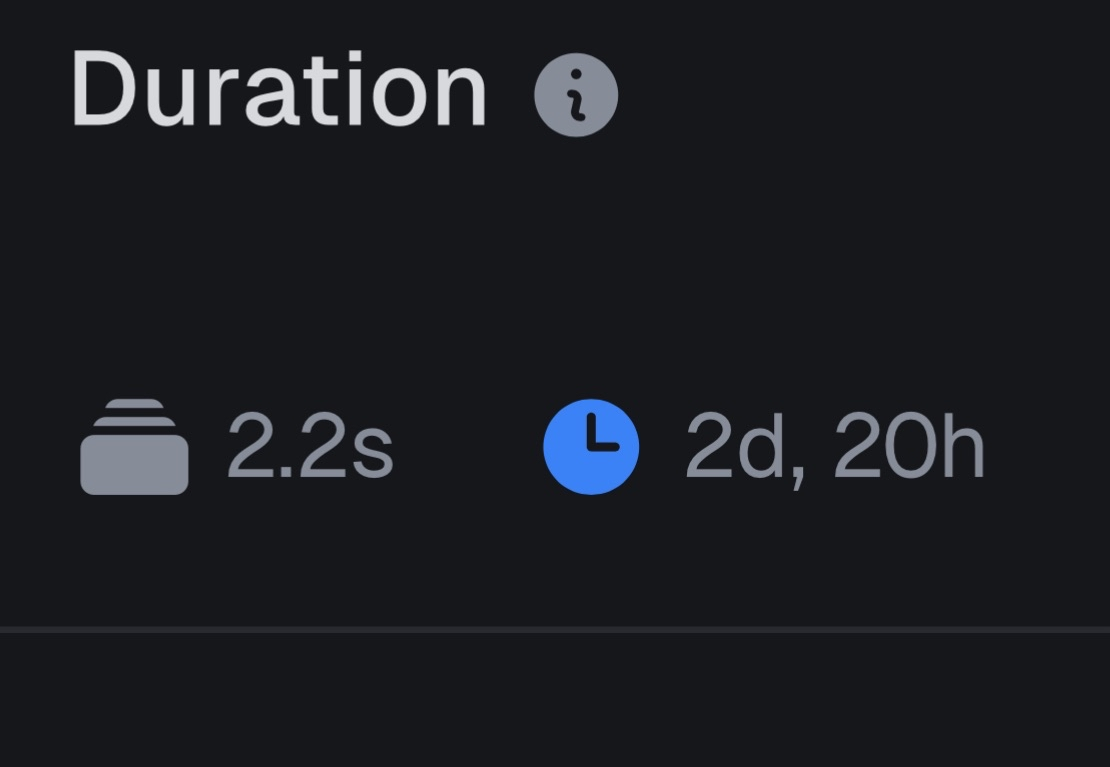
We've had runs that just end up hanging. No errors getting thrown or anything. Just hanging. We're still getting charged for the runtime, and some of these runs just sit there for literally DAYS, which is far beyond the runtime limits we've configured for the tasks, and I believe even far beyond what the Trigger max runtime is allowed to be.

I reached out to support but haven’t heard back. Then, yesterday, I got notifications that we’ve exceeded 200% and then 500% of our monthly spend in the same day. All of our runs are user-triggered with the exception of a single scheduled task that wouldn’t cause this level of runtime. It would be great if we could get some help.

steel bobcatBOT
#

Hi @broken bobcat. I'm kapa.ai, your friendly support bot. I will try to answer your question by searching through the knowledge base. :wave:

#

I'm sorry to hear about the issues you're experiencing with hanging runs and unexpected charges. Based on the knowledge sources, here are some key points and recommendations:

  1. maxDuration Enforcement
    Trigger.dev provides a maxDuration setting to limit the maximum compute time for tasks. When a task exceeds this duration, it should be automatically stopped. The maxDuration can be set globally in your trigger.config.ts, per task, or even per run. The minimum allowed is 5 seconds, and you can set it to a very large value if you want to avoid timeouts. Importantly, the maxDuration only counts active CPU time and does not include time spent in wait.for, triggerAndWait, or similar wait states. If your tasks are hanging in a way that doesn't consume CPU (e.g., waiting for a never-resolving promise), they may not be stopped by maxDuration as expected. However, if they are actively running, they should be terminated when the limit is reached runs/max-duration.

  2. Potential Causes for Hanging Runs

  • If your code is blocking the event loop (e.g., infinite loops or heavy synchronous operations), you may see errors like TASK_RUN_STALLED_EXECUTING. Trigger.dev automatically heartbeats every 30 seconds, and if no heartbeat is received within 5 minutes, the run is considered stalled. If you’re not seeing errors, it’s possible the task is stuck in a non-blocking wait state troubleshooting#task-run-stalled-executing.
  • If you are using parallel waits (e.g., multiple wait.for or triggerAndWait in parallel), this is not supported and can cause tasks to hang indefinitely troubleshooting#runtime-issues.
#
  1. Billing and Spend
    You are charged for active compute time, not for time spent in a paused state (e.g., during wait.for or triggerAndWait). However, if a task is stuck in an active state, it will continue to accrue charges. The usage dashboard and billing alerts can help you monitor and catch unexpected cost increases early how-to-reduce-your-spend.

  2. What You Can Do

  • Double-check your maxDuration settings at the global, task, and run levels to ensure they are set as intended.
  • Review your task code for any places where a promise might never resolve or where you might be using unsupported parallel waits.
  • Use the usage dashboard to identify which tasks are consuming the most compute time.
  • If you suspect a bug in Trigger.dev’s enforcement of maxDuration, this should be escalated to their support team, as the platform is designed to terminate tasks that exceed the configured limits.

Limitations:
The knowledge sources do not provide troubleshooting steps for cases where maxDuration is set correctly but is not being enforced, nor do they describe a known bug that would cause tasks to run for days despite these settings. If you have already reached out to support and not received a response, continuing to follow up is recommended, as this may be an issue requiring their direct intervention.

If you need to stop runaway costs immediately, consider temporarily disabling triggers or scheduled tasks until the root cause is identified.

If you have more details about the specific task code or configuration, I can help review it for potential issues.

Note: you can ask me a follow up question by @ mentioning me again :speech_balloon:

#

@broken bobcat Kapa.ai is still learning and improving, please let me know how I did by reacting below.

trim scroll
#

@broken bobcat could you link to one of these runs in the dashboard so we can investigate? We can also refund you if this is an issue on our side.

#

One thing to note is that you can view the maxDuration when viewing a run in the "Details" panel on the right. It is unfortunately common for people to think that this is a value in milliseconds and specify the limit incorrectly

broken bobcat
#

I know your onboarding says not to share keys and stuff. Is it ok to share run ids?

trim scroll
#

You can share links to pages in the dashboard safely, there's no sensitive information there

#

Don't share API keys or Personal Access Tokens, everything else is ok

trim scroll
broken bobcat
#

So we’re talking about two separate issues. The run I shared was from about a month ago. It sounds like that was a v3 bug. We’ve since migrated to v4.

That recursive-ner task’s parent only runs ~20 times a day. We obviously had a lot of failures during the AWS debacle, but even with 3 overall retries for the parent, and 3 subsequent retries for this child process, that’s ~9x20 per day which doesn’t get us close to 20k runs for even the entirety of the billing cycle.

We’ve had old runs that had already successfully completed for some reason get triggered again and fail. I can look at some of those examples, but going from barely exceeding 100% of our set budget to exceeding the 200% threshold and then 500% threshold in a 24hr period is kind of bonkers.

#

I wish we were seeing that kind of growth 🤣

trim scroll
#

Would it be useful if I gave you an export of all of your runs for this month with the usage duration and cost for each? It will have the timestamps as well.