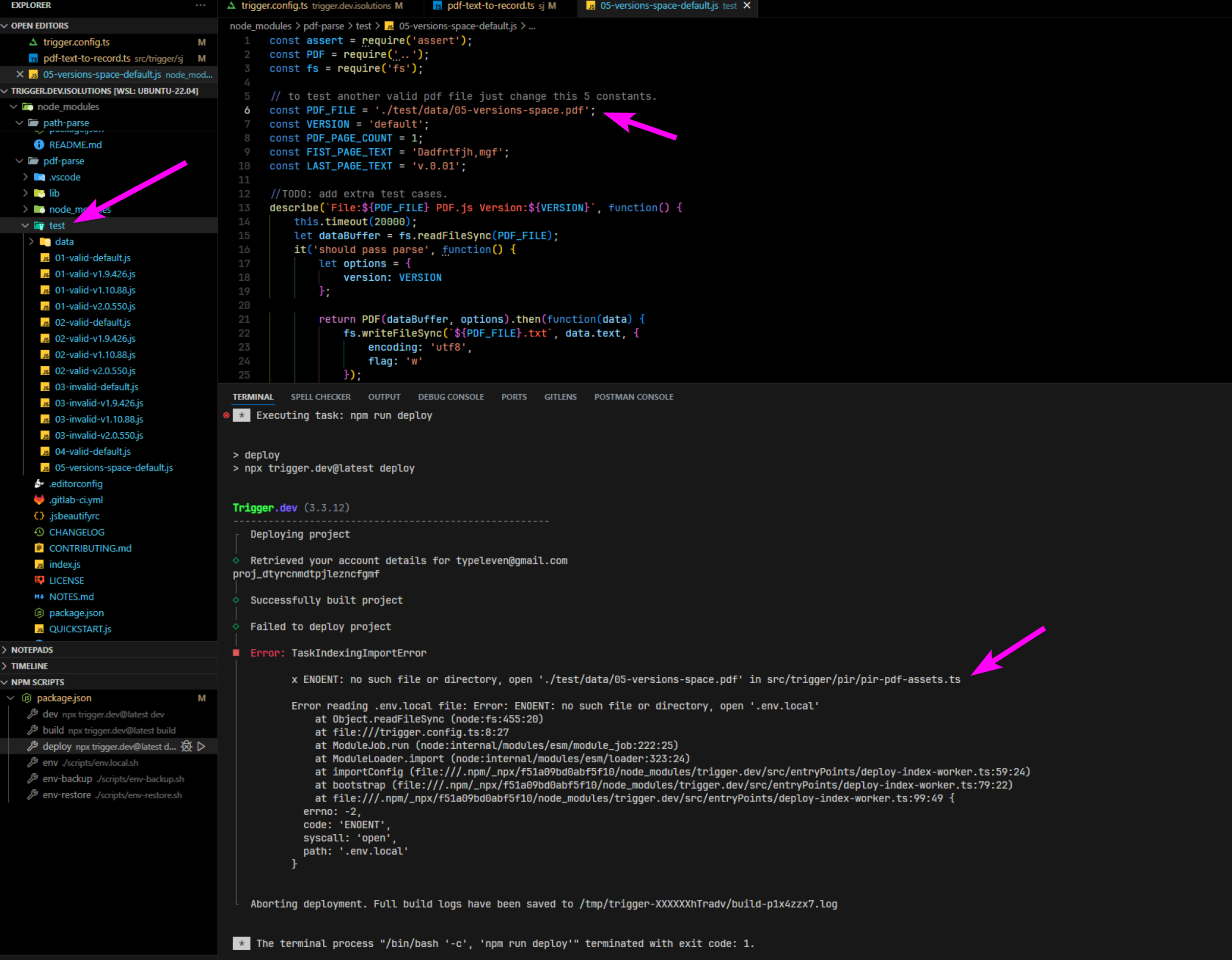
#deploy causing pdf-parse tests to run and error
1 messages · Page 1 of 1 (latest)
 sacred vessel
sacred vessel
sacred vessel
is anyone else using this library and not having an issue?
 woeful pine
Yeah we changed a lot to do with how the project is built when we moved from the betas back in September/October to the 3.x releases.
pdf-parse isn't your package right? Try adding it to external in your trigger.config https://trigger.dev/docs/config/config-file#external
Trigger.dev
This file is used to configure your project and how it's built.
There's also this page here which is useful for doing that upgrade: https://trigger.dev/docs/upgrading-beta#upgrade-to-new-build-system
sacred vessel
@woeful pine thanks for the reply, that makes sense.
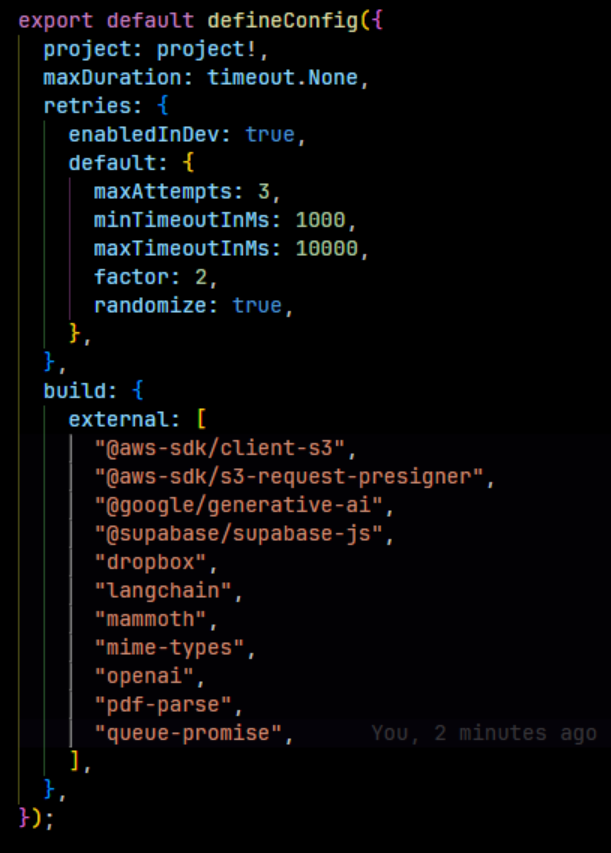
I followed the guide and upgraded everything to "latest" and updated my trigger.config.ts file. I also deleted the .trigger folder and node_modules folder and ran "npm i" to make sure there wasnt any left over cruft.
I now get a similar error when running the dev command. To be safe I included all my packages as external to see if that would fix it but no change. Admittedly I'm not sure how to decide what to include in the external array.
Any thoughts on additional steps I could try?
 woeful pine
Ah ok I think I better understand the issue now. You’re loading that file in one of your tests.
File reads can’t be detected by ESBuild, so you need to add them to the bundle with wildcards. https://trigger.dev/docs/config/config-file#additionalfiles
Trigger.dev
This file is used to configure your project and how it's built.
sacred vessel
@woeful pine my project doesn't have any tests. I think this is simpler than I was describing earlier.
I was able to reproduce this in a new project with a single task. To reproduce yourself and see this issue all you have to do is make a new project then install the pdf-parse package....
npm i pdf-parse
Then make this example task....
import pdf from 'pdf-parse';
export const helloWorldTask = task({
id: "pdf-test",
run: async (payload: any) => {
const url = payload.url;
const pdfBuffer = await fetch(url).then(res => res.arrayBuffer());
const pdfData = await pdf(pdfBuffer);
const extractedText = pdfData.text;
return {
extractedText,
}
},
});```
running build should give you the error in the attached screenshot. This is coming from the tests in the npm package itself. Adding pdf-parse to the external array of the settings doesn't seem to help either.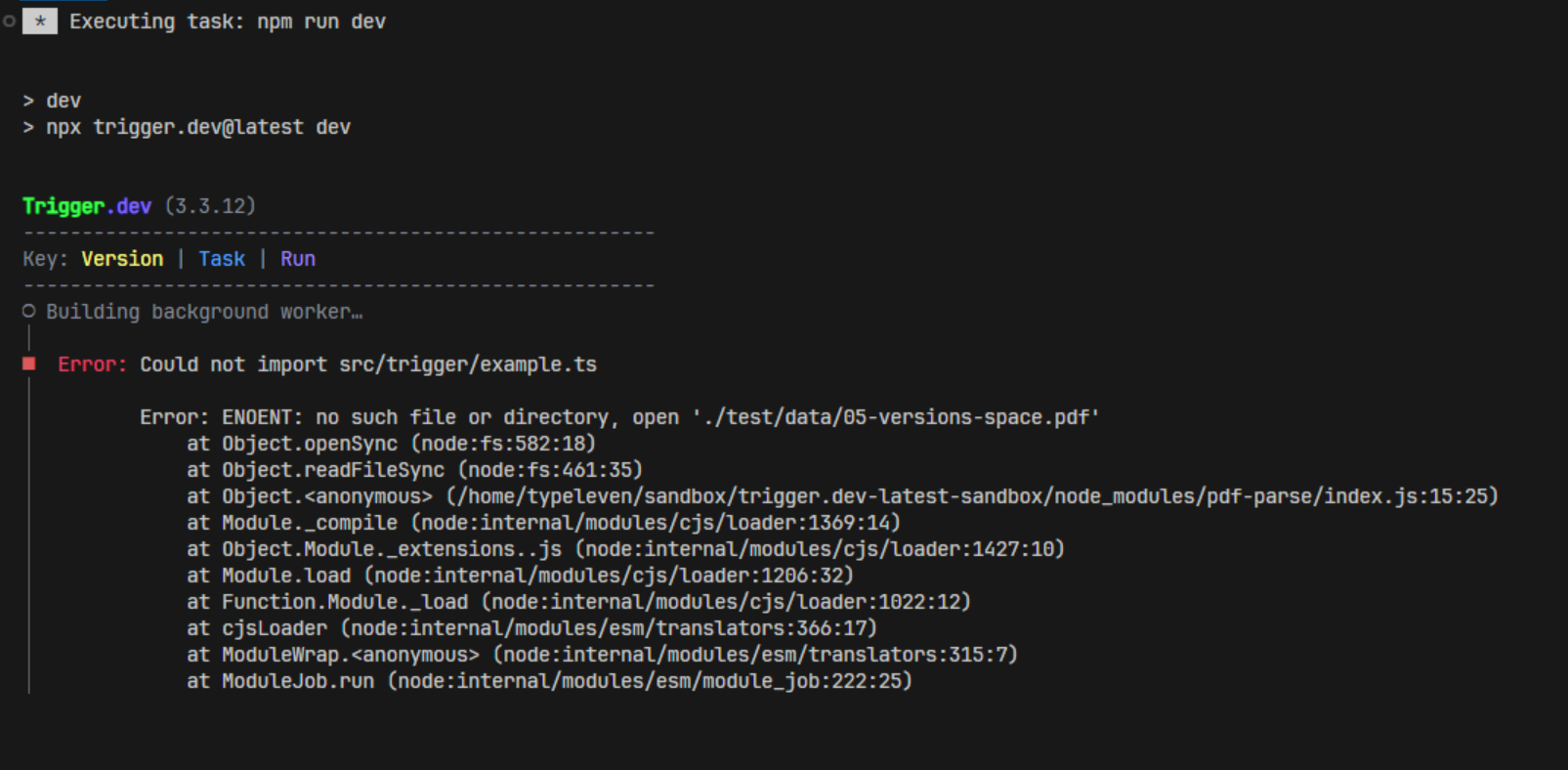 woeful pine
With pdf-parse in external it fails still? It’s a bit annoying that they have a test in their final build. A lot of people seem to have issues bundling this library in different frameworks.
sacred vessel
Correct adding it to the eternal list had no effect. I have it as "pdf-parse" is that correct?
woeful pine
Hmm yeah I wonder how other frameworks deal with this package.
AWS Lambda doesn’t like it either https://gitlab.com/autokent/pdf-parse/-/issues/24

GitLab
i am using the module in my aws lambda function which is in node js. const pdf = require('pdf-parse'); this is how i am importing it but getting...
Looks like people are patching it because this is clearly a bug with it. You could do this from that post:
“when i created test/data/05-versions-space.pdf in my project it resolved the issue”
sacred vessel
oh man. that is gross. but it fixed it 🙂 Thanks for your help! @woeful pine