1 messages · Page 1 of 1 (latest)
 charred heath
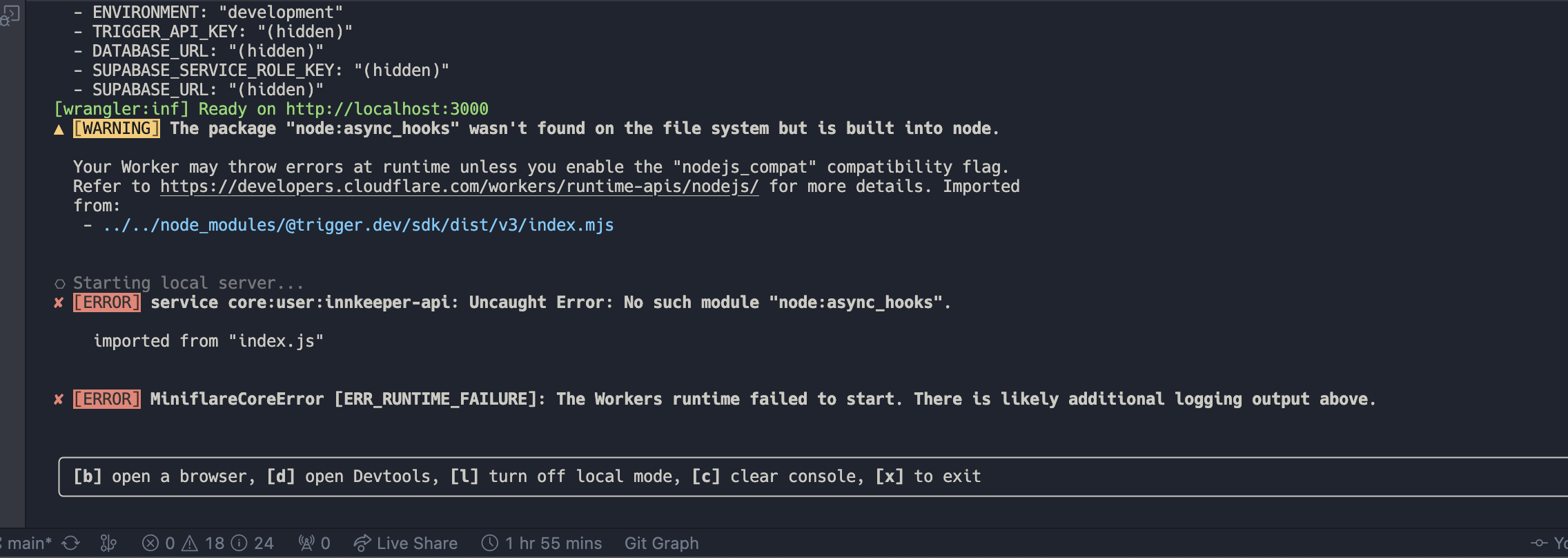
Trigger.dev v3 configure causing build error in Cloudflare. I get a Uncaught Error: No such module "node:async_hooks". error even while node_compat = true in my wrangler.toml file
 fleet tangle
Are you sure node compat mode is on properly? It's been a while since I've used Cloudflare but I thought that warning disappeared if compat mode was on
charred heath
Yep, I have this rn
node_compat = true
name = "api"
compatibility_date = "2024-07-12"

vars = { ENVIRONMENT = "development", TRIGGER_API_KEY = "", DATABASE_URL = "" }
Removing node_compat throws a bunch of some other errors
Maybe cloudflare just doesn't have a polyfill for "node:async_hooks
fleet tangle
They definitely do: https://developers.cloudflare.com/workers/runtime-apis/nodejs/asynclocalstorage/

To use Node.js APIs in your Worker, add the nodejs_compat compatibility flag to your wrangler.toml file.
Hmm interesting… they have this:
compatibility_flags = [ "nodejs_als" ]
That just enables the async hooks
Are you on a newish version of wrangler? What's your compatibility date?
I assume you can add that compat flag as well as the node one
charred heath
compatibility_date = "2024-07-12"
I just added the flag
It still show's a warning but I expect it to work now.
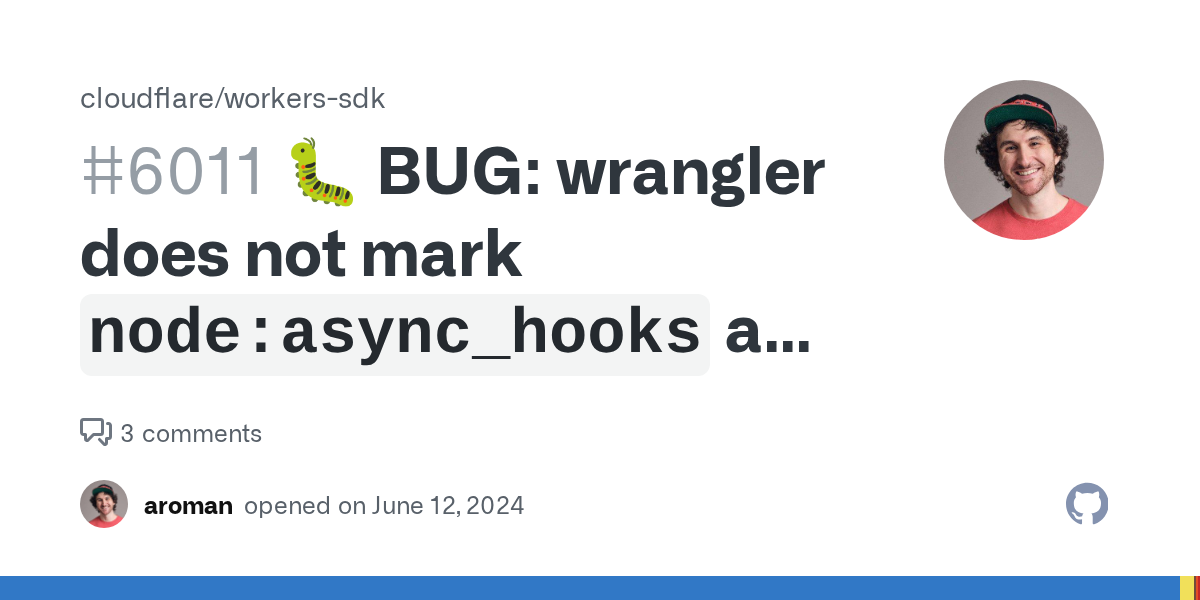
Which Cloudflare product(s) does this pertain to? Workers Runtime, Wrangler core What version(s) of the tool(s) are you using? 3.60.2 What version of Node are you using? 18 What operating system an...
fleet tangle
☝️ Ha that's exactly how I found out about this
charred heath
Thank you for all the help!
fleet tangle
No problem, I'm making notes of all these problems you hit because we need to create docs for so many of these things. Like a guide for Cloudflare
charred heath
Awesome!
I wonder how the configure works, If I can just call it in a middleware, and expect any trigger call to work
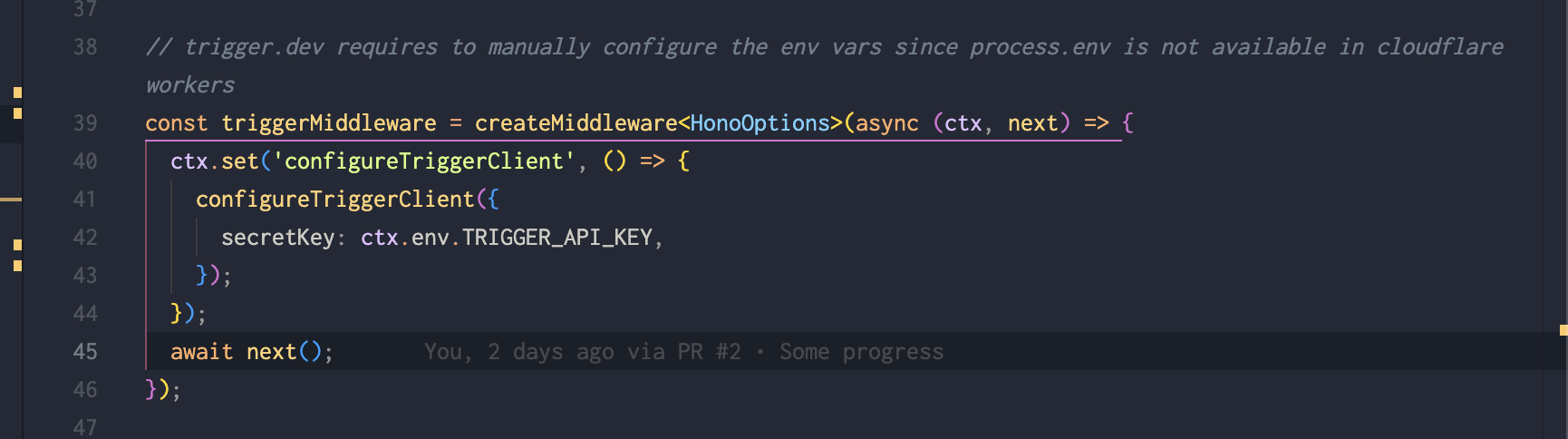
Like instead of this:
const triggerMiddleware = createMiddleware<HonoOptions>(async (ctx, next) => {
  ctx.set('configureTriggerClient', () => {
    configureTriggerClient({
      secretKey: ctx.env.TRIGGER_API_KEY,
    });
  });
  await next();
});
I can do:
const triggerMiddleware = createMiddleware<HonoOptions>(async (ctx, next) => {
    configureTriggerClient({
      secretKey: ctx.env.TRIGGER_API_KEY,
    });
  await next();
});
Actually only one way to find out.. 😁
fleet tangle
As long as that's called before any of the SDK calls then you'll be fine
charred heath
That's sweet
charred heath
@fleet tangle
You're most likely already aware of this. In Cloudflare, this method documented here works better https://trigger.dev/docs/v3/triggering#tasks-trigger:
import { tasks } from "@trigger.dev/sdk/v3";
import type { emailSequence } from "~/trigger/emails";

await tasks.trigger<typeof emailSequence>("email-sequence", {
    to: data.email,
    name: data.name,
 });
As the regular emailSequence.trigger({}) throws error of one of the tasks uses process.env and checks if the env is available, cloudflare throws process.env not found etc.
 fleet tangle
Yes we should make that clearer in the docs. It’s the same for Supabase edge functions and Deno too
 simple plover
That's actually a bug, all env var access through should work cross platform, but one might have slipped through
@charred heath can you send me the stacktrace?
charred heath
Sure! gimme a sec
charred heath
I think wrangler swallows most of the error, it just shows this.

createDb is used in the trigger package like this: const db = createDb(process.env.DB_URL);
And the content of createDb:
export const createDb = (databaseUrl?: string) => {
  if (!databaseUrl) {
    throw new Error('DB_URL is required');
  }
  const client = postgres(databaseUrl, { prepare: false });
  return drizzle(client, { schema })
};
I'm not sure if there is a way to enable debug mode for cloudflare wrangler

wrangler dev --log-level debug works
--- 2024-07-20T22:28:41.423Z debug
Failed to load .env file ".env": Error: ENOENT: no such file or directory, open '.env'
    at Object.openSync (node:fs:581:18)
    at Object.readFileSync (node:fs:457:35)
    at tryLoadDotEnv (/Users/yinks/Projects/innkeeper/node_modules/wrangler/wrangler-dist/cli.js:159217:72)
    at loadDotEnv (/Users/yinks/Projects/innkeeper/node_modules/wrangler/wrangler-dist/cli.js:159226:12)
    at /Users/yinks/Projects/innkeeper/node_modules/wrangler/wrangler-dist/cli.js:202152:20
    at /Users/yinks/Projects/innkeeper/node_modules/wrangler/wrangler-dist/cli.js:165885:16
    at maybeAsyncResult (/Users/yinks/Projects/innkeeper/node_modules/wrangler/wrangler-dist/cli.js:164106:44)
    at /Users/yinks/Projects/innkeeper/node_modules/wrangler/wrangler-dist/cli.js:165884:14
    at /Users/yinks/Projects/innkeeper/node_modules/wrangler/wrangler-dist/cli.js:164093:22
    at Array.reduce (<anonymous>) {
  errno: -2,
  code: 'ENOENT',
  syscall: 'open',
  path: '.env'
}
---