#measurements
1 messages · Page 1 of 1 (latest)
 gritty basalt
 fast coral
i was hoping someone else could find some use for it 😄
Since everybody here is always so open to share and help i thought i could contribute something as well
 white root
@upper otter Could this kind of stuff be added to the wiki somewhere?
 upper otter
something like this? https://community.bistudio.com/wiki/Arma_Reforger:Environment_Metrics
fast coral
thats helpful yeah
 errant lotus
how did you measure these? just wondering
fast coral
I made something like this https://imgur.com/jyvEP1V and imported it into workbench. Then i opened WE and placed it down, together with the doorsets. After that I aligned one side of the doorset with one edge of my cutout and roughly guessed how much i was off.
Then went back into blender and adjusted -> reimported -> aligned and so forth till I was satisfied with the overlap.
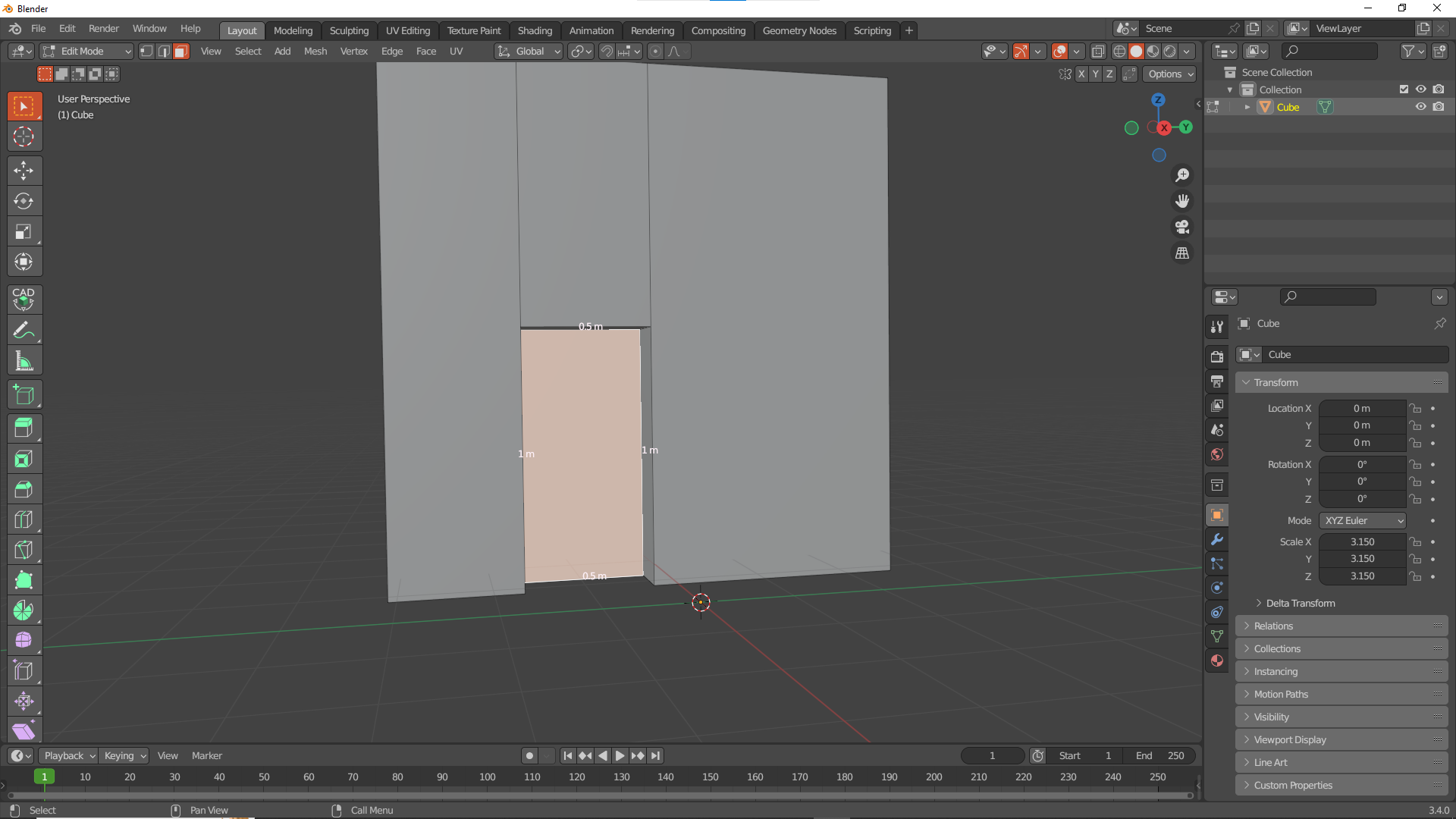
the easier way would probably have been to import the models into blender and measure there, but 1st I didnt (and still dont) know how to and 2nd arent sure if we are even allowed to do so
errant lotus
fast coral
the easier way would probably have been to import the models into blender and me...
yeah that isn’t neither allowed nor possible.
errant lotus
fast coral
I made something like this https://imgur.com/jyvEP1V and imported it into workbe...
ok, i thought you made a ruler (which is what i would have done so it wouldn’t require readjustments)
Good thinking nonetheless, plenty of work though
upper otter
one can use the measure tool in prefab edit mode
upper otter
see this
 errant lotus
how did i miss that…
upper otter
easily
btw, I added the "entity check" option, before that it would only allow to measure distance between terrain points 😎
 quiet token
or you could just find the doorframe in assets and go to runtime Details and it will give you the info on how big it is 
upper otter
ez measurements
