#arma3_gui
1 messages · Page 10 of 1
 quiet arrow
Well, I am currently rewriting the Dialogs page on the biki. Feel free to add what you think is missing https://community.bistudio.com/wiki/User:R3vo/Sandbox#Positioning
And yes, GUI system is a mess, but that's to be expected from a 15+ years old system. Maybe one day we get a xaml like gui system with virtual state manager, margins and grids etc. 😄
 placid osprey
oh god, a dream
 barren apex
For a 15+y system it works quite well for simple things, but when you want to do something a little bit more elaborated, don't 😄
placid osprey
Nah, it works. You just have to know ALL THE QUIRKS
quiet arrow
True, and there are many
barren apex
And I'm pretty sure that they are many more that we don't know about
placid osprey
@quiet arrow I meant more "practical" examples. idk, let's talk about that the next couple days or so.
I can tell you a few @barren apex 😂
quiet arrow
@placid osprey You can add as much code there as you like. Examples are welcome!
placid osprey
Aye 👍
quiet arrow
We could also create a github repository with plug and play examples. Anything is allowed!
barren apex
Maybe a Best Practice section could be nice too
quiet arrow
I just removed that 😄 Because sometimes, best practices are not best practices, other times they are.
But you are of course welcome to leave feedback about the page or make edits yourself 🙂
barren apex
I don't have a biki account so cannot really make edits but I'll make sure to leave a feedback when I have some ideas 😃
quiet arrow
Fair enough. Post anything that comes to your mind in #community_wiki
barren apex
will do 👍
 quasi granite
What does the delete operation do in ui configs? eg a3\ui_f\config.cpp: ```cpp
class RscDisplayHintC
{
idd=57;
class controls
{
delete Hint;
delete continue;
class Background: RscText
{
...
};
...
};
};
 tranquil iron
Delete deletes a entry/class from the config previously defined elsewhere. And not only in UI configs
It's modifying a config from requiredAddons
 sharp flax
Hello everyone, simple question but I am a bit of a newbie:
I am moving a script to a mod format (pbo) and I was wondering:
where do the defines.hpp and dialogs.hpp entries go? In a mission they go in the description.ext... in a mod.. do they go to the config.cpp? I can I just run the
#include "defines.hpp"
#include "dialogs.hpp"
that I had in description.ext .. inside a config.cpp?
Obviously paths etc. have to be checked but that's a $PBOPREFIX$ etc etc. no worries that's not the context of my question.
sharp flax
Hi @sharp flax, yes you can put those two lines straight into the config.cpp (after your CfgFunctions or an include for that if you have it, as well) and they will work, just as they would in the description.ext (in case of a mission, which I seem to understand is where you started scripting this mod).
quasi granite
Aren't you the same person?
tranquil iron
Actually putting mission defines into your mod config could cause problems, if they contain full definition for some base UI classes, you'll overwrite the ones already present in config. Not a big problem if your defines are up to date, but they might get outdated and then break stuff someday
quasi granite
So how do you change the text color of a RscButtonMenu? I tried via cpp colorText[] = {0,0,0,1}; and via attributes class: ```cpp
class Attributes
{
font = "PuristaLight";
color = "#000000";
align = "center";
shadow = "false";
};
A working way is to add an onLoad to the button: ```cpp
onLoad = "(_this#0) ctrlSetTextColor [0,0,0,1];";
``` but it is kind of stupid.colorText[] = {1,0,1,1};
This one works for me
quasi granite
class Btn_upgrade: RscButtonMenu
{
    idc = 103;
    text = "-> UPGRADE";
    colorBackground[] = {0,0,0,0};
    colorText[] = {1,0,1,1};
    // Stupid, but it works:
    //onLoad = "(_this#0) ctrlSetTextColor [0,0,0,1];";
    x = X_DISPLAY + (0.5 * W_DISPLAY + 0.5) * GUI_GRID_W;
    y = Y_DISPLAY + (H_DISPLAY - 4) * GUI_GRID_H;
    w = W_PAGE * GUI_GRID_W;
    class Attributes
    {
        font = "PuristaLight";
        shadow = "false";
        color = "#E5E5E5";
        align = "center";
    };
};
``` Not for me 🤔And if you remove
    class Attributes
    {
        font = "PuristaLight";
        shadow = "false";
        color = "#E5E5E5";
        align = "center";
    };
?
quasi granite
no color change
when chaning the base class to RscButton it does work but that is expected. I'd rather not use RscButton though
barren apex
Ohh, that's why. I did my tests on the normal RscButton 😕 I never used ButtonMenu so I don't know much about 'em
quasi granite
RscButtonMenu is basically the cooler RscButton
Default button in A3 is RscButtonMenu
barren apex
Yeah just read the wiki, that's kinde of cool indeed 🙂
sharp flax
Actually putting mission defines into your mod config could cause problems, if they contain full definition for some base UI classes, you'll overwrite the ones already present in config. Not a big problem if your defines are up to date, but they might get outdated and then break stuff someday
@tranquil iron Thanks I tried it yesterday and they seemed pretty up to date but I would rather drop that define and define the specific styles (if necessary) in my dialog file. I came here now to inquire about it and found basically you had already given me the answer. Can't thank you enough 🙏
@tranquil iron I end up defining the "style" like font and shadow in each class of the dialogs.hpp, something like:
class VTO_uvd_UI_Frame: RscFrame
{
    idc = 1800;

    x = 2 * GUI_GRID_W + GUI_GRID_X;
    y = 2 * GUI_GRID_H + GUI_GRID_Y;
    w = 37 * GUI_GRID_W;
    h = 22 * GUI_GRID_H;
    class Attributes { font = "PuristaLight"; shadow = 0 };
};```

I don't know if there is a simpler or more effective way to do it, this obviously works but .. who knows if there is something like CSS for it without touching the defines.hpp

Anyway, so far so goodAh hold on, I said "eureka" too early...
Would you recommend creating different classes, for example instead of the RscText
For example creating a clone of it and naming it REEZO_RscText so it will not go and override base classes? That could work in my head but better ask for confirmation first 🙂
tranquil iron
in mod configs you should inherit existing classes
not overwrite, nor create a copy
 plain olive
Hi guys, my dialog works just fine with a background. Now I've wanted to add a RscListNBox and the background just disappears. Is this a known bug or is it a problem caused by my dialog?
plain olive
Fixed it by moving the dynamically created control into my .hpp file. Still don't know why it does that
placid osprey
Arma.
sharp flax
Inheriting class meaning:
AWESOME_RscText: RscText
?
tranquil iron
yes
 edgy nymph
Can I inherit addon's class in Description.ext?
class IGUIBack;
class RscCounter {
  idd = -1;
  class Controls {
    class Background: IGUIBack {
      // ...
Code above doesn't works
barren apex
No, you can't, not like that atleast
sharp flax
How do I access a specific control in a dialog, from a script? E.g. a button has IDC = 1702 and I want to change its color.
I tried
_example = (findDisplay 46) displayCtrl 1702;
but I get a "No Control" when outputting _example.
Thanks!
sharp flax
Thanks @quiet arrow .. mh I do add the eventHandler as such
(findDisplay 46) displayAddEventHandler....
So I think it's 46?
My parent dialog has IDD = -1, I wonder if that's the problem
uh, apparently, if I run
ctrlParent _control; // #1599
I get 1599 now. YAY
Having an IDD = -1 in the dialog was definitely the thing.
 north tangle
damn i cant place my picture here ...i will try and explain tho.... so i have my dialog set up with 2 buttons, whenever i press on each they spawn a different vehicle ...is it possible to add a confirm button that will determine the button i click on and spawn the correct vehicle ???
 agile sinew
upload to imgur and put the link
north tangle
quiet arrow
@north tangle Why are you not using a listbox or combo box to let the player select the vehicle he wants and then spawn it by pressing confirm?
 mental trench
Anybody willing to give me a hand with something! Simple to the likes of you
mental trench
I’m trying to isolate the notification system from a specific car radio system
And convert it to a function to use to broadcast admin msgs server wide
See the little pop up that is shown when the song is switched
This is the system where I am trying to isolate the notification system from
@ruby swallow
north tangle
@quiet arrow ok i will try but i really knw how to work with list boxes tbh...thanks
quiet arrow
@north tangle They are pretty simple to work with and very powerful. Check https://community.bistudio.com/wiki/List_Box for a few scripting examples
 ruby swallow
anybody having some "definitive guide" to how sizeEx works?
aka: how to get eg. MS Word font sizes into Arma sizeEx
ruby swallow
think i solved it
🥳
UI-Scale factors
Value Value / 1920 Value / 1080
Very Small: 2.12677 902.77745125236861531806448276024 507.81231632945734611641127155264
Small: 1.81818 1056.0010560010560010560010560011 594.00059400059400059400059400059
Normal: 1.42857 1344.0013440013440013440013440013 756.00075600075600075600075600076
Large: 1.17647 1632.000816000408 918.00045900022950011475005737503
Very Large: 1 1920 1080
knowing theese, i get the following "base coef" for pixel to sizeEx
1.7678589107160535731964303392875
the calculation now is:
value = LayoutSizeTable(Value);
base = 1.7678589107160535731964303392875;
resolution = displayHeight;
sizeEx = ((value * base) / resolution) * <desired size in pixels>;```thanks to that btw. https://www.youtube.com/watch?v=FKZ5CHxRSt4 i am now able to use that in arma.studio 🥳
quiet arrow
Looks awsome👍
sharp flax
Hello everyone, I am having some issues with dialogs/UIs between users that have widescreen resolutions and those who have ultrawide.. is there a way to design Arma 3 UIs/dialogs in a way that looks identical for both?
 idle radish
very difficult stuff that if I recall right.
sharp flax
I am this close to give up attempting to match 100% the dialog to ultrawide people but I wanted to know if I was just not skilled enough or lacking some basic knowledge on the matter.
given my limited skills I blamed my lack of skill to the fact that my dialogs were not 100% right in both ultrawide and widescreen
quiet arrow
It needs to look identical? Then you need to use pixelH and pixelW, without pixelGrid or pixelGridNoUiScale. However, that can cause issues with high res panels.
@sharp flax you can use finddisplay 313 createdisplay "RscTestGrids";in Eden Editor to check how the grids behave on different resolutions and aspect ratios and then decide which grid you wanna use.
tranquil iron
does opening testgrids still throw errors in rpt?
quiet arrow
Dunno, I'd need to check
tranquil iron
I'll need to check anyway
tranquil iron
there was something wrong with testgrids, don't exactly remember, maybe it was only in specific environment
quiet arrow
createDialog "RscTestControlStyles";throws errors as well
Yes, testGrids crashed for me sometimes
But I can't remember when
quiet arrow
Nice
north tangle
@quiet arrow i do have one thats working ...lol i was just trying to find a easier way but its fine tho ...do u knw how to add vehicle class to it ???
quiet arrow
@north tangle To the listbox? with lbAdd and lbSetData
north tangle
I don't think list box is gonna work with what im trying to achieve but thanks for u help again tho...
quiet arrow
Well you wanted to create UI where a user can select a vehicle and then spawn it by pressing a button.
north tangle
@quiet arrow https://imgur.com/QVBxyEU
quiet arrow
So how does the listbox now work for that?
north tangle
@quiet arrow r3vo i found something better i will show it to u soon 🤞
sharp flax
@quiet arrow thanks a million for this!!
edgy nymph
Can I use drawLine on custom control (no map)?
quiet arrow
I don't think so
 grizzled current
I can't get text to show up on a button created via the GUI editor. 🤔
Opening the dialog via addAction; The function called to open it is:
disableSerialization;
createDialog "KOTI_TechTreeSelect";
waitUntil { !isNULL (findDisplay 1991); };

_disp = (findDisplay 1991);
_ctrl = _disp displayCtrl 1000; // Weapon Tree Button
The dialogs.hpp is here:
https://pastebin.com/55medbcm
The buttons all show up, but the text doesn't. What am I missing?
I did the ctrl+p thing with defines.hpp as well. And yes, they're both included in description.ext.
quiet arrow
@grizzled current GUI_GRID_H is not defined
grizzled current
🤔 shouldn't that be in the ctrl+p output? smh.
What do I define it as?
or does it just need to exist
quiet arrow
What is the value of sizeEx in the config viewer?
grizzled current
not seeing that? Never got into that viewer tbh
quiet arrow
Open the Config Viewer and search for KOTI_TechTreeSelect -> controls
grizzled current
That doesn't show up in config viewer 🤔 sorry if I'm just dumb lol, literally the first time using the config viewer & doing gui
wait, sizeEx = "1.5 * GUI_GRID_H";
quiet arrow
That's from the config viewer?
grizzled current
yeah
grizzled current
sure one sec
like I said, I literally just did ctrl+p & paste
this is what shows up:
https://steamuserimages-a.akamaihd.net/ugc/790884041222147986/60517AFBAC9196F0AE7FFF15D3B17D4E18E24CF3/
The button on the bottom is a close button and seems to work fine aside from being textless lol
quiet arrow
Press CTRL + SHIFT + P
you just included the base classes and base defines
#define GUI_GRID_Y    (0)
#define GUI_GRID_W    (0.025)
#define GUI_GRID_H    (0.04)
#define GUI_GRID_WAbs    (1)
#define GUI_GRID_HAbs    (1)
That did it, thanks r3vo. Dunno why that wouldn't be included honestly lol
Do I have to do a defines.hpp for every gui I make, or if I have multiple does one cover it? (i.e. there are multiple guis in one mission/addon)
quiet arrow
If the defines are identical you can use some for all GUIs
Also check out https://community.bistudio.com/wiki/Dialog_Control
quasi granite
@quiet arrow Just updated it eh?
quiet arrow
Yes
quasi granite
👍
grizzled current
yeahyeahyeah RTFM I get it 😆 Thanks for the help
 mint agate
hey, does any1 know how to color a button using SQF? It's not working with ctrlSetBackgroundColor
quiet arrow
@mint agate Read the note https://community.bistudio.com/wiki/ctrlSetBackgroundColor
Seems to not work
mint agate
okay thank you 😁
agile sinew
possible to use inheritance with ctrlGroup - aka make a subclass, modify, add and hide stuff from the original class?
ruby swallow
Nö problem, been there
agile sinew
how to disable a control in a ctrlGroup - delete class? or can you use controls[]? or do you have to disable them/move off visible area?
barren apex
ctrlEnable + ctrlHide/Fade/whatever doesn't work?
agile sinew
well would have been nice to be able to do so on the config level
agile sinew
is it possible to make a subclass from BI menus and create them from main menu via createDialog?
tranquil iron
yes, I don't see any reason why not.
actually. createDialog might not work for some engine side dialogs, that need special initialization
agile sinew
i see. i suppose the idc (from the given idd context) decides what the engine is loading
and if you do it directly via createDialog, it will lack all the native engine functionality
tranquil iron
Not sure if createDialog will also trigger the engine side, it might actually never tried it
quasi granite
I have been working on the inventory and the main menu for the past few days and nearly all of it is handled by the engine. You can createDialog (or createDisplay) "RscDisplayInventory" to get the gui but with no functionality. There is even a dedicated command: createGearDialog for that.
ruby swallow
anyone here able to give me more details about sliders?
https://community.bistudio.com/wiki/DialogControls-Sliders
to be more specific: arrowEmpty/Full property
especially important, need to know about the whats for both scenarios:
- Horizontal
- Vertical
for the reasons why: Need it to embed it into Arma.Studio's UI-Editor (cannot start creating eg. ListBox without it)
quiet arrow
@ruby swallow I updated the description https://community.bistudio.com/wiki/DialogControls-Sliders#CT_XSLIDER.3D43_or_Embedded_Scrollbar_Class
 ruby kraken
How do I know which option is selected from a listbox?
I tried
categoryfield = (findDisplay 1234) displayCtrl 1501;

categoryfield ctrlAddEventHandler ["LBSelChanged", {hint str _this}];
in my player's init field, but nothing is happening..
tranquil iron
in my player's init field
that will only work if the list box is currently open, which its mooost likely not.
Add the EH in your onLoad eventhandler on your ui
 young grotto
ruby kraken
young grotto
ruby kraken
so you mean
{
    idd= 1234;
    onLBSelChanged = "systemChat str _this";
    class controls
...
? @tranquil iron
ruby kraken
also, congratulations!
tranquil iron
class guiTest {
onLoad = "call my_onload_function"
and inside that, you then get the display, check out onLoad handler on wiki
and on that display you can then do displayCtrl, and add the handler
ruby kraken
just to test(and cause I can't call my sqf) I did
idd= 1234;
msg = "test";
onLoad = "systemChat msg";
class controls
...
but that doesn't do anything either. I'm probably missing something stupid 😅
ruby kraken
msg is undefined
@tranquil iron even though it's right there..?
tranquil iron
thats not how variables work
ruby kraken
aha..
tranquil iron
the first msg is not even a variable
barren apex
but you're editing a config file, not a script file. Here msg is an attribute.
also
and cause I can't call my sqf
Yes you can, everything between these " is sqf in fact so as long as your function are defined with cfgfunctions you can call them (and you can even call "raw" sqf withcall {...}although I wouldn't recommend it).
ruby kraken
why do you recommend against calling it "raw"?
it sounds kinda good since cfgfunctions honestly seems a bit overkill for an eventhandler
@barren apex
barren apex
Depends on what you want to put inside, if it's just a systemChat it's fine, but it's just best practice to call a function and is not overkill, I much prefere a well organized project with small files for each EH than one where you have some EH inline and other in files
ruby kraken
I ended up putting the handlers in a regular sqf file, hope that works. thanks for the help!
 astral narwhal
im working on a gui and im getting frustrated with opening the existing gui back up using ctrl+i. i have to change the Position Type of all my controls back to safeZone each time. is there a way around this?
quiet arrow
Seems to be a bug.
Only way around it is to export it in editor format and import it that way
 main wolf
For a mod I'm working on (which is more a proof-of-concept) I'm looking for a way to create a drag&drop grid system, similar to the inventory system in DayZ:SA, where items with a specific size (eg. 2x3) can be dragged into a grid (eg. 5x5) and drop in place while taking the space required.
As far as I know does Arma 3 not have this functionality (except for single cells like the current inventory system in A3).
Is there someone who has tried/managed a functionality like this before, or does someone know how this is done in DayZ:SA (and is willing to share his/her knowledge)?
idle radish
dayZ SA its lots of internal changes on how it works
main wolf
Technically I should be able to script it, since D&D already exist in the inventory system. But if someone already has something similar working, or tried and failed due to engine limitations, than I don't have to spend too much time figuring everything out 😉
idle radish
cant remember anyone mentioning such at least
main wolf
Me neither (forums, wiki, reddit, etc. have nothing), so I hope that someone on this Discord has more info.
In the meantime I will try to figure it out myself, and when it works release the code to the community.
quiet arrow
D&D also exists for listboxes and listnBoxes
But I have not idea how to create a proper grid with listboxes 😄
main wolf
The inventory items (weapons, attachments and stuff like watch, map, etc.) are RscActiveText with canDrag = 1 set. So my initial idea is to simply make a grid out of those, and then use a listbox next to it to select the item to place in/out of it.
quiet arrow
That canDrag property is new to me in combination with ActiveText. Let me know if that works so I can add it to the biki
Nevermind
main wolf
well, it works for Arma itself ;)
// \a3\ui_f\config.cpp (line: 21191)
class CA_Gear_slot_primary: RscActiveText
{
  idc = 107;
  x = "0.502 - 0.502";
  y = "0.244 - 0.09";
  w = 0.286;
  h = 0.15;
  style = "0x30 + 0x800";
  soundDoubleClick[] = {"",0.1,1};
  color[] = {1,1,1,1};
  colorBackground[] = {1,1,1,1.0};
  colorBackgroundSelected[] = {1,1,1,1.0};
  colorFocused[] = {0.0,0.0,0.0,0};
  canDrag = 1;
};
 wicked talon
Running into a bit of an issue here, similar to what @ruby kraken encountered
Trying to add a onLBSelChanged eventhandler, though it is returning -1
Here is the function:
Notable parts:
_params params ["_ctrlGrp", "_class"];

[
    _ctrlGrp controlsGroupCtrl 101,
    _ctrlGrp controlsGroupCtrl 102,
    _ctrlGrp controlsGroupCtrl 103,
    _ctrlGrp controlsGroupCtrl 104
] params ["_cbEnabled", "_lbCategory", "_lbFaction", "_lbRoles"];
_lbCategory ctrlAddEventHandler  ["onLBSelChanged", {
  disableSerialization;
  params ["_ctrl", "_selectedIndex"];
  TRACE_2("lbCategory changed", _ctrl, _selectedIndex);
  private _lbFactions = (ctrlParentControlsGroup _ctrl) controlsGroupCtrl 103;
  [_lbFactions, _ctrl lbData _selectedIndex] call FUNC(loadFactions);
}];
This is executed onLoad
wicked talon
Wasn't that only the case for ctrlSetEventhandler?
quasi granite
Nope
When using the event names listed below with the ctrlAddEventHandler, ctrlSetEventHandler, displayAddEventHandler or displaySetEventHandler commands, the prefix "on" in the name must be removed (e.g. 'ButtonDown' instead of 'onButtonDown').
https://community.bistudio.com/wiki/User_Interface_Event_Handlers
wicked talon
Yep, that did it.
Should probably add a note to the ctrlAddEventHandler page, there is one already on ctrlSetEventHandler.
 meager topaz
mentioned in #community_wiki to be addressed, possibly.
quiet arrow
@wicked talon Note has been added to all relevant command pages https://community.bistudio.com/wiki/ctrlAddEventHandler
wicked talon
When it comes to 3DEN attributes, in what order are they loaded? If I have config like
class attr1 {};
class attr2 {};
class attr3 {};
Is attr1 going to load first always?
quiet arrow
What do you mean by loaded?
wicked talon
attributeLoad being run
Alternatively being present and accessible with ctrl commands
wicked talon
attr3 is an invisible attribute that will handle attr1 and attr2, setting available values
and also attribute saving
quiet arrow
Sounds more like you need a custom attribute control
wicked talon
Yeah that was the initial plan
Though it gets wonky when you are changing the attribute over multiple units
quiet arrow
Yeah, noticed that as well.
In your case, maybe spawning attr3 onLoad code and delay it a bit?
wicked talon
I was hoping to avoid using spawn, though I'll simply throw some systemChat "test1" in there and check the order it executes
quiet arrow
Sure, maybe it's not random
wicked talon
After testing it appears to go from top to bottom
Now for another question, is there any way to identify loaded attributes?
I'd like to avoid creating new controls simply containing
class attr1 : combo {
  onLoad = "my_var = _this";
};
for each of the attributes, and just use Combo directly.
placid osprey
Can somebody enlighten me?
//does work:
_text = parseText "abc";
_ctrl ctrlSetStructuredText _text;

//does NOT work:
_text = "abc";
_ctrl ctrlSetStructuredText (parseText _text);
//or even just for the sake of testing everything:
_ctrl ctrlSetStructuredText parseText _text;
i had the ultra jibbles last time i tried to use structured text
in the end I just chose not to, too annoying, no idea what was wrong
barren apex
Both snippets work fine for me
placid osprey
Something is odd, but it seems if you create a derivate of the MainClass one of the settings bork it up.
Currently trying to figure out, wich one it is.
Yeah @barren apex , forgot to mention that i created a new Child Class
quasi granite
Wanna share?
placid osprey
It's the same as Vanilla, just set Font etc. to a standardValue
quasi granite
Inheriting subclasses only works if you redeclare all attributes in that subclass again
class MyMain
{
  attribute = 0;
  class subClass
  {
    value1 = 1;
    value2 = 2;
  };
};
class MyInherit: MyClass
{
  attribute = 1;
  // OK
};
class MyInherit2: MyClass
{
  class subClass
  {
    value1 = 1;
    value2 = 3;
  };
};
\a3\ui_f\data\map\markers\flags ? @agile sinew
agile sinew
ty. a decent base set
placid osprey
Arma is weird again...
disableOverflow = true;
columns[] = {0.1, 0.1, 0.1};
In a RscListNBox, having multiple columns at the same position (0.1 in this case, doesn't matter where it is), seems to trigger, that the 1st entry is beeing displayed as a tooltip (tested with lnbSetText only).
having a small distance doesn't seem to trigger it.
columns[] = {0.08, 0.09, 0.1};
Strange Arma.
quiet arrow
Weird, as soon as the content is cut off and disableOverflow is enabled it should move it into a tooltip
quiet arrow
it is
But the small distances should also trigger that behaviour given that the content is cut off.
placid osprey
It depends.
But that it shows of as tooltip was news to me. Never every noticed/seen that before.
quasi granite
didnt know that either. But does it overwrite the tooltips set by https://community.bistudio.com/wiki/lnbSetTooltip ?
quiet arrow
Probably not
quasi granite
the inventory is handled by the engine
 vernal quest
ah, ok
 fleet herald
Anyone able to help with the following:
Attempting to link a GUI button up so it will link you to an external website, in my case being a support google form to report bug issues. I have just used that arma 3 website as an example of a website for the moment until I actually make a google thingo. Here is the GUI button code, though have no idea what I am missing here:
(As a side note, I am unsure how to bind HTML to a GUI. If this is entirely wrong and is not possible with the hyperlink function, is there an alternative way to link someone to a website via a GUI?Thanks.)
        class supportTicketButton: RscButton
        {
            idc = 1604;
            action = href="https://arma3.com";

            text = "Submit a Support Ticket Here"; //--- ToDo: Localize;
            x = 0.426735 * safezoneW + safezoneX;
            y = 0.363994 * safezoneH + safezoneY;
            w = 0.256426 * safezoneW;
            h = 0.0680031 * safezoneH;
            colorText[] = {0,0,1,1};
};```https://community.bistudio.com/wiki/DialogControls-Buttons
The CT_BUTTON supports the url attribute, so
url = "http://arma3.com";
``` should work. Otherwise RscButtonMenu does support structured text which in turn supports links:
```cpp
class SupportTicketButton: RscButtonMenu
{
  text = "<a href=""http://arma3.com"">Arma 3</a>";
// ...
};
Ahh, ok. That's how you do that. Was looking for ages. Thanks @quasi granite I'll give it a shot.
agile sinew
is there a button type to support structured text?
quasi granite
RscButtonMenu does support structured text
if I remember correctly u can use ctrlSetStrucuturedText parseText on it
@agile sinew
agile sinew
thanks 🙂
quiet arrow
ActiveText works as well IIRC @agile sinew
agile sinew
is ActiveText a button type?
quiet arrow
yes, type 11
 hasty phoenix
anyone know a fix for creating an rscEdit using ctrlCreate cause my game crashes every time and it looks like someone even created a report https://feedback.bistudio.com/T136596
there are no script errors or logs that appear
main wolf
uhm... in your ticket you have findDisplay 46 ctrlCreate ["ctrlEdit", -1];, shouldn't that be findDisplay 46 ctrlCreate ["RscEdit", -1]; instead?
hasty phoenix
its not my report but no, it could be a custom class that was defined
agile sinew
is there a way to make RscButtonMenu not multiline?
agile sinew
can one get controls of cutRsc? i am trying to add ctrlAddEventHandler to a MiniMap control for Draw EH
 burnt token
If it's BI one and uses their display init function you can get it from UI namespace.
eg.
private _counterDisplay = uiNamespace getVariable ["RscRespawnCounter", displayNull];
agile sinew
ty
 silk spindle
What is the most effective way to get the current selected value of a combobox when pressing a button?
Because I get a -1 right now when I use a lbcursel on the control when I press a button to get the selected value
quiet arrow
lbCurSel is the most effective way
 south cave
Hey guys, do you know if there is a way to disable copy/paste in a RscEdit ?
 ocean hazel
Like you can select but can't copy?
There is some way to disable the editing capability as I know (so you can't write/delete characters), but why select it if you can't copy it? 🤔
ruby swallow
https://community.bistudio.com/wiki/CT_EDIT
capabilities of a CT_EDIT
in regards to copy and paste, https://community.bistudio.com/wiki/User_Interface_Event_Handlers#onKeyDown
mint agate
Hey i try to get the dragging of an activeText to work, i created a inherited class with canDrag = 1 attribute but it doesn't seem to work. I can't drag the element...Is there anything i've missed?
main wolf
afaik does candrag only allow you to drag an element which is inside it, not the element itself
eg. the inventory list has canDrag = 1 and allows you to drag the items to your own inventory or gear slots
 vital mantle
is this the place where you ask help for custom background scene on the main menu or is that in mission makers?
vernal quest
is possible to disable canDrag with script?
quasi granite
@vital mantle https://community.bistudio.com/wiki/Arma_3_Main_Menu
vital mantle
@quasi granite i have followed the guide but my scene doesnt show
quiet arrow
Post your config @vital mantle
vital mantle
@quiet arrow
//initIntro.sqf

[
    //--- Spec-Ops Briefing area
    {
        ["InitDummy",["Altis",[10906.5,12117.3,1.86901],320.376,0.75,[-19.7727,0],1.75474,0,1120.02,0,1,1,0,1]] call bis_fnc_camera;
        setviewdistance 600;
    }
] call BIS_fnc_initWorldScene;
config.cpp under myaddon
class cfgPatches
{
    class TaskForce461_mainMenu
    {
        addoonRootClass = "TaskForce461";
        RequiredAddons[]=
        {
            "A3_Map_Altis",
            "TaskForce461"
        };
        RequiredVersion=0.1;
        units[]={};
        Weapons[]={};
    };
};

class CfgWorlds
{
    // Class of your terrain
    class CAWorlds;
    class Altis : CAWorlds
    {
        cutscenes[] = {"TF461ReadyToGo_scene"}; // Class names of used scenes. When more than one is present, the system will pick one randomly.
    };
};
class CfgMissions
{
    class Cutscenes
    {
        class TF461ReadyToGo_scene // Class referenced in 'cutscenes' property in CfgWorlds
        {
            directory = "Task_Force_461_Clan_mod_ArmA3\main_menu\TF461mainMenu.Altis"; // Path to scenario with the scene
        };
    };
};```@main wolf So do you mean i need to place the activeTexts inside a container which has the attribute canDrag = 1?
 bronze epoch
but I think there are event handlers for inventory
maybe you could use that, but outside the GUI
 sonic zenith
hi, anyone can link me a good guide to learn dialogs?
agile sinew
possible to draw a graph in a display, or would you need an image from external as source?
wicked talon
Should be possible, but might need to use dots/boxes as you can't draw curves as far as I know.
agile sinew
so basically make each graph element its own control?
quasi granite
@agile sinew https://forums.bohemia.net/forums/topic/204157-display-graph-in-dialog/ this is a discussion from almost 2 years back and what I ended up doing is using progressbars. theoretically there is the RscLine control class with which you can draw a line from one point to another. Btw the dialog example could have been done better but that was done with my limited knowledge at the time ^^
agile sinew
thanks Terra!
quiet arrow
@agile sinew You can ask @distant axle He added a graph to his map tools mod
 distant axle
You can open the config.bin, that's just made from spamming configs
Somehow RscLines don't show itself correctly, or something if w = 0 or h = 0, so I put 100 RscBackgrounds and 100 RscLines to draw the graph
No idea how Bohemians did for the Spectrum Device. I took this way to draw graph
quiet arrow
Actually a good question how they did that graph
Is that graph available in the base game or contact only?
sonic zenith
question: i see a lot of tutorials to learn dialogs dated 2014 / 2015. are this tutorial fine or should i find something more up to date? also someone can link me some well made tutorials?
agile sinew
fine
burnt token
@agile sinew https://gist.github.com/commy2/3160644337218da1313e6601152bf5cb graph drawing on a map CTRL
sonic zenith
k thx @agile sinew
agile sinew
this is a good start if you have some technical/IT background. if not, start with simple YT tutorials
sonic zenith
hey.. im stuck to learn dialogs and i can't understand some things..
what are the following controls used for??
RscButtonMenu, RscControlsGroup, RscFrame, RscShortcutButton, RscShortcutButtonMain, RscStructuredText?
also, i saw using RscText to make the background of a dialog (just leaving empty text and changing background color). Is it the right way?
quiet arrow
@sonic zenith These controls you listed there are actually variations of the base control types. RscShortcutButton, RscShortcutButtonMain and RscButtonMenu are most likely all the same control type, just with different visuals, which get changed through config.
https://community.bistudio.com/wiki/Arma:_GUI_Configuration#Control_Types These are the actual control types.
If you want a simple background use CT_STATIC
RscButtonMenu, RscShortcutButton, RscShortcutButtonMain -> Buttons which support formatted text and a texture
RscStructuredText -> A text control which supports formatted (structured text)
RscControlsGroup -> A container for multiple controls, can be used to have scrollbars etc
RscFrame -> What the name says, it creates a frame which can be used to enhance the design of your GUI
 idle pecan
Hello, is there a particular reason for colors to be less shiny in GUI ?
https://gyazo.com/df36071c1b568bb01feaebaad53d5819
the frame on this image should be white
instead, its a gray
ruby swallow
compared to what less shiny?
idle pecan
Than real white
burnt token
Maybe it has some transparency?
ruby swallow
Is it an Image?
If yes, it is not Power of two
Alternativly some mod might alter color shading
distant axle
Is there any way to detect if a search is performed on a TreeView?
 weary imp
too vague
distant axle
Like, a search will start when I put some characters to an edit with correct idc that defined in a TreeView, and it takes few milliseconds. How do I know when it's done?
distant axle
Basically yes I think misread something...
 cerulean portal
Hi, im looking to create a sort of level bar that will be a visual representation of a variable that will be updated throughout the mission, and im just curious on what the steps to create such a gui may be (ive created simple GUI's before, but nothing that updates as the mission goes on)just wondering if i could get some guidance on this?
ocean hazel
level bar?
cerulean portal
like an XP bar
quasi granite
@cerulean portal https://community.bistudio.com/wiki/DialogControls-ProgressBar should work
 dusty orchid
if I use a TreeView in a multiselectEnabled mode, which script command I should use to get the whole selected items?
There is a tvCurSel, but as per docs it returns only single result.
quasi granite
@dusty orchid so far no commands for that. there has been a discussion going on about it the last 2 weeks or so.
 smoky hatch
What would be the best way to prevent my dialog from stretching on ultrawide monitors?
Makes it look like trash
ocean hazel
By using 'absolute' units for size and position I believe. Never worked with ultrawide monitors. How does it look like?
smoky hatch
it pretty much just increased the safezone width which caused everything to just get wider. It was on my friends computer and i saw it on screenshare
Its shaped like a rectangle and it nearly became a square
quasi granite
@smoky hatch Use either GUI_GRID or UI_GRID
 arctic pumice
So I added a RscPicture and made the background color [0,0,0,1] then clicked OK, but the background in the GUI editor keeps fading whenever I do not have my mouse over it, will it do this in game as well? Also I wanted to solid black background to the gui, it seems that this is still see through. How might I make it solid black?
quasi granite
RscPicture is for .paa, .jpg images or procedural textures. You can control the color with
text = "#(rgb,8,8,3)color(0,0,0,1);"
Or use RscText with
colorBackground[] = {1,0,0,1};
 trail canyon
I created a custom loading screen, including attempting to implement the progress bar to show loading automatically, but what I seem to get is a progress bar that just animates from 0% to 100% and back to 0% over and over (i.e. a fake progress bar). Is this what the default progress looks like? I am even setting progress using the setLoadingProgress function (or whatever its called), and it has no effect.
 lament sphinx
Sounds like it might be using the progress of individual components loading, rather than the whole process for the mission.
trail canyon
It is definitely just scrolling up and down, not showing any real progress of anything.
But maybe that is the behavior of component loading, i.e. its just animating not really showing progress
trail canyon
Actually no I forgot to mention, I am using this loading screen for my own loading as well (startLoadingScreen etc.) and still the progress bar is going up and down. Is there some default control state that can cause progress bar to be animated like this?
 velvet sable
Help?! "Resource dialogname not found", included on description.ext
mint agate
Heyho, is there any way to colorize a dragged text/pic in a listbox? when i drag the lb entry its always red regardless where i put it to 🧐
ocean hazel
Hello guys, has anyone reverse-engineered the Curator interface? I would like to change the text of the items in the left tree view (the tree view with units). But I think that arma might be reconstructing it periodically to keep up with current configuration of groups. How often does the game rebuild it and when does it happen?
velvet sable
Hi, does anyone know how to solve this? https://i.gyazo.com/6404b56e0b3cee4f3f575300d99f1ff9.png
 ocean hazel
text too big for control? control too small for text?
velvet sable
@ocean hazel Control must be that size, i wanna make if the text is to big make this:
eeeeeeeeeeeeeeeeee
eee
You know? @ocean hazel, follow the text down
 tepid bramble
make it a multiline text control?
velvet sable
Its a RscListBox
tepid bramble
aww
velvet sable
Its a value in the list
ocean hazel
I think that standard listbox doesn't let you set height of a specific row
velvet sable
i tried rowHeight = 0.01 * safezoneH;
ocean hazel
as I understand he means that row height must be 1 for row 0 and 123 for row 2 for instance
tepid bramble
oh, i understand what you're saying
velvet sable
Nooo, let me explain you, its a list where it adds your text, if the text is big it must follow down, depende of the size of text @tepid bramble @ocean hazel
Idk if u understand me
ocean hazel
Are you sure that you want a listbox or that you need it? I still don't understand, sorry
Listbox is this kind of thing
http://www.java2s.com/Tutorial/CSharpImages/ListBoxItemVisibleFormDemo.PNG
many rows, some can be selected
velvet sable
@ocean hazel @tepid bramble Then i need any control where i can add an array
ocean hazel
an array?
velvet sable
Yep
ocean hazel
🤔
velvet sable
With a picture its for a messaging system
tepid bramble
just use a structured text control with line breaks to separate messages?
or multiple structured text ctrls if each individual message needs to be clickable.
or a bunch of buttons or something. probs not a list box if you dont have control over the text legnth
velvet sable
no it doesnt need to be clickable
ocean hazel
or each message can be a group within which you can do whatever you want
velvet sable
But do I need to do a control for each text? Or I can have them added automatically when they send the message
I need a scrollbar too 😩
tepid bramble
put it inside a ctrlgroup
the ctrlgroup will be fixed in size, and the text ctrl(s) can extend outside the bounds, showing the scroll bar.
ocean hazel
yes Uis are complex
you can get the required control height to fit given text with this command
https://community.bistudio.com/wiki/ctrlTextHeight
it won't resize itself automatically to fit text without scripting effort
velvet sable
But @ocean hazel If I have to do them manually, when a message is large can it cover the one below it?
tepid bramble
not if you dont let it
ocean hazel
if you don't recalculate the positions of other messages, that's what will happen, yes
but height of a given box of text to fit given string and the positions of other text boxes are separate problems 🤔
tepid bramble
its pretty easy to do. trying to find an example but i dont think any of mine are easy to explain
velvet sable
Okey im gonna try thx @ocean hazel @tepid bramble
tepid bramble
i say it is easy to do but i guess ive done it a few times. the bit that matters is you will most likely loop through your controls to position them one after the other. to do that you will define a starting y position, then after setting the position of each control you will increase that value to use on the next control by the height of the ctrl you just moved, plus padding if you like.
_y = _y + (_ctrlPos#3) + (GRID_H*1);
velvet sable
@tepid bramble I almost have it, how did you say the scrollbar is set?
tepid bramble
you create your message controls inside a control group.
you set the control group to the position of your full message view area. Then when created, the x y positioning of message controls becomes relative to the control group, and you make the message controls extend outside the bounds of the control group.
velvet sable
but does scrollbar appears automaticly? @tepid bramble
velvet sable
ctrlSetPosition not working
I wrote ctrlSetPosition [0, 0, 1, 1]; and its not working
tepid bramble
just checked ur script again on my phone, you need to use ctrlCommit after setposition for it to take effect.
velvet sable
Yes i just have founded it xdddd thx @tepid bramble bless you
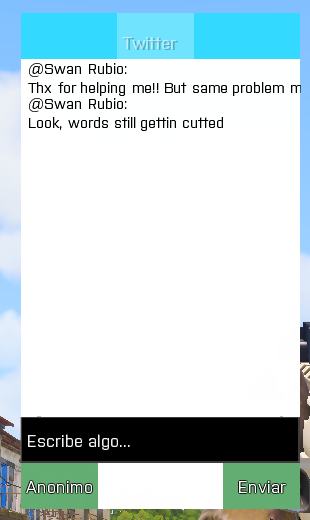 tepid bramble
your structured text ctrl is too wide. make it the same width as the ctrlgroup parent.
mint agate
hey i have a RscButton and a RscText lying over this button. when i click the button it comes to the fore putting the text behind it...is it possible to disable this behaviour?
ocean hazel
maybe if you try to put the button into ControlsBackground class instead of Controls class? 🤔
mint agate
sorry forgot to mention that the button and the text are created via ctrlCreate 😄
ocean hazel
another brilliant idea: what if you put the button into a group
but what are you trying to achieve anyway?
mint agate
i'm trying to build a little inventory: https://i.imgur.com/XvMCU4f.png

to drag the icon i had to make it to an activetext. but if i click it it comes to the fore hiding the amount value (as you can see in the image - bottom right)...
The buttons and texts are created with ctrlCreate and put into a controlsGroup. the idc's of both text and button are set to -1. I also tried setting the focus to another hidden element when i click the button but it didn't work either :/
velvet sable
Is there any control to make a circle? I cannot use a rscpicture
just like guiback but circular
mint agate
AFAIK there are none. we did our circular gui elements with photoshop and imported them as RscPicture. why can't you use it?
 strange portal
@mint agate How about making every visual content on background in order(ie. first picture, on top the numeric value), and make a transparent, nothing contained button so that when you press, nothing will come forward once you press?
Alternatively, you may put the button to contain number and make it less transparent so the picture on back will be seen as well but that will still cause a change in color slightly due transparency change. I personally used this once to visually notify that it was the last selection, so maybe you would want to have such effect too.
mint agate
thanks for your advice, i may try the invisible buttons first 😁 i hope there will be an official way to do such soon - these workarounds are so ugly 🙄
EDIT: It worked well, thanks again 😊
 limpid owl
Hello, i have a question.
i've tried putting an image in a dialog and its a colored image. i want to make that the colored image will be all white. is it possible?
velvet sable
_parte = _ui displayCtrl 1600;
posboton = player selectionPosition "head";
_headWorldPos = player modelToWorld posboton;
_headScreenPos = worldToScreen _headWorldPos;
_parte ctrlSetPosition _headScreenPos;
Anyone? Not working, control still in the same pos.
barren apex
You need to ctrlCommit after setPosition iirc
velvet sable
true, thx @barren apex
 frozen jetty
class RscTitles
{
    class staminup
    {
        idd = 12;
        duration = 1e+011;
        class controls
        {
            class ExampleControl
            {
                idc = 13;
                type = 0;
                style = 2096;
                x = safeZoneX - 0.2 * 3 / 4;
                y = SafeZoneY + safeZoneH - 0.2;
                w = 0.2 * 3 / 4;
                h = 0.2;
                font = "EtelkaNarrowMediumPro";
                sizeEx = 0.1;
                colorBackground[] = {0.8,0.4,0.2,1};
                colorText[] = {0.8,0.4,0.2,1};
                text = "img\staminup.paa";
            };
        };
    };
};
Trying to get a small image to appear in the bottom left corner, but with this code it isn't showing up
thats in the description.ext
 pearl yarrow
is the pic paa, and 2^x 2^y ?
pearl yarrow
what are the dimensions…?
frozen jetty
420 x 420
pearl yarrow
(pothead)
yes, it should be 2^x 2^y 🙂
meaning, 64×1024, 256×512, 128×128, etc
so stretch it to 512×512 and you will be fine
frozen jetty
yea got it, found an image thats 512x512 anyway and its converted successfully
how would i now place it in the bottom left?
still grey in game
barren apex
Substract the ImageWidth from the ScreenWidth to get the X position and do the same with the Height for the Y position
frozen jetty
x = safeZoneW - 0.2 * 3 / 4;
y = safeZoneY - 0.2;
w = 0.2 * 3 / 4;
h = 0.2;
did this and its not appearing
barren apex
Take a look at https://community.bistudio.com/wiki/SafeZone
x = 0 is NOT always the left corner of the screen, so you need to add the safeZoneX (which is the left corner screen position relative to the 0 position)
frozen jetty
x = safeZoneW - safeZoneW - 0.8;
y = safeZoneY - safeZoneH - 0.8;
w = safeZoneW * 0.8
h = safeZoneH * 0.8;
is this correct? bottom left corner?
the image is still grey even in the GUI editor
frozen jetty
ok, fixed it, the problem i have now is that i need to get rid of the colorText line so that it will keep its color, however i cant get rid of it without it throwing an error, is there a way to ignore it somehow?
frozen jetty
i tried using colorText[] = {-1,-1,-1,1}; but that still makes it all black
frozen jetty
colorText is the problem, as colorBackground gets ignored anyway
the path is in text
velvet sable
but the image appears to you?
frozen jetty
yea, essentially, if i get rid of the colorText[] line, it appears correctly with the correct colors, but a message popups saying "No entry: colorText"
velvet sable
Is it a RscPicture?
frozen jetty
It is
barren apex
Try colorText[] = {1,1,1,1};
 spark onyx
if i want to hide/show a dialog with a button would ctrlShow be the best way to do it? an example if the zeus game master module where u can hide the side elements, or use close/createdialog
quasi granite
there are different commands. ctrlShow hides or shows the control instantly, ctrlSetFade in conjunction with ctrlCommit can do the same with a smooth transition. closeDialog (better: closeDisplay) will close everything so no indivdual controls
@spark onyx
spark onyx
great thanks for the info, i will play about and see what fits best 😄
quasi granite
for the curator interface you can also look at BI's code here: \a3\ui_f_curator\ui\displays\rscdisplaycurator.sqf
spark onyx
ahhh magic, was looking in about 50 pbos to find it, cheers again
placid osprey
checkout: grepWin - a tool i don't want to miss anymore.
 wild frigate
I like the singleplayer death screen alot but if I use it in a multiplayer mission everyone would need to abort the mission and rejoin every single time they die.
I think I have found the singleplayer death screen function under P:\a3\functions_f\respawn\fn_respawnnone.sqf.
Can someone tell me how I would need to modify the code of this function so that I can use it in a onPlayerKilled.sqf script?
My mission has the respawn type 3 ("BASE") so what I hope to achieve is that when you die the score board appears (just as it does by default) but in the background you would have the "singleplayer death screen" (with KIA:, ENY:, TOD: etc.) but without the "Team switch"-, "Abort"-buttons etc. in the bottom left corner and after the respawn delay is over the "singleplayer death screen" would disappear and you would just respawn like you would normally do without the need to abort the mission. Basically an imitated singleplayer death screen.
Sadly I don't really understand this function exactly so I would really appreciate your help.
velvet sable
I gotta a error with dialogs, it says Resource not found, they are on a .hpp defined on desc.ext and inside that .hpp there is another dialog working.
class carterallena { idd = 64237; onLoad = "uiNamespace setVariable ['swancartera', _this select 0];"; onUnLoad = "uiNamespace setVariable ['swancartera', nil]; "; duration = 9e+012; movingEnable = 1; class controls { class RscPicture_1200: RscPicture { idc = 1200; text = "\ignis_a1\cartera\carterallena.paa"; x = -17 * GUI_GRID_W + GUI_GRID_X; y = 14 * GUI_GRID_H + GUI_GRID_Y; w = 32.5 * GUI_GRID_W; h = 13 * GUI_GRID_H; }; class RscButton_1600: RscButton { idc = 1600; x = -16.5 * GUI_GRID_W + GUI_GRID_X; y = 17 * GUI_GRID_H + GUI_GRID_Y; w = 14 * GUI_GRID_W; h = 2.5 * GUI_GRID_H; }; class RscText_1000: RscText { idc = 1000; text = "Dinero:"; //--- ToDo: Localize; x = 2.5 * GUI_GRID_W + GUI_GRID_X; y = 21 * GUI_GRID_H + GUI_GRID_Y; w = 10 * GUI_GRID_W; h = 3 * GUI_GRID_H; }; }; };
Description.ext:
class RscTitles
{
#include "dialog\cartera.hpp"
};
tranquil iron
full error message? Or literally just Resource not found without naming any actual resource?
velvet sable
@tranquil iron Resource carterallena not found
As I have already said it is in the same file as another functional dialog.
quasi granite
@velvet sable you should actually get another error message similar to
No entry RscTitles >> carterallena >> fadeIn
as well as fadeOut because RscTitles dialogs need these attributes
frozen jetty
ok, so I've got a few questions to ask. First off, what style would i use if i just want text with no background? Second, how do I get a variable that changes to display in the text? (it's a wave counter for a zombies mission). Here's what I got so far:
    class wave
    {
        idd = 18;
        duration = 1e+011;
        fadein = 2;
        fadeout = 2;
        class controls
        {
            class waveControl
            {
                idc = 19;
                type = 0;
                style = 0;
                x = 0.005 * safezoneW + safezoneX;
                y = 0.779066 * safezoneH + safezoneY;
                w = 0.240625 * safezoneW;
                h = 0.19638 * safezoneH;
                font = "EtelkaNarrowMediumPro";
                sizeEx = 0.1;
                colorBackground[] = {1,1,1,1};
                colorText[] = {1,1,1,1};
                text = ;
                shadow = 1;
            };
        };
    };
waveDisplay = "Wave: " + str (Wave);
[format ["<t color='#ff2d00' size='10' t shadow='0'>%1</t>", waveDisplay]
``` this is what i want to displayi just want text with no background?
Make the background transparent
Second, how do I get a variable that changes to display in the text?
Take a look at https://community.bistudio.com/wiki/ctrlSetText or https://community.bistudio.com/wiki/ctrlSetStructuredText
frozen jetty
regarding the background, how would i do that? set the colorBackground to a certain value?
barren apex
Yep, colorBackground is in { R, G, B, A} A being the transparency so just change that and you're good
frozen jetty
so it should be 1, right? thought that made it transparent? or is it the other way round?
barren apex
No, all these value are proportions so 1 is 100% (and sorry, it's not transparency but the "opacity", so 0 === no opacity == transparent)
frozen jetty
gotcha
  class wave
    {
        idd = 18;
        duration = 1e+011;
        fadein = 2;
        fadeout = 2;
        class controls
        {
            class waveControl
            {
                idc = 19;
                type = CT_STRUCTURED_TEXT;
                style = ST_LEFT;
                colorBackground[] = { 1, 1, 1, 0 };
                x = 0.005 * safezoneW + safezoneX;
                y = 0.923767 * safezoneH + safezoneY;
                w = 0.185625 * safezoneW;
                h = 0.0723505 * safezoneH;
                size = 0.018;
                text = "";
                class Attributes
                {
                    font = "EtelkaNarrowMediumPro";
                    color = "#ff2d00";
                    align = "left";
                    valign = "middle";
                    shadow = true;
                    shadowColor = "#ff0000";
                    size = "1";
                };
            };
        };
    };
would i do something like ctrlSetText [<control here>, waveDisplay]; ?
dunno what to put for the <control here> bit
is that waveControl?
barren apex
Well since you have colors it's a structured text so yo need to use ctrlSetStructuredText ex:
private _display = findDisplay YOUR_IDD; // Get the dialog/display you wanna edit
private _control = _display displayCtrl YOUR_CONTROL_IDC; // Get the control that you want to edit on the display
_control ctrlSetStructuredText _yourtext;
private _display = findDisplay 18;
private _control = _display displayCtrl 19;
_control ctrlSetStructuredText _waveDisplay = "Wave: " + str (Wave);
``` and would that go wherever i call the cutRsc from?or just in init.sqf
updated the code up above
barren apex
That would't work
_control ctrlSetStructuredText _waveDisplay = "Wave: " + str (Wave); // Canot do that
_control ctrlSetStructuredText parseText ("Wave: " + str (Wave)); // Since your text has colors, you need to tell Arma that it's not just normal boring text, hence 'parseText'
For RscCut, you need to get the variablename from uiNameSpace
frozen jetty
so i dont need to do anything like this: format ["<t color='#ff2d00' size='10' t shadow='0'>%1</t>", waveDisplay] because i've already defined it in the attributes
placid osprey
e.g.
//loading (check what the 0 stands for in the wiki)
0 cutRsc ["theNameFromTheConfigInONLOAD","PLAIN"];

//get a ctrl:
_disp = uiNamespace getVariable ["theNameFromTheConfigInONLOAD",DisplayNull];
_ctrl = _disp displayCtrl 19;
_ctrl ctrlSetStructuredText parseText (format["bla %1", "blub"]);
config example:
class blablub
{
  idd = 123456;
  duration = 10e10;
  movingEnable = 0;
  fadein = 0;
  fadeout = 0;
  onLoad = "uiNamespace setVariable ['theNameFromTheConfigInONLOAD', _this select 0]";
  onUnload = "uiNamespace setVariable ['theNameFromTheConfigInONLOAD', displayNull]";

//etc. blabla
};
so i dont need to do anything like this:
format ["<t color='#ff2d00' size='10' t shadow='0'>%1</t>", waveDisplay]because i've already defined it in the attributes
@frozen jetty Yes, but there is/was an issue with parseText overriding the stuff from theRscStructuredText
frozen jetty
im confused, where's 'theNameFromTheConfigInONLOAD', is that class wave? For example, i'm calling it via 4 cutRsc ["wave","PLAIN",0,false];? would i replace it with wave then?
placid osprey
It's a name you define in setVariable (config example below)
frozen jetty
i'm doing all this from description.ext btw
placid osprey
You can set it to anything you like, but i would advise to give it the same name as the class.
i'm doing all this from description.ext btw
doesn't matter.
frozen jetty
> //loading (check what the 0 stands for in the wiki)
> 0 cutRsc ["theNameFromTheConfigInONLOAD","PLAIN"];
>
> //get a ctrl:
> _disp = _Ctrl_CenterBox = uiNamespace getVariable ["theNameFromTheConfigInONLOAD",DisplayNull];
> _ctrl = _disp displayCtrl 19;
> _ctrl ctrlSetStructuredText parseText (format["bla %1", "blub"]);
@placid osprey
dose this want to be from wherever i call the cutRsc?
placid osprey
Can be called from anywhere, as long as the opened CutRsc is available (not closed/removed)
ah, remove _ctrl_centerBox =
frozen jetty
was just about to say, getting an error there
placid osprey
_disp = uiNamespace getVariable ["theNameFromTheConfigInONLOAD",DisplayNull];
Yeah, copied from old files, sneaked in.
frozen jetty
so, if i execute this from the debug console, it should work?
4 cutRsc ["wave","PLAIN"];
_disp = uiNamespace getVariable ["wave",DisplayNull];
_ctrl = _disp displayCtrl 19;
_ctrl ctrlSetStructuredText parseText ("Wave: " + str (Wave));
with this in the description.ext:
    class wave
    {
        idd = 18;
        duration = 1e+011;
        fadein = 2;
        fadeout = 2;
        onLoad = "uiNamespace setVariable ['wave', _this select 0]";
        onUnload = "uiNamespace setVariable ['wave', displayNull]";
        class controls
        {
            class waveControl
            {
                idc = 19;
                type = CT_STRUCTURED_TEXT;
                style = ST_LEFT;
                colorBackground[] = { 1, 1, 1, 0 };
                x = 0.005 * safezoneW + safezoneX;
                y = 0.923767 * safezoneH + safezoneY;
                w = 0.185625 * safezoneW;
                h = 0.0723505 * safezoneH;
                size = 10;
                text = "";
                class Attributes
                {
                    font = "EtelkaNarrowMediumPro";
                    color = "#ff2d00";
                    align = "left";
                    valign = "middle";
                    shadow = true;
                    shadowColor = "#ff0000";
                    size = "1";
                };
            };
        };
    };
Might trigger quirks. one sec
[]spawn
{
  sleep 2;
  4 cutRsc ["wave","PLAIN"];
  _disp = uiNamespace getVariable ["wave",DisplayNull];
  _ctrl = _disp displayCtrl 19;
  _ctrl ctrlSetStructuredText parseText ("Wave: " + str (Wave));
};```+looks okay so far, if there isn't something else broken, it should work.
except for:
size = 10;
thats way to high
frozen jetty
nothing happens from that. When i was just executing without the spawn, got this in .rpt:
17:14:49 Warning Message: No entry 'C:\Users\User\Documents\Arma 3 - Other Profiles\BenFromTTG\mpmissions\COD%20Zombies%20-%20Radar.Enoch\description.ext/RscTitles/wave/controls/waveControl.colorText'.
17:14:49 Warning Message: Size: '/' not an array
17:14:49 Warning Message: Size: '/' not an array
17:14:49 Warning Message: No entry 'C:\Users\User\Documents\Arma 3 - Other Profiles\BenFromTTG\mpmissions\COD%20Zombies%20-%20Radar.Enoch\description.ext/RscTitles/wave/controls/waveControl.font'.
17:14:49 Warning Message: '/' is not a value
17:14:49 Warning Message: No entry 'C:\Users\User\Documents\Arma 3 - Other Profiles\BenFromTTG\mpmissions\COD%20Zombies%20-%20Radar.Enoch\description.ext/RscTitles/wave/controls/waveControl.sizeEx'.
17:14:49 Warning Message: '/' is not a value
17:15:43 Warning Message: No entry 'C:\Users\User\Documents\Arma 3 - Other Profiles\BenFromTTG\mpmissions\COD%20Zombies%20-%20Radar.Enoch\description.ext/RscTitles/wave/controls/waveControl.colorText'.
17:15:43 Warning Message: Size: '/' not an array
17:15:43 Warning Message: Size: '/' not an array
17:15:43 Warning Message: No entry 'C:\Users\User\Documents\Arma 3 - Other Profiles\BenFromTTG\mpmissions\COD%20Zombies%20-%20Radar.Enoch\description.ext/RscTitles/wave/controls/waveControl.font'.
17:15:43 Warning Message: '/' is not a value
17:15:43 Warning Message: No entry 'C:\Users\User\Documents\Arma 3 - Other Profiles\BenFromTTG\mpmissions\COD%20Zombies%20-%20Radar.Enoch\description.ext/RscTitles/wave/controls/waveControl.sizeEx'.
17:15:43 Warning Message: '/' is not a value
   class waveControl```
misses its inheritence to `RscStructuredText`except for:
size = 10;
@placid osprey
thats what i was using for cutText:format ["<t color='#ff2d00' size='10' t shadow='0'>%1</t>", waveDisplay]
placid osprey
In your description.ext add this, before the class RscTitlespart:
class RscStructuredText;
In your files change it to this:
class waveControl: RscStructuredText``` class RscStructuredText;
{
idd = 18;
duration = 1e+011;
fadein = 2;
fadeout = 2;
onLoad = "uiNamespace setVariable ['wave', _this select 0]";
onUnload = "uiNamespace setVariable ['wave', displayNull]";
class controls
{
class waveControl: RscStructuredText
{
idc = 19;
type = CT_STRUCTURED_TEXT;
style = ST_LEFT;
colorBackground[] = { 1, 1, 1, 0 };
x = 0.005 * safezoneW + safezoneX;
y = 0.923767 * safezoneH + safezoneY;
w = 0.185625 * safezoneW;
h = 0.0723505 * safezoneH;
size = 1;
text = "";
class Attributes
{
font = "EtelkaNarrowMediumPro";
color = "#ff2d00";
align = "left";
valign = "middle";
shadow = true;
shadowColor = "#ff0000";
size = "1";
};
};
};
};
like this?
placid osprey
+The Problems you shown there before would have helped ALOT sooner! Cause they describe what the issue is. In this case, you missed the inheritance to the baseclass.
17:14:49 Warning Message: Size: '/' not an array```
`waveControl.colorText` = `waveControl`misses the config entry `colorText`.

So for the future: Paste some more code.i pasted all that appeared in the .rpt
placid osprey
Yes, you can also remove type = CT_STRUCTURED_TEXT; (not rly needed)
placid osprey
where?
frozen jetty
wait, think i messed up
placid osprey
if you put the ; behind the class wave: RscStruc... -> Then yeah, you broke it.
frozen jetty
class RscStructuredText;
    class wave
    {
        idd = 18;
        duration = 1e+011;
        fadein = 2;
        fadeout = 2;
        onLoad = "uiNamespace setVariable ['wave', _this select 0]";
        onUnload = "uiNamespace setVariable ['wave', displayNull]";
        class controls
        {
            class waveControl: RscStructuredText
            {
                idc = 19;
                style = ST_LEFT;
                colorBackground[] = { 1, 1, 1, 0 };
                x = 0.005 * safezoneW + safezoneX;
                y = 0.923767 * safezoneH + safezoneY;
                w = 0.185625 * safezoneW;
                h = 0.0723505 * safezoneH;
                size = 1;
                text = "";
                class Attributes
                {
                    font = "EtelkaNarrowMediumPro";
                    color = "#ff2d00";
                    align = "left";
                    valign = "middle";
                    shadow = true;
                    shadowColor = "#ff0000";
                    size = "1";
                };
            };
        };
    };
thought you said to put it there? or does it go before? still confused
placid osprey
class RscStructuredText;
class RscTitles
{
   yourStuffIsHere
};
oh right, sorry
placid osprey
DschaToday at 6:18 PM
In your description.ext add this, before the CutRsc class:
*RscTitles
frozen jetty
got multiple RscTitles so didnt know where to put it
placid osprey
Why do you have multiple?
frozen jetty
for other gui's
placid osprey
So you got multiple class RscTitles?
frozen jetty
no, sorry my mistake. Multiple classes under RscTitles
placid osprey
okay.
frozen jetty
ok, tried the spawn code, nothing comes up, getting this: 17:27:33 Warning: no type entry inside class wave/controls/waveControl
placid osprey
ah, damn RscTitles
Yeah, i can guess what it is
...
controls[] = {waveControl};

class waveControl: RscStructuredText
            {
                idc = 19;
                style = ST_LEFT;
                colorBackground[] = { 1, 1, 1, 0 };
                x = 0.005 * safezoneW + safezoneX;
                y = 0.923767 * safezoneH + safezoneY;
                w = 0.185625 * safezoneW;
                h = 0.0723505 * safezoneH;
                size = 1;
                text = "";
                class Attributes
                {
                    font = "EtelkaNarrowMediumPro";
                    color = "#ff2d00";
                    align = "left";
                    valign = "middle";
                    shadow = true;
                    shadowColor = "#ff0000";
                    size = "1";
                };
            };
In your config from above
frozen jetty
also getting this warning popup when i load back into editor: 17:28:31 Warning Message: File C:\Users\User\Documents\Arma 3 - Other Profiles\BenFromTTG\mpmissions\COD%20Zombies%20-%20Radar.Enoch\dialogs\defines.hpp, line 50: .RscStructuredText: Member already defined. I have that file there and just defines everything
does that want to go above class RscTitles?
placid osprey
defines.hpp is loaded before RscTitles? Then just remove the one you added.
(loading goes from top to bottom)
frozen jetty
remove what exactly. The defines.hpp is part of a framework that I have, so I haven't touched it at all
placid osprey
class RscStructuredText; <---------- this
class RscTitles
{
   yourStuffIsHere
};```thought so. Should i put the controls[] = {waveControl}; where it was?
or inside the RscTitles?
placid osprey
inside the config you posted above
    class wave
    {
        idd = 18;
        duration = 1e+011;
        fadein = 2;
        fadeout = 2;
        onLoad = "uiNamespace setVariable ['wave', _this select 0]";
        onUnload = "uiNamespace setVariable ['wave', displayNull]";
        class controls{waveControl};

        class waveControl: RscStructuredText
            {
                idc = 19;
                style = ST_LEFT;
                colorBackground[] = { 1, 1, 1, 0 };
                x = 0.005 * safezoneW + safezoneX;
                y = 0.923767 * safezoneH + safezoneY;
                w = 0.185625 * safezoneW;
                h = 0.0723505 * safezoneH;
                size = 1;
                text = "";
                class Attributes
                {
                    font = "EtelkaNarrowMediumPro";
                    color = "#ff2d00";
                    align = "left";
                    valign = "middle";
                    shadow = true;
                    shadowColor = "#ff0000";
                    size = "1";
                };
            };
        };
    class wave
    {
        idd = 18;
        duration = 1e+011;
        fadein = 2;
        fadeout = 2;
        onLoad = "uiNamespace setVariable ['wave', _this select 0]";
        onUnload = "uiNamespace setVariable ['wave', displayNull]";
        class controls{waveControl};
        {
            class waveControl: RscStructuredText
            {
                idc = 19;
                style = ST_LEFT;
                colorBackground[] = { 1, 1, 1, 0 };
                x = 0.005 * safezoneW + safezoneX;
                y = 0.923767 * safezoneH + safezoneY;
                w = 0.185625 * safezoneW;
                h = 0.0723505 * safezoneH;
                size = 1;
                text = "";
                class Attributes
                {
                    font = "EtelkaNarrowMediumPro";
                    color = "#ff2d00";
                    align = "left";
                    valign = "middle";
                    shadow = true;
                    shadowColor = "#ff0000";
                    size = "1";
                };
            };
        };
    };
correct?
placid osprey
no
check above
I pasted you the code you have to put in (even before), just don't add anything else to it.
frozen jetty
17:37:36 Warning Message: File C:\Users\User\Documents\Arma 3 - Other Profiles\BenFromTTG\mpmissions\COD%20Zombies%20-%20Radar.Enoch\description.ext, line 451: '/RscTitles/wave/controls.waveControl': '}' encountered instead of '='
placid osprey
And? I can't look at your monitor. I have no idea what you added there in the end, after it told you it's not correct.
You have to give more informations.
Always keep that in mind 🙂
frozen jetty
exact same code as you just posted
placid osprey
Check if it looks like this:
//Dscription.ext / config.cpp:
class RscText;
class RscTitles
{
    class my_exampleRscTitle
    {
        idd = 123456;
        duration = 10e10;
        movingEnable = 0;
        fadein = 0;
        fadeout = 0;
        name = "my_exampleRscTitle";
        onLoad = "uiNamespace setVariable ['my_exampleRscTitle', _this select 0]";
        onUnload = "uiNamespace setVariable ['my_exampleRscTitle', displayNull]";
        objects[] = {};
        controls[] =
        {
             my_exampleCtrl
            ,my_exampleCtrl_two
        };

        class my_exampleCtrl: RscText
        {
            style = 2;
            idc = 100;
            x = "0.2 * safezoneW + safezoneX";
            y = "0.2 * safezoneH + safezoneY";
            w = "0.2 * safezoneW";
            h = "0.2 * safezoneH";

            colorBackground[] = {0,0,0,0.2};
            text = "Text A";
            sizeEx = "0.02 * safezoneH";
        };

        class my_exampleCtrl_two: RscText
        {
            style = 2;
            idc = 101;
            x = "0.4 * safezoneW + safezoneX";
            y = "0.2 * safezoneH + safezoneY";
            w = "0.2 * safezoneW";
            h = "0.2 * safezoneH";

            colorBackground[] = {0,0,0,0.2};
            text = "Text B";
            sizeEx = "0.03 * safezoneH";
        };
    };
};
https://pastebin.com/Jgt5rhQS thats all my RscTitles
none of it really looks similar to me, then again, im not that experienced with this stuff
placid osprey
I mean, you could check if it is the same layout/has similiarities
like checking for { and };, where are the values set, etc.
Also, the Error Msg gave you a hint in wich line the error is. In this case: 451.
So check you description.ext and check "What is at line 451"
placid osprey
class controls[] <- [] was missing
frozen jetty
    class wave
    {
        idd = 18;
        duration = 1e+011;
        fadein = 2;
        fadeout = 2;
        onLoad = "uiNamespace setVariable ['wave', _this select 0]";
        onUnload = "uiNamespace setVariable ['wave', displayNull]";
        controls[] = {waveControl};

        class waveControl: RscStructuredText
            {
                idc = 19;
                style = ST_LEFT;
                colorBackground[] = { 1, 1, 1, 0 };
                x = 0.005 * safezoneW + safezoneX;
                y = 0.923767 * safezoneH + safezoneY;
                w = 0.185625 * safezoneW;
                h = 0.0723505 * safezoneH;
                size = 1;
                text = "";
                class Attributes
                {
                    font = "EtelkaNarrowMediumPro";
                    color = "#ff2d00";
                    align = "left";
                    valign = "middle";
                    shadow = true;
                    shadowColor = "#ff0000";
                    size = "1";
                };
            };
        };
better?
placid osprey
Don't ask me, ask your game.
frozen jetty
18:02:10 Warning Message: File C:\Users\User\Documents\Arma 3 - Other Profiles\BenFromTTG\mpmissions\COD%20Zombies%20-%20Radar.Enoch\description.ext, line 453: /RscTitles/wave/: '[' encountered instead of '{'
placid osprey
Now check again the example config i pasted above (Hint: close to config[] )
frozen jetty
changed it above, now getting this: 18:05:35 Warning Message: File C:\Users\User\Documents\Arma 3 - Other Profiles\BenFromTTG\mpmissions\COD%20Zombies%20-%20Radar.Enoch\description.ext, line 455: /RscTitles/wave.waveControl: Undefined base class 'RscStructuredText'
placid osprey
Now back to the question i asked before: When is* your defines loaded?
frozen jetty
fixed it, lets see if it works in game
doesn't appear in game, tried both of these, nothing in the .rpt.
4 cutRsc ["wave","PLAIN"];
_disp = uiNamespace getVariable ["wave",DisplayNull];
_ctrl = _disp displayCtrl 19;
_ctrl ctrlSetStructuredText parseText ("Wave: " + str (Wave));


[] spawn
{
  sleep 2;
  4 cutRsc ["wave","PLAIN"];
  _disp = uiNamespace getVariable ["wave",DisplayNull];
  _ctrl = _disp displayCtrl 19;
  _ctrl ctrlSetStructuredText parseText ("Wave: " + str (Wave));
};
now for debugging:
[] spawn
{
  sleep 2;
  4 cutRsc ["wave","PLAIN"];
   sleep 1;
  _disp = uiNamespace getVariable ["wave",DisplayNull];
  _ctrl = _disp displayCtrl 19;
  systemchat str ["_disp: ",_disp, " - _ctrl: ", _ctrl];
};
["_disp: ","Display #18"," - _ctrl: ","Control #19"]
placid osprey
Okay. In your waveControl class, change size to:
size = 0.02 * safezoneW;
(NOT size inside attributes)
frozen jetty
same as before
placid osprey
now for debugging: #2
[] spawn
{
  sleep 2;
  4 cutRsc ["wave","PLAIN"];
   sleep 1;
  _disp = uiNamespace getVariable ["wave",DisplayNull];
  _ctrl = _disp displayCtrl 19;
  systemchat str [_ctrl, ctrlText _ctrl];
};
returns [Control #19, ""]
quick question, not sure if my dumb fault, but should this text = ""; be blank?
placid osprey
#3
[] spawn
{
  sleep 2;
  4 cutRsc ["wave","PLAIN"];
   sleep 1;
  _disp = uiNamespace getVariable ["wave",DisplayNull];
  _ctrl = _disp displayCtrl 19;
  _text = format["my %1", "testtext"];
  _ctrl ctrlSetStructuredText parseText _text;
  systemchat str [_ctrl, ctrlText _ctrl];
};```quick question, not sure if my dumb fault, but should this
text = "";be blank?
Can be blank, it's the standard value that is beeing set.
frozen jetty
ok, that one displays a small, bright red text in the bottom left saying my testtext
placid osprey
kk, then it's working.
frozen jetty
and the systemChat says [Control #19, "my testtext"]
placid osprey
Yeps, its working then.
also:
https://community.bistudio.com/wiki/Category:Scripting_Commands_Arma_3
-> Ctrl+F -> ctrl -> F3 to cycle through the results
+bookmark that page.
+Search button is Top Right ;)
You will need it (i still use it, when i do some work)
frozen jetty
im on there, what should i be looking for?
placid osprey
The ctrl Commands?
frozen jetty
wait one sec
placid osprey
Wasn't related to this now, more a general thing.
frozen jetty
ah right
got it all working, thank you so much. Now all i need to do is get the script to remoteExec so it works on a server
quick question, how can i make the text bigger? Increase size in attributes?
placid osprey
Either that or use the parseText stuff
(wiki again:)
https://community.bistudio.com/wiki/parseText
frozen jetty
oh, nope, havent fixed it
so i'll msg again seeing as though i didnt fix it. Using this to call it from Debug Console. SystemChat shows [Display #18, Control #19, "Wave: 0"] but doesn't show up in bottom left.
waveDisplay = "Wave: " + str (Wave);
4 cutRsc ["wave","PLAIN"];
_disp = uiNamespace getVariable ["wave",DisplayNull];
_ctrl = _disp displayCtrl 19;
_text = format["%1", waveDisplay];
_ctrl ctrlSetStructuredText parseText _text;
systemChat str [_disp, _ctrl, _text];
@placid osprey any ideas?
frozen jetty
oh wait, fixed, had 0.2 instead of 0.02
 umbral jolt
Hi.
Using SQF, Im trying to get a "textarea" with vertical scrollbar on display.
Is this possible using html? does RscEditMulti has scrollbars?
barren apex
I don't think RscEditMulti. You could try with RscControlsGroup with a RscText inside (if the RscText is bigger than the control group, scrollbar will appear
velvet sable
Is ctrlTextHeight working fine? It returns me more quantity than the text occupies
weary imp
Yes text can be taller than the height of control
velvet sable
@weary imp I use
_dialog = _hud ctrlCreate ["RscStructuredText", twittercargado, _ctrlGroup ]; _dialog ctrlSetStructuredText parseText format ["<t size='0.8' color='#000000' shadow='0'>@%1:<br/>%2</t>", nombre, _msg]; _h = (ctrlTextHeight _dialog);
And _h is always bigger than control
quasi granite
you are creating the control with its default positions from config, in case of RscStructuredText it is h = 0.035
@velvet sable
velvet sable
Thanks
And does anyone know if its possible to set scrollbar on a defined position?
quasi granite
no way that I know of
velvet sable
you are creating the control with its default positions from config, in case of
RscStructuredTextit ish = 0.035
@quasi granite I set RscStructuredText h = 0; on defines and in code:
_dialog = _hud ctrlCreate ["RscStructuredText", twittercargado, _ctrlGroup ];
 _dialog ctrlSetStructuredText parseText format ["<t size='0.8' color='#000000' shadow='0'>@%1:<br/>%2</t>", nombre, _msg];
 _h = (ctrlTextHeight _dialog);
_dialog ctrlSetPosition [0, 0, 0.37, _h];
And it still returning more quantity of _H
quasi granite
ctrlCommit after ctrlSetPosition
and having an initial h of 0 is bad because then the height calculation will not work properly
velvet sable
ctrlCommit after ctrlSetPosition
@quasi granite Yep i havent added it to code on discord.
and having an initial h of 0 is bad because then the height calculation will not work properly
@quasi granite So setting it as h = 0.01 (for exaple) will solve my problem?
quasi granite
h = 1 would be a safe bet if you are going to reposition it instantly anyway
also a w of 0 will have the same problem
the w of the control should already be the correct one when executing ctrlTextHeight
velvet sable
No problem with weight, just height as I said the text is right, but i wanna take position because it adds another text below the other one, and it has to take his height to reposition. @quasi granite
And the text addes is quite below
quasi granite
well something like this then
_yStart = 0; // or wherever
_hAdd = 0;
_ctrl1 ctrlSetPositionH (ctrlTextHeight _ctrl1);
_ctrl1 ctrlCommit 0;
_hAdd = _hAdd + ctrlTextHeight _ctrl1;
_ctrl2 ctrlSetPositionY (_yStart + _hAdd);
_ctrl2 ctrlSetPositionH (ctrlTextHeight _ctrl2);
_ctrl2 ctrlCommit 0;
_hAdd = _hAdd + ctrlTextHeight _ctrl2;
// and so on
 drowsy tendon
Looking for some help. I want to add ctrls to a control group using ctrlCreate. Something like ```sqf
createDialog "MainMenu"; _display = findDisplay 9999;
_ctrl = _display ctrlCreate ["RscControlsGroup",-1];
_ctrl ctrlSetPosition [0,0,1,1];
_ctrl ctrlCommit 0;
for "_i" from 0 to 20 do {
_ctrlInternal = _ctrl ctrlCreate ["RSCtext",_i];
_ctrlInternal ctrlSetText "This is a line of text that is not that long";
_ctrlInternal ctrlSetPosition [0,(_i/10),0.5,0.1];
_ctrlInternal ctrlCommit 0;
};```
Is this possible or will I have to create the UI using config?
 limpid rose
@drowsy tendon
Add the control groups variable as the third item in the ctrlcreate array, after your _i.
Read more here: https://community.bistudio.com/wiki/ctrlCreate
drowsy tendon
I have been digging for that for SOO long. Don't know how I missed it! Thank you very much.
velvet sable
Does anyone know why picture on RscCombo looks black???
placid osprey
Does anyone know why picture on RscCombo looks black???
@velvet sable config entry for color is set to {0,0,0,1}
(or https://community.bistudio.com/wiki/lnbSetPictureColor - Not sure atm wich one RscCombo used)
config lines:
colorPicture[] = {1,1,1,1};
colorPictureSelected[] = {1,1,1,1};
colorPictureDisabled[] = {1,1,1,0.25};
Has anyone define the horizontal scrollbar for an RscListBox?
placid osprey
    class ListScrollBar
    {
        color[] = {1,1,1,0.6};
        colorActive[] = {1,1,1,1};
        colorDisabled[] = {1,1,1,0.3};
        thumb = "\A3\ui_f\data\gui\cfg\scrollbar\thumb_ca.paa";
        arrowEmpty = "\A3\ui_f\data\gui\cfg\scrollbar\arrowEmpty_ca.paa";
        arrowFull = "\A3\ui_f\data\gui\cfg\scrollbar\arrowFull_ca.paa";
        border = "\A3\ui_f\data\gui\cfg\scrollbar\border_ca.paa";
        shadow = 0;
        scrollSpeed = 0.06;
        width = 0;
        height = 0;
        autoScrollEnabled = 0;
        autoScrollSpeed = -1;
        autoScrollDelay = 5;
        autoScrollRewind = 0;
    };
That?
@velvet sable
 vast apex
hello. got a problem regarding the rescaling of STATIC text controls (type=0) by the interface size.
i got this as sizeEx:
(((((safezoneW/safezoneH) min 1.2)/1.2)/25)*1)
but still, the text does not rescale with the interface size
is there something that I miss?
 brittle granite
which display number is the main menu screen?
quasi granite
which display number is the main menu screen?
@brittle granite 0
brittle granite
haha thanks
placid osprey
@vast apex Do you use safeZone for the ctrl too?
if so, they try:
sizeEx = 0.04 * safezoneW;
will try thanks
placid osprey
another thingy:
((((getResolution select 4) min 1.2) / 1.2) / 25)
 past garden
Hey guys, total beginner here.
I'm looking to make notepads and liners the same way that 9Liners & Notepad did. (https://steamcommunity.com/sharedfiles/filedetails/?id=1210050323)
I already have the images in .paa but that's basically it.
Do you guys have any recommendation or documentation I could use to get me started ?
tepid bramble
look to see how they made it work on their github?
past garden
well I already had a look at their files but honestly I didn't understand much
tepid bramble
I dont think the wiki really has anything useful for GUI introductions. I can paste links but they still may not make sense.
https://community.bistudio.com/wiki/Category:Dialogs
past garden
I think this Arma 3 User Interface Editor might help me get the very first things set. Like placing my text areas and buttons on my .paa
agile sinew
what are the xxx2 variants for RscListBox?
colorSelect[] = {0,0,0,1};
colorSelect2[] = {0,0,0,1};
colorSelectBackground[] = {0.95,0.95,0.95,1};
colorSelectBackground2[] = {1,1,1,0.5};
and is there way to have only background in a list for the amount of actual items visible?
tepid bramble
colorSelect2[]={0,0,0,1};
colorSelect2Right[]={0,0,0,1};
colorSelectBackground2[]={1,1,1,0.5};  ```
only a few 2 options. You would need to do the background as its own control.is the xxx2 alternating states?
tepid bramble
it usually is yea
agile sinew
isnt there a way to adjust the background via SQF in listboxes. i think Dscha found some commands very recently not yet listed in the BIKI
tepid bramble
i dont know anything about that 😦
dusty orchid
How can i make ctrlListNBox not to change its selection when user presses keyboard buttons?
barren apex
If you return true in the onKeyDown Event Handler, it will override the behavior (so the sel will not change)
dusty orchid
Tried already, but ctrlListNBox does his stuff before handler fires
mental trench
why can’t arma mods be as easy as KSP or minecraft mods
barren apex
They are easy ¯_(ツ)_/¯
 clever nimbus
I wonder how some of the planes/helicopters screens are made. Some of them are fake, but some are displaying actual information like fuel level or remaining ammo, or even artificial horizon. Is there a way to somehow do a "GUItoTexture", similar to what we can do with "RenderToTexture" ?
I think I got something : https://community.bistudio.com/wiki/A3_MFD_config_reference
 leaden kiln
I have a little question. Is there any way to get the current face texture and face Model of the Player and Set it into a Dialog? Like in the Profile Editor without rotating the head 😕
And its also possible that a Person change his head texture (Vanilla Arma). So i also need to get also the texture which is on the Client Side of the Player
tepid bramble
i dont know for sure, but i assume you can use face to get the face class (they are stored as classes right)? then get the texture path from the class and set it to a control
leaden kiln
Hmm, but is it possible to set also a Model into a Control? Because only the texture would not Look like a head in the Dialog
tepid bramble
i guess so, arma does it.
there is an object control, used for that head i assume, but also things like the compass and watch im pretty sure
leaden kiln
Hmm, then is the last thing i need to know about the face class. If a Player changed his head texture, so i get this texture out of the class as well or only the normal texture which is Set to the object?
quasi granite
@leaden kiln This is what I found two and a half years ago: https://forums.bohemia.net/forums/topic/210901-profile-editor-head/
leaden kiln
Yeah i saw that too but its Not 100% of that what i need. Because you created the Dialog but the head Was missing. So i want to try to get the path of the Model and texture with the command faces and then i want to set it into the Dialog
I dont need the Rotation for my Dialog so its a bit easier i think 😅
quasi granite
well the part that i failed at was setting a texture on an object in a dialog. there seems to be no ctrlSetObjectTexture command
leaden kiln
Hmmm. Im looking for a workaround
leaden kiln
Is it possible to set an texture to an Model which i implemented into a Dialog?
leaden kiln
I dont find any command or config entry which allows to set an texture to my used Model...
quasi granite
well if you find it then you would complete my almost two year long search for such a possibility
leaden kiln
Im on it. If i find something, then i will write you the answer 😅 👍
Did you try it with text? @quasi granite
quasi granite
hmm no i didnt. maybe it could work?
leaden kiln
okay, i tried it with text, but it doesnt work for me, so i think that isnt the way we could do it
leaden kiln
okay, thats sad that i cant set an texture to this object...
is there any way to make a suggestion to the devs of bohemia?
quasi granite
the feedback tracker: https://feedback.bistudio.com/project/view/1/
vast apex
Is there any out-of-game GUI editor? as the in-game one just freaks my mind...
I was using Arma Dialog Creator, but i don't like how it generates x,y,h,w,sizeEx.. as they look simple...
I am looking for something that for example ACE3 has:
x = "13 * (((safezoneW / safezoneH) min 1.2) / 40) + (safezoneX + (safezoneW - ((safezoneW / safezoneH) min 1.2))/2)"
quasi granite
What do you mean with simple? The code you pasted is the same as
#define GUI_GRID_CENTER_X (safezoneX + (safezoneW - ((safezoneW / safezoneH) min 1.2))/2)
#define GUI_GRID_CENTER_W (((safezoneW / safezoneH) min 1.2) / 40)
x = 13 * GUI_GRID_CENTER_W + GUI_GRID_CENTER_X;
what i mean for simple is that they don't rescale and stay the same for all interface sizes
which is a bit meh
ruby swallow
There are numerous
Including eg. Arma.studios which is in a very early stage
Arma-ui-editor might also suit your needs, though... It is no longer updated
That at least Covers my Tools, I provide
tepid bramble
you can always write them by hand.
ocean hazel
@vast apex arma dialog creator has safezone and absolute coordinates mode though
Absolute rescales with UI size (large, small, medium, ...)
Safezone keeps same relative size to the whole screen
vast apex
https://gyazo.com/bb419531696de7e609791732596d4992 this is what I mean.... after changing the UI scale using safezone coordonaties, just only the text resizes but the dialog won't... maybe is there something that i miss... @ocean hazel
ocean hazel
So what do you want to achieve? Arma UIs are terrible to make hard
if you want text size to stay the same, make it dependent on safeZoneH, like 0.04*safeZoneH
vast apex
more exactly, an dialog which will rescale by the used interfacesize... i tried using the safeZoneH, but there is a problem... if i design my dialog at 1920x1080p resolution, and then an 1280x720p user uses the dialog on any of the interface sizes, the text will be extremly small
if i use absolute coordonaties in arma dialog creator (viewport snapping), what i can achieve what i want, BUT, just only in the safezone (the red box),
arma dialogs are such a hassle
😦
ocean hazel
Do you need to have a dialog which is larger than viewport? (red box is called viewport)
@vast apex
You can use absolute coordinates (not safezones) and make sure that your dialog is within viewport, then it is guaranteed to not get out of screen
If you want to achieve something like snapping of controls to screen edges and being rescaled, then it's harder, yes...
For basic dialogs viewport + absolute coordinates is enough IMO and it will rescale with UI size (actually ayou can see how it will rescale - Arma Dialog Creator has an option for Ui scale)
vast apex
what i am trying to achieve is just a simple health GUI
ocean hazel
but what is it, a dialog? Like a yes/no popup dialog in windows or what exactly?
vast apex
it's a display more or less
let me get you an example
https://gyazo.com/0a33b7faaac2e3fd0118c7d77399dee7 << this is on small interface size on 1920x1080p
if i go to a bigger interface size with an different resolution, the GUI will NOT rescale
tepid bramble
i personally use a mix of safezone (x y) and pixelgrid (w h) in cases where im positioning stuff on the edge of the screen. pixelgrid coords rescale with gui size, and ive found it much nicer to work with than absolute coords.
tepid bramble
so for that bottom bar in your picture there i would be doing something like
#define pixelScale    0.50
#define GRID_W (pixelW * pixelGrid * pixelScale)
#define GRID_H (pixelH * pixelGrid * pixelScale)

// screen right edge - (w + padding)
x = safezonex + safezonew - 35*GRID_W;
// screen bottom edge - (h + padding)
y = safezoney + safezoneh - 11*GRID_H;
w = 30*GRID_W;
h = 6*GRID_H;
Okay one more trick I use for our UIs which we make in ADC:
- Use absolute coordinates, switch ADC to viewport snapping.
- Position this UI panel (that is whole rectangle with sliders and such elements) at (0,0) of viewport.
- Export it, then edit exported cfg to make it not a display but a group control with sliders and other contents being child controls. Exported coordinates will be absolutely valid since they are referenced to (0,0) already.
- If you place that panel somewhere, it will resize with UI scale which is what you want.
- Final part: you want to snap that panel to the edge of screen. But the coordinates of top-left of control element are not hard to calculate if you know its width and that edge of screen is at
safeZoneX + safeZoneW
We have come to conclusion to use ADC only for initial placement of elements, Then we export and whatever else ADC can't do, we do in config (groups, other control types, etc)
vast apex
thanks
in the morning i tried to modify the adc code to get the values i want... it kind off worked, but not as intended... i'll try with pixelgrid tonight
ocean hazel
I personally never used pixelgrid 🤔 never quite understood the need for it, but you can make your panel with a group control as I suggested, I think it will work nicely and you'll be able to move it elsewhere later if needed
quasi granite
pixelGrid has the advantage that controls line up with pixels perfectly. when using safezone based grids it might happen that controls will not align perfectly but have one ugly pixel in between them
 dark badge
There any good tutorials on doing HUDs? I think this is the right channel
quiet arrow
@dark badge Not a tutorial but a lot of good information https://community.bistudio.com/wiki/Arma:_GUI_Configuration
dark badge
I got some reading to do then. Thanks chief
distant axle
Making HUDs meaning replace vanilla things?
That's what I've never seen before nor tutorials, at least in Arma 3
astral narwhal
is it possible to use htmlLoad on a RscStructuredText control? if so can someone point me in the direction because its not working for me. it works fine if i use the provided code from the wiki but i have a custom gui with a RscStructuredText control that i want to put it into.
main wolf
There's a RscHTML for a reason, which is parsing HTML. So no, it's not possible to use other controls, since they simply don't have the required code in the background
main wolf
Even the example on the wiki uses it 🤔
And https://community.bistudio.com/wiki/DialogControls-Text#CT_HTML.3D9
astral narwhal
@main wolf
here is what i see when i right click in gui editor.
https://imgur.com/a/tvKilhL
main wolf
I'm sure there's more stuff missing in there, and since you're already in script mode it also shouldn't be hard to change a config.
astral narwhal
@main wolf im getting this undefined base class 'RscHTML'. not sure what the deal is. not much via google either. peps been advising me but something with my gui editor isnt lining up with what others are telling me to do.
example: every time i hit ctrl + i to open existing ui, i have to reset all the controls position type to be safezone and controls in RscControlsGroup dont show up in the ui or in the exported code.
ruby swallow
Predefined classes are that, Predefined
You might need to create your own implementation of that
Possible that arma Dialog creator has that control, don't nail me on that though
astral narwhal
@ruby swallow any guide you can point me to so i can generate that?
tepid bramble
open ui_f.pbo and take it from the config?
quasi granite
open ui_f.pbo and take it from the config?
@tepid bramble No that has some problems
use
"Default" call BIS_fnc_exportGUIBaseClasses;
``` instead@quasi granite where do i put?
astral narwhal
do i paste that in the defines.hpp?
quasi granite
yeah, probably
astral narwhal
well it fixed one problem and created another lol. now its good with RscHTML but not IGUIBack
i can live with out the back
quasi granite
You can use RscText instead of IGUIBack. I don't know any vanilla dialog that still uses this class
And add ```cpp
class Background: RscText
{
idc = -1;
x = 0;
y = 0;
w = 1;
h = 1;
colorBackground[] = {0,0,0,0.8};
};
to your dialog as control
astral narwhal
@quasi granite that worked! thanks mate, and thank you guys for helping me with this.
im having issues applying scroll to the RscHTML control. I have code that worked on my RscStructuredText. I am hiding the RscStructuredText control and showing the RscHTML control. They are both inside a RscControlsGroup. The html shows up for a millisecond then disappears. Here is my code.
https://pastebin.com/sPUjSuYb
tepid bramble
Returns the control text height. Supported control types are:

    CT_STATIC 0
    CT_EDIT 2        (Since Arma 3 v1.57.135040)
    CT_STRUCTURED_TEXT 13
RscHTML is CT_HTML so it doesnt seem to be supported by ctrlTextHeight.
tepid bramble
manually set the ctrl height to be bigger
astral narwhal
@tepid bramble that worked. it will do for now. thanks mate.
 rotund burrow
Hey guys, I'm trying to get the Teleraet 81 typing effect from the Global Mobilization "State Scarlet" campaign (look at this video for reference https://www.youtube.com/watch?v=Z0cYA6hmOtk&t=5m15s). I've checked the Global Mobilization coding snippets channel and found what I'm talking about, however there's something I don't understand. It seems that I need to define a base class called 'RscStructuredText'. I've searched the wikis and google however I haven't found anything pertaining a class of that name. Can anyone walk me through the process of defining this base class? I'm a total noob so idk what to do
https://sqfbin.com/qenideragucodusagoji my hideous code
astral narwhal
Hello, im trying to add a custom picture to my gui and its showing up in the gui editor and in game as see throughish. what have i done wrong?
here is an image of both the ingame results and also the image in the texture viewer which looks good.
https://imgur.com/a/8W8NMuJ
main wolf
- the image should be of factor 2 (so 512x512, 1024x512, etc.)
- try a .paa or .jpg image instead
astral narwhal
sorry i am using a .paa file. here is a better posted image with the settings i used. i watched a vid to do all this. but it didnt turn out right.
https://imgur.com/a/Zktthmc
@main wolf
main wolf
well, I believe point 1) still stands, since your image is not 1020x855 (which is not even close to 2n).
so make the image 1024x1024 (stretched!), and use the correct measurements in the configs
astral narwhal
the size is making it transparent?
main wolf
check the forums for similar issues; they all fixed it by fixing the image size 😉
astral narwhal
ok ill do it.
@main wolf it is now resized to 1024x1024 but is still transparent. here is my ui code for the pic
class PictureBackground: RscPicture
    {
        idc = 1804

        text = "images\arma_gps.paa";
        x = 0.0572919 * safezoneW + safezoneX;
        y = -0.0439999 * safezoneH + safezoneY;
        w = 0.911979 * safezoneW;
        h = 1.156 * safezoneH;
        colorBackground[] = {0,0,0,1};
        colorText[] = {0,0,0,1};
    };
@burnt token @main wolf i sized it to 1024x1024 and renamed to be arma_gps_CA.png. Im in the texture viewer, what should i set the drop downs to be?
main wolf
I usually leave them to default and never had any issues
burnt token
leave them as is. The suffix will tell the software how to convert the file.
You want CO
Not ca
cA is alpha
cO is opaque
or not, you have transparent corners in the tablet. 
burnt token
🙈
astral narwhal
this is my first attempt at texture stuff im sorry.
burnt token
And I don't have deep texture knowledge. Usually worked for me. Idk, try saving to tga first, maybe something with png encoding is wrong.
astral narwhal
um i got it to work by resizing again. YAY! thank you guys!!! @main wolf @burnt token
main wolf
good luck with the rest!
burnt token
👍
astral narwhal
i wish there was an easy way to pay for lessons lol or some regular training sessions schedule.
burnt token
Why pay, this discord contains all the community people with knowledge that you need 
tepid bramble
being paid to paste wiki links sounds like a good deal to me 👍
astral narwhal
so, anyone got any guides on how to add a map control to a gui? google isnt helping me much.
tepid bramble
.......... you.. add the map control?
astral narwhal
ive got the stuff for the defines file.
yeah but its not showing up so im not sure if i have it defined properly in my gui class
tepid bramble
its the same as any other. define the full ctrl directly in the display, or define it as its own class and inherit it into a control on the display.
not showing up where?
astral narwhal
in game. also getting no errors which is odd
tepid bramble
open it in the config browser to see if everything is in it
astral narwhal
it doesnt show up there either. the control is in my defines file and this is in my gui class
class myMap: RscMapControl
    {
        idc = 2200;

        x = 0.349479 * safezoneW + safezoneX;
        y = 0.143 * safezoneH + safezoneY;
        w = 0.504687 * safezoneW;
        h = 0.700 * safezoneH;
    };
ok so i forgot to add it to my controls[] section. so now i get an error. yay no entry for RscMapControl. even though its in my defines.
tepid bramble
are you 100% sure it is called RscMapControl?
astral narwhal
yup, a bit form the defines.hpp file for it.
class RscMapControl
{
    deletable = 0;
    fade = 0;
    access = 0;
    type = CT_MAP_MAIN;
    idc = 51;
....
Fixed it! copied wrong part of control name into controls[] section.
astral narwhal
does findDisplay work on controls if i want to check if a control is showing?
barren apex
well findDisplay is for... displays, you'd have to use something like displayCtrl I guess
tepid bramble
^ + ctrlshown
astral narwhal
thx
astral narwhal
is anyone willing to do a call to help fix an issue and educate me on how to setup my gui.hpp file correctly. i have two issues. im getting a "no entry" error on some controls i added but the controls load anyways. i keep commenting them out and it just complains about the next one. the other issue is my onmapsingle click is behaving oddly on my map control. if i click off the left of the map it executes my code.
i have narrowed the "no entry" error to be some how related to my RscControlsGroup
but its formated the same as the other one i have and im getting no issues with the other one.
tepid bramble
a no entry error usually means it is expecting an entry (named in the error)
astral narwhal
@tepid bramble does the function onMapSingleClick work on the RscMapControl?
tepid bramble
yes
astral narwhal
this only fires after i click on the map and then click of the left of it.
player onMapSingleClick {
    v_map_marker_pos = _pos;
    ctrlShow [3001, true];
    true
};
what am i doing wrong?
tepid bramble
well... you dont need to use player in that snippet
but that shouldnt cause the issue you described
is that map control inside a control group?
astral narwhal
no
tepid bramble
idk then.
astral narwhal
is my map control defined properly?
class OSMap: RscMapControl
        {
            idc = 2200;

            x = 0.349479 * safezoneW + safezoneX;
            y = 0.143 * safezoneH + safezoneY;
            w = 0.504687 * safezoneW;
            h = 0.700 * safezoneH;
        };
well i have solved that, not sure why it got solved but the change i made to the .hpp class structure fixed the "no entry" error.
tepid bramble
ok, well again idk. ive never encountered this issue myself.
astral narwhal
so im left with odd behaving onmap click issue
well if you know any GUI devs looking for some cash tell them to hit me up. This gui thing is not my main focus nor do i want it to be. I prefer to stick to moding.
astral narwhal
is there a way, using code to dynamically bring a control forward to be on top of another control?
quasi granite
ctrlSetFocus
astral narwhal
@tepid bramble so i figured out that my onMapSingleClick is working, but the control that is setting to show is not appearing over the map until after i click away from the map. setFocus didnt help either. arg.
tepid bramble
ctrlsetfocus on the next frame perhaps? 🤷♂️ or hide the map if thats an option.
you could put the map in the controlsbackground section of the ui config. assuming that wouldnt cause more issues
astral narwhal
fixed it, there was another line causing issues. sefocus worked! thank you @tepid bramble @quasi granite
leaden kiln
anyone an idea which idd the inventory has? i thought it is 602, but i debugged the displays and there it isnt mentioned.
The Background information is, that i want to add some stuff to the inv dialog. it works, but if i open the inv on a container then it dont work, so i thought this has an other idd, but in general, i also dont get the idd 602 as well.
I tried it with an evh
player addEventHandler ["InventoryOpened", {player removeAllEventHandlers "InventoryOpened"; diag_log str allDisplays;}];
distant axle
InventoryOpened is fired before the GUI's open IIRC, so you need to use sleep a bit
leaden kiln
ah okay, i see it. But now im confused, so the container part is also an control of the display 602. So why it wont add my controls to the inv if a container control is opened as well 🤔
main wolf
please don't use removeAllEventHandlers, because it might (and most likely will) break other scripts/mods which use event handlers...
leaden kiln
same without removing the Eventhandler
astral narwhal
so when i have gui open, i have some notifications and text titles that i want to show up while using the gui but they show up behind it, how can i fix that? or point be to something to read to fix it.
placid osprey
please don't use
removeAllEventHandlers, because it might (and most likely will) break other scripts/mods which use event handlers...
@main wolf I will personaly strange anyone who uses that!
astral narwhal
How do i get my texTitles and BIS_fnc_showNotificationsto show up in front of my custom GUI? Currently you have to close the gui to see them.
trail canyon
Is there some way to force truncation/clipping in listbox column? One column is overwriting the next one if the string is too long.
oh i think i found it sorry
placid osprey
Next time you find an answer, post it here too (in case someone is searching for it...)
disableOverflow = true;
@trail canyon
astral narwhal
any way to get my map control to show the task description like on the regular map? when we click on tasks they just get highlighted, the description box doesn't appear.
 neon lava
Is there anyone I can borrow to get some clarity on the defines/dialogs part of Gui creation?
quasi granite
@neon lava i'd have some time
neon lava
@quasi granite I have managed to resolve 2 of 3 issues, I forgot safezone and couldn't launch the GUI in multiplayer from InitPlayerLocal . From memory (3/4 years ago) RSC Button used to function with onButtonClick = [True ExecVM "scriptName.sqf";"] has this been updated? I can't even find onButtonClick on the wiki 
quasi granite
in the config you have to put the command as a string, eg:
onButtonClick = "_this execVM 'test.sqf';"
@quasi granite that was a prompt and quick resolution. Many thanks.
quasi granite
np
neon lava
@quasi granite is there any dimension requirements for pictures in rscPic?
quasi granite
yes x^2 * y^2 eg 256x256px or 1024x512px
placid osprey
Just for clarification:
That's just for the images (.paa) itself. The control con have any size.
neon lava
@quasi granite @placid osprey Thanks for the info - if the control is larger then or not to power of 2 does the image stretch or keep its original shape?
placid osprey
Depends which control you use
Normal RscPicture = stretch
RscPictureKeepAspect (i think that was the name, or something similar): Keeps the imagine (roughly, 99% precise) in it's original shape.
Anyway: "power of 2" = Best way to go.
neon lava
Understood
Final question for the morning, does the Virtual Arsenal have its own distinct RSC name i.e rscArsenal? Trying to create a command to close the GUI obvous ones don't work
wild frigate
I am marking an aircraft carrier on the map with triangles and polygons and finddDisplay 12 displayCtrl 51 ctrlAddEventHandler ["Draw", {}];. My problem is that it doesn't seem to work in multiplayer neither in the initPlayerLocal.sqf nor the initPlayerServer.sqf script so I put it into the onPlayerRespawn.sqf but that causes the slightly transparent markers to add up because a new iteration is added every time a player respawns.
Is there any way to check whether the carrier is already marked on a players map and in that case skip adding another iteration or is there a way to first remove exactly the event handlers that mark the carrier and then add the new iteration?
 nocturne cave
assign it a variable, then check for then variable before spawning
but I wouldn't put something like that into thje onPlayerRespawn
Was createMarker not sufficient enough?
also looking at the list for ctrlAddEventHandler https://community.bistudio.com/wiki/User_Interface_Event_Handlers I don't see "draw" as an option
If you simply want to mark an aircraft carrier on the map with a marker, I would use createMarker
quasi granite
also looking at the list for ctrlAddEventHandler https://community.bistudio.com/wiki/User_Interface_Event_Handlers I don't see
"draw"as an option
@nocturne cave https://community.bistudio.com/wiki/User_Interface_Event_Handlers#onDraw
wild frigate
@nocturne cave No, a simple marker isn't enough since you need to see the outline of the carrier in order to be able to send transport helicopter from the heli transport support module there. Normally I wouldn't put it into the onPlayerRespawn.sqf script either but in the initPlayerLocal.sqf and the initPlayerServer.sqf it doesn't work.
 unborn cargo
when I use cutRsc is it possible to pass parameters that I want to show in text?
distant axle
cutRsc but customizable text? Use onLoad = "uiNamespace setVariable ['yourDisplay',_this#0]"; and _disp = uiNamespace getVariable "yourDisplay" combo I guess
unborn cargo
😕 can I create the UI "object" without using description.ext class?
distant axle
ctrlCreate?
unborn cargo
Thank you! I will try to do something...
maybe there is some "library" that can simplify this?
distant axle
Simplify what?
distant axle
Ah you meant like that, well
unborn cargo
so I dont have to deal with gui code
distant axle
unborn cargo
no, I meant something that will do the gui code for me and I will only pass variables
quiet arrow
@unborn cargo Is a mod an option?
unborn cargo
if I will be able to include it in the mission I guess its an option
quiet arrow

GitHub
Multi-purpose user input displays for use in your missions and mods in Arma 3 - ConnorAU/A3UserInputMenus
This could be an option for you
agile sinew
what other mods besides CBA, ACE, RHS modify the ESC menu?
tranquil iron
enhanced movement
There was some german BWMod 3rd party thing that did too.
Maybe ALiVE? not sure
agile sinew
ty
quiet arrow
Is it intended that lnbSetPictureRight causes the picture to overlap with the scroll bar? setColumnPosition seems to have no effect on that.
weary imp
when I use
cutRscis it possible to pass parameters that I want to show in text?
@unborn cargo Not a bad idea actually
Maybe make a ticket and give me the link, I will investigate the possibility
placid osprey
hm, i mean you access the it normaly by getting the var from the uiNameSpace and make a simply ctrlSetText on the text ctrl 🤔
 near nimbus
Hi, I'm trying to get a ControlsTable to work but I fail when it gets to adding a row or header with ctAddRow. I call the cmd with the table control, namely (findDisplay 8800) displayCtrl 1100 but i alsways returns [-1,[]] so no row was added.
Do I miss something or why there is no row added? (And yes, I have defined Row and Header Templates in the TableControl just as it is shown in the wiki)
near nimbus
Ahh I found the problem. I had declared the controlBaseClassPath with my custom control classes defined in my common.h. With the Arma default classes, like RscText it now works.
But this leads to another question: How can i define in the controlBaseClassPath my own control classes because as far as I can see they are not in the configFile on which the baseClassPath depends 🤔
quasi granite
afaik it is not possible. it's one of my wishlist features actually
near nimbus
ah ok, thats unfortune but good to know that this is not possible, thx ^^
unborn cargo
@weary imp I don't want to register in bug tracker... also its 2020, if its still not exists then I guess its not needed, also all this layers stuff should be rewritten completely but I don't think BI works like that... it should use at least html + js instead of all this nonsense...
astral narwhal
Im using the mapcontrol in my gui and i want to be able to switch/toggle map textures from terrain to non. i have a button but i cant find a function to call to apply the switch.
quiet arrow
Is it intended that lnbSetPictureRight causes the picture to overlap with the scroll bar? setColumnPosition seems to have no effect on that.
placid osprey
Description:
Sets the cell's right-picture. The picture is set to the end of the row, the column parameter does not matt
https://community.bistudio.com/wiki/lnbSetPictureRight
But yeah, i assume it's a bug.
quiet arrow
K thanks. Just added another column and use lnbSetPicture
mint agate
do you prefer pixelgrid or safezone to work with ui? which is the most common to use?
tranquil iron
because its older, safezone is WAY more common
but I would say pixelgrid is superior, which is why that was made in the first place
mint agate
is there a big difference between pixelGrid, pixelGridBase and pixelGridNoUIScale ? Its all greek to me
tranquil iron
last one doesn't scale when you change UI sice (small,large,..) afaik
The first is normal and the second dunno
mint agate
what do you use the most? 
tranquil iron
I don't use anything :D
I only know cuz ACE Arsenal uses pixelGrid and it was porbably a godsent
quasi granite
but make sure that you dont mix them in the same ui
astral narwhal
is there a way to hide controls by default in the .hpp file. right now im using ctrlshow false on load so they are sometimes visible for a second and its not smooth looking.
quiet arrow
@mint agate pixelGridBase returns grid size related to resolution, where pixelGrid takes also UI size into account.
spark onyx
anyone know how to get text to be at the top of a bigger RscEdit box? styles maybe?
got it 16 + 512 style 🙂
astral narwhal
Players cant use push to talk while my GUI is open. how do i fix that?
tepid bramble
create your display on display 46 (i think?)
so finddisplay 46 createdisplay "your_gui_class" instead of createdialog "your_gui_class"
astral narwhal
@tepid bramble that worked but caused some new issues, im sure you can imagine since im creating the display differently. How do i close the display now? (FindDisplay 4600) closeDisplay 1; is not working.
tepid bramble
that shouldnt be any different
i mean, ive never had an issue like that, but I dont use idd on my displays so who knows 🤷♂️
astral narwhal
@tepid bramble
ok so i was using this to open the ui createDialog "hud_os"; and the following worked for closing it and checking if it was open.
closeDialog 4600;
!isnull (finddisplay 4600)
but now that im using findDisplay 46 createDisplay "hud_os";
i cant close it or check if its open. What methods should i be using?
tepid bramble
finddisplay should still work so im not sure why thats become an issue. i personally set the display to a variable in uinamespace during onLoad and reference that.
astral narwhal
so this ui i created is to replace the map. its opened on input action.
this opens it i just cant seem to close it.
findDisplay 46 createDisplay "hud_os";
 topaz talon
use closedisplay
astral narwhal
@topaz talon thx
i have 2 map controls one for terrain and one for satellite. I added a toggle button that lets me switch between the two but i need to copy the zoom and orientation from each one and apply to the other when toggling. I have not had any luck with using ctrlMapScale for the zoom. I cant find a function that gets orientation/position. can someone point me in the right direction
topaz talon
ctrlMapScale _ctrlMap perhaps that could work for zoom, for position, your best bet is finding the center of the map control, then converting screen coordinates to world
should be useful: https://community.bistudio.com/wiki/ctrlMapScreenToWorld
quasi granite
RscDisplayArsenal ?
you can find them in a3\ui_f\config.cpp but there are like 50 or more of them
or configfile >> "RscDisplayArsenal"
actually it's 192 idcs
oh the idd not the idc
i assume you want to findDisplay IDD?
wellll that does not tell me anything
sounds like a custom config or script which i dont know and cant help w/o more info
barren apex
Look at the RscDisplayMain or however it's called, all the things you need are in there
I can: in GroupTutorials you have your arsenal button
Yes
Idk, I searched for that in the Splendid™️ Config Viewer ¯_(ツ)_/¯
barren apex
Is there any way to change the scroll of a control (controlGroup, listbox, ...)? Currently I'm doing it the hacky way by handling the scroll myself with ctrlSetPos etc and it's pretty ugly but I was not able to found any other solutions 😕
 ocean violet
Is there a quick method to convert from safezone to pixelGrid?
barren apex
Probably, safeZone in the end is just a percentage of the screen. Only thing you have is to multiply whatever dimension of your screen in pixel by that percentage.
Eg:
0.5 safeZoneW = 50% of your screen = (for a 1920x1080 screen) 0.5 * 1920 pixels = 960 pixels and then you have to do a little bit more math to get to the pixelGrid (probably something along the lines of (960 * pixelW) / (pixelW * pixelGrid) idk)