One weird thing that I have always noticed (and is not a problem here because one server with this issue is fine and the other is not), is that if I have no mods other than the CUPs then they are all green. As mods are added, first vehicles then maps turns red. Can still join though... That happens as mods are added on the server without the client being restarted. Just an FYI
#arma3_troubleshooting
1 messages · Page 96 of 1
 delicate elm
 dire fog
The initial checks for mod compatibility are simplified because of their amount needed by the server browser. Not sure if this was made with expectations of server changing its modset.
The "session lost" does not necessarily have to be related to the mod verification.
delicate elm
Of course I also have the other issue that Steam cannot match the server mods on my working server due to the unfortunately "server did not transmit all information" issue - which is a little annoying
 mighty pier
I haven't had a problem all night and updated the servers within the hour of release. Have players in all three servers, no problem.
Just had one player report session lost issue since he updated.
My point is, could this be client related in any way?
delicate elm
Changes to the mod list let me in though. Replicatable. Verified cache during testing. Those of us having issues have had all users unable to connect @mighty pier As oukej said, you get session lost even without this particular issue
dire fog
Setting verifySignatures=0 helps on all accounts?
delicate elm
Yes
mighty pier
But, just the one client..... All night. Seems odd....
 tawny girder
Hello everyone. I'm trying to host a mission that I made for me and my friends, but when I select the mission it is in green text - why is this?
delicate elm
The Old Man hasn't had issues either... One of my servers runs with EM while if I add it to the other prod ARMA3 one no one can connect... more happening here than just sig verification I'd think @mighty pier @dire fog
dire fog
@delicate elm can you point me to ur servers pls?
delicate elm
Sure. See PM
 weak bramble
Has anyone who is getting issues tried disabling Battleye but keep Sig verification on?
 glad kite
Hello all, I'm having similar problems as mentioned above, since the 1.90 update when I try to log onto @mighty pier GOGS Altis exile server, I just get autorejected with a "Session lost" notification. I played earlier today before the download and everything was fine.
Any ideas what is causing it?
delicate elm
No, but I will in a short while @weak bramble Nothing else to do 😉
 knotty mist
Currently getting the session lost issue, removed all mods and keys. except the a3.bikey. Still get it. Not an issue if i set verifySignatures=0
delicate elm
Turned off BE on server and client. No effect. Minimal mod list, Epoch, CBA_A3 and EM
Well fuck (pardon my French)... Copied over the EM folder from my working server and it works... Both were downloaded with SteamCMD, both worked until the 1.90 update... So, verify all the mods on the servers that don't work folks... @dire fog @fading cloak Weird though... Enhanced Movement was working perfectly on both servers until this morning
Broken server's EM was downloaded via SteamCMD quite a while before the working server was a gleam in my eye... odd. Thanks for all the help from everyone here. Will be seeing what happens when I add all the mods back
dire fog
Glad to hear that! Thanks a lot for tirelessly trying out the variables!
delicate elm
I should perhaps have tried that earlier. It really made no sense that one worked and the other did not. Weird though that the mod was working fine on both. I have the mod folders from the broken and good if you'd like to take a look?
dire fog
Yes please
 fading cloak
Thanks guys!
delicate elm
So anyone having this issue since 1.90 should probably just SteamCMD all their mods down again unless they know which particular mod is causing the issue
 brave ibex
hi guys, i have a problem since the new update, i have a dedicated server running, and it was working, but after the update the server loads the mission, you can go to the slot, but, you cann't get in game, it still on loading screen.... triyed changing mission and nothing works...
 wise barn
what do the RPTs say?
(server and local)
brave ibex
well.. i just have this error: 0:37:46 SteamAPI initialization failed. Steam features won't be accessible!
delicate elm
That is a standard error message that can be ignored... Immediately after that the server should start loading mods though
brave ibex
yea but.. it still like 3 hours and nobody from my friend cann't join on it.. their still on load screen for ever :/ and before the update, it was ok.
 edgy lichen
well when in doubt erase everything and start over from start
dire fog
You can all try removing cache.ch file from the root of Arma 3 or Arma 3 Server.
It will take some time to regenerate the file the first next time when u run the game, count with that. With large modsets it can take minutes.
Pls report back if that helped
brave ibex
not working for me :/ just still on the load screen
 fading pilot
I'm having issues with the server freezing on startup, cache_lock is generated however it stays at 0 KB
brave ibex
well, if i load the mission hosting or singleplayer, it works, but if i get to the dedicated doesn't work.... i'm using nitrado server... @dire fog i had this problems after updates in olders updates... but the first time with dedicated... and well...
dire fog
check if there are no R/W restrictions or file lock by another program / instance (issues with running several A3 instances at the same time were fixed however0
 rich tusk
Im running an exile server
I updated the server directory with steamcmd for the update
Tried to launch the server got unable to locate running steam process
Unistalled steam
Server boots fine but no one can see my server
Any or all help is appreciated
fading pilot
There are no restrictions whatsoever
 charred hinge
Arma updates are a mess when it comes to mods...
 spark shale
So tried deleting the chach no luck
I don't have a CMD for all the mods, if I manually update them all would that count for the same?
 quaint jewel
@tawny girder it's green because you made it in editor and are launching it directly from the source files, instead of from a mission pbo.
@delicate elm do you have a copy of that broken EM version maybe? Could you send me broken and working one so that I can look into the differences?
 strong steeple
Is it just me or cant you look through the driver's window in the Marid anymore? The view window looks blocked off
Turning out looks like clipping through the textures
weak bramble
@strong steeple Yep, looks broken
Drivers seat view https://i.imgur.com/1rVQXOd.jpg
Driver turned out view https://i.imgur.com/b4RMpm6.jpg

 subtle forge
hello, is there anything new about the sig verification problems?
wise barn
Yes, it is being worked on
fading cloak
We are currently investigating the issue.
Please try to remove cache.ch from your arma 3, or arma 3 server root.
Also if you are running a public non-passworded server, please refrain from disabling signature checks. Doing this will leave your server quite vulnerable.
 crisp cove
removing cache.ch on both client and server has no effect just recreates it byte perfect as the one i removed
fading cloak
Copy
 patent nacelle
did you guys found the problem yet?
fading cloak
Still investigating.
 vast geyser
The Tall ManYesterday at 9:11 AM
Has anyone who is getting issues tried disabling Battleye but keep Sig verification on?
Turning Battleye off doesn't fix the issue of "session lost". Only turning verify signatures = 0 lets players join.
patent nacelle
^ this
 hasty vine
are there any new prerequisites? e.g. a new version of C++ or .Net needed in this build? @fading cloak
Was working with Ondrej via skype but he seems afk
fading cloak
I'll shout at him to respond to you, because that question is too developian for me
quaint jewel
My answer to that would be no. Atleast I didn't notice anything like that and don't see any reason for that either
fading cloak
He said that to his knowledge there isn't
fading cloak
Okay, will inform devteam 😃 Thanks for the assistance as always!
 latent gust
Same 'session lost' issue on our server since the I updated via SteamCMD this morning. We run addons, sigs=2 no BE. Deleted cache.ch, rebuilt. Same issue. Nothing related in the server or client rpt's. As seems to be the case, I've temporally disabled sig checking on our server so we can at least join until a fix is pushed out.
delicate elm
If you don't have too many mods then try reinstalling each with SteamCMD. I was able to get one of my servers back by doing that - caught a mod that worked fine with pre-1.90 ARMA but borked after the update. Was odd, but worked
latent gust
We run far too many!
delicate elm
I know what you mean. That server has 15. Luckily the server with 22 worked okay
 lavish wren
Looking through my RPT, I'm noticing the same thing, even though we don't keysign.
Ah ha, it's finding some of them. I have only 3 it's not finding. The two DLC bundles, and base Arma.
quaint jewel
They not being found is normal
lavish wren
I haven't done much with keysigning I'll admit to that. I was actually hoping this week I'd be able to keysign my servers.. Wrote the powershell script and everything 😆
dire fog
@strong steeple @weak bramble - can't repro the Marid issue. What's the steps? Place Marid in the Editor - player as driver - preview?
weak bramble
yes, just get in driver in 1st person, totally black, then turn out
dire fog
Can you share ur rpt please?
weak bramble
 dire fog
Seems like the deprecated original Marid - without interiors, and 3men crew. (hidden from Eden editor since Tanks DLC).
For backwards compat. it should still work though - at least if you go to the optics.
O_APC_Wheeled_02_rcws_v2_F is the actual one.
weak bramble
it's the new interiors since Tanks DLC, classname O_APC_Wheeled_02_rcws_F
so it needs to be changed for the V2 version?
dire fog
If possible - yes. But change shouldn't be required (in a way that you should still be able to use it as the old, interior-less, driver+gunner+commander Marid version).
Not sure if this is a new thing or it's been the behavior of the old Marid since Tanks DLC.
weak bramble
Not a big issue to change model from my side, will check the V2 and see if it works as intended
 cold reef
how do you troubleshoot an infinite loading screen on a server due to mods
im not seeing any errors on the server but i think it locks it up as it doesn't respond to ctrl-c
 desert isle
Remove all mods and try adding them back and testing one by one.
cold reef
.. yea ok, im overthinking it lol thanks
quaint jewel
You hook the postInit part of initFunctions and log when every postInit script starts/ends.
Then just look which script starts, but doesn't end.
Or.. Are you running MCC? @cold reef
cold reef
no, trying to start a server with that ifa3 mod
but obviously a new major patch was released right after I installed the server
so now i dunno if its something with the new patch or the mods
but it worked with vanilla so thats a start
theres also that new security thing that is supposed to slow down a first launch, but it doesnt mention by how much
quaint jewel
first launch != loading screen
security thing cache is generated when you start the game.
Not after you join a server
sounds like you have some postInit script not finishing.
cold reef
it stops after the person has logged in and a version message
ok, apparently its cup_core
quaint jewel
I doubt that. That would've been noticed earlier. Unless a different mod causes a bug in CUP such that only the combination causes it
 raw shale
Hello everyone. good night. I always played 'arma'2-3 dayz etc, always' 2009 ... I think ... but this time I stopped for a year and a half in the 3rd gun and I do not remember 2 keys .... by default is complicated the settings for who plays with wasd etc ... I am old guard ehhe, i play with the arrows and all buttons next ... I would appreciate if someone sent me 2 screens of the "game options" to know where to configure the key to change grenades and another to see the names "of players, for example in mod gun 3 king of the hill" I see blue, green or red frames, but I did not find to see the names ... thanks .... I am Portuguese, but I have the game in French ... sorry for the mistakes, I'm writing in a hurry .... in freench si quelqun peux m'envoyer les screens, player ou armes, la ou je dois configurer et appliquer le buton dans le clavier ( changer de grenades, fumigenes etc ( switch) et le buton pour voir les noms des joueurs... merci... thx all
desert isle
@raw shale you may find these links useful (especially the second one)
https://steamcdn-a.akamaihd.net/steam/apps/107410/manuals/Arma_3_keylayout_ENG.pdf?t=1549888448

https://steamcdn-a.akamaihd.net/steam/apps/107410/manuals/Arma_3_man_ENG.pdf?t=1549888448

If you purchased Apex you should have this: https://store.bistudio.com/products/arma3-tactical-guide-pdf

http://ttp3.dslyecxi.com/ ```@desert isle I'll see, thank you
First link dead, the rest does not help me at all, I have it all, even the music tutorials etc ... already created mods and maps, and also for other games ... I need a screen of settings keybind, (where the grenades are exchanged). so I put in another keybind ... the rest of the keybinds are all configured correctly ... is that in the game there is no (not written) "change of grenade" ... I always have this problem when I stop playing 6 months etc.
maybe for you is "Left CTRL + G" but not for me... i put a game in english, a screen and i coming in 3 minuts
ok i recorded a stream for you guys... thx for response https://www.facebook.com/paulo.estrada/videos/10156328083191219/
 covert granite
anyone here experienced with unitcapture? trying to test it out for a cinematic i'm making but after I tried to record the vehicle firing it's giving me an error message that I can't solve. i can pm the message to you if you can help me understand it
raw shale
done, fixed 😉 thx to try respond.... one more time i found alone^^ have a good night... arma 3 forever^^ screen seetings in response on my stream... Thank you and sorry for making your time wasted
delicate elm
Did you really ping Bohemia people at 3am their time without looking above at all the discussion on this issue?
delicate elm
Personally, given my personal testing with two ARMA servers that worked fine and one that had problems on the same dedi, and the fact that I was able to identify the mod installation that caused the issue, I would say that Bohemia are only incidental in the issue...
 twin lichen
Hey guys.
Ok, I read it all and the BI Forum too.
We are having the same issue in our server (only 13 mods intalled, including Exile, ChernarusRedux map). I tried deleting the Cache.ch but it always come back. I disabled the Sig Verif and now it is working. But I am really not feeling confortable without the verification.
I really hope the issue could be solved fast.
delicate elm
I solved on my non-working server by removing all mods in a test instance and adding them back one by one until I found a broke one, then fixed then and rinsed and repeated...
twin lichen
Hey Grahame!... just because of your comment, would you be able to share which is the mod that was causing issues? (just to see if I have it installed). Thanks
delicate elm
Enhanced Movement for me... worked fine on two servers. On one it was borked (though it worked fine before).
twin lichen
Oh... I will try... I have it installed too
delicate elm
And hi @twin lichen Good to see you again
twin lichen
Same, Grahame!!....
The A2E is still running pretty good, and now we are playing with A3Exile. (Still trying my best to learn)
jajajaja
delicate elm
Good on the first... need to persuade you to come back to the Dark Side on the latter. 1.3 has buildable jails now... 😃
 tropic yarrow
I will be the first to Jail you Grahame
 rustic tusk
quick, let's gang up on midnight and everyone can get jailed!
tropic yarrow
0_0
twin lichen
jajaja... yeah, but my bf wants the Exile... it is pretty good!
Though he is always using zip ties to tie us up!!
delicate elm
I have a cell set up for you already @tropic yarrow As a result of your message I am adding a message board outside saying "Midnight's Home" 😃
twin lichen
I think he would love the idea to jail us in a box! jajajja
delicate elm
Ah but you can't use ACE3 medical... I can on the Dark Side... and it brings cable ties too
tropic yarrow
🚶 💨
delicate elm
Anyway, we are going OT and one of the blue font folks ( 😠 ) will grass us out to the law...
That's what they are like...
delicate elm
LOL
delicate elm
@upper goblet "I solved on my non-working server by removing all mods in a test instance and adding them back one by one until I found a broke one, then fixed then and rinsed and repeated..."
lavish wren
What do you mean by 'broke one' and 'fixed'
I was just gonna avoid keysigning until BI figures out a solution. The server works if you disable keysigning in your server.cfg. But Grahame, did you have a fix?
delicate elm
@lavish wren I removed all mods. Tested. Worked. Added a mod. Worked. Added another, broke. Got a new copy of that mod. Tried again. Worked... Added another mod. Worked. Added another, broke... rinse and repeat
lavish wren
Do you think it changes something on the backend? I deleted and reinstalled all of my mods on my server today lol
I have it in a batch.
delicate elm
@lavish wren Note that the EM mod installation on two other ARMA instances on my dedi worked fine and the servers were accessible. The other server the EM, downloaded via the same SteamCMD mechanism did not... Copying the installation from one of the working servers to the broke one fixed it...
Still pissing in the wind here but got it fixed. NOTE: If the server is not fully started (I run Epoch servers, so the Epoch FSM installed and completed) you get the Session Lost too... That confused me for a bit thinking that stuff wasn't working
lavish wren
@delicate elm Your two dedi, was installed via the SteamGUI or steamCMD?
delicate elm
steamCMD
spark shale
Kinda getting tired of this bug :. I really don't want to strip my entire server and re-install everything.
lavish wren
So, what I'm hearing is a full reinstall of the Arma instance, and all your mods fixed it for you? @delicate elm
spark shale
Ugh, please don't be the case 😦
lavish wren
I have most of it scripted out except my cfgs and pbos xD It's still a super pain
delicate elm
Yes... But it took longer cause I went through each mod one by one to work out which was the issue and each change I had to restart the ARMA client on my potato PC
I mean, I may be wrong in the grand scheme of things but it worked for me. The giveaway was the two working servers with mods that did not work on the borked server
All on the same dedi so no confusion about providers, etc
lavish wren
Hey, if it worked for you.. results are results..
spark shale
I'm just kinda vexed we even have to do this.
Anybody mind pasting their bat file for getting mods off the workshop? Otherwise it will take me literally all day to install them.
lavish wren
TBH, I'm not gonna bother and just leave keysigning off.
spark shale
I want to, but sadly we are a semi-public server.
delicate elm
@spark shale Will PM you mine
spark shale
Awesome thank you.
delicate elm
You'll need the Steam AppIDs for the mods 😦
I'll send you my list of those too for all that I've used regularly
spark shale
Yea, I can dig those up as well. I have the basic bat file for updating the game. Just not including mods. I been loading them in FTP style XD
 tiny imp
@upper goblet we're looking into it ...
mimics Dr. House and explains in riddles there are multiple possible causes of the situation ;)
lavish wren
At least you're cheering and joking about it 😆 You could be all quiet and grumpy.
delicate elm
mimics Dr House's boss and says "so any news on OA 1.64? 😉
rustic tusk
i feel like someone's about to get hit by a very angry man with a cane
delicate elm
LOL
tiny imp
that's because i think i found some possible roots already and experimental treatment is prepared
rustic tusk
ah, we're not in that part of the episode yet, good.
lavish wren
So, server update tomorrow afternoon when I'm busy. Got it xD
tiny imp
nah i will try get it for profiling branch to test the effectivity first
lavish wren
Glad to hear y'all are ontop of it! 😃
tiny imp
and after it's fixed you can blame me to not realize the simple treatment sooner
lavish wren
grumbles quiet dang semicolon.
rustic tusk
we'll just blame you for overworking yourself 😉
delicate elm
dang, just another excuse to delay 1.64
 swift berry
Hey everyone.
rustic tusk
hello, what is your problem?
swift berry
The new arma update keeps kicking me from my server. Keeps saying session lost. I was informed that its a known issue with the 1.90 update.
lavish wren
Disable key signing for a quick win. You might be able to reinstall all your servers and mods, that might work. Otherwise, wait for the next BI update.
swift berry
Have any of these worked?
swift berry
Well, my server is through survival servers. how do you disable key assigning? Won't that mess with mods? Are they working to fix the issues?
lavish wren
Yes they're working to fix the issue. I don't know who survival servers is, but in your server.cfg file you can disable verifySignatures. Look up what it is before you change something. 😃
swift berry
I'd rather just wait until the next update. Have they given an estimate as to when it should be resolved?
lavish wren
No idea yet. Dwarden mentioned earlier that their might be a few different reasons for this.
swift berry
Well, I just added CUP mods to my server.
I hope I don't have to go back into the scripts and re-do everything. Took me fucking forever to get it to not crash the server.
 keen knot
Don't disable key signing. It makes the game VERYY easy to be exploited
swift berry
I wasn't going to. I'm just going to wait until the next BI update. I have other games I can play until then.
keen knot
Yeah no worries we just rolled the server back
swift berry
No, I don't want to roll mine back. Mine is through survival servers.
 tight wadi
@tiny imp @quaint jewel
What could be the problem (since 1.88), that we have in our mission (no changes to the mission/server + no mods), that when we start the mission, where we have free vehicles spawned at the base for players to use them,
sometimes when a player gets in a heli or a car - it explodes.
It can be any car or heli and it can apply to any player.
If any player buys any vehicle - no such problem, never.
If it happens to certain free vehicle(s) spawned by the mission, then this/these vehilce(s) will explode till the restart of the mission, each time a player gets in.
When we start the mission, we never know if this will happen to any of the free vehicles or not, and if, then to which/how many of them.
I have deleted problematic vehicles (deletevehicle cursortarget) and have driven with another vehicle on the concerned place of respawn,
and THERE IS an INVISIBLE OBJECT, that you can collide with, that comes from nowhere (not placed by us on purpose)
spark shale
Welp, re-installed the server and the mods. Now I'm getting kicked from the server stating I'm missing keys for the Tank DLC PBOs. :\
tight wadi
Nothing to be reinstalled, because nothing has changed in our mission (scripts/code) or in server config/settings + no mods used.
And started to happen directly after 1.88 release.
It can happen as well as not, to one car/heli or to more than one.
But only to those that are spawned by the mission, not to those that players buy.
spark shale
Scratch that, appriently I deleted the a3 key XD
tight wadi
We have our servers since ArmA 1 and it starts to get really stressing even for people who believe having seen almost everything in ArmA
desert isle
Patience is the answer
vast geyser
turn verify signatures = 0 in server.cfg is the answer
lavish wren
Until they get a fix ♥
desert isle
Also, if you scroll up a bit, you can see that they are working on it. Everyone forgets to read the history.
tight wadi
@desert isle I've read evry single post starting from 4th of March.
As well here as on the forum.
desert isle
I’m currently dealing with a few others that that haven’t unfortunately
desert isle
Bohemia Interactive Forums
Hello! We have received some reports of connection issues to servers with the latest 1.90 update. We are currently investigating the issue, and would like to open a discussion regarding the update. If you have any questions or concerns regarding the update feel free to reply ...
tiny imp
 thorny scroll
@desert isle after update i have that trouble: https://imgur.com/a/QWBPyAu
on many servers too
quaint jewel
Why do you mention FM with that?
Fix your mission
https://forums.bohemia.net/forums/topic/222189-dialog-mapwidthrailway-issue-since-arma-3-190-update
tight wadi
@quaint jewel is this the same problem (see chat for error) as Terrano already mentioned?
https://i.imgur.com/lqN2vCC.jpg
quaint jewel
yes
tight wadi
@quaint jewel thx for pointing to the right thread - already fixed in the mission )
wise barn
The funny thing about arma is, that there are rare occations where arma devs don't have a solution ready, but the community has a solution/workaround. As FM said, patience is the key. Somebody will come up with an idea
So tagging devs/admins might work, but leaving it to the masses is often faster
quaint jewel
I'm kinda happy that the actual devs working on it are not here.
Don't want random people to tag them and distract them
 fringe salmon
There are plenty of devs to tag on this discord, what are you talking about?
desert isle
I've already had to mute one in theat thread.
quaint jewel
the actual devs working on it
desert isle
If they are tagged, there will be consequences
If you have proven facts and have reproducible steps which may help address this issue, please share them. If, on the other hand, you are here to merely vent, please save your comments.

The devs do listen to and value your input, but when their feeds contain more moaning than facts, they will quickly return to the task at hand. The cannot fix the problem and sift through loads of messages (here, Reddit, Discord, Twitter, etc) and still be effective.

Thanks```👌
weak bramble
Those that are having issues with session lost on joining their server, what OS are you running on the server?
I know of one person whose server is on Windows 2016 running similar mods to two others on 2012 and 2008 which are not having the issue
delicate elm
Windows 2016... but two other ARMA server instances on the same dedi were working fine. As I indicated before, reinstalling a mod solved the issue with that mod that did cause the problem
 clear orbit
What mod? NIArms?
delicate elm
Enhanced Movement. One installation caused the issue, two others did not. Both copying the known good installation and redownloading the mod with SteamCMD fixed the issue (tested both methods)
tight wadi
NO PROBLEMS with Enhanced Movement on our vanilla server
 still raptor
Both of our servers are on 2016, No issues with Enhanced movement.
quaint jewel
@BI did you already try running the known broken Enhanced movement version from Grahame on a server and debugging what the issue is?
delicate elm
They can also have RDP access to my dedi... I have a test instance which I can break and unbreak by using either the good or bad version of the mod btw
Tested that aspect again this morning...
 knotty ravine
My server enemy AI takes half a mag to kill, how do i mitigate this?
knotty ravine
Theres no value for it? @rustic tusk
strong steeple
No.
rustic tusk
i wasn't talking about modifying the AI, i was talking about the players.
the AI in this game only takes half a mag to kill if the player themselves cannot properly kill the AI.
strong steeple
There is no difficulty level for the gear the enemy carries. They wear the same at Recruit all the way through Veteran
rustic tusk
people think this is cod and shoot them in the chest constantly, and then complaining about bullet sponges
strong steeple
Aren't their helmets even higher armor level?
knotty ravine
Just was wondering
strong steeple
nevertheless they are easy to kill
knotty ravine
i remembered a while ago that i could just drop an innie by modifying server stuffs
but i dunno
weird...
strong steeple
that's... never been a thing unless extended armour (a recruit settings) applies to body armour
delicate elm
For some game modes/mods with mission scripts you can modify the gear carried by various types or "levels" of AI... I do that on my persistent servers
strong steeple
what "levels" do you have for CSAT then?
knotty ravine
huh, i think i may just be insane
@delicate elm can u tell how pls
9hdfsiheadh
@strong steeple I have my Insurrectionists at regular i believe
delicate elm
I'm talking about server side addons like BlckEagl's, SEM, Wicked AI or DMS in ARMA3... that's why I said for game modes/mods. Not vanilla.
strong steeple
can you link one of those? Never heard of them
knotty ravine
wait can i do it for OPTRE?
strong steeple
you'd have to ask them
delicate elm
I'll DM you @strong steeple
 solemn yoke
@weak bramble @quaint jewel
Our OS is Ubuntu Server 18.04, fully up-to-date, in a VPS w/16GB RAM & 4 x vCPU cores
We manage our Arma installations via LinuxGSM.
...and we have the issue with or without signature verification and with or without Enhanced Movement loaded.
desert isle
!issuewarning @upper goblet Spam (non contributory posting)
 pallid krakenBOT
Done.
strong steeple
yea.... that command didn't disappear
desert isle
Not worried
strong steeple
I thought it was supposed to delete it by default
delicate elm
It broke when Bot 1.13 was released earlier 😉
 median olive
@weak bramble to you question im running server 2016 essentials and i was having issue for my players
crisp cove
anyone else BE master go down about 2h ago and is still down now?
crisp cove
NVM its fixed
 glad pendant
anyone experienced an high fps drop after like 40 minutes gameplay?
Got a teammate with i5 ( dont remember ), 2x4gb ddr4 and an rx580 4gb that before the latest patch experienced no problem.
After 1.90, every 40 minutes his fps drops to 4 and texture and models are like a videogame from 20 years ago. Turn off game and restart and after 40 minutes again same problem.
quaint jewel
@solemn yoke and we have the issue with or without signature verification That sounds unique so far.
Maybe @dire fog can try connecting to your server and see if the problems can be reproduced from bohemias end.
So far disabling signature verification has always fixed it so far
@glad pendant that's called the "3 fps bug"
glad pendant
Dont know if there's a connection with low vram or ram
quaint jewel
Cause is low ram.
glad pendant
he tried start game with maxmem at 3 gb but no difference
quaint jewel
maxmem at 3 gb bad idea. maxmem hurts more than it helps
launching 64bit Arma?
Make sure there is enough free memory.
glad pendant
yes 64 bit
https://imgur.com/a/0HXxn8l that's what he see
ram at 64%
2.8 gb available
tried also flush
will try increase virtual memory maybe
quaint jewel
I'd say try -maxVram, but that doesn't work on DirectX 11
Yes. Increase page file size
glad pendant
there's a way to force game to not run with dx11?
quaint jewel
Don't know of one
tiny imp
#perf_prof_branch has new performance binary in profiling branch v01 in 1.90 serie, fixing some of new caches issues
quaint jewel
^ meaning everyone that has issues with signature checking. Please try installing the performance binary on your server
tiny imp
server, hc, client
knotty ravine
Vanilla keeps Popping up through Ace medical, any fixes?
strong steeple
vanilla what exactly
delicate elm
Vanilla medical... the "*" in the GUI apparently
Someone else was asking the same question in #arma3_scenario
knotty ravine
@strong steeple The circle that pops up when you go down and stuff
knotty ravine
ah, I see
How would i do such
and it keeps happening on MCC templates i want to use as well
also what the hell is BIS
strong steeple
Bohemia Interactive Studios
who made the game
go away @quaint jewel D:
admin abuse!
I must now open a Reddit thread and rant about myself being a victim
quaint jewel
Btw it's officially BI now. Not BIS
Bohemia Interactive Studios or shorter BI Studio, or shorter BI.
BIS is Bohemia Interactive Simulations or shorter BI Sim.
strong steeple
fine
that's because the author enabled revive in his mission @knotty ravine you gonna have to edit it yourself
revision #350 there eh?
 toxic cargo
My dedicated is currently not loading and shows File description.ext, line 24: '/params/headlessClient.title': Missing ';' at the end of line in its log, despite no such line is present in the description of any of the missions. Its not even possible to connect to the mission selection screen.
Could the current steam network issue be the cause of this problem?
(The servers HC is connecting fine, just every connecting client gets an infinite loading screen. Server shows "player xx connecting" though.)
delicate elm
Yeah been just using BI for Bohemia and BIS for the now separate company for a while. But I is edukated
fringe salmon
@toxic cargo Unlikely. You must be using some old mission file and dont know that
toxic cargo
I've emptied the mission folder of my server, still pops up
fringe salmon
dedicated?
toxic cargo
yes
fringe salmon
it loads from pbo
toxic cargo
Yes. And the "mpmissions" folder is empty.
fringe salmon
so what is loading?
toxic cargo
Nothing. It should start the mission selection screen. Instead it now throws this error I've posted and I cannot join anymore. Worked fine earlier.
Thats why I'm asking here if somebody knows why. I cannot explain this myself.
fringe salmon
what game version
toxic cargo
1.90, mods are ace + rhs. Strangely I didn't change the version nor the mod version from the time it worked to the time it didn't anymore
fringe salmon
try joining with new player
toxic cargo
Well maybe its steam related. Just looked into the log again after my client timed out, it now has "Client: *redacted*- Kicked off because of invalid ticket: Ok - Ticket invalid" in there. So, maybe just wait until tomorrow. The mission error could be an unrelated mod or vanilla mission then.
fringe salmon
just make new soldier to test
You can also open notepad++ and search all *.ext files for headlessClient
from all arma directories
I expect one of them will have missing ; in Params > headlessClient > title
toxic cargo
Well, unless you are talking about de-pbo'ing all arma 3 & mod pbo's to get all description.ext files, there is no such thing in my arma directory
fringe salmon
All arma directories this includes your MyDocuments directory
toxic cargo
I know 😉
delicate elm
Uh. When does a mod have description.ext. mission thing
fringe salmon
it is not Arma 3, headlessClient is not part of official Params templates https://community.bistudio.com/wiki/Arma_3_Mission_Parameters
It is either your own or you dragged it from somewhere with a mod
tried connecting with new soldier and no mods?
wait is dedicated server your own or hosted by some 3rd party?
toxic cargo
Yep, still ticket invalid.
As I said, maybe the "cannot connect" thing is unrelated to this description error.. I'll wait until tomorrow and see if I can connect again when steam is back online. I honestly don't care about broken mod missions as long is it doesn't crash my server (which it shouldn't if its not loaded)
fringe salmon
Ticket invalid is different error
it is steam failing
description.ext error is config error
do you still get description.ext error?
toxic cargo
Dang, I get both. On my first message I just asked if the "cant connect" maybe is related to description.ext error or the steam network being down at the moment. Seems to be the latter. I'll just wait.
 surreal wind
Quick question for everone, is there a way to make copy and paste within zues work without holding it down?
For some reason I need to hold down "insert" when I'm in zues. Kinda annoying when you want to spawn multiple things that can explode
delicate elm
Mods have nothing to do with missions in ARMA3... Missions may use mods ofc and have dependencies but description.ext is a mission thing. Not in mods. (Don't get me started on DZSA...)
delicate elm
I guess Epoch, Exile include mission files that are installed in mpmissions...
Your link basically is about mission PBOs though. Guy said he had a mission with ACE and RHS as mods
 rare crypt
I don't know if this is the right place to ask, but I've searched online and on steam to see if anyone else is having this problem. I run a small server for me and my friends, but recently (possibly after the latest update) when loading some of the mods (like Unsung) joining the server just produces a blackish screen.
We run 11 or so mods and I've been testing most of them and it's not only unsung, it's also stuff like ACE
I've tried looking through the server logs and my own rpt files, but whatever's happening I can't decipher it
 chrome current
Anyone seen GameUpdater stuck on Step: Steam3 Loading? https://imgur.com/a/ItCTlyx
chrome current
Actually, the Steam Guard dialog isn't coming up like it usually does.
rare crypt
Been reading on the comments here and on the "1.90 update - Troubleshooting" thread. Seems a lot of people are having the same issues, but as far as I can see, no one has come up with an answer that helps us. I have disabled sig verif and reinstalled all the mods. Heck, I even reinstalled the server and my own client. I use LinuxGSM if that is worth mentioning.
delicate elm
Someone I was in communication with did reinstall all their mods and their server worked so...???
wise barn
did you try this? @rare crypt
https://forums.bohemia.net/forums/topic/160288-arma-3-stable-server-190-performance-binary-feedback/?page=92&tab=comments#comment-3343475
Bohemia Interactive Forums
16 minutes ago, winse said: no AI units are controlled by the server itself Your profiling log shows 26ms of AI calculation on the server though. For what seems to be 4 groups https://gist.github.com/winseros/692cf3685b5b3733d976dcf6dab584a6#file-captureframe-6260-2018-09-24_...
rare crypt
@wise barn Thank you, I'll have to look into that 😃
@delicate elm I mean I can try again, but I have done it multiple times now as I thought maybe I was corrupting something on the file transfer, but after some network tests it didn't seem likely
solemn yoke
@wise barn , will that patch become part of the mainstream release? How effective has it been?
@rare crypt , you and I are in nearly the same boat. I am also a LinuxGSM user. Disabling verification also does not work for me. Please let me know your results; maybe we can work on this together.
@quaint jewel , thank you for the response earlier. I would want to do some more of the newly recommended troubleshooting this weekend before bothering an official developer to get involved, but it is nice to know that that amount of support might be an option, if needed.
I do hope that a proper mainstream patch will come ASAP, but I know that bug fixes can take time.
rare crypt
@solemn yoke Sure thing! It's 2:30am here, so I might fall a sleep, but feel free to DM me or just mention me if you come across anything 😃
If I disappear lol
solemn yoke
That will be this weekend for me, too. Limited hobby time. I manage a small VPS setup for a small community. I will get in touch with you then.
wise barn
i haven't used this myself, so i'm not able to give feedback on this.
if this fixes the current problems, it will be part of a soon to come hotfix
either way, please test this build and leave a feedback for the devs
rare crypt
@wise barn Will do! I'm in the process of completely redownloading unsung, so I'll try if that fails
delicate elm
All I can say is that 1 out of three servers I run on the same dedi was borked. Identified a mod. Reinstalled it. Worked then. Spoken to a couple of others who reinstalled via SteamCMD not FTP and they are good too. One thing to note when testing with the vanilla 1.90 release is that it will give the session lost message to you or players until it is fully up even if everything else is okay. That is a change from before
rare crypt
I looked into using SteamCMD, but as I could gather it requires an arma 3 license, correct?
delicate elm
Nope. Not on the server.
rare crypt
Oh, really? I mean I have it on my steam, but I wasn't too confident to use it on the server, but I'll have to look back in to that then. First I'll see if this works
rare crypt
Well I tried uploading unsung again via FTP (SFTP) and that didn't work. Tried wrapping my head around using the SteamCMD to download the mod, but that just kept failing, don't know what I did wrong. I can't seem to figure out how to enable that branch, but it's very late and I'm tired, so I'll have to figure it out tomorrow. Goodnight all and thanks for the help
quaint jewel
@toxic cargo despite no such line is present in the description of any of the missions Might also be a mission in a mod.
That error is not related to not being able to connect. It's just a warning, not an error.
Could the current steam network issue be the cause of this problem? yes definitely.
The servers HC is connecting fine makes sense as it doesn't go through steam auth.
@fringe salmon You can also open notepad++ and search all *.ext files for headlessClient that won't help for missions in pbo's.
@delicate elm Uh. When does a mod have description.ext. mission thing Missions. In. Mods.
@delicate elm Mods have nothing to do with missions in ARMA3 please don't tell lies.
@chrome current Anyone seen GameUpdater stuck on Step: Steam3 Loading? Yes. I fixed it by flipping the "handle steam" switch in game updater and killing steam in task manager.
@rare crypt @solemn yoke There will be another performance build update today that is supposed to fix the "session lost" issue.
If that patch shows to be working then ofc we will get it into main branch.
tiny imp
#perf_prof_branch has new performance binary in profiling branch v02 in 1.90 serie, to fix session lost issues
patent nacelle
@tiny imp do just the server needs that or clients too to fix the session lost issue
cuz i updated the server and used the perf binary and the players still get the message
tiny imp
start with server, if that fails update to 1.90.145423 also client(s) 😉
patent nacelle
will try wait a sec
still @tiny imp
we dont need to delete old cache somewhere or?
tiny imp
since 145146 build the cache.ch now goes into C:\Users\%windowsusername%\AppData\Local\Arma 3\DataCache\ unless defined -profiles= path
solemn yoke
@rare crypt , thank you for tagging me. I hope that this will work for us Linux admins. I do not think that sideloading a separate branch is viable for us LinuxGSM users, especially if we have even slightly complicated setups (like my community's ExileZ instnace), but tomorrow I will try rebuilding a simpler instance (our tac sim / milsim lite one) from scratch and try to incorporate that new performance binary patch into it. Let's keep each other posted.
@patent nacelle , are you still having the problem even with the new performance profiling binary?
@tiny imp , thank you for all of your hard work.
patent nacelle
yes @solemn yoke
tiny imp
workaround: we found out that sometimes create cache.ch fails because of special character in windows username , use "-profiles=test" startup command-line to try run game
patent nacelle
server or client? @tiny imp
tiny imp
same bug would apply , special chars are 💔
patent nacelle
about which chars do we speak? Windows username is Benni W @tiny imp
tiny imp
it's simple test with simpler profiles name
patent nacelle
yea mate will do now
 inner mesa
Could the spaces in the file path also be causing issues?
I know Arma dislikes spaces in file paths when they're not wrapped in quotes.
tiny imp
best answer would be to test it with simpler profile name, tho space is less likely to be problem
inner mesa
Oh absolutely; just spit balling ideas that I know Arma can trip up on. 😄
patent nacelle
didnt solved it on our side
quaint jewel
I know Arma dislikes spaces in file paths when they're not wrapped in quotes. That's not Arma. That's just command line stuff
inner mesa
True
But the same issue with spaces arises with a shortcut too if using -mod=X XX, for example I believe.
quaint jewel
Still command line stuff
space just delimits parameters. That's how that stuff works. Not something "arma has issues with"
inner mesa
I know, but it impacts how Arma behaves, so could the same be true of the file path for the cache file?
 viral cargo
So the discussion about Session lost problem after the latest update probably revolved around modifications?
Well anyone got any brilliant idea why it's not possible to join an unmodded server when verifySignatures = 2; ??
quaint jewel
possibly corrupted vanilla files. maybe corrupted cache
on client or server
fringe salmon
Maybe corrupted government
wise barn
not helpful
viral cargo
Just removed both the server and client cache but still getting session lost
strong steeple
Try file verification
viral cargo
Tried for the client, two files were missing which were reacquired by Steam. Still getting session lost.
Would need to ask game server provider to do the same thing for the server or a fresh install of A3 server
delicate elm
My bad @quaint jewel had actually forgotten that the server side component of Epoch for example, that includes mission files could be installed with the normal mod install methods (I always do it manually due to extensive customizations). Apologizes for that
quaint jewel
Also campaigns are in mods.
And the default arma zeus and warlords missions are also in mod pbos
delicate elm
Yeah. Had a brain fart on that one
desert isle
happens to the best of us
fringe salmon
¸Hello guys
I'm trying to send a friend a discord invite to here, but it keeps throwing an invalid invite, any ideas?
strong steeple
he was probably banned before
desert isle
it should just be https://discord.gg/arma
 bronze ocean
guys, any idea on that pls:
16:26:27 BEServer::finishDestroyPlayer(2073534870): users.get failed
16:28:46 BEServer::finishDestroyPlayer(64949342): users.get failed
 chrome pivot
Anyone have a solution for a problem with GameUpdater.exe? I start it, my cell phone displays the alert for the new SteamGuard code, but the GameUpdater does not open the prompt window where I could enter the code. And adding it to the options/login data doesn't work either. It just sits endlessly behind "Loading Steam API...OK" but doesn't log in for obvious reasons.
I should mention I tried launching it from the Tools window as well as directly, and also with elevated rights, same issue
bronze ocean
i just hire a hosting today, in nitrado
worked disabling signatures verification
insecured but i can play
rare crypt
Yeah that fixed it for some, didn't for me though
desert isle
I'd post that every 5 min if I wouldnt ban myself for spam.
rare crypt
Did that yesterday, I see there's some updates on it
The thing is, I identified the mods that are causing the problem, but no matter what I do I can't get them to work
bronze ocean
i use no mods
rare crypt
Well I the server can run without mods
desert isle
It has not been narrowed down to just one thing yet
One mod has been causing issues, yes (Enhanced Movement), but there is more to it than that.
 signal dragon
We are just about to run a mission, and with the latest update our Zeus isn't launching
we haven't changed mods or anything, but our admin zeus, and dedicated zeus slot do not work
anyone have any ideas?
also tried using dedmen's script https://gist.github.com/dedmen/3fa5f648631dd14a4173edea7580045e
but that didn't work either
patent nacelle
@chrome pivot
Anyone have a solution for a problem with GameUpdater.exe? I start it, my cell phone displays the alert for the new SteamGuard code, but the GameUpdater does not open the prompt window where I could enter the code. And adding it to the options/login data doesn't work either. It just sits endlessly behind "Loading Steam API...OK" but doesn't log in for obvious reasons.
yea i noticed the same problem and mate too. Disable authentificator solves it
chrome pivot
It used to work. But yeah looks like this is the only solution right now.
viral cargo
"So the discussion about Session lost problem after the latest update probably revolved around modifications?
Well anyone got any brilliant idea why it's not possible to join an unmodded server when verifySignatures = 2; ??"```
Regarding that: got my game server provider to switch the server I'm renting to A3 profiling branch, then updated my client to the same branch. Just tested and with both the server and client on 1.90.145423 the *Session lost* issue is gone and the connection to the server gets established as expected **with or without modifications**.yep confirmed the new Perf 02 fixs the issue
you need to clean all the files it creates in "C:\Users<windowsuser>\AppData\Local\Arma 3" revalidate via steam and do the same to your server and heypresto all working
twin lichen
In my case, it is just the Veri sign to 0 that worked. but I dont have a dedi, my server is in a host. So, what should I tell them to do in order to fix server side this issue? ( I do have the cache.ch and, no matter how many times I erease it, it reapears) thanks a lot
 open scroll
I had some servermods going on.. removed stuff in startup.. also removed those bikey files.. and start to see what mods made problems for me.. and it was some that now needs updates..
fringe salmon
Right so I've had some problems, recently we updated a mod we use and now a lot of us are receiving this error "Too many virtual memory blocks requested". Now I have searched up the solutions but the ones I've used haven't worked, the memory allocator, the pagefile increased, done all that and still problem consists.
 supple crystal
iirc its a hardware limitation (RAM), loading to many mods, or your running a PMC jet map (which is were i experience that error)
 uncut trellis
@fringe salmon what mod is it?
tight wadi
@quaint jewel .
All our players and HCs were kicked of the server @ ~22:44 and when they tried to reconnect, it was saying CONNECTING FAILED, but the sever was still running.
It was not server internet connection problem, because we alraedy had this and players could simply reconnect.
Server is running on perf 02.
I had to restart the server in order for everybody to be able to join again.
Never happened before.
I have checked the RPT and at this time (22:44:52) I see spam with several hundreds lines within the same second with th exact same message:
2019/03/09, 22:44:52 No player found for channel 1087518067712 - message ignored
Then 2 times:
2019/03/09, 22:44:55 No player found for channel 1087650814272 - message ignored 2019/03/09, 22:44:55 No player found for channel 1087650814272 - message ignored
Then:
`2019/03/09, 22:44:55 Client maiks - client's ticket has become invalid. Code: 6
2019/03/09, 22:44:55 NetServer::KickOff: player=492175369 - !users.get
2019/03/09, 22:44:59 NetServer: cannot find channel #492175369, users.card=33
2019/03/09, 22:44:59 Message not sent - error 0, message ID = ffffffff, to 492175369 (maiks)
2019/03/09, 22:44:59 NetServer: cannot find channel #492175369, users.card=33
2019/03/09, 22:45:24 Unaccessible`
Then several hundreds lines within the same second with such messages:
`2019/03/09, 22:45:26 Server: Network message 5360330 is pending
2019/03/09, 23:02:56 BEServer::finishDestroyPlayer(1856605419): users.get failed
2019/03/09, 23:02:56 BEServer::finishDestroyPlayer(1846666465): users.get failed`
fringe salmon
Hello everyone. I'm having trouble with my ACE. Its trying to tell me there are files downloaded when they are nowhere present in my Ace local or ace workshop folders
whereelse are ace files located?
strong steeple
on the server maybe? @fringe salmon
or someone put them in /addons in the arma 3 root folder?
fringe salmon
I do have addons in the root folder, delete that folder?
fringe salmon
well I can't go thorugh and load the game and delete every tourble file, kis there a way to refresh it entirely and just resub to mods and repopulate it?
also is there a way to purge arma of all its worldly data on your computer and steam?
because a fesh install on a new harddrive made all my mods carry over
strong steeple
yea just uninstall
 ebon girder
I keep getting stuck in Receiving data when i try to join this slot in a server, it just hangs. Game doesnt freeze tho cause i see people leaving and joining
keen knot
So even with the Perf build on server and client a few people are still getting 'session timed out' is there any news as in is still being worked on?
 edgy notch
https://www.3dmark.com/spy/6417129
This is my rig . When tuning everything in arma3 to ULTRA (Max) I still get "only" 35-40 FPS on Altis + ALiVE and ACE3.
Surely this is like a first world problem but I can't see what is eating up the most FPS in there. Any tips?
lavish wren
So, I'm not sure if anyone else has been seeing this as well. My new update gets stuck on loading core configs, rather then deleting the cache.ch file, the server instance seems to have somehow created an empty cache_lock file within that directory. When I delete this file, it seems to come up as expected. If someone else has a solution to not have to manually do this, it would be greatly apricated. 😃
I know BI released deleting the cache.ch file as a solution. I'm not sure if that is the same issue, or a different one, but figured I'd pass it along.
desert isle
There is newer advice in the 1.90 troubleshooting thread
lavish wren
Looking through the thread, and all I see is the suggestion of switching branches. Am I overlooking something?
quaint jewel
are you running multiple arma instances on the same machine?
they might eachother try to get the lock, but all but one fail
lavish wren
7 instances installed, usually am running 5-6 at any given time.
Might be Battleye that's creating the lock. It's the only thing that the instances share.
quaint jewel
it's the cache_lock. It's created by the signature cache
It should be stored in the profiles directory. So one fix might be to give each instance a different profiles dir
lavish wren
What is odd to me, although I have keys in the key folder, signatures are currently turned off (it's a private group, with a passcoded server.. security isn't an issue rn) . I've been waiting till things calm down a bit due to the number of mods we run. It's currently being created in the main directory of the instance. I have 7 instances of Arma server installed each having their own directory, so they all have their own serverprofile dir.
Unless it's in the appdata dir?
 harsh elk
It's in appdata dir so you need profile for every server instance.
mighty pier
5-6 at any time..... Wow, what's the machine, "deep thought"?
fringe salmon
Even with 1 server we are in the same situation as I reported when it was first released. Private passworded server and verifySignatures=0 but failure to connect. Rolled back and hoping for a hotfix to the problem.
fringe salmon
Anyone ever had issues with it having a 'Purchase' button on the missions you made yourself then crashing with an access violation?
fringe salmon
i have all of em
but no
its for workshop maps
CUP maps
i did a verify twice and i just read forums of people going to the beta then back to stable to resolve, am trying that now
Still doing it after going from beta back to public. :\
fringe salmon
xD
wise barn
But tbh, i have no idea why this button appears. Can you play the mission tho?
fringe salmon
nope
crash to desktop
access violation
it appears everywhere a play button is, even in the create a lan / public server tab
 heady pond
Got two weird bugs happening while testing our Warlords beta mission
First one happens right away, I think it might have something to do with inventory weight calculations, because it becomes like this when using the arsenal.
uncut trellis
got mods?
heady pond
Second bug is about 01:21 minutes in. After spawning, the players gun will either rise slowly towards the sky or towards the ground, in the end it won't respond to input at all. Vehicles works fine though.
It seems to happen if you linger around spawn too long
Ace
Ace_compat
Ace_ragdoll
Achilles
Acre2
Adv_acesplint
Asr_ai3
Bloodlust
Cba_a3
RHS mods
JSRS and compatability mods
Miarsenal
Project_Opfor
Rh_acc
STUI
Ui_sounds
Vcom_driving_ai
Pluss some inhouse AI mods
uncut trellis
some of your mods conflict
 somber stump
I'm trying to make a server, I added keys for these mods in the "keys" folder in my server file, and downloaded the mods. Anyone willing to help me out?
uncut trellis
@somber stump pls stick to 1 channel. no need to spam your question everywhere.
if someone can help you they would answer
somber stump
Sorry, I have been on this all day
uncut trellis
it is however night in europe
somber stump
So basically no one
rustic tusk
the same people that look look at all of the help channels anyway
if someone could help you, they would have already.
somber stump
welp time to play something else for 24 hours thhen lol
heady pond
@uncut trellis Do you have any idea of what mods might conflict? We've played with this modset in Antistasi with none of these issues
uncut trellis
No idea. You got a lot of things that alter gameplay
heady pond
Thanks anyways 😃 Guess I have a lot of work to do then...
 rocky flame
Can anyone help me?
I can't seem to take off from the USS Nimitz
I don't get the option to lower launch bar upon lining up
dire fog
So even with the Perf build on server and client a few people are still getting 'session timed out' is there any news as in is still being worked on?
@keen knot @fringe salmon
Can you please send us RPTs? (to me or astaroth)
 rigid umbra
Swapped to V02 perf build. Server console displays people disconnecting with no connection, no sign of anyone connecting or disconnecting in BE RCon windows. Turn sig checks off and people get into the server fine.
Running mods. Will provide RPT.
Note: If i remove NIArms complete from my startup, people can join fine. Other server owners, such as @weak bramble (Sorry for name drop) and a couple more, have reported NIArms working fine on their servers.
Don't know if that helps much and yes, I am well aware of the errors in my RPT unrelated to this issue we all have. 😄
weak bramble
I still think it is OS/setup dependent @rigid umbra
dire fog
Revert means basically ditch the security measures and leave some known holes open for hackers. 😦
quaint jewel
I would give my advice on that. But besides the signature changes I don't know what the security measures were ._.
rigid umbra
I would rather have sig checks turned on with a hole or two stopping most hackers, than switched off because people can't play.
I mean, does that not make more sense to everyone? Because it's basically everyone running mods who is affected 😄
dire fog
@rigid umbra have all the disconnected people used the Profiling branch?
quaint jewel
Also we had hackers on official warlords servers on day1. So.. Makes it sound like security measures are not really worth it
But I think that was more a problem on the battleye side. Not arma itself
rigid umbra
Lol
In regards to prof branch, that's relying on people who use a launcher to add mods to the game to do it, i can try myself tho. Gimme 10 mins and i'll get back to you
Hackers will never be stopped on ArmA. That's just my 2 cents.
Or in any game for that matter
But arma is so open, it's impossible to stop, so using the old sig checks is probably better than the mess we are in at the moment 😛
quaint jewel
Agree. There is only so much you can do. As long as the player has access to the hardware you lost. In the end he manipulates instructions directly on the CPU or something like that.
But don't want to go into offtopic that much furhter
Personal opinion though: People had the ability to test in RC, though they didn't test enough. So F them and test on release now 😄
weak bramble
Yes, I tested it on RC on all of my servers/mods and had no issues
quaint jewel
do you have issues now though?
weak bramble
None no, apart from the odd player who had to whitelist Battleye in Windows Defender. I kept my servers on vanilla 1.90.145381. My dedis are on Windows server 2008r2 which I think is the reason for no issues.
rigid umbra
Client Perf build 02 does not solve any issues.
Still get a disconnect message.
Both client and server running Perf v02
Also, @quaint jewel Who except a few have the server recourses avalible to actually be able to test a server and client build sufficiently enough and also have multiple mods running it and get players to join on the test branch too? Impossible way of testing IMO
No one has the time, nor a decent enough player base that wants to swap to the RC branch and if you forced them by running your main server on RC, they wouldn't join. The results what ever the test period, will be low and un helpful in a game like this.
somber stump
I'm trying to make a server, I added keys for these mods in the "keys" folder in my server file, and downloaded the mods. Anyone willing to help me out?
quaint jewel
Noone can help you if you don't say what your problem is 😉
This channel only exists for people who have problems, and people that are willing to help these people.
If someone can help you, they will
somber stump
It still says the keys are not accepted..?
quaint jewel
You might have the general 1.90 update problems with keys
strong steeple
keys not accepted isn't a 1.90 thing IIRC
Session Lost is
Are you sure that the mod giving you this error has a server key? @somber stump
still raptor
I've only had a handful of players come to me and say they couldn't connect. Switching to perf v2 server fixed a few players issues, client fixed 1 guys issue. Last player I helped last night, simply using the vanilla launcher allowed him to join.
strong steeple
did you delete the a3.bikey from the keys folder?
strong steeple
then what is the exact error you get?
somber stump
basically the author named all the a3_ mods the same bikey
so I named them accordingly
strong steeple
that shouldn't influence it
done that a lot myself
please show the exact error you receive
strong steeple
okay, now the error?
somber stump
on it
strong steeple
also, can you link the mod that you needed to change the serverkey name for?
I'll just have a quick glance over it
somber stump
A3_Jsrs, Islas, Extras
strong steeple
workshop link
strong steeple
that isn't yours I hope?
somber stump
No
strong steeple
Yea.... that's a very illegal upload
I don't recommend using any of that
the ACE one is fine I guess since it's open source
Probably that guy signed the keys incorrectly
strong steeple
Stick to the original mods (the ones uploaded by the authors themselves) and I'll be able to help you out further 😉
somber stump
I thhhink those were the only problems
strong steeple
Great! Good to go then! 😄
strong steeple
TaskForceRadio, you can ignore it 😃
strong steeple
Probably a key for version 8 and for version 9, but I'm sure @quaint jewel can shed more light on that
strong steeple
Maybe legacy support?
quaint jewel
probably
somber stump
now it gives me this error
 lost wyvern
hey anyone got any idea why my server when i switch missions it loads the mission but i can't select a slot and after 2 seconds it resets back to the original file i have selected that it loads in by default?
somber stump
@strong steeple https://imgur.com/d514LWQ.jpg
quaint jewel
Known bug in cTab. cTab author has to fix that.
It's more a warning than an error
You can safely ignore it
somber stump
It kicks me out of my server
for it
yeah
i casnt ignore it
cause if I do I cant join my server
quaint jewel
Check your RPT. There are more errors
somber stump
where is that
strong steeple
what does the RPT say about extdb3?
@lost wyvern check the server RPT. Most likely the server can't load the mission due to a missing mod or the mission just being broken by incorrect scripts. It goes back to the default mission then.
somber stump
@strong steeple Call extension 'extDB3' could not be loaded: The specified module could not be found.
10:37:29 "extDB3 Failed to Load, Check Requirements @ https://bitbucket.org/torndeco/extdb3/wiki/Installation"
10:37:29 ""
lost wyvern
@strong steeple is there a way to verify what script it could be?
i'm not using any mods so that shouldn't be the problem
strong steeple
do you have access to the server, so that you can check the server rpt?
lost wyvern
yes
strong steeple
100% certain it'll tell you there which script it is
unless you used -nologs... 😉
lost wyvern
looking at it now
strong steeple
if you can, put it pastebin.com so I can have a look too 😃
or send it through Discord PMs
fringe salmon
If you can offer free help through our discord please message me on steam im looking for people who have had experiance in port forwarding these things specifically for a server. If you can help pm me on steam THANKS! in my home we have the main router and in my room we have a small netgear router with port forwarding options we have tried everything looking for some help.
strong steeple
Why on steam though
Port Forwarding isn't that difficult imo
Turn off UPNP, setup the ports, assign the IP and wait
fringe salmon
@strong steeple we don't actually understand tbh lol would you be able to join a chat?
fringe salmon
@strong steeple sent you a friend request.
strong steeple
don't need one to message me
 drifting wedge
Is there a solution for Server error: Player without identity error?
Server was working fine until some update back in mid-Feburary. Ever since then the server boots but no one can make it past the loading screen. We hear enviroment sounds. While sitting at the loading screen (we waited 15 minutes for haha's) the server logs spams repeatedly Server error: Player without identity.
Troubleshooting done:
- Isolating if it is a mod issue: Removed all keys in keys folder, removed all mods., and running built-in official mission that is shipped with game (Zeus on Stratis for example)
- Re-validated server files 2 times both before and after attempting troubleshooting action (1) above.
- Deleted
Player.vars.Arma3Profileand restoredPlayer.Arma3Profileto default settings (Thought it might have been corrupted but did not solve issue whatsoever)
Edit: I'm 99% sure it is not a ports/ports forwarding issue as this server worked fine until the update. I also double checked to see if the appropriate ports are open and they are.
This is a dedicated server on a bare-metal box hosted somewhere in NY, this is self-managed as I'm no stranger getting my hands dirty in setting up stuff.
OS: Linux
Game: Arma 3
Please advise, thanks.
strong steeple
See pinned message.
quaint jewel
@drifting wedge We hear enviroment sounds. While sitting at the loading screen
I assume you really removed all mods in Troubleshooting 1. Because that description reminds me of a mod issue.
Linux Server. Made sure that every pbo is lowercase? that file permissions are correct and that open file limit isn't hit?
Battleye active?
 terse lark
I need a solution to this.
https://gyazo.com/58f3f39e202558a1fb049723e33039b9
I can't change my Arma3 Name, Even though I click New it still wont allow me to change my name
I've already reinstalled arma3 twice.?? Any help.
fringe salmon
You clicked EDIT?
terse lark
Yep.
fringe salmon
And the fields became editable?
terse lark
Yep.
fringe salmon
So what is not working?
terse lark
I can't edit the name.
fringe salmon
Maybe you made the profile file read only
fringe salmon
Player1?
terse lark
Yes but I can't change the name of one I made.
quaint jewel
If you make a 3rd/4th profile. Can you change it there?
terse lark
Nope.
quaint jewel
Maybe you cannot change it because the profile is currently active and you have to switch to a different one first
strong steeple
Have you enabled the startup parameter to start with a certain profile?
dire fog
There has been a new update to the Profiling branch (https://community.bistudio.com/wiki/Arma_3_Steam_Branches#Arma_3) with a better logging.
It should never say just "Session lost" if the pbo verification fails and the game should give you info about failing key or sign.
Steam beta code: CautionSpecialProfilingAndTe
stingBranchArma3
Please report back who's still having connection issues (and didn't have them before 1.90)
It also fixes the verification issues (folder handling) on Linux.
 full jay
Hi all. After playing 30-50 mins on my server, all clients got crashed with issues File read error: D:\steam\steamapps\common\Arma 3\expansion\addons\vegetation_f_exp.pbo.a3.bisign,ERROR_NOACCESS,File read error: addons\signs_f.pbo,ERROR_NOACCESSstate RESERVE, protect, type, etc
What could it be?
full jay
It showed that everything is ok
With same error got crashed ~90 players on a server
some people said that it becomes with fps drop before crash
dire fog
@full jay Can u pls send me the RPTs and dumps?
full jay
drifting wedge
@quaint jewel Sorry for not getting back to you earlier, life got in the way and all.
I'm the guy who posted about the Server error: Player without identity error spam and stuck at loading screen issue earlier this morning.
Anyways,
-
Every .pbo is lowercase, I experienced that issue before when I first set up the server 1 year ago and the server stopped me from launching until I corrected it. I reconfirmed today that every pbo is just as I left it, all lower case. The server didn't stop to complain to me about file names.
-
File permissions are correct. Nothing should have changed those permissions anyways. For safe measure I reset the permissions and no change occured (to my issue). Server is still spamming
Player with no identityerror and we are still stuck at loading screen with ambient sounds. -
Open file limit is not hit. The only thing that is running is the OS itself and arma. I turned off my 2 discord bots, and rebooted the actual Linux box itself for safe measure to ensure there is no other file locks active.
-
I tried with battleye on and off for haha's. No change.
I do agree that the stuck sitting at loading screen typically means a bad mod however, I manually update the mods, and that is why I tried troubleshooting step 1, of removing all mods and starting server as barebones as possible to narrow culprit. In this case, with all mods removed, it seems mods is not the cause.
strong steeple
the same way you downloaded it
drifting wedge
I have made mild progress. setting verifySignatures to 0 lets me in the server, I can select roles now instead of being stuck at the loading screen. 1 and 2 gets me stuck at the loading screen. Quite strange since there is no mods anymore on the my server. I revalidated my server and my client to double check that the a3.bikey is consistent and the checksums are the same. So I do not understand why this works...
Also the console doesn't report any mods being loaded aside from the base game, and the DLCs. The command used to launch the server don't have any mods either ./arma3server -config=server.cfg >> "./logs/arma3serverlog_$(date +"%m-%d-%Y_%H-%M").rpt" so this doesn't makes sense as to why setting verifySignatures = 0 works....
terse lark
I need a solution to this.
https://gyazo.com/58f3f39e202558a1fb049723e33039b9
I can't change my Arma3 Name, Even though I click New it still wont allow me to change my name
I've already reinstalled arma3 twice.?? Any help.
tropic yarrow
hit the giant "EDIT" button
there is no "fix" to this
you didn't need to reinstall arma at all
terse lark
Yes i've tried this.
It changes the name to PLAYER1 every time and won't let me change any of them. @tropic yarrow
tropic yarrow
Do you have your profile set to read only?
that's the only reason I can think of why this happens
you didn't follow any dumb tutorial on how to "get moar fpzz" did you?
terse lark
Nope.
 frank apex
I did notice that you can't change the name of your original profile
terse lark
Just installed mods for my milsim and it fuckin freaked, I uninstalled them aswell.
tropic yarrow
find your profile under documents, make sure the file is not read only
Assayu, yes. intentional.
terse lark
Yes, @frank apex but i've tried making other ones and changing those.
tropic yarrow
dire fog
@full jay Thanks for the crash dumps, we were able to locate roughly where the crash comes from. However to fix it we'd (in this case) have to simulate the crash.
Has it been something reproducible on your side? Can you make the game reliably crash this way?
full jay
@dire fog Seems, nothing unusual happend. At the moment of the server crash, was 97 players, one JIP player, and few seconds before, one of players get kicked from the server.
20:30:14 Successfull attempt to execute serverCommand '#kick Lil Dist' by server.
20:30:14 No player found for channel 834776238208 - message ignored
20:30:14 NetServer: cannot find channel #306700931, users.card=88
20:30:14 Message not sent - error 0, message ID = ffffffff, to 306700931 (Lil Dist)
20:30:14 "#Logout: Player Lil Dist (76561198042460519) Disconnected."
20:30:46 Client Marti - client's ticket has become invalid. Code: 6
20:30:46 NetServer: cannot find channel #747488718, users.card=87
20:30:46 Message not sent - error 0, message ID = ffffffff, to 747488718 (Marti)
20:30:46 "#Logout: Player Marti (76561197961236753) Disconnected."
20:30:47 NetServer: cannot find channel #1964219285, users.card=87
20:30:47 Message not sent - error 0, message ID = ffffffff, to 1964219285 (Potapov)
20:30:47 NetServer: cannot find channel #1964219285, users.card=87
20:30:47 Message not sent - error 0, message ID = ffffffff, to 1964219285 (Potapov)
20:30:47 "#Logout: Player Potapov (76561198020116800) Disconnected."
20:30:47 Client De1L - client's ticket has become invalid. Code: 6
20:30:47 NetServer: cannot find channel #1385430989, users.card=86
20:30:47 Message not sent - error 0, message ID = ffffffff, to 1385430989 (De1L)
I downloaded the latest server perfomance build, will check it out today, when online is high again
quaint jewel
@drifting wedge please don't punch me for bringing this up :D
Have you tried running the Arma server as root?
drifting wedge
Hmm, I haven't tried that due to general security risks with running stuff as root. However for experimentation I will try that after I get out of classes in about 7 hours. Will report back around that time.
dire fog
A new profiling is up on the Steam branch. (Dropbox later).
CautionSpecialProfilingAndTestingBranchArma3
 gusty snow
True
I've found a way to counter it
I can control AI for 3 minute's at best,
then leave
and immediatly re control
strong steeple
Yea... that's no solution though. That's just suppressing/avoiding it
drifting wedge
@quaint jewel Running the server as root did not resolve my issue still.
Just for haha's I nuked my config file and restored to default settings and that had no effect either except for setting verifySignatures to 0. That temporary fix lets me in the server and able to choose roles/missions.
Also, I tried the profiling branch for both client and server and that also had no effect on my issue.
tropic yarrow
You know why? Because without verifySignatures, clients don't need mod parity with the server. Thus the broken mod isn't accounted for. It's a broken mod! Seriously!
drifting wedge
That is the problem... This is a vanilla server... I removed all mods and bikeys except for the a3.bikey.....
So I isolated that this is not a mod issue.
tropic yarrow
Oh my god, you don't have any running missions in your rotation or whitelist do you?
drifting wedge
Do that with verifySignatures as 0 or as 1?
Because my issue occurs when it is 1. Stuck at loading screen
tropic yarrow
It doesn't matter. 1 is a completely depricated mode for verifySignatures, and defaults to 2.
Ever try verifying the server install?
drifting wedge
Well, I tried #missions yesterday when I was stuck at the loading screen and that do nothing. With it at 0 then I already can get to the mission selection screen so what is the point of executing the #missions command?
I already verified the server install
probably about 10 times in the past 2 days troubleshooting this issue
tropic yarrow
What do you think? It gives you the missions selection dialog. That way you can stop using broken missions
drifting wedge
I"m currently on the profiling branch to see if that does anything.
I'm not sure if I'm misunderstanding or you misunderstanding me.
verifySignatures=0 : I can log into server and automatically right at the start, pick missions, I have Mission selection screen present.
verifySignatures=1: I am stuck at loading screen. Unable to get to roles/missions. Executing #missions do nothing.
Under normal circumstances, yes. #missions would bring me to mission selection screen if I am in a mission already. I am familiar with that command, yes.
tropic yarrow
Why tf do you suppose using 1 was even viable in the first place? Read the biki, not like it matters. But still
drifting wedge
Well that was what I was using before, 1. I just tried 2. It is same issue as 1.
tropic yarrow
Like I said, it doesn't matter. It's depricated, it defaults to 2. Show your RPT
drifting wedge
Here is rpt file
Though testing today's profling branch, the console log no longer spams Server error: Player without identity when I join in the server now....
Here is log for when that spam was occuring (yesterday):
https://pastebin.com/JCt8QHM2
If that offers any insights.
crisp cove
New perf is giving https://i.imgur.com/tzx0cO7.jpg
again
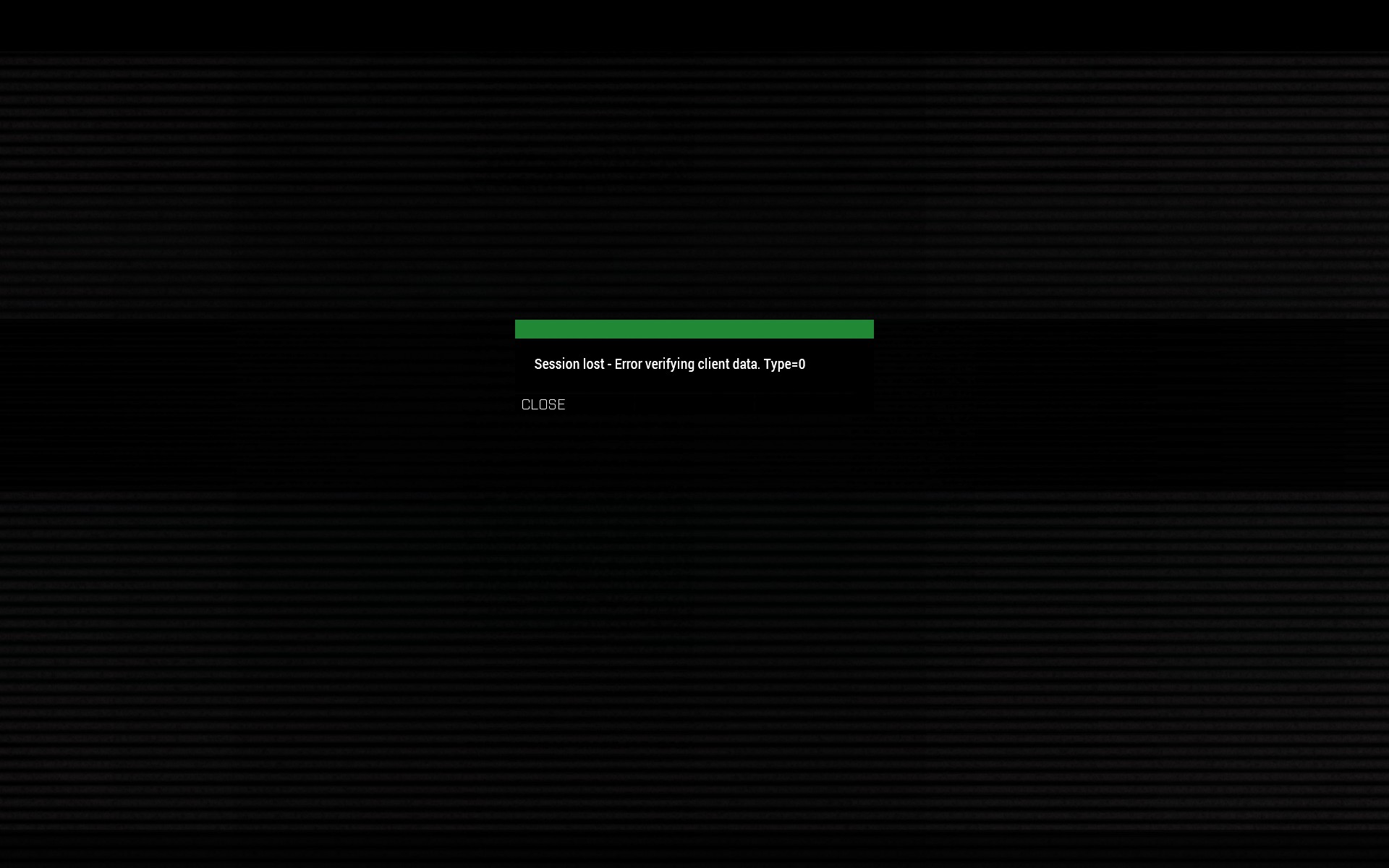


 elfin anvil
suddenly after windows 10 updates my Arma is crashing and I get this error 0x0c0000005
wise barn
fix:
don't use win10
strong steeple
works fine for me
 velvet wasp
Think I found a bug, for some reason when I look down my scope it's completely white.
fringe salmon
18:46:32 Warning Message: You cannot play/edit this mission; it is dependen t on downloadable content that has been deleted. a3_characters_f this is why you get stuck @drifting wedge
drifting wedge
From what I found from many places including this channel, it is an old Arma 3 bug that had no real issue.
Dating back from 1.60 I think it was.
However, that would not make sense anyways because I tried running with the built-in official missions the game comes with. (ie. Zeus on Altis)
drifting wedge
Unless you mean to tell me that the official missions depend on a workshop mod..
Thanks for looking into my rpt files though!
I'm still at a lost as to why I'm stuck at the loading screen.
So far I concluded that it is not mods, not corrupt installation, not workshop missions, not cache files, not saved player files, and not config file.
Edit: and not file permission issues (tried Dedmen's suggestion of running server as root)
heady pond
@uncut trellis Don't know if you remember my question from yesterday regarding the weird bugs in Warlords
uncut trellis
cant say I do.
heady pond
Springing super fast and gun drifting up or down out of frame
a YT vid
Was able to figure it out. The mission parameter "Fatigue" was turned off, and that seemed to mess up something with some of our AI mods. Don't know exactly what mod it is that caused it, but I expect it might have been ASR_AI. Changing the mission parameter to enabled made both bugs go away.
*sprinting
uncut trellis
well usually such weird issues are mod related.
but good that you came back to write it down
might help someone else too
heady pond
That's what I thought too, reason I came back here
uncut trellis
👌
heady pond
Behaviour was different in mission editor when testing, that was the reason I turned off fatigue in the first place
Thanks for your help yesterday! Appriciate it
 peak delta
I'm having some issues with trying to attach M112 C-4 made by BI to an M57 Firing Device made by the ACE team...it used to be done....but now i cant see the action icon dot on the explosive charge....except for a split second when i perform another action beside it...
any ideas?
quaint jewel
@drifting wedge your RPT says hash = '58F767C88025B2B43F9C223DFCE25D56C06295BD'
My linux vanilla server says
hash = '7885A5AFF83534D82501F86F6C062382C302DE70'
I don't know which server is wrong and which is right. But your server isn't working, and mine is. So I assume something is wrong with your files.
I don't know what goes into that hash though.
 dim junco
Since the update I keep getting this in my client RPT, any idea how to fix/ where is this freaking flag? 12:54:20 Skipping signatures due to overflow flag being set. 12:54:20 Skipping mods and signatures due to overflow flag being set.
Update:It appeared we had 1 faulty mod which when removed fixed everything...
dire fog
Important info https://forums.bohemia.net/forums/topic/222192-190-update-troubleshooting/?do=findComment&comment=3344880
Bohemia Interactive Forums
On 3/8/2019 at 12:57 PM, Dwarden said: please try new 1.90 profiling branch version 02 with performance server and client binaries, in build 1.90.145423 are some fixes to session lost issues note: since 145146 build the cache.ch now goes into ``C:\Users%windowsusername%\Ap...
drifting wedge
Hmm, now I'm not sure what is wrong. @quaint jewel Since I was running out of ideas I completely deleted the Arma3 server off from my dedicated server box and did a complete fresh install. Yet my hash is different from your still. Quite perplexing. I still am stuck with my original issue of being stuck at the loading screen and this is a fresh install so I do not understand this at all, since in theory it should work since it is a complete fresh install
quaint jewel
tried latest latest performance build from today?
drifting wedge
I have not, currently on the release branch.
Will try the latest performance build and report back in about 5-10 minutes
quaint jewel
I'll 🛏 now.
You are on linux right? Idea would be to run server through strace/ftrace and see what happens at the moment it "freezes"
Wheter it's trying to access some file. But I think there are constant futex calls even if frozen that push the interesting info out of view and make that stuff hard to do
drifting wedge
Alright, g'night Dedmen.
Correct, I'm on linux. I'll try the strace/ftrace idea to gain better intel about my issue. Thanks for that suggestion!
swift berry
Anyone getting the server session lost error again?
strong steeple
When was it fixed?
quaint jewel
are you using latst #perf_prof_branch ? yes there was an update yesterday
 lean vessel
Delete ur cba and redownload it
mighty pier
Yes, cba updated. If your client has updated and the server not, then you'll get session lost.
This caught a few of our players yesterday where cba updated in between our restart cycle
 ripe steeple
So today I turned my server down, updated it with arma remote admin updated the addons and the server seems to work flawlesly with battleeye ON, and keychecking set to "v2 only".
 void forge
I kinda have a problem with arma. When I start it it just crashes after like one second
https://cdn.discordapp.com/attachments/293026141919248405/556217920980516876/unknown.png
https://cdn.discordapp.com/attachments/293026141919248405/556217972260339746/unknown.png

 quaint jewel
your screenshots say nothing about whats going on
quaint jewel
just send the full rpt
that's not all that arma told you
it crashed you said.. It doesn't say anything about ac rsah
strong steeple
What's an ac rsah though?
quaint jewel
air conditioned robot saxophonic anaphylactic hydromorph.
 runic glen
Can somebody help me, whenever I start a mission on single player my texture just doesn’t even load and I can see through the ground. Please help🙏
void forge
It always crashes on loading addons. It doesnt matter if with or without any mods loaded.
I tried to verify game files, deleting arma3launcher.exe and redownloading it but nothing worked.
https://cdn.discordapp.com/attachments/293026141919248405/556231931747106826/unknown.png
https://cdn.discordapp.com/attachments/293026141919248405/556231992770035712/unknown.png


sorry I didnt notice that Ive sent the wrong pictures
quaint jewel
wtf is with your startparameters
void forge
just trying to get good performence
quaint jewel
maxmem does nothing, you are missing the -
maxvram does nothing on directx11 and if it would, it would just hurt you
-enableht don't use that, the engine knows better than you
-high wtf? that doesn't exist
These parameters either do nothing, or make your performance worse.. so why?
Also please stop making screenshots of text files
just upload the whole file somewhere
void forge
ok seems like I messed something up. I just searched in the internet and some solutions were like -nobenchmark. I must have lost the - there and the other ones should be for improving performance, at least some guides claimed that
where can I find the file?
quaint jewel
ignore the guides. Most of it is nonsense
limiting your game to have less memory available to use, won't make it run better
void forge
ok
void forge
ok I found the problem somehow
something with the nonworkshop mods went wrong
one of the mods just disappeared. I swear by god noone touched these files, they were just gone
oh and the params for loading the mods was completely fucked up
 fading sequoia
I've that happened with other game
Half of the mod files suddenly weren't there
Funny thing was that it was my mod and it was working on others 😛
quaint jewel
The reports of 1.90 problems rapidly went down the last couple days. All issues fixed?
strong steeple
I am not entirely sure but I think some people just gave up on assisting 😛
 tender stirrup
Anyone has a solution to constant freezes every 10 or so seconds? The problem appeared ~2-3 weeks ago
quaint jewel
Grab profiling build (#perf_prof_branch) and find out what's causing it
tight wadi
@tender stirrup uninstall KB4482887 in Windows
this should solve your porblem
report if this has solved your porblem
 pastel sparrow
my TFAR is broken
and like all of the shit comes up
such as the interfaces
but when i get in game
ppl can hear me
but i can't hear them
wise barn
and where is your question?
strong steeple
10/10 question
Can you add more vague statements?
Where are the screenshots, the error files?
swift berry
Well, I updated CBA..that lasted one night..now its session lost..again. 😠
 fringe salmon
For starters this is Arma 3 discord, you might want to seek help at DayZ mod forums. As for the error it is just what it says the signatures of your mod files are different which is not allowed on that server.
 tender saddle
Oh
Do you think you can help?
It seems like a simple fix
I'm not sure what to do tho
 timid frigate
either the version of your DayZ differs from the one the server uses or the server doesn't use DayZ. Never played A2 though, there might be something else I'm not familiar with
 median imp
@drifting wedge I am getting the same error where the console spams player without identity and I can't join
already tried adding steamPort and steamQueryPort to the server.cfg as was suggested somewhere on the internet and that didn't help
running ubuntu, fresh server that I just got yesterday
I can confirm that setting verifySignatures from 2 to 0 fixes the problem
security though, so that's not really a viable fix long-term
removing the -config=/path/to/server.cfg parameter lets me join the server, so I guess I'll dig through the config file to see if there's something wrong with that
works with empty config, trying with basic parameters (server name, password, etc.) ... Still works
Setting battleye to 1 ... Still works
Smashing keyboard into wall because I still had -config disabled in startup script so my last two tests were pointless ... Still hate my life
Adding back -config with both battleye and basic stuff enabled ... Still works
Adding verifysignatures = 2, which should default to 2 anyway ... Doesn't work ?!
so the plot twist seems to be that arma 3 was trolling us all along and verifySignatures isn't 2 by default
removing all else and leaving only verifySignatures = 2 in the config ... Doesn't work
Oh arma, you're so funny...
the player without ID error doesn't show up anymore though
that seems to be related to persistent = 1; and -autoInit
trying to delete the mission to see if it was confusing arma ... Doesn't work
I've noticed that it's telling me I'm using modified data files for whatever reason
not sure if that's normal, but I remember always getting that message anyway in a few older servers
Removing mpmissions which was a symlink and creating an actual directory in its place ... Arma is still trolling me
Restarting arma 3 client and nuking mpmissioncache ...
oh F*** MY LIFE I'm gonna try something different
I'm setting up a completely new server
if this doesn't work, then arma is broken
that actually worked, even with verifySignatures enabled
I just deleted the arma 3 server directory and reinstalled from scratch
hmmm...
here's a very weird idea...
might it be memory/cpu limitations?
strong steeple
Has this become your personal blog now?
median imp
apparently it has
strong steeple
Try switching to just the summary of your testing. Having every action you take logged doesn't help anyone and doesn't keep the channel clean.
median imp
not really
there's a few similar issues, but they mostly seem to be mod-related
oh...
so I just upgraded the server to one with two cores instead of one
and now it seems to be working
after resetting all other configurations, it still works, so that seems to have been part of the problem
fringe salmon
how do i make the ai not trurn around or stuff when it spawns?
strong steeple
or stuff is really helpful. More information required.
 heavy osprey
Could someone help me setup the game.
The game keeps lagging after i tried multiple videos. If i watch the computer requirements i could run it easily
Pls help me
quaint jewel
even without mods?
What kind of lags? just when standing still too? Or when turning around or zooming in?
heavy osprey
Stuttering
rustic tusk
or do you mean about a dozen other technical terms that are different from lagging
ok good, that was step one.
quaint jewel
USB Headset?
heavy osprey
Yup
rustic tusk
step two, did you mess with startup params, USB headset or mess with settings
quaint jewel
Try without usb headset
just unplugging and starting arma and see if you still have stutter
heavy osprey
I will try that
Wow that effect
Its like nearly completely fixed
Thx @quaint jewel @rustic tusk
fringe salmon
how can i preview a animation in the editor
uncut trellis
there are a couple of animation preview addons and the in game animation viewer
drifting wedge
@median imp THANK GOD! You got the solution to the problem I have been troubleshooting for the past week! Adding -cpuCount=1 to my server launch parameters let me in the server now! No longer stuck at the loading screen anymore! Thank you, Thank you! I am so relieved.
Sorry for not responding earlier, I was busy all weekend.
 sudden cipher
@humble quail has an odd problem, he cannot view textures in buldozer, and in buldozer preferences he cannot change the path to buldozer, for example if he checks the box "use default arma 3 install directory" or changes the path to his arma 3 directory, it says "config changed, exiting program" and then when he reopens the buldozer configurator it has not changed the location path nor accepted the checked box. we have tried this with steam running as admin and not as admin. nothing will work.
any ideas?
I'm assuming it's some kind of weird permissions issue.
@tiny imp @wet coyote any suggestions? I have advised him to purge his PC of arma 3 tools, and reinstall but then use the mikro tools to mount the p drive and install buldozer.
he's working to a deadline, so any help top get his buldozer showing textures would be most appreciated
obviously OB has path to textures set to P:\
and in OB the tga's show up on the model fine.
but in buldozer, everything is white
so he can't adjust and develop normal map / rvmats on the fly...
 grave mortar
@fringe salmon POLPOX Artwork Supporter
So, I recently bought ArmA 2 Operation Arrowhead: British Armed Forces DLC. When I launch it it asks for admin access to run DataCacheProcesser.exe. Once I give it admin access all it does is ask for admin again in a loop, and if I click no it wont launch. I can't load it as a DLC in Operation Arrowhead itself and I already re-installed ArmA 2 OA and BAF. I've looked for reviews online but I am quite stumped on how to fix this and get the game running
Error I get if I cancel out:
https://gyazo.com/38c90f54103fbd78e386ba2e523411a4
Proof that I own the DLC:
https://gyazo.com/bd1b33d625dbb1638c37a32f1a81baf2
 wet coyote
@sudden cipher
one of the most common problems with texutures in buldozer versus textures in-game is that the pbo's have been extracted badly/wrongly. and consequently the templates used in TB will also be wrong because the file\references are misplaced.
re:
"use default arma 3 install directory"
does sparklekitten trust bis sufficiently that they even know what a default install dir would be? The only way to reliably discover where arma3 has been installed is via StackOverflow's excellent code to traverse the STEAM registry settings (not bis) and extraplate from there.
"config changed, exiting program"
this comes about when the P:\bin\config.cpp does not match that of arma3,exe bin folder.
this happens when the wrong config.cpp is installed on P:\ (using bis tools), or, when tools are devel and game is stable (or vice versa)
 zealous rivet
Anyone getting a slew of "too many virtual memory blocks requested" errors since the newest update? I believe it is ACE related but I haven't heard anyone else encountering it
What puzzles me is I removed all mods dependent on ACE and it worked for a few sessions. Then suddenly it stopped working again and as soon as my SP mission loads in the editor it CTDs and gives the too many virtual memory blocks requested error.
Somewhere somehow there must be a memory leak. But this also seems to only happen with ALiVE.
quaint jewel
Are you on the release or on #perf_prof_branch ? @zealous rivet
Might be worth trying the latest performance build
sudden cipher
@zealous rivet we are all anxiously awaiting a fix from bohemia this week
fringe salmon
how do i make the ai not turn around when they spawn, so they face the same way they do in the editor
heavy osprey
anyone any tips for inproving fps while in combat?
wise barn
Less shooting
zealous rivet
@quaint jewel I'm using the release build. Where do I get the performance build?
zealous rivet
Ok. I clicked on 190perf -> perf05. I see a lot of arma3client_performance files. Which one do I choose?
quaint jewel
the client performance x64
zealous rivet
Done. I'm guessing I just extract the folder into the main Arma directory?
quaint jewel
Yeah
You can either run the performance executable manually. Or replace your arma3_x64.exe with it
zealous rivet
Hmm. Still the same error when using ALiVE. "too many virtual memory blocks requested."
I troubleshooted with the devs of that mod and none of them can replicate.
quaint jewel
If it's caused by a script, I have a tool to diagnose which script. But it's quite alot of work.
zealous rivet
How might that tool be used?
quaint jewel
https://forums.bohemia.net/forums/topic/211626-arma-script-profiler/?do=findComment&comment=3335583
Only works without battleye, is a clientside mod.
It can display the number of script values that exist, I assume it's script allocating tons and tons of script values.
If you can see that the number of a type grows, and that it always grows in a specific script function. Then boom. There's the cause.
zealous rivet
Ok. I'll give it a shot! Thanks.
quaint jewel
Load mod (steam workshop version preferably)
Start Arma without battleye and the start parameters -profilerEnableFAlloc -profilerEnableInstruction (https://github.com/dedmen/ArmaScriptProfiler/wiki/Command-line-parameters)
Start tracy (binary included in the download) and connect it. Then crash the game. And save the tracy capture. And send it to me I guess.
otherwise I'd have to explain you how to read that data
zealous rivet
Ok. First let me try to get Arma to launch. Since I installed the mod it crashes on startup now. Every time. "Status integer divide by zero" or whatever. I'm validating my arma 3 files rn
quaint jewel
oof. Might be my fault
Though I tested it to be working on 1.90
Might need to fix it first then... Which will take a couple days maybe
zealous rivet
Let me try again after the validation and I'll let you know.
As for the launch parameters I just need to enter them like normal? In the steam launcher options?
zealous rivet
Yeah it doesn't work for me. It just crashes each time. When I disabled it Arma started fine.
quaint jewel
Did you take the steam workshop version, or the one from github?
zealous rivet
Github
quaint jewel
I think that's older than the workshop one
Ah no it isn't. Well. I'll have to fix it then
Can you PM me the crashdump from Arma? where it crashed with my profiler enabled?
The mdmp file in your RPT folder. Pack it in a zip and PM it to me please
zealous rivet
Sure. Give me a moment
quaint jewel
Other people tested it on 1.90 and didn't report problems so this is weird.
zealous rivet
You just need the mdmp right?
zealous rivet
I just sent it btw