#arma3_troubleshooting
1 messages · Page 94 of 1
 low crest
 gentle gust
Hey! Just started playing Arma 3 once again ! I've got an i5-7500k and a 1060 6G and I quite struggle playing it. Is that normal. I'm at around 30 to 40 FPS
 uncut trellis
those are pretty normal fps
gentle gust
Oh I see. Wasn't sure about that since I have up to 60 in the main campaign! Thanks
 ebon nebula
so pretty much everytime i start my game, it thinks its my first day on playing it and well my loadouts as well as settings just get reset everytime
 quaint jewel
write permissions My Documents/Arma 3
ebon nebula
arma3 not the arma3 other profiles ?
quaint jewel
maybe both
ebon nebula
gonna test it
 chrome lava
Hey folks, hopefully you wonderful people can help me;
We get this error code in steamcmd when the server tries to download the modpacks. It gets to around 200MB each time, then has a timeout.
Assertion Failed: m_nOutstandingWorkItems == 0
CWorkThreadPool::~CWorkThreadPool: work complete queue not empty, 1 items discarded.
CWorkThreadPool::~CWorkThreadPool: work complete queue not empty, 2 items discarded.
Press any key to continue . . ."```

Each time it does this and I've tried google, reddit and so far no luck. Any suggestions? wraith nacelle
hi all, i'm new to the game and having a nightmare with fps drops, my gpu drops to 0% at the same time. I've tried everything but with no change. the only thing i can think is that im playing the game which is installed on an external harddrive. Could this be causing the problem?
Thanks
uncut trellis
yes external hdds can be a lot slower and Arma needs speed a lot. SSD is recommended and can help
also are you using usb headset?
wraith nacelle
No. someone yesterday told me about the usb headset issue so i tried it without with no change
uncut trellis
I would say the external drive is a likely reason
wraith nacelle
I hope so, can't see what else it could be 😦 really annoying
 vivid canopy
hello is there anyone on hand to help?
 void grove
Post your issue . There are 20,000+ members in this discord .
vivid canopy
so im having this issue getting into the game while Battleye is on, the game launched without it but there are servers that i want to play that need battleye, the message is "Blocked loading of file 'C:\Windows\System32\wow64.dll'"
this only applies when battleye is used
 wise barn
your windows might be FUBAR so BE is blocking stuff
after some google research (that you could have done also), a fresh install of the OS helped most ppl. a manual repair might also be possible, but somewhat deep-into-the-system procedure and not recommended
wise barn
vivid canopy
ok
wise barn
like i said, not recommended. you might be fucking your system more than it is now, unless you are 100% positive on what you are dealing with
 wind prairie
Hello.
I'm having a problem with the AI on my server seemingly not adjusting their AI to the values I set. They still routinely headshot my players out of nowhere. I'm using ACE and much of the medical system isn't being used because they're so accurately getting headshots.
 viscid pagoda
anyone got any idea why arma might not be starting up for me
 brave hawk
☝️ Cache was verified, vanilla Arma
viscid pagoda
thanks lou
brave hawk
@viscid pagoda can you start another game or is it just Arma?
viscid pagoda
idk ill check now
brave hawk
And can you check your .RPT files (check the wiki for that) as well as no options are used in the launcher?
viscid pagoda
its just arma#
viscid pagoda
ill try but im not mint on computers like lol
Arma 3 Troubleshooting Report
Sorry for the inconvenience.
Please report this on Arma 3 Feedback Tracker (http://feedback.arma3.com). Thanks to you we may fix the issue faster.
Process exit
Exit code: 0xCFFFFFFF - STATUS_APPLICATION_HANG
Running time: 00:07:15.6919201
System information
Date: 2019-01-03 18:21:40 / 2019-01-03 18:21:40 +00
Current dir: C:\Program Files (x86)\Steam\steamapps\common\Arma 3
Command line: "C:\Program Files (x86)\Steam\steamapps\common\Arma 3\arma3launcher.exe"
CLR version: 4.0.30319.42000
OS Version: 6.1.7601.65536 (Microsoft Windows NT 6.1.7601 Service Pack 1)
OS 64 bit: True
Process 64 bit: False
Culture: en-GB
UI Culture: en-US
Last game report
not provided
@brave hawk
viscid pagoda
Dm reset pc working now thanks for the help guys
 narrow nimbus
Can someone please explain if mod load order is important? Some say yes and some say no. Had no issue before but it seems the load order is out to the server. If yes is there a way to find the correct load order for the server?
uncut trellis
with some mods it may be. and with testing
narrow nimbus
So I have been running with this for a while now. Have a rather large collection to deal with. Though with CUP I get the following and not sure. For CUP we are running Core, Maps and CWA. Get the following error on the server log
21:48:57 Warning Message: Addon 'CUP_Afghan_Data' requires addon 'CA_E'
uncut trellis
you might be running a bad version
narrow nimbus
Any idea to find out which might be wrong? All 3 are fresh workshop downloads
uncut trellis
is that the only warning you get?
narrow nimbus
For now yes, the server stops its start order on that error
21:48:47 SteamAPI initialization failed. Steam features won't be accessible!
21:48:47 Cannot register unknown string STR_3DEN_CAMERA_NAME
21:48:47 Cannot register unknown string STR_DIFF_SCENE_ONLY
21:48:47 Cannot register unknown string STR_DIFF_SCENE_AND_MAP
21:48:48 Global namespace not passed during: false
21:48:48 Global namespace not passed during: false
21:48:48 Error in expression <false>
21:48:48   Error position: <false>
21:48:48   Error Local variable in global space
21:48:48 Global namespace not passed during: false
21:48:48 Initializing stats manager.
21:48:48 Stats config disabled.
21:48:48 sessionID: e56c0a77e1fac0d6476d3663c3d05788b3cdd7d4
21:48:52 Item str_a3_to_c01_m02_036_ta_mechanized_briefing_SOLDIERC_0 listed twice
21:48:52 Unsupported language English in stringtable
21:48:52 Unsupported language English in stringtable
21:48:52 Item STR_FGN_CauR_PatrolCap_M81 listed twice
21:48:52 Unsupported language English in stringtable
21:48:52 Unsupported language English in stringtable
21:48:52 Item STR_CBA_JR_Component listed twice
21:48:53 Conflicting addon ffaa_Stones in 'lythiumenv\gbr_rocks1\', previous definition in 'lythiumenv\gbr_rocks\'
21:48:53 Conflicting addon sz_structures in 'sz_structures\misc\', previous definition in 'sz_structures\'
21:48:54 Conflicting addon Jbad_Misc_Cables in 'jbad_misc\misc_cables\', previous definition in 'pra3\pra3_misc\misc_cables\'
21:48:57 Warning Message: Addon 'CUP_Afghan_Data' requires addon 'CA_E'
start with those conflicting addons and try without them...
narrow nimbus
Will try that
wise barn
@narrow nimbus
Your CA_E error is related to a corrupt download of CUP core
 woven ocean
Anyone know how I can find a good days single player map? All made so I don’t have to place 100k units???
uncut trellis
look through workshops missions
woven ocean
I have
uncut trellis
well I would say most of released missions are there
narrow nimbus
@uncut trellis SO managed to get cup sorted. It missed one file. Thanks for the assist. Now dealing with the following issue
 0:11:55   ace_fcs (C:\SERVICES\ni1685019_1_SHARE\ftproot\arma3\@ace\ace_fcs.dll) [??]

 0:11:55   ace_advanced_ballistics (C:\SERVICES\ni1685019_1_SHARE\ftproot\arma3\@ace\ace_advanced_ballistics.dll) [3.12.0-8ddde18]

 0:11:55   ace_medical (C:\SERVICES\ni1685019_1_SHARE\ftproot\arma3\@ace\ace_medical.dll) [t??t??9r??IbW]

 0:11:55   ace_parse_imagepath (C:\SERVICES\ni1685019_1_SHARE\ftproot\arma3\@ace\ace_parse_imagepath.dll) [??]

0:11:55 ace_break_line (C:\SERVICES\ni1685019_1_SHARE\ftproot\arma3\@ace\ace_break_line.dll) [3.6.0.0] [3.6.0.0]```Yeah server error log
Have a bunch of random errors that pops up and server gets stuck on loading screen. Can slot select though
narrow nimbus
Not sure how to but can DM you a txt file?
narrow nimbus
https://pastebin.com/f6zxmjYe - think I did it right
wise barn
looking good, gimme a sec
this is most likely preventing you from starting ANY mission:
a3_characters_f```
you need to verify the game data, your game installation seems to be borked(server)
narrow nimbus
OUF! And I am working off a fresh install from earlier today
narrow nimbus
Is it possible to upload that .pbo only?
uncut trellis
where is the mission from?
narrow nimbus
No idea - Hosting through Nitrado
wise barn
that's a shame
narrow nimbus
@uncut trellis ^ Self made
wise barn
also got an error
init.sqf, line 18
narrow nimbus
Line 18 I am aware of. It is a AddRating but not game breaking
wise barn
the last part about ACE is no error as far as i can tell
try this:
deactivate all mods and load a vanilla mission
narrow nimbus
Did a reupload for the 5th time and that fixed the ace "error"
wise barn
then post the new RPT to pastebin
narrow nimbus
1 sec, restarting
wise barn
check
narrow nimbus
Apologies for the delay, had to get the original config
wise barn
no worries
narrow nimbus
Here it is - https://pastebin.com/2X8G5Lp8
wise barn
a3_characters_f```
yep, your server install is borkedIs there a way I can upload that pbo only? Not really up for another 40gb upload after a re-install
wise barn
wait... nitrado does not provide server installations?
you have to upload it manually?
narrow nimbus
they do, but not the custom mods
They only offer stuff like exile / alive / epoch and that
wise barn
forget about the mods for a moment
narrow nimbus
kk ^
wise barn
do you even have access to the core gameserver files?
narrow nimbus
I do yes. FTP or Web interface
wise barn
you can try to replace characters_f.pbo with a copy of your local data
narrow nimbus
Is that from \Addons or \Expansion\Addons?
 strong steeple
what are you telling this poor man, characters doesn't affect functionality of the server 😛
it'll say that and just go on like nothing happened
I find it back in 20+ RPT logs from missions ran perfectly fine. Look for an error after the characters one
wise barn
@narrow nimbus
the first
strong steeple
}];
};
};
execVM "AddRating.sqf";
};
};>
 0:07:46   Error position: <};
};>
 0:07:46   Error Missing {
0:07:46 File mpmissions\__cur_mp.Altis\init.sqf, line 18``` this ruins your serverah, but the characters.pbo warning is harmless
narrow nimbus
Server gave issues with and without AddRating. Though that will be the next thing
strong steeple
that won't stop your mission from running perfectly fine
when you removed the whole expression of addRating?
narrow nimbus
yes, made a empty test mission, nothing but 2 playables and it was still broken even without mods
wise barn
@strong steeple
the borked characters pbo can be an indicator that also other stuff might be broken
strong steeple
that error always pops up if I remember correctly
it's a bug as far as I know
not a borked PBO
wise barn
always better to have a server run without errors in vanilla
narrow nimbus
@strong steeple might have a point there https://pastebin.com/D7DSb7Ug
wise barn
ok, i surrender 😄
narrow nimbus
Thought it was giving issues on vanilla. let me connect first and see
strong steeple
You haven't got a mission loaded yet
It may still crash when the server starts reading your mission file
narrow nimbus
Have one loaded. It works vanilla now
strong steeple
Good, good
narrow nimbus
So to the next error and as someone that knows about as much of code...... Mind helping me in cleaning up the coding?
strong steeple
post init.sqf in pastebin please
narrow nimbus
strong steeple
you mean this? ```sqf
if(isClass(configFile>>"CfgPatches">>"Revo_NoWeaponSway"))then{
endMission "END2";};
if(isClass(configFile>>"CfgPatches">>"Revo_ReducedWeaponSway"))then{
endMission "END2";};
if(isClass(configFile>>"CfgPatches">>"SSPCM"))then{
endMission "END2";};
if (hasInterface) then {
[] spawn {
waitUntil {alive player};
player setVariable ["loadout",getUnitLoadout player,false];
player addEventHandler ["Respawn", {
player setUnitLoadout (player getVariable "loadout");
}];
execVM "AddRating.sqf";
};
};```
Where's this addRating supposed to go?
narrow nimbus
strong steeple
ah, this might work then ^
narrow nimbus
Only way I could find to stop friendlies getting locked out of vics if pilots get shot down
And with all mods not being signed I had to go with end mission
strong steeple
Why not use only signed mods then?
narrow nimbus
Sadly I have not that say. But it also means that every single time a mod updates it is a manual upload to the server with new keys.
strong steeple
manual upload? I let a quick script do that for me with SteamCMD
even automatic key distribution
strong steeple
sigh Nitrado...
narrow nimbus
Yeah steam blocked API on Nitrado
Atleast their service is more stable than gameservers
strong steeple
I'll assume they had a good reason to blacklist Nitrado
wise barn
\root FTW 😄
narrow nimbus
It is only arma though. And they generally have a good standing with Steam. They just don't deal with arma and workshop. Every other game they do though
Though arma is not their focus. Ask them about DayZ or Ark
quaint jewel
@wise barn this is most likely preventing you from starting ANY mission: no it's not. Everyone get's that error, it doesn't mean anything
@narrow nimbus Line 18 I am aware of. It is a AddRating but not game breaking Ah if you already know everything, why do you ask here then?
Script errors can also make missions fail to load.
narrow nimbus
Put it like this. Line 18 worked for 6 months no issue XD I do feel that somehow the fact that vanilla arma was bugged out too gets missed. Replacing the PBO did seem to solve that issue. Now running the cleaned up script that Nightstalk3r sent and waiting for restart to test
And infinite loading screen
quaint jewel
The RPT that got sent isn't trying to start any mission.
Have a bunch of random errors that pops up and server gets stuck on loading screen. Can slot select though What errors. @wise barn asked you for screenshots but you didn't send any.
Also the server doesn't have a loading screen, so what you are saying doesn't make sense. Are YOU stuck on loading screen? Are you trying to tell us that? In that case we need your RPT, not the servers.
Fix your init.sqf error first, then come back and provide more details
Are you using MCC?
narrow nimbus
It is not only I that can not connect. Get to selection screen and then you end up in a loading screen. And MCC?
quaint jewel
So you cannot connect. But you can still get to slot selection screen?
MCC. Mission makers sandbox. The mod
narrow nimbus
That is correct. And no, not using MCC
quaint jewel
but if you are in slot selection, you are already connected
what you are saying doesn't make sense
send your client RPT
narrow nimbus
Where would I find that? Also, other clients can not connect either
quaint jewel
%localappdata%\Arma 3
narrow nimbus
here it is - https://pastebin.com/8b7sdtgF
quaint jewel
Also please stop setting them to expire "never". You're flooding the internet with garbage that will never be deleted 😄
narrow nimbus
Oops - I learned about pastebox a moment ago. My bad
quaint jewel
Some mod is trashing Animations and skeletons and CfgWeapons
wise barn
i suspect project opfor
quaint jewel
My guess would be Project OPFOR or Spec4Gear
Also stop loading tons of terrains, only load the ones you need.
narrow nimbus
english please? XD
So I assume a reinstall of those 2 as a start?
quaint jewel
Also remove the start parameters -cpuCount=4 -enableHT -maxmem=13526 -maxvram=5121 they do nothing besides making things worse
No. Not reinstall. Remove.
quaint jewel
 narrow nimbus
Removing it both sides. Testing
wise barn
i've never seen RHS throwing this many errors...
narrow nimbus
😰
wise barn
and i thought the AH-64 by fza was discontinued years ago...?
ok, i was wrong
still in dev
narrow nimbus
Never had issues with project opfor before. Maybe a bad download/upload?
wise barn
better: again
quaint jewel
never had issues till now 😉
If it works after you've removed it we know that it's the problem, then can try redownload.
If it's not the problem, continue searching
wise barn
project opfor was not updated since nov. 2017...............
narrow nimbus
Dedmen you know why we are going through this 😛 Rather not be in toruble though
Also in hindsight : Never trust youtube videos
quaint jewel
True. Especially concerning Arma. Mod tutorials, Script tutorials.. Never trust that crap. Most of it is garbage
narrow nimbus
It is actually quite scary. Been doing this for 8 months now, before then I had no knowledge. Has literally been trial and error
More error though
New rpt without Project OPFOR - https://pastebin.com/NG1ddY2n
Should I maybe not delete all the mods and re-download and re-upload?
quaint jewel
I told you to remove some start parameters. They are still in there
narrow nimbus
Mind slipped. It is 3am and my mind is half functioning
quaint jewel
Exact same errors are still there. so it wasn't project opfor.
Try removing Spec4Gear next.
If you see No entry 'bin\config.bin/CfgWeapons/EventHandlers.scope'. in RPT then it's still broken. You don't need to join a Server. Just launching game to main menu is enough
quaint jewel
then continue removing mods. The less "famous" ones first. 75th rangers, dual arms, Aspis gear, Caucasus Insurgency
narrow nimbus
This is what it looks like now https://pastebin.com/upEKZCaM
quaint jewel
Okey so you found the mod that's causing the eventhandler error
CfgMovesMaleSdr is still broken though
narrow nimbus
Dual Arms
quaint jewel
Should tell that mod author that his heap of garbage is broken
narrow nimbus
And RHS is still shitting itself. AT this point its my almost my whole modlist XD
wise barn
something is still kicking the skeleton
narrow nimbus
There is a big chance that the download is shot. I am from a 3rd world country after all. Gonna do the whole start fresh thing as we have now established that almost everything is broken
quaint jewel
Just looked into the code for Dual Arms. It has 0 occurences of EventHandlers so... Doesn't seem like that's causing the CfgWeapons/Eventhandlers issue
narrow nimbus
Could Be C.O.S
wise barn
could be anything...
start one mod at a time and check the rpt after every reboot
start with CBA_A3, next CBA_A3 and ace, CBA_A3, ACE and RHS mods, ect
quaint jewel
CBA, ACE, RHS, CUP can be assumed to be clean
all the popular mods that are battle tested every day probably don't have such glaring errors that break the game
wise barn
start CBA, CUP and RHS just to be sure
narrow nimbus
Only things added was COS, 75th, Dual Arms and VSM All In One
wise barn
VSM has been removed by the original author due usage of battlefield content. remove that first
narrow nimbus
I have, had it down to RHS, ACE, CUP and CBA only. RHS still shat itself
wise barn
rpt please
quaint jewel
VSM has been cleaned up and reuploaded
wise barn
oh, i wasn't aware of that
narrow nimbus
All that because someone sold Van stolen goods
 desert isle
If its been cleaned up it shouldn't be named VSM
narrow nimbus
@quaint jewel @wise barn Apologies I fell asleep on my keyboard. Thanks for the assist. Did a fresh upload without the possible broken mods and about to test.
Seems to still have a issue with all clients loading past selection screen (tested with 4 clients).
Added in ```_EndSplashScreen = {
for "_x" from 1 to 4 do {
endLoadingScreen;
sleep 3;
};
};
[] spawn _EndSplashScreen;``` as a temp solution for this weekend just so that we can use the server. Thanks for the aid gents.
quaint jewel
endless loading screen is caused by a postInit script not finishing
probably a waitUntil
narrow nimbus
What scripts run post Init? Also, can mod load order also not bug it out?
quaint jewel
I don't know what scripts
CfgFunctions postInit
any mod can plug stuff in there
mod load order also influences in what order their post init scripts run
narrow nimbus
SO with that AddRating, onPLayerKilled and onPlayerRespawn could also bug it out? Also using Survivable crashes trhat adds in a .sqf though it is set to not handle damage as it is known to bug out ACE3. Though it only runs on playerDamage
narrow nimbus
Ah oki, learn something new.
 primal oar
All of my Campaign data was erased for some reason. Any way I can get it back?
uncut trellis
Did you change profile?
primal oar
No
it just showed that none of the missions were completed even though I was in the 2nd chapter
quaint jewel
profiles get corrupted from time to time
quaint jewel
doesn't mean that, that happened. But I lost my Arsenal loadouts about a dozen times in total due to corrupted profiles
primal oar
Idk all of my multiplayer data is sorta messed up as well so I believe that can be the cause
 surreal sedge
Hello guys, I would like to know if someone in the dev team is aware about the Zeus not having the USS Liberty from the Encore update listed on the spawn list. How could I report this bug?
surreal sedge
It isn't on modules
Isn't the liberty a static ship just like the hms proteus?
And it's weird because the team that made achilles mod made it so that we can spawn it
In zeus, I mean
quaint jewel
I'd guess it's not available for same reason as freedom
uncut trellis
But is it official content or made to a mod
surreal sedge
Makes me think that they might have forgotten to put it in
The USS Liberty was added on the Encore update as a stactic ship from NATO
It's official and can be spawned in Eden
Not in Zeus
uncut trellis
Yes but the Zeus placeable one
surreal sedge
The Zeus placeable is modded
quaint jewel
The HMS proteus is a mod though isn't it?
surreal sedge
No
uncut trellis
Well there you have it
quaint jewel
And it's a single static object
surreal sedge
The HMS Proteus is a submarine
uncut trellis
Someone has to mod it in Zeus
surreal sedge
Yes, but the USS Liberty is official, it should be on official zeus, everything else from the Encore update made it in
This is the only thing that didn't
uncut trellis
Liberty and freedom are made out of multiple objects
quaint jewel
The USS Freedom is also official
Liberty has it's interior as seperate model afaik. Zeus cannot do that.
You could only do that via script in a module
uncut trellis
And if neither are in official Zeus assets the that's just how they have meant it to be
surreal sedge
Does that mean that Zeus was never supposed to spawn these to begin with?
uncut trellis
Possibly
surreal sedge
Damn it... These are awesome ships forever lost in the Eden editor then
surreal sedge
They have
Achilles
But I usually play official zeus servers
Since I can't host
And also, making people install a mod to play in a server is really detrimental
uncut trellis
Then they likely are out of reach
uncut trellis
That's how servers work... They use mods and people who want to use those mods play on the servers
surreal sedge
I know, that's why this sucks. Driving people who don't have the mods away from a server just to spawn a single stactic ship
 naive heron
@surreal sedge cant host?
surreal sedge
Might as well just make a server with the zeus module on
Nope, can't port forward because my ISP sucks balls
naive heron
Hmm
Ive setting firewall. Port forwarding the upnp stuff
Checked the last few stuffs and im good to go
Took me 3 days tho
surreal sedge
Unfortunately my isp doesn't provide me my static IP, that's why I can't Port Forward, if I want to host, I'll have to change my ISP
quaint jewel
I also don't have a static IP, but can still host fine
Don't need static IP to host
surreal sedge
Weird... I cant at all. Confirmedly because of my IP
But, I have Brazillian ISP, we have problems no one else suffers
Anyway... thank you for the answers. Hope they add these ships one day...
One last thing before I go... I was on one of the official bohemia zeus server the other day and this guy came up and somehow he could spawn in Arsenals, move things around as a soldier, make everyone vote him admin
quaint jewel
Hacker
surreal sedge
I called him out and he said he was using scripts
Yeah, I figured he was either a Hacker, a Dev or a Scripter
THe server had Admin Debug Console on at the time
Is that why he had access?
Or it doesn't matter at all?
quaint jewel
well if you have debug console you can copy paste scripts into it
surreal sedge
It was official bohemia server mind you
And I was the admin at the time
He somehow did that without having admin access
 fading pulsar
Then yeah, cheating/exploiting/something cheeki
wise barn
check if your ISP is setting you up with IPv4 or IPv6
arma seems to have trouble connecting on local hosted servers using v6
@naive heron
naive heron
Ipv6
Arma3 is getting old 😁
Arma is also way to complicated on this
Still the best out there
My friend already made a dedicated server
 fringe salmon
what am i doing wrong
this addAction ["Collect Intel", {deleteVehicle intel1;}];
giving me an error
quaint jewel
an error 🤔
Or do you mean "a n error" aka "not error" aka "not defined error" aka "variable not defined error" aka "variable not defined in expression error" ?
Or did you mean "a n error" aka "not error" aka" not a number error" aka "expected number, not a number error" ?
Or did you mean "a n error" aka "no error" aka "there is no error I don't know what I'm doing, how did I even get here? error" ?
quaint jewel
Okey then. Let's start to troubleshoot what the issue could be. I don't have much to go on, so let's start at the basics.
I your computer plugged in? Did you pay the power bills? Can your computer power up?
Is your monitor turned on? does it display anything?
Did you try pulling the plug and plugging it back in? I heard that helps in some cases.
fringe salmon
nevermind
I fixed it.
I have another question. How can I make it so that once intel is collected, new map markers are shown for the player? I tried using the sow/hide module but you can't sync map markers to it.
quaint jewel
Didn't know you can even hide markers
fringe salmon
You can't, appearantly
I tried.
I guess the only option is to spawn them with scripts
uncut trellis
or move them from hiding
 placid token
Tried playing with marker transparency?
fringe salmon
I dunno how that would work
narrow nimbus
In terms of the server log file now only have "bone" errors thats obvious. Can anyone maybe please have a look at the log and help me with checking if there is anything that might be out of place in terms of it being server breaking?
naive heron
I have ipv4
But it kick my host away bcs my ipv6 is like. No no your not coming tru and my iov4 is just an old man in a race against usainbolt at this moment. So my disabling ipv6 is kinda am breaking ipv6 his legs so ipv4 can win the race and ipv6 wont bother him again
fringe salmon
Hello, whenever I try to launch Arma 3 from the launcher I encounter this error https://puu.sh/Csj9S/eea55c2c34.png So far I have reinstalled the game to a new drive, and I can launch the game from the system directory (arma3.exe) but BattleEye doesn't activate correctly and prompts for a restart which than attempts to use the launcher thus the error occurs. What troubleshooting steps do you recommend? Thank you
uncut trellis
for some reason it seems like its blocking a massive amount of windows core files for you
fringe salmon
What next steps do you think could be taken?
uncut trellis
that I unfortunately dont know
but you might find something about BE blocking those files online
maybe someone else has run into same or similar issue
 fading sequoia
Check viruses
 pulsar cove
a friend of mine tried launching arma recently and was greeted with an error code, 0X0000dead, in which his game then crashes. Hes tested and it's not any specific mod, and clearing his user configs in documents did not fix anything, as well as a steam verificationof files. Any idea?
quaint jewel
Might just be one of BE's random hickups @fringe salmon
For how long do you have that problem?
@pulsar cove 0xdead means you got a error message that told you exactly what was wrong before it crashed
quaint jewel
no
pulsar cove
Hence 0000?
quaint jewel
with a very specific reason
no
0xDEAD.
Means Arma killed itself on purpose, because it encountered an error that it didn't want to recover from
it tells you about the error in a message popup box, or in RPT. And then kills itself with that error code
pulsar cove
Huh, strange.
We fixed the bug a few hours ago by having him make a new profile from the launcher, so theres that i guess
I googled the code and the only things on it were, counted 6 different reports of the code, all in 2016, and a fake wiki page stating to fix the bug you had to install the wikis own program that looked like adware
quaint jewel
googling the code won't help you
as it literally tells you "look at the error message I gave you"
fringe salmon
@quaint jewel I have had this problem since yesterday. Thing is though, I haven't touched Arma 3 in over 3 months
fringe salmon
Didn't know you can even hide markers sure thing, you can make them invisible by altering alpha
Wrong channel?
 kind gorge
guys my arma 3 keeps freezing for a few seconds at least once per minute
I have an rtx 2070 and Ryzen 5 2600 can anyone help?
uncut trellis
are you using usb headset and on win10?
uncut trellis
then not likely issue with it
kind gorge
issue with what
uncut trellis
with the headset
uncut trellis
vanilla game? mods?
kind gorge
vanilla
any gamemode it happens
Altis life / invade + annex etc
gpu usage isnt stable while playing if that helps
kind gorge
yes
average gpu usage is 35% while playing
drops to 0-2 at the same time as game freezing
uncut trellis
does the armas rpt log say anything?
kind gorge
@uncut trellis What happened
uncut trellis
?
uncut trellis
each run should produce one
so you can open up the latest
you can copy paste it to pastebin.com and post the link here
pulsar cove
Excellent help.
fringe salmon
New profile means whole new profilenamespace variables and new missions directory. Both have potential to cause trouble if misused/abused @pulsar cove
In fact I think making new profile should be one of the first things to try after making sure no mods have been used
uncut trellis
well at looks like the mission you are playing is running some buggy script in it constantly
so that could be related
kind gorge
But it happens for every mission
Altis life
Invade and annex
And none of the people I play with get this problem
uncut trellis
both of those are heavily scripted missions
then its also possibly it could be problem with your internet connection
does single player work right?
kind gorge
I haven't tried it I will try
However my GPU usage drops at the same time as the freeze
Is that just because when the game is frozen the GPU doesn't do anything?
It has nothing to do with my gpu because the usage drops when freezing on both my cards; my 2070 and my old rx 460
uncut trellis
do you stream or have something else running at the same time?
kind gorge
No#
Just MSI afterburner
Steam and sometimes spotify which I closed to check if it changes anything but it doesn't
uncut trellis
does afterburner do some runtime optimization or somesuch
kind gorge
No it just monitors gpu temp and usage etc
uncut trellis
then it could be some sort of problem with your GPU
you could try with different video settings too if that makes any difference
kind gorge
@uncut trellis Defintely not a problem with gpu
It happened with my RX 460
Since then I've had a massive upgrade to an RTX 2070 + R5 2600
Still happening
Also tried all video settings
Is it worth reinstalling the game?
uncut trellis
worth a shot
kind gorge
Couldn't you see anything wrong in the log?
uncut trellis
nothing poped out to my eyes but then again I just play the game like anyone else
someone else might see something different
fringe salmon
@kind gorge rpt logging is file operation and it is known to cause stutter especially when script errors and lots of errors are logged at once. You can disable logging though and see if this helps
kind gorge
How? @fringe salmon
fringe salmon
kind gorge
ty
fringe salmon
I dont recommend it, better fix the errors
kind gorge
what do you mean
fringe salmon
I mean make sure your mission runs error free
this is just to try and see if the stuttering is cause by the rpt writing
I am not recommending to leaving it on as I am sure you would do if it eases the stuttering
wise barn
@fringe salmon
#arma3_scripting
quaint jewel
@fringe salmon #rules don't cross-post. If you move to a different channel please also delete your old message. Otherwise it violates the rule
 trim nexus
Hey guys my friends game froze yesterday and steam decided to download the game from scratch so he restored a backup and downloaded lords of war DLC as that downloaded the game started downloading again from scratch and showed 24gb
Any idea why would that hapen
uncut trellis
could be a steam bug
wise barn
the usual steam hickup

 astral wharf
Hello, I've got a reoccurring error in my server logs
Server: Object 25:9 not found (message Type_128)
Anyone know if this is something i should do anything about? It appears loads of times throughout the logs
astral wharf
Another question then, what does this mean
Class WeaponFireGun destroyed with lock count 3
Since i have some weird issue with Fire Rate of weapons not coming across to other clients or the server, if an MG opens up full 1200RPM it comes across to other players as 20RPM instead for some reason, it seems like the server takes it the same way as it takes a long time to kill someone
Ive tried it on different servers and LAN its the same issue so i suspect its some kind of mod
quaint jewel
that log line is unrelated. Maybe some problems with your network config
astral wharf
Yes it happens on other servers with the same modpack, i first thought it was the server so i had the files moved to another server, it didnt fix it, i was playing some local hosted with some people and it still happened
 pliant gust
wise barn
pliant gust
wise barn
@pliant gust
Two mistakes at once
- Posting a link without description
- You used addon breaker
quaint jewel
That's a very nice screenshot @pliant gust congratulations
wise barn
The usual questions that have been asked countles times:
How did you set up your pdrive
Did you run arma3p
Why don't you use Mikeros tools
?
before you answer:
follow these steps:
1.
https://pmc.editing.wiki/doku.php?id=arma3:tools:installing-steam-arma-3-tools
2.
https://pmc.editing.wiki/doku.php?id=arma3:tools:setup-p-drive
3.
after installing mikero's tools AND ran arma3p, pack your item with pboProject
no excuses
@pliant gust
wise barn
did you do what i told you to do?
fringe salmon
Server: Object 25:9 not found (message Type_128)
Something got deleted but server wasn’t updated yet, there are things you can fix and there are things you can’t
wise barn
@pliant gust
wise barn
Good. Never leave that path. Most of the common questions that come up with modding are covered on the pmc wiki. Bookmark it and handle it as the holy bible of modding
pliant gust
Thank you
 wispy relic
not sure if the right place, but if my headset gets disconnected and reconnects, theres no sound coming from arma anymore, is there any other way to fix this other then restarting the game?
 ruby perch
Has anyone had an issue where sound suddenly cuts out (windows shows 100% output on all 8 surround channels though) ? Especially while entering helicopters. This happened to me and only one other person on my server, simultaneously. Alt-tabing sometimes fixed it. We used the mods for "Hearts and Minds" + ACRE (ACRE continued to work fine)
uncut trellis
Arma has had a lot of trouble with USB headsets so that may be issue. Some have got those working with driver updates. If Arma loses the used audio device I don't think it then connects back to it.
 tropic yarrow
Well not really Arma, Windows 10 does.
uncut trellis
Well yeah win 10 may be the core of the issue
But also Arma does not have ingame audio device selection.
tropic yarrow
Right. One day we might be able to get that, I still frustrate myself over having to restart arma when switching to speakers.
ruby perch
Hmm I'm on Windows 7 and never had this before in 3 years of playing. Arma goes into Voicemeeter, but I do have a USB headset in the end. Thanks for the info!
uncut trellis
You could also try verifying the game files.
strong steeple
Got kicked from ARMA with message "Battleye Stopped Responding", now can't join that same server anymore "Battleye Initialization Failed" even after several restarts. Verified Game files and reinstalled BE. Any other solutions?
quaint jewel
change your IP
strong steeple
yea lemme call me ISP real quick 😛
quaint jewel
restart router or use vpn
uncut trellis
could computer restart help?
quaint jewel
I heard VPN's solving that in the past. So I assume nothing else helps
Battleye on serverside seems to remember your IP and get confused
 mighty pier
Client restart won't do anything. Server restart does. Needs a new IP as Dedmen pointed out. It's where BE won't release the IP on force disconnect. We asked about it months ago in the #arma_battleye channel
it's been around since the update that had the BE 'improvements' and port changes etc...
strong steeple
fixed at 3rd BE reinstall
mighty pier
Hmm, did the server restart in between?
uncut trellis
possibly enough time passed by 😄
mighty pier
Will be that. Never heard of a client be reinstall fixing it. It's the server that's hanging on to the IP and saying "nada" when it pops up again.
strong steeple
well, I restarted the server 5 times. After 5th, still couldn't join. Tried 2-3 times. Found the hint to delete BE from the /battleye folder. Found two bat files to (un)install. Used both, joined, got in 🤔
BE'll never stop surprising
mighty pier
OK, that does sound different then. But, glad you're sorted anyway 👍
 grave marlin
Need help/w Thermal Gemma Bug
Having some Problems with my Thermal View on almost everything expect for KOTH, when i turn on TI WHOT / BHOT its either super dark or like NVG in daylight blinding. no details to the images just black or white
Black Hot
https://imgur.com/cZdOM94
White Hot
https://imgur.com/IVSvrEV
IFR
https://imgur.com/bLX3yYN
Anyone have idea's on whats going on here or any fix's?.
i sldo found this post related 100% to my Problem: https://www.reddit.com/r/arma/comments/7f9cf1/thermals_bug_help_please/
Arma 3 Editer Thermal View's don't think its a problem with my settings
https://imgur.com/a/iiE3TtP
quaint jewel
Seems normal to me. If everything is roughly same temperature then you don't see it on thermal
grave marlin
if you have look at all screenshots you see my problem. i set the editer to same time of day and i went to same area.
wise barn
I'd say mod issue
grave marlin
i was thinking the same
didn't want to confront the server owner without exploring a few options
uncut trellis
Test what it looks like in editor/single player game without mods
Also do you run some external graphics enhancement stuff?
grave marlin
Its the Date and time of year settings thats making thermals wigout
 neat mica
Ambient air (and therefore ground/object) temperature varies through the day and through the year ... let me guess that the time of day was either mid-summer sometime early afternoon? Or similar extreme?
 crude bronze
for some reason people can't hear me when I speak through direct comms. They can hear me in the other channels and I can hear them when they speak with direct
desert isle
How far away from you are they?
crude bronze
right next to me
desert isle
odd
uncut trellis
Mods involved?
 wraith magnet
Did they turn down the effects slider?
 clear ledge
ive got a bug, player zooms in and out and has MX not the standard pilot thing in hands
I cant play like that, I have restarted once
wise barn
check your key bindings
clear ledge
no, its a bug
here
also its toggled on the look around thing
I cant untoggle it
that happens in vehicles
didnt fix after restart
uncut trellis
you got mods?
fringe salmon
All of a sudden am getting this error, net server can’t find channel number error when connecting to a server idk how to fix
 trim lantern
i got a issue now that i can't join any server - just get the message "connecting failed" after some seconds - although the dot in the browser is green. does anyone have an idea how to troubleshoot this?
 limber hull
Anybody know why my BE is just BROKE? https://gyazo.com/54c2bc8e2a81eb4e8f784f34eb0e436f
 vocal jacinth
Try restarting your internet. Worked for me
clear ledge
Got a crash with this error 0xC0000409 - STATUS_STACK_BUFFER_OVERRUN
why
also happens quite frequently
Running time: 05:31:20.6663072
quaint jewel
why cuz game tired, game sleep
 maiden gale
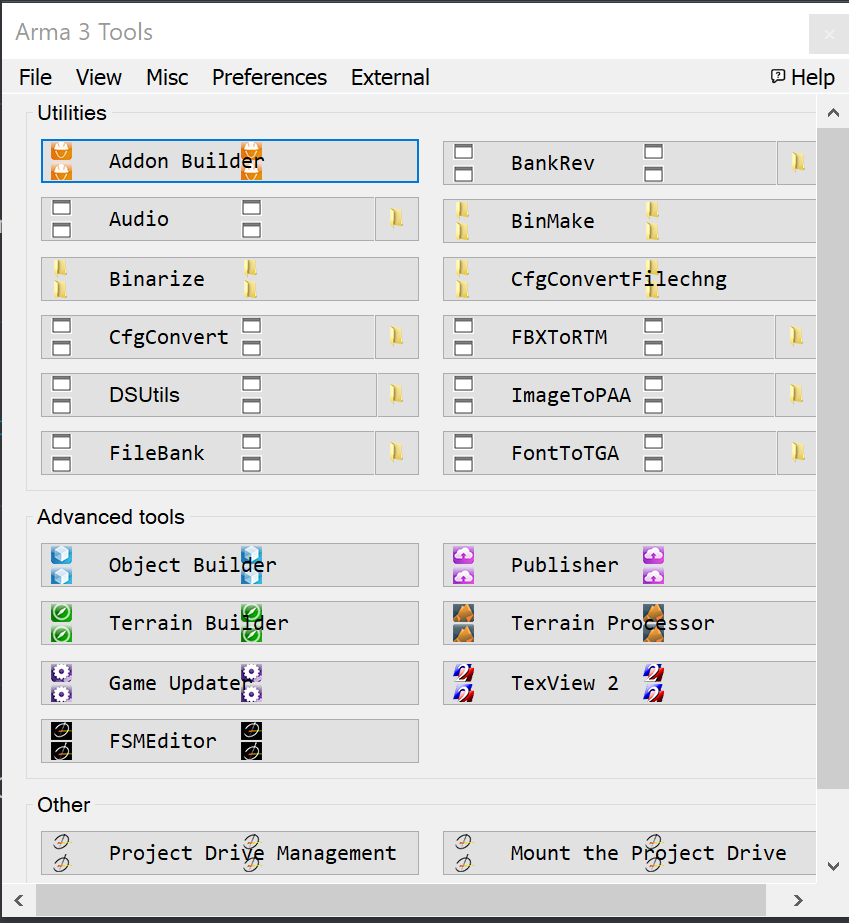
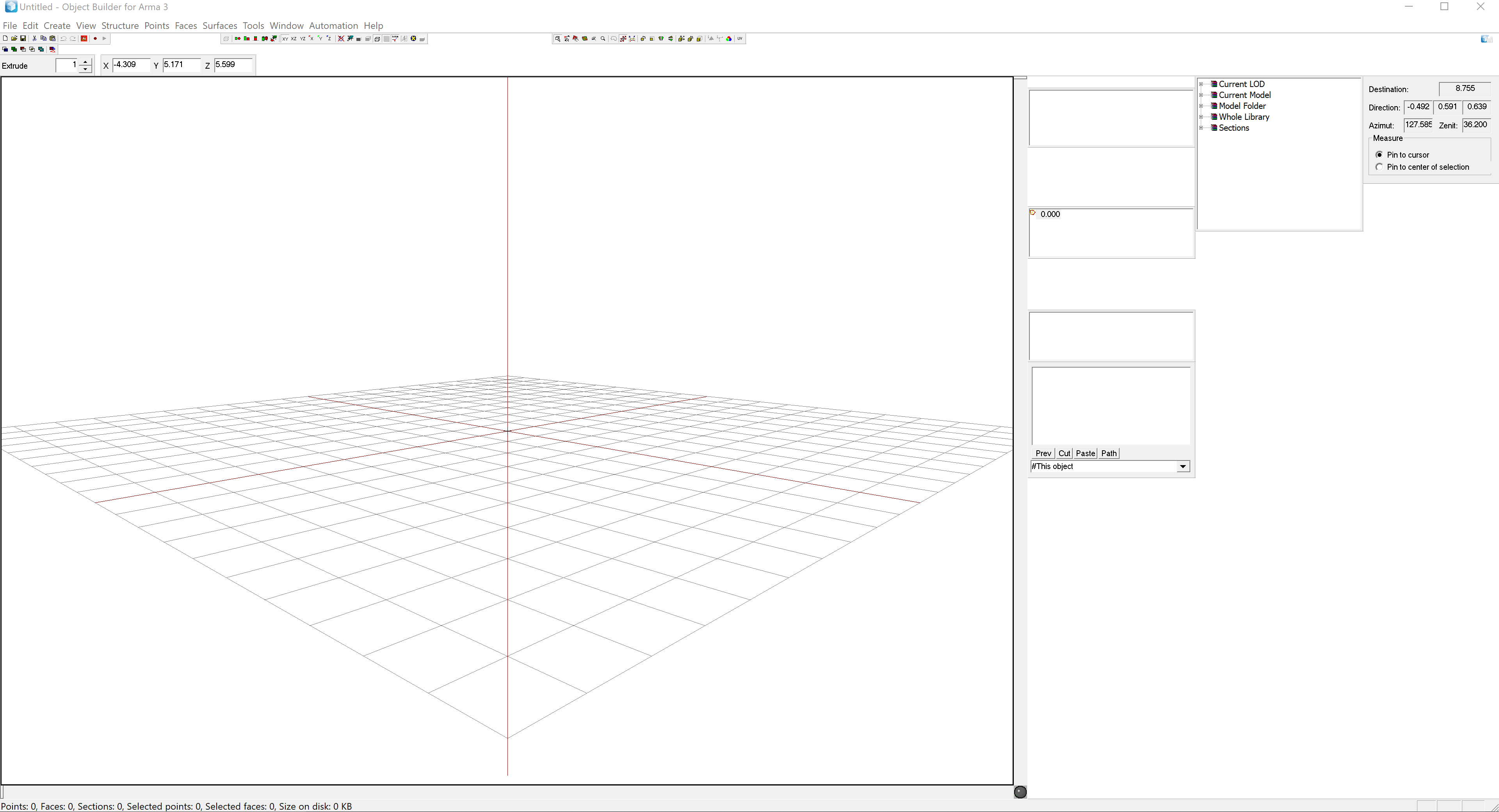
Having an issue with Arma 3 Tools and all of its programs not scaling properly, with some of the menus being essentially unusable.
My monitor running resolution is 3840x2160, however I have not had this issue until recently.
Alongside this, it recently resolved itself for several days, after being like this for a somewhat considerable amount of time, and it's becoming a huge issue as it's just terrible to work with.
 leaden turtle
Do people help with mods here too?
leaden turtle
I get a lot of errors when i try to open my game with mods
wise barn
what errors? got a screenshot? if so, post it on imgur and then post the link here
leaden turtle
addon 'cba_common' requires addon 'A3_ Data_F_Tank_Loadorder'
tropic yarrow
Corrupt vanilla data?
wise barn
verify game data via steam
leaden turtle
Ive done that twice, still get errors
leaden turtle
ACE and RHS stuff
wise barn
where did you get the mods from?
leaden turtle
Armaholic
wise barn
use steam workshop
wise barn
there us nothing like a "thing" when troubleshooting 😉
and we like to keep troubleshooting in public for others with maybe the same problems to learn
leaden turtle
Its kinda off topic
wise barn
that's what this channel is for 😄
it's not off topic
ok, get your mods from steam and launch one mod at a time with the vanilla launcher
leaden turtle
...
wise barn
I cant use the steam workshop because I use a cracked version of the game. Im young and i dont have enough money...```
msg via PM
this is not tolerated, not at all. good luck finding help elsewhere, but your days on this official arma 3 discord are over
<@&105621371547045888> merry marten
Not accepting that as proof
wise barn
@merry marten
i'd like to send you a PM
merry marten
not accepting the friends request
leaden turtle
Please dont ban me 😩
wise barn
ok, how am i supposed to send you a screenshot?
merry marten
your not
leaden turtle
@wise barn Said i will...
merry marten
he's not broken any of the forums rules as he's not discussing it. using a cracked copy is for David to deal with
if the others want to ban him so be it
leaden turtle
Who is david?
merry marten
dwarden
leaden turtle
Oh.
wise barn
using a cracked copy is for David to deal with
that's new to me that that ppl who use cracked games are up to @tiny imp to handle, and not mods
¯_(ツ)_/¯
leaden turtle
He is the system adminastrator...\
 tiny imp
@wise barn you literally twice highlighted me for something you got revealed in private, if he is unfortunate poor (while it's no excuse for piracy)
leaden turtle
I didnt pirate it i got it off a website
wise barn
twice? sorry didn't mean to, might be the msg edit
tiny imp
it's not like he is cheating or something what needs immediate banhammer cause until you even typed, nobody knew
leaden turtle
I promise when i get the 40 dollars i will buy the game.
tiny imp
you could nicely educate him how bad it is (to use pirate copy) and because we live in age where nobody trust anyone on internet anymore i don't expect you to gift him copy ...
 supple thicket
prepares Makarov
tiny imp
instead , you made your private convo, my problem, all of sudden
wise barn
well, nothing more for me to say other then that i wonder why i payed good money to support BI if rips are tolerated...
sorry to bother you with this
leaden turtle
hides
tiny imp
they not tolerated but you could do it way better than making from it public drama
i asked him to leave and join only when he gets the game legally ...
tiny imp
ye but that would not give him reason to buy (or obtain) the game legal way, which is what in the end is the optimal solution
 fallow swan
¯_(ツ)_/¯
tiny imp
really wish he could solve all the world problems but then, it would be so boring utopia that it would be just one big problem itself
 rustic tusk
a utopia partially means something that does not exist
in a ideal world, everything would be nice, however that brings up a philosophical questioning that's just pointless, eh?
 delicate lintel
I have a really strange question and want to know if anyone has any idea about it
I tried to search, but I have no clue what to search for
Anyway, sometimes in the middle of a game, my game will lag out for a moment and suddenly everything turns into hell
Characters turn extremely low-poly, buildings, trees, and other things disappear, the characters all snap into the reference pose, headgear phases through their heads... things along the lines of that
The game becomes incredibly laggy and can't be recovered from that point without restarting the game
This is the only screenshot I have from it happening but I can probably get more
Actually here's another showing what kind of stuff happens to a character
quaint jewel
Characters turn extremely low-poly, buildings, trees, and other things disappear, the characters all snap into the reference pose, headgear phases through their heads... things along the lines of that
That's called the "3FPS bug"
Your Arma went into out-of-memory emergency mode. Trying to free as much memory as possible to not crash
 uneven halo
So i just installed arma 3 on my new pc on a ssd
I get kicked from all servers with this message in the RPT log
Skipping mods and signatures due to overflow flag being set.
Any ideas? already verified files
Also this is vanilla
 stuck silo
Ok so I have a problem
I made a new campaign on Lingor
All good and well, but now im trying to put it live but it is giving me the error as if I do not have the map loade?
22:01:57 Roles assigned.
22:01:57 Reading mission ...
22:02:04 No entry 'bin\config.bin/CfgWorlds.pbo'.
22:02:05 Mission 108_Lingor.lingor3.pbo read from directory.
But the mod is there, I even tried a namechange of the folder (taking out the spaces etc)
Any ideas?
stuck silo
nvm, fixed was being an idiot
fringe salmon
I keep getting a message that says 'connecting failed' on every server I joined and my game crashes
I had already restarted my router and all and it still happens
this is the only game that does it
anyone have a fix?
I had also re installed the game
naive heron
i get the connection failed too
but after i click login nothing is wrong and i can play mp all i want
fringe salmon
I'm trying to set up a dedicated server with mods, but every time I connect I get a steam authentication failed
wise barn
check your server and your local RPT files
fringe salmon
If I upload the file could you help me out?
@wise barn
well nevermind I can't upload it
uncut trellis
You can upload it to pastebin and drop the link on this channel.
wise barn
@fringe salmon
sorry, was already in bed. but as HG said, post your RPTs on something like pastebin.com and post the links here
fringe salmon
wise barn
and your local RPT?
 heady bane
i keep trying to join my unit server and this keeps happening all of a sudden
everything worked before
i used to have this loading issue a long time ago idk what causing it again its retarded
 strong storm
ACE Dlls are being blocked by battle eye, any fix?
 patent flint




 sharp kernel
Coming back to Arma after a few years and I can't seem to find a single server that allows mods. Just trying to use Personal Arsenal, NoWeaponSway, and would like to use RHS... Any suggestions?
placid token
It's recommended to use the Launcher server browser rather than the in-game server-browser @sharp kernel. It handles mods better.
There are most certainly RHS public servers, keep looking.
placid token
I've never used A3Launcher, don't know anything about it
either or, don't use the in-game browser
 chrome merlin
Why my game crashes alot...
Is this a problem for every Arma 3 player?
I saw many people discuasing thia before...
quaint jewel
mine doesn't crash alot
placid token
Well, more information than 'crashes a lot' would be nice.
What are you doing? Are you running any mods? Do you think your hardware might have anything to do with it? etc.
(going to bed now, don't answer me specifically)
chrome merlin
Im just playing the normal atlis server
With 30_40 fps
In 15-20mina
The game crashes
No idea?
quaint jewel
Maybe there was a stray gamma ray from alpha centauri that hit the "should I crash now" bit in your ram.
chrome merlin
How can I fix it?
quaint jewel
¯_(ツ)_/¯
 half notch
Recently I started getting "too many virtual memory blocks requested" error that causes a CTD. I never encountered this error through all the years of playing arma 3. My PC hardware is still the same, so I have no idea what might be wrong.
quaint jewel
Is the crossposting really needed?
Can't even wait a couple minutes in one discord for an answer before you have to repost it elsewhere?
half notch
No
besides its not like its on the same server, and not everybody are on the same servers
half notch
My google fu is too weak, as I didn't find anything that would help me
 frosty crypt
Sorry can someone explain what this error message is? 20:43:23 ErrorMessage: Data file too short '@CUPTerrainsMaps\addons\cup_terrains_maps_chernarus.pbo'. Expected 393835601 B, got 137625600 B
Not sure which forum to ask this in
 gritty crypt
@frosty crypt if you're downloading from SteamCMD, CUPTerrains downloads fails pretty much every time due to the size of it. You just have to keep validating it.
If you downloaded it elsewhere, download again
frosty crypt
Alright
thanks
tryna do it over FileZilla from my computer to the server
and its taking an age lol
 thin schooner
I need some help guys. My workshop content is all downloaded, but it's proceeding to redownload it..again
How do I make it...use the downloaded materials?
thin schooner
Arma 3 deletes mod content. Proceeds to redownload it. Again..and..again
It's literally downloading workshop content and then says update cancelled.
 spare geyser
@thin schooner
- Do not cross-post
Do not post duplicate threads in more than one forum simply to get an answer quicker or to draw more attention to your post.
I answered you in #arma3_questions
If your problem is that you cant download a mod compleatly
You need to clear download cash of steam and try to downlod mods one by one
limber hull
Can somebody help me with this battleeye issue?
Battleye FAQ is useless at this point.. there has to be another resolution than fully re-installing windows..
quaint jewel
How about the solution to stop using battleye?
Worked perfectly for me for the last couple years
fading pulsar
Aren't you battleye banned though? 
fringe salmon
How do I map a key to the "targeting camera"? I don't even see that in my controls menu
Some people call it multifunctional camera or whatever, I don't see that in the keybindings anywhere
fringe salmon
Yeah, that's what everyone is saying, that doesn't do anything for me
tropic yarrow
Okay, then the plane or vehicle doesn't have a targeting pod. Which vehicle are you using?
tropic yarrow
Just right click and it'll throw you into the FPP
fringe salmon
sent you a screenshot
fringe salmon
Yeah, but either way the hint says I don't have a button mapped for the targeting camera, which, is fine, I'll map a key to it. Thing is I'm looking for the thing in the controls menu and it's not listed
I've looked uner view, weapons, movement, everything. I don't see it
 blissful bramble
might be "multi function camera"
tropic yarrow
Seems he can't find that either monkey
blissful bramble
can't remember, but i think it had a weird name
fringe salmon
Does it matter that I have the Arma 2 preset controls? (because I'm stuck in my old ways lol)
Does that remove Arma 3 features?
tropic yarrow
Possibly yes.
blissful bramble
doubtful
blissful bramble
probably
or it's the one for the PiP display
but I think that's in info panels now
tropic yarrow
Yeah iirc all the pip stuff got moved to the info panels.
fringe salmon
well, AV camera isn't it. I just tried that
what the hell man
Why's it giving me a hint for a control that I don't have mapped that's also seemingly un-mappable
blissful bramble
Targeting camera should be down from AV camera in Common controls
tropic yarrow
It's definitely mappable. It is a keybind, and has the key values existing in the game.
blissful bramble
above Open DLC Screen
frosty crypt
Scripting function 'bis_fnc_debugconsoleexec' is not allowed to be remotely executed
where do I enable this?
Sorry for being a pain, I'm just lost.
quaint jewel
CfgRemoteExec
frosty crypt
ty
 fast swan
Game keeps lagging when aiming, shooting and movment. (I think it's my PC, but it runs the Demo alright)
fringe salmon
USB headset for sound? Try using internal sound card instead and see if that resolves it.
wise barn
*install the game on a SSD
 tawdry glen
Hi guys. I try to load a game and it says error loading tank addon. Any ideas what this is or what i have to do??? Cheers
wise barn
upload a scrennshot of your error msg to imgur and post the link here (not PM)
fringe salmon
I have two computers on my lan, one is an Arma 3 server, other is my computer. I play in my computer on the server mentioned, and sometimes i have red chain. This is normal? Red chain lasts for 80 seconds than i got disconnected.
quaint jewel
tank addon failing to load is most likely because someone doesn't respect the law nor the developers who made the game you are trying to play
Or just corrupt files. Just validate via Steam.
But the last 3 instances someone had an error that tank was not loading it was because he broke the law
blissful bramble
you haven't set your player profile to use that type of headgear, have you?
tawdry glen
I am not breaking any law. I just bought and downloaded the game.
 silent lava
Having trouble removing cup mod from my server i get this in the RPT i have remove the dependencies from the mission.sqm and renumbered the list i have also removed all the items from the mod off the map this is what i get in the log No entry 'bin\config.bin/CfgWeapons.CUP_hgun Colt 1911'
Any idea how to fix tihs?
Nevermind i have solved the issu
issue
silent lava
Anyone know how to fix randomly dying in clothing store on altis life?
desert isle
@devout pasture VSM mods are prohibited here due to stolen content. As such, your conversations regarding it have ben removed.
quaint jewel
@tawdry glen give us the exact error you are getting or we can't help you
 devout pasture
@desert isle Didnt know VSM was stolen content.
 vagrant comet
Hello. Looking for a bit of advice so i have been playing life servers with mods for around 2 years now and for the last 6months or so once loading on to a server i could be on there 1minute or 30minutes and it will just freeze my pc on a black screen causing it to lock up and i have to reset it manually this doesn't matter if i am on a server with mod or without mods it still happens My pc specs are i7700k cpu nvidia gtx 970 12gb ram 800wattpsu i Have swapped all these parts out and it still happens does anyone have a fix for this
uncut trellis
for starters you got to decide do you want to ask it on this or #arma3_questions channel
then you must first test if it happens just playing normal game without mods
 azure palm
i assume you have tried verify steam files and making a new profile
uncut trellis
those are worthwile to do too
but also nothing can be properly debugged if mods are involved
azure palm
yes but if its a unique error it could be a bad var stored in profile.var
new profile would remove that possibility
vagrant comet
@uncut trellis sorry i will keep it in this forum and yeah it still happens when playing on a server without mods @azure palm i have tried verifying steam files but i haven't tried a new profile i will give that a shot thanks
azure palm
np
gritty crypt
Anyone else have the following issues with the CUP mod?:
A) Aircraft randomly explode on the LHD sometimes when you get in them.
B) The get-in point for the MV-22 Osprey is pretty finicky, and difficult to get?
Has been happening since we started including them in our modpack. I've tested it by itself (without any other mods) as well, and the problem persists.
 silent sluice
On my player profile while on any server, i have an email address attach to my profile that isn't mine.
How would i fix that ie remove the email address? Thanks
azure palm
are you in a unit?
silent sluice
yes
silent sluice
will it be to do with the unit?
azure palm
yes it will be
silent sluice
ah ok....thankyou. appreciate that.
azure palm
remove/change the unit
silent sluice
ok
fringe salmon
Anyone else have problems with splendid camera?
You select it and it either just doesn't load the camera at all, or it loads the camera but then when you want to go back to the game you get stuck in the camera
silent sluice
yeh....figured that out already
 viral swan
So I have a rented server that I can't get to the "USER" part of
I want to disable crosshair and map spotting and keep third person
How can I do this, all I can access is server.cfg
tropic yarrow
you need to access the server profile. All the options there.
viral swan
Yeah for some reason Host Havoc does not give you access to that file
I've submitted a ticket, hopefully they make it right
 slate pier
I have a very strange issue on my dedicated box running an Altis Life server. Some players have issues where their microphone does not work. As in; randomly when you hold Caps to talk it does not work but shows the icon as if it does. Sometimes it stops even if you are 30mins into the server. For a majority of the server mics work fine, however, like I said randomly it will stop with some people. We have put the codec quality for VON to 3, adjusted it to 10 and adjusted it to 30 always having the same issue.
We launch using TADST in case that matters
BTW everyone’s mics work perfect on other servers. So it is definitely a server side issue. What would cause this?
fringe salmon
@fringe salmon and your point?
 fresh fjord
that was probably the least useful thing I've ever read x)
 queen pond
Hello all! Pls help. Dedicated server stucks at No entry 'bin\config.bin/CfgGlasses/HeadgearItem.identityTypes'. Any way to skip this error?
quaint jewel
Some script or somehing else is trying to spawn Headgearitem in https://community.bistudio.com/wiki/addGoggles command probably.
HeadgearItem is helmet, not goggles
queen pond
its possible to just skip this as in single player? server console isnt interactive...
quaint jewel
Are you 100% sure that's the problem that keeps the server from loading? I guess not
queen pond
@quaint jewel yes, i sure.
all other problems are checked
missions starting fine in single player or hosted ingame server, but not on dedicated
 snow moat
Hi all,
I am new to modding side of core files, and wondering how to go about modifying the lobby menu, and RscDisplayMain ?, more so the easiest way to change how it looks etc
quaint jewel
missions starting fine in single player or hosted ingame server, but not on dedicated Sounds less like that's really the error keeping your from playing
 zinc cedar
why won't it let me join my friend's server?
gritty crypt
Lol
narrow nimbus
@quaint jewel he has a additional mod loaded in the mission file with a corrupt or non upload of the mod to server. Very common on the AAF mod. I also see he left the discord.
@zinc cedar need more info.
wise barn
Wow, much detail, such description
quaint jewel
"After my Arma died, I cannot connect to any warlords server."
Yeah sure.. Because your arma just closed, if you don't have Arma open you cannot connect 🤦
 hallow ibex
Hi guys, i have a little problem. When i log in an OFFICIAL zeus server and play as MASTER, im not able to spawn nothing. How can i fix that?
hallow ibex
?
I guess this is the place where i should ask a question
quaint jewel
yeah. But choose one channel. not both
hallow ibex
Ok, sorry.
Do you know how to fix that?
quaint jewel
nope. maybe the server needs a restart
hallow ibex
Uhm maybe you are right, but it's official and i cannot #restartServer
uncut trellis
@arctic lily remove all mods, uninstall game, clear profiles, re-install game.
If clean install does not work its a problem with something else than Arma.
Also make sure you talk in correct channel in game.
You asked what could help. Clean install should.
 supple crystal
Just to be clear is the transmitting icon/your name showing in the bottom left when you press your coms key? It might be unbound
Making a new profile is something to try before reinstalling
 spare wolf
Does anybody here know how to fix it when the publisher gets stuck while publishing?
wise barn
No fix afaik. Retry...
hallow ibex
Cant spawn Units, vehicle or anything else in ZEUS Official server. Any fix?
spare wolf
@wise barn I have tried many times now, i even let it sit frozen for a while but eventually it crashes (it even crashes steam)
It doesnt do it with other pbos, just the pbo's i have made, binarized & signed : [
wise barn
- did you repack other mods? if so, what mods are included
- what did you use to bin and sign your pbos?
spare wolf
oof
spare wolf
How do i make it ignore files that its warning about are not there, but are not supposed to be there?
\config.cpp Line 1463: A3\Sounds_F\vehicles\soft\tires\ext_tires_dirt_soft_1
wise barn
you can't
- do you have the for modding required p drive? how did you set it up
- did you extract arma 3 files with arma3p ?
spare wolf
yeah i realized i did not for some reason, doing it now ty
wise barn
you did not answer question 1
spare wolf
i do have the P drive just not the a3 files
wise barn
how did you set it up? i hope not with the arma 3 tools
spare wolf
Well....
wise barn
:D
prepares to scream in agony... again
yes?
so you did...
arma 3 tool mounting tends to fuck up your p drive
spare wolf
yes i remember that now, it doesnt even stay permanent
spare wolf
Yeah no its not the pbos to blame (packed through pboProject this time), its still freezing 1/4 way into it and workshop displays NO CONNECTION on steam temporarily (and it makes a workshop item in my files too)
spare wolf
that may work actually, but what confuses me is that i tried a smaller pbo earlier and it did create the workshop entry properly... I will try it later.
wise barn
how big is the overall upload?
spare wolf
128mb
wise barn
ok, that's strange... i know publisher bugs out sometimes because of the CUP mod size... 128mb should be nothing
spare wolf
i know, i will try later and give it to a friend of mine & see if they get the same bug
 mellow grove
Good evening.
I would like to know if a well versed arma 3 dedicated server creator is available at this point and time to aid me in my setting up of a dedicated server.
See I have created rules in the firewall log and router settings, inbound and outbound (all 6x2 of them being ports and UDP). I created all of the files necessary for the server, added all the lines in the target. But the server doesn't appear, direct connect doesn't work, and I'm borderline mad at my incompetence.
spare wolf
UPDATE; Im fuming.
Sweden's download region cant upload to the workshop! Riot!!! (i set it to UK - London, and it worked fine)
tropic yarrow
@spare wolf Are you sure? I doubt it has to do with the region and maybe a connectivity error they're having.
spare wolf
yeah you are absolutely correct but the headache this gave me still makes me angry : [
tropic yarrow
If that were to happen to me in the US, I would be in the same position.
I do have some problems with over used servers. Denver, Seattle for example.
 signal pier
Anyone familiar with pcs I’ve got an issue
Regarding HDDS and Installing windows preferably dm me
fringe salmon
Just ask the question you have and it is easier for everyone.
 proper talon
Arma has a glitch where when you join an official game of warlords it gives you a blurry edge or it gives you ESP
 green ridge
Hey, I know it's silly, but I no longer see the breaking light from ground vehicules, like from the hatchback. I do see the reverse light however. The thing is, I'm pretty sure it was working a couple hours ago. I can't find any video parameters that I could have dehactivated. Restart didn't do the trick ^^ Any idea ?
green ridge
I know it's not a big deal, but I'm making car mods (yes, for an evil life server, I'm sorry ^^) And it's hard to see if my breaking and rear lights are working right now :p . I've notice that the texture is indeed unhide/hide but the rvmat doesn't seem to apply. I want to be clear about the fact that I'm troubleshooting this issue with the Bis Hatchback and not a mod
Uh, one small update, the reverse light is working on the hatchback (didn't noticed before). What have I done with my game x)
clear ledge
still get memory leaks btw - https://cdn.discordapp.com/attachments/242990495981240330/539040001342570516/unknown.png
 quaint jewel
keep your hands away from the video memory limit
uncut trellis
what was your problem again?
uncut trellis
are you in right voice channel in game?
narrow nimbus
I am running signs ( http://prntscr.com/md7071 ) with
But it does not render the image until you are practically on top of the sign. The image stays black untill you are x meters away from it. Once it has rendered it stays rendered . I looked on the forums but only found counter arguments so far. Anyone maybe have an idea?
Tried global as well. Eventually eneded on a part of the wiki that shouted that you should never use global in a init box
I could re-texture it but I have even less knowledge on that and my photo skills are about as good as my aim.
narrow nimbus
Right about 5 to 10m
https://www.youtube.com/watch?v=w-jvlsIG7ao&feature=youtu.be quick shadowplay grab
Lolcal host and dedicated with the same issue. Looking for a way that players can see it from spawn in
I tried user custom texture 1m as well
And that is with the same this setObjectTexture [0,"image.something"]; line?
crateRoles?
Ah ok. Cause it does it in editor preview but also on dedicated server. I have tried 2 guides and went from paa - jpg - png - paa with no luck
Mind if we get a screenshare?
fringe salmon
On altis life servers, whenever i go into towns (Pyrgos, Kavala) fps usually drops beneath 30. I have a 4690k, and gtx 970 + 8GB ram. All settings are already on lowest.#what is my bottleneck here? What should i upgrade to improve fps? Memory?
Cpu?
narrow nimbus
Thanks you @fringe salmon resolved. Resolution size issue on my question
@fringe salmon Starting CPU and RAM. Having a SSD will aid a ton.
fringe salmon
I have an ssd
 gritty onyx
It's caused by the game more than your hardware
Heavy scripts running on Life servers, high player density in towns and lots of custom objects cause it most likely
@fringe salmon
fringe salmon
Yeah thats what i was thinking
However my friends with equivalent hardware have no issues whatsoever
gritty onyx
That's interesting
gritty onyx
16 GB of RAM would be good though
gritty crypt
@fringe salmon Personally, I'd rather have 8GB of high performance DDR4, than 16GB of low performance DDR3. Off the top of my head, I don't think the 4690k is DDR4 compatible though.
Save your money up for when you can upgrade your CPU and RAM at the same time to 2019 specs. You'll probably have to do a new motherboard when you do that swap too.
wise barn
30FPS in kavala on a populated server is still pretty good. don't expect much more.
use autodetect for graphics settings and play with that. if you go on lower graphics settings, you shift the workload from the GPU to the CPU, and as we know a CPU is not as good as a GPU 😉
@fringe salmon
wise barn
Wrong Chris, but you're welcome anyway 😄
 crimson basin
Hi @everyone, I have had a problem with launching arma 3. Everything is fine in the launcher it self but when I click play it freezes when it comes to the arma 3 logo. I have not had this problem for long. If anyone is willing to help me please send me let me know. Hope anyone can help.
crimson basin
i have been trying for over 3 weeks someone please help
 chrome current
What's the longest time you've let it sit and load?
wise barn
@crimson basin
FYI, everyone role tagging is disabled for good reasons
uncut trellis
have you reinstalled it and or/checked the install integrity
are you trying to launch mods?
is your computer powerful enough to run it?
crimson basin
i have both checked the integrity and reinstalled it
i am not using any mods
and yes it is more than strong enough to play arma. i have played arma alot with the pc before this started to happen
crimson basin
can i do that outside of the game
uncut trellis
yes
uncut trellis
its saved somewhere in the user\ folder