#arma3_troubleshooting
1 messages · Page 92 of 1
 severe pumice
 spring tangle
I have been in that menu but I am referring to HUD throttle numbers the game seems to read my values fine. It detects a full range from 100 through to -98
severe pumice
This is what my controller setup looks like https://imgur.com/1vFJGma
Though binding it to the non analogue keybind still works
spring tangle
yeah that is exactly how mine is two values z- and z+ on the same bind
In a plane what is the max engine number on the HUD supposed to be, I can't get my engine value to go over 25 is that normal?
severe pumice
Have you tried just using Increase Thrust and Decrease Thrust?
spring tangle
Yes but that gave me a binary input with no fine analogue control last night. Will try again now, shall I unbind from analogue thrust or leave it in both binds?
severe pumice
You know what let me give my advice a try because I think I remember binding my throttle to the normal binds and it working. But I'm not sure
yeah that didn't work
spring tangle
it did work in terms of acting like keys do though right?
you have to wait for the value to rise as you press and can't make the value rise higher than the rate at which it does.
so you could have your throttle at full throttle by rapidly pushing it to max but you have to wait as the ingame throttle rises to match your input.
I'm basically flying like this now as a stop gap but am really frustrated I can't get it to work in analogue
This takes all my fine control away and essentially makes my throttle useless. What am I doing wrong or what detail am I missing to fix it?
spring tangle
well yeah I do right now, I did not used to but now I can;'t get collective raise past 66% on analogue when my throttle is at full on the device. That is strange to me becuse when I last did this last year it worked fine
I haven't flown on a throttle for helo as I have dual sticks and changed to use my left stick for collective these days.
Like I said the stick and throttle used to work to push 100% collective but now neither do they only get partial thrust.
severe pumice
Yeah then I have no idea. You game however does detect your throttle going to 100% in the controller method.
spring tangle
yes it does
The To 205 registers engine at 25 when my throttle is full tilt and the Xian VTOL registers 6% when throttle is at full tilt. weird.
on a helo it registers collective raise at 66% at full tilt.
 fading pulsar
Do you have more than one joystick input?
If so, remove all and rebind the joystick you're actively using
 placid token
@spring tangle ^ I forgot that I'd had this issue before, but the fix Mittens mentioned fixed it.
 neat mica
yeah, having multiple analog inputs connected cause Arma to incorrectly average their values or something like that. I really thought they might have fixed that by now
spring tangle
oh wow, ok I will try that later when I next have time. Are you saying that I have to have all other devices unplugged ONLY when binding and can replug others to play or can I only play with a joystick and throttle (so have to unplug pedals and second stick too - also my head tracking is an EDtracker which is technically a gyrocscopic joystick which emulates trackIR through Opentrack. Ok this has given me some hope and I will try this and get backl to you guys when I set this up. : ) Thanks!
placid token
You have to unbind the controls themselves, before rebinding them.
spring tangle
yes I will unbind all controllers and begin again.
I have unplugged everything except the one controller and will try binding them one by one at a time. Also I have a virtual joystick installed in system and arma detects it so am unsure how that affects things. I need that to combine devices for other games or when I need to make a joystick emulate a keyboard for use in other games too.
severe pumice
Hmm I never ran into this issue before weird
spring tangle
Oh wow it totally worked! I now have full range on left stick (which I prefer to use for VTOLS anyway) And have just added warthog for pitch/roll on right. Will try with to add throttle and see what happens
severe pumice
Cool! Glad to see that your problem is fixed
spring tangle
Yes I want to thank all of you for your great help 😄 I really appreciate it o/
fading pulsar
🤣
 sterile hearth
hi guys
have a quetion
if i press on the trader virtual garage i get a database error
in the logs is this
exilemod67864.tfs_virtualgarage' doesn't exist
how i can add the garage to the database ?
 wise barn
better ask game mode specific questions on game mode specific platforms, e.g. the exile forums
there is also a link to the exile discord in #channel_invites_list
 shrewd stratus
Hey guys, I got an issue with Jets and their throttle. No mods are used and M&K is the control scheme.
Whenever Arma has a 'focus' change for example escape menu or chat menu the throttle will jump around and Jet will apply air breaks. Not as big of an issue in vanilla but in my community we use CTAB and I need it to find a marker or to see positions of other units.
In this video you can see the issue (Sorry for clicking noise, forgot to mute microphone :>)
https://youtu.be/CJBc_ToovmM
I believe its been an issue for a period of time for me but I can't really recall as I've not been on the Jet duty for quite a bit 👀
 supple crystal
It a hard coded "Feature" 😉
shrewd stratus
That's so annoying :/ I'm assuming there is no mod or anything alike that alters the behaviour?
Or some trick so it doesn't do it?
fading pulsar
There's potentially a mod but I doubt
shrewd stratus
I'll search around but if anyone has something helpful please @ me :)
 quaint jewel
There is a entry on feedback tracker for that bug
shrewd stratus
I see, I'll continue to 🙏 that it's fixed as I can already predict that it'll be a big thorn up my back side
severe pumice
Ah I have had the same issue never bothered to report it thought because I thought it would be too hard to fix
 fallow remnant
Probably need to complain about it on the forums, it's a pretty old issue at this point
neat mica
the throttle increasing while I'm in the map is massively annoying, ruined a good few approaches on landing that way
severe pumice
Hmm I throttle never increases when I am in the map. Unless I am pressing shift or any other helicopter controls.
neat mica
Well I'm generally setting a waypoint when in the map, which involves pressing shift, so...
severe pumice
Same I just don't press shift for too long. This increases my collective but by very little.
Sadly that's not a solution though
 arctic orchid
so, I have been trouble shooting how to host games for three days now. I've gotten a little help here and there, as well as someone trying to help on video call, but in spite of trying everything, I cannot get the dang game to show up for my friends. Is there anyone out there that can help me get this up and running? I've done the portfowarding, firewall, upnp, and everything else that I can think of, so my guess is it's some setting that is often overlooked, or easy to miss. Please, someone help me find a solve for this so I can get me and my buddies up and running.
severe pumice
Have you port forwarded steam ports?
arctic orchid
???i'm about to feel like an idiot aren't i?
Which ports are those?
and why do i need them open for arma (yes, i know, i'm new at this, sorry for the absurd questions. Port forwarding is new to me)
placid token
Required ports for Steam according to Steam Support: https://support.steampowered.com/kb_article.php?ref=8571-GLVN-8711
Bear in mind that 'inclusive' means all of the ports in between too.
arctic orchid
so which ones specifically need to be open for arma?
severe pumice
Just so that there are not problems with anything I opened all the ports listed in the link provided by Teizan, except for the P2P networking.
@arctic orchid
severe pumice
Oh and the Wiki also has a section for port forwarding https://community.bistudio.com/wiki/Arma_3_Dedicated_Server#Installation_2
 sturdy hill
Anyone else have the annoying "autopilot" turn on when you hit ESC or start typing? It's really annoying me (only happens in planes / vtols)
sturdy hill
I wasn't here yesterday, so.. is it possible to turn it off?
 unique snow
I don’t think, but must likely in controls if so...
sturdy hill
Well, that sucks, if there had been an option to turn it off, I'd say Arma would be perfect then, the autopilot triggers when you use mods like ACE too, so if I "pass out" it turns on and saves my plane for me, which is not fun. It's the single most annoying feature I've ever experienced. :/
fading pulsar
I imagine you could submit a github "issue" about it and they may implement a fix 😄
arctic orchid
Thanks to everyone that helped out with the hosting. Couldn't get a solve, so just gonna rent a server.
 lethal fulcrum
Hi, Having an issue where terrain isnt loading until i get to it
Only just started happening recently
anyone know a fix?
wise barn
i don't get your question...
is it loading, or not?
lethal fulcrum
Like when flying in a heli the terrain only appears as the heli goes over it
lethal fulcrum
HDD
wise barn
got an SSD?
lethal fulcrum
Nah
lethal fulcrum
no textures slash models at all
lethal fulcrum
Like i can see the ground and hills but the houses and other assets arnt appearing
Lythium and custom milsim unit mission
lethal fulcrum
Im defragging my hard drive just now i'll try when its done
wise barn
👍
 dreamy furnace
Hey gents, any chance someone can take a look at this weird issue im having?
 outer charm
https://pastebin.com/Y45pKgXe Can someone please look at this? I keep trying to join my sister's server but I keep getting Connection Failed. I even verified my game
I also reset my parameters to default.
quaint jewel
@dreamy furnace I might be able to help you. But only if you read #rules and fix your violations. And if you fix your broken link
Ah the good old "overflow" flag. @outer charm is the server using mods? have you tried repairing your Arma via steam?
 fringe salmon
How do you use the different Kh-29 missiles in RHS? I've tried all of them and you can't radar lock onto tanks
outer charm
@quaint jewel Neither me or the server host were using mods, and I had verified my game before trying to join
outer charm
Would it matter if the host had an IPv6 instead of an IPv4?
quaint jewel
Arma only supports IPv4
outer charm
... Well I guess that would explain why I can't connect to my friend but can connect to the official servers fine
I guess I'll have to rent a server to play private games with my friends (Port forwarding is impossible for me :p )
quaint jewel
or use some VPN thing. Teamviewer VPN or Hamachi or something else
outer charm
I tried Hamachi, but with no luck
neat mica
@dreamy furnace Can you describe the problem for those of us who aren't seeing whatever it is you're trying to highlight with video?
dreamy furnace
@neat mica At random times my POV changes to right behind my dudes head or next to the gun, I have no idea why its happening. First part of the video is normal for me, second is messed up
wise barn
Any mods?
sturdy hill
Having issues getting the Topography cheat working, running Arma 3 as admin, popup shows about Activated Topography, but no file is written
Another mate of mine tested too, and he had no luck either
 hardy frigate
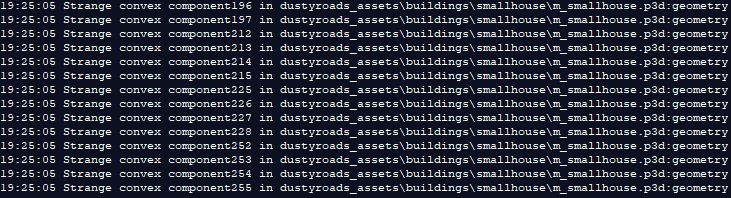
anyone know a fix to this https://i.gyazo.com/7507a9cf929caa802dd3c7ee8b69994b.png
 uncut trellis
you have a bad shaped geometry component
remove it or fix it
it lists the bad components for you there
fringe salmon
Hello I have a session bug on my server.
This causes only one out of every 10 people to be bugged while playing.
It is easy to say that random loss of session is shown to one person and the server is disconnected. This is called once for many people. Is there a way to solve it?
Simply put:
- Enter the server.
- Play on the server
- You will suddenly have it on the server with the text Session Lost.
- You can connect to the server again and play.
(Once you then reconnect to the server, it works fine.)
It also tells me if a player has a session lost. Also, several people experience the same problem and occur once every 15 minutes.
This happens in the rpg log when a player says that the session is lost.
https://hastebin.com/equromaqug.coffeescript
I would really appreciate it if you could help me. I can also pay a lot of money. Please help me.
 final lynx
I have been trying to help ^^ with the issue, it doesn't seem signature related, nothing in the rpt, or serverlog. but he did not have the battleye ports whitelisted, so we will test this now. just seems weird how its completly random.
 runic spear
has anybody had run ins with that dreaded criminal perpetual loading screen of death?
quaint jewel
jup
runic spear
wher you are loading into multiplayer environment but yu been loading for 5mins and the loading screen is still there you hear the game environment
runic spear
other people can see yoiur avatar in the environment you can move and hear shots do gunfire but the criminal loading screen is still blocking you
im always running MCC
quaint jewel
Get rid of MCC
runic spear
MCC is foundational to my multiplayer games
runic spear
its worked elsewhere
this is the thing on other mcc sessions this has not happened
and sometimes it happens to my friends but forcing MCC start locations solves it
im at my last willing nerve with Arma at this point
its horrid becoz everything is loaded for the player the only thing blocking the player going fully in is that thin yet persistent loading screen bug
im so tempted to just drop arma for good as its too much of a headache to get working with stability
runic spear
the AI is retarded
its not just this
i can never rely on AI to do what i need it to do
MCC provides essential set of tools and gameplay options i sorely need
and people have many successful sessions with it
quaint jewel
Or get the MCC author to fix it instead of adding more bloat to it with every version that almost noone wants
runic spear
if you know an alternative effective stable mission generating framework im all ears
genuine question
im burning for more options to dynamically/automatically generate missions units groups etc
quaint jewel
I'm just using zeus
 tropic yarrow
You must give up easily in the face of difficulty
AI is relatively responsive for me, I have no issue having them get into vehicles, shoot at something. Fall into formation, etc. Don't max out the skill level for ai. This is where people get their "terminator" AI.
MCC is just broken. There are plenty of other frameworks like F3 that will do you fine if you have the patience for that. Could always build the mission yourself.
fringe salmon
I would recommend people use our version of MCC where we have fixed most of the bugs and enhanced GAIA. The tool is good but it often ships with priority 0 bugs that really ought to get fixed but never do.
 strong steeple
link? @fringe salmon
I suppose you got permission from the original author for the edits and upload? 😛
fringe salmon
It is covered by the GPL so no permission required. It is on my github
strong steeple
that implies I know what your github is
 wheat apex
I had a functioning .bat file to launch the A3 diag exe with my mods and startup options, but today it gives me a warning asking if I decided to launch with those parameters (which I did) and if I want to continue (which I do) and then it just opens the regular A3 launcher
before it just opened the game
anyone know why this might have changed?
validating files fixed it I am just curious as to what caused it
quaint jewel
but today it gives me a warning asking if I decided to launch with steam does that right?
Steam does that sometimes yes. Just click abort and try again. Or restart steam
runic spear
aww dude i have 1780 hours in Arma i dont give up easily but this AI is too hard to manage when it comes to Advanced AI command getting helicopters to go places has them going opposite ways off the map
its a pain in the ass
fixed wing pilot AI are useless when on the ground
C2 is an amazing tool to command AI its a must have for me for leading fireteams
 terse fiber
anyone know, what is wrong? https://i.imgur.com/uNRppZK.png
quaint jewel
Steam doesn't let you upload right now
maybe they are doing maintenance. Maybe they temporarily blocked you. Maybe a cat tripped on a cable
terse fiber
Maybe because I changed email ...
 lost parrot
Anyone have any idea how to fix vehicles being spotted through terrain? I changed the difficulty to recruit and I noticed even my character can see through terrain and callout vehicles.
I haven't been able to play arma in months because of this.
Like I said before, it's happening on all of my PCs when I use my account with no mods. Fresh install doesn't fix it.
fringe salmon
Kind of irrelevant to arma 3, but I have a mouse issue. (Sometimes but it has been very rarely) When it acts up it can go on continuously for a long time period. I’m just playing Arma, or any game, or doing anything to be honest, and my mouse starts spamming all the sudden, moving places sometimes, but it mainly spam clicks, so if I’m in a stealth operation and it happens, I’m shooting nonstop, and alerting the enemy.
It happens at random times.
Sometimes it can go five months, two months, a few days, or a year even before acting up again.
And I have to restart my computer all over again and relog.
 charred wigeon
@fringe salmon have you tried another mouse?
lost parrot
Here's is a video of the issue I was describing: https://www.youtube.com/watch?v=pAOKJOCO8Vw
If anyone has any advice I'd love to hear it.. game is unplayable for me right now.
fringe salmon
I only noticed the problem after I got Microsoft Flight Simulator X, and a joystick along with it. @charred wigeon
And I doubt it’s the mouse because if I pick it up the mouse on screen still moves and clicks, even after disconnection.
fringe salmon
Hello I have a session bug on my server.
This causes only one out of every 10 people to be bugged while playing.
It is easy to say that random loss of session is shown to one person and the server is disconnected. This is called once for many people. Is there a way to solve it?
Simply put:
- Enter the server.
- Play on the server
- You will suddenly have it on the server with the text Session Lost.
- You can connect to the server again and play.
(Once you then reconnect to the server, it works fine.)
It also tells me if a player has a session lost. Also, several people experience the same problem and occur once every 15 minutes.
This happens in the rpg log when a player says that the session is lost.
https://hastebin.com/equromaqug.coffeescript
I would really appreciate it if you could help me. I can also pay a lot of money. Please help me.
fringe salmon
Your hastebin shows nothing for me.
charred wigeon
@fringe salmon disconnect the joystick
fringe salmon
It is and has been for a while @charred wigeon
 mellow grail
Arma3 editor crash on loading but only when I use Altis, what could it be? yes, Im using some mods, like ACE3 and a few weapons, but it does not crash in other maps
 desert isle
what mods exactly
placid token
also might be relevant, how much RAM do you have?
desert isle
There are lots of relevant questions to be asked.
mellow grail
16GB ram - mods: ACE3 - RHS weapons - CUP Terrains - and a compilation that I don't know what it have
but why only crash using Altis?
placid token
Try not using the compilation.
mellow grail
well, I need that for a coop mission
placid token
If it doesn't crash without the compilation, then you won't be able to use it anyway without checking through it. If it does crash regardless, something else is the issue.
mellow grail
yeah, I guess taht is the problem in that compilation, the weird thing is why only in that map
is there a way to check the log or something?
placid token
placid token
Notepad++? Not familiar with crash files.
mellow grail
ok thx anyways
wise barn
and a compilation that I don't know what it have
how the f can you not know??
mellow grail
because is a compilation... i donno
is a folder with 3000000million mods from a community I used to play
wise barn
toss that BS away
this kind of crap is notorious for causing unnecessary troubles for everyone
use the mods from the workshop for mission creation. once done with the mission, create a mod compilation on steam and share it with your friends. once a mod on steam is updated, everybody will get the same update, all fine.
(no, compilations are NOT modpacks, those are the ones fucking shit up for real)
we (CUP) still get "bug reports" from 1y old versions that are buried neck deep in some fucked up compilation/modpack
no, not funny at all...
delete it, be clever and rely on ORIGINAL sources
next thing is, those compilations/modpack end up on steam some day, just to receive a DMCA boot in the rear
¯_(ツ)_/¯
 sudden cipher
ok so about 5 people in our team are having the P drive not automatically mount any more on startup. makes me think that something happened to the tools? @tiny imp @wet coyote any ideas?
 wet coyote
well i just use the standard all programs->startup folder. I don't use bis anything for this.
I would imagine if they have dayz steam tools, there's a collision.
sudden cipher
what goes into startup folder? a mikero bat file?
fringe salmon
@fringe salmon what?
It looks good.
sudden cipher
Basically when I click on UV Editor, the window opens in the background and I can't click on it, it seems to be entirely empty (the window, not the uvmap)
can anyone remember how to fix this object builder snafu? been a while since i had it happen.
 blissful bramble
Maximise it from the taskbar
 sand adder
When I launch my server and connect to it, it says "BattlEye initialization failed". Does anyone know a fix for this issue?
tropic yarrow
@sand adder Battleye isn't being initialized, set bepath to battleye directory where server is local
sand adder
Is this the BattlEye folder in my arma 3 server folder?
And is it in the SERVER_config.cfg?
tropic yarrow
Yes.
if you have spaces in the directory, surround it with quotes. Otherwise just set bepath to your battleye folder
sand adder
I do have spaces, do i make them " or _
tropic yarrow
-bepath=C:/blah/blahblah/armaserver_x64.exe
No, in your startup parameters set the bepath.
sand adder
''"-profiles=C:\Program Files (x86)\Steam\steamapps\common\Arma 3 Server"''
tropic yarrow
if you have spaces do this:
-bepath="C:/blah/ blahblah"
sand adder
Is that incorrect with the spaces?
tropic yarrow
No, look at my example above.
sand adder
Okay thank you 😄
So this would be correct?
C:\Program Files (x86)\Steam\steamapps\common\Arma 3 Server\battleye
in ""
tropic yarrow
Spaces = surround with quotes, content of path is inside beginning and ending quote. you should move your server directory out of your arma 3 directory
sand adder
-bepath="C:\Program Files (x86)\Steam\steamapps\common\Arma 3 Server\battleye?
It's all on a VPS btw
tropic yarrow
You're missing an end quote at the end of battleye, but yes.
sand adder
It's there in the file 😄 Just didn't copy it :/
tropic yarrow
Lol. That should work, just add that to your startup
sand adder
.bat?
"C:\Program Files (x86)\Steam\steamapps\common\Arma 3 Server\arma3server.exe" -profiles="C:\Program Files (x86)\Steam\steamapps\common\Arma 3 Server" -bepath="C:\Program Files (x86)\Steam\steamapps\common\Arma 3 Server\battleye" -config=CONFIG_server.cfg -port=2302 -world=empty```

With that in my a3server.bat i get this in my console:

```20:40:12 Dedicated host created.
20:40:21 BattlEye initialization failed```@tropic yarrow Is this correct?
tropic yarrow
Move your server directory out of the arma 3 directory. Ensure battleye dlls are in there
sand adder
Trying that now. Thank you 😃
@tropic yarrow Is "beserver.dll" and "beserver_x64" the only DLL's that I'll need?
tropic yarrow
should be yeah
sand adder
"C:\Users\Administrator\Desktop\a3server\arma3server_x64.exe" -profiles="C:\Users\Administrator\Desktop\a3server" -bepath="C:\Users\Administrator\Desktop\a3server\battleye" -config=CONFIG_server.cfg -port=2302 -world=empty```
So this would work?With that ^^ it's giving me "The application was unable to start correctly (0xc0000007b). Click OK to close application."
@tropic yarrow Did I do a typo in the .bat or is it supposed to be called something special?
tropic yarrow
arma3server_x64.exe
-profiles="profiles"
-bepath="battleye"
-config=CONFIG_server.cfg
-port=2302
-world=empty
make sure this is in your server directory
The paths should, from there. Be relative to the server directory.
tropic yarrow
make a batch file. Add my above into it. Dooesn't matter the name.
sand adder
no @ echo off?
tropic yarrow
not needed
sand adder
So that file goes in my arma 3 server directory with exactly what yours says?
tropic yarrow
Sure. Make sure it's a batch file.
sand adder
.bat is a batch file correct? Well, it's sadly still not working :/
tropic yarrow
Okay, same error? A
sand adder
Yes. The exact same..
tropic yarrow
Did you make sure I didn't mispell the executable name incorrectly?
sand adder
Nope - It's called "arma3server_64.exe"
Does it change that it's on 2008 RS windows server?
tropic yarrow
Not sure, never used windows server. I imagine applications are managed differently.
sand adder
Hmm.. Other suggestions?
tropic yarrow

 remote trout
Hey guys, I need help solving this issue with BattlEye and my mods.
Here is the launcher error:
12:50:42: Note: File blocks can be ignored if they don't cause problems with the game.
12:50:42: [INFO] Blocked loading of file: "D:\Program Files (x86)\Steam\steamapps\common\Arma 3@ACE\ace_medical_x64.dll".
12:50:52: [INFO] Blocked loading of file: "D:\Program Files (x86)\Steam\steamapps\common\Arma 3@ACE\ace_break_line_x64.dll".
12:50:53: [INFO] Blocked loading of file: "D:\Program Files (x86)\Steam\steamapps\common\Arma 3@ACE\ace_parse_imagepath_x64.dll".
12:50:53: [INFO] Blocked loading of file: "D:\Program Files (x86)\Steam\steamapps\common\Arma 3@ACE\ace_clipboard_x64.dll".
12:50:53: [INFO] Blocked loading of file: "D:\Program Files (x86)\Steam\steamapps\common\Arma 3@ACE\ace_fcs_x64.dll".
12:50:53: [INFO] Blocked loading of file: "D:\Program Files (x86)\Steam\steamapps\common\Arma 3@ACE\ace_advanced_ballistics_x64.dll"
RPT ERROR Event:
21:35:51 Call extension 'ace_medical' could not be loaded: Insufficient system resources exist to complete the requested service.
21:35:54 Call extension 'ace_break_line' could not be loaded: Insufficient system resources exist to complete the requested service.
21:35:54 [ACE] (common) ERROR: Extension ace_break_line_x64.dll not found. z\ace\addons\common\functions\fnc_checkFiles.sqf:93
21:35:54 [ACE] (common) ERROR: Extension ace_break_line_x64.dll not found. z\ace\addons\common\functions\fnc_checkFiles.sqf:93
21:35:54 Call extension 'ace_parse_imagepath' could not be loaded: Insufficient system resources exist to complete the requested service.
21:35:54 [ACE] (common) ERROR: Extension ace_parse_imagepath_x64.dll not found. z\ace\addons\common\functions\fnc_checkFiles.sqf:93
21:35:54 Call extension 'ace_medical' could not be loaded: Insufficient system resources exist to complete the requested service.
21:35:54 [ACE] (common) ERROR: Extension ace_medical_x64.dll not found. z\ace\addons\common\functions\fnc_checkFiles.sqf:93
21:35:54 Call extension 'ace_clipboard' could not be loaded: Insufficient system resources exist to complete the requested service.
21:35:54 [ACE] (common) ERROR: Extension ace_clipboard_x64.dll not found. z\ace\addons\common\functions\fnc_checkFiles.sqf:93
21:35:54 Call extension 'ace_fcs' could not be loaded: Insufficient system resources exist to complete the requested service.
21:35:54 [ACE] (common) ERROR: Extension ace_fcs_x64.dll not found. z\ace\addons\common\functions\fnc_checkFiles.sqf:93
21:35:54 Call extension 'ace_advanced_ballistic
severe pumice
Sometimes launching arma as an administrator works. Have you tried that @remote trout?
remote trout
Yes, I have tried running steam as administrator as well.
severe pumice
I mean it seems like it's ace have you tried repairing the mod?
remote trout
Yes, I have tried both the workshop and their website
severe pumice
Yeah but have you used the launcher to repair the mod?
remote trout
I'm not sure how exactly to repair but I uninstall and unsubed to all the workshop files before re-adding them.
Unless you're refering to verifying the game files.
severe pumice
No I'm not referring to verifying the game files. Though if you haven't already you should try doing that.
remote trout
Yes, I have done that multiple times, and have even removed the BE files before doing so.
severe pumice
To repair your mods what you want to do is open your arma 3 launcher. Got to the mods section, select the mod your want to repair, click on the ... button and select Repair on the drop down menu.
I highly doubt that would work but it's worth a try.
remote trout
I'll give it a try just loading ACE and CBA after repairing
severe pumice
I mean is it just giving you errors or is it actually breaking the mods? I sometimes get some battle eye errors too but I only notice them after I finished playing arma and take a look at my launcher.
remote trout
No, the mods work completely fine, but I cannot join servers with battleye enabled which is hard for milsims.
severe pumice
Ah yeah, did repairing help?
remote trout
No
Seems to be a BattlEye issue, which is strange because it works completely fine for other people.
severe pumice
Yeah I'm reading similar issues reported on the Ace 3 issue tracker right now.
For each person it seems like the problem just went away without explanation.
remote trout
Some of them are back from 2013-2017
I think they were fixed because BE whitelisted the mods in most cases.
severe pumice
Have you tried reinstalling BE manually as suggested in some places?
remote trout
Yes, but they no longer have the required files on their website to download. The only way to do it now is to remove and verify the game files.
I noticed on the acemod steam page there are others with my issue as well.
severe pumice
Just for testing you can try to completely disable you antivirus and firewall to see if that alleviates the issue.
remote trout
No change
severe pumice
Well I got no idea. Dedmen might be able to help you though, he
has more knowledge and experience than me.
quaint jewel
@remote trout Battleye is randomly blocking dll's. It does that every couple weeks. No fix besides waiting
Also don't PM me. If you need help. Mention me and I'll get here one I wake up
sand adder
Hello, when joining my server I still get the "BattlEye failed to initialize" message. Console doesn't say much:
14:16:02 BattlEye Server: Initialized (v1.217)
14:16:02 Host identity created.
14:16:03 Game Port: 2302, Steam Query Port: 2303
14:17:13 -BLANK NAME- uses modified data file
14:17:13 BattlEye Server: Player #0 -BLANK NAME- connected
14:17:13 Player -BLANK NAME- connecting.
14:17:13 BattlEye Server: Connected to BE Master
14:17:27 Player -BLANK NAME- disconnected.
14:17:27 BattlEye Server: Player #0 -BLANK NAME- disconnected```
Does anyone know a fix for this? surreal kernel
@sand adder I had a same with one of my servers. It seems like one of a MODs incompatible with a BattlEye. For me it was better to disable a BattlEye for a current server. It's not a problem for me, because this server is a password protected and used by a limited users.
sand adder
@surreal kernel Talking to one of my friends I realized that a VPS was not the way to go for an Arma 3 server, as it's simply too bad. Also, I've realized I was missing a bunch of redistributables and framework, required to actually run a server like this. But, that may be a solution if this error comes up again. Thank you!
surreal kernel
I've looked at VPS and as I understand - the cheap VPS has always a bad configuration to run Arma server. So I found some resources to run an own dedi server
🙂
 native iris
We are currently in a unit operation like every week and we are experiencing severe performance issues. 2 people are getting normal performance (above 60fps), all the rest is capped at around 25fps (10 players). The 2 that are not experiencing this were in the server before operation start. Any thoughts ?
quaint jewel
get profiling binary and find out what's making it slow
native iris
Currently at 18fps while someone else is still above 60
This is on a dedicated server
Also, on beketov
 grave mortar
Battleye has also been blocking ACE Advanced Ballistics x64
 minor lily
some of the aircraft i'm placing in the editor are spawning in as destroyed
 green oyster
I’ve got tracers added to a trigger but they just fly straight up how do intake then fly in a certain direction?
placid token
Tracer effect modules?
Not sure if you can. Can you rotate it 90 degrees to the side? Does it affect the tracers?
placid token
Today I learned. ;P
green oyster
Lol this helps make missions more realistic.
placid token
For future reference, #arma3_troubleshooting is for gamecrashes and similar stuff. #arma3_scenario is where you should have posted.
green oyster
Ok, thanks.
fringe salmon
anyone around for some support with Arma?
placid token
?
fringe salmon
I have a evga 1070ti , g skill 3200 ddr4 ryzen 7 1700x, everything on SSD's, yet arma is the single only program/game to make my computer freeze for 30 seconds at a time. the only thing im able to do is hotmic in discord.
it freezes everything otherwise like i said. ive seen there have been issues with ryzen, but i cant be the only one to have issues and not give up on them with the ryzen. Any help would be appreciated
placid token
Not familiar with this issue at all, so I'll go with some basics: Are your drivers (both AMD and Nvidia) completely up to date, have you verified your game files, and have you tried reinstalling the game?
 orchid thicket
when is the game freezing startup? mid game?? whenever something certain happens in the game?
placid token
Also, How many RAM sticks do you have? One, two, four?
orchid thicket
ahh yes that is important
fringe salmon
I have to 8 gb sticks
And it’s only during game play at random times.
Other than the 30 second freezes, I don’t have any issues. Not stuttters, lag, nothing
placid token
Are your drivers up to date, have you verified your game files, and have you tried reinstalling the game?
fringe salmon
the nvidia one is. ive verified and reinstalled.
idk how to check if my cpu is up to date im pretty computer illiterate
placid token
quaint jewel
I have freezes with nvidia drivers too. But also out of arma. And usually arma crashes after the freeze
Mine are not related to arma tho
severe pumice
Dedmen are you getting minor micro stuttering because thats what I'm getting now and its damn annoying. Not game breaking but annoying.
quaint jewel
no
graphics driver crashes. Full system freeze for about 10 seconds since the kernel notices the timeout and resets the driver
severe pumice
Oh wow that seems anoying af. Maybe downclocking your gpu would help?
quaint jewel
nah. It came with a driver update. And..
lul
nvm. It was fixed long ago
It was fixed in april, and I only installed the driver update last week.
I forgot that I fixed it because I lived with it for soooo long
Always make sure to have the latest driver installed. Except if the latest driver adds bugs.
wise barn
I aslo recomment a check of the antivirus software. Some decide to to weird background shit that freezes other cpu intensive applications
Avira for example
severe pumice
I have antivirus disabled and I double check every nvidia update. No idea why my arma stuters though. I guess I should look into the profiling build of arma.
lost parrot
@fringe salmon I also just had this issue on the dev build in the warlords gamemode. Game will freeze from anywhere from 5-60 seconds and then play normally like nothing happened.
fringe salmon
@lost parrot have you had any type of luck dealing with it?
Thanks for all you input everyone, it’s much appreciated
severe pumice
@fringe salmon
why?
I don't think this is the place to do it. This is the troubleshooting section of the Arma 3 discord.
wise barn
@fringe salmon
No advertising allowed. remove this, or you will be removed by a mod
 vernal swallow
I am having an issue with my mission file
it says No entry 'bin\config.bin/CfgVehicles/Truck_01_base_F/HitPoints/HitLFWheel.name'
Idk if it is a loaded mod
or an object in the mission file
quaint jewel
mod
vernal swallow
Any Idea which one?
quaint jewel
¯_(ツ)_/¯
fringe salmon
@dusky trench just checkin your profile
quaint jewel
🤔
 dusky trench
??
 tired echo
I have a huge issue right now, may I please get some help?
placid token
?
tired echo
So, I'm working with my friends in a Zeus game.
ACE is up, along with some other mods.
After a bit, I'll open up a menu, but it's been different every time. This time it's Teleport.
It will open the menu, but suddenly I can't interact with it. You can't click it, or do anything.
You can press Escape and it will "leave" the menu, but as you can tell, the Teleport module is still on the left side, grey.
All functionality and button pressing in Zeus is now disabled. I would have to exit my game hard boot to get out of this.
The game works fine right now, like players can still do their thing. But I as Zeus, cannot do anything.
No buttons work at all.
Last time it was me trying to open Arsenal for a unit.
The time before that was trying to change side relations of a player.
The same general act is that the menu is 'open' but not, and it's both closed but not.
It's Schrodinger's Menu.
But it locks me out from all interaction.
This problem does not occur if ACE is not on.
placid token
Complete modlist?
tired echo
https://www.dropbox.com/s/wxgt9wankzcj02p/ModItemList.html?dl=0 Here is the link to the mod list.
If you would rather screenshots of the mods instead, I can do that.
As a note, I have to use NSS Admin Console to force Zeus.
tired echo
This is the general Antistasi Tanoa mission.
That I'm also trying to Zeus.
I've always forced Zeus with NSS. But with ACE, this problem occurs after operating for about 5 minutes.
I can force Zeus fine with Antistasi when ACE is not up.
But when ACE is up, it locks up after about 5 minutes when I access a menu. At random, too. No way of knowing that it will happen.
Again, the game is still running fine.
It's just .. I can't do anything, myself.
placid token
Test this with other, non-antistasi missions?
tired echo
Yes, I tried that.
placid token
Anyone other than you get this issue?
placid token
Make a quick mission with a zeus game logic 'character' for everyone (incl. game master modules) to mess around and try it out
placid token
That can wait, try the quick mission first.
tired echo
it randomly ..
works now.
like i alt tabbed back in
hit numpad enter
and now it's back to funcitoning
placid token
🤷
tired echo
I'll see what I can do and come back.
I'm sorry for the bother.
For reference of returning to this point, I will take this message as ID: S339375266.
quaint jewel
FYI You actual discord message ID is: 515698086413074438
tired echo
Oh thank you!
fringe salmon
Anyone have an idea how to fix "Recieving Data" can't seem to get on my favourite server and they say they're not sure.
I've restarted my internet, computer, verifeid files, deleted the misison and everytthing
wise barn
Well, you need to “receive data“ of sorts, nothing wrong with it
 strange drift
@fringe salmon try rebooting your router and upload the rpt log of such session
fringe salmon
@wise barn Sorry I wasn't clear, it was just stuck on recieving data
 timid pawn
I keep getting this error how can i fix ? ive uninstalled and reinstalled 3 times https://gyazo.com/f75fde4c4adc6a2250fe27bb9789891c
tropic yarrow
LOL
@timid pawn Does this happen on any other server? This is clearly a troll. Why reinstall 3 different times? Wouldn't have made a difference even the first time.
timid pawn
it happens on just one server
tropic yarrow
So you have your answer then.
 full minnow
so when I join the server cause if the new update it kicks me out and syas "Wrong signature for file" I've tried Verifying the files twice and nothing has worked and I made a new arma 3 account and that didnt work. I did search how to fix the problems and all the fixes were for arma 2 or exile.
now Kicked from the server: Battleye client not responding
tropic yarrow
@full minnow Battleye timeouts could be a number of things. Rejoining the server do anything? Incorrect signatures are when client and server sigs don't check out. Sounds like you got that going fine though, mods need to be on par with what server has actually loaded and has keys for.
full minnow
yea
one of my friends told me that I have a glitch where it says Battleye Client not responding I just have to wait until the server owner restarts the server
tired echo
Continuing a saved multiplayer game from yesterday. I was a player who was Zeus but now all I have is a camera with no HUD. Respawning does nothing, etc.
Is there a command in debug console I can do to go into Zeus?
 golden yoke
I'm getting a battleeye client not responding error as well
But it seems to be preceeded by a "No entry for 'bin\config.bin/CfgWeapons.ItemcTab'
Anybody know what mod that is part of? I have no mod called cTab
tropic yarrow
That should work perfectly, sounds like you're doing something wrong @fringe salmon
@golden yoke any number of mods could contain repacks, for example ctab could be in any "random mod" because people are lazy and lack the effort to make something themselves.
@full minnow Ensure that the person hosting the server does not have any battleye ports blocked.
@tired echo https://community.bistudio.com/wiki/openCuratorInterface needs to be executed local to client
tired echo
@tropic yarrow Unfortunately, it does not work. All it does is exit the menu.
tropic yarrow
@tired echo Look at my message in #arma3_questions . There is a reason why crossposting is disallowed here.
full minnow
nothing is working
I keep getting kicked by Battleye
Ive tried these thingsa to fix it:
Resinstalled Arma 3 about 2 times now
Verified files 3 times
I've deleted the server cache 2 times and reinstalled them
severe pumice
@full minnow if it's only on that server contact the hosts and ask for their help.
fringe salmon
What server is it? And did the issue occur after you force shutdown your game?
tropic yarrow
Please reread my last
Reinstalling arma because of one server not being setup properly is a total waste of time.
 midnight reef
sounds like a problem I've been facing too. https://feedback.bistudio.com/T127689
I using a VPN to change my IP seems to work, but it increase my latency 😦
 polar goblet
Right, I'm starting to give up on my situation
can anyone help with this, a voice call would be more suitable
CBA isn't allowing me to access server settings even when I'm admin in game
desert isle
@polar goblet
If you haven't already, try here:
https://cbateam.github.io/CBA_A3/docs/files/overview-txt.html
and here:
https://forums.bohemia.net/forums/topic/168277-cba-community-base-addons-arma-3/
Bohemia Interactive Forums
Current version: 3.9.0.181012
What does the name Community Base Addons mean? It is a system that:
Offers a range of features for addon-makers and mission d...
polar goblet
oh I have CBA installed its just that server settings are greyed out, it's cancelling out all of my mods
uncut trellis
perhaps there is a larger confict between your mods? whats your modlist?
polar goblet
Literally only CBA and Ace 3 at the moment
even WITH ACE disabled, I cant access my server settings
however, I can access my Mission and Client ones, but they're useless because of the fact that the server overwrites
uncut trellis
maybe they have not installed correctly?
polar goblet
I've used Armahosts built-in mod manager, should i try to do it manually?
uncut trellis
Id suppose such a tool should work
polar goblet
i'll try to reinstall
uncut trellis
https://ace3mod.com/2017/12/20/cba-settings.html have you read through this?

ACE3
With v3.12.0 we are dropping the ACE3 Settings System and now are using CBA Settings
 chrome current
See if you can find cba_settings_userconfig inside @cba_a3\addons\ or any mod folder.
 worn glen
Hey, uh, has anyone else been having period frame drops in multiplayer otherwise uncharacteristic for their hardware?
native iris
Probably the server then
Or you have high latency
Hdd or ssd ?
Give us something to work with
 inner mesa
Sorry to be a pain, but would it be possible to be speak to a <@&105621371547045888> regarding a user here doxxing?
quaint jewel
Just PM one of them. Fer or FM
desert isle
Yup, I'll not friend anyone just to speak to them though.
I tried to pm him earlier, but he has pm's disabled.
fringe salmon
I've installed the Last Nvidia Driver 417, and i lost some Fps and the game runs worst then the 416 driver, so i've reinstalled the 416 Again!
inner mesa
PM sent. Sorry, I forgot I had my privacy stuff enabled.
 rocky pelican
Got a bit of a problem with my arma 3's server
wise barn
waits for the actual question
fringe salmon
@rocky pelican check your Visual C++ Files you must have Always x64 and x86 from each version 8, 12,13....etc...if you have more then one x64 or x86 you must unistall All and reinstall Again, i suggest you to use Driver Booster from Iobit it works for me 5*
quaint jewel
@fringe salmon Please don't recommend people to install things that actually aren't needed. And also not such "driver booster" stuff, if you don't even know at all what the actual problem is.
A mod folder not being found has NOTHING to do with C++ Redistributables or Driver booster crap
"Hey the key on my keyboard feels rubbery" "Try installing Avira antivir!"
fringe salmon
@quaint jewel Well i was try to help because in the Beginnig of Arma 3 for me i had some issues, when i try to go in a Server and error,error.... So i learn that time checking fórum of Arma 3 to solve my problem, and saw someone like me doing the same think and help me.... So
quaint jewel
If someone comes to you and says "it hurts what shall I do" Do you give that guy a morphine injection just because he's hit is toe (Which you didn't know, cuz he didn't tell you and you didn't ask any questions either)?
quaint jewel
Exactly. You don't know at all what's going on. So please, ask to specify what the problem is. But don't throw in random things that might just make everything worse
fringe salmon
@quaint jewel Sorry but... Is this Troubleshooting.... Isn't... I was trying to help only and i don't think that i have done something wrong....!
I was Just trying to help NOTHING more
desert isle
Troubleshooting a problem is perfectly acceptable, throwing random things at a problem in hopes that it helps is not.
To make matters worse, the OP hadn't even stated what the "problem" was yet.
Asker: " I think I may have a problem with...."
Respondent: "Try axle grease, that will fix it"
Asker: ".... umm, I haven't asked my..."
Respondent: "Or try adding some salt"
Asker: ".... question yet."
rocky pelican
Got it fixed eitherway, thx
 warm belfry
Guys what key is the invert key ? trying to open the menu in warlords...
desert isle
@rocky pelican In future, please always describe your issue in detail at the first instance. We have ~15,000 users who are able to look at your problem, but if you never state what it is, no one will go out of their way to help. Also, when you find a solution to a problem, always let us know so that we may help someone else in future.
warm belfry
Yes, Sir !
rocky pelican
@desert isle will do, thanks
 fluid turret
Hey there, im having alot of issues with my BattleEye and was hoping someone could help. I keep on getting BattlEye Initialization failed when joining servers (Arma3)
native iris
Well make sure it is enabled in the launcher and check if any antivirus is blocking it
fluid turret
It's enabled and i got no antivirus blocking it
quaint jewel
Press WIN+R then enter services.msc find battleye in there and restart it
quaint jewel
Computer reboot?
fluid turret
Tried that like 3 times
I have also tried deleting the battleye folder in my Arma 3 directory and verified my game cache multiple times which didn't help
quaint jewel
I'm wondering if there even is anything in the dark.. By how many of my shots keep missing 😄
fluid turret
Well so the BattlEye Initialization failed problem fixed itself somehow, however now im getting BattlEye Client not responding. Which is a big yikes, i get it after like a min of being on a server..
native iris
So it is getting killed after a few minutes
fringe salmon
reinstalled arma on an SSD fixed my stutter issues if anyone had that
wise barn
uhm, i thought that was widely known already
desert isle
It is.
wise barn
the reason to buy my first SSD like 4y ago was for arma
 craggy herald
Just had a bug in Arma 3. Tried to save my gunner so I went into his seat to kick him out of the car, ended up spectating him instead while able to control my dude https://youtu.be/8cELva7UfWU
severe pumice
@craggy herald lol you where supposed to select "Unload Incapacitated", but that is a weird bug.
 runic goblet
Why does my default arma launcher not work, it says failed to launch launcher or something similar and then it gives ok or the X on top right but both then close launcher
It happend since friday but idk what i changed
quaint jewel
it says "something" isn't that helpful you know?
quaint jewel
Get the exact wording or a screenshot at best
runic goblet
We were unable to initialize the launcher. Launcher will now close.
Reason -103 unkown.
wise barn
Verify game data via steam
runic goblet
Will try that again
 spare geyser
@runic goblet go to arma 3 folder and try to lunch the lunche if you see the Error massage again you should verify your game via steam
runic goblet
thx
craggy herald
@severe pumice ohhh I never noticed that option before xD
fringe salmon
hello, anybody with some patience to help me to solve a Arma 3 matter with multiplayer?
spare geyser
@fringe salmon what is your problem?
fringe salmon
i bought arma 3 with apex, marksmen and helicopters some months ago and i cant join any server, included official servers, always i join and im kicked of the server
spare geyser
What is the kick massage?
fringe salmon
you were kicked from the session
spare geyser
why?
Do you use extera addons?
fringe salmon
really?
spare geyser
how is your FPS?
Hdd speed
Network?
fringe salmon
my fps are far so good, me network is normal, i have 70-90 ping on anothers games
spare geyser
Its happn when your client cant respound in Specified time
fringe salmon
fu
spare geyser
In some servers that they check the signeture for anticheating you maybe have this problem
fringe salmon
i have it included on servers without anticheat
spare geyser
No no no
Not anthicheat
Just Signeture checking
fringe salmon
i dont know what is that, hehehe
spare geyser
Its from server side that checking ur addons signeture because they wont you have extera addons
spare geyser
Yes there is no real solution
But the Arma 3 developer team working on it and hopfully it will be solved in next update
fringe salmon
well, then to wait, thanks isar
spare geyser
Ur welcome
desert isle
It could also be related to a high ping. Try playing on servers close to your physical location
spare geyser
@desert isle it happened to me at 30 ping
desert isle
How many mods? Where did you get them from?
desert isle
Have you tried a different profile?
Typically what happens is this, new users first gravitate to outdated performance improving guides and one setting will screw with things (because they should have stayed with default). Then they get mods from places other than the original authors. Then they alter something else, then they try to play on a server a few countries away, and on and on. It is for these reasons that we do not have a "one size fits all" solution.
spare geyser
Of course
Any way we should wait for the next updat
I checked many ways but didnt find a real soloution
desert isle
4 mods that ive get em from workshop <- That means absolutely nothing. What mods?
spare geyser
Nothing in KOTH
desert isle
Everything in Arma is interrelated
If I were to troubleshoot this properly, there would be about 500 initial questions.
Where are you located and where are you trying to connect to?
What gamemodes are you trying to play and with how many players?
What mods ?
Last time youve tried a clean profile?
The list goes on and on....
spare geyser
Yeap
But i dont have this problem with official servers
Anyway thanks for giving me your time
desert isle
When I'm available, my time is always free. The only cost associated with it is answering a lot of questions 😉
desert isle
خواهش میکنم
spare geyser
Im working on the solution by changing system, network ,HDD ,luncher parameaters , Ram , CPU and etc
بسیار متشکرم دوست من
desert isle
Always try to use the default settings, they tend to work best.
The reason I mentioned "profile" is that it can often be corrupted.
spare geyser
Finaly we will find a way , there is no problem with no solution in the world
I should go
Thanks again for helping
desert isle
👍
fringe salmon
in the units attributes I set the voice to another voice - e.g british english 1 - but when i control it the voices are american english 1
so if i control a unit the voice is american english 1 whenever im saying things like team commands but if i duplicate the unit and let an AI control it will say it in british english 1
mellow grail
how do you found what mod is causing the game to crash in the RPT file? what does it says?
quaint jewel
You don't
the RPT can't tell you
you can just guess. Or find someone who can analyze the mdmp that the crash writes out.
mellow grail
well, crap. thx anyways
 high forum
Is the update supposed to remove the ability to close error messages on Arma 3 main menu launch? As the option has been removed
You can press ESC to close the first one, but if you encounter any other error, you are soft-locked
 spark knot
Can confirm, this is a huge issue. Essentially soft locks the game if any of your mods have a no entry error on startup.
I'll relaunch the game and provide some screenshots if possible. It's not a mod issue. The actual "Close" button on the dialog box does not appear. ESC only works for the first message.
 delicate elm
Anyone else just getting "Session Lost" when connecting to 1.86 server? Both my servers updated and both give that error to all players
Only change was the ARMA update
 glad pendant
@delicate elm same boat here
delicate elm
Shit!
glad pendant
got no idea, tried with and without mods and different user with different, pc, same error, now trying redownload all but..
delicate elm
@tiny imp Sorry to bother you. Assume that Bohemia are aware of the session lost issue since the update? Or is there something we've missed?
native iris
Images allowed here ?
quaint jewel
You can send links to images. yes.
quaint jewel
Trying to confirm the error message box thing...
Downloading that update was fun. Steam downloaded all 1.9GB, then did nothing for 30 minutes. Then started from 0 again. And when it arrived at 1.9, the total jumped up to 2gb. And at 2gb it jumped to 2.1. All the way up to 8.7GB. GG
Okey my Arma crashes at start.
 crisp cove
i keep getting session lost since the new update
quaint jewel
Grr update broke Intercept..
This update had like the smallest changelog. And the problems it is causing right now.. Man..
crisp cove
and it was delayed a week to fix mod compatiblity
 green ocean
I had the same problem, turned off signature verification and then it worked
crisp cove
top fix lol
glad pendant
suicide turn off signature
green ocean
yep, still better than nothing...
Well, it's not a public server, so damage is "limited"
delicate elm
On a persistent public server... hmm... 😦 🔫
native iris
Anything new on the white boxes and error message ?
quaint jewel
@native iris cannot reproduce with CBA,ACE,TFAR,RHS,CUP mods loaded. Seems to be some mod you are using
native iris
Is there any way I can find out which one 😛 ?
quaint jewel
Disable each, one by one. Have fun
quaint jewel
Can also confirm "session lost" NOT happening if signature verification is DISABLED.
Cannot confirm the "error no entry" box not being closeable.. Because... I'm not getting any of these popups.. anymore.. Even though the errors are still there...
Creating a non existent vehicle.. No error popups, even though there's supposed to be one
delicate elm
Did you test all CUP mods including terrains @quaint jewel Only common mods between my two servers with the issue are Terrains, EM, Ryan's Zombies, RDS Civ Pack and NI Arms. Will verify each
quaint jewel
I'm running cup terrains dev build from 4 days ago
delicate elm
Okay, I wish my potato PC loaded ARMA quicker... this is gonna take a while 😦 Will report back what I find
 dire fog
Simple "session lost", not a failed signature check or similar?
delicate elm
Simple session lost before lobby
crisp cove
yes oukej
delicate elm
Definitely mod related though. See Dedmen's report above and a friend tested on a server only running Epoch and he did not have the issue
 lilac moss
Can confirm, same issue.
dire fog
Are you using mods that worked correctly in 1.84 or were there any changed? Changed signatures?
crisp cove
if you turn off sig checks you and load in fine but with it on with a fresh set of signs from the new update
dire fog
JIC have tried the RC branch before?
lilac moss
Got multiple servers updated and those with mods seem to fuck up.
quaint jewel
I don't have the issue as I have signatures disabled outright.
So it's definitely signature related even if it doesn't tell you that
delicate elm
Oh...
 jovial remnant
Can't load the game anymore after the update. I just get stuck on registering plugins.
lilac moss
Disabling signatures seems to give nice green mod list again
@jovial remnant verify client files, i had the same.
delicate elm
Disabling signatures is sort of suboptimal for some servers...
lilac moss
For the time being i hate to do it but i got ppl who want to play, so imma just do it untill BI comes with a update.
Btw, hi Grahame 👋
Oh and @fading pulsar check dis
delicate elm
Sup @lilac moss I had to do the same of course
lilac moss
Good man, problematic with my client atm tho, server seems to run, others can join. And with you there @delicate elm ?
dire fog
Before you turn the sign. verification off can you please give me your server IP so I can try joining?
And also acquire the mod list so I can check the signatures
lilac moss
Well, i got 1 server left to update... its in the USA tho
delicate elm
Me too. Will send info after this cigarette
 unique coral
Are you guys have issue with this error message and no ok button click?-----No entry 'bin\config.bin/RscDisplayMain/controls/TitleSingleplayer.textureNoShortcut
lilac moss
@dire fog How do you want the mod list ? ID's ?
delicate elm
Probably easiest to do the HTML export idbsay
delicate elm
In tgebARMA launcher load the mods and export to HTML
delicate elm
Lol
jovial remnant
@lilac moss I tried that twice and I still can't launch it
lilac moss
I have the same problem still @jovial remnant
jovial remnant
well, fuck me
lilac moss
CBA_A3
http://steamcommunity.com/sharedfiles/filedetails/?id=450814997

CUP Units
http://steamcommunity.com/sharedfiles/filedetails/?id=497661914

CUP Vehicles
http://steamcommunity.com/sharedfiles/filedetails/?id=541888371

CUP Weapons
http://steamcommunity.com/sharedfiles/filedetails/?id=497660133

Dual Arms - Two Primary Weapons
http://steamcommunity.com/sharedfiles/filedetails/?id=1334412770

Enhanced Movement
http://steamcommunity.com/sharedfiles/filedetails/?id=333310405

ExileMod
http://steamcommunity.com/sharedfiles/filedetails/?id=1487484880

Extended Survival Pack
http://steamcommunity.com/sharedfiles/filedetails/?id=1208270228

Extended_Base_Mod
http://steamcommunity.com/sharedfiles/filedetails/?id=647753401
Server info:
24.242.245.141:2502
24.242.245.141:2503
@dire fog
spark knot
@quaint jewel I'll get screenshots now. Entire group had the exact same issue.
lilac moss
@dire fog
Sorry for the massive amount of tags that comes along with the information but i have 1 server eu side that has disabled signature check now with the exact same mods that runs fine and people can join.
46.4.67.221:2402
46.4.67.221:2403
quaint jewel
@unique coral @native iris has the same problem. What mods are you guys running?
native iris
We found the issue
@quaint jewel It is the AH-64D Apache Longbow - Official Project mod
Can you send that type of stuff in private ? Kinda spams the whole convo away lol
lilac moss
Oh dude..
delicate elm
Had a problem sending it in a PM @native iris
Although I was trying to send the HTML file...
lilac moss
He mostlikely has pms blocked so i was not even gonna bother trying that 😂
dire fog
changed that now
lilac moss
Heyyyy nightstalker 👋
strong steeple
@dire fog a summary:
v1.86* ArmA 3 Dedicated Server
verifySignatures = 2;
Running: Warlords Altis (Whole), non-autoInit

Vanilla: works fine
CBA: "Session Lost"
Any mod I've tested so far results the same as CBA```eh, hello? @lilac moss
lilac moss
@strong steeple You not remembering the TheFlyingDutchMan from Exile/infistar ?
strong steeple
Oh god you changed your name
lilac moss
😂
delicate elm
Wondered who you were 😉
strong steeple
Doing good except for above 😛
quaint jewel
offtopic :u There are more important things to take care of right now
native iris
Did you see my message dedmen
quaint jewel
yu. thx
native iris
Alright, hope it helps
crisp cove
just got the same issue on a vanilla server with sign check enabled so its balls deep issue
dire fog
I guess it happens in all cases - connect via Launcher, from in-game server browser or direct connect?
spark knot
Okay, so
https://cdn.discordapp.com/attachments/302696797795778560/519201928647802880/20181204042056_1.jpg
After this update any error message no longer has a close button. This happened no matter how many mods I had loaded, but only ones that threw up no config messages, etc. So I am to assume its not mod dependent. It's any error message.
https://cdn.discordapp.com/attachments/302696797795778560/519201945408503848/20181204042148_1.jpg
Pressing ESC can clear this first error, HOWEVER, the next error message you see will be unskippable and softlock the game.. That can be anywhere in the game. If you get a no entry config error, you're soft locked.
Every single member of my group (7+) experienced this
crisp cove
launcher and command line test and broken
quaint jewel
@spark knot might be mod caused. I cannot confirm. My "Script not found"'s have close buttons
ACE,CBA,TFAR,CUP, RHS
lilac moss
I can't even get my game to start, keeps hanging at "registering plugins".
Tried verifying my game files twice now and everything should be fine.
Using the Default Arma launcher ofc connecting to a vanilla server with signature check enabled.
delicate elm
@dire fog Manual mod load for me and connect from the in game server browser, not the launcher's browser
spark knot
Running with no mods wont throw up any errors so I can't do it in vanilla game without triggering it
strong steeple
reinstall Windows @lilac moss 😛 On a more serious matter, try full reinstall
quaint jewel
@spark knot Do you have ASR AI? Try CBA+ASR AI with filepatching enabled. Should throw script not found in main menu
crisp cove
la frenchy
spark knot
Thing is though, I need 2 or more error messages to pop. Our most list usually has 3 (expected) ones on launch because of the way we set it up; but I can try
lilac moss
Didnt work, i cleared it for ya
strong steeple
now we know your hacks @desert isle
dire fog
game dir
lilac moss
Don't have that file...
strong steeple
hm even my server has it
quaint jewel
@spark knot Try this plus CBA.
delicate elm
I do on mine... am testing now @dire fog and @lilac moss
strong steeple
I can assist you with that slap
lilac moss
I know you would 😏
spark knot
aaight
dire fog
@lilac moss were you running multiple A3 instances on one machine? (server, client, both)
strong steeple
Is this related to the starting issue or the key issue? 😛
dire fog
Starting
strong steeple
alright
lilac moss
It either keeps hanging at loading addons or registering plugins ¯_(ツ)_/¯
quaint jewel
@lilac moss sure it's not just slow? Tried defragmenting the drive?
Did you check if there is maybe something in RPT
lilac moss
I got a window up for like 10 min now
strong steeple
and that's vanilla?
dire fog
Stuck at "registering plugins"
I'd recommend to
- shut down all A3 apps
- delete cache.ch from folder of the apps
- restart
- if it doesn't help repeat with rebooting PC
strong steeple
or modded
spark knot
launching
dire fog
About the signatures
- who is able to join on a server with verifySignatures=2 with a mod signed with v2 (basically any, signed prior to the today's stable or recent dev-branch tools update)
spark knot
I'm afraid its the same deal. https://cdn.discordapp.com/attachments/302696797795778560/519207442404474881/20181204044247_1.jpg1
strong steeple
none on mine
dire fog
- who's able to join on a server with verifySignatures=2 with a mod signed with v3 ?
delicate elm
Not me @dire fog or any of my players Don't have v3 signed mods
strong steeple
don't think we have such a mod
crisp cove
Conspiracy
Official warlord servers with sign check works
quaint jewel
@spark knot cannot view
strong steeple
vanilla with sign check works on mine too though
crisp cove
Oukej i tested with All v3 and same issue
spark knot
Hold on, I'll try imgur
quaint jewel
nvm. You added a 1 to the end of the link
spark knot
Oopsie.
crisp cove
testing now with all -v2
lilac moss
Yeeh, deleting cache.ch didnt do anything.
Game still won't even load after reboot, checking files etc.
dire fog
After the reboot - have u started multiple instances at once or just one?
lilac moss
Just one
dire fog
hmm...can you PM me the RPT pls?
lilac moss
Sure
I think i need to add you as a friend, wont allot me to send anything. @dire fog
crisp cove
All signed with -v2 same issue
lilac moss
Can't help any further for now, need to do house shizzle, wanna let me know how it goes ? @delicate elm @strong steeple
crisp cove
time for legacy i guess till this is fixed
dire fog
afk for ~1.5 h
 lilac ocean
Since the last update we have problems with all our signatures, does anyone has the same problem ?
lilac ocean
Client or server side ?
crisp cove
both
from the bis forums
In your Steam Library right-click on Arma 3 and go to Properties.
Go to the Betas tab.
In the "Enter beta access code to unlock private beta" field enter: Arma3Legacy184
Click Check Code. It should now say that the code has been accepted.
In the select list above the code field, you should now be able to select "legacy - Legacy Build (1.84)".
Click Ok. In the library it should now say "Arma 3 [legacy]" and it will begin downloading the rollback.
quaint jewel
Scroll up to see that it doesn't work
lilac ocean
Alright, well i'll use the legacy build
crisp cove
I've tested all possible options the only fix is either no sign checks or legacy
And wait for bis or do what my conspiracy theary says and play war lands on the official servers lol
quaint jewel
Btw oukej there is also a issue in #server_admins
https://discordapp.com/channels/105462288051380224/105464869226082304/519207114950967297 Seems like only one process can access the cache.ch, whch ofcourse doesn't work with multiple servers, maybe even with HC?
fading pulsar
Weirdly enough I can still join my server with verifysignatures 2
quaint jewel
vanilla?
Can other players join too?
Others reported a 10% success chance
 weak bramble
Anyone any idea of this in server.rpt?
Waiting for a different process to release the cache lock...
Have wiped the cache.ch
quaint jewel
running more than one server process? HC maybe?
 mighty pier
Sig 0 or no go here. 2 exile servers on one box with lots of mods. One a3 epoch server on one box with no mods other epoch
weak bramble
2 dedis, both with multiple server process, 1 dedi fine, other throwing this
quaint jewel
seems like only one process can access the cache.ch file.. so if you have more than one...
weak bramble
3 😄
mighty pier
Only one a3 server on my second dedi. Same thing. Sig 0 or nothing
weak bramble
But 2 of them are running fine
quaint jewel
🤔 That's good info. I'm sure oukej will have a beautiful day tomorrow :d
terse fiber
now server pbo required signatures?
quaint jewel
what?
terse fiber
My server pbo swears because of the lack of a signature, this is after update 1.86
quaint jewel
yes. bisigns got broken in 1.86
strong steeple
gawdammit Bisign
tropic yarrow
Your pbo swears? Waash it's mouth out with soap
strong steeple
Done that, but broken :/
quaint jewel
try bleach then
 median olive


 severe pumice
oh bother
wise barn
i had the same issue with CUP mods on our test server, too
i then restarted the server without verification, logged in, restarted again with verification and it worked
¯_(ツ)_/¯
dire fog
Anyone stuck on the loading splash window, can you please try
shutting down all A3 (server or game) instances on the machine
removing the cache.ch
(possibly restarting the machine at this point)
running the A3 apps in a way that you only run another instance after the first has been fully initialized
?
Please let me know if that helped
 dense jacinth
am i the only one whos running an exile server with signatures stlll set to 2
players ate still able to join nd play just fine
have yet to have one person report getting kicked and its steady 30ish poeple rockin in there rn. i updated this morning and the only issue ive had that everyones having is the signature mismatch on the launcher but my players can still launch in anyways
terse fiber
After update cant connect to the some servers "Connection failed" error...
 low grail
All mods getting signature mismatch after update - upon joining a server everyone gets "session lost". Any fix?
dense jacinth
@low grail verify signatures in config of server set it to 0
instead of 2
or revert back to the previous version of arma
and wait for hotfix
quaint jewel
FAQ: signature verification is broken. If you get signature mismatch, or session lost, or connection failed. Disable signature checking. No fix currently.
Please stop asking the same question every 10 minutes. Thanks.
Good night 👋
low grail
I will take a look - thanks guys!
dire fog
Anyone stuck on the loading splash window
You can also try removing -exThreads (if you've using that).
terse fiber
any ports changing? cuz all servers do not work on my dedi hosting provider
delicate elm
There is an issue. It is being worked out.
terse fiber
OVH worked, but my nope...
dense jacinth
i use ovh as well box is fine its just armas update yo
terse fiber
yea, on OVH all fine, but another providers
delicate elm
Turn off signature verification if you can or revert to Legacy build for the moment. Server provider should make no difference, though I am on OVH so I could not say
dense jacinth
hahaha everyone uses ovh i love it
 still raptor
mainly for the ddos protection
delicate elm
Very true
severe pumice
For me I use OVH since it's cheaper than everything else
delicate elm
Also true 😃
terse fiber
@delicate elm no, disable verification doesn't help
strong steeple
hm it did for me (magically)
when I accidently joined the server with the wrong modpack..
even AliVE didn't complain
delicate elm
Well if Sig verification is off
strong steeple
yea true but don't you normally get a message saying a mission needs a specific asset to run it?
fringe salmon
got a friend thats stuck on loading addons, he's done verifying cache, unchecked all mods the lot - and nothing is working, any ideas?
fallow remnant
@fringe salmon If the game does not progress from the initial loading screen, try deleting the cache.ch file in the Arma 3 root installation folder and then restarting the game.
fringe salmon
awesome thanks for the fast reply!
fallow remnant
cheers!
severe pumice
@jovial remnant Start making a habit of reading the patch notes (SPOTREP) every update, usually they contain good information. This patch note for example has this as the first note:
If the game does not progress from the initial loading screen, try deleting the cache.ch file in the Arma 3 root installation folder and then restarting the game.
jovial remnant
I did that, didn't work
Anything else I can try, outside of deleting and reinstalling the game?
severe pumice
validating the game files
jovial remnant
did that, no help
severe pumice
pass your rpt over
lilac moss
@jovial remnant Do you have modified the launcher startup parameters ?
severe pumice
Yeah his last rpt file he send me has -cpuCount=4 -exThreads=0 -enableHT -malloc=jemalloc_bi_x64 -mod= -beservice
lilac moss
Remove cpucount, exthreads and enableht @severe pumice @jovial remnant
crisp cove
#bisdevs good luck today all our fingers and toes are crossed
quaint jewel
@spark knot still have your problem? Send me a RPT please. And I have a idea on how to fix that.
 lime thunder
Nothing to do with the update... but I am trying to load a (big) map into the editor (one of the PMC ones - Jalalabad, specifically, though others have the same issue), and it crashes out when going into Eden with "too many virtual memory blocks requested". CTD. If I modify the config to remove the road shapes, it will load up fine. Just too many roads for me to load?
This doesn't happen with everyone - just some people. I'm one of the lucky ones. 😃
 worthy kelp
All my players can join the server. No reported problems. Just manually created new signatures for mods.
strange drift
v3 sigs or just new v2 set?
fringe salmon
Hey guys, another discord didn't have the solution for me. So, I guess I'm here. https://i.imgur.com/t0Tu0P1.png Before the mods weren't even being recognized, I found a solution on the Bohemia forums that said something along the lines of the issue being that I had more than 16/17 mods. I slimmed down the mods into separate mod packs and now I'm getting this issue.


If I join the server with Verify Signatures v2, it allows me to join on both my local server and remote server.
 vast pilot
They are working on a hotfix now
fringe salmon
So it's not just me?
vast pilot
Nope
vast pilot
nup
fringe salmon
Because I can join the server with v2 enabled.
worthy kelp
@strange drift v3
vast pilot
Yep, like were all doing 😂
fringe salmon
;-;
@strange drift What's this about a verify signatures v3?
I thought there was only 0, 1 and 2
quaint jewel
we now have bisigns version 3.
Not to be confused with the verifySignatures setting. That's different
fringe salmon
bisigns version o.0
lilac ocean
Still no hotfix for signatures?
weak bramble
@lilac ocean
https://discordapp.com/channels/105462288051380224/105464869226082304/519515954082873368
oukejToday at 3:10 PM Anyway, as a hotfix we'll be disabling the improvements we've added in 1.86. (that includes any handling of the cache.ch)
lilac ocean
@weak bramble Thanks!
fringe salmon
@weak bramble Did an ETA get posted?
quaint jewel
Just click the link that he sent and see for yourself
weak bramble
Soon™
strong steeple
anytime between the next 5 minutes and the next century. Just wait 😉
fringe salmon
Ty, didn't know that link was to the message.
dire fog
Can you please try out the hotfix via "rc_limited" branch (beta access code: LimitedRCBranch186) and report if the issues you were experiencing are gone? (cache not released, multiple instances hanging, people unable to connect, server side mods not working....) Or more accurately - behave the same as they behaved in 1.84?
strong steeple
how do I use that for the dedi?
oh well, Steam says incorrect code
oh wait
you doubled the correct password @dire fog 😄
strong steeple
thnx bbe
glad pendant
ok first feedback, same condition as yesterday, no more session lost
users connected, mission loaded and playing
strong steeple
server is booting, joining soon
weak bramble
With reports, so it makes it easier, could you append report with whether its on the new RC or vanilla please
glad pendant
feedback was obviously with rc_limited branch
strong steeple
what's the mission code for the warlords missions again? class Missions { class Altis { template = <Warlords mission here>; difficulty = "regular"; }; };
quaint jewel
strong steeple
I'd love to test the RC but I'm stuck in loading screen now since I updated
dire fog
updated both server and client?
strong steeple
yea
glad pendant
I've tested with server/client with rc_limited
strong steeple
I just restarted the client and all good now
joining with mods works!
@dire fog the RC works great
pls roll out 😛
dire fog
jic, my own sanity check, all tested with verifySignatures 2? 😃
glad pendant
yes, same settings as always, verifysignature=2
and got no bikey with uppercase
if that means anything
quaint jewel
important thing @dire fog will people on the limited RC be able to play with release brach people?
I don't have space to swap back and forth between different versions. But if they are inter compatible I can move to RC
glad pendant
it's like 50 mb as far I remember
quaint jewel
Uh.. Well.. Didn't think bout dat
quaint jewel
and it should change v3 vanilla bisigns back to v2
dire fog
and it should change v3 vanilla bisigns back to v2
That doesn't change. You can still use v3.
strong steeple
can I still use the P90s and Warlords in the hotfix? 😛
fringe salmon
@dire fog Downloading branch now.
dire fog
yes, u can 😉
strong steeple
hehe then I approve of the limited RC version 😄
dire fog
important thing @oukej will people on the limited RC be able to play with release brach people?
I wouldn't count on that. It's compatible as far as version number goes but server will be expecting packets that do not exist on the hotfix client.
It is just for the testing purposes, rough as we rushed it. For the hotfix release we'd be increasing the version.
quaint jewel
Aw thank god! I accidentally typoed 1.88 when I fixed intercept. Now I don't have to fix that then 😄
dire fog
We may make it to the 2.0 in the end this way 😉 😄
 summer moss
what are the plans for moving the hotfix to main branch (assuming a positive RC experience) can we expect it sometime tomorrow?
quaint jewel
but 3+2=5 🤔
dire fog
Tomorrow around noon would be the rough estimate. No promises.
summer moss
Thank you 😃
 long dome
probably somewhere in central europe
dire fog
GMT+1 😉
long dome
that's about 18 hours from now
 mystic karma
this setBehavior "WAITING for Hotfix" 😉
fringe salmon
cringe
weak bramble
Soon™
 shrewd birch
question about the V3 to V2 revert. We have resigned all our addons to V3, when the hotfix comes out tomorrow will we need to resign all our addons back to V2 or will they read and accept the V3 signatures ?
quaint jewel
no
shrewd birch
lol is that a no we need to resign then back in V2 or no we dont need to do anything ?
quaint jewel
shrewd birch
so as per Oukej, we can use the V3 ?
quaint jewel
yes
shrewd birch
k thx a lot m8 thx for your time
 sleek sky
Hey, i got a problem when i start my arma 3 i get a error message:
https://steamcommunity.com/sharedfiles/filedetails/?id=1582563956
and have no buttons to Skyp, ESC doenst work too.
Here is my RTP LOG: