#arma3_troubleshooting
1 messages · Page 82 of 1
 hollow umbra
"View event logs"
https://imgur.com/a/lPExu < Event log viewer looks like this for me. Not sure what it's like for other win versions
 fading pulsar
The exact same
 inland kayak
it hasn't changed since xp tbh
hollow umbra
Wasn't sure
fading pulsar
Left side you can obviously expand and view more things
hollow umbra
Administrative events, Application, Security, yeah
 fallow atlas
The Windows Audio service terminated unexpectedly. It has done this 1 time(s). The following corrective action will be taken in 60000 milliseconds: Restart the service.
thats what event viewer says
The program svchost.exe version 10.0.16299.15 stopped interacting with Windows and was closed. To see if more information about the problem is available, check the problem history in the Security and Maintenance control panel.
Process ID: 904
Start Time: 01d38d86ec7c448d
Termination Time: 0
Application Path: C:\Windows\System32\svchost.exe
Report Id: f49d1426-0807-4f56-89b4-66ff4129ab56
Faulting package full name:
Faulting package-relative application ID:
hollow umbra
#info_help_tips -> Format pls or pastebin
inland kayak
any other game / application crashing the drivers ?
fallow atlas
no just arma 3
 fallow remnant
Arma doesn't crash though, right?
fallow atlas
but under device manager it shows my audio drivers even though its saying there isnt any installed this is hella weird. No arma does not crash
fallow remnant
hmm
inland kayak
it's probably arma trying to get exclusive access to the audio device and shitting the bed
even if you don't have proprietary drivers windows has the default ones
fallow atlas
so is there anything i can do?
inland kayak
install the proper drivers for your mobo / sound card to avoid using the windows default driver
fallow atlas
I’m using my realtec audio drivers
inland kayak
which version?
inland kayak
your mobo manufacturer doesn't have a help page with the download there?
those are generic drivers
fallow atlas
i have a hp omen laptop
so those are the drivers i use
with
high definition audio device and
nvdia virtual audio device (wave extensible)
and
intel display audio
then the realtec drivers
so i have 4 different ones
inland kayak
wtf
https://support.hp.com/us-en/products/laptops/omen-laptops
find your laptop
software and drivers -> go directly to the software and drivers results
and select the audio driver category
fallow atlas
ok one sec
 eternal kayak
yo, umm, so imi using BEC, and it just closes down?
please wait.... connecting to the server when the timeout has expired, and then it closes after some time?
eternal kayak
well, it still works on other servers, 😛 so i dont understand why it doesnt on mine
fallow atlas
ok just reinstalled everything
lets see if it works
seems to have worked
ok so i got into arma and it didnt disable sounds
now
arma is playing any sounds lol and it froze and wouldnt let me alt tab or anything had to hard reboot
isnt*
nope just disabled audio again
ugh forget it ill just play arma with no sound this is crazy
 fringe salmon
try play arma single player / in editor with BattlEye disabled via Arma3 Launcher
See if sounds works then
 normal sparrow
Hey its because there is some clothing i can't pickup on the west. how do i fix that in the addon
 oak stream
Could you try that again in a more clear manner?
normal sparrow
Okay so when i go in game an try to pickup some clothing on bluefor i cant pick it up
oak stream
Okay? Are you playing some mission where you're playing as independent or Csat?
normal sparrow
altis life
fallow remnant
the strangest sounding questions invariably come from Life players 😄
Arma doesn't let you wear enemy uniforms
normal sparrow
\A3\Characters_F\Common\Suitpacks\suitpack_blufor_diver
fallow remnant
but beyond that i don't know how Altis life does things, i assume you're a civilian in it
normal sparrow
so i cant wear that as a bluefor
https://forums.bohemia.net/forums/topic/139114-cannot-pick-up-clothing/ i think he got the same issue
 uncut trellis
as suicideking said uniforms are side restricted by default.
uncut trellis
are you blufor in game
fallow remnant
blufor is a side
normal sparrow
yes sir
inland kayak
blufor is side west
normal sparrow
im bluefor in gmae
inland kayak
life servers usually have side civ units
it could also be desync / whatever the life server does
normal sparrow
yeah ?
fallow remnant
it's 2018
probably not the same issue
also Ah okay that explains a lot. Thanks for the explanation. It was an OPFOR uniform i think. I have no problem with picking up uniforms and backpacks of my side. Only thing is that weapons sometimes seem to clip through the map sometimes when I access the inventory of a dead soldier.
So it's likely not the same issue
normal sparrow
you right about that part but i cant not see what it should be else
fallow remnant
doesn't altis life have a forum or discord too?
uncut trellis
@normal sparrow can you reproduce the issue without mods?
normal sparrow
They have a discord but he told me it has nothing to do with altis life
im gonna try it out now @uncut trellis
oak stream
It's hard-coded in the engine with uniforms
You can't have different sides wear each other's uniform unless you make them usable by everyone and doing some config editing iirc
I know the creator of Ravage figured out a way for it back in -15
normal sparrow
If i login as a civ i can pick up the clothig but not on the bluefor team
uncut trellis
in altis life?
normal sparrow
yes
uncut trellis
sounds like a altis life issue then
maybe they got some other restriction stuff going on
fallow remnant
yeah, try this
put down the uniform in the Arma editor
and try picking it up as a blufor unit
normal sparrow
how do i do that in the editor
fallow remnant
well, open it for starts 😄
normal sparrow
haha 😃
fallow remnant
it should become obvious
on the right hand side
there is a list of things you can put down
put down a blufor man
normal sparrow
How do i spawn the clothing then
fallow remnant
then click the yellow flower-like icon
in the search box, search for "diver", under uniforms it should show you diving suits
put them down next to you
fallow remnant
probably search for uniforms and go through the list of uniforms
other way is to spawn a diver man and then shoot him
and take his uniform
😄
where did you get this from? \A3\Characters_F\Common\Suitpacks\suitpack_blufor_diver
normal sparrow
in the config.cpp
fallow remnant
...so how do you know what you were trying to take is the same thing?
normal sparrow
because they got a paa picture
inland kayak
the wetsuits are U_B_WetsuitB being the faction, possible ones are:
B
O
I
 wise barn
LOL... BOI
inland kayak
BY THE POWER OF BLUFOR OPFOR AND INDEP, I AM NOW BECOME BOI, DESTROYER OF FRAMES
wise barn
😂
fallow remnant
both wetsuits look pretty similar
inland kayak
different camos
fallow remnant
mouse over it in inventory view to make sure
at this point i suspect he's trying to pick up a opfor or indfor suit
uncut trellis
default sample cfg points to blufordiver icon
so it may be anything
icon does not tell what it is
fallow remnant
oh, i was hoping the mouse-over description would describe it
normal sparrow
thats how my config looks https://pastebin.com/7sr5qMXm
uncut trellis
you should have said its your custom object in there
and not talk about blufor diver
model="\A3\Characters_F\Common\Suitpacks\suitpack_blufor_diver";
this is what you have as its model here
when its on ground
but other than that it has nothing to do with blufor diver
dont know which side U_B_CombatUnifotm_mcam is but you are inheriting whaterver use restrictions it has
@normal sparrow
fallow remnant
ahhhhhhhhhhh it's a custom object (i was wondering why he was looking at config.hpp in the first place)
U_B_CombatUnifotm_mcam should be blufor going by the naming scheme, at least
(assuming it's the vanilla class)
uncut trellis
for what?
normal sparrow
to find the clothing ingame
normal sparrow
yes
uncut trellis
probably the display name you have given it
normal sparrow
but nothing comes when i seach for that
uncut trellis
it may need some other config entries to come up in editor then
normal sparrow
Okay i wil try to found out to do that now thank you very much
fading pulsar
Scope = 0/1/2;
 quaint jewel
scope=2 is correct
Do you have a entry inside Cfgpatches for your thingy?
I think you need that for it to show up in editor
normal sparrow
i dont think i have
uncut trellis
@normal sparrow you better prep up arma modding basics. Seems like theres quite a bit missing from proper set up.
What are you packing your stuff with?
normal sparrow
arma 3 tools and pbo manager ?
quaint jewel
I guess you caaaaaaaan use that.. Theoretically 😄
normal sparrow
im confused
uncut trellis
no make that 110%
- pbo manage is not tool for packing properly
- addon builder is not tool for packing properly
normal sparrow
what will then be the proper tool to use 😃
uncut trellis
because neither of them will tell you when you have terrible errors in your stuff
you get mikeros toolset
and use pboproject
it does not let you build broken stuff 99% of the time
theyre hosted on maveric applications
if I recall the name right
and theres free version of them available
normal sparrow
can i use the free version
uncut trellis
if you dont want to subscribe for the updated version
yes you can
it works well enough
and the sub version is cheap
normal sparrow
https://armaservices.maverick-applications.com/Products/MikerosDosTools/FileBrowserFree so i just download the makeapbo or pboproject
uncut trellis
but its the only thing (free or subbed) that will help you produce working mods
no all of them
you get all of them
and install all of them
welll all the installers that is
well nothing there that will hurt you even if you dl it¨
all of them is fine too
normal sparrow
hehe thanks for the advice i wil use that in the furture
uncut trellis
it is likely to give you errors when you use it
those you got to fix
so they dont bite you in the ass later
 fading sequoia
so you've headset but want to hear the sound from somewhere else?
hollow umbra
Change your output device in windows...?
 cloud geyser
@hollow umbra tried that
hollow umbra
retart arma
cloud geyser
volume mixer is working too
restart ive tried too i have also run system 32 and verifies game files
@tiny imp made this post but it doesnt make much sense
Hello, regarding the missing sounds after game startup,
we've found out that the issue is caused by parameter CPU count being set to 1.
Please check parameters in Launcher (Parameters page -> Advanced tab -> Advanced section)
and change the CPU count parameter settings.
Also ensure that you don't use -cpuCount=1 parameter in command line / Steam launcher parameters.
hollow umbra
@cloud geyser anything in the advanced paramters tab is automatically detected
don't touch it
cloud geyser
ok so how do i go about fixing this
stupid question but how do i know how many cpu i have?
wise barn
update audio drivers, set output device to speakers, open the launcher, set CPU count to 2 or 4, run arma
@cloud geyser
what CPU do you have?
then google it
uncut trellis
if he wants it to come out of the monitor it could be a hdmi output
hollow umbra
@uncut trellis i want to hear it from the moniter like my other games(edited) "Like my other games" 🤔 , wonder why it isn't doing anything for arma 3
Definitely make sure there is nothing screwy with your audio drivers
cloud geyser
im sure there is a better way to find my specs and i just updated audio drivers so i dont think its taht
apparantly its been two months since i updated my drivers so lets see if that fixes it
cloud geyser
10 🐸
hollow umbra
@cloud geyser 
cloud geyser
@wise barn so i have 4 cores and i turned my paramater to 4 cores but still no audio
wise barn
but on other games?
cloud geyser
every other game is fine
fading sequoia
disable the cpu count paramteer
hollow umbra
@wise barn Thanks for jinxing me. Pc randomly shut off and i started worrying "overheating, did somehing die? Wth?!?. Turns out, forced windows update
fading sequoia
you shouldn't really even set up it anymore
hollow umbra
Lost ~30 minutes of arma stuff.
wise barn
#1: disable auto updates
hollow umbra
Should probably have an emergency git push function somewhere
I have auto updates disabled, this one was forced
hollow umbra
woah
wise barn
google is mighty 😉
hollow umbra
Well the only reason why I didn't google it was because I thought it would be outright impossible. Since microsoft loves doing these random "security" updates
hollow umbra
¯_(ツ)_/¯
well, command prompt gave me the whole "We paused the service, but yeahh...you can't stop it."
cloud geyser
@fading sequoia not working still
wise barn
there are also other ways to disable the forced update, but iirc that involves fucking some stuff in the reg
hollow umbra
I feel like I'm going to set off a nuclear bomb screwing with the reg
wise barn
never fuck with the reg, unless you're 100% sure about what you do
hollow umbra
Yep, so I don't usually screw with the reg.
wise barn
i had win10 once. for the time duration to download win8.1 and a bootable USB installer software 😄
hollow umbra
I got some keys for the pro variant of win 10, so I mean
wise barn
i still wouldn't use it
hollow umbra
I absolutely hated 8.1's "tablet" looking mode
wise barn
but thats personal opinion
hollow umbra
I would use win 7. But I lost the key for that.
wise barn
i have win8.1 and "start8"
cloud geyser
so no one can help me with my problem?
wise barn
sorry, i ran out of ideas for your problem
@cloud geyser
@hollow umbra
https://www.stardock.com/products/start8/
tadaaaa
there are free shells avaliable also, but i like that one
hollow umbra

hollow umbra
Just 5 bugs, no big deal. Just 10 bugs, no big deal. Just 50 bugs no big deal. Uhhh..500 bugs? Bob go and fix those on tuesday
cloud geyser
so when i put the game in windowed mode i have audio but when i put it back to fullscreen i don't
@wise barn
fading sequoia
I guess your monitor sound comes through hdmi?
cloud geyser
@fading sequoia yes
wise barn
No idea how to fix it. If you can play it in window mode then use fullscreen window mode for now
fading sequoia
have you set up the monitor as "Set as Default Device" and "Set as Default Communication Device" both?
you should try to disable every other playback device so the monitor is the only one left to see if that helps
one pretty sure thing would be to just plug audio cable between your monitor and pc
cloud geyser
so i dont know how arma did this but it seems like the default audio device for ARMA 3 and only ARMA 3 is my headphones.
@fading sequoia
problem is i dont know how to change the audio device for arma 3
fallow remnant
you can also try unplugging your headphones
btw is arma your only steam game? nvm there are no playback device settings in steam, just mic
fading sequoia
and all the audio changes should be made when the game is NOT running
fringe salmon
The latest version of Windows has a habit of messing with your audio devices. It will change the default pretty much every update and a reboot will change some sound devices from 7.1 to 2.0. It is a royal pain in the backside and it has been causing me grief in games/Arma for a while.
fading sequoia
yeah just googled some more and looks like it's mostly win10 issue and happens in some other games also
wise barn
a commanding voice far back on the win OS battlefield: ROLL BACK, ROLL BACK!
 neat mica
A more superior voice responds: Belay that order! SWITCH TO LINUX! FORWARD MEN, TO VICTORY! 😛
 tame hollow
Hey there, I need some help, is anyone available for some server troubleshooting?
is anyone here familiar with TADST
 tiny imp
well i heard some recent fresh insider build fixed some DX9-10-11 games , also you need beta drivers from AMD cause they broken something too
wise barn
@tame hollow
what's the matter?
tame hollow
hey @wise barn , can you drop down to a voice channel? If not, I'm getting this error message 8bdcf5c94304afeffd3c93d2543355d2
fuck
one sec
copied the link wrong
"Unable to locate a running instance of steam"
but steam's open in front of me
TADST used to start like a console only version of arma
but i had one of my dudes implement steam cmd to auto update our mods
which logged us out of the usual account we were using to host our server
so we're logged back in
but it's not launching the console version
'keeps trying to go stragiht to the launcher and doesn't think steam is running
wise barn
sure, steam cmd loggs you out because it needs you steam login data.
wise barn
but since when do you need a running steam for a server?
tame hollow
the dude who set all this shit up got deployed
\o/ so im like
floundering around
has anyone else gotten the "unable to locate running instance of steam" error?
this might be a better question for server_admins
eternal kayak
what could be wrong? this just keeps restarting server before its fully opened
https://hastebin.com/icepimozaf.sql
It worked earlier today, and just stopped literally right now e.e
 wise haven
So has anyone had exploding helicopters ( pilots use afm and not enforced on server ) in the last two years or so? :p
quaint jewel
If you mean exploding when hit by a RPG or being rammed into the ground at 200km/h then yes
wise haven
I wish man, those are nice well the first one is cool, the second is just sad
It seems to me in the testing done internally in the community the pilot see different things in the game world as opposed to what we on the ground see
wise haven
So solution would be to enforce afm?
wise haven
The air wing loves afm, the boots on the ground just wants to live and we saw no reason to enforce afm as a server side setting but I suppose that could be one way to go
Not sure how common it is for air wing to use afm in troop transport
fading pulsar
It's not overly common unless the vast majority of people have joysticks and have already gotten used to AFM
wise haven
Every time we get some kind of issue internally in our community I start to wonder if we are some special snowflakes that manage to conjure up our own problems, very rarely do I find the issues we struggle with on the interwebs
Anyhow cheers for the input 👍
hollow umbra
@fading pulsar AFM doesn't imply joystick, but it helps. People can learn how to fly AFM just fine with a keyboard and mouse
fading pulsar
Oh I know, it's because it's much more difficult in comparison
wise haven
Hmm that is a fair point @wise barn , seems we'll restort to only use afm for little birds, any other transport using default
oak stream
All RHS helis support the AFM, to my knowledge. The only (iirc) WIP flight model is the MI-28.
fringe salmon
<@&105622502444711936> Does anyone else have any issues with the "Mass Virtual Destruction" Achievement? It requires: [Disabled all target vehicles in VR Arsenal at the same time.] I've tried several guides. Ranging from tanks, Kajman and explosives. The Kajman disabled all of them before any of them reset, attempted this 6 times and the achievement won't trigger. I've tried with getting all the vehicles red and all of them orange, and mixed. Still nothing. Explosives themselves, regardless of type, no longer damage vehicles in the VR Arsenal. Not the target vehicles or any garage vehicles you're trying out. Any ideas?
 zenith anvil
So site a bird that has the biggest issues, the Huron is terrible for it, if you have a pilot with AFM enabled in the pilot seat of the huron, and walk as a infantry character past the front of the helo, any colision with the object will cause an instant explosion. The pilot is Desync'd to the rest of the playerbase it seems. We are yet to test with AFM enforced on the server though
fallow remnant
@fringe salmon don't spam the devs
quaint jewel
@fallow remnant He didn't. He edited that in so it didn't notify anyone
Your statement is still true tho
fallow remnant
Oh, okay.
 red inlet
13:45:27 SteamAPI initialization failed. Steam features won't be accessible!
13:45:27 Cannot register unknown string STR_3DEN_CAMERA_NAME
13:45:27 Cannot register unknown string STR_DIFF_SCENE_ONLY
13:45:27 Cannot register unknown string STR_DIFF_SCENE_AND_MAP
13:45:27 Initializing stats manager.
13:45:27 Stats config disabled.
13:45:27 sessionID: 9a2c8b06e32978de5912b0d094c53a88e08daf74
13:45:31 Item str_a3_to_c01_m02_036_ta_mechanized_briefing_SOLDIERC_0 listed twice
anyone know what error this is?
im getting this on my server when i try to start it up, the server doesnt appear and that's in the RPT file
quaint jewel
Which of these 3 types of errors?
red inlet
any, like, the server doesnt show up on the list
and direct connecting throws me back to menu
quaint jewel
what does it log when you are thrown back out
red inlet
nothing
quaint jewel
Maybe it's in your client RPT
red inlet
the thing is, nobody can connect to it, and it seems to be a server issue, nothing to do with client or 20 people's games are somehow broken at the same time
quaint jewel
Well if you know better than me you don't need my help
red inlet
how can it even be a client issue if we can't even establish connection to the server, im not being arrogant im just saying
quaint jewel
Maybe.. Because it's the client that's trying to connect?
red inlet
the client isn't trying to connect because the server isn't there, usualy when you direct connect and get kicked out you'd have either an error, or the server would be there on the list but you cant join it
in this case, the server isnt there, and connecting to it is the same as connecting to a non existant server
quaint jewel
so when you direct connect it still doesn't show up?
red inlet
exactly
quaint jewel
Sounded like it kicks you immediatly if you try to join
wise barn
anyone got more of this edgy salt?
quaint jewel
So if the server isn't showing up. And you can't even try to join it.
Why did you say and direct connecting throws me back to menu That's confusing.
Since when is that happening? new mods? any updates?
red inlet
direct connecting as in putting in the IP and port (tried that beucase it wasnt visible on the recent or favourite servers list) and well no extra mods really, just started happening today, yesterday it was fine
quaint jewel
That is not direct connecting though. As you aren't connecting even
red inlet
well pardon the wording
quaint jewel
The server doesn't show up when trying to direct connect There.
wise barn
Reading the first error i assume the server can not establish a connection to steam - check your ports
quaint jewel
Maybe some DDoS protection from your server kicking in and blocking stuff
red inlet
can't,it's a rented server, 99% sure i cant fiddle with THEIR ports
quaint jewel
Did you contact their support?
red inlet
did, no reply yet, so wanted to check here for now
i should probably take some pills to calm down, been trying to fix this for a few hours by myself cause i'm an idiot
and now im looking like an asshole
quaint jewel
Nothing was changed. And all of the sudden a connection problem appears. I don't think we can help you by telling you to change stuff...
red inlet
really the only thing that "changed" is that there was a server restart in the meantime, idk maybe files got corrupt or something
wise barn
Wait for the support to answer. Best you can do atm
red inlet
fair
wise barn
But what you can try: run the server vanilla with a bi mission. Just to be save
If the error is still there -> support
 reef kraken
help me plz.we i want to update workshop mods it doesn't show on steam client.we i press launching it says wait but when play button is unlocked nothi g happens.
uncut trellis
have you set up p: drive properly?
 timid patio
yes
uncut trellis
I suggest you get mikeros tools and use arma3p to set up your workdrive and point buldozer to Arma exes instead of p:\buldozer.exe
PMC wiki has the details on that
timid patio
i did
reef kraken
help me plz.we i want to update workshop mods it doesn't show on steam client.we i press launching it says wait but when play button is unlocked nothi g happens.
 limpid depot
have you tried right clicking on the mods that need updating and doing repair? Rebooted PC?
wise barn
Make sure you have enough disc space
reef kraken
250gb free space
timid patio
My BankRev is not working properly
reef kraken
Also when i press open mods folder,it will open folder namedWorkshop in arma 3 but this folder doesn't exist in arma.all my mods are in workshop folder outside arna's folder
fringe salmon
singleplayer +50 fps. online it's a mix of 0 to +50 fps... I need help. when doinog online, noothing works.
ps: i am a good pilot. if you can make my game work i will fly for you
 flint sleet
How do i repair my installed mods ?
repair function doesnt do anything
and resubsribing doesnt do anything either
timid patio
@gladiator2000#0013 the folder named Workshop is hidden folder if you tern on show hidden folders you should see it https://gyazo.com/dd1a3a258e81085c63bf6257c18062f1
does anyone know how to fix my arma 3 tools everything but Terrain builder, Publisher and texview 2 does not work
 desert isle
@fringe salmon FPS will almost always be better in Singleplayer. There are numerous reasons why you may have Low FPS (too many players, terrain with too many objects, poorly scripted missions, ping/latency, connection, etc. ). The trick is to start narrowing down what it may be.
fringe salmon
ping/latency/connection related.
can't be anything else
i can't even join 99% of servers
@twin ether fps is around 100 in singeplayer
what servers? koth, coop, survival, atis... too many of them
 twin ether
noted, -FM-
fringe salmon
my hdd is fragmented 34% probably that?
twin ether
try it
desert isle
Well, you mentioned koth in general. Thats a mission where there are typically lots of players. Lots of players with varying degrees of good connections.
twin ether
defragment the thing and see if it helps. Furthermore, try reducing object draw distance and see if that helps.
Stewie, it will be easier if we know your computer specs, your graphics card, CPU, et cetera
fringe salmon
there are max 5 real users in my near when conncecting to a game.... and 5 isn't much
desert isle
the biggest point to remember is Arma is not COD/BF, 100 FPS is not something you can continually expect in Arma MP.
twin ether
KOTH and Altis Life will typically run poorly
fringe salmon
gtx 970, i5 4460 3,2 ghz, 8 gb ram.
twin ether
thanks, good job for getting us the specs quickly
seems like your CPU is holding you back
Multiplayer has a lot more simultaneous CPU calculations than SP
how bad are your frames in MP?
people generally consider 20-30 FPS to be "acceptable" and anything above that to be "good".
desert isle
☝🏻
fringe salmon
when i spawn... 2 fps?
10 seconds later i get kickked from system or session lost, or arma 3 frezzez
fringe salmon
i5 4460 should handle 50 players with ease... its not a pentium. 64bit
twin ether
are you sure you're running 64bit?
fringe salmon
nope
twin ether
alright, go into the Arma 3 launcher
check the settings and see which branch you're running
there's a memory leak that exists in the 32-bit version that permanently drops your FPS to 2-3 frames that does not exist in the 64-bit version
fringe salmon
you mean parameters?
twin ether
yes
fringe salmon
default (64 bit)
twin ether
try changing it to regular 64-bit
fringe salmon
lol ok
twin ether
then check your memory allocator, large-page support, and memory limit (64-bit)
report back those three values
fringe salmon
it is not checked?
twin ether
I'm using the Intel TBB 4 allocator for my memory allocator
large page support is checked for me
and you should set your memory limit to about 70% of your computer's total RAM
so you should have yours at about 5734MB or slightly higher
what memory allocator do you use?
fringe salmon
it wasn't checked as i said
twin ether
check it, and change it from the default
fringe salmon
if i check it it says the one you have
twin ether
the mallocs are total wildcards, try the JE one
the windows allocator is a slower fallback that is supposedly more stable.
fringe salmon
ok done
twin ether
now what's your memory limit?
fringe salmon
6144 i set
fringe salmon
4
twin ether
hyper-threading is enabled?
twin ether
alright, defrag your HDD and see if that helps then
fringe salmon
that is peanuts
twin ether
mmm, peanuts
fringe salmon
what is co27?
twin ether
it's a li ghtweight insurgency mission
I believe there are servers like Florida Tactical still around that run it
fringe salmon
still defragmenting ( i know it takes long :() what should i do now
fringe salmon
https://drive.google.com/file/d/1pyUC74tzcyL_5f9Doi13ujFYsLU_7IP8/view?usp=sharing @twin ether could you inspect the log at crashing?
how can i inspect it on my own?
twin ether
use notepad
reef kraken
@timid patio
 unborn silo
http://prntscr.com/i35prx
Seems like something wrong with 4K(DPI 175%) resolution support at A3 tools
uncut trellis
likely the lack of 4k support
hollow umbra
Add the arma 3 toolset as an application in your nvidia control panel and try and scale it down somehwo.
timid patio
roads are not showing up in bulldozer i set the id and i exported the sapes but it sitll does not show up
fading pulsar
Is there some specific way to force steam to redownload workshop addons?
I've cleared my cache, changed mod location, removed symlinks, removed the existing addons, removed the workshop_107410.acf files
And they're all stuck on corrupted and not installed, atall
 wanton shale
Repair option in launcher ?
fading pulsar
Tried and nahp
 wet laurel
@fading pulsar Worst case scenario: try this http://steamworkshopdownloader.com/
fading pulsar
@wet laurel No thanks, 20 pages of SW mods consisting of about 100gb
Already unsubbed from 30 😉
fading pulsar
Your router may not support it
fringe salmon
it dose
my freinds were on my server
i started editing my servers misson file and adding scripts
after that
it was saying
udnp faild
failed
could it be firewall?
or somthing like that?
also my router supports it
never mind
ill restart my pc
and then try tomorow
bye
unborn silo
@hollow umbra as far as I know there is no way to scale apps separately.
Actually I can live with this bug. But a3 launcher which spawn windows somewhere at bottom is more annoying.
fringe salmon
hey
quaint jewel
Hello sir
fringe salmon
anyone know how to fix all slots are tooken up by ai
cause i have a altis server
and all the player slots have ai over it
:01 Can't find a mission collection / mission with template name: 'Mission_1', skipping to next mission.
13:44:02 Can't find a mission collection / mission with template name: 'onUserDisconnected', skipping to next mission.
13:44:02 Can't find a mission collection / mission with template name: 'difficulty', skipping to next mission.
13:44:02 Can't find a mission collection / mission with template name: 'doubleIdDetected', skipping to next mission.
13:44:03 Can't find a mission collection / mission with template name: 'onUnsignedData', skipping to next mission.
13:44:03 Can't find a mission collection / mission with template name: 'onHackedData', skipping to next mission.
13:44:03 Can't find a mission collection / mission with template name: 'onDifferentD
fix?
can somone look at that
and tell me
wtf
quaint jewel
server.cfg typo probably
can you upload server.cfg to pastebin or smth? Make sure to remove password
fading pulsar
follows in his ^ steps
fringe salmon
ok
fading pulsar
Are you sure you should be trying to host a server?
fringe salmon
k
quaint jewel
If you can't do that yourself you shouldn't be hosting a server
fringe salmon
i dont see anything wrong
can you just tell me the line?
ive allready got all my scripts
and shit
now i just need this to be fixed
quaint jewel
nope
I told you what's wrong.
So just go check all the places where that thing could be wrong
I even told you where.
@fading pulsar It's life btw
fading pulsar
I saw 😄
quaint jewel
Look again
wise barn
it's hard on the eyes to read this 😄
quaint jewel
I already did
here is a copy of what I wrote before
you forgot a closing bracket
it's terribly obvious
Right before the things from your error messages
quaint jewel
I already told you
fringe salmon
just super fucking noob
quaint jewel
You shouldn't be hosting a server. Seriously
desert isle
Use Notepadd ++, Eclipse or your preferred text / source code editor to find the missing brackets, they'll do it for you.
 vagrant axle
: Im getting battleye kicked from a serer called RebornRP. 9pm nearly every day. Battleye kicks. get in for about 10 seconds Admins say they have tried to sort it already, but have no control over it looking for anyone that could help. Tried everything. reinstall, verify, crash battleye and restart it, spoke to battleye themselves, tried a new arma 3 profile and even tried a diffrent internet souce [being my phone]. Anyone can chip in with suggestions
vagrant axle
oh well
 carmine ivy
17:20:41 Error in expression <_this setFeatureType (parseNumber _value)> 17:20:41 Error position: <parseNumber _value)>
anybody have a clue what that means?... my RPT is littered with them.
inland kayak
do you use the 3DEN hide object stuff?
carmine ivy
hmmm
as I dont even know what you are asking, I can only say, no
that is the entire rpt
inland kayak
that command is used to hide terrain objects
carmine ivy
tree icon thingy?
inland kayak
yes
carmine ivy
nope... Ive seen it, but this is in virtual map... nothing to hide
inland kayak
it's also possible it's the main menu screen
since those are fully fledged mission you may have a custom one that has an error in it 😄
carmine ivy
I know which mission has that icon...
let me remove and see if that come s back
the unpbo'd mission is gone... but I am still subscribed to it... Ill have to delete that too.
carmine ivy
nope... still happening
 cobalt spire
When I load my game, to press buttons, I have to move my mouse over to the side, and I can't even play Multiplayor nor Campaign games.
Sort of like this.
inland kayak
you mean the cursor isn't aligned properly?
alt tabbing back and forth may help, restarting the game too
cobalt spire
I've restarted multiple times, I'll try alt tabbing.
carmine ivy
check resolution... set to native... check scaling, set to 100%
fringe salmon
When I make missions in 3Den, when I launch them I get stuck at loading screen
Even when barely anything is down, Arma plays fine otherwie
 silk linden
I am getting arsenal errors when I click save/load button
the UI doesn't show either, it breaks completely, running no mods, completely vanilla
just validated my game as well
BIS_fnc_loadInventory is giving errors too
here is screenshot of error ^^
nvm - Somehow my profile .vars messed up, restored backup and it works now
fringe salmon
for some reason when I play with base game items such as a nato rifleman on altis it just has that annoying pop up on the right side telling me to buy DLC by pressing shift and P.
This is just getting annoy and terminating scenarios im setting up because i 'dont have the needed DLC'. I'm not paying 15 quid for some go-karts
hollow umbra
@fringe salmon Pay for the karts or else.
hollow umbra
:-)
fringe salmon
ruining my immersion
i dont ant fucking karts its a milsim stop pestering me im not using any dlc content
fringe salmon
if it was a joke then stop fucking asking me to buy shit like it
this one is asking me to buy that peace one
but im not using anything from the peace one
fringe salmon
*laws of war
hollow umbra
And you can use them perfectly fine in a sp mission
hollow umbra
It's not asking you
fringe salmon
omfl then why is that bloody box on the side of the screen
how is that not asking me
its screaming at me
i cant concentrate on gameplay with this taking up 10% of the screen
nooooooo
its blacking the screen with the laws of war logo
im not using anything from it
pleease leave me alone
hollow umbra
Nope, if you read the message. You'd understand that you need to purchase the dlc to use the items in full
Everything you are seeing is a preview and you will not be able to use everything
fringe salmon
but
i
am
not
using anything from the DLC
i am using completely vanilla items
just a NATO rifleman on stratis
thats it
fringe salmon
ok, thanks.
i still dont get why i am getting pestered as if im previewing the DLC
hollow umbra
Are yoy possibly using a pacific rifleman?
fading pulsar
Because you're using DLC items
fringe salmon
i am 100000% sure i am using NOTHING from dlc
hollow umbra
I mean there is a giant apex dlc symbol next to items in which are dlc
fringe salmon
i know, there are no symbols or anything
fading pulsar
It's quite simple, do not use any DLC related item if you do not want the popup or the advert.
 faint dawn
You can be 10000000000000000% sure, Arma says otherwise
fringe salmon
major
faint dawn
Easiest solution:
fringe salmon
I am not using a DLC related item
faint dawn
Buy the DLC 
fading pulsar
You must be if you're getting the popups
fringe salmon
no im not paying for like 2 guns and a go-kart
anyway
im using completely vanilla stuff
faint dawn
You obv. don't
fading pulsar
What's the current advert symbol?
fringe salmon
laws of war
fading pulsar
And what uniform/vest/backpack/helmet/facewear are you using?
fringe salmon
just the vanilla when you spawn them in
fading pulsar
That's about as useful as me telling you I have a penny
fringe salmon
well, im using the ones that come with the rifleman when you spawn him in. let me check
uncut trellis
you sure the NATO rifleman is not Laws of War unit?
hollow umbra
LOW is all civ
fringe salmon
im making it so he's wearing nothing
then ill try
omfl
no clothing no weapons vanilla face rifleman on stratis
still asking for law of war
hollow umbra
Woohoo
hollow umbra
Woohoo
fading pulsar
Send me a screenshot of your loadout rn
fringe salmon
I love this game but i cant play it if it keeps pestering me to buy a DLC im not using
fading pulsar
w/e works
fringe salmon
wdym
fading pulsar
Paste to imgur then here if you have to
fringe salmon
oh k
fading pulsar
what/ever
hollow umbra
Kids these days
oak stream
How old are you again Midnight?
hollow umbra
Seventeen.
fading pulsar
😄
fading pulsar
Was the LOW earpiece lmao
fringe salmon
it was an earpeice that they somehow put in my inventory
oak stream
@hollow umbra you’re younger then me
fringe salmon
so it must have been there even on the modded unit
oak stream
🤔
fading pulsar
you're older than me @oak stream :kappa:
oak stream
I’m more bitter then you.
fading pulsar
Old man!!! 😛
fringe salmon
yeah i did
it wasnt showing up in the character editor
only on inventory
or maybe i didnt look hard enough ah well its fixed now
faint dawn
¯_(ツ)_/¯
i am 100000% sure i am using NOTHING from dlc```
.Dschakyll and Hyde - Today at 7:26 PM
You can be 10000000000000000% sure, Arma says otherwise```

fading pulsar
Arma's apparently running even though it's not, not in task manager either 👀
Launcher refuses to close the"running game"
fading pulsar
Anyone have an idea for a solution? occurs an awful lot
quaint jewel
Stop using the launcher 😄
fading pulsar
Sometimes I wanna play with Workshop stuff on the fly 😉
I tend to use A3sync or the a3launcher so it's not usually an issue but it'll show me ingame even if everything arma related is closed
So then my hours go up even more 👀
wanton shale
@fading pulsar no idea how to fix your launcher, but with hidden processes in task manager this works https://docs.microsoft.com/ru-ru/sysinternals/downloads/process-explorer
fringe salmon
guys whenever i load up arma it says battleye intialiazation failed
what do i do??
im gonna try and uninstall and install as it will only take an hour
 mellow tartan
Is there a way to reset how steam handles server listings for me? Im unable to find any KOTH/Wasteland/(insert popular gamemode) servers while im not filtering anything out.
Restarting steam/PC has no effect so far
inland kayak
launcher:
- Go to the servers tab
- Click the X next to "filters"
game:
- Click on the "internet" tab
- Click on "filter" at the bottom of the page
- Click "default"
mellow tartan
@inland kayak Done it few times, no effect. Discussed this problem with @hollow umbra yesterday in "ask_questions_here" channel, figured out that Steam crapped out on me.
I also tried to use direct connect on few KOTH servers. Does not work at all.
Im thinking that my ISP might have closed ports for some reason...
 tame fossil
I'm having this weird issue with tfar where it says its not deployed on the server. is there any known mods that could conflict with the mod? -mod=@3den_enhanced;@maiden frigate;@maiden frigate_cpr;@maiden frigate_optre;@maiden frigatex;@adv_urban_rappelling;@adv_rappelling;@ares;@asr_ai3;@backpack_on_chest;@bariga;@open oasisdlust;@cba;@compass_hud;@cup_core;@cup_cwa;@cup_maps;@eden_extended;@enhanced_movement;@gao;@immerse;@kommunity_Insignia_Patches;@hasty wedgerigal;@mbg_buildings_3;@optre;@pandora;@shacktac_ui;@tembelan;@ths;@unit_mod_pack;@tfar;
quaint jewel
That message is fake
tame fossil
well i can't use my radio
it only happens on the server
its like i can't open the radio nor transmit on the server
quaint jewel
Yeah..... Checking some things right now
faint dawn
Poor Ace, Bloo and Mad
quaint jewel
Can't find anything. It just spawns a while true loop.
As long as that loops runs it should work
faint dawn
@tame fossil When you post Codestuff, do that:
```
CODE
```
tame fossil
really hope it isn't optre
quaint jewel
Did you try TFAR 1.0 ?
tame fossil
@faint dawn noted
quaint jewel
Mooooooost likely fixes it
tame fossil
only the workshop version
tame fossil
no
 regal maple
Did you try it with "just" TFAR and nothing else? If so, what were the results?
carmine ivy
Wierd issue... my view seems shifted to the left by about 1/8 of the screen in normal view and 1/4 of the screen when in scope or iron sights
ideas?
inland kayak
are you using head tracking?
carmine ivy
no
Track IR is currently off
that is what I suspected initially
but disabled and restarted and still
it wont center, either... everything is shifted left
inland kayak
check the controls there's a key combo to "reset" the head position
ctrl or shift + a numpad button afaik
carmine ivy
no... just figured it out... the microstick on my throttle
inland kayak
hahahahahaha
inland kayak
I had a squad member enter a hesco barrier today
good thing I was able to drag him out of there, he got so many crushed tissue and wounds, we used over 30 bandages
arma giveth, arma taketh
carmine ivy
CH products (which makes industrial control componenets, too) was bought out by some big electronics control company... since then, the game stuff has been abandoned and the software is now useless.... I removed it and that has completely jacked up my assignments.
wise barn
I has a squad member once calling in an air stike. Mixed up the 9liner coordinates of enemy and friendly.......
inland kayak
T1600m + TWCS for the low end, virpil or vkb on the high end
inland kayak
oh, chris, I saw some movement on a wall where the enemy was 5 minutes earlier, we were pretty much getting engaged from all directions, at night, so I decided to fire at him, he goes unconscious, double tap, dead
30s later "squad B is at the wall" ....
desert isle
"HE, danger close at ... (the wall)" Sh*t Blue on Blue.....
inland kayak
nope, I have a video of the ... event, he didn't knew what happened, one shot to the head, unconscious, 2 more shot and he was dead, "friendlies at the wall" was called literally as I killed him
 bitter beacon
I've got an odd issue I was hoping to find help with. In editor, when I try to change ace settings to my units usual setup, I can change it under "server", but mission and client are greyed out. If I load OLD SQMs, I can change it at will, it's only my newer ones that it happens to. Anyone seen that before?
SOLVED- Just needed to save SQM first then it allowed me to edit those boxes
hollow umbra
@bitter beacon Don't double post please, I believe what you are talking about is that it adds dependencies to the mission to access the settings
they're likely written directly to the mission
not sure though
bitter beacon
Sorry bout that, just wasn't sure about which one was better to drop it into.
But strangely enough I solved it... by saving the SQM
as soon as it was saved, I was then able to adjust the"mission" and "client" settings
hollow umbra
Yeah if anything ask next time before double posting
inland kayak
CBA settings are stored in the profile for client (and thus server) settings, mission ones in the sqm, and only settings that have changed compared to clients
however once you change a setting it'll permanently be in the mission.sqm, the max increase i've seen is 300KB*
and that's if you change literally all setting.
fringe salmon
takes cover
desert isle
🔨
 lucid nimbus
just to double check - black objects (like a black rock that is actually light grey to everyone else) - is missing textures, right?
lucid nimbus
yep
fringe salmon
So eh any way to prevent the VTOL aircraft from hard locking their throttle on 100% when in a group and turning them into a 20 ton brick when opening the in-game chat?
fallow remnant
No, even pressing the escape menu is dangerous
Probably needs a feedback ticket ...
fading pulsar
I dislike their change, open the map/chat, hit escape, pretty sure all of those things will increase/decrease throttle and flaps which is rather irritating at times
I wish it was an option to enable it or not
fallow remnant
I don't even think it's an intentional thing
comes across as a bug
what could be the possible point of making someone fall out of the sky?
inland kayak
if only banking would turn your plane
you could stay in a holding pattern without falling out of the fucking sky
red inlet
I have a headless client on a server and it's in the players list but i cant see under game logic in zeus, nor do i know if it works or not..
what do
fallow remnant
Did you add it to your mission?
From Systems -> virtual entities -> headless client?
it should autoslot itself
red inlet
@fallow remnant yeah
its in its slot
but i cant see it in zeus' game logic list...
i mean i guess it works right?
fallow remnant
oh, dunno about that, but yeah it's working
red inlet
alrighty
 spark kite
I'm trying to set a trigger for a player with 10 of a certain item in inventory
limit = 1;
moneyCollected = {"CUP_items_Money" == _x} count (items player);
if (moneyCollected > limit) then {
"SideScore" call BIS_fnc_endMissionServer;
};
what am I doing wrong here?
wanton shale
_limit = 1;

if (({_x == "CUP_items_Money"} count items player) >= _limit) then {"SideScore" call BIS_fnc_endMissionServer};
@spark kite
spark kite
@wanton shale you beautiful man or woman, thank you so much
 gritty crypt
@red inlet The fact that your headless client is in means the slotting is working, but doesn't actually mean the headless client is doing anything
If you're using vanilla Arma, you'll have to write scripts to spawn all the AI on the HC (very nice tutorials on the BI wiki, though some of them are 404 disappeared now), or if you're using mods, you can use ACEX and implement their HC framework which automatically transfers ai to the HC's.
you'd be surprised how many people have headless clients for their server but don't actually implement them because they think they're implemented already
quaint jewel
Btw be careful with iterating over items player if you have ACE and a lot of medical items and you are doing the check in unscheduled, you will tank your FPS.
Also.. That is really #arma3_scripting ^^
inland kayak
and if you do it in scheduled say bye bye to your frames too, and to the scheduler 😛
quaint jewel
No won't kill your frames in scheduled because the scheduler will schedule the scheduled script... schedule schedule schedule
 edgy silo
 jaunty badger
I had nothing to do with it.
oak stream
I just wanted to use the 💩 tbh
 exotic pond
Any idea what a admin ban ws 66288 is? It says that I need to use discord to un-ban.
exotic pond
Thanks
hollow umbra
:NotLikeThis:
 faint oriole
Is anyone else getting the issue where they download a mod from the steam workshop, and it downloads, but it doesn't show that steam is downloading anything? The only way I know it's working is by checking the task manager. I can still adjust the download speed in the Steam options and that applies, but I can't control anything else.
oak stream
Clear your download cache in the network/download settings on steam @faint oriole
fringe salmon
Hey I have a problem here, my team switch sometimes doesn't want to work
I press 'u' and it doesnt pop up, so i change the button, doesn't work
and when i close it all, and restart it sometimes works again and it confuses me
faint oriole
@oak stream Clearing the download cache didn't work, but a uninstall and reinstall of steam did work.
faint oriole
Well it looks like it's now broken again after restarting my computer.
 blissful bramble
knowing that guy, it's ripped from some other game
spark kite
oooh
spark kite
are you not allowed to take models from other games?
quaint jewel
You are not allowed to steal other peoples stuff. So No.
Some game devs give their stuff away for free.
But that guy usually steals stuff from games that don't do that
quaint jewel
There are marketplaces yes
wise barn
can't we just somehow torch this motherF?
fading pulsar
Begin a petition to remove his SW rights?
quaint jewel
Just get most popular mods to add a script check for KA's crap and make them break the game and say it's KA's fault
quaint jewel
together with stolen crap by a well known thief*
fading pulsar
That'd be pretty hilarious 😂
oak stream
@inland kayak so many life mods broken
inland kayak
P.E.R.F.E.C.T


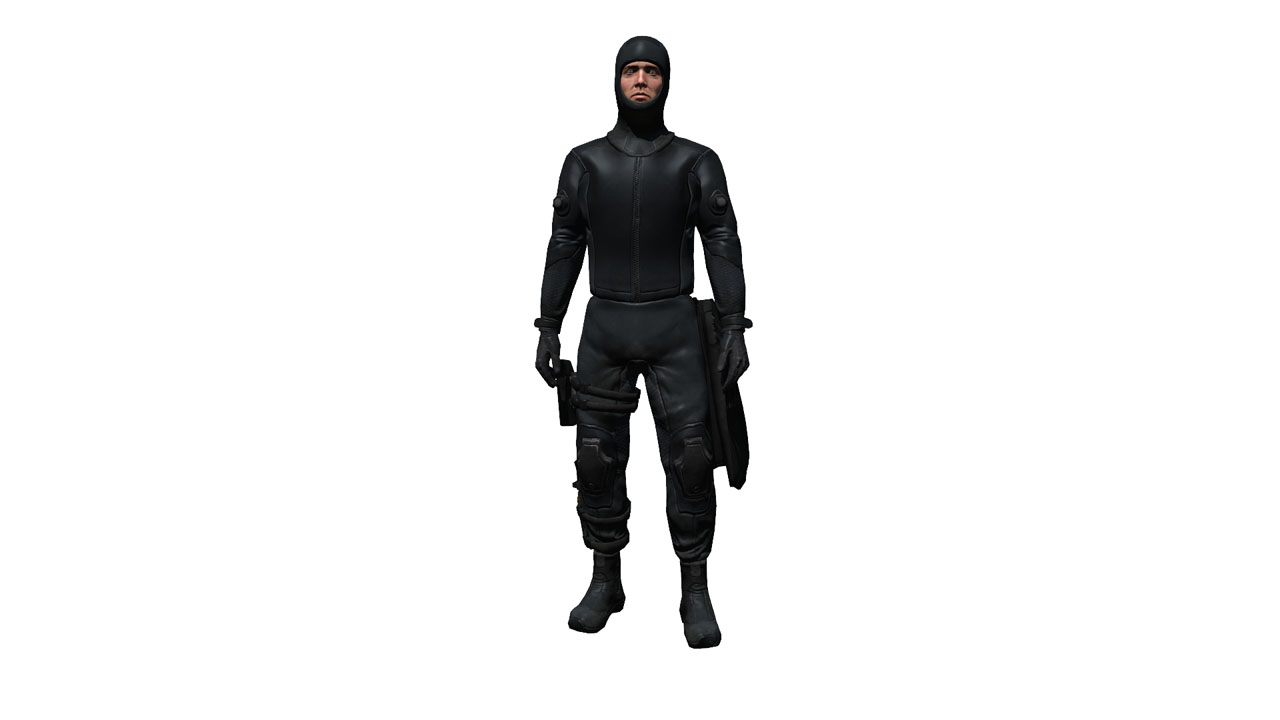

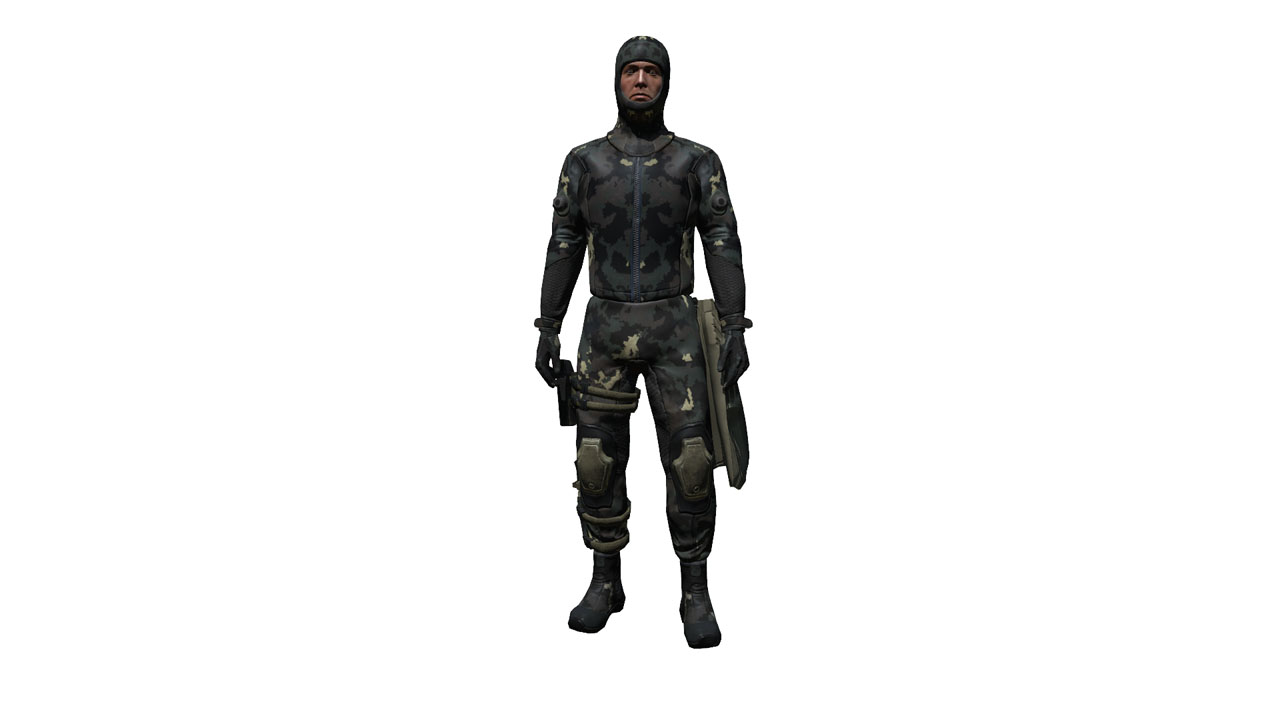

 inland kayak
I just found out a very VERY nice use of arsenal stats
I can use it to check for CUP compat for ace modules 😄
hollow umbra
Lol
inland kayak
a lot of your headgears are missing hearing config entries
hollow umbra
Can never trust edits
oak stream
Should be simple to add, no?
inland kayak
nope, volume muffling and hearing protection
ACE_hearing_protection
ACE_hearing_lowerVolume
inland kayak
I also added G-force reduction being shown for uniforms and detonator range for explosive detonators
also TIL the cellphone has a 15km range 😄
inland kayak
each iteration looks better than the last one :D
https://imgur.com/gmIpSAn
i'll probably force ded to add radio ranges or do it myself for TFAR
inland kayak
also showing backblast angle and range for launchers 😛
there's just sooo many possibilities
oak stream
🤤
quaint jewel
@alganthe#8904 https://github.com/michail-nikolaev/task-force-arma-3-radio/blob/1.0/addons/handhelds/anprc152/CfgWeapons.hpp#L10
Same for backpacks. Also PLEASE display the tf_encryptionCode. People ALWAYS mix them up and complain why they can't communicate.
Have fun huehue.
Should be in TFAR though and not in ACE. Is there a EH that I(You) can bind to or a function that I(You) can call at postInit to add stuff?
inland kayak
No function, it's an array to append
quaint jewel
But that sounds ugly and crusty
inland kayak
I could make a func, but it'd have a lot more arguments than lines, like a shitload more
it also wouldn't work in 3DEN due to preInit running and nothing after it
quaint jewel
array in uiNamespace?
quaint jewel
Like... If I try to append at preInit but my preInit runs before yours....
inland kayak
yep
quaint jewel
then what?
inland kayak
true.
 ember dune
-the path for the mod folder is not set . This message appeasr on CUP Terrains -Core from steam workshop ..it downloaded it 3 times and vanished as steam downloads's windows said the update was cancelled..how can i fix this?
 solid wave
need help i have unban on this server CodeFourGaming-King Of The Hill 1944 US #1 Address 206.221.189.82.2302 admin unban in diskord
i in frst time
wise barn
@solid wave
Go to the KotH discord. This is not a problem for the offical arma discord.
Link to the KotH discord can be found here #channel_invites_list
 winter drum
I have a mate that is having the crackling inside vehicles issue is there any way to fix this?
winter drum
upload it to discord?
oak stream
No just upload a vid of it to YT or something so we know it doesn't have anything to do with his peripherals.
winter drum
its the logitech issue i believe
oak stream
The logitech issue?
winter drum
wise barn
Install new audiodrivers, done
desert isle
The last person that had the issue completely removed the old drivers (and iirc software) installed new drivers and new 64 bit software. Solved.
wise barn
☝
 grizzled willow
Anyone here familiar with TADST?
fading pulsar
Yes, why?
fading pulsar
@grizzled willow Why do you double post?
 cloud lily
I'm setting up a new A3 server on linux box with a /29 assigned to a single interface and if I set the arma3server ip address to anything other than 0.0.0.0 or the first IP address of the /29, the server fails to come up with "Error: createPeer failed". Returning the ip='xxx.xxx.xxx.xxx" back to one of the working address fixes the issue but I'd like to run servers on the other address. Is there a workaround/fix for this issue?
wise barn
#server_linux
This might be a better place to ask this question
cloud lily
not sure if it affects only linux from what I found with other people having the same issue on windows, but I don't have a win server with a similar network setup to test it on.
cloud lily
Figured it out, it was on the linux side, specifically how the network interface was set up. assigning all five addresses to the iface with "address xxx.xxx.xxx.xxx/29" seems to confuse the a3 server executable, but if I create alias interfaces and assign one IP address to each, it works.