#arma3_troubleshooting
1 messages · Page 77 of 1
 hard bay
hard bay
hard bay
hi
can someone help me here my arma campaign keeps start from the beginning
no matter which mission i select it loads the boot camp
i validated my cache thing
and reinstalled add on folder but still same issue
hard bay
Hello,
I really hope someone can help me. My problem is that my campaign just keeps starting from the beginning (bootcamp/reallity check). And no matter which particular mission I click on it takes me to the start. I even tried the "cheats" as someone suggested to unlock all missions in the campaign. But whenever I choose particular one it still start from beginning I am really confused about whats going. Before this issue I had finished the prolouge section and I wanted to start the east wind campaign but I keep encountering the same problem. Can someone help to resolve this. I already validated integrity of cache without any positive result. Thanks
 fallow remnant
You have to stop posting the same thing in multiple channels...
 fringe salmon
@hard bay so you got filled white bullet boxes before each mission?
in the menu?
I mean have you or have you not completed these missions before?
you're supposed to start them from the beginning
if you have never played them before
its linear progression
but it depends on the exact item
hard bay
i delete documents folder with arma and made a new profile and verfied integrity of cache it solved the issue
 quick shadow
how can i use the virtual support modules? I don't know how to tell them to only use a certain vehicle where I can easily use the actual supports that are binded to an in game object
When I type in say a blackfoot id line it goves error of unidentified variable and when I put in what the actual game calls it it gives me a missing ; or missing] error
 fierce rapids
Have some problems with virtual 7.1/spatial sound in arma3.. if I enable it in windows, i hear helicopters/vehicles in left channel only, while some sounds like gunshots are very faint in the background.. if I disabled spatial sound, all sounds are fine, but it seems like even normal stereo is not working, if I'm standing next to a vehicle, the sound is just as loud in both channels, impossible to hear which side of me the vehicle is
 hollow umbra
@fierce rapids have you tried increasing the sound sources count?
 sudden cipher
anyone know why one of my arma 3 servers says this when i try to start it?
include file a3\functions_f\params\paramrevive.hpp not found
hollow umbra
yeah, someone is using the arma 3 default param setup for the revive system in arma 3
sudden cipher
have googled it, and it seems to say i should delete all missions, doen that, still get the error
sudden cipher
ah ok
yep removing some mod one of the guys added seems to have fixed it. was likely their pbo had that in it
thanks!
hollow umbra
Yep sure thing
 woven pewter
Hello guys ! My friend has no servers showing up in the servers browser list, and when he try to connect via the launcher, the game is stucking on the Arma3 logo. It's like his game is not connected to internet... We have already tried to make a new profile, look at the firewall and checked the cache
Does someone know this issue pls ? 😦
 sharp vortex
make sure you have an internet connection
also slow down how many servers steam will query
woven pewter
Of course, we're talkiing on Discord
sharp vortex
because the defeault DEFINITELY sends your router into meltdown.
woven pewter
How can i do this ?
sharp vortex
steam settings
ingame
In game server browser:
max ping /minute
drop it to 3k and that should be good
woven pewter
@sharp vortex We'll try it
@sharp vortex Ty, taking it to 2000 is ok to or too slow ?
sharp vortex
don't matter
it willl slow down a bit but not enough to be dramatically slower
@woven pewter
if that doesnt work then i'd reboot steam
woven pewter
@sharp vortex Okay ty, We just put it to 500 to be sure xd
woven pewter
😄
 unkempt thicket
Can someone help me? I am having issues trying to join my groups server. I join and it shows the Tanoa map then I get "Connecting Failed" Checking the rpt it only shows the last action as "Skipping mods and signatures due to overflow flag being sent"
 high gust
Hey guys getting a weird issue that is only happening when trying to host a game for me and my 2 mates on the specific map called Escape Malden. For some reason when we all load into game, we ourselves can move and play but we just see each other standing afk at spawn We are a little gobsmacked as to what is going wrong since we have no problem playing other escape maps. Can anyone help us?
 wise haven
Unable to init dxgi, recently started getting this issue
 stray current
My arma 3 dowloads are stuck on "starting" and they never leave that state. Ive reinstalled the game twice and Ive verifyed the game cache 4 times. Ive wiped my windows 10 and I have tryed clearing my downloads and nothing has worked Im unable to play arma 3 without any mods because they wont download and I have had this problem for 2 monts can someone help me out?
 quaint jewel
You mean your Steam doesn't want to Download Arma?
Oh.. You went offline already 2 minutes after posting your question...
stray current
And yes that is whats happening (It was 5am for me) @quaint jewel
stray current
now getting errors when starting arma 3 "The exception unknown software exception (0x0000dead) occured in the application at location 0x00007FFF01299D98"
fallow remnant
er try switching to profiling branch on steam. look for the last link by Dwarden in #perf_prof_branch
see if that solves your problem
stray current
somehow arma 3 is now unplayable
How
Im hopeless
:/
Ive had this problem for months
And since today arma 3 is unplayable
 minor panther
In uncommon cases, when I access the virtual arsenal, the chatbox and feed disappear.
Is this a bug?
fringe salmon
@stray current do you get through the integrity check?
you need 30 gb free diskspace to download fat updates
ontop of the 30gb that arma is
otherwise it sounds like riotten hardware
disk or memory
or modissues or permission issues
but def do a basic test with memtest+ or similar
 inland belfry
Hey i read that dynamic recon ops has headless client support but when i start it the headless client connects and sits there doing nothing
 fading pulsar
You don't visibly see the HC doing anything in general unless you have a way of monitoring it
quaint jewel
@VKDHIK#4871 There is another error message before the 0xdead crash. It's important.
No not a Ram problem as others suggest. 0xdead means Arma deliberatly killed itself for some reason. Would you guys please stop telling people that their Ram is fucked and that they should do a memtest for something that's completly unrelated to their Ram? Thanks.
@minor panther yes. That's a bug. Think it might already be fixed on dev branch.
 wise barn
@quaint jewel
Seems like you can not tag VKDHIK, i think your RAM is broken 😉
 supple crystal
Does anyone know of a fix for the bug that was introduced with jets dlc that seems to put an ai in control of your plane when ever you open a game overlay menu ie, ace medical/ESC menu/CTAB/I-TGT ect, if your on the ground not moving, the plane starts trying throttle up and trying to taxi, and if your in the air it messes with your throttle to maintain a speed and even fly's over mountains to avoid hitting them.
fading pulsar
I spose people got sick of dying to their mistakes
supple crystal
If its actually a feature (super dumb if it is) can it be disabled?
fallow remnant
Would you guys please stop telling people that their Ram is fucked and that they should do a memtest for something that's completly unrelated to their Ram? Thanks
Yeah, people should really stop this 😄
 plain pollen
so me and 4 other people are playing on a server with 1 HC and overtime all of us will lose FPS all the way down to about 8-9fps before the game will crash. This will happne over the span of about 1 hour. anyone here have any ideas on what this might be?
wise barn
bad mission coding
 desert isle
☝️
 snow oar
I'm getting this when I try to join my server after I make any changes to the mission file. I am simply adding a folder to my traders and removing a mod from traders. I have never seen this until now and have made many changes more complex..... "23:55:36 "ExileServer - Dispatching hasPlayerRequest for session 'tbrphbwt'..."
23:55:39 NetServer::SendMsg: cannot find channel #1927857592, users.card=1
23:55:39 NetServer: users.get failed when sending to 1927857592
23:55:39 Message not sent - error 0, message ID = ffffffff, to 1927857592 (broid23)"
I have seen this online with no solutions. I boiled it down to making any changes to my mission file.
I tried may things like editing my traders, installing igiload script, and simply removing some unused trader catagories from a past mod.
Anything I do throws that error and I had someone get in just fine. I caught a hacker 2 days ago giving himself 800k. That's the only strange thing lately
If I restore to before any changes are made to the mission everything is fine. I was hoping answers were here about the subject. It's very strange
wise barn
since this seems to be an exile problem, try seeking for help at their discord
https://discord.gg/FMkqWpF
they might know more
snow oar
ok thank you
wise barn
yw
 tame lichen
my screen sometimes crops a significant amound on all sides, but sometimes seems to be fine. help?
 oak stream
What aspect ratio does your monitor have?
Also, do you do anything in particular before it happens?
tame lichen
i've just noticed it in the menu screen. i'm 1080p, 16:9
oak stream
Can you post a screenshot of it when it happens?
tame lichen
i dont wanna come off the wrong way, but what is there to screenshot? some menu buttons around the edges are out of reach
oak stream
Do you know how to post .rpt files?
tame lichen
i dont even know what an .rpt file is
wise barn
%userprofile%\AppData\Local\Arma 3
it's a log/report file
plain pollen
You know I don't think it is the mission, If I back out with the #missons command and reload the fps drop is still there. I even loaded other missions including a default mission, the FPS just keeps getting worse. I even backed out into single player and loaded the first campaign mission. Only for the FPS to drop furthure.
I even went and re did all of this after a full shutdown and restart of the game and then set all my video settings to the lowest you can. I got the exact same result but with a higher starting frame rate. I even shut the game down then added launch options for -maxmem -cpucount -maxvram...all the standard crap and started to use the performance profiling build with all the standard optimizations you read about. Still the same issue I have no idea what this could be as this is across 3 people so it rules out a lot of the things I would think.
The only thing that fixes it is restarting the whole game every 30-45 mins.
tame lichen
where am i allowed to post a screenshot
wise barn
if it'S related to your problem, here
tame lichen
do i really have to upload it to tinypic and put the link here
wise barn
no, you can use imgur also 😉
wise barn
noone is allowed to post pictures directly. prevents unwanted situations
tame lichen
interesting
dammit it's broken
ugh
note how the logo and dlcs are cropped
im logging off for the night. whoever decides to respond, DM me your solution please. good night.
 stone island
Anyone here know about an issue with a flightstick not responding in-game but perfectly responding in the control settings? Arma has the flightstick enabled, but as soon as I want to fly something, the stick just isn't responding. (Saitek X-56 Rhino btw)
stone island
Nvm fixed. Somehow the solution is to select a controll preset and then map the controlls again. No Idea why but it worked for me
 narrow beacon
Hey. I have a problem. The video card gtx 1060 6gb, but 20 fps at high and low. V-Sync - off.
 fading sequoia
in arma you mention your cpu first
narrow beacon
i5-4570 load 70-80%
fallow remnant
- are you running latest drivers?
2a. what quality settings? (high and low presets, i assume?)
2b.Which map? Which mission? - are you using an HDD or SSD?
- are you using mods?
- Was it always like this or is it recent?
- Try using #perf_prof_branch (see pinned messages)
fringe salmon
@narrow beacon run YAAB from the arma workshop
20 or less fps is normal for koth with alot of people in it
fallow remnant
🤦🏽
 sharp tinsel
damn it, dotnet update pushed from Steam today is fucking up my Arma client
narrow beacon
2a. what quality settings? (high and low presets, i assume?)
2b.Which map? Which mission?
3. are you using an HDD or SSD?
4. are you using mods?
5. Was it always like this or is it recent?
6. Try using #perf_prof_branch (see pinned messages)```
@fallow remnant 1.yes. 2.irrelevant ultra or low. Altis. 3.HDD.4.no.5.always
https://ibb.co/bFK9v6what's that link?
Anyway, just running an empty map or a mission? Like from the workshop?
 frosty monolith
How can I fix Warning: Current Steam AppId: 233780 doesn't match expected value: 107410 when I try to start a dedicated server
Like fully or?
@hollow umbra
Didn't work
No
I closed the bootstrapper in the Task Manager
1:07:14 Dedicated host created.
1:07:20 BattlEye Server: Initialized (v1.217)
1:07:20 Host identity created.
1:07:20 Game Port: 2302, Steam Query Port: 2303
1:07:20 Warning: Current Steam AppId: 233780
doesn't match expected value: 107410
Alright
Done and done
Should it be stuck at 1:08:49 Game Port: 2302, Steam Query Port: 2303?
So basically this works? 1:09:50 Dedicated host created.
1:09:55 BattlEye Server: Initialized (v1.217)
1:09:55 Host identity created.
1:09:55 Game Port: 2302, Steam Query Port: 2303
Thanks
quaint jewel
@Dell#7317 Showing your performance problems via a screenshot that shows that you have smooth 74 fps..... Doesn't make sense.
And now ultra or low is not irrelevant. with a 1060 you should have everything on high or disabled. Don't put shadows on low for example. It just makes things worse.
narrow beacon
@quaint jewel , yes, but if you load the game with mods, then the video card does not load anyway. On Saturday I will make measurements.
fallow remnant
I thought you said you weren't running mods?
quaint jewel
Exactly. Most of the time there is barely load on the GPU. Which is why you should set everything to ultra. Because on low some things are moved to the CPU
narrow beacon
@fallow remnant It does not matter. The frame rate slows down, but the use of the GPU does not change.
quaint jewel
You are talking about bad FPS.. And then you say that it does not matter that the frame rate slows down?
narrow beacon
@quaint jewel Do you think this is a "bottle" effect? (It seems so called)
quaint jewel
Bottleneck.
quaint jewel
Yes. Arma is singlethreaded so the CPU is definetly the bottleneck. That is well known in the community
fallow remnant
I mean I have a 4670k and a 3570k, they give me 23-70 FPS depending on things
narrow beacon
I thought the CPU should be loaded 90-100%, so that the effect of "Bottleneck" would be produced.
fallow remnant
Depends, one thread will be loaded to 80-100%
quaint jewel
No
fallow remnant
In arma's case
quaint jewel
One single CPU cure will be loaded to 90-100%
fallow remnant
You also have an HDD, so that'll cause some stuttering on ultra or very high
quaint jewel
But because the scheduler distributes the load between all cores usually you won't even see high load on a single core. Unless you pin the main thread manually
fallow remnant
Because objects, textures and terrain needs to load and unload
quaint jewel
So Arma can take 100% of the CPU power it can take. But task-manager still shows you 25% load
narrow beacon
Thank you, I will conduct more tests on Thursday. There may be a bottleneck.
quaint jewel
Didn't I already say that there is a bottleneck? Like.. multiple times?
narrow beacon
Yes. I want to see it with my own eyes.
quaint jewel
https://community.bistudio.com/wiki/Performance_Profiling
https://community.bistudio.com/wiki/File:Performance_Profiling_04.png
Each row is one Thread. as you can see 99% of the load is on the first thread.
Meaning it can only use 1 CPU core. If you have a 8core CPU it still only uses 1 core.
1/8th of the available "power"
 vital steppe
fallow remnant
vital steppe
fallow remnant
@vital steppe are you using mods?
fallow remnant
Oh. You could try using #perf_prof_branch (see pinned messages)
Or ask in #server_admins maybe
desert isle
Had I not known better, the scale at which people don’t listen , would have been shocking.
 lone ermine
Whenever someone joins our server we get a "Include file decription\definitions.hpp.not found" error and the server crashes
Can anyone help us solve this server error?
I see
that was it
thanks @hollow umbra
lone ermine
ugh now we're getting random client disconnects during on-going games
20:22:46 NetServer: users.get failed when sending to 1025853634
20:22:46 Message not sent - error 0, message ID = ffffffff, to 1025853634 (R.Hef)
20:22:47 NetServer::SendMsg: cannot find channel #728352044, users.card=42
 naive ruin
Game runs fine, Love it, play for an hour this morning... and come home after work.... and get a bad module info .... .Crash 😦 Why... what Did I do to deserve this... all I wanna do is play
bad_ module _info
error
exit code 0x000000ff
fading pulsar
you're the problem @fringe salmon 😉
Your PC is 😉
I managed to keep mid 40s depending on how big it is
I did 👋
😗
fading pulsar
What were the hardware limitations in 2013 compared today?
shoot through them As if that's a bad thing?
quaint jewel
@lone ermine These error messages are caused because the disconnect. They are not what's causing the disconnect.
Battleye? How many players?
@Peraeolus#0413 That problem seems to happen more and more recently. I'd say it's a windows 10 issue. Are you on win 10 by chance?
@GeekGuy884 ... Lol he left the server so he doesn't get banned. And next day he just comes back to spam channels with pointless discussions again..
Please stop cluddering up everything with your pointless idiotic discussions. Thanks.
naive ruin
@quaint jewel Hey, you still around?
quaint jewel
yes
naive ruin
I just saw your message.
quaint jewel
You can just click the name to see if someone is online
naive ruin
I am on windows 10, but the thing is... it was working Just fine
Yeah, I know, sometimes I leave my shit on, but am not on so i was seeing
if you'd reply quickly lol
anyways.
anyways, it was working just fine Yesterday morning, and BAM it stopped
I do think though, I attempted to play on a DayZ server or a server with lots of packs.
otherwise, I haven't updated anything
quaint jewel
automatic windows update maybe?
naive ruin
I have that shit off
just happened again
when I tried connecting to any server
I also verified steam files.
what else can I do without uninstalling?
quaint jewel
I have no idea.. Besides googling
naive ruin
i've googled. everything points to some update.. but i'm like wtf
lone ermine
@quaint jewel Battleye is off and we had 47 players on the server that nearly half of them disconnected throughout the mission
 high musk
did you update windows10 1709? I got this problem when I just update windows10 RS3(1709). @Peraeolus#0413
 twin briar
wise barn
twin briar
wise barn
 terse isle
Anyone have a clue for possible reasons why my I can't take any gear from inside dead units' containers but can take the containers?
The issue seems to only be present on dedicated servers
No mods being used
terse isle
Yeah, it seems to be something in missions I've made specifically but I have no idea what
fallow remnant
Hmm. Interesting. Maybe someone else will be able to help you...
terse isle
I hope so. I'm stumped on this.
fallow remnant
(btw I saw in #arma3_scripting that you're using CBA?)
terse isle
I do, but this issue is present without any mods
fallow remnant
I see
terse isle
Pretty sure i have it narrowed down to an 3DEN loadout editor problem
Just making a mission with an unaltered player character and an enemy you open loadout editor and "ok" out with no changes will result in being unable to take gear from inside the enemy's vest/uniform after he is killed
Works fine on a listen server, but on a dedi suddenly you can't loot the bastard
terse isle
Someone seems to have reported the issue already https://feedback.bistudio.com/T126030
fallow remnant
oh, this is interesting
probably drop the link in #arma3_feedback_tracker too
(although they already know so i guess there's no point to doing that, actually...)
naive ruin
@high musk
yeah, it looks like I did update....
bloody hell 😦 how did you fix it?
still haven ot fixed it, and today is my day off 😦
fallow remnant
@naive ruin maybe @tiny imp might know
wise barn
did you try latest performance binaries?
high musk
@naive ruin Not sure, but Go back to previous build(1703) and update latest ver. of graphic driver, then reinstall windwos 10 build 1709 and its update. I did it.
 next terrace
any ideas for weird clipping problems after long distances? like https://imgur.com/a/6mWeG
 slow abyss
@next terrace The terrain detail setting is too low.
next terrace
nope its not. on my client its on ultra.
slow abyss
Is that multiplayer?
next terrace
yes.
slow abyss
In that case, the server/mission controls it. Your setting does nothing
next terrace
the server has a setting to overrule my grafic config?
slow abyss
yes
next terrace
then its serverbound.... and maybe not consistent on all servers.
thats a new trace. thank you!
oak stream
Also, Arma 3 long range and mid range textures are horrible even on Ultra. I wouldn't expect much difference in terms of playability to be honest
next terrace
horrible is ok. but please in the correct height
the objects are in the correct place. its the mountain.
slow abyss
different terrain mesh detail levels in action: https://gfycat.com/IdioticReasonableJaguarundi
next terrace
thats spooky. change my setting after the mission had started maybe works?
slow abyss
changing it before or after has no effect.
but some MP missions have their own menu to change settings like the view distance and terrain detail
next terrace
new intel: the missionmaker said: in the description. ext is an 3k viewlimit
obv it does not count for me
 bronze ocean
anyone know the issue with xian/blackfish?
oak stream
What kind of issue?
bronze ocean
when u touch the floor it does automatic increase engine power?
dont tell me to use manual vectoring pls -.-
oak stream
Well :p
bronze ocean
this is not an issue
oak stream
But yeah, in general you need to continue to push down the collective when landing with the xian at least
fallow remnant
Auto vectoring is weird
fallow remnant
Manual used to work fine the last I tried
 regal pier
Is there a flag to limit the .rpt file size? Having issues with the server going rogue and dumping a 60gb+ .rpt file when nobody is around to keep an eye on it.
regal pier
@fading pulsar Ideal, but i'm not keen to try and open a huge file in an editor to see what the hell is wrong with it. Also, awkward: https://forums.bistudio.com/forums/topic/51266-another-armas-big-file/?tab=comments#comment-921891
fading pulsar
I suppose checking on it every hour or something and when it appears to be getting stupid, closing it and checking the RPT to see why it's spamming is a good idea
wise barn
@regal pier
but i'm not keen to try and open a huge file in an editor to see what the hell is wrong with it
then, my friend, you will have to live with a huge ass RPT file. sorry that the only reasonable answer you got is the one you don't like.
regal pier
No, I was just hoping for easy mode.
Time to set a folder quota.
I'd rather ARMA shitting itself on its own than it filling up the server's disk and causing issues pmuch.
wise barn
it's mostly bad mission and faulty mods causing huge rpt files, not BIs fault. Get your mission fixed and remove horribly coded mods and your life will be much easier. I've run servers without a restart them for weeks and not often went above 10mb rpt files
regal pier
I am suspicious it might be vcom.
wise barn
One way to find out 😉
 thorn bone
i was told, that from my gameserver.com server, i should go to the servers config file and add the mission pbo file into the class
ARMA3 {
template = "FREENDS2.Tanoa"; // Mission to load (Mission file located in MPMissions. For now I have it set to a default ARMA3 mission.)
difficulty = "Regular"; // Server difficulty Settings (Recruit, Regular, Veteran, Mercenary)(edited)
however the server sits currently in a state of forever "creating" when viewed from arma 3 game search
 faint dawn
Either it doesn't autoload and you have to connect and click "Confirm" on your own
OR
you messed up the Config (added a ; somewhere, or name of the mission is wrong)
wise barn
and this is a rented/hosted game server, right?
wise barn
@thorn bone
read
https://community.bistudio.com/wiki/server.cfg
(the part of the mission rotation)
copy it to your config, run the server
if it works, your mission might be fucked
faint dawn
or missing Addons
wise barn
also possible
well, the problem with rented servers is, almost no access to the rpt -> no idea what's happening, or in this case NOT happening
thorn bone
kk thx, ill file a support ticket
wise barn
do you have FTP access
?
if you have, is there somewhere a folder called log, report, or similar?
oak stream
@thorn bone
thorn bone
supposedly it says i do
wise barn
says what?
thorn bone
i have a FTP LOGIN NUMBA
oak stream
supposedly
thorn bone
caps
oak stream
😂
thorn bone
but i dunno what that means or does
wise barn
well, then get filezilla and log into your ftp
wise barn
if you would have come earlier i could have guided you through. but it's 0400 over here and time to go.
maybe smb else can give you a hand
faint dawn
buhuhuhuhu @wise barn
thorn bone
tommorow
oak stream
Have you looked at a tutorial?
oak stream
For setting up a server?
faint dawn
It'S FoUr Am AnD i HaVe To Go To BeD BeCaUsE iAm A lItTlE bAbY
buuuhuuuhuu @wise barn 🖕 😘
wise barn
no, i need to because yo mama called me to it 😉
faint dawn
damnit
oak stream
I want to say something really cheeky but I'm going to resist @faint dawn
faint dawn
Yep
wise barn
no need to hold back @oak stream
faint dawn
It's a thing between me and Chris Lurtz
wise barn
😂
faint dawn
shaddap, Chirs
fading pulsar
😄
faint dawn
#⃣ 3⃣ 5⃣ 0⃣
oak stream
I have a troubleshooting question, it seems one of the authors of the 2017 mod is putting shade on somebody who wants to sleep, while 2017 is almost over :^)
@faint dawn
fading pulsar
Oh god yeah, it's practically december
faint dawn
2017mod is dead, sooo.....
oak stream
That's the meme
fading pulsar
I can't wait for new years to simply pass
thorn bone
wow the webite descided to put a tiny ass tutorial in the low left of the screen.
In freakishly small letters
you almost have to be antman to read it
faint dawn
👍
oak stream
👏🏻
thorn bone
arty1 doArtilleryFire [getMarkerPos "arty_target","32rnd_155mm_Mo_Shells","10]; is this correct its telling me in editor that "on activation missing "" "
slow abyss
There's an extra quote in there. @thorn bone
fallow remnant
Before the 10
 hasty vine
anyone getting players report Battleye initialization failed on the latest patch??
cc @tiny imp
18:13:18 Shutdown normally```@lucid galleon
Checked with several hosts, all reporting the same.
Even GSPs.
🔥
 astral sky
same prob on server
astral sky
looks like BE client didnt updated and doesnt know that port were changed 😐
http://prntscr.com/hhcfmf
#UPDATAARMA3BATTLEEYE
 formal heron
nailed it, I am showing the same....
 worldly pond
Whole communities down...GG
hasty vine
its as if some people are getting the patch and others not
 fallen torrent
Fault address: 29530000 00:29530000 Unknown module
file:
world: Tanoa
Prev. code bytes: DB 48 0F 44 1D 5F 87 88 00 48 8B CB EB 0A FF C8
Fault code bytes: 44 38 11 74 07 48 FF C1 85 C0 75 F2 2B CB 89 4C
hasty vine
^completely useless @fallen torrent
fallen torrent
After server launch, crashes - that was in the log
hasty vine
it should also provide some dump files
they ALWAYS need those along side the rpt file
worldly pond
So can someone from Arma respond and let us know this BE thing is actually an issue so we know and eta on a fix.
hasty vine
im seeing it hit and miss for players
so not exactly sure of the root cause atm
maybe it is that BE exe issue
 delicate wharf
bohemia btw
hasty vine
as if some players get it and others dont
worldly pond
Kaboom - Today at 11:49 AM
looks like BE client didnt updated and doesnt know that port were changed 😐
http://prntscr.com/hhcfmf
#UPDATAARMA3BATTLEEYE
worldly pond
Three of us here have the same thing
hasty vine
@worldly pond what happens if you delete that and then verify in steam?
worldly pond
Trying now
formal heron
I tried that, still initilization failed
even deleted BEC folder and reverified and still failing
haven't found anyone that is working yet
@tiny imp
hasty vine
does anyone know <anyone> whom IS able to join servers?
 misty grotto
Just update your game and for bec, y can use 2307 instead 2306
hasty vine
That isn't quite the issue, servers are working, and we're not talking about RCON not working. But people being unable to join with the aforementioned error. Please read first.

It does however seem like some people CAN join but the larger % cannot
 tiny imp
@fallen torrent you need open 2302-2306 , always +0 to +4 , those UDP are used by default
hasty vine
or you can TEST by simply whiteliting the arma 3 server exe outright
thus all network related calls should be allowed
tiny imp
if BE fails even then it's another issue to be figured out
formal heron
be is fine on the servers, its the clients
I cant join my own servers and usually we have 50 players on and have 4
fallen torrent
i dont see why I need 2302, 2303, 2304, 2305, and 2306 open when no server uses the ports - my issue might be different, i launch the server - it loads up, shows the window, creating dedicated server - then crash
formal heron
I am trying to find out what their armabattleeye.exe date is
astral sky
@tiny imp looks like BE client didnt updated and doesnt know that port were changed 😐
http://prntscr.com/hhcfmf
#UPDATAARMA3BATTLEEYE
formal heron
okay we just confirmed that the arma3battleye with a working player DID NOT update
but yet they are in
hasty vine
@astral sky confirmed with others that their clients haven't updated but can join
so that seems irrelevant
😄
formal heron
ha ha @hasty vine so wonder why 98% of people cant join
astral sky
so ppl can join unupdated server with unupdated clients, and ther BE working. That should be meant that BE havent updated their ports for ARMA3, but updated arma3 clients does?
formal heron
So its like this, server is updated, clients are updated, 2% can join, 98% get battleye intialiation failed
we run 8 servers and I can't join a single one after the update
The players we do have working, I do not see anything different at the moment
okay guys we fixed our side
well not really
So A3L we can get in
Arma Default launcher = Nope
 ocean lagoon
There actually has been no change in BE files between 1.76 and 1.78, this is intended
We are trying to isolate the issue, any help appreciated
formal heron
let me know what to test iceman, like I said I can join with A3L, but not stock launcher
so maybe something up with the launcher?
ocean lagoon
What if you run the EXE directly, without any launcher?
formal heron
let me check
ocean lagoon
It should prompt you to restart and enable BE when joining a server, please do that
Do you have a vanilla server? If so, could you please provide an IP?
formal heron
we do not have a vanilla server unfortunately
ocean lagoon
No worries
hasty vine
@undone saffron ^
formal heron
okay I still receive the error when launching the exe directly
hasty vine
even with the BE param?
ocean lagoon
Check logs that BE was actually on, please
I'm trying on my end, but do not get kicked
formal heron
13:05:16 Creating action map cache
13:05:22 Skipping signatures due to overflow flag being set.
13:05:36 Warning Message: BattlEye initialization failed
13:05:44 Starting mission:
13:05:44 Mission file: tanoa_intro1
13:05:44 Mission world: tanoa
13:05:44 Mission directory: a3\map_tanoa_scenes_f\scenes\tanoa_intro1.tanoa
13:05:46 "SniperMunyShotz/BIS_fnc_log: [preInit] ""DeltaTime computation started"""
13:05:47 Weather was forced to change
13:05:47 No speaker given for
13:05:53 Shutdown normally
ocean lagoon
13:05:36 Warning Message: BattlEye initialization failed
This is where the game started, right?
formal heron
correct
ocean lagoon
These look like Launcher logs, or is that really RPT?
formal heron
RPT itself
hasty vine
theres 100% no port conflicts is there?
is always throught like 2302 to like 2312 were used by the engine
for things like VOIP / JIP etc
formal heron
none that I can see, why would A3L work and Arma Launcher not?
ocean lagoon
That points to a BE initialization probably
Did you try running the 64bit exe directly with a -beservice parameter?
hasty vine
Sa-matra tried that
he gets same issue
so he suspects the A3L thing is just a coincidence
fading pulsar
I guess you coulkd check a vanilla launch RPT and an A3launcher launch RPT, see if there's a difference?
ocean lagoon
What exe does A3L actually run? We have quite a few of them now
Yeah that sounds like a good idea
fading pulsar
_x64 generally
fading pulsar
You normally specifiy if you want 32 or 64 by pointing A3launcher at it
hasty vine
@formal heron what exe are you running?
formal heron
server wise we run 64, client wise the same
fading pulsar
Can you check you're pointing A3launcher to the 64 bit one?
misty grotto
I usually use 2306 for rcon but after the update rcon stop working , so I moved rcon to 2307 and everything work fine , player join fine . Having 2 server half full
formal heron
so this is interesting, when I use A3L I get in of course, when I use arma launcher, this shows up in the RPT
13:21:39 Skipping mods and signatures due to overflow flag being set.
13:21:39 Skipping mods and signatures due to overflow flag being set.
13:21:39 Skipping mods and signatures due to overflow flag being set.
13:21:39 Skipping mods and signatures due to overflow flag being set.
13:21:39 Skipping mods and signatures due to overflow flag being set.
13:21:39 Skipping mods and signatures due to overflow flag being set.
13:21:39 Skipping mods and signatures due to overflow flag being set.
13:21:39 Skipping mods and signatures due to overflow flag being set.
13:21:39 Skipping mods and signatures due to overflow flag being set.
13:21:39 Skipping mods and signatures due to overflow flag being set.
13:21:40 Loading movesType CfgMovesBird
13:21:40 Creating action map cache
13:21:40 Malformed data. Total count differs. expected: 1, got: 2. serverip: 1301142626, serverport: 2303
13:21:40 Malformed data. Total count differs. expected: 1, got: 2. serverip: 1301142626, serverport: 2303
13:21:40 Skipping mods and signatures due to overflow flag being set.
13:21:40 Skipping mods and signatures due to overflow flag being set.
13:21:40 Skipping mods and signatures due to overflow flag being set.
13:21:40 Skipping mods and signatures due to overflow flag being set.
13:21:40 Skipping mods and signatures due to overflow flag being set.
13:21:40 Skipping mods and signatures due to overflow flag being set.
13:21:40 Skipping mods and signatures due to overflow flag being set.
13:21:40 Skipping signatures due to overflow flag being set.
13:21:41 Skipping mods and signatures due to overflow flag being set.
13:21:41 Skipping mods and signatures due to overflow flag being set.
13:21:41 Skipping mods and signatures due to overflow flag being set.
13:21:41 Skipping mods and signatures due to overflow flag being set.
13:21:42 Skipping signatures due to overflow flag being set.
13:21:54 Warning Message: BattlEye initialization failed
I do not get the skipping signatures with A3L
@ocean lagoon
also why is it trying 2303?
our server port is 2402
misty grotto
What is current rcon port if it's 2405 you need to set to 2406 if 2406 set 2407 voila
formal heron
been there tried that
we have players joining fine, so its not a port issue
I can even join with A3L, just not arma itself
misty grotto
Ok u mean client side with mod , so u need to reach a3l
hasty vine
So interestingly we have people being able to join 199.231.210.243:2302 whom couldn't join other servers
which have identical setups to the others
worldly pond
same port?
hasty vine
The ones that DONT work aka people can't join there is some errors regarding BE in the server console window
ocean lagoon
Can you please fetch those?
hasty vine
wip
looking more like a routing issue
as theyre in different DCs
@ocean lagoon can you ping me a BE service ip to do a reverse trace on?
formal heron
Sorry what am I fetching?
hasty vine
You, nothing.
worldly pond
12:15:02 Spackler uses modified data file
12:15:02 BattlEye Server: Player #0 Spackler (47.205.224.183:2304) connected
12:15:02 Player Spackler connecting.
12:15:33 BattlEye Server: Disconnected from BE Master (10054)
12:15:51 Player Spackler disconnected.
12:15:51 BattlEye Server: Player #0 Spackler disconnected
hasty vine
that works :L
worldly pond
so it looks like it is hard coding itself to 2300
we use 2402
but BE wants to use 2304
formal heron
That's it.
 fading idol
Have you found a solution to the problem with BE?
fading pulsar
I can join mine, my brother cannot who's a few towns over
 still raptor
I have 2 boxes, 1 7700k on 2012 r2 and 1 7700k 2016. Both States access violations on 1.78.
formal heron
Spackler is testing one server now
but kinda screws up every other server that do not run default ports and use arma launcher
still raptor
Least of your worries maybe.
 full needle
Guys, we found a solution. Set 2302 port.
full needle
For server owners
formal heron
that will mess game tracker etc
 vagrant python
and there is a solution?
formal heron
Tom, my recommendation is to use A3L at the moment, that seems to work for us, we are trying a server change on a lower pop server to test now
vagrant python
my servers have disappeared in the a3l
formal heron
okay that is it, it is hardcoded
we changed our server to 2302 gameport and can now join with Arma launcher
hasty vine
is there a new line to put in the BE server cfg @ocean lagoon to define the port BE uses?
vagrant python
have 3 servers can not all give the same porte
 steel dock
Yeah I can confirm changing port to 2302 fixed my problem
Everyone using ArmA 3 launcher can connect to my server
 zealous flame
server port?
steel dock
yeah we've used 2312
formal heron
yea agreed, but it is not a solution, we run different ports on all our servers
steel dock
Also we've moved our BE port from 2306 to 2307
formal heron
so somehow the hardcode need to come out
steel dock
yeah
ocean lagoon
So can you confirm that changing game port to 2302 on the server fixed the issue for you?
formal heron
yes 100% confirmed, Arma launcher works when we did that
ocean lagoon
I realize it's not an ideal solution, don't hammer me please
formal heron
I gotcha
fading pulsar
👀
zealous flame
also port 2307 fixed "Client not responding" ?
vagrant python
then there is only 1 port where is? Is this a joke
ocean lagoon
It is obviously not a desired state
hasty vine
@ocean lagoon no that isn't the fix at all
THIS:::::
2. If you have BE in a different directory, update those with the 30/05/2017 version```That worked for you Inch?
formal heron
@ocean lagoon so here is something to add to help I hope, if you just launch arma with the mods it is hard coded, if I launch using the server section and then lauinch, it works
hasty vine
one of my guys found it
fading pulsar
It's still not working for me, I had just reinstalled the server
hasty vine
even copied the BE files?
fading pulsar
I downloaded the server through Steam tools, dragged and dropped replacing everything
Too lazy for steamCMD or thirdparty tool
hasty vine
do you have your configs outside of arma 3 root?
and you updated the be files in the config root
fading pulsar
Thing is, it works just fine for myself but not someone else
And this is where it gets :waitwhat:
formal heron
so iceman, it is like when you launch arma with mods, it is hard coded, when I click on servers then launch recent to a server that is not working, it works
 lucid galleon
Donno... I manage to join one server
formal heron
where as before, I could launch arma with mods, then join
lucid galleon
but i can't join another one.
fading pulsar
Can you try change memory allocator to windows?
hasty vine
@lucid galleon try all of code four servers
we got them working
US ones
OK yes @ocean lagoon
check this out
Steam isn't updating the BE dlls
astral sky
how can i add to prevent script restriktion kick?
" call BIS_fnc_timeline_getSimulatedCurves);
}
forEach (allMissionObjects "Timeline_F");"
hasty vine
deleted the battleye folder completely
run steam cmd
boom it updated them
and the hash is different too
fading pulsar
How does that work?
Steam isn't updating the BE files
uses steamcmd
it updates them
astral sky
" call BIS_fnc_timeline_getSimulatedCurves);
}
forEach (allMissionObjects "Timeline_F");"
how to add it to scripts.txt to prevent kicks?
zealous flame
@hasty vine dont work
hasty vine
worked for us
ocean lagoon
Inch, Steam does not update client BE files?
zealous flame
again "Client not responding"
hasty vine
make sure to update the BE.dlls in your config root too
formal heron
@ocean lagoon did you see the updated troubleshooting?
hasty vine
config\BattlEye for example
fading pulsar
Thing is, I downloaded the server files fresh earlier today, then overwrite all existing
hasty vine
@lucid galleon test EU 1 please
steel dock
and still kicks me
lucid galleon
1944/
hasty vine
yes @lucid galleon
lucid galleon
one moment
steel dock
but changing to 2302 seems to fix issue
hasty vine
again MAKE sure to update your config root Battleye dlls too
ocean lagoon
It's getting a bit spammy here
 formal heron
it is spammy here
steel dock
I am 100% sure I've updated BE dll's
fading pulsar
I fixed my issue and my brothers, Changed mem alloc to Windows @ocean lagoon
<I might've forgotten I had the issue at first 😂
ocean lagoon
That cannot be possible
formal heron
^^^^
fading pulsar
Yeah my bad for misname
quaint jewel
If you set it to Windows it will just use the default tbb malloc
fading pulsar
It's either placebo or it works
lucid galleon
@hasty vine EU #1 Still kickoffs
formal heron
to me the problem is when you launch arma with mods, battle gets hard coded to 2304, before you launch arma, click on arma servers and join, it works just fine
fading pulsar
I'm able to join my server with it, My brother can join too after doing the same @quaint jewel
we're both able to get in just fine now ¯_(ツ)_/¯
vagrant python
is there a solution?
zealous flame
i get "BEServer: registering a new player #1023110432" then im get kicked "has been kicked by BattlEye: Client not responding"
zealous flame
-port=2302
formal heron
@ocean lagoon so I tried all of the listed fixes and none of them work outside of the default port. Only the A3L and server launching in arma launcher works correctly on servers that are not default 2302. So either the client is getting hard coded, or arma is not able to detect the correct port from the server, not sure. Hope it helps
ocean lagoon
So just to be clear, using the default port works for you as well?
zealous flame
not for me
formal heron
@ocean lagoon yes it does, we cahnged a test server over to 2302 gameport and I could join correctly that way normally
if we click on servers in the launcher prior to launcher that works
on servers that are not 2302
 harsh rapids
yea, same here. default port works perfect, others not through the in-game server browser.
vagrant python
So far, the solution is the one port 2302?
zealous flame
no
fading pulsar
My server is already on port 2302 and I had the same issue, I changed my malloc to "Windows allocator (System)" and it then let me in and play
Don't know if it's Placebo or not, it seemindly fixed it for my brother too
still raptor
Removed -autoinit access violations went away. server started
fallen torrent
If anyone is having an issue with your server crashing, make sure auto intit is turned off
zealous flame
for "BattlEye: Client not responding" @still raptor ?
still raptor
No, server crash on startup
zealous flame
got fixed with old beserver_x64.dll Server files
hasty vine
@still raptor that sounds like an issue with your mod compatibility
not autoinit itself
if your the mod dev you should stack trace the shit outa it
and make it compat with the latest stable patch
still raptor
I re-ordered my parameters. Re-tried autoinit. It ran
steel dock
hasty vine
vanilla and modded
still raptor
Well...its running now. So no clue
hasty vine
As i said if youre the dev get busy 😉
steel dock
I think BI devs shoud be fixing BEserver dlls now
I've tried everything including complete reinstall of ArmA 3 client
Didn't fix BE kick
hasty vine
its a combo of dll and port binding issues
i suspect the latter to be the greater cause of problems
steel dock
As far as I know arma devs made changes to BE
Tweaked: BattlEye traffic was moved to a separate game port (2306 by default)
@steel dock got fixed with old beserver_x64.dll Server files. the kick problem "has been kicked by BattlEye: Client not responding"
 honest minnow
someone else having trouble using shutdown? Server crashing when sending command
steel dock
@flint fulcrum can you please upload your dll to somewhere so I can download and try?
Got mine deleted
steel dock
Thanks! Gonna try it now
Old BE dll's doesn't work because when BattlEye initiating it starts download new revision
replacing old dlls
so we just need to wait till BI fix this issue
until then change port to 2302
that's the only way
 frank sequoia
The download from Pablo worked for us
zealous flame
😀
hasty vine
I know the guy is trying to help but downloading dlls from third parties can be dangerous.
worldly pond
So is it safe or not
 late zodiac
The download from Pablo worked for us
zealous flame
its safe
hasty vine
i call a misunderstanding
because even if you use an old DLL BE should auto update and replace it
you might as well delete the BE dll and let it download a fresh
zealous flame
im block the BE-download server
zealous flame
but works for my 6 arma servers
hasty vine

zealous flame
😙
hasty vine
i dont see how
id hope that the BE client would see the out of date game server and reject you
O.o
zealous flame
🤒
hasty vine
I'm not convinced sorry.
zealous flame
ok
fading pulsar
You still having hassle or still super curious? @hasty vine
hasty vine
hmm?
fading pulsar
With the BE issue^
zealous flame
do you have an old backup? @hasty vine
formal heron
So for the few players we do have getting in......most get kicked over time with this:
15:20:44 Client zander - client's ticket has become invalid. Code: 6
steel dock
@hasty vine about old BE Dll's - this is what happened as you described. Old dlls have been replaced by new one.
So I can confirm that old download is useless unless you block BE connections
which is pointless
hasty vine

@fading pulsar 50/50 have a workaround which lowers its impact a tad. Been working with Iceman on this directly.
fading pulsar
Awesome to hear
 dreamy canopy
Yea so i cant connect with BE having issues. So should i now delete the old dlls from server and it will download new ones?
Or what?
harsh rapids
u can give it a go but if ur server isnt using the 2302 default ports it wont make much difference i dont think
if its the "battleye init failed" that ur having issues with join from ur launcher instead of the ingame browser. if that doesnt work and u cant change the ports then just gotta wait.
dreamy canopy
Well damn. Rented server so i guess ill have to deal with the port they give me
How long will i have to wait??
Hmm i guess for a private round with password i could just switch BE off
harsh rapids
yea, u will have to wait about the same time as everyone else. they are working on it.
fringe salmon
arent those 98% not just unupdated clients?
fading pulsar
no @fringe salmon
fringe salmon
which servers are you debugging I want to connect to them for testing maybe
Server name: ARMAKOTH.COM - King of the Hill - EU #1 Malden INFANTRY - MGT
Address: 188.165.198.127:2302
Server version: 178143717
Required game version: 1.78.142872
just tried this one and it hangs ion the lobby, cant select team, and mission wont load
gives a conenction fail icon chain too
who knows
maybe something is hammering the BE servers
because its all mixed versions now
thorn bone
got my serve running yesterday but then i ciome on today and it wont load missions
what gives
 zenith hull
nyone know how to get mic working? it works on every other game
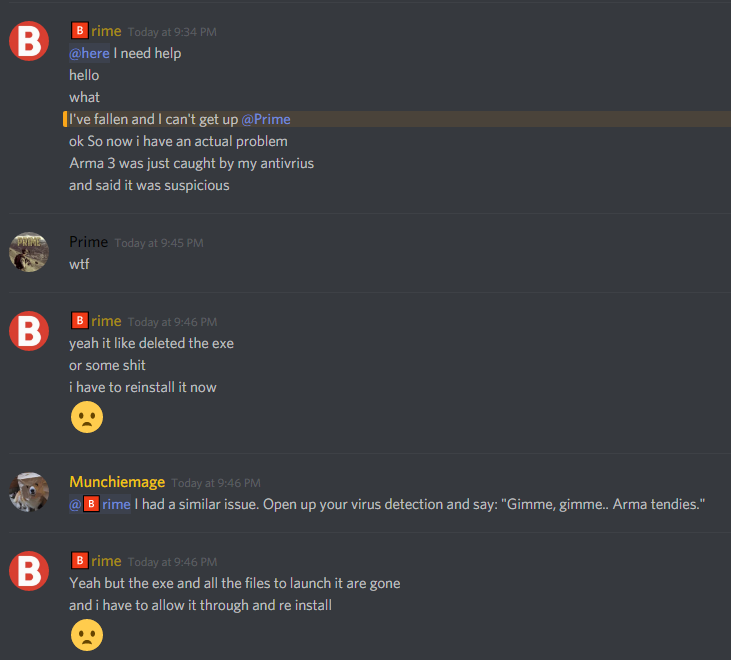
 silk pawn
After this update, my antivirus finds Arma 3 as a suspicious program....?
oak stream
@silk pawn Which one?
silk pawn
It wasn't me, it was a friend of mine who plays on my server.
that's a screenshot, it wouldn't let me send the image.
oak stream
Ask him which antivirus he is running please
silk pawn
I did, no reply..
@oak stream
uhhmm malware bytes and Avast Premium
has happened twice to him
he keeps on installing it
it will delete all the .exe files.
oak stream
@silk pawn Issue is known by Dwarden, he should whitelist the folder in the meanwhile.
 grim island
So ehh.. apparently this batteleye thing has broken a lot of server since the new update, I personally have not had the issue at all, but others have had battleye entirely fail now. note that they port they ran it on was around +8 from game port (2302 -> 2310 rcon).
Assuming this has been annoying how many times people have asked.
silk pawn
My server is absolutely fucked. Change one thing, it will work for ONE restart then break again. Change something ELSE, will work for 1 restart then will break AGAIN... and so on and so on and so on....
fringe salmon
yeah trying to fix that myself so far disabling -netlog and adding the Extra DLC lines helped but now dealing with Battle eye
silk pawn
just don't put your RCON port on 2306 and you should be fine 😛 battleye now uses 2306 as their port.
grim island
Clients are getting the following when joining servers with the new update (note: battleye is running fine with the new update on serverside) -- http://prntscr.com/hhk9bv
Odd things in clientlogs:
12:21:05 Detected number of DLCs: 19
12:21:05 DLC index:3 - unable to get DLC data
12:21:05 ----------------------------------------- Dlcs -----------------------------------------
12:21:05                                 name      appId   owned  installed  available   isDlc
12:21:05                               Arma 3     107410     yes        yes        yes      no
12:21:05 Unknown -1 no no no yes```Debug from log:
=====================================================================
== D:\Steam\steamapps\common\Arma 3\Arma3_x64.exe
== "D:\Steam\steamapps\common\Arma 3\Arma3_x64.exe" "-mod=D:\Steam\steamapps\common\Arma 3\!Workshop\@CBA_A3;D:\Steam\steamapps\common\Arma 3\!Workshop\@UTA Mods [Developmental]" -beservice

Original output filename: Arma3Retail_DX11_x64
Exe timestamp: 2017/11/29 14:27:53
Current time:  2017/12/01 12:21:05

Type: Public
Build: Stable
Version: 1.78.143717

Allocator: D:\Steam\steamapps\common\Arma 3\Dll\tbb4malloc_bi_x64.dll [2017.0.0.0] [2017.0.0.0]
PhysMem: 16 GiB, VirtMem : 131072 GiB, AvailPhys : 12 GiB, AvailVirt : 131072 GiB, AvailPage : 22 GiB
=====================================================================```Then when joining as server, they get this in logs: [and also screenshot]
12:41:36 Warning Message: BattlEye initialization failed```

And the game shuts downi am in the process on doing a Verify game Cache as suggested on Battleyes website.
will let you know if that works
fringe salmon
Removed Battleye and Verified Cache to reinstall the files, still gave me Battleye Init Failed....
grim island
Looking back through chat the devs are aware of the issue and working on it
fringe salmon
that means i can Call it a night... and hope for a fix. and chuck a Good luck to the Devs.
grim island
Yeah all you can do it wait right now
honest minnow
Does someone ever experienced a crash on sending shutdown thru rcon or just closing the armaserver.exe (killing console window)? Never had that but since the new update, the server crash everytime on shutdown/kill ending with: ```C
Distribution: 0
Version 1.78.143717
Fault time: 2017/12/01 02:59:45
Fault address: 014CA8BD 01:006298BD C:\Users\exile\a3M\arma3server.exe
file: Exile (__cur_mp)
world: Altis
Prev. code bytes: 39 4E 08 74 1C 8B 46 08 89 08 8B 4E 04 8B 46 08
Fault code bytes: 89 41 04 C7 46 08 00 00 00 00 C7 46 04 00 00 00
Registers:
EAX:92BB2B1C EBX:92E6B880
ECX:00000000 EDX:92F60000
ESI:92E87218 EDI:00000026
CS:EIP:0023:014CA8BD
SS:ESP:002B:00B2EE0C EBP:23BBB86C
DS:002B ES:002B FS:0053 GS:002B
Flags:00210282
note: Minidump has been generated into the file logs\arma3server_2017-12-01_00-01-33.mdmp```
fringe salmon
launcher forgot all my favourites this morning
 onyx wave
Good job BI 😡
oak stream
They are aware stuff is on fire.. Have some patience.
quaint jewel
When was the last update that didn't need a hotfix? 😄 BI really has a bad-luck streak...
Well. If you count ignoring months old reports on the feedback tracker as "bad luck"
oak stream
You mean like the ARCO thermal view? 😉 @quaint jewel
 gaunt ravine
Hi guys,
My friends can't connect to multiplayer server, he got "Battle Eye: client not responding"
He has already verified the game cache, and launched the game with the original launcher to set battleye..
fringe salmon
It's a problem what devs are currently working on.
formal heron
Battleye is working, if poeple are having issues, I would recommend using A3L or the launcher server browser before launching Arma itself, it should correct the issue until a perm fix is done
This one
ocean lagoon
Hello, an update of the situation:
We launched an investigation straight after yesterday's release, also with help of some of you (thanks for that!). We are now almost certain that the issue (cannot join server and / or get kicked out immediately after) comes from the change we made to BE traffic. We have programmers investigating the issue and QA already testing some of potential hotfix solutions internally. Here comes the catch: the hotfix is quite risky and will need more time to be tested.
If we think of reverting the technology, it yet again comes with risks. The revert itself will take some time (it's Friday afternoon in the Czech Republic) and will basically eliminate the efforts of separating the BE traffic. We'd like to avoid this at all costs, because it without any doubt is a step in the right direction and provides more stable gameplay for large part of the playerbase.
Now, the question is: do you think we can survive the weekend with the game as it is? We would focus our efforts on deploying a hotfix next week ASAP, but right now touching the game in any way can actually do more harm.
I'm interested in your opinions.
formal heron
IMO its okay because you have two options, A3L works and the Arma Launcher server browser works, may just want to pin that somewhere
fading pulsar
If you're lucky
fallow remnant
Honestly, yeah i think we can play something else over the weekend/play single player/etc
(or whoever isn't running BE i guess)
fringe salmon
I can confirm those long liemstone farmhouses load in too slow
thorn bone
does anyone no how to make the ai paradrop?
fringe salmon
they light up whitesuddenly 200m away
fallow remnant
@ocean lagoon probably post that in the forums and pin it, i think it'll get lost here 😅
formal heron
^^^^^
worldly pond
@ocean lagoon Hey it is what it is, but maybe you guys need to sit down and say hey we will start releasing on Mondays and not Thursdays then say can you guys wait it out through the weekend cause we don't work weekend. It is tough enough to keep a community and servers that cost lots of money running with the monetization restrictions, but then you kneecap us with updates that I am sure no one was ready for that break our servers and send players looking for other games. Change the way you do your release business. Thursday releases have proved time and time again to not be a good thing.
 turbid mason
Hello. At this update we have rpt-spam and server freeze. Any ideas?
2017/12/01, 16:35:12 NetServer::finishDestroyPlayer(1773206842): DESTROY immediately after CREATE, both cancelled 2017/12/01, 16:35:14 NetServer::finishDestroyPlayer(507636408): DESTROY immediately after CREATE, both cancelled 2017/12/01, 16:35:17 NetServer::finishDestroyPlayer(210456892): DESTROY immediately after CREATE, both cancelled
oak stream
How long would a revert take approximately? Do you have a rough approximation Iceman?
ocean lagoon
I understand what you're saying @worldly pond , but especially with DLC releases it does not entirely depend on us (we need Valve and others to cooperate with). For the record, the Release Candidate was up since November 17th and there were no reports of the issue. Also our internal testing did not discover it despite multiple large-scale MP tests
 rigid umbra
Mondays would be nice
Rust Manage to keep to a schedule
Whilst it's thursday, they keep to it easily
worldly pond
@oak stream It is relevant when we have to wait through the weekend for a fix.
rigid umbra
Updates on a Monday mean that a game that is, sadly, dying, would not die as quick because people will be able to play at the weekends.
oak stream
@ocean lagoon How long would a revert to previous code take?
oak stream
I'm asking a question.
worldly pond
Just saying Mondays would be better. This Thursday and waiting through the weekend history is bogus.
ocean lagoon
That is difficult to say really, but at least 6 hours including some basic testing. But we built some code on top of the new technology, so the matter is more complex
quaint jewel
Even if you revert you probably wouldn't be able to get it done today right?
ocean lagoon
Not without risks
oak stream
Hmm... Have you tried 1.78 with the legacy code internally? @ocean lagoon
quaint jewel
I'd say use the dev time to find a proper fix then. Instead of pushing out something that might be half broken and maybe useless in the end
fringe salmon
I vote for fix over revert. As mentioned, its a step in the right direction and resources shouldn't be wasted on reverting.
rigid umbra
Fix fix fix
ocean lagoon
Not sure what you mean Volvo
rigid umbra
Reverting will cause more issues and will only need to be reverted again to use the new technology
fading pulsar
@rigid umbra 👋
oak stream
Is there any reason to suspect that the update would not play well with the old battleye code? You don't need to get into specifics.
worldly pond
Everyone has lessons learned from this, but overall saying you need to look at changing your release schedule and maybe telling the community hey this is coming this day around this time, instead of all of the server owners drinking their coffee saying wtf is this. If you are and I missed it I am sorry. Then please let me know where this is sent out so i can watch/sign up so I know and my community prepared for it.
oak stream
@worldly pond post in #arma3_feedback_tracker 😉
quaint jewel
Agree. I'm also strongly for releases on a Monday.
We do the same with Mod updates in my group. We usually play friday and on the weekend. So a late week update in most cases just breaks everything and lots of people can't play because they can't download so much in a day
rigid umbra
We didnt really get told that much tho
fringe salmon
@worldly pond as Iceman mentioned, its been up on RC for some time now with no reports of issues. Sometimes it is impossible to uncover large scale issues with the "stable" release.
rigid umbra
Issues that were in the dev branch got pushed to the main branch anyways so whats the difference
ocean lagoon
The revert would indeed work, but we're talking about reverting a commit that has other technology built on top of it. Requires time and is not without any risks
rigid umbra
and not all of us have time to go to the dev branch to test bugs
oak stream
Hm... I would join the consensus in preferring a fix then.
rigid umbra
we're too busy fixing broken shit from the other updates still 😂
fallow remnant
Yeah, wot dedmen said. Monday would be way better for everyone, cost being no Arma MP games for some people (which, in the grand scheme of things, is a minor inconvenience).
worldly pond
@fringe salmon That is fine, but if it is ready Thursday at 9 am or whatever you can't just say ok we are good we release Monday so we have the week to fix it and not yeah release and we will deal with it Monday.
rigid umbra
Yeah Updates need to be pushed and announced when the updates are being pushed. Either through steam or information emails sent out to those who subscribe to them
oak stream
@ocean lagoon Is there any agreement internally about to revert or fix?
fringe salmon
They can. But it's been scheduled for the 30th for a while
quaint jewel
^ Right. We knew for weeks that it would be on 30th
worldly pond
ok was something sent out about the update that I missed? If so then my fault if not then start sending something out.
And wait till Monday
worldly pond
Ok where is this info?
rigid umbra
I vote mondays
ocean lagoon
We are still deciding internally
quaint jewel
Just make a strawpoll 😄 Easier than counting answers here
worldly pond
I mean whatever all a mute point but I do this stuff for a living and if we released something that was broke and said it can wait till Monday they would laugh us the whole way to the unemployment line.
fading pulsar
@worldly pond There's the roadmap
And stuff is scheduled to be released ahead of time
rigid umbra
Who ever pulls the shortest straw from the cannon of the tank out front gets to stay the weekend and fix it
worldly pond
link?
fading pulsar
Lemme google that for you, hold on :waitwhat:
rigid umbra
This is the point
Lets not argue about what there is and isnt
not enough people know about it
oak stream
@ocean lagoon Consensus here seem to be fix, so I'll also join the crowd. Seems we're all for fixing it here.
fading pulsar
http://lmgtfy.com/?q=arma+3+roadmap @worldly pond
worldly pond
yeah fuck off
fading pulsar
😄
oak stream
@desert isle
rigid umbra
I know where you live 👀
fading pulsar
You're mean @rigid umbra 😦
rigid umbra
Hehe
worldly pond
Just some ideas for the future
rigid umbra
No one goes "Oh hey im gunna go look at the arma 3 blogs"
rigid umbra
They need to send emails to everyone who owns the game
oak stream
No
fading pulsar
@rigid umbra Hahaha you funny
oak stream
Just no
worldly pond
But running top Arma servers that keep the players buying these dlcs and playing the game fall on deaf ears. Thats cool.
fallow remnant
@rigid umbra i got that from the last SITREP
fading pulsar
Did you not know this uupdate was coming? @worldly pond
fallow remnant
Surely people read the SITREPs?
ocean lagoon
Also:
https://forums.bistudio.com/forums/topic/183855-release-candidate-branch-announcements/?do=findComment&comment=3250029
https://twitter.com/Arma3official/status/931440788449480706
https://www.reddit.com/r/arma/comments/6ttdyx/update_176_release_candidate_testing_has_begun_on/
Bohemia Interactive Forums
In this thread we'll post announcements about Release Candidates (RC) of future main branch updates. That includes the opening of the RC-Branch ahead of an u...

Update 1.78 Release Candidate testing has begun on Steam! Details: https://t.co/xArP4ng758 Access code: Arma3Update178RC
 Twitter


 rigid umbra
- People who havent played in a while will see it and want to play it
- People will know whats coming
- Server owners who keep players online with their endless time and effort will know what the issues may be quicker
fading pulsar
@fallow remnant Apparently not
rigid umbra
Thats why emails would be good
fading pulsar
But a whopping 30 second google search would reveal that too
rigid umbra
At the end of the day, it's us server hosts who keep the players in ArmA
fading pulsar
And a browse of the forums
oak stream
@rigid umbra create a forum thread pls
fallow remnant
SITREPs are exactly that: news. I don't know if a newsletter exists. But anyway, as a host myself, i keep a tab of things 😉
worldly pond
Guess not and that is my fault. I admit that I missed that, but in the end Monday release is the point. Not a hey it is late Friday and here are the options or wait till Monday.
oak stream
Because discord isn't the place for feedback
rigid umbra
Well it's the place im putting feedback
fading pulsar
General chit chat
rigid umbra
Exactly
worldly pond
i am generally saying swith release to Mondays
oak stream
Forum is a much better place for your feedback to be noticed
fading pulsar
Not quite the place for a discussion to get spammed up the chat
rigid umbra
😴
desert isle
Secondly, feedback belongs in #arma3_feedback_tracker
ocean lagoon
Oh shit I'm getting banned
fading pulsar
😂
worldly pond
Ok I have said my peace have a good weekend and we will deal with your pissed off community that cant get on the servers for you.
ocean lagoon
Cheers, have a nice weekend!
desert isle
I keep clicking, but it won’t ban you iceman 😂
 desert delta
Hey! Can me anybody help with the BE Probleme? i have absolutly no idea. i have the port in my Firewall open, with BE no player can connect, i switch Be off players can connect
desert isle
I’m just grateful for Tac Ops for Xmas
fringe salmon
+1
oak stream
What do you say FM, fix or revert?
fringe salmon
desert isle
Forward, always push forward.
quaint jewel
🔥
fading pulsar
🔥 🔥
quaint jewel
🚒
desert isle
No bugs, only undocumented features
fringe salmon
🤥
worldly pond
Well you did fix the deadly bushes..So we have that going for us.
fading pulsar
ignores Tac ops being added
fallow remnant
@desert delta scroll up and read Iceman's comments 😄
fringe salmon
What are we #arma3_troubleshooting again? Lol
quaint jewel
I just wanted to say this is getting offtopic.. but..
"discuss problems with Arma games and solutions to those"
Well you did fix the deadly bushes
Fix the AI first then add missions.
That's actually fitting :u
fringe salmon
Ok, so 8 votes for fix and 2 votes for "Just let the world burn". No votes for revert.
ocean lagoon
Just to confirm: fix today is out of question unfortunatelly, the solution we prepared does not work 😦 It requires more time
worldly pond
Refer to my origional comment that is now in the feedback tracker.
fading pulsar
It's kinda like a negotiation, Fix it or we riot!!!111 😂
Iceman is trying to buy time 😉
worldly pond
At least through the weekend..😉
stone island
I rather have them get the fix right than release a hotfix that breaks even more. If they need until next week, Admins need to deal with that.
Reverting would be a pain.
ocean lagoon
Thanks everyone for their opinions! Even though discussing it in a channel like this is not ideal, we managed to keep it on topic and civilized. I'll let you know the final call shortly
oak stream
Awesome, thanks for consulting us for our input.
desert delta
@fallow remnant i not see what you mean. i have try to use a older BEServer_x64.dll .. but no chance
fallow remnant
did you read the comment from iceman about how Battle Eye has issues, which they probably won't fix till next week?
ocean lagoon
You can try to move the server port to 2302, it works for most admins. I'll be releasing a tweet shortly about that, we'll resume the efforts first thing on Monday
desert delta
@ocean lagoon YOU ARE AWESOME!!!
ocean lagoon
PSA: Dedicated Server admins whose players are getting kicked due to BattlEye related errors are advised to move the Server game port to the default value of 2302. Meanwhile, we are working on a fix and hope to deploy it next week. Apologies for the inconvenience.
Twitter
fringe salmon
Kind of sucks for me. Running over 100 servers and maybe 4 of them are on port 2302. Prepares for angry customers
fading pulsar
no, not everyone has the ability to use IPV6
cough Virgin media cough in the UK *cough cough
quaint jewel
Does Arma even support ipv6?
fading pulsar
I believe it might for BE but I'm gonna guess no
 civic mountain
no it doesn't @quaint jewel .which was my point
that is, i once tried to put up a server with ipv6, and it didn't work
 forest tide
Anyone else crashing with latest ace spectator?
 tepid crypt
I had many many crashes while developing it 😆 but they don't appear to be 3rd person related: https://feedback.bistudio.com/T58946
 regal eagle
When im in editor and want to go in functions viewer i click on it but it wont open any one got a ide whats the problem?
desert isle
Might want to tell Ralph Nader
forest tide
Probably mods 'tho