I am having a problem with Zeus:
When Zeus is a JIP player or if you crash and have to reconnect etc. sometimes (most of the time) zeus module did not work anymore and you could not access the zeus mode
This basically renders my unit unable to continue playing a zeus mission effectively. once zeus has to reconnect for some reason
I have heard that there is a fix, can someone assist?
#arma3_troubleshooting
1 messages · Page 65 of 1
 onyx glacier
guys, what would cause addonbuilder not to physically show? it says it's loading, then nothing appears, everything was fine till the last tools update 😦
This is the error in the rpt.
2016-09-23 19:08:26,891 [ERROR] 1: AddonBuilder.Startup.Main - System.Configuration.ConfigurationErrorsException: Configuration system failed to initialize ---> System.Configuration.ConfigurationErrorsException: '.', hexadecimal value 0x00, is an invalid character. Line 15, position 1. (C:\Users\user\AppData\Local\Bohemia_Interactive\AddonBuilder.exe_Url_5vzzrasdbaz3le10zjluspzaksqkp5mv\1.5.138.25\user.config line 15) ---> System.Xml.XmlException: '.', hexadecimal value 0x00, is an invalid character. Line 15, position 1.
disregard, the userconfig for the update got screwed up so copied and pasted the old one into the new build config.. it worked
 lone prairie
following 1.64 has anyone noticed this rpt spam
17:41:40 Sound: Error: File: a3\sounds_f\arsenal\weapons_vehicles\hmg_127mm\hmg127mm_reload.wss not found !!!
17:41:41 Sound: Error: File: a3\sounds_f\arsenal\weapons_vehicles\hmg_127mm\hmg127mm_reload.wss not found !!!
17:41:41 Sound: Error: File: a3\sounds_f\arsenal\weapons_vehicles\hmg_127mm\hmg127mm_reload.wss not found !!!
17:41:42 Sound: Error: File: a3\sounds_f\arsenal\weapons_vehicles\hmg_127mm\hmg127mm_reload.wss not found !!!
 fringe hamlet
@lone prairie, I can second that.
lone prairie
is this the correct channel to report it ?
fringe hamlet
I think checking the feedback tracker to see if it has been already reported and submitting a report if not is the best approach.
 fleet canyon
Our server is spitting out an error that dta/core.pbo as well as two others have errors
but those are files from the server itself
we have updated the server to the newest hotfix version
Any idea what this is?
 latent obsidian
Uhm
Trying to launch my arma 3 server
But i can't see it on the server list
and its saying
18:25:18 Autoinit is supported only for persistent missions!
It's also saying
Server creation failed: 2302 as the server window text
 cobalt ginkgo
check your command line for startup parameters and check server rpt for errors
latent obsidian
"A:\Files\Arma 3 Servers\Altis Life\Server 1 (4.4r3)\arma3server.exe" -port=2302 -autoInit -ranking="A:\Files\Arma 3 Servers\Altis Life\Server 1 (4.4r3)\server\ranking.log" -cfg="A:\Files\Arma 3 Servers\Altis Life\Server 1 (4.4r3)\server\basic.cfg" -config="A:\Files\Arma 3 Servers\Altis Life\Server 1 (4.4r3)\server\server.cfg" -profiles="A:\Files\Arma 3 Servers\Altis Life\Server 1 (4.4r3)\server\logs" -servermod=@extDB2;@life_server
thats my startup params
and it just says
18:33:49 Attempt to override final function - rscunitinfo_script
abunch of times, then stops
I pm'd you the full rpt
cobalt ginkgo
dont PM me with files I dont have time to fix things for you, I can help here but thats it
latent obsidian
Wait
I just closed arma 3, removed
-ranking="A:\Files\Arma 3 Servers\Altis Life\Server 1 (4.4r3)\server\ranking.log"
and -autoInit
and it worked....
cobalt ginkgo
Attempt to override final function
thats derp, its 'normal'
latent obsidian
ye ik
but thats the last entry
So i don't think my server cfg file is being loaded
Either that
Or my mission isn't persistant? (Which i thought is only server.cfg related, maybe somewhere else?)
cobalt ginkgo
I dont know much about life mission files
if it saves shit then its pretty much persistent
cobalt ginkgo
do you have verifysignatures enabled in server.cfg?
latent obsidian
ye
latent obsidian
I can't even see the server
cobalt ginkgo
does it say in the console that its running?
latent obsidian
i don't think my server.cfg is being loaded
cobalt ginkgo
ommit sensitive info
latent obsidian
Because in server.cfg "persistent" is 1
Uhm
what file
server rpt or server.cfg
you said rpt... but i can't post rpt in this discord
cobalt ginkgo
cant post?
latent obsidian
Doesn't let me
cobalt ginkgo
you mean its larger than 8Mb?
latent obsidian
Yep, server.cfg isn't even loaded
My hostname is "Thomas-Desktop"
which is my computer name
cobalt ginkgo
do you have a dedicated server or are you playing around with it at home?
latent obsidian
Local host on my pc
that i play arma on
Setting up a lfie server, then buying a dedi
to host it so i don't spend alot of money, working on a dedi server as a test server
So ye, the problem is the server.cfg isn't being loaded
That's why -autoInit won't work, because it's not "persistent" and there's no mission selected, and the hostname isn't what is specified in the file.
cobalt ginkgo
is this full rpt because I dont see a crash here
latent obsidian
Yes, full rpt
cobalt ginkgo
last line is 18:40:23 Extensions:
cobalt ginkgo
tha will give you an idea how things work
latent obsidian
I know
cobalt ginkgo
why get away?
latent obsidian
Because
I prefer without more "shit"
And it doesn't give me as much flexibility in terms of
How to start server, all the config settings, etc
becuz the latest version (3.0) is built on 1.62
So the new stuff isn't supported, etc
cobalt ginkgo
hm.. its been a while Ive been dealing with servers, let me lookup my old configs and will come up with a propper startup for you
new stuff
what new stuff
latent obsidian
I see you typing Pennyworth 😛
a TL:DR For people who just came (Penny)
Basically, my server.cfg isn't loading.
 rich yoke
How do you have Arma 3 Server installed? Starting arma3server.exe from normal Steam Arma 3 client installation, Arma 3 Server from Steam, or steamcmd?
latent obsidian
Used steamCMD to download it
then i shoved it in it's own directory (A:\Files\Arma 3 Servers\Altis Life)
then put another one for Server 1 (4.4r3)
A:\Files\Arma 3 Servers\Altis Life\Server 1 (4.4r3)
then i put the server installation inside that folder, added @extDB2, @life_server the mission pbo into mpmissions
and put the battleye files into the battleye folder
rich yoke
Have you tried looking for your server on the LAN tab?
latent obsidian
Then i just made a "server" directory, then put a folder called "logs" for the -profiles
Yes
I can see it on the LAN Tab
But its using "Thomas-Desktop" as hostname
which in server.cfg its defining it as..
hostname = "Latouth Altis Life Server 1 - 0.0.6"; // The name of the server that shall be displayed in the public server list
So it's not loading the server.cfg basically
cobalt ginkgo
protip, shorten that path to something like A:\A3server\ it make things a bit easier and cleaner
dont mess with steamcmd if you dont have to, download arma3 server from steam tools
rich yoke
I think it's fine to use steamcmd
cobalt ginkgo
but it is prone to fail sometimes
rich yoke
Try putting the server.cfg in the same directory as arma3server.exe or the script you are starting from. Then change the config start parameter to just "-config=server.cfg"
I can't remember if the path is relative to where the script is running from or where arma3server.exe, my gut says it's relative to where the script is being run from. To play it safe though it wouldn't hurt to have both the server start script and the server.cfg in the same folder.
And I'd strip the server start parameters to the bare minimum until you get it working correctly.
cobalt ginkgo
or use ta2dst and look into the folders and configs it generates
also read the manual
latent obsidian
@rich yoke
Alright, will do
Also i've been using
-cfg="A:\Files\Arma 3 Servers\Altis Life\Server 1 (4.4r3)\server\basic.cfg"
For example
but your example you put you did "-config=server.cfg"
as the whole param is in "
cobalt ginkgo
thats where there are no profiles
latent obsidian
Huh?
latent obsidian
oo
using -config=server.cfg
worked when i shoved server.cfg into the server root
Huh, interesting
thing is, the profiles param worked using the full document including A:\
Oh, derp
rich yoke
I just put "-config=server.cfg" in quotes because I'm on mobile and can't do the code markdown
latent obsidian
I figured out what iti s
-config="server.cfg"
would be trying to load "server.cfg" the file (including the quotes)
doing it like "-config=server.cfg" would load server.cfg
works fine now
With these:
"-cfg=server\basic.cfg" "-config=server\server.cfg"
cobalt ginkgo
😄
latent obsidian
Ty for the help
cobalt ginkgo
reading helps
latent obsidian
Now, if you have the answer to why it shows twice... that'd be great
Been having this for ages, through versions, tadst, everything
Must be a double check for a local server, (like same-pc)
cobalt ginkgo
shows twice in server browser or you have two instances launching?
latent obsidian
twice in server browser
But either one works fine
And if i favorite one, the other one isn't
latent obsidian
Yes
wait what
Only my pc can see it twice
but if my friends join, they see it once.
latent obsidian
Ye
It was the Muted_Trolls group
becuz i was joking and Dwarden smashed me with the troll hammer ^_^
Then i contacted a BIMINION and got it removed, sooo
I mean
cobalt ginkgo
yeah ping him again lots and you get what you get
latent obsidian
I wouldn't have access to this channel, and #general_chat_arma
I only pinged him once, but y'know
cobalt ginkgo
once in every channel haha
latent obsidian
Ok.. true
 desert isle
🤔
 tiny imp
🚎 🌀 🤕 🤦 ⛵ ^ text above ... 🙅
 stable thunder
hands Dwarden a beautifully forged, personally engraved banhammer
fringe hamlet
🔨 ⚒ 🛠 - Take your pick.
fringe hamlet
Your misspellings of "coffee" displease me.
stable thunder
Oh well the spelling was changed. Haven't you been informed`?
desert isle
Troubleshooting....
stable thunder
FM, can you troubleshoot my arma 1.64 update download process?
i think the USB stick is stuck somewhere in the mail, how do i debug the mail delivery woman? maybe she is stuck in traffic. can i do a core dump or some strace on the local highway?
desert isle
Snail mail is always troublesome. The only solution is patience.
 shadow raft
Patience... was that DLC?
 fiery kestrel
I have a problem with my Arma 3
it says that steam is offline, I try run it, nothing happens
even though steam is running, and I'm not in offlne mode
I've tried restarting my computer and re-installing the laucnher, not working
any solutions?
 runic wraith
Q: I've had an error past 2 days, Memory could not be read 0x01608d14
stable thunder
@runic wraith got an RPT?
runic wraith
Sorry, What is that if i may ask, Not too experienced in these issues before
Ah nvm, A crash dump?
@stable thunder Here it is https://docs.google.com/uc?id=0B3ueo8VJ9DM3Wk50Q2JKZ2thRUU
stable thunder
yeah thats what i meant
I'm not competent enough to read anything from that, seems quite generic. Do you have this issue only with a particular mission? I see you started arma 3 with connect parameters to have it automatically connect to a specific server?
Have you tried starting it without that?
runic wraith
I launched without mods, Just some parameters to ensure performance according to all these guides, cpu count etc, Not connecting to a specific just launching to main screen is what im trying
stable thunder
I guess you should poke someone from bohemia about this
desert isle
@runic wraith, sometimes those Parameters suggested by various guides are what cause these sorts of issues. Did you have this issue before altering them?
runic wraith
I havent changed anything from the big 5gb update of SPOTREP 59 / 60 , Only thing i noticed memory was reduced to 2047 but thats all,
Worked fine before the update, But just to make sure i just recently 2 minutes or so ago, Clicked default in the launcher and launched fine. So it must be somethere there then, What settings are usually fine working with and which arent?
Appears its back but in a diffrent message , Launched a showcase and soon i loaded in memory , 0x6f249464 - 0x00000054
desert isle
Thats the problem with Arma sometimes. What worked yesterday, may not work today and definitely wont work tomorrow. I've found that a default launch is the best way to avoid issues and Ive kept mine default since the day Arma dropped.
runic wraith
Ah, Thank you for the tip. I'll make sure to not mess with it again. Seems default the way to go, Now i just need my most recent error even with default settings fixed somehow
desert isle
Turn it off and on again (I'm being serious)
runic wraith
Well, I cant thank you enough -FM- ,
desert isle
Welcome. Hope you enjoy the game.
tiny imp
well the RPT indicates he is still starting 1.62 binary not 1.64
cobalt ginkgo
yeah RPT says its 1.62 not sure how but maybe updates are disabled or the update went terribly wrong
verify game cache in Steam
also this launch params -cpuCount=4 -exThreads=7 -enableHT
do you have a quad core intel cpu?
if not dont use -enableHT
tiny imp
@cobalt ginkgo wrong, if he has CPU with HyperThreading then he shall use -enableHT and not -cpuCount=<number>
cobalt ginkgo
Sorry but I think most AMD cpu's dont have HT so it shouldnt be used
though -cpucount and -exthreads can be used in AMD based systems
runic wraith
When you talk about 1.62 & 1.64 Are these files from Arma official or we talking the profiling build etc? I did verify files both before and after now again. And my processor is a i7 2600 so HT is supported.
cobalt ginkgo
1.64 is new stable build
so I dont know how possibly you can have 1.62 unless if you are using that specific branch in steam settings for arma3
and for params yes you are fine, I just saw you have AMD HD6800 GPU so I thought maybe the cpu is AMD also, hence the warning
tiny imp
@cobalt ginkgo -enableHT has nothing to do with -exThreads ... only -cpuCount .... (enableHT is like cpucount=allcoresincludingHTones)
cobalt ginkgo
sorry my bad
Enables the use of hyper-threading CPU cores which might slightly improve performance in certain scenarios. Note that this option may be overriden by -cpuCount so if you want to use maximum number of CPU cores use -enableHT without -cpuCount.
removed misleading info
 ionic summit
Hey all. I was wondering if anyone was having an issue where their cars won't move at more than 2KM/Hour. I remember this being an old Arma issue, but can't remember the solution, any help?
 split quest
I just had that problem an hour ago as well with the RHS vehicles. Not sure what to do to fix that currently
Helicopters work just fine however
cobalt ginkgo
@split quest what is the issue with RHS vehicles?
split quest
Same problem Foodle is having. Vehicles will ether not move. or move at super slow speeds
cobalt ginkgo
you can interact with it normally but the movement is impaired?
split quest
movement is impaired
cobalt ginkgo
@split quest is this the issue you are having? http://dev.cup-arma3.org/T1428
split quest
Well it just doesn't move at all even though the vehicle was newly spawned.
cobalt ginkgo
do you run any other mods was it in MP server and which mission ( if publicly available )
so I can try to reproduce
split quest
@cobalt ginkgo It was a MP server. the mission is not public. but I can tell you the mod list and the map in question was on Takistan.
Mod list according to Arma3sync I will list as follows just without the @ mark abramia, ace3, acre2, acres, asr_ai3, CBA_A3, Cup_Terrains_Core, Cup_Terrains_Maps, k_mnp, NIArsenal, RHSAFRF, RHSGREF, RHSUSAF, Shacktack_map_gestures, st_gi, st_stamina_bar, sthud_a3, Vcom_driving
cobalt ginkgo
ok I dont know what some mods are there but its doesnt matter as long as they dont modify vehicle configs... I will try to reproduce but I have one more question for you
are all vehicles behaving like that or just RHS and is that issue specific for offroad driving or it happens on roads too? All RHS ground vehicles behave like this or just tracked or just wheeled?
Oh another one, does that same happen on Arma3 islands or just on CUP or both?
desert isle
Not sure if it's still the case anymore, but have you tried placing CBA first in the modlist?
split quest
This appears to happen to RHS vehicles. cause we have a rifle range mission to mess with stuff and all default vehicles work just fine. Also I would like to note the mission in question worked before the newest update.
 fading sequoia
stable thunder
fading sequoia
stable thunder
puts a pushpin on Dwardens chair
cobalt ginkgo
Also I would like to note the mission in question worked before the newest update
I could not reproduce the issue with vehicles being too slow. If your issue is somehow tied to specific missions and AI driving / mods for that, then I suggest to inspect your mission code and remove any AI mods first and see if the issue is still there. In case its not just AI please post a ticket with your findings at RHS feedback tracker.
 plush oracle
So here's a strange problem that I'm curious to know if anyone else has ran into, and if they have any idea on how to fix
I have a buddy that can't connect to my server, but if he just spams connect attempts, eventually he manages to get in
It's not his first time playing with us, he's played for probably hundreds of hours on this server, suddenly after the latest update something went wonky though
He says he has changed nothing
rich yoke
How is he connecting?
For example, launcher server browser, steam friends list, in game server browser
plush oracle
ingame
The error he gets is "Connecting failed"
Chatting with him now, he says he has also tried through steam and gotten similar results
rich yoke
Is your server just locally hosted or do you have a dedicated server?
plush oracle
dedicated
run out of chicago, runs the linux dedicated server with a hefty mod pack
We also run a windows server, but supposedly he doesn't have any issues connecting to that (although I haven't verified that)
I feel like it's a networking or firewall issue, but based on the randomness of how it works, that seems unlikely to me now
rich yoke
Maybe, I've heard of people having issues with OVH automatically blocking people's IPs.
Is he definitely running all of the correct mods?
Both version, and all of them are enabled?
plush oracle
Looks like it, I've only taken a cursory glance at it, but it's the correct number of mods, checked the hashes from RPT of a handful against my own clients and they're the same
Server RPT doesn't say anything more than "Player x disconnected."
Just checked all the hashes and they checkout just fine, only difference being that we use different sound mods (JSRS vs Dynasound), but there's many people in our community that run those, so I imagine that's not the issue
rich yoke
Probably not, and you have verifySignatures set to 2 in server.cfg?
plush oracle
correct
 fringe salmon
@plush oracle there are some people in my unit with the same thing. Although they are able to connect they are kicked 2 minutes later for signature time out. Seems to be at random because there are period where they connect without issues and remain on the server
fringe salmon
Hi, when I try to play in the editor it doesn't work at all, all I see is this: https://gyazo.com/6334d3577eab4ae8067adc2f61a91c65
i can't click anything
Can't look around anywhere
All I can do is return to editor
Where I can place things like usual
But as soon as i try to play the scenario
This happens
rich yoke
You probably don't have a unit set as player
rich yoke
It would work in multiplayer, but not in singleplayer from the editor
Double click a unit or right click and select attributes, then check the "Player" box under "Object: Control"
fringe salmon
Oh wait I'm an idiot
If I don't delete the units from the helicopters i'm placing down
it works! :D
 cursive vessel
...
cursive vessel
You know, tutorials, something something youtube..
fringe salmon
Just that I hadn't had any issues before
But I didn't connect the two
That I wasn't deleting the people from the cars/helos
fringe salmon
That's not really something a new player would know, @cursive vessel . But @fringe salmon if you don't have a unit set as PLAYER (not playable) in the right click > attributes tab, then you will get that screen when you load in singleplayer.
Okay thanks :D
@fringe salmon All I've ever played is StarCraft 2 so this is really new to me haha
No pylons in Arma 3. 😛
 blissful dove
Guys, can u help me please. I am kicked in battleroyale on first 5 minutes smth like 1 game per 6. Maybe someone knows what should i do. I have already reinstalled mod and cleaned cash, but it doest help(😥
 strange drift
 knotty reef
I have a weird one... You know how you can customize your hud layout? when I do that, the hud positions change, i.e the vehicle one moves and isn't where I set it
 peak nacelle
hello,
so i have this laptop here Dell inspiron 3521 with those specs
Intel i5-3317u
6GB of Ram
AMD Radeon 7670m 1gb
in single player i can get up to 80-60fps in high settings but when it come to multiplayers altis, exile esseker or even chernarus the game last so hard wish is unplayable fps about 10 some times it goes down to 5 then start crashing so please can u tell me if there's anyway to fix that ?
stable thunder
@peak nacelle ArmA is very CPU intense. What you described is well known and not really unique, everyone experiences this. If you join a multiplayer server, it is my understanding that the server sends you all data from all objects and your CPU has to crunch on them. Since you have a laptop, your CPU is designed for low power usage and hence not high performance enough for ArmA. My recommendation would be to get a Desktop PC for games, especially ArmA.
fringe salmon
It's not so much as having a baller CPU with a shitload of cores but rather a CPU with excellent single-thread performance if you want to talk about a PC built for Arma 3. Arma 3 only runs on one thread, because all the scripts being executed have to be synchronized.
peak nacelle
for now i can only use laptops cuz of school / work am going to buy desktop soon how ever, but is there's any tips i can get to boost perfomance a little ? balance stuff up i'd like to have 20-25fps that can be playable 😦
tried to follow couple of videos on youtube non of them help
fringe salmon
Off a laptop? I can't really say.
Just don't play on low.
Low settings, that is.'
peak nacelle
vauun am actualy setting everything on lowest possible on multiplayer should i change it ? (also i have turboboost mod on all time)
fringe salmon
No.
You should not run everything on low.
Arma 3 will offload certain things to your CPU if you run them on low. shadows in particular
Which is really fucking dumb but that's Arma 3 for you
peak nacelle
i have removed shadows completly
fringe salmon
well, as a general rule of thumb, low is bad
peak nacelle
can u give me good config for 1gb of vram and that slow cpu ? i'd be thankfull
fringe salmon
honestly my build has 8GB of VRAM and a relatively modern CPU so i'd have no idea
i still don't run Arma very well
 jaunty cedar
I have a similar but slightly weaker laptop and all I can say is that the system is just not up to the task. It's good enough for occasional testing though
fringe salmon
I run multiplayer at like 30 FPS, or depending on number of AI, around 40
Singleplayer campaign hovers from 40-60
It's not a well-built game.
The engine is awful.
peak nacelle
x'( sad how i can play on empty servers with everything at high with 30fps and in 20+ player servers with 10fps xD
i think its same engine for dayz
stable thunder
@peak nacelle the graphics settings in ArmA do not dictate your FPS like in most other games. Most other games are limited by your GPU in terms of FPS. ArmA is mostly CPU limited, it is only GPU limited if your CPU is very fast and your GPU is very slow and you crank everything up.
@fringe salmon what cpu you have?
fringe salmon
a 4690K overvolted and overclocked to 4.5Ghz / 1.25v
stable thunder
thats odd because i get a lot more frames with my 6600K which is comparable.
peak nacelle
jcd does arma use hyperthreading auto or i need to set it manuel ?
fringe salmon
I have a GTX 1070 and I don't see its usage go above 60% and I run on max.
You have to set it manually in the launch optio ns
-enableHT i think is the switch
peak nacelle
oh ty
stable thunder
peak nacelle
ty so much
fringe salmon
Well JCD depending on what work does for me I might upgrade to Skylake but that'd require me to replace literally everything in my computer
Except the GPU, PSU, and storage
stable thunder
@fringe salmon i wouldn't recommend you at all to upgrade to skylake from haswell, performance gains will be minor.
fringe salmon
yeah? I haven't been paying much attention to skylake
stable thunder
i have plenty of buddies with haswell and they get almost the same fps as i do, which is more than you get.
fringe salmon
What CPUs are they rolling?
stable thunder
4790K, same as you, 4460, etc
fringe salmon
I'm mildly considering just going with a 4790K but I don't know
stable thunder
am i a geek for knowing my gaming buddies CPUs by heart? ....
fringe salmon
I have a 4690K
Nah, you're not a geek until you look at a Cat 5e cable and think "I know literally everything about this cable."
stable thunder
I doubt you would notice the FPS difference in arma going from, 4690K to 4790K
fringe salmon
I just want my computer to run this game reasonably, ugh.
stable thunder
The fire retardant treated PVC outer insulation? The metal vapor coated PE shielding? The hugging twisted pairs inside?
fringe salmon
Yes.
stable thunder
Oh you want arma to run reasonably? Thats easy. All you need is a bit of liquid nitrogen and then you clock your CPU to 8ghz
fringe salmon
I took CompTIA A+, Network+, and I'm going to be taking Cybersec+ soon
lmao
I have to crimp a few cables today because my boss thinks it will save him more money than just using a new cable
stable thunder
Well i had a Phenom II X4 before, and upgraded to i5 6600K. My FPS increased by 4-6 times in demanding multiplayer.
fringe salmon
What framerate do you see in multiplayer/singleplayer?
stable thunder
FPS literally went from "permanent suffering" to "i'm not bothered"
desert isle
#hardware_vs_arma folks.
stable thunder
well talking full multiplayer servers, at least 40-50 frames with like 60-80 players. on good servers i can sometimes see around stable 60.
fringe salmon
somebody owes me $5
stable thunder
on servers with 130 people, it will do down, but stay playable. i'll see dips down to 30 fps occasionally, and average fps will be in 40ish ballpark.
fringe salmon
holy shit what
desert isle
Taking bets now? Come on, i let it go for awhile 😉
fringe salmon
I saw typing from you and I was like "oh wait we're not in #hardware_vs_arma "
peak nacelle
does there's servers have better perfomance more then other servers even if they both have like 60/60 player on ?
desert isle
< did the same courses as you @fringe salmon
fringe salmon
It's fun stuff. I loved learning about it.
"TIME TO LEARN THE OSI MODEL, MOTHERFUCKER"
desert isle
Wait till you get to Cyber Sec
fringe salmon
I'm really excited for it.
I'd like to go to college for cybersec but because of how my SATs worked out I wasn't able to go this year.
Next year or the year after at the absolute latest.
stable thunder
arrests Vauun and -FM- for being evil hackers
fringe salmon
 serene grotto
Take the ACT if the SAT gives you problems.
fringe salmon
Today a tank exploded and never stoped to explode, it was like that for hours until i restarted the server manually.
Any one had this?
 faint dawn
Lemme guess: EH "handleDamage" assigned?
and it has "zones" where the damage is negated?
 silver stream
just wondering if there's been any talk anywhere about 1.64 update wrecking controllers like joysticks, throttle, rudder pedals etc.?
fringe salmon
@silver stream one Arma 3 Streamer i see a lot had problems with his controller.
@faint dawn how could this make a tank explode indefinitely?
fringe salmon
Dscha - Today at 11:49 PM
Because:
Arma.
can we have this as the room description
because that's honestly the reason half the people get here for things
It's not that, unfortunately.
I never have the 2 fps bug.
First time i had it was on the first time i iniciated 1.64.
But this is another "topic"...
This was the first and the last i had this bug, until now.
When something is wrong in my mod, i review all the code, starting with the more relevant ones for the problem. This require time, patience and a health mind, because you need to see something you have not saw in the past. BI need to do that in millions of lines what should be impossible.
 hard remnant
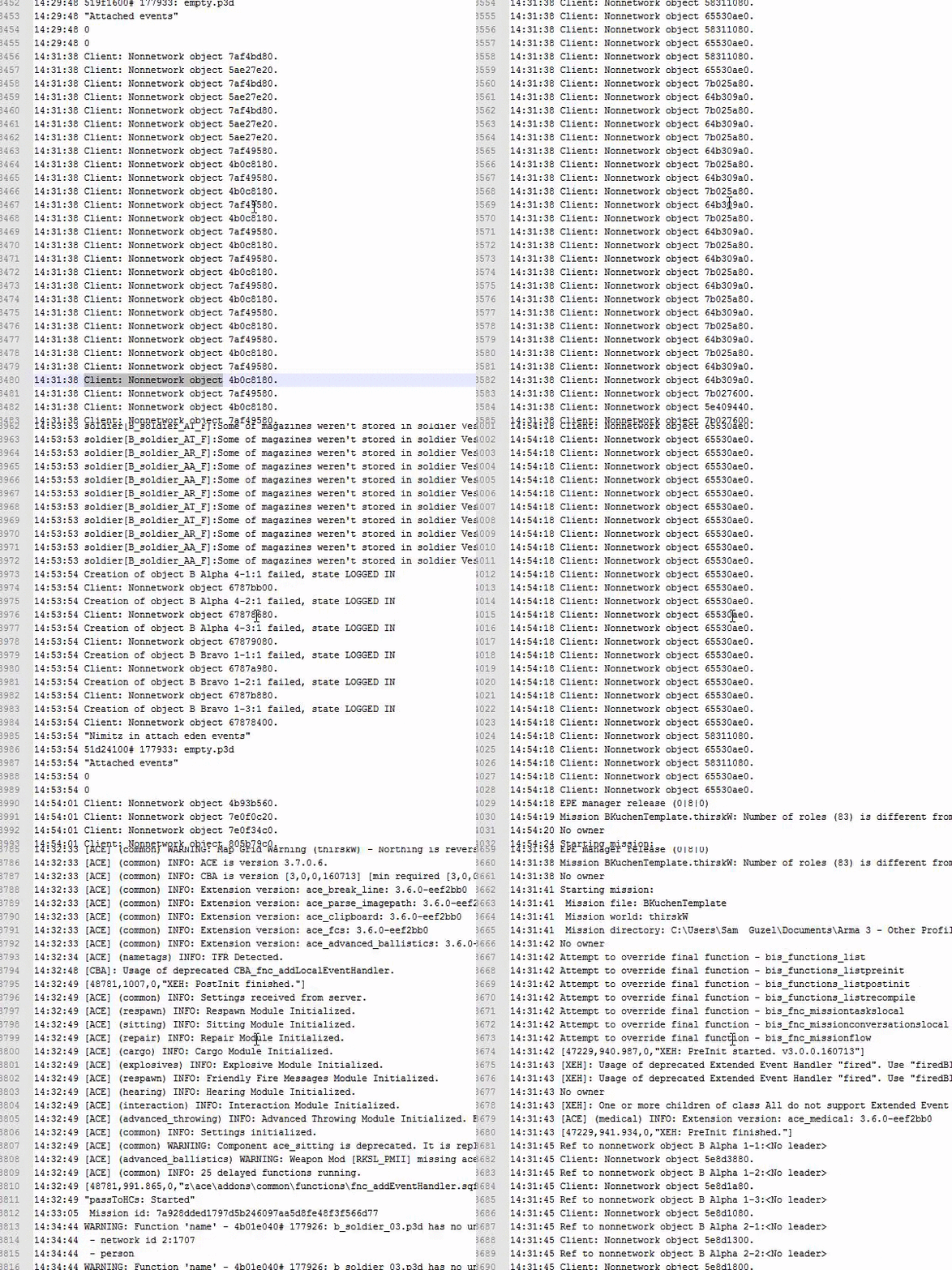
Anyone got any idea what would cause a spam of Client: Nonnetwork object XXXX in logs? (Edit more details - Modded, Local hosted mission) - https://i.gyazo.com/b0b003e33b079923cef04f7595c7e784.gif
fringe salmon
If i change a video seetting, i can't see channel chat text anymore. How do i fix that?
serene grotto
Did you change the resolution and/or aspect ratio? Have you restarted the game since changing the setting?
fringe salmon
did you enable stream friendly UI by accident? That makes chat in Arma disappear
 cinder pewter
just had the weirdest version of the 3 fps bug yet. zoom in with RMB for just scanning terrain.. it goes into 3 fps. zoom out. everything is normal. zoom in again, 3 fps. zoom out... it's all fine again
then i did it a couple of more times and the game went black and i had to terminate the process
cobalt ginkgo
interesting
were you playing vanilla or with some mods and which ones? Were there any 3d scopes, PIP or were they 2d?
cinder pewter
i was playing KOTH on Tanoa with 3k view distance. no startup params set except empty world. no scopes. i was viewing third person and laying on top of a tower
this hasn't happened on altis since the newest patch, but it happened as per "regular" after a while on tanoa
cobalt ginkgo
ok so no mods and KOTH mission, thanks I was thinking that modded scopes might have somehing to do with it but obviously not.
oh it was on tanoa?
but not on altis.. roger, I see where that comes from
cinder pewter
exactly, no mods. only server side missions
silver stream
Anyone heard any news or tips about 1.64 broken controllers (joystick pedals etc)?
tiny imp
@silver stream fixed in #perf_prof_branch 😉
cinder pewter
it would be nice if the tobii eyex/steelseries sentinel was fixed to. either you get slow motion eye movement or you get a yoyo effect on the view correction
i mean, before the patch i had settings that worked, but then some axis was reset. and now the sliders don't seem to be linear or something like that
cobalt ginkgo
I think tobii libraries are removed by request from them, I think I saw that in some changelog
fringe salmon
Is battleeye going completely fucking bonkers for anyone else right now
It's completly shutting out ACE from being loaded when I load a mission
and when I tried to open my mission without battleeye enabled it just wrote over my mission.sqm. This isn't an issue because I have it exported, but the fuck is going on?
fringe salmon
Ah, I'm glad. </Sarcasm>
fringe salmon
Looks like it's unfucked itself by now, @stable thunder
stable thunder
personally thats my prefered unfuck, the self unfuck.
fringe salmon
lmao
I'd rather things didn't get fucked in the first place, but if they have to then that is my preferred course of action as well
 elder terrace
Anyone experience a bug where the center of your vision is moved slightly to the side?
I'm having this problem right now. Hitting escape fixes your vision but going back into the game brings it up again
 swift raptor
hey guys, is it just me or did the save gear option for 3den enhanced go away?
i swear it was there a couple weeks ago when i last checked
a little checkbox in the multiplayer menu
 tired kernel
Has anyone else been having these issues? https://www.youtube.com/watch?v=EMO8AjaAw3I
Game suddenly drops to 4-5 fps and all textures/models become low poly and the only way to fix it is to completely restart arma
fringe salmon
Had that issue as well last night @tired kernel
 winter marsh
Hello need help I was working on my mod and inherent the Turkish Mod M60A3 and I done the config as I used to but the tank didn't appear ib the editor like the addon didn't exist
Help
That's the config
Previously I done the leopard 2 Rev
rich yoke
You have scope = public, but where is the value for public defined?
 wraith hornet
Lol nice penny,
 vernal pagoda
Has anyone got any experience with ACRE2?
Been having an issue with it for close to a year and I'm tapped for solutions
stable thunder
@vernal pagoda have you tried TFAR?
I don't see a compelling reason to use ACRE tbh
vernal pagoda
Our group prefers the functionality of ACRE
but it's causing one minor issue, in that half of those installing it don't get radio squawks at all
I don't, I've never had any issues, but around half of us do
and I don't know what to do about it anymore
winter marsh
On multiplayer
vernal pagoda
Yes, on a dedicated server
The only issue listed about it on the ACRE git is from a month ago
with no comments on possible fixes
stable thunder
TFAR - Task Force Arrowhead Radio
its similar to ACRE, and contrary to ACRE i had zero issues with TFAR
stable thunder
its one of the few mods i'm 100% happy with and feel no reason to change anything.
vernal pagoda
as well as the more advanced stuff being things we'd prefer to use
stable thunder
@vernal pagoda please elaborate
vernal pagoda
Well, with TFAR we've noticed local chat is pretty vague, that and we can't hear dead players in spectator
winter marsh
Is TFAR ACE Competible
silver stream
in case anyone didn't see this, where are the Singleplayer Challenges (e.g. Firing Drills) stored? Are they missions which one could possibly edit?
vernal pagoda
coupled with the other stuff ACRE does we'd like to switch over to it
stable thunder
yes Mootaz it is
vernal pagoda
but this one thing is stopping us
It has to be something that can be fixed, because entire communities use ACRE, like ST or UO
and they dont seem to have any issues
stable thunder
Well i never really used ACRE hence i am interested in things it does better than TFAR since i am entirely unaware of those.
vernal pagoda
At it's most basic, it's 3d chat is just better.
It's easier to identify direction and hieght
stable thunder
ok.
vernal pagoda
its also half the size of TFAR
I just can't work out why people aren't getting radio squawks, seemingly at random
silver stream
wrong place to practice WHILE loops
fringe salmon
lmao
 broken crypt
@vernal pagoda I'll ping @mild bane for you. Seen him responding in topics
But yeah I know of that issue as well
 mild bane
Yeah known issue -> http://gitlab.idi-systems.com/idi-systems/acre2-public/issues/99
Unforunately I have yet to find the cause. It only seems to occur for me when I am not in a position to debug it (i.e. with lots of people and I am in a leadership role)
broken crypt
It's a very curious issue because I've installed it the same way as my friends yet I get squawks on sending and recieving while they don't
vernal pagoda
I just can't work out why it seems to break at random.
I've nevr had an issue, but its like 50/50 someone gets it or not
mild bane
If you do find out why/or have any more info please do post in the ticket. I'd love to fix it but need to find the cause.
vernal pagoda
I've seen some people saying you need to edit the server.cfg for b64 but I havent had the capacity to test it
mild bane
but that only works in the case where its borked for all. As if the file isn't whitelisted and you are using BE then nobody will get the sounds as they can't be loaded.
vernal pagoda
Yea some of us do get the sounds is the thing, so I don't think thats it
mild bane
But that isn't the cause of it only being heard spariodically
vernal pagoda
A few people have gotten it to work after a few reinstalls, and found that TFR stuff might have caused it
but nothing I can replicate
rich yoke
Maybe compare Teamspeak versions?
broken crypt
15:45:32 Could not load '\idi\clients\acre\Addons\sys_sounds\sounds\mic_click_other_on.b64'. Extension not listed in allowedLoadFileExtensions
15:45:32 Could not load '\idi\clients\acre\Addons\sys_sounds\sounds\mic_click_other_off.b64'. Extension not listed in allowedLoadFileExtensions
Just found this in the RPT
And this is for me who it works for
@mild bane Might be that some people get lucky and it still works even with that error?
vernal pagoda
Yea even people who have it working, are getting errors about b64 extensions
I guess we'll add the extensions, try again, see what happens
but I know some people are saying it still doesnt work even after that
desert isle
Someone ping me if there is anymore "loop practicing" going on.
mild bane
Weird I don't think it should even work if it's not whitelisted (unless perhaps it was loaded earlier before joining the server). I'd recommend adding b64 to the allowedLoadFileExtensions anyway -> https://community.bistudio.com/wiki/server.cfg
vernal pagoda
Yea we'll ping our admins, test it, see what happens
desert isle
Am I orange? Yea, still orange 😉
broken crypt
@mild bane You reckon it could be a modload order issue? I've been told we enabled B64 extensions and people are still not getting the squelch
mild bane
I wouldn't think so, I still have no idea what the cause of it is unforunately.
broken crypt
@mild bane How about this for not making sense or no idea what causes it
One of us who has it working
vernal pagoda
I can't believe that worked
broken crypt
Just gave 3 people who didn't have it working
his copy of ACRE. Which by the way, downloaded from the SAME place and what not
now they have it working
vernal pagoda
That makes no fucking sense
broken crypt
...So is there some kind of first time install that some people's PC's fail at?
mild bane
That's wierd if you see it again
Could you get the affected person to upload their files somewhere and pass them on to me? (particularly in the case where it gets resolved by them taking someone elses' files and it works)
vernal pagoda
That's the thing, it's a ton of people with the problem
but 3 people have now taken one persons acre folder and fixed theirs
If we can, we'll get a copy of someones install that it doesnt work on,
and someone who it does
and we'll see what's happening
mild bane
👍
 errant patrol
@mild bane Gonna update the ticket with this but, Im with Dutch and Hero. I gave my working files to another friend and he went from not being able to hear the squawks to not even being able to use the radios. I dont get how other groups can use ACRE so well.
 feral brook
Hey, have you guys ever run into a problem testing your mission in the editor where you use "switch to leader" from context, but it switches to a dead person, and it makes it so you can't open the ingame menu?
Thus preventing me from terminating the mission and returning to the editor?
Is there any keyboard shortcut to end a mission?
I can open the map, switch from first to third person, but I can' do anything else
 unique fiber
Anyone know how to fix stuttering
 wise barn
You mean low fps?
When does it happen?
SP or MP?
What specs does your system have?
What mods are you running?
Guys, if you expect help you need to provide others with more info first.
Great, discord doing it's thing again :)
Triggered? Nah, not really :)
Help requests are like talking to women lately. ;)
You get a breadcrump of info and supposed to know the answer to all questions
(it's 42 obviously, but anyways)
:D
cobalt ginkgo
I learned to ignore the breadcrumps, anyone asking seriously for help wont type in a short sentence and begone, so ... etcetterra
 prime bolt
Hey all, anyone here having driving issues with modded vehicles? My unit seems ot be having trouble with them as of this update and ACE 3.6.2/3.7.0. The only other mods we use is RHS and CUP_T
cobalt ginkgo
AFAIK its arma bug with vehicles Physx or something along those lines. If you spawn in a vehicle you will sometimes not be able to move or very slow. Avoid spawning inside vehicles.
stable thunder
since the recent update i had issues driving as well, both in vanilla and modded vehicles.
cobalt ginkgo
I am not sure I have tested a lot of RHS vehicles on CUPT and vanilla terrains and I cant seem to repro that
might happen in certain scenarios in MP, and the only one I know of is if you spawn in vehicle
 chrome thicket
I keep getting STATUS_ACCES_VIOLATION error when using Zeus module on my dedicated server. I have tried it on a local server and singleplayer and had no crashes,i used the same mission file for both. Anyone have any idea?
unique fiber
does changing the config file mess with being able to join a server
rich yoke
Can you be more specific about what you mean by "the config file"?
fading sequoia
if you're talking about your profile file or arma3.cfg then edit those as you like.
unique fiber
Ok
It was my profile
I thought if I changed it it would mess with being able to join
Thanks
 sinful stratus
guys, im getting the status_dll_not_found and i did the fixes that are here https://community.bistudio.com/wiki/Arma_3_Unusual_process_exit and it still doesn't work and i don't wanna redownload the entire game again, can any1 knows the fix?
 mellow spear
Did you verify the gamei n Steam?
sinful stratus
yes
fringe salmon
@sinful stratus Then skip to the last point: download dependency walker, save the report (.dwi file) and post it to our FT or send it to me. We'll identify the missing file for you.
sinful stratus
i reinstaled both visual c++ again and it worked, thanks anyway!
 leaden cedar
Does anyone know why when I try and join a local test server I've thrown it crashes and says it cannot open the file pbo. im using TADST
fringe salmon
If you 1 - Enter a server 2 - Leave the server 3 - The server Mission File get Changed 4 - You try tpo join the server again. You can't join it again because the game keep trying to use the old mission file.
cobalt ginkgo
Is that server on a saparate machine running from separate installation of arma3 server from steam tools? In case you are trying to run a server from the same installation of arma3 that you are trying to join the server, that is not possible.
If you want to do that on same machine download arma3 server from steam tools and run it from there
also always inspect your RPT for crash causes and any problem, both on client and the server
fringe salmon
@cobalt ginkgo hey! Thankyou a lot. You is right. I run two clients on different computers and one of the computers also have the server.
Understood!
 manic cobalt
what are you on about? you can run the dedicated server and the client from the same installation just fine
 dry mortar
yeah, I've done that a few times too, it was fun to connect to my own local server and see that most friends have already joined (through Steam fiends list) before I even said anything
 primal slate
@versed solar Hi ! I have a very annoying issue with bulldozer, I can't cycle through anims anymore - reinstalled Tools/O2 reseted O2 in regedit. I have no more ideas
fringe salmon
Anyone here good with multiplayer mission editing?
 errant arch
anyone else get a bug where your frames drop to 3fps and everything like glitches out including textures and models. recently upgraded to a gtx 1060 from a 7750
cobalt ginkgo
you can run the dedicated server and the client from the same installation just fine
you seem to miss the point of the word DEDICATED and no I am pretty sure things will conflict as both processes lock addons for itself
 static bison
Anyone here good with ArmA 3 Sync that might be able to help me? I've got the repo set up but I get this: http://puu.sh/rDg1H/5ebd628898.png when I try and upload the repo using A3S. It is on the same machine as Filezilla.
(Which is set up correctly)
I've tried some reinstalls of A3S and Filezilla Server
Still Nothing 😦
rich yoke
static bison
@rich yoke Didn't seem to work, still get the same error. FeelsBadMan. Thanks though.
static bison
I've posted on there, hopefully they may know 😃
chrome thicket
Please someone tell me if you had simillar problems. Every time i play on a dedicated server and try to put down a Zeus module my game crashes with STATUS_ACCESS_VIOLATION. By zeus module i mean stuff like on the fly modules (Respawn postition for example) not zeus modules in editor. If i use zeus on a local host it works tho
 uneven wave
I have been having a ton of issues getting RCON to connect to my two hosted (Host Havoc) Arma 3 servers. I can get my headless clients work, but RCON just doesn't connect. I have my RconPort defined as 2312, which is my server port. I have also tried all ports from 2306&up. I do not have an RconIP defined. Thanks for any and all help!
 swift pecan
khut, you should have a beserver.cfg file inside your battleye folder, where bans.txt is, inside that you can add :
RConPort 2302
RConPassword change_me
MaxPing 350
If not, create it manually
uneven wave
@swift pecan, thanks for the reply. I did not have the beserver.cfg in that folder, but even after adding it, I cannot connect. For me, that folder is in A3DS/TCAGame. The beserver.cfg is also located in the BattleEye folder, located A3DS/BattleEye. Any other ideas? I don't think it is a firewall issue as I am able to connect my headless client.
cobalt ginkgo
do you have full acess to your server, or lets rephrase a bit is it dedicated or have you actually bought the game server and have ftp access and TCadmin panel?
uneven wave
I have ftp access and TCAdmin panel access
cobalt ginkgo
thought so, ask your provider to open the port you wish to use, its probably closed
and do explain why you need it, also it good idea to just add one IP passtrough for rcon in case you have a static IP and only you will use rcon
uneven wave
I will ask them that. Thank you so much, I really appreciate all of the help on here!
cobalt ginkgo
and read that especially RCON part
default reserved ports are 2302 - 2305 (to clarify the reserved ports can't be used for BattlEye's RCON).
example for default server setting, RconPort 2301```so if your server runs in 2312 port range from 2312 up to 2315 cant be used for rcon, use something like 2311 or 2310
swift pecan
Khut, contact your host and check as Jastreb says, port open and able to accept connections, better yet ask them to enable it and do the setup for you
 cold egret
Hey guys,
not sure if this is the right place, but i have a problem with mikeros tools PboProject, it won't pack my terrain. It just puts a config file in the output
uneven wave
@cobalt ginkgo + Richie, the server host had to open up the ports. RCON is working. Thanks guys!
cobalt ginkgo
problem with mikeros tools PboProject, it won't pack my terrain. It just puts a config file in the output
I honestly dont know why doesnt he offer some kind of support for the tools. Check the binlog it should show you the errors if any. I am not sure the free version work quite good with the terrains but should check that. Personally I never packed wrp's with it.
strange drift
he offers support via mail, skype, skype group chat, forum, forum PM
cobalt ginkgo
good to know, missing advocates 😄
jaunty cedar
I've got a user report that the Nimitz causes an out of memory/low memory problem on his dedicated server by PM. I investigated on this with hcpookie lately and found that the attachTo command of manned air defenses caused a memory leak in arma. The leak was caused by custom air defenses (mk29 sea sparrow, Phalanx and RAM) but also AA titan statics. However, I could not reproduce it with attaching the AA titan statics to vanilla trucks, then it worked without leak. Any ideas how to further troubleshoot this situation? I put the script up at http://pastebin.com/zqbDc4Yt , note that the attachTo is commented now.
strange drift
how and when is this called?
jaunty cedar
from the init script tied to the init event handler
strange drift
after L10 you should add:
if (isNul _nimspots) exitWith{};
init = executed by all clients+server
thus at the start:
if (!isServer) exitWith {};
jaunty cedar
hopefully that's done from the scripts that call the init airdefense
strange drift
hope => wrong approach
you need safe coding
//(crew _v) joinSilent _grp;
not sure if A3 still has problems cleaning up empty groups
this could be a problem otherwise
jaunty cedar
to be more specific, the scripts that call initAirdefense do if ( !isServer ) exitWith {};
but thanks for the code review, much appreciated!
strange drift
//createVehicleCrew _v;
albeit unlikely it could be that BI messed up that cmd causing a mem leak
jaunty cedar
without crew there is no mem leak, even with attachTo. But with crew and with attachTo the mem leak happens
strange drift
physx involved potentially?
jaunty cedar
but I could not reproduce it with HEMMT and titan launchers
I don't think the custom launchers have physx lods
strange drift
@jaunty badger did you have any such wonky stuff?
broken crypt
@mild bane ["Acre_GenericClickOn"] call acre_sys_sounds_fnc_loadSound;
["Acre_GenericClickOff"] call acre_sys_sounds_fnc_loadSound;
["Acre_GenericSquawkOn"] call acre_sys_sounds_fnc_loadSound;
["Acre_GenericSquawkOff"] call acre_sys_sounds_fnc_loadSound;
["Acre_GenericBeep"] call acre_sys_sounds_fnc_loadSound;
["Acre_GenericBeepLow"] call acre_sys_sounds_fnc_loadSound;
["Acre_GenericClick"] call acre_sys_sounds_fnc_loadSound; Can this be put in the init of a unit in the editor or must the person in question load it in debug console ?
mild bane
I wouldn't do it at init as there is no guranatee it TS will be linked then.
broken crypt
True. Figured that.
Just holding out hope one could make a simple patch mission to run that code on a whole bunch of slotted people with the issue
strange drift
@jaunty badger mem leak with attachTo and/or createVehicleCrew
 jaunty badger
Not that I know of. Although attachTo creates constant network traffic as long as the objects stays attached
per attached object
So if you keep attaching objects, it will eventually eat all the available traffic
silver stream
Just wondering about this latest 1.64 hotfix -- it's not just a dev thing, right? Official fix for every Arma3 owner?
strange drift
alternative is going back to setPos loop?
@jaunty badger do you have public docu what you do with travis CI so far?
jaunty badger
alternative is going back to setPos loop?
that creates traffic too, altough I guess you have more control over it with whilte true sleep loops
do you have public docu what you do with travis CI so far?
I'll ask
@strange drift Glowbal asks what you're looking for
strange drift
@jaunty badger well i am planning to move us to a CI system soon too and interested in what others are doing that may be useful to us too
aside from basic tools checks, ive considered running autotest - but that requires a win server with GPU capable of running A3
jaunty badger
jonpas [8:30 PM]
no
we don't
they can see by checking logs and our scripts
So no doc I guess. You're better of asking those who work on it
strange drift
ok and who is that - Nou?
jaunty badger
Glowbal, jonpas, ...
They don't use the discords or the BIF though
jonpas [8:53 PM]
well with Travis CI we only have sqf/config style validators

[8:53]
missing braces, semi-colons, checking tabs instead of spaces... etc

[8:54]
the real deal is on the CI server we setup with Nou, it already does automated dev-builds for ACRE, but auto-testing is another huge thing that's probably just not worth it :stuck_out_tongue:

commy2 [8:54 PM]
tell him, not me

jonpas [8:54 PM]
he asked you

[8:55]
CI server we setup with Nou is nothing public yet though

pabstmirror [8:55 PM]
Config validator can do config linting via mikro tools

commy2 [8:55 PM]
I just forwarded the question
 opaque crown
@strange drift you won't be able to do anything at the moment without a Windows box
jaunty badger
there. I summoned the jonpas
opaque crown
all you can do is use armake, but that doesn't work for RTMs yet
auto-tests are obviously out of the question on any non-Windows box with Arma
strange drift
sqf/config style validators
thats nice - i saw a py script reference; all custom made?
yeah its probably way too much hassle do run it in a VM and get some interconnection going
however with autotest one can do many useful things
BI uses it for performance tests and AI tests (probably more these days)
still by no means to the level of other engines or actual programming languages and tools, yet its better than manual testing after all
opaque crown
I can see BI using it, as they have the game itself and can do stuff with it and adapt to tools they use
we can only go as far with mods
and yes, those python scripts are custom made, mostly by Glowbal and Pabstmirror I think
config validator even supports makePbo's lint check
and also style checker, but that's more ACE3 coding guidelines oriented of course
strange drift
@opaque crown thanks a lot!
@woven hazel look into http://ahkscript.org/
Free keyboard macro program. Supports hotkeys for keyboard, mouse, and joystick. Can expand abbreviations as you type them (AutoText).
rich yoke
Nou said they have CI set up with ACRE and publishing dev builds to steam
opaque crown
yep we do
running on a Windows machine through Jenkins, using a custom make script (derivated from make.py that ACE3/CBA uses) that uses pboProject
we are not publishing dev-builds to Steam, but it's all setup as a manifest file where you can specify targets and all that
still needs a lot more work to generalize it but slowly getting there
dev-build is started by pushing to a specified branch, uploaded over FTP to our server, so it's like instant no fuss dev-builds, will also be doing releases through it
I am not sure why we are talking about that in this channel though 😛
strange drift
"CI - the solution to all ends" 😉
opaque crown
if only we could compile mods on linux (hush hush flummi has to finish armake)
 fresh flare
kju feel free to steal our CI scripts on github... there is some useful stuff in there like shutting down and restarting steam as specific users so you can publish to workshops
targets for publishing to github too
if you use github
 cold cloud
Anyone else also getting errors from the latest update?
Game started unrecoverably freezing and have to end it through task manager
stable thunder
I am blessed, i had these since before the last update already.
cobalt ginkgo
try to change malloc to system and see if that sort of thing happens again
strange drift
@fresh flare much appreciated! we run on gitlab these days
stable thunder
@cobalt ginkgo i did that, didn't help.
 lone raven
I had to reinstall the A3 Tools, but I cannot change the path of my P drive
Even though I changed it within the A3 Tools program, when mounting the drive, it automatically mounts the standard folder
lone raven
okay, it worked after reinstalling
jaunty badger
uhm. going prone without weapon... is that animation broken?
rich yoke
That mod is broken, or you are missing a file
rich yoke
Then you are probably missing a mod. Are you using the Arma 3 Launcher from steam, or the 3rd party program A3Launcher? That error is essentially saying that the mod fza_mig23mld requires the mod fza_su17
 slow granite
3rd party
rich yoke
You also say I cant join any arma 3 servers but then I keep getting the same error message when I launch the server, are you just joining servers or are you hosting a server?
slow granite
joining
rich yoke
That's not a standard Exile mod, so it's probably run by a limited number of servers, and your best bet is to ask them if that error is normal
rich yoke
Does the server you are trying to join have any "custom" mods? They might have just thrown that PBO into their "custom" folder
slow granite
it has just exile
or that is just what it says
nvm
that error message that i mentioned, it comes when i launch arma 3
from steam
rich yoke
The last time you launched Arma from steam you were probably running that mod, so its "saved" your last used mods
slow granite
now i tried to launch without mods, and i can launch the game but the same error message pops up
rich yoke
Just hit ok, and when you get to the main menu try to disable those mods from a menu on the bottom left
slow granite
but there is nothing to disable
i launched without mods
the problem is with the game, not the mods
rich yoke
Your game is somehow launching with a mod, because that's certainly not a file in vanilla A3
slow granite
Fixed it
went to my arma 3 directory
deleted the addons file
verified integrity of game cache via steam
waited for the 10g to download
voila, works
cobalt ginkgo
let me guess you placed a mod inside arma3\addons directory
slow granite
nope
cobalt ginkgo
addons directory?
cobalt ginkgo
okay I guess its fine then good luck
 reef swallow
I hear there is a way i can get my char restored that got delted. Any information on how or what i need to submit?
cobalt ginkgo
Character restored?
If you mean your profile in Arma3 then no, its not saved in the cloud or anything, so if you deleted it, its gone. But its quite easy to make another one. If you mean mods I have no idea.
dry mortar
Arma 3 profile is stored in \Users\username\Documents folder, so turning on "File History" (it's in Win8 and 10, dunno about previous ones) which periodically, automatically backups the users personal folder, and other selected directories. It even keeps previous versions of the same files if they changes, hence the "history" in name, so you can go back not only to the last versions, but also restore much older versions. Though this feature needs to be manally enabled and needs a separate phycisal drive, so it won't help if the files are already lost
reef swallow
thanks for the information. cheers!
cinder pewter
is it just me or does anyone else NOT get the 3 fps bug with the default system allocator set as memalloc?
i.e not the default arma one, but the system one
i get a hefty average performance loss, but i didn't get either 3 fps or DXGI errors
fringe salmon
It haven't had the 3fps issue at all and I am not changing the allocator. Its a common problem but its by no means everyone.
cinder pewter
i want to know about the people that experience the bug
 fallow remnant
Have repair trucks stopped working in multiplayer?
 lyric shard
I've started encountering a weird issue. I'm running a dedicated server on the same machine as my client, and when I try connecting, I'm not allowed to type in chat nor use ACRE (I can hear nobody, everybody can hear me)
I know I'm running 41 mods, but I need something to try
desert isle
Try with no mods and see if that fixes things 😉
lyric shard
It goes away, but this same mod set worked the last time I tried it, and now I'm stuck with this weird issue
desert isle
The simplest answer is theres an issue with ONE mod. To find it amongst 41 is another story.
cobalt ginkgo
I'm running a dedicated server on the same machine as my client, and when I try connecting, I'm not allowed to type in chat nor use ACRE (I can hear nobody, everybody can hear me)
that sounds like ACRE specific problem, so try without it
/me rants about quoting missing in discord
desert isle
I second that rant !
lyric shard
Discord seriously needs quotes
And it seems to be a weird intermittent problem, I'll have to investiate it myself. Could always be a weird pipe error to TS
 fringe grove
anybody know why some people get kicked for "Wrong signature for file C:/path/to/some/file/that/exists/and/is/up/to/date/with/server.pbo"
or.ebo or .pbo.bisign
Mods are updated from steam and server mods are updated from steam.
Other people with the same mdos from the same source have no issues
@tiny imp do you know anyone who might have an answer?
cobalt ginkgo
it usually mean the pbo in question has been modified and tampered with, so the bisign signature triggers the 'protection system' and kicks the offending client
fringe grove
how do i unmodify it. i've done fresh reinstalls of the mods on both my client and the server
cobalt ginkgo
but might happen due to network curruption probably or timeouts...
fringe grove
also getting the error from a default arma expansion
cobalt ginkgo
you cant 'unmodify it' you can do a verification of the game cache and it will check for the addons too
fringe grove
damn comcast...
i've done the verify before. I end up in a loop of re-verifying the game, redownloading files each time
cobalt ginkgo
is it always the same file or same mod even?
fringe grove
i don't know which files its re acquiring
also if this helps, this is on a fresh install of windows 10
cobalt ginkgo
when you get kicked you get a mesage about the file in question and also there is entry in client and server rpt log
fringe grove
yes. it's usually a different file each time. some times it will be the same file
it seems random
cobalt ginkgo
I would check the network quality and do a quick pc troubleshooting might be a failing drive or ram stick causing it too, so the data is incosistent
malware even
fringe grove
D:\Programs\Steam\steamapps\common\Arma 3\expansion\addons\missions_f_exp_video.ebo
D:\Programs\Steam\steamapps\common\Arma 3!Workshop@CUP Terrains - Core\addons\cup_terrains_ca_air_dummy.pbo
Wrong signature for file D:\Programs\Steam\steamapps\common\Arma 3!Workshop@CUP Terrains - Core\addons\cup_terrains_ca_air_e_dummy.pbo
those are the most recent errors
cobalt ginkgo
well it does seem random
cobalt ginkgo
try a pingtest for line quality and post the link
pingtest.net < requires Java so wont work from Chrome
if you know the server IP you can also do a tracert to it from CMD > tracert -d nn.nn.nn.nn.nnn
fringe grove
i'll install firefox real quick
fringe salmon
You could just tracert or ping www.google.com -t
fringe grove
okay
Reply from 2607:f8b0:4007:801::2004: time=300ms
Reply from 2607:f8b0:4007:801::2004: time=323ms
Reply from 2607:f8b0:4007:801::2004: time=253ms
Reply from 2607:f8b0:4007:801::2004: time=284ms
Reply from 2607:f8b0:4007:801::2004: time=356ms
Reply from 2607:f8b0:4007:801::2004: time=289ms
Reply from 2607:f8b0:4007:801::2004: time=302ms
Reply from 2607:f8b0:4007:801::2004: time=285ms
Reply from 2607:f8b0:4007:801::2004: time=255ms
Reply from 2607:f8b0:4007:801::2004: time=328ms
Reply from 2607:f8b0:4007:801::2004: time=268ms
Reply from 2607:f8b0:4007:801::2004: time=336ms
Reply from 2607:f8b0:4007:801::2004: time=325ms
Reply from 2607:f8b0:4007:801::2004: time=274ms
Reply from 2607:f8b0:4007:801::2004: time=310ms
Reply from 2607:f8b0:4007:801::2004: time=311ms
Reply from 2607:f8b0:4007:801::2004: time=241ms
fringe salmon
3 seconds is kinda long but
cobalt ginkgo
is that towards google?
fringe salmon
you're not experiencing any packet loss
so i don't think it's on your end (granted if you pinged google)
yes that is google
fringe grove
imgetting tracert now
fringe salmon
i got the same results with an average ms time of 33ms
fringe grove
1 <1 ms <1 ms <1 ms 10.0.0.1
2 193 ms 191 ms 261 ms 96.120.14.29
3 206 ms 257 ms 299 ms 68.87.201.193
4 186 ms 261 ms 283 ms 162.151.18.133
5 197 ms 287 ms 319 ms 68.86.93.25
6 202 ms 231 ms 242 ms 68.86.86.98
7 240 ms 312 ms 319 ms 68.86.87.174
8 247 ms 292 ms 316 ms 68.86.89.206
9 233 ms 249 ms 314 ms 96.87.8.78
10 256 ms 279 ms 326 ms 216.52.191.109
11 233 ms 278 ms 365 ms 192.223.29.45
cobalt ginkgo
yeah too high latency
cobalt ginkgo
so the timeout might occur
do you run anything in background now?
torrent anything alike using network?
fringe grove
TS?
fringe grove
and discord sometimes
cobalt ginkgo
I've seen people using 8.8.4.4 it was 4.4.4.4 and thats secondary
I am not aware of the change
fringe salmon
i don't let my computer configure much in terms of networking except IPs
and MAC addresses obviously but you shouldn't really fuck with MAC addresses
cobalt ginkgo
me neither its just that this CM is all locked up and I cant do shit on it, not even telnet to change DNS so I just do it on the adapter
fringe salmon
oouch
yeah i don't really use devices unless i have administrator access
it's just the principle of 'i'm qualified enough to use this leave me alone'
cobalt ginkgo
well I could use my own but would have to pay to the ISP to configure it an alow acess to CMTS, so I rather stick with what I have and do routing on my own
plus they are not cheap either ( Cisco EuroDocsis 3 CM's are pricy )
fringe salmon
i tried to let my family rennovate their network but they insist on using ISP provided hardware because "that's the only thing that will work"
i was like
ready to buy a nice switch, a cisco WAP, everything
but NOOOO that won't work?
it's only what i do for a living so what the fuck do i know?
cobalt ginkgo
meh just let it be... and people stick to it because its a no brainer and requires zero of their own interevention plus ISP provides support in case of problem, now with your own device that wont be the case.... and we should move this to OFT we spammed it a bit
fringe salmon
eh, i have to dip anyways
fringe grove
1 <1 ms <1 ms <1 ms 10.0.0.1
2 215 ms 160 ms 145 ms 96.120.14.29
3 229 ms 209 ms 148 ms 68.87.201.193
4 131 ms 184 ms 210 ms 162.151.18.133
5 156 ms 153 ms 240 ms 68.86.93.25
6 224 ms 182 ms 114 ms 68.86.86.98
7 176 ms 206 ms 206 ms 68.86.87.174
8 270 ms 213 ms 260 ms 68.86.89.206
9 229 ms 230 ms 280 ms 96.87.8.78
10 217 ms 231 ms 231 ms 216.52.191.109
11 246 ms 214 ms 154 ms 192.223.29.45
a little faster
cobalt ginkgo
yeah uh.. try to ipconfig/flushdns and the ipconfig/renew ( will diconect you for a brief from the net ) and then try the tracert again or just reboot
as I suspected its a shitty ISP with shitty DNS server as usual ( most ISP's have crap DNS servers, mine included )
best advice I can give you is to change ISP and investigate before you do, in case youre stuck with comcast...
fringe grove
that made thigns worse again
fringe grove
yep rip. these apartments dont have any other options
cobalt ginkgo
so its not just DNS..
fringe grove
1 <1 ms <1 ms <1 ms 10.0.0.1
2 311 ms 330 ms 352 ms 96.120.14.29
3 283 ms 332 ms 278 ms 68.87.201.193
4 353 ms 279 ms 302 ms 162.151.18.133
5 306 ms 322 ms 289 ms 68.86.93.25
6 315 ms 300 ms 321 ms 68.86.86.98
7 359 ms 318 ms 319 ms 68.86.87.174
8 346 ms 374 ms 380 ms 68.86.89.206
9 329 ms 346 ms 362 ms 96.87.8.78
10 341 ms 357 ms 334 ms 216.52.191.109
11 395 ms 309 ms 277 ms 192.223.29.45
cobalt ginkgo
are you connected over wifi to the modem/router?
fringe salmon
might be a shitty cable
fringe grove
i can try a different one
fringe grove
the modem?
fringe grove
okay\
thats the cable im using now
1 <1 ms <1 ms <1 ms 10.0.0.1
2 8 ms 8 ms 7 ms 96.120.14.29
3 8 ms 8 ms 7 ms 68.87.201.193
4 8 ms 8 ms 8 ms 162.151.18.133
5 11 ms 11 ms 11 ms 68.86.93.25
6 21 ms 21 ms 18 ms 68.86.86.98
7 50 ms 51 ms 50 ms 68.86.87.174
8 50 ms 50 ms 49 ms 68.86.89.206
9 50 ms 52 ms 52 ms 96.87.8.78
10 50 ms 50 ms 50 ms 216.52.191.109
11 51 ms 53 ms 52 ms 192.223.29.45
after reboot.
***yes
fringe grove
thanls
ks
this is actually a common issue for arma players according to the internet. maybe we should post a guide somewhere
cobalt ginkgo
np, hf
ah its a common knowledge
kinda
if you want to put it to a guide go ahead
fringe grove
im a software developer and this network stuff is not in my lane...
sadly. software dev in training i guess
fringe grove
heres the real test though can i connect to the arma server
well thanks for the info.
desert isle


 fringe salmon
honestly, rebooting fixes 50% of issues i come across
fringe grove
ha
cobalt ginkgo
@desert isle lol exactly what I thought as a summery to this, harsh but sometimes true
desert isle
Always start with the physical layer 😉
cobalt ginkgo
even so the tech support is sometimes full of poo with that esp on someone who knows what hes is speaking of
I call my ISP to tell them their DNS is crap and the chick on the other side is literally tying to convince me its my PC... argh
desert isle
Most of them read from prompt cards anyway.
cobalt ginkgo
yeah I know that makes me angry abou it, I know whats the problem and she even if doing her job sucks at it, because she doesnt understand or is IT illiterate and onlly knows how to guide you to reset your adapter, check cables adn reboot the PC, and if that fails she submits L2 request which needs to be waited for, but solves the problem in most cases, since they know their jobs... oh well
fringe grove
Reply from 192.223.29.45: bytes=32 time=51ms TTL=118
Reply from 192.223.29.45: bytes=32 time=51ms TTL=118
Reply from 192.223.29.45: bytes=32 time=51ms TTL=118
Reply from 192.223.29.45: bytes=32 time=51ms TTL=118
Reply from 192.223.29.45: bytes=32 time=51ms TTL=118
Reply from 192.223.29.45: bytes=32 time=51ms TTL=118
Reply from 192.223.29.45: bytes=32 time=51ms TTL=118
Reply from 192.223.29.45: bytes=32 time=53ms TTL=118
Reply from 192.223.29.45: bytes=32 time=52ms TTL=118
Reply from 192.223.29.45: bytes=32 time=52ms TTL=118
cobalt ginkgo
so its not network... uh oh
fringe grove
1 <1 ms <1 ms <1 ms 10.0.0.1
2 8 ms 7 ms 7 ms 96.120.14.29
3 8 ms 15 ms 8 ms 68.87.201.193
4 7 ms 8 ms 8 ms 162.151.18.133
5 11 ms 12 ms 27 ms 68.86.93.25
6 21 ms 21 ms 20 ms 68.86.86.98
7 50 ms 52 ms 51 ms 68.86.87.174
8 49 ms 49 ms 50 ms 68.86.89.206
9 50 ms 50 ms 50 ms 96.87.8.78
10 50 ms 50 ms 51 ms 216.52.191.109
11 53 ms 52 ms 52 ms 192.223.29.45
and trace
cobalt ginkgo
any MP server at all or problems with all of them?
fringe grove
i'll brb
but im still interested in some assistance
aaaaaand im back
im re validating right now
cobalt ginkgo
1 ) test memory with > http://www.memtest86.com/ prefferably from DOS
2 ) scan drives for erros with chdsk /f on all drives ( do not force dismount but reboot and leave it finish and see if there are any errors/repairs needed
3 ) optimize drives / defrag / TRIM in case of SSD
4 ) Download MBAM install do not start trial, update the database, disable AV shield and let it scan, after its done if anything found let it kill it and reboot
thats the HW part of tests and malware scan
which AV do you have?
add games to exception list to be on the safe side so it doesnt scan those files at all
fringe grove
AV - windows defender. i scan with malwarebytes regularly.
i just did a memtest about 3days ago *(when i reinstalled windows 10)
cobalt ginkgo
ouch I dont know defender caused a lot of issues with all kinds of software with me so I dont use it at all, always have it disabled, doesnt has to mean its the issue but worrth a shot to disable it and try again
fringe grove
I'll check drives
fringe grove
okay i did all the things and now im trying again. results follow
rip
@cobalt ginkgo @fringe salmon Any other ideas you can offer?
fringe salmon
Just try all the different variables
fringe grove
okay so i have to reaquire 4 to 7 GB of datat on each verify
strange drift
something seems wrong with either your connection, or your router (maybe got infected?), or your cable, or network devices or your pc (faulty ram, hdd, etc)
you could try at a friends house/your office to see if its your computer or the network side
fringe grove
@strange drift memtest was clean and i changed to a new cable today ran AV/malwarebytes scan, and checked/defragmented/trimmed all drives. no issues. still can't figure it out. still reaquiring 3+ GB of data after verify each time (back to back).
i'll check my router
strange drift
you can try to send BI support your logs and see if they can see something
desert isle
I saw that you use Windows Defender, but by any chance do you have MacAfee ANYWHERE on your system? Even one of those free trial versions that you have yet to wipe from your PC?
strange drift
@tiny imp any idea why the @ tags dont (seem to) work at times in this discord?
desert isle
I've noticed that too. I wonder if it has to do with whether a user is online or not?
strange drift
in general not - however with so many users on this one, things might be different
fringe grove
@desert isle no McAfee
desert isle
Well, that shoots that theory down then.
fringe grove
I'm still watching this channel for possible solution ideas. feel free to throm me you suggestions. Thanks in advance.
issues above
desert isle
In the meantime keep checking and remember "google is your friend" 😉
fringe salmon
I've managed to coin the term "Google-fu" at work and honestly I think that's my proudest achievement.
Trust in your google-fu, you will.
desert isle
Google -fu precedes you by quite awhile
fringe salmon
I know, which is why I clarified with 'at work'
desert isle
Ah, haha
 formal goblet
the dll and exe are different versions.
 red lodge
then i guess the most recent files on here must be broken
@formal goblet which dll in particular?
'
nevermind.. thank you
fringe grove
i have googled this to death
cobalt ginkgo
@fringe grove I am very sorry you have such issue its really hard to determine whats the real problem there, and the primary suspect is the network corruption.
Try to verify integrity and then start Arma3 with the following parameter -checkSignatures
it will run a test comparing bisign to its pbo and if it finds any to be corrupt it will write it to a RPT log file
to access it hold Win+R > type %localappdata% > hit Enter
find and open Arma3 folder and see for the RPT file with the latest timestamp in the file name, upload it somewhere and link it here so w cna see the results
do not run any mods just the base game
 wise haven
Currently get random frame drops down to 3-4 fps and generally lasts for 1-2 minutes, anyone had this issue?
cobalt ginkgo
pretty much most of the people did
strange drift
well contact BI support/try Feedback Tracker ticket
tiny imp
revalidated the files ?
strange drift
several times
gets different fault each time
but mem check ok, no dropped packets, etc
fringe grove
@tiny imp Several times
tiny imp
ssd ?
fringe grove
I have my OS on the ssd and Arma is on a HDD
tiny imp
23:24:23 *** ALL SIGNATURES CHECK END (12345 ms)*** (main stable branch data, profiling branch performance binary)
fringe grove
14:11:47 *** ALL SIGNATURES CHECK END (42265 ms)***
tiny imp
0 fails
fringe grove
so my shit is super slow for some reason
1 fail
14:11:25 Signature D:\Programs\Steam\steamapps\common\Arma 3\expansion\addons\missions_f_exp_video.ebo.a3.bisign is wrong. Err 0x22. Test FAILED!
14:11:25 Warning Message: Signature D:\Programs\Steam\steamapps\common\Arma 3\expansion\addons\missions_f_exp_video.ebo.a3.bisign is wrong. Err 0x22. Test FAILED!
2 sorry
tiny imp
ye i would expect some corruption on write or read
overlock, faulty memory, cpu, i/o (check HDD S.M.A.R.T. status)
cobalt ginkgo
HDD or network but if you have different fails in different test runs then its either RAM or HDD
sine you checked RAM and did only chkdsk /f that would require serious testing for drive failures I guess
try this.
move arma3 to SSD if you have room
and try again
fringe grove
ill try to make some space
cobalt ginkgo
@tiny imp he checked pretty much everyhing and we even changed DNS to google one, his latency was bad, he checked RAM, did chkdsk/f no errors, verifies game data and each time reaquire about 4GB, and each time fails to connect to server due to signature check failure, turns out data gets corrupted somehow, but if its not RAM, its just dying drive then I guess. Moving to another drive and testing seems legit at this point. If that fails again then feck it, I really dont have anymore clues.
not a bad idea to check steam logs either, but for that a ticket to feedback is more plausible with all relevnt data
fringe grove
yeah i start one up if the disk change doesnt fix it. I really appreciate the help
tiny imp
issue with sata controller (mainboard) could be culprit too but in that case i bet way more files are corrupted en random
cobalt ginkgo
yep but less likely to be the issue here, I dont quite see much dead sata ICU's
not saying it shouldnt be investigated, bad drivers can ef things up too or wrong bios setting AHCI/IDE mode but that would crash the system..
tiny imp
well drivers, antivirus/security suite gone crazy (especially those 'filters' hooking I/O) or totally wrong settings in bios can be another case
also one can't ignore risk of malware (some ransomware randomly corrupting/encrypting files)
or steam client or data-mirror (change them in download settings of steamclient) issues 😉 ... i suggest try download/verify via STEAMcmd
cobalt ginkgo
he said he is using nothing but Windows defender and runs Malwarebytes on regular basis, did check recently, so its not that unless... Defender... that crap made a lot of problems to me but I think he said he tried to turn it off and pretty much same results, now steam client I dont know about that.. sometimes it goes derp on me too but I dont know to troubleshoot that lots
my bet is drive failing or defender, well see with the SSD
oh and since he is on comcast and had terrible latencies that can come back even if using google DNS, so that is an option too
tiny imp
he can try switch mirrors from which steam clientdownloads the files (settings > downloads > download region) in past i seen corrupt mirrors more than once
cobalt ginkgo
@fringe grove ^ fresh info for you when you get back
thanks D didnt thought of that at all
fringe grove
Thanks I'll try that. also I did a CPU benchmark. https://browser.geekbench.com/v4/cpu/784522
@cobalt ginkgo @tiny imp
And HDD SMART came back with good
i havent tried to move arma yet. i'll switch mirrors first
rich yoke
Someone in my group had a similar issue of getting kicked for invalid signatures. He would still get kicked after people sent him their copies of the same PBO and bisigns he was getting kicked for. He could join the server fine if it was completely empty, but if there was just one person already in the server he would end up getting kicked for invalid signatures. He tried running as admin, disabling firewall, disabling antivirus, moving the PBOs out of the steam directory, and a few other things.
In the end he bought a new router and the problem magically went away. Not suggesting you buy a new router, but something to think about.
 small fox
wtf. Now that's what you call getting arma'd. Solution to game problems was a new router? WTF? I would have never thought of that 😂
tiny imp
@rich yoke his problem is local, arma3.exe -checksignatures is w/o any internet access (load pbo files and check if they match the signatures in same folder)
rich yoke
Ah my apologies, I hadn't read through the conversation since this morning.
fringe grove
okay i have it on steam's seattle server and everytime i validate i redownload 711 mb of data.
i check for any kind of packet loss and there was none
im going to download it onto my SSD and see what happens
@Dwaden @cobalt ginkgo
711.4mb exactly
 boreal yarrow
anyone have troubles getting Addon builder to launch. Its the only program in the tools box that doesnt work
fringe grove
FUH!!!!! Not enough space on my ssd for arma
@tiny imp
would underpowered PSU cause any of these issues?
nvm i have plenty of power... did some checking
cobalt ginkgo
do you have some weird issues in other games you play or its just arma3?
that could be indicator of a global problem with your PC.
if not I still suspect that either drive is failing or the network causes corruption.
SMART reporting all good might be misleading, so you will need to do some more serious testing on it.
get a trial version and scan the drive arma3 is installed on
also check for loose cables on the drive / sata / molex ( power ) try to replace sata cable, connect drive to different sata port
as for the networking part, thats hard to pull out but you will need some other type of internet conection to test this and make sure its not your router at fault. Either that or move PC to a friends place and try to connect from there and revalidate and try to join server. Or do a signature check.
about the PSU you asked. PSU might have 1200 Watts label on it, but if its failing on either power line it can cause all sorts of issues. If you suspect please borrow PSU and try to test.
fringe grove
@tiny imp @Jastreb#8971 Fixed my issues. CPU was failing, reduced voltage and core clock and now arma DL is fine and Keyed servers are fine. Thanks for the help once again
desert isle
Wow, that is an "out there" unexpected issue.
fringe grove
BTW it was not overclocked or modified from stock in any way prior to this
cobalt ginkgo
🤔 well thats strange
fringe salmon
Anyone that can help me?
 fringe salmon
i keep getting kicked from Exile servers? cause of addons?