#arma3_config
1 messages · Page 103 of 1
 lofty shadow
 strange egret
turrets and wheels/physx setup is safe to do in non czech
 hearty sandal
what have you encountered that needs to be in czech @strange egret ?
 livid heath
can anyone explain to a dumb hick like me, how to make glasses appear in the virtual arsenal?
G_Spectacles_Tinted
how to make it appear? does it need a cfgweapons orcfgvehicles entry?
searching the hole AIO config for Spectacles they only show up in cfgGlasses
livid heath
thanks! ```
weapons[]
magazines[]
items[]
backpacks[]
vehicles[]
any idea?
is it goggles[] ?
in cfgpatches
to list them?
trying to make them show up and failing
livid heath
yeah sigh
i have done this before for unsung and i'm banging my head o nthe desk trying to see what is different
in unsung my groundholder glasses classes are in units[]
cfgvehicles groundholder is set up as
scope = 2; scopeCurator = 2; scopeArsenal = 0;
and cfgglasses class is set up as
scope = 2; scopeCurator = 0; scopeArsenal = 2;
so i hope to see the GH in zeus and the item in arsenal in glasses section
but nope
omg such a numpty
was loading the wrong mod
it has been a long week 😉
fixedit
cool now for a gin a tonic that's half full of gin
the settings above are indeed what is needed
units[] lists the groundholder vehicles which show up in zeus/editor and weapons[] lists the items which show up in VA
i had it all jumbled up
also my weapons and vehicles had the same classname which wasn't helping. adding a _gh to the groundholder classnames was first part of the solution, adding the correct scope entries and cfgpatches entries was the second.
strange egret
@hearty sandal weapon resting being one... funnily enough because its one of the most recent additions 🤦
hearty sandal
Oh what in it needs to be in Czech
strange egret
konec hlavne or usti hlavne
also, zamerny in vehicles... i dont remember anymore why, i just have it in my vehicles and thats a good indicator i got fucked by not having it at some point
 strong shuttle
Question; is there a reason to include descriptionShort or Library >> libTextDesc in CfgVehicles objects? Because both don't seem to be used anywhere (like Eden and Arsenal)
or even better displayNameShort
 nimble sequoia
@hearty sandal @strange egret There are very few named selections that need to be in Czech in vehicles anymore, as most can be set to whatever you want in the vehicle config. Good examples being:
muzzlePos = "usti hlavne";
muzzleEnd = "konec hlavne";
However, zamerny is a weird one because it's only referenced in class Man {} and is used for memoryPointAim, memoryPointCameraTarget and memoryPointCommonDamage. My guess is that if it's missing (ie there is no zamerny mem point) then the AI aiming points and 3rd person camera view will default to the vehicle centre.
strange egret
i use exclusively non czenglish memorypoints - but i got fucked a couple of times with things you would get"for free" /without issue when using czenglish
Like AI in the custom vehicle always shooting above the target and so on...
nimble sequoia
Yes, as I explained that's the zamerny point which is an exception.
lofty shadow
On the topic of Model.cfg. Is it necessary to use a vanilla baseclass?
nimble sequoia
@strong shuttle No, libTextDesc doesn't appear to show anywhere in game. It could possibly be the in-game "Field Manual > Assets > Vehicles Info", but that seems restricted to just vanilla content.
displayNameShort seems to be relevant CfgMagazines, not vehicles.
strange egret
no - unless you are doing handweapons/character stuff, then you need OFP2 manskeleton defined in skeleton
hearty sandal
well the config values for zamerny can be replaced with anything you want in your custom assets
            memoryPointAim = "zamerny";
            memoryPointCameraTarget = "zamerny";
            memoryPointAimingAxis = "osa mireni";
            memoryPointLeaningAxis = "osa naklaneni";
            memoryPointHeadAxis = "osa otaceni";
            memoryPointWaterSurface = "osa otaceni";
            memoryPointHandGrenade = "granat";
            memoryPointCommonDamage = "zamerny";
these are the defaults from class man
nimble sequoia
That's in class Man though? So what happens when a BIS man shoots at your mod vehicle?
lofty shadow
Wouldn't that potentially cause lack of compatibility?
hearty sandal
memoryPointAim = "aimPoint";```Unless you're planning to overwrite vanilla class Man
nimble sequoia
exactly
hearty sandal
you can change it for any of your new things
but if you inherit from man class without changing the parameters you are stuck with zamerny
lofty shadow
it's sounding like for maximum compatibility, one should be using the czech defined names, since they are common.
hearty sandal
you could easily do "yourManBase" class and give it any name you like for those parameters
and they would work in the character
nimble sequoia
zamerny appears to be the only named selection which isn't inside cfgVehicles and therefore can't be redefined by your vehicle mod
unless you also redefine the base class Man which of course is a bad idea
strong shuttle
just keep in mind that certain animations are rendered through the czech names, so unless you build everything from scratch with custom named selections, it makes sense to make use of the defaults
hearty sandal
well thats not correct, man class has nothing to do with the rest of the vehicle classes
so youre saying theres some engine hardcode thing for the zamerny in vehicles?
@strong shuttle what you mean?
nimble sequoia
no, it's defined in class Man{}
hearty sandal
yes
but vehicle classes dont inherit from it
so it does not pass on to vehicles from it
only characters inherit from man class
man class inherits from land
land vehicles inherit from that too
strong shuttle
Object animations use named selections (like moving the legs while walking, or rotating a wheel while driving); which are based on default names (both english and czech), unless you manually configure them.
lofty shadow
By manually configure, does that mean take the animation, and tell them to use non-defualt names?
hearty sandal
so they and man separate at this junction
@strong shuttle might you give an example? that does not sound quite right
man animations are all run by RTMs
nimble sequoia
Look at it from another angle - all special named selections used by vehicles are defined inside class Vehicles {}, with one exception (that I know of), which is zamerny
hearty sandal
I'll look into that.
nimble sequoia
I presume that the Man class has been told to look for zamerny mem points in vehicles, so as you can't sensibly change it away from zamerny, you're kind of stuck using it in your vehicle p3d
lofty shadow
makes sense.
hearty sandal
also might as well drop a note to @hot pine. Whats the function of zamerny in vehicles and where is it defined
that could be it, true
nope
all those memorypoints that are configured as zamerny in the man class are changed to something else later on
so they only refer to points in the man
strong shuttle
class CfgModels
{
   class EWK_Talon_base: Tank_F
   {
      class Animations
      {
         class HudTurret: MainTurret
         {
            type="rotation";
            source="turretDir";
            selection="HudTurret";   // custom selection, instead of 'OtocVez'
            axis="HudTurret_Axis";
            memory=1;
            angle0="rad -360";
            angle1="rad +360";
         };
      };
   };
};
@strong shuttle all those selection and axis names can be configured to be anything
nimble sequoia
I think they're only changed for animals (non humans) but haven't checked in detail.
hearty sandal
they are yes
strong shuttle
of course; but why rewrite all animations when you can use the default ones already available...
hearty sandal
but this is from a soldier
nimble sequoia
Not sure what aiming point for a turtle is 😉
hearty sandal
they are only default if you inherit from some very basic class
if you inherit from a actual real tankc class for example they are totally different
so there are no fixed defaults
@nimble sequoia zamerny could be a fixed engine parameter too for AI for example. Perhaps need to wait for Reyhards insight on this one
strong shuttle
zamerny aiming_point, line_of_sight
https://community.bistudio.com/wiki/ArmA:_Selection_Translations
nimble sequoia
It's not really an issue for me. I was just responding to the question of "do we need to use Czech names in vehicles" and my experience, is that no, you don't, with the possible exception of zamerny.
lofty shadow
strong shuttle
zamerny is a memory point that tells game engine [AI] where to aim to engage that particular unit. Usually located in centre of the model.
https://forums.bohemia.net/forums/topic/160771-3d-hud/?do=findComment&comment=2520417
nimble sequoia
We know what it is. It has several uses and is defined in class Man.
lofty shadow
Well, some people like myself may not have.
Though this all explains why it takes forever to add vehicles to arma. Lots of information
nimble sequoia
We explained it up there a bit ^^^ not trying to be rude, sorry 🙂
lofty shadow
oh no worry
it's just rough since theres bits of useful information scattered in different parts of the web
strong shuttle
well, 99% is available on Biki... it just takes the right wording to search for what you need 😉
nimble sequoia
it's certainly a challenge, no doubt about that. I gotta say @hearty sandal is the most helpful person on this discord, really admire the time he puts in to help others
lofty shadow
My current project is getting this battlezone looking simple box of a vehicle, to have a rotating turret, elevating barrel, a driver position, and a gunner position.
hearty sandal
the zamerny point just is not defined in any vehicle config
and the parameters that use it in the man class are redefined to something else in actual units
lofty shadow
however in my case I'm going from the ground up, instead of copy and pastaing the code
hearty sandal
so its not even used for those purposes in any unit
nimble sequoia
can you give an example unit that has it redefined please, I'd like to have a look at it?
hearty sandal
already closed Arma. was some AAF troopers config that I looked in and pasted the pic above
so while the translation of the zamerny point is there, how in the cases the translation refers to it can be redefined
in the case of its used in vehicle there is no traces in the vehicle configs
nimble sequoia
found your example, can see it being changed in CAManBase
hearty sandal
it refers only to points in the particluar characters p3d
not to something that character looks at
nimble sequoia
maybe it is hard coded then
hearty sandal
from what I can see that would be my conclusion
nimble sequoia
seems to be an odd exception, but this is arma lol
strong shuttle
I don't have the A2 content at this moment, but it might be an idea to check the A2 models and model.cfg to see if it shows up there
hearty sandal
model.cfg doesnt really play a part in anything else but animating that particular model
strong shuttle
since it could also just be some A2 relic 😉
hearty sandal
possibly
but it would still show up in config values in A3 if it were visible in A2 configs
nimble sequoia
No, you'll find zamerny mem points in BIS A3 models
hearty sandal
yep they do have it
nimble sequoia
That's not to say that they're not carry overs from A2, put in without knowing why, even BIS do that based on some other stuff I've discussed with reyhard
hearty sandal
if its an AI behaviour value somewhere deeper in the engine its probably just carried over
but it would not show in the configs
lofty shadow
perhaps it is simply defined for some reason, and then something else looks for it?
strong shuttle
I did find it in the scripts, once...
//_crate attachTo [_para,_cargoRelPos,"zamerny"];
\a3\functions_f\systems\fn_supplydrop.sqf
but it has been commented out and replaced by another memory point
so I'm sure it has/had its uses
nimble sequoia
In the BIS models it appears to be positioned near the drivers head.
but not always
I'm pretty sure I've made plenty of mod vehicles without it present and no one reported issues. Probably defaults to vehicle centre if not present.
hearty sandal
could default to vehicle center or model center which is most of then under the vehicle
should be easy enough to test if it affects aiming by putting it 10m over a vehicle
but it could also be in the vehicles because it was referred to in a function like what @strong shuttle posted above
nimble sequoia
Looking at a few more BIS models, I'm noticing that it seems to be centred on the engine.
hearty sandal
boats dont seem to have it
strong shuttle
I see it in helicopters (although I can only check it in binarized models)
lofty shadow
So in model.cfg. class CfgSkeletons. I have to have Czech named bones for maximum compatibility. And the bones are simply specifically named selections of a model. The sample model.cfg just gets confusing though since theres a specific comment of //new skeleton classes. I don't really know what exactly i'm inheriting from the base class skeletons, if anything. Are these baseclasses even defined anywhere besides this models specific model.cfg?
strange egret
the shit you get for not using non-czech name all stems from hardcoding. So you dont even know if something doesnt work right unless you examine/use your vehicle very closely. Esp. AI
nimble sequoia
the czech names in your model.cfg only have to match what you used in your p3d and config.cpp
so they can be english
strange egret
zamerny is obligatory period
strange egret
yes, thats quite often with hardcoded things... that you cant redefine them
lofty shadow
Alright. I think i'm kidna getting it but i gotta wade through the confusion.
From what I can see, I don't need to inherit any sort of CfgSkeleton baseclass
hearty sandal
only character skeleton must match the vanilla one
vehicle skeletons can be whatever you want
lofty shadow
gotcha
hearty sandal
I like to write skeletons anew for most of my vehicles just to keep myself sharp with them
strange egret
ugh
hearty sandal
and most of my vehicles are very different from each other so they cant really share stuff
nimble sequoia
This is a fairly paired down template :
    class YourVehicle_Skeleton {
        isDiscrete = 1;
        skeletonInherit = "";
        skeletonBones[] = {
            // pairs of bones
            "bone1", "",
            "bone2", "bone1"
        };
    };
};

class CfgModels {
    class Default {
        skeletonName = "";
        sectionsInherit = "";
        sections[] = {};
    };
    class YourVehicle : Default {
        skeletonName = "YourVehicle_Skeleton";
        sections[] = {
            "camo",
            "zbytek"
        };
        class Animations {
            // Steering Wheel example
            class DrivingWheel {
                source = "drivingWheel";
                type = "rotation";
                selection = "drivewheel";
                axis = "drivewheel_axis";
                minValue = -1;
                maxValue = 1;
                angle0 = "rad 35";
                angle1 = "rad -35";
            };
        };
    };
};```I see.
nimble sequoia
Your p3d must be named YourVehicle.p3d
strange egret
then there was zbran...
nimble sequoia
zbran is just a named selection for the gun hitpoints
strange egret
i dont have first hand experience because i havent done damage texture setup yet, but according to a guide i remember it wont work unless you have zbran defined
hearty sandal
nimble sequoia
well you need it if you want your turret gun to be damageable, but you can rename it if you wish
hearty sandal
this connects damage texture changing to that particular selection
nimble sequoia
yep, class Hitpoints { class HitGun {} };
and it probably needs to go in the sections = of model.cfg? can't remember
strange egret
and this actually works? renaming?
because as i am saying... you cant rely that stuff works just because there is a config option to rename it
nimble sequoia
yes, it works
I haven't found anything that doesn't work except for zamerny. 100 thousand testers approx 🙂
strange egret
well.. the obscure bug are not found by ordinary players
nimble sequoia
if 100,000 steam subscribers don't find anything wrong, I'm ok with that
always happy to be proved wrong though, wouldn't be the first time 🙂
 pallid snow
https://community.bistudio.com/wiki/Arma_3_Vehicle_Customization In terms of this, while adding custom textureSources, where do custom materials come into play? (Addon)
 untold temple
If you need to change the .rvmat
but it stops damage textures working on the vehicle. Only the destruction ones will work
pallid snow
Oh hang on my question isn't worded right hah my mistake.
Where do I define them within the class? for example textures are textures[] so just materials[]?
untold temple
yes
untold temple
it's in the BIS_Offroad_01_stripped example on that page
lofty shadow
I found this, and this looks like a pretty good treasure trove of info. Might help someone scrolling through here.
https://community.bistudio.com/wiki/Config_Properties_Megalist
 toxic solar
what does
woman = 0;
``` do? I was just looking at `CAManBase` and saw thatthat the unit is not woman
duh
there are still women referenced parameters in the configs
from A2
strong shuttle
A2 has women models, but very limited and don't really fit gear the way men do.
There are several mods for A3 with women units, but I don't think there's a real reason for the woman = 0; / woman = 1; parameter other than being there.
 robust path
Was probably there because of ARMA 2 and in case they needed it, like many things...
toxic solar
oh so women model was just different size
has anyone tried adding different sized males?
strong shuttle
you can without a problem, but I'm sure gear would look funny on them
toxic solar
oh it wont scale right?
also whats the advantage of doing say
reloadTime="1/10";
``` versus
reloadTime=1/10;
I forgot why some numbers are in quotes
and saw that
hearty sandal
@toxic solar under what rock are you modding xD Optre has different sized character, TIOW has one, Im working on the scaled woman.
hearty sandal
the whole issue is the animations that each new sized skeleton needs
robust path
Will we have those before ARMA 4 or DayZ SA real 1.0 @hearty sandal 😉
robust path
Cool. I am actually really looking forward to your stuff mate
hearty sandal
thanks.
robust path
Well, DayZ SA is 0.64.05 right now
hearty sandal
theres few annoying bugs and I got very little time atm. When I can I do actively discuss the stuff with the other scaled skeleton guys
robust path
Didn't they hit the 5 year EA limit from Steam... or is that a meme
hearty sandal
but thers only so much even we know
robust path
I know that Epoch is thinking of a different way of handling their female characters, can't really say more than that here
strong shuttle
I could imagine that certain assets could have (hidden) versions for different body types, which switch the moment a different model is used (eg. woman = 1; uses a vest with forwoman = 1;)
or "morph" the item to fit the model better
hearty sandal
nope
perhaps such was planned
but no such thing excists
sure that parameter is good if you want to check what type of gear your character uses
and change it accordingly
but 2 totally unique vest objects are needed for that
for example
strong shuttle
I know, so near impossible for modders to maintain
hearty sandal
not really
can always make it so that if not equal female variant is found it defaults to something close to it
or just drops the vest
or even leaves it as is
can look a bit silly but thats all
game mechanics wise it works the same
robust path
Epoch has separate vests and uniforms for females... but not a necessarily good mechanism... Thus the new thoughts of what to do
hearty sandal
for different sized character that is basically the only way
if they find new way that work, brilliant. But I've beaten this bush quite a bit
strong shuttle
I could think of several methods to make it work, but I doubt any of them will work in Arma 🤣
hearty sandal
probably not
strong shuttle
Technically it should be possible to have a model of a plate carrier where the straps can be changed with a different model through proxies...
Although my knowledge is too limited to know if and how that would work exactly...
strong shuttle
It's already in there for weapons and vehicles (pylons), all items without the models "fixed" to the main model... It's just the question on how to make that work with uniforms/gear
hearty sandal
those things are not accessible
so cant be done
you are free to try of course
Im just saying Ive been at this for years now
so I know quite well what the limits are
 queen storm
Does anyone have a template for a custom main menu scene? I've made a mod that aims to simply add a custom scene in it but so far the only thing that I've managed to make work is to remove the three spotlight boxes. I'm not getting any errors either, and the intro plays correctly when I try it from the editor.
 stoic lily
you probably need to revert to the old main code before BI introduced that
 dry carbon
What might cause a ground vehicle gunner's head to look only forward (in the direction of the vehicle), despite the turret being 360 and the body is turning with the turret? This is happening to my vehicle in View-Gunner LOD only; in LOD0 it looks okay.
dry carbon
[SOLVED] I needed usePip = 2; in the MainTurret class. It previously had = 1.
queen storm
What would that be, though? I've checked mods that do change the main menu scene and their config doesn't differ much (or at all) from mine. My guess is that it has something to do with the mission file itself but I can't figure out what exactly.
strong shuttle
https://community.bistudio.com/wiki/Arma_3_Main_Menu explains step by step how to make one, with code examples
queen storm
Yes, I've checked that out. The only thing I've done differently is that my scene has a moving camera, not a static shot.
 calm panther
So running into more issues with turrets. This is what I have working so far
proxy and gun movement working
whats not working is I have no ammo, it does not fire, and the view does not move with gun movement
calm panther
So the gun now shoots but only at one point and doesnnt track with gun movement
calm panther
Now when I right click to change views, it moves and tracks as advertised but still only shoots at one point
calm panther
                gunnerName = "Special Mission Operator (SMA)";
                animationSourceBody = "left_gunMountAnimation";
                animationSourceGun = "left_gunAnimation";
                body = "left_gunMount";
                gun = "left_gun";
                gunBeg = "chamber_1";
                gunEnd = "muzzle1";
                memoryPointGun = "machinegun";
                memoryPointGunnerOptics = "leftgunnerView";
                CanEject = 1;
                isCopilot = 0;
                selectionFireAnim = "zasleh_1";
                gunnerType = "B_helicrew_F";
                minElev=-60; maxElev=+30; initElev=0;
                minTurn=-7; maxTurn=183; initTurn=0;
                animationSourceHatch = "";
                stabilizedInAxes = "StabilizedInAxesNone";
                gunnerOutOpticsShowCursor = 1;
                gunnerOpticsShowCursor = 1;
                gunnerAction = "gunner_static_low01";
                gunnerInAction = "gunner_Heli_Transport_01";
                gunnerOpticsModel = "\A3\Weapons_F\Reticle\optics_empty.p3d";
                weapons[] = {"HMG_M2_UH60"};
                magazines[] = {"2000Rnd_127x99_mag_Tracer_Red"};
                commanding = -2;
                primaryGunner = 1;
                class ViewOptics
                {
                    initAngleX=0; minAngleX=-30; maxAngleX=+30;
                    initAngleY=0; minAngleY=-100; maxAngleY=+100;
                    initFov=0.7; minFov=0.25; maxFov=1.1;
                };
                gunnerCompartments = "Compartment2";
                memoryPointsGetInGunner = "cargo_getIn";
                memoryPointsGetInGunnerDir = "cargo_getInDir";
                proxyType= "CPGunner";
                proxyIndex = 2;
Still not working
 grand zinc
Please use codeblocks... (Don't repost, if you wanna add codeblock just edit)
hearty sandal
@calm panther have you compared to the Arma 3 samples from steam?
calm panther
I have, might have found a fix but still working it
calm panther
@hearty sandal Do you know how model.cfg values work?
So I have seen different ways of doing the same thing. I got the turret to work but now struggle with inverted controls. If I go up with the mouse, it goes down. I have switched the negative values to positive and vice versa.
When I got the controls right to move with the mouse, the left gun will now only aim on the right hemisphere of the helicopter.
calm panther
            class left_gunMount
            {
                type="rotationY";
                source="left_gunMount";
                selection="left_gunMount";
                axis="axis_leftGunMount";
                animPeriod=0;
                memory=1;
                minValue=-6.283185;
                maxValue=6.283185;
                angle0=-6.283185;
                angle1=6.283185;
            };
               class left_gun
            {
                type="rotationX";
                source="left_gun";
                selection="left_gun";
                axis="axis_leftGun";
                animPeriod=0;
                memory=1;
                minValue=-6.283185;
                maxValue=6.283185;
                angle0=-6.283185;
                angle1=6.283185;
            };
Never mind I got the answer. angle1 = 6.28...(360/57.3)
hearty sandal
@calm panther there are BI wiki pages about animating. Those can be very helpful.
 boreal surge
Hey dose someone knows how to implement ACE hearing to helmets config?
 austere prism
 sullen fulcrum
hey guys can i ask does anyone know how to do custom difficulty on a game server or am i in the wrong chat
boreal surge
thanks, thats step one, now will it effect all of the helmets in the config or do i need to put that for each helmet?
@austere prism
austere prism
Put it inside of each helmet
boreal surge
oh understandable, thanks for the help
austere prism
Or a base class if you have one
 hard jolt
Hi! Can i binarise addon with the #include from anther addon folder uncompiled?
i suspect that is is against the goal of binarisation but who knows
 lime glacier
anyone have the time to help me get ace fastroping working on an osprey, i got the bar to show up but still no ace interact to deploy it for some odd reason
hard jolt
you probably need cpp ace_fastroping_enabled = 1; ace_fastroping_ropeOrigins[] = {{0,-9.5,2.6}}; ace_fastroping_onCut = "ace_compat_rhs_usf3_fnc_onCut"; ace_fastroping_onPrepare = "ace_compat_rhs_usf3_fnc_onPrepare";
i didnt try it though
lime glacier
ill give that one a try
no luck
i think it might now like that an osprey is technically an airplane not a helicopter but dont know what to do about that
 ocean nacelle
Hi guys, I'm attempting to do a Spark roller for a RG31, and I want it to have the front rollers with PhysX. But when I try turn the vehicle left/right, it doesn't because its friction (I suppose). Im changing the mass to 1, steering 1 and also a greater latStiffX value but none of them convinced me. What I'm doing wrong?
I also aligned all wheels (not showed in images) as a 8x8 vehicle trying to replicate an APC 8x8 vanilla vehicle
ocean nacelle
Resolved, counterintuitively the steering has to be 0 🤔
 young oar
Is their a way to get my custom movestype to load when Arma starts up instead of it loading when placing down the unit? When looking at the rpt i noticed CfgGesturesMale and CfgMovesMaleSdr load at start up but not my custom ones.
strange egret
8x8 vehicles can only have 4 wheels that turn and 4 wheels that accelerate - both have to be the two frontal axles
hearty sandal
I've actually made a 8x8 vehicle that all wheels turn and steer the vehicle. 😄 I did not get the angles quite correct though so it turned a bit janky
the front and back wheels turned into opposite directions
forming an turning arch
ocean nacelle
Yes it's pretty easy to setup it visually, However that's pretty weird to translate to PhysX simulation. I finally left it with the same rear wheel vehicle parameters as the original one and the rest as wheels with steering = 0 and latStiffX/latStiffY near 0 in order to not have any friction...
And as drivingWheel is useless in this kind of animation I will create a init.sqf execution a loop constatly updating the animationSourcePhase to have a pretty realistic movement of the rollers https://gyazo.com/5c83f3690ea5be995ce7bbc81415a3dd
strange egret
looping with animationSource will put strain on network... wouldnt do that
ocean nacelle
Didn't think about that... But I think there is no other way :/
ocean nacelle
The initial issue I was asking about was resolved. But another problem if I use drivingWheel source for this is that when I stop the vehicle while I'm turning and come back to a straight direction (no turn) being stopped, those rollers come back to the centered position as well. And this is physically incorrect, rollers aren't hydraulic powered, they turn freely depending on the vehicle movements.
You can see in this animation ( https://gyazo.com/5c83f3690ea5be995ce7bbc81415a3dd ) exactly this situation. (There it's working as expected as it's tweaked with the looping script described above) but you can imagine that when the vehicle stop and center the wheels, the rollers are centered as well, which is incorrect. The vehicle may advance in a straight way or opposite turn with some speed so rollers will move again.
hearty sandal
Ah. Well in this case you may need to cut some authenticity to fit the game mechanics.
The constant animating might be mp nightmare. Or it might work.
You could maybe try making it animate with half the speed
So it would drag behind
So to speak
ocean nacelle
I'm having issues even in SP, If I put more than 2 vehicle the animation smoothness start being laggy 😤
strange egret
if you want physical correct behaviour of <some non standard setup> then arma simply is the wrong address.
grand zinc
If I put more than 2 vehicle the animation smoothness start being laggy
I assume thats just scheduled script
ocean nacelle
Yes it's an unscheduled script. I'm planning change it to a sheduled execution and see...
grand zinc
scheduled will be worse
ocean nacelle
Well, in theory it won't be paused by CPU anytime (but more resources will go into it) (?)
grand zinc
scheduled scripts compete with eachother. so any other scheduled script that exists anywhere, will make yours run less frequently
which in user made missions usually means.. less than once a second which is probably unusable for you.
Unscheduled is the right way to go for that
ocean nacelle
the command animate isn't propagated though net or i'm wrong?
grand zinc
it is
As wiki says on top "Effect Global" so it has to be
Also wiki says
It is recommended that animateSource command is used instead of animate whenever is possible, as it is more efficient and optimised for MP
I guess a "animate only local" command would be neat 😄
ocean nacelle
yeah that's what exactly trying to get 🤔
Reviewing your comments, I was executing the script in a scheduled environment, I will change it to unscheduled, probably would be a lot better. Anyway the MP issue still exists
strange egret
no matter what you do. Animation is network synched. Animation source allows to send one command and automatically adjust all animations, instead of triggering each animation individually
 mellow stag
Can someone point me in the right direction for this issue I am having? I have spent a couple of hours searching the wiki and reading various parts of it but I am lost as to what I need to adjust to make it a little less responsive to inputs.
hearty sandal
depends what the issue is
mellow stag
There is my issue @hearty sandal ⬆
Sorry I forgot to post the link a few minutes ago. Had a work phone call
hearty sandal
if it is very small then it can quite diffecult to adjust.
the geometry lod center of mass and the total mass of the thing affects controllability a lot
mellow stag
yeah I had to adjust the geo LOD to 10Kg for fuel burn to get to the right distances I wanted this one to have as close to real world as possible
hearty sandal
yeah that likely is the cause
you cant really use real world values
the simulation is not that accurate
mellow stag
although in game it doesn't have an effect on anything other than flight time. Real world weight is <1Kg total weight
hearty sandal
you can always adjust the amount of fuel
mellow stag
I am wondering if I can adjust using the steerAheadSimul and steerAheadPlan functions to tweak it
As well as the predictTurnPlan and predictTurnSimul
hearty sandal
those affect AI waypoint following
but if the flight model is wonky AI will have trouble with it
mellow stag
OK hadn't thought of that since the wiki is less than clear on what does what in the configs.
I have this in there as well:
` fuelCapacity=25;
maxFordingDepth=0.0;
threat[]={0.1,0.1,0.1};
    mainRotorSpeed = -7.0; // mainRotorSpeed = -7;
    backRotorSpeed = 7.0; // backRotorSpeed = 7;
    liftForceCoef = 1; // liftForceCoef = 1;
    cyclicAsideForceCoef = 0.6; // cyclicAsideForceCoef = 2;
    cyclicForwardForceCoef = 0.3; // cyclicForwardForceCoef = 1.2;
    backRotorForceCoef = 5; // backRotorForceCoef = 5;
    mainBladeRadius = 0.01;

    maxMainRotorDive= 70; // maxMainRotorDive = 70;
    minMainRotorDive= -7; // minMainRotorDive = -7;
    neutralMainRotorDive=0; // neutralMainRotorDive = 0;`
most stuff is hit and miss
mellow stag
I tweaked the fuel capacity when working on the Geo LOD as well to get to the 2Km range
hearty sandal
                //multiplier of lift force
                liftForceCoef = 5;
                //multiplier of body friction
                bodyFrictionCoef = 1.05;
                //multiplier of bank force
                cyclicAsideForceCoef = 10;
                //multiplier of dive force
                cyclicForwardForceCoef = 1.2;
                //multiplier of back rotor force
backRotorForceCoef = 5;```I'll give those a shot here right now
mellow stag
hell it can't hurt can it???? 😄
hearty sandal
you can of course try
it will likely spin quite fast
these and the center of mass have the most effect I recall
mellow stag
the current bodyFrictionCoef=0.01;
let me see what happens when I bump the cyclic stuff up a touch
hearty sandal
have you tried with just normal helo variables?
mellow stag
no but I am thinking of going with those if these tweaks don't work
hearty sandal
might be worth wile to start form neutral 1.0 coef values and tweak each individually to see how they change the behaviour
mellow stag
Going to have to go with something as changing to neutral coef didn't really work. It was more stable coming out of auto hover and would stay stable flight in a hover without using auto hover BUT you have to use it to get it to even get off the ground.
hearty sandal
You may need to give it more mass
and distribute the weight a bit differently
it may need to have a bit more weight on its front
mellow stag
So in the p3d file there are 3 components.
Component01 = 53.472Kg main center body
Component02 =32.083Kg nose section
Component01 = 24.444Kg tail section
Oh wow it just hit me...
Now I see one of my issues. The nose is way heavier and just reviewing my flight from a few minutes ago it needs to be tweaked there because it goes nose down in a hurry and then rotates all the way around and then dives direct to ground without being able to recover.
just changed nose mass to same as tail mass and now entire Geo LOD is weight of 102.361
testing it now
hearty sandal
your viewports probably are set to the DX mode
but if you turn that off
the geometry lod shows the center of mass with a blue cross
mellow stag
side view of center component
front component view
https://gyazo.com/c97c195f1122f9f85ef9877213b50521
tail component view
https://gyazo.com/38104bbd6482c3fa0ff5d74ed5f4c8a0
center mass points are pretty consistent
strange egret
you can increase moment of inertia without increasing actual weight by moving the weights further apart
moment of inertia is what is used to determine how quick something can change direction (rotationally). Mass is for how quick something can change direction (translatatory)
 north sluice
So I have a rear facing turret on a plane, but the turret can only be controlled and seen moving in gunner optics, not in any other view.
- how would one go about fixing said error, is it a model.cfg\p3d error or a config error?
2.The gunnerview for said turret is also not facing the correct way (180 degrees from the way i want it) Is there any way to set gunnerview direction?
hearty sandal
If I remember right all turrets must initially face forward
in the model
could be im thinking of something else
north sluice
how does the blackfish have its turrets face on the side then?
hearty sandal
have you checked its config?
there is a class turret paramteter initTurn
that dictates the direction of the turret. It is applied to the forward facing default direction
north sluice
ahhh that makes sense now thanks goat
hearty sandal
had to learn this the hard way some years back.
some 10x turrets that needed realigning
nimble sequoia
You're right HorribleGoat, turrets should face forwards in the p3d, then get turned by config.
 fiery vault
where would one find the AI driving settings of a vehicle? things like steering/speed coefficients, etc
small explanation; I'm using setDriveOnPath a lot and noticed the Ifrit driving AI tends to get "stuck" when switching between reverse/forward movement
in my test, the Ifrit is on a flat surface with no obstacles nearby, and sometimes the AI driver decides to drive at ~0.1 km/h (often in reverse, but sometimes forward) and refuses to snap out of it
however, by manully setting its velocity to e.g. 1 m/s (either forward or backward, depending on the situation) I can get the AI to break free and resume its driving task, leading me to believe there is an issue with the vehicle's AI driving/steering model
also, this behaviour doesn't occur on the Hunter (with otherwise identical conditions), hence why suspicion that it's vehicle-specific
stoic lily
@fiery vault well the engine source is not exposed
there is only
class Car: LandVehicle
class Components: Components
class AICarSteeringComponent
class PlayerSteeringCoefficients
class Tank: LandVehicle
class Components: Components
class AITankSteeringComponent
fiery vault
ofcourse, I'm not hoping to change the code behind the driving, but I remember there was some talk about tank AI driving "models" back when setDriveOnPath and the AI driving overhaul was introduced
aha, that sounds promising, I'll have a look
stoic lily
there is physx setup per vehicle and some per vehicle parameters
and some scripting commands to help you a little bit understanding whats going on
to really understand it you would need the internal engine version
fiery vault
I don't suppose there is any public information from the devs regarding the logic behind AI driving?
stoic lily
way too complex to describe
fiery vault
that's fair, I found a scripted solution to get my vehicles unstuck
regardless, thanks for the info 👍
 grand creek
@fiery vault How do you make them unstuck?
mellow stag
Ok @hearty sandal if you're able to help where would I find something related to mainBladeRadius = xxx.xx;
In the Arma wiki? I have searched for it and have come up with nothing. In my Black Hornet mod that was put into the flight characteristics section and I don't know when or how it was added. I'm thinking it might be the root cause since I have the center of gravity balanced along with the weight of the drone as well.
fiery vault
@grand creek it's a bit of a hacky solution, but essentially I'm checking whether the vehicle's speed is within -3 and 3 km/h for more than 2-3 seconds, and if it is I apply some force on it for ~20 frames to either push it forwards or backwards (I alternate between the two every attempt)
combined with the AI's attempt at getting itself unstuck, it works most of the time
stoic lily
@fiery vault what type of vehicles?
i would imagine this may trigger also with trucks in hard (S) turn roads
fiery vault
at the moment, this is for all vehicles (currently only using it on cars/APCs)
and yeah, there is a risk for the script to incorrectly detect a vehicle as stuck if it's just moving very slowly, but in my experience 3km/h is such a low threshold that even trucks and tracked vehicles can exceed it
dry carbon
So... missiles.
I'm having trouble with my first one - just a config clone of an existing A3 missile at this point, but with my model.
I can get it to appear on the model using a proxy, and I can get it to launch and fly off. The problem is it fires from the center, and neither proxy disappears...
But wait...
I had previously tried an A3 missile in its place, and that was firing from the correct position and hiding the proxies.
I just want to get it to work with a static loadout, or whatever you'd call a non-dynamic.
hearty sandal
Proxy, P3d and nonaivehicle class name must match.
stoic lily
@fiery vault do you mind sharing your approach in detail please - having lots of problem with AI tanks or support vehicles stuck and pushing them a little seems to help
dry carbon
@hearty sandal where does the nonaivehicle class go? I've noticed the vanilla vehicles don't have them.
hearty sandal
It's separate cfg class on the same level as cfgVehicles.
Strongly recommend using all in one config dump so you can quickly find where different configs are.
hearty sandal
its not all in one if its just weapons
dry carbon
I see
hearty sandal
all in one means you have all of it in the same file
dry carbon
well, it's a start
hearty sandal
sure
but it wont really help you when different things are spread among many different cfg classes
dry carbon
I mean my weapons, magazines, ammo... it's all there
dry carbon
I do have the nonaivehicle thingie, but it's empty thus far
hearty sandal
so you can reference for example
it is a file that contains all ARMA configs
not your configs
you configs can be spread as you like
dry carbon
I think I'm lost
hearty sandal
the game mashes them up in the end
So it seems
ALL IN ONE config dumb is a process that writes all VANILLA ARMA configs into a single file
or well all configs that are loaded when its run
dry carbon
So... within my mod... I created a config file that takes its purpose and content inspired from the Arma config that found in weapons_f. It mimmicks it, but only for content relevant to my mod, and with inheritance from the A3 file
hearty sandal
mmm
what
no
it does not involve your mod in any way
it is for you to read when you need to figure out how something is made
dry carbon
I only want to inherit so I don't overwrite/change any vanilla stuff
hearty sandal
or where something goes
it has nothing to do with that
Bohemia Interactive Forums
Here is the All in One Config for Apex, as of June 11th stable branch update (1.62.137494).I will be updating these periodically and will include dumps with some of the larger and more popular mods. All of these will be view able from this directory, dependent on what game ve...
I dont really know what part you did not understand from my explanation
dry carbon
I think it's just the nature of Discord... it's a bit scattered, so I may have overlooked something. I'mn re-reading
Let's get back to class CfgNonAIVehicles
hearty sandal
what I meant is that you get the ALL IN ONE CONFIG file
and read from there where and how cfgNonAiVehicles are set up
dry carbon
ok. First post has a few links
hearty sandal
well read the first post
dry carbon
At first glance, it seems specific to a few specific, large project mods
hearty sandal
i dont know if the latest configs posted in the last comments are up to date
but it explains how to do it
🙈
you dont seem to understand what it means at all
ok so
it writes a file
dry carbon
sort of
hearty sandal
what is it you dont understand
all configs in one file
that you can read/search and compare to your own configs
dry carbon
So, is this some kind of installation? I don't have a dropbox account (yet) so I don't know what's inside the link
dry carbon
Ok...
I'm not usually this thick
*dense
We Americans take "thick" to mean something else entirely /offtopic
hearty sandal
which is why I was wondering if youre having a stroke or something
hearty sandal
in the first post in the forum topic
dry carbon
I'm reading the FAQ
hearty sandal
good
the script to collect the confgi dump is above that
you can run it yourself
so you have the most up to date set
dry carbon
I've never done anything like this, so I'm not sure what to expect. It seems different from all other Arma 3 procedures
hearty sandal
well its community method pretty much
you get a file that has about 1.5 million lines
dry carbon
bear in mind, I'm an artist swimming in the shallow end of the Configs and Scripts pool. This is approaching the deep, I think
hearty sandal
that contains all configs for cfgVehicles and cfgWorlds and everything else in one place
not really even close to the deep end
dry carbon
Artist
hearty sandal
but this is perhaps the platform to jump to the deep end
you get a single file you have all the configs in one place
kinda like the in game config viewer
but easier to search and does not need game to be running
dry carbon
ok... I'm a little bit familiar with the in-game config viewer
hearty sandal
from it you can look up all the things and where they belong to
dry carbon
so... it combines everything into one file for consolidated searching
hearty sandal
yes
dry carbon
and I need the configDumpFileIO.dll to run the script, to combine it all?
dry carbon
This seems like a lot for a simple missile launch
hearty sandal
its more like laying foundation for whatever problem you have in the future
but also proxies are not as simple as you would think
dry carbon
okay
I'm getting an error message
further reading the post, Mack. and UK_Apollo expound on how to run the script, but I get a missing ; error
https://forums.bohemia.net/forums/topic/191737-updated-all-in-one-config-dumps/?do=findComment&comment=3226989
dry carbon
ah. They are saying to put the .dll in the arma 3 root, but no mention of where to put the sqf.
dry carbon
Are the update links throughout the thread just vanilla all in ones that people already made? Maybe I just DL the latest one?
hearty sandal
mostly vanilla I think
dry carbon
saves me the hassle
nimble sequoia
Having a copy of the AllInOneConfigDump (however you get it) is critical, crucial and super duper most important for any modder.
Think of it as a library reference book. When you want to know something about how BIS have constructed the code, you look it up in there.
Then you can easily see what you are inheriting.
dry carbon
open file... alt+1... file hangs.
sheesh
nimble sequoia
You might need Notepad++ if Notepad can't handle the file size
nimble sequoia
I use Notepad++ and Alt+1 to condense classes.
dry carbon
that's what I'm saying
nimble sequoia
But not on the AllInOne, it's too big for that kind of operation
nimble sequoia
just do a search
dry carbon
welp... I did it. It just took quite a while
nimble sequoia
or "find all in document"
dry carbon
1.36 million lines. Holy Guacamole
every operation is 20 seconds or more
You guys use this regularly?
Just grabbing the scrollbar is a 25 second wait
nimble sequoia
Yes, it doesn't work slowly for me though, smooth scrolling.
although I move around by using FIND and then middle mouse wheel scroll
if you use the scroll bar, because of the document size you'll be trying to make huge jumps which will be slow
dry carbon
ic
Now that I've opened it up... what exactly am I looking for? I'm just scrounging through
class CfgNonAIVehicles
trying to find something relevant. There's a lot of interesting, distracting stuff.
dry carbon
I get that, but at the moment I'm not sure what to search for
dry carbon
yeah how does that work? I don't see anywhere in my models or configs that reference a CfgNonAIVehicles subclass
Does it just need to be present, somewhere?
nimble sequoia
from your questions, yes, I admit that was inferred
dry carbon
You wouldn't have been wrong, and anyway I only skimmed it the other times
nimble sequoia
I believe you were asking HG about why your missiles weren't working and he suggested you might not have named your cfgNonAIVehicles correctly
dry carbon
yes!
nimble sequoia
but you don't currently know what that means
so read up on the second link, as that should explain how vehicle loadouts are configured
dry carbon
however, my main concern was about that is used, called, or referenced at all. We went on a quest to get the allinone instead. I'm grateful for that, but now we're getting back on track
mellow stag
Wish I had known about this allinone file before today
Might have made my life a lot simpler from a config standpoint of trying to make the black hornet drone to fly properly.
nimble sequoia
after you understand the principles of vehicle loadouts, you'll want to make your own, and that's where the AllinOne dump will help you out
dry carbon
the first time I read the second link, I was immediately dissuaded by theDynamic Loadout focus
nimble sequoia
you've stumbled on to non-simplistic config's unfortunately but hey ho
dry carbon
hey ho
ok so... is there a simple way? I want to master the static loadout first
*default, *standard, *explicit... whatever
nimble sequoia
I'd usually find myself a BIS example of what I wanted and deconstruct/understand it
dry carbon
I'm associating "Dynamic" with giving users a choice to put whatever ordnance they want. I don't want that yet
...deconstruct/understand it Which brings us full circle
nimble sequoia
so in your case, presumably a BIS plane with static (non-dynamic) missile loadout
dry carbon
Yeah that is how I've done it. My custom missile is basically a vanilla missile with a model swap. From the SCALPEL. It shows up correctly on the vehicle. It shows up correctly flying. However, the flying model appears from the center of the vehicle and the proxies on the wings do not disappear.
nimble sequoia
I'm in game now and don't see a plane called scalpel?
dry carbon
lol the scalpel is the missile
the wipeout uses them
I think it's the BIS version of a Stinger missile
nimble sequoia
and you're sure the Wipeout uses static loadouts?
dry carbon
There's a static wipeout config
nimble sequoia
(devils advocate)
dry carbon
in the wipeout config file
the dynamic inherits from the static
IIRC, it's the main class that all the other functioning Wipeout classes inherit from
nimble sequoia
but it's not what you see in game which you are using as a working example
as the wipeout has dynamic pylon loadouts
dry carbon
it didn't always
but.. erm.. yeah
ok so... i need a plane that has static
I think we've hijacked this channel again
I think the static loadout appears in the V-garage
hearty sandal
what is the name of the proxy you have in the p3d?
for the missiles?
static loadout works just fine if everything is correctly made
dry carbon
proxy:\FfF\weapons\missiles\fff_h_AGM_01:001
hearty sandal
Is the weapon named the same? And is the nonaivehicle proxu named the same?
I'm not 100% sure the weapon name would need to be the same but the proxy does.
With the same naming convention as in the config
dry carbon
I did two major things in the weapons config, but not sure which one did the trick (i.e.: it's now working correctly).
- I made a corresponding class CfgNonAIVehicles entry for the proxy. I'm pretty sure this stuff is only intended for Dynamic Loadouts, and... animals. Since there seemed to be all the other vanilla weapons proxies in the A3 config, I followed suit in mine.
- I remembered to include the new missile weapon class in the CfgPatches.
Another minor change was to rename the "missile" folder in the file path to "ammo" and make corresponding changes to all the references to it.
hearty sandal
- is required for what you are doing.
Mostly BI stuff has just been altered for dynamic loadouts so you see that stuff in there. Same things apply for both in regards of proxy classes
Folder names don't matter in this
Cfgpatches weapons list might but gut feeling is, it doesn't.
 narrow crow
is it possible to "force" an AI to stay turned out while the commander/gunner is turned in? I want to manually be able to turn in but keep the ai out
like hideProxyInCombat = 1; ?
hearty sandal
HideProxyInCombat would have to be set to 0 and you might be able to control the AI turn in and out with scripting
 woven flax
What may cause a vehicle to roll on its own when its off and on level ground?
Specifically an aircraft
hearty sandal
off balance mass center perhaps
woven flax
possibly, moving/adding more causes the vehicle to bounce around like its at a party
 hot pine
Land contact points can influence it too
woven flax
Was able to get it stop rolling, however once its in motion it will never stop.
Is there a ground brake modifier? im only seeing air brakes
 timber walrus
Im trying to add city names on my map but everytime i pack, i get an error on my .hpp that contains the map names
{
    name="Redstone Town";
    position[]=[1459.96,913.144,0];
    type="NameCityCapital";

    radiusA=156.92;
    radiusB=159.26;
    angle=0.000;
};
class Doc
{
    name="Department Of Corrections";
    position[]=[1708.33,735.404,0];
    type="NameVillage";

    radiusA=270.80;
    radiusB=252.50;
    angle=25.000;
};
class Greenhouses
{
    name="Greenhouses";
    position[]=[1147.19,1059.25,0];
    type="NameVillage";

    radiusA=270.80;
    radiusB=252.50;
    angle=25.000;
};
this is in my .hpp
 astral pagoda
What does the error say?
grand zinc
position[]=[1147.19,1059.25,0];
well considering there is invalid syntax in there...
 spice plaza
Which config values determine the detection range of mines with the mine detector? Which values determine the range at which the mine is triggered?
grand zinc
mine is triggered
        class RangeTriggerShort: RangeTrigger
        {
            mineTriggerRange = 1;
            mineTriggerActivationRange = 3;
        };
Config class CfgMineTriggers
And MineDetector CfgWeapons has entry detectRange = 15;
hot pine
mineInconspicuousness CfgAmmo entry
this param is also affected by terrain coefs
lucidity - CfgSurfaces
spice plaza
Thank you very much gents.
mellow stag
If I am wanting to limit the input of a controller on an item such as a drone where would I find an example of that in the configs on the wiki? I have searched at length but have not come up with any examples. I may not be searching for the correct terminology though so that could be an issue as well.
woven flax
With vehicle weapons, what controls the kickback of the weaon?
Is it the firemode and the
recoilProne = "recoil_single_primary_prone_3outof10";``` Values?Currently having this issue, https://gyazo.com/40e5a1c3903e78b4d00c0354eb8bd054 and do not want to adjust the vehicle weight.
 warped perch
Look for muzzleImpulse in your magazine config for your weapon
warped perch
The first value effects weapon dmg, second value effects recoil force AFAIK
strange egret
weapon damage is not affected by impulsefactor
woven flax
Coefficient to recoil force (only on vehicles), which is calculated from ammo hit value & speed defined in magazine. Default value is 1. Can be defined as a float or an array (torque, force) [1].
muzzle Impulse applied when shooting is calculated by: p = 0.25kg * (hit/13) * initSpeed * muzzleImpulseFactor[0] // initspeed in m/s, rest unitless.```Ah gotcha. Thanks for the clarification.
woven flax
Amd thank you for nudge in right direction
timber walrus
@grand zinc How would I fix the invalid syntax?
timber walrus
ohh { instead of [
 cursive talon
Anyone else been having issues with changing capacity for vests?
{
    class ItemCore;
    class Vest_Camo_Base : ItemCore
    {
        class ItemInfo;
    };
    class lbt_pouchless_coy: Vest_Camo_Base
    {
        class ItemInfo: ItemInfo
        {
            containerClass="Supply120";
        };
    };
};```
For whatever reason, this doesn't seem to work.lbt_pouchless_coy is a vest from another mod?
cursive talon
Yes.
grand zinc
is your requiredAddons correct?
cursive talon
Yeah, should be.
Let me double-check.
    {
        "lbtt_Vest_config",
        "lbt"
};```Yeah, should be it..Actually hang on that's a double-t
grand zinc
also parent class is the same as in the mod?
grand zinc
do you see your change in the in-game config viewer?
cursive talon
No.
grand zinc
sure your mod is being loaded?
duplicate pboprefix might cause your config to be ignored, I fell into that a couple times already
cursive talon
Alright, let me try that.
By the way, is it "Supply120" or just Supply120?
I've seen both in other mods.
It looks like the mod doesn't load.
Tried renaming the vest just to double-check but no item with that new name exists.
grand zinc
quoted is correct
grand zinc
whats the pbo name and where did you put it? what tool did you pack it with
cursive talon
AWG.pbo in addonsof @AWG_Config, packed with Addon Builder.
grand zinc
custom pboprefix? do you per chance have another pbo called "AWG"?
cursive talon
Yes, from the workshop item with the same name but I don't have that loaded.
I don't think I've got a custom prefix, primarily because I don't know what a pboprefix is.
grand zinc
If you don't have a custom pboprefix, it will use the pbo name.
AWG in this case, now when you have another AWG. you will end up with "AWG/config.cpp" and "AWG/config.cpp" in two different pbos, the game will just choose one and ignore the other. That might cause your pbo to be completely ignored even though you put it in the right place, and loaded it properly
cursive talon
Just tried renaming the pbo to something entirely new, didn't work.
grand zinc
Maybe check your RPT and make sure that your pbo is listed in there. every pbo that gets loaded is listed
cursive talon
Alright, I'll have a look now, thanks.
12:55:34 D:\Games\Steam\steamapps\common\Arma 3\!Workshop\@AWG\addons\awg.pbo - unknown
Yep, it's there.
I'm gonna try with a different vest from a different mod, see if the problem persists.
grand zinc
Yep, it's there.
Is it?
Arma 3\!Workshop\@AWG\addons\awg.pbo
you said your "AWG.pbo" is in "@AWG_Config"
cursive talon
Yeah, sorry, renamed it last second.
12:51:26 D:\DEV\Arma3\Mods\@AWG_Config\addons\awg.pbo - unknown
 candid flower
hey guys - what's a good alternative to ARMA III Tools provided by Steam for compiling config files? preferably a free program...
and preferably one that can determine when a config file 'ends'...
candid flower
yeah, i mean, my compiling is returning an error saying there's input beyond the end of the file; i cant find out where its closing early
tore the thing apart
it copied perfectly into a new config, but when i put it back in the folder, it failed again
strong shuttle
that is something you'll have to debug yourself, because I can't think of any tool which is able to find such typo's (in any programming language)
candid flower
crap XD
grand zinc
You have a } too many
 lilac finch
^^^
if you look at the file in notepad++ it has a pretty good indicator for if you're missing one or have one too many
 livid sand
Hi
What exactly means simulation = "fountain"; in the cfgVehicles subclass?
All i know that the buildings should have a simulation = "house". But there's no one active fountain in the game since the Montigniac central square.
The confRef says the "simulation" is "the engine behaviour with this model". It explain nothing for me 🤔
grand zinc
leftover from A2
simulation type defines.. the engine behaviour.. exactly like you wrote.
For example churches sound their bell based on the clock.
Helicopters... have rotors and fly.
Cars have wheels and move.
Static is.. static and does nothing.
Fountains.. eh... Well. They play a water sound.. like fountains do.
That has been replaced by the "new" environmental sounds system we now have. There is no need for fountain simulation anymore
livid sand
Thank you! Sounds clear.
 tepid saffron
@candid flower I was just dealing with that same "end of file" error I think. For me it turned out to be [] missing from arrays, i.e. SomeArray = {...} instead of SomeArray[] = {...}.
hearty sandal
Comment out chunks of config to narrow down the error part. Or rebuild config and add only little bit at a time and test between each addition.
 lucid sky
Hello Guys so i have a couple of mods and they have addon settings how can i make it possible to have it on the server config so i dont have to put it in the editor all the time
lucid sky
Yeah but is there something i can do so the server starts up with the settings
grand zinc
it automatically does
lucid sky
Cool thanks
woven flax
How does AI spotting in vehicles work? Who actually does the "spotting", is it role specific? Is it possible to make a tail gunner be able to spot/target/fire at an aircraft very far away? Like say 1k?
hot pine
everyone does spotting with their eyes/ear depending on gunner/command/driverCanSee params
on top of that you can add sensors which will be following certain bones
woven flax
Is there a way to restrict sensors to just AI?
Im basically making a very low tech plane with a rear gunner. The Idea is to have him supress enemy aircraft from ~1000m away
Is there a hard limit to how far ai can see? If I boosted the sensitivity to a specific man unit. How far do they detect without sensors?
 clear lintel
Hello...teachers....i created my own uniform.Problem...This uniform show in NATO's a rifleman.How to remove of showing my uniform in NATO'rifleman .
strong shuttle
how does the config for this unit look like? (use pastebin for larger texts)
hot pine
@woven flax well, you can always remove sensor panel so player doesn't see that sensor
candid flower
so...my ARMA compilers is telling me 'some input at end of time' because my config.cpp contains several Cfg entries, such as Mod, Patches, Weapons, and Vehicles...this is the first time it's done this to me ever...
and im really not sure how to fix it. im compiling while binarizing. either way, when i launch ARMA, i get the 'some input at end of file' error. ive torn this thing apart and found no extra brackets
is it possible that my // entries might be contributing to this? they havent in the past
stoic lily
@candid flower use eliteness/lint check with rapify/makepbo, plus some proper code editor with bracket matching
is it possible to disable force walk/limping via configs in a global parameter? or only via making hitLegs armor very high?
narrow crow
any config varible to set the default rank? so rifleman are privates and officers are majors, specialist corprals etc?
dont want to do it so badly with scripts, but a config default thing would be sweet
grand zinc
im compiling while binarizing
binarizing == compiling
some input at end of time
one or more } too much.
and im really not sure how to fix it
find the wrong curly brace
my // entries might be contributing to this?
no comments are ignored.
sullen fulcrum
Hi does anyone want to help me with a config? If I send it to you will someone be able to fix and edit it for me? I want to add scripts which will animate and open doors with and without and animated door handle.
candid flower
@narrow crow I believe there is a command available to do that. I tried it once but I don't believe I set it up properly
@stoic lily unfortunately I'm not terribly too sure what you just said, but I will try to look up what you mentioned and see what I find
narrow crow
yeah you can use "setRank" for it
candid flower
Indeed, for groups
But it does not seem to work for me for individual Soldier classes
Unless there is a different way of doing things for configuring the soldier class versus the entry in the group
hearty sandal
@sullen fulcrum BI wiki contains info pages on how model. Cfg works and how to animate models with it. Also Arma 3 samples on steam provide working examples.
It is quite imperative for you to learn to do it yourself if you want to a make more stuff.
sullen fulcrum
@hearty sandal in the config it has all the scripts and shit I don’t know why it’s not opening the door. They were working before but now the just don’t work. I’m very confused and this is a very strange bug.
hearty sandal
It is not a bug, you have made an error somewhere.
Check for typos, that you have correct classname and P3d name connection in model.cfg etc
timber walrus
How would I change the position of the 3rd person driving camera of a certain vehicle? like the one here
https://gyazo.com/10d8ce72dd3b9f1ad8318195b147d714
https://gyazo.com/64edce64af47de05a9a2ae9bc6cf7b84
nimble sequoia
@timber walrus extCameraPosition[] = {x, y, z};
timber walrus
Where would I find that?
nimble sequoia
config.cpp
nimble sequoia
Are you making a mod or just doing something in Eden?
If you're making a modded vehicle, you'll probably have a .p3d, a model.cfg and a config.cpp file at least
In the config.cpp file, you'll be inheriting a base class as the basis for your mod car.
timber walrus
I found a car in workshop which is open source, and I am trying to change its position
nimble sequoia
ok, just add that line I gave you into your modded car class, trying different numbers for the x, y and z. Build, go in game and see how things change.
timber walrus
alright thanks!
is there a way I can get a config.cpp from a ingame execute command for a vehicle?
nimble sequoia
When you said that you found a car in workshop, what type of files did you get?
timber walrus
oh, nvm found the config.cpp . i am very blind. sorry lol. thanks for the help!
stoic lily
says
factions[] = // This template will be available for the following factions
{
"BLU_F", "BLU_G_F", // Side Blufor
"OPF_F", "OPF_G_F", // Side Opfor
"IND_F", "IND_G_F", // Side independent
"CIV_F" // side civilian
};
however no BI scripts refer to that parameter
does Eden/Zeus/Garage have any functionality linked to that?
untold temple
Eden vehicle customisation screen should
stoic lily
in what way?
untold temple
Well you can only select that texture from the vehicle customisation screen in Eden, if it's listed as compatible with that vehicle class' faction
You can select all the textures in the plain Arsenal/Garage
Say you had two versions of a vehicle for a BLUFOR and OPFOR faction. The parameter ensures the OPFOR class can't be changed to the BLUFOR textures via eden VhC
stoic lily
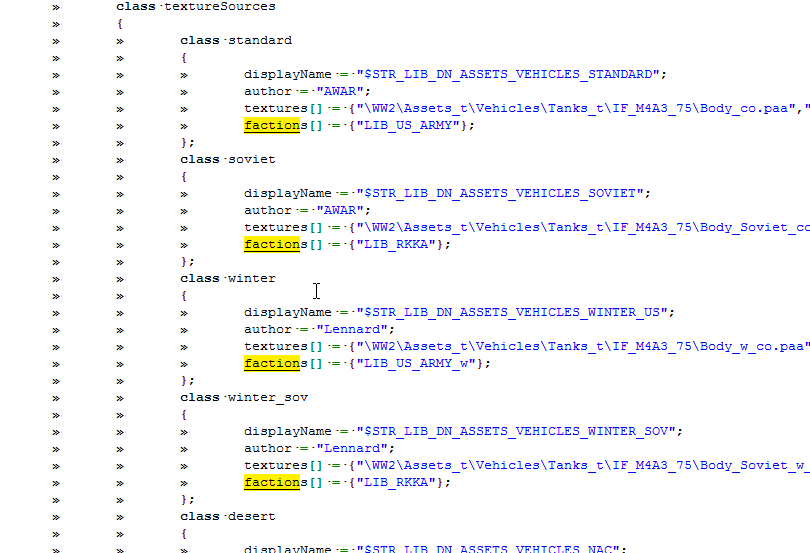


so the Sherman is available to OPFOR and GREENFOR
yet i can select any skin without restrictions
so cant the supposed system to work
or what am i missing?
untold temple
You're using an attribute there, not the standard BI vehicle customisation screen
untold temple
BI's choice for their assets. The texture selection attributes are not standard
stoic lily
and on the flipside it means the vehicle has to be originally configured for that faction - or is it actually just a side limitation?
untold temple
Well the vehicle has to be available for a faction that uses the faction-locked textures. Else the only way to get them will be scripting or Garage export
It is faction limited rather than side limited
The texture selection attributes were only added to RHS because the VhC window in Eden conflicted with the decal system we had in place. Until BI fixed it. And faction locking of texture sets to us is kind of unintentional - we've discussed removing them a few times
This is the first time I've seen anyone else use attributes for texture selection
stoic lily
thanks a lot!
sullen fulcrum
Hey, I'm having a small issue where in order to make a custom skin for a vehicle and add it as a duplicate of the original vehicle in another faction on the same side, I'm removing the hiddenSelections for the clan icons spread around, but those don't disappear and instead the vehicle's gun does (which is another hidden selection, given that there's a variant with and another without the gun). Given that I've checked on the model and I'm removing the correct hidden selections, has anyone ever faced an issue like this before and know the solution? Thanks
 desert bear
If you are removing hiddenselections you have to remove things in the hiddenselectionstextures in the same order as well.
sullen fulcrum
I am also applying hiddenSelectionsTextures[] but with only one texture, given that all hidden selections use the same texture file
sullen fulcrum
On a completely different note, would it possible to add an action in a vehicle that would essentially allow it to change between Airplane mode and Helicopter mode differently from the VTOL? What I mean is changing what the config is set as for that specific object using an in-vehicle action. I'd imagine through the use of a variable = 1 or 0 and depending on it which part of the config is read it would be possible?
untold temple
No, you can only have one simulation type per class
hearty sandal
You would have to have 2 separate vehicles and switch between them with script. It might work or might not
Also do note that helicopter flight model has a lot of differences to vtol that might make it feel weird.
 dusk jungle
What defines pylon index in TransportPylonsComponent >> pylons? Config index? Name?
Or the other way around, is pylons1 name mandatory? What does engine expect to find in the config?
untold temple
Index is definited by the proxy number in the model and the order of the classes in the config
dusk jungle
So basically if I'll have it as
class pylons100 {...};
class pylons10 {};
pylons100 will define pylon #1 and pylons 10 for #2?
class whatever100 even
untold temple
yes
dusk jungle
So name and number in it doesn't matter, correct?
untold temple
// Pylons are indexed to aircraft model's proxies IDs in the order they are written in class Pylons
dusk jungle
Yes I've seen that but was not 100% sure its correct, seeing how uniformely A3 assets pylons are named.
Alright, I'll just assume config class order then.
untold temple
The classname shows up in the loadout editor when you mouse-over the loadout selection, and can be used in e.g. the setPylonLoadout command instead of the index number. Other than that, I don't think it really matters
dusk jungle
Got it, thanks for clarifications.
 frail oak
Out of curiosity, I was curious as to how you reference vehicles from other addons. I see people make custom CUP factions all the time, and I understand how to make a new faction and add items like vests and uniforms, but I can't seem to figure out adding vehicles. Can anyone point me in the right direction, config wise?
strong shuttle
In short:
make sure that the addon(s) you want to use are in CfgPatches >> YOURMOD >> requiredAddons[] = {}
and extend the class by:
class original_class;
class new_class: original_class {
   // your changes
};
Gotcha! Thanks so much
 faint echo
Does anyone have a nice sound frequency for a stock sound please?
 versed ferry
Does anyone know where I can increase the range for a vehicle to be initialized? So i can access rearm/refuel options from further away? I have changed the "supplyradius to 100m" but that only seems to work for about 40m. So maybe there is a generel range setting that i am not aware of ?
astral pagoda
It probably won't work for more than that
frail oak
When it comes to showing units in the Editor as different groups in a faction, how do I define that? IE; "Men," "Cars," Helicopters," Etc.
frail oak
Thanks @strong shuttle
Just to clarify, is this heading in the correct direction?
    class MyObject: Car
    {
        side = 1;
        faction = "Custom_Faction";
        editorSubcategory = "EdSubcat_Cars";
    };
};

    class CUP_WheeledVehicles_Core;
    class CUP_WheeledVehicles_Ural;
    class Custom_Ural: CUP_WheeledVehicles_Ural {
        scope = 2;
        displayName = "Custom Ural";
        picture = "";
        hiddenSelections[] = {"-"};
        hiddenSelectionsTextures[] = {"-"};
};```yes, and you will need a CfgFactionClasses entry as well
strong shuttle
then it should work without a problem
frail oak
Okay, great. I'll give it a go. Thank you. It's mostly just getting the Ural to show up that I haven't had luck with
strong shuttle
and if it doesn't show up:
scope                   = 2; // available in 3den
scopeCurator     = 2; // available in Zeus
scopeArsenal     = 2; // available in Arsenal
It appears I'm throwing an error somewhere in here. "Found a { but expected a =" or something along those lines but I don't see anything.
    class MyObject: Car
    {
        side = 1;
        faction = "1st_SOB";
        editorSubcategory = "EdSubcat_Cars";
    };
};

    class CUP_WheeledVehicles_Core;
    class CUP_WheeledVehicles_Ural;
    class Custom_Ural: CUP_WheeledVehicles_Ural
    {
        scope = 2;
        displayName = "Custom Ural";
        picture = "";
        hiddenSelections[] = {"-"};
        hiddenSelectionsTextures[] = {"-"};
    };
well, it should be
class CfgVehicles {
    class Car;
    class MyObject: Car
    {
        side = 1;
        faction = "1st_SOB";
        editorSubcategory = "EdSubcat_Cars";
    };

    class CUP_WheeledVehicles_Core;
    class CUP_WheeledVehicles_Ural;
    class Custom_Ural: CUP_WheeledVehicles_Ural
    {
        scope = 2;
        displayName = "Custom Ural";
        picture = "";
        hiddenSelections[] = {"-"};
        hiddenSelectionsTextures[] = {"-"};
    };
};
Well, arma launched with no issues but in editor I got a noentry.bin for class CUP_WheeledVehicles_Core.Side and it didn't show under my faction
strong shuttle
first of all CUP_WheeledVehicles_Core is the name of the addon, and not a vehicle, so it can be removed completely
and CUP_WheeledVehicles_Ural has the same problem
instead you should inherit CUP_Ural_Base
frail oak
They still need to be referenced in requiredAddons[] = correct?
strong shuttle
CUP_WheeledVehicles_Ural should be, yes
frail oak
But not the core?
strong shuttle
CUP_WheeledVehicles_Ural already requires CUP_WheeledVehicles_Core (and some other stuff), so not needed
and since you don't need anything from the Core config it just becomes useless text
frail oak
Oh, okay. That makes sense.
I noticed on the Wiki for categories, it says that vehicleClass is deprecated and shouldn't be used anymore
however, I noticed it is used in the CUP configs for the individual vehicles (such as the Abrams)
strong shuttle
it's actually:
editorCategory = "MyCategory";
editorSubcategory = "MySubcategory";
or:
faction = "MyCategory";
vehicleClass = "MySubcategory";
And to make the naming more consistent the first method is preferred.
However since CUP uses Arma2 assets, most of the configs are still there (and still work)
I believe the only "benefit" of vehicleClass is that you can also use it as an array vehicleClass[] = {Car, Armored, Support};, although I can't think of a reason why someone would want that
frail oak
Understandable. I'd like to just use editorSubcategory, honestly
I still can't seem to get the Ural or the subcat to show in Editor though, unfortunately
frail oak
@strong shuttle Figured it out! Thanks for all your help
hearty sandal
For future reference, In the above the car and myobject classes are not doing anything. I'd advice their removal.
frail oak
I actually got rid of all of that and just used LandVehicle and now everything works perfect
 dim pumice
Hi there guys, if I think an aircrafts flight model has too much lift/turns too tightly/recovers out of a dive too easily and generally feels weightless, what would be the appropriate config values to be adjusting? Is there a few specific values to be focusing on or is it more a case of all the properties are working together to create that state
strange egret
envelope[] for lift. draconic* for more "dejavu"
austere prism
Can you overwrite #define or do you need to call #undef first?
dim pumice
got you @strange egret, what do you mean by "dejavu" haha, turning capability?
@austere prism is that in regards to my question? my config knowledge is pretty limited so I'm not sure if I know, I've seen that being used in the cfg's though
strange egret
@dim pumice https://www.youtube.com/watch?v=AXsLWhttdSs
strong shuttle
@austere prism a define cannot be overwritten. So you first must delete the previous one with #undef, or use #ifdef / #ifndef to check if it already exists before setting it yourself
austere prism
👍
dim pumice
@strange egret haha okay I get it
strange egret
with the draconic parameters you can make your plane fly on rails or make it so like it feels like it's in space (except with 9.81m/s² gravity)
dim pumice
nice, I feel like I actually understand how that stuff works now
dim pumice
Is it actually possible to do temporary edits to variables in the cfg while in game/eden?
untold temple
With the diagnostic .exe and diag_mergeConfigFile command, yeah
untold temple
yes, though IIRC you can move the exe and folders to a stable install after you get them
dim pumice
right right
dim pumice
can I launch diag through the main launcher with a parameter?
hearty sandal
you need the dev branch on steam
dim pumice
got the dev branch now
hearty sandal
and likely you need to make a shortcut to the diag exe with the launch parameters you want to use
dim pumice
ahh got you
woven flax
Is there a way to force the Right click aiming for a tank to use a 3d model instead of a rsc?
grand creek
Is it a common practice to make pbo names lowercase in arma? We've had a problem with a linux server because linux is case sensitive.
Not very familiar with such things, sorry
 livid sigil
I would recommend it, I would say it fairly common.
grand creek
Ok thanks, renaming my thing now 😄
grand zinc
its good practice
grand creek
Yes I see now, all armas pbos are lowercase too
stoic lily
"%_APPPATH_RENAMER%\ReNamer.exe" /rename "lowercase" %_SOURCE_PATH_RELEASE%
@grand creek
grand creek
Thanks but IDK what it is 🤔
Although, I have renamed it already in pboprefix and other places
 charred sentinel
Hello, what can I do to close the door when the vehicle moves?
My config.cpp:
class AnimationSources
{
class Door_1_source
{
source = user;
initPhase = 0;
animPeriod = 1;
};
};
class UserActions
{
class OpenDoor1
{
displayNameDefault = "<img image='\A3\Ui_f\data\IGUI\Cfg\Actions\ladderup_ca.paa' size='1.5' />"
displayName = "Open Ramp";
position = door_1_trigger;
radius = 2;
onlyForPlayer = 0;
priority = 1.5;
condition = "this animationPhase ""Door_1_Rotation"" < 0.5 ";
statement = "this animate [""Door_1_Rotation"", 1];";
};
class CloseDoor1
{
displayNameDefault = "<img image='\A3\Ui_f\data\IGUI\Cfg\Actions\ladderup_ca.paa' size='1.5' />"
displayName = "Close Ramp";
position = door_1_trigger;
radius = 2;
onlyForPlayer = 0;
priority = 1.5;
condition = "this animationPhase ""Door_1_Rotation"" >= 0.5 ";
statement = "this animate [""Door_1_Rotation"", 0];";
};
};
grand zinc
@grand creek in arma filepaths are case-insensitive, pbo filenames too. But case-insensitive in arma means all lowercase.
So pbo filenames are also all lowercased when arma tries to access them. Which on linux when the file is not actually lowercase then bam.
austere prism
Doing a declaration like class something: base; isn't allowed correct?
austere prism
yeah that's fine, just making sure for my parser
wait do configs not have bool values?
grand zinc
correct
austere prism
huh never noticed
grand zinc
guess you can make fake bools with enums
austere prism
enums?
grand zinc
config enums yes
austere prism
docs? How exactly do they have enums?
grand zinc
enum {
thisbetrue = 1,
thisbefalse = 0
};
myEntry = "thisbefalse";
They are basically statically set variables in the simpleExpression evaluator
austere prism
Hm, yeah I can't see any mention of them from a quick google or a search of the armake2 codebase
austere prism
Ah, is there any "official"-ish spec for the config files
grand zinc
no
austere prism
Any reference of all the magical features I've never seen before?
grand zinc
probably not
austere prism
damn
grand zinc
but you can just go like the armake guys went, and say "Most people don't know about this so I don't care"
austere prism
Well an enum should be pretty simple, I'm guessing they get treated similar as say
#define thisbetrue 1 and just removed before it ever really matters
grand zinc
that is how mikero does it I think
austere prism
cool, and what is an @ string
grand zinc
some special simpleExpression thing, not really sure about it. Didn't get to trying it out
afaik even mikero doesn't have that implemented
austere prism
ah ok, so I can safely ignore that for now then
grand zinc
there are also 64bit integers, but I think noone supports these. Probably not even the arma config serializer
strange egret
why would you need 64bit int for a config parameter anyway...
woven flax
What controls if an Pilot or Gunner can lockon a missile?
strange egret
https://community.bistudio.com/wiki/Arma_3_Targeting_config_reference - honestly i lost track of it myself 😄
woven flax
Thank oyu, im currently fighting sensors and everythign right now
 west monolith
class Weather: Weather
        {
            temperatureDayMax[]={10,12,15,20,25,35,35,35,25,20,10,10};
            temperatureDayMin[]={-10,-6,-5,-1,5,6,7,10,5,2,-5,-10};
            temperatureNightMax[]={5,6,8,10,13,18,26,25,15,13,8,4};
            temperatureNightMin[]={-10,-10,-10,-5,0,4,5,6,5,0,-5,-10};```
Does anyone know if/how the engine uses these values from the map configs?used for air/surface temperatures for thermal vision
different entries are per time of day, 12 hours day/night
west monolith
hmm. part of me wants to use it for my weather system but it's a bit confusing
grand zinc
Yeah. I'm also wondering why ACE weather doesn't use that stuff, maybe it should
west monolith
nights seem to get weirdly hot in this
grand zinc
If its Tanoa it seems sensible
west monolith
it's not, it's Hellanmaa (map set in Finland)
grand zinc
but why is mid-night hotter than early/late night
hearty sandal
the date probably affects that too
 silver aurora
12 months -> 12 values?
hearty sandal
definitely
grand zinc
Yeah. Its "timeInYearOffset"
hearty sandal
Id wager not many mappers alter those parameters though
grand zinc
it linear interpolates between two intervals to get your exact date
dayInYear/365.25 is the 0-1 interval between the 12 values in the array. Finds the closest two and linear interpolate between them to get final value
west monolith
i'm going to go load up a bunch of maps and check their values lol
While we're here, it's not possible to get the Lighting class that the game is currently using right?
grand zinc
there is a script command to get current terrain name.. then find the CfgWorlds class for that.
I think lightning model depends on daytime?
west monolith
You'd hope it would but the config i've been looking at has 26 numbered lighting classes
grand zinc
well the game doesn't choose at random I'd say
most likely weather/daytime/timeofyear relation in there somehow
west monolith
yeah, it's just figuring out what that is that's a challenge
grand zinc
thats the fun of arma 😄
west monolith
ok yeah Hellanmaa has the same temperatures as Altis so. i'm going to go ahead and say that's not reliable data lol
Bohemia themselves don't even change it, Enoch has the same values too
Hmm. Altis has 44 lighting classes
hearty sandal
Standard/easiest procedure of terrain configs is to inherit from one of the vanilla maps to make sure your map stays on top of any new variables terrain might get (right now starting to be less essential) but also so that you dont have to write down allll of the config lines you dont intent to alter.
The Lightning classes are sometimes altered by terrain makers but I dont think anyone has touched the temperature values. I have not even thought about it before myself but now that you mention it, I'll definitely tinker with those too
west monolith
it would be very convenient if maps included customized temperature info, would make it usable for scripting... but at this point no one has really done it so it'll never be something you can rely on i fear
grand zinc
would be nice for ace, as temperature really matters when shooting long range. but same response there, if terrain makers don't use it correctly its useless
hearty sandal
its quite simple to make a database addon for that
if terrain is derived from some vanilla map give it some defaults
and if someone has bothered to add special parameters for the map into the database use those
grand zinc
could even automate it. Select coordinates, get average day/night per month temperature data of last year from some weather platforms API
hearty sandal
assuming terrain maker sets the lat-long values right for the map 😄
grand zinc
could probably quickly hack together some webapp for that. Darksky has good weather API
more meant as a tool for terrain makers, not for people making compat mods
dim pumice
Hi guys, I was wondering if anyone could explain how angle of incidence affects envelope and lift properties on fixedwing aircraft?
strange egret
AoI of 3° means you have to put your nose to -3° in order to fly level -iirc
dim pumice
Ah okay I get you
So its not effecting lift properties at different speeds, that value exactly
Or perhaps it does as when lift changes then perhaps so does the angle needed to maintain level flight
hearty sandal
Im not sure if theres any definitive documentation for that unfortunately
strange egret
it just offsets your pitch angle, basically
dim pumice
Ah okay, I see
I'm wondering also, is there any way to see the mass of an aircraft if you don't have access to its MLOD? Some kind of command or such
Just seeing as this affects envelope properties also
hearty sandal
dont think there is
strange egret
it doesnt affect it. envelope is lift for the relative flight speeds (0 to 150% of max speed)
dim pumice
Right right, it was just that it said on the config reference on the wiki that envelope "relates directly to airplanes mass"
austere prism
How can I change group factions in the editor / Zeus