#arma3_editor
1 messages · Page 30 of 1
 prisma oyster
 empty raft
let's say I have a trigger to fire off when bob is dead. Using end scenario modules, is it possible give one side a mission success and the other a mission fail?
I'm sure ive done it before and this guy seems to think its possible - https://www.reddit.com/r/armadev/comments/4du9na/ending_missions/d1xzdsj/
 tranquil canopy
Hello, I have one question.
If I use hide Terrain Object, to hide the whole southern part of Lythium Map, (all Objects because I don't need them.) Does this affect the performance in a positive way or a negative way? Currently I hide over 100k Objects on this map with only one module.
Oh this is for a MP Mission
The reason why I ask is, I want to hide the whole map for a "clean" terrain because I only need the northern City and want the rebuild this city with Buildings etc.
 sinful zenith
Hundreds or thousands of modules are certainly not a good thing to do.
tranquil canopy
only just one module deletes the most objects of this map
sinful zenith
If you just want to hide everything you can do that with a single script.
The script will end and be gone when everything his hidden. A module stays there the entire mission.
Ah so one module can hide all?
You'll get slightly better performance because the buildings in your view distance will not be rendered.
Won't make a difference for the buildings outside of the players view distance though
tranquil canopy
So I don't need to hide objects outside of operation area? Because the most buldings in the northern city was replaced by me with custom buildings. and objects. nearly all have disabled simulation and damage (except some buildings with doors and ladders)
there is a overview what I just planned
sinful zenith
Buildings outside of viewing range are neither rendered (obviously) nor simulated
So you really only need to hide the stuff in the area the players will see
tranquil canopy
okey. But there are a airbase used for planes. when I hide the whole area around from ground objects, It should finally give the pilots more performance?
sinful zenith
Disabling simulation on houses doesn't seem that useful anyway.
If you look at https://community.bistudio.com/wikidata/images/9/96/SimpleObject_PerformanceChart.png
You can see it doesn't really do much at all
It might give the pilots more performance when they land or start or are at the airbase. But houses aren't that expensive anyway
You can check if it's worth it by yourself. Stand somewhere. Check FPS counter. Hide all houses. Check FPS counter.
tranquil canopy
okey. What do you think I used think about when I replace 3/4 of the city with custom buildings? The AI compatibility ios not really neccesary, I just place static AI into some buildings.
I still have 45-50 fps when I flying around with zeus
in the city
Maybe the players have lags at the beginning during hiding and spawning new.
sinful zenith
Yep. That would make sense.
Just add a custom loading screen till the spawning is done
tranquil canopy
yeah that should makes sense also 😃
You saw the pictures? do you think its too much detailed object placing? (All of them are disabled in simulation.)
sinful zenith
You need as much as you need to make it look good. 😄 It's too detailed if you notice a hard fps drop when looking towards/away from it
tranquil canopy
Is it enough when I test the performance in singleplayer? There should not much server communication causing of this objects. So when I have good performanced (with a mid end computer) it should be similar for all others?
sinful zenith
yeah
The FPS drop percentage should be about the same for higher/lower end computers I think
tranquil canopy
thank you for your help 😃
There is an ACE Option where a client can hide objects out of his FOV. Mybe that could be help to get more performance on Clients. on some places I just have 35 fps down from 60+
sinful zenith
Objects outside of FOV aren't rendered anyway
You can see that on objects that have a bad view geometry. When you look to the side so that only one corner of the object is in view the object suddenly disappears
tranquil canopy
I noticed that sometimes yes, It was irritating me sometimes. WIll objetcs rendered you can't see because it is behind a big building or a hill?
sinful zenith
Yes. That was added fairly recently.. Like half a year back
Not sure if all CUP buildings have the "occluder" yet. But as far as I heard atleast in the next CUP Terrains update all buildings will have proper occluders
tranquil canopy
okey, that means objects will hide for you behind other objects. Vanilla Buildings and objects have these feature already?
readed out this.
not sure if jbad and rso_buildings have this feature. Have too take a look on documentation
sinful zenith
Arma 2 modded stuff definetly doesn't have it. Because that feature simply didn't exist back then
So if there was no update after....8 January 2016 (Time that wiki page was created) Then the answer is 99%: no.
sinful zenith
Cannot find anything about added occluders in the changelogs
tranquil canopy
me too.
but I read about a agreement with CUP to make jbad terrains compatible to CUP Terrain user. maybe it will feature in the future when cup integrate those objects
sinful zenith
https://forums.bohemia.net/forums/topic/173098-jbad-release-thread/?page=5&tab=comments#comment-3212160 Does that mean CUP already includes Jbad? If so then CUP probably added occluders.
tranquil canopy
this is from armaholic:
"Also it should be noted here that most of our work will be contributed to @CUP for their integration into the BIS ca\ naming convention so anyone who wants to wait to use @CUP instead of converting their A2 terrain to the JBAD structure should do so. Either way will work fine must it should be noted.
*This does not currently include the terrain yet. That is still under heavy construction. Current release is just for terrain objects.
Hopefully soon we can show you guys some work we've done on the terrain."
don't really sure currently if it has
in the BI forum thread foxhound didn't answered really about the question of lythium using CUP only, I justb test it now, maybe it works.
on starting arma: Addon 'ffaa_map_lythium' requires addon 'jbad_Defines'
There is our answer..-
sinful zenith
https://dev.cup-arma3.org/T1893 Sounds like they are in.
tranquil canopy
but lythium still does not work with CUP Terrain.
finally, the map builders have to exchange all classnames from jbad and replace them with the CUP ones. But finally. I think we are currently finished with this topic.
 vast knoll
So I put a UAV operator (NATO) and a Darter (NATO) in air on Stratis in Editor and click play. The UAV operator is not able to access the UAV from terminal and the UAV crashes with the motor running.
I tried this with UGV and remote designator too, cannot access those too.
I think this used to work before the Tanks DLC update. Or am I doing something wrong?
prisma oyster
Any mods? @vast knoll
 marble folio
have you assigned the UAV to the operator, though?
or taken control of it?
either using https://community.bistudio.com/wiki/UAV (although i don't know if this applies to eden)
vast knoll
I thought I must do that but had no idea how. Now I named the guy A1 and the drone UAV1, but where do I put the command "A1 connectTerminalToUAV UAV1"? Is it in the box when pressing escape in mission? But then it returns 'false'. If I put it in the init box of an object then it shows error "type boolean expected nothing".
 kind prism
@vast knoll You should be able to put A1 connectTerminalToUAV UAV1; in the Init of either object. Make sure the Darter is placed with crew (blue) and not empty (yellow).
vast knoll
@kind prism placing the drones with crew did it. I was placing them without crew out of habit and did not think that would matter in case of 'Unmanned' vehicles. Now there is no need to execute the above command either. Thanks.
 marble aurora
yeah, it's not immediately obvious that drones including turrets and AA assets like the Centurion/Spartan/Praetorian are actually crewed by 'invisible' AI
 dim kindle
Is there a way to randomly rotated all of my selected objects in 3den?
prisma oyster
scripted yes, there is a get3denSelected or something. Go through them and setDir random 360
 sick ginkgo
Is there any way to have more control of the default weather system in the Eden editor without scripting? I have manual override enabled on each possible weather related option, but can't control any of the max values or anything
prisma oyster
What do you mean? Sliders?
 nimble trail
you have mod/dlc filter in the editor (arrow next to search bar)
prisma oyster
under BLUFOR/Tanks 👀 ^^
marble folio
lol
 hard pier
aren't editor placed objects with given variable names not always available for every client on a dedicated server as well?
I currently have the problem that some objects are not avaible on a client, but are available on server
left side is client, right side is server.
https://i.imgur.com/AWEOx7M.png
marble folio
you mean you can see the object but the var name doesn't exist?
i think that's normal
at least for units and vehicles that should be as expected
not sure how it works for other static objects
afaik they should be available globally
hard pier
it is the first time this happened, tho I just bruteforce it and publicvariable all the needed objects
sick ginkgo
What could cause editing an object's door states not working on a multiplayer server? It seems like a locality issue, but surely it shouldn't be like this?
prisma oyster
animate instead of animateDoor maybe
both global, animateSource too… hm, but I remember there were locality issues with animate?
sick ginkgo
The animation part isnt the issue, its the actual lock part of it. If you set a door to locked, it doesnt actually lock
sick ginkgo
Its an option in the editor. If you open the special states of an object with doors, you can set each individual door to open/closed/locked
prisma oyster
house1 setVariable ['bis_disabled_Door_1',1,true];
oh, you mean the lock doors module?
sick ginkgo
Yeah. It works if I set the variable like you just showed, but I shouldnt have to do that if the Eden editor has this functionality. I was just wondering if anyone else was aware of this issue
marble folio
Well, considering that the object editor module was broken in MP initially, it could well be a bug. Not in a position to reproduce the issue, unfortunately.
sick ginkgo
I guess it wont be fixed anytime soon either. Still bugs that have been broken in the past few updates that havent been fixed yet, despite several tickets.
prisma oyster
yup… go setVariable then
 fresh raptor
I won't if I get a response
prisma oyster
delete one of them
still waiting for deletion. I would recommend you deleting in here as #arma3_scripting is the channel for your request.
@fresh raptor , you are not exonerated from abiding #rules 👀
fresh raptor
Would you wait, I'm not at the computer, Jesus
prisma oyster
well, you didn't acknowledge so I could only guess. thank you in advance.
You can also delete from mobile: hold on the message → delete
prisma oyster
👌
I recommend you to delete your message from here, and post it in #arma3_scripting ← I believe this is more adapted and you will find people more easily
I recommend you to post your script to a shared workspace website, so you can see the edits to your code, live
fresh raptor
Alright
 tulip lark
Anybody know any mods that quickly allows you to put entities into an animation without having to script it?
tulip lark
Sorry, wasn’t sure which area the question belonged in.
 inner adder
i can never get the right magazine type
for my guns in arma
when im in the ace arsenal i see the mag type but when im on eden editor i cant find the magazine
any help?
sinful zenith
@inner adder same message to you as two messages above you.. Don't cross-post
 civic ferry
eden editor in arma 2
sinful zenith
no
prisma oyster
https://community.bistudio.com/wiki/Game_2_Editor is the closest you can get
 vale patio
How do i load my Dialog (hpp ) into arma 3 GUI Editor
sick ginkgo
Does having objects clip into other objects affect performance/fps at all?
prisma oyster
Not unless they are PhysX I believe
 hardy crag
Shadow: If you mean visually, no. Having unnecessary polygons or textures is undesirable, but having some of the visual mesh intruding into itself is fine (and is often done intentionally when vertices aren't coincident so that you can make sure there aren't gaps between joining objects).
 mental pelican
@vale patio Load the dialog in the editor via ctrl+i and typing in the path ex.
missionConfigFile >> "NameOfUI"
or for RscTitles dialogs
missionConfigFile >> "RscTitles" >> "NameOfUI"
You can also look at the games UIs and possibly mods UIs this way by using
configFile >> "RscDisplayInventory"
Being the inventory UI etc.
MissionConfigFile is the description.ext
 plain gale
@vale patio Also check out https://community.bistudio.com/wiki/User_Interface_Editor_(Arma_3) for more information.
 vast vector
@snow quiver 🙇 Oh worthy one, I see the manual work from your hands.
 snow quiver
¿que?
vast vector
Sí, editor de interfaz de usuario asqueroso. Demasiado túnel carpiano para tipearlo manualmente
 obsidian nimbus
The editor is present in the game data, but is hidden and cannot be accessed by any button. To open it, press Ctrl + E in the main menu.
is hidden and cannot be accessed by any button
To open it, press Ctrl + E
bad phrasing 😄
marble folio
I suppose they meant UI button
prisma oyster
still,*Archer mode* phrasiiing!
prisma oyster
No crossposting please, it is against the #rules (and they are mod enforced)
Delete one of the two please
 tidal coral
where should this be posted ? @prisma oyster
so many sub channels I dont even know if it is a editor related thing or mission :p
tranquil canopy
Is there any way, to get self placed buildings work like map origin buildings? With AI attention of these?
tranquil canopy
Sad news :/
sick ginkgo
Is there a way I can search for a unit in the Eden Editor by it's ID in the raw mission.sqm? Example: Item285
marble folio
you could also give it a var name via the SQM i think
 lone parcel
Hey fellas how can one set a custom attribute in the Mission/Scenario class and have it save to the sqm/execute even if it is the default value? I want to use the expressions from multiple scenario attributes to set values on every mission built in editor with this addon. I know that the Cfg3den Logic class always saves to sqm/executes regardless of the default value, but I can't find any class define that changes this behavior in the 3den configs.
 gloomy grove
hey is there a way to get OPFOr to target civiliian units without grouping civillians to a different faction?
marble folio
@gloomy grove set their rating to less than -2000 https://community.bistudio.com/wiki/addRating
 lusty badge
My Zeus ain’t workin
marble folio
ok
lusty badge
I put the game master down first
Then put a guy down to play as
And I hit Y. But nothins happenin
marble folio
well, that is working as intended...
lusty badge
I thought when you hit Y with game master down, it should put you into a diff interface
Where you can control characters and vehicles
marble folio
you have to set the owner
double click the module
if you google it or look on youtube there are guides
prisma oyster
lusty badge
I did set the owner
marble folio
to what?
marble folio
...
you put the unit's name
i'd suggest looking at lou's link
and/or watching a YT video on it
lusty badge
Alright.
gloomy grove
is there a way to set civilians spawned by the civilian presence module to be attacked by OPFOR only and not BLUFOR or independents?
marble folio
@gloomy grove run a loop that detects new civilians, add them to BLU or IND groups
 loud sky
Hey there, I got a quick question. Unfortunetly the radio message I am using in a mission I created is totally distorted. Is there any way to set the voice on my own?
by voice I mean the pitch^^'
loud sky
yea, created a radio message module and linked it to a trigger
prisma oyster
you should setIdentity the logic for it to say the sentence properly
Try using HQ module instead maybe (or scripting)
loud sky
but how do I set a Identity for thatz module? Have never done this kind of radio thing before
prisma oyster
I don't really know about the modules, I mostly script
Using HQ module, it already has a set identity
loud sky
yea, figuered it out, you have to link the HQ to the radiomodule^^
prisma oyster
:+1:
 glacial dirge
Does anyone have a Alive indexed version of Isla Abramia 3.9, or can I use an outdated version?
 glad sequoia
To get a unit (in a group consisting only of that unit) into an empty vehicle as a non-driver, I currently use a Move waypoint to get close and on activation of that waypoint, assign the unit to a non-driver position in the vehicle and order the unit into the vehicle. Is this the best way, or is there a way use the Get In waypoint and still have the unit get into the empty vehicle in a non-driver position?
glad sequoia
@nimble trail - thanks for distinction between Get In and Load. For Load waypoint to work on an empty (not in the unit's group) vehicle named "veh", I must this assignAsCargo veh in the init of the unit for the unit to actually get into a cargo position. Is that the best way or can this be done via attributes or links another way?
 calm oracle
can someone explain why my players get spawned at the bottom left of the map when its on a server and not when locally hosted so i'm kinda lost. Thanks
 humble forge
Sounds like a faulty script moving (or never creating) the respawn marker when run on as a server.
 alpine hedge
it is something to do with debugging I think, I have heard people refer to it as "debug corner", similar thing to when people spawned as a seagull on arma2 if I remember
@calm oracle
dim kindle
Is it possible to make so the ground is stone? For exampel this area https://steamuserimages-a.akamaihd.net/ugc/932690417977081577/9360BD42C1567F1CD2915902BBAE25613442DCD6/ Can I make that stone?
 gilded flax
With mods like CUP you can place down textures for roads etc and there are some decent gravel-ey textures in that mix, but you'll need a fair number of them to cover the whole area.
 distant verge
Random question.... any reason that in the ACE Vritual Arsenal the option for face, voice and insignia is greyed out, and in the BI one it is not there at all?
sinful zenith
Because bugged/broken/doesn't work as expected
 granite geode
I’m new to the Eden editor but does anyone know how to disable skipping tasks because in my mission you can skip all tasks if you go to this trigger which is meant for a later task. It’d be appreciated if I had some help. Cheers
vast vector
Skipping tasks? How do you mean? Cancelling them?
dim kindle
He has created task missions, and doesn't know how to force the player to complete them in order.
It's both a scripting and design issue, Hammond. There's a laaarrggee number of ways to handle that.
sick ginkgo
Does hiding objects in the editor improve performance at all? Or does the engine still do anything that may affect performance at all while their hidden?
sinful zenith
invisible cars are still cars that are simulated
unless you disableSImulation
invisible AI's are also still AI's that run around
invisibility only makes them invisible
sick ginkgo
What about hiding terrain objects?
sinful zenith
Most impact that terrain objects have is rendering
so making them not render will.. make stuff better
but the engine still checks everytime if it should render that. It just aborts early because of the invisible flag
Objects don't become free just by making them invisible. Just way cheaper, but not free
nimble trail
afaik hiding big numbers of terrain objects leads to desync issues at mission start and on jip
 sick ginkgo
What would you classify as large numbers?"
nimble trail
whole forest 😄
prisma oyster
hence using local hideObject to save perfs (i.e in the module)
 mossy halo
Okay so I am trying to make a army mod for arma 3 since you cant copy and paste arsenaled units in zues (annoying... ) So my question is, how do I find the name of modded gear so I know what code to put in for the weapons and armor on my modded units?
vast vector
CTRL + SHIFT + C being the one I remember to copy as script
mossy halo
okay got that
now How do i take that info and make a custom army with units having that loadout? any video tutorials out there?
the only tutorials i see for making custom factions uses something called Orbat
vast vector
@mossy halo In mission or as a part of an addon?
ORBAT viewer is not what you are looking for
 sacred ivy
Does anyone know how to play like a Zeus in the editor ?
nimble trail
do you want to make a zeus mission, or do you need zeus to debug stuff?
mossy halo
I'm trying to Make an addon of custom squads with custom loadouts so that I can copy and paste them in Zeus and it remember their gear.
As far as Zeus goes my friend and I simply play Zeus in real time like an RTS. Just need to know how to make an addon containing a squad with custom equipment.
dim kindle
@mossy halo Remember you'll need ScopeCurator = 2 https://community.bistudio.com/wiki/Arma_3_Characters_And_Gear_Encoding_Guide
mossy halo
Is there a way to unpack the .pbo of another mod?
sinful zenith
Yes. But why?
mossy halo
It would help being able to reverse engineer it and using it as a template to make my own
sinful zenith
You can use PboManager for example. But remember that you cannot reupload a modified version of that mod without authors permission
You can also just get the Arma 3 Samples
there are tons of mod samples in there
mossy halo
I dont intend to upload anything tbh. Just Male custom armies for me and my friend on our private server.
Awesome! Thanks @sinful zenith
 half kayak
sorry to barge in but it feels like it's a total crapshoot every time I try and deal with the respawn modules. How do I set it up so that the at mission start the player loads in as whatever character and loadout that role is placed down as, and THEN after death get's to choose their spawn location without reverting to a standard rifleman loadout? gone through about 5 videos so far and they all seem to be erring on the side of being ok with a standard rifleman loadout. There was ONE time I got a scenario to start with the player in a desired position and with a desired loadout, but never again after that and I have no idea how I did it as I was frustrated and literally throwing things and seeing what stuck
UPDATE: found an out of editor workaround through the creation of a description file and setting "respawnOnStart = -1;"
Would have preferred to keep it in editor, but I suppose there's never too early a time to use pre-Eden tried and true methods
 formal vale
Can somebody help me with how to get two AI Squads to link together, under one squad leader, if at all possible, if not, join the same objective at a certain time. Say, after a trigger.
prisma oyster
in Eden Editor, you can create waypoints with "JOIN" type, or use the join (or joinSilent) command @formal vale
formal vale
Thank you.
prisma oyster
👍
marble folio
there's also join and lead iirc
 untold compass
Hi there editors! I've started using the eden editor to create my own encounters. I'm able to make some very basic commands for the units, but having trouble making the missions more robust. I've watched quite a few youtube guides on how to use the editor, but frankly they all are kind of "the same" and don't go into to much detail in to what each waypoint does. Additonally, i've been referencing the wiki, however I think I need to "see the feature in action" to really understand some of the functions before the wiki will be of much more use to me.
Does anyone have any good resources they point newbies, when it comes to the eden editor - that goes into the waypoints, systems, and trigger systems in detail?
prisma oyster
Well, the wiki is actually the place to be - it has the most important gathered amount of data, and if you need examples toying around in Eden is good practice
dim kindle
hello, I've added a vehicle in my server via editor. However the inventory is unaccesible. Is there a workaround?
sinful zenith
Is the vehicle supposed to have a inventory? I mean. Some vehicles don't have inventories so not being able to access them isn't unusual
dim kindle
yes.
sinful zenith
Could be that it's marked as "Simple Object". 3DEN attributes on the vehicle might have a checkbox for that.
Or maybe Simulation is disabled. There is also a checkbox for that
marble aurora
iirc Simple Object and Disabled Simulation on vehicles mean they cannot even be entered or driven
you can place a playable unit in the vehicle in the editor but it won't be able to even look around or get out
you can sound the horn though ...
sinful zenith
correct yeah. For disable simulation. For simple object you shouldn't even be able to sit inside it
nimble trail
@dim kindle are we talking about standard arma inventory, or is it some mission specific inventory script that's not working?
dim kindle
Well for example I place a skoda in the editor, object data is then put in initserver.sqf. I start up the server and enter the car. I press I or scroll and nothing happens.
prisma oyster
please try with vanilla vehicle before further test
sinful zenith
object data is then put in initserver.sqf What do you mean by that? What is "object data"?
dim kindle
So like classname coords etc. I’ve tried with vanilla vehicles.
marble folio
So you're spawning the vehicle via script? Or what
sinful zenith
What are you doing?
classname and coords are NOT placed in initserver.sqf at all when you place a vehicle
nimble trail
@dim kindle what game mode / mission are you editing?
dim kindle
Shit. Exile mod. Sorry for not elaborating.
I place vehicles in the server using the editor. The object info is then placed in that file so it loads in the server.
marble folio
Well, I don't think we know what this object info is or how it relates to what you do in the editor, or which mod the Skoda is from
Try placing the Skoda in an empty map and see if it works
dim kindle
It works.
marble folio
I think the Exile discord is the best place to ask in that case
dim kindle
Ok sorry thank you.
marble folio
Should be a link in #channel_invites_list
dim kindle
Cool.
nimble trail
it's two different things
you want to know how to join 15 ai into one group, or how to switch their side?
 arctic perch
I figured it out, Still trying to remember the keybinds and things after 1 year of not playing
Heres another, having a player walk into a trigger and then having renforcements showing up.
marble folio
yes
nimble trail
I second
arctic perch
?
nimble trail
on reinforcements - give them one waypoint near to where you place them, then another on where you want them to reinforce. on first waypoint change "condition" field from true to some variable name
on the trigger, change on activation field to setting said variable to true
arctic perch
Thanks
 torpid tulip
Guys
I cant set up a respawn point
If someone could tell me how
I would be greatful
kind prism
What have you done so far?
torpid tulip
Well problem is this..
I'm getting it done sort-of
If I do one thing...
Another bit breaks
I added the Respawn
and TFR breaks
 spiral stirrup
@torpid tulip you there?
@torpid tulip There are 2 ways of doing it. One with a module and one with a marker
I personally do the marker for a Stationary one, using the empty marker. If I do zeus I do the module one
dim kindle
After I place a vehicle in editor, what is the virtual inventory option all about? I add an inventory item and an infinity symbol appears in the amount.
sinful zenith
Add's Arsenal afaik
dim kindle
So what’s the difference between default and virtual inventory?
marble folio
default is finite, virtual is infinite
nimble trail
afaik, default is normal inventory, virtual loads up arsenal. has nothing to do with item limits
vast vector
In the editor I think virtual and default inventory types identigy item limits
dim kindle
Ok. When you say aresenal you mean just whatever loot is in there?
dim kindle
sorry for noobish, vr is Virtual reality?
marble folio
yeah
 woeful raptor
mmmnokay,....doubleUteeF. I have gone around in circles for hours now but cannot seem to understand why, when I place a smoke module down, I cannot make it appear and disappear the same as other objects. My process is, place and object, place two show/hide modules, place two triggers, sync them all correctly. The regular stuff acts as I intend but not the smoke
marble folio
can you not sync the smoke directly to the trigger?
woeful raptor
Hey SuicideKing. Ya I just did that and threw up my hands becuase that works! But,...when I try to edit my mission, and play in preview it doesn't
Enter the trigger, smoke stars, leave the trigger, smoke stops
easy peasy
marble folio
Enter the trigger, smoke stars, leave the trigger, smoke stops
is this what's happening or is this what you want to do?
woeful raptor
in the Editor, that works as you describe
but
in my mission through the Editor it does not
😖
marble folio
i... don't understand, what do you mean it works in the editor?
you mean you see smoke?
woeful raptor
yes
marble folio
ah, i thought you meant the trigger was working while still in editor
hmm no clue really, don't have Arma on hand to check. maybe someone else can help. could consider spawning the smoke by some other method, instead of using the module
marble folio
yeah hehe. i've used the CAS module with a synced trigger, that seemed to work so idk 🤷🏽
actually wait
what's the trigger condition?
woeful raptor
I want to spawn the player with a tent, campfire, smoke and a bit of litter but hten when the player leaaves the area, that stuff disappears
blufor present
marble folio
hmm okay
why not... just use blufor NOT present
and just delete/hide the stuff on activation?
i guess you want the stuff to reappear i guess 🤔
nvm
woeful raptor
exactly
I've tried the show/hide modules as well
woks in a simple Editor test but again not in my mission
????????????
beatrs me
thanks for trying bud
marble folio
woks in a simple Editor test but again not in my mission
i'm still not sure what this means really
is the show/hide working in editor?
triggers aren't really supposed to work/be tested in the editor
woeful raptor
ah, so your saying its better to actually save the mission and test in "game"?
rather than preview
i'll see
marble folio
hmm?
i don't understand 😄
i'm saying press the "play scenario" button at the bottom right to actually test things
it automatically creates a temp save and runs the mission
woeful raptor
lol,...I hate texting.
 thick pine
Hey umm, wondering if someone could help me with something. I'm trying to setup a multiplayer op but need help with setting something up with the "Player slots". I have gotten them setup mostly but was wondering if there was a way to make it so that, instead of the player taking over an already spawned A.I unit, if there was a way to make it so that the unit is spawned in when the player joins, or that it's unvanished when a player joins. Just so that I don't have a bunch of CSAT units roaming around aimlessly within a group of players trying to setup. Any help would be appreciated 😃
 velvet ether
@thick pine, zip up your mission, send it to me. I'll send it back in a few seconds with what you want. I'm too drunk to explain it, but it's super fuckin easy, man. There is a check box somewhere that just says "Enable AI" or someshit like that. Hopefully you can find it. It's in the attributes or some shit up in that area in the area.
thick pine
k thx, gimme a sec and ill send it
thick pine
K sent it over pm
 charred agate
@thick pine The "playable" flagged units wander randomly when you test it in singleplayer. There's an option up in the menu bar to test in local-hosted multiplayer and if you test it in that environment, they don't do that provided you've disabled "enable AI" in the scenario attributes.
thick pine
k thx
 brazen marsh
Having a small issue where when I place down empty vehicles then preview or play the scenario they're moved within like 5 meters randomly of where i placed them. Anyone know why that is?
sinful zenith
How do you place them? Just drag&drop in 3DEN?
nimble trail
are you sure you're not copying vehicle with random position set to 5m ? 😄
brazen marsh
xD Yes I did check, honestly that's what I assumed it was to begin with
Oh never mind I'm an idiot, virtualized them with alive
Meaning they respawned back in after starting the mission but without the CAN_COLLIDE in createVehicle
 violet wagon
ellow! i was wondering if there is a way to get a "green screen" in the virtual arsenal. i think i was reading something about that in the wiki but i can't find it right now... anyone of u guys got a clue? thanks for help 
sinful zenith
you can use setObjectTexture on a big VR block
Or you use the greenscreen terrain from the Arma 3 tools
 wintry cloud
Anyone know any good maps for city making? I have found a few really good and stable mods but I now need a bare or semi bare map of buildings so I can create my own layout. Any ideas?
 paper cipher
take your pick https://www.pmctactical.org/arma3/terrain.php
PMC Tactical ArmA 3 Terrains for Large Scale Battles
also eden has module which removes terrain objects, so you can empty any city you want.
if you create nice city/populated place on our terrain(s), please send the export text file to me so I can include the objects into actual terrain. you'll get credit of course.
 cyan iron
Anyone know if its possible to rename group names/cllsigns and have it change in the lobby menu. At the moment they sdhow as alpha 1-3 etc and ive tried changing the group atributes but to no avail
paper cipher
try to search discord this was discussed before and I dont remember how it went (but what I do recall is that no, you cant change them without CBA or some other voodoo).
you can https://pmc.editing.wiki/doku.php?id=arma3:missions:group-name-call-sign and change them in eden, but I dont know if they appear in multiplayer mission role selection screen.
cyan iron
Assh yep cheers. Cba allows it just gotta figure out how
kind prism
If you haven't found it yet https://github.com/CBATeam/CBA_A3/wiki/Name-Groups-in-Lobby
 crimson seal
apologies
 marsh ether
yo
I'm trying to make a shitty meme in the editor but for that I need a story character to sit in a chair
But whenever I put the script to make the story character sit, their hair and all other things you could identify them by disappear
Does anyone know a possible fix for this?
Thanks in advance
prisma oyster
which script do you put?
vast vector
I guess you're using BIS_fnc_ambientAnim. There is a secondary parameter for type of loadout. "ASIS" indicates zero changes to unit loadout
marsh ether
I enter [this,"SIT_AT_TABLE","ASIS",arrow1] call BIS_fnc_ambientAnim;
The character loadout does not change. It's the character's face that changes
 fringe flax
@marsh ether use setFace to force the correct face
marsh ether
@fringe flax Thanks boi, gonna try it later
 cloud sparrow
If you have problems with KP Liberation you can get dedicated help in KP Discord, linked in #channel_invites_list
 fossil delta
do you still need to disable sim/dmg when enabling simple object? or are they included
marble folio
Included, although there's some limited simulation that still occurs I think, like bullet penetration
 winter prism
We can't have an impenetrable barricade made out of cardboard now, can we?
prisma oyster
Technically…
 eager hull
I'm 70% sure I saw a guy attaching 4 chinhooks to the freedom and made it fly around
probably used ares
is that possible?
sinful zenith
Certainly yeah. You could attleast set the Freedom's mass to 0 and attach it to the helicopter 😄
and then attach 3 other helicopters to it to make it seem that it's carried by multiple
eager hull
oh the mass
thats what I forgot
thanks
dim kindle
So I’m adding extra buildings and vehicles into my exile server using the editor. Everything works fine there, but the gear I select to be added doesn’t appear. Instead, the default gear from the vehicles are only available. Is there a step I am missing ?
Also using the init line doesn’t work.
 snow cosmos
So this new USS Liberty is all nice and pretty, but why is the sound only reduced to about 80% when you get inside? I have a spooling helicopter on the pad and you can hear it like its right next to you from the bridge
Does anyone know of a way to edit the fadeSound on the object/building?
 restive fog
Hi all, im having issues with ACE hand held lasers and locking on designated targets. I've given a laser designator to a player and his lasing a target but i cant lock onto it with the ships VLS system (works fine if i use a drone to lase the target). Any idea what im doing wrong?
marble folio
@restive fog you need to enable datalink on the soldiers
restive fog
oo ok ... via eden
restive fog
mmm no notes on how to activate it for units..lemme check eden
marble folio
@restive fog just use the unit name instead of vehicle. For example soldier1 setVehicleReportRemoteTargets true
but yeah eden should be more straightforward
restive fog
found thus in eden will test now
https://cdn.discordapp.com/attachments/437264224092160000/475223119070756865/Capture.JPG
marble folio
yeah that should work
charred agate
Anyone know of a fast way to remove nvgs from a bunch of units at once? Doing it manually is possible, but tedious as hell.
prisma oyster
{ _x unlinkItem "nvg class" } forEach _units @charred agate
Editor-wise, one by one only
 rocky apex
I want to make a mod that would allow snapping to memory points in the editor for models that have them, is this something that would be possible?
sinful zenith
@plain gale ^
plain gale
What?
plain gale
@queen vapor YOu need to save the inventory if ou do that. save3DENInventory _units will do the trick.
 queen vapor
Oh for sure, i was just improvimg the snippet above me a bit since not a lot of people seem to know the hmd command
queen vapor
Also @rocky apex if you mean the points you can order AI to go to in a building, yea thats very possible
sinful zenith
no he doesn't
sinful zenith
That's why I mentioned R3vo because I think he was doing such things
plain gale
Oh was I?
sinful zenith
3DEN editor snapping?
queen vapor
I figured so i steered the convo a bit
plain gale
How would one get the memory point positions?
sinful zenith
plain gale
I see
sinful zenith
but I thought you were making something just with bounding boxes
rocky apex
I am just unsure of how that could work with eden entities
plain gale
@rocky apex It works the same way
queen vapor
Ah they added LODs to that command, nice
plain gale
Do never say "very easy to do" in arma 3 before you actually started ...
queen vapor
Just make sure that when you set position you modify the position attribute too
rocky apex
in terms of a typical task it is easy by comparison
queen vapor
That used to be a thing
rocky apex
you only need to set the eden attribute
queen vapor
Yea cool
rocky apex
moving the model doesn't do anything other than change it visually but the eden command also does that
queen vapor
Yea, if this is for an 3den modification working out the visuals would be the hardest
 blissful meadow
Hey guys!
I'm searching a mod or a way to "film" (like GCam) a plane from a very specific angle.
The camera has to follow the aircraft and has to be at a fixed point, BUT (there is a but) i want to control the plane myself during filming.
Or maybe a "replay mod"?
Thanks for help!
prisma oyster
that, or maybe playing with attachTo and remoteControl
paper cipher
when you are editing a multiplayer mission, to check how many playable slots you have with disabledAI = 1; you have to count them manually, or temporarily set that to 0 and then start the mission so you can see the 1/<numberOfPlayers> in the lobby. are there any other quick way to check playable slots count?
 lost peak
Anyone else getting an error while trying to export to SQF using the new feature in Encore?
Error: objectVehicle |#|+ objectSimulated + objectDestructable
Error Generic error in expression
marble folio
@summer burrow dwarden cannot help you with that, don't spam him
Wait for someone who knows to reply
 old island
Is there a way to remove the check for missing addons from the editor?
sinful zenith
you can remove the missing addons from the missionfile. I don't know of a way to disable the check
prisma oyster
no can do, edit mission.sqm header indeed @old island
old island
Well i hoped for a better way, but thanks for the clarification.
 gray perch
@old island you can remove the requirements in the sqm file but the SQM has to be unbinarized so you can manually edit the file
old island
Yeah thx i know that it's just that i had to do it so many times that i'm annoyed enough to look for a permanent solution.
gray perch
don't run the mods maybe. When I'm editing missions, I make sure I don't run client-side mods and only mods the server will require when running the mission
cyan iron
🙄 ive made the mistake of running clientside mods only to realise on the day when people cant join the server because they dont have blastcore
 arctic moon
How can I apply insignia/patches to units in Eden?
gray perch
@arctic moon Arsenal editor I think
fringe flax
arctic moon
oh, that's a pain in the ass
fringe flax
No, not really.
If you don't understand how to use this, maybe you should start with the basics of SQF before doing anything.
It's fairly simple if you're going to be using preset insignias.
for example this code will assign me "Curator" isnginia if the player name is Midnight
{
    if((name _x) == "Midnight") then
   {
        _insignia = [_x,"Curator"]  call BIS_fnc_setUnitInsignia;
        if(_insignia) then
        {
            diag_log format["Setting of unit insignia for %1 succeeded",name _x];
        } else {
            diag_log format["Setting of unit insignia for %1 failed,name _x];
        };
   };
} forEach allPlayers;
 summer burrow
im going to guess there is no solution to fixing when it says ive died when selecting respawn
fringe flax
@summer burrow No, don't assume anything. Where did you ask the question? Where the context?
how is your respawn setup?
are you using modules?
is your respawn timer set to something above zero?
fringe flax
You didn't answer anything I asked, I have no clue how your friend set his up nor does it matter in the context of what you setup and what your problem is
paper cipher
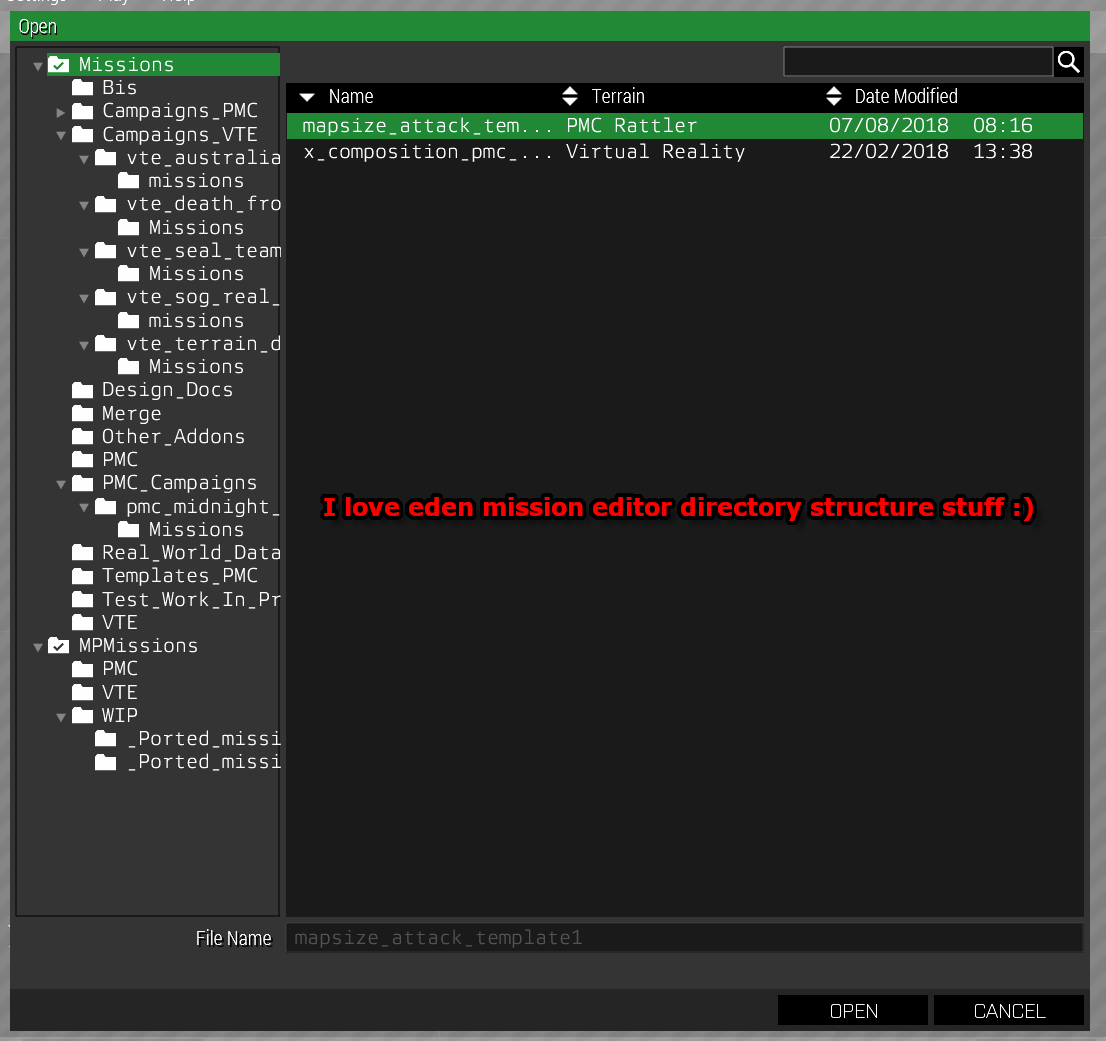
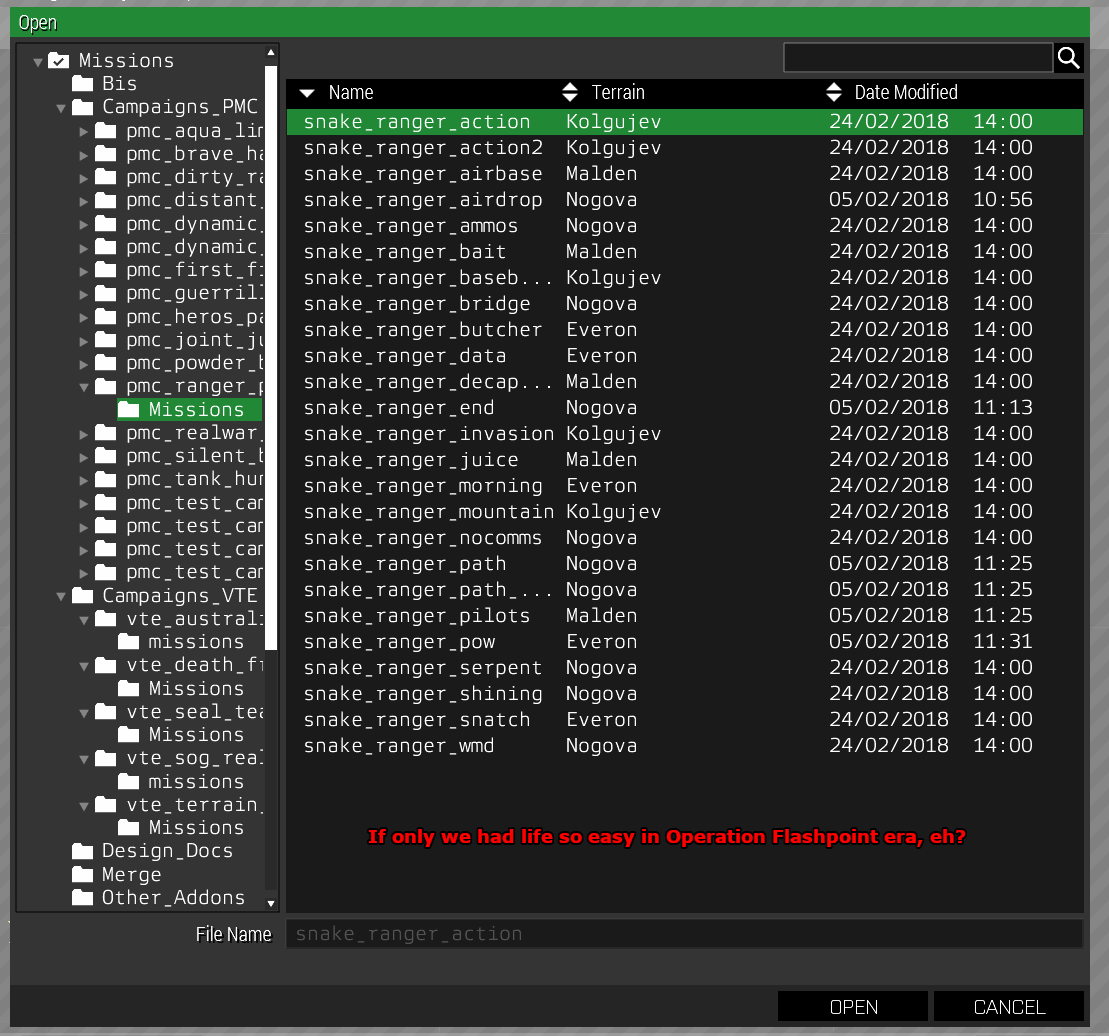
how I setup my eden mission editor directory structure so I can even edit campaign missions without shuffling directories around, just awesome feature.
https://www.pmctactical.org/arma3/screenshots/Eden-Mission-Editor-Directory-Structure.png
https://www.pmctactical.org/arma3/screenshots/Eden-Mission-Editor-Directory-Structure-Campaign.png
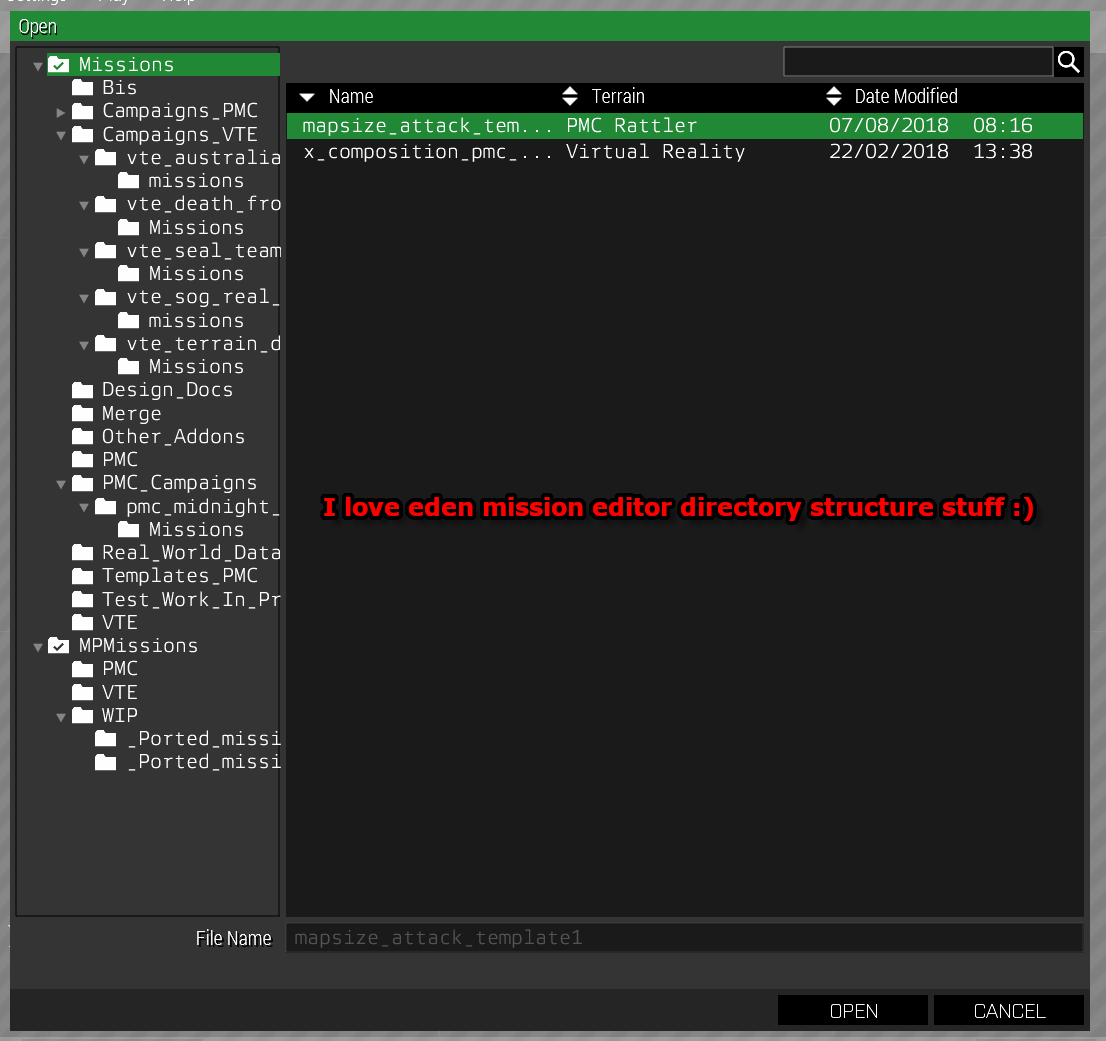
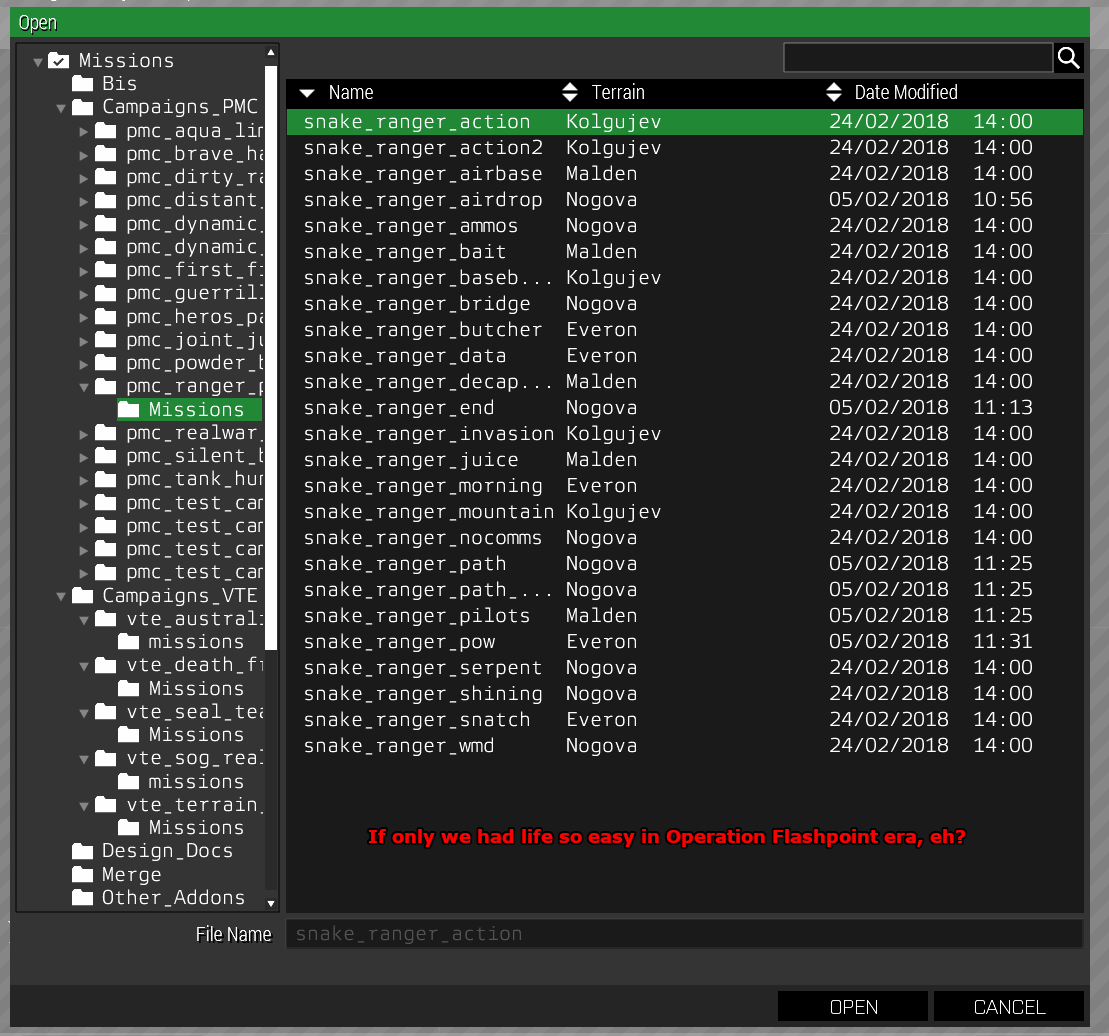 plain gale
@arctic moon There is actually an attribute in Eden for unit insignias
fringe flax
@plain gale Eden attributes is hard to manage large scale. If it's MP I wouldn't recommend it
 sick snow
How do I find on editor positions for buildings so they spawn in different places when a missions start on map and not just in one spot?
prisma oyster
either sqf private _newPos = [random 9999, random 9999, 0];, or BIS_fnc_findSafePos
@sick snow https://community.bistudio.com/wiki/BIS_fnc_randomPos too
 reef moss
I had an issue with vehicle respawning last night. The mission I'm setting up the 2 vehicles the plyers have start at position A but when they're destroyed I want the to respawn at position B. I'm just using the vehicle respawn module and I tried setting the option to spawn on the module location, sync'd the vehicles to the module and destroyed them, but they always respawned at position A never B (which is where I placed the module)
nimble trail
both commands come with example code, should be what you're looking for
eager hull
I have this static boat ( probably same ship as the USS liberty ) from the spanish army mod
since it can't explode nor sink,
is there a way I can have a trigger so it just rotates to a side and sink if a satchel explodes near it?
sinful zenith
"static" means it doesn't float by itself?
Then sure. You can setVectorDirAndUp to rotate and then you probably have to manually setPos on intervals to let it sink
eager hull
the thing is
it does float by some script but its completely ummovable
but maybe its not floating just something that sets it at water level
sick snow
well am doing it but when i look for location like this one comes up like:
["Land_Cargo_Tower_V1_No7_F",[1.02344,1.21924,0],0],
but in editor it comes up like
["Land_Cargo_Tower_V1_No7_F", [4757.02, 9774.61, 345.208], [-0.958808, 0.284055, 0], [0, 0, 1], true],
any reason how come not coming up like other way?
dim kindle
How to disable the yellow icons in editor folks?
marble folio
Eh?
nimble trail
@dim kindle select all objects, in left hand side pane click "add to new layer" (bottom of the pane) - it'll move all selected objects into a new subfolder on the bottom of the list
then double-click the list's label, and untick "enable transform"
(and name that label, so you know which subfolder is which objects
dim kindle
Thanks.
dim kindle
So for my exile server, I export editor placed vehicles and such via 3den to initserver.sqf. However commands inside the init box get ignored and instead the default loot is inside. How can I edit the gear inside these vehicles?
 cyan steppe
Does anyone have issues getting the configs for a gui made in the editor?
I've made a GUI, pressed Ctrl+Shift+S, gave it a name. Then when I go to paste into a text editor nothing happens
I also tried Ctrl+Alt+S same thing
Also tried just Ctrl+S I get a pop-up to select a format and name, still nothing seems to happen
prisma oyster
tried Ctrl+C? @cyan steppe
 crimson spindle
cough CTRL + I > missionConfigFile >> "dialogName" cough
fringe flax
@crimson spindle Woah, easy now. Do you need some water? Your lungs don't sound so great.
crimson spindle
i have 💊s should help 👌_cough_
eager hull
would a large amount of objects (plane crater) lag on players in a server?
 last aurora
from my experience: yes
eager hull
the fact that it goes smooth in sp is uselss I guess... in that case is there a way to light it down? like disabling the simulation?
last aurora
you can try, but i'm not sure. it's been a while since i made a MP mission
nimble trail
what is large amount?
if you add it in editor, and set as simple object, at least hundreds can be added. But it depends on how cpu-heavy your mission is as well. Won't work that good in persistent mission, probably
marble folio
well there's this https://community.bistudio.com/wiki/Arma_3_Simple_Objects#Performance
nimble trail
mind that stuff like craters lacks simple_objects switch, as it already is a simple object
eager hull
https://imgur.com/a/RgKNjzi so it shouldn't be a problem
 flint kettle
dim kindle
flint kettle
dim kindle
Ok so my editor objects are automatically classifying ammo boxes etc to simple objects. But when I look at there attributes in editor, there is no simple object box to check/uncheck.
eager hull
how can I have an effect like the tracers run permanently
fringe flax
@dim kindle Some objects are going to be simple objects regardless of options, as this is how they're configured. These are props yes? Or are they ammo boxes in the sense of the supply crates and such?
fringe flax
Weird. How do you know they turn into simple objects?
dim kindle
i cannot interact with them in server and the exported objects in the initserver automatically classifies them as simple objects for some reason(exile server)
fringe flax
do you have the ability to run SQF? run the command isSimpleObject
If it turns back then it's a simple obect, if it's not then you have something else limiting your interaction with it
being that it's exile alone, I think some system may be too agressive and is turning objects in to simple objects for the sakes of performance
dim kindle
ok, ill look into this, thank you.
fringe flax
Yup
marble folio
@eager hull there's a editor module that does that
fringe flax
Gross, modules.
marble folio
even medicine can be gross
fringe flax
Well at least medicine works a majority of the time :^)
eager hull
@@marble folio what is it called?
marble folio
@eager hull don't remember. Something in effects. Probably "tracers" or something.
eager hull
yeah but they are not permanent
 lament quartz
Why does some prop or unit reset their rotation when using attachTo? For example i rotate it 90°, it stays fine in editor but in game it goes back to 0°, but in editor everything is ok
 sturdy wharf
That's just how attachTo works. It resets the object orientation, and makes it relative to the object it's attached to instead.
You'll need to use setDir or setVectorDirAndUp on the attached object (after attachTo is run) to set its orientation. Remembering that it's relative to the parent object, not the world, so for example if you want to make something face the rear of a car it's attached to, you'd use setDir 180
lament quartz
@sturdy wharf thx
eager hull
hey peeps I finished the basic skeleton of this hidden base I made
any suggestions for mods or stuff to use
https://youtu.be/UGRD55_z3tM
 cedar wigeon
Does the skill set in an AI unit's Init box in the Editor (example: this setSkill ["aimingaccuracy", 0.3];) always take priority over the sliders in the game's difficulty settings?
paper cipher
I'm not sure but I think this setSkill if applied after the games difficulty settings, like on top of them. I just recently read about them and thats what I remember, but as italiced I might be wrong so dont hold me to this heh.
cedar wigeon
Is there a way of forcing custom difficulty settings on a multiplayer mission? For example, if I create a mission for someone to host, is there a way of preventing them from changing the difficulty settings for the mission?
 rocky crane
In the description folder, just look it up on Internet
Shouldn't be hard to find
cedar wigeon
Where can I find it?
Nothing about forcing custom difficulty settings for a MP mission on the wiki. https://community.bistudio.com/wiki/Description.ext
Edit: found something under server.cfg https://community.bistudio.com/wiki/server.cfg#Arma_3_-_Forced_difficulty
But is this for dedicated servers only? How do I edit the server.cfg for a mission that will be hosted locally? Thanks (:
nimble trail
You can't change server difficulty from the mission file
But if you're hosting locally, it uses your own difficulty profiles that you set in game options
(you can edit them)
 loud wind
Hey guys, I'm looking for an editable version of the basic Master Altis scenario so I can learn about how Zeus is set up in the editor. Is there a way to access it, or a version I can download somewhere?
paper cipher
use Mikero's extractpbo to open any pbo.
blissful meadow
Hello there,
I'm curently searching for sea plane mods. (I already know Sabre civil aviation :p)
Thx!
 plucky herald
I'd like MP players vehicles to be unable to pass a river bed, as if they get stuck in mud. Any suggestion on a good way to achieve it? Nothing fancy, I'm thinking set fuel to 0 as long as the vehicle is within the trigger area perhaps? I'd be grateful for precise suggestions/examples as my editing skills are low 😃 Thanks!
plucky herald
Found a solution: 0 = thisTrigger spawn { while {true} do {{ if (_x isKindOf "landVehicle" && _x inArea _this) then { [_x,0] remoteExec ["setfuel",_x]; _x setVariable ["fuel",false] } } forEach (vehicles select {isNil {_x getVariable "fuel"}}); sleep 2 }}
 polar kiln
You could attach it to a invisible helipad so you don't need to modify the fuel and it's more realistic
 ebon quiver
might not be the best place to ask but how do you make a character do a certain animaanimal tion?
animation
for picture taking
 torpid turret
First look in the animation viewer . Old way https://www.youtube.com/watch?v=VptM3K5bRoU . The other is when you've exited a mission, you'll see it at the bottom right .
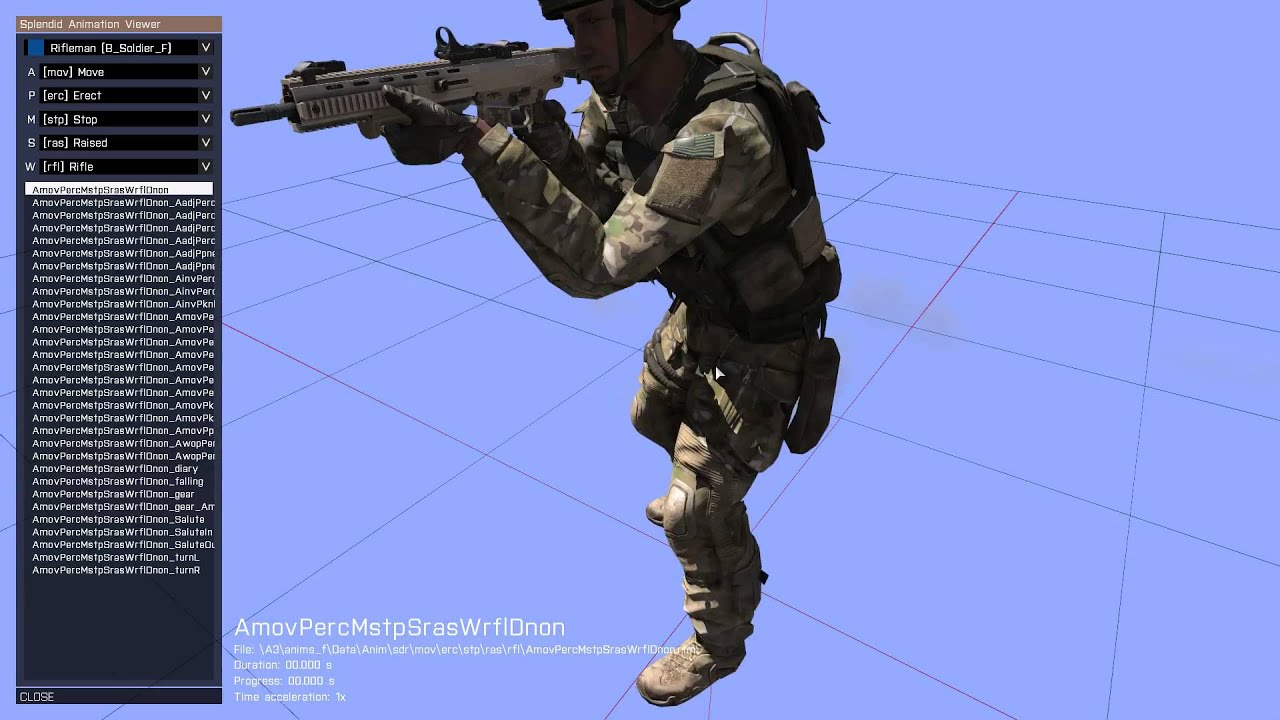
Quick video guide on how to open the BIS animation viewer through the editor. *** Paste this code in the On Activation field of trigger: *** [] call BIS_fnc_...
 noble coral
Is it possible to do a quick in place duplicate of the current object and just move it?
sinful zenith
CTRL+C -> CTRL+V ?
noble coral
Its not on the spot
There is ctrl+c and ctrl+shift+v but I kind of hoped there is a handle
On the object
loud wind
Question: I've got a Zeus scenario set up using the Game Master mode module, but I can't access any of my RHS assets from Zeus barring a few (legacy greenfor, and the pchela), even though the module is set to use all available modifications. Anyone know how I can get it to recognize the others?
 silk sable
Im making missions for my unit that has about 70 mods. When i make a loadout and play in multiplayer. The loadouts get over writen by their base unit. Whats a better solutiotion to ensure the loadout i copy from the arsenal overwrites the units loadout. Scripting or should i learn to use ALiVEs ORBAT system. My only suspicion for why this is happening is either base arma. Or ORBAT overwriting my units
marble folio
welll... you're probably better off asking the people who generally make missions for your unit
anything could be doing it in those 70 mods
most likely something related to ORBAT related addons
ALiVE, or TMF if you use it, or the F3 framework if you use that, or whatever else is out there...
silk sable
sweats our mission maker uses all three
Hes been offline all day. Thats why im askin herem but yea ill probably drop him a dm
Like,i figure its one of the three. Or all three. Im too new at scripting in general to even learn f3 framework
Ima have a look at ORBAT tonight
marble folio
well, the point of F3 is that you don't have to until you're ready 😄
But anyway, both TMF and F3 will overwrite editor set loadouts. F3 calls the assignGear function from the unit's initbox. So if you have something calling that for your units, removing it will stop that behaviour
TMF has a loadout thing in the unit's attributes, at the very bottom
try looking at the options there or consulting the TMF wiki
Can't help with ALiVE ORBAT, never used it
@silk sable
silk sable
the TMF wiki from what im able to grasp just says that it will ovewrwrite loadouts
I have it disabled in the units AND the arsenals louadout exported into the init feild of the unit, yet some things (but not all things) are overwriten. It automatically respawns the backpack. even thought it should be getting removed, and replacing the helmet with the base units.
things like the rifle stays, but the ammo gets replaced with what the base units ammo was
silk sable
hes been offline for awile so. im kinda at a lost. hes in the UK and im in the US> so our time zones dont exactly line up either
ive asked him before and he just tells me to google it
i have, and im getting literally nothing about how to PREVENT TMF or ORBAT from overwriting my arsenal loadouts
im about 90
% positive its TMF doing stuff. since on their wiki it blatently says "it will overwrite arsenal loadouts" yet I have it disabled in the units feild
queen vapor
Hi, in TMF assignGear will only run when the attributes are enabled. If you still suspect youve found a bug with it, try enabling assignGear for an affected unit, changing the loadout to something else, disable assignGear and see if the behaviour persists, but with changed gear.
As a side note, some mods are known to affect gear as well, 3CB is an example.
As a third sidenote I really wouldnt encourage exporting arsenal loadouts into units' init boxes, and rather use the built in arsenal feature if you have to.
When we say TMF "overwrites " arsenal loadouts we mean that our assignGear functions run after Arsenal functions have ran.
silk sable
So i sent our units mission creator a message. He responded back wile i was asleep and he says i need to use the framework. But i didnt quite understand what he was talking about (he uses a modified version of the tmf framework. But i dont understand how that would effect my missions without it actually being in the mission folder)
what im thinking now is he might have created a mod in our modpack that also messes with loadouts. But im waiting for him to clarify. Ill look into 3CB and if we use it tonigbt aswell as the TMZ assignGear possible bug
I Dont suspect it to be a bug, but more of a conflict of mods.
In anycase. Could i essencialy run a trigger at the start of a mission to empty everyones gear and rewrite the new gear during a fade in from black? Im not home to test
Thanks for all the help
marble folio
Well yes, you could.
silk sable
Might be what i have to do then. Other solutions could be to just have an arsenal. But wheres the fun in that :p
 main cove
@silk sable If you are using 3CB BAF Units, you can change the customisation options we offer (including disabling 3CB loadouts) by placing the Eden Editor > Systems > 3CB > 'BAF Unit Configuration' module on the map.
https://imgur.com/9YyWBBG
silk sable
ill checkthat out. for now ive created a workaround and am writing it
just a script that removes everything and replaces it with the new stuff
considering I need this op TOMOROW
this is the quickfix
main cove
You might find that doesn't work, depending upon timing in the multiplayer environment.
silk sable
I have it sleep1. run script. sleep1. remove. sleep1. addgear
testing it rightnow with multiple AI in a multiplayer server.
main cove
Mission spawn can be very heavy load and sometimes propogation from server to clients can be long.
silk sable
yea I considered that
main cove
Single player with AI is different to multiplayer, just a word of caution.
main cove
Good luck with it anyway, I've been in your shoes many times. And if you need to disable 3CB loadouts you can do it with the built in feature.
silk sable
im looking at the 3CB modual rightnow
I am, using BAF units. but im suspecting it to be TMF related
OH
IT WAS 3CB
bless you @main cove
main cove
You're welcome 😃
That's why we spent quite a lot of time creating that module so we could allow mission designers all the choice they want.
silk sable
I wonder if my loadouts bug with non 3cb units
main cove
If you want to look at the user notes for the 3CB baf unit configuration, you can find them here:
https://3cbmod.wordpress.com/released-mods/3cb-baf-units/usage-units/
silk sable
god damn it I think you just answered my half a month long wonder
main cove
Per the user guide, please note the following which might affect your mission:
"IMPORTANT: The module only affects units defined after it in the mission file. If you wish the module to effect all BAF units then the module has to be placed on the map before any units."
silk sable
Okay. Goodthing i got my loadouts savedm just copy the init files and replace the units
 dreamy stump
hi- super easy question, I'm sure. I'm trying to create a trigger for a player to enter a heli. The trigger works when i enter the heli, however everything goes black and i can move or interact with anything. game is not crashing btw
cant move*
cedar wigeon
If I give an AI unit a different loadout using the Virtual Arsenal in the Editor [Right click on unit -> Edit Loadout], items from that AI unit can't be taken by any player when the mission is hosted in local multiplayer. Right clicking or dragging magazines into the player's inventory doesn't work, for example. The only exception is the host who can take items as normal, but the other connected players can't.
Is there a way to fix this?
 unreal nacelle
So I'm trying to use RHS mods on a compatable sandbox server, but the game keeps telling me I need a key and kicking me from the server. I started playing about a week ago and would just like to use an M4. any tips?
sinful zenith
The server has to allow RHS mods
you cannot join with mods the server doesn't allow
unreal nacelle
it says all RHS mods in the tag
sinful zenith
maybe not updated to the latest version yet
unreal nacelle
they're all up to date and it still isn't working. I'm doing everything through the launcher. I don't know, man.
sinful zenith
no I mean the server hasn't updated
unreal nacelle
oh ok. Any servers you'd recommend?
dim kindle
There is M4 in vanilla A3 if you just want M4
nimble trail
(HK416 😛 )
dim kindle
@unreal nacelle only servers I will proudly represent is unit servers. Private, usually perform better than normal public servers, and uhh last but not least it's a unit so it most likely isn't filled with cheaters.
 supple widget




 stoic shadow
is there a way to put something that was made with Zeus and exported as sqf (wth achiles) into Eden ? I can execute the script in the debug console but it won't actually add things to the mission it seems.
cloud sparrow
Maybe try to convert parts of script to use eden commands.
create3DENEntity might be usefull :P
@stoic shadow
stoic shadow
I found some other snippet on the forum that let me import most of it
thanks though :-)
 uncut rampart
Does anyone know how big the user texurer (10m)? trying to get a picture to full set on it.
 dreamy raptor
10m*10m as the name implies
uncut rampart
Oof I feel retarded so early in the morning.
dim kindle
Are there any solid tutorials on how to make a virtual zeus? I haven't had any luck with the ones I've found.
eager hull
virtual zeus? wdym
dim kindle
@eager hull Using Zeus as a virtual entity instead of assigning it to a playable unit.
eager hull
oh I get it
knew how to but forgot sorry
dim kindle
No worries, thanks.
 late lark
Hi, is there a way to force the cargo view of a vehicle to display, even if the the player is not in the cargo of this vehicle, asking for a screenshot I´m planning?
e.g. in Splendid camera
 manic void
if within ~5m works,
https://community.bistudio.com/wiki/Arma_3_Actions#Gear
I'm not sure if that will stick around for splendid camera though.
You could probably hide the player even if ~5m isn't enough.
https://community.bistudio.com/wiki/hideObject
late lark
The problem is if the player is in the cargo
he sees the cargo view
I placed some units with own animation in the "cargo area" which then are not visible for the player, as they are not in the cargo
manic void
Right, I understand the question now but I can't offer any help.
late lark
https://imgur.com/a/eZZyYEg
Link which show my issue 😦
 vestal perch
@late lark are the units you placed attached to the plane?
as in separate objects
in Arma the first person view of vehicles is drawn over everything else
so if you attach a thing inside a vehicle you wont see it because the first person view is drawn over it
you will need to attach the player there too to be in same view space so to speak
late lark
@vestal perch I treid serveral things but I came to the point where their is to much effort for a simple screenshot. I think the best think would be a dummy modell with full detail just for this purpose. As the view cargo is totally diffrent from the outside/camera view. I can use animation while npc is in passenger seat but its don´t display backpacks and its horrible to align the animations.
dim kindle
how to make enemy ai in eden editor stay inside a building without leaving it upon mission start?
 ivory steeple
@dim kindle give them a waypoint near by and put it on "HOLD" .
dim kindle
i have but at the slightest gunshhot or explosion he runs out to investigate ignoring the hold command
nimble trail
unit disableAI "PATH"```you might want to join it with trigger that does unit enableAI "PATH" when players get closer
dim kindle
thanks @nimble trail ill try that
 old ocean
I second the PATH method. Works like a charm!
 errant flint
Can someone give me the best solution to add static explosions/muzzleflashes/smoke/dust etc, if it's possible? Now I detonate explosives and try getting it "paused" at the right moment for a nice pic haha.
nimble trail
not really, but if you're using camera tool, it lets you slow time down
errant flint
@nimble trail Aye, that's exactly what im doing hehe 😃 Hard to time explosions with gunfire, particle effects and what not.. Oh well, it works 😛
nimble trail
I might be wrong, but I don't believe arma engine supports particle effects pre-simulation
so it would not be possible to even make a mod that creates "static" particles
errant flint
@nimble trail Don't know if it's Achilles who has some static effects like tracers and stuff but not what im looking for.. Oh well, thanks for the info 🙂 Cheers!
 obtuse escarp
is there any way to check distance in eden. I'm trying to make a sniper range in my units training template and I wanna set it so that targets are 100m apart.
prisma oyster
You can activate the "move by grid" mode @obtuse escarp
Either that or setting X & Y manually
obtuse escarp
thank you
 pine trout
hey I'm trying to use ORBAT and I'm getting an error [BIS_fnc_ORBATGetGroupParams] class not found any idea what might be causing it
missionConfigFile >> "CfgORBAT" >> "2army "
is in the path
 crimson furnace
Anyone know how to make ai fire at you only when you.cross a certain point?
nimble trail
writing from the memory, but basically you need a trigger
In init of group leader
group this setCombatMode "BLUE";```then in trigger (when players are in ambush zone)
group ambush_leader setCombatMode "RED";```Thanks
pine trout
hey any body know how to use ORBAT? I need some help with an error
vale patio
hi anyone got any idea how can i make a placed object show on the map
for example i placed a house i want it to show on the map as a object
nimble trail
draw a marker on it's outlines
nimble trail
exactly what I said - draw a marker rectangle on your in-editor placed building
objects you placed in editor do not show up as native map objects ingame, and there's no way to force them do
kind prism
 stone kayak
not sure where i should ask questions about GUI editing. Is here ok?
last aurora
Discussion about official 3D editor `EDEN` [no advertising!]
GUI editing, imo, is more related to scripting
or even config editing
sinful zenith
depends if you do config or script GUIs.
Choose the channel accordingly
 modest apex
I want to know what program to use to create a uniform.
nimble trail
Adobe Illustrator is the standard for fashion students
seriously though, if you want to create a mod, it's a wrong channel, and if you want to retexture, you still need to make a mod and it's a wrong channel
 vague dust
Hey. Im trying to set a spawn point on the USS Freedom but it keeps spawning me either under, in or above the ships deck. And By above i mean it has me parachuting onto it
nimble trail
that's probably because USS Freedom is not being seen as ground by the game. you might need to use another script for your respawns
vague dust
im still a noob at eden. im trying to avoid using scripts for simplicity for my sake. The respawn point recognizes it as ground cause its level on it. the player slots recognize it as ground, the aircraft and props ive spawned also recognize it as ground. and when i land from parachuting, im standing on the ships deck
nimble trail
and yet as you can see, on Freedom it does not work
¯_(ツ)_/¯
but (wild guess), even though eden editor understands that you place it on a surface
script inside the respawn module might check position above ground level and find out that it's being placed in the air - hence the parachute thing
(which I didn't know of and it sounds like a handy thing to have)
vague dust
do you know of a simple workaround by chance?
nimble trail
sorry, nope
vague dust
Ok. well im takinga break for the night... if anyone reads this and has a suggestion or knows a fix, feel free to pm me
nimble trail
and one another revive/respawn script I know of uses markers so it would not work on buildings neither
 scarlet raven
there's no "simple" workaround that's seamless
you can make players just spawn on a small object or invisible wall or something if it's not too much of a hassle for you
vague dust
could i sync the respawn point to a prop? would that spawn them in a certain radius or something?
scarlet raven
unsure tbh, never tried as i didn't think it would ever come up
vague dust
ok. then im gonna head to bed
 quiet crag
Hey guys so i'm wanting to create a "detector" to detect if a person has a specific color smoke in their inventory. Then once this has been detected send a specific person the "Detective" with this variable name as well a hint stating what color smoke has been detected. Is this at all possible to do trough the editor?
sinful zenith
yes. With scripting in the editor that's possible
quiet crag
i'd assume i take this to scripting then?
quiet crag
i did, a part of the script works but i keep running into weird issues
sinful zenith
Yeah. #arma3_scripting then 😄
If you already have a script and problems with it. That's scripting ^^
quiet crag
i will do that thanks!
 chilly compass
How to place a defused AT mine in 3DEN?
 chrome fern
how to sqf file in to any pbo?
last aurora
@chrome fern
What?
chrome fern
how to use sqf file?
nimble trail
sqf file is a script file
you don't use them, in most cases
unless you downloaded a script that does something, but then author should have written an instruction on how to activate it in your mission
 covert trellis
its under tools
torpid turret
Removed
 trim fulcrum
I'm currently trying to create a bunker with the help of the structure "Land_GH_Pool_F". Unfortunately, I noticed that when "Land_GH_Pool_F" is tilted to the side it loses its collision.
https://youtu.be/s6s4euo-v7A - a quick demonstration
Is there any way for it to regain its collision or is this simply a structure that hasn't had collision added when tilted? If so, is there a way to contact Bohemia and request a fix on the issue?
nimble trail
It won't get "fixed"
Objects just don't ha collisions set on the sides they don't need
trim fulcrum
Thats a shame
nimble trail
place a wall there, or some other collision object (VR block?)
then make it invisible
trim fulcrum
Yeah I tried that but you can still hide within the structure and peek out to shoot people. I suppose I can use something else, it's just that "Land_GH_Pool_F" looks exactly like a blast protected hangar on the side.
 dire crescent
Hi just asking is there a way i can edit maps from the workshop in l3dt? and if so how do i do it
nimble trail
no you can't
dire crescent
Oof
nimble trail
regardless of licensing stuff, they are compiled
dire crescent
Found a map of where i live and wanted to fix the heigt cuz it was too flat
Guess im gonna make my own
Thanks for responding anyway
sinful zenith
Why not ask the author of the map to fix it?
dire crescent
Map is really old its been around since arma 2 il try but dont know if hes still active
sinful zenith
You couldn't edit it without asking the author anyway
dire crescent
Yeah kind of thought that from the beginning but was kinda hopefull. I found him and have msg'ed him
dire crescent
Btw i cant place stuff in it eden editor either is that because its a custom map or just because its old and made in the old editor?
dire crescent
Cant spawn in buildings etecera. And no it doesnt chras the button for buildings and stuff is not there
sinful zenith
There is a button for buildings in 3den?
marble aurora
Not to directly contradict what @sinful zenith said, but you can edit it without asking the author, you just can't distribute your version
so if you're doing this for singleplayer you'd be OK
that said, it may well be easier and better all around to start over
 wide geyser
I'm not sure if this should go in here or in config_editing, but it's related to both. In Eden looking at Settings -> Addon Options it pulls up the Game Options Menu. I see both "server" and "mission" tabs. Can I just take the server tab and put it into the server.cfg? I'm certain the mission ones are transported over with the PBO onto the dedicated server, but what is the significance of the two tabs? How do they differ?
wide geyser
Ah okay, I gotcha. We can just add a cba_settings.sqf to do the functionality I was looking for. Thank you!
dire crescent
Ive got in contact with him and hes gave me permission and the map files Poggers
prisma oyster
no house doors, if that's what you mean @leaden flint
 leaden flint
yea... would be nice to have doors is my killhouse
dim kindle
You could substitute a door with a panel + addaction to rotate it?
sinful zenith
I have a mod with a door if you need one
Color will probably not really.. match tho
I have nice killhouse stairs tho https://discordapp.com/channels/105462288051380224/105464579600977920/516097592959041537 😄
https://s.sqf.ovh/Substance Painter_2018-05-25_23-10-21.jpg Here is the door. Embedded into my stairs 😄
I can send you that pbo if you wanna


 jolly mirage
Does anyone know what these locked folders are?
i downloaded a castle template from the workshop, but i can't edit the structure
never mind, found there's a button below the list to toggle it on or off
 narrow radish
Can someone tell me if it is possible to set a loadout in the Editor?
hard pier
right click on unit -> edit in arsenal, if oyu have ace3 loaded you can even use Ace arsenal.
narrow radish
So I have a question. How can I add a side to a game in the Editor without setting a spawn? I want to be able to edit loadouts before players spawn.
narrow radish
Yeah, I want to make it so the players can choose the side but not be able to respawn until I (Zeus) set down a respawn point so I have enough time to edit the loadouts available
narrow radish
Yes
I want them to be able to choose a side in the lobby, but not respawn until I put a respawn point down. Thing is, when I try to do that in the editor and do testing, the side doesn't show up
 jagged wedge
What do you mean the side doesn't show up?
narrow radish
The button to select the side doesn't appear in the lobby
narrow radish
Can't tell if you are joking or not
jagged wedge
You can view the slots on the lobby
There are 4 buttons, 1 for each side
THose are not showing up?
narrow radish
Only the Zeus one does if I don't put down a spawn point AND select playable characters
jagged wedge
Well
You have to setup the playable characters before hand
You can check out commy2's scripted lobby
This works in a way you're describing
So people can join the server and you can create the slots after you've done your thingy
But you need to script it in
There's no real way to alter the slots in the mission lobby afaik
last aurora
@jagged wedge
Take a look at the biki entries for the new respawn stuff. I think something is there.
Well, at least enough to patch something together the way you need it
 glad sluice
Hey guys so I was wondering if there is a way to run a server from inside of the eden editor without having to pack a pbo much like you can with single player missions when building in the eden editor, I know you can start a local server in the eden editor but where does it read server side files from? if at all, I've dug through the wiki and can't find anything so if anyone knows a faster way of server-side development than just packing the pbo and starting the server please let me know!
 quasi sapphire
Hey, so I’m majorly struggling at adding animations to a mission rn. Everything I’ve tried does not work and I end up getting errors. I’m just trying to add animations such as lean on table, any assistance?
 desert coral
@glad sluice you can select play as multiplayer in the editor . The path to the mission file should be Documents > Arma 3 (or other profiles if you made a new profile) > profile > missions.
 thorn wyvern
@quasi sapphire
Depending on how you want to play animations you can use either playMove or switchMove in the following format [OBJECT] switchMove [ANIMATION].
The animations that you stated can be done through BIS_fnc_ambientAnim.
Here's an example that works,
unit disableAI "ANIM";
[unit, "LEAN_ON_TABLE", "ASIS"] call BIS_fnc_ambientAnim;
with unit being the unit that you would like to play the animation.
Have a read of these for some more information about adding animations to your mission.
https://community.bistudio.com/wiki/BIS_fnc_ambientAnim
https://community.bistudio.com/wiki/switchMove
https://community.bistudio.com/wiki/playMove
nimble trail
@glad sluice top menu -> play -> in multiplayer 😛
btw, on the server you can run missions without packing them
quasi sapphire
Alright, thanks a lot lol
dim kindle
Is there any way to place agents easily using eden? IE:
place unit >> special states >> tick make agent
OR
place unit >> init field >> replaceWithAgent; or something.
prisma oyster
@dim kindle not that I know of, but I would welcome it too!
 gray echo
Not sure if anyone can help me but here goes....
Trying to make respawn points appear only when i reach certain triggers, heres what i have working so far, In 3 separate triggers and 3 respawn points, A,B,C:
savegame; hint "Checkpoint Reached";[west, 0] call BIS_fnc_removeRespawnPosition;
(Removes "Respawn Base A" respawn point and saves game)
savegame; hint "Checkpoint Reached";[west, 1] call BIS_fnc_removeRespawnPosition;
(Removes "Respawn Base B" respawn point and saves game)
savegame; hint "Checkpoint Reached";[west, 2] call BIS_fnc_removeRespawnPosition;
(Removes "Respawn Base C" respawn and saves game)
I feel like I'm almost there, I just need the respawn points to appear once I hit that trigger rather than disappear. I've tried adding:
condition-true
[west, 0] call BIS_fnc_removeRespawnPosition;
to a separate trigger and then added:
savegame; hint "Checkpoint Reached";[west, 0] call BIS_fnc_removeRespawnPosition;
to the checkpoint trigger - with not much success.
Also not sure why the variables [res1,res2,res3] aren't working but [west, 0 west, 1 west 2] are being recognised.
(SORRY TYPO LAST BIT SHOULD READ.......................to a separate trigger and then added:
savegame; hint "Checkpoint Reached";[west, 0] call BIS_fnc_addRespawnPosition;
to the checkpoint trigger - with not much success.)
dim kindle
Is there any setting to auto tick "Simple Object"?
kind prism
You can select a bunch of stuff and use debug console to set the attribute en masse set3DENAttributes [[get3DENSelected "Object","createAsSimpleObject",true ]];
Although I'm not 100% on the createAsSimpleObject. I'll have to refer to my code snippet at home.
prisma oyster
select all, right click doesn't work?
nimble trail
or even better filter them out in left pane then select all and right-click
(or even more better, keep them in separate layer, then select all then right click)
 radiant crypt
Hello all. Need help setting up a scenario. I have 4 scorchers set up with the support modules set up however I want them all to fire when I select fire mission not just one. For example If I select 1 round I want 1 from all 4. If possible
 glad topaz
Hello everyone, looking for some help with the editor, please PM me if you feel you're experienced and wanna help a noob out!
nimble trail
@glad topaz nobody will PM you. Mainly because people don't have time to actively ask you what's wrong. Either ask here or don't. Maybe someone will know how to help you and will respond
glad topaz
The problem is mainly that I have many questions and wouldn't like to clutter up this channel with conversation.
But welp,
I guess I can list the problems I have and perhaps someone will help me out!
-
I am doing a paradrop mission with AI, I did get the Ai to jump out of the plane with chutes at the movemarker with a codeline I found earlier, ALTHOUGH, if I play someone in the plane (and not just spectate), the only character getting forced out is mine and the rest will not jump out.
-
Once They ai have landed, I can't quite figure out to make them move to a specific location, I tried putting a move marker down in the hopes that they would carry out that as soon as they landed (Aka when they could move by free will so to say)
-
I was also looking into having checkpoints, aka, complete this objective and this happens. But I can't get it to work, don't really know if i can explain why, maybe its not possible?
 strong dust
- what code are you using 2. You mean a waypoint right? 3. Task is the answer when you want it nicely
glad topaz
@strong dust
-
{_x action [""Eject"", HindA1]} forEach units GRPHindA1; {_x leaveVehicle HindA1} forEach units GRPHindA1; This one, found it while searching on google. Dont know if its optimal, I know nothing about coding and less about mission editor.
-
I do mean a waypoint, correct. The problem is though that its not acted upon after they have landed. 3. I'll look into task, thanks!
strong dust
try this: {moveOut _x} forEach units GRPHindA1
glad topaz
May I ask what the difference will be? perhaps I can learn something while fixing the problem at the same time 😄
strong dust
The difference is that your code have to be executed there the unit is local. My neither. Just a locality problem (if it work’s. I’m not at the pc to check)
prisma oyster
@loud sky what @sinful zenith meant about rules was: no cross-posting. Delete your message here and wait for answers in #arma3_scripting please!
loud sky
sry, my bad
Another short question. Who to open the CfgFactionClasses in the config viewer? "These class names can be find by opening the Config viewer from the editor and navigating to CfgFactionClasses."
prisma oyster
@loud sky I am not sure if I got your question?
loud sky
@prisma oyster to create custom factions with warlords in the editor you need to change the faction config classes
- Custom factions
never mind, I think I found it
 vital yarrow
You know on maps you see airbases, military bases and harbors and such? However, if you want to and more do you have to build them from scratch and how do you do it or is there a way you can copy and paste complete ones?
strong dust
What? Can you say it again please?
Are you want to have a map with airbases or place military bases in a map with the 3DEN Editor or you want complete bases to copy paste it in your mission. I have no clue
@vital yarrow
torpid turret
@vital yarrow Many scenes can be recreated via the use of “compositions”. I use Zec https://steamcommunity.com/sharedfiles/filedetails/?id=642912021
Airports and harbours however, those would be significantly more difficult.
prisma oyster
@cyan knoll no m-m-m-multipost please. Delete your message here and wait for an answer in #arma3_scenario (or vice versa)
desert coral
@cyan knoll
plane1 action ["LAND GEAR"]
Toggle landing gear on 'plane1'.
Only works if player is pilot.
PlaneOne action ["LAND GEAR"]
prisma oyster
@cyan knoll in 3den just place it 20+m over the ground and it will be spawned as flying; else see createVehicle syntax parametre "FLY"
nimble trail
yeah, I'd try creating it in air, changing pos with script then disabling simulation
 novel island
Hey guys... really dumb. But quick googles turned up to broad of topics. And I cant fucking remember how to do this. But there is a shortcut in the editor with a unit selected in the Asset Panel to copy its classname without plopping it down isn't there?
Im doing some scripting for a mod of ours and I need to go through pretty quickly and be able to yank classnames to the clipboard for ease of use.
Nvm. I got it at least partially, you can do it in an arsenal view.
nimble trail
just create a mission with all units you want, select all and copy classnames (right click - log - class names)
with classnames I guess your mod is script-based, not new assets, so it's easier to develop these as a mission anyways
novel island
Word thanks.
lone parcel
Are there functions to export and import 3den mission/scenario attribute settings? I see there is a dump to text function but it seems odd not having functions for exporting/importing these settings
 versed cliff
@lone parcel hi try to use 3den enhanced
it have some Fn. that i think useful for u
plain gale
@versed cliff There's no function to export mission attributes. But it's something I am gonna add.
lone parcel
@plain gale Exporting mission attributes in a format that can be read and applied by an import function?
The specific issue I am facing is that I am making an addon based mission framework that is set up through 3den unit attributes in combination with mission attributes. The unit attribute settings carry over with any copy/pasted units of course, but the mission attributes either need to be set manually, or forks of a base mission made which is not intuitive to new users. Having the ability to load presets of settings, or to export/import settings, would make things much easier, especially as we are rapidly increasing the number of mission attributes
plain gale
It's currently only possible to export/import but I could imagine an GUI to save presents if enough ppl ask for it
lone parcel
exactly! did you simply set3denmissionvariable or do something with the controls? Do they load the new settings with just the setvariable?
for our purposes we can hardcode a number of presets so a dialog with dynamically added presets wouldn't be neccessary
of course if this is added to 3den enhanced I wouldn't need to add it at all 😉
plain gale
This will be added soon.
I retrieve the set values or default values of the attributes via getMissionAttribute and some config coding. There are some inconsistencies with the BIS configs so the code is not as clean as I would have liked. I hope it works with all custom attributes.
lone parcel
Yeah the cfg3den categories are not consistent, what are you using to return the configfile children? Something like "" configClasses (Configfile >> "Cfg3DEN" >> "Mission");?
I made a set default function for the mission attributes (since custom attributes dont get loaded to the mission if they are still on a default value) https://pastebin.com/Zw83X3qd
This only checks for our categories that have UO_FW in them and doesn't account for the BI mission values. If you can set3denmissionattributes and have the controls updated with all those settings that is great, I wasn't expecting that to work.
plain gale
It works but it's not as straightforward as I would have liked
@lone parcel I can return all values, even from custom attributes. The function is not as straightforward as I would have liked though.
If you want the function I can pm it to you.
lone parcel
That's fine @plain gale, I was able to get your fnc from the latest version of your 3den enhanced addon. I never would have assumed that set3denmissionattributes would have set all the controls as well as the values, that makes it really powerful. https://imgur.com/a/hGymxv7
plain gale
Looks nice👍
lone parcel
I wish the 3den attribute menus had the capability for colour/rich structured text, I believe combo and list attributes can have pictures and colour but having everything else be almost monochrome is really drab.
And that we could customize the 3den mission attributes box, say with a optional param for a smaller box.
plain gale
Technically you can modify everything.
class Cfg3DEN
{
class Mission
{
class MySection // Custom section class, everything inside will be opened in one window
{
displayName = "My Attributes"; // Text visible in the window title as "Edit <displayName>"
display = "Display3DENEditAttributesPreview"; // Optional - display for attributes window. Must have the same structure and IDCs as the default Display3DENEditAttributes
class AttributeCategories
{
// The following structure is the same as the one used for entity attributes
class MyMissionCategory
{
class Attributes
{
class MyMissionAttribute
{
property = "MyMissionAttributeUniqueID";
};
};
};
};
};
};
};
Just create your own display with the same structure as the default one and change it's height.
lone parcel
👍
lone parcel
Trying to make conditional attributes that only get ctrlEnable'd when the unit is a playableunit, this should be possible with an onload eventhandler for the one of the attribute controls correct? Has this been done before? Don't want to reinvent the wheel but haven't found anything yet
Is the best way to determine the object whose attributes are open get3denselected or is there a more direct way? -BI uses get3denselected and so do many addons, wondering if there was a direct way of accessing the object. If get3denselected's 0 index return is always the one whose attribute's are open, this doesn't matter, but if not...
plain gale
Yes there is.
You could use (uiNamespace getVariable "bis_fnc_3DENEntityMenu_data")
It has the selected unit when the context menu is opened.
plain gale
@lone parcel Were you able to change the display height?
lone parcel
Yes, I had to inherit the child controls for it to work properly though
for the passed _entity var for uiNamespace getVariable "bis_fnc_3DENEntityMenu_data" it only gets set if one opens the entity menu, if one double clicks on the unit/object it doesn't set that object as the current entity
get3denselected index 0 always seems to be the object whose attribute menu is open though, so I guess its a non issue.
I've also got AI or Player/Playable only attribute categories, and I've gotten them to hide and disable when the control state of the unit changes. However The space where they would be is still there. The controls are disabled so that is nice, but it would be great if we could reorder the attributes or resize them to a 0 value or something
lone parcel
plain gale
Do you mean the empty space when the attribute is collapsed?
lone parcel
I have an onload eventhandler to conditionally hide the category if the object is an AI or a player/playable unit. I've set the controls for the category to not show and be ctrldisable'd, but they still occupy the space in the object attribute 3den menu they would have if those controls were shown and enabled.
plain gale
hmmm
lone parcel
How are the attribute categories created? It must have something to do with if they have at least one attribute that meets the simplexpression condition. If that is through an onload UI EH it seems likely one could put a check in that EH to check for another value, maybe an extra config value in the attributecategory
It already reads the displayName and collapsed values from it alongside the attributes of course, so I can't see why this shouldn't be possible. I just can't find the eventhandlers for the actual menu
plain gale
Could also be, that it's handled by the engine.
lone parcel
yeah that's what I am fearing
Is it possible to return lbData through attribute expressions rather than the lbValue? lbValue only seems to accept numbers, and that means for string comparisons you need to have a select/switch in subsequent functions which seems unnecessary
 winter ferry
Having a mental blank. Testing my mission in the Editor and am trying to teleport around using zues. What's the keybind to teleport around with zues in Eden that isn't a Achilles or Ace Module?
is there one haha?
lone parcel
I'm not in game to test but I'm pretty sure it's alt + Left click, not sure if it only works when you are a playable unit
plain gale
@lone parcel is right.
winter ferry
pefect thanks
plain gale
@lone parcel Is it possible to return lbData through attribute expressions rather than the lbValue? lbValue only seems to accept numbers, and that means for string comparisons you need to have a select/switch in subsequent functions which seems unnecessary I don't think so. That's most likely also handled by the engine.
lone parcel
@plain gale That's a shame
 lyric roost
I've created a mission in the Eden Editor, and loaded it on my dedicated server, yet no player slots are available even though I've made sure that there are playable slots and set the correct player amount in the Eden Editor. I've got ACE and its CBA.
Any ideas?
lone parcel
Does your server have the same mods loaded? Player slots can disappear if there is a mod conflict or anything preventing the playable objects from initializing (missing classnames, endless loops, etc)
 hallow charm
Sorry if this is the wrong chat to ask this in, but could someone explain why when you have multiple Portable Lights Setup, not all of them will illuminate their surroundings?
vestal perch
Engine has limits how many lights can be drawn on the scene so possibly you have way too many lights
hallow charm
I only had 4 placed.. Guess I'll just design it differently.
vestal perch
were all lights on?
fringe flax
Did you make sure your light sources quality (can't remember the setting exactly) is is turned up?
lyric roost
@lone parcel Think that ace is struggling to activate when the server starts, and is therefore making the mission unplayable. Think thats the problem.
sinful zenith
@lyric roost most likely mods missing on server. "struggling to activate" doesn't exist at that point. Check your RPT, it'll tell you
lyric roost
I managed to get Ace working, for some reason it didn't like the steam workshop version. Players can also use the ace system perfectly fine etc. in-game now
but the custom mission I load still doesn't work and I'm out of ideas now.
I'll try downloading a custom mission and seeing if that works
If anyone else can send me a mission.sqm with zeus and zombies set up, that'll be a massive save.
hallow charm
alright well i wasted a bunch of time and couldnt figure it out.
Im trying to use the Portable Helipad lights to light up Landing pads in the HQ im designing. Using an already existing airfield.
My goal is to have the pads have some form of obvious signal for you can land accurately on them at night without NVGs. Although the portable lights seem to barely be noticable from up close, and basically non existant from a distance.
Any suggestions, or a script that would work?
lyric roost
Ok I'm completely lost now, I've tried different missions etc. and for some bloody reason whenever I load a custom Zeus with "All Unofficial Addons" ticked, there are ZERO player slots available. It works perfectly fine locally, but on the dedicated server nothing appears. Any ideas would be appreciated.
sinful zenith
As I said check your RPT, it'll tell you.
lyric roost
RPT?
lyric roost
@sinful zenith Oh my god, you saviour. Fucking found it. Thank you so much.
@last aurora Yeah I figured it out, cheers for the for the link tho
last aurora
keep it tight, you will have to use it often if you work with arma
lone parcel
ace package for atom shortcut to latest rpt, I use it every 5 minutes.
sinful zenith
I just have Arma appdata in my explorer favourites
lone parcel
for a1/2 I had a tab in notepad++ with the rpt file always open 😉 can't do that with a3 anymore
lyric roost
Ok so atleast for me, anyone struggling to get Zeus to run Zombies and Demons on a dedicated server, you can't use the steam workshop installer most server providers give. Manually install it.
Guess I deserve what happened though for trying to be lazy.
 lofty drum
Anyone know what the findDisplay number is for 3DEN Editor Map?
Also, what the displayCtrl is ?
Trying to make my workflow easier in the editor by using drawPolygon to show polygons in the 3DEN editor 😃
(and some other custom stuff)
lofty drum
Cheers, works like a charm
 frosty jacinth
how to use CreateSimpleObject to add trees??
prisma oyster
@frosty jacinth see https://community.bistudio.com/wiki/Arma_3_Simple_Objects for examples , as well as https://community.bistudio.com/wiki/createSimpleObject
frosty jacinth
ty
 valid sequoia
Can you use custom compositions in missions that you upload to steam or would they have to download them?
sinful zenith
compositions don't exist in missions. The composition just places the objects inside it
 torpid tulip
Would it be possible for the devs to add a snap to other obejects for tools in the editor?
kind prism
Possible, sure. Until they do, you can set the snap grid size to the length of one of the sides of an object's bounding box.