#arma3_texture
1 messages · Page 38 of 1
 grand warren
 full quarry
possibly
 storm dune
Perhaps it's in the way /order I apply the rvmat
if you want to have a look the p3d is here: https://github.com/MisterHLunaticwraith/MRHMilsimTools/tree/DevBranch/Addons/MRHMiscItems/Models/117RadioStation
storm dune
hey for the record and anyone having the same issue it came from the fact that I didn't use the same shader type in the base rvmat as in the rust texture
full quarry
That would mess up things yeah.
storm dune
I had no idea I really suck at Rvmats, anyhow thanks very much for your help!
 humble badger
If I were to want to retexture a parachute for my unit, how would I do that?
full quarry
You would first need to check if parachute is configured for hidden selections and can be retextured. Then you would draw the new texture and make a new config for the new object that uses your new texture in the hiddenselections texture config parameter.
 finite pendant
Hi there, I am trying my hand at vest modding. I was able to pack my paa and cpp files into a pbo and load it into the Arma launcher as a mod with no errors. However, after starting the game, I don't know where said vest is. I can't find it anywhere in the loadout editor.
 versed nacelle
that sounds more like a config issue
full quarry
Arma 3 Sample contain character and gear on steam and all good reference point.
 urban bay
Has anyone had this problem before? https://imgur.com/a/0qDROHd I made this model with blender 2.79 and textured it in substance painter. It seems to take the dominant colour of CO and/or CA file and apply to the whole model, the other texture details are missing as well. Its like this in bulldozer. The png's and paa's are correct in Windows 10 Photos and BI's Texture Viewer. I went back to the previous modelling project I completed , changed the textures, and packed it and it turned out fine.
Oh also, I put the packed file on a different computer which didn't have Object Builder, Blender, and Substance Painter and it still showed incorrectly like in the link. I also tried it with an rvmat from a successful model that predominantly featured fabric and an rvmat given by another modeler, the model showed incorrectly in bulldozer and in game as well.
full quarry
Wrong uvsets
urban bay
@full quarry Thankyou, turns out the name of the uv map for the model I made and the name of the uv map for the proxies and hand/legs from the character template were different. They have to be the same name to merge into one uv map when the objects are merged with ctrl+j. https://imgur.com/a/hnWySKS
 hazy relic
Im struggling to find face templates, anyone know if the Livonian faces from contact are available somewhere?
hazy relic
and I guess the transparency problem isnt fixed
full quarry
Not available. The vanilla face textures are available in the properly unpacked A3 data/development environment P: drive.
What is "the transparency problem"
hazy relic
@full quarry Can I link to imgur?
full quarry
Sure
hazy relic
So this is really quick edit so its gonna look crap, here is the template https://i.imgur.com/tojY4Ob.png and here its ingame https://i.imgur.com/8m9RCyt.jpg
The "hair" dosent show at all cause of something in ArmA making it transparent, the problem have apparently existed in most ArmA games and apparently the problem is the rvmat, but the fix seems to be gone
Okay, I found a download link that works, idk if it fixes the problem cause it seems to be aimed towards making a face mod and not using the custom face feature
hazy relic
Okay
So that download fixes the problem
I need a mod to fix something Bohemia should fix and the mod is 5 years old
full quarry
It's not a bug. The face/skin rvmat is essential part of the skin texture and works in combination of your color texture. Basically you are just lacking all the other textures the rvmat would need to properly draw your texture. So yes for custom face you would also need custom rvmat.
The different layers in the rvmat make up the whole skinshader
The fix you have there is not a proper fix.
There is a skinshader explanation page in the BI wiki I recall.
full quarry
As you wish.
 dusk blaze
I've asked technical questions about 1/2 wide textures (e.g.: 512x1024) before, but I hadn't needed apply them until now. Suddenly it occurs to me I don't know how to make them appear correctly on the model. I think I can figure out the shaders in the RVMAT, but it's the _co texture that baffles me.
Is there a parameter in the RVMAT which adjusts the _co somehow, or is it in the surface dialog in OB?
 silver gull
substance source has 600 new textures... (since i last looked) lots of architectural from first look
you adapt your model UV to the new image. Unless it is tiled texture, then use rvmat uv scaling (specific to each stage)
dusk blaze
oh. That sounds like guesswork
silver gull
no? you just scale the width by 2
dusk blaze
in OB's uv editor?
silver gull
no in your model editor... unless you are really desperate
dusk blaze
bc the 3ds Max uv editor doesn't have numerical input
silver gull
it does
silver gull
apply uv xform modifier
dusk blaze
ah... ok
Yup that did it. It's just part of those modifiers that get ignored neglected
 slim zealot
Can you open p3d files in illustrator?
Because I have AI, for graphic stuff, but don't have photoshop.
 severe rune
no
silver gull
open with notepad, save as utf-8 with .ai file ending - pretty sure it will work
grand warren
not quite... you are missing some steps:
before saving the p3d as utf-8 with .ai ending you need to open it in n++, navigate to the last line, remove the last two signs, add the first 128 digits of pi (after the comma ofc).
 still ibex
Has anyone seen a texture template to retexture the cbrn uniform anywhere?
silver gull
unless bi release it, no, because its in ebo if im not mistaken
 trim horizon
does anyone know a material that can only be seen with the nvg? similar to the material of the ir laser
full quarry
I would say there is none, but could be I just have not found one
why do you need such?
severe rune
there is none
trim horizon
@full quarry I am working on a vest as in the picture and I need a material that can only be seen with the nvg to put on the squares https://www.thesun.co.uk/wp-content/uploads/2019/05/codmw-grab-6-1.jpg
full quarry
yea thats not possible
severe rune
I made some patches to get that effect, but I just made them emissive, so they also glow without NV
trim horizon
oh ok thanks anyway
 grand radish
Trying to find a good set of colors for LDF Desert Camo.... opinions?^
https://i.imgur.com/M06ZuwB.png
full quarry
doesnt look bad. might just need to drop them in game and see how they fit
and then tweak them according to how they are
 zealous pine
anyone was able to texture the new Modular vest?
full quarry
Does it have hidden selections?
zealous pine
idk
full quarry
If it has hiddenselections then it can be retextured.
 lofty dock
You don't need that to re-texture it.
zealous pine
wdym
lofty dock
You could make a blue square and apply it as a texture to that object based on a hidden selection.
lofty dock
Square.
zealous pine
nvm got it
 verbal briar
how do i make sdmi and as textures for my rvmat
full quarry
AS can be made from ambient occlusion bake
SMDI combines different things on different channels and is more difficult to generate
depends a lot on what tools you have and what workflows you use
if its retexturing then youre quite screwed
verbal briar
well I have been making a new model from scratch and wanted to make sure i gave the model all the justice it deserves. I know how to make normals and have PS
full quarry
do you bake normals from highpoly model to lowpoly model?
if yes, the same workflow can be used to bake many different kinds of textures like the Ambient Occlusion for AS and possibly even things that can be used to create the SMDI
 spark shore
I've been trying to use setObjectTexture but when I call my image I get an [imagename] not found error
I've tried with both paa and jpg
spark shore
in the mission folder
shoul I make a sub folder?
if yes should it have a particular name?
@full quarry
I think I should note that I'm trying to replace a texture of a vehicle
 pale bough
are you including the filetype in the setobjecttexture thing?
it should be like setObjectTexture [0,"texture.paa"];
that should work if texture.paa is in the mission root
which is the same place as where the mission's sqm is
spark shore
yeah done all that
only thing that could be wrong is the image itself but I literally took the paa modified it, and converted it back
I even tried to use a different version of the texture already present in the mod without any changing, and it still told me it couldn't be found
spark shore
so the issue was I'm using the wrong method to call the image
tried calling directly from my computer and it works
need to find a way to call it from the mission file so I can export it and make it into a pbo
severe rune
for mission folder you might need to.... We just talked about exactly that above with Sanchez, just reread that conversation
 brave wedge
Oop, I'm a retard, sorry. I noticed what I was doing wrong, I'll delete my post to prevent clutter.
 knotty atlas
can somebody explain nopx to me for texturing roads for a map
full quarry
indeed
full quarry
the add the illusionary depth to the texture
knotty atlas
are they needed
full quarry
well no if you want your road look like plastic
knotty atlas
okay, i wasnt sure if that was effecting the ends of my roads appearing differently.
the end of my roads appear pink
knotty atlas
is there a "correct" rvmat i should be using for roads
full quarry
well yes the ones that vanilla roads use
knotty atlas
i looked into them and they were all binarized
knotty atlas
no i did
it was because i looked in the game data, not the a3 folder on my p drive lol
full quarry
arma3p would convert rmvats to readable form
knotty atlas
ye, i was looking in the wrong place
full quarry
ah the classical user error
if only user could be removed from the equation of making stuff
full quarry
do you know what normalmap is?
knotty atlas
yes
full quarry
nohq is that
full quarry
yes thats possible
spark shore
how is @severe rune been fiddling with getMissionPath but I think I'm using it wrong
how should I phrase it and where should I place it
 golden niche
Is there any guidelines/workflow exist for calibrating color/brightness/contrast of textures to get consistent results ingame. Like "white color should be no more than 128" or "reasonable bottom range of darkest parts shouldn't be less than 15-20"?
severe rune
getMissionPath + "texture.paa" or getMissionPath + "\texture.paa"
@spark shore
golden niche
That would be my question to devs then
full quarry
From what I've looked into Arma rvmats etc, there is not that much consistency there either
golden niche
There should be certain boundaries of i dunno, dynamic range or something
full quarry
in one asset rvmat valuse can be vastly different than the next similar one
due to different shaded textures
golden niche
Feels like they did it in random matter and then tweaked diffuse in rvmat
full quarry
and then on top of that you have SM/SMDI AS/ADS possibly some MC and so on
yeah the end look is pretty consistent imo
but the used material is not that much
golden niche
But there should be logic in how they interact (multiply/overlay)
So i assume there should be at least sort of general rules of thumb or guidelines
Because it's hard to make hundreds of assets consistent with each other without any system
 unique charm
Hello colleagues, I can tell someone a problem: On the map Altis and Virtual Reality, my models display normal and rvmat works as expected. BUT on my own map they do not work ... What could be the problem ???
grand warren
this might be cause of terrain lighting config differences
unique charm
here class DayLightingBrightAlmost ?
or differences in configs of a card and rvmata?
full quarry
Lighting configs are quite more complex than just single values. If you don't know how to set them up it's best to just inherit one of the vanilla map configs and use their lighting.
unique charm
Thanks guys.I will think what to do with it
it will certainly be a shame .. to return the bright nights of Vanilla
full quarry
Well then you may need to learn how to configure them properly. For instance inherit them from one of the vanilla maps and then make adjustments.
Inheriting them just makes sure you don't miss any essential parameters.
 coarse scaffold
Is there a way to make model only visible in NVG and Thermal? Like some procedural texture or do I have to use script?
full quarry
Not possible
coarse scaffold
Ok thanks
full quarry
Scripted solution could be possible but difficult to make.
 dense peak
By the way, does such material in real life that can only be visible in NVG/IR even exist (apart from heat, but it's not a material per se)?
dense peak
Allright, the heat is a matter, not material. Damn, language barrier!
full quarry
theres materials that reflect/emmit IR light and can be heated. Such thing might be possible to make transparent to naked eye too I guess
dense peak
Hm, that's interesting. Didn't know that.
 stray relic
@dense peak Glass - many types of glass are transparent to visible light (you can see through your window), but will not pass infrared and may reflect it.
dense peak
@stray relic Yeah, a glass is a good point (to some extent) as practical example in Arma. But, I don't think this is what River asked about.
severe rune
a cache of TI
what that?
stray relic
@coarse scaffold wanted to make a model only visible in NVG/Thermal. Use fully transparent _ca textures, a glass rvmat, but with a 'hot' _ti_ca thermal texture?
coarse scaffold
@stray relic will try today
stray relic
I did a very quick experiment @coarse scaffold, looks like it might work in some respects. "Stealth Land Rover".
https://imgur.com/523Cpqc
 polar ether
how the hell do i make a Beret that dosnt look like the trash on the workshop?
polar ether
who wants to get paid to make a beret mod for me?
severe rune
1st that would most likely violate the A3 Tools eula
2nd #creators_recruiting is the channel for that
3rd crossposting, #rules
@cunning flare
reverse engineering it
You wanna read our #rules too?
polar ether
okay so if i cant pay to have someone do it can i be shown how tto do it myself by someone?
 cunning flare
Didnt mean to imply stealing intellectual property. I should have worded it more like "learning to mod by seeing how other people have done it and emulating it"
full quarry
No, thats not how it works. You would pick a 3d modeling program like Blender (which is free) or 3DSMax (which is paid) or some other (those 2 being popular ones) and then do research in form of tutorials and manuals on how to use the programs and how to do 3D models.
Then when you know how the progrmas work and some 3D modeling basics, you would move onto game model making tutorials and perhpas cloth sculpting ones since its a Beret you are after. Highpoly - lowpoly workflow is quite common and would work for you here too.
Then when you are ready with a model you would look up steps to bring that model into Arma game model quality (meaning what a Arma model requires to work) and then you would look up how to bring that model into the game as wearable gear. @polar ether
for many of the first steps you can buy courses of tutoring online or perhaps in local community college (or equivalent)
cunning flare
Do you mean a retexture or creating a new model from scratch?
full quarry
Options are quite limited.
polar ether
the NATO Beret is the right one it just nees US Army Officer ranksmand unit insignias for jr inlisted
full quarry
The people whos work you just called bad wont want to work with you now. Taleneted people who could do it are rarerly interested in such requests as they are doing their own things
last resort is to learn to do it yourself
polar ether
i didnt mention anyone by name
im not trying to be a dick
well still didnt cap on any one mod just pointed out that there has been a general neglect of the berets in the modding community for units that arent the 75th SF or SOAR
or some european military groups
i see great mods all over and the US ones are in sad shape
coarse scaffold
Perfect @stray relic thank you for that :)
 bright hemlock
Does anyone here know why it looks like this:
https://cdn.discordapp.com/attachments/380502867322339328/647555563173052432/20191122224131_1.jpg
when using no hiddenselections/hiddenselectionmaterials and looks like this:
https://cdn.discordapp.com/attachments/380502867322339328/647555594051518486/20191122223643_1.jpg
when using hiddenselections/materials. The actual textures and materials are the exact same for both.
I have the same issue on a vest too and I dont know what to do anymore.
stray relic
@bright hemlock try removing the hiddenSelectionMaterials from the equation, just changing textures. See if that changes the picture.
bright hemlock
@stray relic What about the materials then? Not linking them at all or directly inside the p3d?
stray relic
just use the ones built into the p3d, comment out the hiddenSelectionMaterials part of your config
bright hemlock
A friend of mine said he had the same issue and when linking the rvmats via p3d it worked fine, using selections only for the textures.
stray relic
if it then looks ok, you know you're searching for a problem with the rvmat switching
bright hemlock
Yeah I currently have none built into the model at all. Its the same as he said then. Guess I will have to deal with it that way then. Thanks anyway.
stray relic
hmm, can't say I've seen many models which don't have rvmat's built into the model
bright hemlock
Not sure how it is usually done tbh. :D
I thought the whole point of the selections (apart from making retextures a thing) was to make them easily adjustable in case you want to change path/files. So that was my thinking behind that in case I want to use the same model for another mod I can just copy the files over without having to change anything in the model itself.
stray relic
In OB there is a mass texture rename feature
bright hemlock
Maybe thats just me though as Im not sure as to what exactly I want to do with it.
Yeah I know, dont worry. Well thanks for your time and swift respone 🙂
stray relic
I'd start with changing that, as it looks like an rvmat issue from the pics
bright hemlock
It does, but when I had the mats built into the model it was fine (and when not I was using the exact same ones). I'll just put them back into it now.
 wicked willow
Anybody know of a way to open a .p3d in 3dCoat? That way you can texture the model.
severe rune
you can't
if you made the model yourself you can just export your model in whatever format 3dcoat supports
wicked willow
Ok, but you can open it in blender and save as an obj right?
severe rune
for example
wicked willow
If I wanted to retexure a rifle from a mod for my own use
severe rune
You cannot load other peoples p3d's
so.. you can't
You can only open source files. So unless you mod is like niarms and opensourced the source files..
wicked willow
So there's no way to learn how to do any of this, without starting from scratch?
severe rune
well as I said, NiArms models are open source for example. But you cannot do that with 99% of mods, so if you wanna learn retexturing, you have to learn the hard way without model access anyway
verbal briar
if I did not want my model to be shinny at all, would I just map the specularPower = 0?
 bright gate
Hi. I'm trying to do a simple retexture of a RHS helmet. However, when I want to try the helmet on in the arsenal, i get a "cannot load texture + path" error. Any idea of what i'm doing wrong ? Here is my config
class CfgWeapons {
    class ItemCore;
    class HeadGearItem;
    class H_HelmetB : ItemCore {
        class ItemInfo;
    };
    class Aigle2_French_Helmet_1983 : H_HelmetB {
        author = "Aigle2";
        scope=2;
        weaponPoolAvailable = 1;
        scopeCurator=2
        picture = "\A3\characters_f\Data\UI\icon_H_helmet_plain_ca.paa";
        displayName = "French Army 1983 Helmet";
        allowedFacewear[] = {"G_Squares_Tinted"};

        model = "\rhsafrf\addons\rhs_infantry\gear\head\rhs_6b27m";

        hiddenSelections[] = {"Camo1"};
        hiddenSelectionsTextures[] = {"Aigle2's 1983 French Army - DEV\addons\french_army\Data\french_helmet_1983_co.paa"};

        class ItemInfo: ItemInfo
        {
            hiddenSelections[] = {"Camo1"};
            mass = 40;
            uniformModel = "\rhsafrf\addons\rhs_infantry\gear\head\rhs_6b27m";
            allowedSlots[] = {801,901,701,605};
            modelSides[] = {6};

            class HitpointsProtectionInfo {
                class Head
                {
                    hitpointName = "HitHead";
                    armor = 6;
                    passThrough = 0.5;
                };
            };
        };
    };
};
first, read RHS' eula and make sure that you are even allowed to retexture this asset. i know that RHS has assets that are not allowed to be retextured, but not sure what those are in particular. next up, your path contains characters that are not allowed as far as i know.
your path is also incorrect. try hiddenSelectionsTextures[] = {"french_army\Data\french_helmet_1983_co.paa"};
full quarry
Yah, horrible path there
 frozen blade
@bright gate should be. it is here anyway - http://www.rhsmods.org/page/EULA
bright gate
ok, retextures allowed. Seems good
I'm also trying to retexture a radio backpack, but it is not shown in the game.
The following code is in ilbeRadio.hpp, which is called from the config.hpp file with a #include "ilbeRadio.hpp".
Do you guys have any idea what I did wrong ?
The code :
class CBA_Extended_EventHandlers;

class CfgVehicles {
    class TFAR_Bag_Base;
    class Aigle2_French_Radio_1983: TFAR_Bag_Base {
        author = "Aigle2";
        scope=2;
        displayName="French Army 1983 VHF Blade Antenna";
        descriptionShort = "RT-1523G (ASIP) long range radio 20km";
        picture="y\tfw_radios\addons\ilbe\data\icons\ilbe_icon_gr.paa";
        editorPreview = "";
        model="y\tfw_radios\addons\ilbe\data\model\blade\tfw_blade_ilbe.p3d";
        hiddenSelections[] = {"camo"};
        hiddenSelectionsTextures[] = {"\french_army\Data\ilbe_french_radio_co.paa"};
        maximumLoad=240;
        mass=80;
        isbackpack=1;
        tf_encryptionCode = "tf_west_radio_code";
        tf_dialog = "rt1523g_radio_dialog";
        tf_subtype = "digital_lr";
        tf_range = 18000;
    };
};
do you have the new classname in your cfgPatches?
what does "not shown in the game" mean?
 heavy apex
Does anyone know how to add multiple rvmats to the same face for night and day instrument illumination?
full quarry
you cant
heavy apex
I know that the A-10 has a night illumination but cant figure it out
full quarry
they are always illuminated most likely
bright gate
it is defined in the units[]={xxxxx,Aigle2_French_Radio_1983};
full quarry
also which A-10
bright gate
@severe rune
heavy apex
arma 2 port from the A2SM_Data_APL
I can see when I open it and select one of the instrauments that it has multiple textures and RVMATs
full quarry
one surface can have only 1 texture and 1 rvmat
end of story
what you think see is not what you think it is
severe rune
I asked two questions
bright gate
sorry, this means it does not appear anywhere
no arsenal
not ingame
not in editor config files
full quarry
@heavy apex those are each different face on the selection you have
each face can have different texture / material
but not 2
heavy apex
ok
full quarry
so you have to select only the part that is illuminated to see what material it is using
heavy apex
looks like they made a copy right over top the other one
severe rune
if it doesn't appear in config files at all, then your mod isn't being loaded at all. @bright gate
severe rune
You wrote
not in editor config files
so I assume you mean config viewer, if your config is not in config viewer, then it wasn't loaded
bright gate
the config of my other units and weapons are appearing, but my config for my backpack isn't. And I don't understand why it isn't loading
bright gate
I just tried it
no changes
I include all the configs in the config.cpp with #include
but when I put them directly in the config.cpp no change, backpack still not loading
severe rune
maybe you are not loading the pbo that you think you're loading
its definitely user error
bright gate
I'll check that
@severe rune I changed the way I packed the .pbo, by switching from Arma 3 tools addon builder to PBO Manager. Here is the error I get when launching now
full quarry
. . .
full quarry
well ok so
bright gate
I find it strange that the backpack is defined elsewhere
full quarry
PBO manager is not a tool to pack addons
and addon builder does not care about errors either
bright gate
PBOManager can transform folders into .pbo files right ?
bright gate
Okay, I see.
full quarry
and for some odd reason manager is coming up more and more frequently as tool of choice
which is very odd.
anyway. If you want error checking when you pack use mikeros tools
severe rune
PboManager is literally the worst tool to use for packing mods
it might be fine for missions, but for mods its simply garbage
bright gate
I opened the .pbo
of my mod
checked the config.bin file
aaand
backpack config missing
that's insanely strange
frozen blade
@bright gate retextures are actually tolerated, not allowed - the difference is that we can choose to enforce our EULA (no commercial., no derivatives) anytime we want. i only did it twice so far, but just something to consider
bright gate
I understand very well, thanks for the additional details @frozen blade
Ok guys, I changed the backpack config from a file to another....and it worked. I have no fu***** idea what happended ^^'
 frigid escarp
@minor phoenix #creators_recruiting
 old lodge
Hi, so i'm trying to retexture this hemtt texture in GIMP ( https://gyazo.com/b3b0b0c0fa18a28510231bd137999a47 ) and i want to cut,... crop out? the details like lights and tires and put them on another layer that will be later put back on the main one. But the main one will be a little bit transparent so a camouflage under it can be seen. But how do i do that? I free select too them? then crop/cut, and then? Like once i do that the object dissapeares leaving the transparent space behind and the selection crop, but when i drag it into a layer slot, it is either full transparent or one color like white or black
grand warren
you forgot to mention gimp 😉
old lodge
ah yes.
full quarry
you add alpha to the layer in the layer list
full quarry
no
old lodge
oh
full quarry
you open the texture
old lodge
yes
full quarry
it has no alpha transparency because it has not been saved with any (normally it does not need it)
so you add that to the first layer
old lodge
ok
full quarry
then you either copy paste the selections you make
copy - paste as new layer
or make duplicates and select parts you want to delete and proceed with that
old lodge
hmmm
full quarry
or cut and paste as new layer if you want to remove them from the previous layer
old lodge
so here, i want to take the tires out for example, i added alpha to it,
https://gyazo.com/615de73888c1232388bde6fc37bf1fc1
but this layer will be turned to black
and will make it a bit transparent
full quarry
I dont understand
old lodge
so a camouflage under it will come thru it
full quarry
what turns black?
old lodge
the base layer
so i can then play with the opacity
to make it a bit transparent
cuz i have a camo under it
full quarry
stop
old lodge
k
full quarry
how do you add alpha to the base layer
old lodge
right click on the image > layer > transparency> add alpha channel
old lodge
hmm lemme check
old lodge
yes
full quarry
that checkers is the transparent background
full quarry
So whats the problem?
old lodge
how do i do it
full quarry
do what?
old lodge
that
how do i make a new layer
which only has the lights and tires
cuz i cut it out
but look in the screenie
full quarry
did you paste it as new layer?
full quarry
old lodge
paste as new layer?
full quarry
Soz I dont have time to have a gimp 101 course.
full quarry
Im pretty sure this kind of stuff is answered in gimp tutorials and forums
full quarry
I mean its very basic functionality
old lodge
well ik it's simple
but like... idk, i just don't get it somehow lol
but i also think i'm doing something wrong
all i need is to manage to do with 1 part
then once ik i can just do same with others
oh i made it
so i actually had to cut it
then make it a new layer
ok got it ty.
 dusty surge
Hey all, having some issues getting my AO to look nice in a super shader in both bulldozer and in game. Pretty new to this so not entirely sure what is causing it to look so bad. AO was originally exported from substance and looks fine there. Blue and Red channels were removed. Any suggestions? https://cdn.discordapp.com/attachments/485819994098237440/649616786014076929/unknown.png
seems like it's just too intense or something
silver gull
be aware that the new substance subscriptions no longer contain the buyout option
considering they know there is buyout for legacy subscriptions until october 2020 i bet you they will postpone great releases until after october 2020 just so "old people" have a reason to buy their new forever-subscription-locked products...
 rapid wasp
Substance Painter 2020 only $58.13 Canadian on Steam until Dec 3. It comes out on Dec 17th.
grand warren
here is a video about a free texture map tool that might be of interest for you guys
https://www.youtube.com/watch?v=vtnJToPxBNo
This newly released, completely free tool, enables you to quickly create several different material maps from a single image, with real time preview, editing...
silver gull
worth noting - this is presumably the last chance to get standalone substance tools. After that, it will likely be subscription only for everything (because adobe overlord demands it)
lofty dock
Imo subscriptions saved adobe. They used to be unable to release any feature updates outside of a CS due to stockholder issues and now they can at least do as they please. Maybe they'll be really nice and roll substance into a nice sub for texture workers 
 vocal basin
Prob not, they're pretty greedy bois
silver gull
stockholder issues... weak excuse. With their almost monopoly on industry standard graphics software thats a very weak excuse
maybe if their shit wouldnt have cost an arm and a leg people wouldnt have bought one license in 10 years
lofty dock
stockholder issues... weak excuse.
Not really. There are many issues with releasing stuff for free when you are a publicly traded company. When I last did the math most businesses that were grabbing CS updates saved money through subs anyhow. While I get users being a little ticked if they never upgraded, they are free to continue using 10 year old stuff or the many many open-source or free alternatives.
pale bough
Who said anything about free?
silver gull
thats fine for 2D that hasnt changed. PS7 or CS6 - the average user will see no difference. Its not fine for 3d painting and procedural texturing. That shit is still new and the "competitors" are shit
i dont care if i dont get upgrades for the version i bought (apart from bug fixes - this is mandatory customer service every product owner has to deal with). If i have to constantly pay for something which i rarely use and cant get a perpetual license, this is a dealbreaker
 lean hawk
does anyone know why making a model use a different material via hiddenSelectionsMaterials would break its shadows?
I tried reskinning the RHS M1 helmet with a custom material and this happens https://cdn.discordapp.com/attachments/258350836080574479/650072324665770035/unknown.png
it happens even if I copy the original rvmat in my addon and point to it unchanged
if I have the config the exact same way but just don't do the hiddenSelectionsMaterials the issue isn't there
it also appears to only happen on the first lod, if I move further away the shadows become fine https://cdn.discordapp.com/attachments/258350836080574479/650072352796704784/unknown.png
old lodge
i've got a question
so in a3, you can use 1 texture, for multiple items?
like, normal looking nato uniform
i used the same for sleeves one
but how do i do to the T-shirt variant?
Idk where to find it, and ik it has 2 camoes
i don't need a texture for everything?
Like for a lite vest, i can use the same texture for a regular nato vest with hydration pack on the back, or doi need to make multiple textures. Or for helmets... combat helmet can use the same texture i did for Light helmet?
versed nacelle
Usually every model has its own textures, but with similar models it's possible to share the base texture.
Additionally it's possible to have multiple textures on a model, which again can be share (eg. glass and metal are usually shared among multiple models)
old lodge
hmm, ok
the thing is that i found the t-shirt texture
and i got the texture from the regular uniform
and i want the t-shirt
to not have camo on it
but have the same colours as the uniform
basically be identically
can I do that without having to retexture the t-shirt?
versed nacelle
so you want to retexture the t-shirt without retexturing it...
old lodge
well
i want to retexture it
with the exact retexture from the uniform
without having to retexture it from the beginning again.,
since the uniform has the same parts
versed nacelle
like I said, some models share textures, so depending on the models (uniform and t-shirt) it's possible they already share textures. But that is something I can't see from here 😉
old lodge
hmm
hold on
So here's the code:
And here are the 2 textures i'm using: "custom_camo_co.paa" (is from the normal nato uniform) and "custom_tshirt_co.paa" (is from the t-shirt texture)
And I basically want the t-shirt to have the t-shirt texture from the retextured uniform, and the pants from the retextured uniform
versed nacelle
you obviously can't use a texture for a full uniform on just a t-shirt or just pants, especially when the textures belong to a different base model
old lodge
hmmm
so what should i be doing?
altough when i switched the places at
HiddenSelections[] = {"Camo1","Camo2","Insignia"};
versed nacelle
get the 2 original textures (t-shirt and pants), retexture them and place them at the correct location
old lodge
It looked like this. Appears the T-shirt works, but not the pants
https://gyazo.com/7cf4211585188a82f3c7ff38b3fdfaed
https://gyazo.com/9ea23cd35bf8307dd60652eb9e6f5318
hmm
so you're saying that i need to retexture the t-shirt texture
and use it twice?
and it will use part 1 and part 2
differently?
versed nacelle
all I know is that b_soldier_02.p3d requires 2 textures on "camo" and "camo2", which need to have the correct contents.
The moment you want to change one or both of them, you need to change one or both of them.
old lodge
could it be the problem
that i made it like:
{"Camo1","Camo2","Insignia"};
and not
"camo","Camo2"
?
versed nacelle
it should be hiddenSelections[] = {"camo","camo2", "insignia"};
old lodge
ooh
versed nacelle
unless the model dictates otherwise, but based on the model you use it should be that
versed nacelle
no idea, again that depends on the model
camo2 could even just be the shoes, or gloves
old lodge
hmmmmmmmmmm
this is the texture from the t-shirt
https://gyazo.com/2856d99ada9c4a77898c02cd3171b18b
this is the texture from the retextured regular long sleeves nato uniform
https://gyazo.com/7d984e11353a5f0f72e0f80eea2e8794
and i watched a tutorial
where the guy took a t-shirt from guerilas, but for the pants he used the regular uniform
versed nacelle
as you can see, they don't match...
one only contains a t-shirt, the other a full uniform + gloves + boots
old lodge
hmm
versed nacelle
but again... it depends on the model you want to retexture
versed nacelle
so make 2 textures: one blue and one red, place them in the config and see what is blue and what is red
model = "\A3\Characters_F\BLUFOR\b_soldier_02.p3d"
old lodge
ok
managed to do it
probelm was, camo and camo 2
camo 2 is t-shirt
and camo is uniform
thanks for the help
full quarry
Depends what you want to do with it.
dense peak
I've looked this up and didn't successfully find anything regarding this exact situation
Other than really old stuff for Arma 2
But is it possible to grab a texture, retexture it and delete parts of it so parts of the model are invisible?
I made sure it was in RGBA and DXT5 in TexView2
And that it was named _ca.paa
But ingame it just shows up as full black
full quarry
No that won't work unless the model originally has alpha transparent texture
If some parts have separate selections it's possible to hide those with script command but texture hiding is very bad approach
cunning flare
it should possible to make it invisible on purpose by giving the hiddenselections a non existant texture on purpose. But as HorribleGoat said not sure why you would do that and it would throw an error every time you open it.
full quarry
He wants to hide just a part of a hidden selection. Which can't be done
 gray plover
How do I make a livery for a helicopter or jet?
For example the hummingbird
I just want to add stripes
full quarry
you would extract the textures from the game files, Preferably by setting up the virtual P drive development environment with unpacked gamefiles and then you would draw over those textures the changes you want to make and create a derivative config class for your new vehicle that uses your new textures on the configs hiddenselections definitions.
gray plover
how do I extract the textures and open them up in gimp?
ok I have a psd template,
after I make my edits to it, do I just put it inside a mission folder?
full quarry
best place to look for how-to-retexture would be the BI forums editing section
 tidal fog
When they come back online ofc...
 trail venture
does anyone have good templates for retexturing of the CUP vehicles ?
 orchid thicket
Can anyone help Im new to Texturing clothing I have ton vehicles for a while How do i load my textures in
so i can test them
pale bough
what kind of clothing?
with uniforms and backpacks you can use setobjecttexture in the editor like with vehicles
helmets and vests will require a mod if you want to see them in game
setobjecttexture code is a tad different for backpacks by the way, it looks like this (backpackContainer this) setObjectTexture [0, "texture.paa"];
orchid thicket
So i put the Uniform png in mission then how do i apply it to a uniformm
pale bough
it has to be a jpeg or a paa
for a uniform you use this setObjectTexture [0, "texture.paa"];
orchid thicket
While im wearing the uniformm?
pale bough
could do it on an AI too
orchid thicket
and just look at it
pale bough
well that's why you're doing this right?
orchid thicket
I guess xD
old lodge
Hi... uhm, so i've been trying to learn how to retexture assests using gimp and for the past weeks i kept trying and trying. I think i finally managed to do it (by mistake) but i'm not sure if this is correct:
https://gyazo.com/721fd2a120acf7ec4f7080e0db3f43e8
https://gyazo.com/2013059dff7493dac05549c398a4576d
https://gyazo.com/feb992736c21de71ed8689f70618d341
Does this look right?
full quarry
sure that could work. youll know when you put that on the vehicle in game.
old lodge
Rite, will do that rn and send some screenshots, i really hope i finally managed to do it cuz i'm close to the point of suiciding... lol
old lodge
Ok, so that took longer than I expected, i also forgot to texture the top and back, so I had to make those aswell. So here it is in-game:
Does it look good?
 glossy whale
Hi, people. Is there any way (BESIDES the multimaterial) to set up a seamless texture in the O2 directly?
For the brick wall, for example
Done this one by the 3DS's unfold, but believe this is'nt a correct way
silver gull
you have to scale the UVs in UV unwrap modifier (in 3ds max)
you can do it in O2 too... but why would you want to? Its cancerous to use
or what do you mean specifically? The white part on the chimney?
glossy whale
Should I just unfold this at firt? Or make the proper flatten map and cut it manually?
Nope, the red brick walls
There's some UV glitches at the other side of the building
I just unfolded the map using the Unwrap UVW and rescaled it
There was no problems with a checker in the 3ds itself
But in the engine apears some bugs
silver gull
what do the uv glitches look like? Maybe its because there are unwelded vertices or some things like that
glossy whale
Can't I realy take a seamless 2048x2048 texture and set up the tiling in the O2 itself?
there are unwelded vertices or some things like that <<
May b
I just apply the UVW unwrap and "unfold" option
Realy not fully familliar with the UVW editing
This is not a problem while u don't need to cover extremely large planes
silver gull
i suggest you watch some tutorials on youtube for how to work with them - its just as important as modelling for good looking buildings
silver gull
there can be 2 UV sets - one used for the tiling textures and one for the ambient occlusion and material map (if you look at vanilla building textures you will see they use multimaterial, and have different texture "layouts")
some textures where whole building is packed into 1 space, and one layout where its just all over the place - according to the tiled textures used
glossy whale
I have done something like this: the _as texture is in the UV2 (tex1), and the UV1 (tex) is the tiled texture. It seems to work normally, yes
silver gull
ok, didnt know you already knew that
glossy whale
Don't want to rebuld all the model for the multimaterial at this stage, maybe the next time
I see it's a better way, yes
But now it's just a supershader with the _as in tex1
silver gull
if you have every texture seperate it will cost ingame performance (cpu is bottlenecked)
glossy whale
Not all of them, but sure, there could be fewer
I agree
Thank you for kind of help
silver gull
no problem
idk what max version you use, but i use the textools addon since forever, its very usefull for unwrapping
especially the stitching is super usefull - so that on the corners the bricks dont look weird
full quarry
@glossy whale if you want your buildings to have same look you will want to use multimaterial in all of them.
Even if that means having to redo some uv work on the first one.
silver gull
true, super shader looks noticeably different even with same textures used
silver gull
heres one tut dealing with this https://www.youtube.com/watch?v=6sWDx7QvFHY
my procedure is - uv unwrap -> Mapping -> flatten mapping everything on small "face angle treshold" (2-5°). This ensures everything is the same size, and i then stitch whatever is necessary to stitch. With hotkeys for stitching its pretty fast
glossy whale
Do I have to stitch all the parallel walls to each other?
Thanks for the tutor, will check it out
silver gull
you dont have to, but i would always do it unless there is a logistical reason not to do it
dense peak
Question, Ive retextured slightly the RHS Apache - however I am unsure of where to place the files to make it work in game, obviously I cant place it back into the original PBO as the key wont recognise the new files and crashes the game - any help appreciated
(Side note I have spoken to RHS via facebook and had there permission to edit texture files however they can't offer support for retexturing)
^Im making it so its a british varient of the Apache ^
severe rune
you make a new mod pbo, new config, edit the original config class by changing its hiddenSelectionTextures.
Place your new texture in your new pbo
Pay attention that your requiredAddons in CfgPatches is correct
dense peak
Oh christ it aint as simple as I was expecting - alright cheers will see what I can do
frozen blade
@dense peak you have spoken to me via facebook.
a few things to rectify - you, just like anyone else for the matter
didn’t get any permission
we offer none outside our eula, which you have already read
dense peak
So I cant retexture it for british texture then?
pale bough
RHS doesn't allow reskins technically, but it does condone them, mostly
there are a few things where reskinning is a hard no, full stop.
just read the bottom bit of the EULA really
Even says retextures for you in big letters
can't miss it
frozen blade
@dense peak http://www.rhsmods.org/page/EULA#re-textures
our End User License Agreement is based on a CC license that is Non Commercial and Non Derivative - https://creativecommons.org/licenses/by-nc-nd/4.0/legalcode
any retextures on top of any of the original RHS content got under derivative work, which we do not legally allow
we reserve the right to tolerate, or not, any and all such derivative work
that means you take a chance yourself when you do that. I only took down 2 such derivative retextures, mainly because the "authors" were doing something else i didn't like, in relation to other people work if i remember correctly
now, since the AH64 in RHS is based on an A2 file, it's under a different license altogether, as in - https://www.bohemia.net/community/licenses/arma-public-license-share-alike

Bohemia Interactive
Bohemia Interactive is an independent game development studio, known for the Arma series, DayZ, Take On Mars, Ylands, and more.
so you are 100% free to retexture that as you see please. I was making sure you got the fact that we never gave, or will, any sort of permissions outside our existing EULA
dense peak
Alrighty, understood - however I have a fat feeling I wont be able to retexture as all I really know how todo is Photoshop to retexture - I am god awful at coding never been the best at it. Can only do bare minimum
And the key part I wanted to remove is a separate file (the US Army text)
And the reason I dont wanna fly 3CB is because it's too dark (exterior model is a dark texture) and the weapons loadouts are limited
frozen blade
there are templates released by BI, there is also #arma3_config channel where you can find some help
full quarry
There are also basic guides for it online that explain what is needed. Be brave and try it out! It may open up a brand new hobby!
 white cargo
any new good free texture sites out there?
silver gull
havent found any when i looked - gave up looking. Good and free usually dont mix. Either its free, it means its just a photographed space and you have to edit it yourself to get rid of lighting condition/shadows/lense effects and non-tiling. Or you have to pay to get it done for you.
substance source added 700 scan things (supposedly). 50 of them are free. Large portion are useless tree branches (useless for tree modelling because lack of variation, useless for placing on ground because obviously cut)
actually, megascan is now free to use when used on unreal engine editor, or so i've heard. Not that this would help you much for arma. Wouldnt surprise me if shady individuals find a way to upload it on a new site that rips textures/materials analogue to the scummy 3d model ripper sites...
i find the terrain scans on megascans pretty bad. 2x2m scan with 8k resolution who needs that? Except for people who render tiny ultra detail micro scenes...
frozen blade
@white cargo haven't tested these myself though
https://publicdomaintextures.com/
white cargo
thanks guys
white cargo
the only two free texture sites I use on a regular basis is texturelib and (cg)textures
there used to be a few others, but they'd pop up and go away pretty quick
frozen blade
there is a ton on tex available on gumroad these days
some are free, some are really low price
depends on what you are looking for
if you are looking just for diffuse, there are times where you can take your own pics faster and higher quality
white cargo
yeah, problem is I don't live in iraq 😛
spark shore
small question out of curiosity
uniform texture makers
how do you make believable folds in uniforms to not make them look like pieces of stone?
versed nacelle
Just look at how real materials react when folded, and especially how the colors change.
A fold usually has a highlighted area (color is lighter as base color) and a shadow (darker as base color) when pointing out, or just a shadow when pointed in.
This can be done by directly painting it on the texture or adding highlights/shadows in the normals or light maps.
frozen blade
@spark shore these days that usually that happens by using some sort of cloth simulation software (MD comes to mind) or sculpting stuff manually using existing references. doing it exclusively manual on texture is not really advisable. You can find tons of referances on web regarding cloth folds
spark shore
oh so it is done with a software, seemed weird it was a manual thing
frozen blade

In this tutorial Richard Smith demonstrates how to sculpt amazingly realistic folds in clothing using ZBrush. He covers the fundamentals of direction and wei...
not really, most of it is still done manually
silver gull
the problem with cloth simulation is that your character in static pose would not cause the same folds you would have from moving around
 obsidian nimbus
Is anyone else having issues with Photoshop performance? Mine gets laggy after just a few minutes of editing everytime. It's mostly just delays between when I click on something, and when it actually happens, like when I hold space to try and pan around, I have to wait a good 5 seconds until it lets me actually move anything. Same with any of the brush tools. Only recent change I can think of is the recent update to my nvidia drivers.
grand warren
Check your CPU and RAM workload
obsidian nimbus
It's actually lower than usual
Normally I only get these issues when my ram usage gets above ~95%, but at that point everything is sluggish and frustrating, as you might expect. It isn't even above 50% when I get the issues recently, though.
CPU doesn't seem to be behaving in any odd ways
grand warren
you could revert your driver update and see if that has an impact
obsidian nimbus
I was actually asking here to see if maybe anyone else had issues after the update before doing that. It is a pain lol
grand warren
it sure is a pain
obsidian nimbus
I'll try it if I can't figure it out
pale bough
Would anyone here happen to have some clean and tiling images of NFP camouflage?
dense peak
Hey, i'm searching for a free Texture maker, that can reskin a vest, and put my "stuff" there, if there are anyone like that, please DM me.
grand warren
@dense peak
#creators_recruiting is the place to ask
 silver ledge
anybody ever experience a texture being see through when its not supposed to? texture works fine by itself. the moment i introduce a glass texture into the p3d the entire thing goes slightly see through. the glass behaves properly while the wall becomes slightly see through. when i remove the glass textures the wall works fine again. yes, using the proper endings on my textures, no the wall texture is not a CA texture. the glass mesh is separate from the wall mesh and they have 2 dif. textures applied. glass texture is at the top of the stack. i've done my typical workflow and never had an issue until now. textures are setup the same, rvmat is copy pasted from an existing functioning one im using, both glass and wall work perfectly fine individually. it only breaks when i introduce both textures at the same time into the res lod. any ideas?
https://imgur.com/qQDpGu7you can see it here
the wall portion becomes see through while the glass functions properly
full quarry
when a model has enough alpha transparent stuff on it the engine starts to draw it on alpha pass instead of solid pass
or something along those lines anyway
also you may have alpha channel in you _CO textures too
its just 1 bit so its either on or off
@silver ledge
silver ledge
still having trouble :/ the wall is fine now but the galss dissappears when i face n/nw to s/se
pale bough
@torpid imp do you mean CSAT's vehicle camouflage or their uniform camouflage?
 torpid imp
The actual pattern itself. like to use for layers
pale bough
yeah but the one on vehicles or the one on uniforms?
asking since they are different from eachother
torpid imp
vehicles mostly
pale bough
oh, I only have the camo for uniforms
heavy apex
@burnt gale is the NOHQ file named the same
 burnt gale
yeah, if you want i can write the names for you of the textures
Bandana_AS
Bandana_CA
Bandana_CO
Bandana_NOHQ
Bandana_SMDI
these are the names of the files
heavy apex
just check and make sure everything matches to include "" and dumb stuff like that
is this a retexture only?
or weapon
burnt gale
its a headband that i created and i try to import it, not a weapon
heavy apex
ok
burnt gale
and from what it seams the rvmat seems ok, no "" missing or any miss placed \
burnt gale
yeah, i dont have P:/ in both of them
heavy apex
ok
that's weird, Arma 3 in touchy and any dumb grammar issue is the most likely cuprite
heavy apex
WTF
full quarry
I'd recommend using the PMCwiki Arma3 tools setup methods with mikero tools. Dunno what you had against them but it might be best to get over that and use them.
@burnt gale
burnt gale
i didnt know that they existed tbh
 feral tapir
Hi there, how can I find the gorka uniforms template?
I couldn't be able to find it via Eliteness
I know the ebo files kept locked until anytime
pale bough
there is no template for the gorka AFAIK
full quarry
You could use script commands to draw the texture on screen in game. Other than that I don't think there's a template for it
pale bough
yeah best you can do is get the original texture files and build a template out of them
 sterile wigeon
Can someone share their Substance Painter template and Export profile? alternatively: Can anyone point me to some info for the Arma Realy Virtuality engines, So I can set up Substance correctly? I can't seem to find anything except the name, by googling.
 strong stone
@sterile wigeon No guarantee these export settings are entirely on the spot. I pieced them together based on the engine information, trial and error, and some crucial advice from Lyy Amao from the Aspis Gear team. These settings are intended for use with a PBR Metallic Roughness template. Setting a specular power of 20-30 for the rvmat seems to work best.
sterile wigeon
Thanks very much, that is what I also got from a tutorial, but also saw a few other settings. Is there no way to get to some info about the engine? For example "compute tangent spaces per fragment" do you have it enabled or not? Documentation from substance only says you should consult your engine. Sorry for the basic questions, but texturing is a new experience for me
full quarry
PBR (the way substance makes stuff with metallica and rough) was not a thing when A3 was made so there is not direct official tutorials for Substance workflow as Arma uses the older Specular/Gloss material system. To properly understand the difference you would probably need to learn in depth how both the old and the new methods work.
I believe there are other substance export settings made by community members and they are linked somewhere in the history of this chat
grand warren
@hollow horizon uses SP a lot with amazing results. If you ask nicely he might give you some tips @sterile wigeon
severe rune
I just use spec gloss workflow in substance, and my export profile is similar to the one linked above
 hollow horizon
For example "compute tangent spaces per fragment" do you have it enabled or not?
No, don't enable that.
severe rune
this is my main export preset.
no guarantees on anything there being a good decision tho
 celest obsidian
Here is my export preset for A3 (it only exports 4 maps since I don't need the others):
https://i.gyazo.com/560a633b86bd6e680cb5415bf6a6e483.png
Works just fine. I can send you the SPEXP file if you want.
I also use a custom template for my A3 projects (to avoid configuring your channels everytime you make a new project). I'm using SP everyday so if anyone needs advices, DM me. 🙂
spark shore
something went wrong on my custom face, both with paa and png the end result is my custom face very transparent over the default Bhyr face
full quarry
How are you applying it?
spark shore
placed it in the docs/arma 3 since its for the main profile
celest obsidian
What is the resolution of your file?
sterile wigeon
Thank you for the export settings! @full quarry I would love to learn how the old (arma engine) works in comparison to PBR, but the information available seems non-existent or very well hidden
full quarry
Well Arma specifics are not written down so much but the older specular gloss workflow has been used and there are articles about the differences between spec/gloss and metal/rough
spark shore
@celest obsidian 1024x1024
golden niche
hm, what alpha channel does in NOHQ?
cunning flare
I thought normal maps only used rgb?
golden niche
i just went through vanilla vegetation (enoch) and some barks have alpha in their nohq
cunning flare
Looks like it works in tandem with the green channel
http://wiki.polycount.com/wiki/Normal_Map_Compression#DXT5nm_Compression
golden niche
welp, the nohq's rgb looks pretty normal, nothing is blanked
cunning flare
Anything going on in the alpha channel?
golden niche
yes, it looks somewhat ao-ish
severe rune
Vegetation shader is special, so might very well use alpha from normal for stuff. But dunno what right now, can tell you next week if you ask again
spark shore
been trying with Paa, png and jpgs, but I always get the custom face bleached on the default face
full quarry
how do you apply it?
spark shore
I've placed it in the Documents/Arma3 where the default profile is
@full quarry I've compressed the image to 90k
pale bough
the face shaders are weird, so unfortunately you'll practically always have the default face show through a little bit.
full quarry
proper way to make custom faces is through creating custom RVMAT and set up all proper face textures for a custom face
changing just the color texture works only if its very similar to the original texture
spark shore
its literally O'connor with green eyes
how would making custom RVMAT work
without making a mod of course
@full quarry
full quarry
doesnt
spark shore
shame
maybe if I make the JPG super dark it might be enough to overlap the default face
full quarry
for more indepth skin shader explanation
the issue is that the shader uses a lot more than just a color texture to produce the face
spark shore
I see, so it uses the rvmat from the default Bhyr face
why even let me make custom faces if I can't do it
full quarry
dunno. I think the skinshader has changed from Arma 2 so the custome face stuff might just be a remnant from there and now obsolete
spark shore
oof
 lofty kettle
Is there a page that has the sizes for the arma 3 signs?
 gray crown
Does anybody know what is causing this in substance painter? I don't understand why it's black when I'm using Pure Iron material
Am I using the wrong texture channels or?
versed nacelle
you can try, but you won't have access to Bulldozer, vanilla assets or configs and can't pack the terrain into a mod...
... always nice to give an answer when the question gets removed...
full quarry
I was wondering what was going on here.
versed nacelle
Someone asked if it was possible to create terrains without a P drive...
Although even I didn't notice it was the wrong channel...
full quarry
Yeh the whole pipeline does kinda require it
But there should really be no reason to not want to set it up either.
versed nacelle
but the tools need access to the resources, and when packing all the configs need to be present. So a P drive has to be required
full quarry
Yep
 scarlet fulcrum
Hi! I'm using Photoshop CC 2019 to make unit patches (with transparency) and exporting them as .png before using the ImageToPAA tool. When viewed in-game the patches all have a white border outline. I've read over 20 forums but I can't seem to find the right answer on how to fix this. Can anybody help?
I've tried creating a new alpha channel (black being transparent and white being showing) then exporting it to a .tga file as well.
frigid escarp
what models does the issue appear with?
scarlet fulcrum
all models, its a texture issue I believe
frigid escarp
Simcardrone12/22/2019
Its actually an issue with png conversion nd mip maps
But noone believed me
It would be safer to convert from tga when making insignias
[993 ORD. T/5] Unitatoe2412/22/2019
my little drop shadow thing worked fine for me
Simcardrone12/22/2019
Yea because the edges become black
Its hard to explain but by default the area surrounding the patch, which is supposedly transparent, are white
maybe worth a try
scarlet fulcrum
Alright thank you @frigid escarp . I'll look a little deeper into making .tga files
 timid dome
so i've seen some people retexture the new contact vests and uniforms, how do you do that exactly? mainly looking for the new LDF vest and stuff
severe rune
They usually display the texture ingame (in a UI control or on an object) then screenshot it off, then edit that texture and use a config hiddenSelectionTexture to apply it back to the model
timid dome
ui control?
severe rune
Yes.
scarlet fulcrum
Update: fixed the issue by merging (visible) all layers in Photoshop saving the PSD, opening the PSD file with GIMP then saving in GIMP as PNG then using ImageToPAA. Seems like a long workaround but it works so I can't complain.
the PAA Plugin doesn't work anymore with Photoshop CC 2019 btw
severe rune
Btw is the source for that paa plugin available? Could fix it up then
timid dome
i mean, i have no idea what UI control is, is there like a wiki page on it or?
severe rune
There are wiki pages on controls and gui's yes.
You know what a UI/GUI is, controls are the elements, buttons,boxes, background images.
You basically make a square image UI and display texture on it and screenshot it off.
timid dome
okay thats a bit too complicated for me
scarlet fulcrum
I'm not sure about the source for the PAA plugin, sorry.
lofty kettle
Hi! Does anyone have a good source for camo patterns useable for texturing? Thanks
full quarry
There are some pattern generators online I recall.
lofty kettle
Yeah, I know of a few gens, I'm moreso looking for actual real life camo pattern sources
 frank pebble
I know stuff like weapins,unifs and vehickes are allowed to be retextured, but what about buildings?
full quarry
Most buildings dont support the hiddenselectiontextures (the only legit way of retexturing, dont go messing with the .p3ds) and even if they did, terrain placed objects dont use it
so short version: No.
 ripe hollow
I am working on track textures and they are coming out like this: https://steamuserimages-a.akamaihd.net/ugc/766108325636323974/A2E20A3A7FD678B110CF8326256456FDDE550FDF/
It appears that there is some heavy artifacting in the normal map
Has anyone encountered this before?
frozen blade
it appears the entire uv is wrong, not just normals map
ripe hollow
I agree, but this is what the UVSet for my track looks like in blender: https://gyazo.com/e4913d107db9a757f1e23cc667e4fd78
In OB: https://gyazo.com/a03a7e99621eefc69f309c8ffea5116b
full quarry
you got way wayy too many uvsets
 hardy atlas
7 😱
frozen blade
:))
 violet flax
I really need help with my plate carrier - everytime I try to apply some sort of camo, it either does a full camo, where non of the detail on the vest is preserved OR I end up losing tons of color because of adjusting the opacity.
I know it is possible to preserve details while simultaneously preserving color, but how? (I work in photoshop btw)
 spring wing
Do you have an image to better visualize the issue?
violet flax
for example in this image you can see that the color is completely overlapping all detail
https://gyazo.com/58e6aab4160bbd59e676ab33b13df4c9
had to gyazo the image cause I can't send pictures
ripe hollow
Thanks for the replies PuFu and HorribleGoat
Removed the errant UVSets but the problem persists
https://gyazo.com/769e790961b1dc946276c6d6a66f46fe
Could this possibly be rvmat related?
It appears to be the smdi texture that is causing the issue. After trying one of the smdi track textures from the unpacked a3 data it no longer looks cursed. Thanks for the help
 acoustic dove
substance painter but you have to know how old specular technic works in arma
it can be a PITA especially when PBR is so easy
 still elk
I used Substance painter to make layers for NIA HK416 before, but the effect was not satisfactoryjoy😂
full quarry
you may need to practice it some more
still elk
yup
hardy atlas
Looks like you are using a metal rough workflow there?
It is important to properly convert your metalness to specular and your base color to diffuse
still elk
How to convert metal to base color?
hardy atlas
two very handy guides for understanding super shader and PBR and how to convert properly
still elk
Ok, thank you👌
 prisma zenith
hey there question: I have a hard time nailing the reflectivity/speculars on my gun, I hoped I could find some tips around here. Pictures are coming in a second
these are the current ingame textures
these still used the metal rough template
after converting them, I got this
when adjusting the colors to make the overall looks a bit brighter I pretty much had the same result as with the current ingame version
btw this is the actual final portfolio render
my question is, since I am not familar with the traditional stuff, what can I do to improve from there on?
full quarry
You could check some similarly colored vanilla gun and its textures and rvmat settings and compare them to yours
I think I've seen some explanations of the metal/rough and spec/gloss workflow differences in the Arma forums and on this very channel too. And non Arma related articles could also help to get around the conversion.
prisma zenith
copy, thank you
 dense flint
Hey, can someone help? I'm trying to do a basic retexture of a uniform
but I want it to show up in arsenal and stuff, the guide i was following only makes it a script texture on an actual unit
I've got the texture done as a PAA
it's just getting it actually in the game
versed nacelle
if you follow https://community.bistudio.com/wiki/Arma_3_Characters_And_Gear_Encoding_Guide and have to proper scopes it should work
dense flint
thank you dude!
 steel oriole
!issuewarning @dense peak for Profanity. Profanity is prohibited here. Please see our #rules for further information
 bleak bearBOT
Done.
 lusty plover
So after reskinning a vest, weapon etc. Is there a easy way to get a picture of the item with the skin applied to look like the original picture that you see in the inventory/arsenal? Without manually photoshoping the original inv picture's paa
full quarry
No ez ways for that.
versed nacelle
BIS_fnc_exportEditorPreviews can help, but is limited
lusty plover
I tried the export thing but it said no classes and even the example on the wiki [nil, "all", [], [], ["A3_Armor_F_Slammer", "A3_Air_F_Heli_Heli_Transport_03"]] spawn BIS_fnc_exportEditorPreviews; Only worked on the heli, no slammer appeared
dense flint
uuuh
i'm having issues
the model for my texture replacement works
but the texture itself isn't showing up
only the default model
pale bough
put your config on pastebin so people can take a look
dense flint
It's mostly based off another guy's config but it's only the csat stuff that's having an issue
everything else works fine except the csat ones and I can't for the life of me figure out what's wrong
pale bough
I don't believe the hiddenselections are named the same as on the blufor uniform
yeah the hiddenselections on the csat fatigues are Camo1, Camo2, and insignia
also I would say there is way too much stuff in that config
here's how I have it on mine for example
@dense flint
from my experience, what's in my pastebin is all you need for uniform reskins
dense flint
yeah that's a lot more clean
I'm going off a borderline 7 year tutorial
it's the closest i have
pale bough
fair enough
dense flint
@pale bough Is camo2 the filters and stuff?
Because I just loaded it up and good lord
the poor bastard
pale bough
camo2 is AFAIK the gloves
idk about the rest
if you use the same as what I use for camo2, it should just be plain black gloves and such
 rapid shadow
so I was just about to retexture the RHS T-80s, and I noticed that they all share the same hull texture, which is great, it's just that it's in a .pac format. Is it safe for me to convert it back into a .paa format, or should I just leave it as is?
frozen blade
first, read the EULA - http://www.rhsmods.org/page/EULA#re-textures
secondly, leave it as it is, don't change the file extension from pac to paa
@rapid shadow ^
full quarry
you dont overwrite anything when you make a retexture. you make new files and make config classes that use the new files
dense flint
I didn't want to be back here so quick but
it's not an issue with the path since it's using textures from that path as well
full quarry
have you packed the texture into pbo with PboProject or AddonBuilder? Preferably you are using the first one
dense flint
yeah, i've been using pboproject
I'm quite confused what's going on as the textures from the same config file, in the same exact path work
an example from my config
        author = "Yske";
        _generalMacro = "B_soldier_F";
        scope = 2;
        displayName = "Custom Soldier";
        identityTypes[] = { "Head_NATO", "G_NATO_default" };
        genericNames = "NATOMen";
        faction = "Custom_Faction";
        model = "\A3\Characters_F\BLUFOR\b_soldier_01.p3d"; //Default NATO
        uniformClass = "Custom_Camo_police";
        hiddenSelections[] = { "Camo" };
        hiddenSelectionsTextures[] = { "Facepunch_Uniform_Group\Data\custom_nato10.paa"};
        weapons[] = { "arifle_TRG20_ACO_Flash_F","Throw","Put" };
        respawnWeapons[] = { "arifle_TRG20_ACO_Flash_F","Throw","Put" };
        magazines[] = { "HandGrenade","HandGrenade","SmokeShell","SmokeShellGreen","Chemlight_green","Chemlight_green" };
        respawnMagazines[] = { "HandGrenade","HandGrenade","SmokeShell","SmokeShellGreen","Chemlight_green","Chemlight_green" };
        linkedItems[] = { "CUstom_Helmet1","Custom_Vest1","ItemMap","ItemCompass","ItemWatch","ItemRadio" };
        respawnLinkedItems[] = { "CUstom_Helmet1","Custom_Vest1","ItemMap","ItemCompass","ItemWatch","ItemRadio" };
    };
};``` {
scope = 2;
displayName = "Russian Police (NATO Fatigue)";
model = "\A3\Characters_F\BLUFOR\b_soldier_01.p3d";
class ItemInfo : UniformItem {
uniformClass = "Custom_Uniform_police";
containerClass = "Supply50";
mass = 50;
};```I don't see anything... obvious?
I've tried repacking and redoing the textures
still not working
full quarry
Are the textures correct resolution? You should also use the texture suffixes on their names before converting to.paa
How do you save them as .paa
dense flint
I tried both imagetopaa and texview
and yeah, they're the correct resolution
I've got twenty other uniforms that work
but it's just the nato ones that are having issues
 distant rose
if you have the correct suffix ( _co.paa ) ImagetoPaa/TexView/etc will convert your textures to *.paa in the correct format,. if you don't use suffixes then it may convert them to the wrong format.
https://community.bistudio.com/wiki/Texture_Map_Types
sorting that out will rule out any potential issue regarding texture naming.
dense flint
I'll try reconverting them again
if this works
i am going to be so overwhelmingly angry
nah
I tried using the correct suffix and reconverting but still nada
distant rose
at least that rules out any conversion issue 🙂
dense flint
i'm so confused uuurg
distant rose
hiddenSelectionsTextures[] = { "Facepunch_Uniform_Group\Data\custom_nato10.paa"};
add a slash to this part so it looks like this: hiddenSelectionsTextures[] = { "\Facepunch_Uniform_Group\Data\custom_nato10.paa"};
distant rose
at least you wont be overwhelming anrgy like you mentioned before 😉
full quarry
you are packing from P drive right?
distant rose
you really ought to have a P drive setup for developing in.
 cedar lichen
shouldnt matter if the pboprefix is setup right
dense flint
yeah, still nothing
full quarry
would be adviceable if one wants easy debug help
dense flint
I can send the folder i've been using so you can check it out
because i've been trying to get this to work the last few days
full quarry
pboPrefix stuff is for ppl who dont need the help
dense flint
My AAF/CSAT retextures work fifne
distant rose
if you had a P drive setup, with your project on it,. pboproject would most likely refuse to build it - but it would give you output pointing to the most likely place of any error.
dense flint
i've been using pbo manager, not pbo project
distant rose
pbo manager is not suitable for packing game data, only missions on the fly.
full quarry
PMC wiki has tools and P drive setup guide @dense flint
frozen blade
@cedar lichen https://discordapp.com/channels/105462288051380224/105781923573456896/667361525320646699
could you please refrain from giving these sort of erronated advices?
there are already a ton of people who are doing things the wrong way
packing addons from anywhere else but P drive is fubared
cedar lichen
I only said it because he already has textures working just not this particular one
so somewhere the pboprefix is working
distant rose
they also don't have a development environment properly setup to create addons, nor compile them in any manner that would offer reliable debug.
interjecting with things that the vast majority of people don't need to know and have no use for will only serve to confuse and frustrate.
pale bough
why do you need a P drive so badly to make PBOs? I've been making perfectly fine reskin PBOs for a while without a P drive
severe rune
you really don't
distant rose
because when you compile with pboProject it will check that any referenced game data exists in the game-data extracted to P: and validate your addon.
it will also output any build/compile errors into it's console,. so not only do you know your addons are not broken, you get told where to fix them should they be broken.
that in itself is invaluable information to anyone and more-so beginners.
severe rune
but without it, you don't get error checking that some tools do, so you have to take care yourself thta your paths are right
pale bough
good thing I use Mikero's makepbo to compile :p
so basically, error checking and making sure vanilla game data is correctly mentioned?
severe rune
I use cpbo for most things 😄 doesn't even binarize configs
If you know what you are doing you are certainly just fine without a p-drive. But especially for a beginner, the error checking abilities that it provides are just too useful to skip
distant rose
when everyone follows the same development environment setup of p, and they come to this place with an issue its really easy to help them root it out compared to someone who makes their addons outside of the P drive.
severe rune
You have people here who literally waste multiple peoples time for several hours, just to find out that they had a typo at the end.
cedar lichen
im pretty sure his issue isn't pboprefix anyway - he didnt mention an error and its been awhile since I messed around with it but wouldn't assigning a missing texture to a unit just make that texture invisible
pale bough
ah, so you don't really need a P drive then?
cedar lichen
he said it was still using the default
cedar lichen
so I'm pretty sure it's the wrong hiddenselection that's the issue
he has it set to Camo and I can't remember if its case sensitive, it probably is
pale bough
I just realised something
severe rune
he didnt mention an error
doesn't mean that there is no error. Check RPT twice.
Check parent class which you are modifying for hidden selection names.
Actually when you are inheriting you shouldn't touch the names at all anyway
pale bough
his config and the error mentions a custom_nato file, but his screenshot of his files only shows clothing_nato stuff
cedar lichen
thats true yeah
distant rose
if thats the case, a correct development environment (P Drive) & pboproject would have caught that first time and they wouldn't be having to rebuild it a thousand times and check for the error in game, saving a lot of time and frustration all around.
distant rose
the point is, if everyone is working off the same page regarding their dev setup(P Drive), which is the same way Bohemia themselves do it, then finding issues and building addons is a helluva lot easier for everyone.
if you, for some spectacular reason, want to create and build your addon's in your nan's some other document folder then that is fine, you do you,..
But Stop going around telling people who are new to modding Arma that it's ok not to follow Bohemia's P drive setup as that is what most seasoned community developers expect to see when they try to help people asking for assistance.
It's a lot easier to root out issues when everyone has the same development environment setup and are working from the same page, as well as them being re-assured that their content has been through a well tested build method when it comes to creating addons.
pale bough
I get that if everyone does it the same way it's easy to debug and such, but do you have to be so rude about it if people don't?
if it works it works, no need for this "no true scotsman" thing
anyway lets agree to disagree and end it here
this isn't the place for this kind of discussion :p
full quarry
We all volunteer our time to help here. For instance if you needed help I could not provide you much anything meaningful because you work in different setup
distant rose
my post wasn't rude at all,. now if you want to personally insult my being from Scotland you have done that and I'll ask you retract your comment.
full quarry
In the case above its the same. Most of us cant really give any meaningful advice as the workflow is not the same
I assumed he was working on the BI P drive standard because noting stood out against that
but that was not the case
and all bets are off
pale bough
if you, for some spectacular reason, want to create and build your addon's in your nan's document folder then that is fine, you do you,.. seems pretty rude to me, and "no true scotsman" is a logical fallacy in arguments https://en.wikipedia.org/wiki/No_true_Scotsman
full quarry
I could not have said it any better. I dont like wasting my time either.
pale bough
I understand that
but getting angry or annoyed at people completely new to this doesn't help anyone
just ask them if they're using a P drive, and if they're not, ask them to set that up, maybe throw a link their way that helps with that
distant rose
I have edited my message, I'd be obliged if you'd remove yours which insults my heritage regardless of some philosophic fallacy you found on wikipedia.
cedar lichen
Oh come on dude how the hell would he have known you were a scot
its a well known phrase
distant rose
maybe by the Gaelic in my status message.
cedar lichen
reading far too into things
distant rose
this has nothing to do with you.
pale bough
haha, no problem 😄
frozen blade
some of new people have some very sensitive skin


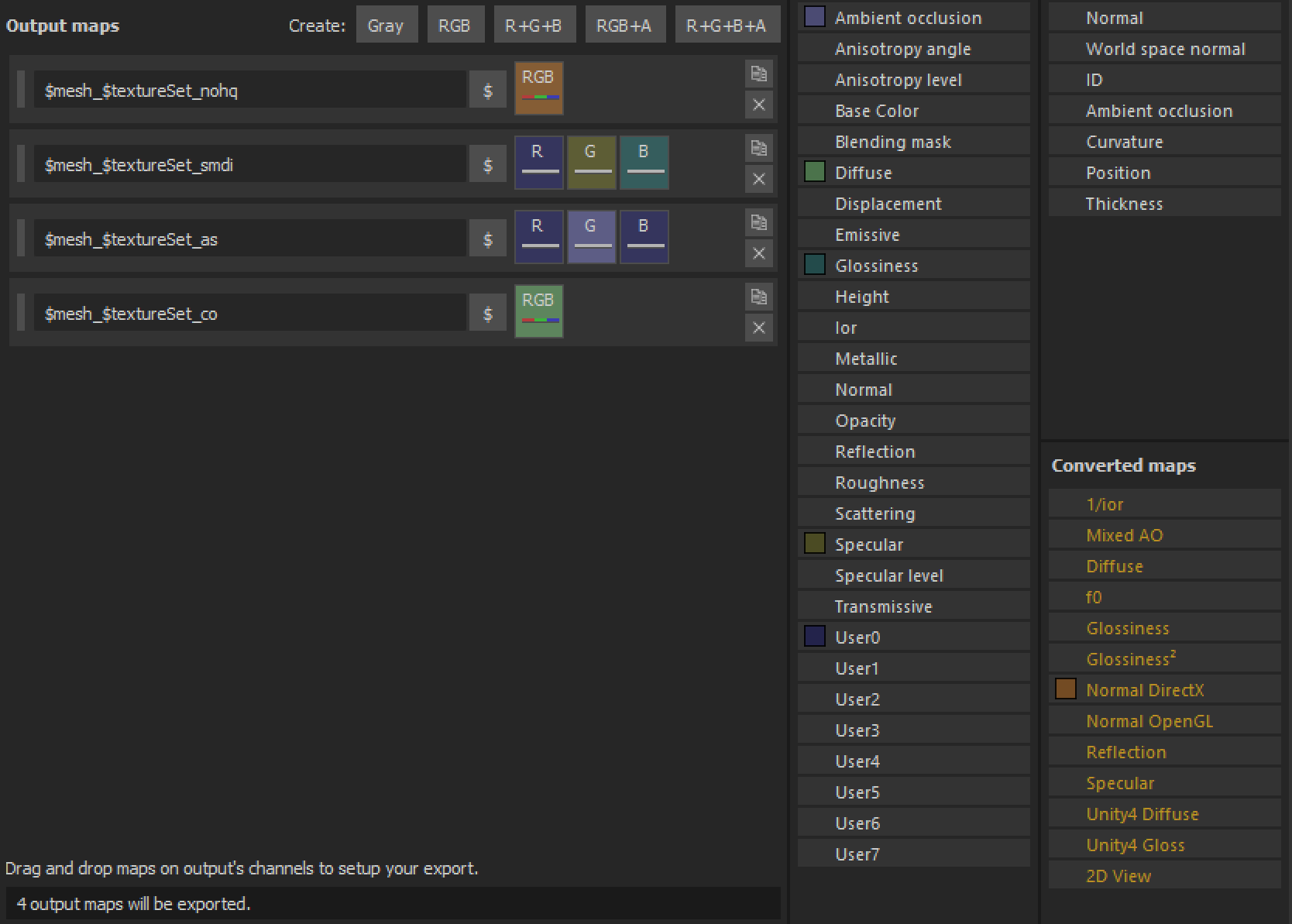


 grand warren
is it tho? 😉
frozen blade
🦆
spark shore
Do I have to apply the texture on the model in blender or can I just ignore it and do it in object builder?
full quarry
you can do it in OB too if you want
spark shore
in case I wanted to apply the textures inside the model, making the exterior ones invisible, what OB command should I use?
if I press W it says reverse, but i'm not sure what it reverses
@full quarry
full quarry
ehhh soz mate, dont have time to go through a OB 101 at the moment.
Basic stuff has been gone through here or modeling channel few times and probs on the BI forums editing section too. You might get lucky with a search
spark shore
yeah I understand
weird that I can't find anything about the controls anywhere
spark shore
seems like its a matter of reversing the normals
not sure if the W that says reverse does the job
spark shore
so its exactly what I need?
spark shore
this is for that sphere thing I was making
I need to see the textures from the inside not the outside
frozen blade
ahh yeah, you need to reverse the faces, yes
spark shore
do I reverse it before or after I apply the texture?
frozen blade
doesn't matter
spark shore
oh ok good, thank you very much
frozen blade
just hoping that sphere is properly unwrapped though
dense peak
Hi, sorry to intrude, I just wanted to know if anyone happens to have a PSD of the diving suit?
spark shore
yup, everything seems to be working texture wise@frozen blade
now I only need to find a way to size it properly, since its either 1 meter big or 10000000 meters bog