#arma3_texture
1 messages · Page 36 of 1
 feral crag
 full quarry
I assume you have all the stages in your supershader rvmat
and you did not just pick some of them
feral crag
yep, i have all to env texture
i have just copied structure from rhs rvmat and kept the proper file links
full quarry
it is possible that when the model is loaded in game its locked to use the shaders it is binarized with
feral crag
yea that would be really unfourtunate(
full quarry
indeed
supershader has been the go-to shader for long time now so it is very rare to see any others used
quite odd choice not to use it
 wet sonnet
rvmat is baked into model during binarization
and left binarized side by side with model for ref
feral crag
oh no, themalmap is down
full quarry
oh that would then explain it
feral crag
by the way, have anyone got burnes challenger mlods? I have seen a mention that some time she was sharing it with community, but lately had removed
full quarry
If they were removed by the author I would think its against her wishes to use them
full quarry
its already shared with your friends
you should take the question to the original author
no one else can you give permission
feral crag
ok may be you are right
we dont have the model anyways
looks like i can edit the existing thermal map of backpacks and stuff on the back of the turret and use it instead of engine heat signature))
 silver gull
for anyone who has a substance subscription or substance source points to spend ...
they recently added a lot of new sickness/imperfection related textures for human (or semi-human) characters. Skin crust, nasty scars etc.
https://source.substance3d.com/assets?recent=true
 twin bane
"Flesh Carbonized" - Fantastic.
 frigid escarp
probably lack of ItemInfo subclass HST definition
 severe rune
!purgeban @dense peak 4d spam, crossposting
 bleak bearBOT
*fires them railguns at @hardy forum* Ò_Ó
 hazy relic
Hey, Is there a tutorial out there for how to make a custom face mod, the code part not the texturing.
severe rune
Look at the values in CfgFaces
I think you want to add one in CfgFaces>>Man_A3
hazy relic
Yeah I just want to hang myself for starting this project to make 1 face into a mod
 crude dragon
I am trying to cut the graffiti from the background but after a couple of hours, can't get it to go on a wall without it. Any tut's rec'd? This has got to be easy but jeezopete!
tried using Gimp, P3d Paint
full quarry
trace selection by hand and paint it over on another layer
I dont think that original is good to use becasue it has the wall texture embedded into the graffitti
crude dragon
In P3d, the program very quickly cuts the image from the background. If I make the background transparent, it still doesn't show the background of the wall I am trying to place on
full quarry
are you using correct suffix for the texture?
also you may need to add a rvmat to it for the transparency to work properly
crude dragon
apparently it needs to saved as a png....then converted to paa,.....still dinkin around with it.
crude dragon
good to know
 fluid oak
Good day. Tell me please how to make a texture _mc.
 nocturne lake
Make a texture. Add alpha transparency depending on where you need to see the background _co underneath or not. That's it
 mellow star
Out of interest, what's the use case for an _mc texture (rather than just applying it to the diffuse)?
fluid oak
I am interested in how to make a texture of this type: https://imgur.com/a/5XDg7FN
nocturne lake
Well it looks like that was baked to a UV set by some other program
but I have no idea what it's supposed to be besides a few green splotches on a heap of UV islands
fluid oak
Thank you, da12thMonkey! Is it possible to replace this type with the one you mentioned above? (And if you can send a visual example for clarity)
nocturne lake
The file you have should be an example of it. Convert it to .tga and check the Alpha channel. You should see a black and white mask that shows which parts of the texture are opaque and which are transparent
fluid oak
Thank you, da12thMonkey!
full quarry
@fluid oak that is the tree "lightmap"
it works a bit different from normal MCA map
for future, it is always best to describe what you are actually doing instead of asking too general questions so you can get help on the specific issue you have
these should help you
fluid oak
Many thanks to you, HorribleGoat. This is exactly what I was looking for.
frigid escarp
is there a way to turn a texture transparent with setObjectTexture sqf command (and procedural textures or otherwise) - or does the model have to be set up in a specific way in the first place (properties/rvmat/etc)?
severe rune
the models stores a "transparent" flag on the face
if that's not set, the engine probably doesn't do alpha calculations
frigid escarp
any downside making a face having the transparent flag even if not used? like performance impact?
severe rune
Well ofc performance impact
Calculating transparency is more expensive than just assuming that every face is opaque
frigid escarp
and how do you set the flag - only by assigning a ca tga with alpha channel?
severe rune
Don't know if you can manually set it
it's set on binarization depending if the texture has alpha
frigid escarp
ok ty
frigid escarp

{ _vehicle _x; { _vehicle setObjectMaterial [_forEachIndex,"A3\Structures_F\Data\Windows\window_set.rvmat"] } forEach (getObjectMaterials _vehicle)} forEach vehicles;
{ _vehicle _x; { _vehicle setObjectTexture [_forEachIndex,"\A3\Structures_F_Mark\VR\Targets\Data\VR_Target_pattern_CA.paa"] } forEach (getObjectTextures _vehicle)} forEach vehicles;``` fading shard
It may be a bit of a stretch but does anyone have or know the Livonia camouflage colours? I've been messing around with a few combinations but can't seem to get them just right
wet sonnet
Well...
fading shard
I assume that is in response to my question, I know the DLC is not out yet but some people may have their own textures going which match the colours.
full quarry
@frigid escarp im curious whats the use of the above setup
frigid escarp
@full quarry do you know the VR versions of a few samples vehicles by BI for garage mode?
full quarry
yes
frigid escarp
@full quarry so basically both for debugging/testing, but also for player understanding and tutorials a damage model portray display
above is just a simple test to make the models somewhat translucent/transparent to see also the inner components (some still to be defined)
full quarry
did you make all the vehicles use CA textures to achieve it?
frigid escarp
seems not necessary with that rvmat
we were surprised, but it does work with this one somehow
full quarry
could be the noZwrite flag
nocturne lake
@fading shard you can try averaging parts of the vehicles that are in daylight in the screenshots (though most are at dusk or behind fog) the front of this offroad https://arma3.com/assets/img/contact/screenshots/arma3_contact_screenshot_10.jpg seems to have a palate like this https://i.imgur.com/mHaxjOp.png but will probably have some variation from the source from the due to .rvmat settings and ambient lighting
I think the green-grey is darker in reality though
fading shard
Thanks mate, that Palate seems to look a bit better than the colours I was able to get off that image
 nocturne oxide
I am loading the JPG on Textureviewer to convert to a PAA it just says error loading, any help?
I am new to retextures.
 grand warren
@nocturne oxide
arma 3 tools ImageToPAA
don't run it via arma 3 tools, run it from the install folder
nocturne oxide
Oh! ok thank you
grand warren
o7
full quarry
also jpg is bad format to transfer textures
it creates bad artifacts
preferably work with TGA
 slow belfry
would anyone be up to, or helping me with porting philippine military pattern to A3?
 dense peak
Hi,
I am workin' on a retexture mod(default arma stuff) and I decide to re-write my configs from config.cpp to multiple header files. I finish some new textures and write the configs, but when I open Virtual Arsenal, I don't see texture nor model.
silver gull
@severe rune @mellow star
idk if you have/had it on your radar already, but when looking at shader twiddling- supershader still cant handle 8bit alpha properly https://feedback.bistudio.com/T85685
full quarry
@dense peak that usually means you have a error in the configs. Have you used addon builder to pack the new addon? Have you set up P drive properly?
severe rune
Receiving shadows or not is in the engine itself, not in the shader
silver gull
hm damn
dense peak
I packed it with pbomanager
full quarry
that would be your issue
pboManager is not for addon building
at most you can pack missions into pbo with it
nothing else
I would suspect your tools setup is not correct either
dense peak
Arma 3 tools?
full quarry
the first 2 links
and if you really want to get stuff to work, use pboProject from Mikeros tools to pack your things
full quarry
@dense peak you dont have them set up the correct way. pls do both links
mellow star
@silver gull Not a fix for all the possible uses but, for the example of track textures, did you try RenderFlags; AddBlend NoZWrite?
 maiden ember
Really not into texturing and i'm scratching my head at this:
Any idea what its causing that
its something to do with the RVMAT
but im not sure what
full quarry
@maiden ember what does your normalmap look like?
does the vehicle have custom vertex normals?
if you apply a flat procedural normalmap to yhe rvmat what does it look like then
a3\data_f\ has a basic supershader.rvmat
nocturne lake
normal maps will do that when they're not properly formatted too. Need to call it _nohq before converting to .paa in those cases
maiden ember
тхис ис мъ нормал мап
custom vertex normals?
aaaah yes
this is my normal map:
hmmm, i didnt know that about the _nohq
im going to give it a try
full quarry
full quarry
good that you do now 😄
 slate totem
Did I see a substance painter shader that's reasonably close to Arma somewhere, or am I losing it?
severe rune
slate totem
Thanks!
 obsidian nimbus
Are some of the jeeps (MB 4WD) supposed to have matte colors?
the syndikat vehicles are appearing to have flat non-reflective colors and I am wondering if it's an issue with using hiddenSelectionsMaterials since I have had trouble with that in the past
obsidian nimbus
yeah turns out I had the hiddenselectionsmaterials pointing to the default materials and that messed it up
I really wish they would fix that
only way I have been able to get it to work consistently is by creating a model with the textures and materials and preload them
but that isn't ideal, because of vram and such
 vivid sentinel
Uhm, anyone have an idea as to how my texture .rvmats got randomly binarized in my data folder?
frigid escarp
@vivid sentinel you can use deRap to make them plain text again
vivid sentinel
Yeah, just weird that it happened
 west aspen
How do i go about retexture the A-164 in arma 3?
frigid escarp
@vivid sentinel maybe interrupted binarization process
 mortal path
do somebody know how creat camouflage net ?
 unique charm
Hello! I was interested in such a question ... is there a difference when creating a mod using one texture library for models or putting textures in the date folder in the root of the pack with the models. Example:
Option 1.
mymode_textures
my model_model
Option 2.
my mode in it is a folder of textures and models
obsidian nimbus
I noticed that the original armed speedboat textures for the independant faction are now a digital camo, when before they used to just be a solid grey, with no camo. I still have the original textures, which are far better to use for retextures since they don't have any camo pattern
So my point is, does anyone need them?
 warm nexus
I'll use them @obsidian nimbus
obsidian nimbus
https://www.dropbox.com/s/v86y9tomzxjoxb2/Boat_Armed_01_INPD_Textures.zip
@warm nexus here they are
warm nexus
Much appreciated
dense peak
Can anyone give me Texture templates for RHS M88 uniforms and SPCS plate carrier
*carriers
 frozen blade
there isn’t such a thing
 versed meadow
Anyone know what could be causing my texture to warp in this certain spot?
I had this issue before when I was putting a 3d model of a car in game and I was able to fix it because I was putting the model in, but this is an arma 3 car so I'm not sure what I should do yet
fading shard
I could be wrong here, but It looks to be the way the texture is mapped to the model I don't think there is anything you can do but adjust it in the texture to look odd so it looks correct in Arma
 dapper spindle
Probably been answered a 1000 times already....but, why are there no hiddenSelections for vanilla suppressors?
full quarry
theyre proxies.
oh but yeah possibly you could make new classes with differnt textures
but likley beacuse there has been no need
dapper spindle
Thanks. ^^ the main reason i ask is, the Contact weapons/attachments that have been added to dev branch are nice, but the suppressors have no "Old" variants whereas the optics do. 🙁
 foggy torrent
@full quarry he won't be able to do it without source files
full quarry
yeah I meant if there were hiddenselections it would be possible
severe rune
oh but yeah possibly you could make new classes with differnt textures
🤔 I once made 3 color variant suppressor. I used 3 different p3d's, don't remember why
I probably didn't even try hiddenSelections
foggy torrent
accessories are proxies and hiddenSelections are not working on them
each camo variant of scope is separate p3d
dapper spindle
If that's the case then, any plans to introduce an "Old" variant for suppressors? The default black variant looks to "clean" when attached to the Mk14's, really spoils the overall look.
@severe rune Any more info on how it's possible to create a new colour variant for a suppressor without hiddenSelections?
severe rune
Well, Make the suppressor model yourself ^^
dapper spindle
Ah i see. nuff said.
grand warren
well, ded is not wrong tho...
a suppressor is one of the most basic and easiest geometrical forms to do in any 3d software, so the perfect object to start modeling with
wet sonnet

severe rune

Dedmen Miller
Modelled after the first iteration of the OSS suppressor for the H&K G28E.
 distant rose
reyhardToday at 12:21
accessories are proxies and hiddenSelections are not working on them
would that be a difficult thing to implement on your side @foggy torrent ? i can think of a few use cases where retexturing proxies would be beneficial rather than creating more unique p3ds
foggy torrent
@distant rose It's rather quite complex task to execute properly
severe rune
Need to hire a programmer for it? 😏
distant rose
yeah i'd imagine some sort of nested arrays to configure and target them e.g. hiddenSelectionsProxy[] = {{"proxy1","selection", "texture" }, {"proxy1", "selection", "texture"},{"proxy2", "selection", "texture"}}
and the same with hiddenSelectionsProxyMaterials 😄
also more steps to potentially go wrong, but for people modding mods it could be useful i guess.
full quarry
didnt some proxies on vehicles take new textures if they are set up in the cfgNonAIvehicles or somesuch? and wrecks had something to do with that too?
foggy torrent
well, yeah, but that's completely different thing
versed meadow
@fading shard Nah I'm pretty sure you're right, thanks
 somber pier
Hoping BI actually rectifies all these texture proxy issues etc with Enfusion
full quarry
Its not really an issue since they work as intended
it is an inconvinience for modding though
somber pier
Then why not just make a system that doesnt inconvenient anyone?
They're in the middle of making a brand new engine, they could at least make an even more streamlined and efficient system.
severe rune
I think to remember that in Enfusion you can basically setObjectTexture per triangle
You can do lots of stuff already which will make things like this alot easier
foggy torrent
@full quarry well, I wouldn't say it's working as intended since it's adding extra p3ds to maintain
I really hope there won't be any issue with i.e. MK17 holo sight in future because right now I would have to update 6 p3ds with just different camos
severe rune
You can script that can't you? Use one p3d base, and just let a script copy it with different texture paths
severe rune
Man it would be nice if we had a standardised build pipeline with scripting included.
"Copy this p3d file to here and execute this O2Script with these arguments on it"
"Then pack that into the pbo into that folder"
🤤
full quarry
@lusty trellis #creators_recruiting. Also uniforms rarely are the easiest to make.
 primal spade
am i good to ask how do i make ti maps in here?
full quarry
It was discussed quite recently so you should be able to find the links that were thrown around with the channel historu search! @primal spade
primal spade
found the stuff and it is nothing I don't know already. My issue is that even using
{
    texture="#(argb,8,8,3)color(1,0,0,0,TI)";
};```
the model comes up something like it is 50% heated@full quarry
hold on i think i see what is wrong
full quarry
what model type is it?
TI works only on men and vehicles and tempretature values have to be set in model.cfg
full quarry
does your texture have alpha layer present
thats whats used on people I think
your 1,0,0,0 color would be transparent red
soo it would not have heat at all?
except in the sun
primal spade
then what should it be set as? 1,1,0,0?
primal spade
to get the left to be as bright as the right (dm)
full quarry
probably you need to set up the alpha channel right for the texture
have you tried 1,1,1,1
primal spade
let me try
full quarry
does it use any bare skin texture/material from the Arma3 man
full quarry
well you will need to paint it a proper TI texture
the procedural one wont be very good
primal spade
not too worried about that atm
full quarry
scope is pretty much textured just like any other model
dont think anyone made a how to texture a scope tutorial
 cyan cloak
but is there something special i have to do to the optic part? or is that handled in Object Builder?
i.e. make it transparent
full quarry
the sample scope should be useful to see how thats set up
 odd crane
does texture size have a huge impact on performance? Would it really matter if I had a 1024x1024 texture instead of a 2048x2048?
 errant palm
Nope
2k is standard for most vanilla assets
Just depends on how many textures are being loaded all at the same time
maiden ember
hey lads. Any of you use substance painter? If so can you share an export preset?
errant palm
@maiden ember hold on, starting it up now
silver gull
@odd crane well depends. The most significant difference is that the texture takes ~4x the space on HDD and inside GPU memory when loaded. For one texture it doesnt matter. For 100 textures it does start to matter.
and when everyone thinks "ah its just this one texture, i'll double resolution even if i dont absolutely need it" - things get noticeable - esp. if your gpu has not so much vram
odd crane
Thanks for the advice. I'll upsize it to 2048x2048 since either way I still have to include this texture.
silver gull
remember that rectangular size is also possible (e.g. 1024x2048) and when 1k is not enough but 2k too much its a good middle ground - although slightly less "comfortable" to scale to 1k/2k respectively
odd crane
I'm working on a ship, 2048x2048 is never too big lol
mellow star
has anybody ever experimented with uvSource values; pos, norm, worldPos, worldNorm
and/or uvTransform properties which might make a texture repeat (rather than stretch)?
BIKI (on uvTransform) "Offset, deformation or repeating of texture in given UV set."
full quarry
Texture can repeat only if it is tiling texture
Uv transforms 2 first params control x y scale of the texture
Not sure if the pod, norm, worldpos work on objects
I think they don't but that's just vague memory
Multimaterial often uses divverent uvtransorm scales
mellow star
k, thanks, will look for a multimat example
DT textures repeat without any specific uvT values?
full quarry
Well depends how you've set up the uvset that stage uses
If you use the normal 1 tile layout then you won't really see any tiling unless you scale the tiling texture to repeat more
silver gull
everything can use uv transform, it just wont look good in most cases...
for detail and macro map it can be used on supershader with tiling noise /dirt texture
mellow star
so if i wanted a tex to tile 10 times in each direction (over the whole UV) i'd do something like Aside[] = {0.1,0,0}; Up[] = {0,0.1,0};
dense peak
Can someone do me a quick favor
I need someone to convert a PNG to PAA
Texviewr and ImagetoPAA aren’t working for me
dense peak
Idk someone just told me to put it in texviewer then save it
full quarry
then you get help later. 😛
it does smell like youre not really doing stuff right here
whats the purpose of the texture?
full quarry
I dont need it
dense peak
Been at it for 3 days now and I’m getting frustrated
full quarry
what you need is to make it correct resolution
and
for a badge
you use low resolution textures
full quarry
arma works in power of 2 textures
so 512x512, 1024x1024
and so on
up to 4k textures
but you dont put a 4k texture on a badge
thats just stupid
dense peak
It is from off the internet so
Here is my issue
the .paa isn't working I'm pretty sure
It doesn'tshow the patch in game but the name s there...
No errors just the image isn't there
full quarry
its from the internet so you edit it to fit the requirements
dense peak
In Texviewer correct?
dense peak
Like everything but the image shows up in game.
full quarry
well what resolution is your image?
dense peak
Figured it out
distant rose
ah because there was a thing regarding squad/xml/units that the logo was displayed for other clients but not the one using it at one point
 sudden forge
This will also help you @dense peak
I've been doing my own tetxures and these two links have been a life saver
full quarry
@sudden forge parallax map does not apply to anything else but terrain textures
 dawn tree
How is the resulting marker color calculated?
Is there an article somewhere?
I see that we have:
[r, g, b, a] color in the .paa file
then in the cfgMarkers class we have: color[] = {0,0,0,1}; or a different one
then I can also set the marker color through editor or setMarkerColor
How do I know what I get in the end?
( I hope it's even the right channel 🤷 )
full quarry
I think mostly the markers should be made as white/greyscale so that the cfgMarker color applies
dawn tree
Yeah I think so too
1/2 of the mystery is gone: if "default" color is selected in the editor for a marker, it sets the color from the config, it seems.
And the resulting color, I guess, is the multiplication of the color of the pixel in the texture and what I set the color to through setMarkerColor, for each channel (r, g, b, a)
dense peak
Anyone got a good helmet template?
full quarry
All of the helmets are different. you could check out the community template thread on BI forums
dense peak
Hey guys, im new here but was directed here by a friend. Does anybody know how to export uvs from object builder to the power of two, 2048 x 2048 for example as currently they are exporting as weird resolutions . Thanks in advance ❤
full quarry
I would suggest using some better program to handle uvs tha Object Builder
what kind of weird resolutions are you getting?
nocturne lake
Used to be easy, but for some reason the additional UV export settings disappeared from Object Builder
Could try making a plain texture file in the dimensions you want, create simple cube in OB (Create\Box from the toolbar) and apply this texture file to both the mesh you want the UVs for, and the cube. Then filter by that texture in the UV editor and export.
The cube should be automatically unwrapped to the full UV space and thus provide a boundary for the full 2048*2048 image
 bitter linden
Trying to get a plain texture of the AAF vehicle camo pattern
Though not positive if there's one already out there
 pale bough
you mean the camouflage itself?
bitter linden
yeah
pale bough
boy have I got news for you
bitter linden
just the plain pattern
pale bough
bitter linden
heyyy
been crawling through google and the forums for a bit, but hadn't had any luck yet
thanks
pale bough
made it myself a while back and stuck it in the facepunch camo thread
bitter linden
ah, rip
 opaque chasm
Anyone know of a good resource for figuring out RVMATs? I've modified the "default" RVMAT to point to the new maps, but Bulldozer gives me a "cannot load texture \crye_jpc\data\crye_jpc_nohq.paa" error. The maps are .paa and converted from a png, made with substancepainter.
full quarry
possibly your tools setup is faulty and buldozer cant see the files
do the paa files open in texview2
how have you assigned them on the model?
opaque chasm
Yeah, they open in Texview2, and i'm assiging them with the face properties menu under the material option
not sure if that's the right way to do it though, still new with Objectbuilder - and Arma also doesn't see the material files when i package it all into a PBO
full quarry
it should be yes
if you open the mass material rename tool from the top bar tools menu are the lines there red or black
have you set up your P: drive with mikeros Arma3P?
and are you packing with PboProject form Mikero toolset?
or Addonn Builder
Or hopefully not PBOManager
opaque chasm
Lines are red - i've got a P drive, but haven't installed any of Mikero's stuff yet, just using addon builder.
full quarry
I would suggeset you run tools setup again according to PMC wiki tools and P Drive setup guide. The setup from Arma Tools is unfortunately often broken
opaque chasm
cool, thanks, i'll give it a go!
full quarry
the first 2 links
opaque chasm
Thanks for the help, that sorted it!
full quarry
👍
 sly eagle
Hi everyone. I'm new here. Does anyone have a clear guide on how to get good results with smdi maps? The more I tweak, the more confused I become. I've also found conflicting information about them so I'm hoping someone here can give me straight forward answers.
silver gull
conflicting information? then look here https://community.bistudio.com/wiki/RVMAT_basics
if you found a "to make gloss map, use specular map but inverted" advise -> that is bullshit
 agile hazel
Good morning lads,is there way how to access backpack skins from dev branch?
I went thru weapons_f where backpacks normally are but contact backpacks ain't in it
full quarry
No the new textures are not yet accessible.
foggy torrent
- since at least apex backpacks are in supplies_f_x addons
 arctic geyser
kind of a random place to put this
but hopefully people here have experience with BankREv
I'm trying to retexture the map prop texture to add some markers but I can't extract default arma PBOs
Failed to convert 1 file(s)```yea you cant do that
arctic geyser
hang on
it did work
it put them in the default directory
even when i specified one
ahahaha all the buoy textures are mine
full quarry
you cant retexture the p3d though
arctic geyser
no but it supports custom textures
but i want the original one
oh wait it will say the path wont it
in the object properties
full quarry
explain from the top please, what is it you are trying to do
arctic geyser
it's worked now
extract the default texture (the part changeable in the object properties) from the whtieboard map object, then change it to add a marker
i could do the retexture from another map but i want the texture which is on the whiteboard by default
 slim elbow
Has anyone else seen this geometry glitch and if so does anyone know a fix for it? https://gyazo.com/076c8a5257b597ac47333574d9533132
full quarry
If its is in vanilla unifrom then it cant be fixed by anyone else but BI
slim elbow
Its a Vanilla model, but I see it on all BIS models currently and I dont remember seeing it before, only reason why I asked
slim elbow
I'm opted into the development build so it might be that. But thanks for the answers @full quarry
full quarry
could be indeed!
Im on stable build so can you drop an example unit its clearly visible on? I might take a look later
arctic geyser
i think it's basically just a low poly artefact
which means that the lighting goes a bit weird
not smooth
wet sonnet
model name
distant rose
B_competitor_F, says in the image above @wet sonnet
wet sonnet
I don't see any hardedge in model
full quarry
thats what it looks like in the picture ¯_(ツ)_/¯
nocturne lake
Not some hard edge artefact in the _as bake?
distant rose
hm i just checked them all in editor, seem fine, also the image doesn't appear to be a camo used in the game, vanilla or with all dlc's, enoch included. so i guess some mod content
foggy torrent
I'm pretty sure that's just HBAO artifact when you set it to "Strong"
distant rose
interesting, might be with a specific combo of vid settings then, i just flipped my settings to hbao+strong and no difference
pale bough
you running any mods bacon?
 mellow zinc
Is there a way to disable mipmapping on a specific object?
Currently have a large model (split into multiple p3d) and the mipmapping is making the textures "flow"
severe rune
might be a bad move, but you can strip mipmaps from the paa file 😄 (not that easy tho)
If the game can't load anything but the 4k texture, then maybe it simply wont
mellow zinc
Ignore the terrible..terrible...TERRIBLE texture but this shows what im seeing
see how it flickers?
severe rune
that texture looks very low res already, and I barely see flicker
full quarry
cant really be helped. Its just how the engine works
its not exactly meant for huge structures
Altough I dont think I've seen texture changes that big
have you tested it ingame instead of the editor?
editor does not work the same as player view in game
mellow zinc
Ill test that next
And its not really huge, its 80m segments
Its actually 10p3ds that spawn
well thats interesting...
Its like the texture suddenly goes giant
mellow zinc
HorribleGoat was correct about the rvmat
mellow zinc
Alright getting to the root of the issue.
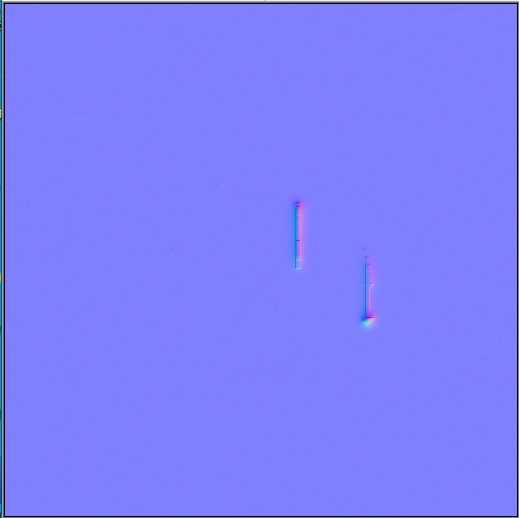
It appears that my mask is causing the multimaterial to flicker basically.
This is what my mask looks like
Anyone have a simular issue where a masked sections flickers like in my examples above?
slim elbow
@full quarry First sorry I was at work the last two days, second I opted out of the dev build and it fixed the issue, so I don't know what happened but it may just be a weird glitch. Take a look https://gyazo.com/64bb9ccd78b264bbd2c1412caee640ac This is just my opinion, but it looked like the nohq wasn't being applied so the hard edges of the model were visible, but I don't know why that would happen
full quarry
@mellow zinc what's the white part in the mask? Also might be good to get a bit more distinctive colors on it.
@slim elbow got to be something funky in the dev branch build. Let's notify @wet sonnet too.
wet sonnet
@foggy torrent
severe rune
Not the first time we hear about hard edges showing up 🤔
foggy torrent
@slim elbow are you using hiddenSelectionMaterials?
maiden ember
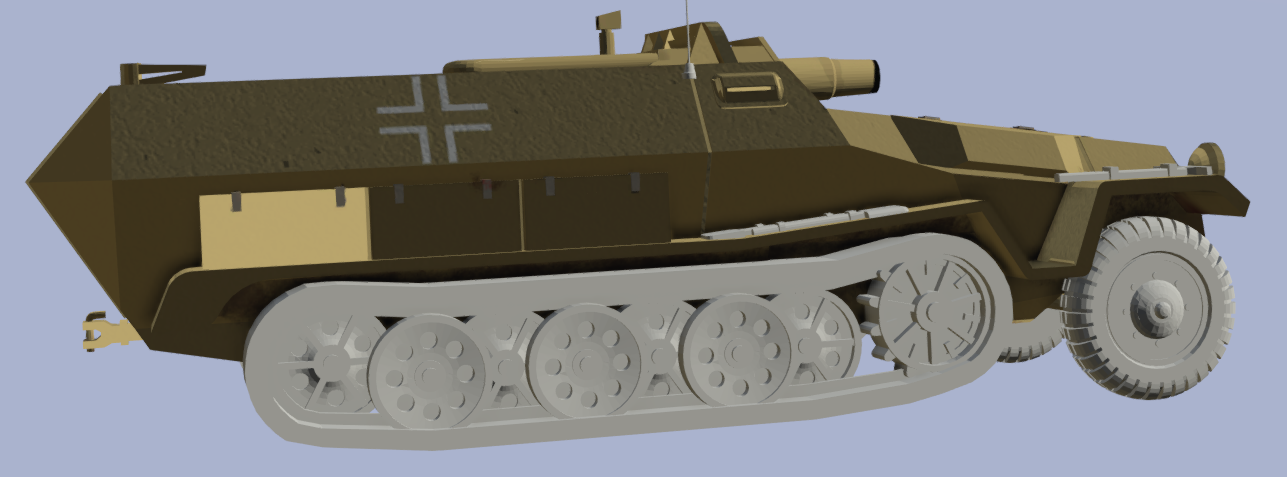
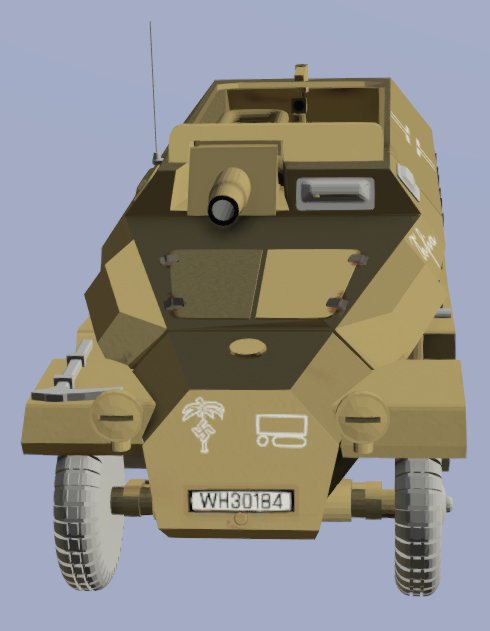
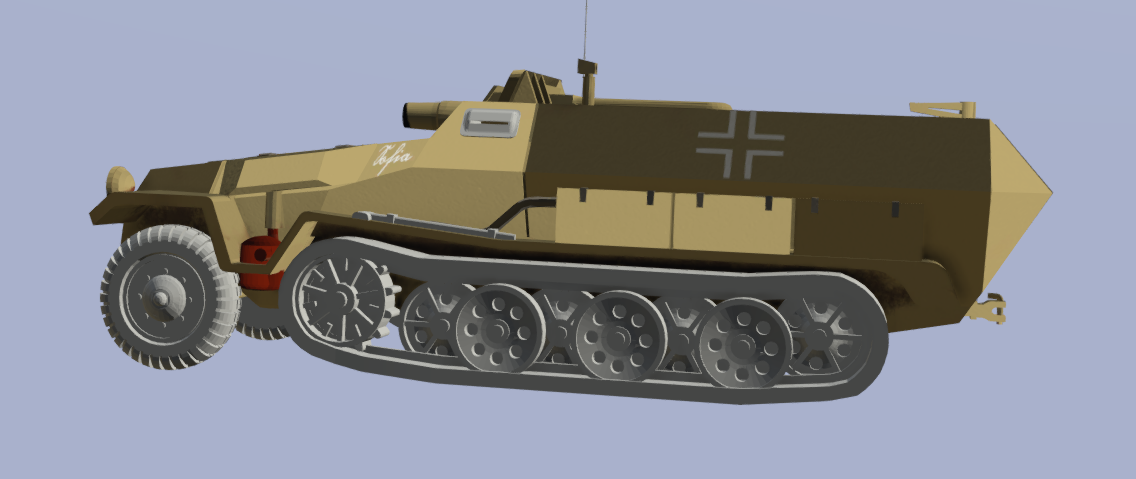
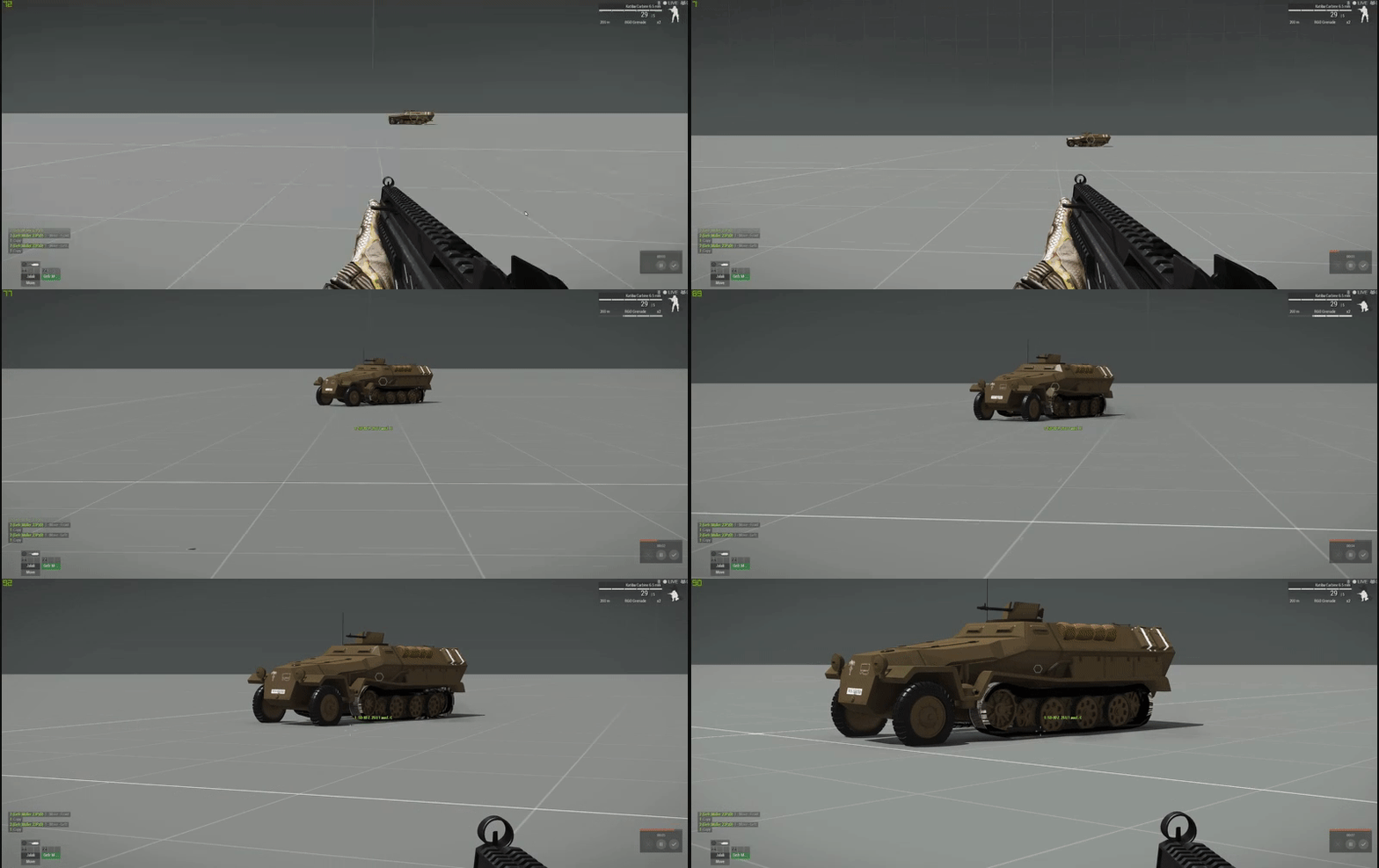
I'm doing the retexturability on my vehicle, I made all my camo_ selections and defined it, created the texture sources and everything but when i go in game the 2 options are there, but the texture doesnt change
        {
            class desert
            {
                displayName = "DAK";
                author = "23rd Panzer Division";
                textures[] =
                {
                    "\data\textures\hull\hull inftrack_sdkfz_251_1_c_hull_co.paa",
                    "\data\textures\drivetrain\tyre\sdk_251_9_c_texturing_wheell_co.paa",
                    "\data\textures\drivetrain\frontwheel\SDK_251_9_c_texturing_wheel_front_track_co.paa",
                    "\data\textures\drivetrain\backwheel\SDK_251_9_c_texturing_wheel_back_track_co.paa",
                    "\data\textures\drivetrain\sproketwheel\SDK_251_9_c_texturing_wheel_Sproket_co.paa",
                    "\data\textures\misc\shield\gunshield_sdkfz_251_1_c_mg34_shield_co.paa",
                    "\data\textures\misc\zelt\pbr - metallic roughness_zeltbahn_med(1)_co.paa",
                    "\data\textures\misc\tarp\pbr - metallic roughness_tarp_big(2)_co.paa",
                    "\data\textures\misc\antena\sdk_251_9_c_texturing_antena_co.paa",
                    "\data\textures\misc\doorhandels\SDK_251_9_c_texturing_doorhandles_co.paa",
                    "\data\textures\misc\jerry\pbr - metallic roughness_jerry_can(2)_co.paa"

                };
                factions[] = {"PZD23_vehicles_01_blue"};
            };
            {
                displayName = "Standart";
                author = "23rd Panzer Division";
                textures[] =
                {
                    "\data\textures\standart\Hull\PBR - Metallic Roughness_SDKFZ_251_1_C_hull(2)_co.paa",
                    "\data\textures\standart\WheelNormal\FrontWheel_SDK_251_9_c_texturing_wheell_co.paa",
                    "\data\textures\standart\WheelSprocketFront\WheelFrontSprocket_SDK_251_9_c_texturing_wheel_front_track(1)_co.paa",
                    "\data\textures\standart\WheelSprocketBack\WheelBackSprocket_SDK_251_9_c_texturing_wheel_back_track(2)_co.paa",
                    "\data\textures\standart\WheelSprocket\WheelSprocket_SDK_251_9_c_texturing_wheel_Sproket(2)_co.paa",
                    "\data\textures\standart\MGShield\PBR - Metallic Roughness_SDKFZ_251_1_C_MG34_shield(1)_co.paa",
                    "\data\textures\misc\zelt\pbr - metallic roughness_zeltbahn_med(1)_co.paa",
                    "\data\textures\standart\TarpGray\tarp_Tarp_Big(2)_co.paa",
                    "\data\textures\standart\Antenna\PBR - Metallic Roughness_SDK_251_9_c_texturing_antena(1)_co.paa",
                    "\data\textures\standart\DoorHandle\PBR - Metallic Roughness_SDK_251_9_c_texturing_doorhandles(2)_co.paa",
                    "\data\textures\standart\FuelCan\jerrycan_Jerry_Can(2)_co.paa"
                };
                factions[] = {"PZD23_vehicles_01_blue"};
            };
        {
            "desert",1,
            "standart",1
};```any ideas why it can be happening?
nocturne lake
do you have the eventhandler for it?
nocturne lake
Needs this sort of thing class Eventhandlers { class BIS_Randomisation { init = "if (local (_this select 0)) then {[(_this select 0), """", [], false] call bis_fnc_initVehicle;}"; }; };
maiden ember
i presume this is for spawning the vehicle
but also when i try o change the skin in the arsenal, nothing changes
will this also fix that?
maiden ember
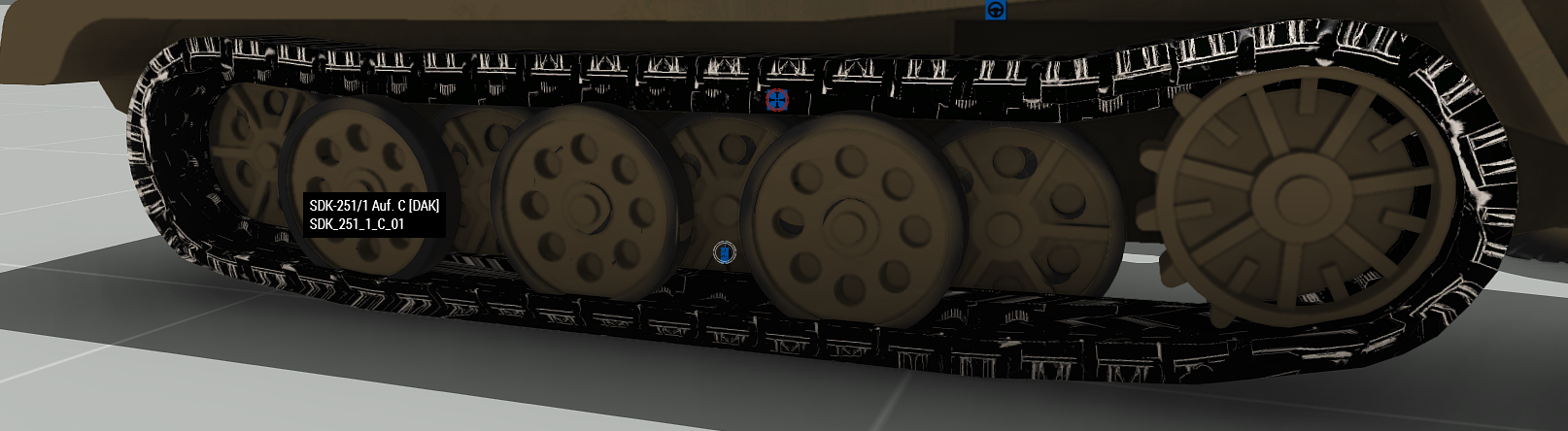
also um, i have a wierd thing with the track which i have no clue what it is
only happends when its moving
stationary is ok
nocturne lake
that looks like the UVs aren't animating in the correct direction
mellow zinc
While using Multimaterials anything masked Blue or Red appears to have some mipmapping freakout, or just issues in general.
Notice the darker texture in this.
Any ideas on what could be causing this/how to fix?
I was experimenting with the idea of just removing the mipmap data but have had no luck so far
distant rose
how many visual lods in the model?
it could be getting mipped so much because of a lack of lods, the lod cull is more aggressive since apex iirc
distant rose
what does the mask look like for that piece?
i played your thing ^ back going frame by frame and there is something odd going on, but its pretty low res so cant make it out too good with everything being greys and blacks
mellow zinc
@distant rose Sorry for the delay, been doing more tests.
Mask used to look like this https://gyazo.com/f11ffdb838394e98850ae1dfa6d37e06
Then I tried doing hard RGB colors, Like sections of pure blue, pure red, pure green.
I still had the problems of flickering.
Now it looks like this.
https://gyazo.com/0b5a4eb2035d1c4a10454993a0ac5a82
So the mask seems to be problem, you have to really...make it a mess for it to work properly. With the final mask above this is ingame results https://gyazo.com/30004d38b85c9197dfcf706ea80f22bc
distant rose
why is there yellow in the mask?, usually RGB+Black
mellow zinc
Ask BIS that one. I looked at all their masks and tried to replicate
distant rose
what mask did ya look at? so were on the same page
distant rose
oh wow one is a piece of art
mellow zinc
XD
Yeah looks like you give a kid water paint and a barrel of sugar. But these are the results that stopped the insane flickering i was having
distant rose
thats the only mask in there that is like that, the yellows and greens are probably far away enough from the blue range that they will both use the green map
and all the input mask textures are very similar
mellow zinc
not sure, but im pretty happy with these results
distant rose
well if its working, stick to the picasso 😄
mellow zinc
Just weird howdoing Hard RGB resulted in phasing floor
distant rose
yeah very odd,. maybe a Biminion could enlighten us tomorrow if they see this
mellow zinc
I figured it may be a size thing, but im in 80m segments which appears to go with the USS freedom p3d sizes
distant rose
yeah it might be, i made large structures before but never saw that happen
full quarry
The colors can mix and MM blends the textures together
@mellow zinc what resolution texture are you using on it?
dense peak
Is there a good image of M10 camo anywhere in the fucking world
I can't find it and I need it
(M10 camo is the serbian one, digital)
grand warren
... language ...
dense peak
I've tried to make a 10241024 texture by cutting 128128 pieces of RHS M10 uniform and can't make it, and when I use IRL images they don't fit with RHS vests
mellow zinc
@full quarry 2048
mellow zinc
For a Multimaterial, does it have to be a DTSMDI or will a normal SMDI suffice?
 burnt sphinx
If someone is willing to teach on how to create textures and how to get started and improve over time, I will pay money.
Dm if interested
grand warren
there is nobody who will take you by the hand like a kid and teaches you stuff bit by bit... it's all about reading, trial and error.
- what are textures and what components do they have? --> google
- what software do i need? --> depends on what i wanna do --> google
- how do i use the software? --> software manual and --> google
- how do i get the texture ingame? --> google and the PMC wiki
- i failed at using google --> question your entitlement of existence
maiden ember
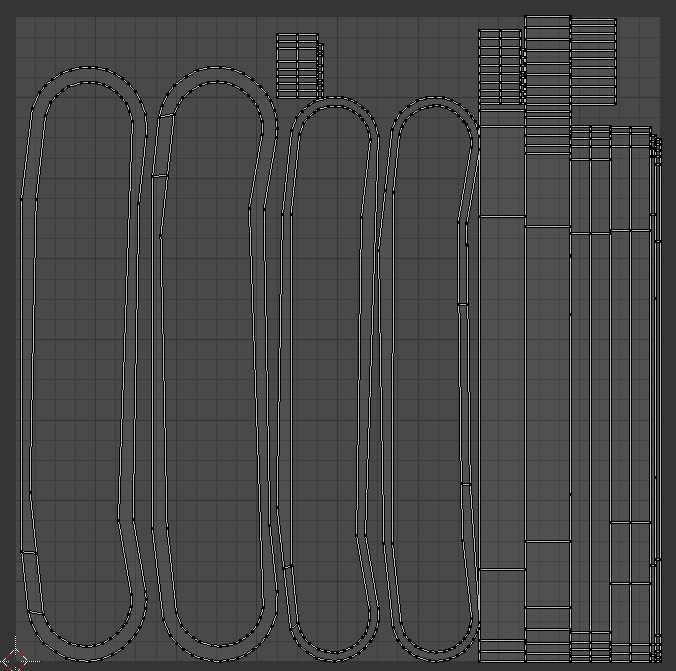
any ideas on fixing this, i coudnt find anything online about this
i know that the UV map is rotating the wrong way, but tahts about it
foggy torrent
@maiden ember that's how uvmpas for tracks should look like
tracks need to be in separate texture - you cannot have it on same sheet as i.e. hull
maiden ember
yeah they are seperated
this is how my tracks UV map lock like
well, they seem to be running down the track lenght
is it because i have the sides in there sawell?
foggy torrent
yes
track uv anim is going from only vertically
and that's how tracks texture should look like
maiden ember
so i need to seperate the sides and the top of the track into diferent UV maps
foggy torrent
it should seamless so pattern can naturally repeat when moving up/down
no, you need to project those sides differently
so side of the track is one straight line
slim elbow
@foggy torrent for the models I saw it on yes, it wasn't limited to to the project I was currently working on but it was also in the other mods where I hadn't seen the issue before
nocturne lake
@fading shard I updated the LDF vehicle colour palate. https://i.imgur.com/5dhxTAB.png This time I sampled by projecting the offroad texture directly to a dialog, rather than using screenshots from the Contact website where all the lighting and .rvmat effects are in play
 fading shard
Oh sweet thanks mate!, I need to get back to that texture
I've been doing the C-130H for Unsung
fading shard
@nocturne lake I would put up some pictures of where I'm at but I don't have perms
distant rose
make an account on imgur, upload ya pics there, and you can share the url then
nocturne lake
Redrawing all the panels and riveting? Fun!😄
 trail venture
I'm planning to make a few retextures of some of the Arma 3 clothes... I'm want to create new items from them so not just "overwrite" the existing ones... are there any good guides/docummentations on this ?
the texturing itself isnt a problem just getting it into the game and runnning
nevermind just found out 😄
full quarry
Legit retexture can be done only via config and if object supports hidden selections.
Overwritten assets can't be shared and its quite bad way to do it to begin with.
Retexture things won't work as terrain objects though. - - ah you said clothes. Those should usually be retextureable yes.
Just so you are aware @trail venture
trail venture
are there any good libaries with seemless or high res camoflage patterns ?
 cobalt vessel
how do i return the texture of an object that doesn't have any texture in it's config?
full quarry
@cobalt vessel getObjectTexture if the object supports hidden selections if it doesn't then you need mikeros eliteness to look into the p3d
severe rune
Let's play with the theoretical idea of making a Arma mod, that live-reloads a texture from a psd file.
You press CTRL+S in photoshop, or export a psd or png or whatever from substance painter, and the texture ingame automatically updates on next render cycle.
Would that be something people would drool about?
I guess a substance painter live-link might also be possible (like substance and UE4) but I haven't seen the internals of that stuff
Or just a scripted "replace this texture (internal filepath to paa) with a texture that you can find at this path on disk" allowing you to replace any texture, at any time, with whatever you want.
Would do that with an extension that grabs into the renderer and just force replaces textures
full quarry
Well filepatching almost does that already and is indeed super useful for testin out textures and rvmats.
Perhaps it's not as useful for retexture stuff though.
severe rune
what do you need for filePatching? restart the mission?
wet sonnet
For textures?
Nothing, they get instantly reloaded and rvmats too
Game just need to be in focus
pale bough
Heck yeah I'd love a live-reloading thing
I make reskins quite frequently and that would be an incredible time saver
wet sonnet
@pale bough but it already works like that if you have diag exe and filepatching
 vagrant lake
Is there any documentation how to do that ? Would be very useful
pale bough
Okay, how does one set up the diag exe and filepatching then?
severe rune
Ah okey if live reloading already works then no work for me 😄
pale bough
I mean, a live reloading mechanic that isn't so vague and works on the regular branch of arma would be nice
nocturne lake
IIRC all the filepatching stuff was taken out of the main branch because it's very easy for cheaters to exploit
severe rune
nope
Only change was to disable it by default
everything that worked before still works
severe rune
they are dev branch only
frigid escarp
diag.exe only (in dev branch)
 white cargo
does _mc work on decals?
white cargo
haven't gotten that far yet, just checking if anyone here knows
 pseudo hearth
Hello !
I go some .rvmat which contains paa files, the path to the paa file must be complete like :
myMission/rvmats/test.paa
or can I go rvmats/test.paa ?
full quarry
@errant latch the decal wizard might
pseudo hearth
Are rvmats preprocessed?
severe rune
tghey are configs. So.. they should be.
Never tried tho
pseudo hearth
Because I got rvmats, and it appears that I have to use full root path for poiting PAA in mission folder
so maybe I could have used preprocess commands to get the mission path
silver gull
also tried it (trying to set up some time savers for tweaking all rvmats of similar settings) but it didnt really work - idk if i was a dum dum or its just not working correctly
*long time ago
severe rune
might depend on the tool
for example armake didn't, armake++ does
If you have a good toolchain you can always manually run preproc before packing
pseudo hearth
@silver gull ok thanks for telling
odd crane
Would anyone know why a normal map would be correct on one model and inverted on another model, assuming the normal map is correct.
pale bough
is the smoothing or something maybe fucked up?
odd crane
no, but I figured it out. I'm using multi material shader and it looks like the uvs in one channel somehow got flipped
Yup, I screwed up. But I figured it out.
full quarry
👌 👍
 placid thicket
Is this MM for your very nice warship
slim elbow
Hey guys I was wondering if anyone could take a look at something for me, I'm currently working on a retexture for a group that wanted dress uniforms, they decided that they wanted to use the CUP officer and policeman cap for the uniform. I have created the proper dependencies, but I am having an issue with the model of the policeman cap. I get no issues when I pack it with pboProject, but when I get it in game I get this error-- https://gyazo.com/0064b7c342f45b1d339fb8b2db5d7b94 -- If someone could take a look at my config and see if there is an error I have made. I would be very grateful. -- https://pastebin.com/e7pJL7dv --
full quarry
@slim elbow you have likely unpacked cup data wrongly on the p drive
If you compare to the original cup model path is it the same?
slim elbow
I just copied right from the CUP units so it should be the same but ill check
full quarry
are you running cup when you test it?
slim elbow
Yes I am, So maybe its a problem with how I'm extracting the cup data? I'm using mikero to extract right into my P drive, so the file is placed directly into my P drive. Is this a incorrect work flow?
full quarry
that should be correct way yeah
slim elbow
I thought I had an error in my path that I noticed. But I still get the same results when in game its throwing a 'cannot read p3d file'
 carmine flame
@slim elbow are you double clicking the file? as that will extract as pboName/then/correct/path try using extractpbo "path\to\mod" P:\ in command prompt
that filepath doesn't look right at all cup_creatures_people_civil_chernarus\CUP\Creatures\People\Civil\CUP_Creatures_People_Civil_Chernarus
Pretty sure it should be cup\ at the start, an you have extracted with pboname first
slim elbow
@carmine flame You were right, I needed to get rid of the first bit, it'll load the model now but not the texture, Ill keep working on it and thank you the help
carmine flame
Glad I could help, I clicked in here by mistake 😄
 limber basalt
So what is the consensus on 4k textures/mipmapping? I read a few posts that said it was fixed awhile ago but I cant find any reference of such a change in any changelogs
Ideally i'd like to give a 4k texture a go and would like to see where this change was introduced
nocturne lake
They still only show at 4K on ultra texture settings. Very High shows the 2k mip which is worse quality than native 2k
Only real change was that they don’t mip to really low 512 or whatever it was, straight away. But still remains that they do mip lower when VRAM is full, and don’t mip back up
limber basalt
Hmmm, might aswell stay to 2048 then
severe rune
"Very High shows the 2k mip which is worse quality than native 2k" unless you make the 2k mipmap manually instead of auto generated one.
Sadly there are no tools for that and I don't find the time to finish mine ._.
limber basalt
follow up question, how would a 2x1 uv mip down? If I have a 4096 x2048 should I worry about a harsh mipmap? Somewhere inbetween?
full quarry
have no exact data but since theres 4k component Id wager it will have same "issues" with lower quality settings
nocturne lake
I used 4096*2048 on one of my models and it behaves the same way as 4096^4096 with regard to mip levels
i.e. Very High texture settings shows the 2048*1024
 sly sigil
Afternoon gents, apologise if this question has been asked, i'm not a frequent flyer within this discord. Is there anyway to access the GM uniforms for retexture?
sly sigil
Thank you for the direction!
 meager meadow
I was wondering if anyone has a template for the rear cab of the new offroad already?
 fading thorn
What is the command to get the texture of the vehicle you are looking at?
I recall it uses getobjectTexture and cursorTarget but can't remember the exact command
severe rune
getObjectTexture_s_ and cursorTarget are already two commands
there is no single command to get the texture of the vehicle you are looking at
Here's a script to do it getObjectTextures cursorTarget
meager meadow
Does that give the file path?
 errant willow
Hey I have an image converting question that I am hopeful someone can answer. A friend and I are working on custom images. Our PNG of the image is 8MB and when we convert it to a PAA, it drops it down to 130KB. Other, smaller, PAAs we have converted have grown in file size - a 310KB PNG went up to a 586KB PAA. Any advice or suggestions on how to fix this issue? The massive compression is making the image quality very poor and destroying some of the detail we put in it
full quarry
Use TGA as transfer format and use the correct file name suffix policy before converting to PAA
errant willow
What would that be?
full quarry
On mobile so you will have to Google that.
 cunning flare
Hey! Something in the packing process breaks the nohq's for my faces
https://i.imgur.com/QsEjSHd.png
https://i.imgur.com/q1ZFQst.png
Fist image is the mod in its local version, while the secound is the mod when its been packed
Not sure what is breaking it at this point, rvmat's and config is all set up correctly
full quarry
Is the texture in correct resolution and converted properly? While you say configs etc are set up correctly the above could suggest otherwise. Are you also sure it gets packed into the pbo? How are you packing the pbo? When you say local version what do you mean by that? @cunning flare
Do you have P drive development environment set up?
cunning flare
Textures are in the correct resolution, It does get packed into the .pbo, not sure what you mean by converted properly. Using a viritual envoirnment and not sure what my co-develouper used to do the final packing
He conveniently went offline just now so its not like I can ask him either
He is probably using Eliteness
full quarry
That does not quite sound right.
Pboproject would be the proper packing tool in Mikeros toolset
Would probably be best if you tell him to ask here when he comes online.
cunning flare
😅
full quarry
Also what resolution you use? And what did the local version mean?
And how is the face texture called on the character?
cunning flare
I use 1024*1024 resolution for the _co and the _nohq textures of the faces, they are named id_something_co and id_something_nohq
Local as in the way i playtest the mod, by quickly packing it without signing/binarizing it and loading it up as a local mod
The .pbo was introduced into the mod without any changes so it should be working as intended. Something in the packing process messed it up.
cunning flare
I use binPbo personal edition, and pack the .pbo in an addons folder inside an @folder
full quarry
That does not sound quite right either.
I would recommend using pboProject for all testing as it give you a lot of error debug info. I would guess your config paths are fubar and perhaps read the files from your local files and not from the pbo
99% quick tests like that end up poorly
cunning flare
Would that be an issue if the local mod isnt mounted when you launch arma though?
cunning flare
Nice, that seemed to be the issue actually. Removed the local files from the launcher and the problems fixed itself. I guess its because rvmat uses paths differently from the config, because I havent stumbled across an issue with my workflow before now.
full quarry
Maybe you've been lucky.
cunning flare
Apparently
 ivory ruin
quick question how do I apply a second texture to the same mesh, I have UVset0 and UVset1 but I dont know how to apply a second uv to the second uvset
ivory ruin
nahh you are
full quarry
You use uvset0 for all diffuse textures
Uvset1 is used in special cases in the rvmat material
dense peak
I've been reskinning the Y-32 Xi-an by placing the jpeg's in a mission folder and adding this to the vehicles Init in the editor:
this setobjecttexture [1, "VTOL_02_EXT02_green_CO.jpg"];
this setobjecttexture [2, "VTOL_02_EXT03_L_green_CO.jpg"];
this setobjecttexture [3, "VTOL_02_EXT03_R_green_CO.jpg"];```

It worked fine at first but when I tried adding a 5th texture it wouldn't appear at all, my first thought was there must be some limitation  as to how many textures you can have on a vehicle, so I removed the other 4 and tried just the one, which didn't work. Then when I went back to the working 4 textures they suddenly started appearing on all the wrong areas even though they were exactly the same as before when it was still working.

What am I doing wrong?Don't use jpg.
And no there are no limits if the vehicle is designed to have that many changeable textures.
 pale storm
anyone got an explanation as to why texview is magically making my .png a larger file when converted to a .paa and crushing it. https://i.imgur.com/dgcBlB5.png
pale storm
could you give the the correct numbers, ill just resize it
right now i have it at 2k?
full quarry
also if thats a ripped car then 🚪
pale storm
nah m8 source
dense peak
Is there a relatively simple way to turn the CSAT hex pattern into one solid colour while preserving things like the rivets and wear behind it?
dense peak
That sucks, every solid colour template I've found so far removes a lot of detail
full quarry
that does often happen
retexturing can be very difficult if there are no templates that have the details in different layers
dense peak
The tan and brown was really easy to get rid of and blend with the rest of the vehicle but unfortunately the dark green leaves a pixelated mess when matched up with the rest 😭
full quarry
that is the pain of retexturing
the original textures are made in totally different way and often not made retexturing in mind as that can be extra work there is no time for
some detail stuff might be possible to derive from other textures like the normalmap and ambient oclusion texture
but those may not be very simple processes either
good textures require skills and skills are aquired with practise can that takes time
pale bough
yeah the CSAT textures you gotta manually clean it up if you wanna use the original diffuse texture somehow
 glossy crown
This is actually possible to put two multimaterial on the same model ?
 wintry light
idk if this is right to ask in here or not but does anyone have the V PlateCarrierH CTRG template?
 deft bolt
Mikeros tools and arma 3 tools both have an option to extract game data. Or if you know which addon its in (check a3 website its got a whole list of classnames and pbo names for each item in game) you can extract it from your steampath arma 3 folder
@wintry light
distant rose
did you check in the a3 samples on steam?
pale bough
I don't think that vest has a template, at least not an official one
full quarry
might bet the case. BI forums has one or two template sharing threads I recall. could look there
wintry light
i have it installed now
full quarry
You need to create a new config for a uniform you want to retexture that uses your new files.
full quarry
Alright.
odd crane
Why is it every time I pack a pbo that include multi materials a good half of the mc textures don't show up on the model?
The .rvmat and textures are in the pbo, but they don't show
I'm using the hiddenSelectionsMaterials[] = {""}
odd crane
ok, so I figured out that the issue is that while the texture is inside of the addon folder for what ever reason whenever I start arma some of them don't load at one time or another
I figured this out by using the setobjecttexture command on random stuff. Sometimes the texture works, sometimes it does not, but why?
full quarry
@odd crane materials dont often apply properly if they are not present on the p3d when its binarized. So you probably have to set some parts of the object to use all the different materials for them to register properly
at least the problems with setObjectMaterial commands are related to this
odd crane
Well what's odd is different times I start up arma with the same pbo different _mc textures will show up one time or another. But I basically made a dummy object to shoe horn the textures into arma.
Seems to work
full quarry
Most of the time variants of things do not change the material,only the texture. For this very reason.
 lyric lynx
What is the legality on taking vanilla textures and retexturing them?
first time messing with it, just wondering if i need to pay attention to certain stuff
full quarry
You are allowed to paint ovet the vanilla textures and make config classes for new variants that use them via hiddenselections.
lyric lynx
okay sounds good
 amber belfry
does anyone use Photoshop to make normal maps?
Do you use the native function or a plugin?
 hardy atlas
How does Multi Material compare to super shader in terms of performance? i.e. If I had a multimaterial with only one texture and the as etc how would this compare to a super shader model with a co and as
I would imagine it to be the same because the same number of texture files would be called. It would just be the rvmat being the difference.
 bold kayak



/arc-anglerfish-arc2-prod-mco.s3.amazonaws.com/public/5IBEDEGG5RFD7F6MTQOATWIPRQ.jpg)



 full quarry
Sure but if its terrain related #arma3_terrain is best spot.
 verbal briar
I am finding a shine to my textures that I am working on for vanilla gear. What do I need to change in the RVMAT to correct this?
severe rune
specular
verbal briar
I would post a picture but dont have permission
verbal briar
Ok so do I remove the line call spec
severe rune
there is a specular[] entry at the top
no notremove
lower the values
play around a bit
verbal briar
Oh ok I see what you mean. Thanks
full quarry
@verbal briar if you are using custom rvmat that might not always work.
So are you altering the rvmat textures or are you just using new texture and vanilla rvmat?
Also how are you applying the texture and material?
verbal briar
I have not altered the rvmat yet. Just using new texture and vanilla rvmat. I am using the hiddenselectiontexture to add new textures
full quarry
If you compare to the vanilla model is your more shinier or is it the same.
Because with the vanilla rvmat it should be same regardless what the color texture looks like
verbal briar
One sec and I will get a link to a pic
full quarry
Of course if the vanilla is too shiny to begin with then you need an alternate rvmat, but what I'm after is that is the vanilla rvmat loaded in your custom class at all.
verbal briar
I didnt change the rvmat that is being called on within the config, if that makes sense
full quarry
How's it look like next to the default one?
verbal briar
I will have set that up in editor when I get home
I will get back to you on that then
pale bough
It also depends a tad on how dark the texture is. Rvmat settings that look fine on a bright thing can with a dark texture easily look like vaseline's been slathered over it
verbal briar
Definitely got that vaseline thing going on....lol
pale bough
huh, I don't recall that vest ever having such shiny bits
verbal briar
Here is the side by side comparison
https://imgur.com/gallery/aewzMy2
full quarry
it seems there is same level of shine but your texture is just so so much darker that it looks to shine more
verbal briar
i am going to turn down the spec on to .5 and see what that does
verbal briar
So i am not sure if I am making the right changes to the rvmat. would someone mind looking at what i have done
full quarry
if you post it on pastebin.com and link here sure
verbal briar
ok, one sec
i commented on the changes i made from original
https://pastebin.com/PQqhXPND
and i called on the rvmat by
hiddenSelectionMaterials[]=
{
"ProLeg_Vests\data\tacvest.rvmat"
};
full quarry
yeah that sohould alter it, if you get the rvmat to load
the hiddenselectionmaterials is rather buggy though
hiddenselectiontextures works fine but the materials dont most of the time work if they are not present in the p3d on binarization
I think someone mentioned them working if they are put on a dummy object thats then loaded into the game
so that they get initialized by the engine
nocturne lake
They work okay on weapons now
Maybe other cfgweapons type things like vests, helmets etc
But only tested rifles etc
pale bough
I've never had much issue with hiddenselectionsmaterials, other than reacting weird with damaged or destroyed vehicles
verbal briar
well i guess i will just have to keep playing around with it
odd crane
Hey any Bohemia artists, what do you do to compensate for the different vertex normal angles in programs like 3ds Max and the VR engine when baking normal maps?
 vivid escarp
Anybody got a good template for the vanilla tank crew helmet?
warm nexus
@bold kayak Not the place for it bud #screenshots_arma
 thick totem
How do i set up RVMAT's for a model i have implemented as a mod, I got the texture fine but i was told if i want the texture to look like how i want i need to RVMAT it, How does it work?
full quarry
RVMAT is the material file that dictates what shader and what shader specifc extra textures are used. There are numerous examples in the game files, and I recall quite a few topics on the BI forums. Most common RVMAT shader is the superShader which can use multiple different texture types like normalmap and ambient occlusion textures to enhance the rendered surface.
thick totem
?
full quarry
basically its a text file that points to different textures so that the engine knows where they area and can then use them
googling something like "Arma RVMAT" should get you started
thick totem
I found a yt vid of a guy walking through super shader, will this work with my specular and height map as well? It says i need to convert them all to paa but have different names.
Spec needs to be sdmi i think and diffuse co?
full quarry
theres a lot of written information about RVMAT
youtube videos might not be best place to start. therse only handful of them that actually are worth watching.
 merry sphinx
i have a question ? how to retexture cbrn suits ?
full quarry
if they have hiddenselections you would need to create a new texture file you want them use and make a new config class that uses your new texture
so pretty much the same as any other retexture
merry sphinx
oh ok but we don't have template ?
full quarry
nope the textures are encrypted
merry sphinx
ok thx
lyric lynx
im trying to retexture the nato razorwire "Land_Razorwire_f" but other than the idap plastic crate i did before it doesnt have a specific texture listed in its config but seems to rather use the barbwire_a_ca.paa (which is a 30cm long razorwire piece textzure) over and over again spiraling. can i still just relace that with the setTexture global function with my own razorwire piece?
warm nexus
Try it
lyric lynx
yeah didnt work
tried to put on my crate texture for it too to see if it has any effect, didnt change anything
warm nexus
Check your texture path is correct
lyric lynx
if it would not be correct, it should just makeit invisible
warm nexus
Or do nothing at all sometimes
lyric lynx
also, whats the best way to find an objects .paa path?
warm nexus
Config viewer
warm nexus
You'll just have trawl through it to find it
lyric lynx
and if there is no path?
full quarry
If the object is not configured for hidden textures then you can't retexture it.
 full cobalt
Is there a way to hide the player's unit/chosen insignia on my suit? I made a heli pilot suit and I'd like to hide the insignia as it blocks a part of the texture and looks weird
full quarry
Probably not
full cobalt
That sucks :/
dense peak
anyone know when bi is going to release LDF camo samples?
warm nexus
Soon ™️
full quarry
*soon™
dense peak
does anyone have a vector file of swedish m90 camo i could recolour and use in the meantime?
nvm
found something useable
full quarry
👌
full quarry
?
warm nexus
What has that got to do with textures?
dense peak
most sample of camos you find arent done in vector formats
and most of them have anti aliasing at the edges
making recolouring it pretty annoying
but i found a website that does a pretty good job of vectorizing
full quarry
you can also reduce the colors to few basic ones
full quarry
depends what program you usen, but Id wager you might fing a guide for that
dense peak
ok so
i just found out how
i feel stupid

is there a way to get rid of these artifacts without manually drawing lines?
wait nvm
dense peak

quick version of the ldf camo i made using da12edmonkeys colour palette
zip contains the uncompressed image
 oak cedar
Anyone have a unit patch template
trail venture
is there any update on when the pbo for the contact dlc are opened ? or when we can except the templates ? the contact stuff is the only thing missing for my retexture project
trail venture
@full quarry except for some "tools" to unpack the ebo's i guess..... some contact retextures are already in the workshop...
full quarry
You can retexture things without the files.
And those tools are not legit option so no point mentioning such
oak cedar
I am having allot of issues understanding how to build and pack a mod like that
All the work I have done is missions and sometimes editing unit configs to fix things but never had to do one from scratch.
Trying to find good guides.
severe rune
you can just display textures in fullscreen and screenshot them off @trail venture
 marble ether
hey, does anybody know how to get rid of that outline around the patch/insignia? https://ibb.co/kyRVBgg
dense peak
i have textures and i tried them via setobjecttexture in game
but i have no clue how to write a config
and the more i read about it the less i understand
dense peak
{
    class LDF_Tatra_810 {
            units[] = {};
            weapons[] = {};
            requiredVersion = 0.1;
            requiredAddons[] = {CUP_T810_Base};
    };
};

class cfgVehicles
{
    class CUP_B_T810_Unarmed_CZ_WDL;
    class CUP_B_T810_Unarmed_LDF: CUP_B_T810_Unarmed_CZ_WDL
        {_generalMacro = "CUP_B_T810_Unarmed_CZ_WDL"
        scope = 2;
        side = 2;
        Faction = "Ind_E_F";
        displayName = "Tatra 810 Covered";
        crew = "I_E_Soldier_universal_F";
        hiddenselections[] = {"camo1","camo2",camo3"};
        hiddenselectionstextures[] = {"cabin_ldf_co.paa","bed2_ldf_co.paa","undercarriage_ldf_co.paa"};
        typicalCargo[] = {"I_E_Soldier_universal_F"};
        availableForsupporttypes[] = ["Transport"};
    };

};```does this look right?
full cobalt
Is there a way I could use some of the models from contact w/o owning the DLC and w/o getting the watermark? I would really love to retexture the LDF Beret and Combat Fatigues but I'm not really interested in the DLC itself
full quarry
nope
frozen blade
translation - can i use and edit further stuff i don’t own
answer - no
reply - BIS is such money grabing tools!!!
full cobalt
Never replied like that lol
I'm just not interested in the DLC and was wondering if I can just use some models
But it's okay, gonna have to use something else
¯_(ツ)_/¯
and thanks for the quick answer Goat
 open rampart
@everyone hi wondering if anyone could make a mod for me
i'll pay
and retexture another
full quarry
@open rampart you have a bad start on this server. Don't cross post on many channels. And use right channel for your questions. #creators_recruiting is the place but do understand that ArmaTools EULA prohibits commercial use so you can't pay for mods.
Also. Everyone is disabled so that people won't ping all the 10000 people on a server.
full quarry
You would need a new texture file and a new config file that contains a new class for the suit that inherits from the original and then uses your new texture in the hiddenselectiontextures array.
If the suit is designed for retexture that is.
@dense peak
Nah I'm on mobile. Is there a problem with it?
What have you packed it with?
What program did you use?
Yes
And does the server allow you to use custom stuff?
Or is it included in the server mods?
OK so what did you pack it with?
Do you have the development environment set up correctly? As in P drive and unpacked Arma data.
Pbo manager is not an addon building tool
So that would be one error at least
Does not matter. Its an addon and has to be build properly
Trying to use shortcuts does not really work.
Do what?
Probably setting up the tools correctly and using right tools to pack it.
I'd suggest the PMCwikis P drive and tools setup guides and the using Mikeros pboProject to pack it.
Do as you wish then. Just don't cross post on many channels.
That'll get you unwanted attention from moderators.
 lean osprey
What are those texture aids images called with the arrows, numbers, letters and four colored blocks to help with retextures...anyone know?
nocturne lake
UV checkers
lean osprey
@nocturne lake brilliant thanks man
 drowsy oak
how do i get the textures from RHS us vehicles?
i would like to retexture them to add some unit logos
grand warren
@drowsy oak
no need to retexture models for unit logos and patches
https://community.bistudio.com/wiki/Arma_3_Unit_Insignia
@drowsy oak
full quarry
Like you get textures from vanilla Arma, unpack them. Do note that RHS has some limits on what stuff you may retexteru. Be sure to check their licenses or ask on their BI forum thread.
full quarry
I think that wont work
full quarry
👆
@dense peak
in any case, no cant do it
theyre not exactly designed for that
you cant
foggy torrent
@frigid escarp am I correct that you were able to somehow bypass that alpha flag in p3d with some rvmat?
frigid escarp
@foggy torrent for the transparency model thingy?
foggy torrent
Yes
frigid escarp
@foggy torrent using the rvmat from A3 did already the trick for the most part. for "perfect" result one would need to sort the texture layers(?) in the model correctly i was told
{ ct setObjectMaterial [_forEachIndex,"A3\Structures_F\Data\Windows\window_set.rvmat"] } forEach (getObjectMaterials ct)
more neutral look with
{ ct setObjectTexture [_forEachIndex,"\A3\Structures_F_Mark\VR\Targets\Data\VR_Target_pattern_CA.paa"] } forEach (getObjectTextures ct)
full quarry
I still think you cant do that
because you cant apply another rvmat on a part of a selection
pale bough
nah just binarized
full quarry
@dense peak did you not read what I wrote. You cant apply the other rvmat on part of the hiddenselection selection
pale bough
I don't think he quite knows what an rvmat is
full quarry
Nope.
severe rune
attributes*
 buoyant beacon
Hi there lords and ladies of the texturing world! I'm re-texturing the JAS 39 Gripen using the sample given in the Arma 3 Samples resource. I've created great little textures for _fuselage_01_co and _fuselage_02_co.... and they are successfully implemented in the game. All's great... except that the quality of the re-texture is very pixelated and blurry compared to the original AAF texture of the Gripen. Why is this? Is there something I missed in the implementation? What's going on?? My graphics settings have "Texture quality" to Ultra.
The code used to implement the Gripen in my mod:
// CfgVehicles
class I_Plane_Fighter_04_F;
class I_Plane_Fighter_04_F_OCimport_01 : I_Plane_Fighter_04_F { scope = 0; class EventHandlers; };
class I_Plane_Fighter_04_F_OCimport_02 : I_Plane_Fighter_04_F_OCimport_01 { scope = 0; class EventHandlers; };

class B_NorwayArmy_JAS_39_Gripen_Woodland : I_Plane_Fighter_04_F_OCimport_02 {
    author = "Jebby";
    scope = 2;
    scopeCurator = 2;
    displayName = "JAS 39 Gripen";
    side = 1;
    faction = "B_NorwayArmy_Woodland";
    crew = "B_NorwayArmy_Pilot_Woodland";

    hiddenSelections[] = {"Camo_01", "Camo_02"};
    hiddenSelectionsTextures[] = {
        "x\bnb_e\bnorway\textures\Gripen_fuselage_01_co.paa",
        "x\bnb_e\bnorway\textures\Gripen_fuselage_02_co.paa"
    };

    class EventHandlers : EventHandlers {
        class CBA_Extended_EventHandlers : CBA_Extended_EventHandlers_base {};
        class ALiVE_orbatCreator {
            init = "if (local (_this select 0)) then {_onSpawn = {sleep 0.3; _unit = _this select 0;};_this spawn _onSpawn;(_this select 0) addMPEventHandler ['MPRespawn', _onSpawn];};";
        };
    };

    // custom attributes (do not delete)
    ALiVE_orbatCreator_owned = 1;
};
Images of the results and one of the texture files to follow
Ah, can't upload images here?
severe rune
Can post links to images
https://media.discordapp.net/attachments/402412803153199104/608260792764203008/107410_20190806212549_1.png
https://cdn.discordapp.com/attachments/402412803153199104/608260770874130442/107410_20190806212543_1.png


Here ya go ^^
full quarry
@buoyant beacon what resolution textures are you using?
severe rune
4096x4096 same as the original (already discusses that yesterday and told him to ask here)
he paa file looks good, just ingame it's low
full quarry
whats the source format, method of conversion, method of packing the addon in game, and in game video settings
@buoyant beacon
also could just be the 4K texture mipmapping issue
severe rune
i guess source format and conversion to paa are not a problem if the paa file is crisp full resolution in texview
and ingame video settings shouldn't matter if the original texture also shows up in high res? Unless BI did custom mip mapping so that low res also looks good
full quarry
just making sure theres nothing in the pipeline
would also be worth trying 2k version of the texture to see if its any better
4K stuff was janky some time ago so this may be related to those issues
maybe with hiddenselectiontexture and the texture not being the original the plane .p3d was assigned with
also source format and conversion can matter. texview can show just about anything
this is Arma modding we are talking about
logic is long forgotten in the woods
buoyant beacon
"logic is long forgotten in the woods" Best quote I've heard about Arma 3 modding so far xD
So, like Dedmen said, it's 4K. I'm editing the Arma 3 Sample files, save as'd directly from the resources without modified resolution, colour or anything. I did place a couple of SVGs onto the image (the norwegian roundels and such).The flag thingy on the tail I did within the psd using shapes.
I then save as'd to png
I then used texview2 to save as to paa file, I've also made an attempt using the ImagetoPAA tool in Arma 3 tools just to make sure that didn't... do something weird (even though I assume they use the same process for their conversions). Both results identical.
Images finally uploaded: https://drive.google.com/drive/folders/12o02HSbCstVYeSIMSdXw1son7r0OAWc0?usp=sharing
You have the textures there to see, and also the screenshots Dedmen was kind enough to repost above. I'm also adding the resultant addon in which the re-texture is. As you'll see, quality is unchanged after packing into the .pbo.
I will try the 2K tonight and see if that's any better. Thanks for the pointers
full quarry
you could maybe try tga as a transfer format. ImageToPaa has worked fine for me and actually better than texview2
not sure why
buoyant beacon
Hmmm, I was reading a guide earlier in which the author was using TGA so I was debating using it. I'll try that too then and let you know how it goes. Thanks
I thought it may have been because of using ALiVE ORBAT creator to make the actual unit, that it may have been doing some weird fuckery. That wouldn't have affected it would it?
full quarry
@buoyant beacon
for me they look very much the same
used setObjectTextureGlobal from debugconsole
buoyant beacon
I was using the "Danger intake" on the intakes to the side as a reference. Mind checking that?
buoyant beacon
If that's the case, then it supports the idea that it's the ORBAT creator being fucked.... I've been meaning to re-do the faction to do without it anyway... maybe this is the kick
buoyant beacon
That looks great in comparison!
Damn
Thank you for checking, so then what do you suggest?
full quarry
test it yourself with just the setTexture command and see if theres a difference
severe rune
but the orbat creator also just creates normal configs with hiddenSelectionTextures, that shouldn't make any difference
buoyant beacon
I know it adds an eventhandler for things like loadouts for units, etc.... I wouldn't be surprised if it does some other weird stuff
buoyant beacon
Hahaha, someone's having fun xD