#arma3_texture
1 messages · Page 25 of 1
 twin bane
twin bane
twin bane
fortunately not an issue these days either way. 😉
 vague iron
Basically, I could do all under 20k or even lower.. First iteration of this model have around 15k verts and looked like shit 😛
Wheels are quite heavy, but hey! it can be optimised anyway!
twin bane
i think it's great man. vert counts not all it was these days. do it.
 slow schooner
isn't the limit like 100k now? Or so I hear
twin bane
relative to arma there is not real limit, although i think it breaks around 1.5million i tested it a while back..
this being O2/OB related foo. i should redo the mkv and actually bake it all out now. perfect example of a proxy nightmare.
twin bane
indeed. makes life easier in many regards. also helps not having all the extended section counts.
vague iron
Wheels + suspenions have around 13,488 verts. Because I added some extra loops to the wheels. But I am aware of those and I can easly remove them to get under 10k which I will propably do. I'm just testing how does it look in Arma
slow schooner
If the springs are actual geo, they'll be taking up a lot as well
vague iron
There is no springs visible in suspension
vague iron
Its all hydraulic 😄
slow schooner
nah this is solid work man, I wouldn't optimize further
the game will handle it fine
twin bane
yeah.. that looks really good there man
vague iron
yeah, but I will optimise anyway 😛 I just wanted to go wild with it and I went lol 😛
slow schooner
looking forward to arma shitting all over it though XD
 acoustic dove
physx also
slow schooner
haha
vague iron
http://i.imgur.com/75JRXwI.jpg its already in arma 😛 I'm testing it/basic configuration/waiting for great @tiny karma to handle rest of the important stuff 😃

 fresh hill
Please note that proxies are new sections, which are a bigger performance burdon than a higher polycount.
 frozen blade
@slow schooner there is no real limit but the one that OB can handle
haven't tested with blender exporter, but i think one could push it even further
did a test with a 128k vert and it was ok
slow schooner
Oh nice, that's more than enough
 obsidian nimbus
does anyone here know of a way to animate textures?
 dense peak
as i said in #arma3_model:
uvSource="waterAnim" or "animWater" iirc
 nova hatch
is there a way to find more sources for UV movement?
would like to know for vehicle movement if possible
twin bane
ermmm.. you can, move, rotate, scale and skew.
maybe not skew in arma, would have to look at things. which i can't do at the moment.
this applies to any stage that has a material mapped. which can create all kinds of nifty foo if you're clever with things.
 silver gull
you mean rotate and move permanently, or only once?
frozen blade
@twin bane he talks about animating a texture
continously
based on animation source
silver gull
yes but is that possible?
frozen blade
or some other scripting foo
the only animation for texture i know
which is half-assed
is for tank tracks
silver gull
same here
twin bane
¯_(ツ)_/¯
twin bane
maybe im thinking about other things then. for sure in other versions of RV 👀
silver gull
oh so you are trying to hide secrets from us?
frozen blade
neah he is just being (noob/boob/sheep)ish
frozen blade
@nova hatch i think you are out of luck - irc you want to animated just a couple of texture maps, as in DT and NOHQ for some boat canopy or veil or alike
nova hatch
yea im probably out of luck
frozen blade
@fresh hill ^^ can you animate a texture map, or a stage of some texture (be it arma or vbs)?
fresh hill
As said, only really via tank track engine tech or the texWaterAnim
other than that, .ogv and setObjectTexture perhaps
frozen blade
alright, these were the ones i was also aware
@nova hatch - definately out of luck, you can animate the mesh though if you wanted to 😃
twin bane
go arma.
nova hatch
tread animations, its not even full treads so
frozen blade
@nova hatch would do it, you just need a pretty dense mesh
nova hatch
I can't think of a way to animate non full treads, but either way wouldn't it cause more lag then its worth?
frozen blade
what you want to animated again/
nova hatch
a single tread on a model
its in a U shape, with the u being cut under the body - like most a2 tanks where you cant see it
the idea was to have two treads side by side and use tank animation for the UVs
frozen blade
^^ yeah would do that, i though you were the bloke posting on BIF
about animating a cloth
silver gull
how do you do half a tank tread? exactly like a full tank tread...
nova hatch
No I meant fully animating it, like in a circle or something
 vagrant flicker
Anyone out here decent with UV Mapping in blender to point me in the right direction? Completely new to UV mapping btw!
silver gull
circle is easy. Path? forget it.
nova hatch
exactly
 ebon bramble
hey guys , so I made a icon for my mod , but my problem is when I use the icon ingame it comes out in 50 shades of blue , but in texviewer and photoshop it has all the colours , ideas on how to displace true colour or point me to the correct section?
 nocturne lake
image size is probably invalid
ebon bramble
recommended image size for mod icons?
 pale kraken
@willow thorn or anyone else, curious how you get the parallax mapping working, is it the height data packed on the alpha channel? Does it require something different call on config rather than just the NOPX, Ive read the wiki but its sort of different from PBR workflow http://i.imgur.com/3riiP3al.jpg
 nocturne lake
Yesh, height map is in the Alpha https://community.bistudio.com/wiki/Arma_3_Parallax_Map
pale kraken
Do I need to change the RVMAT anyhow, or does it automatically call it from the alpha
from the NOPX texture
nocturne lake
not sure. I've not done terrain editing so not familiar with what's in the .rvmat for those exactly. But if it's like anything else, the shader type defined in the header will be looking for a nopx in its given "stage" and will use the alpha accordingly
parallax map only works on terrain/ground. Not objects
pale kraken
*yep
PixelShaderID="NormalMapDiffuse";
VertexShaderID="NormalMapDiffuseAlpha";
class Stage1
ebon bramble
speaking of RVMATs , can you please tell me how to modify them? well base game uniforms RVMATs
 unreal magnet
hiddenselectionsMaterial
ebon bramble
@unreal magnet thanks but i mean the actual RVMAT self
nocturne lake
need to unpack the .rvmat first with e.g. CfgConvert (rename .rvmat to .bin first and it'll unRAP the .rvmat as a .cpp file you can then rename as .rvmat again, but unbinarised)
There are other tools that will convert binarised .rvmat directly though
ebon bramble
so i do not use cfgConvert to change back to a bin before renaming to RVMAT
frozen blade
?
nocturne lake
binarising the .pbo should RAPify the .rvmat anyway. So no need
obsidian nimbus
would it make sense for a military contamination unit to use bright yellow hazmat suits? I don't really know whether or not I should make camo versions
nocturne lake
Depends on the level of threat I guess. They seem to have a few different suits for the full-on CBRN specialists, beyond the kind of MOPP gear used by regular troops https://www.youtube.com/watch?v=X-UgPrG5H54

 silent mortar
They are usually khaki, brown or green. All military colors.
 vestal sundial
How does one get _CO textures to show on UV1 in Object Builder?
When viewing the Buldozer
frozen blade
@vestal sundial you mean secondary UV set?
(reason i ask is because some 3d software such as max start numberting UV sets from 1, there is no 0)
some like maya, start with 0 - and so does Oxygen
in case you want to use _co texture on secondary uv set (uvset1 not uvset0) it isn't possible afaik
vestal sundial
@frozen blade Yes I meant the second UV set. I just merged the UV's and created a camo 1 camo 2 etc selection set. Thanks
vestal sundial
SMDI specular goes into the G channel right?
silent mortar
yes
obsidian nimbus
is there an easy way to create UI images?
vagrant flicker
Any links to get started on UV mapping and putting them on objects and getting them workin in game?
 granite harbor
Hey guys,
noob here.
I want to texture a vehicle as i already did a few times before. But this time i just don't get it to work. Despite doing the exact same thing as i did when it worked, it does not now.
I hope you guys can point me to the right direction.
https://pastebin.com/L7d2EFV5 here is my config.cpp
My addon ist called: grad_press.pbo
In the pbo there is the config.cpp and a folder called data. The texture press.paa is in that folder.
When i start the game with my mod, i can place the vehicle Offroad (Press) but an error appears telling me that the texture could not be found.
 dim crane
Does anyone know why when I convert a .png to .paa it's coming out bright pink?
 brittle cosmos
What's the resolution if your image? It needs to be a power of 2, e.g. 512x1024, 2048x2048, etc
 full quarry
what texture suffix you are converting it with? _co?
dim crane
Yep, I'm going to try and restart my PC
 hardy atlas
we got any 2d concept artists looking to help out with some A2 origins style building concept art?
frozen blade
to do what? ^^
silver gull
googleimagesearch for czech buildings
fresh hill
Streetview it. 😄
dense peak
are there any Mi8 / mi17 templates around ?
dense peak
is there anyone who could help me with textures i got stuck ..it wont show up ingame even if i ve switched the files with same names. When i check the files there it is and its packed. I get ingame and yet there are old texture. -.-
nova hatch
Are you retexturing ? It might not be possible with what you are doing
dense peak
yep
 copper blaze
@obsidian nimbus Our mop 4 gear are all camo. Never seen 'hollywood' style yellow suits before.
obsidian nimbus
That is what I was thinking. Usually the only time I would see yellow suits is when it is a civilian group
 primal spade
What is the best tutorial that helps me create a .nohq file. I like to take the same map of the vanilla nato uniforms and scale it
obsidian nimbus
@kripto202#3158 If you're trying to make a retexture for a NATO uniform with a custom material, just don't bother. The only effective way to get good consistent results would be to change the paths to the .rvmats inside the model itself and repack it with your addon, which would be illegal and violate the A3 EULA. If you're just trying to use it for a mission file with the script command, that is more likely to work
primal spade
Ok, just wondered. If i scaled the base texture to something of 2:1 or 4:1. Then it should work or would the texture come out bigger
nocturne lake
As long as everything is in the same place relative to UV space, it will look the same
 cursive zealot
is it possible to convert .jpg images to .paa? I'm getting a weird error with an image I'm trying to convert with the imageToPAA tool. Everything seems to check out in terms of size, 64 by 64, the tool even says it's the correct size and everything. Not sure what's wrong here.
primal spade
When i work on images such as jpg, I normally convert them to either targa or png. Some settings might be important so I would take a further look into that. I also use resolution of 72 and it seems to work fine IMO
cursive zealot
@primal spade Ahh, I think illustrator bumped it up to 300 for some reason. I'll investigate, thanks for the feedback
primal spade
np
 lapis trench
Any one here works with substance painter to texture their assets? I could use some help with a proper way of exporting and converting from substance painter.
 ancient smelt
@lapis trench Are you using PBR? If so someone has a Substance Designer node to go from PBR to Super Shader.
lapis trench
@ancient smelt Yes I am using PBR
ancient smelt
Yeah, check the history of this and model_makers, someone put up a SD graph to do it from PBR.
lapis trench
Thanks guys!
 warm stag
you can simply create an export preset in painter to pack your maps into the correct channels
 gloomy kelp
getting a: In File Users\Bruce\Desktop\jackson\config.cpp: Line 16 Expected ';' or ':' or '{' after classname
error when using pbo project, line 16 is the "class DTU_vest : Vest_Camo_Base {"
anyone have a clue what the problem is
 golden wyvern
Have you tried removing the spaces between DTU_vest: & Vest_Camo_Base ?
full quarry
@gloomy kelp is your p: drive set up correctly? your path user\bruce... looks like it may cause trouble.
gloomy kelp
i think i fixed it, i put brackets and closed them after class vest_camo_base
its not for me, its for a mate, that is new to this whole thing, so im giving him a hand, it managed to binarize without any errors after i did that, but ile have to wait until he can test it, i havent got the texture files
full quarry
ah yes you always need closed brackets after class inheritance
 median stirrup
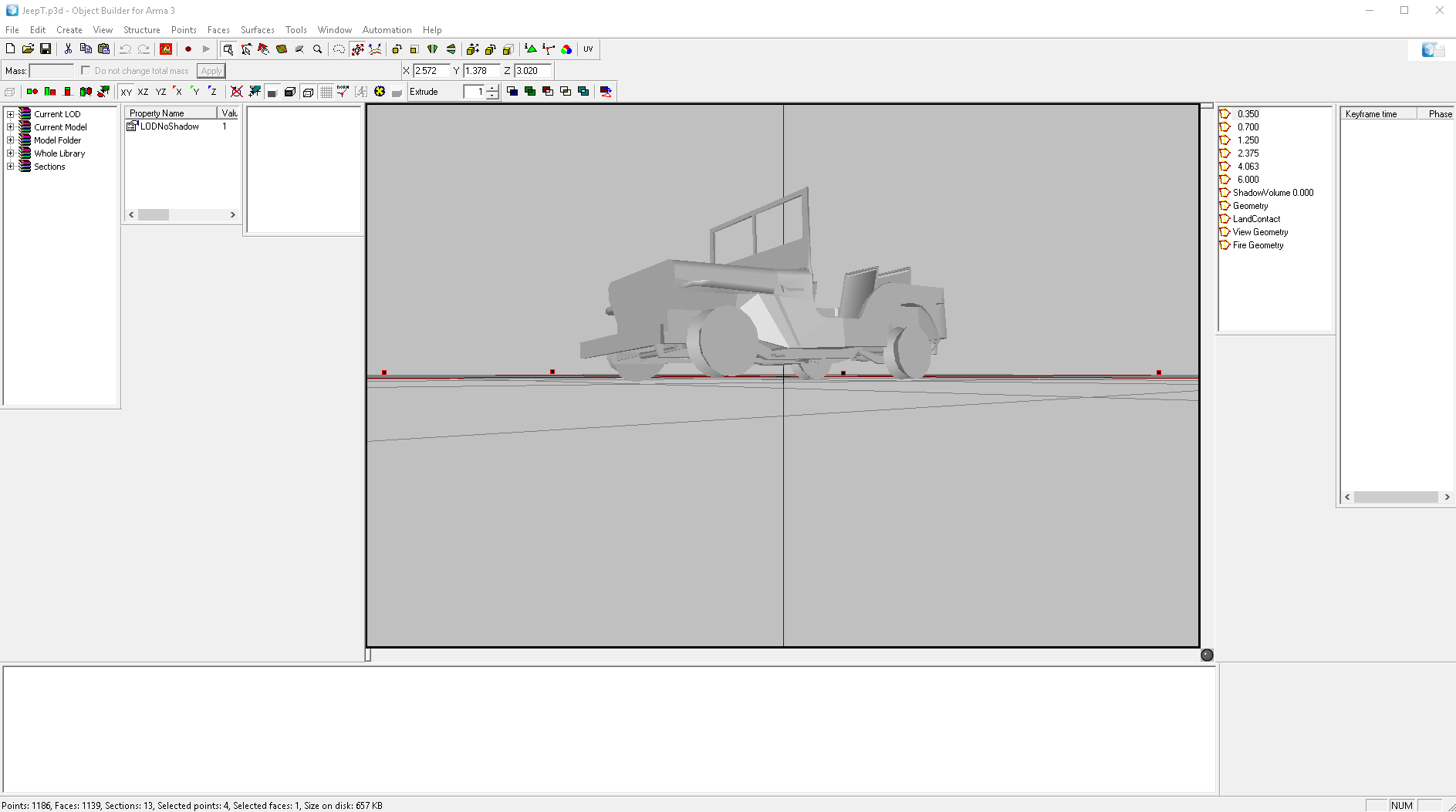
.Anyone know where I could find the old A2 Jeep textures? Path points to ca/misc/data, but there are no textures nor rvmats matching the names in the p3d. model JeepT.p3d, JeepT_horeznacky.p3d, and JeepT_tanker.p3d
nocturne lake
there was a jeep in A2?
median stirrup
I think they were justvwrecks based on the old jeep. Its in the a2 data pack.
Hiding in map_objects.
median stirrup
 silver gull
looks perfectly serviceable 😃
median stirrup
Im putting together a pack of vehicle wrecks. Saw someone ask about them for his map the other day. Figured it would make an interesting static wreck, but upon further digging I see the cool jeep and ural wreck I found were legacy ports to a2 that wound up in the data packs. Textures are PAC. Textures.
obsidian nimbus
is there a quick way to convert multiple .paa textures to .tga's?
full quarry
imageToPaaGui in a3tools
obsidian nimbus
didn't know you could use that in reverse
I can't add .paa's to ImageToPaa
I can only mass convert one way
but not paa -> tga
dense peak
@median stirrup make sure to bring down that section count on that jeep 😄 13 sections for one wreck 😛
silver gull
totally fine 😄 1 texture for front left wheel, one for front right, ... one for steering wheel
dense peak
less then 100 faces share one texture on that thing 😄
 odd crane
@dense peak What exactly is a section? I always thought it was a "selection name". How many sections is too much for a large ship?
nocturne lake
section = texture+material draw call
the fewer you can have, the better
faces get split up in to separate sections by having different assigned textures or materials, or if the faces with the same texture+material are separated instances in the alpha sort - which is something that can be caused by copy and pasting separate objects
At a minimum, you want to go through the sections list in the Resource Library, and look for where there is more than one listing for the same texture+material pair
If there are any, you can ctrl+dblclick the like sections and move top, or move bottom will generally merge them (often have to view another LOD for the list to update)
cut and pasting the combined selected faces also works, but if they're welded to another set of faces with a different assigned texture or material, you'll obviously encounter problems
odd crane
? So how the hell does that jeep have 13 sections? It should only need two, the section for the jeep texture and a section for the crater, right?
median stirrup
Ask BI. I'm sure they created it long before they knew how to optimize their models. From the look of the vehicle, it's an old vehicle they made and wreck for and put into the A2 data pack. Not sure if it was ever in A2 as I can't find the needed textures in my a2 game files.
nocturne lake
Yeah, it's probably just janky from the way it was imported or dates from a time when section count wasn't really a consideration (I mean people used to make models with dozens of separate little textures in OFP times). You'll probably find a lot of people in the community don't check section counts too often on their stuff either
odd crane
I try keeping as few texture sets as possible, along with as few hard edges, name selections, simple geometry and tris. Kind of have to when I have a ship that's over 200k 😒
odd crane
Have you not seen my ship?
I'm actually using beveled edges and making the faces smoothed verses having a single edge and the faces sharp. There's a specific reason why I'm doing it this way.
From my understand it's the same vertex count either way.
frozen blade
have not, care to show it to me?
frozen blade
ahhh, TIM, yeah i though it was a different tim
i did, we actually had a chat about it
ok, nvm then
@odd crane ^^
i wasn't aware it was 200k ffs 😃
odd crane
lol yea, it's a lot of polygons, but I think it's working fairly well.
 dry quartz
hey!
what is the result of using vertex color on models in a3? diffuse * vertex color? (for super shader)
@odd crane it's the same vertex count IF the polygons share UV "island". It's however not the same triangle count.
odd crane
I know. The trade off is worth it. And the FPS isn't too bad.
dry quartz
normally an object like that would be splitted and lodded in pieces. no great way of doing that in arma but you can use proxies. looks good though!
odd crane
Thanks. So far I have the hull as one whole object and the rigging which is a separate object attached to the ship. The person who hopefully is working on the sailing part my change this later on.
 limber basalt
Anyone with experince using substance painter, is there a guide on exporting? I know arma isnt very nice with pbr so I'm wondering if anyone has some experience with this.
full quarry
It has been discussed a couple of times and there has been profiles that work thrown around. If you want quick answers (since its pretty late and sunday) you might want to try discord search for "substance" or perhaps youtube tutorials about the subject.
disclaimer, not a substance user so cant help more than pointing directions
limber basalt
Yeah I've found a few things but if anyone has a indepth sort of guide it would be apreciated
 tulip olive
Exporting is pretty simple, https://www.youtube.com/watch?v=ut_ov6OHbcw is a good resource for the export preset and some of the specifics, but for gloss and spec levels I think you'll have to work it out empircally.
This is also a decent resource and explains their authoring techniques and export presets.
the textures are also very dependent on the fresnel and spec power values in the rvmat. I suppose the vanilla defaults are a good baseline to work with but I've never been able to get a good balance when using non-pbr-spec-gloss in substance with them, so once again try what works for you.
limber basalt
Thank you!
Substance has been pretty awesome so far, saved me a lot of time. Just need to get a good workflow going
tulip olive
No problem mate. I'm still working out the specifics of how arma treats substance materials myself, but I might be able to help or answer some questions regarding either substance or arma for ya.
 plucky olive
Hey, so I've been trying to create textures in substance designer for ARMA multimaterials, and for months now I've been having issues with any texture I create reflecting loads of light when in direct sunlight (it just becomes full white more or less) and have tried multiple rvmats (some made it a little better some worse but never fixed it completely)
So I was wondering if anyone has any suggestions, here are the textures im using in case its related to those directly https://www.dropbox.com/sh/c8czl01awgiorne/AACYtHkfR9IU1UFt5PMswcija?dl=0 (I have tried disabling DTMSDI and NOHQ (seperatly) to see if that affected it but didn't seem to)
https://pastebin.com/1uATpM0j <-- rvmat as well (with normal map disabled)
Thanks in advance!
tulip olive
Well generally in Arma if something's too white when reflecting light that means your gloss is too low, so maybe give that a shot?
also "specular[]= {0.1,0.1,0.1,1};"
I haven't tried it, or know your situation but wouldn't it help to have the usual 1.0, 1.0, 1.0, 1.0 values?
hardy atlas
does arma 3 support 4096 textures?
 brazen iron
@hardy atlas yep
nocturne lake
yes, but they only show on Very High and Ultra
 formal gorge
hey trying to make a custom carrier rig but cant find the skin for it can anyone help??
silver gull
skin? you mean textures?
formal gorge
Ye
 uncut birch
is there a way to convert multiple pngs into paa without having to open every single pic at once
that should work 😃
full quarry
theres also imageToPaaGui exe in your arma 3 tools.
@uncut birch
common\Arma 3 Tools\ImageToPAA\imageToPaaGUI.exe
 delicate plank
Was working on a small project with the mb 4wd. I edited the PAA containing fender flares/rims but cannot figure what the numerical placeholder is. I know it's a stupid question to ask but I can not find anything to save my life.
 distant rose
there isn't a named selection for that part of the textureset
obsidian nimbus
Anyone know why my ambient shadow texture makes the shaded part of my model look pitch black?
Oh nvm it seems it was the alpha channel
I think
I am quite clueless honestly
Editing the background to white in photoshop than replacing the alpha channel with just white seemed to work
I actually can't tell if it's working or not
man AO is hard
acoustic dove
what model it is?
acoustic dove
well that Rock doesnt have original _AS map?
obsidian nimbus
no
uncut birch
@full quarry Thank you 😃
 thin pebble
Something for model makers and texture artists. - http://www.e-paint.co.uk/Colour_alternatives.asp?cRange=BS 381C&cRef=BS381 285&cDescription=NATO green
Gives all the colour codes for standards. Brilliant website. 😃
 eager isle
Anyone know why when I make a custom model > put in into object builder > add texture to it > pack to pbo and go in game the texture which was yellow is blue in game ? Kinda new to this.
distant rose
you need to follow these guidelines for your texture naming conventions,. the texture conversion process relies on the suffix in the filename to know which conversion to apply to the textures
your diffuse probably doesnt end with _co
nova hatch
Also needs to be ^2 size so 256x256 512x512 1024x1024 2048x2048 or 2048x1024 etc
distant rose
also what @nocturne lake said in #arma3_model
if you are going to ask a question about textures, please dont spam it across multiple channels, you'll end up with answers in each and be all over the place
eager isle
@distant rose @nova hatch thanks
nova hatch
Like what I did @distant rose lol - didnt see model chat
distant rose
yeah 😉
nocturne lake
models are in \A3\Weapons_F\Ammo\ so I assume textures are somewhere like that too
You can't retexture them without making new models though
 faint dragon
is there a special way to apply _co textures to a second or third uv set? Can't seem to get them working on a model I am working on, the normal maps is working but not the _co texture. everything works on the first uvmap. And i check the uv editor in object builder, it shows all three uv sets
i do this when applying the texture http://i.imgur.com/v8YTboq.png

and it shows this in bullsozer http://i.imgur.com/Uwcgefq.png
the textures don't work for the pants and shirt. the normals do though.
 nocturne lake
nope, the texture channel can only use UV Set 0
you could try applying it as a _mc map
but really you should have your _co as UV Set 0 and normals etc in the same set or other sets
gloomy kelp
hey guys, hoping you blokes can give me a hand, just 'finished' up this: https://steamuserimages-a.akamaihd.net/ugc/845964018898707796/48122A59A6AED92095F47A1EF71A59C7FD09DCE6/
wondering if anyone had an rvmat that includes: normal, AO, diffuse, roughness and metallic maps? (or any of the above that applies to arma, sorry still new to this)
nocturne lake
@fresh hill does super shader use stage 0?
@gloomy kelp Arma doesn't use roughness and metallic. Specular and gloss are combined in the _smdi map
fresh hill
Yes. Afaik only supershader does that.
gloomy kelp
ahhh righto
any idea how/ what program ide use to generate an SMDI map for my model?
gloomy kelp
yeah substance 2
fresh hill
Roughly speaking to wrap your head around _smdi:
Green channel: 0 = Black = No specular (specular level)
Blue Channel: 1 = White = Full Specular power (glossiness)
nocturne lake
https://pastebin.com/NsD3npUK works as a basic template for Arma's super shader. replace the texture = "#(argb,8,8,3)color(0.5,0.5,1,1,NOHQ)"; lines with a path to your material files. The NOHQ, SMDI etc. tags correspond to the available maps here https://community.bistudio.com/wiki/Texture_Map_Types
gloomy kelp
ive got an example, one here which has SMDI in it, so it all makes sense now
fresh hill
@nocturne lake Why is your diffuse pushed to 2,2,2,0 by default?
nocturne lake
not sure. must have just been whatever old A2 material I copied it from. Same with the low specular values that should be 1 now
fresh hill
Also the stage7 should probably enable the world-specified env map rather than a fixed one.
nocturne lake
I'll update it then
fresh hill
Yeh, that rvmat does look like it went through a lot of copypasta 😄
Supershader is a very fickle thing, I recommend you set yourself a fixed .rvmat template where you never touch the specular power, specular[] and fresnel values ever.
And then control these via smdi on a per pixel base.
Compare this to the audio settings: your smdi are the individual audio volume sliders for specific effects, while the params I listed are the "general audio" slider.
gloomy kelp
so replace the texture = "#(argb,8,8,3)color(1,0,1,1,SMDI)"; with texture[] = "path to texture"?
fresh hill
Yes
fresh hill
AS = Ambient occlusion (Only visible when the texel is in shade)
MC = Macro map. Acts like the Multiply blend in Photoshop. Can be combined with alpha channel for per-pixel blending intensity
and DT_ is just another MC duplicate, that is layered underneath everything.
gloomy kelp
dont really need them do i?
fresh hill
No.
nocturne lake
_AS is good to have
gloomy kelp
ive got an ambient occlusion so ile throw that in
fresh hill
I'd recommend making a small test cube object and play around with these individual texture stages to see what tools you have at your disposal.
fresh hill
MC and DT are extremely powerful when used right in combination with a regular _CO.
nocturne lake
@fresh hill do you have the path to the world env map to hand?
nocturne lake
aye, found it C class Stage7 { useWorldEnvMap="true"; texture="a3\data_f\env_land_co.paa"; uvSource="tex"; class uvTransform { aside[]={1,0,0}; up[]={0,1,0}; dir[]={0,0,0}; pos[]={0,0,0}; }; };
fresh hill
The fresnel arrays usually can be tweaked a bit, if one really wanted to pennypinch performance concerns.
gloomy kelp
im still a bit confused with making an SMDI image?
gloomy kelp
nevermind
faint dragon
thanks, I got the _co textures to work by copy and pasting as separate models into one in object builder.
What causes the glow under the chin and behind the ears?
http://i.imgur.com/sGWcO7x.jpg
http://i.imgur.com/FIvqVIv.jpg


Here's my rvmat for the skin.
https://pastebin.com/nwkTQGwQ
nocturne lake
that's the fresnel
thin pebble
May not be the best place to ask this but im seeing some comments from users... does Substance Painter 2 offer any great advance on 1.7?
faint dragon
Thanks, I couldn't find the right setting for fresnel. Everything i tried had to much glow so i just took it out for now.
acoustic dove
for that skin you have to lower the specular power and tweak the gloss map
and probably use the better fresnel as well
faint dragon
ok thanks, i'll edit those.
acoustic dove
Added: Support for insignia material - in dev version , does this mean insignia can use rvmat?
 jaunty solstice
If there are any developers that do vehicle skins here looking for work, I'm looking for someone to do some skins for me, pm me for details
gloomy kelp
what values /map controls clossiness in the rvmat?
fresh hill
SMDI Blue channel, SpecularPower parameter and the fresnel stage.
 devout cedar
Which texture file format doesn't allow alpha?
I'm want to reduce the transprent edges of a texture on a model, and am thinking simply changing it from a .paa to soemthing else could fix the issue
nocturne lake
.jpg
but you can run a filter on the .paa in texview to fill the alpha all white
c = color[red p,green p,blue p,1];```yells, VOODOO!
 unborn river
can I make a light using rvmat to illuminate other stuff? I want a light bulb inside my cargo that illuminates the room. Right now its only glowing by itself ad does not effect other objects.
 stray relic
You'll need to use class Reflectors {}
unborn river
ok. Im using that for lights on/off outside the aircraft. Can I use custom reflectors that are activated by userActions?
on activated if engineOn for example
 prime pewter
i guess you could animate the lights based on the corresponding engine related animation source. hide animation of the mem points or maybe jsut translate underground if that doesn't work
nocturne lake
Yeah, that's what we do with the cabin lights on stuff in RHS
hide the mem points via user actions
faint dragon
how do you make the glass on the goggles darker?
https://images.discordapp.net/attachments/314480656543645705/330872921423740928/goggles_black.jpg?width=1042&height=587

i'm using a black texture with alpha and here's my rvmat.
https://pastebin.com/WJdP2Xsp
silver gull
alpha -> reduce opacity.
faint dragon
@X3KJ#8043 ok, thanks.
 somber pier
Waaaagggghhhhh
silver gull
more like weeghh - its just an ork with human stature
faint dragon
"its just an ork with human stature" for now, all future ones will be the proper height. Just have to get around to doing the animations for them.
silver gull
"just" ha, understatement of 2017. Got luck though
obsidian nimbus
what does an edit lod do? For example "Edit 5.000"
twin bane
it does nothing other than hold misc information. it is mostly used as a WIP layer, or however you want to look at it.
is not loaded/utilized by the engine.
obsidian nimbus
So it's "paste a bunch of stuff here as storage for later use" kind of thing
twin bane
yep
silver gull
increases filesize however
dense peak
i think it is not geting included to the binarized p3d, could be wrong tho
silver gull
you are 😉 just checked.
dense peak
good to know 😮
acoustic dove
I been wondering if the hiddenselectionmaterials still got issues or been fixed?
nocturne lake
nah, still has issues
devout cedar
can someone inspect this texture and let me know if it has transparency or not? https://www.mediafire.com/?jkzwibmfh5t8ess
devout cedar
also, I'm trying to make a custom reflection in my glass, but am not really sure which values to use in my rvmat:
{
    useWorldEnvMap = "false";
    texture = "ats\trains\vl\data\ed4m_ca.paa";
    uvSource = "tex";
    class uvTransform
    {
        aside[] = {9,0,0};
        up[] = {0,1,0};
        dir[] = {0,0,1};
        pos[] = {0,0,1};
    };
};```Is stage 7 only meant for world textures? I think I see it wrapping around
full quarry
supershader?
devout cedar
yes
full quarry
devout cedar
Alright, that clears some things up
but say I wanted to add a color texture to the rvmat, would I make that stage1 and bump everything down?
or are the stages attached to specific shader usage
devout cedar
I was hoping I could cheat and let the rvmat make the texture transparent for me
full quarry
nope
obsidian nimbus
I think I asked this a while ago, but, is there any way to mass convert .paa textures to .tga? Obviously there is ImageToPaa for converting tga's to paa but not the other way around.
twin bane
ermmm.. i used to do it with a batch file texview. i would assume that still works.
obsidian nimbus
I will try it out
where can I find the syntax for texview?
figured it out
just have to get it to work on multiple files
@twin bane do you remember what the specific command line was?
obsidian nimbus
Ok, I figured it out. Kind of had to actually learn about how .bat params work, but I got it
"C:\Program Files (x86)\Steam\steamapps\common\Arma 3 Tools\TexView2\Pal2PacE.exe" %1 %~n1.tga
^ For anyone else wondering
drag and drop will convert a file
don't know about multiple at once though
obsidian nimbus
Paa2Tga.bat:
"C:\Program Files (x86)\Steam\steamapps\common\Arma 3 Tools\TexView2\Pal2PacE.exe" %1 %~n1.tga
this goes in the same directory as Pal2PacE.exe
ImageToTga.bat:
for %%f in (*.paa) do call "C:\Program Files (x86)\Steam\steamapps\common\Arma 3 Tools\TexView2\Paa2Tga.bat" %%f
this goes in the folder with .paa files you wish to convert.
Running ImageToTga.bat will convert all .paa files in it's folder to .tga files which can be edited and viewed
twin bane
good job man. you now have the power to do many things more easily. 👍
obsidian nimbus
I still don't know shit about writing batch files lol
twin bane
lol, it's a useful skill to have honestly.
obsidian nimbus
yeah probably
dense peak
would anyone of you know why kuma shows up with texture filled slat armor in editor ? but when it spawn in play mod then SLAT become normal as it should be.
nocturne lake
it's randomised IIRC
editor shows all animations in their initial state before scripted randomisation etc.
dense peak
how do you stop randomisaztion xD ... sometimes i get normal slat ingame sometimes not.. will not care for editor
 frigid escarp
arent these valid texture extensions?
or are these outdated and should be converted to others (which?)
_detail.paa
_mask.paa
_mca.paa```

ref: https://community.bistudio.com/wiki/ArmA:_Texture_Naming_Rules_mask is used by multi-material shader so still valid
frigid escarp
_can is used with A2 vegetation, so is _mca.paa
while _detail mostly by ca\buildings\data\detailmapy\XXX_detail.paa and similar
silver gull
does somebody know the texel density of vanilla buildings by heart? How much resolution (in heigth) does a normal interior room, or the outer wall of a 1 story building have?
fresh hill
Buildings are usually multimat. The interior diffuse textures can go easily between 500-700px per m.
The underlying technical maps, such as AS and MC... depending on the size of the building 50-100px per m.
silver gull
ok thanks. currently trying to find a "block" system that i can use for "modularization" of tileable textures
dense peak
ok thanks. currently trying to find a "block" system that i can use for "modularization" of tileable textures
aren't multimats just that?
 still ibex
@acoustic dove u havint the same issue im having with hiddenselectionmaterials, where sometimes they wont load the rvmats ingame randomly
acoustic dove
@still ibex i havent used them but i what heard there was issue that they do not load for some weird reason
dense peak
woodland in lod 0
snow in lod 1
olive in lod 2
this way all rvmats would be preloaded
but via hiddenSelectionmaterials sorted correctly.```
quote from @fresh hillthere is a second way to do it via class PreloadTextures but the one above is simpler/easier
fresh hill
Ah, hi.
Yes. The entire reason why hiddenselectionMaterials is not working correctly is that the newly assigned material does not have all textures made available.
The easiest way to make them available is by including them in the model somehow
the preloadTextures class is also a possible way, but I'd leave that to the more advanced config people, as it's easy to mess up the entire class potentially for everyone else.
dense peak
btw i had a quick chat about that with @nocturne lake and he was worried about the // and kept in the memory permanently bit of class PreloadTextures
do you think it's even better to just do it in the lods like above so you won't fill up the vram with it?
fresh hill
That is exactly another reason why preloadTextures should not be used. It does indeed force those textures into vram.
Better to have them all listed in an edit lod or somewhere, this way they're loaded on demand.
dense peak
👍
it is a good idea for textures that are used frequently so they don't get unloaded/loaded every now and then?
something like vegetation that is heavily used
fresh hill
Particle effects are the only legitimate usecase.
dense peak
this was my tought after i saw that BI uses PreloadTextures for quite a bit of veg
fresh hill
To prevent the initial white-texture loading bug of PFX being spawned for the first time.
Assets should not use it, and if they do, it should be small textures to keep the vram nice.
dense peak
i'm going to make a list of textures used in PreloadTextures by BI and see how big they are
this could potentially be one of the memory crash causes if BI adde a lot of them for APEX 🤔
obsidian nimbus
what is an _mc texture and how does it work
same for _mca
is there any actual documentation on it other than the texture naming page?
frozen blade
MC is a macro texture
it can be used in a number of ways
what you wanna achieve @obsidian nimbus
in short, RGB is the color, the alpha defines the opacity of the overlay
which is what MC does - it overlays the rgb channels on top of the _co texture
if the alpha is is 100% white
and the RGB are pure black
it will turn the _co into a black texture
obsidian nimbus
so it is just an overlay?
frozen blade
it is an overlay that you can use on a separate UV set
works great for stuff like big vehicle - small decals
have a look here
 final hull
If a crosshair gfx for a scope in ARMA3 tiles horizontally (as in, you see like 1 whole scope and one half on the left and right of the main scope. What can be done to rectify this? 😃
Can I set it not to tile somewhere?
nocturne lake
pic?
acoustic dove
is that your scope?
final hull
No. It's from Breaking Point. We've made a weapons mod out of its weapons, and four of the scopes have this horizontal tiling issue, and I'm trying to fix that.
final hull
This is straight from the public github repo. So unless they fixed that, I believe they just weren't really thinking that these custom scopes would be played on a 21:9 perspective
acoustic dove
well the issue might be with the model of this reticle
that tiles too much and you dont need that with A3
final hull
Hrm, I was hoping there was some option to set in the weapon's config.bin to just stop it from tiling.
acoustic dove
nah its in the model of the reticle that needs to fix it
final hull
rgr
 final hull
Aye, that's what I meant by "rectangle", the plane; does it need to be wider? Or is it better to make it a proper square like the texture format?
final hull
Ahh, got my answer.
I want it to be square
Not rectangular.
Think I can fix the rest from here.
acoustic dove
if you make it square than you have to fix plane UV too so it fits the texture
uncut birch
does it realy pay off to buy those for arma modding?
nocturne lake
I know a lot of people who use SP2 for Arma. 3D modellers who know how to bake good normal maps, ambient occlusion and curvature from high-poly to low-poly game models will be the ones getting the most out of the workflow though
silver gull
even if you dont bake much detail, painting in 3d is a big advantage. If you cant paint or texture whatsoever, and are not willing to learn its not giving you benefits.
ancient smelt
You don't really paint that much in Substance Painter.
Most of the time you're tinkering with procedural layers, masks and filters.
(For most Arma work that is; vehicles, weapons, buildings, etc)
obsidian nimbus
So a few days ago I saw some discussion regarding the use of "class PreloadTextures" and hiddenSelectionsMaterials in models
I created a retexture of a vanilla uniform that needs it's own .rvmat loaded via hiddenSelectionsMaterials. I also have several camo variants of this uniform (Black, Tropical, Woodland, Desert, Snow, Urban) and maybe more in the future, not sure yet.
Obviously using hiddenSelectionsMaterials on these uniforms has caused issues with loading the textures referenced in the .rvmat consistently and causing visual issues because of this.
I have managed to reduce these issues a little by separating the .rvmat and other variant textures into separate addons, as well as separating vehicles and headgear etc...
But the issue still remains, though fairly uncommon. I know using PreloadTextures isn't ideal because of the VRAM usage, among other things, but for now I would like to see if it would fix my issue. How would I configure my uniform textures under PreloadTextures? I can only see how the stock configs do it for particles and things like that. Is it possible to do this for vanilla model retextures? Is there any other solution I could use if not?
Also is this issue being fixed a priority at all as far as BI is concerned?
Anyway, feedback and assisted is appreciated
obsidian nimbus
First time loading into eden and spawning a unit with the uniform works properly
I will restart my game and test in arsenal and with loading vanilla version of the unit first
So far so good
obsidian nimbus
I think it's working but I don't know for sure
Is there a way to tell if a texture is being preloaded or not?
dense peak
Does anyone know someone from SMA that can authorize me to edit textures?
obsidian nimbus
SMA?
dense peak
Specialist Military Arms
I contacted the who guy opened the addon's thread in the forums but he is inactive since May, soo..
full quarry
Chances are hes not around.
dense peak
what should I do then?
full quarry
what his release license say?
dense peak
Do not edit or redistribute without explicit permission
full quarry
then you got to get that permission or make new from scratch
dense peak
alright thanks
obsidian nimbus
I mean if he's not around he can't exactly file DMCA's or anything
just putting that out there
I'm kidding don't do it
dense peak
it's actually kinda weird
full quarry
@obsidian nimbus 😑
obsidian nimbus
I SAID I WAS KIDDING sry 😦
Ok so my solution to using hiddenSelectionsMaterials:
I created a model made of only texture planes and set the textures to the retextures and .rvmat and put the model in the main data addon that loads before the uniform addon
then I added this to the data addon's config.cpp
{
    BTHBC_IAWE_Combat_Fatigues = "\BTHBC_IAWE\iawe_data_f\data\u_bthbc_preload01.p3d";
    BTHBC_IAWE_Balaclava_TI_G_blk_F = "\BTHBC_IAWE\iawe_data_f\data\g_bthbc_preload01.p3d";
};

class PreloadTextures
{
    class BTHBC_IAWE_TEXTURE_PRELOAD
    {
        BTHBC_IAWE_Combat_Fatigues = "@*";
        BTHBC_IAWE_Balaclava_TI_G_blk_F = "@*";
    };
};```So far everything has loaded the way I want it to, so as far as I know right now, it is a working solution
Are there any issues with doing this?
full quarry
didnt someone say extensive use will consume memory?
obsidian nimbus
Yeah, that's kind of the problem. Apparently it permanently loads the textures into VRAM, so that could definitely cause issues if used too much
I just don't know how much is too much
My uniform preload model loads 6 2k textures and the .rvmat which points to a 2k smdi and 2k nohq, which I included as textures on some texture planes in a different LOD
That is a total of 8 different 2048x2048 textures being preloaded on startup
maybe if the preload .p3d's load first before gameplay somehow I won't need to use the PreloadTextures workaround
which would prevent any resulting VRAM issues
I just don't know how I could load a 3d model on the main menu
faint dragon
what causes the whitish/grey texture in the transparant glass? i tried removing the rvmat and it still shows the same thing so i must be doing something wrong when making the glass_ca.paa texture.
http://i.imgur.com/7MR1wxn.jpg
pretty much the whole inside part of the goggles is showing up as whitish/grey through the glass for some reason.

here's the texture file i use before i convert it to paa if it helps
https://www.dropbox.com/s/s7ohqbiwegnqaa2/goggles_glass_ca.png?dl=0
 acoustic dove
@faint dragon that is because the glass parts arent properly sorted
frigid escarp
@obsidian nimbus did you try the method Mondkalb#6985 suggested? (referencing all textures in different RES loads to have the engine instance them already)
lets say you have three rvmat versions: woodland, snow and olive
woodland in lod 0
snow in lod 1
olive in lod 2
this way all rvmats would be preloaded
but via hiddenSelectionmaterials sorted correctly.

Lappihuan - Today at 3:39 PM
there is a second way to do it via class PreloadTextures but the one above is simpler/easier

Mondkalb - Today at 3:40 PM
Yes. The entire reason why hiddenselectionMaterials is not working correctly is that the newly assigned material does not have all textures made available.
The easiest way to make them available is by including them in the model somehow```@frigid escarp I would like to keep my solution legal
frigid escarp
so you dont have access to the model?
obsidian nimbus
"I created a retexture of a vanilla uniform that needs it's own .rvmat loaded via hiddenSelectionsMaterials"
frigid escarp
i see. missed that part
faint dragon
@acoustic dove thank you, it worked after moving the glass parts to the top.
uncut birch
Heya
 slim tree
@obsidian nimbus, I'm not sure if this will work or you've already tried it etc, but use hiddenSelectionTextures/Materials and then create a init eventhandler for your class.
class CfgVehicles entry
class EventHandlers
{
    init = "_this call compile preprocessFileLineNumbers 'init.sqf';";
};
Inside init.sqf - documentation of command https://community.bistudio.com/wiki/preloadObject
10 preloadObject (_this select 0);
Whether it will force a load of textures in config or the model who knows 😄
obsidian nimbus
I will look into that
on another note, anyone know of any softwares like crazybump?
I remember starting a trial of some other software but I don't remember what it was
There is xNormal
it isn't that
nocturne lake
nDo?
frozen blade
- knald
- shadermarp
- pixplant
odd crane
There's the Nvidia normal map filter for photoshop. That's my go to for normal maps creation in photoshop.
Though I'll be interested in taking a look at nDo if I can find the website for it.
dense peak
it's part of the quixel suite afaik
nocturne lake
You can purchase it separately. http://quixel.se/suite/
legacy versions are here for free IIRC http://support.quixel.se/hc/en-us/articles/207439035-Where-can-I-download-the-legacy-version-of-nDo-and-dDo-
twin bane
^^ legacy is still plenty powerful, i use nDo all the time. for whatever thats worth.
twin bane
i thought it was both. i'd just get the suite though so..
¯_(ツ)_/¯
seems you're right though, i only have ddo legacy files. they should update ndo one of these days.
nocturne lake
original nDo was free - the old Java(?) PS plugin. I'm not sure that I saw "nDo2" go free
odd crane
Kind of ridiculous we pay an arm, leg, kidney and spleen for these ridiculous programs, yet we do things completely free for game companies.
Either way I'll try the free one.
prime pewter
i'd defo also prefer xNormal over the nvidia PS plugin for sure, if you're going the low budget route
silver gull
whats more ridiculous is people (who are not modding) demanding that mods have to be free.
does anyone know if its possible in MAX to bake a texture on an object for UV set 2 by using itself and it's texture with UV set 1 as reference ?
prime pewter
can you pick the object itself that the projection mod is applied to? i don't think so
is it too complex to make a simple copy?
silver gull
i could, but then i still need a cage and that leads to distortions/ losses
unless there is a cageless projection method? have never tried something like that.
prime pewter
hm. but why exactly? you don't want to explode all the parts? i guess having a copy with a cage with 0% push amount would be that?
or does a cage need distance to work at all?
silver gull
yes it needs minimal distance. And since cage does not match up with the direction of the vertex normals it will lead to distortion. For example if you bake a wheelhub with rivets/bolts, they are distorted when you use cage baking.
reason is i want to include some parts of a model into another one. For example a grenade or parts of some other weapon into the texture of a combat webbing - for optimization purposes.
odd crane
Are you trying to project one texture with a certain UV unwrap channel onto another UN unwrap channel? If so you should get the slanted rivet head issue.
silver gull
thats why i'm looking for another way
one that involves as little extra labor as possible
odd crane
*shouldn't get the slanted rivet issue
Try this, just to try it out. Copy the model, have one model with the first UV set and the second model with the second uv set and project it that way and see what you get.
I did that long time ago with a ship with curved planks and it actually worked well as I remember it
You might have to increase the cage by one click of the up arrow unless there's bent quads.
silver gull
hm ... hm... Cage by one click still leads to cage not matching with vertex normals. HOWEVER, if i bake a diffuse for every texture (baking multiple times), there is no raised geometry that would normally be the issue for HP.
odd crane
try it, it should have minimum vertex issues. If it doesn't work I owe you a beer.
odd crane
Ok, I'll sacrifice myself and I'll drink the beer. I'll take one for the team 😉
prime pewter
i'll smoke a spliff for you too if that helps
odd crane
lol I told my co-workers today "I didn't do a high poly to low poly projection to bake a normal, ambient occlusion and specular map and instead I just chamfered my edges and smooth everything"....they looked at me like I was speaking another language
prime pewter
oh you mean on the lowpoly to get smooth edges instead of usign a normal map to smoothen them?
odd crane
yup
prime pewter
hah. well why not
odd crane
It was actually faster to make the axe that way verses the traditional way.
silver gull
i use quadchamfer for almost all my HP edge things... Only for freeform geometry i deviate from that where i must
obsidian nimbus
Pixplant is the one I was thinking of. Thanks for the suggestions guys
uncut birch
might not be such a texture question but maybe someone can awnser it if i make a png that has lets say a red outline but the middle is a black transparent color and it is a interface picture will it be transparent where i make it in the png -> paa later?
uncut birch
but it should work in the GUI ?
full quarry
@Tim#5638 que? png transfers alpha layer just fine.
odd crane
Really? Never knew. Always used tga and never had a reason to go to anything else. I probably heard that long time ago.
uncut birch
anyway thanks for the awnsers 😄
 mellow frigate
hey,has anyone had any issues with ImageToPAA. It keeps crashing with some microsoft.net framework
ebon bramble
hey guys can anyone tell me why my editor preview pictures come out with alot of extra exposure?, the pictures are extremely bright even though i followed the instructions perfectly , anyhelp?
nocturne lake
So you did turn off Bloom and PPAA?
ebon bramble
yes
 plain plank
Hey so i just got into retexturing objs and was wondering how do u get that texture to load
I assume you need to load it via a script but not sure
obsidian nimbus
@plain plank Depends on what you mean
also what object it is
do you want it as a mod, or as something that works in vanilla?
plain plank
@obsidian nimbus skins that aren't in a mod pack and then for both vehicles and a charater equipable items
Like vest uniform helmet
obsidian nimbus
In that case, it has to be a mod
you can only retexture uniforms in vanilla via scripting, not vests, helmets, or weapons. Backpacks work, though, oddly enough
For a vehicle, you can also use vanilla scripting
but I assume you would want to create a mod since you are doing character items that can't be retextured in vanilla without loading an addon
plain plank
At the moment im just tinkering around nothing serious
obsidian nimbus
Also the objects you want to retexture need to have hiddenSelections to work
plain plank
And then for lets say a uniform how would i load the new skin onto it vanilla ?
obsidian nimbus
Here are some relevant resources
https://community.bistudio.com/wiki/Arma_3_Characters_And_Gear_Encoding_Guide
http://pmc.editing.wiki/doku.php?id=arma3:texturing:scarecrow398-retexturing-tools-basics-tutorial
https://community.bistudio.com/wiki/setObjectTexture
https://community.bistudio.com/wiki/setObjectTextureGlobal
The last two links are script commands that you can use to set the texture of something in game
Those commands don't work on helmets and guns though, even though they technically have hidden selections
Not sure why
plain plank
Hmmmm how does lets say for altis lifw they give dif textures for the vests
Is it a mod thats downloaded in the missions file i assume
Or is it server side
obsidian nimbus
As for doing it in vanilla, one way to quickly get a uniform retexture working is to place a unit down in the editor (with the uniform model you're interested in editing) and paste something like this in the init box: this setObjectTextureGlobal [0,"path\to\epic\texture.paa"];
As for Altis life using custom vest textures
I didn't know that it did
Are you sure it isn't a vanilla item?
plain plank
Unless they added a emt vest to vanilla lmao dont think so
Yeah it custom texture with a medical cross in the back and neon yellow
obsidian nimbus
there is a police vest, and the jets DLC added several colors of hazard vests (I think that's what it's called)
Which server is this?
plain plank
Older german server i have server files for
It was all vanilla assets
Dont have the file handy on mobile atm its saved on my desktop
Assuming u would like to look at it ?
obsidian nimbus
Yeah, actually, I would
I'm quite curious now
I will investigate this myself in the mean time
plain plank
Me finding the server file yeah
As for howlong ago this was active server i need to check
plain plank
@obsidian nimbus nvm about vest, dumbass on my part
i moved a vest texture by mistake when unpacking files
xd
obsidian nimbus
Ok glad that's cleared up
 ornate kettle
Is there any way for one map in a material to decide which parts of the macro texture is being shown? Like a mask, or do I have to edit the macro texture itself?
vestal sundial
Anyone have a template RVMAT for decals?
vestal sundial
Ok so I have a decal set up and shows up fine on Buldozer, yet it doesn't show ingame 😡
obsidian nimbus
@vestal sundial how is the decal made? What does the model look like?
vestal sundial
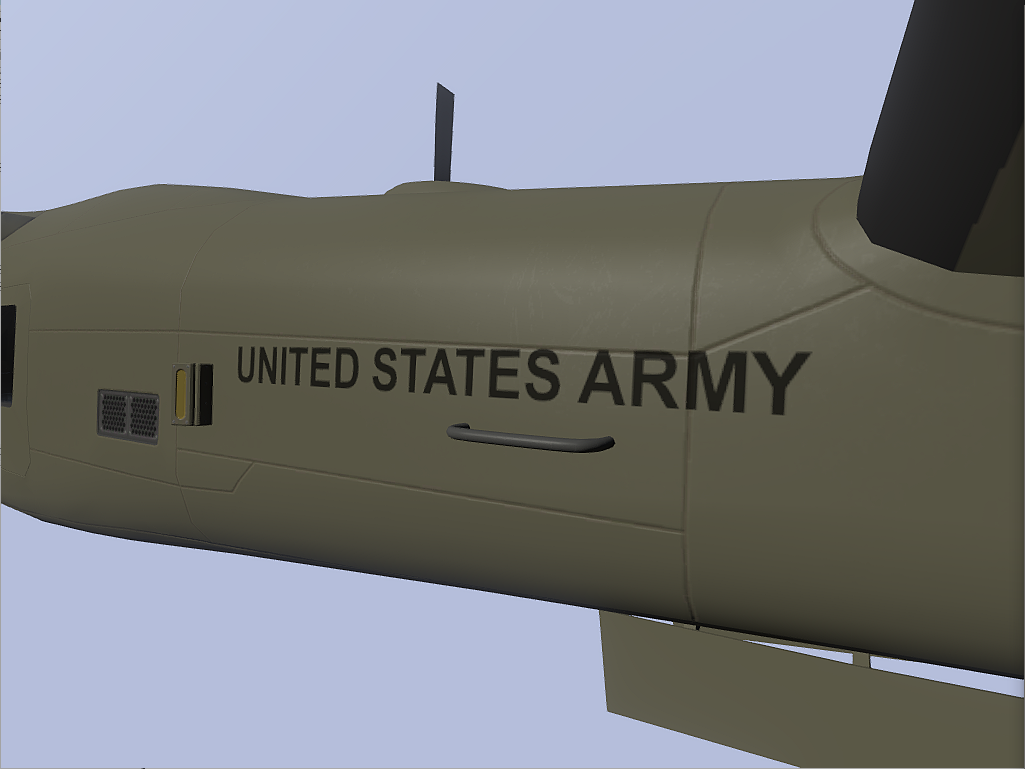
The decal is just a polygon with the clan RVMAT assigned to it and a paa texture with an alpha mask
Yet ingame it simply doesn't show up
obsidian nimbus
It might be too close? I don't really know how non-terrain decails work
vestal sundial
Sigh, nevermind. I'm just incredibly stupid.
I was packing to the wrong directory.
 ivory gale
can someone help me i trying to make a Custom sign and can't find any videos one youtube.
 placid thicket
Anyone here use 3dcoat?
vestal sundial
I've used it quite a bit for handpainted stuff. Whats up?
placid thicket
Is it possible to use 3dcoat to bake highpolys onto lowpoly objects?
Or do you have to bake the highpoly onto a lowpoly
That's already been UVmapped
full quarry
lowpoly needs always uvmapping
full quarry
but you can do that in 3Dcoat if thats what you meant
placid thicket
I mean
If you have a lowpoly model in 3dcoat, assuming it's unwrapped either in the application or externally
Can you bake a highpoly onto that lowpoly in 3dcoat whilst the lowpoly is the object loaded and the highpoly is external?
Or do you have to load the highpoly and bake the lowpoly externally, because I only see an option for a lowpoly mesh
full quarry
mm that I dont think you can do. 3D coat bakes only from the voxelroom to the UV mapped lowpoly mesh (retopoe from the voxel or imported) If you import your highpoly into the voxel room then yes. But I doubt it will reatain any materials
I use blender to bake that kind of stuff myself.
placid thicket
Okay
prime pewter
what did happen to that one sculting app that allowed endless pulling out of geometry? basically creating new faces on the fly. i think was something with sculpt in the name. years ago
it was just a beta at that point. i dunno. maybe i dreamed it
ah sculptris. now i remember. pixologic bought it.
end of monologue 😄
silver gull
can be done with zbrush as well now (propably mudbox too)... just hit retopologize and continue.
prime pewter
yea i know. in this it was dynamic and on the fly though iirc. and i think zbrush wasn't able to retopo like that i think at the time. could be wrong though. is just how i remember it. maybe they bought it and hired the guy too and he wrote all that. who knows.
odd crane
Sculptris? I guess you could call it a light version of zbrush. It's a good program per se and it does create new faces on the fly.
 jaunty acorn
guys
im running a modded lakeside community were do i put the textures or do the texture just go in the mpmissions>textures and put them in there as a .jpg
or .png
or is there a diffrent location for modded ones?
cause you just download the textures in mpmissions
silver gull
burn
ivory gale
Dose anyone here know how to use User texture?
 mellow zinc
Texview https://gyazo.com/fcdd1110aa46d8cca47ac18a89f4e55b
Bulldozer 😦 https://gyazo.com/8d8f9716fab2b952963cee7bd0750b5f
File is ende with a _ca and is a .paa
Any idea why it may be black?
prime pewter
no material?
mellow zinc
No material
Interesting. If there isnt a rvmat itll be black, if there is regardless of what kind itll show color.
I just threw a uniform rvmat and bam color
prime pewter
did you mess around with face or vertex properties? if not you should try some fo the clutter materials inside the game files. there should be generic ones that don't have paths to specific textures that should make it look good and render properly at distance and stuff
cool
mellow zinc
Thank you for giving me the idea 😃
prime pewter
np
dense peak
clutter mostly uses the grass shader which is basically just a _ca and some special alpha treathing
you can also use treeAdv or trunkAdv but those are mostly used for more complex plants or rocks or branches (clutter)
 distant turtle
any advice for ImageToPAA? It's an 8-bit PNG, 2048x2048 and it keeps failing
distant turtle
_co.png I just started fresh and redid the work and it worked this time. It was greyscale, this time rgb
silver gull
question for the substance users among us:
is the tri-planar projection for maps/masks/generators able to eliminate the seams properly? or are there also limitations to it?
(i mean this: https://www.youtube.com/watch?v=147BcLoHDgc)
I'm sick of fixing seams from procedural maps in dDo by hand so was considering getting substance primarily for this reason
frozen blade
@dry quartz - hit me up sometime if you want me to explain how to create ADS maps properly, your terrain looks brilliantly, but the structures do require a bit more love
@silver gull yes, properly, at least in painter
dry quartz
@frozen blade they definitely do. They come from the SFP mod. Thank you but I am familiar with the workflow :) just need to find my (or someone else's^^) time
frozen blade
ok fair enough then
warm stag
you'll still get seams on high angles with triplanar, it's good but not magical
you can always use clone stamp tool on the worst of it
frozen blade
true, but beats any sort of hand-fixing seams by miles
silver gull
by high angles i assume you mean sharp? is 90° still safe?
mellow frigate
Can anyone explain me something? I created a texture of my mission, its a screen for a laptop. The problem is that when i apply it to the laptop ingame the colours are reversed, here is the example http://imgur.com/a/U9N3t
silver gull
pix size needs to be power by 2 ( 512 1024 etc)
mellow frigate
yea,i made a typo so it was 612 instead of 512
 granite briar
does anyone know how to make the lenses on a scope have the reflective effect?
gloomy kelp
could i have one of you blokes look over my RMVAT. coz all my textures come out extremely saturated, and im wondering if there is any fix other than just making the texture darker
obsidian nimbus
if your texture is over saturated why would darkening it help?
gloomy kelp
this is what im meanin, http://imgur.com/a/6Jp77 i dunno whether thats just the game or if its my rvmat
acoustic dove
you can darken it via rvmat or directly in the texture
and this is one the reasons why i dont like the new lighting
gloomy kelp
what value would i change to darken it?
acoustic dove
diffuse[]={1.000000,1.000000,1.000000,1.000000};
modify this
in your rvmat
give it like 0.5 or whatever
but it can screw up colors thats the side of this
gloomy kelp
does that go under the specific stage, or at the top of the rvmat?
acoustic dove
its at the top
frozen blade
@gloomy kelp @acoustic dove - never do that....instead make sure you use 1.8 to 2.2 gama compensation.
also, that marmoset render is anything but accurate - it is also HDR and exposure based.
acoustic dove
where you do that?
in PS you mean
of course its not ideal but its quick and does the job
dry quartz
By darken in rvmat you secure quality in the texture. A very dark texture will have low bit depth and banding can get noticeable.
frozen blade
woot? the bit depth is the same
ancient smelt
He means changing the rvmat values to be darker and leaving the .paa to have the full dynamic range of 0-255.
Super shader most of the time multiplies the rvmat settings with the respective channel values, so a linear scaling of the RVMAT values is commutative with a linear scaling of the .paa channel values...
...except that the .paa colour values are heavily quantized (to 5 or 6 bits).
silver gull
decided today i should try SP, go to their HP ... aaand i get website timeout. #lifethings
 trim yacht
As a SP user, you won't regret it a single day imo.
dense peak
does anyone know how to make a texture image like this:

work for arma?
from blender
dense peak
can it be converted to fit arma models somehow?
nova hatch
@dense peak a UV map? Those could and should be way more compact maps
nova hatch
You apply a texture in object builder by pressing e on the selection and providing a path to it based on the addon
So neet_mod/textures/obj/main_co.paa
With neet_mod being the pbo
And rest folders
_co is main diffuse
dense peak
alright thanks for the help im trying it out now
so once i choose the texture in object builder and save the p3d, does it then automatically sync the texture so that it will work with arma?
dense peak
i tried saving the p3d in object viewer with the texture loaded but it didn't work. the object doesn't show ingame and also i don't think the texture is synced hm
dense peak
is the material needed?
trim yacht
no, but then again, yes if you want better quality.
dense peak
i do, but for now i just want it to work
trim yacht
then no.
dense peak
ok
trim yacht
I'll PM you something.
dense peak
k
dense peak
what did you mean local filepointers?
trim yacht
By local pointers I mean starting with C:/ or similar.
the correct use for arma 3 would be to make the path start with like #modname#/...
As you can see in the screenshot a couple of messages earlier, the path starts with the modname, making it not local.
dense peak
so this should be done before it is made into pbo?
trim yacht
yes, you change the path to a relative path as it is called.
then save the p3d, then repack the pbo.
dense peak
when i try this, the texture dont show in object builder preview
trim yacht
that's normal, that's because you now turned the path into a relative path.
in arma 3 it will show.
but for local previewing, use local or absolute path.
dense peak
ahh
trim yacht
path starting with C:/ or similar => absolute path => preview in bulldozer local works, arma 3 texture only works for you.
path starting with modname => relative path => preview in bulldozer blank, arma 3 texture works for everyone.
dense peak
hm i tried packing with pboview after changing the path but the model still doesn't show.. what could be the problem?
trim yacht
what LODs do you have?
If don't mind sending the model over, I'd have an easier time diagnosing.
if not, could be loads of things.
trim yacht
Should be explained in the guide I sent you. 😃 LOD means Layer of Detail
dense peak
ah ok
i didn't make the model myself. it's a retexture of the tripod from ace. i think it was ported from arma 2 so the texture is very bad and basically completely black so i had to get a new uv map
so the 3d model itself should be fine, it just needs to be working with the new uv map / texture
if you wanna take a look
trim yacht
ace_tripod\data/nipertripod_co.paa should be ace_tripod\data\nipertripod_co.paa
you modified sniper_tripod.p3D?
if you just want to reskin maybe try https://community.bistudio.com/wiki/setObjectTexture
I also don't really have much experience with repacking ace mods... @dense peak I suggest you try the textureswapping first.
So use the default ace mod, and just place the default ace tripod in front of you in the editor and execute setobjecttexture in the developer console (escape).
dense peak
i don't know if i modified the p3d i just wanted it to be compatible with the new uv map
trim yacht
Did you use photoshop or a similar program to create the new texture using the existing one?
dense peak
btw im making a custom version of ace so it would be nice if it was part of it
i created a new texture from blender
using something like smart uv mapping or something
trim yacht
okay so assuming everything in the model etc is correct
just correct the pathname as I previously mentioned.
dense peak
i think i will like it but it does take some getting used to indeed 😃
hm it still didn't work and the model still doesn't show..
silver gull
hm @twin bane same problem for me - SP painting lags behind. Even on 5k Model with 2k Map with single layer and single channel
ancient smelt
You can use lower resolution maps.
When you switch back to higher resolution maps it replays all the strokes and gets you exactly what you would've got had you been painting in 2K/4K etc.
unreal magnet
You will not get the exact result. Because it has to recalculate the strokes you always loose a bit of precision
silver gull
it seems also extremely inconsistent - 2k^2 sometimes slightly laggy sometimes ok-ish. 2k x 4k - horrible lag. That's just double the pixel count
and that for just a single map, single channel, no other materials present
ancient smelt
Redphoenix: You'd have to never undo then either, because I'm reasonably sure undo replays strokes from some checkpoint.
unreal magnet
Yep it does,
dense peak
Hey, im having a quick question. After binarizing one of my models with a _ca texture, the Alpha Channel parts are simply plain black. Before binarizing everything has worked just fine.. Both material and texture have been taken from A3 Vanilla (a3\structures_f\mil\shelters\data\camonet_blufor_ca.paa) (a3\structures_f\mil\shelters\data\camonet_blufor.rvmat) Does anyone has a clue? Thanks!
nocturne lake
you need to have the textures and .rvmat materials unpacked to your P:\ drive
dense peak
Im sorry but Im not entirely sure what you mean by that, why unpack? They were never packed in the first place as theyre A3 Vanilla Textures!?
nocturne lake
because binarise needs to reference whether the texture applied to a face has an alpha channel or not
it affects how the face is rendered ingame
you're getting the black outlines in your alpha textures, because the model isn't telling the engine to render alpha on that face
Sometimes the opposite happens and the game thinks the whole model is being rendered with an alpha and this sort of thing happens: https://forums.bistudio.com/forums/topic/193081-transparent-texture-with-glass_capaa/
So unpack the textures your model is referencing, to your P:\ drive using the same file structure as indicated by the path
dense peak
Ok thanks alot! 😃
twin bane
@silver gull well, thats unfortunate. was honestly hoping it would be fine for you. hopefully one day it'll be a bit more robust. 😐
obsidian nimbus
Is there a way to create a .paa texture with only one mipmap?
dense peak
@nocturne lake By "unpacking the textures to your P:\Drive, you simply mean copying them over, right? (Of course with the same file structure)
nocturne lake
yeah, unpack the .paa and .rvmat files from the .pbo they are in and copy them in to a folder P:\a3\....\....\ depending on the path of the assigned .paa files
dense peak
Ok sorry for missunderstanding but the textures aint never been inside a .pbo, will try that out anyways 😃 Thanks again!
dense peak
Ok, having the _ca textures in the same .pbo as the main .p3d model file solved the problem!
devout cedar
Am I correct in remembering that its possible to convert a nohq texture to an SMDI with TexView2?
"Start Texview 2, load your diffuse texture (the one with the colours etc on) then select \Edit\Filter...\ from the toolbar. Load the filter "C:\Program Files\Bohemia Interactive\Tools\TexView 2\Filters\specularMapFinish.bitfilt"." This still work @nocturne lake ?
looking for those filters in the a3 tools
nvm
nocturne lake
it's not a good way to make a specular map
devout cedar
well, unfortunately I'm not talented enough to use photoshop to do it
obsidian nimbus
anyone know why my pixplant normal map looks different than the normal map it exports?
 outer olive
hello, does anyone know a fix were ingame any black on my vest goes dark green but on the paa and the png its black
silver gull
is texture power by 2 (512, 1024, ...) ?
 winged lily
dreamer can u show us an example, and u cant use pngs as textures
outer olive
http://imgur.com/L38nq48 and yes its powered by 2 (2048x2048)
nocturne lake
looks black to me?
winged lily
might look dark green because of the lighting, try it on a normal map, altis etc and change the time settings for different light effects
but it does look black on the screenshot
outer olive
i fixed it, turns out that 100% saturation on my monitor and 200% saturation ingame doesnt go well with dark blacks
winged lily
heheh
unreal magnet
lul
 limber plank
could I get any advice on this? https://i.gyazo.com/44a3146474c33c6255b435c6690d8c4b.png
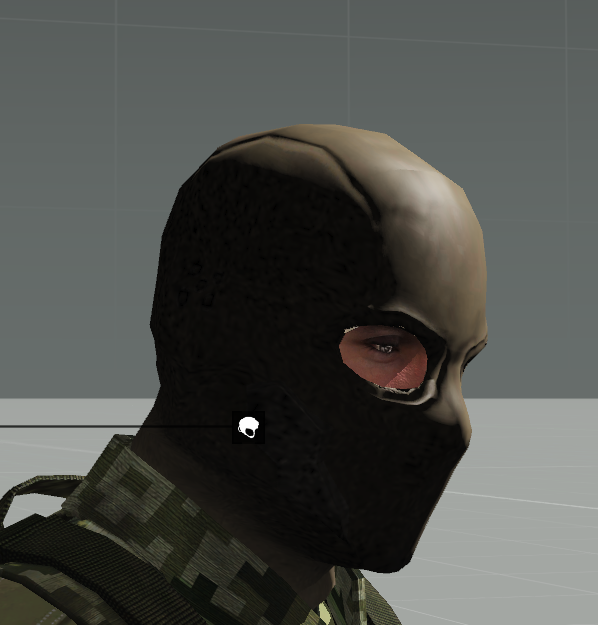
I believe it has something to do with my _as texture, or the rvmat. I get splotches in the shadows. Any help would be appreciated, this is my first time making textures/modeling and rvmats still confuse me.
full quarry
What resolution is the texture? @limber plank
limber plank
just made it bigger, much better thank you :) https://i.gyazo.com/593ea2dd582443df7dd05cd6a1267b3c.png
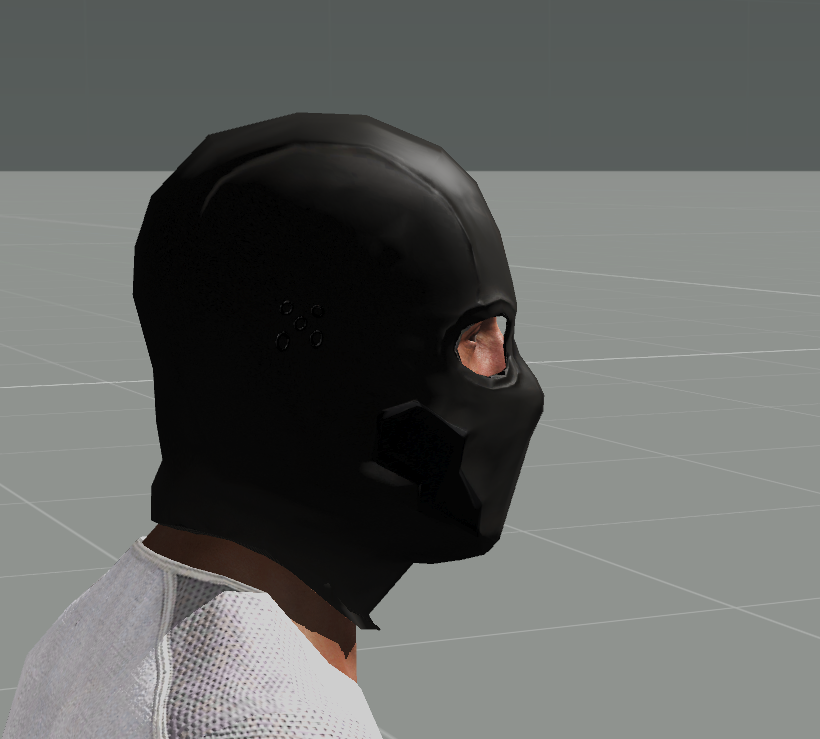
I'm glad it was that easy
acoustic dove
@limber plank you could smooth that model a little , mainly on top of the head
limber plank
I'll work on it. This is more a test model to learn the process though.
acoustic dove
and you can have it in 1024 also
warm stag
late but @silver gull https://support.allegorithmic.com/documentation/display/SPDOC/Performances
Some other things to do include changing brush projection type from Tangent to UV space (cheaper, can make a big diff.) and moving layer you're working on to the top or disabling other groups temporarily
silver gull
changing nvidia settings did nothing. I get "blabla old driver" rant, but my GPU doesnt get any driver updates anymore so its pointless.
Changing projection to UV makes things a quicker, sure but also really janky to paint on non-organic models with fractured UVs
warm stag
if it's an old GPU I wouldn't expect good performance
silver gull
GTX 660 Ti it is
@twin bane what GPU do you have?
warm stag
2gb vram?
silver gull
yeah
warm stag
yeah... I have 4gb and it's not enough
silver gull
the fuck? you supposed to have a quad-gpu system to run this properly?
i cant imagine that 2GB vram is not enough to paint a single mask for a single RGB channel without hitching
Any other SP users that can run it good/fluently ? - what Hardware are you using ?
stray relic
SP user, no problems with multiple stacked layers. i5 2500k @3.3GHz, GTX970 4GB, 16GB RAM, Win10 (64bit)
acoustic dove
@silver gull how much Ram do you have?
silver gull
16gig
acoustic dove
problem might just in gpu , that it is old for that maybe
warm stag
If it's struggling on literally a blank document then I'd assume it's the computations that are too intensive for the gpu to keep up
you can try lowering the viewport quality but really it seems like you need a new GPU to be able to use it
another thing you can try to reduce vram usage is lower the values for your channels (ie changing Height from 32f to 8 or 16f)
silver gull
i really doubt its vram related
warm stag
check what vram usage you get up to with rivatuner or something
but the gpu might just be too slow (computation or ram or both)
frozen blade
@silver gull i can run just fine in 2k on both i7 980x 24gb 780ti and i7 2600k, 16gb and gtx1070
2k works a ton better on that 1070 8gb gfx card
silver gull
2k (just the single mask and single RGB layer) works mostly good too. But the 2k x 4k map has like a second delay
i can only imagine it getting worse as i paint actual materials and stuff
silver gull
its a vehicle and i combined 2 maps there, so 2k x 4k is already pretty low res on the model
frozen blade
no, what i am saying is you can work in half res
the textures will be at whatever res you set them to
the preview will be 50%
ie: i mostly export textures as 4k
i work in 2k res in 99% of the cases
or even with textures 8k, i still work in 2k
 crimson brook
Does anyone know if there is a PSD avalible of the civi repair offroad - Offroad_01_ext_repair_CIV_CO.paa
 versed meadow
What would I have to do to make a colored glass texture? Like for example, orange or blue glass
nocturne lake
Make a coloured texture and give it an alpha channel
making a coloured _env map (for Stage7 of the .rvmat) can help as well. And applying some colour in the specular[]={R,G,B,A}
versed meadow
@nocturne lake Awesome thats what I needed, thanks
twin bane
@silver gull Titan Blacks
silver gull
and you still have paint lag issues with that? geez
twin bane
yerp.. tis kind of maddening honestly.
nova hatch
I am trying to get back into SP with painting, anyone know a blender->sp method for ID maps and painted materials
I am painting different colors in blender to allow masking but it seperates out each material in SP which causes like tons of different output .png files to try and cut together
I have quite a few things sitting in limbo between fully uv-d and not painted because my non existant workflow atm lol
unreal magnet
Just assign several material colors to individual parts/faces and bake an ID map by hand
 crisp edge
In case you missed it, the templates for Jets have been released yesterday: https://forums.bistudio.com/forums/topic/169362-tools-development-branch-changelog/?do=findComment&comment=3224328

Bohemia Interactive Forums
21-07-2016Size: ~1.2 MBTOOLS:Arma 3 Tools Launcher
Added: Project Drive management; The user will be asked if he wants to purge the game data before the ext...
silver gull
@crisp edge Thanks for this - however, i can't seem to update the samples on steam. Restarted steam and stuff, no dice.
stray relic
Same issue as X3KJ. Not seeing a Samples update on Steam.
silver gull
oh. wasnt aware there was a dev branch for samples as well...
acoustic dove
yeah it is best to switch all tools to dev
stray relic
Thanks RobertHammer, also wasn't aware that Samples had a dev branch, and now I have the update.
acoustic dove
np 👍
dense peak
I have been modelling and texturing on this Carl Gustaf M4 for a while now and feedback would be much obliged http://imgur.com/a/ctfBi
nova hatch
@unreal magnet I did this but in SP it still splits it up based on each material
unreal magnet
What do you mean by that?
nova hatch
So I applied different material colors all to one object, had 3 different colors on one object and another object was a solid one color
But when I import a mesh into SP it has the 4 split material sections in the viewer, I can view one at a time etc
In quixel I could bake an ID map and then mask to that
But in SP it like presplits the materials into groups which then makes me have to export 4 different uvmaps and then splice together with PS
unreal magnet
You have to bake the ID texture
its is not enough to just assign them the materials
warm stag
differents materials = different texture set in SP; what you want is a colour/id map (an image) which gets plugged into the corresponding slot in painter
then you can use "Add mask with colour selection"
nova hatch
I had a map baked but Ill revisit with that video thanks
I had baked out a map based on the materials and thought that was it, then going in with the images and materials it split it up in different texture sets for each material I used, I must be doing something wrong lol
warm stag
well yeah because the image and assigned materials don't have anything to do with each other
if you want one texture set you use one material for the whole object
and you can import your colour/id mask an use that to mask areas of the model
nova hatch
Ah I get what your saying
Thanks for helping me get it straight - now to pull myself out of bed and get it done 😄
nova hatch
Ok so I get what I am supposed to do here, but its not giving me any results - that video does exactly what I do
I use the materials with whatever color I choose and apply them to the model then bake a color id map. So I have my mask/id map now created and saved and if I export the model I still have all those materials I just used to bake with applied on the model
nova hatch
Blender -> SP2 yea
frozen blade
as what? fbx? obj?
what you are trying to do if you don't mind me asking
too lazy to read above more than 20 lines
nova hatch
I have my mesh - lets say with 5 different colors I want to paint/mask to. I assign different materials for color to them and bake an id map and save it. If I export to sp2 with this step I still get it split into 5 materials in sp2 instead of one that I can use my ID map
frozen blade
the issue
is that if you have on export
5 materials assigned to the same mesh
on import it will split the mesh based on materials used
that is SP behaviour
so bake whatever you wanna bake
assign a single material to the entire object
then export
nova hatch
Ok but what if I need to make changes, I would be out of luck or have to redo all masking
Thats what I was trying to get past, if its not that possible then I guess I just can't
frozen blade
i am not sure how blender works, i hardly use it for anything but minimal static RTM poses
but material IDs
do not change no matter if it is a single material assigned to it
or a multimaterial (whatever the fuck is called in blender)
the tech should be similar in all software
what you are doing basically is assigned different materials to different poly faces
but the end result is more or less the same
or should be, no idea how blender handles these
but at least for max and maya the behaviour is as described
nova hatch
I hope its the same, in max and maya it seemed straight forward
But I think I have my head wrapped around what you were explaining now, just gotta figure out how to get it to work and google-fu the correct terms
Thx pufu
nova hatch
So I got it to work fine I just have to delete all marked materials before I export, one extra step but I am at peace with knowing thats how its done lol
Thanks all for the help
 sharp bobcat
have anyone of you ever found a similar model of cappatrol.p3d "Military Cap" without the headset? Would like to do a texture mod based on that, but the headset doesn't fit the plan ; )
somber pier
Breifly, what would cause a texture to load and be visible in 3rd person, but the classic white box no texture in 1st?
I'm trying to fix up the open source Nomex coveralls mod that is available, however run into that problem
limber plank
@Petyr Baelish#1770 not an expert, but is the camo selection and texture applied to the view LOD?
 prisma locust
i am new at this anyone out there can help lets mic chat here is my cantact #6371
and go to the #general to chat with me
full quarry
@prisma locust Welcome.
You can get the best use of the modding channels here if you have specific problem or error you need help with and just ask questions.
Unfortunately it is rare that anyone has time to hold new guys hand throught the ropes so you may need to brace yourself and dig in by yourself.
There are a few tutorials on BI Forums and youtube on different aspects of arma modding you may find valuable. Assuming that you are talking about modding Arma in the first place.
prisma locust
thank you so much
full quarry
As for a start its usually good to state what it is you are aiming to create
prisma locust
going to #general so we can mic chat
full quarry
Im about to leave. and as said people usually dont have time to just walk you through everything.
you put your questions here and usually someone answers
and personally I dont do voice in here.
somber pier
@limber plank Ahh yes I'm guessing you need the hidden selection selections also in the viewLOD
I'll have a look at that!
Yea that worked! Mate you're a fuckin legend cheers mate! Can't believe I missed something so simple
silver gull
currently prototyping how i could possibly set up an easy to use semi modular tile/texture/building system to stomp out performant buildings quickly (within model editor, not for ingame use). Example for use as stairs, columns and "gap fillers" https://abload.de/img/borderprototypingmlp97.png
texture snippets are just placeholders from stalker currently.

has anyone done something similar for their buildings?
frozen blade
@silver gull not really sure what you wanna achieve
silver gull
basically a set of prefab building blocks in a grid system that can be snapped together to make complex buildings very quickly inside max. Think of skyrim/oblivion but less restricted since you can modify them afterwards. Matching to this a set of few tailored multi purpose textures, using as few multimats as possible but still getting a lot of color/material variety