#arma3_texture
1 messages · Page 24 of 1
 nova hatch
I suggest not uv mapping in OB
Use a free program such as blender
Import your model then uv map then export and import into OB again
 full quarry
If Blender is used I also recommend FHQ Blender toolbox for straight .P3D Import/Export
 quasi gulch
I'm reskinning the Kajman to Green Hex and I have to select blotches of hexagons individually. 😎 🔫
 nocturne lake
select similar, or just turning off contiguous, doesn't work?
quasi gulch
Neither because of how the hexagons are.
 frozen blade
imposibru
 silver gull
i mean its camo... its against beeing detected
quasi gulch
https://cdn.discordapp.com/attachments/179003897069830144/291677943648878592/unknown.png It doesn't look too bad so far...

 tepid wolf
Hey guys does anyone know why when I spawn in a unit wearing the skin I created it gives me this error
No entry "bin\config.bin/CfgWeapons/TestTex.Library
 brittle cosmos
@tepid wolf That's related to you config. If you could upload it to pastebin, or another text sharing website, then we can take a look and offer advice. As it's config related, #arma3_config would probably be a better place
tepid wolf
ahhh okay thankyou @brittle cosmos
 stark crag
I've been looking for a while now and can't seem to find info.. What assets can I release retextures for without obtaining permission? Can I retexture anything that's in base arma3? what about apex? What about arma2 assets that have been imported into arma3?
Obviously, I would need permission for any content that's from an existing mod (unless it's content imported from arma2?)
even a link explaining this kind of stuff would be helpful. I did tried searching myself first before asking here but maybe I wasn't using the right wording.
frozen blade
in general terms, you should be able to release re-textures for anything as long as the mod you are releasing has no parts of the original released data (as in no re-pack)
also, it is advisable in this community to ask the authors before you proceed, at least because that's the polite way to do it
anything in A3 and A2 that is prepped for retexture (as in hiddent selection ready) should be fine by default
stark crag
thanks for responding @frozen blade Is there anything different about if it's not a public release and is a mod specific to my server?
frozen blade
@stark crag can you be more specific?
stark crag
I mean, can I still make a mod with retextures of a3 assets if they are a mod that is made specifically for my server (private mod hosted on a3l)
frozen blade
monetized server?
stark crag
no, just server specific content
not only for donators, but for all players
just want to make sure this is something I'm allowed to do before I make all the textures. they would all be branded with the community logo
frozen blade
something being for people who pay money = sale, so these turn to customers, but that is another discussion.
afaik, yes, mods can be private and server specific as long as these are based on BI assets
stark crag
@frozen blade you've been very helpful. I'm pretty familiar with the monetization policy, just not with permissions on retextures of BI assets
frozen blade
as soon as you touch any of the community made content (CUP included btw) the license of the mod take priority
stark crag
so a2 assets ported to a3 by cup, I would need permission if only the texture is replaced but the same model is used (by the exile customs trader script)?
frozen blade
yes (never played exile so i have no idea about that sript). If you wanna use A2 content using BI's license instead, get it into A3 yourself
stark crag
gotcha, thanks @frozen blade 😃
 ashen granite
Does anyone know how to export a UV map from 3DS Max and import it into O2 ?
nocturne lake
You export the model you just unwrapped. Or do you mean something else?
ashen granite
Yes, I see there is an export option in the UV Editor of O2, it exports as .EMF, tho I'm not sure what this option is used for. I was wondering if there was a way to import a UV Map into a certain UV Channel in O2
nocturne lake
that's not how UV maps work
exporting the UV map is just generating an image. The purpose is to export it to 2D editing software like photoshop for texturing.
.emf is a vector format
ashen granite
I see
There is that option under 3DS Max, was wondering if that was possible on o2
Thanks for the info 😉
 tardy condor
How do i make a custom face for arma 3, now that there is no custom face to edit in the game's documents?
i made the texture and all but i don't understand the keys thing
 jaunty solstice
Is there anyone good at making satmap/textures looking for a project cause to tell the truth im the worst at making them. Anyway im working on a project and would love some help on mine, if anyone is interested just hit me up 😃
 odd crane
@ashen granite I'm not sure what you mean or what your intent is. If you're wanting two UV map channels for one object you've imported to Oxygen then yes, there's a way of doing it that more or less works
 delicate plank
Have a stupid question for some of you more advanced scholars. Ill just use the blackfish as an example. It is layed out over several files for the texture. Is it possible to load this up in blender as a complete model, retexture the vehicle, then have it divided up correctly for the .paa files?
full quarry
nope, cant open up the A3 models.
delicate plank
Didnt think so. But thanks for the response.
 acoustic dove
Is there is a way to deal with PAA compression that shows the artifacts on texture?
 carmine flame
I tried making some custom roads, but they all have white lines on the end texture. Anyone know what I did wrong? lol http://i.imgur.com/Bk3KrgN.jpg

 lunar walrus
Just didn't crop it in fully in whatever you edited it in @carmine flame
carmine flame
That was first thing I checked, but it's not that. I'm just going to switch back to A3 texture for time being, I wasted a huge part of the day on these roads. I'll go back to them when the rage has pasted lol
 cyan bronze
Quick question: Is there a way to apply a transparent texture to a model so it leaves out a certain piece (accessory or so) or will it always render it black/white?
 unreal magnet
use hide Animation
nova hatch
@prisma abyss wrong channel? Try terrain channel 😛
 still ibex
: anyone know of any guides on making the _ti texture?
full quarry
still ibex
thx man
odd crane
Anybody know why my multi material is acting funny with the green mask area? It looks like the spec map is broken but it's not. I've tested it. It seems to be an issue with the mask. https://dl.dropboxusercontent.com/s/trhvyuqu0s59f2r/Arma3_x64 2017-03-26 20-24-47-12.png

 vestal trail
Anyone have a texture template for the ceasar plane. (The proppelar driven plane that came with apex)
nocturne lake
there is one in the steam samples IIRC
 tacit sparrow
anyone in here who could help me out with a 512x238 px image for ArmA.Studio? we need a splash screen and our current looks ... well ... okish would be the best i could phrase it https://cdn.discordapp.com/attachments/282160388802609153/293903576613257216/SplashBack.png

 distant rose
@tacit sparrow read pm 😛
tacit sparrow
which pm?
tacit sparrow
fixed* 🙈
 bronze stone
🤦
 gaunt fiber
Any way to texture the M-900? "this setObjectTexture ]0, "..."]" does not seem to work?
brittle cosmos
@gaunt fiber Where are you trying to execute that from? i.e. from the init box in the editor
 shrewd arrow
hey, is there a way to make my textures smaller or compress them so they are not so big ? or can you obfuscate them or something ?
shrewd arrow
i have a skin 1024x1024 and its 3MB
shrewd arrow
you mean like .paa or .tga or something ?
full quarry
ya
shrewd arrow
.tga
shrewd arrow
yeah i know. 😄
okay nvm its okay ^^
@full quarry now its 400kb big can i minimize that ?
which options should i use ? dxt 1 or dxt 5 or what ? 😃
full quarry
Dont think you need to change those. It will use what is appropriate
you probably cant squeeze any more out of the size
is 400kb a problem?
shrewd arrow
not really but i want to make a lot textures and i dont want to make the missionfile that big 😄
full quarry
you could pack the textures as separate addon package
quasi gulch
@vestal trail Arma 3 Samples
 gloomy kelp
when i try to open a picture in texture viewer, it says "error loading file" what does that mean?
gloomy kelp
dont worry
gloomy kelp
ive made some insignia patches or whatever there called. they have an alpha map, but when i put them ingame they are invisible, in texview they show up, but not ingame
any ideas?
odd crane
Make sure you export your texture with proper opacity from photoshop, gimp or whatever you use as a 32 bit tga file with the suffix of _ca in most cases, then convert it to .paa in texview. To troubleshoot if the problem is the texture or your addon's config go ahead and assign your patch texture to some random object with a permanent texture to make sure your patch's opacity is working correctly. If it's working correctly then but not as the shoulder patch there may be something wrong with the model cfg, mapping, addon config .etc.
 glacial star
can anyone explain why my lighting is messed up on my window frames and balcony railing: http://imgur.com/Jq4BfiD
i use a multimaterial rvmat
related to detail texture RVMAT perhaps?
nevermind just tried another random NOHQ and it is now correct
....aaand the reason was that there was a faulty alpha present in the NOHQ tex
odd crane
Try recalculating your normals f5 and see if that works
 gaunt marlin
@glacial star If F5 doesn't fix that then you need to select all the glass faces (window faces) and then select Faces -> Move top on Object Builder/Oxygen 2 whatever you're using
glacial star
thx
gaunt marlin
you're welcome
 frigid escarp
whats a good way to merge textures in an automated process these days? preferably some cmd line approach
brittle cosmos
Could you describe a bit more what you want to do?
frigid escarp
the AWAR system uses 3 named selections for decals on tanks to generate random numbers from 000 to 999
the idea is to reduce it to one selection/section and have instead of the ten images from 0,1...,9 to 1000 images to achieve all combinations
 dense peak
probably imagemagick or graphicsmagick
brittle cosmos
Yeah ImageMagick or GraphicsMagick seem like good options
frigid escarp
tx
 obsidian nimbus
are the color values in arma 3 .rvmat files RGB or in the standard arma color format?
nocturne lake
standard format
 mighty crest
what's the best way to reduce the amount of pinkish texture coming through on an RVMAT via the SDMI map?
I want to have it more black, shadow like...
nocturne lake
your smdi shouldn't affect the colour at all
unless you're using a colour in the specular[] array
mighty crest
okay, I end up fixing it with adjusting the specular value.
 plucky olive
Does anyone know the difference between PAA and PAC? or where I can find out?
nocturne lake
pac is obsolete
used to be used like _ca.paa files are, back in OFP times
newest tools wont even convert to .pac
plucky olive
ah ok thanks
plucky olive
Dont suppose anyone knows a good tutorial on setting up different textures on the same mesh? I think its called hidden selections.
so basically different items with different textures but same p3d file, thanks in advance
brittle cosmos
You might be thinking of multimats. hiddenSelections are used to easily allow for retextures of objects through scripting or configs
If you wanted to use 4 different textures on the same object, multimats are the most efficient/optimized way to do that
plucky olive
hmm, so basically what I mean is I have a mesh of an ingot for exmaple, and I want say a copper and iron ingot from the same model, what would be the best way to achieve this?
As far as I was aware multimats are used on buildings to give high resolution textures using the ID map and 2 uv sets.
would the best way just be seperate p3ds with different textures assigned? or would it be hiddenSelections?
nova hatch
you could have them all on the same texture set and rvmat I guess then hiddenselections to hide the one you want
but you wouldn't be able to do as fine of rvmat tweaks I guess
plucky olive
what Ive got right now is two p3ds one with the uvs using the upper half of the image and the other using the lower half, then have two seperate ingots on 1 texture file, but I have 4 or 5 types to make,
I mean its not an issue if I have to just use multiple p3ds cos they are only 8kbs and thats before packing, but if I could do it through configs would be nice
isnt hidden selections what they use for the different vehicle skins? cos thats more or less what im going for
by they I mean bohemia
nocturne lake
yes, but hiddenSelections don't work on some simulation types so depending on what you have them configured as, they may or may not work
AFAIK they don't work on magazine ground models, they don't work on weapon attachments
they don't work on Visitor-placed objects either IIRC
 vagrant lake
hey guys short question does arma support PBR texturing ?
bronze stone
Don't know if i have to cry or laugh. 😭
Okay, i decided to cry. No, it doesn't have PBR.
plucky olive
Does anyone know of a guide to making custom roads? Like a custom sized one not just a retexture
bronze stone
No need to post it in several Channels.
plucky olive
Different questions
The one above is specific to the p3d file wondering what they mean, im just asking for a guide here as I thought it would be more specific to this channel
frozen blade
it's a simple plannar uv texture, so what is the question then?
bronze stone
¯_(ツ)_/¯
 tiny barn
So what's the easiest\most efficient way to make a spec map?
 thorny canopy
hi lads, just had a cheeki peek in the ArmA3Samples and the RHIB Doesn't seem to be in there, is the template found anywhere else or even available at this point?
silver gull
@frozen blade no, the life workflow
bronze stone
life
 fresh hill
As for the road texture: its a bit more tricky, as it needs to be tileable texture that also needs to be mirrorable. Probably hasn't changed with the shapefile tech, but I haven't done any roads in A3 with this yet.
thorny canopy
@frozen blade are you saying the arma 2 rhib will have the same texture? I thought it'd be configured differently.
Any of Apex out of .ebo yet? Could I just rip the rhib texture
 granite briar
Is anyone willing to help me with rvmats?
full quarry
you could just drop your problem here and people will answer if they know anything about it.
granite briar
The issue I'm having is my normal maps are barely visible
unreal magnet
pic?
unreal magnet
the rvmat assigned? the nohq in the rvmat assigned? what does the normal map look like?
granite briar
by assigned do you mean "hiddenSelectionMaterials[] = {"Lewis\data\Lewis_MG.rvmat"};"
?
unreal magnet
no, assigned in the p3d
granite briar
oh yes
unreal magnet
do you assigned the nohq in the rvmat file?
granite briar
yes
i'm not sure exactly what i'm doing in the .rvmat
class StageTI
{
texture="#(argb,8,8,3)color(0.5,0,0,0,TI)";
};
Ambient[]={1};
Diffuse[]={1};
ForcedDiffuse[]={0};
emmisive[]={0};
fresnel(4.01,2.86)
specular[]={0.25};
specularPower = 100;
PixelShaderID = "NormalMapSpecularMap";
VertexShaderID = "NormalMap";
class Stage1
{
texture="Lewis\data\Lewis_MG_NormalMap_NOHQ.paa";
uvSource="tex";
};
dense peak
that rvmat looks broken
lots of arrays are missing values
and NormalMapSpecularMap needs more stages than just stage1
granite briar
ok
dense peak
i'd suggest you to use Super for a weapon anyway
granite briar
when i tried following an example rvmat it made the model fully black
dense peak
usually it's the best to grab a rvmat from a vanilla asset that is similar and replace paths as a start
then tweak values from there
granite briar
how do i find the vanilla assets? i tried looking in the arma3 sample but i couldn't find any
dense peak
you need to have a pdrive set up with pretty much the whole game unpacked anyway
its best to use the mikero tools for that
granite briar
yeah that's what i've done
dense peak
ok then you have everything in your pdrive you need
granite briar
yeah i think so
dense peak
just go to P:\a3\weapons_f or whatever weapon addon you like or there are and grab a rvmat from a rifle you like 😛
granite briar
ok thanks
dense peak
and only repath the textures
nothing else for a start
oh and do not edit the original rvmat, copy it to your project dir
granite briar
will do
dense peak
it's always better to use a working example reather than rely on a tutorial being kept up to date or even being accurate/correct in the first place
granite briar
yeah
 devout cedar
quick question regarding smdi and sm, sm is just a regular standalone specular map correct? without displacement?
dense peak
it is basically the same but smdi has increased bit depth (according to the wiki)
frozen blade
@willithappen#8753 ahh shit, i was actually talking about model...so yeah forget what i wrote
frozen blade
@devout cedar don't use _SM with supershader
devout cedar
J've since switched to smdi, but thanks 😃
vagrant lake
Hey Guys, anyone has a preset for window maps for substance painter ?
thorny canopy
Ah righto no troubles, was a wee bit confused for a bit there haha
granite briar
Help please. I can't seem to invert my normal map, my bolts appear as holes
granite briar
nevermind for some reason i had to invert both the red and green chanel
 mild moat
Hey there can a texture Dev message me?
full quarry
probably best if you drop your question here. The Devs are pretty busy
mild moat
Im looking for someone to teach me texturing so i can make Textures at a faster rate
i have a base understanding
full quarry
If anyone has time to start teaching you they will reply to you but dont count on it. It takes quite a bit of timea and that is a luxury very few have.
If you got specific questions people here usually reply to those pretty fast but for learning I suggest you study any texturing tutorials out there and especially those that are made for whatever programs you use.
mild moat
Yeah okay, Well if any texture devs that have spare time please PM thanks
frozen blade
spare time is a luxury...there is plenty info freely available on the web though
 viscid gazelle
Just try and learn by yourself and ask about specific problems you encounter, like everyone else.
dense peak
Hey, ive just achieved getting a detail (_dt) map ingame (with a supershader .rvmat). The problem ist that colours wont be detected as being in alpha channel, there is only 0 (nothing) or 1 (black). I have saved the texture as .png and exported it as an .paa file. Link to the .rvmat file https://pastebin.com/UWVAj7Kd Ive already thought that you may be able to change "Filter=linear" to get that working..just how? Thanks again! Edit: @silver gull Youre my last hope 😄
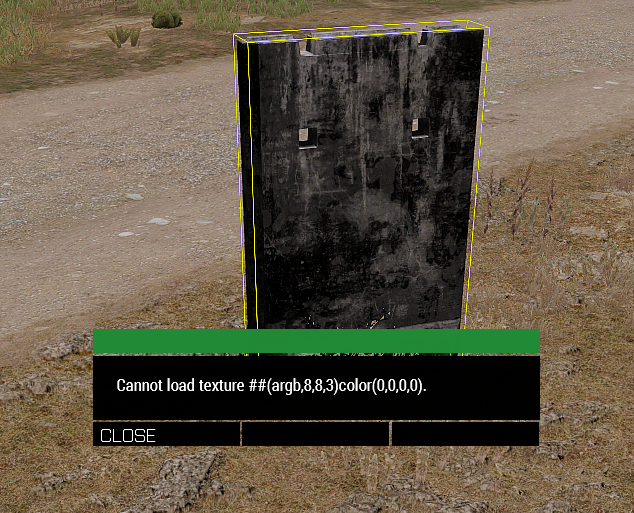
Also I get the following error http://fs5.directupload.net/images/170412/ihxtojl9.png
 nova hatch
Made them
granite briar
can someone help me figqure out why my texture aren't working? i've got the project on the p drive, set the texture in the .p3d file and it doesn't appear in game. The rvmat however works perfectly fine..
bronze stone
pboProject?
granite briar
thats what i'm using
bronze stone
Okay, at least.
Btw
My magic Glassbowl is currently broken.
So i can't predict the future/guess your problems.
granite briar
haha ok i'm just not sure what steps to take from here to resolve it
granite briar
righto
bronze stone
=}
 prime pewter
@bigbangben#9273 what are the texture's dimensions? also show the path to it inside OB with a screenshot
silver gull
@dense peak try renaming the png to something_ca.png , then convert it to .paa, after that you can rename it to whatever you want.
_dt should could would also work.
if those suffixes are not found, it uses DXT1 compression with 1bit alpha -> only 1 and 0
granite briar
Hi @badbenson#0154, the texture dimension is 2048x2048 https://drive.google.com/open?id=0B_99uyUK5lf6SHJhTkRKQ0J6MFU
full quarry
@granite briar your issue lies with having p:\ in your paths
granite briar
i tried removing that in OB but still produced the same result
full quarry
well remove it anyway
granite briar
ok will do
granite briar
no
full quarry
or in any other path
granite briar
no P: is only defined in OB
full quarry
?
granite briar
*referenced, don't know why i said defined
full quarry
only place you should have p:\ is OB settings - path for textures
no other place/path
because then Arma wont read it from the addon
but tries to read it from P:\
granite briar
wait i thought you were telling me to remove"p:" from P:\lew... in OB
full quarry
yes
granite briar
ok
granite briar
ohhhhhhhhhhhhh
full quarry
that should be P:\
Nowhere else
ever
well ok some settings somewhere might have it or if youre running buldozer from P:\
but nowhere model related
or texture/material related
also tools menu has material & texture renaming tool that is quite useful for chaning paths
or filenames
granite briar
i think that fixed it, thanks mate
dense peak
@silver gull Well using the _ca suffix instead of _dt already looks much better, but still not quiet right. http://www.directupload.net/file/d/4691/x5gbdevp_png.htm Do you know what may be up with the error? "Cannot load texture ##(argb,8,8,3)color(0,0,0,0)." ? https://pastebin.com/UWVAj7Kd Thanks again! 😃
silver gull
i dont see what the issue would be in that picture. THe cant load -> likely a typo in the procedural texture name.
#(argb,8,8,3)color(1,1,1,1.0,co) this is a procedural texture name for example.
you have one # too many
dense peak
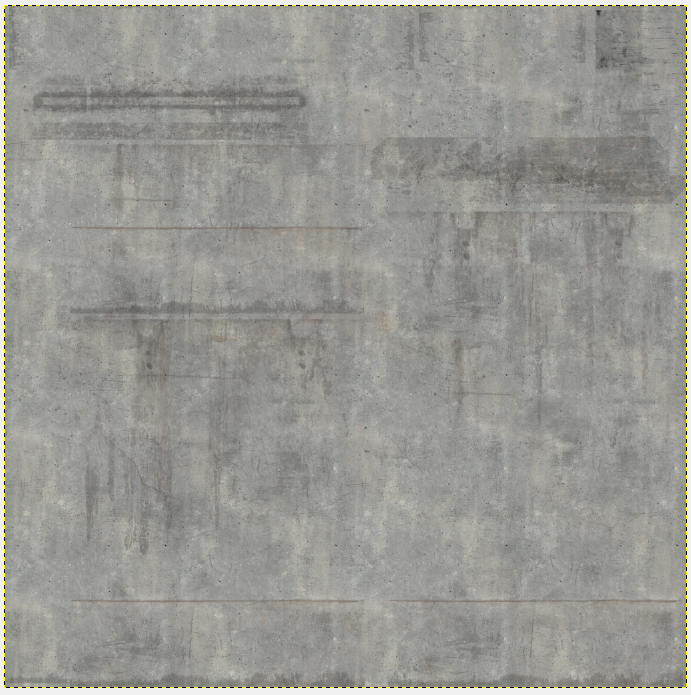
Well the colours are way too hard, they should only shine through a little bit. Thats the Gimp file with the beton texture under it, what it should look like ingame. http://fs5.directupload.net/images/170414/gn8dqwb3.png Also i have changed the Stage 3 texture to texture = "#(argb,8,8,3)color(0,0,0,0,MC)"; , no more errors 😃
 vestal trail
Is it acceptable to adjust areas of an AO map (ads in this instance) in GIMP/photoshop?
gloomy kelp
when i try to binarize this, it has an error saying that there is a missing "}" at the last line
nocturne lake
because you left cfgVehicles open
class CfgVehicles
{

class cfgWeapons
{
...
};```does that not enclose everything?
nocturne lake
no, cfgweapons and cfgvehicles are separate
dense peak
hey there, is it possible to integrate a new selfmade font into the game? greetings 😃
dense peak
Is CfgFontFamilies only accepted in config.bin of a mod or can i use it in the description.ext?
nocturne lake
no idea
 uncut birch
Is there a guide on how to retexture stuff like guns ? 😃
 potent trout
@uncut birch
can do it one of two ways.
Option one, learn how to 'copy' the base of the weapon into your mod. Then go about replacing textures with self made ones.
Or
Option two, look at basegame config for the weapon, and basically do the same as option one.
Not exactly detailed but so far I've only skinned a vehicle. Haven't touched gear yet.
uncut birch
hmh Thanks for the awnser so far... 😃
full quarry
@uncut birch There is at least one pinned thread about that on the biforums I think.
uncut birch
will take a look later thanks @full quarry 😃
 somber pier
How does one remove a shine to a texture?
My F35 coating is a bit too shiny and I'd like to tone it down just a little
 brazen iron
@somber pier edit specular map(.smdi)
somber pier
Cheers mate I'll look into it
nocturne lake
increasing the specularPower value to narrow the highlights, and darkening the RGB values in the specular[] array can also reduce the overall shiny-ness since the _smdi values are a per-pixel scalar to these two .rvmat parameters
somber pier
Thankyou very much!
tiny barn
Any idea why I can't get transparent textures to work in SA?
Even if I use an rvmat and texture from something that's translucent it still won't work with my model.
frozen blade
SA?
 tardy tinsel
Hey there! Hope I'm right here ^^ Does anyone know if there is any oportunity to group up two or more elements in the GUI-editor to move them as one part? Thanks for help!
obsidian nimbus
Does anyone here know how accurately object builder buldozer displays .rvmats? Mine always look different in game. Is the a way to edit them with an accurate preview?
 cursive zealot
anybody know why photoshop wont export .jpg's with trasnparency? Is this just a cc issue?
brittle cosmos
jpg doesn't support transparency
cursive zealot
Oh what the fuck.
potent trout
.png is what you're looking for
cursive zealot
yeah I was just hoping that I could use .jpg for some on screen stuff, hopefully this'll work .paa
potent trout
I think you can use .png files as well?
Not entirely sure.
cursive zealot
afaik I've only seen .jpg and .paa work for regular usage ingame
potent trout
Like UI or straight textures?
cursive zealot
just straight textures for objects and such, I've even seen commands documented only to use .jpg before. Which is strange. Like setFlagTexture, I believe that's .jpg only.
nocturne lake
think .paa is used for flags as well these days
cursive zealot
Could be just the command, afaik the docs could say anything other than the truth lol
nocturne lake
image2Paa seems to support .jpg (there are checkboxes to exclude .jpg, .png or .tga in a given source folder) so I imagine texView does
plucky olive
Hey so Ive been messing around with designer and was wondering, so in ARMA as far as im aware SMDI maps are made from R channel being all white, B being the Specular Power map and G being the specular map,
So my question is, what makes a surface more reflective white or black?
plucky olive
thanks
somber pier
Is there any difference between texturing an image like this - https://gyazo.com/0233e31788aa34c923c44dde6918878f - compared to this - https://gyazo.com/0fad82d1a4807ee2ac0eac515281709a -
They both work fine in game, I dont see a difference but was just curious to hear from the more professional people
Ultimately I dont know what the blurry stuff is around the airframe in the 2nd image, also its easier for me to see the edges in the 1st one.
nocturne lake
depends how much padding there is around the UVs. First one would possibly begin to show black lines around the UV seams at a distance if there isn't enough padding when the texture mipmaps
the one with more black space probably has a smaller filesize
but the benefit is marginal
second one carries little risk of seams appearing, but as I said, probably has a slightly bigger filesize
somber pier
Awesome thanks for the info, I'll go have a closer look in game now
 vestal sundial
Texture progress fort he V-280 Valor
On another note, I have 3 2K textures so far on the external model alone, am I going overboard?
nocturne lake
I think the Taru and Mohawk have three external ones
vestal sundial
Cool, I'll have to look at those for reference.
plucky olive
Has anyone here had any experience with making textures in substance designer for multimaterial rvmats? If so would you mind me asking a few questions
obsidian nimbus
Quick question, what are texturename_mca.paa textures for? I noticed some tree models use them and it isn't listed on the texture naming rules page
nocturne lake
It's _MC with _AS in the alpha channel In case of shader for trees RGB values are multiplying with basic colormap and alphachannel is used for lightmap (equivalent _AS)
 vagrant flicker
Hey guys, I'm making this plant model, and I have a regular texture file, a normals texture file, a transparency texture file, and a specular texture file. How would I apply these so it would look correct?
granite briar
Is anyone willing to create some textures for me? The models I want textured are going to be modded into arma 3. Message me for details.
 copper blaze
Working on re-texturing helmets from the "Firewill:PilotCrewPack" collection. Currently having trouble understanding the config. I have written CfgPatches; CfgVehicleClasses; & cfgWeapons portions in the Config but I am not having any results. Would anybody be willing to take a moment to message me to attempt to assist me in understanding the config and possibly writing it?
nocturne lake
Are you certain the helmet models have hiddenSelections set up?
copper blaze
In the default mod config, they do.
plucky olive
Hey, so Ive been having alot of issues with my multimaterials and was wondering if anyone could help. Basically no matter what I seem to do it just goes bleached white (if the time is set to later/earlier it gets better but still not great):
https://pastebin.com/rpFA0JW8 my multimaterial rvmat
nova hatch
here is mine and I had no whitewash like yours. some differences https://pastebin.com/7FLHEBw5
@plucky olive
plucky olive
See I dont notice any diffeerence in the rvmats? I have been fucking with all my texture maps loads with more or less no changes either, I thought it might be rvmat related because of the brightness of the parts that currently dont have a texture applied
hmm im gunna try adding the texgen 5-7 part
nova hatch
worst comes to it you can try swapping mine out for yours
that will isolate the problem
plucky olive
yer will copy yours exactly and just swap texture directoires
Right I have no clue what was different but its like 10x better now, thank you so much @nova hatch
nova hatch
No problemo, glad it worked @plucky olive 😄 if possible can you post what it looks like now?
plucky olive
So how comes your DTSMDI maps use a different texgen? Im gunna assume its related to that as thats the only difference I notice, and yer sure two secs
https://gyazo.com/4ffebf3c0644969cc7d303807eb2de14
Alright its a still a tad bright but hell you can actually see it now, a few tweaks to the texture maps and should be good. Once again thanks
those images are under exact same map, time of day act both pointing directly at the sun (sun is directly behind the camera)
nova hatch
Thats how I got it, from PuFu I think? Someone here helped me with multimaps awhile ago
plucky olive
ah fair enough, well once again thanks now when I actually can make decent textures in designer they will be viewable in game lol.
nova hatch
Looks much better btw, finally got a chance to view it
plucky olive
cheers,
 dusky wigeon
Now that ive created this monstrosity:

How do i go about creating the _nohq (normal map?) and .rvmat of it?
full quarry
I would guess the face normals for Arma textures are baked from a highpoly model soo if you dont have one, its going to be tough
dusky wigeon
hmmm what about the rvmat?
full quarry
there is an example in the article
and you can pull the Arma 3 rvmats from the unpacked game files
dusky wigeon
Would you happen to know what the Tanoan head model is called? (eg. GreekHead_A3, PersianHead_A3, AsianHead_A3)
nocturne lake
Classnames are TanoanHead_A3_XX, head = "TanoanHead_A3";
dusky wigeon
@full quarry @nocturne lake Thank you!
So i guess if i should be using the original normal map of the face texture i used eh. No matter how much i change the face, since i have to follow the eyes nose mouth position of the original anyway, that normal map should work fine right?
dusky wigeon
Hmmm, how come its transparent around the forehead area? http://1.1m.yt/M7VRR5h.png

(the hair i mean) In the texture itself its not like that.
dusky wigeon
Is it because of the rvmat? (i used the default one the original face had)

 quaint shadow
looks like that rvmat is binarised
dusky wigeon
I edited these parts: m_asian_01_nohq and m_asian_01_co and replaced them with the one i edited. Simply avoided the NUL ETX SOH parts. It seems to have worked:
 bronze stone
ew
dusky wigeon
@bronze stone 😦 its my first time
Now my problem is that the front part of the face is really really bright. Its not like that with the default faces. Does anyone know which setting controls that?
bronze stone
prolly RVMats
plucky olive
So is there any actual difference between NOHQ and NO ? or it just NOHQ is for like higher resolutions?
 twin bane
@plucky olive i dont remember honestly.. don't think so though.
dense peak
NOHQ maps are less compressed than NO
bronze stone
Is _no even used?
twin bane
deprecated
bronze stone
I can't remember seeing it in any files.
dense peak
plucky olive
Yer thats what I thought Ive never seen them used. But what Benno says makes sense to be fair
twin bane
still works i think
plucky olive
thanks for link, was just curious really as I've never seen it before either
dense peak
I think NO maps are used for the Altis Map textures
Is there any easy way of changing the UV Map set for the main texture (_co)? Edit: Sorry for reposting, think my old post drowned 😃
plucky olive
Do you mean like in a multimaterial?
like where the AS map uses uvset1 but the textures use uvset0
bronze stone
Anybody got an idea, what this could cause:
https://i.gyazo.com/2a2b702d101ef9a0c0d27f51f649f0b6.mp4
dense peak
No i´ve got my co texture applied in the Face Properties, like pressing E in Object Builder 😃
plucky olive
oh right and you want it to use a differnet uv set from that menu?
dense peak
Yeah exactly 😃
nocturne lake
AFAIK you can only change the uvSource for the materials, via the .rvmat. Texture will always use uvSource tex
plucky olive
hmm, maybe go to your uv editor, filter by main texture select your CO map and then copy it onto a new uvset?
oh never mind then
so is a detailmap just a grayscale image of the diffuse map just without any extreme height values (all around 0.5)?
nocturne lake
So really you should copy the UVs you have now to the second UV set. Assign all materials to use that, then change your main UV set for the _co alone
dense peak
Yeah that´s what i thought, wanted to avoid that as its a bullshit load of models and res Lods 😣
nocturne lake
There's probably a way to write an O2Script to generate a duplicate UVSet for all LODs, but I haven't got a clue how to write one
dense peak
Naw that´s ok, thanks a lot. Would probably take even more time writing the script. Also i hate config and scripts, the less the better 😄
dense peak
Atleast it´s working just as it should, I´ve always wondered why the texture was looking like rubbish 😃
obsidian nimbus
Oi what settings are arma normal map compatible in CrazyBump? I always seem to have one axis inverted despite having changed the settings.
quasi gulch
Heya I'm just getting started with Substance Painter 2.6.0. How do I import a PSD texture as a diffuse for my model?
dense peak
Im not using Subtstance Painter but from what I´ve found that doesn´t seem to be possible... "Now it's time to make a plugin for Photoshop to re-export images back to SP2" Answer from Allegorythmic: "I will check to see if we have this planned, but I don't think it's something we are going to do." Taken from https://www.youtube.com/watch?v=6oJrot26ebI
 lyric dagger
How can I make a simple texture replacement mod? I translated the CSAT VTOL cockpit gauges and I want to test them out
obsidian nimbus
Is there a page on the texture naming rules that includes ALL of the rules? There are a bunch of different texture types that don't have descriptions
dense peak
@Taro#1704 There are plenty of these guides, this one as example https://forums.bistudio.com/forums/topic/151777-tutorial-simple-re-texturing-guide-from-start-to-finish/ asweel as video tutorials :)
fresh hill
Anyone got any experience with creating ADS(HQ) maps. As in actually combining AO and "soft shadows"?
dense peak
"soft shadows"? Aren´t ADSHQ maps simply high res versions of the normal Ambient Shadow (AS) Maps?
fresh hill
according to the wiki, not.
dense peak
I´ve only found this info but maybe youre right 😃 "_ADSHQ - high quality version of ADS. Source textures (tga, png) are created in the same manner as standard ADS textures (G channel contains ambient occlusion, B channel contains diffuse shadow). Shaders can work with both _ADS and _ADSHQ." https://community.bistudio.com/wiki/Texture_Map_Types
brittle cosmos
That wiki description isn't the best, but it's the same workflow. _ADSHQ has the green channel copied into the alpha channel
From TexConvert.cfg
// HQ version of ADS
// we store G in alpha, because we want more resolution in ambient shadow
// R has to be 0 - we use it to distuinguish ADS and ADSHQ shaders
class ambient_diffuse_shadow_hq
{
    name = "*_adshq.*";
    format = "DXT5";
    channelSwizzleR = "0";
    channelSwizzleG = "B";
    channelSwizzleB = "0";
    channelSwizzleA = "G";
    dynRange = 0;
    errorMetrics=Distance;
};
 prisma abyss
hey guys, i need a few police skins making anyone here willing ? Can pay 😃
brazen iron
@prisma abyss how much are you willing to pay?
brazen iron
no, I never made police uniforms but I can show you what I'm working on right now, come to pm
prisma abyss
drop me one
dense peak
There is an actual channel for "creators recruiting" (far bottom). Also there are lots of police mods out there..
 coarse solstice
Hi, I'm working on a police car, but I have a problem with my colors.. http://imgur.com/a/2VbN6
frozen blade
you won't find the help you looking for here due to the fact that you haven't made that car to begin with
ripped = bad
¯_(ツ)_/¯
coarse solstice
I bought the source files..
frozen blade
yeah, i heard that one before
coarse solstice
Mrshounka / Shounka. I don't know what you call him 😃
frozen blade
yeah well done, you paid for ripped content, great investment
nova hatch
What could possibly go wrong
coarse solstice
hahaha my file was in wrong pixels. It's working if my paa file is 2048x2048 pixels 😃
bronze stone
and another one for the blocklist...
frozen blade
@bronze stone and then what am i suppose to do with the all my 🍿
bronze stone
eat alone, get fat, die alone.
At least, thats my plan 😄
tardy tinsel
hahaha
obsidian nimbus
is it possible to have only certain parts of a texture be emissive through an .rvmat?
frozen blade
not really
obsidian nimbus
fuck
frozen blade
you can have more than a single rvmat though
one for the parts you want emmisive, another for the ones that you don't
obsidian nimbus
@frozen blade How is that possible?
Unless there are separate hidden selections I'm not quite sure of any way to assign multiple .rvmats to a selection
nocturne lake
He means applying different .rvmats to different faces on the model. Sometimes it's sufficient if the topology matches the shape of the texture part you want to glow
obsidian nimbus
Well I mean that's obvious I just thought he meant a way to do it without a custom model
If I could do that I wouldn't have a problem lol
nocturne lake
then no
There are no em missive maps. Emissivity is done by face lighting in Arma rather than per-pixel shader
obsidian nimbus
hence me asking the question
nocturne lake
DayZ/Enfusion has it. But Arma/RV3, not
obsidian nimbus
well that's unfortunate
somber pier
Pufu going on the offensive haha
While I'm here, is it possible to say change the colour of the glass on the vanilla fighter pilot helmet?
bronze stone
If its part of the models HiddenSelection -> Yes
If not -> Nope.
somber pier
Well that answers that haha cheers I'll look to see if it has one
bronze stone
👍
frozen blade
@obsidian nimbus most of the time i talk about custom models, i always forget people do retextures
tiny barn
Can someone give me a quick rundown of the uvtransform class in the rvmat?
It's x,y,z for the arrays?
tiny barn
Just making sure before I started doing my transforms just to find out the arrays were weird. Haha
tiny barn
I couldn't find a link to that. Thanks
Actually I was on that page and overlooked the class.
dense peak
not to confuse with the BI doku:
https://community.bistudio.com/wiki/ArmA:_RVMAT
i usually use the BIsim wiki and hope it works in arma aswell 😛
and on the BI wiki the class uvTransform is missing
coarse solstice
Hi, I have a problem with a car + skin. Look at this picture. How can I solve it? sorry for my english. http://imgur.com/a/Ikg0a
nocturne lake
bad UV maps
coarse solstice
Thanks
dense peak
Can anyone please help me texturing?
I'm trying to create my own texture, and In photoshop I'm trying to make the original texture as black and white so the existing camouflage pattern won't be seen after I put my own camouflage.
But it seems to to work, is there another way of hiding the existing camouflage pattern on the original texture?
nova hatch
@Adir#6863 Im not quite following, do you mean the normals on it that provide a texture pattern or the actual colors?
dense peak
I'm trying to edit a uniform texture, put on another camo pattern
but when I place the my camo pattern, the pattern on the original _co.paa file is visible beneath my camo
frozen blade
pictures
nova hatch
By pattern im assuming you mean like the "texture" of the uniform - the normals? Or both textures mixing? Pictures here would help
dense peak
This vest by RHS for example
http://i.imgur.com/s1pUPGW.jpg

I'm trying to make it solid tan, so I found a color, created a new layer and made that layer painted in that color
That's what happens after I make the original texture layer as "Multiply" and place the Tan layer under it

it gets the tan color but the original texture remains
So someone told me that I need to make it White and Black
like he did in here
http://i.imgur.com/5EtFfu4.png

if it's white like that, the color suppose to be more clear
Sorry if I'm not understandable though
frozen blade
that's precisely what multiply blending does
i assume you want it full tan yes?
you really need to put a bit more work on your retexture, is not a color overlay, done - bye take credit btw
dense peak
I want it full tan
frozen blade
yes, use some masks
also, the so called BW image you posted above is an ambient occlusion bake
dense peak
I'm pretty new, what is ambient occlusion bake?
nova hatch
Nothing needed for retextures, its used in the rvmat for the model of the vest/clothes
frozen blade
not always
nova hatch
Used to determine how light areas should be
frozen blade
@dense peak - google has the answers
5 min job, just masking shit out (pretty raw, but was in a hurry)
just took the pic you posted here
nocturne lake
I'd convert the normal map to curvature/height to use for the base diffuse shading, play with the levels, and multiply the _as on top
frozen blade
if _as is available
nocturne lake
true, some of our vests have a much smaller _as
frozen blade
but yes, nohq to curvature and height would be the way to go
yeah, some has _as as 1/2 the tex size
nocturne lake
I used nDo to convert the normal to ambient occlusion as well though for the IOTV pouches I wanted to make tan textures for on the MBAV. Since the original _as were 1/4 the res of the normal map and diffuse
nocturne lake
Indeed
frozen blade
older handplane used to do it as well i think
nocturne lake
nDo's got some nice sliders for it though
frozen blade
the only reason i still have it on my pc - that and the fact i paid for it 😛
nocturne lake
Yeah, you caught the SP2 plague 😛
frozen blade
worth the extra 100EUs pricetag
unreal magnet
never
acoustic dove
you know i tested SP2 but i couldnt get anything right in that UI lol
i know its not that bad
but still
frozen blade
the UI is fine, needs a bit of getting used to, but is actually pretty good
if you wanna talk about shit UI, invite zbrush to the table
acoustic dove
i knew you will say it xD
nova hatch
Im torn between quixel and sp2
Both I like, quixel a bit more because of the library it already has but i feel sp2 is much more powerful
I just dont know how to use it that well yet 😄
nova hatch
Yea I have used the site I think
vagrant lake
vagrant lake
when you have substance live you can also use https://source.allegorithmic.com/#/substances/home
if you have the substance abo you get everey month free downloads there
nova hatch
Didnt know about the second one, cool
vagrant lake
yeah np ^^
 ivory ruin
Hi Guys/Girls I'm new here, so I wanted to introduce my self first before I ask something stupid :P.
My name is Tim and I'm the lead developer for Evolutions: Real Strategy Evovled a RTS mod for Command and Conquer, recently I'm trying to get the hang of arma modding. I got some models in game and weapons but now I'm stuck with something which is properly very simple for you, which is .rvmat I have created my rvmat and the texture's and applied them to my model in Object Builder for Arma 3 with the Arma 3 Tools. However when I pack my test mod and load the game and open the Eden editor to see if it worked it model seems to not read the rvmat format. However in Addon Builder in the option List of files to copy directly I have added .rvmat to it, but like I said it looks like it isn't applied to the model in game.
I don't know if this is the correct section, since it is Texture related but also Model related so I thought I try it here.
Its probably something really something that I'm not seeing, if anyone could help me please send me a DM or tag me.
Cheers Tim
nova hatch
@ivory ruin My advice is to run and get far away from Arma. But first is your P-Drive setup with arma tools or mikeros tools?
ivory ruin
@nova hatch I'm thinking about that yes, but yes my P drive is set with the Arma Tools on steam
nova hatch
for the path in your rvmats/object builder
make sure you don't have the path "P:\xxx\folder\texture.paa"
just "xxx\folder\texture.paa"
ivory ruin
already ahead of you
texture = "Test\weapon\data\weapon_nohq.paa";
that is for the shadow specular/gloss and environment aswell
using the following parameters for the uvtransform
class uvTransform {
aside[]={1,0,0};
up[]={0,1,0};
dir[]={0,0,0};
pos[]={0,0,0};
nova hatch
could you post your whole rvmat as a pastebin?
nova hatch
you don't have anything above it? @ivory ruin like ambient[] = {1,1,1,1}; diffuse[] = {1,1,1,1}; forcedDiffuse[] = {0,0,0,0}; emmisive[] = {0,0,0,1}; specular[] = {0.05,0.05,0.05,1}; specularPower = 1000; PixelShaderID = "Super"; VertexShaderID = "Super";
ivory ruin
forgot to copy that
ambient[] = {1.0, 1.0, 1.0, 1.0};
diffuse[] = {1.0, 1.0, 1.0, 1.0};
forcedDiffuse[] = {0.0, 0.0, 0.0, 0.0};
emmisive[] = {0.0, 0.0, 0.0, 1.0};
specular[] = {1.0, 1.0, 1.0, 1.0};
specularPower = 60.0;
PixelShaderID = "Super";
VertexShaderID = "Super";
nova hatch
what exactly is going wrong with it ingame? just not reading rvmat at all?
and you applied it in the material editor in object builder?
obsidian nimbus
Would it be bad for me to add an entry to texconvert.cfg so I can have uncompressed textures? Other than file size, would there be any other potential consequences to performance or anything else to having uncompressed textures?
ivory ruin
@nova hatch thanks man you saved me some grey here, your rvmat works fine 😄
obsidian nimbus
I can't seem to get imagetopaa to not compress _co textures
I can make them DXT5 though
so that is better than before
nocturne lake
need to edit TexConvert.cfg with enableDXT = 0; under the rules for converting to _co
obsidian nimbus
@nocturne lake didn't work for some reason. I can change the format = ""; and it works but that seems to do nothing
enableDXT I mean
nocturne lake
I have class ColorMapNoCo { name = "*_co2.*"; format = "DXT1"; dynRange = 1; enableDXT = 0; }; in my ruleset. If I save as _co2.tga it'll save as a .paa with the same formatting rules as _co, but without additional compression. I can then rename it as _co. I only use it when resaving textures I've sourced from already compressed .paa files though
using it on a raw uncompressed .tga seems daft
obsidian nimbus
I am only doing it on retextures of vanilla so it doesn't compress a texture that was previously already compressed
especially since this particular texture is mostly black and that seems to look pretty bad after compression
@nocturne lake It doesn't seem to work for me. I copied your rule and named the texture properly when exporting from texview but still is compressed
nocturne lake
try using imageToPaa directly instead
nocturne lake
yes, the tools use the source image's suffix to format
obsidian nimbus
ahh
@nocturne lake I must be doing something else wrong because it still appears that it adds compression to the texture
I will play around with it but for now DXT5 is fine
obsidian nimbus
Anyone know anything about the Russian variant of the CSAT uniform texture in the game data?
I thought russia was separate from CSAT in the game world
acoustic dove
yes that variant was before csat was a thing
obsidian nimbus
in the early days of the A3 alpha or simply before it was released publically?
not that it really matters
just curious
acoustic dove
early A3 , files are still in the A3 character pbo
that was suppose to be a Russian SF or a Russian PMC guys
obsidian nimbus
still can't seem to get texconvert.cfg to work
obsidian nimbus
Despite me changing the proper values in my rule in TexConvert.cfg DXT compression is still applied just the same as it would using an original unmodified rule
I changed both the TexConvert.cfg in ImageToPAA directory and the TexView2 directory
any ideas?
tiny barn
If I set a _ca texture on init and it isn't displayed with an alpha what would be causing such issue?
nocturne lake
IIRC if the model didn't have an alpha in it to begin with, the mesh wont be able to render alpha
tiny barn
Okay so if I set a procedural CA in the model it should then work?
I just read that on some forums, at least that's how I understood it.
nocturne lake
Yeah. I think one of the BIS devs said so long as you include some object somewhere in the model that has an alpha texture
frozen blade
IRC it needs to be texture not procedural
tiny barn
I'm setting random textures via init just so you guys know.
So I can just set all the textures I want to be random as any ca texture then change it on init and that'll fix it?
obsidian nimbus
are there any templates for the Apex vehicles yet?
nocturne lake
they're in the Arma 3 sample pack on Steam
Has .psd files for the two LSVs, two VTOLs, and the civilian side's plane and 4*4
dev Branch of the samples does at least
obsidian nimbus
Just made a template for the first part of the Qilin but I didn't know I already had the sample templates for those assets on my PC
I need to stop asking something in discord and then forgetting about it
These are some fancy templates
dense peak
Is it possible to have 3 UV sources (tex, tex1 and tex2 in .rvmat)? Was testing it out but im receiving an texture not found error. :/ (Yes the texture path is correct... 😃 )
frozen blade
@fresh hill rly?
fresh hill
Yes. I actually asked our GFX programmer yesterday exactly about that. 😄
dense peak
Ah no, made an _as map for nothing 😦
frozen blade
pfff, was pretty sure it can support up to more
fresh hill
So was I 😄
frozen blade
why the limitation though?
fresh hill
The usual: legacy shortsightedness I guess. I didnt ask for a reason.
frozen blade
pff, legacy s overratted
because i am pretty sure it is an artifical limit rather than engine not being able to handle more than 2 uv sets for a single shader
fresh hill
The data supports multiple UV channels so yes, one of many arbitrary shortfalls. :/
frozen blade
😦
bronze stone
What would be a benefit?
frozen blade
freedom ^
dense peak
pretty sure that i've seen tex2
frozen blade
😉
bronze stone
^^
fresh hill
In my case I wanted to have a concrete texture on UV0 to be tiled often. UV1 was to contain the coords for _DT so I could have nice hazard strips around the edges, and the _MC on UV2 to only have writing in a different scale on the side.
Now i had to make two rvmats to get it done, thus doubling section count unnecessarily.
frozen blade
hmm, also, that's true only for the supershader?
does multi support more than 2 then yeah?
fresh hill
Havnt checked. But my money is on "no" 😄
frozen blade
remember testing it out, but now that i think of it i am not so sure if i actually tested it
or just wanted to 😃
frozen blade
precisely for what you said
bronze stone
@dense peak Where have you seen Tex2? (oh fk my spelling today... worse than usual -.-)
bronze stone
Try h0arder!
dense peak
grep your pdrive 😉
fresh hill
SVN Blame your brain. 😄
bronze stone
@dense peak PM 😂
dense peak
Oh shame on me, had a \ infront of my .rvmat file path...Yeah seems like it is transferring anything other than "tex" or "tex1" automatically to "tex" 😦
 trim yacht
Hey all, I'm trying to get these textures working (made in SP 2) and am getting weird results when including the normal map. (http://prntscr.com/f72o79)
When I remove the normal map it results in a better texture (http://prntscr.com/f72osk), but I'm pretty sure I'm missing something and I'd like to also use the normal map as well. (_nohq)
Normal map as exported by SP2: http://prntscr.com/f72wvg
AS map as exported by SP2: http://prntscr.com/f730a7
SMDI map as exported by SP2: http://prntscr.com/f730jg
Rvmat: https://pastebin.com/JxgkypMZ
I'm not at all experienced with modelling/texturing but trying to improve.
RESOLVED: I had to invert the Green channel in my normal maps to get the correct result: http://prntscr.com/f74ho1.
Thx Andrew, Hatchet and PuFu!
nova hatch
@trim yacht looks like rvmat issues as a whole
trim yacht
@nova hatch I'm willing to send it through PM so not to spam the chat?
nova hatch
pastebin the rvmat here so others can take a look
trim yacht
Better idea indeed, https://pastebin.com/JxgkypMZ.
To be honest, I've seen other ways being used for buildings using masks, tiling etc..., but I took this (simpler) approach for this building, as my experiences before were furniture and smaller objects. (walk before you run-wise)
nova hatch
specular[] = {0,0,0,1}; your 5th line, thats set to all black, have you tried procedural as and smdi texture maps to single out whats wrong?
trim yacht
I'm sorry but what do you mean by "have you tried"? Removing either one of those resulted in an altered, but still viable texture. AS works as intended, smdi tbh. I have no idea what to look for, but I see little to no change as well.
I added the other maps to the original message as well.
nova hatch
try that one, with your paths
you could try procedural AS / SMDI to see whats causing it
so #(argb,8,8,3)color(1,1,1,1,AS) and #(argb,8,8,3)color(1,1,1,1,SM) - instead of a path
because it takes on an odd color and texture with that other image, I can't imagine normals doing that alone
trim yacht
Okay sure , well your rvmat just has specular values added, right? 1.0,1.0,1.0 and 50.
trim yacht
Only the normal map is applied here and I copied your values using procedural gen for AS and SMDI.
twin bane
should lower the strength on that normal map a fair bit. also might want to flip the green channel. hard to say as it's rather blown out, but looks like things are not pointing the right direction.
trim yacht
@twin bane will give it a try, http://prntscr.com/f735xt is how it looks in SP2 and I export using a template Soul_Assasin suggested https://forums.bistudio.com/forums/topic/197417-3dsmax-substance-painter-object-builder-workflow-tutorial/
But I was right to assume it was the normal map? (combined with probably a lack of knowledge)
twin bane
i would assume the exporter handles the normals properly. i haven't used SP in forever personally. it looks proper in that SP image. it's that or the .smdi. (i didnt look at everything in the channel here, (im supposedly working)).
trim yacht
No problem, I'll keep trying meanwhile 😃 and thx both you and Andrew for helping out.
twin bane
most likely, normals throwing your seemingly nice .smdi map out of bounds. it looks very overpowered to me.
trim yacht
Mhhh, still no succes. OB: http://prntscr.com/f742fg SP2: http://prntscr.com/f742n2...
^is 1 fifth normal intensity btw.
twin bane
well, that looks way better than before. so that is progress. now would be a good time to check .smdi foo.
what size maps?
trim yacht
Hmm, I know there was a page on the arma 3 wiki explaining all these, will give it a search. These are 4k maps, the screens before were 2k, I tried upscaling to see if it it wasn't a scaling issue.
And yeah it looks better, but still terrible :p
what astonishes me is how good the result is when I just remove the normal map. basically 1/1 what I made in SP, w/o height detail.
trim yacht
Way better result. (apologies @twin bane, I think I messed up when you suggested this, but I recall last time @frozen blade repeated someone's suggestion, it was spot on.)
Current result (http://prntscr.com/f74aci) is way better, albeit a bit glossy but I should be able to continue. (Goal = http://prnt.sc/f742n2 as per preview in SP2)
Is this an export error due to being badly configured or a common issue?
twin bane
tinkering with the .smdi map is usually part of the process. looks much better 👍
trim yacht
^Added the solution to OP for search purposes. (http://prntscr.com/f74ho1 yeah man 💯 )
frozen blade
FYI, @frozen blade is right most of the time 😉
trim yacht
That's legit why I tried inverting again. 😆
 errant latch
Does anyone know why my alpha channel would turn black on my objects?
obsidian nimbus
@errant latch you're using .tga to .paa right?
errant latch
yeah sorted it 😃
 sacred pier
does anyone know where i can find the ctrg or gendarmerie uniform templates?
 dry otter
https://cdn.discordapp.com/attachments/285469694490705931/313294909287170048/unknown.png
default_DXTA.rvmat (applied on the helmet's net and camo straps) is kinda breaking FXAA. Any known workaround ?
 silver gull
breaking FXAA? wat? looks more like mipmapping issue, which you cant avoid
dry otter
It's very aliased whereas Super shader isn't doing such a result
silver gull
why do you not use a supershader? or at least some other shader that is known to work properly?
also - aliased can also be if you have a 1bit alpha -> no smooth transition. We already talked about this helmet net thing here didnt we?
dry otter
I still had alpha issues despite all tries possible (32bits CA tga, 1bit alpha, top texture, all tweaks possible in rvmat), only DXTA allowed this to disappear
Also this Geo lod parameter (noalpha something)
As soon as I use supershader, this appears when some glossy surfaces are behind the helmet and pretty close (around 5meters)
I tried with all rvmats in data_r root and none made it
But this DXTA
bronze stone
don't nail me on that, but wasn't it _co for that? it's _ca
frozen blade
@dry otter do you have a single alpha texture?
let me rephrase, do you have a single texture for the entire thing, including the apha parts
quasi gulch
Isn't there some script in Object Builder that automatically goes through models and creates camo selections?
If so, where can I find it?
frozen blade
@Night515#4273 there isn't
dry otter
@frozen blade hey :)
There a texture for the helmet (no alpha) and one for the net + strap
There are also icons on a third texture with alpha, not on every helmet, and even when not assigned the issue shows up.
dense peak
Try exporting the texture as .paa called "something_ca", (exactly like above, including the something). After that you can rename it again. Sounds stupid but it solved many issues regarding Alpha channel for me...
frozen blade
@dry otter i assume you let buldozer auto-convert these suffix named textures
in any case, i was asking because in order for the game to recognize a model as alpha enabled, it needs to have an alpha texture asigned
you cannot assign it later on
are both shaders supershaders?
dry otter
I assigned the basic empty texture to the face. I can't recall the name (not on my PC), then I assign the ca via hidden selection.
For the texture I convert them myself with texview2.
frozen blade
well, there's your problem
dry otter
Helmet is supershader and the net is only working without glitches in DXTA
frozen blade
you cannot assigned the ca via hidden selection
if there is no ca assigned before that directly to the mesh in the p3d
because the game engine will not register that mesh as a alpha enabled mesh
the p3d needs to have a ca texture assigned to it before your use any sort of HS
it can be anything, even a mesh that you don't see and a 128x128 texture
dry otter
#(argb,8,8,3)color(0,0,0,0)
frozen blade
i said alpha texture map, not procedural
dry otter
Is the current assignment
Ok, I will try again but I must have had issues with this too or I would not have dumped to #(argb,8,8,3)color(0,0,0,0)
Will try again with a proper 32bits CA tga
The idea of a 16x16 empty texture with alpha could be interesting
frozen blade
it needs to assigned to something though
dry otter
Yes to the faces that I will then overwrite via hidden selection
The thing is that the net can be partially or completely hidden to make more variants from a single model.
frozen blade
yeah but i think you can have it the other way around
have the default status hidden and work your way towards visible
i assume you are hidding these using the alpha
dry otter
Yes. If no texture is defined in hidden selection it doesn't show up
Exactly like uniforms insignias
frozen blade
yeah, got it. but as i said, i am 90% sure the error you are seeing is because of missing alpha texture in the p3d
dry otter
I will try again. 16x16 32bits tga with black alpha layer and CA suffix right ?
frozen blade
yes
dry otter
Well, I'll keep you updated later today Hen I'll be back home. Fingers crossed 😜
dry otter
@frozen blade
With forcenoalpha=1 in geometry LOD
Same issue with the CA texture applied into the model directly
Same issue with the CA texture applied into the model + DXT1 CO applied via hidden selection
(Supershader rvmat)
Without forcenoalpha=1 in geometry LOD
my initial issue of transludent model re-appear
transludent = you can see the ambiant occlusion which are behind the model
https://cdn.discordapp.com/attachments/285469694490705931/313708575191072768/unknown.png
here you can clearly see the ears shade throught the helmet
 dense peak
Have you tried to move the selection to top? (OB)
frozen blade
@dry otter can you zip it and send it to me
if it doesn't require a ton of external files
dense peak
What exactly are the filters inside .rvmats for? (Filter="Anizotropic" + Point, Linear, Trilinear. Whats the difference? Im asking as im looking for a solution to achieve the _dt map being on 100% Alpha channel (from _co) surfaces aswell. (I know about _ca maps, it´s just that it would be a ton of more work to redo the textures)
 wet gull
I got an issue where the textures on a model are rotated for each face for some reason. The UV map in the object builder uv editor is correct, but by switching the UV coordinates in the face editor I can fix it (V1 coords to V4, V4 to V3, V3 to V2, V2 to V1), obviously this is a lot of effort for a couple hundred faces, how can I do it easier? Thanks!
nova hatch
anyone know why imageToPaa or texview2 would faild to load my images?
exported from quixel rv4 plugin
2048x2048 images
brittle cosmos
To TGA?
frozen blade
@nova hatch you most likely exported as a 16bit png
brittle cosmos
Or does the quixel RV4 plugin convert to paa for you?
frozen blade
it needs to be either 8bit TGA or PNG
nova hatch
png>paa
frozen blade
textool can only handle 8bit
nova hatch
needs to be 8bit png ingame as well?
or can I export from PS as something else that would be better
frozen blade
.paa is a 8bit / channel image
textool can only transfor TGAs (which can only be 8b/chnl)
or 8bit PNGs
da fuck does 8bit png ingame even means?
haven't used quixel since i bought my sp2 licence
but afaik, you can choose the bit depth you wanna export
or just export it as TGAs
nova hatch
@frozen blade i was in a rush, but yea ill export as tga because thats what I was looking for as an answer
nova hatch
@frozen blade 8bit png export didn't work either.. odd
opening it into an existing psd works
then exporting it
wtf.. lol
frozen blade
then i dunno....
fresh hill
Lappihuan was asking about WorldPos UVSource on objects, so here's the proof it works. :D
https://youtu.be/nFiz1jUBes0

Just make sure to flip the vector in the UVTransforms. :)
full quarry
Hmm that could be pretty badass for large continuous structures!
fresh hill
I'm using it for rocks and earth ledges
fresh hill
But beware, its basically a projection in the direction you specify in the rvmat via UVTransforms
So only really suitable for the vertical axis
from sides you will get horrible stretching depending on the object's angle.
fresh hill
Yeh... from the sides its not so nice unless you hand-tailor it.
But still it should make ledges and clifftops a lot nicer.
full quarry
👍
fresh hill
Also, no clutter on it. 😄
So yeh, spread the knowledge! Make terrains greater (even more so)
unreal magnet
Triplanar possible too? 😛
fresh hill
No. As said, its a projection in world space. You'd have to tailor the surfaces for specific vectors. Using MultiMat you can do this for up to four surfaces with one section, but its only really useful for the vertical plane
or wait, horizontal ^^
That is Horizontal Plane where the normal vector is vertical (this is what you specify in your UVTransforms)
 hardy atlas
With SP2 should I use PBR metal rough or non-pbr specgloss?
I am talking about when initially making the new file
viscid gazelle
I'd assume specgloss would be easier, but if you're more used to PBR, you can always convert the materials to fit Arma 3 in the export settings.
Both works.
hardy atlas
Quick Q. What is this i hear about an arma shader for SP2?
viscid gazelle
Haven't heard anything about that. Would be neat though.
twin bane
im not at the computer, so i dont have linkage or files. but it exists.
wet gull
I can't for the life of me figure out how to rotate textures on individual faces en masse in object builder, can anybody please clue me in? Thanks.
full quarry
Rotate the uvmap? Or what do you mean?
wet gull
Somehow when Ï look at my UV map in the UV editor in object builder and overlay my texture with it, everything is correct, but when I load it up in buldozer/game all the textures are on their correct face but rotated. I have no idea how it happened and I don't know how to change it.
full quarry
picutres?
frozen blade
check your rvmat for UV rotation
wet gull
My rvmat has not uv transforms in it, but could that possibly fix it?
Anyway, here's pics: http://imgur.com/a/GioJk
nocturne lake
what resolution is your texture?
the blue shading in the buldozer image makes me think it's not a standard size
wet gull
2048x2048
obsidian nimbus
how do you make an uncompressed .paa texture? No matter what I do I can't get my texconvert rules to work
frozen blade
afaik, you can't, but i might be wrong
it's like saying how can i make a uncompressed jpeg
fresh hill
Try this:
  {
    name = "*_uc.*";
    format = "ARGB8888";
    dynRange = 0;
};````@fresh hill Doesn't work, I have tried it
also, I am still having an issue where some custom materials don't fully load for seemingly no reason
this is actually maddening
I don't get it at all
obsidian nimbus
It just happens sometimes after I add things to my faction mod and keeps happening for a while and then it will sometimes seemingly go away for a while
dense peak
In case anyone is already messing with the new jet textures. Here's a template for the Black Wasp II http://imgur.com/a/TMYWm
obsidian nimbus
Does anyone know what my problem could be?
dense peak
@obsidian nimbus can you describe it in more detail? like are just parts of the textures not loading or loading in a wrong position. does it fix itself after a certain amount of time?
obsidian nimbus
@dense peak certain parts of the .rvmat don't always load (or at least aren't visible) and there are no error messages or anything. Usually it is the nohq, smdi, or both. Also sometimes it does seem to fix itself and later on break again
dense peak
can you post your config? sounds like a typo to me
obsidian nimbus
@dense peak the .rvmat or the config? If so, what part of the config
obsidian nimbus
there aren't any errors in pboProject when I pack the addon
dense peak
.rvmat and part of the config (init of the material that don't load)
obsidian nimbus
@dense peak it isn't always the same .rvmat or unit though
I guess I will post one that commonly doesn't work
one sec
dense peak
uugh that might be the prob you're looking for
dense peak
what part is of the material/texture that's fckin up?
obsidian nimbus
@dense peak Sometimes the nohq, sometimes the smdi, sometimes both. Most commonly the nohq or both
different each time I start up the game
dense peak
@obsidian nimbus whelp sorry can't help you with that problem. config looks fine. loading and init is right aswell. sometimes it happens with the hiddenselection but no problem there either
dense peak
it sounds like arma is trying to load both at the same time though
dense peak
dafuq?
@frozen blade @fresh hill one of you two know what might be going on with the texture loading "bug"?
obsidian nimbus
should I try making the hiddenSelections directories lowercase?
dense peak
you can try but it shouldn't affect anything in the loading process
@dense peak hey quik you might know what's going on with rylan's problem?
brittle cosmos
What are you packing the PBO with?
obsidian nimbus
pboProject
I tried with addon builder too with and without binarization just for testing purposes
same problem
frozen blade
@dense peak ?
obsidian nimbus
anyone?
 silent mortar
anyone know where to find the Arma 3 colot LUTs? (Color Look Up Table)?
silver gull
ive never heard of such a thing
dense peak
@frozen blade regarding @obsidian nimbus issue with the .rvma or.paa not loading or loading after some time fixing itself and so on
obsidian nimbus
At this point I kind of wish there was something obvious I am missing that could fix my problem
obsidian nimbus
@frozen blade Parts of a custom .rvmat for a uniform (or anything else, really) don't load consistently. Each time I start up the game it is different. Sometimes the smdi isn't visible, sometimes the nohq, sometimes both, and sometimes it works just fine
nova hatch
Have you tried a different rvmat? Or is it all your custom ones
obsidian nimbus
I have tried using random vanilla ones and they seem to work
haven't messed with that in a while though
nova hatch
What about generated textures? That would allow you to see if your rvmat is wrong or textures are
obsidian nimbus
how would I be able to tell? If it is a procedural normal map it would be flat, and nothing would look different than if it wasn't working
@nova hatch also what could be wrong with the .rvmat that would cause it to work only sometimes
nova hatch
Ill see if I have a rvmat for clothing you could try, not sure if I do though
I think I have one but I wouldnt be able to get it it to you until later today when im home
obsidian nimbus
alright thanks
vagrant lake
any idea why texview fails to open a png ?
dense peak
@vagrant lake download the newest version of BITools with TexView2. normally it's an issue with the version of texview. if it still not works try reinstalling texview
vagrant lake
thanks but the problem was that the png had 64 bits and not 8
frozen blade
@obsidian nimbus is the rvmat assigned directly or you using setobjectmaterial?
@vagrant lake i am pretty sure you mean 16bit/chnl
obsidian nimbus
it's in the config
frozen blade
so it is a retexture?
vagrant lake
whoops yeah 16 ^^
frozen blade
yeal well, that might be tricky
obsidian nimbus
why?
frozen blade
yeah well, this sort of works on and off
no idea why it isn't inconsistent
@nocturne lake ^ might know more,
obsidian nimbus
I have found separating the weapons and vehicles into separate addons seems to make it work more often
don't know why
nova hatch
Because arma
nocturne lake
Yeah, loading .rvmats from hiddenSelectionsMaterials is really inconsistent
Some LOD issues seem related to its use too I think we managed to find repro steps for this https://feedback.bistudio.com/T121534 that were related to the order in which a model that uses hsMaterials, is loaded
obsidian nimbus
@da12thMonkey#2096 so is there anything I can really do about it?
also I have encountered issues with the LOD on the rpg32 with a custom .rvmat
nocturne lake
Don't think so. It's not even particularly clear what causes it. I think with the LOD issue it's mainly in arsenal when scrolling through variants, and you need to load the model with the custom .rvmat first.
obsidian nimbus
My issue is when I do load it first(the custom rpg anyway)
obsidian nimbus
Ok I think I found a potential solution
not exactly ideal, but hopefully will at the very least reduce how common the loading problem happens
nocturne lake
what solution are you using?
obsidian nimbus
@nocturne lake separating objects that have issues and their textures and materials into separate addons
also having weapons and vehicles have their own addons
for uniforms if their are more than one retextures for the same model in one addon it seems to be worse
or if the custom .rvmats reference the same custom nohq or smdi
it makes retextures with modded materials unnecessarily complicated but hey
arma
@nocturne lake I don't know if this would help with the LOD problem though
nocturne lake
I see. I'll see about experimenting with it. Generally I'm interested in working out how to reproduce or avoid the various bugs associated with it anyway, since it's a bit of a mystery what causes it
At various points it seemed to be fixed
obsidian nimbus
@nocturne lake I have been struggling with this bug forever. So far, this is the closest I have come to "resolving" it
also
it still isn't working 100% of the time yet
obsidian nimbus
I guess I'll just give up on using custom materials until this problem is resolved (assuming of course it is an issue with the game itself)
hardy atlas
anyone got a good rvmat for leather?
 formal tiger
Can anyone here give me a crashcourse on how to retexture?
silver gull
this crashcourse would take several hours of text, work and examples. So i'd say no. There are many tutorials on how to retexture (non game specific). Easiest start is to "recolor" things, the next more usefull thing is to overlay custom patterns and play with blend modes.
vagrant flicker
Hey guys, I have my model, and I've worked on it pretty hard, and textured it up in blender
But when I put it in object builder, what should be muddy, and grassy is blue
And those wooden logs in the trench should have a texture.
Thats the one from Object builder\
https://gyazo.com/6549d62046a903a9b09f9e445df7bdf1 Here is the one from blender
vagrant flicker
Can anyone direct me on making an RVMAT
vagrant flicker
can anyone show me how to make an RVMAT, or send me a phile and tell me how to do it? PMC isn't helping
 cerulean flare
Hey guys, do you know where I can found the arma 3 light preset (altis, tanoa etc) for SP ? confused Update : get it ! Thx
gloomy kelp
anyone here happen to have the config for the vanilla MK18?
 vague iron
http://imgur.com/a/5wTgS
Update of my latest work for PSZ mod, finally with a proper turret 🙂
silver gull
looks dope!
gloomy kelp
im retexturing a vanilla gun from arma, only changed one of the texture paths, and getting a error when trying to binarize (some input after EndOfFile): https://pastebin.com/d3aQCkEE
any ideas?
 slow schooner
@vague iron looking slick man, dem normals, mwah!
slow schooner
Marmo 3 is boss
vague iron
yup, very powerfull
twin bane
much prefer marmo to sp2 for baking currently. just had another go with SP foo this week. still not really impressed. all in all though, still get better results out of xnormal i feel.
¯_(ツ)_/¯
 ruby fable
Impressive work @vague iron 👏
acoustic dove
nice @vague iron you might rebake your m14 someday 😛
slow schooner
It's the skew painting that really makes everything obsolete for me
and just the general ease of it
vague iron
@ruby fable @acoustic dove Thanks 😃 Yeah, why not 😛 It would be awesome to see it in PBR quality and with proper bakes
acoustic dove
yeah , i would love to texture it with some nice smooth edges 😃
vague iron
That M14 model remember 2011/2012 lol
twin bane
right
acoustic dove
yeah i know hehe
vague iron
its been a while 😛
slow schooner
was it then? Jesus
acoustic dove
btw whats the resolution of that vehicle and how many textures it is on?
vague iron
First release was in 2012 afair, ArmA 2 days 😃 @slow schooner
slow schooner
Damn
vague iron
@acoustic dove Quite a lot lol 😛 Since I wanted to have nice quality of the details it currently have:
1x2k for turret
3x2k for body/details
2x2k for (1 for wheels, 1 for suspension and additional armor plates)
+
1x1k for some glass/transparent stuff
1x1k special signs, like ISAF, The Witcher markings
1x512px for barbed wire tiled texture
I'm going to pack it and show you guys how does it look
twin bane
stellar work @vague iron have wondered on a couple occasions what you've been up to. good stuff 👍
acoustic dove
@vague iron oh nice , that is more than i expected but quality takes more 😄 , also how much poly it is?
twin bane
40k +
twin bane
shot in the dark 😄
twin bane
spare time ... what is this spare time?
slow schooner
is this going into arma?
vague iron
haha
twin bane
do what? proxies what?