#arma3_texture
1 messages · Page 20 of 1
 nocturne lake
 silver adder
dont you just need to use a proper _ca.paa alpha texture, as opposed to a dummy file that is just named _ca but is really _co or something else?
 silver gull
not going to bend over backwards to get access to some textures... If i don't have easy access, i simply won't do it. I have enough on my TODO list as is anyway.
nocturne lake
I suppose that could work @silver adder since AFAIK the issue is that the .p3d needs to reference some sort of alpha texture when binarising in order to make the alpha background transparent
 west nest
hi guys. where i can get apex logo texture? mean that cell layer in logo
 odd juniper
what would cause a model's texture to just show the base color of the texture? like i have doors on this motel that are wood but it only shows the brown not the grain. same with concrete, shows the gray but not the other parts in it.
 frozen blade
image
i have no idea what you are talking about
@odd juniper
there is no such thing as "base color"
 clear sapphire
My best guess would be messed up UVs. Sounds like it might be spreading one texture pixel across the entire surface
frozen blade
that or improper suffix
 twin bane
seeing as how this is a 'motel', i'd assume you're using multimats. perhaps you don't have .rvmats assigned properly? that could lead to seeing a solid material ID color.
 astral linden
Anyone got any good HD grass and concrete textures ?
and any recomenation on making your own sat map like application wise ?
 hardy atlas
Can anyone give me Substance Painter settings for A3 export?
 brittle cosmos
@hardy atlas Here is a post @slow linden made with his settings https://forums.bistudio.com/topic/189197-substance-painter-to-create-the-rvmat-textures/?p=3036087
silver gull
just wondered how i get dirt on my optics in realistic manner... turns out someone made actual studies on that, perfect :D
http://www.cs.columbia.edu/CAVE/databases/dirty_glass/about.php
frozen blade
pretty cool actually
silver gull
first version or second version? can't really decide
https://abload.de/img/2016-06-2101_52_20-opfgugg.png
https://abload.de/img/2016-06-2101_53_41-op2xure.png
 bronze stone
2
 distant rose
yeah 2nd imo
silver gull
its a bit less busy, thats true... might help in combat
silver gull
looks alright... could add some ppEffects to make it look more like a bad optic. Illuminated Low-light version is a fail though, it's too thin to see the "hot" color effect :/ lesson learned
https://abload.de/img/ret2koln7.jpg
https://abload.de/img/ret1c0lnf.jpg
silver adder
You can use lots of emissive tricks to make the edges look like they glow, it can be a massive pain too setup though I used a second alpha plane slight behind the first for some vortex optics
You have the reticle also on the plane behind, expand its edges slightly, make it 99 tranaparent, so you will barely see it during the day as a slight halo maybe, apply a glow rvmats to it, alpha sort it to always be at the back, and so lots of tweaking
silver gull
i use a different view mode to switch reticles (so user has to cycle it manually), so that is not the issue for me
 dire laurel
substance painter and designer users, i see that there is another steam sale going on and i was wondering is there any advantages converting textures from designer to arma than from painter? I´m thinking bying designer if so.
 full quarry
Hey!
Might this be a good place to ask about refracting .rvmat. I've been trying to recreate the effect Kiory showed in a video a while ago here:
https://forums.bistudio.com/topic/175495-opticalactive-camo/
and I've made some progress on it on static class objects, but on any other class (man/vehicle) the effect does not work. I have a new topic documenting my progress here:
https://forums.bistudio.com/topic/191975-optical-camouflage-material-research/?p=3051706
frozen blade
why don't you simply ask the bloke directly
in any case, do try working with unpacked data
it is a lot faster
and you don't need to reload anything
full quarry
Have not been able to make contact with him. Dropped a pm on the forums a while ago.
but yeah I've noticed using unpacked files tends to be faster. 😄
silver gull
this effect was once on the VR soldiers. However, they removed it at some point
had the same idea, but eventually forgot about it :/ , until they removed that effect
frozen blade
ahh so they changed smth so is a no go
silver gull
you sure? they might have just changed the rvmat to something else, because that effect was quite distracting and a bit pointless (bit over the top)
maybe it's still in the VR pbo's? one could certainly hope...
frozen blade
they usually dont change shaders
unless needed
in any case, was more directed towards @full quarry
maybe he needs to expand the try outs
full quarry
Yeah gonna keep at it since it works on static objects
silver gull
how did you make it work for static objects? with the mission script one guy posted?
full quarry
made a test object
and it works on some VR objects that have hiddenselections
have not tried them all
frozen blade
if it works on static
it should work on everything else as well if the approach is via rvmat
full quarry
silver gull
yes, but what did you do specifically? apply a particle script? or apply a rvmat?
h ok - reading
silver gull
i strongly suggest also testing it on altis/stratis because VR map might cause bas looks that do not show on a real map
full quarry
though need to test if this causes some other trouble
have tested on other maps too before
silver gull
ok
full quarry
gave the rvmat renderFlags[] = {"NoZWrite"};
silver gull
could be a problem when infront of, or behind a glass panel (or any ca texture for that matter)
full quarry
no dont think so, have experimented with that. The noZwrite kinda works.
maybe not from all angles though
silver gull
what do you mean by white sheen btw? Do you mean that the object does not become completely invisible?
full quarry
yes
I think this shows it the best
left is a big static box with the same tex/mat combo
and on the right testman with same tex/mat on his body and the same cube copied and scaled added to the mesh
the large cube is noticeably less visible
with the noZwrite I might have something working well enough to try to apply this to a actual unit.
Its not suppose to be fully invisible anyways, but if it blends in its surroundings at all, its a win.
frozen blade
do write about it someplace if you figured it out 😉
full quarry
yepyep!
got the noZwrite from A3 glass.rvmat. If it works there. why not in this too.
full quarry
hmm still a negative im afraid.
Im just spitballing here but judging by how different static object and moving object handle these materials for me it seems they are drawn differently.
the noZwrite glass texture looks kinda like glass on static obejcts, but on moving objects it draws through all objects behind it and shows the mesh only with ground texture and it still does the lighting/darknening when looked at on the move.
I'll call it a night and take another jab at it later. Gotta dig through where all those vehicle glass materials are.
full quarry
Can't seem to get anykind of alpha textrue to look normal on man or vehicle.. Whatever I try the objects behind are all white. Tried with all glass textrures I could find in the vanilla Arma files.
I've set the whole mesh to be on top alpha and in buldozer it looks all fine
 summer path
how to extract 4wd textures from tanoa ?? i wanna make textures for cops
on life server
 strange thicket
you cant yet, theyre still encrypted in their .EBO format
 acoustic dove
life server 😑
silver gull
🚫
frozen blade
 full quarry
@honest pagoda Are static objects and men/vehicles rendered the same? Been experimenting with "refracting" pixelshader but even when completely same texture and material is applied to my test objects behave completely differently in game.
frozen blade
@full quarry - dwarden BI's community manager, i doubt he'll be able to answer that
but yes, all objects are rendered the same afaik
full quarry
worth to ask I suppose.
But I think I'll have to find a way to do what I want some other way.
Alpha just does not seem to function the same with all objects
frozen blade
there might be some differences in terms of the shadow type
between objects other than that, not sure
full quarry
it kinda does yeah
frozen blade
did you test it on a model that has no ao in the rvmat
full quarry
yeah the test man I have
hmm or does it actually
there is just a plain color at that stage of the super shader
silver gull
HBAO or whatever that gimmick is called? maybe graphic settings can mess with appearance?
it's a very special shader after all ... (propably only meant for particles)
full quarry
theres another refracting shader for paricles listed
but yeah you may just be right
dont think the refracting shader is actually in use anywhere 😄
silver gull
do you have extracted game files? I would notepad++ search them for refract shaders, if there are some vanilla refract rvmats
full quarry
worth a shot
nope. seems that its not in use anywhere
oh wait
had bad keyword
there is vr_soldier rvmat with refract shader
same thing though.
static object becomes transparent, but man only partly and is mostly white
silver gull
where is this rvmat located?
full quarry
\a3\characters_f_bootcamp\Data
 somber pier
@summer path mate if you're going to make police skins for the fuckin love of a god please make the text on each side of the vehicle the correct way, sick of seeing 'police' on one side then 'ecilop' on the other... Not that I play much life servers
Also as old mate said above, their encryted so good luck bruv
acoustic dove
thats because UV , because mostly it is mirrored one side
silver gull
@full quarry have you tried changing the environment map to a custom map with different colors? i wonder if the _ca environment map in the bootcamp folder can be used.
full quarry
@silver gull Have not, I'll try that next. messing with the different stage values did affect the effect a bit, but not in better way. 😄
silver gull
and what about the settings ambient, specular and diffuse? Have you tried messing with those?
full quarry
yeah they maybe change the tone for a moment or two when the man move, but when he stops the white comes back
the blurry effect while moving is quite nice but it maybe picks too much black from somewhere
on the right the static target on left my testman. both have same texture and rvmat applied via setobjecttexture/material
silver gull
have you checked it with gear? If a vest or headgear shows correct behaviour you could use special equipment... somehow doubt it though
full quarry
hmm
silver gull
i will eventually use this effect for energy/forcefields, there it isnt really an issue for me, as the bubbles will be static. What also remains to be tested for camo usage is how graphic settings affect this shader.
full quarry
if it was about graphics settings then its no good. people would exploit it
silver gull
exactly
full quarry
I was thinkinh of attaching smaller static pieces with this material to different parts of a man to catch at least some of the body movement with the effect
as plan B
acoustic dove
on that man , do you use the diffuse map as _CA?
silver gull
did one test and _ca or _co - no impact on characters
acoustic dove
well when you use _ca , you must also change that in rvmat to get that effect
transparent effect
silver gull
?
acoustic dove
ambient[] = {1.0,1.0,1.0,0.2};
last numbers controls how transprarent it will be
0.2
if you set that 0 you get 100% transparent
silver gull
if you set it to 1.0 and use an alpha map you can also get 100% transparent
acoustic dove
not in my testing heh- if i set that to 1 , i get no transparent texture
silver gull
just with this shader, or in general? on my vehicle track textures i have ambient={1,1,1,1} and use an alpha map without any issue whatsoever (standard supershader)
acoustic dove
well in general , but that also depends how you create the alpha channel
silver gull
and how do you create the alpha channel that it doesn't work?
acoustic dove
magic 😄
silver gull
then dont use magic and make it properly 😛
frozen blade
lol
acoustic dove
well i mentioned that so you try messing with that settings , so you could get proper transparency with that Refract shader
frozen blade
in any case, when using a 32 bit paa
the value at the end of the {1,1,1,1} doesn't matter, since transparency is controled by the alpha
but yeah worth a try either way
frozen blade
just tried, it does indeed
silver gull
supershader or refract shader on human?
frozen blade
i was testing on a supershader
silver gull
but only the entire material, not just bits of it, or not?
frozen blade
rephrase ^, i don't get the question
silver gull
nvm
full quarry
Back. had to take a break and grill 2kg of meat.
seems that you guys have been busy
Have tried adjusting all values in the ambient diffuce etc. did not affect the man. On static it may have made it even more transparent. The .p3d has _ca texture to begin with as I read somewhere that to use _ca with hidden selections the mesh should originally be set as _ca
 pale radish
Hey, anyone know of a tool that can batch convert png's to paa?
I have 90 512x pngs and i can only seem to open one at a time with texview
full quarry
Arma 3 Tools\ImageToPAA
pale radish
Your a gentlemen, thank you.
full quarry
no problem
full quarry
@silver gull Could not produce any results with fiddling with the rvmat so I tried an alternate method:
silver gull
@full quarry looks pretty dope, how did you do it?
full quarry
the blue thingie is a simple static object that I just attached multitude on memorypoints on the man and the ran timed script to change materials around and finally hide the man model from under it
had to insert memorypoint from manskeleton_pivots so that they move with the animations
but it does kinda work
although attached objects dont rotate with animations it is not a problem since they are indistinguishable
For proper optical camo ghillie Im thinking of making a ghillie like suit, then attach the effect objects with the effect on and with simple alpha textures phase out the ghillie suit from under it
as activation sequence
silver gull
interesting... idk how good accuracy of attached object positioning is in MP
full quarry
well since you cant really see if they are exactly in place it should not matter
adds to the camouflage
silver gull
ok true, since you hide the guy anyway, there is no accurate form-fitting required.
full quarry
yeah
on vehicles it could work too. Nod stealth tank comes in mind. with something like that could attach this kind of effect blocks on it and then hide the tank from under it
full quarry
Could try if this works on proxies though
because that would save some attachTos for other use
since our mod at least has plenty of those already
acoustic dove
@HorribleGoat#7823 Holy Crap - actual Stealth Camouflage 😮
full quarry
@acoustic dove Indeed! In a good old fashioned hacky way mods are suppose to be! xD
 pale kraken
lil OT but the SP2 is on sale on Steam, would it be much cheaper to upgrade from SP1 to 2 through the sale now or straight from their site
full quarry
whats SP?
and isnt it all relative to the current cost of the items?
as in if it cost less on steam its cheaper right?
I may not understand the question though. :C
frozen blade
SP = substance painter
 frigid escarp
@full quarry very impressive work and presentation was pretty cool too 👍
full quarry
Thank you! It was nice to finally find a decent way to do it. 😄
Its not good for actual mod progress but things like this that "should work" and don't keep bugging me until Im satisfied that it can't be made or I crack it.. 😛
hard to move on otherwise
frozen blade
nope
 ashen granite
inb4 nanosuits
full quarry
@ashen granite http://www.moddb.com/mods/lost-dragons/images/battlearmorscale#imagebox Got that covered.. x9
ashen granite
acoustic dove
lol that helmet
full quarry
oi! nothing wrong with a fancy hat mind you 😄
silver gull
hat? let's call it what it is - bucket 😄
full quarry
buckets are weird where you come from if they look like that 😮
silver gull
designer buckets ...
with conical bottom for maximum instability and one asymmetric handle attached to the bottom
full quarry
I see you are from the modernist village
 dull tusk
does anybody know if there's a way to retexture the always green parts on the warrior in arma 3 vanilla?
full quarry
If it does not have hidden selections set up yet then its impossible
full quarry
who knows
dull tusk
noone or BI I'd guess
full quarry
there is a forum topic somewhere on the BIforums that you can ask for retexture selections to be added
or so I remember
have you tried different selection numbers with the texture switch command?
dull tusk
I looked at the selection names with eliteness
nothing there but I thought there may be another way to retexture it
full quarry
don't think so.
I guess theyve just forgotten to add a selection for them
you could report it so the know
dull tusk
do you have a link to that topic maybe?
full quarry
oh not bookmarked sorry
just remember having read one like that
there is a search in the forum, and google could find it too. keywords like hiddenselection, retexture, request might work
dull tusk
yeah I'm already searching
can't seem to findd it
is the feedback tracker the right thing to report things like that?
full quarry
I see why not.
odd juniper
im trying to retexture a diving suit. Does anyone know which p3d i should be references in my config?
silver gull
look at the base config of the suit... it says it right there 🙄
odd juniper
actually it doesnt but i found it
B_Soldier_diver_base_f and I_Soldier_diver_base_f for anyone looking for it
also hiddenselections is Camo1 not camo
silver gull
it does, you just looked wrong
 worn jasper
is there any good way convert a psd to a readable file for gimp without using photo shop?
worn jasper
it imports, but eh, I heard its not a good practice to do it that way
 versed raft
why not just use photoshop it self? no point in using gimp imo
worn jasper
$$$ haha
versed raft
not gonna name any places or anything, but theirs free versions.
frigid escarp
is there a decent tutorial out there for setting up model reskins?
like mainly the named selection part in the p3d is important
frozen blade
it should be pretty straight forwards really
any named sel existing in p3d can be used as retexture selection as long as it is defined in the configs
in general the retex ones are named camo, camo1 etc
frigid escarp
well for example which LODs need it (all Res LODs, not all - other LODs) or any recommendations how to select the vertices/how to define the named selection area, or the min/max size or number of named selections
frozen blade
all visual lods
ideally vert selection should be based on the part that needs to change or texture used
silver gull
use ressource library to select all faces that have the same textures, create a selection for each of them, done. There is no min/max number of named selection, afaict(130 named selections works just fine...)
frigid escarp
thanks guys!
 outer bramble
from what I understand named selections are a set of vertices with a name, right?
does it matter in what order the points are selected? how is it determine how the texture is applied/orientated on there?
like selectionPosition shows only the center(?) for the selection, yet i want to indicate the area if possible
my current idea is to ask mikero to expand dep3d to dump the points of the selection in addition to its name
also looking for suggestions how to filter all selections to get only the relevant ones for hiddenSelections definitions
camo* and num* seems somewhat standard naming, yet its obviously not limited to those necessarily.
proxies selections would be easy to filter though due to their special naming
this is what we currently use: http://pastebin.ubuntu.com/18086163/
this is what BI uses with A3: http://pastebin.ubuntu.com/18086190/
frozen blade
named selections are just a set of selected vertices yes, order doesn't matter
texture is applied based on the UV coordinates
of these vetices
again, the names doesn't matter
could be "kju_is_awesome" for all the engine cares
as long as it is properly defined as hiddenSelection
frigid escarp
what about the number of vertices/positions? i assume those with less than 3 dont make sense for hiddenSelectionsTexture
frigid escarp
like i could think some just use 1 or 2 and those would not be relevant
frozen blade
because basic geometry - you need 2 point for a line (edge), you need 3 points to define a face
yeah they are irelevant indeed
bronze stone
It could also be a Single Point.
brittle cosmos
I also don't think selectionPosition shows the center, from my experience it was inconsistent so I assumed it was just showing the first vertex in the group
brittle cosmos
I definitely remember using it on doors and it being shown on the corner
And by shown I mean when you draw an icon at the position of the door selection it was at a corner
frigid escarp
@bronze stone but there is no point in a named selections for hiddenSelectionsTextures
bronze stone
Just answered to:
from what I understand named selections are a set of vertices with a name, right? 😛
frigid escarp
ah alright. thanks 😃
 dense peak
@brittle cosmos selectionPosition searches only in the Memory, Geometry, FireGeometry, LandContact and HitPoints LODs so selections in the resolution lods ignored by that command.
i also did play around with that command for doors and you most likely was getting the position of "door_X_rot" or "door_X_handle"
iirc it should return the "center of mass" of all vertices in that selection
brittle cosmos
selectionPosition might only search those LODs but you would need to know the name of the selection. In my testing I used selectionNames which appears to only return named selections from the resolution LODs, so door_X_rot and door_X_handle would not be shown.
I specifically remember the selection for door_X moving when the door was opened so I guess it's possible that it was showing the door_X_handle position but I'm unable to test that at the moment to verify.
 somber pier
Anyone know where I can get the templates fort he MX family of weapons? Cant find em for the life of em
dense peak
@frigid escarp it's easier to check te model in eliteness 😉
frigid escarp
@dense peak dont quite get what you mean - eliteness doesnt have a 3d model viewer, does it now?
the above discussion was on how to visualize them ingame
dense peak
@frigid escarp eliteness lists all selections of each lod and no it has no 3D viewer...
yea for dynamic ingame stuff eliteness is not usable
i think kks script can't get selections of the resoltution lod
frigid escarp
ive asked mikero to consider extending dep3d to output also the positions of named selections
it wouldnt be fully dynamic, but one could cache them as part of the script
or someone gets BI to extend the sqf cmd 😉
dense peak
I did wrote a ticket about that more than a year ago... Haven't checked it in the new feedback tracker tho...
brittle cosmos
Is there any quality lost going from paa > png > paa for DXT1 compression? Or is all of the compression done in the initial conversion to paa? If I'm understanding what I read about this correctly, then there should be no quality lost as there should already be a 16 bit color pallet, so no further compression is necessary.
frozen blade
from my own experience, there is a double conversion if you move from .paa to tga/png then back to paa
 fresh hill
Check the TexConvert.cfg in the imageToPaa folder. Depending on what file suffix you use, you can get uncompressed conversion. _raw used to do this. Might still.
 warm stag
Question to all: Which do you believe to be correct for arma3. The B channel of your SMDI map is a gloss map, where white = glossy/shiny, or inversely, a roughness map, where white = rough/matte.
acoustic dove
@warm stag old style gloss - white means more shiny
black matte
good example is the Apex AK12 which shines as hell , kinda reminds the A2 LAV25 which was way too shiny when the real vehicle is matte
warm stag
@unreal magnet ;)
 unreal magnet
And no one ever corrected me... Lol
acoustic dove
thats your AK12?
unreal magnet
No
acoustic dove
so why the winking? 😛
warm stag
he wasn't convinced that white = glossy
acoustic dove
you can simply test that in buldozer btw , its simple enough
warm stag
Yeah I tested it, we were merely curious as to how common the misconception was
acoustic dove
also another good example - have you noticed the A3 Holo sight?
that it has too strong matte so much so that it creates a issue around the texture - main reason why it looks so pixelated
warm stag
Nah hadn't noticed that
 gray owl
sp = 10;
p = src pixel [u,v];
x = 1 - green p;
y = green p * ((sp * blue p + 1) / (sp + 1));
c = color[x,y,blue p,1];
is c a for combining the RGB of smdi, or for something else?
or final result of green channel?
but then shouldn't color be something like vector3?
sp: specular.
p: pixel.
x: X axis.
y: Y axis.
c: combined color.
this pixel axis thing does not make sense if its for combining the RGB ch of smdi
silver gull
what the hell are you talking about?
gray owl
sorry its about this http://www.armaholic.com/datas/users/3-ls_normal_specular_mapping_tutorial.pdf
i try to recreate that code in blender, its used in texviewer for generating smdi
silver gull
generating smdi? from what? from diffuse colors? That's silly. Specular/glossyness has nothing to do with color or normal detail whatsoever.
gray owl
i said nothing about diffuse, correcting green ch (specular map) according to blue ch (specular power + power map)
i know i was confusing, and i wrote in hurry, just made for whatever reason wrong assumption people will understand what i was talking about
silver gull
well now that i know the context, i can tell you that i don't know have an answer for your problem 😄 sry.
from looking at the equation it doesnt make any sense that x and y are axis. They are only variables.
if you look at it -> R, G, B for RGB-channel values. Specularpower = SP ;
G= specular map ; B= specularpower map (=gloss map)
R = 1 - G
G_corrected = G * ([ SP * B + 1 ] / [ SP + 1] )
B = B
i have no idea if this "energy conservation" rule is valid however
you could check if BI follows this rule today by checking some SMDI-maps and their corresponding rvmat. I somehow have doubts they do this
gray owl
yea, thank you. Btw that math does not produce same results in blender, for whatever reason, thats why i asked what that last line stantds for, cause it looks to me that it just combines SMDI back into RGBA image
silver gull
thats what most of us do ... just take the greyscale specular map and gloss map we created in PS/other tools and combine them into an RGB image
ashen granite
^
somber pier
Would anyone from RHS be able to tell me what the hidden selections are called for the Abrams [OD Green][Woodland][Desert]? I'd like the spawn tanks in with the camo already applied but you've got 11 different Hiddenselections options so I'm not sure.
frozen blade
hiddenSelections[] = {"camo1","camo2","camo3","camo4","duke_tex","","","n1","n2","n3","i1","i2","i3"};
duke is new
somber pier
I don't follow
frozen blade
what is that you need?
the names of hiddenSelections, correct?
or the class names?
somber pier
The ones for the Desert, OD green and Woodland camos
So I can spawn the tank in directly with the camo, instead of changing it through the attributes thing
frozen blade
do you know how hiddenSelections work?
somber pier
I'm familiar with them, but not experienced
somber pier
I understand that part
frozen blade
so you either need:
- class names
- hidded selections
- or path used and textures for these hiddenSelections
which one do you need?
somber pier
I'm just as confused as you probably are right now so I'll try explain a little differently. The BI V44 Blackfish has 2 camos you can choose from right, blue and green, so when editing a config all I have to put in the hidden selection is {camo1} or {camo2}. 1 being for green and 2 being for blue. Am I able to do this for the Abrams and if I can which particular 'camo' must I put for my desired camo
frozen blade

not sure how you wanna spawn it. The above is the config, it contains textureSources classes and hiddenSelection sources
somber pier
From looking at that link it makes more sense, I think I have an idea on how to get it to work, thankyou for the link.
frozen blade
you're welcome.
somber pier
If it doesn't work I'm sure I'll be back h
unreal magnet
First iteration of the SRC356 texture I posted in #arma3_model earlier today.
https://abload.de/img/screenshot007ndj00.png
https://abload.de/img/screenshot008bbk3h.png
https://abload.de/img/screenshot00942jmh.png
Still missing a couple of things until I'm happy
distant rose
neat, I knew you'd texture it today 😄
unreal magnet
Well quixel is quick. Just a couple of materials + noise maps, some dirt, some quickly bashed textures for the plate and the paper - done.
until now
rest comes tomorrow
distant rose
yeah, I usually hammer out my normals first in ndo, then move to ddo
unreal magnet
Well I try to bake as much as possible
like the knurling on my M3A1, totally baked that
distant rose
yeah, it's looking good though 😃
distant rose
neat, I mostly do structures/terrain stuff and just started into vehicles
 still ibex
just doign some reading, is parralax mapping something used in arma?
acoustic dove
only on ground textures and it is seen when you are prone
still ibex
thx , i take it its limited to ground textures only?
acoustic dove
still ibex
thx for the info
 cyan bronze
Texturing an unwrap of a hand has to be done manually right?
cyan bronze
disregard question, fixed
frigid escarp
is hiddenSelectionsMaterials still bugged?
@acoustic dove @frozen blade
does RHS/CUP/other bigger mods support that system by BI?
https://community.bistudio.com/wiki/Arma_3_Unit_Insignia
also i read BI made a custom way to reskins to avoid creation additonal classes - is that a good system to use at all?
seems to make it more complicated for mission makers and scripting
frozen blade
@frigid escarp they have fixed it at some point
should be good afaik
yeah we (RHS) sort of do (not sure if newer models have this in though)
frigid escarp
ok cool. like hiddenSelectionsMaterials should allow to add (more?) depth information/effect to textures (among other things) if i got that right
acoustic dove
textureMaterials = ; thing should be added because of details , right now it looks like a kids sticker
frigid escarp
sorry dont get what you mean @acoustic dove - the name of the config parameter, or that its use its kinda mandatory to make something look good?
acoustic dove
i meant the config parameter in the insignia class
same thing as hiddenSelectionsMaterials just with different name
frigid escarp
yeah good point
as this is just scripted, i guess to contact the responsible scripter should be enough
ashen granite
Didn't see any hiddenSelectionsMaterials fix tho
 slate walrus
Anyone know how to find the texture path for the new apex vehicle's ?
brittle cosmos
Do you want to know the paths to the available textures or just what textures are used on vehicles?
ashen granite
Probably the textures for re-skinning I'd say
dire laurel
substance painter user what settings do you use for exporting smdi map? having troubles to get it work properly... not exporting right atm.
current settings https://www.dropbox.com/s/liqglappcii05t7/sb1.JPG?dl=0
brittle cosmos
Did you try using these https://www.dropbox.com/s/pn0gqx877iqzy3m/arma3.glsl?dl=0
dire laurel
how does that work?
brittle cosmos
No idea in the slightest lol
But you pretty much had the same question when it was linked previously
I faintly recall another discussion about this another time as well so I'll see if I can find it
dire laurel
if you can that would be nice
dire laurel
i also thing that the newer version ->2 has something to do with this
brittle cosmos
Yeah I couldn't really find it sorry
I know nothing about substance painter but your channels look right
You can see what channels are used by each texture if you go to your tools installation and look at TexConvert.cfg in theImageToPaa or TexView2 folders
dire laurel
hmm found alternative way to just do combine right maps manually
slate walrus
@brittle cosmos Yep, i want to know the paths to the available textures
brittle cosmos
Like the ones you would see in the virtual garage?
I'm just trying to clarify if you want to know it because you are trying to find it and retexture them yourself, or if you just want to see what textures can be used
If it's the latter this should work
_objectType = "classnameOfObjectHere";
private _textureSources = [];
("true" configClasses (configFile >> "CfgVehicles" >> _objectType >> "TextureSources") apply {
    _textureSources pushBack [configName _x,  [_x , "textures", []] call BIS_fnc_returnConfigEntry];
};
copyToClipboard str _textureSources;
 sudden cove
Is there a template for the holdAction textures?
or any information for the image size / type / shape / etc
brittle cosmos
Check out a3\ui_f\data\igui\cfg\holdactions\
It has the hold action images
They all seem to be 64x64 with transparent backgrounds
sudden cove
Thanks
 slow linden
Pennywise, where did you get the shader? an arma3 shader for substance would be very interesting but this one seems broken
[GenericMaterial] arma3.glsl:28 | 3(28) : error C1038: declaration of "height_force" conflicts with previous declaration at 6(49)
[GenericMaterial] arma3.glsl:191 | 3(191) : error C7623: implicit narrowing of type from "vec4" to "float"
[GenericMaterial] arma3.glsl:198 | 3(198) : error C7623: implicit narrowing of type from "vec4" to "float"
[GenericMaterial] shader-skeleton.frag.glsl:32 | 0(32) : error C1060: incompatible types in initialization
[GenericMaterial] shader-skeleton.frag.glsl:32 | 0(32) : error C1056: invalid initialization
brittle cosmos
Who is Pennywise? 😛
@twin bane linked it previously with the comment
mr rampling did the one for SP
https://www.dropbox.com/s/pn0gqx877iqzy3m/arma3.glsl?dl=0
pennyworth, sry
frigid escarp
pennywise was a good guy from OFPEC
http://www.ofpec.com/tags/index.php?action=details&tag_id=424
 covert jewel
does anyone know which layout the textures of the new thermal shielding uniforms have? e.g. for "U_O_V_Soldier_Viper_F" . as the original texture is in an ebo i can't take a look there.
and pennywise is a nice punk rock band 😃
silver gull
just ask bi if they release the texture for retexturing. they did so with the marksman vests soon after release
covert jewel
who/via which channel should i contact bi? i tend to get ignored lately whatever i try.
maybe this gets better now again after apex is released
silver gull
there is a thread in the forum dealing with how to retexture etc. Ask there
brittle cosmos
@frigid escarp That might explain why Neo sometimes accidentally calls me it 😛
I have a decent method for getting the textures that doesn't involve any reverse engineering, but asked BI if I was allowed to redistribute them and I got a no
slate walrus
Anyone know how to find the textures path for the new jeep ?
brittle cosmos
Scroll up to when you asked before and see if my answer helps
slate walrus
Oh thank i didn't saw your answer 😄 I go to test that !
Yep i need the path for virtual garage 😉
brittle cosmos
Yeah that should work perfectly then, the output will look something like this
[
    ["First Color", ["hiddenSelection 0", "hiddenSelection 1", "hiddenSelection 2", "hiddenSelection 3"]],
    ["Second Color", ["hiddenSelection 0", "hiddenSelection 1", "hiddenSelection 2", "hiddenSelection 3"]],
    etc...
];
That doesn't look very pretty on discord
slate walrus
Thank it's work but you miss an ) ^^
_objectType = "C_Offroad_02_unarmed_f";
private _textureSources = [];
("true" configClasses (configFile >> "CfgVehicles" >> _objectType >> "TextureSources")) apply {
_textureSources pushBack [configName _x, [_x , "textures", []] call BIS_fnc_returnConfigEntry];
};
copyToClipboard str _textureSources;
brittle cosmos
Oh yeah you're right
slate walrus
For retexture it's not possible at the moment ?
brittle cosmos
You can retexture them the normal way using setObjectTexture or a new config with a hiddenSelection. However, you have to be a little more creative to figure out what the base texture looks like
They haven't released any of the textures for the vehicles and I asked if I was allowed to distribute them myself and was given a no
slate walrus
Hum ok
brittle cosmos
I'll give you a method in a second of how you can get the general feel for what the texture looks like
slate walrus
So it's not possible to find the .paa for retextures ? Beacause it's not vry easy to skin on nothing ^^
brittle cosmos
It is not possible sadly to get the paa directly, I'll see if I can harass some more BI employees for an answer
They responded to a tweet about it yesterday saying
We're collecting the needed data already, but don't yet have a concrete date - definitely WIP!
@slate walrus You can use this method to atleast see what the textures look like. If you were desperate you could screenshot these and use them, but you would lose some quality with these unless your monitor could show 2048x2048
http://pastebin.com/hMcmyP8Y
Throw that into a description.ext, load into the mission, and execute createDialog "ShowTexture" in debug console
slate walrus
Thank man it's very useful ! @ashen granite Check that
frigid escarp
@brittle cosmos clever 😃 i thought loadFile or include were the way
frigid escarp
google?
warm stag
 pearl locust
just curiuos, how much a simple retexture costs? say make a 2048x2048 retexture to different camo patterns, anyone seen real deals?
 outer lake
think it's probably a similar deal to getting a tailored suit - price depends on which tailor you go to
silver gull
a simple retexture (colorchange) costs 5min...
pearl locust
no I mean camo pattern change, not only color, like CSAT vehicle texture to AAF
 bleak scaffold
Has anybody come across a way to turn off compression of .tga files when saveing through Layer Comps to Files in Photoshop?
It saves them compressed so they cannot be converted to .paa without resaving
dull tusk
I can't wait any longer...I need to tetexture the tanktop uniform. The artist part in me is about to explode
 crisp river
any templates for new apex prawler?
brittle cosmos
From today's sitrep https://dev.arma3.com/post/sitrep-00165
"We are indeed working on adding livery and skin templates to Arma 3 Samples for Apex content. The sources are being gathered, and you'll likely find them first on the app's own development branch."
unreal magnet
Arent there sources for the vanilla vehicles avilable too? Cant seem to find them anymore
dense peak
not sure, didn't they only release the psds for the dlc content?
 gritty sky
ashen granite
gritty sky
ashen granite
Question is: How to properlly UV Map buildings assets in order to texture under Quixel ?
silver gull
you cant
ddo (not quixel) is not suited for texturing entire buildings
nor is substance painter
You create tiling textures first, then you make UV of the model match the textures.
ashen granite
Then how can I add details to parts of my asset without using _mc ?
silver gull
what details?
ashen granite
Like maybe scratches, or bare concrete
If I do this on the tiled texture, it will repeat, and it's not very esthetic
silver gull
if you dont use 32x32 textures then tiling wont be a big issue. Or do you think A3 buildings are not esthetic?
if you dont use tiling you need 8k or 16k maps for just one building
which is not something you are supposed to do
(doesnt work anyway)
ashen granite
I mean
Tiling a texture is generic
If I want to add some small details to specific parts of the buildings, I can't really do that
Not saying A3 buildings are not esthetic
silver gull
so whats the problem with _mc? That's exactly what they are there for
ashen granite
Thought there would be a different way of doing so
silver gull
you can add something on top with alpha planes. Only dxt1 however. dxt5 has shadowbugs. And you should use nozwrite in rvmat attribute iirc
brittle cosmos
Quote from PuFu about it "ADS map (RGB map) - It is similar to the basic AS map (R White, G AO, B White) but with an added Blue channel that is used as a fake shadow (shadowbuffer) for distances over 100m."
ashen granite
I see
brittle cosmos
^ that's the thread the quote comes from
ashen granite
Thanks
unreal magnet
@ashen granite you can use quixel for buildings. just create a cube and import that into quixel
then you can get the material you need
dull tusk
so I changed some textures on my vehicle and now every part of the vic I can see through the windows is blue
how can I fix this?
nocturne lake
select the windows and click *\Faces\Move top*
dull tusk
thanks that did the job
 median stirrup
Looking for a texture maker looking for a long term project. Got a growing team of modelers, but need someone with more skill in texturing. PM me if interested.
dull tusk
is someone interested in doing some texture work for me? I just can't get the textures right so that I like them. This is the vehicle: http://i.imgur.com/GOTcrtH.jpg
 solemn mural
where i can find texture for the V44 blackfish?
solemn mural
ohh ok
 analog stag
Does anyone here use quixel and get results they're actually happy with without using multiple rvmats?
Because at the moment I'm using 2 or more rvmats per texture to get decent results and I really want to stop this
analog stag
Yeah, I'm only using it for weapons as well, but the conversion from PBR to traditional is just horrible
dull tusk
yeah using popular texturing tools for arma is just not as cool as one would think it is
analog stag
Hmm, I think the issue lies with Quixel to be fair
the assumption that everyone will want to use PBR from here on out is a little bit on the thick side
I'm not going to swithch to SP mind you, I still love quixel to bits
ashen granite
Is there a way to create tileable textures within Quixel ?
analog stag
All textures in quixel are themselves tiled afaik, if that helps
ashen granite
Oh thanks
silver gull
@analog stag to do it properly you first need to calibrate a rvmat to your liking. That means that pure white is the most reflective that you ever use and pure black is the least reflective you will ever use. After that you need to calibrate all the materials manually... But you do have to remember that the textures get compressed, so if a material +weathering only uses a specular range between e.g. 150-155, you could have some artifacts due to compression. I do not work with DDO (no procedural texturing possible), only with dD0 . There i defined new presets with base colors (RGB, spec,gloss) and weathering for specific materials - makes it really easy. though i can't say that i have found the sweet spot for spec /gloss and fresnel rvmat settings yet ...
what setting is "good" and what looks bad depends alot on ingame map lighting too
analog stag
Alright, cool, thanks. for rvmats I've pretty much got them down to an art, it's the smdi itself that I struggle with, but I'll take all your advice and see what I can do
silver gull
whats the struggle ?
just export a "last gen" spec and a gloss, combine them later. (or make it with whatever cool plugin s1 wrote)
analog stag
Well, thanks to you I don't think there is a struggle anymore, thanks a mill 😁
Just in case anyone was curios what I was working on: http://i.imgur.com/XZck1ap.png
 vague iron
Yo, I'm also trying to find nice workflow from PBR (using SP) to Arma.. Currently doing Rosomak for PSZ mod.
https://cdn.discordapp.com/attachments/204657004428525569/205471531948703745/unknown.png (PBR textures here)
as far as I invert roughness into glossiness easly, converting metallic to specular (using PBR Conversion this: http://www.marmoset.co/wp-content/uploads/metaltospec01.jpg) will make something really close up to your @dense peak M1 Garand
rvmat really simple, specularPower set to 100; specular set to {1,1,1,1} or if its to shiny to something like {0.3,0.3,0.3,1}
Also I really hate how normals are working in RV, that need to make hard smoothing everywhere (plus UV fix according to smoothing groups and vice versa) so its working properly in RV makes me sick ;/
silver gull
o0 thats how it works in every game dude
vague iron
except arma
silver gull
no?
vague iron
what works
silver gull
if you have UV split, you need different smoothing group and padding
vague iron
Yes
silver gull
universal rule
vague iron
I know that
Seems you don't understand my point, or I managed to badly explain my point
silver gull
and what is your trouble then?
vague iron
imagine model without many UV splits, of course each UV island = different SG as you know as I know. imagine that that desired part of the mesh is not very flat, it has many bends etc.. so smoothing is very likely not very nice, but we don't worry because normal map will "fix" that right? Do you agree with me at this point? 😛
if not, I will try to explain my trouble with some images
in UE4 for example or Unity that mesh with normal applied will work properly
from my experience in RV that mesh with normal will look badly because of that smoothing/normals
meh
silver gull
do you use normal weighting before export?
vague iron
yes if you mean "smoothing groups from UV shells" then yes, of course
silver gull
thats not normal weighting
vague iron
hm 😄
I used some scripts in max before, but you mean its the solution for the problem?
silver gull
google 3ds max weighting script - i would do it for you but my internet is slow as fuck atm >:[
first apply smooth based on UV, after that use the normal weighting. After that you bake the normals.
vague iron
thanks @frozen blade
silver gull
is there a reason why in magazine icons there is so much empty space left, and only a fraction used for the actual image?
frozen blade
nein
 fringe vortex
Is it possible to do an overlay texture on the A3 buildings to do a snow look? (I remember reading some where you couldn't, I just wanted to ask.)
analog stag
Anyone have a decent fresnal value for plastic?
nocturne lake
https://community.bistudio.com/wiki/Material_templates - I hear these are still fairly acceptable
analog stag
Thanks a mill 😁
ashen granite
@fringe vortex Use _MC Maps
frozen blade
mc maps won't really work as they should on for snow on a multimat
because it is used a bit differently
 sour sphinx
is there a way to export the UV maps from a model, and then use them as an overlay and what program would do this?? I lost a lot of work after an HDD Crash, have found the models, but the textures are gone, I'd like to use the UV layout in O2 to recreate the lost textures?
frozen blade
you can from any software
o2 included
by uv maps you mean Uv islands layout i assume
position of vertices in the uvw space ^^
sour sphinx
yes mate
if I can use the overlay, I could rebuild the lost textures, using the uv co-ordinates
sour sphinx
got it sussed, thanks
sour sphinx
yeah I could open the WMF easy in Irfan view, and save it as a PNG the EMF just didn't want to play
nocturne lake
I just open the emf in paint then cut and paste it to Photoshop with a multiply blend
vague iron
photoshop can't open .emf directly? I never used oxygen for rendering UVs ;p
nocturne lake
Nah, I think they reserved that for people who buy Illustrator
frigid escarp
was this ever fixed?
https://forums.bistudio.com/topic/144471-custom-face-colours-fix-addon/

Bohemia Interactive Forums
Custom face colours fix addon - posted in ARMA 3 - ADDONS & MODS: COMPLETE: Hi all,Some folks have been having trouble correctly viewing their lovingly crafted custom faces, (black turned brown, over-glossy, washed-out)Hopefully this Arma 3 mod should enable custom face colours to work better. NOT perfect, it's more of a workaround than a fix, via a custom rvmat.I've edited the characters_f config slightly and tried to cut out as much unneeded stuff as I could, but managed to brea...
and the custom face issue?
https://forums.bistudio.com/topic/175794-ascz-heads-new-and-unlocked-faces-in-a3/
Bohemia Interactive Forums
Page 1 of 2 - ASCZ Heads - New and unlocked faces in A3 - posted in ARMA 3 - ADDONS & MODS: COMPLETE: I was disappointed with that small amount of faces Arma 3 have... I know what this game needs, more faces with facial hair! ASCZ Heads is an add-on, that adds about 26 new faces to your game and also unlocks 5 faces the ones in the campaign of the game, this add-on also redones the Custom face, where I have added config of legs and hands and new normal map for face, which was not incl...
unreal magnet
anyone here also experiencing problems with setObjectTexture?
it appears to load the texture only once
even on mission restart its the very same
frozen blade
have you tried
https://community.bistudio.com/wiki/setObjectTextureGlobal
dense peak
@unreal magnet do you mean the texture does not update even tho you edited it?
silver gull
@unreal magnet "as it should" are you sure that is how it is intended to work? Files are kept in memory even between missions. E.g. if you dont binarize a model it takes a long time to spawn it into the game the first time. Any consecutive time it goes very quickly, even if you change mission/map
i'd say it works as intended - files are kept in memory for usage later to reduce loadtimes. Changes in runtime are not an advertised feature of Arma to my knowledge...
dense peak
thats what i experienced too
you should be able to save the file under a new name and call setObjectTexture to the new filename each time you edit it.
its ugly as hell but saves you from restarting the game
maybe even the -flush "cheat" helps, never tested it tho
fringe vortex
Not sure if this is relavent for here but I was trying to create a custom ground texture and the texture looks great but I have distinct lines in it. https://i.gyazo.com/6d061d6274e19a133b7063eeabb7fda2.jpg How can I get rid of those or what did I do wrong?
distant rose
which image software are you using ?
fringe vortex
Photoshop and Quixel
distant rose
the nopx appears to have a chiselled border, giving you those lines
fringe vortex
ALright. No idea how to fix it. I shall try though
 silver nimbus
did you put bevel on it in photoshop by chance?
fringe vortex
I did....
frozen blade
there is a normal line on where it is suppose to be seamless (on the borders)
can't check now, but there is a check for seamless textures in quixel afaik
fringe vortex
@frozen blade you're right. I didn't have seeamless selected. I thought I did. Thank you
Thanks for the help everyone! First time and learning to do custom ground textures!
dense peak
not sure if you got the nopx right, it seem like there is no parallax effect
did you put the heightmap into the alpha channel?
slow linden
what is better for a cavity map, include it into the CO by overlaying it or using the .dt channel of the rvmat?
silver gull
one takes away the detail slot and requires additional memory, the other doesnt...
slow linden
point taken
 viral wedge
i wonder if its possible to make wet clothes mod maybe a script and two textures.
silver gull
more like a script and as many textures and rvmats as there are clothes ... (oh and also - it wont work for certain clothes). So realistically - no
viral wedge
well ill try anyway
bronze stone
@unreal magnet Thats why we moved away from setObjTexGlob and assigned the Textures directly to the Vehicle in the Config (+new class). Sometimes it didn't loaded, when the Vehicle was too far away (pre V1.40)
unreal magnet
@dense peak @silver gull No, I'm 100% sure I was able to change textures in runtime when changing and going back into game
bronze stone
Not in Editor. I had to restart the game, when doing stuff in the UI with textures.
unreal magnet
It was still working when we only had the 2D editor...
damn, it makes it pretty painful to edit textures
bronze stone
Wasn't that constant reload in the debug.exe?
(can't remember the correct name)
diag.exe?
ffs, what was the name...
It is possible to change rvmat and textures on-the-fly while using "local data" - unpacked data in the same structure as the game sees them. You simply need to adjust the rvmat or convert the texture to PAA and it should affect the game as soon as you task back into it. There may be some visual artifacts; it's always worth to give it one more go with packed data.
@unreal magnet
last part
bronze stone
your welcome
brittle cosmos
You could also just put it in a mission folder and use setObjectTexture. Then when you make a change to the texture overwrite the previous version and open that mission in the editor again
unreal magnet
@brittle cosmos This is what I tried, didn't work tho
dense peak
did you try the -flush thing?
afaik it should flush your memory so it might reload the texture
brittle cosmos
But when you were reloading the texture did you just restart the mission or did you go to the menu to open the mission again?
If you were just editing a script you could just back out to the Eden screen and then load back in, but for a texture you would have to go to Scenario > Open > Load your selected mission
nocturne lake
Not really. It describes all the shader passes the game has to apply to the surface of the model when it renders it
The amount of stages you need to put in the .rvmat depends on the shader you use
fringe vortex
Is it possible to retexture Arma 3 buildings? Google didn't help at all.
brittle cosmos
Most buildings wouldn't have hiddenSelections, so all I can think of is copying the model and using mikero's MoveObject (subscriber tool) to change the texture path
I'm not sure if they have said that is allowed though...
fringe vortex
Was just about to ask that. Next best thing is newly textured A1/2 buildings.
Thank you @Pennyworth
cyan bronze
@nocturne lake sorry for the late reply, yeah found it and fixed the issue. Second question though, how do I apply textures to the hands?
nocturne lake
Most people just copy the hands from the sample model directly
cyan bronze
did the same but If i don't give it a path to the texture, will it then automatically give the hands the texture ?
As i dungoofed and gave the hands a path to the texture I'm currently using for the uniform
nocturne lake
IIRC default path for them in the sample model is for a3\characters_f\heads\data\hl_white_bald_co.tga
and a3\characters_f\heads\data\hl_white_bald_muscular.rvmat
but they should be part of the hl and injury_hands selections
which is how the game applies face-based texture and rvmat to them
cyan bronze
Found those files, but I was thinking that if someone has a black man as head, he'll have white hands...
or not?
nocturne lake
if the selections are properly named, the game should colour them according to the face
cyan bronze
sweet, thank you!
wait, so I should give the path for the CO "a3\characters_f\heads\data\hl_white_bald_co.tga" ?
nocturne lake
well you can, but the game will probably automatically apply the texture and .rvnats for the skin if the hl selection exists
cyan bronze
roger, thank you kindly sir ^^
fringe vortex
@Pennyworth who would you recommend I talk to in regards to changing texture path?
cyan bronze
Oh yeah, I noticed that when I go in first person with my uniform, the view is the one I should get with the preview.. any way to fix it? something with the LOD's?
nocturne lake
how do you mean, get with the preview?
cyan bronze
I'll send a screenshot ingame, second
going to recompile and such
weapon invis, hands no textuer (need to add group) and the invisible stuff
nocturne lake
seems you're missing proxies from some LODs and the View Pilot LOD is missing the body
nocturne lake
Open A3_character_template.p3d
nocturne lake
all those triangles are what you need
so clear out the ones you have and copy them from there
might be optimal to do the same with the hands if they're not working as intended
 south fossil
I'm not sure if this belongs here or in the model makers channel, but I've been wanting to retexture the road barrier for awhile. I've got a new texture, but the model doesn't support hiddenselections. What are my options?
silver gull
a) ask if BI adds a hiddenselection in editing forum
b) completely overwrite the texture (not sure if MP capable)
c) create your own road barrier and do whatever the f you want with it
d) cry and move on
south fossil
Option C, got it.
silver gull
lets just say it's the option you will get results most predictably 😛
south fossil
I think Poolpunk actually did exactly that to get the "Police Barrier Do Not Cross" objects in his City Object pack.
silver gull
95% of the time in modding, if you want something - you have to make it yourself
a roadbarrier is also a good entry-level project for modelling btw.
silver gull
oh well never mind
cyan bronze
Could someone tell me or diagnose with me on how the textures on my model look like this: https://i.gyazo.com/26646be30e67eff6f11da2243b0716a1.png
the hands are because I didn't include the Rvmat yet i guess, but the main textures/rvmat are correct and well defined
O2
frozen blade
how did you import your mesh?
cyan bronze
Into O2?
if you mean O2: I imported it by opening my model, copy pasting it and editing the template;
if you mean Blender: made it myself, applied material to the stuff and exported.
frozen blade
how many uv channels/sets you got?
cyan bronze
1
frozen blade
you sure?
cyan bronze
well
yeah
1 for uniform and a fixed one for the hands, which is standard, no?
using the "hl" class
cyan bronze
it worked before though.. must have done something wrong
but my "camo" group looks fine no?
cyan bronze
yeah
I'll redo the textures real quikc then
is 'component16' something of purpose?
cyan bronze
Fixed it
Had a config error
didnt define my textures in the "right" way as in that I forgot to name my hiddenselections[] good
silver gull
did you use a vanilla texture there on your custom uniform? o0
cyan bronze
Just to be sure, If I want to have one model with for instance a red, blue and green texture I don't have to make a character for every colour or do I have to?
full quarry
@cyan bronze You're swearinbag on the forums right? Might have solved your problem there.
cyan bronze
Yeah I'm on the forums with this issue, saw your comment but I dont know what you mean with "You have the hiddenselection setup in the wrong class."
nocturne lake
Means that the hiddenselections declarations should be in class 29th_Soldier
class 29th_uniform_Pvt is merely a uniform object
cyan bronze
so ' class 29th_uniform_Pvt: Uniform_Base ' should change to ' class 29th_uniform: Uniform_Base '
WP formatting
nocturne lake
no, it means the class 29th_uniform_Pvt uniform you have set up switches the player model to class 29th_Soldier when the player puts on the uniform class
so the textures need to be declared in the player model
cyan bronze
So, How can I have multiple textures for that single model then? making new characters or?
nocturne lake
Make child classes for each player model and connect them to a uniform class with the uniformClass = parameter
uniformClass is what tells the game which character model class to use when the uniform is worn
So you need a character for each uniform
cyan bronze
oh oki
😄
so
next problem then, how does one make a child class?
I feel so dumb for asking, wow
cyan bronze
how do you do the formatting for code and such?
nocturne lake
the : is how it inherits
cyan bronze
in discord
nocturne lake
if it's long code, better to use pastebin or something
cyan bronze
oki, sec
nocturne lake
cyan bronze
oooooooh
" class 29th_Soldier: B_Soldier_Base_F"
that?
so that 29th_soldier is part of B_Soldier_base_f?
and then continue to make part of 29th_soldier?
nocturne lake
yeah, basically you'd want to make class 29th_Pvt : 29th_soldier and class 29th_PFC : 29th_soldier
cyan bronze
and where do I put that? In the CfgVehciles?
nocturne lake
those are where you'd add the specific hiddenselectionstextures
yes
then go back to the cfgweapons and change uniformClass in class 29th_uniform_Pvt so that it points to uniformClass = "29th_Pvt";
nocturne lake
that way, when you put on that uniform it will use the Pvt character model and texture set you just defined in cfgVehicles
nocturne lake
that looks okay from what I can tell
nocturne lake
you might want to add displayName = "29th Unit"; to each of the child classes with a different name
so that you can tell them apart ingame when the mouse cursor goes over them
cyan bronze
I gave them the names of the ranks they have on them
so for Pvt it'll be: displayName = "29th uniform Private";
and for PFC: displayName = "29th uniform Private First Class";
nocturne lake
yeah, I just meant that since you don't have those in the cfgvehicles classes yet, like you did for the corresponding cfgweapons ones
cyan bronze
Ahhh alright
nocturne lake
the displayname for cfgweapons is what shows in the Arsenal, but the cfgVehicles is what shows in the HUD when looking at a unit actually wearing the uniform
like it's be "rifleman" or "machinegunner" in the Eden editor when placing units from the asset list
full quarry
Great to hear you got it working @cyan bronze! Good thing @nocturne lake was around to pick up the help torch! 😄
cyan bronze
Amazing community and amazing teachers 😉 ❤
full quarry
The uniform/man class relation is little confusing at the beginning.
cyan bronze
Yeah, I noticed 😮 now the only problem is the rvmat not applying to the hands.. looks like he's wearing gloves
some mistakes still in the model though.
 slim tree
Hey guys, whats the best way about getting uniform inventory pictures/icons? I usually just load things up in the editor and screenshot it, then edit it in paint.net to cut out the character model or something, is there any better way?
cyan bronze
I just make mine in GIMP (free photoshop-like program) and then convert it to .paa and thats it
frozen blade
@slim tree - why don't you do it from object builder...?
slim tree
@frozen blade I was thinking about doing that (Its how I get my inventory icons for items) but its a vanilla A3 character model the texture is for so I can't open the model in OB to change the texture.
Unless their is another way which I don't know about yet of course 😛
frozen blade
ahh, so retexture rather than custom model
i am sure you can spawn just the vest or whatever if needed
slim tree
Yep, I guess I could use mikero's move object to change the texture, its a uniform I have retextured so I don't think I can spawn just the uniform in game (other than the CfgWeapons version which obviously is folded uniform)
slow linden
why don't you take the renderworlds from the samples? should make it easier to separate it from the background
slim tree
I didn't know that was a thing, thanks, will check that out shortly 😃
 torn mesa
@cyan bronze what are you using to binarize the model? that stuff with the hands happens if binarizer ignores your rvmat or you don't have required addons configured properly
cyan bronze
@torn mesa Not binarized and I'm using the standard rvmat
cyan bronze
So binarizing should/could fix that issue?
slim tree
@cyan bronze Not binarized is likely your problem, try it and see if it helps
cyan bronze
@slim tree will do, just finishing up somethine else
dense peak
Hello,
Is there a way to make an ENV ( _lco ) texture emissive ? I'm trying some things and i wondered if there was a way to link an Rvmat to an _lco texture and then map it as a reflective element for a texture. Would that work or does the engine not support it ?
full quarry
every land texture/material has its own .rvmat and does have emmisive value just like any .rvmat. Dont know if they can be emmissive though. Test it and you know.
dense peak
alright, but then, when linking the texture to another Rvmat ( Linking the ENV texture to let's say, the glass windows texture of a building ), do i need to put the Rvmat instead of the _co texture here :
texture="MyMod\data\ENV_co.paa";
Would it work if it was :
texture="MyMod\data\ENV.rvmat";
i mean, why do i ask, let me try first
Yeah as i expected it doesn't work, how should i approach this then ? I'm kinda new to this so i have no idea
dense peak
So how should i link it ? i need an Rvmat to make the texture emissive, but i don't know how to link everything togheter ?
I haven't seen any rvmat for an env texture in the original data from altis and stratis, so i believe that it's simply not supported by the game ?
nocturne lake
Why can't you just make the whole .rvmat emissive?
dense peak
Well let me explain what i'm trying to achieve :
Let's say i have two versions of a building, one for night, and one for day.
For the day model, it's simple, i just need a normal window texture using a daylight ENV map, like a blue sky for instance.
But let's say i'm making a big city and i need to have every building with a night version, so all i have to do is use the day version, but replace the window textures with a night version and make it emissive.
But wouldn't it be nice if i could also take profit of this change of texture, to also change the env map ? By doing this, i could make fake night reflections, i could make the players think that every light, every building around them is being reflected back and forth and it would create a very nice view.
But with a non emissive env map, at night, it's simply too hard to see it and it doesn't create the effect i want. I can see the night textures for my windows, but it doesn't feel natural because the other buildings next to it don't reflect eachother ( which is normal considering the limits of the game ).
to make it short : It's easy to fake reflections on big buildings at day, but it becomes difficult at night because it's impossible to make the env map emissive
nocturne lake
yeah, that won't work. The env stages are nothing more than textures applied to the surface
their glossiness and reflection effect comes from the fresnel
so there's no real shading capability in the _env pass itself
dense peak
Aw that sucks, i thought i could manage to fake night reflections like they're done in the division haha
well, we'll just wait until BIS makes a new amazing update and hope the reflections are as good as the current water reflections in game
thank you for your help !
cyan bronze
So I got into arma 3 today and noticed my texture is off center. So I went ahead and shoved the texture a bit to the side so it's more in the middle. I noticed that the texture deformed because of the mesh's shape. Is there any way to make it fit the mesh using an "inverter" of some sort that inverts the effects on the texture so it cancels out the stretching?
I tried it manually with a line on the legs and that worked fine but took hours, so I was wondering if there is a faster way
silver gull
look if there is a relax tool (or something like pelt mapping)
cyan bronze
in blender then I assume?
silver gull
yes, only with UV mapping is this properly fixable
cyan bronze
i'll give it a look
What does the relax tool do though? Looks like I forgot how to google as I can't find anything usefull other than old threads and no videos
cyan bronze
ahhhhhh nice, I'll give it a nice fiddle
dense peak
@dense peak afaik there are a few stages for the env textures defined in cfgWorlds:
{
    class EnvMap1
    {
        texture = "A3\Map_Stratis\data\env_land_ClearSky_ca.paa";
        overcast = 0;
    };
    class EnvMap2
    {
        texture = "A3\Map_Stratis\data\env_land_SemiCloudySky_ca.paa";
        overcast = 0.3;
    };
    class EnvMap3
    {
        texture = "A3\Map_Stratis\data\env_land_OvercastSky_ca.paa";
        overcast = 0.6;
    };
};```

you need `useWorldEnvMap = 1;` in your rvmat stage for the env texture

this may help you.

and you shouldn't need two version of a building for day/nightThank you, this may help make the scene look a bit more natural but it doesn't really help with the effect i wanted to achieve, but still thank you for the info 😃
check out the vanilla env textures, there should be a sun on it. it's not really emissive but you may be able to replicate the effect for streetlights at night
The issue is that at midnight, the env textures don't show very clearly on the buildings, even if there is a bright spot on them it just doesn't show that much, creating a wierd unwanted effect.
During the day this effect works really well however
i see...
it's a shame though because the engine BIS created would actually allow way more stuff than we have currently..
Look at how lamps work, there is a day and a night P3D. What if we could use the same technique for objects like buildings and cars props ? Then combining that with the emissive environment maps, we could create objects with realistic "fake" reflections, with day and night cycles.
did you check out the ToH skyscrapers?
Nope but i've taken interrest in the game when i saw some ported models
I believe there is no night maps though ?
its based on the RV3 engine as arma 2 and OA with some helicopter specific changes. you have the editor as in arma and you can choose the weather and daytime as you wish
i can't find any pictures or videos of gameplay at night on the internet
not sure if i still have it installed, if so i can send you a screen in the evening.
I might buy it actually, it might be interresting if i can get some of the buildings out of the game and repack them for arma 3
but whatever you can do in arma 2 you can do in ToH, you can even merge these two into ToH: Rearmed
http://store.steampowered.com/app/65735/
noice it sounds fun
cyan bronze
@silver gull No luck so far with that relaxing stuff... Doesn't seem to be working for some reason
silver gull
look in blender forums or on youtube for tutorials. I dont use blender, but i would be surprised if there isn't an equivalent to the UV mapping functions in map (pelt mapping, relaxing, etc)
alternatively you can also use the roadkill tool for a quick fix...
silver gull
full quarry
You could also just manually edit the uv a bit by pulling the verticles around the deforming area so that they fit. Don't worry about it too much though since that area of the arm is bound to deform anyway when the arm moves.
cyan bronze
Found another way
Using "Mudbox"
very easy way to texture into an uneven surface
you just get stencils and then "Press" it onto the model and the program calculates what the texture needs to be to get the desired stencil image
very handy and works good
solemn mural
where i can find uniform template ?
silver gull
steam library -> tools -> A3 Samples
so about the rvmat - specularity - glossiness - pbr mess. I have a feeling it's just not possible to calibrate the materials properly. I get the impression that A3 uses linear values for gloss / spec, which means that the lowest values can't go low enough and the highest values not high enough. Or in other words - there is not enough "contrast" within smdi maps possible to achieve "realistic" look of vastly different materials (glass vs fabric) with just one rvmat
Arma would be something like the top http://docs.unity3d.com/uploads/Main/lineargammahead.png
I did a handfull of tests (nothing conclusive yet) some days ago and it seemed to me that the values where always too strong or too weak in some way to represent most materials. e.g. https://abload.de/img/20160801013829_173zuh.jpg left to right -> gloss from 255 to 0 , from top to bottom -> spec 255 to 0.
nocturne lake
Compared it with different specularpower= values?
but yeah, the per-pixel specular variance has always felt very narrow
silver gull
yeah tried different specularpower (basically multiplier for gloss) and specular=(rgbbla) values
dense peak
@dense peak Just bought and installed ToH, i found some interresting things in the rvmats right now, investigating 😃
brittle cosmos
Some of the buildings in TKOH have _em textures which I'm guessing were just supposed to make it look like lights were on inside of the building at night
dense peak
Yes that's it, but i'm trying to figure out how they're doing the transitionning between the night textures and the day textures
in the rvmat, there is this :
class Stage8
{
texture = "hsim\structures_us_h\skyscrapers\data\bank_of_america_em.paa";
texGen = "1";
};
And from what i've learned, they're using a multi material shader
But i still don't understand how the engine understand at which time of the day it needs to switch the textures
and i can't look into the p3d's to know more unfortunately
The " TexGen01 " class, has a " class uvTransform "
silver gull
if you dont make emissive value too high, it won't be really noticeable during day
brittle cosmos
lol yeah that might be the trick
dense peak
Yeah
cyan bronze
I posted the following problem earlier this month as the hands are looking retarded. Got told that binarizing might fix it but I don't seem to be able to fix it that way, any others?
slow linden
did you change the path to the rvmat?
dense peak
are you packing with pboProject?
nocturne lake
rvmat looks like it's there. Textures seem to be absent
dense peak
well at least the normal map but i don't think there is a smdi on the hands
hardy atlas
Guys is there a limit to how many uvwmaps i can have in a set? also how does a set work?
can I have lots of uvw maps for one model?
like one for the interior and one for exterior?
frozen blade
- UVW map is something that doesn't really exist (UVW mapping does)
- any part of mesh can have at least 10 uv sets (as in 10 different way to have vertices from 3d space arranged in the UVW space)
- you can have an infinite numver of individual texture sheets all in the same uv set
as in have 20 individual textures map, all in the same uv set (uvset0)
@hardy atlas ^^
that doesn't mean you should take that route...
of n number of textures
hardy atlas
okay, So i have a complex model in 3ds max
I have unwrapped the different parts seperately
each to fill 2048x2048
that should not be any issue right?
nocturne lake
depends how many 2048*2048 textures you're talking
nocturne lake
3-4's not too bad for a large ish object
nocturne lake
The Heli DLC choppers have 2 external textures for the NATO one and 3 for the CSAT one if you include the pod
not sure how many internal ones there are. Probably another 2
frozen blade
3-4 seems pretty decent (as in 2 external, 2 internal) or alike
also from a section count pov, you can add more details using MC map on a secondary UV set
that counts as a single added draw call, not 2 (as in 1 for diffuse (_co) and 1 for rvmat)
cyan bronze
@slow linden @dense peak @nocturne lake Rvmat is there and I'm using the pbo compiler provided by the ArmA tools
Sorry was helping some peeps with Real life stuff
hardy atlas
Does anyone know is SP2 supports multiple UVsets?
or how do i stop the overlapping of my textures in SP2
@frozen blade
frozen blade
set 3 different materials to each mesh you have a different texture before export
multiple uv set does not mean a model with multiple textures
and i understand that is what you want actually
texture sets in sp2 is actually an invented term


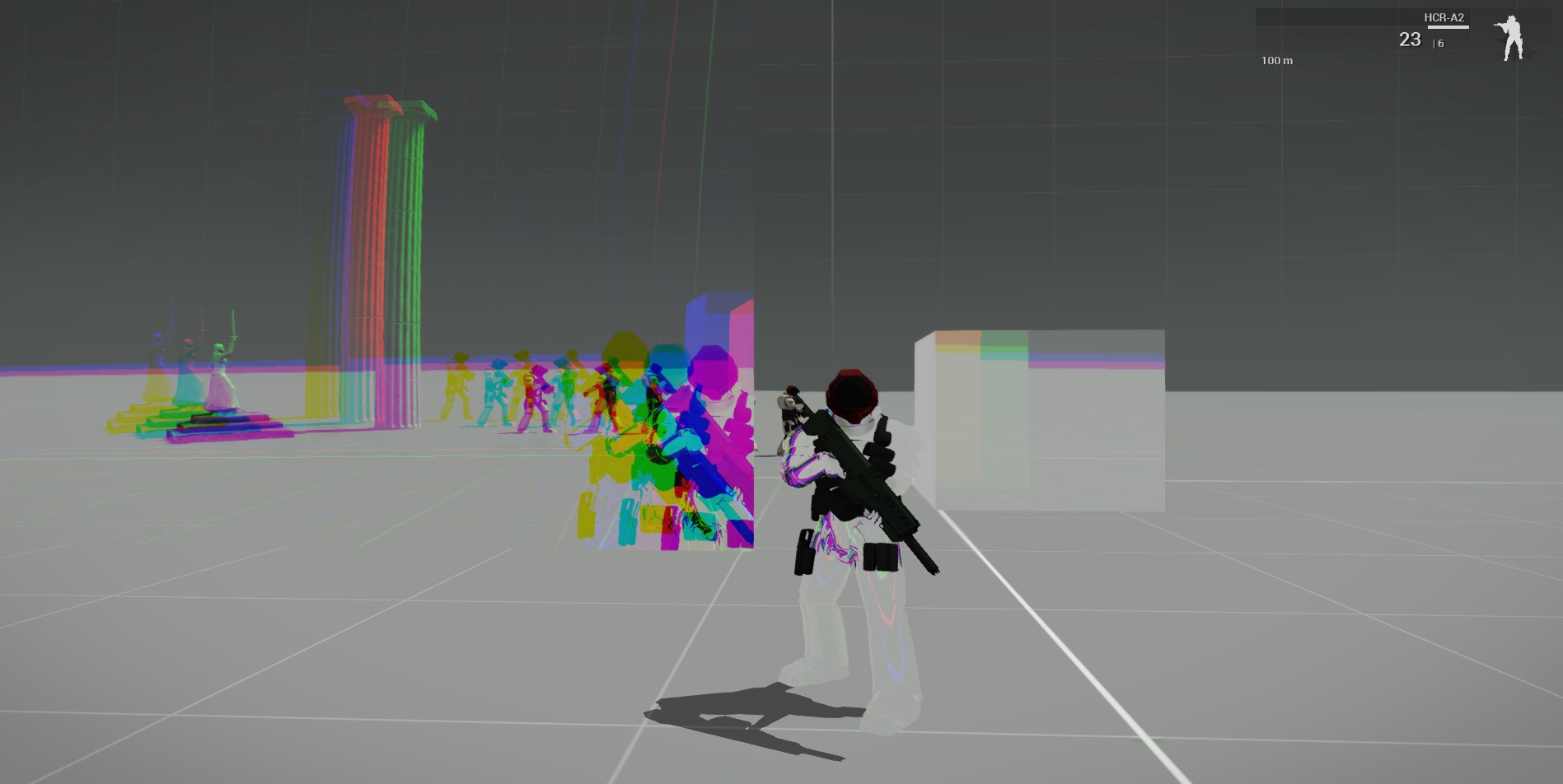
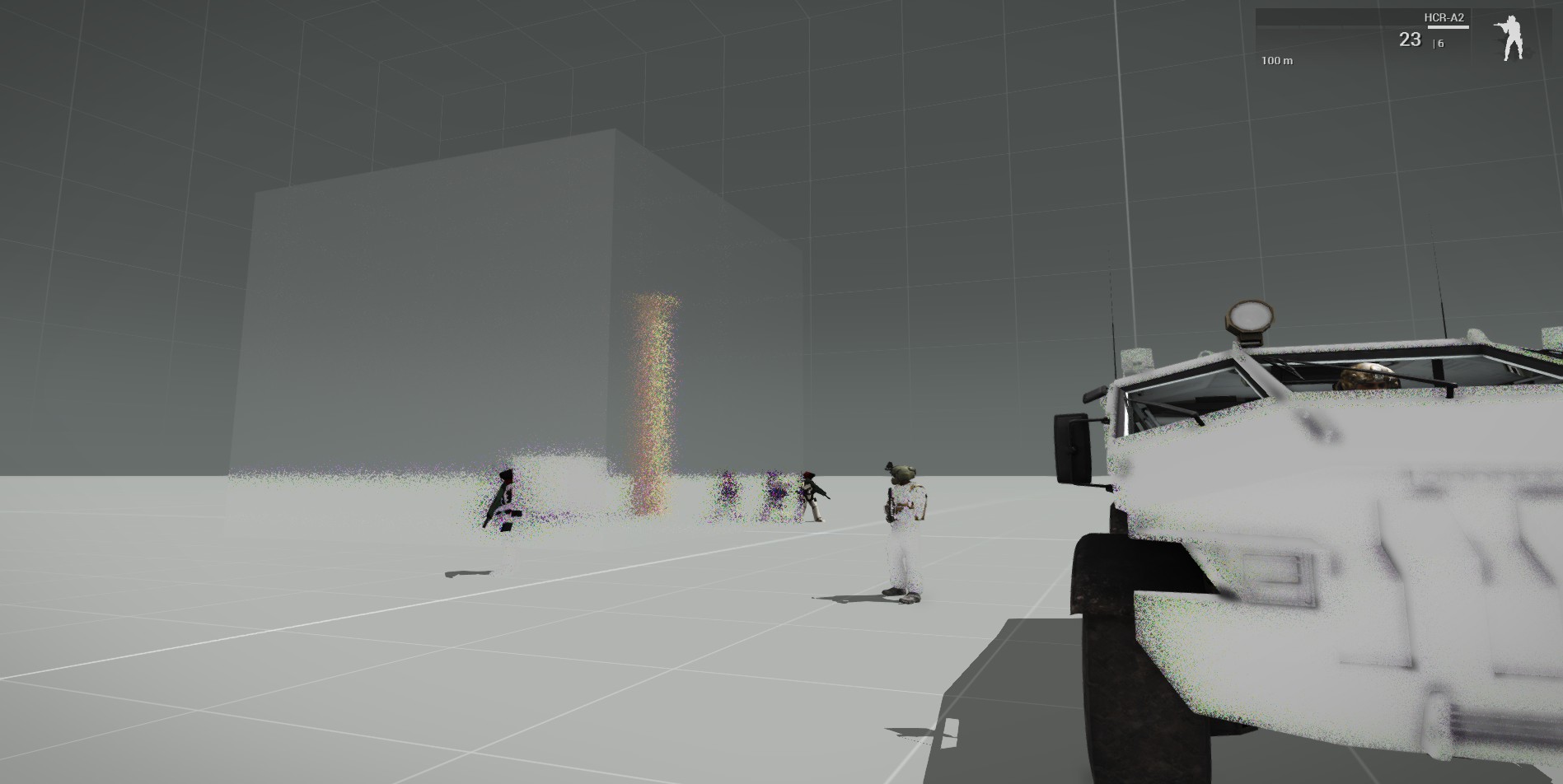


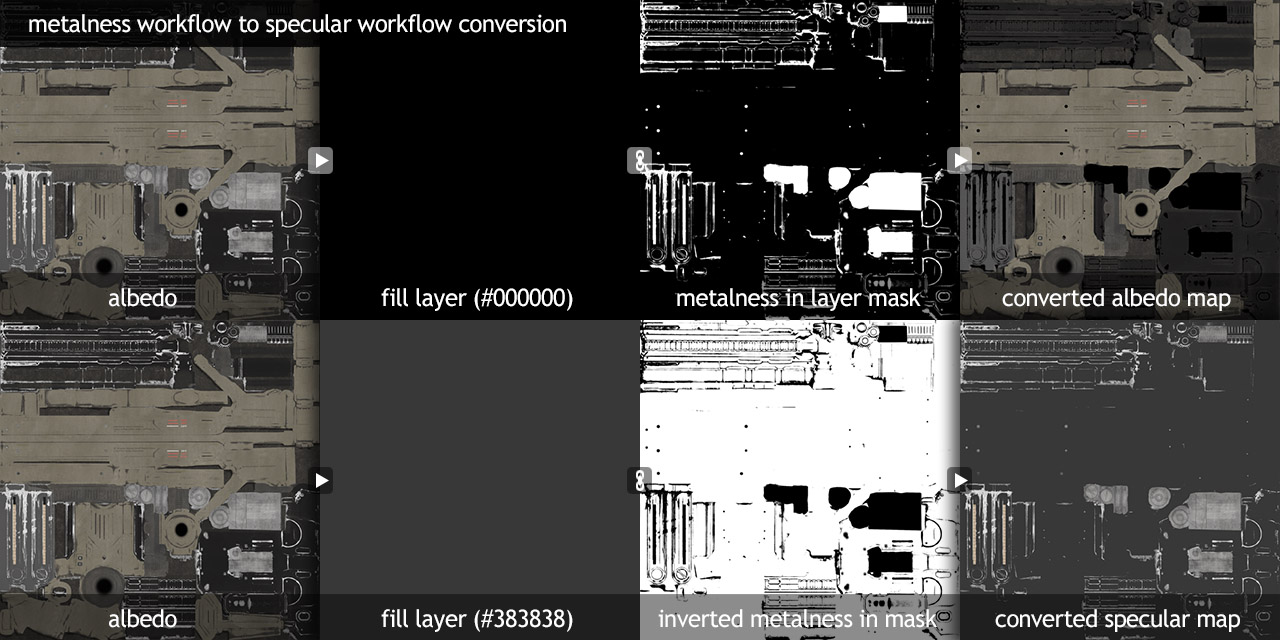
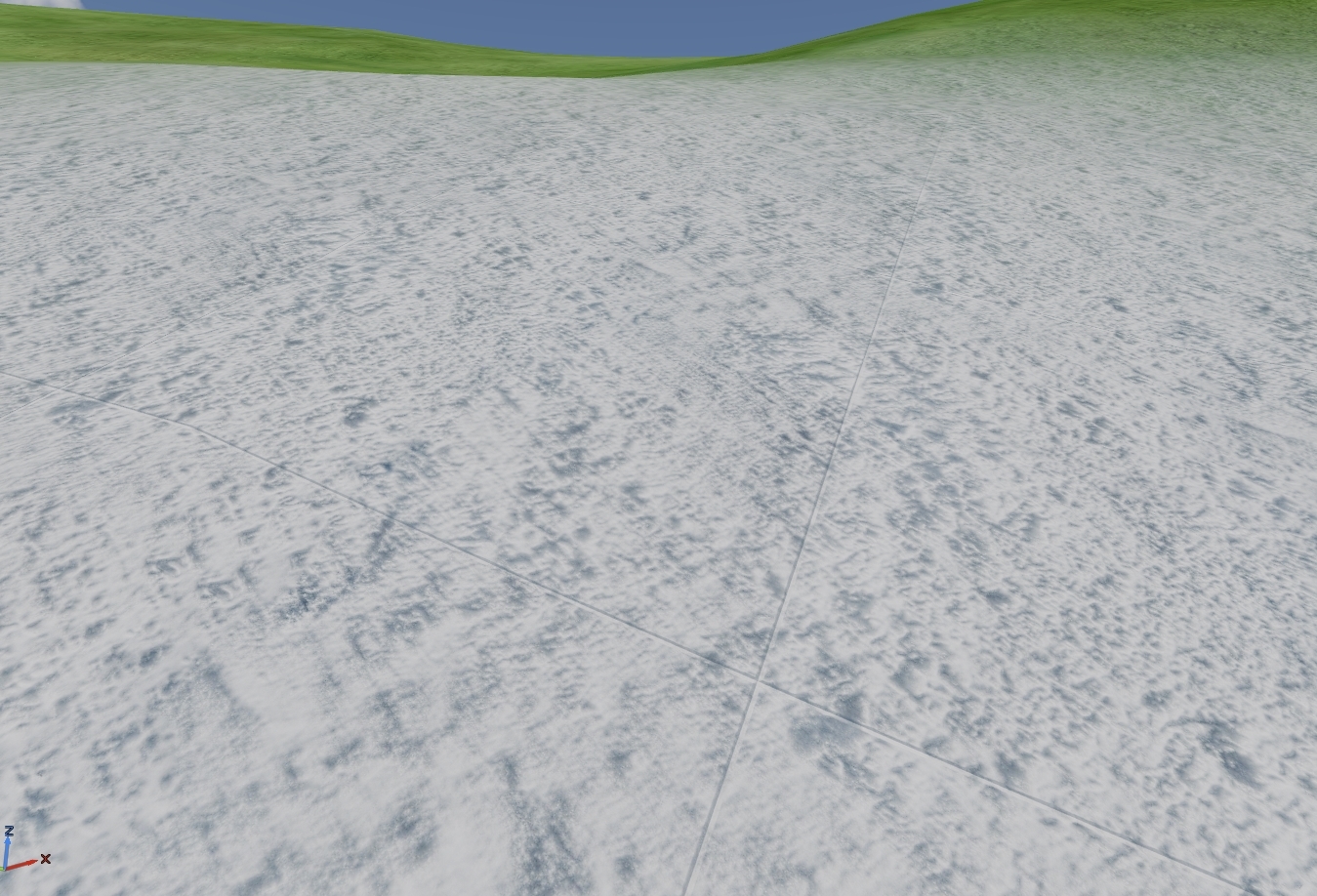

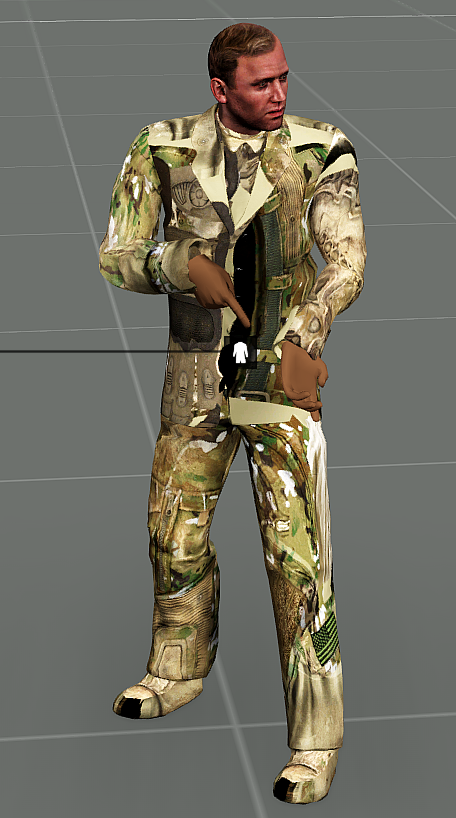
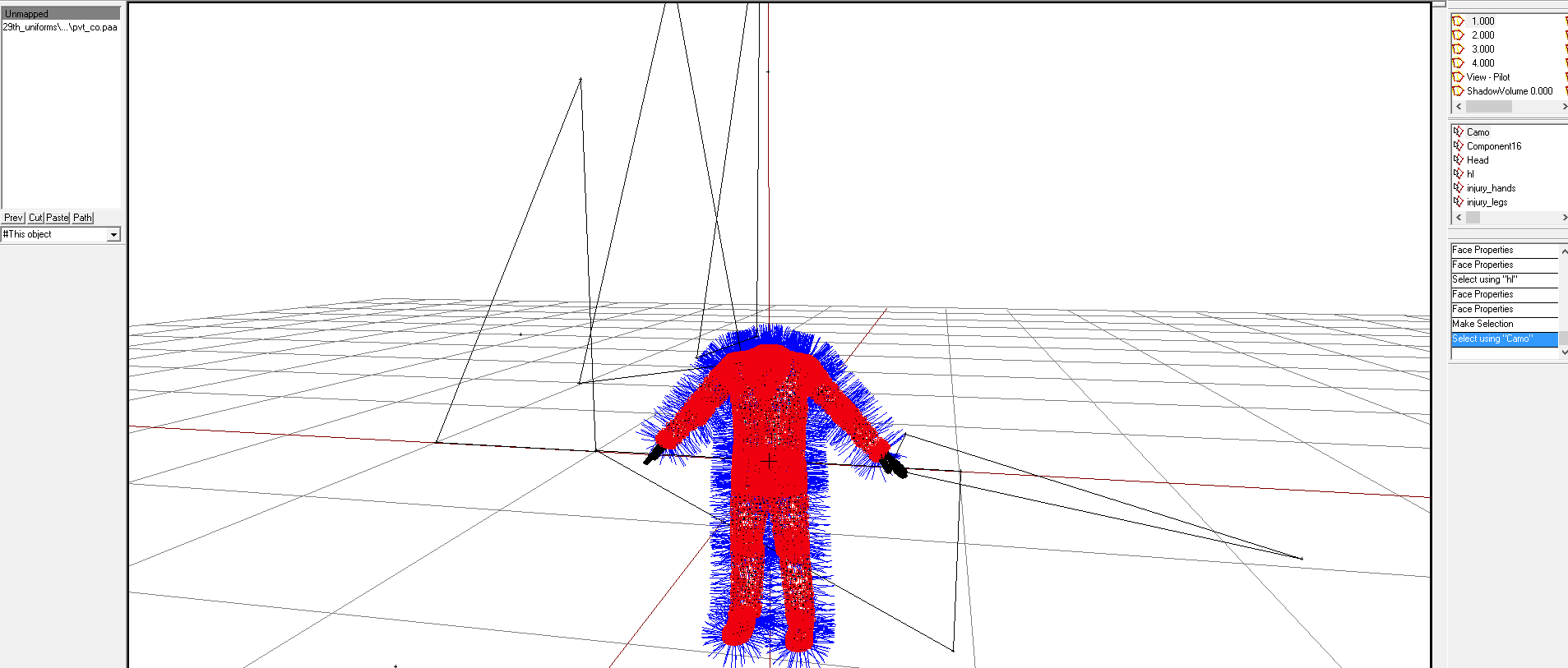
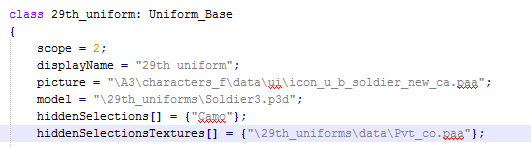


 hardy atlas
Thanks, And yeah they confused me a tad :D. Its all good now though
is there any rule of thumb with max rear and frontal distance when baking?
frozen blade
rule of thumb is use a cage
HP should be inside the LP envelop for a perfect clean bake
minus floaters of course
hardy atlas
HP inside the LP envelope? Sorry I am not sure what you mean there
ah high poly low poly? sorry its late ;D
@frozen blade Is there any fast way to make an accurate good cage? Else I will experiment with theu distance values on baking
dense peak
from the little i understand from modeling, the cage is the same as your LP you just scale it a tad bigger than the hp.
nocturne lake
moving the verts of the cage by their normals works best for inflating it
hardy atlas
Okay, Yeah cause my model is very complex. It would not be easy to just... Inflate it?
nocturne lake
it's probably more worth your while watching videos on youtube and reading tuts - there's a lot of information online about making cages and proper baking
easier than trying to understand people describing it over discord anyway
frozen blade
i personally bake in max, using materialid hits, other prefer exploding the geometry
but as monkey said ^ there is plenty of info out there
silver gull
btw talking about baking - how do you handle floaters? If i just use a standard cage and push it out, floaters and the like get skewed in the normal. If i dont (split mesh& cage to match vertnormals) , the edges are not properly baked - resulting in having to bake 2times at least, if not more, and manual combining in PS
frozen blade
i rarely do floaters these days...
if i actually need to and i feel too lazy to model it in
i get very thin floaters in (really squashed)
to position it for a second hand in ndo if i really need to
because i use OSD, i always have HP inside the LP
i actually sort of do the mid level geo (ready mesh for OSD) before i adjust edges
that means i sort of do both LP and HP from a single go, needing minimal changes done to HP to get it to LP (and yes, manual triangulation)
the reason you have deformation on floaters is because of rays that are not perpendicular to the surface you baking on
silver gull
it doesnt just happen to floaters, also regular HP geometry. Particulary noticeable for spherical bevels
frozen blade
yeah, for shit that gets skewed i bake using a mid level topolgy mesh
silver gull
so you mean you use extra edgeloops to get correct raydirection in the middle of the surface?
frozen blade
i create from the lp ( note here it should be done using quads for optimal results)
neah, i use turbosmooth or opensubdiv
lower level
most of the time tb using smooth groups
i always have smooth set correctly for osd
silver gull
ah well. I guess it's either manual combining or using more geometry around edges to "correct" raydirection. No magical "fix" button...
frozen blade
yeah, none
ashen granite
What are dem floaters ?
dense peak
floaters are floating geometry, sometimes used to add detail to a hp model without integrating into the main mesh. i'm sure others that actually model here would know better 😄
ashen granite
Oh I see
 honest pagoda
@silver nimbus what spam 😉 anyone seen the spammer ? all i see is some ash on my sparky banhammer 😃
silver nimbus
@honest pagoda Thanks 😛
frozen blade
floaters are turds that don't flush
torn mesa
@cyan bronze what did you use to binarize? bi tools or mikero tools?


