#arma3_animation
1 messages · Page 21 of 1
 lone cobalt
stupid question for a not so smart man
in the cfgmoves
where you define wich hand leads the weapon
what exactly do the 1s and 0s before of the frametime mean
example
leftHandIKCurve[] = {0,1,0.237,1,0.266,0,0.739,0,0.972,1};
rightHandIKBeg = 1;
rightHandIKCurve[] = {0.001,1,0.237,0,0.266,1,0.739,0,0.972,1};
rightHandIKEnd = 1;
nevermind
got it
 frozen fable
What is the config attribute that disallows a player from moving while the anim is playing?
I tried CanNotMove = "usg_restrained_s"; with usg_restrained_s being the classname of the animation but it doesn't work.
frozen fable
Inside the class of my anim, i fixed it already just now by inheriting a different base class
 regal dawn
Hi, could someone tell me how to set animations in the config? Also, i would like to make the animation loop (going over and over again). Tnx for the help.
 desert raven
what kind of animations?
also "how to animate a model" is a BI wiki page that should get you started
regal dawn
No just from the animation viewer, putting it correctly into the config, is it like "Set animation: ..."
desert raven
I dont understand what you mean at all.
 crisp berry
Bohemia Interactive Forums
Title. Sorry if this is wrong topic... So far I know how to make custom mimic configuration but no way to make proper face mimic rtms. Any suggestions, tutorials or success reports?
 zenith token
is it even worth it? i thought face mimics are really limited of what you can do?
lone cobalt
alright I tried again to go at the HandIKCurves and I miserably fail to understand it.
So to break it down, a line like leftHandIKCurve[] = {0,1,0.237,0,0.739,1,0.972,0}; is always set up by pairs of two numbers, the first number is the frame divided by the total amount of frames and the second number defines the IK weight in wich 0=info out of RTM and 1=IK.
I dont understand when I have to use 0 for RTM and when I have to use 1 for IK. I dont even get the difference between rtm and IK. The RTM is a animation file wich is done with a IK rig. Why do I have to activate another IK?
For my specific example, I try to set up a proper Bolt action reload animation in wich the hand that leads the weapon switches 3 times. I played a lot around but made things just worse.
right now it looks like this:
leftHandIKCurve[] = {0,1,0.237,0,0.739,1,0.972,0};
rightHandIKBeg = true;
rightHandIKCurve[] = {0.237,1,0.739,0,0.972,1};
rightHandIKEnd = true;
left hand starts by leading the weapon until frametime 0,237, right hand leads the weapon until frame time 0,739, left hand leads again until 0,972 and for the rest the right hand leads
Im desperate for help
zenith token
difference between IK and rtm is that the elbow (or knee) adjusts automatically and hand (or feet) can follow an animated (via model.cfg) selection
IK is most usefull for vehicle crew animations... for handweapons i'm not really sure - i dont see much reason why you would really need it in most cases.
im not an expert in this either, mind
lone cobalt
well the thing is, if the hand that leads the weapon switches to the other, the weapon has to somehow know wich weapon to follow and wich one not to, right? I gonna record what I have in 3ds Max and what I get ingame, maybe this will explain my problem further
looks.. a bit off doesnt it
desert raven
if you add more same values duplitaced it will hold that IK value longer
lone cobalt
pardon?
desert raven
leftHandIKCurve[] = {0,1,0.237,0,0.739,,0.739,,0.739,,0.739,,0.739,,0.739,1,0.972,0};
for example
desert raven
the curve is divided into as many parts as there are values in the array
lone cobalt
yes
lone cobalt
but wich values? Am I not supposed to add in the values on where the hands swap?
hold on
let my brain catch up
do you mean like literally duplicating the ,0.739 as in your example?
lone cobalt
yes
desert raven
of course if you add a lot of values the position of the others will shift
or at least thats how I understand the curve array 😄
desert raven
⏲
lone cobalt
aight I think I get what you meant by all of this @desert raven
sleep sometimes really solves problems I guess
desert raven
👌
desert raven
👍 👍
lone cobalt
up to my next problem
there is a small wiggle at the end of the animation when going back to the handanim
any idea how to solve this?
lone cobalt
consider my problem solved
desert raven
what did you do?
 sturdy flame
masters, may be im doing something wrong, but how to make camera follow by char while he moving up or down in my custom anim?
cuz currently camera staying on anim start position, and it end camera jumping to char pos, looks not good
lone cobalt
aight my final problem: I have an issue, where when the bolt gets cycled between each shot, the animation and the model.cfg are not in sync. Timings should be correct. Since this is a CBA feature, is there any precise way on syncing animation and model.cfg?
desert raven
reload animation is as long as the rtm
so you have to just adjust the timings of your model.cfg animations
sturdy flame
masters, may be im doing something wrong, but how to make camera follow by char while he moving up or down in my custom anim?
 tardy knoll
Hello, where can i find the BI skeleton for making some hand anims?
desert raven
Macsers Armarig if you use blender
 vivid onyx
hi guys. Im having a go with my first custom skeleton+walking animations. It seems that the skeleton is a bit off place when I try it ingame (seems the pivots are too far down on each joint).
anyone know how to go about this? I'd like to avoid moving the mesh around in the p3d to "fit" the skeleton
the model in the p3d is the exported model from the rig I made (and the animation looks fine in blender)
https://gyazo.com/ab90e1dde1fbbc05d585ad487aa3b617
didnt change any location, rotation, scale or anything.
desert raven
@vivid onyx what does your model.cfg look like?
vivid onyx
dude this is so typical... I found the answer myself right after I posted. the rig object in blender was off center lol
desert raven
xD
vivid onyx
I guess sometimes it helps writing down the issue. it just occured to me to check after I wrote it down
desert raven
👍
zenith token
is there any way to limit FFV to elevation (character rotates upper body up/down) and use standard turret rotation for traversing (rotating the character dummy itself around an offcenter axis) ?
Or is there any way to create a "hardbound" deployed bipod position that uses a vehicle config and stuff? I want AI to deploy their handweapons firing ports on walls or vehicles to shoot over the railing. With regular FFV (rotating around character center) the possible fire angle would be uselessly small.
 trail basin
ideas on fixing this: https://i.gyazo.com/36822aa3bbe697c53d5732e1adc7d1ac.png
 white juniper
What's wrong?
trail basin
i do not think tracks are supposed to go up there
its some bounds, but im not sure if its animation or physX
 queen stump
since it's in buldozer, it's animation
trail basin
            {
                type="translationY";
                source="damper";
                selection="podkoloL1";
                axis="";
                memory=1;
                animPeriod=1;
                minValue = 0;
                maxValue = 1;
                offset0 = -0.05;
                offset1 = 0.05;
};```model.cfg^
            {
                boneName = "wheel_podkoloL1";
                center   = "wheel_1_2_axis";
                boundary = "wheel_1_2_bound";

                steering = false;

                side = "left";

                weight = 0.5;
                mass = 50;
                MOI = 2;
                latStiffX = 25;
                latStiffY = 180;
                longitudinalStiffnessPerUnitGravity = 10000;
                maxBrakeTorque = 150;
                sprungMass = 20000.0;
                springStrength = 51653;
                springDamperRate = 8264;
                dampingRate = 10;
                dampingRateInAir = 475.0;
                dampingRateDamaged = 10.0;
                dampingRateDestroyed = 10000;
                maxDroop = 0.05;
                maxCompression = 0.05;
```physX^
trail basin
after messing around i found a "solution" - i set the min and max values the same as offset 0 and 1
no the most elegant, but it works
 deft fern
it won't work in game though
by looks of it, you appear to have multiple anims affecting same bone
 ripe lotus
Can one user source be tied to multiple animations?
zenith token
animations are tied to sources not the other way round. So yes
ripe lotus
Ok, but how to do that? I thought that in model.cfg you define "source="user";" and it corresponds to AnimationSources in config by name of the animation?
For example:
//model.cfg
class Lever_fuelsys1
            {
                type = "rotation";
                source = "user";
                memory = "true";
                minValue = 0;
                maxValue = 1;
                angle0 = 0;
                angle1 = 1.4;
                selection = "b_fuelsys1";
                axis = "b_axis_power";
            };
//config.cpp
class AnimationSources
   {
    class Lever_fuelsys1
    {
     AnimPeriod=1;
     source = "user";
     InitPhase=1;
    };
  };
Ok got it, nvm
desert raven
For anyone wondering in this case you would use Lever_fuelsys1 as source in the model.cfg class
 glass cloud
Is there somewhere I can find I detailed explanation of the A* cost system for determining the animation transition states? Is the animation state machine viewable?
desert raven
no where to be found aaand Ids say no
glass cloud
I could spam messages to Mond but he's got a lot on his plate right now, I'd feel bad
desert raven
what is it youre trying to achieve or where do you have a problem
glass cloud
transitions from standing with launcher raised to prone with launcher raised (results in animation chain that ends in civil standing)
desert raven
have you traced the connectedTo/InterpolateTo chains?
glass cloud
Yes they all connect properly, the transition takes place correctly but then creates an animation chain afterwards that always results in civil/unarmed standing, which I assume is the default/safety animation
I am only using To entries, no From values as that is what the BI configs seem to use as opposed to A1/A2 chains
glass cloud
That behaviour only results from changing stance (standing/kneeling to prone) any prone animation state can transition properly no matter the cost, even absurd values that result in 4+ animations to reach the intended state. That suggests some sort of intricacy to how it handles stance changes in the state machine.
desert raven
have you compared to how rifle raised - prone connections go?
glass cloud
Yes, editing the costs for rifle raised -> prone rifle raised results in some animation chains but ends in the proper animation state.
state machine chooses the cheapest which if you raise the cost on the actual standing raised rifle -> prone raised rifle transition state will result in a chain of rifle raised -> civil standing -> civil prone -> rifle raised prone which is how it should work AFAIK
same behaviour if you remove the interpolate connection from the raised rifle state to the raised rifle to prone rifle transition state
The issue I am facing is not that it is choosing the wrong animation path but that it seems to engage some safety escape that results in civil standing whenever I make the transition to prone launcher state, even if I make prone launcher only interpolate and connect to the prone launcher movement animations
It also transitions to civil standing without triggering any anim EH
Works fine if I redefine the animation state for prone launcher even when inheriting the same config entries, hmm.
desert raven
are you trying to make completely new action set?
or replace the current proneLauncher set?
glass cloud
basically reenabling the prone launcher set
for CfgMovesMaleSdr
would prefer to just alter the existing animation states with appended += interpolate and connect transitions if possible
deft fern
launcher is automatically unequiped when going prone - it's engine thing
there is bug though with 2nd fire mode on launcher - https://feedback.bistudio.com/T128198 - you might try if transition is working in such case
glass cloud
Interesting, this was not the behaviour in the previous games. Is the animation state machine part of RV or some fsm/external script somewhere?
It seems to be linked to the actual state classname, redefining it as a different class removes the behaviour it seems, which suggests some intentional behaviour to get out of the prone launcher state
I cant find any specific config entry in the prone launcher state nor the transition state that would trigger the behaviour, inheriting the class works fine just as a full new define with the same config entries
glass cloud
Is there any info on the CfgExtendedAnimation entries and how they switch animation states?
desert raven
not really
 winter fiber
When creating animation for launchers does something special need to be done? Ive done handanims for rifles no issue, now im getting this
Ingame: https://gyazo.com/9975acb89683803cd598aee4256f0931
Oxygen: https://gyazo.com/64f5e71bc8d58843564676a1cf2cb58f
3DS Max: https://gyazo.com/f2a252150407fadfc6a7d061eda05ad5
 drowsy nymph
IIRC the the launcher proxy is at some different angle, so you need to rotate and position that bone properly before posing the hands relative to it
winter fiber
bone is rotated https://gyazo.com/69a69201b6388bb7671f6b8e1b1e730f
Doesnt make sense why my hands are super high up and not following my handanim in the slightest though
and the config is set to my handanim
handAnim[] = {"OFP2_ManSkeleton","\ML700_Launchers\TreadFether\anim\Handanim_TreadFether.rtm"};
drowsy nymph
load the .rtm on the BI skeleton in Object Builder and see what the Launcher bone does. I don't think it's ending up in the correct position
drowsy nymph
Yeah, it doesn't appear to be moving
They are case sensitive, so check the bones on the rig you are using to see if it's Launcher or launcher
winter fiber
launcher
drowsy nymph
It's lower case in both Max and BI skleton?
drowsy nymph
oh , it is moving then, it just has the wrong orientation
Should end up something like this https://i.imgur.com/u2bNR91.png
Body anim doesn't matter, it's just like that because it's based on an A2 anim. Handanim only looks at the relative directions of the weapon/launcher bone to the hand bones
winter fiber
Ty attempting to fix now
winter fiber
That was the issue, thank you @drowsy nymph
 viscid arrow
Um did I go bat sh$t crazy. What happened to the terrain makers channel?
 fluid breach
You did.
viscid arrow
Yes indeed. I minimized the chat apparently. Didn't even know that was an option 🤦♂️
fluid breach
i might have done that once before myself.
viscid arrow
At least I'm not alone 😂
winter fiber
And back to more problems.
https://gyazo.com/7c59f6e29e0cd829cb7a4f4f1a641491
https://pastebin.com/x8Q2tfkz
Not sure why im getting this error as its defined
desert raven
Why have you not defined the axis memory points for the translations?
Also you should be using tag prefix in your model names.
winter fiber
modelnames being the p3d @desert raven ?
winter fiber
I thought modelnames (inluding the stuffinsinde modelcfg) was local to the mod file and couldnt cross contaminate
desert raven
everything can go poop 😄
winter fiber
XD
desert raven
animation classes dont need tagging
but modelcfg classes would be automatically tagged if the p3d name is tagged
winter fiber
Well I boiled down my issue of my cfgpatches not applying correctly to the modelcfg fucking things up
desert raven
and cfg skeleton names should be unique too
winter fiber
If I have one model its fine, if I have two things go nutty
desert raven
unless using manskeleton on characters
winter fiber
@desert raven and to answer your original question, im just trying to use a vanilla modelcfg which I havent done any edits to
Besides the p3d name of course
desert raven
@winter fiber while its Arma vanilla config you should not blindly trust it.
you need to define the movement axis on it
winter fiber
I commented out the entire model.cfg besides the warhead hiding when shot. Still the same issue so something else is fucked somewhere
drowsy nymph
Can use mag proxies for that really
If it has deleteIfEmpty = 1; in the magazine class, the mag proxy will disappear when fired, assuming it's a single round magazine
though many grenade and missile mags have that by default, so maybe already inherited
winter fiber
Is there a way to stop addonpacker from breaking a rtm? I usually use pboproject but its malfunctioning right now
desert raven
just use pboProject...
winter fiber
I'd love to but my mod is popping 0 errors ingame or pboproject or addon packer and rtm arent showing issues either
Rpt*
zenith token
maybe your model.cfg in the folder containing the rtms is incomplete or something?
desert raven
that is a possibility
or wrong bone names
or its OB saved
that often messes stuff up
winter fiber
@zenith token @desert raven I did an illegal thing.
Mikero helped me solve it.
I had a circular dependency due to my not understanding how packing process really works within ArmA.
I had these directories sharing textures with each other.
P:\ML700_Launchers\Cadian_launcher
P:\ML700_Launchers\Tread_fether
The fix was to create a P:\ML700_Launchers\Launchers_common and put my textures in there and redirect texture paths
Reason I thought it was a model.cfg issue is because it would only appear when I had it in.
So user error
zenith token
with pboProject its easy to circle-choke yourself like that
it sets dependencies automatically
winter fiber
And thats exactly what I did. Now i understand that its a bad practice.
desert raven
👍
 idle tide
Anyone know how to actually get animations to move forward, for example there is a nice running animation, but he runs in place so he looks stupid, if you know or if im in the wrong place please ping me
drowsy nymph
xStep, yStep etc named properties
idle tide
do i go in properties or like? Sorry kinda new to this
 naive hemlock
idle tide
naive hemlock
idle tide
thx
 swift burrow
i am trying to get an FBX animation converted into RTM and cant find a modelbox.xml for it.am i missing something?
or to say it more precise:i need to animate a model to have an "attack" move and the easiest way seems to covert the anims that came with the model.if theres an easier way to achieve this i am open for suggestions
lone cobalt
animations people:
Im searching for a way to adjust my bolt action cycle animation that is being played after every shot.
for some reason the weapon cycle is out of sync with my rtm. Im open for any ideas
so far I tried to adjust min/max values in the cfgmoves to get closer to the sync but without success
I am able to adjust the rtm speed but this is a solution id rather avoid since its neither clean nor does it look anywhere near perfekt
deft fern
@lone cobalt from player perspective or from AI one?
lone cobalt
@desert raven dont seem to work unfortunately..
@deft fern player perspective, if that even matters
deft fern
and which script are you using for playing that animation?
deft fern
I mean how are you playing your animation
I assume you have some sort of script to play reload gesture every shot
or is it using reloadMagazine source?
lone cobalt
keep in mind im about 100% artist and about 0% programmer
im using a cba function
class CBA_weaponEvents {
handAction = "BWA3_GestureRepeatG29";
sound = "BWA3_G29Repeat";
soundLocation = "RightHandMiddle1";
delay = 0;
onEmpty = 0;
lone cobalt
another question: Is it possible in theory to have custom reload animations with dry mags?
deft fern
yeah, there are some scripted attempts
as far as I remember Iron Front team is trying to implement something like this
and also NIArms
lone cobalt
but nothing that works solid so far?
lone cobalt
I mean if its a cba solution and has the same issues that I am having so far with the cycle rtm sync then id rather wont count it as solid
trail basin
can someone point me to an example proxie or similar
the arma 3 samples dont really have one
drowsy nymph
what kind of proxy? All a proxy is, is a triangle that provides and origin and direction for external meshes to be loaded on to model
trail basin
i need a character proxy
i basicly need one for a FFV
one turned in where he is sitting on a bench
and turned out where he is standing on the bench and he is tuened around
drowsy nymph
proxies have nothing to do with the animation that is used though. They just define the position
you can use any cargo proxy and adjust the position after checking it ingame to see how your chosen cargoActions look
the animation used, is entirely config based
trail basin
fair enough, but i need to change the turn out animation so that its looking in the opposite direction of the turned in one
desert raven
Having same proxy as used animation can help in the initial positioning though. Vanilla proxies are in the game data that you should have unpacked on your P
@trail basin you may need to animate the proxy to turn
trail basin
yeah i ubinarized a few aswell and took a gander
hmmm
so i can make a model cfg animation that hass the proxy selected so that it tuens?
desert raven
Possibly
drowsy nymph
Yes, you can reposition the proxy with model.cfg animations using the same source as your use for hatch turn outs etc.
swift burrow
how can i make a character model perform an anim when the fire button is pressed?anim is setup and working with switchmove,just need it to be a "weapon"
desert raven
it would have to be tied to the fired eventhandler
lone cobalt
can someone explain me what causes this wiggle at the end at the animation?
and maybe how to get rid of it?
I assume its about IK curves?
desert raven
Possibly, maybe leave a couple of frames where it's already holding it in correct position at the end
lone cobalt
what do you mean by leave a couple of frames?
desert raven
Does you animation have few frames where its just holding the weapon at the end of it? Those could help blend it
lone cobalt
uh like without any motion? just the very last frame
but he starts getting back into the handanim pose earlier
if you mean that
desert raven
then try adjusting the IK curve
and make sure you dont have some odd rotations in the wrist and hand that it has to null when it gets back to the handanim
lone cobalt
I dont, or at least there shouldnt be
how would you adjust the IK curve then? I tried various things but nothing helped
desert raven
theres the IK curve array
lone cobalt
go ahead 😄
I have no clue how I could blend the animation into the handanim using the IK curves
desert raven
whats you curve look like now?
lone cobalt
leftHandIKCurve[] = {0,1,0.260,0,372,1,0.419,0,0.604,1,0.693,0,0.739,1};
rightHandIKBeg = 1;
rightHandIKCurve[] = {0,1,0.005,0,0.093,0,0.126,0,0.172,0,0.186,0,0.237,1,0.74,0,0.81,0,0.833,0,0.902,0,0.972,1};
rightHandIKEnd = 1;
deft fern
@ruby hill https://www.youtube.com/watch?v=OIzR1L16wDk managed to do similar thing to you in 3ds max 😉

Made some progress on script and rotation seems to work somehow - there is still some vodoo going on so probably there are some bugs there
naive hemlock
that would allow synked anims
ripe lotus
I am having issues with weighted vertex animation. In OB viewer they look good when I move in axis with mouse, however in buldozer it looks like entire mesh moves at same weight(?) :
https://gfycat.com/pl/upload/results
https://gfycat.com/NimbleAliveFairyfly
class LeftPedalPilot
            {
                type = "translation";
                source = "rudderRTD";
                sourceAddress="clamp";
                memory=1;
                minValue = -1;
                maxValue = 1;
                offset0 = 0.2;
                offset1 = -0.07;
                selection = "Pedal_Left_P";
                axis="axis_pedals";
            };
ok will do
ripe lotus
Ok got it working I have next question though. What is the source for rudder pedals in helicopters in the standard flight model? "rudder" doesnt seem to work
zenith token
ripe lotus
@zenith token I said I tried rudder and didnt work
zenith token
do you even search?
zenith token
standard fm ok... try cyclicAside ?
ripe lotus
It is for cyclic, I am using it for stick movement
I think there is no for SFM. Thats weird
zenith token
have you tried rtd sources?
if you disable RTD ingame its not going to stop animations...
ripe lotus
Yes I tried, and it actually does stop the rudder anim ;d
zenith token
welp then its just not supported...
ripe lotus
ok then, script time
zenith token
im sure all the players on the server will appreciate the constant animation change commands over network, so their only pilot can see his feet move
ripe lotus
ok then I dont understand why are you being so negative towards me but whatever
 ruby hill
@deft fern Neat, great to see Bohemia is getting on the level of GM now 😛
deft fern
😛
I also noticed that your are converting anims to eulers and translate them to angle axis
so instead of having one rotation you are using x/y/z
ruby hill
Yep
deft fern
why tho?
ruby hill
Parenting of bones.
deft fern
ah, I see, although that can be by solved by converting angle axis from axis space to transform space
deft fern
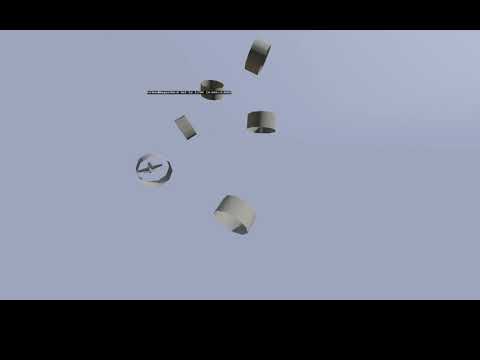
Added some extra functionality so it can be easily used to animate vehicles too
and example output file
desert raven
@ruby hill any chance your Blender solution sees the light of the day?
ruby hill
no
desert raven
unfortunate
zenith token
@ripe lotus sry i was cranky for some reason yesterday
ripe lotus
No problem, forget about it
swift burrow
@desert raven i think the fired eventhandler only fires if you hold a weapon in your hands.the model i have here should perform a melee attack with his claws
desert raven
you might want to explain it further then.
lone cobalt
thank god I started getting into 3ds max just for arma animations
swift burrow
@desert raven well i have a mutant p3d model which should,when finished,attack with its bare hands.the animation is done and i can start the rtm via switchmove but i need a way to let it attack via
a. a button if its player controlled
b. by itself when bein an NPC
kind of offtopic here,my spider senses tell me 😃
preferable it would be the left mouse button obviously
desert raven
why can you not tie it to a invisible fake weapon it would use?
swift burrow
can i config together a weapon that has no p3d then?
swift burrow
so i would have to create a fake weapon ,interesting.any examples for that anywhere?
desert raven
fake weapon is just a weapon but you just dont put anything in the lod 0
and you can fiddle with the ammo so that it fires ammo that makes no damage and no sound and no nothing
swift burrow
or make an ammo with the hit range of an arm length^^
desert raven
that is the basic way of doing melee in Arma
swift burrow
very interesting idea,thanks a lot for that.an example cfg would be what i need,only ever made some gas masks and uniform configs
masks are goggles tho so no example
desert raven
Arma3 samples contain a weapon that should get you started
swift burrow
oh wow the test weapon seems a bit ovekill for what i want to do but very deep insight so,thanks,will do my best
trail basin
quick and dumm question. whats the animation source for main gun recoil
i tried recoil_source that was in the examples config but it didnt work in game
deft fern
you have to define in CfgAnimationSources and link to a weapon you want
it's part of CfgVehicles
 hazy plaza
Hi guys I have a question can somebody help me with "CfgAnimationSourceSounds"?
desert raven
depends what the question is
hazy plaza
i want to do a indicator for my cars
so i bought a sound with the "click" sound haha 😄 so i will loop this and integrate this at my cars 😄
i only find this but i dont understand this :C https://pastebin.com/mdK4ZbMy
desert raven
what about it you dont understand?
hazy plaza
When I start the turn signal, the sound doesn't loop
hazy plaza
deft fern
CfgAnimationSourceSounds cannot be looped
I would rather suggest using customSoundController
hazy plaza
I've already tried loop = 1
deft fern
and soundset configuration
hazy plaza
with script ?
deft fern
soft_f_orange
hazy plaza
thanks 😄
ruby hill
Probably the best file name in the A3 directory 😄 soft_f_orange.
white juniper
Why is the van so soft?
drowsy nymph
is there an armoured_f_orange?
trail basin
I've been having some trouble regarding the animation on my wheels. They seem to, spaz out and go super fast when i start moving, i thought it was the animPeriod and i set to 1 second, but it just made them...... wigle. Am i in the right direction or is there something else that im missing completely 😄
desert raven
it should be the size of your wheel I believe

In geometry, the circumference (from Latin circumferens, meaning "carrying around") of a circle is the (linear) distance around it. That is, the circumference would be the length of the circle if it were opened up and straightened out to a line segment. Since a circle is the ...
zenith token
if they wobble then your rotation axis is not centered
trail basin
well not that type of wobble, more like rocking back and forward
zenith token
it might seem like rocking back and forward, when wheels turn way faster than the fps
trail basin
well i tried using the wheelcircumference parameter but it dint seem to have any affect
is there another way of slowing down the animation
zenith token
whats your tank like? i assume it has several different wheel radii?
trail basin
actually no
it has a 1m in diameter wheel
which woud mean the wheelcircumfrence is 3.14
since the formula is 3.14(Pi)*d(diameter)
zenith token
but its a tank right? physx wheel diameter is automatically determined by - im guessing - averaging wheel diameter for all wheels
zenith token
you can calculate actual wheel diameter (ingame) by looking at epevehicle dialog. It shows average wheel speed - by using a known vehicle speed you can calculate it
trail basin
ive been messing around with that parrameter and it seems for me that it doesnt effect wheel rotation speed at all :/
zenith token
yep
idk if its a legacy parameter or not. But physx calculates its own diameter, from the axis and bound points
desert raven
that might be the case now
swift burrow
i am just asking that here,maybe someone can help me:
i have made an invisible fake weapon to have melee attacks for a character and the weapon cfg seems fine so far,i can kill another character using it,magazines are showing etc.i have a problem with the animations:
-i defined a .rtm file for handanim but the character will enter the normal "hold a rifle" anim regardless of what i put into the handanim line
-when shooting the character only does a part of the animation i defined for it and will then enter the "pull weapon from shoulder" anim again.
any help would be apprechiated a lot
zenith token
in the vanilla running animation (rifle raised) , has the right leg always snapped forward like that ? It looks pretty weird... and i cant unsee it
swift burrow
does anyone btw know which is the name of the "pull trigger" index finger anim?
desert raven
was it just trigger?
swift burrow
hmmm.i wanna swap it for something else.will try
 sly violet
I tried making a new animation that would ragdoll a unit, sadly it only played the move and nor ragdolling was done.
class RagdollTest: Default
        {
            mask = "BodyFull";
            actions = "DeadActions";
            file = "a3\anims_f\data\anim\sdr\dth\pne\stp\ras\rfl\adthppnemstpsraswrfldnon_1.rtm";
            speed = -2;
            looped = 1;
            onLandBeg = 0;
            onLandEnd = 0;
            soundEnabled = 0;
            ragdoll = 1;
            blockMobileSwitching = 1;
            forceAim = 1;
            head = "headNo";
            headBobMode = 1;
            headBobStrength = -1;
            disableWeapons = 1;
            disableWeaponsLong = 1;
            ConnectTo[] = {"RagdollTest",10.2};
            InterpolateTo[] = {"RagdollTest",0.1};
};```ragdoll = 1; is a flag which tells if ragdoll can be applied
it's not triggering ragdoll
ragdoll = 0 can be i.e. useful for making static death anims
sly violet
ah, that would explain it.
I'm trying to ragdollize a unit for a wounding script. The setUnconscious prevents units from reporting their status and kicks player out of squad leader role.
Sadly the trick with attaching an object to a unit seems to break damage handling at times
Maybe I could try making a hardcoded animation that looks like ragdoll.
white juniper
I have a "triggerRagdoll" script command, but currently BI is too busy with implementing other things
Broadcasted live on Twitch -- Watch live at https://www.twitch.tv/dedmen
deft fern
@white juniper well, there are sets of internal commands for ragdoll available for long time but thing is, that ragdoll state interferes with many other states
rd_lforce
rd_force
rd_reload
rd_setFactor
rd_enable
rd_damage
rd_underwaterPars
rd_collisionPars
rd_hitPars
rd_forcePars
rd_vehColl```Don't remember what I was using, my documentation is awful
crisp berry
with no more programmer around to stop it, just push non perfect stuff to public build 😉
deft fern
...and break whole arma 😉
those commands are basically in engine since beginning of arma
crisp berry
free that internal build to use mortals 🙏
trail basin
I'm trying to animate 2 hatches hat are for my codriver (cargo) and i cant find any animation sources, any ideas?
trail basin
also another issue is my FFV positions. i want to rotate their proxies, but i dont really know how to link them to their animations
desert raven
Proxy must be part of the animated selection. What kind of animation source are you lookin for for the cargo?
trail basin
turnout?
trail basin
my basic idea is for the codriver to be able to have a turn out option where he opens 2 hatches next to and infront of him, and for the FFv positions when they turn out their proxy to rotate
desert raven
these should help you
@trail basin
you should be able to define a animations source for each turret
trail basin
arent house going to activate for all, say one FFv turns out and all the other ones tuen aswell
desert raven
no if you define a unique animation source for each turret
read the description
of hatchCommander/hatchGunner
trail basin
i see, ill give it a shot
trail basin
does the gunnerInAction need to be a proxy name or can it be a path or a .rtm file
desert raven
it is an animation class name
that animation class then points to the .rtm file your proxy uses
desert raven
take one of the vanilla action names/classes and search through all in one config
trail basin
well, i found the one that i want to use (Gunner_Offroad_02_LMG_F} pasted it in as the action, but it doesnt load anything, not even the model
i checked my proxies and i have given the right proxyIndex
desert raven
whats the line you have for it?
are you sure its in the right place?
and are you sure you packed it?
trail basin
439831 gunnerAction = "Gunner_Offroad_02_LMG_F"; from the latest AiO
desert raven
is that a normal turret or FFV turret?
trail basin
normal
desert raven
hmm thats the turned out action
theres gunnerAction and gunnerInAction
are you sure you are turned out?
trail basin
wait, i realiwd my mistace
i thought gunnerInAction was for turned in lol
wait no
i was correct
THIS is my line of code gunnerInAction = "Gunner_Offroad_02_LMG_F";
// Gunner operations and animations
gunnerInAction = "Gunner_Offroad_02_LMG_F";
commanding= 1;
proxyIndex = 1;
forceHideGunner = 1;
inGunnerMayFire = true;
viewGunnerInExternal = 1;
personTurretAction = "vehicle_turnout_1";
memoryPointsGetInGunner = "pos_gunner";
memoryPointsGetInGunnerDir = "pos_gunner_dir";
idk what black magic i did to it, but its fixes now
it may be something to do witch binarizing it or something like that
desert raven
what are you packing it with?
trail basin
addon-on builder from arma 3 tools
desert raven
that path does not look correct at all
and that is a risky move
since Addon Builder does not really inform you about mistakes you make
trail basin
shoud i switch to mikero then?
desert raven
paths should be like this
no P: in there ever
and well I think Mikeros tools are more reliable
trail basin
oh yeah i know that, just i was doing things on the fly with the paths
now that thats fixed, tiem to endlesly nudge the proxy till the fingers and the MG align XD
desert raven
the proxy should be visible in buldozer too
so you should be able to align it quite easily with it
zenith token
does the proxy path even matter? (for crew) i have the impression just the name is relevant, path is ignored
desert raven
for it to open in buldozer it matters
ruby hill
The name of the proxy matters for simulation, not the path. you can check the cfgNonAiVehicles config for them. They do the same thing that terrain objects do with the land_ prefix, except they do proxy_
zenith token
yeah, matches my observations/my procedures
trail basin
does anyone know a crouched FFV animation or something similar?
desert raven
If there isn't one in vanilla, RHS might have some, or perhaps cup. Other than that they may be a bit rare.
 sterile ice
Hola,
Anyone got a second to tell me how I properly import my weapon to the Anim Rig?
Do I have to position it exactly on the reference M16/Bone, or can I just link it somehow and it's then placed correctly.
Also is there a sample Pose for the regular Standing and Prone position that I can use, so the transition isn't noticeable later ingame?
(I'm new to Blender and the Animation Rig from Macser)
desert raven
@sterile ice Blender right?
sterile ice
Yup
desert raven
the weapon bones starting point is what you want to place your weapon object on to
weapons objects center point matches the origin of the weapon bone/ weapon proxy position
sterile ice
Okay,one more thing : how do I make my weapon model move along the bone?
Is there smth like a link tool?
sterile ice
Gonna give it a try, thanks👌
Can't see the Origin point of the weapon bone (Blender 2.8), do you know how to fix this?
Okay nvm, I think I got it
desert raven
mm yeah I think by default the bone has special shape
I think it should show in edit mode
sterile ice
Yep, got it working. Thanks 😄
desert raven
👌
 proud fossil
If I was using modified animations from "Anims_f_exp" My mod would need an apex dependency right?
desert raven
No I think those are shared in the public data
deft fern
https://github.com/reyhard/mta_animExporter If anyone is interested you can start testing it
GitHub
Export weapon animations to Arma 3 model.cfg. Contribute to reyhard/mta_animExporter development by creating an account on GitHub.
I will add documentation + few more tweaks in upcoming weeks
zenith token
cool stuff - what max version do you use it in?
deft fern
at home 2017, but I could save it once in office with 2018
 woeful pelican
awesome!
zenith token
yeah but didnt max >2015 use new scripting engine (so not compatible with any pre 2015 stuff)
i only have 2013
deft fern
hm, you can always start studying 3ds max
zenith token
i could, but time...
deft fern
@zenith token toadie tested it with 2014 max version and it seems to work
zenith token
cool
proud fossil
for filepatching, do i need to be using dev branch to get my animations working?
drowsy nymph
filepatching uses the diagnostic exe that comes with the dev branch
IIRC you can run the diag exe from the stable branch folder. But it's not distributed as part of the stable branch so you'd have to install dev somewhere to get it initially
proud fossil
Alright, I'll install the dev branch, and try it out. Thanks.
desert raven
I run diag exe/dev DLLs as a mod as I'm too lazy to switch between branches.
zenith token
@desert raven can you explain how thats done?
desert raven
@zenith token I got these folders from dev build in an addon folder and I got diag exe at the Arma 3\ root and I run that and -mods I need + the devbuild folder with a shortcut
zenith token
cool, thanks
desert raven
and filepatching launch parameter
 spark mountain
Hey guys! Trying to animate a large gate that goes down into ground when interacted with. I'd like to make it like those medieval gates that stutter/jiggle vertically a bit before going down. If that is too complicated for my first time at animating in arma 3, I'm fine with just starting with press interact and one swoop constant velocity motion to go straight down. Could someone please point me into the right direction (just looking to add interaction option that opens door and the door animation is going down its complete height (the entire prop, since the gate is a different object!). Thanks much appreciatedddddddddd!
And sorry for the noob questions, I try to get better everyday 😃
desert raven
It would need multiple animations but once you understand how model. Cfg animations work it should not be too complicated
Wiki has "how to animate a model" page
spark mountain
Sweet will check it out
zenith token
you could do sine-wobbling by chaining two rotating animations with offcenter axis, one counterclockwise to the other.
spark mountain
Yea lemme see if i can figure out how animations are made first 😂😂😂
 hidden badger
hello I will create my anim when we drink and I galea a little. In the list of anims it works it reads the rtm. On the other hand I do a playMove it bug. I think it comes from my config but I will admit that I did not find a basic config. My problem is when I do playMove nothing happens https://i.postimg.cc/vZygQ7Hr/screenshot-171.png
 crimson granite
If I've made a standing reload animation using the 3DSMax CAT Rig is there any easy way to transfer that to a prone animation?
 floral oak
there is a new rig from kiory i think this should be easier
this was the rig from kiory
crimson granite
Oh amazing, thank you
crimson granite
this is fantastic, wish I'd known about it sooner
trail basin
for some reason i cant make the wheelsa of my car to turn in game
They rotate normally in buldozer, but not in arma
this si my model.cfg
i have made all of the wheel_X_X selections in the model
 compact ravine
did you give them an axis to rotate around? your axis = ""; entries are empty
trail basin
they had an axis of rotation but that didnt work aswell
so i tried by ourely just having them rotate on the X axis
with rotX but that also didnt work
compact ravine
give them an axis with the way your model.cfg is atm and try it, compared to model.cfg's I have yours is only mssing the axis
and then in your inherited classes below add axis = ""; entries for each wheels axis
if you have the arma3 samples on steam then there is a test-car with everything setup you can reference
compact ravine
do they rotate in objectbuilder > viewer ?
trail basin
yep
compact ravine
so there is something else missing from your model.cfg, compare it to the one in the samples test-car
trail basin
its pretty much the stock one, i just removed a lot of the dampeners and the dials
i have defined all the parts in skeletonBones
so idk what im missinf at this point
desert raven
are the steering physx classes connected to the animations?
trail basin
no the "car"(its a motorcycle) doesnt really have suspension
desert raven
it will still need all physx stuff
trail basin
i presume giving boneName the name of the wheel?
naive hemlock
dat sketch
zenith token
profezzionalism 👌
desert raven
🖌
hazy plaza
Hello, I have created my own driver animations. The problem is if you kill the driver then he is in the car. Can someone help me there?
lies in the car (sorry bad english)
floral oak
U also Need a own kia Animation
hazy plaza
kia ? @floral oak
floral oak
killed in action, u have to define a new killed animation
floral oak
dont have one at the moment. u have to create a own animation and need to link it in cfgmoves with your normal driver animation
 hexed hornet
for a smoother flight with fewer turbulences
https://imgur.com/w7zN3aV
deft fern
@hexed hornet haha, started working on blender version too week ago but didn't go that far 😛
hexed hornet
only for my understanding:
the value of axisPos is irrelevant when doing an animation with type = direct; and angle = 0; - i.e. only a translation, no rotation
(because Arma is using the current position of the selection as starting pos for the animation anyway)
is that correct?
drowsy nymph
Pretty sure you need two points axisPos and axisDir, otherwise there is no vector
drowsy nymph
isn't axisDir just a single [x,y,z] coord too?
deft fern
isn't a vector being set of 3 numbers? 😛
drowsy nymph
Oh yeah, vector direction can be relative to [0,0,0] origin can't it
hexed hornet
thx
hexed hornet
https://github.com/4d4a5852/anim2cfg
- initial release of version 0.1.0 of my Animation to model.cfg addon for Blender 2.80
- it's a
Blender 2.80 Addon for exporting the location/rotation of an (animated/constrained) object to a format usable in Arma 3 model.cfg files - at the moment it just creates plain animation classes, i.e. no usage of inheritance or preprocessor macros, yet
ruby hill
Looks like the knowledge about this is spreading. 😄
It has always been possible, ever since Arma 1 at least.
 north mural
Are there any video tutorials that are recommended for doing custom weapon reload animations?
either that or any available samples that I can use to learn from?
desert raven
Depends what tools you use. Basic skeletal animation tutorials there are plenty for all popular 3D programs and I think I've seen links to couple of more Arma specific ones too.
For Blender I'd recommend Macsers Arma Rig used with FHQ Arma Toolbox RTM export.
north mural
Cheers, I will give that a look and see how it goes
trail basin
hey guys, im trying to find a catgo position for an injured person laying down on a stretcher, any one know of such?
i tried using Acts_CivilInjuredGeneral_1 but it doesnt woek
trail basin
Acts_InjuredLyingRifle01 doesnt work aswell
drowsy nymph
passenger_injured_medevac_truck03 etc.
crisp berry

Recreation: - Walk with weapon raised - Lower weapon, release movement key Observation/problem: Character keeps walking for multiple seconds without user inp...
is this an animation setup issue or rather an engine handling issue?
ruby hill
Bad config work.
crisp berry
ty
winter fiber
Attempting to do a turnout animation on a vehicle.
Is a multistage animation doable on a turnoutcommand?
Anyone have a good way to implement this?
Would a RTM be a better idea?
Step 1: https://i.gyazo.com/thumb/1200/21c8a459722c0d0841bca309472cab82-png.jpg
Step 2: https://i.gyazo.com/thumb/1200/7b5bea5a7a66db980a8f6023519d52e4-png.jpg
Step 3: https://i.gyazo.com/thumb/1200/c3baac55b9fc53f6d76b6caf5678bbaf-png.jpg
desert raven
totally doable afaik.
turnout animation goes from 0-1 and you just have to time different hatch parts to rotate at different stages
the 0 to 1 is your timeline
deft fern
@winter fiber it's quite tricky since you can't control turn in/out time
It's hardcoded to 1 second or something like that
desert raven
not even by overwriting the source in animationsources?
 worldly osprey
Bonjour guys, quick question:
I did a very small gesture animation. Could you point me to how I can configure it so that it pretty much remains in the last frame?
So, I'd like the character to stay in the position until another gesture is called, but currently it only plays the gesture and then gets back to normal.
Setting looped to 1 obviously just makes the gesture repeat itself into oblibion 😄
deft fern
make two gestures? one without loop and another (single frame) with it?
worldly osprey
@deft fern do I have to? Would complicate things.
Patch did it in our Tactical Position Ready mod but I was unable to reach him so far
(What I mean is that the configured the gestures so they play and then stay on the last frame, found it out by tweeking the speed value)
deft fern
if gestures are really simple it's easier to make them single frame and loop them
interpolation would do the rest
worldly osprey
@deft fern such a simple solution - Thanks dude, together with a slightly lowered inteprolationspeed it looks fine. 😃
worldly osprey
Another thing - When doing pistol animations, do I have to delete the weapon bone in blender?
There seems to be a cfgMoves command to hide/show the pistol but none for the rifle, or primary weapon
deft fern
weapon needs to be on your back
worldly osprey
It is, but the rifle is shown in game anyway
deft fern
it need to be there
worldly osprey
Oh, do you mean in blender @deft fern ?
worldly osprey
so it's basically all about getting the rig as close to the rifle's ingame pose as possible - for EVERY pistol animation?
desert raven
You can import one of the vanilla rtms into blender as base.
worldly osprey
@desert raven Blender tells me it can't import encrypted rtm files when I try to import the vanilla animations
desert raven
Ah yeah true if you have mikeros subscriber tools there's a deRtm tool there that can convert them.
worldly osprey
Damn, don't havem
sterile ice
You don't need the weapon bone when making pistols, just make sure to to set the weapon bone in the mask to 0.
Otherwise if no weapon bone is present and it's set to 1 in the mask, it places the primary weapon in your belly
worldly osprey
@sterile ice Thanks for the info - I literally got into this just yesterday, so I honestly am not quite sure what you are on about (yet). Googling only showed ways to reset the bone roll value :P
Would I have to do that in blender somewhere?
drowsy nymph
IIRC the animation config has various bone masks
sterile ice
Nothing in Blender, but in your config, where you define your ReloadAnimation:
There's a difference between Animations and Gestures, gestures are basically not full body animations, you can still walk etc and it only animates those bones which you've defined in the mask.
In that mask you can set exactly which bones should be animated and which not by setting them to 0 or 1.
Like this:
https://pastebin.com/usBQCC5E
Line 143 and 144 are two different masks, you can see that each animation has one mask assigned to it (line 99 & 138)
worldly osprey
@drowsy nymph @sterile ice oh, awesome, I get the concept!
Will google/look into the topic tomorrow. Would, of course, also appreciate if someone could point me into a direction, a quick Google on my mobile phone didn't really lead me to any point with a reference or explanation
sterile ice
Gestures aren't really well documented.
Here's a sample reload config:
https://pastebin.com/n0M8Jkn6
Hope that helps
If you have any questions just ask 😄 @worldly osprey
In this sample config I didn't make a prone reload animation (was lazy).
It will still work tho
worldly osprey
@sterile ice definitely, thanks dude!
With the parent class found, it should be easy to get available masks via a config dump :)
🙏🏼
worldly osprey
For the record, the vanilla mask for pistol animations is
mask = handsWeapon_pst;
Rifle:
mask = handsWeapon;
Launcher:
mask = launcher;
👍 👍 👌
hexed hornet
some anim2cfg testing:
https://imgur.com/QwZLdGY
proud fossil
For anyone that is or will be working on models with custom/different size skeletons, if you want to use the same weapon between two different skeletons you just need to add your skeleton name and hand animation file to the handanim in the weapon config (example below). For some reason i thought we had to use scripts and eventhandlers to be able to use the same weapon on both models.
handAnim[] =

{
    "OFP2_ManSkeleton","\OPTRE_Weapons\Sniper\data\anim\srs99D_handpos.rtm",

    "Spartan_ManSkeleton","\OPTRE_FC_Weapons\SpartanWeapons\Sniper\data\anim\srs99D_Spartan_handpos.rtm"
};
@proud fossil oh excellent news!!!
 dull warren
Not sure if this belongs here or in Model_Makers...
Does vertex weighting 'work' in weapon animations? It's obviously necessary for uniforms etc. but can you get the same types of effects using weightings in weapon model.cfg animations?
I'm specifically thinking of using it for the follower and spring within a semi transparent magazine but wanted to check this was a sensible approach before starting.
So primarily moving the follower and using weighting to get partial movement of the spring underneath.
deft fern
it should work with
isDiscreet = 0 in skeleton
trail basin
Can cars have animated tracks. i.e. their textures rotate like thouse of a track?
 noble meadow
as in like a halftrack?
trail basin
yes
trail basin
they are tankX sp maybe yuo can, maybe you cant
woeful pelican
IFA3 are carX
we use some animated texture thing that iirc the go karts use in the kart dlc
desert raven
UVanimations should be able to do that
hexed hornet
trail basin
how actually are thouse determined?
the UV animations
is it just a selection in the model with pasoffset_ and it does it itself or is there more fiddling around?
desert raven
the above link explains it
deft fern
https://www.youtube.com/watch?v=Y1G9v-mwX2w and here you can see how it works in game
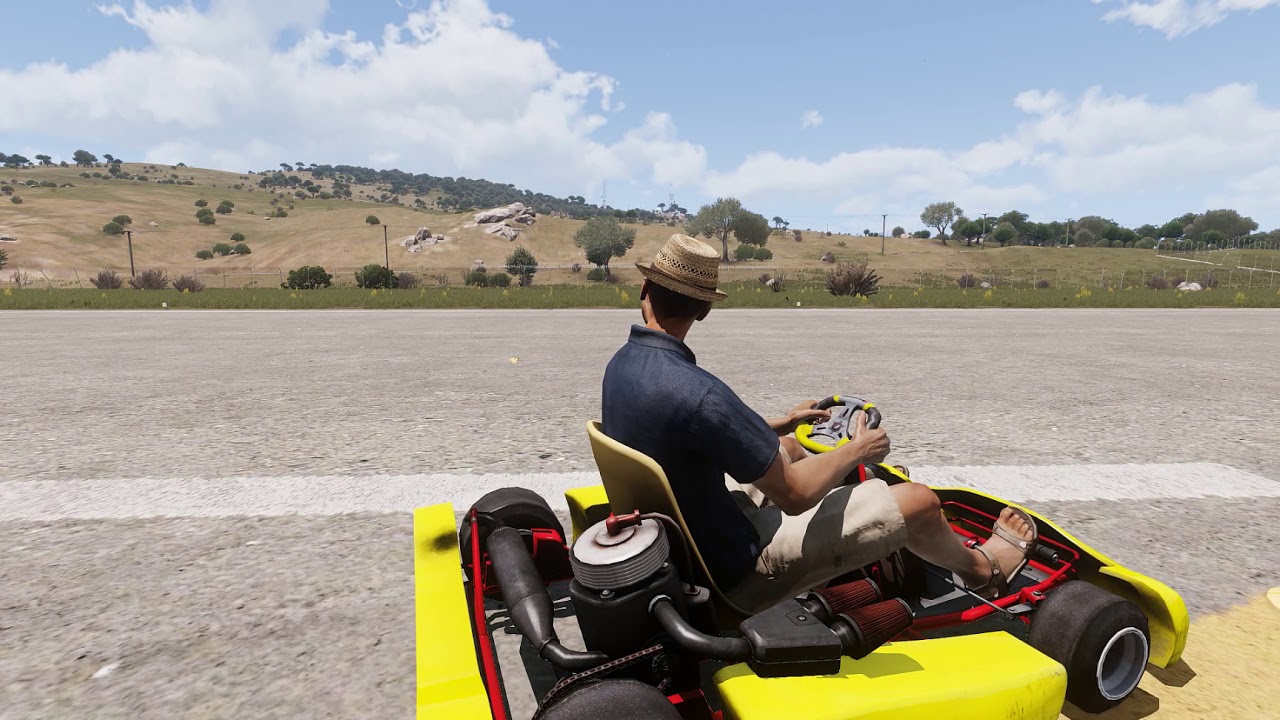
Animating chain with new UVAnimation tech - https://community.bistudio.com/wiki/UVAnimations
spark mountain
Oh shit, exactly what i was looking for thanks!
 slate condor
@desert raven basically im making a Scimitar II, and i was mucking around in GM and saw a cool little engine switch on animation, just wondered how I could apply such method to my tank
desert raven
RPM or engineTemp sources could work for example
or @ruby hill might tell you what animationSource theyve used. 😄
ruby hill
engineOn. I replied to the question in the channel above and then you pinged me here 😄
slate condor
sorry didnt see it and goat suggested i bring it here
forgive me for been a code noob, so what line of code and where would I add?
not seen this sort of thing in any configs iv seen so far
ruby hill
class Eventhandlers of the vehicle in question
 wanton pier
hey is there any good tutorial video or something for a guy like to me who wants to learn animations ? 😃
white juniper
Would be interested too. Basically what the workflow is from empty blender/whatever to a working human gesture in game :3
I toyed around a bit but.. probably failed due to zero blender knowledge
desert raven
Macsers armarig for blender is quite good starting point and I think Macser also made some simple how to videos with it. Or possibly it was Alwarren.
C
For how to use animation tools there are plenty of video that are not Arma specific. Same skeletal animation principles do apply to animations made for Arma though.
Come to think of it, not 100% if the rig works in the latest 2.8 blender.
 icy snow
Is anyone here able to get "Acts_Dance_01" or "Acts_Dance_02" working on players?
icy snow
I've tried switchMove, playMove, and playMoveNow all via debug simply in editor. Was just looking for a proof of concept but that didn't even work
icy snow
hmm Ill give it a shot in runtime
icy snow
Still doesnt work on runtime. I tried it on client and on server as well
 unborn vigil
Greetings Arma 3 family! Anyone here whiling to help me with an Animation for a personal mod? please PM me.
icy snow
Still looking for help and/or answers with the Dance animations if anyone is lurking 💀
desert raven
@icy snow how have you tried triggering the animation. Pls describe all tests you have tried.
@unborn vigil #creators_recruiting
And pls describe what you want to be done openly so people can judge if they want to do it without having to hunt you down in DM
All creators are usually busy so they don't have time to waste like that.
icy snow
What I want: To execute the vanilla animation moves on a player (not AI). Dance Moves: Acts_Dance_01, Acts_Dance_02
I have tried: using player switchMove,playMove, and playMoveNow to execute them. This was attempted both in debug on editor as well as on runtime over the client and over the server. Nothing worked.
If someone with this knowledge comes across this: Was this intended? And if so, Why?
idle tide
Hey does anyone know how I can disable the loop on an animation but have where they stop at their last position, i.e guy is putting his hand up but instead of putting it back down, he leaves his hand up
But also have it where if I miss it, i.e guy putting his hand up, can restart the animation
desert raven
youll need a still "hands up" animation between raising and lowering them
worldly osprey
Thanks for the recent animation help, guys!

and no, those reload sounds are neither from me nor the final ones.
 tidal vortex
How would someone go about making animations for arma 3
 quaint sage
Look up a tutorial, plenty are around the forums.
tidal vortex
Any recommendations?
 green marlin
Wanted to know if it's possible to make a animationSource loop ?
Because you can make the animation inside model.cfg to loop
but don't know if it's possible to make the animationSource to loop
desert raven
@green marlin not that I know. @tidal vortex what kind o f animations??
@green marlin some engine sources do repeat but it's a bit different thing.
What is it you are after?
green marlin
Wanted to make a elevator, everything of the elevator is inside one source
so opening/closing door. Lift of elevator and such is in one source
and wanted to make my source loop, so elevator is looped infinitely and doesn't need to make script side
just launch one time my animation with 1 line, and after it's looping
I will try to put sourceAddress inside animationsources config
and see
desert raven
I don't think that's possible.
And does not sound like it would be useful
You could not pick elevator destination or anything
worldly osprey
maybe he means this :P
https://en.wikipedia.org/wiki/Paternoster
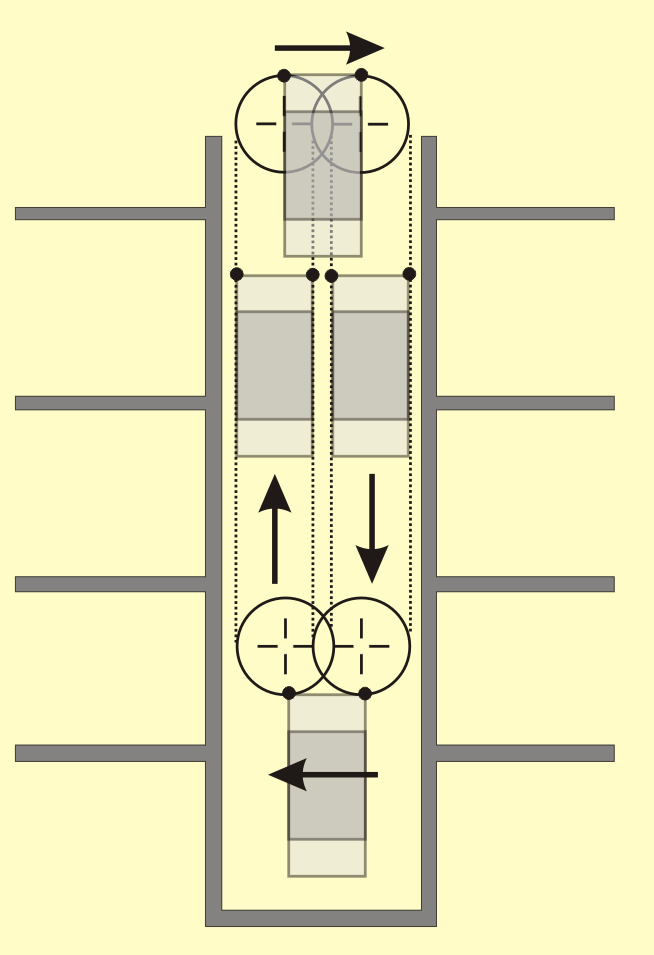
A paternoster (, , or ) or paternoster lift is a passenger elevator which consists of a chain of open compartments (each usually designed for two persons) that move slowly in a loop up and down inside a building without stopping. Passengers can step on or off at any floor the...
desert raven
dunno. that one does not have doors
and imo that would be a complete deathtrap with Arma physics
simple up and down going elevator is already very dangerous
 merry locust
hi, does anyone know any tutorial to make character animations
 cosmic vapor
hey guys! I've had a lot of problems figuring out how to go from one anim to another, please let me know if you can help! 😃
desert raven
@merry locust some Arma related and a lot for how to use whatever tool you use.
@cosmic vapor animation interpolation has to be configured correctly.
cosmic vapor
What's animation interpolation?
desert raven
the thing that tells the engine to play animations in sequence to get from Animation A to animation B
sterile ice
Anyone knows why this animation doesn't work in MP: AwopPercMstpSgthWnonDnon_start ?
I used the following to execute the animation:
[p2, "AwopPercMstpSgthWnonDnon_start"] remoteExec ["switchMove", 0];
It works fine with every other animation, but not this one
(It's a vanilla animation)
zenith token
can someone point me to the path/class of the normal on-foot binocular animations?
The vanilla animation is screwing me over royally with my fortifications, because when using binocular suddenly the human tries to make himself as large as possible in upright position -> he can no longer properly see out of the firing ports
the inconsitencies in height and position is really bugging me in general... Just look at the position of any rifle relative to the shoulder and switch through all the stances... its all over the place
crisp berry
animationState player doesnt help?
otherwise one of the anim EHs maybe?
https://community.bistudio.com/wiki/Arma_3:_Event_Handlers#AnimChanged
ripe lotus
Any idea why translationZ is borked ingame but working fine in buldozer? I mean it is ofsetted
deft fern
any pics?
desert raven
have you tried just Translation with proper axis set
quaint sage
Everything works better in German.
desert raven
not that kind of axis.
 oblique snow
green marlin
oblique snow
green marlin
This is possible to loop a source instead just one animation ?
desert raven
As far as I know, no
Only time ticks forward indefinetly.
@green marlin was iy you asking about this previously? For some sort of elevator?
desert raven
You could make a looping animations with 1 source and trigger that to run some ridiculously long time
green marlin
tried sourceAdress = loop
in config
but not working
but actually my animation is not only one animation in model.cfg
I have like ~20 animations linked to one source
green marlin
It's the eiffel tower elevator
so I need to open door, close door
lift up
open door, close door, lift down
desert raven
Would it not be just easier to have it trigger by buttons?
It would be als safer in Arma way.
green marlin
It's just a elevator with 2 floor
desert raven
Doesn't matter. The engine does not support what you want to do
desert raven
Oh then not even worth talking here.
green marlin
Have bigger name here, than DayZ Discord
desert raven
Because who knows what's broken in DZ
green marlin
It's exactly same animation in DayZ of A2/A3
desert raven
Well same question applies, why not make it use buttons and get it done
Instead of fighting the engine
Or make a script that loops that triggers it up and down
green marlin
Yeah just not wanted to have script running behind
desert raven
It's not very complex script and you can make it loop so that it does not check the triggering condition all the time
quaint sage
Especially if it's just the moving up and down part where it sleeps. The sleep could be a bit longer and have no issues since the timing wouldn't be off.
green marlin
Yeah but I can't make it loop with script, because my animationPhase will be 91, at the end
and I need to restart from 0
And no way to do it in script
green marlin
What exactly does sourceAddress="mirror" ?
desert raven
when it reaches the animations max value it should mirror the animation back to 0 when the animation plays forward and then again it would start again
so if animation maxvalue is 50 and its set to play to 100 it would look like it returns to 0
and if it was played to 200 it would look like its played twice in a loop
the mirror sourceAdress is what I thought you were using
worldly osprey
Anyone knows if there's an RTM import plugin for Blender 2.8 already? The FHQ one was last updated 3 years ago : (
naive hemlock
@meager oar
 meager oar
@worldly osprey FHQ Toolbox moved to github https://github.com/AlwarrenSidh/ArmAToolbox
GitHub
Arma Toolbox for Blender. Contribute to AlwarrenSidh/ArmAToolbox development by creating an account on GitHub.
But it never had import. I'm looking at adding it, but it has its problem since the imported animation wouldn't have any IK
worldly osprey
Ohh thanks for the explanation @meager oar ! Then I meant something else, sec...

GitHub
Blender Addon for importing Arma 2/3 RTM files. Contribute to 4d4a5852/rtm_import development by creating an account on GitHub.
this one
I remember that this one also had the Ik issue, though
meager oar
Yeah, in order to import an RTM to a rigged skeleton, you would have to solve the IK for the control bones... No idea if that is even possible
desert raven
It might not be. But is it necessary either?
worldly osprey
@meager oar While it'd be nice if IKs'd work, for me it's mainly about being able to re-pose base poses. So that'd already be a great help
meager oar
I'll see what I can do. I guess I'll ask the author of that importer if he opposes me adding it to the toolbox.
@desert raven It depends. If you want to really edit an animation, you can't really do much without decent IK
desert raven
The A3 animations are not really editable anyway since they're all keyframes.
meager oar
Yeah it's hard to edit, but you can always try to delete some of the frames in favor of real interpolation. But in any case, I don't think it is possible (at least not easy) to apply the animation to an existing rig with IK.
desert raven
Simple IK work, more complex rigs dont
meager oar
Problem is also that Blender's API documentation isn't the most comprehensive either 😐
desert raven
XD
meager oar
And some of the internals are... weird
desert raven
Fits with Arma perfectly
meager oar
😄
crisp berry
@hexed hornet ^
hexed hornet
who disturbs my afternoon slumber
meager oar
points It was kju!
hexed hornet
yep, the IK issue is not easily solvable
tried all sorts of approaches but never got an acceptable outcome
even tried inverting the IK relation between bones and control bones before importing and then reverse it afterwards again, but the results weren't great
desert raven
Control bones do seem to break but if the IK is set only as a chain in the bones without any controllers those still work.
Its possible to work with that but not as easy as with nice rig
but then again easier than without any IK at all
drowsy nymph
Is IK maintained if you source the animation from mocap? I'm imagining if it would be possible to playback the Arma animations on a dummy with mocap reference nodes and apply that to the IK'd rig
desert raven
probably would work yeah
worldly osprey
Hello sexy people,
I've got around to do my first ever reload gesture, yay
https://www.youtube.com/watch?v=gnyS7tknBM4
I did it with the full weapon mesh only and would like to rig the weapon aswell for the next step (in Blender), maybe go the extra mile of trying out 4d4a5852's blender to model.cfg exporter.
Not at home atm but would really like to know if I got this right: In order to do that I'd have to...
- Create Vertex groups from the "main mesh", e.g. for the magazine, bolt ....etc...
- Name them accordingly
- Create bones and parent them with the vertex groups
Correct?
 desert raven
sounds about right yeah
hexed hornet
but at the moment my anim2cfg addon can only export the translation/rotation of blender objects (not vertex groups) - i.e. the different parts to animate need to be separate objects
worldly osprey
@desert raven thanks dude!
@hexed hornet Thanks for the info aswell, mate. I only used blender for animating the ArmA rig so far, not for modelling/rigging itself.
But I just read up it's fairly easy to seperate stuff into seperate objects, which is nice 😄
So it'd be
- Select the vertices and split them into seperate objects (with P, I guess)
- Name them accordingly
- Create bones and parent them with the objects
hexed hornet
dummy objects could work probably, too - in the meantime
desert raven
separate objects is just a wee bit different workflow.
Do the objects translation export if they are constrained to armature movement?
to the bones directly I mean
worldly osprey
@hexed hornet ^
hexed hornet
the addon is using the resolved world position of the objects, so pretty much every form of parenting/rigging/... should work fine
desert raven
👍
worldly osprey
@hexed hornet
I tried your exporter (awesome!) - Bear with me, I'm a bloody amateur.
Can it be that it doesn't work with child constrains?
I made two seperate objects (bolt and mag) and animated them/assigned them to the weapon and left hand via child constrains, in the finished result they were both just floating in the same place
It also seems I might have messed up the origins/relations... I left the weapon's origin the way it was inserted (a fair bit to the left) and re-set the origins of the magazine and bolt.
Can this cause location issues, too?
hexed hornet
@worldly osprey have you set the correct parent in the export dialog - and the correct bone hierarchy in the model.cfg, too?
when the parent is not set then the origin is used
worldly osprey
@hexed hornet used the weapon model as a parent. Actually not sure if this was right, though - might also interfere with the child constrains.
How would you go about setting it up for weapon anims, if you don't mind?
https://www.youtube.com/watch?v=FjHZ3ol86DA
This is what it looks like in blender
 hexed hornet
so far I would have done it the same way
and it already fails when previewing the animation in buldozer?
worldly osprey
Yup
Only on my phone atm but here is the summary
- Opened the weapon p3d
- Deleted everything but the bolt and mag
- Copied the bolt and mag as two separate objects into my animation project
- Moved the weapon to default position so that bolt and magazine align perfectly
- Parented the bolt to the weapon (which itself is patented to the weapon bone)
- Created child constrains to the magazine, one to the weapon object, one to the left hand ik object
- Animated bolt and magazine
- Exported animations for both, with selection names "bolt" and "magazine", using the weapon model as a parent and "reloadMagazine" as the source
- #included both files in the model.cfg,which is set up correctly
Oh, step 6.5 would be moving the weapon back into the hand position, obvously
hexed hornet
I can't spot an error at the moment
not sure with the multiple child constraints for one object - but if it works in blender then that shouldn't be the problem
worldly osprey
@hexed hornet do you have a working example for weapon anims you can share with us/me by any chance?
worldly osprey
Tried to do a very basic setup and still didn't got it to work. A quick video showing what I did, step-by step:
https://www.youtube.com/watch?v=GNBIA-nZE8s
Do all elements have to share the same origin for it to work? Maybe I just can't get behind which object has to be parented with what or how the positional relations have to be set-up

 proud bay
copy pasting from #arma3_model I'm very very doubtful about the optimisation of a p3d running +500 anims everytime weapon class is reloaded, even with binarization. Looks like a shit hole. Do you have any insight on this ?
desert raven
@ruby hill You have made similar animations with your exporter right? What kind of experiences have you had?
drowsy nymph
There are several weapons in RHS currently using anims generated in a similar manner with reyhard's 3DS exporter
Mostly in GREF so far: the FAL, M3 Grease Gun, MP44, M79, M1 Garand
proud bay
I'd be curious to know what happens if 20 guns run the reload animation at the same time
drowsy nymph
Try it. But they run sequentially on a single source so I don't know that it will cause much of an issue compared to say flying an aircraft where you have upwards of a dozen different animation sources and applying hundreds of animations running in parallel
desert raven
the animations run with single source run locally right
worldly osprey
@drowsy nymph did you use the 3dsmax exporter?
I guess it's set up in a similar way as the blender one - what object did you set as a parent for e.g. the magazine?
drowsy nymph
I didn't use it no. reyhard made them himself
worldly osprey
@deft fern
did you use the 3dsmax exporter?
I guess it's set up in a similar way as the blender one - what object did you set as a parent for e.g. the magazine?
:p
worldly osprey
@hexed hornet
Whatever the issue is, a little feedback for you: Seems like child constrains won't export over in the animation.
I'm at a point where I can see that it "generally" works, I see the magazine float around the gun, but as soon as I change the child constraint and re-position the gun in blender, the magazine does a huge jump in the exported file and then floats around with an offset.
Aside from that, my/our ( @frank mica is struggling aswell) seems to be finding the correct parent - neither the weapon model, nur the weapon bone, nor the rig itself, nor using the object's origin seem to create the right offset :/
deft fern
@worldly osprey I used model center, I haven't checked that blender plugin so I'm not sure how it exactly works
worldly osprey
@deft fern thanks mate!
Talked to 4d4a5852 already, seems as if the axis get exported all over the place for some reason, he's looking into it
winter fiber
Any idea what could be causing the results ingame differ than in max?
Ingame: https://gyazo.com/3bdbc5836fc2872c270bfc90fa94b936
Max: https://gyazo.com/4629e82c0dda6352edee4ff8fc623197
Fixed, armor lod was missing GEOlod with autocenter = 1
desert raven
👍 that would cause it indeed
 quasi beacon
Hello!
I wonder if somebody could help me out with a reload animation issue
After a long time I decided to try this out
Made an animation in blender with the arma rig and exported it into RTM with the ArmaToolbox
Now my problem is that I've looked around on the wiki/forums for the necessary config and found few examples but unfortunately the animation doesn't seem work
It simply doesn't play
I press the reload key and it just instantly reloads without any kind of animation or delay
Does anybody have an idea of what might cause this?
Thanks in advance
desert raven
Sounds like your configured animation can't find the file to play.
quasi beacon
Yeah that was my first guess too but the path must be correct I checked it about a thousand times
And the handplacement animation is doing just fine
Do you think there might be a problem with the file itself?
And if it just can't find the file, wouldn't it give back an error?
crisp berry
checked rpt yet? diag.exe and debug.log too?
desert raven
What are you packing the addon with?
quasi beacon
Sorry for the late answer
I just got home from work
No I haven't checked those but thanks for bringing it up (guess I was too tired yesterday to think clearly)
I use the official arma tools
I heard that it'd be better to use Mikero's tools but frankly, I haven't had the time yet
Although if one of you could point me to the right direction I would really appreciate it
desert raven
mikeros tools might catch errors and wrong pathings you may have made
addon builder packs just about anything were it right or wrong
quasi beacon
That's good
Could you maybe link me to the site where I can get the Mikero tools?
white juniper
https://mikero.bytex.digital/Downloads @quasi beacon
quasi beacon
Ah thank you
quasi beacon
I feel like a bit of pain in the neck but could one of you guide me through the install of the mikero stuff?
I just now got time to sit down
desert raven
hit exe and click install basically
quasi beacon
Ah let me rephrase
Since I see it is in parts, which parts do I need to install?
And in what order?
quasi beacon
Well I've installed the DeRap, DeOgg, DePbo, ExtractPbo, MakePbo, pboProject, rapify and DeRoad but I must have did something wrong because it doesn't seem to work
Whever I double click on one of their exes either nothing happens, or I get a windows popup
crisp berry
what does it say?
quasi beacon
The popup well it says for example "MakePbo has stopped working"
Yea
So non of the GUIs seem to open up
crisp berry
did you install the required dlls from the readme?
quasi beacon
Okay wait
Forgot to ask one thing
The DePbo installer asks "Headless server install?"
What does this mean?
desert raven
sorry, you answer no to that
quaint sage
No gui would be my guess.
desert raven
that as far as I know yeah
so if you had the tools on a remote server you just send them to be automatically packed
quasi beacon
desert raven
windows 10?
desert raven
it often has this kind of problems
someone else had similar trouble with windows not creating the environment variables for the Mikero tools and those had to be made manually
quasi beacon
Oh god
Guess then no Mikero stuff for a while for me
I assume there is nobody online who could help in that
quaint sage
If you purchased those tools, I think there's ticket support there for it, if not, I've not personally had that issue on Win10 so I cant help. Maybe someone else will have seen it and can chime in or mikero may.
quasi beacon
I hope
desert raven
@thorny anvil might have tips when he gets online
you can search the chat history on this server for "envrionment variables" and it should come up
cant remember what channel it was on though
quasi beacon
Oh thanks
I'll check then now real quick
quasi beacon
Well @desert raven thanks for bearing with me
For some misterious reason, the tools only want to run in admin mode for me but they do at least 😄
desert raven
it is a problem how Windows 10 handles those internal modes I guess
quasi beacon
It's weird tho because according to what Mikero said a good while ago (just found it) the tools don't like being in admin mode...
desert raven
they are not developed on win10
quasi beacon
Well I guess it's one more item on the list of why we hate win10
 thorny anvil
my tools, will not run AsAdmin. This is intentional. My tools are not anywhere near as important as the things you have, stored on your pc. You will not be paying ran$omeware because of me.
the error message you received above comes from arma3p. It is being run AsAdmin for whatever reason. The last 'customer' who had this issue set all the shortcuts to run in win7 compat mode.
you're giving the impression that you're having all sorts of issues installing my tools, which is clearly not the case, you are using one of my tools, and hitting a minefield.
fyi: in technobabble, the registry settings for each user on the pc are entirely different to each other. 'admin' is just another user. and i never set his registry hive, so he can't find my tools to do damage.
consider the above an early warning system to your benefit. it is warning you that later on down the track you will get unexplained mysteries when t/b or o/b crash, or neither can find your p drive (because it doesn't exist for admin). None of which has anything to do with my tools, but a clear warning your pc is under risk, and bis tools will not work (but they don't tell you that).
 fathom narwhal
So, I'm trying to set up a carrier. And I would like to get the Deck Crew to go through the animations that they do in the Jets Showcase. I haven't figured out how to string animations together to get it working. I can get the one animation working however not the next.
desert raven
Check the different playMove and action commands, some of them put animations into queue to be played one after other.
#arma3_scripting thing.
quasi beacon
@thorny anvil Thank your for making it clear
I was more on the line of me doing something wrong not that your tools have an issue and I completely understand the reasoning behind the way you decided to make it work now
Apparently the issue was that since the account I tried to install them on is not the admin account of the PC so the installer asked for the permission of the admin confirmation and this happened to tie the tools to the admin so only the admin could run them
Fixed it by giving admin to my account temporarely and reinstalling the tools
desert raven
nope
there are static poses for picture taking
but dont think theres any live animations thats been made new
Arma does contain quite a bit of those in the vanilla data
look through the animation viewer in game
there is, just perhaps not as easy to apply
look through the animation viewer in the editor
 daring sundial
Onto the next step in my helicopter is going to be custom pilot and gunner poses. I currently have a 3ds Max rig and made a pose.in key frame 1. When I imported the skeleton and made a driver proxy P3D. When I tested in game, the driver was locked in a standing pose. This may not be the issue but do I need to have a separate model.cfg for the guy? I have followed the old Arma 2 video and it does not work for me.
desert raven
There should be a model.cfg with the ofp2manskeleton class in it in the RTM folder. Also you need to define the pilot and gunner action classes so that the engine knows what poses to use dor your helo. The proxy does not determine the animation, it only determines the position of the character and it helps to make the proxy look like the animation.
daring sundial
That’s what I thought but just started to play around with it.
daring sundial
Update. Got it to work but need to fix the pose. Is there a way to see an body instead of a skeleton in object viewer
desert raven
daring sundial
Nice
 spark quiver
Hello everyone. I need animation creator for animations of player. Notice me in personal message please.
desert raven
@spark quiver #creators_recruiting Would be the place to ask.
spark quiver
Thank you. I did look but not found...
sterile ice
Heyo,
I've tried making Animations the first time in Blender now, but for some reason there is no "Export .RTM" Button.
I'm using Alwarrens Arma Toolbox, the export p3d button does show up.
(Blender 2.8 with Toolbox for 2.8)
Edit: Seems like RTM export is broken for 2.8, it works perfectly with 2.79
worldly osprey
@sterile ice rtm export definitely works with the latest tool/blender version, just make sure its box is checked
Maybe re-download the current fhq toolbox
 sterile ice
Interesting @worldly osprey
The toolbox is activated as I can export P3D etc, just not .rtm
Ive downloaded it from somewhere else but it still didn't work.
I'll have another look today
desert raven
were you in pose mode?
I recall 2.79 needs pose mode on to export rtm
and the armature needs to have arma properties enabled
sterile ice
Yup
desert raven
perhaps time to call reinforcements. @meager oar we summon thee
🕯 🕯 🔯 🐔 🔪 🕯 🕯
lets see if this works
meager oar
Exporting should work in object mode as well
sterile ice
No idea what I'm doing wrong
I've redownloaded the Toolbox fram various sources without success
sterile ice
@worldly osprey can you send me the Toolbox version you use?
I just tried on a different computer and also asked a friend to try it, neither did I or him have the option to export .rtm
worldly osprey
@sterile ice sure, this one right here!
http://friedenhq.org/arma-ii/fhq-arma-toolbox-for-blender/
sterile ice
Hm, I have that one
Alright, I found the issue.
The one on there doesn't work.
The one on Armaholic does, I think I got confused with all the different versions I downloaded ^^
Might want to let @meager oar also know
meager oar
I really need to either update or retire that web page.
This is the latest version of the Toolbox
GitHub
Arma Toolbox for Blender. Contribute to AlwarrenSidh/ArmAToolbox development by creating an account on GitHub.
sterile ice
Alright, I'll use that in the future 😄
Thanks
worldly osprey
This might be very obvious for seasoned animators, but has been something I've been struggling with, so I'm just leaving this here :P





 feral shuttle
is someone able to help me with the IK systems for arma ? I have been screwing around with my model memorys and model config but I cant seem to get it to work.
you free to send me a dm if you are willing to spend some of your superior time to me.
zenith token
details, we need details. No details no help
feral shuttle
alright here are the details and information I know so far.
In base arma 3 you have this vehicle the offroad, as a gunner when you aim up and down, the character/player bent its lowerleg and move its arms/hands according to the movement of the gun. Now I have tried creating axis in memory for the specific parts of the character to move but that doesnt work.
I also have the following line of code in my config for my vehicle, but it no success on that.
            rightLegIKCurve[]={1};
gunnerLeftLegAnimName="leg_L";
                gunnerRightLegAnimName="leg_R";```

I went on the community bis wiki and found this.
IK for hands and legs
It's not Inverse Kinematics in fact, but as close to it as possible.
A soldier should have IK defined for hands and legs by default
Each vehicle pose using IK should have leftHandIKCurve[] and rightHandIKCurve[] set to 1
Driver should have driverLeftHandAnimName and driverRightHandAnimName defined as drive wheel bone of the vehicle (drivewheel by default)
Gunner should have gunnerLeftHandAnimName and gunnerRightHandAnimName defined on handles of the gun, or shaking bone of the weapon shall be sufficient (usually something like otocHlaven_shake)
Double check names of bones if the game crashes upon loading this vehicle and call stack points to IK. Wrong definition causes CTD all the time and removing the bone causes the same (eg. by hiding it).
But I dont get anywiser from this, So I was hoping if someone managed to get a turret or a vehicle with a mounted turret to get the IK system work.and in my model config I got this.
            class leg_l_rot_fix
            {
                type="translation";
                source="mainturret";
                selection="leg_l";
                sourceAddress="clamp";
                minPhase=0.78539819;
                maxPhase=1.396263;
                minValue=0.78539819;
                maxValue=1.396263;
                memory=0;
                offset0=0;
                offset1=1.1;
            };
            class leg_r_rot_fix
            {
                type="translation";
                source="mainturret";
                selection="leg_l";
                sourceAddress="clamp";
                minPhase=-1.396263;
                maxPhase=-0.78539819;
                minValue=-1.396263;
                maxValue=-0.78539819;
                memory=0;
                offset0=1.1;
                offset1=0;
            };
with the proper selection named on my model
zenith token
leftLegIKCurve[]={1};
rightLegIKCurve[]={1};
You have that in the vehicle config? Or in the config of the CfgMovesMaleSdr?
Custom vehicle i assume? What simulation (tank, car, plane, heli ,...) ? Custom "gunnerinAction"/"gunneroutAction" ?
and yes it works... rhs uses it on static weapons (and other things), i use it too. Pretty sure you just have some setup issue
feral shuttle
simulation car and that is in the config for the vehicle
zenith token
it doesnt belong in the vehicle config
feral shuttle
well... that explains why then
zenith token
what animation does the gunner use?
feral shuttle
for now im using the base offroad HMG config file's so it using that one
no customs or anything
zenith token
model config - you used leg_l for both left and right
feral shuttle
from my understanding from weapons model configs you can have section inhert from the parent, like the front and back sight flipping up and down for scopes
zenith token
uh yes - i just have no idea whatsoever what you are trying to do, and try using my crystal ball to guess and the snippets you give me to predict what it is you intent to do and how to fix it...
feral shuttle
im trying to make the gunner move up and down with its body when its aiming for exmple up
zenith token
class leg_r_rot_fix { selection="leg_l";} << is that intended?
feral shuttle
to be fair im not familiar with vehicle configs so I have been trying stuff at that point
zenith token
to move the body, you make proxy of the gunner in the p3d part of the "maingun" selection or whatever else you called it
OR animate the proxy by making it a named selection
you use IK memorypoints to controll the position of the feet
feral shuttle
IK memorypoints are under the memory LOD then correct ?
zenith token
yes (thats the normal way)
zenith token
there are no "dedicated ik memorypoints". You define points in memory LOD and apply a selectionname to them. You can use these points for whatever purpose you want/need them and for multiple things
normal use: leg ik memorypoints are made part of the rotating turret selection.
gunner proxy is animated with translation or rotation to swivvel up/down - using the animationSource from the turret's gun. Arm IK points are made part of the elevating gun selection.
 wintry hamlet
How does one import a (vehicle) animation skeleton into 3ds Max from the example content? I understand that skeletons in A3 are defined by model.cfg but just from eyeballing it I don't see any coordinate or orientation data.
drowsy nymph
coordinates are defined by axis points in the memory LOD
zenith token
animations are in model.cfg too... there is no importer (unless you make one)
desert raven
The animations by default are written manually in the model.cfg.
Read the "how to animate a model" bi wiki page and the model.cfg page.
 deft garden
Hi everyone. Does anyone know if there is an animation for turning a character around? I have AI's manually turning using * setDir * as part of an animation script, but this looks like a glitch in the Matrix :).
desert raven
you can order them to look in X direction