#arma3_animation
1 messages · Page 19 of 1
 desert raven
yourself?
 crude pendant
no with arma 3 tools
desert raven
its possible those are still broken and dont extract them right
you should use the Arma3P
from mikeros tools
desert raven
well do you have that file in you P:\A3?
desert raven
then it has not unpacked right
so debuggin will go better if you got your tools set up right
crude pendant
thx
crude pendant
speed = 2 : https://youtu.be/lmjyYWPVM1M
Thank you @desert raven for supporting me !
desert raven
👍
 gusty wagon
And how to vanish weapons in animation ? 👀
 sterile ice
You want to hide a weapon?
You have to hide it in the model.cfg, you might find some samples in the a3 samples, it's basically the same as they did with breaking windows etc
desert raven
hiding a weapon in character aninmation @sterile ice
sterile ice
oh
is that even possible? You can't remove the weapon bone, then the weapon will just be stuck in your pelvis / belly.
I guess you could move the weapon bone below surface, but that really wouldn't be a good solution
 drowsy nymph
of course it's possible. Tons of vehicle animations hide weapons
Though maybe I'm misremembering, and it's a property of the vehicle
sterile ice
Yea it works with model.cfg animating, but not character anims
That's HorribleGoat meant
sterile ice
🤔 I guess that could work, worth testing @gusty wagon
gusty wagon
+1
desert raven
I think all vanilla animations put the weapon on back when any action is done
 torpid star
tbh i think moving the weapon below surface is not the worst idea, if it needs to be done through character anims. it could also be done with a gesture that has only the weapon bone in the mask, if it needs to be done on existing full body animations. there are some anim class properties for hiding the handgun. maybe there is one for other weapons too
desert raven
dont think there is unfortunately
torpid star
there is one along the lines of hideItemInHand but my guess is that it's for binos and similar things
torpid star
what would be the purpose of hiding the weapon though?
desert raven
yeah thats what I understood from it
torpid star
what was the named property again to make a walk animation translate forward?
nvm. got it. step and xstep for sideways. was trying zstep. made too much sense 😄
torpid star
did anyone ever come across an issue where your pelvis bone animates fine before FBX export and also after inside object builder but ingame the pelvis doesn't move at all? i also reimported my rtm and it looked fine again in object builder. never had this issue before with my anim pipeline so i'm thinking maybe the issue is somewhere else.
very confusing. i'm thinking maybe some paramter inside the animation class is missing.
sterile ice
Yep, had the same problem, couldn't fix it tho
 ripe lotus
So the new UVAnimations have been added. Any Idea how to rotate the UV according to its center not the entire texture center?
Reference pic-I want to rotate around red dot, not blue one)
https://imgur.com/9sCbARg
ripe lotus
Also it needs to be dynamic becouse the UV square moves on the texture
 deft fern
fill whole uv map and then scale it down
at least I did something like that for moving map
uvanimations are stacked and evaluated from top to bottom
ripe lotus
@deft fern ok will try
desert raven
oh true it can be used for scrolling maps now!
torpid star
damn. this keeps happening. the solution comes to me once i asked the question here...nvm for now
torpid star
i was just missing the curve stuff for weapon IK
leftHandIKCurve[] = {0};
rightHandIKCurve[] = {1};
to keep the left hand free.
desert raven
👍
torpid star
does anyone know what these do?
relSpeedMin = 0.7;
relSpeedMax = 1.1;
is that what causes inertia/momentum?
drowsy nymph
relSpeedMax - maximum of above, max is used for player actions for most of the time. used when player is 0% fatigued.```so it's how much the anim slows down when fatigued @torpid star
torpid star
hm ok. i think someone with wiki access should merge the above link with this https://community.bistudio.com/wiki/CfgMoves_Config_Reference
this one also has no info on weaponIK and its values eventhough that is common knowledge at this point
 floral oak
is there a catrig for blender like the a3 catrig for 3ds max ?
 zenith token
does blender even have CAT? pretty sure it doesnt. It's max specific animation system for characters
there is a blender animation rig for A3, but dont know from whom or where. Just google it.
desert raven
Macser Armarig is ready for animating @floral oak
 subtle needle
Hey guys, I'm looking into animations, but got stuck on the following and decided to ask it here after multiple tries...
I'm working with toadies catrig in 3DS, but the animation is being centered on 0,0,0.
I think it has to do with using a BodyFull animation, but am quite clueless. I have tried playing with the world root bone position but keeps resulting in some warped result similar to this one:
https://prnt.sc/ksgs51
I have also tried increasing the height after keyframe 0, but the feet keep getting warped to the pelvis' height.
solved: https://discordapp.com/channels/105462288051380224/105781854598094848/488469652696072242
desert raven
animations should be made so that the toes touch the 0 plane
in the t-pose the pelvis is at 0,0,0 but animations need to be above ground
subtle needle
I'm pretty sure I tried that, then again I've been through so much trial and error lately... been 2 days now but I decided that once and for all I wan't to get the hang of A3 animations so am gonne keep trying 😃 Thanks for the suggestion, will nevertheless retry what you said and come back to report the progress. Thx
desert raven
👌 good luck
subtle needle
iirc, the feet kept getting warped as if they were connected to the pelvis
desert raven
I cant say anything about how max works but I would assume the above applies to animations made with it too
subtle needle
I figured it would, and as I said, pretty sure I tried altering like you said because I assumed 0,0,0 was only needed for T pose. I'll just retry now that I know for sure it's supposed to be raised.
I found this old post where Uro also reported model being stuck in 0,0,0 because he was using BodyFull mask and that a custom mask solved it.
But if I can do without and just use BodyFull that'd be better.
 waxen jasper
I export from 3ds to OB with the whole animation at 0,0,0 - and then select the skeleton and raise it in OB for every phase but the first
subtle needle
lol I actually wanted to do that like 30+ tries ago 😂
But was like "naah that can't be the way"
waxen jasper
This was just for reload anims, not full body, so not 100% sure
subtle needle
here I am 8hrs later lol
Well my guess is reload anims use the proper masks
so it doesn't really matter for those (my guess though, complete noob)
desert raven
reload anims only use the hands and fingers
subtle needle
I'm back at where I was a while ago, which is like almost there but still warping the toes. http://prntscr.com/ksh184
solved: https://discordapp.com/channels/105462288051380224/105781854598094848/488469652696072242
Just to note: I moved the world root up with the animations as well.
desert raven
now youll probably need advice from a max user as I dont know the procedure you got going there
subtle needle
I think I figured it out tbh
In the rig toadie kindly provides, the 2 toe bones are not classed in the skeleton layer, I export using child selection on the skeleton layer, thus I suspect those 2 bones are missing. I'm trying it out right now. 😃
desert raven
that is possible
subtle needle
As those key entries would be at the origin, it only seems logical. What a way to waste a day though. 🤦
And even makes more sense considering most use the cat rig for mask anims I suppose
Or aren't noobs that forget to export 2 bones
desert raven
👌
subtle needle
😂 yet to be modeled, I don't have to include it in the anim, do I?
subtle needle
Ah as I figured then 😃
desert raven
I like swords
Id maybe bend the knees a bit
unless its unexperienced sword stance
subtle needle
Just some dumb melee sword fantasy I always wanted to try in A3 lol
Oh this is just merely getting the hang of it, I hoped to put some hours into actual animation, but struggled importing into A3.
In hindsight, as with most A3 elements, it's rather straight forward once you get the hang of it, and of course thank god for toadies' rig.
desert raven
things usually get simpler once you get the hang of it 😄
subtle needle
Hey guys! Are there any do's and dont's on creating a weapon holding animation? Seems like I always get 1 distorted arm, checked for twisted bones but don't think it's that...
I've been following Zachs' guide, only using 3 frames; Tpose, 1&2 . 1&2 being the same and am using Toadie's rig.
desert raven
the weapon hold Inverse kinematics that move the arms can be wonky at certain positions and rotations so avoid twists and odd angles
 dull warren
Not sure if this is technically an animation question or actually a config question...
I've added a manual bolting action to a mod I've made and used one of the vanilla animations to move the hand when the bolt triggers. (namely a3\anims_f\data\anim\sdr\gst\gesturefirelrr.rtm)
The issue I've got is that this animation moves the torso rather unnaturally when in the prone position: https://steamuserimages-a.akamaihd.net/ugc/957468055298905914/0CA4CD8CBDF00472470B600634C35426978287D2/
I was hoping I could reduce or disable the spine movements by using some SpineIKCurve[] type commands but have not had any success. Is what I'm trying even possible or am I stuck with the limitations of the original, vanilla .rtm file?
desert raven
how do you triggeer your animations? and yes possibly you will need to config a new animation fro the prone where it uses different blend group that does not have spine in it
dull warren
I'm triggering it using CBA's event handler and a function/script to determine when it should act. (i.e. don't trigger if still holding breath or the triggger.)
Using SpineIKCurve[] = {1}; or 0 (and includingg Spine1-3 as well) seems to have no effect. I was hoping that either the IK or the FK would have no spine movement so would be able to disable the movement with one of these options. However, I don't know if IKCurve is valid for Spine bones!
I've only previously made 'static' hand gestures for how weapons are held so animations are all a bit new to me!
desert raven
so it plays as gesture?
dull warren
That's my understanding, yes
desert raven
and where do you use the IK curve?
whats that about
in the config?
what you want ot use is the mask parameter
mask = "handsWeapon";
dull warren
Yep - basically just copying the CBA example where they appear to tweak the animations slightly using 'rightHandIKCurve[] = {0, 1, 0.08, 0, 0.92, 0, 1, 1}'. So given the spine bones move considerably in the prone position, I was hoping I'd be able to do something similar. However, reading through BI's wiki for CfgMoves, there's never any reference as to whether the IKCurves can be used for all bones
desert raven
no I think its only the hands
the mask is what dictates how much each bone is affected by the animation
class BlendAnims
        {
            class MaskStart
            {
                weight = 0.85;
            };
            class MaskStartDecreased
            {
                weight = 0.35;
            };
            empty[] = {};
            leftHand[] = {"LeftShoulder", 0.3, "LeftArm", 1, "LeftArmRoll", 1, "LeftForeArm", 1, "LeftForeArmRoll", 1, "LeftHand", 1, "LeftHandRing", 1, "LeftHandPinky1", 1, "LeftHandPinky2", 1, "LeftHandPinky3", 1, "LeftHandRing1", 1, "LeftHandRing2", 1, "LeftHandRing3", 1, "LeftHandMiddle1", 1, "LeftHandMiddle2", 1, "LeftHandMiddle3", 1, "LeftHandIndex1", 1, "LeftHandIndex2", 1, "LeftHandIndex3", 1, "LeftHandThumb1", 1, "LeftHandThumb2", 1, "LeftHandThumb3", 1};
launcher[] = {"LeftShoulder", 1, "LeftArm", 1, "LeftArmRoll", 1, "LeftForeArm", 1, "LeftForeArmRoll", 1, "LeftHand", 1, "LeftHandRing", 1, "LeftHandPinky1", 1, "LeftHandPinky2", 1, "LeftHandPinky3", 1, "LeftHandRing1", 1, "LeftHandRing2", 1, "LeftHandRing3", 1, "LeftHandMiddle1", 1, "LeftHandMiddle2", 1, "LeftHandMiddle3", 1, "LeftHandIndex1", 1, "LeftHandIndex2", 1, "LeftHandIndex3", 1, "LeftHandThumb1", 1, "LeftHandThumb2", 1, "LeftHandThumb3", 1, "RightShoulder", 1, "RightArm", 1, "RightArmRoll", 1, "RightForeArm", 1, "RightForeArmRoll", 1, "RightHand", 1, "RightHandRing", 1, "RightHandPinky1", 1, "RightHandPinky2", 1, "RightHandPinky3", 1, "RightHandRing1", 1, "RightHandRing2", 1, "RightHandRing3", 1, "RightHandMiddle1", 1, "RightHandMiddle2", 1, "RightHandMiddle3", 1, "RightHandIndex1", 1, "RightHandIndex2", 1, "RightHandIndex3", 1, "RightHandThumb1", 1, "RightHandThumb2", 1, "RightHandThumb3", 1, "launcher", 1, "Spine3", 1, "Spine2", 0.75, "Spine1", 0.5, "Spine", 0.25, "weapon", 1};```these are the mask groups
and you can make your own too
but there are quite a few to begin with
dull warren
I have to admit that I'm not quite sure how I would use that. Can this be added to the config in a similar way to the IK curve? (I suspect the answer is 'no' and it's much more complicated....) Apologies for my lack of animation knowledge!!!!
desert raven
ze answer is yes
dull warren
Ah - great! I'll give this a go. Thanks very much for your speedy replies and help
desert raven
            class WeaponMagazineReloadStand_g: Default
            {
                file = "\A3\anims_f\Data\Anim\Sdr\wop\erc\stp\rld\rfl\AwopPercMstpSrldWrflDnon";
                looped = 0;
                speed = 0.4;
                mask = "handsWeapon";
                headBobStrength = 0.2;
                headBobMode = 2;
                rightHandIKBeg = 1;
                rightHandIKEnd = 1;
                leftHandIKCurve[] = {0, 1, 0.05, 0, 0.95, 0, 1, 1};
            };
class```mask is there
dull warren
Sadly mask = "handsWeapon"; was already part of the CBA_GestureFireLRR class. (From checking in the in-game config browser.) Is the definition of the 'handsWeapon' mask available anywhere? I'd like to check if it contains any spine movements. If it does, your idea of defining a new mask (I think!) would work. But if spine movements are already set to 0 in the 'handsWeapon' mask, it suggests the odd movement I get is a function of the .rtm file.
Scratch that - I've just found them in the config viewer.
desert raven
yeah the masks are configured in the class blendAnims
dull warren
Although they are actually too long to read!
Ah - but you can copy them and then paste into a text editor....
desert raven
they are also in the a3\anims_f...
dull warren
Ah- yes, of course. Interestingly, all bones listed (including spine) are set to 1. So it does suggest that I might be able to make a mask which reduces the spine effect to get rid of the issue I've got.
desert raven
yes
dull warren
Just for info, setting up a custom mask does appear to be a good solution for this issue. I'm just tweaking the parameters now but am close to a good result already. Many thanks again.
desert raven
👌
 delicate belfry
heyho,
can someone help me to fix this error?
https://img.c0kkie.de/c0kkie_14-09-2018_03-12-13.png
thats the part of the config
class CfgMovesMaleSdr: CfgMovesBasic
{
    class States
    {
        class AmovPercMstpSnonWnonDnon;
        class CutSceneAnimationBase: AmovPercMstpSnonWnonDnon
        {
            enableDirectControl=1;
            showWeaponAim=0;
            relSpeedMin=1;
            relSpeedMax=1;
            disableWeaponsLong=1;
            disableWeapons=1;
            enableOptics=0;
            head="headNo";
            enableBinocular=0;
            headBobMode=5;
            headBobStrength=-1;
            forceAim=1;
            ConnectTo[]={};
            InterpolateTo[]={};
        };
        class blue_sitdown: CutSceneAnimationBase
        {
            file="\blue_animations\anim\Blue_Sitdown.rtm";
            speed=0.010877;
            actions="";
            ConnectTo[]=
            {
                "AmovPercMstpSnonWnonDnon",
                0.0099999998
            };
            InterpolateTo[]={};
        };
    };
};
just remove it or change to what? @crisp berry
 ruby hill
Just remove it. It will inherit what it needs from CutSceneAnimationBase.
delicate belfry
another problem :D
class kka3_phone_head: Default
        {
            file = "\kka3_blue_phone\data\anim\kka3_phone_head.rtm";
            looped=1;
            speed=0.5;
            mask="kka3_UpperBodyNoRArm";
            headBobStrength=0.200000;
            headBobMode=2;
            leftHandIKBeg=0;
            leftHandIKCurve[]={0};
            leftHandIKEnd=0;
            rightHandIKBeg=1;
            rightHandIKCurve[]={1};
            rightHandIKEnd=1;
        };
        class kka3_phone_hold: kka3_phone_head
        {
            file = "\kka3_blue_phone\data\anim\kka3_phone_hold.rtm";
        };
another problem 😄 with that settings i cant shoot
sterile ice
@delicate belfry did you fix it?
sterile ice
try disableWeapons = 0;
sterile ice
👌
delicate belfry
ok not fully working 😄 reloading is buggy now xD
delicate belfry
i have this script
 _phone = "kka3_blue_phone_head" createVehicle (position player);
                    _phone attachTo [player, [0, -0.03, -0.025], "LeftHand"];

                    while {true} do {
                        player playAction "kka3_phone_head";
                        if !(player getVariable ["in_call",false]) exitWith {
                            deleteVehicle _phone;
                            player playAction "gesturenod";
                        };
                        if !((vehicle player) isEqualTo player) then {
                            _phone setPos [0,0,0];
                        };
                        uiSleep 3;
                    };
So problem is, if i reload while this loops it removes the magazine from the inventory, but the new magazine is not in the weapon
desert raven
there might be a animation attribute that prevents reloading
desert raven
yeah no dont think theres such
what is your gesture inheriting its stuff from?
look into the other gestures
delicate belfry
thats the config https://hastebin.com/mebupikuqi.cpp
desert raven
look into the vanilla gestures and find something that you can use as a base
delicate belfry
hm you dont know any good one which i can use or? 😄
desert raven
nope not off the top of my head
sterile ice
can Reload doesn't work in the current Arma version, I made a bug tracker a while ago, but nothing has changed yet. Same for the scripting command to disallow reloading.
This bug is a common bug when it comes to gestures, there's no easy fix afaik, I'm currently working on a workaround, I'll share my scripts with you once it's done @delicate belfry
 umbral niche
Hey guys, how do I preview an animation in Object Builder? I did it before years ago but I can't figure out how to do it now
desert raven
either load the animation into buldozer via the buldozer menu. Set rtm or something like that or load it into the animation dialog with from matrices
umbral niche
So I click that, and I choose some rtm I got from the arma files, but there's nothing in the animation window. Is that normal?
desert raven
Arma3 animations are binarized so they dont load
you can use the few in the samples
or if you have paid mikeros tools you can convert the rtm
umbral niche
I'll just use the examples. That worked, thanks!
desert raven
👍
 fast canopy
Hi, sorry if this is offtopic, is anyone can handle rtms for setMimic?
ruby hill
You need to add new mimic animations to the head configuration. It is doable.
fast canopy
Yes, everything I know is modify CfgHeads to add new mimics is possible
All I need is proper animations to apply. This might useful for making some artworks
desert raven
Macser recreated a head rig for us a while back that should work. @sterile ice was doing stuff with it already if I remember right.
sterile ice
@fast canopy I'll send you a PM with the Download link to the rig. I don't know if Macser want's it public, I think he's fine with it, but I rather ask first^^
 tired depot
Do what ever you want with the rig. 🙂
sterile ice
Oh, alright. Thank you :)
Maybe you can post it? Or I'll finish the version I was working on based on yours and publish it later on.
tired depot
Sure. If you've made some improvements, go ahead and share it.
 analog star
gusty wagon
analog star
gusty wagon
Hey do you know how to hide weapons and other in animation rtm ? (exemple a restrain animation without gun) i don't know how do it ..
 tardy knoll
does anyone have a good tutorial or walk through for the basics of making vehicle animations for A3?
sterile ice
@gusty wagon I'm not sure if you can hide stuff, but iirc we had such a discussion before and it turned out to be somewhat possible. Why do you want to hide a gun when restrained? Maybe theres a workaround.
@tardy knoll its basically the same as all other animations. You can find such tutorials for Blender on youtube. All that's different is the Config, but you may find a sample somewhere on the internet, or I can send you what I use, once I'm home.
ruby hill
Weapons with .rtm animations. 😃 (Ignore the shittyness of the anim itself, its just the first go to see if this works)
 gusty wagon
@sterile ice Hummmm and force gun in the back ? for a restrain i don't know anybody can help me ? ....
sterile ice
Do It by script and don't animate the weapon bone in the mask of the animation. Create your own mask and only animate the upper body without the spines.
I'll send you some samples as well when I wake up later
 blazing panther
@ruby hill So what new stuff would this allows modders to achieve? I've never done animation but I've always been curiouys about it
ruby hill
It allows for more detailed weapon animations using keyframes.
deft fern
so it's transformed to model.cfg or whole weapon is using rtm?
 naive hemlock
@ruby hill duude, i want that
same question as @deft fern - so it converts that rtm to model.cfg or ?
ruby hill
It writes keyframes straight to model.cfg
blazing panther
Could this in theory also work for vehicles?
ruby hill
yes, in practise, too
blazing panther
So you could animate a vehicle in Blender, export rtm, then do whatever magic you've done to convert to .cfg?
ripe lotus
Is there a way to make a scale animation in model.cfg ?
drowsy nymph
Don't think so. You can scale things to zero towards the model's centre using the hide animation. It'll scale to a percentage of its original size if the selection weight is not 100% hidden
but still it's towards the model centre, rather than the selection centre
gusty wagon
okay thx @sterile ice i wait
torpid star
@ruby hill that's amazing. i hope it inspires some talented animators to make some stylish reload animations
ruby hill
Thats the plan. It completely changes the feel of reload anims viewed from first person
its like Arma is any other game 😄
zenith token
arma without robot animation is not arma anymore...
ripe lotus
@ruby hill that looks amazing. Cant wait to test it 🙂
 frank mica
Looking foward to it 😛
ruby hill
☺
it needs some polishing, still.
Aslo launchers are rotated by an additional 90° in modelspace, that complicates the export by one extra annoying step 😄
desert raven
@ruby hill that is absolutely fantastic!
ruby hill
I can imagine what this means for the Mechs of the Lost Dragon 😄
desert raven
Still someone needs to make them. 😜
but yeah I bet I can make use of it for a lot of things for mechs and other things 😄
naive hemlock
@ruby hill i am actually in the process of making SCAR-H anims 😉 😉
ripe lotus
So I am having an issue. I am making simple Nozzle animation, I have two nozzles. And want to animate each one of them, when I animate one of them everything works, fine. I add skeletonBones of second nozzles animations goes crazy. These two nozzles are separate and have different names
ripe lotus
@sterile ice I fixed it, I dont know if that was the issue, but I reduced skeletonBones and it works. Is there a limit?
sterile ice
Not afaik
ripe lotus
Hmm than it must have been something else. Also, does position in skeletonBones array matter? (bones arent related)
naive hemlock
no idea what you mean
ripe lotus
I mean if it matters if bone is at the first posittion in skeletonBones array or at last
It should in my understanding
sterile ice
This way you link the bones together. That might have been your issue.
If you want bones to be seperate, then leave the last quotes empty
"bone1", "",
"bone2", ""
vs
"bone", "bone 2"
Is that what you meant?
ripe lotus
I know that, but nevermind about that, just a thought
ruby hill
Location in the skeletonBones array does not matter.
Only the tuple of <bone>,<parent> counts.
 inland bramble
Hey Guys,
I'm trying to learn how to create animations. Sadly I could not find a tutorial and trying to look at Arma's Sample animations failed, becouse I've got no clue how to open them. Could somebody help me?
sterile ice
https://www.youtube.com/watch?v=a894ZmPgLGU
https://www.youtube.com/watch?v=c5PRt4ABLjI / https://www.youtube.com/watch?v=spdvvwSkT6w
https://www.dailymotion.com/video/x2a4bwd
https://www.reddit.com/r/armadev/comments/1sqv6x/arma_3_blender_animation_tutorial_get_your_anims/
5 Minutes of searching on google
@inland bramble
All tutorials are for either Blender or 3ds max, but basically you can use whatever software you want, just convert the files from the tutorial to whatever your program can read. (mostly fbx)
And to open Arma's animation, you need the mikero premium tools, but looking at an animation itself won't really help you learning it
inland bramble
Okay thanks, maybe my googling was to specific. Only one of those videos was shown to me.
Okay that's good to know.
 nimble flare
@ruby hill aren't you worried about hitting an animation classes limit (in the model.cfg)? iirc they stopped working altogether with more than 256 classes, if I'm not mistaken
either way, amazing work so far, hope you don't hit any major issues with it 😉
ruby hill
You may be thinking of the bone limit. 😃
nimble flare
ah, maybe that's it
let's hope there's no animation limit that we're not yet aware of, then 😄
dull warren
Not sure if this is technically an animation question or script question but... If you're using the CBA event handler to add manual bolting animations to a weapon, is there a way to force the camera to stay looking down the weapon sight / optic when the bolting action occurs? (Not sure if it's relevant but I'm just using the CBA supplied CBA_GestureFireLRR animation at the moment.)
RHS and 3CB manage to stay in optic mode when bolting but was unsure whether this was specific to their scripts/event handlers or the animations themselves.
desert raven
I think you can lock animation to to use the camera movement saved into the animation. If it is made with camrea movement in mind that is
oh wait you were talking about the sight
that might not be possible
there is this variable but not sure if it would apply to a gesture
Do I assume correctly that currently your animation forces the view out of the optics view?
dull warren
Yes, that's correct.
desert raven
you might want to check the config for the gesture you are using if it has enalbeOptics = 0
dull warren
Thanks. I'll take a look at that!
Yes, it does indeed have enableOptics = 0!
I'll give that a tweak and see what happens...
dull warren
Bingo! That's got it. Thanks @desert raven !!!
desert raven
👌 Splendid!
blazing panther
@ruby hill I was thinking just then, would this new system of yours allow more customised and fluid bolt action animations? (I presume so) but I wanted to ask anyway
ruby hill
Yep
naive hemlock
my only question is when can i get my dirty hands on it 😛
tardy knoll
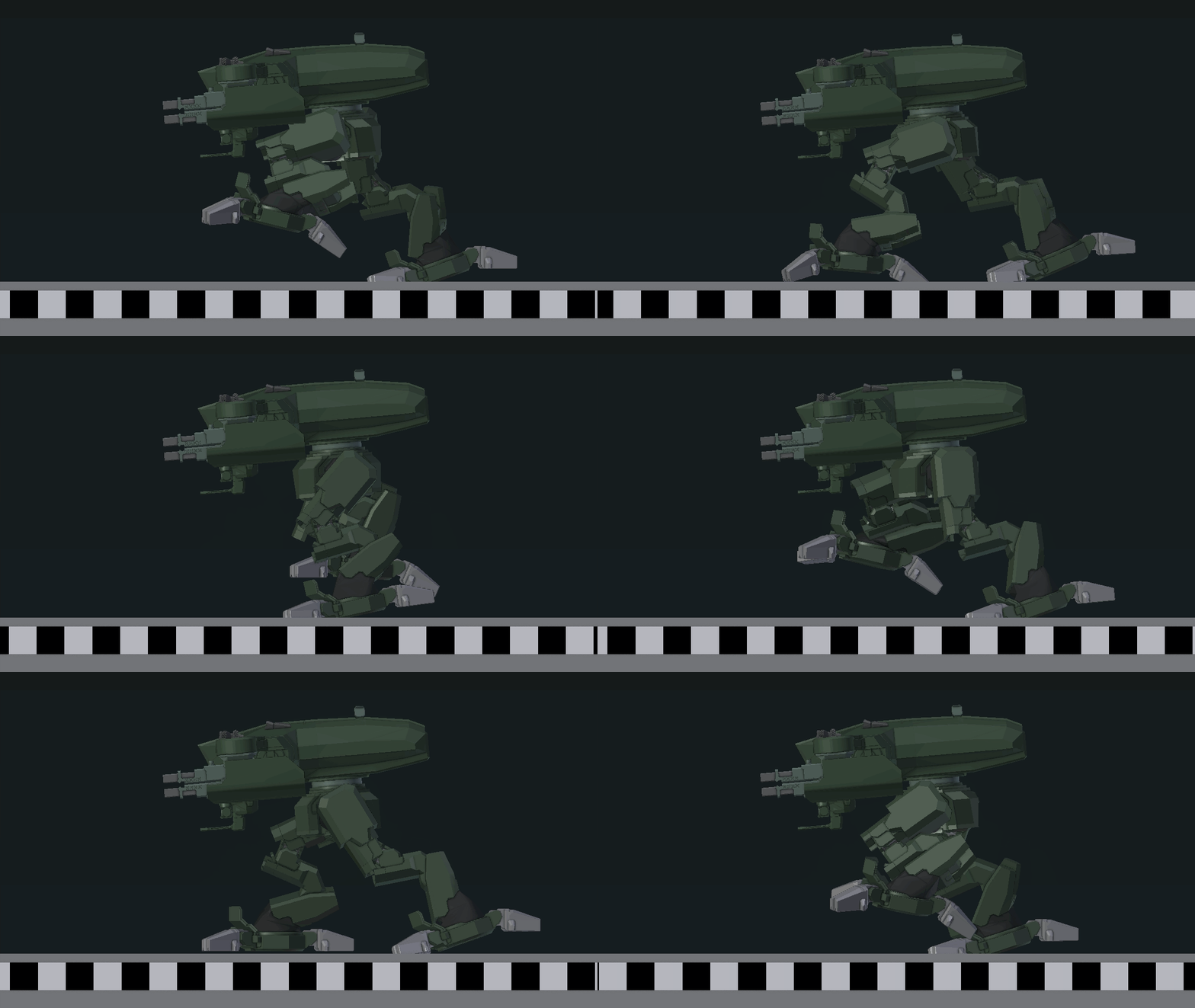
Ok so ive created a walking animation for a mech in blender and have expoprted it as an .rtm file. Whats the next step, (i believe its oxygen maybe)?
tardy knoll
one that will hopefully walk when im done with it lol. its like a squat little singular weapon platform
but im iust trying to figure out what the next step in the process is before i start worrying about refining the actual model
desert raven
well when you got an animation for it you need to import the model same way as any character
and pack the .rtm with it using the same model,cfg
and then build a new movesCfg class for it that uses your new animations

mine looks like this
tardy knoll
so i import into oxygen? or into object builder
desert raven
since you work in Blender you can use the FHQtoolbox to export into p3d so you dont necessarily need OB inbetween
you can however test that the rtm works in it
tardy knoll
so i pack the p3d or the .rtm with the model.cfg
desert raven
both
I put my .rtms into mything\animations
and copy the model.cfg to sit next to them
tardy knoll
sorry this is one of my first approaches to this type of animation, so basically you export out of blender as a p3d, pack both the p3d and the rtm with the model.cfg. and then build a new movescfg?
desert raven
yes
tardy knoll
and then pack that all as a pbo
desert raven
well you can include the movescfg in your config.cpp for the mech
yes
and us Mikeros tools
tardy knoll
ok
desert raven
for packing
tardy knoll
and could this same style be used for like a 4 legged walker?
desert raven
possibly
have not tested it
not quite sure if the leg IK works with 4 legs for example
thats actaully a good question
@ruby hill would you happen to know if leg/terrain IK can be set up for multiple legs?
ruby hill
there is no leg ik for the terrain in a3 to my knowledge
it simply uses a blend anim to match the terrain slope
tardy knoll
so it would work
il start figuring out model.cfg stuff il be back if i run into problems
desert raven
is this your first model for Arma?
I mean how familiar are you with config.cpp and model.cfg
tardy knoll
mmmm not really but i play with a couple ppl who are good with that stuff
desert raven
well a new character will definitely be a dive in the deep dark and cold end of the pool
😄
the character and animal samples could get you started
and also the Mondkalbs Legoman
blazing panther
Is that/this possible in Arma?
The front idler wheel is connected to the first road wheel, thus when the road wheel extends upwards, the front idler wheel comes down to keep track tension
I would like to know now rather than later as I have to model the front suspension arm in a certain way
drowsy nymph
possible to animate it yea, you just parent the idler and the front wheel to the same bone and animate the parent to rotate
blazing panther
What about the track? This isnt going to stuff up the track or anything? (I heard somewhere that only wheels that touch the ground can 'move' the track)
drowsy nymph
track verts are usually weighed to the wheel above them
I didn't say it wont look like shit if you try and animate it like that. Just that it's entirely possible to move the idler with the front road wheel
blazing panther
Awesome, cheers for that mate, I'll take that info and use it haha
deft fern
just a note: you will need to do new AnimationSource entry to get custom damper sources like
        class AnimationSources: AnimationSources
        {
            class Wheel_2_2_source    {source = wheel; wheel = RR;};
};```(obviously source wheel need to be replaced with damper)
 light nexus
Why might my Bulldozer have suddenly stopped showing the animations in the visual LOD, but still shows them in the shadow LOD? I haven't touched the selections and have double and triple checked they're the same and correct, and can't figure out why the animations suddenly don't show except in shadows.
light nexus
If by that you mean the text at the top of the screen says, e.g. "cabin" (which is the canopy) and I'm scrolling on it and the values on it are changing, but the only thing happening is the shadow of the canopy selection is moving but not the physical canopy itself
I've restarted Bulldozer and Object Builder, same result
desert raven
do you have some other animated selection on it in the other lod
try copying the shadow part into the vis lod and move it a little offset and then see if it moves
offset is for easier selection/deletion
light nexus
Same result
light nexus
Man this is annoying
desert raven
odd behavior indeed. does the vis lod somehow specially complex model?
light nexus
Not sure I understand
desert raven
how many verticles/tris is the model?
light nexus
Around 32k. T-100 is around 27k so I've been trying to stay in that range. Have been messing with it for weeks no with the same count and this is the first time I've seen this issue, so I wouldn't think that's the problem.
desert raven
yeah probably should not be. cant really say. perhaps you got some error in model.cfg
does the parts animate in game?
light nexus
Have not checked. Guess I'll have to.
desert raven
that would be a good way to know if its just OB/BZ or something with your model/model.cfg
deft fern
I guess bone in visual lod is part of 2 (or more) selections
right click on selection name and check weights @light nexus
light nexus
Sorry @deft fern I'm not sure I follow. The problem applies to every part of the visual lod. Nothing will animate except the corresponding shadow parts.
OK so I just loaded it up again to test it today and it's all working
wtf
but ok
Reyhard and HorribleGoat, you did it
desert raven
magic
tardy knoll
arma works in mysertious ways
 restive hearth
does the regular arma 3 character template automatically retarget animations for you?
 floral basalt
Hi all. I need help with weapon handAnim. I am trying to make an animation for a weapon, however, it breaks in the game. I use Blender Rig to create animation. I read here that I dont need to move the bone of the weapon and only need to move the arms. I unlink the bone of the weapon in a blender, however, in the game the animation is still broken. What is the problem? https://pp.userapi.com/c831309/v831309372/19a559/UwgnRQ0pJUI.jpg
sterile ice
Do you have a model.cfg in the same location where the rtm file is?
desert raven
@restive hearth ne Arma animations have no retargeting
if the character does not work with the vanilla skeleton then it will need fully new animations
@floral basalt looks like your animation may scale wrong. check the scale of the rig and tell us what is your binarization process
ruby hill
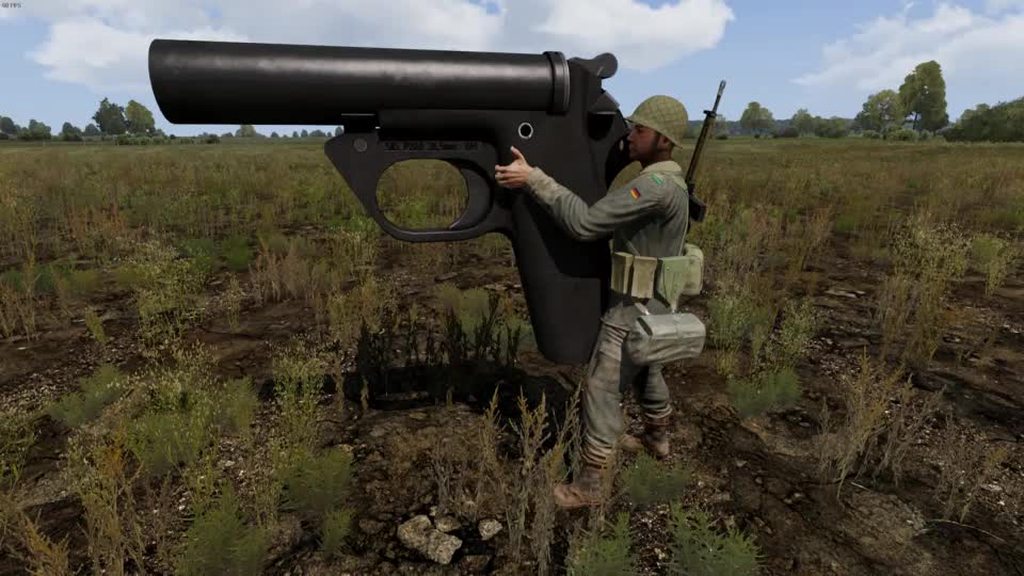
 coarse scaffold
@ruby hill LOL! Too cool! :D
desert raven
@ruby hill showoff!! ❤
ruby hill
Its really just a joke taken too far 😄
ruby hill
ye
naive hemlock
@ruby hill duuude!!! dis is a game changer
anything that circumvents model.cfg is a godsend
 cyan ivy
oh tell me its usable
 zinc hound
Shut up and take my money!
 crisp berry
its:
Shut up and take my animations!
frank mica
its a miracle
 clever rock
can anyone explain how use fbx2rtm pls?
desert raven
I dont think anyone uses that anymore
clever rock
and how can i export fbx to rtm
desert raven
or at least cant remember anyone mentioning it for ages
am I to assume you work wiht 3DSMax?
clever rock
blender
i will use 3dsmax if i can export fbx to rtm haha
i am noob at animation process
desert raven
if you use Blender you should get FHQtoolbox blender addon and just export directly to .rtm
clever rock
ok, will try
desert raven
saves you a lot of hassel between intermediary formats
clever rock
ok, thanks will try
desert raven
it also exports .p3d if you do models
desert raven
yes
desert raven
no
or well perhaps but not sure if armaholic is up to date
I think the BI forums thread had latest version
clever rock
1.5 its the latest version
desert raven
no
desert raven
possibly ¯_(ツ)_/¯
desert raven
you have to enable the armature objects Arma properties
look through the BI forum thread
I recall alwarren made a short video of how it works
desert raven
what I said above 👆
clever rock
aham
i don't find anything in blender related with armature objects
will wait for the video i think... haha
desert raven
did you look through the pages of the BI forum thread?
desert raven
so you did not look through it?
clever rock
i search it let me a minute
i don't know how to open properties screen
where appear the arma 3 toolbox settings
desert raven
It is also possible he posted it on Macsers armaRig BI forum thread
dont remember which
desert raven
Good now you are on the right path of finding stuff out
and it was the Armarig thread on BIforums that had the video
desert raven
how are you trying to open it?
clever rock
desert raven
ok go find the video
desert raven
because right now you are the monkey bashing on the keyboard
clever rock
do u think its in the beginning or in the last part of the thread?
desert raven
no....
clever rock
ok
desert raven
I guess you are getting closer
clever rock
hahahahaha
desert raven
nah I dont have time to hold anyones hand. 😛
ruby hill
I use FBX2RTM
The problem with the version in the A3 tools is that it hasn|t had its FBXSDK updated, so it only works with fairly old FBX file versions
Luckily Blender spits out old enough FBX for it work
desert raven
heh you have mentioned that now I recall. 😄
but Mondy youre a wizard who does whatever you want.
 vivid onyx
can I use rotation, translation and hide animations on gear?
naive hemlock
if by gear you mean stuff that is driven by character animations (RTMs), afaik no you cannot
vivid onyx
okey, yeah I wanted to do stuff with the backpack
Im trying to animate a flame on a jetpack. Since I cant use animations to rotate it, I was thinking of using sections and setObjectTexture
how can I get the backpack object from the player?
this returns a string only
"backpack _player"
vivid onyx
damn I feel so blind. I swear I was looking in the arma 3 commands list 😂
thanks
worked like a charm 👍

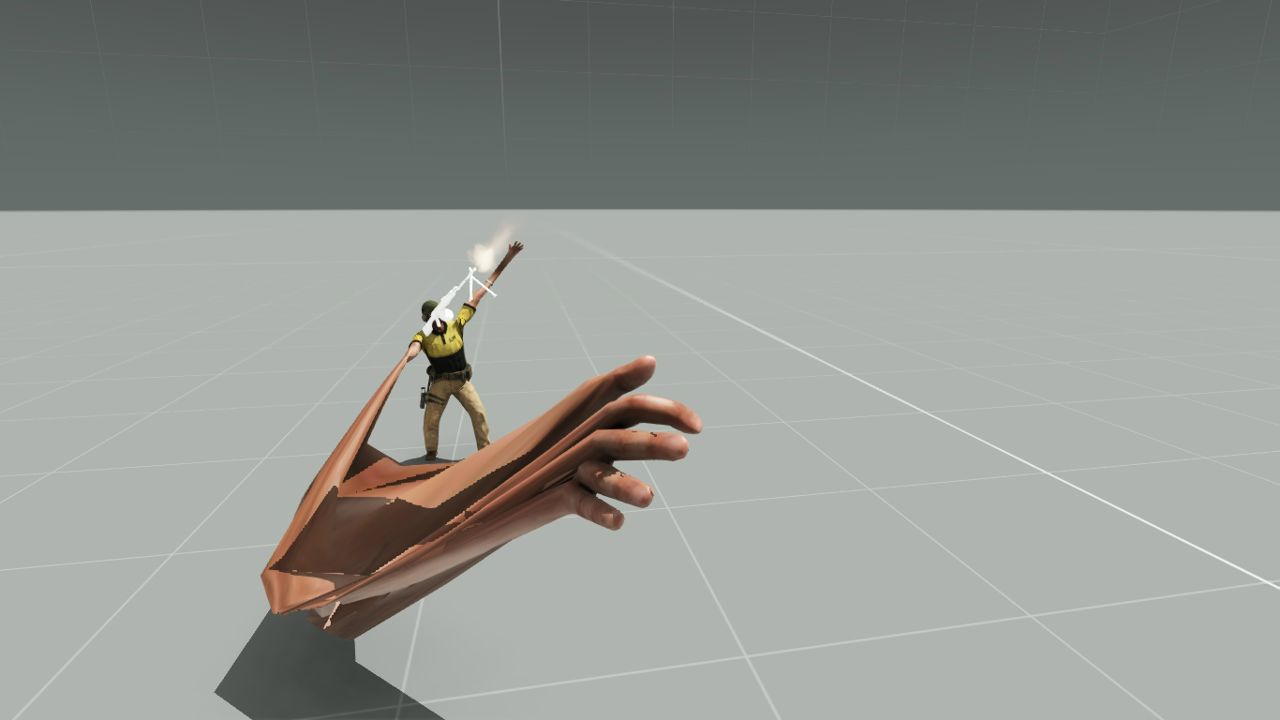


 naive hemlock
😄
in fact i would defo go EFT way if i could get away from doing model.cfg and export that anim directly
desert raven
its just 2 bones so super simple transformation
desert raven
adn that tool Monkalb sits on should make things easier 😄
naive hemlock
i have the damn bolt lock as well, not that you actually see it but well 😄
desert raven
me too xD but its more just to try to figure out how fictional weapon could work
desert raven
true
but at least could not find much of any reference on what really goes on inside the gun
so had to piece it together from what I know of guns
Its fun to do though so Im not complaining
naive hemlock
have a look over this for "inspiration"
https://store.steampowered.com/app/262410/World_of_Guns_Gun_Disassembly/

Do you know how the insides of a Terminator’s Minigun work? Try World of Guns: the world’s most realistic 3D simulator of firearms (and other things from tanks to DeLorean time machines). Find out what makes legendary pistols, rifles, machine guns and artillery pieces tic...
Recommendations
261
desert raven
oh yeh I have that installed xD
been meaning to fire it up at some point
seen few videos though and those are indeed what have inspired me to create stuff with more accurate internal desgings in mind
blazing panther
I presume a bolter would work just as any normal firearm would
desert raven
yes
its just the shape of it is not exactly conventional
had to fix some odd artistic interpetations on it already
but all in all Im pretty pleased how its coming along
 sly violet
anyone here with deRTM tool from mikero? i need to dertm a couple of vanilla animations for rigging purposes
sterile ice
@sly violet DM me
 thorny anvil
for any conversion back to plain jane rtm you need to supply the skeleton of that rtm. this skeleton is present in any model that uses that skeleton, or, directly, from the model.cfg
the most used skeleton is of course ofp2manskeleton for human animations and cargo positions. thus, any arma THREE human p3d can be used for arma THREE binarised rtms.
same comment for arma TWO rtms and Arma TWO human.p3ds (the skeletons are actually different)
a small wrinkle exists when porting arma2 rtms (binarised or otherwise) to arma three. those rtms require their head bones to be stripped
all of which would have been un-necessary if bis used the (to them) novel approach of calling skeletons for arma3 ofp3manskeleton. It was too logical.
floral oak
hey guys so how i have to do it when i want that the guy moves his hands with the MG on the gun turret on my vehicle if i move it up and down.
drowsy nymph
floral oak
Hm tried this yesterday already but i think i made something wrong and dont know what🤔
inland bramble
Hey guys, does somebody have some good tipps on how to best do a animation in the kneeling stance?
ripe lotus
Can I animate MarkerLights?
drowsy nymph
You can hide them. You can't move them
See things like the UCAV in Jets DLC - the collision lights don't use markerlights because of the folding wings
ripe lotus
Hmm that's what I thought. Big thanks for clarification
 regal dawn
I'm looking for old-style C-130's pilot pose (two hands on yoke). Are there any available in A3?
regal dawn
Those from trucks/cars aren't what I'm looking g for cause they have hands too high or twistd
desert raven
best fitting passenger pose you get by making one yourself though
regal dawn
There's old A2 C-130 pilot pose, will it work with IK hands & feet anims? Yeah, if I don't find one that fits I will have to learn new thing, sure, but it takes time...
desert raven
it wont work properly
the A2 skeleton is different
everything in Arma modding takes time 😄
regal dawn
Well, true. I just found ArmaRig for Blender so already started to work on my own pilot pose. Thanks HG!
desert raven
👌
thorny anvil
it wont work properly
If you use DeRtm it will strip the offending headbones so that it does work in a3
alll human animations from a1, 2 and arrowhead 'work' in a3 providing deRtm gets a sniff at them. The rtms themsevles can be binarised or plain jane. makes no difference.
desert raven
arma2 has different bone name at least on one of the fingers
well that wont make it not work
thorny anvil
i am not aware of that
desert raven
hmm I wonder have I dreamed or did they fix that at some point
as now that I look it up I cant find where I picked it up
aaa now I know
it was actually part of the female animation conversion thing
where the female skeleton has left-/rightINhandring bone and male skeleton has left-/righthandring bone
you were right @thorny anvil OFP2_ManSkeleton is the same
thorny anvil
the only other differences i am aware of are some extra leg bones in arma1 (which I remove) and Camera vs camera which i can do nothing about. (only affects anims in O/B)
 bold cape
hello guys, i managed it to get my baton as launcher ingame. Now i wanted to create a custom hand anim.
This is what it looks ingame: https://i.gyazo.com/490b5558fc6fd6cbe2c9c40e5eb2f2e9.png
and this is how it looks in ob: https://i.gyazo.com/d17dd44dd9266c9ad170e4b9cd4aae4e.png
i exported the rtm and set up the model.cfg
my keyframes look like this: https://i.gyazo.com/27594aed5145c73f5821f98c11c15087.png
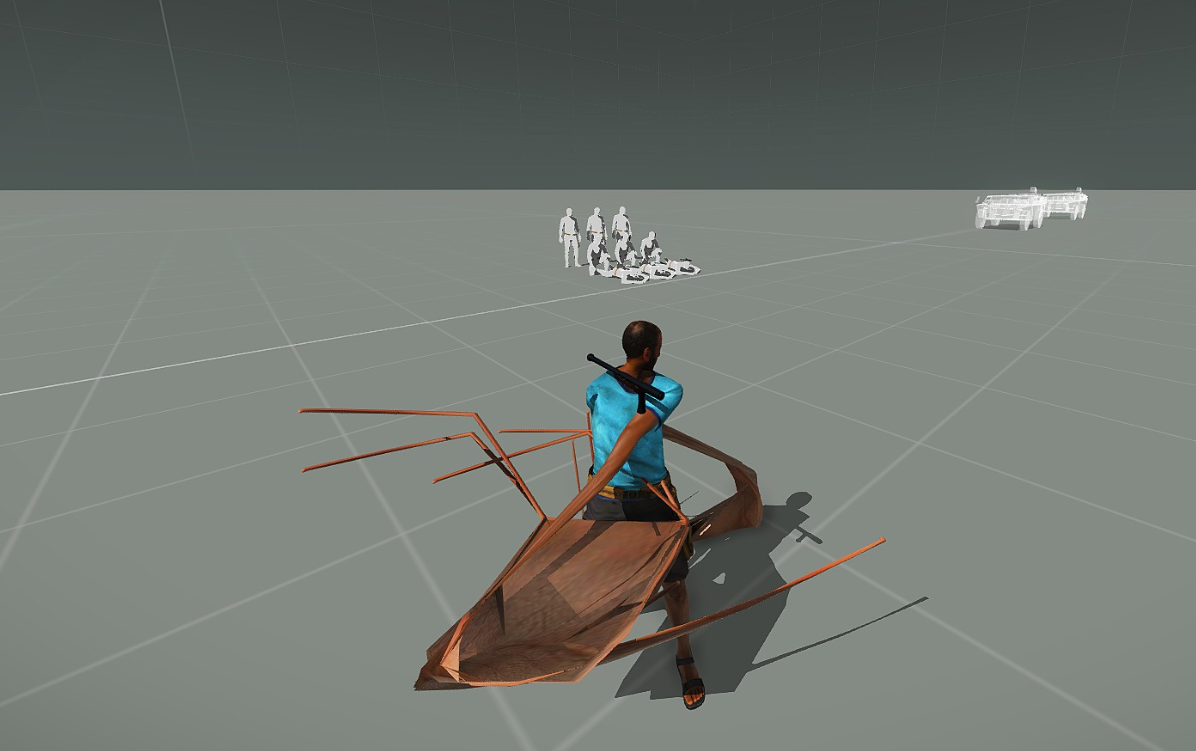
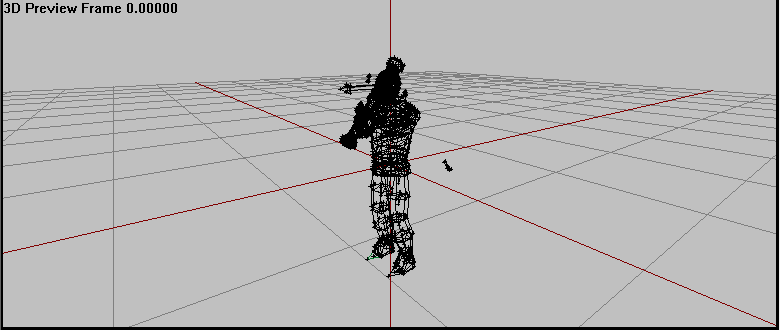
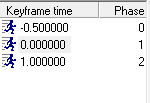
I'm working with arma rig for blender. Is there anything I'm doing wrong?
drowsy nymph
did you include the character model.cfg?
other than that, pack the .pbo with mikero's pboProject instead of AddonBuilder, if you're not already doing so
drowsy nymph
but anyway, the part of your animation where the launcher bone is tilted, wont work
handanim only animates the hands
not the position of the weapon
drowsy nymph
either modify the weapon model to be positioned that way permanently or animate the weapon model to change position with the isSelected animation source and then make the hand animation accordingly
bold cape
is there an tutorial or detailed explanation of that on the forums?
desert raven
not really
crisp berry
are the video tutorials of El Tyranos covering that?
bold cape
so using the model.cfg and translation?
desert raven
basically
crisp berry

0:00 model presentation 1:30 substance painter 3:32 Linking source folder to P drive 4:15 ArmA export properties in Blender 6:10 Resolution LODs 9:50 Shadow ...
@bold cape may wanna check them. he has added very detailed list of topics
bold cape
thanks i will watch it. btw do you know how i can active obfuscation in mikero? do i need to buy the full version?
bold cape
okay so i just move the hands around and packed the pbo using mikero tools
https://i.gyazo.com/fdee873e428fc780a0f9d14da94fa4a2.png
it still looks messed up. rtm looks fine (https://i.gyazo.com/1f8145362ce65a593ac9c793d1500fec.png)
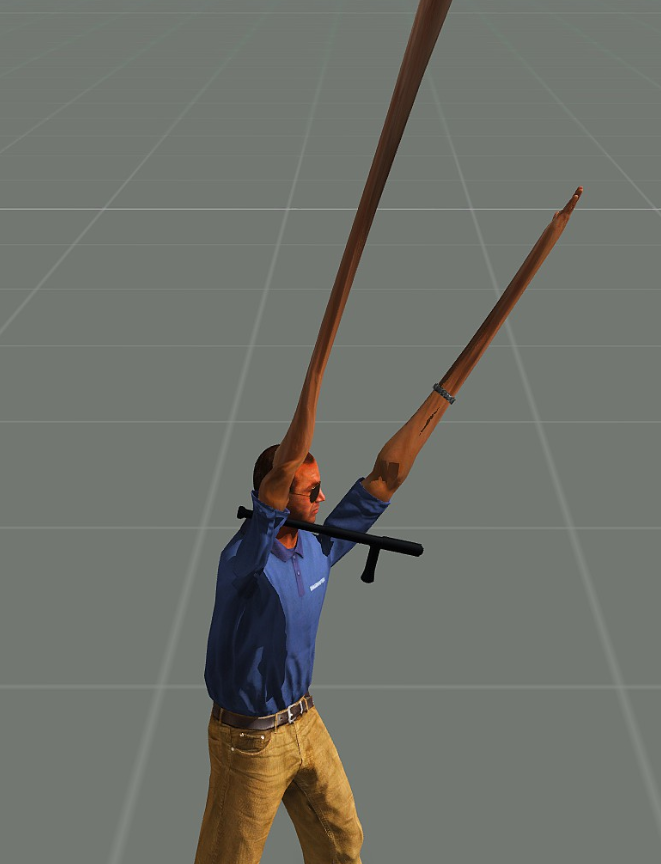
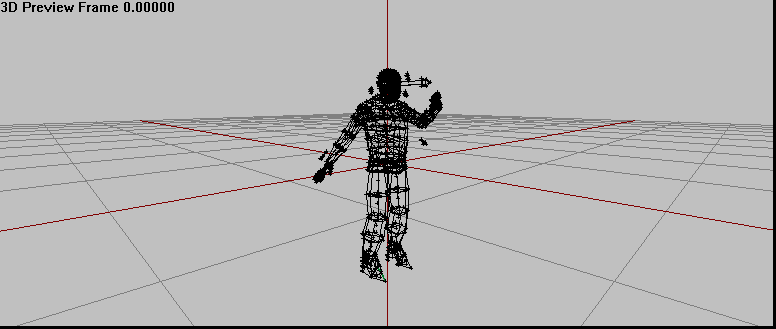
i dont know why the baton is still on his shoulder
Do i need to add the .rtm or something in class CfgModels in model.cfg?
drowsy nymph
the baton will always be at the shoulder
as I said, handanim .rtm will not move it from where ever the standard launcher anim places it
bold cape
yeah the position is alright at that place
I'm just wondering why the animation is so weird
drowsy nymph
looks like the hand bones aren't near the launcher bone
desert raven


if your weapon/launcher bone is not correct in the animation your hands will be offset
bold cape
it works now. thanks for the help. the bone was not close enough :D
 slate condor
looking for some help, iv tried to create a custom driver proxy, pbo crunches everything fine, when i put the vehicle in game the driver is invisable and its seem to disabled my vehicles animations, anyone know where there hell i should start to figure this out?
desert raven
for a custom driver animationa you need .rtm file of the pose and you need to set that up as cargo animation in movesCfg and then use that animation class with the driverAction = "MyNewAnimationClass" parameter in the config of the vehicle
the proxy in the p3d just defines the position of the character and using a proxy that has the same pose as your used cargo animation makes positioning it more simple
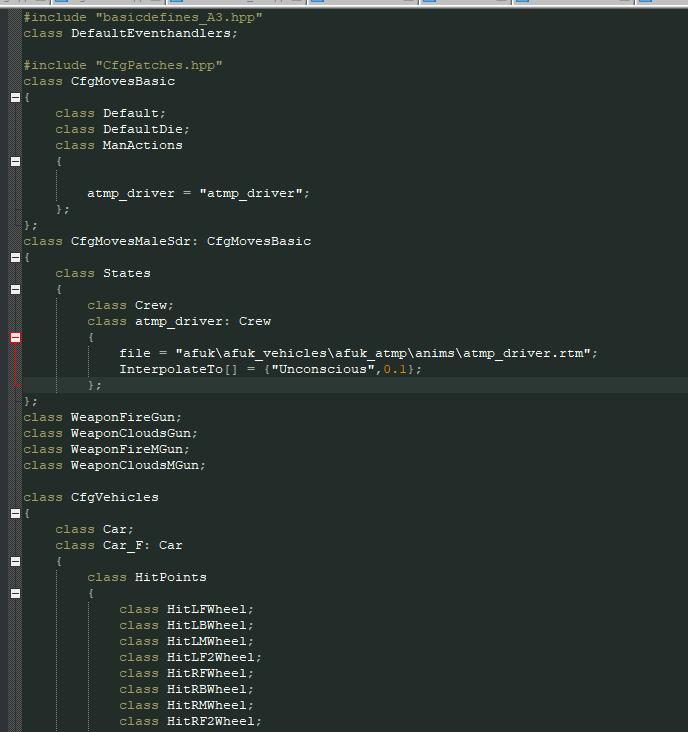
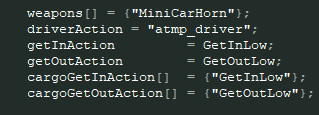 desert raven
so a car
slate condor
aye
desert raven
do you have a model.cfg with the ofpmanskeleton defined in it next to the .rtm?
and do you pack it with PboProject?
desert raven
ok so the movesCfg looks fine
        class driver_Opfor_E_Walker_01_state: Crew
        {
            file="LoDR_Proxy\LoDR_Opfor_E_Walker_01_driver_01\LoDR_E_Walker_01_driver_01.rtm";
            //speed=0.066519;
            interpolateTo[] = {"KIA_driver_Opfor_E_Walker_01_state", 1};
};```you could debug it by using a vanilla driverAction
slate condor
what does the interpolateTo mean?
desert raven
it means it can blend to an animation defined in the list
so if my driver there dies
the driver animation smoothly transitions into this state
slate condor
so technically i could have a custom death state?
desert raven
yes
slate condor
in the vehicle
desert raven
like mine there
desert raven
that would help to tell if the problem is with the .rtm or the moves config or somewhere else
slate condor
same issue
with a a3 driver rtm

that was using this
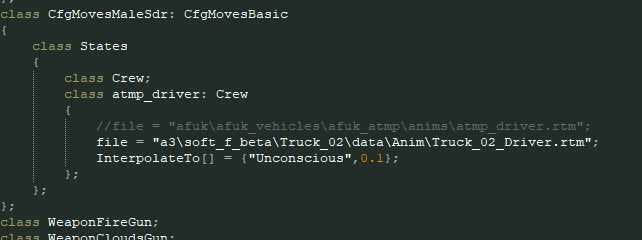
want me to pastebin my entire config?
desert raven
how about if you use vanlla action class?
slate condor
as in driverAction = "atmp_driver";?
desert raven
yes
slate condor
so changing to that still didnt work
and made my vehicle unable to bve driven
or got into
drowsy nymph
Why not use one of the BIS driver proxies?
drowsy nymph
he said he used the A3 .rtm, not the proxy
desert raven
yeah that was to test if it was problem with custom rtm
slate condor
slate condor
right using a bis proxy its workign again
so currently using bi proxy and driver action
gunna try it again with my custom moves class with bi rtm
desert raven
and BI proxy?
slate condor
aye
desert raven
good idea 👍
slate condor
bi proxy + bi driver action
although my vehicle animations still dont work, it drives but its like its conflicting somewhere
desert raven
well if BI proxy and action work then next up is to test BI proxy and your action
and then your proxy and BI action
oh whats your proxy named!
thats actually important
slate condor
atmp_driver
desert raven
name it just driver
the name of the proxy is important so that it connects to right action in the config
slate condor
ok iv changed that
desert raven
remember to change the path in the vehicle p3d too
slate condor
will do im still using the bi proxy to eliminate
slate condor
right my rtm works!!! however in 3rd person the driver dosnt show and the vehicle animations dont work, however in 1st person the driver is visable and anims work
bold cape
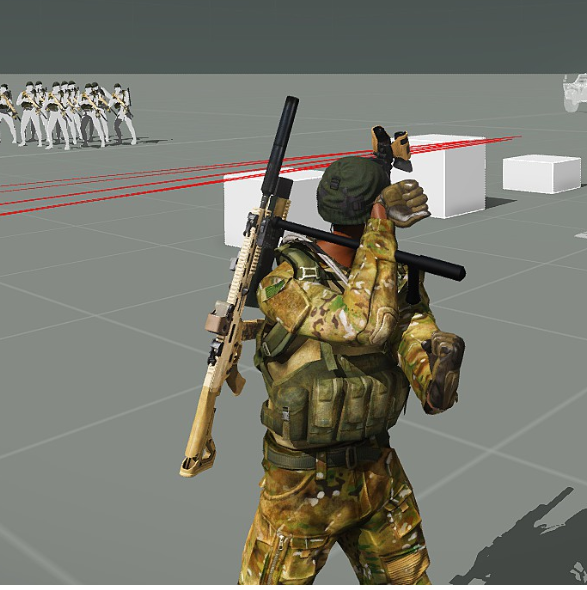
Okay guys, I'm back ^^ I got the rtm ingame and it "works". But i can't change the positioning of the arms. I want to grab the baton with the hands but it does not work. The arms are just qeird.
https://i.gyazo.com/277b3641d3677d03442ff7ad80d2e255.png
 slate condor
something catostrophically is wrong here, iv commented out all the changes i added for the custom anim and my vehicle animations are all broke in 3rd person
but they were working before
drowsy nymph
did you rename the proxy in all LODs?
@bold cape the weapon bone in your anim is not oriented correctly
seems it's rotated 90 degrees to how it should be
slate condor
@drowsy nymph im not using my proxy just yet
drowsy nymph
renaming the proxy was w/r/t Mike's problem
slate condor
this is well odd, never seen this issue before
the anims even dont work in buldoser
but they do in 1st person in game
drowsy nymph
you should rotate the launcher bone. Launcher anims rotate the proxy 90 degrees through the Z-axis from the original T-pose position https://i.imgur.com/SNyoIe6.png
 bold cape
oh okay thx
slate condor
infact no proxys show in my model now
nor do the anims in buldoser
anyone got any ideas
never seen this before
its something in the p3d
i copied my 0 lod to a fresh file
proxies still didnt show
copied the proxys on there own to a fresh file and they show
im baffled
desert raven
what do you mean the proxy does not show?
slate condor
do u have time for a discord call? so i can share my screen
desert raven
sorry no Im just about to go watch tv
slate condor
ok
so i put bi driver proxies into my model, they do not show in buldoser
also my animations ie wheel/dampers ect no longer work
something has happened to my p3d file
slate condor
as when i put the same driver proxies in a fresh p3d they show in buldoser
nothing has changed in my model cfg
desert raven
but has the vehicle p3d name changed?
slate condor
nope
desert raven
have you restarted OB and buldozer?
bold cape
@drowsy nymph Which model do you use? I don't have those proxies i only have the launcher selection
desert raven
alright
slate condor
iv removed all the changes i did for the custom driver proxy
desert raven
its possible for P3D to get corrupt
slate condor
basically tryed to go back over
desert raven
and then you need to make a new file and copy lods into it
desert raven
do you make the proxy from the "create" menu?
slate condor
aye
desert raven
ok is all good
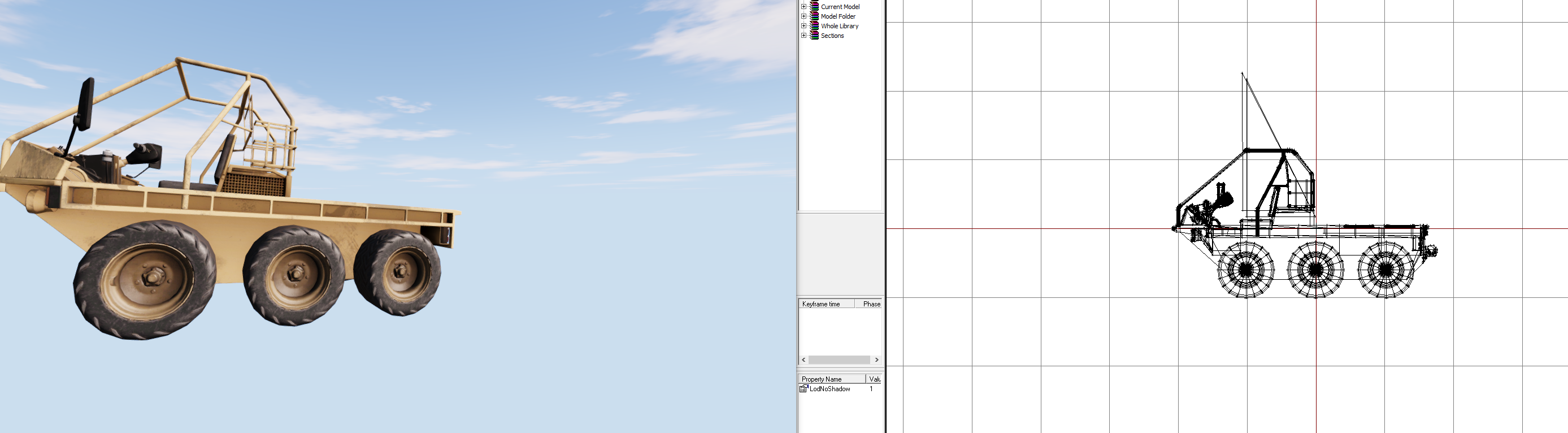 drowsy nymph
@bold cape I just pasted them in from a character model for demonstration purposes
bold cape
oh okay
slate condor
\A3\data_f\proxies\passenger_low01\Cargo01
slate condor
they did before
drowsy nymph
oh
slate condor
something is abnormally wrong
drowsy nymph
you don't have View\Viewer\Hide Proxies ticked?
desert raven
where do you run the buldozer from?
you have that skybox there
and the lighting is oddly nice
slate condor
yeah somebody hooked me up with something that did that
cant remember who it was tho
desert raven
one can affect buldozer config
but do you run it from Arma exe in the Arma installation folder or P:\buldozer
desert raven
hmm yeah tha should not cause this
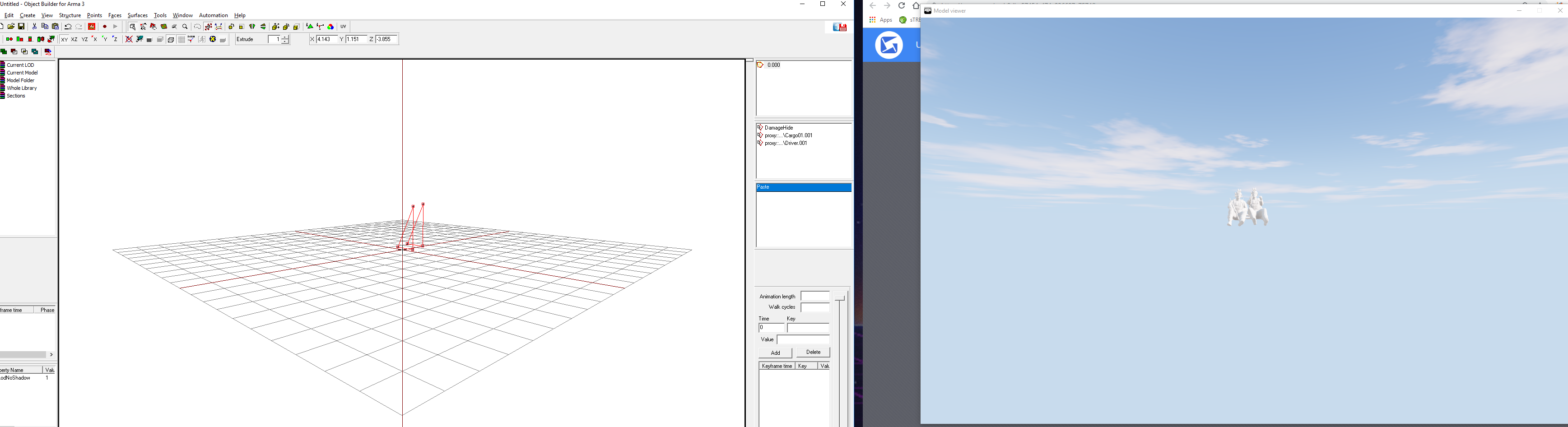 desert raven
Ok so if you copy your car into this do they still show?
desert raven
do you copy any of the proxy triangles with the car?
slate condor
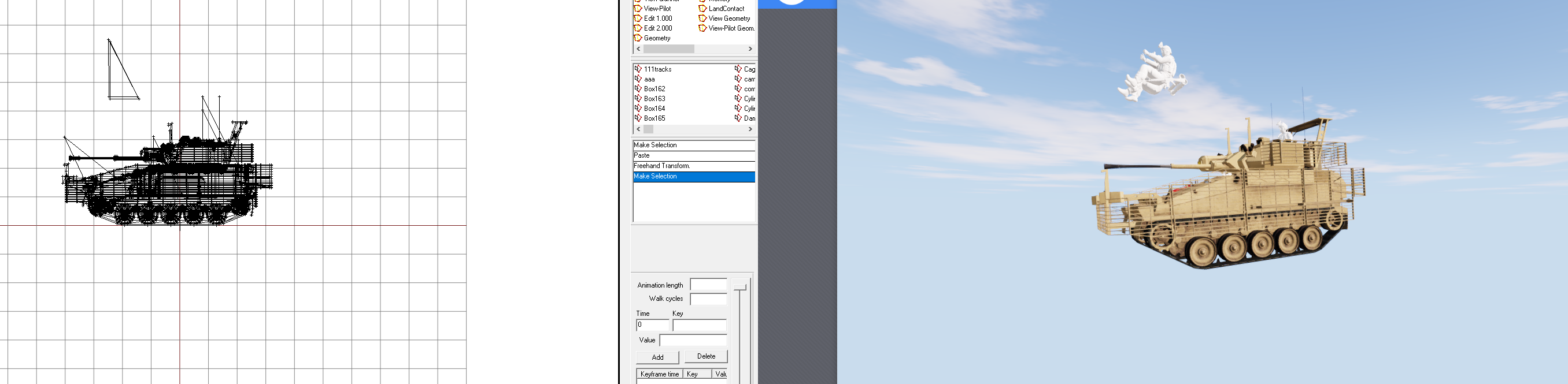
same proxys copied into a tank of mine
hmmm get this right
so i removed the textures/rvmats off the model clutching at straws
and the anims are workign and proxys showing
wtf?
 desert raven
ArmaThings™
slate condor
yeah .....that lol, thx for your help, you too da12th
now to go back see if my rtm /proxy fully works ahha
Well the rtm works sort of

what the hell have i done wrong now?
slate condor
end two on both hands
desert raven
whats the animation made in?
 desert raven
you might be missing a bone there
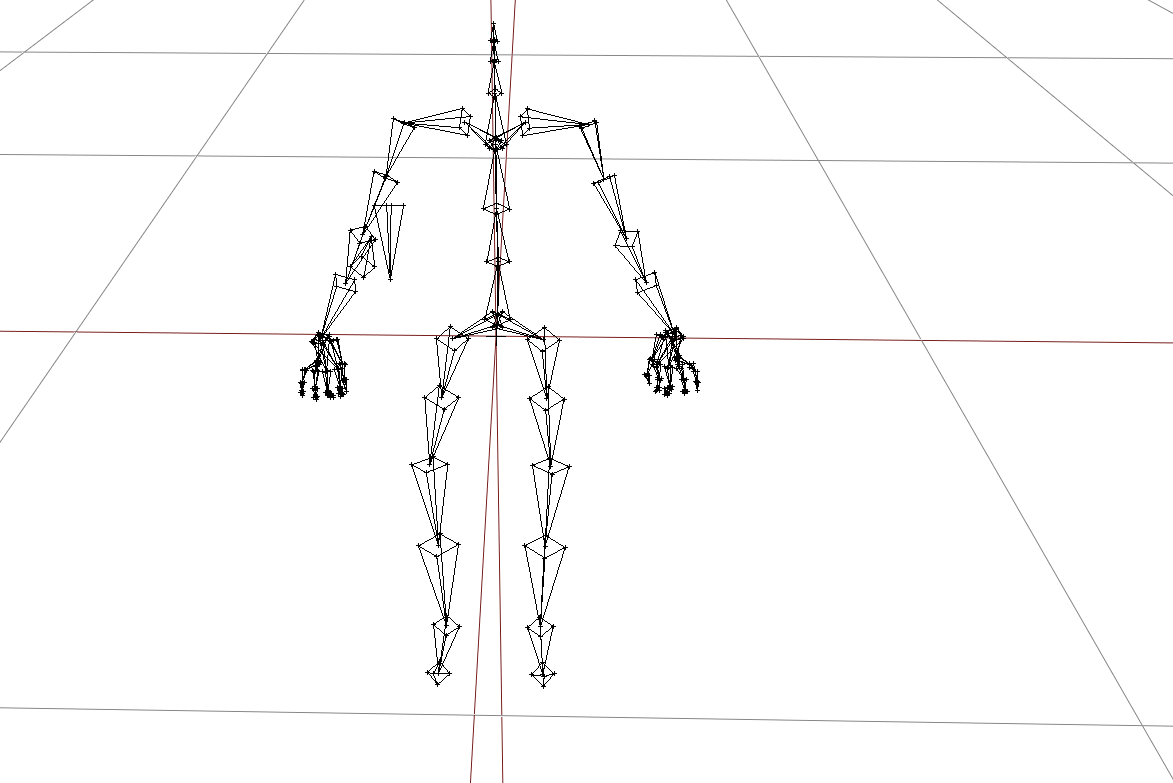 desert raven
the bone names are case sensitive in the engine
so if animation has Weapon and model.cfg/character has weapon they wont match
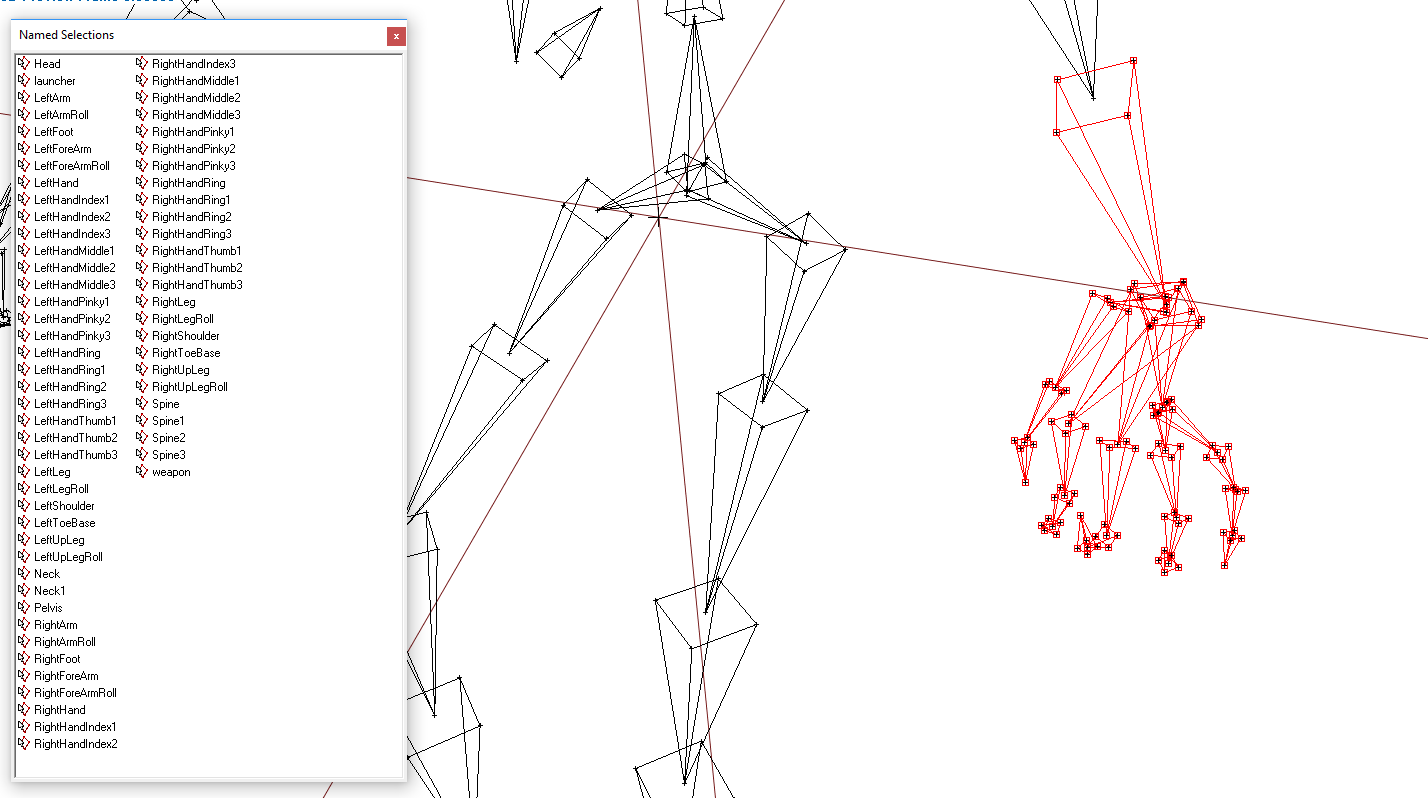 desert raven
so you may need to check if your skeleton in max matches the model.cfg bone list
ah but you export it from OB to .rtm yes?
desert raven
yeah ok the max skeleton does not matter then as long as it imports into OB right
do you have the same ringfinger bones in your model.cfg as you have there
as it looks like its the left-/rightHandRing bones that get messed up
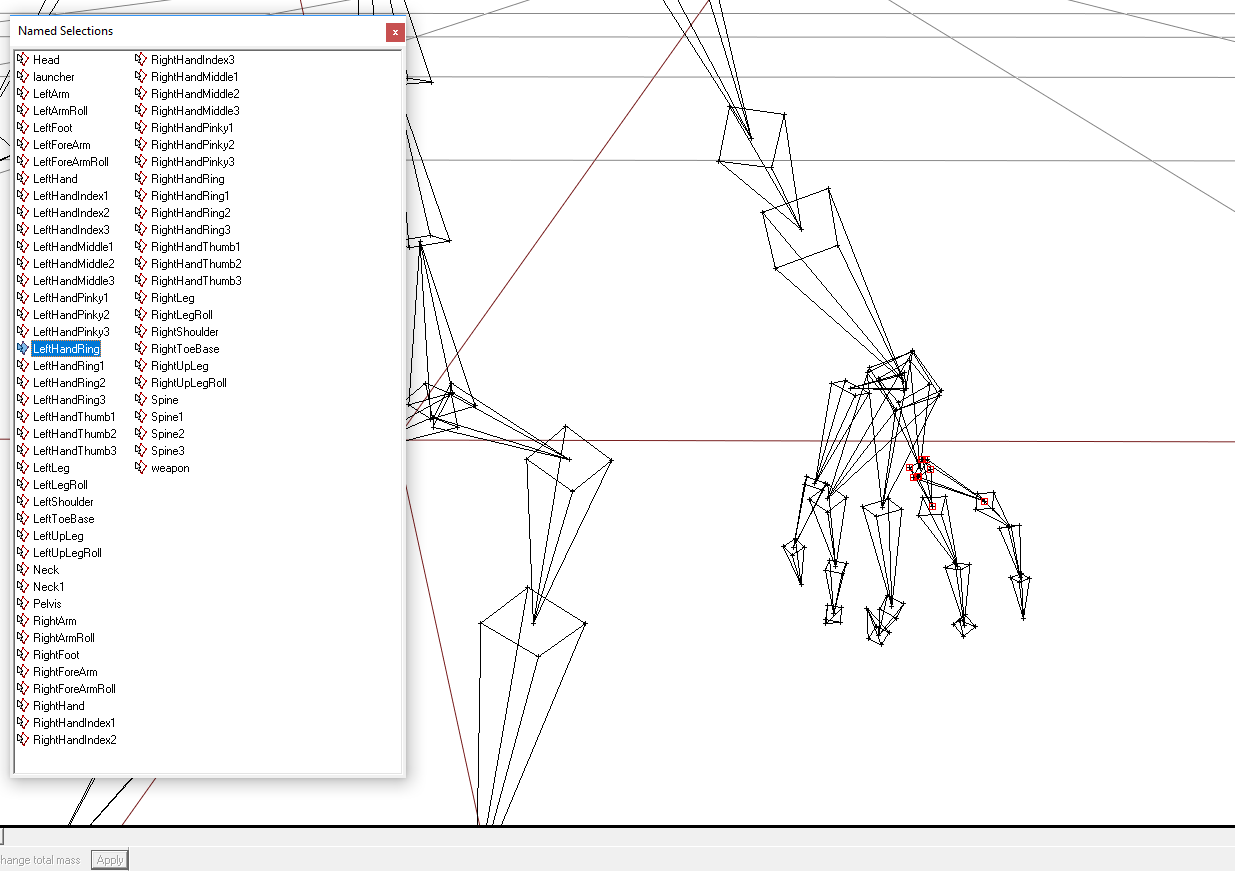 desert raven
yes its the base bone for both the ringfinger and pinky
does your model.cfg have the same
slate condor
looks like lefthandring3 and 2/ lefthandpinky3 and 2 on both hands fuck up
desert raven
so all in small letters?
slate condor
yeah mines the same
no
im being lazy
all the capitols are where they need to be
desert raven
alright so if they are identical that should not be an issue
 fossil plover
is there an animation that has the bipod deploy on certain weapons? for screenshot taking purposes
ripe lotus
How to make animation via AnimationSources instant?
desert raven
animationSource class parameter animPeriod = 0
ripe lotus
@desert raven just tried that, it makes animation incredibly slow
desert raven
in config.cpp animatiosources?
ripe lotus
yep
desert raven
how do you execute the animation?
ripe lotus
_FA18 animateSource ["Map_Move_Y", _map_anim_y];
desert raven
read the wiki page of the command
ripe lotus
workaround seems to be either setting speed of animation in that command to very high values or animPeriod=0.00001;
Havent tried setting speed to true
ripe lotus
Thanks works great 😃
desert raven
always good to take a close 👀 at the command descriptions
 polar radish
Hi Guys
I just posted in the ask-questions-here section, and then I saw this channel. (Sorry, I am new here.:))
We have the png, blend, fbx and tga files for an African elephant, that our mod builder created but he does not know how to do animations. If anyone can help us -or even just point us in the right direction, we will greatly appreciate it.
We're not looking for anything fancy btw. He must just turn his head a bit and walk a few steps...that will suffice.
desert raven
Well Blender has a load of animating tutorials so I would tell him to start with learning how to animate characters in Blender
how to use armature/skeleton
and how to rig/weight a character to it
thats the easy part
then you need to study how character moves are configured in arma and create a new cfgmoves class config for your elephant
also you could clean up your messages from #arma3_questions now that you are in the right channel
polar radish
Thanks @desert raven
We are the South African Special Forces Association, and we are creating a challenge series based on actual SF missions. The one that built these is one of 2 mod builders, that is building stuff for us. To be honest, I'm not sure if he is really too busy, or just not up for it. I thought maybe I could learn this myself, but by the looks of it, your answer -albeit very clear -appears that I will not master this sometime soon. I will speak to him and give him your answer. If he is not up for it, we would be willing to pay someone who can do it.
Gonna clean it up right now. Just wanted to answer you first. 😃
desert raven
ye no problem, just helps to keep things tidy
animating might take a while to learn but its quite useful skill
polar radish
I want to learn it. Right now, I am limited to mission building. It seems I will first need to learn model and texture making before starting with animations?
desert raven
knowing how to make models does help with animating in my opinion but its not mandatory
using the tools is very similar in both cases at least in Blender so it might not be a bad idea
polar radish
Thanks for your guidance @desert raven
If we don't advance with our current mod builders (the series started on the 1st of this month already), would you be able to point us in the direction of someone that would help and/or guide me?
desert raven
well I dont know anyone off the top of my head who would have the time to tutor but there are plenty of tutorials for Blender in interwebs
polar radish
Cool. Thanks mate.
 lone cobalt
does anyone have experience with toadies cat rig in 3ds max?
I have a deform on my shoulder at a position, where you would scratch your back. I would upload a Picture if I could. In the Blender Rig there is an option to rotate arms and legs along their point of view. my question is, is there something similar 3ds max?
naive hemlock
you can upload a pic to imgur or alike
and it has norhing to do with toadies rig, from top bar switch move/rotate to local axis
lone cobalt
yea tried that already, didnt work out tho. Will post an image later
lone cobalt
Im starting to assume that this might be a thing for the arma 3 rig in general. Even though I have more options to rotate things in blender, I didnt manage to get rid of that deform in blender either
in blender it still looks somewhat better
naive hemlock
ahh lol
i am pretty sure the skin weighting is not 100% accurate, the mesh is there give you some visual reference while doing the animations,, you don't export it that way (hence the difference between max and blender)
if that is a reload gesture
you are a bit out of luck because these affect just the arms
because you should animate the shoulder bone as well there wheen you move the hand so far back
lone cobalt
yea the shoulder is moved backwards aswell, I was playing a bit around lately. I guess I gonna test it ingame soon. Im curious of the outcome
its just, I dont know 3ds max well yet, Ive always been working in blender
naive hemlock
then why would you prefer max rig?
no matter if you move the shoulder bone back, remember that reload anims do not affect anything but the arms
and indeed, it is best to test it ingame to make sure the weights behave decently at least
lone cobalt
because my predecessor who did all the default poses used 3ds max, I had trouble reimporting the poses into blender, I didnt want to do everything all over and I use this as some sort of training for future projects in max 💩
naive hemlock
ahh fair enough
lone cobalt
actually, are there any other rigs for 3ds max besides from toadies cat rig?
naive hemlock
yeah, there is/was another made by @digital steppe
lone cobalt
you dont happen to have a download link?
naive hemlock
nope
lone cobalt
still, thank you for your responses
naive hemlock
no worries
ruby hill
no matter if you move the shoulder bone back, remember that reload anims do not affect anything but the arms
Not true.
Reload gestures can be configured to affect any bones you wish. Only the hand anim (holding anim) is affecting the arms as it reads only the hand's position in relation to the weapon and does the rest via IK (The IK chain goes down to the shoulders)
ruby hill
Reload anims can also be non gestures (prone reloads ususally aren't), but if you have a non gesture for a reload anim for standing and kneeling you can break FFV and weapon resting
naive hemlock
yeah that is something i was aware of 😉
deft fern
I think it's more about stance adjustment breaking
if you are i.e. leaning to left/right when i.e. prone then you will get back to default prone anim
or wait, it can be fixed
so yeah, ffv & resting most likely
lone cobalt
another question: is there any way to re-use IK controllers in Blneder if a rtm is imported?
naive hemlock
not really sure what you mean by that tbh
ruby hill
Sounds like a Blender or even rig-specific question.
naive hemlock
might wanna ask @meager oar directly, since blender p3d tool is a 3rd party plugin
otherwise what @ruby hill said, software specific question
 meager oar
@lone cobalt
another question: is there any way to re-use IK controllers in Blneder if a rtm is imported?
My toolbox doesn't even have an RTM inport. There is an external one, but since, as you probably found out, there is no way to use the IK controllers in an imported RTM, I never bothered implementing one.
A proper import could only work for a specific IK rig, and would need to calculate the inverse IK solutions for all controllers... quite frankly, I wouldn't even know where to start.
lone cobalt
thx @meager oar
Expected such a thing to be honest. Just heard a rumor about some way of fixing that but expected it to be nothing
ruby hill
I doubt it's even possible to recreate the imported .rtm with just IK control, as the IK calc is not deterministic
meager oar
Yeah, probably. And even if you can deterministically recreate each key frame, it's still a question how the actual interpolation would look like.
tired depot
@lone cobalt I don't know if it's still of interest. But have you tried rolling the shoulder forward and rotating spine 2 back a little. It's still not perfect. But does reduce the collapsing somewhat.
You could load rtms onto a rig and proceed to use IK. But it can be very tedious. The relevant bones would need all their keys removed. Otherwise they'll interfere with your edits. It's not something I've done a lot of. It is possible. But as I said. It can be very tedious.
lone cobalt
@tired depot yes, this problem with the shoulder ist still around, however I fixed it now by simply not moving the hand to the back of the player :D
@tired depot
also, is there some kind of breakdown/workflow that I can look into for re use the rtms? would really really help me a lot
desert raven
There is almost nothing written down about Arma animation work. Id guess its expected to anyone wanting to mess with them to have basic/advanced understanding of tools and workflow for such a thing.
reusing rtms especially is something not in any easily used way available with vanilla tools
the community member made plugins for Blender do give a startingpoint but to get past that and make something new you pretty much got to be good at blender animating
 hybrid field
looking for someone to make a sitting animation for RPG's (bench) anyone able to help?
 violet shore
Hi guys. I read here and there that hand anims only affect the hands. In that case why would the elbow position be so different in these two anims ?
https://imgur.com/a/j3HWQ6g
First one is the default handanim (handAnim[] = {};)
Second one is my custom anim created with ArmaRig for blender by Macser.
naive hemlock
because the rest of the skeleton deforms in relation to how the hand is positioned
your right hand is rotated more on the horizontal level
there is also something really weird with the hand position overall
the downside of this system is that, since the hands are IKs, you cannot really tell what the rest of the arms will do, or have direct control over the rest of the upper limbs
violet shore
Ok, I'll try to adjust the hand then. Thanks for your time.
drowsy nymph
always point the wrist down-ish, and use the ring+pinky bone to alter the grip angle instead of the wrist
violet shore
"always point the wrist down-ish" what do you mean ? It seems changing the wrist angle doesn't affect the ingame anim at all.
naive hemlock
LeftHandThumb1  RightHandThumb1
LeftHandThumb2  RightHandThumb2
LeftHandThumb3  RightHandThumb3
LeftHandIndex1  RightHandIndex1
LeftHandIndex2  RightHandIndex2
LeftHandIndex3  RightHandIndex3
LeftHandMiddle1 RightHandMiddle1
LeftHandMiddle2 RightHandMiddle2
LeftHandMiddle3 RightHandMiddle3
LeftHandRing    RightHandRing
LeftHandRing1   RightHandRing1
LeftHandRing2   RightHandRing2
LeftHandRing3   RightHandRing3
LeftHandPinky1  RightHandPinky1
LeftHandPinky2  RightHandPinky2
LeftHandPinky3  RightHandPinky3```
these are the only bones you can adjustwrist down means rotating the left/right hand bones
there is no wrist bone btw
drowsy nymph
Yeah, I meant the part of the hand bone where it would connect to the wrist
violet shore
Ok but I'm not sure to undersand. What is the reference for the rotation ? The rifle bone ?
For instance, in the first picture I should adjust toward blue or green relatively to the rifle ?
https://imgur.com/a/xz8dtZs
Sorry if this sound dumb. I'm not very experienced with animations.
drowsy nymph
Firstly, bear in mind you can completely detach the hand from the rest of the skeleton and it'll still work for IK because the handanim only looks at the way the bones in the hand are posed and their position relative to the weapon bone.
From the position the hand is in there, you want to rotate the whole hand so that the index finger initially point upwards at an angle more similar to the pistol grip, rather than being horizontal
reposition the hand then so that the thumb is in the right position to hold the grip, and rotate the ring+pinky bone so that those two fingers end up following the contour of the grip as well
then you rotate the index and middle fingers back in to a more horizontal position
violet shore
Thanks a lot, this is very clear, I'll try that.
 void obsidian
I'm not too sure whether this is the right section, but I'm trying to get the RHS UGL animation work on a custom gun. I haven't been able to move the GL tube/slide. Is there any known documentation on this?
desert raven
not exactly, theres the wiki pages on how to animate a model which explains how model.cfg animations work and then you will need correct animation source for the secondary barrel (GL) of your gun to animate it
the barrel related indexing of animationsource is explained in the beginning of that chapter
 proud fossil
Do animations work in model viewer? Was never able to get them working.
ruby hill
they do. use middle mouse button and backspace to select the anim sources
then either mousewheel or [ and ] to play the anim
proud fossil
Doesn't do anything, just shows anim in the top left.
and when i select an rtm the character is all messed up when the animation plays.
ruby hill
ah, character rtm
desert raven
character rtm can be loaded in from the buldozer viewer tool list
supports only unbinarized rtm if I remember right
lone cobalt
just happened to get a deform for no visible reason
just affects the character referenze
any tips?
strg+z didnt do anything
re opening the file did neither
lone cobalt
help q_q
hybrid field
need animation for sitting on bench with RPG, anyone help?
lone cobalt
uh... I have another 3ds max specific question, this might be an easy way to fix. I just dont know how to google that
desert raven
aaaaand what iz ze queztion?
lone cobalt
hold on its uploading
you see the right hand?
it should allign to the grip perfectly
but it doesnt
well, I kinda fixed it by selecting a different curve setting in the graph editor, but there is still a minor difference
desert raven
you wont be able to have perfect remake of the Arma hand IK in any other software
lone cobalt
but... but... I want to... :c
but actually, isnt that really a thing related to 3ds max? I mean this aint some ingame footage after all
desert raven
aa now I see what you mean
yeah its not always as simple to make bones follow things
regal dawn
Is there any way to skip frames on animations? I want to use the vanilla knockout animation if the player is holding a handgun, but the animation includes the model drawing its handgun
desert raven
no I dont think there is such
regal dawn
Didn't think so. Too lazy to add custom animations, but I'm using the pistol and rifle knockout animations for smashing a window.
proud fossil
Found a bug with injury animations, can anyone else confirm before i put it in the feedback tracker to confirm it's not just on my end.
Unarmed standing and crouching weapon position bugged out when moving while injured.
naive hemlock
someone forgot about the weapon bone - it is not only on your end, but has nothing to do with this particular thread @proud fossil
naive hemlock
hate to be the one, but still waiting on you know what @ruby hill 😄
frank mica
me too 🙃
desert raven
Soon™
vivid onyx
hi guys. what does
sourceAddress="mirror";
in an animation mean?
desert raven
If I remebver right it sohould go back and forth between the animation value youre using
like rotation of 90 degrees
when it hits that it would then go back ot 0 degrees
and then back to 90
vivid onyx
oh nice to know ^^ ty
vivid onyx
hi guys. Can model.cfg animations be cancelled?
desert raven
canceled in what sense?
when you run a animate/source command it sets the animation to X phase
and thats it
if you run another command to the same animation when previous animation is running that overrides the first command
vivid onyx
so if I give it value 1 with animperiod 10. lets say i wanna cancel it (back to 0 once it reaches 0.5), just make a new animation with 0?
didnt think it would immediately run the new one
desert raven
are you talking about animations that run with some engine source without animate script commands?
vivid onyx
no scripted with user animsource
desert raven
then yes new command you play on it should start right away and override the previous one
vivid onyx
alright ty
 glass cloud
Has anyone worked on an animation config to enable firing AT launchers from prone? ACE 1 and 2 did this, and I was sad to see that ACE 3 has not implemented this feature. I attempted to work on this before I went away for work, and have lost my drive and knowledge about the complicated animation configs.
My old thread on this topic: https://forums.bohemia.net/forums/topic/204291-at-launchers-while-prone/
lone cobalt
quick question regarding toadies catrig for 3ds max
I cannot move the two bones for the Neck
is that intendet?
desert raven
do they move with the head?
lone cobalt
haha perfect question 😄 problem solved, thanks
another question, is it illegal to kill the person responsible for implementing the auto-key function in 3ds max?
desert raven
probably
lone cobalt
too bad
zenith token
why?
lone cobalt
@zenith token why I want to kill him?
zenith token
y, whats wrong?
lone cobalt
@zenith token normally I work with blender, since I know 3ds max not very well yet, I utterly despise the fact that you have to always press a button first on startup to not fuck up every single keyframe. Its really screwing up my workflow
zenith token
... so instead of adapting you rather kill somebody. thats an F for efford
desert raven
Why don't you use macsers armarig for Blender and export RTM directly with Arma toolbox? @lone cobalt
lone cobalt
because Im yet to get my hands on proper reference stances wich are already present in the kit I got for 3ds max
also my predecessor in the bwmod used that programm, sooooo
I was kinda lazy at first
tired depot
If there's already some poses present in toadie's files, wouldn't there be a source rtm for those? If so you can import them into Blender.
desert raven
with mikeros tools all arma rtms can be loaded into Blender
crisp berry
is there a way to hide the weapon for crew animations (via anim config class or otherwise)?
drowsy nymph
hideWeapons params in the vehicle/turret IIRC
lone cobalt
@tired depot
I only had trouble transfering animations between max and blender, its a pretty big Argument why I decided to stay on one programm at a time
@desert raven
Yes I know that, but however the IK is all broken after importing a rtm and I want to avoid Adjusting per hand
desert raven
Well if that works for you then it's the way to go.