#arma3_animation
1 messages · Page 17 of 1
 nimble flare
the 1st animation is what makes the bullet spin really quickly
the 2nd rotates it out of the bolt towards the right of the gun (essentially making the bullet "fly out" of the chamber)
the 3rd compensates for the fact that the 2nd animation also affects the axis of rotation of the 1st animation, so it counteracts it by rotating the bullet by the same amount as #2 but in the other direction
 frank mica
🤔
 zealous stone
hmm if you are only using rotation then dont have axis in my experience memory ="false" this way it will spin on its own axis and not need to animate other axis and as such wont be out of the eliptical rotation , if roataion is set to x,y,z then axis is required better to be used i think
 winter fiber
When working o na completely custom skeleton that will be useable by ai and players, is it best to try to replicate the naming of the man skeleton or use a custom naming convention?
 desert raven
if you match the Arma naming convention it might be easier to just swap animation root folder name in configs
to get it running
depending on how well you match animation length you may get pretty good results withouth having to tweak animation speeds that much
winter fiber
The end goal is to get this goofy dude https://vignette.wikia.nocookie.net/halocenter/images/6/6e/Grunts.jpg/revision/latest?cb=20100624221513 to Walk, run, Sprint, shoot, Crouch
desert raven
if you want full Arma movement that will be around 2000 animations I think 😄 but for basic momevement you can probably need a lot less
but yeah I would personally suggest using the same naming convention even if it is sometimes a bit cryptic
there is logic behind it
but its not that easy to remember xD
at least I dont
winter fiber
Lol i dont expect or want full movement
Just basic enough to fight againt without him flying around in a T pose
Dont care about vehicle use
winter fiber
Yep i expect to have to make Walk cycles, run cycles, sprint cycles, idle, crouch, stand, prone, movement in each cycle maybe? that kind of stuff isnt very well documented
winter fiber
I dont think itll be too bad
Now give me a week before i come crawling back all mad cause my dude is a more cathulu than grunt 😛
desert raven
xD
its not that bad once you get a bit more familiar with the movesCfg
but that may take a bit of trial and error
winter fiber
My main concern is creating the blended animations but we will see how it goes 😛
desert raven
arma blends between animations if you set it to do so in the animation config
winter fiber
Do oyu know if all animations need to start with the 1st frame being the bind pose?
Thats how its been so far with what ive done.
desert raven
Apparently not actually, I was under the same imperssion before but was corrected not too long ago
winter fiber
Im guessing its completely and utterly random what needs bindpose and what doesnt?
desert raven
Im not sure how it was but it may have been that none of them need it
winter fiber
XD
desert raven
but then again is it much of a bother of having it there?
winter fiber
Nah it isnt
I wasnt sure if the game would try to murder itself if it was present when not needed
winter fiber
Interesting okay
 final dagger
A quick question from total animation noob: Is it possible to reload/refresh animation file while in-game? As in edit rtm and see the change without restarting?
 ruby hill
The configuration cannot be live-loaded. I havent tried it with .rtms tho.
@winter fiber The naming of the bones in the skeleton can be entirely custom for your own skeleton. You wont be sharing anything with the regular arma characters anyway.
Stick to a naming convention that makes sense, though.
final dagger
But you can update configs live? Or are animation config different?
 deft fern
cfgMoves cannot be reloaded
final dagger
Damn
winter fiber
@ruby hill thank you I will be doing that once I redo the low poly to be more animation friendly
ruby hill
Will it need to hold weapons and such?
final dagger
@deft fern , any insight on updating rtm live then? I have preload=0 which apparently loads the rtm on demand instead of at the start, but once it's loaded it sticks even if the rtm is changed. No way to flush it without a game restart?
deft fern
if diag_resetshapes doesn't work the it's most likely not possible
final dagger
Ok, thanks. I'll give it a try.
 crisp berry
@Greenfist#3021 did you make sure the rtm is not binarized?
 formal merlin
tell me please, where can I take the training lessons on static animation
final dagger
@crisp berry I assume it's not. I'm using FHQ Arma Toolbox to export the rtm from Blender, and I don't see an option to binarize there.
Also, diag_resetshapes had no effect.
crisp berry
what are you using to create the pbo?
final dagger
Addon builder but the rtm is not packed in it.
crisp berry
i dont understand your comment. the rtm has to be in some pbo to work from what i know
final dagger
No it's in documents/blender currently. Works fine with the diag binary.
crisp berry
how do you reference the rtm? (ie via config or otherwise)
my understanding is that even for unpacked data, the game needs each file in a pbo first, to seek it out in the game folder as well
final dagger
file = "C:\Users...."
But I seem to have it in the pbo aswell...
Maybe the game uses that despite the full path reference...
Nope. The pbo doesn't need to include the file first.
zealous stone
try it on P:\
final dagger
Just simply p:\anim.rtm ?
crisp berry
addon builder calls binarized by default
so the rtm in the pbo should be binarized
you can verify that with dertm if you have paid mikero tools
otherwise dragging the rtm in text editor may also show in the first bytes a different header (text)
zealous stone
the game reads from the workdrive , so in theory you might be able to path to P : \ it works with textures never tried with an anim
crisp berry
absolete path reference does work in general i think. however only for your local setup (and diag.exe for this setup)
@thorny anvil please advise how to determine rtm binarization status without dertm
zealous stone
sometimes i forget to path P;\ in OB and release an addon and then get complaints in steam 😃
final dagger
Do I need a binarized rtm? Or not?
zealous stone
dunno be apioneer and feedback
final dagger
😄
zealous stone
what is your goal anyway ?
final dagger
Well I got into animations 2 days ago (excluding some fiddling around with 3ds in the nineties). Wanted to try some static animations, but minor adjustments to them requiring constant game restarts seemed like wasting time.
winter fiber
@ruby hill Sorry for delayed response. Yes it will be holding weapons.
zealous stone
@final dagger why not use Blender and Macsers Arma_rig
final dagger
I am! 😃
zealous stone
then why the finite detail 😃 ?
take a screeny in arma and put it on a plane in blender and make the small adjustments from there ?
final dagger
That's a good idea.
zealous stone
comes with being bad at getting positions right 😃
although nornally i can import the model im trying to set the hands on
final dagger
Just tried that 2 seconds ago. Blender errored importing a randomly picked object of "Small_Stone_01_F.p3d"
ah, it's apparently binarized.
Well this is not that important problem. I'm just messing around. I don't think I'm getting into any serious animating.
Thanks for the help and good ideas though, everyone. 😄 👍
zealous stone
maybe you can proxie into blender IIRC but donw quote 😃
final dagger
Looks like the 'preload' in the config does nothing. The file is read at the game start either way.
I guess I can forget this workflow then.
crisp berry
did you try to reference a new rtm with mergeConfig? most likely it wont work though
 somber aurora
offtopic
final dagger
kju, yeah I think I did. If the rtm file is not there at the start it can't be loaded later, nor can you change the reference. Well you can but the original rtm and cfg are still effective.
 thorny anvil
@thorny anvil please advise how to determine rtm binarization status without dertm
use eliteness
the file must be in the pbo
RTM_0101 is UNbinarised
in a3 (not a2) any rtm NOT using ofp2_manskeleton can only work preBINARISED in game because the engine does not know how to convert it.
deft fern
with filePAtching enabled you can use any path on the drive
anyway, only type of .rtm that I was able to "reload" are hand anims
I simply changed name of hand anim path in cfg & diag_mergeConfigFile it every time I wanted to test changes
final dagger
Good to know, thanks!
deft fern
Other silly idea I used was to make ~20 dummy variants of same anim with preload = 0
final dagger
Tried that.
deft fern
all need to use different name for rtm
final dagger
Still preloaded if I remember correctly
Or did it actually work for you? I may have messed up somewhere. If the file didn't exist at start it didn't load mid-game. And if it existed the original was still used.
deft fern
not sure if it's still working
after introduction of Eden, they fixed in next 2 patches lag when first soldier was placed on the map
it was done by preloading all rtms by default
it's reported in .rpt
10:44:46 MovesType CfgMovesMaleSdr load time 15882 ms
10:44:46 Animation graph: 47 ms
10:44:46 Action maps: 13188 ms
10:44:46 States and RTMs: 2640 ms
final dagger
But if I remember correctly, there weren't lag at some point when placing the first unit. 🤔
Maybe rtms were preloaded in the beginning, then not, and the latest change was preloading them again?
Anyway, not that big of an issue for me. I'll just keep restarting then.
deft fern
before there was 2d editor
and loading was done during loading screen
so you didn't notice it
final dagger
No I meant 3den, but I guess I just didn't notice it until people started to bring it up
desert raven
@final dagger what kind of animation are you doing that you need to check it so often? Also could you not use Buldozer to preview it?
final dagger
Nothing special really, I'm just doodling at this point. Like I said earlier, I started to try animating only a couple of days ago, and wondered if you can reload the RTMs in-game.
desert raven
👌
winter fiber
Question: For custom character do I need to create armed and unarmed animation cycles for movement? I assume unarmed is needed but how does it know to use the hand anims for armed?
desert raven
usually the body posture is different for unarmed and armed movement but if its the same Id assume the same moves could be used
in the config you will need both
It could be you need some sort of default weapon hold stance in the moves too though for the weapon hold animations inverse kinematics to work.
@ruby hill could you enlighten us in this matter?
ruby hill
Heya, yes you should have at the very least an unarmed animation set prepared as one action map. Another for Armed with primary weapon types.
These sets are called "action maps" in RV terms and are identified by updegrees. (CfgMovesYourThing >> Actions >> someName >> updegree)
Updegrees are numbers from -1 to around 23 or so in arma3. Internally they are enumerated to make working easier, so to find out what updegree you need, you should have a look at existing updegrees in CfgMovesMaleSdr.
I recommend having a look at my lego man. I've released the full sources, so that should help you get a start with a working fully-custom character.
Bohemia Interactive Forums
Heya,
Almost half a year ago a purely curious adventure into Arma3's animation setup got out of hand and turned into what this is now.
However,...
Weapon IK is conctrolled per animation state (CfgMovesYourThing >> States >> youranimstate >> weaponIK)
The parameter is an integer corresponding to "type" used in cfgWeapons.
1 = primary weapon, 2 = launcher
In theory 4 would be handgun and 4096 Binoculars, but those do not work with IK in A3 last time I checked.
This parameter will control what "bone" the IK will be relative to. Since neither handgun nor binocs are dedicated bones in the Arma3 character skeleton, they don't work there.
You can do some experimenting with your custom one and turn them into bones. It should work.
zealous stone
lol ooh where did i see that concept before
ruby hill
I dont know, where did you? And what concept exactly?
zealous stone
haha , short term memory huh ?
ruby hill
What are you on about?
zealous stone
i recall you came to project reality Dev look my things and leave saying " hmm nothing new "
ruby hill
What.
zealous stone
then suddenly became shoot houses and now this
ruby hill
Seriously, what are you on about?
zealous stone
not even fit to give credit
ruby hill
This stuff is my literal DAY JOB
zealous stone
yeah it just came in flash of inspiration one day
ruby hill
I'm seriously lost here. What are you talking about? What is the issue?
zealous stone
Issue is that you came to Project reality Dev Invited by Deadfast looked at the workings of my destruction of walls and left saying " nothing new"
now i see not long after you release some things using same tech and now
i see same brick things
i think its all a little uncanny
ruby hill
Not long after? That must have been many years ago when PR was a thing for... arma 2?
ruby hill
Oh... wait. Now I see what you are talking about.
The Walls marked with an X to allow partial destruction.
zealous stone
oh i bet you do
ruby hill
The tech that was developed for Arma 2 and that all Arma 2 structures on Chernarus had?
zealous stone
no this is RTM and thing class and hideen selection
ruby hill
The bricks in the OBH thing?
Thats ThingX and PhysX simulation. No trickery there. Just plain arma 3 native tech.
zealous stone
yeah whatever i see what i see , you do what you do , no big thing , just wonder why such a thing becomes something from nothing
ruby hill
What "thing" exactly?
Im still confused what you are exactly referring to. The stacked bricks that get exploded, or partial destruction on my ancient killhouses from 2011?
zealous stone
what im reffering to , is how similar the things you made after being party to the methods of what was said to be nothing
it seems a little uncanny
ruby hill
That is incredibly vague.
 pearl grotto
so deano are you gonna provide some examples of this alleged plagiarism or?
ruby hill
I'm still not sure what concept I am accused of plagiarizing.
zealous stone
the concept isnt owned what i was reffering to in "hwre i have seen that concept " is i worked on that wall since 2001 https://youtu.be/eDJU0WQof7E
Plagirism was in refference to you coming to PR dev saying the destruction tech was nothign new then using same methods some weeks later
ruby hill
I honestly do not remember ever becoming a PR dev.
zealous stone
one moment its nothing , next its something to shout about
you didnt
you came looked and left
ruby hill
I was just there along with Deadfast as he asked me.
ruby hill
Ahhh. Ok. Now I see what your issue is. That I apparently said individually simulated bricks are "nothing". And over almost a decade later do something similar in a new engine with new capabilities as a gimmick with no second mentioning. And this upsets you greatly.
 compact ravine
er accusing anyone of plagiarism is a pretty serious allegation deano
zealous stone
yes these things shouldnt be took lightly
unfortuantely for me its not a problem to write the same code as someone else only the idea is what is plagiraised and that isnt illegal , the offence is a Moral one
when someoen poo poo an idea and then use that for themself
after looking at how its done
compact ravine
i think your reading in to things a little too much,. but regardless,. unless you have solid quantifiable proof i'd retract any allegations of plagiarism.
zealous stone
yeah , i would make clear no thief here sorry , i was setting off on wrong foot and trying to say " i have seen that concept before"
maybe isaw it too many times and my head is broken , apologies to @ruby hill and all for the offtopic there
a break is required i think 😃
ruby hill
Ok thank you. I'm very serious about IP theft, so naturally I took this accusation serious. Let's return this channel back to normal operation.
 zenith token
just because something comes out shortly after "somebody has seen things" doesnt mean he just copied it - it could have been months into the process already. People sometimes have the same ideas - what crazy concept.
compact ravine
or just people using systems already known to them to the best of their abilities,. regardless if someone made something you thought about before, so what, it's modding, someone made something you were also going to make,.
 sacred kiln
Are there any tutorials that properly explain how to start animating for arma 3?
sacred kiln
Weapon holding (positioning), reload weapon that kinda stuff
zenith token
you need a rig in your modelling tool to create the actual animation of the bones and import that into objectbuilder (via fbx), then export the .rtm animation file from there. Then you need to set up the configs so the rtm gets played properly. Dont have time to explain more details now
sacred kiln
I found a rig on armaholic indeed
desert raven
@sacred kiln check you macsers armarig thread on BI forums and FHQ toolbox thread
both or at least one has simple step by step
frank mica
@sacred kiln Check this video: https://youtu.be/RxdLKuGFJoA
and the other ones
is a great start
sacred kiln
Thx @frank mica and @desert raven . I will look i to it 🙂
sacred kiln
I have the Toolbox for Blender, but I get the error that the internal index table is out of date.
When i try to add a new object
 lilac night
Anyone knows what would cause a gesture to keep looping?
I'm trying to make some gestures out of existing animations, made sure looped = 0; is on, but it keeps looping regardless?
        class GestureMountMuzzle;
        class SVAR(baseGesture): GestureMountMuzzle {
            mask = "handsWeapon";
            /*
            canReload = 0;
            headBobStrength = -1;
            looped = 0;
            disableWeapons = 1;
            disableWeaponsLong = 1;
            showWeaponAim = 0;
            canPullTrigger = 0;
            enableOptics = 0;
            */
        };

        #define __MODIFIER 1.5
        class SVAR(bandageGesture) : SVAR(baseGesture) {
            rightHandIKCurve[] = {0.107, 1, 0.12, 0, 0.842, 0, 0.8625, 1};
            leftHandIKCurve[] = {0.066, 1, 0.089, 0, 0.82, 0, 0.846, 1};
            file = "\A3\anims_f\Data\Anim\Sdr\inj\HEALING\AinvPknlMstpSnonWnonDnon_medic1";
            speed = 0.26 * __MODIFIER;  // (Source Frame Rate divided by Number of frames) = 30 / 51 = .588
        };
for config
(changed inheritance to that one, just because that one doesn't loop, so why does mine?
lilac night
Solved, it was due to ```
18:57:09 Warning: looped for animation: a3\anims_f\data\anim\sdr\inj\healing\ainvpknlmstpsnonwnondnon_medic1.rtm differs (looped now 1)! MoveName: ainvpknlmstpsnonwnondnon_medic1
18:57:09 Warning: looped for animation: a3\anims_f\data\anim\sdr\inj\healing\ainvpknlmstpsnonwnondnon_medic2.rtm differs (looped now 1)! MoveName: ainvpknlmstpsnonwnondnon_medic2
can't have the same .rtm path be looped and non-looped in different configs
lilac night
Thanks to mondkalb obviously who i didn't give credit yet ;_;
ruby hill
😱
lilac night
🤔
 vivid onyx
Hi guys. Idk if this is the right channel for this, but is it possible to animate parts of the UV map? lets say if I want a UV island to slide across a texture to create a visual effect. Can that be done?
tank tracks kinda do that already, but thats maybe hardcoded somehow?
zenith token
yeah its hardcoded (synchs on vehicle physx speed)
model makers chan would be more fitting btw - i think @fluid breach did some UV slidey thing for water "animation"?
vivid onyx
ho cool. @fluid breach I would really like to know how you did that ^^
 fluid breach
@vivid onyx ermmm... probably with uvTrans and water shader. uvTransform is pretty limited though. and the water shader may or may not be working currently.
vivid onyx
hm mkay. thanks for feedback
 old goblet
Anyone know a good tutorial for making animations from scratch then importing them into arma 😃
desert raven
what kind of animations? character or vehicle? as they both work totally different in Arma
old goblet
character, my bad
and preferably one in which you dont have to create it completely from scratch. Say one that you can use a pose from arma to edit
desert raven
if you use Blender I suggest you look up Macsers Armarig and FHQ ArmaToolbox for Blender and their respective threads on BI forums for help on how to use them. I recall there were even couple of videos to get you started.
To actually do animations you will need to find tutorials on how to use whatever program you use
old goblet
Yeah I saw this but is there any way I can get a pose from arma 3 imported to blender so that I can use that as a base?
say for instance if im trying to just get a standard pose for holding a weapon to edit the hand positions and reload animation
desert raven
well not very easily
and if you dont know anything about animating then trying to to it that way will only hinder your learning
because the Armas .RTM animations do not convert back in very editable form and will need a lot of touching up to be properly editable
so its faster to make it yourself
reload animations are simple as there is only the hands that move
everything else the game calculates on the run
old goblet
Yeah I understand but Ive used Mascers rig but it takes way longer that it should
desert raven
what do you mean?
old goblet
sorry I sent that before I had read what you just sent
thanks a lot for you help btw its really appreciated
desert raven
thats what the channel is for
old goblet
but can you just explain how you mean with the reload animation and how I would do it because surely dont you have to position the arma for the rest of the animation to be able to position them correctly?
desert raven
In Arma the reload animation only contains hand movement
well and weapon movement
so only hands and fingers move with the reload animations
the rest
forearm, elbow, arm etc is calculated in engine
from whatever pose the character is in
it may have been FHQ toolbox thread that Alwarren made couple of viedos on this very topic
old goblet
Yeah so im currently trying to create a custom reload animation for my weapon but the default pistol reload animation does not suit the weapon as location of the mag is compltely different
Ok ill have a look
desert raven
pistols behave a little different from rifles
pistols dont have same kind of "handAnim" which is the pose the weapon is held in
thats the same for all pistols if I recall right
but the reload animation you can change
in that regard the default pistol stance could be useful
old goblet
Yeah how would you go about getting it from an rtm?
desert raven
well there is a rtm importer plugin for Blender
and you would need to debinarize the original file with Mikeros subscriber tools
then you may need to adjust Macsers rig a bit to allow the import of the rtm on it
can't remeber if it worked on it or if it needed some alterations
then the import only has caveat that it breaks all the nice constraint setup Macsers rig has
so you would then need to copy that frame out and paste it on another non broken rig
and by broken i mean constraint disabled
the rig itself works fine but the controllers Macser has set up will not work
nimble flare
another approach would be to load up the sample A3 character (found in the ArmA 3 Samples on steam) and load the debinarised pistol idle stance animation onto it (you still need Mikero's tools to debinarise the RTM file)
with the character in the pistol stance, you can now export it out of Object Builder as a static mesh (as .3ds for example) and import that file into Blender
this way you will still have your pre-rigged character with constraints and all that good stuff, in addition to a reference model in the stance that you want
from there on you just need to adjust your rigged character to visually match the static mesh as closely as you can, and animate it from there
that's the method I used for my rifle reload animations - though despite my Blender character almost perfectly matching the reference pose, my animations didn't line up as good in-game, causing a slight jerky motion when fading in and out of them (however much less than vanilla A3 reload animations!)
ruby hill
In Arma the reload animation only contains hand movement
Not true. Reload anims can be full body moves (Ideally prone reload anims do this) while reload anims for kneeling and standing are applied as a gesture layer affecting usually the entire upper torso.
If a reload anim only does hand movement, then it would look very very bad.
I suspect you mixed it up with "hand anims" there @desert raven 😄
desert raven
true
too much Witcher 3
cant remember stuff anymore xD
also the subject clarification of pistol animations came later
nimble flare
👍
 rancid ruin
Does anyone know what the CPR animation name is in Arma?
old goblet
I beleve this is it AinvPknlMstpSnonWnonDnon_medic_1
 thin walrus
Currently making bones for animating for arma 3 - Does it matter if I use the spline IK rather than IK constraint on bones? (Putting it in here due to it probably being more known in animation makers.)
 naive hemlock
it shouldn't matter how you do it on your modelling software
because the bones for arma are not really "bones" to begin with
@thin walrus ^
thin walrus
mk
ruby hill
I'd suggest you work through a dummy project with animations first and see how to bring an asset with custom skeletal animation into the game. Any other work on the actual project will greatly benefit from the knowledge you will learn through this test project.
thin walrus
👍🏼
 dense grove
Anyone here ever think of making a Seven Gun Volley animation?
 bold cape
With which p3d from the samples can i make my own static car driver proxy?
desert raven
I would use Blenders armarig for that myself. Or do it in Max with the sample skeleton if you use that.
but one of the lods in themplateRtm\male.pd3 should work too
bold cape
Okay, i think i will try that blender thing. Thanks!
desert raven
and it is the animation you want
proxy is just made to represent the pose your animation does
and to align the character to the right place
but proxy itself does not contain the animation for the games use
that is defined in with the DriverAction parameter in the vehicles config and the action in movesCfg
config examples are in the unpacked A3 data if not in the samples
bold cape
ok
 elfin spruce
Hola guys, i need some help. Is there any way to change first person camera position in character movement animations? Or mb just to rotate it a little bit.
desert raven
the camera bone can be animated
but also the animation has to be configured so that the camera follows the animations camera instead of players input
changing the vanilla position is not possible afaik
elfin spruce
I mean: if i use another movement rtm animation, can i change FP cam pos for that?
elfin spruce
:c
elfin spruce
Working on some leaning animations. While player model turned to the left/right, FP cam still stays rotated forward
Cant find a way to fix it :/
desert raven
you will need to add the camera bone to the rig you make the animations in and point it where you want it to point
or actually
are you replacing the default leaning animations or is this like playmove type animation?
how do you use it
elfin spruce
Nah, its fully working movement system. You change to it with switchmove and then use movement keys to move (like in SMK mod for A2).
desert raven
It may just be your animation config then
have you checked out how the default leaning is set up?
elfin spruce
Nope :>
Well, thanks a lot for advice I'll check it out later.
desert raven
it is also possible your animation does not move all the right bones
but Id check the configs first
ruby hill
Camera bone is only used by third person view. first person view is tied to "pilot" memory point which is located in the head and skinned to the head bone.
How it is allowed to transform is tied to the headbob config value
desert raven
thanks Mondkalb for clearing that up!
elfin spruce
Thank you all guys for help 😄
 wide mural
@knotty sigil
crisp berry
I've already increased the standard skeleton with a blender, and it works in the game. (See screenshots 1-2). However, only in the static version. When i try to set the speed in the config, the model hovers above the ground in its standard height. (See screenshots 3).
Anyone who knows a blender or a animations config can help me?
https://forums.bohemia.net/forums/topic/215684-increase-the-armas-skeleton/
Bohemia Interactive Forums
Good day to all.
I'll get to the point. At the moment I am working on one project where I need an enlarged skeleton.


I've already in...
eh unfortunately first question comest to mind is where did he rip the model from
:C
thin walrus
rip
desert raven
meh
thin walrus
he's the guy making some melee system or something
desert raven
meh
thin walrus
lol
desert raven
I mean the idea is always neat
thin walrus
arma makes it hard
desert raven
just that people tend to want to skip the actual making the assets part way too often 😛
zenith token
propably dark souls i recon
desert raven
just asked my brother but he did not recognize it
thin walrus
no idea, don't play games like that lol
 icy furnace
Hi folks, I'm having a problem with the ragdoll and spasms of my custom skeleton character. When hit it seems to glitch out and upon death the ragdoll kicks in but the character disappears (I think he glitched below the level). I'm thinking both of these problems somehow have to do with gestures or blend anims but have been unable to fix it thus far, anyone here know what I might be missing? https://youtu.be/hqZ22N0b5Uc
icy furnace
Yes and no. It has to be primarily a config issue and I suspect I'm missing some kind of config entry or animation, but I can't figure out where. Skeleton animates perfectly otherwise.
desert raven
do you have custom pivotpoints model?
icy furnace
Good call! I do but I don't really know if I did it properly. How can I check?
icy furnace
Am I correct to assume that the named selections in the pivots model have to correspond with the joint definitons in the ragdoll configs?
desert raven
I think so yes
icy furnace
I'll have another look at those files
Anything else I could check regarding those files?
icy furnace
So I guess it turns out it was both a config issue AND a weighting issue (who whudda thunk!) I went over the named selections in the pivotsmodel and noticed that many points were weighted to multiple bones. I made sure that every point was only weighted to a single named selection. In the config, I noticed that many references to the bones were incorrect and I fixed them. Thank you so much for helping me out 😃 https://i.gyazo.com/08e271d9727610d63f2575569d89832b.png
zenith token
you know you can edit messages?
somber aurora
he wanted to fail more 😄
thin walrus
yes
desert raven
@icy furnace great work!
 reef hound
Is it possible to take an animation from a pack from the internet and then put it on the arma blender rig?
desert raven
possibly but not easily I recon
you would need to retarget the movement from whatever skeleton the original animation uses
reef hound
gives it a "tutorial" for that? i don't know to looking for. not explizit for arma. i mean general
desert raven
I would think there are plenty of tutorials for retargeting animations
 sterile ice
Hey, I've had a little issue, I want to disable Reloading while performing a Gesture, I set canReload in the config to 0, however I can still reload. Also tried using enableReload false; as script command, also doesn't work. Any ideas?
desert raven
what do you play the animation with? and what else is happening the same time?
is the gesture somehow related to the reload?
sterile ice
i'm using playactionnow, what do you mean by what's happening at the same time? The Gesture is no reload if that's what you meant
There are quite a few things happening at the same time, lemme post a code snippet.
Edit: This is a function that is executed by an Ace Action
if (_unit == ACE_player) then {
    _unit playActionNow "kka3_hostage1";
    _target switchmove "kka3_hostage2_1";
    _target attachTo [_unit, [0,0.298,-0.108]];
    _unit forceWalk true;
};
//sprinten
//hin knien
[_unit,_target] spawn {
    params["_unit","_target"];
    kka3_isGrabbing = true;
    while {kka3_isGrabbing} do {
        if ((currentWeapon _unit) != "") then{
            if (getNumber(configFile>>"CfgWeapons">> (currentWeapon _unit) >>"value") != 2) then {
                //Release Target
                [_unit, _target] call kka3_fnc_unGrab;
            };
        };
        if ((animationstate _unit) == "amovpercmstpsraswpstdnon_amovpknlmstpsraswpstdnon") then {
            //Release Target
            [_unit, _target] call kka3_fnc_unGrab;
        };
        if ((animationstate _unit) == "amovpercmstpsraswpstdnon_amovppnemstpsraswpstdnon") then {
            //Release Target
            [_unit, _target] call kka3_fnc_unGrab;
        };
        if ((animationstate _unit) == "amovpknlmstpsraswpstdnon") then {
            //Release Target
            [_unit, _target] call kka3_fnc_unGrab;
        };
    };
};
@desert raven I'm sure canReload has worked before, I haven't changed anything in the script or config
sterile ice
I've got a new question. When performing my Static Animation, the Camera is very low, is there a way to set it higher? And do AnimMasks work for static animations not only fo Gestures?
wide mural
Getting a working horse in arma is a real bitch
naive hemlock
😄
zenith token
i remember some quality life work... static horse with legs that rotated like wheels. Good enough, right?
wide mural
i was personally hoping for something more like this https://gyazo.com/bcda1b28bc6a46e3776f928292c16f29
 supple sable
@m_kola#8704 there should be a memory point in your animation called „camera“ which sets the high/position for your custom animation ingame. Animation masks work only on gestures i think
desert raven
may be an issue with the available rigs as I think they dont have camera bone by default
ruby hill
Animating the camera bone is not really a thing needed for in arma.
Generally the camera bone is smoothed via script later on to give it consistent offsets and behavriour
sterile ice
@ruby hill how exactly would I do that?
ruby hill
I just checked, there is no script to do so in the tools samples, so you'd have to write it yourself. The script is useful for large batches of anims. If you have just a single anim to make, you're better off animating the camera bone as part of your rig then.
supple sable
Just add a dot called camera to your rig and export the animation to rtm, done.
sterile ice
@supple sable thanks 😁
bold cape
Hello guys, I tried to create a static proxy for my car (I have done one before but i cant remind how I have done it). I used ArmaRig for that. One time I tried to directly export the .rtm from blender and another time I tried to export the .bvh and import it into Object builder. When I try to import the .bvh I get an error "IMPORT FAILED". When I try to import .rtm it works but I cant export the matrices because I get an error which says: "Error no coordinates: weapon" or something like that. Any Ideas? I don't know how i handled it in the past :/
naive hemlock
bones are case sensitive, IRC for A3 it is Weapon not weapon
 mossy mica
Are they any good video tutorials or PDF's that are easy to follow along with? Would like to start making some animations that I can't find on the workshop or the internet. Was really Paladrino would release his. But I think his pack died.
desert raven
There are plenty of tutorials for all major 3D software (Blender/3DSMax etc) that use the same principles Arma animations work with. And there are some for turning those into Arma usable format and maybe a few on the topic of configuring them in.
For example for Blender there is Macsers Arma Rig that is pretty much foolproof animation making setup and there is FHQ blender toolbox that can export into Armas .rtm format straight from Blender. Both have BIforum threads that have a lot of basic quesitons answered and I recall even some simple how-to video tutorials. Also Arma Samples contain some bits about the animation configs.
mossy mica
Are we able to create fluid anims or just static with these tools?
Is there any major coding involved? I think thats the only thing I'll have a problem with.
desert raven
yes and well maybe not major but kinda difficult/complex for a beginner and not largerly documented configuring
but also rtm animation is solely for characaters. Vehicles etc are animated differently via model.cfg
mossy mica
I'm more interested in Static anims anyway. I would just like to see more out there.
desert raven
https://www.youtube.com/watch?v=95SNlcS_v_A
this for example is done in Blender with Macsers rig

Improved entry animation for WK-209 gunner position. This version is good enough for testing it out in game to see how it works there and what needs to be im...
And this is the same running in game

Aaand ACTION! This time presenting you with a view on how the climb in animation looks in game! Seems that the "get in/out" animations dont play as smoothly ...
mossy mica
ok thanks!
 regal dawn
Hey does anyone know any animation mods that change the running and sprinting animation in Arma 3?
sterile ice
There's a mod from @elfin spruce that changes the A3 walking anims to the A2 anims.
 fervent canyon
hello guys, we are searching for some animation people for adult arma 3 films.
Anybody interested in this offer?
 ornate hound
pls dont 😄
fervent canyon
Sush @ornate hound we need this it's gonna be huge.
i dont want to advertise because that's naughty 😉 but we do have a domain for this hosted 'adult' content.
ornate hound
this is getting out of hands 😄
fervent canyon
Gonna need more than one hand mate, we are going places.
nimble flare
so many questions...
ornate hound
😄
 slow inlet
ornate hound
slow inlet
ornate hound
this is serious we already bought a good domain for it
desert raven
Id guess BI would be interested in how you intend to use their product.
 outer hatch
Ishygddt
desert raven
?
outer hatch
Shiggy Diggy Doo
If you're still unsure of the meaning of those two phrases, feel free to use google.
desert raven
well aint you a sassy one 😛
 ornate hedge
Hey everyone, I have an animal doing a walking animation, and it moves forward in object builder, but when I bring it in game it doesn't actually move forward. If I use the dog or goat with my config it works fine so I think something is wrong with the rtm. Any ideas?
desert raven
👆 this exactly. character moving animations are not supposed to move it in OB but the cycle is suppose to run on its place. The xStep value is then what moves the character in game
 grizzled nymph
For those who are interested in keeping track with @jaunty pelican @cedar summit and my mod. https://discord.gg/7N3uXUR
We are making a static pose pack
 floral oak
Hey Guys any idea why this happens ? https://imgur.com/ulCFuB8
in max it looks like this https://i.imgur.com/Y6T9pz9.png
zenith token
your rig propably has an error. If it was something else you'd see spaghetti fingers everywhere
floral oak
i used the rig of toadies video on youtube
zenith token
how do the fingers look when fbx is imported to OB?
if they are crippled there it is rig problem. if not maybe a wrong or incomplete model.cfg ?
zenith token
possibly yes
floral oak
okay will look at this, thanks for the first tip of direction ^^
floral oak
so I checked model.cfg but there is every bone defined.
desert raven
could still be the rig
what does it look like in OB when imported on a character
or in Buldozer via
or your export workflow
or wrong bone names in the rig
is your model.cfg copied from vanilla armaman? @floral oak
what do you pack the animations with?
floral oak
so, i started from new looks better now https://imgur.com/a/AArgmch
didnt changed a lot so far, just basic positioned the hands
before the 2nd try, the rig looked like this in OB https://i.imgur.com/uWCsULv.png, with a character it looked like this https://i.imgur.com/yqbhpMg.png
desert raven
im thinking there could be some upprecase/lowercase differenece somewhere if that happens
frank mica
there's anyway to make custom handanims for pistols?
naive hemlock
nope
deft fern
just like regular hand anim
except you cannot control distance of pistol from body since there is no pistol bone (gun is glued to left hand)
somber aurora
*right hand no?
deft fern
yea, right, sorry
naive hemlock
really? why was under the assumption that i cannot do 1 hand anims for instance @deft fern
deft fern
because you cant
left hand is referencing right hand
so both left & right are at fixed distance from player body
naive hemlock
so...you can't really do hand custom hand anims then
deft fern
you can only move hand left/right & up/down
naive hemlock
ahhhh
gotch, distance is fixed, IK sort of works on Z (math) plane
but, yet another quesiton, could i do gangsta pose?
as in rotate right hand 90 degrees counterclock?
deft fern
hm
naive hemlock
 deft fern
probably it would end up with a little bit retarted gangsta
but it might be worth trying
naive hemlock
yeah that is what would end up either way because there is 0 effect on the shoulders
cheers man 😄
zenith token
so i could make 2 pistols in one model and make hand anim to match dual wielding? - at least visually?
or are the hands also fixed in distance relative to each other, and i can only move both at the same time?
 blazing panther
May I ask why there is no way to animate pistols? How come they're different to main weapons?
handanim anyway
sterile ice
@blazing panther Pistols don't have a bone, so you cannot anímate the position of it. @zenith token That won't work, but you could make it a rifle, at least in the Config. But you would still shoot with both pistols at the same time or only one of them depending on how you set it up. It would still be treated as one weapon.
Both Pistols would need to be in one p3d and they would be in a fixed position, that could cause issues when running or when performing other animations. It might look weird. Also I don't know if it's configurable to anímate both slides independently from each other, you would need to anímate the left slide on first shot and the second slide on second shot etc. that might work but Im not sure.
naive hemlock
@X3KJ#8043 hmm, good question
desert raven
can player muzzle be selected/changed via script? Im thinking both barrels are individual muzzles so they could have individual animations and a script switches between them via fired eventhandler.
zenith token
it was more a hypothetical technical question as example to find the limits - if i would really want to make dual pistols i would propably make it as rifle for ease of use
frank mica
thx guys
 tawny mango
have a potentially stupid question
is it at all possible to have in place animations instead of root motion for arma movement?
has anybody tried this b4
somber aurora
do you mean playing the animation but without the unit moving?
tawny mango
yes
somber aurora
you could attachTo the unit to an invisible Logic or helipad and make it play or switchAnim 🙂
tawny mango
I mean for general play
like the unit moves not based off the animation to walk around but just values for their speed
like a lot of other faster pace games
somber aurora
you could use https://community.bistudio.com/wiki/setAnimSpeedCoef
tawny mango
that just speeds up the animation and in turn movement speed
somber aurora
( this would be #arma3_scripting )
it allows you to make people move faster
tawny mango
I haven't looked at the animation configs in ages nd I'm not at pc
somber aurora
but then short answer: no, you can't set a speed and make the player respect it in every direction (or without heavy boring (buggy?) scripting)
besides mods that is
tawny mango
it will be a mod
somber aurora
I let the experts here talk then 😉
tawny mango
just curious because playing the game for once last night just feels so clunky and unresponsive like when strafing side to side while running, got it in my head it may be possible to change that somehow in the config but idk someone else probably has had the same idea
desert raven
armas animation system is not very good for that Imo
somber aurora
mods may already exist on the SteamStore
desert raven
due to how the switching between animations work
I believe @sly violet was working on something to fix/smooth some transitions
cant remember how succesful that was in the end
Imo the clunkyness has a realistic feel to it because how often do you instantly switch directions when running and whatnot
especially on rough terrain
tawny mango
yea that is true I've been spoiled by other games which don't use root motion
I'll play with it for like 10min tonight then just give up
 sly violet
@Crazy Mike#9903 I made quite a bit of improvements if I can say so myself. Its still wonky, but at least the movement feels a bit nicer
sly violet
What collision models do the animations use? Are those simple cubes, or is there anything else going on like named vertexes and such? I want to create my own collision model for an animation.
desert raven
man animations?
I think different stances use variatios of the man geometery blob
of which each verticle is named and it blends between the different shapes for different stances
like when prone the blob is a lot shorter and wider
as far as I know theres not much more to geometry in man animations
sly violet
@desert raven Ok, thats What I wanted to know (and see). Would you happen to have a unbinarized, working stand and crouch collision models? I want to mess around with that a little bit.
sly violet
I tried the ODOL converer but it completely broke it.
desert raven
@sly violet do you have the A2 licensed datapack?
the A2 geometries actually seem a bit different but should offer an example anyway
sly violet
No, I must have deleted it at some point
tawny mango
yea A2 data are what your looking for
pretty sure the animation stuff didn't change much between games
ruby hill
The geo lod of the character model is not used for collisions with the environment.
Each animation state (CfgMovesMaleSdr >> States >> SomeAnimState) has a parameter called collisionshape, which points to a .p3d that is a simple geo lod. This geo lod contains volumes shaped to match the general posture of this animation.
a3\anims_f\data\geom\sdr is where you can find the currently used ones.
desert raven
yes but those cant be opened 😄
@ruby hill you happen to know if the A2 shapes are all same as what A3 uses
ruby hill
you can open them with T-D's odol converter for education.
desert raven
above Taro said it did not work
ruby hill
worked for me
desert raven
user error then 😄
ruby hill
A2 shapes were very box, but 45° angled towards the front to allow "gliding" around edges
A3's are cylinders
desert raven
alright then they are not much of use in this case
zenith token
interesting. So what is the geo in infantry actually used for then?
 tired needle
Presumably when you're pushing up against another unit?
zenith token
shouldnt the stance be also affecting this (logically)?
ruby hill
Yes.
Each animation state (so basically each .rtm) is paried with a collision shape that mimics the stacne its in.
The geo inside the character is not used for anything directly, but I can imagine it serving as a reference for the collision shape.
I.e the character's geo is made up of three objects and relevant named selections for vertices.
It will look for just these inside the collisionshapes. But thats just an assumption.
deft fern
btw: collision shapes are also working for vehicle animations
I've added them last year to i.e. static weapons anims so you can no longer move inside of gunner
sly violet
So after much trial and error I did pretty uch everything I could to smooth out the A3 animations, make the movement feel less janky. Still, due to how arma handles movement, we cannot have the smooth movement you get in other games. There is always that imprecise feeling. Yeah yeah, "realistic" feeling of weight, but for me it just feels bad to control, I do not like to feel like I'm fighting with the controls.
One thing I figured out is that boosting the animation speed, even if just by 12.5% (used XEH and setAnimationSpeedMult) the controls feel snappier, a bit nicer.
I tried messing around with interpolation time, interpolation mode, collisions and such, but aside from letting animations to blend steps, increasing animation speed and adding a quick fix to janky crouch movement, I can't think of any other ways to further smooth out the animations in A3.
If you can think of something let me know.
crisp berry
@sly violet did you have a chat with @torpid star ?
 torpid star
i was always interested in this too. i understand the idea of having some kind of character inertia but i personally feel that having very responsive direct control feels more real and immersive than controlling a puppet with some delays.
i'm pretty sure that some of the lack of responsiveness is probably not by design either but rather overall input delay and quirks of the anim system.
i'd look into how animals are set up. i feel like i remember there being something with speed being done more like a vehicle. like when you'd play as a dog you'd slowly accelerate and the anim playback speed would scale seamlessly with that or something. as opposed to using the "step" values inside the rtm files
 vestal forge
What do you mean with smooth? Could you make a game example? I f.e. hate how smooth the pubg movement is. I just slide around and lose control over the player....
sly violet
less jerky movement
somber aurora
I liked the "kneeling left-right" improvement yes - stop taking a knee in the middle
torpid star
pubg isn't smooth tbh. they have some weird velocity being added. i'd prefer it being anims only
vestal forge
so like... source engine?
torpid star
i think the idea is to have classic FPS movement. direct control and anims follow for visuals
sly violet
A new version now with the fixed kneel interpolation as well as couple other things
And yeah, its about making arma control more like traditional FPS. The animation based movement is imprecise and it feels like there is something interfering with your controls.
torpid star
i don't know details about the dogs. just a random thought. might be a dead end. it would probably be best to make a seperate set of actions to experiment with. like the panic civ anims. some closed cycle that is easier to manage for research
sly violet
And that something that is interfering is the interpolation speed. Due to how arma is set up when engine interpolates from animation to animation, you are essentially loosing control as the movement is tied to the animation.
torpid star
yea you'd probably need to do something insanely hacky and half scripted to get around that
one thing i remember from playing around with monster creatures and their animations that once i had them at a stage where animations weren't working and they still could move. basically chasing you half sunk into the ground in a t-pose.
at that stage their chasing accuracy was perfect because it wasn't hindered by animations. i never tried to recreate that though. it probably would trow a lot of errors too
sly violet
@badbenson#0154 Ok, so the dog has the interpolation speed of 1, this means it takes 1 second (its 1/interpolationspeed) to switch from animation to animation. That what gives that smooth transiton. However this is REALLY bad for human with weapons animations. I tried that and you pretty much loose all control as it takes very long time to switch between animations. I also tried ultra fast interpolationspeed but it just looked bad and didn't feel much better.
The issue is that movement is tied directly to animations thanks to RTM motion vector each one has.
now, if there was a way to override the RTM motion vector while having the animation play, then it might do something akin to traditional FPS movement (ie. animations following movement instead of other way around).
 frank yoke
Static weapons recoil: how to?
I've tried to use "reload" source in model.cfg, but it isn't working, I think vehicles can't operate on "reload" source. How is it done then?
 drowsy nymph
On vehicles you make your own animation source and assign it a weapon
frank yoke
allright, so it's "user" source
drowsy nymph
{
    class hmg_recoils
    {
        source = "reload";
        weapon = "my_hmg_weapon";
    };
};```see above, you copy the reload source effectively, but make it specific to the vehicle's mounted weapon
so you have different sources per turret or turret weapon
drowsy nymph
yes, exactly
 somber grail
Anybody got a slick way of merging the existing charactor anims to a new character?
The model I have atm, doesn't have any named selections for the bones. Is it a case of manually selecting the faces and defining them as bones for the model.cfg? or can I merge the existing samples one?
torpid star
@somber grail look into using "skinwrap" modifier (might have the name wrong) in 3ds max. you can copy the weights of the 3dsmax sample character. this is only feasible ,if proportion, size and pose of the model match enough. pose can be fixed by making your own simple rig though.
somber grail
Ok, thanks for the tips. Although I have 3ds max, I use Maya 99 % of the time. I hear YouTube calling me in someway. Before I posted that message, I did pm you tongue in cheek badbenson about the model because I know you know animations.
naive hemlock
you can weight characters vertices to bones with any proper modelling/anim software, max and maya included(and all the other mature ones out there as well, not just autodesk products). if anything, maya has more robust tools for this than max does out of the box
somber grail
interesting to know. I have two options I have discovered today. I can go at this new project fresh or I get permission to port an old a2 project to a3 using the model I have now as a res lod.
I actually have two versions of that model from two different people. I brought them from cg trader quite cheap and I'm surprised at how good they look. So Straight away I got thinking this HAS to be done in arma 3 for a number of reason.
- reading and following the current development of the new film.
- Phantom arts is going to be making the missions for it, which he does very well in the past minus the model.
- people shit themselves quite abit with the a2 version. The current a3 missions are missing the animated model.
One of the versions I have is a combat model, this has all the rigging and animation in it but the files are some what not able to open in maya although I got the fbx file types.
zenith token
i would check behaviour of IP owner first... if they sue mods and stuff left right and center dont even bother
zenith token
the IP owner of alien and predator is not cgtrader
somber grail
ah right ok,. I'll go a bit deeper, thanks for the tip
somber grail
got permission for the one in the image now, woohoo.
"svoloch1992018-05-11 16:25 (25 minutes ago)
hello. I do not quite understand what you are asking me about, but if you need my permission as the copyright owner of the model, then I give it to you. yes, you can ."
zenith token
wrong yet again. read who owns the intellectual property of predator. Hint: it's not some single bloke. Its a corporation
somber grail
fuck yeah got ya. this was the problem the guys on the starwars mod had wasn't it?
I could make him pink.lmao
anyway, its already been done in arma 2.
zenith token
that doesnt say much. I'm saying you need to be aware of the dangers before commiting to work. thats all.
i'm in a similar boat after all
somber grail
yeah we all are aren't we when it comes to something that is not our original idea. Yet, be fucking awesome to have that ugly mother fcuker in Arma 3.
"If you do this, Fox will sue the **** out of you.
I say it because back in the Marathon (the grandfather of Halo, for the Mac), me and my friends did a mod based on the Alien universe. All was nice and cool and we ended up with a decent total conversion. We posted it online and a few days later, 20th Century Fox unleashed its fury with a non polite cease and desist.
With that said, you can create an alien pet that looks a little like the Giger's Aliens, but it can't be 100% a like.
Just sayin."
HMMMMMMM????????
quote I dfound on a simliar topic
Right I'll leave it there and work somthing out. Not going too far off topic.
somber grail
@naive hemlock do you know if maya will export everything well enough to go into O2? I only say this as I hear time and time again that maya and o2 don't mix all that well. But I don't seem to have much of a problem with .fbx files when it is a buillding.
 pastel solstice
Anyone knows why a model with animations put in mission file with simulation enables is not moving and if I do create vehicle it is moving?
naive hemlock
@idle apexy#8432 both max and maya fbx exporters are the same underneath, so if it works from max, should definatelly work from maya (maya is my secondary 3d modelling software, my primary is max)
 idle apex
Wrong mention @naive hemlock 😃
naive hemlock
my bad fuck you discord
idle apex
:))
naive hemlock
hate it when the mention goes tits up, or even better like now, when it triggers another person
somber grail
Ok, I'll play about in Maya with it. But ideally porting the A2 predator mod and using my model would be even better. It has a great set of fsm's and other models too. I just hope there's a way I can get hold of charon. He's been inactive since circa 2015.
I've already pm'd him through his forums.
desert raven
he may have lost interest in Arma. If that happens to be the case you got to make your own
desert raven
possibly. but for that you will need to reach him
also It was your screenshot of a predator model here earlier right?
somber grail
Yes
desert raven
and it was from interwebs?
somber grail
CG trader
desert raven
my point being just make really sure its not ripped from somewhere
as many many models that are "free" are
somber grail
This wasn't free
desert raven
well that does not always quarantee it either. 😄 but hopefully its legit
desert raven
could you drop me the link to its CQTrader page?
supple sable
@Spooky#8432 i hope you didnt pay real money for this cause its a ripped model from the AVP 3 game from 2010
slow inlet
Anyone that have any tips regarding being able to move while in animation?
 vapid rain
What do you mean?
slow inlet
So if I have a static animation (Holding up hand), how would I approach it if I would like the player to be able to walk with his hands up
slow inlet
Copy that, many thanks!
drowsy nymph
@somber aurora anim still needs to be configured as cfgGestures, with an appropriate mask, right?
somber aurora
that I don't know I'm afraid; better ask an anim guru here
sterile ice
Yes, if I don't forget it tomorrow I could post a sample Config in here for gestures.
 green marlin
Yeah you need cfgGestures and mask setuped for a playaction animation
sterile ice
@slow inlet Part1: ```
///kka3_gestures
///File: config.cpp
///Author: KokaKolaA3
///Last update: 03.04.2018
///configuration file for Gestures
#include "CfgPatches.hpp"
class CfgMovesBasic
{
class DefaultDie;
class ManActions
{
kka3_arrested = "kka3_arrested";
};
class Actions
{
class Default;
class NoActions: ManActions
{
kka3_arrested[] = {"kka3_arrested","Gesture"};
};
};
};
class CfgGesturesMale
{
skeletonName = "OFP2_ManSkeleton";
class ManActions{};
class Actions
{
class NoActions
{
turnSpeed = 0;
upDegree = 0;
limitFast = 1;
useFastMove = 0;
stance = "ManStanceUndefined";
};
};
Part2: ```
class Default
{
actions = "NoActions";
file = "";
looped = 1;
speed = 0.5;
static = 0;
relSpeedMin = 1;
relSpeedMax = 1;
soundEnabled = 0;
soundOverride = "";
soundEdge[] = {0.5,1};
terminal = 0;
ragdoll = 0;
equivalentTo = "";
connectAs = "";
connectFrom[] = {};
connectTo[] = {};
interpolateWith[] = {};
interpolateTo[] = {};
interpolateFrom[] = {};
mask = "empty";
interpolationSpeed = 6;
interpolationRestart = 0;
preload = 0;
disableWeapons = 1;
enableOptics = 0;
showWeaponAim = 0;
enableMissile = 1;
enableBinocular = 1;
showItemInHand = 0;
showItemInRightHand = 0;
showHandGun = 0;
canPullTrigger = 1;
Walkcycles = 1;
headBobMode = 0;
headBobStrength = 0;
leftHandIKBeg = 1;
leftHandIKEnd = 1;
rightHandIKBeg = 1;
rightHandIKEnd = 1;
leftHandIKCurve[] = {1};
rightHandIKCurve[] = {1};
forceAim = 0;
};
class States
{
    class kka3_arrested: Default
    {
        file = "\kka3_gestures\anim\kka3\kka3_pose_surrender_arrest_loop.rtm";
        minPlayTime= 2;
        looped = 1;
        speed = 0.00001;
        mask = "kka3_UpperBody";
        disableWeapons = 1;
        disableWeaponsLong = 1;
        weaponLowered = 0;
        showWeaponAim = 0;
        showHandGun = 0;
        canPullTrigger = 0;
        canReload = 0;
        terminal = 0;
        limitGunMovement = 0;
        preload = 1;
        headBobMode = 1;
        headBobStrength = 0.001;
        interpolateTo[] = {};
    };
};
This cannot come in a better time! Been trying to figure out the config file for a while now! Hats off to you, many thanks!
sterile ice
Part3: ```
class BlendAnims
{
kka3_UpperBody[] = {"Weapon",0,"Pelvis",0,"Spine",0,"Spine1",0,"Spine2",0,"Spine3",0,"Camera",0,"launcher",0,"neck",1,"neck1",1,"head",0,"LeftShoulder",1,"LeftArm",1,"LeftArmRoll",1,"LeftForeArm",1,"LeftForeArmRoll",1,"LeftHand",1,"RightShoulder",1,"RightArm",1,"RightArmRoll",1,"RightForeArm",1,"RightForeArmRoll",1,"RightHand",1,"LeftUpLeg",0,"LeftUpLegRoll",0,"LeftLeg",0,"LeftLegRoll",0,"LeftFoot",0,"LeftToeBase",0,"RightUpLeg",0,"RightUpLegRoll",0,"RightLeg",0,"RightLegRoll",0,"RightFoot",0,"RightToeBase",0,"LeftHandIndex1",1,"LeftHandIndex2",1,"LeftHandIndex3",1,"LeftHandMiddle1",1,"LeftHandMiddle2",1,"LeftHandMiddle3",1,"LeftHandPinky1",1,"LeftHandPinky2",1,"LeftHandPinky3",1,"LeftHandRing",1,"LeftHandRing1",1,"LeftHandRing2",1,"LeftHandRing3",1,"LeftHandThumb",1,"LeftHandThumb1",1,"LeftHandThumb2",1,"LeftHandThumb3",1,"RightHandIndex1",1,"RightHandIndex2",1,"RightHandIndex3",1,"RightHandMiddle1",1,"RightHandMiddle2",1,"RightHandMiddle3",1,"RightHandPinky1",1,"RightHandPinky2",1,"RightHandPinky3",1,"RightHandRing",1,"RightHandRing1",1,"RightHandRing2",1,"RightHandRing3",1,"RightHandThumb",1,"RightHandThumb1",1,"RightHandThumb2",1,"RightHandThumb3",1};
};
class Interpolations{};
transitionsInterpolated[] = {};
transitionsSimple[] = {};
transitionsDisabled[] = {};
};
no problem 😃
this might be easier: https://hastebin.com/xatusalota.cs
green marlin
What's your way to stop the animation after a playAction, because animation is looped @sterile ice ?
sterile ice
@green marlin I use playActionNow "GestureNod"
it plays a new temporary gesture
or make ur own empty gesture without any masks assigned and play it for a sec
sterile ice
In GestureNod he moves the head slightly, but it's hard to notice, so I decided to take this one for now
slow inlet
Finally Im getting somewhere, again many thanks Kola!
https://www.youtube.com/watch?v=Vhf2fNIs3OM&feature=youtu.be
sterile ice
Looking good 😃
desert raven
needs jazzhands version for when you want to fake surrendering and signal your team to take out the enemy
torpid star
i'ma steal that joke and make it a feature
somber grail
Beginning to think I'll stick to static modelling.
sterile ice
@somber grail it's almost the same. Not much more difficult than static anims
Of course depending on the Animation, but jazzhands would be relatively easy, maybe 20 minutes of work
sterile ice
ohh, yea. I personally think model.cfg - animating is more confusing ^^
zenith token
not really... you just have to get used to stuff going in the wrong direction because arma arbitrarily decided to do so
sterile ice
It's always a matter of getting used to it
somber grail
I'm just blinding to any work flow ATM, I can't make head nor tail of where to start and I can't find any tutorials like what there is on terrain builder or retexuring etc. I had a go at just texturing a blank unit using the basic body but still I couldn't get the thing pbo d because of some rvmat error. Asking for ca\a3 blah blah blah on the character.p3d.
sterile ice
That's what you can use this discord and the bi forums for 😉
somber grail
Yeah but I tend to like going for a tut because it's a more or less instant resolve to any issue you had before instead of waiting for an hour or so for a reply. No offence. I tend to go on my path then just pop by with an issue if I come across one. I don't want to use it to go from beginner start level through to completed animation. That then becomes a chore and I will end up annoying people asking this and that, getting impatient etc.
If there is a tut for starters on where to begin then show me, but afaik there isn't one.
sterile ice
I know what you mean, there's not alot documentation about anims. I'm confident someone would be willing to do one. Lemme ask someone real quick^^
I'd do it as well, but I use a completly different 3d software than most a3 devs
somber grail
You don't use O2?
somber grail
Place I really need to start is getting a custom unit made. I'm not going with the previous two I got from CG trader. I'm gunna use them as reference. Although I'm tempted to use the armour and adjust some bits.
I'll bookmark those links. Thanks guys. But I think my main problem is knowing where to start and what with. It's quite daunting tbh.
desert raven
for character animations you need to first consult generic animation tutorials for your chosen 3D program
to get the basics of skeletal character animation
grizzled nymph
I guess I can make a step by step tutorial if needed
somber grail
If I could port the A2 mod for predator that would cut down a massive amount of time and effort.
sterile ice
Model config animating is actually quite well documented
somber grail
I have dealt with those cfgs before they aren't new to me.
@grizzled nymphthat'd be great if you could.
grizzled nymph
What would be a suggested format?
somber grail
I've seen the quick rig function in Maya to be quite handy for the starting the character off. It skin wraps and I think it weights too. But the named selection s are not what is in an arma unit.
I'm a visual learner, put it that way.
somber grail
@grizzled nymph pm'd you on the tutorial.
slow inlet
Anyone know the camera works with ArmaRig, is it set in blender or in config? (The Camera in game)
desert raven
1st person or 3rd?
I think @ruby hill mentioned the configs affect the camera and the skeleton may not have had anything to do with it
slow inlet
Copy that, cheers
 fast canopy
I have a quick question: Is there any possibility to make a face animation(mimic)? Is there any available skeleton?
sterile ice
@fast canopy not as far as I know. It might even by done thorugh scripting, not actual animation files.
Might be a good idea to look through the config viewer and find the mimics there.
fast canopy
Yeah, I found config that may handle mimics. Around CfgHeads.
sterile ice
Is there a pathto an rtm file or similar?
fast canopy
class CfgHeads
{
    class Default_A3
    {
        class Grimaces
        {
            class DangerFace: RTM_Face
            {
                anims[] = {"A3\Characters_F\Heads\Anim\male\still1_02.rtm",3.0,[...]};
                animsAI[] = {"A3\Characters_F\Heads\Anim\male\1a_frown_170_l.rtm",5,[...]};
            };
        };
    };
};
Like this.
sterile ice
yea, seems like there actually are skeletons for mimics. Sounds interesting...
fast canopy
I don't know about animations so much but if we can grin or scream some soldiers, this would be a nice artwork...
sterile ice
fast canopy
{
    [...]
};
class Dead
{
    [...]
};
class Unconscious
{
    [...]
};
class Danger
{
    [...]
};
class Hurt
{
    [...]
};
class Aware
{
    [...]
};
class Safe
{
    [...]
};
class Combat
{
    [...]
};```
There is also configs like this in CfgHeads, this must handling the mimics.@fast canopy did you check the link above?
fast canopy
Yeah
sterile ice
Can you "export" an rtm file?
fast canopy
I can find those animations, but looks they are all binarized
sterile ice
lemme check if I can debinarize rtms with mikero premium tools
fast canopy
In characters_f.pbo FYI
sterile ice
Seems like I can, lemme try it
fast canopy
Thank you!
sterile ice
I debinarised it, O2 shows me keyframes, but there are no bones in the viewport
sterile ice
For anyone else that might be interested in helping, I was able to see the animation when I imported the rtm into a head p3d, the head (-parts) actually move, but I'm not sure how the get the bones to make an animation myself
This is what it looks like so far: https://youtu.be/csGNK8ezrn0
fast canopy
Looks this is what I can't handle at all, I hope some MODmakers can do some with this...
desert raven
@sterile ice which head is that you used to test it on?
sterile ice
m_miller.p3d
desert raven
isnt that binarized?
desert raven
the sample man contains a lod that has the facial bone positions
a facial rig could be recreated from this
sterile ice
where's the sample man located at?
desert raven
arma samples\templateRTM
desert raven
Let me check if I can find my facial rig recreation
I may have used this as base back then too
this is scaled female version but this is what I think it would look like pretty much
yup this is what I used to make it
sterile ice
Is it that simple? Can you move the boxes or whatever these things are and it works?
desert raven
no
you would have tho make the whole face armature as in the above pic
but I gathered that the floaty bits in the man skeleton have at some program been bones and thus I made a new armature that follows them
they do have named selections from the sample character so it was more like connect the dots kind deal
It seems though that Ive lost the original I made and have only the female scaled one left
sterile ice
Alright, I'm gonna have a closer look at this tomorrow, maybe I'll be able to puzzle together a working rig
desert raven
and moving them around did work on the rigged face mesh too
 fluid lodge
Is it possible to make static animations? I for example use armarig from macser.
desert raven
yes
it is possible
@sterile ice
actually I did not scale the head rig, just moved down it to fit the shorter character
fluid lodge
good job!
desert raven
@fluid lodge I recall FHQ toolbox page on BIforums has a static animation guide video
and if youre using Macsers rig and dont yet have FHQ arma toolbox, then get it asap
fluid lodge
I refer to the animations of the face.
desert raven
and I to your question above. 😄
but theres not actual animation on there
just the rig
which I should probably test if it works xD
maybe at some point xD
fluid lodge
ok thanks mate.
desert raven
hmm I may need to add the rest of the facial bones in this too.
fluid lodge
Sorry my English is not good and I usually interpret things wrong in the translator. But, I have armatoolbox from Alwarren install on blender, but I can not find the way to see the facial gestures.
desert raven
ah you meant facial static animations?
fluid lodge
yes
desert raven
then no
fluid lodge
sadly!
desert raven
that would need extra setup like what we have been discussing above
also I might really need to set up the rest of the bones too..
the parts that do move it looks like it might be working
fluid lodge
cool!
fluid lodge
It would be interesting to add expressions to static animations that we make several users
torpid star
wtf. that looks interesting
fluid lodge
You know, for those of us who make screenshots.
desert raven
you could perhaps use the default ones already
torpid star
do the bones follow the hierachy from the model.cfg?
torpid star
ah ok
desert raven
just lacking all the necessary bones xD
torpid star
face imploded
desert raven
you can see all those floaty bits that would need a bone of their own
zenith token
hey, if somebody makes some distorted face poses i could use them ... the warp accepts anyone
desert raven
will need a face rig first 😄
the face kinda folds into itself atm as only few of the mesh controlling bones move
and rest have no input
xD
will need at least these I believe
though could be theres more that I just dont have a reference point for
fluid lodge
It seems complicated!
desert raven
well it is actually fairly simple process
but dont know any other way to do it but manually
so its rather tedious task
fluid lodge
i understand
desert raven
One major issue with this Arma skeleton would be that its meant for MoCap
so adjusting the face manually will be horrible
fluid lodge
I have patience 😅
desert raven
well I'll drop news when I get this done xD
like I didnt have enough stuff to do already
so its possible @sterile ice will beat me to it
fluid lodge
I imagine. Take it easy, it's something we need those who do static animations and quality screenshots
desert raven
actually I do have all the bones that are listed on model.cfg already in here
hummhumm got to figure out why doesnt everything move right
 frozen fable
Hey,
i just started with animations and got my first static pose to work but i am looking to create a actual animation now.
I ran into this issue and cant figure it out:
I have 8 frames which display the correct animation in blender, when i am ingame in i can only use it with playaction and it only uses the first frame.
https://pastebin.com/9H3T00A8 = config i am using
https://gyazo.com/45c69f13441c5878eac76967c662184f = blender config
desert raven
mm you got everything in double in the config
is that just a paste error?
also what are you packing your rtm with
sterile ice
@frozen fable Why is the config in there 2 times?
Just pasted it 2 times by accident or is that your actual config?
sterile ice
okay
I never had this issue, Try exporting from blender as bvh. Import it into Object builder and export the rtm from there
frozen fable
Ok ill try it now
packing the rtm with (http://www.armaholic.com/page.php?id=20519)
None of the import options in object builder allow me to import the bvh?
sterile ice
Biovision BVH (filmBox)
frozen fable
sterile ice
would you mind sending me your .blend file? I would export the rtm for you and you can test it
desert raven
@frozen fable what do you pack the rtm with? addon builder or pboProject
frozen fable
Uhm, neither. I make the rtm with (http://www.armaholic.com/page.php?id=20519), put it together with the correct config and just pbomanager it up and run it
desert raven
that could cause problem too
fluid lodge
i use addon builder
desert raven
that is known to not work well with rtms
so I would advice always packing with pboProject
as it will make you fix most of common mistakes you can make
frozen fable
I will try to do that and post results
Did you misspell "not" with "now" @desert raven ? Or does addon builder work well?
frozen fable
Ok i'll try pboproject then
frozen fable
I am really lost with pboproject..
It keeps on giving me this error: ```
Warning: rapWarning: missing file(s)*****
Warning: _MODS\addons\anim\config.cpp Line 108: \anim\anim.rtm
rapify x64UnicodeVersion 1.76, Dll 6.44 "config.cpp"
rapWarning: missing file(s)*****
This is the file its talking about
class States
{
    class kka3_arrested: Default
    {
        file = "\anim\anim.rtm"; //line 108
        minPlayTime= 2;
        looped = 1;
        speed = 0.00001;
        mask = "kka3_UpperBody";
        disableWeapons = 1;
        disableWeaponsLong = 1;
        weaponLowered = 0;
        showWeaponAim = 0;
        showHandGun = 0;
        canPullTrigger = 0;
        canReload = 0;
        terminal = 0;
        limitGunMovement = 0;
        preload = 1;
        headBobMode = 0;
        headBobStrength = 0.001;
        interpolateTo[] = {};
    };
};
And this is the file structure:
https://gyazo.com/901350c5402027045da8b2c121a6e784 (Addons only has 1 file which i am in in the screenshot and _mods only has Addons in it.)
My pboproject settings:
https://gyazo.com/218dad7d4f45eedad45c14cbd1a7b8f1you should be using a P:\ drive setup
drowsy nymph
do you have a pboprefix file then?
drowsy nymph
nvm, my mistake you need to do the full path _MODS\addons\anim\anim.rtm if that's what your workspace is
frozen fable
In the config file you mean?
frozen fable
Thanks!
Came further but got a new error now. Found a article on it though so i can help myself with this (https://github.com/acemod/ACE3/issues/5404)
desert raven
@frozen fable that does not look right at all
frozen fable
Probarly not, this is my first time doing this. Im all ears.
desert raven
well generally you would build your folder structure around your project and tag_
that probably works but it may be harder to help you with it.
zenith token
haha, yeah stuff like that would be fun
though not quite as extreme to avoid overly ugly texture stretching
desert raven
😄
yeah the previous issue actually was just classic right - left mixup with some of the bones
ArmaMan does not approve!!!!
so the rig seems to work pretty well
There may be some issues with the bone roll values
desert raven
zenith token
Just add captain diomedes and boreale monolog and its perfect
desert raven
these are all picks from arma facial animations
fluid lodge
Is it possible to add the head to the Macser rig?
desert raven
perhaps
I'll have to test it a bit more though before I can proceed to any direction with it
Im thingking some bones may not be rotating in right direction
It might be easier to use just separately
 iron jewel
I can't wait to see this in a mod @desert raven ! It looks promising!
fast canopy
I just tried and I could modify Mimics and even add a new one.
desert raven
what did you use to edit them?
fast canopy
Some Configs.
desert raven
ah so you did not edit the animations
fast canopy
Yes, just a test of possibility
https://drive.google.com/file/d/1j2HSz3OglhjcNxh-78HITgcSns4Khgg-/view?usp=sharing
Quick test MOD, this makes all mimics “dead”
Wait a sec, that was a quick judgement
Guess that was not a “new” mimic
desert raven

Testing out recreated Arma head rig fitted on a custom female head.
fluid lodge
Cool man!
desert raven
It will need a lot of tweaking still. But its a promising start.
fluid lodge
🙏
sterile ice
@desert raven That looks awesome. I guess I don't need to make my hands dirty and just wait for you to get it done :)
Maybe I can at least help with setting up a sample Config 🙃
somber grail
Can someone clarify something. I know people say it is possible to set things up in a 3 party software, like maya or 3ds max. It is possible then to:
1: set up the named selections in maya as they are in O2 for the various bones etc?
2: if I made an animation sequence in maya using its own animation process, can I import that animation sequence into O2 without having to do any additional work in O2. With exception to the various lods.
zenith token
No. Unless you or someone else writes specific tools/plugins for it.
And the reason no tool exists is propably because in the time you spent to create such custom script you can setup tons of models. Because it's not particularly time consuming once you got the hang of it.
desert raven
character animations being exception as they are usually produced in external program using a animation rig (armature/skeleton etc)
naive hemlock
@somber grail
- yes, as long as the skeleton / bone setup is named the same as A3 skeleton - skin weighting will keep the named selections
- sort of, it needs to be run through the FBX2RTM thing first (so basically you can have that anim done in any software).
desert raven
but vehicle animations behave very different and pretty much have to be done setting up model.cfg manually
somber grail
I was thinking of using the quick rig tool in maya, then naming everything in relation to the a3 character models.
desert raven
are you thinking of making a different sized character than the default ArmaMan?
as that is where the real fun starts
somber grail
at first I was but there's no harm in keeping it default size first.
desert raven
ah yeah you are the Predator guy right 😄
arma 3 samples already have a skeleton you should be able to use
hmm or did they
or actually did the .fbx just contain the character example
that may have been the case
well in the templateRTM folder you got a male.p3d
edit lod 1.00
contains this
which pretty much represents the Arma man skeleton
somber grail
why is the fiugre in the centre of the grid?
I mean on all axis.
I've put a test unit in game the other day and it appears in the ground
desert raven
that would be the default character model position
somber grail
yes, but why in game do they end up in the ground?
drowsy nymph
animations move them above the ground plane
desert raven
👆
somber grail
oh ok, thanks for that
ruby hill
Its done so that the model center is always between the feet at ground level. Makes surface collision tracking easier.
desert raven
Does anyone here got info on Armas head rig specifics?
Some bones seem to be on opposite sides from what you might expect them to be
shameless poke at our inside man @deft fern
sterile ice
@desert raven I asked Macser for help. Waiting for him
Since he did the Blender Rig commonly used
desert raven
true he could have insight into it too
torpid star
i didn't read all the messages so excuse, if i'm talking nonsense.
does the pivot model for the arma skeleton include the pivots for the face bones? or did you jsut guess the pivot positions?
or maybe they all pivot around the main head bone?
 potent gull
Hello, tell me please, what should be done to prevent the weapon from flying during animation? https://www.youtube.com/watch?v=d3JorIGUgbc
desert raven
@torpid star I pieced it together from what I believe to be bone parts in the the samples\templateRTM\male.p3d editlod 1.000
in the pic above they are those blue blobs
and it seems to work
@potent gull in macsers rig the weapon bone is constrained to follow the right hand if I remember right
so you need to disable that constraint in your animation and then position the weapon bone where you want it
desert raven
makes me wonder if the sample bust is weighted right
same frame in Blender though
dunno really what can be trusted xD
drowsy nymph
I wouldn't trust a face like that
potent gull
@desert raven can tell me where to do it?
fluid lodge
😍
desert raven
@potent gull sorry dont have really time for that kind of tutoring.
zenith token
wasnt there something with face using 4x the movement at weight 1? iirc @ruby hill mentioned sth like this not long ago
 sleek island

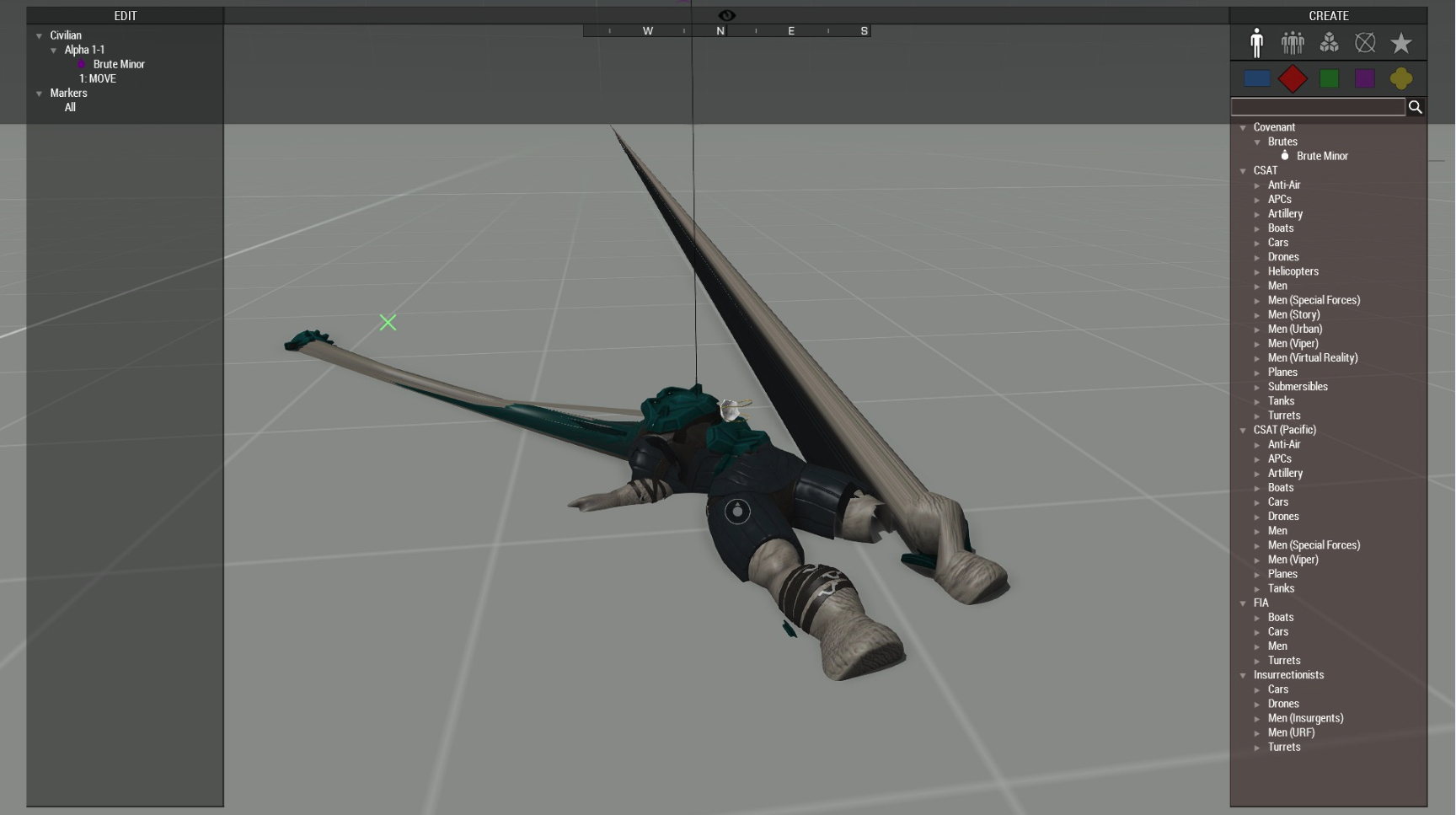


 drowsy nymph
Is the head that's part of the .fbx sample man?
zenith token
extra in sample animation folder iirc
desert raven
samples\templateRTM\bust.p3d
I have succesfully made a pretty tight headfitting cowl with this as a base though
so I guess it should work
desert raven

Bit more refined weighting and adjustments into the face rig
did some refinement on the facial rig although a lot of it is just guesswork on what bone goes where and points to what direction
could work though so...
¯_(ツ)_/¯
sterile ice
Does it work ingame?
fluid lodge
I want this for my static animations
 frigid nimbus
Or smirking. Squinting her eyes real tight
desert raven
this is direct conversion from one A3 man "smile"
frigid nimbus
Her cheeks look giant lol. How large are the two faces in comparison (just curious)
desert raven
she is a bit cheecky one isnt she
this also shows the height difference of the 2 characers
somber aurora
It really makes me think of a Dark Souls character editor... Must be the shiny skin ^^
desert raven
no skin. just plastic here.
tawny mango
haven't you read the ingame papers? there were claims that some people were being replaced by wax replicas
does anybody have a semi-useful arma/object builder to maya export guide
I want to start learning how to do gestures
torpid star
use macser's blender rig. it's good stuff
fluid lodge
have been able to contact Macser?
sterile ice
Me? @nikoaton#8557 Ive contacted him about 2 days ago, he said he's gonna work on a rig for Grimasse, but it will take a short while
fluid lodge
ohh thanks @sterile ice . Greetings!
somber grail
Hi guys, I've been playing about with the Predator in maya. Done a bit of rigging some tests with animation and what not. What I am finding though is once the model is skinned and weighted using the quick rig, It warps the armour and various other parts of the body quite a bit.
I kind a have a thought on this.
Should I be binding the skin without the armour and adding the weight just on the body itself?
supple sable
Well in the end you will need to add the weight to the armor anyway if you want to add it as separate clothe
zenith token
realistically armor cant deform. Practically... it's not possible to do this without super complex rig and skeleton. The only game i know tries to somewhat remidy this is star citizen. All other games just deform the armor like it's cloth
somber grail
i think I worked out what happened with the quick rig, it seems to place itself offset from the centre all the time and I was moving the limbs about. Then I noticed the elbow joint on the right was place higher up the arm so the wrist guard wasn't affected. As opposed to the right arm, the elbow joint is underneath the blades and wrist guard.
Just need to figure out how to adjust this control rig and centre it, it seems locked and unmovable atm.
I shouldn't need to include the armour really should I? I only say this because I am thinking I can proxy the armour in O2 and it can be selectable in the inventory then.