#arma3_animation
1 messages · Page 16 of 1
 dense sonnet
Block players from using them underneath buildings, like the ones on stilts in Tanoa to teleport inside
 desert raven
So its probably related to how the players position is detected between the different stances
I hope you have made a bug ticket for that too
you just may be out of luck
make a script that detects if player is first below the building floor and then magically transfers up and kick him off server if he does that
possibly warn people on mission description or somesuch about this anti glitch feature
use eventhandlers for that actually
theres new ones for bibod usage
that may be more in the department of #arma3_scripting tho
dense sonnet
It was raised back in 2015 as an issue when the video was made
desert raven
then it may never be officially fixed
using the bipod change eventhandlers you should be able to create some sort of workaround
 bold cape
how can i import .rtm files in object builder?
desert raven
you need the animations tab open and right click it to open the menu and use from matrices
bold cape
okay thanks :D
 floral oak
Is there any Tutorial around for making driver animations ect? Cant really use the vanilla ones because of the slightly different Position of gear stick ect. Or can i change there some details to Not create completly new ones ?
desert raven
I think there are some simple starter ones either on FHQ toolbox thread or Macsers Armarig thread on BIforums
cant remember which one had them tho
floral oak
Ok will a Look at it, thanks
 reef hound
any idea? can i make a object rtm? only move the object from point A to point B with a animation?^^ not translation. i need it for a complex animation for 1 object
for example: https://www.youtube.com/watch?time_continue=56&v=LWXYqwvaRP4
desert raven
dont think anyone uses rtm with static objects
they could even work but I have not idea how to set that up
for simple movement like that its far easier to make a model.cfg animation for it
reef hound
hmhmhm thats not cool..
Hmm Horrible, can you look in Config_Editing? Maybe you have a idea for that 🤔
 zealous stone
you just need to destroy it to have it run the rtm
so a silent destruction with no particles is best then it will run the rtm
desert raven
syncing that up with the man drinking/eating animation would be pain in the ass tho
zealous stone
nah i done it with a dinasoaur egg cracking its easy
desert raven
do elaborate
zealous stone
in terms of what exactly ?
desert raven
how would you synchronize the animations?
zealous stone
well surely an animation has to be fired in the first instance hasnt it , thats your datum point to sync from , not sure what else you need to sync ?
desert raven
so you would kill the edible object so it would play the animation when you start the eat/drink animation on the character?
zealous stone
point A to point B with a animation
yeah or whenever was apropiate maybe camera interesct the object or a frame of the eating anim who knows the finite detail without substance ?
if itse reall simple then even a translation anim scripted in steps will do who klnows ?
desert raven
well just that you said it was easy so I understood you had a solution.
perhaps what you missed was what marshmallow actually wanted (which he said in configs channel)
which was a bit more complex than just form A to B 😄
zealous stone
well i saw the video and understood he would like an item of the opened can or packet to follow to the mouth
my imediate thought was similar to what i have done because the hand is always in the same pace and thus the object
reef hound
oO
 ruby hill
Sorry to microwave an old topic:
you just need to destroy it to have it run the rtm
Sadly BI broke this tech and the destruct anims of buildings are framelocked without interpolation. (last time I checked)
Interaction with objects is somewhat easily done, actually.
Here's my proof of concept for an animation that lets you attach cover to the helmet of the soldier. The anim is fugly as hell, but it proves that my solution works. :)
https://www.youtube.com/watch?v=49HZzSH0cAI
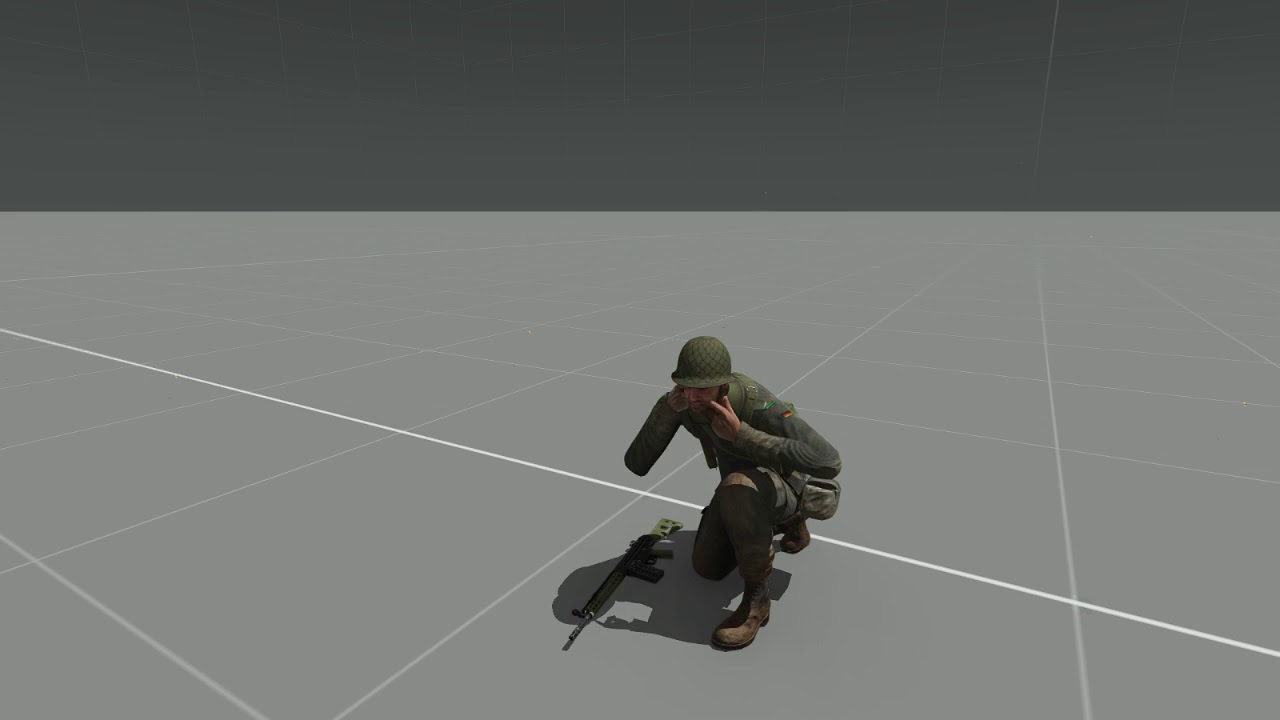
 regal dawn
are you animating some bone in the skeleton for the helmet or is that a scripted in object?
ruby hill
It is an .rtm file 😃
regal dawn
in the rtm of the soldier or in a standalone rtm that is for a standalone helmet object?
ruby hill
It is a separate one, as I cannot add extra bones to the anim without confusing binarize.
regal dawn
👍
the probelm i see is first person
it will render pilotview always in front of any other object
so the helmet will look out of place
ruby hill
Yep. I did this in march, so not sure how I solved that. I have focused on terrain since then 😄
 drowsy nymph
make it binoculars
ruby hill
How would that fix anything?
ruby hill
And it would permanently stay attached to the hand.
Same as handgun. These are proxies, but not dedicated bones.
drowsy nymph
binocs still can't be moved in .rtm?
ruby hill
Nope.
drowsy nymph
damn
regal dawn
iirc there is a param in the man class to disable rendering of the pilot view in front of everything
but it would come with some clipping of weapon into objects and such :S
@drowsy nymph same with launchers aswell, tried that recently 😦
ruby hill
What. No. Launchers are bones that you can manipulate with .rtm moves.
"launcher","Spine1",```@ruby hill ... yes i have a animation over the rtm for my item and works. But the speed from the animation is to fast.. can i slow it?
ruby hill
speed = ; parameter.
reef hound
what?... in a object rtm?
ruby hill
Your anim state configuration.
reef hound
i dont have a anim configuration for a object. the Object animation starts with "setdamage 1". and he is defined in the destruction { }
also the rtm
ruby hill
Ah, yes.
Thats what I mentioned earlier. It is framelocked.
Bi messed this up somehow. Also in my tests it actually wouldn't interpolate properly between the frames.
reef hound
uff >.>...
but your helmet is smoothy on the hands. the helmet rotations looks like good with hand. Whats your trick?^^
zealous stone
not sure what framelocked is in relation to , the speed of 1 second you mean ?
we had this converation before Mondkalb when i was in PR
reef hound
the object. rtm have a max. numbers of frames what the destruction use. I think he mean that
zealous stone
hmm not so sure about that
however i still dont understand why you dont make your object a weapon but i confuise easy 😃
reef hound
i?
zealous stone
the render problem can be solved with the camera position i had that with my horse and remotecontrol
it was like the old cargo and attachto the cargo was outside the vehicle in cargo view
the problem is i think for you the anims play in 1 second and no matter how many frames you add it will always take 1 second
you can delay the start after destruction and the frame it starts at but not how long it takes unfortunately
regal dawn
@ruby hill aah ok but not with handanims rtms from what i saw
 acoustic oar
Can you animate?
Unsung mod - is in dire need of a rtm maker for weapon reloadmag fixes over the next few months, but more of a priority is CREW ANIMATIONS. we have nobody in the team who can make these, and some of our doorgunners hands block the gunners view etc. If you can help drop me a pm
If you don't have much time to contribute but can teach me how to do it, even better, as then i will make a youtube tutorial on it for the rest of the team. i can only use O2, not blender, so the other tutorials ive seen are no use to me!
 dawn forge
@Rob (aka Eggbeast)#3291 it would be worth it to learn the controls just to use blender animation plugin, its levels above o2 😛
acoustic oar
thanks man. i may someday. i've just been taught the basics for crew anims thanks to von knudenberg, so i made my first crew anim today. progress! still yeah i imagine making detailed weapon reload anims o2 is a no-no
i'm a jack of all trades but mostly a configger
and model rigger
but i cant use any 3d art progs. i tend to collaborate with artists for that part
 strong monolith
Hey all, not sure if this is the right place, but my dev and I have been getting trouble with this hand animation for our gun - the right hand cant be moved any further foward, and the stock is clipping into the guy's shoulder https://media.discordapp.net/attachments/337309559196745728/370796200443510784/20171020115126_1.jpg?width=920&height=518
 vale otter
hmm, i think i was able to get the right hand further
drowsy nymph
weapon position isn't determined by handanim
if you want the stock out of the shoulder you have to move the whole weapon model forward in its .p3d
 sick crest
good rig for blender or 3ds
desert raven
are you asking for one or what?
 naive hemlock
@E_50_Panzer#7708 hand anims are relative to the weapon bone, not weapon model
reef hound
when i make a Handanim in Blender, i export only the handanim for the weapon? or what i need to do?
if I export the whole rig, it explode
reef hound
ok its finish
reef hound
everyone knows the function of "revolving" in model.cfg for a weapon?
i have 30 round magazine and when im on the buldozzer he doesnt work correctly. isnt hide. the bullet at another position
class bullet01
            {
                type = "hide";
                source = "revolving";
                selection = "bullet01";
                minValue= -1;
                maxValue= 0;
                hideValue= 0.03334;
                 };
source goes from 1 to zero, so plays backwards to how you'd expect in Buldozer (same with the reload source)
there is an "ammo" animation source that can be used as well though
desert raven
Revolving is what happens after each shot If I recall. It does not take account ammo count.
reef hound
yeah i think so. My magazine have a "window" with 30 bullets and i want to hide after each shot the bullets
but i dont know the correctly function (to write) to make it
reef hound
where i can find?
 sleek island
arma 2 samples
reef hound
hmhm ok thx
 sterile ice
Hey, I have a quick question. I'm working on an animation, it's for a motorcycle, if you go fast you lean down, so the wind doesnt hit your face too hard and you're a tiny bit faster. I'm not really familiar with making animations like this, I need the Hands to be attatched to the steering "bar", just as they are at the beginning. And when I move one of the bones as shown in the gif, the hands should stay where they are and the arms should adjust accordingly. I know that it is possible, I've seen something like this already but can't find it anymore. Any help would be appreciated
desert raven
that could in theory be possible if you can animate the driver depending on speed. Im not familiar with the program you are using but Id suggest you find some animation tutorials for that
sterile ice
Alright, I haven't found something yet, but I'll keep looking.
zealous stone
name the proxy and rotate it with speed the hands should stayon the bars as its defined to in the cpp left and right hand steering
rmp source maybe better but see what is best
regal dawn
that would rotate the feet with it tho
sterile ice
Let's say I define the basic driver anim. Then I make a gesture only animating the Spine, which is defined in the mask. Would the hands stay on the steering bar?
zealous stone
it wont rotate the feet you can also define the feet to stay too check the pedal defines in cars
i did exactly as you are trying to do in my own Motorbike aslo and i think Kiory may have added the feature too , there is also an oportunity to lean the leg out on bends if config correct
zealous stone
you dont need hope, just intuition to who knows and who sits there saying Nope you cannot but really has no idea 😉
driverLeftHandAnimName = "drivewheel";
driverRightHandAnimName = "drivewheel";
driverLeftLegAnimName = "";
driverRightLegAnimName = "pedal_thrust";
regal dawn
👍 didn't knew about the pedals ik
zealous stone
just define and have a play
sorry i been out for 2 years but soon i have old HDD back and have my old test vehicles and things back so more acurate info available then
sterile ice
Thank's alot, it's still a long way until I can actually test all my animations, but I have a start now 😃
zealous stone
well there are a combo but chek for IK 1 and 0 in rtm configs if you go that route if not try a rotaion and anchor the limb exctemities in the crew animaition for driver
i think i have a v old tutorial physx bike on armaholic all unbinarised , its not latest dev but good start
sterile ice
I've got a good physx sample from gachopin, it's the only sample I found yet, that is kind of close to a real bike
zealous stone
yeah some like the bike to lean but i find it a bit cheesy when it leans when static
sterile ice
yea, I might have to adjust it a bit, the steering bar turns to much as well, in real life you actually only lean the bar a little bit, it's more pushing and pulling on the bar. But I don't even have my bike fully working yet. So not at the point where I can adjust the physx
zealous stone
well its a bastard i can tell you that so spare some weeks for headaches , i am still about 30% done on the phsyx but its a nice ride
sterile ice
😕
 sly violet
Is there any way to edit rtm files? I need a single frame from the movement animations in order to try fixing the janky movement when going from side to side. The alternative would be remaking it from the scratch, but it would have to fit the vanilla.
desert raven
You can import unbinarized rtm into OB if you have appropriate model open, or there are ways to import them into Blender.
sly violet
sadly I think all of the unpacked animations are binarized
sly violet
the one shitty thing I'm unable to get rid of is this: if you go from left to right (or the other way) you go like this: left > stopped > right. the stopped animation is vastly different from moving and when game interpolates to it you get really sudden jerk. I'm trying to get rid of that
after multiple tests and tries, seems to be to create a new animation that will have a single frame close to the moving animations and set up new interpolation from left and right movement, while removing the transition to spotted from those 2 directions. The result would be this: if you go from left to right, you go through the simple animation with wound be so janky. However this would require new animations for every stance
I was able to reduce the jerk by deleting the interpolation to stopped stance from left and right movement. What happens in such case you get a brief forward (or backward) step animation and then it goes to stopped from that. It moves you around a bit when you want to stop, but it makes the transition from left to right much smoother
 tired needle
In the unlikely event you have Modo, the Arma plugin for it reads binarized .rtm's; which is handy because you can import multiple animations and compare them.
desert raven
@sly violet You mean the movement between strafing left and right? I mean kinda think its more realistic that its not smooth as if I tried to swithch strafe directions I would have to stop
sly violet
@HorribleGoat#7823 Its not the stop, its the sudden jerk caused by switching to completely different animation
sly violet
How do you make an animation move the soldier forward (or in any direction)?
What exactly tells the game that the animations moves soldier in a particular direction?
sly violet
I wonder what exactly tells the game that the animations moves soldier in a particular direction. In blender the animation is having the solider run in same place. There is nothing for this in the animation config, it only has the speed of the animation. There must be some weird setting somewhere, maybe set in o2 or something.
vale otter
https://i.imgur.com/b3mp258.png
in the red circle you put in a negative number to move forward at a certain speed, and a positive number to move backwards.
in your animation before exporting as rtm
sly violet
ok, so I got the blender importer for the RTM format. Any tutorial what to do in order to make an animation ready for the game? Do I need to do any tweaking in o2 or something?
ruby hill
I wonder what exactly tells the game that the animations moves soldier in a particular direction
Step values
The vertical step (y step) is nonfunctional, btw.
sly violet
Ok, so I exported an rtm animation using this blender addon:
https://github.com/4d4a5852/rtm_import
sly violet
It worked! Kinda... the camera in third person moves down for some reason on my new RTM animation, but it totally works at smoothing out the transition when going from side to side. I just need to fix that weird camera bug
desert raven
did you have camera bone in your skeleton?
sly violet
@desert raven Possibly, I used ArmaRig
desert raven
yeah dont think that has camera bone by default
I had the same issue with my female animation conversion
did not have the bone there at first conversion pass and camera went all wonky
it does not matter for gun animations or proxy poses
but movement animations need it
sly violet
So I only need to uncomment it (remove @) or do I need to do more?
desert raven
if its there then yes removing the @ should do the trick, or if its not there then you will need to add it
sly violet
@desert raven Damn, there is none. Does it need to be in some particular place or anything? Do you have any working skeleton with the camera?
desert raven
the A3 samples\TemplateRTM\male.p3d has the position for it in the first LOD, you could import that p3d into Blender and mach the position of a new camera bone in the Armature youre using.
its the small speck between the knees
or shins
and no I dont have a fixed man skeleton at the moment
been meaning to add it but have forgotten
sly violet
Hmm, its still a bit hard for me to figure out where should I add the camera stuff. In the vanilla the camera is in the 1st lod and is assigned to the camera vertex group, but it's also in the memory points group as well. How can I fix the ArmaRig so the camera works properly?
desert raven
add the camera bone
sly violet
Where exactly should be that new bone placed, in the hierarchy?
desert raven
hummhumm
{
    class ManSkeleton
    {
        isDiscrete = 0;
        skeletonInherit = "";
        skeletonBones[] =
        {
            "Pelvis","",
            "Spine","Pelvis",
            "Spine1","Spine",
            "Spine2","Spine1",
            "Spine3","Spine2",
            "Camera","Pelvis",
soo Pelvis would be its parent
it likely does not need to be connected tho
sly violet
If I add it to the skeleton, I can no longer import RTM into blender
desert raven
oh
I had not trouble with that
does it say something
what import were you using?
desert raven
or selected at all
good
in edit mode it wont work
in object mode it might
but in pose mode it works sure
sly violet
ok, fingers crossed that the 3rd person camera is fixed ingame
desert raven
🤞
sly violet
IT FUCKING WORKED!
desert raven
👍
sly violet
Uploading the preview/comparison video right now
sly violet
@desert raven
00:00 - 00:43 Vanilla Arma 3
00:44 - 01:24 Smoother animations mod testing
https://vimeo.com/240218885
desert raven
seems to work alright
but I do still think the vanilla clunky represents better real movement where you have to stop your steps get into way and your intertia doesnt instantly change direction
sly violet
No it does not. Crouch and go from side to side., now tell me, do you take a knee when changing sides?
desert raven
well no, but its not smooth either
sly violet
Even with my tweak its not that smooth either, but its massively less jerky than vanilla
desert raven
indeed it is
does it affect changing direction to forward or back at all?
from sideways move
sly violet
As of now yes, for some reason it goes like this: right>right forward>forward. I need to look at the costs for interpolation, so the game will go to the forward straight from the transition animation
its just a little thing you don't notice that much and is actually kinda realistic
I wonder how the interpolation cost is calculated. Is it like this right-forward costs 0.02, transition animation costs 0.05 the game chooses to go for RF. Or is it summed up cost of all interpolation: it costs 0.02 to go from left to left-forward and 0.02 to go from left-forward to forward, in total giving you a total cost of 0.04, whit is still lower than going though the transition animation, so the game decides its better to go through the diagonal animations instead
 median crane
Anyone have found a maximum number of bones in a model? I'm surprisinly discovering that the maximum number of bones I can create is at 209, after that, it behave randomly such as translation or rotation even if there is no link with other bones.
desert raven
yeah that sounds about right from what I remember
what are you making that needs that many bones 😄
zealous stone
it was 100 but IIRC it passed that in A3
desert raven
I recall 256 been said somewhre
zealous stone
isdiscrete or not though may make a difference too
desert raven
but I think 200ish is what I've got to work when I tested it out
been a while though so might not remember right
zealous stone
well also "bone","" is two maybe so 100 * "","" was the max IIRC
desert raven
could well be
zealous stone
my land tiles scewed in BD after 100 "","" thats was sure
drowsy nymph
256 bones is the limit, yeah
median crane
@desert raven I'm doing just an NH90, but It seems I've setup too many bones for the mfd hiding and unhidding custom panels, rotation of non-circled compas etc...
@drowsy nymph I'm hitting 209 when It start to blowing up, I supposed there is no fixed limit..
drowsy nymph
Our MiG-29 has 254 bones and reyhard wrote in the model.cfg that that means we have two left
zealous stone
254 unique bones or shared anchors ?
drowsy nymph
254 total
zealous stone
like "spine1","" , "spine2","spine1" ,
drowsy nymph
yes, but for a plane obviously
e.g. "airbrake_t","", "airbrake_t_sup","", "airbrake_t_pneumo","airbrake_t_sup",
zealous stone
hmm thats good news then , i was resticted before ill have to back and try for more
at 100 *"","" before my model just curled up and UV twisted
in bullldozer i hasten to add
ruby hill
Bone limit is simulation-type specific.
zealous stone
yeh we said isdiscrete and non
sly violet
I have a trouble with my transition animation causing me to go from kneel to standing tactical pace. It happens if I quickly press froward when the transition animation is playing. It doesn't happen if you press reverse key. There is no interpolation to the standing animation in my config
sly violet
Why on earth is it doing that? More importantly, how do I stop it from doing this. It is really annoying to lose control like that and the loss of control is something I'm actually trying to fix.
zealous stone
are there varaintsplayer ?
 polar sphinx
Hey, is there any way to replace default player animations without making an addon ?
Already asked that in #arma3_scripting, but no response so far
desert raven
no
you can make a character play animations with various scripting commands but replacing them would require addon
why do people so often want to add/modify stuff without addons?
polar sphinx
Well i don't know, trying to make it as simple as it could be, but yes addon best solution for this kind of things
Also a lot of new guys to Arma just don't want to download something. Click then run and gun
Thanks for reply btw
sterile ice
Hey, does anyone know how to fix this? I want the fishingpole (Weapon) to move with the right hand. I've tried to set "rightHandIKCurve" to 1, but then the Hand is on the fishingpole, but doesn't move as it should in the animation.
zealous stone
strange you sure then handik is 1 in the anim and the fishing rod has handanim ofp2 skeleton set ?
sterile ice
Yep
zealous stone
i just this second am trying to do the oposite lol
ill trade ya
my gun is sticking to right hand when i do a gesture but i want i stay in the left lol
mask isnt effecting it is it ? cant be cause the arm moves ok i guess
zealous stone
hmm mine is 1 1 in default then i changed in the new class to left 0 and right 1
maybe try leave default and change the new anim
sterile ice
does the same, already tried that, but I think I know what the issue is😕
zealous stone
does the weapon have to have a named selection ?
sterile ice
I have no Weapon Bone in the Gesture anim
sterile ice
Idk, I always have at least one, but I don't think that one is required
zealous stone
i wonder if you can trick by adding the weappon bone but weigh it to right hand before exporting out of OB ?
quick fix maybe ?
sterile ice
Ye, that's what I thought, I'm gonna try it later
zealous stone
ya need a good skeleton to export though mind beciuse pivots skew otherwise ?
anyway i think ya solved ya own prob with weapon bone poss
sterile ice
I think I'll get it done with the rig I have, I hope it will work, thanks
 sturdy grove
hey guys! We've created some custom crew position for our statics but we have a problem. The gunner cannot be hit & killed. I've set the proxy in the fire geo but it doesn't work...any idea?
desert raven
is it a tank?
do you have whatsitcalled
"crewVulnerable" or something in config
cant recall the exact parameter, but I would guess its off by default
sturdy grove
static mg
inherit from StaticMGWeapon
if i use the A3 standard gunnerAction = "gunner_standup01";
it works
not sure if it's cfg related or rtm related
desert raven
Id check the cfg stuff first
if you already have proxy in fire geo it should work
make sure you got it named right
sturdy grove
 zenith token
interpolate to - are you sure "unconcious" is enough?
sturdy grove
well, it ejects the dead gunner, so i don't think it matters
but i tried to add a proper KIA anim
still the same issue
i've checked with diag_exe, in A3 static you can see gunner's hitpoints, in my static i can't
but i can kill the gunner if i aim around the upper chest
not sure why
vale otter
@sturdy grove Do you have "ejectDeadGunner = false;" in the config?
I had the same problem, "ejectDeadGunner =false;" was in the wrong part of the config. Once i moved it to class turrets, it worked. But i used true instead of false, so the gunner would fall out when killed.
drowsy nymph
There is some collisionShape parameter for static weapon gunner cfgMoves, but I dunno if that affects when the gunner is shot, or just object collisions
e.g. collisionShape = "A3\anims_f\Data\Geom\Sdr\Perc_Wrfl.p3d";
sly violet
Is there any logging script that would neatly log all the animations that were played on my character during the last X seconds? I would love to be able to pinpoint some of the animations that cause issues for me and my smoother animation project.
 hexed hornet
or using an AnimChanged / AnimDone or AnimStateChanged eventhandler - probably the latter one
https://community.bistudio.com/wiki/addEventHandler
https://community.bistudio.com/wiki/Arma_3:_Event_Handlers#AnimStateChanged
ruby hill
In dev build version: diag_toggle "LogAnimPaths"
then use dbgView to track the output.
It should work still in A3.
Possibly also "LogAnimQueue"
sturdy grove
i've fixed my problem thanks to reyhard. I've added boundingSphere & collisionShape in the rtm config
naive hemlock
is there a way to export an RTM (static gun holding anim) from O2 to blender for adjust them?
naive hemlock
@meager oar ?
 crisp berry
@ruby hill LogAnimPaths doesnt work unfortunately - only these:
https://community.bistudio.com/wiki/Arma_3_Diagnostics_Exe
 meager oar
@naive hemlock not yet but I plan to add that
naive hemlock
@meager oar aye cheers man
meager oar
@naive hemlock There is an addon to the toolbox done by someone else here https://github.com/4d4a5852/rtm_import
that can import rtm, but AFAIK it is no longer maintained
 crisp berry
@hexed hornet is that yours?
hexed hornet
@crisp berry yes, it's mine
crisp berry
@hexed hornet nice and thank you. see question above from Alwarren 😃
naive hemlock
@meager oar yeah torndeco al;ready linked that in PM 😃
meager oar
Ah hehe
desert raven
Oh right it was Pufu who asked. Sorry Kju for the tag. xP
 drowsy rock
@regal dawn Ripping any content from arma 3 in use outside of arma is illegal
desert raven
gets you thrown out quite fast. :L why dont you make one yourself?
drowsy rock
Video data?
desert raven
pictures?
drowsy rock
You may be out of the scope of possibility here
desert raven
You might also want to tone done the attitude a bit. Also if you want BI anwer your best bet is to email them
dawn forge
^that attitude
 buoyant kernel
Everyone here who helps you is doing it for nothing, so if you want to have an attitude that's fine but you may be asked to take your questions elsewhere. @regal dawn
It's hardly slander when you are literally validating our arguments with attitude.
I'll pass
I was just giving you some friendly advice, but I suppose this is what the block function was created for vOv
drowsy rock
That's just asking for a fight SuperNode Anyone Else?
What everyone here is trying to point out is that, it's entirely illegal until you get written permission from BI
buoyant kernel
Some people can't handle criticism, this is a pretty good example of why parents should hit their children
buoyant kernel
Someone found a thesaurus
crisp berry
@HighAdmiral#3632 leave it be finally
 hearty fractal
He's been removed 🔨
desert raven
working on a new walk cycle : http://www.moddb.com/mods/lost-dragons/images/wk209-newwalk-02
zenith token
it looks quite choppy (apruptly stopping after foot is put on ground)
but i guess with this leg design thats inevitable
zenith token
the torso bit is not moving - if it should look less jerky then maybe give that some motion as well, unless thats technically not practical
desert raven
Thats still in the untested region as the legs are the only bit animated by RTM and the torso is animated with model.cfg
I could put a slight movement on the bone the torso is attached to but it may not translate so well in arma
I may be able to put a little bit of torso sway into the movement with model.cfg but not yet sure
drowsy nymph
I'd maybe add some compression to the leg that's planted on the floor, when the other leg lifts. Some suggestion of the trailing leg bearing the weight of the mech alone when the other leg is off the ground
desert raven
good idea
crisp berry
@hearty fractal you banned the wrong one
buoyant kernel
I don't think anyone deserved a ban from that
That just seems like a massive over reaction
hearty fractal
Ripping content no, thats a perma ban
crisp berry
welcome to the new ban wave..
buoyant kernel
I find it strange that you'd ban for explaining a community to someone
buoyant kernel
I didn't mean you
Kju indicated I should've caught a ban for what I said
But this is a day old now so I'm just going to leave it
sterile ice
Hey, I still have the problem, that the Weapon Bone is not moving in my gesture. (Ingame)
Anybody know why? There's a selection for the Bone in O2 and it's moving exactly how I want it to. (in O2)
desert raven
is your gesture movesCfg class configured right
sterile ice
@desert raven I think so, I used this format for all my gestures. https://hastebin.com/cunocenohe.cs
sick crest
any way to exit a looped playaction sequence?
sick crest
No it doesn't.
my config: https://pastebin.com/Z0RuYrxm maybe it will explain why i can't use switchMove.
sick crest
Well I have the starting animation fine but I want to playAction the looped animation then exit it but it doesn't seem to work which baffels me. Quite new to anims
desert raven
how do you loop it?
and what else happens
pls dont be vague about what you want to do
sick crest
well I use looped = 1; to loop it so it continues the same static anim from there whenever i want to exit said animation period. I tried just doing player playaction ""; player switchMove ""; etc.. and it didn't work. Goal. Animate a looped animation and run a command to exit it which has failed so far.
desert raven
have you tried playing some other animation to cancel the looped one
also would not https://community.bistudio.com/wiki/playGesture be better for gestures?
desert raven
sterile ice
@desert raven sry for the late answer. Yes they do. But they don't have a weapon Bone at all, because it's not needed
zealous stone
for switchmove clas it as a crew
sterile ice
And "playGesture" doesn't work somehow....
zealous stone
playactionnow still a command or playaction ?
i think your problem is if i understand you have no weapon bone and the rod is a weapon and so will not move ?
zealous stone
well maybe you need to look what mask your anim uses and rename a bone so it picks up your dodgey weapon bone ?
make the Rod a Pistol class maybe have you tried it ?
sterile ice
I need a custom handanim for the rod, so I cant make it a pistol. Let me have a look at my mask
zealous stone
player playaction "Whistle"; i think for mine i used playAction
lemme see how i configged it
thats my whistle anim and uses Playaction
sterile ice
@zealous stone I just........ I love you so much
zealous stone
you are alone i think 😃
sterile ice
xD
It works now, I just forgot to add the weapon bone to the mask. I've redone the animation several times over 2 weeks. Just to realise that I forgot to add the bone to the mask -.-
zealous stone
well sometimes just talking makes the solution appear 😉
remember : Not to MASK the problem in future 😉
sterile ice
😁
desert raven
@zealous stone 👌 Good that you got it working @sterile ice
 grand minnow
How can you make an animation loop? I've set sourceAddress="loop" but it doesn't.
I want something that you can start from script such as pylon animate ["wheel_l_1_rot", 1]; and that doesn't stop after 1 wheel turn
or pylon animateSource ["wheel_l_source", 1];
grand minnow
right now my wheels turn once a 360 and then they stop
grand minnow
if i use source = time then they keep on running as expected but I have no control on stopping them via script....
grand minnow
cannot use AnimDone event because that is for units only
zealous stone
have one that is static and one that turns and unhide the one you wish to show 😮
grand minnow
i was trying that but how you’d hide the time based one?
anyway got a solution from reyhard
put a very large number in animationsource will loop the animation if you specify it to be a loop
fyi
zealous stone
and you swiych it on and off how ?
to answer the hide unhide you simple have two res wheels one calle turning and one called stopped and you unhide the one you wish to be seen when you wish
grand minnow
you cannot hide something that is not of type hide, and you need the rotation wheel to be type rotation.
hence the solution here above
drowsy nymph
you can have more than one animation for each bone
grand minnow
oh interesting
then indeed, that can also be done
i took the other approach now, I guess both are fine.
zealous stone
damn giving some idea ort advice is like handing out aids on here sometimes isnt it ?
 silk stag
Do model.cfg animations like rotation and hide animations work on weapons such as a pistol?
sleek island
of course
silk stag
Weird, I thought it would too. But when I do it for my pistol it doesn't seem to work. Even though that the animations work fine in object builder and when I spawn the model using createSimpleObject the animations seem to work.
drowsy nymph
Are you using valid animation sources?
silk stag
Yes
drowsy nymph
Which ones?
silk stag
{
    source="user";
    initPhase=0;
    animPeriod=1;
        sound={};
};```You can't make your own user anim sources in config for weapons. You're limited to the ones coded in the engine for weapons
silk stag
Ahh
Thank you
I'll look into it
So that means, I don't have to config a source in my config if I just use one such as IsEmptyNoReload?
drowsy nymph
no you don't
silk stag
Okay, thank you.
drowsy nymph
any of these, don't need to be written in the config https://community.bistudio.com/wiki/Model_Config#Animation_sources
config is just for creating custom ones for vehicles
silk stag
Yer, I'm currently looking at that
and yes, I thought so just wanted to double check.
😃
However, regarding adding custom sounds to the animations could I config IsEmptyNoReload in my config to add a sound?
or will that not work?
such as```
class IsEmptyNoReloa
sound={blah blah};
};
Will that work, too add a custom sound to a pre-defined source?
drowsy nymph
I don't know, but I don't think so
silk stag
Yer alright, anyway thanks for the helpful information 😃
 frank yoke
Another quite simple question before I get my workflow set up:
I saw people animating characters in blender (I guess it's exported as .rtm file this way), but those were reload animations. Guy there did all the process of taking the mag out of rifle and putting it into the bag, then loading another. Therefore it makes me think if it's possible to make the bolt-action rifle operation possible this way (the animation of moving the bolt after the shot)?
Or do I have to animate the weapon thru model.cfg and then synchronise it with .rtm made in blender?
frank yoke
It's me again :D
https://imgur.com/a/9bSlE
I have this issue: despite moving the weapon in blender animation, it gets positioned back to this, glitched position
I export from blender as rtm
drowsy nymph
weapon position relative to the origin of the weapon bone is determined in the .p3d file. Handanim only places the position of the hands relative to the weapon bone
you need to move your weapon forward inside the model and then move the hands forward by the same amount in the .rtm
frank yoke
allright, roger that 😃
does it also work for the reload animations?
I mean, does it only affect the hands too?
drowsy nymph
no, reload anims will alloy you to move the weapon bone if you're using the right gesture mask
frank yoke
okay, will look for some info on the mask, thx m8!
 frank mica
Hey, can anyone help me? https://forums.bistudio.com/forums/topic/212409-weaponmode-do-not-rotate-properly-in-game/
😃
desert raven
- could be easier to use angle0 = "rad 90" etc
- is there reason why your angle 0 is not 0
- if the issue is that the rotation is into the wrong direction you will need to flip the axis points
frank mica
1- yeah, I'll change it. 2-the 0 position is in safe position, I'll use it with RHS safe mode. 3- In bulldozer it's working fine, but when I try it in game the angle is diferent 😄 thx
frank mica
Nevermind, one guy have helped me in the post. Thank you
drowsy nymph
@frank mica the safety mode script in RHS uses weaponMuzzle, not weaponmode
frank mica
@drowsy nymph yep, i've seen that in their website. Thanks! 😄
crisp berry
are there good tutorials about model.cfg and learning animating a weapon (text ones - not videos)
frank yoke
I can help you on that @crisp berry, lemme know what you need 😃
crisp berry
@frank yoke thanks. see your discord 😉
frank yoke
Just a quick question here: how do I un-parent weapon bone from the right hand in A3rig for blender? It's been giving me headache for some time now
dawn forge
Can any sitting animation be a FFV animation? All FFV seats look to be locked in place by the legs but the upper body moves
 marsh mulch
https://gyazo.com/2a708ab2b888942072d0f53a508fcc39
Gyazo
Gyazo
https://gyazo.com/6fbb9c58695a3baf7bd480b7784c092f
Gyazo
Gyazo
https://gyazo.com/975ba4db2f5390306deadcfc251a6a06
Gyazo
Gyazo
these are the animations im talking about
https://gyazo.com/2690fef2b43543e50a7ce1063c99538a
Gyazo
Gyazo
https://gyazo.com/489f97c621b388dbb2212b65cde312a2
Gyazo
Gyazo
https://gyazo.com/e2932299fd0c7973f6392f41990a8e16
Gyazo
Gyazo
would it be possable to make them apart of the mod to make walking with a rifle look more natural?
if it was possable i was wondering if there would be a way to implment these animations
desert raven
you would need to make a new movesCfg config for your character. You just may need much more animations to replace but should be possible.
frank mica
anyone has a armarig sample with the character in prone position? whatever i try it gets deformed
desert raven
What are you trying to do exactly?
crisp berry
@frank mica
frank mica
@desert raven reload animation
desert raven
how does it get deformed?
frank mica
he is him in normal position
i need it in the prone position
i've tried to put it in the correct position but i can't make it close enough to the arma position
@desert raven 😃
desert raven
you could probably blend you animation on the character from vaist up so the legs would not have to be exact
frank mica
yep, but someone probably has done right, so i thought in ask here if someone can share it,,
 ivory bobcat
How to add sound when playing an animation over soundOverride? Please, help
desert raven
@ivory bobcat playing animation how and on what
@frank mica I menat blend animation in the moves config so that it only picks up hand and upper body movement so you would not need exacty pose to make it
ivory bobcat
@desert raven
class choke  : AmovPercMstpSnonWnonDnon_falling {
    file = "\test\animation\choke.rtm";
    speed = 1;
    looped = 1;
    disableWeapons = 0;
    enableOptics = 0;
    enableMissile = 0;
    enableBinocular = 0;
    soundEnabled = 1;
    soundOverride = "choke_sound";
    interpolateFrom[] = {};
    interpolateTo[] = {};
};
class choke_sound {
    name = "choke_sound";
    sound[] = {"\test\music\drowning_01.wss",1,1.0,150};
    titles[] = {};
};
Sound "choke_sound" not work when the animation plays
frank mica
@desert raven you're right, thx!
desert raven
@ivory bobcat does the sound work if played from script?
ivory bobcat
@desert raven player say3D "choke_sound" play sound
desert raven
are you playing with the character the animation plays?
it might be played only for the animated character
ivory bobcat
Thank you
 reef vortex
Hi guys.. anyone can help me and say to me what difference (config wise) i need to make an animation (rtm) to be compatible with playmovenow ? my actual animation only works with switchmove.
regal dawn
look at the configs, check out connectTo / InterpolateTo
depending on what your animation is doing, using a playAction might be easier todo
reef vortex
will do, thanks
 cinder idol
is there anyone that can lead me to a tutorial on importing things to 3DS Max.. because all I can really find is importing to Blender and I don't use blender
desert raven
what do you want to import into 3DSmax
oh right animation makers channel xD
so id suppose skeleton or animations?
cinder idol
skeleton yeah
desert raven
there should be one in the samples I think
but as Blender user cant help you much there
I think there is a animation rig for max too out there
for the ArmaMan that is
cinder idol
alright
zenith token
the samples are useless, unless you want to create your own skeleton. The sample files import as dummy points, not as bones - which are useless unless you retrace them
toadie and @digital steppe created rigs for max in the past. Kiory wanted to make an updated rig a while ago, not sure about the status
desert raven
one can project weights from the sample character
zenith token
not without a skeleton 😃
zenith token
ble
 digital steppe
I should get that ready for release at some point
@zenith token thanks for reminding me
@desert raven Max can do that
Not that it's needed with my new rig, it retains BI's original skinning.
desert raven
good I got a bit worried 😄
zenith token
max can do weighttransfer but it doesnt work with "bones" that are not actual bones in max, iirc.
desert raven
For animations you do need the bones tho.
digital steppe
right but you said you can't transfer skin weights without bones
which you can
no wait
never mind. X3KJ said that, my mistake
desert raven
😋
desert raven
👌
cinder idol
can I have? pls xd
I really need to find a skeleton/rig so I can start animating for arma
digital steppe
You'll have to wait until I've done some extensive testing


but it's looks good so far
note, I am not an animator and these aren't 100% finished
https://gyazo.com/b7e0d9e4a1ed43446f51c325382912cc for comparison
 cinder idol
it looks pretty easy to use
 blazing panther
Makes me want to get into animation now
sleek island
finally i would be able to do hand anims properly 😛
crisp berry
^ @frank mica
naive hemlock
@digital steppe - nice, what workflow do you follow to get anims from max to o2? simple .fbx export?
looking real good, looking forward to get my hand on that CAT rig 😛
digital steppe
@naive hemlock I use a mix of VBS tools unfortunately, so it's way simpler for me, but otherwise you can just import the FBX into O2, autotime 1.0, then export back out and job done
naive hemlock
yeah i have these VBS tools as well, didn't get to dick about with anims with them
@digital steppe will bug you if/when you release the rig i guess 😉
asking because afaik @rare peak skips that shitty BI anim tool altogether
digital steppe
Uhh, I don't think there's any other way of doing it other than using O2 or the VBS fbx converter, only two ways I know of doing it, not everyone will have access to the VBS one though so I'll do a short writeup on how to do it the ol fassioned way.
But yea man, I'll be releasing it as soon as I'm done with my latest project
drowsy nymph
@naive hemlock if you import the anim and scale the resulting model by 50% relative to the 0,0,0 coord in every frame, logically the displacement of each joint point will be 50% of what it was originally in x/y/z space. So if you then exported the rescaled model as a new set of .rtm they should match a skeleton that is 50% of the size
naive hemlock
yeah but that is just for proportional rescales
i am also not sure how that anim gets imported
as what?
because most software i am familiar which, import an animation directly to a skeleton (be it custom old school bone based skeleton, biped, CAT, whatever)
drowsy nymph
indeed, but I think that's all that people are doing to these particular skeletons in most cases. Not e.g. making longer forearms or longer necks
naive hemlock
but do correct me if i am wrong, but RTM files are simply transforms (rotations and movements) around certain world space points, nothing more
drowsy nymph
if one did that, I think you'd have to do some kind of script to transpose the joint point the same amount along a vector in each frame
vale otter
here's a smaller skeleton with an animation next to the arma model
drowsy nymph
imagine you need to adjust the x-step, y-step etc. property values in proportion too?
naive hemlock
😃 very nice, but that skeleton is a 50% scale of the default skeleton, or some magic is involved, or i miss something about rtm in general
@ruby hill please do explain it to me 😉
drowsy nymph
nah, I think you're on the right train of thought mate. If one is using a skeleton where not all bones are proportional to the original Arma skele, then it would be a much more complicated process to generate an animation set from the existing .rtms
I imagine that handanim and other IK-based anims would also be an issue
even on just a proportionally scaled model
naive hemlock
ahh yeah forgot about that one
i know i had asked a direct question to one of BIS senior animators about the possibility setting up a skeletong so i can get kids in arma - and his reply was - not possible
vale otter
isn't the ik anims based on the memory points?
naive hemlock
that is how you define it yes, not how it works though
as previously said, RTM anims are not moving a skeleton but some named selection parts in relation to some world space points - the joints
ruby hill
"VBS fbx converter" You mean the tool called FBX2RTM. This is also included with the regular arma3 tools.
RTM file format is very simple and it only stores relative transformations (Postion, Rotation,Scale) per bone.
This information is stored per bone per frame, and is relative to the bindpose. The bindpose is what you create your characters to look like without any animations applied. (For Arma games this is a simple A-Pose)
There is also no hierarchy inside the rtm or the data in any way.
The children in VBS use the exact same skeleton naming as adults. In fact, the animations for children are from the same data as for adults, but they are simply shrunk by 75%, similar to the linked gif above.
@naive hemlock That person you asked about children was - i am afraid - wrong.
I imagine that handanim and other IK-based anims would also be an issue
No it wont.
You will just need to configure the new character moves accordingly, and also provide a correct skeletonPivots file. The skeletonpivots file is a simple p3d with joint locations in the memorylod. The selections are named for their corresponding bones.
This file is required for the IK to establish a frame of reference that it cant get from the bindpose. (Bindpose is completely empty animation, an undeformed character.) In there, all bone transformation are in their identity matrix, so even their position vectors will be 0,0,0. For IK to work, you need to know the length of bones (joints are the locations, bones are the "vectors" in a way)
vale otter
i ran into one problem i wasn't able to figure out. If i had the arm and leg roll bones selections in my model, the mesh would break open and look like this.
https://i.imgur.com/nR4M7DU.jpg
It would then go all over the place when an animation played.
Had to remove them to get my model to work
ruby hill
Roll bones
delete them from your rig
Use a dummy-export rig with the correct amount of bones and have them copy/follow/imitate the moves from your rig.
The roll bones in the skeleton are also a very... uniquely BI thing.
Ingame the bones are very much required. But for making the animation in your tool, they are just a hindrance.
desert raven
@ancient drift I'll just drop this here. https://forums.bohemia.net/forums/topic/187155-wip-female-base-model-project/
Bohemia Interactive Forums
Greetings!Id like to introduce a personal project of mine that I have wanted to start for a while now and finally today got around it. I call her the "Frank...

Animation conversions 2nd pass trial 01. Still some fixes are needed, but looks like the basic animation set works fine.
way ahead of you @Skyllio#5776 ;D
nice that others are working on this stuff too though
last I counted Arma 3 has 5305 animations, including cargo and weapon .rtms
out of those I have about 3000 converted
desert raven
thanks
basically Ive automated the same thing Skyllio there uses
just got to run the rest of the .rtms
last run statistics : 3244 .RTMs / ~4GBs of data converted in ~18 hours
likely the process could be more efficient too but its not supposed to be run very many times and I dont possess the skills to make it better.
So its good enough
it is likely some tweaking will be required but it has produced quite well working animations so far
vale otter
Very nice. I'm only planning to use the animations for the erect, crouched and non moving animations, but still alot to do.
 white juniper
There is no AnimationSource for the IR laser being on is there? I want to animate something on a SIDE weapon attachment depending on the IR laser state.
And I guess maybe the Nightvision state too :/
I can't do that via script because I can't reference the weapon/attachment object.. So I guess just not possible?
Seems like there are only two sources that even work on attachments. And that's bipod stuff
drowsy nymph
yep, not possible to animate other attachments
white juniper
Do you know if the bipod animation source would work on a side attachment?
The wiki page just says "weapon attachment"
If it's theoretically possible I could just create my own animationSource
desert raven
animating weapons in use is pretty limited. What kind of animation youre planning on @white juniper
white juniper
I want to turn on a light on the side attachment
based on Laser and Nightvision state
As long as the side attachment can use animationSources at all I can make my own and that should work I guess
desert raven
Not sure if they can because as far as I know you cant pick the weapon model youre carrying via script
white juniper
yeah you can't use animate script commands
Bipod attachments can animate via animationSource. So I guess Side attachments might also be able to
desert raven
but can you control the animation source somehow
white juniper
I can just create my own. #Intercept
white juniper
I think.. Didn't try yet. But some models just cannot animate at all. So they probably miss the code that checks if any animation should be done. And if side attachment is one of those then I guess I'm out of luck
Which was what I tried to ask ^^
desert raven
yeah that might be true
dont think seen any other attachment animate in any way but the bipod
I guess adding bidod soured animation to the other attachments could work as a test
white juniper
The only thing you can do right now is use the time animation sources. To maybe make a blinking light or something like that
Not much use for that
although a blinking light on a electric Scope would be neat i guess
desert raven
if it works though then that would indicate you could get your idea to work too
 deft fern
btw: there is bipod_mounting & bipod_pos animation source too
no idea what it does. up: it does nothing
sleek island
only if there was a way to animate the other weapon attachments
like on some scopes
desert raven
and control weapon animations at all 😵
deft fern
I did some funky experiments with multiple fake muzzles to make some animations
desert raven
xD
deft fern
using sources like ammo.2, ammo.3, etc
white juniper
Scriptable global animation sources.
Problem is you can't make per-object because you can't set on the weapon anyway
desert raven
its per object if it has unique name?
white juniper
I didn't look how anim sources are implemented in the engine
If I have per-model anim sources and I know the name of the model then you could control them seperately I guess
Ah well.. Has to I think. There can't be a global bipod state. As that's different per unit
desert raven
true
digital steppe
@ruby hill thanks for bringing Fbx2Rtm to my attention, I never knew it existed for arma.
ruby hill
I use it exclusively. It gets the job done and does batch processing easily.
digital steppe
I'm getting an error when trying to export
and it's not specfic, it's just a generic error
I could just use the drag and drop method but I'm not sure that's the right way of doing things
ruby hill
No it wont work
FBX2RTM needs to be set up correctly to work. I guess that is the big problem why it is not used widely.
ruby hill
You will require an undeformed pose of your character for reference. (Again, RTM is just relative transforms to this pose, I mentioned it earlier)
digital steppe
This is how I have it set up currently
ruby hill
the bindpose from the tools will very very very very likely not correspond to the one in your animation fbx, unless you used BI's rig in motionbuilder/max/maya
digital steppe
it's in max
well, not their original rig obviously
original bones etc
new rig
ruby hill
Yep, then the bindpose will likely not yield the results you like, as the relative offsets to it will be off
digital steppe
So I should export the t pose from my rig?
ruby hill
Do you have the export helpers in your rig/exported file?
digital steppe
Max doesn't seem to like helpers when exporting for arma etc, so I had to convert them all to bones and then bind them to a new rig
ruby hill
those export helpers need to be volumetric objects
digital steppe
i.e, arma didn't recognize them
ruby hill
You can also work without using export helpers and have it derive the rtm straight from the joints. But for that you will need to modify the modelbox.xml
In that file there are several skeletondefs. Duplicate the entire "ManSkeleton" part and call it manskeleton2
in that definition remove all fbxname entries
Make sure the definition matches the spelling of the bones in your rig. Watch for case sensitivity
ruby hill
Yes, it will have to be if you do not use the fbxnames
digital steppe
so remove all this stuff: fbxname="eWPN_launcher"
etc
but keep: name="launcher" for example
ruby hill
Then export the undeformed state of your rig as fbx with a duraion of 1 or 2 frames. This will be your new bindpose
Correct.
ruby hill
Then export a take in the exact same setup with desired duration.
These two files + ManSkeleton2 -> .rtm
digital steppe
roger, thanks, I'll try that now
ruby hill
once you exported a move, preview it on a character model in objectbuilder.
Depending on your project file in max you may need to adjust scale to 100 or 0.01
digital steppe
Oh yea I know all about that XD
my main reason for trying out the FBX to RTM is to see if I can mitigate that spine/pelvis popping issue I'm getting
ruby hill
And this is where the fun begins that touches on the subject from yesterday:
digital steppe
the VBS version works if I drag and drop weirdly enough
ruby hill
Export a bindpose with a different scale and use it your input
The results should be scaled characters animations that arent broken that match the posture of your scaled bindpose
digital steppe
Well, it's a shame but I can't seem to get it to work, just tried everything you suggested
Tried removing all the fbx names, exported out the t-pose/bindpose for 2 frames from the rig I'll be using, still not working, even tried remaming the FBX bones to the original names, still nothing
I wonder if removing all the bones that aren't present will help
like these <bone name="SLOT_BackPack" fbxname="SLOT_BackPack"/>
<bone name="SLOT_BackWpnR" fbxname="SLOT_BackWpnR"/>
<bone name="SLOT_BackWpnL" fbxname="SLOT_BackWpnL"/>
and this, whatever THIS is: SLOT_ButtPack
ugh 😩
naive hemlock
😄 i'll let you figure it out first, then just profit
digital steppe
uh huh
naive hemlock
last time i tried what you are trying now i wasted half of day that ended in frustration
not doing it again
digital steppe
what's strange is that the drag and drop version doesn't work here, but does on the VBS version
how does one explain that?
naive hemlock
¯_(ツ)_/¯
digital steppe
well, there are nub bones I had to add, I wonder if they're fucking with it
ruby hill
Bones that dont exist in the input/bindpose will simply not be exported to rtm. You dont need to have them.
To get it to surely to work I would suggest using the variant with export helpers. Thats how I am using it.
In your rig create small cubes or spheres or whatever and have them follow each joint's transforms via modifiers
Export those as bindpose and animation
digital steppe
I was just about to bind the bindpose helpers to the rig actually 😄
only thing I could think of
this one
position and orientation constrains to the bones I have set up should take care of it
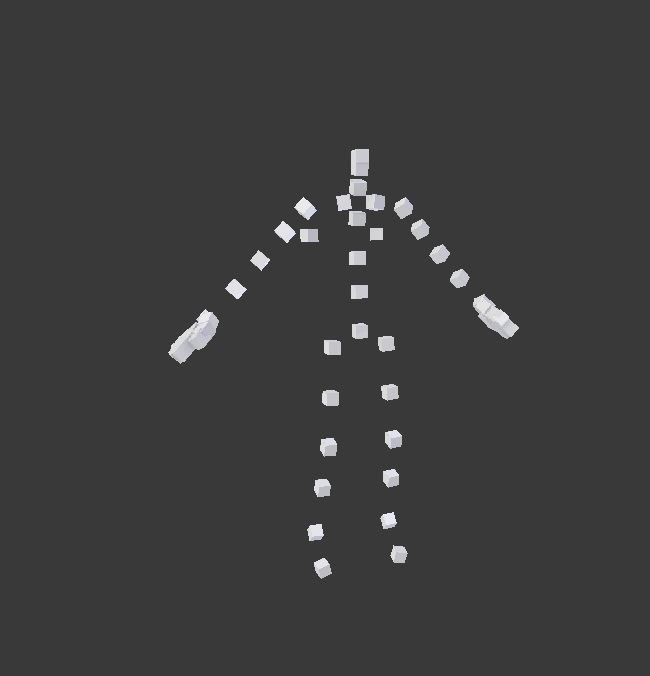 digital steppe
awesome
hopefully this works, thanks for the info @ruby hill, hopefully I can get this working and better the workflow a bit
digital steppe
I can only assume that it doesn't work correctly, because I just used the same pathing and settings on the VBS version, and it worked :/
https://gyazo.com/aa3b9f4596710cb8dcefc8e105d0804d the one on the left is BI's FBXtoRTM, on the right is the VBS one, what I have done is used the original bindpose blocks, and constrained them to my rig, the VBS version works fine, no errors, animation works great, but BI's doesn't even convert, just keeps throwing me an error

I guess BI's one is broken
which is a bummer
was hoping to improve the workflow for others
bold cape
Hi guys, i wanted toc reate my first animation, but i want the player to move around while the animation is played. i.e. a restrained player can walk around and so on
is this possible?
bold cape
Okay, so im going to rig the model in blender and then i convert it to a rtm. But how can i make it a gesture?
ruby hill
I guess BI's one is broken
But I am using it it. So I can say for certain it is not.
Also, how do you have Fbx2Rtm beta?
Are you using binary FBX or ascii?
digital steppe
@ruby hill I told you, it's the VBS version so it's coming up as beta, and you're using the internal version of Fbx2Rtm no doubt, it wouldn't be the first time a tool works internally but not for us modders.
It's FBX
either way, it doesn't explain why the VBS version works, and BI's doesn't
ruby hill
Im suprised the VBS version says (Beta)
It shouldn't
And no, i do not use the vbs tools for my FBX2RTM conversion.
Can you send me your anim and bindpose fbx?
digital steppe
I meant you're probably using the internal branch of BI's FBX2RTM
which would probably be different to what we're using
ruby hill
I am not.
ruby hill
Tried your data, from the log:
Error returned:

Cannot load scene f:\downloads\xms_reload_stand_sg_atch.fbx```So, very likely, the FBX version you are exporting your files in is not compatible.
It is very likely that BI hasn't updated the FBXSDK in their branch of FBX2RTM
that would explain why it works with the VBS version, but not BI's version. (We update FBXSDK regularly) 😄
When I go through BI's tools, I use FBX 6.1 ASCII
ruby hill
damn.. BI's version doesnt log the fbxsdk to the export.log file
digital steppe
I'm trying all of them out right now
the further back I go, the longer it takes to tell me there's an error
which is weird
yea none of them work
I'm assuming they've used it exclusively with motion builder
ruby hill
Correct.
digital steppe
that would be why then
ruby hill
Theres an old autodesk FBXConverter tool around
digital steppe
that's just adding more to the worflow 😢
ruby hill
Howver, it cant deal with any newer fbx from 2015 onwards I think.
Yeh, its complex. Blender however does export old-ass FBX. Which in this case is two wrongs making a right. 😄
ruby hill
If you want to go in cool, writing an .rtm exporter is not hard.
Tho max doesnt to python, right?
digital steppe
max script
beyond me
Oh ha
I think I got it
my bindpose doesn't work for some reason
ruby hill
check the export.log in the fbx2rtm folder
digital steppe
the original one does with an older version of FBX
ruby hill
it will tell you why it fails.
digital steppe
Cannot load bindpose scene e:\steam\steamapps\common\arma 3 tools\fbxtortm\bindposeman_new.fbx
O shit wait, that was made with a new version of FBX too
ruby hill
Yep. Make sure your bindpose is of the same format as your anim
digital steppe
that'd be why then
yea ok all sorted now then, thanks @ruby hill we have a workflow now 😄
ruby hill
told you it was possible 😛
digital steppe
I didn't realize how old I had to go back though 😢
ruby hill
You can mitigate some of the chaos if you like
When you dont specify a bindpose file, the tool will use the first frame of your anim-input as bindpose
digital steppe
I normally animated with the T-Pose as frame one, but I've also realized the usefulness of a bind pose
so, I guess I'll figure that one out eventually
 vernal matrix
Hello all, i'm Trying to export rtm from object builder to test in maya. Is there a trick to find? thanks
strong monolith
Question: is it possible to make a pistol handAnim where you hold it in one hand, like this? I've been trying to get that simple anim to work in-game but the only thing that changes are the fingers on the right hand.
sterile ice
@strong monolith you can't make custom handanims for pistols. You could make your pistol a primary gun and then you could change the handanim
No idea what BI thought by making pistols not compatible with custom hand animations
strong monolith
Ah, that's odd. Well, thanks for letting me know, I'll have to go with the primary route
sterile ice
Good luck :)
blazing panther
@sterile ice How did NIArms do his custom hand anim and reload for the Pistol then?
sterile ice
@blazing panther not sure, you can do custom reload animations but no handanims as far as I've been told. I tried it myself and it didn't work. Maybe there is a workaround that I don't know of.
naive hemlock
^^
blazing panther
Cause hes got custom hand animations and reload. So its possible
I just dont know how
sterile ice
I'll ask him :)
frank mica
Hi everyone. There's some way to calculate the speed in the CfgGestures for a reload animation? I've found some information in the BIS wiki but it's not clear yet..
drowsy nymph
reload gestures use the weapon's magazineReloadTime AFAIK
zealous stone
Speed is 1 second by speed =1 so depends how many frame in the animation
frank mica
@zealous stone So if I have a 120 frames animation and i want it to run at 30fps the speed should be around 0.4?
 sudden socket
are there any animations that are fun to mess with. because i once set my character toswim instead of run and that was so much fun.
At least new animations
zealous stone
You can do if yes override cfgmivesmalesoldier
Look for the Actions and change the animation for run etc
sudden socket
ok
frank mica
thanks!
ruby hill
The speed value is best understood as this:
Percentage of the animation played per second.
speed = 0.5 means 50% of the animation is done after one second of time
Surefire way to calculate the speed value of your animation:
speed = fps\f
That is framerate divided by total amount of frames
I.e an anim take (.rtm) is 125 frames long and was exported at 30fps.
speed = 30\125
crisp berry
@frank mica ^
frank mica
@ruby hill thank you! That was what i was looking for
 tawny mango


 winter fiber
Hello All, Im working on a couple death animations for characters in A3. IVe done a few handanims for custom weapons but nothing that involves a "Cutscene" type animation. Is there anything I should keep in mind when making my animation? A hard cap on frames perhaps?
Im currently following these
http://www.armaholic.com/page.php?id=23432
https://forums.bohemia.net/forums/topic/160314-arma-3-animation-tutorial-from-blender-to-arma-3/
zealous stone
@winter fiber yeah biggest advice is use Maser arma rig , mine was simply a proof of concept method , macser followed it up with a PRO rig and unit and export with Alwarrens tools 😃
winter fiber
I actually using it as some ref, im redoing the whole thing in Maya as I personally dont use Blender
zealous stone
2nd advice is dont use that thieving piece of junks advioce in the second link
winter fiber
Lol
zealous stone
stolle all my righ and tiutorial renamed it his own
winter fiber
Oh that sucks :/
zealous stone
well what suck more is BI mods allowed it knowing full well what he did but hey ho if ya face fiits
seriously though Kiory and macser ya best bet
winter fiber
Yeah. General idea right now is to have death animations sometimes play. So get shot in face and theres a chance your dude or AI fall and do the a death squirm then ragdoll
zealous stone
other than that make ya frames nice and 25-30 fps friendly so i would max out t 25fps
zealous stone
i think there is already som "pain animations " somewher replicate that
maybe just reconfig
winter fiber
Possibly. Currently just worried about making the animation first. Quick simple shitty one
zealous stone
well there is some very apt info about FPS above so go with that and you do ok
winter fiber
Sounds good to me 😃
winter fiber
You tried
winter fiber
Quick question: When making a animation how does the weapon know follow the character? Do I animate the Weapon proxies as well?
desert raven
your skeleton should have a weapon bone
the weapon proxy in the character model is tied to that bone
desert raven
if you look at the grid at the feet of your rig (3dsmax?) and the grid in OB you notice size difference
your animations rig is way larger and thus the animation is upscaled
or export units dont match
in any case that is likely the problem youre facing
also remember Arma needs a reference frame in standard t-pose at the beginning of your animation
winter fiber
Hmm I'll have to try a few import/export settings
There's a reason it's a test animation :)
But thanks I'll try those and figure it out.
winter fiber
welp...its a start? https://gyazo.com/8d01dc482b5647971852cda5e2bbb2f3
winter fiber
Anyone have an idea what could be causing this?
https://pastebin.com/UT0iCXxd
vale otter
Does the animation look normal in object builder?
desert raven
do you have reference frame at the beginning?
ruby hill
rtm does not contain such a reference frame. It is only O2 that displays it at -0.5 so you can switch between deformed and bindpose.
winter fiber
@desert raven the animation has a Tpose at frame 0 and frames 1 - 50 are the arm animation
desert raven
@ruby hill thanks for correcting.
wheres you rig from @winter fiber it might be a problem there too
winter fiber
Kiore sent it to me
winter fiber
I do.
And config.cpp animations.hpp in root
With a anims folder that contains rtm and moxel.cfg
That's it
desert raven
ok that should be in order then.
winter fiber
I can upload it here in bit when I get into work if you wouldn't mind packing and trying as well?
See if it does Mr. Excited hands
zealous stone
whats your center bone for that animation @winter fiber
look like a possible normalise on the x or z and center bone may not be correct so scaling is happening
winter fiber
I brought it directly from a fbx into OB @zealous stone
How do I check centerbone in OB
zealous stone
its a good question without resetting it it lol
i will try and consult my notes but imsure it a right click in the anim window
try the normalisation tho first thats wher i had best luck previously
winter fiber
What do you mean by "Normalisation" is that another mystery button in OB?
zealous stone
yeah
sometimes the x and z step also can be neutralised
it happens a lot in anims tis scaling its an export problem wi h i knew whatcauses it it like a UV thing
winter fiber
Interesting, i will need to try that when I get home thanks 😃
zealous stone
well it can be many orther thing like mask and thinsg lol so its not easy to see sometimes the problem
ruby hill
How do you generate your .rtm?
If you import a mesh into OB and then export the .rtm from there, your animation will very likely be messed up unless you use a neutrally weighted character such as the Arma 3 Samples\Addons\TemplateRTM\male.p3d
The "center bone" mentioned can be disabled from OB's settings. File -> Options... -> Center of Animation
That setting will automatically remove model-space translation of the animation and stores that information as step-values (visualized in O2 as a workaround in the namedProperties)
winter fiber
@ruby hill It was brought Directly into OB, however working with Kiory we found I was doing multiple things wrong from the beginning. Ill be attempting to use the "fixed" animation and we will see if that does anything differently
desert raven
👌
regal dawn
Bohemia Interactive Forums
If, like me, you're not fan of the new walk animations, here is a workaround. I'm basically using the old v1 anims, mixed with the old v2 when moving ahea...
its prob just config changes etc, it should be fine for mp
frank yoke
Can magazines be animated in rtm?
drowsy nymph
no, they're part of the weapon model. Animated in model.cfg
frank yoke
Ye, I was just wondering if there is any other way
It's almost impossible to make the magazines look like they are bieng thrown into the pouch, not just disappear mid-air
blazing panther
Yea A3 animations are pretty basic
sterile ice
Hey, I've made an animation with around 800 keyframes, but when importing it to O2, only the first 250 keyframes will be imported, so I converted my animation down to 250, but this messes up some details, is there a way to import more than 250 keyframes into O2?
zealous stone
jesus thats a lot of frames 😃
there are two windows for animations IIRC a newer one is itpossible to import via that ?
sterile ice
It's just 27 seconds or so and I'm using bvh
sterile ice
Okay, gonna try it
ruby hill
Use FBX2RTM
naive hemlock
@ruby hill the weirdest software i cannot use ^
ruby hill
Its just outdated and doesnt do new FBX versions anymore. (BI branch of FBX2RTM)
zealous stone
dont use FBX to rtm for a BVH
use OB direct after BVH hacker
especially not with the un edited Carnegie bvh
ruby hill
It wont even take BVH, so yeh. Obvs you'd need an intermediate step through some DCC Tool
zealous stone
well OB will do FBX direct but iwouldnt do that either until after Blender or BVH hacker
my destrucible buildings from OFP and A1 used BVH its a good thing but i never tried 800 frames anim :0
for that maybe Disney software is better
naive hemlock
what is the nickname of that very annoying "animator" russian bloke
dawn forge
In arma 3 discord?
naive hemlock
yeah and in skype as well
there is an addon he did with some silent kills anims or alike
 fluid breach
koly9n?
fluid breach
👍
dawn forge
Thats the guy I was thinking of as well haha
vale otter
When working on animations for a custom skeleton do i need to include the facial bones in the animation or do i only use them when working on the facial animation rtm's? Just wondering if i need to go back and redo my rtms and include the facial bones in them.
ruby hill
No, the face bones are a separate skeleton added onto the main one via proxy.
zenith token
added onto... hmmmm ... custom face skeleton here i come 😄
frank mica
Hi👋 anyone know if it's possible to move the memory lod points in model.cfg? translation and rotation
what I'm trying to do is do a launcher be under the arms, so I need to move it a little bit down and rotata it around 20 degrees.. but when I do it the memory points don't go with the model, even having the same selection name..
desert raven
have you made a weapon holding animation where it is like that?
or how are you trying to move it?
frank mica
I'm moving it in model.cfg
            class pzf_position //position
            {
                type="translation";
                source="isSelected";
                selection="camo";
                sourceAddress="clamp";
                begin="mov_axis1"
                end="mov_axis2"
                minPhase=0;
                maxPhase=1;
                minValue=0;
                maxValue=1;
                memory=1;
                offset0=0;
                offset1=1;
            };
            class pzf_rotation //rotation
            {
                type="rotationZ";
                source="isSelected";
                selection="camo";
                axis="sight_axis";
                minValue = 0.0;
                maxValue = 1.0;
                angle0 = 0;
                angle1 = "rad 20";
                animPeriod = 0.0;
                initPhase = 0.0;
            };
the position is right. The problem is: how can make the memory lod(mainly the sight points) be right.
is possible, somehow, apply these transformation on the memory lod as well?
desert raven
I think in man held weapons you may not be able animate the weapon direction like that
zenith token
Model the pzf how it is held when firing in p3d (at a rotation). Rotate it straight when it is on the back -> doesnt matter if memorypoints follow or not
i also rotated my grenade launcher because even at short range nobody would aim that thing straight because of high drop
https://abload.de/img/2018-02-1100_40_16-gl5ouwq.png
 frank mica
I'll try that, thx
zenith token
you can also try to create a "rotate_master" bone and make any parent-less bone child of this master bone. Then rotate the master bone.
 nimble flare
the order in which you execute the animations matters
I used that fact to get this shell ejection animation to work https://www.youtube.com/watch?v=fas-t5wBmc0
lemme check what my code was...
mmmyeah, it's not exactly pretty, but here you go:
            class Cycle_Bullet_Empty_Rotate_1 {    // Cycle (5 / 21)
                type = "rotation";
                source = "reload";
                selection = "bullet_empty";
                axis = "bullet_empty_axis_1";
                minValue = 0.42 * CV_557_CYCLE_MULTIPLIER;
                maxValue = 0.61 * CV_557_CYCLE_MULTIPLIER;
                angle0 = "rad 1800";
                angle1 = 0;
            };

            class Cycle_Bullet_Empty_Rotate_2 {    // Cycle (6 / 21)
                type = "rotation";
                source = "reload";
                selection = "bullet_empty";
                axis = "bullet_empty_axis_2";
                minValue = 0.42 * CV_557_CYCLE_MULTIPLIER;
                maxValue = 0.61 * CV_557_CYCLE_MULTIPLIER;
                angle0 = "rad -35";
                angle1 = 0;
            };

            class Cycle_Bullet_Empty_Rotate_3 {    // Cycle (7 / 21)
                type = "rotation";
                source = "reload";
                selection = "bullet_empty";
                axis = "bullet_empty_axis_3";
                minValue = 0.42 * CV_557_CYCLE_MULTIPLIER;
                maxValue = 0.61 * CV_557_CYCLE_MULTIPLIER;
                angle0 = "rad 35";
                angle1 = 0;
            };```