#arma3_animation
1 messages · Page 15 of 1
 torpid star
headBobMode = 2;
headBobStrength = -0.5;
this is what i use in my climbing animations. it makes the camera follow the head. couldn't tell you exactly what the strength one does though. iirc it does interpolation between animated head bone adn procedural but i could be totally off. it's literally been years sicne i set up those values.
 bronze gorge
none of these result in the desired effect sadly 😦
 zinc wadi
Anybody knows a "hit with the buttstock" Animation?
zinc wadi
Currently in AnimViewer^^
Do you have any clue in wich ACategorie it is in? crawling through everything right now (i dislike the AnimViewer a little bit)
 ruby hill
There is one like that in A2.
should be in the sources
both cutscene and regular from rifle lowered
 nimble flare
not sure if you found it yet, but in case you haven't: acts_miller_knockout
zinc wadi
@nimble flare Thx, gonna check it out!
 desert raven
weapon bone is not in the right place in the animation or its named wrong
 sturdy grove
for AT is "Launcher" correct?
nimble flare
hm, this looks like that age old "AddonBuilder" issue to me, where it will screw up animations during binarisation
if you're interested I can binarise the RTM for you using Mikero's tools, then send you the output file, see if that makes a difference?
sturdy grove
i've like 10/20 hands anims in there. Only this one is affected by this problem
and i use mikero's tools
 drowsy nymph
which one is the launcher proxy in your screenshot? None of them look like they have the correct orientation to be the launcher
drowsy nymph
Yeah, I think the proxy is facing the wrong way so relative position to hands is all off @sturdy grove
should end up in this kind of orientation AFAIK http://i.imgur.com/uZ6BxKq.png
sturdy grove
Trying now!
 dawn forge
anyone know a way to load a rtm to view it as a proxy for positioning seating positions?
like I have a custom .rtm for a driver pose and I would ideally like to be able to see it on OB and not have to restart the game to see changes
desert raven
load rtm on a character save it with 1 frame where it is in right position and in something like yourcar\source\proxy\driver.p3d and load that as proxy
dawn forge
@desert raven if i use male.p3d from samples and try it, then it doesnt recognize it as an actual proxy ingame
desert raven
proxy needs to be named driver.xxx gunner.xxx etc so that the game recognizes it as proxy for said seat
so if you use the male.p3d you get a proxy:pathstuff\male.p3d.001 for example
you can postion it as you want
and rename it to proxy:driver.001 and It should work
what model is used is irrelevant as the config determines what animation it uses
the triangle in the p3d just determines the position and direction
ruby hill
Yep. Most important is to get the naming correct so the engine will recognize it.
These are not hardcoded, btw.
zinc wadi
Meh, acts_miller_knockout wasn't the one i was searching for.
 sturdy flame
@bronze gorge did u use in ur cfg LimitGunMovement param? Try to set it to 0 and headbobMODE to 0
bronze gorge
i just tried it and didnt work
sturdy flame
for me it helps 😉
 drowsy rock
Damn anim viewer opens config entry if i double click too quickly 🤦
ruby hill
Have reload anims always been wonky in Arma 3? Specifically, reloading while standing or crouching, then going into prone while still reloading, this results in the characters upper body still using the standing reload anim```

Yes. This is in issue with reloading anims using the gesture layer. Its basically a technical limitation. A fix for this would be possible, but rather complex.(From Kiory who posted in model makers, not sure why he thinks this channel is dead :D)
 digital steppe
Oh, sorry, I deleted the original message, the channel looked dead as hell with a few messages here and there
Oh well, that's good to know, thanks man
ruby hill
Anims are a rather difficult task that require a lot of knowledge, so the mod making in animation territory is a lot less than say retexturing. 😄
digital steppe
But, like all the vanilla weapons suffer the same issue
ruby hill
Yep. Its a conceptual limitation.
digital steppe
if it was fixable, surely BI.... I may as well not finish that sentence
ruby hill
The way the anim system works is making this a problem. A fix would be turn the anim system into a system of parallel routes with the same state IDs but with different content. So That when you transition from standing to prone, all your anim layers do this transition
So this way your reloading while kneeling animation transitions into a reloading while prone animation. That alone may not be artisticaly possible, too. 😄
digital steppe
the whole thing needs a overhaul to be honest, it's not friendly in the slightest
appreciate the knowledge bomb though 😄
ruby hill
Its the only animation system that is modular, though.
I don't know of any other that does this. 😄
digital steppe
I'm not sure that makes it better
ruby hill
Most games that allow for modding rarely expose the animation component. I know that for the Gambryo engines it is kinda possible, but still a massive hack.
digital steppe
Have you played with UE4 at all?
ruby hill
Yeh
digital steppe
I haven't seen anything as easy as that
digital steppe
I see 😛
Either way, it's a relief to know that I'm not the one breaking things
thanks for your time
I'm definitely going to have to create a new rig though
Todie's still has some slight issues with the arms
ruby hill
What tools are you using?
digital steppe
Mikeros
3ds max for animation, using Todie's rig but it doesn't seem completely ideal for animation, I'll be making my own again soon
like a proper one, not a hack job like I did last time
 zenith token
with some fixes your old one served me thus far (ok i only did static poses)
 naive hemlock
@digital steppe do ping me if you do a CAT rig 😃 i have started a couple (bones and CAT) myself, never bothered to finish em
mainly because of the convulted way of importing a fbx anim into OB
ruby hill
Why would you need to get your fbx anim into OB?
naive hemlock
how would i export a rtm file from max otherwise?
ruby hill
Fbx2Rtm 😃
ruby hill
Everything is convoluted at first.
The key component to fbx2rtm is adjusting the conversion config to your exported data
I.e if you have this in there:
<bone name="LeftShoulder" fbxname="eLeftShoulder">
Make sure your exported FBX has an object called eLeftShoulder
Usually a small cube that copies the transforms of the LeftShoulder bone.
You can also avoid the export helper dummy objects.
<bone name="LeftShoulder"/>
But then your exported FBX needs to have a skeleton and all that properly exported.
I personally go with the export helpers out of habit.
naive hemlock
i'll make sure to ask you next time i wanna export an animation from max @ruby hill, last few times i have used blender's rig by macser because it's just a click away
ruby hill
A big issue you will have with going through O2 is that your RTM export can become skewed, as the weighting and bone positions are influenced by the object you derive them from. Somewhere in the A3 samples is a neutrally weighted soldier, that should be used for modifying RTM
naive hemlock
^^noticed
ruby hill
I believe the FHQ blender thing has a direct .rtm exporter.
naive hemlock
i'm sure you'll need to hold my hand for a bit, but i'm just as certain you will be a gentleman and do it anyhow 😛
yeah but i would much rather do everything in max
ruby hill
If you're into scripting, you can write your own exporter.
RTM is a rather simple format. The big pain is just linear algebra involving matricies 😄
naive hemlock
than switch to a software i don't use for anything else and i am not even close to confortable with
i'm not all that into scripting, especially if i can avoid it, thank you 😛
and you just volunteered to help me out, so there's that 😉
i'll play millenial generation for a bit
ruby hill
Hah, yes. The benefit of FBX2RTM is that you can just batch entire folders. Save out each take as individual FBX (hence why using export helpers is smart, as it makes the file sizes tiny) and then just batch 'em.
digital steppe
@naive hemlock I won't be using CAT, it'll be built from the ground up, I don't get on with CAT as it is
naive hemlock
bone system or native max biped?
digital steppe
Bone system, custom controllers etc
I want something specifically for Arma
that works well with it
or rather, plays ball
everything so far I've used has been junk
naive hemlock
i would have told you that biped system doesn't work as it should, bone system should, i also went into making one myself, custom controllers and IK/FK limits
zenith token
why would bone system not work as it should?
digital steppe
wait what now?
so it doesn't work, but should?
Last I checked, my last rig I made worked pretty well, but the controllers sucked really bad for it
so I relied on Todie's for a while
naive hemlock
let me rephrase - bone system works, max biped doesn't, it needs some end bones
zenith token
its for when you are too lazy to import a proper human with skeleton for scale posing in WIP renders^^
digital steppe
true
naive hemlock
i have used it quite a bit
that said, CAT has anim layers which allows a lot more flexibility and blending between limbs
digital steppe
Well, I'm not sure what's going on with the rig I'm using, but I'm getting all sorts of weird popping issues on the arms etc, could be I'm missing something, but either way I don't get on with the rig, I'd rather make my own that just works, which is going to be a pain....
Pre configure it up with correct poses that matches Arma's base ones as close as possible to avoid issues
zenith token
a finger controller/dependency would be nice, that bends both finger joints equally -> less efford in creating something that doesnt look like some alien limb
digital steppe
Yes I'm thinking about setting up sliders for that
naive hemlock
yeah it is, hence i never actually finished it, plus the fact that fbx2rtm is something that elluded me
ruby hill
weird popping issues
Are your rotations euler angles or quaternions?
Eueler Angle Triplets will give you the old friend of Gimbal lock type issues.
digital steppe
euler I believe
ruby hill
Switch to Quats
digital steppe
I'll be honest though, I'm completely out of touch when it comes to that stuff, wouldn't even know how to switch to Quaternions
didn't even know Arma supported it, and I only know it through skinning, Dual Quaternion
didn't realize it was for rotation
ruby hill
Arma doesnt care about this at all.
RTM is literally just a dump of world matrix transforms
ruby hill
Thats why you can use as many bones as you want, in whatever hierarchy you like
digital steppe
For some reason, the anims are not 1-1 when it reaches arma
bones scale slightly, they pop, look generally weird
ruby hill
Yeh, thats due to skinning of the character meshes
and wierd postprocessing influencing it, such as leg adjustment to surface normals
weighted blending betweeen the anim and your aiming
And that arma linearly interpolates between keyframes, but thats a really minor issue
digital steppe
Yea there's a lot of blending going on which I assumed was causing some of the issues, but I'm convinced it's mostly down to this rig as well, something isn't set up right
ruby hill
the biggest problem I see in arma, and other games suffer this too, is the floating point inaccuracies with transformations that are minimally small
digital steppe
there's other factors as well, like trying to keep the exact same poses as base arma
ruby hill
resulting in object stuttering, kinda parkinson's like shaking
naive hemlock
@ruby hill yeah that pisses me off
digital steppe
well you're clearly well more versed about it than I am, would you mind if I picked your brain sometime?
naive hemlock
and tbh, i haven't see it anywhere else bar arma
ruby hill
I definitely have seen it somewhere else, but I'm hard pressed for a title name
@digital steppe, sure
digital steppe
Appreciate it
a lot of that went over my head so I'll be doing my research in the coming days
I'm just a lowly modeler XD
ruby hill
Yeh. Anims are a super tough topic. Not many anims out there.
And then theres definitely many levels to it. Hand anims for rifles being the easiest
digital steppe
Reload anims are fairly simple as well, aside from the issues I'm having, I have the workflow down, I just need the perfect (or close to) rig to work with
naive hemlock
http://www.anticz.com/eularqua.htm btw, that is worth quick read
digital steppe
oo nice one, thanks man
ruby hill
regarding the earlier mentioned World Transformations:
http://www.codinglabs.net/article_world_view_projection_matrix.aspx
a.k.a. Computer Graphics 101 😄
digital steppe
yay math
ruby hill
I absolutely loathed maths in school. But now... holy eff. its so amazing
But yeh, feel free to ask away. I definitely monitor this channel here, the others not so much.
digital steppe
maybe there's hope for me then XD
ruby hill
Before you dive into this more advanced topic, you absolutely have to get an understanding of vector math
luckily, its simple. 😃
digital steppe
is it... uhhh... linear?
naive hemlock
for me it took a while to understand quaternion vs euler (which is a lot simpler to visualize)
naive hemlock
vector math ftw
 waxen jasper
You are not alone 😛
ruby hill
Yes, eulers are more... graspable.
digital steppe
Anyway, got a release to put out today, thanks for your time lads
ruby hill
and I frequently go back to euler angles when I debug stuff
 fluid breach
@digital steppe before you run off, did you make any headway with OB interface foo?
digital steppe
Talked to Ivan about it, but I'm not really at liberty to say, waiting to see what happens
fluid breach
all good, hopefully something beneficial.
digital steppe
hope so
 median crane
Not related with this but vector, but I'm more poynting vector fan 🙃
 reef hound
Guys, i have a Mocap System. Can i make animation in arma with mocap?
naive hemlock
o'rly? you have a mocap system?
ruby hill
Please do elaborate. 😄
Is it just a rig of Kinect or actually some proper system in a Uni that you have access to.
reef hound
my english is not the best but i try it.
also... I have a Kinect with IPI Mocap Studio 3. I can load a rig from Arma 3. But this riggs a complicated with normal riggs. That is my problem.
http://www.armaholic.com/page.php?id=24138 this rigg is to complicated.. to many Shoulder bones and the sames at the head and soo..
http://www.armaholic.com/page.php?id=23432 this rigg is a littlebit better. But i cant load it on the BVhacker. To change a llittlebit on animation.
first try https://cdn.discordapp.com/attachments/307570455890624513/318060095437012992/GIF.gif
Animation with Arma rigg : https://cdn.discordapp.com/attachments/293362141879074819/320496835439493131/GIF.gif
I want work on it to make smooth and more - test
in unity works great. I export that rig from IPI Studio and load it on the Charakter rigg from my Charakter in Unity. And this is rdy 😄
ruby hill
Kinect mocap is very crude. you'll need at least 2 or better more sensons. The Brekel suite will let you do that. But I havent looked at IPI in over year
Either way, you'll have to do mocap cleanup
reef hound
this works ok... but this is not the questions... the question is: How to Arma rigg on Mocap... I dont think this works great with arma riggs...
ruby hill
Do you understand how to create a rig?
reef hound
yes...
 icy crane
Anyone knows an Animation to play some Helicopter-start-engine-and-take-off?
Or a way to search all of them
desert raven
Like pilot hand animation?
 cursive mulch
@naive hemlock https://youtu.be/znt4xx5FhvM got a better animation then this 😉 ? "rhs_Metis_Gunner" Is this something you'd want? Even if just turn in without shooting? Could save lot's of static gunner's lives.
naive hemlock
@Gunther.S#1326 there isn't a better one, but yeah good thinking there, i would have it without shooting because 3nd person view...in any case, check it with @deft fern
icy crane
@desert raven Yea the ground crew giving signals for the Helicopter to take off.
desert raven
@icy crane Oh ground crew, I thought you asked about the pilot doing stuff. In any case the in game animation viewer is your friend to see what animations are available.
icy crane
@desert raven Any Tip where to look for? I checked pretty much all of the somehow related categories but didn't find one.
desert raven
if there are any then most likely in the cutscenes
though now that I think of it im not sure if there is a actualy category for those
icy crane
@desert raven and barely any of those are working for me, neither with playMove, animate or ambientAnim
desert raven
have you tried switchmove?
or playaction or playmove
theres many commands for running man animations
oh playmove you mentioned
anyhow some of the others might work
icy crane
I tried switchMove to turn them off, I at least become unable to move.
desert raven
dunno what to say, I've succesfully ran animations with these commands.
how are you trying to run them?
icy crane
Instead of changing the init of a certain item I just used the ingame-console from the Editor.
desert raven
switchmove needed to be run after initialization at least, but console should work
are you targeting player or another character
icy crane
YES
switchMove works
whyever playMove doesn't
I always used switchMove to return to being able to walk again.
Oh sorry, I was targeting a player.
One Problem still remains tho... How do I find out the name of the Animation for the Data-Terminal?
desert raven
whats is a Data-Terminal? is it suppose to have animations? animationNames command could work with it
icy crane
The Data-Terminal is this weird box with a satellite, screens and a keyboard.
desert raven
if it has moving parts animationNames should give you a list of them
icy crane
I searched my pbo-directory and ended up with this: sqf _unit = _this select 1; _unit setUnitPos "KNEEL"; _unit switchMove "Acts_TerminalOpen"; sleep 1; [dataterm, 3] call BIS_fnc_DataTerminalAnimate; sleep 5.166; _unit switchMove ""; _unit setUnitPos "UP"; [dataterm, 0] call BIS_fnc_DataTerminalAnimate; _unit connectTerminalToUAV ru_drone;
THis is the Terminal: http://i.imgur.com/6EhHSlk.jpg
With the Proper Delays it looks like he would actually be opening it and typing stuff in there.
However, I don't know how to connect a BLUFOR UAV Operator to an OPFOR Drone via Script.
desert raven
remotecontrol might work but thats more a #arma3_scripting or #arma3_scenario issue
torpid star
can i somehow rename bone names inside an rtm?
reef hound
no, the bones are weighted with the model. you need to change the name in the model.cfg from the character. When you doing this, give a problem with the standart character from Arma
only use it on the new character ( monster with new rigg) and animation is only for this. The Monster or whatever have a custom model.cfg..
can anyone tell me, where is the config for the normal walk animation? When i press "w" i can move. I search the config from this
 hexed hornet
@torpid star what do you want to achieve exactly?
ruby hill
.rtm is a fixed thing. Don't mess with the data inside.
You can hexedit the names of bones in unbinned .rtm files. But not sure why this would help anyone.
reef hound
guys, gives a way to make a animation with gesture? I mean with walk function. https://cdn.discordapp.com/attachments/226444458277732363/322130204577366016/GIF.gif
i cant with my config walk.. but i need it^^
waxen jasper
Hi all, wondering if you can help me with a reload animation problem
For some reason on my latest version of the reload I've done, the fingers on the left hand have become warped and completely broken
The left hand looks perfect in max and object builder, and I haven't changed anything in my export process (to my knowledge)
reef hound
anyone give me a HOW TO for Gesture animations?
drowsy nymph
Don't you just make one under CfgGesturesMale>>>States and choose an appropriate bone mask and IKCurve?
reef hound
i dont know what im doing with that... I have a surrender animation and he dont doing that... i need all bone from spine to head... Bone mask is "ReloadMask" but i dont know what need it in IKCurve..
drowsy nymph
I'd imagine you'd want the curve to fall off quickly since you are animating the hands in to a new surrender position too
I wrote something about them in here on 05/07/2017
if you can scroll up to find it in search
in short, the numbers are in pairs that indicate keyframe times for blending between handanim IK for your current weapon and the hand pose of the base gesture or animation. To be on (value 1) or off (value 0)
reef hound
ok... another ask. Can i make a animation and he has the Hand instantly up? with 1 keyframe or max. 2 Keyframes?
My Weapon is on the back
IKCurve is when 0?
drowsy nymph
well if you don't need the transition you probably don't need to have IK curves, just inherit from Default, where ###HandIKCurve[] = {};
reef hound
ok but which mask is right for that?
drowsy nymph
for the whole upper body? I'm not sure. I haven't looked what masks are available
reef hound
hm... i test it. Thats so confuse
drowsy nymph
mask = "upperTorso"; maybe
is used in class GestureAgonyCargo
            class GestureAgonyCargo: Default //inherits 43 parameters from bin\config.bin/CfgGesturesMale/Default, sources - ["A3_Anims_F_Config_Sdr"]
            {
                speed = 0.080863;
                file = "\A3\anims_f\Data\Anim\Sdr\inj\agony\agonyCargo";
                mask = "upperTorso";
                leftHandIKCurve[] = {};
                rightHandIKCurve[] = {};
            };
Here's a list of masks: https://hastebin.com/obonewibor.php
reef hound
ok, i make a new animation and he has the hands instantly up. with max 1 keyframe. And i make the IkCurves {}; and i use the gestureAgonyCargo...
ah sounds good
https://cdn.discordapp.com/attachments/293362141879074819/322766219545411604/unknown.png
ok, he attached the hands on the weapon
i think i need the mask with NO WEAPON bone
i dont know^^
reef hound
ok works 😃 thx @da12thMonkey#2096 😃 i can run with a surrender animation ❤
waxen jasper
Looks good
drowsy nymph
lol, the running/sprinting with hands up reminds me of a not-so-smart kid like they're over-excitedly going to run in to a tree or something
but it looks good man
waxen jasper
Just to avoid it getting swamped, gonna repost a problem I'm having with the hand on my reload animation, not sure why it's doing it this when it hasn't before: https://cdn.pbrd.co/images/g4Pg9OxzJ.png
 vivid onyx
Hi. I posted this in config_editing, but maybe it belongs here..
I tried making my own .rtm pose for my gunner positions, but the hands wont follow the guns movements. it works when using .rtm files made by other people, but not my own. Any ideas?
I used this for making the poses:
http://www.armaholic.com/page.php?id=24137
 dark hawk
Greetings Animation wizards, Dose anyoen happen to know/have a line on (or knows how) to achieve ARMA 3 character animations (weapon holding, reloads, driving etc) with Maya ?
A member of our team uses maya and is finding geting/figureing out the workflow / skeleton .... fun. So I am searching for any assistance I can pass on to him !
ruby hill
Could you be more precise about "Achieve A3 Character Animations with Maya"? What exactly are you looking to do? Create animations for A3 in general or explicitly reuse A3 anims in maya?
dark hawk
Create animations for A3 in Maya. apologies for the unclear statement.
ruby hill
Ah. Yes, that is possible. But you will require the apropriate rig to do this. There's one for 3DS out there, you could import it and see what sticks, or make one yourself. That would require indepth knowledge of the subject matter.
drowsy nymph
IIRC you need both Max and Maya to perform the operation that transfers Max' CAT rig to Maya/MotionBuilder's HumanIK type rigs
 atomic shadow
Good day! I apologize in advance for my English . I have been creating models of mutants for modification , and at the stage of animation I had a lot of difficulties . I would like to know where to animate the character in blender, or 3D max , and how to be with rig, to take the standard rig ARMA and edit it or you can create your own? I have tried to do animation in both programs , but in both cases, after exporting the animation in the mesh ОБ2 mutant strongly deformed, exported as FBX and RTM . I would be very grateful if someone help me with advice, the basics of animations for ARMA , in the Internet information about only animating a standard character.
naive hemlock
if the mutants don't fit the arma skeleton
you'll need to create your new custom rig, and weight yout mesh to that
you'll also need to define your new skeleton and have the configs point to it
you'll also have to create all the new animations for all stance etc from scratch yourself
atomic shadow
I have prepared a mutant, and did a few rigs , CAT , Biped , normal skeleton , and of course everywhere customized weight points . But still the mesh is deformed
atomic shadow
config necessarily need? Even in the object Builder it doesn't work correctly, the game didn't even try (https://pp.userapi.com/c638723/v638723053/4223d/LhZimqUEH6c.jpg)
ruby hill
Have a look at the source files and configuration here:
https://forums.bistudio.com/forums/topic/201941-operation-blockhead/
That should help you with setting up the data. Only requirement is that your animation data and mesh are OK.
atomic shadow
@ruby hill Very interesting and cool, thanks, it is strange why I not found this before! You have there the model is broken into pieces, head , torso, legs - is it necessary? Just when I studied RTM scripts for max, it said that the skeleton should be split into some 25+ lods etc , because when you create a simple skeleton of all the centers of the pivot points scattered across the model, and should be in one place, this also applies to work in blender? And you did rig themselves , not regify addon?
ruby hill
I used blender here. I split them all into components as this is how arma does vests, helmets and backpacks.
atomic shadow
I got it, thanks , I will study
atomic shadow
https://pp.userapi.com/c637517/v637517053/67fbf/xYjgrUUqM5Y.jpg
It seems to start working, but I can not understand what a problem with the fingers, and only with three, no one came across a similar one?
desert raven
theyre not weighted or skeleton/bone name is not matching
vivid onyx
An idea just suddenly popped into my head, and I want to hear with you guys if its even possible to do.
If I make a physX prop, is it possible to make it move(without it being some sort of man or vehicle)? Lets say if I make a box with 4 legs, and make walking animations. Can the walking animations in itself (of the Geometry and Roadway LODS) make it move forward? or would it just stay still?
ruby hill
I dont think it will work, as the friction needed for any kind of locomotion will not be working as intended.
vivid onyx
lets say you make a box with a lid, and place it upside down
opening the lid would flip the box around correct?
hence making it move using only geometry?
what if you tried something simpler. just a sphere that randomly rolls forward and sideways
wouldnt it roll all over the place?
in that way you could in theory make your own car right?
torpid star
on the topic of pivot models. how would i got about generating a pivot model from let's say the arma 2 rabbit or dog? meaning, not having the full FBX source at my disposal. any experience with exporting FBX from o2 and getting something usable?
i remember having problems with that. can't check myself atm
ruby hill
These cases are very problematic, because you do not exactly know the bindpose.
Here you would have to just guess.
ruby hill
Just yesterday I answered that in the forums. 😄
1sec

Bohemia Interactive Forums
Well a full day in.....


Released on Steam Workshop
Cant thank Mondkalb enough for his hard work


http://steamcommunity.com/...
x3
 umbral niche
Can someone point me to a tutorial on how to make a reload and firing animation?
And I know this is going to be a far stretch, but would anybody be interested in making a musket reload animation, like this https://www.youtube.com/watch?v=SJMbxZ1k9NQ?
It could really help me because I can focus on other area of a project I'm currently working on
torpid star
main problem i have currently is the head turning on the dogs. i moved the "head_axis" mem point already but it didn't help. so since you mentioned gestures and since head turning seems to work in a similar way i thought a pivotmodel could fix that. might be still the model set up itself
atomic shadow
Such a skeleton would do? http://joxi.ru/bmo0np9hx04wL2
ruby hill
Add 2-3 more spine bones
naive hemlock
@umbral niche https://www.youtube.com/watch?v=spdvvwSkT6w

Whoa to Go of getting your character animation into Arma3. This tutorial assumes you already have some familiarity with 3DS max animation in general and/or s...
Whoa to Go of getting your character animation into Arma3. This tutorial assumes you already have some familiarity with 3DS max animation in general and/or s...
umbral niche
Thanks PuFu! I'll save this youtube video in my favorites and study it when I'm ready to do my animations.
atomic shadow
Nothing works out (I created the simplest rig, but the mesh is distorted, the weights seem to be set (http://joxi.ru/DrlbRn9IvQww82) (http://joxi.ru/l2ZlEBQIwZxxdr)
desert raven
connect your thigh bones to the pelvis bone
 dire tree
Single white female looking for help on creating and exporting reload anims from max to arma
realised there's a video above
dawn forge
Its a trap ^
zenith token
"text her, only 19ct per character"
 prime heart
Hello guys, i have a bit animation ( i think ) problem thats why i pick this channel. What the point. I made a weapon, where animation of weapon change on it state (Single, Burst) I can see animation, on 1st and 3rd camera. But when one of my fellas have this weapon, and he switch mode, there is no animation. Is there any way to force game to animate LOD's for other ppl?
desert raven
@prime heart are you talking about a weapon animation or animation for the man whos holding the weapon?
prime heart
Weapon animation holded in hands
desert raven
so a part of the weapon moves
prime heart
weapon animate properly in my hands
or in my 3rd person camera
and same for my mate
but when i look on his weapon, there are no animations
on it.
desert raven
what animation source you use?
prime heart
source = "weaponMode";
desert raven
some of them might be just for local animations and will not transfer over multiplayer
prime heart
and i need this source
desert raven
but also you cant access the weapon animations with scripts
prime heart
hide magazine works fine
weaponMode wont transfer over mp like u said i think..
and there is no way to fix it
omggggg
desert raven
I dont think you can animate held weapons with scripts
as they are proxies on the man
prime heart
Well i will animate this thing with magazine inside weapon / outside
i can via script put magazine and take it off
so animation will turn on / off
 thick karma
Any body got links to documention/tutorials on making animations for static objects like the data terminal ?, I've got a brief case i'd like to be able to open and close.
thick karma
Thanks 😃
dawn forge
To put it simple what you want to do is pretty easy- need a selection for the top of the case, an axis to rotate on and a model cfg to support it
thick karma
Im sure its pretty easy once you know how but there problem is knowing, ill see if i can find an example i can play around with somewhere.
atomic shadow
http://joxi.ru/12MZlMNSMxxKNA The skeleton is late, what could it be?
ruby hill
Looks like weighting is not precise enough.
 sick crest
Hey, does anyone have a fix for third person animation view error? https://gyazo.com/db10407d3ab21da4c42cde98ad1f3c2f
torpid star
@atomic shadow if your weighting is right and this still happens, it might be an issue with FBX import. i remember this vaguely from when i played around with it. you need to import skeleton/anims seperately from the mesh i think. there's no need to have them both at the same time inside OB anyways i think.
just going by that picture though and what i remember. maybe you got some more info?
@sick crest does that happen when you play your custom animation? if so, iirc, you need to animate the camera bone inside that animation. looks like the camera is in default/t-pose position
sick crest
how would i fix that then and yes
ruby hill
Import the anim only from the bone mesh, not the entire skinned character
Exporting .rtm from a skinned character will cause distorted rtm data that is specific to this one character, but what you want is "neutral" weighting for all rtm derived from the same import that is identical to the original animation files.
It has to do with the logic behind the animation data being relative transforms only. If the initial pose they are relative to is offset/distorted, your entire .rtm will be.
torpid star
@sick crest as i said. animate the camera bone. that's how i used to do it. but been a while. maybe there's an automated fancier way.
sick crest
what rig did you use?
sick crest
@ruby hill I can't seem to find how to animate the camera bond
sick crest
@badbenson#0154 ^
desert raven
what rig are you using
torpid star
that one has no camera bone? if not, just add one. you can also get somewhat of an idea where the camera bone needs to be by opening the sample character in OB, adding like a cube or vertex or whatever, making it a named selection called "camera" and then importing one of the exampel rtms.
is what i did iirc. not perfect but better than having it in the ground. i'm wondering how others go about the camera bone though. any good methods?
desert raven
also @sick crest are you exporting your .rtm with the FBX toolbox?
torpid star
anyone got an idea how i would enable weaponik on the launcher bone for a gesture?
tried weaponik = 4; from some launcher related animation class. didn't work so far
sturdy flame
@torpid star what u need to do?
Guys, whats going wrong here with transitions between anim and idle pose? 😦 How to fix it?
https://youtu.be/ko5MU7Ilt1E
all in rtm file going good, but not in game 😦
ruby hill
@torpid star
What exactly are you trying? Check the used mask of your gesture if it influences the launcher bone.
sturdy flame
@ruby hill thank u for ur answer 😃
 vale otter
I'm having problems with my weapon not being in the right position for custom hand animation. It's in the previous animation original spot as shown below in the first pic. The weapon should be lower than where it is now as shown in the object builder pic.
(wrong position)
http://i.imgur.com/Po3KYHb.jpg
(right position)
http://i.imgur.com/5uOz8Ss.png
I was using armarig in blender to make the hand anim, I also changed the bone name of "Weapon" to "weapon"
Also not sure if it matters but when i imported the weapon into object builder, then rotating the weapon and importing the animation. I had to move the gun to get it into the right position with the hand animation.
torpid star
@ruby hill yea the launcher is in there. i realised it will use the weaponik on the currently used weapon, i think atleast. i thought you could just make it use whatever weapon you want.
like lets say. have a gesture that plays when you are unarmed that uses launcher weapon ik
drowsy nymph
@vale otter moving the weapon bone in the handanim doesn't do anything. You'd have to re-position the weapon model in the weapon's .p3d file to have it as low as you want it, then adjust the handanim .rtm according to that
vale otter
@da12thMonkey#2096 Ok, thank you.
torpid star
i'm doing some translation and rotation model.cfg anims on my weapon (launcher) but for some reason the weaponik (handanim) is not following. is that normal or is there a way to make it happen? i already tried naming my main weapon bone "launcher" inside the model.cfg. no luck 😦
hm. not sure if this belongs in the model channel now that i think of it.
ruby hill
It makes perfect sense that it is not following.
Your model.cfg stuff is just a transform in modelspace of your weapon.
To the handIK, the weapon bone of the character is relevant.
It does not care about any bone in the weapon proxy.
Ah seen. Modelchat covered it.
torpid star
yer sucks but makes sense. doing the weapon anim via keyframe anim now. gesture. works great. thx for the answer though.
 rigid dust
What defines man alignment by surface under them? Move config property? Something in the animation file itself?
How it is even called in the engine?
I'm experimenting with body dragging and remote units end up skewed because of this:
https://steamuserimages-a.akamaihd.net/ugc/850468678104895497/7D00C2C8235F9A9105B050EF4E63DBBE8D63ECAE/

Looking for a way to counter this or understand better
desert raven
Legs at least follow terrain surface/ roadway LOD through inverse kinematics that are configured in the movescfg
rigid dust
Is there a name for this feature so I can search more?
desert raven
humm humm @ruby hill would probably know from memory xD But lets see if I can find it
If I recall right its the class BlendAnims and its child classes that control how much IK affected the legs of my mech
each animation is given one of the blend classes
zinc wadi
@rigid dust afaik hardcoded/Ragdoll stuff.
ruby hill
legs = ;
Inside each animation state points to a blendAnims array that defines the bones and their influence to match to the surface normal
rigid dust
Aha, thanks for the info
 vernal cape
Hi to all. I have a problem with handanim for weapon.
I use this tutorial https://youtu.be/Q0ACIBZrNIA
BUT! In Blender, of course, all look good, but when I export this in rtm, I have this
https://cdn.discordapp.com/attachments/289395924378058755/335358100318060546/unknown.png
The first: I export anim from Blender.
The second: In BISkeleton_Edit_Base.p3d I import anim in .bvh.
The third: Export the anim from O2 to .rtm.
P.S. On the screen .rtm result.
torpid star
so the problem is those bones sticking out to the left? looks like some finger bones have no key frames maybe but really hard to say from the picture
desert raven
@Basher#0855 I would guess that you have wronglly named bone there. I would suggest you use Macsers Arma Rig for animations as it has everything set up ready for Arma.
vernal cape
@desert raven thanks, I will try.
reef hound
Yes @vernal cape , i have the problem too. I use that Rig and my Handanim doesn´t work. When i try manual with cfgGesture over "Player playActionNow "MyAnim"; when works perfectly. I dont know why
desert raven
wrongly configured animation class?
reef hound
need my HANDANIM a config definition?
reef hound
for a axe
desert raven
yeah those are tricky because how the hand placement with weapons work
thats just how it is
you only have control over the hands and fingers
the engine calculates the arm positions
reef hound
hmm.... for example: The Handanim use only the finger and hands?
desert raven
pretty much
reef hound
yes ok. but why works with gesture and playActionNow? thats so crazy
desert raven
2 totally different things
reef hound
yes i know.
desert raven
then thats why it works differently
reef hound
but what i need to change in the anim or in config?
desert raven
to do what?
reef hound
the animation in the axe config - Handanim
desert raven
all you can do is find good position and angle for the hand bones
so that the engine aligns the arms
though it probably never will be perfect
as its not meant for holding melee weapons
 wispy glade
his problem is that the hands and fingers are being horribly distorted
i think it's an IK problem but i read that 2 years ago, i have no clue how to fix it
desert raven
whose problem?
wispy glade
marshmallows
desert raven
thats usually just bad weighting
or bad animation rig
well could maybe be the IK too.
many things to go wrong
wispy glade
the weighting is BI, he used Macsers Armarig so i would exclude those two
looks like an IK problem to me but i don't know where to fix it
desert raven
nope its not that
for some reasont he rtms bones are scaled too big
so something wrong with the export process
macsers righ should be in 1,1,1 blender scale by default but its easy to mess up too.
desert raven
yeah I would think so
when using blender I would advice usin FHQ Toolbox and export directly from blender to rtm
makes things a lot easier
vale otter
i have the same problem when using macsers armarig, i export using the toolbox but i havn't really looked into or tried fixing the problem. I just made my hand animation in object builder... Will probably try to find a fix for it sometime soon.
probably something to do with my model.cfg
reef hound
i dont port it to fbx. I port it directly from blender to RTM...
desert raven
still the "tree hands" is result of wrong skeleton scale when exporting.
reef hound
And that makes a difference between"gesture" and "Handanim" ? BI-animbullshit
desert raven
ah yeah thats the IK
you guys need to get your questions straight
@Skyllio#5776 showed this
whichs is result of scaled skeleton
would be better if only single person provides info on a question asked.
this is result of how the weapon holding inverse kinematics work
on there probably is no workaround
its not supposed to be used this way
hmm except maybe new moves set
but I dont quite know what that requires
reef hound
but how to change ? where is the path ?
desert raven
you cant change it
reef hound
lel
reef hound
i cant overwrite the cfgmovebasic?
reef hound
but exile axe works perfectly with IDLE animation... confused
desert raven
ask them then.
reef hound
no Helpful information
desert raven
from exile makers?
dawn forge
You didnt even ask in their discord
Im pretty sure its a gesture though, I could look in a little bit
 violet barn
nope, the handanim/idle of an axe is not a gesture
its an actual "normal" handanim
if you need reference just look at any launcher handanim
the twisted arms might be that your launcher bone is twisted
desert raven
is the axe in exile a pistol, rifle or launcher
violet barn
idk how they did it.
I configured it as a launcher, because there wont be launchers in my mod and for the sake of haveing a melee and a primary equipped at the same time
the fact that most launcher animations are designed similar comes in pretty handy
the easiest to to the anim is to import the axe model into blender attach it to the bone and then wrap the fingers around it
reef hound
@dawn forge: i have a contact with the exile maker... i have information, but not the right information.
in exile is the axe a launcher with IDLE animation. And the Swing animation is a Gesture. But the handanim of a launcher or something fucked up in arma. Thats not funny and make me really mad. Gesture works fine with IDLE animation. i dont unterstand the crap of BI.
desert raven
The IK system is build for different kind of holding. It works as intented.
Sure it limits what can be done easily
@violet barn could be onto something with the weapon bone being twisted, that would break the IK even more.
and the gesture animation would ignore it
dawn forge
@reef hound you have info but not the right info? Maybe post your configs and we can look and see
torpid star
in the second pic it looks like the axe needs to be rotated first of all
the old dayz kind of way that most melee systems use lay the weapon on the shoulder because that is closest to the default full body launcher anim
rotate your axe and redo the hand anim for hte rotated one. that should make it into a good base atleast
just imagine a normal launcher as teh handle of a melee weapon. that should give you all you need to set things up right
torpid star
rotated where? inside its p3d?
take a look at some sample launchers if you can find some. basically put the axe blade where the back of the launcher is. should be a no brainer
to make things more clear hopefully.
the launcher bone has a fixed position inside the launcher movement animations. that is where the origin of the launcher p3d will be. same goes for orientation.
so if you want the axe to be angled you will have to rotate it inside the model and stuff. it's hacky
and make the handanim once you have everything in proper position and rotation or you'll confuse yourself about what is what. i've been through the same thing recently
reef hound
yes inside of the p3d.
My animation/Handanim is this https://cdn.discordapp.com/attachments/293362141879074819/335744883824394250/unknown.png
and i have rotaded it so and so and my anim gliched...
I create a cfgGesture with that anim and works. I dont no why. I tested later again what you say
torpid star
you need to read up on handanims and how they work. i've been trying to explain but i know it's confusing. it's very limited. what you have there is very hard if not impossible to make work with default handanims
again, that is the reason why the classic dayZ method has the axe resting on the shoulder exactly liek a launcher. it's a workaround
desert raven
I was thinking that maybe just moving the launcher bone around and flipping it to different directons would work to find out if any positon for it works with the arms. As its not the model of the weapon that is the issue but the placement/rotation of the launcher bone?
torpid star
nah. as i said, unless you want to make a whole new s3et of animations for walking and running for just that axe you will have to work with the launcher bone position and rotation inside the default animations
i tried having the model rotated and stuff the other day. it works but it was too hacky for me. gets complicated down the line
torpid star
i'm working on a melee system right now and i resorted to using gestures. it's not ideal but atleast it allows for a modular system without having to find weird angles inside the model for each new weapon
i wish you could set a mask for the handanim for each weapon like you can for gestures but i guess that wouldn't look as good as IK
reef hound
oh =/
torpid star
yes sadly that is the appropriate face to make
zenith token
-> why i wouldnt even poke melee with a long stick
bayonett stab would be the maximum for me
torpid star
@reef hound you should go with traditional dayZ way like i described for now so you have something playable. you can always play aroun with more hacky ways
reef hound
yes show in the next time
vale otter
How do you get a characters hands to follow the handles of a custom turret when it rotates? can't seem to figure it out, was able to get them to follow the rotation of the vehicle's steering wheel but not the turret. At the moment the character doesnt move when rotating the turrent.
here's my model.cfg https://pastebin.com/qxz4fwrR
and here's the config.cpp https://pastebin.com/kkZTpGwa
and here's a pic of my memory points and lod 1 selections if it helps.
http://i.imgur.com/UWvL6FO.png
http://i.imgur.com/c32xN4U.png
drowsy nymph
gunnerLeft/RightHandAnimName should be one of the bones defined in the model.cfg
selection Gun in your case by the looks
vale otter
@drowsy nymph Thanks, i got that working. How do i get the character to bend down when rotating the gun upwards?
drowsy nymph
that's a bit trickier, need an invisible bone/selection that has a translation animation that uses the same animation source as your gun, and apply gunnerLeft/RightLegAnimName to that bone
when the invisible bone translates, it'll move the feet with it, so if the feet are moving in a vertical axis, the legs will bend/compress or extend
gunner proxy needs to be influenced by the gun animation source as well to some degree else the feet just start to levitate
vale otter
Ok i think i know what you mean. Is the invisible bone just an empy selection that has no points?
drowsy nymph
no, it needs some vertex at least
 ripe lotus
Is anyone active in here?
torpid star
sup?
ripe lotus
hello, I am really starting with animating. I need to do a "fake turret". I got this code from John Spartan : //TURRET ANIMS [ATFLIR POD]
class pilotCamaraX_main
{
type = "rotationY";
source = "pilotCameraRotX";
selection = "pilotCamaraX_main";
axis = "axis_pilotCamaraX_main";
memory = 1;
sourceAddress = "loop";
minValue = "rad -360";
maxValue = "rad +360";
angle0 = "rad -360";
angle1 = "rad +360";
};
        class pilotCamaraY_maingun
        {
            type = "rotationX";
            source = "pilotCameraRotY";
            selection = "pilotCamaraY_maingun";
            axis = "axis_pilotCamaraY_maingun";
            memory = 1;
            minValue = "rad -360";
            maxValue = "rad +360";
            angle0 = "rad +360";
            angle1 = "rad -360";
        };

        //END OF TURRET ANIMS [ATFLIR POD] that I put in models.cfg. In the same file I added these : ...
"pilotCamaraX_main", "",
   "pilotCamaraY_maingun", "pilotCamaraX_main",
"flir_pos", "pilotCamaraY_maingun",
"flir_dir", "pilotCamaraY_maingun"
... in cfgskeleton . In the p3d file I got two memory points specified: flir_pos and flir_dir. John said I have to build the turret/camera memory points in model of this jet. Which points except flir_dir and flir_pos did he mean?
What I want overall is to have a PIP screen that shows where the pilotcamera is pointing
Now it just points forward
torpid star
not 100% sure but i think the model channel is better for this question. usually they discuss a lot of model.cfg stuff there. or maybe post it there too for better coverage since it overlaps
ripe lotus
ok then, thank you
torpid star
those two anims don't reference the flir_pos and flir_dir mempoints though
ah i see they are child bones
drowsy nymph
he's trying to add them as childs of the skeleton
which isn't really necessary - you can just select both mem points and make the pilotCamaraY_maingun selection
torpid star
oh it sounds like he doesn't have teh parent ones inside hte model
drowsy nymph
but are you trying to add this camera to the gunner's turret or the pilot turret?
torpid star
sorry but it's so hard to read in that format lol
drowsy nymph
okay
ripe lotus
I can post it again
torpid star
"Which points except flir_dir and flir_pos did he mean?" you need the parent ones too
ripe lotus
which are...? 😄
torpid star
"pilotCamaraX_main", "",
"pilotCamaraY_maingun", "pilotCamaraX_main",
"flir_pos", "pilotCamaraY_maingun",
"flir_dir", "pilotCamaraY_maingun"
that is the skeleton
drowsy nymph
as I said, you don't need flir_pos and flir_dir in the skeleton really. It'll be easier if you just make another selection that contains both points and call that one pilotCamaraY_maingun
drowsy nymph
same way you named them flir_pos and Flir_dir in the first place
ripe lotus
and how it will correspond to the model?
torpid star
do interpolation arrays work on gestures? i've never seen it but i thoguht maybe it's like accidentally still in there as a functionality
ruby hill
Don't think so. It took us extra work to make it work.
The gesture tech was left half finished as it was for A2.
Afaik A3 still doesnt have a gestureState script command.
torpid star
yup sadly
 grim escarp
Is it possible to have an rtm animation play on a vehicle?
dawn forge
why not just a regular animation with a model.cfg
ruby hill
No. .rtm on vehicles is not directly possible.
violet barn
what do I need to make an animation which leaves the player in a certain position
I want to make an anim where the player holds his weapon infront of him as long as he doesnt move
violet barn
nvm just found out
 regal dawn
is there some list of "actions" -> gunnerAction= "";
i need crouaching/kneeling animation
 torpid hemlock
can anyone tell me why my bipod isn't rotating on the specified axis? Note: if i set type="rotationZ" i get the same result
{
type="rotation";
source="bipod";
sourceAddress="loop";
selection="Bipod";
axis="BipodAxis";
memory=1;
minValue=0;
maxValue=1;
angle0="rad 0";
angle1="rad +60";
};
 sleek island
@torpid hemlock probably you missing the autocenter = 0 in your geometry lod
also you dont need the sourceadress and memory in your animation
sleek island
👍
 stoic marsh
Hello is there a free available Animation for "Attention" i don't find this animation in the default animations of Arma 3.
desert raven
testing out conversion for different sized characters
works quite well
in editor at least xP
zenith token
this man deserves a medal...
ruby hill
If you're going for a new movement set for a new type of character, go for this as well as an extra ;)
https://gfycat.com/DarkRadiantGrizzlybear
 desert raven
❤
naive hemlock
i'll PM you when i have more time on the subject, i already have a couple of kids modeled 😉
desert raven
Right-o
zenith token
pufu this is not how you create kids...
desert raven
xD
desert raven
you dont sculpt them from clay and strike them with lighting?
zenith token
ok, in arma world it makes sense... there are no women, so thats the appropriate way i guess
zenith token
poor girl
desert raven
yep
just need to get all the animations converted
and it will work
then the some/most of the animations need to be adjusted a bit
for it to work great
but it will work
ruby hill
Fun fact: The children in VBS use regular anims scaled to 75%.
dawn forge
I can't wait to be a child or a female in my favorite lifemods!!1 /s
Serious though, work is coming along nice 😄
 blazing panther
Women smaller targets to hit haha
160cm seems so small
@desert raven How does weapon scaling go? Does an M4 looks extra big?
desert raven
😄 I've heard now that quite many people are.
dawn forge
I WANT IT NOW there have been no updates on this womans project in a few hours, is it dead? Dead mod!
/s
😄
desert raven
@dawn forge Yes in the past couple of hours I decided not to do it because so many people wanted it.
dawn forge
@desert raven knew it, I am going to now get angry at the fact that something someone else is creating and putting their time into, is not in my hands this very second
desert raven
Maybe I will continue on the project and release images but never actually release it
I will keep it all to myself
sleek island
you know how arma can justify having kids ? just name them dwarfs or gnomes 😄
desert raven
🐫
torpid star
awesome stuff!
i'm wondering though, if only scaling anims wouldn't be a more modular way of doing things. that way all the male vests and stuff should work but just be smaller right?
i'm thinking by making a new skeleton and all that you limit yourself needlessly since you use all the same animations anyways. just thinking out loud here. probably missing something
desert raven
@badbenson#0154 I dont know if scaling would work, but wouldn't it mean that the original model would have to be created very deformed to scale into right size
and that would not even guarantee vests would scale appropriately
especially if the dimensions of the newly scaled model are not the same
like broader or narrower shoulders
if the height scales to say 0.8 and the width to 0.6 it would start to look bad
torpid star
yea if you are doing broader shoulders. thought you were just scaling overall. i guess you could make a workflow that allows it but not worth it probably.
desert raven
yeah I guess so
torpid star
this will allow different body types though with just anim scaling. that'll be interesting too. i could swear i saw that in VBS or something. do you think the additional adjustments you werre talking about could be somewhat automated too? like having a UI for each bone with offsets or something?
desert raven
yeah vbs has a body type/height scaling
probably made with scale factor applied to the bones
torpid hemlock
I'm using ArmaRig to create a hand anim but for some reason the hand positions won't move vertically in arma3. I imported the .rtm into the arma3 charcter example .p3d and it looked how it should have.
https://pasteboard.co/GFR5r8v.png
https://pasteboard.co/GFR5Amb.png
https://pasteboard.co/GFR5g3q.jpg
naive hemlock
static hand pose is in direct relation with the weapons bone
not sure you moved that bone up, or just the mesh you imported yourself
drowsy nymph
I think it's been explained about a dozen times that this isn't how handanim works.
Handanim only uses the pose of the hands and their position relative to the weapon bone
they will not move the weapon ingame
torpid hemlock
@drowsy nymph I don't want the weapon to move I want it to stay where it is, I need the hands to move down to be placed properly on the rifle but when i try to move it vertically in the .rtm it's fixed at that location.
torpid hemlock
@naive hemlock weapon mesh is unselectable and i did move the weapon bone
drowsy nymph
move the weapon bone in the imported .rtm, upwards a little
 hearty oar
Hello, I need help with my animations, I need help making a model config and the bind pose, Im new to modding anyhelp would be appreciated
torpid star
@hearty oar as i said. ask specific questions and you will be helped. what do you have so far? what character are we talking about functionality wise? human (using weapons and all stances) or animal...etc...etc...etc
 robust prism
I-Is she flipping us off?
desert raven
Yes. Although it is really just a bad animation transformation I think it is also meant to be.
desert raven
torpid star
wow. good work man
desert raven
Thanks! @badbenson#0154 some kinks still remain
and its possible some I cant solve without BIs involvement
but I'll try to get it as far as possible
torpid star
you mean the sunken hands when crawling?
desert raven
those are result of the conversion to different sized skeleton yes
but clipping like that is a minor issue
torpid star
not a deal breaker though. i can't imagine this beign much of a thing outside prone anims, right?
desert raven
what I meant is more weapon and vehicle related
torpid star
ah
desert raven
but thats a bridge to cross a bit later
ruby hill
What issues are you facing that may need BI's fixes? They solved the skeleton-mismatch CTD when sharing equipment.
zenith token
he was hypothetically speaking - if there was one there may be more
desert raven
The weapon holding is one for now. Since they are loaded straight from file I cant change that and the hand positions do not translate properly and the hand skeleton scale is off compared to the smaller hand of the new skeleton
torpid star
ah. that makes sense.
and interesting to ehar about the CTD fix. i remember me and rupprt having that issue with the raptors. good to know for updates
zenith token
the CTD fix was for when you enter vehicles with a non-malehuman skeleton iirc
regal dawn
i think the fix mond is talking about is when a char with a diffrent skeleton tries to wear a standard vest/uniform which caused a CTD
when he released the lego mod BI fixed that
zenith token
ok i guess i should just shut up then 😄 i do not belong here
regal dawn
😄 me neither i don't understand animations
torpid hemlock
Can anyone direct me to tutorials for bolt action rifle animations and using a reload animation for the cycling of the bolt?
dawn forge
There aren't tutorials for stuff like that I don't think (google = friend here), just need to make the animation and use the reload source to move components on the weapon
torpid hemlock
thanks i've had a look but i could really find much of use
oh i stumbled across this will give it a try https://forums.bistudio.com/forums/topic/182380-weapon-eventhandler-framework/
nimble flare
I'm having too much fun animating weapons https://drive.google.com/file/d/0BwwiH6XRpUWOblNRZ19EWnZ6eWM/view
and yes, I do know that this is not a "good" way of doing it, as the empty shell's animation will still follow the weapon bone even after ejecting, but it'll only be visible for a split second
besides, it's this or no shell at all - I certainly know which one I'm picking 😛
desert raven
cant use particle effect shellcasing like vanilla weapons?
nimble flare
nope, I sank more than a few days into testing that, and it's just not possible to do it in a reliable way
not to my knowledge anyway
I tried firing a dummy muzzle with a delay so as to match the bolt cycling animation, which is set to have the bullet casing eject at that time, and while the concept works, it comes at a price
desert raven
how do did you fire the dummy muzzle?
nimble flare
it means you get a muzzle flash effect (as in, the dynamic light - I was able to remove the muzzle flash effect itself), the ground dust effect, and the gun smoke effect at the end of the barrel
I fired it via scripting commands using https://community.bistudio.com/wiki/fire
desert raven
you tied it to fire eventhandler?
nimble flare
oh, the other problem I ran into is that while there is a setWeaponReloadingTime, there isn't a getWeaponReloadingTime, which would have been really useful
indirectly, yes
desert raven
cant you just create particle?
nimble flare
I tied it into a script I made that itself triggers on the fire eventhandler, which is intended to only start the cycling process after I let go of the firing key
you can create particles, yes, but the bottleneck with that idea is you can't get the exact position/direction of the bolt
there aren't enough scripting commands to calculate the direction of flight of the particles, let alone the position of the ejection port
desert raven
does it matter? it spins out anyway? if you animate it on the weapon to the point its pushed out and then hide that and do the rest with particle?
nimble flare
the transition between the two would be pretty bad
using both an animated casing AND the particle effect would be especially problematic, imo
if anything I'd like to fire the casing particle directly from the ejection port, which isn't possible because I can't determine the direction vector nor the position vector of the ejection port
it comes down to the fact that we cannot get the up(), right() and forward() directions of a character's bone
desert raven
you can get weapon direction
nimble flare
that's not enough though
desert raven
and players up direction
nimble flare
that will not take into account things like leaning, or lying on the side
and if it doesn't take that into account, you already can't determine a 100% correct origin position for the particles that works in all cases
from what I can see, it's all or nothing
so I went for "nothing" and found another way
desert raven
the engine creates the default shell particle into the right position
you could perhaps steal that position
nimble flare
I already looked into it, there's no way to access it with scripting commands unfortunately
it's one of these things that is just hardcoded
which is why I later tried to use a dummy muzzle to trick the engine into firing the casing when I wanted to, but like I stated earlier that comes with its own set of problems
either way, I'm happy with what I have now 😛
desert raven
Would the particle show up in near objects?
also you could maybe calulate the postion from weapon direction and weapon position (from player selectionPosition ["weapon","firegeometry"]) and known offset for the right position for the particle to fly out
nimble flare
perhaps, but even if I could - if I'm going to use the engine-generated particle, I won't need to know the direction or position of the ejection port any longer
since the engine already handles that when spawning the particle
but to reiterate, the reason why I decided against using a dummy muzzle was because the engine will also do things I don't want it to do - such as spawning the gun smoke and ground dust effects, aswell as illuminating a small area around the weapon's muzzle (especially visible at night)
which in turns means I won't be using the engine generated particle
desert raven
no I mean you ccould create just the particle with drop command
nimble flare
right, but then I'd have two particles?
nimble flare
but the second muzzle would have to drop a particle for me to use the nearObjects command to find it and then determine the position/direction of the ejection* port from it
and that is if the particle even shows up in that command's return list - which I doubt
desert raven
well you could maybe calulate the direction to the side of the gun from the weapon direction and weapon position
nimble flare
I'm not sure how I'd go about doing that with the scripting commands that are available
nimble flare
mkay, now I need either the weapon's up or right direction
doesn't matter which one, as you can determine the 3rd missing axis via cross product
desert raven
yep im looking into that right now
trying to get a hold on the idea I feel lurking in the back of my head
nimble flare
(while I appreciate your help, don't put too much effort into it on my behalf, as if it turns out that this doesn't work - as I am expecting - I can always go back to using my animation-driven shell ejection 😉 )
besides, I've said it before that there are other fish to fry than just getting the position/direction of the ejection, and they're no minor problems either
let's just say that we're dealing with orca-sized fish here 😄
desert raven
no no its somethinh I may need anyway
I feel like I've done this before too
just cant place where and for what
some test some time ago
nimble flare
most likely we've ran into the same issues
the last time I attempted this was less than a month ago
and I'd be using that system if it worked
desert raven
my test with this was couple of years ago
involved swords I think
and Im pretty sure it worked
never built anything on it tho
nimble flare
honestly, I think this looks good enough 😁
https://www.youtube.com/watch?v=-5dBpVar8Gs
nimble flare
sure
from previous testings I can already say it looks convincing enough
the shell disappears outside of the screen, so you get the illusion that it does in fact physically fly out
nimble flare
desert raven
Well id say this is partially succesful, though it needs a bit more refining. https://www.youtube.com/watch?v=LzyphQkjBYY Also no idea if it would work in MP. x9
nimble flare
well I'll be damned, that looks very consistent - how did you obtain the 2nd vector?
ah, I think I see the magic - your vectors are calculated based on both hands' position in relation to one another, correct? 😛
reason I'm asking is because I saw the shovel rotate around its own axis towards the end when you were saluting
desert raven
thats actually fixed
I was using pistol proxy selection and the weapon selection from fireGeometry but realized the pistol is attached to ther right hand and wont work
there is a bit of magic number calculation there but the vectros are pretty close to the real even now
I switched to weapon selection from memory and weapon selection from memory LOD and firegeometery and altered my magic numbers a bit and now its allll related to the weapon selection and moves only with the weapon bone.
no if only BI ran 4 named memory points into their models 😄 or actually 8 so we get both hands
hand point + 3 axis directions from it
I may just do that for my own models
nimble flare
sweet!
I'll have to check that out in the future, but for the time being I think I'll use my animation driven system, simply because it looks flawless in slow motion... 😄
regal dawn
@desert raven can you beat someone into ragdolls with that shovel? 😛
regal dawn
i think as long as it is a thingX it would work
how to do you move the shovel? setPos setVectorUpAndDir or some setvelocity or even addForce 😮
desert raven
setposATL and vectordirandup for now
attach to semi worked but it rotated in double speed
regal dawn
yea attachto is wonky
desert raven
I suspect the attach to already added direction and I added on top of that
the shovel isnt X object
but I'll try with something else
oh wait it should be
hmm hmm
xD set the shovel mass to 10000 and now it pushes the player xD
desert raven
no
I've done that with at hand attached tank tho
in my previous test long time ago
everything weightinh a lot ends up pushing the player behind
and fast
attach to would negate that
attach did stop the pushing
but it still doesnt seem to make damage
would need that tank attachement
desert raven
yeah the attached tank doesnt seem to work anymore :C
oh wait
attached to the man itself it does
😄
yep
tank works
I can make melee with this
 zealous stone
or invisible heavy blocks 😃 https://www.youtube.com/watch?v=fxBHN-opopU
zenith token
melee with tank? like this? https://youtu.be/bS5P_LAqiVg?t=17m22s
desert raven
pretty much yes
 tidal copper
anyone know names of repairing animations?
desert raven
Animation viewer in game is your friend.
ruby hill
 desert raven
Yeah! Why no cake for us!?!?!
desert raven
@hidden raptor not in arma we wont ;D youre just as bad cakeTease as Mondkalb 😛
zenith token
boring, how about this instead? I define the skeleton and the game automatically learns how to use it? ^^ https://www.youtube.com/watch?v=pgaEE27nsQw its pretty funny
torpid star
nah. we need to simulate everything! let's go to the cellular level instead https://www.youtube.com/watch?v=CXTZHHQ7ZiQ
that stuff is crazy. haven't even finished watching
drowsy nymph
Max is better so long as you have an animation rig for the A3 character
nimble flare
character animations can be done in 3DS Max or Blender, whereas weapon/vehicle animations (bolt movement, doors opening/closing) are done in a text editor and previewed in Object Builder
desert raven
your axis is not in the center of the wheel
zenith token
i dont see the issue... its a trademark of Life mods...
sick crest
@zenith token Some of us actually want to make a better name for the life mod scene. It's hard though when there are pedofiles, constant content stealers though
 broken tendon
wait there is paedophilies culture in altis life servers?
sick crest
I don't wanna get into it, but yes. Apparently the young children of life mods are a good target for those dirty predators.
torpid star
"Some of us actually want to make a better name for the life mod scene" you just did the opposite times 1000 by educating us all that there are ALSO pedos next to the content stealers...lol
dawn forge
yea.. stealing doesn't exactly help a mods cause
sick crest
well yeh there is that. @torpid star , doesn't help at all really
 icy dome
Hey guys sorry if this is the incorrect place, I am working on a short film project for my Milsim and I am trying to use the breaching animation for a particular scene. However I am having difficulty properly lining up the units, I was wondering if someone knew how to properly align them so when the animation begins they are all aligned properly and are not clipping through buildings or each other?
 subtle needle
Good morning everyone o7
I'm looking to start making my own character animations, is Kiory's tutorial still relevant?
Also can we use a skeleton provided in A3Samples?
Any push in the right direction will suffice and be mostly appreciated!
Also, is there a reason why A3 character animations are hard to find any recent documentation of?
desert raven
@subtle needle there is about no documentation for arma animations probably because its tedious to write down. You can use the skeleton in the samples yes, but I dare say simplest way and fastest results are achieved with Macsers Armarig for Blender and FHQ Armatoolbox for Blender. Config vise there is the wiki page for cfgAnimations that explains some of how the animation classes work and studying the animation configs should get you started.
subtle needle
Thanks for confirming atleast 😃 Will give it a try and go through the usual A3proces of learning something 👌 !
desert raven
Im certain that for the actual "creating animations in your selected 3D/animating software" there are loads of software specifc tutorials. The getting them to run right in Arma part may be the more tricky part, but there are stuff written down too if you go through MacsersRig and FHQ toolbox threads on BIforums
regal dawn
Hey! Anyone know if its possible to use animations on a proxy item?
zenith token
define "use on". You can move/rotate/hide the entire proxy but thats it
drowsy nymph
bipods and dynamic loadouts magazine/pylon proxy objects can be animated. Others, no
regal dawn
Ahh its for a machine gun on a tank
drowsy nymph
might be able to do it with one set up as a dynamic loadouts gunpod, but I don't know if anyone has seen whether it works on tanks yet
regal dawn
👍
desert raven
megadeth if both models are made by you, you can put the MG mesh on the tank model
poly limits are flexible enough for such
zenith token
you can put a lowpoly version via proxy on the tank in exterior LOD, but a highpoly mesh inside the first person/ gunner LOD
thats how i did mine
regal dawn
Yeah both models are mine. that will probably work fine i was just thinking i might be stretching the limit
desert raven
technical limits are in millions of polygons
OB may have issues after few100k
but make good resolution LODding and you should be fine
subtle needle
@desert raven Regarding our earlier conversation; I just accidently stumbled upon this. Gave it a quick read and this looks like what I needed actually. I assume most of this is still relevant?
https://community.bistudio.com/wiki/Arma_3_Modding_Characters
desert raven
in principle yes I suppose its sound. Dont use 3dsmax so can comment on the procedure
what was it you wanted to do again?
whats the goal
subtle needle
I do, so I'll give it a try! I actually just wanted to create a character animation, but after seeing monds lego-men I want to try out a bit more. From what I understand, I need a rig in 3DS for the animation.
So the short term goal is to make my own animation; something silly like a wave. But I'll probably try more.
desert raven
for Arma man animation I would not recommend your own rig
a lot can go wrong
for more custom stuff then yes
but for just the arma man stick with the sample skeleton
waxen jasper
@subtle needle For 3DS, I'd reccomend looking at Toadie's rig
He has a good video going through the process: https://www.youtube.com/watch?v=spdvvwSkT6w
and the rig is linked in the description
 tawny mango
Anybody know how the animation catagories are defined in animation viewer?
subtle needle
thx @waxen jasper & @desert raven , I am having so much fun with this 🙂
waxen jasper
Yeah, no problem 😄 I agree getting animations into game can be pretty satisfying
subtle needle
does anyone here use the kinect setup? cuz I'm planning to for some basic work...
Seems really handy to be able to quickly register movement in MB and adapt where needed, seems to work very well with CAT rigs.
torpid star
@tawny mango i think it could be done through the name conventions in the actual animation class name
but just guessing. might be using some other config parameters to determine the type. look inside class default inside states inside cfgmoves. it has all possible animation properties i think. maybe you find something
 rocky remnant
Can anyone explain to me how offsets work
For rotation animations
Have no idea how they work or what they do
 hidden raptor
the only offset related to a rotation/axis is axisOffset, so an offset along a rotation axis i guess
drowsy rock
For custom animations, do you all manually keyframe in something like 3ds max?
ruby hill
Yes
rocky remnant
so im trying to do a door garage
with different panels
but im having issues with animations
hidden raptor
is it possible to delay animations in a model.cfg ?
hexed hornet
by using minValue and maxValue you can somehow "delay" an animation
 thin temple
@rocky remnant offsets aren't used in rotation animations.
You should have minValue, maxValue, angle0 and angle1.
offsets are used in translation animations
The distance moved = distance between axis memory points x offset value
A good way is to set offset0=0 and offset1=1 then adjust the separation between memory points to be the translation you require.
rocky remnant
@thin temple I'm trying to create a sectional door garage and I'm trying to get the panel to go up, rotate 90 degrees, then move back
thin temple
So you'll need a translation animation, then a rotation, then maybe another translation (or reversal of the first if it follows the exact same path)
put in two memory points for the translation, one at the start, one at the end - name them both something like door1_move_axis
thin temple
yes probably
thin temple
if you include the translation axis memory points in the door bone named selection that gets rotated, that should work
rocky remnant
so bone the translation memory points with the door
and rotate the whole door 90 degrees; this will rotate the translation points as well
thin temple
"door1", "" in skeleton to define the bone
include translation points in door1 named selection
when door1 gets rotated, so will the translation points
rocky remnant
"door1","",
"door1","door1_translate"
rocky remnant
can you get an animation to work between another animation?
desert raven
if you time it right with min /max value or script then yes
rocky remnant
Getting a little bit of progress. If I call two animations with the same source, and that define that one source in config.cpp, would it work?
dawn forge
Can you move the body in armarig w/o moving arms? would like to move them on keyframes individually
dawn forge
anyone know the config value or a method via script to stop players being able to spin around when in a looped animation?
desert raven
👌
dawn forge
forceAim=1;
is it - will not allow spinning of character while in looped/any animation
would require overwrite of baseclass or inherit default arma anim if needed for that
 bold cape
Hi, which .p3d file should i use to create my own animation in blender with the rig system ?
drowsy nymph
Use Macser's rig instead
dawn forge
bold cape
nice thanks :D
dawn forge
You also need arma 3 blender toolbox
bold cape
yeah i have that already installed
 dense sonnet
Is there an animation name for when a unit deploys their bipod?
 orchid crest
hello! whats the max no of bones per vertex?
ruby hill
4
 patent jetty


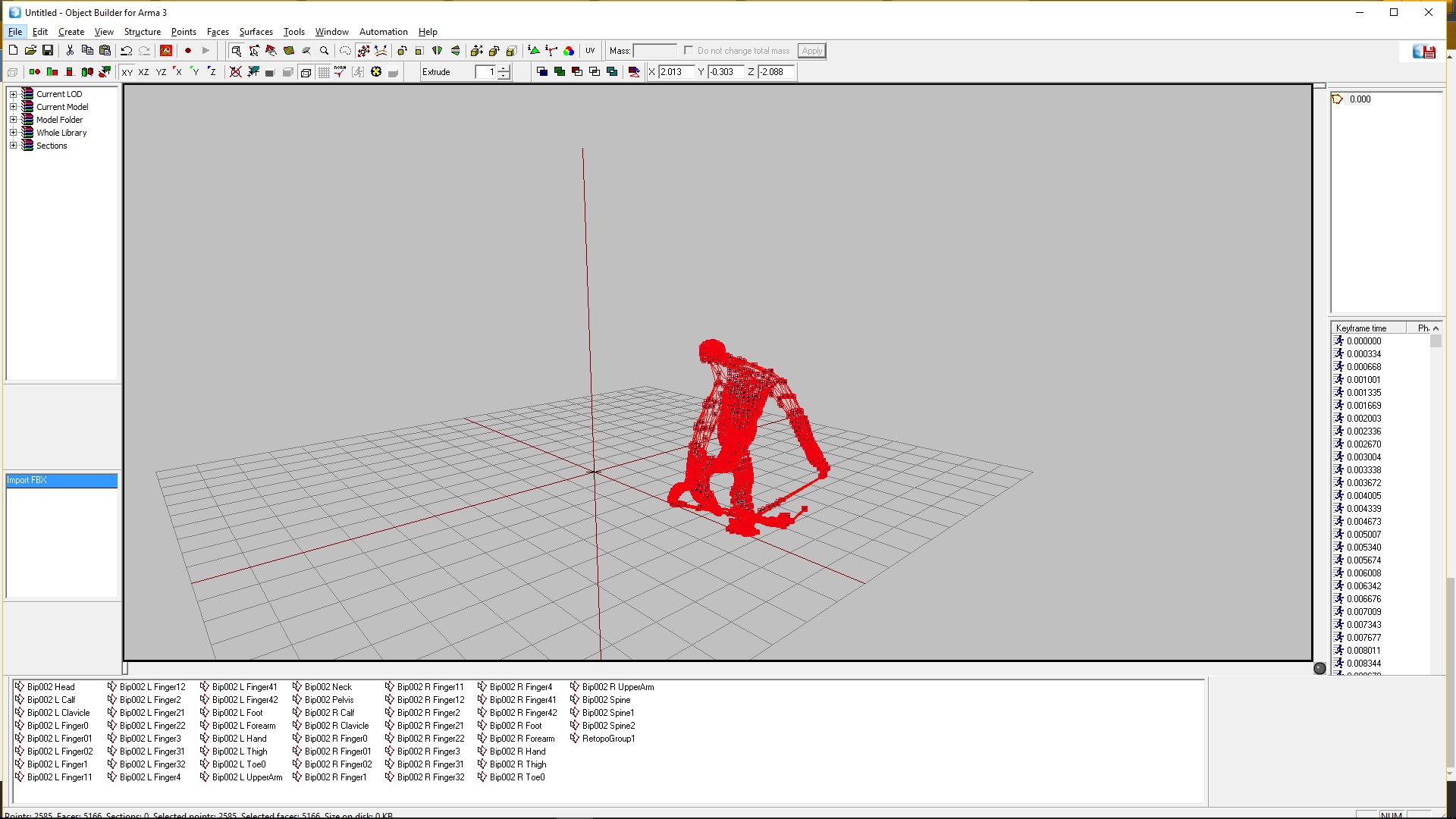
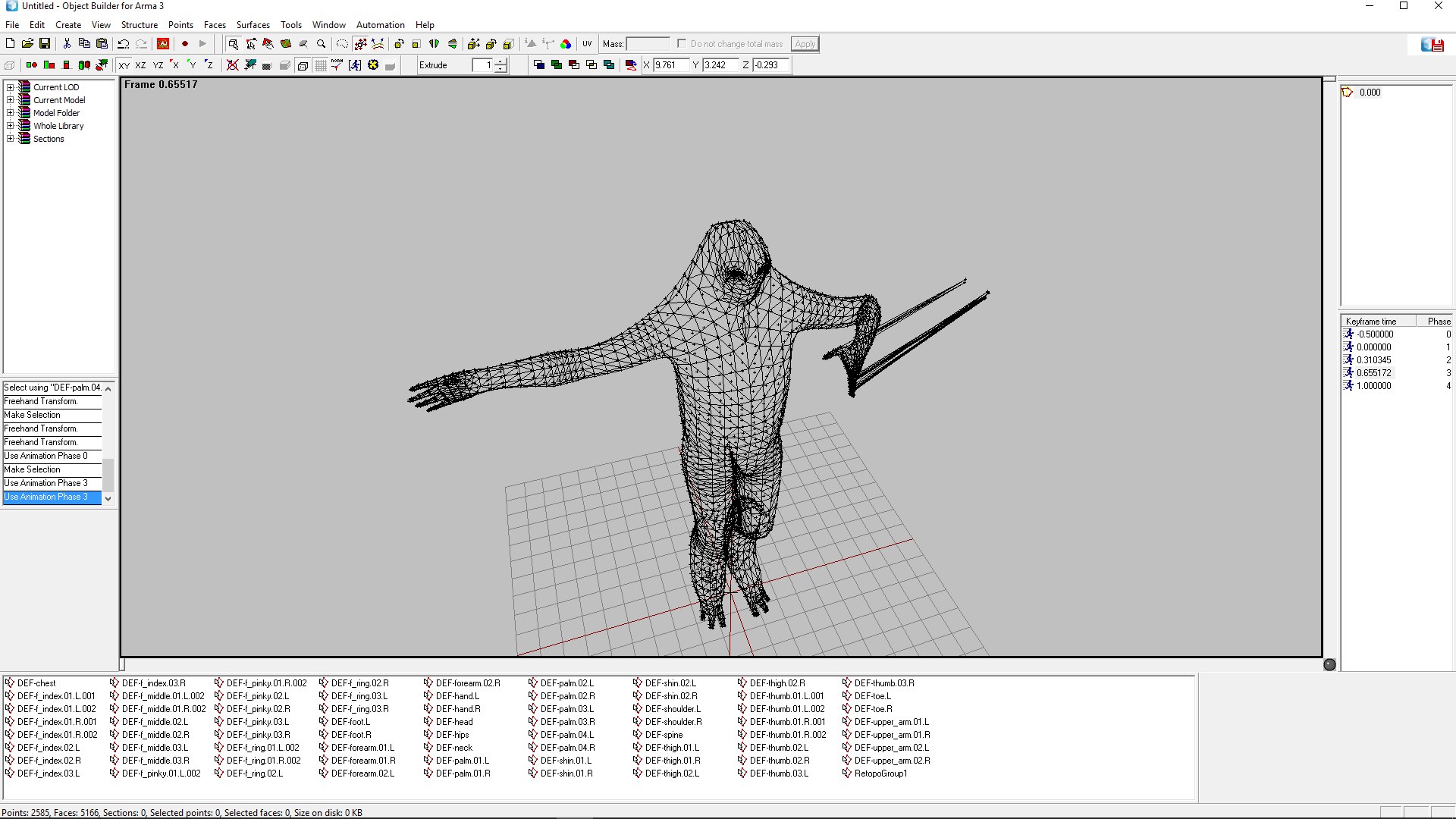


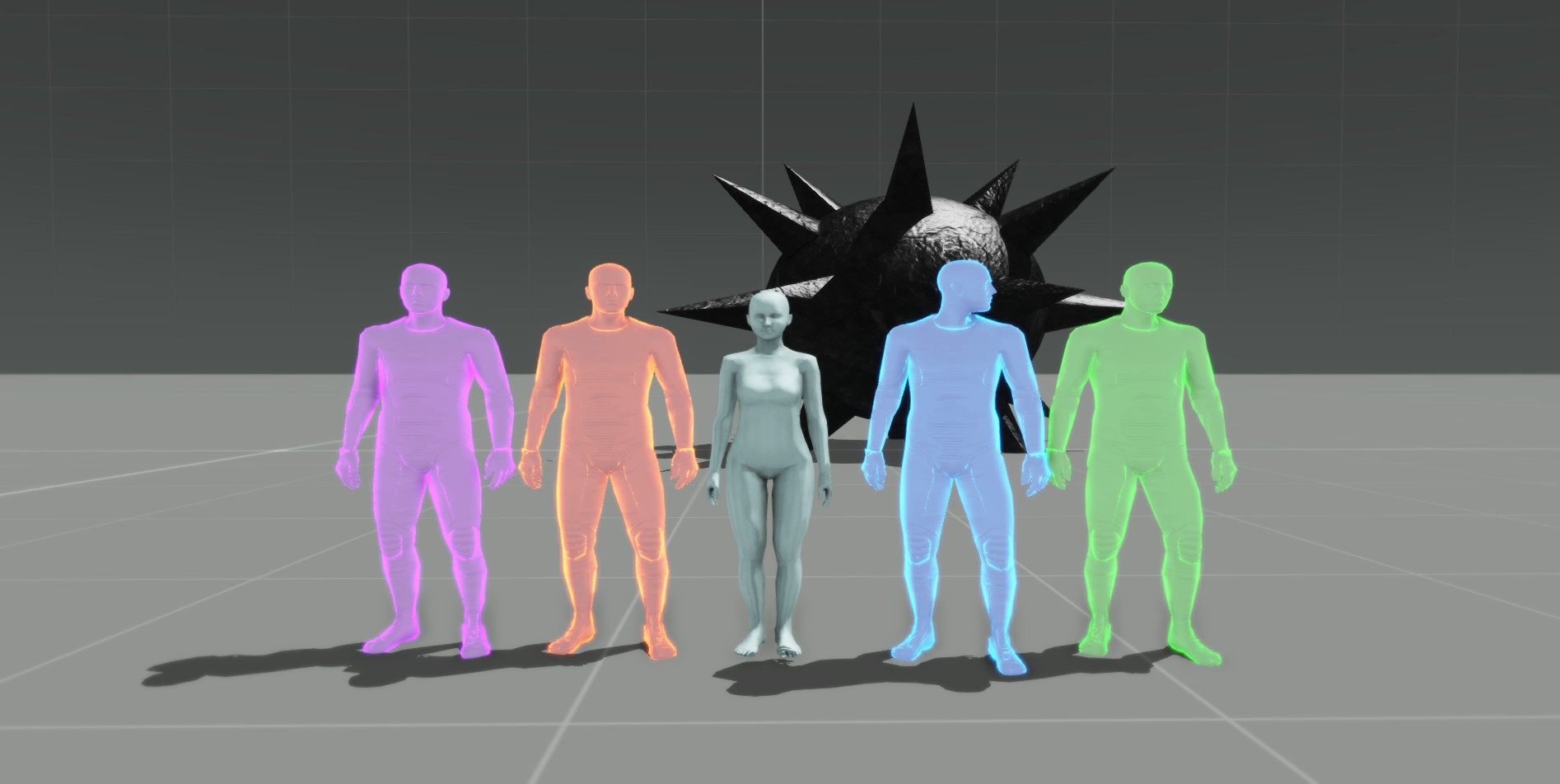


 glacial hatch
@agile sierra https://youtu.be/4g5p6b-ZZ5Y?t=2m41s
I would actually be impressed if someone made that into a character animation ^
 acoustic oar
@dense sonnet "animation name for when a unit deploys their bipod?" well the source used in the weapon is "bipod"
dense sonnet
I don't think there is a name for the action though
desert raven
where have you looked?
dense sonnet
everywhere! I think bipod deploying is done with item positions rather than a traditional animation
bold cape
How can i create custom holding positions for my weapons ? With a animation or can i just copy a proxie and change the position ?
desert raven
@bold cape check out FHQtoolbox and Macsers Blender rig threads at BIforums
@dense sonnet I think deployment animation RTMs and configs are in P:\a3\anims_f_mark\deployment if you have A3 data unpacked
dense sonnet
Thanks buddy, I will have a look