#arma3_animation
1 messages · Page 11 of 1
 zinc wadi
 sturdy grove
i'm wondering if the A3 animation can be replaced
zinc wadi
"" Is it possible to have a custom animation when a weapon is deployed?""
I gave you the command to check it.
Then, you should ask the right question 😉
 granite leaf
you can replace the A3 animation through the config.cpp
I belive it is something like CfgMoves???
but you will find it in the animation viewer
sturdy grove
@zinc wadi I will next time, thank you for your "help"
@granite leaf I will, I didn't check if there's one for all, or every weapon can have one
granite leaf
there are only 3 weapon switches the devs have made for all weapons: primary, secondary and sidearm
but atm, I don't think you can have specific animations played for specific weapons (unless it is scripted)
sturdy grove
clever system then 😃
granite leaf
yea
If you want to create an animation for a specific weapon, then your best bet is like what I had above: waitUntil {(currentWeapon player) isEqualTo "YourWeaponClassName"}; switchMove "YourAnimation";
sturdy grove
a really bad way tho
and from the comment of "AgentRevolution", probably it will exit the rested state
i've to check
"AgentRevolution
You can force a unit out of bipod or resting with:
_unit playMove "";"
granite leaf
yeah, it will exit the rested state, unfortunately.
actually switching weapons while resting will exit anyway 😕
 bold ember
@granite leaf it's ok man, just recently switching weapons whilst running was announced so give another ten years and they will make it not exit Kappa
granite leaf
Ok, cool.
Hey guys. I have 2 questions regarding about skeletons. 1. Is it safe to freeze a termination bone, since I am not using it. And 2. How do I create facial expressions, and is there anything special that I need to do for the head of my skeleton? I know that BIS has made a facial expression skeleton in a separate .p3d from the main skeleton, but I am not certain if I should separate mine too? - Thanks! :)
 ruby hill
Face anims are a different topic that I haven't seen any community person work on. However, it can be done easily. 😃
But be aware that you are limited to static face expressions only.
The technology allows playback of multiframe anims for faces, but the playback speed is hardcoded.
Have a look into the head configuration, subclass "Grimaces" of the default head class.
Also, depending on how the blend masks for head and eyes are set up, you may experience bugs with head movement that is stored in the face animation file (i.e. head tilting). But its an easy config side fix.
granite leaf
Ah, okay. Yeah the only facial expressions of a xenomorph is its jaw and maw, so it is probably best if I include it in the skeleton xD. Speaking of its maw, is it possible to make it move on a Z axis?
granite leaf
I know bones are used to rotate parts of meshes, but is there a way I can make the maw (if anyone is wondering, the maw is the little mouth that xenomorphs use to finish off their prey) move on a translation axis?
ruby hill
Via .rtm files you can do rotation, translation and even scale.
granite leaf
Awesome. Cheers! :D
 last heart
where can I find the rtm files for the weapon reload animations?
 tired needle
I think scale gets ignored during binarization, each bone has a translation and euler rotation but nothing else.
Unless you just mean the effect of scale you tend to get when joint distances increase.
 zenith token
maybe because he forgot the bone / or exported it wrongly ? If reload animation blends between normal pose and reload, that could be a possibility... not sure if head is counted for reload... i thought it was just arms, but i've never done reloads so far.
granite leaf
In 3DS Max, is it possible to use the Spline IK Solver on a standard bone? I do not want to redo another hour or so on painting weights.
granite leaf
Nvm, did a test for myself and it works.
 thorny plinth
Im trying to attach a mounted MG to the top of a unarmed hunter using
_aircraft = _this select 0;
HMG_EX = "RHS_M2StaticMG_WD" createVehicle position _aircraft;
HMG_EX attachTo [_aircraft,[0.2, -2.2, 1.4]];
It works, but the animation when the gunner gets in is of him standing up point a weapon. Can this be fixed?
It works fine with AI. Also put this in Scripting help, was unsure where to put it.
 north oasis
any one know why since 1.58 my animations all just crouch down and dont actually work how they did post 1.58
class AinvPknlMstpSnonWnonDnon_medic;
class CL3_anim_kick1 : AinvPknlMstpSnonWnonDnon_medic
{
file = "cl\cl3_anims\kick\anims\kick.rtm";
speed = 0.55;
looped = 0;
soundEnabled = 0;
disableWeapons = 0;
minPlayTime = 1;
ConnectTo[] = {};
InterpolateTo[] = { "AmovPercMstpSlowWrflDnon", 0.1, "AmovPercMstpSnonWnonDnon", 0.1, "AmovPercMstpSrasWpstDnon", 0.1, "Unconscious", 0.2 };
};
ruby hill
CHeck the baseclasses and where they come from. Possibly something changed in them and now yours are inheriting the "actions=;" parameter.
Either set up correct baseclasses or add the correct actions parameter.
north oasis
i have just tryed this
        actions = "NoActions";
        collisionShape = "A3\Anims_F\Data\Geom\Sdr\geom_empty.p3d";
but at the end of the animation the unit gets stuck in the last fram of the animation

you can get out by playing another animation ontop of that but this is not how it worked post 1.58
sturdy grove
Hi there!
We're trying to create some hands animations and reload animations.
One thing is not perfectly clear to us is the weapon position.
We're using Blender.
Here the anim:
https://images-2.discordapp.net/.eJwFwVsOhCAMAMC7cADKu-ptCBI0akugZj82e_ed-ap33GpTh0ifG8B-zsJj11N45FZ1Y253zf2cuvADWSSX46kkE2zCaNEYFxC9X5ILYDFGl6IPaFaPq0EHL13EH9Kdmvr9AQcfIt8.n56i_RizcgqiNRV9QIMu0r-GMp4.png

As you can see it's really close to the body, not as in Blender:
https://images-1.discordapp.net/.eJwFwVsOhCAMAMC7cADKo1D1NgQJmlVKoMaPzd59Z77qGZfa1CHS5wawnzPz2PUUHqkWXZnrVVI_p858QxJJ-bhLkwk2UrBkjEMi75foECyF4GJ0Bgk9RbsiPO3T-G26t6p-fwbFItw._DexpIuh-lx5CyQWIMeHTt7-S1Y.png?width=400&height=295

My question is, can the rtm "edit" the weapon position or i've to move the weapon further in OB and then tweak the rtm?
 naive hemlock
weapon position is given by the weapon bone (small "w" for A3)
check \Arma 3 Samples\Addons\TemplateRTM\Male.p3d edit 1.0 lod
you'll see where is the bone axis positioned
for the blender rig you're using (i assume is the one realeased publicly) it doesn't really matter where your mesh is. it matters where the bone (the one that you are exporting) is
in short, if the position of the weapon in relation to the OB (0,0,0) world axis is the same as the A3 sample provided
then bone axis is somewhere in from of your trigger guard
so in short to answer your question: you don't need to move the weapon mesh, you need to move your bone in blender
@sturdy grove ^
 nova cairn
I'm trying to make a simple elevator object, but I have several issues with the way i design it right :
sturdy grove
Thank you Pufu 😃
nova cairn
i used the sample door pattern, and switch rotation to translationY
1 : in OB, the elevator goes up to 10 units (min/max value=0/10, offset0/offset1 = 0/10), but in game it only move to 1 unit.
2 : the roadway follow the animation, but because of the way arma is designed, an unit placed on the raodway need to be in movement to be "linked" to the elevator, if the unit is static it ignore the roadway moving up (not very clear explanation ^^)
this must have been done before, and I think this is possible to a certain point (arma remains arma), any idea or link ?
(found a solution for 2 : make multiple layer of roadway, and place it a bit more distant from ground , it's a bit bumpy, but that will do the trick i guess :p)
naive hemlock
there was a bloke who did an elevator for arma, don't temember his name
nova cairn
i'm using : statement = ([this, 'Elevator_1_translation'] call BIS_fnc_DoorNoHandleOpen);
but i think there is a batter BIS_fnc_ that could do that elevator translation, any idea ?
 hazy olive
anyone else is having trouble with gear and man animations being broken since 1.58 update?
rpt is spammed with Obsolete skeletonSource OFP2_ManSkeleton
and Error: Bone *** doesn't exist in skeleton OFP2_ManSkeleton
it used to work before 😃
hazy olive
it looks like the skeleton was changed or so. not even the already binarized animations work anymore
hazy olive
all of a sudden all animations that we have had stopped working
and the RPT is full with Obsolete skeletonSource OFP2_ManSkeleton now
i have not seen any information that this skeleton is obsolete now
after the last tools update it stopped working
ruby hill
Check ingame in config browser what the skeleton is that is defined in cfgMovesMaleSdr >> skeletonName
I'd be surprised if they changed it from OFP2_ManSkeleton now.
last heart
is it possible to move an animation to a higher position through config?
I want to have an animation that is for a turned out gunner to be about 2 m above the proxy
or do I need to make a new animation?
naive hemlock
new animation if i understand this correctly
 drowsy nymph
You could animate the proxy position in the vehicle's model.cfg I guess. So that it moves the whole proxy when the animationSourceHatch or whatever is active
last heart
yeah I did so and it works exactly like I wanted lol thanks 😄
 torpid star
@EM: you should consider making the elevator a vehicle with seats that use a casual idle (as in standing in an elevator waiting) animation. i've been briefly trying to help someone solve the elevator thing with script-fu and it turned out to be just the usual frustrating arma shit. like we synced velocity at some point but arma made the character play the falling animation and shit.
probably possible in some crazy hacky easily breakable way but i'd still say do the vehicle thing eventhough it soudns really weird. best i could come up with at least (didn't execute on it but should work just fine).
 blazing fjord
May be possible to use setPos at a fixed interval
or lerp between the starting and end point through a parametric function
 lapis elm
I'm not sure what the effect of that would be performance wise though, I don't think it would be horrible, but spamming global commands nearly every frame isn't the best idea
blazing fjord
of course not
lapis elm
AttachTo would be another alternative, but then you are unable to move your character and camera which isn't fun
blazing fjord
send a command to all client with the information needed to animate the elevator
just needs one broadcast
send the begin and end position, the duration it should take for the elevator to reach the end point, and then on the client, interpolate between the two positions for the given duration
hmm
actually
elevator would need to be local to each client
scratch that
well actually
if you want a smooth transition, the elevators could be local to each client and synchronized upon actions
lapis elm
And the player's position?
blazing fjord
each iteration of the elevator position would also update the position of the player within the elevator
add the delta Z to the player
to ensure that nothing bugs out (such as the player falling through the elevator), this would be calculated each frame during the duration
also reducing lag from a scheduled environent
lapis elm
Using setPos? It wouldn't kill the server but a global command every frame is generally not a good idea
blazing fjord
I didn't say run a global command every frame
You send out the command once to all clients
and then the clients process it from there
lapis elm
But setting your position isn't done locally, everyone needs to know about it
blazing fjord
hmm
lapis elm
That's why badbenson's idea seems better to me
blazing fjord
yea
what kind of elevator is this? where is it going to be used?
is it inside a building or is it a fancy elevator that people can see externally?
if it's just one inside some elevator shaft, it can be abstracted with the player requesting to go to a certain floor. doors close, pause for however long it should take to reach the floor. player teleported to the elevator "room" on that floor. doors open
for an illusion of an elevator
other players may seem to mysteriously vanish though
this would be the most performance friendly solution
and in fact this is how it's done in Battlefield 4
building off this idea: let's say a group walks into the elevator
a player requests to go to the next floor
the request is sent to the server > the server waits for a moment > teleports all players in the elevator to the next floor
this way it's synchronized
torpid star
ye but by determining the player's position via script you basically lock him in place unless you do your own scripting to control the character but that seems beyond overkill.
blazing fjord
my last solution only does setpos once
torpid star
so might aswell do attachto or what i suggested. not goign for best looking but kind of simplest and "cleanest" solution
torpid star
shit. let me read that lol
blazing fjord
it's like Battlefield 4's solution for elevators
torpid star
ye. could be cool
blazing fjord
just go into an elevator, push the button, server then pauses and teleports everyone in the elevator to the next floor
torpid star
yea. could walk around and shit
blazing fjord
mhmm
torpid star
nice music in the background
lapis elm
Yeah just depends on how someone wants to go about it. Using your method you could actually have the elevator model on every level of the building and then only show it after someone hits the button and the doors open
blazing fjord
^^
lapis elm
Pretty creative solution
blazing fjord
yep -- all depends on how you want to go about it
lapis elm
I think part of the reason battlefield did it though was the fact that it would have been a very long elevator ride
blazing fjord
if you have some fancy exterior elevator that's on the side of a building, this solution may not be the most believable, lol
lapis elm
Wasn't the elevator to the top of a gigantic tower?
blazing fjord
that, and they'd have about the same problem as we're having right now
yea, the elevator was on a big ol' skyscraper 😛
was fun running between the two elevators, opening and closing them, trolling the enemies
 minor valley
Seems like the surrender animation is broken due to the "switching weapons while moving" feature. If you have a weapon and if you're crouched, surrending doesn't work and the player is stuck in a weird animation loop. Does anyone have a command to force the player to stand up ?
minor valley
Also, looks like holsering a handgun (by using this: player action ["SwitchWeapon", player, player, 100]; ) is broken and the player is defnitiley stuck in an animation loop until he selects another weapon
minor valley
Is there a list of different masks that can be used in CfgGesturesMale ?
 real bane
i dont know a mask , but for sure if you know some basic from blender and object builder its easy to make animation and use it instead of arma 3 gesture if you want rig of bug 😛
 austere orbit
Is it possible to make a paddling animation, so you actually have a paddle and the boat moves
real bane
It's hard to animated the finger of a character . I need to make a driver animations but when i need to rotate the finger... the bones are completly broken
 sturdy flame
Hello guys!
minor valley
hi
sturdy flame
guy, who skilled with custom skeletons or animals for arma?
cuz we doing animals pack and i dont know how to port it in p3d and apply anims 😦
lapis elm
Looked at the Test_Animal_01 sample?
sturdy flame
I FIND SOLUTION!!!!
YEAH!!!
Now we can make any custom skeletons and creatures!
😈
minor valley
I'm looking for someone that can make a reload animation for my air gun weapon model. Would be paid ofc
 crisp berry
@minor valley contact smookie and see if he has time
minor valley
Error 404: smookie not found
minor valley
Last active on BI forums: January 6
naive hemlock
@minor valley check with @rare peak
 wild wagon
anyone know how to edit weapon recoil? im not saying just in a scripting way, im talking about animation as well
default arma 3 recoil is appaling and immersion breaking, the only mod with fairly decent recoil is Veteran mod
zenith token
then why don't you look at how they did it?
wild wagon
even they didnt do it 100% right
and they are russians, they dont care to talk
if you played squad/insurgency
i want that level of smootness
is that possible in arma is all im asking
minor valley
Any idea why this happen : https://i.gyazo.com/186ef70301b42890b6db5fdd499bc183.gif ?
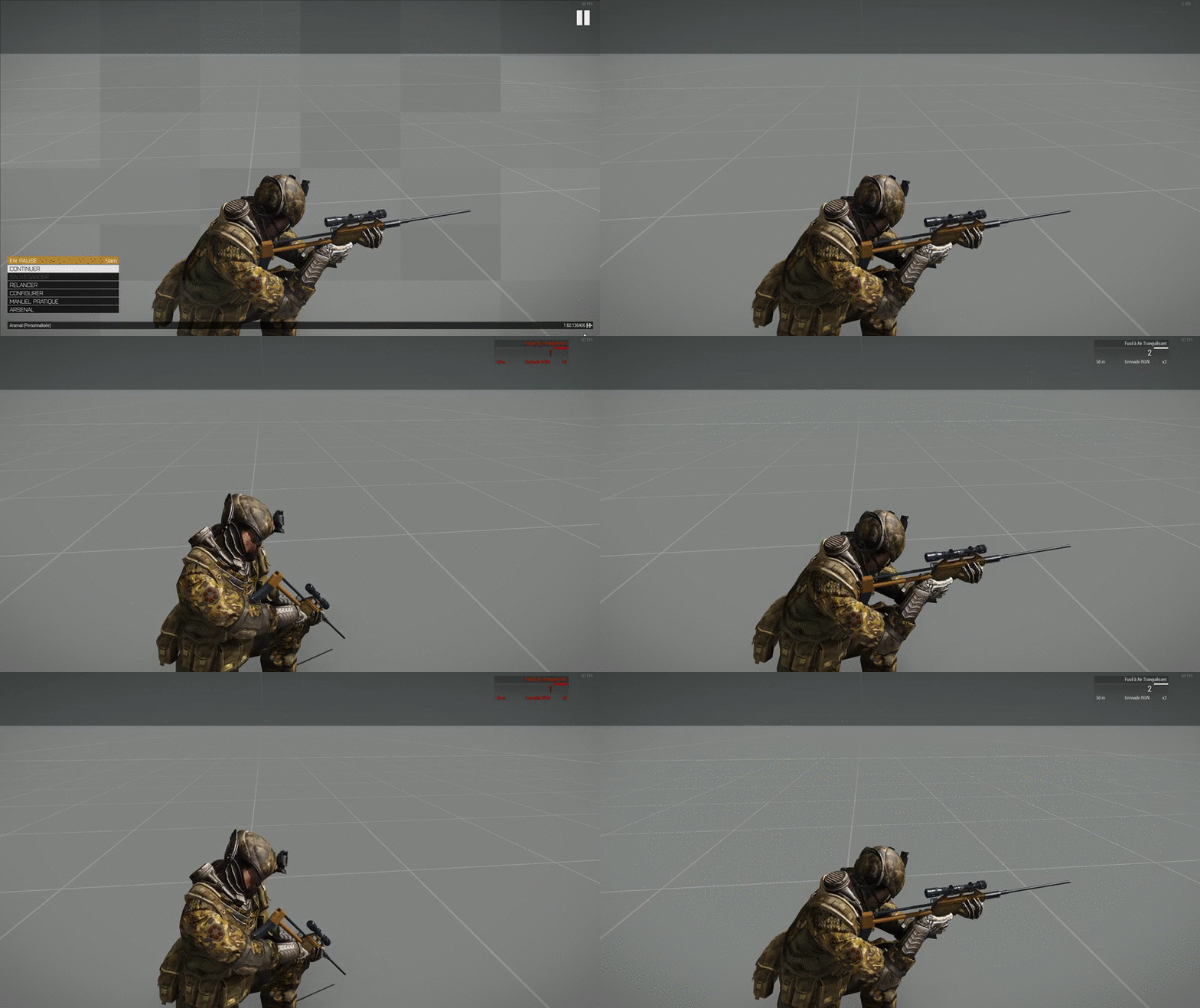
I have mask = upperTorso, yet hands don't move
zenith token
you mean the hands follow the weapon instead of doing something else? Iirc you had to disable IK / blend between non IK and IK
minor valley
Here is the actual config lines:
class GestureReloadDartGunStand: Default
{
file = "\saanims\anims\gestures\GestureReloadDartGun_Stand";
speed = 0.5;
looped = 0;
mask = "upperTorso";
canPullTrigger = 0;
leftHandIKCurve[] = {0.05,1,0.1133,0,0.71666,0,0.76667,1};
};
Hmm.. What should I do then ? I'm pretty new to anims
minor valley
What does this IKCurve array even means ? I understood that when set to 1, it just doesn't apply the movements on bones. When set to 0, it does every move.
 pulsar depot
Im curious, I have an interesting bug where when you jump it looks like you are putting your rifle on your back rather than jumping. Your elevation changes and everything, but it's using the wrong animation.
minor valley
@pulsar depot I have the same problem. The player jumps, but in the meantime, he looks like throwing his weapon on his back.
pulsar depot
what mods are you using?
I'm having animatin issues out the yang, admittedly though, I know nothing about animiations and can't even figure out where to start troubleshooting it
so yeah
minor valley
I don't use any animation mod if that's your question. Well, not mods that changes the behaviour of the jump anim.
Try using bad benson's Enhanced Movement, and see what happens
 vivid onyx
Hi guys,
When making animation, can I move axises around if they have the same name as a named selection? I'm working on some advanced animations, but the axis don't seem to move from it's original position.
That should be possible right?
I want it to follow another moving object, and they have the exact same names, but the axis wont move from it's starting position..
drowsy nymph
Personally I define the axis selection in the skeleton as a child of the selection I am wanting it to follow, and then the final bone as a child of the axis
but looking at some other models with e.g. an ammo belt, it should work if you define two selections for the axis - the axis name and the name of the bone you want it to move as
vivid onyx
okey. so you make an extra animation for the axis then
to be identical to the one you want it to follow
drowsy nymph
no, the axis should follow the part you want it tofollow if it is a child of it
vivid onyx
aha I see
drowsy nymph
vivid onyx
thank you I will try that
drowsy nymph
there's a sort of tut I did for an anim in arma 2 where I had multiple axis following movements of other bones
vivid onyx
cool. I never thought if making axises into bones
drowsy nymph
as I said though, it might work if you give the axis a selection with the same name as a bone, so long as you also give it a selection with a unique name to use in the axis="-";
and the anim probably needs memory=1; to be specified
vivid onyx
I have that in all my animations. Everything is based of axises from the memory lod
 craggy walrus
Not sure if this is relevant to animation making, but have any of you animation guys out there noticed that 'AovrPercMrunSrasWrflDf' will switch weapon to your primary when you have your secondary out, and switch back again
Namely if you did, player switchMove "AovrPercMrunSrasWrflDf";
 fleet pebble
<will always use switchMove
craggy walrus
Not sure that helps the situation
minor valley
@trim badge
granite leaf
@Kol9yN switchMove MUST be used for cutscenes, unknown animations, and maybe even modded animations. However, it does not work on the animations the player controls, which is advised to use playMove or playMoveNow (such as moving and stance anims).
naive hemlock
switchmove should work with any anims teally
the ones that have blends/transition from one to another
same for the ones that are not defined that way
sturdy flame
@⭐Rawner135⭐#0845 yes, so close
 placid escarp
does anyone here have MoCap capabilities? I'm working on an interesting mod (not zombies/life) and need some proper anims... these choppy Blender ones are just placeholders
sturdy flame
@placid escarp we have straight hands 😉 that better then mocap 😉 and can make any aims
 dawn forge
Would anyone be able to point me to a guide or a wiki for learning how to animate? Looking to do stuff from character movements/animations .. I.e holding an object or an animation loop to animating parts on model(are they similar or pretty different)? I plan on just searching as well but I thought if anyone had some go-to guides that they know of and would be willing to share that would be great!
sturdy flame
how i can disable stepsounds for some default arma animations? If rewrite cfg, SoundEnabled=0; not works 😦
anims cfg just not rewriting 😦
ruby hill
soundEdge[] = {};
 storm trellis
Is anyone interested in doing some animation work?
ruby hill
depends
storm trellis
i can pay?
ruby hill
haha. first tell me what you are looking for ^^
storm trellis
lol ill pm you
storm trellis
Anyone else?
crisp berry
you already talk to the best
storm trellis
he said he cant
crisp berry
so you are out of luck
storm trellis
lol
crisp berry
give up, sell all your assets and go into a monastery
 desert raven
Does anyone happen to know if man class can make use of type="hide"; animations? My test on this have not proven very fruitful, but could use some verification. The hide works fine in buldozer, but it seems placing the man in editor crashes the game... 😄
drowsy nymph
I don't think so since man-type objects are animated with .rtm. Classically we'd use hiddenselections for that kind of thing back in OFP
desert raven
all these restictions to try to wrangle around. :9 meh
 regal dawn
Replace the texure with a procedural alpha texture
desert raven
oh but I was hoping to hide some proxies I have
tried out this optical camo thing with attached camo objects but it would be much more effiecient if the objects were part of the man itself
regal dawn
I think there is a new hide selection command
Maybe you can make the proxy a selection an hide unhide it via that command
desert raven
oooh
oooh
what is this! new commands
I'll try this
unfortunately it does not work.
oh and theres a note too that it works with objects created with createsimpleobject command
oh well. Since the whole method is hacky I can make the rest of its use hacky too.
I'll just have to uniforms. One where the camo is off and one that its on.
besides that makes it easier to change its camo value
regal dawn
Oh well did not look into that command yet ^^ sry
desert raven
no problem. was quick to test anyway
regal dawn
I remember someone doing a tutorial for such optical camo on a backpack but just with some rvmat did you llok into that?
regal dawn
Did you try to contact him?
desert raven
yes
but don't want to pester him with this if hes not around
got it close enough
its going to be curiosity item anyway 😄
regal dawn
You stuff looks great indeed
ruby hill
No, hide anims, and in general any model.cfg defined animations do not work on characters.
You can only hide things via hiddenSelection textures. hideanims would require extra bones, which you would have to add to the skeleton of your unit (if it even worked).
This usually causes a whole mess with anims not playing back correctly due to now mismatching bone indicies. (yay anim binarisation)
desert raven
@ruby hill Thanks for confirming! I figured this might be the case when placing the char in editor crashed the game 😄 I'll just have to work around it!
sturdy flame
@crisp berry @storm trellis if someone need anims, ask me 😉 We can make anything
crisp berry
so you pay each other? 😃
last heart
any ideas what's the best way to find an animation for a driver that fits the drivewheel? 😄
zenith token
by learning how to make your own animation...
you will need it anyway for commanders/gunners
last heart
not for my vehicle 😛 but how hard is to do my own driver animation?
zenith token
how hard is it to walk? any person but a robotics engineer will tell you it's easy.
last heart
yeah makes sense ^^ are there any good tutorials for making animations?
zenith token
you can lookup how to do keyframe animations in max first on youtube (if you dont know already)
zenith token
there should be an animationrig for blender iirc
you do the animation of the bones of the characterskeleton, then export the bones as fbx with animation. Import the fbx into objectbuilder. Then cleanup the animation keyframes (for static position you only need 3 frames), and export as rtm.
https://www.youtube.com/watch?v=Q0ACIBZrNIA not sure how usefull that is to you
last heart
thank you 😃 what do I have to keep in mind for driver animations?
wondering if I can import rtm into blender...
because I only need to change the position of the arms
zenith token
there was a video tutorial about rtm for aircraft crew by gnats (in oxygen2 / for arma 2) or so i think on youtube, i can't find it atm
zenith token
pretty sure it was gnats, not 100%. Might have been s1 else
ah found it https://www.youtube.com/watch?v=ljKtuy0Uhl8
last heart
cool thank you
zenith token
he does it in O2, (which you could too but its tedious...) - but pay attention to the basics (keyframes etc)
 orchid crest
anyone interested in making animations for SAF mod?
naive hemlock
what's saf mod? 😛
regal dawn
i guess serbian armed forces
naive hemlock
lol
 silk portal
Saudi Air Force?
zenith token
swedes...
 lilac night
Figured I'd ask here:
What determines whether you can use playAction on a class of CfgGesturesMale?
I inherited that class and ONLY changed the speed... but i can't use playAction on that. Does it have to be listed somewhere else too?
sturdy flame
@last heart ask me about anims 😉 we can make any anim 😉
naive hemlock
@sturdy flame - "we" - is that your split personality talking? can you please piss off back under the rocked you crawled under?
zenith token
does somebody - per chance - have a "library" with images of the different vanilla FFV animations?
zenith token
@thorny anvil is DeRTM part of any other tool of yours now?
sturdy flame
@naive hemlock i have good team, this is WE! Now put ur tongue in self ass please, and stop try to attack me... got it?
 bitter oyster
ehm... what?
ruby hill
@lilac night playAction works with gestures, if your gesture is set up to be reachable through a manAction
That is class Actions >> someActonMap >> myNewManAction
where it is configured as this:
myNewManAction[] = {myNewGestureStateClassName, Gesture};
But beware of engine trickery. For new manActions to be valid, they MUST be configured in CfgMovesBasic's manActions:
{
    class ManActions
    {
myNewManAction = ;```Simply declaring them there as empty string suffices.
Or if you declare them there right away with the gesture array, all other actionMaps will have this manAction available, and this playAction works in all cases.
The power and magic of baseclasses. 😄
The real benefit of this is, that you can specify gestures per stance. I.e a different reload animation per stance, say one for prone and one for the rest. ;)
(Not sure how well A3's anim configs are set up for this, as again, you'd need proper base classes here to manage this well and implement it easily.)
 plucky fossil
what's saf mod? 😛
🚎
anyway we got it handled
by learning how to do it though kek
zenith token
that's the spirit 👌
plucky fossil
so the minValue and maxValue in model.cfg animations part is actually time in... seconds, minutes or what exactly... trying to adjust frame times and having a hard time with these...
                    //i.e. The controller input when animation phase is 0.
      maxValue = 1; //The maximum value of the motion range.
//i.e. The controller input when animation phase is 1.```minimum value of pressure in PSI?
motion range... well not explaining much
lapis elm
Just quickly testing it in buldozer changing the maxValue from to 1 to 10 didn't change where the animation ended. It only changed the number of intervals from the start to the end of the animation
plucky fossil
I see, what I am looking for perhaps is animperiod?
lapis elm
I'm also under the impression that animPeriod in the model.cfg does nothing, but I have to wait a bit before I can test it
lapis elm
I'll play around with it and post the results here
zenith token
@plucky fossil it's the min and max value your animation operates in relating to the source.
For example if you take speed as source, the source will have values with unit m/s (from -infinity to +infinity). So you could say minvalue=0 and maxvalue=20 to limit the operating range of your animation to a speed from 0 to +20m/s.
many sources operate in 0 to 1 range
i suspect animperiod in model.cfg only would so something for animations with user source, executed with animate command. In normal operation it seems useless.
plucky fossil
well shoot... I need to sync the reload anim with actual mag anim defined in model.cfg and times... that does not sound like something that could help
but lets first see the finished anim and then I can test and sync the times... this is all new to me
ruby hill
I'm also under the impression that animPeriod in the model.cfg does nothing, but I have to wait a bit before I can test it
@lapis elm
Correct. It's been some ancient copypasta that animPeriod somehow made it into the model.cfg, and has been repeated ever since.
animPeriod is only relevant in class animationSources inside the .cpp
@plucky fossil You'll have to modify the reload or reloadMagazine animSource via class animationSources in the weapon's config. anim period will help you there then.
drowsy nymph
@ruby hill @Jastreb#8971 reloadMagazine period is defined magazineReloadTime in the weapon config (likewise reload source period is the reloadTime parameter that defines rate of fire). It's not like you can modify the hardcoded animationSources for weapons anyway, only cfgVehicles allows user defined ones.
Basically to sync the weapon reloading model config sequence with the .rtm sequence, you need to look at the keyframe numbers in the .rtm. They should be normalised to run between 0 and 1 so when something occurs at keyframe 0.5 in the .rtm, it's representing 0.5*magazineReloadTime in real time, and the value passed to the model.cfg will be 0.5 as well
ruby hill
Ah cool, that's great to know.
Yeh, animationSources lets you modify the reload source for example of vehicles. But it doesnt work in cfgWeapons.
i.e.:
        {
            class main_firing
            {
                source                        = "reload";
                weapon                        = "derp_ksp88";
            };
            class main_reloadMagazine
            {
                source                        = "reloadmagazine";
                weapon                        = "derp_ksp88";
            };
            class secondary_reloadMagazine
            {
                source                        = "reloadmagazine";
                weapon                        = "derp_ksp56";
            };
        };```

You can then use secondary_reloadMagazine in your model.cfg to trigger this specific weapon/animYeah, it's kind of a shame we can only do custom anim sources for cfgVehicles and not cfgWeapons
but at least BIS have expanded the number of available sources for weapons
zenith token
i only wish they would repair the sources that are vailable but dont work with physx variants (throttle for planeX and drivingWheel for tankX)
ruby hill
The entire approach of type specific simulation classes is outdated :/
zenith token
i mean, why can't BI give us animation controllers directly relating to controller input, instead of some hardcoded simulation class stuff?
 sleek island
well to be honest whole animation system is outdated
or i should say animation tree system
nowdays animation must have a proper blending so you can do basicly everything
like you can see in Squad or in RO2
 left lotus
Hello, I have a question I want to make an animation for a hydraulic, one that angles up and out at the same time, would I use direct animation for that? And if so how do you set up for a direct animation?
plucky fossil
thanks for the input guys much appreciated
desert raven
Oh the joy of debugging. Spent hours trying to figure out why maxHoldsterValue animation did not work just to find out it was my turret config that had broken it. Seems it only works on turrets directly in the class turrets but not on turrets nested in turrets.
desert raven
Hey, got this weird thing happening with vehicle interior and passenger view. For some reason my interior seems to move with the turrets, even though theres no animated selection set up for it. The interior moves to left when turret turns to right and when I fire upwards the interior turns down and when I fire down the interior turns up. Nothing of the sorts happens on the outside view though. Any ideas where I could start debugging this? I've gone through model.cfg and config and I've removed the interior from any selection and it still moves.
zenith token
no selections and it still moves? wtf?
is it a normal turret, or a turret within a turret?
your skeleton/ bone structure must be the same as the turret structure. So if a turret is dependant on another turret within the skeleton, that turret must also be inside the "masterturret"
i assume that you have moved a "childturret" to toplevel in the config and now you get screwed over that way (especially with stabilizedinAxis)
if maxHoldsterValue does not work with sub-turrets, have you tried isSelected?
desert raven
I moved the turret I use holstervalue to the base of the class turrets, so I have 2 turrets there now and they seem to work alright. The whole interior movinb bussiness was happening before that change though so I assume they are not related.
In the skeleton I have:
"torso",""
"turretparts","torso",
slighltly simplified but what you said got me thinking that does the engine now treat the "torso" I use as a base for the rest of the skeleton as a turret
zenith token
is torso a turret?
desert raven
no
well not right now
before I had it set up to turn with the main turret control
but now that I took all the animations from it the interior still moves
but it has never been its own turret class
zenith token
are you sure the interior moves? if there is no selection i would rather say, the turret moves but the interior doesnt -> making it look like the interior moves in opposite direction
desert raven
hmm
it could be that. but it kinda jerks around and its not smooth like how the turret parts move
and also why would it move up and down only when fired
I gotta make the interior transparent!
That should make it so I can see whats going on better
oh and the behavior starts when I fire the first shot
zenith token
well your not exactly doing standard stuff with your walkers, so i wouldnt be surprised about glitches...
desert raven
yeah
the turrets move normally before i fire though. :L after that, the weird moves start
zenith token
maybe its the recoil. try very weak ammo&magazine to see if it goes away
amount of recoil unfortunately is hardcoded to hit (and i think initspeed) value, likely also indirecthit, afaik
desert raven
now that I got more view it seems the view stays at the same level but the mesh does rotate
recoil wouldnt then count for the sideways turning?
considered for a moment if its the camera/viewpoint that moves, but horizon and everything outside stays the same so it has to be the mesh that moves
also now that I think back when I had the torso moving with the guns it moved smoothly, but when I fired the movement changed
gotta try to take the torso out of the skeleton and see what happens
oh whats that I see
I wonder if it is the camera
it kindla looks like the crew proxies move up and down
😮
the proxies do move
or strech and compress
that explains the up and down movement
maybe it is the camera then
if its just an illusion when the camera moves :I
now to figure out why the proxy moves like that.
could be the recoil if it affects the proxy
zenith token
so does addonbuilder actually binarize rtms properly finally? Havent done in ages, back then i still had the old version that was required as the new one couldnt 💩 ... cause all i'm seeing now is spaghetti (even for anims that have previously worked)
ruby hill
Always found the need to include a model.cfg straight with the .rtm, so that makes me suspect there's some binning going on.
 steady hearth
ww2\assets_m\characters\germans_m\ger_wehrmacht\ww2_pilot_new.p3d
///ww2\core_a\animationvehicles_1_a\kfz1\kfz1_gunner.rtm

Error: Bone trigger doesn't exist in skeleton OFP2_ManSkeleton
Error: Bone weapon all doesn't exist in skeleton OFP2_ManSkeleton
Error: Bone bolt doesn't exist in skeleton OFP2_ManSkeleton
Error: Bone bottom rail doesn't exist in skeleton OFP2_ManSkeleton
what this means? like too much bones in the rtm or too little?
E:\kju\Programs\MikeroTools>DeRtmDos.exe -p z:\ww2\core_a\animationvehicles_1_a\kfz1\kfz1_gunner.rtm
DeRtmDos x64UnicodeVersion 1.74, Dll 5.54 "kfz1_gunner.rtm"
z:\ww2\core_a\animationvehicles_1_a\kfz1\kfz1_gunner.rtm: UNbinarised
2 Frames, 71 bones
vertex[]={0.0,0.0,0.0};
No Error(s)
```E:\kju\Programs\MikeroTools>DeRtmDos.exe -p -B z:\ww2\core_a\animationvehicles_1_a\kfz1\kfz1_gunner.rtm`
bones
...
Trigger
Weapon All
bolt
bottom rail```
so seems too much - to be removed; is this done in o2?
ruby hill
```what this means? like too much bones in the rtm or too little?````
Looks like someone applied the OFP2_manSkeleton to a weapon. So it is complaining that possibly some existing model.cfg type animations dont have their required bones available.
Another possibility would be that the .rtm contains bone information about these selections, but the target model doesn't have them. The source creator would surely know what happened here.
zenith token
looks more like the later case. bones that are not inside the model.cfg -> the game has no idea how to treat them
ruby hill
Weirdly enough I've never experienced it actually complaining about excess bone info stored in an .rtm. It always did as it should: Just ignored it.
Also, due to the method of anim binarisation (at least how it used to be), the OFP2_ManSkeleton is pretty much set. You cannot add extra bones, as that messes with the bone indicies and their references in .rtm.
zenith token
o0 i just made a new tank commander MG animation with IK for the hands following the gun. If i stay in first person, the hands won't move. If i go in 3rd person the hands move perfectly fine. If i switch back to 1st person the hands have moved position (like 3rd) but stay frozen when i continue to move the gun... any ideas?
crisp berry
anything in debug.log?
zenith token
aha i accidentally deleted the gunner view lod - so it switched to 0 res lod but apparently that breaks IK
desert raven
wait so the hands dont move in res lods? or its just when it uses res lod as view lod?
zenith token
i specified it should use gunner view LOD, but this LOD wasn't present in the p3d. So it reverted to LOD0 (and complained in rpt) - which broke the first person IK animation
put the gunner view Lod back in place-> fixed
desert raven
Excellent!
zenith token
addonbuilder says wassup? https://abload.de/img/20160715041926_1epkwr.jpg
 desert raven
I see you've been talking with the chaos sorcerors again.
zenith token
i travelled too close to the eye of terror...
desert raven
youre going to need lots of fire to clean that up.
regal dawn
this will hunt me in my dreams 🙃
desert raven
xD
 stiff rune
and i thought it was just me having these issues... any find a solution? 😃
zenith token
use pboProject... there is no other way. The old addonbuilder version that could still binarize animations properly stopped working long ago
stiff rune
thanks 😃
 dense parrot
anyone around?
desert raven
perhaps
dense parrot
If anyone gets online who wouldnt mind helping with a project let me know.
I am working on getting a working vehicle (a horse) in game. I have the model and I currently have 30 animations. I just need to port it over to arma 3, converting the model to a p3d isn't an issue. I'll need help with the config, model config and the animations.
ruby hill
Heh, I've done exactly that about 1.5 years ago. It's a complex task, but not impossible.
Best starting point for you would be the configuration setup of any of the animals. For example the cow.
See how the dedicated CfgMoves class (cfgMovesCow, I believe) is set up, and pay special attention to classes "actions", "states" and "manActions"
Best is always to work with and learn from a functioning example
Also it would definitely help you a lot knowing how to import a custom character into Arma3 first. I.e an entirely newly skinned soldier
 strange abyss
What software do people use to make reload animation? I have been working with blender but I can't get the rig to work.
dense parrot
I use blender.
desert raven
Blender+ FHQ Arma Toolbox for Blender
strange abyss
Is it possible to preview animation in buldozer or object builder? It takes tons of time to make little tweaks to animations if you have to make PBO allways.
drowsy nymph
@strange abyss in OB - view\viewers\rtm preview been a while since I tried it though so not 100% how well it works nowadays
[ ] keys aparently adjust rtm playback speed
sturdy flame
@dense parrot Im working on horse and other ANIMALS too 😉 So PM me and we can make something special togahter 😉
 indigo lagoon
I'm having an issue with AnimationSources directly affecting my hitpoints as when I move it my wheels no longer destroy. What array should AnimationSources be in?
crisp berry
there is a BIKI page about hiding wheels via anims; have you seen that yet?
indigo lagoon
No I havent
crisp berry
desert raven
is the A3 weapon bone all lower case "weapon" or "Weapon"?
"weapon" it is. Silly me could have opened up the model.cfg right away..
naive hemlock
a2 is Weapon a3 is weapon
desert raven
Yeah I've spent hours trying to figure out why my weapon bone does not move.. Might be useful to have "weapon" selection and not "Weapon".. 😛
desert raven
Ah the feeling when animation works as it should!
 median crane
@zenith token @stiff rune Rename folder "anims_f" from P:/ drive and rebuild with addonbuilder. It worked for me. This issue was first appeared a long time ago and fixed later but It looks like the issue have appeared again.
desert raven
Did Arma have a way to specify exact point where getin/getout animations are played?
desert raven
Hmm could it actually just be knifed in via getin/getout eventhandler.
zenith token
isnt getin/out anim always played at "getin pos" in "get in dir" ?
desert raven
Not in my experience. The animation plays in whatever direction you watch
And at the spot you activate the command
And I want to achieve this:
https://www.youtube.com/watch?v=sLF4s8L8y4Y
so im thinking bypassing the actual get in alltogether and making appropriate scripted entry sequences instead.
Or overriding the getin to do the scripted entry depending on circumstances
zenith token
when i use getin for my vehicles with the temporary vanilla animation, it always points in the same direction (and clips with the head into the vehicle). there is some config value "preciseGetIn" or something like that (with precise) - try that before you go and do unnecessary scripts.
desert raven
@zenith token "preciseGetInOut" was exactly what I was thinking of but was uncertain was it there. Could not find it on google and silly me did not think of looking into configviewer.
there is also "getInOutOnProxy" that sounds interesting, but I could not find what it does 😄
zenith token
as it is documented nowhere (what it does), i guess testing would be the only way
desert raven
That indeed. I think I still need to device a scripted system into the getin because by quick count there are 5 different cases how the walkers can be entered and I would very much like to have all the different sequences animated.. Simples way would of course the regular generic all around working step/hop into the vehicle.. But it just wouldnt do justice for the whole concept.
crisp berry
preciseGetInOut is KOTH only AFAIK
if you search the exe, and if it doesnt turn up, its likely not in the A3 source/engine
desert raven
oh. A3 configs do have it. Have to test it to make sure.
But as said I need 5 different animations for both seats for all different approaches so im pretty sure Im going to need scripts for it.
zenith token
although its neat to have complete getin animations and such, i find it a bit wastefull (time efford vs gain)
desert raven
oh yeah definitely
but
Arma modding in general 😄
is a bit of an time sink anyway
 slow zenith
@desert raven OMG that animation is so cool!
desert raven
@slow zenith Thanks man! Glad you like it in such a raw form.. XD Going to be epic when its more refined and proper!
slow zenith
that's raw form? it looks complete to me, lol. Well if it's just raw form then I can't wait to see it when it's refined and completed!
 hexed hornet
something I've started working on a few days ago:
Blender Addon for RTM import
source: https://github.com/4d4a5852/rtm_import
screenshots: https://imgur.com/a/yqAE3
- pretty much WIP
- not very useful at the moment because of the disabled IK (and other control bones) in Blender
naive hemlock
pretty cool 😛
hexed hornet
at the moment I need to disable all the bone constraints of the ArmaRig to import the RTM - currently looking for a solution to get the IK working again
strange abyss
I am trying to get hand IK working it shoud be left hand will be free to move to about half way to the animation then the right hand wil be able to move during the rest of the animation. have i got it right? rightHandIKBeg = true;
rightHandIKCurve[] = {0, 1, 0.592, 0};
rightHandIKEnd = false;
leftHandIKBeg = false;
leftHandIKCurve[] = {0, 0, 0.592, 1};
leftHandIKEnd = true;
ruby hill
The way you set it up right now is that left hand will slowly become IK-Active between phase 0 and phase 0.592, then remain fully active until the end.
I'd recommend for the sake of readability to stack the params in the config, it could look like this:
{
    // time, phase
    0  , 0,
    0.5, 0,
    0.6, 1,
    1  , 1
};```

This will do the following:

Phase 0.0 to 0.5 = 0% IK
Phase 0.5 to 0.6 transitions from 0% to 100% IKThe last pair you could leave out, but I keep those for the sake of readability.
sturdy flame
@ruby hill mate, please tell me how calculate speed param 😃 thank you
ruby hill
Target framerate divided by total frame count.
I.e 30fps divided by 60frames gives you 0.5
Its the inverse of time.
2s anim duration = 1 divided by 2
But go with the first equation to factor in the capture/native framerate.
sturdy flame
@ruby hill for example, i have anim with 246 frames in 25fps, what speed i should to set? Thank you 😃
ruby hill
Target framerate divided by total frame count.
sturdy flame
so 246/25 ?
ruby hill
No. The inverse of that.
 dark hawk
Spent the last couple o days trawling the internet for a concise answer and failed so I bow to your collective wisdom !
Im trying to import a custom weapon holding animation, it was created in the Blender rig fyi. Put the .rtm in an anim folder inside of data, put the model.cfg there, redefine handanim and.... scary arms time. from what I have found, this is possibally related to addon builder not doing something correctly ?
zenith token
depends on how scary the arms look... if its tentacle monster then yeah possibly. If its just gorilla arms you placed the bones wrong
dark hawk
Tentacle thing from nightmares kinda scary
zinc wadi
In japan, almost everyone would play with it.
dark hawk
This is true, however its for an australian F90, so not desired 😦
ruby hill
place the model.cfg in the folder with the anims. A3 does weird things otherwise during binarization.
It just needs to know what the skeleton is.
dark hawk
yup, model.cfg with OFP2_manskeleton and the ArmaMan model entries.
drowsy nymph
is it the latest one with pivotsModel="A3\anims_f\data\skeleton\SkeletonPivots.p3d"; defined?
not sure if you need that .p3d extracted to that path on P:\ as well
ruby hill
the pivtos model is only needed for ingame IK and animation layering
it's purely a reference for joint locations
dark hawk
Yep pivots model is defined and present in P
dark hawk
ok, more messing aroud with it. IS it posiable the blender rig is useing a diff skeleton ? as the hands... "apprear" to be vaguely in the right positions/orientation etc. but everything is streached out to hell and the weapon has not moved, pic inc.
 drowsy nymph
Weapon never moves in handanim - it's always in the place defined by the rifle-raised anim. The handanim IK works based on the position of the hands relative to the weapon bone
dark hawk
hmm, so im on the wrong track then, but something is completly borked here somewhere, as it dosent seem to be positioning the hands relative to the weapon bone. Cheers for the assistance, back to the drawing board it is.
drowsy nymph
in general, just placing the weapon bone a few feet in front of the unit model, detaching the hands and posing them alone is enough to make a handanim
it could be a packing problem though
I think some people have experienced the tools messing up handanims on addons where they previously worked
In Arma 2 I always used to leave .rtm unbinarised with ;*rtm in the list of files to copy for the .pbo packing tool, so I'm not too sure what Arma 3 expects of it
zenith token
unbinarized rtm never worked for me in A3. And addonbuilder doesnt binarize them properly. Had to use pboproject
dark hawk
Ah, right. Ill give pbo project a shot then ! Cheers
dark hawk
and... back. PBOproject semed to like it a lot better !https://www.dropbox.com/s/g8nu1d944ryhqqr/20160909125254_1.jpg?dl=0 but it still seems to be not lined up with the weapon bone ? Im adjsuting the anim in LOD 1.000 male.p3d in the samples and said animation has 3 keyframes, -0.500000, 0.00000 , 1.00000 Even tried moveing the weapon around in Objectbuilder and no change ? Am I exporting the RTM from the wrong place ? have I missed a blinding simple solution ?
 drowsy nymph
That just looks like you exported the .rtm with hands and weapon bones too far away from each other
dark hawk
right well, it turns out keyframe -0.500000 needs teh weapon down n off to the right, in the jesus pose. the other two to the shoulder. Im thinking once I get this down to a fine art I should write up a series of steps for anyone else attempting the joys. Cheers for all the help guys !
 stoic marsh
should it be possible and when how, to edit an already existing Animation and Adjust it to own fittings
drowsy nymph
if you can unbinarise the .rtm
stoic marsh
ok, i was need commander_apcwheeled2hi_out a slightly moved back. Since i want to add alternate view but don't have access to the Model p3d
drowsy nymph
I don't know that there are any plugins that can export .rtm or keyframes to better animation software though
stoic marsh
where i use this animation
drowsy nymph
Why not just move the proxy further back?
stoic marsh
but don't have access to the Model p3d
drowsy nymph
oh
stoic marsh
so if i would have access to the p3d i would change it via Proxy
but my only Option actually is, to / edit the Animation
drowsy nymph
well I think Mikero has something for unbinarising .rtm files, or you can look in the old Arma 2 unbinarised data to see if there's an appropriate anim that you can adapt
but really, static crew animations aren't all that hard to make from scratch
stoic marsh
i don't have expirence in animations or 3d, i only make 2d stuff primarly and some basic config stuff
ruby hill
Figured this might belong here. :D
https://youtu.be/1_EaSnveeAA
crisp berry
quite neat 😃
does this have/need a custom skeleton or is shrinking the A3 one possible?
ruby hill
its all custom.
crisp berry
so you are saying legos are not human? 😮 i am shocked 😛
ruby hill
I'm curious how the inventory will deal with something that is not OFP2_ManSkeleton. Curious also to see what other hardcoded stuff is in there. Otherwise I'll make this a thing. Beginning with hats.
crisp berry
mikero might have experience with non ofp2_manskeleton
he left for Skype again though. doesnt like the new fancy chat tools
(he hates Skype too though)
ruby hill
I've done plenty of animals before. No worries. Just wondering how the inventory systems will deal with this. 😄
crisp berry
the a3 one might have some hidden surprises indeed
ruby hill
I fear especially relating to ragdoll to run into dirty hardcoded shortcuts. 😄
 crude arrow
Is there any documentation on how to get motion capture animations working with O2
ruby hill
just like any other character animation.
You'll first have to retarget your mocap data to the arma3 puppet/actor. (should be in the sample files)
then go via fbx2rtm
crude arrow
Cool, thanks Mondkalb
ruby hill
my experiments so far. :)
https://gfycat.com/NervousWellwornBug
crisp berry
very nice 👍 is this all animated? there is no physx simulation or do you use one of the vehicles?
ruby hill
Walk anims are classic .rtm. Destruction is physX ragdoll.
crisp berry
quite impressive - how do you make the parts fall off?
ruby hill
By not having them jointed to the root bone.
        {
            // No joints. let the bones all fall apart!
};```would this work also with the standard infantry model`?
zinc wadi
Pls, don't think about a GoreMod 😄
ruby hill
It could work with regular soldiers, but the model needs to be set up for it, which comes at a cost of visual fidelity in other areas.
But yeh, totally possible.
regal dawn
Is there any documentation link for ragdog physX, last time i tried that with a custom skeleton model, couldn't get it to work
 deft fern
@ruby hill - sooo... if such lego guy is hit by car then he falls apart & magically get to the normal shape? if so, that's cool! 😄
strange abyss
Does anyone have timing for default pistol animation for model.cfg?
zenith token
ragdog? never heard of that 😄
 vapid torrent
sarcasm much 😛
dawn forge
Would anyone know where a decent guide for making player animations for arma 3? Or vehicle animations?
desert raven
They are both totally different things @dawn forge .
https://community.bistudio.com/wiki/Animations
https://community.bistudio.com/wiki/Model_Config
https://community.bistudio.com/wiki/ArmA:_How_to_animate_a_model
These might get you started
dawn forge
thanks @desert raven
 faint rune
Is it possible to create an animation where an object spawns in the anim and then disappears when it's over? E.g. creating something at a workbench and when the anim is played a hammer appears and is used in the anim
desert raven
Well in theory sure why not. For example It could part of the table, just hidden when not moving but that would require some nifty character placement and character animation syncing it you want someone to wield the hammer.
ruby hill
So all around I managed to get swappable heads work, along with lipsynch:
desert raven
very cool Mondkalb! saw that one too where the arms and legs fell off! Did not know it was possible in Arma. The mesh has to be separate though right for it to work it wont just cut a part off from a whole mesh?
ruby hill
Correct. The arms are separate from the torso, etc.
desert raven
hmm it might look pretty good on some robotics.
Do they fall off only when the character dies or can they fall when its still alive?
 idle charm
does anyone know what rtm I should use to test my rig in buldozer?
ruby hill
Go with a regular rifle walk cycle
also, if you fancy, use a stand to prone transition anim
sturdy flame
@ruby hill Mate, how i can animate hands with paddle in canoe, same as it was works for bike in A2?
dense parrot
anyone think they can give me a hand?
I'm currently making mods for DayZ Standalone.
Sorry wrong room
 floral basalt
Hi. Anyone can help with hand animation for weapons? Im trying to do custom hand animation for machete and have some troubles with this
zinc wadi
Whats the sense of a helping channel, if you do it by PM? Wanna charge money again?
...
zenith token
of course... hes turning into the same parasite that the scummy part of life people are
dark hawk
is there an animation source for weapon attactment optics ? I.E.RCO/holo sswitching ?
sleek island
Still i wonder why BI didnt expand those anim sources on attachments
plus still no reskin feature on them as well
zenith token
anim sources are very lacking, especially for vehicles
drowsy nymph
you can pretty much script your own sources for vehicles though. Weapons on the other hand are limited because there's no user animation at all
sleek island
ye i think you can most of things animate via source user
but that doesnt work with guns sadly
zenith token
@drowsy nymph steering wheels and pedal anim for tanks, thrust animation for planes ... can you script that?
drowsy nymph
My scripting knowledge is too limited to know. But I assume there is a way to monitor the rate of turn for a vehicle and use that as a controller for the animation
hell, at the moment my knowledge is bad enough that I can't figure out how to script one where the lights flip open when I turn them on
zenith token
but only by checking per frame, and then setting animation per frame- which is really bad
that's like the digital watch in the vanilla civ car
where having multiples drops frames by a bunch, just because they all have script controlled digital watch
so no, continuous and analoge sources are not scriptable. Simple on/off, yeah sure.
sleek island
you cant reuse the same anims from cars to tank?
zenith token
you can, but they dont work
steering wheels and pedals are nonfunctional for tankX
and thrust source for planeX doesnt work either
zenith token
i dont see why... more like BIS not doing anything to rectify it
dawn forge
steering wheels and pedal anim for tanks, thrust animation for planes ... can you script that? I know BI does pedal movements with speed etc on the kart dlc as well, but thats a car so not sure if you can translate it over to tank/plane
zenith token
it doesnt
drowsy nymph
Guessing certain simulation types don't put out the data the same way that the animation source looks for as the controller
zenith token
they could just use the controll binds as source... which brings us back to BIS not doing anything about it
drowsy nymph
No good for me. I don't have an analogue keyboard 😃
zenith token
pft, noob... 😛
zenith token
it wouldnt matter, because digital keyboard is converted to analog with filtering (thrust for planes, steeringwheel for cars etc) and ramps
 brittle isle
Hi gents, question:
IS there any way to make his wrist look better?
other than just moving the weapon forward?
drowsy nymph
@brittle isle Put the hand in a more neutral position and use the finger flexors to follow the grip angle of the stock, rather than rotating the entire palm. How I dealt with something similar on an M24 stock anyway: http://i.imgur.com/WA5XeoT.png

Handanim IK is a right bitch to work around sometimes though
zenith token
still looks like broken wrist
drowsy nymph
it always will
the weighing around the wrists is not the best, and neither is the IK system. It doesn't really like anything where the wrists isn't in-line with the forearm
but with handanim you only really have control of the hand and not the forearm orientation
The lower down the weapon the grip is, the better the wrist looks
desert raven
we could actually ask for hand anim IK curve control right!?
drowsy nymph
IK curve is for transition between the IK mask and the base man animation state during motion. It wouldn't solve the problem with wrists which would require expanding the handanim mask to include more of the arm
brittle isle
Thanks guys!
Yeah @drowsy nymph I figured something like that by looking at the stock A3 rifles
They did it that way as well
deft fern
imo rotating just rightHand & rightHandRing looks better since slightly prolonged thumb is less visible than broken wrist http://i.imgur.com/rGm213K.jpg
 zenith token
yeah, looks alot more natural
sleek island
only if we could modify those hand anims properly and instantly see the result , instead you have to modify it in O2 or in whatever and then see it ingame if it works correctly
ruby hill
scripted IK targets would be nice...
zenith token
First i would prefer not having so much variation between stance anims ... just look how much the weapon moves back and forth from one stance to another. Iirc the lower stance version of standing is the worst. You can see how the mocap guy rolled his shoulders forward extremely to "make a small target", as opposed to neutral on all other stances. Makes the weapon clip into the body (or cause a huge gap in all other stances)
i wonder how much work it would be to change the weapon bone pos and the shoulder rolling on a few of those rogue vanilla animations / how many anims you would have to edit
sleek island
reworking anything in that outdated animation tree is a nightmare
zenith token
i just mean adjusting, not entire rework
sleek island
ye when you adjust something in one anim that can break something in other
zenith token
tbt, hands are a bitch to animate bone by bone...
 quaint spade
hi guys just learnign animations for the first time, but im using maya for model making so is it possible to animate in maya and export it to arma?
zenith token
you can, if you have a rig/skeleton. Exporting the animated skeleton via FBX works.
use the a3 character sample to base your maya rig/skeleton on
quaint spade
cheers x3kj, yer theres on old rig avalbile from arma (might still work)
zenith token
and remember that objectbuilder import ignores all bones without child bone - so you have to put an extra bone for all "end" bones
quaint spade
arr thanks worth noting
ruby hill
I'd recommend using FBX2RTM for converting your anims to .rtm. No need to go via objectbuilder.
 zinc hound
is there a way to consrtain an object along an axis, like a piston?
drowsy nymph
in a model.cfg anim?
you define the axis between a pair of memory points in the model
zinc hound
right for translation, i guess my problem is that the "piston" translates and rotates simultaneously. It's for the compression of a gear strut.
zinc hound
Hm, the test_heli seems to also hint at a solution with the main gear on hte altSurface animation.. though it seems like kind of a cheat.
drowsy nymph
pretty much all aircraft use altradar source to do the gear piston extension on take-off
but assuming you have a landing gear strut in two parts with the top part rotating and the bottom part moving up and down on the damper piston you set up the skeleton as something like "gear_f","", "gear_f_damper","gear_f",
and have one rotation animation for the gear_f bone, and your translation anim for the gear_f_damper
if the axis for the translation anim has its selection name e.g. gear_f_damper_axis, but is also in a gear_f selection, it will rotate with the rest of the landing gear assemley and gear_f_damper will translate along the axis as it rotates
zinc hound
I see. I'll give it a shot. Thanks
drowsy nymph
sorry, I cocked up the skeleton definition
child goes before the parent and all bones are defined in pairs, so if a bone has no parent you use empty ""
zinc hound
Too bad Arma doesnt have constraints for less eye-balling of the variables
zinc hound
http://i.imgur.com/DMk0QVc.gif I think I figured it out.
 sleek island
Anybody that could help me to get rid off ArmA Wrists issue? i do my hand anims in Object builder with old school way by moving bones it works well just those wrists get fecked
and its stupid that i cant see the result right away in OB
any help will be appreciated
regal dawn
a quote from rayhard:
imo rotating just rightHand & rightHandRing looks better since slightly prolonged thumb is less visible than broken wrist http://i.imgur.com/rGm213K.jpg
and as comparison the pic from da12thMonkey before rayhard changed it:
http://i.imgur.com/WA5XeoT.png
can't help more than that, no idea about anims...
sleek island
thats the case with the rifle that has a regular stock with no pistol grip tho
regal dawn
you can try to ask hogthar how he did it, looks pretty nice here:
https://forums.bistudio.com/topic/169309-design-mastery-weapons/?p=3046229
drowsy nymph
if it's the front grip, you want the hand turned slightly so that the palm is facing towards the player's body rather than facing to the side
can see that in the anims hogthar did in the above thread
the rear grip anim does look along similar lines to what reyhard suggested though - slant the hand so the wrist faces downwards and out rather than parallel to the ground and pointing dead ahead, and angle the grip by rotating rightHandRing
sleek island
i will try asking hogthar how he did it
because i did many tests and all failed
all broken wrists
sleek island
you do those hand anims in Object Builder? and with the A3 sample male ?
always getting some differences in that
ingame it looks different than in that sample
so i really dont know
regal dawn
isn't it possible to view the animation in OB or at least in buldozer?
sleek island
yes but i can see the proper result in buldozer but ingame it looks different
regal dawn
ok, ment you said something about not being able to see them earlier
sleek island
my problem is that it doesnt show you the correct result with A3
i am sure it would work with A2 heh
so i would rather have a official animation rig on max
instead messing with it OB
regal dawn
i'm just shooting into the dark here, but could it be that you use a diffrent sceleton than ingame?
regal dawn
you can only hope it is the same 😄
sleek island
only solution is probably to use blender arma rig which i heard works good
but i cant work in blender xD
regal dawn
but thats way above my paygrade... sry
sleek island
it really pisses me off with all that outdated bs
i would like to know what BI uses to create those hand anims but i am sure they dont use that OB to do that
regal dawn
at the very bottom of his OP he has some source animations files and a max rig:
https://forums.bistudio.com/topic/163106-toadies-smallarms-and-animations-for-arma3/
might be worth checking out
sleek island
i know there exist max rigs but those arent accurate neither
they are mostly messy and old
zenith token
handpositions are just that. Only position of hand and fingers. Everything else in the rtm gets ignored. Arms are done by IK.
sleek island
i already know that and that doesnt solve my issues with wrists neither
drowsy nymph
yeah but other tools wont solve it either since the viewport preview in unlikely to match whatever the game engine's IK calculates
sleek island
that sucks
deft fern
can you post how your hand anim looks ingame now?
sleek island
basically like this - http://www.armaholic.com/datas/users/mk18_4.jpg
 deft fern
you can compare it to this
you can also copy position of right hand only and paste it to your anim (rmb on anim window & select copy and then rmb on same box & copy over selection with only right hand selected in OB)
sleek island
thanks , will do some science i hope this time the guy wont have broken hands
sleek island
@deft fern one more thing how you preview these things? mainly when you want to get in proper pos with your weapon?
deft fern
I open some soldier mesh, then apply weapon anim & after that I can change weapon.p3d proxy to model I want
deft fern
deft fern
cheers!
desert raven
yes, its great. You make your animation, select the rig/skeleton/armature, apply Arma object properties and set the frames you want to export and options you want and export via file-export-rtm.
desert raven
Same thing but you will need to define it properly in the model.cfg
also same rules apply. the first frame -0.5 must be in default pose and so on.
but did toolbox actually do that automagically
dense parrot
Do you think you could give me a hand?
I have no expertise with animations and very little experience with it as wel.
Well*
desert raven
Well that is kinda jumping into the deep end if you want to start with animations and get them in game right away.
What are you planning?¨
I would suggest you start with simple animation exercises if you dont yet know anything about it. There are quite many in youtube for that.
You might even find a close example to what you want to do. Depending of course what it is.
But the animation part is the easy one compared to the configurations
But also if you are planning to do custom skeleton+animations for DayZ then the current configs A3 has don't apply
dense parrot
I've done enough to rig an armature and export an animation. I just never done it with arma.
I'll need help with the config.
I'm wanting to do a simple garage door animation.
Not as simple as rotating because that can be done in the model.cfg
dense parrot
A garage door
dense parrot
Like yours or mine.
With the individual sections that all rotate and slide back into the garage.
desert raven
it can be done in model.cfg
and in my opinion should
and also for the sake of your sanity I hope you dont want the rolled door to be visible
dense parrot
yeah
desert raven
 desert raven
 dense parrot
That would work. The other would be fine too.
desert raven
I really wish you would have shown a picture before.. 😛 As said garage door can be anything. But for real it is just not worth it.
Hide the mechanism in a box or make the roll, and make it rotate but just compress the segmets, dont't roll them over.
I completely understand what you are thinking, but its just not worth it, except if your making garage door simulation game where you are suppose to stand still just watching the door roll up.
dense parrot
Did you play epoch for arma 2?
desert raven
oh no problem
dense parrot
anyway, in it they had garage doors that opened by simply rotating on an axis. They rotated outwards meaning you couldn't be close to the door as it opened and it rotated slowly. You could literally get killed just waiting for your door to open.
As far as I know I can't get what I want accomplished by model.cfg
Anyway, if I had only 6 bones in my armature how hard would the config be?
desert raven
well its not that its hard, but you would have to create also new cfgmoves config for just that door and setting that up just a door does not make sense.
I've done a door like this for example.
and more complex moves are possible
its just about chaining the bones right and timing them correctly
dense parrot
the only thing that would be in the model.cfg would be the bones, correct?
and the cfgmoves would define open and closed?
this is some of the stuff that i just dont know about in arma
desert raven
I see 2 easy ways to do what you want:
- make a box for the roll and just make the door segments go up and dissappera into the box as if they rolled up
2, if you want the roll to be visible just make endcaps for it so it does not show that the segments dont actually roll over it and then make the segments just go up and down
And no its not that simple
this is what .rtm animation config has in it
Sure you would not need everything in this. but there is also a lot that would need to be defined even if not in use as the engine looks up for all kinds of values even if the animation sequence does not need them
dense parrot
They have made it completely crazy haha.
desert raven
its for character animation
dense parrot
Most games just play an animation, it could have been a lot more simple if they had taken the time to do so.
desert raven
we'll perhaps. but this is what arma has
dense parrot
haha yeah. some of the things are just a hell of a workload.
desert raven
well to make things simple you gotta think more game enviroment and less real physics and mechanics. Sure it would be cool for the segements to roll perfectly but is it needed?
dense parrot
so if i defined my bones like this
SkeletonBones[]=
{
"Bone1","",
};
with bones 2-6 in as well
then i could do it with a rotation animation
or would my lower\upper bones need to inherit from the bone before them?
desert raven
well it depends how you want them to move.
do you still want the segments to roll up?
dense parrot
if it's possible
dense parrot
that's what i thought
desert raven
and you will need more bones
or maybe not
something like this
your segment would have the door piece and a roll axis memorypoint
and the segments move up and stop at the same point at the roll and then start the roll animation
if you want them to roll over each other you will also need another translation that moves either the segment piece to proper offset or the whole axis+segement combo
But I've gotta go do other things now, so this is as far as I can take you.
zenith token
common thing that people want to make. I say: forget it. You need multiple animations (at least 4, but realistically 6-8) per section to make it look close to that in any shape or form
the movements in the rotating section are nonlinear. If you only use 1 animation for the rotation there will be visible gaps.
dense parrot
actually i think i have it figured out
dense parrot
well maybe not haha
zinc wadi
Possible: Yeah
BUT: Alot to do^^
You "just" have to bind some animations together. Like:
Move from Startpoint to first "turn"point (still at 0°), then slow down the anim until it reaches the point (adding the 90° turn animation), where it should be at this time, during its rotation to an 90° angle -> Move it slowly downwards, when reached the 90° -> Turn it down.
Now align it with all items :D
Tl;DR:
Too much effort needed, to make it look good 😄
- everything done in 1 AnimationSource
dense parrot
i thought it would work if i used the same source for the animation but for whatever reason instead or rotating and moving up it does something different
instead of moving up to moves forward
if that makes sense
zinc wadi
Yeah, i think so
dense parrot
i can show you
zinc wadi
For now just start with a simple:
B C
A
Move object from C to B, then to A (after it reached B)
(in 1 AnimSource)
dense parrot
class Segment_1_T
{
type="translationY";
source="Segment_1";
selection="seg1_axis";
axis="translation_axis";
memory="1";
minValue="0";
maxValue="1200";
offset0= "0";
offset1= "1200";
minPhase="0";
maxPhase="6";
};
class Segment_1_R
{
type="rotation";
angle0=0;
angle1=rad +90;
axis="seg1_axis";
memory=1;
minValue=0;
maxValue=6;
minPhase=0;
maxPhase=6;
source="Segment_1";
sourceAddress=0;
selection="Segment_1";
};
i thought if the rotation axis and the object were joined that they would move together
which they are
but, it isnt working correctly
are my SkeletonBones correct?
zinc hound
Is the parenting set up correctly?
dense parrot
that's what i was wondering
should it be "seg1_axis","Segment_1", or the other way around?
zinc hound
Well your showing the animation class
class CFGSkeletons will have your bones in an array, if you want segment_1 parented to seg1_axis then it needs to show seg1_axis","segment_1"
zinc wadi
Remember to add delayed startingpoints/times
dense parrot
so my parenting is correct then
zinc hound
so is seg1_axis in your memory LOD?
dense parrot
yes
the translation axis is too
also the translation axis it to vertices, not sure if that matter or not
zinc hound
and also a selection in your visual LOD?
dense parrot
yeah
desert raven
you use TranslationY which is for Y axis
dense parrot
i have it figured out
desert raven
Use only Tranlsation and set up the direction with memorypoints
dense parrot
i reversed my parenting and it worked correctly
sleek island
Might be a stupid question but i would like to know - it is possible to unbinarize rtm animation?
desert raven
not to my knowledge
dense parrot
I don't think so robert
sleek island
that could save me a lot of time messing with doing animations lol
desert raven
yeah it really would 😄
dense parrot
so i have it done with one segmate, now i need to come up with a formula to do it with about 5 more
segment** haha
regal dawn
@sleek island you can with deRtm
sleek island
never understood how that works
regal dawn
yep
@sleek island you need a model.cfg with a skeleton defined and then you can define a rtm or a directory full of rtms to be debinarised
desert raven
well thats nice
regal dawn
there comes a readme with it that explains everything as usual
dense parrot
so basicly you just need one of the skeletons from any of the soldiers
so extract the model.cfg from any of the units and you should be fine
sleek island
once i tried that and used A3 sample model,cfg of character but that didnt work out
desert raven
.rtm
dense parrot
oh it just debins it
desert raven
so i understood
regal dawn
yes debin
desert raven
never heard a working converter for .rtm to some other format
dense parrot
i guess after that you could import into ob and then export
sleek island
so if anybody can do that , can you send me the unbined MXM holding anim RTM ? 😄
dense parrot
do any of ob export options include the armature?
regal dawn
i can try it in the evening, but i can't promise you anyting i was just the monkey with orders and data from rayhard 😛
zinc wadi
@sleek island You lazy .... 😄
dense parrot
cant find dertm
zinc wadi
MikerosPBO Tools
dense parrot
as i have found, it's subscriber only
regal dawn
Paid version only
zinc wadi
erm... i don't have A3-Tools installed anymore. Something with "start" or... no clue atm. Something in the model.cfg
desert raven
minphase maxphase
zinc wadi
Yep
desert raven
lets say maxphase is 10
zinc wadi
MainAnim starts at 0 until... idk. 100.
2nd Anim (Same Source, but a different Anim) starts at 50 for example.
Both end at 100.
Faster 😄
desert raven
indeed
dense parrot
that's what i thought
zinc wadi
So:
Anim1: minphase = 0; maxphase = 10;
Anim2: minphase = 5; maxphase = 10;
with the same Source
desert raven
and animPeriod
zinc wadi
AnimPeriod was .cpp only, or?
desert raven
mm not sure which overrode the other
zinc wadi
.cpp can "override" the AnimTime
dense parrot
animperiod is how long each phase takes, correct?
desert raven
maybe leave it out of the model.cfg
zinc wadi
(it basicly just sets the time, it needs going from 0 to 10)
desert raven
its in seconds i believe
desert raven
zinc wadi
animPeriod = 0.00001; <-- usable
desert raven
also this is your friend
regal dawn
@sleek island do you have the .rtm filename?
sleek island
MX_dmr.rtm
zenith token
while you r at it Lappihuan, i could need all the FFV sitting rtms as well 😜
regal dawn
Filenames? 😄
zenith token
good question 😄 looking
lol, thank god feminixtremists dont know how to mod... they would have a field day:
class CfgMovesWomen: CfgMovesBasic
{
class ManActions
{
zinc wadi
😄
zenith token
passenger_inside_1
passenger_inside_2
passenger_inside_3
passenger_bench_1
passenger_bench_2
passenger_bench_3
passenger_boat_1
passenger_boat_2
passenger_boat_3
passenger_boat_4
maybe there are more
oh wait those are action names...
\A3\cargoposes_F_heli\anim\passenger_inside_1aim1.rtm //idling
\A3\cargoposes_F_heli\anim\passenger_inside_1aim.rtm //aiming
\A3\cargoposes_F_heli\anim\passenger_inside_2aim.rtm
\A3\cargoposes_F_heli\anim\passenger_inside_2aim1.rtm
\A3\cargoposes_F_heli\anim\passenger_inside_3aim.rtm
\A3\cargoposes_F_heli\anim\passenger_inside_3aim1.rtm
\A3\cargoposes_F_heli\anim\passenger_bench_1aim.rtm
\A3\cargoposes_F_heli\anim\passenger_bench_1aim1.rtm
\A3\cargoposes_F_heli\anim\passenger_bench_2aim.rtm
\A3\cargoposes_F_heli\anim\passenger_bench_2aim1.rtm
\A3\cargoposes_F_heli\anim\passenger_bench_3aim.rtm
\A3\cargoposes_F_heli\anim\passenger_bench_3aim1.rtm
\A3\cargoposes_F_heli\anim\passenger_boat_1aim.rtm
\A3\cargoposes_F_heli\anim\passenger_boat_1aim1.rtm
\A3\cargoposes_F_heli\anim\passenger_boat_2aim.rtm
\A3\cargoposes_F_heli\anim\passenger_boat_2aim1.rtm
\A3\cargoposes_F_heli\anim\passenger_boat_3aim.rtm
\A3\cargoposes_F_heli\anim\passenger_boat_3aim1.rtm
\A3\cargoposes_F_heli\anim\passenger_boat_4aim.rtm
\A3\cargoposes_F_heli\anim\passenger_boat_4aim1.rtm
\A3\cargoposes_F_heli\anim\vehicle_passenger_stand_1aim.rtm
\A3\cargoposes_F_heli\anim\vehicle_passenger_stand_1aim1.rtm
\A3\cargoposes_F_heli\anim\vehicle_passenger_stand_1aimlauncher.rtm
\A3\cargoposes_F_heli\anim\vehicle_passenger_stand_2aim.rtm
\A3\cargoposes_F_heli\anim\vehicle_passenger_stand_2aim1.rtm
\A3\cargoposes_F_heli\anim\vehicle_passenger_stand_2aimlauncher.rtm
you could post them on the forum as well, i'm sure i wouldnt be the only one beeing thankfull for having them handy
regal dawn
Is it ok to do so since they are debined bis anims?
zenith token
debined anims are not considered "bad"
otherwise there wouldnt be officially aknowledged tools for this
drowsy nymph
You used to be able to load binarised .rtms in O2 anyway and then export them unbinarised
So I don't think it'd be frowned upon
regal dawn
perhaps i can just debin all rtms in \a3 and put them on my gdrive
will test that later
regal dawn
@zenith token 4500 rtm files filling up over time:
https://drive.google.com/open?id=0B3USLs03hLF2dERZUWVGTHllMWM
zenith token
cool, thanks
 cursive mulch
Anyone know any decent animations that I can use for the MRAP gunner pos?
My objective is to lower the gunner so his head and shoulders are actually behind the armor
I must have tried about 14 already 😦

make me want to fall down
sleek island
@drowsy nymph Back in A2 it worked , i think but with A3 Object builder nope
dense parrot
shit i still have the a2 tools on my pc
i can try to load one up
my mistake, they must have been on one of my other drives
can someone take a look at my model and maybe give me a hand?
cursive mulch
@dense parrot lower the proxy in objectbuilder? I dont have source ;'(
dense parrot
thats bis work?
cursive mulch
nope
dense parrot
oh, well hell
cursive mulch
which is why I was trying to use replacement animations but nothing quiet worked
Not even overly concerned about the hands being pefect on the gun, just dont want the gunner stupidly exposed
drowsy nymph
Don't we have a turn-in/turn-out action for that?
cursive mulch
yes there is but cant use the gun turned in.
zenith token
learn how to make new static anims, gunther. it is not rocketscience.
cursive mulch
I wonder if it would be better and possible to just allow usage of turret and gun while turned in (hiding behind armor)
drowsy nymph
so you can't just replace gunnerAction = "RHS_HMMWV_Gunner03"; gunnerInAction = "RHS_HMMWV_Gunner03_in"; with gunnerAction = "RHS_HMMWV_Gunner03_in"; gunnerInAction = "RHS_HMMWV_Gunner03_in";
crude arrow
Whats with this "model.cfg cannot have externs" that PBOproject is throwing me? Why are you not allowed to inherit in model.cfg?
Is this just a "free" PboProject problem that subscribing will fix?
crisp berry
it can; probably either faulty inheritance setup of yours or wrong p drive setup/pboproject configuration
but why post in this channel?
crude arrow
Because animations are done in the model.cfg?
crisp berry
fair point. its generally considered a config though
crude arrow
Also fair. I should've posted it there first but now I've already asked here and posting again in the config chat just feels like spamming to me
I don't want to be that guy
zenith token
you can blame dwarden for that... he split it up in 4 channels. And yet its always the same people answering
zenith token
so it really doesnt matter where you post in those 4 channels 😛
crude arrow
Yeah I suppose lol
Still having this issue though. My model.cfg pastebin: http://pastebin.com/YAxzyNmz
kju mentioned something about class Default not being defined but what would you do to solve that? The A3 Samples are garbage with this
zenith token
just define your custom base. So class SWANO_WeaponBase { stuff}; And you put all that is in all the classes you currently inherit from into your SWANO_xx class
crude arrow
Oh okay 😄
Didn't know that was an option but makes sense in hindsight. Thanks a ton X3KJ and kju
Mother of god it actually packed... lets see if the animation actually works now
Nope lol but at least it packed so I can troubleshoot it now
crude arrow
So cruel. So tired. Gonna post this and go to bed, hopefully someone will have an answer when I wake up.
Trying to get the damn muzzle flashes to work now with no luck. Problem is they just don't appear at all, both when not shooting (common bug AFAIK) or when firing. Proxy is in place, selection is named "muzzleFlash" and here is the new model.cfg that actually packs now: http://hastebin.com/abukezuqac.scala
I'm sure its related somehow, but the trigger animation doesn't work either. SWANO_ConceptRifle is also the classname of the weapon I am using in-game and in config.cpp under cfgWeapons.
Night and thanks to anyone who helps while I'm away
Oh and forgot to mention that selectionFireAnim = "muzzleFlash"; is defined as well in config.cpp under cfgWeapons. I know thats a common mistake too.
zenith token
muzzleflash must also be in sections (in model.cfg animations) to be functional
crude arrow
@zenith token I'm not sure what you mean. It was defined in the CfgModels section, are you saying it needs to be duplicated like so:
class CfgModels
{
class SWANO_WeaponBase_anim
{
skeletonName = "SWANO_Weapon_skeleton";
sectionsInherit = "";
sections[] = {"muzzleFlash", "trigger"};
    class Animations
    {

        skeletonName = "SWANO_Weapon_skeleton";
        sectionsInherit = "";
        sections[] = {"muzzleFlash", "trigger"};

        class trigger {blah blah}...
?
zenith token
class animation has no skeleton name, sections or section inherit
it has only animation classes
crude arrow
Well I tried re-defining the skeleton and sections in Animations but that didn't have any effect unfortunately.
Are the Samples files for this stuff out of date? Because a lot of what I'm doing differs from that quite abit
zenith token
no? you just should not try to make up functionalities 😛
class animation contains only animation classes. nothing else
skeleton/sections belong in the parent class (swano_weaponbase_anim)
crude arrow
Yes I knew that and its already present, so what do you mean by "muzzleflash must also be in sections (in model.cfg animations) to be functional"
zenith token
if it not in sections[] then the selectionFireanim in the config will do nothing
crude arrow
I know that too, and its defined both in the Cfgskeleton and in CfgModels
zenith token
ok i meant the top level of course, not the class animations. confusing statement is on me.
crude arrow
This makes me want to die
Are there any model.cfg examples for weapons that actually work that I can look at? Unlike the A3 samples.
crisp berry
what exactly is the issue - still the inheritance or just muzzle not working?