#arma3_scripting
1 messages · Page 558 of 1
 winter rose
 unique sundial
yeah
setDestination with "LEADER PLANNED" is essentially calculatePath but without the bug
also no need to isNil
with an {{Important}} or {{Warning}}
done
unique sundial
createVehicle is not a variable but a command and unless you show how you use it is everyone's guess
 still forum
I see ripped cars, so if you are a developer for that server I suggest you leave.
 dark ocean
They are not broken but when not appearing inside they fly
winter rose
oh - an illegal Life server @dark ocean
 cunning crown
illegal is implicit when talking about life servers 😄
 plain current
Imagine making an original lyfe server that's not a paste 
unique sundial
Why? What possibly beneficial in that?
plain current
Having something original perhaps?
Not talking about some specific framework or so, but basically every single modded life server in the past year has pasted the rules, rosters, docs, cars, TS icons, in-game faction layouts and UIs from other servers, which makes them all feel exactly the same.
unique sundial
Original 😫
plain current
"less commonly seen" would be a more appropriate term
cunning crown
Unless a server has a big team behind of 3d modelers, developers, etc and they put the time and money into it, none will ever by close to be original (whit quality content)
dark ocean
and you say that my ui is copied? @plain current
cunning crown
That's not what he said, it's just a general thing amongst life servers
winter rose
I see ripped cars, so if you are a developer for that server I suggest you leave.
☝️
 worn forge
For those of us who have never played on a life server, can someone explain what a ripped car is?
cunning crown
Model stolen from other games
worn forge
👍
 waxen tendon
is it possible to get trigger synced objs
winter rose
I think I saw a command about that yes
unique sundial
Yes, syncronized something
winter rose
synchronizedObjects
https://community.bistudio.com/wiki/synchronizedObjects (might not list triggers, to be tested)
or https://community.bistudio.com/wiki/synchronizedTriggers for waypoints
@waxen tendon
waxen tendon
Thanks!
 hot kernel
My simple base builder is too simple and objects can only be placed on the ground. I want the object to follow the player's fov up and down not just left and right. There's a tonne of different solutions to this in various base builder mods and I've got a couple ideas but I'd like to hear your thoughts.
Here's what I have,
you_fnc_interact=
{    params [["_interact", false]];
    private _obj= cursorObject;
        if (_interact) then {
            player setVariable ["object_LOC", 1];
            [_obj, player, true] call BIS_fnc_attachToRelative;
waitUntil {player getVariable ["object_LOC", 0]==0};
            detach _obj;
    } else {
            if !(_obj isKindOf "MAN" or _obj isKindOf "CAR") then {
                deleteVehicle _obj} else { systemChat "Can't remove that"
        };
    };
};
_obj setVectorDirAndUp [[0,0,0], [0,0,0]];
this is invalid
vector dir is perpendicular to vector up and both vectors are not null. if you dont know what it is, dont use it
still forum
your indentation is wrong and you are using or
I assume something else sets object_LOC to 0?
hot kernel
@unique sundial , that's an error, yes. Leftover from playing with your tutorials this morning.
unique sundial
not to mention that setVectorDirAndUp needs local object as argument but cursorobject can return anything
hot kernel
@still forum , but it's not a "blob", and yes object_loc is set via addaction
 dreamy kestrel
Q: I saw some code the other day and wondered if this was an SQF thing... Can we do something like this?
private _value = switch (_x) do { case 1: { _x + 1 }; case 2: { _x - 2 }; default { _x }; };
Currently working on a scenario where this is compelling.
hot kernel
@unique sundial , I edited that line (which didn't belong there anyway, sorry)
unique sundial
private _value = switch (_x) do { case 1: { _x + 1 }; case 2: { _x - 2 }; default { _x }; };
this is the same as
private _value = switch (_x) do { case 1: { 2}; case 2: {0 }; default { _x }; };
hot kernel
@still forum , what's wrong with "or"?
winter rose
Nothing, some prefer || to it
hot kernel
@winter rose , stares at keyboard the what now?
hot kernel
||
winter rose
if (alive player || alive otherGuy) then { (…) };
// same as
if (alive player or alive otherGuy) then { (…) };
nice, okay-- if it makes ded happy I will press that button twice instead of "o" and "r"
winter rose
no need, sometimes it is more readable to use and/or/not instead of &&/||/!
hot kernel
for readability on the forum I'll use words-- in actual scripts I'll use pipes ||
winter rose
your call 👍
hot kernel
thanks
dreamy kestrel
@unique sundial not a literaly interpretation, point is, is it possible to use a switch statement? does it evaluate the cases as functional returns, i.e. to a private variable?
or similarly for an if, i.e. private _value = if (_condition) then {_value1} else {_value2};
unique sundial
yes both valid
you must have default case if you dont then it will return true if no matching case is found
but switch is slow
slowER
dreamy kestrel
@unique sundial thanks for the feedback.
hot kernel
@unique sundial, "if you dont know what it is, dont use it", here's an example of me knowing how to use it from Fly Tanoa Air,
playTAB setVectorDirAndUp [[1,0,0],[0,-1,0]];
Again, I've been using your tutorials all morning and, stupid me, left that line of code in the function. Many apologies. If we can move past that I'd like to hear your thoughts on how to keep the attached object at the center of the FOV...
you_fnc_interact=
{    params [["_interact", false]];
    private _obj= cursorObject;
        if (_interact) then {
            player setVariable ["object_LOC", 1];
            [_obj, player, true] call BIS_fnc_attachToRelative;
waitUntil {player getVariable ["object_LOC", 0]==0};
            detach _obj;
    } else {
            if !(_obj isKindOf "MAN" or _obj isKindOf "CAR") then {
                deleteVehicle _obj} else { systemChat "Can't remove that"
        };
    };
};
or more complex forms such as { ... } forEach switch (...) do { ... };
slightly different Q, does addPublicVariableEventHandler report actual changes to a variable? or any write to the variable? i.e. so if My_value was 123, and updated to 123, would it report to the event handler?
worn forge
@dreamy kestrel I think you need to review your expectations there, as myPublicVariable will be changed with publicVariable "myPublicVariable", then it will be parsed by addPublicEventHandler... unless I am missing what you are asking
unique sundial
or more complex forms
sure:
{systemchat str _x} forEach (switch (alive player) do {case true: {[1,2,3]}; default {[4,5,6]}})
addPublicVariableEventHandler is triggered on broadcast, I assume you read the page https://community.bistudio.com/wiki/addPublicVariableEventHandler
The value of broadcast variable can be exactly the same, it is the actual broadcast that triggers EH not the change in variable
dreamy kestrel
ah I see, broadcast, not value change. gotcha. thank you.
so if we did want to monitor that, we would need to track an old state.
unique sundial
probably
how to keep the attached object at the center of the FOV...
you dont use attachtorelative
you can use attachto and center it
hot kernel
right but I want the object to move up and down with the fov
unique sundial
fov is zoom, how exactly are you going to move it up and down?
hot kernel
sorry-- center of the screen
unique sundial
you can move it up down left right forward backward by changing the attachto offset
hot kernel
is this tutorial still valid or has bis added a function since then,
http://killzonekid.com/arma-scripting-tutorials-attach-to-relative/
hot kernel
which is great, I want that-- but then I want to be able to look up and the object raises
 cerulean cloak
   _x allowdamage false;
} forEach units group _SF1;```
I've got this in the init of a group with variable name `SF1` and for some reason it's not making all of the units invincible, anyone got any ideas as to why this is?_SF1 is not the same as SF1
cerulean cloak
I'll give that a try, thanks
unique sundial
and if SF1 is a group then you dont need group command
{
_x allowdamage false;
} forEach units SF1;
cerulean cloak
Perfect, thanks. I unloaded a whole magzine into my engineer and he still stands
unique sundial
but then I want to be able to look up and the object raises
you will need to rewrite attachtorelative in a such a way that you can alter attachto offset depending on where you look at
which is not a simple thing
hot kernel
attaching to a memory point gave me a little wiggle but not enough to make it useful
unique sundial
I suggest you post on forums and hope Larrow finds it challenging 😂
hot kernel
thanks, I'm also trying to garner something useful from Vanderson's
https://forums.bohemia.net/forums/topic/222253-vandeansons-basebuilding-crafting-wip/
I appreciate your help KK
hot kernel
I lifted this from the above and modified it-- it actually almost works-- the problem is that as you look up the object heads toward the horizon until it disappears. Unfortunately we really are into the realm of using things I don't understand.
    while {player getVariable ["object_LOC", 0]==1} do
    {
        _distance = _obj distance player;
        _direction = ((acos ((ATLtoASL positionCameraToWorld [0, 0, 1] select 2) - (ATLtoASL positionCameraToWorld [0, 0, 0] select 2)) - 90)* -1);        //I have taken this one single line from R3F Logistics couse i can't find something like that
       _high = ((tan _direction) * _distance) + 1.45 + ((getPos Player) select 2);

        if (_high > (4 + ((getPos Player) select 2))) then { _high = ((getPos Player) select 2) + 4};
        if (_high < (-4 + ((getPos Player) select 2))) then { _high = ((getPos Player) select 2) + -4};

        _obj attachTo [player,[0, _distance,_high]];
    };
but giving up also won't net understanding. Can you see what I can't?
cunning crown
Take a look at that: https://community.bistudio.com/wiki/getCameraViewDirection (the examples)
hot kernel
thanks @cunning crown , this was my first idea this morning but as I researched I didn't find any examples of anybody using this technique so I thought it probably won't work.
You're saying to just attach the object at a set distance along the line?
cunning crown
Well I just tested you can grab the position where the player is looking with eyeDirection, then you just have to setPos
cunning crown
Well I just tested you can grab the position where the player is looking with eyeDirection, then you just have to setPos
Not witheyeDirection, withgetCameraViewDirection, my bad
hot kernel
Eh, I just had to move the _distance out of the while loop,
    _distance = _obj distance player;

    while {player getVariable ["object_LOC", 0]==1} do
    {
        _direction = ((acos ((ATLtoASL positionCameraToWorld [0, 0, 1] select 2) - (ATLtoASL positionCameraToWorld [0, 0, 0] select 2)) - 90)* -1);        //I have taken this one single line from R3F Logistics couse i can't find something like that
       _high = ((tan _direction) * _distance) + 1.45 + ((getPos Player) select 2);

        if (_high > (4 + ((getPos Player) select 2))) then { _high = ((getPos Player) select 2) + 4};
        if (_high < (-4 + ((getPos Player) select 2))) then { _high = ((getPos Player) select 2) + -4};
        _obj attachTo [player,[0, _distance,_high]];
};
it works?
hot kernel
I'll need to test more but it seems to
cunning crown
Here's my solution then:
Seems to run faster, most is from the wiki with only little modifications and checks to avoid some cases and if you want the user to be able to change the distance from the object or anything else, it will be easier
||
addMissionEventHandler ["draw3D", {
    // Position
    private _offset = 2;
    private _start = ASLToAGL eyePos player;
    private _eyeAimPos = (getCameraViewDirection player) vectorMultiply _offset; // Taken from the wiki of getCameraViewDirection
    private _end = (_start vectorAdd _eyeAimPos); // but modified a little bit
    _end = [_end#0, _end#1, (_end#2 max 0)]; // To avoid putting it in the floor
    if ((getPos obj) isEqualTo _end) exitWith {}; // Avoid updating the position if it hasn't changed
    _relPos = player worldToModelVisual _end;
    obj attachTo [player, _relPos];

    // Direction
    private _objRelDir = player getRelDir obj;
    if ((getDir obj) isEqualTo _objRelDir) exitWith {}; // Same as above but for direction
    obj setDir _objRelDir;
}];
||
hot kernel
@cunning crown ,I'll try out both solutions-- thanks for all the comments that'll help
cunning crown
👍
hot kernel
This one doesn't preserve the object's rotation so needs some tweaking but the function,
you_fnc_interact=
{    params [["_caller", player], ["_interact", false]];
    private _obj= cursorObject;
        if (_interact) then {
            _caller setVariable ["object_LOC", 1];
            _obj enableSimulation false;
            _distance = _obj distance player;

            while {player getVariable ["object_LOC", 0]==1} do
            {
_direction = ((acos ((ATLtoASL positionCameraToWorld [0, 0, 1] select 2) - (ATLtoASL positionCameraToWorld [0, 0, 0] select 2)) - 90)* -1);
_high = ((tan _direction) * _distance) + 1.45 + ((getPos Player) select 2);

if (_high > (4 + ((getPos Player) select 2))) then { _high = ((getPos Player) select 2) + 4};
if (_high < (-4 + ((getPos Player) select 2))) then { _high = ((getPos Player) select 2) + -4};

_obj attachTo [player,[0, _distance,_high]];
            };
waitUntil {player getVariable ["object_LOC", 0]==0};
            detach _obj;
            _obj enableSimulation true;
    } else {
            if !(_obj isKindOf "MAN" || _obj isKindOf "CAR") then {
                deleteVehicle _obj} else { systemChat "Can't remove that"
        };
    };
};
 hazy agate
Hello, is there a way to add custom attribute/parameter to unit? For example a bool variable or something that I can query in script/function later on
hazy agate
Hmm possible, let me give it a try
hot kernel
typically,
unit setvariable ["theVar", value];
if (unit getvariable ["theVar", default value]==condition) then {};
It'll do I think gotta try out in a moment, I want to avoid multiple event handler script executions and allow only one execution at a time
 astral dawn
How does it look for clients when startLoadingScreen is run on the dedicated server?
I assume that all simulation stops, users experience desync? Or am I wrong?
winter rose
doesn't it do nothing, on the contrary?
 sharp grotto
I have working para trooper drop script where the heli should drop the soldiers and fly away. It works 70 % of the time but sometimes the heli pilot decides that he has to land/hover instead of flying to his next waypoint 🤔
Google says its a known problem, any possible solution known ?
 frozen knoll
could help better if you share the code your currently trying to achieve it with
sharp grotto
Original:
https://github.com/Defent/DMS_Exile/blob/master/%40ExileServer/addons/a3_dms/scripts/fn_SpawnHeliReinforcement.sqf
https://github.com/ispan55/Arma3-exile/blob/master/%40ExileServer/Addon/a3_dms/scripts/fn_HeliParatroopers_Monitor.sqf
It's part of DMS mission system for exile. I edited the code because its not working properly by default.
DMS_fnc_HeliParatroopers_Monitor -> https://pastebin.com/E1ay8xdT
DMS_fnc_SpawnHeliReinforcement -> https://pastebin.com/HccqqvUn
frozen knoll
awesome where does it call DMS_fnc_HeliParatroopers_Monitor from ?
never mind i see it just pushes it into a array at the bottom of the spawn file
sharp grotto
with this codes it worked now 7 times in a row, lets see how long till it breaks 😂
iam testing for like 5 hours and 20 times i was like "I FIXED IT" but then arma said no 😫
frozen knoll
would also need to see whats in DMS_fnc_SetGroupBehavior_Separate
sharp grotto
[
  "_units",
  "_finalGroup",
  "_pos",
  "_difficulty"
])
then
{
    diag_log format ["DMS ERROR :: Calling DMS_fnc_SetGroupBehavior_Separate with invalid params: %1",_this];
};

private _behavior = param [3, "COMBAT", [""]];

private _tmpGroup = createGroup (side _finalGroup);

_units joinSilent _tmpGroup;

private _return =
[
    _tmpGroup,
    _pos,
    _difficulty,
    _behavior
] call DMS_fnc_SetGroupBehavior;

_units joinSilent _finalGroup;
deleteGroup _tmpGroup;


_return```interesting i may be missing something but i dont see where it creates a waypoint if _remainAsGunship = true;
frozen knoll
roger so thats false and just looking at the rest
frozen knoll
i cant see why it wouldnt in your code i thought you said it wasnt working lol
sharp grotto
            {
                unassignVehicle _unit;
                _unit action ["Eject", _heli];
                sleep 0.5;
                _unit setDestination [_dropPoint, "LEADER DIRECT", true];
                _unit setVariable ["DMS_AISpawnPos", _dropPoint];

            };```
did the trick i thinkyea it didnt work properly till i wrote here 😄
but iam not yet convinced, need to test it another 20 times 😆
frozen knoll
i generally set a waypoint to destination and then a waypoint to move to and it never fails all though i do things different to dms
sharp grotto
yea its a wild mix (exile + custom scripts like dms) 🙄
 silent latch
is there a way to make it impossible to close a dialog
to disable closing it
without disableuserinput
unique sundial
How does it look for clients when
startLoadingScreenis run on the dedicated server?
I’ll be surprised if it runs on dedi at all, all UI stuff is usually ignored. But if you want to find out you can run it on the host, not sure what this has to do with stopping simulation though, all it does is extends 3ms limit in scheduled
@sharp grotto in order for params to be considered invalid you need to tell params command what are the valid params. Your use of params will always return true
sharp grotto
its just a part of the script this code block ^^
unique sundial
Yeah, so, it still won’t know what is valid and what is not
sharp grotto
or are you refering to pastebin links ?
unique sundial
No
sharp grotto
ok then you can ignore the codeblock in the message (not complete as you said)
my problem is solved, it works now consistently
 velvet merlin
(_this select 0) params [
    "_target",
    "_shooter",
    "_projectile",
    "_position",
    "_velocity",
    "_selection",
    "_ammo",
    "_vector",
    "_radius",
    "_surfaceType",
    "_isDirect"
];```is hitPart and this meaningful to optimize?
aka only to assign to vars when actually needed
(if you have a very high frequency ammo to trigger hitPart)
followed by
if (count _ammo == 5) then {
    _ammoClass = _ammo select 4;
    private _hitValue = getNumber (configFile >> "CfgAmmo" >> _ammoClass >> "hit");
    if (_hitValue >= 30) then {
        private _intensityFactor = (_hitValue / 400) min 1;
        [_projectile,_target,_intensityFactor,_isDirect] spawn {
            params ["_projectile","_target","_intensityFactor","_isDirect"];
            sleep 0.01;
if (alive _projectile) then {```aka is it over optimization, or relevant? or in comparison to cache that confgFile read is way more important
unique sundial
The config hit value is passed in the _ammo array, why do you want to look for it separately?
winter rose
@astral dawn not tested on my side either
hazy agate
Is there an easy way to set unit like 50% of their current ammo (via script), or do I have to go through each magazine? Every function I see is made for vehicles and none of them seems to work for a troop.
unique sundial
hazy agate
Yup, it worked when I used it on unit's init, trying to do it from script now
Alright my bad, this works. I forgot to change parameter in the lobby 😄
 smoky verge
is it possible to check if player has a specific vest?
I don't think in inventory works
hot kernel
The improvements we made to this script yesterday were great. It's safe to say I don't completely understand the arc cosine and tangent commands. This works just like I want except the object is rotated when grabbed to align with the caller. Dr. Eyeball's note on the modelToWorld page seems like maybe the answer.
I think if I replace the modelToWorld position array with something like "_relObj" from Dr. Eyeball's example it should preserve the object rotation after grabbing.
Any ideas?
you_fnc_interact=
{    params [["_caller", player], ["_interact", false]];
    private _obj= cursorObject;
    if (_interact) then {
            _caller setVariable ["object_LOC", 1];
            _obj enableSimulation false;
            _distance = _obj distance _caller;

            while {_caller getVariable ["object_LOC", 0]==1} do
            {
_direction =
((acos((ATLtoASL positionCameraToWorld [0,0,1] select 2)-(ATLtoASL positionCameraToWorld [0,0,0] select 2))-90)*-1);
_high = ((tan _direction) * _distance) + 1.45 + ((getPos _caller) select 2);
if (_high > (4 + ((getPos _caller) select 2))) then { _high = ((getPos _caller) select 2) + 4};
if (_high < (-4 + ((getPos _caller) select 2))) then { _high = ((getPos _caller) select 2) + -4};
_obj attachTo [_caller,[0, _distance,_high]];
            };

            detach _obj;
            _obj enableSimulation true;
    } else {
            if !(_obj isKindOf "MAN" || _obj isKindOf "CAR") then {
                    deleteVehicle _obj
            } else {
                    systemChat "Can't remove that"
        };
    };
};
https://community.bistudio.com/wiki/modelToWorld
The while loop is left justified for readability in this window.
unique sundial
@smoky verge BIS_fnc_hasItem maybe
smoky verge
Ill check both
@astral dawn how do I use it as a condition for a trigger?
astral dawn
try to run it on player in the editor and see what it returns
hot kernel
my theory was completely wrong...
hazy agate
I have question about how time works in arma missions, because it starts right when mission starts. But what about mulitplayer? Does each player has the time synchronized or not? What about JIP players? Does their time synchronize or not?
I'm not sure if I can rely on it in the mission if it's different for each player
astral dawn
@hazy agate https://community.bistudio.com/wiki/time
hazy agate
Well I see that The value is different on each client. but how different? Couple of seconds or minutes/hours?
astral dawn
Allright I have no idea then because it says a different thing in the comments:
for JIP clients 'time' value will start off counting from 0, not the real 'time' value. After about 2.5sec (on average), it will then jump to a high value and synchronise with the real 'time' value, which could be 900, for example
in the comments it implies that it gets synced once after all, no idea
What's your use case anyway?
hazy agate
I want to make ai propagate information about players after some time if the information is not too old. I know that the Last time seen from targetKnowledge uses mission time instead of server time and such. Now the question is, what happens when I call time during script and compare it to for example Last time seen
astral dawn
is not too old
so, both usetimeas I understand?
then time difference should be valid I guess
private _tooOld = time - _timeLastSeen > 30
hazy agate
Well if it's off couple of seconds it's not a problem but if it's minutes or more then script won't really work
astral dawn
oh wait, so you are taking time for instance on client and sending that time to server for the server to compare it with its time?
hazy agate
To be honest I'm not entirely sure, script is attached to AI Event Handlers so I think it should be time where mission started on server
 exotic flax
why not use serverTime? That should be equal on all clients (and server).
astral dawn
because targetsQuery does not use serverTime
hazy agate
Well I guess it needs some testing to see what time is used and what happens during JIP
astral dawn
so look at it again, you are on server, you are attaching event handlers to AIs, event handlers are going to be run on the server as well then??
exotic flax
but a second on client A is just as long as on client B or the server
targetAge: Number - the actual target age in seconds (can be negative)
This only contains the amount of seconds, not a time value
so it doesn't matter if you use time or serverTime
astral dawn
@exotic flax you are talking about targetsQuery, not targetKnowledge
the targetsQuery indeed has target age
exotic flax
those times should be local to the unit (player or server)
hazy agate
Hmm, targetsQuery could work
I could mix it with targetKnowledge for additional information if I need it
 magic quail
Can i get somehow the current animation state of an bar gate? So i mean if it is open or not.
unique sundial
animationPhase
velvet merlin
is it possible to apply blur PP only to parts of the screen?
winter rose
Negative
hazy agate
I have a rather weird bug that I can't explain in any way with moving group units into vehicles. I spawn a regular truck and two assault groups, both groups have 8 soldiers, and vehicles has capacity of 16 or 17 people in cargo (depending if it's zamak or hemtt). I move in both groups into cargo of the vehicle, but two units (I think from different groups) don't enter the vehicle at all, even if there are spots left for some reason.
I even hear the disembark command when I spawned everything next to me, and they actually exit I think since i see animation
private _vehicleInfo = [player getRelPos[5,90], 0 ,"B_Truck_01_covered_F", west] call BIS_fnc_spawnVehicle;

private _vehicle = _vehicleInfo select 0;

private _group1 = [player getRelPos[5,180], west, (configfile >> "CfgGroups" >> "West" >> "BLU_F" >> "Infantry" >> "BUS_InfAssault")] call BIS_fnc_spawnGroup;
  private _group2 = [player getRelPos[5,180], west, (configfile >> "CfgGroups" >> "West" >> "BLU_F" >> "Infantry" >> "BUS_InfAssault")] call BIS_fnc_spawnGroup;

  {
   _x moveInCargo _vehicle;
   _x assignAsCargo _vehicle;
} forEach units _group1;

  {
   _x moveInCargo _vehicle;
   _x assignAsCargo _vehicle;
  } forEach units _group2;
 young current
Does the capacity you mention include the driver?
hazy agate
No, just the cargo space, without the crew
So no drivers, gunners, etc.
Yes they're from different groups, just checked
young current
Do you mean their commander/group leader is not in the vehicle?
I think they may be called back by their leader if the above is the case.
Though the code above is moving in just people in the group1 and group2
hazy agate
Well there should be since I spawn a group, not a unit one by one. Also, solved the issue, seemingly assignAsCargo broke everything
I've used it since I read that transport unload without it wouldn't work, looks like it works
young current
Odd.
hazy agate
Kinda wish debugging in arma was easier 😛
astral dawn
@hazy agate sometimes I've seen units even getting ungrouped in similar situation
arma AI ********
Maybe if your script reproduces the error all the time, you should submit it to bug tracker
Because I actually was trying to get a totally reproduceable situation but all was working when I was waiting for it not to work to reproduce it
also assignascargo should be called before moveincargo AFAIK
hazy agate
Well they still behave like group since they follow search and destroy waypoint, besides one of my other scripts is in debug and monitors all groups and alive units in them, and each group has 8 units so they didn't got ungrouped
Oh didn't know that it should be called before
astral dawn
also it's better to call assignascargoindex
hazy agate
Alright, also something is like very resource heavy in that script for some reason, the moment I spawn truck i get a massive fps drop for a brief moment
Perhaps selectBestPlaces is not well optimized in my case
unique sundial
sometimes I've seen units even getting ungrouped in similar situation
Don’t think units can ungroup on their own
astral dawn
I also didn't until I saw it myself several times @unique sundial
In similar situation with totally different iterations of code of mine
When manipulating multiple groups mixed in multiple vehicle
unique sundial
@astral dawn you sure you played with no mods and you didn’t have some script accidentally joining unit elsewhere? And it happened multiple times? Nah, I’m skeptical
astral dawn
you sure you played with no mods
Only CBA
you didn’t have some script accidentally joining unit elsewhere
yes, it's all my AI code, I know when I move units between groups
And it happened multiple times?
A few times, enough to annoy me like hell
So, in my framework I have a 'Group' OOP Class and 'Unit' OOP Class, they are strictly linked and a soldier can be assigned to another group only through my framework, so it will be rendered in the corresponding OOP objects. But no, I was not moving them between groups, otherwise I would see that in my OOP objects and in the logs.
So I had to make a periodic check which monitors if units belong to the proper groups 😄
You are an Arma developer as I know? Maybe you could have a look pieces of code where units are being ungrouped to a totally new group by arma?
smoky verge
@astral dawn
on the vest problem I had
tried with
_myVest = vest player;
but I guess that only counts on already placed vests with variable names
mine's is in a crate because cup's vests cant be placed
I'd either need to find another script or a way to name a vest in a crate
astral dawn
?? no, vest player should return vest class name I guess, no?
smoky verge
mhmm tried but doesnt seem so
should be like this CUP_V_B_Eagle_SPC_Patrol = vest player;
astral dawn
(vest player) == "CUP_V_B_Eagle_SPC_Patrol";
unique sundial
@astral dawn unless you can come up with repro there isn’t anything to look at
astral dawn
I mean arma regrouping units on its own must be a few basic conditions easy to track, no? Maybe some AI error handling causes it to regroup them?
It's quite random and happens mostly when handling multiple vehicles with multiple groups spread across these vehicles. Also it's more likely to happen when cargo space becomes more full. That's all what I remember back from that time. It's not like arma group AI code is so bullet proof that it's not worth looking at. I could waste a few days to make a repro to be treated like with this group AI issue (opened in may this year): https://feedback.bistudio.com/T138990
smoky verge
oh I see
now it works
thanks a lot
unique sundial
There is nothing easy about AI and I don’t have the source. All I could offer you is dev attention if you can provide the repro @astral dawn
astral dawn
Yeah ok then, no problem, I thought you were related with BI, my mistake
unique sundial
I am, just not how you imagined
dreamy kestrel
Q: re: arrayIntersect, what is the return order? in terms of array2?
 potent depot
Anybody know a way to create a default value for an array being processed in foreach. In a sense, planning on having the array have a value present in _x select 0 but im not sure of a way to have a default value for _x select 1. Anybody happen to know a way to do so?
astral dawn
I didn't quite understand what you want, but maybe you meant this?
_array = [];
_array resize 10; // Will be an array of nil after that
_array = _array apply {0};  // Or any other default value
No, more this is the format im working with
{
    _class = _x select 0;
    _name = //typically _x select 1; but I also want a default value if not defined

} forEach GVAR(spawner_crates);
so spawner_crates is an array of [_className, name] ?
{
    _x params ["_class", "_name"];
    if (isNil "_name") then {
        _name = "defaultName";
    };
} forEach GVAR(spawner_crates);
[classname,displayname],
[classname]
];```
would be essentially a expandable arrayindeed, wast sure if params worked fully with _x or if it was a potential problem.
potent depot
params itself has a default value option built into its syntax so the latter portion shouldnt be needed. Also, what language markdown do you use for arma code there?
css?
astral dawn
ah yeah you're right, forgot about the default value in params
potent depot
wait nvm
astral dawn
Markdown for code? I am not sure what you mean, sorry
potent depot
i meant the code type flag you put in the front of the code markdown for coloring. didnt realize the the sqf value worked
astral dawn
Ah yeah we have markdown in Discord, I forgot that too 😄
potent depot
didnt know sqf was an option for it tbh
potent depot
dont believe thats possible. Anyways, thanks for the help!
 bold kiln
I have an addAction that with each instance of the custom addAction it will show up on the action Menu
is there a way I can prevent this?
exotic flax
- place the addAction on the object you want to have the action on, instead of on the player
- set a reasonable radius for the action to be available
- use
conditionto limit when it shows
bold kiln
Is there a way I can use a condition to check instances within the Action Menu?
The distance of each addAction will very, and it is already tied to the object rather than the player.
exotic flax
addAction itself doesn't have a way to see if something is active, used or even if it exists (with the exception of actionIDs which allow you to see if the ID exists).
The only way to see if you used a previous action is by setting a variable to the object (eg. _object setVariable ["activated", true];, and then check in the condition if the object has "activated" set to true
 empty tartan
I have a weird case. I put a squad in a airplane, I put a group of soldiers in the cargo, then I use the action ["Eject", vehicle _x]. Then i tell the airplane to move to a pos. When i do this with a team where a player is, it works fine, if i comment out the eject command when a ai squad is in it works fine, but if I eject a AI squad the airplane first wants to land, then follow the move to pos command. Is there created a link between the group in the cargo and the group operation the airplane i dont know about?
astral dawn
Is there some resource which describes arma data conversion to string and back? With aspects like call compile vs parseSimpleArray, character escaping, etc?
unique sundial
@astral dawn what do you want to know?
astral dawn
I was wondering how I can get an alternative to parseSimpleArray, something like parseValue, and value could be a basic type, but not necessary an array... then I just realized that I could wrap it into array, then use str [_value] / parseSimpleArray pair 🤷
still forum
then I just realized that I could wrap it into array, then use str
That's what CBA does, CBA has a "parse arbitrary thing" function, which does exactly that
astral dawn
Ok, thanks
So, we had to convert all array values which are of type 'Side' to special strings to save them 😄
And then convert them back to sides
still forum
xor eax, eax
add eax, bedh
jmp eax
unique sundial
Don’t need to remove white space anymore
astral dawn
Yeah I've just tested, seems to work with spaces
Unless I'm talking nonsense because I didn't read this code very carefully 😵
sharp grotto
This Ai heli para drop is driving me crazy. All units dead (near waypoint) and everything works if there are any units left "even from a different group) the heli pilot ignores his waypoint and lands 🤔
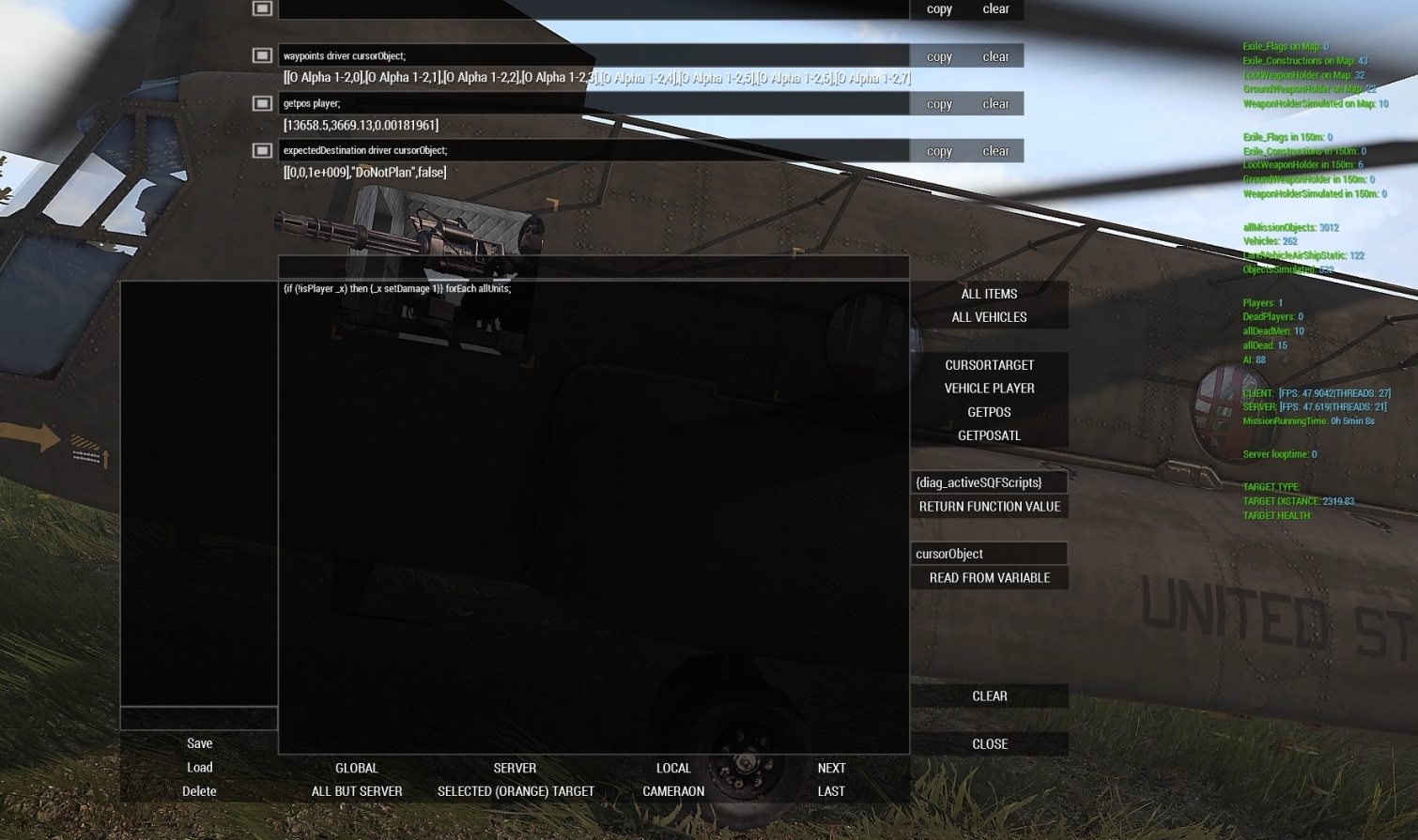
sharp grotto
no errors in the rpt
 dreamy kestrel
Q: 1) how do you add class event handlers for objects such as ContainmentArea_01_sand_F (large or small)? 2) in particular for event handlers such as CBA_fnc_addClassEventHandler is working for other assets, but not for the containment areas, even when _applyInitRetroactively=true.
According to this, https://community.bistudio.com/wiki/Arma_3_CfgVehicles_Structures, should be available as part of Helicopters DLC, right? Which I have. However, in my editor, it is appearing to be part of Contact DLC, which I do not. Are the events prohibited in that case? In particular "init" does not seem to work properly.
velvet merlin
https://community.bistudio.com/wiki/showWaypoints - does this override the difficult setting, or respect them?
 fluid wolf
Does anyone know if there is a way to return the zeroing value of a weapon? Ideally for weapons with automatic lead like the Cheetah where it would give you like, the zeroing distance as a number when locked on
winter rose
fluid wolf
Aww. yes. Thank you. Thats exactly what I needed
I dont know how I didnt find that earlier
winter rose
I typed zeroing* in the search bar :p
fluid wolf
So did I... but, hey sometimes the blind need guides
unique sundial
There is a commands utility, it would have worked with keyword
 frank vector
Hello everyone. Been learning scripting on and off and one of the major issues I seem to have always seems to be in profileNamespace. Is there a way that I can debug missions by producing a list of all variables inside a NamespaceProfile? Can I edit any variables inside the Namespace to fix any corrupt issues. I tried searching through discord but could not find what I was looking for. I imagine it would be a loop of some sort pulling an array? Sorry I was in PHP coding. Appreciate this whole community, especially KK, Gensis, Dedmen, etc.
still forum
to fix any corrupt issues
probably not, maybe.
You should generally only store string,bool,number,array in profileNamespace. Don't save CODE variables.
unique sundial
You can make new profile it comes with brand new profileNamespace
astral dawn
https://community.bistudio.com/wiki/startLoadingScreen
The game simulation is disabled during Loading Screen operation (at least in SP), therefore any use of sleep command will pause the game indefinitely. If you have to "sleep", use uiSleep
Does it mean 'any sleep in the spawned script where startLoadingScreen was called' or 'any sleep in any spawned script'?
smoky verge
does lookAt work when the recieving end is the player?
if not is there any solution to get AIs to look at players during cutscenes?
astral dawn
It should or do you have any problems?
I think it worked for me, but it was long time ago and I don't remember
smoky verge
I'm not sure its working, it does face me because I locked its direction with disable Move
but the head still seems to be lookin where the rifle is pointing and do its usual look around movements
which is what it normally does
the unit is crouching so it looks like its looking at my legs
winter rose
did you happen to do unit1 lookAt getPos player?
smoky verge
I didn't, is that what I'm supposed to do?
winter rose
nonono
 runic quest
excuse me, could the "if" can use in the "waituntil"? https://sqfbin.com/tasowebepafizejolaco thanks!
winter rose
Yes
runic quest
@winter rose thank u very much!
smoky verge
so @winter rose it should effectively work as it is correct?
could the problem be caused by the disabled movement?
smoky verge
I though that was just to mark enemies with those red squares you see in the east wind campaign
 finite jackal
Has anyone HAD to use sleep over uiSleep?
silent latch
^
winter rose
@smoky verge glanceAt too ^^
 sacred lance
Anyone who can tell what i'm doing wrong? Getting "generic error in expression" when I try to activate it.
_keyPressed = 0;
_keyDown = (findDisplay 46) displayAddEventHandler ["KeyDown", "if (_this select 1 == 201) then {_keyPressed = 201;} else { if (_this select 1 == 209) then {_keyPressed = 209;}}"];
while {true} do {
    if (_keyPressed == 209) then {
    player setDamage 1;
    } else {
    if (_keyPressed == 209) then {
    player setDamage 0.5;
    }
};
sacred lance
oh crap
thanks = )
Will try it
Okay it doesn't give me an error now
But the code doesn't run
201 for me is page up and 209 is page down
I click the buttons yet it does nothing
unique sundial
But the code doesn't run
this means nothing without a context.
sacred lance
I updated my code above
Yeah sorry
I have an addaction in my init
That calls this file
Where this code is ran
unique sundial
I updated my code above
what changed?
sacred lance
The file runs other code I have but when i run it, it doesn't damage or kill my character
Oh just the curly brackets
//Gives the player the action option
_sandbagHandle = player addAction ["Barricade with a sandbag", "vectors.sqf"];
That's my init.sqf
unique sundial
Oh just the curly brackets
The same as before
sacred lance
Yeah
unique sundial
So you have the error
sacred lance
?
No it gives me no error
It just doesn't do any of the if statements when I press any of the buttons
unique sundial
You said you updated code above but it is not updated it has bracket missing
unique sundial
count { and } and compare the count
sacred lance
will do
unique sundial
while {true} do {
if (_keyPressed == 209) then {
player setDamage 1;
} else {
if (_keyPressed == 209) then {
player setDamage 0.5;
}
};
} is missing, I let you figure out where
sacred lance
Oh I see
was looking at the event handler
Thanks = )
I've added the curcly bracket now but still doesn't work
unique sundial
while {true} do
{
    if (_keyPressed == 209) then
    {
        player setDamage 1;
    }
    else
    {
        if (_keyPressed == 209) then
        {
            player setDamage 0.5;
        }
 //} ????????
};
because if you format your code you can see it
sacred lance
Yeah I suck at formating, I'll try to get better at it
_keyPressed = 0;
_keyDown = (findDisplay 46) displayAddEventHandler ["KeyDown", "if (_this select 1 == 201) then {_keyPressed = 201;} else { if (_this select 1 == 209) then {_keyPressed = 209;}}"];
while {true} do
{
if (_keyPressed == 201) then
{
player setDamage 1;
}
else
{
if (_keyPressed == 209) then
{
player setDamage 0.5;
}
}
};
That's what I have now, still doesn't run any of the conditions
sacred lance
that's meant to be 201 in one, my bad
unique sundial
do you run it in scheduled or unscheduled?
unique sundial
I mean while{true}... how do you launch that script
sacred lance
oh
Through the addaction "_sandbagHandle = player addAction ["Barricade with a sandbag", "vectors.sqf"];" That's placed in my init.sqf
I've ran other code in that script file and it works just fine, it's just that line of code from above that doesn't work
unique sundial
_keyPressed is not defined in it
so comparing it to anything is not gonna work
and it should give you undefined variable error
when you select "Barricade with a sandbag" action
sacred lance
I can send you my entire file if you'd like? if that helps
both my init and the file that's being called
unique sundial
wait is _keyPressed = 0; is also in this file?
sacred lance
yeah
unique sundial
then it is not undefined it is always 0
sacred lance
everything i've sent except the addaction is in the same file
always?
but I when I press page up it should set it to 201
unique sundial
the event handler doent change this variable because it runs in own scope
unique sundial
and adding new event handler every time you select an action will add missions of event handlers which eventually make your game sluggish and maybe will crash it
sacred lance
How should I have it? and can I somehow extract what key is being pressed from it and using it instead as comparsion
I suppose I can have the event handlers in a seperate file
not being called just being ran
unique sundial
I dunno, lack of context, no idea what you are trying to do.
sacred lance
Trying to damage my character when I press the button page up or page down
Want me to send the entire file to you or?
if it helps
unique sundial
you can do it in event handler
sacred lance
I can get the key pressed from it?
I tried to yesterday but was unable to
proabably did it incorrectly
unique sundial
I can get the key pressed from it?
what do you think you are doing here: if (_this select 1 == 201)
sacred lance
Yeah I'm getting the raw number of the key being pressed, that I know
But I don't know how I can use that outisde of the event handler since everything I've tried seems to not work
unique sundial
why do you want to use it outside of EH? if (_this select 1 == 201) then {player setdamage 1};
sacred lance
so I can detect what key is being pressed and use that in an if statement
unique sundial
You are detecting what key has been pressed here: if (_this select 1 == 201)
sacred lance
yeah I know but, I don't wanna run the rest of the code (I have more code, the "player setDamage 1" is just to test to see if it works) inside of the event handler
unique sundial
make a function, put a code of what else you want to do, call it on key press
if (_this select 1 == 201) then {call my_function}
sacred lance
That sounds logical, thanks 🙂
Will do it
does it send with it any params? the "call my_function"
unique sundial
you can send anything you want to it
if (_this select 1 == 201) then {[yourparams] call your_function}
sacred lance
Can I send with it "_this select 1"? Don't want to need 2 functions depending on what key I press
somehow
unique sundial
you can send anything you want to it
 real osprey
Im trying to attach a trigger to a player so that by using the add camera area and add editing area modules, the camera follows a specific player while in zeus.
The camera area and editing area portion work, but it does not follow the player.
thisTrigger attachto [test1 [0, 0, 1] ];
 spice axle
thisTrigger attachto [test1, [0, 0, 1] ]; there is a comma missing
@real osprey try to start with -showScriptErrors flag enabled in the launcher
real osprey
Alright. Even with the comma there, it isnt working
spice axle
Show me your complete script
spice axle
I mean your camera and editing modules
real osprey
I realize that isn't entirely helpful but the player on the right is sync'ed to the zeus. Then both the camera area and the editing area and synced to it and then synced to a game logic
which is synced to the trigger I am trying to attach
spice axle
ok, the modules are executed at the start of the mission, not in a loop while your player is moving with the attached trigger
real osprey
How would I go about executing them in a loop?
I take it that would require an actual script?
spice axle
Probably
https://community.bistudio.com/wiki/addCuratorEditingArea will be a good start:
_0 = spawn {
    while {alive yourPlayerName} do {
        yourZeusModuleName addCuratorEditingArea [0, position yourPlayerName, 500];
        sleep 10;
    };
};
put this into the trigger init and remove the add curator editing area module
EDIT: Obviously change yourZeusModuleName and yourPlayerName to your actual variable names
real osprey
yourZeusModuleName being the zeus player and yourPlayerName being the camera targer?
target*
spice axle
yourZeusModuleName beeing the name of the curator module and yourPlayerName the name of the camera target player
real osprey
curator module being the actual zeus module variable name?
cunning crown
Yep
real osprey
says its missing ;
    while {alive test1} do {
        zu1 addCuratorEditingArea [0, position test1, 500];
        sleep 10;
    };
};
ah oops
_0 = [] spawn {
    while {alive test1} do {
        zu1 addCuratorEditingArea [0, position test1, 500];
        sleep 10;
    };
};
editing area works and moves with the target
so now I would need to do the same for addCuratorCameraArea
?
and, is 500 the radius of the editable area in that? I am assuming so?
spice axle
_0 = [] spawn {
    while {alive test1} do {
        zu1 addCuratorEditingArea [0, getPos test1, 500];
        zu1 addCuratorCameraArea [0, getPos test1, 500];
        sleep 10;
    };
};
yes the radius
sleep 10, with 10 is the waiting time in seconds for the script to wait until setting the area again
real osprey
Awesome! that works with an unintended side effect that it adds more room for the camera to move but doesn't delete previous room if that makes sense
So say a 50m radius to begin. Camera can go from -50 to 50. Camera target moves 50m along X axis. Camera can now move from -50 to 100
isnt necessarily a bad thing though
next, If I wanted to assign it to a group rather than a player, could I just name the group test1 rather than the player?
so that should the player die, but the group still has survivors, it can continue?
that was apparently only when you are right near the zeus
spice axle
I'm not sure if you can get the position of a group, but i doubt. You could just get the position of the group leader.
You need to replace. Test1 beeing the group variable name
_0 = [] spawn {
    while {alive (leader test1)} do {
        zu1 addCuratorEditingArea [0, getPos (leader test1), 500];
        zu1 addCuratorCameraArea [0, getPos (leader test1), 500];
        sleep 10;
    };
};
When the groupleader dies, a new one would automatically take its place, right?
spice axle
right
real osprey
swet
sweet*
this works perfectly
Now, to extend this to multiple people
(4 zeuses controlling 4 different squads)
It would go something like
    while {alive (leader test2)} do {
        zu2 addCuratorEditingArea [0, getPos (leader test2), 500];
        zu2 addCuratorCameraArea [0, getPos (leader test2), 500];
        sleep 10;
    };
};
yes
real osprey
awesome
I thank you so much for all this
I do have a few more questions though if thats alright
If I only wanted the zeus to be able to command troops, rather than place anything down
I could set his resources to 0?
spice axle
You could give it a try yes, never touchend anything like this
real osprey
I also need to figure out how to hide enemy units until they come into contact with the specific group. I was thinking attaching a trigger that hides units unless they are detected by BLU? Would that work or is there a better way?
Maybe using worldToScreen to check if they are visible and then hiding the unit markers if they aren’t?
dreamy kestrel
Q: we have a scenario, loading an object in a vehicle. so we say something like _obj attachTo [_vehicle, ...], right? We would like to verify the attachment was successful, so we can say if (isNull attachedTo _obj) then {false} else {true}, correct?
still forum
vehicle in vehicle loading is probably better than attachTo, if that vehicle and your object supports it
then {false} else {true} that makes no sense, all you are doing is !
hazy agate
Hello everyone, does anyone has an efficient idea how to get ALL of the military locations on the map? And I mean not only the "military" ones that are marked with "NameLocal", but all locations, including those unmarked because there's a lot of them. I wanted to populate them with units. Going through the map with markers seem way too tedious and it would need to be done for every map.
young current
do you mean like populating all of them at once? as that would be bad idea
hazy agate
Not really, but I want to keep those locations in some variable, if players get close enough I could populate them.
I still need to think of how to do it properly, populating bases when players are close enough and removing units if they move far away, but also somehow keeping the fact that base has been attacked for example so I won't spawn any more units in there, or only the "remaining" ones.
However first of all, I need to get locations without causing too much strain on server, because I feel like iterating through couple of hundred thousands objects is a terrible idea
astral dawn
Well, search for all buildings of the military building types
Then 'cluster' them
I think that's the only proper and logical way
hazy agate
Well that's what I had in mind, but I feel like it'll be a huge hog on performance
astral dawn
To find all of them and cluster them? Yes.
However you only do that once per map.
hazy agate
Hm... in fact, I could actually do that in editor, get an array of all locations and then in the actual map, for each one just place a marker at the start for easy reference later on.
astral dawn
clusters = [];
for all such buildings do {
    _building = _x;
    _minDist = find min distance from _building to all of the clusters;
    if (_minDist > 300) then {
        _cluster = new Cluster(getPos _building);
        _clusters pushback _cluster;
    } else {
        _cluster.addBuilding(_building);
        _cluster.recalculateShape();
    };
};
Or something like that
I've done a similar thing (clustering) for AIs already... but it is quite slow with big amount of objects as you can imagine
hazy agate
Wait, you can do something like that in sqf?
_cluster.addBuilding(_building);
_cluster.recalculateShape();
With OOP yes, without OOP no. It's pseudocode.
hazy agate
Alright, just making sure, because I've been looking for some ways for it in sqf
astral dawn
Then I have one for over a year 😄
hazy agate
Oh?
astral dawn
With VSCode support ✨
Well and the page has a reference to another similar OOP system (with terrible performance) if you want
Also @queen cargo has one but I have no idea how much finished it is
hazy agate
Gonna definitely look through that 🙂
I'll play around soon and try to figure out something for getting the objects
Sad that most of them are unmarked on the map but oh well
astral dawn
yeah I agree
I was thinking of doing same for my mission tbh
Anyway, my cluster implementation, not OOP but simple arrays, if you find no better way than clustering them
https://github.com/Sparker95/Vindicta/tree/development/Project_0.Altis/Cluster
hazy agate
Firstly I wanted to create cluster of objects from eden composition, but I would leave a lot of existing bases just standing around unpopulated and that would look weird in the mission itself
Alright gonna take a look soon, thanks for the links!
unique sundial
What recalculateShape does? @astral dawn
astral dawn
Well, it means that after a new point was added to our 'cluster', the cluster shape must be recalculated
in my case clusters are simple rectangles
so it's shape is a bounding box of all the objects on 2D plane
I considered making cluster a circle, but it would mean solving the minimum circle problem, which is hard 🙂
 queen cargo
@astral dawn oos is working and perfectly functional
astral dawn
That's cool, then @hazy agate should better use your OOP thing instead, since it should run faster
Although... does OOS help with variable serialization by the way? Like, convert all object's variables into an array, then unpack it back into an object?
hazy agate
Mhm, I'll take a look!
astral dawn
For saving or network code for instance
dreamy kestrel
Q: does __FILE__ yield the absolute path of the file? or relative to the mission?
astral dawn
Absolute
unique sundial
There is getMissionPath as well https://community.bistudio.com/wiki/getMissionPath
dreamy kestrel
Perfect, thank you.
hazy agate
Well had a few minutes finally to sit down and look for objects around the map. I think one of the ways would be to get all the parent types of military structures I want to look for and just make array of them. Then just get objects around and check if they're kind of that what I have in array.
_objects = position player nearObjects 50;
_militaryObjects = [];
{
     if(_x isKindOf "Cargo_Tower_base_F") then { _militaryObjects pushBack _x; };
} forEach _objects;
_militaryObjects;
I wonder if this can be done better because I've looked at the wiki and I noticed that military structures have subcategory called "Military". However I have no idea how to dig into that with script. https://community.bistudio.com/wiki/Arma_3_CfgVehicles_Structures#Land_Cargo_Tower_V1_F
winter rose
can't nearObjects filter by parent class?
winter rose
Wiki, Wiki, Wiki! :)
hazy agate
Still learning scripting 😛
I feel like it's still going to be a long list of types
Okay I found something interesting while digging through the configuration files, objects have property called editorSubcategory
And I managed to get all military categorized objects around player with this little script. Now I wonder, if doing it this way is worse for the performance and it's better to get all the parent types into array and just use nearObjects with the filter, or do it lazy way like this 😛
_objects = position player nearObjects 50;
_militaryObj = [];
{
    _type = typeOf _x;
    _text = getText(configfile >> "CfgVehicles" >> _type >> "editorSubcategory");
    if(_text isEqualTo "EdSubcat_Military") then { _militaryObj pushBack _x };
}
forEach _objects;
_militaryObj;
hmm… it's not bad I think
you could maybe first get an array of "Military Category" objects, then use this class list with nearObjects
that would be the best and less perf-hungry if you plan to do this check frequently
hazy agate
That sounds pretty good
Not sure how often I plan to do that yet, but that still would be useful
winter rose
if you plan to do anything more than once, optimise it 😉
hazy agate
Well if that method works fine and actually finds all military objects, then on Altis there are 1149 objects of that subcategory, and there are only 22 unique types among them
Those are not all types for sure since there are no walls in there, but still there are buildings which are probably the things I want mostly
winter rose
or grab them all in a list, and list through it
hazy agate
Yup, I want mostly just the general locations so I can spawn units in those FOB's once player gets close enough and such. But that's still a good start. I thought it's going to be problematic but turns out that it's not that hard
And well this script can be used on other maps as well
Okay, script does detect walls, however it doesn't seem to work for walls that already exist on the map, for example near Kore. For custom placed object it works. Regardless it's good enough
dreamy kestrel
I am guessing that complex macro expansion is not supported? Or I have a macro syntax error?
#define KP_DEBUG_DIAGNOSTICS_LOG3(d, t, f, l)    if (d > 0) then {[t, f, l] call kp_diagnostics_log}
#define KP_DEBUG_DIAGNOSTICS_LOG2(d, t, f)       KP_DEBUG_DIAGNOSTICS_LOG3(d, t, f, __LINE__)
#define KP_DEBUG_DIAGNOSTICS_LOG(d, t)           KP_DEBUG_DIAGNOSTICS_LOG2(d, t, getMissionPath __FILE__)
if you get an error on those lines you've got an error somewhere 😉
although I don't see anything wrong, but I'm not a macro expert either
cunning crown
It's square brackets that de PreProcessor don't like, he's pretty fine fine with rounded ones
unique sundial
Or I have a macro syntax error?
works fine for me
unique sundial
There is no such thing as case default try wiki
dreamy kestrel
Q: when working with variables, are these things references? i.e. say we have, private _x = []; private _y = _x; /* _y is the same object as _x */, unless we do something like this, private _x = []; private _y = +_x; /* _y is a copy of _x */ ? thank you...
still forum
yes
dreamy kestrel
and along similar lines, when we say _x select _i, we are working with a reference to the element in _x indexed by _i? i.e. so any changes to it, i.e. via set, for instance, are reflected accordingly?
still forum
you have a reference to the value that was in that array at that index at that time
if you replace that value in the array, your value that you previously selected out of it won't update
your value doesn't know where it came from
dreamy kestrel
okay dokay, thanks @still forum
 tough abyss
@tough abyss you don't use sleep when you want a script to run on game pause, you use uiSleep
 pseudo kernel
It is possible to prevent player from leaving vehicle for MP?
unique sundial
you mean lock someone in a vehicle?
pseudo kernel
Yep.
unique sundial
no, but you can disable their getout key
but then they can bind it to mouse key and you cant disable that
pseudo kernel
That's may not be a problem, if they don't know about it.
unique sundial
still it is messy and unreliable
you have to disable action menu too
basically not worth the time
 viscid crescent
i guess you could use disableUserInput, but that disables everything
another option would be to detect if they are outside the vehicle and just move them back in with moveInCargo or any of the related commands
or you could make an eventhandler for GetOut and move them back in with that
 sonic linden
hi, how can I add a new "item slot" to the inventory which can hold one item?
similar to the radio/map slot but all types of items are allowed in it
 shadow umbra
Surely, vehicle player setVehicleLock "LOCKEDPLAYER", would suffice in preventing someone from getting out of their vehicle? @pseudo kernel
young current
@sonic linden you can't. At least not in the same way the default slots are made.
unique sundial
Surely, vehicle player setVehicleLock "LOCKEDPLAYER", would suffice in preventing someone from getting out of their vehicle?
There must have been some changes, because this doesn't work anymore even though it should according to wiki. Howevervehicle player setVehicleLock "LOCKED"seem to be working, but this will not stop player moving out ifmoveout playeris used, which could be used by some mods
 velvet umbra
is there any way to use a StructuredText in drawIcon? Like using a picture in the String?
young current
no, I dont think its how you use it
velvet umbra
okay thx i wanted to make new group map marker with an arrow as view direction and the name followed by the current players gun but for this i need structured text
i build an alternative by using ctrls but by transforming the player position to gui position its kind of buggy
young current
why do you think its buggy?
you just getpos the players position and use the x,y coordinates?
also drawicon syntax has "text" field
you could probably use that
velvet umbra
yeah but actually i need a structuredText field instead of a normal string field there to use a picture in the text field
young current
why do you need picture in the text field?
that does not quite make sense
If you have picture you want to show why not use drawIcon
velvet umbra
yes i want a arrow which changes direction corresponding to view direction followed by name of the player and his gun as pic ^^
young current
is the gun pic really necessary? the icon would be quite tiny
dreamy kestrel
shame select and apply do not furnish a _selectIndex or _applyIndex as the forEach does... that is very useful when wanting to do these sort of filters.
velvet umbra
its big enugh an looks good when i tried it solving it with ctrls but i'll figure an alternative out. thx for your help @young current
 mighty jackal
how do you eject a unit from a vehicle on a dedicated server i see this
Example soldierOne action ["Eject", vehicle soldierOne];
then heres mine _victim action ["Eject", _basket]
but he never gets ejected from the basket its almost like he gets deleted
spice axle
How do you execute the script?
mighty jackal
how do you get the variable name of a unit thats in a vehicle on a dedicated server without the vehicle having a variable name set in the mission?
execute via add action
spice axle
add action is attached where?
mighty jackal
to my helicopter
everything works i just need the unit to get ejected and moved into my helicopter
spice axle
maybe set a variable name for the unit?
mighty jackal
how would you do that?
spice axle
double click the unit and enter a variable name in the mission editor
mighty jackal
the vehicle isn't named because its created via script so i can't do that
therefore i don't know what person i'm picking up
i'm doing a rescue basket script
for a dedicated server with actual people
spice axle
you could get allPlayer and select the one who is in the vehicle near to you, but thats kinda hacky
mighty jackal
i'll try it thanks
mighty jackal
@spice axle he will now eject but he's not being moved into cargo he just falls to the ground
after ejecting him this runs _victim moveInCargo [_heli, 1];
 vocal burrow
is there a way to spawn an object on a memory point defined in the p3d?
say i have a house that has 4 memory points, i want to spawn an object on one of the memory points. is there a code for that?
mighty jackal
Can anybody explain why when i try to move a unit from a vehicle to another vehicle via script he just vanishes into space?
_victim action ["GetInCargo", _heli, 0];``` crude needle
@vocal burrow https://community.bistudio.com/wiki/selectionPosition
Then use modeToWorld.
mighty jackal
can you play a sound from cfgSounds in your config.cpp from calling it in a sqf?
example .. class CfgSounds { class Intercom1 { sound[]= { "\blackhawk\hoist\sounds\BasketAtCabin.ogg", "db2", 1, 1 }; name="Intercom1"; titles[]={}; duration=3; }; };
then in the sqf would it be playSound3D "intercom1";
unique sundial
@vocal burrow try _pos = _obj modelToWorld (_obj selectionPosition _memorypoint);
 jade abyss
hm, was there a way to create ai localy? 🤔
like createVehicleLocal, just for Units
(Highlight pls, when answering)
 round scroll
I want to have a group follow a player to pursue him. I set a waypoint on the player position, that works, but then they kind of get stuck at this coordinate. I tried to update the waypoint position frequently (once a minute), via _wp setWaypointPosition [player, 10]; with _wp being stored in the group (private _wp = _x getVariable "blud_mission_wp"; looped over all groups), but it doesn't seem to work
full code at https://pastebin.ubuntu.com/p/pn99mGHqYk/
hot kernel
@round scroll ,
https://community.bistudio.com/wiki/BIS_fnc_stalk
round scroll
thanks!
spice axle
@mighty jackal Try to run it locally on the client, because I think it has to
worn forge
Why not just follow the example, if it's called from an addAction?
player action ["Eject", vehicle player]
@mighty jackal as for why you guy is disappearing into space, it's probably because _heli hasn't been defined, and the default position for objNull is [0,0]?
 delicate lotus
Can I, with a specific script command or a fancy mix of script commands, show a players steam profile picture in a dialog? (Without downloading it and including it in the mission folder ofc)
delicate lotus
Bummer. But thanks for the quick answer. Also, didn't you stop doing ArmA scripting stuff? Nice to have you back
unique sundial
Dude, that was ages ago, I have been back since Contact development
delicate lotus
Noice
worn forge
I agree - KK your tutorials helped me immensely.
still forum
Its Arma btw
 sturdy sage
18:12:41 Unknown action UseContainerMagazine
This is spamming my RPT quite a bit, what could be the cause?
winter rose
it seems related to Wasteland.
mighty jackal
@worn forge can’t use player I’m making it for a dedicated server
worn forge
So? Player triggers the command, it's executed on the player
mighty jackal
Player doesn’t exist on dedicated
worn forge
...
cunning crown
Then create an object on the server (also player can exist on dedicated)
worn forge
No, no no.
The action is executed by a player, and the effect is run on the player that executes it
I'm assuming you have some addAction on a helicopter, the player selects that action, the script then gets executed by the player, the server's not involved
 shadow sapphire
Could anyone write me a *trigger condition that basically says:
"T1 is present AND any player is present AND opfor is not present at other named trigger."
worn forge
You need this as a condition in a trigger?
cunning crown
Ohh, I tought he was still talking about the sound thing, my bad
shadow sapphire
Yes, I need it as a condition in a trigger. IDK why I didn't specify that. I totally meant to...
worn forge
I believe that a trigger can only have one activation condition, but you can then extend the activation with the condition of setTriggerStatements
Not an issue if the trigger in question is a repeating trigger (ie., it doesn't end itself when the Activation is satisfied)
Something like:
yourTrigger setTriggerActivation ["ANYPLAYER", "PRESENT", true]; yourTrigger setTriggerStatements ["this && {T1 inArea thisTrigger} && (({side _x == east && _x inArea yourTrigger2} count allUnits) + ({side _x == east && _x inArea yourTrigger3} count allUnits) + ({side _x == east && _x inArea yourTrigger4} count allUnits)== 0)","YOUR ACTIVATION CODE","YOUR DEACTIVATION CODE"];
Not tested, and could also be quite performance heavy.
shadow sapphire
Ah! Either way, thanks a ton!
mighty jackal
how do you get the actionid from when a useraction is created via script i thought it starts at 0 but i can't remove my assigned actions
winter rose
see the wiki @mighty jackal
mighty jackal
not much information https://community.bistudio.com/wiki/actionIDs
mighty jackal
i've done that but the actions don't get removed
mighty jackal
Action0 = _heli addAction [("<t color=""#FF2400"">" + ("Deploy Basket") + "</t>"),fnc_deploybasket,[_basket,_heli],3,false,false,"","driver _target == player"]; _heli removeAction action0;
winter rose
Yep, should work
winter rose
how is your code structured? Is it done in the same file? Place hint/systemChat to see if your code is reached
mighty jackal
yes its done in the same file
worn forge
I'd put the code in curly brackets, personally
winter rose
is your removeAction code reached @mighty jackal?
mighty jackal
haven't done that yet but using this loop works
for now atleast
i'll try it in a sec
winter rose
That's one big second
😄
 finite dirge
Or one big loop.
 pure blade
hello 🙂
is it possible to let a player join a "enemy" group without changing his side, so that "playerSide" and "side player" stay one his selected slot side?
winter rose
change side friendliness towards each other? @pure blade
pure blade
hm i added this code into the initserver.sqf:
_allsides = [civilian,east,west,independent];
{
    _firstside = _x;
    {
        _firstside setFriend [_x, 1];
    } forEach _allsides;
} forEach _allsides;
so now the "playerSide" variable doesn't change anymore but the "side player" variable still does

weird
@winter rose
winter rose
so your player starts as East @pure blade ?
vocal burrow
@unique sundial thanks a ton man. Going to give it a whirl hopefully tomorrow. Basically have a building that will spawn certain objects on memory points. Hope this will work
pure blade
@winter rose yes @tough abyss hm okay then I need to find a other solution, thank you both
unique sundial
@vocal burrow Another way is to attachTo items to memory points using attachTo 3rd param and then detach, it should stay where it was attached after that
jade abyss
as long as they don't have PhysX
young current
Does disable simulation disable physx too?
jade abyss
Jeps
shadow sapphire
Does anyone know of a method or existing script that makes specific destroyed vehicles respawn all at once?
I tried enabling forced respawn in the vehicle respawn module, that doesn't seem to actually do anything.
I tried synching a trigger to the vehicles, and that initially appeared to work, but I've since discovered issues. First of all, when the trigger activates, the vehicles all respawn exactly where they were destroyed, rather than at their starting position. Secondly, once the trigger fires the first time, the vehicle spawn module just goes back to default behavior, which doesn't work because again, forced respawn doesn't produce the expected results.
worn forge
@shadow sapphire you could do something that searches all dead vehicles:
_deadVehicles = allDead - allDeadMen;
then run something that re-creates them
{ _class = typeOf _x; _pos = getPosATL _x; _dir = getDir _x; deleteVehicle _x; _veh = createVehicle [_class, _pos, [], 0, "NONE"]; _veh setPosATL _pos; _veh setDir _dir; } forEach _deadVehicles;
But for the "specific destroyed vehicles" you would need a way to define them, perhaps with a variable, by which you can then limit them.
shadow sapphire
There are only like two dozen vehicles, so I could definitely name them all if it simplified the script in any meaningful way. However, I do think that you are at least headed the correct direction.
The idea is that I have transport and logistics vehicles that respawn normally. Destroy, delay, respawn. But I want combat vehicles, like APCs, IFVs, and MBTs to respawn on a schedule, and all at once, in an effort to "schedule" major engagements in an endless PVP scenario.
I do think your script is really close to what I need. I'll copy it and examine and test it later. Thanks a ton!
worn forge
Note that that bit of scripting will respawn them where they died. I assume you'll want to respawn them in a main base. If so you'll need to program in those coordinates and direction, preferably save them as variables and then drawn on those for the respawn.
dreamy kestrel
can anyone recommend a decent editor (IDE?) experience while maintaining mission / client/server code? I've seen folks using VS Code? Eclipse? even, Notepad++? thank you.
cunning crown
Vs code is pretty good
still forum
VS Code is best I'd say
I use notepad++ for most small things, but anything "big" I use VSCode
shadow sapphire
@worn forge, thank you very much!
worn forge
I'm a notepad++ man! Simple, free, good. DEL-J np
 random estuary
Sublime with the sqf plugin for syntax highlighting
winter rose
no one using Eclipse? 😄 GOOD
VSCode all the way
exotic flax
Atom is my preferred tool
spice axle
Atom!
jade abyss
N++ & Folder/File-View activated
winter rose
vim
winter rose
vim is hell, though :D
I chose VSCode over N++ because of the variable renaming option - I used N++ for a long time before that
jade abyss
Using GrepWin for that 😂
hot kernel
@winter rose , this one?
https://code.visualstudio.com/
winter rose
F2 → rename → done
@hot kernel yes, the one and only
hot kernel
thanks
jade abyss
hmm... meh. I remember trying to use it, became annoyed by it
hot kernel
any important set-up or configure options?
winter rose
SQF plugins, that's it
hot kernel
@pure blade , thanks, got it
hazy agate
I have question regarding AI groups. I spawn some buildings on the map (or use existing ones). I also spawn groups of AI. How can I make them use those buildings around them, like force them to get into certain positions inside the building and stay there
Or even spawn them inside the buildings right from the start
worn forge
Google zen's framework for arma, there is a great garrison script in that
hazy agate
Darn looks promising, wish I found it earlier since I've developed a lot of systems where I could just use the ones in lib, thanks I'll take a look at it!
empty tartan
is there a way to get hold of all arsenal loadouts in game as a list.
I want to be able to pick from a list containing my custom loadouts and then have an AI spawn with that loadout
seems like i found it: (profilenamespace getvariable ["bis_fnc_saveInventory_data",[]])
Seems like the formatting on the data i get out are a bit different than when i load the loadout on myself and use getUnitLoadout, which means i cannot use setUnitLoadout using the data i get from profilenamespace getvariable ["bis_fnc_saveInventory_data",[]]. Anyone has any insights to this?
spice axle
You could create the unit and getUnitLoadout if you want to have one specific and delete the unit after that
shadow sapphire
I need an addaction that adds a loadout to the unit that uses the addaction.
What would the formatting be for that?
I know it's like
this addAction ["Autorifleman", "BAutorifleman.sqf",[],1.5,true,true,"","true",3];
Then have your code in the loadout script, but I don't understand what I do to make the player using the addaction get passed into the gear script.
tough abyss
Hey, if this ain't the right place to ask, I apologize, but I'm working on a video and need a little technical help.
Is there an init script that will spawn the RHS Blackhawks with their doors open?
 steel ferry
I personally don’t know the exact answer/name for the doors, but it is an animate call @tough abyss. It goes in the init box of each individual Blackhawk. Maybe try cargodoor animate 1;
But idk on the exact name of the door(s)
tough abyss
Alright, I'll see what I can do with that
dreamy kestrel
This may be a stupid question, but how do I determine whether an object is Static, in the class name sense of the term?
meaning would not respond to alive, I assume. I think I found it, _x isKindOf "Static", works for me.
spice axle
@shadow sapphire you could ever use player or look in the wiki article for parameters they are stored in _this and together with params you are fine
empty tartan
for those interested. Here is how i solved it: https://github.com/KillahPotatoes/arma.warfare/blob/feature/custom-infantry/client/player_actions/get_custom_units.sqf
spice axle
@empty tartan use params instead of select 0 or 1,2,3,4,5 pls. Way better then these mass of selects
empty tartan
yes, i got told so just now. I will change it after work 🙂
smoky verge
I've checked the Campaign Description.ext on BIstudio
{
    // Arma 3
    endDefault = ;

    // pre-Arma 3
    end1 = ;
    end2 = ;
    end3 = ;
    end4 = ;
    end5 = ;
    end6 = ;
    lost = ;
};
can't understand what the NoEndings is supposed to mean and why there are 6 of them including lost
well I guess the 6 is probably changeable to the number of missions but why here
 hollow thistle
winter rose
hollow thistle
winter rose
it's a fallback class, if you "forget" to define an ending it leaves the campaign instead of crashing the game
hollow thistle
BI just uses these classes to inherit them in other places and provide default values instead of typing this everywhere over and over.
 proud carbon
hey if _WhichL = "I'm A String Yall", then
if (_whichL isEqualType "String")
``` would be true yeah?yes
proud carbon
thank you
still forum
but _whichL isEqualType "" would be enough
winter rose
@proud carbon isEqualType doesn't take -only- string value for comparison
1500 isEqualType "Number" // false
1500 isEqualType 0 // true
plain current
typeName _val isEqualTo "SCALAR" if you wanna use typenames, tho idk why, its longer and slower
still forum
That's wrong on so many levels
plain current
Prolly should be lowercase n, but I'm on my phone so it's not that easy...
still forum
first its typeName and not typeOf
second its Scalar not Number
third its SCALAR not Scalar as isEqualTo is case sensitive
fouth: why even tell a beginner about it if he shouldn't use it
plain current
Well there you go
That's why ppl shouldn't even try to write code on phones, an sqf extension for the swift could be useful tho
still forum
well your syntax was correct ^^
 tawdry harness
Hey, for the forEach loop, I have 5 groups of infantry that I need to loop through. Is there a way that i can group those into one forEach loop maybe using an && or do i have to do a forEach loop for each group?
winter rose
{ } forEach (units grp1 + units grp2 + ...)
plain current
You got an array with 5 groups or you got variables like "group1", "group2", etc? Or you got 5 groups in the mission?
tawdry harness
group1, group2, group3...
plain current
what lou said ^^
worn forge
@shadow sapphire we'd need to see your BAutorifleman.sqf script to see how you're doing it. But since the action is run locally, you can reference the player who ran it with the player variable, ie.,
player addWeapon "Autorifle";
worn forge
Since it's run locally, you can do it like this - https://pastebin.com/1PKG0KNE
shadow sapphire
That's awesome! This being run locally won't be a problem with other players seeing the wrong or no gear, right?
Like I don't need to throw in addItemtoVestGlobal or anything?
worn forge
The wiki is your friend here. For example, https://community.bistudio.com/wiki/addWeapon will show you that the addWeapon command takes local arguments, but has global effect (and the question you asked is answered by the "global effect" part - when a client has a weapon added, it's sync'd across the network so the unit has the same weapon on all clients.
shadow sapphire
Roger. Thank you.
 slate sapphire
Hello, is there a way to get the damage on individual arm / leg, I am doing a simple injury hud and I would like to change color of the hit arm/leg same as it happens on the virtual training dummies, with this I can't get individual left/right arm/leg:
getAllHitPointsDamage player;
//[
//["hitface","hitneck","hithead","hitpelvis","hitabdomen","hitdiaphragm","hitchest","hitbody","hitarms","hithands","hitlegs","incapacitated"],
//["face_hub","neck","head","pelvis","spine1","spine2","spine3","body","arms","hands","legs","body"],
//[0,0,0,0,0,0,0,0,0,0,0,0]
//]
winter rose
@slate sapphire https://community.bistudio.com/wiki/getAllHitPointsDamage see also chapter
plain current
You could have a look at this: https://community.bistudio.com/wiki/getHit
winter rose
https://community.bistudio.com/wiki/getHitPointDamage would be better in this case @plain current
slate sapphire
I did have a look but I don't find specific name l arm / r arm or leg, on gethit page there is no list of selection names there is only wrote that name could be in Czech but I don't find a list
winter rose
getHitPointDamaaage ^^
slate sapphire
I don't understand why there is face neck head pelvis spine1 2 3 body and then arms hands legs and body again
yes I opened all the related wiki pages still I can't see the list of player hit point class,
I guess I have to open the config of the base soldier to check, but still I don't see the logic to put 3 spine pelvis face neck and not larm rarm would have been too easy
finite dirge
That command gets the hit points for you:
Returns 3 arrays for easy cross reference: 1st - array of hit point names, 2nd - array of hit selection names, 3rd - array of damage values. All values in all arrays are ordered accordingly to hit part index for convenience and for use in setHitIndex and getHitIndex
it's what I posted, on that page there is no index for left or right just arms / legs
For what a got, the hitpoints are shared arms hitpoint and legs hitpoint, the virtual training dummies are using something different cos they clearly have the single arm/leg color change where you hit them, probably is done using handledamage something I would avoid
thanks for trying to help I appreciate still
finite dirge
it's what I posted, on that page there is no index for left or right just arms / legs
Yes, but running the command in game would guarantee what you are saying. If not, they are shared.
slate sapphire
ok can you give me an example how to get the list I will run right away on console
finite dirge
Go to the wiki page. It does exactly that.
Just diag_log the output and check your client rpt.
slate sapphire
yes was asking an example cos I am not used to that and I should go and check proper syntax to diag_log
plain current
diag_log str getAllHitPointsDamage player;
slate sapphire
merci
finite dirge
Don't need the str there.
plain current
It's useful anyways incase he wants to change it to a hint or something, doesn't really hurt but sure, dont need it there
slate sapphire
20:35:58 "[[""hitface"",""hitneck"",""hithead"",""hitpelvis"",""hitabdomen"",""hitdiaphragm"",""hitchest"",""hitbody"",""hitarms"",""hithands"",""hitlegs"",""incapacitated""],[""face_hub"",""neck"",""head"",""pelvis"",""spine1"",""spine2"",""spine3"",""body"",""arms"",""hands"",""legs"",""body""],[0,0,0,0,0,0,0,0,0,0,0,0]]"
same as wiki
plain current
And it's a bit of a habbit of mine, sometimes when debugging stuff like text commands/paths/etc it's nice to have the quotes so u can see if you have spaces at the start or end.
winter rose
@slate sapphire have you checked https://community.bistudio.com/wiki/ArmA:_Selection_Translations for getHit/setHit selections?
slate sapphire
Yes I had, but found nothing, just that:
noha leg
nohy legs
nohybok legs_side
maybe I found something
pbiceps right_biceps {abbr}
I have to try to compose the arms/legs with the single parts, thanks first time I just look for legs arms, this time you pointed me I tried to check right / left and there are some names I will let you know if works
winter rose
pnoha for right leg maybe?
slate sapphire
I try but, I think there is a composition like butt thigh shin = leg
tried shoulders biceps always return 0
it may be I hit the elbow last try then I can tell you this gethit "part" is not working
it return always 0 also if I write random name, 😦
 vernal pawn
Hi, so I have a problem with some scripts, how should I put them here for you to be able to see?
still forum
pastebin.com with expiration set to a month or so, and then send link
still forum
yup.
vernal pawn
oh
slate sapphire
Dedmen it's possible to link Github directly eventually ?
still forum
sure
vernal pawn
or is it correctly posted?
still forum
you go to pastebin.com
vernal pawn
yes
still forum
paste your script there, then select expiration date of a month, press "ok" or "submit". And then copy the url from the rul bar in the browser
unique sundial
annoying
still forum
many small messages bad
still forum
might have two seperate hidden selectionn textures
unique sundial
#arma3_config probably will suit this better
still forum
yeah config making (what you're doing) doesn't have anything to do with scripting really
vernal pawn
oh, rite.
still forum
double check that your model is really correct.
And it might have two hiddenselection textures. Check the original uniform class's config entries
vernal pawn
So i reckon i just rephrase it in the config channel to avoid crossposting?
still forum
move there, delete here. Then its not crossposting
vernal pawn
I couldn't find the sleeves variant tho
still forum
get it from arsenal, then "uniform player" in debug console.
vernal pawn
the guy in the tutorial has both of them the same. Ok
slate sapphire
can someone, help me with correct syntax, for my previous problem I would like to use HitPart to see what part I am shooting at, I tried all chzec names without luck, from selection translation, I think that if I shot an ai in front of me with proper script I can get the selection name using: https://community.bistudio.com/wiki/Arma_3:_Event_Handlers#HitPart problem is I don't know how to implement the code to do that test.
I am afraid that there is only Arms or legs not individual arm / leg cos if I shot the soldier on one arm both arm get blood texture/bleeding same with legs... I am about to give up
tawdry harness
if (assignedTarget player == objNull) then {
 hint "No Target";
} else {
 hint "Target";
};``` always shows "Target"know how to fix this?
slate sapphire
Try on debug console _test = assignedTarget player; hint format [" value = %1",_test];
check the value when no assigned target
slate sapphire
I am not sure so I probably better avoid to make you waste time but assignedTarget may be work only on team member when you tell them to attack something, and for player should be always null, did you check the wiki for assignedTarget already I suppose
tawdry harness
i want it to be nul so as to show No Target
cos I want to check if an AI has a target
or not
slate sapphire
in this way it checks if you player have a target or not
tawdry harness
i know that
but if i change the player to a unit
i want to check if that unit has a target
and it will be an AI
slate sapphire
try use isNull instead of == objNull
slate sapphire
objNull == objNull; // false
isNull objNull; // true
objNull isEqualTo objNull; // true
cos if you do the check == objNull always return false
slate sapphire
you welcome
dreamy kestrel
Q: how do you tell if a vehicle is friendly or not? we would also like to count "captured" vehicles? i.e. were once OPFOR, for instance, "captured" to BLUFOR. thanks...
Q: re: switch, the first case to evaluate evaluates first? i.e. if you are doing a switch functional return style.
 drifting copper
~~I want to setDamage on a specific ai on a tirgger but not kill them. This is tied to a animation
[civ1, "PRONE_INJURED", "ASIS"] call BIS_fnc_ambientAnim;
Has anyone played around with this yet?~~
[civ1, "PRONE_INJURED", "ASIS"] call BIS_fnc_ambientAnim;
civ1 setDamage 0.5;
Had the desired effect. I just had a typo
slate sapphire
hello it's me again, would you please help me to correctly change the syntax from BIS_fnc_MP to remoteExec, I recently started to use vscode and I would like to remove some warnings
'[[player,"AovrPercMrunSrasWrflDf"],"fn_Animation",nil,false] spawn BIS_fnc_MP;'
[[[_tent, _side], "Client\Functions\Client_Mash.sqf"], "BIS_fnc_execVM", true, true] call BIS_fnc_MP;
worn forge
Scroll well back in this chat to read up on switchMove, if that (or playMove) is what's used in your fn_Animation then you don't need to use remoteExec, it will already sync among clients
As for your second example:
[[_tent, _side], "your\function.sqf"] remoteExecCall ["execVM", 0, true]
... Assuming you need all clients including server and all clients that will JIP
slate sapphire
it's possible to disable specific warnings on vscode ?, thanks Ryko I try your syntax and read up
dreamy kestrel
is there a way to implement an accurate wait timeout? elapsed timer using diag_tickTime, for instance, claims to be reporting milliseconds, but the timeout I am demonstrating is far compressed from that. a 10s timeout, for instance, is responding in something like 3.5s.
what we need is an accurate, if possible high resolution, timer source.
still forum
diag_ticketTime is the most accurate source
and if you are not using a eachFrame handler with unscheduled code, all timing somewhat-guarantees are gone anyway
dreamy kestrel
the docs are incorrect, then, it would seem. 1 tick does not equal 1 ms.
which it doesn't, I know this apart from Arma and diag_tickTime, but still...
still forum
no idea what that's supposed to mean, there are no ticks
dreamy kestrel
it just said so there, not my words, theirs.
still forum
maybe its supposed to mean "the maximum resolution is 1ms"
dreamy kestrel
then it should read as such.
it's fine, though, I just need some delay to wait for an event to occur.
still forum
its the time in seconds since game start. and it should be as accurate as possible (for a float)
dreamy kestrel
so, perhaps time is more accurate?
dreamy kestrel
still forum
but it pauses in singleplayer afaik
waxen tendon
how can i get muzzle velocities of vehicle guns?
i have this
player addEventHandler ["fired",{systemChat str (speed (_this select 6));}];
but only works for primary weapons
i tried to see what kind of array speed was returning but it does not when called alone
still forum
https://docs.microsoft.com/en-us/windows/win32/api/timeapi/nf-timeapi-timegettime that's probably where the "1 tick == 1ms" comes from
dreamy kestrel
something is wrong here, _variable is the name of an expected variable, _startedMs received a starting diag_tickTime, and _actualDelay was calculated by _delayMs/1000...
while {isNil _variable && (_timeoutMs < 0 || (diag_tickTime - _startedMs) < _timeoutMs)} do {
    sleep _actualDelay;
};
I call it something like this, ["ThisIsATest", 100, 10000] call HEALTH_fnc_waitUntilVariable
there's more around that, but this is the core. afterwards I test isNil _variable to decide whether there was a time out.
still forum
you are in scheduled, there is no guarantee on timing, besides that you sleep longer than what you've specified to sleep.
so a sleep 1. might sleep 5 minutes actually.
dreamy kestrel
okay, so it should delay 10s+? it is returning far sooner than that. this is the problem.
in something like <2s
still forum
how big is _actualDelay? Bigger than 0.1?
have you tried to just add logging to see what happens?
dreamy kestrel
in this example, 100ms (100/1000 s), and expecting a timeout of 10000ms.
still forum
just fill everything with diag_log and log every little thing
dreamy kestrel
yes I am headed there next, barring insights.
ah, unless I need a couple different flavors, i.e. a sleep flavor, or a uiSleep flavor...
although I am unclear what a unit of uiTime is exactly... I'm assuming seconds as in sleep? but it does not say. only makes the distinction between that and "game" time.
still forum
ui time is the same as normal time
just that it doesn't pause, or doesn't get accelerated by ingame settings
dreamy kestrel
I get that much, but can you tell me what the unit is? seconds? (I'm guessing...) or milliseconds?
still forum
yes same as sleep
 daring pawn
I have a zeus bug happen semi regularly where I get two interfaces.
I've had it happen with both Achilles and with ZEN now aswell and i've tried to nail down why it happens. Had it happen before with vanilla too but only with Virtual Curator not when zeus is assigned to a unit
This little gif should kind of explain what i mean
Its not a big issue when editing units, but it makes the objectives modules unusable
shadow sapphire
Has anyone ever experimented with using headless clients to run triggers or sectors rather than having the server do that job?
runic quest
excuse me . Do you have any changes in the code of the button for entering the Arsenal? i try playMission ['','\A3\Missions_F_Bootcamp\Scenarios\Arsenal.VR']; but not work
unique sundial
@daring pawn does it happen in vanilla?
delicate lotus
I am currently reading through the ACE 3 coding guidlines to improve my own code a bit.
And it seems that they do not allow endless loops using while {true} do {};
But how else... would I make a loop that runs infinitely? Like a loop that updates BLUFOR tracker markers for example?
unique sundial
What do you mean they don’t allow?
delicate lotus
Well in the ACE 3 coding guidelines in section 8.8 they say:
While is only allowed when used to perform a unknown finite amount of steps with unknown or variable increments. Infinite while loops are not allowed.
With the while {true} do {}; given as a example how to not use while.
unique sundial
Are you ACE dev?
delicate lotus
No but I like to improve my own code by using their guidelines since they seem to be quite good.
unique sundial
The guidelines are probably for ACE contributors, which would make sense. You on the other hand can do whatever you want. Are while true do sleep loops bad? Not necessarily, depends on the context.
delicate lotus
Oh okay. Thanks very much!
daring pawn
@unique sundial I don't play vanilla regularly enough to know for sure. I'd suggest it does under the circumstances but im unable to get a reliable repro
still forum
@delicate lotus ACE code is unscheduled, infinite loop in unscheduled doesn't really make much sense
delicate lotus
ohhhh
 forest ore
Takbuster's comment in https://community.bistudio.com/wiki/nearestObjects says "If you use "Man" as the class to look for, it will only find dismounted men. IE, men in vehicles will NOT be found."
It says that if I use Man. But what if I use CAManBase. Well I can tell you that using that will not find units in vehicles. So how to also find units in vehicles?
forest ore
Thank you Lou.
Ran that quickly through my head and for now couldn't think of a solution for what I'm aiming.
So another take from a different angle: are dead units moved out of vehicles with a certain command especially in a case where some other unit gets in the position of the dead unit? Might there be an Event Handler to detect this?
winter rose
for a single time check, you could do sqf allUnits select { alive _x && vehicle _x distance player < 30 };for example
forest ore
Will try to come up to a solution with the GetOutMan EH. At least it has nicely bundled moveOut and "GetOut" & "Eject" actions
winter rose
depends on what you are trying to achieve really
forest ore
Weell, really would want to be able to remove weapons from killed units. Got this covered for units on foot but the same doesn't work for units in vehicles
winter rose
allDeadMen?
forest ore
For "on foot" the functionality is build with EntityKilled EH and nearestObjects check for the killed
winter rose
@forest ore https://community.bistudio.com/wiki/allDeadMen 😉
winter rose
all@still forum always works
forest ore
haha 😄
real osprey
Im trying to hide units from a certain zeus's view until units they command have come into contact with them
_target = _unit targets [true, 50];
_knowledge = (leader test1) knowsAbout _target;
while {true} do{
if (_knowledge > 1.5) then
{
test1 reveal _target;
_target hideObject false;
};
else
{
_target hideObject true;
};
sleep 5;
};
Would this work?
still forum
afaik zeus can still see invisible units, atleast he should have the zeus icons above them
you'd want to removeCuratorEditableObjects too
test1 reveal _target; what for? you are checking if test1 already knows _target, why then reveal target to test1 if test1 already knows?
}; else {
syntax error
while {true} do{ if (_knowledge > 1.5)
if will either be always true, or always false.
and if its true, you are constantly over and over again revealing and unhiding _target.
I'd think that doing it once would be enough
real osprey
Im trying to implement this into an RTS style mode where a player is assigned zeus, and is in control of 1 squad
to prevent metagaming, I want any units that his squad (test1) doesnt know about hidden until his squad knows about them. Once his squad knows about them, I want them to show up on his screen
Im kinda going for a Company of Heros feel
I've also got a camera area and editing area script/trigger that follows the group so that the zeus can only really see whats immediately around his units
winter rose
Command & Conquer: Arma Edition, I like the idea