#arma3_scripting
1 messages · Page 536 of 1
 plush oriole
 sand anvil
if (_engineState) then``` shouldnt this be set to true or something_so (_engineState) is the same as (_engineState==true)
its like how "hi"=="hi" is true
you don't need it
sand anvil
Ahh I see
plush oriole
or at leasti'm pretty sure you don't
sand anvil
Then I'm at loss :l
 still forum
Did you add the eventhandler to the right vehicle?
sand anvil
Yup
sand anvil
this addEventHandler ["Engine", {
    params ["_vehicle", "_engineState"];
    if (_engineState) then
    {
nul = [this] spawn {while {true} do {(_this select 0) say3D ["radiomusic", 25, 1]; sleep 268;};};

    }
    else
    {

    };
}];
This is in the init of the vehicle
still forum
they are force-enabled in editor
nul = [this] spawn this doesn't exist
You were not supposed to change that
keep it _vehicle
and remove the nul = part
sand anvil
oh wait I think I'm retarded
plush oriole
wait where is this
oh i see
yes it's only in the outer thing i meant
because you can't have the this in the scope of the spawned function
plush oriole
sorry?
plush oriole
what is your full code
sand anvil
this addEventHandler ["Engine", {
    params ["_vehicle", "_engineState"];
    if (_engineState) then
    {
        [_vehicle] spawn {while {true} do {(_this select 0) say3D ["radiomusic", 25, 1]; sleep 268;};};    }
    else
    {

    };
}];
you also need to stop it
in the else block
but i believe that should otherwise work
still forum
that would also forever loop the sound, and also get started X times for every engine start.
@tough abyss
plush oriole
yes
sand anvil
Is it necessary when it doesnt play at all?
sand anvil
Yea that's the issue right now
 tough abyss
@still forum that's his code
still forum
oof
sand anvil
Yea he just added the eventhandler 😄
plush oriole
ah
sand anvil
I just wanna make the radio play whenever engine is on or when someone is inside
nul = [this] spawn {while {true} do {(_this select 0) say3D ["radiomusic", 25, 1]; sleep 268;};};
This in itself works
But the eventhandler or whatever breaks it
plush oriole
is it in the init of a vehicle
sand anvil
Yup
plush oriole
can you make it hint when the event handler fires
so we can be sure that parts working
sand anvil
With the handler?
I got the hint even before the engine was on
With the event handler
plush oriole
yep but that's fine
well
so what the event handler does is whenever there's a nupdate it fires
but it tells you with the variable _enginestate whether the engine is on or off
with your hint
try using hint (format ["%1", _engineState])
sand anvil
I added the hint next to the play3d and only when engine is on it says the hint
So its working but the play3d is broken somehow
plush oriole
yep
ok
ah interesting thing
For some unknown reason if at the moment of command execution the player is in first person view and is inside a vehicle, the sound created is greatly attenuated
Syntax```Oh yeah I forgot about this
plush oriole
does it work normally though
still forum
"For some unknown reason if at the moment of command execution the player is in first person view and is inside a vehicle, the sound created is greatly attenuated" afaik that was recently fixed
sand anvil
Nah it's still a thing, that's why I don't spawn the players in the car at the start of the mission, I thought the bug was related to respawning/spawning
Well this kinda defeats the purpose of having it only play when engine is on all together
😦 Ugh
I guess there's no way to fix that problem 😄
Unless there's a way to control the volume when engine is on and off, but I think I'll just leave it running 24/7
Thanks for the help anyways ❤
 radiant egret
If they would fix it, i finaly can release my car radio addon ^^
tough abyss
afaik that was recently fixed
Linky? @still forum
still forum
my brainy
tough abyss
Lemmie get my hammer drill
 hollow thistle
Yeah I recall something about fix to that on some changelog 🤔
still forum
go past the hippocampus and then take a right on the crossing
veteran your name hard to read
tough abyss
All this colour coding is confusing
 vapid drift
do I need a ground holder for a vest like I do for a backpack and weapon?
 young current
if you want to place it down then likely yes
 dull drum
Hi guys!
If I have an Event Handler inside the function that is applied to unit, am I getting it right that I can get the unit inside the EH like this?
myFunc = { _unit = _this; myHandler = someEventHandler ["handler", { systemChat str _unit select 0 // should ouptut smth like "Alpha 1-1"? }]; unitVariable call myFunc;
dull drum
But why oh God why
systemChat str (_this select 0) shouldn't this _this be an array of EH params?
And I'm not sure that I know how to add params to EH, like this? myHandler = ["myParam", 123] someEventHandler ["handler", {}];
 high marsh
plush oriole
high marsh
plush oriole
was just about to type that :D
high marsh
the biki has examples with the params command.
Ex:
this addEventHandler ["Dammaged", {
    params ["_unit", "_selection", "_damage", "_hitIndex", "_hitPoint", "_shooter", "_projectile"];
}];
They're ordered in whichever in the array comes first to last.
dull drum
@plush oriole it's always like this, man. You're googling for half an hour, messing with code for another, shooting question and then it's the direct link to the answer 😃
But I thought that EH params are like pre set and I cannot mess with them.
For example , KeyDown EH doesn't have a _unit, so I somehow needed to pass it there.
plush oriole
yeah lots of things on the wiki aren't easily googlable somehow
or at least they don't mention the things you'd often say
 potent dirge
hello there
plush oriole
so discord and GIMP with a render of the entire arma satellite map can't run at the samt time
that's fun
hii
potent dirge
I have a small script issue that has been bugging me for the past 5 hours
Its a single player respawn script meant to create a new unit on the players death.
Playable.sqf:
params ["_oldUnit"];
_newUnit = typeof player createUnit [ getMarkerPos'marker1', group player, "_newUnit = this; addSwitchableUnit this;", 0.6];
_newUnit addEventHandler ["Killed", {[(_this select 0)] execVM "playable.sqf";}];
Init.sqf:
player addEventHandler ["Killed", {[(_this select 0)] execVM "playable.sqf";}];
On running the mission no errors pop up. However, upon player death it gives '_newUnit is undefined error'. Surprisingly, the code works fine when i test it in the debug console, it spawns switchable units as expected.
Is there anything Im doing wrong?
Secondly i noticed addSwitchableUnit _newUnit somehow doesnt work
plush oriole
can you debug the value of _newUnit at various points
the only thing i can think of now iwthout testing is that _newUnit = this may somehow be in the same namespace and if this is nil then it's possible that _newUnit becomes undefined
potent dirge
Fixed it finally
_newUnit had no values in it so i looked through the BI wiki and for apparently createUnit has two syntaxes, the syntax I used didnt return any value to the _newUnit
Using newUnit = this in init was the only way to return the unit reference which was why it could work when i tested it
plush oriole
ah
potent dirge
Spent like 30 minutes wondering why _newUnit wasnt returning anything during debug 😂
Thanks for your assist, I would have eaten my keyboard, I got it to work with custom loadouts too.
vapid drift
With remoteExec and targets set to 0, will it execute twice on whoever is hosting the game?
plush oriole
so I can't find any documentation of this so don't rely on it but my first instinct would be it wouldn't, since the phrase including the one where remoteExec was originated shows that they are aware that the command could potentially propogate multiple times to the same client
but I'm sure one of the arma whisperers will have a definitive answer
hollow thistle
It will execute once.
plush oriole
hehe
 velvet merlin
what other potential issues with terrain we could check in an (semi) automated fashion with sqf?
- intersecting objects
- floating objects
- objects on roads
- issues in road network
- AI cars navigation issues with roads
- performance issues in certain areas
- objects out of map area
 dreamy kestrel
Q: is there a way to tell if a vehicle is a land vehicle?
 long tide
Can anyone help me setup a whitelist for Arsenal? The mission we're using has you select a location for your base then spawns a base with the VAS assigned to a sign at the base. I've tried throwing the code into the arsenal script file I've found, but it didn't seem to do anything. I've tried looking online for information on how it works but it's a bit over my head.
Any help would be appreciated.
 frozen yarrow
@long tide I did it like this. https://gist.github.com/MrDj200/9991bcfb8b6cbd66abc46230849fb891
Now I use the ACE arsenal though, so I dont know if this still works tbh.
still forum
ACE arsenal just has one list, not different list for different types
frozen yarrow
thats one of the reasons I use it now. The link I send was for the BIS arsenal though
long tide
@frozen yarrow The code that the arsenal.sqf is using is as follows:
["Open",false] call BIS_fnc_arsenal;
That is all. Do I just paste what you linked me over that?
frozen yarrow
when you want to put the arsenal on an object, you just do [this] execVM "wherever\you\put\this\script\arsenalWhitelist.sqf" in the objects init field
long tide
Hmm. I guess the author of the mission is using the addaction command and it is preventing the gear restriction.
I guess some other things have to be changed first.
frozen yarrow
you can just call the script with the object as param from anywhere. I dont think you can globally restrict the arsenal to a whitelist
dull drum
Soo, I think I must ask again: how to pass custom parameter from function to the EH it adds?
params looks like it's not for this, it only has the EH's pre-set parameters to which I want to add my own custom one.
reloadMagHandler = { _myUnit = _this; // create a func that will accept the key number and _unit and can do operations with _unit reloadDisplayHandle = (findDisplay 46) displayAddEventHandler ["KeyDown", { [_this select 1, _myUnit] call reloadMag;}]; }`
this gets _myUnit as undefined variable. Probably everything that goes within the EH is out of function scope.
 dry inlet
What do you want to achieve exactly?
dull drum
I want to get a unit object within the KeyDown EH
which is not player as it is a MP code
and which is not a particular variable name unit, as it applies to every playable unit of forEach loop
Here goes the code: https://pastebin.com/N5Z8ckAg
 split depot
Hello all, I have tried numerous times using different videos etc but never works I want to be able to revive on A3 Exile (I’m using GTX Servers) does this still work iv tried different scripts and putting defibrillator in trader but server wouldn’t load back up
dull drum
@split depot can you show me the screenshot of Multiplayer revive settings?
plush oriole
Do task notifications not show if a task is created on mission start
i.e. i have a gamelogic with something like _kavalatask = [WEST, "Secure Kavala",["some description","Secure Kavala","Kavala"],getmarkerpos "Kavala","Created",10,true,"Attack",true] call BIS_fnc_taskCreate;
but it only shows the notification if i run it in the debug console after loading in, not when in the init of a gamelogic
dry inlet
@dull drum I think you can't add custom args to EH. But you could use CBA EH instead
plush oriole
you could just have a global variable to store passed arguments
if i'm understanding this correctly
althoguh it would be ugly
dull drum
Yeah, but global kinda sucks.
Especially minding that each of 4 playable guys will abuse it extensively 😃
@dry inlet does CBA have a KeyDown EH?
dry inlet
But are you sure that you can't use player?
as a display is local to a client the called EH code should be also local
dull drum
AFAIK player is not initiating in a multiplayer game
dry inlet
Player can be used in a local environment. Every UI (display, dialog...) runs local
dull drum
"In MP player is different on each computer and on dedicated server it is objNull."
Yup, I was wrong
should try player then 😃
plush oriole
anyone got any ideas with the task issue
it seems you have to create tasks after the player has loaded in otherwise notifications don't show
but I don't know how to trigger this
 astral dawn
I've had the task notifications fail on me sometimes as well 🤷 sometimes in game too ://
plush oriole
is there an event handler for 'a player in multiplayer choosing a role and having loaded into the game', i.e. spawned whether from a JIP join or not
it's a bit dodgy
plush oriole
but presumably that's join, not spawn
ye
it's odd
also setting a task's location to an object seems to be broken
astral dawn
well, you've said 'loaded into the game', it's not the same as 'spawned', your game has loaded and you might be in role selection or whatever
plush oriole
it jumps around all over the place and seems to be related to my unit's awareness of that object's position
yeah
astral dawn
you can use onPlayerRespawn.sqf for example https://community.bistudio.com/wiki/Event_Scripts
But it's run on the client which respawns
so to run code on server you would need to remoteExec something
plush oriole
so is respawn the same as spawning
it's local because it's tasks anyway
yep so when i add a 5 second delay the notification comes up
astral dawn
hmm
plush oriole
maybe i should make the player leave a tent or something then it triggers
in fact now i think about it all the bohemia missions do it that way
none of them have a task notification when you first start
astral dawn
you could waitUntil {!isNull (finfdisplay 46)} for example
not sure if it would help
dull drum
@plush oriole have you tried the magic CBA Init event handler?
dull drum
By religion or just not yet? 😉
plush oriole
and @astral dawn yeah I was thinking a UI based trigger might be the most useful
well
it's built for my friend who is very new
and I want to see if this is all possible in vanilla
dull drum
Gotcha
dull drum
Well, if you'll give it a chance I think it will be just something like Init XEH ["All", "init", {if (_this is a player) then {do magic}; }]
astral dawn
BIS modules are very often 95% done and have some bugs in them... if it's starting to fail or not satisfy your needs it's typically the time to make your own which works :/
 compact maple
Hello, is there a way to remove a rvmat once I applied one to a vehicle ?
dull drum
@plush oriole suddenly just put it to the player Init field in editor? 😃
split depot
@dull drum i cannot find Multiplayer revive settings? apologies not much use at this
dull drum
@split depot it figures. Hold a sec.
@split depot so, it's in Editor top panel: Attributes - Multiplayer. https://monosnap.com/file/4dC3isX4kmqpUGTwPG0cuKwJSBupKn
Without reviving enabled there you won't get any revives in MP
split depot
@dull drum thanks, i found that but not sure how that goes onto my server? i would be willing to pay someone who can install the mods / scripts for me (would be alot easier for me lol)
dull drum
It will go to your server if you will export your mission 'as multiplayer' and then while running dedicated server (or just your own host) every other player will have your settings and scripts.
 proper sail
boys what is a pylonmagazine
 little ether
Does anyone know of a resource detailing the exact way to add objects to ACEX Fortify? I've seen this page but it might as well be greek to me https://ace3mod.com/wiki/frameworkx/fortify-framework.html
I get to put the section shown into description.ext but should the words "sandbag" and "bunker" be the ingame class names? and I have no idea what it means by "Set the mission preset".
Any help would be greatly appreciated.
dry inlet
@proper sail a pylon is the weapon mount of a plane/helicopter.
The pylonmagazine is the ammo of the pylon weapon
dull drum
Guys, can one change a current number of ammo in the magazine without reloading it?
Abandon answering because there is a setAmmo 😃
dry inlet
@dull drum does it work now?
vapid drift
Have an interesting little problem here... not sure if it's scripting related or not:
I spawn a blackfish, turn it's engines on, then attach it to a helper object around 30,000ft. I then attach the players to specific locations inside the plane and detach them so they can walk around. Every so many steps, a player will hit the ground and look like they're free falling. Is this just classic arma behavior or something I'm doing?
plush oriole
so the players are walking inside a blackfish which is just acting like a static prop
vapid drift
Yeah
plush oriole
i can imagine that may well be 'classic arma' as you put it
how about making the blackfish non collidable, then adding invisible floor and wall objects which are thicker
vapid drift
That's not a bad idea... have any specific items in mind?
plush oriole
nope sorry
 winter rose
invisible walls?
plush oriole
but a concrete barrier or something would be my first choice
vapid drift
alright, I'll see what I can come up with
well, I don't need to disable all collision, just need to add something to the floor. I tried it with a giant concrete pier and it works well enough... just have to find something a little more suitable size-wise
Thanks
plush oriole
nice
astral dawn
@vapid drift search in the editor for Plank (8m) and Plank (4m), these are walkable
Or actually, VR blocks might suite you too
astral dawn
I think you can even recolor them with setTextureGlobal 😄
velvet merlin
how does one get the whole road network best?
    forEach nearestTerrainObjects
    [
        [worldSize/2, worldSize/2],
        [],
        worldSize,
        false
];```and filter for road objects
or rather nearRoads and roadsConnectedTo
plush oriole
since Dwarden hasn't responded to my request for a wiki account, I believe that on the findDisplay wiki page (which I assume I can't link) the phrase 'This will return displayNull on a dedicated server (so be sure to check isDedicated if using this in a waitUntil condition).' should more effectively say 'check hasInterface'
still forum
"(which I assume I can't link)" you can.
Also #community_wiki
"should more effectively say 'check hasInterface'" correct
plush oriole
ah
initially i thought it said check !isServer which straight up doesn't work if you're hosting as a client
 runic mica
@velvet merlin
forEach nearestTerrainObjects [
    [worldSize/2, worldSize/2],
    ["ROAD", "TRACK", "MAIN ROAD"],
    worldSize / (sqrt 2),
    false
];
or
forEach ([worldSize / 2, worldSize / 2] nearRoads ((worldSize/2) / (sqrt 2)));
This would be the two methods I could think of. In any way it'll take some time, I guess. Which one of these is "more performance friendly" could maybe be tested by someone via debug console.
velvet merlin
thanks. i should have expanded that i want to check/verify the road network
like find issues
plush oriole
as in check everything that should be connected is connected?
runic mica
Hrm.... guess you just want to run it as a "manual check"....
maybe this might be working (not tested, just written down atm)
test_allRoads = [worldSize / 2, worldSize / 2] nearRoads ((worldSize/2) / (sqrt 2));

traverse = {
    params ["_roadObject"];
    test_allRoads deleteAt (test_allRoads find _roadObject);
    {
        [_x] call traverse;
    } forEach ((roadsConnectedTo _roadObject) arrayIntersect test_allRoads);
    true
};

[selectRandom test_allRoads] call traverse;

diag_log format ["%1 roads not connected: %2", count test_allRoads, test_allRoads apply {getPos _x}];
Stratis result.... 563 roads not connected
So the stratis network isn't "fully connected". But guess that's kind of expected. Well, maybe the above gives you a start to tinker with. 🙂
plush oriole
so if i understand correctly it starts at a random road
then traverses every road connected to that and returns how many it didn't encounter
runic mica
Yes. Which would return an empty array if the whole road network is "closed". Which isn't very likely, I guess.
plush oriole
yep
hmm
and there aren't any weird rules like roads can't be connected to multiple other roads
which would prevent it from closing up
runic mica
Maybe doing some more iterations and stop if (amount before traverse) - (amount after traverse) < _minimumConnections
The above will work fine if there are e.g. 1, 2, 3, n connected roads to current roadsegment. It's just traversing a tree.
astral dawn
@velvet merlin do you need to build a proper graph of road connections and road pieces?
Or just, get all road objects and that's it?
plush oriole
convert it to an ORBAT diagram
astral dawn
If you need proper road network, look at this: https://github.com/AmauryD/A3GPS
But it has problems detecting crossroads and junctions, because arma's roadsConnectedTo returns rubbish sometimes
velvet merlin
well dead ends are fine
its more roads in between may no be properly be connected
or intersections can cause lack of connections
astral dawn
Guys, can anyone explain to me this:
I add this event handler to player when he respawns: https://community.bistudio.com/wiki/Arma_3:_Event_Handlers#InventoryOpened like this player addEventHandler ["InventoryOpened", {}];
I assumed that when player respawns he's a new object, so I need to add this event handler to him again.
But it turns out that if I do player addEventHandler ["InventoryOpened" inside onPlayerRespawn.sqf, then my event handler is being called multiple times, I don't understand it 🤷
 slim oyster
Does anyone know of a function to determine group type? Not specific group configs but rather general categories like Infantry, Motorized, etc. Seems simple enough and I dont want to reinvent the wheel
plush oriole
do you mean something along the lines of which composition it is
velvet merlin
@astral dawn from what i recall the player keeps the object entity
plush oriole
i.e. 'guard infantry', 'fireteam' etc
velvet merlin
aka no need to readd EHs
slim oyster
no not alignment to any specific composition or cfgGroups but rather a judgement/determining of what general type the group should be
still forum
"from what i recall the player keeps the object entity" no
but some handlers are copied at respawn
It's not that well documented, I think some get copied and some don't
velvet merlin
@astral dawn working on a terrain verification tool. with roads the goal is to find both placement issues, and AI issues
plush oriole
I don't think there's a funciton for it @slim oyster
and it's semi subjective anyway since it's not defined anywhere
astral dawn
thx for the EH explanation guys
plush oriole
you'll have to check for a combinations of infantry, armor, ifv/apc and mrap and make a decision based on that
slim oyster
Yes, I would have thought someone had made that already but I couldnt find a function for that in the major AI mods
astral dawn
working on a terrain verification tool. with roads the goal is to find both placement issues, and AI issues
if you analyze the roads manually with available SQF commands, it's not how AI will havigate anyway, because hell knows how they build the path and the actual road network 🤷 actually wait, we now have this SQF command which builds a route for AI!
velvet merlin
indeed
astral dawn
even arma's path finder is erratic sometimes and makes totally unoptimal routes...
slim oyster
Wait we can force a route now, or just generate a route path we can see with the EH?
astral dawn
we can both 🤷
I mean, you stack waypoints and they follow them? also we can do https://community.bistudio.com/wiki/setDriveOnPath but they won't try to avoid objects as I know with that
slim oyster
that command stops working when engaged/combat mode right?
 astral dawn
I dunno didn't try it @slim oyster
astral dawn
IDK how you would verify it anyway with this... you would have to analyze routes from every point to any every point and see yourself if it makes sense 🤷
velvet merlin
mainly you want to know if AI goes offroad
astral dawn
probably when you make a terrain you define how roads are connected anyway, right?
velvet merlin
or doesnt make turns/junctions properly
or issues with bridges
or objects to close to roads
like what?
 patent estuary
is buldozer_enableRoadDiag exposed in prof build?
because that does what your trying to do @velvet merlin i just dunno what it returns that could be useful from a scripting pov.
 viscid umbra
Hi, does anyone have a way to log all hint made by player please?
anticheat cause there is a hacker every night :/
astral dawn
do you own the mission? can you edit it?
in description.ext you should set up the list of commands which can be remote executed
(well, just what Quicksilver said above)
velvet merlin
@patent estuary the cmd is in the diag.exe but doesnt seem to do anything ingame. what should it do?
@tough abyss those diags are in dev branch. not perf build
also these are not helpful here and drawMode is for objects/models
patent estuary
In TB>Buldozer it renders nodes (spheres) on the road connections, blue for good, red for bad/disconnect/end
velvet merlin
i see. how do you activate this - via the mod or is it exposed in TB by default?
patent estuary
it's a buldozer option through tb, the roadshapefile needs to be defined in the script directory,. lappihuans buldozer tools uses it for roads verification
Bohemia Interactive Forums
Buldozer Tools by Lappihuan This is a successor to the Improved editor.sqs I’m pretty sure most of you know the following scenarios: “You work for several hours in Buldozer, the rain that is dropping since the last 20 mins is already annoying but the productivity...
it serves as visual representation for road connections,. you could i guess script something to dump the red node coords to clipboard
buldozer is pretty limited in what you can do though
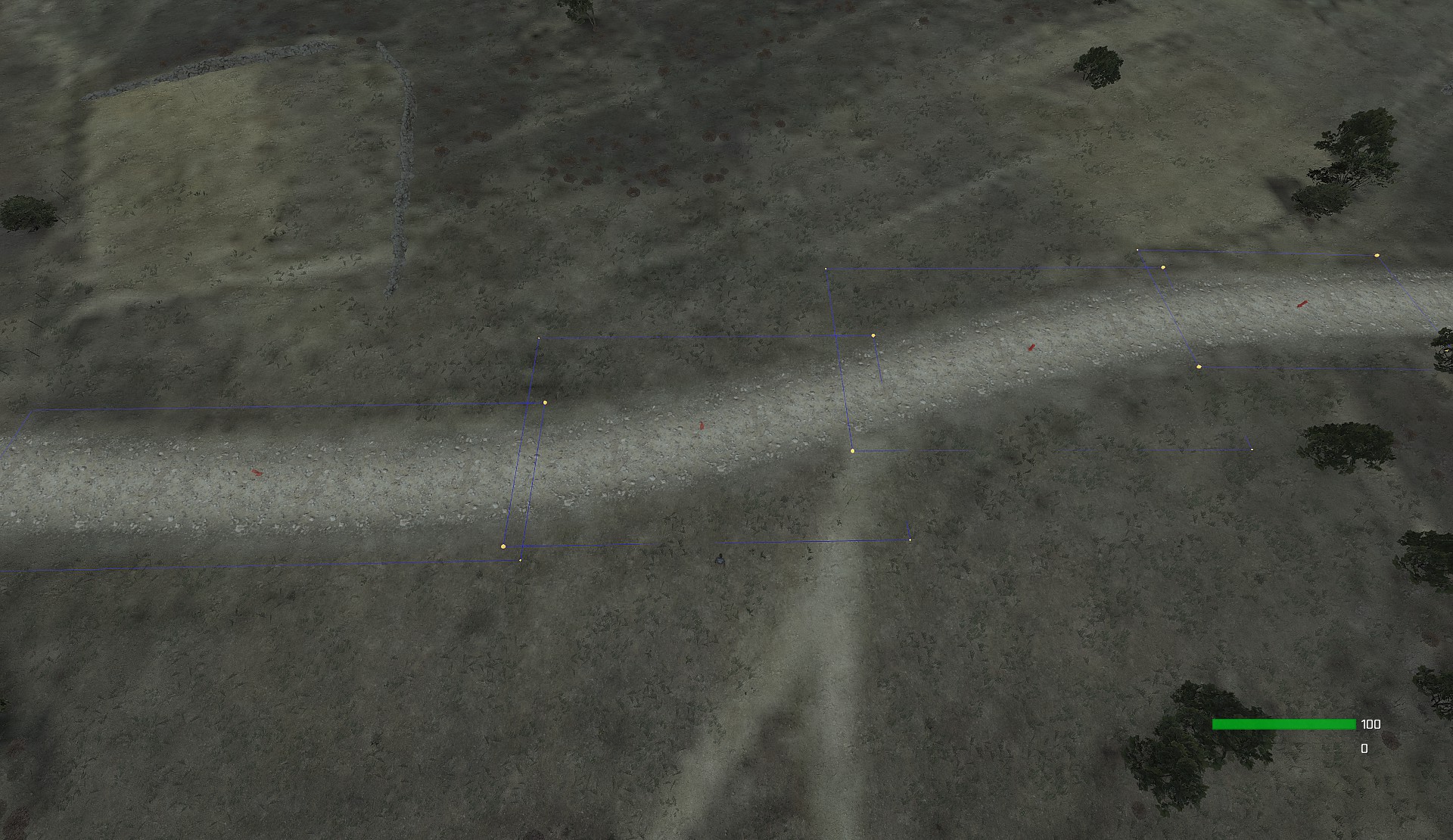

 dull drum
@dry inlet it does, thanks!
How can I get the type of the variable in SQF? Not the "name of the class" but true type like String, Array, Object?
 random loom
dull drum
random loom
dull drum
Thanks!
random loom
No problem
 hollow lantern
Is there any fast solution to get many positions for https://community.bistudio.com/wiki/setDriveOnPath ? My idea was to user unitCapture which should output all the coordinates I drive along but I really only need the coordinates where I'm driving along.
I manually grabbed some cords via the debug console using sqf houseposASL=getPosASL player; hint format["%1",(getPosASL player)]; copyToClipboard (str (houseposASL));
but that's inefficient
tough abyss
@dull drum you also can use isEqualType: https://community.bistudio.com/wiki/isEqualType
For example _var isEqualType objNull gives a true if _var is an object.
dull drum
@tough abyss thanks, typeName did the magic. Now I have my players behave as a Soldier 76 from Overwatch in regards of weapon reloading 😃
 spice axle
Is a marker stringtable supported? If yes how? (Yes I could set the text locally)
winter rose
@spice axle yes, @STR_markerText
spice axle
thanks, would be a nice comment in ther wiki
And locations are they supporting it to? I tried the method from the markers
winter rose
I think so too, using localize
would be a nice comment in the wiki sure, but I don't know where to put it
spice axle
like setMarkerText ?
hollow lantern
is there a function or similiar available to create a file from an SQF script? in particular I want to create an output.txt and just create a new line in given output.txt on every run
winter rose
setMarkerText uses localize too, it's only in the editor that @ is needed @spice axle
@hollow lantern no file creation is possible (besides screenshot) without a dll extension
spice axle
But the effect of setMarkerText is global and then i localize it, I only get the output from the local machine which is executing it. Or am I missed something?
hollow lantern
damn, ok. My idea was that I run the sqf houseposASL=getPosASL player; hint format["%1",(getPosASL player)]; copyToClipboard (str (houseposASL)); every second for _x seconds and write the output to a file. What it does is that it reports back the current ASL coordinates where I am right now (e.g. [4403.41,8869.31,2.90362])
winter rose
ah yes, localize is only working with local result; if you use setMarkerText the local translation gets broadcasted indeed
@spice axle maybe this:sqf [[], {"markerName" setMarkerTextLocal localize "STR_markerText"}] remoteExecCall ["call"]; from the server
spice axle
I didn't wanted to say that I have no idea how to realize it, just it would be a nice info somewhere. The first thing was that I checked the wiki for comments. But thank you anyways. Helped me a lot
winter rose
👍
true, it could be something somewhere.
plush oriole
@hollow lantern you can use a logging function but unfortunately you're limited to writing to the built-in logging files
hollow lantern
@plush oriole alternativly I could also just use https://community.bistudio.com/wiki/BIS_fnc_UnitCaptureSimple and only output the UnitPosition value somehow
gonna check on that
plush oriole
you can copy stuff to clipboard anyway
astral dawn
@hollow lantern Write only coordinates which are more than 3m (or whatever) from previously written coordinate
Or you could post-process the array of coordinates later if you want
As I understand that's your problem?
potent dirge
Hi again guys
Sorry to bother anyone but is there a command to return the combat type of a soldier. I don't mean the class or the kind, I'm talking about if a unit is a 'Rifleman', 'Autorifleman', 'Grenadier' etc.
Is there a built in function for this becuase I dont want to map each class to a string in a massive dictionary.
I believe theres a premapped dictionary somewhere given that the AI usually identifies hostiles as such
hollow lantern
@astral dawn nah, I want to record my driving path, but just the coordinates. So I'm looking for a way to get that array then at the end
astral dawn
I don't get then, what's the problem?
hollow lantern
@potent dirge getText (configFile >> "CfgVehicles" >> (typeOf _unit) >> "displayName")
potent dirge
Dank
astral dawn
Set a timer to whatever frequency you need, and log the position periodycally?
plush oriole
he wants to eliminate the other stuff the autologging one gives you
but just do it yourself
there's a commadn to copy to clipboard
hollow lantern
I know there is a command. My initial command I used was sqf houseposASL=getPosASL player; hint format["%1",(getPosASL player)]; copyToClipboard (str (houseposASL));
that already uses copyToClipboard
plush oriole
yep
hollow lantern
I'm just struggling with the first part
astral dawn
I guess you need smth like this?
// While it's true, the script will keep recording positions
// Set it to false when you are done recording
keepRecording = true;

0 spawn {
    _prevPos = [0, 0, 0];

    // That's where we will store positions
    _positions = [];

    while {keepRecording} do {
        _currentPos = getPosASL player;
        // Log only positions which are far from a previous position
        // We probably don't want a million points when object stops for instance
        if ((_currentPos distance _prevPos) > 3) then {
            _positions pushBack _currentPos;
            _prevPos = _currentPos;
        };
        sleep 0.01;
    };

    // Output through clipboard or anything
    copyToClipboard (str _positions);

    systemChat format ["Logged %1 positions to the clipboard", count _positions];
};
I guessed it with a crystal ball
🔮
hollow lantern
@astral dawn woah,  exactly what I needed, thanks!
astral dawn
Crystal ball seems to work then 🤔
hollow lantern
seems so
 pulsar burrow
https://imgur.com/gallery/glH3OvX/comment/1670701623 I am getting an error saying im missing a file but i have the file its claiming i dont. My rented Nitrado server says server not responding ever since installing infistar
spice axle
where do you include it?
pulsar burrow
infistar?
spice axle
the file
pulsar burrow
its in the directory /arma3/mpmissions/Exile.Malden/
spice axle
where is the #include "infiStart.hpp" line in your mission folder
pulsar burrow
i have this pasted at the bottom of my mission description #include "config.cpp"
#include "CfgRemoteExec.hpp"
#include "infiSTAR_defines.hpp"
#include "infiSTAR_AdminMenu.hpp"
#include "infiSTAR_chat.hpp"
#include "infiSTAR_KeyBinds.hpp"
do i need to also add that line?
spice axle
no i just missed the last word
spice axle
seems too
try to open the rename field for the infiSTAR_defines file and copy paste the name into the description.ext maybe there is a hidden character
pulsar burrow
shit man well i appretiate the effort anyway hopefully theres someone that has encounter a similar error
long tide
So, I'm running into an issue where my Arsenal whitelist is working for all the weapons, but everything else not under _addVirtualItemCargo is not showing up. Would someone mind taking a look at letting me know what's going wrong here?
["AmmoboxInit",[_object,false,{true}]] spawn BIS_fnc_arsenal;


            [_object,[
//RIFLES
        "arifle_SPAR_01_blk_F",
        "arifle_SPAR_01_khk_F",
        "arifle_SPAR_01_snd_F",
        "arifle_SPAR_01_GL_blk_F",
        "arifle_SPAR_01_GL_khk_F",
        "arifle_SPAR_01_GL_snd_F",
        "arifle_SPAR_02_blk_F",
        "arifle_SPAR_02_snd_F",
        "arifle_SPAR_02_khk_F",
        "arifle_SPAR_03_blk_F",
        "arifle_SPAR_03_khk_F",
        "arifle_SPAR_03_snd_F",
        "arifle_TRG21_F",


//SUB MACHINE GUNS
        "SMG_05_F",
        "SMG_02_F",


//MACHINE GUNS
        "LMG_03_F",
        "MMG_02_black_F",
        "MMG_02_camo_F",
        "MMG_02_sand_F",
        "LMG_Mk200_F",
            ],true,true] call BIS_fnc_addVirtualWeaponCargo;

            [_object,[
//OPTICS
        "optic_MRD",
        "ace_optic_arco_2d",
        "optic_yorris",
        "optic_dms",
        "optic_arco",
        "optic_arco_blk_f",
        "optic_holosight_blk_f",
        "optic_holosight_khk_f",
        "optic_holosight",
        "optic_holosight_smg_blk_f",
        "optic_holosight_smg_khk_f",
        "optic_holosight_smg",
        "optic_mrco",
        "optic_khs_blk",
        "optic_khs_tan",
        "optic_hamr",
        "optic_hamr_khk_f",
        "ace_optic_lrps_2d",
        "optic_sos",
        "ace_optic_sos_2d",
        "optic_sos_khk_f",
        "ace_optic_mrco_2d",
        "optic_nvs",
        "ace_optic_hamr_2d",
        "optic_erco_blk_f",
        "optic_erco_khk_f",
        "optic_erco_snd_f",
        "optic_ams_blk_f",
        "optic_ams_khk_f",
        "optic_ams_snd_f",
        "optic_AMS_khk",
        "optic_AMS_snd",
        "optic_ERCO_blk_F",
        "optic_ERCO_khk_F",
        "optic_Aco_smg",
        "optic_AMS",
//MASKS
        "Mask_M40",
        "Mask_M50"

            ],true,true] call BIS_fnc_addVirtualItemCargo;
Thank you.
That is just two sections, weapons and items, but yeah.
Arsenal works, but it only shows weapons/binos. Uniforms items and everything else aren't showing up.
spice axle
_object = _this select 0;
use params instead
params ["_object"]
https://community.bistudio.com/wiki/params
There are no uniform items?
long tide
I just couldn't post all of the code. Too many characters.
spice axle
make it a pastebin, half of the code will not fix your problem
spice axle
false
        "LMG_Mk200_F",
            ],true,true] call BIS_fnc_addVirtualWeaponCargo;
right
        "LMG_Mk200_F"
            ],true,true] call BIS_fnc_addVirtualWeaponCargo;
I think there is a maximum array length. Try to add one arrays for each part and not one big-
long tide
Is the array the call BIS_fnc_addVritualWeaponCargo; part?
spice axle
tough abyss
I'm trying to make a trigger to detect when the player is out of out of magazines for a specific weapon that the player is holding, i tried magazineCargo but that shows the count for every single magazine the player has in their inventory (doesn't matter what kind of mag it is), does anyone have an idea of how to get this to work?
spice axle
Like
false
[_object, [
    "Mask_M40",
    "Mask_M50"
], true, true] call BIS_fnc_addVirtualItemCargo;
right
[_object, ["Mask_M40"], true, true] call BIS_fnc_addVirtualItemCargo;
[_object, ["Mask_M50"], true, true] call BIS_fnc_addVirtualItemCargo;
But please not for every object just like make one scope array and one mask and so on @long tide
long tide
Ok, so, after each //CATEGORY probably add the array again?
long tide
I think it worked. Uniforms, vest, headgear are all showing up. Backpacks, facewear, and ammo are not though. I think the lists for those categories are probably just too long and I need to separate them a bit more though.
I think this put me on the right track though, so I imagine I'll be able to fix it from here. Thanks a bunch!
tough abyss
"LMG_Mk200_F", ]
you cant do this @long tide ] cannot follow right after ,
use -showScriptErrors is you dont wan't to look up .rpt
long tide
Yeah, I think I already got that one. I think the arrays were just too long like Katalam was saying. Now things are starting to pop up since I separated them up a bit more.
Good idea! Thanks!
plush oriole
so with remoteexec i can use the JIP queue to make everything groovy
but trigger activation fields etc have similar behaviour
do they also add to JIP queue
 exotic tinsel
I need help finding a better way to get a players object, from a server side addon, on connect. not respawn. this is what im doing. First i run this on server init
private _handlercon = addMissionEventHandler ["PlayerConnected", {
    params ["_id", "_uid", "_name", "_jip", "_owner"];
    if (_name != "__SERVER__") then
    {
        _this spawn feature_3_fnc_state_1_apply;
    };
}];
then that calls this
params ["_id","_uid","_name","_jip","_owner"];
private _player = nil;
private _goodtogo = false;
while {!_goodtogo} do
{
    private _allHCs = entities "HeadlessClient_F";
    private _allHPs = allPlayers - _allHCs;
    {
        private _temp_uid = getPlayerUID _x;
        if (_uid == _temp_uid) then
        {
            _player = _x;
            _goodtogo = true;
        };
    } forEach _allHPs;
    sleep 1;
};

//if player found then do stuff
if !(isNull _player) then
{
};
the problem is it doesn't always work. this is was suggested to me by another dev.
tough abyss
When this doesn’t work?
Also there is no reason separate HCs, you are comparing UIDs, what is the chance HC will have the same UID as player?
hollow thistle
Hc have uids like HC1, HC2 etc.
tough abyss
Was rhetorical question
hollow thistle
Yeah but it's better to tell the facts to beginners than asking them questions that can make them doubt.
tough abyss
private _player = objNull; is better than nil
Didn’t look like beginner from that piece of code
I wanna know when it doesn’t work, it will be polling players forever until player appears in allPlayers
Unless player joins and leaves immediately
Then you need playerdisconnected EH
 queen cargo
so i am the only one who wants to know why there is a sleep involved?
tough abyss
Yeah
tough abyss
☕️ here have some
queen cargo
now come over here and do my job too pls 😄
tough abyss
What you do?
tough abyss
I know nothing about it
queen cargo
you also would not know how to do my current tasks simply because you do not know the codebase 😄
tough abyss
Or German
queen cargo
at least from the code perspective, that is no problem though
tough abyss
Ok then, lemmie call my travel agent, brb
queen cargo
            Task.Run(async () =>
            {
                using (App.MWContext.BusyContainerManager.Busy(
                    String.Format(Properties.Language.ItemDocument_ItemLinks_AddingBusy_0itemskup,
                    this.Owner.Item.StockKeepingUnit)))
                {
                    var prices = await RestApi.ItemData.ItemLinks.POST(App.AuthContainer, new ItemLink
                    {
                        Primary = this.Owner.Item
                    });
                    App.MWContext.AddStatusLabel(String.Format(Properties.Language.ItemDocument_ItemLinks_Added_0itemsku,
                    this.Owner.Item.StockKeepingUnit),
                    ESeverity.Info);
                }
            }).ContinueWith((t) =>
            {
                App.DisplayOperationFailed(t.Exception);
                App.MWContext.AddStatusLabel(t.Exception.Message, ESeverity.Error);
            }, TaskContinuationOptions.OnlyOnFaulted);```
just some random snippet to show that there ain't some `ZeigeAufgabeFehlgeschlagen(Exception ex)` or something like thatSo you have your pc fixed?
winter rose
Thread.Sleep(10e10);```the day after @tough abyss already :D
Amazon helped a lot though
 brave jungle
So while using CBA, I get a UI error https://imgur.com/a/DN70ChC
The only time this comes up is when this function from my addon is not commented out class respawnPositionSafeZone{postInit = 1;};
inside is,
while {true} do {
  _respawnPositions = west call BIS_fnc_getRespawnPositions;
  {
    if ((player distance _x) < 100)  then {
      vehicle player allowDamage false;
    } else {
      vehicle player allowDamage true;
    };
  } forEach _respawnPositions;
  sleep 5;
};
I can't figure out why though, it doesn't effect it any way 🤔
The error only occurs while CBA and my mod are loaded
 slow elbow
Hey guys, when you get a chance to answer, just have a question about GUIs.
With arma 3 dialogs/displays, how do you go about making sure that a menu will look the same and be the same size (actual size, not proportional) on both a 1920 x 1080p monitor and a 3440 x 1440p monitor? I know that there are 3x coordinate types: GUI_GRID, SafeZone and PixelGrid. I've tried both SafeZone and GUI_GRID. Both of these methods work when shown on a monitor of the same size it was created on, but if i create a menu on a 1080p and then show it on a 1440p monitor, it will be all stretched. Perhaps there needs to be a combination of GUI_GRID and Safezone values?
All missions i've downloaded from steam seem to work fine on both monitor sizes. KoTH, Wasteland, etc.. all work fine too. Furthermore, KoTH has a HUD display that sits right in the bottom corner of the screen, no matter the screen size you're using, it will sit perfectly in the corner, so it can't be because it is outside of the safezone or grid area in editor.
Let me know if you want me to put an example of code, or if you want me to list the steps i take when making a menu.
tough abyss
Pretty sure using GUI editor won’t help in this case. Also check getResolution command
slow elbow
What do most people use then, if not the GUI editor?
Sure you can't make elaborate menus by typing it all out.
tough abyss
Yeah you can, there is nothing to it, no different from writing a config
Plus lots of it can be scripted on the fly now
plush oriole
Is there a tool to edit scripts in init fields and activation fields in a nicer way
i know the preferred method is a script in the mission directory whcih you call, but i was considering developing a tool to allow you to edit these fields in vs code or notepad++
plush oriole
because e.g. the gamelogic init field is 3 lines tall
and afaik you can't change the sizes
winter rose
@plush oriole at that point it is better to script it, init field is ideally for simple init
winter rose
it's actually odd to have gamelogics in the editor in the first place, hehehe
it is a safe in-between, but you can't get to do everything from it
queen cargo
You should avoid using that init field for heavy scripting anyways
in most parts, just do literally this:
[] call myMission_fnc_ImportantGameLogicCode
plush oriole
yeah
but it's when i have maybe 10 lines
and it's a hassle to edit but not enough to individiually separate all of it
 meager granite
Anyone had success using setMissileTargetPos command? So far it only setMissileTarget worked for AA missiles for me, can't have bombs (GBU12) script lock onto anything.
plush oriole
huh
well it's LOAL so maybe a different command?
yeah that was what i was wondering about
meager granite
Oh, I had setMissileTarget working with AA missiles, not Pos version
Fixed the question
plush oriole
but every guided weapon has a target object, not position
e.g. a laser guided bomb still locks onto a laser, not the position of the laser
also is that the actual sa-matra
meager granite
No, nothing works on bombs for me
Messed up my original question, setMissileTarget worked for AA missiles and that's it.
@plush oriole Didn't try non-LOAL bombs, lemme check
plush oriole
hmm
so is it that setmissiletargetpos never works, and setmissiletarget only works on aa missiles?
meager granite
Only setMissileTarget worked so far for me, on AA missiles
Both don't work for GBU12
plush oriole
hmm
what ar eyou setting the target object to for the gbu
because presumably ir aa can technically lock onto anything, if it has a heat signature
while a gbu can only ever lock onto a laser object
so there might be a restriction on setMissileTarget for one but not the other
meager granite
A tank with turned on engine (freshly spawned though)
plush oriole
gbu is laser only i think
meager granite
Oh, it does work for laser target
I expected command to bypass target type restrictions 🤔
plush oriole
i guess because the command isn't controlling the bomb's targeting logic, it controls it in a
i don't know how to describe it
in-game way, i.e. how you would control it if you used it in game
meager granite
Yeah it probably goes through same checks
tough abyss
@plush oriole never heard of edit button? Your spam gets quite annoying
 quartz pebble
there is a small but important insertion to the spotrep note on the commands... the word "legitimate"
It is a very frustrating "insertion". What's was the purpose of introducing the setMissileTarget / setMissileTargetPos with such limitations?
plush oriole
It's because setMissileTarget isn't controlling the weapon's guidance, it's controlling what it's locked on to
the engine won't let you lock a laser-guided bomb onto anything other than a laser target
tough abyss
the word "legitimate"
it seems setMissileTargetPos just doesn't work, legitimate or not
plush oriole
didn't someone say it did work with wire-guided weapons, which makes sense since they don't track an object, rather a coordinate
 drifting copper
On this how to tip
(_this select 0) spawn Fnc_Set_Textures;  ```

Does he mean expression is "Variable" field or something else?So I just checked, in the Vehicle Respawn module there's a field called Expression
it's not in the Respawn Position module though
drifting copper
Wait, I am blind. Thank you
plush oriole
I would have expected that they meant the respawn position module honestly
drifting copper
Well, about to see if it works. Checking out
(_this select 0) spawn Fnc_Set_Textures;


\\then in init.sqf I have:

Fnc_Set_Textures =
    {
        if (
            (_this iskindof "C_Heli_Light_01_civil_F")
        or
            (_this iskindof "B_Heli_Light_01_dynamicLoadout_F")
        )
        then {
             _this setObjectTexture [0,"textures\police_heli.paa"];
                };
    }
;```

<https://forums.bohemia.net/forums/topic/205689-custom-textures-on-vehicle-respawn/>

Have some custom textures on some vehicles for the missionIn this code:```sqf
_array1 = [0,[1,2,3],7,12];
_array2 = _array1 select 1;
(_array1 select 1) set [2,4];
diag_log str _array2;
The text show by **diag_log** will be "[1,2,3]" or "[1,2,4]"?Thanks!
still forum
4
dull drum
And so I stepped to the frozen hell of running mission on a dedicated server. So zero of my scripts now work. Custom loadouts, reloading, set actions and even editor loadouts don't work. I've read the locality article but I'm still not enlightened. I've put some !isDedicated to the loadouts execVM but it still doesn't work. Question: what should I read? Any good articles or examples except the locality page in wiki?
dull drum
Yup, they do work.
dull drum
Actions, loadouts and local reload scripts
plush oriole
so what isn't working
dull drum
If dedicated everything does not
plush oriole
the main difference between dedicated and not dedicated is that you suddenly have one machine running scripts which won't have a player or a gui or anything
so what are your scripts
any error logs?
 quartz pebble
it seems setMissileTargetPos just doesn't work, legitimate or not
@tough abyss should be working for shoulder-mounted Titans and Voronas which normally can be guided by-hand.
drifting copper
So
    {
        if (
            (_this iskindof "C_Heli_Light_01_civil_F")
        or
            (_this iskindof "B_Heli_Light_01_dynamicLoadout_F")
        )
        then {
             _this setObjectTexture [0,"textures\police_heli.paa"];
                };
    }
;```

Works perfectly in editor though on dedicated it does not run. I assume I should change `` _this setObjectTexture `` to ``_this setObjectTextureGlobal`` to make it work on dedicated mission file. On the wiki I saw a whole bunch of warnings about it and not too sure. Can someone please advise?@quartz pebble you had it working?
quartz pebble
@tough abyss yep
tough abyss
Care to share an example?
dull drum
@plush oriole so i've started the MP game hosted from editor. Custom loadouts are intact (both from editor and scripted), added actions are intact, reloading is half-intact (most probably because of mine outdated script). Readying up the dedicated.
plush oriole
@drifting copper You need to get setObjectTexture to run on every computer
so you need remoteExec
also NOTES: Do not put global commands such this one into init field in editor and expect it to work in Multiplayer. See Talk:setObjectTextureGlobal for the explanation.
for setObjectTextureGlobal
dull drum
so you need remoteExec
oh, maybe that's also a root of my issues
plush oriole
well
i would need to see the script
but i don't know of any differences between editor hosting and dedicated server
although i'm sure there are some
quartz pebble
@tough abyss https://gist.github.com/winseros/4a97030bf6bd97ca937fe62209fed765
Stratis
dull drum
@plush oriole https://pastebin.com/NsyrDpW3
plush oriole
ah so the issue is that initServer, according to the wiki here https://community.bistudio.com/wiki/Event_Scripts is executed "only on server"
presumably it worked in the editor for you
but it wouldn't have worked for anyone who joined your server
plush oriole
yep so it would have worked for you, because you technically were the server
but not for clients
dull drum
Yeah makes perfect sense
plush oriole
so use somethign like 'initPlayerLocal'
although the issue is these mayt happen before the player actually has a body
i.e. they're in the lobby
dull drum
Actually why the editor's loadouts are unset for dedicated is also a big question mark.
plush oriole
hmm
dull drum
And the same with the skill settings from editor. Like in editor every player is a killing machine sharpshooter, while on dedicated they are regular junk 😃
Also if there are security-anticheat reasons for setting a loadout or adding an action go from server side - how should this code look like? https://pastebin.com/NsyrDpW3
drifting copper
@plush oriole thank you but uh,
I do not know coding and usually take from what little I can understand. How does one add remoteExec to _this setObjectTexture [0,"grey.jpg"];?
dull drum
Yay, reloading works for dedicated through initPlayerLocal. Still need to find out how to integrate everything else to be commanded from server 😃
@drifting copper as far as I got it - you need to wrap everything you wanna run in a function and remoteExec it with all possible power applied
I wonder what kind of mess we can get there while playing with the locality of variables , oh God help us
plush oriole
hehehe
so remoteexec basically says 'tell everyone connected to run this'
you can find the docs and some examples here
dull drum
no it tells we have a function calls and we have a special one for the broadcasting and its grammar will beat the shit out of you! also welcome to try using some underscored variables there mateys!
plush oriole
also a possibility
dull drum
for example, good luck using a player in these
drifting copper
[] remoteExec ["setObjectTexture [0,"grey.jpg"]",JS_JC_FA18F , JIP];? TBH 100% of it goes over my head. .sqf is literally the first and only coding language I have ever touched and by that barely touched it.
hollow thistle
[<leftHandCommandArgs>, <rightHandCommandArgs>] remoteExec [<commandNameStr>, target, jip];
plush oriole
what is js_jc_fa18f
ah i see
so it should actually be a number
telling it who to send it to
hollow thistle
he wants to execute setObjectTexture where this object is local
drifting copper
js)jc_fa18 is a mod object
dull drum
and if I'm messing with player it should be like -2 amiright?
hollow thistle
You can just use https://community.bistudio.com/wiki/setObjectTextureGlobal
instead of RE
rokunin it depends what do you want to execute and there.
just think about the what the code or command does
who do you want to affect with it.
and send it there.
dull drum
I want the server to tell clients what skill sets and loadouts they must have
hollow thistle
that's too generic.
 drifting copper
So from what I found on one forum post was
init.sqf
    {
        if (
            (_this iskindof "JS_JC_FA18E")
        or
            (_this iskindof "JS_JC_FA18F")
        )
        then {
             _this setObjectTexture [0,"grey.jpg"];
                };
    }
;```

This was first method. Expression + init.sqf. Wish is to set custom object texture on respawn via vehicle respawn module. This works on a hosted session though does not work on a dedicated server.SO if the right thing is then [] remoteExec ["setObjectTexture [0,"grey.jpg"]",JS_JC_FA18F , JIP]; (if that is the right way of doing it?) how would I implement it?
dull drum
@drifting copper more like this: https://pastebin.com/hzHjAkqy
@hollow thistle correct me please if I'm wrong
plush oriole
you need args
and actually you should be able to do it like this
[object, [0,"grey.jpg"]] remoteExec ["setObjectTexture", 0, true]
where object is the object to be painted
dull drum
@plush oriole is mine example ok-ish?
plush oriole
i don't think your arguments to the function would quite work
but yep it's the right layout
dull drum
I can't pass the object like this?
drifting copper
@plush oriole does that go to the init.sqf of respawn module expression?
plush oriole
the init field?
yes should do
i think
you need params ["_theObjectYouWantToPaint"] at the start of your function
because otherwise the name of the parameter doesn't getto the function
dull drum
oh, sure or _this select 0
drifting copper
SO just to confirm that is the respawn module init?
drifting copper
module init had no effect
drifting copper
that was on hosted MP
drifting copper
Well, full code is extending to what you sent me. No errors on that though.
If I make a something.sqf containing [JS_JC_FA18E, [0,"grey.jpg"]] remoteExec ["setObjectTexture", 0, true] and then add that to }]; execVM "something.sqf"; }; work?
dull drum
This last code is a bit awkward
It's like you are executing your something.sqf in the middle of nowhere
dull drum
If JS_JC_FA18E is meant to be an exact object it won't work, will it?
drifting copper
No errors but no, it did not work
dull drum
Does your object has an init in editor, @drifting copper ?
drifting copper
Yes it does, texture is set but need the same texture on vehicle respawn
dull drum
@plush oriole does the respawned object run the init on each respawn?
drifting copper
I am also looking into just having the game search for the object classname and then setting the object texture. But that will have to go through sleep function and scared that can impact server performance
plush oriole
hang on let me have a look
woo i fixed a floating man by gluing him to the table
ok hang on
so the init field of the respawn position module isn't special
so it doesn't get run on each respawn
you need an event script or a handler
dull drum
But if we will place the texture set up into the vehicle itself? To the init.
Like, put this addEventHandler ["Respawn", { params ["_unit", "_corpse"]; _unit setObjectTexture [0, "grey.jpg"] }]; looks like a plan to me.
dull drum
Me not, but probably @drifting copper does 😃
drifting copper
dull drum
That looks a bit creepy but should work for him just fine, yes.
tough abyss
@quartz pebble works, thanks
astral dawn
I am using "Base" (type 3) respawn, and when players respawn it seems like object handles are the same?
Here's a copy from my MP session when I was hosting the game from arma and playing at the same time.
What you see in the array is [<newUnit>, <oldUnit>, <respawn>, <respawnDelay>] from onPlayerRespawn.sqf https://community.bistudio.com/wiki/Event_Scripts
   53021     2:50:46 "------- onPlayerRespawnServer [bis_o2_3112,20891e75980# 1783267: c_poloshirtpants.p3d REMOTE,3,2]"
   54519     2:51:12 "------- onPlayerRespawnServer [player1,player1,3,2]"      <--- I think that's when I was killed
   55836     2:51:34 "------- onPlayerRespawnServer [bis_o2_2876,bis_o2_2876,3,2]"
   237079     3:20:56 "------- onPlayerRespawnServer [player1,player1,3,2]"
   367233     3:34:27 "------- onPlayerRespawnServer [bis_o2_2876,bis_o2_2876,3,2]"
When onPlayerRespawn.sqf gets called I just do _this remoteExec ["fnc_onPlayerRespawnServer", 2, false]; to log the records posted above at the server.
TLDR; Why are newUnit and oldUnit the same objects in onPlayerRespawn.sqf?
 peak plover
@young current I mean like that, yeah. I want to be in control of how many hits a verhicle can take from another vehicle before dying etc.
I was wondering if anyone has made a complete armor damage systme?
I found one called real armor mod, but the only link is on armaholic and that site does not work
 carmine maple
a simple scripting solution: you could use event handlers to reduce or increase the dmg dealt. Or disable damage all together, and then manually simulate dmg by counting the number of impacts of different calibers.
peak plover
🤔

The issue with the rhs armor system right now and why it's hard for me to understand it is
Most damage is done via spalling
and there seems to be now way of determining what caused the spalling
Actually...
The issue seems to be with the rpg
not the tank
astral dawn
What is going on here 😢
Looking at my previous body in MP after I have respawned:
deadbody = cursorObject; deadbody Returns bis_o2_3579
player returns bis_o2_3579
player isEqualTo deadBody returns false
Is there an article explaining this voodoo magic?
 sleek token
does remoteExec has a limit on how many parameters one can pass to the function?
it keeps my last parameter undefined
astral dawn
I would guess no
Show us more?
probably you send something which makes only sense on the machine which sends stuff?
sleek token
thats not the case because it is working normaly when the function is called directly
astral dawn
well it's weird 🤷 probably code needs to be revealed then, otherwise the magic sphere 🔮 is failing to give enough answers
peak plover
@sleek token change the order of parameters, see if that same one is still gone
@astral dawn yes, that sounds normal
sleek token
params [
    ["_playerUid", "", [""]],
    ["_fps", 0, [0]],
    ["_runningSqfSpawned", 0, [0]],
    ["_runningSqfExecVM", 0, [0]],
    ["_runningSqfExec", 0, [0]],
    ["_runningFsm", 0, [0]]
];
and the calling is via
_scripts = diag_activeScripts;
 [
  getPlayerUID player,
  diag_fps,
  _scripts#0,
  _scripts#1,
  _scripts#2,
  _scripts#3
] remoteExec ["fancyfunction", 2]; ```it says error in expression for _runningFsm
astral dawn
what's inside your _scripts then?
astral dawn
what error does it give then?
sleek token
it says error in expression for _runningFsm
astral dawn
error missing ; or error generic error or ... 🤔 ?
astral dawn
Runs well for me:
fancyfunc = {
params [
    ["_playerUid", "", [""]],
    ["_fps", 0, [0]],
    ["_runningSqfSpawned", 0, [0]],
    ["_runningSqfExecVM", 0, [0]],
    ["_runningSqfExec", 0, [0]],
    ["_runningFsm", 0, [0]]
];

diag_log format ["--- fancyfunc: %1", _this];

};


_scripts = diag_activeScripts;
 [
  getPlayerUID player,
  diag_fps,
  _scripts#0,
  _scripts#1,
  _scripts#2,
  _scripts#3
 ] remoteExec ["fancyfunc", 2];
1:30:26 "--- fancyfunc: [""SP_PLAYER"",105.263,1,0,0,1]"
hmm wait let me try in mp
Works the same when I am self hosting in MP from the editor... 🤷
sleek token
im getting crasy
astral dawn
hmm wait, do you modify _scripts array afterwards?
sleek token
nah
peak plover
@sleek token try standing up for like 1 minute and stretching 😄
sleek token
this originaly runs in a perframehandler
im working on stuff for like 6h allready ^^
its time for bed
peak plover
@astral dawn Did you have an issue with your thing or just the question?
astral dawn
if I modify _scripts right after I do remoteExec, then it throws errors, because when you remoteExec on yourself it doesn't do a deep array copy I think :/
also you could try remoteExecCall instead of remoteExec because it will run your code unscheduled
@peak plover what do you mean?
peak plover
About the dead units
astral dawn
Yeah I'm having lots of weirdness... can't describe it all cause it's too long, but I'd just like to have the questions above answered 😦
peak plover
Why are newUnit and oldUnit the same objects in onPlayerRespawn.sqf?
vehicleVarName is the same
objects are not
astral dawn
Yeah
and why my old body and my current body are both bis_o2_3579 and isEqualTo returns that they are not equal
ok let me check...
peak plover
They are just called that
when the unit dies
run this:
_unit setVehicleVarName ""```if you type ```sqf
str player
you should see vehicleVarName
astral dawn
yeah ok thanks, so they just share the same vehicleVarName
peak plover
yup
I've also had this issue
In order to determine which one is the dead unit which is alive
I've just
missionNamespace setVariable [(vehicleVarName _unit + '_dead'),_deadUnit,true];
or sth
when the unit respawns/recreated
and also the setVehicleVarName part
But this way I can refrence it in scripts or whatever
astral dawn
Thanks, I'll keep that solution in mind!
astral dawn
I don't get it... when player dies, I do _objectHandle setVehicleVarName ((vehicleVarName _objectHandle) + "_deadBody");
Then, when I am running as a new unit I do vehiclevarname player and get "player1_deadBody" as well? Instead of just "player1" ?
vehicleVarName gets inherited during respawn I guess?
tough abyss
yes
astral dawn
hmm
I guess if I click the respawn button after the scheduled code has run, then it copies vehicleVarName later
tough abyss
it is copied by the engine
peak plover
Do you have the respawn event?
astral dawn
Anyway, the most strange thing I am trying to understand now is:
after I have died in mp, I add a "deleted" event handler to my old body and transfer the old body to garbage collector (addToRemainsCollector)
then, as a respawned player, I enter into a vehicle and somehow the "Deleted" event handler gets triggered 🤷
Yesterday I had "InventoryOpened" event handler being passed from old unit to new one on respawn (undocumented it seems), vehicleVarName is also transferred between units on respawn, maybe the "deleted" event handler is also being transferred between respawns? And why would my new or old dead body object be deleted when I enter a vehicle?
peak plover
aaaaaaaaaaaaaaahh
tough abyss
somehow the "Deleted" event handler gets triggered
so body is deleted at the same time. probably rules you set for collector
astral dawn
No the actual body is still there I can see it 😄
peak plover
He might be onto sth with the ehs coming over to new body 'thoi
astral dawn
"deleted' gets called right prior to the "getin" event handler (assigned to car, not to player)
peak plover
I wrote my mission template years ago, but I have a custom event system for respawning, etc. I think that's why I made it
I think it might have been the same thing
tough abyss
is dead body in a vehicle?
astral dawn
no
astral dawn
I'll comment the addToRemainsCollector and see if it still behaves same weird
so what was the problem @sleek token ?
sleek token
some wrong argument count of a custom function added via intercept
one argument to much
astral dawn
Tennessee so how does your respawn thing work? I certainly don't wont to think about event handlers being transferred in undocumented ways to my new player or not being transferred or guessing if they are transferred or not
peak plover
It's just an array of functions/scripts that runs from 1 eventhandler that I add
onRespawn / onKilled / onRespawnUnit(basically leave dead area/spectator)
So I can add to that array
And have a function run at the exact time I need it to run
But I just got a cool idea from your problem
Why even bother using the vanilla respawn and run into unexpected issues like that
astral dawn
Yes! I was thinking the same.... I thought you made your own respawn, right?
peak plover
Could just use a custom scripted solution and just createVehicle and https://community.bistudio.com/wiki/selectPlayer
I use the respawn base
astral dawn
yeah I was thinking of a similar thing...
peak plover
I recently used the selectPlayer for a revive system
I should just use that for the entire respawn logic
It makes so much more sense
But for your question
If I have an eventhandler that I add
Like openInventory or sth
I usually have a condition there
And jsut ExitWith in the beginning
If it's not met
So when dude respawns he wouldn't get it
OR
I just add a onRespawn script which runs when the player unit is recreated
astral dawn
All this is so insane, I will just go to bed... thx
vapid drift
So when I use the blackfish as a static prop at higher altitudes (not sure at what altitude this starts happening) the player will randomly assume the skydiving position. At a suggestion by Jesus I tried adding objects under the blackfish thinking maybe the floor was too thin but it still happens
Does anyone have any idea of a solution to this problem?
plush oriole
what kind of higher altitudes
tough abyss
hey guys! I wanted to me a VERY simple script but I can't quite figure it out here after lots of googling
I wanted to make a screen that shows a UAV feed from a specific UAV
that a zeus can spawn
so I made the screen and set the texture to the pip feed
plush oriole
yep
tough abyss
but I can't figure out how to get that darn UAV feed into the screen
whatever the uav gunner is looking at
does the livefeed module work on screens?
plush oriole
have you got any feed running
tough abyss
nothing, black
plush oriole
so what's your code
the issue i see is that if the zeus creates it you'd struggle to get the right one
tough abyss
class IIIE_Feed : Land_TripodScreen_01_large_F
{
author = "Fros7bite";
displayName = "[IIIE] Feed";
class EventHandlers
{
init = "(_this select 0) setObjectTexture [0, ""#[argb, 512, 512, 1]r2t[uavrtt,1]""]";
    };
};
that's the screen
now I dont know how to make a UAV that zeus spawns output the UAVRTT
plush oriole
ah
tough abyss
Im making it so that it's an item that has it built in
and it works
for most things
class IIIE_Display : Land_TripodScreen_01_large_F
{
author = "Fros7bite";
displayName = "[IIIE] Display";
class EventHandlers
{
init = "(_this select 0) setObjectTexture [0,""\IIIE_Gear\Data\IIIE_Display.paa""]";
    };
};
this works for example
tough abyss
correct
plush oriole
is that actually the variable name of the UAV which is created
tough abyss
that's the thing Ive been trying all kind of solution
can't figure it out though
if I just call the UAV UAVRTT it'll work?
plush oriole
yep
well
call it in the sense of having that as its variable name
but if you create it with zeus it's tricky to access it
tough abyss
so when you spawn a UAV in zeus
plush oriole
so normalyl you would call it something like 'myUAV' in the editor
then use that name
tough abyss
what is it's variablename in zeus?
plush oriole
but when one is spawned by default there's no name
tough abyss
if it even has one
ah got it
okay
so I can make a UAV
can I define a variable name in a config file?
plush oriole
so either make it at the start and name it, then let zeus control it
no
this is in the editor
are you fmailiar with scripting etc
tough abyss
not so much
but I can just spawn a UAV at mission start
and give it a name
and it'll work?
plush oriole
this isn't in config
btu yes
in the editor
call it uavrtt
actually
i think you need to create the feed in the init
there's a killzonekid tutorial on it i think
which is useful
tough abyss
its very old, and the new BIS Live Feed Modules are a bit better no?
can I turn a BIS LiveFeed Source into a texture?
plush oriole
not familiar with those
plush oriole
what did you actually do
tough abyss
the live feed module is exactly what I want, but I dont know how to make it send its output to a texture
I made a uav with the variablename
nothing
the screen might also not be working
now that I see it
tough abyss
okay
so lets say I attach this camera to the UAV
and the UAV spawns at mission start
what would I put into the screen's config to make it work?
does this work?
@plush oriole
because Im getting an error wrong # directive
 lost copper
Use ' in "". And what king of task you want to realise, @tough abyss?
tough abyss
I want ideally two things
as a zeus, I want to be able to place a special screen, and a special UAV, and have the UAV feed go to the screen
@lost copper
class IIIE_Display : Land_TripodScreen_01_large_F
{
author = "Fros7bite";
displayName = "[IIIE] Display";
class EventHandlers
{
init = "(_this select 0) setObjectTexture [0,""\IIIE_Gear\Data\IIIE_Display.paa""]";
    };
};
this is how I get a screen to show a picture I want when I spawn it
is there a way for instead of a picture, to instead display a live feed
via a object config, rather than a script in the eden editor
essentially just a script that runs when I place the object to have the texture be the r2t
class IIIE_Feed : Land_TripodScreen_01_large_F
{
author = "Fros7bite";
displayName = "[IIIE] Feed";
class EventHandlers
{
init = "(_this select 0) setObjectTexture [0, "#(argb,512,512,1)r2t(IIIE_Source,1)"]";
    };
};
this give me an error
lost copper
Did you want to create addon with this feature?
tough abyss
yes
I know how to make the addon
and make it all work
two items, a screen, and a uav
tough abyss
because I dont want people to have to script things in a mission file
I want it do someone can download the mod, place the two items and bam they work
tough abyss
technically it doesnt even have to be a UAV
plush oriole
can't you make a custom composition
tough abyss
in zeus a regular item would be preferrable
something I can spawn
no ideas? @plush oriole @lost copper ?
plush oriole
i would have said a custom composition but you cant do those in zeus
i would say have a script always running which detects when objects are placed
but it's tricky
actually
a custom composition in the eden editor
tough abyss
i got the texture working
just nested the ""
so texture is working on screen
but how do I get the UAV gunner position to render to texture?
@plush oriole
tough abyss
@plush oriole no problem!
class IIIE_Feed : Land_TripodScreen_01_large_F
{
author = "Fros7bite";
displayName = "[IIIE] Feed";
class EventHandlers
{
init = "(_this select 0) setObjectTexture [0, '#(argb,512,512,1)r2t(uavpipsingleview,1)']";
};
};
this works
now I just need a way for a UAV to send a signal
drifting copper
@tough abyss I used this before from this guy, Works on the "screens" and somewhat customizable with little to no effort even for me that does not understand coding.
https://forums.bohemia.net/forums/topic/160675-live-feed-control-lfc/?tab=comments#comment-2517953
tough abyss
thanks @drifting copper !
drifting copper
@tough abyss no worries, just heads up the screens are anchored in position and limited to 4 screens. you can reduce the number of screens used though do make sure you set variable name on the screens used in order or the script will default your screens off angle. There is a XY defined in the script.
tough abyss
@drifting copper I got everything set up there
with my own screens and such
it's working perfectly!
is there any way to bump the pip resolution?
it looks pretty aweful
drifting copper
I have not checked that myself but in \LiveFeed.sqf at the bottom you will find
    _monitor=(_this select 0);
    _name=(_this select 1);
    _cam=(_this select 2);
    _visionMode=(_this select 3);

    _cam camCommit 1;
    _cam cameraEffect ["INTERNAL", "BACK",_name];
    _name setPiPEffect [_visionMode, 1, 0.8, 1, 0.1, [0.3, 0.3, 0.3, -0.1], [1.0, 0.0, 1.0, 1.0], [0, 0, 0, 0]];
    _monitor setObjectTextureglobal  [0,(format ["#(argb,256,256,1)r2t(%1,1.0)",_name])];
};```

If that has anything to do with it. Have not checked myself. Unless it is bound to user graphic settings?yeah I already set it to normal not thermal
drifting copper
In game options \ video general \ pip : I have very high. Confirm that as it might be user game setting
tough abyss
I have it ultra
still terrible
can you send me a photo of what it looks like for you?
@drifting copper
drifting copper
WIll DM in a sec
tough abyss
lets say I wanted to use the briefing table, where only half the texture is the correct thing
how would I make say 'monitor 2' know that it should render only the top half of the texture?
drifting copper
That I do not know ^
tough abyss
thanks!
brave jungle
So while using CBA, I get a UI error https://imgur.com/a/DN70ChC
The only time this comes up is when this function from my addon is not commented out class respawnPositionSafeZone{postInit = 1;};
inside is,
while {true} do {
  _respawnPositions = west call BIS_fnc_getRespawnPositions;
  {
    if ((player distance _x) < 100)  then {
      vehicle player allowDamage false;
    } else {
      vehicle player allowDamage true;
    };
  } forEach _respawnPositions;
  sleep 5;
};
```The error only occurs while CBA and my mod are loaded

I can't figure out why though, it doesn't effect it any way 🤔this sounds stupid but can you try stuff like making _respawnPositions called somethign different
or changing _respawnPositions = west call BIS_fnc_getRespawnPositions; to _respawnPositions = []
just to test
brave jungle
Yeah i'll give it a go
plush oriole
yep
and preusmably if it's in a UI thread sleeping pauses it as well
so the animation to load in the configure options can't happen
still forum
postInit scripts are ran one after another. If you have a while true loop, none of the scripts that run after you will be able to run
plush oriole
you need to call or something
there is an animation isn't there, it kind of swipes down
still forum
It will also cause infinite loading screen on mission start
brave jungle
Ah right
plush oriole
ah i missed the part about the addon