#arma3_scripting
1 messages · Page 335 of 1
 still forum
I atleast went in and profiled what is actually slow. The opposite of what I expected happened. But I still found a problem. Reported it. And a few hours later it was fixed
So instead of complaining people should help fix it.
 little eagle
Yes, thank you for that.
still forum
If there even is actually a problem
little eagle
Someone that took time and investigated it.
Instead of spouting opinions as facts to seek for validation of his shallow existance.
still forum
ACE also uses unscheduled alot because it largely depends on eventhandlers. Which make sure that no code whatsoever is executed if not needed.
Instead of a while true loop in a scheduled script that checks if an event is happening
ACE fatigue executes every 1 second btw
little eagle

The fatigue system runs every second, not every frame
lol
"facts"
lol
Yes, you lied
LMAO
still forum
If you move that to scheduled it would potentially only run every minute or so. Would you like that? You can run full sprint with 100kg on your back for a Minute and nothing happens. And suddenly your fatigue is at 0 and you go unconcious. Awesome gameplay experience
little eagle
About Quiksilvers alternative reality.
still forum
Reality and Logic are winning
little eagle
Where the fatigue system should run less frequently. Every 0.5 seonds instead of every 1 second.
Your definition of "mod performance" is garbage
It implies something that it isn't according to your definition.
You try to make someone agree that a mods performance is important to then just say that it is diametrical to "client performance"
As if there was any difference between these two.
Your tactics are better suited for politics.
So, I hope I've burned through all the good-guy points earned today.
still forum
You don't have to. ACE devs also play Arma you know? They also like to play without stutter. Everything is thoroughly tested.
Dev's know exactly how often something has to execute.
https://github.com/acemod/ACE3/search?utf8=✓&q=CBA_fnc_addPerframeHandler&type= here is a list of all PFH's in ACE. Now find me one that always runs.
 rancid ruin
just need x39 to show up now
 peak plover
low fps with ace interaction menu
If your fps is < 30 then it's your mission fault
still forum
Keep in mind though 90% of the handlers that run every frame are only enabled when debugging or only for a short time. For example when you fire a missle and ACE simulates it's flight
little eagle
Or your machines. whisle
peak plover
How do I simulate a lower end machine? -cpuCount=1 ?
little eagle
Use your laptop.
rancid ruin
run a load of shit at the same time
peak plover
Actually
still forum
I'm on page 5 and I couldn't find a single PFH that runs constantly every frame
rancid ruin
like 500 searches on your ssd or something
little eagle
You could, I guess, encode a video in the background
rancid ruin
cpu stress test
peak plover
hahaha
Any cpu stress test to run that can only use 50%? I need to simulate lower end PC to test my scripts to better fit needs of the low budget gamers
If I render or run a stress test it will freeze arma
still forum
Just go to your bios and underclock your cpu
peak plover
That's probobly the best solution
little eagle
Break into the house of one and check your mission at night.
still forum
Well it works. And does exactly what's wanted
rancid ruin
well just install linux and dual boot
still forum
there is also wget for Windows
peak plover
"works on my machine"
Best way is to dual boot vista, so it crashes and BSOD, so you get the full experience
Also testing scripts on a CRT monitor from now on...
Make sure it works on older hardware
still forum
Hey! I found the first ACE PFH that runs every frame! On page 11 of 13.
Oh wait. That's ACE Medical and that's currently being rewritten anyway because the old one was too messy.
Well. I guess I'll continue searching... Turns out.. On the last to pages there are also no PFH's that always run every frame.
So result of PFH's that always run every Frame in ACE.. 1. And that in a module that is currently being completly rewritten. So that one PFH will probably disappear then.
little eagle
Is it the one that happens to handle the player visuals? Because that will remain a each frame thing.
still forum
Yes. Bleeding screen effects
https://github.com/acemod/ACE3/blob/master/docs/wiki/development/arma-3-scheduler-and-our-practices.md#2-what-is-the-scheduler-and-why-do-i-care
That is wrong btw.
The Arma 3 script scheduler basically gives a fair-share execution to all running scripts wrong
For example, if 2 different spawn's are running in a tight loop of while {true} do {...};, they will both get exactly 50% of the scheduling time. wrong.
The first one that can run for 3ms will do that and the next one won't even be able to execute that frame.
In general that wiki page is very informative on scheduled/unscheduled. Everyone should read that
little eagle
Well each one has a 50% chance to take all the 3ms. So, it's fair 😛
still forum
the one who was last executed the longest time away from now will run.
So that will be the script that was spawned first.
peak plover
the one who was last executed at a given time does not have to be the one that spawned first
still forum
If you spawn 2 scripts. The first spawned script will be the one that was the longest time not executed
little eagle
If they haven't run yet I guess.
peak plover
It's like model trains. everything in scheduled is a cart added to the train. The train leaves the station every 3ms?
little eagle
So we're in frame 2 here
still forum
I think that's true yeah
peak plover
Visualize it!
still forum
And the train only rolls for 3ms
After that every cart that made it over the finished line get's cut off and put back onto the end of the train
peak plover
There's only one station. Once a cart gets to the station it will be give (HOW MUCH TIME????) to act?
still forum
how much it needs till 3ms max
little eagle
I don't think the trains analogy works.
still forum
let's say the rail goes in a circle and there is one train station.
The train drives for 3ms every frame. Every cart can stay as long as it wants at the train station. And when it is done it drives forward and let's the next cart to the station
peak plover
[NOT DONE]//STATION\[DONE]+[DONE]+(train)0=
The not done will be moved behind the train?
little eagle
So one round takes 3ms?
still forum
at max.
If all carts get over the station before the 3ms are over they wait till the end of the frame and then drive back to the start of the station and wait for it to open again
peak plover
Explaining schduler to a 12 year old from the 90s
little eagle
What does one round, station to station represent? 3ms (time) or running a script start to finish?
rancid ruin
you guys are over complicating again
still forum
a script running is as long as a cart halts in the station
little eagle
🍿
rancid ruin
there's 3 trains, 1 station, everything crashes and it's all fucked
little eagle
how many tracks?
rancid ruin
many trains and 0 train signals
little eagle
a recipe for disaster.
I don't get it and I played with trains when I was 12 in the 90s
peak plover
Can you only have 1 (ONE) unscheduled script?
still forum
yes.
peak plover
But what if I start it from somewhere else?
still forum
somewhere else?
rancid ruin
from over here instead of over there
little eagle
You can start another one from somewhere else, but only after the current one is done.
still forum
I found 4 PFH's that run every frame in CBA! 😮 Though atleast 3 of them are essential to other Mods and allow them to run their heavy code only when neccessary instead of having to regularly check for some event
unscheduled scripts run one after another just like scheduled
peak plover
[] spawn {
   while {true} do {
       isNil {call my_fnc};
   };
}```missing "
still forum
no one too much I think
yeah
the code will "pause" at isNil and only continue after my_fnc is done running
little eagle
@peak plover I will blow your mind.
[] spawn {
   while {true} do {
       isNil my_fnc;
   };
}
consider this ^
peak plover
[] spawn {
   while {true} do {
      [] spawn { isNil {call my_fnc};};
   };
}
Shieet, that's pretty good
little eagle
What you posted is a nice way to kill the game tho.
peak plover
insert to "mycoyprightedscript"
No one can steal my scripts anymore
if ("life" in missionName)
little eagle
But yeah, it's accurate to say that there can only ever be one script being evaluated at any time. scheduled or unscheduled.
The only difference is when they are suspended in favour of the next one.
peak plover
Hmmmmm, this so so annoying to understand one thing
unscheduled and scheduled
can they ever happen at the same exact time?
still forum
no
peak plover
So, this means they are fed into 3rd scheduler, we don't see
still forum
noooot.. really...
peak plover
Then they should be able to work side-by-side
rancid ruin
sched and unsched run in the same script process, FSM runs in a different one afaik
still forum
no
rancid ruin
1v1 me
still forum
Well me with about 2 years of knowledge about the engine internals. vs you
peak plover
Does not make any sense
rancid ruin
no i mean 1v1 fight irl
still forum
Oh okey. But it's dark outside
rancid ruin
bring flares
peak plover
ok
scheduler script>>>||||unscheduled script will run until it's complete||||>>>scheduled script>>>
?
still forum
yeah
rancid ruin
fsm does not run in parallel?
still forum
nothing does
and fsm is also just SQF
and SQF can't run in parallel. Not even Intercept can do that
rancid ruin
what a time to be alive
has there been any more info on scripting in enfusion yet? surely they're going to do proper multi threading this time around
still forum
Didn't hear about multithreading yet
But in general didn't really put any time into researching
rancid ruin
whenever i check their dev blogs it's just that brian hicks guy blah blah'ing about some shit
you'd think the re-write of a massive engine would be good scope to write some interesting technical dev blogs, but no..
still forum
I don't think Enscript is multithreaded
Enscript has a builtin debugger though. But SQF also has that. So BI will probably also not open that to the users on Arma 4
Enscript honestly just looks like a complete rewrite of SQF with new syntax.
But still a rewrite based on SQF nothing completly new. Still single-threaded and they use the same ScriptVM+Scheduler system
don't have one handy
Yeah. Script's are mostly only about 5/20 ms frame time. So even if scripts don't run parallel. If atleast the graphics and sound stuff run parallel to that it will still be a huge improvement
peak plover
It's the future.
rancid ruin
intercept is the future? why?
still forum
Parts of Enscript is already almost 10 years old though... But still not as old as SQF
rancid ruin
dayz doesn't look dated though? the dynamic lighting and shit looks fresh
still forum
Yeah. I'm talking only about Enscript. Not Enfusion in general
peak plover
They can make console games look nice, then they can make pc games look twice as nice
😄
inb4 arma 4 neurlal net self-learning ai
rancid ruin
inb4 arma 4 is fully futuristic and shit
peak plover
inb4 we are in arma 4 right now..
rancid ruin
people said the same thing about arma 3
yes
remember that thing called dayz mod which made everyone lose their shit
peak plover
Platform for content creators. They have some as well, but I think that was hardly their priority with arma 3
anyway for ai not cheating there are https://community.bistudio.com/wiki/findNearestEnemy
Definately not cheating and these can be used to enhance
If you want money for your efforts/mods then don't mod. Download UE4
I see it as "this is our artistic vision of the game", but we are going to give you tools and allow you to have your artistic vision as well
ArmA 3 is a early acces game
It's still in development, you are playing the beta until everything is out
I also assume that some of the design decisions and 2035 might have been for legal reasons or some other crap
They used real weapons until arma 3
Exactly
Costs nothing if modders take it from arma 2and port it over
rancid ruin
it's free to use military weapons
peak plover
Also no manhours wasted
rancid ruin
no license needed for anything like M16
peak plover
Not trademarked?
peak plover
Gotcha
rancid ruin
i don't see why BI focusing on modders is a bad thing anyway....the community knows what it wants to play. BI sure as hell don't judging by the game modes and campaigns they've made recently
 digital hollow
What's a good way to check if an object is defined in config under a specific class? Such as configFile >> "CfgVehicles" >> "Wall"
digital hollow
isKindOff doesn't seem to work for "Wall"
So I'm looking for a way to check if an object is a wall
digital hollow
Ah, I see. That does seem to work. Is there a way to get a class name from a in-map p3d?
I get 449204: city2_8m_f.p3d
Just string manipulate the p3d name to fit a class name?
rancid ruin
how are you retrieving these objects to begin with?
digital hollow
currently via a nearestObjects call
rancid ruin
isn't nearestTerrainObjects designed for this?
peak plover
random 999999999; should I have a check to confirm this is random?
and has not been used
peak plover
I guess I'll use while, it'll only run 10k times, but hopefully that's enough to find a unique number
 queen cargo
Just use 4 @peak plover if you want a random number
 hearty plover
Anyone have a good method for data management for larger missions, I am too use to C++ and OOP stuff, I am having allot of trouble plugging everything into Mission globals and just setting/reading them via getVar/setVar.sqf
Wondering if there is a better method for event driven missions, that don't really need any sort of game-loop to run them.
peak plover
unique every time must be guaranteed, but I got a bile of old ones to compare to now
So it's unique
queen cargo
In case you want Object oriented way to script use a different language
hearty plover
I don't want one, I am just looking for examples on how to manage my data.
queen cargo
4 is guaranteed to be random @peak plover
peak plover
I don't get it
queen cargo
Check RFC 1149.5
hearty plover
me or nigel @queen cargo 22#1561
peak plover
random != unique
hearty plover
Nigel
Why not just find some UUID algorithm
make a makeUUID.sqf that just returns a int as a result.
There is tons of them man, some that return strings, other that return ints, etc.
If you want to be EXTRA sure.
peak plover
I made a script that generates a unique seed on the server
hearty plover
Declare an array of existing ID's
Then when one is created, check against the list, if it exists, regen the new ID.
peak plover
Yeah, I did the existing thing for comparision in the end
hearty plover
Not a bad solution.
peak plover
It's a while loop 'tho
peak plover
So there's a tiny chance that in 10k times it will not find the result
hearty plover
You only need to check the id against other EXISTING id's
queen cargo
Use random, hash the Mission name a little same with server name and add two more random executions
Should be as unique as you can get at server level during startup
hearty plover
_newId = call myUIMaker;
{
 // if _x == _newId
// regen ID
} foreach ID_LIST
Fuck my syntax
You can get rid of the top line honestly.
queen cargo
https://xkcd.com/221/ for the joke btw
hearty plover
One second
peak plover
for "_i" from 0 to ((count _serverSeedArr)max 1) do {}
but does exitWith work on for do
hearty plover
yeah
exitWith works everywhere just about.
If I am not mistaken, exitWith kills whatever scope you are in, so be careful about cleanup.
peak plover
Does for work in unscheduled?
hearty plover
for each?
queen cargo
Exit with had a few cases where a loop did not exited
peak plover
for "_i" do
queen cargo
Cannot remember which ones though...
peak plover
// generates seed on the server
// call seed_fnc_generateSeedServer;

// Code begins
// only run on server
if !(isServer) exitWith {};
// Check missionName for future reference
private _missionName = missionName;
// Check if seed for this mission already saved in server seeds
_serverSeedArr = profileNamespace getVariable ["seed_serverSeeds",[]];
// Allow seed to be changed in all scopes
private _seed = nil;
// Loop to generate unique seed
while {isNil "_seed"} do {
    // Generate seed
    _seed = ceil (random 10000);
    // Compare the seed to every server seed
    if (({_seed isEqualTo (_x param [1,0,[0]])}count _serverSeedArr)> 0) then {
        // More than 0 seeds match
        // Reset the seed so the loop can continue
        _seed = nil;
    };
};
// Return oldSeed if there's one that already exists
_oldSeed = _serverSeedArr select {
    // Checks the first element of ever element in serverSeedArr and compares to missionName
    (_x param [0,"",[""]]) isEqualTo _missionName;
};
// Check for reset from mission parameter
if !(seed_reset) then {
    // Do not reset, use OLDSEED
    // Check if old seed exists
    if !(isNil "_oldSeed") then {
        // Exists, get variables from old seed
        _oldSeed params ["_lastMissionName","_lastSeed"];
        // Set seed from oldseed
        _seed = _lastSeed;
    };
} else {
    // NEWSEED
    // Check if old seed exists
    if !(isNil "_oldSeed") then {
        // Old seed exists
        // Remove it from server seeds
        _serverSeedArr = _serverSeedArr - [_oldSeed];
    };
    // Add the new seed to server seeds
    _serverSeedArr pushBackUnique [_missionName,_seed];
    // Save teh server seeds
    profileNamespace setVariable ["seed_serverSeeds",_serverSeedArr];
};

// Set the mission seed as public
missionNamespace setVariable ["mission_seed_Var",_seed,true];
// Save the seed for this missionName
saveProfileNamespace;
Also... Why use for do at all if you just want to iterate over an array?
peak plover
It generates seeds on the server so I can have a unique seed every time the mission loads
Because forEach breaks if the array is empty
I would have to do random two times and have 2x10000 or define an extra variable which is _randomMax
while loop might fail if the first 10k randomly generated values match one of the previously generated values
queen cargo
Generate the seed at start
Not in the end
Your code also will pile up unnecessary garbage over time
Also a problem: the more times you play that mission the longer it takes you to find a seed
hearty plover
You need to re-dinfe your problem and try and re solve it nigel.
You have a bad case of over thinking man.
queen cargo
Better just take the old and regenerate each time off that
peak plover
I thought of that, I'm thinking of having something like a reset function, which allows to delete all previous seeds
hearty plover
The Goal: Create a random unique seed for the mission, ever time it is loaded.
Correct?
peak plover
Yes, but also allow for a key to (NOT) be generated, if mission parameter is not set to "RESET"
queen cargo
Won't fix your problem of wrong concept
hearty plover
Okay
The mission param thing, can be ignored til then end.
Which is what I do for all my deving.
Params are the last thing I typically implement.
So, you need a few things to do this.
peak plover
It's already implimented
hearty plover
I know, just trying to show you a work flow.
How do you tick up when the mission shuts down?
All the vars get reset.
peak plover
I got everything right now BUT: If the while loop does not get a key in 10k tries. FAIL
peak plover
Quicksilver, it can be same on different servers
Therefor same missionname + same +1 every time will fail
hearty plover
while {isNil "_seed"} do {
// Generate seed
_seed = ceil (random 10000);
// Compare the seed to every server seed
if (({_seed isEqualTo (_x param [1,0,[0]])}count _serverSeedArr)> 0) then {
// More than 0 seeds match
// Reset the seed so the loop can continue
_seed = nil;
};
};
append the current time to the end of that rand.
Oh
Do that
What quick said.
Even fucking better.
queen cargo
You cannot cross check over servers
And let me repeat what I said
Pseudo random number generator
Take that approach and you only have a single number to save
peak plover
What does it mean "Pseudo"
queen cargo
You cannot archive true randomness on a computer without special equipment
That's why rsa random generation is usually using other parameters too like system clock or CPU heat
A PRNG generator is basically taking the old number and calculating a new one from it
Implement that algorithm there and just call it
peak plover
(a * seed + c) % m > isn't this the same every time?
rancid ruin
just use system time as a seed
queen cargo
Would require an additional extension
rancid ruin
that's allowed
queen cargo
Same seed leads to same results for lcg
Just use normal random method for the initial seed
Though quicksilver is right
peak plover
I think the serveName would be nice, but I'll save it and sleep on it
queen cargo
A thing I would love to do too
But my ear...
One hour still left till doc opens up
 compact current
So im in need of making game time be +1 hour every real life minute, what value would i use for setTimeMultiplier ?
 vague hull
The answer is: basic maths
compact current
Havent messed around with it before, so dont really undertsand how it works, any help is much apreciated 😃
I gathered, Its maths im not that stupid >_>
But like i said Havent done anything with time or the multiplier command before so dont know how its based
If i knew game time to real time id probably be able to work it out but you know
 stray kindle
it is realtime
compact current
It is ?
Wow easier than other games lol
Wait no, because night is every x amount of time
So like a day cycle in realt time
is how long, anyone know ?
compact current
But how long is the day cycle ?
stray kindle
how long is a day cycle in real life? there's your answer
compact current
I couldve sworn arma days are not like real life, i dont know must just be me
vague hull
why dont you just try it?
it will take exactly 1 minute to test whether it is or not ;)
compact current
Suppose, was to busy writing and cba to load arma to find out so thought id ask here lmao, Thanks anyway boys
 tough abyss
Ok, so !isNull (findDisplay 46) is the way to check if a display exists, right? It will return true when it exists?
 plain drift
@tough abyss you could do something with https://community.bistudio.com/wiki/velocity
see how fast a player is going and derive sprinting from that.
tough abyss
I've a display with an idc of 81001, said display is shown with cutRsc ["ai_count", "PLAIN", -1, true], yet when I do !isNull (findDisplay 81001) it returns false. Any idea what's causing this?
 halcyon crypt
stuff created cutRsc with isn't a display
also not sure how !isNull (findDisplay 46) is related to the 81001 idc 🤔
are you running the findDisplay through the debug console?
tough abyss
I meant !isNull (findDisplay 81001),
Yes, I ran the above command in the debug console's watch field.
halcyon crypt
the display ID is different in the debug console
but I think you have to "convert" the ai_count thingy to a control and then do something like
(findDisplay 46) displayCtrl 81001 to get the control
tough abyss
I can't do that, controls take the focus from the game (show a cursor, etc).
halcyon crypt
cutRsc should prevent that
tough abyss
I'll try it.
Essentially I just need to remove the RscTitles block ```CPP
class RscTitles {
class ai_count {
idd = 81000;
duration = 1e6;
onLoad = QUOTE(_this call FUNC(aiCountLoop));
class controls {
class aiCountText: RscText {
idc = 81001;
x = "0.967152 * safezoneW + safezoneX"
y = "0.951388 * safezoneH + safezoneY";
h = "0.0352567 * safezoneW";
w = "0.0470196 * safezoneH";
text = "ERROR";
};
};
};
};
 robust hollow
you would want to keep it in the rsctitles block if ur loading it with cutrsc?
tough abyss
Hmm, yeah, @halcyon crypt's suggestion doesn't really make sense now, does it?
@plain drift Thanks! It just gives me X Y Z
How do I pull speed from that
Display a resource defined in RscTitles of the mission's Description.ext, the campaign's description.ext or the global config.
when i use rsctitles i save the display into a uinamespace var with onload and access it that way
robust hollow
o, well i dont understand the problem then :/
tough abyss
I've a display with an idc of 81001, said display is shown with cutRsc ["ai_count", "PLAIN", -1, true], yet when I do !isNull (findDisplay 81001) it returns false. Any idea what's causing this?
hmm I'm not sure what's up.. as far as I know things cutRsc'ed aren't actual displays
tough abyss
halcyon crypt
but since you've been trying to do findDisplay in the debug console it wouldn't have worked in any way
tough abyss
idd and idc is not the same.
plain drift
@tough abyss X/Y/Z are the speeds in m/s in those directions. I think this might be easier for just getting the speed in km/h: https://community.bistudio.com/wiki/speed
robust hollow
my point is ur idd is 81000 and ur finddisplay searches for 81001
but yea if it works 👍
tough abyss
@plain drift thanks alot! 😄
findDisplay does not find displays defined under RscTitles (even when they are visible).
``` Darn it, back to the drawing borad. tame portal
@tough abyss You can save your title display in uiNamespace once it's created
and then get it with uiNamespace getVariable
tough abyss
@tame portal will that work if I need to know both when the display is shown, and not?
Basically, in certain BIS and community made missions, it fails to load, so I have to use the debug console to do that.
I have another button (CBA_fnc_addKeybind) which opens another dialog on demand, I want that button to also create said display if it fails to load from XEH_postInit for some reason.
tame portal
@tough abyss in the init of your title
save it under a name like myDisplay
then in your script you can check whether its currently active like this
if (isNull (uiNamespace getVariable ["myDisplay", displayNull])) then {
tough abyss
I get what your saying.
tame portal
When your display is destroyed, the stored variable becomes null aswell (obviously)
tough abyss
But what if I'm in MP, my character dies and respawns?
Oh, ok.
That's what I wanted to know.
tame portal
The title doesnt care about that tbh
Open -> not null; Closed -> null
Closed could be closed by code, destroyed by something else anything that makes it close
tough abyss
So in onLoad I need to have _this = myDisplay?
tame portal
If _this is the display
ACtually let me check
onLoad = "uiNamespace setVariable ['myDisplay', _this];";
tough abyss
Ok, thank you!
tame portal
I assume its in uiNamespace anyway, but I like being explicit
tough abyss
@tame portal ```
15:53:49 Error isnull: Type Array, expected Object,Group,Script,Config entry,Display (dialog),Control,Network Object,Task,Location
if (isNull (uiNamespace getVariable [QGVAR(aiCountDisplay), displayNull])) then {
    cutRsc ["ai_count", "PLAIN", -1, true];
};
👍
Btw, param [0] is faster. (@little eagle).
Yay it works! Thank you very much @tame portal!
tame portal
I know that param is faster
but since most people dont know param or actually use it, I cant be bothered to later explain them why their copy-paste-ready code contains param and not select
little eagle
It's not, OPTiX. But I guess it has become a meme in this channel.
 warm gorge
Whats the meme? That param is faster than what?
tough abyss
select
warm gorge
ah
tough abyss
Hi, does anyone know if there is a way to get a specific type of dog when spawning a Fin_random_F? I want always to get the German Shepherd looking dog but I always get other random dogs
Also, it's 100% wrong, I'm sure but what should I do to get it better?
_dog = createAgent ["Fin_random_F", getPos player, [], 5, "CAN_COLLIDE"];
 _dog setVariable ["BIS_fnc_animalBehaviour_disable", true];

0 = [_dog] spawn {
    params ["_dog"];
    _dog playMove "Dog_Sprint";

while {alive _dog} do
    {
        _dog moveTo getPos player;
        sleep 0.5;
    };
while {alive _dog && player speed == 0} do
    {
        _dog moveTo getPos player;
        _dog playMove "Dog_Stop";
        sleep 0.5;
    };
while {alive _dog && player speed > 12} do
    {
        _dog playMove "Dog_Walk";
        _dog moveTo getPos player;
        sleep 0.5;
    };
while {alive _dog && player speed > 24} do
    {
        _dog playMove "Dog_Sprint";
        _dog moveTo getPos player;
        sleep 0.5;
    };
};
I'm trying to create loops for each case
tame portal
@little eagle It's not?
I honestly thought it was, I mean I never tested it myself, but when so many people tell me it is, I can only assume so until I prove otherwise
Thanks for clearing it up
tough abyss
they are all just trolling commy 😄
 cedar kindle
the difference can be ignored
 vivid quartz
@tough abyss you must spawn each while loop
 jade abyss
what?
vivid quartz
and for dog skins whatever, i think it works with
setObjectTexture
The whole thing above is... erm... no.
If needed: 1x While -> "If" checks in it, not that carwreck from above^^
vivid quartz
yeah , that would be the best workaround
 obsidian chasm
Can somebody help me understand how to make dynamic weather work?
I have the mod but don't know how to activate it
vivid quartz
there is everything you need in example calls
obsidian chasm
Yeah..I'm just stupid and dont understand lol
vivid quartz
Initial weather, Trend, ProbRndChange, Variance, MinMaxValues, Debugmode, Seed
those are params, everything is explained below in arguments
nul=[Initial weather, Trend, ProbRndChange, Variance, MinMaxValues, Debugmode, Seed]execVM "\@tort_DynamicWeather\script\tort_DynamicWeather.sqf";
Just fill them up for your needs, some of them are optional
in arguments tab, in that page you linked
obsidian chasm
Well my issue was the call script part i think
I have the first dynamic weather script ready to go
 nocturne basalt
Hi. I know I can't animate particle effects like exhaust points. does anybody know of a hack/workaround for this? maybe use a script to change the mempoints in use?
 dreamy torrent
Guys, a quick question, if I'm modifying a BIS made function (with BIS prefix), what are the rules on its prefix? I'd prefere it to retain its name for convenience (BIS_fnc_foobar, for example), but instead modify its prefix. Are there any rules regarding this situation?
little eagle
Tag Rules
OFPEC Tags must:
Be 3 to 5 letters long.
Contain only alphanumeric upper case characters. The first letter must be alphabetical.
Not be the same as pre-existing tags.
PREFIX_fnc_functionName
 indigo snow
Its not forbidden to reuse the BIS prefix if you want to modify in place
little eagle
That's what the wiki says. I wouldn't be that strict, but it should not be BIS
dreamy torrent
Ye, I know it, I am talking about licensing. Basically the function is made by BIS, but I am putting my own code inside and modifying the existing one.
little eagle
I don't think anyone really cares about reusing parts of BIS functions
dreamy torrent
And I want the function to retain its name (foobar) but change its prefix
little eagle
That's how I gave credit: https://github.com/CBATeam/CBA_A3/blob/master/addons/common/fnc_weaponComponents.sqf#L24
 dreamy torrent
Oh, I see. Thanks for answering
 tardy yacht
Is there a canFire equivalent for soldiers?
little eagle
You could check the ammo.
alive _unit && {_unit ammo currentMuzzle _unit > 0}
or something like that.
tardy yacht
That works, kinda. The problem is I'm trying to replicate the weapon status (top right UI) with my own UI, so if the player can't shoot (Not past firing delay, reloading, etc), the text (bullet and mag count) turns red.
little eagle
I have tried this in the past and there is no way to do this really.
Also this is not what canFire does for vehicles.
tardy yacht
To be honest it's not a must anyway, but it would've been a nice on-screen feedback
I've just read the canFire wiki, I might've been mislead by the name
little eagle
Not possible from what I can tell, but I'm sure you will be swarmed with "solutions" in a few hours that all don't work ultimately.
I've just read the canFire wiki, I might've been mislead by the name
Yep.
tardy yacht
    _icons = [["arifle_AKM_F","akm"],["arifle_AK12_F","ak12"],["arifle_SDAR_F","sdar"],["arifle_TRG20_F","trg20"]];

    _img = { if (_weapon in _x) exitWith { _x select 1 }; } forEach _icons;

    hint _img;
    /* Apply image to HUD if it's not null, else set to nothing */
    if !(isNil _img) then {
        CTRL(56023) ctrlSetText(format ["textures\weapons\%1.paa",_img]);
    } else {
        CTRL(56023) ctrlSetText("");
    };
This is always nil for some reason.
hint _img returns the right value (i.e. "trg20" for "arifle_TRG20_F")
little eagle
Which variable is nil?
tardy yacht
_img
I put hint "ITS NIL" in the else block earlier and whatever I do it executes this block.
little eagle
in is case sensitive.
"a" in ["A"]
-> false
It actually works, that's the problem. It gets what I need (i.e. "trg20" for "arifle_TRG20_F") and I can hint _img and get "trg20", but checking if _img is nil always returns true.
little eagle
if !(isNil _img) then {
This line is wrong.
It's:
if !(isNil "_img") then {
to check if _img is undefined or not.
tardy yacht
Oh
little eagle
Currently you are checking if akm for example is an undefined variable.
And it most likely is all the time.
tardy yacht
Ah that makes sense
I'll try that right now
Well, you were right.
Works just fine now
Thanks!
little eagle
yw
tough abyss
@vivid quartz Like this?
_dog = createAgent ["Fin_random_F", getPos player, [], 5, "CAN_COLLIDE"];
 _dog setVariable ["BIS_fnc_animalBehaviour_disable", true];

0 = [_dog] spawn {
    params ["_dog"];
    _dog playMove "Dog_Stop";

while {alive _dog && player speed = 0} do
    {
        _dog moveTo getPos player;
        sleep 0.5;
    };
};

1 = [_dog] spawn {
    params ["_dog"];
    _dog playMove "Dog_Walk";

while {alive _dog && player speed > 12} do
    {
        _dog moveTo getPos player;
        sleep 0.5;
    };
};

2 = [_dog] spawn {
    params ["_dog"];
    _dog playMove "Dog_Sprint";

while {alive _dog && player speed > 24} do
    {
        _dog moveTo getPos player;
        sleep 0.5;
    };
};```0 = bla bla
Isn't that dangerous?
little eagle
It's not dangerous, but it's pointless.
 dusk sage
^
 quasi rover
Does suitcase("Land_suitcase_F") or metal case("Land_metalcase_xx_F) have life state, when they got shot or the building where they were placed in it was destroyed?
 subtle ore
@barnes#7447 it'll still recieve damage afaik ((getDammage MyWorkLunchBox) isEqualTo 1) exitWith {hint "can I have that hotdog?";};
 spring stone
Hey guys, I'm a bit slow right now. I'll try to save someones Ammo count (Primary-, Secondary-, Launcherammo and throwables)
From all I can see this can be done via "magazinesammo". But this gives me an array of multiple arrays.
Now I want to give this unit his loadout back but I have not found an easy way to do that. Sure I can use player addMagazine (_magazineSave select 0); player addMagazine (_magazineSave select 1);........ with _magazineSave = magazinesAmmo player but this appears to be a bit... inconvenient. Does anyone know a nice way to do what I plan to do?
tough abyss
@spring stone https://community.bistudio.com/wiki/getUnitLoadout
Detailed loadout with ammo count and everything.
Format of returned array with getUnitLoadout:
https://community.bistudio.com/wiki/Talk:getUnitLoadout
spring stone
Mhhh thanks for that but this basically puts me where I was before (I have to adjust the script for multiple different loadouts (e.g. one with launcher (therefore missiles) and one without))
Found a solution: first store the magazines with "_magazines = magazines player" and then "{player addMagazine _x} forEach _magazines"
Thanks @tough abyss nonetheless!
tame portal
@tardy yacht hide the top right gui and "read" data from it if you need it
If you're using a mod
Actually doesn't require a mod, just don't show the display
tardy yacht
@tame portal how exactly would I read data from it?
tame portal
finddisplay to get the display
Then from there on for example ctrlText
Stuff like that to read what the certain UI elements are displaying
tough abyss
Does anyone know what that means?
while {alive _dog && speed player = 0} do { _dog moveTo getPos player; sl> 5:48:55 Error position: <= 0} do { _dog moveTo getPos player; sl> 5:48:55 Error Missing ; 5:48:55 File C:\....\missions\Task Force Wolfpack\Mission Templates\Mission_Template_v1-0.Takistan\scripts\dog\dog.sqf, line 8 5:48:55 Error in expression <op";
 _dog = createAgent ["Fin_random_F", getPos player, [], 5, "CAN_COLLIDE"];
 _dog setVariable ["BIS_fnc_animalBehaviour_disable", true];

dogStop = [_dog] spawn {
    params ["_dog"];
    _dog playMove "Dog_Stop";

while {alive _dog && speed player = 0} do
    {
        _dog moveTo getPos player;
        sleep 0.5;
    };
};

dogWalk = [_dog] spawn {
    params ["_dog"];
    _dog playMove "Dog_Walk";

while {alive _dog && speed player > 4} do
    {
        _dog moveTo getPos player;
        sleep 0.5;
    };
};

dogSprint = [_dog] spawn {
    params ["_dog"];
    _dog playMove "Dog_Sprint";

while {alive _dog && speed player > 18} do
    {
        _dog moveTo getPos player;
        sleep 0.5;
    };
};
should be == or isEqualTo
little eagle
Yes, change = to ==. in line 8.
This whole things looks under and overdefined.
0 - stop
]0, 4] - ???
4 walk
18 run and walk???
indigo snow
Seems he wants distance instead of speed
little eagle
Seems like he wants a switch and one loop instead of 3.
robust hollow
lol
little eagle
Well, that's because it's underdefined.
And yeah, usually stuff like this would be done by distance.
Lot's off duplicated code and still weird indentation. Variables are scary...
vivid quartz
@tough abyss just do what Dscha suggested, run all those checks in one loop with if
 sleek nova
@still forum when i try your code you sent to me a few days ago: [12:10] Dedmen: @Whistle you can dialog setVariable ["myVariable",value] it gives me an error: 11:31:14 Error in expression <alog "RscZeusModuleSetVehicleGear"; _dg setVariable ["LT_GUI_ObjectPlaced", _log> 11:31:14 Error position: <setVariable ["LT_GUI_ObjectPlaced", _log> 11:31:14 Error setvariable: Type Bool, expected Namespace,Object,Group,Display (dialog),Control,Team member,Task,Location
tough abyss
I will
sleek nova
propably because i did createDialog instead of createDisplay
tough abyss
Thats what I come up with
dog = [_dog] spawn
{
params ["_dog"];
_dog moveTo getPos player;

while {alive _dog} do
    {
       if (speed player == 0) then
       {
           _dog playMove "Dog_Stop";
           sleep 0.5;
       }
       if (speed player > 4) then
       {
           _dog playMove "Dog_Walk";
           sleep 0.5;
       }
       if (speed player > 18) then
       {
            _dog playMove "Dog_Sprint";
            sleep 0.5;
        }
    };
};
@tough abyss missionStart returns the ingame date at the start of the mission. Which is always the same for the same mission. That's soooo not system time.
@sleek nova You are trying to setVariable on a bool. I told you to do it on a dialog.
sleek nova
when you createDialog it returns a bool
when you createDisplay it returns display
so now i first did createDialog (because that is just easier it will always show over the topmost dialog) and the findDisplay (IDD)
that way i have the display and i can pass through variables
little eagle
This is a simple way to retrieve the display when using createDialog:
class My_Display {
    onLoad = "uiNamespace setVariable ['My_Display", _this select 0];
};
createDialog "My_Display";
private _dialog = uiNamespace getVariable "My_Display";
What are 'unary', 'binary' and 'nular' functions/commands?
little eagle
player setPos getPos cursorTarget;
nullary binary unary nullary
The difference is the amount of arguments it takes.
None, one on the right, or two - one on the left and one on the right.
still forum
it's the number of arguments a function takes. https://en.wikipedia.org/wiki/Arity
Nular = 0
Unary = 1
Binary = 2
tough abyss
Hmm, what aboue commands with multiple syntaxes like getPos?
little eagle
They have a unary and a binary syntax.
You can think of them as different commands with the same name.
getPos unary
and
getPos binary
still forum
Yeah. Commands that take different argument types or number of arguments are just seperate commands with the same name
little eagle
Like, there is a unary createVehicle and a binary createVehicle.
tough abyss
Is a command with, say, 3, or even 10 arguments still counts as a binary one?
little eagle
Well there only is left and right. An array is only one argument in that case.
still forum
the max Number of arguments a command in Arma can have is 2. left and right
little eagle
You know we are right, because Dedmen and I say the same things without checking each other beforehand^^
rancid ruin
you both know he didn't mean that though
tough abyss
So [distance, heading] is 1 argument?
tough abyss
Ok, I understand now. Thank you both.
little eagle
You could also say that it's two arguments since the array has two elements. But the model we used is better suited to explain arity in SQF. Especially when it comes to command priority.
And in that model, an array is a single argument.
tough abyss
Argumentception 😄
still forum
Btw commy you always talk about that unary is faster than binary. Which is true. But nular is slower than all of them
little eagle
That may be, but usually it's about commands that have two methods.
And those are always unary or binary. Never nullary.
I guess nullar is slowest because of variable stuff.
The problem is that every statement needs at least one nullary command or at least one variable I guess.
still forum
The problem is that the engine decides at runtime if something is a nular command or a variable. Instead of doing it at compiletime. Which I reported over half a year ago and it has since been ignored
little eagle
I remember that at some point you could name objects in the editor like commands. An ammo box called items for example. And that would break all scripts in AGM using the items command, because it thought it was a variable.
Might still be possible by editing the mission.sqm by hand.
still forum
True. Don't think that's possible anymore. I think the engine checks for function first before it checks for variable
local variable -> script command -> globa variable
tough abyss
@still forum how do you find out stuff like that?
peak plover
So, did that guy making the inventory stuff find his fix? I just though what if I could move all weapons from ground into a container
Won't work, right?
still forum
Don't really know what you are talking about. Moving weapons from ground into a container won't work?
peak plover
Well, attachments won't work
still forum
yes
peak plover
Ok, so cleanup script that takes crap from an area and puts it in one container needs a bunch of work
little eagle
All they needed to make is a setUnitLoadot/getUnitLoadout variant for containers.
peak plover
EH for inventory and setvar for groundWeaponholders
little eagle
You can setVar just fine on ground weapon holders.
 warped mist
Would anyone be helpful enough assist me on a script for creating coloured smoke to emit from a jet engine. I know little about creating a script from start, but with some guidance can grasp it eventually.
What I am looking for is to create the red white and blue smoke colouring that the red arrows use in displays.
A user action would start and stop it.
I looked at an old a2 script but it didn't work how I had hoped it would. The jet was too fast so the effect was flawed and look naff.
little eagle
- create smoke grenade
- attach smoke grenade to plane
rancid ruin
you probably want multiple smokes for each colour as well, cos one smoke nade spreads out a lot and looks shit
 runic surge
if it is you're own model you can maybe create a memory point and fire the smoke like a weapon
I don't know
It sounds possible
warped mist
@little eagle yeah really helpful. Anyone else got any more constructive and informative ideas.
little eagle
Yes, I alluded to these by saying "create" and "attach".
tough abyss
Been a while since I've looked, but I know there is a smoke generator module somewhere.
little eagle
You don't need a module for this though.
tough abyss
Could take a look at that, but your options are slim
subtle ore
why would you attach the module?
warped mist
@runic surge I already have a memory point that is used for that exhaust so I was thinking of using that as a source poinr
little eagle
That would make it unncessarily complicated.
still forum
You can just use a particle Emitter. But have fun finding the correct particle parameters
tough abyss
Only other thing I could think of. Maybe you can find the code behind it and see how they do it. (Probably attaches a smoke shell to it too) 😂
¯_(ツ)_/¯
subtle ore
attachTo can attach an object to a memory point
little eagle
Yeah, unnecessary. Attach smoke grenades. You can even attach to memory points.
tough abyss
KISS - Keep It Simple, Stupid
little eagle
1. create smoke grenade
2. attach smoke grenade to plane
This ^ is the solution.
Like it or not.
dusk sage
What I am looking for is to create the red white and blue smoke colouring that the red arrows use in displays.
What about the smoke trail used from a missile or rocket.
dusk sage
I did exactly this (looked amazing)
With smoke grenades, as commy said
(required more than one though)
still forum
Sure you can also attach a missle or rocket to the jet
But you can't create colored smoke that way
tough abyss
Did they add smoke to damaged planes in the Jets DLC?
still forum
Show us the A2 script you found @warped mist
warped mist
subtle ore
Sight for sore eyes Commy?
tough abyss
Just walk away commy, walk away
warped mist
It needs to plume more than that though
still forum
@warped mist That script literally does
1. create smoke grenade
2. attach smoke grenade to plane
smoke shell x 75 = framereate hell
little eagle
That script literally does
You can read that crap?!
tough abyss
#mind-blown
tardy yacht
Good thing you guys are talking about attachTo. How exactly does it work? Is there a visual way to attach stuff to other stuff? Can I place two objects in the editor and then attach one to the other and get its relative position this way?
Jesus you guys are not talking about attachTo, my chat was extremely late.
still forum
attachTo attaches something to something else. Like. welding it on there
warped mist
The way I see it, if a plane flying at 500-600 kph fires a rocket which travels faster than the plane and emits a cloud with the right density of smoke, can't I just change the smoke texture?
little eagle
No.
still forum
just no
dusk sage
The way I see it, if a plane flying at 500-600 kph fires a rocket which travels faster than the plane and emits a cloud with the right density of smoke, can't I just change the smoke texture?
Omg please do this
still forum
As I said though you can create a custom particle emitter. But I'm quite sure no one here will be able to help you with the particle parameters
dusk sage
I'm waiting to see it work
little eagle
Particle params are cancer.
tardy yacht
Oh so you guys are still talking about attachTo, great.
still forum
I started because you asked ^^
subtle ore
CANCER? Have you turned into the insensitive children now Commy?
little eagle
Have you tried working with them?
still forum
Yeah commy! Midnight is right. Be a little sensitive please Particle params are god. See? I'm saying the same thing but no one is hurt.
tardy yacht
How do you guys attach stuff? Do you place your objects in the editor and then attach to have their relative position or do you just input the command with a different position until it's where you want it?
warped mist
I'm not looking for a cheap trick that will "just do!" I'm looking for something that will give it quality
still forum
I normally just try and error attachTo till I have what I want
tardy yacht
Jeez
still forum
@warped mist Custom particle emitter then
tardy yacht
Can I attach multiple objects to one, "master" object?
still forum
yes
little eagle
Yeah, same concept though. Instead of attaching a smoke shell, you attach the emitter logic.
I guess.
still forum
yes
warped mist
You guess, so you don't actually know then?
still forum
@warped mist I just confirmed his guess. So he is correct.
little eagle
- Crete particle source
- set particle params on the source
- attach source to plane
I do actually know.
warped mist
Ok just checking.
tardy yacht
What I'm trying to do is similar to editor prefabs, I have a bunch of objects forming one big object that I'd like to be able to spawn on demand via script. If you need context, when my player buys land, they can then bring resources to it and build a house. While the house is not finished, it's a construction site (a bunch of objects). When finished, it turns into a singular object house.
still forum
No reason to use attachTo for that
little eagle
If the singular objects are unmovable, then why use attachTo?
tardy yacht
I'm unsure, I'm unaware of a different approach
still forum
You have to spawn each object itself and attachTo it. You could just spawn each object itself and stop there.
I'd recommend using createSimpleObject though
warped mist
@still forum What did you do here then? Can you explain?
still forum
Particles? Create particle emitter. And find out the correct Particle Parameters by looking at existing scripts online and then trial and erroring the rest
little eagle
Sounds good ^
still forum
I have a particle script that let's fire shoot out of a players ass on my PC. But i don't have access to my PC right now.
warped mist
Lol
tardy yacht
When the player buys the land, it's registered in a DB, in which I save the owner's PID, the land's position, the house's type and its inventory. If the house is not finished, it needs to spawn that bunch of objects at the exact position saved in the DB. That's why I wanted to use attachTo (or something similar). Using my script I can just spawn a center object on the DB position and set the other objects' positions relative to that center object.
still forum
I guess you could just copy that and change the color
warped mist
Seriously?
tardy yacht
Why do you have that?
still forum
@tardy yacht Or you spawn the center object and then just use math to spawn the other objects at offsets
subtle ore
interestingly enough, they get really thin whilst in the air: http://imgur.com/a/plt6L
little eagle
Math!
still forum
I was having fun messing around with particles. And some of them i saved in a textfile cuz I found them funny
You can fix the thinness by having moar
little eagle
You could even take the particle params from the smoke shell config and tweak them.
subtle ore
there is 75 of them Dedemen
still forum
Ouch
little eagle
Would kill my machine.
warped mist
That's why I thought of a rocket or missile
subtle ore
Runs pretty decently here, ~65 fps
still forum
With custom particles you can just make fewer and bigger particles. So lower perf impact but still visible nicely
little eagle
You can't change the color of the smoke of a missile with scripts.
still forum
And the smoke of a missle is also a custom particle effect. Just a config one instead of script
warped mist
I know that concept. It's just brain stormed into the convo
still forum
I'll 🛌 cuz 👁 😫 take 👻 🍪 and have 😂
🤞
subtle ore
GHOST COOKIES!? SP00ky
little eagle
private _source0 = "#particlesource" createVehicleLocal [0,0,0];
_source0 setParticleClass "ObjectDestructionSmokeSmallx";
_source0 attachto [_object, [0,0,0]];

private _source1 = "#particlesource" createVehicleLocal [0,0,0];
_source1 setParticleClass "ObjectDestructionSmoke1_2Smallx";
_source1 attachto [_object, [0,0,0]];
Looks suspiciously like the 3 bullet point plan I suggested.
rancid ruin
damn spooky getting a bit mad in here
warped mist
Where is that from commy?
little eagle
I wrote it.
warped mist
Oh ok
Have you tested it?
Here's where I get screwed. What bit talks about what? Why when and where so to speak.
 little eagle
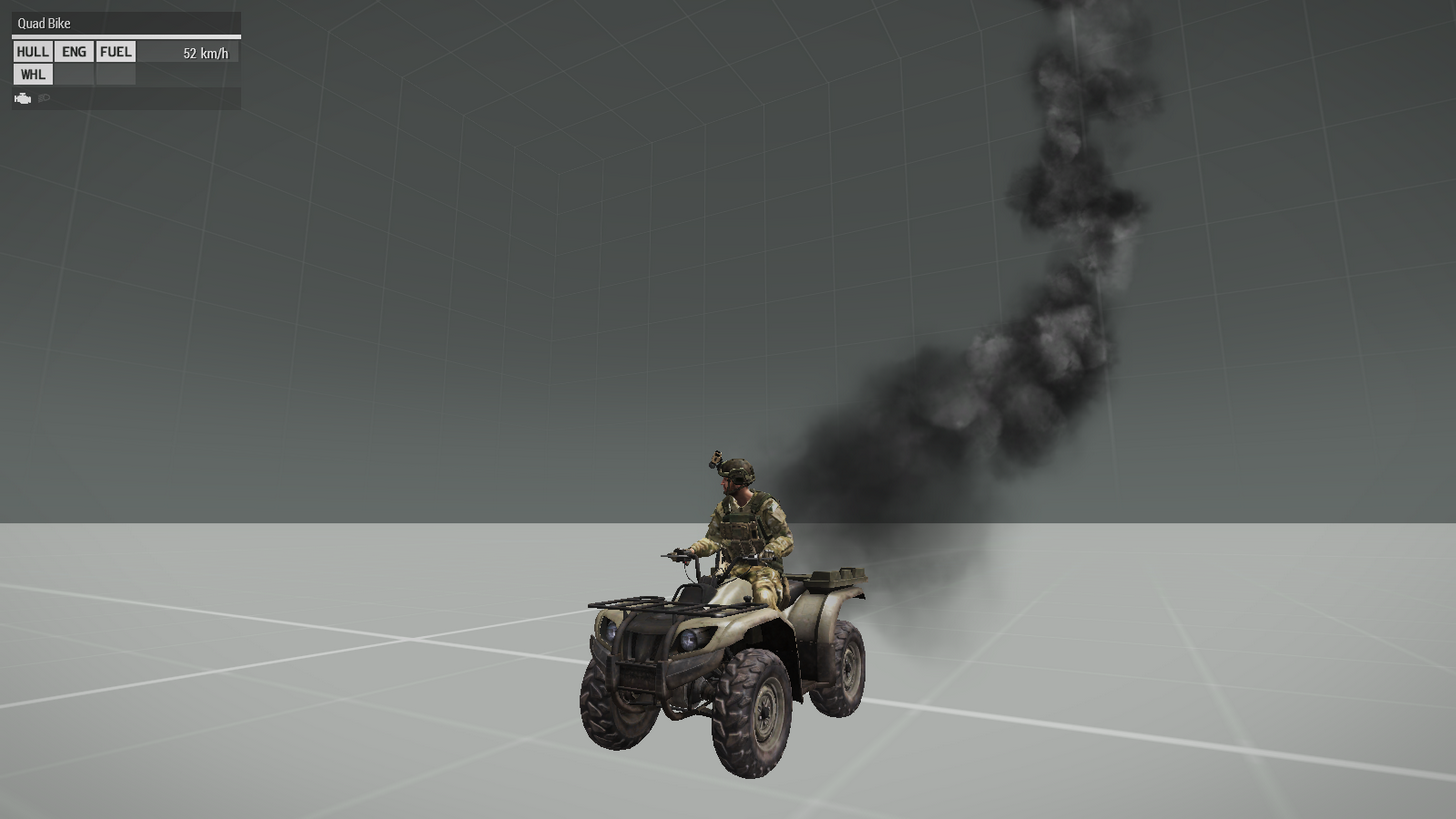
Nah, it looks very thin.
warped mist
You used a small smoke though didn't you?
little eagle
No, I used the code I posted.
warped mist
Yeah but the destruction effect was a small one
little eagle
It's more about the amount of particles. The faster you move, the more frequently you have to create them.
    class ObjectDestructionSmokeSmallx: Default {
        interval = 0.12;
I guess you need a smaller interval.
warped mist
Ah, so no matter how large it would still thin out to about the same
little eagle
I don't know if there is a low limit of how fast a source can emit particles. Maybe one max per frame.
In that case you could try to create giant particles maybe.
There. Not gonna dig into this mess.
warped mist
Yeah I saw that earlier. I went crossed eyed.😵
little eagle
No, the side chat can not be disabled. Same for the global chat for the admin.
subtle ore
@little eagle what about closing it?
little eagle
closing what
subtle ore
^ chat display
little eagle
Sure.
rancid ruin
chat isn't a display?
little eagle
Because then you have no chat at all and how do you log in as admin then?
rancid ruin
by giving the admin an option to show it again on his client
i dunno, it's not me who wants to hide chat
little eagle
But if they're not the admin, how to unhide it?
rancid ruin
i dunno, let me ask x39
little eagle
🖕
tame portal
@rancid ruin @little eagle Please don't. Otherwise I will have to scroll through 300 lines of text again to read up what happened 😄
 regal geyser
Hey, I'm trying to edit this script to allow for random spawn locations and remove the ability to spawn on players. Can anyone take a look at this? I'm new to this C++/SQF/SQM shieeit.
 /*    [] spawn {
        while {TRUE} do {
            sleep 10;
            _pos = position leader BIS_grpMain;
            _pos set [2, 0];
            "respawn_guerrila" setMarkerPos _pos;
        };
    };*/

 /*        {
        if (!isPlayer _x) then {
            _x setPos ([markerPos "respawn_guerrila", random 15, random 360] call BIS_fnc_relPos);
            [INDEPENDENT, _x] call BIS_fnc_addRespawnPosition;
            _x addEventHandler ["Killed", {if (([(_this select 0), 0, TRUE] call BIS_fnc_respawnTickets) == 0) then {[_this select 0] joinSilent grpNull}}];
        };
    }  forEach units BIS_grpMain; */

    {
        if ((BIS_startingPos distance markerPos _x) < 100) then {
            _mrkr = _x;
            BIS_grpMain setFormDir markerDir _mrkr;
            {
                if (!isPlayer _x) then {
                    _x setDir markerDir _mrkr;
                };
            } forEach units BIS_grpMain;
        };
    } forEach ["start", "start_1", "start_2", "start_3"];
I think that the part I commented out was the "respawn on player" bit, but I'm not sure.
rancid ruin
@regal geyser I think it might be this simple
    {
        [INDEPENDENT, markerPos _x] call BIS_fnc_addRespawnPosition;
    } forEach ["start", "start_1", "start_2", "start_3"];
foreach executes the code between the {} for each of the arguments you feed it, in this case your marker names "start", "start_1" etc. _x refers to the current element you are iterating over. then we get the position of the marker using markerPos and create an independent spawn point
regal geyser
I'm trying to make it so the whole squad spawns together, also. That's probably worth noting.
rancid ruin
oh right, that makes it more fun
regal geyser
Also, note that I'm trying to make the squad's spawn random, not their respawn.
peak plover
So you want the initial spawn to be randomzied, but the whole squad spawns together
subtle ore
{_x setPos (getMarkerPos "CoolMarker")} forEach (units (group player));
regal geyser
Yes. Also, thanks, I'll try that.
peak plover
That must only run on 1 player 'tho
nocturne basalt
is it possible to keep animations from being broadcasted over the network?
local animations only?
still forum
yes
nocturne basalt
@still forum oh really? how ?
still forum
I know that I have to execute atleast one of the animation commands globally to make everyone see it. I think switchMove
nocturne basalt
I would be extremely grateful if you could show me an example
still forum
player switchMove "someAnim"
nocturne basalt
@still forum it only works for rtm animations
still forum
what other animations are there?
nocturne basalt
how about animations on a vehicle?
still forum
Aren't they also just rtm's?
still forum
I guess that's not possible then
 daring pawn
Hi smart folk, what would be the most efficient way for me to check an array for duplicates and remove those duplicates? Alternatively, before adding a new item to the array, check if it already exists in that array?
still forum
adding a new item pushBackUnique
daring pawn
Ah wow, i've just been using append the whole time but its giving me duplicates
still forum
Read the code performance guide on biki
daring pawn
Am I correct that _array append _newarray is more efficient than _array = _array + [_newarray]
that was my reasoning for using that initially
still forum
Not really
easiest way to create duplicate free copy of the array is
_duplicateFreeArray = _arrayWithDups arrayIntersect _arrayWithDups;
That'd be after the full array was created, ie, in my case right now, i'm using a ForEach to get some objects in a certain area, but I don't want those listed several times, just the once, i'm creating that array inside the forEach so i'd use pushBackUniquie in that case?
still forum
okey yeah. append is in some cases more efficient. i guess it depends on the size of the array. But I think internally both are doing the same thing
daring pawn
Yea its very similar
still forum
yes
tardy yacht
You guys know of a good SQL datatype to pick for an objects rotation (Y axis only)?
tardy yacht
gee wiz that was unexpected
queen cargo
What you expected? "use the magic arma position type available in all sql implications"?
dusk sage
(Y axis only)
This is just one number, what else do you want 😛
tardy yacht
Should I store it as a float, a double? I could even round it up and store it as an int.
queen cargo
Number
queen cargo
Number is a type having in all implementations two arguments
Double is what you should use in MySQL context
Though... Float should be enough too
tardy yacht
Thank you, I was having trouble picking between the two.
still forum
The engine uses only float internally. So storing it as double is pure overkill without any reason
little eagle
re: _array = _array + [_newarray]
It's actually:
_array = _array + _newarray;
And yes, append is more effective.
daring pawn
ah yea commy it is, I was in my case previously, adding something to it that wasn't an array, so I was making it such before adding it
little eagle
Well, that is a candidate for pushBack(Unique) then.
daring pawn
Indeed. I was using append earlier as It's more efficient, didn't even think about using PushBack. PushBackUnique is fantastic though
little eagle
It is!
little eagle
Apparently the game wipes the object namespace when a non-soldier vehicle respawns using https://community.bistudio.com/wiki/respawnVehicle
Doesn't happen for soldiers that way. Nice way to bug everything up.
peak plover
Do player respawns mean newUnit does not have oldUnit vars?
little eagle
No, soldiers retain their variables as is intended. Copied from the corpse. But apparently not vehicles.
peak plover
Ohh crap, I thought they didnt
 lusty canyon
UAV FEED NOT UPDATING: I have a shoulder mounted camera attached to the player that follows the users weapon intersectsurface xyz. now whenever player enters a vehicle GetIn EH attaches said camera to the vehicle but the uav feed custom panel no longer updates the uav view (uav is still slaved to weapon when on FFV seat but panel is frozen). tried connectTerminalToUAV and showUAVFeed = true, no dice.
tough abyss
how can I check if there is an explosive device near my location in a certain distance?
lusty canyon
@tough abyss try this: nearestObjects [player, ["MYexplosiveCLASSNAME","otherEXPLOSIVEclassname"], 200];
tough abyss
@lusty canyon can it work in a case like this?
case (nearestObjects [_dog, ["PipeBombBase", "TimeBombCore"], 100]): {
lusty canyon
@tough abyss you mean trying to pass result of nearestobjects to a switch case check? doubt that can work since result can be empty array/null plus compared to array of explosives would have to be in exact order.
@tough abyss turns out nearestObjects cannot return explosives/mines, use nearObjects instead
https://community.bistudio.com/wiki/nearObjects
nearObjects is more performant than nearestObjects but resulting array will not be sorted at all
@tough abyss so in your situation u can do something like _pipeBombsFound = _dog nearObjects ["PipeBombBase", 100];
then another one: _timeBombsFound = _dog nearObjects ["TimeBombCore", 100];
indigo snow
That all depends on what you do with it
What are you trying to do?
Switch case structure basically checks two values against each other, that isnt suitable for the direct return of that command
tough abyss
I wanna check if _dog is within 100 meters to PipeBombBase and TimeBombCore, and if he is, a code will be executed
if(((_dog distance PipeBombBase) <= 100) && ((_dog distance TimeBombCore) <= 100)) then {
    // Code to execute
}
Just pointing out that that condition wont work if you directly copy paste it
And it should probably be an or, not and statement
Youd wanna count the return of the nearObjects checks
peak plover
I think he wants to check if there are at least 1 bombs near him
so you would pretty much use the nearObjects
if (count(_dog nearObjects ["TimeBombCore", 100]) > 0) then {
    // There is atleast one timebombcore in 100m radios from dog
};
@indigo snow based on his written condition, he asked to see if _dog is within 100 m to PipeBombBase AND TimeBombCore. So that's what I displayed
But the nearObjects works fine too, whatever your preference.
¯_(ツ)_/¯
indigo snow
Yes but when you read up you see that that is not what he actually wants. He wants to find if there is an explosive device within 100m, not two specific objects both within 100m
tough abyss
I only read his most recent message, so my fault.
indigo snow
Theyre pretty fundamentally different, and since it seems adir is still new to sqf its worth pointing out
lusty canyon
anyone played around with the new custom panels? would it be possible to take the missile cam panel and stick it to a person add rifle add bullet isMIssileCamable = 1 ?
all the old bullet cam scripts are lame now, placing everything inside a custom panel is the future right?
daring pawn
I'm wondering how much data would be too much to store in profileNameSpace of a server
Assuming also that there was other missions that did the same thing, at what point is it likely that it could become corrupted?
peak plover
I wouldn't go over 10 mbytes. My current player profile is 0.6 Mbytes and does not seem to have any issues.
lusty canyon
how can I get the offset point of an object through the players aim intersect (crosshair vector)?
ive tried intersectsurfaces array select 1 (surface normal coord) but that doesnt work when using it in an attachto (wtf is a surface normal anyway?)
manual trial and error xyz is so time consuming
little eagle
A normal is a orthogonal vector to a plane.
The plane probably being the spot of intersection on the vehicles surface.
indigo snow
What is "doesnt work"? Returns nothing, or not what you expect?
lusty canyon
im getting error in expression something and array size is 4 expected 3. maybe im going the wrong way with this? the intersect point is just the asl pos relative to world right? how do i convert that into point relative to model?
or is there a BIS CBA other third party function that can get offsets of models?
little eagle
offset between what and what.
lusty canyon
offset from model [0,0,0] i guess
indigo snow
The array size being off points to your values not being what you expect them to be. Start debugging that first.
little eagle
offset from model center to what?
lusty canyon
what i want to do is attach a remote designator to any vehicle the player is looking at through crosshair/scope/weapon direction intersect
so if player is looking at a prowlers front bumper for example the designator will attach exactly to that point on the vehicle
indigo snow
So get the intersect coords, and use worldToModel with the intersected object?
That should give you modelspace coords for attachTo
Maybe worldToModelVisual depending on how it looks
And take a good look at the return format because i think its not what you think it is
little eagle
Yeah, sounds like worldToModel(X). And use some diag_log and systemChat to debug the values of some variables.
indigo snow
The normal vector is at least of no use in this case, you can just use the intersection posASL values for conversion
lusty canyon
ive tried using the the intersect asl as starting point for createvehicle pos then do automatic offset attachto, the object does attach at where the player is looking on the vehicle but its floating/hovering and doesnt touch the vehicle at all in this case. (could it be a model geom LOD issue?)
indigo snow
Yes
Maybe
Maybe its a visual offset
Depends
The default of View and Fire should be pretty good
Maybe try the Geom one
lusty canyon
fire would be the exact point where a bullet hits the object? so i can pass "FIRE", "GEOM" as intersect params
indigo snow
Yes but the fire geometry might be hugely simplified
little eagle
VIEW should be the most accurate.
indigo snow
It might be how you currently calculate the offset
When spawning arma will usually try to avoid collisions
lusty canyon
i did "CAN_COLLIDE" on create vehicle spawn but it still floats
indigo snow
Like by how much? Inches or meters?
lusty canyon
inches
indigo snow
Thats pretty decent tbh, maybe subtract a bit from the offset if its a constant error
lusty canyon
ok thanks for the advice, ill add u guys to my credits when i get the mod up eventually 😉
indigo snow
Maybe check if its final position is (close to) the intersect position
lusty canyon
would vector begin intersectpos and vector end vehicle pos (vector multiply 2) work?
indigo snow
Without knowing what any of those are im gonna give a firm maybe especially with the scaling with 2 part
 digital pulsar
anyone knows if Roboto has an italic variant in arma?
i think purista had it if i remember correctly
rancid ruin
can't remember, check cfgFontFamilies or whatever it is
roboto is a permissively licensed typeface, you could add an italic version yourself as an addon if it's important enough
digital pulsar
meh, i just need that in briefing
 mortal halo
question: using the mission event handler "HandleDisconnect"
if I use getPlayerUID on the unit - would it return the UID? I know there's also a _uid parameter but this is important
subtle ore
@mortal halo yes it would return the UID
mortal halo
are you sure? it will return the UID although the player has already disconnected?
subtle ore
UID returns the same value afaik
yes it is executed before the player disconnects
or if sometimes the code is too slow for the disconnect, it could messup
tough abyss
_uid in the biki's example is an arbitrary local variable.
mortal halo
hold on wait what
what does it mean? it just stays there on that unit?
i mean the unit itself is deleted shortly after
tough abyss
You need to have a unit to get the UID from, obviously.
little eagle
The UID is already passed as an argument to the HandleDisconnect eventhandler. There is no reason to use getPlayerUID
subtle ore
^
mortal halo
I know
I need to know if it returns a UID tho
because I want to run a function that uses the unit, and in it - it pulls the UID
I wouldn't like to make an extra function specifically for disconnect
it's a save function
little eagle
Maybe rewrite the function to accept either a UID or a unit.
both I mean. Not either
subtle ore
then just call the function in the handledisconnect eh?
tough abyss
params [["_arg" , nil, ["", objNull]]]like that @little eagle?
little eagle
Except that null seems off.
tough abyss
Is it nil?
little eagle
I'd rather do "" or objNull, but idk how the function looks otherwise.
But yeah, nil would work.
Oh and "_arg" needs to be in quote marks
tough abyss
Mobile is hard 😕
little eagle
params [["_uid", "", ["", objNull]]];

if (_uid isEqualType objNull) then {
    _uid = getPlayerUID _uid;
};
something like this.
little eagle
Same idea as here: https://github.com/CBATeam/CBA_A3/pull/729/files

GitHub
When merged this pull request will:
allow using config type in CBA_fnc_getTurret vehicle parameter.
It is useful when you already have vehicle config, so you don't need to get config name to use ...
This one accepts string (classname), object or config afterwards. Three things, always the same result.
mortal halo
if(_uid isEqualTo "") then {_uid = getPlayerUID _unit};```used this
i hope there aint alot of difference
little eagle
lgtm
subtle ore
why not just set the expected value in the params?
little eagle
Because _unit is undefined in that array.
lusty canyon
will the array of: _result = units player;
be the same as: _result = units group player;
I want an array of player's units without the player himself in the resulting array.
indigo snow
It will be the same and contain the player
little eagle
Both will be the same.
lusty canyon
ah ic, so whats the best way to get the player out of the array? foreach?
little eagle
private _units = units player - [player];
ah great! ty
little eagle
private _units = units player;
_units deleteAt (_units find player);
The best is one of these. Pick your poison.
lusty canyon
does the exitWith code block accept special variables ? for example i have a foreach like this:
{
_x moveInCargo _myVehicle;
if ( (_forEachIndex + 1) == _emptySeats ) exitWith
{ hint format ["COUNT: %1",(_forEachIndex + 1)]; };
} forEach _myArrayOfUnits;
peak plover
```
lusty canyon
'''
peak plover
no it's the tilde key
lusty canyon
'''
{
_x moveInCargo _myVehicle;
if ( (_forEachIndex + 1) == _emptySeats ) exitWith
{ hint format ["UNITS MOUNTED UP: %1",(_forEachIndex + 1)]; };
} forEach _myUnitsArr; '''
peak plover
not ''' but ```
lusty canyon
ah tidle sorry haha
            {
                _x moveInCargo _myVehicle;
                if ( (_forEachIndex + 1) == _emptySeats ) exitWith
                { hint format ["UNITS MOUNTED UP: %1",(_forEachIndex + 1)]; };
} forEach _myUnitsArr; ```''' sqf
little eagle
:/ SQF
lusty canyon
            {
                _x moveInCargo _myVehicle;
                if ( (_forEachIndex + 1) == _emptySeats ) exitWith
                { hint format ["UNITS MOUNTED UP: %1",(_forEachIndex + 1)]; };
} forEach _myUnitsArr; ```sqfYou can just copy paste what I did and put the code inbetween.
            {
                _x moveInCargo _myVehicle;
                if ( (_forEachIndex + 1) == _emptySeats ) exitWith
                { hint format ["UNITS MOUNTED UP: %1",(_forEachIndex + 1)]; };
            } forEach _myUnitsArr;
i dont get it it looks the same?
little eagle
Colors.
lusty canyon
            {
                _x moveInCargo _myVehicle;
                if ( (_forEachIndex + 1) == _emptySeats ) exitWith
                { hint format ["UNITS MOUNTED UP: %1",(_forEachIndex + 1)]; };
            } forEach _myUnitsArr;
Thanks
peak plover
pretty colors :3
little eagle
Now... What was the question?
lusty canyon
exitwith code block accepts _x _foreachindex and other magic vars?
tough abyss
No color on mobile 🙁